Neon Gate NI-1201 PC Interface Card User Manual Manual

Neon Gate Inc. PC Interface Card Manual

Manual

Product Manual (NI-1201)
This equipment has been tested and found to comply with the limits for a Class B digital device, pursuant to part 15 of the FCC Rules. These limits are designed to provide reasonable protection against harmful interference in a residential installation.This equipment generates, uses and can radiate radio frequency energy and, if not installed and used in accordance with the instructions, may cause harmful interference to radio communications. However, there is no guarantee that interference will not occur in a particular installation. If this equipment does cause harmful interference to radio or television reception, which can be determined by turning the equipment off and on, the user is encouraged to try to correct the interference by one or more of the following measures: -Reorient or relocate the receiving antenna.-Increase the separation between the equipment and receiver.-Connect the equipment into an outlet on a circuit different from that to which the receiver is connected.-Consult the dealer or an experienced radio/TV technician for help. CAUTION: Changes or modifications not expressly approved by the manufacturer responsible for compliance could void the user's authority to operate the equipment FCC Information
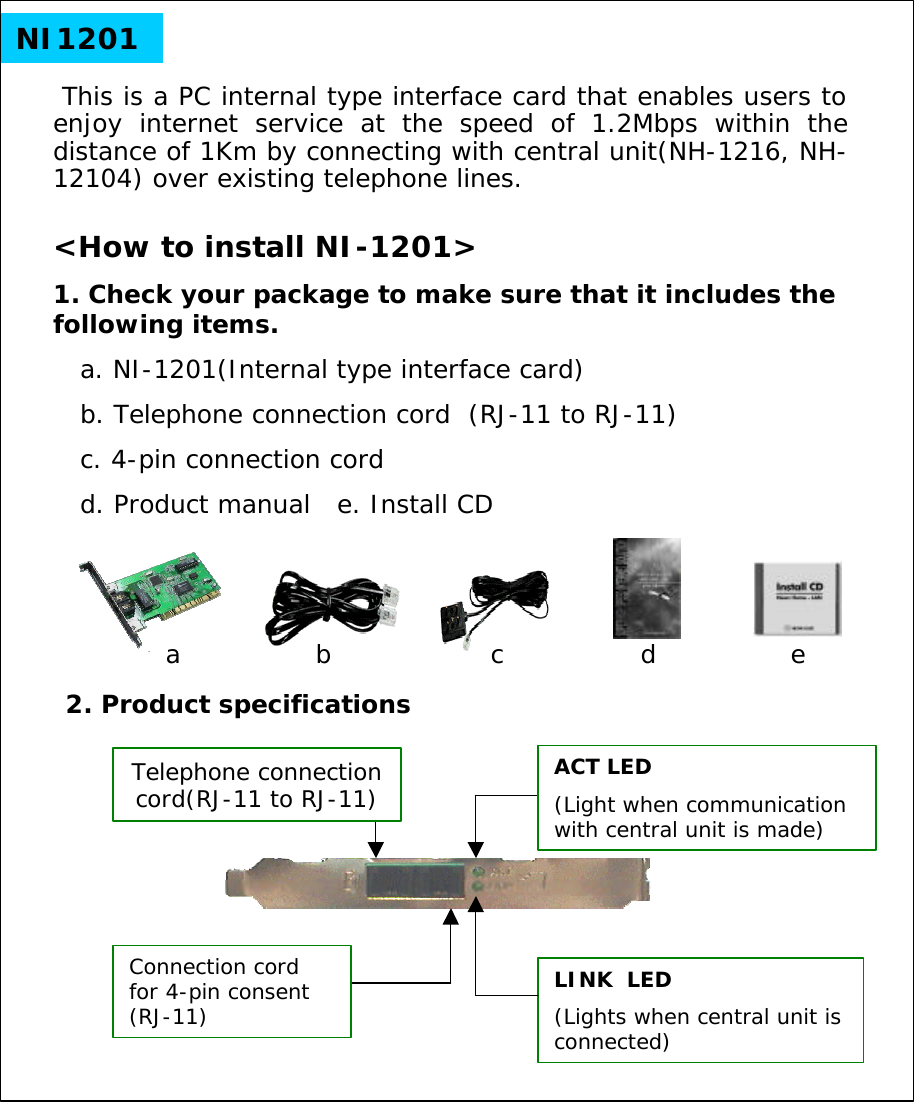
NI1201This is a PC internal type interface card that enables users to enjoy internet service at the speed of 1.2Mbps within the distance of 1Km by connecting with central unit(NH-1216, NH-12104) over existing telephone lines.<How to install NI-1201>1. Check your package to make sure that it includes the following items.a. NI-1201(Internal type interface card)b. Telephone connection cord  (RJ-11 to RJ-11) c. 4-pin connection cord   d. Product manual   e. Install CD2. Product specificationsACT LED(Light when communication with central unit is made)LINK  LED(Lights when central unit is connected)Connection cord for 4-pin consent (RJ-11)adcbeTelephone connection cord(RJ-11 to RJ-11)
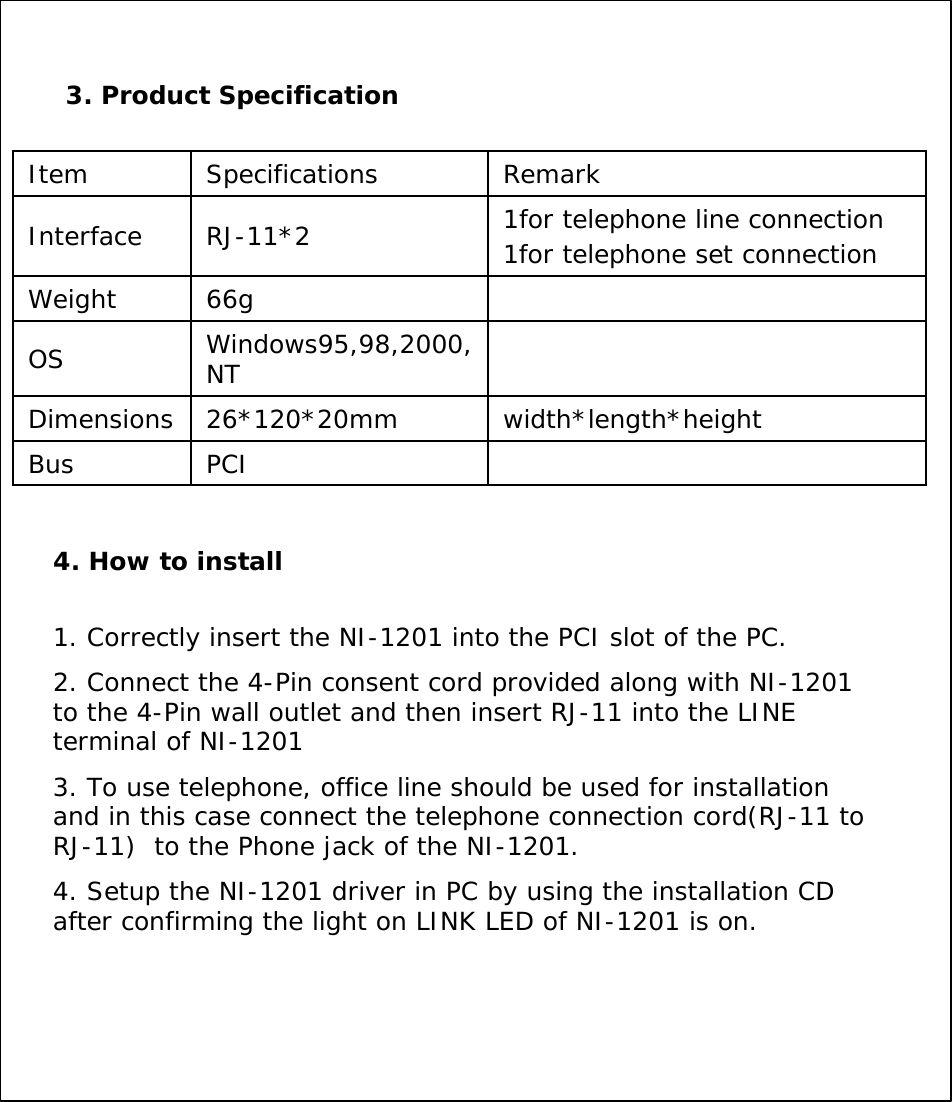
3. Product SpecificationInterfacePCIBuswidth*length*height26*120*20mmDimensionsWindows95,98,2000, NT OS66gWeight1for telephone line connection1for telephone set connectionRJ-11*2RemarkSpecifications Item4. How to install1. Correctly insert the NI-1201 into the PCI slot of the PC.2. Connect the 4-Pin consent cord provided along with NI-1201 to the 4-Pin wall outlet and then insert RJ-11 into the LINE terminal of NI-12013. To use telephone, office line should be used for installationand in this case connect the telephone connection cord(RJ-11 to RJ-11)  to the Phone jack of the NI-1201.4. Setup the NI-1201 driver in PC by using the installation CD after confirming the light on LINK LED of NI-1201 is on.
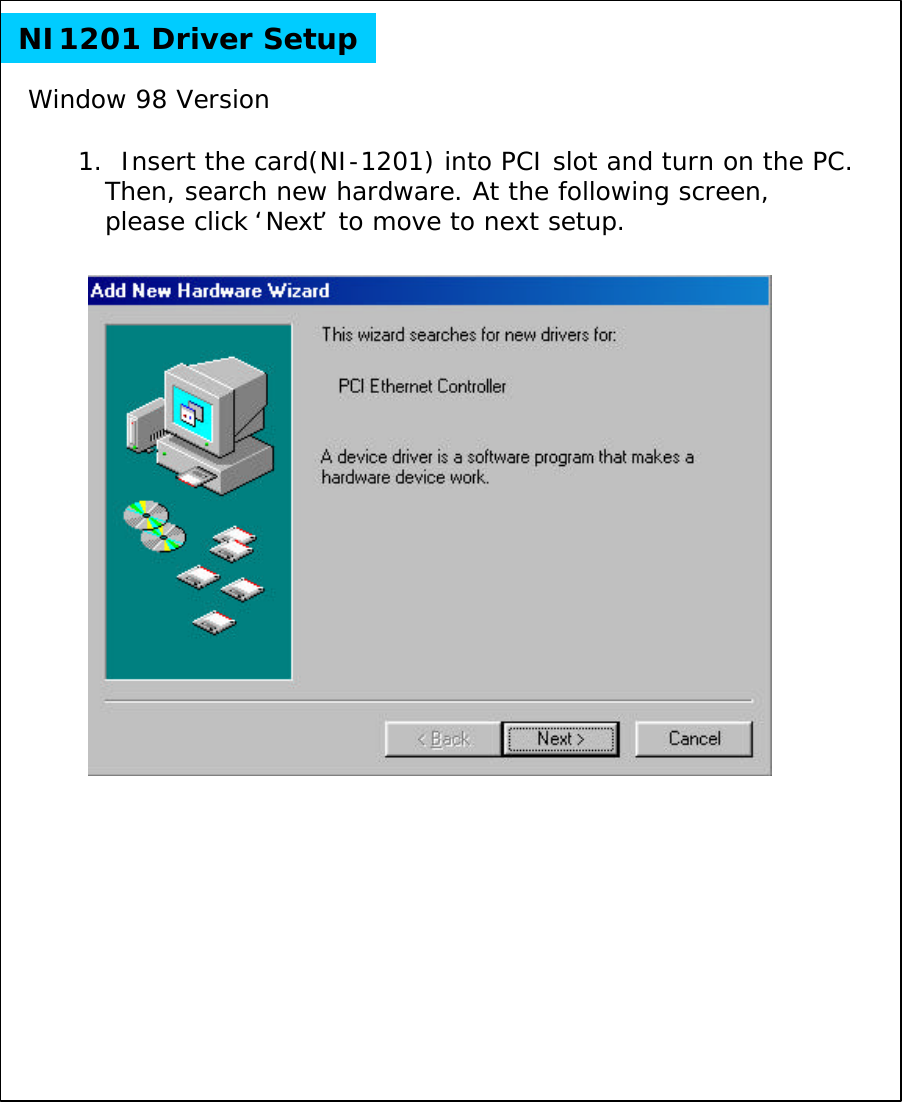
NI1201 Driver Setup1.  Insert the card(NI-1201) into PCI slot and turn on the PC.Then, search new hardware. At the following screen, please click ‘Next’to move to next setup.Window 98 Version
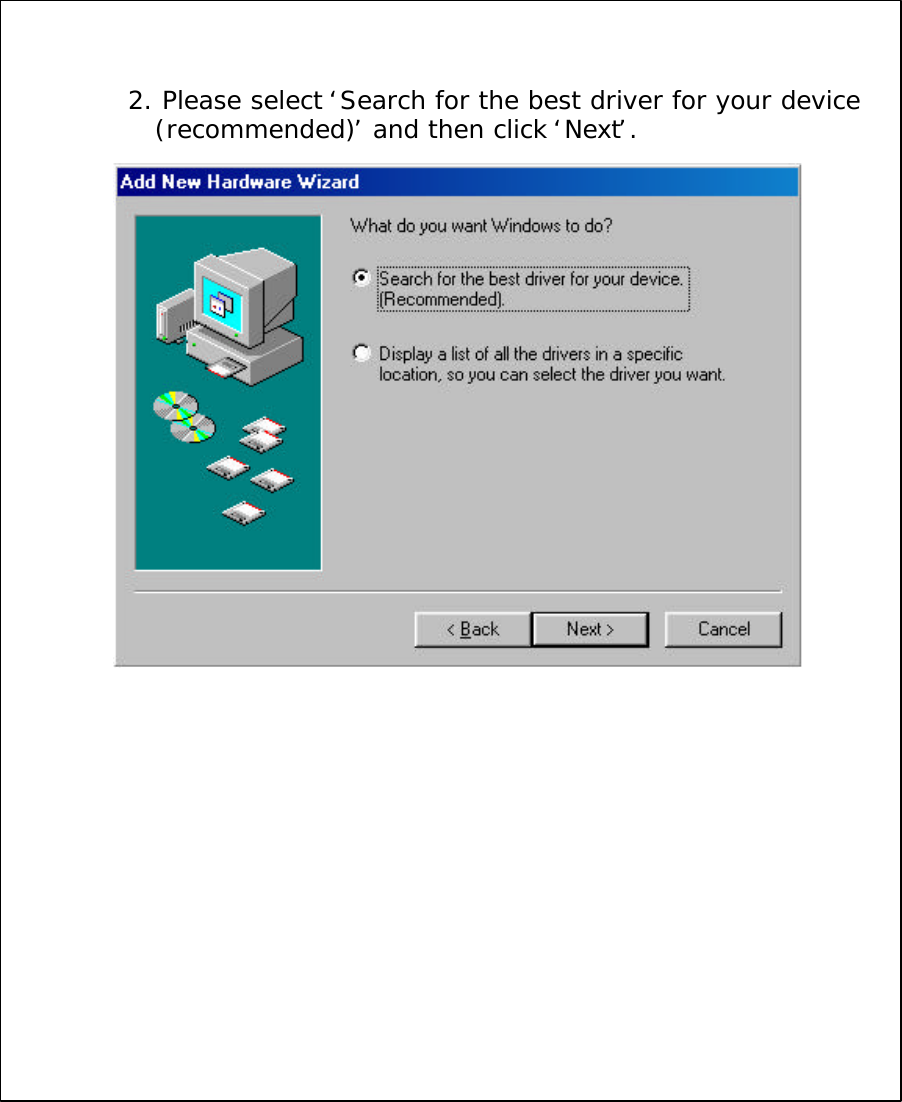
2. Please select ‘Search for the best driver for your device (recommended)’and then click ‘Next’.
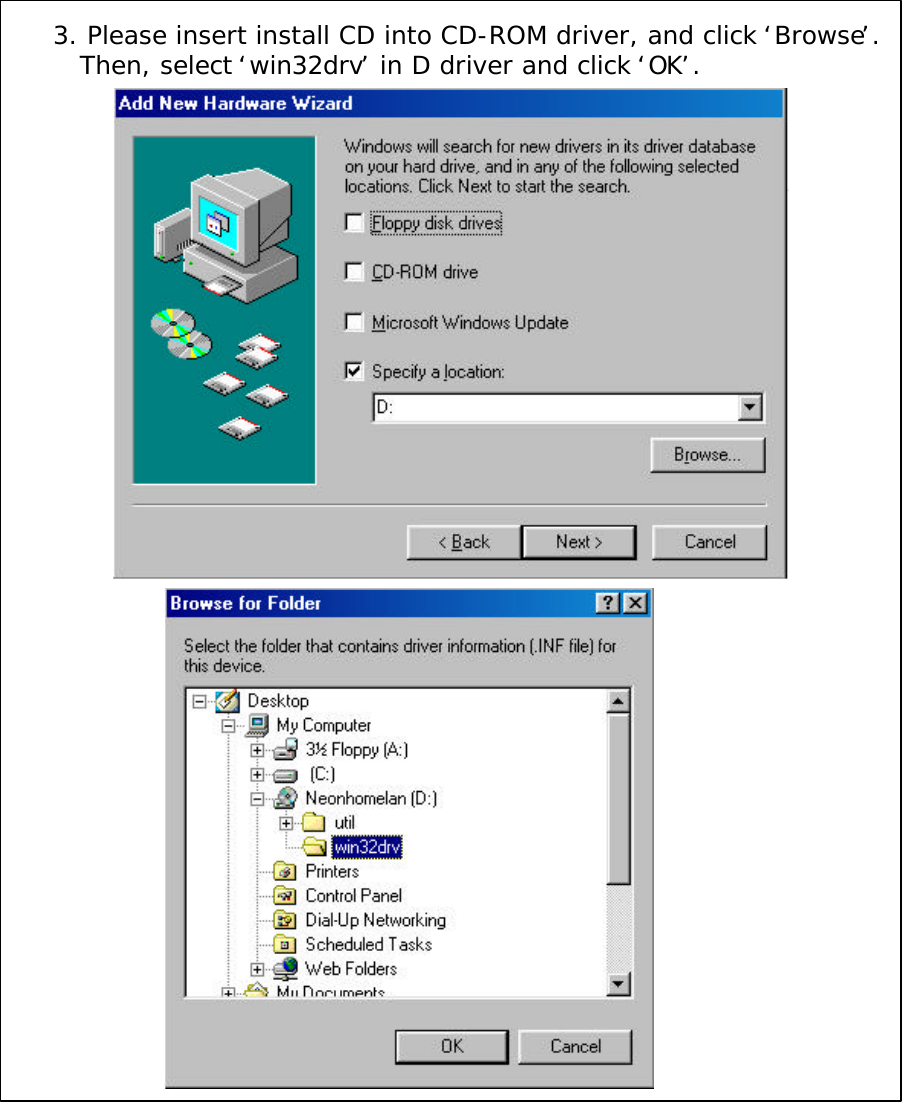
3. Please insert install CD into CD-ROM driver, and click ‘Browse’.Then, select ‘win32drv’in D driver and click ‘OK’.
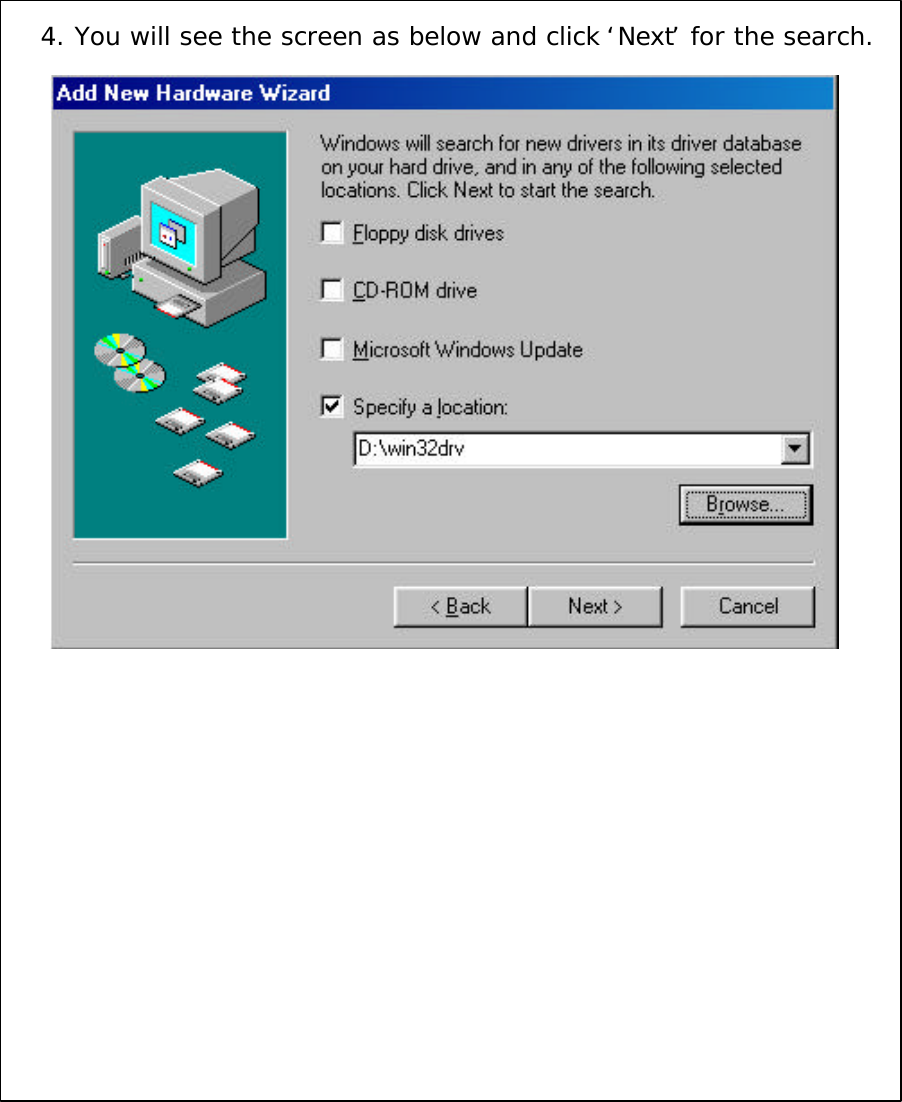
4. You will see the screen as below and click ‘Next’for the search.
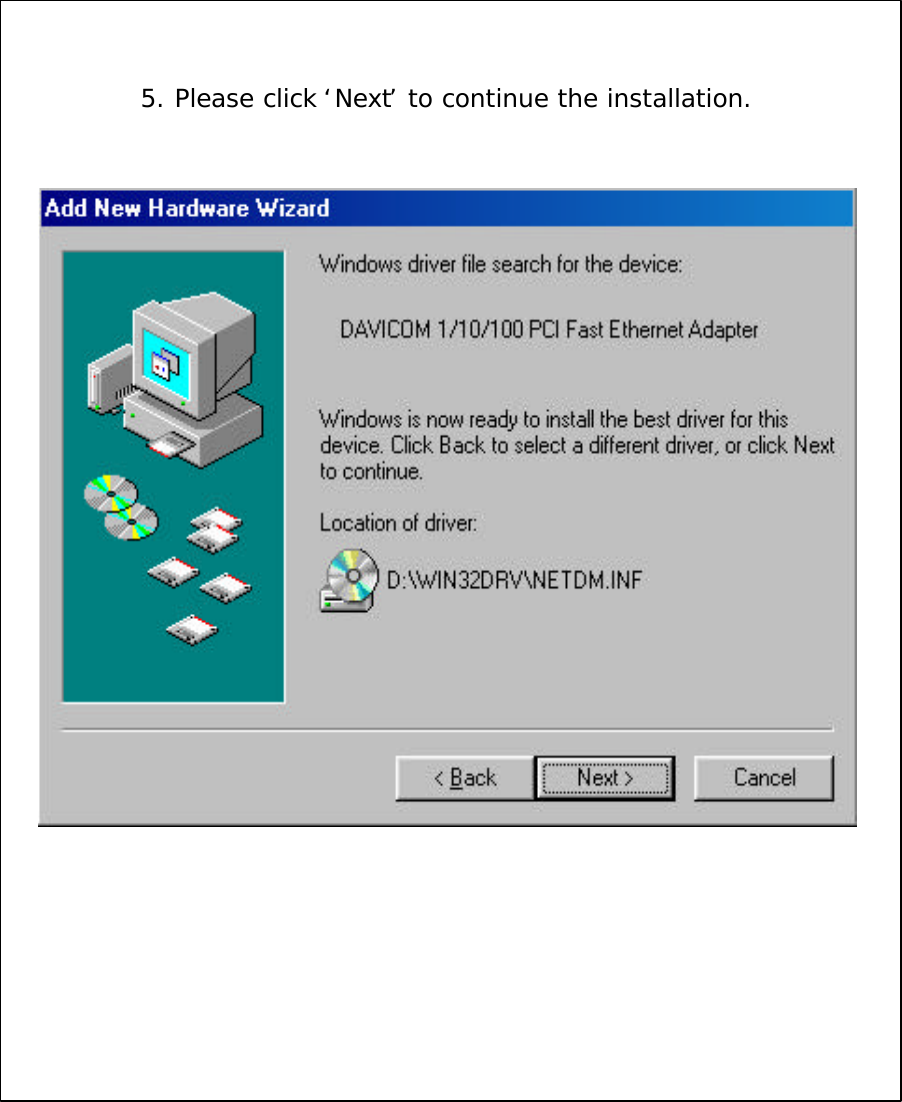
5. Please click ‘Next’to continue the installation.
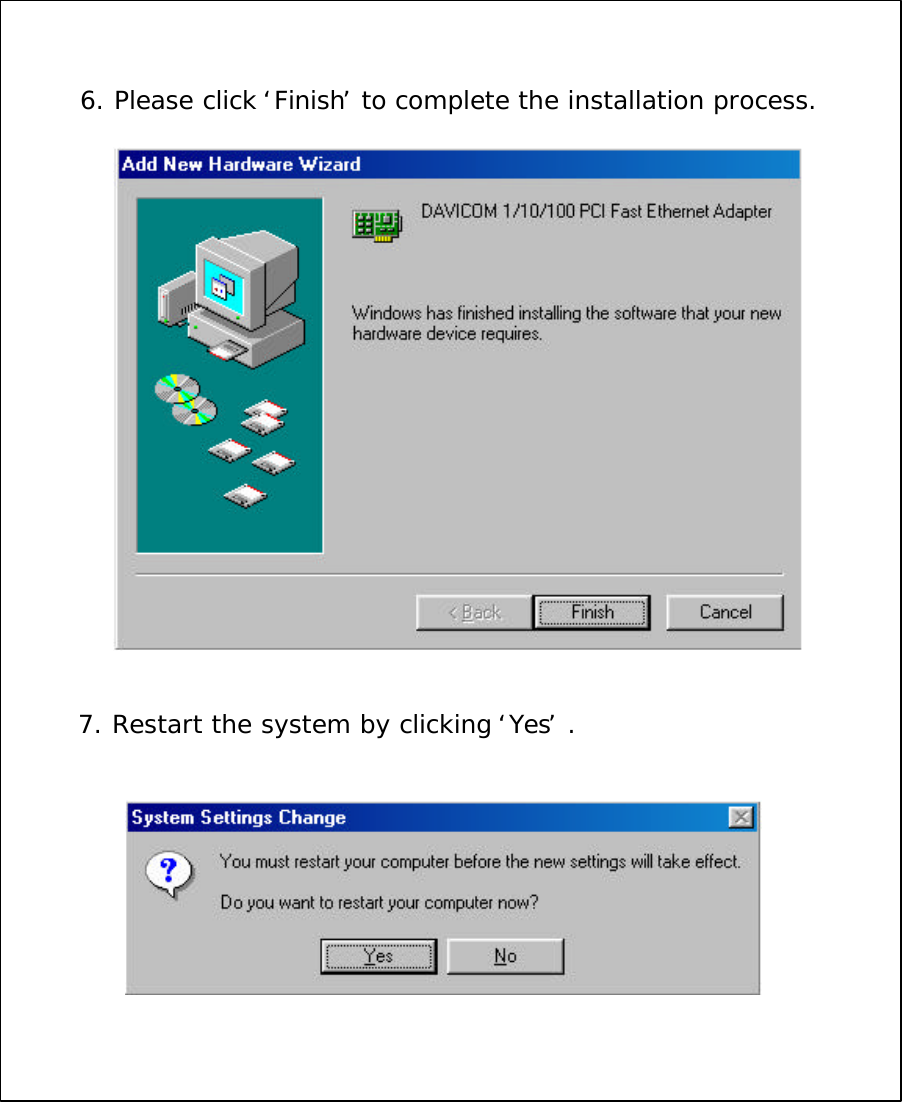
6. Please click ‘Finish’to complete the installation process.7. Restart the system by clicking ‘Yes’.
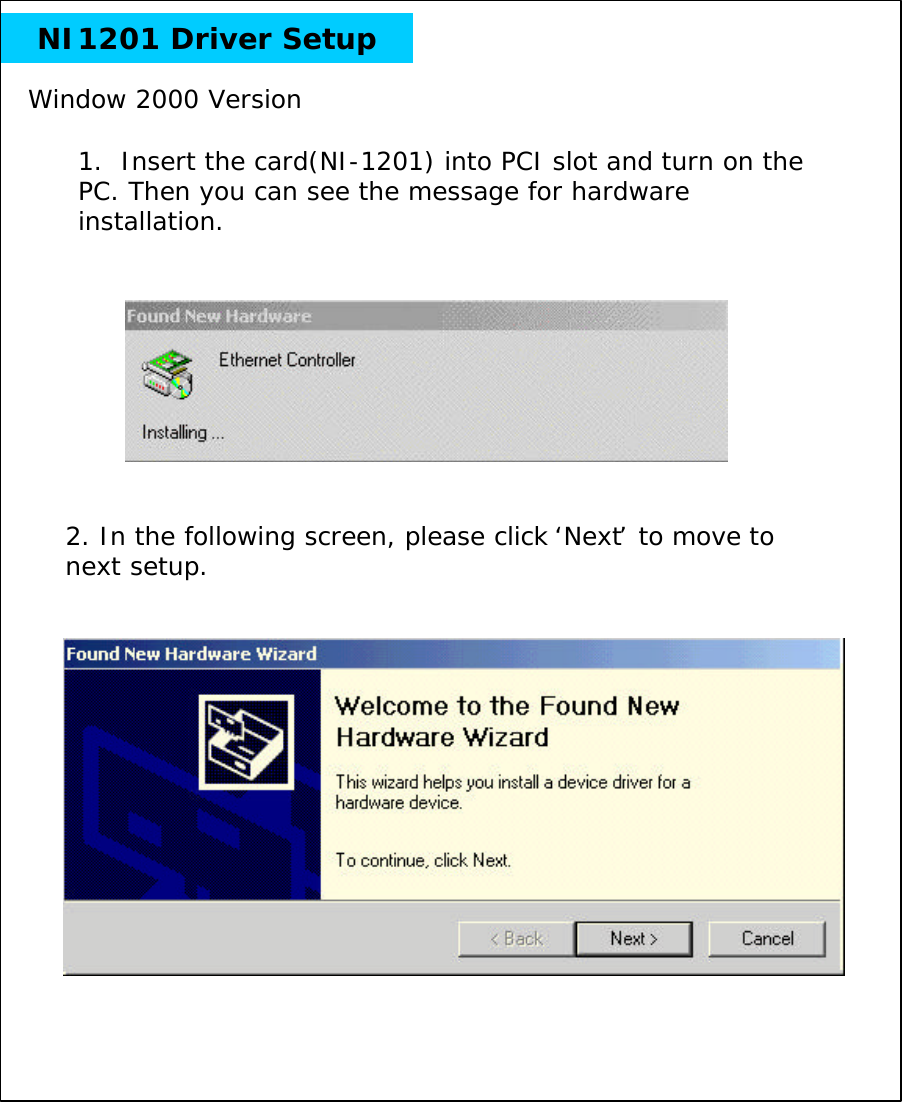
NI1201 Driver Setup1.  Insert the card(NI-1201) into PCI slot and turn on the PC. Then you can see the message for hardware installation.Window 2000 Version2. In the following screen, please click ‘Next’to move to next setup.
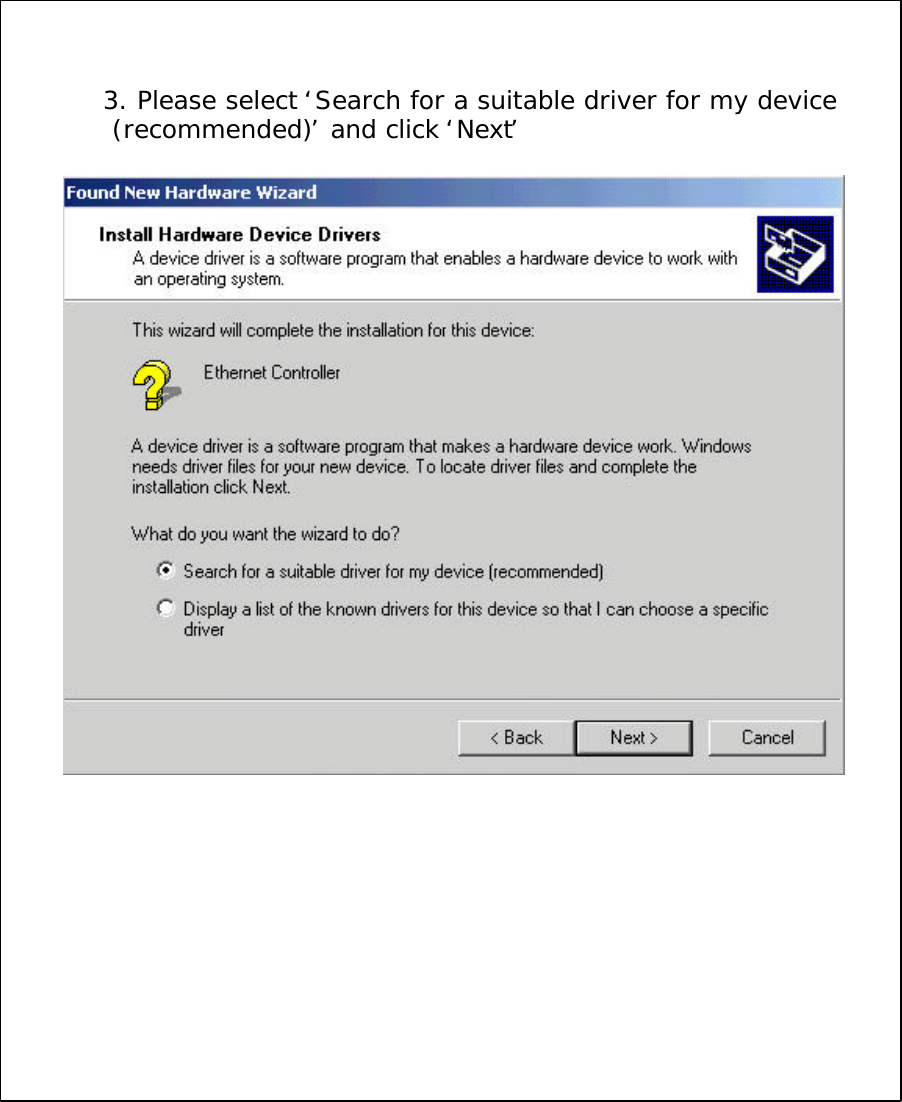
3. Please select ‘Search for a suitable driver for my device(recommended)’and click ‘Next’
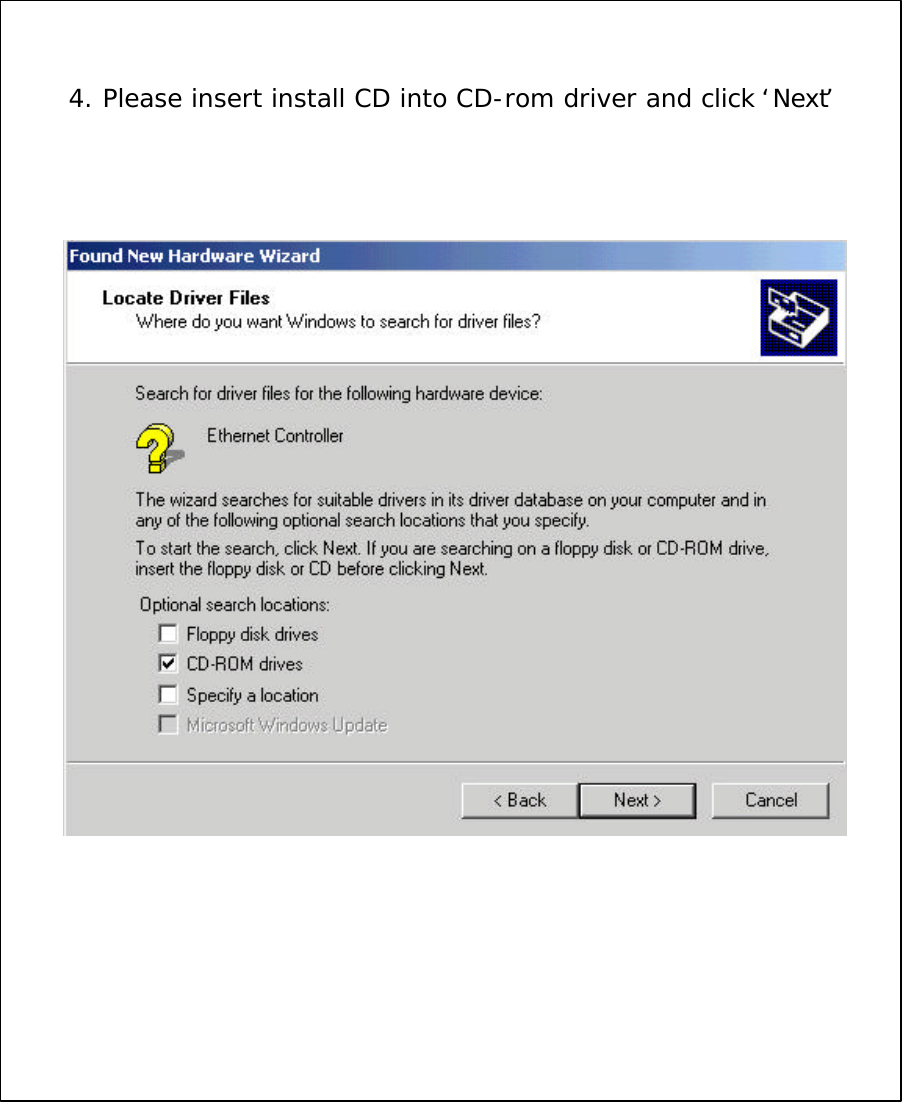
4. Please insert install CD into CD-rom driver and click ‘Next’
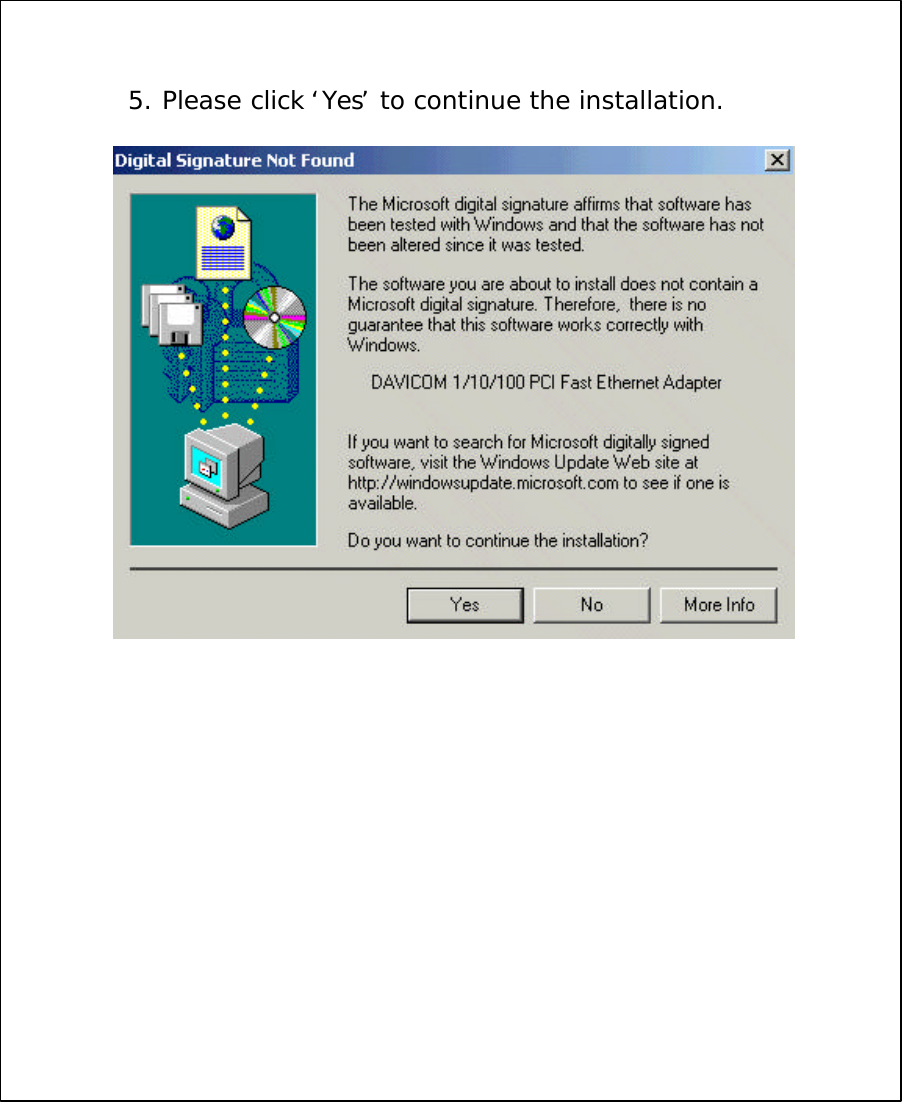
5. Please click ‘Yes’to continue the installation.
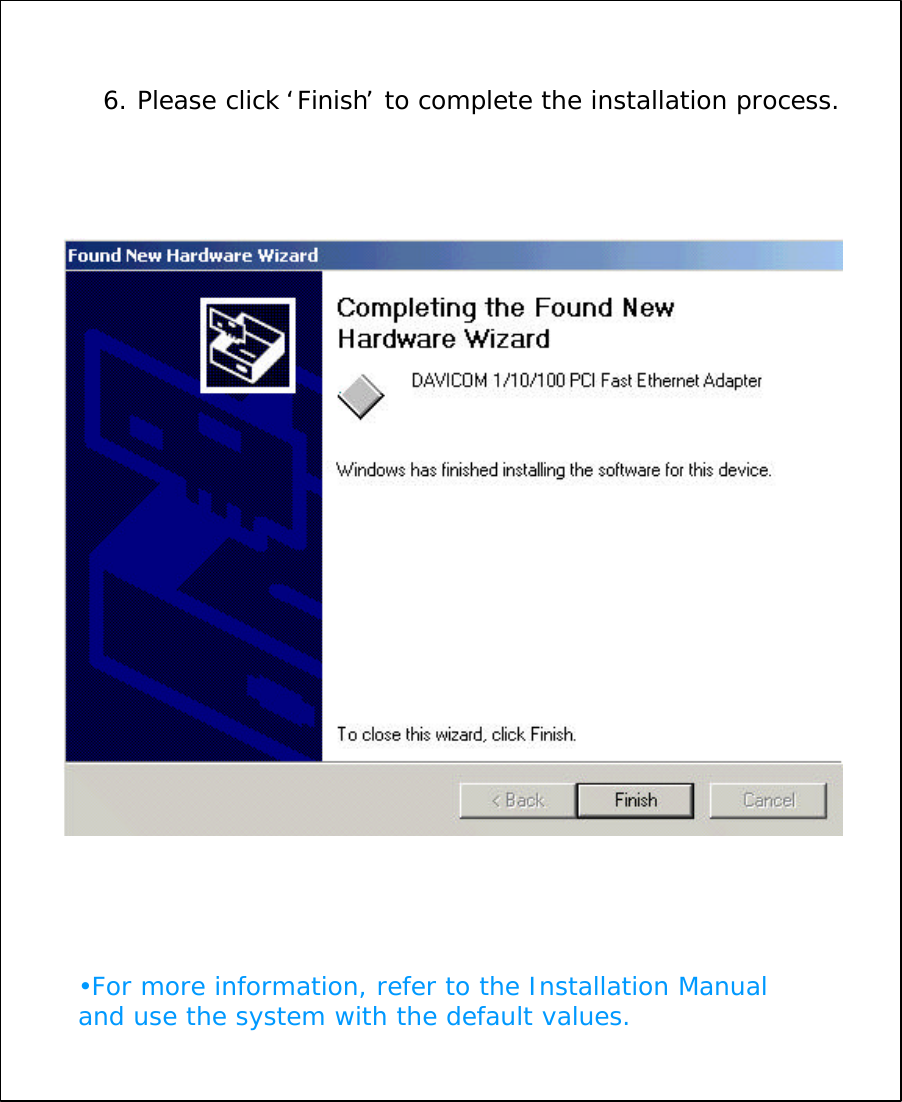
6. Please click ‘Finish’to complete the installation process.•For more information, refer to the Installation Manual and use the system with the default values.
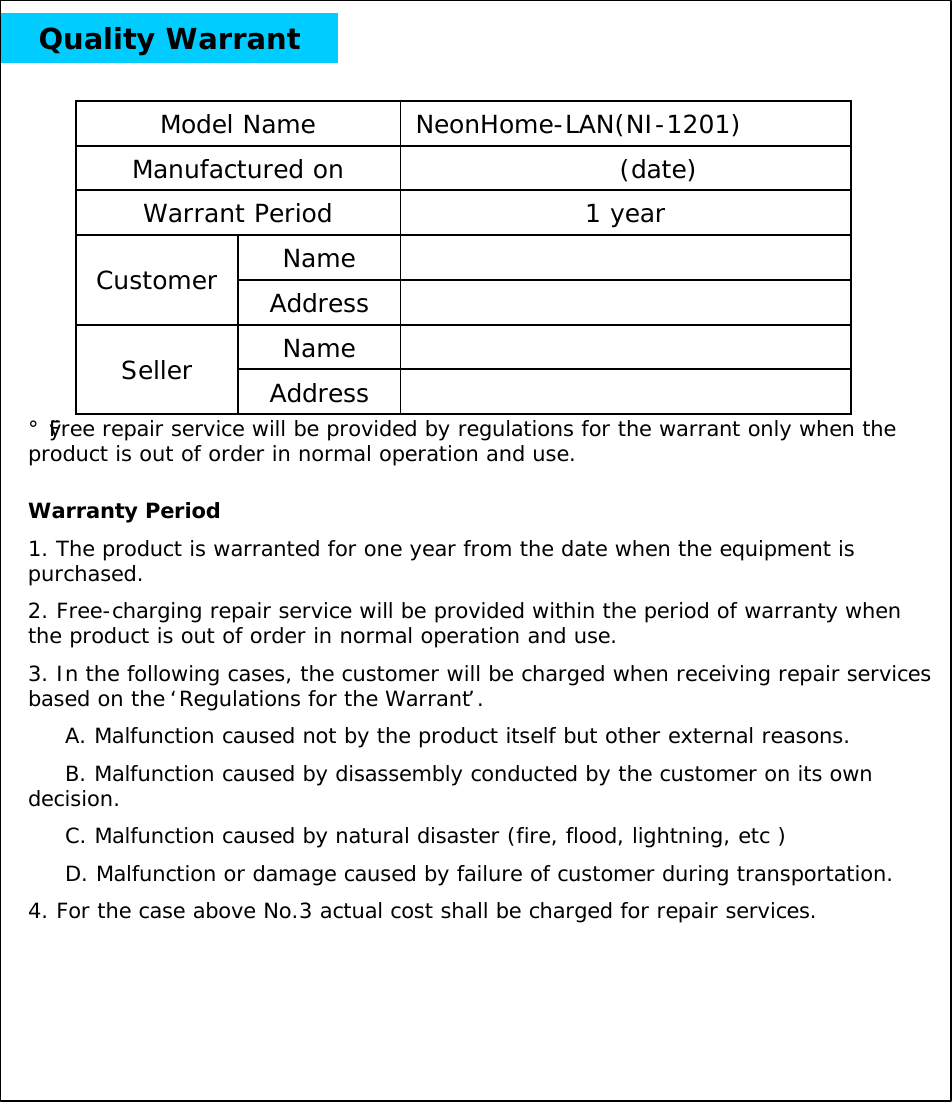
Quality WarrantNameCustomer AddressNameSeller Address1 yearWarrant Period(date)Manufactured onNeonHome-LAN(NI-1201)Model Name Warranty Period1. The product is warranted for one year from the date when the equipment is purchased.2. Free-charging repair service will be provided within the period of warranty when the product is out of order in normal operation and use.3. In the following cases, the customer will be charged when receiving repair services based on the ‘Regulations for the Warrant’.A. Malfunction caused not by the product itself but other external reasons.B. Malfunction caused by disassembly conducted by the customer on its own decision.C. Malfunction caused by natural disaster (fire, flood, lightning, etc )D. Malfunction or damage caused by failure of customer during transportation.4. For the case above No.3 actual cost shall be charged for repair services.¡ØFree repair service will be provided by regulations for the warrant only when the product is out of order in normal operation and use.
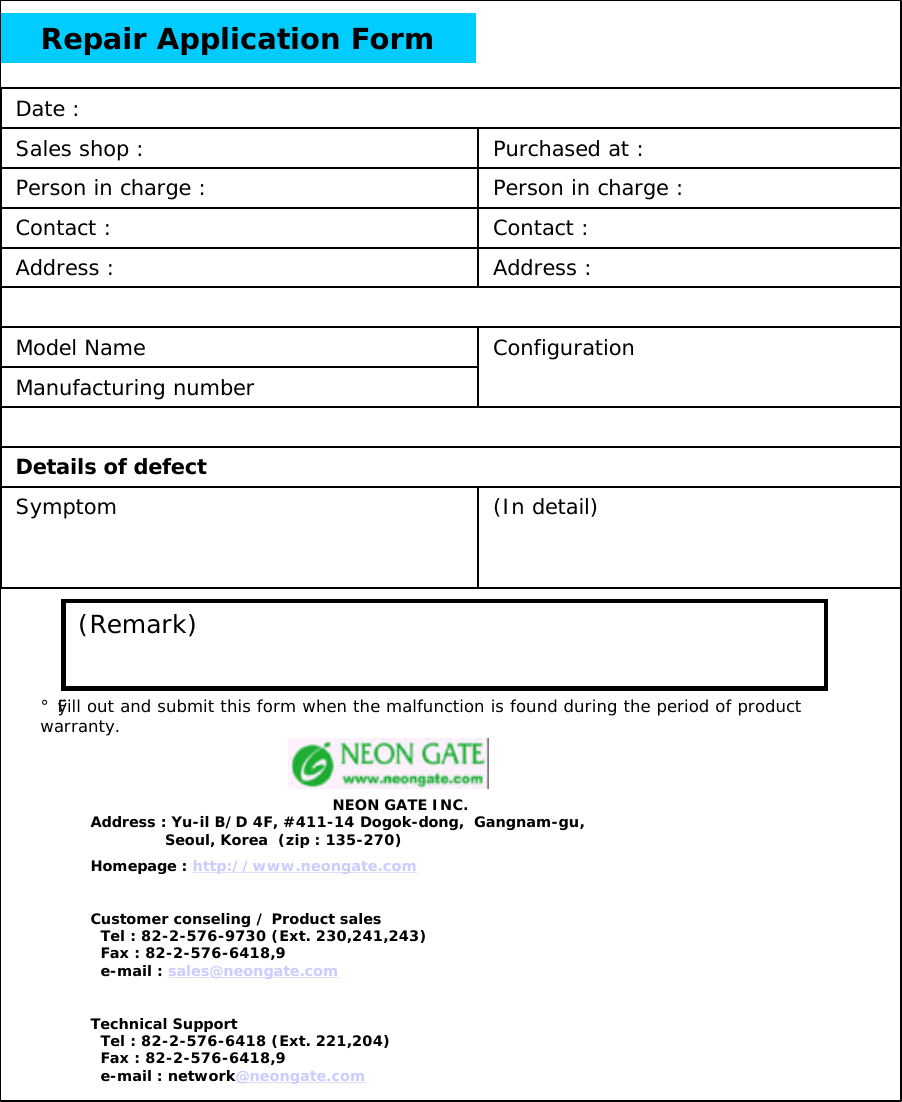
Repair Application Form(In detail)ConfigurationAddress :Address :Contact :Person in charge :Purchased at :Details of defectSymptomContact :Model NameManufacturing numberPerson in charge :Sales shop :Date :(Remark)¡ØFill out and submit this form when the malfunction is found during the period of product warranty.NEON GATE INC.Address : Yu-il B/D 4F, #411-14 Dogok-dong,  Gangnam-gu,Seoul, Korea  (zip : 135-270)Homepage : http://www.neongate.comCustomer conseling / Product salesTel : 82-2-576-9730 (Ext. 230,241,243)Fax : 82-2-576-6418,9e-mail : sales@neongate.comTechnical SupportTel : 82-2-576-6418 (Ext. 221,204)Fax : 82-2-576-6418,9e-mail : network@neongate.com

Navigation menu