New focus Lighting and Power Technology 7967 Bluetooth module User Manual APP 20141222

New Focus Lighting & Power Technology(Shanghai)Co. Bluetooth module APP 20141222

User manual

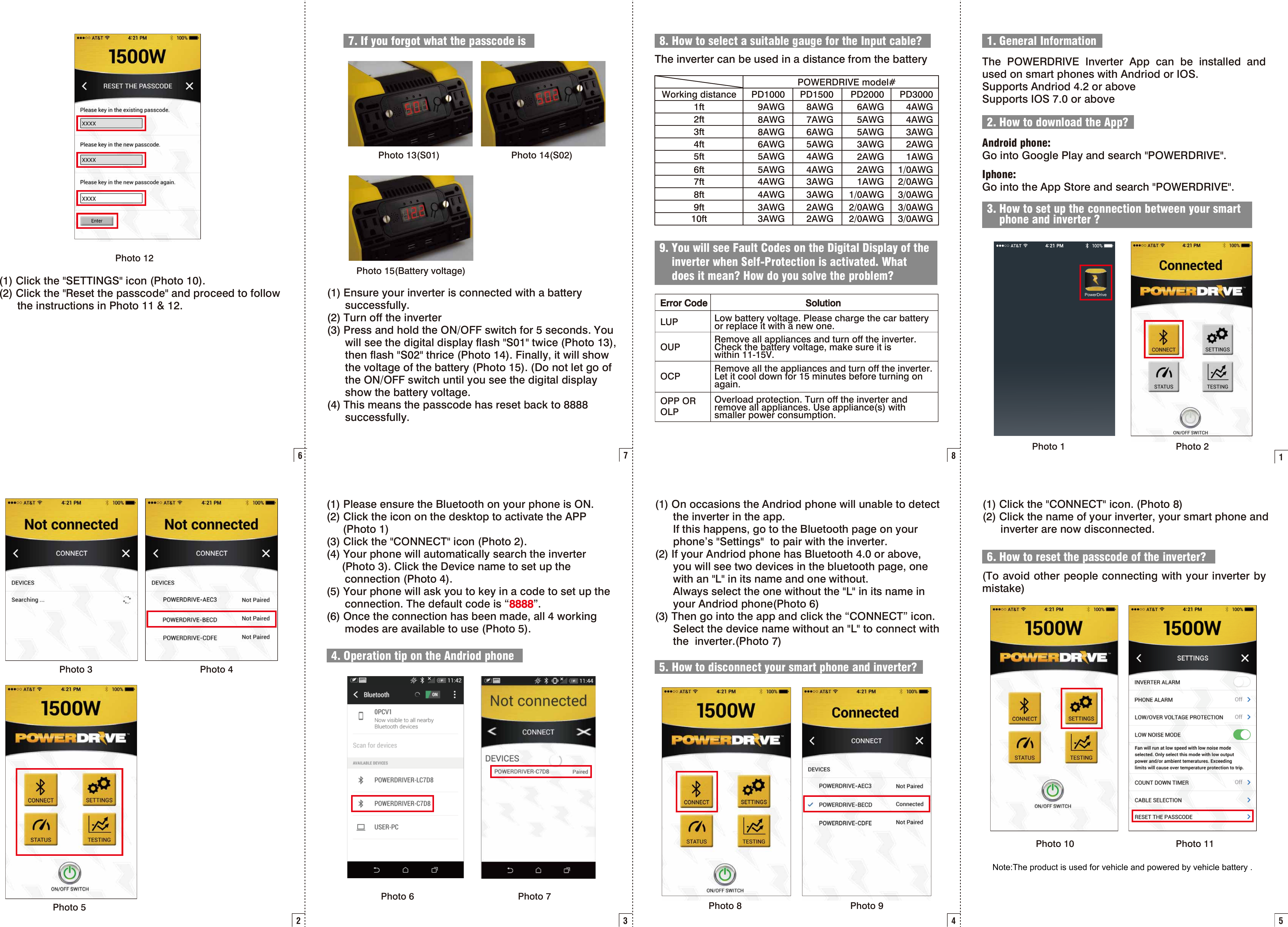
8Error Code SolutionLUP Low battery voltage. Please charge the car battery or replace it with a new one.OUP Remove all appliances and turn off the inverter. Check the battery voltage, make sure it is within 11-15V.OCP Remove all the appliances and turn off the inverter. Let it cool down for 15 minutes before turning on again.OPP OR OLPOverload protection. Turn off the inverter and remove all appliances. Use appliance(s) with smaller power consumption. 8. How to select a suitable gauge for the Input cable?9. You will see Fault Codes on the Digital Display of theinverter when Self-Protection is activated. Whatdoes it mean? How do you solve the problem?The inverter can be used in a distance from the batteryPOWERDRIVE model#PD30004AWG4AWG3AWG2AWG1AWG1/0AWG2/0AWG3/0AWG3/0AWG3/0AWGPD20006AWG5AWG5AWG3AWG2AWG2AWG1AWG1/0AWG2/0AWG2/0AWGPD15008AWG7AWG6AWG5AWG4AWG4AWG3AWG3AWG2AWG2AWGPD10009AWG8AWG8AWG6AWG5AWG5AWG4AWG4AWG3AWG3AWGWorking distance1ft2ft3ft4ft5ft6ft7ft8ft9ft10ft11. General InformationThe POWERDRIVE Inverter App can be installed and used on smart phones with Andriod or IOS.Supports Andriod 4.2 or aboveSupports IOS 7.0 or above2. How to download the App?Android phone:Go into Google Play and search "POWERDRIVE".Iphone: Go into the App Store and search "POWERDRIVE".3. How to set up the connection between your smartphone and inverter ?PowerDrivePhoto 1 Photo 22Photo 3 Photo 4Photo 535. How to disconnect your smart phone and inverter?4. Operation tip on the Andriod phone(1) Please ensure the Bluetooth on your phone is ON. (2) Click the icon on the desktop to activate the APP      (Photo 1)(3) Click the "CONNECT" icon (Photo 2).(4) Your phone will automatically search the inverter      (Photo 3). Click the Device name to set up the       connection (Photo 4).(5) Your phone will ask you to key in a code to set up the       connection. The default code is “8888”.(6) Once the connection has been made, all 4 working       modes are available to use (Photo 5).(1) On occasions the Andriod phone will unable to detect       the inverter in the app.      If this happens, go to the Bluetooth page on your       phone’s "Settings"  to pair with the inverter.(2) If your Andriod phone has Bluetooth 4.0 or above,      you will see two devices in the bluetooth page, one       with an "L" in its name and one without.      Always select the one without the "L" in its name in        your Andriod phone(Photo 6)(3) Then go into the app and click the “CONNECT” icon.      Select the device name without an "L" to connect with       the  inverter.(Photo 7)Photo 8 Photo 9Photo 6 Photo 746. How to reset the passcode of the inverter?(1) Click the "CONNECT" icon. (Photo 8)(2) Click the name of your inverter, your smart phone and       inverter are now disconnected.(To avoid other people connecting with your inverter by mistake)Photo 105(1) Click the "SETTINGS" icon (Photo 10).(2) Click the "Reset the passcode" and proceed to follow       the instructions in Photo 11 & 12.67. If you forgot what the passcode isPhoto 13(S01)  Photo 14(S02) 7(1) Ensure your inverter is connected with a battery       successfully.(2) Turn off the inverter(3) Press and hold the ON/OFF switch for 5 seconds. You       will see the digital display flash "S01" twice (Photo 13),       then flash "S02" thrice (Photo 14). Finally, it will show       the voltage of the battery (Photo 15). (Do not let go of       the ON/OFF switch until you see the digital display       show the battery voltage. (4) This means the passcode has reset back to 8888       successfully. Photo 15(Battery voltage)Photo 11Photo 12Note:The product is used for vehicle and powered by vehicle battery .
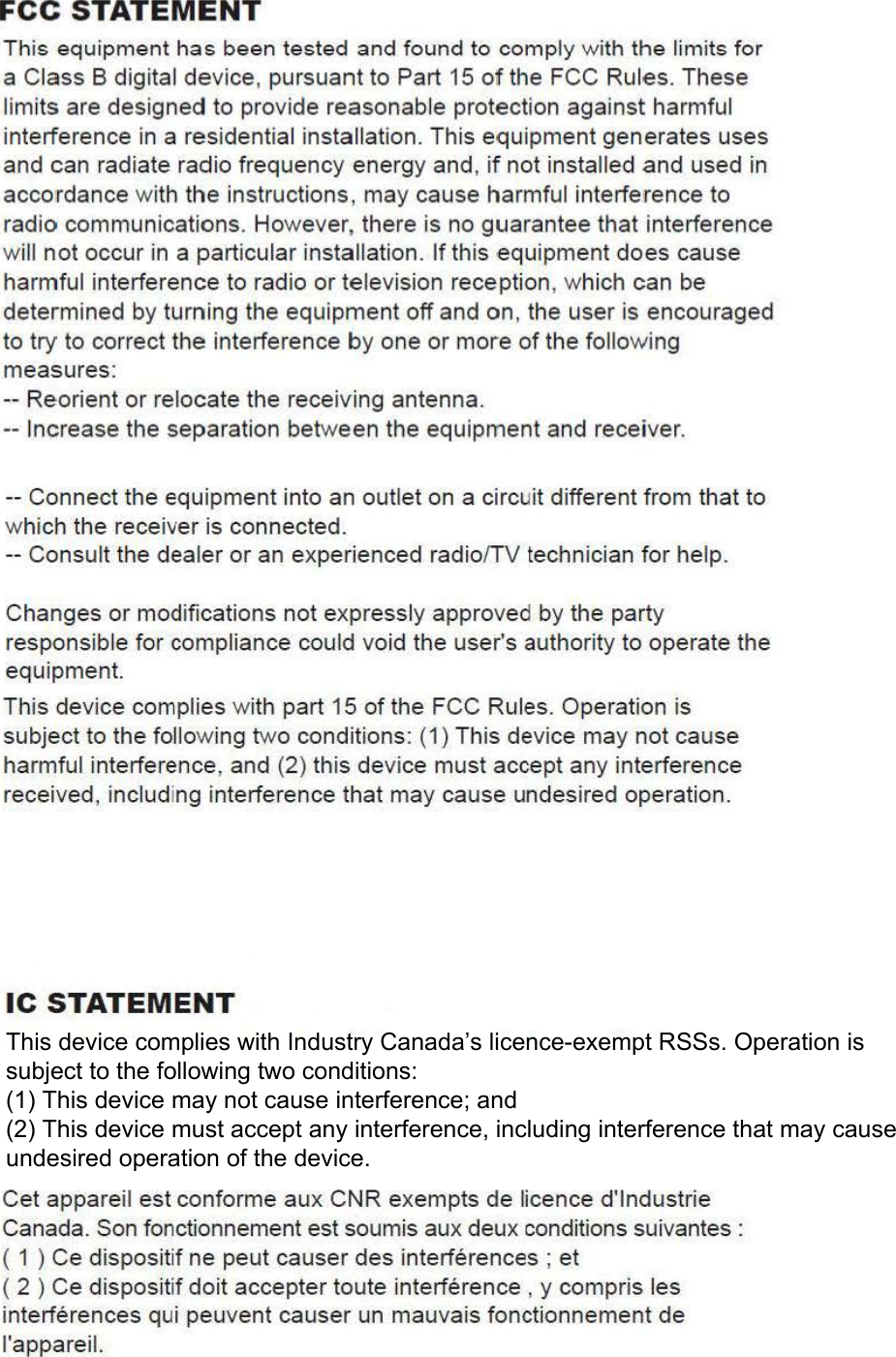
This device complies with Industry Canada’s licence-exempt RSSs. Operation is subject to the following two conditions:(1) This device may not cause interference; and(2) This device must accept any interference, including interference that may cause undesired operation of the device.

Navigation menu