Newtech Electronics BN248 BLUETOOTH EARBUD User Manual TO
Newtech Electronics Limited BLUETOOTH EARBUD TO
User Manual

NEWTECH ELECTRONICS LIMITED
Unit 11, 31/F., Eight Commercial Tower, 8 Sun Yip Street, Chai Wan, Hong Kong.
Tel: (852) 25051206 Fax: (852) 25052405
BN-248 Page 1 of 4
BN-248 Bluetooth Necklace Earbuds
PACKAGE INCLUDED:
1x Bluetooth Necklace Earphones
1x Micro USB cable (approx. 60cm)
1x Instruction Manual
FEATURES:
Compatible with most of the Bluetooth device such as iPhone, Android Smart Phone and etc.
Support Protocol of HSP / HFP / A2DP / AVRCP
Easy pairing
Auto-pairing function for the last paired device
With microphone and chat function
With volume control, previous track, next track.
Low battery indication
With Voice Indication
With Magnetic for comfortable wearing
Auto power off function after idle for 10 minutes
TECHNICAL SPECIFICATIONS:
Bluetooth V4.2
Speaker driver with diameter 10mm, 16 Ohms +/- 4 Ohms, frequency response 20Hz - 20kHz,
Microphone, -42dB +/- 10%, frequency response 100Hz – 10kHz.
Built-in rechargeable battery, 70mAh/3.7V
Maximum distortion (THD) is 2% at 1kHz.
Charging current : DC5V, 40mA
Charging time : Around 2 hours
Playing time : Around 2-3 hours (50% volume)
Effective distance: 10m (straight line without obstacle)
NEWTECH ELECTRONICS LIMITED
Unit 11, 31/F., Eight Commercial Tower, 8 Sun Yip Street, Chai Wan, Hong Kong.
Tel: (852) 25051206 Fax: (852) 25052405
BN-248 Page 2 of 4
INSTRUCTIONS:
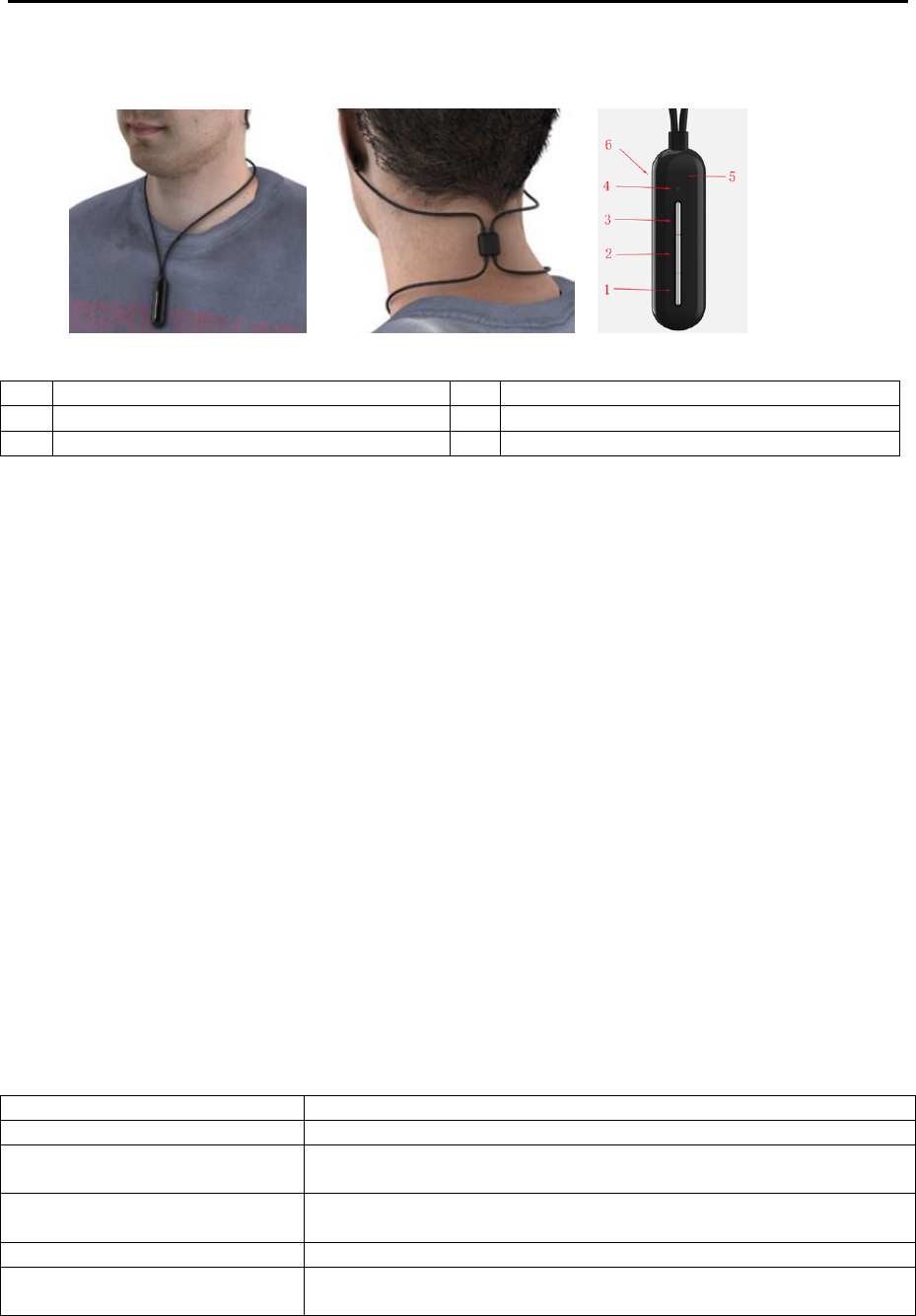
1
Volume down / Previous Track
4
Indication LED
2
Play / Pause / On / Off / Call
5
Control Box
3
Volume up / Next Track
6
Micro USB Charging Port (DC 5V)
Button Control:
Power On – Press and hold the [PLAY] button for 2 seconds
Power Off - Press and hold the [PLAY] button for 2 seconds
Play – Press the [PLAY] button
Pause – Press the [PLAY] button
Volume Up – Press the [VOLUME UP] button
Volume Down – Press the [VOLUME DOWN] button
Next Track - Press and hold the [VOLUME UP] button for 1 second
Previous Track - Press and hold the [VOLUME DOWN] button for 1 second
Receive a Call - Press the [PLAY] button when there is an incoming phone call
Reject a Call – Press and hold the [PLAY] button for 2 seconds when there is an incoming phone
call
End a Call - Press the [PLAY] button after finish phone conversation
Force Pairing – Press and hold the [VOLUME UP] and [VOLUME DOWN] buttons simultaneously
for 2 seconds
LED indication:
LED INDICATOR
STATUS
Alternate red and blue
Searching and Pairing
Red and blue LED light up
simultaneously for 2 seconds
Power on / Power off
Blue – two flashes every 3
seconds
Paired
Red
Charging (Red LED goes off when charging complete)
Red – three flashes every 15
seconds
Battery Low

NEWTECH ELECTRONICS LIMITED
Unit 11, 31/F., Eight Commercial Tower, 8 Sun Yip Street, Chai Wan, Hong Kong.
Tel: (852) 25051206 Fax: (852) 25052405
BN-248 Page 3 of 4
How to pair:
Bluetooth name “BN-248”.
Press and hold the POWER button to turn on the Bluetooth earbud, it will first search and
auto-pair the last device which was synchronized before.
If no device can be auto-paired, the Bluetooth earbud will start searching a new device.
If password request from the Bluetooth music device, please input “0000”.
To start a force pairing, press and hold the [VOLUME UP] and [VOLUME DOWN] buttons
simultaneously for 2 seconds.
Auto power off:
When the battery is too low, the earbuds will power off automatically.
Charging:
Power off the bluetooth earbuds before charging.
Connect the bluetooth earbuds to USB power source.
The LED will light up in red color during charging.
The LED will be off when charging finished.
WARNING:
1) If you are not going to use the product for a month or more, please charge the product to full.
2) Keep the product away from high humidity or high temperatures.
3) Do not disassemble, modify or attempt to repair the product.
4) Store the product away from dirt or dust.
5) For external cleaning, use a soft, clean, damp cloth only. Use of detergents may damage the
cabinet and leak inside.
REMARK:
If malfunction occur due to electrostatic discharge, unplug the charge cable and connect it again.
This device complies with Part 15 of the FCC Rules. Operation is subject to the following two
conditions: (1) this device may not cause harmful interference, and (2) this device must accept any
interference received, including interference that may cause undesired operation.
changes or modifications not expressly approved by the party responsible for compliance could void
the user’s authority to operate the equipment.
NEWTECH ELECTRONICS LIMITED
Unit 11, 31/F., Eight Commercial Tower, 8 Sun Yip Street, Chai Wan, Hong Kong.
Tel: (852) 25051206 Fax: (852) 25052405
BN-248 Page 4 of 4
This equipment has been tested and found to comply with the limits for a Class B digital device,
pursuant to Part 15 of the FCC Rules. These limits are designed to provide reasonable protection
against harmful interference in a residential installation. This equipment generates, uses and can
radiate radio frequency energy and, if not installed and used in accordance with the instructions, may
cause harmful interference to radio communications. However, there is no guarantee that interference
will not occur in a particular installation.
If this equipment does cause harmful interference to radio or television reception, which can be
determined by turning the equipment off and on, the user is encouraged to try to correct the
interference by one or more of the following measures:
-- Reorient or relocate the receiving antenna.
-- Increase the separation between the equipment and receiver.
-- Connect the equipment into an outlet on a circuit different from that to which the receiver is
connected.
-- Consult the dealer or an experienced radio/TV technician for help.
Environmentally friendly disposal
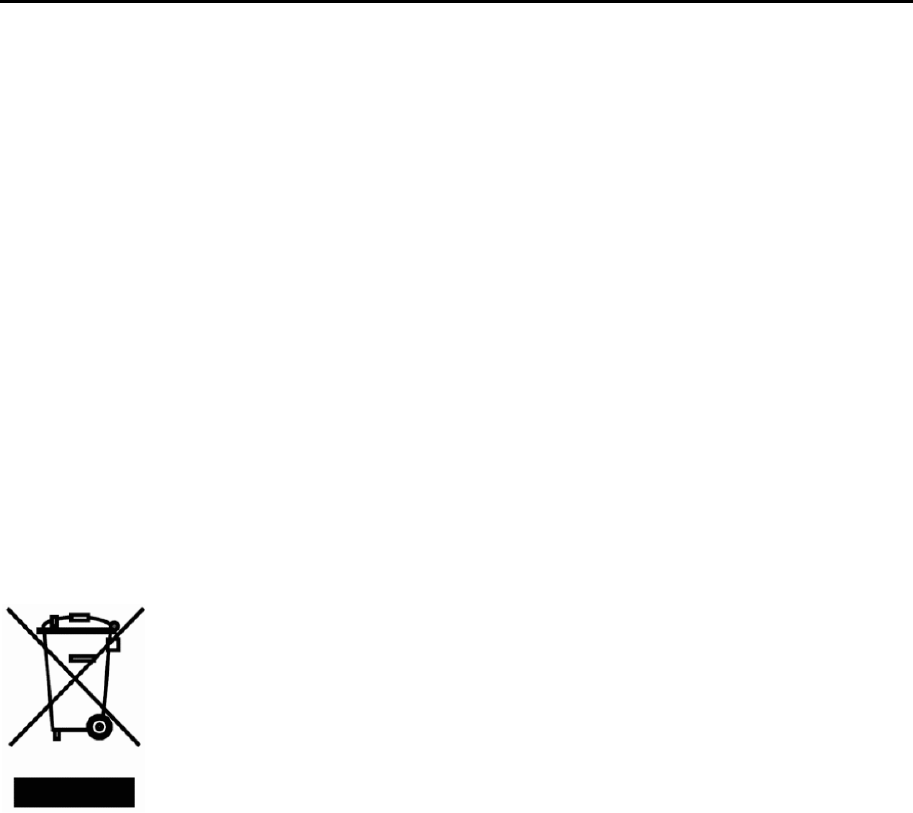
Old electrical appliances must not be disposed of together with the residual waste,
but have to be disposed of separately. The disposal at the communal collecting point
via private persons is for free. The owner of the old appliances is responsible to
bring the appliances to these collecting points or to similar collection points. With
this little personal effort, you contribute to recycle valuable raw materials and the
treatment of toxic substances.