Nielsen Audio HP104 Locator Hub User Manual 04 PPM 605 HowTo Eng
Nielsen Audio Inc Locator Hub 04 PPM 605 HowTo Eng
Users Manual

A Complete Guide to
Participating in the
Arbitron Ratings
How to Use
Yo u r P e r s o n a l
Meter
Your Representative:

Page 1
Welcome!
Page 2
How does it work?
• Your Personal Meter
• Your Recharger
• The Household Collector
Page 4
How to keep your Meter
with you
Page 6
When do you recharge your
Personal Meter?
Page 7
What do the messages mean?
Page 8
How to earn points toward cash
gifts and bonuses
Contents
Page 10
What about traveling?
Page 10
Need to reach us?
Page 11
Quick troubleshooting guide
Page 12
Common questions and answers
Page 14
An important message to
parents of school-age children
Inside back cover
Important safety instructions
Back cover
FCC notice
Welcome to the Arbitron TV and Radio Ratings!
Your part in these ratings is very important! We are counting on you and
everyone in your household age 6 and older to tell us what you watch on
television and what you listen to on the radio. With your information, TV and
radio stations and others in the TV and radio industries can learn more about
the programs that are watched or listened to.
All you have to do is wear your Personal Meter every day from the time you rise
until you retire for the day. Right before you go to bed, remember to put your
Personal Meter in its Recharger. That’s all there is to it!
We want to make sure all your listening and viewing is included in the ratings—
no matter how much or how little you watch TV or listen to the radio. As our
way of thanking you, there is a point system with rewards for wearing your
Personal Meter, so the more you wear your Personal Meter, the more you can
earn as a reward.
This booklet explains the bonuses and the messages you will see on the
Personal Meter’s Recharger. It also describes the equipment in your home and
tells you what to do in case you have a problem or a question.
Remember, just as you are helping us, we are here to help you. If you ever need
to contact us for any reason, please call your Arbitron Ratings representative
listed on the cover of this book.
We think you will enjoy being a part of this ratings panel, and we thank you for
joining.
Sincerely,
Steve Morris
President, Arbitron Radio Ratings
Welcome!
1
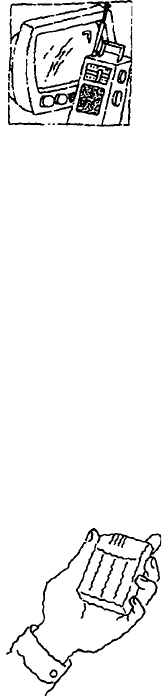
Your Personal Meter picks
up TV and radio station
codes wherever you go.
2
How does it work?
Your Personal Meter
Your Personal Meter is just for you. Your name will appear when you
put your Personal Meter into its Recharger. Please make sure you are
the only one using your Personal Meter.
Your Personal Meter picks up what you watch on TV and listen to on
the radio. It automatically identifies the radio station or TV program by picking up
special “encoded” signals sent by TV and radio stations. It can also pick up encoded
signals that are played over the Internet or at places such as stores, amusement parks,
and movie theaters that participate with us in this research. These signals are silent to
the human ear. However, if you can hear sound from your TV or radio or other encoded
source, the Personal Meter will pick up the signal. Your Personal Meter doesn’t “hear”
or record your conversations or any other sounds.
Your Personal Meter has a green light on the side to show you the Meter is working.
The green light is attached to a special sensor that knows if you are carrying the Meter
with you. All you have to do is wear your Personal Meter to keep the green light on. You
simply wear your Personal Meter and it receives station signals wherever you are.
It’s important that you always wear your Personal Meter so it will report all your TV
viewing and radio listening. We ask that you wear it from the time you first wake up and
during all your daily activities—at home, in the car, or at work.
3
Your Recharger
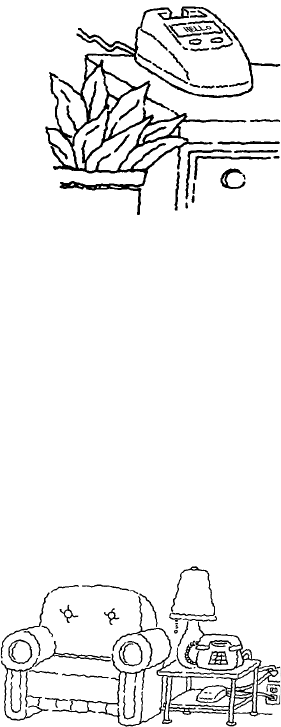
Your Recharger collects your TV viewing and radio
listening information as well as recharges the Personal
Meter battery. At the end of each day, you place the
Personal Meter into the Recharger so all your TV
viewing and radio listening for that day will be included.
To make it easy, we ask you to place the Recharger in
your bedroom where you can easily see it when you
first wake up.
The Recharger also displays special messages to you
whenever you place the Personal Meter back into the unit. It will tell you how many
points you have earned for wearing your Meter for the current and previous days. It will
also tell you what your point total is for the current week and what it was for the
previous week.
There are two buttons located near the display on the front of your Recharger. They are used only for
testing by our technicians and will do nothing when pushed.
The Household Collector
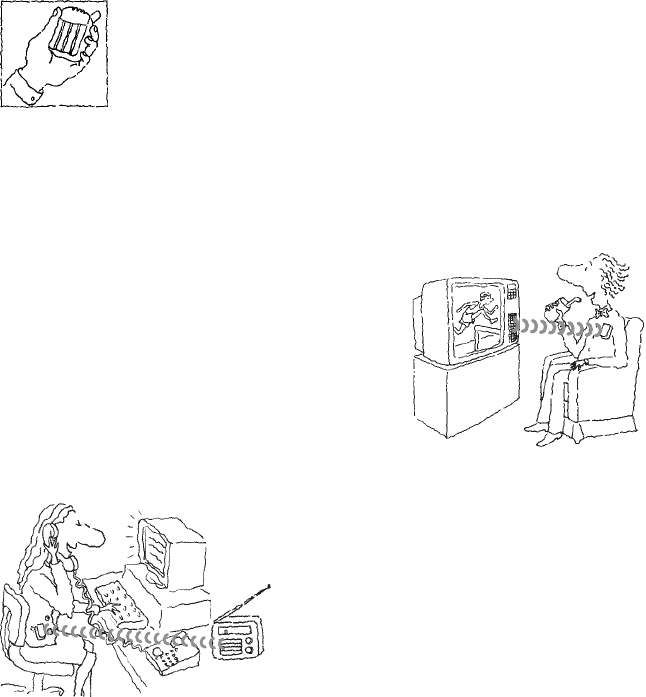
The Collector is plugged into an electrical outlet and into your telephone line. It
collects viewing and listening data from each Recharger by communicating with
these units through the electrical wiring in your home. It also transmits a silent
signal that can be detected by your Personal Meter when it is within your house.
This allows us to separate your media use at home from your media use in other places.
The Collector then sends your household’s
information to our main computer once each day
by making a very short call, lasting just a
couple minutes very early in the morning,
usually between 4AM and 6AM. We can then
combine your information with information
from other households in your area to produce
the TV and radio ratings.
This call will not affect your phone service. You can use the telephone whenever you
want. There is no additional cost to your phone bill.
When connected properly, your Collector will show a solid green light on the front. If the green light
is flashing or out, please refer to the troubleshooting section of this guide for instructions.
Occasionally an orange light may come on and flash. This is normal.
4
How to keep your Meter with you
Three simple rules
1. Remove your Personal Meter from its Recharger as soon
as you wake up.
2. Wear your Personal Meter wherever you go and make sure
its green light stays on.
3. At the end of the day, just before you go to sleep, place your Personal Meter into its
Recharger to recharge while you are sleeping.
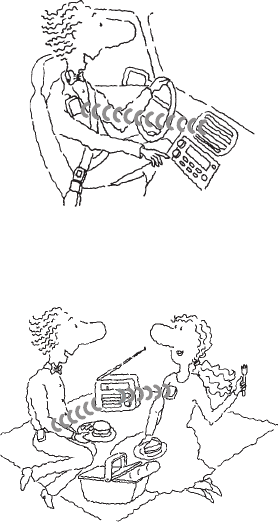
Wear it wherever you go
Please remember to wear your Personal Meter everywhere
you go so all your TV viewing and radio listening will
be included.
To accurately pick up all of your TV and radio use,
your Personal Meter must be on you throughout your
day, morning, noon and night.
When you leave the house, keep your Personal Meter
with you wherever you go—in the car, at work, even on
a trip to the store. You may think that you won’t be
viewing anything on TV or listening to radio, but you’ll be
surprised at how many occasions you will find yourself
watching or listening to a program. You’ll be
prepared if you always wear your Personal
Meter.
When you wear your Personal Meter, the green
light stays on. If you put the Personal Meter
down, it will turn off after a short while if you
don’t move it. First, it begins blinking after you
put it down to let you know it needs attention.
Then, if you do not pick up your Personal Meter or at least move it to let it know you are
there, the green light turns off. Your Personal Meter light will come back on when you
wear it or pick it up.
5
Ways to wear your Personal Meter
You can wear your Personal Meter just about any way
you like. We suggest:
• clipping it to your belt or another piece of clothing;
• carrying it in your shirt, pants or skirt pocket
(please keep the green-light end near your pocket
opening);
• clipping it to your purse while you are carrying it
(remember to take your Meter off your purse when it’s not with
you); or
• using one of the accessories provided to help make it
easier to wear your Meter.
You will probably think of other ways to wear your
Personal Meter that work best for you.
Keep your Personal
Meter with you.
Keep the green light on.
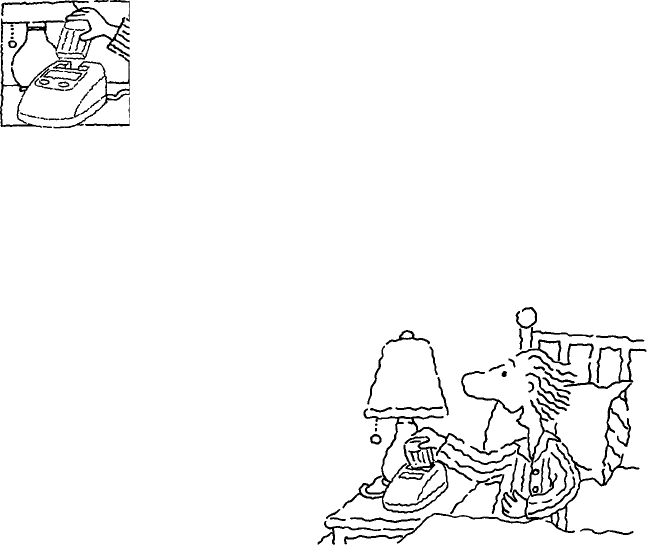
Recharge your Personal Meter before you
go to sleep at the end of your day!
6
When do you recharge your
Personal Meter?
Your Personal Meter must be recharged at the end of your day. To
recharge, return your Personal Meter to its Recharger each day right
before you retire and go to sleep. If you forget, please place your
Personal Meter in its Recharger at the next opportunity for at least
four hours.
When you insert your Personal Meter, the Recharger will beep and
display a series of messages. If your Recharger does not beep or does not go through a
series of messages, make sure that:
• your Personal Meter is inserted all the way into the Recharger;
• the Recharger is plugged into a working electrical outlet.
(Always keep it plugged in.)
Your Recharger has been equipped with a message readout to inform
you about your bonus points and to provide you with information
about the status of the equipment. Below is a list of the basic
messages and what these messages mean.
When the message says: It means:
RECHARGER FOR (YOUR NAME) There are no other messages for you.
HELLO (YOUR NAME) The Recharger recognizes that the Personal
Meter placed in the Recharger belongs to you.
THANK YOU (YOUR NAME) The Recharger is saving the information from
the Personal Meter.
PLEASE WAIT. The Recharger is adding up the points you have
ADDING POINTS. earned by wearing your Meter.
TODAY (POINTS) This is the total number of points you have
YESTERDAY (POINTS) earned so far today1 and the number of points
you earned on the previous day.
THIS WEEK (POINTS) This is the number of points you have earned
LAST WEEK (POINTS) so far this week2 and how many points you
earned last week.
PLEASE CHECK Your Collector may be unplugged.
YOUR COLLECTOR Please check to make sure it is plugged in.
PLEASE CALL US There may be a problem with your Personal Meter.
Please call Arbitron Ratings using the toll-free
number.
What do the messages mean?
7
1For calculating daily points, the day begins at 4AM local and ends at 3:59AM local.
2For calculating weekly points, the week begins at 4AM local on Monday and ends the following
Monday at 3:59AM local.
From time to time, we may send special messages that will be displayed when you place
your Personal Meter in its Recharger. All will be simple and self-explanatory.
8
* For calculating weekly points, the week begins at 4AM local on
Monday and ends the following Monday at 3:59AM local.
How to earn points toward cash
gifts and bonuses
We hope you’ll wear your Personal Meter at all times you are
awake so we can include all of your viewing and listening. To thank
you for wearing your Personal Meter wherever you go, we set up a
special bonus system.
You automatically get a $5 cash gift each month just for participat-
ing in the TV and radio ratings. However, you can earn extra money each week simply
by wearing your Personal Meter for just over 14 hours a day (just under 12 hours for
school-age children). Your bonus is NOT based on how much or how little you watch
TV or listen to the radio.
What is the point system?
You earn points by wearing your Personal Meter wherever you go and making sure the
green light stays on. You receive one point for every 10 minutes of “green light” time.
You’ll soon see that these will easily add up.
Every week, Monday through Sunday*, the points are added up for each panelist. Each
panelist earning 600 or more points (averaging a little more than 14 hours per day) is a
bonus winner and receives an extra $2.50 for that week. School-age children (18 years
and younger) become bonus winners by earning 500 or more points (averaging a little
less than 12 hours per day). Including the monthly cash gift, each person can earn up to
$15 per month.
If you don’t earn the bonus one week, you still have the opportunity to earn the bonus
the next week and the week after that. Your Arbitron Ratings representative will be
happy to talk with you about this program.
$100 gift after 90 days!
When you’ve completed your first 90 days, each participating person in your household
gets a one-time $100 gift.
9
Anniversary gifts!
Every person in your household who is in the Ratings
will get a $100 cash gift each year on the anniversary
of your household’s joining the Ratings.
Weekly Sweepstakes drawings
Keeping your Meter with you will also qualify you for our
Weekly Sweepstakes. Specific rules for the current sweep-
stakes are included as an insert to this guide. Your Arbitron
Ratings representative will review the rules, eligibility and prizes with
you. When new sweepstakes drawings are introduced, the rules will be sent
to you along with your monthly check.
It adds up fast!
In just the first 90 days, including the $20 “welcome gift,” each person age 6 or older will
get between $135 and $165—even more if you win one of the Weekly Sweepstakes!
When do you receive your check?
The monthly gift and all bonus money will be sent in a check once a month to each
person. Generally, you will receive your money for each month by the middle of the
next month.
Every Ratings member gets a check. The amount of the check depends upon the
number of weekly bonuses that person earned for the month.
10
What about traveling?
During the time you are in the Ratings, you may find that you have to
be away from home for several days. Here are two simple rules:
1. If you are going to be away from home no more than two
nights, take your Personal Meter with you. When you return
home, place your Personal Meter in its Recharger for at least
four hours when you go to sleep.
2. If away for three or more nights at a time, please leave your Personal Meter in its
Recharger while you are away.
With a full four-hour charge, your Personal Meter will work for up to 30 hours before
the battery runs down. When this happens, the green light will turn off and the Meter
will shut down. The Meter is saving the information it has already picked up, but there
is not enough battery power to collect new information. You must recharge it before you
can use it again.
When in doubt, take your Personal Meter with you. We want to pick up as much of your
viewing and listening, even if it means that the battery might run down. You can
recharge it when you get home.
Need to reach us?
Just call your Arbitron Ratings representative listed on the front
cover of this book.
If you ever need to speak to someone after hours, day or night, you
can still call our toll-free number. An answering machine will take your message, and a
representative will be on call to pick up messages and contact you.
11
Just in case, here are
some quick tips:
If this happens: Try this:
Green light goes out on 1. Pick up the Meter and move it.
your Personal Meter 2. If picking up the Meter and moving it does
not work, the battery probably needs to be
recharged. Charge it by putting it in its
Recharger.
No messages appear on the 1. Make sure the Recharger is plugged in.
Recharger 2. If the Recharger is plugged into a wall
outlet that is connected to a light switch,
make sure the switch is turned ON.
The message “Please check Your Collector may be unplugged. Check to
your Collector” appears on make sure it is plugged in and the green light
your Recharger is on.
The green light on the The phone line may be disconnected from the
Collector is flashing Collector or the wall jack. Check to make sure
the phone line is securely plugged into the
back of the Collector and at the wall jack.
Numbers appear counting The Recharger is getting new instructions
up on the Recharger display loaded from the Collector. Wait 10 minutes
and the normal messages should appear on
the Recharger.
If you need further help, please call your Arbitron Ratings representative.
Quick troubleshooting guide
12
Common questions and answers
Q. What happens if I wear someone else’s Personal Meter?
A. That person gets credit for the time you wore the meter and the TV
and Radio Ratings won’t be as accurate. Please exchange meters as
soon as you discover the error and notify your Arbitron Ratings
representative so that they can correctly credit your viewing and
listening.
Q. Will this equipment interfere with my TV or radio reception?
A. No, you will receive all stations available to you now without any changes.
Q. Will this equipment interfere with my telephone service?
A. No, it uses the line only once a night for a few minutes when it calls our main computer.
Q. Can I move the Personal Meter Recharger after it has been plugged in?
A. We don’t recommend moving the unit because of its internal design. Please keep it in
one place.
Q. Will the Personal Meter still pick up the signal if my TV is on mute?
A. The sound must be on for the signal to be picked up by the Meter. Remember to watch or
listen to TV as you normally do.
Q. I must go through an x-ray machine at work (or at the airport). Will this harm the
Personal Meter?
A. No, it will not harm your Personal Meter.
Q. Does watching more TV or listening to more radio increase my points?
A. No. Points are related to the amount of time you wear the Personal Meter each week. It
doesn’t matter how much or how little you watch TV or listen to radio.
13
Q. What if I have to go away from home for a day or two?
A. If only for a day or two, take your Personal Meter with you. For three or more nights,
leave it in the Recharger at home. If you have travel questions, please call your Arbitron
Ratings representative.
Q. If my entire family is in our car for a day’s outing, can we take only one of the
Personal Meters with us?
A. Each participating person should take his/her own Personal Meter to pick up individual
viewing and listening. We aren’t able to include everyone’s viewing in the ratings if
there is only one Meter.
14
An important message to
parents of school-age children
As you may know, wearing devices that are, or look like, pagers is not permitted in
some school systems. If you want your child to wear their Personal Meter to school, we
recommend that you first check with the school administration.
We would be happy to provide you and your child with a special letter regarding the
daily use of the Personal Meter in the TV and Radio Ratings. This letter could be given
to the administration at your child’s school to explain their participation and ask for
permission to wear the Personal Meter during school hours. If you would like us to send
you such a letter, please call your Arbitron Ratings representative. We want to make the
Ratings experience as simple for you
as we can.

Important safety instructions
Save These Instructions
WARNING: To avoid the risk of
electric shock, do not expose
any of this equipment to
moisture.
Arbitron tests all equipment for safety.
As with all electrical equipment, you
need to take a few simple precautions.
Please read and follow these instruc-
tions.
1. Please heed all warning and caution
labels.
2. For cleaning, use only a damp
cloth—do not use liquid or aerosol
cleaners.
3. Never push objects of any kind into
an opening.
4. Do not place equipment near heat
sources such as stoves, radiators or
heat vents. Do not cover equipment.
5. Do not walk on the power cord, bend
power cord sharply or push items
against the power cord (to prevent
pinching the cord).
6. Do not overload power outlets or
extension cords.
7. Do not use attachments or move any
equipment unless recommended by
Arbitron.
8. Never attempt to service equipment
yourself. Opening or removing covers
may expose you to dangerous voltage
or other hazards. Call Arbitron
personnel for all servicing.
9. Call Arbitron to service equipment
under the following conditions:
a. The power cord or plug is damaged.
b. Liquid has been spilled or objects
have fallen into the device.
c. The unit has been exposed to water.
d. The unit does not operate normally
or exhibits a distinct change in
performance.
e. The unit has been dropped or the
enclosure has been damaged.
For service, call your Arbitron
Ratings representative.

© 2004 Arbitron Inc. 04-PPM-605 5/04
FCC notice
This equipment has been tested and found to comply
with the limits for a Class B digital device, pursuant to
Part 15 of the FCC Rules. These limits are designed
to provide reasonable protection against harmful in-
terference in a residential installation. This equipment
generates, uses and can radiate radio frequency en-
ergy and, if not installed and used in accordance with
the instructions, may cause harmful interference to
radio communications. However, there is no guaran-
tee that interference will not occur in a particular
installation. If this equipment does cause harmful
interference to radio or television reception, which can
be determined by turning the equipment off and on,
the user is encouraged to try to correct the interfer-
ence by one or more of the following measures:
• Reorient or relocate the receiving antenna.
• Increase the separation between the equipment and
receiver.
• Connect the equipment into an outlet on a circuit
different from that to which the receiver is
connected.
• Contact Arbitron for help.
Changes or modifications not expressly approved by
Arbitron could void the user’s authority to operate the
equipment.