PST PST-201HF MOTORCYCLE BLUETOOTH HEADSET SYSTEMS User Manual PST 201HF OM English

PST CO.,LTD MOTORCYCLE BLUETOOTH HEADSET SYSTEMS PST 201HF OM English

Users Manual

PST-201HFINSTRUCTION MANUALMOTORCYCLE BLUETOOTH HEADSET SYSTEMS
Thank you for purchasing our product.This manual is for PST-201HF.Please read this instruction manual throughly for proper usages andapplication before connecting and operating the equipment.PST owns all intellectual property rights including copyrights instructionmanual, hardware and related software of PST-201HF which will beprotected by the Copyright Act.Without PST`s written permission, they cannot be copied, re-printed ortranslated into other languages.Design and specifications are subject to change without notice.Attention !Do not control the headset button behind the wheel.(If you want to control it, you pull over the vehicle on the safe place first.)CONGRATULATIONS ON YOUR PURCHASE OF THEPST MOTORCYCLE BLUETOOTH HEADSET SYSTEM!
-PST products are warranted with 1 year limited warranty.The warranty period is 1 year from the date it was purchased.-In order to ensure the highest warranty quality, you must complete theattached registration/warranty card and a copy of your original invoice thatcertifies that date of purchase.PST authorized dealer reserves the right to request above documents.-Keep your original package in case your system needs to be returned orrepaired.-The limited warranty does NOT cover physical damage such as misuse,modification, incorrect installation,unauthorized service, and normal wearand tear. It also does not cover damage by accident or abuse caused byimproper cleaning or care.-PST shall not be liable for any damages or injury to persons or propertywhich occurs while wearing a PST bluetooth headset system.1 YEAR LIMITED WARRANTY
Bluetooth wireless technology is a short-range communication system intendedto replace the cables connecting portable and/or fixed devices used forcommunication.How to use Bluetooth SystemConnect two or more Bluetooth devices on your wireless network system viasubsequent setup process entering the PIN code. Once the Bluetooth devices areconnected, you are free to listen to music or have a phone call via Bluetoothheadsets whitout any cables.WHAT IS BLUETOOTH?
Static noise or signal interference can occur depending on the environment1) When holding the Bluetooth module while wearing the headset on earsor while holding a cell phone, human body can inerrupt signals betweenthe devices.2) When the of external signal receptor of the Bluetooth module, headsets,or cell phone touches the human body.3) When the wall or furniture blocks the signal.4) When satellites, electromagnectic waves or wireless internet interruptthe signal in the same range of frequencies.When the bluetooth module and headsets, cell phone or external signalreceptor gets further apart than the limited distance, the pairing between thedevices can be disconnected. Place the bluetooth module and connecteddevice near while pairing each other. Static noise or signal interference canoccur while underground or in industrial areas. Bluetooth system may not becompatible with some navigration or GPS systems. The volume on the speaker of the Bluetooth headset can be low due to thewind sound while over-speeding. Please observe the speed limit.
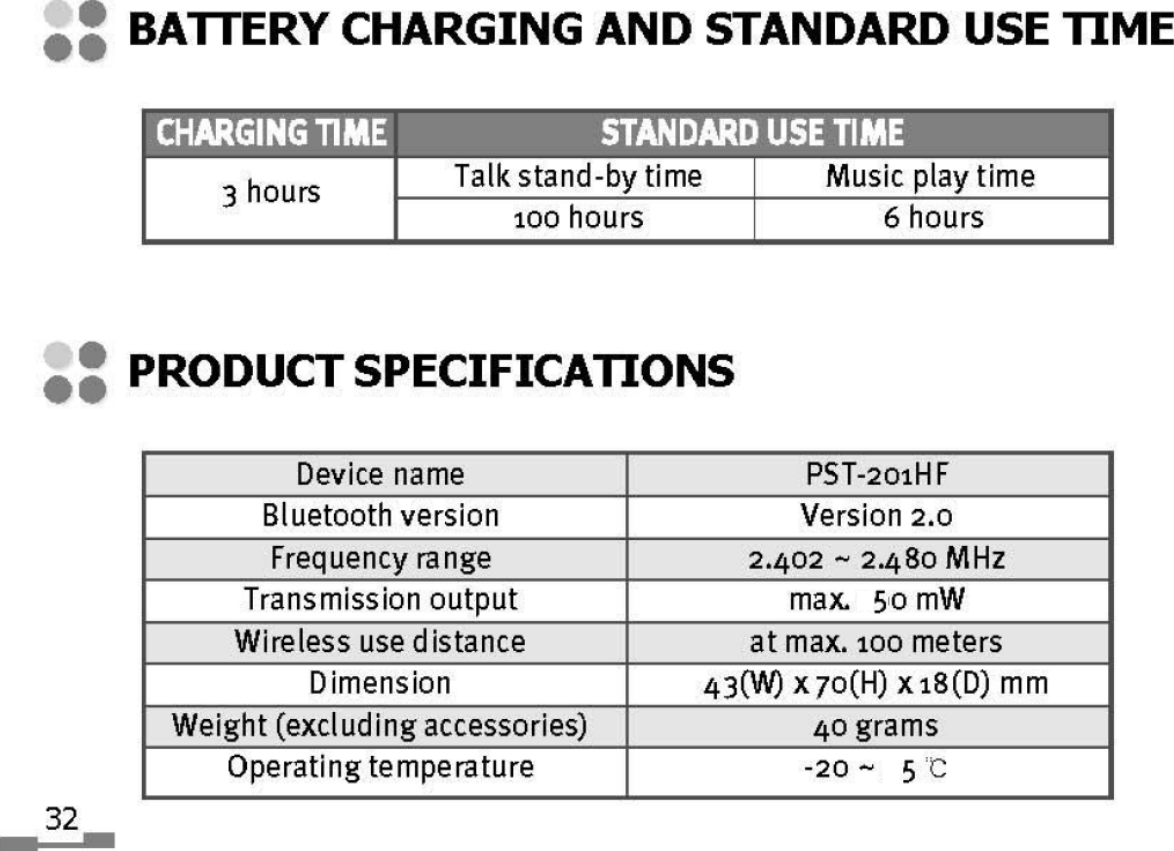
SAFEGUARD INSTRUCTIONSSafeguard instructions.....................................................................8PREPARATIONContents ..........................................................................................11Headset charge...............................................................................12Product function check ..................................................................13Name and function of each part ...................................................14KEY operating time and LED operating state ............................15Headset mounting and dismounting ...........................................16Headset care ...................................................................................17OPERATIONHeadset power ON/OFF ................................................................18Volume UP/DOWN .........................................................................18Headset registration and connection method ............................19Operating Instructions1. To answer a call........................................................................232. To make a call ...........................................................................233. To listen to music .....................................................................254. To talk in intercom mode .........................................................275. To use intercom while playing music ....................................286. To talk on the phone while music is playing ........................297. To answer and make calls while in intercom modeusing the talk feature ...............................................................31APPENDIXBattery charging and standard use time.....................................32Product specifications....................................................................32Getting the most out of your Bluetooth Device ..........................33Regulatory information ..................................................................34CONTENTS
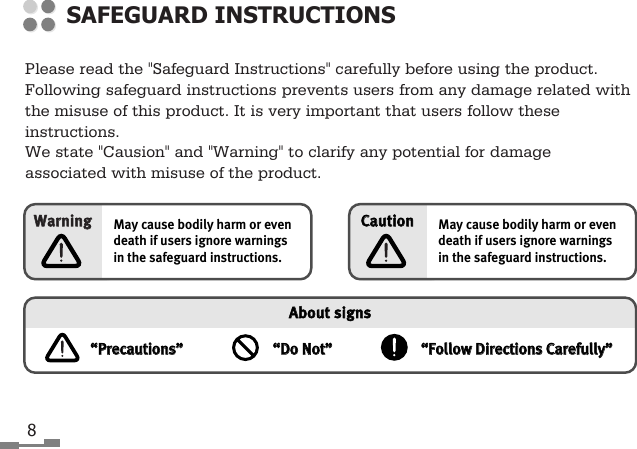
8Please read the "Safeguard Instructions" carefully before using the product.Following safeguard instructions prevents users from any damage related withthe misuse of this product. It is very important that users follow theseinstructions.We state "Causion" and "Warning" to clarify any potential for damageassociated with misuse of the product.SAFEGUARD INSTRUCTIONSMay cause bodily harm or evendeath if users ignore warningsin the safeguard instructions.WWaarrnniinngg““PPrreeccaauuttiioonnss””AAbboouutt  ssiiggnnss““DDoo  NNoott””““FFoollllooww  DDiirreeccttiioonnss  CCaarreeffuullllyy””May cause bodily harm or evendeath if users ignore warningsin the safeguard instructions.CCaauuttiioonn
Place the product where it doesn’t prevent the driver from seeing.- The driver’s view should not be blocked.Do not use in water. Do not pull the plug with wet hands.- This may cause electric shock.Do not use unapproved power voltage.- This may cause fire or electric shock.Do not use damaged electric cord.- This may cause fire and/or eclectric shock.Be careful when thunder and lightening occurs.- There is a danger of electric shock.Do not put pins or needles into the product or electric cord of product.- If this happens, turn it off immediately. Continuous use may cause fire, electricshock and/or malfunction.Stop using the product immediately when you drop it or damage theoutside shell.- Continuous use may cause fire, electric shock and/or malfunction.Do not attempt to open, disassemble or repair the product by any personexcept an authorized service dealer.- This may cause electric shock and/or malfunction. You should request anauthorized service dealer for any inspection and repair of the product.WARNING9
10Do not put the product in a place where there is a sudden increasein temperature such as the vehicle’s dashboard.Keep the product firmly secured in the helmet.- It may separate from the helmet.Clean the product often.- Dust in the area may cause malfunction.Do not place electric cord near a heating product.- The cord surface may melt and cause fire and/or electric shock.Unplug the product and remove cords when moving.- It may damage cords and cause fire and/or electric shock.Do not pull the cord line when you unplug it.- Damaged cords may cause fire and/or electric shock.Unplug the product when not in use for a long period of time.- Damaged cords may cause fire and/or electric shock.Do not place the product in areas of very high temperature and/orin direct sunlight for long periods of time.- This may cause fire, electric shock and/or malfunction.Do not put the product in an unstable place where the product maybe exposed to shock and/or impact.- The product may fall and get damaged.Keep electric cord properly positioned.- An improperly positioned electric cord may cause fire or electric shockwhen metal material is in contact with a power source.CAUTION
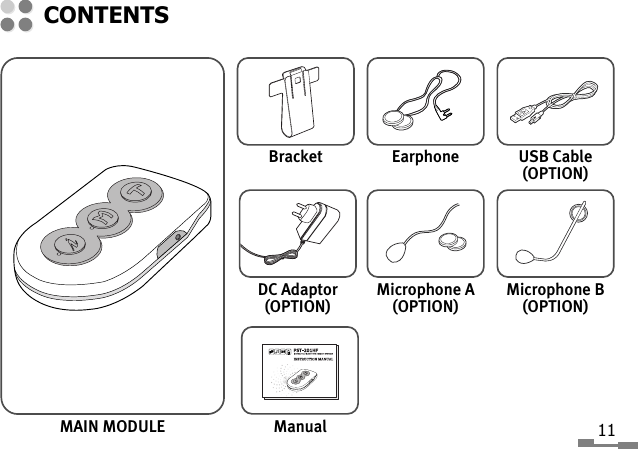
MAIN MODULECONTENTS11BracketDC Adaptor(OPTION)ManualEarphoneMicrophone A(OPTION)USB Cable(OPTION)Microphone B(OPTION)
12Li-Polymer Battery is included in this Headset.Use the device after charging the battery completely.-Display device : RED LED-When it is charging RED LED turn on, and when it is complete, the RED LEDturns off.-Separate charger from Headset when LED is turned off.* It is safe if you did not separate the headset from the charger,because it has anti-overcharged circuit.- When battery is low, a beeping sound will ring until it is charged.•Please use the USB cable or DC adaptor provided byPST. Use of an unapproved USB cable may cause damage.•If you find any strange occurrences or malfunctionin the product or any foreign substance gets into theproduct, please contact the authorized retailerwhere you purchased the product.HEADSET CHARGE
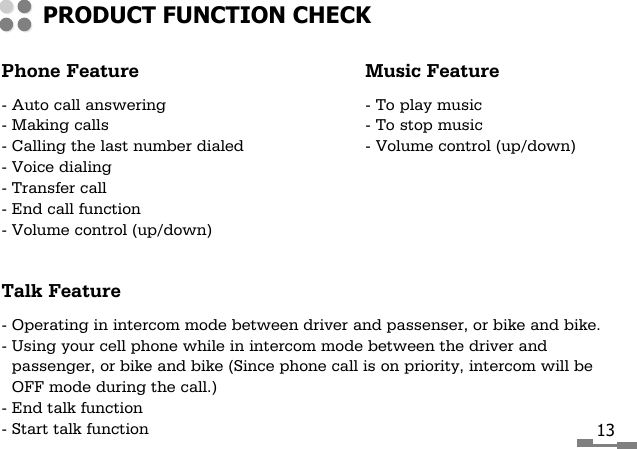
Phone Feature Music Feature- Auto call answering - To play music- Making calls - To stop music- Calling the last number dialed - Volume control (up/down)- Voice dialing- Transfer call- End call function- Volume control (up/down)Talk Feature- Operating in intercom mode between driver and passenser, or bike and bike.- Using your cell phone while in intercom mode between the driver andpassenger, or bike and bike (Since phone call is on priority, intercom will beOFF mode during the call.)- End talk function- Start talk functionPRODUCT FUNCTION CHECK13
14KKEEYYFFUUNNCCTTIIOONN• Volume UP(    ) KEY • Intercom SLAVE mode pairing[    : INTERCOM] • Intercom MASTER mode pairing together (T)KEY• Intercom ON/OFF• Volume DOWN(M) KEY • Power ON/OFF[M: MUSIC] • Music Play/Stop• PHONE/AUDIO Device Pairing(T) KEY • Last number redialing, Voice dialing, Transfer call[T: TALK] End call• Intercom MASTER mode pairing together (    )KEYRESET KEY • Power OFF in various active statesNAME AND FUNCTION OF EACH PARTKEY BRACKET JOINTLED(GREEN)RESET KEYLED(RED)KEYKEYMICROPHONEJACK USB JACK(DC IN)SPEAKERJACKMICROPHONEPLUGSPEAKERPLUGDOT: DIRECTION INDICATOR
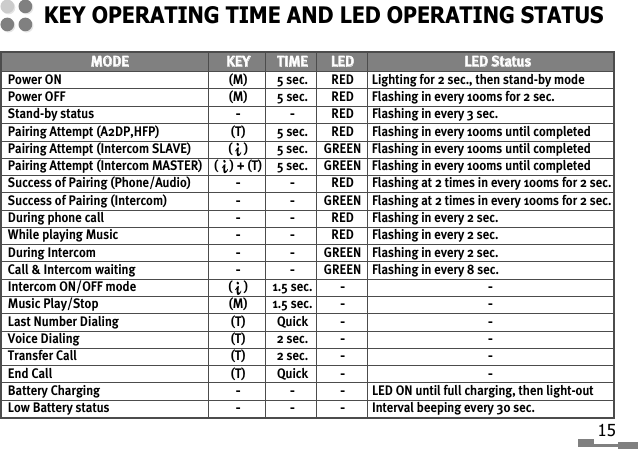
KEY OPERATING TIME AND LED OPERATING STATUS15MMOODDEE  KKEEYY  TTIIMMEE  LLEEDDLLEEDD  SSttaattuussPower ON  (M) 5 sec.  RED  Lighting for 2 sec., then stand-by modePower OFF  (M) 5 sec.  RED  Flashing in every 100ms for 2 sec.Stand-by status --RED  Flashing in every 3 sec.Pairing Attempt (A2DP,HFP) (T) 5 sec.  RED Flashing in every 100ms until completedPairing Attempt (Intercom SLAVE) (    ) 5 sec.  GREEN Flashing in every 100ms until completedPairing Attempt (Intercom MASTER)  (    ) + (T) 5 sec.  GREEN  Flashing in every 100ms until completedSuccess of Pairing (Phone/Audio) --RED Flashing at 2 times in every 100ms for 2 sec.Success of Pairing (Intercom) --GREEN Flashing at 2 times in every 100ms for 2 sec.During phone call --RED  Flashing in every 2 sec.While playing Music --RED Flashing in every 2 sec.During Intercom --GREEN  Flashing in every 2 sec.Call & Intercom waiting--GREEN Flashing in every 8 sec.Intercom ON/OFF mode (    ) 1.5 sec. --Music Play/Stop  (M) 1.5 sec.--Last Number Dialing  (T) Quick--Voice Dialing  (T) 2 sec.--Transfer Call  (T) 2 sec.--End Call  (T) Quick--Battery Charging ---LED ON until full charging, then light-outLow Battery status ---Interval beeping every 30 sec.
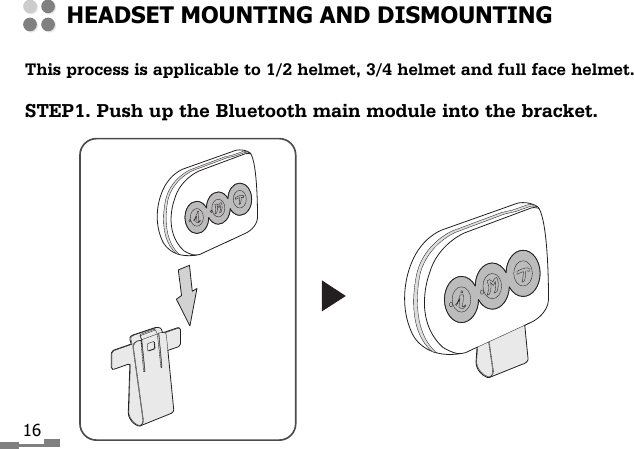
16This process is applicable to 1/2 helmet, 3/4 helmet and full face helmet.STEP1. Push up the Bluetooth main module into the bracket.HEADSET MOUNTING AND DISMOUNTING
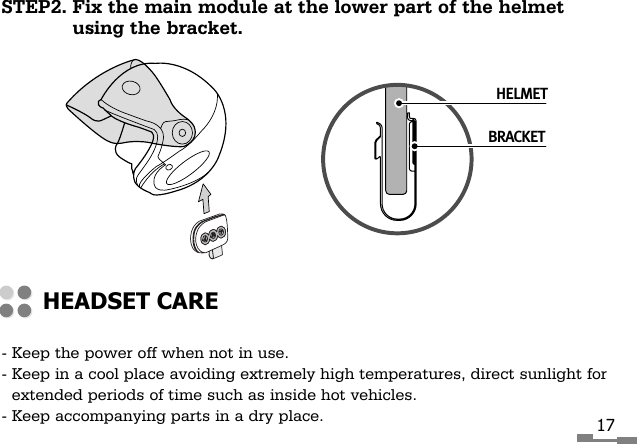
STEP2. Fix the main module at the lower part of the helmetusing the bracket.17- Keep the power off when not in use.- Keep in a cool place avoiding extremely high temperatures, direct sunlight forextended periods of time such as inside hot vehicles.- Keep accompanying parts in a dry place.HEADSET CAREHELMETBRACKET
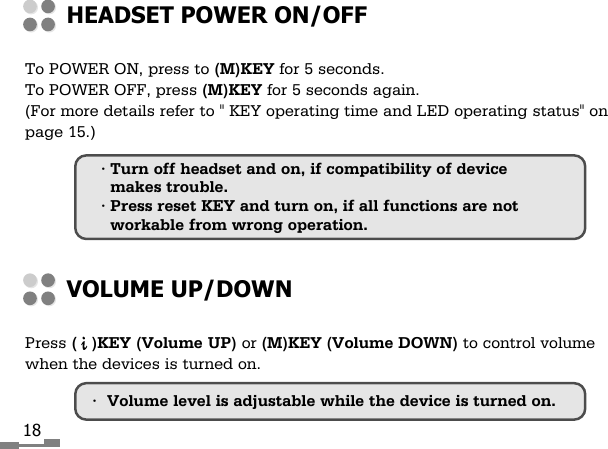
18To POWER ON, press to (M)KEY for 5 seconds.To POWER OFF, press (M)KEY for 5 seconds again.(For more details refer to " KEY operating time and LED operating status" onpage 15.)HEADSET POWER ON/OFFPress (   )KEY (Volume UP) or (M)KEY (Volume DOWN) to control volumewhen the devices is turned on.VOLUME UP/DOWN•Volume level is adjustable while the device is turned on.• Turn off headset and on, if compatibility of devicemakes trouble.• Press reset KEY and turn on, if all functions are notworkable from wrong operation.
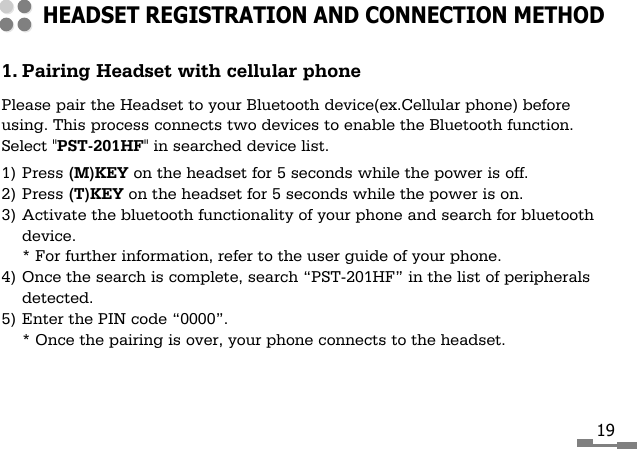
1. Pairing Headset with cellular phonePlease pair the Headset to your Bluetooth device(ex.Cellular phone) beforeusing. This process connects two devices to enable the Bluetooth function.Select "PST-201HF" in searched device list.1) Press (M)KEY on the headset for 5 seconds while the power is off.2) Press (T)KEY on the headset for 5 seconds while the power is on.3) Activate the bluetooth functionality of your phone and search for bluetoothdevice.* For further information, refer to the user guide of your phone.4) Once the search is complete, search “PST-201HF” in the list of peripheralsdetected.5) Enter the PIN code “0000”.* Once the pairing is over, your phone connects to the headset.HEADSET REGISTRATION AND CONNECTION METHOD19
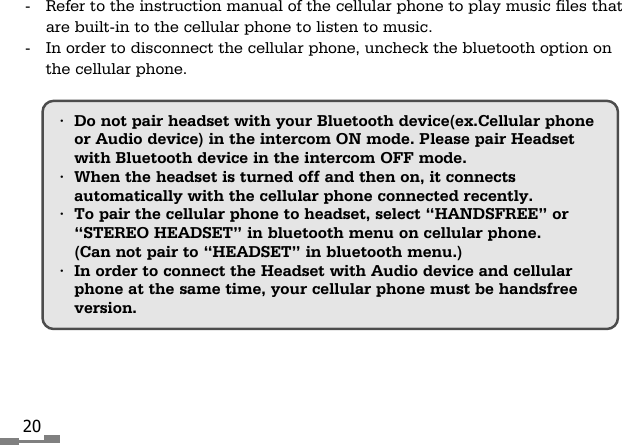
20•Do not pair headset with your Bluetooth device(ex.Cellular phoneor Audio device) in the intercom ON mode. Please pair Headsetwith Bluetooth device in the intercom OFF mode.•When the headset is turned off and then on, it connectsautomatically with the cellular phone connected recently.•To pair the cellular phone to headset, select “HANDSFREE” or“STEREO HEADSET” in bluetooth menu on cellular phone.(Can not pair to “HEADSET” in bluetooth menu.)•In order to connect the Headset with Audio device and cellularphone at the same time, your cellular phone must be handsfreeversion. -  Refer to the instruction manual of the cellular phone to play music files thatare built-in to the cellular phone to listen to music.-  In order to disconnect the cellular phone, uncheck the bluetooth option onthe cellular phone.
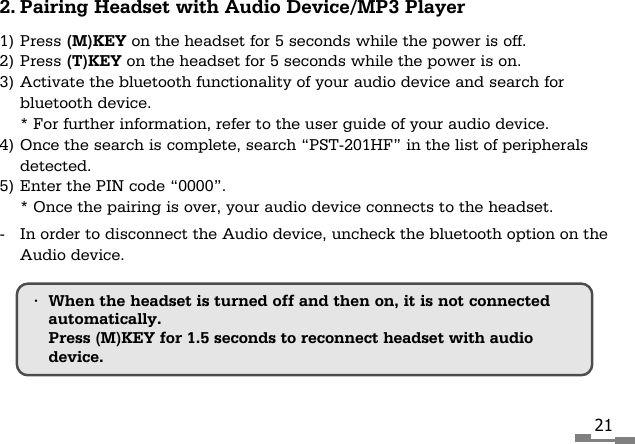
212. Pairing Headset with Audio Device/MP3 Player1) Press (M)KEY on the headset for 5 seconds while the power is off.2) Press (T)KEY on the headset for 5 seconds while the power is on.3) Activate the bluetooth functionality of your audio device and search forbluetooth device.* For further information, refer to the user guide of your audio device.4) Once the search is complete, search “PST-201HF” in the list of peripheralsdetected.5) Enter the PIN code “0000”.* Once the pairing is over, your audio device connects to the headset.-  In order to disconnect the Audio device, uncheck the bluetooth option on theAudio device.•When the headset is turned off and then on, it is not connectedautomatically.Press (M)KEY for 1.5 seconds to reconnect headset with audiodevice.
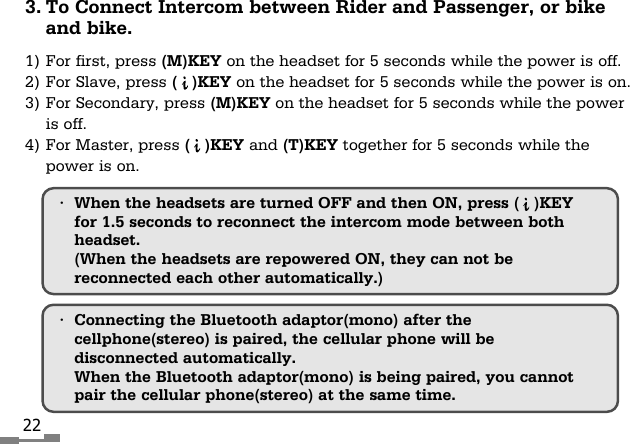
22•Connecting the Bluetooth adaptor(mono) after thecellphone(stereo) is paired, the cellular phone will bedisconnected automatically.When the Bluetooth adaptor(mono) is being paired, you cannotpair the cellular phone(stereo) at the same time.3. To Connect Intercom between Rider and Passenger, or bikeand bike.1) For first, press (M)KEY on the headset for 5 seconds while the power is off.2) For Slave, press (   )KEY on the headset for 5 seconds while the power is on.3) For Secondary, press (M)KEY on the headset for 5 seconds while the poweris off.4) For Master, press (   )KEY and (T)KEY together for 5 seconds while thepower is on.•When the headsets are turned OFF and then ON, press (   )KEYfor 1.5 seconds to reconnect the intercom mode between bothheadset.(When the headsets are repowered ON, they can not bereconnected each other automatically.)
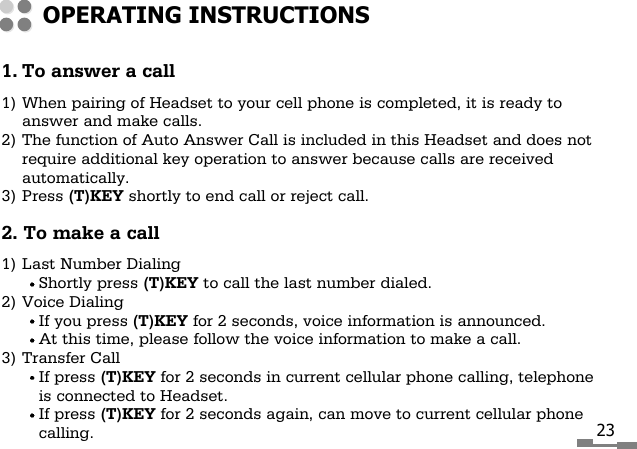
231. To answer a call1) When pairing of Headset to your cell phone is completed, it is ready toanswer and make calls.2) The function of Auto Answer Call is included in this Headset and does notrequire additional key operation to answer because calls are receivedautomatically.3) Press (T)KEY shortly to end call or reject call.2. To make a call1) Last Number DialingShortly press (T)KEY to call the last number dialed.2) Voice DialingIf you press (T)KEY for 2 seconds, voice information is announced.At this time, please follow the voice information to make a call.3) Transfer CallIf press (T)KEY for 2 seconds in current cellular phone calling, telephoneis connected to Headset.If press (T)KEY for 2 seconds again, can move to current cellular phonecalling.OPERATING INSTRUCTIONS
24Please refer to the instruction manual of your cellular phone for voice dialing.Voice dialing option of bluetooth is only available for the cellular phones thathas the voice dialing option and registered for the stereo headset service.•When cellular phone is disconnected due to the long distancebetween the headset and cellular phone, press (T)KEY shortlyto reconnect headset with cellular phone.•When Bluetooth adaptor is paired, you cannot use the (T)KEY.Using the (T)KEY might cause the product to malfunction.
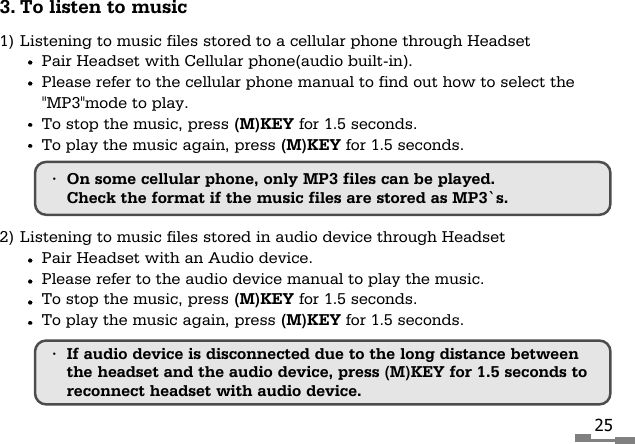
253. To listen to music1) Listening to music files stored to a cellular phone through HeadsetPair Headset with Cellular phone(audio built-in).Please refer to the cellular phone manual to find out how to select the"MP3"mode to play.To stop the music, press (M)KEY for 1.5 seconds.To play the music again, press (M)KEY for 1.5 seconds.2) Listening to music files stored in audio device through HeadsetPair Headset with an Audio device.Please refer to the audio device manual to play the music.To stop the music, press (M)KEY for 1.5 seconds.To play the music again, press (M)KEY for 1.5 seconds.•On some cellular phone, only MP3 files can be played.Check the format if the music files are stored as MP3`s.•If audio device is disconnected due to the long distance betweenthe headset and the audio device, press (M)KEY for 1.5 seconds toreconnect headset with audio device.
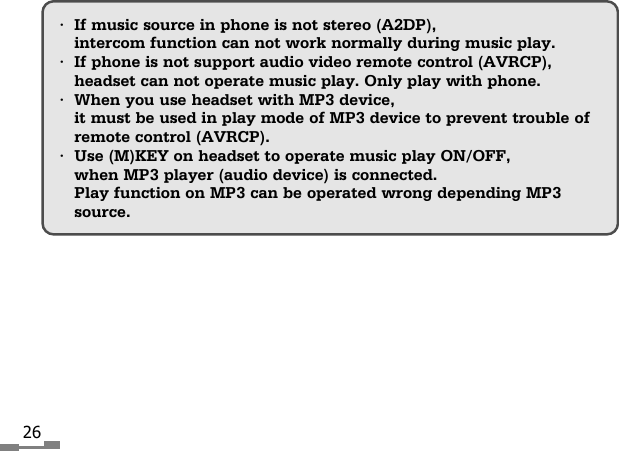
26•If music source in phone is not stereo (A2DP),intercom function can not work normally during music play.•If phone is not support audio video remote control (AVRCP),headset can not operate music play. Only play with phone.•When you use headset with MP3 device, it must be used in play mode of MP3 device to prevent trouble ofremote control (AVRCP).•Use (M)KEY on headset to operate music play ON/OFF,when MP3 player (audio device) is connected.Play function on MP3 can be operated wrong depending MP3source.
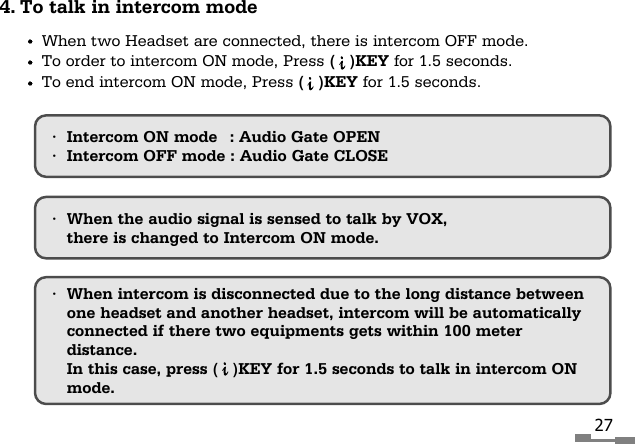
274. To talk in intercom modeWhen two Headset are connected, there is intercom OFF mode.To order to intercom ON mode, Press (   )KEY for 1.5 seconds.To end intercom ON mode, Press (   )KEY for 1.5 seconds.•When intercom is disconnected due to the long distance betweenone headset and another headset, intercom will be automaticallyconnected if there two equipments gets within 100 meterdistance.In this case, press (   )KEY for 1.5 seconds to talk in intercom ONmode.•Intercom ON mode : Audio Gate OPEN•Intercom OFF mode : Audio Gate CLOSE•When the audio signal is sensed to talk by VOX,there is changed to Intercom ON mode.
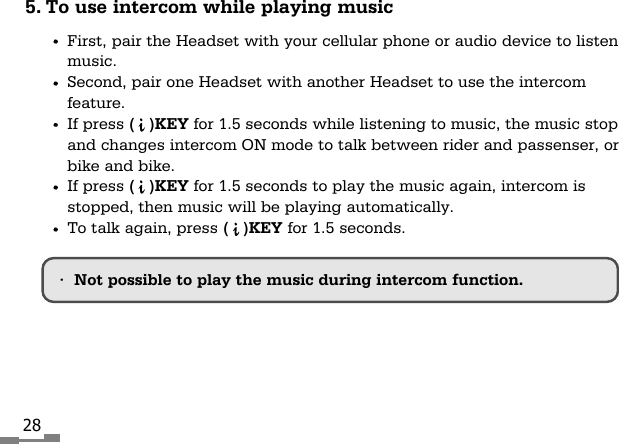
285. To use intercom while playing musicFirst, pair the Headset with your cellular phone or audio device to listenmusic.Second, pair one Headset with another Headset to use the intercomfeature.If press (   )KEY for 1.5 seconds while listening to music, the music stopand changes intercom ON mode to talk between rider and passenser, orbike and bike.If press (   )KEY for 1.5 seconds to play the music again, intercom isstopped, then music will be playing automatically.To talk again, press (   )KEY for 1.5 seconds.•Not possible to play the music during intercom function.
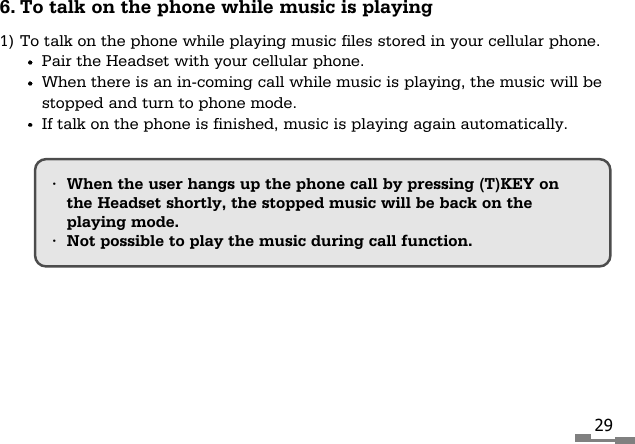
296. To talk on the phone while music is playing1) To talk on the phone while playing music files stored in your cellular phone.Pair the Headset with your cellular phone.When there is an in-coming call while music is playing, the music will bestopped and turn to phone mode.If talk on the phone is finished, music is playing again automatically.•When the user hangs up the phone call by pressing (T)KEY onthe Headset shortly, the stopped music will be back on the playing mode.•Not possible to play the music during call function.
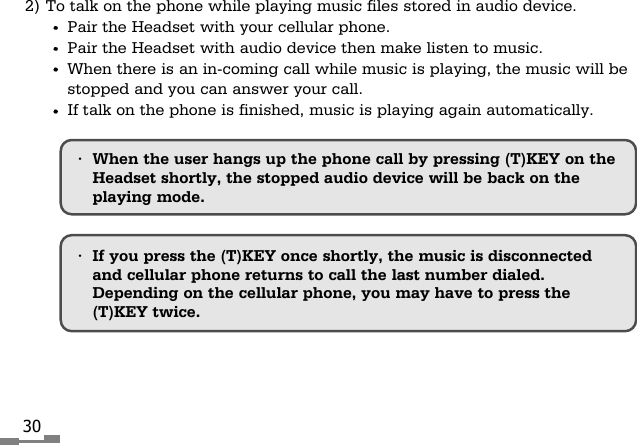
302) To talk on the phone while playing music files stored in audio device.Pair the Headset with your cellular phone.Pair the Headset with audio device then make listen to music.When there is an in-coming call while music is playing, the music will bestopped and you can answer your call.If talk on the phone is finished, music is playing again automatically.•If you press the (T)KEY once shortly, the music is disconnectedand cellular phone returns to call the last number dialed.Depending on the cellular phone, you may have to press the(T)KEY twice.•When the user hangs up the phone call by pressing (T)KEY on theHeadset shortly, the stopped audio device will be back on theplaying mode.
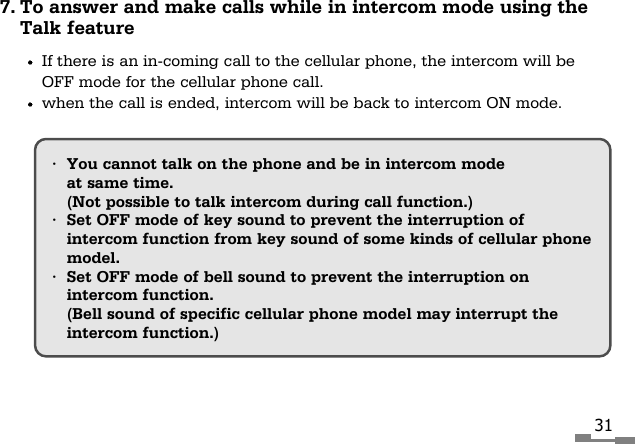
317. To answer and make calls while in intercom mode using theTalk featureIf there is an in-coming call to the cellular phone, the intercom will beOFF mode for the cellular phone call.when the call is ended, intercom will be back to intercom ON mode.•You cannot talk on the phone and be in intercom modeat same time.(Not possible to talk intercom during call function.)•Set OFF mode of key sound to prevent the interruption ofintercom function from key sound of some kinds of cellular phonemodel.•Set OFF mode of bell sound to prevent the interruption onintercom function.(Bell sound of specific cellular phone model may interrupt theintercom function.)
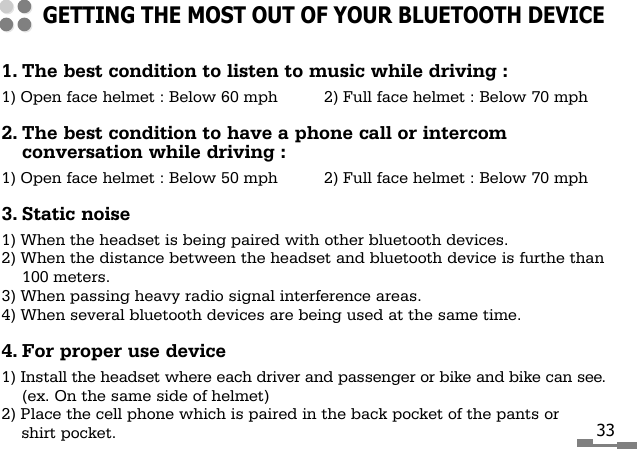
1. The best condition to listen to music while driving :1) Open face helmet : Below 60 mph 2) Full face helmet : Below 70 mph2. The best condition to have a phone call or intercomconversation while driving :1) Open face helmet : Below 50 mph 2) Full face helmet : Below 70 mph3. Static noise1) When the headset is being paired with other bluetooth devices.2) When the distance between the headset and bluetooth device is furthe than100 meters.3) When passing heavy radio signal interference areas.4) When several bluetooth devices are being used at the same time.4. For proper use device1) Install the headset where each driver and passenger or bike and bike can see.(ex. On the same side of helmet)2) Place the cell phone which is paired in the back pocket of the pants orshirt pocket.GETTING THE MOST OUT OF YOUR BLUETOOTH DEVICE33

Navigation menu