CIBM Online Banking Bill Pay User Guide
User Manual: Pdf
Open the PDF directly: View PDF  .
.
Page Count: 2
B
Bi
il
ll
l
P
Pa
ay
y
U
Us
se
er
r
G
Gu
ui
id
de
e
www.cibmbank.com
1.877.925.3030
Adding Electronic Payees
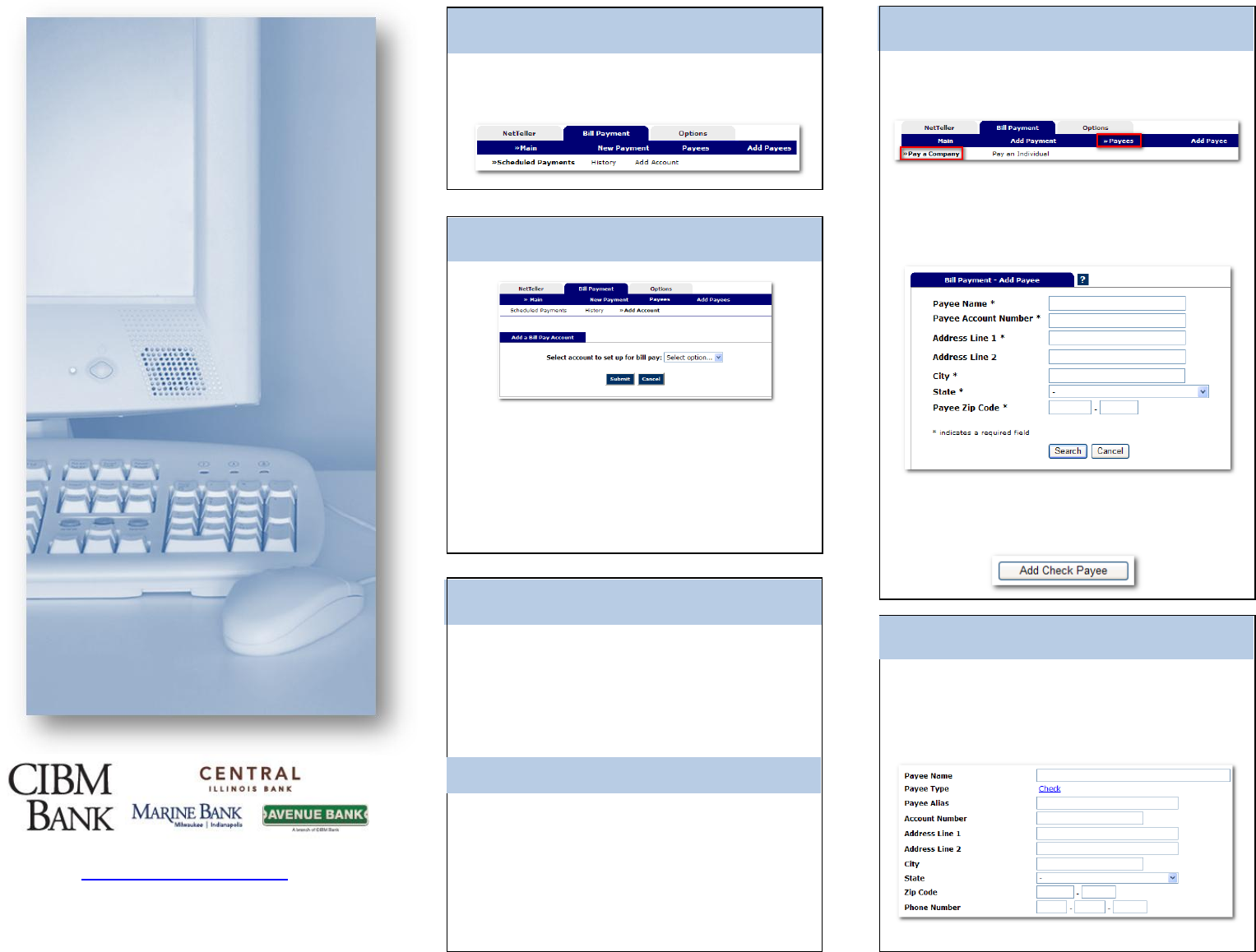
Log in to Internet Banking and select the
Bill Pay tab.
Select Add Account from the Bill Pay sub-
menu, choose the account you want to add to
bill pay and click Submit.
You must review and agree to the terms for
bill pay to set up the account.
Account Access
Payees
Adding Accounts
Adding Check Payees
There are two types of Payees – Company
and Individual.
Company payees receive their payments
electronically, while Individual payees
receive their payments in the form of a check.
Select Add Payee > Pay a Company to add
a new electronic payee.
Payment Funding
Funds for payments made to Electronic
(Company) payees will debit your account on
the payment date.
Funds for payments made to Check
(Individual) payees will debit your account
when the check clears.
Fill in the payee fields and click Search. If the
Company you entered is available as an
Electronic Payee a link with Payee Type
Electronic displays.
If the payee is not available as electronic,
select the Add Check Payee button at the
bottom of the page.
To add a payee without searching for available
electronic payees, select
Add Payee > Pay an Individual.
Adding Payments
Viewing History
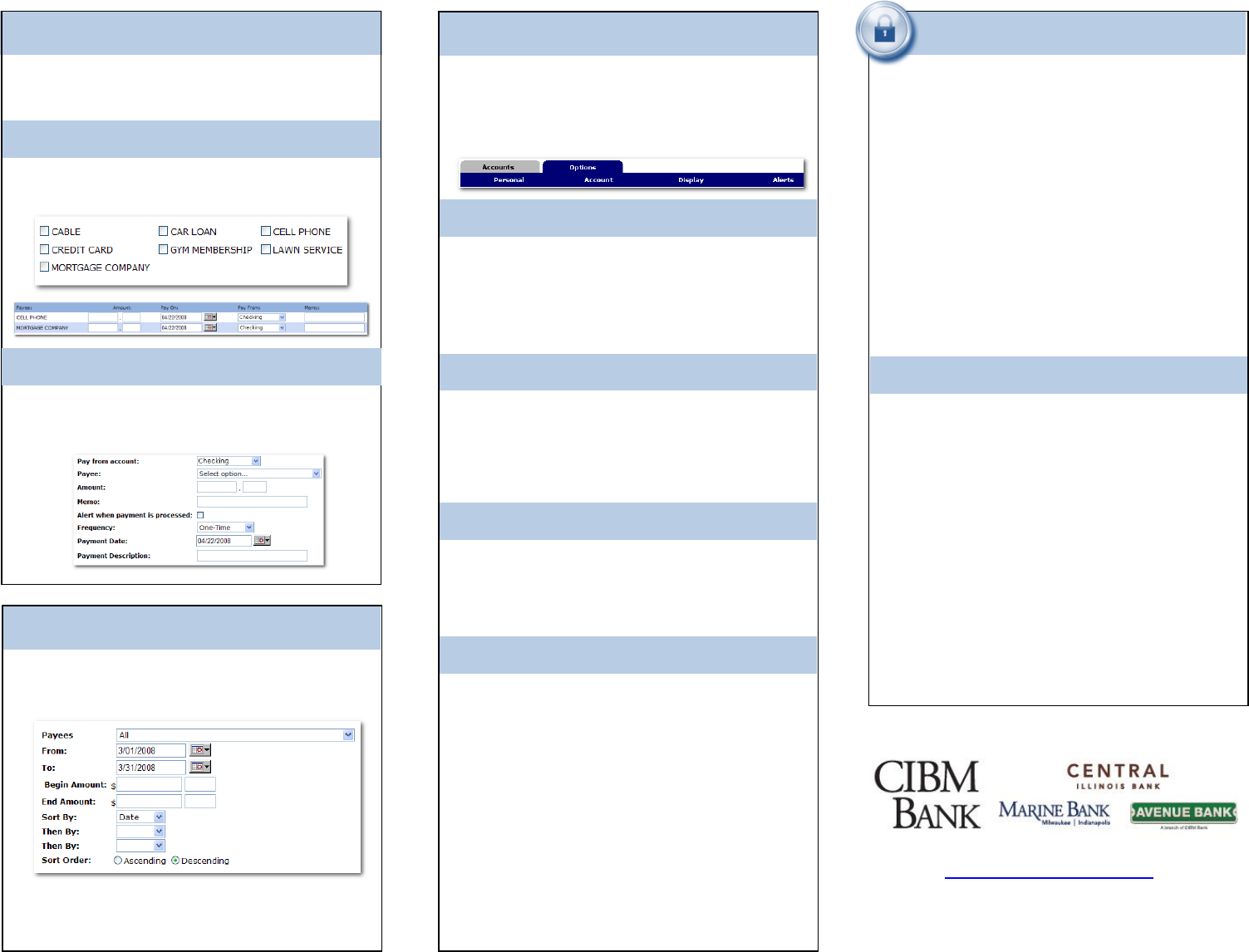
Select Main > History under the
Bill Payment Tab.
Editing Your Information
Account
Change Personal, Account, and Display
Settings.
Set up Alerts.
Update E-Mail Address
Update ID*
*create an ID to use instead of 12-digit ID
Change PIN/Password
Personal
Change Account Pseudo Names
(nicknames).
Edit order in which accounts are
displayed.
Display
Edit Number of Accounts displayed per
page.
Edit no. of transactions displayed by
default.
Alerts
Event Alerts
Incoming Direct Deposits
Funds Transfer Information
Statement Notifications
Balance Alerts
Notification of Account Balances
Item Alerts
Notification of Cleared Checks
Personal Alerts
Alerts delivered on chosen date.
Security
One of the first times you access your
accounts online, we’ll ask you to choose and
answer three (3) Personal Verification
Questions.
During future online sessions, we’ll ask you
some of these questions if we feel there is a
possibility that someone other than you is
attempting to access your information.
Please choose answers that you will
remember. Incorrectly answering questions
can lead to your account access being
disabled.
Security Reminders
We will NEVER email you for your
personal information. Any email claiming
to be the bank requesting personal
information such as Social Security
Numbers, IDs, or Passwords should not
be trusted or opened.
Do not write your password down.
Use a different password to access your
online accounts than ones you use for
other applications.
Always exit your online banking session
before leaving your computer.
Bill Payment history is available for
19 months.
Quick Payment
Payments can be added in one of two ways:
Quick Payment and Recurring Payment
Quick Payment allows you to add up to 10
one-time payments on the same screen.
Add Payment
Use Add Payment for payments that happen
on a regularly scheduled basis.
www.cibmbank.com
1.877.925.3030
