Pioneer Deh P5850Mph Users Manual
DEH-P5850MPH to the manual 7ba5302a-95bb-4d73-9a3e-11dbbeff85bb
2015-01-26
: Pioneer Pioneer-Deh-P5850Mph-Users-Manual-333429 pioneer-deh-p5850mph-users-manual-333429 pioneer pdf
Open the PDF directly: View PDF  .
.
Page Count: 140 [warning: Documents this large are best viewed by clicking the View PDF Link!]
- Outline placeholder
- bk_page_1
- bk_page_10
- bk_page_11
- bk_page_12
- bk_page_13
- bk_page_15
- bk_page_16
- bk_page_17
- bk_page_18
- bk_page_19
- bk_page_2
- bk_page_20
- bk_page_21
- bk_page_22
- bk_page_23
- bk_page_24
- bk_page_25
- bk_page_26
- bk_page_27
- bk_page_28
- bk_page_29
- bk_page_3
- bk_page_30
- bk_page_31
- bk_page_32
- bk_page_33
- bk_page_34
- bk_page_35
- bk_page_36
- bk_page_37
- bk_page_38
- bk_page_39
- bk_page_4
- bk_page_40
- bk_page_41
- bk_page_42
- bk_page_43
- bk_page_44
- bk_page_45
- bk_page_46
- bk_page_47
- bk_page_48
- bk_page_49
- bk_page_5
- bk_page_50
- bk_page_51
- bk_page_52
- bk_page_53
- bk_page_54
- bk_page_55
- bk_page_56
- bk_page_57
- bk_page_58
- bk_page_59
- bk_page_6
- bk_page_60
- bk_page_61
- bk_page_62
- bk_page_63
- bk_page_64
- bk_page_65
- bk_page_66
- bk_page_67
- bk_page_68
- bk_page_69
- bk_page_7
- bk_page_70
- bk_page_71
- bk_page_72
- bk_page_73
- bk_page_74
- bk_page_75
- bk_page_76
- bk_page_77
- bk_page_78
- bk_page_79
- bk_page_8
- bk_page_80
- bk_page_81
- bk_page_82
- bk_page_83
- bk_page_84
- bk_page_85
- bk_page_86
- bk_page_87
- bk_page_88
- bk_page_89
- bk_page_9
- bk_page_90
- bk_page_91
- bk_page_92
- en
- zhtw
Black plate (2,1)
<XRD7106-A/N>2
Thank you for buying this Pioneer product.
Please read through these operating instructions so you will know how to operate
your model properly. After you have finished reading the instructions, keep this man-
ual in a safe place for future reference.
Before You Start
About this unit 4
About this manual 4
Features 4
About WMA 4
Protecting your unit from theft 5
Removing the front panel 5
Attaching the front panel 5
About the demo mode 5
Reverse mode 6
Feature demo mode 6
Use and care of the remote control 6
Installing the battery 6
Using the remote control 6
Whats What
Head unit 7
Remote control 8
Basic Operations
Turning the unit on 9
Selecting a source 9
Loading a disc 9
Adjusting the volume 10
Turning the unit off 10
Tuner
Listening to the radio 11
Introduction of advanced tuner
operation 12
Storing and recalling broadcast
frequencies 12
Tuning in strong signals 12
Storing the strongest broadcast
frequencies 13
Built-in CD Player
Playing a CD 14
Introduction of advanced built-in CD player
operation 14
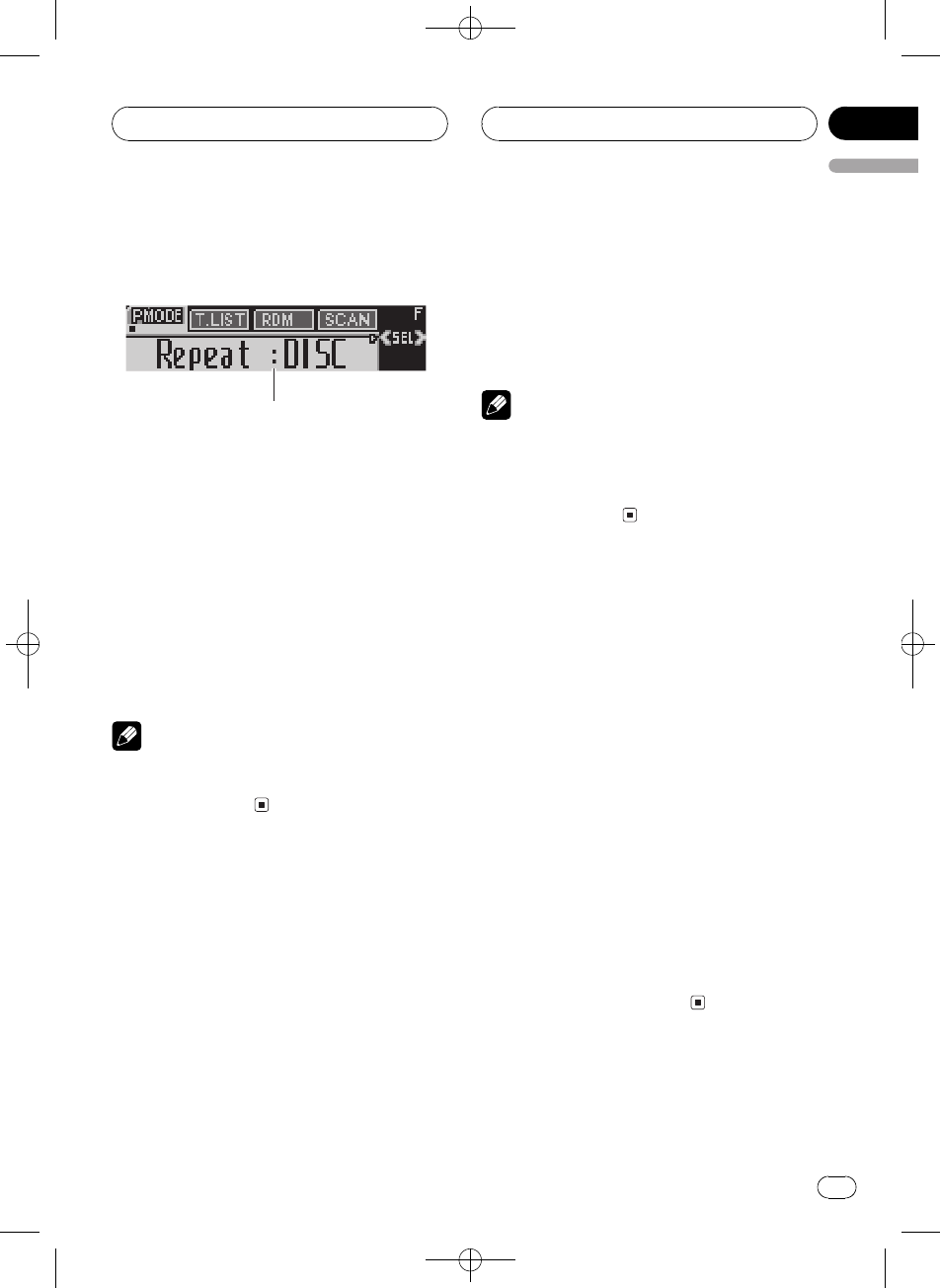
Repeating play 14
Playing tracks in random order 15
Scanning tracks of a CD 15
Pausing CD playback 15
Using compression and BMX 15
Selecting the search method 16
Searching every 10 tracks in the current
disc 16
Using disc title functions 16
Entering disc titles 16
Displaying disc titles 17
Using CD TEXT functions 17
Displaying text information on CD
TEXT discs 17
Scrolling text information in the
display 18
MP3/WMA/WAV Player
Playing MP3/WMA/WAV 19
Introduction of advanced built-in CD player
(MP3/WMA/WAV) operation 20
Repeating play 20
Playing tracks in random order 20
Scanning folders and tracks 20
Pausing MP3/WMA/WAV playback 21
Selecting folders from the folder title list 21
Using compression and BMX 21
Selecting the search method 21
Searching every 10 tracks in the current
folder 22
Displaying text information on MP3/WMA/
WAV disc 22
When playing back an MP3/WMA
disc 22
When playing back a WAV disc 22
Scrolling text information in the display 23
Multi-CD Player
Playing a CD 24
50-disc multi-CD player 24
Introduction of advanced multi-CD player
operation 25
Repeating play 25
Playing tracks in random order 25
Contents
En
2
Black plate (3,1)
<XRD7106-A/N>3
Scanning CDs and tracks 26
Pausing CD playback 26
Using ITS playlists 26
Creating a playlist with ITS
programming 26
Playback from your ITS playlist 27
Erasing a track from your ITS
playlist 27
Erasing a CD from your ITS
playlist 27
Using disc title functions 28
Entering disc titles 28
Displaying disc titles 29
Selecting discs from the disc title
list 29
Using CD TEXT functions 29
Displaying text information on CD
TEXT discs 29
Scrolling text information in the
display 29
Using compression and bass emphasis 30
Audio Adjustments
Introduction of audio adjustments 31
Compensating for equalizer curves (EQ-
EX) 31
Using balance adjustment 31
Using the equalizer 32
Recalling equalizer curves 32
Adjusting equalizer curves 32
Fine-adjusting equalizer curve 33
Adjusting bass and treble 33
Adjusting bass and treble level 33
Selecting bass frequency 34
Selecting treble frequency 34
Adjusting loudness 34
Using subwoofer output 34
Adjusting subwoofer settings 35
Using nonfading output 35
Adjusting nonfading output level 35
Using the high pass filter 35
Adjusting source levels 36
Initial Settings
Adjusting initial settings 37
Setting the clock 37
Setting the FM tuning step 37
Setting the AM tuning step 38
Switching the warning tone 38
Switching the auxiliary setting 38
Switching the dimmer setting 38
Adjusting the brightness 38
Setting the rear output and subwoofer
controller 39
Switching the sound muting/attenuation 39
Switching the Ever Scroll 40
Other Functions
Turning the clock display on or off 41
Using the AUX source 41
Selecting AUX as the source 41
Setting the AUX title 41
Using different entertainment displays 42
Introduction of DVD operation 42
Operation 42
Function menu switching 42
Using ITS playlist and disc title
functions 42
Additional Information
Understanding built-in CD player error
messages 43
CD player and care 43
CD-R/CD-RW discs 44
MP3, WMA and WAV files 44
MP3 additional information 45
WMA additional information 45
WAV additional information 45
About folders and MP3/WMA/WAV files 46
Terms 47
Specifications 49
En 3
English
Contents
Black plate (4,1)
<XRD7106-A/N>4
About this unit
CAUTION
!Do not allow this unit to come into contact
with liquids. Electrical shock could result.
Also, this unit damage, smoke, and overheat
could result from contact with liquids.
!Keep this manual handy as a reference for op-
erating procedures and precautions.
!Always keep the volume low enough so that
you can hear sounds from outside the vehicle.
!Protect this unit from moisture.
!If the battery is disconnected or discharged,
the preset memory will be erased and must be
reprogrammed.
!If this unit does not operate properly, contact
your dealer or nearest authorized Pioneer Ser-
vice Station.
About this manual
This unit features a number of sophisticated
functions ensuring superior reception and op-
eration. All the functions have been designed
for the easiest possible use, but many are not
self-explanatory. This operation manual will
help you benefit fully from this units potential
and to maximize your listening enjoyment.
We recommend that you familiarize yourself
with the functions and their operation by read-
ing through the manual before you begin
using this unit. It is especially important that
you read and observe WARNINGs and CAU-
TIONs in this manual.
Features
CD playback
Music CD/CD-R/CD-RW playback is possible.
MP3 file playback
You can play back MP3 files recorded on CD-
ROM/CD-R/CD-RW (ISO9660 Level 1/Level 2
standard recordings).
!Supply of this product only conveys a li-
cense for private, non-commercial use and
does not convey a license nor imply any
right to use this product in any commercial
(i.e. revenue-generating) real time broad-
casting (terrestrial, satellite, cable and/or
any other media), broadcasting/streaming
via internet, intranets and/or other net-
works or in other electronic content distri-
bution systems, such as pay-audio or
audio-on-demand applications. An inde-
pendent license for such use is required.
For details, please visit
http://www.mp3licensing.com.
WMA file playback
You can play back WMA files recorded on CD-
ROM/CD-R/CD-RW (ISO9660 Level 1/Level 2
standard recordings).
WAV file playback
You can play back WAV files recorded on CD-
ROM/CD-R/CD-RW (Linear PCM (LPCM)/MS
ADPCM recordings).
About WMA
The Windows Media"logo printed on the box
indicates that this unit can play back WMA
data.
WMA is short for Windows Media Audio and
refers to an audio compression technology
that is developed by Microsoft Corporation.
WMA data can be encoded by using Windows
Media Player version 7 or later.
Before You Start
En
4
Section
01
Black plate (5,1)
<XRD7106-A/N>5
Windows Media and the Windows logo are tra-
demarks or registered trademarks of Microsoft
Corporation in the United States and/or other
countries.
Notes
!This unit may not operate correctly depending
on the application used to encode WMA files.
!Depending on the version of Windows Media
Player used to encode WMA files, album
names and other text information may not be
correctly displayed.
Protecting your unit from
theft
The front panel can be detached from the
head unit and stored in the provided protective
case to prevent theft.
!If the front panel is not detached from the
head unit within five seconds of turning off
the ignition, a warning tone will sound.
!You can turn off the warning tone. See
Switching the warning tone on page 38.
Important
!Never use force or grip the display and the
buttons too tightly when removing or attach-
ing.
!Avoid subjecting the front panel to excessive
shocks.
!Keep the front panel out of direct sunlight and
high temperatures.
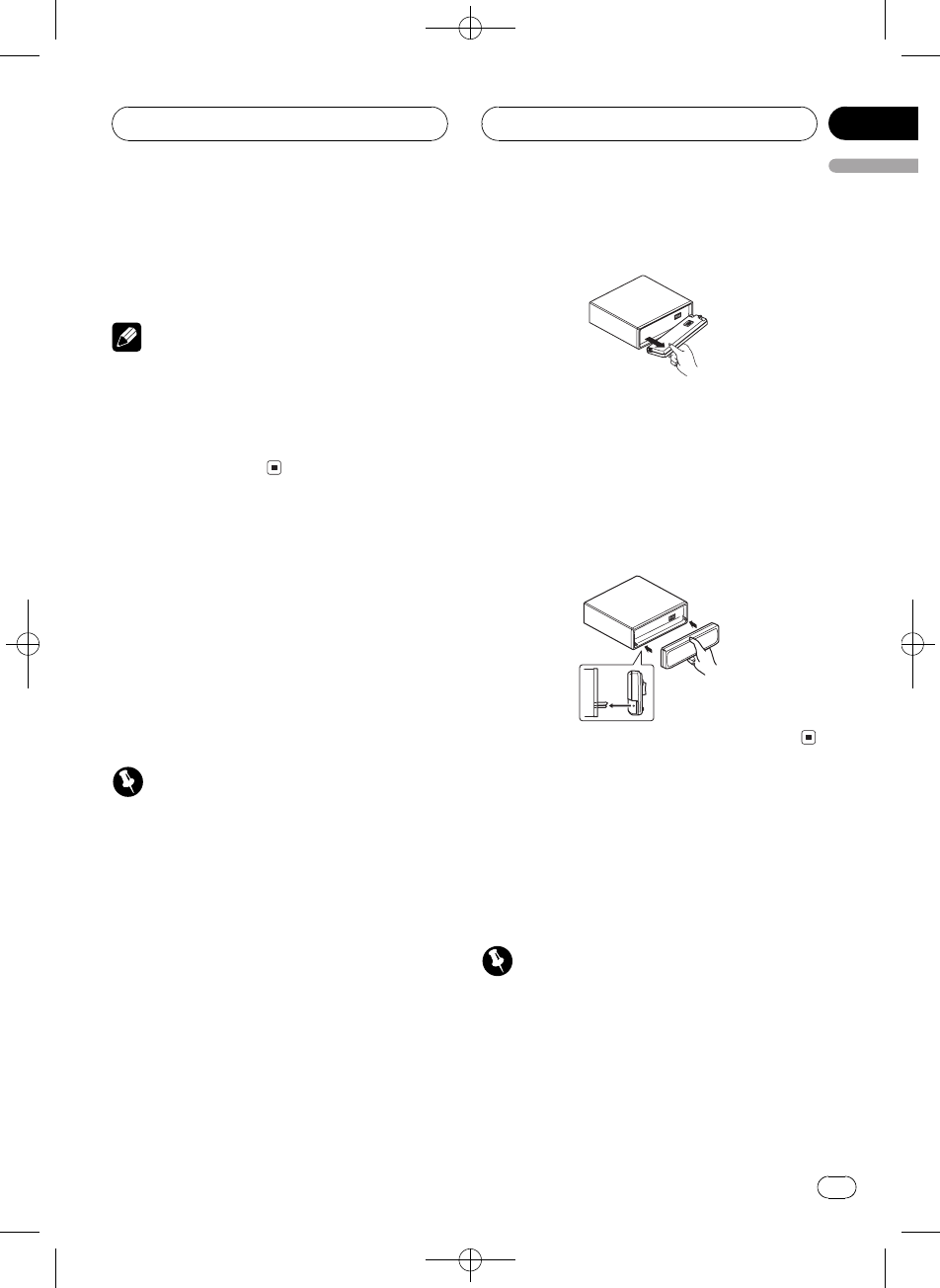
Removing the front panel
1 Press OPEN to open the front panel.
2 Grip the left side of the front panel and
pull it gently outward.
Take care not to grip it too tightly or to drop
the front panel and protect it from contact
with water or other fluids to prevent perma-
nent damage.
3 Put the front panel into provided pro-
tective case for safe keeping.
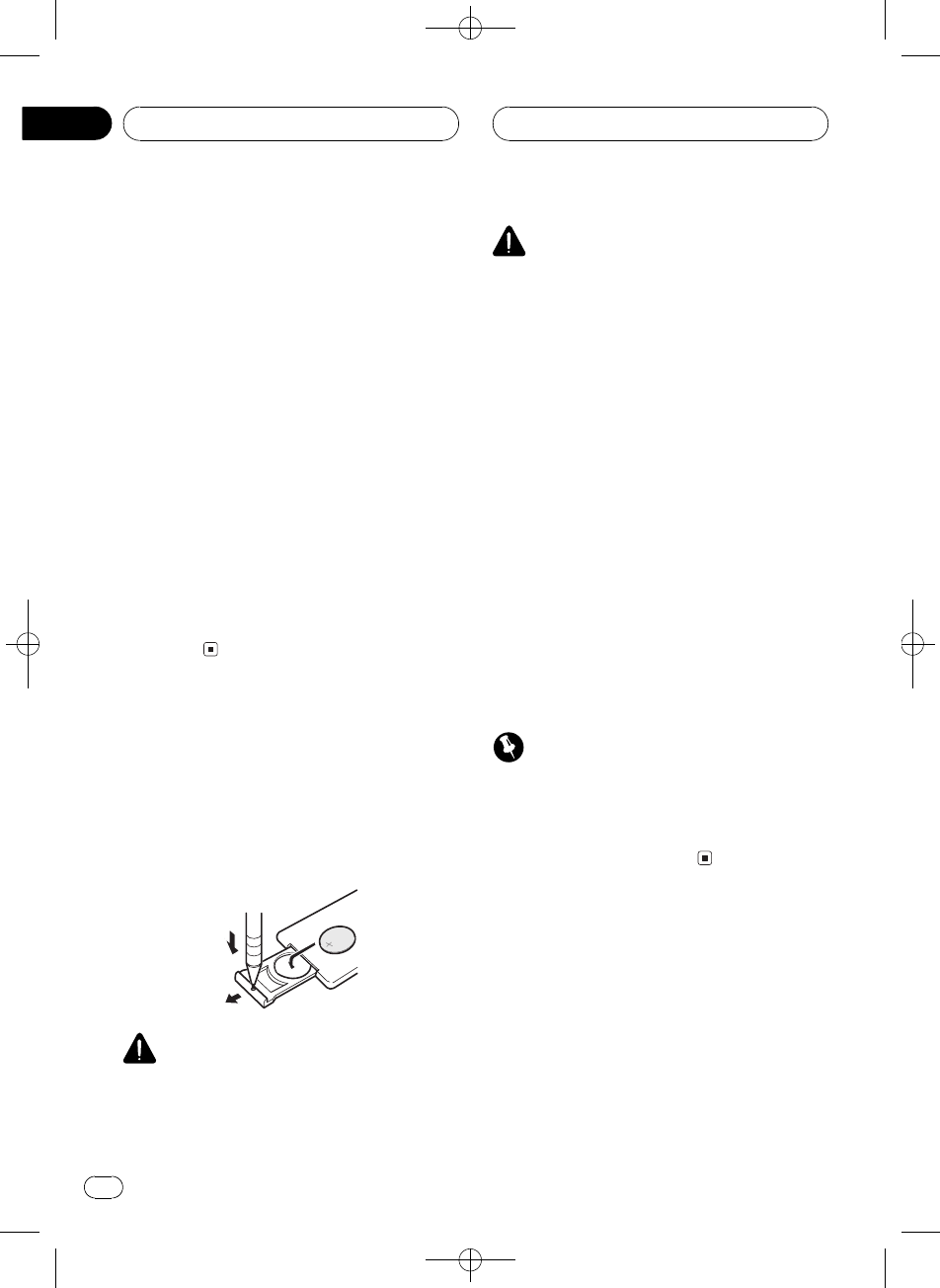
Attaching the front panel
%Replace the front panel by holding it
upright to the unit and clipping it securely
into the mounting hooks.
About the demo mode
This unit features two demonstration modes.
One is the reverse mode, the other is the fea-
ture demo mode.
!You cannot cancel a demo mode when the
front panel is open.
Important
The red lead (ACC) of this unit should be con-
nected to a terminal coupled with ignition switch
on/off operations. If this is not done, the vehicle
battery may be drained.
Before You Start
En 5
English
Section
01
Black plate (6,1)
<XRD7106-A/N>6
Reverse mode
If you do not perform an operation within
about 30 seconds, screen indications start to
reverse, and then continue reversing every 10
seconds. Pressing button 5when power to
this unit is turned off while the ignition switch
is set to ACC or ON cancels the reverse mode.
Press button 5again to start the reverse
mode.
Feature demo mode
The feature demo automatically starts when
power to this unit is turned off while the igni-
tion switch is set to ACC or ON. Pressing but-
ton 6during feature demo operation cancels
the feature demo mode. Press button 6again
to start the feature mode. Remember that if
the feature demo continues operating when
the car engine is turned off, it may drain bat-
tery power.
Use and care of the remote
control
Installing the battery
Slide the tray out on the back of the remote
control and insert the battery with the plus (+)
and minus () poles pointing in the proper di-
rection.
WARNING
Keep the battery out of the reach of children.
Should the battery be swallowed, immediately
consult a doctor.
CAUTION
!Use only one CR2025 (3 V) lithium battery.
!Remove the battery if the remote control is not
used for a month or longer.
!Do not recharge, disassemble, heat or dispose
of the battery in fire.
!Do not handle the battery with metallic tools.
!Do not store the battery with metallic materi-
als.
!In the event of battery leakage, wipe the re-
mote control completely clean and install a
new battery.
!When disposing of used batteries, please
comply with governmental regulations or en-
vironmental public institutionsrules that
apply in your country/area.
Using the remote control
Point the remote control in the direction of the
front panel to operate.
!The remote control may not function prop-
erly in direct sunlight.
Important
!Do not store the remote control in high tem-
peratures or direct sunlight.
!Do not let the remote control fall onto the
floor, where it may become jammed under the
brake or accelerator pedal.
Before You Start
En
6
Section
01
Black plate (7,1)
<XRD7106-A/N>7
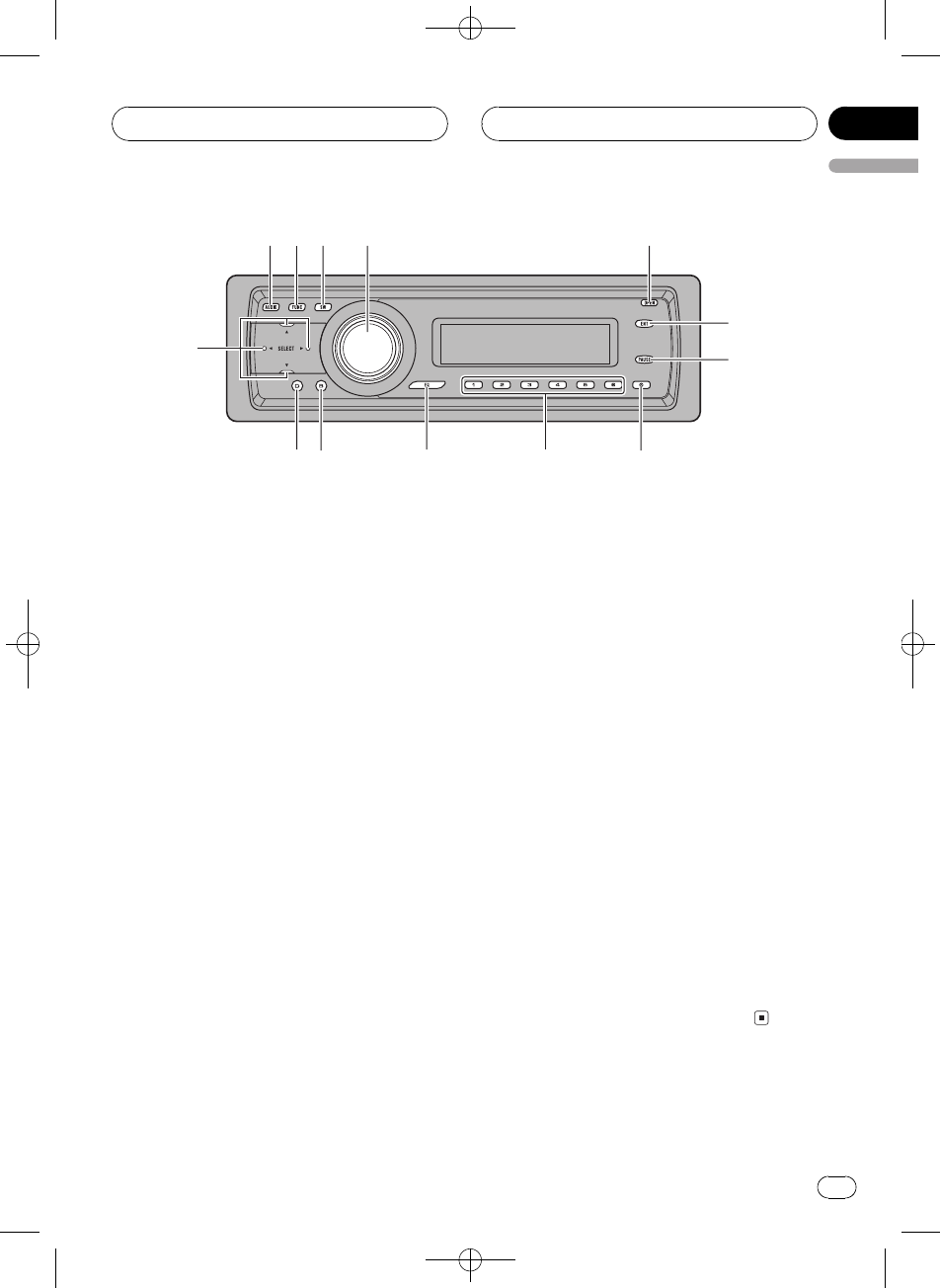
Head unit
1AUDIO button
Press to select various sound quality con-
trols.
2FUNCTION button
Press to select functions.
3SW button
Press to directly select subwoofer setting
menu. See Using subwoofer output on page
34. Press and hold to select EQ-EX setting
menu. See Compensating for equalizer
curves (EQ-EX) on page 31.
4SOURCE button, VOLUME
This unit is turned on by selecting a source.
Press to cycle through all the available
sources.
Rotate it to increase or decrease the vo-
lume.
5OPEN button
Press to open the front panel.
6ENTERTAINMENT button
Press to change to the entertainment dis-
play.
7PAUSE button
Press to turn pause on or off.
8CLOCK button
Press to change to the clock display.
916 buttons
Press for preset tuning and disc number
search when using a multi-CD player.
aEQ button
Press to select various equalizer curves.
bBAND button
Press to select among three FM bands and
one AM band and to cancel the control
mode of functions.
cDISPLAY button
Press to select different displays.
da/b/c/dbuttons
Press to perform manual seek tuning, fast
forward, reverse and track search controls.
Also used for controlling functions.
12 3 4 5
6
7
89abc
d
Whats What
En 7
English
Section
02
Black plate (8,1)
<XRD7106-A/N>8
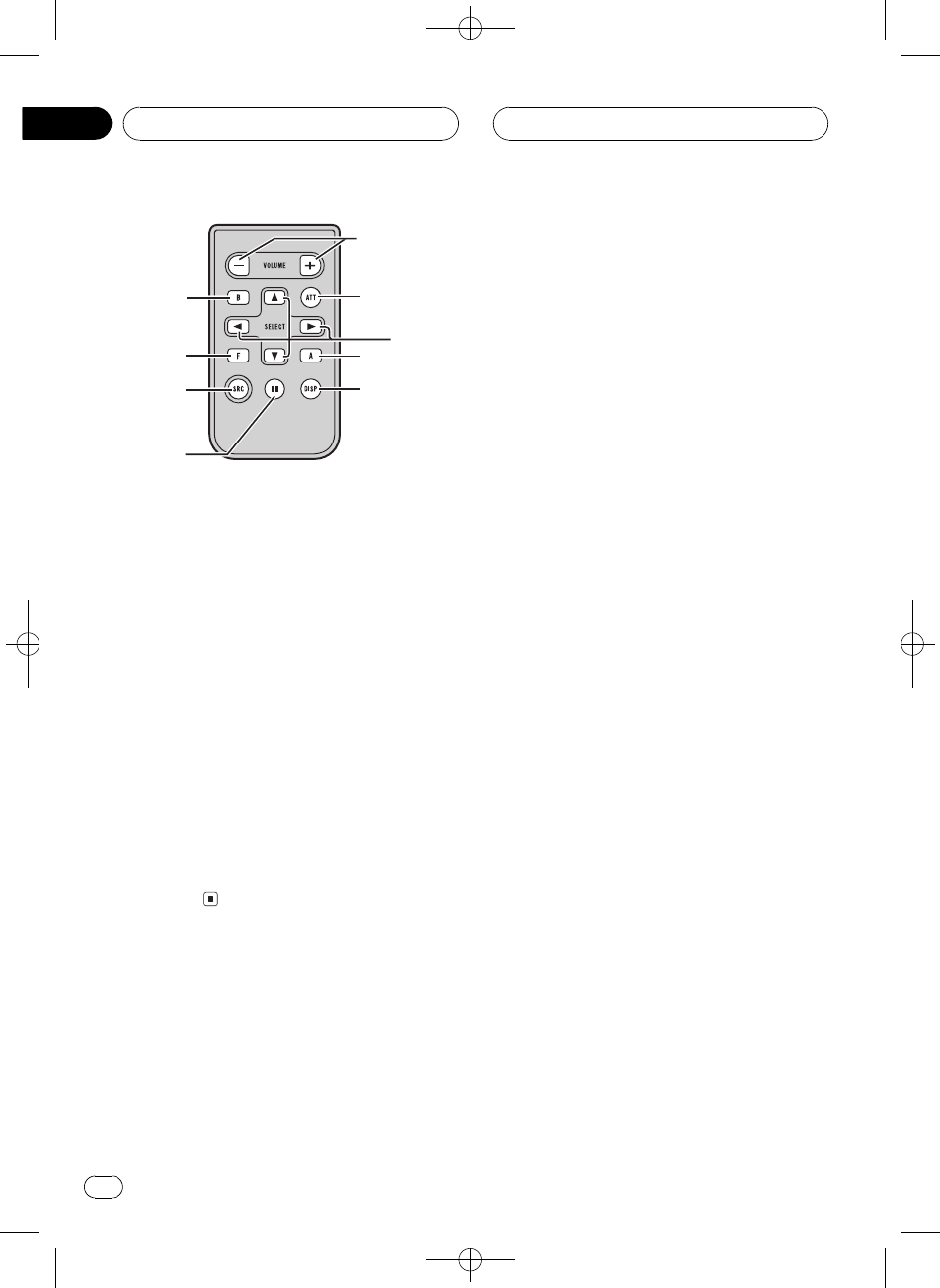
Remote control
Operation is the same as when using the but-
tons on the head unit. See the explanation of
the head unit about the operation of each but-
ton with the exception of ATT, which is ex-
plained below.
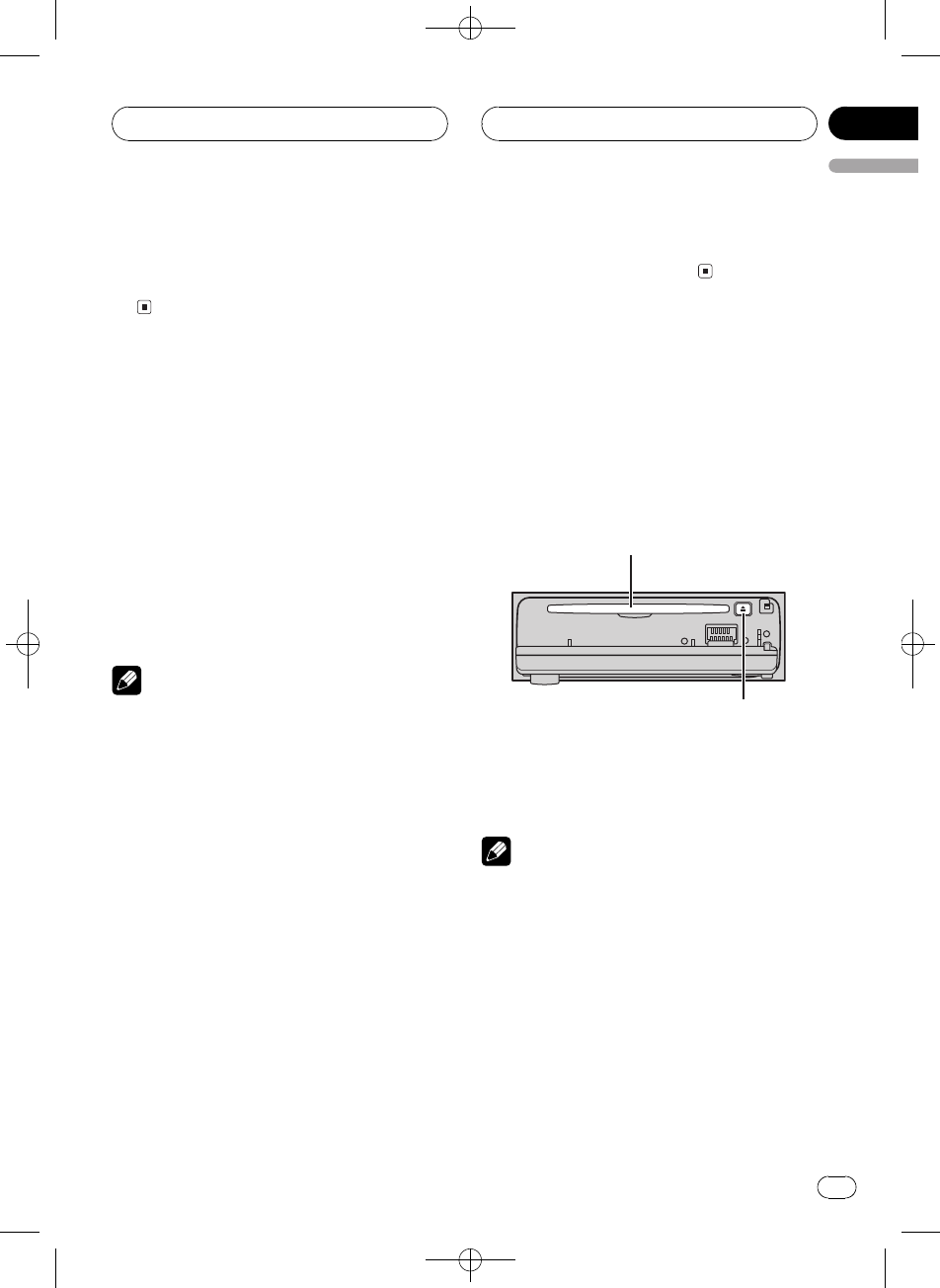
eVOLUME buttons
Press to increase or decrease the volume.
fATT button
Press to quickly lower the volume level, by
about 90%. Press once more to return to the
original volume level.
gSOURCE button
This unit is turned on by selecting a source.
Press to cycle through all the available
sources.
f
1
g
2
7
c
b
e
d
Whats What
En
8
Section
02
Black plate (9,1)
<XRD7106-A/N>9
Turning the unit on
%Press SOURCE to turn the unit on.
When you select a source, the unit is turned
on.
Selecting a source
You can select a source you want to listen to.
To switch to the built-in CD player, load a disc
in the unit (refer to page 14).
%Press SOURCE to select a source.
Press SOURCE repeatedly to switch between
the following sources:
TunerTelevisionDVD player/Multi-
DVD playerBuilt-in CD playerMulti-
CD playerExternal unit 1External unit
2AUX
Notes
!In the following cases, the sound source will
not change:
When there is no unit corresponding to the
selected source connected to this unit.
When there is no disc in the unit.
When there is no disc in the DVD player.
When there is no magazine in the multi-
CD player.
When there is no magazine in the multi-
DVD player.
When the AUX (auxiliary input) is set to off
(refer to page 38).
!External unit refers to a Pioneer product (such
as one available in the future) that, although
incompatible as a source, enables control of
basic functions by this unit. Two external units
can be controlled by this unit. When two exter-
nal units are connected, the allocation of
them to external unit 1 or external unit 2 is
automatically set by this unit.
!When this units blue/white lead is connected
to the vehicles auto-antenna relay control
terminal, the vehicles antenna extends when
this units source is turned on. To retract the
antenna, turn the source off.
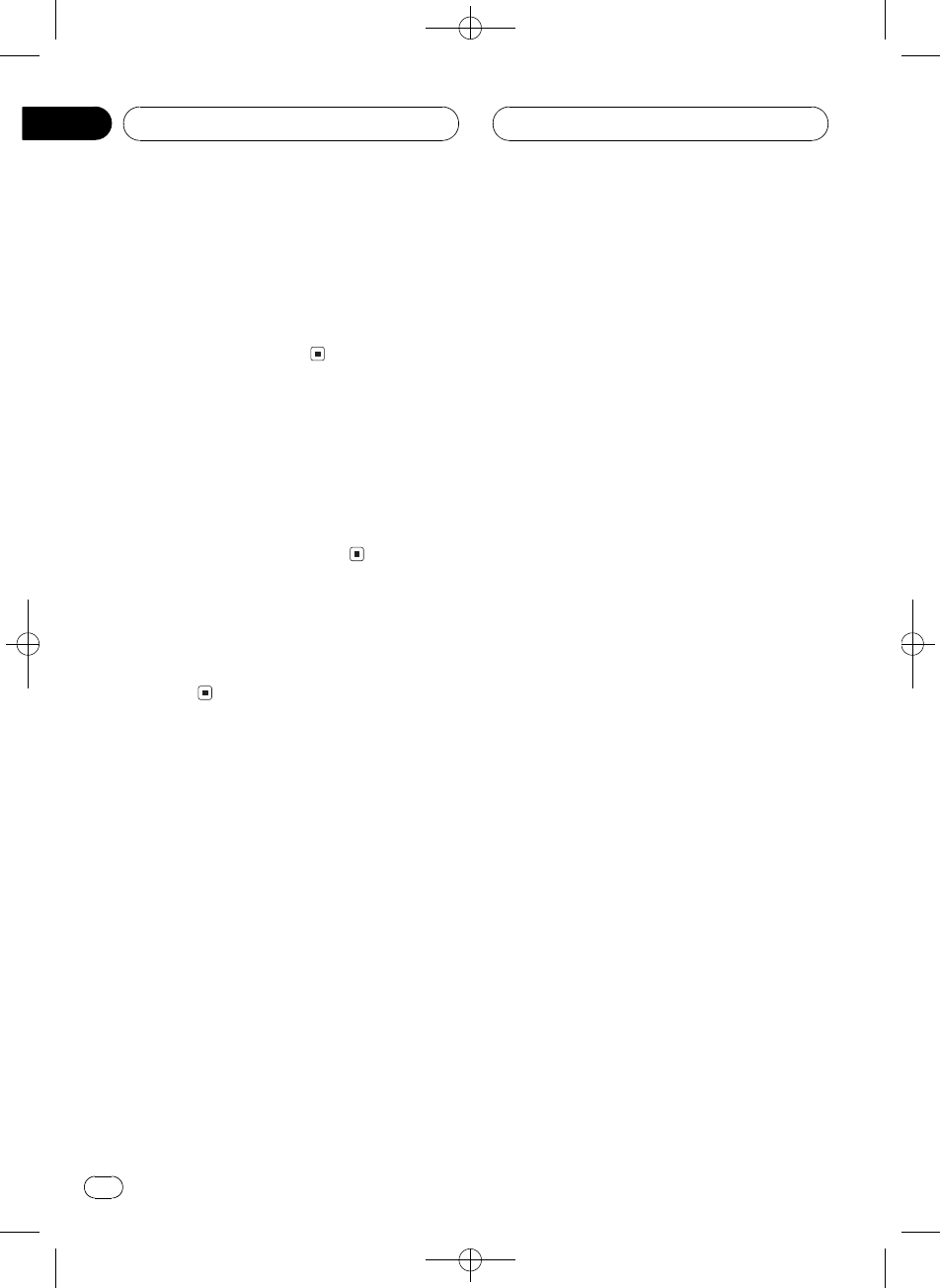
Loading a disc
1 Press OPEN to open the front panel.
CD loading slot appears.
#After a CD has been inserted, press SOURCE
to select the built-in CD player.
2 Insert a CD into the CD loading slot.
Playback will automatically start.
CD loading slot
EJECT button
#You can eject a CD by pressing EJECT.
#To avoid a malfunction, make sure that no
metal object comes into contact with the term-
inals when the front panel is open.
Notes
!The built-in CD player plays one standard, 12-
cm or 8-cm CD at a time. Do not use an adap-
ter when playing 8-cm CDs.
!Do not insert anything other than a CD into
the CD loading slot.
!There is sometimes a delay between starting
up CD playback and the sound being issued.
When being read, Format Read is displayed.
!If you cannot insert a disc completely or if
after you insert a disc the disc does not play,
check that the label side of the disc is up.
Press EJECT to eject the disc, and check the
disc for damage before inserting it again.
Basic Operations
En 9
English
Section
03
Black plate (10,1)
<XRD7106-A/N>10
!If an error message such as ERROR-11 is dis-
played, refer to Understanding built-in CD
player error messages on page 43.
!When the CD loading or ejecting function
does not operate properly, you can eject the
CD by pressing and holding EJECT while
opening the front panel.
Adjusting the volume
%Use VOLUME to adjust the sound level.
With the head unit, rotate VOLUME to in-
crease or decrease the volume.
With the remote control, press VOLUME to in-
crease or decrease the volume.
Turning the unit off
%Press SOURCE and hold until the unit
turns off.
Basic Operations
En
10
Section
03
Black plate (11,1)
<XRD7106-A/N>11
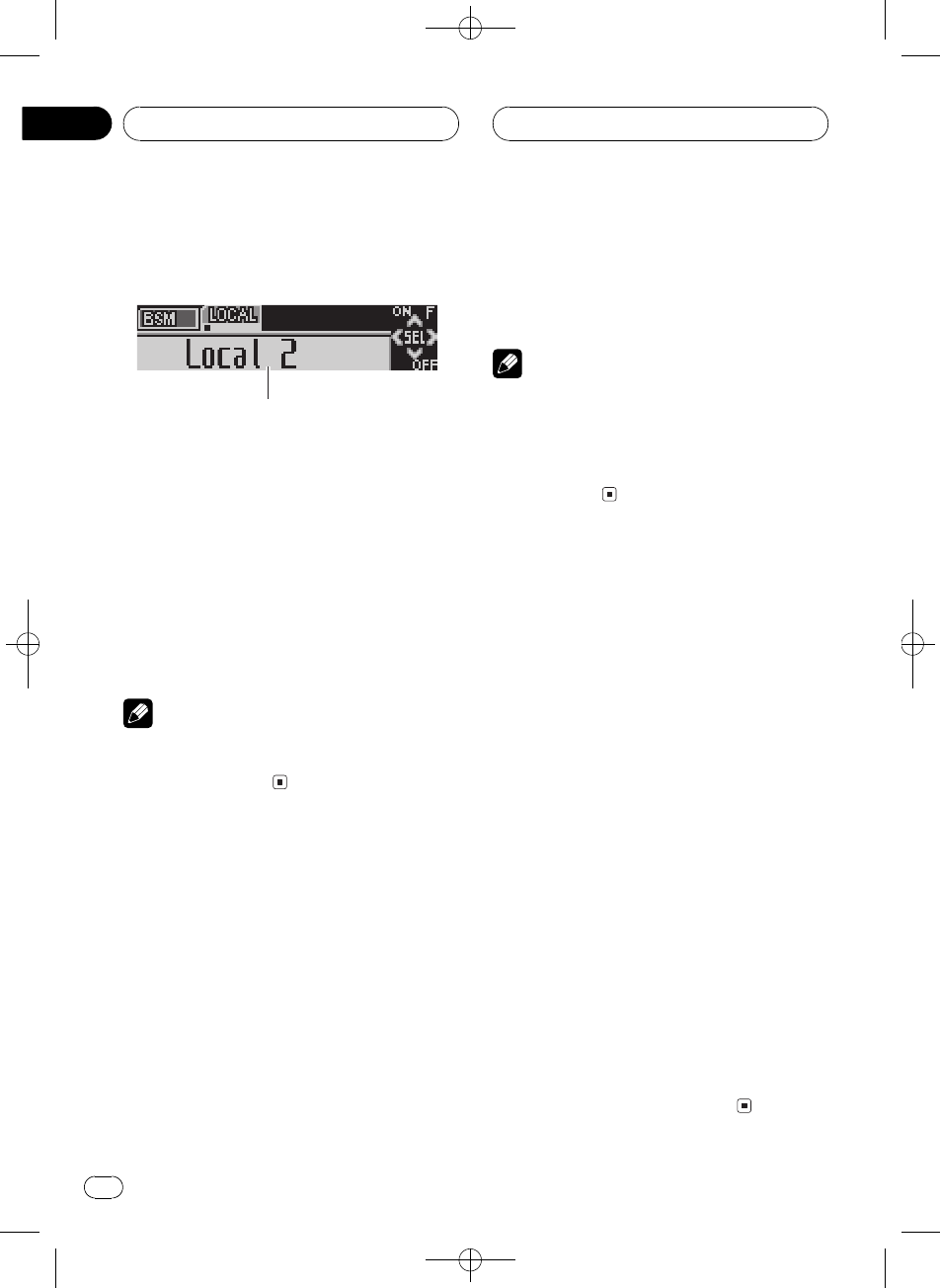
Listening to the radio
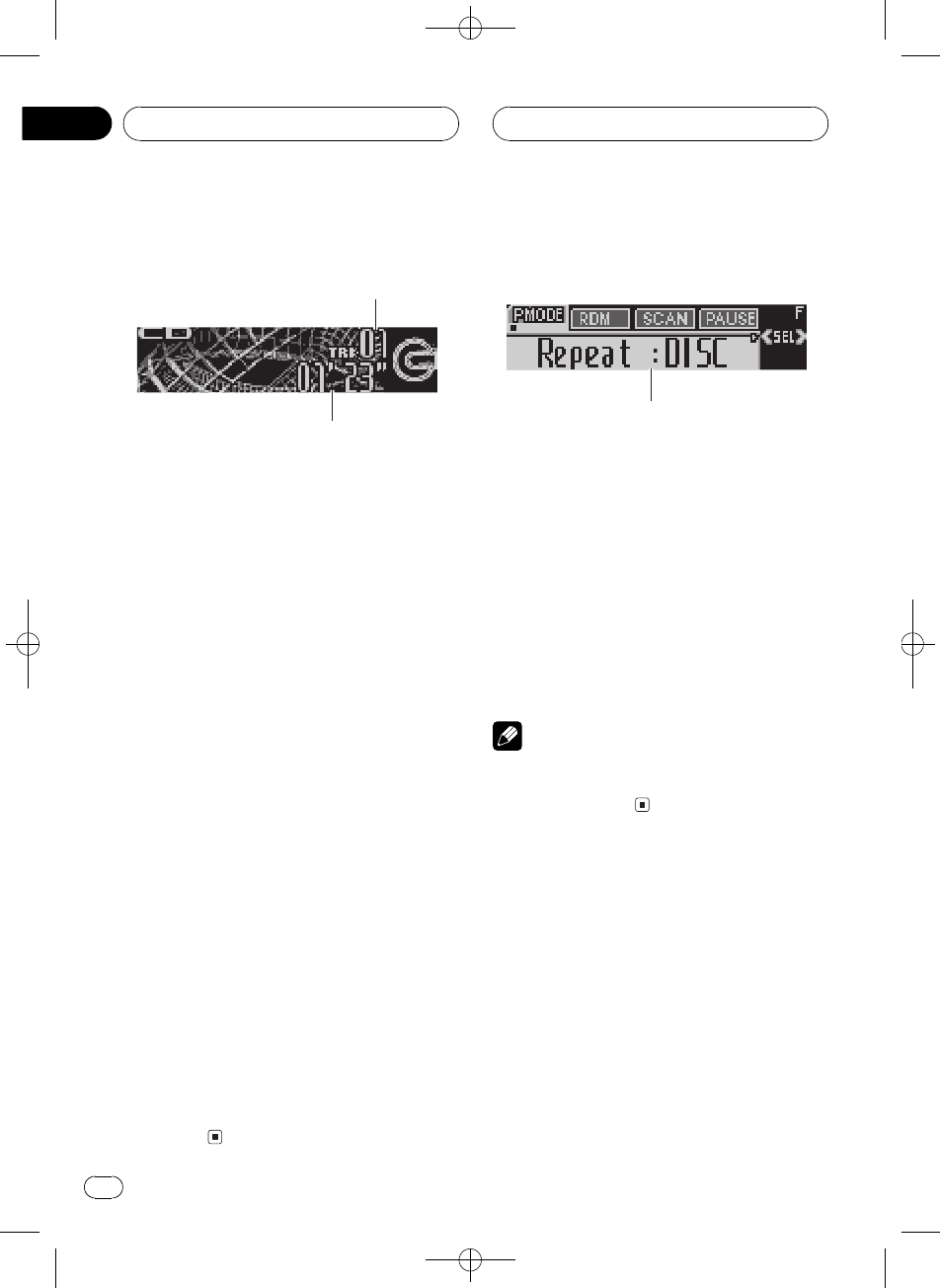
1
2
3
4
5
These are the basic steps necessary to operate
the radio. More advanced tuner operation is
explained starting on the next page.
Important
If you are using this unit in North, Central or
South America, reset the AM tuning step (see
Setting the AM tuning step on page 38).
1Stereo (5) indicator
Shows when the selected frequency is
being broadcast in stereo.
2LOC indicator
Shows when local seek tuning is on.
3Preset number indicator
Shows which preset has been selected.
4Band indicator
Shows which band the radio is tuned to, AM
or FM.
5Frequency indicator
Shows the frequency to which the tuner is
tuned.
1 Press SOURCE to select the tuner.
Press SOURCE until you see Tuner displayed.
2 Press BAND to select a band.
Press BAND until the desired band (FM1,
FM2,FM3 for FM or AM) is displayed.
3 To perform manual tuning, briefly press
cor d.
The frequencies move up or down step by
step.
4 To perform seek tuning, press and hold
cor dfor about one second and release.
The tuner will scan the frequencies until a
broadcast strong enough for good reception is
found.
#You can cancel seek tuning by briefly pressing
cor d.
#If you press and hold cor dyou can skip sta-
tions. Seek tuning starts as soon as you release
the button.
Tuner
En 11
English
Section
04
Black plate (12,1)
<XRD7106-A/N>12
Introduction of advanced
tuner operation
1
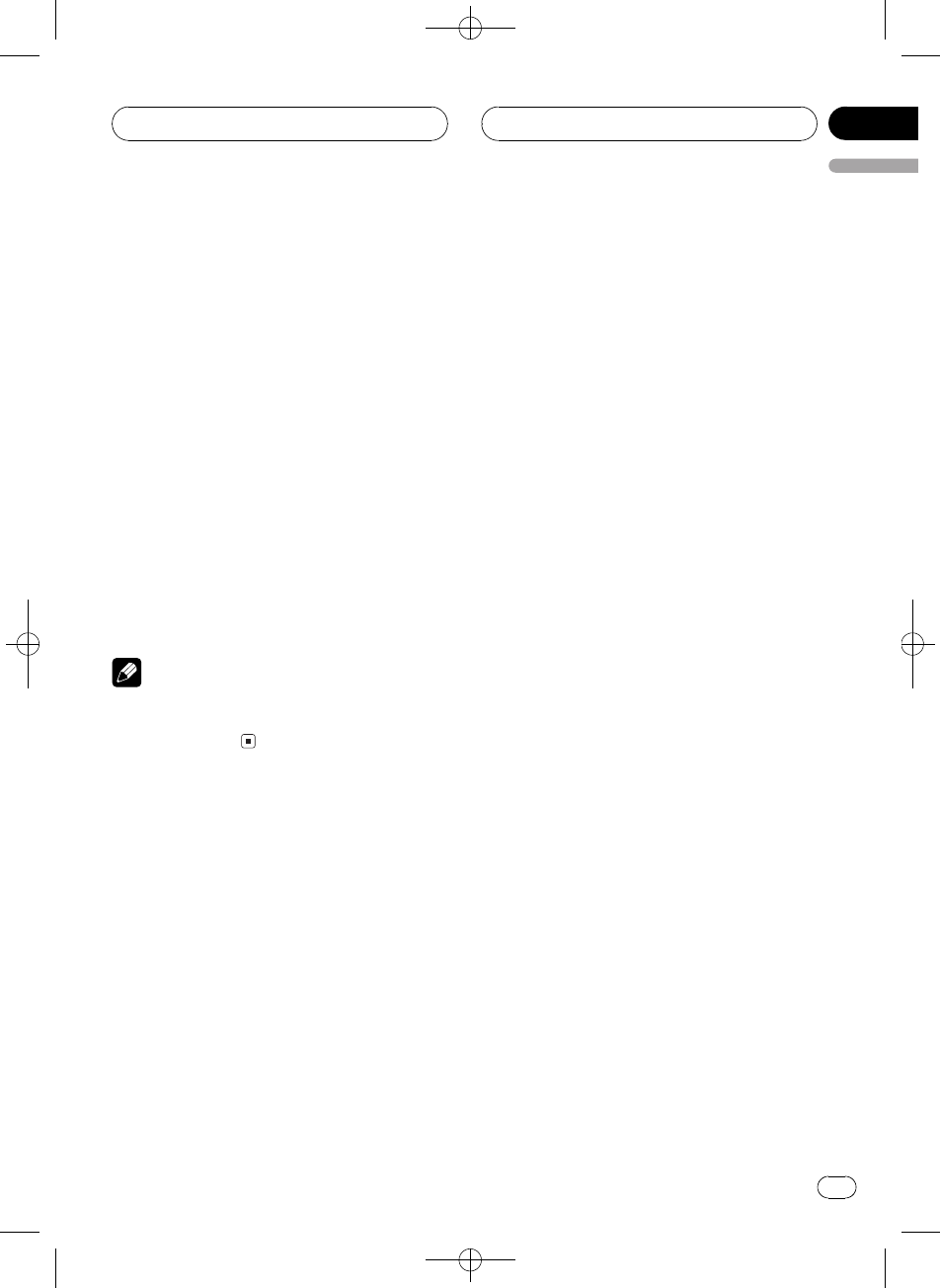
1Function display
Shows the function status.
%Press FUNCTION to display the function
names.
Press FUNCTION repeatedly to switch be-
tween the following functions:
BSM (best stations memory)Local (local
seek tuning)
#To return to the frequency display, press
BAND.
Note
If you do not operate the function within about 30
seconds, the display is automatically returned to
the frequency display.
Storing and recalling
broadcast frequencies
If you press any of the preset tuning buttons
16you can easily store up to six broadcast
frequencies for later recall with the touch of a
button.
%When you find a frequency that you
want to store in memory, press one of pre-
set tuning buttons 16 and hold until the
preset number stops flashing.
The number you have pressed will flash in the
preset number indicator and then remain lit.
The selected radio station frequency has been
stored in memory.
The next time you press the same preset tun-
ing button the radio station frequency is re-
called from memory.
Notes
!Up to 18 FM stations, six for each of the three
FM bands, and six AM stations can be stored
in memory.
!You can also use aand bto recall radio sta-
tion frequencies assigned to preset tuning
buttons 16.
Tuning in strong signals
Local seek tuning lets you tune in only those
radio stations with sufficiently strong signals
for good reception.
1 Press FUNCTION to select Local.
Press FUNCTION until Local appears in the
display.
2 Press ato turn local seek tuning on.
Local seek sensitivity (e.g., Local 2) appears in
the display.
3 Press cor dto set the sensitivity.
There are four levels of sensitivity for FM and
two levels for AM:
FM: Local 1Local 2Local 3Local 4
AM: Local 1Local 2
The Local 4 setting allows reception of only
the strongest stations, while lower settings let
you receive progressively weaker stations.
4 When you want to return to normal
seek tuning, press bto turn local seek tun-
ing off.
Local :OFF appears in the display.
Tuner
En
12
Section
04
Black plate (13,1)
<XRD7106-A/N>13
Storing the strongest
broadcast frequencies
BSM (best stations memory) lets you automa-
tically store the six strongest broadcast fre-
quencies under preset tuning buttons 16.
Once stored you can tune in to those frequen-
cies with the touch of button.
1 Press FUNCTION to select BSM.
Press FUNCTION until BSM appears in the
display.
2 Press ato turn BSM on.
BSM begins to flash. While BSM is flashing
the six strongest broadcast frequencies will be
stored under preset tuning buttons 16in the
order of their signal strength. When finished,
BSM stops flashing.
#To cancel the storage process, press b.
Note
Storing broadcast frequencies with BSM may re-
place broadcast frequencies you have saved
using buttons 16.
Tuner
En 13
English
Section
04
Black plate (14,1)
<XRD7106-A/N>14
Playing a CD
1
2
These are the basic steps necessary to play a
CD with your built-in CD player. More ad-
vanced CD operation is explained starting on
this page.
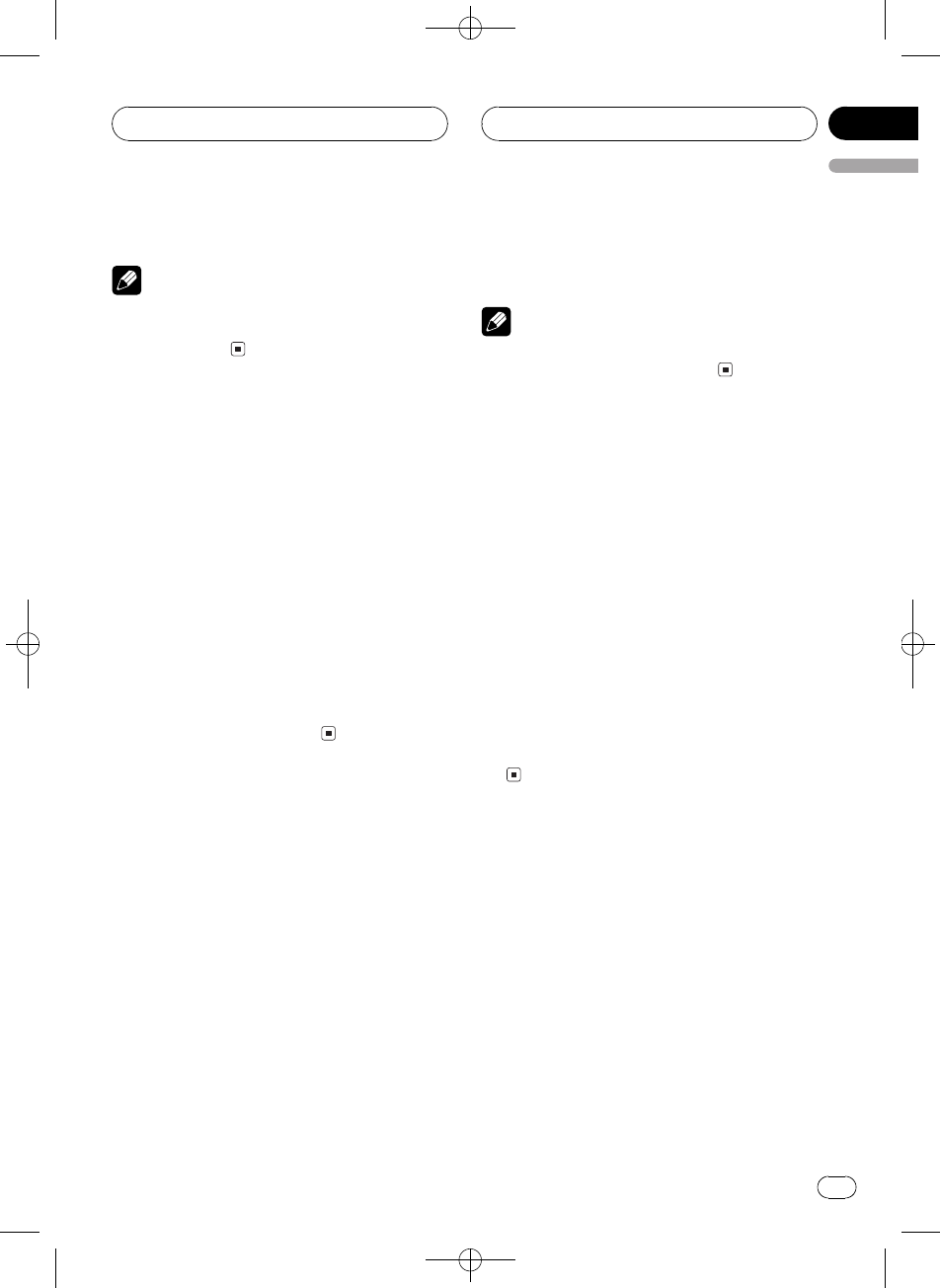
1Track number indicator
Shows the track currently playing.
2Play time indicator
Shows the elapsed playing time of the cur-
rent track.
1 Press SOURCE to select the built-in CD
player.
Press SOURCE until you see Compact Disc
displayed.
#If no disc is loaded in the unit, you cannot se-
lect Compact Disc (built-in CD player). Insert a
disc in the unit. (Refer to page 9.)
2 To perform fast forward or reverse,
press and hold cor d.
#If you select ROUGH SEARCH, pressing and
holding cor denables you to search every 10
tracks in the current disc. (Refer to Selecting the
search method on page 16.)
3 To skip back or forward to another
track, press cor d.
Pressing dskips to the start of the next track.
Pressing conce skips to the start of the cur-
rent track. Pressing again will skip to the pre-
vious track.
Introduction of advanced
built-in CD player operation
1
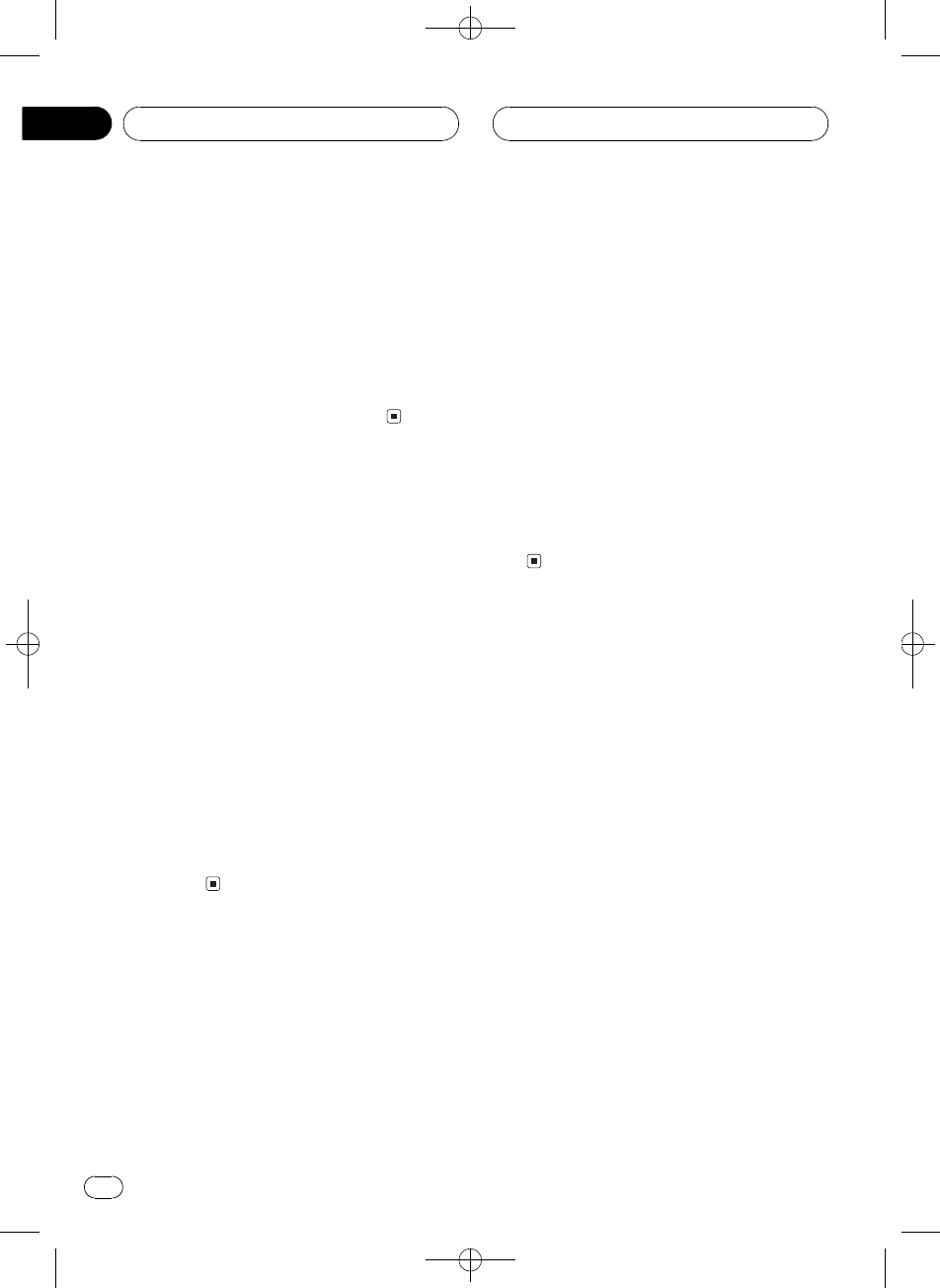
1Function display
Shows the function status.
%Press FUNCTION to display the function
names.
Press FUNCTION repeatedly to switch be-
tween the following functions:
Repeat (repeat play)Random (random play)
Scan (scan play)Pause (pause)
Comp./BMX (compression and BMX)
FF/REV (search method)
#To return to the playback display, press BAND.
Note
If you do not operate the function within about 30
seconds, the display is automatically returned to
the playback display.
Repeating play
Repeat play lets you hear the same track over
again.
1 Press FUNCTION to select Repeat.
Press FUNCTION until Repeat appears in the
display.
2 Press cor dto select the repeat range.
Press cor duntil the desired repeat range ap-
pears in the display.
!DISC Repeat the current disc
Built-in CD Player
En
14
Section
05
Black plate (15,1)
<XRD7106-A/N>15
!TRACK Repeat just the current track
Note
If you perform track search or fast forward/re-
verse during TRACK, the repeat play range
changes to DISC.
Playing tracks in random order
Random play lets you play back tracks on the
CD in a random order.
1 Press FUNCTION to select Random.
Press FUNCTION until Random appears in
the display.
2 Press ato turn random play on.
Random : ON appears in the display. Tracks
will play in a random order.
3 Press bto turn random play off.
Random :OFF appears in the display. Tracks
will continue to play in order.
Scanning tracks of a CD
Scan play lets you hear the first 10 seconds of
each track on the CD.
1 Press FUNCTION to select Scan.
Press FUNCTION until Scan appears in the
display.
2 Press ato turn scan play on.
Scan : ON appears in the display. The first 10
seconds of each track is played.
3 When you find the desired track press
bto turn scan play off.
Scan :OFF appears in the display. The track
will continue to play.
#If the display has automatically returned to
the playback display, select Scan again by press-
ing FUNCTION.
Note
After scanning of a CD is finished, normal play-
back of the tracks will begin again.
Pausing CD playback
Pause lets you temporarily stop playback of
the CD.
1 Press FUNCTION to select Pause.
Press FUNCTION until Pause appears in the
display.
2 Press ato turn pause on.
Pause : ON appears in the display. Play of the
current track pauses.
3 Press bto turn pause off.
Pause :OFF appears in the display. Play will re-
sume at the same point that you turned pause
on.
Using compression and BMX
Using the COMP (compression) and BMX
functions let you adjust the sound playback
quality of this player. Each of the functions has
a two-step adjustment. The COMP function
balances the output of louder and softer
sounds at higher volumes. BMX controls
sound reverberations to give playback a fuller
sound. Listen to each of the effects as you se-
lect through them and use the one that best
enhances the playback of the track or CD that
you are listening to.
Built-in CD Player
En 15
English
Section
05
Black plate (16,1)
<XRD7106-A/N>16
1 Press FUNCTION to select Comp./BMX.
Press FUNCTION until Comp./BMX appears
in the display.
2 Press aor bto select your favorite set-
ting.
Press aor brepeatedly to switch between the
following settings:
Comp./BMX OFFComp. 1Comp. 2
Comp./BMX OFFBMX 1BMX 2
Selecting the search method
You can switch the search method between
fast forward/reverse and searching every 10
tracks.
1 Press FUNCTION to select FF/REV.
Press FUNCTION until FF/REV appears in the
display.
#If the search method ROUGH SEARCH has
been previously selected, ROUGH SEARCH will
be displayed.
2 Press cor dto select the search meth-
od.
Press cor duntil the desired search method
appears in the display.
!FF/REV Fast forward and reverse
!ROUGH SEARCH Searching every 10
tracks
Searching every 10 tracks in
the current disc
If a disc contains over 10 tracks, you can
search every 10 tracks. When a disc contains
many tracks, you can roughly search for the
track you want to play.
1 Select the search method
ROUGH SEARCH.
2 Press and hold cor dto search every
10 tracks on a disc.
#If a disc contains less than 10 tracks, pressing
and holding drecalls the last track of the disc.
Also, if the remaining number of tracks after
searching every 10 tracks is less than 10, press-
ing and holding drecalls the last track of the
disc.
#If a disc contains less than 10 tracks, pressing
and holding crecalls the first track of the disc.
Also, if the remaining number of tracks after
searching every 10 tracks is less than 10, press-
ing and holding crecalls the first track of the
disc.
Using disc title functions
You can input CD titles and display the title.
The next time you insert a CD for which you
have entered a title, the title of that CD will be
displayed.
Entering disc titles
Use the disc title input feature to store up to
48 CD titles in the unit. Each title can be up to
10 characters long.
1 Play the CD that you want to enter a
title for.
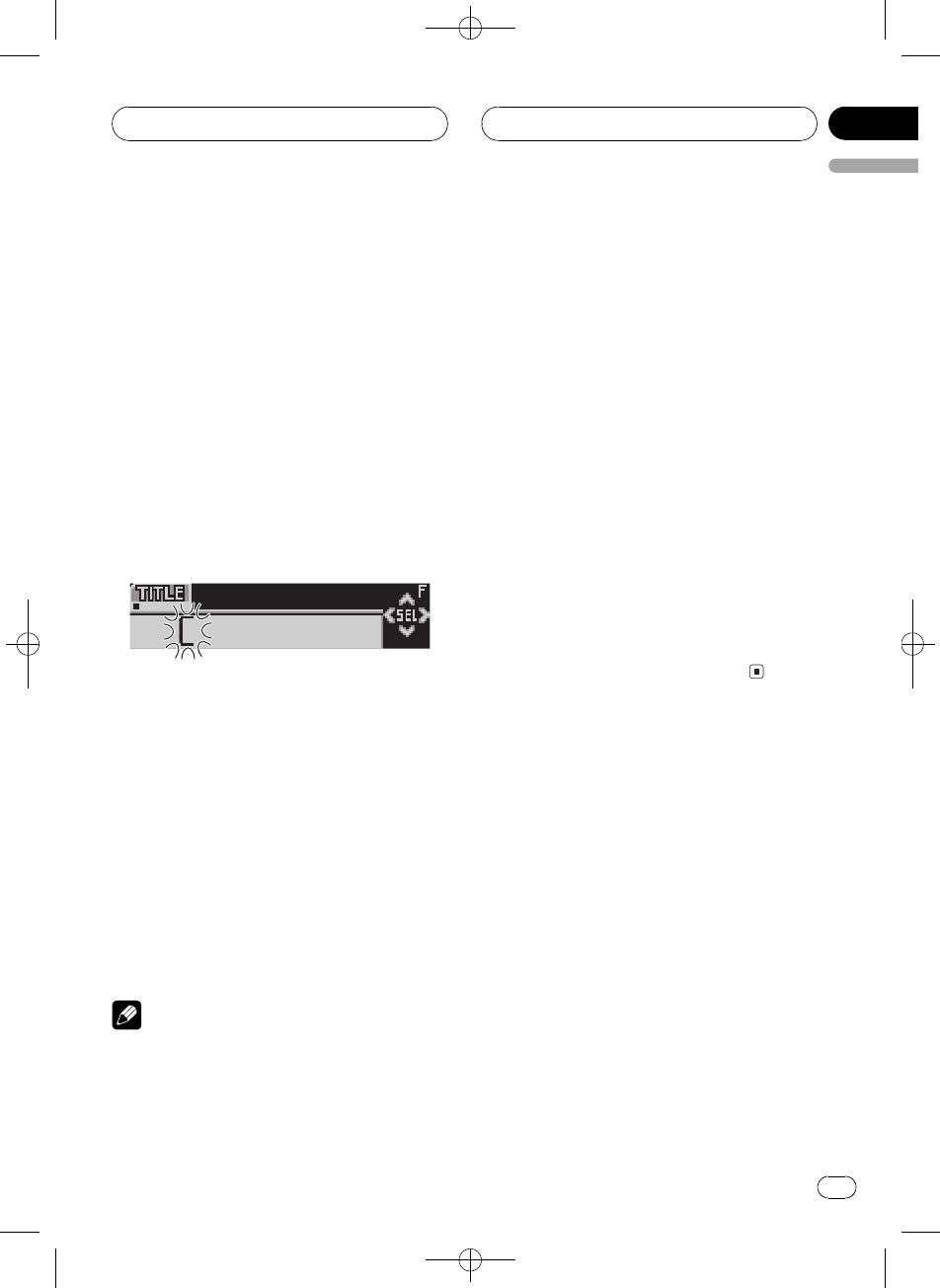
2 Press FUNCTION and hold until TITLE
appears in the display.
#When playing a CD TEXT disc, you cannot
switch to TITLE. The disc title will have already
been recorded on a CD TEXT disc.
Built-in CD Player
En
16
Section
05
Black plate (17,1)
<XRD7106-A/N>17
3 Press button 1 to select the desired
character type.
Press button 1repeatedly to switch between
the following character types:
Alphabet (upper case)Alphabet (lower case)
European letters, such as those with ac-
cents (e.g., á, à, ä, ç)
#You can select to input numbers and symbols
by pressing button 2.
4 Press aor bto select a letter of the al-
phabet.
Each press of awill display a letter of the al-
phabet in A B C ... X Y Z, numbers and sym-
bols in 1 2 3 ... @ # < order. Each press of b
will display a letter in the reverse order, such
as Z Y X ... C B A.
5 Press dto move the cursor to the next
character position.
When the letter you want is displayed, press d
to move the cursor to the next position and
then select the next letter. Press cto move
backwards in the display.
6 Move the cursor to the last position by
pressing dafter entering the title.
When you press done more time, the entered
title is stored in memory.
7 Press BAND to return to the playback
display.
Notes
!Titles remain in memory, even after the disc
has been removed from the unit, and are re-
called when the disc is reinserted.
!After data for 48 discs has been stored in
memory, data for a new disc will overwrite the
oldest one.
!If you connect a multi-CD player, you can
input disc titles for up to 100 discs.
Displaying disc titles
You can display the text information of any
disc that has had a disc title entered.
%Press DISPLAY.
Press DISPLAY repeatedly to switch between
the following settings:
Play timeDisc Title (disc title)
When you select Disc Title, the title of the cur-
rently playing disc is shown in the display.
#When a CD with a disc title is inserted, the
disc title automatically begins to scroll through
the display.
#If no title has been entered for the currently
playing disc, No Disc Title is displayed.
Using CD TEXT functions
Some discs have certain information encoded
on the disc during manufacture. These discs
may contain such information as the CD title,
track title, artists name and playback time
and are called CD TEXT discs. Only these spe-
cially encoded CD TEXT discs support the
functions listed below.
Displaying text information on
CD TEXT discs
%Press DISPLAY.
Press DISPLAY repeatedly to switch between
the following settings:
Built-in CD Player
En 17
English
Section
05
Black plate (18,1)
<XRD7106-A/N>18
Play timeDisc Title (disc title)
DiscArtist Name (disc artist name)
Track Title (track title)TrackArtist Name
(track artist name)
#If specific information has not been recorded
on a CD TEXT disc, title or name is not displayed.
Scrolling text information in
the display
This unit can display the first 16 letters of
Disc Title,DiscArtist Name,Track Title and
TrackArtist Name. When the text information
is longer than 16 letters, you can scroll the dis-
play as follows.
%Press DISPLAY and hold until the text
information begins to scroll through the
display.
The titles scroll.
Note
When Ever Scroll is set to ON at the initial setting,
CD text information scrolls continuously in the
display. If you want to display the first 16 charac-
ters of text information temporarily and scroll
from the beginning, press and hold DISPLAY.
Refer to Switching the Ever Scroll on page 40.
Built-in CD Player
En
18
Section
05
Black plate (19,1)
<XRD7106-A/N>19
Playing MP3/WMA/WAV
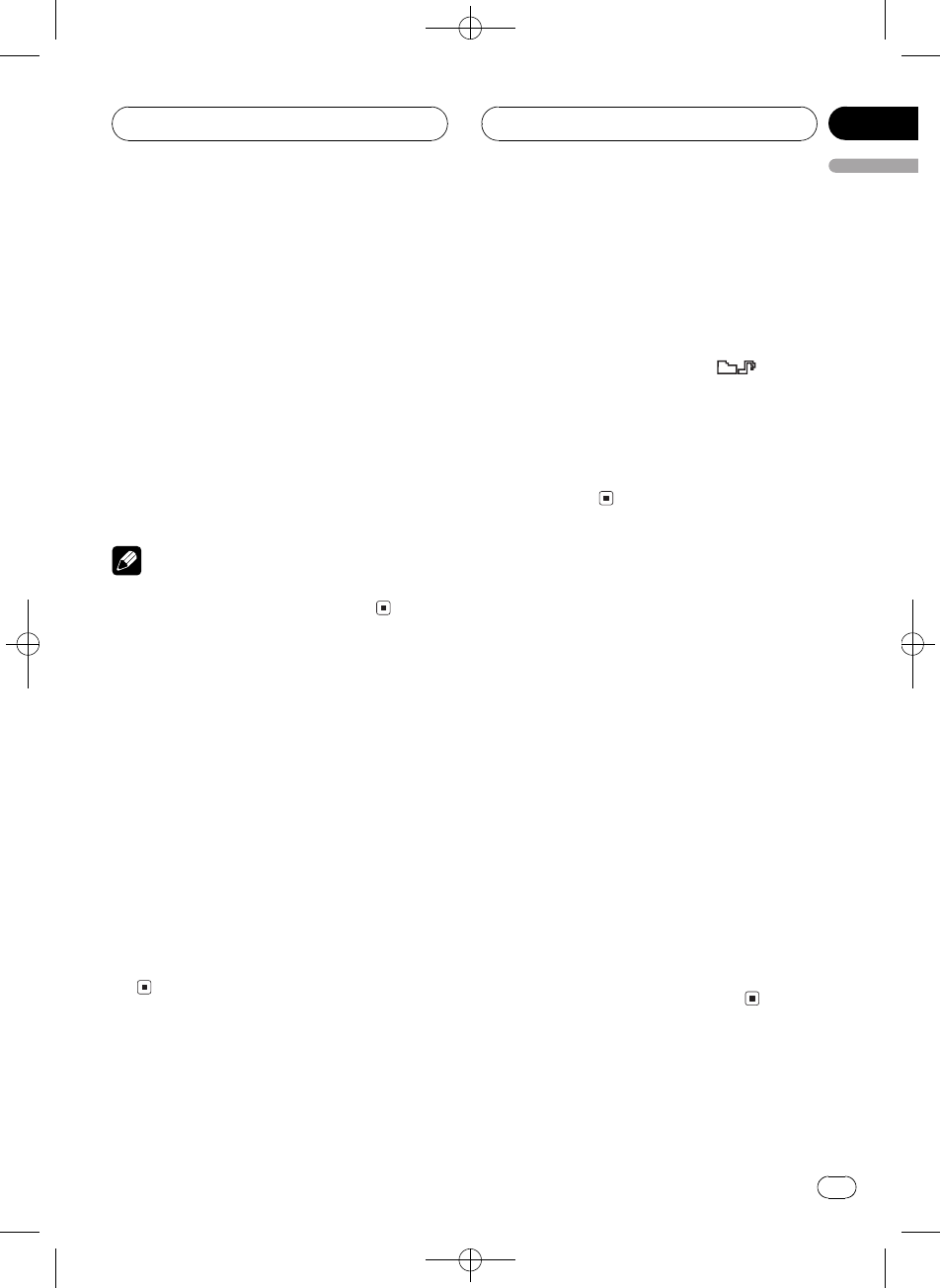
1
2
3
4
These are the basic steps necessary to play an
MP3/WMA/WAV with your built-in CD player.
More advanced MP3/WMA/WAV operation is
explained starting on the next page.
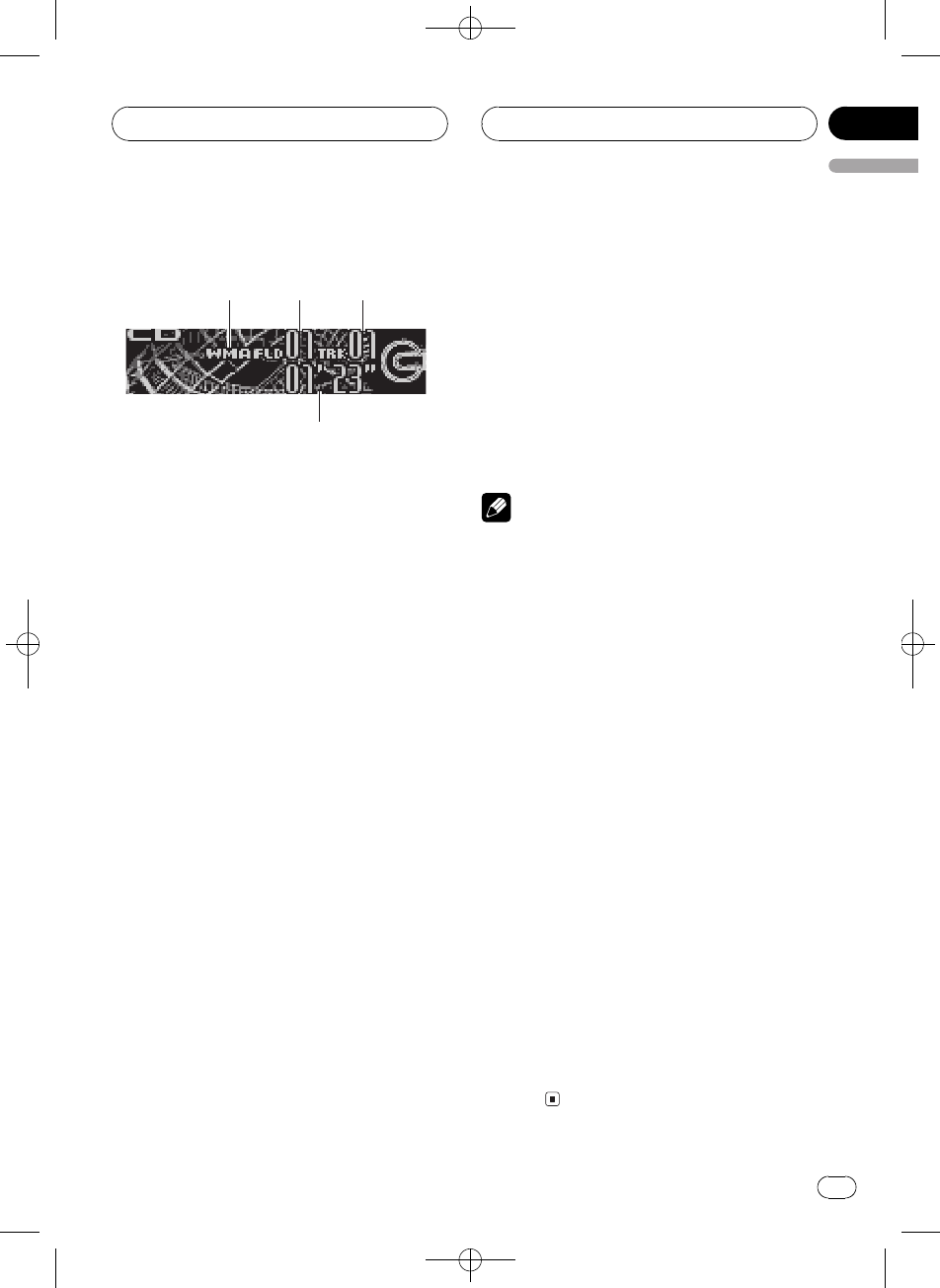
1MP3/WMA/WAV indicator
Shows when the MP3/WMA/WAV file is
playing.
2Folder number indicator
Shows the number of folder currently play-
ing.
3Track number indicator
Shows the track (file) currently playing.
4Play time indicator
Shows the elapsed playing time of the cur-
rent track (file).
1 Press SOURCE to select the built-in CD
player.
Press SOURCE until you see Compact Disc
displayed.
#If no disc is loaded in the unit, you cannot se-
lect Compact Disc (built-in CD player). Insert a
disc in the unit. (Refer to page 9.)
2 Press aor bto select a folder.
#You cannot select a folder that does not have
an MP3/WMA/WAV file recorded in it.
#To return to folder 01 (ROOT), press and hold
BAND. However, if folder 01 (ROOT) contains no
files, playback commences with folder 02.
3 To perform fast forward or reverse,
press and hold cor d.
#If you select ROUGH SEARCH, pressing and
holding cor denables you to search every 10
tracks in the current folder. (Refer to Selecting the
search method on page 21.)
4 To skip back or forward to another
track, press cor d.
Pressing dskips to the start of the next track.
Pressing conce skips to the start of the cur-
rent track. Pressing again will skip to the pre-
vious track.
Notes
!When playing discs with MP3/WMA/WAV files
and audio data (CD-DA) such as CD-EXTRA
and MIXED-MODE CDs, both types can be
played only by switching mode between MP3/
WMA/WAV and CD-DA with BAND.
!If you have switched between playback of
MP3/WMA/WAV files and audio data (CD-DA),
playback starts at the first track on the disc.
!The built-in CD player can play back an MP3/
WMA/WAV file recorded on CD-ROM. (Refer
to page 44 for files that can be played back.)
!Playback is carried out in order of file number.
Folders are skipped if they contain no files. (If
folder 01 (ROOT) contains no files, playback
commences with folder 02.)
!When playing back files recorded as VBR
(variable bit rate) files, the play time will not be
correctly displayed if fast forward or reverse
operations are used.
!If the inserted disc contains no files that can
be played back, No Audio is displayed.
!If the inserted disc contains WMA files that
are protected by digital rights management
(DRM) , TRK SKIPPED is displayed while the
protected file is skipped.
!If all the files on the inserted disc are secured
by DRM, PROTECT is displayed.
!There is no sound on fast forward or re-
verse.
MP3/WMA/WAV Player
En 19
English
Section
06
Black plate (20,1)
<XRD7106-A/N>20
Introduction of advanced
built-in CD player (MP3/
WMA/WAV) operation
1
1Function display
Shows the function status.
%Press FUNCTION to display the function
names.
Press FUNCTION repeatedly to switch be-
tween the following functions:
Repeat (repeat play)Random (random play)
Scan (scan play)Pause (pause)folder
listComp./BMX (compression and BMX)
FF/REV (search method)
#To return to the playback display, press BAND.
Note
If you do not operate the function within about 30
seconds, the display is automatically returned to
the playback display.
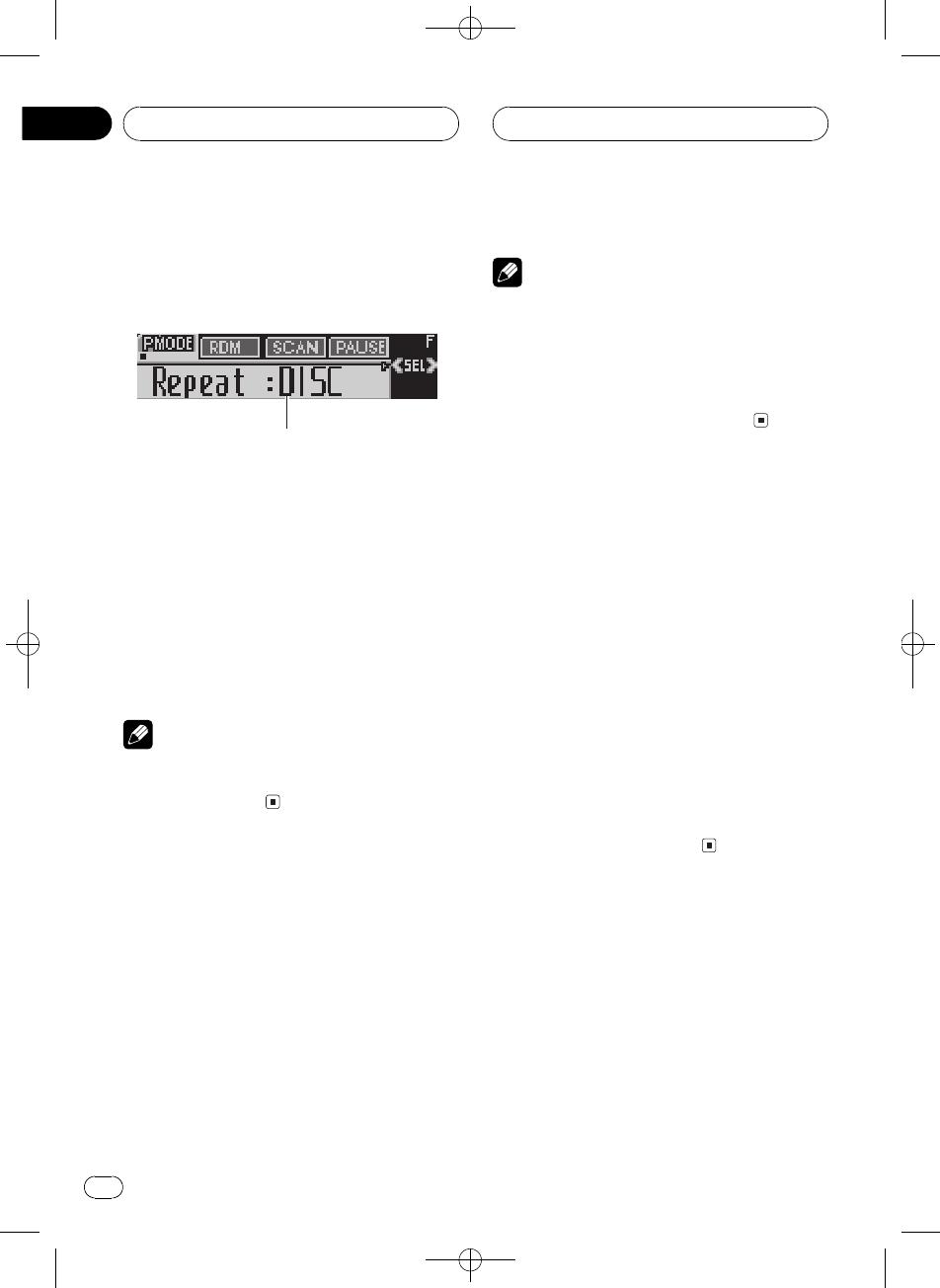
Repeating play
For MP3/WMA/WAV playback, there are three
repeat play ranges: FOLDER (folder repeat),
TRACK (one-track repeat) and DISC (repeat all
tracks).
1 Press FUNCTION to select Repeat.
Press FUNCTION until Repeat appears in the
display.
2 Press cor dto select the repeat range.
Press cor duntil the desired repeat range ap-
pears in the display.
!FOLDER Repeat the current folder
!TRACK Repeat just the current track
!DISC Repeat all tracks
Notes
!If you select another folder during repeat play,
the repeat play range changes to DISC.
!If you perform track search or fast forward/re-
verse during TRACK, the repeat play range
changes to FOLDER.
!When FOLDER is selected, it is not possible to
play back a subfolder of that folder.
Playing tracks in random order
Random play lets you play back tracks in a
random order within the repeat range,
FOLDER and DISC.
1 Select the repeat range.
Refer to Repeating play on this page.
2 Press FUNCTION to select Random.
Press FUNCTION until Random appears in
the display.
3 Press ato turn random play on.
Random : ON appears in the display. Tracks
will play in a random order within the pre-
viously selected FOLDER or DISC ranges.
4 Press bto turn random play off.
Random :OFF appears in the display. Tracks
will continue to play in order.
Scanning folders and tracks
While you are using FOLDER, the beginning of
each track in the selected folder plays for
about 10 seconds. When you are using DISC,
the beginning of the first track of each folder
is played for about 10 seconds.
1 Select the repeat range.
Refer to Repeating play on this page.
MP3/WMA/WAV Player
En
20
Section
06
Black plate (21,1)
<XRD7106-A/N>21
2 Press FUNCTION to select Scan.
Press FUNCTION until Scan appears in the
display.
3 Press ato turn scan play on.
Scan : ON appears in the display. The first 10
seconds of each track of the current folder (or
the first track of each folder) is played.
4 When you find the desired track (or
folder) press bto turn scan play off.
Scan :OFF appears in the display. The track (or
folder) will continue to play.
#If the display has automatically returned to
the playback display, select Scan again by press-
ing FUNCTION.
Note
After track or folder scanning is finished, normal
playback of the tracks will begin again.
Pausing MP3/WMA/WAV
playback
Pause lets you temporarily stop playback of
the MP3/WMA/WAV.
1 Press FUNCTION to select Pause.
Press FUNCTION until Pause appears in the
display.
2 Press ato turn pause on.
Pause : ON appears in the display. Play of the
current track pauses.
3 Press bto turn pause off.
Pause :OFF appears in the display. Play will re-
sume at the same point that you turned pause
on.
Selecting folders from the
folder title list
Folder title list lets you see the list of folder ti-
tles and select one of them to play back.
1 Press FUNCTION to select folder title
list.
Press FUNCTION until Root appears in the
display.
2 Press cor dto scroll through the list of
titles that have been entered.
#If selected folder contains files, appears
in the display.
3 Press ato play your favorite folder
title.
That selection will begin to play.
#If selected folder contains no files, NO FILES
will be displayed.
Using compression and BMX
Using the COMP (compression) and BMX
functions let you adjust the sound playback
quality of this player. Each of the functions has
a two-step adjustment. The COMP function
balances the output of louder and softer
sounds at higher volumes. BMX controls
sound reverberations to give playback a fuller
sound. Listen to each of the effects as you se-
lect through them and use the one that best
enhances the playback of the track or CD that
you are listening to.
1 Press FUNCTION to select Comp./BMX.
Press FUNCTION until Comp./BMX appears
in the display.
2 Press aor bto select your favorite set-
ting.
Press aor brepeatedly to switch between the
following settings:
Comp./BMX OFFComp. 1Comp. 2
Comp./BMX OFFBMX 1BMX 2
Selecting the search method
You can switch the search method between
fast forward/reverse and searching every 10
tracks.
MP3/WMA/WAV Player
En 21
English
Section
06
Black plate (22,1)
<XRD7106-A/N>22
1 Press FUNCTION to select FF/REV.
Press FUNCTION until FF/REV appears in the
display.
#If the search method ROUGH SEARCH has
been previously selected, ROUGH SEARCH will
be displayed.
2 Press cor dto select the search meth-
od.
Press cor duntil the desired search method
appears in the display.
!FF/REV Fast forward and reverse
!ROUGH SEARCH Searching every 10
tracks
Searching every 10 tracks in
the current folder
If the current folder contains over 10 tracks,
you can search every 10 tracks. When one
folder contains a lot of tracks, you can roughly
search for the track you want to play.
1 Select the search method
ROUGH SEARCH.
2 Press and hold cor dto search every
10 tracks in the current folder.
#If the current folder contains less than 10
tracks, pressing and holding drecalls the last
track of the folder. Also, if the remaining number
of tracks after searching every 10 tracks is less
than 10, pressing and holding drecalls the last
track of the folder.
#If the current folder contains less than 10
tracks, pressing and holding crecalls the first
track of the folder. Also, if the remaining number
of tracks after searching every 10 tracks is less
than 10, pressing and holding crecalls the first
track of the folder.
Displaying text information
on MP3/WMA/WAV disc
Text information recorded on an MP3/WMA/
WAV disc can be displayed.
When playing back an MP3/
WMA disc
%Press DISPLAY.
Press DISPLAY repeatedly to switch between
the following settings:
Play timeFolder Name (folder name)
File Name (file name)Track Title (track
title)Artist Name (artist name)
Album Title (album title)Comment (com-
ment)Bit rate
#When playing back MP3 files recorded as VBR
(variable bit rate) files, the bit rate value is not dis-
played even after switching to bit rate. (VBR will
be displayed.)
#When playing back WMA files recorded as
VBR (variable bit rate) files, the average bit rate
value is displayed.
#If specific information has not been recorded
on an MP3/WMA disc, No XXXX will be dis-
played (e.g., No Track Title).
#Depending on the version of iTunes®used to
write MP3 files onto a disc, comment information
may not be correctly displayed.
#Depending on the version of Windows Media
Player used to encode WMA files, album names
and other text information may not be correctly
displayed.
When playing back a WAV disc
%Press DISPLAY.
Press DISPLAY repeatedly to switch between
the following settings:
Play timeFolder Name (folder name)
File Name (file name)Sampling fre-
quency
MP3/WMA/WAV Player
En
22
Section
06
Black plate (23,1)
<XRD7106-A/N>23
#You can only play back WAV files in the fre-
quencies 16, 22.05, 24, 32, 44.1 and 48 kHz
(LPCM), or 22.05 and 44.1 kHz (MS ADPCM). The
sampling frequency shown in the display may be
rounded.
Scrolling text information
in the display
This unit can display the first 16 letters only of
Folder Name,File Name,Track Title,
Artist Name,Album Title and Comment.
When the recorded information is longer than
16 letters, you can scroll the text to the left so
that the rest of the text information can be
seen.
%Press DISPLAY and hold until the text
information begins to scroll through the
display.
The text information scrolls.
Notes
!Unlike MP3, WMA file format, WAV files dis-
play only Folder Name and File Name.
!When Ever Scroll is set to ON at the initial set-
ting, CD text information scrolls continuously
in the display. If you want to display the first
16 characters of text information temporarily
and scroll from the beginning, press and hold
DISPLAY. Refer to Switching the Ever Scroll on
page 40.
MP3/WMA/WAV Player
En 23
English
Section
06
Black plate (24,1)
<XRD7106-A/N>24
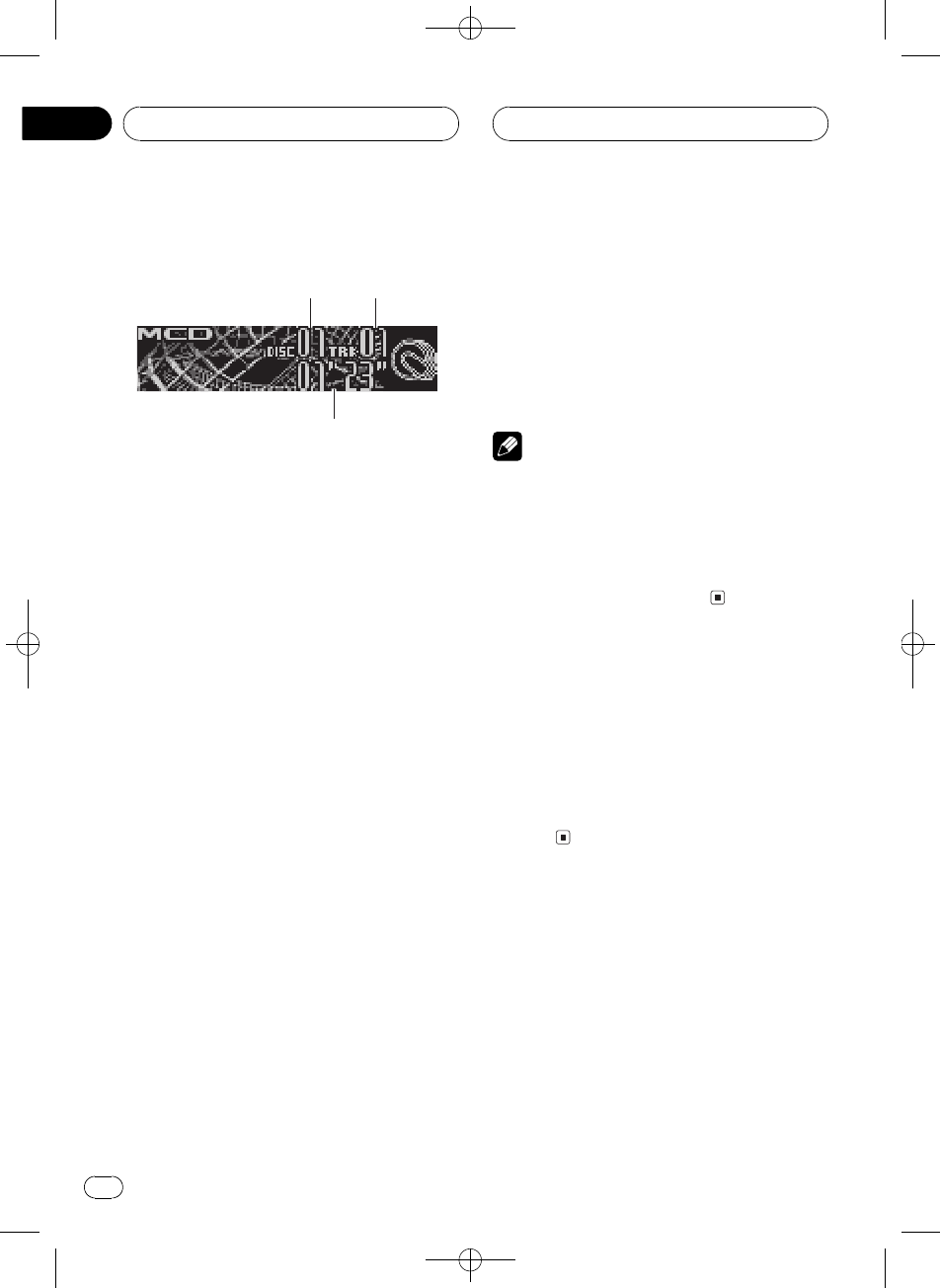
Playing a CD
1
2
3
You can use this unit to control a multi-CD
player, which is sold separately.
These are the basic steps necessary to play a
CD with your multi-CD player. More advanced
CD operation is explained starting on the next
page.
1Disc number indicator
Shows the disc currently playing.
2Track number indicator
Shows the track currently playing.
3Play time indicator
Shows the elapsed playing time of the cur-
rent track.
1 Press SOURCE to select the multi-CD
player.
Press SOURCE until you see Multi CD dis-
played.
2 Select a disc you want to listen to with
the 16 buttons.
For discs 1 to 6, press the corresponding but-
ton number.
For discs 7 to 12, press and hold the corre-
sponding numbers, such as 1for disc 7, until
the disc number appears in the display.
#You can also sequentially select a disc by
pressing a/b.
3 To perform fast forward or reverse,
press and hold cor d.
4 To skip back or forward to another
track, press cor d.
Pressing dskips to the start of the next track.
Pressing conce skips to the start of the cur-
rent track. Pressing again will skip to the pre-
vious track.
Notes
!When the multi-CD player performs the pre-
paratory operations, Ready is displayed.
!If an error message such as ERROR-11 is dis-
played, refer to the multi-CD player owners
manual.
!If there are no discs in the multi-CD player ma-
gazine, No Disc is displayed.
50-disc multi-CD player
Only those functions described in this manual
are supported by 50-disc multi-CD players.
This unit is not designed to operate disc title
list functions with a 50-disc multi-CD player.
About the disc title list functions, please refer
to Selecting discs from the disc title list on
page 29.
Multi-CD Player
En
24
Section
07
Black plate (25,1)
<XRD7106-A/N>25
Introduction of advanced
multi-CD player operation
1
1Function display
Shows the function status.
%Press FUNCTION to display the function
names.
Press FUNCTION repeatedly to switch be-
tween the following functions:
Repeat (repeat play)Disc title listRandom
(random play)Scan (scan play)ITS Play
(ITS play)Pause (pause)COMP. (compres-
sion and DBE)
#To return to the playback display, press BAND.
Note
If you do not operate the function within about 30
seconds, the display is automatically returned to
the playback display.
Repeating play
There are three repeat play ranges for the
multi-CD player: MCD (multi-CD player re-
peat), TRACK (one-track repeat) and DISC
(disc repeat).
1 Press FUNCTION to select Repeat.
Press FUNCTION until Repeat appears in the
display.
2 Press cor dto select the repeat range.
Press cor duntil the desired repeat range ap-
pears in the display.
!MCD Repeat all discs in the multi-CD
player
!TRACK Repeat just the current track
!DISC Repeat the current disc
Notes
!If you select other discs during repeat play,
the repeat play range changes to MCD.
!If you perform track search or fast forward/re-
verse during TRACK, the repeat play range
changes to DISC.
Playing tracks in random order
Random play lets you play back tracks in ran-
dom order within the repeat range, MCD and
DISC.
1 Select the repeat range.
Refer to Repeating play on this page.
2 Press FUNCTION to select Random.
Press FUNCTION until Random appears in
the display.
3 Press ato turn random play on.
Random : ON appears in the display. Tracks
will play in a random order within the pre-
viously selected MCD or DISC ranges.
4 Press bto turn random play off.
Random :OFF appears in the display. Tracks
will continue to play in order.
Multi-CD Player
En 25
English
Section
07
Black plate (26,1)
<XRD7106-A/N>26
Scanning CDs and tracks
While you are using DISC, the beginning of
each track on the selected disc plays for about
10 seconds. When you are using MCD, the be-
ginning of the first track of each disc is played
for about 10 seconds.
1 Select the repeat range.
Refer to Repeating play on the previous page.
2 Press FUNCTION to select Scan.
Press FUNCTION until Scan appears in the
display.
3 Press ato turn scan play on.
Scan : ON appears in the display. The first 10
seconds of each track of the current disc (or
the first track of each disc) is played.
4 When you find the desired track (or
disc) press bto turn scan play off.
Scan :OFF appears in the display. The track (or
disc) will continue to play.
#If the display has automatically returned to
the playback display, select Scan again by press-
ing FUNCTION.
Note
After track or disc scanning is finished, normal
playback of the tracks will begin again.
Pausing CD playback
Pause lets you temporarily stop playback of
the CD.
1 Press FUNCTION to select Pause.
Press FUNCTION until Pause appears in the
display.
2 Press ato turn pause on.
Pause : ON appears in the display. Play of the
current track pauses.
3 Press bto turn pause off.
Pause :OFF appears in the display. Play will re-
sume at the same point that you turned pause
on.
Using ITS playlists
ITS (instant track selection) lets you make a
playlist of favorite tracks from those in the
multi-CD player magazine. After you have
added your favorite tracks to the playlist you
can turn on ITS play and play just those selec-
tions.
Creating a playlist with ITS
programming
You can use ITS to enter and play back up to
99 tracks per disc from up to 100 discs (with
the disc titles). (With multi-CD players sold be-
fore the CDX-P1250 and CDX-P650, up to 24
tracks can be stored in the playlist.)
1 Play a CD that you want to program.
Press aor bto select the CD.
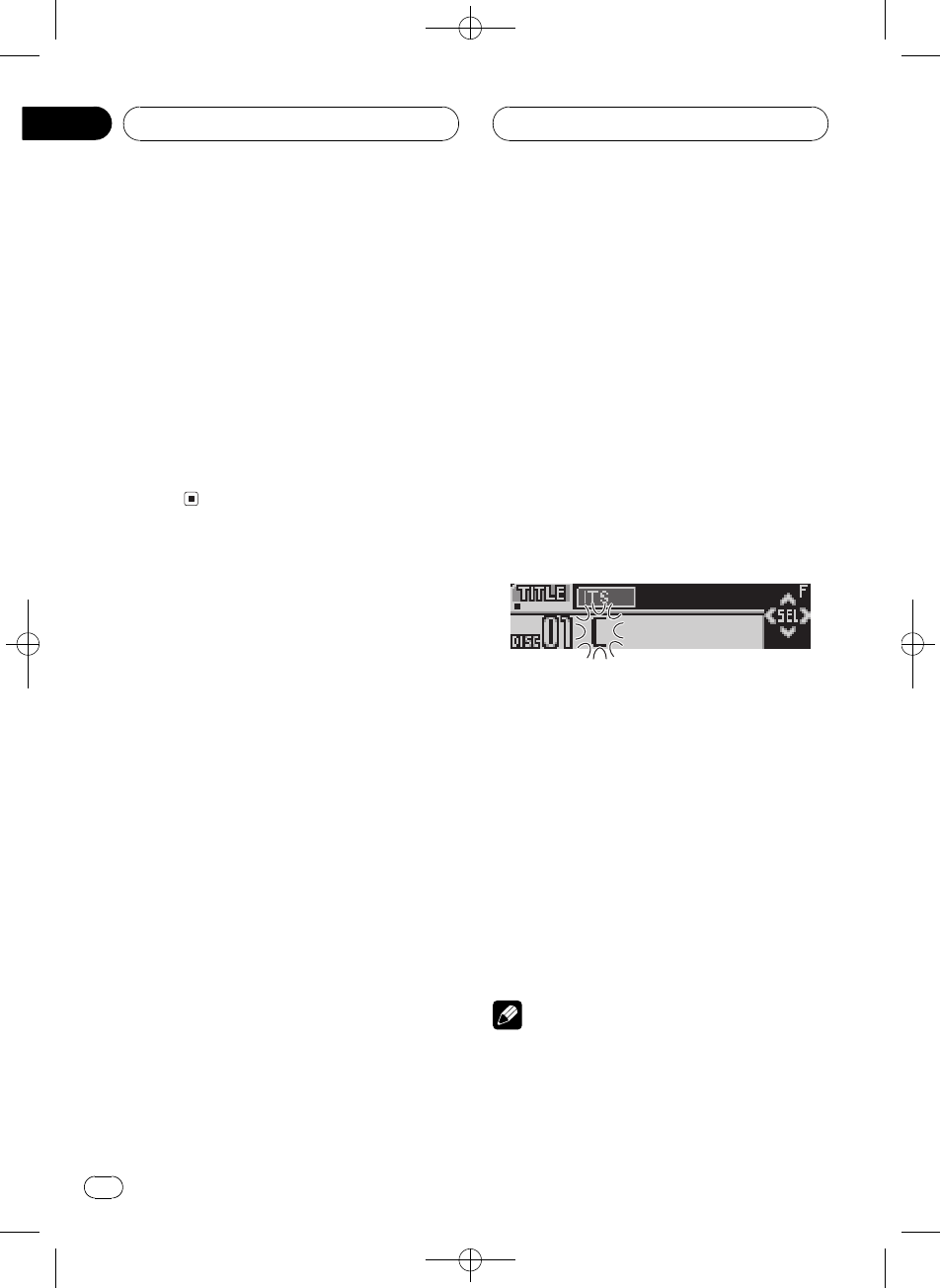
2 Press FUNCTION and hold until TITLE
appears in the display, then press
FUNCTION to select ITS.
After TITLE is displayed, press FUNCTION re-
peatedly, the following functions appear in the
display:
TITLE (disc title input)ITS (ITS program-
ming)
3 Select the desired track by pressing c
or d.
Multi-CD Player
En
26
Section
07
Black plate (27,1)
<XRD7106-A/N>27
4 Press ato store the currently playing
track in the playlist.
ITS Input is displayed briefly and the currently
playing selection is added to your playlist. The
display then shows ITS again.
5 Press BAND to return to the playback
display.
Note
After data for 100 discs has been stored in mem-
ory, data for a new disc will overwrite the oldest
one.
Playback from your ITS playlist
ITS play lets you listen to the tracks that you
have entered into your ITS playlist. When you
turn on ITS play, tracks from your ITS playlist
in the multi-CD player will begin to play.
1 Select the repeat range.
Refer to Repeating play on page 25.
2 Press FUNCTION to select ITS Play.
Press FUNCTION until ITS Play appears in the
display.
3 Press ato turn ITS play on.
ITS Play : ON appears in the display. Playback
begins of those tracks from your playlist within
the previously selected MCD or DISC ranges.
#If no tracks in the current range are pro-
grammed for ITS play, then ITS Empty is dis-
played.
4 Press bto turn ITS play off.
ITS Play :OFF appears in the display. Playback
will continue in normal order from the cur-
rently playing track and CD.
Erasing a track from your ITS
playlist
You can delete a track from your ITS playlist if
ITS play is on.
If ITS play is already on, skip to step 2. If ITS
play is not already on, press FUNCTION.
1 Play the CD with the track you want to
delete from your ITS playlist, and turn ITS
play on.
Refer to Playback from your ITS playlist on this
page.
2 Press FUNCTION and hold until TITLE
appears in the display, then press
FUNCTION to select ITS.
After TITLE is displayed, press FUNCTION
until ITS appears in the display.
3 Select the desired track by pressing c
or d.
4 Press bto erase the track from your ITS
playlist.
The currently playing selection is erased from
your ITS playlist and playback of the next track
from your ITS playlist begins.
#If there are no tracks from your playlist in the
current range, ITS Empty is displayed and nor-
mal play resumes.
5 Press BAND to return to the playback
display.
Erasing a CD from your ITS playlist
You can delete all tracks of a CD from your ITS
playlist if ITS play is off.
1 Play the CD that you want to delete.
Press aor bto select the CD.
Multi-CD Player
En 27
English
Section
07
Black plate (28,1)
<XRD7106-A/N>28
2 Press FUNCTION and hold until TITLE
appears in the display, then press
FUNCTION to select ITS.
After TITLE is displayed, press FUNCTION
until ITS appears in the display.
3 Press bto erase all tracks on the cur-
rently playing CD from your ITS playlist.
All tracks on the currently playing CD are
erased from your playlist and ITS Clear is dis-
played.
4 Press BAND to return to the playback
display.
Using disc title functions
You can input CD titles and display the titles.
Then you can easily search for and play a de-
sired disc.
Entering disc titles
Use the disc title input feature to store up to
100 CD titles (with ITS playlist) into the multi-
CD player. Each title can be up to 10 charac-
ters long.
1 Play the CD that you want to enter a
title for.
Press aor bto select the CD.
2 Press FUNCTION and hold until TITLE
appears in the display.
After TITLE is displayed, press FUNCTION re-
peatedly, the following functions appear in the
display:
TITLE (disc title input)ITS (ITS program-
ming)
#When playing a CD TEXT disc on a CD TEXT
compatible multi-CD player, you cannot switch to
TITLE. The disc title has already been recorded on
a CD TEXT disc.
3 Press button 1 to select the desired
character type.
Press button 1repeatedly to switch between
the following character types:
Alphabet (upper case)Alphabet (lower case)
European letters, such as those with ac-
cents (e.g., á, à, ä, ç)
#You can select to input numbers and symbols
by pressing button 2.
4 Press aor bto select a letter of the al-
phabet.
Each press of awill display a letter of the al-
phabet in A B C ... X Y Z, numbers and sym-
bols in 1 2 3 ... @ # < order. Each press of b
will display a letter in the reverse order, such
as Z Y X ... C B A.
5 Press dto move the cursor to the next
character position.
When the letter you want is displayed, press d
to move the cursor to the next position and
then select the next letter. Press cto move
backwards in the display.
6 Move the cursor to the last position by
pressing dafter entering the title.
When you press done more time, the entered
title is stored in memory.
7 Press BAND to return to the playback
display.
Notes
!Titles remain in memory, even after the disc
has been removed from the magazine, and
are recalled when the disc is reinserted.
Multi-CD Player
En
28
Section
07
Black plate (29,1)
<XRD7106-A/N>29
!After data for 100 discs has been stored in
memory, data for a new disc will overwrite the
oldest one.
Displaying disc titles
You can display the text information of any
disc that has had a disc title entered.
%Press DISPLAY.
Press DISPLAY repeatedly to switch between
the following settings:
Play timeDisc Title (disc title)
When you select Disc Title, the title of the cur-
rently playing disc is shown in the display.
#When a CD with a disc title is inserted, the
disc title automatically begins to scroll through
the display.
#If no title has been entered for the currently
playing disc, No Disc Title is displayed.
Selecting discs from the disc
title list
Disc title list lets you see the list of disc titles
that have been entered into the multi-CD
player and select one of them to play back.
1 Press FUNCTION to select disc title list.
Press FUNCTION until disc title appears in the
display.
2 Press cor dto scroll through the list of
titles that have been entered.
#If no title has been entered for a disc,
No D-Title will be displayed.
3 Press ato play your favorite CD title.
That selection will begin to play.
Using CD TEXT functions
You can use these functions only with a CD
TEXT compatible multi-CD player.
Some discs have certain information encoded
on the disc during manufacture. These discs
may contain such information as the CD title,
track title, artists name and playback time
and are called CD TEXT discs. Only these spe-
cially encoded CD TEXT discs support the
functions listed below.
Displaying text information on
CD TEXT discs
%Press DISPLAY.
Press DISPLAY repeatedly to switch between
the following settings:
Play timeDisc Title (disc title)
DiscArtist Name (disc artist name)
Track Title (track title)TrackArtist Name
(track artist name)
#If specific information has not been recorded
on a CD TEXT disc, title or name is not displayed.
Scrolling text information in
the display
This unit can display the first 16 letters only of
Disc Title,DiscArtist Name,Track Title and
TrackArtist Name. When the recorded infor-
mation is longer than 16 letters, you can scroll
the text to the left so that the rest of the title
can be seen.
%Press DISPLAY and hold until the text
information begins to scroll through the
display.
The titles scroll.
Multi-CD Player
En 29
English
Section
07
Black plate (30,1)
<XRD7106-A/N>30
Note
When Ever Scroll is set to ON at the initial setting,
CD text information scrolls continuously in the
display. If you want to display the first 16 charac-
ters of text information temporarily and scroll
from the beginning, press and hold DISPLAY.
Refer to Switching the Ever Scroll on page 40.
Using compression and
bass emphasis
You can use these functions only with a multi-
CD player that supports them.
Using COMP (compression) and DBE (dy-
namic bass emphasis) functions lets you ad-
just the sound playback quality of the multi-
CD player. Each of the functions has a two-
step adjustment. The COMP function balances
the output of louder and softer sounds at high-
er volumes. DBE boosts bass levels to give
playback a fuller sound. Listen to each of the
effects as you select them and use the one
that best enhances the playback of the track
or CD that you are listening to.
1 Press FUNCTION to select COMP.
Press FUNCTION until COMP. appears in the
display.
#If the multi-CD player does not support
COMP/DBE, No Comp. is displayed when you at-
tempt to select it.
2 Press aor bto select your favorite set-
ting.
Press aor brepeatedly to switch between the
following settings:
Comp. OFFComp. 1Comp. 2
Comp. OFFDBE 1DBE 2
Multi-CD Player
En
30
Section
07
Black plate (31,1)
<XRD7106-A/N>31
Introduction of audio
adjustments
1
1Audio display
Shows the audio adjustment status.
%Press AUDIO to display the audio func-
tion names.
Press AUDIO repeatedly to switch between
the following audio functions:
Fad (balance adjustment)EQ (equalizer
curve adjustment)Bass (bass and treble
level adjustment)Loud (loudness)
Sub-W1 (subwoofer on/off setting)/NonFad
(non fading output on/off setting)Sub-W2
(subwoofer setting)/NonFad (non fading out-
put setting)HPF (high pass filter)SLA
(source level adjustment)
#If EQ-EX function has been selected and only
when EQ-EX is turned on and Custom is selected
as the equalizer curve, you can switch to Bass.
#When the subwoofer controller setting is
PREOUT:FULL, you cannot switch to Sub-W1.
(Refer to page 39.)
#You can select the Sub-W2 only when sub-
woofer output is turned on in Sub-W1.
#When the subwoofer controller setting is only
PREOUT:FULL, you can switch to the nonfading
output on/off setting. (Refer to page 39.)
#You can select the nonfading output setting
only when nonfading output is turned on in the
nonfading output on/off setting.
#When selecting the FM tuner as the source,
you cannot switch to SLA.
#To return to the display of each source, press
BAND.
Note
If you do not operate the audio function within
about 30 seconds, the display is automatically re-
turned to the source display.
Compensating for
equalizer curves (EQ-EX)
The EQ-EX function accentuates the effects of
each equalizer curve. Furthermore, you can
adjust bass and treble for each source when
Custom curve is selected.
%Press and hold SW to turn EQ-EX on.
EQ-EX ON appears in the display. EQ-EX is
now on.
#To turn EQ-EX off, press and hold SW.
#If you do not operate the EQ-EX within about 8
seconds, the display automatically returned to
the source display.
Using balance adjustment
You can select a fader/balance setting that
provides an ideal listening environment in all
occupied seats.
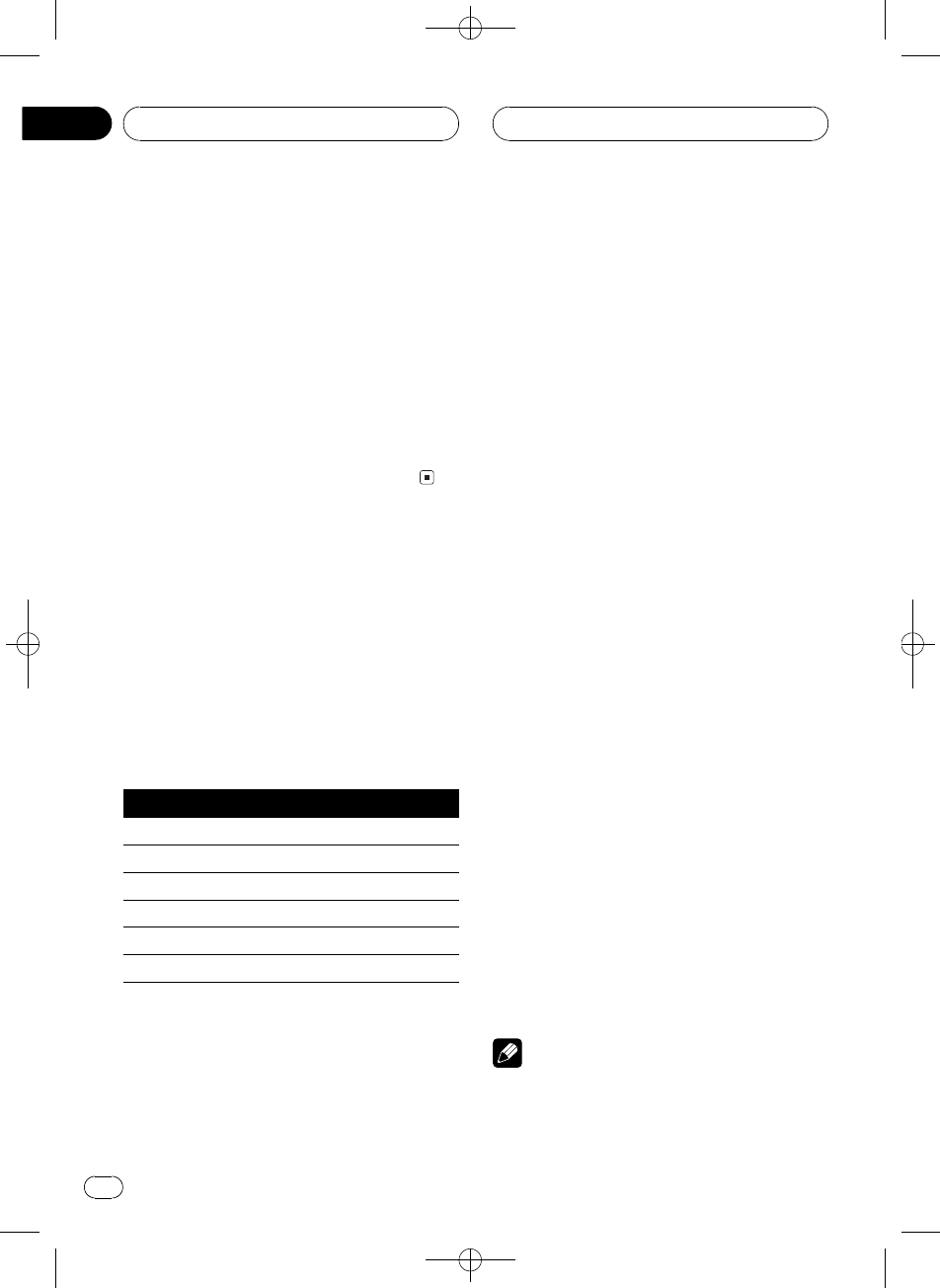
1 Press AUDIO to select Fad.
Press AUDIO until Fad appears in the display.
#If the balance setting has been previously ad-
justed, Bal will be displayed.
2 Press aor bto adjust front/rear speak-
er balance.
Each press of aor bmoves the front/rear
speaker balance towards the front or the rear.
Fad F 15 Fad R 15 is displayed as the front/
rear speaker balance moves from front to rear.
#Fad F/R 0 is the proper setting when only two
speakers are used.
Audio Adjustments
En 31
English
Section
08
Black plate (32,1)
<XRD7106-A/N>32
#When the rear output setting is
REAR SP :S/W, you cannot adjust front/rear
speaker balance. Refer to Setting the rear output
and subwoofer controller on page 39.
3 Press cor dto adjust left/right speaker
balance.
When you press cor d,Bal L/R 0 is dis-
played. Each press of cor dmoves the left/
right speaker balance towards the left or the
right.
Bal L 9 Bal R 9 is displayed as the left/right
speaker balance moves from left to right.
Using the equalizer
The equalizer lets you adjust the equalization
to match car interior acoustic characteristics
as desired.
Recalling equalizer curves
There are six stored equalizer curves which
you can easily recall at any time. Here is a list
of the equalizer curves:
Display Equalizer curve
Super Bass Super bass
Powerful Powerful
Natural Natural
Vocal Vocal
Custom Custom
Flat Flat
!Custom is an adjusted equalizer curve that
you create.
!A separate Custom curve can be created
for each source. (The built-in CD player and
the multi-CD player are set to the same
equalizer adjustment setting automati-
cally.) If you make adjustments, the equali-
zer curve settings will be memorized in
Custom.
!When Flat is selected no supplement or
correction is made to the sound. This is
useful to check the effect of the equalizer
curves by switching alternatively between
Flat and a set equalizer curve.
%Press EQ to select the equalizer.
Press EQ repeatedly to switch between the fol-
lowing equalizers:
PowerfulNaturalVocalCustomFlat
Super Bass
Adjusting equalizer curves
You can adjust the currently selected equalizer
curve setting as desired. Adjusted equalizer
curve settings are memorized in Custom.
1 Press AUDIO to select EQ.
Press AUDIO until EQ appears in the display.
2 Press cor dto select the equalizer
band to adjust.
Each press of cor dselects equalizer bands
in the following order:
EQ LOW (low)EQ MID (mid)EQ HIGH
(high)
3 Press aor bto adjust the level of the
equalizer band.
Each press of aor bincreases or decreases
the level of the equalization band.
+6 6is displayed as the level is increased
or decreased.
#You can then select another band and adjust
the level.
Note
If you make adjustments, Custom curve is up-
dated.
Audio Adjustments
En
32
Section
08
Black plate (33,1)
<XRD7106-A/N>33
Fine-adjusting equalizer curve
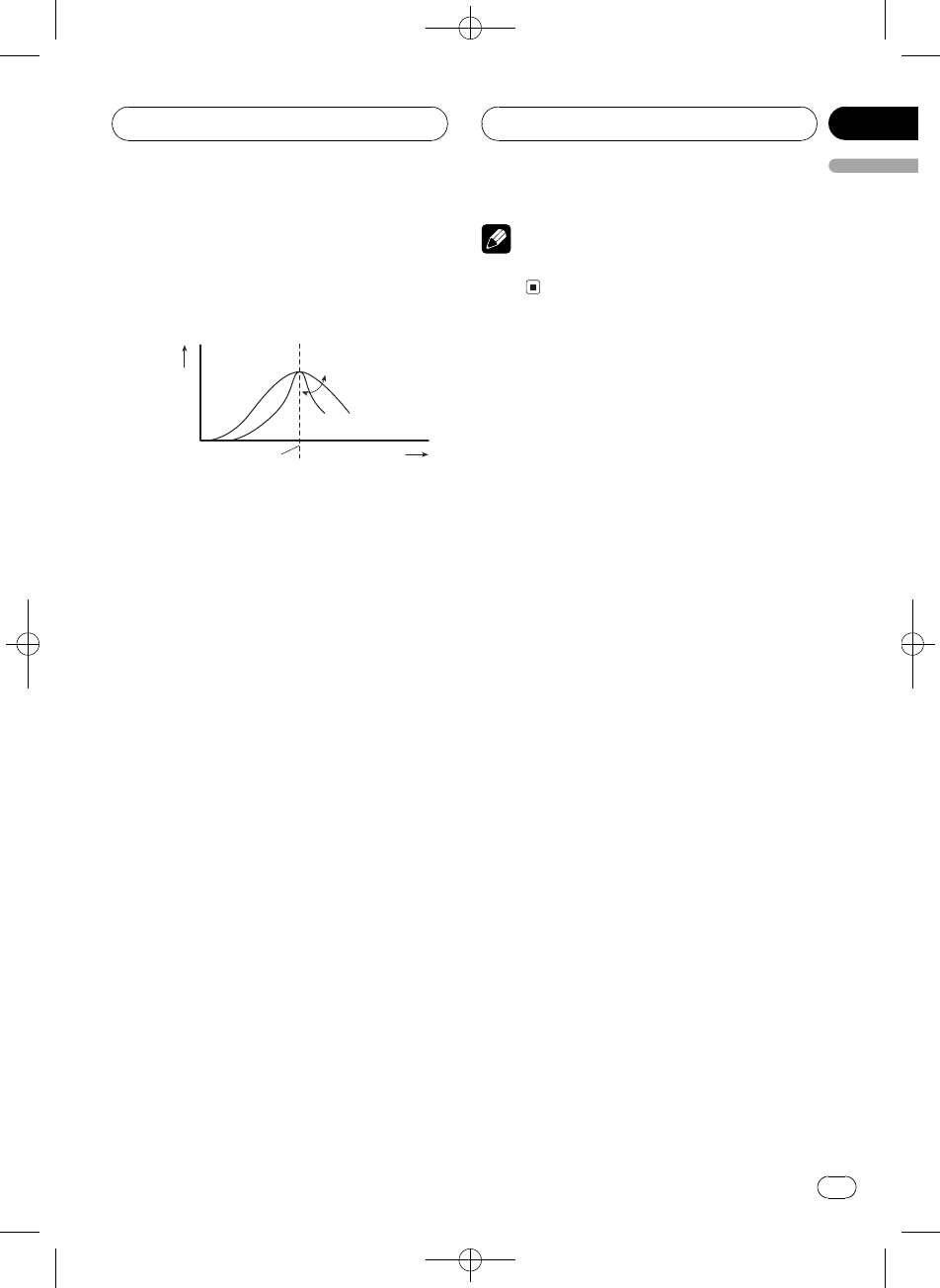
You can adjust the center frequency and the Q
factor (curve characteristics) of each currently
selected curve band (EQ LOW/EQ MID/
EQ HIGH).
Level (dB)
Center frequency
Q=2N Q=2W
Frequency (Hz)
1 Press AUDIO and hold until frequency
and the Q factor (e.g., F 80 Q 1W) appears
in the display.
2 Press AUDIO to select the band for ad-
justment from among low, mid and high.
Press AUDIO repeatedly to switch between
the following functions:
LowMidHighBass (bass adjustment)
Treble (treble adjustment)
#If EQ-EX function has been selected and only
when EQ-EX is turned on and Custom is selected
as the equalizer curve, you can switch to Bass
and Treble.
3 Press cor dto select the desired fre-
quency.
Press cor duntil the desired frequency ap-
pears in the display.
Low: 4080100160 (Hz)
Mid: 2005001k2k (Hz)
High: 3.15k8k10k12.5k (Hz)
4 Press aor bto select the desired Q fac-
tor.
Press aor buntil the desired Q factor ap-
pears in the display.
2N1N1W2W
Note
If you make adjustments, Custom curve is up-
dated.
Adjusting bass and treble
Use this function to adjust the bass and treble.
The ability to select the frequency as well as
the level gives you good control over the total
balance of audio.
!If EQ-EX function has been selected and
EQ-EX turned on and Custom selected as
the equalizer curve, you can adjust bass
and treble settings.
Adjusting bass and treble level
You can adjust the bass and treble level.
1 Press AUDIO to select Bass.
Press AUDIO until Bass appears in the dis-
play.
#If the treble level has been previously ad-
justed, Treble will be displayed.
2 Press cor dto select bass or treble.
Press cand Bass is displayed. Press dand
Treble is displayed.
3 Press aor bto adjust the level.
Each press of aor bincreases or decreases
the selected bass or treble level. +6 6is dis-
played as the level is increased or decreased.
Audio Adjustments
En 33
English
Section
08
Black plate (34,1)
<XRD7106-A/N>34
Selecting bass frequency
You can select the bass frequency for level ad-
justment.
1 Press AUDIO and hold until frequency
and the Q factor (e.g., F 80 Q 1W) appears
in the display.
2 Press AUDIO to select Bass.
Press AUDIO until Bass appears in the dis-
play.
3 Press cor dto select the desired fre-
quency.
Press cor duntil the desired frequency ap-
pears in the display.
4063100160 (Hz)
Selecting treble frequency
You can select the treble frequency for level
adjustment.
1 Press AUDIO and hold until frequency
and the Q factor (e.g., F 80 Q 1W) appears
in the display.
2 Press AUDIO to select Treble.
Press AUDIO until Treble appears in the dis-
play.
3 Press cor dto select the desired fre-
quency.
Press cor duntil the desired frequency ap-
pears in the display.
2.5k4k6.3k10k (Hz)
Adjusting loudness
Loudness compensates for deficiencies in the
low- and high-sound ranges at low volume.
1 Press AUDIO to select Loud.
Press AUDIO until Loud appears in the dis-
play.
2 Press ato turn loudness on.
Loudness level (e.g., Loud MID) appears in
the display.
3 Press cor dto select a desired level.
Each press of cor dselects level in the fol-
lowing order:
LOW (low)MID (mid)HIGH (high)
4 Press bto turn loudness off.
Loud OFF appears in the display.
Using subwoofer output
This unit is equipped with a subwoofer output
which can be turned on or off.
1 Press AUDIO to select Sub-W1.
Press AUDIO until Sub-W1 appears in the dis-
play.
#You can also select the subwoofer setting
menu by pressing SW on the unit.
#When the subwoofer controller setting is
PREOUT:FULL, you cannot select Sub-W1.
2 Press ato turn subwoofer output on.
Sub-W1 Normal appears in the display. Sub-
woofer output is now on.
#To turn subwoofer output off, press b.
3 Press cor dto select the phase of sub-
woofer output.
Press cto select reverse phase and Rev. ap-
pears in the display. Press dto select normal
phase and Normal appears in the display.
Audio Adjustments
En
34
Section
08
Black plate (35,1)
<XRD7106-A/N>35
Adjusting subwoofer settings
When the subwoofer output is on, you can ad-
just the cut-off frequency and the output level
of the subwoofer.
1 Press AUDIO to select Sub-W2.
Press AUDIO until Sub-W2 appears in the dis-
play.
#You can also select the subwoofer setting
menu by pressing SW on the unit.
#When the subwoofer output is on, you can se-
lect Sub-W2.
2 Press cor dto select cut-off frequency.
Each press of cor dselects cut-off frequen-
cies in the following order:
5080125 (Hz)
Only frequencies lower than those in the se-
lected range are outputted from the subwoo-
fer.
3 Press aor bto adjust the output level
of the subwoofer.
Each press of aor bincreases or decreases
the level of the subwoofer. +6 6is displayed
as the level is increased or decreased.
Using nonfading output
When the nonfading output setting is on, the
audio signal does not pass through this units
low pass filter (for the subwoofer), but is out-
putted through the RCA output.
1 Press AUDIO to select nonfading output
on/off setting.
Press AUDIO until NonFad ON appears in the
display.
#When the subwoofer controller setting is only
PREOUT:FULL, you can switch to the nonfading
output on/off setting. (Refer to page 39.)
2 Press ato turn nonfading output on.
NonFad ON appears in the display. Nonfading
output is now on.
#To turn nonfading output off, press b.
Adjusting nonfading output level
When the nonfading output is on, you can ad-
just the level of nonfading output.
1 Press AUDIO to select nonfading output
setting.
Press AUDIO until NonFad 0 appears in the
display.
2 Press aor bto adjust the nonfading
output level.
Each press of aor bincreases or decreases
the level of the nonfading output. +6 6is
displayed as the level is increased or
decreased.
Using the high pass filter
When you do not want low sounds from the
subwoofer output frequency range to play
from the front or rear speakers, turn on the
HPF (high pass filter). Only frequencies higher
than those in the selected range are outputted
from the front or rear speakers.
1 Press AUDIO to select HPF.
Press AUDIO until HPF appears in the display.
2 Press ato turn high pass filter on.
HPF 80 Hz appears in the display. High pass
filter is now on.
#To turn high pass filter off, press b.
3 Press cor dto select cut-off frequency.
Each press of cor dselects cut-off frequen-
cies in the following order:
5080125 (Hz)
Audio Adjustments
En 35
English
Section
08
Black plate (36,1)
<XRD7106-A/N>36
Only frequencies higher than those in the se-
lected range are outputted from the front or
rear speakers.
Adjusting source levels
SLA (source level adjustment) lets you adjust
the volume level of each source to prevent ra-
dical changes in volume when switching be-
tween sources.
!Settings are based on the FM tuner volume
level, which remains unchanged.
1 Compare the FM tuner volume level
with the level of the source you wish to ad-
just.
2 Press AUDIO to select SLA.
Press AUDIO until SLA appears in the display.
3 Press aor bto adjust the source vo-
lume.
Each press of aor bincreases or decreases
the source volume.
SLA +4 SLA 4is displayed as the source vo-
lume is increased or decreased.
Notes
!The AM tuner volume level can also be ad-
justed with source level adjustments.
!The built-in CD player and the multi-CD player
are set to the same source level adjustment
volume automatically.
!External unit 1 and external unit 2 are set to
the same source level adjustment volume
automatically.
Audio Adjustments
En
36
Section
08
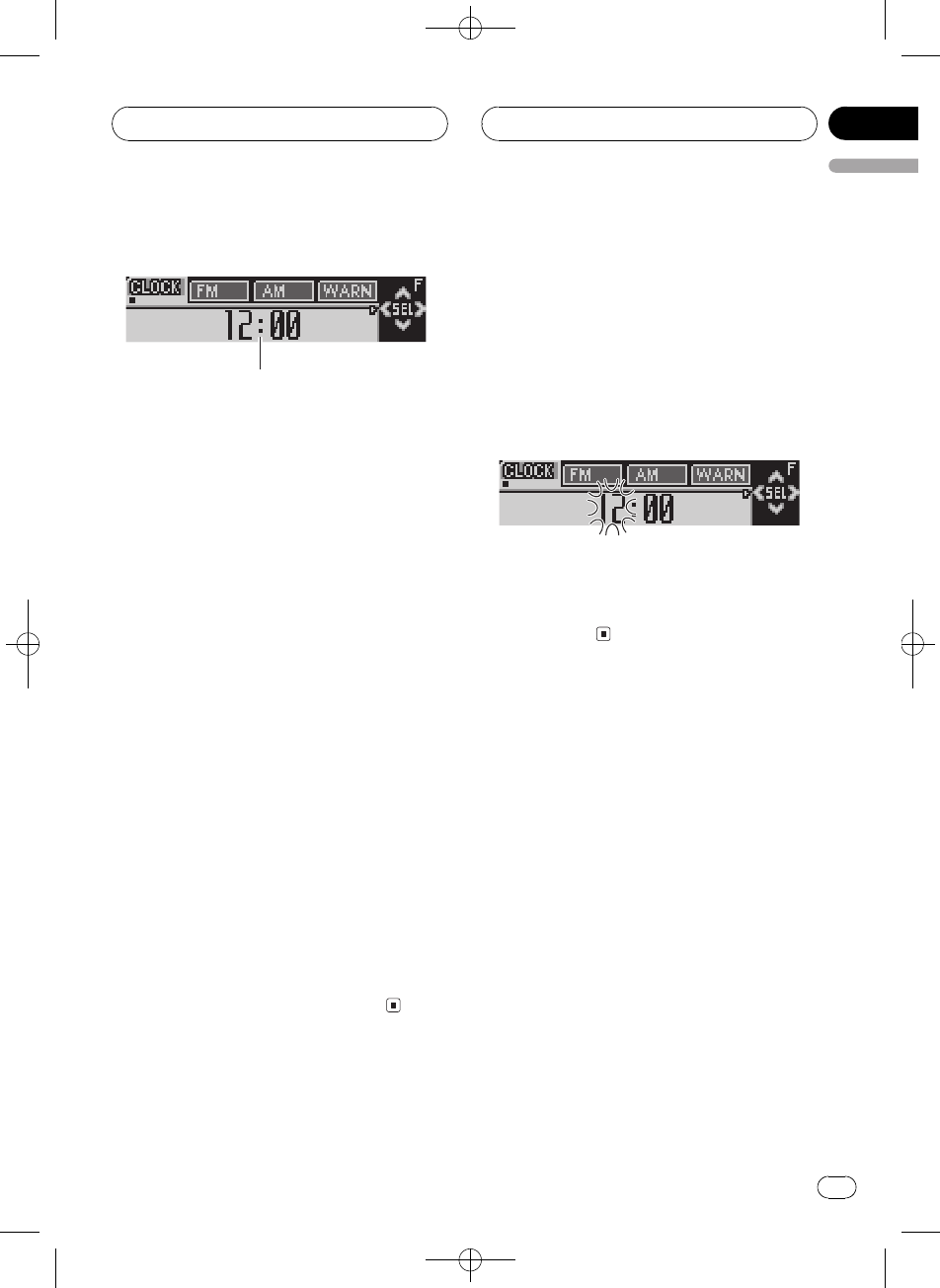
Black plate (37,1)
<XRD7106-A/N>37
Adjusting initial settings
1
Using the initial settings, you can customize
various system settings to achieve optimal per-
formance from this unit.
1Function display
Shows the function status.
1 Press SOURCE and hold until the unit
turns off.
2 Press FUNCTION and hold until the
clock appears in the display.
3 Press FUNCTION to select one of the in-
itial settings.
Press FUNCTION repeatedly to switch be-
tween the following settings:
ClockFM Step (FM tuning step)AM Step
(AM tuning step)Warning (warning tone)
AUX (auxiliary setting)Dimmer (dimmer)
Brightness (brightness)REAR SP (rear
output and subwoofer controller)Telephone
(sound muting/attenuation)Ever Scroll (ever
scroll)
Use the following instructions to operate each
particular setting.
#To cancel initial settings, press BAND.
#You can also cancel initial settings by holding
down FUNCTION until the unit turns off.
Setting the clock
Use these instructions to set the clock.
1 Press FUNCTION to select clock.
Press FUNCTION repeatedly until clock ap-
pears in the display.
2 Press cor dto select the segment of
the clock display you wish to set.
Pressing cor dwill select one segment of the
clock display:
HourMinute
As you select segments of the clock display
the segment selected will blink.
3 Press aor bto set the clock.
Pressing awill increase the selected hour or
minute. Pressing bwill decrease the selected
hour or minute.
Setting the FM tuning step
The FM tuning step employed by seek tuning
can be switched between 100 kHz, the preset
step, and 50 kHz.
1 Press FUNCTION to select FM Step.
Press FUNCTION repeatedly until FM Step ap-
pears in the display.
2 Press cor dto select the FM tuning
step.
Pressing cor dwill switch the FM tuning
step between 100 kHz and 50 kHz. The se-
lected FM tuning step will appear in the dis-
play.
Initial Settings
En 37
English
Section
09
Black plate (38,1)
<XRD7106-A/N>38
Note
If seek tuning is performed in 50 kHz steps, sta-
tions may be tuned in imprecisely. Tune in the sta-
tions with manual tuning or use seek tuning
again.
Setting the AM tuning step
The AM tuning step can be switched between
9 kHz, the preset step, and 10 kHz. When
using the tuner in North, Central or South
America, reset the tuning step from 9 kHz (531
1 602 kHz allowable) to 10 kHz (530 1 640
kHz allowable).
1 Press FUNCTION to select AM Step.
Press FUNCTION repeatedly until AM Step
appears in the display.
2 Press cor dto select the AM tuning
step.
Pressing cor dwill switch the AM tuning
step between 9 kHz and 10 kHz. The selected
AM tuning step will appear in the display.
Switching the warning tone
If the front panel is not detached from the
head unit within five seconds of turning off the
ignition, a warning tone will sound. You can
turn off the warning tone.
1 Press FUNCTION to select Warning.
Press FUNCTION repeatedly until Warning
appears in the display.
2 Press aor bto turn Warning on or off.
Pressing aor bwill turn Warning on or off
and that status will be displayed (e.g.,
Warning : ON).
Switching the auxiliary setting
It is possible to use auxiliary equipment with
this unit. Activate the auxiliary setting when
using auxiliary equipment connected to this
unit.
1 Press FUNCTION to select AUX.
Press FUNCTION repeatedly until AUX ap-
pears in the display.
2 Press aor bto turn AUX on or off.
Pressing aor bwill turn AUX on or off and
that status will be displayed (e.g.,
AUX : ON).
Switching the dimmer setting
To prevent the display from being too bright at
night, the display is automatically dimmed
when the cars headlights are turned on. You
can turn the dimmer on or off.
1 Press FUNCTION to select Dimmer.
Press FUNCTION repeatedly until Dimmer ap-
pears in the display.
2 Press aor bto turn Dimmer on or off.
Pressing aor bwill turn Dimmer on or off
and that status will be displayed (e.g.,
Dimmer : ON).
Adjusting the brightness
You can adjust the display brightness. Initially
this mode is set to 12.
1 Press FUNCTION to select Brightness.
Press FUNCTION repeatedly until Brightness
appears in the display.
Initial Settings
En
38
Section
09
Black plate (39,1)
<XRD7106-A/N>39
2 Press cor dto adjust the brightness
level.
Each press of cor dincreases or decreases
the brightness level. 015 is displayed as the
level is increased or decreased.
Setting the rear output and
subwoofer controller
This units rear output (rear speaker leads out-
put) can be used for full-range speaker
(REAR SP :FULL) or subwoofer (REAR SP :S/W)
connection. If you switch the rear output set-
ting to REAR SP :S/W, you can connect a rear
speaker lead directly to a subwoofer without
using an auxiliary amp.
Initially, the unit is set for rear full-range speak-
er connection (REAR SP :FULL). When rear
output is connected to full range speakers
(when REAR SP :FULL is selected), you can
connect the RCA subwoofer output to a sub-
woofer. In this case, you can select whether to
use the subwoofer controllers (low pass filter,
phase) built-in PREOUT:S/W or the auxiliary
PREOUT:FULL.
1 Press FUNCTION to select REAR SP.
Press FUNCTION repeatedly until REAR SP ap-
pears in the display.
2 Press aor bto switch the rear output
setting.
Pressing aor bwill switch between
REAR SP :FULL (full-range speaker) and
REAR SP :S/W (subwoofer) and that status will
be displayed.
#When no subwoofer is connected to the rear
output, select REAR SP :FULL.
#When a subwoofer is connected to the rear
output, set for subwoofer REAR SP :S/W.
#When the rear output setting is
REAR SP :S/W, you cannot change the subwoofer
controller.
3 Press cor dto switch the subwoofer
output or non fading output.
Pressing cor dwill switch between
PREOUT:S/W and PREOUT:FULL and that
status will be displayed.
Notes
!Even if you change this setting, there is no
output unless you turn the nonfading output
(refer to Using nonfading output on page 35)
or subwoofer output (refer to Using subwoofer
output on page 34) in the audio menu on.
!If you change the subwoofer controller, sub-
woofer output and nonfading output in the
audio menu return to the factory settings.
Switching the sound
muting/attenuation
Sound from this system is muted or attenu-
ated automatically when the signal from the
equipment with mute function is received.
!The sound is muted or attenuated, MUTE
or ATT are displayed and no audio adjust-
ment is possible.
!Sound from this system returns to normal
when the muting or attenuation is can-
celed.
1 Press FUNCTION to select Telephone.
Press FUNCTION repeatedly until Telephone
appears in the display.
2 Press cor dto switch the telephone
muting/attenuation.
Pressing cor dwill switch between
Telephone: ATT (attenuation) and
Telephone: MUTE (muting) and that status
will be displayed.
Initial Settings
En 39
English
Section
09
Black plate (40,1)
<XRD7106-A/N>40
Switching the Ever Scroll
When Ever Scroll is set to ON, CD text infor-
mation scrolls continuously in the display. Set
to OFF if you prefer the information to scroll
just once.
1 Press FUNCTION to select Ever Scroll.
Press FUNCTION repeatedly until Ever Scroll
appears in the display.
2 Press aor bto turn Ever Scroll on or
off.
Pressing aor bwill turn Ever Scroll on or off
and that status will be displayed (e.g.,
Ever Scroll:ON).
Initial Settings
En
40
Section
09
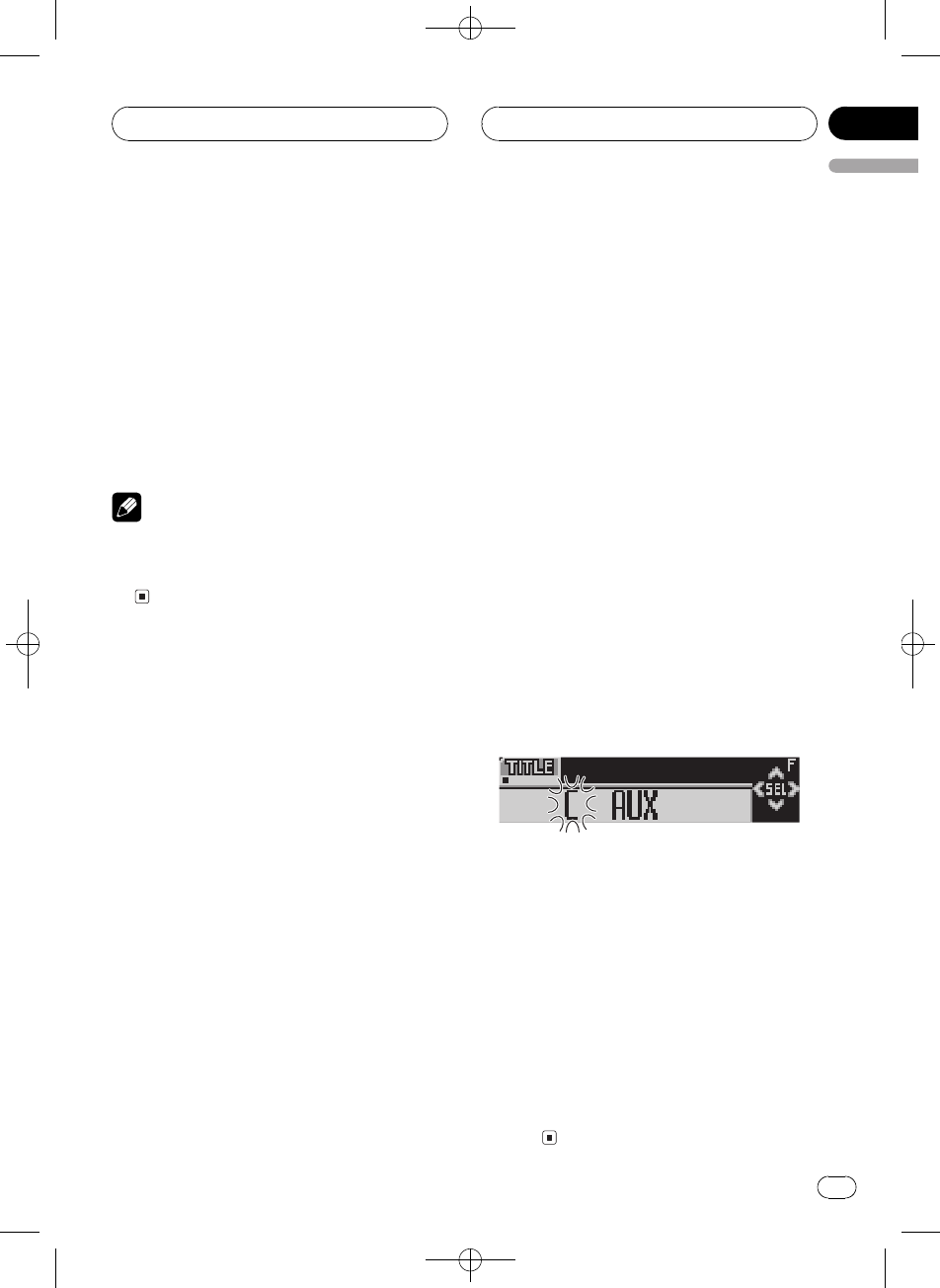
Black plate (41,1)
<XRD7106-A/N>41
Turning the clock display
on or off
You can turn the clock display on or off.
%Press CLOCK to turn the clock display
on or off.
Each press of CLOCK turns the clock display
on or off.
#The clock display disappears temporarily
when you perform other operations, but the clock
display appears again after 6 seconds.
Note
Even when the sources and the feature demo are
off, the clock display appears on the display.
Pressing CLOCK turns the clock display on or
off.
Using the AUX source
An IP-BUS-RCA Interconnector such as the
CD-RB20/CD-RB10 (sold separately) lets you
connect this unit to auxiliary equipment fea-
turing RCA output. For more details, refer to
the IP-BUS-RCA Interconnector owners man-
ual.
Selecting AUX as the source
%Press SOURCE to select AUX as the
source.
Press SOURCE until AUX appears in the dis-
play.
#If the auxiliary setting is not turned on, AUX
cannot be selected. For more details, see Switch-
ing the auxiliary setting on page 38.
Setting the AUX title
The title displayed for the AUX source can be
changed.
1 After you have selected AUX as the
source, press FUNCTION and hold until
TITLE appears in the display.
2 Press button 1 to select the desired
character type.
Press button 1repeatedly to switch between
the following character types:
Alphabet (upper case)Alphabet (lower case)
European letters, such as those with ac-
cents (e.g., á, à, ä, ç)
#You can select to input numbers by pressing
button 2.
3 Press aor bto select a letter of the al-
phabet.
Each press of awill display a letter of the al-
phabet in A B C ... X Y Z, numbers and sym-
bols in 1 2 3 ... @ # < order. Each press of b
will display a letter in the reverse order, such
as Z Y X ... C B A.
4 Press dto move the cursor to the next
character position.
When the letter you want is displayed, press d
to move the cursor to the next position and
then select the next letter. Press cto move
backwards in the display.
5 Move the cursor to the last position by
pressing dafter entering the title.
When you press done more time, the entered
title is stored in memory.
6 Press BAND to return to the playback
display.
Other Functions
En 41
English
Section
10
Black plate (42,1)
<XRD7106-A/N>42
Using different
entertainment displays
You can enjoy entertainment displays while lis-
tening to each sound source.
%Press ENTERTAINMENT.
Each time you press ENTERTAINMENT the
display changes in the following order:
Back ground visual 1Back ground visual 2
Back ground visual 3Back ground visual
4Level indicator 1Level indicator 2Movie
screen 1Movie screen 2Entertainment
clockSource icon display
Introduction of DVD operation
You can use this unit with a separately sold
DVD player or multi-DVD player.
For details concerning operation, refer to the
DVD players or multi-DVD players operation
manual. This section provides information on
DVD operations with this unit which differs
from that described in the DVD playersor
multi-DVD players operation manual.
Operation
You can use the following function with this
unit. (Reference page is in this manual.)
!Using ITS playlist and disc title functions
(Refer to this page.)
Also, operation of the following function with
this unit differs. (Reference page is in this
manual.)
!Function menu switching (Refer to this
page.)
Function menu switching
%During DVD playback, press FUNCTION
to display the function names.
Press FUNCTION repeatedly to switch be-
tween the following functions:
Repeat (repeat play)Pause (pause)
%During Video CD playback, press
FUNCTION to display the function names.
Press FUNCTION repeatedly to switch be-
tween the following functions:
Repeat (repeat play)Pause (pause)
%During CD playback, press FUNCTION to
display the function names.
Press FUNCTION repeatedly to switch be-
tween the following functions:
Repeat (repeat play)Random (random play)
Scan (scan play)ITS Play (ITS play)
Pause (pause)
Notes
!When using this unit with multi-DVD player,
you can switch to ITS Play.
!Repeat play function is different depending on
the disc types.
During DVD playback, press cor dto se-
lect the repeat range.
During Video CD or CD playback, press c
or dto turn repeat play on or off.
Using ITS playlist and disc title
functions
During CD playback when using this unit with
a multi-DVD player, you can use these func-
tions. Operation is same as for multi-CD
player. Please refer to multi-CD player
section.
Other Functions
En
42
Section
10
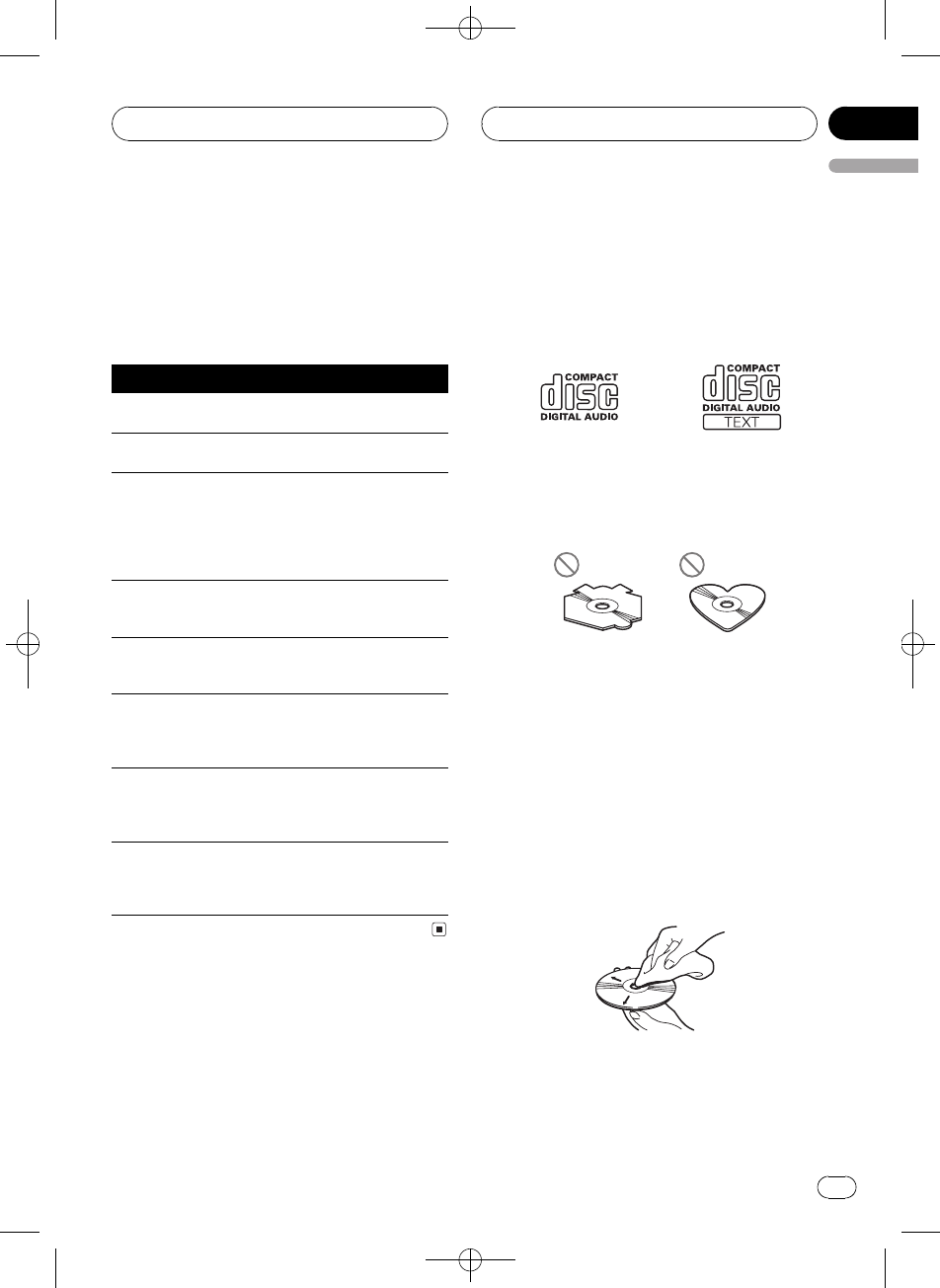
Black plate (43,1)
<XRD7106-A/N>43
Understanding built-in CD
player error messages
When you contact your dealer or your nearest
Pioneer Service Center, be sure to record the
error message.
Message Cause Action
ERROR-11, 12,
17, 30
Dirty disc Clean disc.
ERROR-11, 12,
17, 30
Scratched disc Replace disc.
ERROR-10, 11,
12, 15, 17, 30,
A0
Electrical or me-
chanical
Turn the ignition
ON and OFF, or
switch to a differ-
ent source, then
back to the CD
player.
ERROR-15 The inserted disc
does not contain
any data
Replace disc.
ERROR-23 The CD format
cannot be played
back
Replace disc.
No Audio The inserted disc
does not contain
any files that can
be played back
Replace disc.
TRK SKIPPED The inserted disc
contains WMA
files that are pro-
tected by DRM
Replace disc.
PROTECT All the files on
the inserted disc
are secured by
DRM
Replace disc.
CD player and care
!Use only CDs that have either of the two
Compact Disc Digital Audio marks as
shown below.
!Use only normal, round CDs. If you insert ir-
regular, non-round, shaped CDs they may
jam in the CD player or not play properly.
!Check all CDs for cracks, scratches or
warping before playing. CDs that have
cracks, scratches or are warped may not
play properly. Do not use such discs.
!Avoid touching the recorded (non-printed)
surface when handling the disc.
!Store discs in their cases when not in use.
!Keep discs out of direct sunlight and do
not expose the discs to high temperatures.
!Do not attach labels, write on or apply che-
micals to the surface of the discs.
!To clean a CD, wipe the disc with a soft
cloth outward from the center.
Additional Information
En 43
English
Appendix
Black plate (44,1)
<XRD7106-A/N>44
!If the heater is used in cold weather, moist-
ure may form on components inside the
CD player. Condensation may cause the CD
player to malfunction. If you think that con-
densation is a problem turn off the CD
player for an hour or so to allow it to dry
out and wipe any damp discs with a soft
cloth to remove the moisture.
!Road shocks may interrupt CD playback.
CD-R/CD-RW discs
!When CD-R/CD-RW discs are used, play-
back is possible only for discs which have
been finalized.
!It may not be possible to play back CD-R/
CD-RW discs recorded on a music CD re-
corder or a personal computer because of
disc characteristics, scratches or dirt on
the disc, or dirt, condensation, etc., on the
lens of this unit.
!Playback of discs recorded on a personal
computer may not be possible, depending
on the application settings and the environ-
ment. Please record with the correct for-
mat. (For details, contact the manufacturer
of the application.)
!Playback of CD-R/CD-RW discs may be-
come impossible in case of direct exposure
to sunlight, high temperatures, or the sto-
rage conditions in the vehicle.
!Titles and other text information recorded
on a CD-R/CD-RW disc may not be dis-
played by this unit (in the case of audio
data (CD-DA)).
!If you insert a CD-RW disc into this unit,
time to playback will be longer than when
you insert a conventional CD or CD-R disc.
!Read the precautions with CD-R/CD-RW
discs before using them.
MP3, WMA and WAV files
!MP3 is short for MPEG Audio Layer 3 and
refers to an audio compression technology
standard.
!WMA is short for Windows Media"Audio
and refers to an audio compression tech-
nology that is developed by Microsoft Cor-
poration. WMA data can be encoded by
using Windows Media Player version 7 or
later.
!WAV is short for waveform. It is a standard
audio file format for Windows®.
!This unit may not operate correctly depend-
ing on the application used to encode
WMA files.
!Depending on the version of Windows
Media Player used to encode WMA files,
album names and other text information
may not be correctly displayed.
!There may be a slight delay when starting
playback of WMA files encoded with image
data.
!This unit allows playback of MP3/WMA/
WAV files on CD-ROM, CD-R and CD-RW
discs. Disc recordings compatible with
level 1 and level 2 of ISO9660 and with the
Romeo and Joliet file system can be played
back.
!It is possible to play back multi-session
compatible recorded discs.
!MP3/WMA/WAV files are not compatible
with packet write data transfer.
!The maximum number of characters which
can be displayed for a file name, including
the extension (.mp3, .wma or .wav), is 64,
from the first character.
!The maximum number of characters which
can be displayed for a folder name is 64.
!In case of files recorded according to the
Romeo file system, only the first 64 charac-
ters can be displayed.
Additional Information
En
44
Appendix
Black plate (45,1)
<XRD7106-A/N>45
!When playing discs with MP3/WMA/WAV
files and audio data (CD-DA) such as CD-
EXTRA and MIXED-MODE CDs, both types
can be played only by switching mode be-
tween MP3/WMA/WAV and CD-DA.
!The folder selection sequence for playback
and other operations becomes the writing
sequence used by the writing software. For
this reason, the expected sequence at the
time of playback may not coincide with the
actual playback sequence. However, there
also is some writing software which per-
mits setting of the playback order.
!Some audio CDs contain tracks that merge
into one another without a pause. When
these discs are converted to MP3/WMA/
WAV files and burned to a CD-R/CD-RW/
CD-ROM, the files will be played back on
this player with a short pause between
each one, regardless of the length of the
pause between tracks on the original audio
CD.
Important
!When naming an MP3/WMA/WAV file, add
the corresponding filename extension (.mp3,
.wma or .wav).
!This unit plays back files with the filename ex-
tension (.mp3, .wma or .wav) as an MP3/
WMA/WAV file. To prevent noise and malfunc-
tions, do not use these extensions for files
other than MP3/WMA/WAV files.
MP3 additional information
!Files are compatible with the ID3 Tag Ver.
1.0, 1.1, 2.2, 2.3 and 2.4 formats for display
of album (disc title), track (track title), artist
(track artist) and comments. Ver. 2.x of ID3
Tag is given priority when both Ver. 1.x and
Ver. 2.x exist.
!The emphasis function is valid only when
MP3 files of 32, 44.1 and 48 kHz frequen-
cies are played back. (16, 22.05, 24, 32,
44.1, 48 kHz sampling frequencies can be
played back.)
!There is no m3u playlist compatibility.
!There is no compatibility with the MP3i
(MP3 interactive) or mp3 PRO formats.
!The sound quality of MP3 files generally be-
comes better with an increased bit rate.
This unit can play recordings with bit rates
from 8 kbps to 320 kbps, but in order to be
able to enjoy sound of a certain quality, we
recommend using only discs recorded with
a bit rate of at least 128 kbps.
WMA additional information
!This unit plays back WMA files encoded by
Windows Media Player version 7, 7.1, 8, 9
and 10.
!You can only play back WMA files in the fre-
quencies 32, 44.1 and 48 kHz.
!The sound quality of WMA files generally
becomes better with an increased bit rate.
This unit can play recordings with bit rates
from 48 kbps to 320 kbps (CBR) or from 48
kbps to 384 kbps (VBR), but in order to be
able to enjoy sound of a certain quality, we
recommend using discs recorded with a
higher bit rate.
!This unit doesnt support the following for-
mats.
Windows Media Audio 9 Professional
(5.1ch)
Windows Media Audio 9 Lossless
Windows Media Audio 9 Voice
WAV additional information
!This unit plays back WAV files encoded in
Linear PCM (LPCM) format or MS ADPCM
format.
Additional Information
En 45
English
Appendix
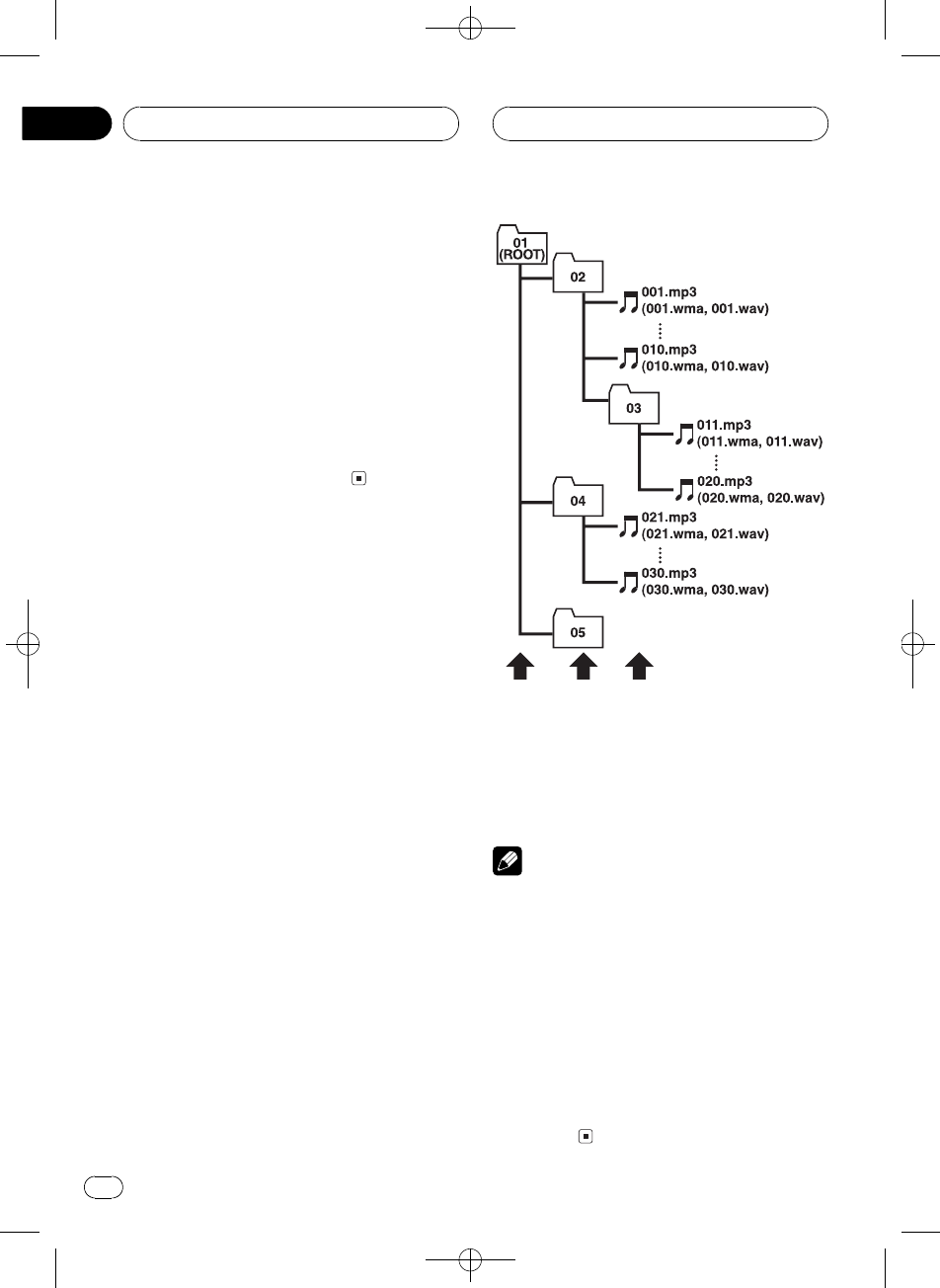
Black plate (46,1)
<XRD7106-A/N>46
!You can only play back WAV files in the fre-
quencies 16, 22.05, 24, 32, 44.1 and 48 kHz
(LPCM), or 22.05 and 44.1 kHz (MS
ADPCM). The sampling frequency shown
in the display may be rounded.
!The sound quality of WAV files generally be-
comes better with a larger number of quan-
tization bits. This unit can play recordings
with 8 and 16 (LPCM) or 4 (MS ADPCM)
quantization bits, but in order to be able to
enjoy sound of a certain quality, we recom-
mend using discs recorded with the larger
number of quantization bits.
About folders and MP3/
WMA/WAV files
!An outline of a CD-ROM with MP3/WMA/
WAV files on it is shown below. Subfolders
are shown as folders in the folder currently
selected.
1
2
3
1First level
2Second level
3Third level
Notes
!This unit assigns folder numbers. The user
cannot assign folder numbers.
!It is not possible to check folders that do not
include MP3/WMA/WAV files. (These folders
will be skipped without displaying the folder
number.)
!MP3/WMA/WAV files in up to 8 tiers of folders
can be played back. However, there is a delay
in the start of playback on discs with numer-
ous tiers. For this reason we recommend
creating discs with no more than 2 tiers.
!It is possible to play back up to 99 folders on
one disc.
Additional Information
En
46
Appendix
Black plate (47,1)
<XRD7106-A/N>47
Terms
Bit rate
This expresses data volume per second, or bps
(bits per second) units. The higher the rate,
the more information is available to reproduce
the sound. Using the same encoding method
(such as MP3), the higher the rate, the better
the sound.
ID3 tag
This is a method of embedding track-related
information in an MP3 file. This embedded in-
formation can include the track title, the ar-
tists name, the album title, the music genre,
the year of production, comments and other
data. The contents can be freely edited using
software with ID3 Tag editing functions.
Although the tags are restricted as to the num-
ber of characters, the information can be
viewed when the track is played back.
ISO9660 format
This is the international standard for the for-
mat logic of CD-ROM folders and files. For the
ISO9660 format, there are regulations for the
following two levels.
Level 1:
The file name is in 8.3 format (the name con-
sists of up to 8 characters, half-byte English
capital letters and half-byte numerals and the
_sign, with a file-extension of three charac-
ters).
Level 2:
The file name can have up to 31 characters (in-
cluding the separation mark .and a file ex-
tension). Each folder contains less than 8
hierarchies.
Extended formats
Joliet:
File names can have up to 64 characters.
Romeo:
File names can have up to 128 characters.
Linear PCM (LPCM)/Pulse code
modulation
This stands for linear pulse code modulation,
which is the signal recording system used for
music CDs and DVDs.
m3u
Playlists created using the WINAMPsoft-
ware have a playlist file extension (.m3u).
MP3
MP3 is short for MPEG Audio Layer 3. It is an
audio compression standard set by a working
group (MPEG) of the ISO (International Stan-
dards Organization). MP3 is able to compress
audio data to about 1/10th the level of a con-
ventional disc.
MS ADPCM
This stands for Microsoft adaptive differential
pulse code modulation, which is the signal re-
cording system used for the multimedia soft-
ware of Microsoft Corporation.
Multi-session
Multi-session is a recording method that al-
lows additional data to be recorded later.
When recording data on a CD-ROM, CD-R or
CD-RW, etc., all data from beginning to end is
treated as a single unit or session. Multi-ses-
sion is a method of recording more than 2 ses-
sions on one disc.
Number of quantization bits
The number of quantization bits is one factor
in the overall sound quality; the higher the
bit-depth, the better the sound quality. How-
ever, increasing the bit-depth also increases
the amount of data and therefore storage
space required.
Additional Information
En 47
English
Appendix
Black plate (48,1)
<XRD7106-A/N>48
Packet write
This is a general term for a method of writing
on CD-R, etc., at the time required for a file,
just as is done with files on floppy or hard
discs.
VBR
VBR is short for variable bit rate. Generally
speaking CBR (constant bit rate) is more
widely used. But by flexibly adjusting the bit
rate according to the needs of audio compres-
sion, it is possible to achieve compression-
priority sound quality.
WAV
WAV is short for waveform. It is a standard
audio file format for Windows®.
WMA
WMA is short for Windows Media"Audio
and refers to an audio compression technol-
ogy that is developed by Microsoft Corpora-
tion. WMA data can be encoded by using
Windows Media Player version 7 or later.
Windows Media and the Windows logo are tra-
demarks or registered trademarks of Microsoft
Corporation in the United States and/or other
countries.
Additional Information
En
48
Appendix
Black plate (49,1)
<XRD7106-A/N>49
Specifications
General
Rated power source ............... 14.4 V DC
(allowable voltage range:
12.0 14.4 V DC)
Grounding system ................... Negative type
Max. current consumption
..................................................... 10.0 A
Dimensions (W × H × D):
DIN
Chassis ..................... 178 × 50 × 157 mm
Nose ........................... 188 × 58 × 19 mm
D
Chassis ..................... 178 × 50 × 162 mm
Nose ........................... 170 × 46 × 14 mm
Weight .......................................... 1.3 kg
Audio
Continuous power output is 22 W per channel minimum
into 4 ohms, both channels driven 50 to 15 000 Hz with
no more than 5% THD.
Maximum power output ....... 50 W × 4
50 W × 2/4 W+ 70 W × 1/2
W(for subwoofer)
Load impedance ...................... 4 8W×4
48W×2+2W×1
Preout max output level/output impedance
..................................................... 2.2 V/1 kW
Equalizer (3-Band Parametric Equalizer):
Low
Frequency ................ 40/80/100/160 Hz
Q Factor .................... 0.35/0.59/0.95/1.15 (+6 dB
when boosted)
Gain ............................ ±12dB
Mid
Frequency ................ 200/500/1k/2k Hz
Q Factor .................... 0.35/0.59/0.95/1.15 (+6 dB
when boosted)
Gain ............................ ±12dB
High
Frequency ................ 3.15k/8k/10k/12.5k Hz
Q Factor .................... 0.35/0.59/0.95/1.15 (+6 dB
when boosted)
Gain ............................ ±12dB
Loudness contour:
Low ....................................... +3.5 dB (100 Hz), +3 dB (10
kHz)
Mid ....................................... +10 dB (100 Hz), +6.5 dB
(10 kHz)
High ..................................... +11 dB (100 Hz), +11 dB
(10 kHz)
(volume: 30 dB)
Tone controls:
Bass
Frequency ................ 40/63/100/160 Hz
Gain ............................ ±12dB
Treble
Frequency ................ 2.5k/4k/6.3k/10k Hz
Gain ............................ ±12dB
HPF:
Frequency .......................... 50/80/125 Hz
Slope .................................... 12 dB/oct
Subwoofer:
Frequency .......................... 50/80/125 Hz
Slope .................................... 18 dB/oct
Gain ...................................... ±12dB
Phase .................................. Normal/Reverse
CD player
System .......................................... Compact disc audio system
Usable discs .............................. Compact disc
Signal format:
Sampling frequency ..... 44.1 kHz
Number of quantization bits
........................................... 16; linear
Frequency characteristics ... 5 20 000 Hz (±1 dB)
Signal-to-noise ratio ............... 94 dB (1 kHz) (IEC-A net-
work)
Dynamic range ......................... 92 dB (1 kHz)
Number of channels .............. 2 (stereo)
MP3 decoding format ........... MPEG-1 & 2 Audio Layer 3
WMA decoding format ......... Ver. 7, 7.1, 8, 9, 10 (2ch
audio)
(Windows Media Player)
WAV signal format .................. Linear PCM & MS ADPCM
FM tuner
Frequency range ...................... 87.5 108.0 MHz
Usable sensitivity ..................... 8 dBf (0.7 µV/75 W, mono,
S/N: 30 dB)
50 dB quieting sensitivity ..... 10 dBf (0.9 µV/75 W, mono)
Signal-to-noise ratio ............... 75 dB (IEC-A network)
Distortion ..................................... 0.3 % (at 65 dBf, 1 kHz,
stereo)
0.1 % (at 65 dBf, 1 kHz,
mono)
Frequency response ............... 30 15 000 Hz (±3 dB)
Stereo separation .................... 45 dB (at 65 dBf, 1 kHz)
Additional Information
En 49
English
Appendix
Black plate (50,1)
<XRD7106-A/N>50
AM tuner
Frequency range ...................... 531 1 602 kHz (9 kHz)
530 1 640 kHz (10 kHz)
Usable sensitivity ..................... 18 µV (S/N: 20 dB)
Signal-to-noise ratio ............... 65 dB (IEC-A network)
Infrared remote control
Wavelength ................................. 940 nm ±50 nm
Output ........................................... typ; 12 mw/sr per Infrared
LED
Note
Specifications and the design are subject to pos-
sible modifications without notice due to im-
provements.
Additional Information
En
50
Appendix
Black plate (51,1)
<XRD7106-A/N>51
àüHÒ"Á
Ë(ªøåã,_cºÍ\¹Õ
bË¥ÝXå
åÃ
Ë(KM
ܼ,_53
ܼ,ªø 53
yÞ53
ܼWMA 53
,_K2Ü54
ÆxMb54
ÝMb54
ܼ:Ä!54
I!54
ý:Ä!54
Y§hK(Ý55
Ýû`55
(Y§h55
ý
;_56
Y§h56
ú,Í\
_,_58
xÇ>58
ÝeG58
¿ÀóÏ58
Ü,_58
¿çh
6}6ó_59
Ü¿çhÍ\KË960
ÝX¿úã;60
6}7á_60
ÝX7Kã;60
gnI_
>CD 61
ÜgnI_Í\KË961
Í>61
¨_>òî62
ÏCDKòî62
«\CD>62
(Ó.BMX 62
xǹÕ62
(vMG-å10òM63
(GLý63
8eGL63
o:GL63
(CD TEXTý64
o:CD TEXTGKWÇ64
(o:U-þÕWÇ64
MP3/WMA/WAV>_
>MP3/WMA/WAV 65
ÜgnI_MP3/WMA/WAVÍ\KË
966
Í>66
¨_>òî66
ÏH>òî66
«\MP3/WMA/WAV>67
H>LhxÇH>67
(Ó.BMX 67
xǹÕ67
(vMH>-å10òM68
o:MP3/WMA/WAVGKWÇ68
v>MP3/WMAGB68
v>WAVGB68
(o:U-þÕWÇ68
GI_
>CD 69
50GI_69
ÜGI_Í\KË970
Í>70
¨_>òî70
ÏCDòî70
«\CD>71
(ITS>h71
(ITSèuú>h71
>ITS>h71
*dITS>h-òî72
*dITS>h-CD 72
(GLý72
8eGL72
o:GL73
GLhxÇG73
Zhtw 51
-
î
Black plate (52,1)
<XRD7106-A/N>52
(CD TEXTý73
o:CD TEXTGKWÇ73
(o:U-þÕWÇ73
(Ó.Nó774
ó;¿À
ó;¿ÀKË975
ÜIhòÚEQ-EX75
(sa¿À75
(Ih76
¿(IhòÚ76
¿ÀIhòÚ76
®¿IhòÚ76
¿ÀNóØó77
¿ÀNóØóóÓ77
xÇNó;77
xÇØó;77
¿Àÿ¦77
(NóÚrh8ú78
¿ÀNóÚrh-78
(!p8ú78
¿À!p8úûs78
(Øþâh78
¿Àóûs79
Ë-
¿ÀË-80
-B80
-FM¿;80
-AM¿;80
ÛfJó81
Û©-81
Ûo:U®¦¿t-81
¿À®¦81
-n8úNóÚrh§6h81
Û\óp82
Û·þÕ82
vÖý
SÜBo:83
(AUX>83
xÇAUX\º>83
-AUXL83
(o:83
DVDÍ\KË983
Í\ý84
ýx®Û84
(ITS>hGL
ý84
DÇ
gnI_/¤oK+©85
I_Êvw85
CD-R/CD-RWG85
MP3WMAWAVH86
MP3DÇ86
WMADÇ87
WAVDÇ87
ܼH>MP3/WMA/WAVH87
S88
<89
î
Zhtw
52
Black plate (53,1)
<XRD7106-A/N>53
ܼ,_
Ã
!Ëÿ,_¥ø²ÔøûEï1d|
d²Ô¥øïô,_×
YÊN±
!Ë,ªøÝX¼¨KïÖKUåå
±Í\e_Êè
!ËÙÅÝ(ivóÏåý}Ê
rÿº
!Ëè,_2n
!û`*¥ûÏ(-¶«
¹»ÅÍ°è
!,_!Õc8å\Ë·F1Ñ
HÒÙÙok
ܼ,ªø
,_wûØýåºÝ¥6H
Í\'ýñs@ýGºáïý¹¿
(-Fv-x*ê6ª,(
ªø©¨E|î,_'ýr
s}º«×
úp¨(Ë(,_KMH,ª
øvýåÊøÜÍ\$ºÍ/
±&uª,ªø-fJÃ
yÞ
CDK>
ï2LCD/CD-R/CD-RWK>
MP3HK>
¨ï>ý(CD-ROM/CD-R/CD-RWISO9660
Level 1/Level 2G-MP3H
!,"ÁKÉÅ/Áº^Fm(
1ïFâ^1ï¦^+
ûU)ïå,"Á(¼ûUFms
u6æB>x[Ú
ûUvÖÔN²²ï²g
²ïvÖ²ïvÖûPg¹³
ûq>Ø»ó;¨xóÉ(
ßÔd^(æL1ïÜs
ÅË*O
http://www.mp3licensing.com
WMAHK>
¨ï>ý(CD-ROM/CD-R/CD-RWISO9660
Level 1/Level 2G-WMAH
WAVHK>
¨ï>ý(CD-ROM/CD-R/CD-RWÚ'PCM
LPCM/MS ADPCMG-WAVH
ܼWMA
pý(ÝÒKWindows Media"h:
,_ï>WMAxÚ
WMAºWindows Media AudioK.ëÂMicro-
soft Corporation|Kó;Ó.SWMA
xÚï(Windows Media Player,7åH,è
¼
Windows MediaWindowsºMicrosoft
Corporation(vÖ¶KF
;F
è
!Ú(¼WMAHè¼É(ßÔ,_ïý
c8å\
!à(¼WMAHè¼Windows Media Player
H,KE1GÆ1vÖWÇï
ý!Õc8o:
Ë(KM
Zhtw 53
À
-
01
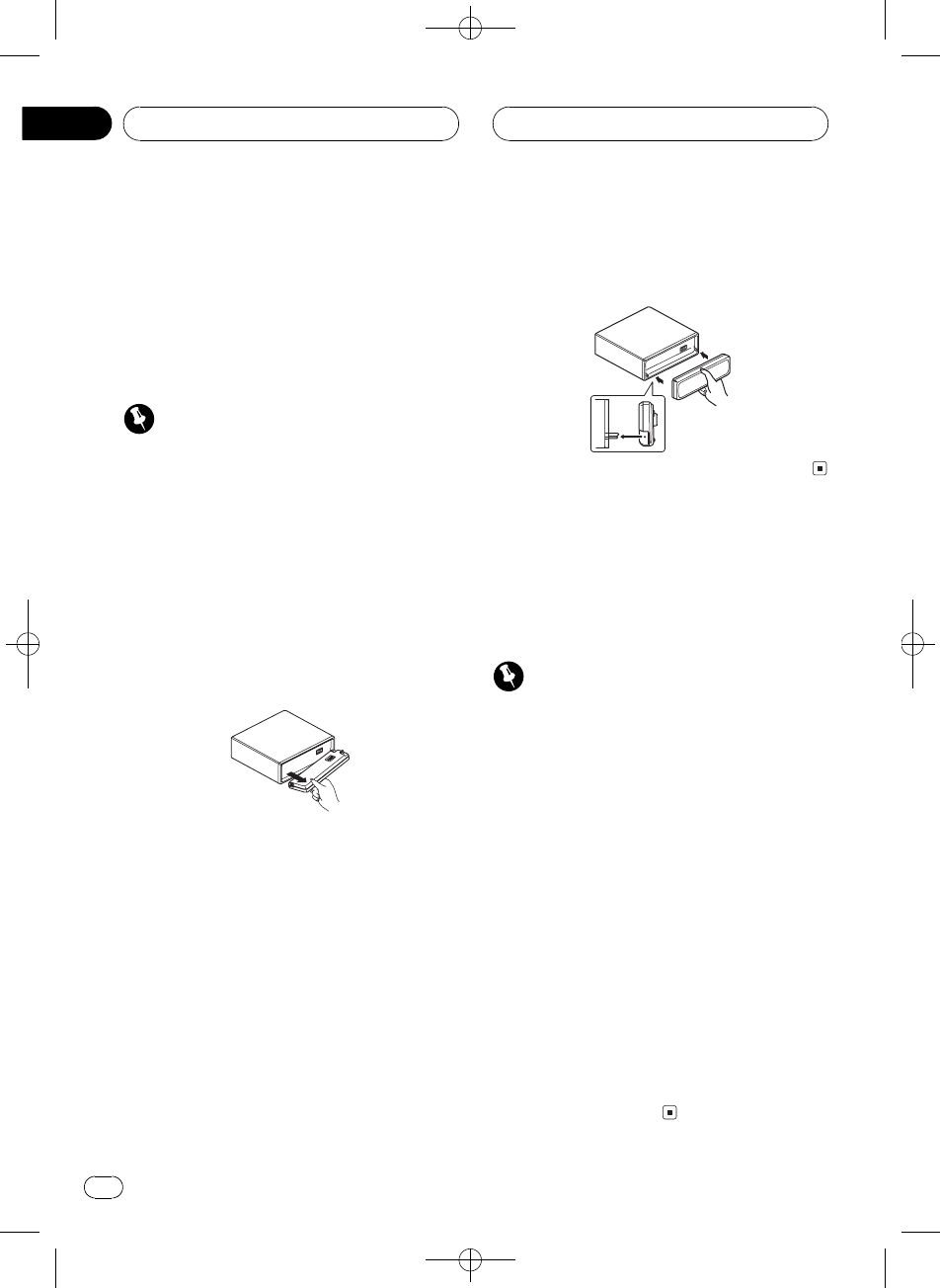
Black plate (54,1)
<XRD7106-A/N>54
,_K2Ü
Mbï;_x>eD6K2Üݪ±å
M«Ü
!ÞkÝnÜÒgMb;
_xfJóÿw
!fJóïÜËÃ,81
ÛfJ
ó
Í
!ÆÝBÿo½(Oo:U
!ËMMb×0ÈÊ
!ËMb`âô}IØ«
ÆxMb
1OPENSMb
2OMbæt&vÉ
ËÃMbNÊv=
É2b4vÖ²Ô¥øåM 8
EÞ
3Mb>eD6K2Üݪ±hX
>
ÝMb
%>ÞMbBvW;_Nôá
6(e§dú
ܼ:Ä!
,_i.:Ä!.ºI!æ
.ºý:Ä!
!vMbSB:Ä!!ÕÖ
Í
,_rÚACCÉ#¥óÞkÜK
ÜÍ\&ïP&GÊû`ïý
>û
I!
(30ÒKg*2LûUÍ\Gkb
:ËI&Ï10Ò!IvÞ
kÜ-(ACCONMnB(,_ûÜ
ÅÁ5ïÖI!!5G
ï_ÕI!
ý:Ä!
vÞkÜ-¼ACCONMnB,_û
ÜGý:ÄêL_Õ(ý:Ä
!KLB6ïÖý:Ä!
!6Gï_Õý!ËO
}ÊÎÜBý:Ä|KLGïý
}Êû`>û
Ë(KM
Zhtw
54
À
01
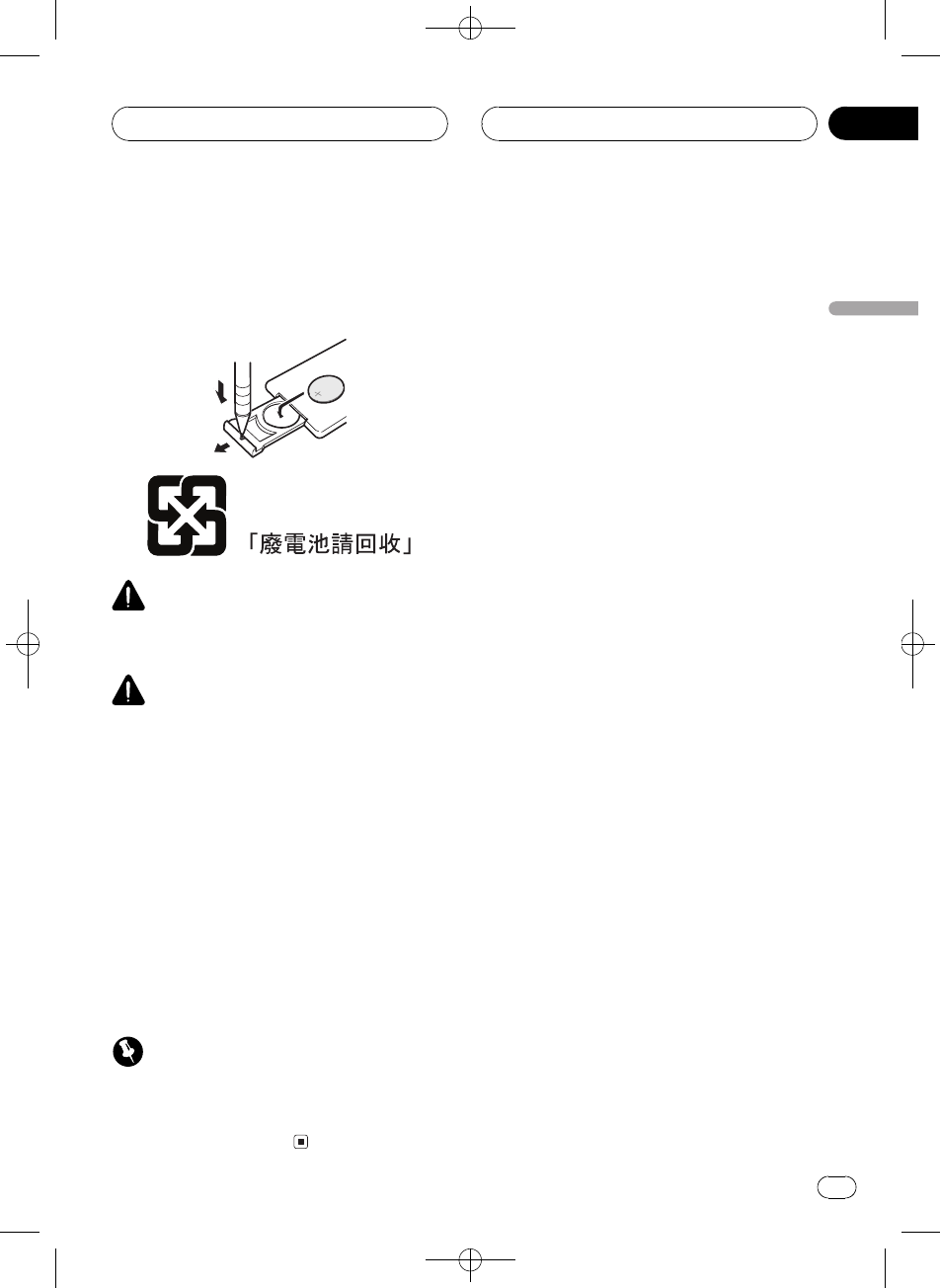
Black plate (55,1)
<XRD7106-A/N>55
Y§hK(Ý
Ýû`
Y§hÌÑúû`§6cºcu
u¹Òeû`
fJ
Ëû``âRåû`«vËËs
1«
Ã
!ËÅ(ÀCR2025 (3 V)ðû`
!Y§hó(BËÖúû`
!Ëÿû`EûvÆã±Ä¼k
-
!Ëÿ(ÑlåwÍ\û`
!Ëÿ(ÑlPÝXû`
!úþû`²ËY§h¹íè&
Ý°û`
!U(Nû`BËuª´´0@
?Õ°lqDT
(Y§h
Y§hWMb2LÍ\
!Y§h(ô}Iïý!Õc8å\
Í
!ËÿY§hÝX(Ø«öô}I
!ËÿY§h=(0&Gïý
a(^ʹK
Ë(KM
Zhtw 55
À
-
01
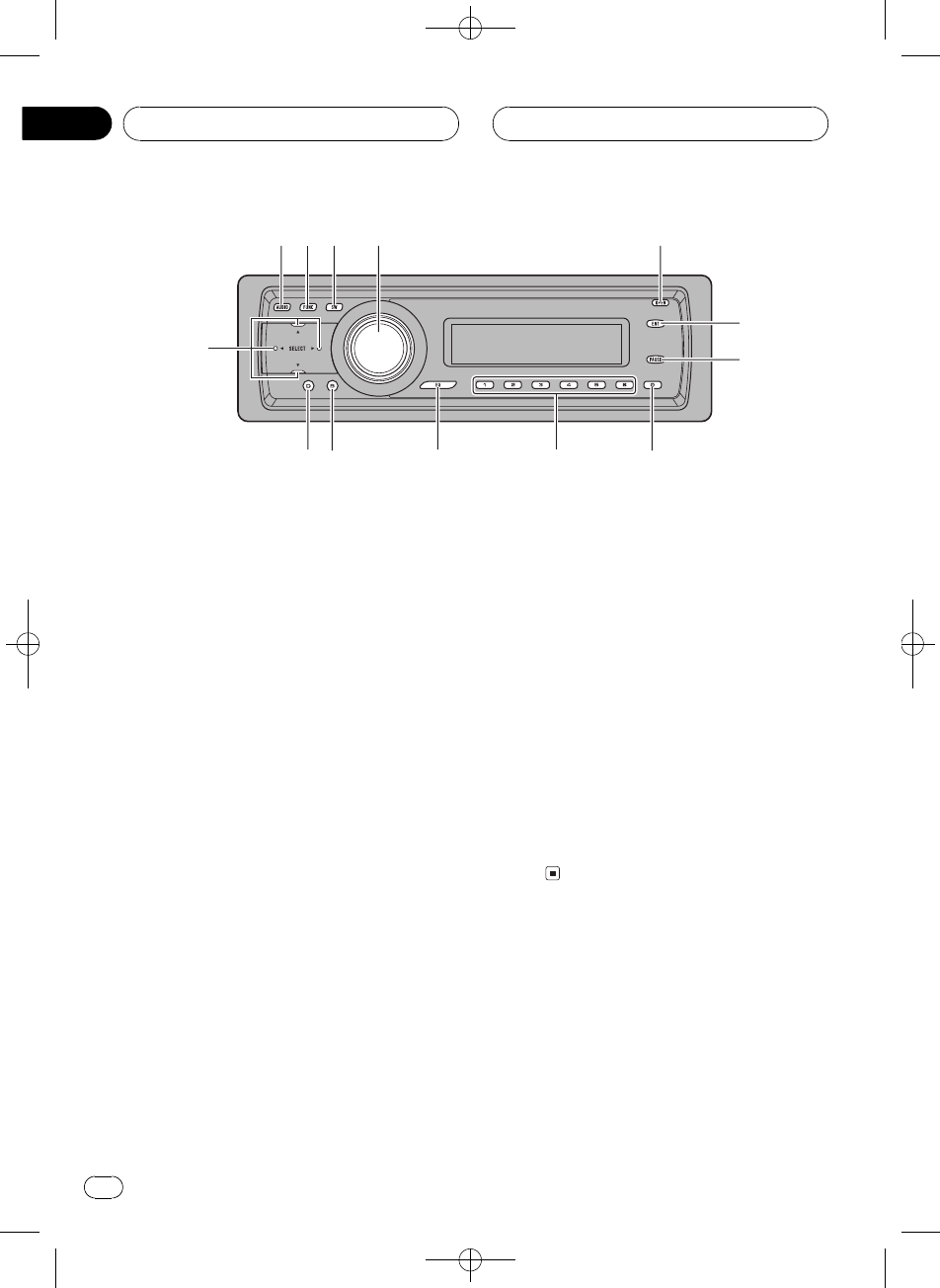
Black plate (56,1)
<XRD7106-A/N>56
;_
1AUDIO
rïxÇ.óê§6
2FUNCTION
rïxÇý
3SW
rïô¥xÇNóÚrh-x
®ËÃ,78
(NóÚrh8
ú
OGïxÇEQ-EX-x®ËÃ
,75
ÜIhòÚEQ-EX
4SOURCE VOLUME
xÇ>ï_,_rï(
@ï(>Kª°Û
ËIrï¿Ø¿NóÏ
5OPEN
rïSMb
6ENTERTAINMENT
rïÛóo:
7PAUSE
rïÜ«\
8CLOCK
rïÛóBo:
916
rï2L-¿;&ï((G
I_B2LG_¼
aEQ
rïxÇ.IhòÚ
bBAND
rïFMâµAMâµ-x
Ç&ïÖýK§6!
cDISPLAY
rïxÇo:!
da/b/c/d
rï2LKÕ¿;ë2ë
òî§6Bï(¼§6
ý
Y§h
v\(;_øÜÍ
\ËÃ;_Ë9FATTd
Ë9
eVOLUME
rï¿Ø¿NóÏ
12 3 4 5
6
7
89abc
d
ý
Zhtw
56
À
02
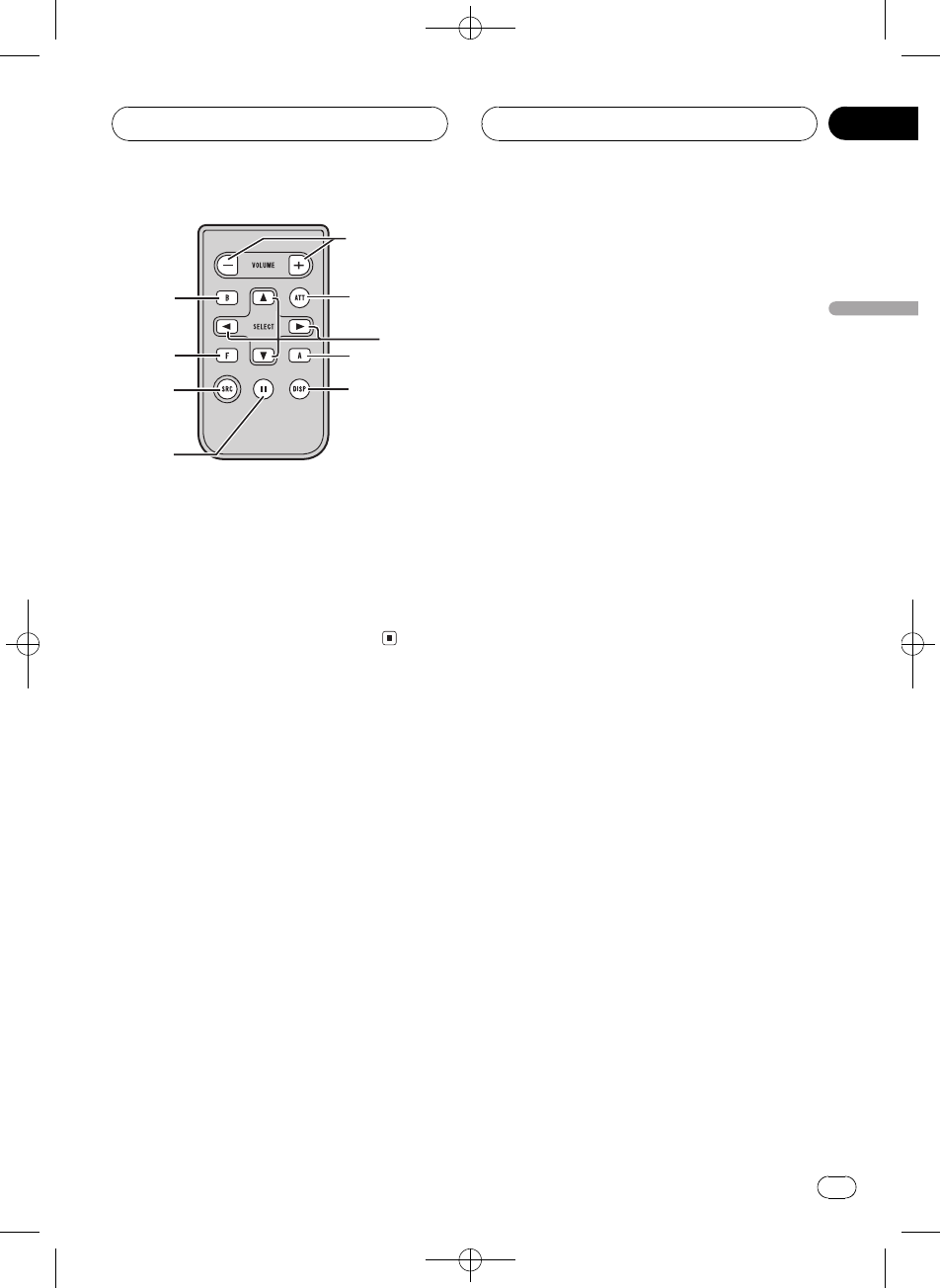
Black plate (57,1)
<XRD7106-A/N>57
fATT
rïÅóÏûs¿N90%
!ïÔÞwóÏûs
gSOURCE
xÇ>ï_,_rï(
@ï(>Kª°Û
f
1
g
2
7
c
b
e
d
ý
Zhtw 57
À
-
02
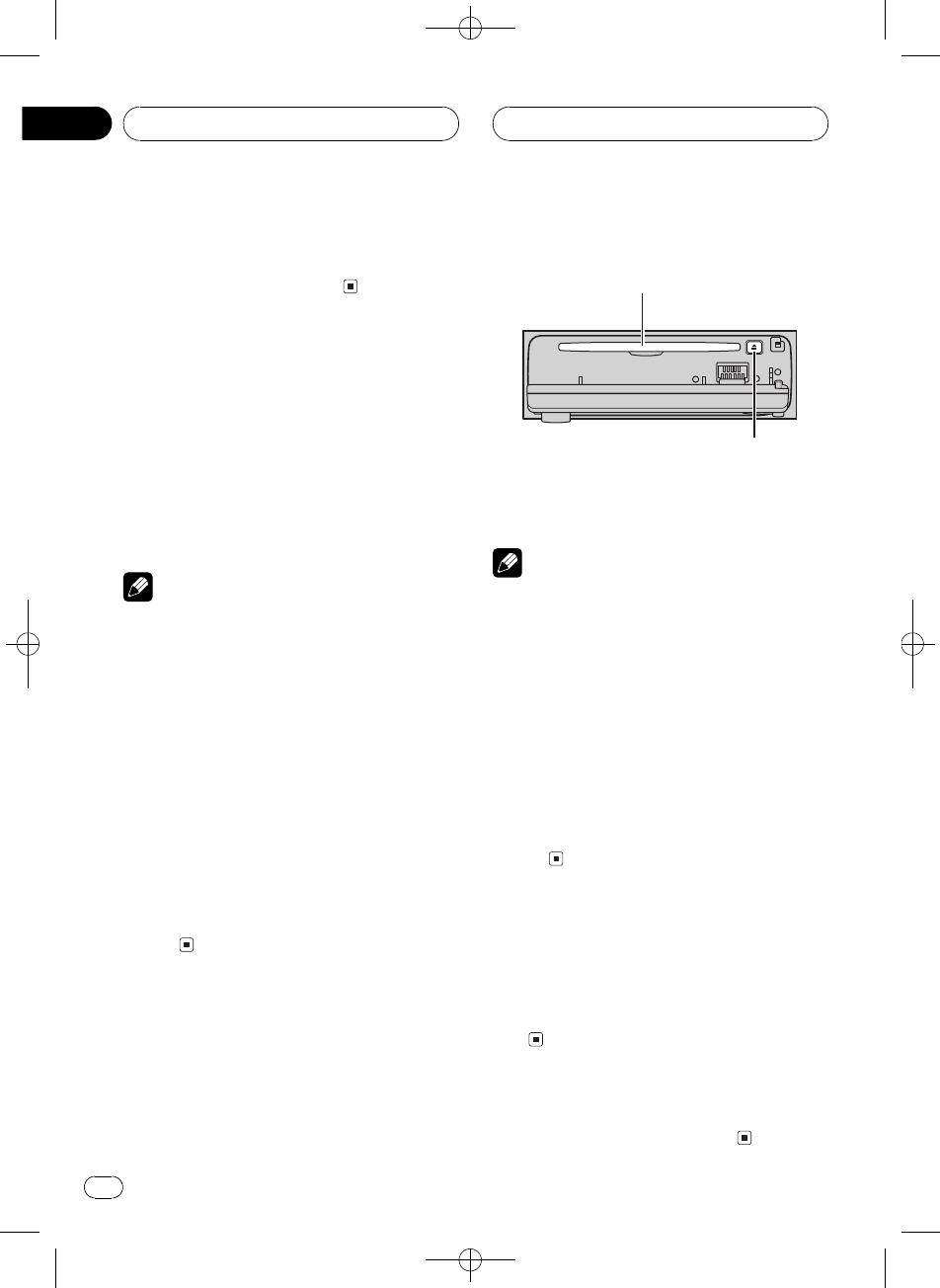
Black plate (58,1)
<XRD7106-A/N>58
_,_
%SOURCEï_,_
vxÇ>B,__
xÇ>
¨ïxÇ26}>ÛógnI
_BË(,_-Ýe5GËÃ,61
%SOURCExÇ>
ÍSOURCEï(å>KÛ
¿çhû_DVD>_GDVD
>_gnI_GI_è
-1è-2AUX
è
!(ÅÁBó9
v,_*#¥@x>øÉÝnB
,_-*ÝeGB
DVD>_-*ÝeGB
vGI_-*>eGýB
vGDVD>_-*>eGýB
vAUX©8e-ºÜBËÃ,81
!è-ÂHÒ"Á*"Á
¡\º>|¹FïN,_§6v
ú,ý,_ï§6iðè-(#
¥iðè-B,_êÕvº
è-1è-2
!v,_KÍr}rÚ#¥ó}ÊêÕ)
Ú-|§6ïPB}Ê)Ú(,_>
_ÕB8ú6Þ)ÚBËÜ>
ÝeG
1OPENSMb
CDýúþ
#(CDÒeËSOURCExÇgnI
_
2CDÒeCDý
>êÕË
CDý
EJECT
#EJECTïúCD
#º2búþE(MbSBËÿû
UÑliÁïP¥ø
è
!gnI_!>512 cm8cm
CD>8cmCDBËÿ(iMh
!CDý-ËÿÒeCDåûUvÖiÁ
!B_ÕCD>|úróKX(örþ
a(eGBFormat Reado:
!ýGhÒeG(Òe
!Õ>Ë¢åGdb/&
EJECTúG¢åG/&Þ6
Í°vÒe
!ERROR-11I/¤oo:GËÃ,
85
gnI_/¤oK+©
!vCDÝeúýK\c8B¨ï(
SMbBNOEJECTåú
CD
¿ÀóÏ
%(VOLUMEï¿Àró'
N;_ËIVOLUMEï¿Ø¿Nó
Ï
NY§hVOLUMEï¿Ø¿Nó
Ï
Ü,_
%OSOURCEôó,_Ü
ú,Í\
Zhtw
58
À
03
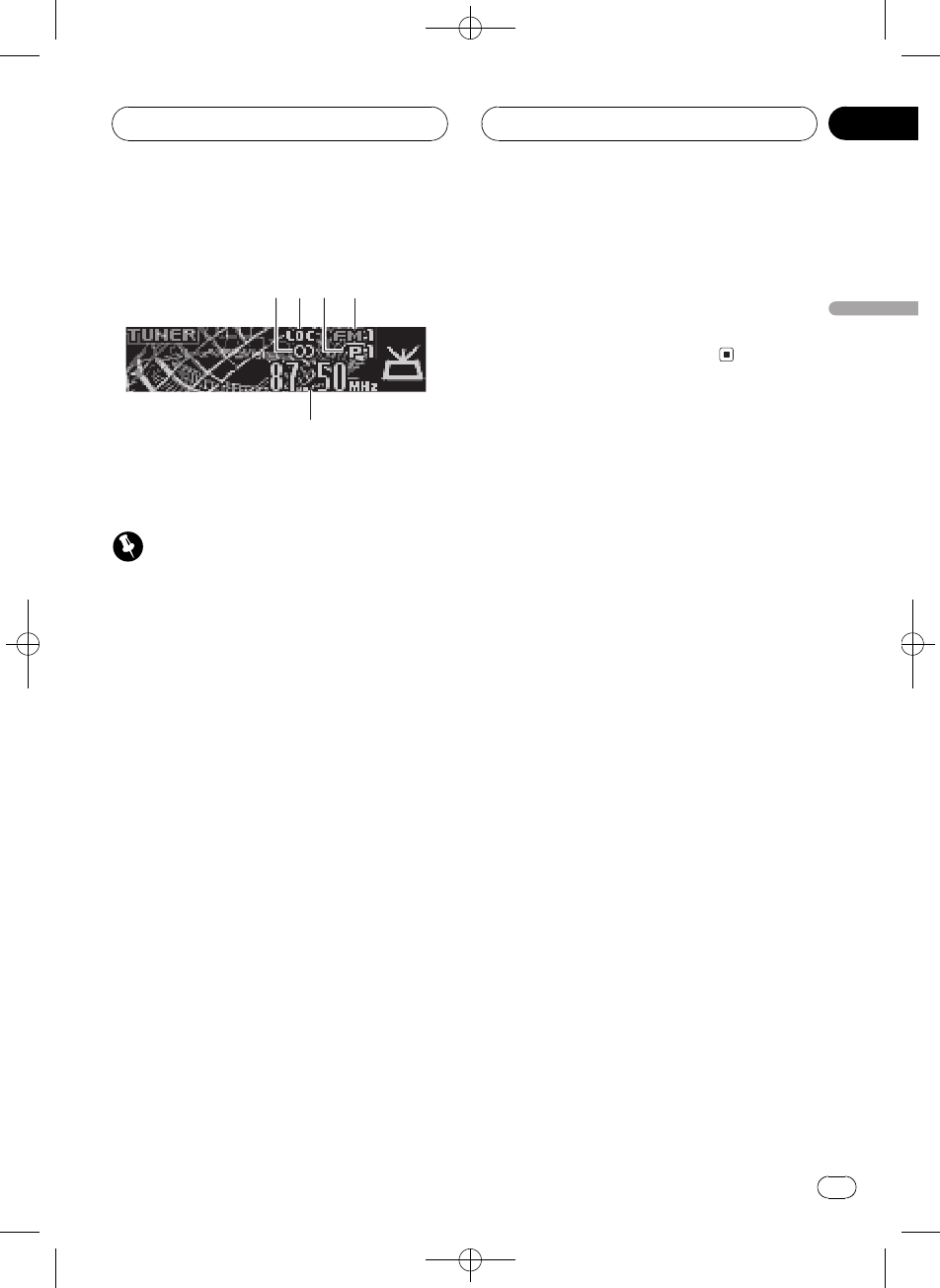
Black plate (59,1)
<XRD7106-A/N>59
6}6ó_
1
2
3
4
5
å/Í\6ó_ú,e_ôÜ¿ç
hÍ\¹Õê,60wË9
Í
(-W(,_ËAM¿;
©MËÃ,80
-AM¿;
1ËÔr5:h
v@xK;c(ËÔrãBo:
2LOC:h
(,0;S_Búþ
3-_¼:h
o:òxÇ-_¼
4âµ:h
o:6ó_¿;Kâµ/AMFM
5;:h
o:¿çh@¿K;
1SOURCExÇ¿çh
SOURCEôóTunero:
2BANDxÇâµ
BANDôó@âµFM1FM2FM3
ºFMAMo:
32LKÕ¿;Bëcd
;ûÕ
42L¿;BËOcd'Ò
~>
¿çhÏ;ôó~06}H}K
7á_ãÀî
#¿;ïNëcdÖ
#OcdGï(ãûúKó
¿;(>B_Õ
¿çh
Zhtw 59
À
-
04
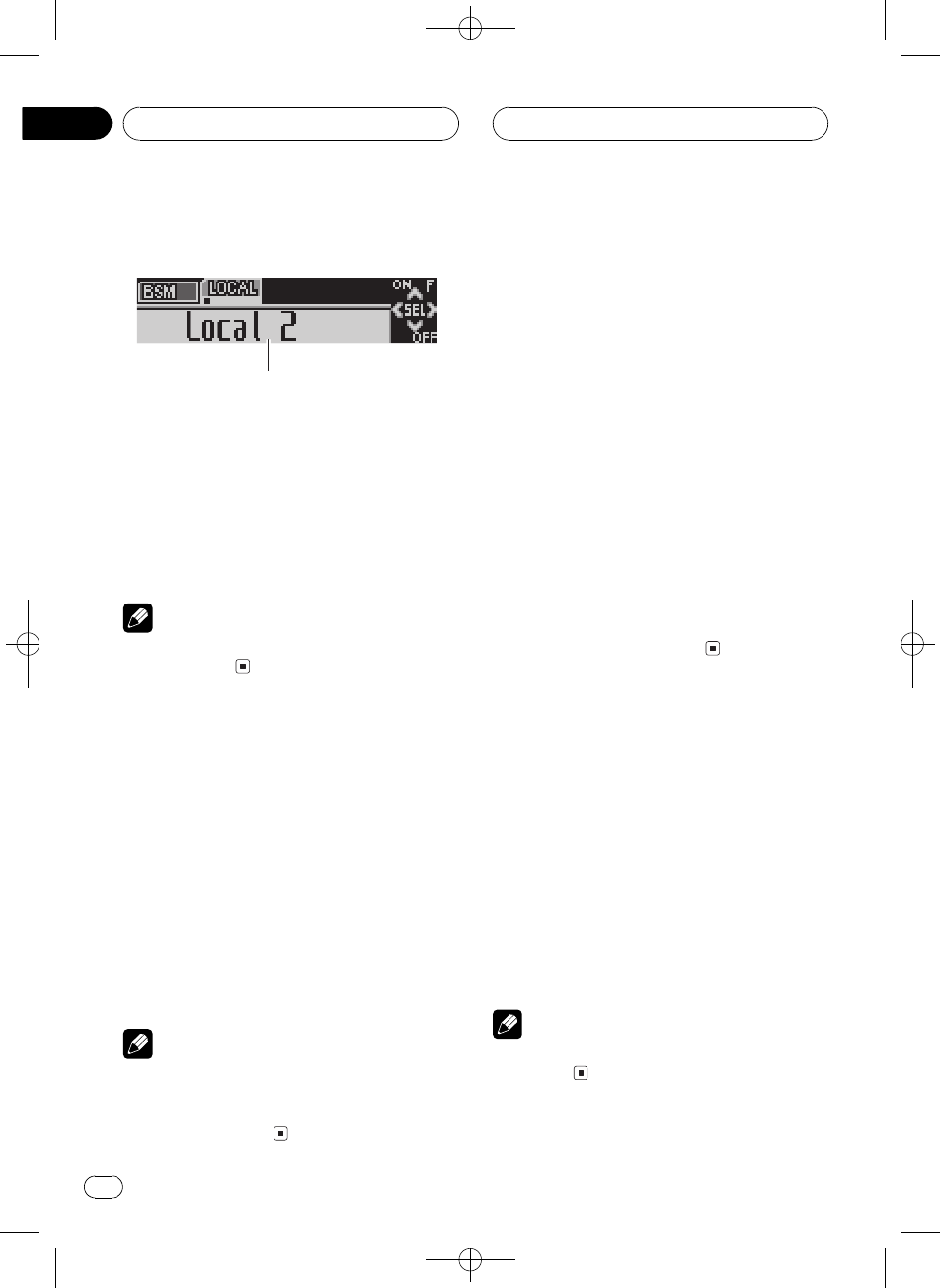
Black plate (60,1)
<XRD7106-A/N>60
Ü¿çhÍ\KË9
1
1ýo:
o:ýÀK
%FUNCTIONïo:ý1
ÍFUNCTIONï(åýKÛ
BSMsûú¶Local,0;S
#ÔÞ;o:BBAND
è
(30ÒKgÍ\rýo:UêÕ
ÔÞ;o:
ÝX¿úã;
ûU-¿;16ïÝ
Xmã;åêøxsï
v¿ú
%v~02ÝX(¶Ô-;BO
-¿;16v-ôóv-_¼\
b
òK_¼(-_¼:h-
6®w@xãûð;ÝX(
¶Ô-
år-¿;Bãûú;s
¶Ô-¿ú
è
!18FMûúFMâµ6åÊ6
AMûúïX2(¶Ô-
!¦ï(ab¿ú-¿ç16«
ãûú;
6}7á_
,0;Sêý6}0á_³ 7¥6H
}Kãûú
1FUNCTIONxÇLocal
FUNCTIONôóLocal(o:U-úþ
2a_,0;S
,0"HO¦Local 2(o:U
-úþ
3cd-HO¦
HO¦FMÛAMi
FMLocal 1Local 2Local 3Local 4
AMLocal 1Local 2
Local 4-Å6}á_7Kûú¨W-
MNï6}ûúá_1
42ÔÞc8¿;BbÜ,0;
S
Local :OFF(o:U-úþ
ÝX7Kã;
BSMsûú¶ï(-¿;16
êÕÝXm7Kã;æÝX
Gêøxsï6};
1FUNCTIONxÇBSM
FUNCTIONôóBSM(o:U-úþ
2a_BSM
BSMË(BSMBm7
ã;vá_71X2(-¿
;16X2P_BBSM\b
#ÖÝX2BËb
è
(BSMX2ã;ïýÿÛ(16òXe
ã;
¿çh
Zhtw
60
À
04
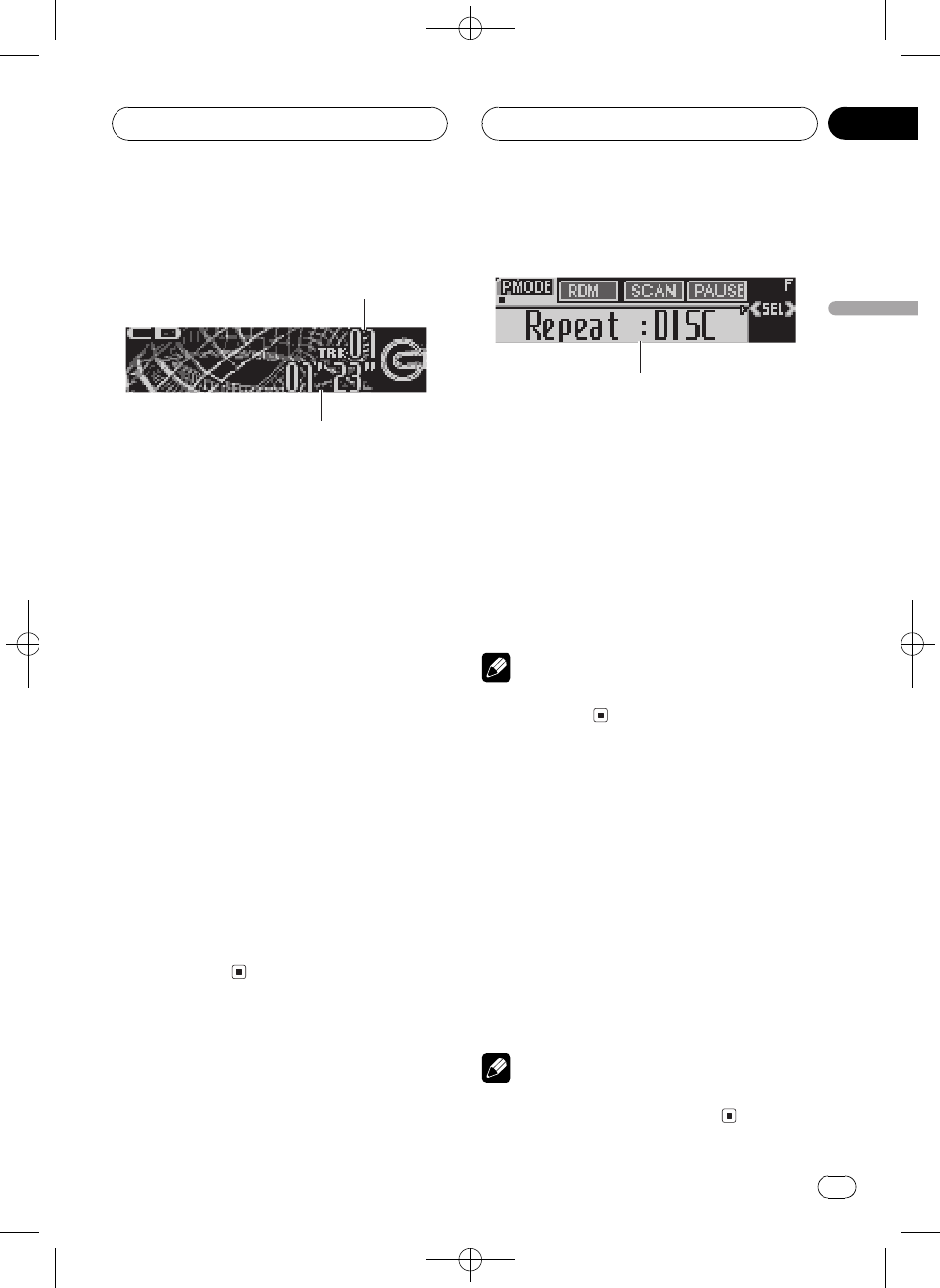
Black plate (61,1)
<XRD7106-A/N>61
>CD
1
2
åº(gnI_>CDKÅú,e
_ôÜCDÍ\ê,wË9
1òî_¼:h
o:vMc(>Kòî
2>B:h
o:vMòîò>B
1SOURCExÇgnI_
SOURCEôóCompact Disco:
#_g*ÝeGCompact Discgn
I_!ÕxÇË(_gÒeG
ËÃ,58
2ë2ëBOcd
#xÇROUGH SEARCHOcdïå
AòMvMGËÃ
xǹÕ
3MóóæòîBc
d
dïóóòîËMn!c
ïóóvMòîËMn!Gó
óMòî
ÜgnI_Í\KË9
1
1ýo:
o:ýÀK
%FUNCTIONïo:ý1
ÍFUNCTIONï(åýKÛ
RepeatÍ>Random¨_
>ScanÏ>Pause«\
Comp./BMXÓ.BMXFF/REV
¹Õ
#ÔÞ>o:BBAND
è
(30ÒKgÍ\rýo:UêÕ
ÔÞ>o:
Í>
Í>ýï}0òîÍ>
1FUNCTIONxÇRepeat
FUNCTIONôóRepeat(o:U-úþ
2cdxÇÍ>Ä
cdôó@Í>Ä(o:U-ú
þ
!DISCÍvMG
!TRACKÅÍvMòî
è
(TRACKN-2Lòîë2ë
GÍ>ĺDISC
gnI_
Zhtw 61
À
-
05
Black plate (62,1)
<XRD7106-A/N>62
¨_>òî
¨_>ýï¨_>CDKòî
1FUNCTIONxÇRandom
FUNCTIONôóRandom(o:U-úþ
2a_¨_>
Random : ON(o:U-úþòî¨_
>
3bܨ_>
Random :OFF(o:U-úþòî|
!>
ÏCDKòî
Ï>ï}0CDòîKM10Òg¹
1FUNCTIONxÇScan
FUNCTIONôóScan(o:U-úþ
2a_Ï>
Scan : ON(o:U-úþ>òîM10
Òg¹
3(~0@òîBbÜÏ>
Scan :OFF(o:U-úþòî|
>
#o:UòêÕÔÞ>o:N
FUNCTIONïÍ°xÇScan
è
(CDÏP_KòîÍ°Ëc8
>
«\CD>
«\ýï«B\bCDK>
1FUNCTIONxÇPause
FUNCTIONôóPause(o:U-úþ
2a_«\
Pause : ON(o:U-úþvMòîK>
«\
3bܫ\
Pause :OFF(o:U-úþ>«\
_Mnb©
(Ó.BMX
(COMPÓ.BMXýï¿À,_r
ó>êÏýGi¿ÀCOMP
ý(ØóÏBsaØóNóK8úBMX
§6róôÿ>róôýÿxÇB
Ë*A6}.H6¡(ý7c(
6}òîCD>KH
1FUNCTIONxÇComp./BMX
FUNCTIONôóComp./BMX(o:U-ú
þ
2abxÇ-
Íabï(å-KÛ
Comp./BMX OFFComp. 1Comp. 2
Comp./BMX OFFBMX 1BMX 2
xǹÕ
¨ï(ë2ëå10òMK
Û¹Õ
1FUNCTIONxÇFF/REV
FUNCTIONôóFF/REV(o:U-úþ
#¹ÕROUGH SEARCHòxG
ROUGH SEARCHo:
2cdxǹÕ
cdôó@¹Õ(o:U-úþ
gnI_
Zhtw
62
À
05
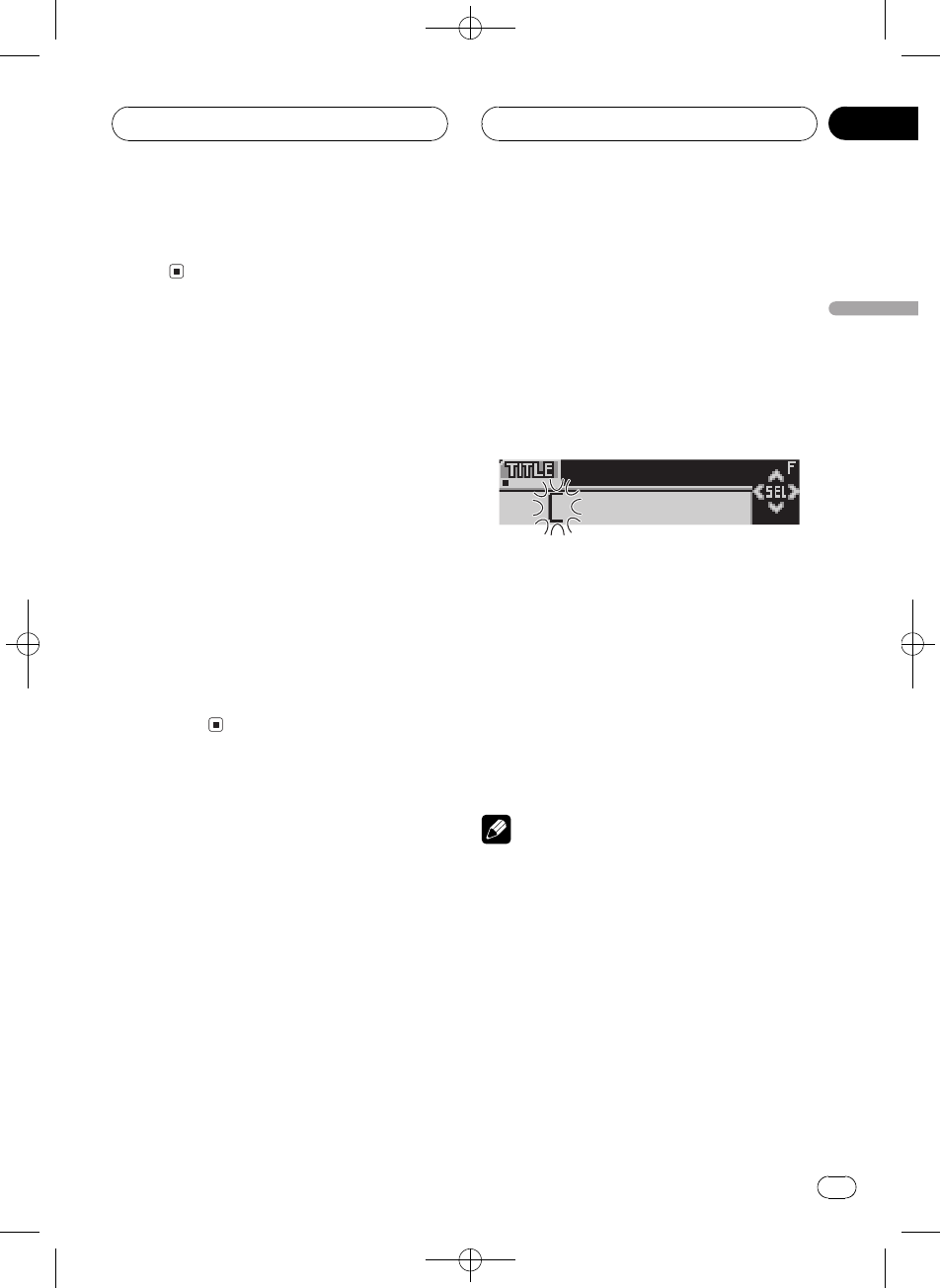
Black plate (63,1)
<XRD7106-A/N>63
!FF/REVë2ë
!ROUGH SEARCHå10òM
(vMG-å10ò
M
G-òîN10Gïå10òîº
®M(G+'ÏòîBGï!Ê
@>Kòî
1xǹÕROUGH SEARCH
2Ocd(G-å10òM
#G-òîx¼10Odï¿ú
Gòî#å10òM
iòîx¼10Odï¿ú
Gòî
#G-òîx¼10Ocï¿ú
G,òî#å10òM
iòîx¼10Ocï¿úG
,òî
(GLý
CDLï8e&o:!Òeò8eL
CDBrCDLo:
8eGL
(GL8eýï(,_-X248
CDLÏLwº10WC
1>8eLCD
2OFUNCTIONôóTITLE(o:U-ú
þ
#>CD TEXTGB!ÕÛóTITLEG
LÉòý(CD TEXTG
31xÇ@WC^
Í1ï(åWC^KÛ
WÍ'ëWÍëP2WÍ
6Íó&_WÍáàäç
#N2ïxÇ8exW&_
4abxÇWÍh-WÍ
Ï!aåA B C...X Y Zo:WÍ
h-WÍå1 2 3...@ #<o:xW
&_Ï!båøÍo:W
ÍZ Y X...C B A
5d8û0WCMn
(@WÍo:Bd8û0
Mn6xÇWÍcG(o:U
-ûÞ
6(8eLKNd8û0+
Mn
!dB8eLÝX(¶Ô
-
7BANDÔÞ>o:
è
!sGò,_-ÖúvLÍÝY
(¶Ô-&ï(rGÍ°ÒeB¿
ú
!(¶Ô-òÝX485GxÚK°
GxÚËéGxÚ
!#¥GI_Gï8e100
5GGL
o:GL
ò8eGLûUGKWÇïo
:
gnI_
Zhtw 63
À
-
05
Black plate (64,1)
<XRD7106-A/N>64
%DISPLAY
ÍDISPLAYï(å-KÛ
>BDisc TitleGL
vxÇDisc TitleBvMc(>G
L(o:U-úþ
#v6GLCDÒeBvGL
êÕË(o:UþÕ
#vMc(>G*þ8eLG
No Disc Titleo:
(CD TEXTý
G(ý\N-(GÐÇ2
Lè¼d^Gïý+øCDL
òîL\Ó>Bàd«1K
ºCD TEXTGÅd^yè¼CD TEXT
G/ý
o:CD TEXTGKWÇ
%DISPLAY
ÍDISPLAYï(å-KÛ
>BDisc TitleGL
DiscArtist NameG\Ó
Track TitleòîLTrackArtist Name
òî\Ó
#CD TEXTG*þýwÔÇG
L1o:
(o:U-þÕWÇ
,_ïo:Disc TitleDiscArtist Name
Track TitleTrackArtist NameM16W
ÍåWÇb16WÍo:UïþÕ
%ODISPLAYôóWÇË(o:U
þÕ
LþÕ
è
v·þÕý(Ë---ºONB
CDWÇ(o:U-#þÕ«
Bo:WÇM16WC&ËUþÕ
ËODISPLAYËÃ,82
Û·þ
Õ
gnI_
Zhtw
64
À
05
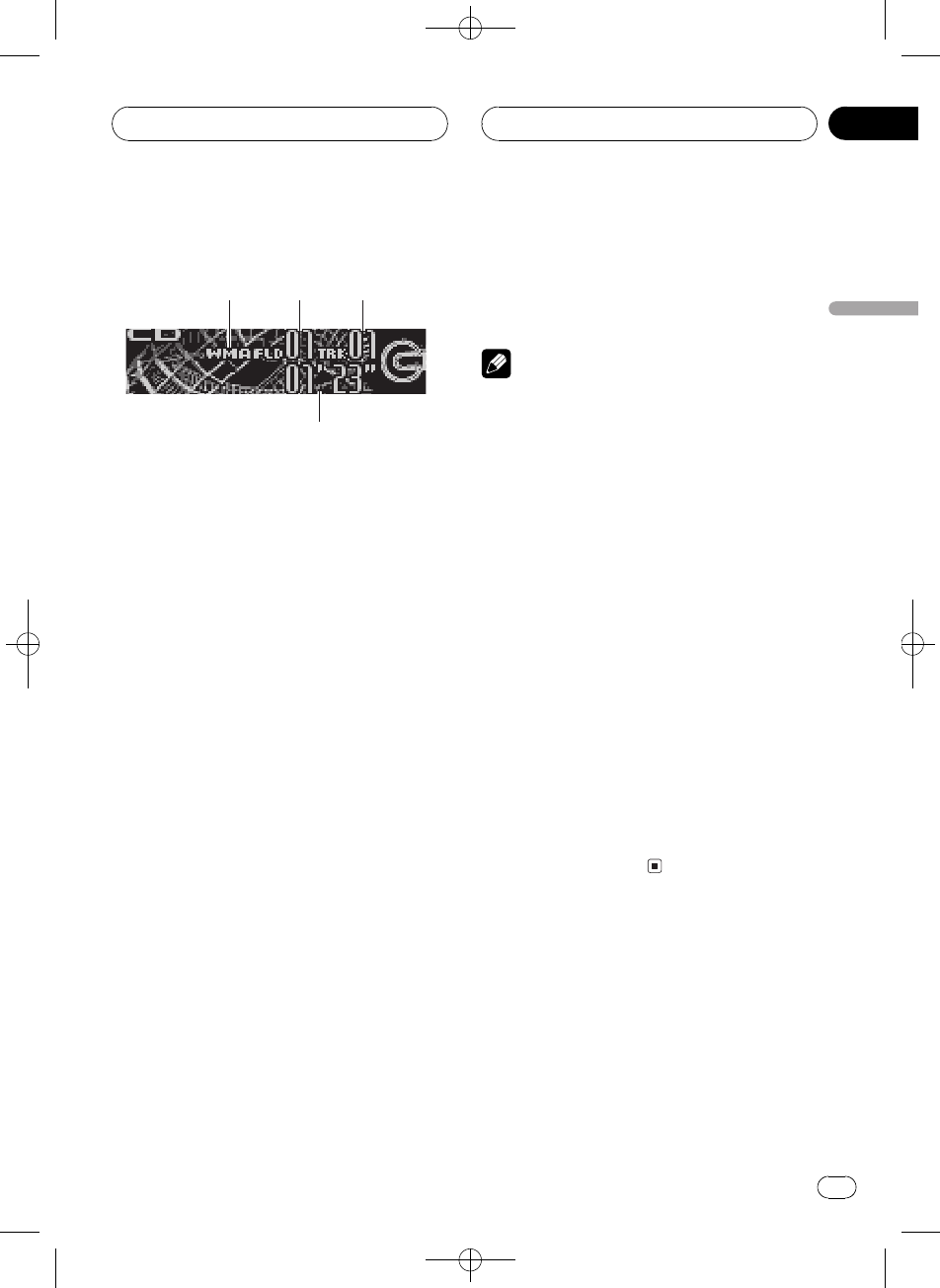
Black plate (65,1)
<XRD7106-A/N>65
>MP3/WMA/WAV
1
2
3
4
åº(gnI_>MP3/WMA/WAVKÅ
ú,e_ôÜMP3/WMA/WAVÍ\ê,
66wË9
1MP3/WMA/WAV:h
vMP3/WMA/WAVH>Bo:
2H>è_:h
o:vMc(>H>è_
3òî_¼:h
o:vMc(>KòîH
4>B:h
o:vMòîHò>B
1SOURCExÇgnI_
SOURCEôóCompact Disco:
#_g*ÝeGCompact Discgn
I_!ÕxÇË(_gÒeG
ËÃ,58
2abxÇH>
#+MP3/WMA/WAVHH>!ÕxÇ
#ÔÞH>019îBËOBAND
F/H>019î!ûUHG
>H>02Ë
3ë2ëBOcd
#xÇROUGH SEARCHOcdïå
AòMvMH>ËÃ,67
xǹÕ
4MóóæòîBc
d
dïóóòîËMn!c
ïóóvMòîËMn!Gó
óMòî
è
!(>MP3/WMA/WAVHó;xÚCD-
DACD-EXTRA÷!CDBi.
^GÅýNBAND(MP3/WMA/WAVCD-DA
KÛ!2L>
!ò(MP3/WMA/WAVHó;xÚCD-
DAKÛG>G,òî
Ë
!gnI_ï>ý(CD-ROMMP3/
WMA/WAVHÜï>HËÃ,86
!>Hè_ª2LH>å!ûU
HG«óNH>019î
!ûUHG>H>02Ë
!>åVBRïMCýHB
2Lë2ëÍ\G>B!Õ
c8o:
!ÒeG!ûUï>HG
No Audioo:
!ÒeG-+×xM)¡DRM
ÝwWMAHGd^×ÝwH«ó
NBTRK SKIPPEDo:
!@ÒeG-@HG×DRMÝw
GPROTECTo:
!ë2ëB!r
MP3/WMA/WAV>_
Zhtw 65
À
-
06
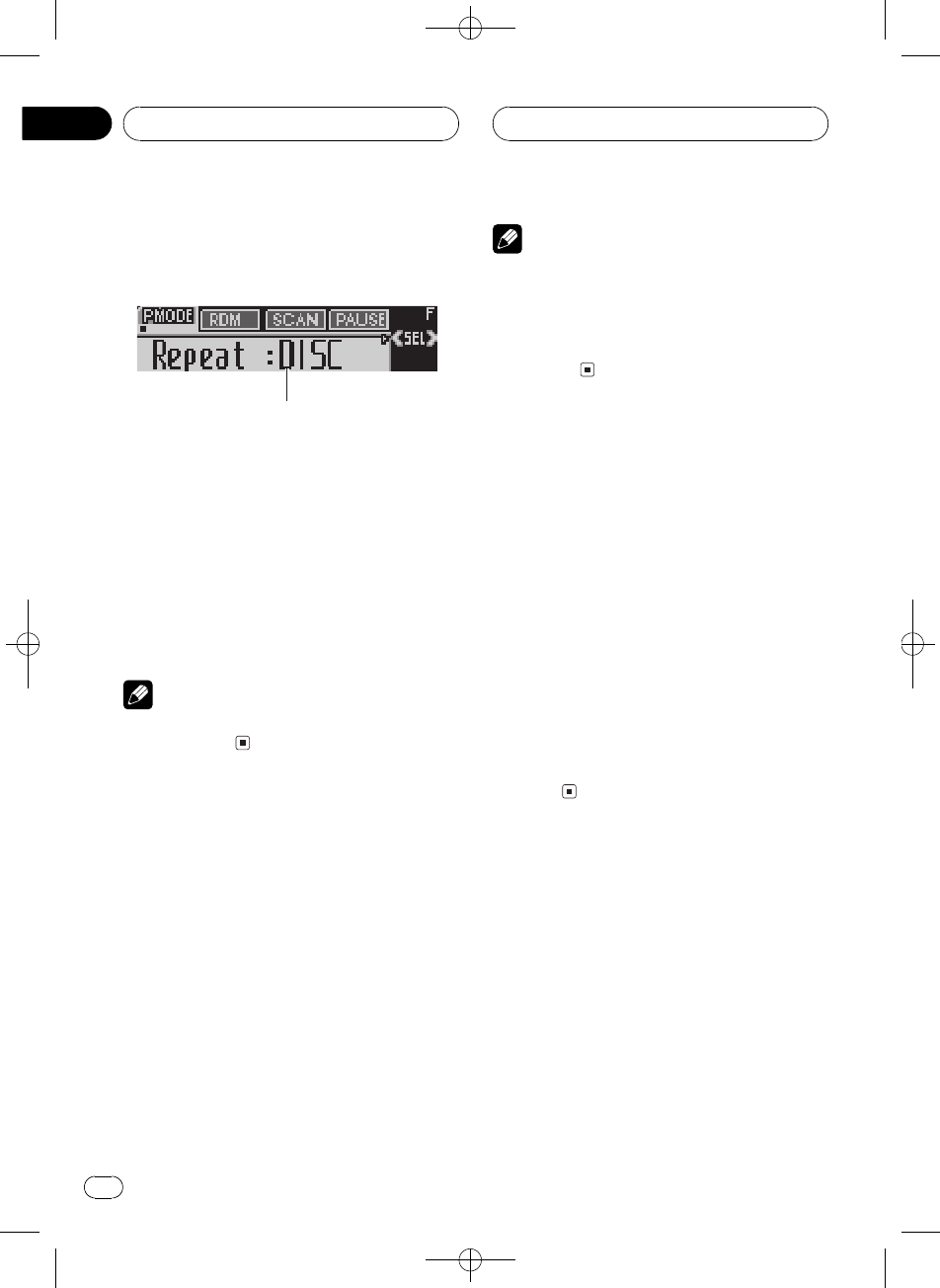
Black plate (66,1)
<XRD7106-A/N>66
ÜgnI_MP3/
WMA/WAVÍ\KË9
1
1ýo:
o:ýÀK
%FUNCTIONïo:ý1
ÍFUNCTIONï(åýKÛ
RepeatÍ>Random¨_
>ScanÏ>Pause«\
H>hComp./BMXÓ.BMX
FF/REV¹Õ
#ÔÞ>o:BBAND
è
(30ÒKgÍ\rýo:UêÕ
ÔÞ>o:
Í>
¼MP3/WMA/WAV>q.Í>Ä
FOLDERH>ÍTRACK®
òîÍDISCÍ@òî
1FUNCTIONxÇRepeat
FUNCTIONôóRepeat(o:U-úþ
2cdxÇÍ>Ä
cdôó@Í>Ä(o:U-ú
þ
!FOLDERÍvMH>
!TRACKÅÍvMòî
!DISCÍ@òî
è
!(Í>N-xÇvÖH>G
Í>ĺDISC
!(TRACKN-2Lòîë2
ëGÍ>ĺFOLDER
!vxÇFOLDERBrH>-PH>!
Õ>
¨_>òî
¨_>ýï(Í>ÄFOLDER
DISCg¨_>òî
1xÇÍ>Ä
ËÃ,
Í>
2FUNCTIONxÇRandom
FUNCTIONôóRandom(o:U-úþ
3a_¨_>
Random : ON(o:U-úþòî(òx
FOLDERDISCÄg¨_>
4bܨ_>
Random :OFF(o:U-úþòî|
!>
ÏH>òî
((FOLDERB@xH>-òî
ËU>10Ò((DISCB
H>,òîËU>10Ò
1xÇÍ>Ä
ËÃ,
Í>
2FUNCTIONxÇScan
FUNCTIONôóScan(o:U-úþ
MP3/WMA/WAV>_
Zhtw
66
À
06
Black plate (67,1)
<XRD7106-A/N>67
3a_Ï>
Scan : ON(o:U-úþvMH>ò
îH>,òîM10Òg
¹>
4(~0@òîH>BbÜ
Ï>
Scan :OFF(o:U-úþòîH
>|>
#o:UòêÕÔÞ>o:N
FUNCTIONïÍ°xÇScan
è
(òîH>ÏP_KòîÍ°Ë
c8>
«\MP3/WMA/WAV>
«\ýï«B\bMP3/WMA/WAVK>
1FUNCTIONxÇPause
FUNCTIONôóPause(o:U-úþ
2a_«\
Pause : ON(o:U-úþvMòîK>
«\
3bܫ\
Pause :OFF(o:U-úþ>«\
_Mnb©
H>LhxÇH>
H>Lhýïo:H>L
h&ïxÇv-K2L>
1FUNCTIONxÇH>Lh
FUNCTIONôóRoot(o:U-úþ
2cd(ò8eLh-þÕ
#@xH>-+H(o
:U-úþ
3a>H>
xg¹Ë>
#@xH>+ûUHNO FILES
o:
(Ó.BMX
(COMPÓ.BMXýï¿À,_r
ó>êÏýGi¿ÀCOMP
ý(ØóÏBsaØóNóK8úBMX
§6róôÿ>róôýÿxÇB
Ë*A6}.H6¡(ý7c(
6}òîCD>KH
1FUNCTIONxÇComp./BMX
FUNCTIONôóComp./BMX(o:U-ú
þ
2abxÇ-
Íabï(å-KÛ
Comp./BMX OFFComp. 1Comp. 2
Comp./BMX OFFBMX 1BMX 2
xǹÕ
¨ï(ë2ëå10òMK
Û¹Õ
1FUNCTIONxÇFF/REV
FUNCTIONôóFF/REV(o:U-úþ
#¹ÕROUGH SEARCHòxG
ROUGH SEARCHo:
2cdxǹÕ
cdôó@¹Õ(o:U-úþ
!FF/REVë2ë
!ROUGH SEARCHå10òM
MP3/WMA/WAV>_
Zhtw 67
À
-
06
Black plate (68,1)
<XRD7106-A/N>68
(vMH>-å10òîº
®M
vMH>-òîN10Gïå10
òM(H>+'ÏòîBG
ï!Ê@>òî
1xǹÕROUGH SEARCH
2Ocd(vMH>-å10òîº
®M
#vMH>-òîx¼10Odï
¿úH>-òî#å10
òMiòîx¼10O
dï¿úH>-òî
#vMH>-òîx¼10Ocï
¿úH>-,òî#å10ò
Miòîx¼10Oc
ï¿úH>-,òî
o:MP3/WMA/WAVGK
WÇ
MP3/WMA/WAVGýWÇïåo
:
v>MP3/WMAGB
%DISPLAY
ÍDISPLAYï(å-KÛ
>BFolder NameH>
File NameHTrack Titleòî
LArtist Name\Ó
Album Title/LCommentè
ËMC
#>åVBRïMCýMP3ö
BsÛóMCKMC<¦o
:VBRo:
#>åVBRïMCýWMAH
BsGMC<o:
#MP3/WMAG*þýyÇG
No XXXXo:No Track Title
#à(¼MP3HëeGiTunes®H,
KEèËÇïý!Õc8o:
#à(¼WMAHè¼Windows Media Player
H,KE1GÆ1vÖWÇïý!
Õc8o:
v>WAVGB
%DISPLAY
ÍDISPLAYï(å-KÛ
>BFolder NameH>
File NameHÖ#;
#WAVHÅý(1622.05243244.1
48 kHz;LPCM,22.0544.1 kHz;
MS ADPCM>o:U-@:Ö#;ï
ýÖtx
(o:U-þÕWÇ
,_Åïo:Folder NameFile Name
Track TitleArtist NameAlbum Title
CommentKM16WÍåýÇw¦
N16WÍGWæþÕsï
WÇig¹
%ODISPLAYôóWÇË(o:U
þÕ
WÇþÕ
è
!WAVH¼MP3WMAH<Åo:
Folder NameFile Name
!v·þÕý(Ë---ºON
BCDWÇ(o:U-#þÕ
«Bo:WÇM16WC&
ËUþÕËODISPLAYËÃ,82
Û·þÕ
MP3/WMA/WAV>_
Zhtw
68
À
06
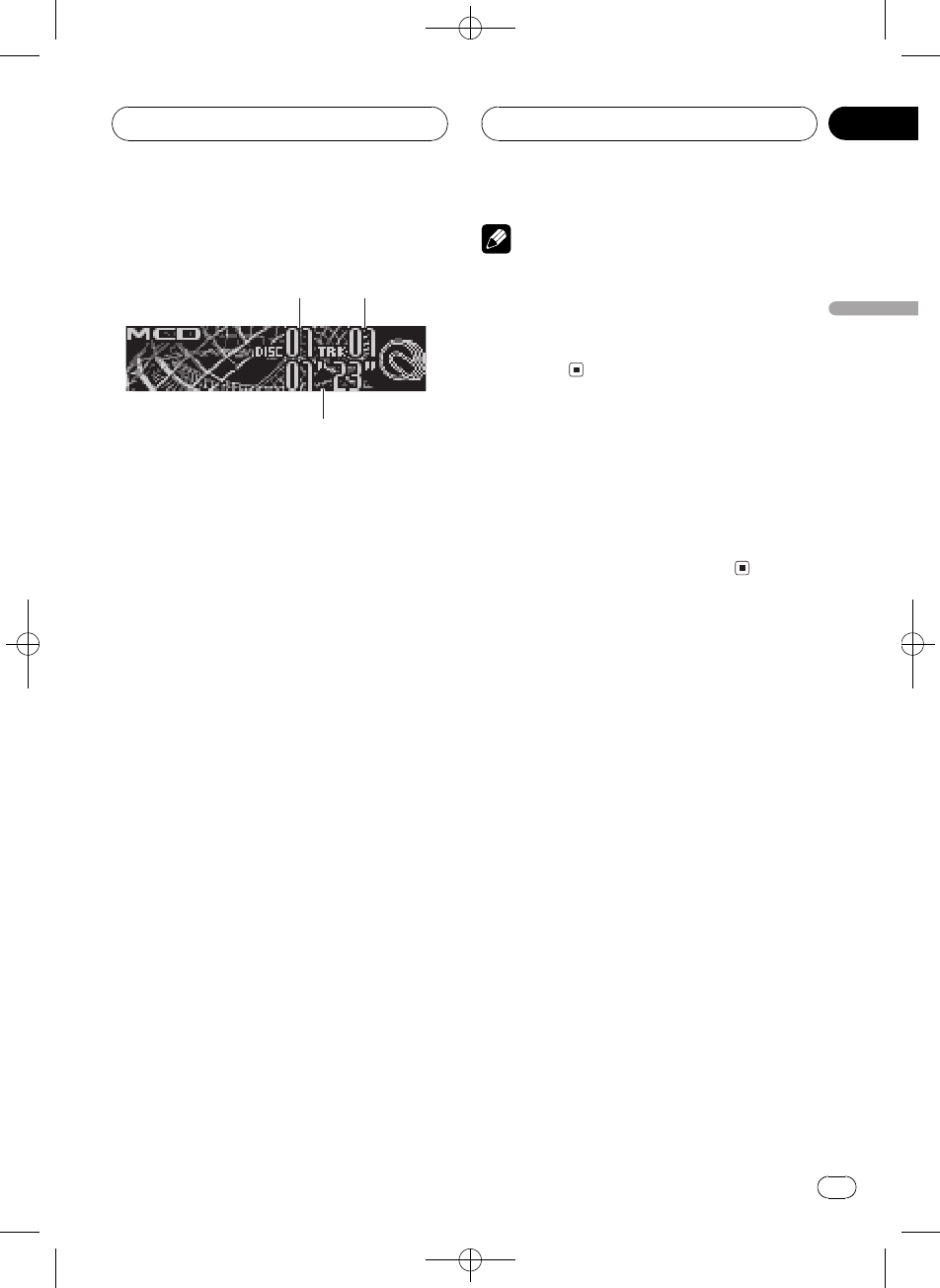
Black plate (69,1)
<XRD7106-A/N>69
>CD
1
2
3
,_ï(¼§6æ.GI_
åº(GI_>CDKÅú,e
_ôÜCDÍ\ê,70wË9
1G_¼:h
o:vMc(>KG
2òî_¼:h
o:vMc(>Kòî
3>B:h
o:vMòîò>B
1SOURCExÇGI_
SOURCEôóMulti CDo:
2(16xÇ@6}G
G1ó6øÉxW
G7ó12OøÉxW1(¼G
7ôóG_¼(o:U-úþ
#¦ïa/b!xÇG
3ë2ëBOcd
4MóóæòîBc
d
dïóóòîËMn!c
ïóóvMòîËMn!Gó
óMòî
è
!vGI_2LÍ\BReadyo
:
!ERROR-11I/¤oo:ËÃG
I_(6K
!GI_Gý-!GNo Disc
o:
50GI_
Å,ªø-@ðýM/50GI
_
,_*-(50GI_Í\GL
hýÜGLhýËÃ,
73
GLhxÇG
GI_
Zhtw 69
À
-
07
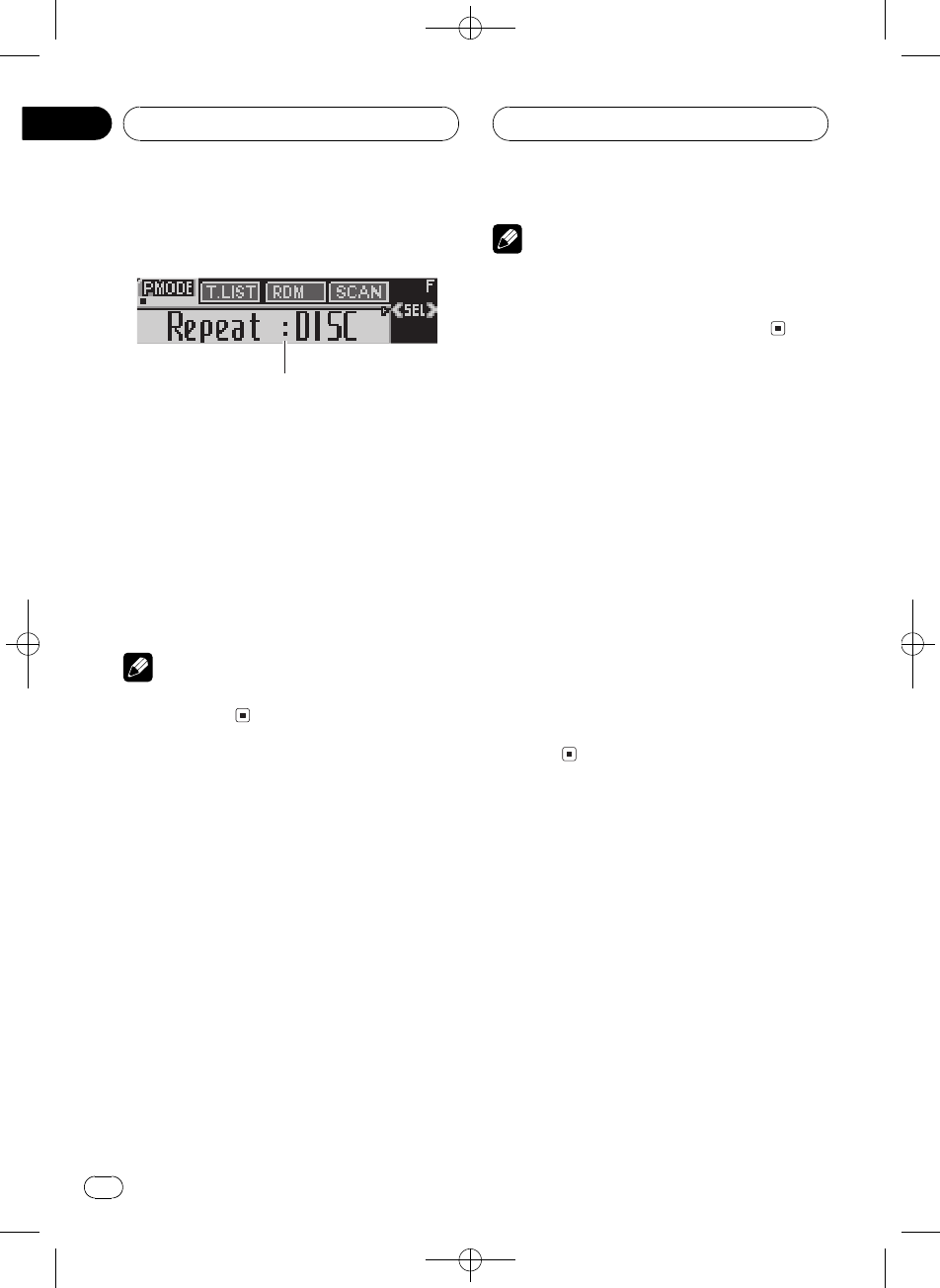
Black plate (70,1)
<XRD7106-A/N>70
ÜGI_Í\KË9
1
1ýo:
o:ýÀK
%FUNCTIONïo:ý1
ÍFUNCTIONï(åýKÛ
RepeatÍ>GLh
Random¨_>ScanÏ>
ITS PlayITS>Pause«\
COMP.Ó.ÕKNó7
#ÔÞ>o:BBAND
è
(30ÒKgÍ\rýo:UêÕ
ÔÞ>o:
Í>
GI_Í>ÄMCD
GI_ÍTRACK®òî
ÍDISCGÍ
1FUNCTIONxÇRepeat
FUNCTIONôóRepeat(o:U-úþ
2cdxÇÍ>Ä
cdôó@Í>Ä(o:U-ú
þ
!MCDÍGI_-@G
!TRACKÅÍvMòî
!DISCÍvMG
è
!(Í>N-xÇvÖGGÍ
>ĺMCD
!(TRACKN-2Lòîë2
ëGÍ>ĺDISC
¨_>òî
¨_>ýï(Í>ÄMCD
DISCg¨_>òî
1xÇÍ>Ä
ËÃ,
Í>
2FUNCTIONxÇRandom
FUNCTIONôóRandom(o:U-úþ
3a_¨_>
Random : ON(o:U-úþòî(òx
MCDDISCÄg¨_>
4bܨ_>
Random :OFF(o:U-úþòî|
!>
ÏCDòî
((DISCB@xGòî
ËU>10Ò((MCDB
G,òîËU>10Ò
1xÇÍ>Ä
ËÃ,
Í>
2FUNCTIONxÇScan
FUNCTIONôóScan(o:U-úþ
3a_Ï>
Scan : ON(o:U-úþvMGòî
G,òîM10Òg¹
>
GI_
Zhtw
70
À
07
Black plate (71,1)
<XRD7106-A/N>71
4(~0@òîGBbÜ
Ï>
Scan :OFF(o:U-úþòîG
|>
#o:UòêÕÔÞ>o:N
FUNCTIONïÍ°xÇScan
è
(òîGÏP_KòîÍ°Ëc
8>
«\CD>
«\ýï«B\bCDK>
1FUNCTIONxÇPause
FUNCTIONôóPause(o:U-úþ
2a_«\
Pause : ON(o:U-úþvMòîK>
«\
3bܫ\
Pause :OFF(o:U-úþ>«\
_Mnb©
(ITS>h
ITSsBòîxÇýïGI_
Gýòî-xý\òî>
h(òîû0>hKsï
_ITS>Å>¾xòî
(ITSèuú>h
(ITSïÏ5G8e&>99ò
î/1005G6GL
¼CDX-P1250CDX-P650KMú.G
I_>h-ïX224ò
î
1>èCD
abxÇCD
2OFUNCTIONôóTITLE(o:U-ú
þ6FUNCTIONxÇITS
(TITLEo:KÍFUNCTIONGo
:U-úþåý
TITLEGL8eITSITSè
3cdxÇ@òî
4a(>h-ÝXvMc(>ò
î
ITS Input«Bo:vMc(>xò
e>h6o:UÍ°o:ITS
5BANDÔÞ>o:
è
(¶Ô-òÝX1005GxÚK°
GxÚËéGxÚ
>ITS>h
ITS>ýï6}ò8eITS>h-ò
îvITS>_BGI_ITS>
h-òîË>
1xÇÍ>Ä
ËÃ
Í>
2FUNCTIONxÇITS Play
FUNCTIONôóITS Play(o:U-úþ
3a_ITS>
ITS Play : ON(o:U-úþ>(òx
MCDDISCÄg>h-òî
Ë
#vMÄg!ûUòîè2LITS
>GITS Emptyo:
GI_
Zhtw 71
À
-
07
Black plate (72,1)
<XRD7106-A/N>72
4bÜITS>
ITS Play :OFF(o:U-úþ>vM
>òîCD|åc82L
*dITS>h-òî
ITS>_G¨ï*dITS>h-
òî
ITS>ò_Góóe_2
ITS>*_GFUNCTION
1>ITS>h*dòîCD6
_ITS>
ËÃ
>ITS>h
2OFUNCTIONôóTITLE(o:U-ú
þ6FUNCTIONxÇITS
(TITLEo:KFUNCTIONôóITS(o
:U-úþ
3cdxÇ@òî
4b*dITS>h-òî
vMc(>xòITS>h-*d
ITS>h-òîË>
#(vMÄg>h-!ûUòî
GITS Emptyo:c8>b©
5BANDÔÞ>o:
*dITS>h-CD
ITS>ÜG¨ï*dITS>h-
CD@òî
1>*dCD
abxÇCD
2OFUNCTIONôóTITLE(o:U-ú
þ6FUNCTIONxÇITS
(TITLEo:KFUNCTIONôóITS(o
:U-úþ
3bITS>h-*dvMc(>
CD@òî
vMc(>CD-@òî>h-*
dITS Clearo:
4BANDÔÞ>o:
(GLý
CDLïå8e&o:K
>@G
8eGL
(GL8eýï(GI_-
X2100CDL6ITS>hÏ
Lwº10WC
1>8eLCD
abxÇCD
2OFUNCTIONôóTITLE(o:U-ú
þ
(TITLEo:KÍFUNCTIONGo
:U-úþåý
TITLEGL8eITSITSè
#(|¹CD TEXTGI_>CD TEXT
GB,_!ÕÛóTITLEGLò
ý(CD TEXTG-
31xÇ@WC^
Í1ï(åWC^KÛ
WÍ'ëWÍëP2WÍ
6Íó&_WÍáàäç
#N2ïxÇ8exW&_
4abxÇWÍh-WÍ
Ï!aåA B C...X Y Zo:WÍ
h-WÍå1 2 3...@ #<o:xW
&_Ï!båøÍo:W
ÍZ Y X...C B A
GI_
Zhtw
72
À
07
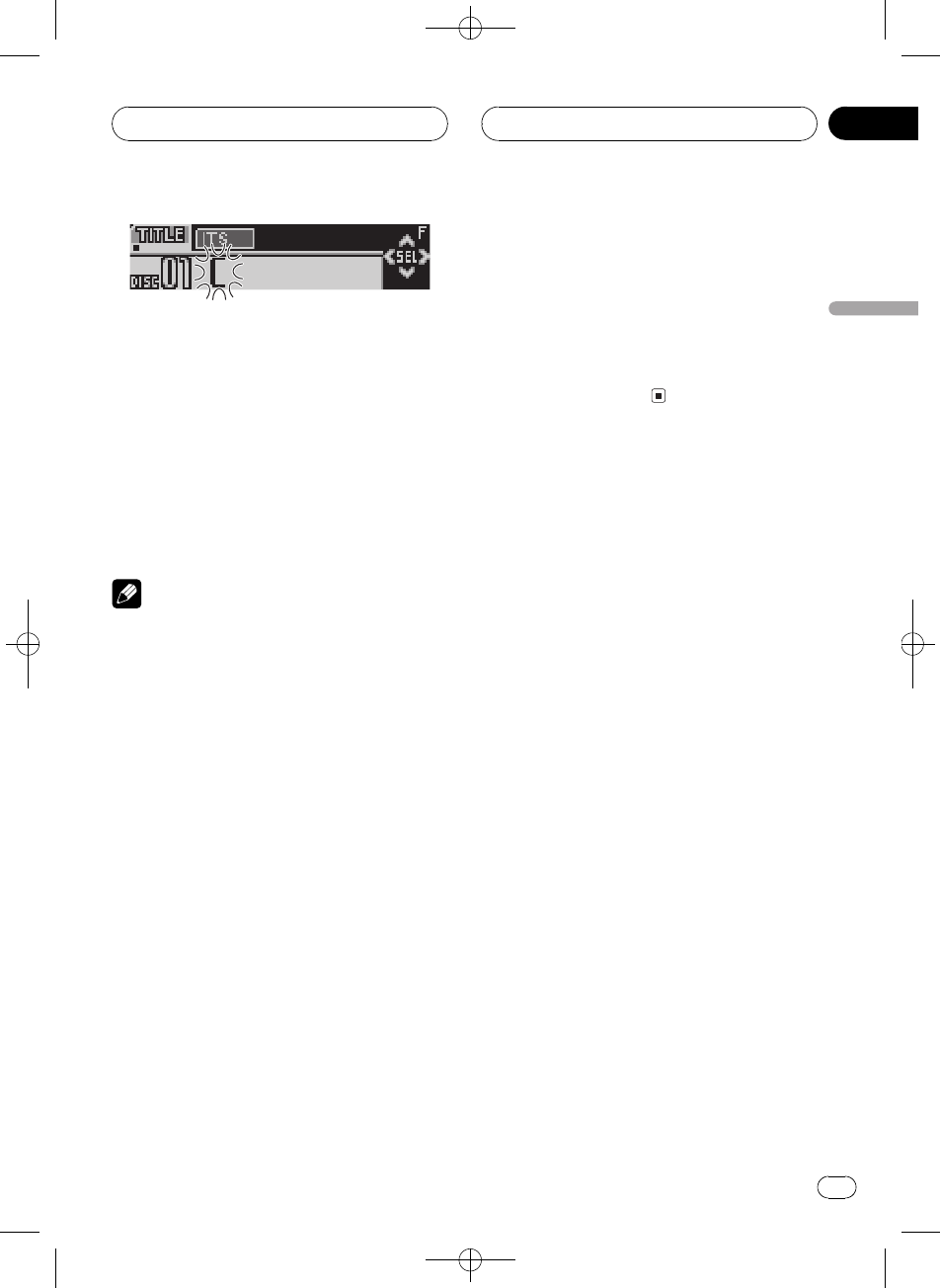
Black plate (73,1)
<XRD7106-A/N>73
5d8û0WCMn
(@WÍo:Bd8û0
Mn6xÇWÍcG(o:U
-ûÞ
6(8eLKNd8û0+
Mn
!dB8eLÝX(¶Ô
-
7BANDÔÞ>o:
è
!sGò,_-ÖúvLÍÝY
(¶Ô-&(rGÍ°ÒeB¿ú
!(¶Ô-òÝX1005GxÚK°
GxÚËéGxÚ
o:GL
ò8eGLûUGKWÇïo
:
%DISPLAY
ÍDISPLAYï(å-KÛ
>BDisc TitleGL
vxÇDisc TitleBvMc(>G
L(o:U-úþ
#v6GLCDÒeBvGL
êÕË(o:UþÕ
#vMc(>G*þ8eLG
No Disc Titleo:
GLhxÇG
GLhýïo:ò8eGI_
-GLh&ï-xÇ2L>
1FUNCTIONxÇGLh
FUNCTIONôóGL(o:U-úþ
2cd(ò8eLh-þÕ
#G*þ8eLGNo D-Titleo
:
3a>CDL
xg¹Ë>
(CD TEXTý
ýÅïN|¹CD TEXTGI
_(
G(ý\N-(GÐÇ2
Lè¼d^Gïý+øCDL
òîL\Ó>Bàd«1K
ºCD TEXTGÅd^yè¼CD TEXT
G/ý
o:CD TEXTGKWÇ
%DISPLAY
ÍDISPLAYï(å-KÛ
>BDisc TitleGL
DiscArtist NameG\Ó
Track TitleòîLTrackArtist Name
òî\Ó
#CD TEXTG*þýwÔÇG
L1o:
(o:U-þÕWÇ
,_Åïo:Disc TitleDiscArtist Name
Track TitleTrackArtist NameKM16WÍ
åýÇw¦N16WÍGWæ
þÕsïLvÖg¹
%ODISPLAYôóWÇË(o:U
þÕ
LþÕ
GI_
Zhtw 73
À
-
07
Black plate (74,1)
<XRD7106-A/N>74
è
v·þÕý(Ë---ºONB
CDWÇ(o:U-#þÕ«
Bo:WÇM16WC&ËUþÕ
ËODISPLAYËÃ,82
Û·þ
Õ
(Ó.Nó7
ýÅïN/GI_
(
(COMPÓ.DBEÕKNó7
ýï¿ÀGI_ró>êÏ
ýGi¿ÀCOMPýsaØóÏB
ØóNó8úDBE7NóóÓ
>róôýÿxÇBË*A6}.H
6¡(ý7c(6}òîCD>
H
1FUNCTIONxÇCOMP.
FUNCTIONôóCOMP.(o:U-úþ
#GI_/COMP/DBEG(
v2LxÇBNo Comp.o:
2abxÇ-
Íabï(å-KÛ
Comp. OFFComp. 1Comp. 2
Comp. OFFDBE 1DBE 2
GI_
Zhtw
74
À
07
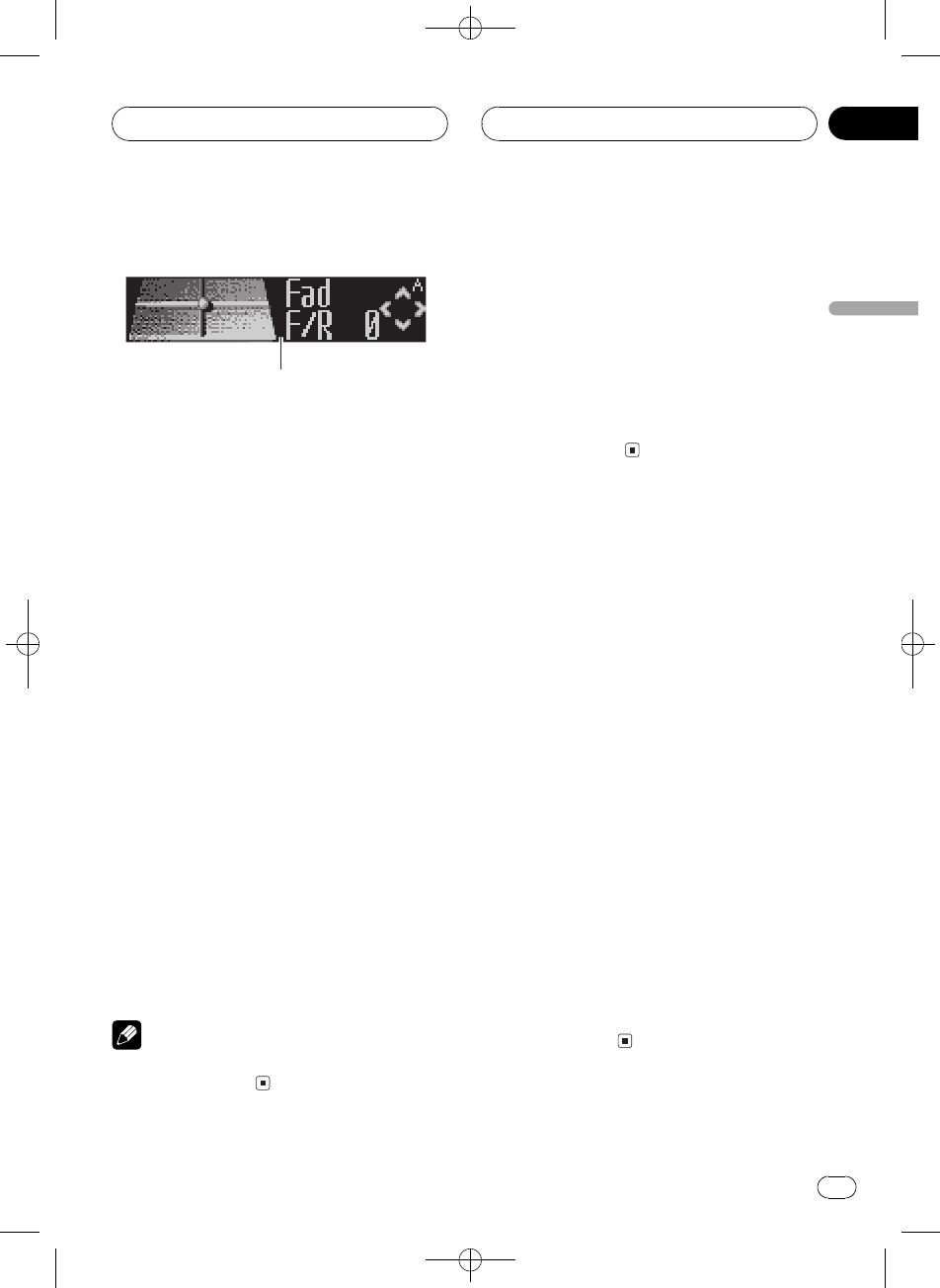
Black plate (75,1)
<XRD7106-A/N>75
ó;¿ÀKË9
1
1ó;o:
o:ó;¿ÀÀK
%AUDIOo:ó;ý1
ÍAUDIOï(åó;ýKÛ
Fadsa¿ÀEQIhòÚ¿À
BassNóØóóÓ¿ÀLoudÿ
¦Sub-W1NóÚrhÜ-
NonFad!p8úSÜ-n
Sub-W2NóÚrh-NonFad
!p8ú-nHPFØþâh
SLAóûs¿À
#EQ-EXýòxÅvEQ-EX_Ê
Custom«xºIhòÚB,_ïÛó
Bass
#vNóÚrh§6h-ºPREOUT:FULL
B,_!ÕÛóSub-W1ËÃ,81
#Sub-W2Åï(NóÚrh8ú(Sub-W1
_BxÇ
#vNóÚrh§6h-ź
PREOUT:FULLB,_ïÛó!p8úS
Ü-nËÃ,81
#!p8ú-nÅï(!p8úSÜ
-n-!p8ú_BxÇ
#xÇFM¿çh\º>B!ÕÛó
SLA
#ÔÞ>Ko:BËBAND
è
(30ÒKgÍ\ó;ýo:Uê
ÕÔÞ>o:
ÜIhòÚEQ-EX
EQ-EXýoIhòÚH
vCustomòÚxB>Nó
Øóï2L¿À
%OSW_EQ-EX
EQ-EX ON(o:U-úþEQ-EXþ(
_
#ÜEQ-EXBËOSW
#(8ÒKgÍ\EQ-EXo:Uê
ÕÔÞ>o:
(sa¿À
ïxÇphsa-ýº@1§M
nÐó}º°
1AUDIOxÇFad
AUDIOôóFad(o:U-úþ
#sa-ò¿ÀGBalo:
2ab¿ÀMnnÚrhsa
Ï!abMnnÚrhsa
MûÕ
Fad F 15Fad R 15¨MnnÚrhsa
MûÕBo:
#Fad F/R 0ºÅ(iÚrhBKcº-
#vn8ú-ºREAR SP :S/WB!Õ¿
ÀMnnÚrhsaËÃ,81
-
n8úNóÚrh§6h
3cd¿ÀænónÚrhsa
vcdBBal L/R 0o:Ï!c
dænónÚrhsaæóû
Õ
Bal L 9Bal R 9¨ænónÚrhsaæ
óûÕBo:
ó;¿À
Zhtw 75
À
-
08
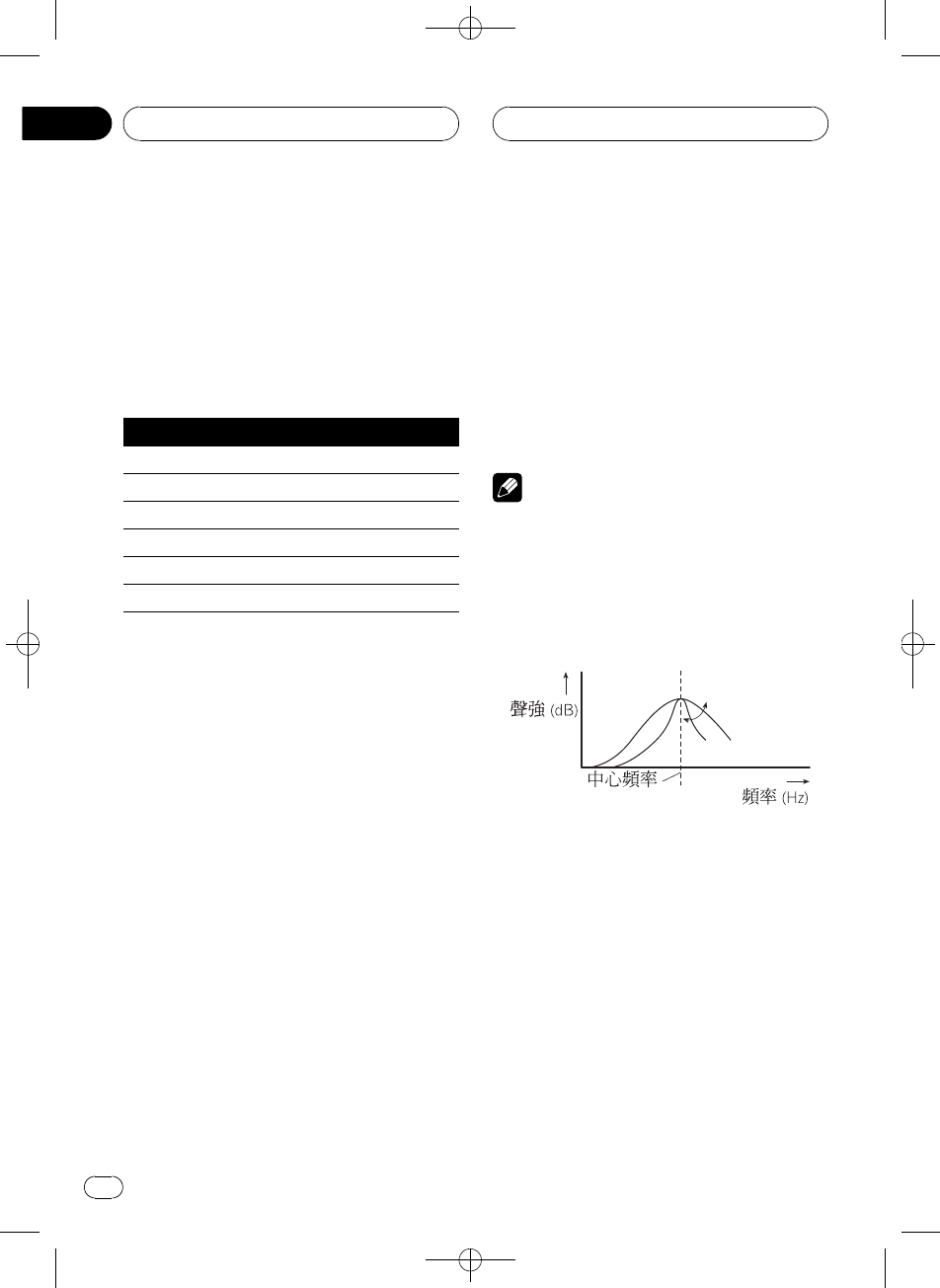
Black plate (76,1)
<XRD7106-A/N>76
(Ih
Ihï¿ÀIKÊgóÿy'æþ
9M
¿(IhòÚ
IhòÚqXmï¨B¿úå
ºIhòÚh
o:IhòÚ
Super Bass 7Nó
Powerful 7Á
Natural ê6
Vocal ºr
Custom º-
Flat !H
!Customº@uú¿ÀKIhòÚ
!Ï>ïuú®hCustomòÚ
gnI_GI_êÕ-º
øIh¿À-<å2L¿
ÀIhòÚ-<(Custom-
¶
!vxÇFlatBróÜE!c
©¼N(Flat-IhòÚK
Ûå¢åIhòÚH
%EQxÇIh
ÍEQï(åIhKÛ
PowerfulNaturalVocalCustomFlat
Super Bass
¿ÀIhòÚ
ïB¿ÀvM@xKIhòÚ¿À
IhòÚ¶(Custom-
1AUDIOxÇEQ
AUDIOôóEQ(o:U-úþ
2cdxÇ¿ÀKIh;6
Ï!cdïåxÇIh;
6
EQ LOWN;EQ MID-;
EQ HIGHØ;
3ab¿ÀIh;6Kûs
Ï!abs'Ih;6Kû
s
+6 -6¨Wûs'o:
#6ïxÇæ;6&¿Àvûs
è
2L¿ÀCustomòÚs«ô°
®¿IhòÚ
ï¿ÀvM@xòÚ;6EQ LOW/
EQ MID/EQ HIGHK-Ã;ÊQàPò
Úy'
Q=2N Q=2W
1OAUDIOôó;ÊQàP
F80Q1WI(o:U-úþ
2AUDION;-;Ø;-xÇ¿
À;6
ÍAUDIOï(åýKÛ
N;-;Ø;BassNó¿À
TrebleØó¿À
#EQ-EXýòxÅvEQ-EX_Ê
Custom«xºIhòÚB,_ïÛó
BassTreble
3cdxÇ@;
cdôó@;(o:U-úþ
ó;¿À
Zhtw
76
À
08
Black plate (77,1)
<XRD7106-A/N>77
N;4080100160Hz
-;2005001k2kHz
Ø;3.15k8k10k12.5kHz
4abxÇ@QàP
abôó@QàP(o:U-úþ
2N1N1W2W
è
2L¿ÀCustomòÚs«ô°
¿ÀNóØó
(,ýï¿ÀNóØó1¼ïxÇ;
åÊûs¨ïó;tÔsaæ½
o}§6
!EQ-EXýòxEQ-EXò_
Custom«xºIhòÚBNóØó
-ï2L¿À
¿ÀNóØóóÓ
NóØóóÓï2L¿À
1AUDIOxÇBass
AUDIOôóBass(o:U-úþ
#ØóóÓò¿ÀGTrebleo:
2cdxÇNóØó
cGBasso:dGTrebleo:
3ab¿ÀóÓ
Ï!abs'@xNóØ
óóÓ+6-6¨WóÓ'o:
xÇNó;
ïxÇNó;2LóÓ¿À
1OAUDIOôó;ÊQàP
F80Q1WI(o:U-úþ
2AUDIOxÇBass
AUDIOôóBass(o:U-úþ
3cdxÇ@;
cdôó@;(o:U-úþ
4063100160Hz
xÇØó;
ïxÇØó;2LóÓ¿À
1OAUDIOôó;ÊQàP
F80Q1WI(o:U-úþ
2AUDIOxÇTreble
AUDIOôóTreble(o:U-úþ
3cdxÇ@;
cdôó@;(o:U-úþ
2.5k4k6.3k10kHz
¿Àÿ¦
ÿ¦ï(NóÏBÜNóÊØóóß-K
³
1AUDIOxÇLoud
AUDIOôóLoud(o:U-úþ
2a_ÿ¦
ÿ¦'Loud MID(o:U-ú
þ
3cdxÇ@'
Ï!cdïåxÇ'
LOWNMID-HIGHØ
4bÜÿ¦
Loud OFF(o:U-úþ
ó;¿À
Zhtw 77
À
-
08
Black plate (78,1)
<XRD7106-A/N>78
(NóÚrh8ú
,_ÝïÜNóÚrh8ú
1AUDIOxÇSub-W1
AUDIOôóSub-W1(o:U-úþ
#NóÚrh-x®¦ïN,_
SW2LxÇ
#vNóÚrh§6h-ºPREOUT:FULL
BSub-W1!ÕxÇ
2a_NóÚrh8ú
Sub-W1 Normal(o:U-úþNóÚ
rh8úþ(_
#ÜNóÚrh8úBËb
3cdxÇNóÚrh8úKøM
cxÇÍøGRev.(o:U-úþd
xÇc8øMGNormal(o:U-úþ
¿ÀNóÚrh-
vNóÚrh8ú_BNóÚrhK
*b;8úûsï2L¿À
1AUDIOxÇSub-W2
AUDIOôóSub-W2(o:U-úþ
#NóÚrh-x®¦ïN,_
SW2LxÇ
#vNóÚrh8ú_BïxÇ
Sub-W2
2cdxÇ*b;
Ï!cdïåxÇ*b;
5080125Hz
ÅN¼xÄ;ïNóÚrh8
ú
3ab¿ÀNóÚrhK8úûs
Ï!abs'NóÚrhK
ûs+6-6¨Wûs'o
:
(!p8ú
v!p8ú-n_Bó;á_!ÕN
,_Nþâh(¼NóÚrhF
RCA8úï8ú
1AUDIOxÇ!p8úSÜ-
n
AUDIOôóNonFad ON(o:U-úþ
#vNóÚrh§6h-ź
PREOUT:FULLB,_ïÛó!p8úS
Ü-nËÃ,81
2a_!p8ú
NonFad ON(o:U-úþ!p8úþ
(_
#Ü!p8úBËb
¿À!p8úûs
v!p8ú_B!p8úKûsï2
L¿À
1AUDIOxÇ!p8ú-n
AUDIOôóNonFad 0(o:U-úþ
2ab¿À!p8úûs
Ï!abs'!p8úû
s+6-6¨Wûs'o:
(Øþâh
åNóÚrh8ú;ÄNr
MnnÚrh>Ë_HPFØþ
âh#ÅؼxÄ;ïM
nnÚrh8ú
1AUDIOxÇHPF
AUDIOôóHPF(o:U-úþ
2a_Øþâh
HPF 80 Hz(o:U-úþØþâhþ(
_
ó;¿À
Zhtw
78
À
08
Black plate (79,1)
<XRD7106-A/N>79
#ÜØþâhBËb
3cdxÇ*b;
Ï!cdïåxÇ*b;
5080125Hz
ÅؼxÄ;ïMnnÚrh
8ú
¿Àóûs
SLAóûs¿Àï¿À>KóÏ
ûsåM(>KÛBóÏ_6
!-åFM¿çhKóÏûsºÚró
ÏûsÝ
1FM¿çhóÏûs@¿ÀK>
óÏûs2LÔ
2AUDIOxÇSLA
AUDIOôóSLA(o:U-úþ
3ab¿À>óÏ
Ï!abs¿Ø¿N>óÏ
SLA +4SLA 4¨W>óÏ«¿Ø¿
No:
è
!AM¿çhKóÏûs¦ï¨óûs¿À
¿À
!gnI_GI_êÕ-ºø
óûs¿ÀóÏ
!è-1è-2êÕ-ºøó
ûs¿ÀóÏ
ó;¿À
Zhtw 79
À
-
08
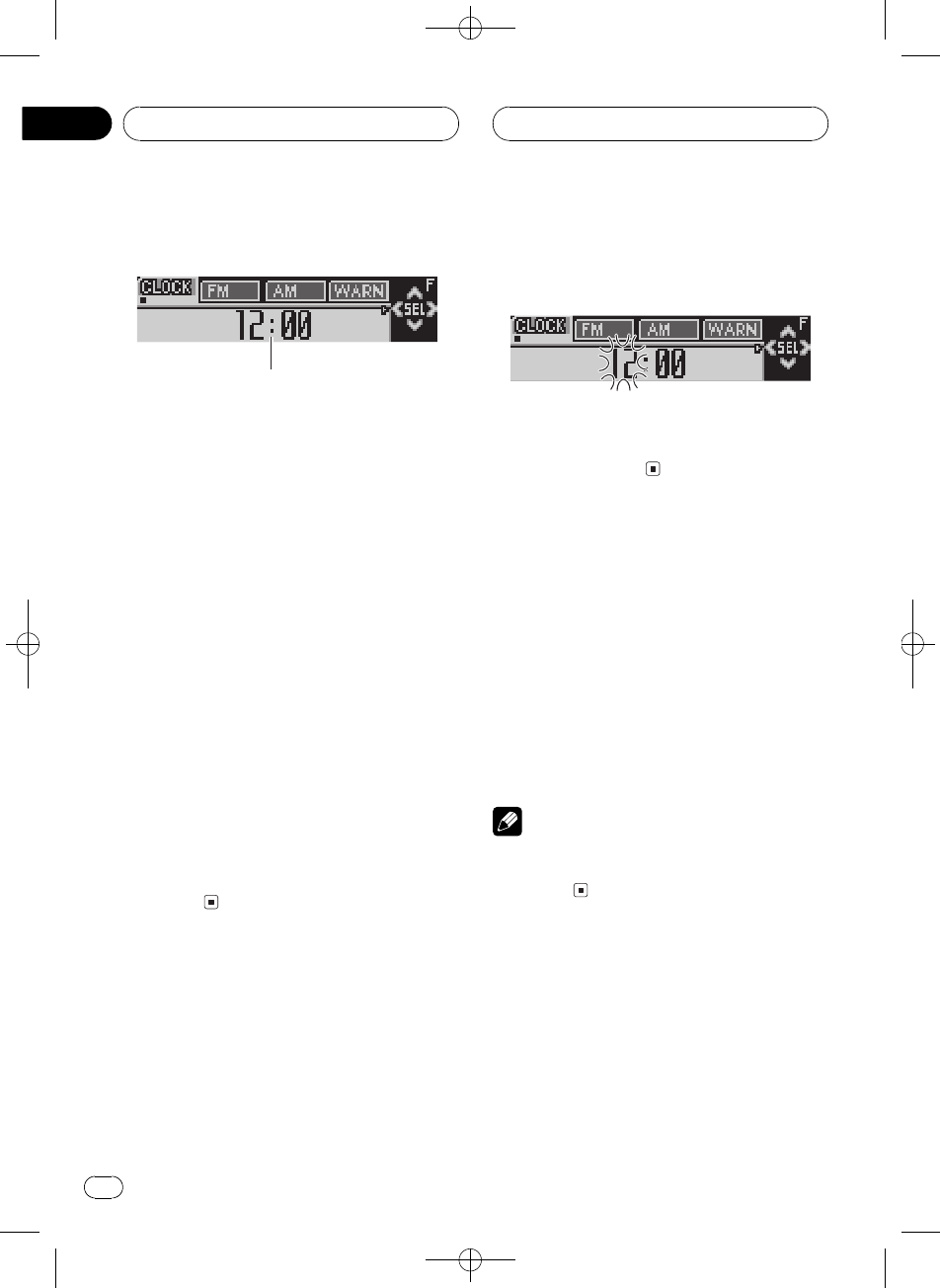
Black plate (80,1)
<XRD7106-A/N>80
¿ÀË-
1
(Ë-ïê.ûq-å,_
æþsHý
1ýo:
o:ýÀK
1OSOURCEôó,_Ü
2OFUNCTIONôóB(o:U-ú
þ
3FUNCTIONxÇË-
ÍFUNCTIONï(å-KÛ
BFM StepFM¿;AM Step
AM¿;WarningfJó
AUX©-Dimmero:U®¦¿
tBrightness®¦REAR SPn
8úNóÚrh§6hTelephone
ró\ópEver Scroll·þ
Õ
Ëgåª2L-
#ÖË-BËBAND
#¦ïNOFUNCTIONôó,_ÜåÖ
Ë-
-B
Ëg:-B
1FUNCTIONxÇB
ÍFUNCTIONôóB(o:U-úþ
2cdxÇ@-KBo:è
cdxÇBo:Kè
B
¨WBo:Ðè«x@xè
3ab-B
a'@xBxb
@xBx
-FM¿;
¿;@(KFM¿;ï(100 kHz
-Ê50 kHzK2LÛ
1FUNCTIONxÇFM Step
ÍFUNCTIONôóFM Step(o:U-ú
þ
2cdxÇFM¿;
cdï(100 kHzÊ50 kHzKÛFM¿;
xFM¿;(o:U-úþ
è
¿;å50 kHzº2LG!Õ
º6}ûúË(KÕ¿;!(¿;
6}ûú
-AM¿;
AM¿;ï(9 kHz-Ê10 kHzK
2LÛ(-W(¿çh
BË¿ç9 kHz¹1Ä531-
1 602 kHzÍ-ó10 kHz¹1Ä530-1 640
kHz
Ë-
Zhtw
80
À
09
Black plate (81,1)
<XRD7106-A/N>81
1FUNCTIONxÇAM Step
ÍFUNCTIONôóAM Step(o:U-ú
þ
2cdxÇAM¿;
cdï(9 kHzÊ10 kHzKÛAM¿;
xAM¿;(o:U-ú
þ
ÛfJó
ÞkÝnÜÒgMb;_x
fJóÿwfJóïÜ
1FUNCTIONxÇWarning
ÍFUNCTIONôóWarning(o:U-ú
þ
2ab_ÕÜWarning
ab_ÕÜWarningøÉÀ
Ko:Warning : ON
Û©-
,_ï(©-(#¥ó,_K©
-BË_(©-
1FUNCTIONxÇAUX
ÍFUNCTIONôóAUX(o:U-úþ
2ab_ÕÜAUX
ab_ÕÜAUXøÉÀK
o:AUX : ON
Ûo:U®¦¿t-
ºMo:U(N®v}ÊMÈSB
o:UêÕ¿o:U®¦¿tï_Õ
Ü
1FUNCTIONxÇDimmer
ÍFUNCTIONôóDimmer(o:U-ú
þ
2ab_ÕÜDimmer
ab_ÕÜDimmerøÉÀ
Ko:Dimmer : ON
¿À®¦
o:U®¦ï2L¿À,!Ë-º
12
1FUNCTIONxÇBrightness
ÍFUNCTIONôóBrightness(o:U-
úþ
2cd¿À®¦4s
Ï!cdsÐØMN®¦4s0
15¨W®¦4sÐØMNo:
-n8úNóÚrh§
6h
,_n8únÚrhíÚ8úï
(¼hóßÚrhREAR SP :FULLN
óÚrhREAR SP :S/W#¥ån
8ú-ÛóREAR SP :S/WGïN
©>'hnÚrhíÚô¥#¥ó
NóÚrh
,_Ë-ºnhóßÚrh#¥
REAR SP :FULLvn8ú#¥óhó
ßÚrhs#¥REAR SP :FULLBRCA
NóÚrh8úï#¥óNóÚrh(
.ÅÁïxÇ(NóÚrh§6h
NþâhøMgnPREOUT:S/W
©PREOUT:FULL
1FUNCTIONxÇREAR SP
ÍFUNCTIONôóREAR SP(o:U-ú
þ
Ë-
Zhtw 81
À
-
09
Black plate (82,1)
<XRD7106-A/N>82
2abÛn8ú-
ab(REAR SP :FULLhóßÚr
hREAR SP :S/WNóÚrhK
ÛøÉÀKo:
#vn8ú*#¥ûUNóÚrhBË
xÇREAR SP :FULL
#vn8ú#¥NóÚrhBËN
óÚrh-ºREAR SP :S/W
#vn8ú-ºREAR SP :S/WBNó
Úrh§6h!Õ9
3cdïÛNóÚrh8ú!p
8ú
cd(PREOUT:S/WPREOUT:FULLK
ÛøÉÀKo:
è
!sr-9¦!ûU8úd^
_ó;x®-!p8úËÃ,78
(!p8ú
NóÚrh8ú
ËÃ,78
(NóÚrh8
ú
!å9NóÚrh§6hó;x®-
NóÚrh8ú!p8úb©à
-
Û\óp
(¥60w\óý-á_B,ûq
ró«\óp
!>ró«\ópMUTEATTo
:!Õ2Ló;¿À
!v\ópý«ÖB,ûqr
ób©c8
1FUNCTIONxÇTelephone
ÍFUNCTIONôóTelephone(o:U-
úþ
2cdÛq\óp
cd(Telephone: ATTp
Telephone: MUTE\óKÛøÉ
ÀKo:
Û·þÕ
å·þÕý-ºONCDWÇ
(o:U#þÕdÇÅþÕ
!Ë·þÕý-ºOFFÜ
1FUNCTIONxÇEver Scroll
ÍFUNCTIONôóEver Scroll(o:U-
úþ
2ab_ÕÜEver Scroll
ab_ÕÜEver ScrolløÉ
ÀKo:Ever Scroll:ON
Ë-
Zhtw
82
À
09
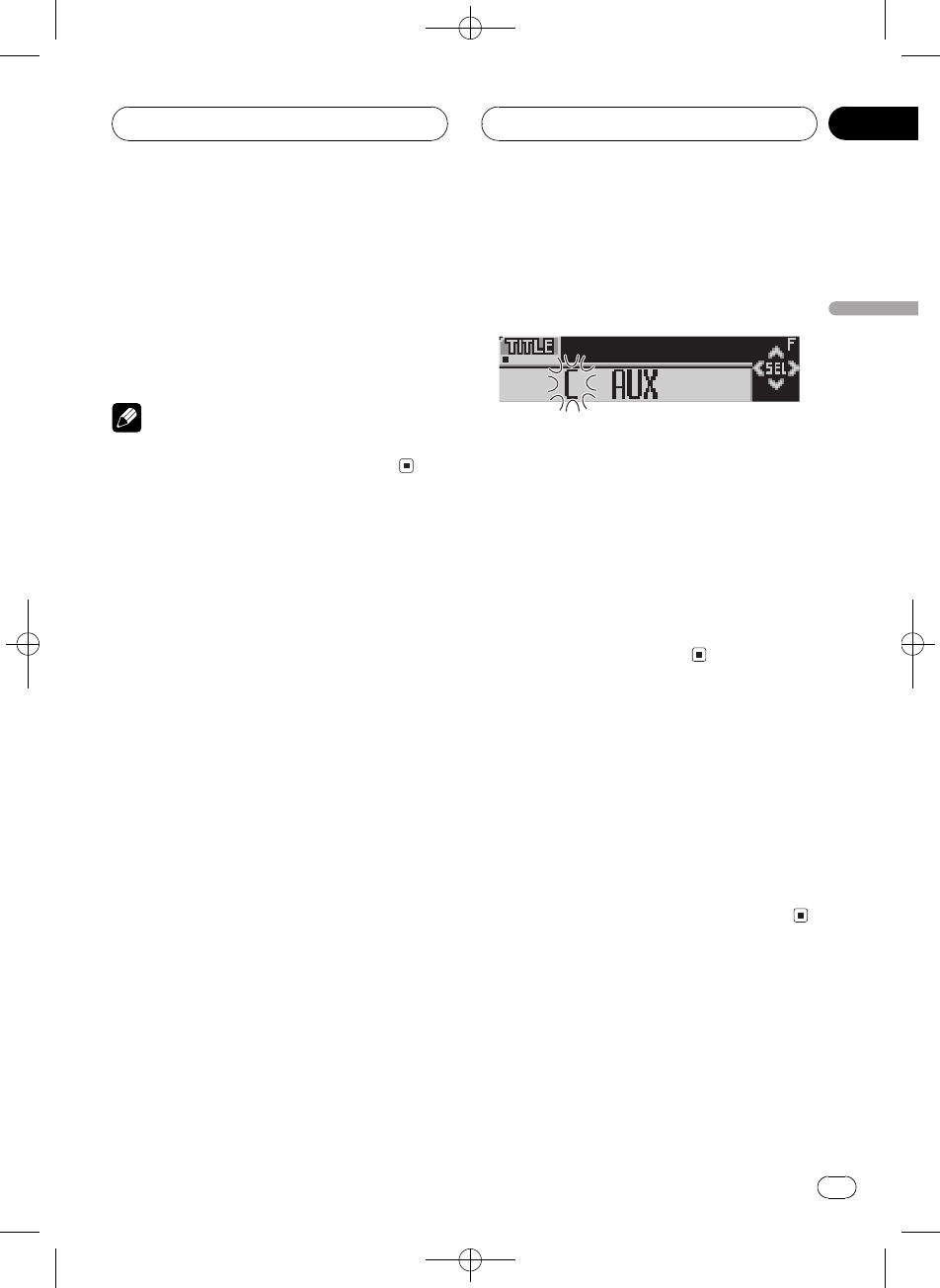
Black plate (83,1)
<XRD7106-A/N>83
SÜBo:
ïSÜBo:
%CLOCKïSÜBo:
Ï!CLOCKsSÜBo:
#2LvÖÍ\BBo:«B1F
/(6ÒBo:!úþ
è
s>ý:ÄÜBo:Í(o
:U-úþCLOCKïÜBo:
(AUX>
(IP-BUS-RCA#ÚhCD-RB20/CD-
RB10æ.ï,_#¥óMRCA8ú
ïK©-ÜôÇËÃIP-
BUS-RCA#Úh(6K
xÇAUX\º>
%SOURCExÇAUX\º>
SOURCEôóAUX(o:U-úþ
#©-*_GAUX!ÕxÇ
ÜôÇËÃ,81
Û©-
-AUXL
AUX>@o:KLïåî9
1(xÇAUX\º>KO
FUNCTIONôóTITLE(o:U-úþ
21xÇ@WC^
Í1ï(åWC^KÛ
WÍ'ëWÍëP2WÍ
6Íó&_WÍáàäç
#N2ïxÇ8exW
3abxÇWÍh-WÍ
Ï!aåA B C...X Y Zo:WÍ
h-WÍå1 2 3...@ #<o:xW
&_Ï!båøÍo:W
ÍZ Y X...C B A
4d8û0WCMn
(@WÍo:Bd8û0
Mn6xÇWÍcG(o:U
-ûÞ
5(8eLKNd8û0+
Mn
!dB8eLÝX(¶Ô
-
6BANDÔÞ>o:
(o:
6}óBï#Þo:
%ENTERTAINMENT
Ï!ENTERTAINMENTo:Uå
Ìoº1Ìoº2Ìoº3Ìo
º4óso:h1óso:h2ûqkb1
ûqkb2B>o:
DVDÍ\KË9
,_ïæ.DVD>_GDVD>_
w(
ÜÍ\sÅËÃDVD>_GDVD
>_(ªø,àÀÐÜ,_
DVDÍ\ÇDVD>_GDVD
>_(ªøg¹
vÖý
Zhtw 83
À
-
10
Black plate (84,1)
<XRD7106-A/N>84
Í\ý
N,_ï(åýÃ(,ª
ø-
!
(ITS>hGLý
ËÃ
,
æN,_åýÍ\@
Ã(,ªø-
!
ýx®Û
ËÃ,
ýx®Û
%(DVD>N-FUNCTIONïo:
ý1
ÍFUNCTIONï(åýKÛ
RepeatÍ>Pause«\
%(VCD>N-FUNCTIONïo:
ý1
ÍFUNCTIONï(åýKÛ
RepeatÍ>Pause«\
%(CD>N-FUNCTIONïo:
ý1
ÍFUNCTIONï(åýKÛ
RepeatÍ>Random¨_
>ScanÏ>ITS PlayITS
>Pause«\
è
!v,_GDVD>_M(Bï
ÛóITS Play
!Í>ýàG^p
(DVD>N-cdïxÇÍ
>Ä
(VCDCD>N-cdï_
ÜÍ>
(ITS>hGLý
(,_GDVD>_M(2LCD
>N-ýïå(vÍ\¹Õ
GI_øËÃGI_
øÜàÀ
vÖý
Zhtw
84
À
10
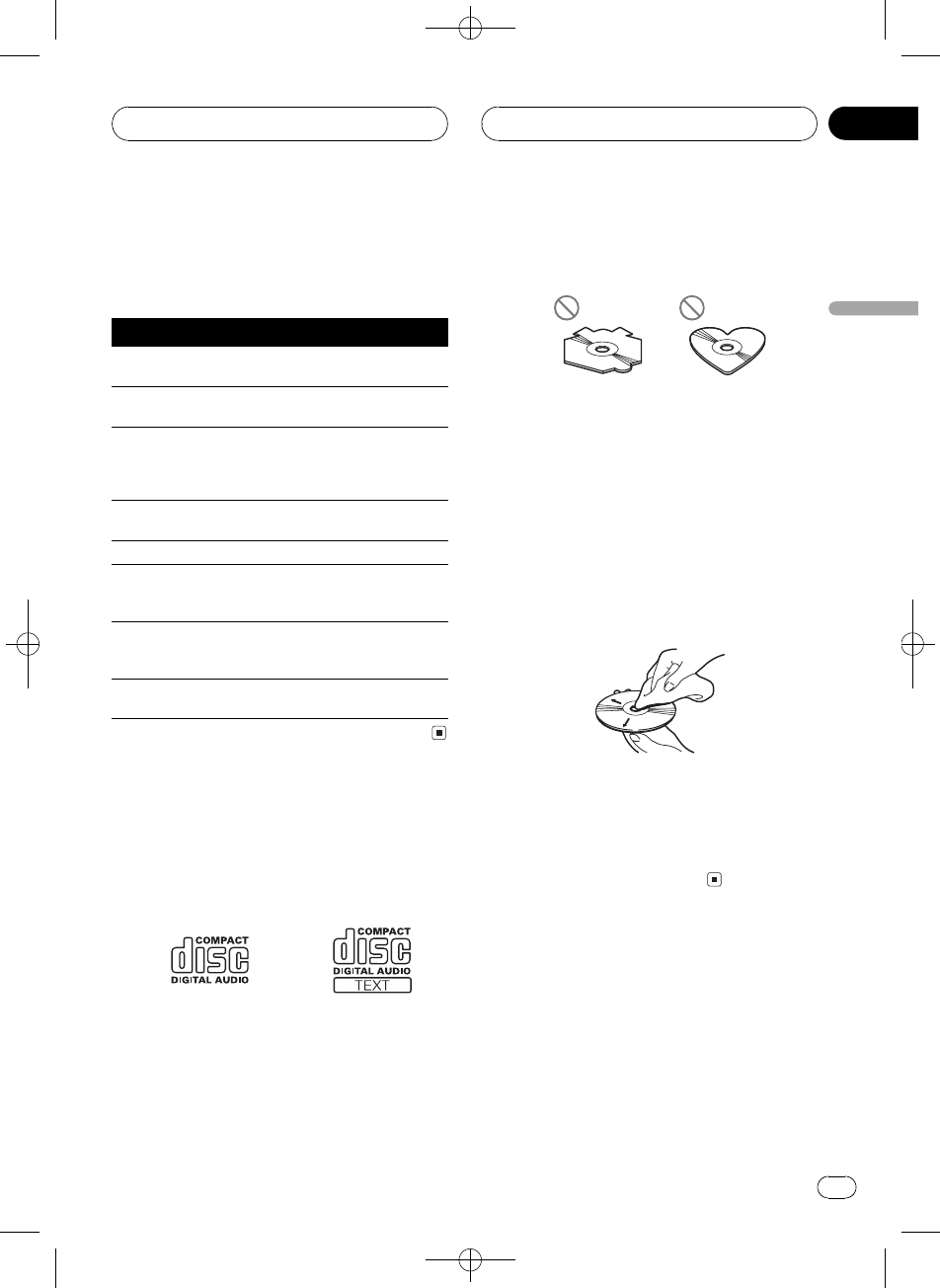
Black plate (85,1)
<XRD7106-A/N>85
gnI_/¤oK+©
·F1ÑHÒÙ-ÃokB
ËÙÅ/¤o
oઽ
ERROR-11, 12,
17, 30
GÒTG
ERROR-11, 12,
17, 30
G.ÕôÛG
ERROR-10, 11,
12, 15, 17, 30,
A0
û#_°ESÜÞk
ÜÛóvÖ
>6Þ
0I_
ERROR-15 ÒeG+
ûUxÚ
ôÛG
ERROR-23 CD<!Õ>ôÛG
No Audio ÒeG-*
ûUï>
H
ôÛG
TRK SKIPPED ÒeG-+
×DRMÝwWMA
H
ôÛG
PROTECT ÒeG@
H×DRMÝw
ôÛG
I_Êvw
!ËÅ(6@:i.CDxMó;
KCD
!ËÅ(bCDÒe^
^bKpbCDGa(I
_-!Õc8>
!>KMË¢å@CD/&Â.
ÕNòÂ.ÕNòCDïý
!Õc8>Ëÿ(d^G
!Í\GBËMøxvý^p7
b
!G(BËX>(vwW-
!ËG`âô}IËÿG
U¼Ø«K
!Ëÿ(Ghb¼døë(
xåÁ
!TCDBË(ß-Ãæí
G
!(Ò·)#-(¨_I_g
èDöbÕ#P2ôI_
úþE|þP2wEËÜ
I_BæóI_¨rB
(ßæínÕGåT0»Õî
!Sï[8-·CDK>
CD-R/CD-RWG
!(CD-R/CD-RWGBÅòB
Gï2L>
!1¼Gy'GK.Õu¢
,_áGKu¢P2I(óCD
ý_ºûfýCD-R/CD-RWGï
ý!Õc8>
DÇ
Zhtw 85
D
-
Black plate (86,1)
<XRD7106-A/N>86
!9ÚÉ(ßÔ-°(ºûf
ýGïý!Õ>Ë(cº<
ýÜsÅËÉ(ßÔý
Fok
!1¼ô}IØ«ÊgX>
öCD-R/CD-RWGïý!Õ>
!,_ïý!Õo:CD-R/CD-RWG
ýLvÖWÇ(ó;xÚ
CD-DAÅÁ
!(,_-ÒeCD-RWGG>B
ÔÒe8CDCD-RGBw
!(CD-R/CD-RWGKM豏
MP3WMAWAVH
!MP3ºMPEG Audio Layer 3K.ëÂ.
ó;Ó.S
!WMAºWindows Media"AudioK.ëÂ
Microsoft Corporation|Kó;Ó.
SWMAxÚï(Windows Media Player,7
åH,è¼
!WAVºâbK.ëÂ(¼Windows®
ó;H<
!Ú(¼WMAHè¼É(ßÔ,_ï
ýc8å\
!à(¼WMAHè¼Windows Media Play-
erH,KE1GÆ1vÖWÇ
ïý!Õc8o:
!Ë>(qÏxÚè¼WMAHBïý
eör
!,_ï>CD-ROMCD-RCD-RWG-
MP3/WMA/WAVHISO9660KLevel 1
Level 2åÊRomeoJolietHûq|¹
Gg¹ïå>
!µ|¹Gïå>
!MP3/WMA/WAVHi(ëexÚ³
!HìôU.mp3.wma
.wavïê,WCo:64
WC
!H>1ïo:64WC
!HgRomeoHûqýGÅM
64WCïo:
!(>MP3/WMA/WAVHó;xÚCD-
DAGCD-EXTRA÷!CDB
i.^GÅýN(MP3/WMA/WAV
CD-DAKÛ2L>
!>vÖÍ\KH>xǦ/ë
eßÔ@(ëeàd>
ïýæ>ôF
/ëeßÔï->
!Ðó;CD-òî#øu
d^GIÛºMP3/WMA/WAVHÒ
(CD-R/CD-RW/CD-ROM-G(,_>
HBÖËó;CD-òîK
«\BwíKGúþí«
«\
Í
!(MP3/WMA/WAVH}BËÉ
ôU.mp3.wma.wav
!,_6ôU.mp3.wma.wav
HMP3/WMA/WAVH>º2búþjó
EËÿd^ôU(¼^MP3/WMA/
WAVvÖH
MP3DÇ
!ö|¹(¼/GLòî
òîL\òî\èË
o:KID3d1.01.12.22.32.4
H,<vID3d1.xH,2.xH,
BX(B2.xH,*H
!Å(>3244.148 kHz;KMP3H
B7ýMH1622.0524
3244.148 kHzÖ#;ïå>
!,_m3u>h|¹
!,_MP3iÕMP3mp3 PRO<
|¹
!MP3Hóê,¨WMC'Ð
Ø,_ï>MC(8 kbpsó320 kbps
GFºý#Þ0óê}
(ó128 kbpsMCýG
DÇ
Zhtw
86
D
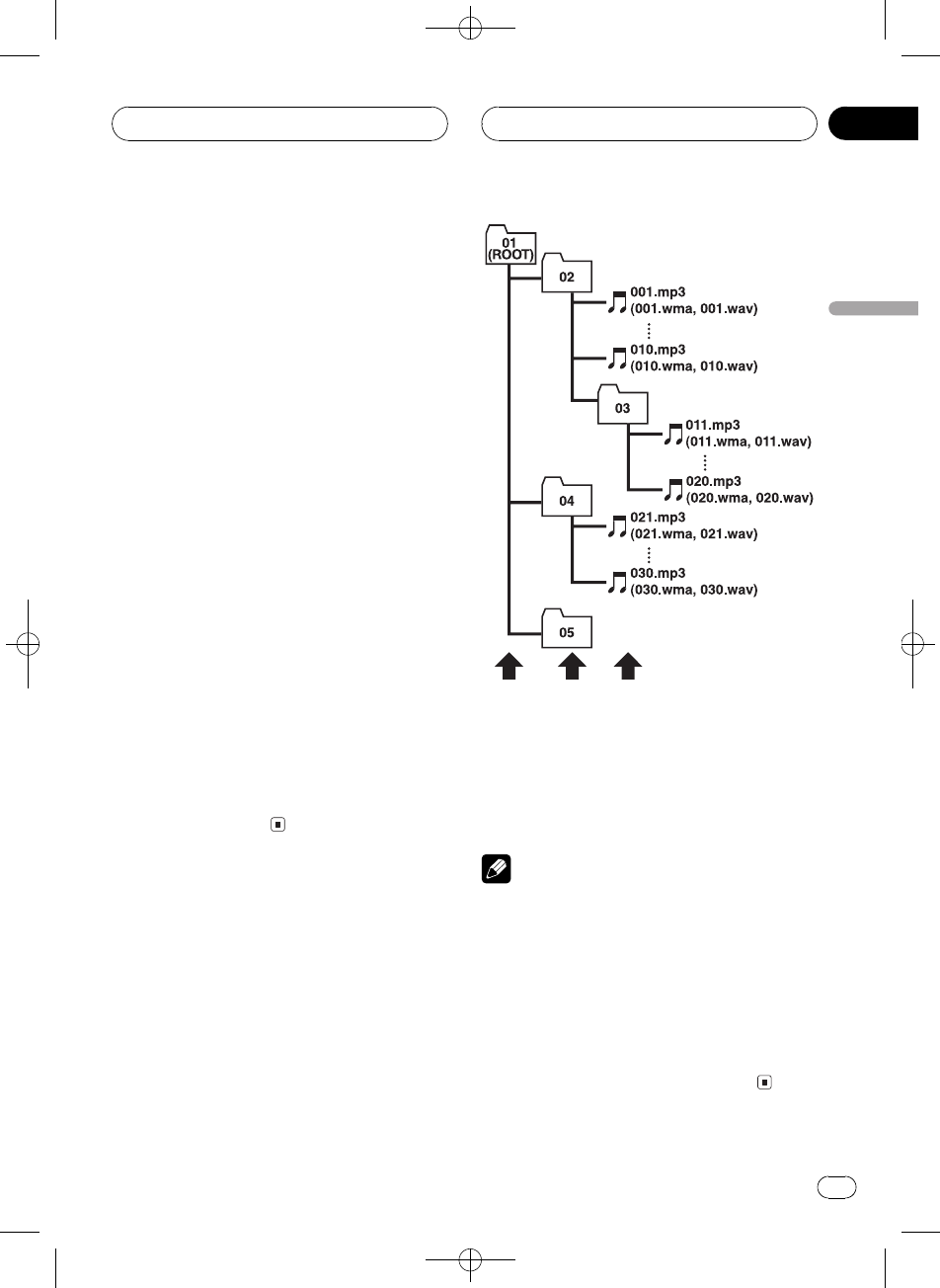
Black plate (87,1)
<XRD7106-A/N>87
WMADÇ
!,_ï>(Windows Media Player,7
7.18910H,è¼WMAH
!WMAHÅý(3244.148 kHz;
>
!WMAHóê,¨WMC'Ð
Ø,_ï>MC(48 kbpsó320
kbpsCBR48 kbpsó384 kbpsVBR
GFºý#Þ0óê}
(ØMCýG
!,_/å<
Windows Media Audio 9 Professional
5.1rS
Windows Media Audio 9 Lossless
Windows Media Audio 9 Voice
WAVDÇ
!,_ï>(Ú'PCMLPCM<MS
ADPCM<è¼WAVH
!WAVHÅý(1622.05243244.1
48 kHz;LPCM,22.0544.1 kHz
;MS ADPCM>o:U-@:
Ö#;ïýÖtx
!WAVHóê,¨WÏMCx'
ÐØ,_ï>8M16MLPCM
4MMS ADPCMÏMCGFºý#
Þ0óê}('ÏM
CxýG
ܼH>MP3/WMA/WAVH
!6MP3/WMA/WAVHCD-ROMKÁ
@:PH>(vM@xH>-:º
H>
1
2
3
1,
2,
3,
è
!,_H>è_(6!H>
è_
!+MP3/WMA/WAVHH>!Õ¢å
d^H>o:H>è_«ó
N
!ï>8dH>-MP3/WMA/WAV
HF/(>dH>GËB
örþaàdý\G}
N2d
!5Gï>99H>
DÇ
Zhtw 87
D
-
Black plate (88,1)
<XRD7106-A/N>88
S
ID3d
/.(MP3H-LeòîøÜǹ
Õd^LeÇïìòîL\Ó
/LóA>ý\BUùå
ÊvÖÇvg¹ï(wID3dè/
ýßÔ¨è/¡dWCxP
F(òî>BÇïå2L½
ISO9660<
/CD-ROMH>H</K
¼ISO9660<X(åiøÜ
,
Hº8.3<18WCsJ
WÀñ'ëWÍJWÀxWå
Ê_&_WCHôUD
,
Hï31WCì
_.HôUH>@+x
¼8
ôU<
Joliet
Hï64WC
Romeo
Hï128WC
m3u
(WINAMPßÔ>hw>
hHôU.m3u
MP3
MP3ºMPEG Audio Layer 3.ë/1ISO
DTKå\DMPEG6ó
;Ó.MP3ïó;xÚÓ.º8
G1/10'
MS ADPCM
h:Microsoft êiÉý/
(¼Microsoft CorporationÔßÔKá
_ýûq
VBR
VBRºïMC.ë,ªCBRú
MC(ôºãÛFå9Úó;Ó.
H;¿tMCGïrÓ.*Hó
ê
WAV
WAVºâbK.ëÂ(¼Windows®
ó;H<
WMA
WMAºWindows Media"AudioK.ëÂMi-
crosoft Corporation|Kó;Ó.S
WMAxÚï(Windows Media Player,7åH
,è¼
Windows MediaWindowsºMicrosoft
Corporation(vÖ¶KF
;F
µ
µ/.ý 2LýýxÚý¹
Õ(CD-ROMCD-RCD-RWIýxÚ
B-ó>@xÚ«Uº®C
µµs/(5Gý2µå
ý¹Õ
MC
h:ÏÒxÚÏ_1ºbpsMC
Ò®MMCØ(¼þróÇ
1PÌ(øè¼¹ÕMP3
BMCØóê1s
ëe
/(HëeB(CD-RIëe¹Õ
K(S(ßlëeH
ÏMCx
ÏMCxºtÔóê- MCx
Øóê}F/ÐØMCxB¦
'xÚÏàdɳ ï(z
Ú'PCMLPCM¼¿ý
h:Ú'¼¿ý/(¼óCDDVD
á_ýûq
DÇ
Zhtw
88
D
Black plate (89,1)
<XRD7106-A/N>89
<
,
Mû......................................14.4 V DC
¹1ûÓÄ12.0
14.4 V DC
¥0ûq......................................u
'ûA............................10.0 A
:øì×Ø×ñ
DIN
_«............................178×50×157 ës
Mïè..................188×58×19 ës
D
_«............................178×50×162 ës
Mïè..................170×46×14 ës
ÍÏ ................................................1.3 l¤
ó;
rS#8úº22 Ww4PÆirS
Ä50ó15 000 HzÅ5% THD
'8ú............................50W×4
50 W × 2/4 W+70W×1/2
W¼NóÚrh
;......................................48W×4
48W×2+2W×1
M8ú'8úûs8ú;
.....................................................2.2 V/1 kW
Ih3;µÃxIh
N;
;............................40/80/100/160 Hz
QàP.........................0.35/0.59/0.95/1.15
7+6 dB
Ê............................±12 dB
-;
;............................200/500/1k/2k Hz
QàP.........................0.35/0.59/0.95/1.15
7+6 dB
Ê............................±12 dB
Ø;
;............................3.15k/8k/10k/12.5k Hz
QàP.........................0.35/0.59/0.95/1.15
7+6 dB
Ê............................±12 dB
ÿ¦IØÚ
N;......................................+3.5 dB100 Hz+3 dB
10 kHz
-;......................................+10 dB100 Hz+6.5 dB
10 kHz
Ø;......................................+11 dB100 Hz+11 dB
10 kHz
óÏ-30 dB
ó¿§6
Nó
;............................40/63/100/160 Hz
Ê............................±12 dB
Øó
;............................2.5k/4k/6.3k/10k Hz
Ê............................±12 dB
HPF
;......................................50/80/125 Hz
......................................-12 dB/oct
NóÚrh
;......................................50/80/125 Hz
......................................-18 dB/oct
Ê......................................±12 dB
øM......................................cøÍø
I_
ûq................................................CDó;ûq
ï(G......................................CD
á_<
Ö#;............................44.1 kHz
ÏMCx.......................16 Ú'
;y'......................................520 000 Hz±1 dB
ájÔ...........................................9 4 dB1 kHzIEC-A²
ï
ÕKÄ......................................92 d B1 kHz
rSx...........................................2 ËÔr
MP3ã¼<..............................MPEG-1&2 Audio Layer 3
WMAã¼<..............................,77.18910H,
ÙrSó;
Windows Media Player
WAVá_<..............................Ú'PCM&MS ADPCM
FM¿çh
;Ä......................................87.5108.0 MHz
HHO¦.................................8 dBf0.7 ¼V/75 W®r
SS/N30 dB
50dB\jHO¦.......................10 dBf0.9 ¼V/75 W®
rS
ájÔ...........................................7 5 dBIEC-A²ï
1................................................0.3 %65 dBf1 kHzË
ÔrB
0.1 %65 dBf1 kHz®
rSB
;ÿÉ......................................30 15 000 Hz±3 dB
ËÔrâ¦............................45 dB65 dBf1 kHzB
AM¿çh
;Ä......................................5311 602 kHz9 kHz
5301 640 kHz10 kHz
HHO¦.................................18 ¼VS/N20 dB
ájÔ...........................................6 5 dBIEC-A²ï
è
à"Á92<Ê-åôUæL
å
DÇ
Zhtw 89
D
-

Ar
”dNH«
µ±
<XRD7106-A> 90
WOU{« UuKF
WEŠö
u*«Ë UH«dŽ rOLB²«dG o³ —UFý« ÊËbÐ dOOG²K W{÷
uD²« Æd¹
XRD7106A.Ara42-51 05/8/4, 17:1551

Ar
”dNH«
dF«WOÐ
µ∞
WOU{« UuKF
UH«u*
WUŽ
WbF*« WUD« —bBÆÆÆÆÆÆÆÆÆÆÆÆÆÆÆÆÆÆu ±¥[¥ dýU³ —UOðuH« Èb® XWOD
u ±¥\¥≠ ±≤\∞ ∫ tÐ ÕuL*«X
©dL² —UOð
—ô« ÂUE½w{ÆÆÆÆÆÆÆÆÆÆÆÆÆÆÆÆÆÆÆÆÆÆÆÆÆdÞVUÝ “«
WUDK „öN²Ý« vB«ÆÆÆÆÆÆÆÆÆÆÆÆÆÆÆÆdO³« ±∞\∞
dF«® œUFÐô«—ô« ™ ÷∫©oLF« ™ ŸUHð
DIN
qJON«ÆÆÆÆÆÆÆÆÆÆÆÆÆÆÆÆÆ3 ±µ∑ ™ µ∞ ™ ±∑∏
WbI*«ÆÆÆÆÆÆÆÆÆÆÆÆÆÆÆÆÆÆ3 ±π ™ µ∏ ™ ±∏∏
D
qJON«ÆÆÆÆÆÆÆÆÆÆÆÆÆÆÆÆÆ3 ±∂≤ ™ µ∞ ™ ±∑∏
WbI*«ÆÆÆÆÆÆÆÆÆÆÆÆÆÆÆÆÆÆ3 ±¥ ™ ¥∂ ™ ±∑∞
Ê“u«ÆÆÆÆÆÆÆÆÆÆÆÆÆÆÆÆÆÆÆÆÆÆÆÆÆÆÆÆÆÆÆrG ±\≥
uB«
u²*« WUD« ÃdšË ≤≤ q«Ë« ¥ w v½œ« b× …UMIK «‡Ð 5ðUMI« ö dOð r²¹ UL Â
d¼ µ∞d¼ ±µ∞∞∞ v« eðuA²« ŸuL: •µ s qUÐ eð—UN« W¹uu²«® w½Æ©wI«
WUDK Ãdš vB«ÆÆÆÆÆÆÆÆÆÆÆÆÆÆÆÆÆÆÆÆË µ∞¥ ™ «
Ë µ∞Ë√ ¥Ø≤ ™ «Â
Ë ∑∞ ´ Ë√ ≤ر ™ «Â
uB« WŽUL®dH« iOH)« ©WOŽ
qL(« WUŽ«ÆÆÆÆÆÆÆÆÆÆÆÆÆÆÆÆÆÆÆÆÆÆÆÆÆÆË√ ∏ ≠ ¥¥ ™ Â
Ë√ ∏ ≠ ¥Ë√ ≤ ´ ≤ ™ ± ™ Â
u²Ãd)« WUŽ«ØÃdK tD³{ o³*« Ãd<« È
ÆÆÆÆÆÆÆÆÆÆÆÆÆÆÆÆÆÆÆÆÆÆÆÆÆÆÆÆÆÆÆÆÆÆÆÆu ≤[≤Ë√ „ ±ØXÂ
u*«u® w½UO³« Ê“«dÞ dOOG² w½UOÐ Ê“«u ≥ “«∫© Uł
WCHM*«
WÐcÐc«ÆÆÆÆÆÆÆÆÆÆÆÆÆÆÆÆÆd¼ ±∂∞ر∞∞Ø∏∞Ø¥∞eð
qUF«
Q......................±\±µØ∞\πµØ∞\µπØ∞\≥µ
eFð bMŽ q³¹œ ∂´®e¹©U¼
VJ«ÆÆÆÆÆÆÆÆÆÆÆÆÆÆÆÆƱq³¹œ ±≤
u²*«WDÝ
WÐcÐc«ÆÆÆÆÆÆÆÆÆÆÆÆÆÆÆÆÆd¼ uKO ≤ØuKO ±Øµ∞∞Ø≤∞∞eð
qUF«
Q......................±\±µØ∞\πµØ∞\µπØ∞\≥µ
eFð bMŽ q³¹œ ∂´®e¹©U¼
VJ«ÆÆÆÆÆÆÆÆÆÆÆÆÆÆÆÆƱq³¹œ ±≤
WOUF«
WÐcÐc«ÆÆÆÆÆÆÆÆÆÆÆÆÆÆÆÆƱ≤\µØuKO ±∞ØuKO ∏ØuKO ≥\±µ
d¼ uKOeð
qUF«
Q......................±\±µØ∞\πµØ∞\µπØ∞\≥µ
eFð bMŽ q³¹œ ∂´®e¹©U¼
VJ«ÆÆÆÆÆÆÆÆÆÆÆÆÆÆÆÆƱq³¹œ ±≤
uB« uKŽ rJײ
WCHM*«ÆÆÆÆÆÆÆÆÆÆÆÆÆÆÆÆÆÆÆÆÆÆd¼ ±∞∞® q³¹œ ≥\µ´q³¹œ ≥´ ¨©eð
d¼ uKO ±∞®©eð
u²*«WDÝÆÆÆÆÆÆÆÆÆÆÆÆÆÆÆÆÆÆÆÆÆÆd¼ ±∞∞® q³¹œ ±∞´¨©eð
d¼ uKO ±∞® q³¹œ ∂\µ´©eð
WOUF«ÆÆÆÆÆÆÆÆÆÆÆÆÆÆÆÆÆÆÆÆÆÆÆÆd¼ ±∞∞® q³¹œ ±±´q³¹œ ±±´ ¨©eð
d¼ uKO ±∞®©eð
uB« r−Š®©q³¹œ ≥∞≠ ∫
∫WLGM« j³{ `OðUH
dON'«…
WÐcÐc«ÆÆÆÆÆÆÆÆÆÆÆÆÆÆÆÆÆd¼ ±∂∞ر∞∞Ø∂≥Ø¥∞eð
VJ«ÆÆÆÆÆÆÆÆÆÆÆÆÆÆÆÆƱq³¹œ ±≤
WOŁö¦«
«cÐcÐWÆÆÆÆÆÆÆÆÆÆÆÆÆÆÆÆÆÆ
µ\≤ OKuØ¥ OKuØ≥\∂ OKuØ∞± OKu ¼dðe
VJ«ÆÆÆÆÆÆÆÆÆÆÆÆÆÆÆÆƱq³¹œ ±≤
duKF« —Ëd*« `ý∫Í
WÐcÐc«ÆÆÆÆÆÆÆÆÆÆÆÆÆÆÆÆÆÆÆÆÆÆÆÆd¼ ±≤µØ∏∞ص∞eð
—«b×½ô«ÆÆÆÆÆÆÆÆÆÆÆÆÆÆÆÆÆÆÆÆÆÆË«Øq³¹œ ±≤≠5²
uB« WŽULÝdH« iOH)« ∫WOŽ
WÐcÐc«ÆÆÆÆÆÆÆÆÆÆÆÆÆÆÆÆÆÆÆÆÆÆÆÆd¼ ±≤µØ∏∞ص∞eð
—«b×½ô«ÆÆÆÆÆÆÆÆÆÆÆÆÆÆÆÆÆÆÆÆÆÆË«Øq³¹œ ±∏≠5²
VJ«ÆÆÆÆÆÆÆÆÆÆÆÆÆÆÆÆÆÆÆÆÆÆƱq³¹œ ±≤
—uD«ÆÆÆÆÆÆÆÆÆÆÆÆÆÆÆÆÆÆÆÆÆÆÆÆÆd²«ØwFO³ÞlOł
W−b*« U½«uDÝô« qGA
ÂUEM«ÆÆÆÆÆÆÆÆÆÆÆÆÆÆÆÆÆÆÆÆÆÆÆÆÆÆÆÆÆÆÆu ÂUE½uDÝö wðW−b*« U½«
uDÝô«Â«b²Ýö WKÐUI« U½«ÆÆÆÆÆÆÆÆÆÆuDÝ«W−b U½«
—Uýô« ÂUE½∫…
WMOF« WÐcЖÆÆÆÆÆÆÆÆÆÆÆÆÆÆÆÆÆÆÆuKO ¥¥\±d¼eð
qO¾C« wLJ« œbF«ÆÆÆÆÆÆÆÆÆÆÆwDš ª±∂
WÐcÐc« hzUBšÆÆÆÆÆÆÆÆÆÆÆÆÆÆÆÆÆÆÆÆÆÆ µ –d¼ ≤∞∞∞∞® eð±Ë q³¹œ ©bŠ«
—Uýô« W³½ZO−C« v« …ÆÆÆÆÆÆÆÆÆÆÆÆÆ¥π œ¹³q ®OKu¼dðe Ë«Šb©®ý³JW
IEC-A©
wJOUM¹b« Èb*«ÆÆÆÆÆÆÆÆÆÆÆÆÆÆÆÆÆÆÆÆÆuKO® q³¹œ π≤d¼Ë eð©bŠ«
uMI« œbŽ«ÆÆÆÆÆÆÆÆÆÆÆÆÆÆÆÆÆÆÆÆÆÆÆÆÆuBЮ ÊUðUMd²Ý ©u¹
dOHAð ÂUE½
MP3ÆÆÆÆÆÆÆÆÆÆÆÆÆÆÆÆÆÆÆƽEUÂ Ë Þ³IW ³OZ ± Ë ≤ uB«≥ WOð
dOHAð ÂUE½
WMAÆÆÆÆÆÆÆÆÆÆÆÆÆÆÆÆÆÆƱ∞ ¨ π ¨ ∏ ¨ ∑[± ¨ ∑ —«bô«
u 5ðUM®Ë® ©©d¹öÐ U¹bO “ËbM¹
—Uý« ÂUE½ …
WAV............................... ÂUE½PCM wD)« (LPCM)
Ë ÂUE½MS ADPCM
« ·« Włu0 u¹œ«—
WÐcÐc« ‚UD½ÆÆÆÆÆÆÆÆÆÆÆÆÆÆÆÆÆÆÆÆÆÆÆÆÆd¼UGO ±∞∏\∞ ≠ ∏∑\µeð
UN«b²Ý« sJL*« WOÝU(«ÆÆÆÆÆÆÆÆÆÆÆ
∏ œ¹³q «· ®∑\∞ OJdËuXص∑ «ËÂ
u½u ®«ŠUœÍ©¨ «ôýU—…Ø«C−OZ∫∞≥ œ¹³q©
Ëb¼ WOÝUŠq³¹œ µ∞ ¡ÆÆÆÆÆÆÆÆÆÆÆÆÆËdJO ∞\π® ·« q³¹œ ±∞uØX
Ë« ∑µu ©©ÍœUŠ«® u½
—Uýô« W³½ZO−C« v« …ÆÆÆÆÆÆÆÆÆÆÆÆÆ WJ³ý® q³¹œ ∑µ
IEC-A©
uA²«W¹ÆÆÆÆÆÆÆÆÆÆÆÆÆÆÆÆÆÆÆÆÆÆÆÆÆÆÆÆÆuKO ¨·« q³¹œ ∂µ bMŽ® •∞\≥d¼eð
Ëu ¨bŠ«d²Ý ©u¹
uKO ¨·« q³¹œ ∂µ bMŽ® •∞\±d¼eð
Ëu ¨bŠ«u ©©ÍœUŠ«® u½
WÐcÐc« WÐU−²Ý«ÆÆÆÆÆÆÆÆÆÆÆÆÆÆÆÆÆÆÆÆÆÆd¼ ±µ∞∞∞ ≠ ≥∞® eð±©q³¹œ ≥
d²« qBu¹ÆÆÆÆÆÆÆÆÆÆÆÆÆÆÆÆÆÆÆÆÆÆÆƨ·« q³¹œ ∂µ bMŽ® q³¹œ ¥µ
uKOd¼Ë eð©bŠ«
« t¹« Włu0 u¹œ«—
WÐcÐc« ‚UD½ÆÆÆÆÆÆÆÆÆÆÆÆÆÆÆÆÆÆÆÆÆÆÆÆÆuKO ±∂∞≤ ≠ µ≥±d¼uKO π® eðd¼©eð
uKO ±∂¥∞ ≠ µ≥∞d¼uKO ±∞® eðd¼©eð
UN«b²Ý« sJL*« WOÝU(«ÆÆÆÆÆÆÆÆÆÆÆËdJO ±∏u—Uýô«® X∫ZO−{Ø…
©q³¹œ ≤∞
—Uýô« W³½ZO−C« v« …ÆÆÆÆÆÆÆÆÆÆÆÆÆ WJ³ý® q³¹œ ∂µ
IEC-A©
<XRD7106-A> 91
XRD7106A.Ara42-51 05/8/4, 17:1550

Ar
”dNH«
¥π
WAV
—UB²šô«
WAVu*« WN³'« wMF¹ Ë ÆWOłu UHK ÂUE½ u¼WOð
u« ÂUEMÐ WUš WOÝUO“ËbM¹
®
Æ
WMA
WLK
WMAu U¹bO `KDB* —UB²š≈ w¼ uK WOð“ËbM¹™Ë w¼
uFðuB« jG{ WOMIð v« œË —uÞ w²«dý q³ s W
ËdJOuÝ U½UOÐ dOHAð sJ1 ÆXWMAU¹bO qGA «b²ÝUÐ
ËË ∑ W½ “ËbM¹ÆÀbŠô«
—UFA«
Windows Media Ë Windows—U& UöŽ w¼ Ë« W¹
—U& UöŽ− W¹
Ò
dA WK W
Microsoft Corporationw
u«dš√ ‰Ëœ Ë√ØË …bײ*« U¹ô ÆÈ
WOU{« UuKF
<XRD7106-A> 92
XRD7106A.Ara42-51 05/8/4, 17:1549

Ar
”dNH«
dF«WOÐ
¥∏
WOU{« UuKF
U×KDB
XO³« ‰bF
u¹dŠ r−Š ‰bF*« «c¼ `{Ë Ë√ ¨WO½U¦« w U½UO³« W «bŠbps
uOÝ ¨vKŽ« ‰bF*« ÊU ULK Æ©WO½U¦« w XOЮuKF „UM¼ błU
u² d¦«duB« ÃU²½« …œUŽô …dÞ fH½ «b²Ý« ÆdOHA²« WI¹
q¦®MP3uB« ÊU ¨vKŽ« ‰bF*« ÊU ULK ¨©ÆqC«
WUDÐID3
dÞ Ác¼uKF Zb WI¹ nK w WOMžôUÐ oKF²ð U
MP3WOKLŽ Æ
uKF*« ZœuMŽ vKŽ qL²Að Ác¼ UuMŽ ¨wMG*« rÝ« ¨WOMžô« Ê«Ê«
u³K«u*« Ÿu½ ¨ÂË UIOKFð ¨ÃU²½ô« WMÝ ¨vIOÝdOžÆU½UO³« s U¼
u²;« dOOGð sJ1uNÐ U¹uÐ WdР«b²Ý« WDÝ«vKŽ qL²A¹ ZU½
Ëd% WHOþ WUDÐ d¹
ID3Æ
Ëd« vKŽOI WUD³« Ê« s rž
Ò
dŠô« œbFÐ …b…b¼UA sJ1 ¨·
uKF*«ÆWOMžö ŸUL²Ýô« …œUŽ« bMŽ U
ÂUE½ISO9660
Ëb« ”UOI*« u¼ «c¼uK« ÂUEM wË UEU(UÐ ’U)« pOłUHK*«
u²*«uDÝ« vKŽ …bł« U½«
CD-ROM WLE½ô ÆISO9660„UM¼ ¨
u²*UÐ WUš WLE½«Æ5OU²« 5¹
∫± Èu²*«∫± Èu²*«
∫± Èu²*«∫± Èu²*«
∫± Èu²*«
dŠ« ∏ s rÝô« ÊuJ²¹ YOŠ® ∏\≥ ÂUEMUÐ nK*« rÝ« ÊuJ¹·
dŠô« ¨vB« b×eOK$ô« ·OÐ nB½ ÊuJð UOKF« W¹
Ò
Ë XOÐ nB½
Ò
X
Ë œbF«d« e“_”dŠ« ÀöŁ s nK rÝ« b¹b9 l ¨©Æ·
∫≤ Èu²*«∫≤ Èu²*«
∫≤ Èu²*«∫≤ Èu²*«
∫≤ Èu²*«
Ë nK*« rÝ« ÊuJ²¹dŠ ≥± v²ŠdH²« WöŽ vKŽ qL²A¹® · o¹“.”
u²% WEUŠ q Æ©nK rÝ« b¹b9 Ë©ÆqÝöÝ ∏ vKŽ Í
b¹bL²« WLE½«b¹bL²« WLE½«
b¹bL²« WLE½«b¹bL²« WLE½«
b¹bL²« WLE½«
uł∫XO
Ë nK*« rÝ« ÊuJ²¹dŠ ∂¥ v²ŠÆ·
Ë—∫uO
Ë nK*« rÝ« ÊuJ²¹dŠ ±≤∏ v²ŠÆ·
ÂUE½(LPCM) PCMw?D)«
Ë ¨wD)« wC³M« dOHA²« q¹bFð ÂUE½ wMF¹ «c¼—Uý« ÂUE½ u¼ Íc«…
uDÝô« w Âb²*« qO−²«Ë W−b*« U½«uDÝ«u¹bOH« U½«
d«u*« WOLÆWOIOÝ
m3u
dР«b²ÝUÐ UNzUA½« - w²« ŸUL²Ýô« WLzU ZU½
“WINAMP”
ŸUL²Ýô« WLzU nK rÝ« …b¹b9 UN ÊuJ¹(.m3u)Æ
MP3
WLK
MP3 —UB²š« u¼ MPEG Audio Layer 3ZO³ WI³Þ®
uB«Ë Æ©≥ WOðuB« jGCK wÝUO ÂUE½ w¼Ë q³ s l{
uL− qLŽ WŽ
(MPEG)Ëb« WOFL−K WFÐUð fO¹UILK WO(ISO)Æ
ÂUEMK sJ1
MP3uB« jG{ u( u² ±Ø±∞ w«È
uDÝô«ÆW¹bOKI²« U½«
ÂU?E½MS ADPCM
ËdJO ÂUE½ wMF¹ «c¼uÝOJ² X
Ò
ËUH²*« wC³M« dOHA²« nO¨
Ë—Uý« ÂUE½ u¼ Íc«dÐ w Âb²*« qO−²« …s U¹bO w²K*« Z«
dý q³ËdJO WuÝ—u X—uÐÆ5A¹
…œbF² «—Ëœ
—Ëb« ÂUE½wU{« qO−²Ð `L¹ qO−ð ÂUE½ u¼ …œbF²*« «
d w U½UO³KuDÝ« vKŽ U½UOÐ qO−ð bMŽ ÆWIŠô WKŠW½«
CD-ROM ¨CD-R Ë√ CD-RWË ¨dOžq l qUF²« r²¹ ¨U¼
Ë WÐU¦0 UN²¹UN½ v²Š U½UO³«—Ëœ Ë√ …bŠdHM …—Ëb« Æ…œ…œbF²*« «
dÞ w¼—Ëœ s d¦√ qO−² WI¹uDÝ« vKŽ 5ðË W½«Æ…bŠ«
O³« —«bI œbŽ
Ò
X?
O³« œbŽ —«bI
Ò
Ë qUŽ u¼ Xu'« w bŠ«uBK WOKJ« …œULKJ ª
ÊU”O³« oLŽ
Ò
X“uł X½U ULK ¨d³√ uB« …œË ÆqC« vKŽ
d«“ ÊU ¨p– s ržO³« oLŽ …œU¹
Ò
“ vKŽ UC¹« qLFOÝ X…œU¹
Ë U½UO³« —«bId dô« VKD²¹ pcd²K ⁄«Æs¹
w“— VðU
dD ÂUŽ `KDB «c¼uDÝ« vKŽ WÐU²J« WI¹ W½«CD-RË dOž¨U¼
“ö« …b*« fHMÐq−ð w²« UHKLK r²¹ UL ¨nK qO−² W
dô« vKŽd Ë√ ’«uO³LJ« ’ÆjI XÐU¦« dð
VBR
WLK
VBRO³« ‰bF* —UB²š« w¼
Ò
uLŽ ÆdOG²*« X—UB²šô« U
CBRuOý d¦ô« u¼ ©dI² XOÐ ‰bF® Ë Æ«b²Ýô« w UŽsJ
O³« ‰bF j³C
Ò
—u0 XË W½uB« jG{ WłU( UIsJL*« s ÊU ¨
Ë« vKŽ ‰uB(«uu' jG{ W¹uB« …œÆ
<XRD7106-A> 93
XRD7106A.Ara42-51 05/8/4, 17:1548
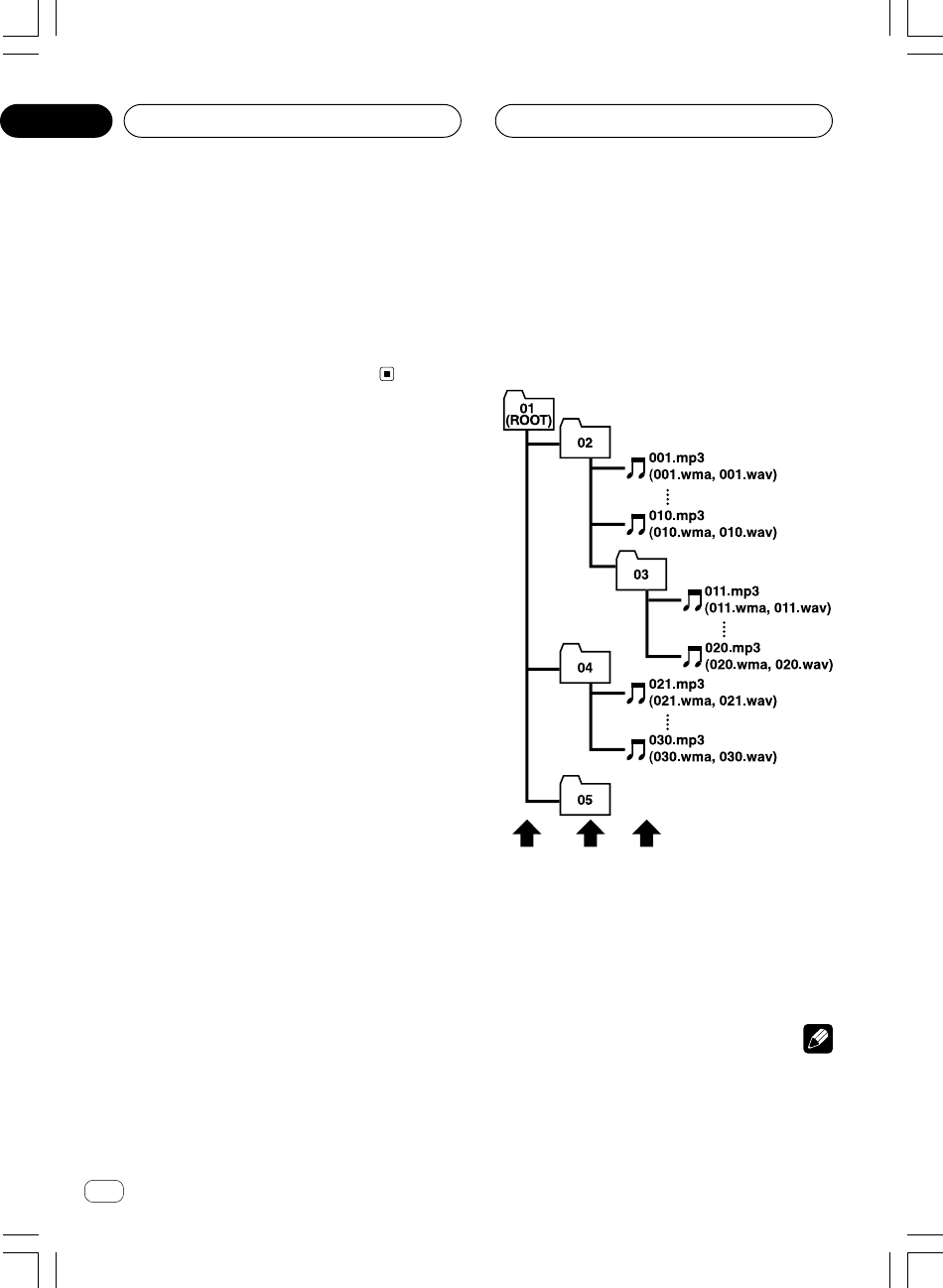
Ar
”dNH«
¥
<XRD7106-A> 94
WOU{« UuKF
U?HKË UEU(« ‰uŠWAV/WMA/
MP3
•u²« qJA« 5³¹uDÝô ÁU½œ« w×O{ W½«CD-ROMu²× W¹
UHK vKŽ
WAV/WMA/MP3uð - ÆUNO UEU(« `O{
dH«—UO²š« - w²« WEU(« w UEUŠ WÐU¦0 WOŽR U¼dšÆ«
1
2
3
1‰Ëô« Èu²*«
2w½U¦« Èu²*«
3YU¦« Èu²*«
UEŠö
•— “UN'« «c¼ œb×¹b¹b% Âb²LK sJ1 ô ULMOÐ ÆWEU(« r
—ÆWEU(« r
•u²% ô w²« UEU(« h× sJL*« s fOUHK vKŽ Í
WAV/WMA/MP3UEU(« pKð wDð r²OÝ® ÆUNO
dŽ ÊËbЗ ÷©ÆWEU(« r
• UHK* ŸUL²Ýô« …œUŽ« sJ1
WMA/MP3u²% Ë Í∏ v²Š
—UÞ«Ë ÆUEUŠ «d« vKŽ¡bÐ w dOšQð „UM¼ ¨p– s rž
uDÝô« qOGAðu²% w²« U½«—UÞ« vKŽ Í«cN Æ…œbF² «
uDÝ« ¡UA½UÐ `BM½ V³«u²% ô U½«s d¦√ vKŽ Í
—UÞ«Æs¹
•Ë ŸUL²Ýô« …œUŽ« pMJLOÝuDÝô« vKŽ WEUŠ ππ v²ŠW½«
u« Æ…bŠ«
XRD7106A.Ara42-51 05/8/4, 17:1547

Ar
”dNH«
dF«WOÐ
¥∂
•u²%uDÝô« iFÐ ÍuB« W−b*« U½«W−bM w½Už« vKŽ WOð
Ë ÊËbÐ iF³« UNCFÐ lułd œu% bMŽ ÆUNMOÐ ⁄«pKð q¹
uDÝô« UHK v« U½«
WAV/WMA/MP3Ë vKŽ UNOK−ð
uDÝ«u½ô« s W−b U½« Ÿ«
CD-ROM/CD-RW/CD-R¨
uÐ UHKLK ŸUL²Ýô« r²OÝuÐ “UN'« «c¼ WDÝ«ułd² œuð …n
dOBË q 5Ð …u²« ‰uÞ sŽ dEM« iFÐ ¨…bŠ«w½Užô« 5Ð n
uDÝô« vKŽuB« W−b*« W½«ÆWOKô« WOð
rN
• UHK WOLð bMŽ
WAV/WMA/MP3rÝ« …b¹b9 n{« ¨
u*« nK*« WI«
.mp3) ¨.wmaË√ (.wavÆUN
•nK*« rÝ« …b¹b9 l UHK* ŸUL²Ýô« “UN'« «c¼ bOF¹
.mp3) ¨.wma Ë√ (.wav UHK WÐU¦0 WAV/WMA/
MP3
ËbŠ VM−² Æu{ ÀË ¡U{«b²Ý« ÂbŽ V−¹ ¨‰UDŽ«
dš« UHK l …b¹bL²« Ác¼ UHK dOž È
WAV/WMA/
MP3
Æ
U?HK* WOU{« U½UOÐMP3
•«*KHU «*²u«IW l ½EUÂ ÐDUW
ID3 s «MW ∞\± ¨ ±\± ¨
≤\≤ ¨ ≥\≤ Ë ¥\≤ Fd÷ «K³u ®ŽMu«Ê «ôÝDu«½W©¨ «ôžMOW
®ŽMu«Ê «ôžMOW©¨ «*GMw ®GMw «ôžMOW© Ë«*öŠEUÆ
Ë« vDFðuË ≤ WMK qOGA²« W¹—«bô«UNM ÀbŠô« «
WUDÐ ÂUEM
ID3u²ð UbMŽ Ë ≤ Ë ± aM« bł«—«bô««
ÆUNM ÀbŠô«
• UHK* ŸUL²Ýô« …œUŽ« pMJLOÝMP3d²Ð ¥¥\± ¨ ≥≤ «œœ
uKO ¥∏ Ëd¼Ë ÊuJð ¨jI eðeF²« WHOþÆWUF e¹ pMJLOÝ®
d²« UMOŽ v« ŸUL²Ýô« …œUŽ«¨ ≤¥ ¨ ≤≤\∞µ ¨ ±∂ «œœ
uKO ¥∏ ¨ ¥¥\± ¨ ≥≤d¼©Æeð
•u¹ ôuð bł ÂUEMÐ ŸUL²Ýô« WLzU l o«m3uÆ
•u¹ ôuð bł ÂUEM« l o«
MP3i® MP3ÂUE½ Ë√ ©qŽUH²*«
mp3 PROÆ
•uł `³Bð …œUF« wu …œ UHK
MP3“ l qC« …œU¹
ôbF0 öO−² ŸUL²Ýô« “UN'« «cN sJ1 ÆXO³« ‰bF
¨WO½U¦«ØXOÐ uKO ≥≤∞ v« WO½U¦«ØXOÐ uKO ∏ s XOÐ
Ëu−Ð ŸU²L²Ýô« pMJ1 wJ sJu …œ`BM¹ ¨WMOF
uDÝ« «b²ÝUÐuKO ±≤∏ qô« vKŽ XOÐ ‰bF0 WK− U½«
ÆjI WO½U¦«ØXOÐ
WOU{« UuKF
U?HK* WOU{« U½UOÐWMA
• UHK* ŸUL²Ýô« “UN'« «c¼ bOF¹
WMAdHA*« «b²ÝUÐ …
Ë U¹bO qGAƱ∞ Ë π ¨ ∏ ¨ ∑\± ¨ ∑ aM« s “ËbM¹
• UHK* ŸUL²Ýô« …œUŽ« pMJLOÝ
WMAd²Ð ¨ ≥≤ «œœ
uKO ¥∏ Ë ¥¥\±d¼ÆjI eð
•uł `³Bð …œUF« wu …œ UHK
WMA“ l qC« …œU¹
ôbF0 öO−² ŸUL²Ýô« “UN'« «cN sJ1 ÆXO³« ‰bF
uKO ¥∏ s XOÐuKO ≥≤∞ Ë WO½U¦«ØXOÐÂUE½® WO½U¦«ØXOÐ
CBRuKO ¥∏ s Ë√ ©uKO ≥∏¥ Ë WO½U¦«ØXOÐWO½U¦«ØXOÐ
ÂUE½®
VBRË ¨©u−Ð ŸU²L²Ýô« pMJ1 wJ sJu …œ
uDÝ« «b²ÝUÐ `BM¹ ¨WMOFÆvKŽ« XOÐ ‰bF0 WK− U½«
•u²¹ ô “UN'« «c¼ÆWOU²« WLE½ô« qOGAð l o«
flÐd½UZ «*Ob¹U «BuðOW Ku¹MbË“ ½W π ÐdËOAOMU‰
(5.1 ch)
fldÐuB« U¹bO*« ZU½uK WOðW¾OD³« π W½ “ËbM¹
fldÐuB« U¹bO*« ZU½uK WOðWOFL« π W½ “ËbM¹
U?HK* WOU{« U½UOÐWAV
• UHK* ŸUL²Ýô« “UN'« «c¼ bOF¹
WAVdHA*« ÂUEMÐ …PCM
wD)«(LPCM) ÂUE½ Ë√ MS ADPCMÆ
• U?HK* ŸUL²Ýô« …œUŽ« pMJLOÝ
WAVd²Ð ¨±∂ «œœ
uKO ¥∏ Ë ¥¥\± ¨ ≥≤ ¨ ≤¥ ¨ ≤≤\∞µd¼ÂUE½® eð
LPCMuKO ¥¥\± Ë ≤≤\∞µ Ë√ ©d¼ ÂUE½® eðMS
ADPCM
dð ÊuJð ÆjI ©ËdF*« WMOF« «œœ—UF« w W{W{
—UÐÆW×O× ÂU
•uł `³Bð …œUF« wu …œ UHK
WAVœbŽ l qC«
OÐ
Ò
—«bI0 öO−² ŸUL²Ýô« s “UN'« «c¼ pMJ1 Æd³√ X
OÐ
Ò
ÂUE½® ±∂ Ë ∏ 5Ð U X
LPCM ÂUE½® ¥ Ë√ ©MS
ADPCM
Ë ¨©u−Ð ŸU²L²Ýô« pMJ1 wJ sJu …œ
uDÝ« «b²ÝUÐ `BM¹ ¨WMOFOÐ œbFÐ WK− U½«
Ò
Æd³√ X
<XRD7106-A> 95
XRD7106A.Ara42-51 05/8/4, 17:1546

Ar
”dNH«
¥µ
•e²¼ô«“«ŸUL²Ýô« oO²Fð b ‚dD« vKŽ …œUOI« sŽ W&UM« «
uDÝö ÆW−b*« U½«
U½«uDÝ√CD-R/CD-RW
•uDÝ« «b²Ý« bMŽ U½«CD-R/CD-RW…œUŽ« pMJLOÝ ¨
uDÝö jI ŸUL²Ýô«“U$« - w²« U½«ÆUU9 U¼
•uDÝô ŸUL²Ýô« …œUŽ« sJ1 ô b U½«CD-R/CD-RW
u*«uÐ WK−*« v²Š ¨WOIOÝuDÝ« q− WDÝ«W−b*« U½«
ueNł« Ë√ WOIOÝuO³LJ« …—uBÐ UNO« ŸUL²Ýô« r²¹ ô b ¨dð…
uDÝô« qGA vKŽ W×O×Ë «c¼ W−b*« U½«V³Ð p–
uDÝô« pKð hzUBšË Ë√ U½«ułËbš œvKŽ —U³ž Ë√ ‘
uDÝô«Ë —U³G« Ê« UL ¨U½«uJ²*« ÈbM««c¼ WÝbŽ vKŽ W½
ÆUC¹« ŸUL²Ýô« lM9 b “UN'«
•uÐ ŸUL²Ýô« …œUŽ« sJ1 ôuDÝô “UN'« «c¼ WDÝ«U½«
uO³LJÐ XK−ÝË wBý dðË√ V³Ð p–W¾OÐ Ë√ j³{ ŸU{
d³«dDÐ qO−²« s bQð ÆZ«q;« dA²Ý≈® ÆW×O× WI¹
d²ý« Íc«e vKŽ ‰uB×K “UN'« tM X¹sŽ qOUH²« s b¹
d³«©ÆZ«
•uÐ ŸUL²Ýô« …œUŽ« sJ1 ôuDÝô “UN'« «c¼ WDÝ«U½«
CD-R/CD-RWuDÝô« pKð X½U «–≈ dð - b U½«w UN
—UOÝdF pðdýU³*« fLA« WFý_ W{Ë …—œd(« Uł—«WOUF« …
e²« Ë√—UO« w s¹Æ…
•ËUMF«Ë s¹uKFuBM« Udš_« ’uDÝ« vKŽ WK−*« ÈU½«
CD-R/CD-RWdŽ r²¹ ô√ sJ1 “UN'« «c¼ ‰ULF²ÝUÐ UN{
uB« U½UO³« WUŠ w® WOð
(CD-DA)Æ©
•uDÝ« XKšœ« «–« W½«
CD-RWË ÊuJOÝ ¨“UN'« «c¼ v« X
uDÝ« ‰Ušœ« bMŽ tM ‰uÞ« ŸUL²Ýô«Ë√ W¹œUO²Ž« W−b W½«
uDÝ« W½«
CD-RÆ
•d«d¹cײ« √d*« «uDÝ« l WI U½«
CD-R/CD-RWq³
ÆUN«b²Ý«
U?HKMP3 ¨WMA Ë WAV
• WLKMP3 ULKJK —UB²š« u¼ MPEG Audio Layer 3
uB« ZO³ WI³Þ®Ë ©≥ WOðd¹uMJ²« v« «c¼ lłujG{ UOł
uB«ÆWOÝUOI«
<XRD7106-A> 96
WOU{« UuKF
• WLKWMAu U¹bO `KDB* —UB²š≈ w¼ uK WOð“ËbM¹™
ËuFð w¼uB« jG{ WOMIð v« œË —uÞ w²«dý q³ s W
ËdJOuÝ U½UOÐ dOHAð sJ1 ÆX
WMAqGA «b²ÝUÐ
Ë U¹bOË ∑ W½ “ËbM¹ÆÀbŠô«
• —UB²šô«
WAVu*« WN³'« wMF¹ Ë ÆWOłu UHK ÂUE½ u¼WOð
u« ÂUEMÐ WUš WOÝUO“ËbM¹
®
Æ
•—uBÐ “UN'« «c¼ qLF¹ ô bd³« iFÐ l W×O× …Z«
UHK dOHA² Wb²*«
WMAÆ
•Ëu« U¹bO qGA WM UIUHK dOHAð w Âb²*« “ËbM¹
WMAdŽ r²¹ ô bI ¨u³K« ¡ULÝ« ÷u*« UË WOIOÝU½UOÐ
uBM«dšô« ’—uBÐ ÈÆWýUA« vKŽ W×O× …
•UHK …b¼UA …œUŽ« ¡bÐ bMŽ jOÐ dOšQð „UM¼ ÊuJ¹ b
WMAdHA*« uÐ …—u U½UOÐ WDÝ«ÆW¹
• UHK* ŸUL²Ýô« …œUŽUÐ “UN'« «c¼ `L¹
WAV/WMA/
MP3
uDÝ« vKŽ WK− U½«CD-ROM ¨CD-R Ë CD-
RW
uDÝö ŸUL²Ýô« …œUŽ« sJ1 Æu²¹ Íc« U½«UNKO−ð o«
u²*« lË ± Èu²*« ÂUE½ s ≤ È
ISO9660Ë ÂUE½ l
Ë— UHKË uOułÆXO
•uDÝô ŸUL²Ýô« …œUŽ« sJ1u²ð U½«ÂUE½ qO−ð l o«
—Ëb«Æ…œbF²*« «
• UHK ÊuJð ô
WAV/WMA/MP3u² ‰u× l WI«
“d« U½UO³« VðUÆw
•«(b «ôBv Fbœ «ôŠd· «²w 1Js Žd{NU ôÝr «*Kn¨ Ë«²w
ðA²Lq ŽKv «²Lb¹b…
.mp3)¨ .wma √Ë(.wav ¨
dŠ ∂¥ u¼d(« s ·Æ‰Ëô« ·
•dŠô« œbF vBô« b(«dŽ sJ1 w²« ·u¼ WEU(« rÝô UN{
dŠ ∂¥Æ·
•Ë WK−*« UHK*« WUŠ wË— UHK ÂUEM UIË uOuł¨XO
dŽ sJLOÝdŠ ∂¥ ‰Ë« ÷ÆjI rÝô« s ·
•uDÝ« v« ŸUL²Ýô« bMŽu²% U½«UHK vKŽ Í
WAV/WMA/MP3Ë u U½UOÐ WOð(CD-DA)q¦
uDÝ« U½«
CD-EXTRA Ë MIXED-MODEsJ1 ¨
u½ öJ ŸUL²Ýô«uDÝô« wŽuײUÐ jI U½«Ë 5Ð q¹wF{
WAV/WMA/MP3 Ë CD-DAÆ
•dð `³B¹Ë ŸUL²Ýô« …œUŽö WEU(« —UO²š« VOðUOKLŽ
dšô« qOGA²«Ë Èd²K UIu²J*« VOðuÐ »dÐ WDÝ«ÆWÐU²J« ZU½
d²« oH²¹ ô b ¨V³« «cNu²*« VOðË w l…œUŽ« X
dð l ŸUL²Ýô«Ë VOðË ÆwKFH« ŸUL²Ýô« …œUŽ« Xd« vKŽrž
dÐ UC¹« „UM¼ ¨p– sdð j³CÐ `Lð WÐU² Z«…œUŽ« VOð
ÆŸUL²Ýô«
XRD7106A.Ara42-51 05/8/4, 17:1545
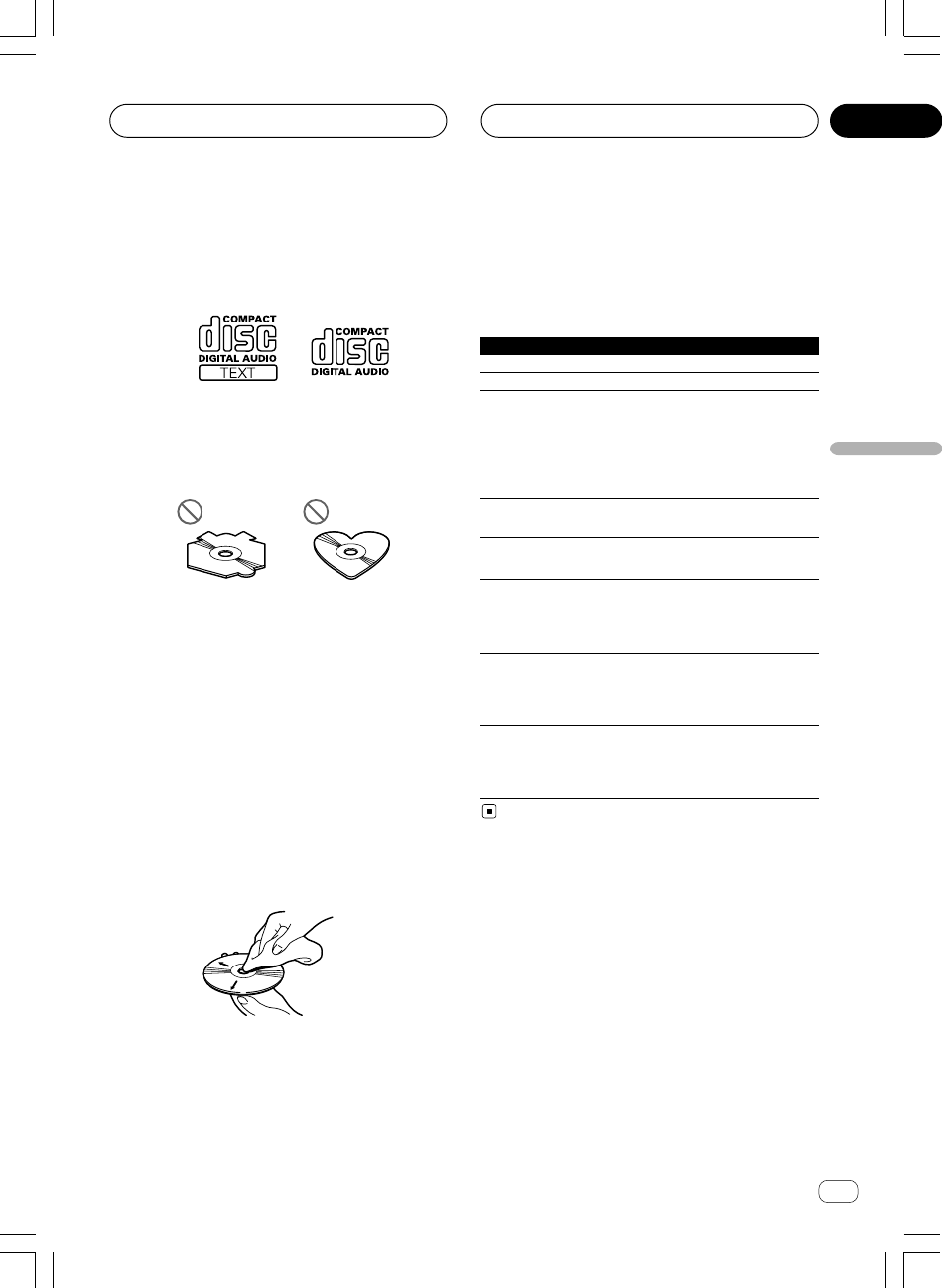
Ar
”dNH«
dF«WOÐ
¥¥
q?GA0 WU)« QD)« qzUÝ— rN
w?Kš«b« W−b*« U½«uDÝô«
uÐ ‰UBðô« bMŽd√ Ë√ wK;« pKOd »u¹UÐ W½UO Ubš e¨dO½
—U³š« s bQðdÐ r¼dNþ w²« QD)« WUÝÆWýUA« vKŽ
WUÝd«V³«ÃöF«
ERROR-11, 12, 17, 30
uDÝ«W² W½«uDÝ«ÆWHOE½ W½«
ERROR-11, 12, 17, 30
uDÝ«Ëb W½«WýuDÝô« ‰b³²Ý«ÆW½«
ERROR-10, 11, 12, 15,
dN qKšwJO½UJO Ë√ wzUÐ5Ð ‰UFýô« ÕU²H ‰uŠ
17, 30, A0
Ë qOGA²« wF{ON
Ë ·UI¹ô«OFF‰uŠ Ë√ ¨
rŁ ¨nK² —bB v«
—« czbFÐqGA v« lł
uDÝô«ÆW−b*« U½«
ERROR-15
uDÝô«ô WKšb*« W½«uDÝô« ‰b³²Ý«ÆW½«
u²%U½UOÐ Í√ vKŽ Í
ERROR-23
ŸUL²Ýô« …œUŽ« sJ1 ô‰b³²Ý« uDÝô«ÆW½«
uDÝô« ÂUEMW−b*« W½«
No Audio
uDÝô«- w²« W½«uDÝô« ‰b³²Ý«ÆW½«
u²% ô UNUšœ≈vKŽ Í
sJ1 UHK Í√
UNO≈ ŸUL²Ýô«
TRK SKIPPED
uDÝô«- w²« W½«uDÝô« ‰b³²Ý«ÆW½«
u²% UNUšœ≈vKŽ Í
UHK
WMAWOL×
uÐ WDÝ«DRM
PROTECT
vKŽ UHK*« lOLłuDÝô« ‰b³²Ý«ÆW½«
uDÝô«- w²« W½«
uÐ WOL× UNUšœ≈WDÝ«
DRM
<XRD7106-A> 97
WOU{« UuKF
t?Ð W¹UMF«Ë W−b*« U½«uDÝô« qGA
•u½ s U¹√ Âb²Ý«uDÝô« wŽWöŽ qL% w²« W−b*« U½«
uDÝô«d« W−b*« U½«uB« WOLÆÁU½œ« 5³ u¼ UL WOð
•uÝ qLF²ð ôuDÝô« Èd¹b²*« W¹œUF« W−b*« U½«ÆjI …
uDÝ« XKšœ« «–«Ë WLE²M dOž ‰UJý« «– W−b U½«dOž
d¹b²dF²ð bI …uDÝô« qGA w qô Ë« W−b*« U½«
—uBÐ qLFðÆW×O× …
•uDÝô« q h׫sŽ U¦×Ð ¨UNO« ŸUL²Ýô« q³ W−b*« U½«
Ëbš ¨‚uIýuDÝô« Ë√ ‘u²K*« U½«uDÝô« qLFð ô b ÆW¹U½«
u¹ w²« W−b*«Ëbš ¨‚uIý UNÐ błu²K*« Ë√ ‘—uBÐ W¹…
uDÝô« pKð q¦ «b²Ý« ÂbŽ V−¹ ÆW×O×ÆU½«
•u« `DÝ f* VM&u«® q−*« tłbMŽ ©tOKŽ Ÿu³D*« dOž tł
uDÝô« l qUF²«ÆW½«
•uDÝô« ÊešÆUN«b²Ý« ÂbŽ bMŽ UN³KŽ w U½«
•uDÝô« kHŠ«dF*« sUô« sŽ «bOFÐ U½«fLA« WFýô W{
dýU³*«Ë …dF²«—b ÷dŠ Uł—«ÆWOUŽ …
•—Ë√ ‚UB« ÂbŽ V−¹u Í√ «b²Ý« Ë√ vKŽ WÐU²J« Ë√ ‚«œ«
ËULOuDÝô« vKŽ W¹ÆU½«
•uDÝô« nOEM²uDÝô« `« ¨W²*« U½«uÐ U½«WFD WDÝ«
uDÝô« nB²M s ×U)« ÁU&UÐ WLŽU½ ‘ULÆW½«
•—U³« fID« w …Qb*« «b²Ý« bMŽvKŽ ÈbM« ÊuJ²¹ b ¨œ
eł«qLŽ ÂbŽ w n¦J²« V³²¹ b ÆqGA*« qš«œ w ¡«
uDÝô« qGA—uBÐ W−b*« U½«ÊUÐ bI²Ž« «–« ÆW×O× …
Ë« WKJA n¦J²«dIð WŽUÝ …b* “UN'« qOGAð nË U³¹`«
d«uÞuDÝô« sŽ WÐÆWLŽU½ ‘UL WFDIÐ U½«
XRD7106A.Ara42-51 05/8/4, 17:1544
Ar
rI«
¥≥
<XRD7106-A> 98
W?HK²<« WOK²« ÷ËdŽ «b²Ý«
ËdFÐ ŸU²L²Ýô« pMJ1u —bB qJ lL²ð ULMOÐ WOKð ÷Æwð
—e« jG{«
ENTERTAINMENTÆ
d q —e« jGCð …
ENTERTAINMENTdF« dOG²OÝ ÷
d²UÐ∫wU²« VOð
d WOHKš± WOz—d WOHKš≤ WOz—d WOHKš≥ WOz—d WOHKš¥ WOz
—Ru²*« dý± È—R u²*« dý≤ È—± rKH« WýUý—WýUý
≤ rKH«—WOK²« WŽUÝ—dŽ— ÷ —bB*« e
U?½«uDÝ« qGA qOGA² .bIð
W?OLd« u¹bOH«
DVD
WOLd« u¹bOH« U½«uDÝ« qGA l “UN'« «c¼ «b²Ý« pMJ1
DVD
WOLd« u¹bOH« U½«uDÝ« qGA Ë√
DVD
w²« …œbF²*« ÆWKBHM …—uBÐ ŸU³ð
eLK—« ¨qOGA²UÐ WIKF²*« qOUH²« s b¹qOGAð qOœ v« lł uDÝ« qGAd« u¹bOH« U½« WOL
DVDuDÝ« qGA Ë√ U½« d« u¹bOH« WOL
DVDu¹ Æ…œbF²*« uKF rI« «c¼ dsŽ U uDÝ« qGA qOGAð UOKLŽd« u¹bOH« U½« WOL
DVDuÐ WDÝ« Ë “UN'« «c¼u*« sŽ nK²ð w²«qGA qOGAð qOœ w W×{ uDÝ«d« u¹bOH« U½« WOL
DVDuDÝ« qGA Ë√ u¹bOH« U½« d« WOL
DVDÆ…œbF²*«
qOGA²« UOKLŽ
u« «b²Ý« pMJ1uÐ WOU²« nzUþuð® Æ“UN'« «c¼ WDÝ«W×H bł
d*«©ÆqOb« «c¼ w WFł«
•
WOMžô« sŽ Í—uH« Y׳« nzUþË Â«b²Ý«
(ITS)
Ê«uMŽË
W½«uDÝô«
—«® ©W×HB« Ác¼ v« lł
u« qOGAð nK²¹ ¨pcu*« l WOU²« nzUþułÆ“UN'« «c¼ w …œ
uð®d*« W×H bł©ÆqOb« «c¼ w WFł«
•
nzUþu« WLzU q¹u%
—«®©W×HB« Ác¼ v« lł
n?zUþu« WLzU q¹u%
WOL— u¹bO U½«uDÝ« ÷dŽ¡UMŁ√DVDjG{« ¨
—e«
FUNCTIONÆnzUþu« ¡ULÝ« ÷dF
—e« jG{«
FUNCTION—uBÐ —dJ² …uײK …u« 5Ð q¹nzUþ
∫WOU²«
Repeat©—dJ²*« ŸUL²Ýô«® Pause—R*« ·UI¹ô«®©X
Èdšô« nzUþu«
—e« jG{« ¨W−b u¹bO U½«uDÝ« ÷dŽ¡UMŁ√
FUNCTIONÆnzUþu« ¡ULÝ« ÷dF
—e« jG{«
FUNCTION—uBÐ —dJ² …uײK …u« 5Ð q¹nzUþ
∫WOU²«
Repeat©—dJ²*« ŸUL²Ýô«® Pause—R*« ·UI¹ô«® ©X
—e« jG{« ¨W−b U½«uDÝô ŸUL²Ýô«¡UMŁ√
FUNCTIONÆnzUþu« ¡ULÝ« ÷dF
—e« jG{«
FUNCTION—uBÐ —dJ² …uײK …u« 5Ð q¹nzUþ
∫WOU²«
Repeat©—dJ²*« ŸUL²Ýô«® Random—d²Ð ŸUL²Ýô«® VOð
uAŽ©wz«
Scan—©`*UÐ ŸUL²Ýô«® —
ITS Play—uH« Y׳UÐ ŸUL²Ýô«® ©WOMžô« sŽ Í—
PauseR*« ·UI¹ô«® ©X
UEŠö
•uDÝ« qGA l “UN'« «c¼ «b²Ý« bMŽd« u¹bOH« U½«WOL
DVDuײ« pMJ1 ¨…œbF²*« Ë v« q¹Y׳UÐ ŸUL²Ýô« l{
—uH« WOMžô« sŽ Í
ITS PlayÆ
•Ë nK²ðË —dJ²*« ŸUL²Ýô« WHOþu½ô UIuDÝô« Ÿ«U½«
ÆWb²*«
—dŽ ¡UMŁ√uDÝ« ÷— u¹bO U½« WOL
DVD—e« jG{« ¨
2 Ë√ 3dJ²« Èb —UO²šô Æ—«
—dŽ ¡UMŁ√uDÝ« ÷ŸUL²Ýô« Ë√ W−b u¹bO U½«
uDÝô —e« jG{« ¨W−b U½«
2 Ë√ 3Ë√ qOGA²
Ë qOGAð ·UI¹«Æ—dJ²*« ŸUL²Ýô« l{
W?OMžô« sŽ Í—uH« Y׳« nzUþË Â«b²Ý«
(ITS)
W?½«uDÝô« Ê«uMŽË
uDÝô ŸUL²Ýô« ¡UMŁ√qGA l “UN'« «c¼ «b²Ý« bMŽ W−b W½«
uDÝ«d« u¹bOH« U½« WOL
DVDÁc¼ «b²Ý« pMJ1 ¨…œbF²*«
u«uÐ r²ð UL UNH½ w¼ qOGA²« UOKLŽ ÆnzUþqGA WDÝ«
uDÝô«d¹ Æ…œbF²*« W−b*« U½«d« vłqGA r v« Ÿuł
uDÝô« Æ…œbF²*« W−b*« U½«
±∞
XRD7106A.Ara42-51 05/8/4, 17:1543
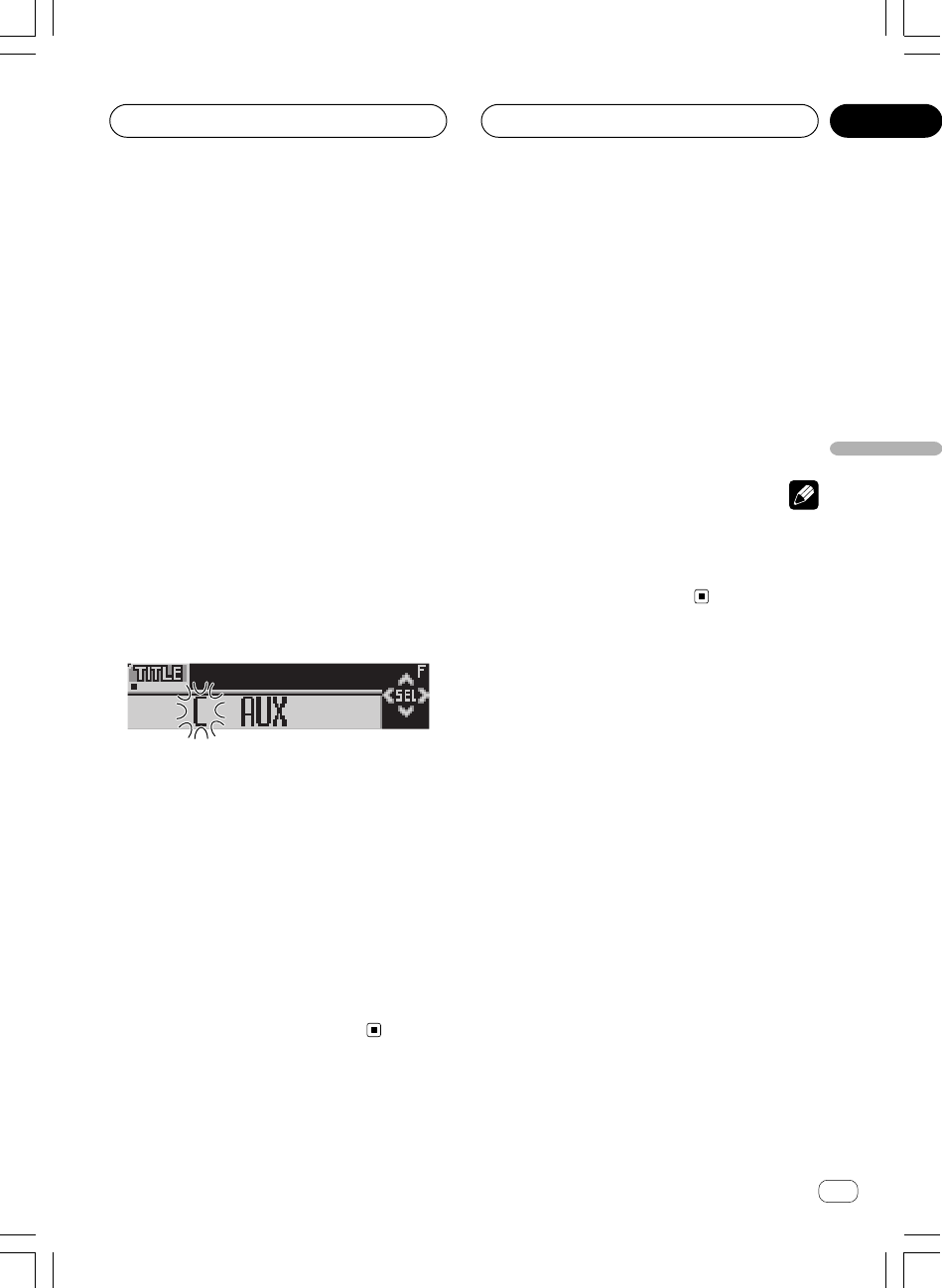
Ar
rI«
dF«WOÐ
¥≤
Èdšô« nzUþu«
<XRD7106-A> 99
q?OGA²« wF{Ë 5Ð WŽU« ÷dŽ q¹u%
·UI¹ô« Ë√
Ë qOGAð pMJ1dŽ qOGAð ·UI¹«ÆWŽU« ÷
—e« jG{«
CLOCK5Ð WŽU« ÷dŽ q¹uײ
Æ·UI¹ô« Ë√ qOGA²« wF{Ë
—eK WDG{ q
CLOCKu% vKŽ qLF²Ý dŽ q¹U WŽU« ÷
Ë 5ÐÆ·UI¹ô« Ë√ qOGA²« wF{
dŽ wH²OÝ—uBÐ WŽU« ÷R …dł« bMŽ W²UOKLŽ ¡«
dšô« qOGA²«Ë ¨ÈuFOÝdF« œd —uNEK ÷dš« …ÆWO½UŁ ∂ bFÐ È
WEŠö
uÐ v²ŠułË œË —œUB*« l{dF«u²« ÷Ë vKŽ w×O{·UI¹« l{
dŽ dNEOÝ ¨qOGA²«—e« jG{ ÆWýUA« vKŽ WŽU« ÷
CLOCKu% vKŽ qLFOÝ dŽ q¹Ë 5Ð U WŽU« ÷wF{
Æ·UI¹ô« Ë√ qOGA²«
w?U{« —bB «b²Ý≈AUX
dÞ wMO³« qu*« p `L¹ “«IP-BUS-RCAu*« q¦ ö¹œ
CD-RB20/CD-RB10—uBÐ ŸU³¹ Íc«® qOu²Ð ©WKBHM …
eNł√ v« “UN'« «c¼ Ãdš WײHÐ “U²9 WOU{« …
RCAË Æ‰uB×K
e vKŽ—≈ ¨qOUH²« s b¹wMO³« qu*« qOGAð qOœ v« lł
dÞ “«
IP-BUS-RCAÆ
w?U{« l{Ë —UO²š«AUXqOGA²K —bBL
—e« jG{≈ SOURCE wU{« l{Ë —UO²šô AUX
ÆqOGA²K —bBL
—e« jG{≈
SOURCEdF« dNE¹ v²Š ÷AUXÆWýUA« vKŽ
Ë√ qOGAð r²¹ r «–≈eNłô« j³{ ŸU{sJ1 s ¨WOU{ô« …
u« —UO²š« l{
AUXe* Æ—≈ ¨qOUH²« s b¹ r v« lł
q¹u%
WOU{ô« …eNłô« j³{ ŸU{Ë√
∞≥π W×H w
w?U{ô« Ê«uMŽ j³{AUX
dŽ dOOGð sJ1uMŽ ÷eNłô« —œUB Ê« WOU{ô« …
AUXÆ
± wU{« l{Ë —UO²š« bFÐ
AUX—bBL
—e« jG{ X³ŁË jG{«¨qOGA²K
FUNCTIONv²Š
÷dF« dNE¹
TITLEÆWýUA« vKŽ
≤Æ»užd*« ·d(« “«dÞ —UO²šô ± e« jG{«
—e« jG{«
±±
±±
±—uBÐ —dJ² …uײK …dÞ 5Ð q¹“«Ëd(« «∫WOU²« ·
Ëd(«dO³J«® W¹b−Ðô« ·©…—Ëd(«dOGB«® W¹b−Ðô« ·©…—Ëd(«·
Ë—Ëô«Ëd(« pKð q¦ ¨WOÐu¹ w²« ·ułË œ ö¦® WKOJAð UNI
á¨
à ¨ä ¨ç©
1JMp «š²OU— «œšU‰ «ô—U ÐUCGj ŽKv «e—
≤≤
≤≤
≤Æ
≥ —e« jG{≈
5 Ë√ ∞Íb−Ðô« ·d(« —UO²šô
Æ»užd*«
q {GDt Ke—
5 ݲFLq ŽKv Žd÷ Šd· «Ð−bÍ ®ÐUKGW «ô$KOe¹W©
ÐNc« «²dðOV
X Y Z ... A B C¨ Ë«ôŽb«œ Ë«du“ ÐU²dðOV
# < @ 1 2 3 ...Æ q {GDt Ke— ∞ ݲFLq ŽKv Žd÷ «(dË·
вdðOV ŽJw¨ ¦q ¼c« «²dðOV
C B A ... Z Y XÆ
¥ —e« jG{≈3·d(« lu v« …dOA*« p¹dײ
ÆwU²«
d(« ÊuJ¹ ULMOÐd*« ·užËdF » —e« jG{≈ ¨U{
3dײ dOA*« „…
u*« v«d(« d²š« rŁ wU²« l —e« jG{≈ ÆwU²« ·
2dײK „
ÆWýUA« vKŽ nK)« ÁU&UÐ
µ—e« vKŽ jGCUÐ dOšô« lu*« v« …dOA*« „dŠ
3ÆÊ«uMF« ‰Ušœ« bFÐ
—e« jG{ bMŽ
3d dš« …eð r²OÝ ¨ÈuMF« s¹w qšb*« Ê«
d«c«Æ…
∂ —e« jG{≈
BAND÷dŽ l{Ë v« …œuFK
ÆŸUL²Ýô«
±∞
XRD7106A.Ara42-51 05/8/4, 17:1542

Ar
rI«
¥±
wËô« j³C«
<XRD7106-A> 100
≤ —e« jG{«2 Ë√ 3Ør² wF{Ë 5Ð q¹uײK
Æ nðUN« u 5¼uð
—e« jG{
2 Ë√ 3uײ« vKŽ qLFOÝ u« 5Ð U q¹l{
Telephone: ATTuð® uB« 5¼Ë ©u«l{
Telephone: MUTEuB« r²® Ë ©dŽ r²OÝWU(« pKð ÷
ÆWýUA« vKŽ
r?z«b« p¹dײ« WHOþË q¹u%
uÐułË œdײ« WHOþ rz«b« p¹(Ever Scroll)Ë vKŽ ¨qOGA²« l{
d% r²OÝuB½ p¹—uB¹ U½UO³« ’Ë ÆWLz«œ …uÐułË œdײ« WHOþp¹
rz«b«
(Ever Scroll)Ë vKŽ d% r²OÝ ¨qOGA²« ·UI¹« l{p¹
uB½d U½UO³« ’Ë …ÆjI …bŠ«
± —e« jG{«
FUNCTIONp¹dײ« l{Ë —UO²šô
rz«b«
(Ever Scroll)Æ
—e« jG{«
FUNCTION—uBÐ —dJ² …dŽ dNE¹ v²Š …÷
dײ« rz«b« p¹
(Ever Scroll)—UF« vKŽ ÆW{
≤ —e« jG{«5 Ë√ ∞p¹dײ« WHOþË q¹b³²
rz«b«
(Ever Scroll)·UI¹« Ë√ qOGA²« wF{Ë 5Ð
ÆqOGA²«
—e« jG{5 Ë√ ∞u% vKŽ qLFOÝ Ë q¹dײ« WHOþrz«b« p¹
(Ever Scroll)Ë 5Ð Ë qOGA²« ·UI¹« Ë√ qOGA²« wF{r²OÝ
Žd÷ ŠUW «²AGOq ŽKv «FU—{W ®¦ö
Ever Scroll:ON©Æ
∞π
XRD7106A.Ara25-41 05/8/4, 17:1241
Ar
rI«
dF«WOÐ
¥∞
≤ —e« jG{≈2 Ë√ 3ÆW«dýô« Èu² j³C
—eK WDG{ q
2 Ë√ 3— vKŽ qLF²Ý u² iHš Ë√ lÈ
dýô«dF« dNEOÝ ÆW« dH ÷
0 ≠ 15d¹ ULMOÐ WýUA« vKŽ Ë√ lHð
u²*« iHM¹ ÆÈ
r?J×²Ë WOHK)« WŽUL« Ãdš j³{
W?OŽdH« iOH)« uB« WŽULÝ
Ë WOHK)« WŽUL« „öÝ« Ãdš® wHK)« Ãd)« «b²Ý« sJ1Ãd)«
wHK)«
RCAÈb*« WKU WŽULÝ qOu² “UN'« «cN ©
®
REAR SP :FULLuB« WŽULÝ Ë√ ©dH« iOH)« WOŽ
®
REAR SP :S/WuŠ «–« Æ©u« v« wHK)« Ãd)« j³{ Xl{
REAR SP :S/WWOHK)« WŽUL« pKÝ qOuð pMJLOÝ ¨
dýU³u WŽULÝ v« …d iOHš d¹UHOK³« Í√ «b²Ý« ÊËbÐ WOŽ
u rC®ÆwU{« ©
Ë vKŽ “UN'« j³{ ¨qô« wÈb*« WKU WŽULÝ qOuð l{
®
REAR SP :FULLv« wHK)« Ãd)« qOuð bMŽ Æ©
u« —UO²š« bMŽ® Èb*« WKU UŽULÝ l{
REAR SP
:FULL
uB« WŽULÝ Ãdš qOuð pMJLOÝ ¨©dH« iOH)« WOŽ
RCAu WŽULÝ v« d iOHš pMJ1 ¨WU(« Ác¼ w ÆWOŽ
dð XM U «–« —UO²šô«WŽULÝ rJײ qOuð «b²Ý« w Vž
uB«dH« iOH)« d® WOŽwKš«œ ©—uD« ¨wKH« —Ëd*« `ý
PREOUT :S/W wU{« Ë√ PREOUT :FULLÆ
± —e« jG{«
FUNCTIONÈb l{Ë —UO²šô
WŽUL«
REAR SPÆ
—e« jG{«
FUNCTION—uBÐ —dJ² …dF« dNE¹ v²Š …÷
REAR SPÆWýUA« vKŽ
≤ —e« jG{«
5 Ë√ ∞Ãd)« j³{ l{Ë q¹uײ
ÆwHK)«
—e« jG{
5 Ë√ ∞uײ« vKŽ qLFOÝ u« 5Ð U q¹l{
REAR SP :FULLË ©Èb*« WKU WŽULÝ® u«l{
REAR SP :S/WuB« WŽULÝ® dH« iHM*« Ë ©WOŽr²OÝ
dŽÆWýUA« vKŽ WU(« pKð ÷
Ë ÂbŽ bMŽułu WŽULÝ œd iOHš Wײ v« WKB² WOŽ
u« —UO²šUÐ r ¨WOHK)« Ãd)« l{
REAR SP :FULLÆ
u WŽULÝ qOuð bMŽd iOHš Ãd)« Wײ v« WOŽ
uB« WŽULÝ j³{« ¨WOHK)«dH« iOH)« u« vKŽ WOŽl{
REAR SP :S/WÆ
Ë ÊuJ¹ UbMŽu¼ WOHK)« Ãd)« WײH j³C« l{
REAR SP :S/WË v« dOOG²« pMJ1 s ¨WŽULÝ rJײ l{
uB«dH« iOH)« ÆWOŽ
≥ —e« jG{«
2 Ë√ 3u WŽULÝ Ãdš v« q¹uײK
Ãdš®wýö² dOž u Ãdš Ë√ WOŽd iHM
RCA
Æ©Èb*« qU
—e« jG{
2 Ë√ 3Ë 5Ð ‰u×OÝ wF{PREOUT :S/W Ë
PREOUT :FULL
Ë dŽ r²OÝÆWýUA« vKŽ WU(« pKð ÷
UEŠö
•Ë v²ŠdOž uË Ê« v« Ãdš Í√ „UM¼ ÊuJO ¨«c¼ j³C« l{
Ë qOGAð r²¹uB« Ãdš l{—≈® wýö² dOž r v« lł
wýö²*« dOž uB« Ãdš «b²Ý«
Ãdš Ë√ ©≥∂ W×H w
uB« WŽULÝdH« iOH)« —≈® WOŽ r v« lł
Ãdš «b²Ý«
WOŽdH« iOH)« uB« WŽULÝ
Æ©≥µ W×H w
•dOž «–«Ë uB« WŽULÝ rJײ j³{ l{dH« iOH)« ¨WOŽ
uFOÝË s ö j³{ œu WŽULÝ Ãdš wF{d iOHš WOŽ
ËuB« ÃdšuB« WLzU w wýö² dOž Ë« v« ŸU{
Ëô« j³C«u³C*« w ÆlMB*« w WÞ
u?B« XOHðØr² l{Ë q¹u%
uð Ë√ r² r²OÝuB« 5¼—uBÐ “UN'« «c¼ s —œUB« …
Ë«uðnðU¼ «b²ÝUÐ WOHðU¼ W*UJ ‰U³I²Ý« Ë√ ‰UBðô« bMŽ WOJOðU
uKšÆ“UN'« «c¼ l qB² Í
•uð Ë√ r² r²OÝuB« 5¼Ë ¨—œUB« dF« dNEOÝ ÷
MUTE
Ë√ATTË WýUA« vKŽ dł« pMJ1 sj³{ WOKLŽ Í√ ¡«
uBKÆ
•uF²ÝË v« qOGA²« WOKLŽ œ¡UN²½« bMŽ wFO³D« UNF{
ÆwHðUN« ‰UBðô«
± —e« jG{«
FUNCTIONl{Ë —UO²šUÐ rË
nðU¼
(Telephone)Æ
—e« jG{«
FUNCTION—uBÐ —dJ² …dF« dNE¹ v²Š …÷
Telephone
ÆWýUA« vKŽ
<XRD7106-A> 101
wËô« j³C« ∞π
XRD7106A.Ara25-41 05/8/4, 17:1240

Ar
rI«
≥π
wËô« j³C«
WEŠö
dł« - «–«Ë w Y׳UÐ j³C« WOKLŽ ¡«—œ l{uKO µ∞ Włd¼¨eð
—uBÐ UD;« j³{ r²¹ ô bI—uBÐ UD;« j³{« ÆWIOœ ……
Ëb¹Ë «b²Ý« bŽ« Ë√ W¹d Y׳UÐ j³C« WHOþdš« … ÆÈ
« t?¹« W?łu WH«u Wł—œ j³{AM
—œ dOOGð sJ1u w Wb²*« j³C« WłdK « t¹« Włπ 5Ð u¹œ«
uKOd¼—b« ¨eðuKO ±∞Ë ¨UND³{ o³*« Włd¼Â«b²Ý« bMŽ Æeð
d«d« w u¹œ«u« Ë√ WOULA« UJ¹uM'« Ë√ vDÝ—œ j³{ bŽ« ¨WOÐWł
u*«uKO π 5Ð WH«d¼uKO ±∂∞≤ ≠ µ≥±® eðd¼v« ©UNÐ ÕuL*« eð
uKO ±∞d¼uKO ±∂¥∞ ≠ µ≥∞® eðd¼Æ©UNÐ ÕuL*« eð
± —e« jG{«
FUNCTIONt¹« Wł—œ l{Ë —UO²šô
«
AM StepÆ
—e« jG{«
FUNCTION—uBÐ —dJ² …dF« dNE¹ v²Š …÷
AM StepÆWýUA« vKŽ
≤ —e« jG{«
2 Ë√ 3WH«u Wł—œ l{Ë —UO²šô
Æ« t¹« Włu
—e« jG{
2 Ë√ 3u% vKŽ qLFOÝ —œ q¹u Włu WH«Â« t¹« Wł
uKO π 5Ð Ud¼uKO ±∞Ë eðd¼—œ dNE²Ý Æeðu Włu WH«Â« t¹« Wł
—U²<« ÆWýUA« vKŽ …
d?¹cײ« ”dł WLG½ q¹u%
uK« qB r²¹ r «–«u« s WOUô« WŠd« …bŠfLš ‰öš WOOz
uŁu —bBOÝ ¨‰UFýô« ÕU²H qOGAð ·UI¹« s Ê«dł Æd¹c% ”
d'« «c¼ —Ëb ·UI¹« sJ1Æ”
± —e« jG{≈
FUNCTIONd¹cײ« ”dł —UO²šô
WarningÆ
—e« jGCÐ dL²Ý«
FUNCTIONdF« dNE¹ v²Š ÷
WarningÆWýUA« vKŽ
≤ —e« jG{«
5 Ë√ ∞·UI¹« Ë√ qOGAð —UO²šô
d¹cײ« ”dł qOGAð
WarningÆ
—e« jG{
5 Ë√ ∞Ë ‰u×OÝ dł l{ d¹cײ« ”Warning5Ð
ËdŽ r²OÝ UL qOGA²« ·UI¹« Ë√ qOGA²« wF{vKŽ t²UŠ ÷
dł qOGAð ö¦® WýUA« d¹cײ« ”
Warning : ON Æ©
W?OU{ô« …eNłô« j³{ ŸU{Ë« q¹u%
eNł« ‰ULF²Ý« pMJ1Ë« qGý Æ“UN'« «c¼ l WOU{« …j³{ ŸU{
eNłô«eNł« «b²Ý« bMŽ WOU{ô« …«c¼ l WKB² WOU{« …
Æ“UN'«
± —e« jG{≈
FUNCTION…eNł« l{Ë —UO²šô
WOU{«
AUXÆ
—e« jG{≈
FUNCTION—uBÐ —dJ² …dF« dNE¹ v²Š …÷
AUXÆWýUA« vKŽ
≤ —e« jG{«
5 Ë√ ∞·UI¹« Ë√ qOGAð —UO²šô
WOU{« …eNłô« qOGAð
AUXÆ
—e« jG{
5 Ë√ ∞Ë ‰u×OÝ eNł« l{ WOU{« …AUX5Ð
dŽ r²OÝ UL qOGA²« ·UI¹« Ë√ qOGA²«WýUA« vKŽ t²UŠ ÷
eNłô« qOGAð ö¦® WOU{ô« …AUX : ON Æ©
…¡U?{ô« iUš j³{ ŸU{Ë« q¹u%
dA `³Bð Ê« s WýUA« Ác¼ lM*iHM²Ý ¨qOK« w «bł W
—uBÐ UNð¡U{«Ë« …uðu{ô« qOGAð bMŽ WOJOðUWOUô« ¡«
—UOu% sJ1 ÆpðË 5Ð …¡U{ô« iUš q¹Ë√ qOGA²« wF{
Æ·UI¹ô«
± —e« jG{«
FUNCTIONiUš l{Ë —UO²šô
…¡U{ô«(Dimmer)Æ
—e« jG{≈
FUNCTION—uBÐ —dJ² …dF« dNE¹ v²Š …÷
DimmerÆWýUA« vKŽ
≤ —e« jG{«
5 Ë√ ∞·UI¹« Ë√ qOGAð —UO²šô
…¡U{ô« iUš qOGAð(Dimmer)Æ
—e« jG{
5 Ë√ ∞Ë ‰u×OÝ …¡U{ô« iUš l{Dimmer5Ð
ËdŽ r²OÝ UL qOGA²« ·UI¹« Ë√ qOGA²« wF{vKŽ t²UŠ ÷
…¡U{ô« iUš qOGAð ö¦® WýUA«
Dimmer : ON Æ©
W«dýô« j³{
dý« j³{ pMJ1u« Ác¼ j³{ - qô« w ÆWýUA« W«vKŽ WHOþ
u?«Æ±≤ l{
± —e« jG{≈
FUNCTIONW«dýô« l{Ë —UO²šô
(Brightness)Æ
—e« jG{≈
FUNCTIONdF« dNE¹ v²Š ÷Brightness
ÆWýUA« vKŽ
<XRD7106-A> 102
∞π
XRD7106A.Ara25-41 05/8/4, 17:1239
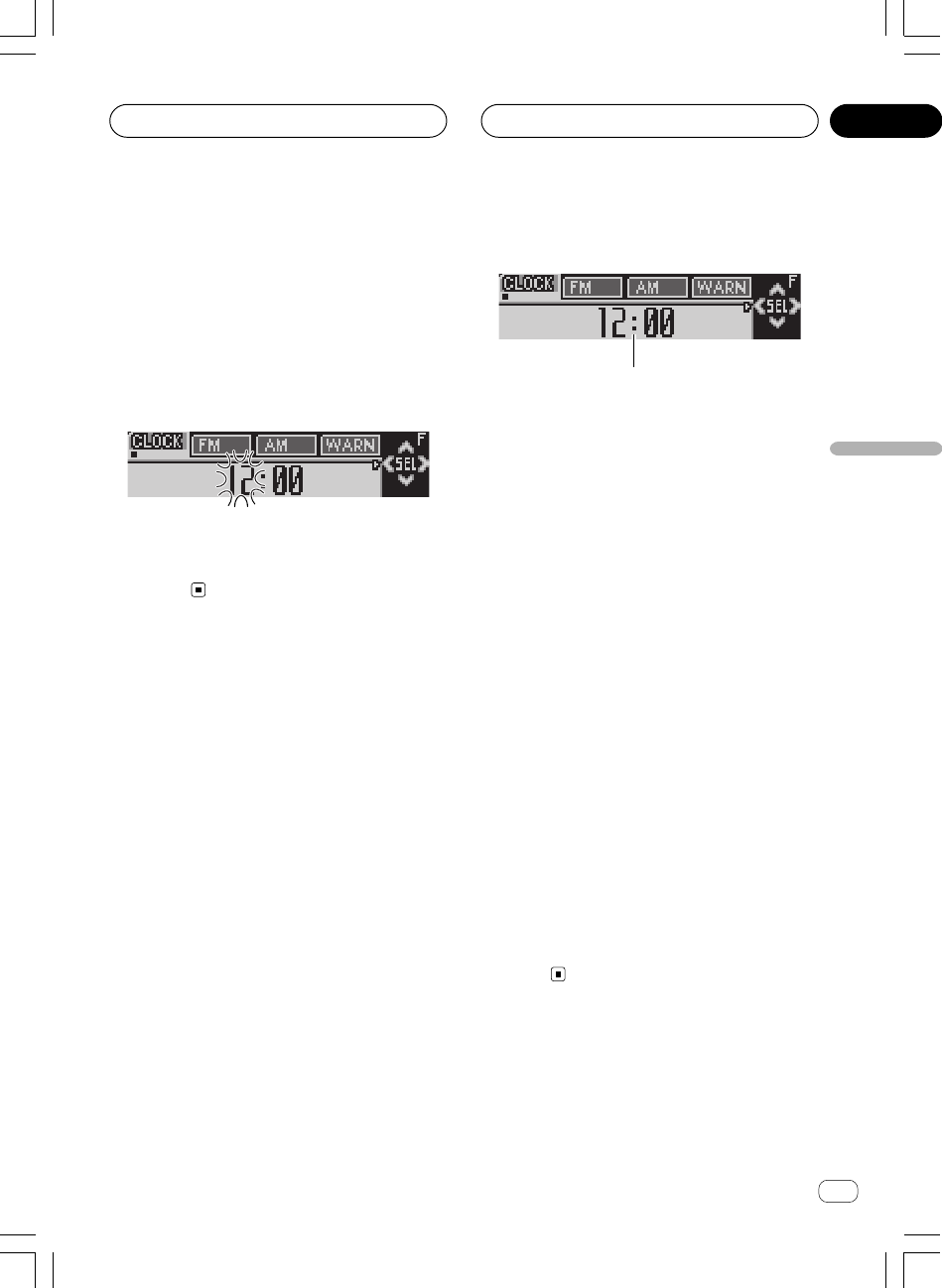
Ar
rI«
dF«WOÐ
≥∏
wËô« j³C«
<XRD7106-A> 103
w?Ëô« j³C« ŸU{Ë« j³{
1
Ë p `LðËô« j³C« WHOþdł« WO½UJ« wË« j³{ WOKLŽ ¡«w
ËôÆ“UN'« «cN WHK²<« j³C« ŸU{
1nzUþu« ÷dŽ
u« WUŠ 5³¹ÆWHOþ
± —e« jG{ X³ŁË jG{«
SOURCEr²¹ v²Š
Æ“UN'« qOGAð ·UI¹«
≤ —e« jG{ X³ŁË jG{«
FUNCTIONdNE¹ v²Š
ÆWýUA« vKŽ WŽU« ÷dŽ
≥ —e« jG{«
FUNCTIONŸU{Ë« bŠ« —UO²šô
ÆwËô« j³C«
—e« jG{«FUNCTION—uBÐ —dJ² …Ë« 5Ð qIM²K …ŸU{
∫WOU²« j³C«
WŽU«
FM Step——œ® u Wł©Â« ·« WH«AM Step—
—œ®u Wł©Â« t¹« WH«
Warning—dł® ©d¹cײUÝ
AUX—©wU{« qšœ® Dimmer—©…¡U{ô« iUš®
—
Brightnessdýô«® ©WREAR SP—wHK)« Ãd)«®
ËuB« WŽULÝ rJײdH« iOH<« ©WOŽ
Telephone—uðØr²® u 5¼©nðUN«
Ever Scroll—dײ«® ©rz«b« p¹
—ô« Âb²Ý«Ë q qOGA² WOU²« «œUýÆ5F j³{ l{
Ë ¡UGôËô« j³C« l{ —e« jG{« ¨wBANDÆ
Ë ¡UG« UC¹« pMJ1Ëô« j³C« l{—e« jG{ XO³¦²Ð w
FUNCTION Æ“UN'« qOGAð ·UI¹« r²¹ v²Š
WŽU« j³{
—ô« Ác¼ Âb²Ý«ÆWŽU« j³C «œUý
± —e« jG{«
FUNCTIONÆWŽU« l{Ë —UO²šô
—e« jG{«
FUNCTION—uBÐ —dJ² …WŽU« dNEð v²Š …
ÆWýUA« vKŽ
≤ —e« jG{«
2 Ë√ 3w Vždð Íc« ¡e'« —UO²šô
ÆWŽU« ÷dŽ s tD³{
—e« jG{
2 Ë√ 3eł —UO²š« vKŽ qLFOÝ dŽ s ¡∫WŽU« ÷
UŽU«
—ozUb«
eł —U²ð UbMŽdŽ s ¡e'« «c¼ √b³OÝ WŽU« ÷u²UÐ ¡Æi
≥ —e« jG{«5 Ë√ ∞ÆWŽU« j³C
—e« jG{
5eOÝ —U²<« ozUb« Ë√ UŽU« œbŽ b¹—e« jG{ Æ…
∞—U²<« ozUb« Ë√ UŽU« œbŽ iHOÝ Æ…
« ·« W?łu? WH«u Wł—œ j³{FM
—œ dOOGð sJ1Ë w Wb²*« j³{ Włu Y׳UÐ j³C« WHOþl{
uKO ±∞∞ 5Ð U « ·«d¼—b« ¨eðµ∞Ë ¨UND³{ o³*« Wł
uKOd¼Æeð
± —e« jG{«
FUNCTION·« Wł—œ l{Ë —UO²šô
«
FM StepÆ
—e« jG{«
FUNCTION—uBÐ —dJ² …dF« dNE¹ v²Š …÷
FM StepÆWýUA« vKŽ
≤ —e« jG{«2 Ë√ 3WH«u Wł—œ l{Ë —UO²šô
Æ« ·« Włu
—e« jG{
2 Ë√ 3u% vKŽ qLFOÝ —œ q¹u Włu WH«Â« ·« Wł
uKO ±∞∞ 5Ð Ud¼uKO µ∞Ë eðd¼—œ dNE²Ý Æeðu Włu WH«·« Wł
—U²<« «ÆWýUA« vKŽ …
∞π
XRD7106A.Ara25-41 05/8/4, 17:1238

Ar
rI«
≥
uB« j³{
dš« r²OÝUŽUL« s —U²<« ‚UDM« s jI vKŽô« UÐcÐc« ë
ÆWOHK)« Ë√ WOUô«
—b?B*« U¹u² j³{
Ë p `Lðu² j³{ WHOþ —bB*« È(SLA)u² j³CÐ r−Š È
uB«dOG²« lM* —bB qJ —c'« «u² w W¹uB« ÈbMŽ
Æ—œUB*« 5Ð dOOG²«
•Ë«u² vKŽ WOM³ j³C« ŸU{u Èu ¨Â« ·« YÐ n«
ËÆdOOGð ÊËbÐ vI³¹ Íc«
±Èu² l « ·« YÐ n«u u Èu² Ê—U
ÆtD³{ w Vždð Íc« —bB*«
≤ —e« jG{«
AUDIOÈu² j³{ l{Ë —UO²šô
—bB*«
(SLA)Æ
—e« jG{«
AUDIOdF« dNE¹ v²Š ÷SLAÆWýUA« vKŽ
≥ —e« jG{«
5 Ë√ ∞Æ—bB*« u Èu² j³C
—eK WDG{ q
5 Ë√ ∞d²Ý u² iHð Ë√ lu ÈÆ—bB*«
dF« dNEOÝ ÷
SLA –4 – SLA +4d¹ ULMOÐ WýUA« vKŽ lHð
u² iHM¹ Ë√u ÈÆ—bB*«
UEŠö
•u² j³{ UC¹« pMJ1u Èu ‰ULF²ÝUР« t¹« YÐ n«
Ëu² j³{ WHOþÆ—bB*« È
•u² WLO fH½ j³{ r²OÝuB« ÈqGA s qJ
uDÝô«Ë wKš«b« W−b*« U½«uDÝô« qGAW−b*« U½«
—uBÐ …œbF²*«Ë« …uðÆWOJOðU
•u² WLO fH½ j³{ r²OÝuB« Èu« s qJ …bŠ
—U)«Ë ± WOłu«—U)« …bŠ—uBÐ ≤ WOłË« …uð ÆWOJOðU
<XRD7106-A> 104
∞∏
XRD7106A.Ara25-41 05/8/4, 17:1237

Ar
rI«
dF«WOÐ
≥∂
uB« j³{
i?OH)« uB« WŽULÝ j³{ l{Ë q¹bFð
WOŽdH«
uB« WŽULÝ Ãdš ÊuJ¹ UbMŽdH« iOH)« Ë vKŽ WOŽl{
Ë WÐcÐc« lD j³{ pMJLOÝ ¨qOGA²«u²WŽULÝ Ãdš È
uB«dH« iOH)« ÆWOŽ
± —e« jG{«
AUDIO l{u« —UO²šô Sub-W2Æ
—e« jG{≈
AUDIO dF« dNE¹ v²Š ÷Sub-W2vKŽ
ÆWýUA«
uB« WŽULÝ j³{ WLzU —UO²š« UC¹« pMJ1dH« iOH)« WOŽ
—e« jGCÐ
SWu*« ułu« vKŽ œd« …bŠÆWOOz
uB« WŽULÝ Ãdš ÊuJ¹ UbMŽdH« iOH)« Ë vKŽ WOŽl{
u« —UO²š« pMJLOÝ ¨qOGA²« l{
Sub-W2Æ
≤ —e« jG{≈
2 Ë√ 3ÆWÐcÐc« lD l{Ë —UO²šô
—eK WDG{ q
2 Ë√ 3d²UÐ lDI« WÐcЖ —UO²š« vKŽ qLF²Ý VOð
∫wU²«
125—80—50d¼® ©eð
dš« r²OÝ—uc*« pKð s jI qô« UÐcÐc« ë—UO²šô« Èb w …
uB« WŽULÝ sdH« iOH)« ÆWOŽ
≥ —e« jG{≈
5 Ë√ ∞WŽUL Ãd)« Èu² j³C
ÆWOŽdH« iOH)« uB«
—eK tDG{ q5 Ë√ ∞d²Ý u² s iHð Ë√ lWŽULÝ Ãdš È
uB«dH« iOH)« dF« dNEOÝ ÆWOŽ ÷
+6 ≠ –6WýUA« vKŽ
d¹ ULMOÐu²*« iHM¹ Ë√ lHð ÆÈ
w?ýö²*« dOž uB« Ãdš «b²Ý«
uB« Ãdš ÊuJ¹ UbMŽË vKŽ wýö²*« dOž d9 s ¨qOGA²« l{
—Uýô«uB« …d ‰öš WOðuB« WŽUL® wKH« —Ëd*« `ý
dH« iOH)«Ë ¨“UN'« «cN ©WOŽÃdš Wײ ‰öš s Ãd²Ý UNMJ
RCAÆ
± —e« jG{«
AUDIOqOGAð ·UI¹«ØqOGAð —UO²šô
Æwýö²*« dOž uB« Ãdš j³{ ŸU{Ë«
—e« jG{≈
AUDIO dF« dNE¹ v²Š ÷NonFad ONvKŽ
ÆWýUA«
Ë ÊuJ¹ UbMŽuB« WŽULÝ Ãdš w rJײ*« j³{ l{
dH« iOH)«u« vKŽ WOŽ l{
PREOUT :FULL¨jI
uײ« pMJLOÝË« qOGAð ·UI¹«ØqOGAð v« q¹Ãdš j³{ ŸU{
uB«—® Æw?ýö²*« dOž ©Æ¥∞ W×H lł«
≤ —e« jG{≈
5dOž uB« Ãdš l{Ë qOGA²
Æwýö²*«
dF« dNEOÝ ÷
NonFad ONË ÆWýUA« vKŽ Ë ÊuJ²ÝWHOþ
uB« ÃdšË vKŽ Êô« wýö²*« dOž ÆqOGA²« l{
Ë qOGAð ·UI¹ôuB« Ãdš WHOþjG{≈ ¨wýö²*« dOž
—e«
∞Æ
w?ýö²*« dOž uB« Ãdš Èu² j³{
Ë ÊuJð UbMŽuB« Ãdš WHOþË vKŽ wýö²*« dOž ¨qOGA²« l{
u² j³{ pMJLOÝuB« Ãdš ÈÆwýö²*« dOž
± —e« jG{≈
AUDIOÃdš j³{ l{Ë —UO²šô
Æwýö²*« dOž uB«
—e« jG{«
AUDIOdF« dNE¹ v²Š ÷NonFad 0vKŽ
ÆWýUA«
≤ —e« jG{«
5 Ë√ ∞uBK Ãd)« Èu² j³C
Æwýö²*« dOž
—eK tDG{ q
5 Ë√ ∞d²Ý u² s iHð Ë√ luB« Ãdš È
dF« dNEOÝ Æwýö²*« dOž ÷
+6 ≠ –6d¹ ULMOÐ WýUA« vKŽ lHð
u²*« iHM¹ Ë√ ÆÈ
Íu?KF« —Ëd*« `ýd «b²Ý«
dð ô UbMŽuö ŸUL²Ýô« b¹Ãdš UÐcЖ ‚UD½ sŽ WCHM*« «
uB« WŽULÝdH« iOH)« ¨WOHK)« Ë√ WOUô« UŽUL« s WOŽ
Ë qGýd WHOþuKF« —Ëd*« `ý Í
(HPF)dš« r²OÝ ÆUÐcÐc« ë
ÆWOHK)« Ë√ WOUô« UŽUL« s —U²<« ‚UDM« s jI vKŽô«
± —e« jG{≈
AUDIO—Ëd*« `ýd l{Ë —UO²šô
ÍuKF«
(HPF)Æ
—e« jG{≈
AUDIOdF« dNE¹ v²Š ÷HPFÆWýUA« vKŽ
≤ —e« jG{«
5—Ëd*« `ýd WHOþË qOGA²
ÆÍuKF«
dF« dNEOÝ ÷
HPF 80 HzË ÆWýUA« vKŽ Ë ÊuJðd WHOþ`ý
uKF« —Ëd*«Ë vKŽ Êô« ÍÆqOGA²« l{
Ë qOGAð ·UI¹ôd WHOþuKF« —Ëd*« `ý —e« jG{« ¨Í
∞Æ
≥ —e« jG{≈
2 Ë√ 3 lD l{Ë —UO²šô «cÐcÐWÆ
—eK WDG{ q2 Ë√ 3lDI« WÐcЖ —UO²š« vKŽ qLF²Ý
d²UÐ∫wU²« VOð
125—80—50d¼® ©eð
<XRD7106-A> 105
∞∏
XRD7106A.Ara25-41 05/8/4, 17:1236

Ar
rI«
≥µ
uB« j³{
d?ON'« uB« WÐcЖ —UO²š«
uB« WÐcЖ —UO²š« pMJ1u² j³C dON'« ÆU¼«
± —e« jG{ X³ŁË jG{«
AUDIO÷dŽ dNE¹ v²Š
qUF«Ë WÐcÐc«
Q ö¦® F 80 Q 1WÆWýUA« vKŽ ©
≤ —e« jG{«
AUDIOdON'« uB« l{Ë —UO²šô
BassÆ
—e« jG{«
AUDIOdF« dNE¹ v²Š ÷BassÆWýUA« vKŽ
≥ —e« vKŽ jG{≈
2 Ë√ 3WÐcÐc« —UO²šô
ÆWÐužd*«
—e« vKŽ jG{≈2 Ë√ 3d*« WÐcÐc« —uNþ r²¹ v²Š užvKŽ WÐ
ÆWýUA«
160—100—63—40d¼® ©eð
w?Łö¦« uB« WÐcЖ —UO²š«
uB« WÐcЖ —UO²š« pMJ1u² j³C wŁö¦« ÆU¼«
± —e« jG{ X³ŁË jG{«
AUDIO÷dŽ dNE¹ v²Š
qUF«Ë WÐcÐc«
Q ö¦® F 80 Q 1WÆWýUA« vKŽ ©
≤ —e« jG{«AUDIOwŁö¦« uB« l{Ë —UO²šô
TrebleÆ
—e« jG{«
AUDIOdF« dNE¹ v²Š ÷TrebleÆWýUA« vKŽ
≥ —e« vKŽ jG{≈
2 Ë√ 3WÐcÐc« —UO²šô
ÆWÐužd*«
—e« vKŽ jG{≈
2 Ë√ 3d*« WÐcÐc« —uNþ r²¹ v²Š užvKŽ WÐ
ÆWýUA«
10k—6.3k—4k—2.5kd¼® ©eð
u?B« uKŽ j³{
uFðË ÷uB« uKŽ WHOþuB« U¹b w e−F« sŽ WCHM*«
Ëu² bMŽ WOUF«u U¹ÆWCHM
± —e« jG{«
AUDIOuB« uKŽ l{Ë —UO²šô
LoudÆ
—e« jG{«
AUDIOdF« dNE¹ v²Š ÷LoudÆWýUA« vKŽ
≤ —e« jG{«
5ÆuB« uKŽ l{Ë qOGA²
dŽ dNEOÝu² ÷uB« uKŽ È ö¦®
Loud MIDvKŽ ©
ÆWýUA«
≥ —e« jG{«
2 Ë√ 3Èu²*« l{Ë —UO²šô
Æ»užd*«
—eK WDG{ q
2 Ë√ 3u²*« —UO²š« vKŽ qLF²Ý d²UÐ ÈVOð
∫wU²«
LOW©iHM® MID—u²® ©jÝHIGH—©wUŽ®
¥ —e« jG{«
∞ÆuB« uKŽ l{Ë qOGAð ·UI¹ô
dF« dNEOÝ ÷
Loud OFF ÆWýUA« vKŽ
i?OH)« uB« WŽULÝ Ãdš «b²Ý«
WOŽdH«
Ë“uB« WŽULÝ Ãdš WײHÐ “UN'« œdH« iOH)« Ë WOŽsJ1 Íc«
ÆUNKOGAð ·UI¹« Ë√ UNKOGAð
± —e« jG{«
AUDIOuB« WŽULÝ l{Ë —UO²šô
WOŽdH« iOH)«
Sub-W1Æ
—e« jG{≈
AUDIO dF« dNE¹ v²Š ÷Sub-W1vKŽ
ÆWýUA«
uB« WŽULÝ j³{ WLzU —UO²š« UC¹« pMJ1dH« iOH)« WOŽ
—e« jGCÐ
SWu*« ułu« vKŽ œd« …bŠÆWOOz
Ë ÊuJ¹ UbMŽu³C wHK)« Ãd)« rJײ*« j³{ l{vKŽ UÞ
Ë l{
PREOUT :FULLË —UO²š« pMJ1 s ¨WŽULÝ l{
uB«dH« iOH)« WOŽ
Sub-W1Æ
≤ —e« jG{≈
5uB« WŽULÝ Ãdš l{Ë qOGA²
ÆWOŽdH« iOH)«
dF« dNEOÝ÷
Sub-W1 Normal Ë ÆWýUA« vKŽ Ë ÊuJ¹l{
uB« WŽULÝ ÃdšdH« iOH)« Ë vKŽ Êü« WOŽÆqOGA²« l{
Ë qOGAð ·UI¹ôuB« WŽULÝ Ãdš WHOþdH« iOH)« ¨WOŽ
—e« jG{≈
∞Æ
≥ —e« jG{≈
2 Ë√ 3WŽULÝ Ãdš —uÞ —UO²šô
ÆWOŽdH« iOH)« uB«
—e« jG{≈2d²« —uÞ —UO²šô Ë lOłdF« dNEOÝ ÷Rev.vKŽ
Ë ÆWýUA« —e« jG{≈
3Ë wFO³D« —uD« —UO²šô dF« dNEOÝ÷
NormalÆWýUA« vKŽ
<XRD7106-A> 106
∞∏
XRD7106A.Ara25-41 05/8/4, 17:1235
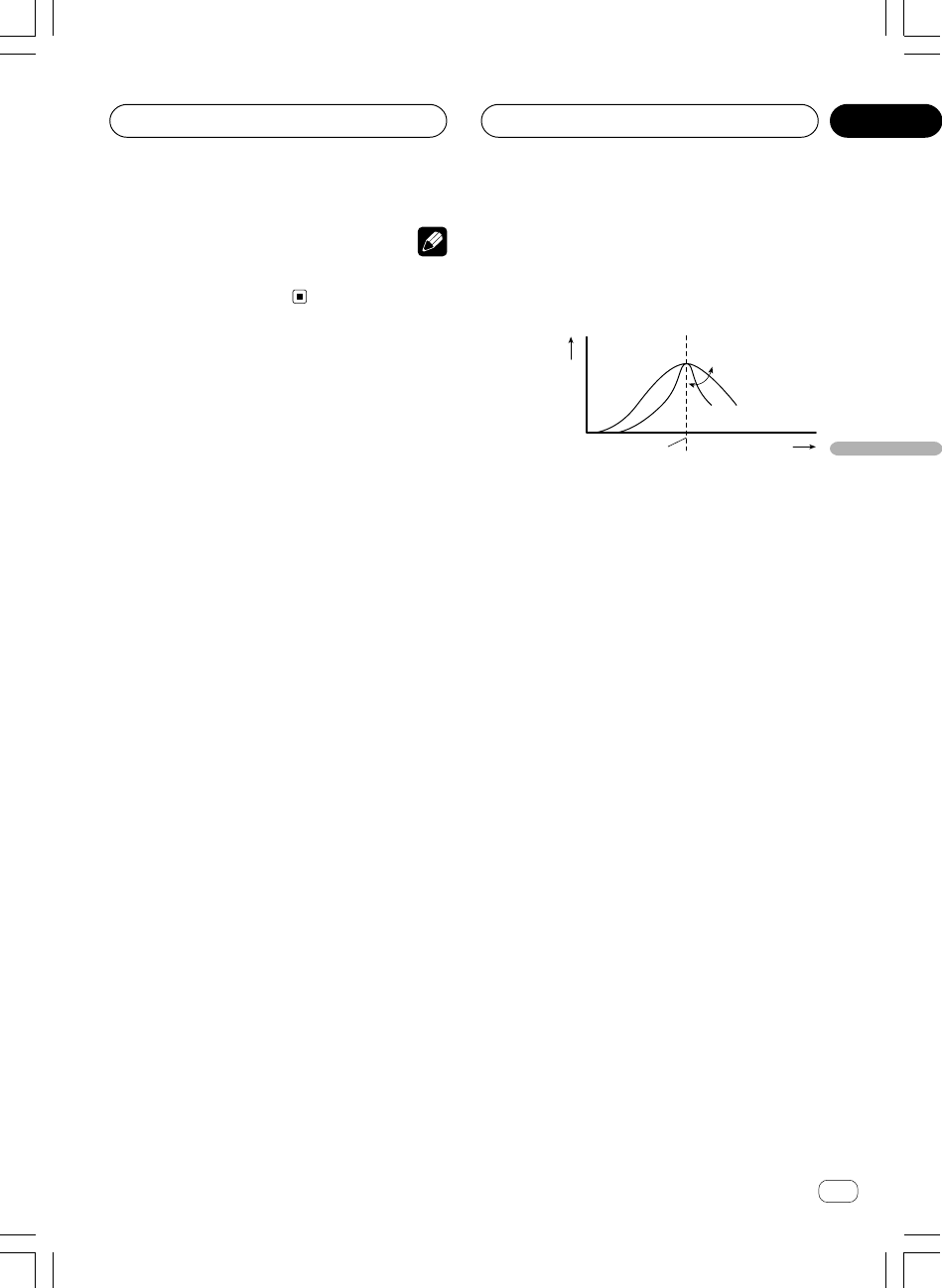
Ar
rI«
dF«WOÐ
≥¥
w?½UO³« Ê“«u*« UOM×M* oOb« j³C«
d*« WÐcÐc« j³{ pMJ1eË W¹ qUF«QqJ ©vM×M*« hzUBš®
u vM×M—U² WłËô«® Êü« … ŸU{
EQ LOWØEQ MIDØ
EQ HIGHÆ©
Q=2N Q=2W
± —e« jG{ X³ŁË jG{«AUDIO÷dŽ dNE¹ v²Š
qUF«Ë WÐcÐc«
Q ö¦® F 80 Q 1WÆWýUA« vKŽ ©
≤ —e« jG{«
AUDIOs UND³C Włu —UO²šô
ÆWOUF«Ë WDÝu²*« ¨WCHM*« 5Ð
—e« jG{«
AUDIO—uBÐ —dJ² …uײK …u« 5Ð q¹nzUþ
∫WOU²«
WCHM*«—u²*«WDÝ—WOUF«
Bass—uB« j³{® ©dON'«
Treble—uB« j³{® ©wŁö¦«
Ë —UO²š« - «–« WHOþ
EQ-EXË ÊuJð ULMOÐ jI WHOþEQ-EX
Ë vKŽË qOGA²« l{ vM×M*« —UO²š« -CustomvM×ML
uLKuײ« pMJLOÝ ¨w½UO³« Ê“«u« 5Ð q¹uB« 5F{dON'«
BassË wŁö¦«TrebleÆ
≥ —e« vKŽ jG{≈
2 Ë√ 3WÐcÐc« —UO²šô
ÆWÐužd*«
—e« vKŽ jG{≈
2 Ë√ 3d*« WÐcÐc« —uNþ r²¹ v²Š užvKŽ WÐ
ÆWýUA«
MHi∫
160—100—80—40 ®¼dðe©
²uÝDW∫
2k—1k—500—200 ®¼dðe©
ŽUw∫
12.5k—10k—8k—3.15k ®¼dðe©
¥ —e« jG{≈5 Ë√ ∞ qUF« l{Ë —UO²šô Q
Æ»užd*«
—e« vKŽ jG{≈
5 Ë√ ∞dŽ —uNþ r²¹ v²Š qUF« ÷Qd*« už»
∫WýUA« vKŽ
2W—1W—1N—2N
uB« j³{
WEŠö
dłUÐ XL «–«Ëô q¹bFð Í√ ¡«Ë« Y¹b% r²OÝ ¨j³C« ŸU{ŸU{
vM×M*« j³{
Custom Æ
w?Łö¦«Ë dON'« uB« j³{
u« Ác¼ Âb²Ý«uB« j³C WHOþu² Ë dON'« ÈÆwŁö¦«
—bI« pODFðd²« —UO²š« vKŽ …u²*« v« WU{ôUÐ œœbOł rJ% È
u²« vKŽuBK wULłô« Ê“«Æ
•Ë —UO²š« - «–« WHOþ
EQ-EXË ÊuJð ULMOÐ jI WHOþEQ-EX
Ë vKŽË qOGA²« l{ vM×M*« —UO²š« -CustomvM×ML
uLKË« q¹bFð pMJ1 ¨w½UO³« Ê“«uB« j³{ ŸU{dON'«
ËÆwŁö¦«
w?Łö¦«Ë dON'« uB« Èu² j³{
u² j³{ pMJ1uB« ÈË dON'« ÆwŁö¦«
± —e« jG{«
AUDIOdON'« uB« l{Ë —UO²šô
BassÆ
—e« jG{«
AUDIOdF« dNE¹ v²Š ÷BassÆWýUA« vKŽ
u² j³{ - «–«uB« È—uBÐ wŁö¦« dNEOÝ ¨WI³ …
dF« ÷
TrebleÆWýUA« vKŽ
≤ —e« jG{≈
2 Ë√ 3Ë√ dON'« uB« l{Ë —UO²šô
ÆwŁö¦«
—e« jG{≈
2Ë dF« —uNþ r²OÝ ÷Bass —e« jG{≈ Æ3Ë r²OÝ
dF« —uNþ ÷
TrebleÆ
≥ —e« jG{≈
5 Ë√ ∞ÆÈu²*« j³C
—eK WDG{ q
5 Ë√ ∞— vKŽ qLF²Ý u² iHš Ë√ lÈ
uB«dF« dNEOÝ Æ—U²<« wŁö¦« Ë√ dON'« ÷
+6 ≠ –6ULMOÐ
— r²¹u²*« iHš Ë√ lÆÈ
<XRD7106-A> 107
u²*«©q³¹œ® È
d*« WÐcÐc«eW¹ d²«d¼® œœ©eð
∞∏
XRD7106A.Ara25-41 05/8/4, 17:1234
Ar
rI«
≥≥
uB« j³{
Ë ÊuJ¹ UbMŽu³C wHK)« j³C« l{u« vKŽ UÞl{
REAR SP :S/Wuð j³CÐ ÂUOI« pMJ1 s ¨u Ê“«
—≈ ÆWOHK)«ØWOUô« UŽUL« r v« lł
WŽUL« Ãdš j³{
W?OŽdH« iOH)« uB« WŽULÝ rJ×²Ë WOHK)«
Æ¥∞ W×H w
≥ —e« jG{«
2 Ë√ 3s uB« Ê“«uð j³C
ÆvMLO«ØÈdO« WŽUL«
—e« jG{ bMŽ2 Ë√ 3dF« dNEOÝ ¨ ÷Bal L/R 0vKŽ
—eK WDG{ q ÆWýUA«
2 Ë√ 3d×²Ý uð „u Ê“«UŽUL«
dO«dF« dNEOÝ Æ5LO« Ë√ —UO« ÁU&UÐ vMLO«ØÈ÷
Bal R 9 – Bal L 9uð qI²M¹ ULMOÐ uB« Ê“«WŽUL« s
dO« Æ5LO« v« —UO« s vMLO«ØÈ
w?½UO³« Ê“«u*« «b²Ý«
Ë p `Lðu*« WHOþu j³{ WO½UJ« w½UO³« Ê“«“«uB« W½Ë UI
uB« hzUBK—uBI* WOð—UO« …d« VŠ …ÆW³ž
w?½UO³« Ê“«u*« UOM×M ¡UŽb²Ý«
u½u UOM×M XÝ „UM¼ błe w½UOÐ Ê“«UNzUŽb²Ý« pMJ1 W½
uNÐË Í√ w Wu*« UOM×M0 WLzU w¼ Ác¼ Æ¡UAð X∫w½UO³« Ê“«
÷dF«w½UO³« Ê“«u*« vM×M
Super Bassu“U²2 dONł
PowerfuluÍ
NaturalwFO³Þ
Vocalw½Užô«
Custome«ÊuÐ
Flatu²È
• vM×M*« ÊuJ¹Customu vM×M WÐU¦0 qÐU w½UOÐ Ê“«
uIð j³CKÆtzUA½UÐ X½« Â
• vM×M*« j³{ pMJ1
Custom—uBÐ —bB qJ WKBHM …
uuDÝ« qGA s q j³{ r²OÝ® ÆwðwKš«b« W−b*« U½«
ËuDÝ« qGAË fH½ vKŽ …œbF²*« W−b*« U½«j³{ l{
u*« vM×M—uBÐ Ê“«Ë« …uðdłUÐ XL «–« ©ÆWOJOðUq¹bFð ¡«
ËôË« ÊU ¨j³C« ŸU{r²OÝ w½UO³« vM×M*« j³{ ŸU{
eðË w UNM¹ vM×M*« j³{ l{
CustomÆ
• vM×M*« —UO²š« bMŽ
Flat`O×Bð Ë√ WU{« Í√ Àb×¹ s
uBKu« Ác¼ ÆdOŁQð s oIײK …bOH WHOþUOM×M «
u*«uÐ w½UO³« Ê“«uײ« WDÝ«vM×M*« 5Ð q¹
FlatË u*« UOM×M s —U²<« vM×M*«ËUM²UÐ w½UO³« Ê“«Æ»
—e« jG{«
EQÆw½UO³« Ê“«u*« —UO²šô
—e« jG{«
EQ—uBÐ —dJ² …uײK …u*« UOM×M 5Ð q¹Ê“«
∫WOU²« w½UO³«
—Custom—Vocal—Natural—Powerful
Super Bass—Flat
w?½UO³« Ê“«u*« UOM×M j³{
u*« vM×M j³{ pMJ1— VŠ UOUŠ —U²<« w½UO³« Ê“«Æp²³ž
Ë« vKŽ ö¹bF²« Êeš r²OÝvM×M*« w w½UO³« vM×M j³{ ŸU{
CustomÆ
± —e« jG{«
AUDIOw½UO³« Ê“«u*« l{Ë —UO²šô
EQÆ
—e« jG{«
AUDIOdF« dNE¹ v²Š ÷EQÆWýUA« vKŽ
≤ —e« jG{«2 Ë√ 3œ«d*« w½UO³« vM×M*« —UO²šô
ÆtD³{
—eK WDG{ q
2 Ë√ 3u —UO²š« vKŽ qLF²Ý u*« UłÊ“«
d²UÐ w½UO³«∫wU²« VOð
EQ LOW©iHM® EQ MID—u²® ©jÝEQ HIGH—
©wUŽ®
≥ —e« jG{«
5 Ë√ ∞Ê“«u*« Włu Èu² j³C
Æw½UO³«
—eK WDG{ q
5 Ë√ ∞— vKŽ qLF²Ý u² iHš Ë√ lu*« ÈWł
d*«u œ«“«ÆUN²½
dF« dNEOÝ ÷
+6 ≠ –6d¹ ULMOÐ WýUA« vKŽ iHM¹ Ë√ lHð
u²*«ÆÈ
u —UO²š« pMJ1dš« WłË Èu² j³CÐ ÂUOI«ÆU¼«
WEŠö
dłUÐ XL «–«Ëô q¹bFð Í√ ¡«Ë« Y¹b% r²OÝ ¨j³C« ŸU{ŸU{
vM×M*« j³{CustomÆ
<XRD7106-A> 108
∞∏
XRD7106A.Ara25-41 05/8/4, 17:1233
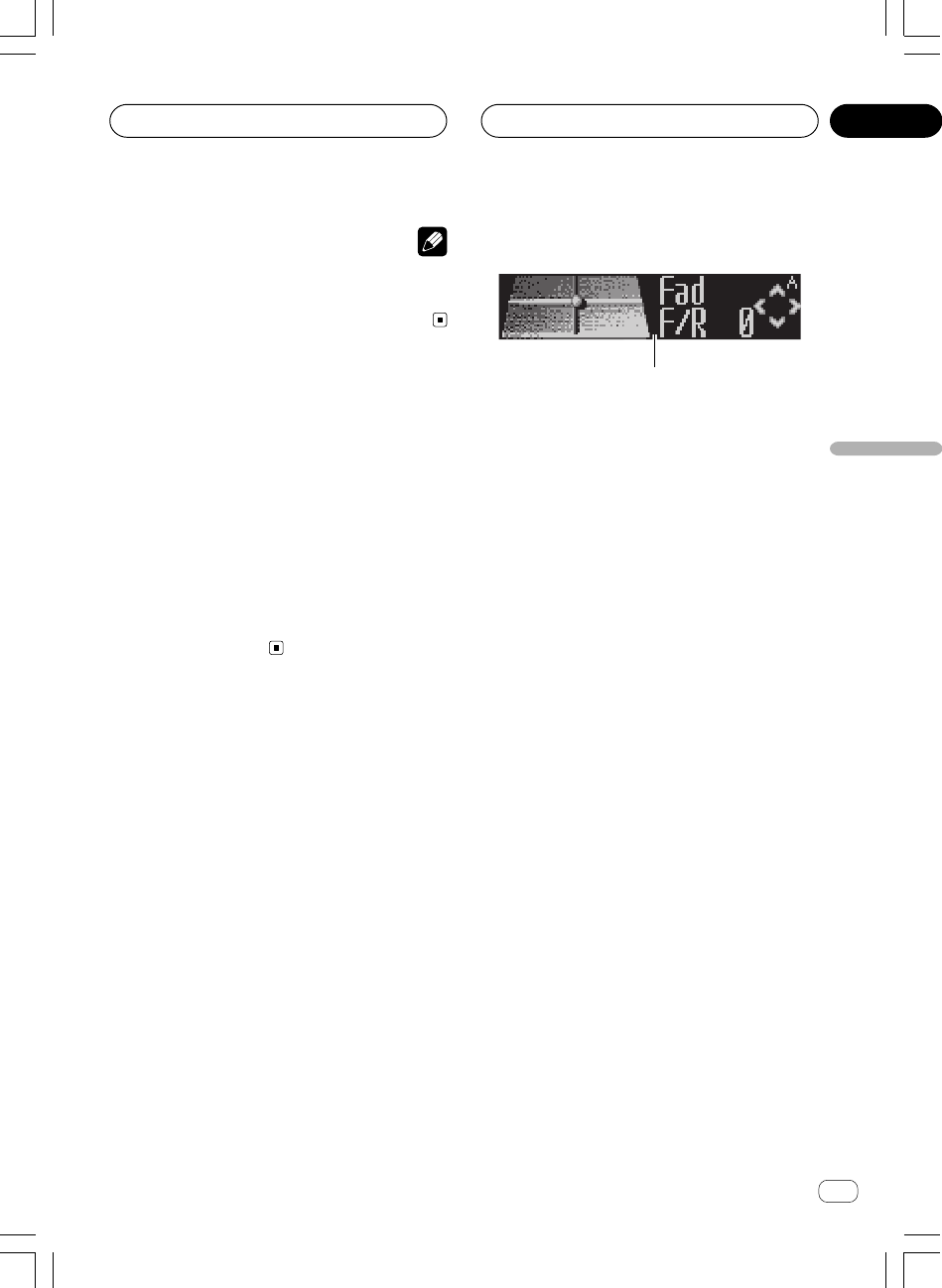
Ar
rI«
dF«WOÐ
≥≤
<XRD7106-A> 109
u?B« j³{ UOKLFÐ n¹dFð
1
1uB« ÷dŽ
uB« j³{ UOKLŽ WUŠ 5³¹Æ
—e« jG{«
AUDIOÆuB« nzUþË ¡ULÝ« ÷dF
—e« jG{«
AUDIO—uBÐ —dJ² …uײK …Ë 5Ð q¹uB« nzUþ
∫WOU²«
Faduð j³{® uB« Ê“«©EQ—u*«® ©w½UO³« Ê“«—
Bassu² j³{® uB« ÈË dON'« ©wŁö¦«Loud—uKŽ®
uB«©
Sub-W1—WŽULÝ qOGAð ·UI¹«ØqOGAð j³{®
uB«dH« iOH)« Ø©WOŽ
NonFadË® ·UI¹«ØqOGAð j³{ l{
uB« Ãdš©wýö²*« dOž
Sub-W2—uB« WŽULÝ j³{®
dH« iOH)«Ø©WOŽ
NonFaduB« Ãdš j³{® ©wýö²*« dOž
HPF—d® uKF« —Ëd*« `ý©ÍSLA—u² j³{® ©—bB*« È
u« —UO²š« - «–« l{
EQ-EXË ÊuJð ULMOÐ WHOþEQ-EXvKŽ
ËË qOGA²« l{ vM×M —UO²š« -
CustomuLK vM×ML Ê“«
uײ« pMJLOÝ ¨w½UO³«Ë v« q¹u² j³{ l{uB« ÈdON'«
Ë wŁö¦«
BassÆjI
Ë ÊuJ¹ UbMŽuB« WŽULÝ w rJײ*« j³{ l{iOH)«
dH«u« vKŽ WOŽ l{
PREOUT :FULLpMJ1 s ¨jI
uײ«u« v« q¹ l{
Sub-W1—® Æ©Æ¥∞ W×HB« lł«
u« —UO²š« pMJ1 l{
Sub-W2WŽULÝ Ãdš qOGAð bMŽ jI
uB«dH« iOH)« u« w WOŽ l{
Sub-W1Æ
Ë ÊuJ¹ UbMŽuB« WŽULÝ w rJײ*« j³{ l{iOH)«
dH«u« vKŽ WOŽ l{
PREOUT :FULLpMJLOÝ ¨jI
uײ«Ë v« q¹uB« Ãdš ·UI¹«ØqOGAð j³{ l{Æwýö²*« dOž
—®©Æ¥∞ W×HB« lł«
Ë —UO²š« pMJ1uB« Ãdš j³{ l{bMŽ jI wýö²*« dOž
Ë qOGAðuB« Ãdš WHOþË w wýö²*« dOž ØqOGAð j³{ l{
uB« Ãdš ·UI¹«Æwýö²*« dOž
u —UO²š« bMŽ « ·« YÐ n«
FMuײ« pMJ1 s ¨—bBL q¹
u« v« l{
SLAÆ
uFKdŽ WýUý v« …œ —e« jG{« ¨—bB q ÷
BANDÆ
WEŠö
uIð r «–«u qOGAð WOKLŽ ÍQÐ ÂuB« WHOþ≥∞ ÊuCž w
uFOÝ ¨WO½UŁdF« œdŽ WýUý v« ÷—uBÐ —bB*« ÷Ë« …uðÆWOJOðU
w?½UO³« Ê“«u*« UOM×M WœUF
(EQ-EX)
uI¹u«  l{EQ-EXdOŁQð rOEM²Ð UOM×M s vM×M q «
u*«Ë Æw½UO³« Ê“«uB« j³{ pMJLOÝ ¨p– s d¦«dON'«
ËuÐ —bB qJ wŁö¦«uł vM×M*« œCustom—U² Æ«
«{Gj ËŁ³X {Gj «e—
SW ²AGOq ËþOHW EQ-EXÆ
dF« dNEOÝ ÷
EQ-EX ONË qOGAð - Êô« ÆWýUA« vKŽ WHOþ
EQ-EXÆ
ô¹IU· ðAGOq ËþOHW
EQ-EX¨ «{Gj ËŁ³X {Gj «e— SWÆ
Ë qGAð r «–« WHOþ
EQ-EXuŁ ∏ ‰öš uFOÝ ¨Ê«dF« œv« ÷
ËdŽ l{Ë« —bB*« ÷uð ÆUOJOðU
u?B« Ê“«uð j³{ «b²Ý«
u« Ác¼ p `LðË« —UO²šUÐ WHOþuðØUHš« j³{ ŸU{uB« Ê“«
Ëdþ qC« wDFð w²«uGA*« bŽUI*« qJ ŸUL²Ý« ·ÆW
± —e« jG{«
AUDIOuB« Ê“«uð l{Ë —UO²šô
FadÆ
—e« jG{«
AUDIOdF« dNE¹ v²Š ÷FadÆWýUA« vKŽ
Ë j³{ - b ÊU «–«uð l{uB« Ê“«—uBÐ dNEOÝ ¨WI³ …
dF« ÷
BalÆWýUA« vKŽ
≤ —e« jG{«
5 Ë√ ∞UŽUL« u Ê“«uð j³C
ÆWOHK)«ØWOUô«
—eK WDG{ q
5 Ë√ ∞d×²Ý uð „u Ê“«ØWOUô« UŽUL«
ÆnK)« Ë√ ÂUô« ÁU&UÐ WOHK)«
dF« dNEOÝ ÷
Fad R 15 – Fad F 15ULMOÐ WýUA« vKŽ
uð qI²M¹u Ê“«v« ÂUô« s WOHK)«ØWOUô« UŽUL«
ÆnK)«
Ë l{
Fad F/R 0Ë u¼ r²¹ UbMŽ `O×B« j³C« l{
ÆjI 5²ŽULÝ Â«b²Ý«
uB« j³{
∞∏
XRD7106A.Ara25-41 05/8/4, 17:1232

Ar
rI«
≥±
AGq «ôÝDu«½U «*b−?W «*²Fbœ…
WEŠö
•Ë ÊuJð UbMŽdײ« WHOþ rz«b« p¹
(Ever Scroll)Ë vKŽ l{
qOGA²«
ONË w Ëô« j³C« l{d% r²OÝ ¨wuB½ p¹’
uDÝô« U½UOÐu²;« W½«uB½ vKŽ W¹—uBÐ ’dL² …vKŽ …
—« «–« ÆWýUA«dŽ œdŠ ±∂ ‰Ë√ ÷—uBÐ hM« U½UOÐ s U…
RË WýUA« vKŽ W²dײ«Ë jG{« ¨W¹«b³« s „jG{ X³Ł
—e«
DISPLAY— Æ r lł«
rz«b« p¹dײ« WHOþË q¹u%
Æ¥± W×H w
u?B« …—UNłË jG{ e¹eFð «b²Ý«
W−b U½«uDÝ« qGA WDÝ«uÐ nzUþu« Ác¼ «b²Ý« pMJ1
ÆjI UNKOGAð l o«u²¹ …œbF²
Ë Â«b²Ý« p `L¹uB« jG{ nzUþ (COMP)Ë eFðe¹
uB« wJOUM¹b« dON'«
(DBE)uł j³{ s u …œ…œUŽ«
uDÝ« qGA* ŸUL²Ýô«Ë q Æ…œbF²*« W−b*« U½«u« s …bŠ«nzUþ
uDš UNuð Æj³{ wðË Ê“«uB« jG{ WHOþ
(COMP)Ãdš
uô«Ë WOUF« «u²*« w WCHM*«Ë “eFð ÆWOUF« U¹WHOþ
uB« wJOUM¹b« dON'«
(DBE)u² uB« U¹dON'«
uBÐ ŸUL²Ýô« …œUŽ« ¡UDŽôdOŁQ²« s qJ lL²Ý≈ ÆTK²2 «
Ë U¼bŠ√ —U²ð ULMOÐu s “eF¹ Íc« qCô« dOŁQ²« Âb²Ý«
uDÝô« Ë√ WOMžö ŸUL²Ýô« …œUŽ«ÆUNO« lL²ð w²« W−b*« W½«
± —e« jG{≈
FUNCTION
jG{ l{Ë —UO²šô
uB«
(COMP)Æ
—e« jG{≈
FUNCTIONdF« dNE¹ v²Š ÷Comp.vKŽ
ÆWýUA«
u²¹ r «–«uDÝô« qGA o«Ë l …œbF²*« W−b*« U½«w²HOþ
uB« jG{
(COMP)eFðØuB« e¹ wJOUM¹b« dON'« (DBE)¨
dF« dNEOÝ ÷
No Comp.ËU× bMŽ WýUA« vKŽ —UO²š« WÆÁ
≤ —e« jG{≈5 Ë√ ∞WKCH*« j³C« ŸU{Ë« —UO²šô
Æp¹b
—e« jG{≈5 Ë√ ∞—uBÐ —dJ² …uײK …Ë« 5Ð q¹j³C« ŸU{
∫WOU²«
Comp. OFFuB« jG{ qOGAð ·UI¹«® © Comp. 1—
uB« jG{®©±
Comp. 2—uB« jG{® ©≤ —
Comp. OFFuB« jG{ qOGAð ·UI¹«® ©DBE 1—
eFð®uB« e¹©± wJOUM¹b« dON'«
DBE 2—eFð® uB« e¹
©≤ wJOUM¹b« dON'«
<XRD7106-A> 110
∞∑
XRD7106A.Ara25-41 05/8/4, 17:1231

Ar
rI«
dF«WOÐ
≥∞
AGq «ôÝDu«½U «*b−?W «*²Fbœ…
∑ —e« jG{≈BAND÷dŽ l{Ë v« …œuFK
ÆŸUL²Ýô«
UEŠö
•ËUMF« Ác¼ vI³ðuH× w s¹d«c« w Wþdš« bFÐ v²Š ¨…ë
uDÝô«Ë ¨Êe<« s W½«‰Ušœ« …œUŽ« r²¹ UbMŽ UNzUŽb²Ý« r²OÝ
uDÝô«Æ“UN'« w W½«
•eð ¡UN²½≈ bFÐuDÝ« ±∞∞ U½UOÐ s¹d«c« w W½«ÊU ¨…
uDÝô« U½UOÐÆU½UO³« Âb√ q× q×²Ý …b¹b'« U½«
U?½«uDÝô« s¹ËUMŽ ÷dŽ
dŽ pMJ1uMŽ Í√ ÷uDÝô Ê«uMŽ XKšœ« W½«ÆUI³ UN½«
—e« jG{≈DISPLAYÆ
—e« jG{≈
DISPLAY —uBÐ —dJ² …uײK …Ë« 5Ð q¹ŸU{
∫WOU²« j³C«
ËŸUL²Ýô« …œUŽ« XDisc Title—uMŽ® uDÝô« Ê«©W½«
u« —UO²š« bMŽ l{
Disc TitledŽ dNEOÝ ¨uMŽ ÷uDÝô« Ê«W½«
ÆWýUA« vKŽ UOUŠ UNO« ŸUL²Ýô« r²¹ w²«
uDÝ« ‰Ušœ« bMŽu²% W½«uMŽ vKŽ ÍuDÝ« Ê«uMŽ √b³OÝ ¨W½«Ê«
uDÝô«dײUÐ W½«—UF« d³Ž „Ë« W{uðÆUOJOðU
«–« r ¹²r «œšU‰ ŽMu«Ê öÝDu«½W «²w ¹²r «ôݲLUŸ «ONU ŠUOU¨
ÝOENd «Fd÷ ô ¹ułb ŽMu«Ê «ôÝDu«½W
No Disc TitleÆ
s?¹ËUMŽ WLzU s U½«uDÝ« —UO²š«
U½«uDÝô«
Ë p `LðËUMŽ WLzU WHOþuDÝô« s¹ƒ— s U½«ËUMŽ WLzU W¹s¹
uDÝô«uDÝô« qGA v« UN²Kšœ« w²« U½«…œbF²*« W−b*« U½«
ÆUNO« ŸUL²Ýô U¼bŠ« —UO²š« s pMJ9 UL
± —e« jG{≈
FUNCTIONÊ«uMŽ WLzU —UO²šô
ÆW½«uDÝô«
—e« jG{≈
FUNCTIONdŽ dNE¹ v²Š uMŽ ÷uDÝô« Ê«W½«
ÆWýUA« vKŽ
≤ —e« jG{«
2 Ë√ 3s¹ËUMF« WLzU 5Ð qIM²K
ÆUNUšœ« - w²«
uMŽ ‰Ušœ« r²¹ r «–«uDÝô Ê«dF« dNEOÝ ¨W½«u¹ ô ÷bł
uMŽ Ê«
No D-TitleÆWýUA« vKŽ
≥ —e« jG{≈
5ÆWKCH*« p²½«uDÝô ŸUL²Ýö
uDÝô« pK² ŸUL²Ýô« √b³OÝ—U²<« W½« Æ…
W?−b*« U½«uDÝô« nzUþË Â«b²Ý«
’u?B½ vKŽ W¹u²;«
CD TEXT
…œbF² W−b U½«uDÝ« qGA l nzUþu« pKð «b²Ý« pMJ1
’uB½ vKŽ W¹u²;« W−b*« U½«uDÝô« qOGAð l o«u²¹
CD
TEXT
ÆjI
uDÝô« iFÐuKF UN U½«uDÝô« vKŽ XK−Ý WMOF UU½«
u²% b ÆUN²ŽUM ¡UMŁ√uDÝô« pKð ÍuKF vKŽ U½«q¦ U
ËUMŽuDÝô« s¹ËUMŽ ¨U½«ËË wMG*« rÝ« ¨w½Užô« s¹…œUŽ« X
Ë ŸUL²Ýô«uDÝ« vŽbð w¼u²× W−b U½«uB½ vKŽ W¹ ’
CD
TEXT
uDÝô« ÊuJð Æu²;« U½«dHý vKŽ W¹uDÝôUÐ WUš …U½«
u²;« W−b*«uB½ vKŽ W¹ ’
CD TEXTuUÐ qLFð w²« w¼ nzUþ
—uc w²«ÆjI ÁU½œ« …
U?½«uDÝô« w …œułu*« s¹ËUMF« ÷dŽ
’u?B½ vKŽ W¹u²;« W−b*«
CD TEXT
—e« jG{≈
DISPLAYÆ
—e« jG{≈
DISPLAY—uBÐ —dJ² …uײK …Ë« 5Ð q¹ŸU{
∫WOU²« j³C«
ËŸUL²Ýô« …œUŽ« X
DiscTitle—uMŽ® uDÝô« Ê«©W½«
DiscArtist Name—uDÝô« wMG rÝ«®©W½«
Track Title—©WOMžô« rÝ«® TrackArtist Name—
©WOMžô« wMG rÝ«®
uKF*« iFÐ X½U «–≈uDÝ« vKŽ WK− dOž UW½«
CD TEXTuMF« dNE¹ sK ÆrÝô« Ë√ Ê«
W?ýUA« vKŽ s¹ËUMF« 5Ð qIM²«
dŽ “UN'« «cN sJ1dŠ√ ±∂ ‰Ë√ ÷uMŽ s jI ·uDÝô« Ê«W½«
Disc TitleuDÝô« wMG ¨ W½«DiscArtist NamerÝ√ ¨
WOMžô«
Track TitleË WOMžô« wMG
TrackArtist Name
Æ
uB½ ÊuJð UbMŽdŠ ±∂ s ‰uÞ√ U½UO³« ’d% pMJ1 ¨·p¹
dF«ÆwK¹ UL ÷
—e« jG{ X³ŁË jG{≈
DISPLAY√b³¹ v²Š
Æ—UO« v« Wd(UÐ Ê«uMF«
dײðËUMF« „—UF« vKŽ s¹ÆW{
<XRD7106-A> 111
∞∑
XRD7106A.Ara25-41 05/8/4, 17:1230
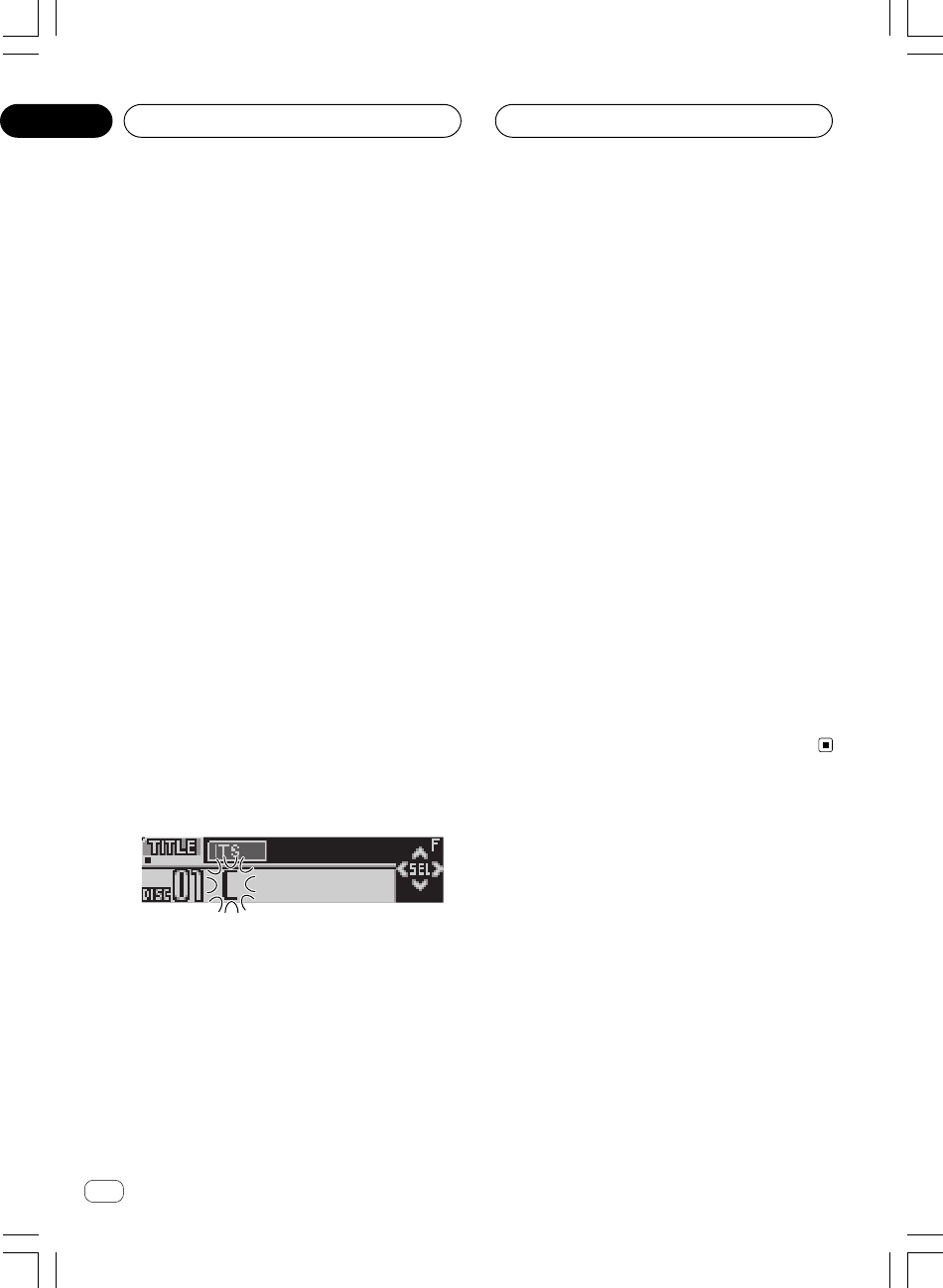
Ar
rI«
≤π
AGq «ôÝDu«½U «*b−?W «*²Fbœ…
≤ —e« jG{ X³ŁË jG{≈FUNCTIONdNE¹ v²Š
Ê«uMF« l{Ë ÷dŽ
TITLEÆWýUA« vKŽ
dF« —uNþ bFÐ ÷
TITLE—e« jG{≈ ¨WýUA« vKŽ
FUNCTION—uBÐ —dJ² …u« —uNþ r²OÝ ¨…vKŽ WOU²« nzUþ
∫WýUA«
TITLEuMŽ qšœ® uDÝô« Ê«©W½«ITS—dЮ —uH« Y׳« W−Í
©WOMžô« sŽ
uDÝô ŸUL²Ýô« bMŽu²× W−b W½«uB½ vKŽ W¹ ’
CD
TEXT
uÐ uDÝô« qGA WDÝ«u² …œbF²*« W−b*« U½«l o«
uDÝô« qOGAðu²;« W−b*« U½«uB½ vKŽ W¹ ’
CD TEXTs ¨
uײ« pMJ1u« v« q¹ l{
TITLEuMŽ Êô ÆuDÝô« Ê«- b W½«
uDÝô« vKŽ tKO−ðu²;« W−b*« W½«uB½ vKŽ W¹ ’
CD TEXT
ÆUI³
≥Æ»užd*« ·d(« “«dÞ —UO²šô ± —e« jG{«
—e« jG{«
±±
±±
±—uBÐ —dJ² …uײK …dÞ 5Ð q¹“«Ëd(« «∫WOU²« ·
Ëd(«dO³J«® W¹b−Ðô« ·©…—Ëd(«dOGB«® W¹b−Ðô« ·©…—Ëd(«·
Ë—Ëô«Ëd(« pKð q¦ ¨WOÐu¹ w²« ·ułË œ ö¦® WKOJAð UNI
á¨
à ¨ä ¨ç©
—ô« ‰Ušœ« —UO²š« pMJ1 ÂUË«du“ —e« vKŽ jGCUÐ
≤≤
≤≤
≤Æ
¥ —e« jG{≈
5 Ë√ ∞Íb−Ðô« ·d(« —UO²šô
Æ»užd*«
q {GDt Ke—
5 ݲFLq ŽKv Žd÷ Šd· «Ð−bÍ ®ÐUKGW «ô$KOe¹W©
ÐNc« «²dðOV
X Y Z ... A B C¨ Ë«ôŽb«œ Ë«du“ ÐU²dðOV
# < @ 1 2 3 ...Æ q {GDt Ke— ∞ ݲFLq ŽKv Žd÷ «(dË·
вdðOV ŽJw¨ ¦q ¼c« «²dðOV
C B A ... Z Y XÆ
µ —e« jG{≈3·d(« lu v« …dOA*« p¹dײ
ÆwU²«
d(« ÊuJ¹ ULMOÐd*« ·užËdF » —e« jG{≈ ¨U{
3dײ dOA*« „…
u*« v«d(« d²š« rŁ wU²« l —e« jG{≈ ÆwU²« ·
2dײK „
ÆWýUA« vKŽ nK)« ÁU&UÐ
∂—e« vKŽ jGCUÐ dOšô« lu*« v« …dOA*« „dŠ
3ÆÊ«uMF« ‰Ušœ« bFÐ
—e« jG{ bMŽ
3d dš« …eð r²OÝ ¨ÈuMF« s¹w qšb*« Ê«
d«c«Æ…
<XRD7106-A> 112
p?ŽUL²Ý« WLzU s W−b*« W½«uDÝ« `
W?OMžö Í—uH« —UO²šôUÐ(ITS)
ŽMbU ðd¹b Šc· q «žU½w «ÝDu«½W b−W s UzLW «Ý²LUŽp
ÐUôš²OU— «Hu—Í öžMOW
(ITS)¨ 1JMp ŽLq –p ≈–« UÊ Ë{l
«ôݲLUŸ ÐUôš²OU— «Hu—Í öžMOW
(ITS) ŽKv Ë{l «¹IU· «²AGOqÆ
±ÆUNcŠ b¹dð w²« W−b*« W½«uDÝ« v« lL²Ý«
—e« jG{≈
5 Ë√ ∞uDÝô« —UO²šô ÆW½«
≤ —e« jG{ X³ŁË jG{≈
FUNCTIONdNE¹ v²Š
÷dF«
TITLE—e« jG{« rŁ ¨WýUA« vKŽ
FUNCTIONWOMžô« sŽ Í—uH« Y׳« l{Ë —UO²šô
ITSÆ
dF« —uNþ bFÐ ÷
TITLE—e« jG{≈ ¨WýUA« vKŽ
FUNCTIONdF« dNE¹ v²Š ÷ITSÆWýUA« vKŽ
≥ —e« jG{≈
∞W−b*« W½«uDÝô« w½Už« q ·c(
l{uÐ pŽUL²Ý« WLzU s UNO« ŸUL²Ýô« r²¹ w²«
WOMžö Í—uH« —UO²šô«ITSÆ
uDÝô« w½Už« q ·cŠ -Êü« UNO« ŸUL²Ýô« r²¹ w²« W−b*« W½«
uÐ pŽUL²Ý« WLzU s—uH« —UO²šô« l{ WOMžö Í
ITSË dNEOÝ
dF« ÷
ITS ClearÆWýUA« vKŽ
¥≈{Gj «e— BAND KFuœ… «v Ë{l Žd÷ «ôݲLUŸÆ
U?½«uDÝô« s¹ËUMŽ nzUþË Â«b²Ý«
ËUMŽ ‰Ušœ« pMJ1uDÝö s¹Ë W−b*« U½«dŽËUMF« pKð ÷vKŽ s¹
uNÐ pMJLOÝ czbFÐ rŁ ÆWýUA«Ë sŽ Y׳« WuDÝô« —UO²š«W½«
d*«užÆUNŽULÝ »
U?½«uDÝô« s¹ËUMŽ ‰Ušœ«
Ë p `LðËUMŽ ‰Ušœ« WHOþuDÝô« s¹ËUMŽ ‰UšœUÐ U½«s¹
uDÝ«Ë U½«dŠ√ ±∞ ‰uDÐ v²ŠË ·uMŽ ±∞∞ W¹UGuDÝ« Ê«W½«
uЮ—uH« Y׳UÐ ŸUL²Ýô« WLzU WDÝ«qGA w ©WOMžô« sŽ Í
uDÝ«Æ…œbF²*« W−b*« U½«
±w Vždð w²« W−b*« W½«uDÝö ŸUL²ÝôUÐ r
ÆUN½«uMŽ ‰Ušœ«
—e« jG{≈
5 Ë√ ∞uDÝô« —UO²šô ÆW−b*« W½«
∞∑
XRD7106A.Ara25-41 05/8/4, 17:1329
Ar
rI«
dF«WOÐ
≤∏
AGq «ôÝDu«½U «*b−?W «*²Fbœ…
¥ —e« jG{≈5UNŽULÝ r²¹ w²« WOMžô« s¹e²
ÆŸUL²Ýô« WLzU w UOUŠ
dF« dNEOÝ ÷
ITS Inputd²H WýUA« vKŽ Ë …eOłË …r²OÝ
—U²<« WOMžô« WU{«WLzU v« UOUŠ UNO« ŸUL²Ýô« r²¹ w²« …
dF« WýUA« 5³²Ý ÆpŽUL²Ý« ÷
ITSd dš« …ÆÈ
µ —e« jG{≈
BAND÷dŽ l{Ë v« …œuFK
ÆŸUL²Ýô«
WEŠö
eð ¡UN²½« bFÐuDÝ« ±∞∞ U½UOÐ s¹d«c« w W½«U½UOÐ ÊU ¨…
uDÝô«ÆU½UOÐ Âb√ q× q×²Ý …b¹b'« U½«
Í—u?H« —UO²šôUÐ ŸUL²Ýô« WLzU s ŸUL²Ýô«
WOMžö(ITS)
Ë p `Lð—uH« —UO²šôUÐ ŸUL²Ýô« WHOþ WOMžö Í
(ITS)
—UO²šôUÐ ŸUL²Ýô« WLzU v« UN²Kšœ« w²« w½Užö ŸUL²ÝôUÐ
—uH« WOMžö Í
(ITS)Ë qOGAð bMŽ Æ—UO²šôUÐ ŸUL²Ýô« WHOþ
—uH« WOMžö Í
ITSŸUL²Ýô« WLzU s w½Užö ŸUL²Ýô« √b³OÝ ¨
—uH« —UO²šôUÐ WOMžö Í
(ITS)uDÝ« qGA* Æ…œbF²*« W−b*« U½«
±Æ—«dJ²« Èb —UO²šUÐ r
—≈ r v« lł
—d?J²*« ŸUL²Ýô«
Æ≤∂ W×H w
≤ —e« jG{«
FUNCTIONŸUL²Ýô« l{Ë —UO²šô
WOMžö Í—uH« —UO²šôUÐ
(ITS Play)Æ
—e« jG{≈
FUNCTIONdF« dNE¹ v²Š ÷ITS Play
ÆWýUA« vKŽ
≥ —e« jG{≈
5—UO²šôUÐ ŸUL²Ýô« l{Ë qOGA²
WOMžö Í—uH«
(ITS)Æ
dF« dNEOÝ ÷
ITS Play : ON…œUŽ« √b³²Ý ÆWýUA« vKŽ
u*« w½Užô« pK² ŸUL²Ýô«ułÈb*« sL{ pŽUL²Ý« WLzU w …œ
U≈ UI³ —U²<«MCDdJð® uDÝ« qGA —«Íœ w« U½«
Ë√ ©…œbF²*«
DISCdJð® uDÝô« —«Æ©W½«
dÐ r²¹ r «–«—UO²šôUÐ ŸUL²Ýö Èb*« «c¼ w WOMž« Í√ W−
—uH« WOMžö Í
(ITS)dF« dNEOÝ ÷ITS EmptyvKŽ
ÆWýUA«
¥ —e« jG{≈∞ŸUL²Ýô« l{Ë qOGAð ·UI¹ô
WOMžö Í—uH« —UO²šôUÐ
(ITS)Æ
<XRD7106-A> 113
dF« dNEOÝ ÷ITS Play :OFFË ÆWýUA« vKŽ dL²²Ý
d²UÐ w½Užö ŸUL²Ýô« WOKLŽWOMžô« s ÍœUO²Žô« VOð
ËuDÝô«ÆÊü« UNO« ŸUL²Ýô« r²¹ w²« W½«
—U?O²šôUÐ pŽUL²Ý« WLzU s WOMž« `
W?OMžö Í—uH«(ITS)
dð UbMŽ—uH« —UO²šôUÐ pŽUL²Ý« WLzU s WOMž« ·cŠ b¹Í
WOMžö
(ITS)Ë ÊU «–≈ p– qLŽ pMJ1 ¨—UO²šôUÐ ŸUL²Ýô« l{
—uH« WOMžö Í
(ITS)Ë vKŽ ÆqOGA²« l{
Ë ÊU «–«—uH« —UO²šôUÐ ŸUL²Ýô« l{ WOMžö Í
(ITS)Ë vKŽ l{
uD)« v« vDð ¨qOGA²«Ë Æ≤ …Ë qOGAð r²¹ r «–«ŸUL²Ýô« l{
—uH« —UO²šôUÐ WOMžö Í(ITS)—e« jG{≈ ¨Êü« v²Š
FUNCTIONÆ
±UNM WOMž« ·cŠ b¹dð w²« W½«uDÝô« v« lL²Ý«
WOMžö Í—uH« —UO²šö ŸUL²Ýô« WLzU w
(ITS)
WOMžö Í—uH« —UO²šôUÐ ŸUL²Ýô« l{Ë qGý rŁ
(ITS)Æ
—≈ r v« lł
Í—uH« —UO²šôUÐ ŸUL²Ýô« WLzU s ŸUL²Ýô«
WOMžö
(ITS)Æ W×HB« Ác¼ w
≤ —e« jG{ X³ŁË jG{≈FUNCTIONdNE¹ v²Š
÷dF«
TITLE—e« jG{« rŁ ¨WýUA« vKŽ
FUNCTIONWOMžô« sŽ Í—uH« Y׳« l{Ë —UO²šô
ITSÆ
dF« —uNþ bFÐ ÷
TITLE—e« jG{≈ ¨WýUA« vKŽ
FUNCTIONdF« dNE¹ v²Š ÷ITSÆWýUA« vKŽ
≥ —e« jGCÐ WÐužd*« WOMžô« —UO²šUÐ r
2 Ë√ 3Æ
¥ —e« jG{≈
∞pŽUL²Ý« WLzU s WOMžô« ·c(
WOMžö Í—uH« —UO²šô« l{uÐ
ITSÆ
—U²<« WOMžô« ·cŠ r²OÝWLzU s Êü« UNO« ŸUL²Ýô« r²¹ w²« …
uÐ pŽUL²Ý«—uH« —UO²šô« l{ WOMžö Í
ITSË …œUŽ« √b³²Ý
uÐ pŽUL²Ý« WLzU s WOU²« WOMžö ŸUL²Ýô«—uH« —UO²šô« l{Í
WOMžö
ITSÆ
dÐ r²¹ r «–«uÐ ŸUL²Ýö Èb*« «c¼ w WOMž« Í√ W−l{
—uH« —UO²šô«dF« dNEOÝ ¨WOMžö Í ÷
ITS Empty
vKŽ
Ë WýUA«ÆW¹œUF« ŸUL²Ýô« WOKLŽ n½Q²ð
µ —e« jG{≈
BAND÷dŽ l{Ë v« …œuFK
ÆŸUL²Ýô«
∞∑
XRD7106A.Ara25-41 05/8/4, 17:1328
Ar
rI«
≤
AGq «ôÝDu«½U «*b−?W «*²Fbœ…
<XRD7106-A> 114
w?½Užô«Ë U½«uDÝô« `
u« ‰ULF²Ý« r²¹ ULMOÐ l{DISCdJð® uDÝ« —«r²OÝ ¨©W½«
uDÝô« vKŽ WOMž√ q W¹«b³ ŸUL²Ýô«—U²<« W½«uŠ …b* …±∞ w«
uŁu« ‰ULF²Ý« bMŽ ÆÊ« l{
MCDdJð® uDÝ« qGA —«U½«
q vKŽ WOMž√ ‰Ë√ W¹«b³ ŸUL²Ýô« r²OÝ ¨©…œbF²*« W−b*«
uDÝ«uŠ …b* UN ŸUL²Ýô« r²¹ W½«uŁ ±∞ w«ÆÊ«
±Æ—«dJ²« Èb —UO²šUÐ r
—≈ r v« lł
—dJ²*« ŸUL²Ýô«
u*« ułÆWIÐU« W×HB« w œ
≤ —e« jG{≈
FUNCTION`*« l{Ë —UO²šô
ScanÆ
—e« jG{≈
FUNCTIONdF« dNE¹ v²Š ÷ScanvKŽ
ÆWýUA«
≥ —e« jG{≈
5Æ`*UÐ ŸUL²Ýô« qOGA²
dF« dNEOÝ ÷
Scan : ONË ÆWýUA« vKŽ ŸUL²Ýô« r²OÝ
uDÝô« vKŽ WOMž√ q W¹«b³q vKŽ WOMž√ ‰Ë√ W¹«b³® WOU(« W½«
uDÝ«uŠ …b* ©W½«uŁ ±∞ w«ÆÊ«
¥¨WÐužd*« ©W½«uDÝô« Ë√® WOMžô« œU−¹≈ bMŽ
—e« jG{«
∞ŸUL²Ýô« WHOþË qOGAð ·UI¹ô
Æ`*UÐ
dF« dNEOÝ ÷
Scan :OFFŸUL²Ýô« dL²OÝ ÆWýUA« vKŽ
uDÝô« Ë√® WOMžöÆ©W½«
dF« œUŽ «–«—uBÐ ÷Ë« …uðË v« WOJOðUdŽ l{¨ŸUL²Ýô« ÷
Ë —UO²šUÐ r Y׳UÐ ŸUL²Ýô« l{
Scand dš« …—e« jGCÐ È
FUNCTIONÆ
WEŠö
Ë s ¡UN²½ù« bFÐuDÝô« Ë√ WOMžô« ` l{WOKLŽ √b³²Ý ¨W½«
d WOMžö W¹œUF« ŸUL²Ýô«dš√ … ÆÈ
W?−b W½«uDÝô ŸUL²Ýô« ·UI¹«
U²R
Ë p `LðR*« ·UI¹ô« WHOþuDÝô ŸUL²Ýô« ·UI¹« WO½UJ« XW½«
—uBÐ W−bR …ÆW²
± —e« jG{«
FUNCTION·UI¹ô« l{Ë —UO²šô
XR*«
(Pause)Æ
—e« jG{≈
FUNCTIONdF« dNE¹ v²Š ÷Pause
vKŽ
ÆWýUA«
≤ —e« jG{«
5ÆXR*« ·UI¹ô« WHOþË qOGA²
dF« dNEOÝ ÷
Pause : ONË ÆWýUA« vKŽ u²OÝR nU²
ÆWOU(« WOMžö ŸUL²Ýô«
≥ —e« jG{«
∞·UI¹ô« WHOþË qOGAð ·UI¹ô
ÆXR*«
dF« dNEOÝ ÷
Pause :OFF·UM¾²Ý« r²OÝ ÆWýUA« vKŽ
Ë qOGA²Ð U¼bMŽ XL w²« WDIM« fH½ bMŽ ŸUL²Ýô«WHOþ
R*« ·UI¹ô« ÆX
W?HOþu ŸUL²Ýô« WLzU «b²Ý«
W?OMžö Í—uH« —UO²šô«
ITS
Ë p `Lð—uH« —UO²šô« WHOþ WOMžö Í(ITS)WLzU qLFÐ
dð w²« w½Užöu*« pKð s UNŽULÝ w Vžułeš w …œqGA W½«
uDÝ«Ë Æ…œbF²*« W−b*« U½«WLzU v« WKCH*« pO½Už« WU{« bFÐ
—uH« —UO²šôUÐ ŸUL²Ýô« qOGAð pMJ1 ŸUL²Ýô« WOMžö Í
(ITS)
—U²<« w½UžöÆjI …
—U?O²šô« W−dÐ WDÝ«uÐ ŸUL²Ýô« WLzU qLŽ
W?OMžö Í—uH«
ITS
Ë Â«b²Ý« pMJ1—uH« —UO²šô« WHOþ WOMžö Í
(ITS)Ë …œUŽ«
Ë ŸUL²Ýô«uDÝö WOMž√ ππ v²Šu« W½«Ë ¨…bŠ«uDÝ« ±∞∞ v²ŠW½«
uMŽ l®uDÝô« Ê«Ë® Æ©W½«uDÝô« öGA l U«W−b*« U½«
u*« q³ WŽU³*« …œbF²*« ö¹œ
CDX- P1250 Ë CDX- P650¨
Ëeð pMJ1 WOMž√ ≤¥ v²Š©ÆŸUL²Ýô« WLzU w UNM¹
±ÆUN²−dÐ w Vždð w²« W½«uDÝö lL²Ý«
—e« jG{≈
5 Ë√ ∞uDÝ« —UO²šô ÆW½«
≤ —e« jG{ X³ŁË jG{≈
FUNCTIONdNE¹ v²Š
÷dF«
TITLE—e« jG{« rŁ ¨WýUA« vKŽ
FUNCTION l{u« —UO²šô ITSÆ
dF« —uNþ bFÐ ÷
TITLE—e« jG{≈ ¨WýUA« vKŽ
FUNCTION—uBÐ —dJ² …u« —uNþ r²OÝ ¨…vKŽ WOU²« nzUþ
∫WýUA«
TITLEuMŽ qšœ® uDÝô« Ê«©W½«ITS—dЮ —uH« Y׳« W−Í
©WOMžô« sŽ
≥ —e« jGCÐ WÐužd*« WOMžô« —UO²šUÐ r
2 Ë√ 3Æ
∞∑
XRD7106A.Ara25-41 05/8/4, 17:1327
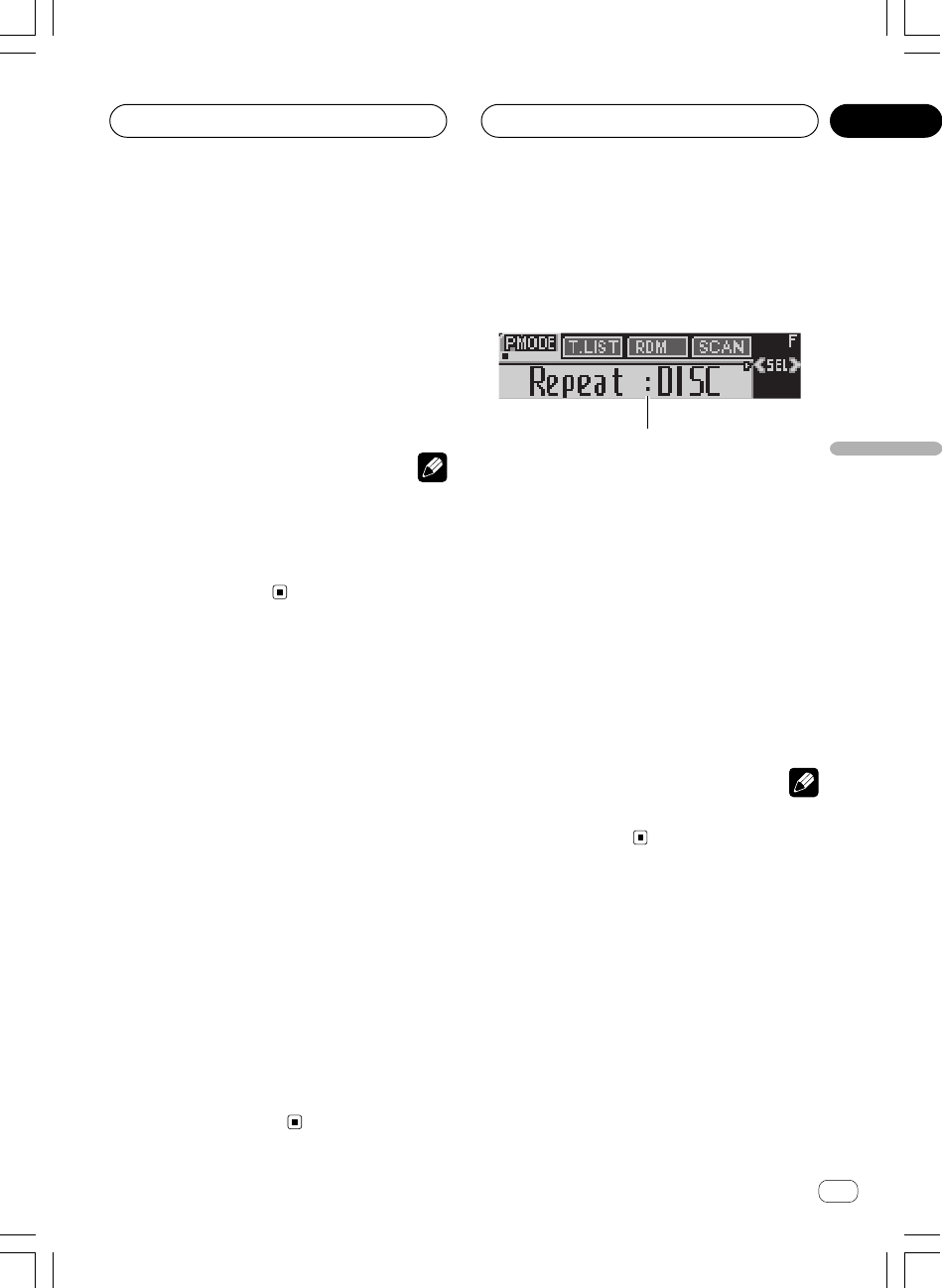
Ar
rI«
dF«WOÐ
≤∂
q?GA qOGAð UOKLFÐ n¹dFð
…œb?F²*« W−b*« U½«uDÝô«
WbI²*«
1
1nzUþu« ÷dŽ
u« WUŠ 5³¹ÆWHOþ
—e« jG{≈
FUNCTIONÆnzUþu« ¡ULÝ√ ÷dF
—e« jG{≈
FUNCTION—uBÐ —dJ² …uײK …u« 5Ð q¹nzUþ
∫WOU²«
Repeat©—dJ²*« ŸUL²Ýô«® —ËUMŽ WLzUs¹
uDÝô«U½«
Random—uAF« ŸUL²Ýô«® ©wz«Scan—
©`*UÐ ŸUL²Ýô«®
ITS Play——uH« Y׳UÐ ŸUL²Ýô«® sŽ Í
©WOMžô«
Pause—R*« ·UI¹ô«® ©XComp.—ŸUL²Ýô«®
uB« jGCÐË eFðuB« e¹ wJOUM¹b« dON'«
DBE©
uFKdF …œ —e« jG{≈ ¨ŸUL²Ýô« ÷
BANDÆ
WEŠö
u« qOGAð r²¹ r «–«uFOÝ ¨WO½UŁ ≥∞ ‰öš WHOþdF« œ—uBÐ ÷…
Ë«uðdŽ v« WOJOðU ÆŸUL²Ýô« ÷
—dJ²*« ŸUL²Ýô«
u¹uDÝ« öGA* —dJ²*« ŸUL²Ýö U¹b ÀöŁ „UM¼ błU½«
Ë ª…œbF²*« W−b*«dJð w¼uDÝ« qGA —«…œbF²*« W−b*« U½«
MCDdJð ¨Ë WOMžô —« …bŠ«TRACKË ¨dJðuDÝô« —«W½«
DISCÆ
± —e« jG{«
FUNCTIONŸUL²Ýô« l{Ë —UO²šô
—dJ²*«
(Repeat)Æ
—e« jG{≈
FUNCTIONdF« dNE¹ v²Š ÷RepeatvKŽ
ÆWýUA«
≤ —e« jG{«
2 Ë√ 3Æ»užd*« —«dJ²« Èb —UO²šô
—e« jG{«
2 Ë√ 3
d*« ŸUL²Ýô« Èb dNE¹ v²ŠužvKŽ »
ÆWýUA«
•
MCD –dJð r²OÝ uDÝô« qJ ŸUL²Ýô« —«u*« U½«uł…œ
uDÝ« qGA wÆ…œbF²*« W−b*« U½«
•
TRACK –dJð r²OÝ r²¹ w²« WOMžö ŸUL²Ýô« —«
ÆUOUŠ UNO« ŸUL²Ýô«
•
DISC –dJð r²OÝ uDÝö ŸUL²Ýô« —«r²¹ w²« W½«
ÆUOUŠ UNO« ŸUL²Ýô«
UEŠö
•uDÝ« —UO²šUÐ XL «–≈dš√ U½«¨—dJ²*« ŸUL²Ýô« ¡UMŁ√ È
Ë v« —dJ²*« ŸUL²Ýô« Èb dOG²OÝ l{
MCDÆ
•uIð XM «–≈dłUÐ Âd« .bI²« Ë√ WOMž√ sŽ Y׳« ¡«Øl¹
d²«Ë ¡UMŁ√ lOł l{
TRACKŸUL²Ýô« Èb dOG²OÝ ¨
Ë v« —dJ²*« l{
DISC Æ
w?z«uAŽ VOðd²Ð w½Užú ŸUL²Ýô«
uAF« ŸUL²Ýô« p `L¹u*« UOMžú ŸUL²Ýô« WO½UJ≈ wz«uł…œ
uDÝ« vKŽd²Ð W−b*« W½«uAŽ VOðdJ²« Èb sL{ wz«U≈ ¨—«
u« l{
MCDu« Ë√ l{DISCÆ
±Æ—«dJ²« Èb —UO²šUÐ r
—≈ r v« lł
—dJ²*« ŸUL²Ýô«
u*« ułÆ W×HB« Ác¼ vKŽ œ
≤ —e« jG{≈
FUNCTIONŸUL²Ýô« l{Ë —UO²šô
wz«uAF«
RandomÆ
—e« jG{«
FUNCTIONdF« dNE¹ v²Š ÷Random
ÆWýUA« vKŽ
≥ jG{≈
5Æwz«uAF« ŸUL²Ýô« qOGA²
dF« dNEOÝ ÷
Random : ONË ÆWýUA« vKŽ ŸUL²Ýô« r²OÝ
d²Ð w½UžöuDAŽ VOð—U²<« U¹b*« sL{ wz« …
MCDË√
DISCÆ
¥ —e« jG{«
∞ŸUL²Ýô« WHOþË qOGAð ·UI¹ô
Æwz«uAF«
dF« dNEOÝ ÷
Random :OFFdL²OÝ ÆWýUA« vKŽ
d²UÐ w½Užö ŸUL²Ýô« ÆVOð
<XRD7106-A> 115
AGq «ôÝDu«½U «*b−?W «*²Fbœ… ∞∑
XRD7106A.Ara25-41 05/8/4, 17:1326
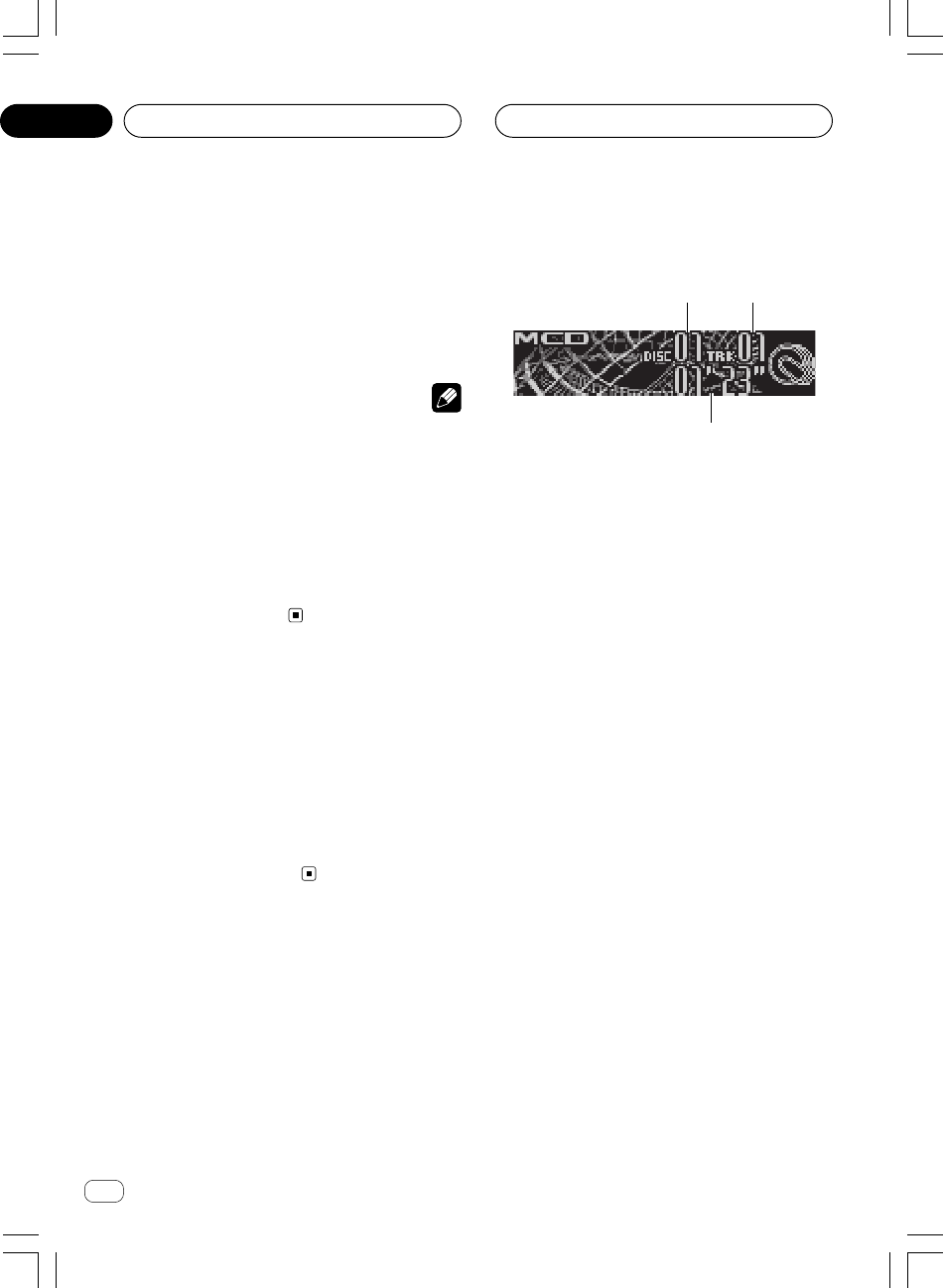
Ar
rI«
≤µ
W?−b W½«uDÝô ŸUL²Ýô«
1
2
3
W−b*« U½«uDÝô« qGA w rJײK “UN'« «c¼ «b²Ý« pMJ1
ÆWKBHM …—uBÐ ŸU³¹ Íc« ¨…œbF²*«
uDš Ác¼—Ëd{ WOÝUÝ« «uDÝô ŸUL²Ýö W¹uÐ W−b U½«WDÝ«
uDÝô« qGAUOKLŽ Õdý √b³OÝ UL Æ…œbF²*« W−b*« U½«
uDÝô« qOGAðÆWOU²« W×HB« w WbI²*« W−b*« U½«
1W½«uDÝô« r— dýR
uDÝô« 5³¹ÆUOUŠ UNO« ŸUL²Ýô« r²¹ w²« W½«
2WOMžô« r— dýR
ÆUOUŠ UNO« ŸUL²Ýô« r²¹ w²« WOMžô« 5³¹
3ŸUL²Ýô« XË dýR
ÆUOUŠ UNO« ŸUL²Ýô« r²¹ WOMžö WOCIM*« ŸUL²Ýô« …b 5³¹
± —e« jG{«
SOURCEU½«uDÝô« qGA —UO²šô
Æ…œbF²*« W−b*«
—e« jG{«
SOURCEdF« dNE¹ v²Š ÷Multi CDvKŽ
ÆWýUA«
≤ŸUL²Ýô« w Vždð w²« W½«uDÝ« —UO²šUÐ r
Æ∂≠± —«—“ô« WDÝ«uÐ UNO«
uDÝöu³C*« U½«—“ô« vKŽ UI³ WÞ— jG{≈ ¨∂ v« ± —«—e« r
u*«ÆUN o«
Ëdð XM «–≈uDÝö ŸUL²Ýô« w Vžu³C*« U½«—“ô« vKŽ WÞ—«
Ë jG{≈ ¨±≤≠∑— jG{ X³Łu*« —e« r —e« ö¦ UN o«±—eK
— dNE¹ v²Š ¨∑uDÝô« rÆWýUA« vKŽ W½«
uDÝö lÐU²²*« —UO²šô« UC¹√ pMJ1bŠ√ vKŽ jGCUÐ W½«
—e« s¹
∞Ø5Æ
≥jG{« ¨lOłd²« Ë√ l¹d« .bI²« WOKLŽ ¡«dłô
—e«
2 Ë√ 3Æ
¥¨Èdš« WOMž« v« ÂUô« Ë√ nK)« v« wD²K
—e« jG{«
2 Ë√ 3Æ
—e« jG{
3UL ÆWOU²« WOMžô« v« wD²« vKŽ qLFOÝ
—e« jG{ qLFOÝ
2d Ë …WOMžô« W¹«b³ wD²« vKŽ …bŠ«
d tDG{ ÆWOU(«dš« …WOMžô« v« wD²« vKŽ qLFOÝ È
ÆWIÐU«
UEŠö
•uI¹ UbMŽuDÝô« qGA ÂcOHM²Ð …œbF²*« W−b*« U½«
dOCײ« UOKLF«dF« dNEOÝ ¨W¹ ÷
ReadyÆWýUA« vKŽ
•uDÝô« qGA qLF¹ r «–≈—uBÐ …œbF²*« W−b*« U½«…
— dNEð b ¨W×O× q¦ QDš WUÝERROR-11vKŽ
—≈ ÆWýUA«uDÝô« qGA qOGAð qOœ v« lłW−b*« U½«
Æ…œbF²*«
•uð r «–≈uDÝ≈ błeš w U½«uDÝ« W½uDÝô« qGA U½«U½«
dF« dNEOÝ ¨…œbF²*« W−b*«uð ô ÷uDÝ« błW½«
No Disc ÆWýUA« vKŽ
…œb?F²*« W−b*« U½«uDÝô« qGA
W?½«uDÝ« µ∞ Ë–
u«u*« nzUþqOGA² UN«b²Ý« sJ1 w²« w¼ qOb« «c¼ w W×{
uDÝ« öGAuDÝ« µ∞ Ë– …œbF²*« W−b*« U½«r ÆjI W½«
Ë qOGA² “UN'« «c¼ rLB¹uMŽ nzUþuDÝô« Ê«qGA* W½«
uDÝô«uDÝ« µ∞ Ë– …œbF²*« W−b*« U½«uBÐ ÆW½«Ë ’nzUþ
uMŽ WLzUuDÝô« Ê«—≈ ¨W½« r v« lł
s¹ËUMŽ nzUþË Â«b²Ý«
U½«uDÝô«
Æ≥∞ W×H w
AGq «ôÝDu«½U «*b−?W «*²Fbœ…
<XRD7106-A> 116
∞∑
XRD7106A.Ara25-41 05/8/4, 17:1325

Ar
rI«
dF«WOÐ
≤¥
AG?q «ÝDu«½U? KHU
WAV/WMA/MP3
<XRD7106-A> 117
UHK v« ŸUL²Ýô« …œUŽ« bMŽMP3 ÂUEMÐ WK− VBR
O³« ‰bF®
Ò
O³« ‰bF WLO ÊU ¨©dOG²*« X
Ò
dŽ r²¹ s Xv²Š UN{
uײ« bFÐË v« q¹O³« ‰bF l{
Ò
dF« dNEOÝ® ÆX ÷
VBRvKŽ
©ÆWýUA«
ŽMb «ŽUœ… «ôݲLUŸ «v KHU
WMA Ý−KX LKHU VBR¨
dŽ r²OÝu² ÷O³« ‰bF jÝ
Ò
—UF« vKŽ XÆW{
uDÝ« vKŽ WMOF U½UOÐ qO−ð r²¹ r «–«U½«
WMA/MP3dF« dNEOÝ ¨ ÷No XXXXö¦® WýUA« vKŽ
u¹ ô wMG*« rÝ« bł
No Track TitleƩ
ËdÐ WM UI ZU½
iTunes®
UHK dOHAð w Wb²*«
MP3dŽ r²¹ ô b ¨—uBÐ UEŠö*« U½UOÐ ÷vKŽ W×O× …
ÆWýUA«
Ëu« U¹bO qGA WM UIUHK dOHAð w Âb²*« “ËbM¹
WMAdŽ r²¹ ô bI ¨u³K« ¡ULÝ« ÷u*« UË WOIOÝU½UOÐ
uBM«dšô« ’—uBÐ ÈÆWýUA« vKŽ W×O× …
W?½«uDÝô ŸUL²Ýô« …œUŽ« bMŽWAV
—e« jG{≈
DISPLAYÆ
—e« jG{≈
DISPLAY—uBÐ —dJ² …uײK …Ë« 5Ð q¹ŸU{
∫WOU²« j³C«
ËŸUL²Ýô« X
Folder Name—©WEU(« rÝ«®
File Name—©nK*« rÝ«® —dðWMOF« œœ
U?HK* ŸUL²Ýô« …œUŽ« pMJLOÝ
WAVd²Ð ¨±∂ «œœ
uKO ¥∏ Ë ¥¥\± ¨ ≥≤ ¨ ≤¥ ¨ ≤≤\∞µd¼ ÂUE½® eð
LPCMË√ ©
uKO ¥¥\± Ë ≤≤\∞µd¼ ÂUE½® eð
MS ADPCMÊuJð ÆjI ©
dðËdF*« WMOF« «œœ—UF« w W{—UÐ W{ ÆW×O× ÂU
W?ýUA« vKŽ ’uBM« U½UOÐ 5Ð qIM²«
dŽ “UN'« «cN sJ1dŠ√ ±∂ ‰Ë√ ÷WEU(« ¡ULÝ« s jI ·
Folder Name nK*« ¨File NameuMŽ ¨WOMžô« Ê«
Track TitleË WOMžô« wMGArtist NameuMŽ ¨u³K« Ê«Â
u*« wIOÝ
Album TitleË oOKF²«CommentÊuJð UbMŽ Æ
uB½dŠ ±∂ s ‰uÞ√ U½UO³« ’d% pMJ1 ¨·dF« p¹UL ÷
ÆwK¹
—e« jG{ X³ŁË jG{≈
DISPLAY√b³ð v²Š
Æ—UO« v« Wd(UÐ ’uBM« U½UOÐ
dײ²ÝuB½ „—UF« vKŽ U½UO³« ’ÆW{
UEŠö
• UHK ÂUE½ ·öÐ
MP3ËWMA dF²Ý ¨ UHK ÷WAV
Ë√ ŸU{Folder Name Ë File NameÆjI
•Ë ÊuJð UbMŽdײ« WHOþ rz«b« p¹(Ever Scroll)Ë vKŽ l{
qOGA²«
ONË w Ëô« j³C« l{d% r²OÝ ¨wuB½ p¹’
uDÝô« U½UOÐu²;« W½«uB½ vKŽ W¹—uBÐ ’dL² …vKŽ …
—« «–« ÆWýUA«dŽ œdŠ ±∂ ‰Ë√ ÷—uBÐ hM« U½UOÐ s U…
RË WýUA« vKŽ W²dײ«Ë jG{« ¨W¹«b³« s „jG{ X³Ł
—e«
DISPLAY— Æ r lł«
rz«b« p¹dײ« WHOþË q¹u%
Æ¥± W×H w
∞∂
XRD7106A.Ara2-24 05/8/4, 17:3324

Ar
rI«
≤≥
AG?q «ÝDu«½U? KHU
WAV/WMA/MP3
Ë u?B« jG{ «b²Ý«BMX
Ë Â«b²Ý« p `L¹uB« jG{ nzUþ (COMP)Ë BMX
uł j³CÐu …œÆqGA*« «cN ŸUL²Ýô« …œUŽ« Ë q s …bŠ« u«uDš UN nzUþuð Æj³{ wðË Ê“«uB« jG{ WHOþ
(COMP)
uô« ÃdšË WOUF« «u²*« w WCHM*«rJײð ÆWOUF« U¹ Ë WHOþ
BMXu² w uB« Èb ÈŸUL²Ý« …œUŽ« ¡UDŽô uBÐdOŁQ²« s qJ lL²Ý≈ ÆTK²2 U¼bŠ√ —U²ð ULMOÐ « Ëu s “eF¹ Íc« qCô« dOŁQ²« Âb²Ý«ŸUL²Ýô« …œUŽ« uDÝô« Ë√ WOMžöÆUNO« lL²ð w²« W−b*« W½«
± —e« jG{≈
FUNCTION
jG{ l{Ë —UO²šô
uB«
(Comp./BMX)Æ
—e« jG{≈
FUNCTIONdF« dNE¹ v²Š ÷
Comp./BMXÆWýUA« vKŽ
≤ —e« jG{≈5 Ë√ ∞WKCH*« j³C« ŸU{Ë« —UO²šô
Æp¹b
≈{Gj «e—
5 √Ë ∞ ÐBu—… ²Jd—… K²×u¹q Ð5 «Ë{UŸ «C³j «²UOW∫
Comp./BMX OFFuB« jG{ qOGAð ·UI¹«® ØBMX©
Comp. 1—uB« jG{® ©± Comp. 2—
uB« jG{®©≤ —
Comp./BMX OFF
uB« jG{ qOGAð ·UI¹«®ØBMX©BMX 1— BMX 2—
Y?׳« WI¹dÞ —UO²š«
u% pMJ1dÞ q¹Ë« 5Ð U Y׳« WI¹d« .bI²« ŸU{d²«Øl¹lOł
ËÆw½Už« dAŽ qJ Y׳«
—e« jG{« ±
FUNCTION.bI²« l{Ë —UO²šô
lOłd²«Øl¹d«
FF/REVÆ
—e« jG{«
FUNCTIONdF« dNE¹ v²Š ÷FF/REVvKŽ
ÆWýUA«
Ë ÊU «–«dÞ l{ Y׳« WI¹ROUGH SEARCH- b
—UO²š«dF« dNEOÝ ¨UI³ Á ÷
ROUGH SEARCHvKŽ
ÆWýUA«
≤ —e« jG{«
2 Ë√ 3ÆY׳« WI¹dÞ —UO²šô
—e« jG{«2 Ë√ 3dŽ dNE¹ v²Š dÞ ÷d*« Y׳« WI¹užvKŽ »
ÆWýUA«
•
FF/REVd« .bI²« ≠ Ë l¹d²«lOł
•
ROUGH SEARCHdAŽ qJ Y׳« ≠
w½Už«
<XRD7106-A> 118
W?EU(« vKŽ w½Už« dAŽ qJ Y׳«
WOU(«
u²% WOU(« WEU(« X½U «–«pMJLOÝ ¨w½Už√ ±∞ s d¦√ vKŽ Í
u²% WEU(« ÊuJð UbMŽ Æw½Už« dAŽ qJ Y׳«w½Už« vKŽ Í
dO¦dð w²« WOMžô« sŽ Y׳« VFB« s ÊuJOÝ ¨…w Vž
ÆUNO« ŸUL²Ýô«
±l{u« vKŽ Y׳« WI¹dÞ d²š«
ROUGH SEARCHÆ
≤ —e« jG{ X³ŁË jG{«
2 Ë√ 3Y׳« l{Ë —UO²šô
ÆWOU(« WEU(« vKŽ w½Už« dAŽ qJ
u²% WOU(« WEU(« X½U «–«ÊU ¨w½Už√ ±∞ s q√ vKŽ Í
Ë jG{ —e« jG{ XO³¦ð
3ÆWEU(« vKŽ WOMž« dš« wŽb²OÝ
w½Už« dAŽ qJ Y׳« bFÐ WOI³²*« w½Užô« œbŽ ÊU «–« ¨pc
Ë jG{ ÊU ¨±∞ s q« —e« jG{ XO³¦ð
3dš« wŽb²OÝ
ÆWEU(« vKŽ WOMž«
u²% WOU(« WEU(« X½U «–«ÊU ¨w½Už√ ±∞ s q√ vKŽ Í
Ë jG{ —e« jG{ XO³¦ð
2ÆWEU(« vKŽ WOMž« ‰Ë« wŽb²OÝ
w½Už« dAŽ qJ Y׳« bFÐ WOI³²*« w½Užô« œbŽ ÊU «–« ¨pc
Ë jG{ ÊU ¨±∞ s q« —e« jG{ XO³¦ð
2‰Ë« wŽb²OÝ
ÆWEU(« vKŽ WOMž«
v?KŽ …œułu*« ’uBM« U½UOÐ ÷dŽ
W½«uDÝ«
WAV/WMA/MP3
dŽ sJ1uBM« U½UOÐ ÷uDÝ« vKŽ WK−*« ’U½«
WAV/WMA/MP3Æ
W?½«uDÝô ŸUL²Ýô« …œUŽ« bMŽWMA/MP3
—e« jG{≈
DISPLAYÆ
—e« jG{≈
DISPLAY—uBÐ —dJ² …uײK …Ë« 5Ð q¹ŸU{
∫WOU²« j³C«
ËŸUL²Ýô« X
Folder Name—©WEU(« rÝ«®
File Name—©nK*« rÝ«® Track Title—uMŽ® Ê«
©WOMžô«
Artist Name—©wMG*« rÝ«® Album Title—
uMŽ®u³K« Ê«u*« ©wIOÝ
Comment—©oOKFð® —XO³« ‰bF
∞∂
XRD7106A.Ara2-24 05/8/4, 17:3323
Ar
rI«
dF«WOÐ
≤≤
AG?q «ÝDu«½U? KHU
WAV/WMA/MP3
¥ —e« jG{«∞ŸUL²Ýô« WHOþË qOGAð ·UI¹ô
Æwz«uAF«
dF« dNEOÝ ÷
Random :OFFË ÆWýUA« vKŽ dL²OÝ
d²UÐ w½Užö ŸUL²Ýô« ÆVOð
w?½Užô«Ë UEU(« `
u« ‰ULF²Ý« r²¹ ULMOÐ l{FOLDERq W¹«b³ ŸUL²Ýô« r²OÝ ¨
—U²<« WEU(« vKŽ WOMž√uŠ …b* …uŁ ±∞ w«‰ULF²Ý« bMŽ ÆÊ«
u« l{
DISCWEUŠ q vKŽ WOMž√ ‰Ë√ W¹«b³ ŸUL²Ýô« r²OÝ ¨
uŠ …b* UN ŸUL²Ýô« r²¹uŁ ±∞ w«ÆÊ«
±Æ—«dJ²« Èb —UO²šUÐ r
—≈ r v« lł
—dJ²*« ŸUL²Ýô«
u*« ułÆWIÐU« W×HB« w œ
≤ —e« jG{≈
FUNCTION`*« l{Ë —UO²šô
ScanÆ
—e« jG{≈
FUNCTIONdF« dNE¹ v²Š ÷ScanvKŽ
ÆWýUA«
≥ —e« jG{≈
5Æ`*UÐ ŸUL²Ýô« l{Ë qOGA²
dF« dNEOÝ ÷
Scan : ONË ÆWýUA« vKŽ ŸUL²Ýô« r²OÝ
q vKŽ WOMž√ ‰Ë√ W¹«b³ Ë√® WOU(« WEU(« vKŽ WOMž√ q W¹«b³
uŠ …b* ©WEUŠuŁ ±∞ w«ÆÊ«
¥jG{« ¨WÐužd*« ©WEU(« Ë√® WOMžô« œU−¹≈ bMŽ
—e«∞Æ`*UÐ ŸUL²Ýô« WHOþË qOGAð ·UI¹ô
dF« dNEOÝ ÷
Scan :OFFŸUL²Ýô« dL²OÝ ÆWýUA« vKŽ
Æ©WEU(« Ë√® WOMžö
dF« œUŽ «–«—uBÐ ÷Ë« …uðË v« WOJOðUdŽ l{…œUŽ« ÷
Ë —UO²šUÐ r ¨ŸUL²Ýô« Y׳UÐ ŸUL²Ýô« l{
Scand dš« …È
—e« jGCÐ
FUNCTIONÆ
WEŠö
WOKLŽ √b³²Ý ¨WEU(« Ë√ WOMžô« ` WOKLŽ s ¡UN²½ù« bFÐ
d WOMžö W¹œUF« ŸUL²Ýô« …œUŽ«dš√ … ÆÈ
<XRD7106-A> 119
U?HK* ŸUL²Ýô« ·UI¹«WAV/WMA/
MP3
U²R
Ë p `LðR*« ·UI¹ô« WHOþUHK* ŸUL²Ýô« ·UI¹« WO½UJ« X
WAV/WMA/MP3—uBÐ R …ÆW²
± —e« jG{«
FUNCTION·UI¹ô« l{Ë —UO²šô
XR*«
PauseÆ
—e« jG{≈
FUNCTIONdF« dNE¹ v²Š ÷Pause
vKŽ
ÆWýUA«
≤ —e« jG{«
5ÆXR*« ·UI¹ô« WHOþË qOGA²
dF« dNEOÝ ÷
Pause : ONË ÆWýUA« vKŽ u²OÝR nU²
ÆWOU(« WOMžö ŸUL²Ýô«
≥ —e« jG{«
∞·UI¹ô« WHOþË qOGAð ·UI¹ô
ÆXR*«
dF« dNEOÝ ÷
Pause :OFF·UM¾²Ý« r²OÝ ÆWýUA« vKŽ
Ë qOGA²Ð U¼bMŽ XL w²« WDIM« fH½ bMŽ ŸUL²Ýô«WHOþ
R*« ·UI¹ô« ÆX
s?¹ËUMŽ WLzU s UEUŠ —UO²š«
UEU(«
Ë p `LðËUMŽ WLzU WHOþƒdÐ UEU(« s¹ËUMFÐ WLzU W¹s¹
Ë UEU(«ÆUNO« ŸUL²Ýô« …œUŽö U¼«bŠ≈ —UO²š« WO½UJ«
± —e« jG{«
FUNCTIONWLzU l{Ë —UO²šô
ÆUEU(« s¹ËUMŽ
—e« jG{≈
FUNCTIONdF« dNE¹ v²Š ÷Root
vKŽ
ÆWýUA«
≤ —e« jG{≈
2 Ë√ 3s¹ËUMF« WLzU 5Ð qIM²K
ÆWKšb*«
—U²<« WEU(« X½U «–«u²% …dF« dNEOÝ ¨UHK vKŽ Í÷
ÆWýUA« vKŽ
≥ —e« jG{≈
5ÆWKCH*« p²EU( ŸUL²Ýö
e−K ŸUL²Ýô« WOKLŽ √b³²ÝƉU(« w —U²<« ¡
—U²<« WEU(« X½U «–«u²% ô …dNEOÝ ¨UHK vKŽ Í
dF« ÷
NO FILES ÆWýUA« vKŽ
∞∂
XRD7106A.Ara2-24 05/8/4, 17:3322
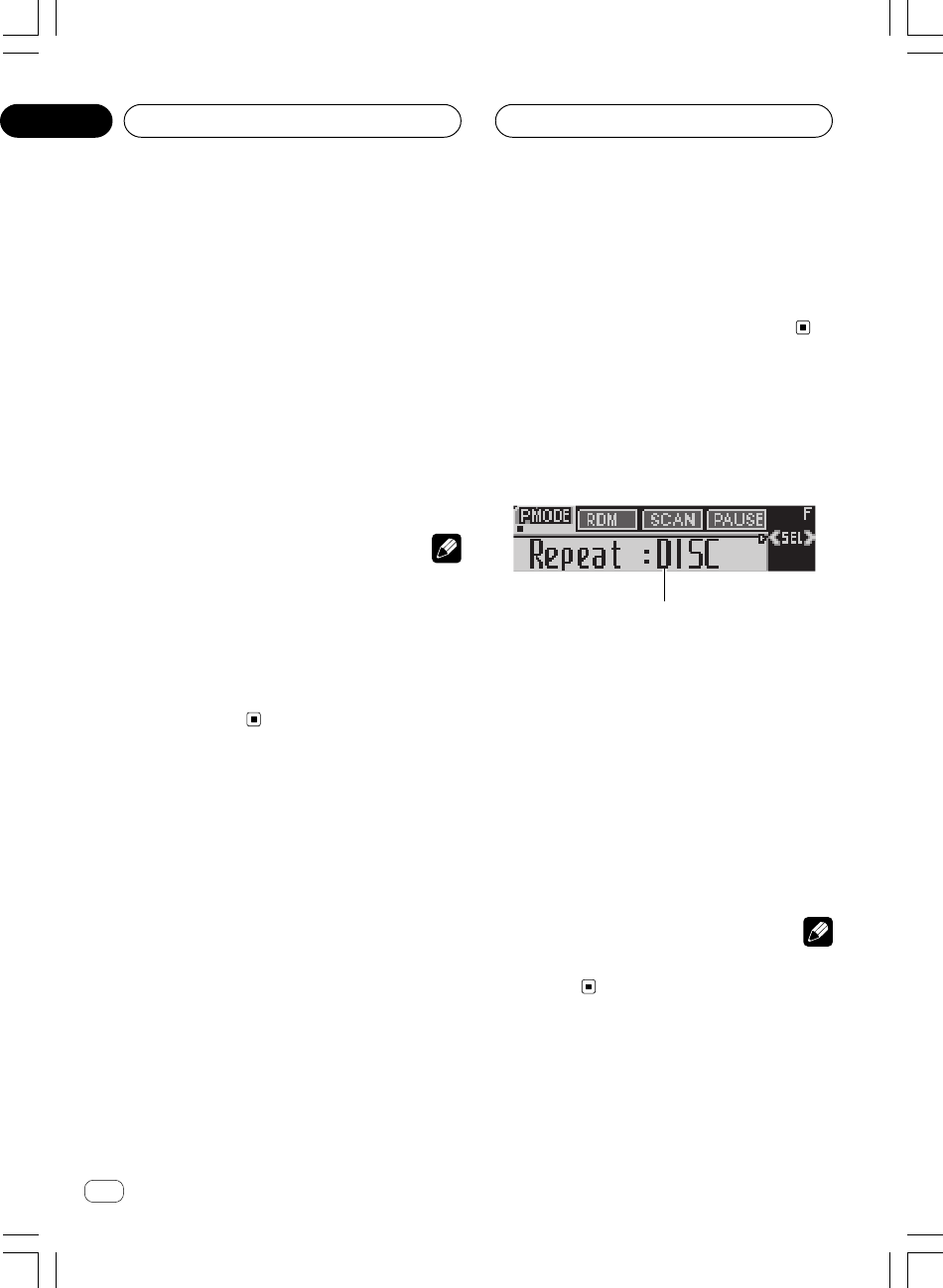
Ar
rI«
≤±
<XRD7106-A> 120
•u*« UHK*« q X½U «–«ułuDÝô« w …œu²% WKšb*« W½«vKŽ Í
ÂUEMÐ WOL× UHK
DRMdŽ r²OÝ ¨ ÷PROTECT
—UF« vKŽÆW{
•u Í√ —Ëb r²¹ sË w d« .bI²« wF{d²« Ë√ l¹ÆlOł
q?GA qOGAð UOKLFÐ n¹dFð
w?Kš«b« W−b*« U½«uDÝô«
(WAV/WMA/MP3)WbI²*«
1
1nzUþu« ÷dŽ
u« WUŠ 5³¹ÆWHOþ
—e« jG{≈
FUNCTIONÆnzUþu« ¡ULÝ√ ÷dF
—e« jG{≈
FUNCTION—uBÐ —dJ² …uײK …u« 5Ð q¹nzUþ
∫WOU²«
Repeat©—dJ²*« ŸUL²Ýô«® Random—ŸUL²Ýô«®
uAF«©wz«—
Scan©`*UÐ ŸUL²Ýô«® Pause—·UI¹ô«®
R*«©X—ËUMŽ WLzUUEU(« s¹
Comp./BMX—jG{®
uB« Ë
BMX©FF/REV—
dÞ®©Y׳« WI¹
uFKdF …œ —e« jG{≈ ¨ŸUL²Ýô« …œUŽ« ÷BANDÆ
WEŠö
Ë Í√ qGAð r «–«uŠ ‰öš WHOþuFOÝ ¨WO½UŁ ≥∞ v«dF« œ÷
—uBÐË« …uðdŽ v« WOJOðU ÆŸUL²Ýô« …œUŽ« ÷
—dJ²*« ŸUL²Ýô«
u ŸUL²Ýô« …œUŽ« l{WAV/WMA/MP3U¹b ÀöŁ „UM¼ ¨
∫—dJ²*« ŸUL²Ýö
FOLDERdJð® ¨©WEUŠ —«TRACK
dJð®Ë WOMžô —« Ë ¨©…bŠ«DISCdJð® Æ©w½Užô« q —«
AG?q «ÝDu«½U? KHU
WAV/WMA/MP3
± —e« jG{«FUNCTIONŸUL²Ýô« l{Ë —UO²šô
—dJ²*«
(Repeat)Æ
—e« jG{≈
FUNCTIONdF« dNE¹ v²Š ÷RepeatvKŽ
ÆWýUA«
≤ —e« jG{«
2 Ë√ 3Æ»užd*« —«dJ²« Èb —UO²šô
—e« jG{«
2 Ë√ 3
d*« —dJ²*« ŸUL²Ýô« Èb dNE¹ v²Šuž»
ÆWýUA« vKŽ
•
FOLDERdJð r²OÝ ≠ WEU×K ŸUL²Ýô« —«
ÆUOUŠ UNO« ŸUL²Ýô« r²¹ w²«
•
TRACKdJð r²OÝ ≠ r²¹ w²« WOMžö ŸUL²Ýô« —«
ÆUOUŠ UNO« ŸUL²Ýô«
•
DISCdJð r²OÝ ≠ Æw½Užô« qJ ŸUL²Ýô« —«
UEŠö
•dš√ WEUŠ —UO²šUÐ XL «–≈dOG²OÝ ¨—dJ²*« ŸUL²Ýô« ¡UMŁ√ È
Ë v« —dJ²*« ŸUL²Ýô« Èb l{
DISCÆ
•uIð XM «–≈dłUÐ Âd« .bI²« Ë√ WOMž√ sŽ Y׳« ¡«Øl¹
d²«Ë ¡UMŁ√ lOł l{
TRACKŸUL²Ýô« Èb dOG²OÝ ¨
Ë v« —dJ²*« l{
FOLDERÆ
•Ë —UO²š« bMŽ l{
FOLDERWEU( ŸUL²Ýô« sJ1 s ¨
du*« s WOŽuł ÆWEU(« pKð w œ
w?z«uAŽ VOðd²Ð w½Užú ŸUL²Ýô«
uAF« ŸUL²Ýô« p `L¹UOMžú ŸUL²Ýô« …œUŽ« WO½UJ≈ wz«
u*«ułuDÝ« vKŽ …œd²Ð W−b*« W½«uAŽ VOðdJ²« Èb sL{ wz«¨—«
FOLDER Ë√ DISCÆ
±Æ—«dJ²« Èb —UO²šUÐ r
—≈ r v« lł
—dJ²*« ŸUL²Ýô«
u*« ułÆ W×HB« Ác¼ w œ
≤ —e« jG{≈
FUNCTIONŸUL²Ýô« l{Ë —UO²šô
wz«uAF«
RandomÆ
—e« jG{«
FUNCTIONdF« dNE¹ v²Š ÷Random
ÆWýUA« vKŽ
≥ —e« jG{≈
5Æwz«uAF« ŸUL²Ýô« qOGA²
dF« dNEOÝ ÷
Random : ONË ÆWýUA« vKŽ ŸUL²Ýô« r²OÝ
d²Ð w½UžöuAŽ VOð—U²<« U¹b*« sL{ wz« …
FOLDERË√
DISCÆ
∞∂
XRD7106A.Ara2-24 05/8/4, 17:3321
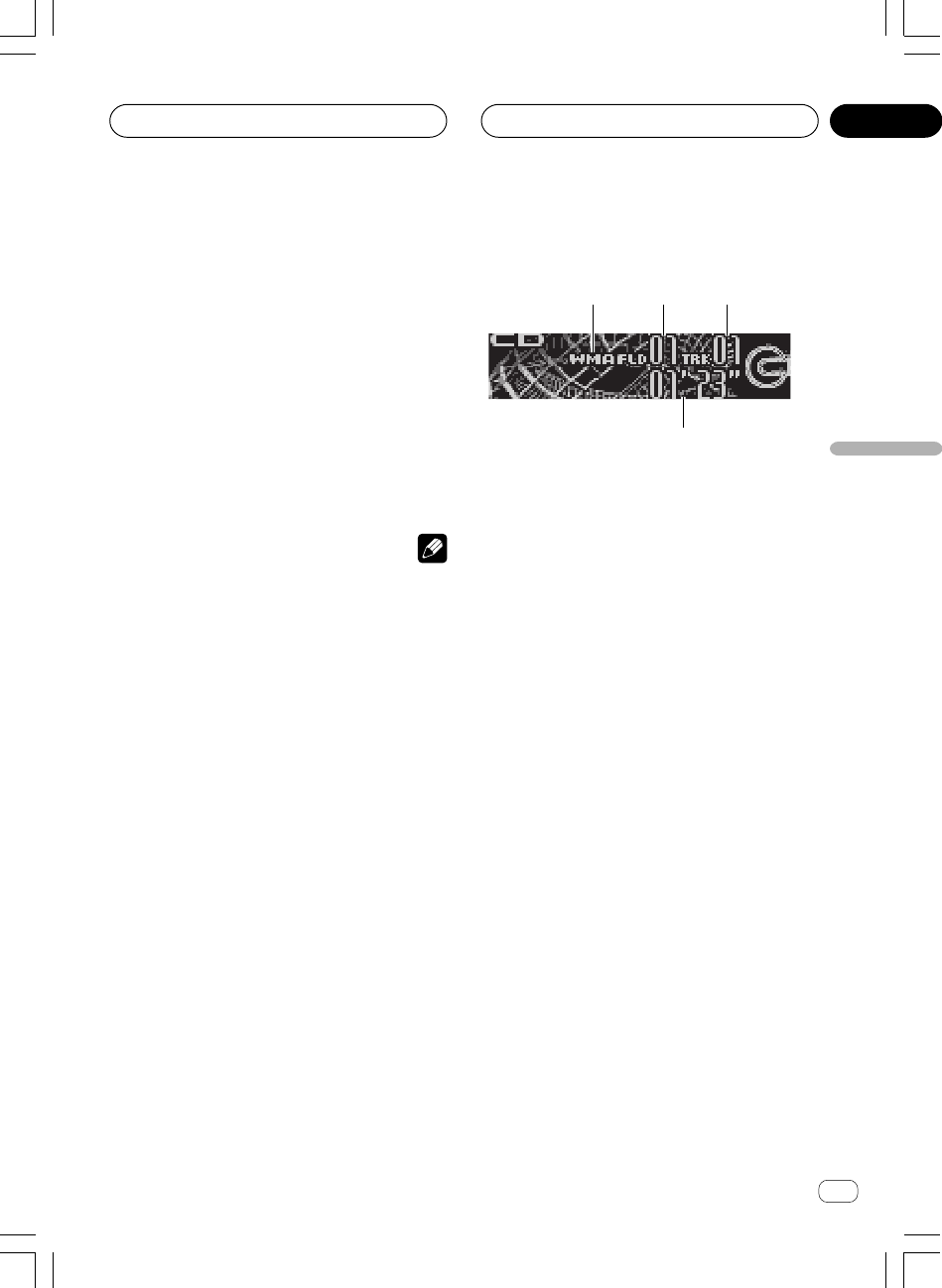
Ar
rI«
dF«WOÐ
≤∞
UHK* ŸUL²Ýô«WAV/WMA/MP3
1
2
3
4
uD)« w¼ Ác¼ UHK* ŸUL²Ýö WOÝUÝô« «WAV/WMA/MP3
uÐuDÝô« qGA WDÝ«uð r²OÝ ÆwKš«b« W−b*« U½«UOKLŽ `O{
qOGAð
WAV/WMA/MP3ÆWOU²« W×HB« s ¡«b²Ð« WbI²*«
1 dýR
WAV/WMA/MP3
nK* ŸUL²Ýô« r²¹ v² 5³¹WAV/WMA/MP3Æ
2WEU(« r— dýR
— 5³¹ÆUOUŠ UNO« ŸUL²Ýô« r²¹ w²« WEU(« r
3WOMžô« r— dýR
ÆUOUŠ ©tO«® UNO« ŸUL²Ýô« r²¹ w²« ©nK*«® WOMžô« 5³¹
4ŸUL²Ýô« XË dýR
Ë 5³¹Æ©wU(«® WOU(« ©nK*«® WOMžö wCIM*« ŸUL²Ýô« X
± —e« jG{«
SOURCEqGA l{Ë —UO²šô
ÆwKš«b« W−b*« U½«uDÝô«
—e« jG{«
SOURCEdF« dNE¹ v²Š ÷Compact Disc
ÆWýUA« vKŽ
uð r «–«uDÝ« błu« —UO²š« pMJ1 s ¨“UN'« w WKL× W½«l{
Compact DiscuDÝô« qGA® qšœ« Æ©wKš«b« W−b*« U½«
uDÝ«—® Æ“U?N'« w W½«©Æ±∞ W×HB« lł«
≤ —e« jG{«
5 Ë√ ∞ÆWEUŠ —UO²šô
u²% ô WEUŠ —UO²š« pMJ1 sÂUEMÐ q− nK vKŽ Í
WAV/WMA/MP3ÆUNO
uFK— WEU(« v« …œ r
(ROOT) 01Ë jG{« ¨—e« jG{ X³Ł
BANDË Æd« vKŽ— WEU(« X½U «–« ¨p– s rž r01
(ROOT) u²% ô …œUŽ« WOKLŽ √b³²Ý ¨UNO UHK vKŽ Í
— WEU(« s ŸUL²Ýô« r
02Æ
≥jG{« ¨lOłd²« Ë√ l¹d« .bI²« WOKLŽ ¡«dłô
—e« jG{ X³ŁË
2 Ë√ 3Æ
d²š« «–«dÞ uUÐ Y׳« WI¹ l{
ROUGH SEARCH¨
Ë jG{ p `LOÝ —e« jG{ XO³¦ð
2 Ë√ 3dAŽ qJ Y׳UÐ
—≈® ÆWOU(« WEU(« w w½Už« r v« lł
Y׳« WI¹dÞ —UO²š«
w
©Æ≤≥ W?×H
¥¨Èdš« WOMž« v« U1bIð Ë√ UŽuł— WOMž« wD²
—e« jG{«
2 Ë√ 3Æ
—e« jG{
3UL ÆWOU²« WOMžô« v« wD²« vKŽ qLFOÝ
—e« jG{ qLFOÝ
2d Ë …WOMžô« W¹«b³ wD²« vKŽ …bŠ«
d tDG{ ÆWOU(«dš« …WOMžô« v« wD²« vKŽ qLFOÝ È
ÆWIÐU«
UEŠö
•uDÝ« v« ŸUL²Ýô« bMŽu²% U½« UHK vKŽ Í
WAV/
WMA/MP3
Ë u U½UOÐ WOð(CD-DA)uDÝ« q¦ U½«
CD-EXTRAË uDÝ« U½«MIXED-MODEsJLOÝ ¨
u½ öJ ŸUL²Ýô«uDÝô« wŽuײUÐ U½«u« q¹5Ð l{
ËwF{
WAV/WMA/MP3Ë uDÝ« U½«CD-DAjI
uÐ —e« WDÝ«
BANDÆ
•uŠ b XM «–« UHK* ŸUL²Ýô« 5Ð U X
WAV/WMA/
MP3
Ë u U½UOÐ WOð(CD-DA)…œUŽ« WOKLŽ √b³²Ý ¨
Ëô« WOMžô« s ŸUL²Ýô«uDÝô« vKŽ vÆW½«
•uÐ ŸUL²Ýô« sJ1uDÝô« qGA WDÝ«v« wKš«b« W−b*« U½«
UHK
WAV/WMA/MP3uDÝ« vKŽ WK− W−b W½«
CD-ROM—≈® ÆdF²K ¥µ W×H v« lłu½« vKŽ ·UHK*« Ÿ«
©ÆUNO« ŸUL²Ýô« sJ1 w²«
•d²Ð ŸUL²Ýô« …œUŽ« WOKLŽ cOHMð r²OÝ— VOðr²OÝ ÆUHK*« r
u²% ô w²« UEU(« wDðr «–«® ÆUHK Í√ vKŽ Í
u²%— WEU(« Í r(ROOT) 01WOKLŽ √b³²Ý nK Í√ vKŽ
— WEU(« s ŸUL²Ýô« r
02©Æ
• UHK ÂUEMÐ WK− UHK v« ŸUL²Ýô« bMŽ
VBR‰bF®
dŽ r²¹ s ¨©dOG²*« XO³«Ë ÷—uBÐ ŸUL²Ýô« X«–« WIOœ …
Ë Â«b²Ý« -d« .bI²« WHOþd²« Ë√ l¹ÆlOł
•«–« U½X «ôÝDu«½W «*bšKW ô %²uÍ ŽKv √Í KHU 1Js
«ôݲLUŸ «ONU¨ ÝO²r þNu— «Fd÷ No Audio ŽKv «AUýWÆ
•uDÝô« X½U «–«u²% WKšb*« U½« UHK vKŽ Í
WMA
—«œ« ÂUEMÐ WOL×d« dAM« ‚uIŠ W¹ULŠ … WOL(DRM)r²OÝ ¨
dŽ ÷
TRK SKIPPED—UF« vKŽ wDð r²¹ ULMOÐ W{
dA½ ‚uIŠ wL;« nK*«ÆÁ
AG?q «ÝDu«½U? KHU
WAV/WMA/MP3
<XRD7106-A> 121
∞∂
XRD7106A.Ara2-24 05/8/4, 17:3320

Ar
rI«
±π
AGq «ôÝDu«½U «*b?−W «b«šdÍ
<XRD7106-A> 122
ËŸUL²Ýô« …œUŽ« XDisc Title—uMŽ® uDÝô« Ê«©W½«
DiscArtist Name—uDÝô« wMG rÝ«®©W½«
Track Title—uMŽ® ©WOMžô« Ê«
TrackArtist Name
—
©WOMžô« wMG rÝ«®
uKF*« iFÐ X½U «–≈uDÝ« vKŽ WK− dOž UW½«
CD TEXTuMF« dNE¹ sK ÆrÝô« Ë√ Ê«
W?ýUA« vKŽ s¹ËUMF« 5Ð qIM²«
dŽ “UN'« «cN sJ1dŠ√ ±∂ ‰Ë√ ÷uMŽ s jI ·uDÝô« Ê«W½«
(Disc Title)
uDÝô« wMG ¨ W½«
(DiscArtist Name)
uMŽ ¨Ê«
WOMžô«
(Track Title)
Ë WOMžô« wMG
(TrackArtist Name)
Æ
uB½ ÊuJð UbMŽdŠ ±∂ s ‰uÞ√ U½UO³« ’d% pMJ1 ¨·p¹
dF«ÆwK¹ UL ÷
—e« jG{≈
DISPLAY√b³¹ v²Š tDG{ X³ŁË
Æ—UO« v« Wd(UÐ Ê«uMF«
dײðËUMF« „—UF« vKŽ s¹ÆW{
WEŠö
•Ë ÊuJð UbMŽdײ« WHOþ rz«b« p¹
(Ever Scroll)Ë vKŽ l{
qOGA²«
ONË w Ëô« j³C« l{d% r²OÝ ¨wuB½ p¹’
uDÝô« U½UOÐu²;« W½«uB½ vKŽ W¹—uBÐ ’dL² …vKŽ …
—« «–« ÆWýUA«dŽ œdŠ ±∂ ‰Ë√ ÷—uBÐ hM« U½UOÐ s U…
RË WýUA« vKŽ W²dײ«Ë jG{« ¨W¹«b³« s „jG{ X³Ł
—e«
DISPLAY— Æ r lł«
rz«b« p¹dײ« WHOþË q¹u%
Æ¥± W×H w
∞µ
XRD7106A.Ara2-24 05/8/4, 17:3319
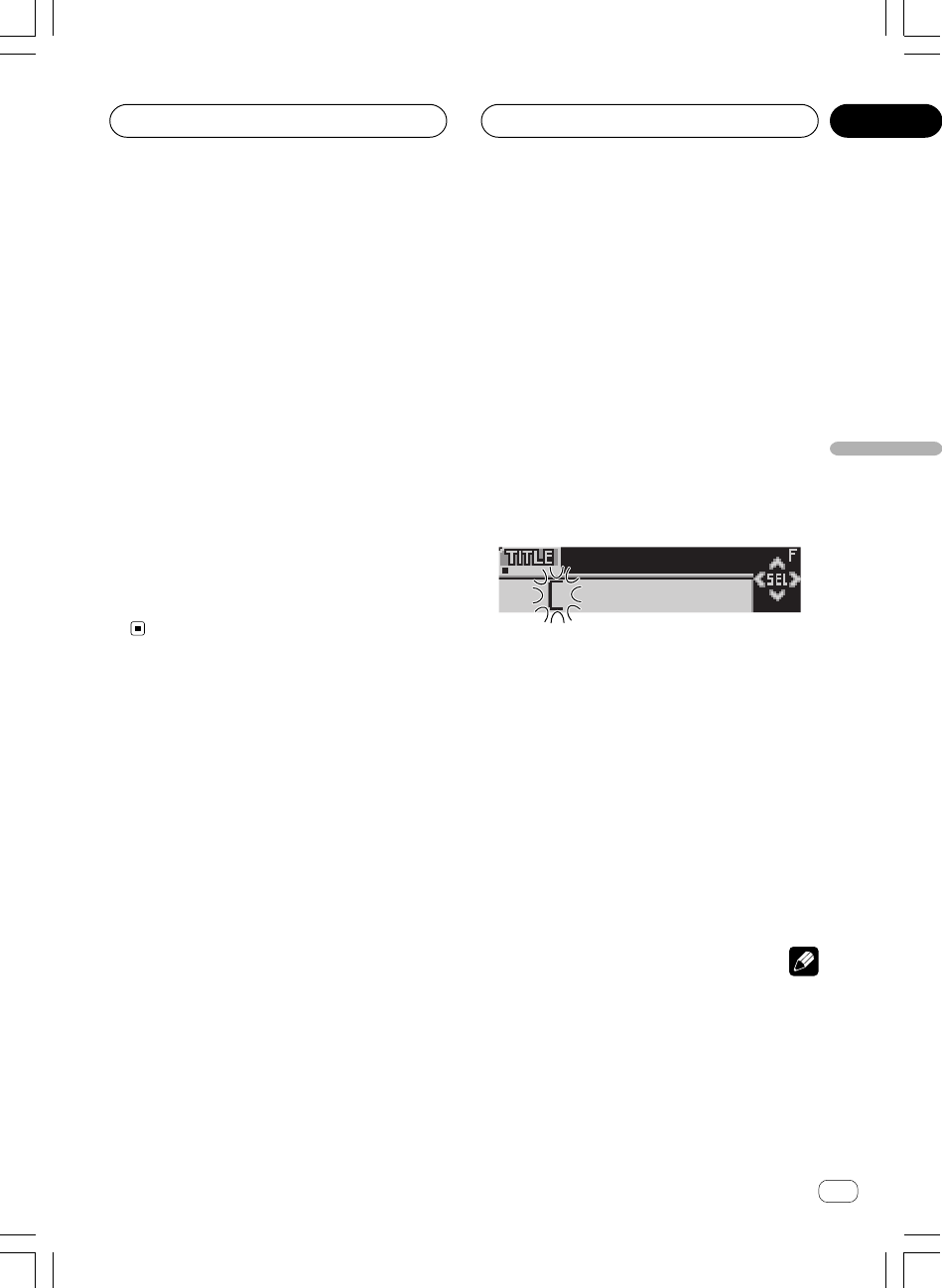
Ar
rI«
dF«WOÐ
±∏
AGq «ôÝDu«½U «*b−?W «b«šKw
≥Æ»užd*« ·d(« “«dÞ —UO²šô ± r— —e« jG{«
— —e« jG{« r
±±
±±
±—uBÐ —dJ² …uײK …dÞ 5Ð q¹“«Ëd(« «·
∫WOU²«
Ëd(«dO³J«® W¹b−Ðô« ·©…—Ëd(«dOGB«® W¹b−Ðô« ·©…—Ëd(«·
Ë—Ëô«Ëd(« pKð q¦ ¨WOÐu¹ w²« ·ułË œ ö¦® WKOJAð UNI
á¨
à ¨ä ¨ç©
—ô« ‰Ušœ« —UO²š« pMJ1 ÂUË«du“ —e« vKŽ jGCUÐ
≤≤
≤≤
≤Æ
¥ —e« jG{≈
5 Ë√ ∞Íb−Ðô« ·d(« —UO²šô
Æ»užd*«
q {GDt Ke—
5 ݲFLq ŽKv Žd÷ Šd· «Ð−bÍ ®ÐUKGW «ô$KOe¹W©
ÐNc« «²dðOV
X Y Z ... A B C¨ Ë«ôŽb«œ Ë«du“ ÐU²dðOV
< @ # 1 2 3 ...Æ q {GDt Ke— ∞ ݲFLq ŽKv Žd÷ «(dË·
вdðOV ŽJw¨ ¦q ¼c« «²dðOV
C B A ... Z Y XÆ
µ —e« jG{≈3·d(« lu v« …dOA*« p¹dײ
ÆwU²«
d(« ÊuJ¹ ULMOÐd*« ·užËdF » —e« jG{≈ ¨U{
3dײ dOA*« „…
u*« v«d(« d²š« rŁ wU²« l —e« jG{≈ ÆwU²« ·
2dײK „
ÆWýUA« vKŽ nK)« ÁU&UÐ
∂—e« vKŽ jGCUÐ dOšô« lu*« v« …dOA*« „dŠ
3ÆÊ«uMF« ‰Ušœ« bFÐ
—e« jG{ bMŽ
3d dš« …eð r²OÝ ¨ÈuMF« s¹w qšb*« Ê«
d«c«Æ…
∑ —e« jG{≈
BAND÷dŽ l{Ë v« …œuFK
ÆŸUL²Ýô«
UEŠö
•ËUMF« vI³ðd«c« w s¹dš« bFÐ v²Š ¨…uDÝô« ë«c¼ s W½«
Ë ¨“UN'«uDÝô« ‰Ušœ« r²¹ UbMŽ UNzUŽb²Ý« r²¹“UN'« w W½«
ddš« …ÆÈ
<XRD7106-A> 123
•eð s ¡UN²½ù« bFÐuDÝ« ¥∏ U½UOÐ s¹d«c« w W½«ÊU ¨…
uDÝô« U½UOÐÆU½UO³« Âb√ q× q×²Ý …b¹b'« U½«
•uDÝ« qGA XKË «–«‰Ušœ« pMJLOÝ ¨…œbF² W−b U½«
ËUMŽuDÝ« s¹Ë U½«uDÝ« ±∞∞ v²ŠÆW½«
U?½«uDÝô« s¹ËUMŽ ÷dŽ
dŽ pMJ1uMŽ Í√ ÷uDÝô Ê«uMŽ XKšœ« W½«ÆUI³ UN½«
—e« jG{≈
DISPLAYÆ
—e« jG{≈
DISPLAY —uBÐ —dJ² …uײK …Ë« 5Ð q¹ŸU{
∫WOU²« j³C«
ËŸUL²Ýô« …œUŽ« X
Disc Title—uMŽ® uDÝô« Ê«©W½«
u« —UO²š« bMŽ l{
Disc TitledŽ dNEOÝ ¨uMŽ ÷uDÝô« Ê«W½«
ÆWýUA« vKŽ UOUŠ UNO« ŸUL²Ýô« r²¹ w²«
uDÝ« ‰Ušœ« bMŽu²% W½«uMŽ vKŽ ÍuDÝ« Ê«uMŽ √b³OÝ ¨W½«Ê«
uDÝô«dײUÐ W½«—UF« d³Ž „Ë« W{uðÆUOJOðU
«–« r ¹²r «œšU‰ ŽMu«Ê öÝDu«½W «²w ¹²r «ôݲLUŸ «ONU ŠUOU¨
ÝOENd «Fd÷ ô ¹ułb ŽMu«Ê «ôÝDu«½W
No Disc TitleÆ
W?−b W½«uDÝ« nzUþË Â«b²Ý«
’u?B½ vKŽ W¹u²×CD TEXT
uDÝô« iFÐuKF UN U½«uDÝô« vKŽ XEHŠ WMOF UU½«
u²% ÆUN²ŽUM ¡UMŁ√uDÝô« pKð ÍuKF vKŽ U½«ËUMŽ q¦ Us¹
uDÝô«ËUMŽ ¨U½«ËË wMG*« rÝ« ¨w½Užô« s¹Ë ŸUL²Ýô« Xw¼
uDÝ« vŽbðu²× W−b U½«uB½ vKŽ W¹ ’
CD TEXTÊuJð Æ
uDÝô«u²;« U½«dHý vKŽ W¹uDÝôUÐ WUš …u²;« W−b*« U½«W¹
uB½ vKŽ ’
CD TEXTuDÝô« w¼ uUÐ qLFð w²« U½«nzUþ
—uc*«ÆjI ÁU½œ« …
U?½«uDÝ« w …œułu*« s¹ËUMF« ÷dŽ
’u?B½ vKŽ W¹u²;« W−b*«CD TEXT
—e« jG{≈
DISPLAYÆ
—e« jG{≈
DISPLAY—uBÐ —dJ² …uײK …Ë« 5Ð q¹ŸU{
∫WOU²« j³C«
∞µ
XRD7106A.Ara2-24 05/8/4, 17:3318

Ar
rI«
±
AGq «ôÝDu«½U «*b−?W «b«šKw
± —e« jG{≈FUNCTION
jG{ l{Ë —UO²šô
uB«
(Comp./BMX)Æ
—e« jG{≈
FUNCTIONdF« dNE¹ v²Š ÷
Comp./BMXÆWýUA« vKŽ
≤ —e« jG{≈
5 Ë√ ∞WKCH*« j³C« ŸU{Ë« —UO²šô
Æp¹b
≈{Gj «e— 5 √Ë ∞ ÐBu—… ²Jd—… K²×u¹q Ð5 «Ë{UŸ «C³j «²UOW∫
Comp./BMX OFFuB« jG{ qOGAð ·UI¹«® ØBMX©
Comp. 1—uB« jG{® ©± Comp. 2—
uB« jG{®©≤ —
Comp./BMX OFF
uB« jG{ qOGAð ·UI¹«®ØBMX©BMX 1— BMX 2—
Y?׳« WI¹dÞ —UO²š«
u% pMJ1dÞ q¹Ë« 5Ð U Y׳« WI¹d« .bI²« ŸU{d²«Øl¹lOł
ËÆw½Už« dAŽ qJ Y׳«
—e« jG{« ±
FUNCTION.bI²« l{Ë —UO²šô
lOłd²«Øl¹d«
FF/REVÆ
—e« jG{«
FUNCTIONdF« dNE¹ v²Š ÷FF/REVvKŽ
ÆWýUA«
Ë —UO²š« - «–« l{
ROUGH SEARCHdD Y׳« WI¹
—uBÐdF« dNEOÝ ¨WI³ … ÷
ROUGH SEARCHvKŽ
ÆWýUA«
≤ —e« jG{«
2 Ë√ 3ÆY׳« WI¹dÞ —UO²šô
—e« jG{«
2 Ë√ 3dŽ dNE¹ v²Š dÞ ÷d*« Y׳« WI¹užvKŽ » ÆWýUA«
•FF/REVd« .bI²« ≠ Ë l¹d²«lOł
•
ROUGH SEARCH ≠ «³×Y Jq ŽAd «žU½w
W?½«uDÝô« vKŽ w½Už« dAŽ qJ Y׳«
WOU(«
uDÝô« X½U «–«u²% W½«pMJLOÝ ¨w½Už√ ±∞ s d¦√ vKŽ Í
uDÝô« ÊuJð UbMŽ Æw½Už« dAŽ qJ Y׳«u²% W½«w½Už« vKŽ Í
dO¦dð w²« WOMžô« sŽ Y׳« VFB« s ÊuJOÝ ¨…w Vž
ÆUNO« ŸUL²Ýô«
<XRD7106-A> 124
±l{u« vKŽ Y׳« WI¹dÞ d²š«
ROUGH SEARCHÆ
≤ —e« jG{ X³ŁË jG{«
2 Ë√ 3Y׳« l{Ë —UO²šô
ÆW½«uDÝ« vKŽ w½Už« dAŽ qJ
uDÝô« X½U «–«u²% W½«jG{ ÊU ¨w½Už√ ±∞ s q√ vKŽ Í
Ë —e« jG{ XO³¦ð
3uDÝô« vKŽ WOMž« dš« wŽb²OÝ ¨pc ÆW½«
w½Už« dAŽ qJ Y׳« bFÐ WOI³²*« w½Užô« œbŽ ÊU «–« s q«
Ë jG{ ÊU ¨±∞ —e« jG{ XO³¦ð
3vKŽ WOMž« dš« wŽb²OÝ
uDÝô«ÆW½«
uDÝô« X½U «–«u²% W½«jG{ ÊU ¨w½Už√ ±∞ s q√ vKŽ Í
Ë —e« jG{ XO³¦ð
2uDÝô« vKŽ WOMž« ‰Ë« wŽb²OÝ ¨pc ÆW½«
s q« w½Už« dAŽ qJ Y׳« bFÐ WOI³²*« w½Užô« œbŽ ÊU «–«
Ë jG{ ÊU ¨±∞ —e« jG{ XO³¦ð
2vKŽ WOMž« ‰Ë« wŽb²OÝ
uDÝô« ÆW½«
U?½«uDÝô« s¹ËUMŽ nzUþË Â«b²Ý«
ËUMŽ ‰Ušœ« pMJ1uDÝö s¹Ë W−b*« U½«dŽËUMF« pKð ÷vKŽ s¹
Ë ÆWýUA«d*« wuDÝö pUšœ« bMŽ WœUI« …w²« W−b*« W½«
uMŽ UN XKšœ«dŽ r²OÝ ¨Ê«uMŽ ÷uDÝô« Ê«vKŽ pKð W−b*« W½«
ÆWýUA«
U?½«uDÝô« s¹ËUMŽ ‰Ušœ«
Ë p `LðuMŽ ‰Ušœ« WHOþuDÝô« Ê«ËUMŽ ‰UšœUÐ U½«uDÝ« s¹U½«
Ë W−bdŠ√ ±∞ ‰uDÐ v²ŠË ·uMŽ ¥∏ W¹UGuDÝ« Ê«d«– w W½«…
Æ“UN'« «c¼
±w Vždð w²« W−b*« W½«uDÝö ŸUL²ÝôUÐ r
ÆUN½«uMŽ ‰Ušœ«
≤ —e« jG{ X³ŁË jG{≈
FUNCTIONdNE¹ v²Š
Ê«uMF« l{Ë ÷dŽ
TITLEÆWýUA« vKŽ
uDÝô ŸUL²Ýô« bMŽu²× W−b W½«uB½ vKŽ W¹ ’
CD
TEXT
uײ« pMJ1 s ¨Ë v« q¹uMF« l{ Ê«TITLEË Æs p–
uMŽuDÝô« Ê«uDÝô« vKŽ tKO−ð - b W½«u²;« W−b*« W½«W¹
uB½ vKŽ ’
CD TEXTÆ
∞µ
XRD7106A.Ara2-24 05/8/4, 17:3417
Ar
rI«
dF«WOÐ
±∂
AGq «ôÝDu«½U «*b−?W «b«šKw
WEŠö
uIð XM «–≈dłUÐ Âd« .bI²« Ë√ WOMž√ sŽ Y׳« ¡«d²«Øl¹lOł
Ë ¡UMŁ√ l{
TRACKË v« —dJ²*« ŸUL²Ýô« Èb dOG²OÝ ¨l{
DISC Æ
w?z«uAŽ VOðd²Ð w½Užö ŸUL²Ýô«
Ë p `LðuAF« ŸUL²Ýô« WHOþw½Užô ŸUL²Ýô« WO½UJ« wz«
uDÝô«d²Ð W−b*« W½«uAŽ VOðÆwz«
± —e« jG{«
FUNCTIONŸUL²Ýô« l{Ë —UO²šô
wz«uAF«
(Random)Æ
—e« jG{≈
FUNCTIONdF« dNE¹ v²Š ÷RandomvKŽ
ÆWýUA«
≤ —e« jG{«
5Æwz«uAF« ŸUL²Ýô« WHOþË qOGA²
dF« dNEOÝ ÷
Random : ONË ÆWýUA« vKŽ ŸUL²Ýô« r²OÝ
d²Ð w½UžöuAŽ VOðÆwz«
≥ —e« jG{«
∞ŸUL²Ýô« WHOþË qOGAð ·UI¹ô
Æwz«uAF«
dF« dNEOÝ ÷
Random :OFFdL²OÝ ÆWýUA« vKŽ
d²UÐ w½Užö ŸUL²Ýô« ÆVOð
W?−b W½«uDÝ« w½Už« `
Ë `LðuŁ ±∞ ‰Ëô ŸUL²ÝôUÐ `*UÐ ŸUL²Ýô« WHOþq s Ê«
u WOMž√ułuDÝô« vKŽ …œÆW−b*« W½«
± —e« jG{«
FUNCTIONŸUL²Ýô« l{Ë —UO²šô
`*UÐ
(Scan)Æ
—e« jG{≈
FUNCTIONdF« dNE¹ v²Š ÷Scan
vKŽ
ÆWýUA«
≤ —e« jG{≈5Æ`*UÐ ŸUL²Ýô« l{Ë qOGA²
dF« dNEOÝ ÷
Scan : ONË ÆWýUA« vKŽ ‰Ë_ ŸUL²Ýô« r²OÝ
uŁ ±∞ÆWOMž√ q s Ê«
≥ —e« jG{≈ WÐužd*« WOMžô« œU−¹« bMŽ
∞·UI¹ô
Æ`*UÐ ŸUL²Ýô« l{Ë qOGAð
dF« dNEOÝ ÷
Scan :OFFË ÆWýUA« vKŽ WOKLŽ dL²²Ý
ÆWOMžö ŸUL²Ýô«
dF« œUŽ «–«—uBÐ ÷Ë« …uðdŽ v« WOJOðUr ¨ŸUL²Ýô« ÷
Ë —UO²šUÐ `*UÐ ŸUL²Ýô« l{
(Scan)d dš« …—e« jGCÐ È
FUNCTIONÆ
WEŠö
uDÝ« ` s ¡UN²½ô« bFÐW¹œUŽ ŸUL²Ý« WOKLŽ ¡b³²Ý ¨W−b W½«
d w½Užödš« … ÆÈ
W?−b W½«uDÝô ŸUL²Ýô« ·UI¹«
U²R
Ë p `LðR*« ·UI¹ô« WHOþuDÝô ŸUL²Ýô« ·UI¹« WO½UJ« XW½«
—uBÐ W−bR …ÆW²
± —e« jG{«
FUNCTION·UI¹ô« l{Ë —UO²šô
XR*«
(Pause)Æ
—e« jG{≈
FUNCTIONdF« dNE¹ v²Š ÷Pause
vKŽ
ÆWýUA«
≤ —e« jG{«
5ÆXR*« ·UI¹ô« WHOþË qOGA²
dF« dNEOÝ ÷
Pause : ONË ÆWýUA« vKŽ u²OÝR nU²
ÆWOU(« WOMžö ŸUL²Ýô«
≥ —e« jG{«
∞·UI¹ô« WHOþË qOGAð ·UI¹ô
ÆXR*«
dF« dNEOÝ ÷
Pause :OFF·UM¾²Ý« r²OÝ ÆWýUA« vKŽ
Ë qOGA²Ð U¼bMŽ XL w²« WDIM« fH½ bMŽ ŸUL²Ýô«WHOþ
R*« ·UI¹ô« ÆX
Ë u?B« jG{ «b²Ý«BMX
Ë Â«b²Ý« p `L¹uB« jG{ nzUþ (COMP) Ë BMX
uł j³CÐu …œÆqGA*« «cN ŸUL²Ýô« …œUŽ« Ë q s …bŠ« u«uDš UN nzUþuð Æj³{ wðË Ê“«uB« jG{ WHOþ
(COMP)
uô« ÃdšË WOUF« «u²*« w WCHM*«rJײð ÆWOUF« U¹ Ë WHOþ
BMXu² w uB« Èb ÈŸUL²Ý« …œUŽ« ¡UDŽô uBÐdOŁQ²« s qJ lL²Ý≈ ÆTK²2 U¼bŠ√ —U²ð ULMOÐ « Ëu s “eF¹ Íc« qCô« dOŁQ²« Âb²Ý«ŸUL²Ýô« …œUŽ« uDÝô« Ë√ WOMžöÆUNO« lL²ð w²« W−b*« W½«
<XRD7106-A> 125
∞µ
XRD7106A.Ara2-24 05/8/4, 17:3416
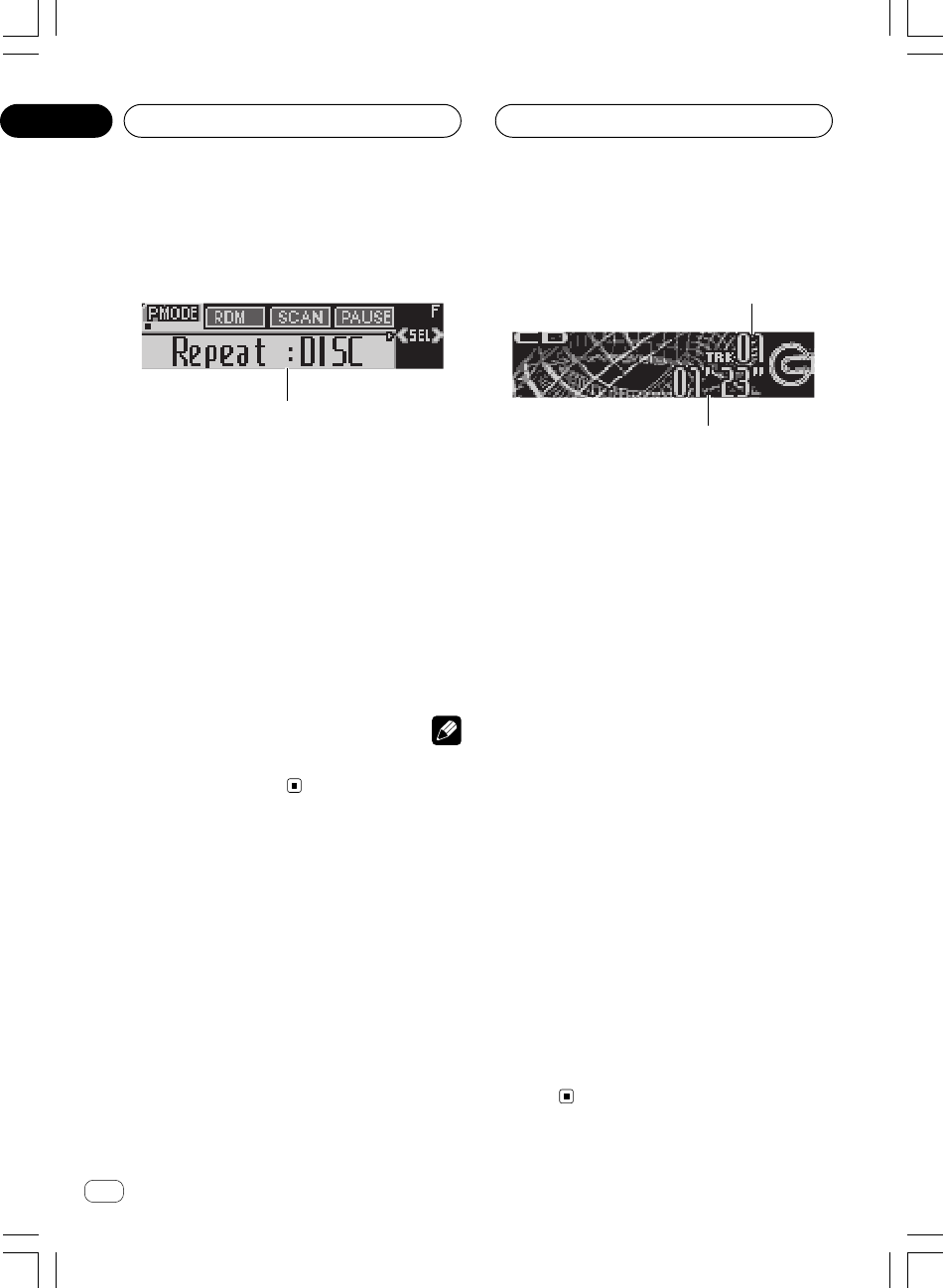
Ar
rI«
±µ
AGq «ôÝDu«½U «*b−?W «b«šKw
W?−b W½«uDÝô ŸUL²Ýô«
1
2
uDš Ác¼—Ëd{ WOÝUÝ« «uDÝô ŸUL²Ýö W¹uÐ W−b U½«WDÝ«
uDÝô« qGAUOKLŽ Õdý √b³OÝ UL ÆwKš«b« W−b*« U½«
uDÝô« qOGAðÆWOU²« W×HB« w WbI²*« W−b*« U½«
1WOMžô« r— dýR
ÆUOUŠ UNO« ŸUL²Ýô« r²¹ w²« WOMžô« 5³¹
2ŸUL²Ýô« XË dýR
ÆUOUŠ UNO« ŸUL²Ýô« r²¹ WOMžö WOCIM*« ŸUL²Ýô« …b 5³¹
± —e« jG{«
SOURCEqGA l{Ë —UO²šô
ÆwKš«b« W−b*« U½«uDÝô«
—e« jG{«
SOURCEdF« dNE¹ v²Š ÷Compact Disc
ÆWýUA« vKŽ
uð r «–«uDÝ« błu« —UO²š« pMJ1 s ¨“UN'« w WKL× W½«l{
Compact DiscuDÝô« qGA® qšœ« Æ©wKš«b« W−b*« U½«
uDÝ«—® Æ“U?N'« w W½«©Æ±∞ W×HB« lł«
≤jG{« ¨lOłd²« Ë√ l¹d« .bI²« WOKLŽ ¡«dłô
—e«
2 Ë√ 3Æ
d²š« «–«dÞ u« vKŽ Y׳« WI¹ l{
ROUGH SEARCH
¨
Ë jG{ p `LOÝ —e« jG{ XO³¦ð
2 Ë√ 3dAŽ qJ Y׳UÐ
uDÝô« w w½Už«—≈® ÆWOU(« W½« r v« lł
Y׳« WI¹dÞ —UO²š«
©Æ±∑ W?×H w
≥¨Èdš« WOMž« v« ÂUô« Ë√ nK)« v« wD²K
—e« jG{«
2 Ë√ 3Æ
{Gj «e—
3 ÝOFLq ŽKv «²Dw «v «ôžMOW «²UOWÆ LU ÝOFLq
{Gj «e—
2 d… Ë«Šb… ŽKv «²Dw ³b«¹W «ôžMOW «(UOWÆ {GDt
d… «šdÈ ÝOFLq ŽKv «²Dw «v «ôžMOW «UÐIWÆ
q?GA qOGAð UOKLFÐ n¹dFð
W?bI²*« wKš«b« W−b*« U½«uDÝô«
1
1nzUþu« ÷dŽ
u« WUŠ 5³¹ÆWHOþ
—e« jG{≈
FUNCTIONÆnzUþu« ¡ULÝ√ ÷dF
—e« jG{≈
FUNCTION—uBÐ —dJ² …uײK …u« 5Ð q¹nzUþ
∫WOU²«
Repeat©—dJ²*« ŸUL²Ýô«® Random—ŸUL²Ýô«®
uAF«©wz«
Scan—©`*UÐ ŸUL²Ýô«® Pause—·UI¹ô«®
R*«©X
Comp./BMX—uB« jG{® Ë BMX©
FF/REV—dÞ® ©Y׳« WI¹
uFKdF …œ —e« jG{≈ ¨ŸUL²Ýô« ÷
BANDÆ
WEŠö
Ë qOGAð r²¹ r «–«uFOÝ ¨WO½UŁ ≥∞ ‰öš WHOþdF« œ—uBÐ ÷…
Ë«uðdŽ v« WOJOðU ÆWÐcÐc« ÷
—dJ²*« ŸUL²Ýô«
Ë p `LðWOMžô« fH½ ŸULÝ WO½UJ« —dJ²*« ŸUL²Ýô« WHOþ
—uBЗdJ² …Æ…
± —e« jG{«
FUNCTIONŸUL²Ýô« l{Ë —UO²šô
—dJ²*«
(Repeat)Æ
—e« jG{≈
FUNCTIONdF« dNE¹ v²Š ÷RepeatvKŽ
ÆWýUA«
≤«{Gj «e—
2 √Ë 3 ôš²OU— bÈ «²Jd«— «*džu»Æ
—e« jG{«
2 Ë√3
—uBЗdJ² …ŸUL²Ýô« Èb dNE¹ v²Š …
d*« —dJ²*«užÆWýUA« vKŽ »
•
DISC –dJð r²OÝ uDÝö ŸUL²Ýô« —«w²« W½«
ÆUOUŠ UNO« ŸUL²Ýô« r²¹
•TRACK –dJð r²OÝ w²« WOMžö ŸUL²Ýô« —«
ÆUOUŠ UNO« ŸUL²Ýô« r²¹
<XRD7106-A> 126
∞µ
XRD7106A.Ara2-24 05/8/4, 17:3415
Ar
rI«
dF«WOÐ
±¥
u¹œ«d«
W?¹uI« UD;« UÐcЖ s¹eð
Ë p `Lðd«– WHOþ UD;« qC« …(BSM)e²Ð u« s¹XÝ È
—uBÐ UD× UÐcЖ˫ …uð—“« vKŽ WOJOðUu*« —«o³*« WH«
UND³{∂≠±Ë d−0eð œu*« pMJLOÝ „UM¼ UNM¹pKð vKŽ WH«
Ë —“ WDGCÐ UD;«ÆbŠ«
± —e« jG{«
FUNCTION…d«– l{Ë —UO²šô
UD;« qC«
(BSM)Æ
—e« jG{≈
FUNCTIONdF« dNE¹ v²Š ÷BSMvKŽ
ÆWýUA«
≤ —e« jG{≈
5UD;« qC« …d«– l{Ë qOGA²
(BSM)Æ
dŽ √b³OÝd«– ÷ UD;« qC« …
(BSM)u²UÐ ¡UMŁ√ Æi
uðdF« id«– ÷® UD;« qC« …
(BSMeð sJLOÝ s¹
u«—“« vKŽ UD× UÐcЖ XÝ Èu*« —« UND³{ o³*« WH«∂≠±
Ëd²UÐu VŠ VOð—Uý« …u²OÝ ¨WOKLF« ¡UN²½« bMŽ ÆUNð«uð ni
dŽd«– ÷ UD;« qC« …
(BSM)Æ
e²« WOKLŽ ¡UGô —e« jG{« ¨s¹
∞Æ
WEŠö
eðuÐ UD× UÐcЖ s¹Ë WDÝ«d«– WHOþUD;« qC« …
BSMeš w²« UD;« UÐcЖ ‰b³²ð Ê« sJ1 «b²ÝUÐ UN²½
—“ô« —«∂≠± Æ
<XRD7106-A> 127
∞¥
XRD7106A.Ara2-24 05/8/4, 17:3414
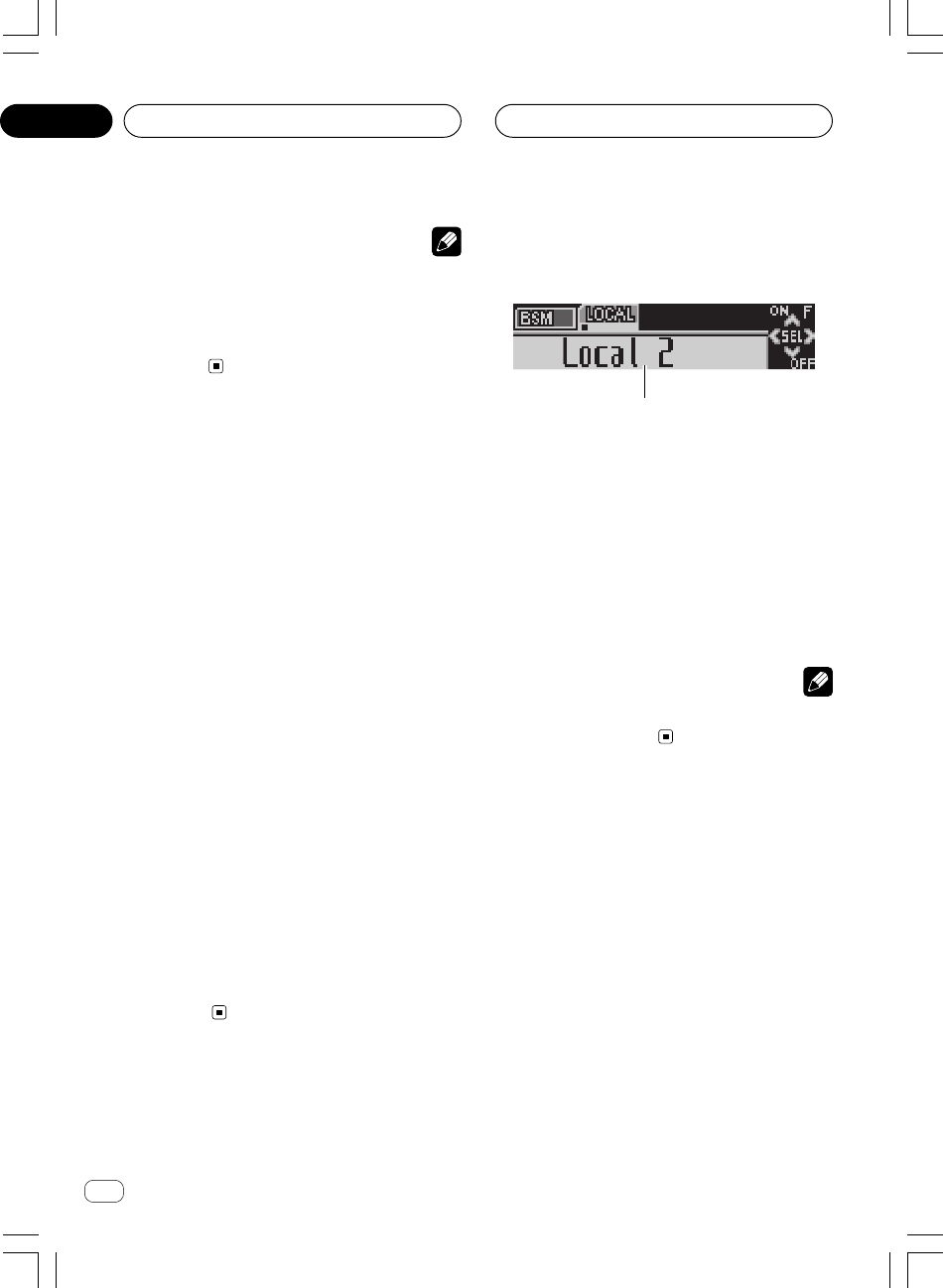
Ar
rI«
±≥
u¹œ«d«
u?¹œ«d« qOGAð UOKLFÐ n¹dFð
WbI²*«
1
1nzUþu« ÷dŽ
u« WUŠ 5³¹ÆWHOþ
—e« jG{≈
FUNCTIONÆnzUþu« ¡ULÝ√ ÷dF
—e« jG{≈
FUNCTION—uBÐ —dJ² …uײK …u« 5Ð q¹nzUþ
∫WOU²«
BSMd«–® ©UD;« qC« …Local—u® Y׳« WH«
©wK;«
uFKdF …œ —e« jG{≈ ¨WÐcÐc« ÷BANDÆ
WEŠö
Ë qOGAð r²¹ r «–«uFOÝ ¨WO½UŁ ≥∞ ‰öš WHOþdF« œ—uBÐ ÷…
Ë«uðdŽ v« WOJOðU ÆWÐcÐc« ÷
Y?³« UD× UÐcЖ ¡UŽb²Ý«Ë s¹eð
—“« s U¹√ jGCÐ XL «–«u*« —« UND³{ o³*« WH«∂≠±¨
uNÐ pMJLOÝeð WË s¹ULO UNzUŽb²Ýô YÐ UÐcЖ XÝ v²Š
Ë —“ WDGCÐ bFÐÆbŠ«
w UNM¹eð b¹dð WÐcЖ vKŽ —u¦F« bMŽ
UND³{ o³*« WH«u*« —«—“« s —“ jG{« …d«c«
r— —“ iuð nu²¹ v²Š tDG{ X³Ł rŁ ∂≠±
ÆUND³{ o³*« WH«u*«
uOÝd« iR w t²DG{ Íc« r— dýu*« rUND³{ o³*« WH«
Ëeð - b ÊuJ¹ pcÐ ÆU¾OC vI³OÝd« WD× WÐcЖ s¹u¹œ«
—U²<«d«c« w …Æ…
d*« wu*« —“ fH½ UNO jGCð w²« WOU²« …UND³{ o³*« WH«
d« WD× WÐcЖ ¡UŽb²Ý« r²OÝd«c« s u¹œ«Æ…
UEŠö
•Ë Êeš pMJ1 « ·« WD× ±∏ v²Š
FMqJ UD× ∂ ¨
« ·ô« UD× s WD×
FM« t¹« UD× ∂ Ë Àö¦«
AMd«c« w Æ…
•—“ô« «b²Ý« UC¹« pMJ1 —«
5 Ë ∞UÐcЖ ¡UŽb²Ýô
d« UD×e<« u¹œ«—“ô« vKŽ W½ —«∂≠± Æ
W?¹uI« UD;« WH«u
Ë p `Lðu WHOþu0 wK;« Y׳« WH«d« UD× WH««– u¹œ«
—Uýô«uI« «—uBÐ W¹ÆjI bOł ‰U³I²Ýô WOU …
± —e« jG{«
FUNCTIONwK× l{Ë —UO²šô
(Local)Æ
—e« jG{≈
FUNCTIONdF« dNE¹ v²Š ÷Local
vKŽ
ÆWýUA«
≤ —e« jG{≈
5ÆwK;« Y׳« WH«u l{Ë qOGA²
dŽ dNEOÝ ö¦® wK;« Y׳« WOÝUŠ ÷
Local 2vKŽ ©
ÆWýUA«
≥ —e« jG{≈
2 Ë√ 3ÆWOÝU(« j³C
—√ „UM¼u² lÐuLK WOÝUŠ U¹ Wł
FMË u²u* 5¹ WłAM∫
FM ± wK× ∫—Local 1 ≤ wK×—Local 2
≥ wK×—Local 3 ¥ wK×Local 4
AM
± wK× ∫—Local 1 ≤ wK×Local 2
Ë `L¹ j³C« l{Local 4
uI« UD;« ‰U³I²ÝUШjI W¹
Ë« `Lð ULMOÐnF{ô« UD;« ‰U³I²ÝUÐ p qô« j³C« ŸU{
—uBÐÆW³UF² …
¥Y׳UÐ WH«u*« l{Ë v« …œuF« w Vždð UbMŽ
—e« jG{≈ ¨W¹œUF«∞Y׳« WH«u qOGAð ·UI¹ô
ÆwK;«
dF« dNEOÝ ÷
Local :OFF ÆWýUA« vKŽ
<XRD7106-A> 128
∞¥
XRD7106A.Ara2-24 05/8/4, 17:3413
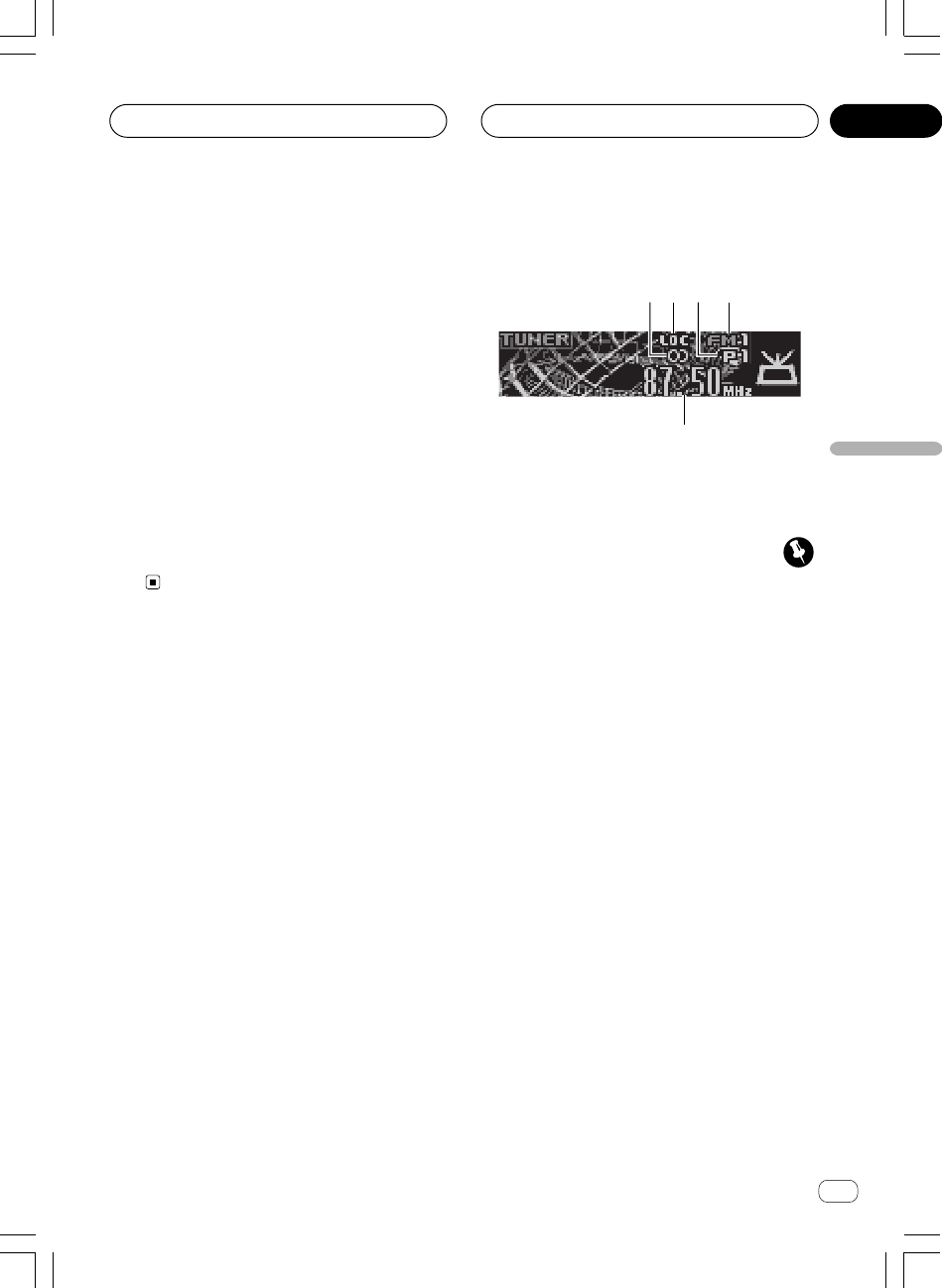
Ar
rI«
dF«WOÐ
±≤
u¹œ«dK ŸUL²Ýô«
1
2
3
4
5
uD)« Ác¼—ËdC« WOÝUÝô« «d« qOGA² W¹Õdý √b³OÝ UL Æu¹œ«
d« qOGAð UOKLŽÆWOU²« W×HB« w WbI²*« u¹œ«
ÂU¼
d« «c¼ «b²Ý« bMŽd« w u¹œ«u« Ë√ WOULA« UJ¹Ë√ vDÝ
uM'«—œ j³{ bŽ« ¨WOÐu Wł—® « t¹« Wł r lł«
Wł—œ j³{
« t¹« Włu WH«u
AM
Æ©≥π W×H vKŽ
1u¹d²« u dýR
—U²<« WÐcÐc« ÊUÐ 5³¹uBÐ UN¦Ð r²¹ …d²Ý Æu¹
2 wK× dýR
LOC
Ë ÊuJ¹ v² 5³¹Ë vKŽ wK;« `*« l{ÆqOGA²« l{
3o³*« j³C« r— dýR
— 5³¹—UO²š« - Íc« o³*« j³C« rÆÁ
4Włu*« dýR
u*« 5³¹u - w²« Włd« WH« « t¹« ¨UNOKŽ u¹œ«
AM
« ·« Ë√
FM
Æ
5WÐcÐc« dýR
u - w²« WÐcÐc« 5³¹d« WH«ÆUNOKŽ u¹œ«
± —e« jG{«
SOURCE
Æu¹œ«d« l{Ë —UO²šô
—e« jG{«
SOURCE
dF« dNE¹ v²Š ÷
Tuner
vKŽ
ÆWýUA«
u¹œ«d«
≤ —e« jG{«
BAND
ÆWłu*« —UO²šô
—e« jG{«
BAND
u*« dNEð v²Š d*« Włuž ± « ·« ¨WÐ
FM1
¨
≤ « ·«
FM2
Ë ¨ ≥ « ·«
FM3
u* « ·« Wł
FM
« t¹« Ë√
AM
Æ
≥ —e« jG{« ¨W¹Ëb¹ WH«u ¡«dłô
2
Ë√
3
WDG{
ÆWF¹dÝ
dײ²Ýd „—œ qHÝô« Ë√ vKŽ« v« WÐcÐc« …¡«—œ WłÆWł
¥—e« jG{ X³ŁË jG{« ¨Y׳UÐ WH«u ¡«dłô
2
Ë√
3
ÆÁ—dŠ rŁ …bŠ«Ë WO½UŁ …b*
uIOÝd« Âu YÐ vKŽ —u¦F« r²¹ v²Š UÐcÐc« `0 u¹œ«—uBÐ Í…
ÆbOł ‰U³I²Ý« vKŽ ‰uB×K WOU
u*« ¡UG« pMJ1 —e« jGCÐ Y׳UÐ WH«
2
Ë√
3
WDG{
dÝÆWF¹
Ë XDG{ «–« —e« jG{ X³Ł
2
Ë√
3
wDð pMJLOÝ
u*« √b³²Ý ÆY³« UD×d−0 Y׳UÐ WH«d% œ—“ô« d¹ Æ—«
<XRD7106-A> 129
∞¥
XRD7106A.Ara2-24 05/8/4, 17:3412

Ar
rI«
±±
WOÝUÝô« öOGA²«
•uDÝô« qGA qLF¹ r «–«—uBÐ wKš«b« W−b*« W½«¨W×O× …
—Uý« dNE²Ý ö¦ WýUA« vKŽ QDš …
ERROR-11— Ælł«
r
W−b*« U½«uDÝô« qGA0 WU)« QD)« qzUÝ— rN
wKš«b«
Æ¥¥ W×H w
•dš« lD²ðuDÝô« Ã«Ë jGCÐ W−b*« W½«—e« jG{ XO³¦ð
EJECTuÐ ułË œdšô« l{Ë√ qOL% qOGAð sJ1 ô UbMŽ ë
dš«uDÝô« ë—uBÐ W−b*« W½« ÆW×O× …
u?B« Èu² j³{
—e« Âb²Ý«VOLUMEÆuB« Èu² j³C
u« vKŽd« …bŠ —e« —Ëœ ¨WOOz
VOLUMEd iHš Ë√ l
u²uB« ÈÆ
Ë vKŽ —e« jG{« ¨bFÐ sŽ rJײ« …bŠ
VOLUMEd Ë√ l
u² iHšuB« È Æ
“U?N'« WUÞ qOGAð ·UI¹«
—e« jG{ X³ŁË jG{«SOURCEr²¹ v²Š
Æ“UN'« qOGAð ·UI¹«
<XRD7106-A> 130
∞≥
XRD7106A.Ara2-24 05/8/4, 17:3411
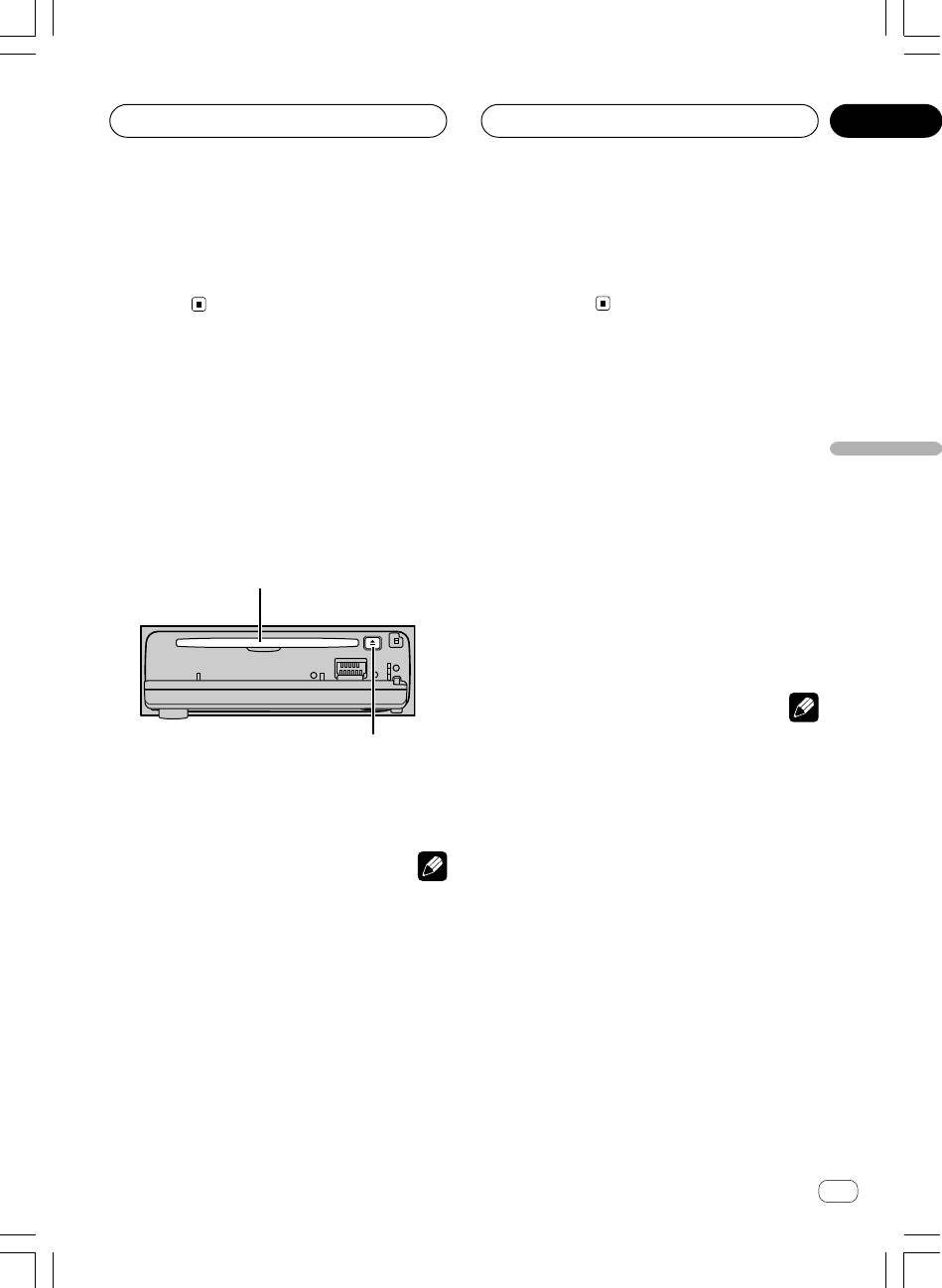
Ar
rI«
dF«WOÐ
±∞
“U?N'« WUÞ qOGAð
—e« jG{«SOURCEÆ“UN'« qOGA²
Æ“UN'« qOGAð r²OÝ ¨—bB —UO²š« bMŽ
—bB*« —UO²š«
dð Íc« —bB*« —UO²š« pMJ1qGA qOGA² ÆtO« ŸUL²Ýô« b¹
uDÝô«uDÝ« qOLײРr ¨wKš«b« W−b*« U½«—® “UN'« w W½«lł«
Æ©±µ W×H
—e« jG{«
SOURCEÆ—bB*« —UO²šô
—e« jG{«
SOURCE—uBÐ —dJ² …uײK …—œUB*« 5Ð q¹
∫WOU²«
u¹œ«d«—Êu¹eHK²«—u¹bOH« U½«uDÝ« qGA
WOLd«
DVD
/WOLd« u¹bOH« U½«uDÝ« qGA
DVD…œbF²*« —W−b*« U½«uDÝô« qGA
wKš«b«—…œbF²*« W−b*« U½«uDÝô« qGA—
± wł—U)« “UN'«—≤ wł—U)« “UN'«— wU{«
AUX
UEŠö
•uB« —bB dOG²¹ s ¨WOU²« ôU(« w∫
–Ë ÂbŽ bMŽułöB² —U²<« qOGA²« —bB* dþUM “UNł œ
Æ“UN'« «c¼ l
–Ë ÂbŽ bMŽułuDÝ« œÆ“UN'« «c¼ w W½«
–Ë ÂbŽ bMŽułuDÝ« œuDÝ« qGA w W½«u¹bOH« U½«
d« WOL
DVDÆ
–Ë ÂbŽ bMŽułuDÝ« Êe œuDÝô« qGA w U½«U½«
Æ…œbF²*« W−b*«
–Ë ÂbŽ bMŽułuDÝ« Êe œuDÝ« qGA w U½«U½«
d« u¹bOH« WOL
DVDÆ…œbF²*«
– “UN'« ÊuJ¹ UbMŽ
AUXu³C ©wU{ô« qšb«® vKŽ UÞ
Ë—® ·UI¹ù« l{Æ©≥π W×H lł«
•—Uš “UNł rÝ« dOA¹u¹UÐ U−²M v« włw²« pKð q¦® dO½
u²²ÝË ¨©q³I²*« w dË w²«u² dOž X½U Ê≈—bBL WI«
u« w rJײ« WO½UJ≈ `O²²Ý UN½« ô≈ ¨qOGAðnzUþ
“UNł w rJײ« sJ1 Æ“UN'« «c¼ ‰ULF²ÝUÐ WOÝUÝ_«s¹
—Uš“UNł qOuð bMŽ Æ“UN'« «c¼ ‰ULF²ÝUÐ 5Oł—Uš s¹¨5Oł
uIOÝË√ “UN'« «c¼ Âuð“UN− UL¼bŠ√ hOB²Ð UOJOðU
—UšË ± wł—Uš “UN− dšô«Æ≤ wł
•dDÐ iOÐ_«Ø‚—“_« “UN'« «c¼ pKÝ qOuð bMŽqOuð ·
d w rJײ«u¼ qŠ—UO« wz«Ë_« …uðu¼ œbL²OÝ ¨wJOðUwz«
—UO«Ë_« …uðV× Æ“UN'« «c¼ —bB qOGAð bMŽ wJOðU
uN«Ë√ ¨qš«b« v« wz« Æ—bB*« qOGAð n
W½«uDÝ« qOL%
± —e« jG{«OPENÆWOUô« WŠuK« `²H
uDÝô« qOL% Wײ dNE²ÝÆW−b*« U½«
uDÝ« ‰Ušœ« r²¹ Ê« bFÐ —e« jG{« ¨W−b W½«
SOURCE
Ë —UO²šôuDÝô« qGA l{ÆwKš«b« W−b*« U½«
≤qOL% Wײ w W−b W½«uDÝ« qšœ«
ÆW−b*« U½«uDÝô«
Ë« ŸUL²Ýô« √b³OÝuðÆUOJOðU
uDÝô« qOL% WײW−b*« U½«
dšô« —“ ëEJECT
dš« pMJ1uDÝô« ë —e« jGCÐ W−b*« W½«
EJECT
Æ
Ë VM−²w½bF rł Í√ Wö ÂbŽ s bQ𠨉UDŽ« Ÿu
dÞöuK« ÊuJð UbMŽ ·«u²H WOUô« WŠÆWŠ
UEŠö
•uÐ ŸUL²Ýô« r²¹uDÝô« qGA WDÝ«v« wKš«b« W−b*« U½«
uDÝ«Ë WOÝUO W−b U½«dH® …bŠ«∏ Ë√ rÝ ±≤ r−Š ©…œ
d q w rÝv« ŸUL²Ýô« bMŽ T¹UN «b²Ý« ÂbŽ V−¹ Æ…
uDÝ«ÆrÝ ∏ r−Š W−b W½«
•uDÝô« dOž dš« ¡wý Í√ ‰Ušœ« ÂbŽ V−¹v« W−b*« U½«
uDÝô« qOL% WײÆW−b*« U½«
•Ëô« iFÐ „UM¼…œUŽ« ¡bÐ w dOšQð UNO Àb×¹ Íc« U
uB« —ËbË ŸUL²Ýô«d r²¹ UbMŽ ÆdF« dNEOÝ ¨UNð¡«÷
Format Read
ÆWýUA« vKŽ
•uDÝô« ‰Ušœ« VFB« s ÊU «–«—uBÐ W½«oHš« Ë√ WUð …
Ë s bQð ¨UNO« ŸUL²Ýô«ułu« œv« UN−² tOKŽ Ÿu³D*« tł
—e« jG{« ÆvKŽô«
EJECT
dšô uDÝô« Ã«Ë ¨W½«s bQð
uDÝô« nKð ÂbŽÆUNUšœ« …œUŽ« q³ W½«
<XRD7106-A> 131
WOÝUÝô« öOGA²« ∞≥
XRD7106A.Ara2-24 05/8/4, 17:3410
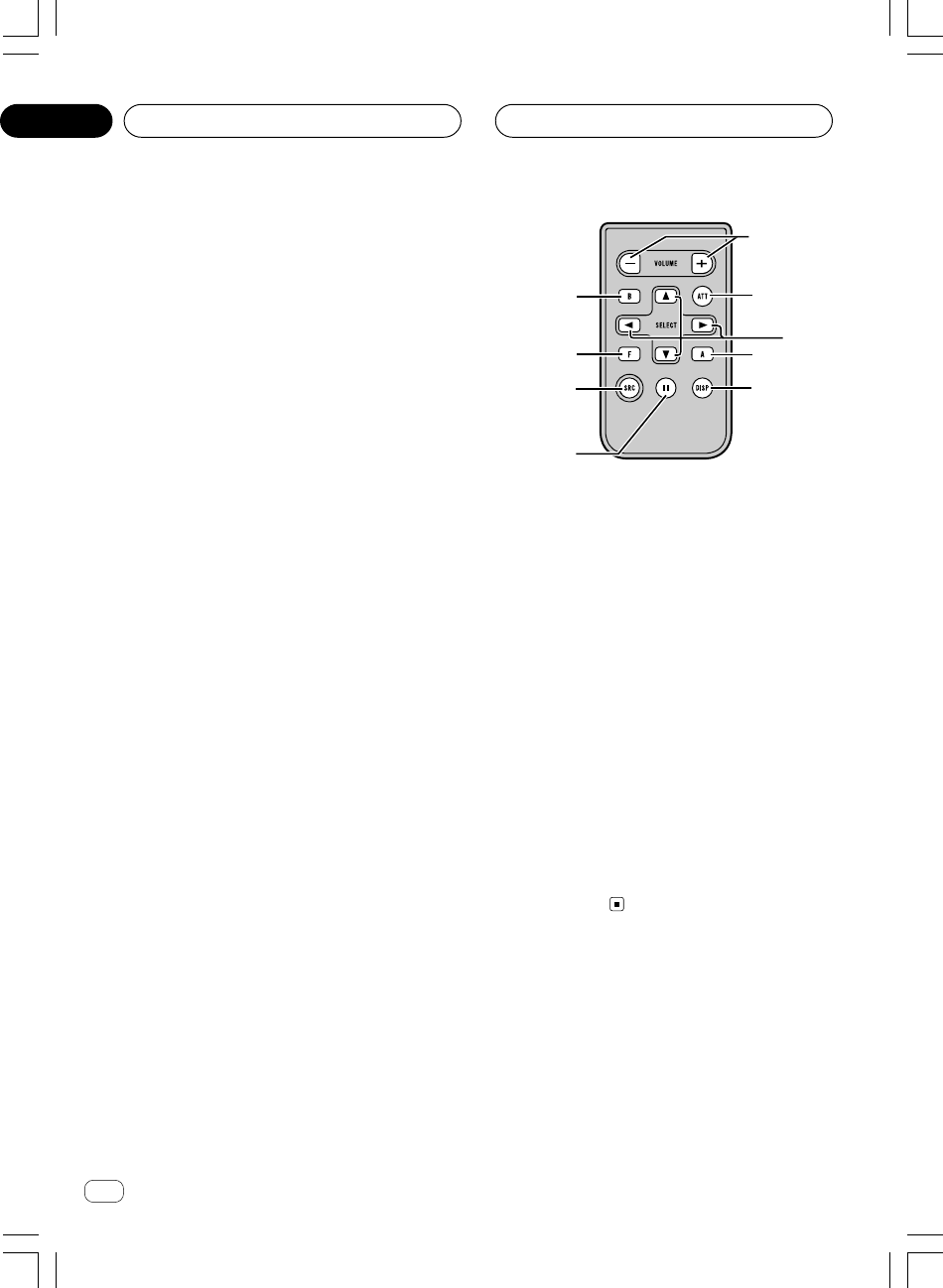
Ar
rI«
π
¡«ełôUÐ n¹dF²«
f
1
g
2
7
c
b
e
d
<XRD7106-A> 132
b?FÐ sŽ rJײ« …bŠË
—“ô« «b²Ý« bMŽ UNH½ w¼ qOGA²« UOKLŽu*« —«ułvKŽ …œ
u«d« …bŠ—≈ ÆWOOzuð v« lłu« «b²Ý« U×O{d« …bŠWOOz
dF²KdÞ vKŽ ·—“ô« s —“ q qOGAð WI¹XUš —“ «bŽ ULO —«
uB«
ATTdý r²OÝ Íc« ¨ÆÁU½œ« tŠ
$ uB« Èu² —«—“√
VOLUME
d tDG{«u² iHš Ë√ luB« ÈÆ
% uB« X$Uš —“
ATT
u² iOH² tDG{«uB« ÈdÐ u( ¨WŽs •π∞ w«
d tDG{« Æt²LOdš√ …uFK Èu² v« …œuB« r−Š È
ÆwKô«
^ —bB*« —“
SOURCE
—UO²š« bMŽ “UN'« «c¼ qOGAð r²OÝÆqOGA²« —bB* „
u²*« —œUB*« 5Ð ‰UI²½ö tDG{«d Æ…
∞≤
XRD7106A.Ara2-24 05/8/5, 11:079
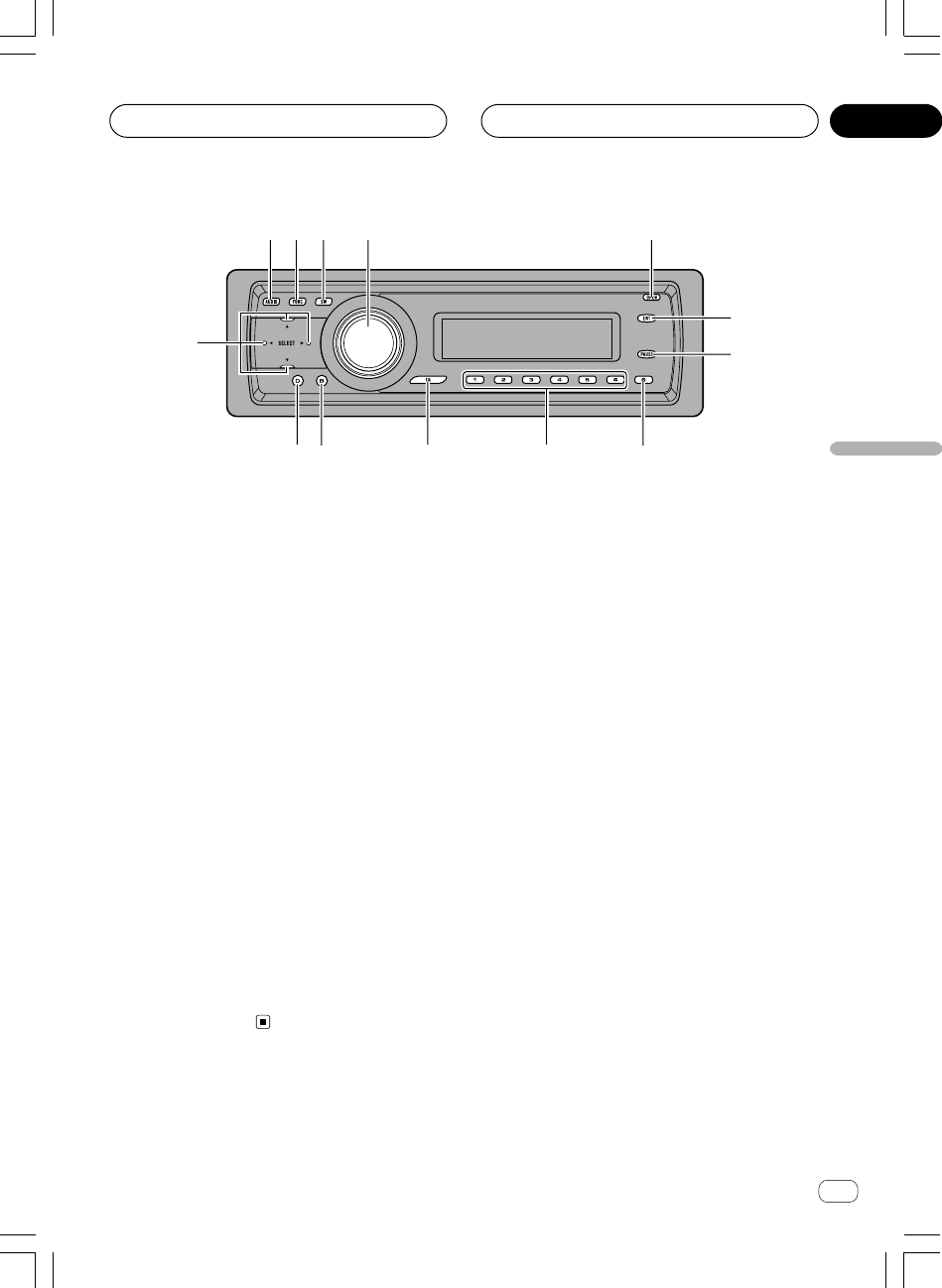
Ar
rI«
dF«WOÐ
∏
¡«ełôUÐ n¹dF²«
WOOzd« …bŠu«
1 uB« —“AUDIO
Ë« —UO²šô tDG{«uł j³{ ŸU{uB« …œÆWHK²<«
2 nzUþu« —“
FUNCTION
u« —UO²šô tDG{«ÆWHK²<« nzUþ
3 WOŽdH« iOH)« uB« WŽULÝ —“
SW
uB« WŽULÝ j³{ WLzU —UO²šô tDG{«dH« iOH)« WOŽ
SW—uBÐ dýU³ …—≈ Æ… r v« lł
WŽULÝ Ãdš «b²Ý«
WOŽdH« iOH)« uB«
Ë tDG{« Æ≥µ W×H wtDG{ X³Ł
u« j³{ WLzU —UO²šô WHOþ
EQ-EX—≈ Æ r v« lł
WœUF
w½UO³« Ê“«u*« UOM×M
(EQ-EX)
Æ≥≤ W×H w
4 —bB*« —“
SOURCE
uB« Èu²&ËVOLUME
—UO²š« bMŽ “UN'« «c¼ qOGAð r²OÝÆqOGA²« —bB* „
u²*« —œUB*« 5Ð ‰UI²½ö tDG{«dÆ…
d —e« —œ√u² iHš Ë√ luB« ÈÆ
5 `²H« —“
OPEN
uK« `²H tDG{«ÆWOUô« WŠ
6 WOK²« —“ENTERTAINMENT
uײK tDG{«Ë v« q¹dŽ l{ÆWOK²« ÷
7 X+R*« ·UI¹ô« —“
PAUSE
uײK tDG{«Ë 5Ð q¹Ë qOGAð ·UI¹« Ë√ qOGAð wF{WHOþ
R*« ·UI¹ô«ÆX
8 WŽU« —“
CLOCK
uײ tDG{«dŽ q¹ÆWŽU« ÷
9 ∂≠± —«—“«
(1–6)
dłô UNDG{«u ¡«Ë j³C« WI³ WH«— sŽ Y׳«r
uDÝô«uDÝô« qGA «b²Ý« bMŽ W½«Æ…œbF²*« W−b*« U½«
0 w½UO³« Ê“«u*« —“
EQ
u*« UOM×M —UO²šô tDG{«ÆWHK²<« w½UO³« Ê“«
! Włu*« —“
BAND
u ÀöŁ 5Ð s —UO²šö tDG{« « ·« UłFMËË Â« t¹« …bŠ«
AMË Ë ¡UGôu« w rJײ« l{ÆnzUþ
@ ÷dF« —“
DISPLAY
ËdŽ —UO²šô tDG{«Ë« ÷ÆWHK²<« j³C« ŸU{
# —«—“«
3/2/∞/5
dłô UNDG{«u*« w rJײ« UOKLŽ ¡«.bI²« ¨`*UÐ WH«
d«d²« ¨l¹Ë lOłËb¹ w½Užô« sŽ Y׳«UC¹« Âb²ð ÆU¹
u« w rJײK ÆWHK²<« nzUþ
12 3 4 5
6
7
89abc
d
<XRD7106-A> 133
∞≤
XRD7106A.Ara2-24 05/8/4, 18:598
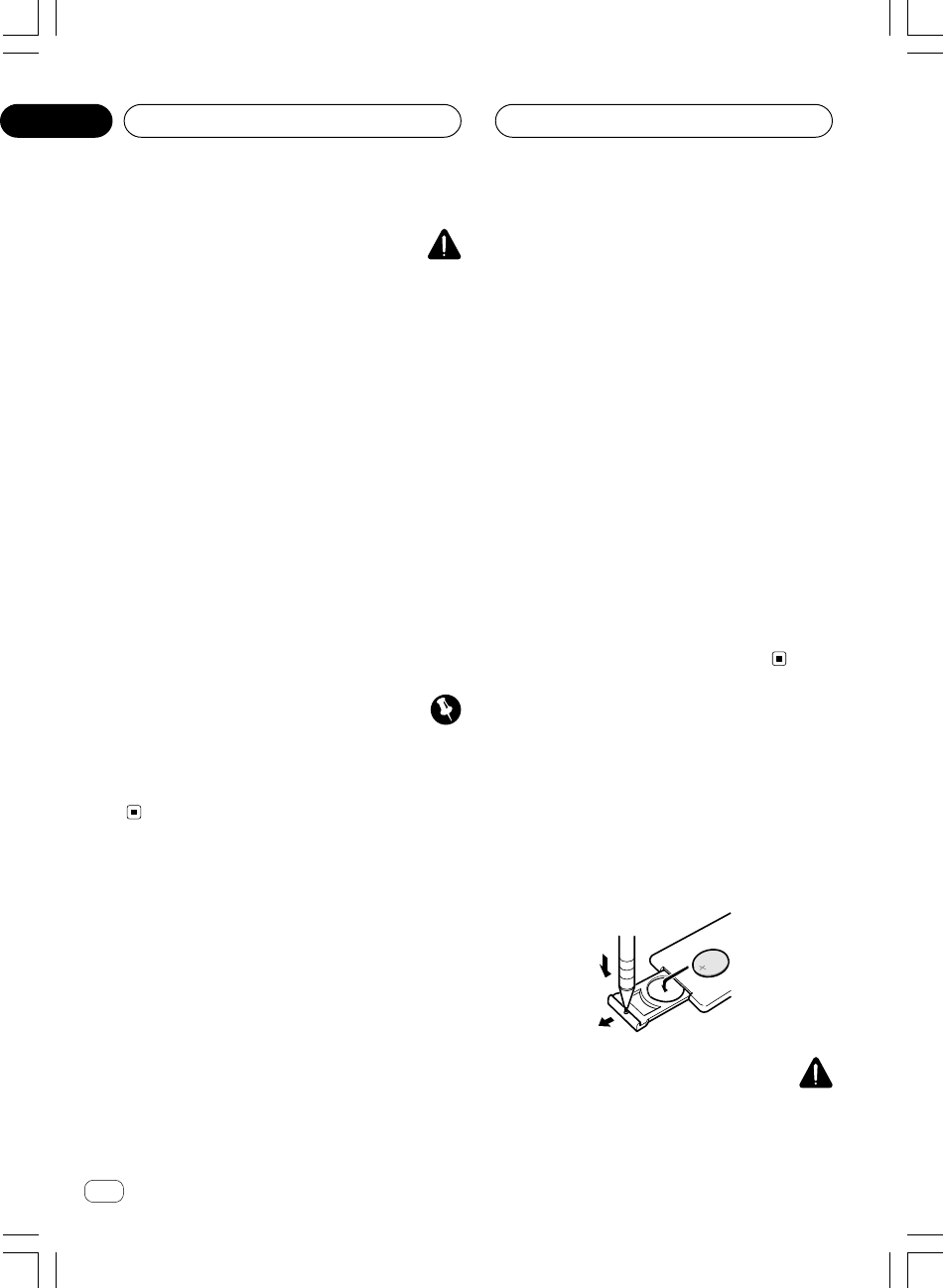
Ar
rI«
“U?N'« «c¼ «b²Ý« q³
<XRD7106-A> 134
«d¹c%
•—UDÐ Âb²Ý«uO¦O W¹dÞ Â “«CR2025 ©Xu ≥®ÆjI
•dšUÐ r—UD³« Ã«Ë Â«b²Ý« ÂbŽ WUŠ w W¹sŽ rJײ« …bŠ
Æd¦« Ë√ dNý …b* bFÐ
•—UD³« s hK²« Ë√ 5ð ¨p ¨s×ý …œUŽ« ÂbŽ V−¹W¹
Æ—UM« w UNzUIUÐ
•—UD³« l qUF²« ÂbŽ V−¹uÐ W¹Ëœ« WDÝ«ÆWO½bF «
•eð ÂbŽ V−¹—UDÐ s¹uO¦OK« W¹u l ÂÆWO½bF œ«
•Ë WUŠ wdð Ÿu—UD³« s »Ë `« ¨W¹bFÐ sŽ rJײ« …bŠ
—Ë UNHOEM² UU9—UDÐ VÆ…b¹bł W¹
•—UD³« s hK²« bMŽd¹ ¨Wb²*« U¹uI« ŸU³ð« vł5½«
uJ(«u Ë√ WOr²¹ w²« WUF« W¾O³« W¹ULŠ U¾O¼ 5½«
Ëb« w UNIO³DðÆUNO gOFð w²« WIDM*«ØW
b?FÐ sŽ rJײ« …bŠË «b²Ý«
ËË tłuK« ÁU&« w bFÐ sŽ rJײ« …bŠÆ“UN'« qOGA² WOUô« WŠ
•Ë qLFð ô b—uBÐ rJײ« …bŠdF X½U «–« W×O× …W{
dýU³*« fLA« WFýôÆ…
ÂU¼
•eð ÂbŽ V−¹Ë s¹—bÐ “U²9 WIDM w bFÐ sŽ rJײ« …bŠWł
dŠ—«dF Ë√ WOUŽ …dýU³*« fLA« WFýô W{Æ…
•Ë ◊UIÝ« ÂbŽ V−¹—« vKŽ bFÐ sŽ rJײ« …bŠ—UO« WO{¨…
dF²ð b YOŠËœ X% qdH« WÝ«eM³«® Ÿ—U²« Ë√ q« Æ©s¹
n?KK Ÿułd« l{Ë
uIð r «–«√b³²Ý ¨WO½UŁ ≥∞ ÊuCž w qOGAð WOKLŽ ÍQÐ Â
R*«dýËdF*« «dUÐ WýUA« vKŽ W{Ë ¨nKK ŸułczbFÐ dL²²Ý
d« wuŁ ±∞ q nKK Ÿuł —e« jG{ ÆÊ«
µ µ
µ µ
µ
(5)ÊuJð UbMŽ
Ë vKŽ “UN'« «c¼ WUÞÕU²H j³{ - ULMOÐ qOGA²« ·UI¹« l{
Ë vKŽ ‰UFýô« UI×K l{
ACC qOGAð Ë√ ONvKŽ qLFOÝ
Ë qOGAð ¡UG«d« l{ —e« jG{ qLFOÝ UL ÆnKK Ÿuł
µ µ
µ µ
µ
(5)
ddš« …Ë qOGAð vKŽ Èd« l{ÆnKK Ÿuł
W?HOþuK w×O{u²« ÷dF«
Ë √b³OÝdF« l{u²« ÷uK w×O{—uBÐ WHOþË« …uðr²¹ bMŽ WOJOðU
ÕU²H j³{ - b ÊuJ¹ ULMOÐ “UN'« «c¼ WUÞ qOGAð ·UI¹«
Ë vKŽ ‰UFýô« UI×K l{
ACC qOGAð Ë√ ON —e« jG{ Æ
∂∂
∂∂
∂
(6)Ë qLF¹ UbMŽ dF« l{u²« ÷uK w×O{qOGAð wGKOÝ WHOþ
ËdF« l{u²« ÷uK w×O{ —e« jG{ qLFOÝ UL ÆWHOþ
∂∂
∂∂
∂
(6)
ddš« …Ë qOGAð vKŽ ÈdF« l{u²« ÷uK w×O{ÊUÐ dcð ÆWHOþ
ËdF« l{u²« ÷uK w×O{d× ÊuJ¹ ULMOÐ tKLŽ dL²OÝ WHOþ„
—UO«Ë vKŽ …R¹ b «c ¨·UI¹ô« l{—UDÐ WM×ý ⁄dH² p– ÍœW¹
—UO« Æ…
b?FÐ sŽ rJײ« …bŠË «b²Ý«
UNÐ W¹UMF«Ë
W¹—UD³« VOdð
e²Ð ru*« WOMOB« oOułË nKš œÃ—U)« v« bFÐ sŽ rJײ« …bŠ
—Ë—UD³« VuÐ W¹ułu*« UNÐUD« œË ©´® W³łWN−² ©≠® W³U«
—uBÐÆW×O× …
tO³Mð
—UD³« vKŽ kUŠË ƉUHÞô« Íb¹« ‰ËUM² sŽ …bOFÐ W¹WUŠ w
—UD³« Ÿö²Ð«—UA²ÝUÐ r ¨W¹—u VO³Þ …Æ«
∞±
XRD7106A.Ara2-24 05/8/4, 17:347
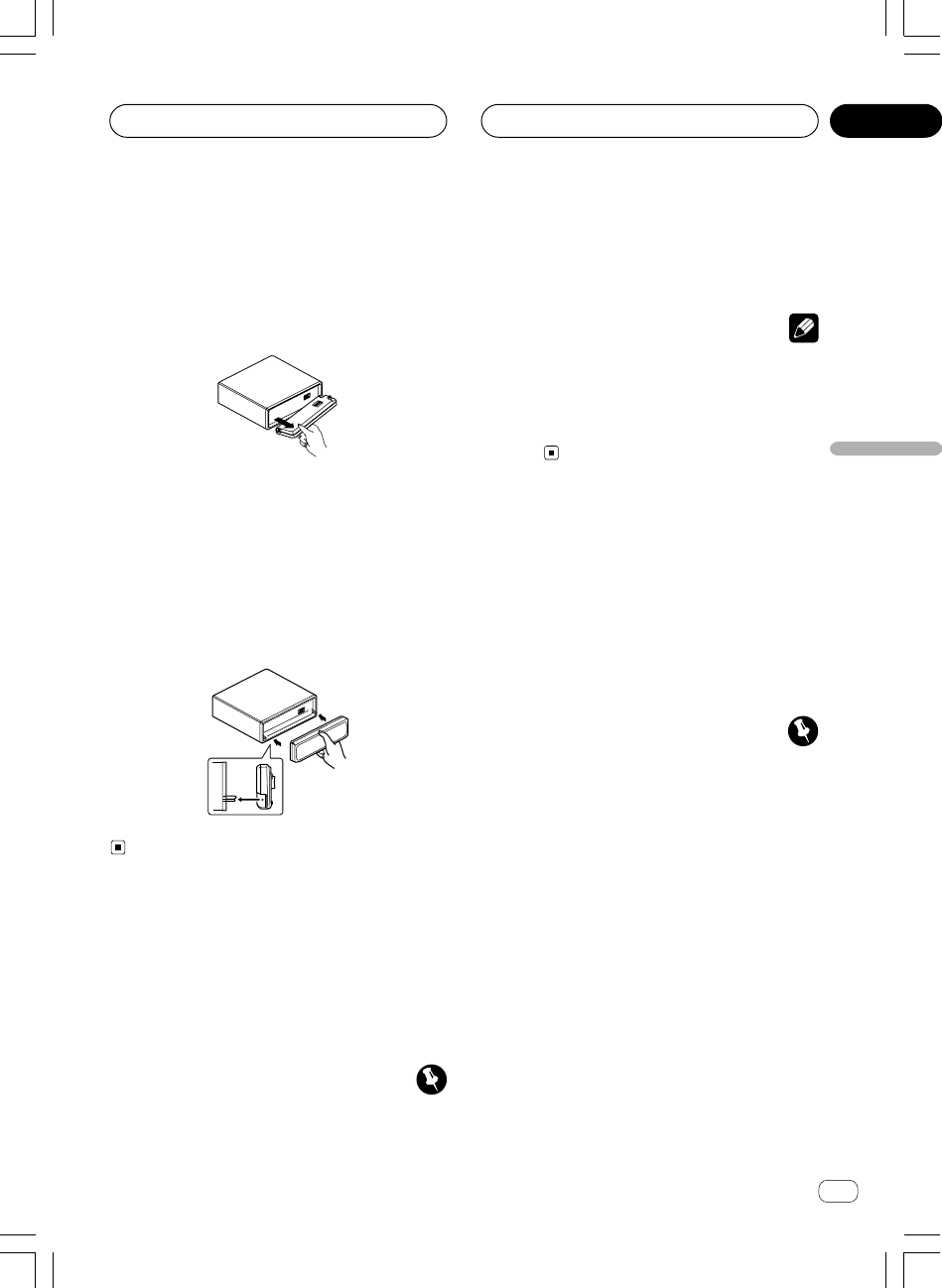
Ar
rI«
dF«WOÐ
∂
—UFA«Windows Media Ë Windows—U& UöŽ w¼ Ë« W¹
—U& UöŽ− W¹
Ò
dA WK W
Microsoft Corporationw
u«dš√ ‰Ëœ Ë√ØË …bײ*« U¹ôÆÈ
UEŠö
•—uBÐ “UN'« «c¼ qLF¹ ô bd³« iFÐ l W×O× …Z«
UHK dOHA² Wb²*«
WMAÆ
•Ëu« U¹bO qGA WM UIUHK dOHAð w Âb²*« “ËbM¹
WMAdŽ r²¹ ô bI ¨u³K« ¡ULÝ« ÷u*« UË WOIOÝU½UOÐ
uBM«dšô« ’—uBÐ È ÆWýUA« vKŽ W×O× …
W?d« b{ „“UNł W¹UL(
uK« qB sJ1u« sŽ WOUô« WŠd« …bŠË WOOzeðW³KŽ w UNM¹
Ëd WO«dÝ lM* WIÆUN²
•uK« qB r²¹ r «–«u« sŽ WOUô« WŠd« …bŠ‰öš WOOz
uŁ fLšd;« qOGAð ·UI¹ô Ê«u —bBOÝ ¨„dł ÆtO³Mð ”
•dł qOGAð ·UI¹« sJ1—≈ ÆtO³M²« ” r v« lł
WLG½ q¹u%
d¹cײ« ”dł
Æ≥π W×H w
ÂU¼
•uIÐ jGC« Ë√ „Uô« ÂbŽ V−¹—UF« vKŽ …Ë W{—“ô«bMŽ —«
dð Ë√ UNKBÆUN³O
•dFð VM&uK« i¹e²¼ô WOUô« WŠ“«Æ…b¹bý «
•dFð ÂbŽ vKŽ kUŠuK« i¹dýU³*« fLA« WFýô WOUô« WŠ…
—œ Ë√dŠ Uł—«ÆWOUŽ …
W?OUô« WŠuK« qB
± —e« jG{«
OPENÆWOUô« WŠuK« `²H
≤UN³×Ý«Ë WOUô« WŠuK d¹ô« V½U'« p«
Æ×UK nDKÐ
uIÐ „Uô« —cŠ«uK« ◊UIÝ« Ë√ …s UN²¹ULŠ V−¹ UL WOUô« WŠ
ËuÝ Í√ Ë√ ¡U*« Ÿudš« qz«Ærz«œ qDFÐ UN²ÐU« VM−² UNOKŽ È
≥WId*« W¹UL(« W³KŽ w WOUô« WŠuK« l{
ÆWLOKÝ UNOKŽ ÿUH×K
W?OUô« WŠuK« VOdð …œUŽ«
vKŽ WLzU …—uBÐ UNUUÐ WOUô« WŠuK« V—
ÆXO³¦²« UUDš vKŽ ÂUJŠUÐ UN²³ŁË “UN'« «c¼
w?×O{u²« ÷dF« l{Ë ‰uŠ
Ë“uÐ “UN'« «c¼ œdŽ wF{uð ÷Ë u¼ ‰Ëô« Æw×O{d« l{Ÿuł
Ë ¨nKKË dšô«dF« l{u²« ÷uK w×O{ÆWHOþ
•Ë qOGAð ¡UG« pMJ1 sdF« l{u²« ÷ÊuJð UbMŽ w×O{
uK«u²H WOUô« WŠÆWŠ
ÂU¼
dLŠô« pK« qOuð V−¹
(ACC)dÞ v« “UN'« «cN qB² ·
uÐbI ¨p– r²¹ r «–« ƉUFýô« ÕU²H qOGAð ·UI¹«ØqOGAð l{
R¹dHð v« p– Íœ—UDÐ WM×ý m¹—UO« W¹Æ…
“U?N'« «c¼ «b²Ý« q³
∞±
<XRD7106-A> 135
XRD7106A.Ara2-24 05/8/4, 17:346
Ar
rI«
µ
“U?N'« «c¼ «b²Ý« q³
<XRD7106-A> 136
∞±
n?K* ŸUL²Ýô« …œUŽ«MP3
UHK* ŸUL²Ýô« …œUŽ« sJ1MP3uDÝ« vKŽ WK− U½«CD-
ROM/CD-R/CD-RW
u²*« s WOÝUO ö−ð® ر È
u²*« ÂUEM ≤ È
ISO9660Æ©
•Ë ¨wBA« «b²Ýö “UN'« «c¼ lM—U−²« dOžË jI Íô
— «c¼ wDF¹dýU³*« Y³« ‰ULŽö «b²Ýô« w o(« Ë√ WBš
—ô« UD×®Í√ Ë√ØË ö³J« ¨WOŽUMô« —ULô« ¨WO{
Ëdš« jzUÝ—U−²« ©È—Ë s vM& w²« ‰ULŽô« ö¦® W¹W¹« UNz«
—«—ô«ØY³« ¨©ÕUÐd²½ô« d³Ž ‰UÝË√ØË WOKš«b« UJ³A« ¨XO½
—U−²« ‰ULŽô« UJ³ý“uð WLE½« Í√ Ë√ W¹u²× l¹U¹
Ëd²JO«dš« WO½uB« UD;« q¦ ¨Èd²ýôUÐ WOðË√ o³*« „«
uB« UD;«— vKŽ ‰uB(« V−¹ ÆVKDUÐ WOðWKI² WBš
e vKŽ ‰uB×K ÆU«b²Ýô« s ŸuM« «c¼ q¦*s b¹
d¹ ¨qOUH²«“ vł—U¹u*« …l
http://www.mp3licensing.comd²½ô« vKŽ ÆXO½
n?K* ŸUL²Ýô« …œUŽ«
WMA
UHK* ŸUL²Ýô« …œUŽ« sJ1WMAuDÝ« vKŽ WK− U½«CD-
ROM/CD-R/CD-RW
u²*« s WOÝUO ö−ð® ر È
u²*« ÂUEM ≤ È
ISO9660Æ©
n?K* ŸUL²Ýô« …œUŽ«
WAV
UHK* ŸUL²Ýô« …œUŽ« pMJ1WAVuDÝ« vKŽ WK− U½«CD-
ROM/CD-R/CD-RW
öO−ð® PCM WODš (LPCM)Ø
MS ADPCM Æ©
n?K ‰uŠWMA
u¹— `{Ë U¹bO e“ËbM¹™W−²M*« Ác¼ ÊUÐ ‚ËbMB« vKŽ Ÿu³D*«
u U¹bO U½UO³ ŸUL²Ýô« …œUŽ« UNMJ1uK WOð “ËbM¹
WMAÆ WLK
WMAu U¹bO `KDB* —UB²š≈ w¼ uK WOðË “ËbM¹uFð w¼œ uB« jG{ WOMIð v«Ë —uÞ w²«dý q³ s ËdJO WuÝÆX U½UOÐ dOHAð sJ1
WMAË U¹bO qGA «b²ÝUÐ W½ “ËbM¹ Ë ∑ÆÀbŠô«
“U?N'« «c¼ ‰uŠ
«d¹c%
•u« »UJ½UÐ ÕUL« ÂbŽ V−¹b YOŠ Æ“UN'« «c¼ vKŽ qz«
R¹dN WbBÐ WÐUô« v« «c¼ ÍœsŽ Z²M¹ b UL ÆWOzUÐ
u« »UJ½«Ë ÊUšœ ÀUF³½« ¨“UN'« qDFð qz«—«—œ ŸUHðWł
dŠ—«—uBÐ tð“ …Æ…bz«
•d ÊuJ¹ wJ „b¹ ‰ËUM² w qOb« «cNÐ kH²Š«UOKLF UFł
Ë qOGA²«ÆUÞUO²Šô«
•u²0 kH²Š«uB« Èuô« qF−² sJ« U UCHM «
—U)«uL WOłÆULz«œ WŽ
•dF²« s “UN'« wLŠ«dK ÷uÞÆWÐ
•d Ë√ XKB «–«—UDÐ XM×ý Xž—UO« W¹d«– ` r²OÝ ¨……
Ë o³*« j³C«dÐ …œUŽ« V−¹ÆUN²−
•—uBÐ “UN'« «c¼ qLF¹ r «–«uÐ qBð« ¨W×O× …wK;« pKO
d« Ë√u¹U³ …bL²F W½UO Ubš WD× » ÆdO½
q?Ob« «c¼ ‰uŠ
u« s œbŽ vKŽ “UN'« «c¼ sLC²¹—uD²*« nzUþË …sLCð w²«
Ë öOGAð— ôU³I²Ý«u« Ác¼ lOLł XLL Æ5Fz«qNÝô nzUþ
Ë ¨sJ2 Âb²Ý«d¦« sJu¹ ô U¼qOœ ·bN¹ «c ÆtHMÐ tKLŽ `{
“UN'« UO½UJ« lOLł s …œUH²Ýö pðbŽU v« «c¼ qOGA²«
—œ vB« vKŽ qB% wJ qUJUÐÆŸUL²Ýô« WF² Uł
uFð ÊUÐ p×BM½u« «b²Ý« vKŽ pH½ œË nzUþUNKOGAð ‚dÞ
dIÐrN*« s Æ“UN'« «c¼ «b²ÝUÐ ¡b³« q³ UU9 qOb« «c¼ …¡«
—uBÐd WUš …Ë …¡« ŸU³ð«UNO³M²«Ë «d¹cײ«u*« ułw …œ
ÆqOb« «c¼
U¹«e*«
W?−b W½«uDÝô ŸUL²Ýô« …œUŽ«
uDÝô ŸUL²Ýô« …œUŽ« sJ1 U½«CD/CD-R/CD-RWÆ
XRD7106A.Ara2-24 05/8/4, 17:345
Ar
dF«WOÐ
¥
uDÝ« qGA qOGA² .bIðd« u¹bOH« U½« WOLDVD
¥≥¥≥
¥≥¥≥
¥≥
≠ qOGA²« UOKLŽ
¥≥¥≥
¥≥¥≥
¥≥
≠u%u« WLzU q¹ nzUþ
¥≥¥≥
¥≥¥≥
¥≥
≠Ë Â«b²Ý«—uH« Y׳« nzUþ WOMžô« sŽ Í
(ITS)
ËuMŽuDÝô« Ê« W½«
¥≥¥≥
¥≥¥≥
¥≥
WOU{« UuKF
— rNuDÝô« qGA0 WU)« QD)« qzUÝW−b*« U½«
wKš«b«
¥¥¥¥
¥¥¥¥
¥¥
uDÝô« qGAË W−b*« U½« tÐ W¹UMF«
¥¥¥¥
¥¥¥¥
¥¥
uDÝ√ U½«
CD-R/CD-RW
¥µ¥µ
¥µ¥µ
¥µ
UHK
MP3 ¨WMA ËWAV
¥µ¥µ
¥µ¥µ
¥µ
≠ UHK* WOU{« U½UOÐ
MP3
¥∂¥∂
¥∂¥∂
¥∂
≠ UHK* WOU{« U½UOÐ
WMA
¥∂¥∂
¥∂¥∂
¥∂
≠ UHK* WOU{« U½UOÐ
WAV
¥∂¥∂
¥∂¥∂
¥∂
Ë UEU(« ‰uŠ UHK
WAV/WMA/MP3
¥∑¥∑
¥∑¥∑
¥∑
U×KDB
¥∏¥∏
¥∏¥∏
¥∏
u*« UH«
µ∞µ∞
µ∞µ∞
µ∞
U¹u²;«
<XRD7106-A> 137
XRD7106A.Ara2-24 05/8/4, 17:344
Ar
≥
<XRD7106-A> 138
U¹u²;«
∞∑…œbF²*« W−b*« U½«uDÝô« qGA
uDÝô ŸUL²Ýô« W−b W½«
≤µ≤µ
≤µ≤µ
≤µ
uDÝô« qGAuDÝ« µ∞ Ë– …œbF²*« W−b*« U½« W½«
≤µ≤µ
≤µ≤µ
≤µ
dFðuDÝô« qGA qOGAð UOKLFÐ n¹…œbF²*« W−b*« U½«
WbI²*«
≤∂≤∂
≤∂≤∂
≤∂
—dJ²*« ŸUL²Ýô«
≤∂≤∂
≤∂≤∂
≤∂
d²Ð w½Užö ŸUL²Ýô«uAŽ VOð wz«
≤∂≤∂
≤∂≤∂
≤∂
uDÝô« `Ë U½« w½Užô«
≤∑≤∑
≤∑≤∑
≤∑
uDÝô ŸUL²Ýô« ·UI¹«R W−b W½« U²
≤∑≤∑
≤∑≤∑
≤∑
u ŸUL²Ýô« WLzU «b²Ý«—uH« —UO²šô« WHOþÍ
WOMžöITS
≤∑≤∑
≤∑≤∑
≤∑
≠uÐ ŸUL²Ýô« WLzU qLŽdÐ WDÝ«—uH« —UO²šô« W−Í
WOMžö
ITS
≤∑ ≤∑
≤∑ ≤∑
≤∑
≠—uH« —UO²šôUÐ ŸUL²Ýô« WLzU s ŸUL²Ýô«WOMžö Í
(ITS)
≤∏≤∏
≤∏≤∏
≤∏
≠—uH« —UO²šôUÐ pŽUL²Ý« WLzU s WOMž« `Í
WOMžö
(ITS)
≤∏≤∏
≤∏≤∏
≤∏
≠uDÝ« `—UO²šôUÐ pŽUL²Ý« WLzU s W−b*« W½«
—uH« WOMžö Í
(ITS)
≤π≤π
≤π≤π
≤π
Ë Â«b²Ý«ËUMŽ nzUþuDÝô« s¹ U½«
≤π≤π
≤π≤π
≤π
≠ËUMŽ ‰Ušœ«uDÝô« s¹ U½«
≤π≤π
≤π≤π
≤π
≠dŽËUMŽ ÷uDÝô« s¹ U½«
≥∞≥∞
≥∞≥∞
≥∞
≠uDÝ« —UO²š«ËUMŽ WLzU s U½«uDÝô« s¹ U½«
≥∞≥∞
≥∞≥∞
≥∞
Ë Â«b²Ý«uDÝô« nzUþu²;« W−b*« U½«uB½ vKŽ W¹’
CD TEXT
≥∞≥∞
≥∞≥∞
≥∞
≠dŽËUMF« ÷u*« s¹ułuDÝô« w …œW−b*« U½«
u²;«uB½ vKŽ W¹ ’
CD TEXT
≥∞≥∞
≥∞≥∞
≥∞
≠ËUMF« 5Ð qIM²« WýUA« vKŽ s¹
≥∞≥∞
≥∞≥∞
≥∞
eFð «b²Ý«Ë jG{ e¹—UNłuB« …
≥±≥±
≥±≥±
≥±
∞∏uB« j³{
dFðuB« j³{ UOKLFÐ n¹
≥≤≥≤
≥≤≥≤
≥≤
u*« UOM×M WœUF w½UO³« Ê“« (EQ-EX)
≥≤≥≤
≥≤≥≤
≥≤
uð j³{ «b²Ý«uB« Ê“«
≥≤≥≤
≥≤≥≤
≥≤
u*« «b²Ý« w½UO³« Ê“«
≥≥≥≥
≥≥≥≥
≥≥
≠u*« UOM×M ¡UŽb²Ý« w½UO³« Ê“«
≥≥≥≥
≥≥≥≥
≥≥
≠u*« UOM×M j³{ w½UO³« Ê“«
≥≥≥≥
≥≥≥≥
≥≥
≠u*« UOM×M* oOb« j³C« w½UO³« Ê“«
≥¥≥¥
≥¥≥¥
≥¥
uB« j³{Ë dON'« wŁö¦«
≥¥≥¥
≥¥≥¥
≥¥
≠u² j³{uB« ÈË dON'« wŁö¦«
≥¥≥¥
≥¥≥¥
≥¥
≠uB« WÐcЖ —UO²š« dON'«
≥µ≥µ
≥µ≥µ
≥µ
≠uB« WÐcЖ —UO²š« wŁö¦«
≥µ≥µ
≥µ≥µ
≥µ
uB« uKŽ j³{
≥µ≥µ
≥µ≥µ
≥µ
uB« WŽULÝ Ãdš «b²Ý«dH« iOH)« WOŽ
≥µ≥µ
≥µ≥µ
≥µ
≠Ë q¹bFðuB« WŽULÝ j³{ l{dH« iOH)« WOŽ
≥∂≥∂
≥∂≥∂
≥∂
uB« Ãdš «b²Ý« wýö²*« dOž
≥∂≥∂
≥∂≥∂
≥∂
≠u² j³{uB« Ãdš È wýö²*« dOž
≥∂≥∂
≥∂≥∂
≥∂
d «b²Ý«uKF« —Ëd*« `ý Í
≥∂≥∂
≥∂≥∂
≥∂
u² j³{ —bB*« U¹
≥∑≥∑
≥∑≥∑
≥∑
∞πwËô« j³C«
Ë« j³{Ëô« j³C« ŸU{ w
≥∏≥∏
≥∏≥∏
≥∏
WŽU« j³{
≥∏≥∏
≥∏≥∏
≥∏
—œ j³{u Włu WH« « ·« Wł
FM
≥∏≥∏
≥∏≥∏
≥∏
—œ j³{u Włu WH« « t¹« Wł
AM
≥π≥π
≥π≥π
≥π
u%dł WLG½ q¹ d¹cײ« ”
≥π≥π
≥π≥π
≥π
u%Ë« q¹eNłô« j³{ ŸU{ WOU{ô« …
≥π≥π
≥π≥π
≥π
u%Ë« q¹ …¡U{ô« iUš j³{ ŸU{
≥π≥π
≥π≥π
≥π
dýô« j³{ W«
≥π≥π
≥π≥π
≥π
Ë WOHK)« WŽUL« Ãdš j³{uB« WŽULÝ rJײiOH)«
dH« WOŽ
¥∞¥∞
¥∞¥∞
¥∞
u%Ë q¹uB« XOHðØr² l{
¥∞¥∞
¥∞¥∞
¥∞
u%Ë q¹dײ« WHOþ rz«b« p¹
¥±¥±
¥±¥±
¥±
±∞Èdšô« nzUþu«
u%dŽ q¹Ë 5Ð WŽU« ÷ ·UI¹ô« Ë√ qOGA²« wF{
¥≤¥≤
¥≤¥≤
¥≤
wU{« —bB «b²Ý«
AUX
¥≤¥≤
¥≤¥≤
¥≤
≠Ë —UO²š« wU{« l{
AUX qOGA²K —bBL
¥≤¥≤
¥≤¥≤
¥≤
≠uMŽ j³{ wU{ô« Ê«
AUX
¥≥¥≥
¥≥¥≥
¥≥
ËdŽ «b²Ý« WHK²<« WOK²« ÷
¥≥¥≥
¥≥¥≥
¥≥
XRD7106A.Ara2-24 05/8/4, 17:343
Ar
dF«WOÐ
≤
<XRD7106-A> 139
U¹u²;«
ÆdO½u¹UÐ s “UN'« «cN pz«dý vKŽ „dJA½
d¹d vłdF²K Ác¼ qOGA²« ULOKFð …¡«“UNł qOGAð WOHO vKŽ ·—uBÐ „ ÆW×O× …
Ác¼ …¡«d s ¡UN²½ô« bFÐ
Æq³I²*« w UNO« ŸułdK s« ÊUJ w «bOFÐ UNF{ ¨ULOKF²«
dFðuDÝô« qGA qOGAð UOKLFÐ n¹wKš«b« W−b*« U½«
WbI²*«
±µ±µ
±µ±µ
±µ
—dJ²*« ŸUL²Ýô«
±µ±µ
±µ±µ
±µ
d²Ð w½Užö ŸUL²Ýô«uAŽ VOð wz«
±∂±∂
±∂±∂
±∂
uDÝ« w½Už« ` W−b W½«
±∂±∂
±∂±∂
±∂
uDÝô ŸUL²Ýô« ·UI¹«R W−b W½« U²
±∂±∂
±∂±∂
±∂
uB« jG{ «b²Ý« Ë
BMX
±∂±∂
±∂±∂
±∂
dÞ —UO²š« Y׳« WI¹
±∑±∑
±∑±∑
±∑
uDÝô« vKŽ w½Už« dAŽ qJ Y׳« WOU(« W½«
±∑±∑
±∑±∑
±∑
Ë Â«b²Ý«ËUMŽ nzUþuDÝô« s¹ U½«
±∑±∑
±∑±∑
±∑
≠ËUMŽ ‰Ušœ«uDÝô« s¹ U½«
±∑±∑
±∑±∑
±∑
≠dŽËUMŽ ÷uDÝô« s¹ U½«
±∏±∏
±∏±∏
±∏
Ë Â«b²Ý«uDÝ« nzUþu²× W−b W½«uB½ vKŽ W¹’
CD TEXT
±∏±∏
±∏±∏
±∏
≠dŽËUMF« ÷u*« s¹ułuDÝ« w …œu²;« W−b*« U½«W¹
uB½ vKŽ ’
CD TEXT
±∏±∏
±∏±∏
±∏
≠ËUMF« 5Ð qIM²« WýUA« vKŽ s¹
±π±π
±π±π
±π
∞∂AGq «ÝDu«½U KHU
WAV/WMA/MP3
UHK* ŸUL²Ýô«WAV/WMA/MP3
≤∞≤∞
≤∞≤∞
≤∞
dFðuDÝô« qGA qOGAð UOKLFÐ n¹wKš«b« W−b*« U½«
(WAV/WMA/MP3) WbI²*«
≤±≤±
≤±≤±
≤±
—dJ²*« ŸUL²Ýô«
≤±≤±
≤±≤±
≤±
d²Ð w½Užú ŸUL²Ýô«uAŽ VOð wz«
≤±≤±
≤±≤±
≤±
Ë UEU(« ` w½Užô«
≤≤≤≤
≤≤≤≤
≤≤
«¹IU· «ôݲLUŸ *KHU WAV/WMA/MP3 R²U
≤≤
≤≤
≤
≤≤
≤≤
≤
ËUMŽ WLzU s UEUŠ —UO²š« UEU(« s¹
≤≤≤≤
≤≤≤≤
≤≤
uB« jG{ «b²Ý« Ë BMX
≤≥≤≥
≤≥≤≥
≤≥
dÞ —UO²š« Y׳« WI¹
≤≥≤≥
≤≥≤≥
≤≥
WOU(« WEU(« vKŽ w½Už« dAŽ qJ Y׳«
≤≥≤≥
≤≥≤≥
≤≥
dŽuBM« UMOÐ ÷u*« ’ułuDÝ« vKŽ …œW½«
WAV/WMA/MP3
≤≥≤≥
≤≥≤≥
≤≥
uDÝô ŸUL²Ýô« …œUŽ« bMŽ ≠ W½«
WMA/MP3
≤≥≤≥
≤≥≤≥
≤≥
uDÝô ŸUL²Ýô« …œUŽ« bMŽ ≠ W½«
WAV
≤¥≤¥
≤¥≤¥
≤¥
uBM« UMOÐ 5Ð qIM²« WýUA« vKŽ ’
≤¥≤¥
≤¥≤¥
≤¥
∞±“UN'« «c¼ «b²Ý« q³
“UN'« «c¼ ‰uŠ
µµ
µµ
µ
qOb« «c¼ ‰uŠ
µµ
µµ
µ
e*« U¹«
µµ
µµ
µ
nK ‰uŠ
WMA
µµ
µµ
µ
“UNł W¹UL(d« b{ „ W
∂∂
∂∂
∂
≠uK« qB WOUô« WŠ
∂∂
∂∂
∂
≠dð …œUŽ«uK« VO WOUô« WŠ
∂∂
∂∂
∂
Ë ‰uŠdF« l{u²« ÷w×O{
∂ ∂
∂ ∂
∂
≠Ëd« l{ nKK Ÿuł
∑∑
∑∑
∑
≠dF«u²« ÷uK w×O{ WHOþ
∑∑
∑∑
∑
Ë Â«b²Ý«Ë bFÐ sŽ rJײ« …bŠ UNÐ W¹UMF«
∑∑
∑∑
∑
≠dð—UD³« VO W¹
∑∑
∑∑
∑
≠Ë Â«b²Ý« bFÐ sŽ rJײ« …bŠ
∑∑
∑∑
∑
∞≤¡«ełôUÐ n¹dF²«
u«d« …bŠ WOOz
∏∏
∏∏
∏
Ë bFÐ sŽ rJײ« …bŠ
ππ
ππ
π
∞≥WOÝUÝô« öOGA²«
“UN'« WUÞ qOGAð
±∞±∞
±∞±∞
±∞
—bB*« —UO²š«
±∞±∞
±∞±∞
±∞
uDÝ« qOL% W½«
±∞±∞
±∞±∞
±∞
u² j³{uB« È
±±±±
±±±±
±±
“UN'« WUÞ qOGAð ·UI¹«
±±±±
±±±±
±±
∞¥u¹œ«d«
dK ŸUL²Ýô« u¹œ«
±≤±≤
±≤±≤
±≤
dFðd« qOGAð UOKLFÐ n¹ WbI²*« u¹œ«
±≥±≥
±≥±≥
±≥
eðË s¹ Y³« UD× UÐcЖ ¡UŽb²Ý«
±≥±≥
±≥±≥
±≥
uuI« UD;« WH« W¹
±≥±≥
±≥±≥
±≥
eðuI« UD;« UÐcЖ s¹ W¹
±¥±¥
±¥±¥
±¥
∞µwKš«b« W−b*« U½«uDÝô« qGA
uDÝô ŸUL²Ýô« W−b W½«
±µ±µ
±µ±µ
±µ
XRD7106A.Ara2-24 05/8/4, 17:342

Blackplate
PIONEER CORPORATION
4-1, MEGURO 1-CHOME, MEGURO-KU, TOKYO 153-8654, JAPAN
PIONEER ELECTRONICS (USA) INC.
P.O. Box 1540, Long Beach, California 90801-1540, U.S.A.
TEL: (800) 421-1404
PIONEER EUROPE NV
Haven 1087, Keetberglaan 1, B-9120 Melsele, Belgium
TEL: (0) 3/570.05.11
PIONEER ELECTRONICS ASIACENTRE PTE. LTD.
253 Alexandra Road, #04-01, Singapore 159936
TEL: 65-6472-7555
PIONEER ELECTRONICS AUSTRALIA PTY. LTD.
178-184 Boundary Road, Braeside, Victoria 3195, Australia
TEL: (03) 9586-6300
PIONEER ELECTRONICS OF CANADA, INC.
300 Allstate Parkway, Markham, Ontario L3R OP2, Canada
TEL: 1-877-283-5901
PIONEER ELECTRONICS DE MEXICO, S.A. de C.V.
Blvd.Manuel Avila Camacho 138 10 piso
Col.Lomas de Chapultepec, Mexico, D.F. 11000
TEL: 55-9178-4270
HÒ¡ýPlø
=lø:ð-qïµ44_13
ûq: (02) 2521-3588
HÒûP/Plø
/]w/ÎLFm-Ã
9901-6¤
ûq: (0852) 2848-6488
Published by Pioneer Corporation.
Copyright © 2005 by Pioneer Corporation.
All rights reserved.
HÒløúHHÒlø©2005 H
H@
Printed in Thailand
ðp7
<XRD7106-A/N> GS
<KMIZX> <05H00000>
<XRD7106-A/N>140
(140,1)
