QI SHENGLONG IST QSLC12C37 VIDEO GAME User Manual

SHENZHEN QI SHENGLONG INDUSTRIALIST CO.,LTD. VIDEO GAME

User Manual

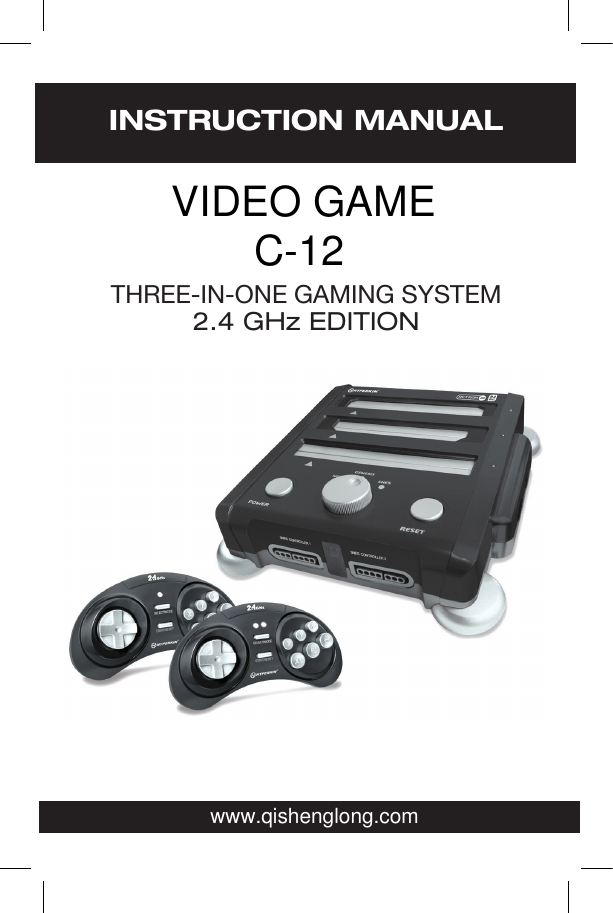
INSTRUCTION MANUALTHREE-IN-ONE GAMING SYSTEM2.4 GHz EDITIONwww.qishenglong.comVIDEO GAMEC-12
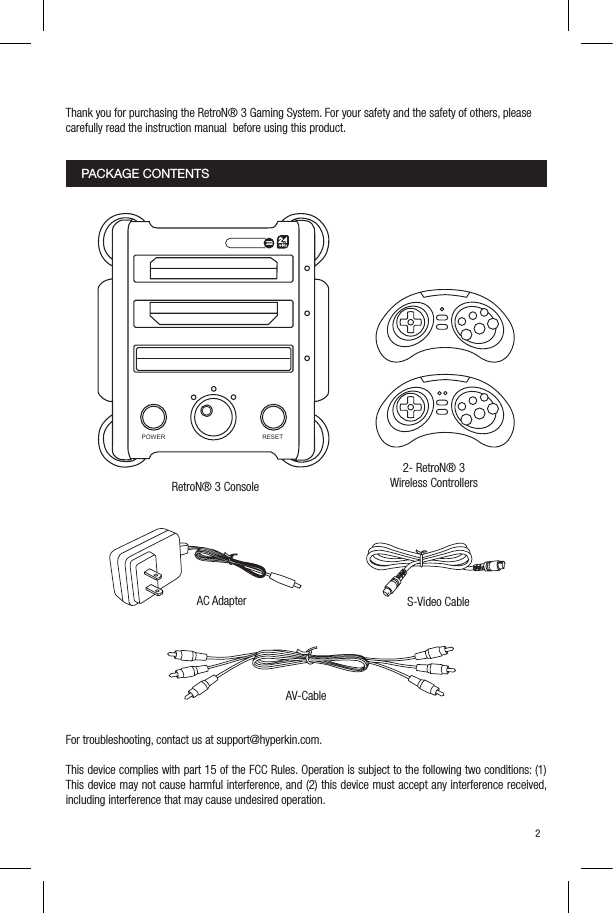
Thank you for purchasing the RetroN® 3 Gaming System. For your safety and the safety of others, pleasecarefully read the instruction manual  before using this product.For troubleshooting, contact us at support@hyperkin.com.This device complies with part 15 of the FCC Rules. Operation is subject to the following two conditions: (1) This device may not cause harmful interference, and (2) this device must accept any interference received, including interference that may cause undesired operation. 2PACKAGE CONTENTS2- RetroN® 3 Wireless ControllersRetroN® 3 ConsoleAC Adapter S-Video CableAV-CablePOWER RESET
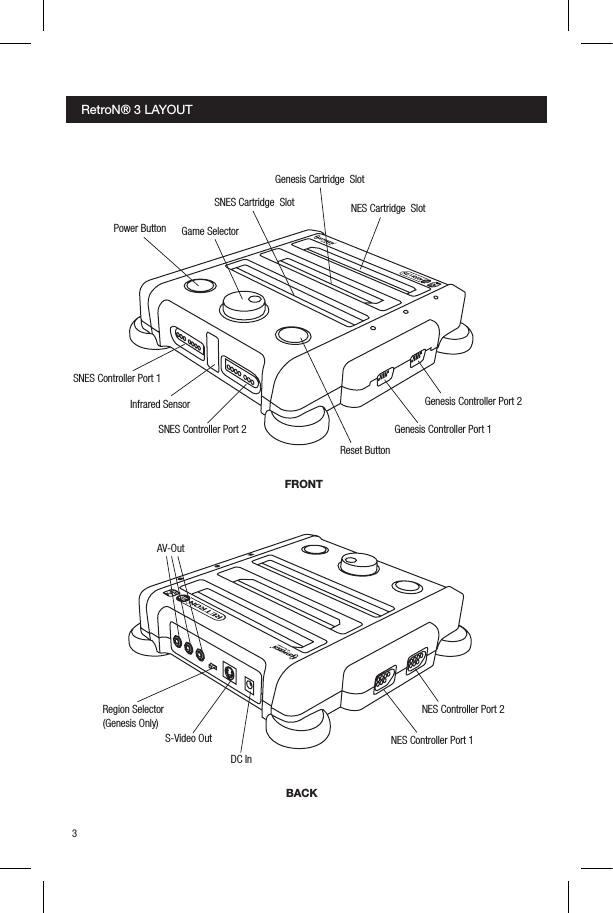
NES Cartridge  SlotInfrared SensorS-Video OutDC InSNES Controller Port 1Genesis Controller Port 1Region Selector(Genesis Only)AV-OutNES Controller Port 1Genesis Controller Port 2NES Controller Port 2SNES Controller Port 2SNES Cartridge  SlotGame SelectorPower ButtonReset ButtonFRONTBACKGenesis Cartridge  SlotRetroN® 3 LAYOUT34
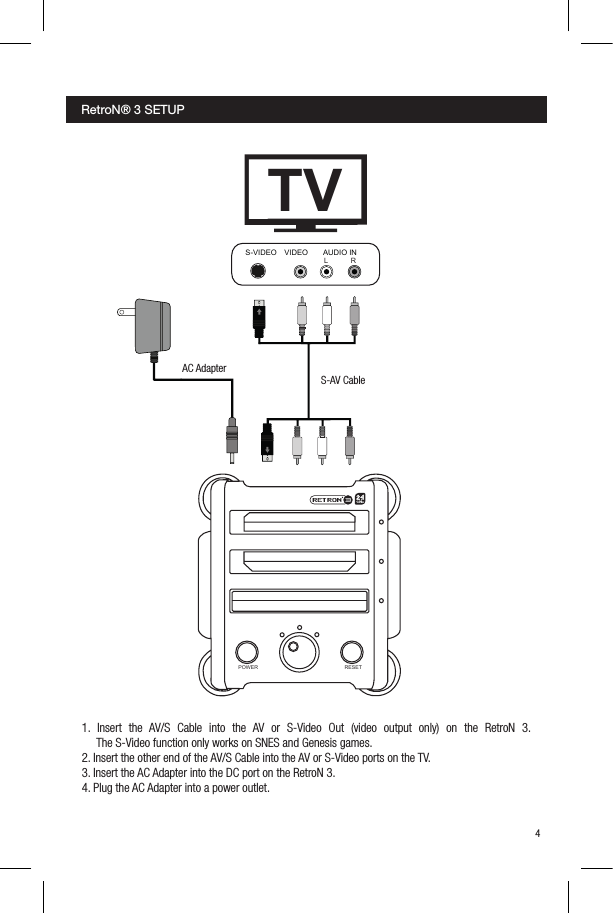
1. Insert the AV/S Cable into the AV or S-Video Out (video output only) on the RetroN 3.       The S-Video function only works on SNES and Genesis games.2. Insert the other end of the AV/S Cable into the AV or S-Video ports on the TV.3. Insert the AC Adapter into the DC port on the RetroN 3.4. Plug the AC Adapter into a power outlet.AC AdapterS-AV CableRetroN® 3 SETUP 34TVS-VIDEOAUDIO INVIDEOL RPOWER RESET
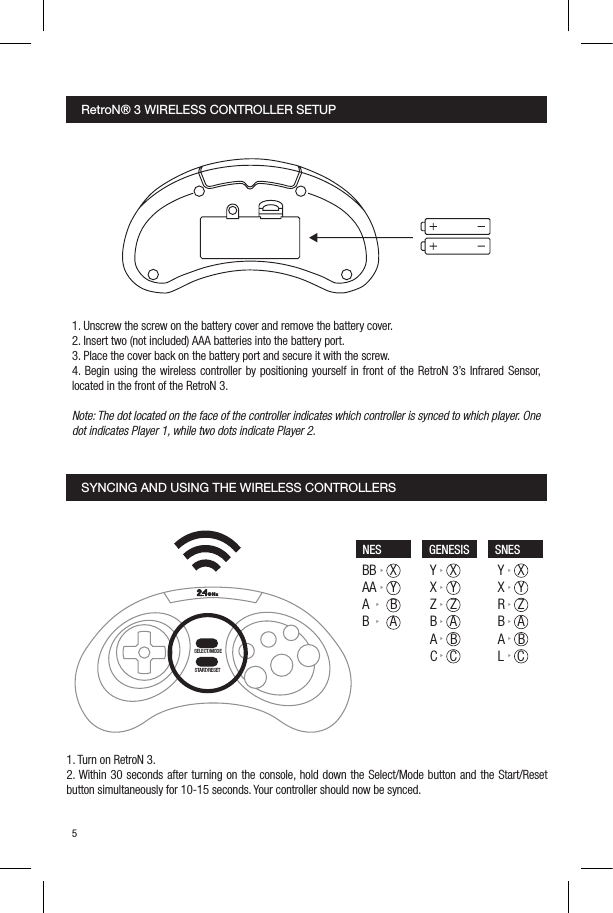
SYNCING AND USING THE WIRELESS CONTROLLERS 1. Turn on RetroN 3.2. Within 30 seconds after turning on the console, hold down the Select/Mode button and the Start/Reset button simultaneously for 10-15 seconds. Your controller should now be synced.1. Unscrew the screw on the battery cover and remove the battery cover.2. Insert two (not included) AAA batteries into the battery port.3. Place the cover back on the battery port and secure it with the screw.4. Begin using the wireless controller by positioning yourself in front of the RetroN 3’s Infrared Sensor, located in the front of the RetroN 3. Note: The dot located on the face of the controller indicates which controller is synced to which player. One dot indicates Player 1, while two dots indicate Player 2. RetroN® 3 WIRELESS CONTROLLER SETUP56SELECT/MODESTART/RESETBB    XAA    YA      BB      AY    XX    YZ    ZB    AA    BC    CY    XX    YR    ZB    AA    BL    CNES GENESIS SNESGHz
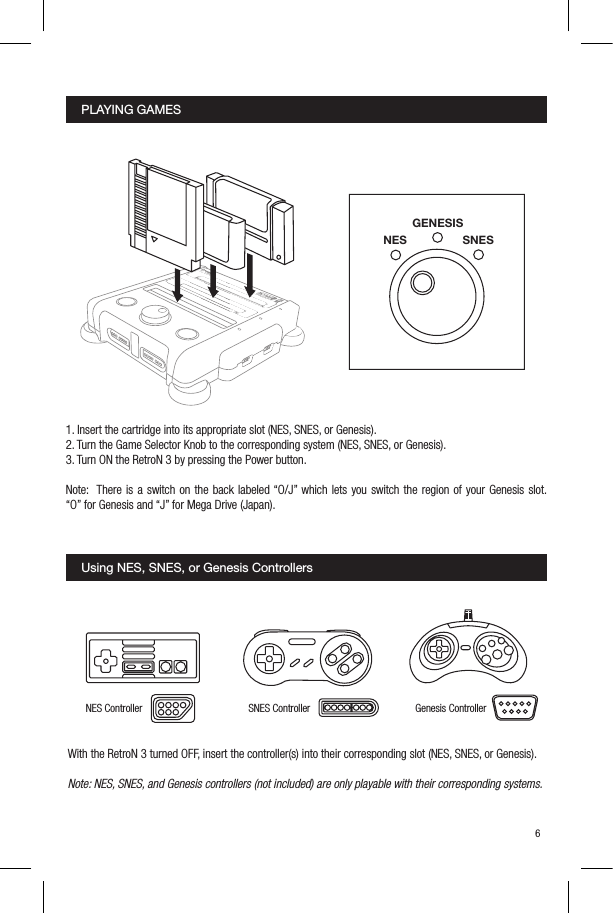
PLAYING GAMESUsing NES, SNES, or Genesis Controllers1. Insert the cartridge into its appropriate slot (NES, SNES, or Genesis).2. Turn the Game Selector Knob to the corresponding system (NES, SNES, or Genesis).3. Turn ON the RetroN 3 by pressing the Power button.Note:  There is a switch on the back labeled “O/J” which lets you switch the region of your Genesis slot.  “O” for Genesis and “J” for Mega Drive (Japan).With the RetroN 3 turned OFF, insert the controller(s) into their corresponding slot (NES, SNES, or Genesis). Note: NES, SNES, and Genesis controllers (not included) are only playable with their corresponding systems.56NESGENESISSNESGenesis ControllerNES Controller SNES ControllerY    XX    YR    ZB    AA    BL    C
©2015 Hyperkin®. Hyperkin® and RetroN® and their logos are trademarks and/or registered trademarks of Hyperkin, and/or its afliated companies. All other product names and images, trademarks or registered trademarks are properties of their  respective owners. This is a product 100% NOT ofcial and is NOT manufactured, guaranteed, sponsored, endorsed or approved by Nintendo nor Sega. Made in China. All rights reserved. Product features, appearances and specications may be subject to change without notice. Please retain this information for future.© 2015 Hyperkin®. Hyperkin® et RetroN® et leurs logos sont des marques commerciales et/ou des marques déposées de Hyperkin, et/ou de ses sociétés afliées. Tous les autres noms et images de produits, des marques ou des marques déposées sont les propriétés de leurs propriétaires respectifs. C’est un produit 100% non-ofciel et n’est pas fabriqué, garanti et parrainé,  homologués ou approuvéspar Nintendo ni Sega. Fabriqué en Chine. Tous droits réservés. Caractéristiques du produit, les apparences et les spécications peuvent être soumises à modication sans préavis. Veuillez conserver cette che d’information dans l’avenir.©2015 Hyperkin®. Hyperkin® and RetroN® y sus logotipos son marcas y/o marcas registradas de Hyperkin, y/o sus compañias aliadas. Todos los nombres de productos e imagines, marcas o marcas registradas son propiedad de sus dueños respectivos. Este producto es 100% no ocial y no es fabricado, garantizado, patrocinado, endosado o aprobado por Nintendo ni Sega. Hecho en China. Todos los derechos reservados. Las características de los productos, apariencia y especicaciones podrían estar sujetas a cambios sin previo aviso. Por favor guarde esta información para un futuro.

Navigation menu