REALBELL ELECTRONIC REALBELL Wireless Digital Doorbell User Manual

SHENZHEN REALBELL ELECTRONIC Co.,LTD Wireless Digital Doorbell User Manual

User-Manual

    REALBELL ELECTRONICS    Wireless Doorbell Instructions
Product Features 1.  All  touch  panels  adopt  touch-sensitive  technology,  without  any physical  buttons.  It  has  a  long  service  life,  simple  but  classical. Humanized  music  settings  guarantee  non-retriggerable  anti-noise function;   2. The circuit scheme is provided by LCH Dr team from the United States, ensuring stable penetration and a remote control distance of 350 meters;   3. The transmitter adopts waterproof and dustproof design without screw engagement  on  its  surface,  possessing  automatic  power-off  function during misuse; 4.  The  product  adopts  original  sleep  standby  technology;  low  power consumption is possible for the chip when standby (μA level);     5.  The  transmitter  battery  compartment  uses  an  innovative  patented drawer  design,  compatible  with  large-capacity  batteries  2032,  2025  and 2016, environmental and energy-saving;   6. Innovative superheterodyne learning code encoding makes it possible for users to simply set pairing mode;   7.  Microprocessor-controlled  receiver  with  double-sided  stable  PCB design;   8. Safe separate high & low voltage circuit design; 9.  Multiple  appearances,  utility  models,  internal  structures  and  PCB designs have been patented;
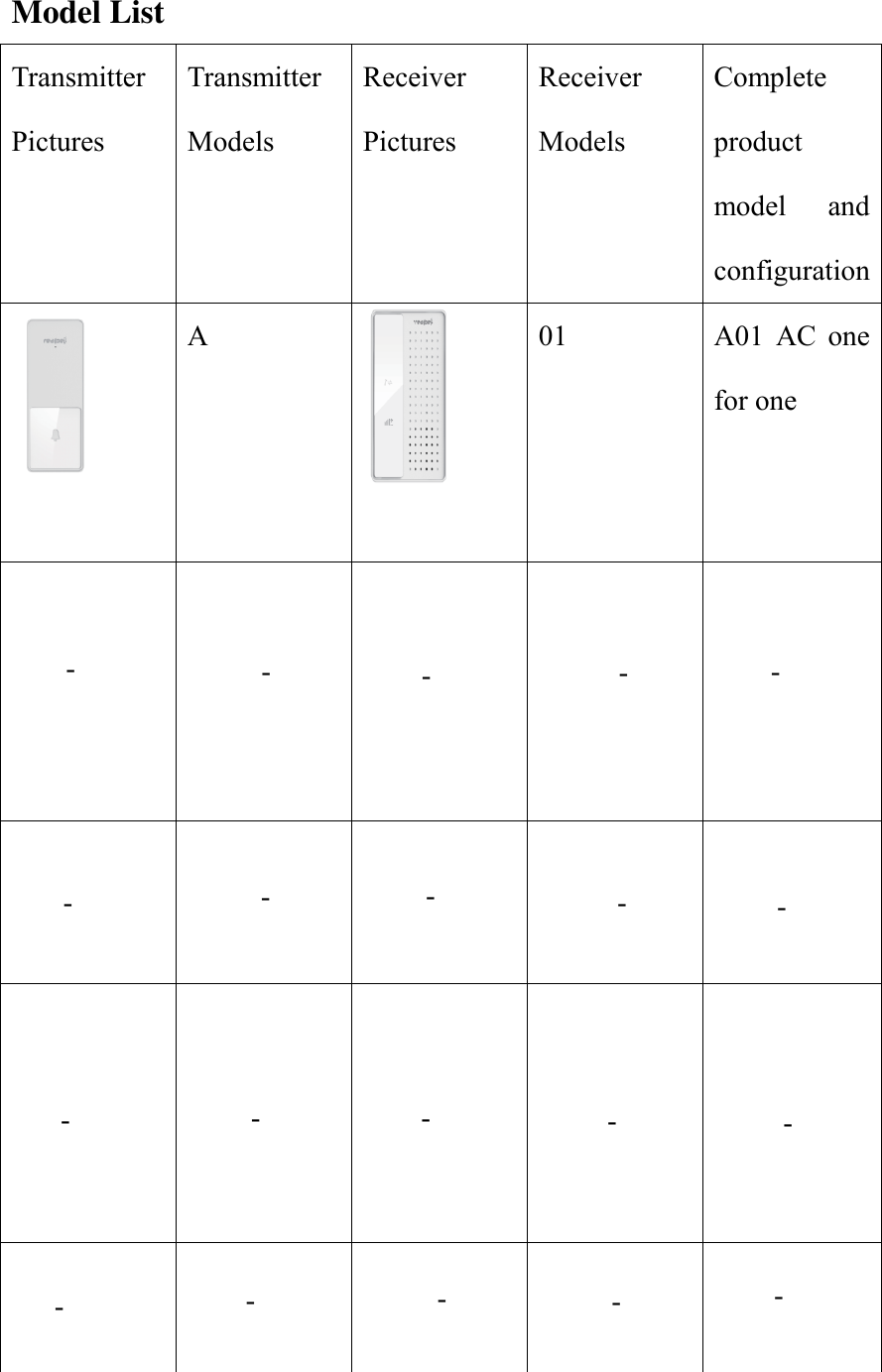
Model List Transmitter Pictures Transmitter Models Receiver Pictures Receiver Models Complete product model  and configuration  A  01  A01  AC  one for one                   -        -------------------
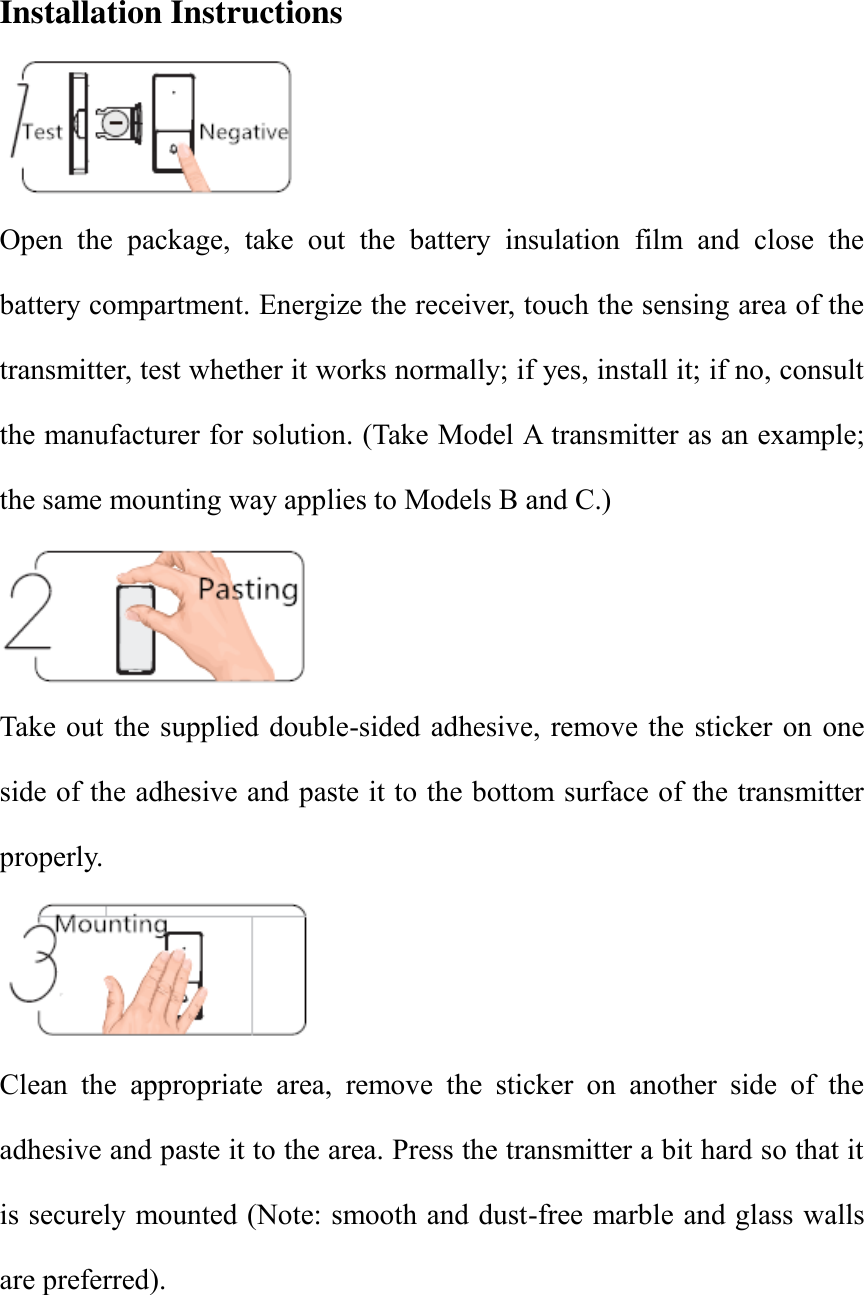
Installation Instructions  Open  the  package,  take  out  the  battery  insulation  film  and  close  the battery compartment. Energize the receiver, touch the sensing area of the transmitter, test whether it works normally; if yes, install it; if no, consult the manufacturer for solution. (Take Model A transmitter as an example; the same mounting way applies to Models B and C.)  Take out  the supplied double-sided adhesive, remove the  sticker  on  one side of the adhesive and paste it to the bottom surface of the transmitter properly.      Clean  the  appropriate  area,  remove  the  sticker  on  another  side  of  the adhesive and paste it to the area. Press the transmitter a bit hard so that it is securely mounted (Note: smooth and dust-free marble and glass walls are preferred).
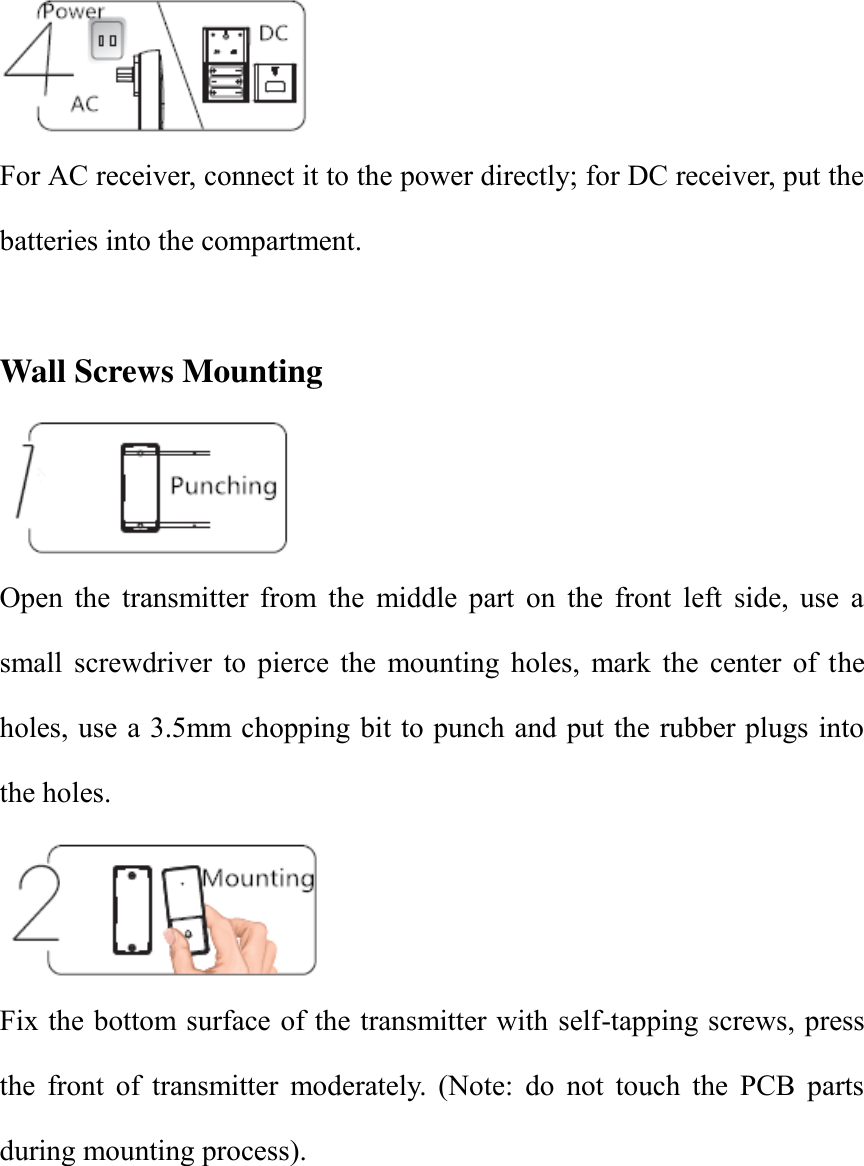
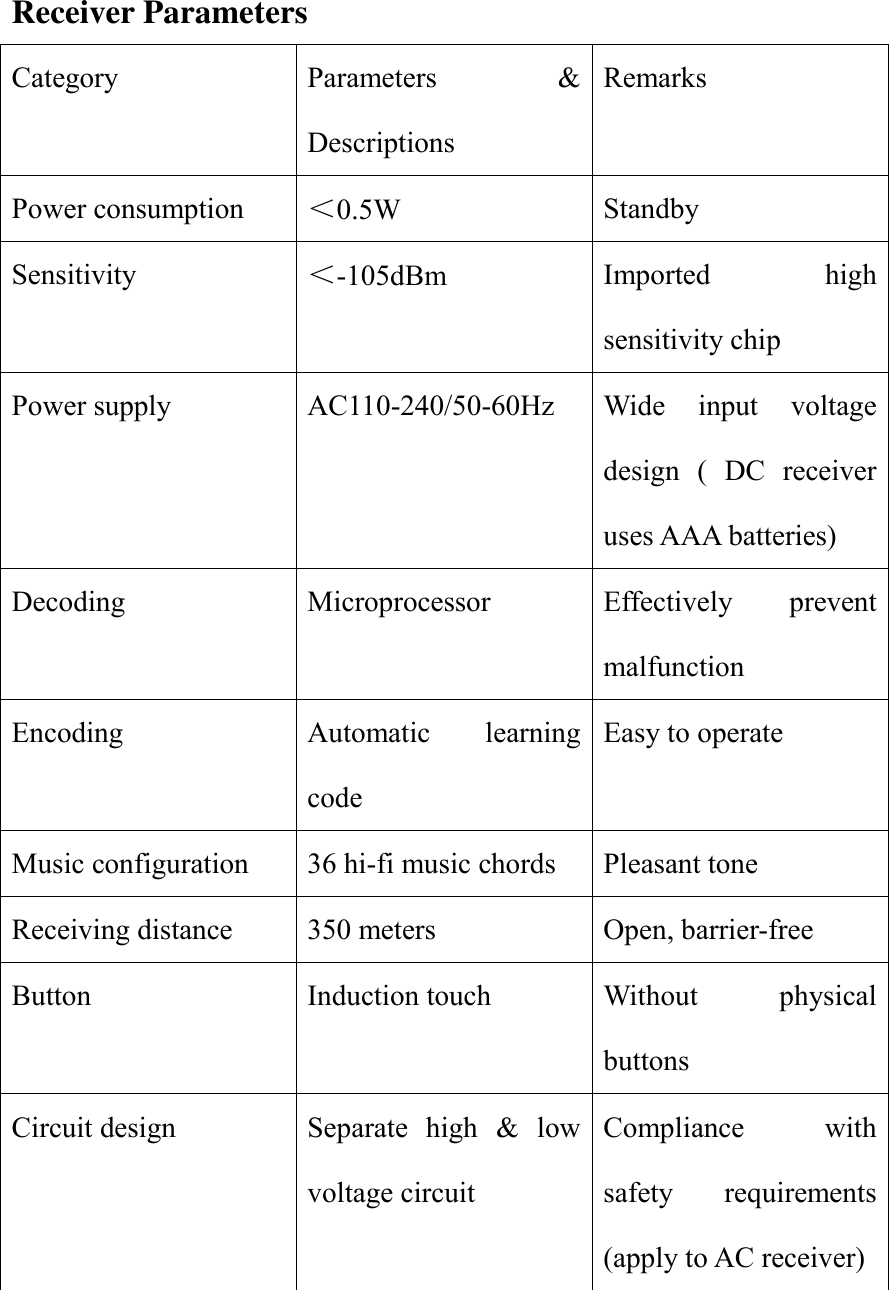
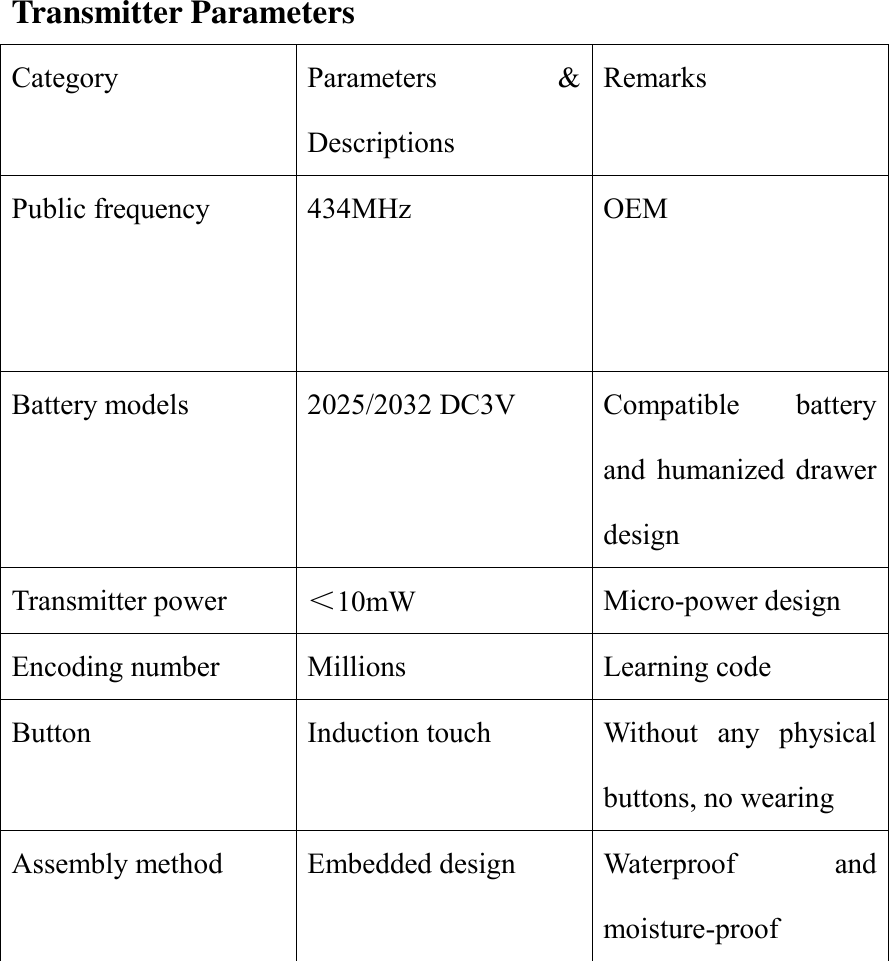
 For AC receiver, connect it to the power directly; for DC receiver, put the batteries into the compartment.    Wall Screws Mounting  Open  the  transmitter  from  the  middle  part  on  the  front  left  side,  use  a small  screwdriver  to  pierce  the  mounting  holes,  mark  the  center  of  the holes, use a 3.5mm chopping bit to punch and put the rubber plugs into the holes.    Fix the bottom surface of the transmitter with self-tapping screws, press the  front  of  transmitter  moderately.  (Note:  do  not  touch  the  PCB  parts during mounting process).
Receiver Parameters Category Parameters  & Descriptions Remarks Power consumption <0.5W Standby Sensitivity <-105dBm Imported  high sensitivity chip Power supply AC110-240/50-60Hz Wide  input  voltage design  (  DC  receiver uses AAA batteries) Decoding Microprocessor Effectively  prevent malfunction Encoding Automatic  learning code Easy to operate Music configuration 36 hi-fi music chords Pleasant tone Receiving distance 350 meters Open, barrier-free Button Induction touch Without  physical buttons Circuit design Separate  high  &  low voltage circuit Compliance  with safety  requirements (apply to AC receiver)
Transmitter Parameters Category Parameters  & Descriptions Remarks Public frequency 434MHz  OEM    Battery models 2025/2032 DC3V Compatible  battery and  humanized  drawer design Transmitter power <10mW Micro-power design Encoding number Millions Learning code Button Induction touch Without  any  physical buttons, no wearing Assembly method Embedded design Waterproof  and moisture-proof
Learning Code Setting (As factory pairing setting is a default, this is only suitable for repairing when the  learning codes  are  lost. If  you need  to clear  the codes, please press the Volume Adjustment for three seconds.)    One  for  one  setting:  After  being  electrified,  press  the  music  switch sensing area of the receiver for 3 seconds and enter the learning status. In the  meantime,  the  bicolor  LED  light  of  the  receiver  flashes.  Touch  the transmitter  until  the  LED  light  of  the  receiver  stops  flashing.  Then  the learning succeeds and one for one control is achieved.   One  for  two  setting:  After  being  electrified,  press  the  music  switch sensing area of the receiver for 3 seconds and enter the learning status. In the  meantime,  the  bicolor  LED  light  of  the  receiver  flashes.  Touch  the transmitter  until  the  LED  light  of  the  receiver  stops  flashing.  Then  the learning succeeds; use another receiver to repeat the above steps and one for two control is achieved.   Two  for  one  setting:  After  being  electrified,  press  the  music  switch sensing area of the receiver for 3 seconds and enter the learning status. In the  meantime,  the  bicolor  LED  light  of  the  receiver  flashes.  Touch  the transmitter  until  the  LED  light  of  the  receiver  stops  flashing.  Then  the learning succeeds; use another transmitter to repeat the  above steps and two for one setting is achieved.
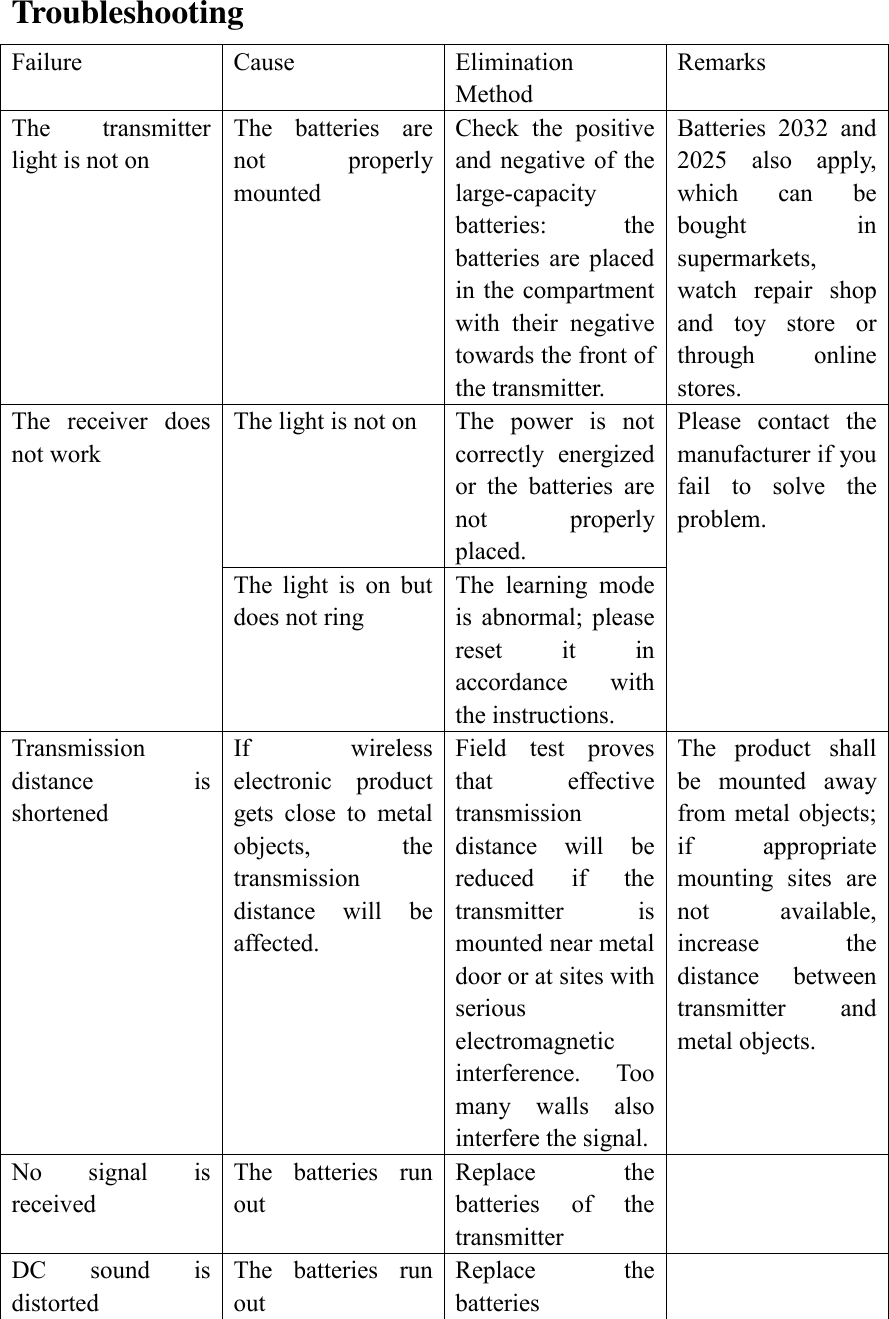
Troubleshooting Failure Cause Elimination Method Remarks The  transmitter light is not on The  batteries  are not  properly mounted Check  the  positive and negative  of  the large-capacity batteries:  the batteries  are  placed in the compartment with  their  negative towards the front of the transmitter.   Batteries  2032  and 2025  also  apply, which  can  be bought  in supermarkets, watch  repair  shop and  toy  store  or through  online stores.   The  receiver  does not work The light is not on The  power  is  not correctly  energized or  the  batteries  are not  properly placed.   Please  contact  the manufacturer if you fail  to  solve  the problem.   The  light  is  on  but does not ring The  learning  mode is  abnormal;  please reset  it  in accordance  with the instructions. Transmission distance  is shortened If  wireless electronic  product gets  close  to  metal objects,  the transmission distance  will  be affected.   Field  test  proves that  effective transmission distance  will  be reduced  if  the transmitter  is mounted near metal door or at sites with serious electromagnetic interference.  Too many  walls  also interfere the signal.   The  product  shall be  mounted  away from metal objects; if  appropriate mounting  sites  are not  available,     increase  the distance  between transmitter  and metal objects.   No  signal  is received The  batteries  run out Replace  the batteries  of  the transmitter  DC  sound  is distorted The  batteries  run out Replace  the batteries
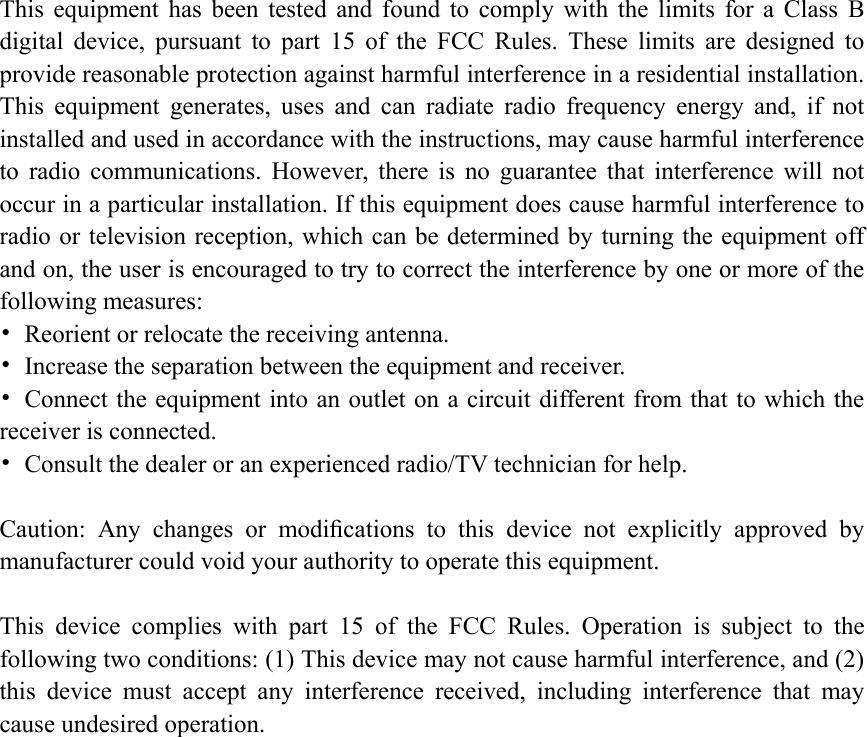
This  equipment  has  been  tested  and  found  to  comply  with  the  limits  for  a  Class  B digital  device,  pursuant  to  part  15  of  the  FCC  Rules.  These  limits  are  designed  to provide reasonable protection against harmful interference in a residential installation. This  equipment  generates,  uses  and  can  radiate  radio  frequency  energy  and,  if  not installed and used in accordance with the instructions, may cause harmful interference to  radio  communications.  However,  there  is  no  guarantee  that  interference  will  not occur in a particular installation. If this equipment does cause harmful interference to radio or television reception, which can be determined by turning the equipment off and on, the user is encouraged to try to correct the interference by one or more of the following measures: •  Reorient or relocate the receiving antenna. •  Increase the separation between the equipment and receiver. •  Connect the equipment into an outlet on a circuit different from that to which the receiver is connected. •  Consult the dealer or an experienced radio/TV technician for help.  Caution:  Any  changes  or  modifications  to  this  device  not  explicitly  approved  by manufacturer could void your authority to operate this equipment.  This  device  complies  with  part  15  of  the  FCC  Rules.  Operation  is  subject  to  the following two conditions: (1) This device may not cause harmful interference, and (2) this  device  must  accept  any  interference  received,  including  interference  that  may cause undesired operation.
After-sales Matters This after-sales service is provided in accordance with  relevant national standards. Except for human damage, one-year free warranty is offered.    Manufacturer Guarantee Our  product  adopts  high-precision  components,  including  stable double-sided PCB; the circuit scheme is designed by American Dr team. All plastic molds are produced in accordance with German standards. We innovate to provide consumers with more cost-effective products.    Follow us on WeChat to learn more    SHENZHEN REALBELL ELECTRONICSCO., LTD         REALBELL INDUSTRIAL HOLDINGS (HK) CO., LTD Address: 6/F,C/B, Anle Industry Park,  Hezhou Xixiang, Bao'an District, Shenzhen, China. Tel: 0755-29473820      Fax: 0755-29473830 Email: realbell@126.com    Business QQ:2549767778 Official website: www.realbell.com

Navigation menu