RF Link Technology WD01 WIDI User Manual

Shenzhen RF-Link Technology Co.,Ltd WIDI

User manual

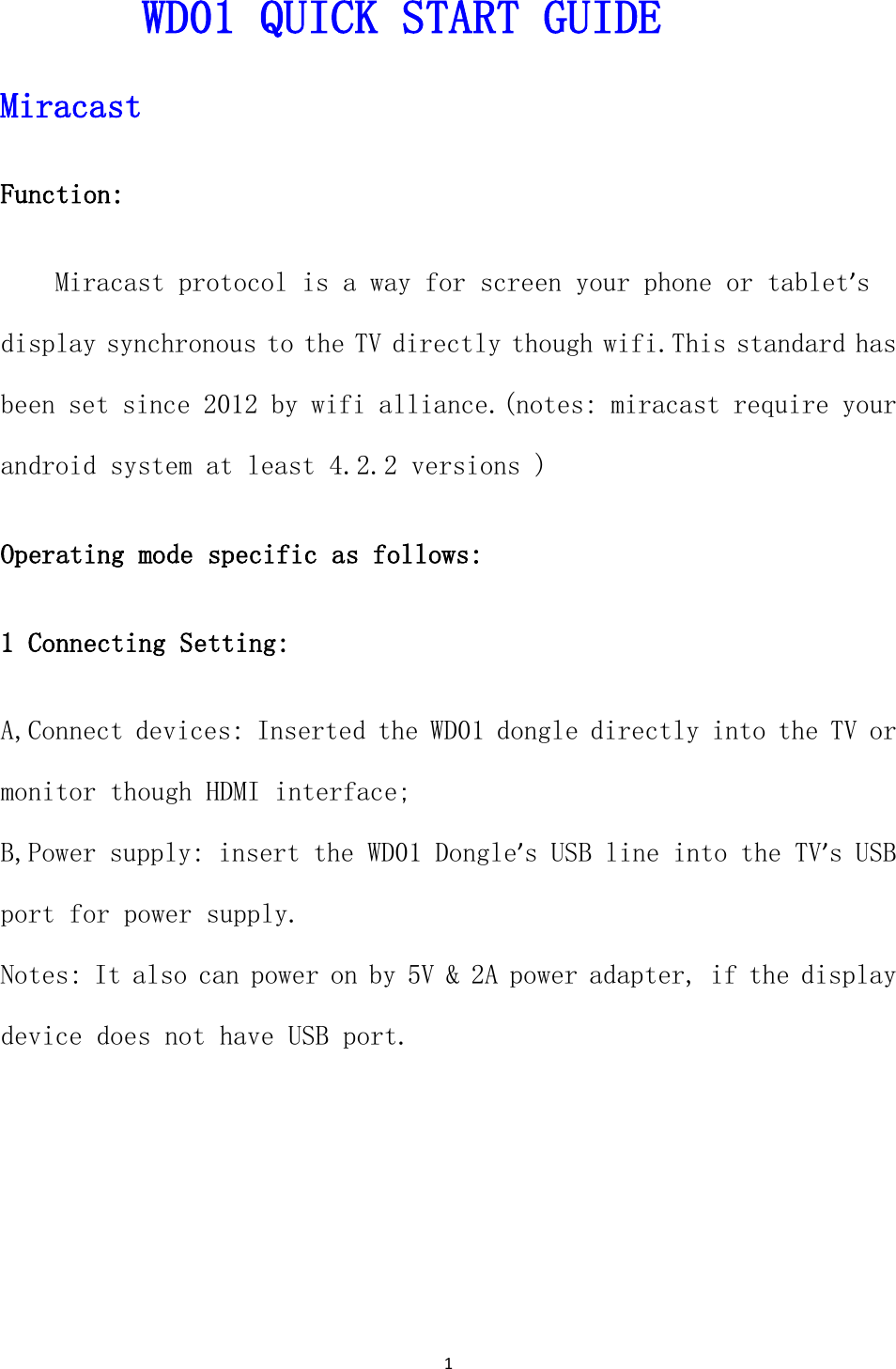
1  WD01 QUICK START GUIDE Miracast  Function:  Miracast protocol is a way for screen your phone or tablet’s display synchronous to the TV directly though wifi.This standard has been set since 2012 by wifi alliance.(notes: miracast require your android system at least 4.2.2 versions ) Operating mode specific as follows:      1 Connecting Setting: A,Connect devices: Inserted the WD01 dongle directly into the TV or monitor though HDMI interface; B,Power supply: insert the WD01 Dongle’s USB line into the TV’s USB port for power supply. Notes: It also can power on by 5V & 2A power adapter, if the display device does not have USB port.
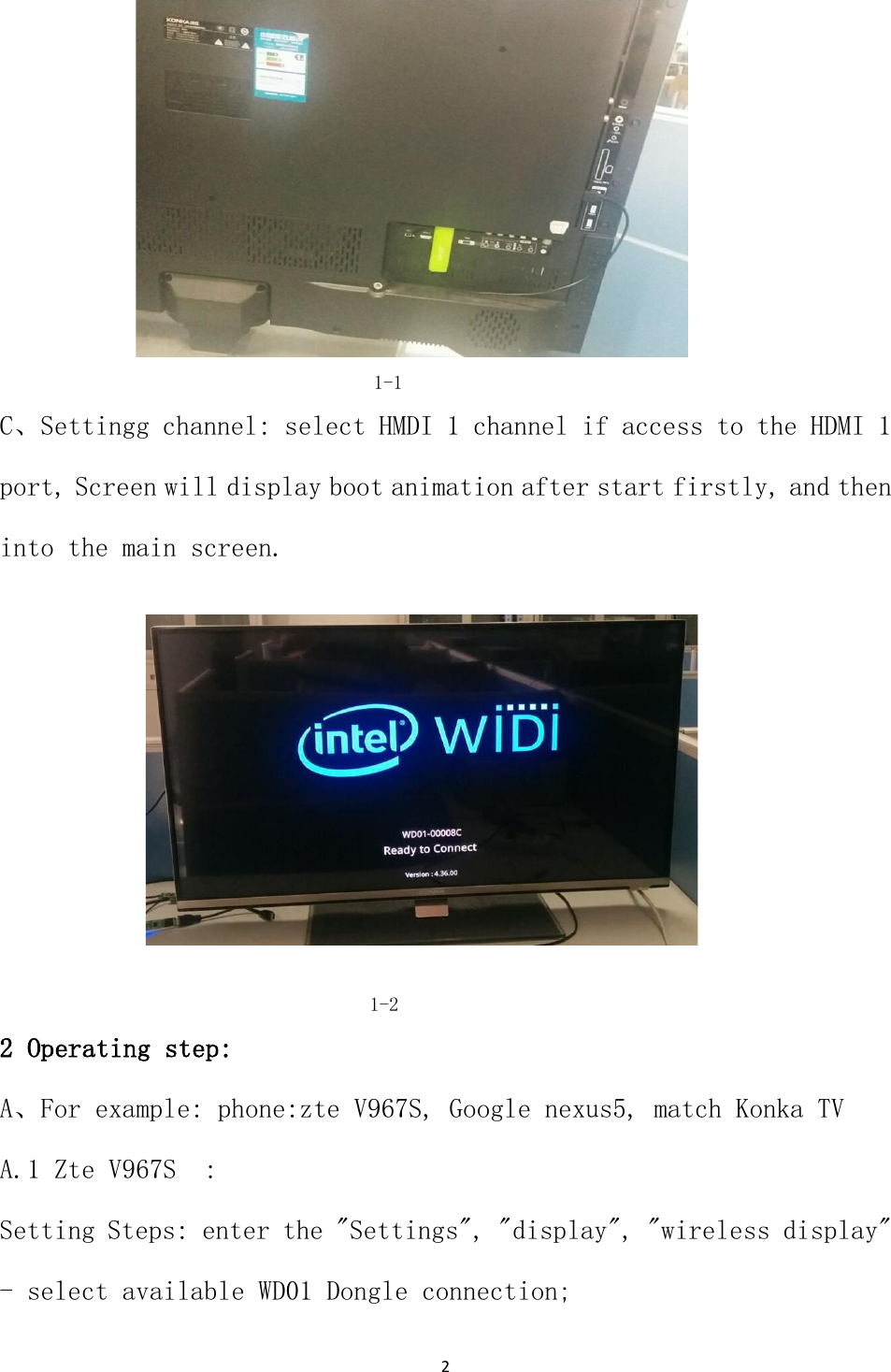
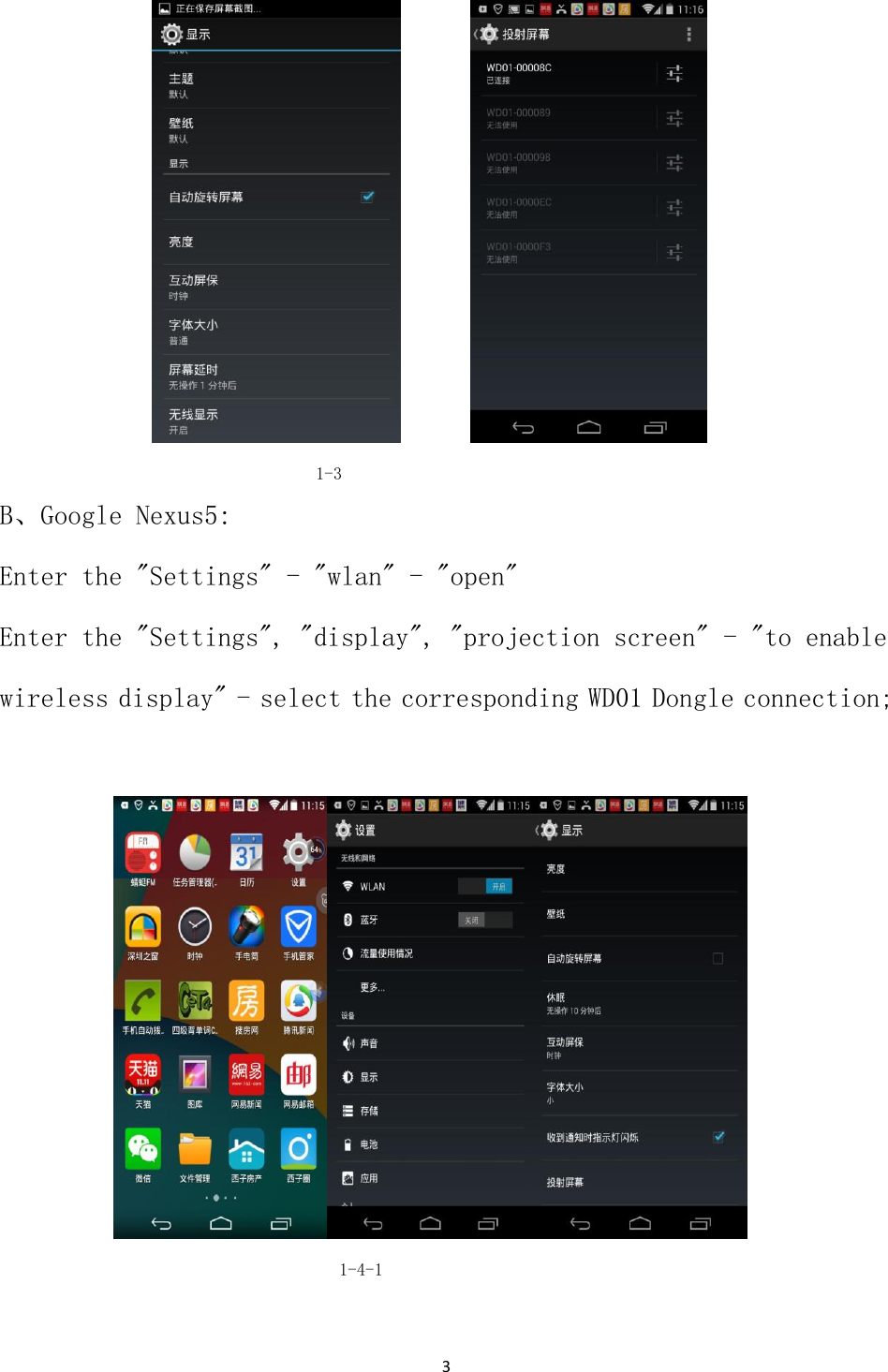
2                                                  1-1 C、Settingg channel: select HMDI 1 channel if access to the HDMI 1 port, Screen will display boot animation after start firstly, and then into the main screen.                      1-2 2 Operating step: A、For example: phone:zte V967S, Google nexus5, match Konka TV  A.1 Zte V967S  : Setting Steps: enter the "Settings", "display", "wireless display" - select available WD01 Dongle connection;
3                        1-3 B、Google Nexus5: Enter the "Settings" - "wlan" - "open" Enter the "Settings", "display", "projection screen" - "to enable wireless display" - select the corresponding WD01 Dongle connection;                                              1-4-1
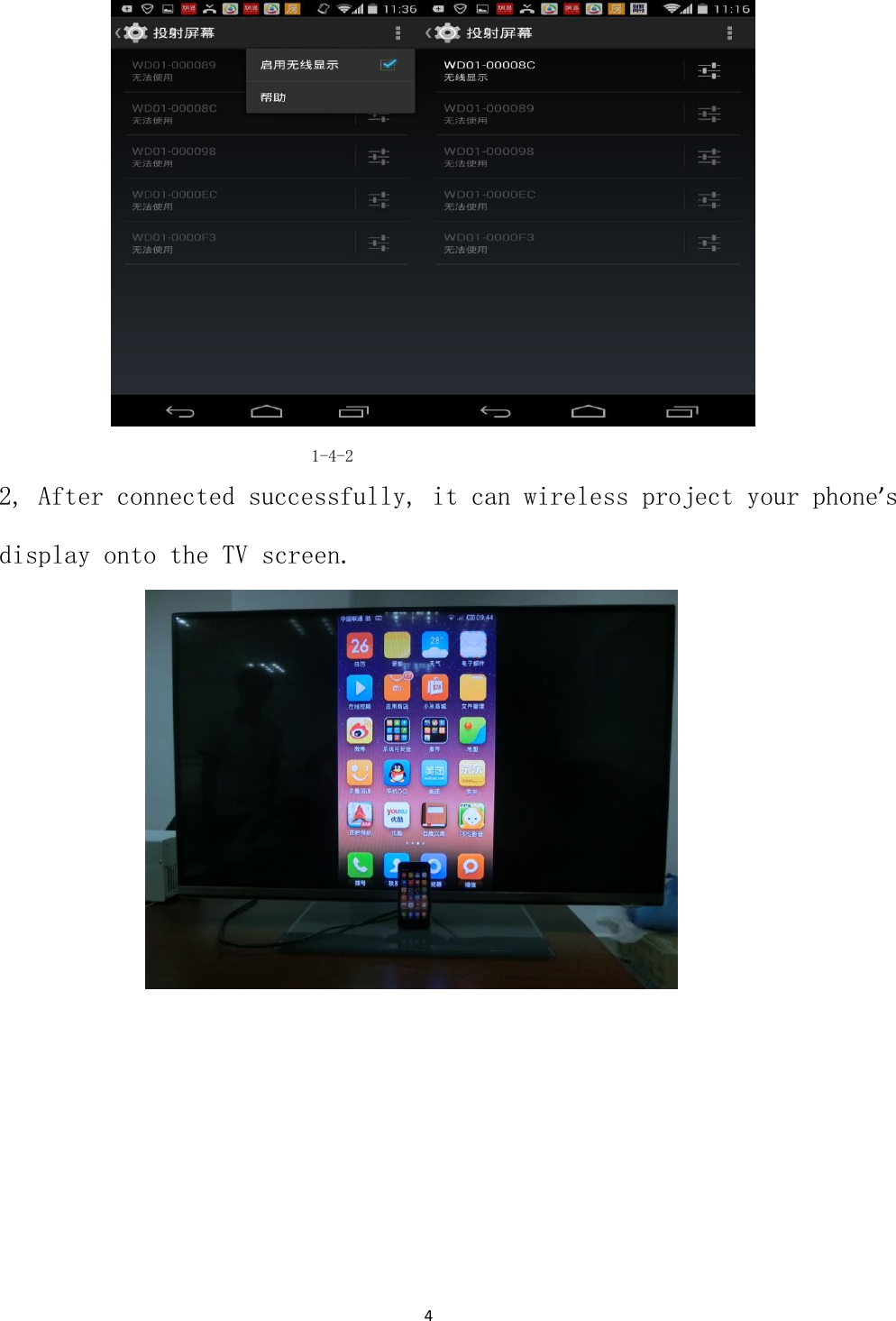
4                                                   1-4-2 2, After connected successfully, it can wireless project your phone’s display onto the TV screen.
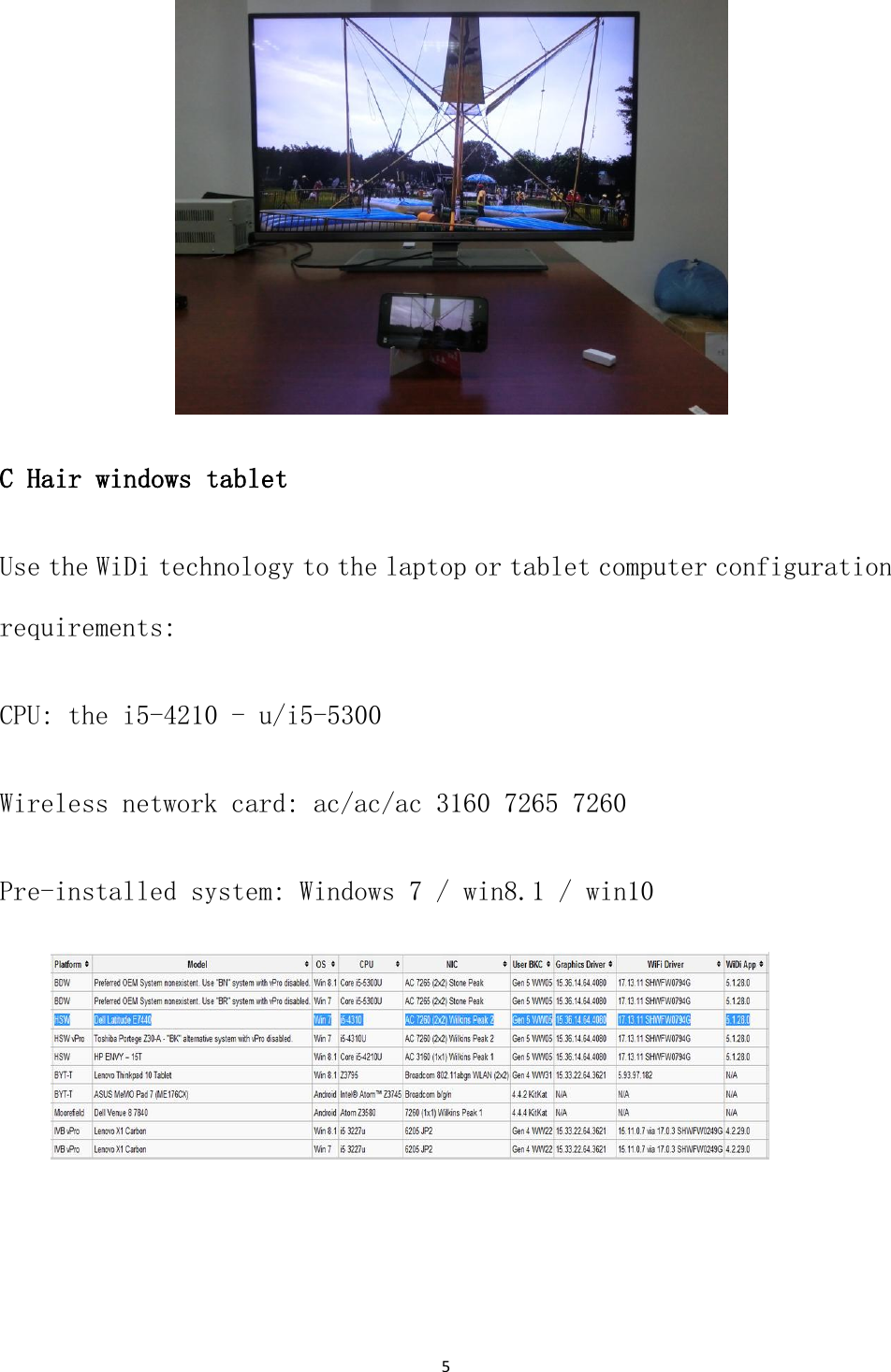
5                   C Hair windows tablet Use the WiDi technology to the laptop or tablet computer configuration requirements: CPU: the i5-4210 - u/i5-5300 Wireless network card: ac/ac/ac 3160 7265 7260 Pre-installed system: Windows 7 / win8.1 / win10
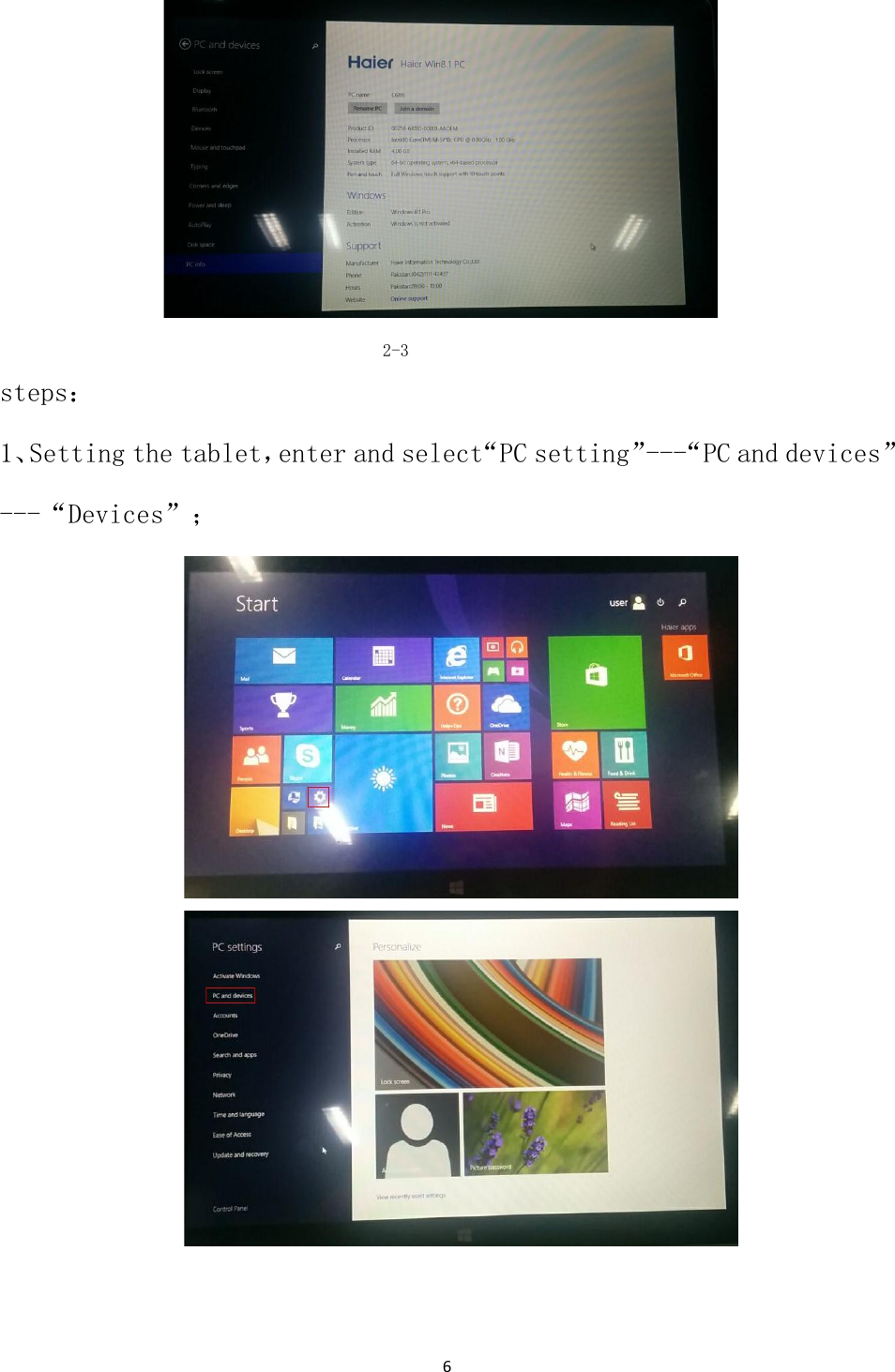
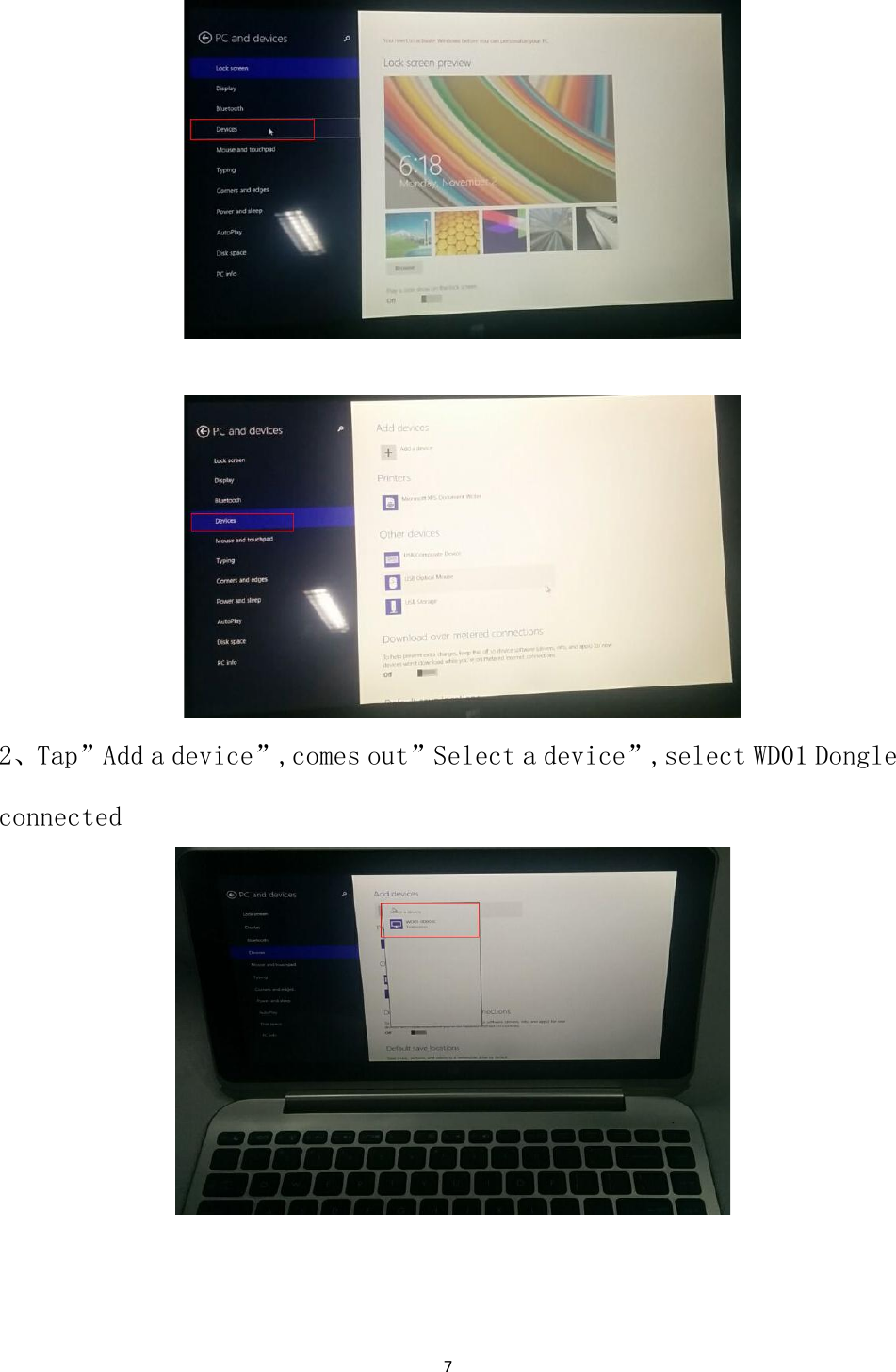
6                                            2-3 steps: 1、Setting the tablet,enter and select“PC setting”---“PC and devices”---“Devices”;
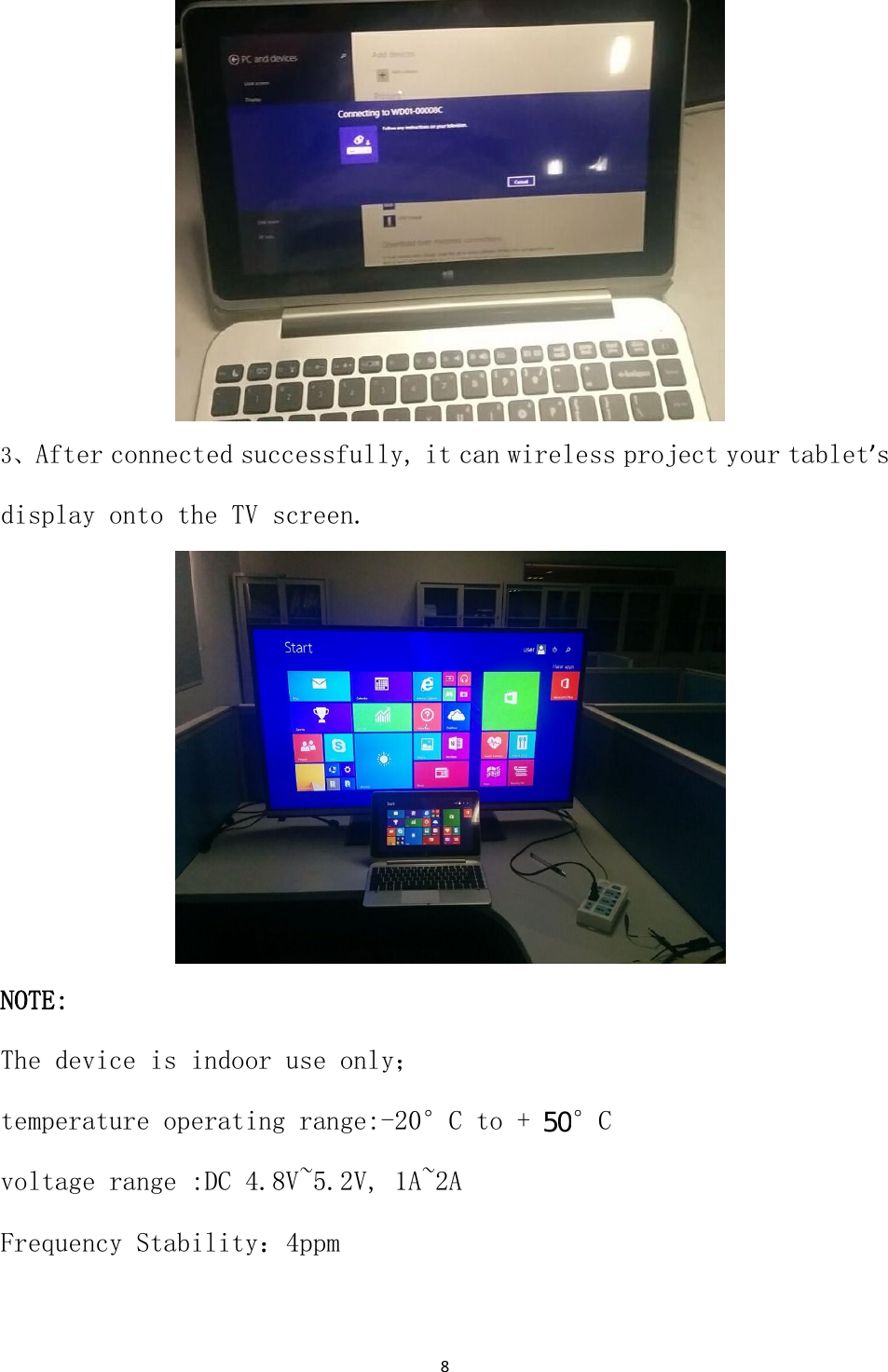
7                                                                                           2、Tap”Add a device”,comes out”Select a device”,select WD01 Dongle connected
8                   3、After connected successfully, it can wireless project your tablet’s display onto the TV screen.                   NOTE: The device is indoor use only; temperature operating range:-20°C to + 70°C voltage range :DC 4.8V~5.2V, 1A~2A Frequency Stability:4ppm                                       50
9   FCC Statement: 1. This device complies with Part 15 of the FCC Rules. Operation is subject to the following two conditions: (1) This device may not cause harmful interference.and (2)  This  device  must  accept  any  interference  received,  including  interference  that  may  cause undesired operation. 2. Changes or modifications not expressly approved by the party responsible for compliance could void the user's authority to operate the equipment. NOTE:   This equipment has been tested and found to comply with the limits for a Class B digital device, pursuant to Part 15 of the FCC Rules. These limits are designed to provide reasonable protection against harmful interference in a residential installation. This equipment generates uses and can radiate radio frequency energy and, if not installed and used in accordance with the instructions, may cause harmful interference to radio communications. However, there is no guarantee that interference will not occur in a particular installation. If this equipment  does  cause  harmful  interference  to  radio  or  television  reception,  which  can  be determined  by  turning  the  equipment  off  and  on,  the  user  is  encouraged  to  try  to  correct  the interference by one or more of the following measures: Reorient or relocate the receiving antenna. Increase the separation between the equipment and receiver. Connect  the  equipment  into  an  outlet  on  a  circuit  different  from  that  to  which  the  receiver  is connected.   Consult the dealer or an experienced radio/TV technician for help.  The distance between user and products should be no less than 20cm

Navigation menu