RMR Management Group MINI Mini User Manual

RMR Management Group Mini

User Manual

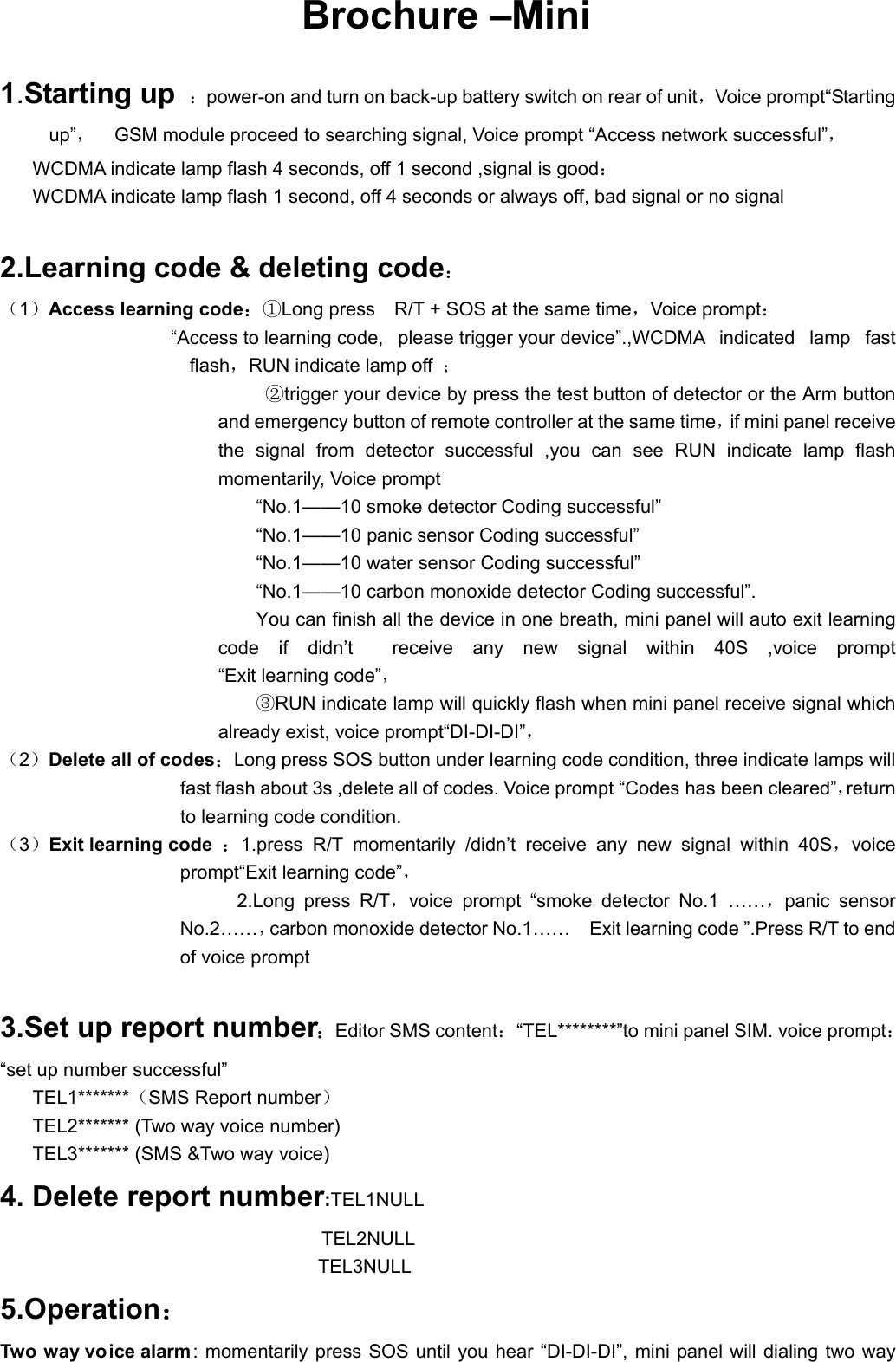
Brochure –Mini 1.Starting up :power-on and turn on back-up battery switch on rear of unit,Voice prompt“Starting up”,    GSM module proceed to searching signal, Voice prompt “Access network successful”, WCDMA indicate lamp flash 4 seconds, off 1 second ,signal is good: WCDMA indicate lamp flash 1 second, off 4 seconds or always off, bad signal or no signal  2.Learning code & deleting code: (1)Access learning code:①Long press    R/T + SOS at the same time,Voice prompt: “Access to learning code,  please trigger your device”.,WCDMA indicated lamp fast flash,RUN indicate lamp off  ; ②trigger your device by press the test button of detector or the Arm button and emergency button of remote controller at the same time,if mini panel receive the signal from detector successful ,you can see RUN indicate lamp flash momentarily, Voice prompt   “No.1——10 smoke detector Coding successful” “No.1——10 panic sensor Coding successful” “No.1——10 water sensor Coding successful” “No.1——10 carbon monoxide detector Coding successful”. You can finish all the device in one breath, mini panel will auto exit learning code if didn’t  receive any new signal within 40S ,voice prompt “Exit learning code”,  ③RUN indicate lamp will quickly flash when mini panel receive signal which already exist, voice prompt“DI-DI-DI”,  (2)Delete all of codes:Long press SOS button under learning code condition, three indicate lamps will fast flash about 3s ,delete all of codes. Voice prompt “Codes has been cleared”,return to learning code condition.   (3)Exit learning code :1.press R/T momentarily /didn’t receive any new signal within 40S,voice prompt“Exit learning code”, 2.Long press R/T,voice prompt “smoke detector No.1 ……,panic sensor  No.2……,carbon monoxide detector No.1……    Exit learning code ”.Press R/T to end of voice prompt  3.Set up report number:Editor SMS content:“TEL********”to mini panel SIM. voice prompt:“set up number successful”   TEL1*******(SMS Report number) TEL2******* (Two way voice number) TEL3******* (SMS &Two way voice) 4. Delete report number:TEL1NULL TEL2NULL                               TEL3NULL 5.Operation: Two way vo ice alarm: momentarily press SOS until you hear “DI-DI-DI”, mini panel will dialing two way
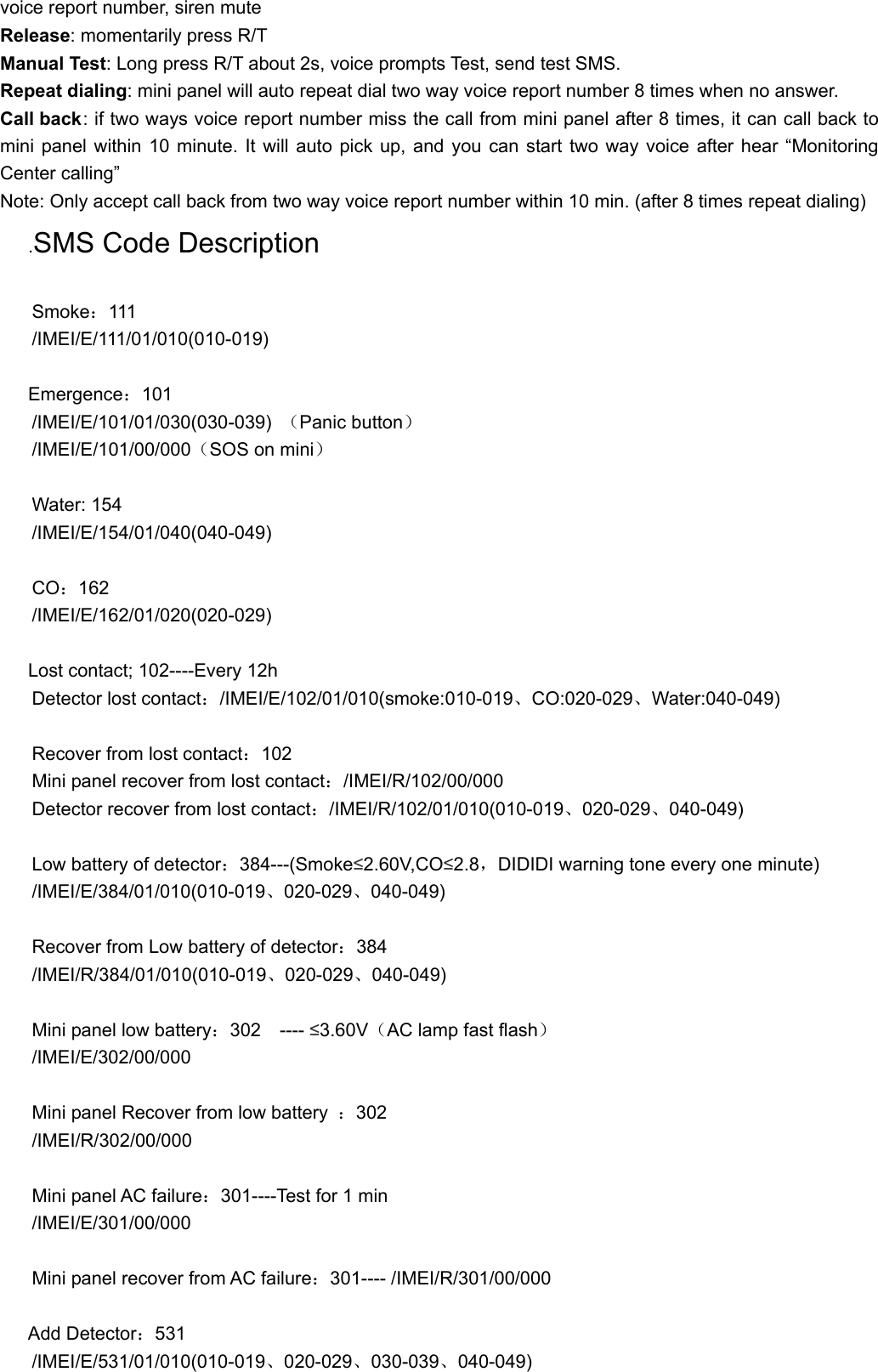
voice report number, siren mute Release: momentarily press R/T   Manual Test: Long press R/T about 2s, voice prompts Test, send test SMS. Repeat dialing: mini panel will auto repeat dial two way voice report number 8 times when no answer. Call back: if two ways voice report number miss the call from mini panel after 8 times, it can call back to mini panel within 10 minute. It will auto pick up, and you can start two way voice after hear “Monitoring Center calling”   Note: Only accept call back from two way voice report number within 10 min. (after 8 times repeat dialing) .SMS Code Description  Smoke:111  /IMEI/E/111/01/010(010-019)  Emergence:101  /IMEI/E/101/01/030(030-039)  (Panic button) /IMEI/E/101/00/000(SOS on mini)  Water: 154 /IMEI/E/154/01/040(040-049)  CO:162 /IMEI/E/162/01/020(020-029)  Lost contact; 102----Every 12h Detector lost contact:/IMEI/E/102/01/010(smoke:010-019、CO:020-029、Water:040-049)  Recover from lost contact:102 Mini panel recover from lost contact:/IMEI/R/102/00/000 Detector recover from lost contact:/IMEI/R/102/01/010(010-019、020-029、040-049)  Low battery of detector:384---(Smoke≤2.60V,CO≤2.8,DIDIDI warning tone every one minute) /IMEI/E/384/01/010(010-019、020-029、040-049)  Recover from Low battery of detector:384 /IMEI/R/384/01/010(010-019、020-029、040-049)  Mini panel low battery:302  ---- ≤3.60V(AC lamp fast flash) /IMEI/E/302/00/000  Mini panel Recover from low battery  :302  /IMEI/R/302/00/000  Mini panel AC failure:301----Test for 1 min /IMEI/E/301/00/000  Mini panel recover from AC failure:301---- /IMEI/R/301/00/000  Add Detector:531 /IMEI/E/531/01/010(010-019、020-029、030-039、040-049)
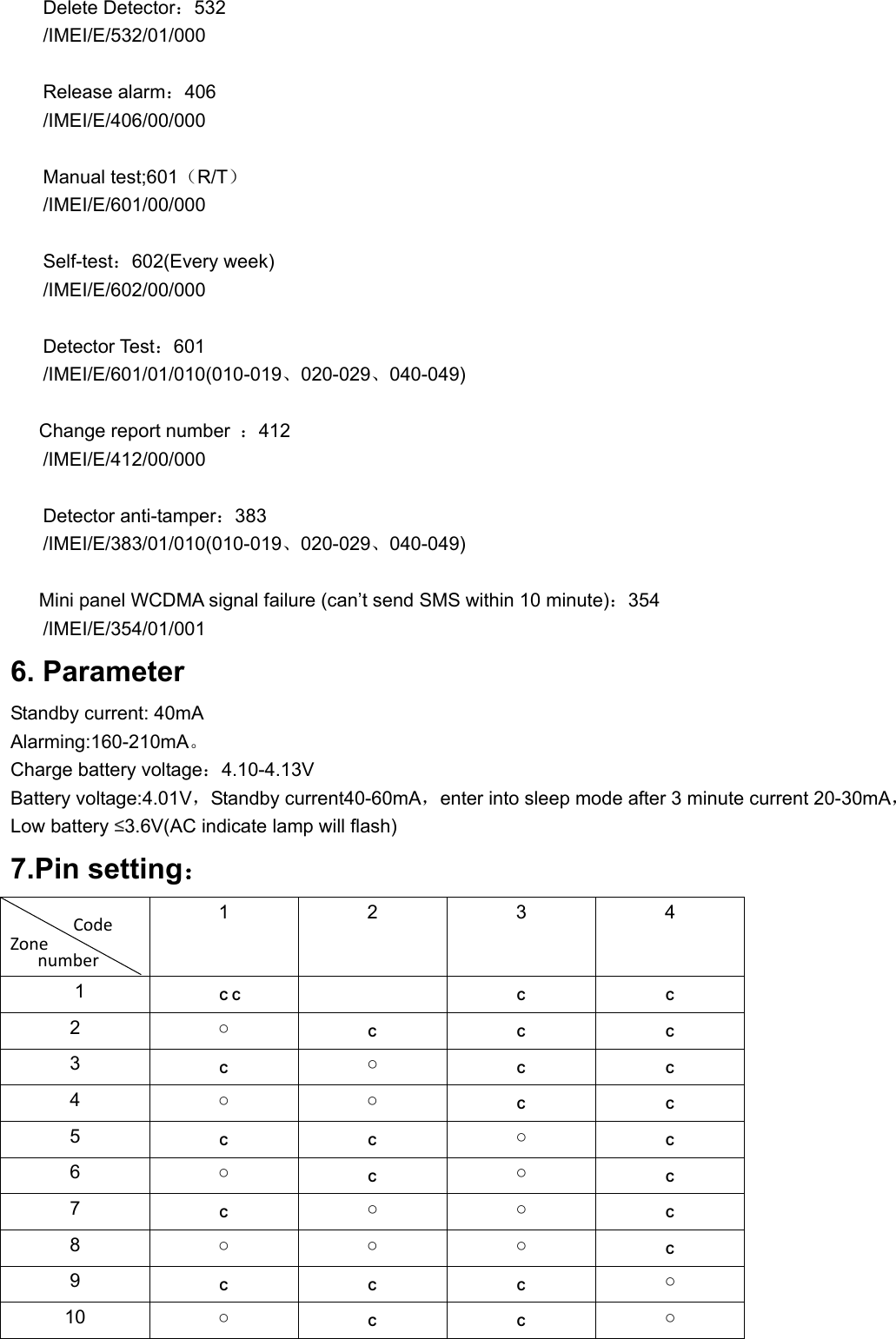
 Delete Detector:532 /IMEI/E/532/01/000  Release alarm:406 /IMEI/E/406/00/000  Manual test;601(R/T) /IMEI/E/601/00/000  Self-test:602(Every week) /IMEI/E/602/00/000  Detector Test:601 /IMEI/E/601/01/010(010-019、020-029、040-049)  Change report number  :412 /IMEI/E/412/00/000  Detector anti-tamper:383 /IMEI/E/383/01/010(010-019、020-029、040-049)  Mini panel WCDMA signal failure (can’t send SMS within 10 minute):354 /IMEI/E/354/01/001 6. Parameter Standby current: 40mA Alarming:160-210mA。 Charge battery voltage:4.10-4.13V Battery voltage:4.01V,Standby current40-60mA,enter into sleep mode after 3 minute current 20-30mA, Low battery ≤3.6V(AC indicate lamp will flash) 7.Pin setting:   1 2 3 4  1  C C  C C 2  ○ C C C 3  C ○ C C 4  ○ ○ C C 5  C C ○ C 6  ○ C ○ C 7  C ○ ○ C 8  ○ ○ ○ C 9  C C C ○ 10  ○ C C ○  CodeZonenumber
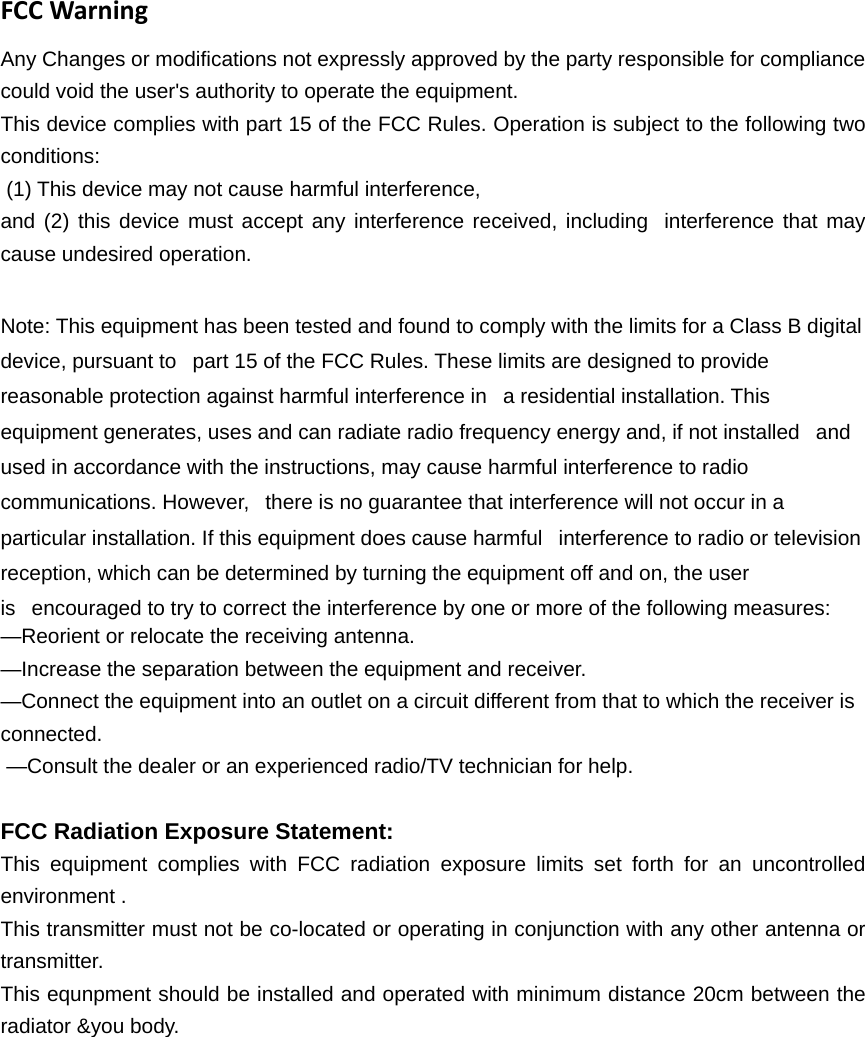
FCCWarningAny Changes or modifications not expressly approved by the party responsible for compliance could void the user's authority to operate the equipment.     This device complies with part 15 of the FCC Rules. Operation is subject to the following two conditions:  (1) This device may not cause harmful interference,   and (2) this device must accept any interference received, including  interference that may cause undesired operation.   Note: This equipment has been tested and found to comply with the limits for a Class B digital device, pursuant to   part 15 of the FCC Rules. These limits are designed to provide reasonable protection against harmful interference in   a residential installation. This equipment generates, uses and can radiate radio frequency energy and, if not installed   and used in accordance with the instructions, may cause harmful interference to radio communications. However,   there is no guarantee that interference will not occur in a particular installation. If this equipment does cause harmful   interference to radio or television reception, which can be determined by turning the equipment off and on, the user is   encouraged to try to correct the interference by one or more of the following measures:    —Reorient or relocate the receiving antenna.    —Increase the separation between the equipment and receiver.    —Connect the equipment into an outlet on a circuit different from that to which the receiver is connected.  —Consult the dealer or an experienced radio/TV technician for help.  FCC Radiation Exposure Statement:    This equipment complies with FCC radiation exposure limits set forth for an uncontrolled environment . This transmitter must not be co-located or operating in conjunction with any other antenna or transmitter. This equnpment should be installed and operated with minimum distance 20cm between the radiator &you body.

Navigation menu