Residential Control Systems TZW017 Z-wave enabled wireless keypad User Manual TZ45 Installation Manual
Residential Control Systems Z-wave enabled wireless keypad TZ45 Installation Manual
user manual
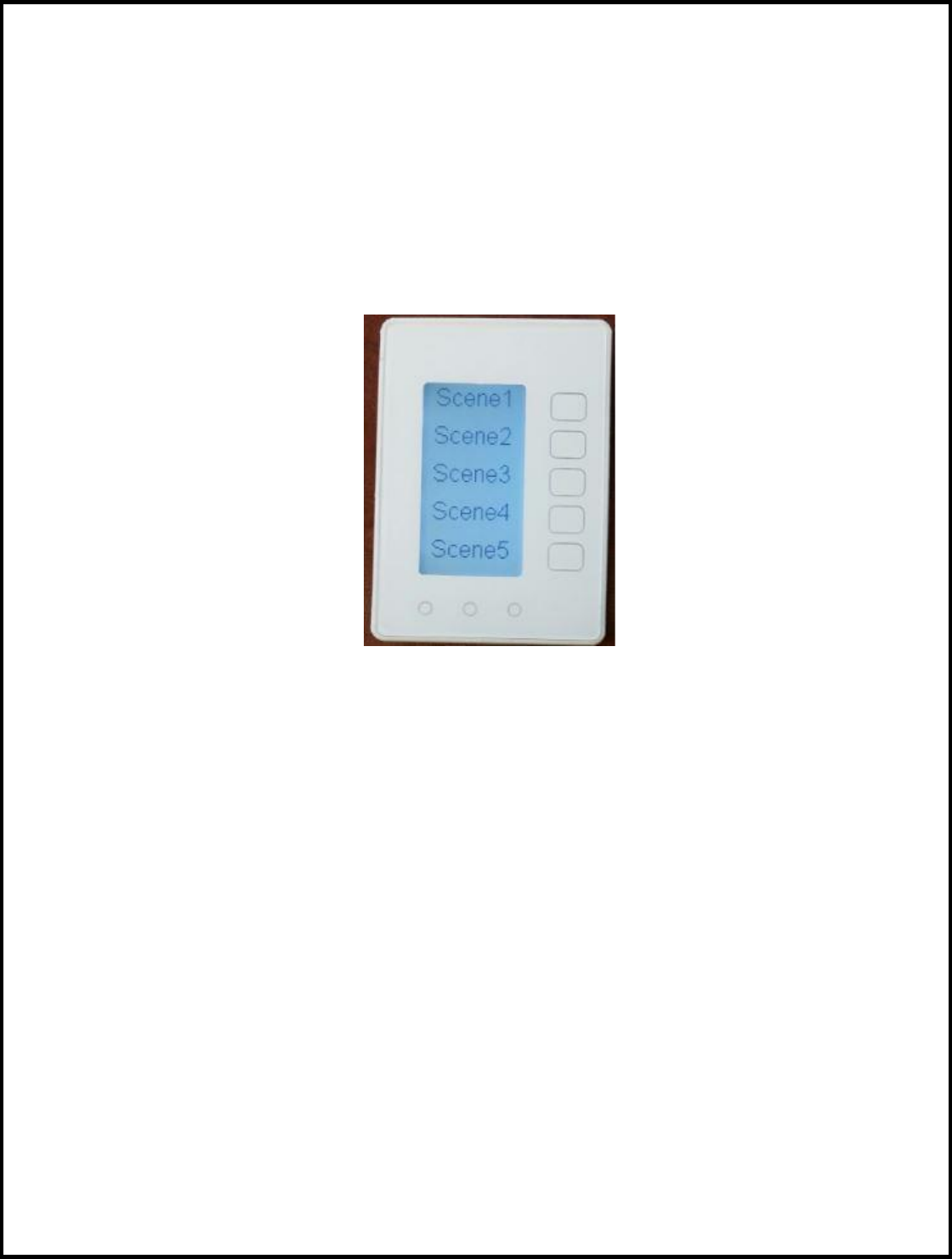
Model SCG5
Z-Wave Keypad
INSTALLATION
AND
OPERATION MANUAL
DCN: 141-02273-01
5/19/15
RCS
DCN: 141-02273-01 5/19/15 2
Model: SCG5
Z-Wave Keypad
This manual applies to the following product revisions or later revisions up to the next manual revision
release:
Product
Part No:
Firmware Revision
Z-Wave Keypad
001-02273
1.00.3
Document Revision History
Revision
Date
Changes
01
10/20/10
Original release
Product Specifications
Product Model: SCG5
Product: Scene Control
Z-Wave RF communications enabled
Keypad
Size: 3.5” wide x 4.5” height x 1.2” depth
Display: Graphical LCD, 2.75” x 1.5”, 64x128 pixel
Backlight: Yes, Blue/white, Controllable, on, off, timeout
Contrast: Adjustable on screen
Buttons: 8
Power: 2 AAA Alkaline
Communications: Z-Wave RF
DCN: 141-02273-01 5/19/15 3
Table of Contents
Overview ...................................................................................................................................................... 4
Z-Wave® Installation ................................................................................................................................... 5
Inclusion and Exclusion ............................................................................................................................. 5
Power ......................................................................................................................................................... 5
FCC ............................................................................................................................................................... 6
DCN: 141-02273-01 5/19/15 4
Overview
Z-Wave Keypad
The Z-Wave Keypad provides for typical Keypad control plus has the added feature of Z-Wave
communications for remote control.
The Keypad has a large, backlit graphical display and control buttons. The Keypad can display multiple
screens for different functions of the Keypad.
Display operation
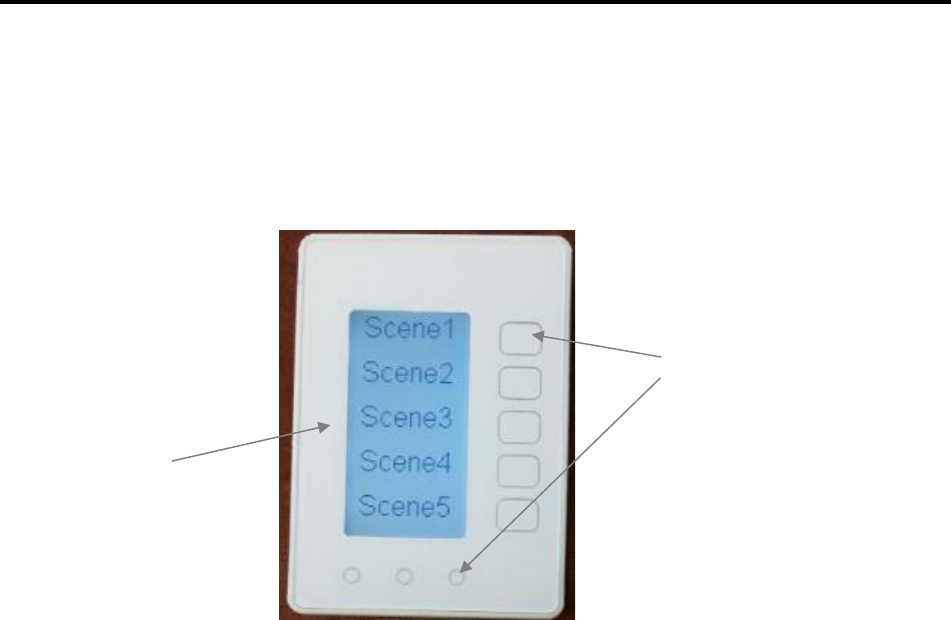
Keypad control screen
Normally the Keypad displays the Keypad control screen as shown above.
Minimized Display Mode
Optionally, you can set the Keypad to timeout and show a blank screen.
Backlight
The Keypad has a backlit display for low light and night visibility. It can be set to remain on constantly, or
to turn off after a 20-120 second delay. These are selectable in the User Settings menu.
Function Control Buttons
The Keypads buttons are “Soft Keys” meaning that they change functions when you change screens.
The function of the button is defined by “on-screen labels” that are dynamic and change when you
change screens
Function Control Buttons
On-screen
dynamic
button labels

DCN: 141-02273-01 5/19/15 5
Z-Wave® Installation
Z-Wave controllers from various manufacturers may support the Z-Wave Wall Controller Device class
used by the RCS Z-WAVE Keypad. The following procedure will allow the Keypad to be added to a Z-
Wave network.
General Programming Procedure (for controllers supporting the Keypad device class):
1. Set your primary controller to Include mode, to add the Keypad as a node on your network
(see your controller’s user manual for detailed instructions).
2. In the Keypad’s Main Menu, scroll down to the ZWave Install item. Select the item.
3. Press the YES button in the ZWave Install screen.
Your controller will indicate the Keypad was successfully added to its network (see your controller’s
user manual for details). Also you can check if the Keypad was successfully added to the network by
checking the ZHID (Home ID) and ZNID (Node ID) located in the Keypad Info screen.
For other specific tasks such as adding the Keypad to Scenes or Groups, or deleting the Keypad from
an existing network, use the Z-Wave Install procedure.
Note: Before adding the Keypad to a Z-Wave Network, check that it does not already belong to one
by viewing the Home and Zone ID’s located in the Keypad Info screen. An un-configured Keypad
should show zeros for both the Home and Zone IDs. Consult your controller’s user manual for details
on removing a device from a Z-Wave network.
Inclusion and Exclusion
Inclusion or exclusion is started by putting the controller into add node or remove node state and
performing the General Programming Procedure outlined above. As part of the process, the Keypad
sends a node information frame at normal power.
Low power inclusion or low power exclusion is not possible.
Power
The Keypad requires 2 AAA Alkaline batteries

DCN: 141-02273-01 5/19/15 6
FCC/IC
INFORMATION TO USER
This device complies with Part 15 of the FCC Rules. Operation is subject to the following two conditions: (1) This device may not
cause harmful interference, and (2) This device must accept any interference received, including interference that may cause
undesired operation.
This equipment has been tested and found to comply with the limits for Class B Digital Device, pursuant to Part 15 of the FCC
Rules. These limits are designed to provide reasonable protection against harmful interference in a residential installation. This
equipment generates and can radiate radio frequency energy and, if not installed and used in accordance with the instructions, may
cause harmful interference to radio communications. However, there is no guarantee that interference will not occur in a particular
installation. If this equipment does cause harmful interference to radio or television reception, which can be determined by turning
the equipment off and on, the user is encouraged to try to correct the interference by one or more of the following measures.
Reorient or relocate the receiving antenna
Increase the separation between the equipment and receiver
Connect the equipment into an outlet on a circuit different from that to which the receiver is connected
Consult the dealer or an experienced radio/TV technician for help
Any changes or modifications not expressly approved by the party responsible for compliance could void the user’s authority to
operate the equipment.
This device complies with Industry Canada license-exempt RSS standard(s). Operation is subject to the following two conditions: (1)
this device may not cause interference, and (2) this device must accept any interference, including interference that may cause
undesired operation of the device.
Le présent appareil est conforme aux CNR d'Industrie Canada applicables aux appareils radio exempts de licence. L'exploitation est
autorisée aux deux conditions suivantes : (1) l'appareil ne doit pas produire de brouillage, et (2) l'utilisateur de l'appareil doit
accepter tout brouillage radioélectrique subi, même si le brouillage est susceptible d'en
compromettre le fonctionnement.