S2E X6 Bluetooth Headset User Manual X6

S2E,Inc. Bluetooth Headset X6

Contents

user manual

          Bluetooth Headset Model Name: X6  Brand Name: MEEMEELECTRONICS  FCC ID: 2ABMR-X6
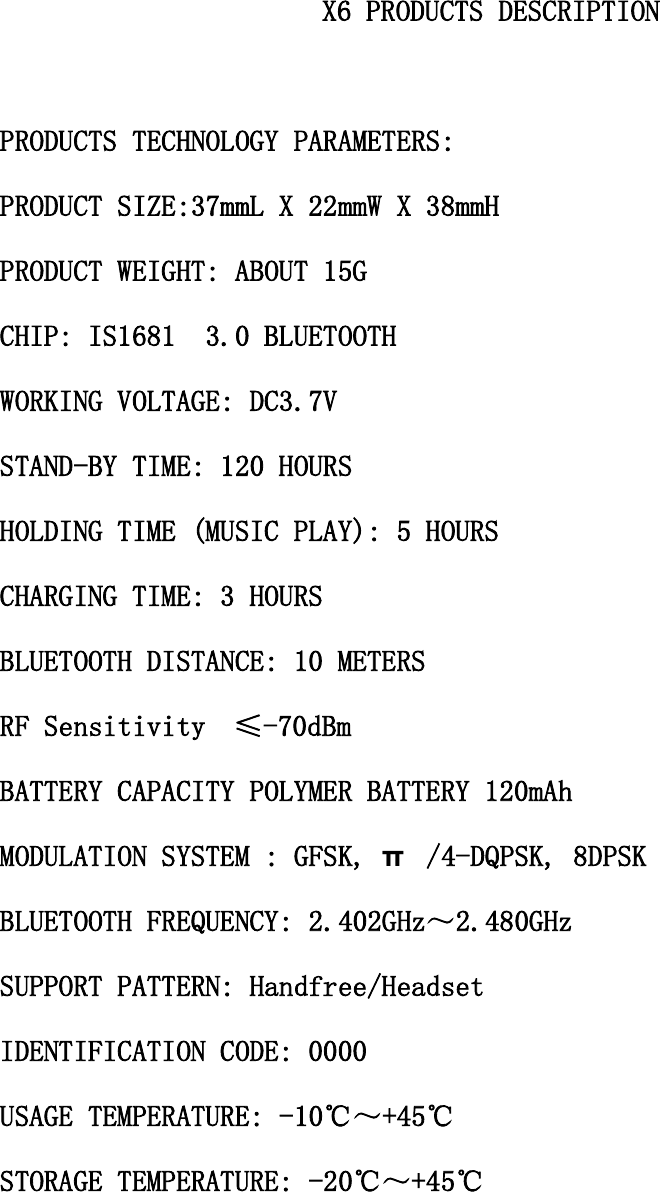
                                              X6 PRODUCTS DESCRIPTION  PRODUCTS TECHNOLOGY PARAMETERS: PRODUCT SIZE:37mmL X 22mmW X 38mmH PRODUCT WEIGHT: ABOUT 15G CHIP: IS1681S 3.0 BLUETOOTH WORKING VOLTAGE: DC3.7V STAND-BY TIME: 120 HOURS HOLDING TIME (MUSIC PLAY): 5 HOURS CHARGING TIME: 3 HOURS BLUETOOTH DISTANCE: 10 METERS RF Sensitivity  ≤-70dBm BATTERY CAPACITY POLYMER BATTERY 120mAh MODULATION SYSTEM : GFSK, π /4-DQPSK, 8DPSK BLUETOOTH FREQUENCY: 2.402GHz~2.480GHz SUPPORT PATTERN: Handfree/Headset IDENTIFICATION CODE: 0000 USAGE TEMPERATURE: -10℃~+45℃ STORAGE TEMPERATURE: -20℃~+45℃
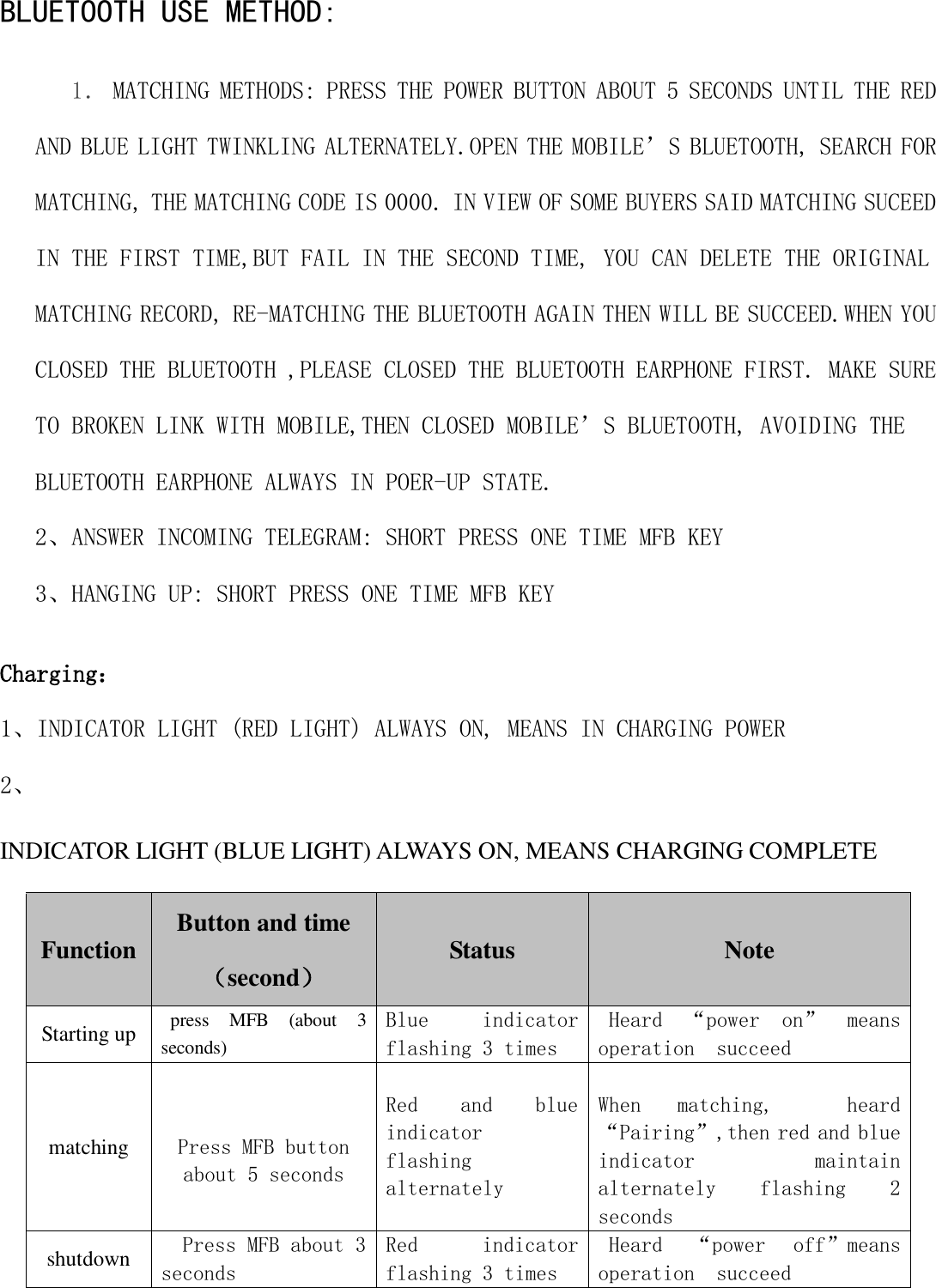
 BLUETOOTH USE METHOD: 1. MATCHING METHODS: PRESS THE POWER BUTTON ABOUT 5 SECONDS UNTIL THE RED AND BLUE LIGHT TWINKLING ALTERNATELY.OPEN THE MOBILE’S BLUETOOTH, SEARCH FOR MATCHING, THE MATCHING CODE IS 0000. IN VIEW OF SOME BUYERS SAID MATCHING SUCEED IN THE FIRST TIME,BUT FAIL IN THE SECOND TIME, YOU CAN DELETE THE ORIGINAL MATCHING RECORD, RE-MATCHING THE BLUETOOTH AGAIN THEN WILL BE SUCCEED.WHEN YOU CLOSED THE BLUETOOTH ,PLEASE CLOSED THE BLUETOOTH EARPHONE FIRST. MAKE SURE TO BROKEN LINK WITH MOBILE,THEN CLOSED MOBILE’S BLUETOOTH, AVOIDING THE BLUETOOTH EARPHONE ALWAYS IN POER-UP STATE. 2、ANSWER INCOMING TELEGRAM: SHORT PRESS ONE TIME MFB KEY 3、HANGING UP: SHORT PRESS ONE TIME MFB KEY Charging: 1、INDICATOR LIGHT (RED LIGHT) ALWAYS ON, MEANS IN CHARGING POWER 2、 INDICATOR LIGHT (BLUE LIGHT) ALWAYS ON, MEANS CHARGING COMPLETE  Function Button and time (second) Status   Note Starting up press  MFB  (about  3 seconds) Blue  indicator flashing 3 times Heard  “power  on”  means operation  succeed matching   Press MFB button about 5 seconds Red  and  blue indicator  flashing  alternately  When  matching,    heard“Pairing”,then red and blue indicator    maintain alternately  flashing  2 seconds shutdown Press MFB about 3 seconds Red  indicator flashing 3 times Heard  “power  off”means operation  succeed
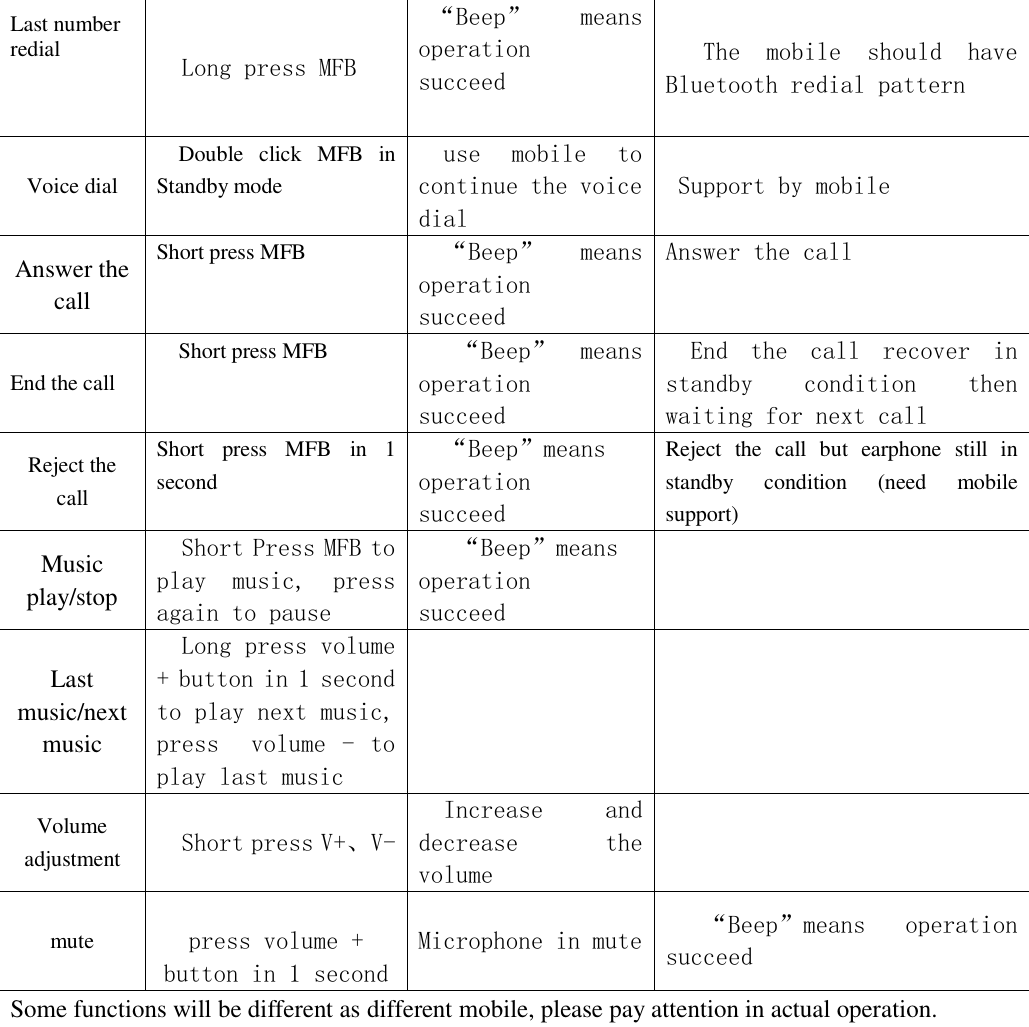
 Last number redial  Long press MFB  “Beep”  means operation  succeed The  mobile  should  have Bluetooth redial pattern Voice dial Double  click  MFB  in Standby mode use  mobile  to continue the voice dial Support by mobile Answer the call Short press MFB  “Beep”  means operation  succeed Answer the call End the call Short press MFB  “Beep”  means operation  succeed End  the  call  recover  in standby  condition  then waiting for next call Reject the call Short  press  MFB  in  1 second  “Beep”means operation  succeed Reject  the  call  but  earphone  still  in standby  condition  (need  mobile support) Music play/stop Short Press MFB to play  music,  press again to pause  “Beep”means operation  succeed  Last music/next music Long press volume + button in 1 second to play next music, press    volume  -  to play last music   Volume adjustment Short press V+、V- Increase  and decrease  the volume  mute  press volume + button in 1 second  Microphone in mute  “Beep”means  operation  succeed Some functions will be different as different mobile, please pay attention in actual operation.
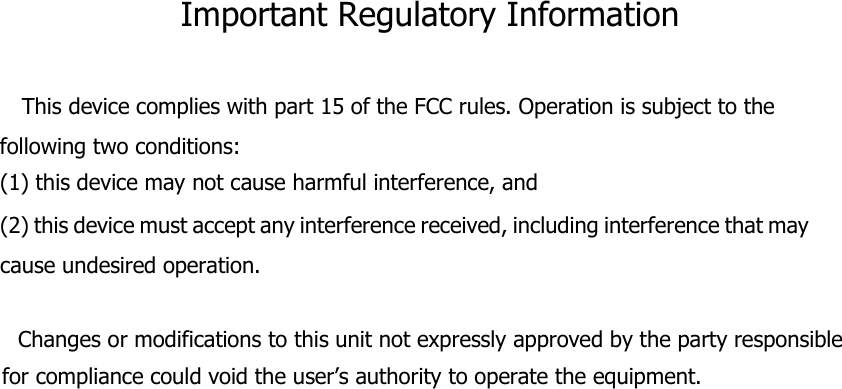
Important Regulatory Information  This device complies with part 15 of the FCC rules. Operation is subject to the following two conditions: (1) this device may not cause harmful interference, and (2) this device must accept any interference received, including interference that may cause undesired operation.       Changes or modifications to this unit not expressly approved by the party responsible for compliance could void the user’s authority to operate the equipment.

Navigation menu