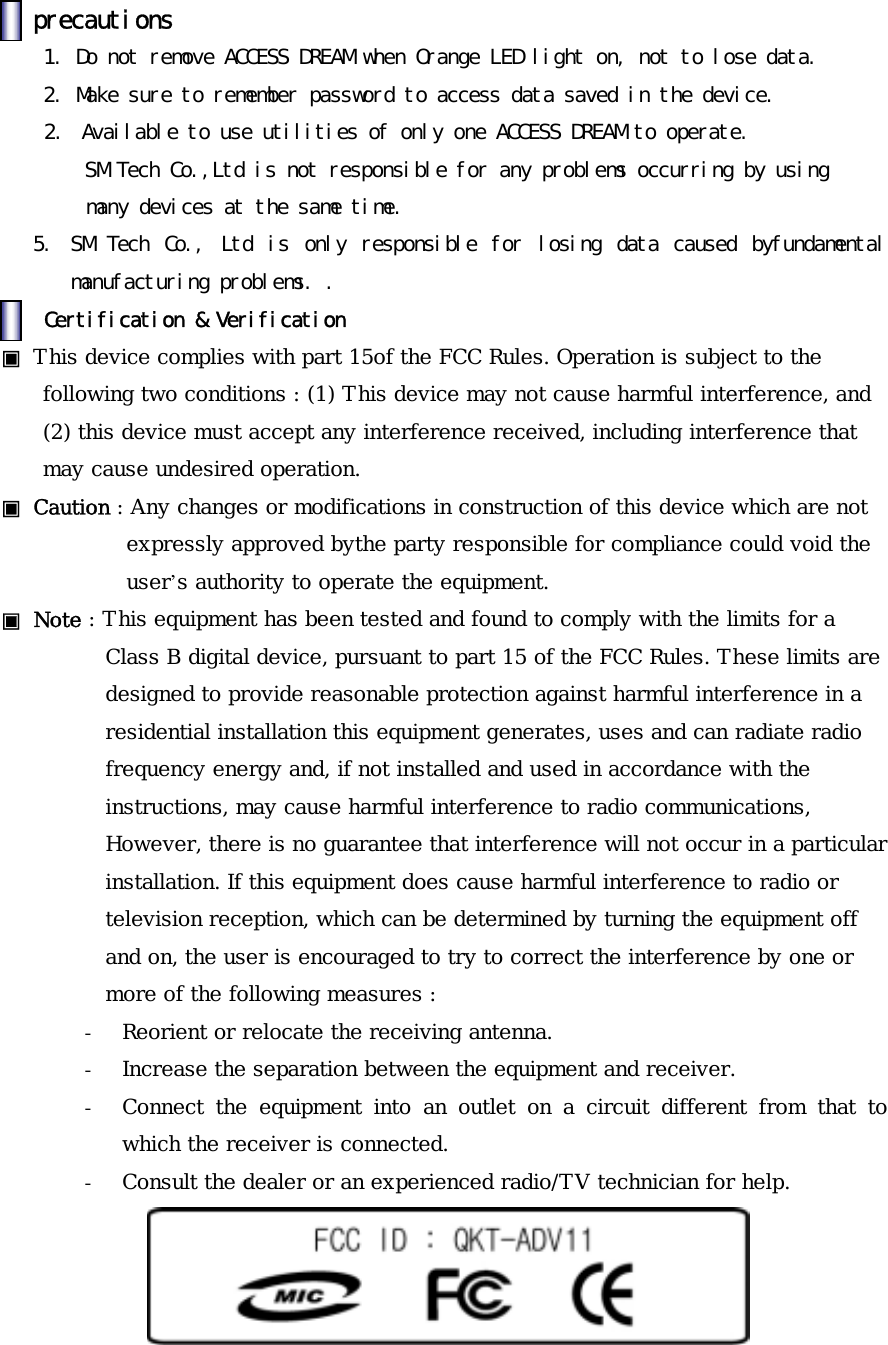
SM Tech ADV11 USB Storage Device User Manual SM Tech Co Ltd SERVICE CENTER
SM Tech Co., Ltd. USB Storage Device SM Tech Co Ltd SERVICE CENTER
UserManual.wiki
>
SM Tech
>
ADV11 User Manual
User Manual
Navigation menu
Upload a User Manual
Namespaces
Wiki Guide
HTML
PDF
Info
Views
User Manual
Discussion / Help
Navigation
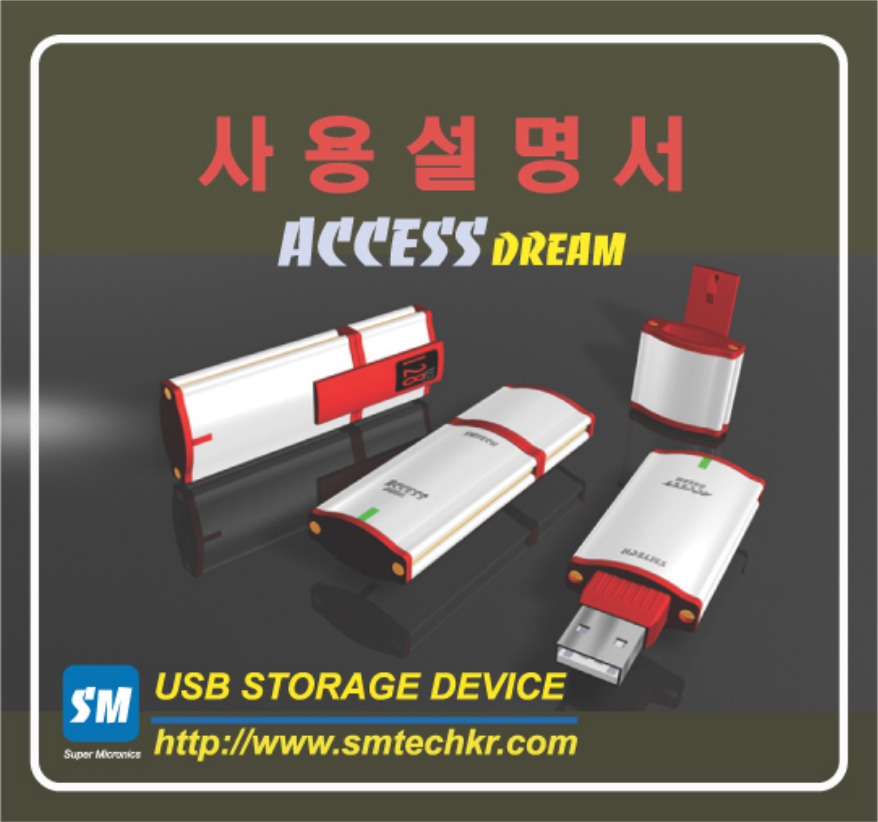
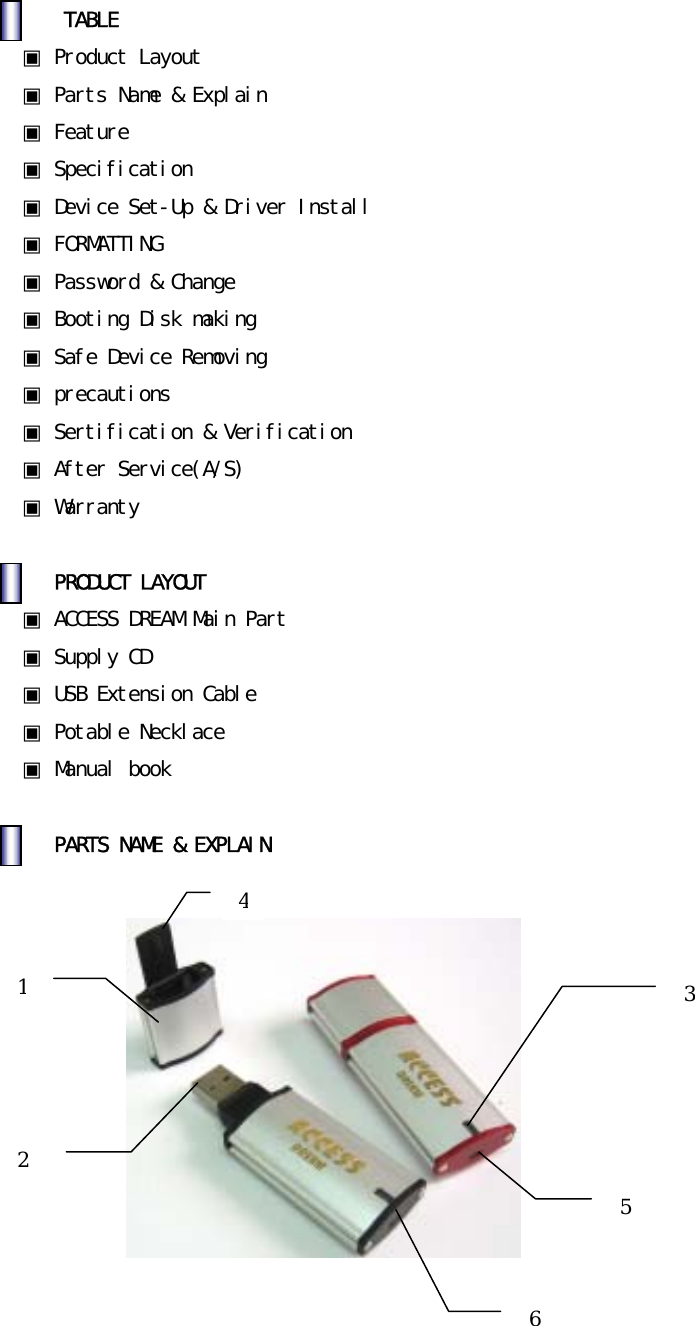
![1.CAP:ProtectingUSBConnectorarea2.USBConnector:ConnectingComputer&Connector3.LED1)GreenLEDlight:StandbyforReading/WritingasconnectingComputer.2)OrangeLEDlight:OnDataReading/WritingCaution):DatamaybedamagedifdeviceisremovedwithOrangeLEDlighton.4.HoldingClip:SafelyholdingthedeviceinBagorPocket.5.LockingSwitch1) :Reading/WritingAvailable2) : Only Reading[No writing] 6. A ring to put in a potable necklace. Feature 1.Matchrefineddesignwithhigh-qualifiedmaterialofAluminum.-UsingclassicalAluminummaterial,discriminatedproductwithstrong,luxurioustouchandrefineddesign.2.Convenient&MobileStorageDevice.-StoragespacemadeofMemoryChip,handyandusefulstoragedeviceaslikeaHardDisk.3.NoneedPowerDonotneedadditionalpowersupplybyusingUSBBus’sPower.4.FastTransmissionspeedusingUSBPort.Providehigh-speedtransmissionbyusingUSBPort(12MbpsMax)5.ButtingDiskFunctionIndependentbuttingsupportavailablesameasFDD,CDR,HDD.Usingbuttingfunction,sameaslikeproducingbuttingdisk.(cf:OnlyavailablebyMain-BoardsupportingUSBbutting.)6.PASSWORDS/Wsecurityfunction,unabletoaccesstodatainthedevicebyunauthorizedpeople.Enteryourpasswordtoreachyourdata.Youhavetoformatifyouloseyourpassword.](https://usermanual.wiki/SM-Tech/ADV11/User-Guide-309774-Page-3.png)
![7.WritingForbiddingswitch( )Not allow writing, protecting data from virus infection & damage by user’smistakes.SpecificationMemoryCapacity 16MB,32MB,64MB,128MB,256MBInterface USB1.1VersionSpecOperating(OS) MS-DOS,Win98/SE/ME/2000/XP,OverMac8.6,Linux2.4,WinCE3.0Apply AllcomputersprovidingUSBportTransmissionSpeed Read:900Kbytes/secWrite:700Kbytes/secDataretention 10YearsPower USBBus-Powered(4.75V5.25V)Size 75mmX26mmX12mm(includingCAP)Weight 29g DeviceSet-Up&DriverInstall1. DeviceSet-up 1) [Picture1]DirectconnectiontoComputerUSBport.[Picture2]Useanextensioncablebetweencomputerandthedevice.2) Referto[Picture3]recognizingthroughRemovableDiskafterconnection.Caution).NotshowingtextindiskonCodeMode.Mustgetcodeauthenticationtoaccessintothedisk.](https://usermanual.wiki/SM-Tech/ADV11/User-Guide-309774-Page-4.png)
![[Picture1]Directconnect[Picture2]Extensioncable[Picture3]RemovableDiskonWindows2. DriverInstall •DonotneedtoinstallthedriveronanyOS,exceptWindows98,Windows98SE. •UseSupplyCDprovidedforWindows98,Windows98SE.Caution).IfunabletoautomaticallyinstallonWindows9X(OS),installthedrivermanually.](https://usermanual.wiki/SM-Tech/ADV11/User-Guide-309774-Page-5.png)
![3.Windows98DriverManuallyInstalling1) WhenACCESSDREAMfirstconnectinthe[Picture4].Click‘Next’button. [Picture4]AsACCESSDREAMfirstconnected2) [Picture5]Select‘Searchforthebestdriverforyourdevice(Recommended)’andClickon‘Next’button.[Picture5]SelectionofDeriverSearch](https://usermanual.wiki/SM-Tech/ADV11/User-Guide-309774-Page-6.png)
![3)[Picture6].Select‘Specifyalocation’andlocatewherethedriversisby‘Browse’,[Picture7]Click‘Next’button.[Picture6]Searchingdriverlocation[Picture7]AppointDriverLocation](https://usermanual.wiki/SM-Tech/ADV11/User-Guide-309774-Page-7.png)
![4)Appearawindowasfoundadriveron[Picture8],otherwise,checkthelocationbackinNo3).Click‘Next’button&Installdriveron‘InstallingProcessWindow’. [Picture8]DriverInstallation5)CompleteDriverInstallationClick‘Finish’buttontodisappear&waitforDriverinstallationofACCESSDREAM[Picture9]. [Picture9]CompleteDriverInstallation](https://usermanual.wiki/SM-Tech/ADV11/User-Guide-309774-Page-8.png)
![6)ConfirmDriverInstallation.RightInstallationofACCESSDREAM—‘Start→ Settings→ ControlPanel→ System→ DeviceManager’.Both[Picture10]and[Picture11]needforoperating. [Picture10]DriverInstallationConfirm[Picture11]DriverInstallationConfirm](https://usermanual.wiki/SM-Tech/ADV11/User-Guide-309774-Page-9.png)
![7)OpenWindowsExploringandRemovableDisk[Picture12]comesout.[Picture12]RemovableDiskonWindowSearcherFORMATTING[WhenyouneedFormatting?]•WhendiskclearingoflotsofbadblocksinFlashMemory. •Badblockgeneratedafter“QuickFormat”.•NeedtocreatenewPassword(Allfilesinthedevicewillbedeletedandthebasicpasswordis”0000”.)](https://usermanual.wiki/SM-Tech/ADV11/User-Guide-309774-Page-10.png)
![1.ConnectACCESSDREAMintoUSB.2.ExecuteD:ManagerEnglishManager.exeinSupplyCDandappear[Picture13].[Picture13]InitialManagerProgramCaution).If‘PluginACCESSDREAM!’comesout,ACCESSDREAM이USBportisnotconnected,thenplugoutandtryagain.3.Select‘QuickFormat’or‘FullFormat’andclick‘Formatting’button.(Takingforawhilewith‘FullFormat’.)Click‘OK’buttonif[Picture14]comesup. [Picture14]CautionMessage](https://usermanual.wiki/SM-Tech/ADV11/User-Guide-309774-Page-11.png)
![[Picture15]FormatProcessingCaution)PleaseBack-upimportantdatatopreventallfilesfromdeletingbyInitializing..4.[Picture16]comesoutwhencompleteformatting.[Picture16]CompleteFormat](https://usermanual.wiki/SM-Tech/ADV11/User-Guide-309774-Page-12.png)
![Password&ChangePassword1. Password 1) ConnectformatteddevicetoUSBport.2) ExecuteD:ManagerEnglishManager.exeinSupplyCDprovided[Picture17]comesup.[Picture17]InitialManagerProgram3) Select‘UsingPassword’tousepasswordfunction.Click‘OK’button[Picture18]andtry.[Picture18]SecuritySet-up](https://usermanual.wiki/SM-Tech/ADV11/User-Guide-309774-Page-13.png)
![4)Clickon‘RemovableDisk’[Picture19]afterPlugout&inACCESSDREAM.[Picture19]Screenwhenusingpassword7)Execute‘PassMan.exe’onrightcornerandclick‘Apply’buttonafterInsertingpassword[Picture20].(Initializedpasswordis“0000”)[Picture20]EnterPassword](https://usermanual.wiki/SM-Tech/ADV11/User-Guide-309774-Page-14.png)
![6)Disappear[Picture20]withcompletionofLog-In,availabletousenormally[Picture21].[Picture21]CompleteLog-In](https://usermanual.wiki/SM-Tech/ADV11/User-Guide-309774-Page-15.png)
![2.ChangingPassword1) ConnectdevicepasswordinsertedtoUSBport.2) Onpasswordmode,Execute‘Passman.exe’,andthen[Picture22]comesup.Click‘ChangePassword’buttonandthenchangepassword[Picture23].[Picture22]Click“ChangePassword”[Picture23]Enterpasswordyouwant](https://usermanual.wiki/SM-Tech/ADV11/User-Guide-309774-Page-16.png)
![-OldPassword:Enterformerpassword(Initialpassword”0000”)-NewPassword:Enternewpassword(upto8figuresnumbers)-ConfirmPassword:Re-entertheNewPassword(confirmpassword)Caution).Onlynumbersavailableforpassword.3) Enternewpasswordin[Picture23]andclick‘Apply’button.[Picture24]comesout,re-enterthepasswordandclick‘Apply’button.[Picture24]Enternewpassword4) [Picture24]disappearsafterLog-Inandthennormaluseon[Picture25].](https://usermanual.wiki/SM-Tech/ADV11/User-Guide-309774-Page-17.png)
![[Picture25]CompletionLog-In5) IfchangingpasswordoutofPasswordMode,executeD:ManagerEnglishManager.exeinSupplyCDprovided,then[Picture26]comesout. [Picture26]InitialManagerProgram](https://usermanual.wiki/SM-Tech/ADV11/User-Guide-309774-Page-18.png)
![6) Check‘UsingPassword’,then,[Picture27]withcautionmessagecomesout.Click‘OK’button&‘ChangePassword’next,then,[Picture28]comesout.[Picture27]Checking“UsingPassword”[Picture28]Click“ChangePassword”button](https://usermanual.wiki/SM-Tech/ADV11/User-Guide-309774-Page-19.png)
![5) Enter ”0000” in ‘Old Password’. Enter your new password in ‘New Password’&‘ConfirmPassword’.(cf:upto8figuresofnumbersonly)[Picture29]EnternewpasswordEnternewpasswordin[Picture29]andClick‘Apply’button.ClosetheManagerProgram.6) PlugoutandinACCESSDREAMandclick‘RemovableDisk’.[Picture30]comesout.[Picture30]ClickRemovableDisk](https://usermanual.wiki/SM-Tech/ADV11/User-Guide-309774-Page-20.png)
![7) Execute‘PassMan.exe’andthen[Picture31]comesout.Enternewpasswordandclick‘Apply’button.[Picture31]EnterPassword8)Disappear[Picture31]afterLog-Inand[Picture32]comesupinnormaluse.[Picture32]CompleteLog-In](https://usermanual.wiki/SM-Tech/ADV11/User-Guide-309774-Page-21.png)
![BootingDiskMakingThisfunctionisonlyavailableonWindows98.Formatafterselecting‘MakeBootableDisk’in[Picture33].(ItisunabletoselectoverWindows98versions[Picture33],whichisinactive.)Bootingafterselecting‘USBZIP’fromBootDevicefollowedbyformatting.Makesuretouseafterdeleting‘UsingPassword’optionifyouwantbootingbythisdevice,becausefilesrelatingBootingarenotwrittenonPasswordModebutwrittenonDataMode.Inaddition,tomakeBootableDisk,youhavetoselecttheoptionofBootingDiskMakingOptionWhenwindowsset-up,otherwisenofileexistonthetaskofmakingbootingdisk.Inthiscase,afteraboveprocedures,savefilesinfloppydiskintoAccessDreamhassamefunctionasbootingdisk.[Picture33]InitialManagerProgramSafeDeviceRemoval1. Windows98:MakesuretoremovewhenredLEDlightoff.2. WindowsME,2000,XP:Removeafterexecuting‘DeviceRemoval’rightbottomofWindows3. Mac:RemoveafterwastingintoRubbishBin4. Linux:Removeafterexecuting‘unmount’](https://usermanual.wiki/SM-Tech/ADV11/User-Guide-309774-Page-22.png)