SUNGALE ELECTRONICS 12A01501 GATEWAY-SIREN User Manual HUB ALARM User Manual

SUNGALE ELECTRONICS (SHENZHEN) CO., LTD. GATEWAY-SIREN HUB ALARM User Manual

User manual

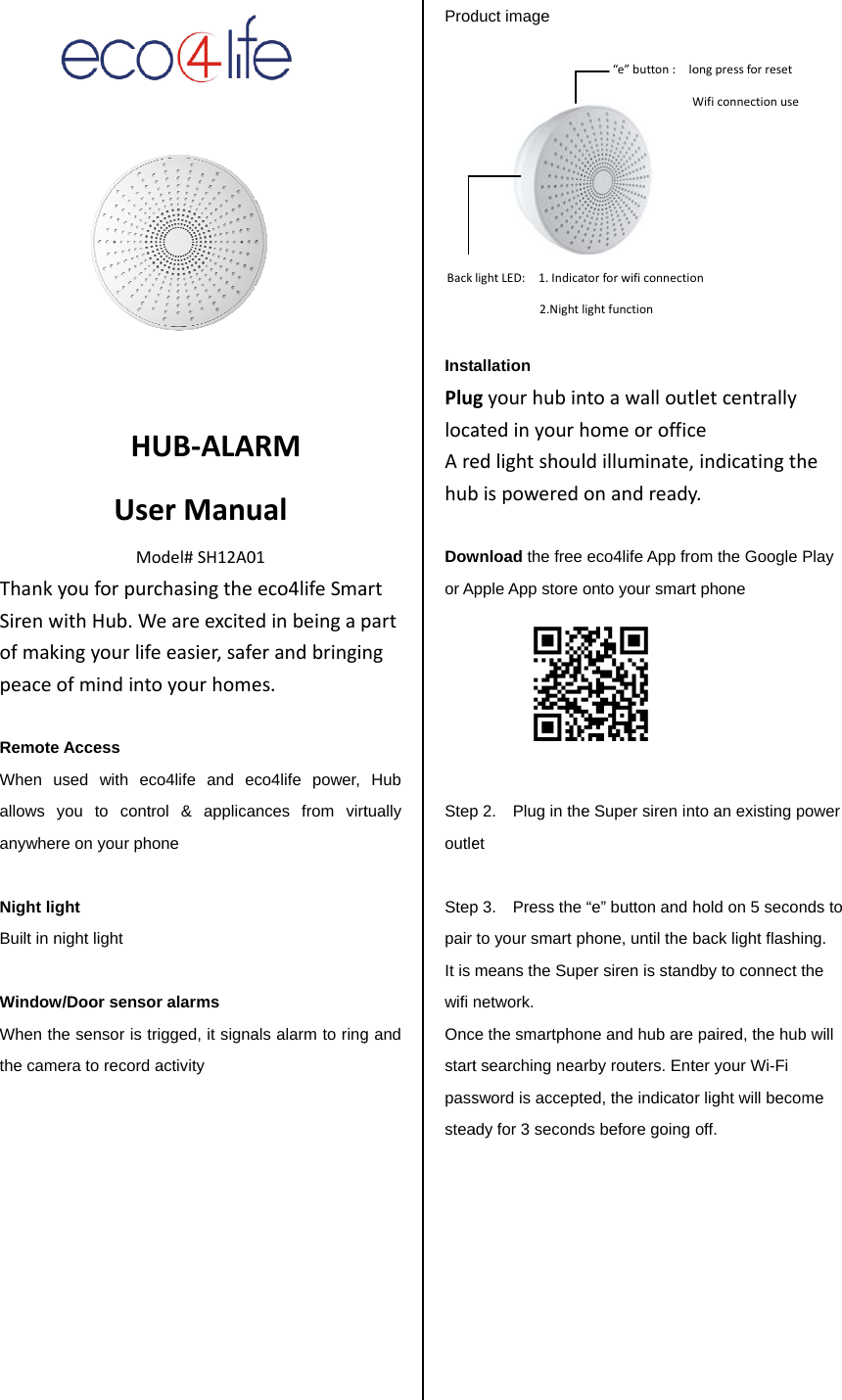
ThanSirenofmpeac RemWhenallowanyw NighBuilt  WindWhenthe c          HUsMnkyouforpunwithHub.Wmakingyourliceofmindintote Access n used with ews you to conwhere on your pht light in night light dow/Door sensn the sensor is amera to recordHUB‐ALAserManuModel#SH12A0rchasingtheWeareexcitefeeasier,safetoyourhomeeco4life and entrol & applicahone sor alarms trigged, it signad activity RMual01eco4lifeSmadinbeingaperandbringines.co4life power, ances from virtals alarm to ringartpartngHub tually g and Prod          InstPluglocaArehub Dowor A Stepoutle  Steppair It is wifi Oncstartpassstea        Backduct image allation gyourhubinatedinyourhedlightshoulbispoweredwnload the free pple App store op 2.    Plug in theet p 3.  Press the to your smart pmeans the Supnetwork.  ce the smartphot searching neasword is acceptady for 3 secondlightLED:1.Indica2.Nightlntoawallouthomeorofficldilluminate,onandreadyeco4life App froonto your smart e Super siren in“e” button and phone, until the per siren is standne and hub arerby routers. Ented, the indicatods before going “e”button:loWtorforwificonnectiolightfunctiontletcentrallyceindicatingthy.om the Google t phone nto an existing phold on 5 seconback light flashidby to connect t paired, the hubter your Wi-Fi or light will becomoff. ongpressforresetWificonnectionuseonhePlay power nds to ing. the b will me 
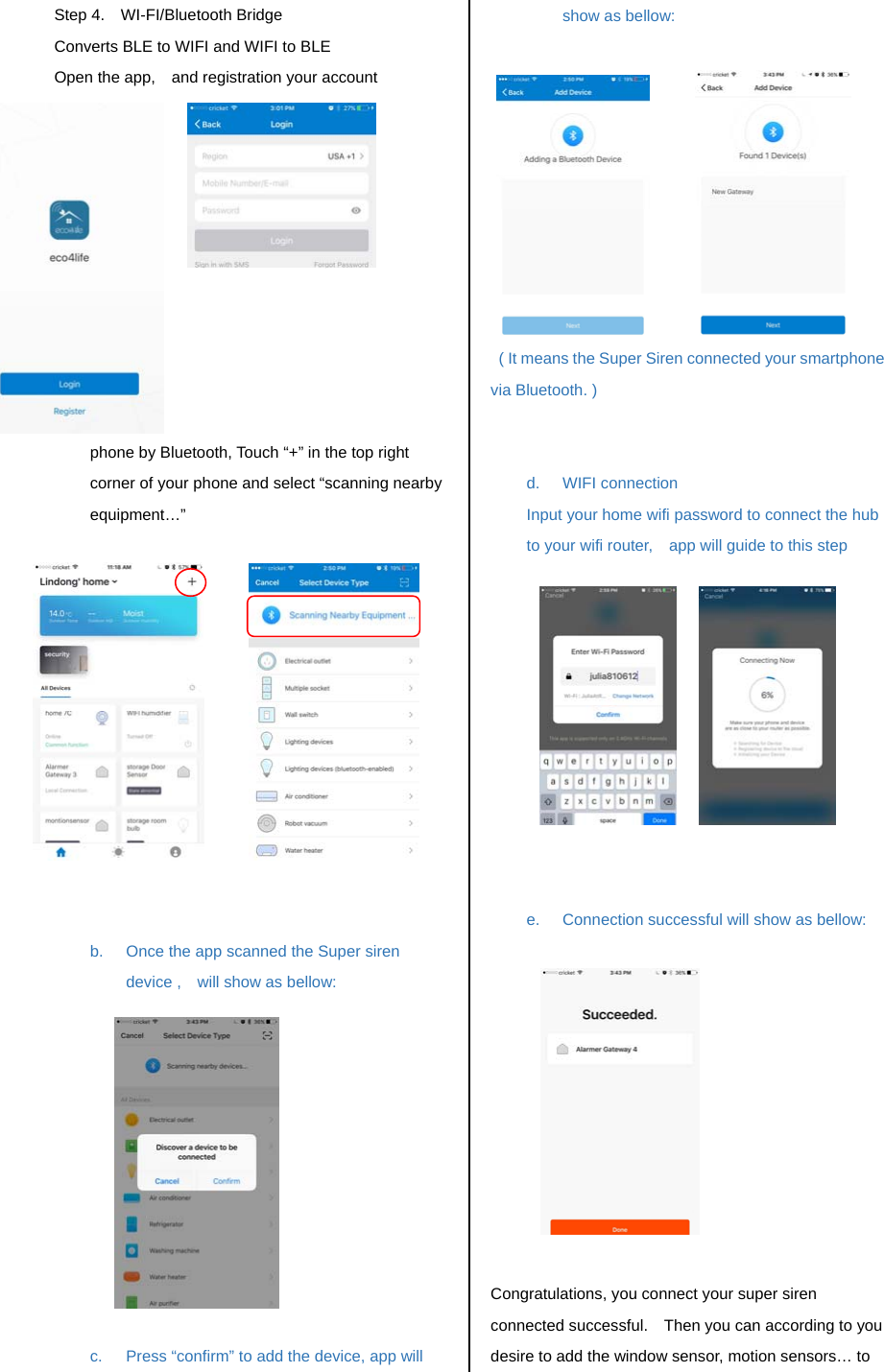
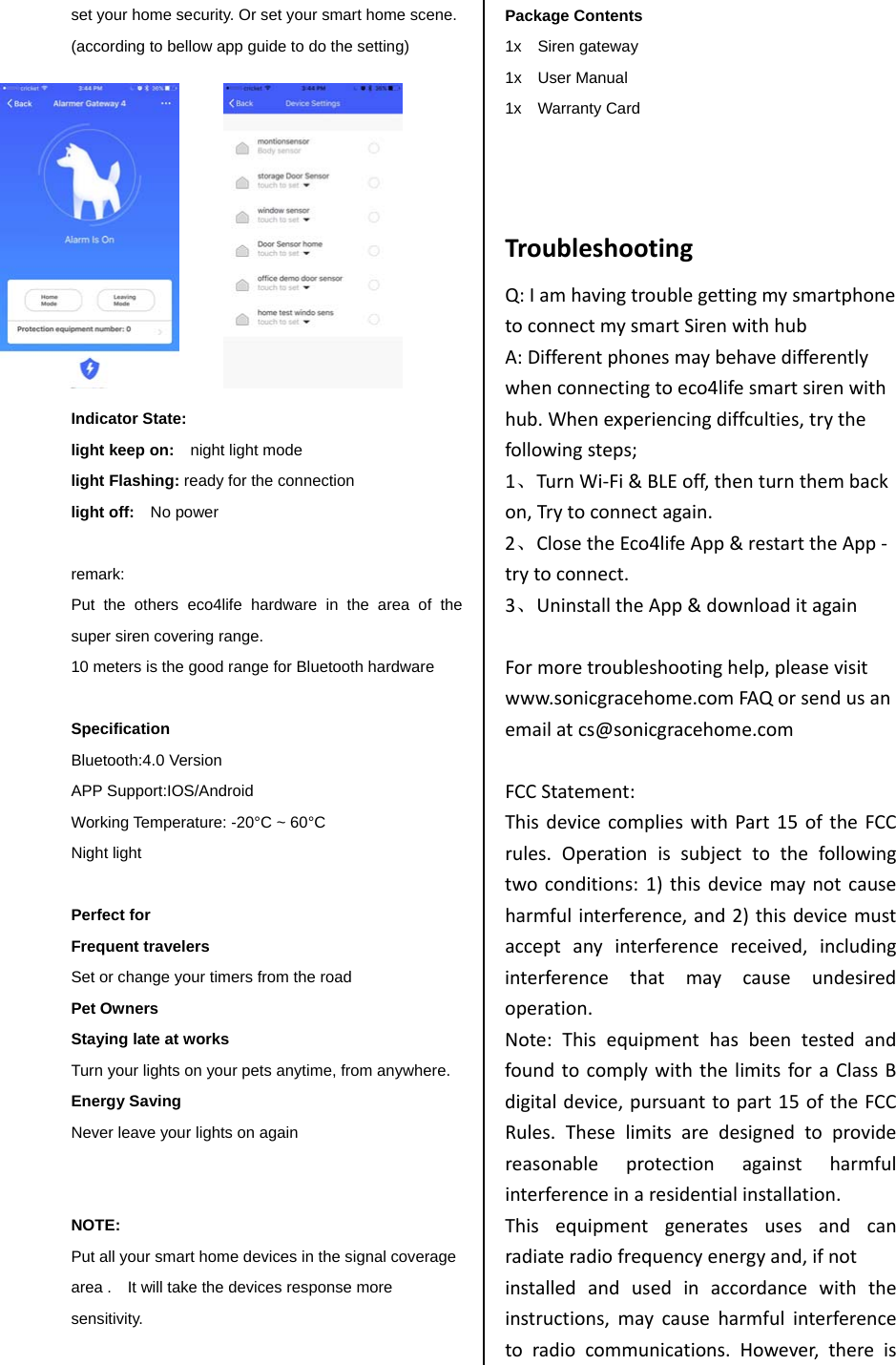
Step 4.  WI-FI/Bluetooth Bridge Converts BLE to WIFI and WIFI to BLE   Open the app,    and registration your account           a.  Connect the Super siren to your smart phone by Bluetooth, Touch “+” in the top right corner of your phone and select “scanning nearby equipment…”              b.  Once the app scanned the Super siren device ,    will show as bellow:            c.  Press “confirm” to add the device, app will show as bellow:              ( It means the Super Siren connected your smartphone via Bluetooth. )   d. WIFI connection Input your home wifi password to connect the hub to your wifi router,    app will guide to this step                 e.  Connection successful will show as bellow:             Congratulations, you connect your super siren connected successful.    Then you can according to you desire to add the window sensor, motion sensors… to 
set your home security. Or set your smart home scene. (according to bellow app guide to do the setting)            Indicator State: light keep on:    night light mode light Flashing: ready for the connection light off:    No power  remark:   Put the others eco4life hardware in the area of the super siren covering range.   10 meters is the good range for Bluetooth hardware  Specification Bluetooth:4.0 Version   APP Support:IOS/Android     Working Temperature: -20°C ~ 60°C Night light  Perfect for   Frequent travelers Set or change your timers from the road Pet Owners Staying late at works Turn your lights on your pets anytime, from anywhere. Energy Saving Never leave your lights on again   NOTE: Put all your smart home devices in the signal coverage area .    It will take the devices response more sensitivity.    Package Contents 1x  Siren gateway 1x  User Manual 1x  Warranty Card   TroubleshootingQ:IamhavingtroublegettingmysmartphonetoconnectmysmartSirenwithhubA:Differentphonesmaybehavedifferentlywhenconnectingtoeco4lifesmartsirenwithhub.Whenexperiencingdiffculties,trythefollowingsteps;1、TurnWi‐Fi&BLEoff,thenturnthembackon,Trytoconnectagain.2、ClosetheEco4lifeApp&restarttheApp‐trytoconnect.3、UninstalltheApp&downloaditagainFormoretroubleshootinghelp,pleasevisitwww.sonicgracehome.comFAQorsendusanemailatcs@sonicgracehome.comFCCStatement:ThisdevicecomplieswithPart15oftheFCCrules.Operationissubjecttothefollowingtwoconditions:1)thisdevicemaynotcauseharmfulinterference,and2)thisdevicemustacceptanyinterferencereceived,includinginterferencethatmaycauseundesiredoperation.Note:ThisequipmenthasbeentestedandfoundtocomplywiththelimitsforaClassBdigitaldevice,pursuanttopart15oftheFCCRules.Theselimitsaredesignedtoprovidereasonableprotectionagainstharmfulinterferenceinaresidentialinstallation.Thisequipmentgeneratesusesandcanradiateradiofrequencyenergyand,ifnotinstalledandusedinaccordancewiththeinstructions,maycauseharmfulinterferencetoradiocommunications.However,thereis
noguaranteethatinterferencewillnotoccurinparticularinstallation.Ifthisequipmentdoescauseharmfulinterferencetoradioortelevisionreception,whichcanbedeterminedbyturningtheequipmentoffandon,theuserisencouragedtotrytocorrecttheinterferencebyoneormoreofthefollowingmeasures:‐‐Reorientorrelocatethereceivingantenna.‐‐Increasetheseparationbetweentheequipmentandreceiver.‐‐Connecttheequipmentintoanoutletonacircuitdifferentfromthattowhichthereceiverisconnected.‐‐Consultthedealeroranexperiencedradio/TVtechnicianforhelp.Changesormodificationsnotexpresslyapprovedbythepartyresponsibleforcompliancecouldvoidtheuser’sauthoritytooperatetheequipment.FCCRadiationExposureStatementThis device complies with FCC RF radiation exposure limits set forth for an uncontrolled environment. This transmitter must not be co‐located or operating in conjunction with anyotherantennaortransmitter. The distance between user and products should be no less than 20cm.

Navigation menu