Samsung Electronics Co EE-CP905 Book Cover Keyboard User Manual CP905 UM STA indb
Samsung Electronics Co Ltd Book Cover Keyboard CP905 UM STA indb
Contents
- 1. User manual
- 2. User Manual Statement
User Manual Statement
5
English
Using a tablet
Mounting the tablet
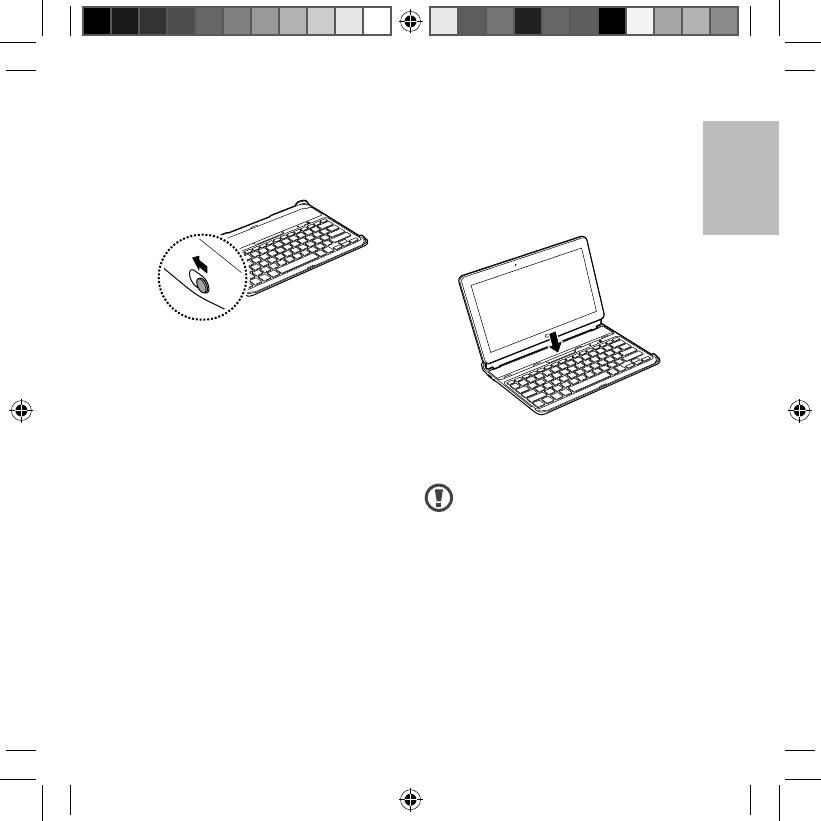
Open the Slot cover on the device and
place the tablet into the slot.
To remove the tablet from device, lift
the tablet upwards.
Follow the instructions when
removing the tablet from the
device. The slot size is only for
Galaxy Note Pro.
FCC ID : A3LSMP905V
Turning the device on or off
Slide the Power switch to ON to turn
on the device.
ON OFF
Slide the Power switch to OFF to turn
off the device.
CP905_UM_STA.indb 5CP905_UM_STA.indb 5 2014-02-22 오후 1:18:582014-02-22 오후 1:18:58
6
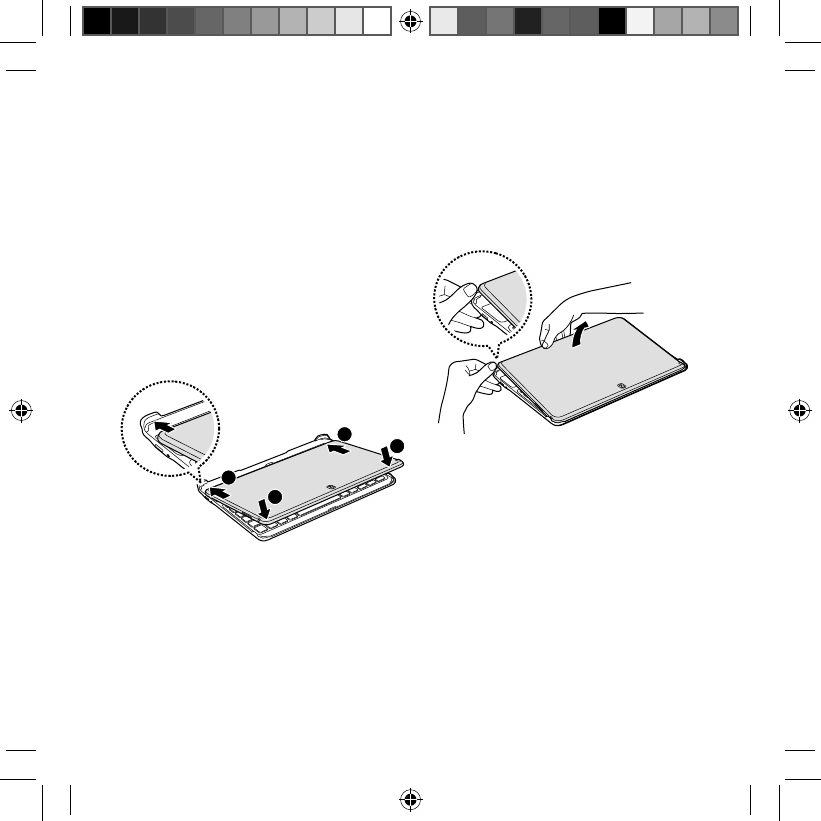
To separate the tablet from the device,
place your fingers in the indentation
at the back-edge of the device. Then,
lift the tablet with your fingers while
pushing the corner guides at the back
of the device.
Stowing the tablet
Place the tablet with the touch screen
facing the device as shown in the
image below.
1
Place the lower-edge of the tablet
against the corner guides at the
back of the device.
2
Align the upper-edge of the tablet
with the front of the device and
lower it to stack the tablet on the
device.
2
2
1
1
CP905_UM_STA.indb 6CP905_UM_STA.indb 6 2014-02-22 오후 1:18:582014-02-22 오후 1:18:58