ShenZhen Aomais Technology T1 TWS User Manual Web

ShenZhen Aomais Technology Co., Ltd. TWS Web

User Manual

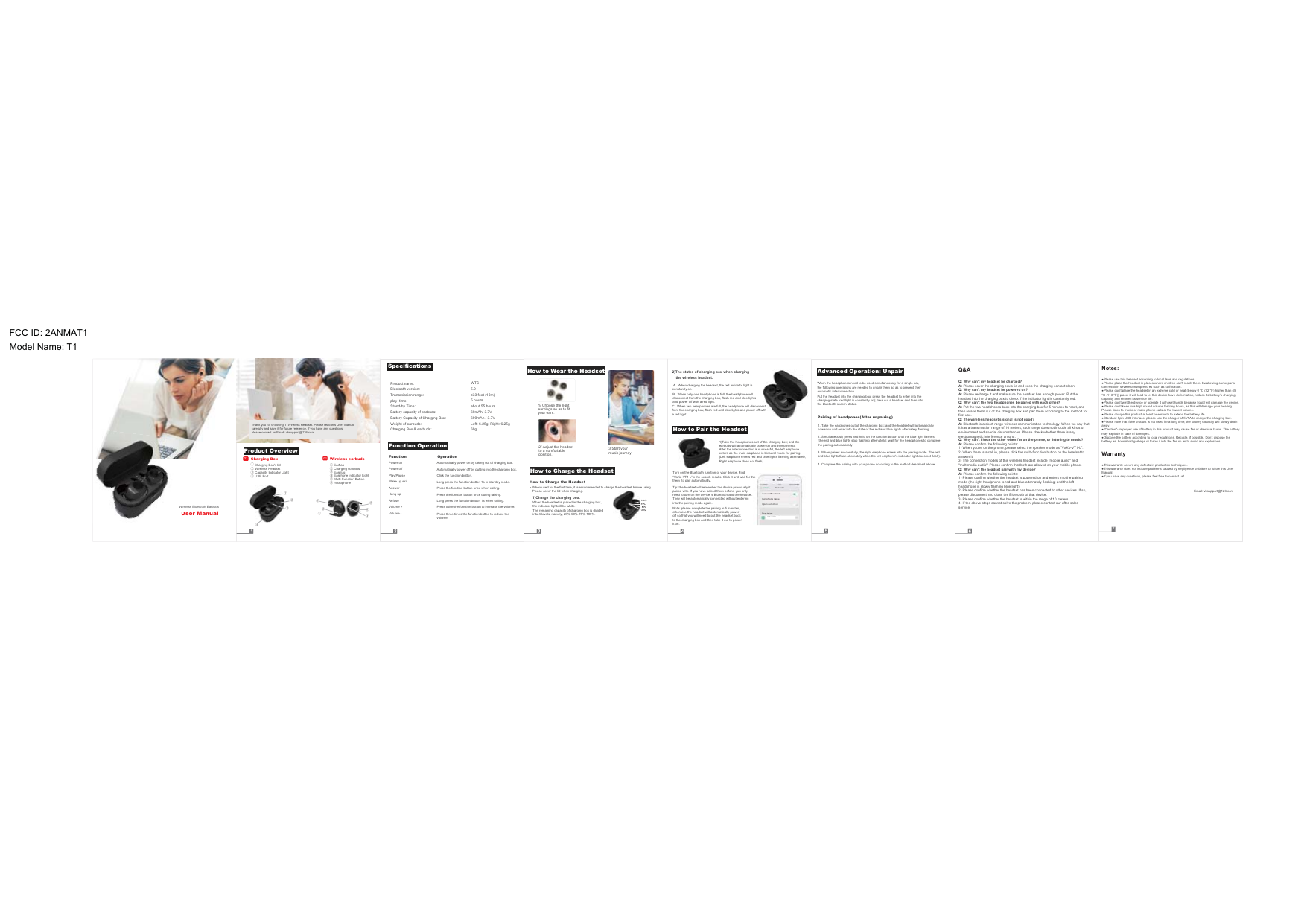
Email: vksupport@126.com7User ManualWireless Bluetooth Earbuds01Thank you for choosing T1Wireless Headset. Please read this User Manualcarefully and save it for future reference. If you have any questions,please contact us.Email: vksupport@126.comCharging Box's lid Wireless Headset Capacity Indicator Light USB PortCharging Box01 Wireless earbuds02  Charging contacts  Earplug  Earphone Indicator Light  Multi-Function Button microphoneEarflap①①②②③③④④①①②②③③④④⑤⑤⑥⑥Product OverviewSpecificationsProduct name:Bluetooth version:Transmission range:play  time:Stand-by Time:Battery capacity of earbuds:Battery Capacity of Charging Box:Weight of earbuds:Charging Box & earbuds:WTS5.05 hoursabout 55 hoursLeft: 6.25g; Right: 6.25g60gFunction OperationPower onPower offPlay/PauseWake up siriAnswerHang upRefuseVolume +Volume -Automatically power on by taking out of charging box.Automatically power off by putting into the charging box.Click the function button.Long press the function button 1s in standby mode.Press the function button once when calling.Press the function button once during talking.Long press the function button 1s when calling.Function Operationmusic journey. How to Wear the Headset1/ Choose the right earplugs so as to fit your ears.2/ Adjust the headset to a comfortable position.How to Charge the HeadsetHow to Pair the HeadsetAdvanced Operation: Unpair25%100%75%50%How to Charge the HeadsetWhen used for the first time, it is recommended to charge the headset before using.Please cover the lid when charging.When the headset is placed in the charging box, the indicator lightwill be white.1)Charge the charging box.The remaining capacity of charging box is divided into 4 levels, namely, 25%-50%-75%-100%.2)The states of charging box when chargingthe wireless headset.constantly on.  B . When only one headphone is full, the headphone will disconnect from the charging box, flash red and blue lights and power off with a red light.C . When two headphones are full, the headphone will disconnect from the charging box, flash red and blue lights and power off with a red light.  A . When charging the headset, the red indicator light is earbuds will automatically power on and interconnect. After the interconnection is successful, the left earphone enters as the main earphone in binaural mode for pairing.Tip: the headset will remember the device previously it paired with. If you have paired them before, you only need to turn on the device' s Bluetooth and the headset. They will be automatically connected without entering into the pairing mode again.Note: please complete the pairing in 5 minutes, otherwise the headset will automatically power off so that you will need to put the headset back to the charging box and then take it out to power it on.Turn on the Bluetooth function of your device. Find “VaKo-VT1 L”in the search results. Click it and wait for the them  to pair automatically.he Paired d evi cesBlueo othTurn o n Blu eto othCell p hon e nam eOpen d etect io nsett i ng      VaKo-VT1 LWhen the headphones need to be used simultaneously for a single ear, the following operations are needed to unpair them so as to prevent their automatic interconnection.Put the headset into the charging box; press the headset to enter into the the bluetooth search status.1. Take the earphones out of the charging box; and the headset will automatically power on and enter into the state of the red and blue lights alternately flashing.2. Simultaneously press and hold on the function button until the blue light flashes the pairing automatically.4. Complete the pairing with your phone according to the method described above.Pairing of headpones(After unpairing)Q&AQ: Why can't I hear the other when l'm on the phone, or listening to music?A: Please confirm the following points:answer it.Q: Why can't the headset pair with my device?A: Please confirm the following points:please disconnect and close the Bluetooth of that device.service.Notes:can result in severe consequenc es such as suffocation.capacity and shorten its service life.Please listen to music or make phone calls at the lowest volume.away.may explode in case of damages.battery as  household garbage or throw it into the fire so as to avoid any explosions.WarrantyManual.Q: Why can't my headset be charged?A: Please cover the charging box's lid and keep the charging contact clean.Q: Why can't my headset be powered on?A: Please recharge it and make sure the headset has enough power. Put the headset into the charging box to check if the indicator light is constantly red.Q: Why can't the two headphones be paired with each other?A: Put the two headphones back into the charging box for 5 minutes to reset, and then retake them out of the charging box and pair them according to the method for first use.Q: The wireless headset's signal is not good?A: Bluetooth is a short-range wireless communication technology. When we say that it has a transmission range of 10 meters, such range does not include all kinds of environment and special circumstances. Please check whether there is any electromagnetic interference around.UsWirelesPress twice the function button to increase the volume.Press three times the function button to reduce the volume.FCC ID: 2ANMAT1Model Name: T1
FCC Caution.  This device complies with part 15 of the FCC Rules. Operation is subject to the following two conditions:  (1) This device may not cause harmful interference, and   (2) this device must accept any interference received, including interference that may cause undesired operation.  Any Changes or modifications not expressly approved by the party responsible for compliance could void the user's authority to operate the equipment.  Note: This equipment has been tested and found to comply with the limits for a Class B digital device, pursuant to part 15 of the FCC Rules. These limits are designed to provide reasonable protection against harmful interference in a residential installation. This equipment generates uses and can radiate radio frequency energy and, if not installed and used in accordance with the instructions, may cause harmful interference to radio communications. However, there is no guarantee that interference will not occur in a particular installation. If this equipment does cause harmful interference to radio or television reception, which can be determined by turning the equipment off and on, the user is encouraged to try to correct the interference by one or more of the following measures: -Reorient or relocate the receiving antenna. -Increase the separation between the equipment and receiver. -Connect the equipment into an outlet on a circuit different from that to which the receiver is connected. -Consult the dealer or an experienced radio/TV technician for help.  The device has been evaluated to meet general RF exposure requirement. The device can be used in portable exposure condition without restriction.

Navigation menu