SoundMAGIC Technology Development ES20BTBLACK ES20BT User Manual

Shenzhen SoundMAGIC Technology Development Co.,LTD ES20BT Users Manual

User Manual

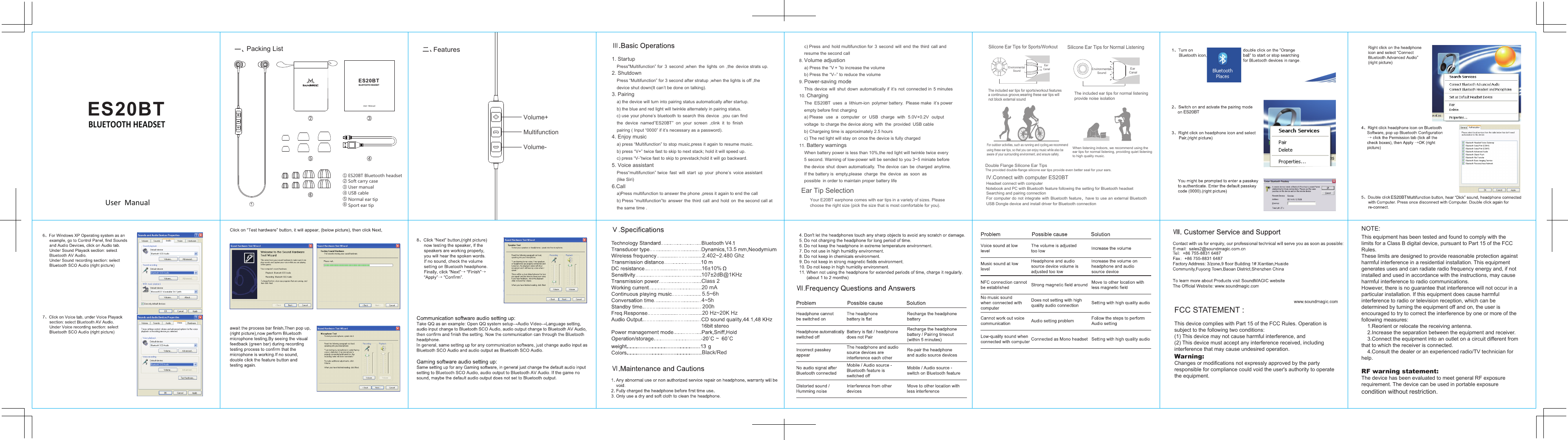
ES 20BT① ② ③ ④ ⑤ ⑥ When listening indoors, we recommend using the ear tips for normal listening, providing quiet listening to high quality music.  Double Flange Silicone Ear TipsThe provided double-flange silicone ear tips provide even better seal for your ears.Silicone Ear Tips for Normal ListeningThe included ear tips for normal listening provide noise isolationEnvironmental SoundEar Canal13.5ES20BTFCC STATEMENT :This device complies with Part 15 of the FCC Rules. Operation is subject to the following two conditions:(1) This device may not cause harmful interference, and(2) This device must accept any interference received, including  interference that may cause undesired operation.Warning: Changes or modifications not expressly approved by the partyresponsible for compliance could void the user's authority to operate the equipment.NOTE: This equipment has been tested and found to comply with thelimits for a Class B digital device, pursuant to Part 15 of the FCC Rules.These limits are designed to provide reasonable protection againstharmful interference in a residential installation. This equipmentgenerates uses and can radiate radio frequency energy and, if notinstalled and used in accordance with the instructions, may causeharmful interference to radio communications.However, there is no guarantee that interference will not occur in a particular installation. If this equipment does cause harmful  interference to radio or television reception, which can be determined by turning the equipment off and on, the user is encouraged to try to correct the interference by one or more of the following measures:    1.Reorient or relocate the receiving antenna.    2.Increase the separation between the equipment and receiver.    3.Connect the equipment into an outlet on a circuit different from that to which the receiver is connected.      4.Consult the dealer or an experienced radio/TV technician for help.RF warning statement:The device has been evaluated to meet general RF exposurerequirement. The device can be used in portable exposure condition without restriction.1. Startup    Press"Multifunction” for  3  second ,when  the  lights  on  ,the  device strats up.2. Shutdown    Press “Multifunction” for 3 second after stratup ,when the lights is off ,the     device shut down(It can’t be done on talking).3. Pairing    a) the device will turn into pairing status automatically after startup.    b) the blue and red light will twinkle alternately in pairing status.    c) use your phone’s bluetooth to search  this device  ,you  can find     the  device  named”ES20BT”  on  your  screen  ,clink  it  to  finish              pairing ( Input “0000” if it’s necessary as a password). 4. Enjoy music    a) press “Multifunction” to stop music,press it again to resume music.    b) press “V+” twice fast to skip to next stack; hold it will speed up.      c) press “V-”twice fast to skip to prevstack;hold it will go backward. 5. Voice assistant    Press“multifunction” twice  fast  will  start  up  your  phone’s  voice assistant       (like Siri) 6.Call    a)Press multifunction to answer the phone ,press it again to end the call    b) Press “multifunction”to  answer  the  third  call  and  hold  on  the second call at    the same time .             c) Press  and  hold multifunction for  3  second  will  end  the  third  call and     resume the second call 8. Volume adjustion    a) Press the “V + ”to increase the volume      b) Press the “V–” to reduce the volume   9. Power-saving mode     This  device  will  shut  down  automatically if  it’s  not  connected in  5 minutes  10. Charging      The  ES20BT  uses  a  lithium-ion  polymer battery.  Please make  it’s power     empty before first charging    a) Please  use  a  computer  or  USB  charge  with  5.0V+0.2V  output     voltage  to charge the device along  with  the  provided  USB cable      b) Chargeing time is approximately 2.5 hours     c) The red light will stay on once the device is fully charged 11. Battery warnings    When battery power is less than 10%,the red light will twinkle twice every     5 second. Warning of low-power will be sended to you 3~5 miniate before     the device  shut  down automatically. The device  can  be  charged  anytime.     If the battery is  empty,please  charge  the  device  as  soon  as     possible  in order to maintain proper battery life   Ear Tip SelectionYour E20BT earphone comes with ear tips in a variety of sizes. Please choose the right size (pick the size that is most comfortable for you).Silicone Ear Tips for Sports/WorkoutEnvironmental SoundEar CanalThe included ear tips for sports/workout features  a continuous groove,wearing these ear tips will not block external soundFor outdoor activities, such as running and cycling,we recommend using these ear tips, so that you can enjoy music while also be aware of your surrounding environment, and ensure safety.   IV.Connect with computer ES20BT Headset connect with computerNotebook and PC with Bluetooth feature following the setting for Bluetooth headset Searching and pairing connectionFor computer do not  integrate with Bluetooth feature,have to use an  external Bluetooth USB Dongle device and install driver for Bluetooth connection107±2dB@1KHzClass 220 mA5.5~6h4~5h200h20 Hz~20K Hz~Black/Red2.402~2.480 Ghz16±10%ES20BTUser  ManualBLUETOOTH HEADSETES20BTUser  ManualBLUETOOTH HEADSETES20BT Bluetooth headsetSoft carry caseUser manualUSB cableNormal ear tipSport ear tipVolume+MultifunctionVolume-Packing List FeaturesES20BT

Navigation menu