SoundT Studios STS-BLS01 Scooter Bluetooth Speaker User Manual
SoundT Studios LLC Scooter Bluetooth Speaker
User Manual
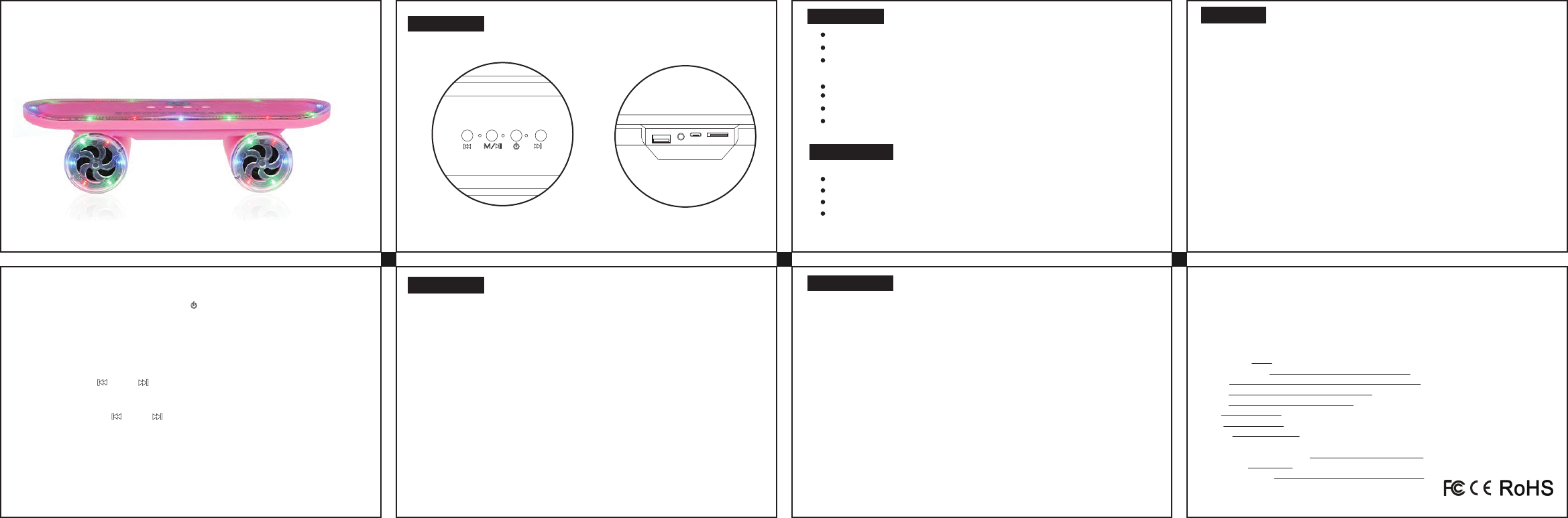
Main function
Product Photo
Operation
What is in box
Specification Notes and Tips
Support Iphone/Samsung/LG/Huawei/Xiaomi and other 99% bluetooth e
nable device
With built-in polymer battery, playing time upto 5hrs.
Adopt import special Anti-slip car pat.
Line-in Function
Bluetooth, hands free function
USB/TF card playing music
Beautiful shinning LED light
Warranty
Scooter BT speaker *1pc
User manual *1pc
USB charging cable *1pc
Line-in cable *1pc
* Bluetooth mode:
1, Power on speaker, then it will go into bluetooth mode automatically, refresh
cellphone bluetooth list find the device "BT03" or "BT-03".
2, CLICK "BT03" or "BT-03", then pairing successfully.
3, Select music and playing.
4, If the calls come in, just pick the calls via speaker, can enjoy talking via speaker,
no need to stop bluetooth pairing.
* Line-in
Connect Line-in cable and audio sources(cellphone, MP3, MP4, PSP, PC etc), then
play.
* TF/USB mode
Insert TF/USB, then will play the music that stored in TF/USB Flash drive, very easy
to use.
* Power on/off
On the plate of speaker, there is a button" ", hold the button for 3 seconds, then
will fulfill the function"power on/off"
* Shinning LED light
When turn on the speaker, the led light will be on automatically.
* Volume +/-
By click the button" " and " ", pls note: not by holding, just by clicking.
* Next/Previous Music
By holding the button" " and " "
1,Model:STS-BLS01
2, Bluetooth version: V2.1+EDR
3, Working range: 10 meters
4, Battery: 800mAh polymer lithion battery
5, Playing time: upto 5 hrs(50% of max volume)
6, Charging time: about 2 hrs
7, Driver Dia: 40mm, 4 ohm
8, Output: 3W*2
9, Support TF/USB/Line in/Bluetooth /LED light function
* Abnormal sound
- If the sound bocomes not continuously and weakly, please charge the speaker, the
battery is low.
- If the speaker is always on vibrating, please dry the anti-slip pat, and please ensure the
pat's protective film has be taken off.
* Can not Pair
- Check the speaker is " power on" and cellphone bluetooth has been on. if ok, please
refresh bluetooth list or close the list and restart,refresh the bluetooth.BT03 speaker
is compatible with 99% bluetooth enable device, normally speaking, wont happen
unpairing problem.
* Can not charge
- Change a charging cable and try again.
* Bluetooth problem
- Will go to sleep mode if the speaker is not on working status for more than 30mins.
Have to restart speaker to wake up speaker.
Model No.:STS-BLS01
Manufacturer: Shenzhen Sinoc electronics co.,ltd
ADD: No. 303, Bldg. 1, Tianbei Hengqiang Ind. Park,
Xincheng Community, Guanlan St.,
Longhua New Area, Shenzhen
Tel: 755-21000610
Fax: 755-21000385
Email: info@sinoc.com
Reseller/Customer name:
Warranty: 12 months
Purchasing date:
Made in China
USER MANUAL
SCOOTER
Bluetooth Speaker
FCC ID: 2AKG6-STS-BLS01
Federal Communications Commission (FCC) Interference Statement
This equipment has been tested and found to comply with the limits for a Class B digital device,
pursuant to Part 15 of the FCC Rules.
These limits are designed to provide reasonable protection against harmful interference in a
residential installation. This equipment generate, uses and can radiate radio frequency energy
and, if not installed and used in accordance with the instructions, may cause harmful
interference to radio communications.
However, there is no guarantee that interference will not occur in a particular installation. If this
equipment does cause harmful interference to radio or television reception, which can be
determined by turning the equipment off and on, the user is encouraged to try to correct the
interference by one of the following measures:
Reorient or relocate the receiving antenna.
Increase the separation between the equipment and receiver.
Connect the equipment into an outlet on a circuit different from that to which the receiver is
connected.
Consult the dealer or an experienced radio/TV technician for help.
This device complies with Part 15 of the FCC Rules. Operation is subject to the following two
conditions:
(1) This device may not cause harmful interference, and (2) this device must accept any
interference received, including interference that may cause undesired operation.
FCC Caution: Any changes or modifications not expressly approved by the party responsible
for compliance could void the user’s authority to operate this equipment.
RF exposure warning
This equipment complies with FCC radiation exposure limits set forth for an uncontrolled
environment. This equipment must be installed and operated in accordance with provided
instructions and the antenna(s) used for this transmitter must be installed to provide a
separation distance of at least 20 cm from all persons and must not be collocated or operating in
conjunction with any other antenna or transmitter.