Spectec Computer SDIOWLAN-11B SDIO Wireless Lan Card User Manual
Spectec Computer Co., Ltd SDIO Wireless Lan Card
Users Manual

Spectec SDIO WLAN Card User’s Manual
(C) 2004. Spectec Computer Co., Ltd. 1
#SDW-820 - SDIO™ 802.11b 11Mbps WLAN Card
The SDW-820 is the most smallest SD/IO IEEE802.11b WLAN card, point to point and point to multipoint with
Windows-CE Pocket 2003 and Linux; will be also compatible with Windows XP in near further. SDW-820 Wi-
Fi SD card wireless communications into a single card giving SDIO-enabled PDA the freedom to quickly
transmit and receive data, images and music from thousands of 802.11b hotspots worldwide. The Ultra low
power for longer battery hours
Advanced Features:
802.11b Wi-Fi communications up to 11 Mbps High Speed Data Transfer Rate
Support STA(ad hoc and infrastructure) and AP mode
DCF/PCF support
High Performance engine for WEP, TKIP and AES support
On-Chip ADCs and DACs, RSSI, AGC
Interface
SDIO™ Ver1.0 (Support Ver1.1 Later)
IEEE 802.11b / Wi-Fi Compliance.
Three-wire interface for transceiver control
Infrastructure mode, Ad-Hock.
Frequency
Fully integrated, 2.4GHz band direct conversion transceiver
Channel
Channel: Maximum 11 channels (US) and 14 channels (JPN)
Connection: Infrastructure mode, Ad-hock mode
TX Data Rate
1, 2, 5.5 11 Mbps Data Rate
Transmission
DS-SS System (Direct Sequence Speed Spectrum).
Power Usage:
Operating Voltage: PA: 3.0 to 3.6V, TRX: 2.7V
Avg Operation: 185mA (While viewing Web).
Receive Mode: 60mA
Transmit Mode: 116ma for 15dbM Pout
Sleep mode: 5uA
Antenna
Antenna Type: Inverted-F Antenna
Antenna Gain: 3.4 dBi
Approvals
FCC, CE, Telec, DGT, IEEE 802.11b / Wi-Fi compliance
Spectec SDIO WLAN Card User’s Manual
(C) 2004. Spectec Computer Co., Ltd. 2
§ SDW-820 software installation
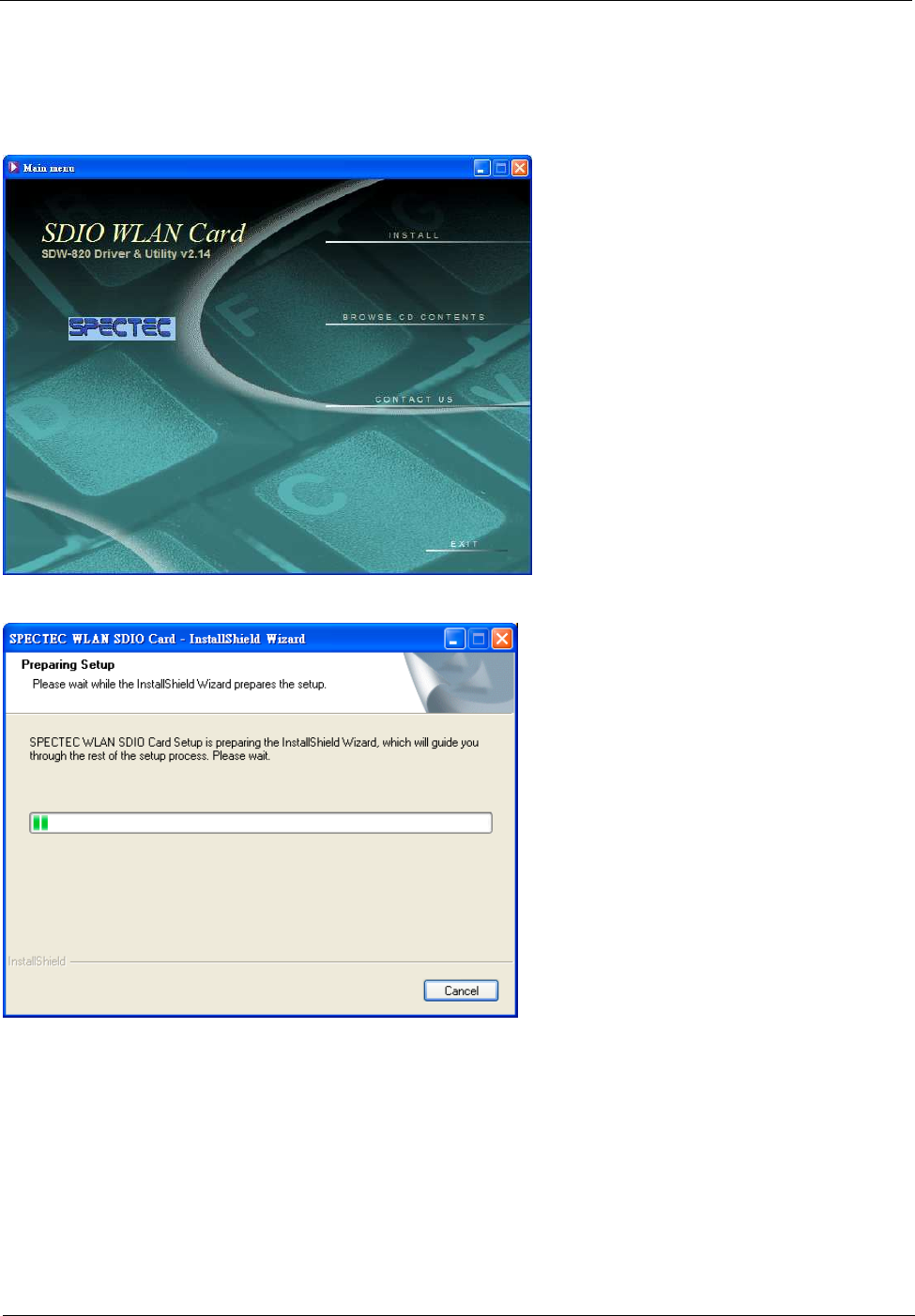
.Main menu window pop up when you insert the SDW-820 Installation CD by autorun:
1. Install the SDW-820 Driver & Utility version 2.14
·Click Install to start your installation
·Preparing setup
Spectec SDIO WLAN Card User’s Manual
(C) 2004. Spectec Computer Co., Ltd. 3
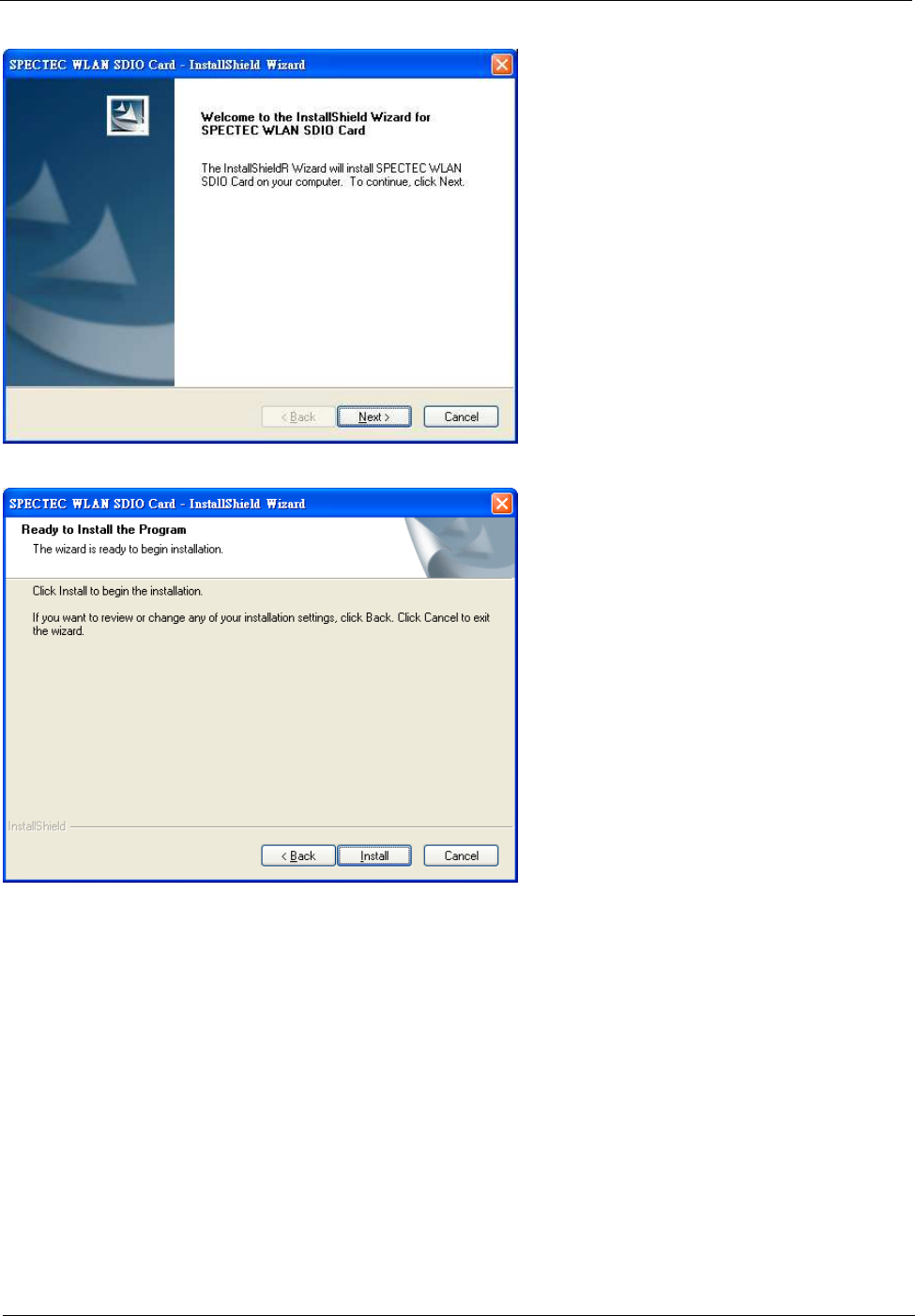
·Click Next.
·Click Install to start install the program.
Spectec SDIO WLAN Card User’s Manual
(C) 2004. Spectec Computer Co., Ltd. 4
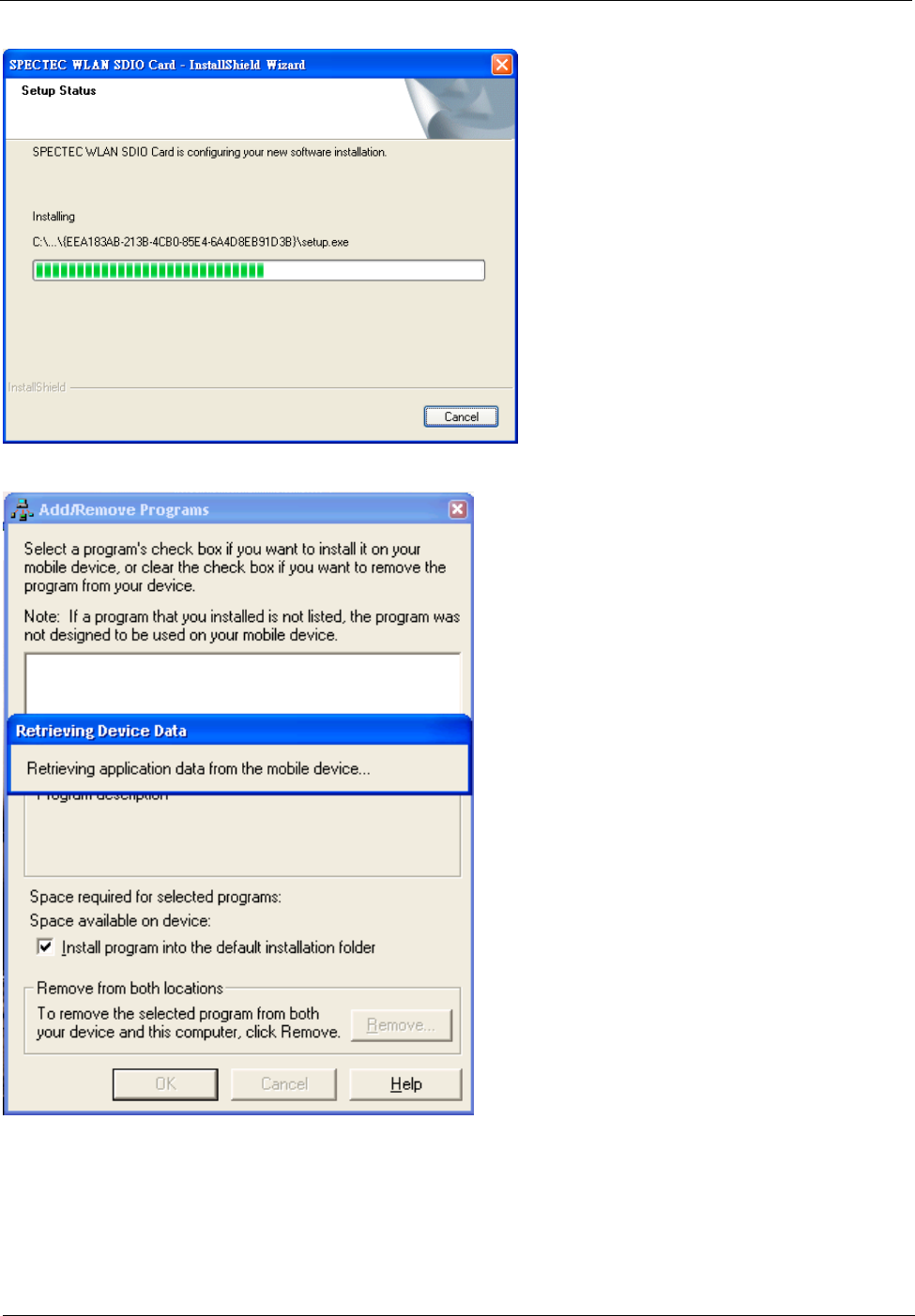
·Installing…
·Check if your mobile device connected with Host PC
Spectec SDIO WLAN Card User’s Manual
(C) 2004. Spectec Computer Co., Ltd. 5
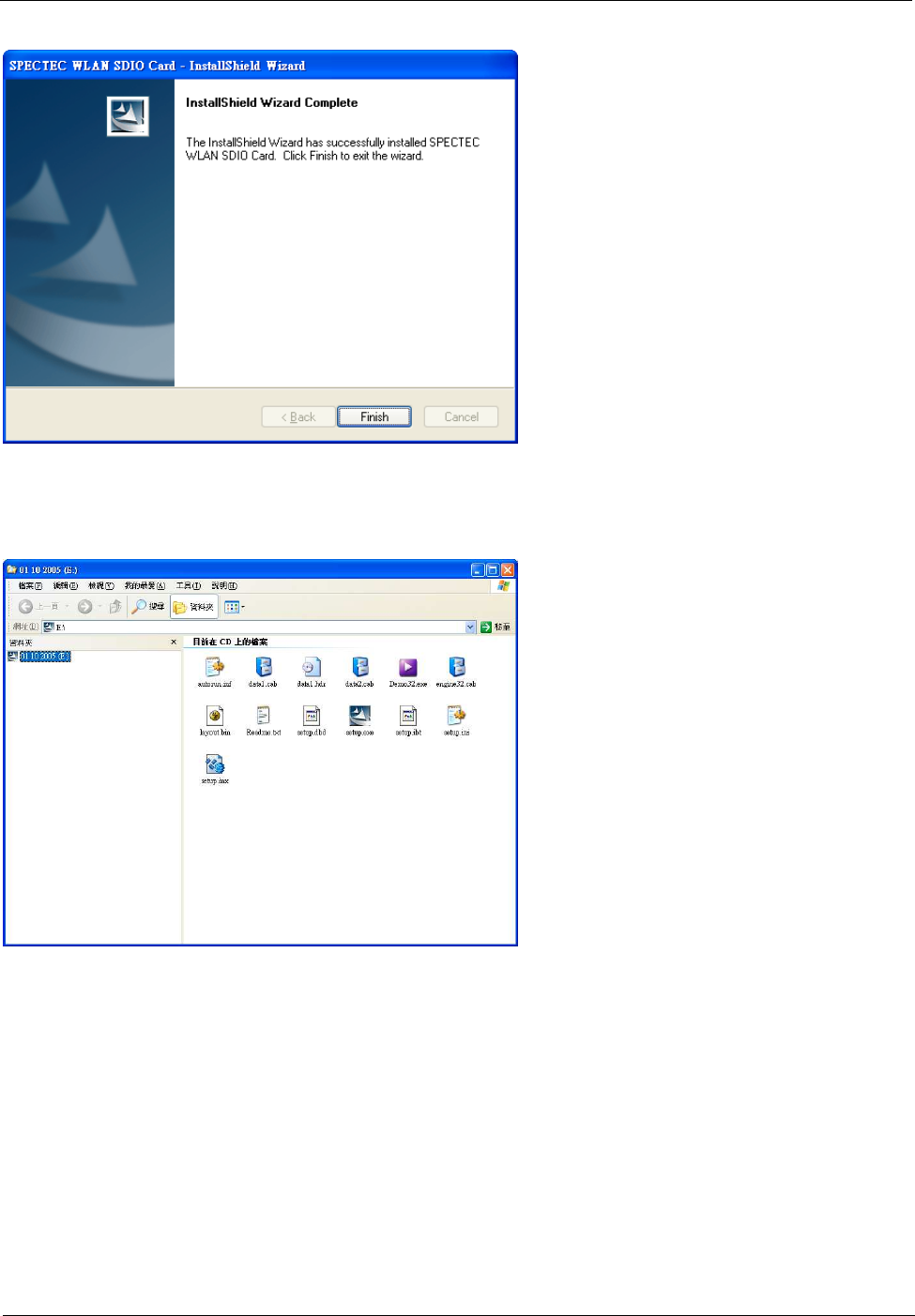
·Click Finish complete the driver installation.
2. Browse CD Contents:
·Including installation files and User’s Manual.
Spectec SDIO WLAN Card User’s Manual
(C) 2004. Spectec Computer Co., Ltd. 6
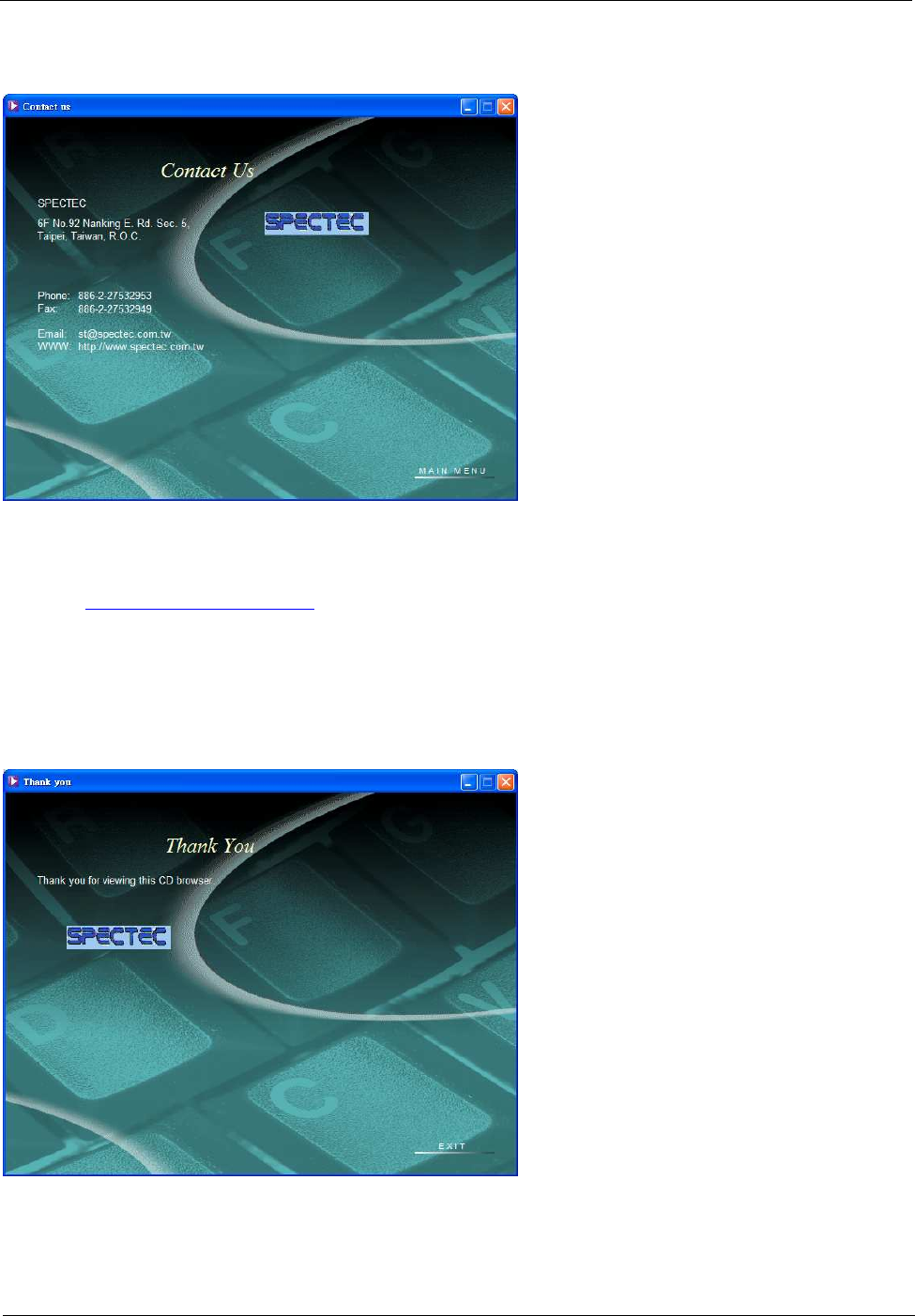
3. Contact Us:
·For further information & S/W upgrade ,
please visit SPECTEC website:
http://www.spectec.com.tw
or E-mail to :
st@spectec.com.tw
4. Exit:
·Thank you for using Spectec SDIO WLAN Card

Spectec SDIO WLAN Card User’s Manual
(C) 2004. Spectec Computer Co., Ltd. 7
FCC Information:
Note: The equipment has been tested and found to comply with the limits for a Class B Digital Device,
pursuant to part 15 of the FCC Rules. These limits are designed to provide reasonable protection against
harmful interference in a residential installation. This equipment generates, uses and can radiate radio
frequency energy and, if not installed and used in accordance with the instruction, may cause harmful
interference to radio communication. However, there is no grantee that interference will not occur in a
particular installation. If this equipment dose cause harmful interference to radio or television reception, which
can be determined by turning the equipment off and on , the user is encouraged to try to correct the
interference by one or more of the following measures:
--Reorient or relocate the receiving antenna.
--Increase the separation between the equipment and receiver.
--Connect the equipment into an outlet on a circuit different from that to which the receiver is connected.
--Consult the dealer or an experienced radio/TV technician for help.
This device complies with Part 15 of the FCC Rules. Operation is subject to the following two conditions:
(1) this device may not cause harmful interference, and (2) this device must accept any interference received,
including interference that may cause undesired operation.
The changes or modifications not expressly approved by the party responsible for compliance could void
the user’s authority to operate the equipment.
To comply with the FCC RF exposure compliance requirements, this device and its antenna must not be
co-located or operating to conjunction with any other antenna or transmitter.