Spiio SPLLO-SENSOR-1 Plant sensor User Manual

Spiio, Inc. Plant sensor

User Manual

CONFIDENTIAL MATERIAL1. .......................................... HARDWARE2. ............................................ NETWORK3. ...............................................WEBAPPTECHNICAL OVERVIEW Spiio Inc.470 Ramona St.Palo Alto, CA 94301Christoffer ThorupT: (628) 246-5661M: chris@spiio.comwww.spiio.comWelcome to spiio  In everything we do, we believe in the next green revolution. Our service allows horticulture pro-fessionals all over the world to make data-driven  irrigation decisions and retain full digital control of millions of plants with the use of real-time data  analytics. Spiio Inc. is based in Palo Alto, CA and  Copenhagen, Denmark.
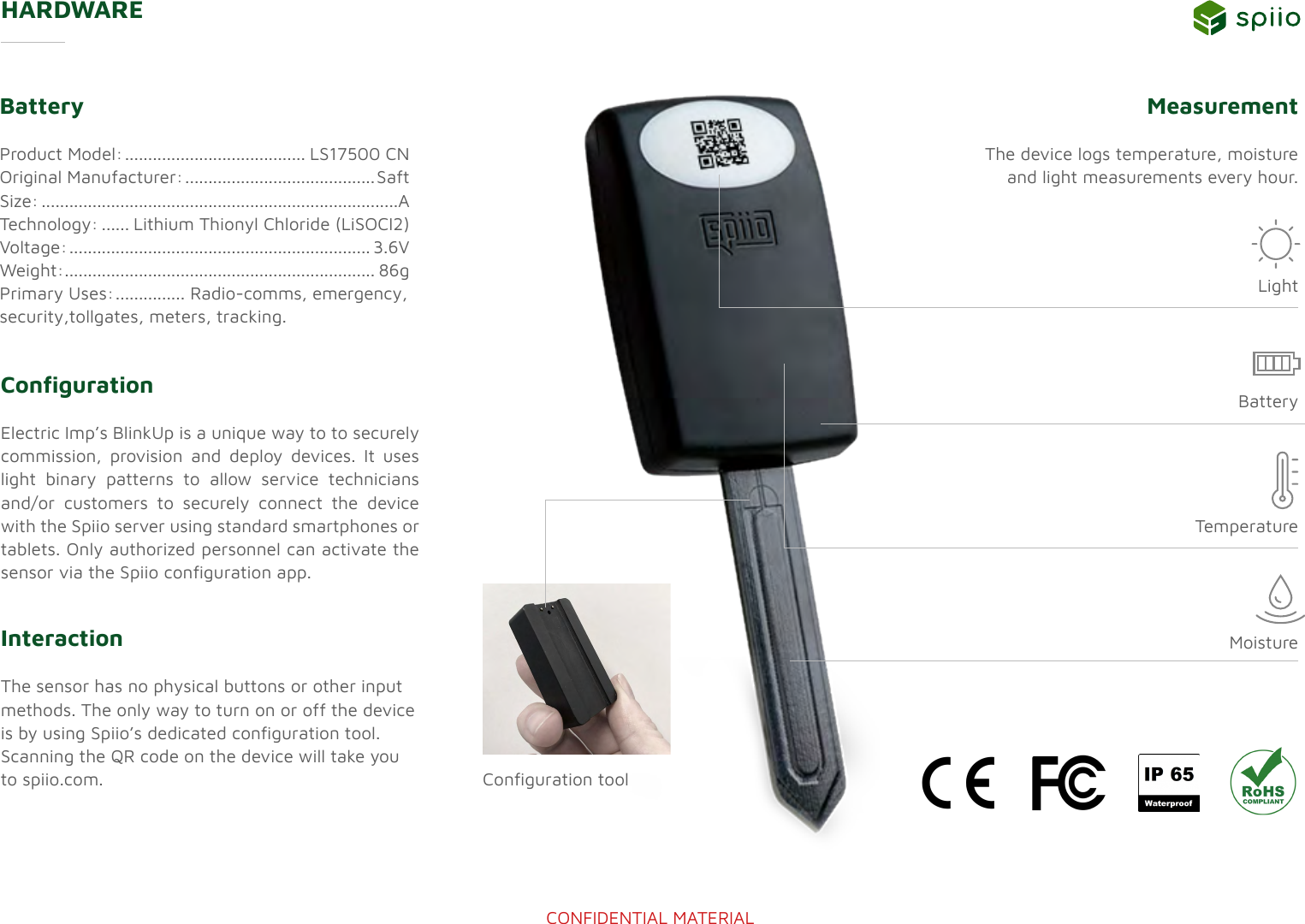
CONFIDENTIAL MATERIALHARDWARECongurationElectric Imp’s BlinkUp is a unique way to to securely commission, provision and deploy devices. It uses light binary patterns to allow service technicians and/or customers to securely connect the device with the Spiio server using standard smartphones or tablets. Only authorized personnel can activate the sensor via the Spiio conguration app. BatteryProduct Model: ....................................... LS17500 CNOriginal Manufacturer: ......................................... SaftSize: .............................................................................ATechnology: ...... Lithium Thionyl Chloride (LiSOCI2)Voltage: ................................................................. 3.6VWeight: ................................................................... 86g Primary Uses: ............... Radio-comms, emergency,  security,tollgates, meters, tracking.Measurement The device logs temperature, moisture and light measurements every hour.InteractionThe sensor has no physical buttons or other input methods. The only way to turn on or off the device is by using Spiio’s dedicated conguration tool. Scanning the QR code on the device will take you to spiio.com.TemperatureConguration toolBatteryLightMoisture
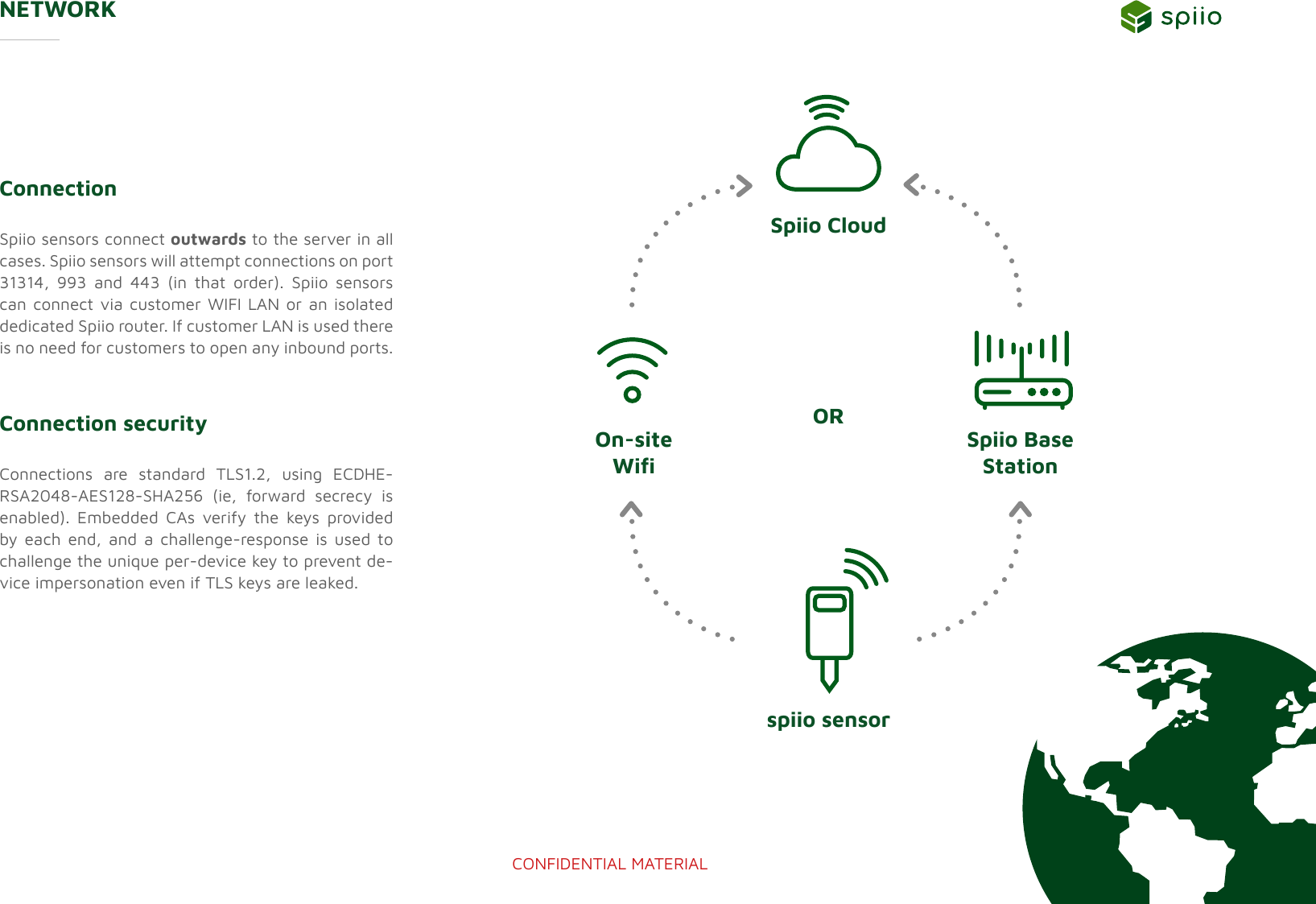
CONFIDENTIAL MATERIALNETWORKConnectionSpiio sensors connect outwards to the server in all cases. Spiio sensors will attempt connections on port 31314, 993 and 443 (in that order). Spiio sensors can connect via customer WIFI LAN or an isolated dedicated Spiio router. If customer LAN is used there is no need for customers to open any inbound ports.Connection security Connections are standard TLS1.2, using ECDHE-RSA2048-AES128-SHA256 (ie, forward secrecy is enabled). Embedded CAs verify the keys provided by each end, and a challenge-response is used to challenge the unique per-device key to prevent de-vice impersonation even if TLS keys are leaked.spiio sensorOn-site WiSpiio Base  StationSpiio CloudOR
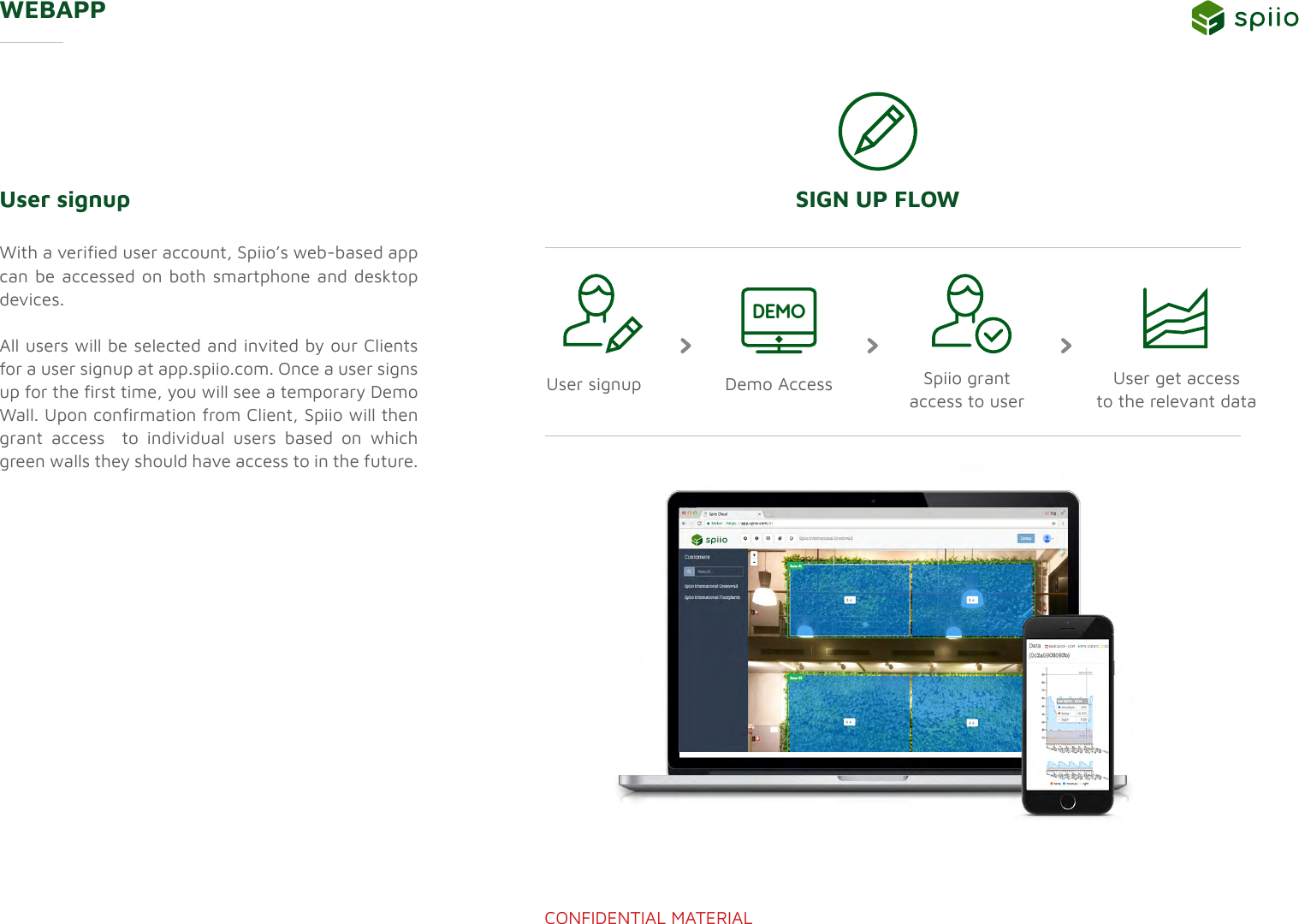
CONFIDENTIAL MATERIALWEBAPPUser signup With a veried user account, Spiio’s web-based app can be accessed on both smartphone and desktop devices.All users will be selected and invited by our Clients for a user signup at app.spiio.com. Once a user signs up for the rst time, you will see a temporary Demo Wall. Upon conrmation from Client, Spiio will then grant access  to individual users based on which green walls they should have access to in the future.SIGN UP FLOWSpiio grant access to user User signup Demo Access User get access to the relevant dataDEMO
 This device complies with part 15 of the FCC Rules. Operation is subject to the following two conditions: (1) This device may not cause harmful interference, and (2) this device must accept any interference received, including interference that may cause undesired operation.    Any Changes or modifications not expressly approved by the party responsible for compliance could void the user's authority to operate the equipment.    Note: This equipment has been tested and found to comply with the limits for a Class B digital device, pursuant to part 15 of the FCC Rules. These limits are designed to provide reasonable protection against harmful interference in a residential installation. This equipment generates uses and can radiate radio frequency energy and, if not installed and used in accordance with the instructions, may cause harmful interference to radio communications. However, there is no guarantee that interference will not occur in a particular installation. If this equipment does cause harmful interference to radio or television reception, which can be determined by turning the equipment off and on, the user is encouraged to try to correct the interference by one or more of the following measures: -Reorient or relocate the receiving antenna. -Increase the separation between the equipment and receiver. -Connect the equipment into an outlet on a circuit different from that to which the receiver is connected. -Consult the dealer or an experienced radio/TV technician for help.  This equipment complies with FCC radiation exposure limits set forth for an uncontrolled environment. This equipment should be installed and operated with minimum distance 20cm between the radiator & your body.

Navigation menu