TERS ELECTRONIC HA102 WIRELESS ENERGY MONITOR User Manual HA102 100TE01 806BZ4 26

TERS ELECTRONIC LTD. WIRELESS ENERGY MONITOR HA102 100TE01 806BZ4 26

USERS MANUAL

WirelessEnergyMonitorModel:HA102UserManualTableofContentsIntroductionFeaturesOverviewInstallationOperatingGuide-------------------------------2------------------------------------2-----------------------------------3----EquipmentDistribution---DisplayUnit---DisplayInformation---TransmitterandSensor--------------------------------5---FindPowerCable---ReplaceBattery---LinkingTransmitterandDisplayUnit--------------------------5---SettingTimeandDate---AdvancedParameterSetting---Viewinstantandtotaldataofelectricity,costandCO2emissionNotesFAQSSpecificationPackingList--------------------------------------------13--------------------------------------------14----------------------------------16------------------------------------17---HowtoViewHistoricalDataandChart---Switchon/offalarm---HowtoClearData---Toviewchangesofelectricityconsumptionquicklywww.mieo.com 1
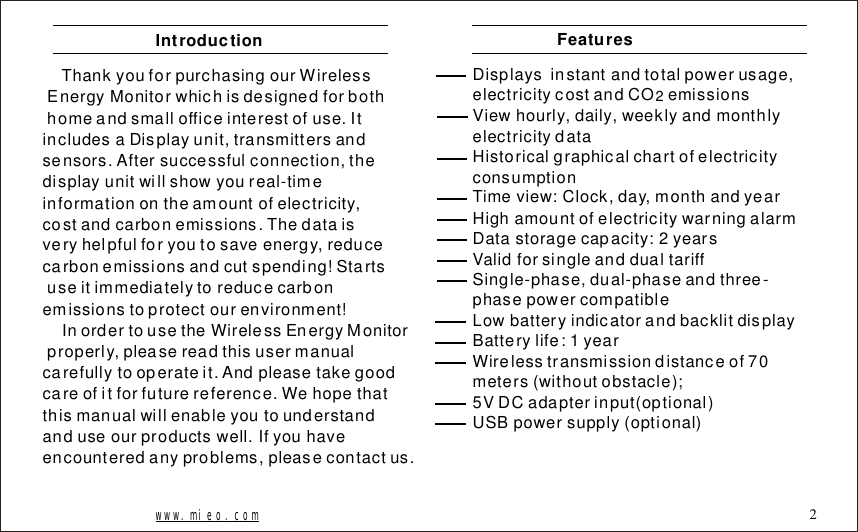
ThankyouforpurchasingourWirelessEnergyMonitorwhichisdesignedforbothhomeandsmallofficeinterestofuse.ItincludesaDisplayunit,transmittersandsensors.Aftersuccessfulconnection,thedisplayunitwillshowyoureal-timeinformationontheamountofelectricity,costandcarbonemissions.Thedataisveryhelpfulforyoutosaveenergy,reducecarbonemissionsandcutspending!Startsuseitimmediatelytoreducecarbonemissionstoprotectourenvironment!InordertousetheWirelessEnergyMonitorproperly,pleasereadthisusermanualcarefullytooperateit.Andpleasetakegoodcareofitforfuturereference.Wehopethatthismanualwillenableyoutounderstandanduseourproductswell.Ifyouhaveencounteredanyproblems,pleasecontactus.IntroductionDisplaysinstantandtotalpowerusage,electricitycostandCOemissionsViewhourly,daily,weeklyandmonthlyelectricitydataHistoricalgraphicalchartofelectricityconsumptionTimeview:Clock,day,monthandyearHighamountofelectricitywarningalarmDatastoragecapacity:2yearsValidforsingleanddualtariffSingle-phase,dual-phaseandthree-phasepowercompatibleLowbatteryindicatorandbacklitdisplayBatterylife:1yearWirelesstransmissiondistanceof70meters(withoutobstacle);5VDCadapterinput(optional)USBpowersupply(optional)2Featureswww.mieo.com 2
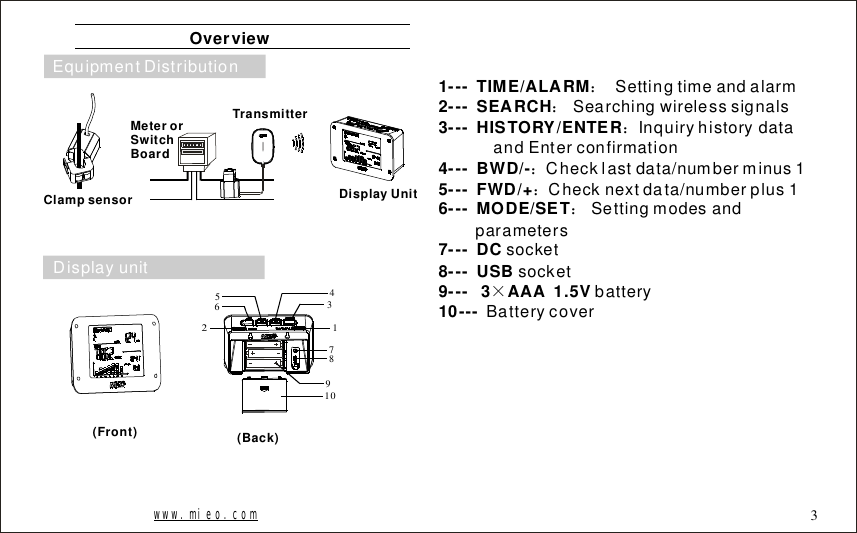
Overview000000Clampsensor(Front) (Back)DisplayUnitTransmitterMeterorSwitchBoard134567891021---TIME/ALARM2---SEARCH3---HISTORY/ENTER4---BWD/-5---FWD/+6---MODE/SET7---DC8---USB9---3AAA1.5V10---::::::×SettingtimeandalarmSearchingwirelesssignalsInquiryhistorydataandEnterconfirmationChecklastdata/numberminus1Checknextdata/numberplus1SettingmodesandparameterssocketsocketbatteryBatterycoverwww.mieo.com 3DisplayunitEquipmentDistribution
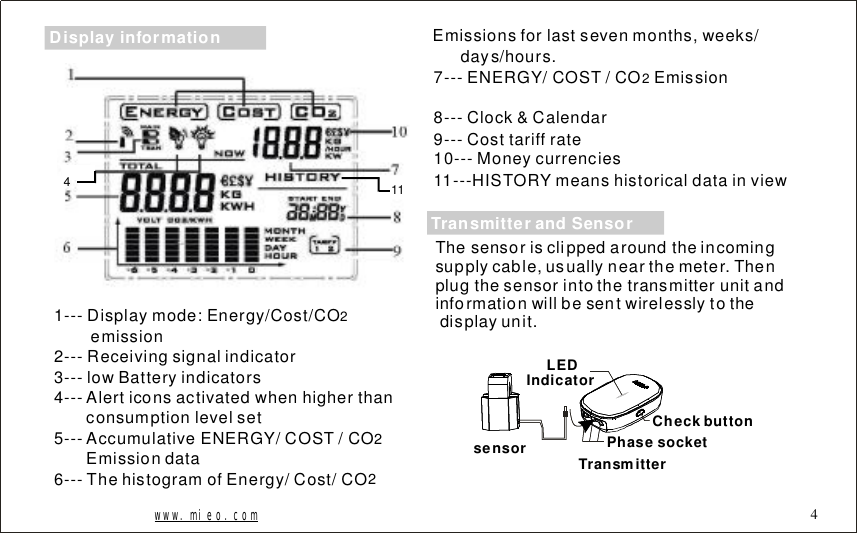
1141---Displaymode:Energy/Cost/COemission2---Receivingsignalindicator3---lowBatteryindicators4---Alerticonsactivatedwhenhigherthanconsumptionlevelset5---Accumulative/COST/COEmissiondata6---ThehistogramofEnergy/Cost/CO2ENERGY 227---ENERGY/COST/COEmission8---Clock&Calendar9---Costtariffrate10---Moneycurrencies11---HISTORYmeanshistoricaldatainview2Emissionsforlastsevenmonths,weeks/days/hours.www.mieo.com 4Thesensorisclippedaroundtheincomingsupplycable,usuallynearthemeter.Thenplugthesensorintothetransmitterunitandinformationwillbesentwirelesslytothedisplayunit.sensor TransmitterLEDIndicatorPhasesocketCheckbuttonTransmitterandSensorDisplayinformation
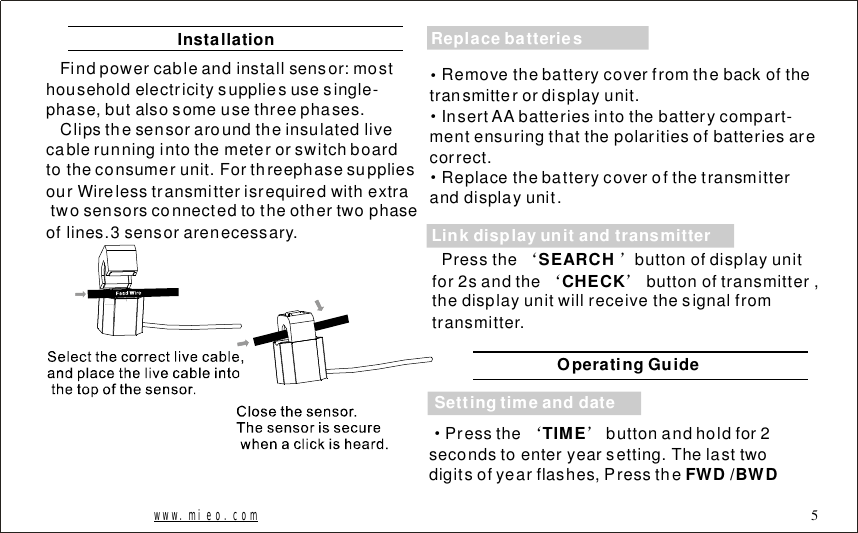
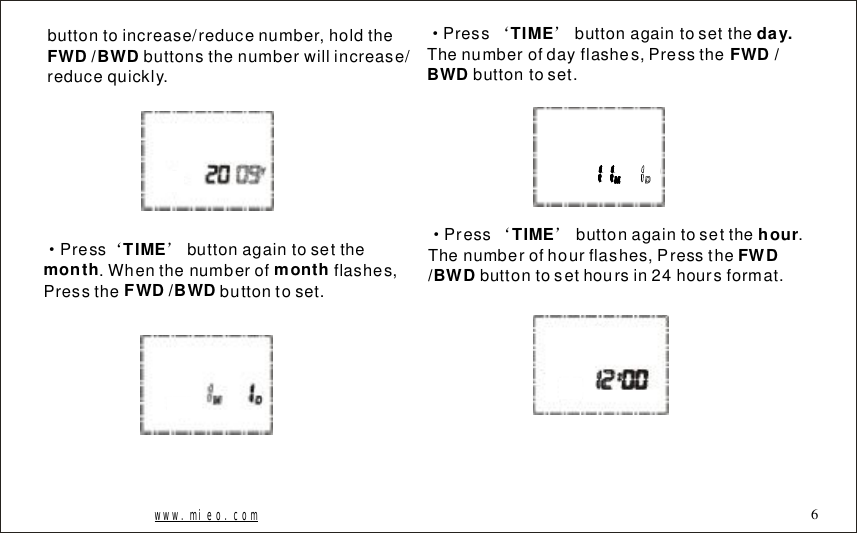
InstallationFindpowercableandinstallsensor:mosthouseholdelectricitysuppliesusesingle-phase,butalsosomeusethreephases.Clipsthesensoraroundtheinsulatedlivecablerunningintothemeterorswitchboardtotheconsumerunit.ForthreephasesuppliesourWirelesstransmitterisrequiredwithextratwosensorsconnectedtotheothertwophaseoflines.3sensorarenecessary.www.mieo.com 5···Removethebatterycoverfromthebackofthetransmitterordisplayunit.InsertAAbatteriesintothebatterycompart-mentensuringthatthepolaritiesofbatteriesarecorrect.Replacethebatterycoverofthetransmitteranddisplayunit.Pressthebuttonofdisplayunitfor2sandthebuttonoftransmitter,thedisplayunitwillreceivethesignalfromtransmitter.‘’‘’SEARCHCHECKSettingtimeanddateLinkdisplayunitandtransmitterReplacebatteriesOperatingGuide·‘’Pressthebuttonandholdfor2secondstoenteryearsetting.Thelasttwodigitsofyearflashes,PresstheTIMEFWD/BWD
buttontoincrease/reducenumber,holdthebuttonsthenumberwillincrease/reducequickly.FWD/BWD·‘’Pressbuttonagaintosetthe.Whenthenumberofflashes,Pressthebuttontoset.TIMEmonthmonthFWD/BWD·‘’PressbuttonagaintosettheThenumberofdayflashes,Pressthebuttontoset.TIMEday.FWD/BWD·‘’Pressbuttonagaintosetthe.Thenumberofhourflashes,Pressthebuttontosethoursin24hoursformat.TIMEhourFWD/BWDwww.mieo.com 6
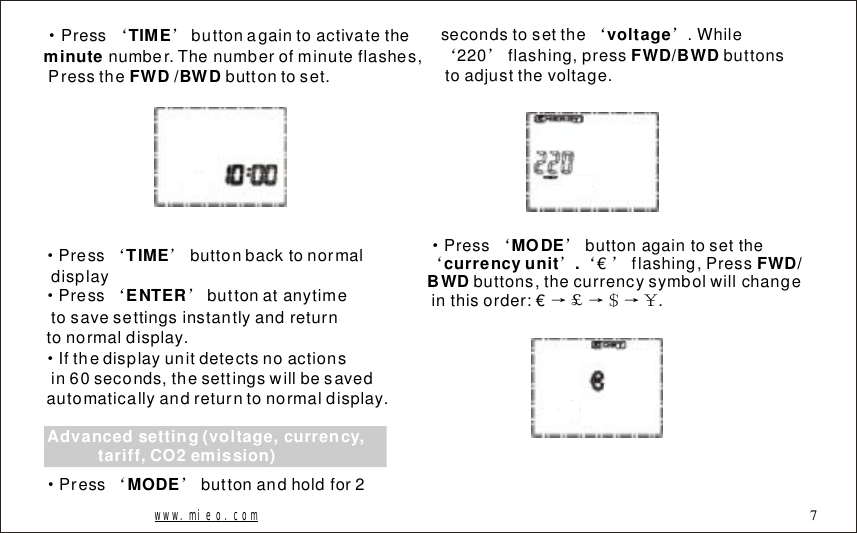
·‘’Pressbuttonagaintoactivatethenumber.Thenumberofminuteflashes,Pressthebuttontoset.TIMEminute FWD/BWD·‘’·‘’·PressbuttonbacktonormaldisplayPressbuttonatanytimetosavesettingsinstantlyandreturntonormaldisplay.Ifthedisplayunitdetectsnoactionsin60seconds,thesettingswillbesavedautomaticallyandreturntonormaldisplay.TIMEENTERAdvancedsetting(voltage,currency,tariff,CO2emission)·‘’Pressbuttonandholdfor2MODEsecondstosetthe.While220flashing,pressbuttonstoadjustthevoltage.‘’‘’voltageFWD/BWDwww.mieo.com·‘’‘’‘’→£→$→¥Pressbuttonagaintosettheflashing,Pressbuttons,thecurrencysymbolwillchangeinthisorder:€.MODEcurrencyunit.FWD/BWD €7
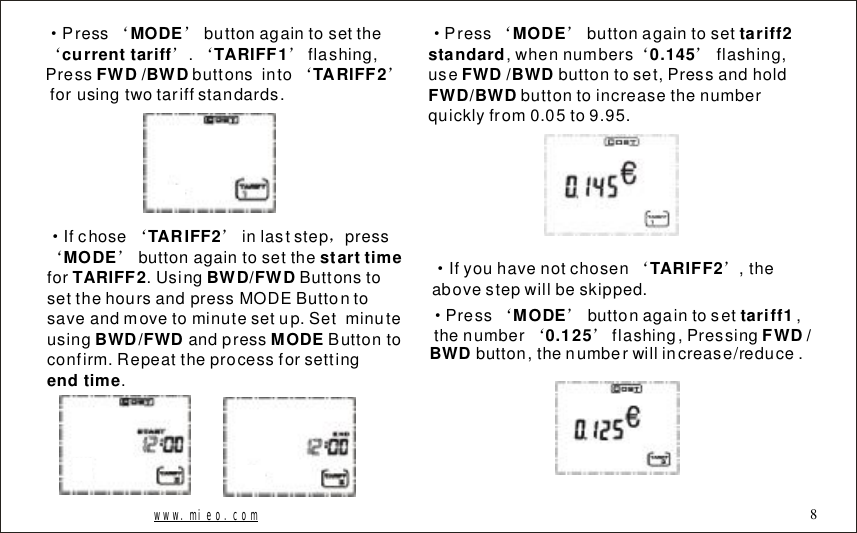
www.mieo.com 8·‘’‘’‘’‘’Pressbuttonagaintosetthe.flashing,Pressbuttonsintoforusingtwotariffstandards.MODEcurrenttariffTARIFF1FWD/BWDTARIFF2·‘’,‘’Ifchoseinlaststeppressbuttonagaintosetthefor.UsingButtonstosetthehoursandpressMODEButtontosaveandmovetominutesetup.SetminuteusingandpressButtontoconfirm.Repeattheprocessforsetting.TARIFF2MODEstarttimeTARIFF2BWD/FWDBWD/FWDMODEendtime·‘’‘’Pressbuttonagaintoset,whennumbersflashing,usebuttontoset,Pressandholdbuttontoincreasethenumberquicklyfrom0.05to9.95.MODEtariff2standard0.145FWD/BWDFWD/BWD·‘’Ifyouhavenotchosen,theabovestepwillbeskipped. TARIFF2·‘’‘’Pressbuttonagaintoset,thenumberflashing,Pressingbutton,thenumberwillincrease/reduce.MODEtariff10.125FWD/BWD
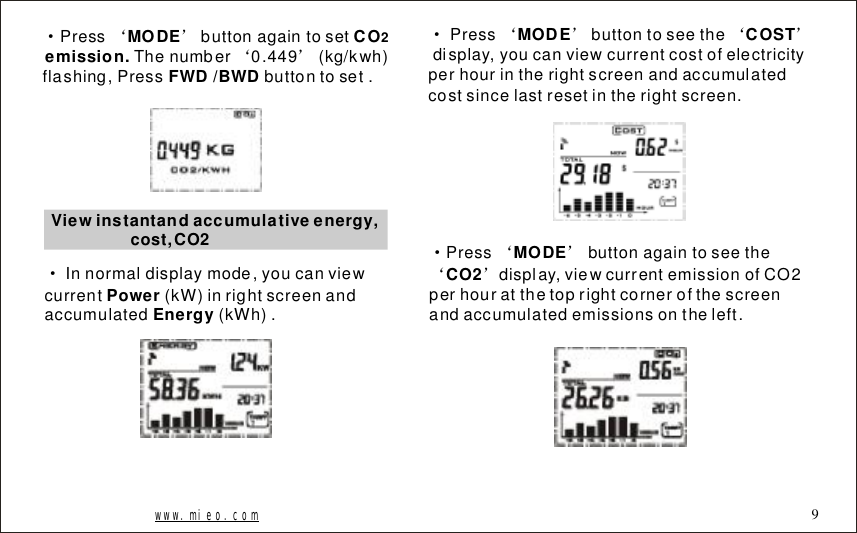
·‘’‘’PressbuttonagaintosetThenumber0.449(kg/kwh)flashing,Pressbuttontoset.MODECOemission. FWD/BWD2Viewinstantandaccumulativeenergy,cost,CO2·Innormaldisplaymode,youcanviewcurrent(kW)inrightscreenandaccumulated(kWh).PowerEnergy·‘’‘’Pressbuttontoseethedisplay,youcanviewcurrentcostofelectricityperhourintherightscreenandaccumulatedcostsincelastresetintherightscreen.MODECOST·‘’‘’Pressbuttonagaintoseethedisplay,viewcurrentemissionofCO2perhouratthetoprightcornerofthescreenandaccumulatedemissionsontheleft.MODECO2www.mieo.com 9
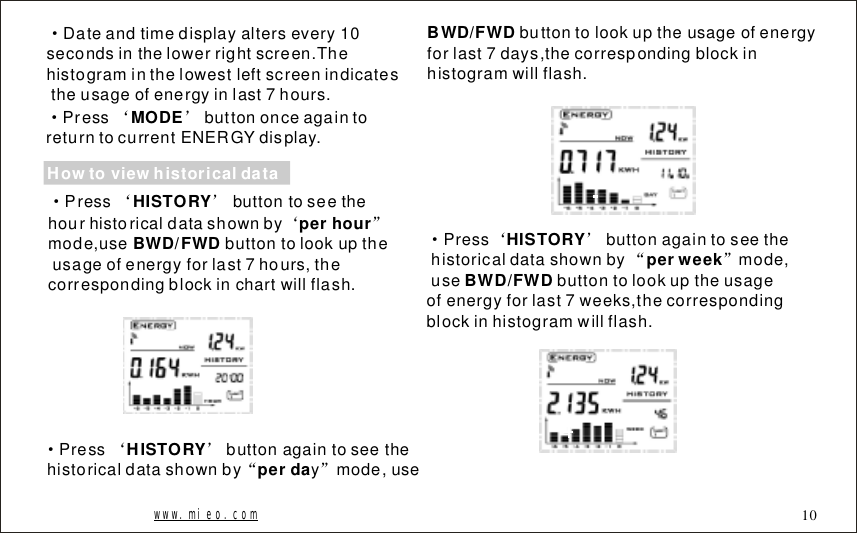
·Dateandtimedisplayaltersevery10secondsinthelowerrightscreen.Thehistograminthelowestleftscreenindicatestheusageofenergyinlast7hours.·‘’PressbuttononceagaintoreturntocurrentENERGYdisplay.MODEHowtoviewhistoricaldata·‘’‘”Pressbuttontoseethehourhistoricaldatashownbymode,usebuttontolookuptheusageofenergyforlast7hours,thecorrespondingblockinchartwillflash.HISTORYperhourBWD/FWDbuttontolookuptheusageofenergyforlast7days,thecorrespondingblockinhistogramwillflash.BWD/FWD·‘’“”Pressbuttonagaintoseethehistoricaldatashownbyymode,useHISTORY perda·‘’“”Pressbuttonagaintoseethehistoricaldatashownbymode,usebuttontolookuptheusageofenergyforlast7weeks,thecorrespondingblockinhistogramwillflash.HISTORY perweekBWD/FWDwww.mieo.com 10
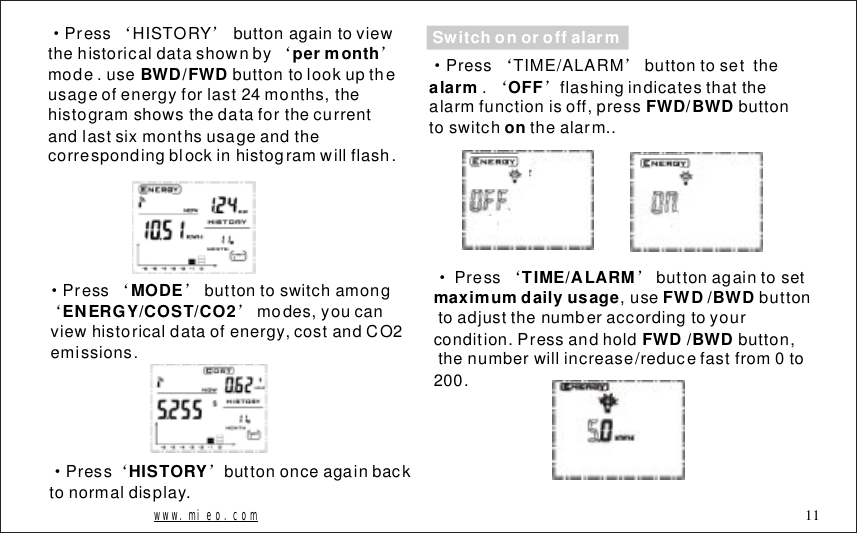
·‘’‘’PressHISTORYbuttonagaintoviewthehistoricaldatashownbymode.usebuttontolookuptheusageofenergyforlast24months,thehistogramshowsthedataforthecurrentandlastsixmonthsusageandthecorrespondingblockinhistogramwillflash.permonthBWD/FWD·‘’‘’Pressbuttontoswitchamongmodes,youcanviewhistoricaldataofenergy,costandCO2emissions.MODEENERGY/COST/CO2www.mieo.com 11·‘’Pressbuttononceagainbacktonormaldisplay.HISTORYSwitchonoroffalarm·‘’‘’PressTIME/ALARMbuttontosetthe.flashingindicatesthatthealarmfunctionisoff,pressbuttontoswitchthealarm..alarmOFF FWD/BWDon·‘’Pressbuttonagaintoset,usebuttontoadjustthenumberaccordingtoyourcondition.Pressandholdbutton,thenumberwillincrease/reducefastfrom0to200.TIME/ALARMmaximumdailyusageFWD/BWDFWD/BWD
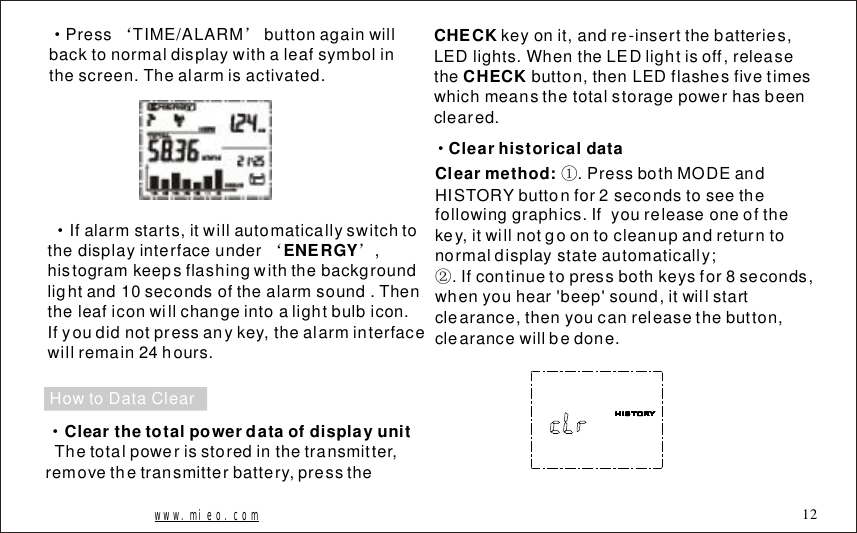
·‘’PressTIME/ALARMbuttonagainwillbacktonormaldisplaywithaleafsymbolinthescreen.Thealarmisactivated.Ifalarmstarts,itwillautomaticallyswitchtothedisplayinterfaceunder,histogramkeepsflashingwiththebackgroundlightand10secondsofthealarmsound.Thentheleaficonwillchangeintoalightbulbicon.Ifyoudidnotpressanykey,thealarminterfacewillremain24hours.·‘’ENERGYHowtoDataClearClearthetotalpowerdataofdisplayunit·Thetotalpowerisstoredinthetransmitter,removethetransmitterbattery,presstheCHECKCHECKkeyonit,andre-insertthebatteries,LEDlights.WhentheLEDlightisoff,releasethebutton,thenLEDflashesfivetimeswhichmeansthetotalstoragepowerhasbeencleared.Clearhistoricaldata·Clearmethod: .PressbothMODEandHISTORYbuttonfor2secondstoseethefollowinggraphics.Ifyoureleaseoneofthekey,itwillnotgoontocleanupandreturntonormaldisplaystateautomatically;.Ifcontinuetopressbothkeysfor8seconds,whenyouhear'beep'sound,itwillstartclearance,thenyoucanreleasethebutton,clearancewillbedone.①②www.mieo.com 12
·CearIDcodeoftheDisplayunit;..RemovethebatteryWhilepressingbothMODEkeyandSEARCHkey,putbatteryinTocontinuetoholddowntwobuttonsforthreesecondslatertoheartwoconsecutivebeepsounds,itwillfinishclearingID.Releasethebutton,theoperationhasbeendone.②;③①.·UpdatethetransmitterIDcode:Pressandholdbuttononthetransmitter,andthenreplaceintothebatteries;Continuetopressthebutton‘’CHECKtowaitittolightonagain,andthenreleasethekey,theIDcodegeneratesrandomly.AtthattimeLEDflashes10times,theIDcodehasbeenupdated.‘’CHECKWhenpressbuttonofthetransmitter,youcanviewcurrentpowerchangesquickly.‘’CHECKNotesDonotplacetheproductintherainy,snowyormagneticfield.Donotplacetheproductinthevibrating,extremeloworhigh-temperatureenvironment.DisplayLCDpanelconsistsofglass.Squeezingorvibrationmaydamageit.Keeptheproductawayfromheatsourcessuchasradiators,stoves,heatersandsoon.Donotuseproductsnearplacesofhighhumidityortoomuchwatersuchasbathroom,etc..Donotattempttorepairitbyyourself.Ifyoufindanyproductproblems,pleasecontactourretailerorourcustomerservice.······www.mieo.com 13·Thesensorisinstalledonthepowerline,choosecorrectwireload(donotexceed70A).·Toviewchangesofelectricityconsumptionquickly
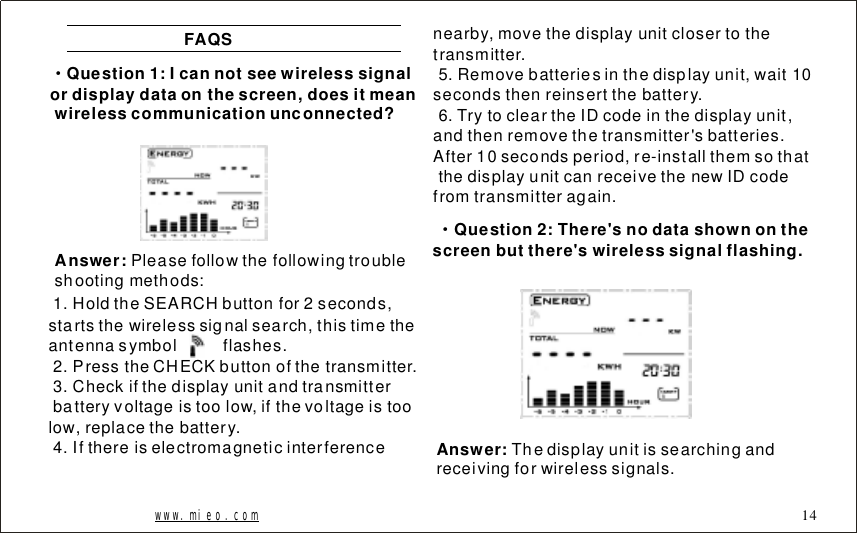
FAQS·Question1:Icannotseewirelesssignalordisplaydataonthescreen,doesitmeanwirelesscommunicationunconnected?Answer: Pleasefollowthefollowingtroubleshootingmethods:1.HoldtheSEARCHbuttonfor2seconds,startsthewirelesssignalsearch,thistimetheantennasymbolflashes.2.PresstheCHECKbuttonofthetransmitter.3.Checkifthedisplayunitandtransmitterbatteryvoltageistoolow,ifthevoltageistoolow,replacethebattery.4.Ifthereiselectromagneticinterferencenearby,movethedisplayunitclosertothetransmitter.5.Removebatteriesinthedisplayunit,wait10secondsthenreinsertthebattery.6.TrytocleartheIDcodeinthedisplayunit,andthenremovethetransmitter'sbatteries.After10secondsperiod,re-installthemsothatthedisplayunitcanreceivethenewIDcodefromtransmitteragain.Question2:There'snodatashownonthescreenbutthere'swirelesssignalflashing.·Answer: Thedisplayunitissearchingandreceivingforwirelesssignals.www.mieo.com 14
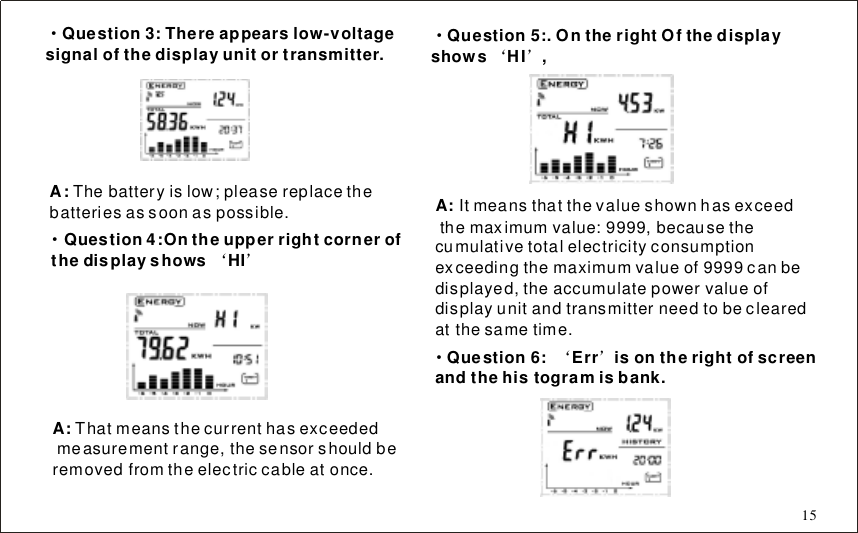
·Question3:Thereappearslow-voltagesignalofthedisplayunitortransmitter.A:Thebatteryislow;pleasereplacethebatteriesassoonaspossible.·‘’Question4:OntheupperrightcornerofthedisplayshowsHIA: Thatmeansthecurrenthasexceededmeasurementrange,thesensorshouldberemovedfromtheelectriccableatonce.·‘’Question5:.OntherightOfthedisplayshowsHI,A: Itmeansthatthevalueshownhasexceedthemaximumvalue:9999,becausethecumulativetotalelectricityconsumptionexceedingthemaximumvalueof9999canbedisplayed,theaccumulatepowervalueofdisplayunitandtransmitterneedtobeclearedatthesametime.·‘’Question6:Errisontherightofscreenandthehistogramisbank.15
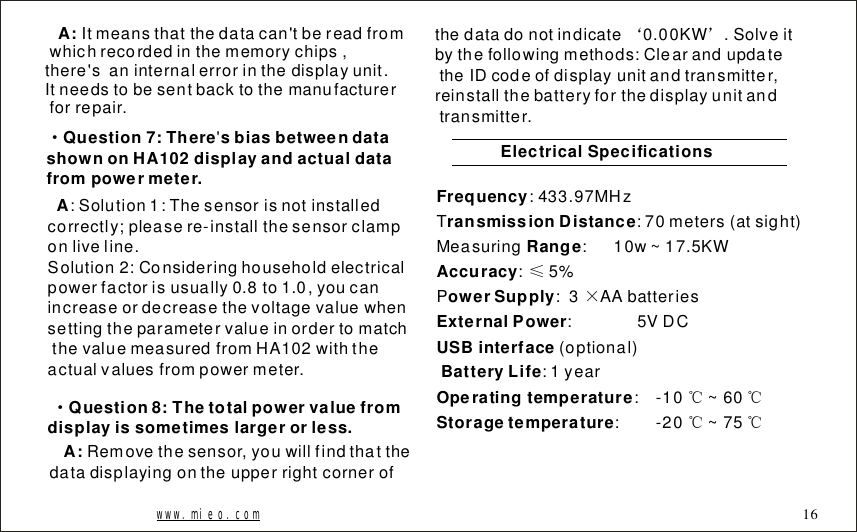
Itmeansthatthedatacan'tbereadfromwhichrecordedinthememorychips,there'saninternalerrorinthedisplayunit.Itneedstobesentbacktothemanufacturerforrepair.A:·Question7:TheresbiasbetweendatashownonHA102displayandactualdatafrompowermeter.'A:Solution1:Thesensorisnotinstalledcorrectly;pleasere-installthesensorclamponliveline.Solution2:Consideringhouseholdelectricalpowerfactorisusually0.8to1.0,youcanincreaseordecreasethevoltagevaluewhensettingtheparametervalueinordertomatchthevaluemeasuredfromHA102withtheactualvaluesfrompowermeter.Question8:Thetotalpowervaluefromdisplayissometimeslargerorless.·Removethesensor,youwillfindthatthedatadisplayingontheupperrightcornerofA:thedatadonotindicate0.00KW.Solveitbythefollowingmethods:ClearandupdatetheIDcodeofdisplayunitandtransmitter,reinstallthebatteryforthedisplayunitandtransmitter.‘’ElectricalSpecificationsFrequencyransmissionDistanceRangeAccuracyowerSupplyExternalPowerUSBinterfaceBatteryLifeOperatingtemperatureStoragetemperature:433.97MHzT:70meters(atsight)Measuring:10w~17.5KW:5%P:3AAbatteries:5VDC(optional):1year:-10~60:-20~75≤×℃℃℃℃www.mieo.com 16
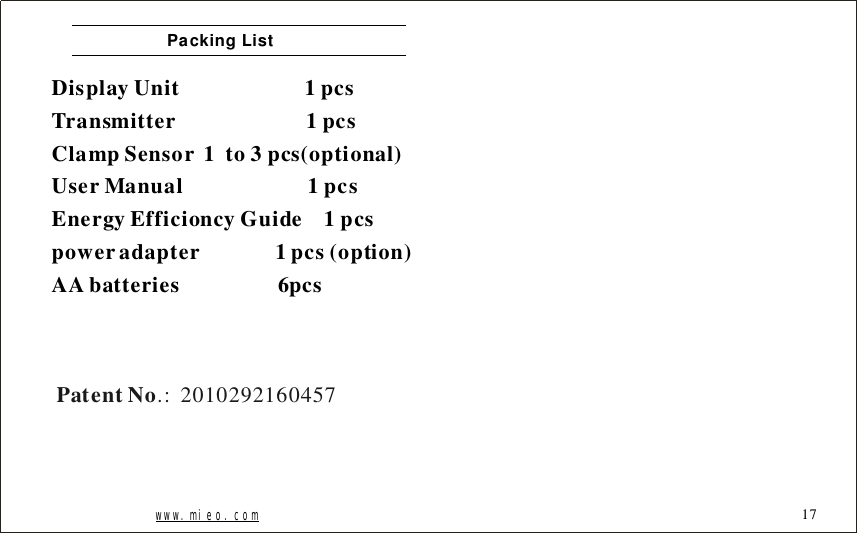
PackingListDisplayUnit1pcsTransmitter1pcsClampSensor1to3pcs(optional)UserManual1pcsEnergyEfficioncyGuide1pcspoweradapter1pcs(option)AAbatteries6pcswww.mieo.com 17PatentNo.:2010292160457
FCC Statement:   This device complies with Part 15 of the FCC Rules. Operation is subject to the following two conditions:   (1) this device may not cause harmful interference, and  (2) this device must accept any interference received, including interference         that may cause undesired operation.          NOTE: THE MANUFACTURER IS NOT RESPONSIBLE FOR ANY RADIO OR TV INTERFERENCE CAUSED BY UNAUTHORIZED MODIFICATIONS TO THIS EQUIPMENT. SUCH MODIFICATIONS COULD VOID THE USER'S AUTHORITY TO OPERATE THE EQUIPMENT.

Navigation menu