TERS ELECTRONIC HA102 WIRELESS ENERGY MONITOR User Manual HA102 100TE01 806BZ4 26
TERS ELECTRONIC LTD. WIRELESS ENERGY MONITOR HA102 100TE01 806BZ4 26
USERS MANUAL

WirelessEnergyMonitor
Model:HA102
UserManual
TableofContents
Introduction
Features
Overview
Installation
OperatingGuide
-------------------------------2
------------------------------------2
-----------------------------------3
----EquipmentDistribution
---DisplayUnit
---DisplayInformation
---TransmitterandSensor
--------------------------------5
---FindPowerCable
---ReplaceBattery
---LinkingTransmitterandDisplayUnit
--------------------------5
---SettingTimeandDate
---AdvancedParameterSetting
---Viewinstantandtotaldataofelectricity,
costandCO2emission
Notes
FAQS
Specification
PackingList
--------------------------------------------13
--------------------------------------------14
----------------------------------16
------------------------------------17
---HowtoViewHistoricalDataandChart
---Switchon/offalarm
---HowtoClearData
---Toviewchangesofelectricityconsumption
quickly
www.mieo.com 1

ThankyouforpurchasingourWireless
EnergyMonitorwhichisdesignedforboth
homeandsmallofficeinterestofuse.It
includesaDisplayunit,transmittersand
sensors.Aftersuccessfulconnection,the
displayunitwillshowyoureal-time
informationontheamountofelectricity,
costandcarbonemissions.Thedatais
veryhelpfulforyoutosaveenergy,reduce
carbonemissionsandcutspending!Starts
useitimmediatelytoreducecarbon
emissionstoprotectourenvironment!
InordertousetheWirelessEnergyMonitor
properly,pleasereadthisusermanual
carefullytooperateit.Andpleasetakegood
careofitforfuturereference.Wehopethat
thismanualwillenableyoutounderstand
anduseourproductswell.Ifyouhave
encounteredanyproblems,pleasecontactus.
Introduction
Displaysinstantandtotalpowerusage,
electricitycostandCOemissions
Viewhourly,daily,weeklyandmonthly
electricitydata
Historicalgraphicalchartofelectricity
consumption
Timeview:Clock,day,monthandyear
Highamountofelectricitywarningalarm
Datastoragecapacity:2years
Validforsingleanddualtariff
Single-phase,dual-phaseandthree-
phasepowercompatible
Lowbatteryindicatorandbacklitdisplay
Batterylife:1year
Wirelesstransmissiondistanceof70
meters(withoutobstacle);
5VDCadapterinput(optional)
USBpowersupply(optional)
2
Features
www.mieo.com 2
Overview
000000
Clampsensor
(Front) (Back)
DisplayUnit
Transmitter
Meteror
Switch
Board
1
3
4
5
6
7
8
9
10
2
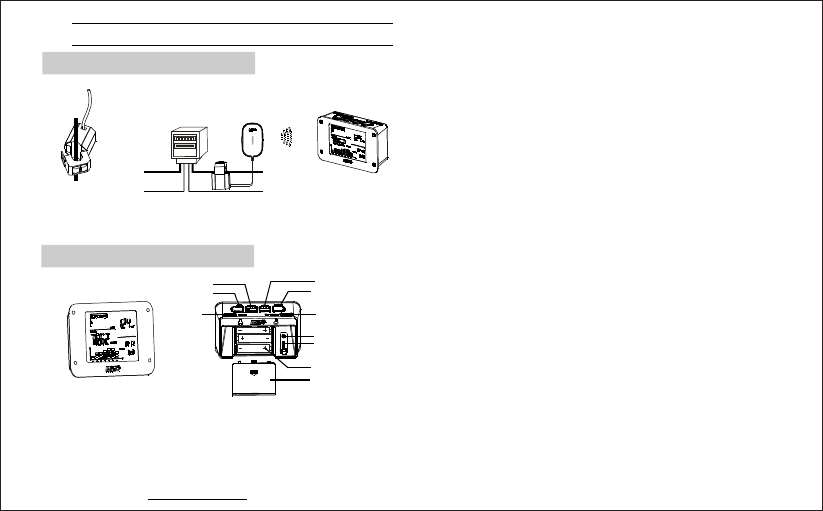
1---TIME/ALARM
2---SEARCH
3---HISTORY/ENTER
4---BWD/-
5---FWD/+
6---MODE/SET
7---DC
8---USB
9---3AAA1.5V
10---
:
:
:
:
:
:
×
Settingtimeandalarm
Searchingwirelesssignals
Inquiryhistorydata
andEnterconfirmation
Checklastdata/numberminus1
Checknextdata/numberplus1
Settingmodesand
parameters
socket
socket
battery
Batterycover
www.mieo.com 3
Displayunit
EquipmentDistribution
11
4
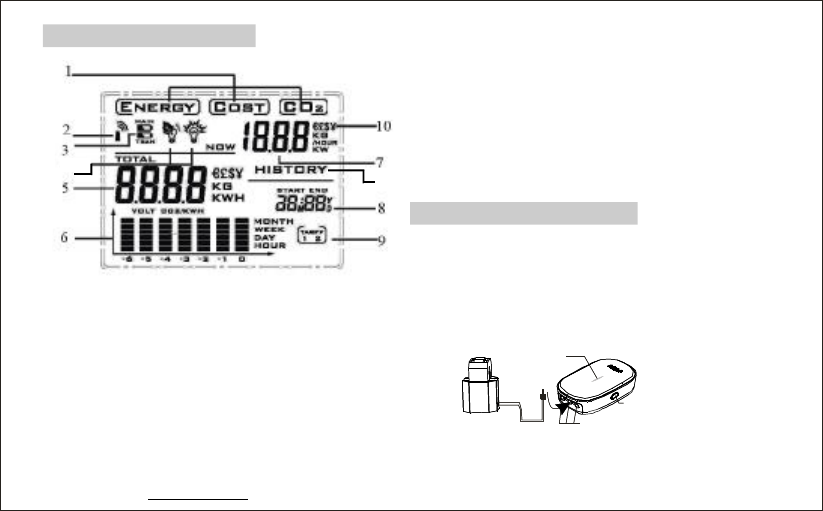
1---Displaymode:Energy/Cost/CO
emission
2---Receivingsignalindicator
3---lowBatteryindicators
4---Alerticonsactivatedwhenhigherthan
consumptionlevelset
5---Accumulative/COST/CO
Emissiondata
6---ThehistogramofEnergy/Cost/CO
2
ENERGY 2
2
7---ENERGY/COST/COEmission
8---Clock&Calendar
9---Costtariffrate
10---Moneycurrencies
11---HISTORYmeanshistoricaldatainview
2
Emissionsforlastsevenmonths,weeks/
days/hours.
www.mieo.com 4
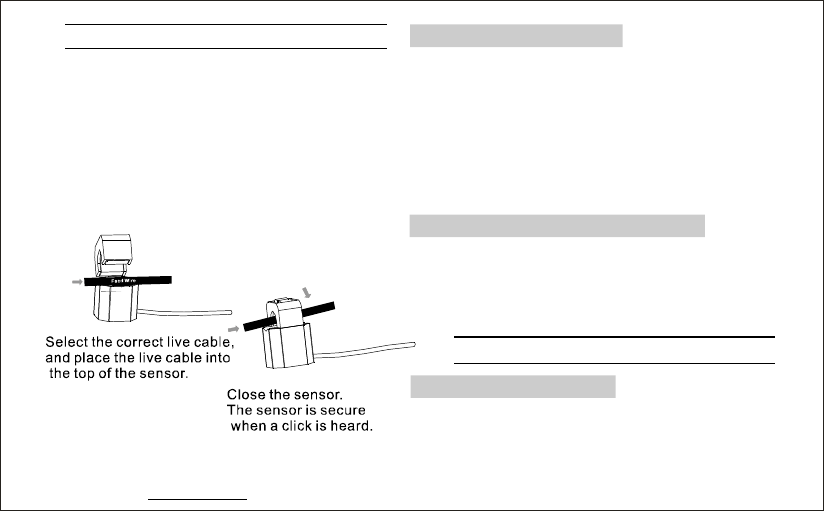
Thesensorisclippedaroundtheincoming
supplycable,usuallynearthemeter.Then
plugthesensorintothetransmitterunitand
informationwillbesentwirelesslytothe
displayunit.
sensor Transmitter
LED
Indicator
Phasesocket
Checkbutton
TransmitterandSensor
Displayinformation
Installation
Findpowercableandinstallsensor:most
householdelectricitysuppliesusesingle-
phase,butalsosomeusethreephases.
Clipsthesensoraroundtheinsulatedlive
cablerunningintothemeterorswitchboard
totheconsumerunit.Forthreephasesupplies
ourWirelesstransmitterisrequiredwithextra
twosensorsconnectedtotheothertwophase
oflines.3sensorarenecessary.
www.mieo.com 5
·
·
·
Removethebatterycoverfromthebackofthe
transmitterordisplayunit.
InsertAAbatteriesintothebatterycompart-
mentensuringthatthepolaritiesofbatteriesare
correct.
Replacethebatterycoverofthetransmitter
anddisplayunit.
Pressthebuttonofdisplayunit
for2sandthebuttonoftransmitter,
thedisplayunitwillreceivethesignalfrom
transmitter.
‘’
‘’
SEARCH
CHECK
Settingtimeanddate
Linkdisplayunitandtransmitter
Replacebatteries
OperatingGuide
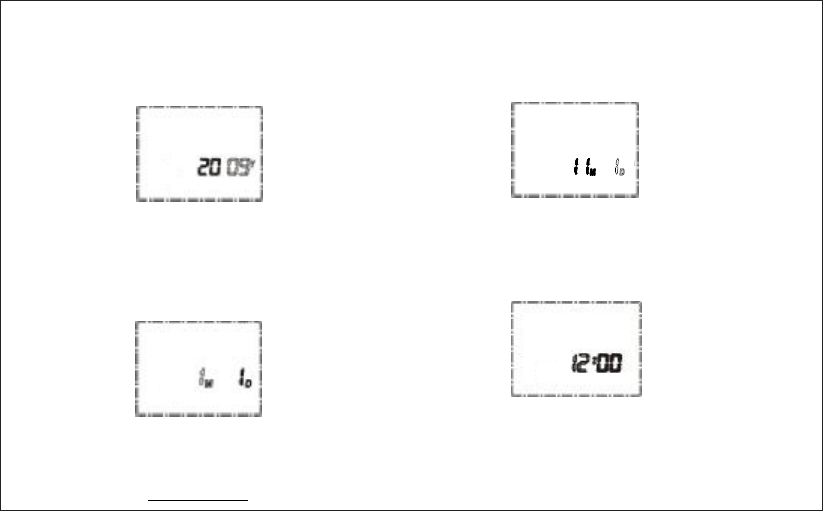
·‘’Pressthebuttonandholdfor2
secondstoenteryearsetting.Thelasttwo
digitsofyearflashes,Pressthe
TIME
FWD/BWD
buttontoincrease/reducenumber,holdthe
buttonsthenumberwillincrease/
reducequickly.
FWD/BWD
·‘’Pressbuttonagaintosetthe
.Whenthenumberofflashes,
Pressthebuttontoset.
TIME
monthmonth
FWD/BWD
·‘’Pressbuttonagaintosetthe
Thenumberofdayflashes,Pressthe
buttontoset.
TIMEday.
FWD/
BWD
·‘’Pressbuttonagaintosetthe.
Thenumberofhourflashes,Pressthe
buttontosethoursin24hoursformat.
TIMEhour
FWD
/BWD
www.mieo.com 6
·‘’Pressbuttonagaintoactivatethe
number.Thenumberofminuteflashes,
Pressthebuttontoset.
TIME
minute FWD/BWD
·‘’
·‘’
·
Pressbuttonbacktonormal
display
Pressbuttonatanytime
tosavesettingsinstantlyandreturn
tonormaldisplay.
Ifthedisplayunitdetectsnoactions
in60seconds,thesettingswillbesaved
automaticallyandreturntonormaldisplay.
TIME
ENTER
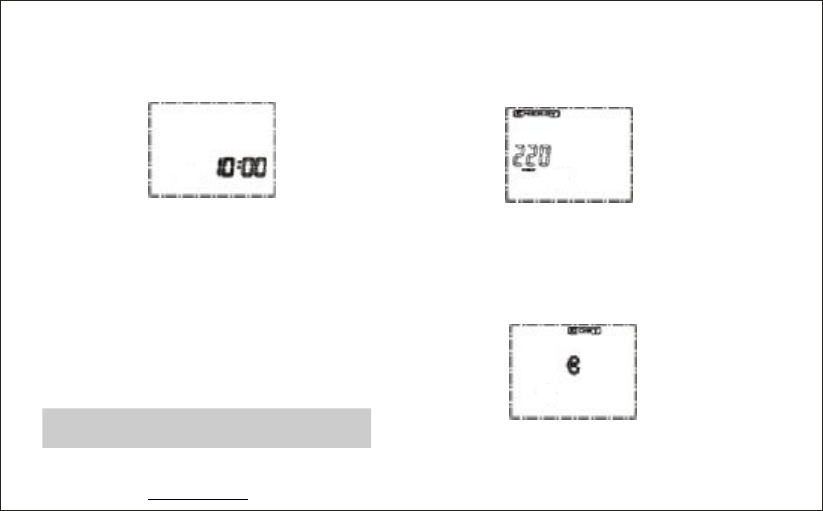
Advancedsetting(voltage,currency,
tariff,CO2emission)
·‘’Pressbuttonandholdfor2MODE
secondstosetthe.While
220flashing,pressbuttons
toadjustthevoltage.
‘’
‘’
voltage
FWD/BWD
www.mieo.com
·‘’
‘’‘’
→£→$→¥
Pressbuttonagaintosetthe
flashing,Press
buttons,thecurrencysymbolwillchange
inthisorder:€.
MODE
currencyunit.FWD/
BWD €
7
www.mieo.com 8
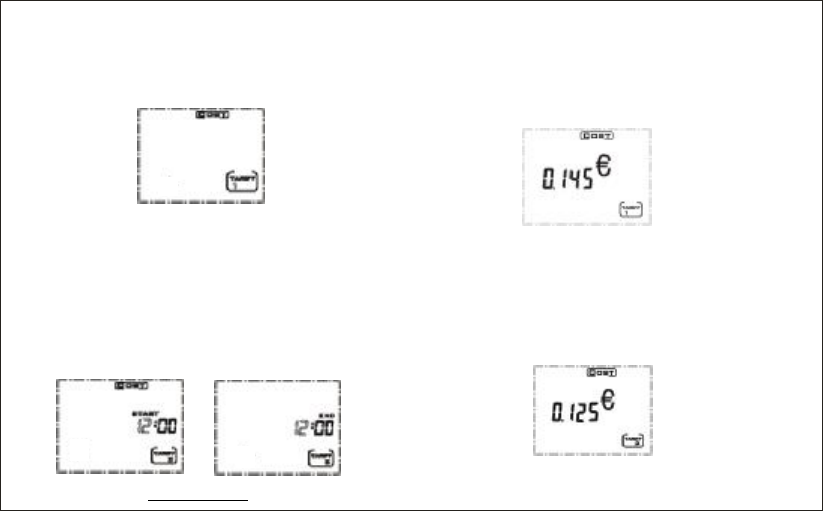
·‘’
‘’‘’
‘’
Pressbuttonagaintosetthe
.flashing,
Pressbuttonsinto
forusingtwotariffstandards.
MODE
currenttariffTARIFF1
FWD/BWDTARIFF2
·‘’,
‘’
Ifchoseinlaststeppress
buttonagaintosetthe
for.UsingButtonsto
setthehoursandpressMODEButtonto
saveandmovetominutesetup.Setminute
usingandpressButtonto
confirm.Repeattheprocessforsetting
.
TARIFF2
MODEstarttime
TARIFF2BWD/FWD
BWD/FWDMODE
endtime
·‘’
‘’
Pressbuttonagaintoset
,whennumbersflashing,
usebuttontoset,Pressandhold
buttontoincreasethenumber
quicklyfrom0.05to9.95.
MODEtariff2
standard0.145
FWD/BWD
FWD/BWD
·‘’Ifyouhavenotchosen,the
abovestepwillbeskipped. TARIFF2
·‘’
‘’
Pressbuttonagaintoset,
thenumberflashing,Pressing
button,thenumberwillincrease/reduce.
MODEtariff1
0.125FWD/
BWD
·‘’
‘’
Pressbuttonagaintoset
Thenumber0.449(kg/kwh)
flashing,Pressbuttontoset.
MODECO
emission. FWD/BWD
2
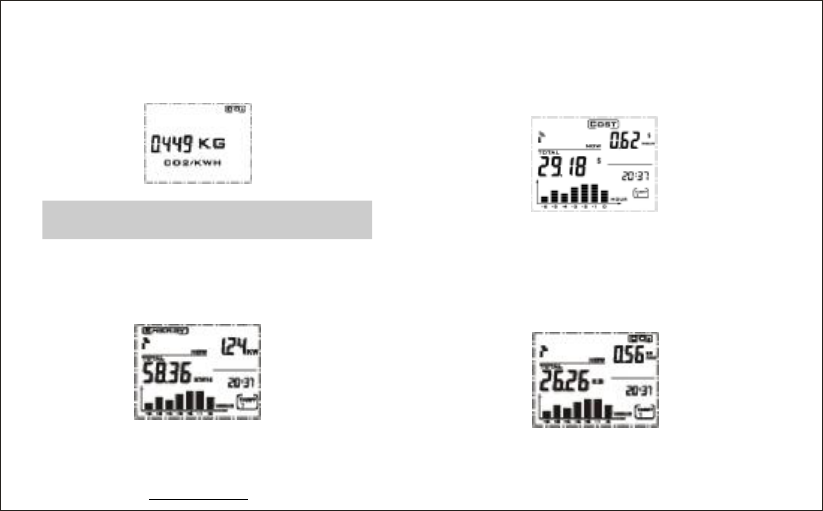
Viewinstantandaccumulativeenergy,
cost,CO2
·Innormaldisplaymode,youcanview
current(kW)inrightscreenand
accumulated(kWh).
Power
Energy
·‘’‘’Pressbuttontoseethe
display,youcanviewcurrentcostofelectricity
perhourintherightscreenandaccumulated
costsincelastresetintherightscreen.
MODECOST
·‘’
‘’
Pressbuttonagaintoseethe
display,viewcurrentemissionofCO2
perhouratthetoprightcornerofthescreen
andaccumulatedemissionsontheleft.
MODE
CO2
www.mieo.com 9
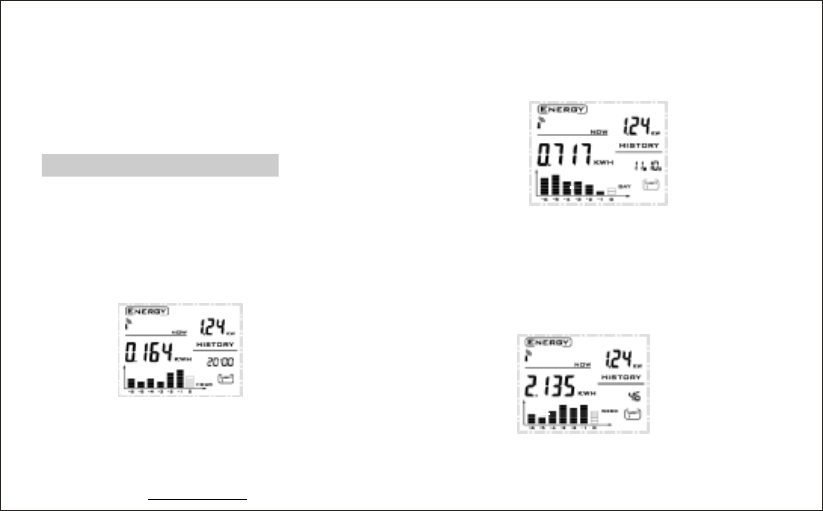
·Dateandtimedisplayaltersevery10
secondsinthelowerrightscreen.The
histograminthelowestleftscreenindicates
theusageofenergyinlast7hours.
·‘’Pressbuttononceagainto
returntocurrentENERGYdisplay.
MODE
Howtoviewhistoricaldata
·‘’
‘”
Pressbuttontoseethe
hourhistoricaldatashownby
mode,usebuttontolookupthe
usageofenergyforlast7hours,the
correspondingblockinchartwillflash.
HISTORY
perhour
BWD/FWD
buttontolookuptheusageofenergy
forlast7days,thecorrespondingblockin
histogramwillflash.
BWD/FWD
·‘’
“”
Pressbuttonagaintoseethe
historicaldatashownbyymode,use
HISTORY perda
·‘’
“”
Pressbuttonagaintoseethe
historicaldatashownbymode,
usebuttontolookuptheusage
ofenergyforlast7weeks,thecorresponding
blockinhistogramwillflash.
HISTORY perweek
BWD/FWD
www.mieo.com 10
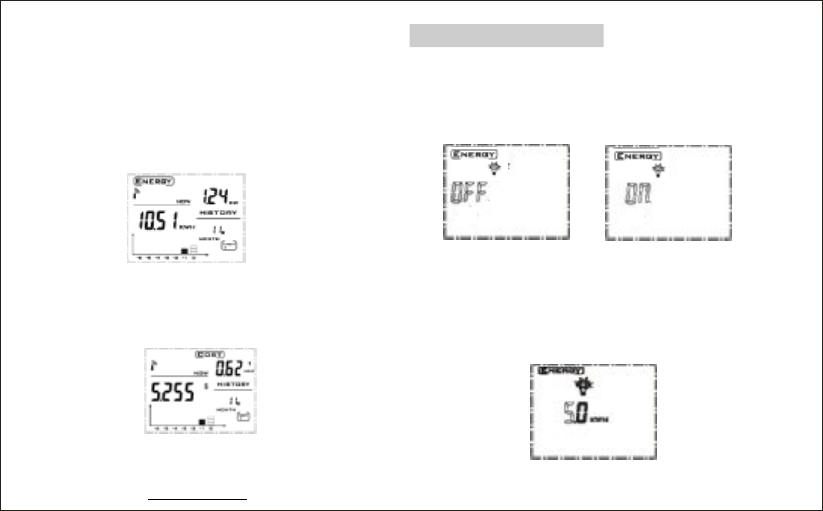
·‘’
‘’
PressHISTORYbuttonagaintoview
thehistoricaldatashownby
mode.usebuttontolookupthe
usageofenergyforlast24months,the
histogramshowsthedataforthecurrent
andlastsixmonthsusageandthe
correspondingblockinhistogramwillflash.
permonth
BWD/FWD
·‘’
‘’
Pressbuttontoswitchamong
modes,youcan
viewhistoricaldataofenergy,costandCO2
emissions.
MODE
ENERGY/COST/CO2
www.mieo.com 11
·‘’Pressbuttononceagainback
tonormaldisplay.
HISTORY
Switchonoroffalarm
·‘’
‘’
PressTIME/ALARMbuttontosetthe
.flashingindicatesthatthe
alarmfunctionisoff,pressbutton
toswitchthealarm..
alarmOFF FWD/BWD
on
·‘’Pressbuttonagaintoset
,usebutton
toadjustthenumberaccordingtoyour
condition.Pressandholdbutton,
thenumberwillincrease/reducefastfrom0to
200.
TIME/ALARM
maximumdailyusageFWD/BWD
FWD/BWD
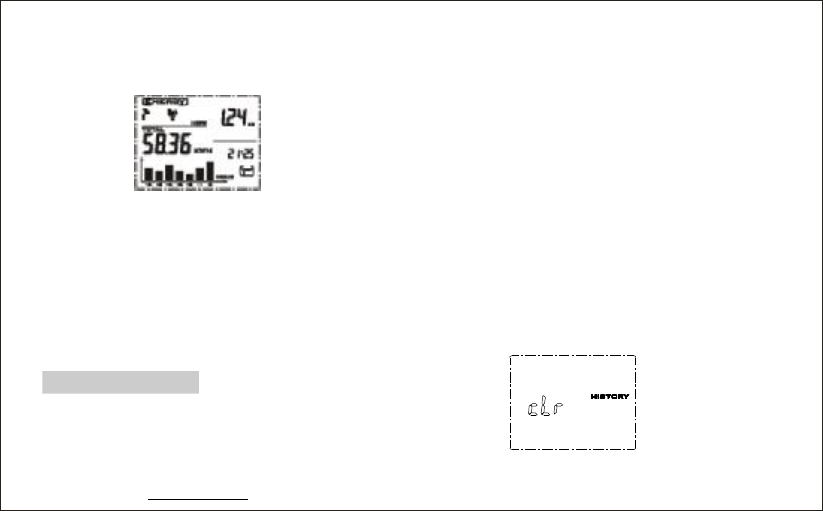
·‘’PressTIME/ALARMbuttonagainwill
backtonormaldisplaywithaleafsymbolin
thescreen.Thealarmisactivated.
Ifalarmstarts,itwillautomaticallyswitchto
thedisplayinterfaceunder,
histogramkeepsflashingwiththebackground
lightand10secondsofthealarmsound.Then
theleaficonwillchangeintoalightbulbicon.
Ifyoudidnotpressanykey,thealarminterface
willremain24hours.
·
‘’ENERGY
HowtoDataClear
Clearthetotalpowerdataofdisplayunit·
Thetotalpowerisstoredinthetransmitter,
removethetransmitterbattery,pressthe
CHECK
CHECK
keyonit,andre-insertthebatteries,
LEDlights.WhentheLEDlightisoff,release
thebutton,thenLEDflashesfivetimes
whichmeansthetotalstoragepowerhasbeen
cleared.
Clearhistoricaldata·
Clearmethod: .PressbothMODEand
HISTORYbuttonfor2secondstoseethe
followinggraphics.Ifyoureleaseoneofthe
key,itwillnotgoontocleanupandreturnto
normaldisplaystateautomatically;
.Ifcontinuetopressbothkeysfor8seconds,
whenyouhear'beep'sound,itwillstart
clearance,thenyoucanreleasethebutton,
clearancewillbedone.
①
②
www.mieo.com 12

·CearIDcodeoftheDisplayunit
;.
.
RemovethebatteryWhilepressingboth
MODEkeyandSEARCHkey,putbatteryin
Tocontinuetoholddowntwobuttons
forthreesecondslatertoheartwoconsecutive
beepsounds,itwillfinishclearingID.Release
thebutton,theoperationhasbeendone.
②
;
③
①.
·UpdatethetransmitterIDcode:
Pressandholdbuttononthe
transmitter,andthenreplaceintothebatteries;
Continuetopressthebutton
‘’CHECK
towaitittolight
onagain,andthenreleasethekey,
theIDcodegeneratesrandomly.Atthattime
LEDflashes10times,theIDcodehasbeen
updated.
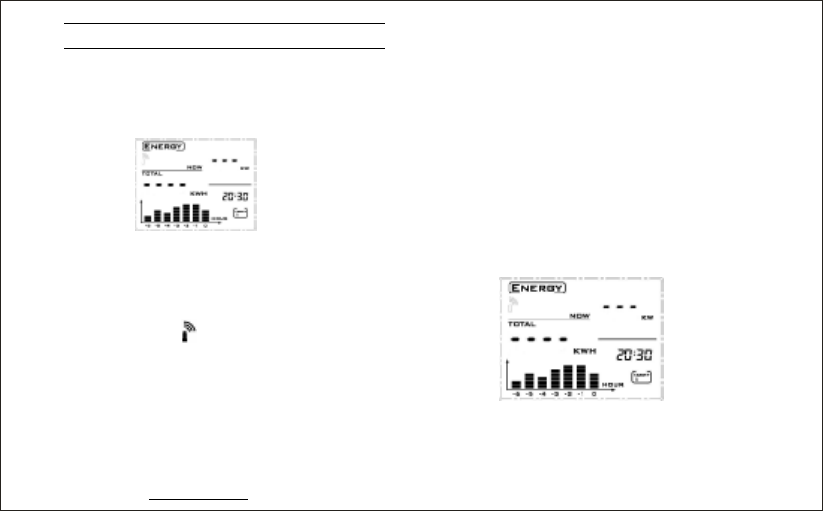
‘’CHECK
Whenpressbuttonofthe
transmitter,youcanviewcurrentpower
changesquickly.
‘’CHECK
Notes
Donotplacetheproductintherainy,snowy
ormagneticfield.
Donotplacetheproductinthevibrating,
extremeloworhigh-temperatureenvironment.
DisplayLCDpanelconsistsofglass.
Squeezingorvibrationmaydamageit.
Keeptheproductawayfromheatsources
suchasradiators,stoves,heatersandsoon.
Donotuseproductsnearplacesofhigh
humidityortoomuchwatersuchasbathroom,
etc..
Donotattempttorepairitbyyourself.Ifyou
findanyproductproblems,pleasecontactour
retailerorourcustomerservice.
·
·
·
·
·
·
www.mieo.com 13
·Thesensorisinstalledonthepowerline,
choosecorrectwireload(donotexceed70A).
·Toviewchangesofelectricity
consumptionquickly
FAQS
·Question1:Icannotseewirelesssignal
ordisplaydataonthescreen,doesitmean
wirelesscommunicationunconnected?
Answer: Pleasefollowthefollowingtrouble
shootingmethods:
1.HoldtheSEARCHbuttonfor2seconds,
startsthewirelesssignalsearch,thistimethe
antennasymbolflashes.
2.PresstheCHECKbuttonofthetransmitter.
3.Checkifthedisplayunitandtransmitter
batteryvoltageistoolow,ifthevoltageistoo
low,replacethebattery.
4.Ifthereiselectromagneticinterference
nearby,movethedisplayunitclosertothe
transmitter.
5.Removebatteriesinthedisplayunit,wait10
secondsthenreinsertthebattery.
6.TrytocleartheIDcodeinthedisplayunit,
andthenremovethetransmitter'sbatteries.
After10secondsperiod,re-installthemsothat
thedisplayunitcanreceivethenewIDcode
fromtransmitteragain.
Question2:There'snodatashownonthe
screenbutthere'swirelesssignalflashing.
·
Answer: Thedisplayunitissearchingand
receivingforwirelesssignals.
www.mieo.com 14
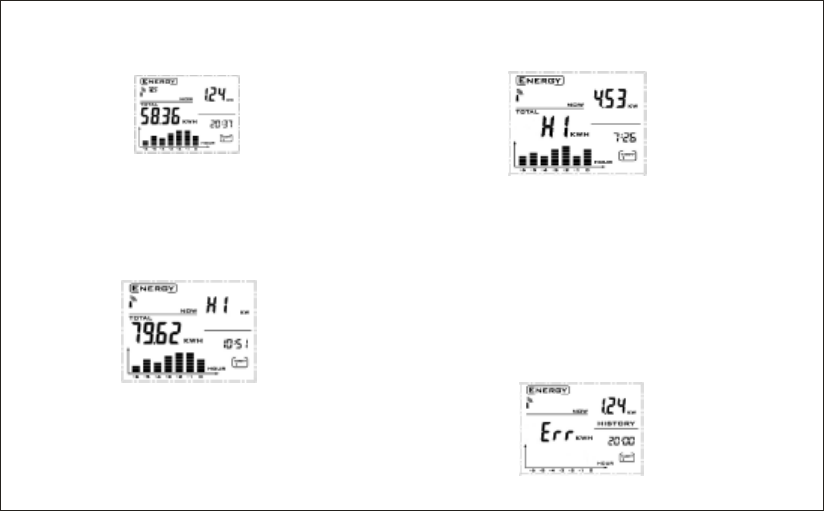
·Question3:Thereappearslow-voltage
signalofthedisplayunitortransmitter.
A:Thebatteryislow;pleasereplacethe
batteriesassoonaspossible.
·
‘’
Question4:Ontheupperrightcornerof
thedisplayshowsHI
A: Thatmeansthecurrenthasexceeded
measurementrange,thesensorshouldbe
removedfromtheelectriccableatonce.
·
‘’
Question5:.OntherightOfthedisplay
showsHI,
A: Itmeansthatthevalueshownhasexceed
themaximumvalue:9999,becausethe
cumulativetotalelectricityconsumption
exceedingthemaximumvalueof9999canbe
displayed,theaccumulatepowervalueof
displayunitandtransmitterneedtobecleared
atthesametime.
·‘’Question6:Errisontherightofscreen
andthehistogramisbank.
15

Itmeansthatthedatacan'tbereadfrom
whichrecordedinthememorychips,
there'saninternalerrorinthedisplayunit.
Itneedstobesentbacktothemanufacturer
forrepair.
A:
·Question7:Theresbiasbetweendata
shownonHA102displayandactualdata
frompowermeter.
'
A:Solution1:Thesensorisnotinstalled
correctly;pleasere-installthesensorclamp
onliveline.
Solution2:Consideringhouseholdelectrical
powerfactorisusually0.8to1.0,youcan
increaseordecreasethevoltagevaluewhen
settingtheparametervalueinordertomatch
thevaluemeasuredfromHA102withthe
actualvaluesfrompowermeter.
Question8:Thetotalpowervaluefrom
displayissometimeslargerorless.
·
Removethesensor,youwillfindthatthe
datadisplayingontheupperrightcornerof
A:
thedatadonotindicate0.00KW.Solveit
bythefollowingmethods:Clearandupdate
theIDcodeofdisplayunitandtransmitter,
reinstallthebatteryforthedisplayunitand
transmitter.
‘’
ElectricalSpecifications
Frequency
ransmissionDistance
Range
Accuracy
owerSupply
ExternalPower
USBinterface
BatteryLife
Operatingtemperature
Storagetemperature
:433.97MHz
T:70meters(atsight)
Measuring:10w~17.5KW
:5%
P:3AAbatteries
:5VDC
(optional)
:1year
:-10~60
:-20~75
≤
×
℃℃
℃℃
www.mieo.com 16


FCC Statement:
This device complies with Part 15 of the FCC Rules. Operation is subject to the
following two conditions:
(1) this device may not cause harmful interference, and
(2) this device must accept any interference received, including interference
that may cause undesired operation.
NOTE:
THE MANUFACTURER IS NOT RESPONSIBLE FOR ANY RADIO OR TV INTERFERENCE CAUSED
BY UNAUTHORIZED MODIFICATIONS TO THIS EQUIPMENT. SUCH MODIFICATIONS COULD VOID
THE USER'S AUTHORITY TO OPERATE THE EQUIPMENT.