TLi TLI-103N Smart Insole User Manual 1

TLi Inc. Smart Insole 1

Users Manual

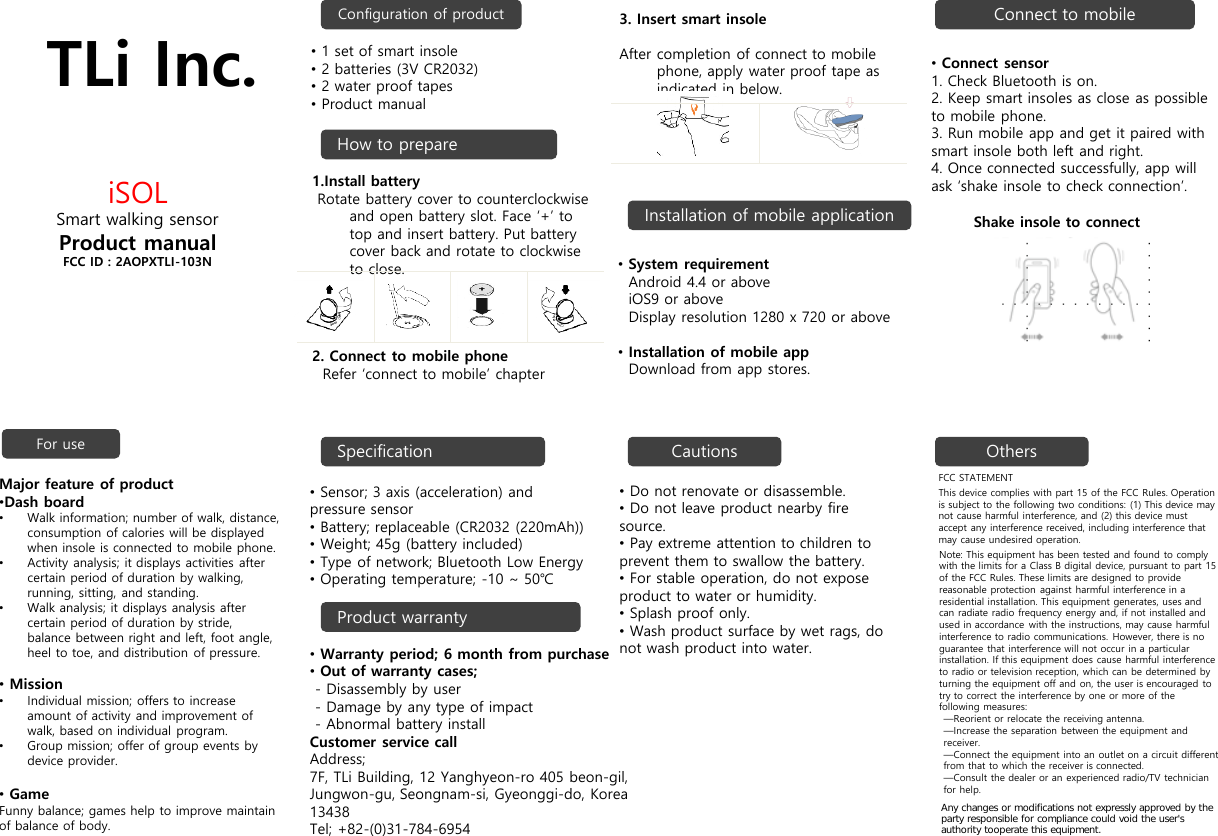
TLi Inc.iSOLSmart walking sensorProduct manualFCC ID : 2AOPXTLI-103NConfiguration of productInstallation of mobile applicationConnect to mobileFor use SpecificationProduct warrantyCautions Others•Do not renovate or disassemble.•Do not leave product nearby fire source.•Pay extreme attention to children to prevent them to swallow the battery.•For stable operation, do not expose product to water or humidity. •Splash proof only.•Wash product surface by wet rags, do not wash product into water.FCC STATEMENTThis device complies with part 15 of the FCC Rules. Operation is subject to the following two conditions: (1) This device may not cause harmful interference, and (2) this device must accept any interference received, including interference that may cause undesired operation.Note: This equipment has been tested and found to comply with the limits for a Class B digital device, pursuant to part 15 of the FCC Rules. These limits are designed to provide reasonable protection against harmful interference in a residential installation. This equipment generates, uses and can radiate radio frequency energy and, if not installed and used in accordance with the instructions, may cause harmful interference to radio communications. However, there is no guarantee that interference will not occur in a particular installation. If this equipment does cause harmful interference to radio or television reception, which can be determined by turning the equipment off and on, the user is encouraged to try to correct the interference by one or more of the following measures:—Reorient or relocate the receiving antenna.—Increase the separation between the equipment and receiver.—Connect the equipment into an outlet on a circuit different from that to which the receiver is connected.—Consult the dealer or an experienced radio/TV technician for help.•Sensor; 3 axis (acceleration) and pressure sensor•Battery; replaceable (CR2032 (220mAh))•Weight; 45g (battery included)•Type of network; Bluetooth Low Energy•Operating temperature; -10 ~ 50℃•Warranty period; 6 month from purchase•Out of warranty cases;- Disassembly by user- Damage by any type of impact- Abnormal battery installCustomer service callAddress;  7F, TLi Building, 12 Yanghyeon-ro 405 beon-gil, Jungwon-gu, Seongnam-si, Gyeonggi-do, Korea 13438Tel; +82-(0)31-784-6954Major feature of product•Dash board•Walk information; number of walk, distance, consumption of calories will be displayed when insole is connected to mobile phone. •Activity analysis; it displays activities after certain period of duration by walking, running, sitting, and standing.•Walk analysis; it displays analysis after certain period of duration by stride, balance between right and left, foot angle, heel to toe, and distribution of pressure.•Mission•Individual mission; offers to increase amount of activity and improvement of walk, based on individual program.•Group mission; offer of group events by device provider.•GameFunny balance; games help to improve maintain of balance of body.•System requirementAndroid 4.4 or aboveiOS9 or aboveDisplay resolution 1280 x 720 or above•Installation of mobile appDownload from app stores.•Connect sensor1. Check Bluetooth is on. 2. Keep smart insoles as close as possible to mobile phone.3. Run mobile app and get it paired with smart insole both left and right.4. Once connected successfully, app will ask ‘shake insole to check connection’. Shake insole to connectHow to prepare•1 set of smart insole•2 batteries (3V CR2032)•2 water proof tapes•Product manual1.Install batteryRotate battery cover to counterclockwise and open battery slot. Face ‘+’ to top and insert battery. Put battery cover back and rotate to clockwise to close. 2. Connect to mobile phoneRefer ‘connect to mobile’ chapter3. Insert smart insoleAfter completion of connect to mobile phone, apply water proof tape as indicated in below. Any changes or modifications not expressly approved by the party responsible for compliance could void the user's authority tooperate this equipment.

Navigation menu