TRENDnet Mira Stream Media Serverx Server
User Manual: TRENDnet .trendnet.com - /TRENDnet_Mira/UG/
Open the PDF directly: View PDF  .
.
Page Count: 7
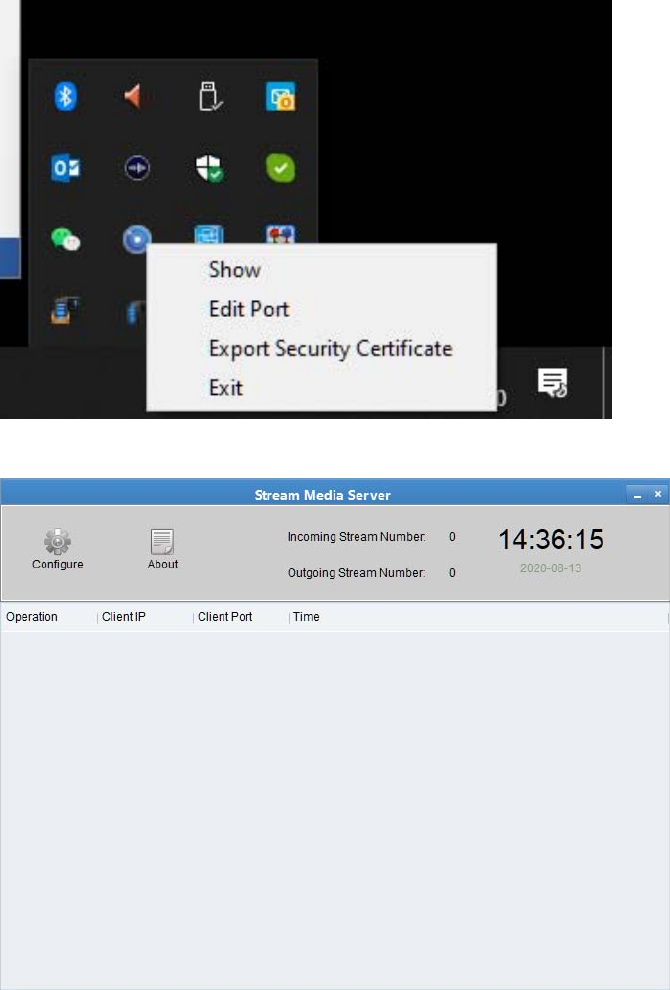
MiraStreamMediaServer
1. MakesureMiraandtheStreamMediaServerareinstalledonbothmachines(For
example,PC1andPC1)
2. OnPC1,runMirasoftwarefirst,thenruntheStreamMediaServer
3. FindtheMiraiconfromtoolbar,rightclickandselectExportSecurityCertificate,savethexml
filetoalocation
4. ClickontheStreamMediaServerfromthetoolbarandclickonConfiguration
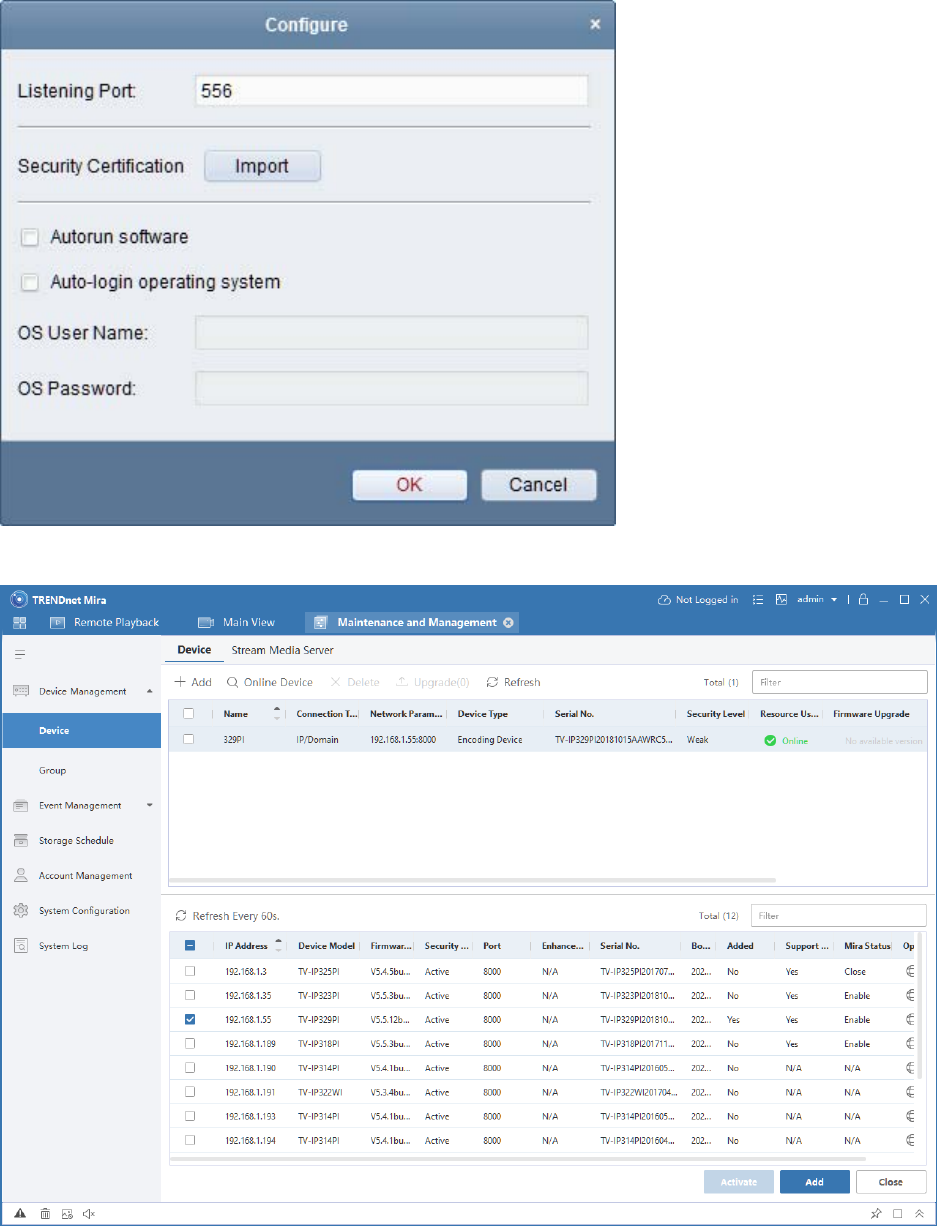
5. ClickonImportandselecttheSecurityCertificateyoujustexportedfromMiraandclickOK
6. GotoMirasoftwareandmakesurethecamerasareaddedtotheDevicesection
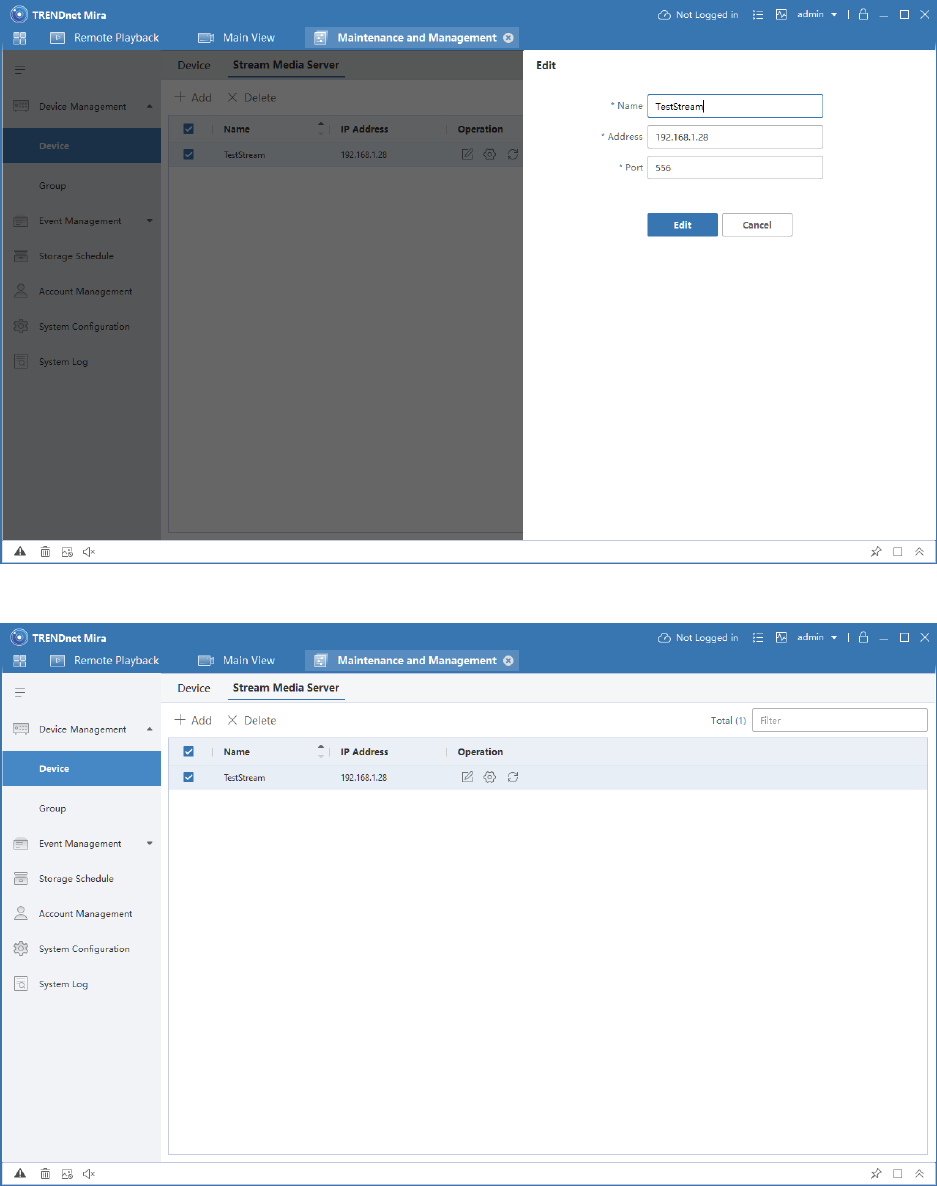
7. GotoStreamMediaServerandclickonAdd,giveanameforthestreamserverandusethisPC’s
IPaddressfortheAddressandclickAdd.Remembertheportnumberifchanged.
8. HighlighttheserverandselectSettings
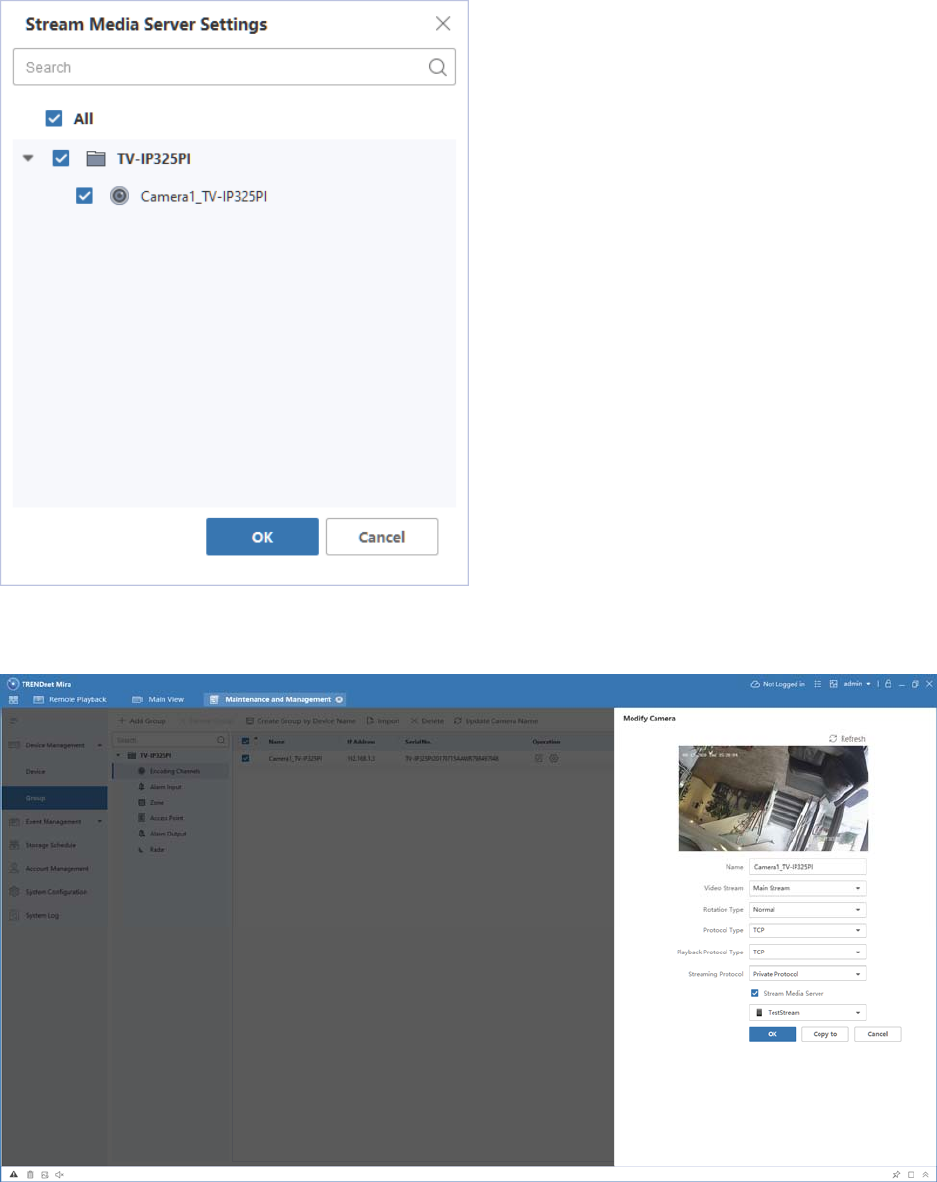
9. SelecttheneededcamerasandclickOK
10. ThengotoGroupsection,gotocamera’sEncodingChannelsthenclickonEdit.Makesure
StreamServerischeckedandselectedproperly.
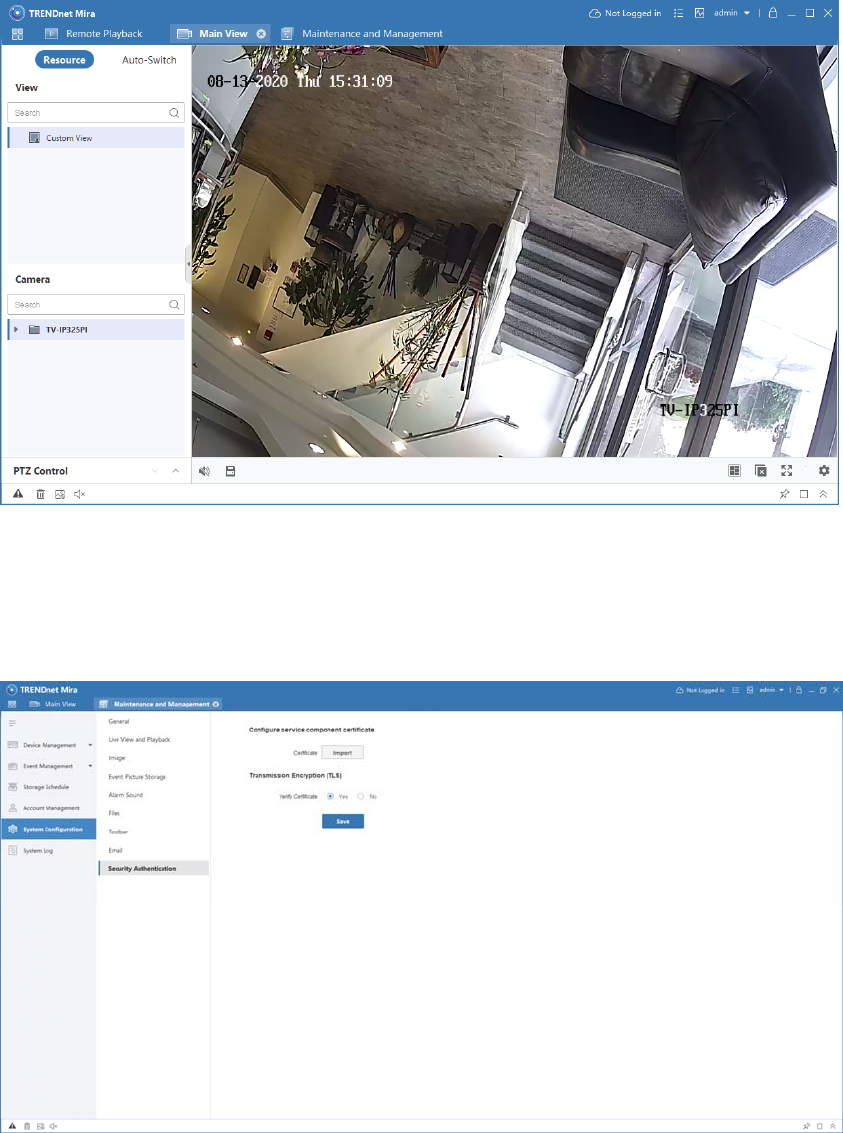
11. GotoMainsectionandmakesurethecameradisplaycorrectly
12. NowcopytheSecurityCertificateandtakeittoPC2(PC2onlyneedsMirasoftware,noStream
MediaServerneeded)
13. OpenMira,gotoSystemConfigurationandSecurityAuthentication,clickonImporttoimport
thecertificatethenpressSave.
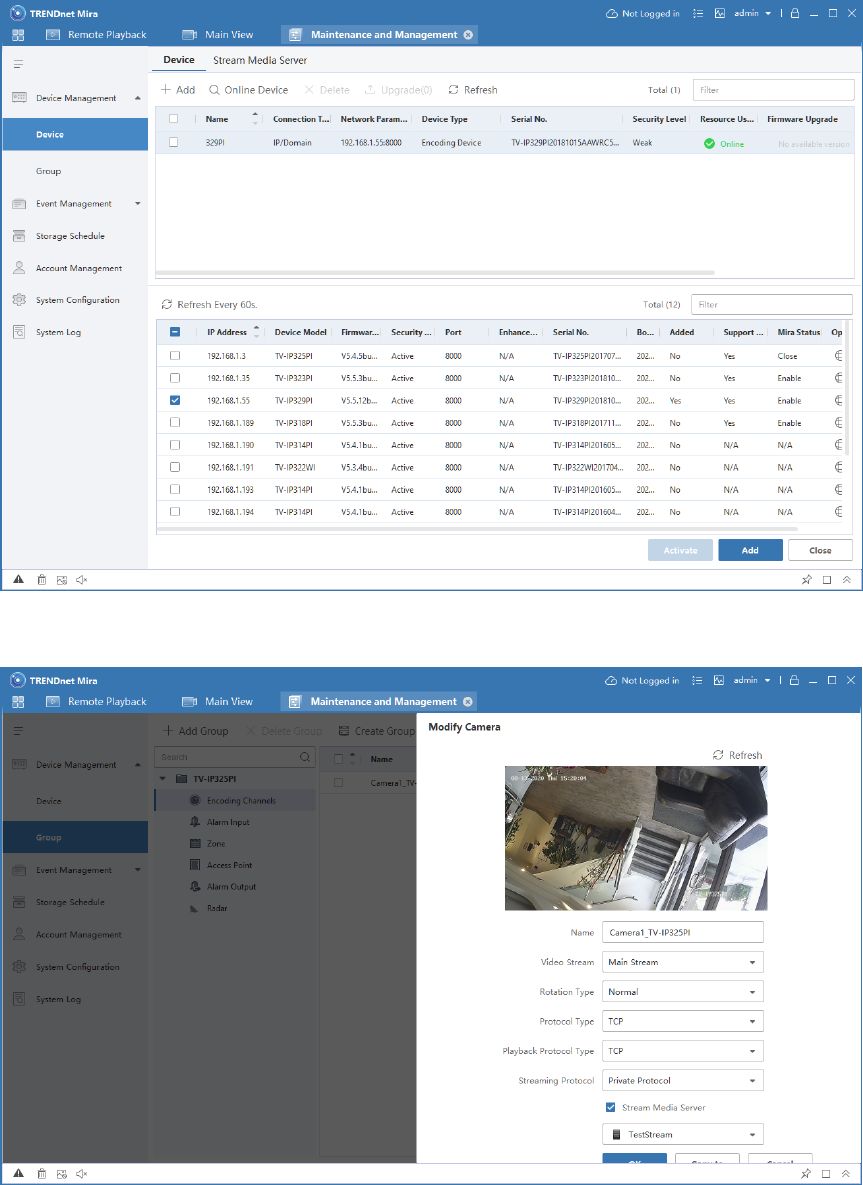
14. AddthecameratotheMirasoftware
15. MakesurethecameraappearsunderGroupandit’sconfiguredtostreamviaStreamMedia
Server
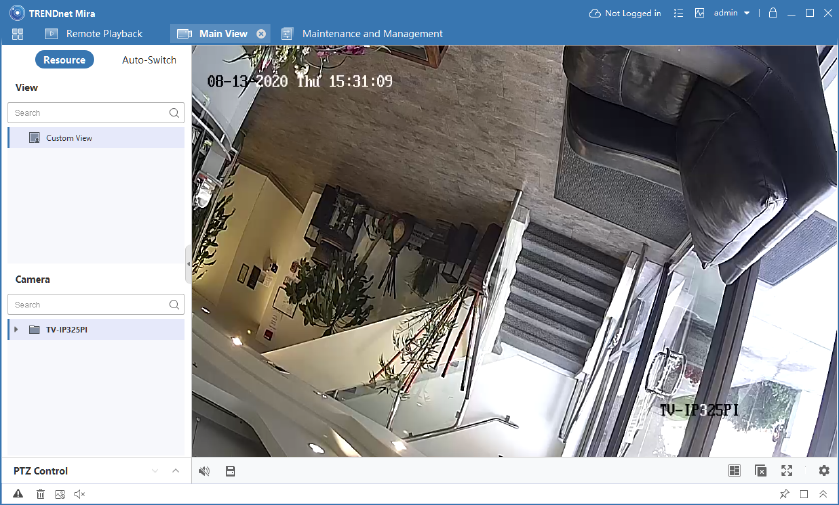
16. GotoMainViewtomakesurethecamerafunctionscorrectly
17. Setupiscompleted.
Q&A
1. WhydoIhavetoaddthecamerasonbothsides?
‐ Forsecurityreason,thecamerashavetobeaddedonalllocationsthatwillbeconnectedto
theStreamMediaServer.
2. WhydoIuseStreamMediaServer?
‐ Toreducenetworkbandwidthfromthecameras.
