Teleway DFU026 GrooveStikTM Wireless Audio Solution User Manual 2

Teleway Industrial Ltd GrooveStikTM Wireless Audio Solution 2

User manual

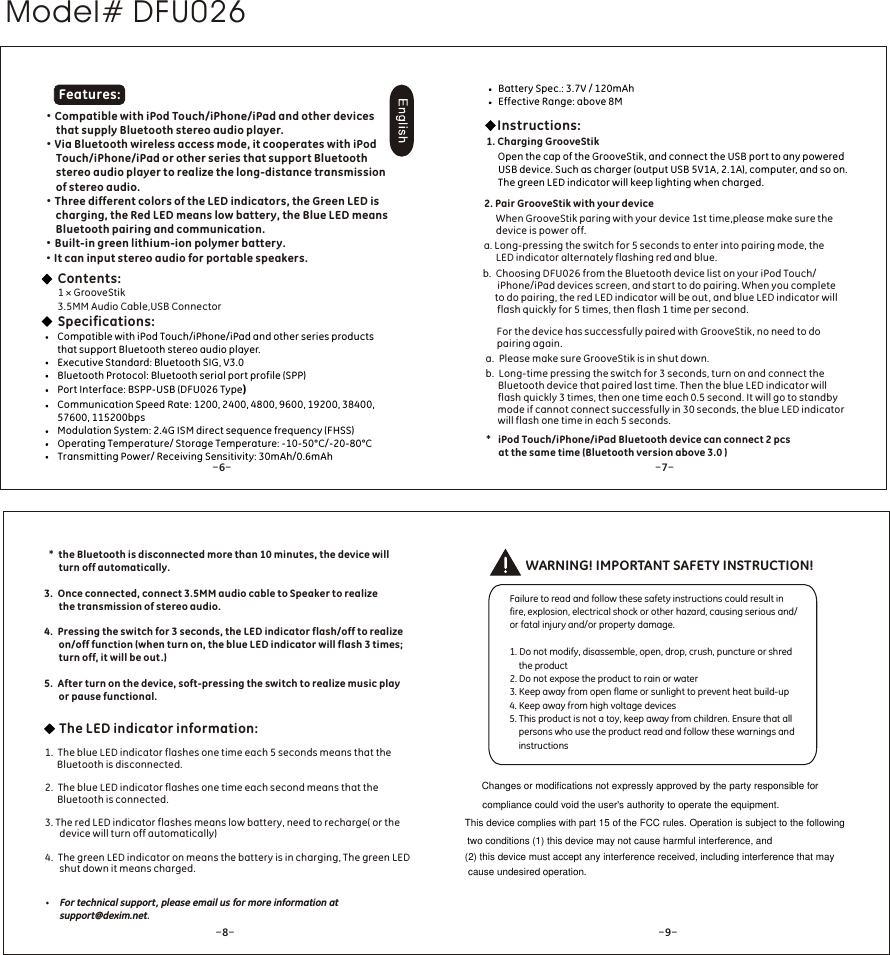
·Compatible with iPod Touch/iPhone/iPad and other devices      that supply Bluetooth stereo audio player.·Via Bluetooth wireless access mode, it cooperates with iPod      Touch/iPhone/iPad or other series that support Bluetooth      stereo audio player to realize the long-distance transmission      of stereo audio. ·Three different colors of the LED indicators, the Green LED is      charging, the Red LED means low battery, the Blue LED means      Bluetooth pairing and communication.·Built-in green lithium-ion polymer battery.·It can input stereo audio for portable speakers.WARNING! IMPORTANT SAFETY INSTRUCTION!Failure to read and follow these safety instructions could result in fire, explosion, electrical shock or other hazard, causing serious and/or fatal injury and/or property damage.1. Do not modify, disassemble, open, drop, crush, puncture or shred    the product2. Do not expose the product to rain or water3. Keep away from open flame or sunlight to prevent heat build-up4. Keep away from high voltage devices5. This product is not a toy, keep away from children. Ensure that all    persons who use the product read and follow these warnings and    instructions1 × GrooveStik3.5MM Audio Cable,USB Connector Specifications:Compatible with iPod Touch/iPhone/iPad and other series products that support Bluetooth stereo audio player.Executive Standard: Bluetooth SIG, V3.0Bluetooth Protocol: Bluetooth serial port profile (SPP) Port Interface: BSPP-USB (DFU026 Type)Communication Speed Rate: 1200, 2400, 4800, 9600, 19200, 38400, 57600, 115200bpsModulation System: 2.4G ISM direct sequence frequency (FHSS)Operating Temperature/ Storage Temperature: -10-50°C/-20-80°CTransmitting Power/ Receiving Sensitivity: 30mAh/0.6mAhContents: Features:*  the Bluetooth is disconnected more than 10 minutes, the device will    turn off automatically.3.  Once connected, connect 3.5MM audio cable to Speaker to realize      the transmission of stereo audio.4.  Pressing the switch for 3 seconds, the LED indicator flash/off to realize      on/off function (when turn on, the blue LED indicator will flash 3 times;       turn off, it will be out .)5.  After turn on the device, soft-pressing the switch to realize music play       or pause functional.1.  The blue LED indicator flashes one time each 5 seconds means that the      Bluetooth is disconnected.2.  The blue LED indicator flashes one time each second means that the      Bluetooth is connected.3. The red LED indicator flashes means low battery, need to recharge( or the      device will turn off automatically)4.  The green LED indicator on means the battery is in charging, The green LED      shut down it means charged.The LED indicator information:Open the cap of the GrooveStik, and connect the USB port to any powered USB device. Such as charger (output USB 5V1A, 2.1A), computer, and so on. The green LED indicator will keep lighting when charged.Instructions:2. Pair GrooveStik with your device     a. Long-pressing the switch for 5 seconds to enter into pairing mode, the      LED indicator alternately flashing red and blue.b.  Choosing DFU026 from the Bluetooth device list on your iPod Touch/      iPhone/iPad devices screen, and start to do pairing. When you complete      to do pairing, the red LED indicator will be out , and blue LED indicator will      flash quickly for 5 times, then flash 1 time per second.For the device has successfully paired with GrooveStik, no need to do pairing again.a.  Please make sure GrooveStik is in shut down.b.  Long-time pressing the switch for 3 seconds, turn on and connect the     Bluetooth device that paired last time. Then the blue LED indicator will      flash quickly 3 times, then one time each 0.5 second. It will go to standby     mode if cannot connect successfully in 30 seconds, the blue LED indicator     will flash one time in each 5 seconds. When GrooveStik paring with your device 1st time,please make sure the device is power off.*   iPod Touch/iPhone/iPad Bluetooth device can connect 2 pcs      at the same time (Bluetooth version above 3.0 )1. Charging GrooveStikBattery Spec.: 3.7V / 120mAhEffective Range: above 8M-6--7--8- - 9-For technical support, please email us for more information at support@dexim.net.Model# DFU026Changes or modifications not expressly approved by the party responsible forcompliance could void the user's authority to operate the equipment.This device complies with part 15 of the FCC rules. Operation is subject to the following two conditions (1) this device may not cause harmful interference, and (2) this device must accept any interference received, including interference that may cause undesired operation.

Navigation menu