Temco Japan SG01 Bluetooth Sunglasses User Manual SG01

Temco Japan Co. Ltd. Bluetooth Sunglasses SG01

user manual

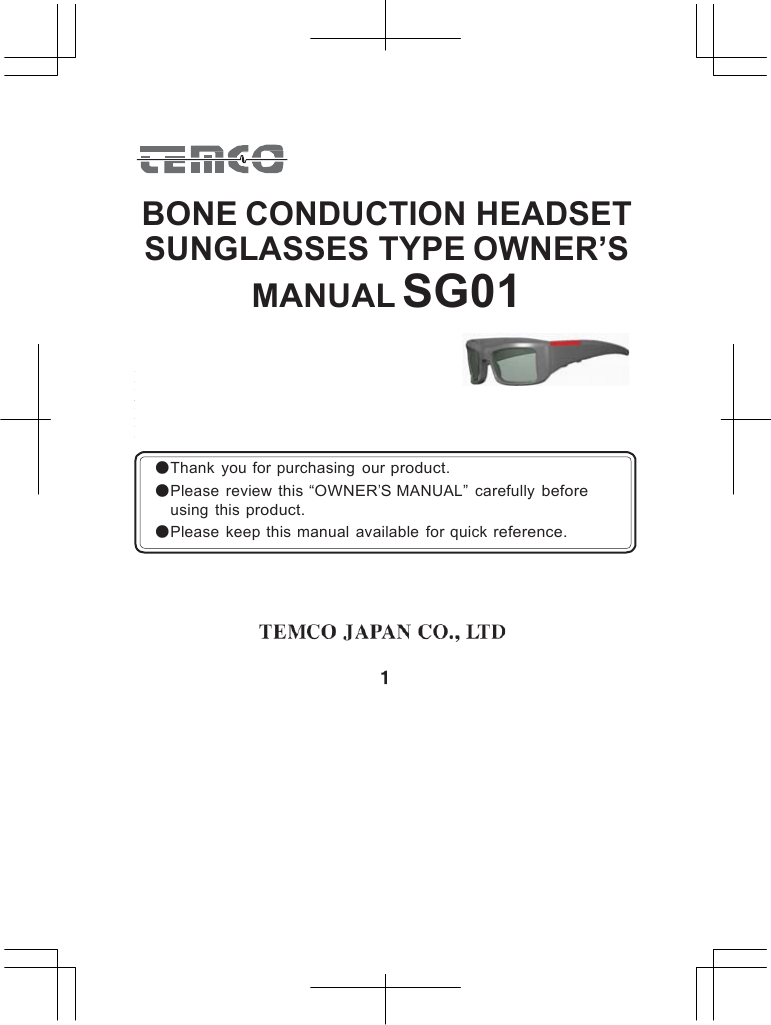
          BONE CONDUCTION HEADSET SUNGLASSES TYPE OWNER’S MANUAL SG01        ●Thank  you for purchasing  our product. ●Please  review  this “OWNER’S MANUAL”  carefully before  using  this product. ●Please  keep this  manual  available  for quick reference.
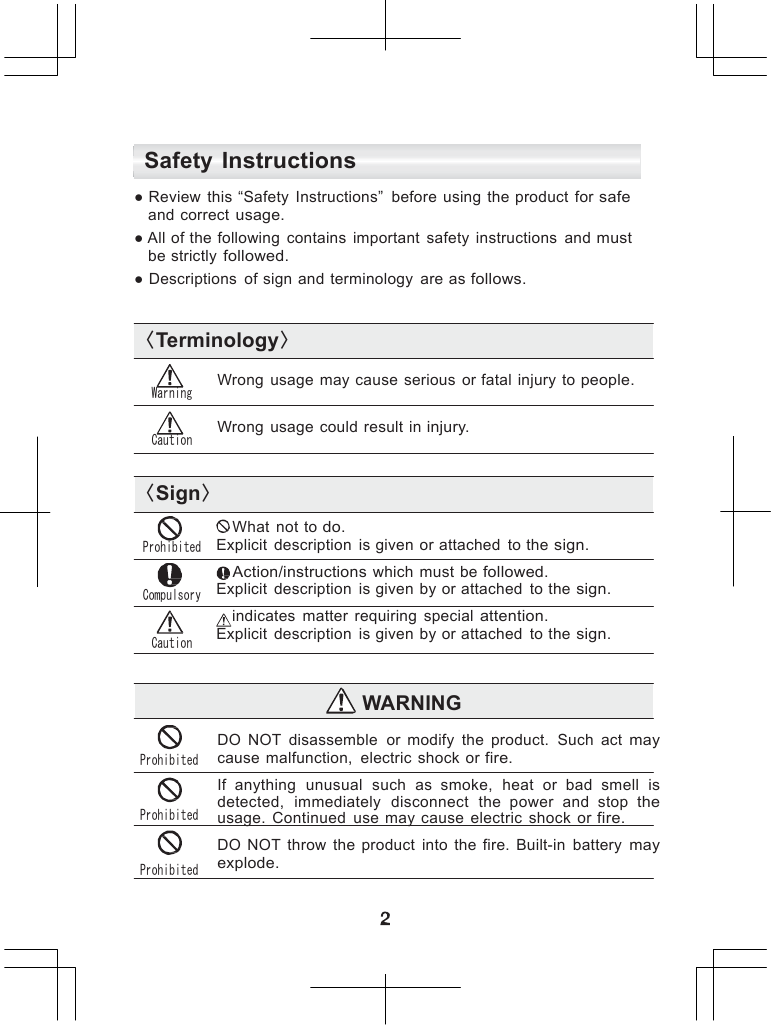
     Safety Instructions  ● Review  this “Safety  Instructions”  before  using  the product  for safe and correct usage. ● All of the  following  contains  important  safety  instructions  and must be strictly followed. ● Descriptions  of sign and terminology  are as follows.   〈Terminology〉   Warning  Caution Wrong  usage  may cause  serious  or fatal  injury  to people.  Wrong  usage  could  result  in injury.  〈Sign〉  What  not to do. Prohibited  Compulsory  Caution Explicit  description  is given  or attached  to the sign.  Action/instructions which  must be followed. Explicit  description  is given  by or attached  to the sign.  indicates  matter  requiring  special attention. Explicit  description  is given  by or attached  to the sign.   WARNING   Prohibited Prohibited Prohibited  DO  NOT  disassemble  or  modify  the  product.  Such  act may cause  malfunction,  electric  shock or fire.  If  anything  unusual  such  as  smoke,  heat  or  bad  smell is detected,  immediately  disconnect  the  power  and  stop the usage.  Continued  use  may cause  electric  shock  or fire. DO  NOT  throw  the  product  into  the  fire.  Built-in  battery may explode.
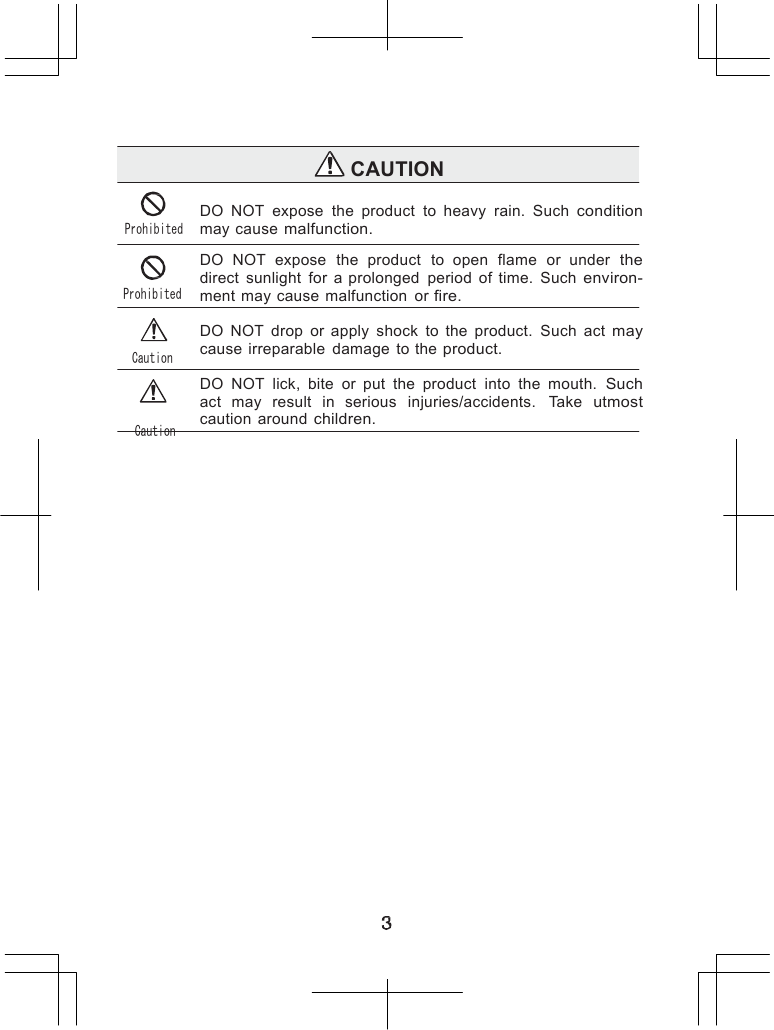
                   CAUTION   Prohibited Prohibited Caution Caution DO  NOT  expose  the  product  to  heavy  rain.  Such condition may cause malfunction.  DO  NOT  expose  the  product  to  open  flame  or  under  the direct  sunlight  for  a prolonged  period  of  time.  Such environ- ment may cause  malfunction  or fire.  DO  NOT  drop  or  apply  shock  to  the  product.  Such  act may cause  irreparable  damage  to the product.  DO  NOT  lick,  bite  or  put  the  product  into  the  mouth. Such act  may  result  in  serious  injuries/accidents.  Take utmost caution  around children.
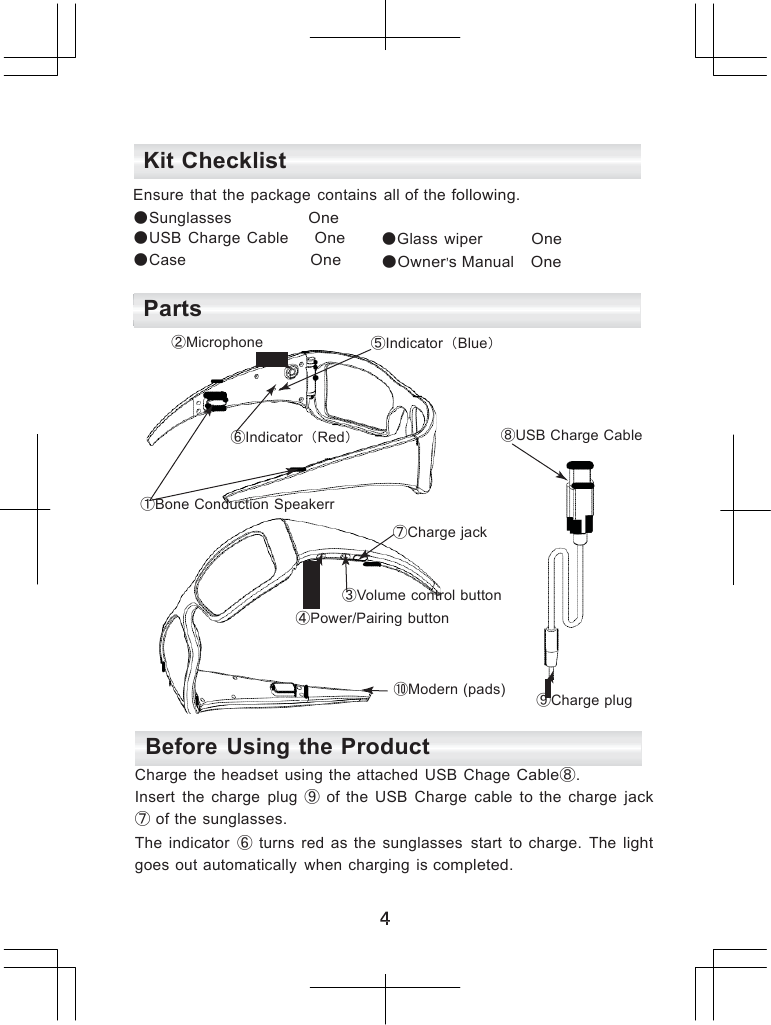
            Kit Checklist  Ensure  that  the package  contains  all of the following. ●Sunglasses  One ●USB  Charge  Cable  One ●Case  One ●Glass  wiper  One ●Owner’s Manual   One  Parts ②Microphone  ⑤Indicator(Blue)    ⑥Indicator(Red) ⑧USB Charge Cable   ①Bone Conduction Speakerr  ⑦Charge jack   ③Volume control button ④Power/Pairing button   ⑩Modern (pads)  ⑨Charge plug  Before Using the Product Charge  the headset  using  the attached  USB  Chage Cable⑧. Insert  the  charge  plug  ⑨ of  the  USB  Charge  cable  to  the  charge jack ⑦ of the sunglasses. The  indicator  ⑥ turns  red  as  the  sunglasses  start  to  charge.  The light goes out automatically  when  charging  is completed.
        How to Use 1. ON/OFF  power switch. Push Power/Pairing  button  from 7 seconds. Blue indicator ⑤ flashes(slow)as  the power turns ON. Another  push to the Power/Pairing  button  ④ from 7 seconds  turns the power  OFF and the indicator  goes out. 2. Volume control The volume  can be controlled  in five levels. The volume  increases  by one level as each time the volume  button ③ is pushed. Another  push at maximum  level brings back to the lowest  level.    (1, 2, 3, 4, 5 1, 2, 3・・・) 3. Default setting Regarding  default  setting,  please refer paring  section in Page 6.  4. Reconnect  with  the mobile phone Once  the  pairing  with  your mobile  is completed,  automatic reconnec- tion and wait mode is achieved  by turning  the power  switch ON. *Some  mobile phones may require the following procedure. Turn ON the power switch of the product. Select [BT-02] from the equipment  list on your mobile  screen. Connect  the product with your mobile. To answer  incoming Call 5. Once  the  headset   is  in  wait  mode,   switching   to  a  talk   mode  is automatic  when  there  is  an  incoming  on your  mobile.  Pressing the Power/Pairing  button  ④ also switch  to a talk mode. *If  there is an incoming on your mobile while listening to the music, volume is   minimized   and   automatic   connection   with  the   mobile   is  made (automatic switch function). To end a call 6. Wait  for the other  party  to hang up or push  Power/Pairing  button  ④ to end a call. Talk mode changes to a wait mode. The mode switches  back automatically  to the music  mode if you were listening  to music. To reject incoming call 7. Press  Power/Pairing  button  ④ from 3 to 6 seconds  while  the phone is ringing.  The call is rejected  without answering.
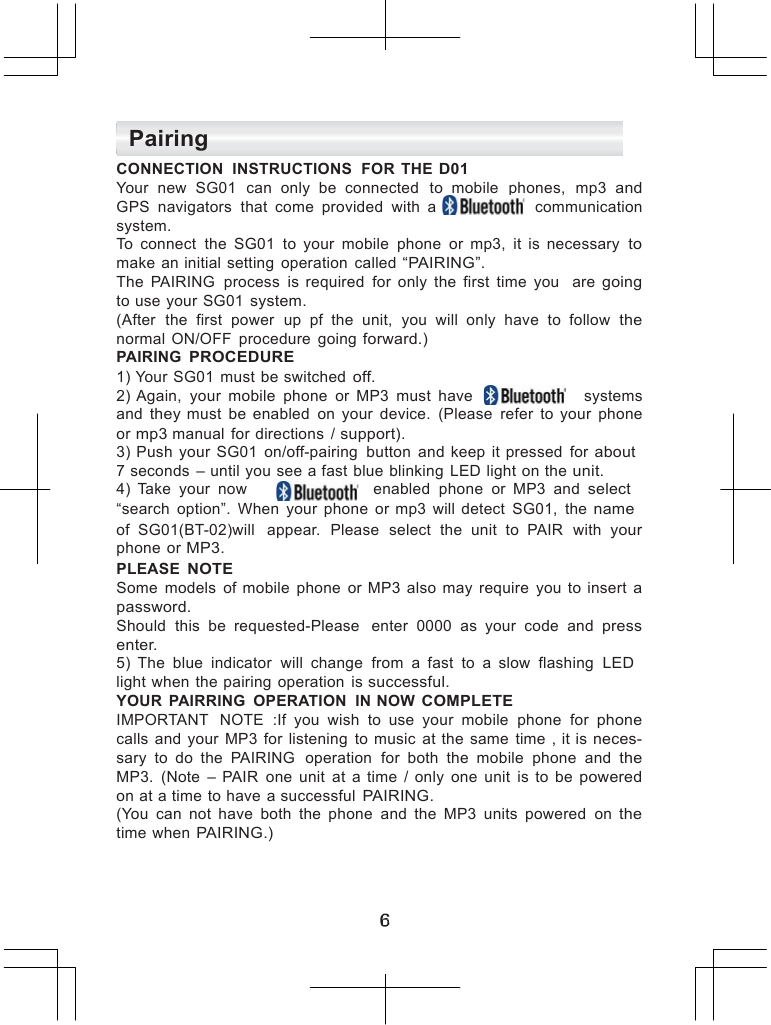
     Pairing CONNECTION  INSTRUCTIONS  FOR  THE D01 Your  new  SG01  can  only  be  connected   to  mobile  phones,  mp3 and GPS  navigators  that  come  provided  with  a     communication system. To  connect  the  SG01  to  your  mobile  phone  or  mp3,  it  is  necessary to make  an initial  setting  operation  called “PAIRING”. The  PAIRING  process  is  required  for  only  the  first  time  you  are going to use your SG01 system. (After  the  first  power  up  pf  the  unit,  you  will  only  have  to  follow the normal  ON/OFF  procedure  going forward.) PAIRING PROCEDURE 1) Your  SG01  must  be switched off. 2) Again,  your  mobile  phone  or  MP3  must  have      systems and they  must  be  enabled  on  your  device.  (Please  refer  to  your  phone or mp3 manual  for directions  / support). 3)  Push  your  SG01  on/off-pairing  button  and  keep  it pressed  for about 7 seconds  – until you see a fast blue blinking  LED light on the unit. 4)  Take  your  now          enabled  phone  or  MP3  and select “search  option”.  When  your  phone  or mp3  will  detect  SG01,  the name of  SG01(BT-02)will  appear.  Please  select  the  unit  to  PAIR  with your phone  or MP3. PLEASE NOTE Some  models  of  mobile  phone  or  MP3  also  may require  you  to  insert a password. Should  this  be  requested-Please   enter  0000  as  your  code  and press enter. 5)  The  blue  indicator  will  change  from  a  fast  to  a  slow  flashing  LED light when the pairing  operation  is successful. YOUR  PAIRRING  OPERATION  IN NOW COMPLETE IMPORTANT   NOTE  :If  you  wish  to  use  your  mobile  phone  for phone calls  and  your  MP3  for  listening  to  music  at  the same  time  , it  is neces- sary  to  do  the  PAIRING  operation  for  both  the  mobile  phone  and the MP3.  (Note  –  PAIR  one  unit  at  a  time  /  only  one  unit  is  to  be powered on at a time to have  a successful PAIRING. (You  can  not  have  both  the  phone  and  the  MP3  units  powered  on the time when PAIRING.)
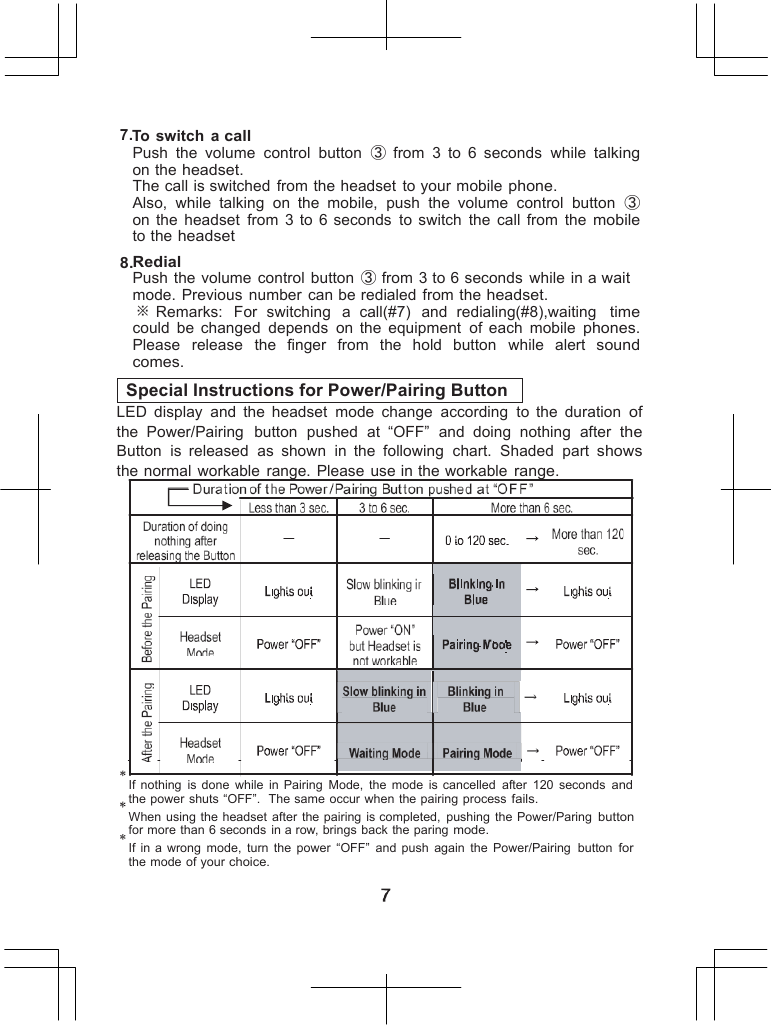
                           7.To switch  a call Push  the  volume  control  button  ③ from  3  to  6  seconds  while talking on the headset. The call is switched  from the headset to your mobile phone. Also,  while  talking  on  the  mobile,  push  the  volume  control  button ③ on  the  headset  from  3  to 6  seconds to switch  the  call  from  the mobile to the headset 8.Redial Push the volume  control button  ③ from 3 to 6 seconds  while in a wait mode.  Previous  number  can be redialed  from the headset. ※ Remarks:  For  switching   a  call(#7)  and  redialing(#8),waiting  time could  be changed depends on  the  equipment  of each  mobile phones. Please   release  the  finger  from  the  hold  button   while  alert  sound comes.  Special Instructions for Power/Pairing Button LED  display  and  the  headset  mode  change  according  to  the  duration of the  Power/Pairing  button  pushed  at  “OFF”  and  doing  nothing  after the Button  is  released  as  shown  in  the  following  chart.  Shaded  part shows the normal  workable  range. Please use in the workable range.               If  nothing  is  done  while  in Pairing  Mode,  the  mode  is  cancelled  after  120  seconds and the power shuts “OFF”.   The same occur when the pairing process fails. When using the headset  after  the pairing is completed,  pushing the Power/Paring button for more than 6 seconds in a row, brings back the paring mode. If in  a  wrong  mode,  turn  the  power  “OFF”  and  push  again  the  Power/Pairing  button for the mode of your choice.
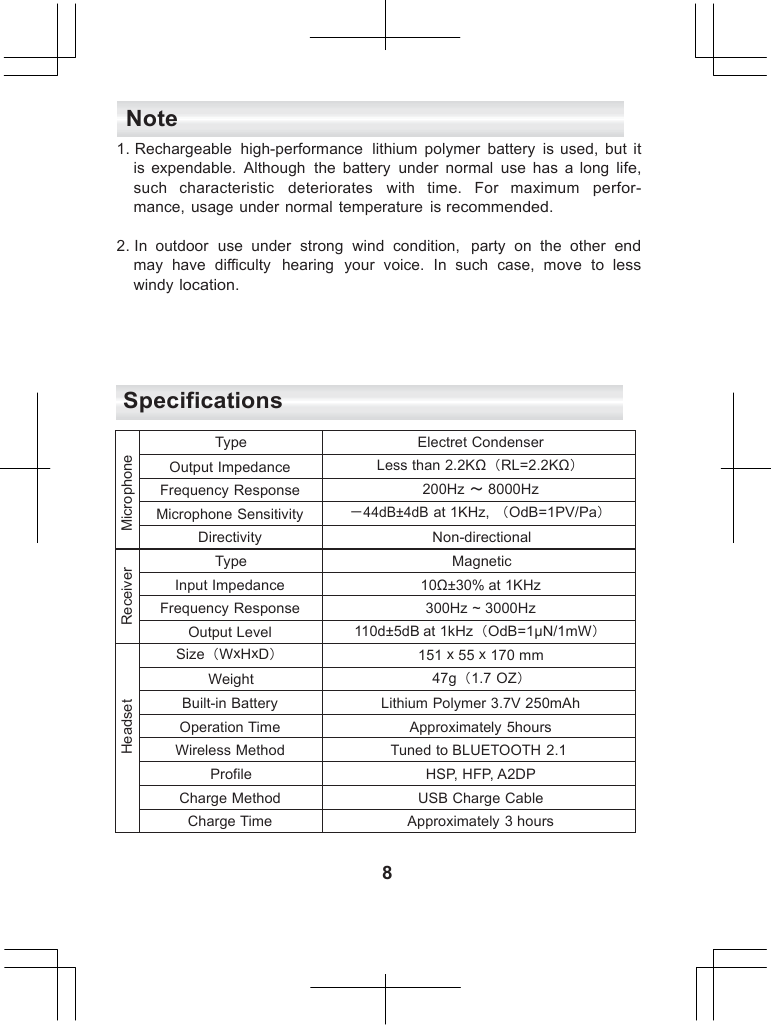
    Note 1. Rechargeable  high-performance  lithium  polymer  battery  is used, but it is  expendable.  Although  the  battery  under  normal  use has  a  long life, such   characteristic   deteriorates   with   time.  For   maximum  perfor- mance, usage under  normal  temperature  is recommended.  2. In  outdoor  use under  strong  wind  condition,  party  on  the  other end may  have  difficulty   hearing  your  voice.  In such case,  move  to less windy location.     Specifications  Microphone Type Electret Condenser Output Impedance Less than 2.2KΩ(RL=2.2KΩ) Frequency Response 200Hz ∼ 8000Hz Microphone Sensitivity ‐44dB±4dB at 1KHz, (OdB=1PV/Pa) Directivity Non-directional Receiver Type Magnetic Input Impedance 10Ω±30% at 1KHz Frequency Response 300Hz ~ 3000Hz Output Level 110d±5dB at 1kHz(OdB=1µN/1mW) Headset Size(WxHxD) 151 x 55 x 170 mm Weight 47g(1.7 OZ) Built-in Battery Lithium Polymer 3.7V 250mAh Operation Time Approximately 5hours Wireless Method Tuned to BLUETOOTH 2.1 Profile HSP, HFP, A2DP Charge Method USB Charge Cable Charge Time Approximately 3 hours  8
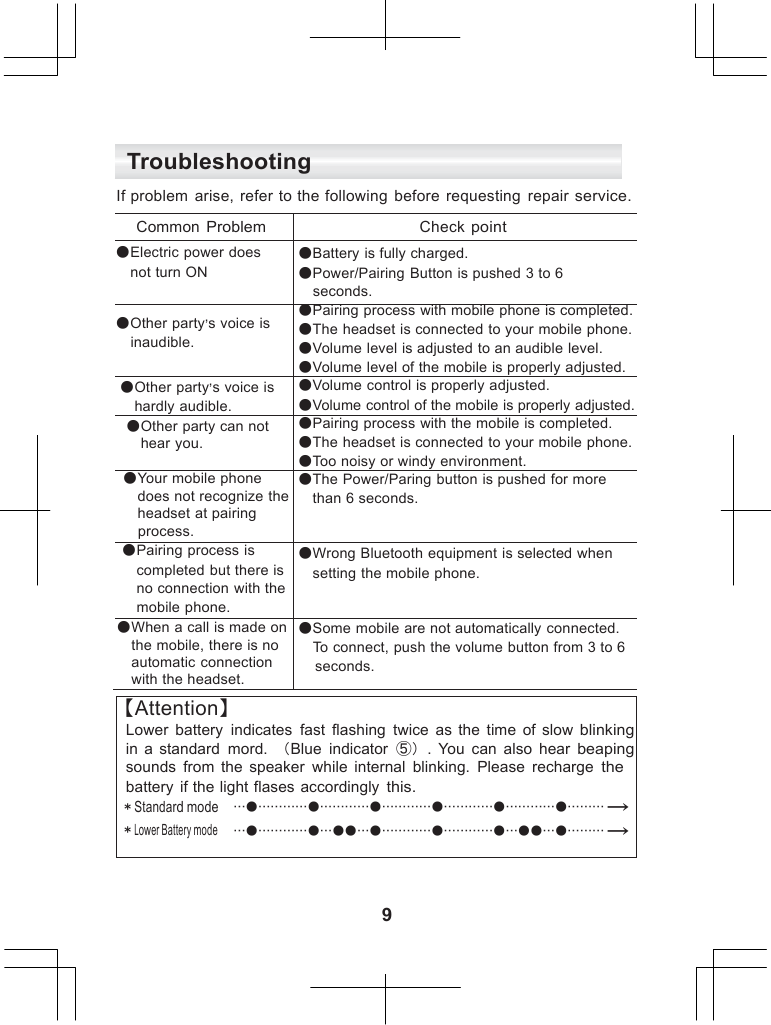
      Troubleshooting  If problem  arise,  refer to the following  before  requesting  repair service.  Common Problem Check point ●Electric power does  not turn ON ●Battery is fully charged. ●Power/Pairing Button is pushed 3 to 6  seconds. ●Other party’s voice is  inaudible. ●Pairing process with mobile phone is completed. ●The headset is connected to your mobile phone. ●Volume level is adjusted to an audible level. ●Volume level of the mobile is properly adjusted. ●Other party’s voice is  hardly audible. ●Volume control is properly adjusted. ●Volume control of the mobile is properly adjusted. ●Other party can not  hear you. ●Pairing process with the mobile is completed. ●The headset is connected to your mobile phone. ●Too noisy or windy environment. ●Your mobile phone  does not recognize the  headset at pairing  process. ●The Power/Paring button is pushed for more  than 6 seconds. ●Pairing process is  completed but there is  no connection with the  mobile phone. ●Wrong Bluetooth equipment is selected when  setting the mobile phone. ●When a call is made on  the mobile, there is no  automatic connection  with the headset. ●Some mobile are not automatically connected.  To connect, push the volume button from 3 to 6 seconds. 【Attention】 Lower  battery  indicates  fast  flashing  twice  as  the  time  of  slow blinking in  a standard  mord.  (Blue  indicator  ⑤).  You can  also  hear beaping sounds  from  the  speaker  while  internal  blinking.  Please  recharge the battery  if the light flases accordingly this. *Standard mode *Lower Battery mode ●●●●●● → ●●●●●●●●●● →    9
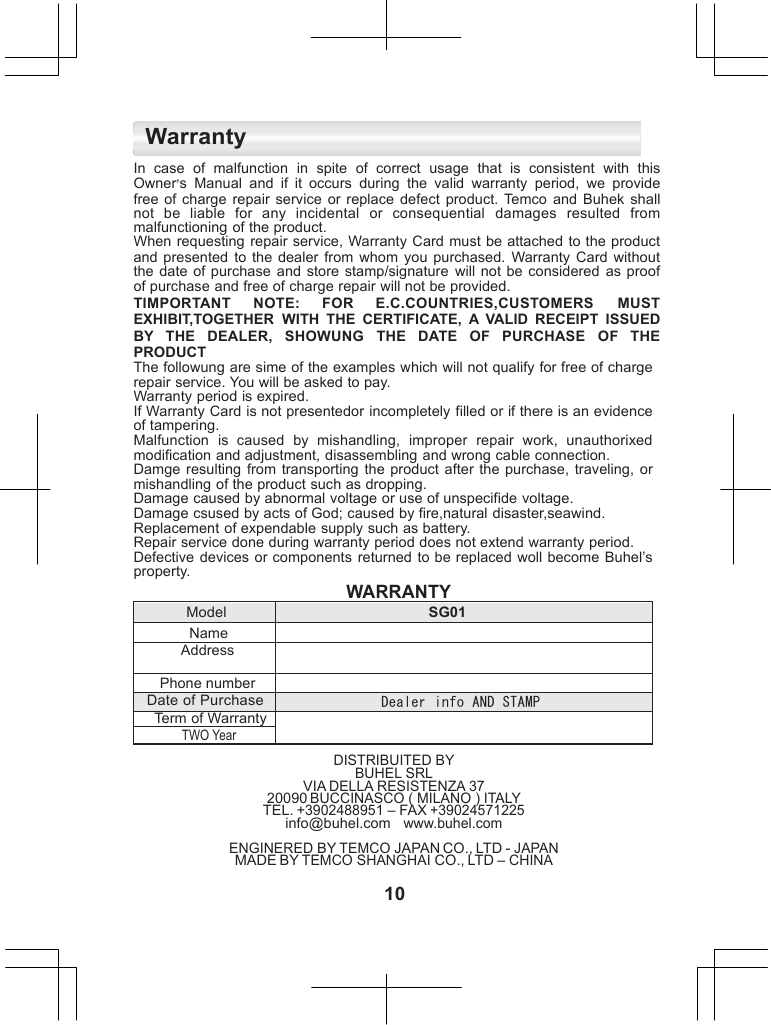
    Warranty  In  case  of  malfunction  in  spite  of  correct  usage  that  is  consistent  with this Owner’s  Manual  and if it  occurs  during  the  valid  warranty  period,  we provide free  of charge  repair  service  or  replace  defect  product.  Temco  and Buhek shall not  be  liable  for  any  incidental  or  consequential  damages  resulted from malfunctioning of the product. When requesting  repair service, Warranty Card must be attached to the product and presented  to the dealer  from whom  you purchased.  Warranty  Card without the date  of purchase  and store  stamp/signature  will  not be  considered as proof of purchase and free of charge repair will not be provided. TIMPORTANT  NOTE:  FOR  E.C.COUNTRIES,CUSTOMERS MUST EXHIBIT,TOGETHER  WITH  THE  CERTIFICATE,  A  VALID  RECEIPT ISSUED BY  THE  DEALER,  SHOWUNG  THE  DATE  OF  PURCHASE  OF THE PRODUCT The followung are sime of the examples which will not qualify for free of charge repair service. You will be asked to pay. Warranty period is expired. If Warranty Card is not presentedor incompletely filled or if there is an evidence of tampering. Malfunction  is  caused  by  mishandling,  improper  repair  work,  unauthorixed modification and adjustment, disassembling and wrong cable connection. Damge  resulting from  transporting  the product  after  the purchase,  traveling, or mishandling of the product such as dropping. Damage caused by abnormal voltage or use of unspecifide voltage. Damage csused by acts of God; caused by fire,natural disaster,seawind. Replacement of expendable supply such as battery. Repair service done during warranty period does not extend warranty period. Defective  devices or components  returned  to be replaced  woll become Buhel’s property. WARRANTY Model SG01 Name  Address  Phone number  Date of Purchase Dealer info AND STAMP Term of Warranty  TWO Year  DISTRIBUITED BY BUHEL SRL VIA DELLA RESISTENZA 37 20090 BUCCINASCO ( MILANO ) ITALY TEL. +3902488951 – FAX +39024571225 info@buhel.com   www.buhel.com  ENGINERED BY TEMCO JAPAN CO., LTD - JAPAN MADE BY TEMCO SHANGHAI CO., LTD – CHINA  10
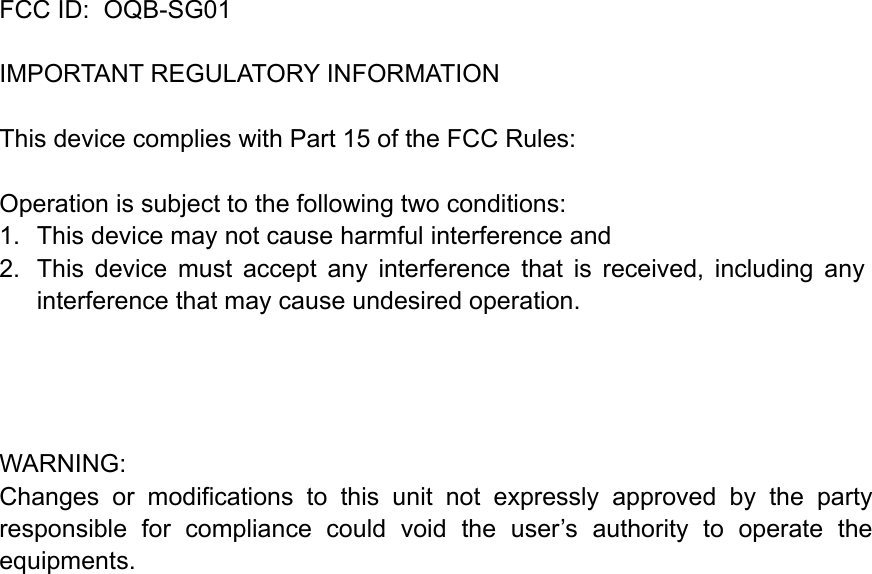
  FCC ID:  OQB-SG01   IMPORTANT REGULATORY INFORMATION This device complies with Part 15 of the FCC Rules: Operation is subject to the following two conditions: 1.  This device may not cause harmful interference and 2.  This  device  must  accept  any  interference  that  is  received,  including  any interference that may cause undesired operation.       WARNING: Changes  or  modifications  to  this  unit  not  expressly  approved  by  the  party responsible  for  compliance  could  void  the  user’s  authority  to  operate  the equipments. !!

Navigation menu