Tzone Digital Technology TZ-BT05 Bluetooth Temperature Data Logger User Manual TZ Tag04
Tzone Digital Technology Co.,LTD Bluetooth Temperature Data Logger TZ Tag04
Users Manual

TZ-BT05
--- User guide v1.1
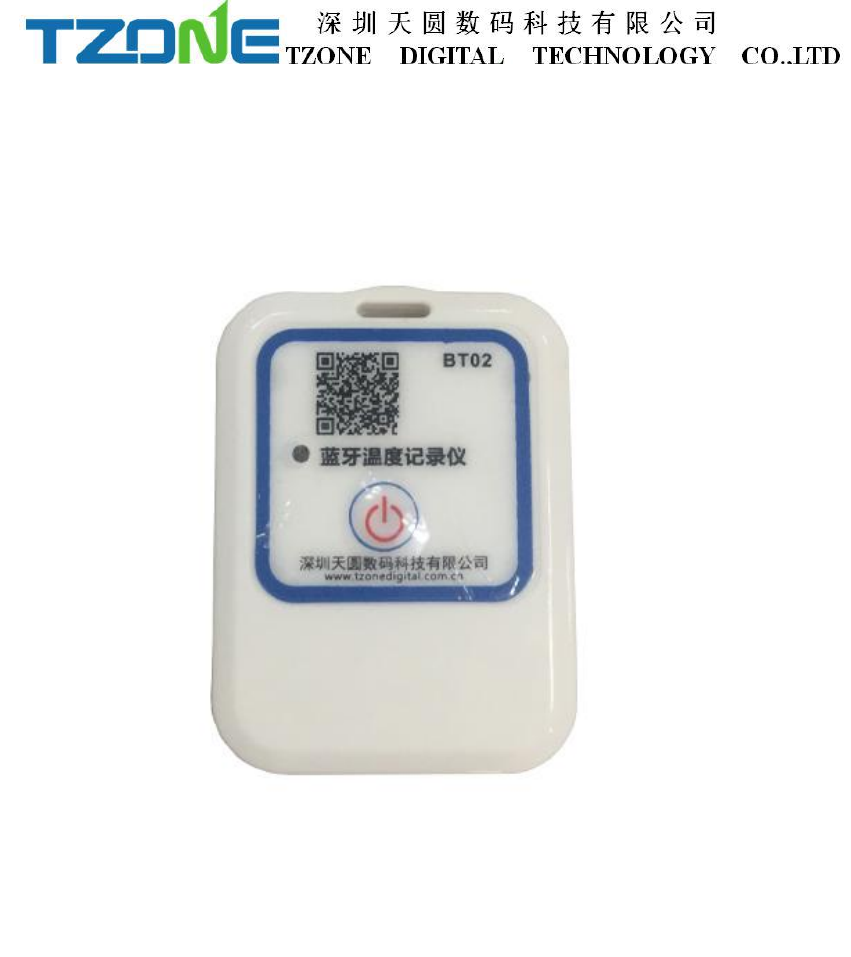
1 Product Overview
TZ-BT05 is a low power consumption Bluetooth data logger, using the latest
Bluetooth 4.0 technology, Nordic N51822 chip development and design, through
Bluetooth 4.0 collecting the surrounding environment temperature, and recording and
preservation of historical data, can store up to 15,000 pieces temperature data,
Bluetooth 4.0 can be downloaded over the phone APP configuration tools,to achieve
full stage real-time temperature recording. It has the small size, light weight, easy to
carry, high accuracy and other characteristics, widely used in various other areas of
refrigerated storage and transport, archives, experimental (test) rooms, museums and
other temperature testing.

2 Applications
1. Refrigerated storage and transportation;
2. Archives;
3. Experimental (test) rooms;
4. Workshop;
5. Museums;;
6. Pharmaceutical environment;
7. Fresh transport.
3 Product Features
1. Real-time display of parameters;
2. The high precision and high stability;
3. Bluetooth 4.0;
4. The long-distance wireless communication;
5. Built-in high sensitivity temperature and humidity sensor;
6. Can store 15,000 temperature and humidity data;
7. You can set the alarm temperature range;
8. The temperature graph can be automatically generated in the APP
Table 4.1 DZ-BT05 product specification table
Item
Feature
Frequency signal transmission
2.400 - 2.4835GHz
Protocol
Bluetooth 4.0
Modulation
GFSK
Transmission interval
2S
Internal battery
CR2450
Output power
-4dBm, adjustable
Maximum transmission distance
55 meters(-4db)
Storage
256K,can store 15000 pieces data
Battery life
1 year (depends on working mode,can
replace battery)
Net weight
25g
Dimension
50mm*35mm*15mm
Temperature detecting range
-20℃~+60℃
Temperature detecting accuracy
±1℃
5 Caution
1,Away from metal objects, not placed in a sealed metal and small space;
2,Note that the distance between the TZ-BT05 and the receiver to ensure the reception
accuracy;
3, Away from water and corrosive materials.
6 Switch Instructions
Operation
LED light instruction
Instructions
Under unopened state, long
press
button for 3 seconds, release
the button
Flashes 3 times, then
flashes once every 10
seconds
Data logger starts, start the
real-time temperature record
Open state, long press the
button for 3 seconds, release the
button
Flashes 2 times, then
off
Close data logger, keep
record of temperature data
In any state, long press the
button more than 6 seconds, until
the indicator light flashes rapidly,
release the button
Fast blinking 3
seconds
Restart the data
logger,data formatting and
restart to record the
temperature
7 APP software
‘Temperature data logger’is a free mobile applications which provided by our
company to the users, can connect the BT05 through the Bluetooth of the mobile
devices and do the settings and data transmission, recording, synchronization,
uploaded to the server. Apply the Bluetooth BLE way, so you can use Android, IOS
phone, even use Windows 10 PC for temperature monitoring.
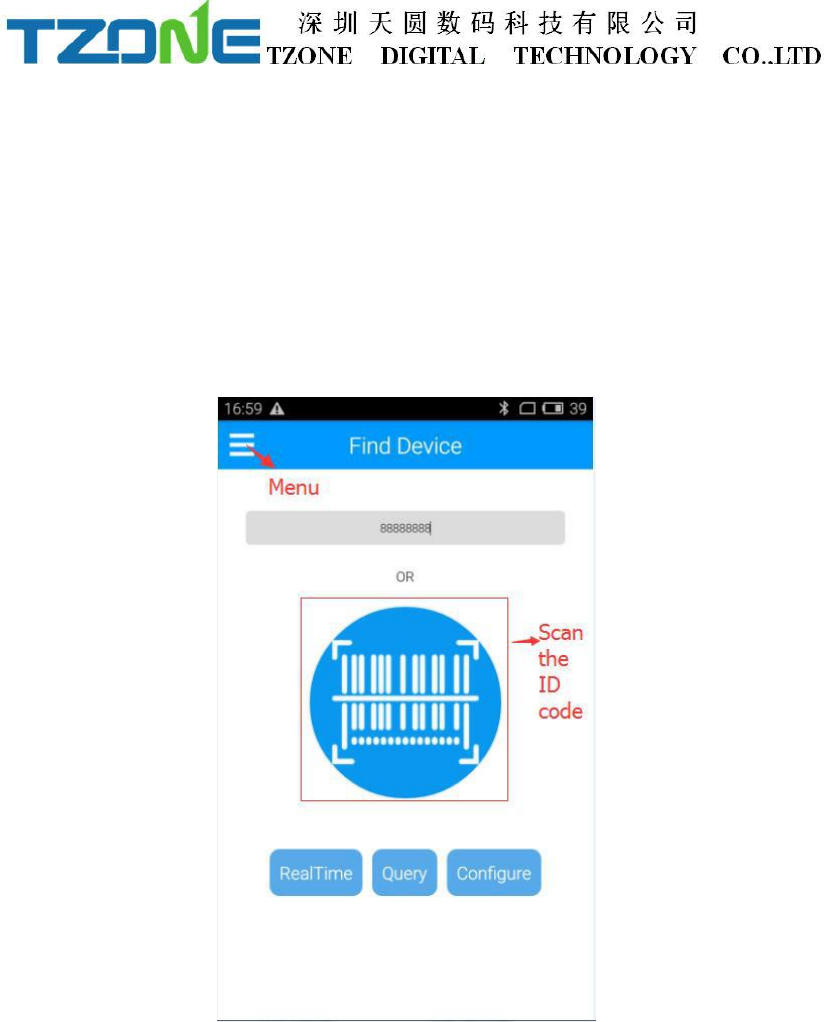
Open the ‘Temperature data logger’ software, the first to see is the scan code
interface; there are three interface buttons, they are ‘real time data’, ‘data extraction’,
‘Configure Devices’; and the upper-left corner of the menu button. Whether you need
to enter which interface of this three interface, devices are required SN code, SN code
can be scanned or entered directly using the phone keypad. Android phone
‘temperature data logger’ App use.
As shown below picture:
If you no scan or enter ID , you can directly click Real time/Query/Configure and
see the device list as the picture below shown :
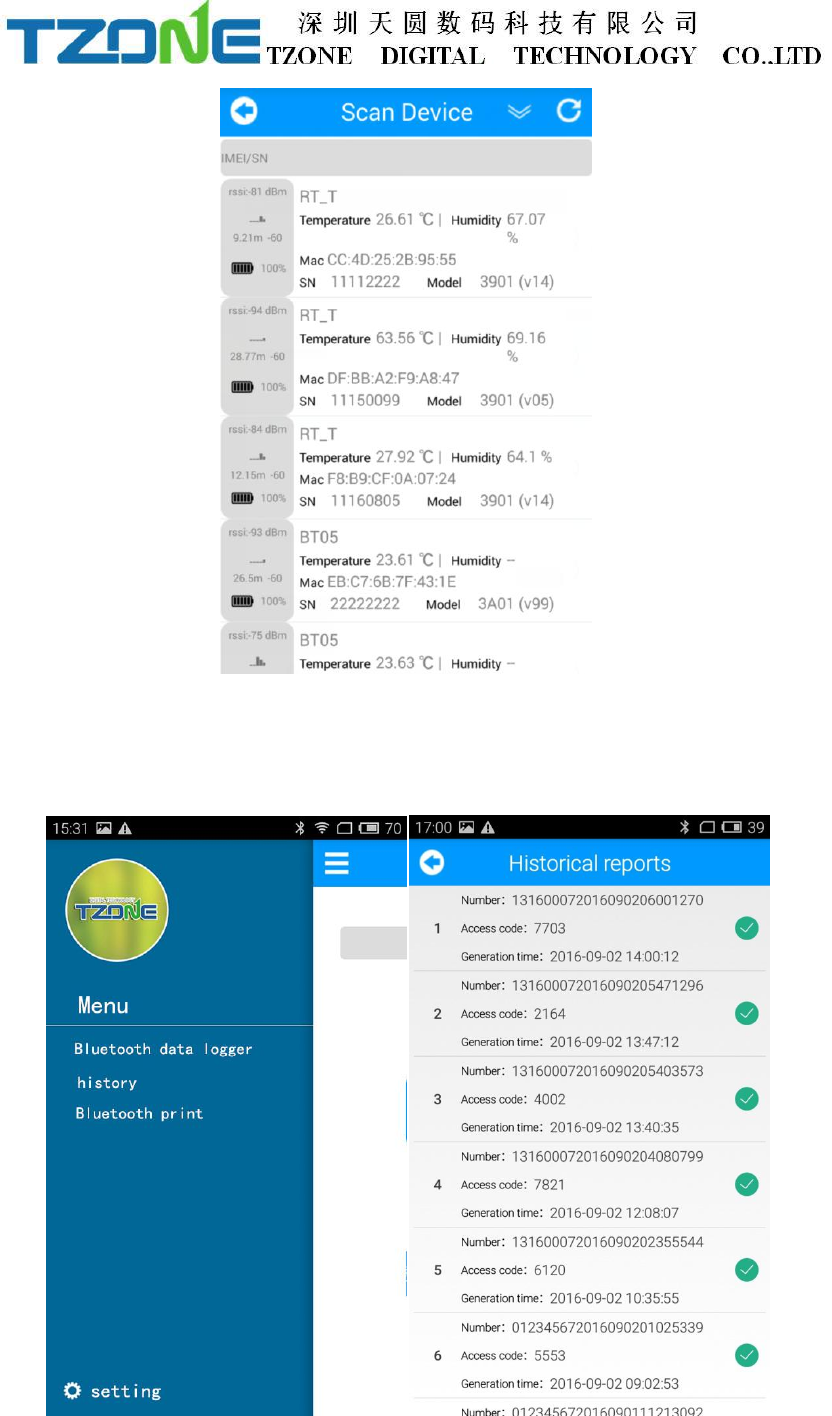
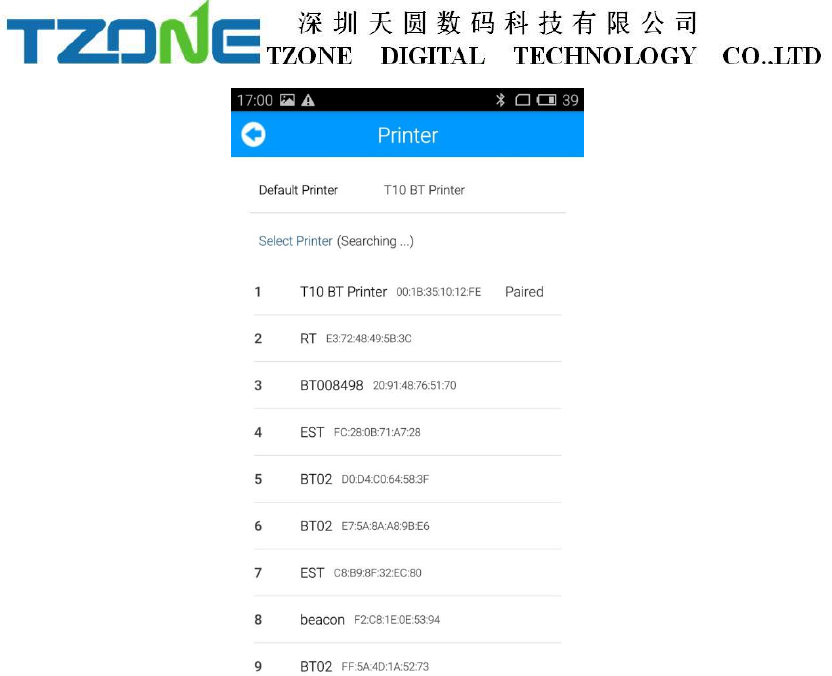
Press the Menu key to query historical data extraction, pairing a Bluetooth printer,
etc., as shown below:
7.1 Configure logger
After entering the SN code or scanning device , or directly click ‘Configure
Devices’ and select the device, on the home page, or enter the configuration interface,
as shown below:
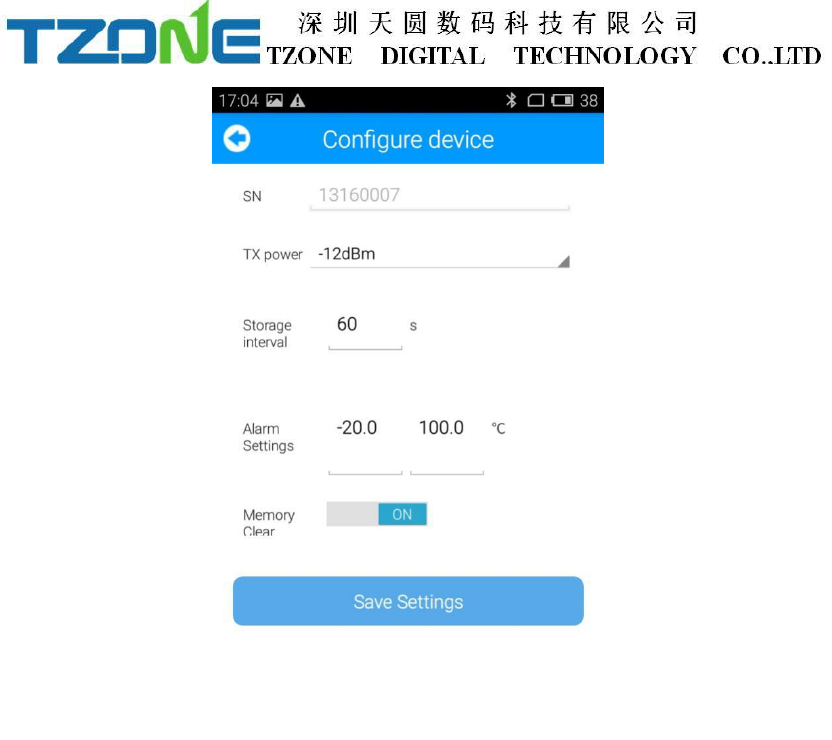
The interface can be configured BT05 transmit power, storage space, and the
upper and lower temperature limits, empty stored data .The appropriate value of the
transmit power can be selected in the drop-down list; storage interval and alarm
settings directly enter numbers according to individual needs(the storage time of the
default is 60 seconds when alarm); memory is cleared, you can choose to open or
close(open will clear historical data). According to individual requirements click Save
Settings then can write in, if save successfully, will be prompted the ‘Save
Configuration successful.’
7.2 Real time data
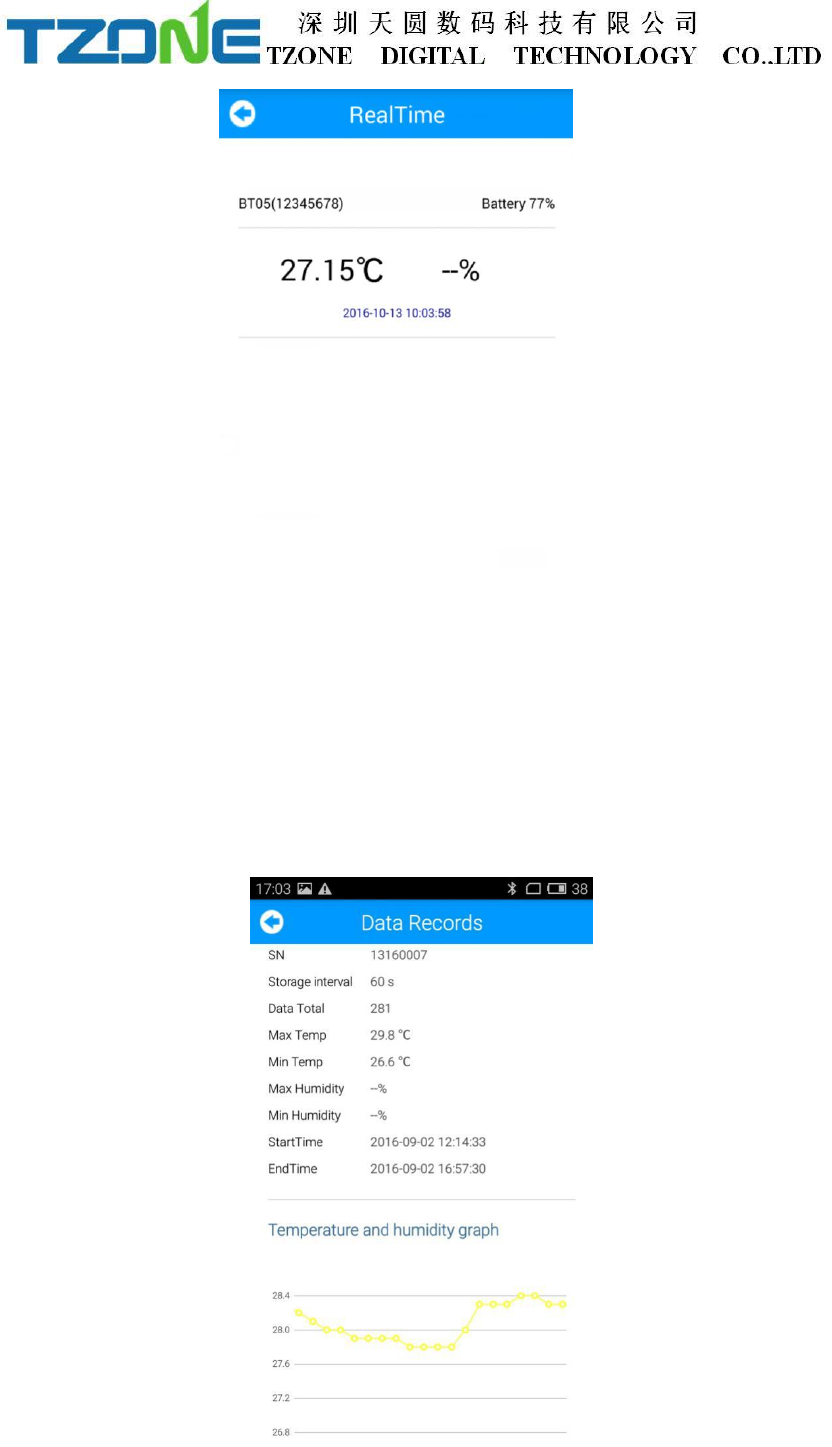
‘Real time data’ displays the device name,real-time temperature and power, the
interface for viewing real-time temperature, if the temperature exceed the limits then
the figure change to be red, or else black font, this interface does not provide editing
function . As shown below:
7.3 Query data
‘Query Data’ screen, displays the current temperature, SN code, collection
interval, the total number of data recorded ,the maximum and minimum temperature
during recording, start time, end time, temperature graph and Bluetooth printing, the
interface is mainly used for reading temperature data recorded in a specific time
period. The interface does not provide editing function. As shown below:
FCC WARNING
This device complies with Part 15 of the FCC Rules. Operation is subject to the following two
conditions:
(1) This device may not cause harmful interference, and
(2) this device must accept any interference received, including interference that may cause
undesired operation.
NOTE 1: Any changes or modifications to this unit not expressly approved by the party
responsible for compliance could void the user's authority to operate the equipment.