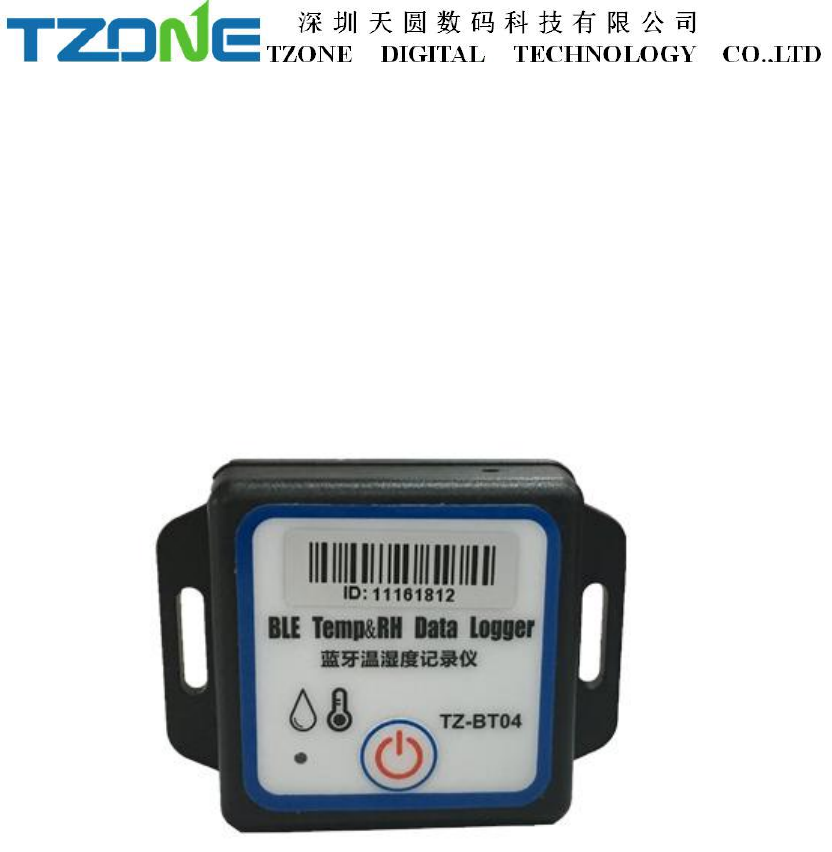
Tzone Digital Technology TZBT04 Bluetooth Temperature and humidity Data Logger User Manual TZ Tag04
Tzone Digital Technology Co.,LTD Bluetooth Temperature and humidity Data Logger TZ Tag04
User Manual
TZ-BT04 User Manual V1.6
1 Product overview
TZ-BT04 is Bluetooth Low Energy temperature and humidity data logger with the
latest Bluetooth 4.0 technology and Nordic NRF51822 chip. It can collect temperature
and humidity of the surrounding environment . Such data can be recorded as history
data. BT04 can store up to 12000 pieces of the temperature and humidity data. Mobile
phone with Bluetooth 4.0 or above can download and install App.It can store and
monitor temperature and humidity of the environment comprehensively. Its
characteristics are small-sized, low-weighted, easily portable and highly accurate for
wide use in cold chain logistics, archives, labs, museums, etc.
2 Product application
1. Refrigerated storage and transportation;
2. Archives;
3. Experimental (test) rooms;
4. Workshop;
5. Museums;
6. Pharmaceutical environment;
7. Fresh transport.
3 Product features
1. High accuracy and stability;
2. Bluetooth 4.0;
3. Long distance wireless transfer;
4. Built-in highly sensitive temperature and humidity sensor;
5. Real-time display temperature and humidity;
6. It can store 12000 pieces of temperature and humidity data;
7. You can set the alarm temperature range;
8. Can be set the scope of temperature alarm;
9. Can be set normal storage temperature and humidity data interval and alarm
storage temperature and humidity data interval;
10. Can choose time to query data, the stored data can be saved in history;
11. History report can be sent to specified email;
12. By pairing Bluetooth printer to print the data report;
13. Can by OTA update version.
4 Product specification
Item
Specification
Signal transmission frequency
2.400 - 2.4835GHz
Protocol standard
Bluetooth 4.0
Modulation mode
GFSK
Send interval
2S, adjustable
Built in battery
CR2450,550mAh /3V
Output power
-4dBm, adjustable
Communication rate
1Mbps
Transmission distance
55 meters, adjustable
Storage
Can be save 12000 temperature and humidity
data
battery life
300 day (Depends on the mode of operation,
can replace battery)
Net weight
30g
Outline size
50mm*50mm*20mm
Detect temperature range
-40℃~ +125℃
Operating temperature range
-25℃~ +60℃
Humidity detection range
0~100%RH
Temperature detection accuracy
±0.3℃
Humidity detection accuracy
±3%RH
5 Caution
1. Keep away from metal objects. Do not place it in a contained space of metal;
2. Note the distance between TZ-BT04 and the receiver to guarantee the accuracy of
receiving
3. Keep away from water and corrosive objects.
6 Switch Instructions
Device status
Operation
LED light instruction
Instructions
Turn on
Under unopened state,
long press button for 3
seconds
The Green led Flashes
continuous 3 seconds on,
then flashes once every 10
seconds
Turn the device,
start send the
real-time data,need
to open the
router,then start
record the data
Turn off
Open state, long press the
button for 3 seconds
The Red led Flashes 5 times,
then off
Turn off the device
7 APP
‘temperature data logger’ is a free mobile applications which provided by our
company to the users, can connect the BT04 through the Bluetooth of the mobile
devices and do the settings,data transmission, recording, synchronization, send to
email. Apply the Bluetooth BLE way, so you can use Android, IOS phone for
temperature monitoring.
7.1 Android system ‘temperature data logger’ App use.
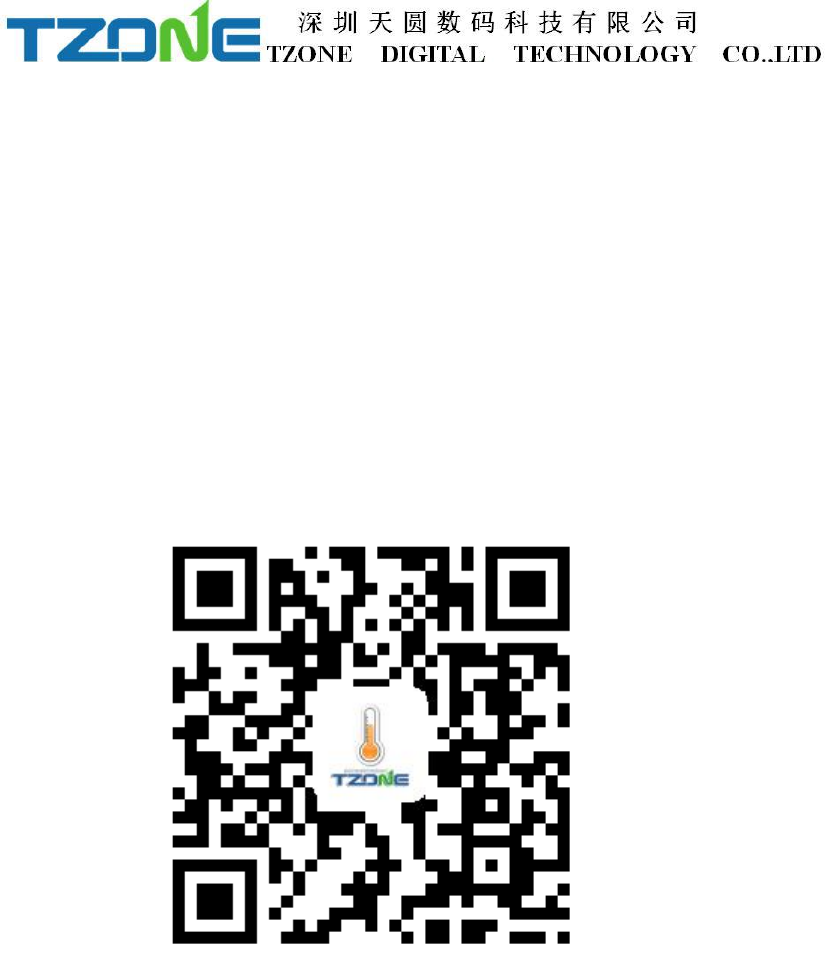
Client can download App by scan the QR code below:
Open the ‘temperature data logger’ software, the first to see is the scan code interface;
there are three interface buttons, they are ‘Real time’, ‘Query’, ‘Configure’; and the
upper-left corner of the menu button. Whether you need to enter which interface of
this three interface, devices are required SN code, SN code can be scanned ,entered
directly using the phone keypad, also can directly click Real time/Query/Configure
and see the device list:
Note: 1. One mobile phone APP only can scan 300 devices;
2. The mobile phone size must more than 4.7 and the resolution must more than
1280*720
As shown below picture:
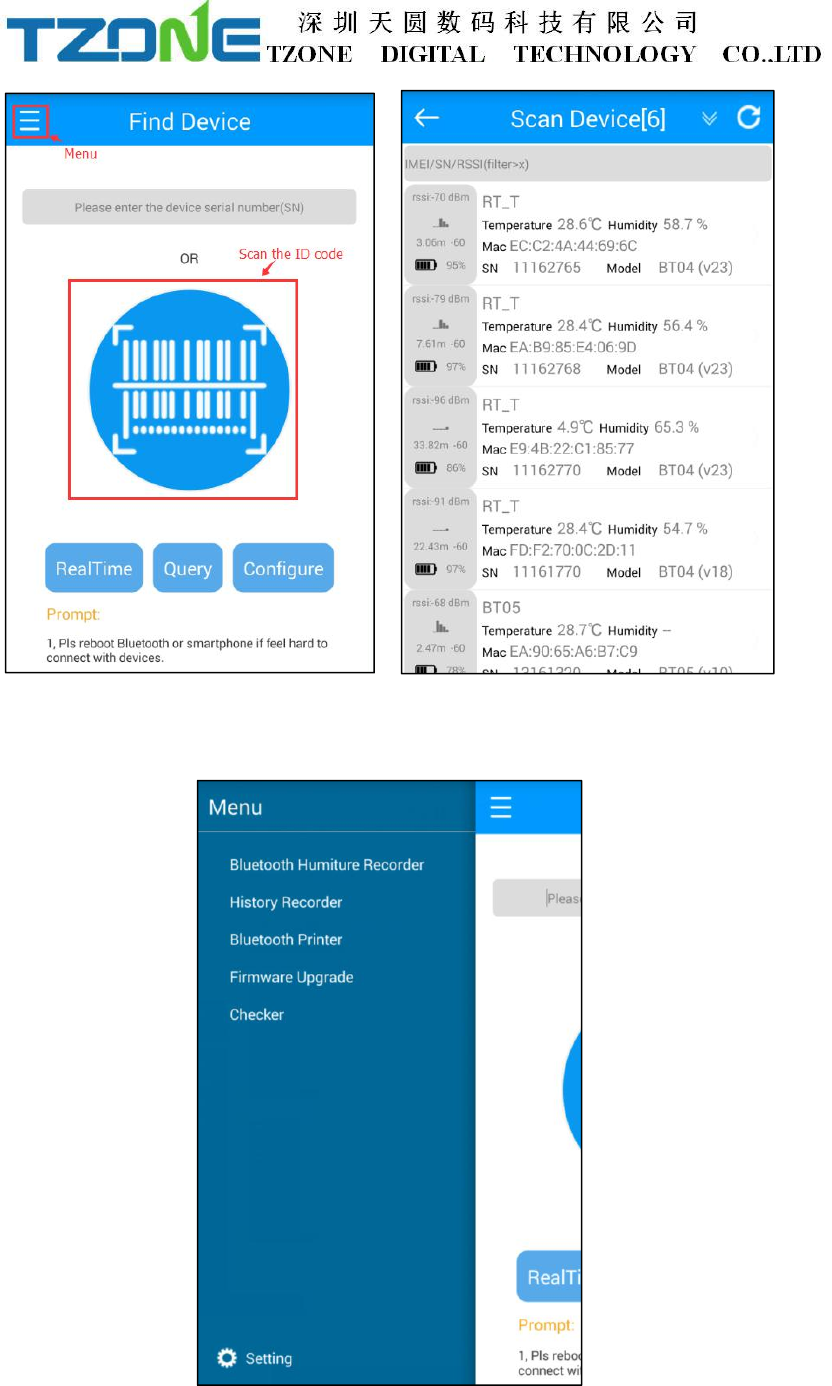
Press the Menu key to query historical data extraction, pairing a Bluetooth printer,
update the firmware by OTA and inspection equipment, as shown below:
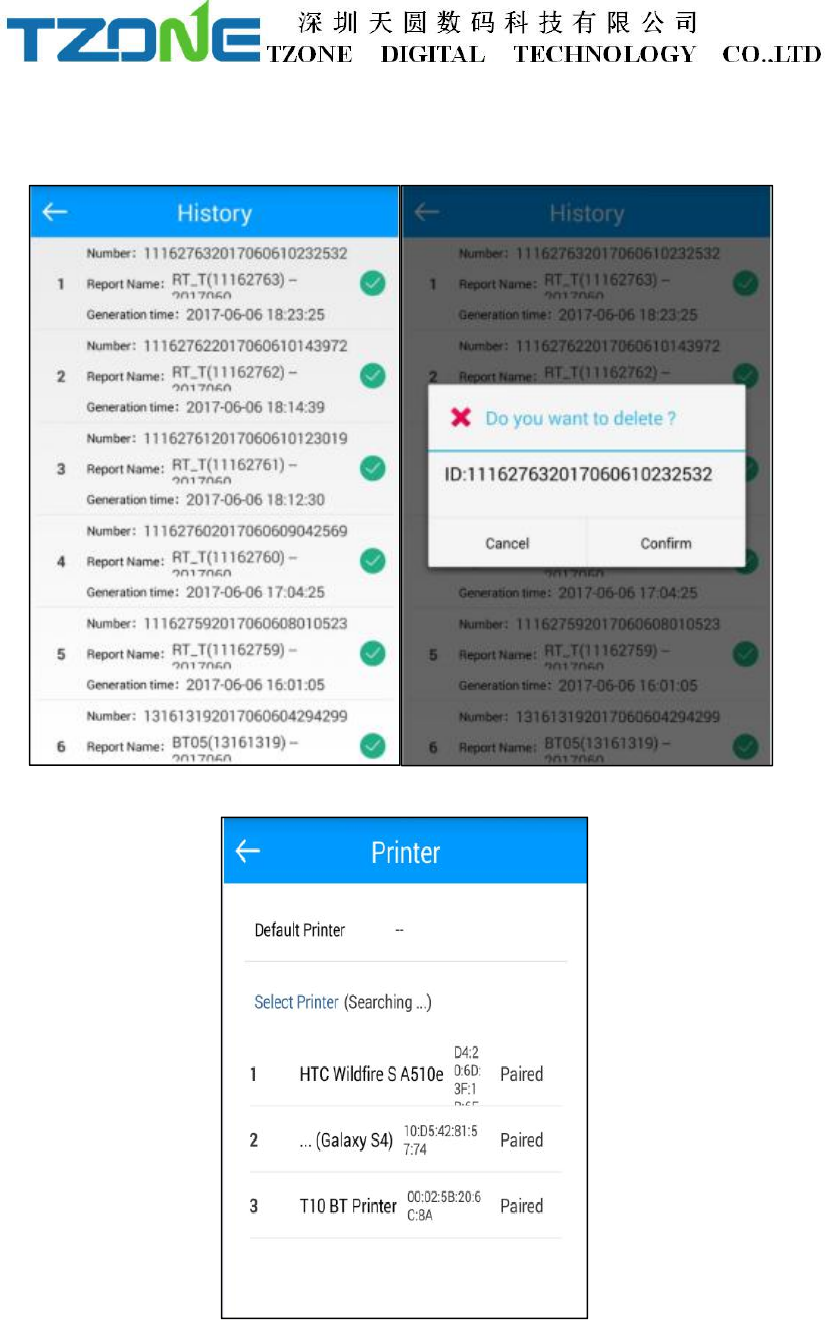
Historical records which stores all the history report,you can delete the report when
you press the report and hold on for a while.
Select the matching printer, print history report data:
Inspection tool can check the phone and machine information and the connection.
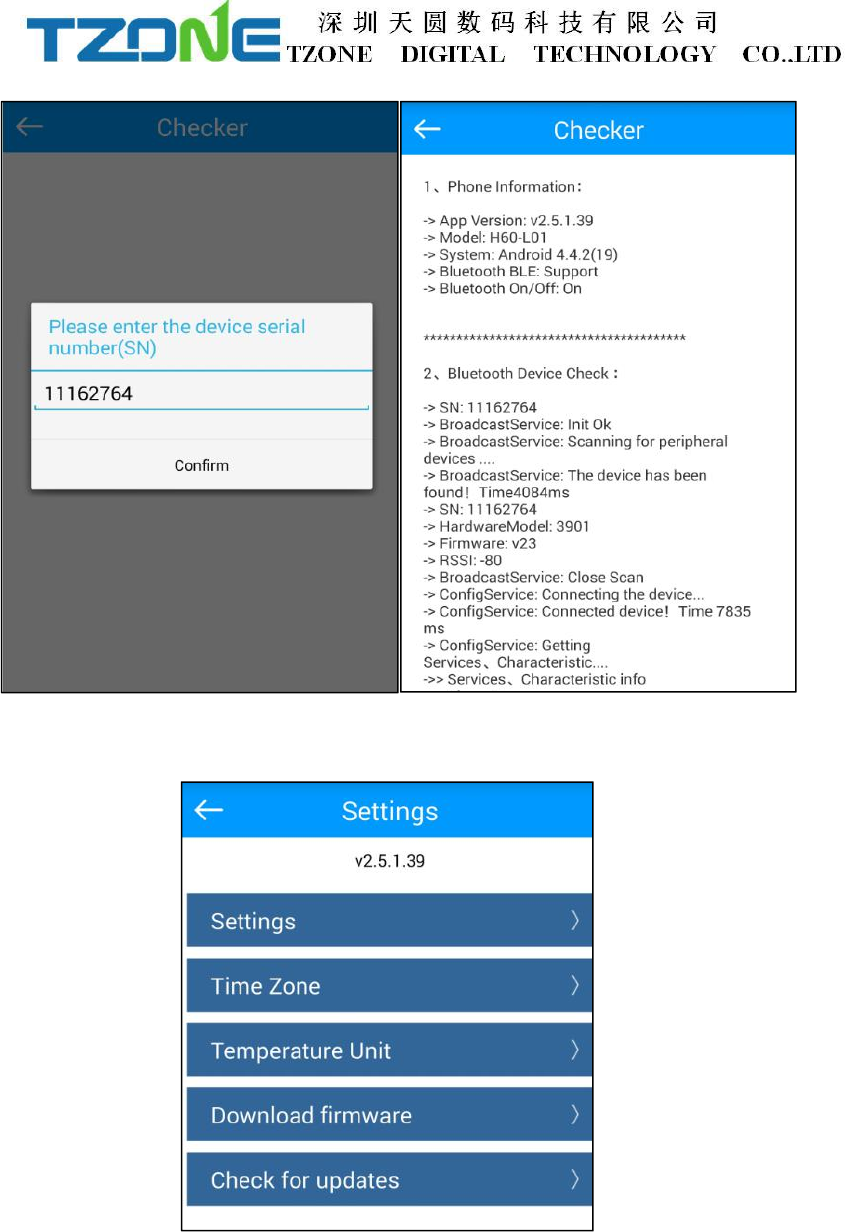
Click on the lower left corner of the set key, can see the software Settings, the system
time zone, temperature unit, download the firmware update and checker.
Can be set up mobile phone connection timeout time machine:
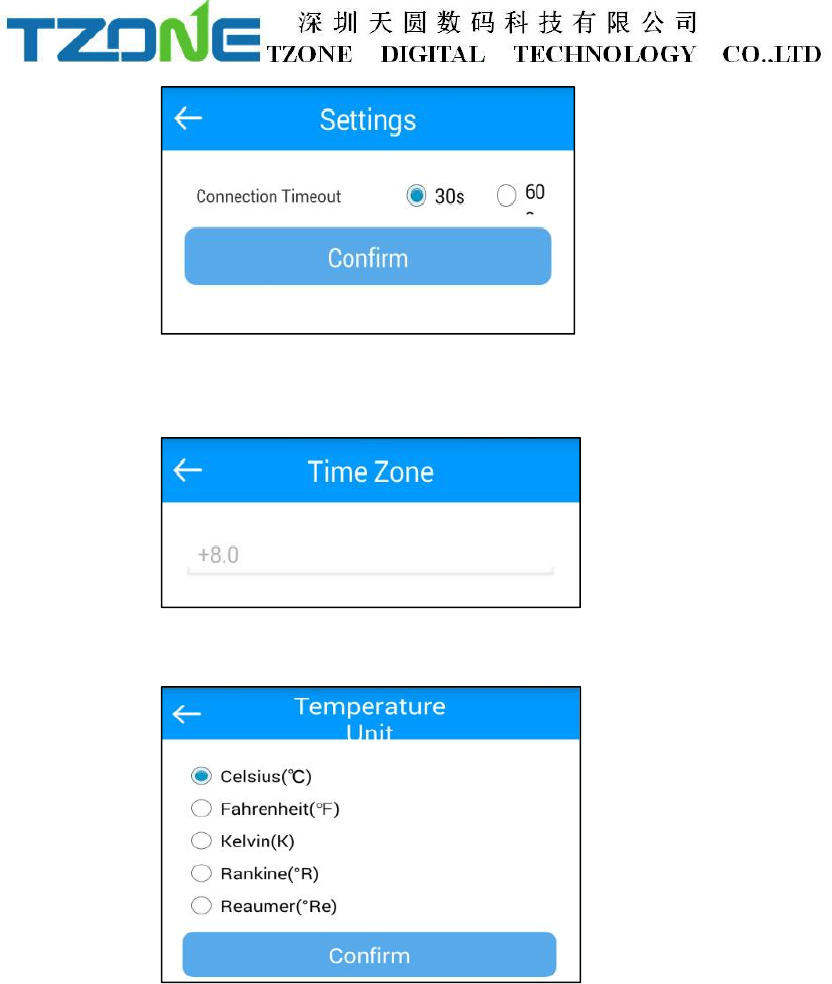
Can set the local time zone, the PDF/CSV report will become the current time:
Can set the temperature of the unit you need:
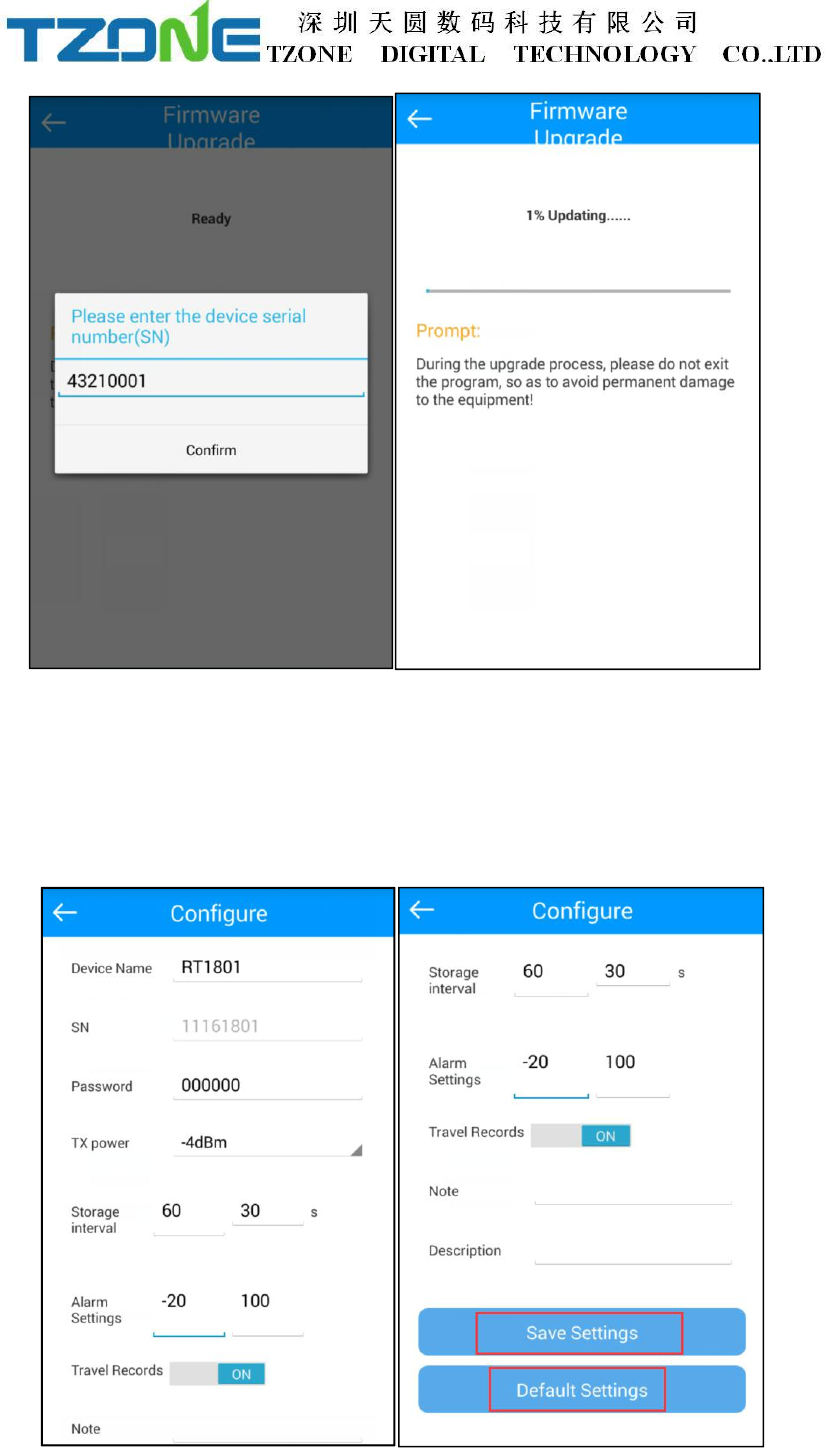
BT04_V24 and above version have OTA function, choose the firmware update, the
latest version on the server can be detected and downloaded to mobile phones, then
choose the need to update the machine ID, input the password, you can update to the
latest version, when update is completed you will be prompted to update successful.
7.1.1 Configure logger
After entering the SN code or scanning device , or directly click ‘Configure Devices’
and select the device, on the home page, or enter the configuration interface, as shown
below:
The interface can be configured BT04 password(6 byte),transmit power(-30~4dbm),
Normal/Alarm storage space(10~3600s), and the upper and lower temperature
limits(-25~100°C), Travel Records .The appropriate value of the transmit power can
be selected in the drop-down list; storage interval and alarm settings directly enter
numbers according to individual needs; Travel Records, if you want Save the data,
you must open it, when you close and open again, it will clear historical data.
According to individual requirements click Save Settings then can write in, if save
successfully, will be prompted the ‘Save Configuration successful.
7.1.2 Real time data
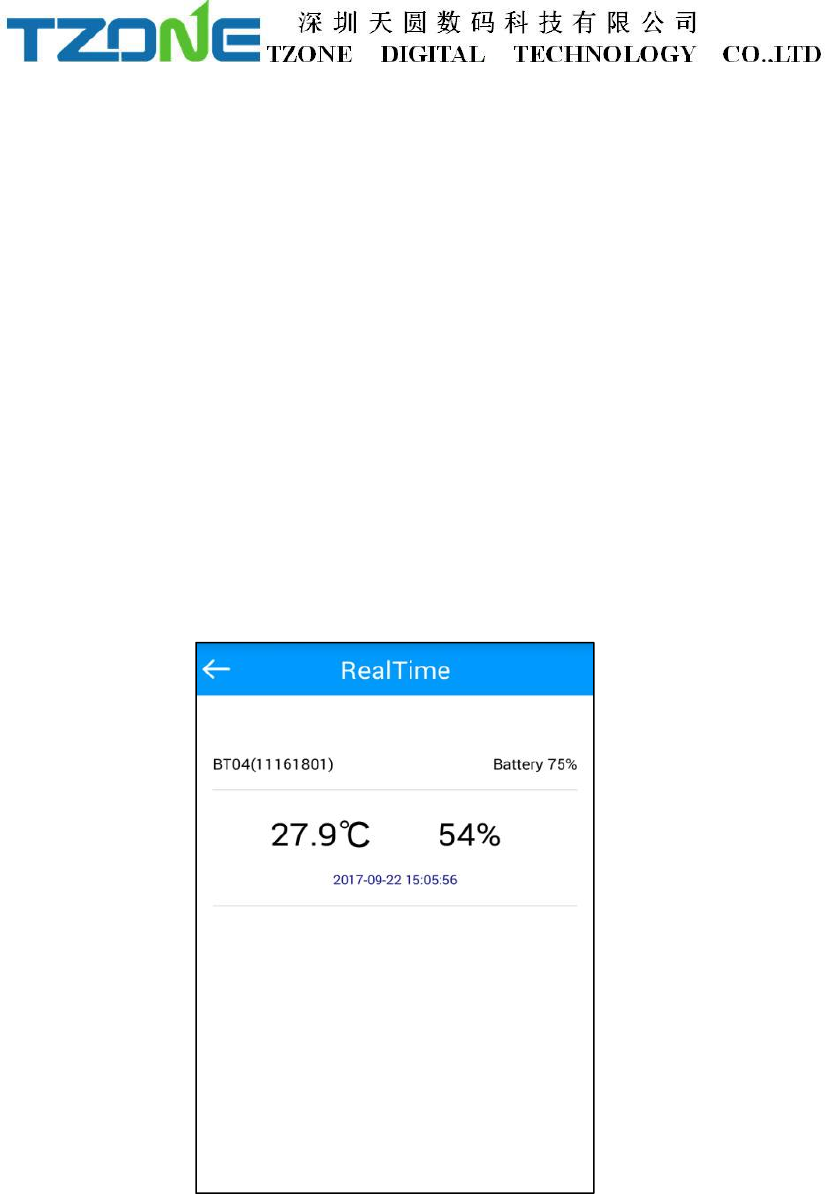
‘Real time data’ displays the device name, real-time temperature and power, the
interface for viewing real-time temperature, if the temperature exceed the limits then
the figure change to be red, or else black font, this interface does not provide editing
function . As shown below:
7.1.3 Query data
‘Query Data’ screen, can choose extraction time,displays SN code,Storage interval,
Alarm settings, the total number of data recorded ,the maximum/minimum/Avg/MKT
temperature during recording, start time, end time, total time, temperature during
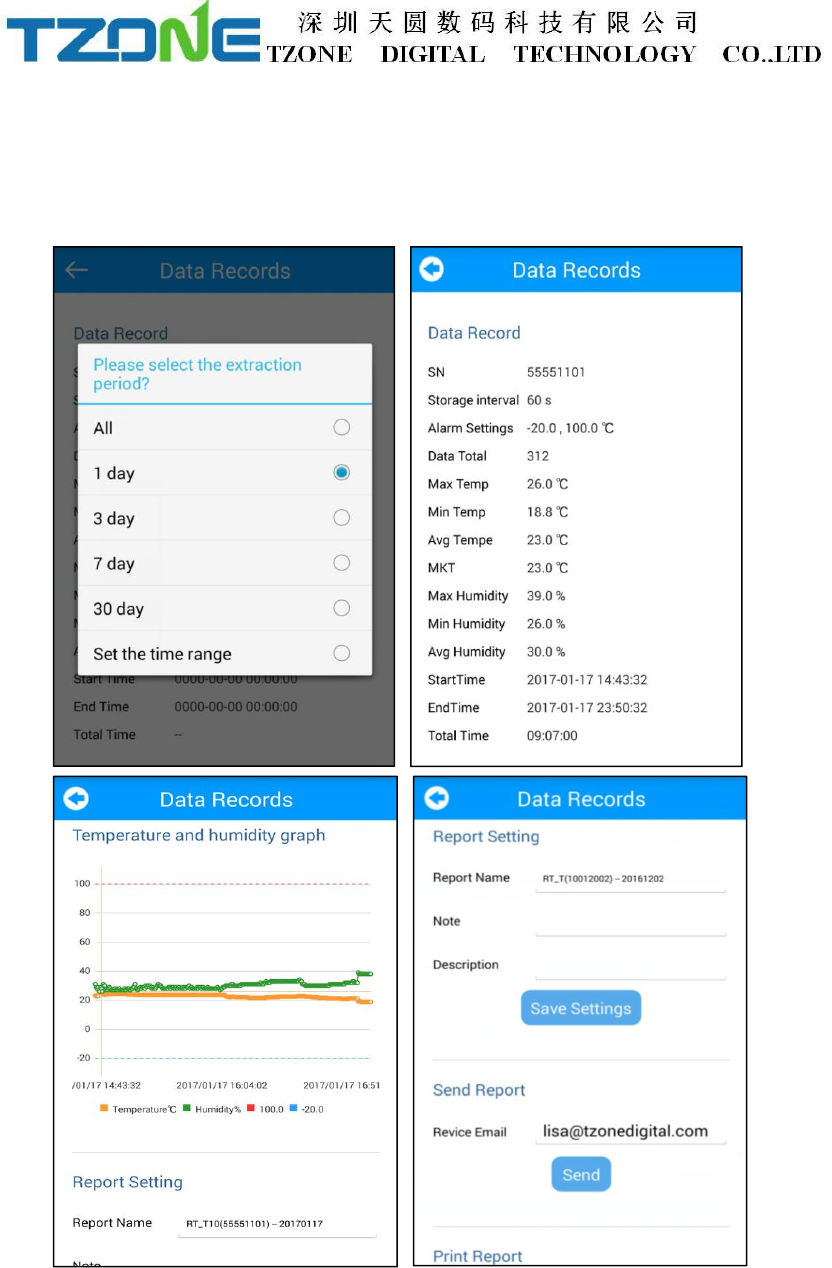
recording, start time, end time, temperature graph and Bluetooth printing, the
interface is mainly used for reading temperature data recorded in a specific time
period,the same as the historical record,the report includes data report, data record,
temperature and humidity chart,set report,send report and print report,as shown
below:
7.1.4 History record
Every click on the "query data", the data will be stored in the historical data ,you can
into the historical record, the report includes data report, data record, temperature and
humidity chart and send report and print reports, as shown below:
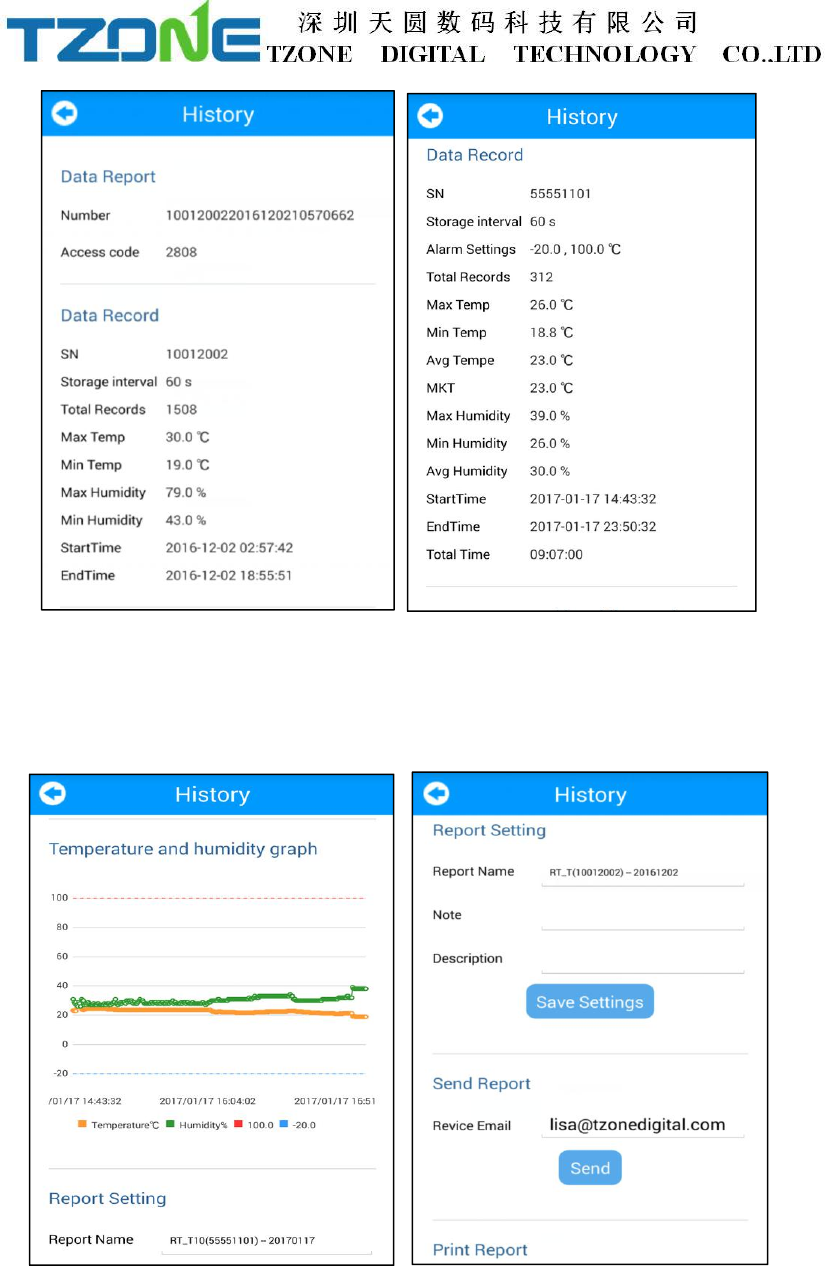
Note: Red line: high temperature threshold,blue line: low temperature threshold
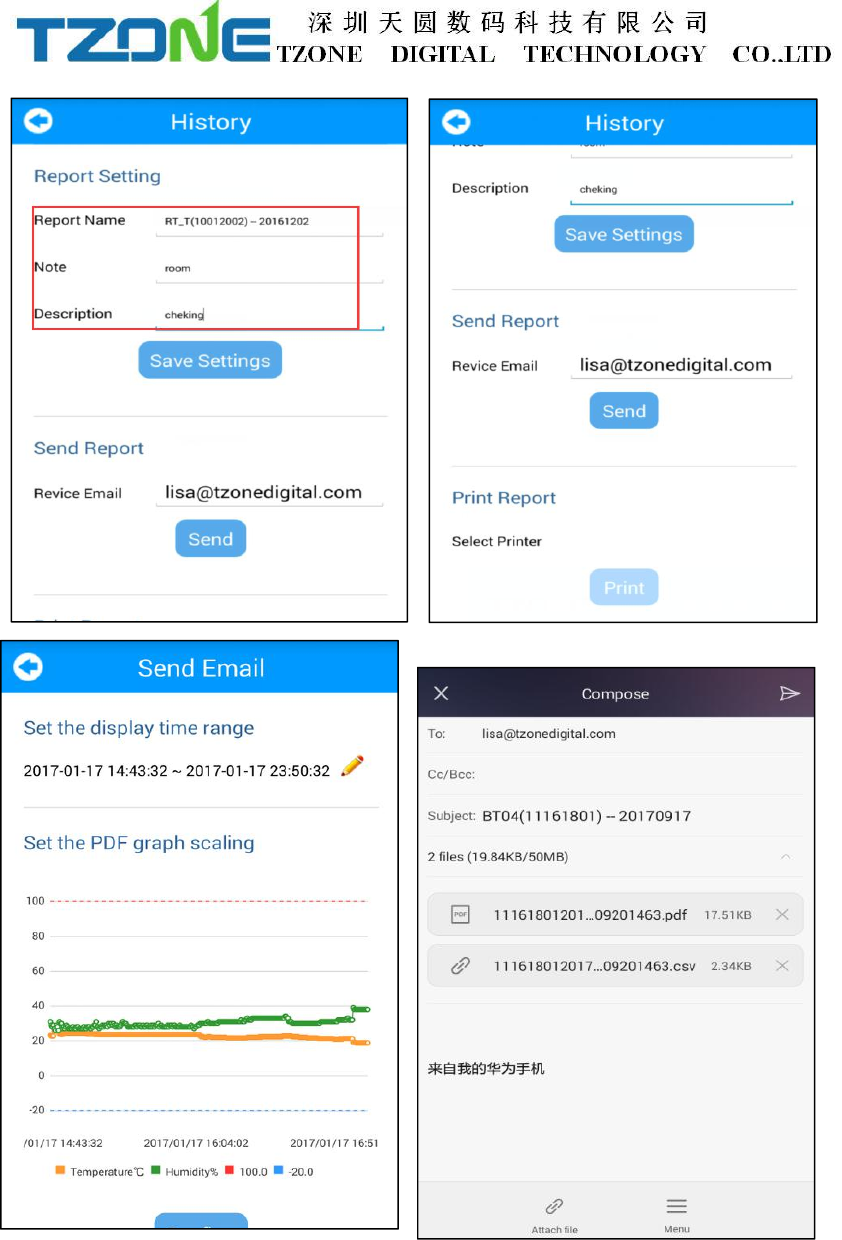
In the report Settings can be set up report name, comment and description,also can be
directly set in configure logger, as shown below:
In “send report” can be set up to receive email, the first please set the email account
on the mobile,click send,you can change the report start and end time and set the
graph scaling,click confirm, it is will generate PDF/CSV files and into write email,
you can input mail content, red box for sending, click it, the PDF/CSV report will be
sent to the designated email,as shown below:
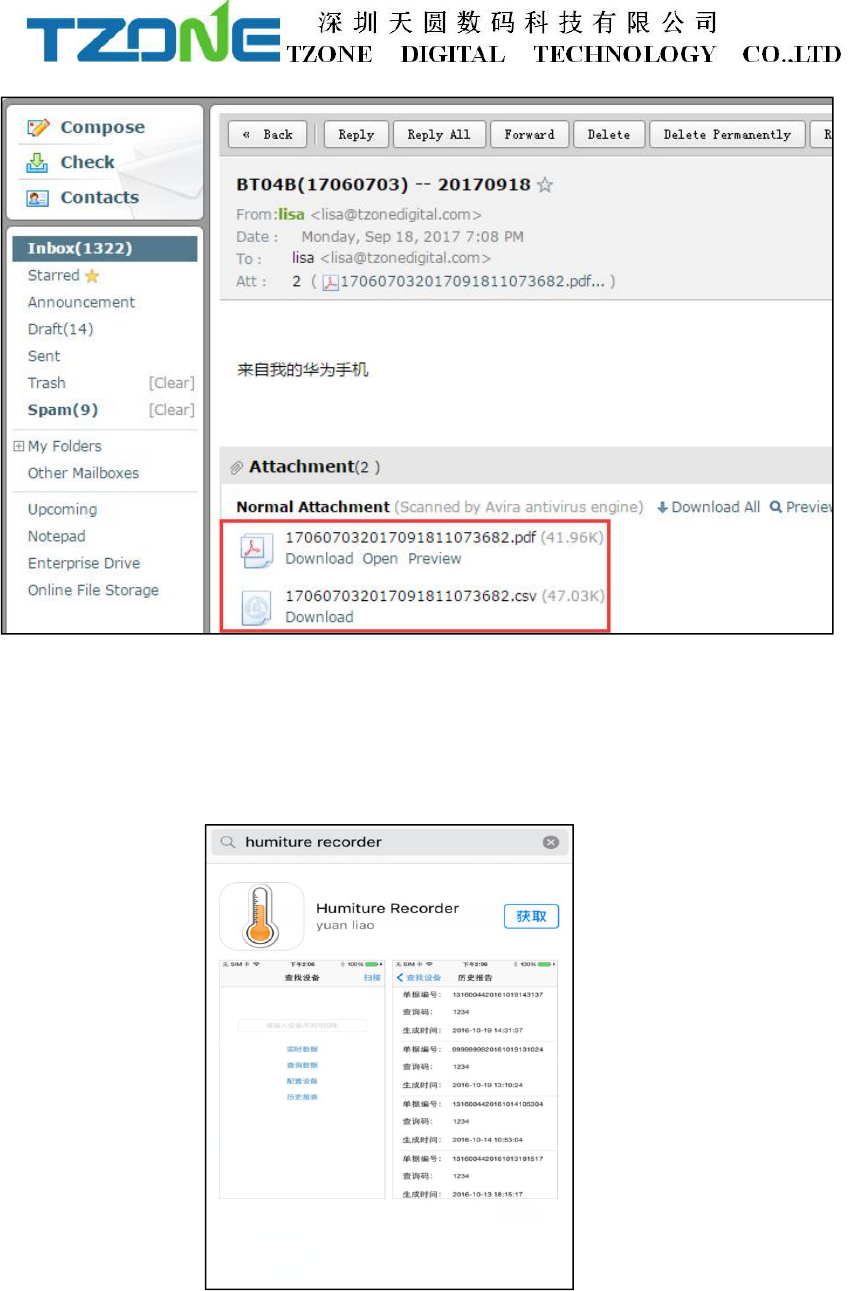
Can be in the specified mailbox to see to this email and generate PDF/CSV report,as
shown below:
Note: it is recommended to use Adobe Reader XI software to view the PDF report,
there may be other third-party software font incompatibilities.
7.2 IOS system ‘temperature data logger’ App use.
Client can download App by App Store :
Search: Humiture Recorder
Open the ‘temperature data logger’ software, the first to see is the scan code interface;
there are three interface buttons, they are ‘Real time’, ‘Query’, ‘Configure’; and the
upper-right corner of the search button. Whether you need to enter which interface of
this three interface, devices are required SN code, SN code can be scanned or entered
directly using the phone keypad or also can directly see equipment list after clicking
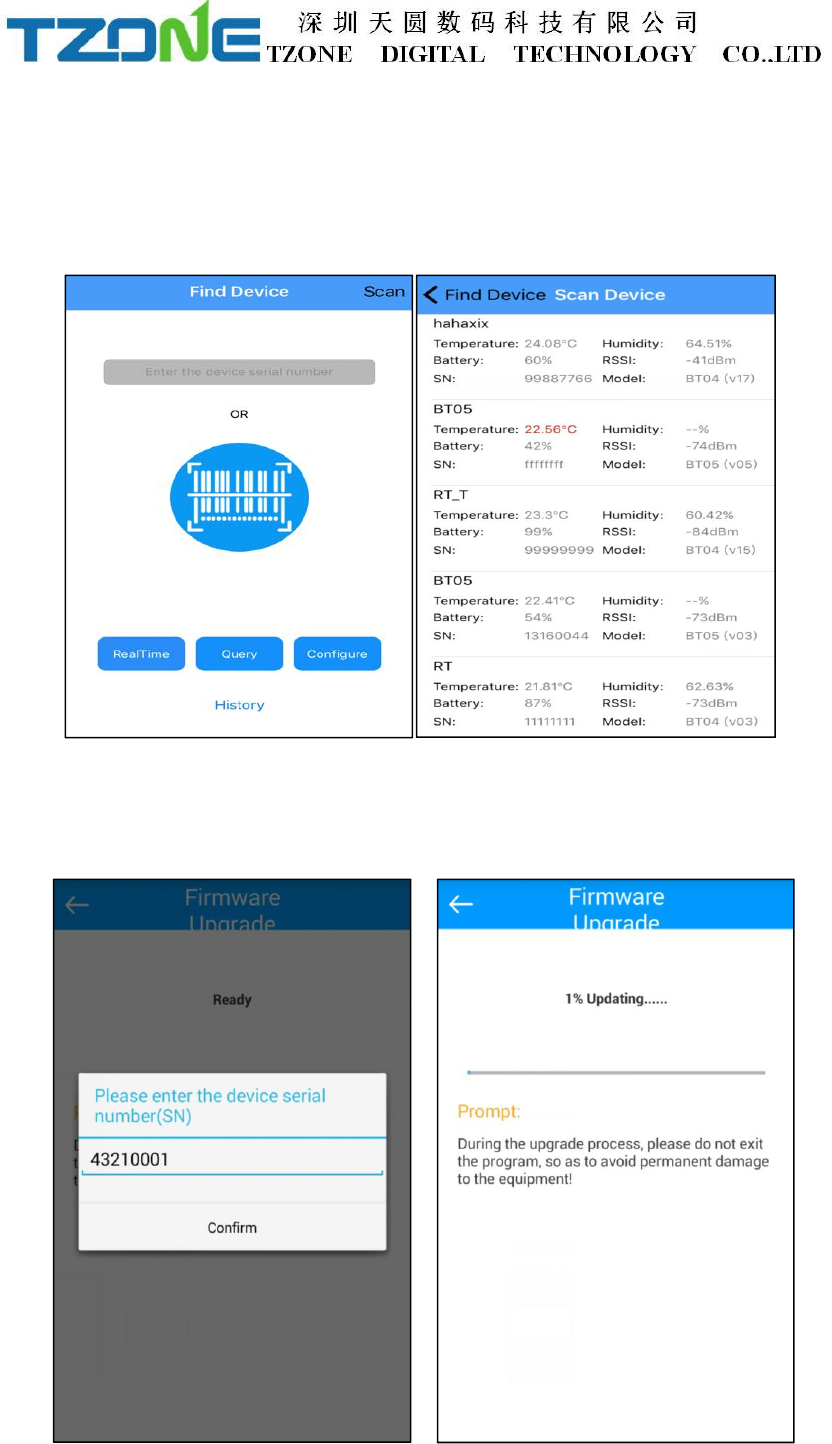
on search.
As shown below picture:
Note: 1. One mobile phone APP only can scan 300 devices;
2. The mobile phone size must more than 4.0 and more than the IPhone5 mobile
phone,suggest that it is best to use the IPhone6 above, to ensure smooth operation
BT04 have OTA function, choose the firmware update, the latest version on the server
can be detected and downloaded to mobile phones, then choose the need to update the
machine ID, input the password, you can update to the latest version, when update is
completed you will be prompted to update successful.
7.2.1 Configure logger
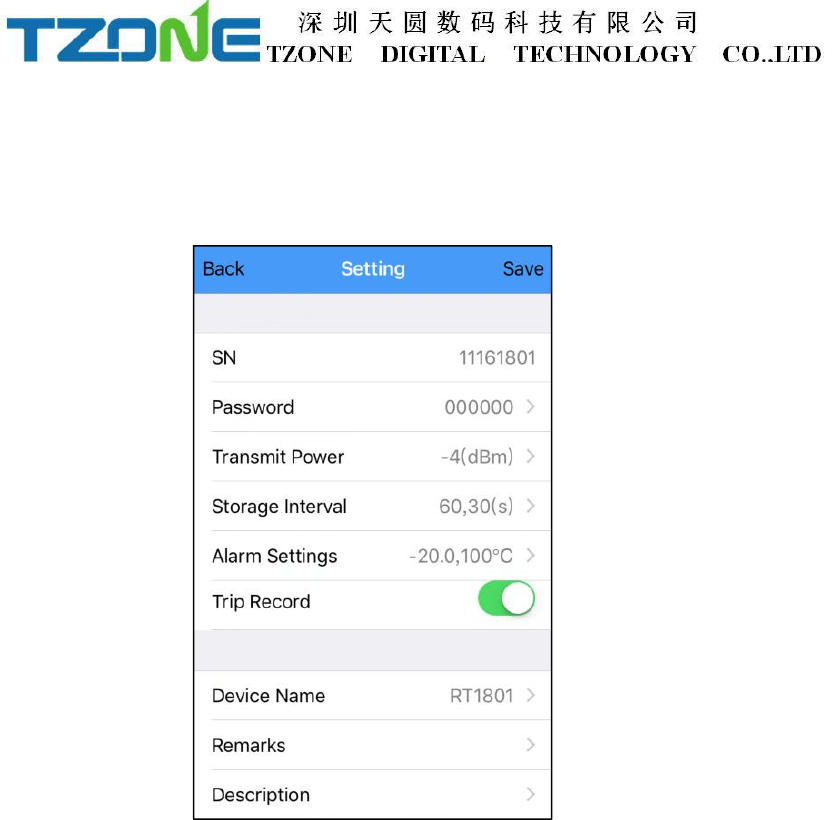
After entering the SN code or scanning device or clicking search on the home page,
will enter the configuration interface, as shown below:
The interface can be configured BT04 transmit power, Normal/Alarm storage space,
and the upper and lower temperature limits, Travel Records .The appropriate value of
the transmit power can be selected in the drop-down list; storage interval and alarm
settings directly enter numbers according to individual needs; Travel Records, if you
want Save the data, you must open it, when you close and open again, it will clear
historical data. According to individual requirements click Save Settings then can
write in, if save successfully, will be prompted the ‘Save Configuration successful.’
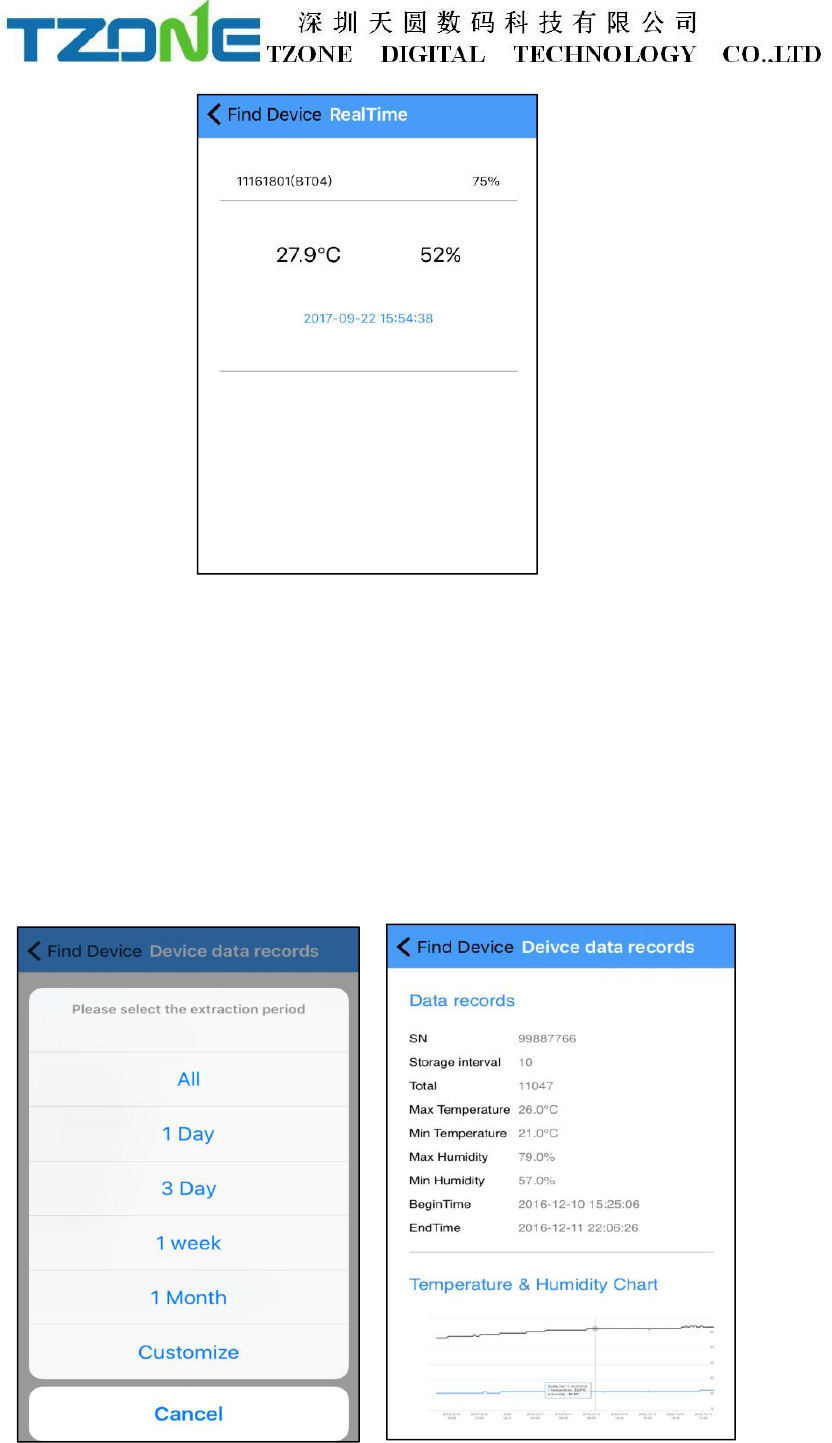
7.2.2 Real time data
‘Real time data’ displays the device name, real-time temperature&humidity and
power, the interface for viewing real-time temperature&humidity, if the temperature
exceed the limits then the figure change to be red, or else black font, this interface
does not provide editing function . As shown below:
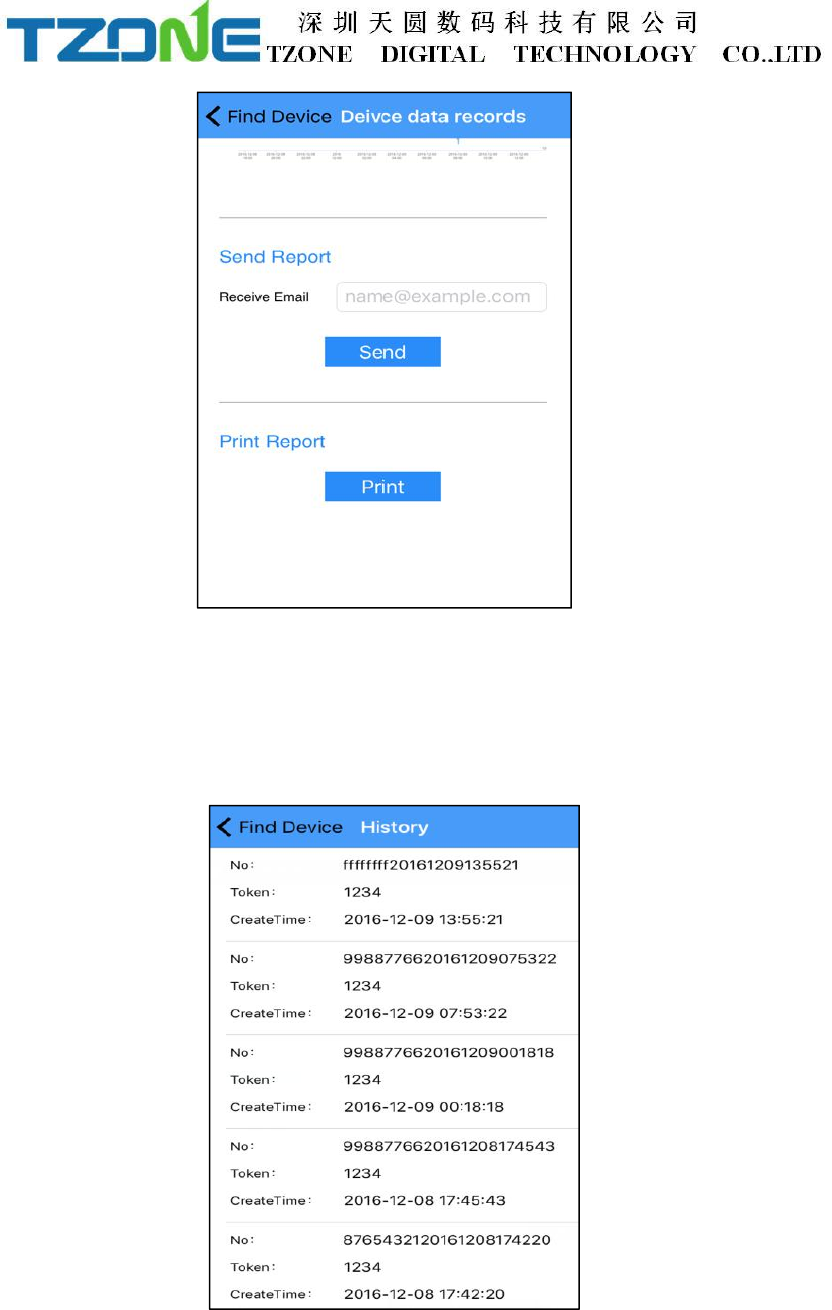
7.2.3 Query data
‘Query Data’ screen, can choose extraction time,displays SN code, Storage interval,
the total number of data recorded ,the maximum and minimum temperature during
recording, start time, end time, temperature and humidity chart,send report and
Bluetooth printing, the interface is mainly used for reading temperature and humidity
data recorded in a specific time period. there have send report and print report
function(Please don't let the screen lock screen,or query will interrupt),As shown
below:
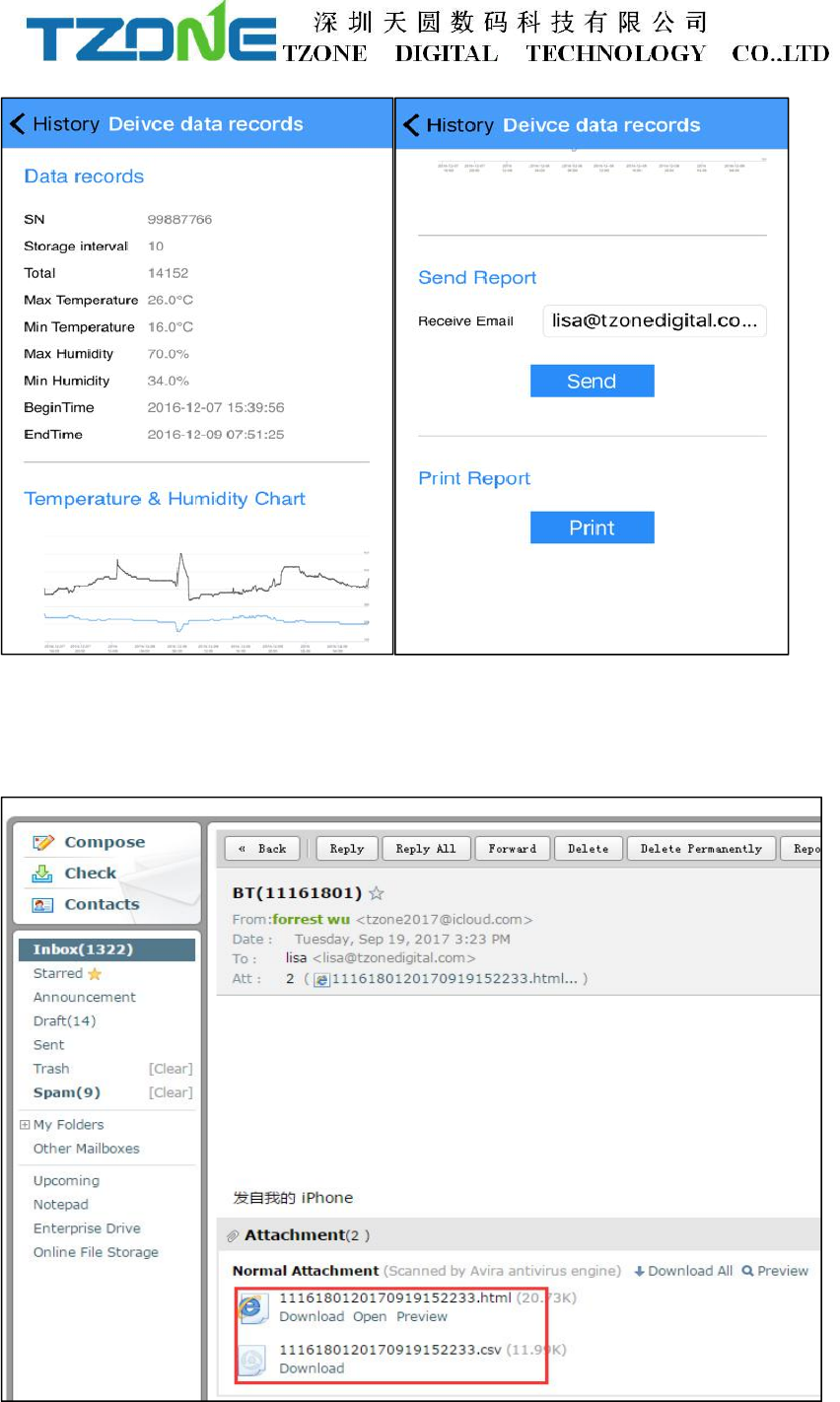
7.2.4 History data
Every click query data, stored data will be stored in a history report, can enter the
history report to see.
And query data, the same history report includes data record, temperature and
humidity chart , send report and print reports, as shown in the figure below:
In sending report can be set receive email, the first please set the email account on the
mobile,click send , can generate HTML/CSV form the report and sent to email
address:
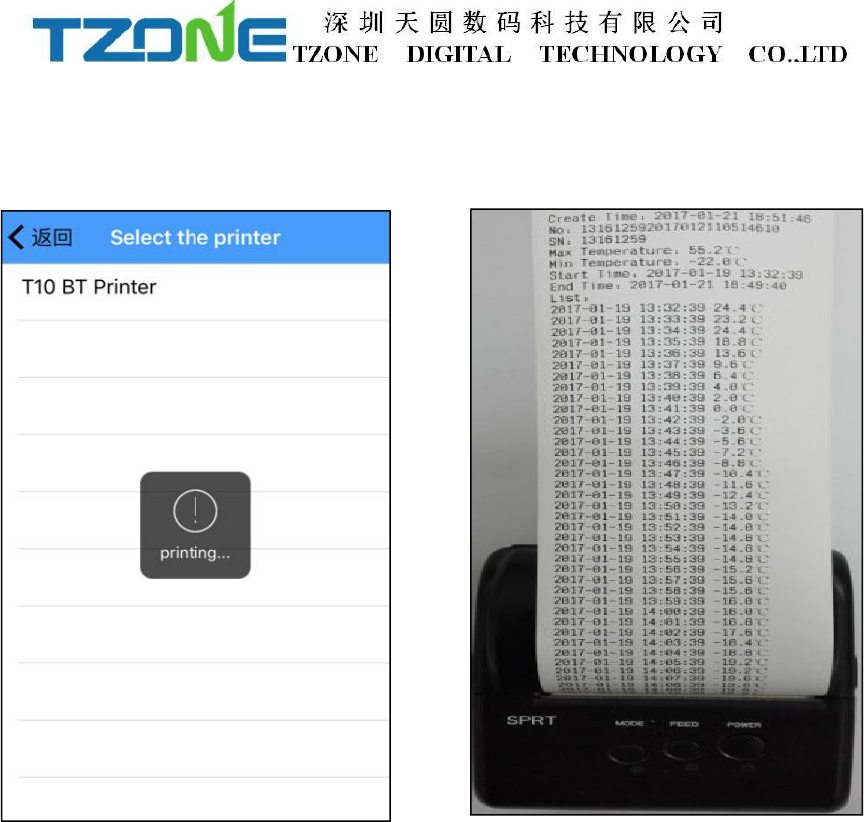
Turn on the Bluetooth printer, click print button, can automatically search the
Bluetooth printer device name, click the device name, can automatically match and
print this data report:
FCC/IC Warning
This device complies with Part 15 of the FCC Rules. Operation is subject to the following two
conditions:
(1) This device may not cause harmful interference, and (2) this device must accept any
interference received, including interference that may cause undesired operation.
NOTE: Any changes or modifications to this unit not expressly approved by the party responsible
for compliance could void the user's authority to operate the equipment.
Le présent appareil est conforme aux CNR d'Industrie Canada applicables aux appareils radio
exempts de licence. L'exploitation est autorisée aux deux conditions suivantes: (1) l'appareil ne
doit pas produire de brouillage, et (2) l'utilisateur de l'appareil doit accepter tout brouillage
radioélectrique subi, même si le brouillage est susceptible d'en compromettre le fonctionnement.