USBNET ZIV300K3 Stand alone HDD User Manual ZIV PORTABLE HARD DISK DRIVE

USBNET, INC. Stand alone HDD ZIV PORTABLE HARD DISK DRIVE

users manual

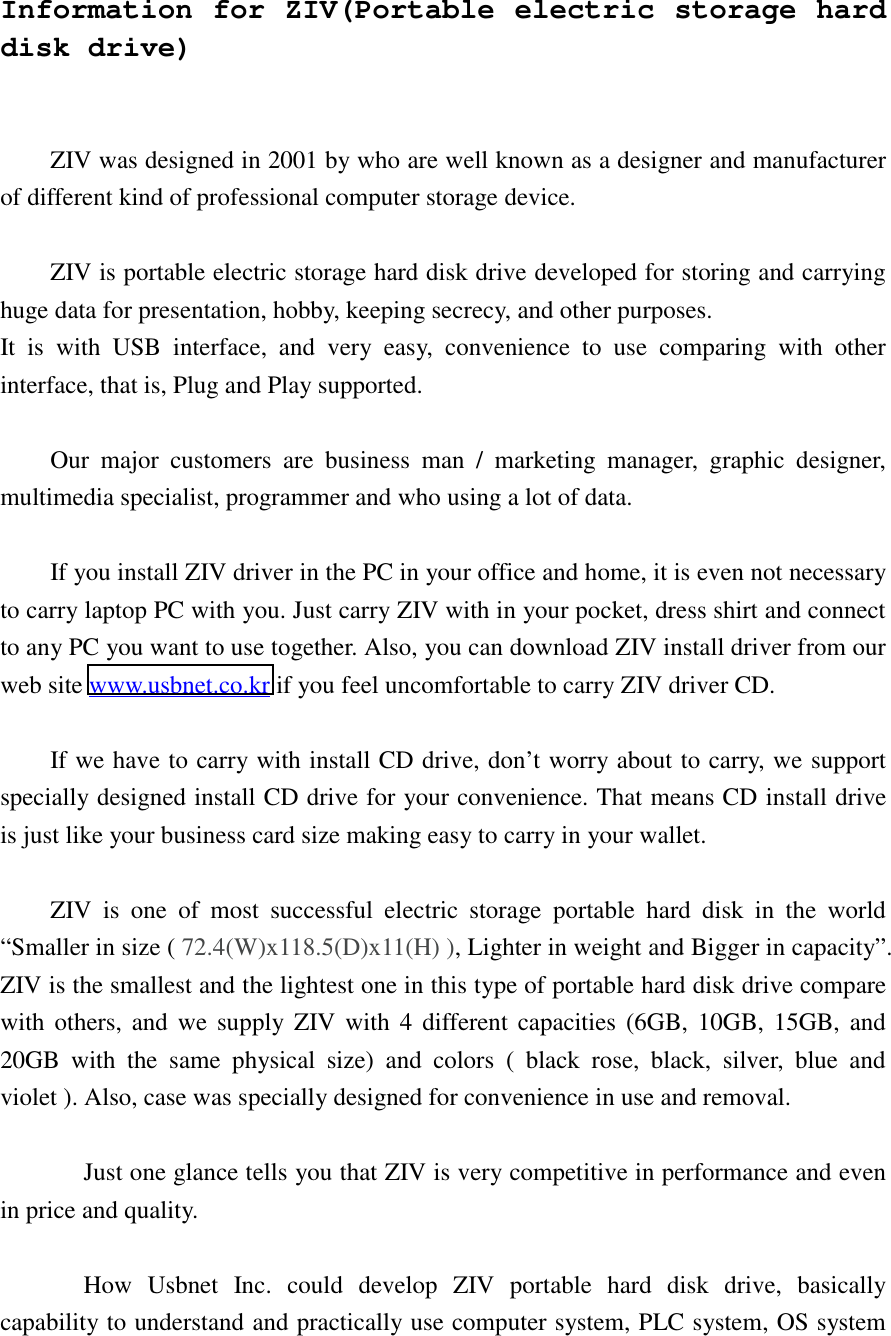
Information for ZIV(Portable electric storage hard disk drive)   ZIV was designed in 2001 by who are well known as a designer and manufacturer of different kind of professional computer storage device.  ZIV is portable electric storage hard disk drive developed for storing and carrying huge data for presentation, hobby, keeping secrecy, and other purposes. It is with USB interface, and very easy, convenience to use comparing with other interface, that is, Plug and Play supported.  Our major customers are business man / marketing manager, graphic designer, multimedia specialist, programmer and who using a lot of data.  If you install ZIV driver in the PC in your office and home, it is even not necessary to carry laptop PC with you. Just carry ZIV with in your pocket, dress shirt and connect to any PC you want to use together. Also, you can download ZIV install driver from our web site www.usbnet.co.kr if you feel uncomfortable to carry ZIV driver CD.    If we have to carry with install CD drive, don’t worry about to carry, we support specially designed install CD drive for your convenience. That means CD install drive is just like your business card size making easy to carry in your wallet.  ZIV is one of most successful electric storage portable hard disk in the world “Smaller in size ( 72.4(W)x118.5(D)x11(H) ), Lighter in weight and Bigger in capacity”.   ZIV is the smallest and the lightest one in this type of portable hard disk drive compare with others, and we supply ZIV with 4 different capacities (6GB, 10GB, 15GB, and 20GB with the same physical size) and colors ( black rose, black, silver, blue and violet ). Also, case was specially designed for convenience in use and removal.  Just one glance tells you that ZIV is very competitive in performance and even in price and quality.  How Usbnet Inc. could develop ZIV portable hard disk drive, basically capability to understand and practically use computer system, PLC system, OS system
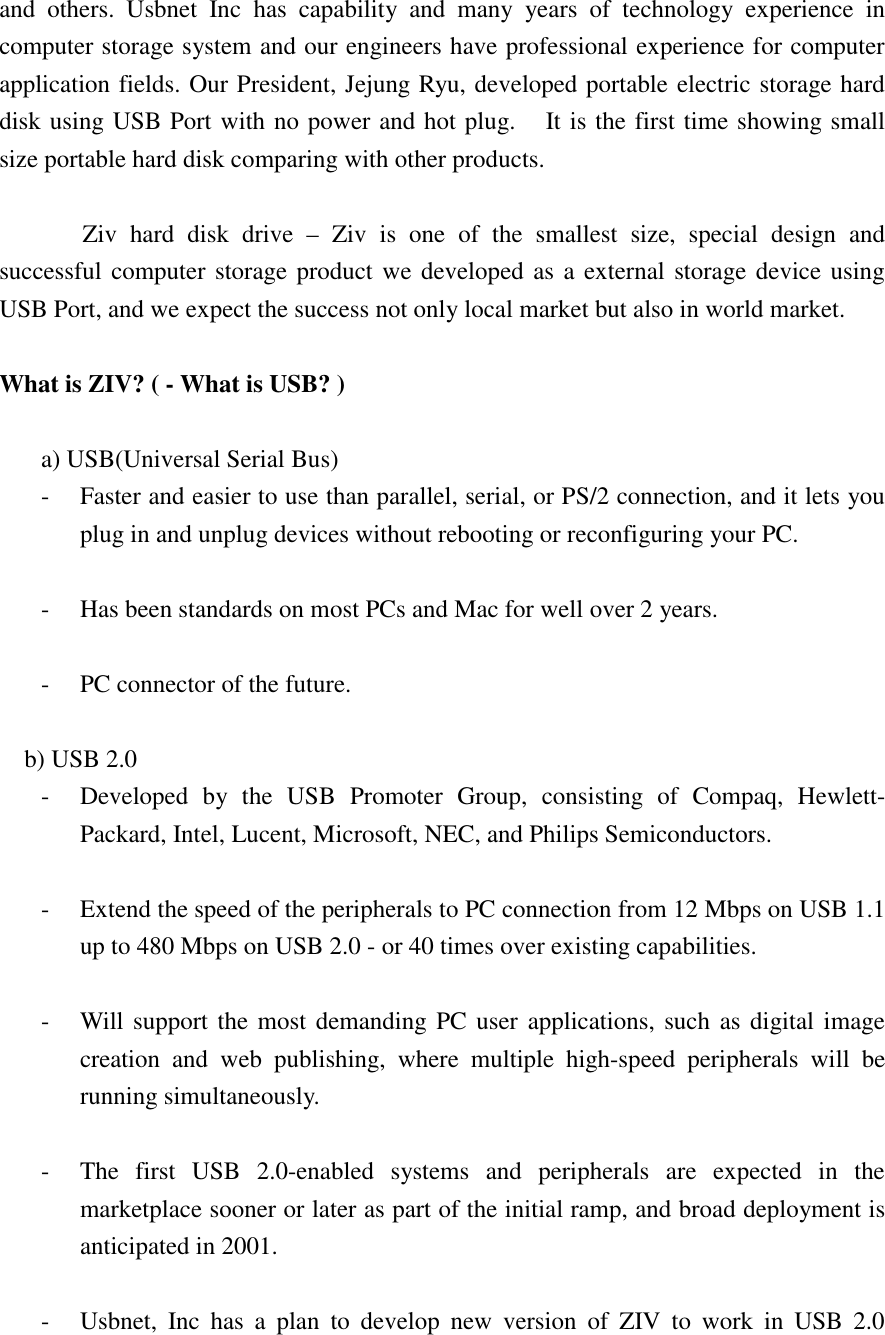
and others. Usbnet Inc has capability and many years of technology experience in computer storage system and our engineers have professional experience for computer application fields. Our President, Jejung Ryu, developed portable electric storage hard disk using USB Port with no power and hot plug.    It is the first time showing small size portable hard disk comparing with other products.    Ziv hard disk drive – Ziv is one of the smallest size, special design and successful computer storage product we developed as a external storage device using USB Port, and we expect the success not only local market but also in world market.  What is ZIV? ( - What is USB? )  a) USB(Universal Serial Bus) -  Faster and easier to use than parallel, serial, or PS/2 connection, and it lets you plug in and unplug devices without rebooting or reconfiguring your PC.  -  Has been standards on most PCs and Mac for well over 2 years.  -  PC connector of the future.  b) USB 2.0 -  Developed by the USB Promoter Group, consisting of Compaq, Hewlett-Packard, Intel, Lucent, Microsoft, NEC, and Philips Semiconductors.  -  Extend the speed of the peripherals to PC connection from 12 Mbps on USB 1.1 up to 480 Mbps on USB 2.0 - or 40 times over existing capabilities.  -  Will support the most demanding PC user applications, such as digital image creation and web publishing, where multiple high-speed peripherals will be running simultaneously.  -  The first USB 2.0-enabled systems and peripherals are expected in the marketplace sooner or later as part of the initial ramp, and broad deployment is anticipated in 2001.  -  Usbnet, Inc has a plan to develop new version of ZIV to work in USB 2.0
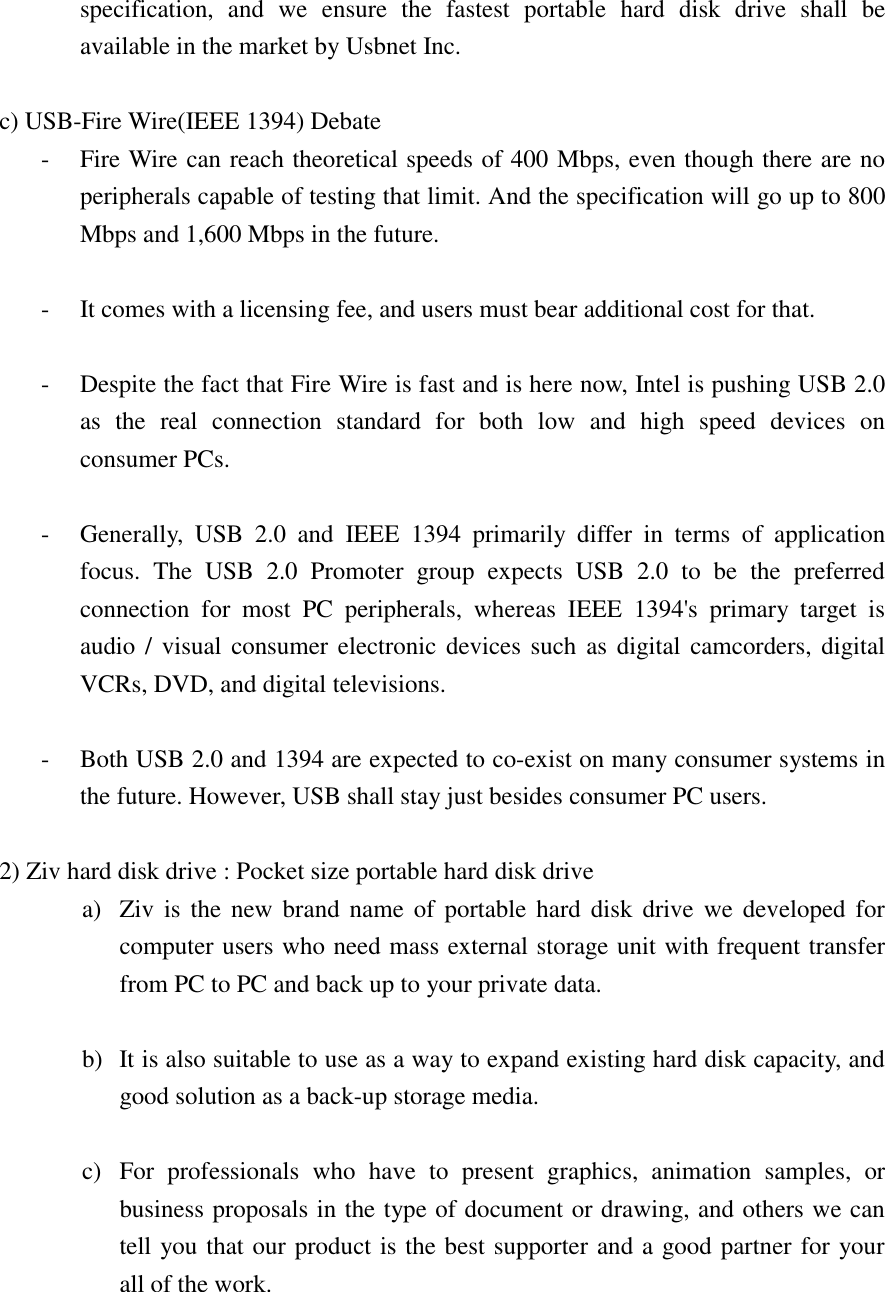
specification, and we ensure the fastest portable hard disk drive shall be available in the market by Usbnet Inc.  c) USB-Fire Wire(IEEE 1394) Debate -  Fire Wire can reach theoretical speeds of 400 Mbps, even though there are no peripherals capable of testing that limit. And the specification will go up to 800 Mbps and 1,600 Mbps in the future.  -  It comes with a licensing fee, and users must bear additional cost for that.  -  Despite the fact that Fire Wire is fast and is here now, Intel is pushing USB 2.0 as the real connection standard for both low and high speed devices on consumer PCs.  -  Generally, USB 2.0 and IEEE 1394 primarily differ in terms of application focus. The USB 2.0 Promoter group expects USB 2.0 to be the preferred connection for most PC peripherals, whereas IEEE 1394's primary target is audio / visual consumer electronic devices such as digital camcorders, digital VCRs, DVD, and digital televisions.  -  Both USB 2.0 and 1394 are expected to co-exist on many consumer systems in the future. However, USB shall stay just besides consumer PC users.  2) Ziv hard disk drive : Pocket size portable hard disk drive a)  Ziv is the new brand name of portable hard disk drive we developed for computer users who need mass external storage unit with frequent transfer from PC to PC and back up to your private data.  b)  It is also suitable to use as a way to expand existing hard disk capacity, and good solution as a back-up storage media.  c)  For professionals who have to present graphics, animation samples, or business proposals in the type of document or drawing, and others we can tell you that our product is the best supporter and a good partner for your   all of the work.
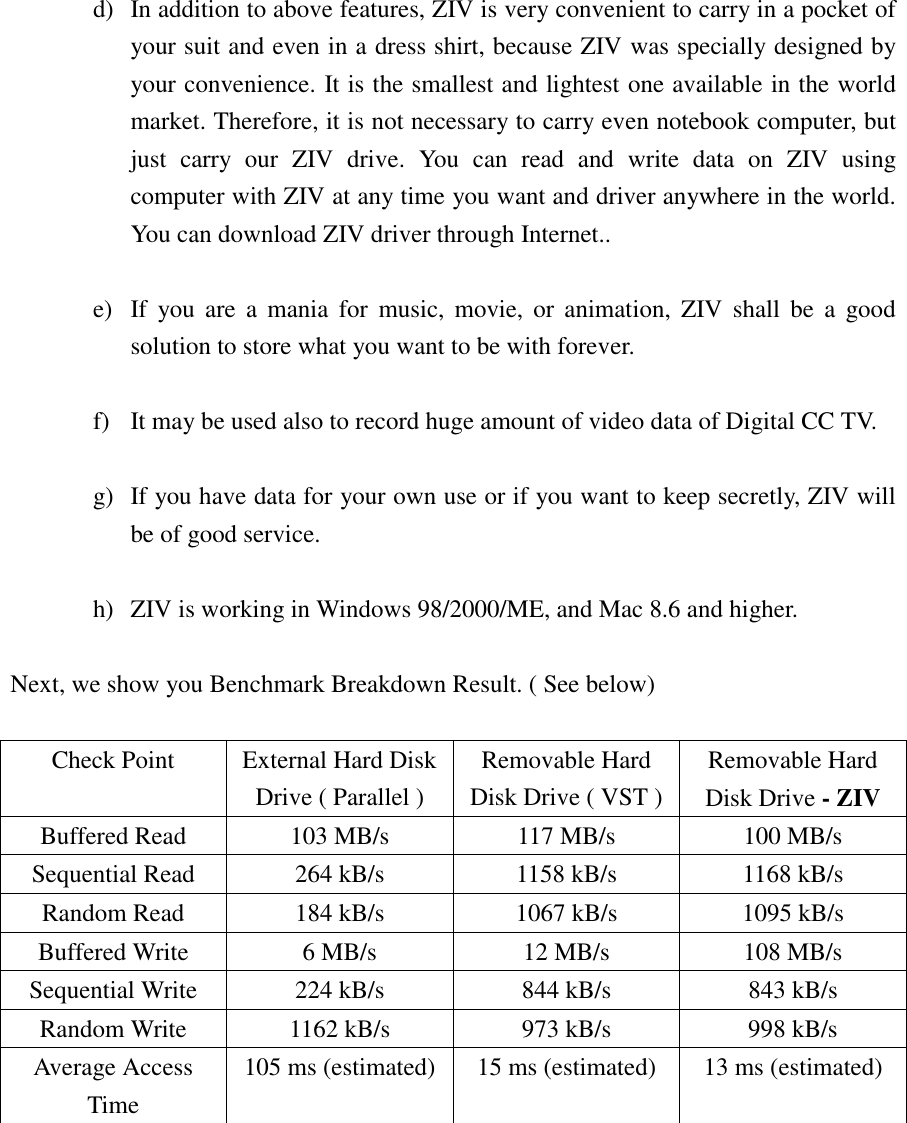
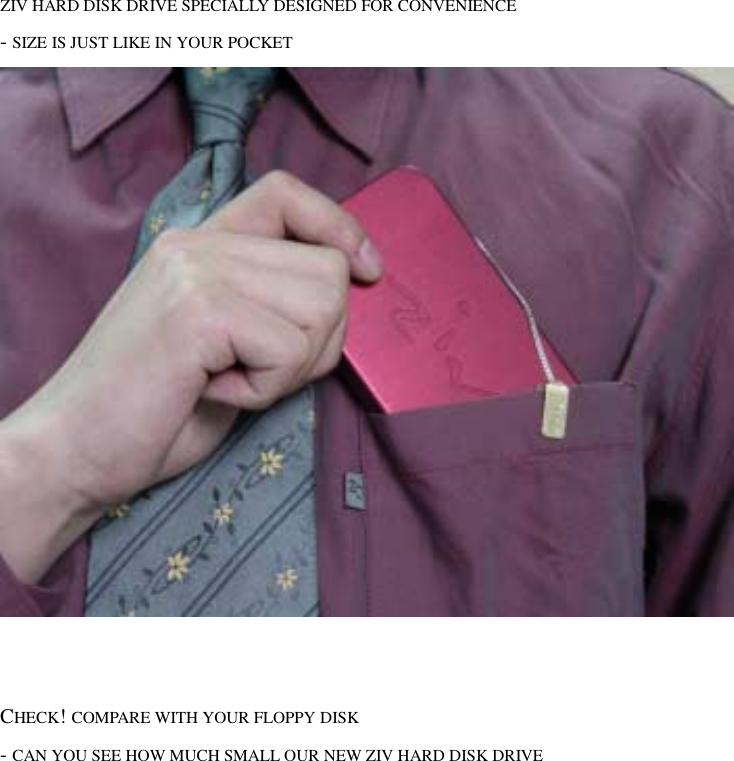
d)  In addition to above features, ZIV is very convenient to carry in a pocket of your suit and even in a dress shirt, because ZIV was specially designed by your convenience. It is the smallest and lightest one available in the world market. Therefore, it is not necessary to carry even notebook computer, but just carry our ZIV drive. You can read and write data on ZIV using computer with ZIV at any time you want and driver anywhere in the world. You can download ZIV driver through Internet..  e)  If you are a mania for music, movie, or animation, ZIV shall be a good solution to store what you want to be with forever.  f)  It may be used also to record huge amount of video data of Digital CC TV.  g)  If you have data for your own use or if you want to keep secretly, ZIV will be of good service.  h)  ZIV is working in Windows 98/2000/ME, and Mac 8.6 and higher.  Next, we show you Benchmark Breakdown Result. ( See below)  Check Point  External Hard Disk Drive ( Parallel ) Removable Hard Disk Drive ( VST ) Removable Hard Disk Drive - ZIV Buffered Read  103 MB/s  117 MB/s  100 MB/s Sequential Read  264 kB/s  1158 kB/s  1168 kB/s Random Read  184 kB/s  1067 kB/s  1095 kB/s Buffered Write  6 MB/s  12 MB/s  108 MB/s Sequential Write  224 kB/s  844 kB/s  843 kB/s Random Write  1162 kB/s  973 kB/s  998 kB/s Average Access Time 105 ms (estimated)  15 ms (estimated)  13 ms (estimated)
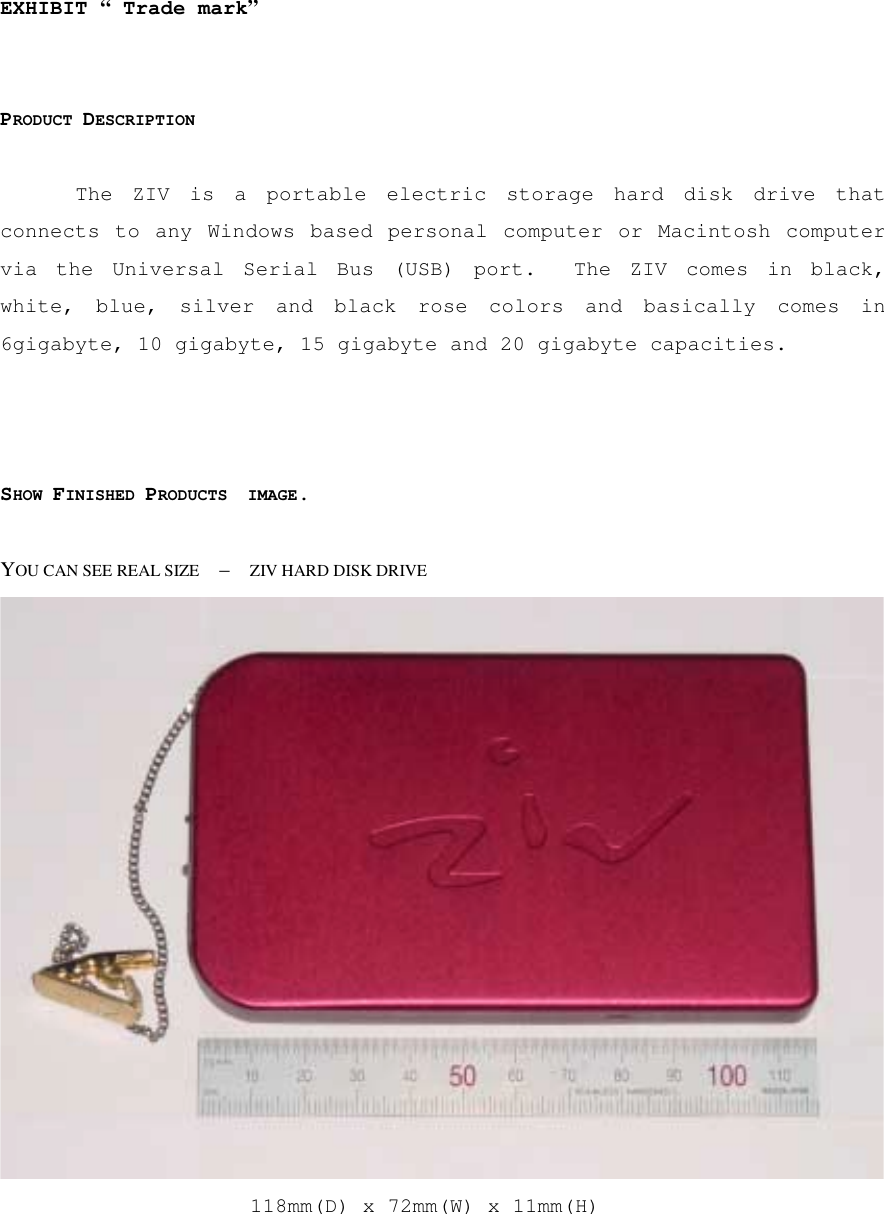
EXHIBIT “ Trade mark”   PRODUCT DESCRIPTION  The ZIV is a portable electric storage hard disk drive that connects to any Windows based personal computer or Macintosh computer via the Universal Serial Bus (USB) port.  The ZIV comes in black, white, blue, silver and black rose colors and basically comes in 6gigabyte, 10 gigabyte, 15 gigabyte and 20 gigabyte capacities.     SHOW FINISHED PRODUCTS  IMAGE.  YOU CAN SEE REAL SIZE    –    ZIV HARD DISK DRIVE  118mm(D) x 72mm(W) x 11mm(H)
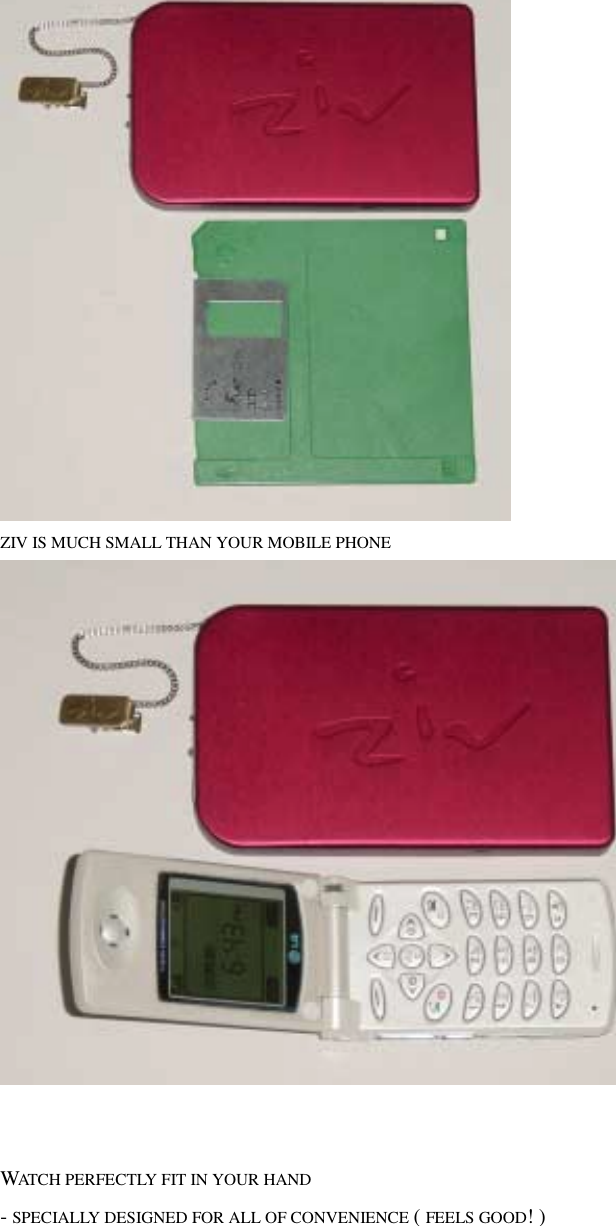
 ZIV HARD DISK DRIVE SPECIALLY DESIGNED FOR CONVENIENCE - SIZE IS JUST LIKE IN YOUR POCKET      CHECK! COMPARE WITH YOUR FLOPPY DISK   - CAN YOU SEE HOW MUCH SMALL OUR NEW ZIV HARD DISK DRIVE
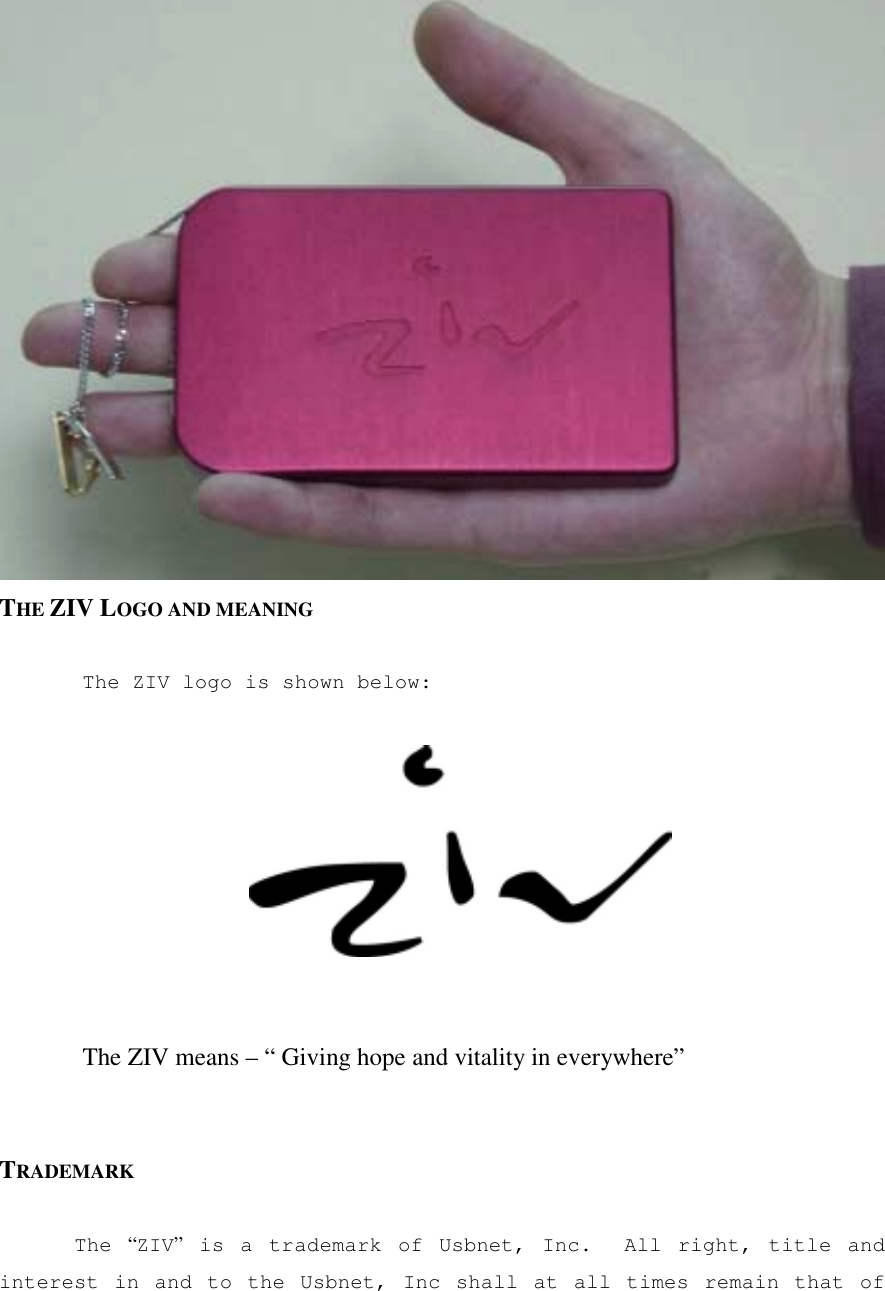
 ZIV IS MUCH SMALL THAN YOUR MOBILE PHONE      WATCH PERFECTLY FIT IN YOUR HAND   - SPECIALLY DESIGNED FOR ALL OF CONVENIENCE ( FEELS GOOD! )
 THE ZIV LOGO AND MEANING  The ZIV logo is shown below:       The ZIV means – “ Giving hope and vitality in everywhere”   TRADEMARK  The  “ZIV” is a trademark of Usbnet, Inc.  All right, title and interest in and to the Usbnet, Inc shall at all times remain that of
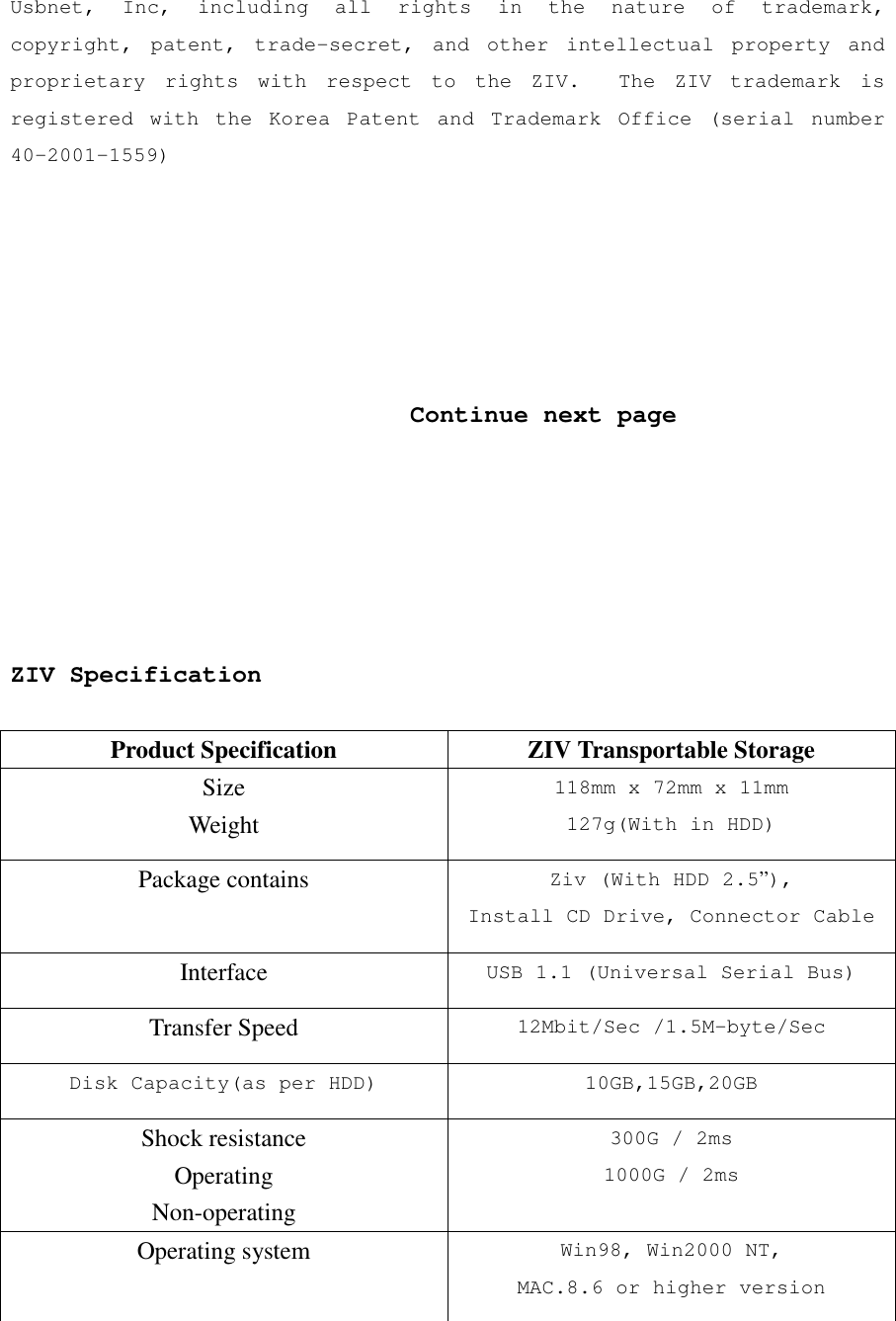
Usbnet, Inc, including all rights in the nature of trademark, copyright, patent, trade-secret, and other intellectual property and proprietary rights with respect to the ZIV.  The ZIV trademark is registered with the Korea Patent and Trademark Office (serial number 40-2001-1559)                                  Continue next page       ZIV Specification  Product Specification  ZIV Transportable Storage Size Weight 118mm x 72mm x 11mm 127g(With in HDD) Package contains  Ziv (With HDD 2.5”), Install CD Drive, Connector Cable Interface  USB 1.1 (Universal Serial Bus) Transfer Speed  12Mbit/Sec /1.5M-byte/Sec Disk Capacity(as per HDD) 10GB,15GB,20GB Shock resistance Operating Non-operating 300G / 2ms 1000G / 2ms Operating system  Win98, Win2000 NT, MAC.8.6 or higher version
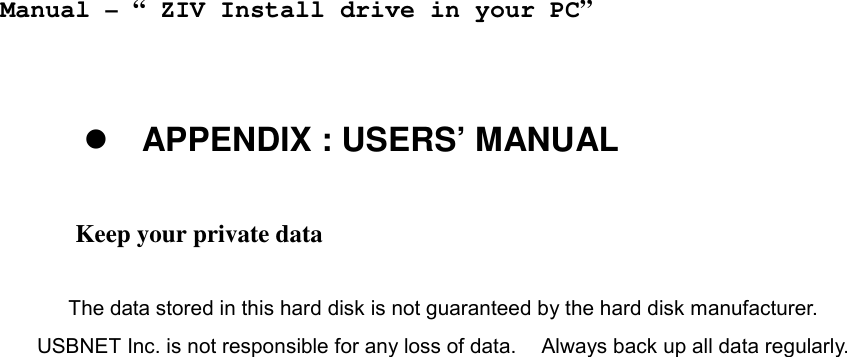
   Manual – “ ZIV Install drive in your PC”   ! APPENDIX : USERS’ MANUAL  Keep your private data    The data stored in this hard disk is not guaranteed by the hard disk manufacturer.     USBNET Inc. is not responsible for any loss of data.    Always back up all data regularly.
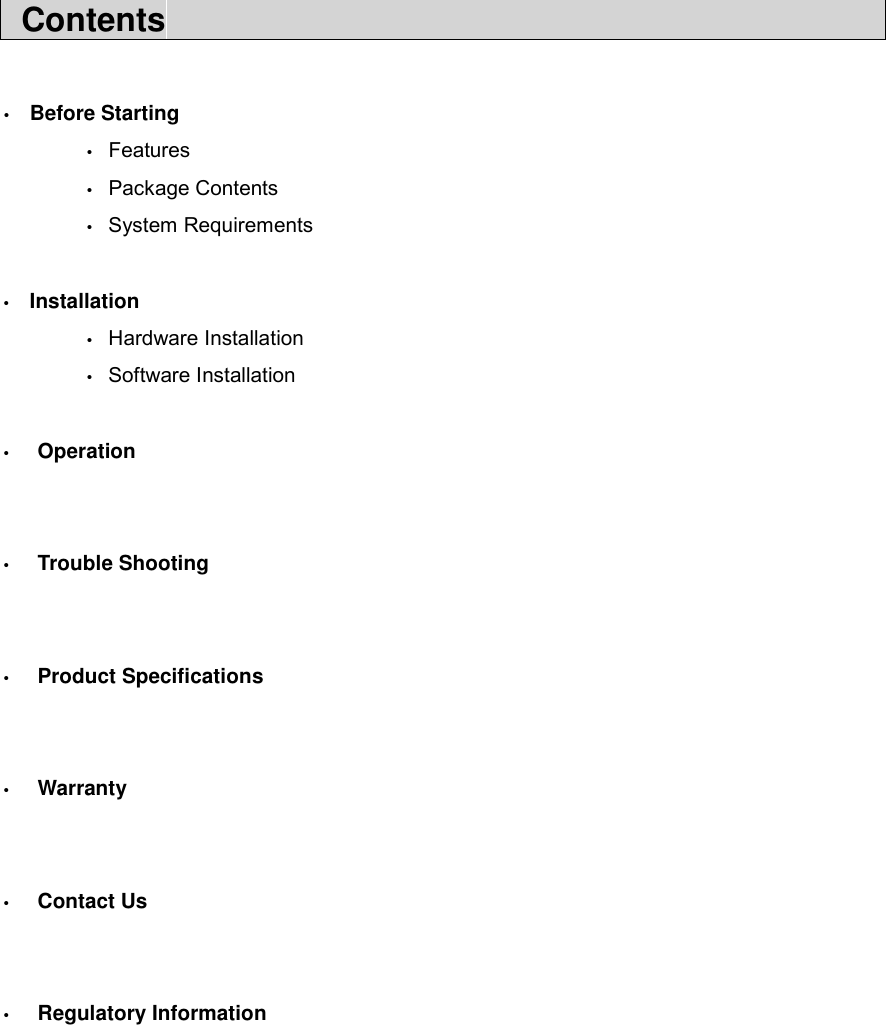
 Contents                                              •  Before Starting  • Features  • Package Contents  • System Requirements  •  Installation  • Hardware Installation  • Software Installation  •  Operation   •  Trouble Shooting   •  Product Specifications   •  Warranty   •  Contact Us   •  Regulatory Information
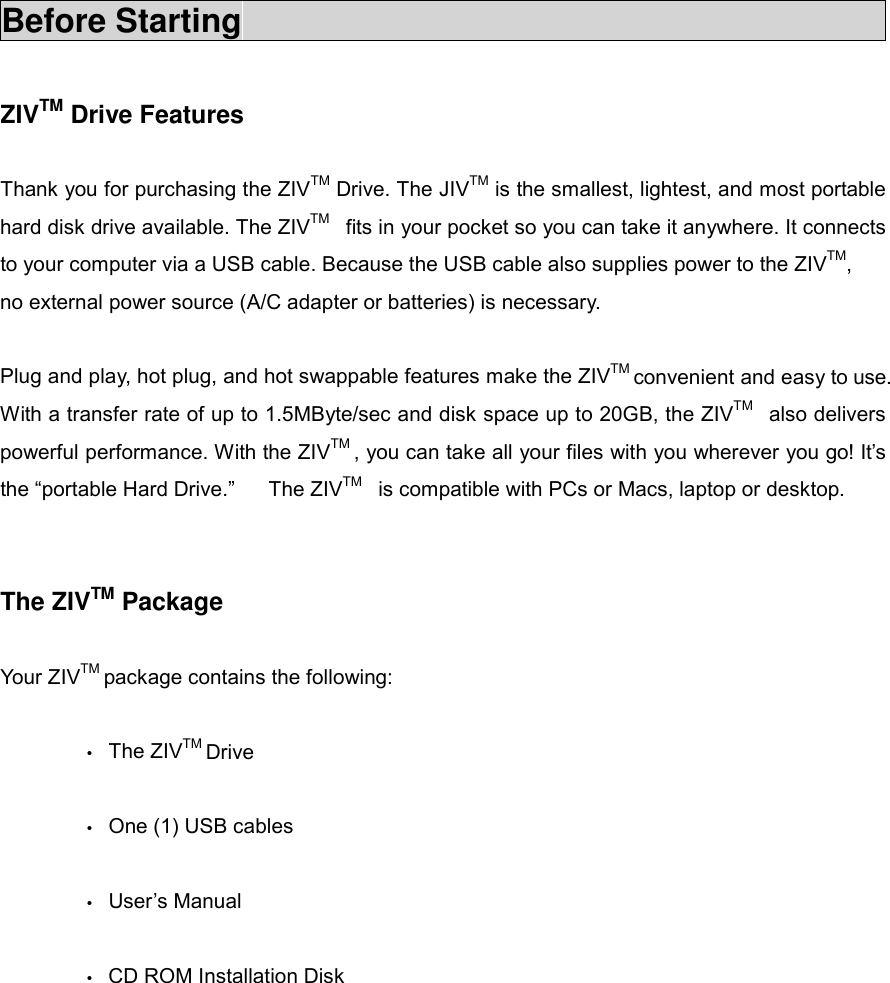
Before Starting                                          ZIVTM Drive Features      Thank you for purchasing the ZIVTM Drive. The JIVTM is the smallest, lightest, and most portable hard disk drive available. The ZIVTM  fits in your pocket so you can take it anywhere. It connects to your computer via a USB cable. Because the USB cable also supplies power to the ZIVTM, no external power source (A/C adapter or batteries) is necessary.  Plug and play, hot plug, and hot swappable features make the ZIVTM convenient and easy to use. With a transfer rate of up to 1.5MByte/sec and disk space up to 20GB, the ZIVTM  also delivers powerful performance. With the ZIVTM , you can take all your files with you wherever you go! It’s the “portable Hard Drive.”   The ZIVTM  is compatible with PCs or Macs, laptop or desktop.   The ZIVTM Package  Your ZIVTM package contains the following:    • The ZIVTM Drive   •  One (1) USB cables  • User’s Manual   •  CD ROM Installation Disk
System Requirements  Minimum system requirements for the ZIVTM :  •  586 Pentium® or higher IBM® compatible PC or Mac  •  Microsoft Windows® 98/98SE/Me, Windows® 2000, Mac 8.6 or higher   • Available USB port  • CD Drive for driver installation or Internet connection for driver installation  download   Care and Handling of the ZIVTM  Special care and handling is required for the ZIVTM  •  Please keep the ZIVTM    in the protective using special nipper at all times, even during use, so as to minimize damage.  • Before unplugging the ZIVTM or turning off your computer, turn the ZIVTM  power switch to the “OFF” position.    Failure to do so may result in damage to the hard drive.  •  Always back up your data from the ZIVTM onto another storage medium in the event of data retrieval failure of the ZIVTM.  • Do not move or disconnect the ZIVTM from your computer while the ZIVTM  is reading or writing data.    This may cause damage to the hard drive.  •  No formatting is necessary. The ZIVTM  is already formatted.  •  Handle and transport the ZIVTM very carefully. Do not drop or aggressively handle the ZIVTM as this may cause damage to the hard drive.
•  Avoid exposing the ZIVTM to extreme temperatures or humidity.    Either may cause damage to the hard drive.  •  Do not tear or remove any labels on the ZIVTM as it may damage the hard drive.   Installation                                             !!!! Windows® 98/98SE/Me/ Windows® 2000  Before you connect ZIVTM    to your computer, install ZIVTM driver first as per following procedure. 1)  Turn on ZIV hard disk drive ( “on” ) 2)  Your PC is automatically recognize to “ Add New Hard ware Wizard ”   3)  Click to “ Next” button. 4)  Check option “ Search for the best drive for your device(Recommand)”   and then click “next” 5)  Must check “ CD-ROM drive “ and then insert ZIV install CD drive in your PC. And click to “ Next” 6)  Your PC is automatically recognize install drive file from install CD drive. And then click to “ Next” 7)  It is a final step – click “ Finish” 8)  Now you are ready to use your new ZIV hard disk drive.  To check if your computer recognize ZIVTM, double click “My Computer” and turn on the power of your ZIV hard disk drive. Your PC will be showing new hard drive(ZIV), if you can see new hard drive, your new ZIV install complete.  If your computer cannot recognize ZIVTM , then take the following steps more.
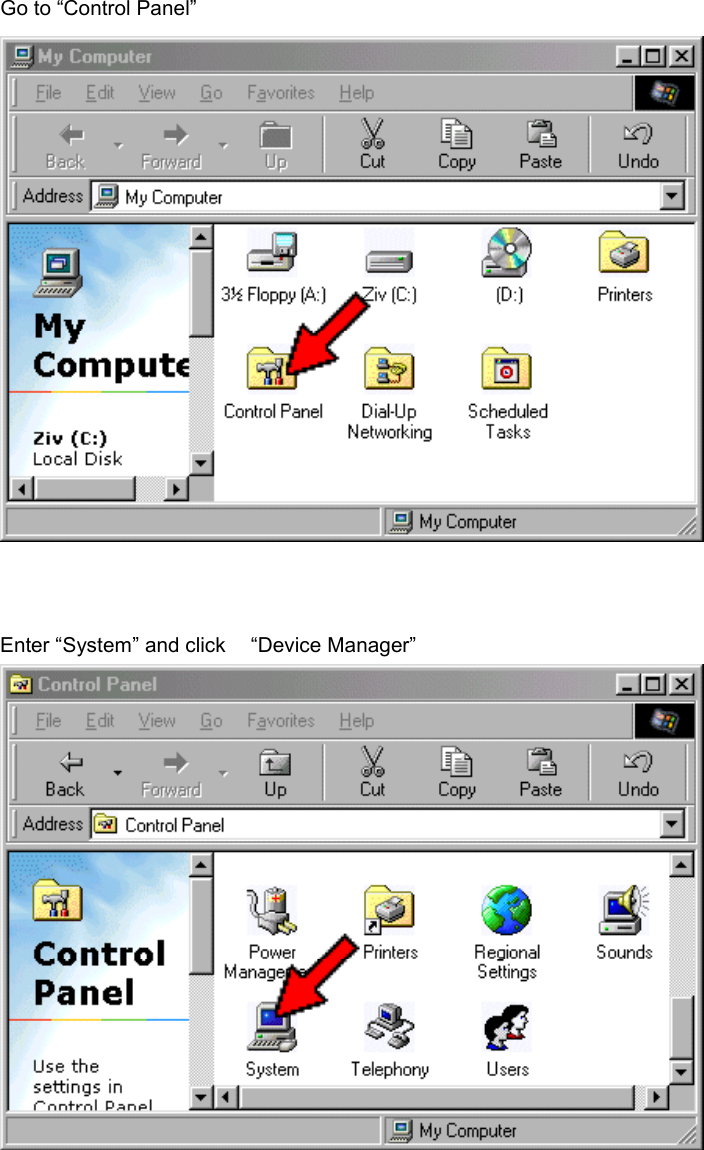
Go to “Control Panel”    Enter “System” and click    “Device Manager”
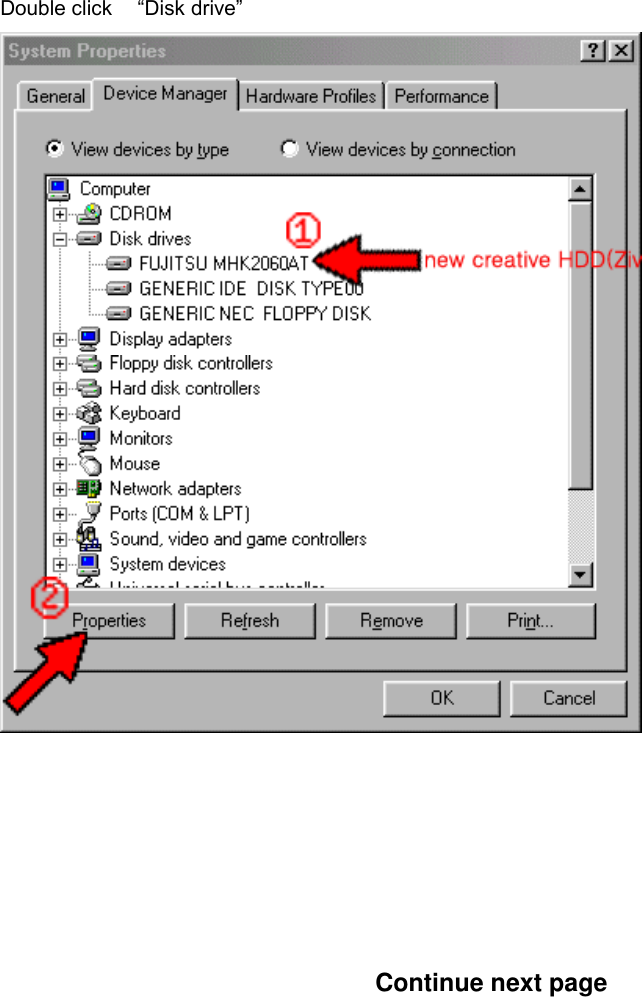
Double click  “Disk drive”                                      Continue next page
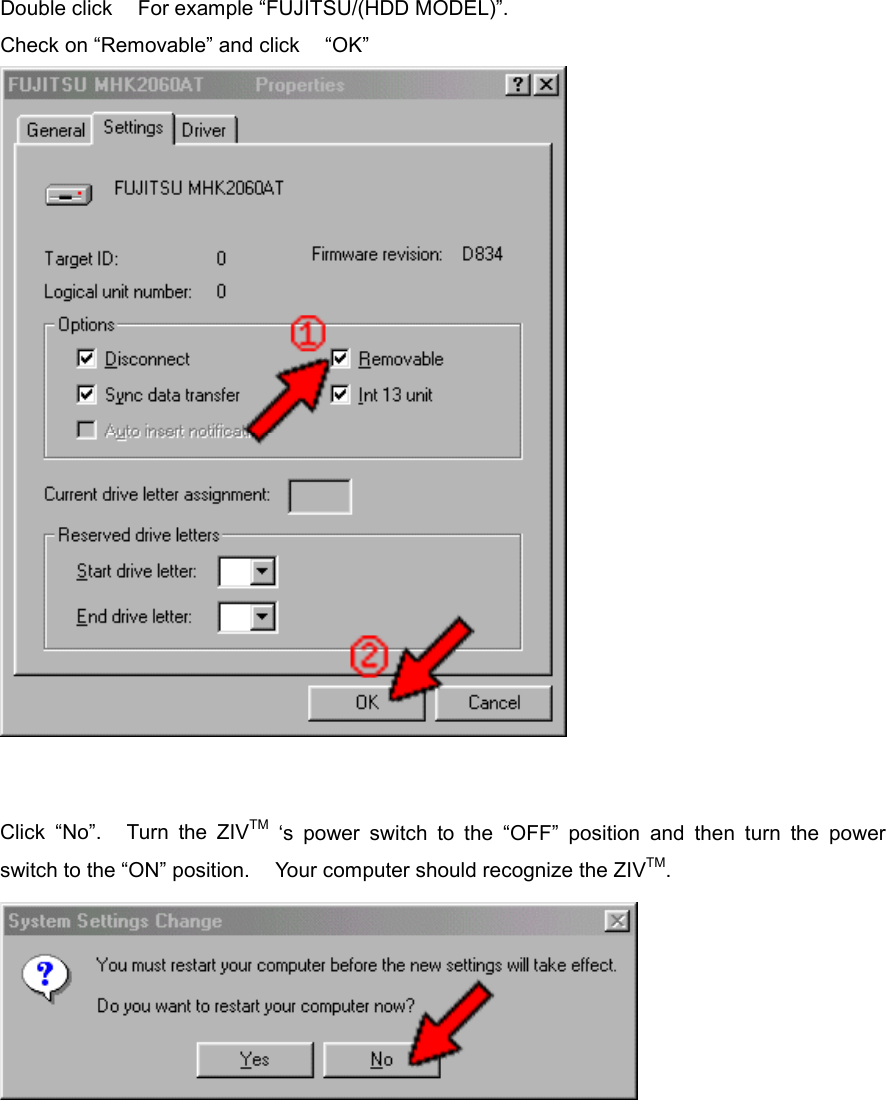
Double click    For example “FUJITSU/(HDD MODEL)”. Check on “Removable” and click    “OK”      Click “No”.   Turn the ZIVTM ‘s power switch to the “OFF” position and then turn the power switch to the “ON” position.    Your computer should recognize the ZIVTM.
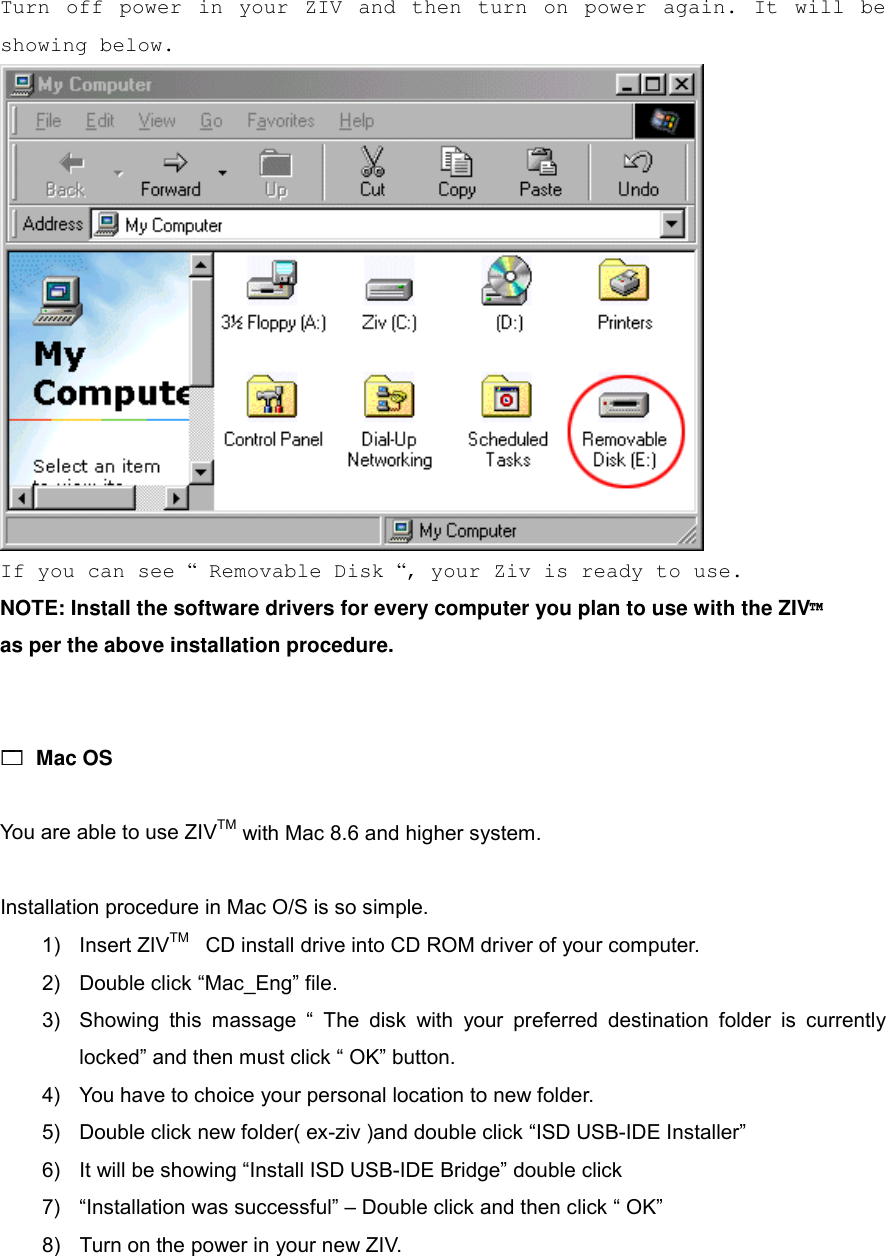
Turn off power in your ZIV and then turn on power again. It will be showing below.   If you can see “ Removable Disk “, your Ziv is ready to use. NOTE: Install the software drivers for every computer you plan to use with the ZIV™   as per the above installation procedure.   !!!! Mac OS  You are able to use ZIVTM with Mac 8.6 and higher system.  Installation procedure in Mac O/S is so simple. 1) Insert ZIVTM  CD install drive into CD ROM driver of your computer. 2)  Double click “Mac_Eng” file. 3)  Showing this massage “ The disk with your preferred destination folder is currently locked” and then must click “ OK” button. 4)  You have to choice your personal location to new folder. 5)  Double click new folder( ex-ziv )and double click “ISD USB-IDE Installer” 6)  It will be showing “Install ISD USB-IDE Bridge” double click 7)  “Installation was successful” – Double click and then click “ OK” 8)  Turn on the power in your new ZIV.
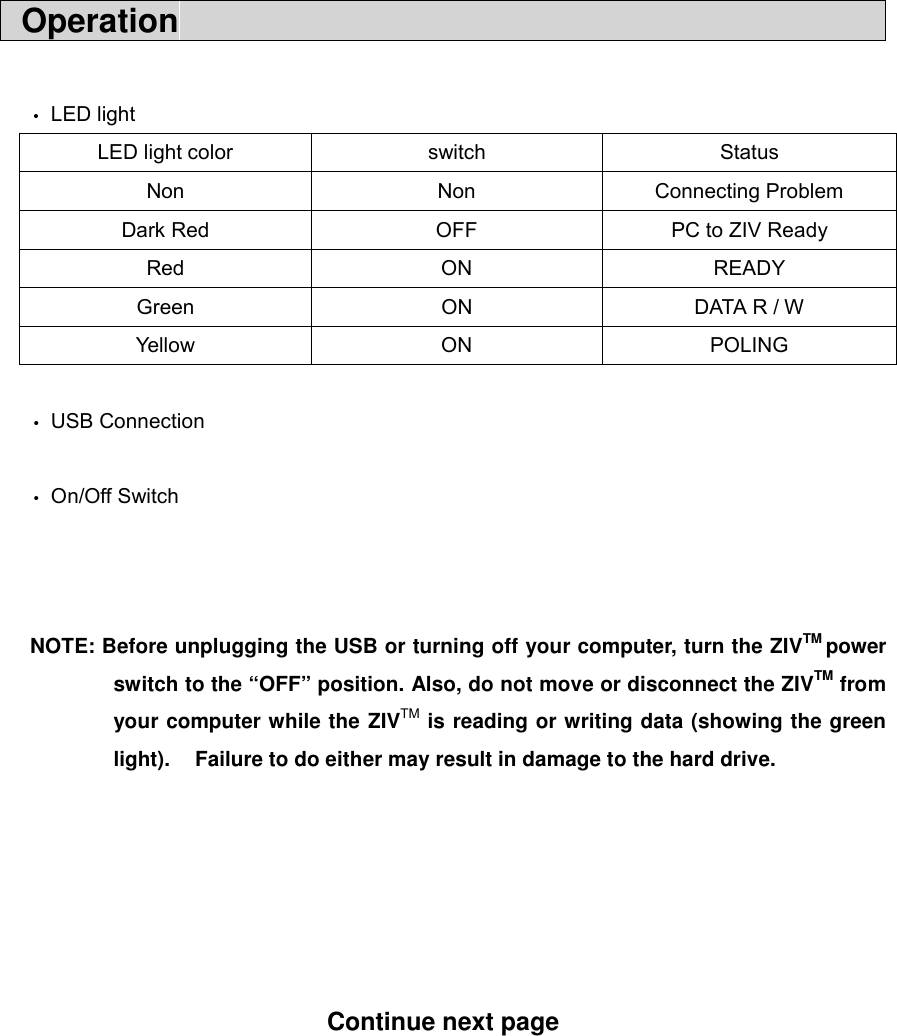
 Operation                                              • LED light LED light color  switch  Status Non Non Connecting Problem Dark Red  OFF  PC to ZIV Ready Red ON READY Green  ON  DATA R / W Yell o w ON PO LING    • USB Connection  • On/Off Switch    NOTE: Before unplugging the USB or turning off your computer, turn the ZIVTM power switch to the “OFF” position. Also, do not move or disconnect the ZIVTM from your computer while the ZIVTM is reading or writing data (showing the green light).    Failure to do either may result in damage to the hard drive.       Continue next page
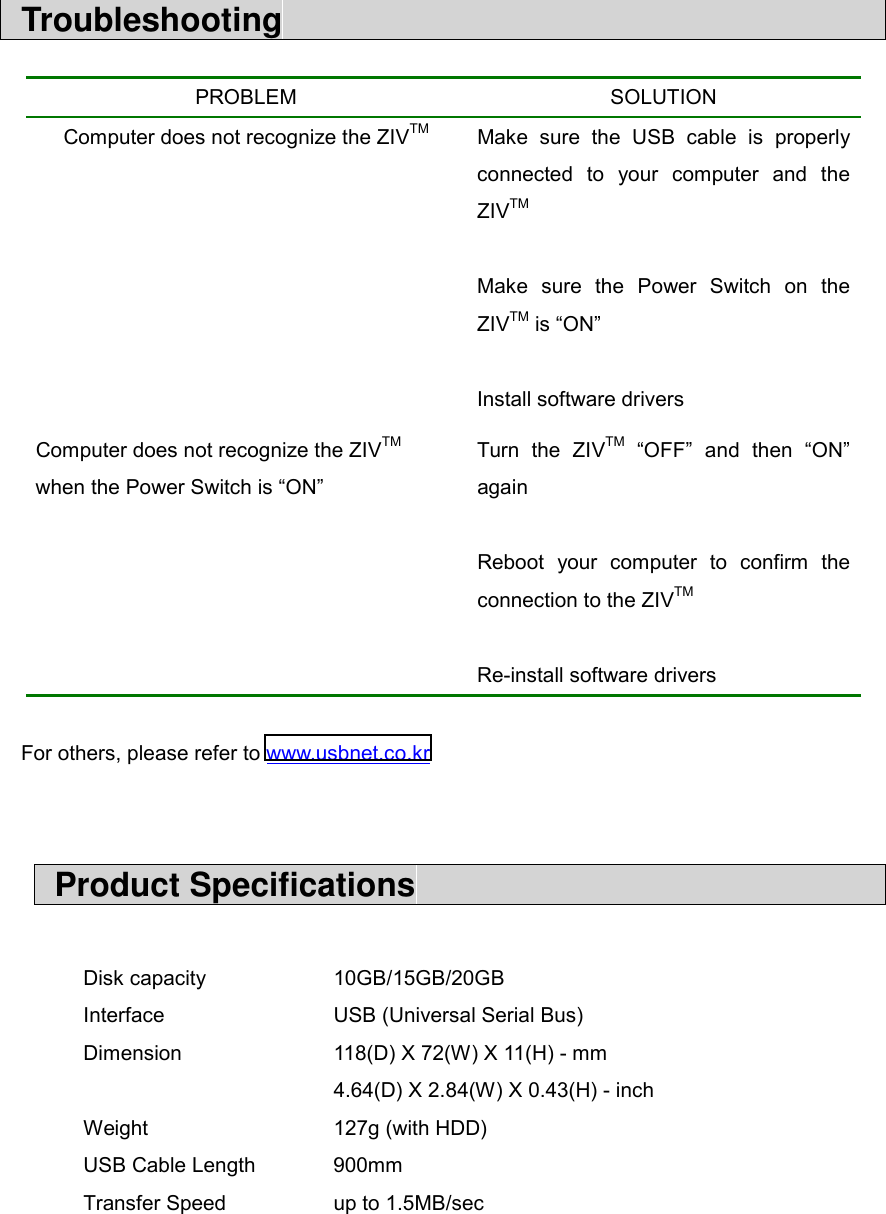
 Troubleshooting                                       For others, please refer to www.usbnet.co.kr    Product Specifications                               Disk capacity    10GB/15GB/20GB Interface   USB (Universal Serial Bus) Dimension    118(D) X 72(W) X 11(H) - mm       4.64(D) X 2.84(W) X 0.43(H) - inch Weight   127g (with HDD) USB Cable Length  900mm Transfer Speed      up to 1.5MB/sec   PROBLEM SOLUTION Computer does not recognize the ZIVTM  Make sure the USB cable is properly connected to your computer and the ZIVTM  Make sure the Power Switch on the ZIVTM is “ON”  Install software drivers Computer does not recognize the ZIVTM  when the Power Switch is “ON” Turn the ZIVTM “OFF” and then “ON” again  Reboot your computer to confirm the connection to the ZIVTM  Re-install software drivers
 Warranty                                             USBNET’s One-Year Limited Warranty  USBNET’s warranty obligations are limited to the terms set forth below:  USBNET Inc., as a manufacturer of a ZIVTM Drive, warrants this hardware product against defects in materials and workmanship for a period of ONE(1) YEAR from the date of original retail purchase.  If you discover a defect, USBNET will repair or replace, at no charge to you, provided you return it during warranty period, with transportation charges prepaid, to the USBNET authorized reseller from whom you purchased it. If your USBNET product was purchased from a USBNET authorized retailer, you should return the product for repair, within the warranty period, to the appointed USBNET authorized service provider within the country of original retail purchase.  To each product returned for warranty service, please attach your name, address, telephone number, and a copy of the bill of sale bearing the appropriate JIVTM Drive serial numbers as proof of date of original purchase.  This warranty applies only to hardware products manufactured by USBNET that can be identified by the “USBNET” trademark, trade name, or logo affixed to them. This warranty does not apply if the product has been damaged by accident, abuse, misuse, or misapplication; if the product has been modified without written permission from USBNET; or if any USBNET serial number has been removed or defaced.  The warranty and remedies set forth above are exclusive and in lieu of all others, whether oral or written, expressed or implied. USBNET specifically disclaims any and all implied warranties, including, without limitation, warranties of merchantability and fitness for a particular purpose. No USBNET reseller, agent, or employee is authorized to make any modification, extension, or addition to this warranty.  USBNET and its distributors and resellers are not responsible for special, incidental, or consequential damages resulting from any breach of warranty, or under any other legal theory, including but not limited to lost profits, downtime, goodwill, damage to or replacement of equipment and property, and any costs of recovering, programming, or reproducing any program or data stored in or used with
USBNET products.  Some jurisdiction do not allow the exclusion or limitation of incidental or consequential damages or exclusions of implied warranties, so the above limitations or exclusions may not apply to you. This warranty gives you specific legal rights, and you may also have other rights that vary from jurisdiction to jurisdiction.    Contact Us                                             ▪ Manufacturer  USBNET Inc. 201, Wonmin Bldg., 135-15, Bangi-Ding, Songpa-Ku, Seoul, Korea   Tel  : +82-2-414-8638 (Direct Call) Fax     : +82-2-418-1482 Website : www.usbnet.co.kr Email : usbmaster@usbnet.co.kr          zivmaster@usbnet.co.kr      Regulatory Information

Navigation menu