Usafe UBBNH1 BLUETOOTH STEREO HEADSET User Manual

Usafe Co.,Ltd BLUETOOTH STEREO HEADSET Users Manual

Users Manual

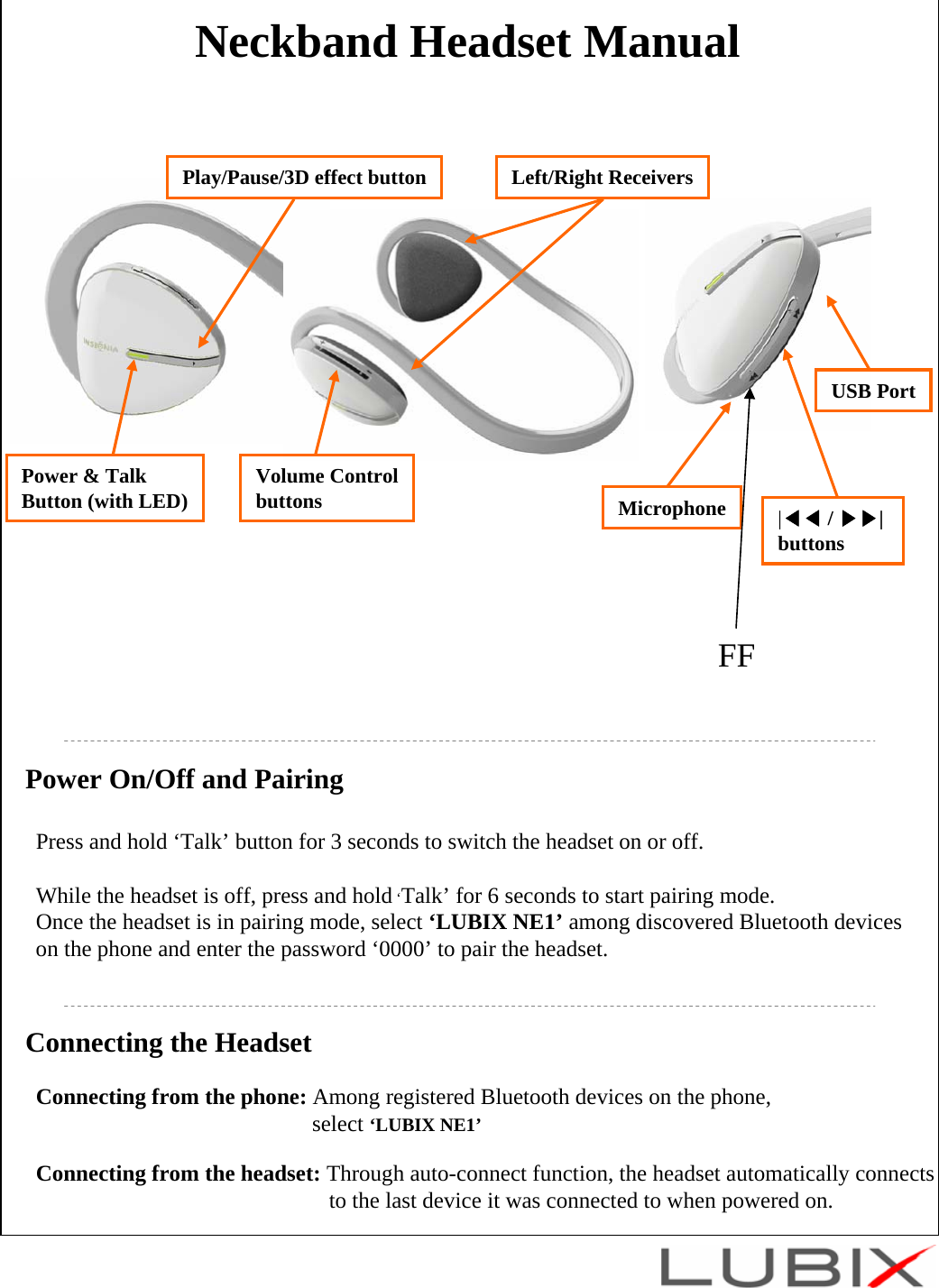
Neckband Headset ManualPower On/Off and PairingPress and hold ‘Talk’ button for 3 seconds to switch the headset on or off.While the headset is off, press and hold ‘Talk’ for 6 seconds to start pairing mode.Once the headset is in pairing mode, select ‘LUBIX NE1’ among discovered Bluetooth deviceson the phone and enter the password ‘0000’ to pair the headset. Connecting the HeadsetConnecting from the phone: Among registered Bluetooth devices on the phone, select ‘LUBIX NE1’Connecting from the headset: Through auto-connect function, the headset automatically connects to the last device it was connected to when powered on. MicrophonePower & TalkButton (with LED) |◀◀ / ▶▶| buttonsPlay/Pause/3D effect button Left/Right ReceiversVolume ControlbuttonsUSB PortFF
Multi PairingMulti Pairing Method1. All Bluetooth devices to be used in multi pairing must be first paired individually using   appropriate profiles. (HSP or HFP for phone conversation, and A2DP for high quality audio)※Each profile cannot be used to connect more than one device simultaneously. See ‘Notice’ below for more details.※The auto connect function of the headset will connect each profile to the last connected device.2. Once the host devices are paired, connections can be made by:a. Turning the headset off and on (Auto connect function will take effect).b. Or connecting from host devices.Notice1. In multi pairing, one profile cannot be used to connect more than one device.  For example, it is NOT possible to use the phone’s MP3 player and the computer’s MP3 player at the same time, because both devices try to connect through the A2DP profile. On the other hand, it is possible to connect the phone using HSP, while the computer is connected using A2DP. This way, you can listen to the music from the computer and answer phone calls at the same time.2. In multi pairing mode, the use of some functions maybe restricted depending on host devices and the environment in which it is used.3. Ubixon does not guarantee the compatibility of all combination of devices and functions for multi pairing.
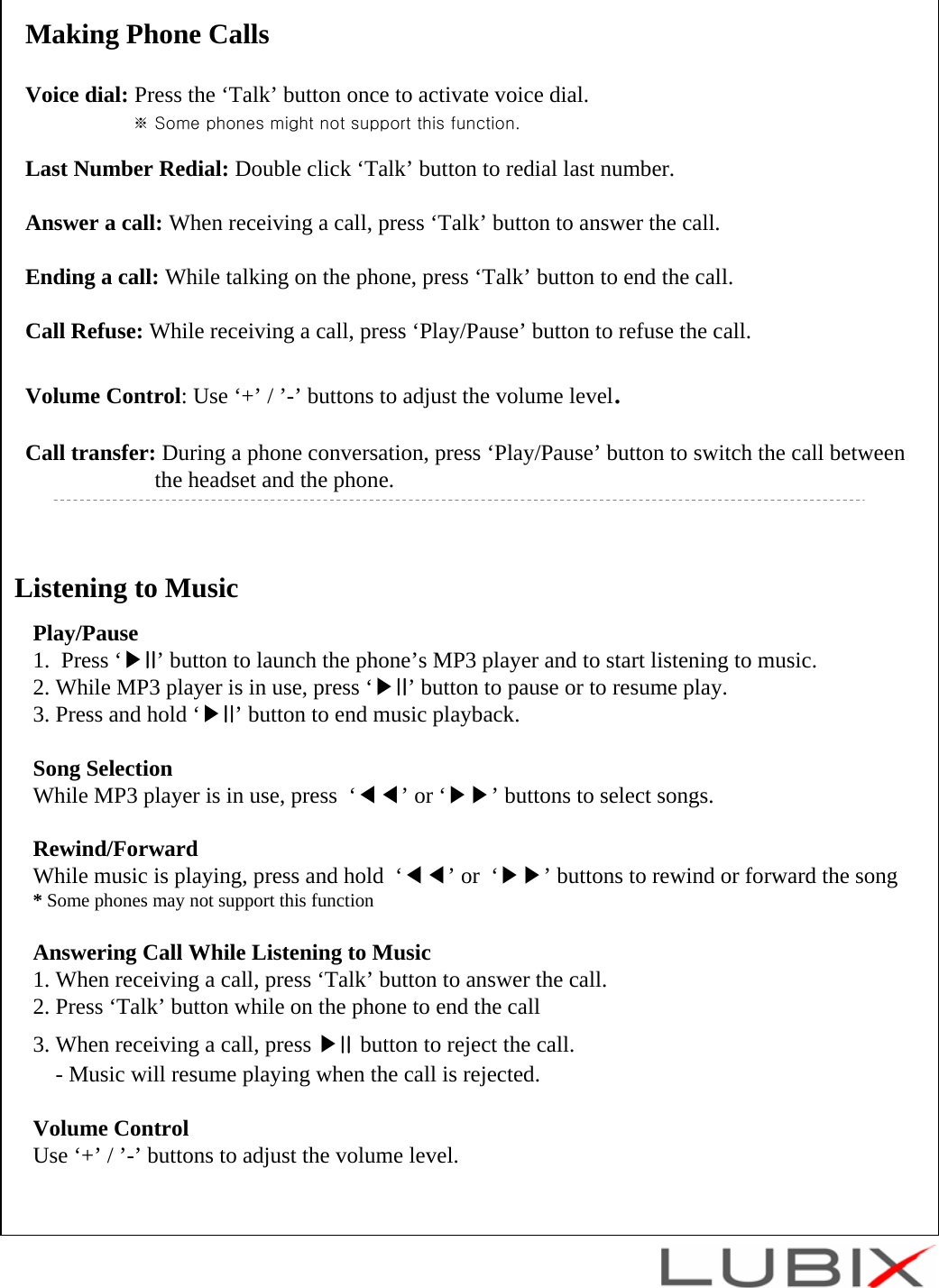
Listening to MusicPlay/Pause1.  Press ‘▶II’ button to launch the phone’s MP3 player and to start listening to music.2. While MP3 player is in use, press ‘▶II’ button to pause or to resume play.3. Press and hold ‘▶II’ button to end music playback.Song SelectionWhile MP3 player is in use, press  ‘◀◀’or ‘▶▶’ buttons to select songs.Rewind/ForwardWhile music is playing, press and hold  ‘◀◀’or  ‘▶▶’ buttons to rewind or forward the song* Some phones may not support this functionAnswering Call While Listening to Music1. When receiving a call, press ‘Talk’ button to answer the call.2. Press ‘Talk’ button while on the phone to end the call 3. When receiving a call, press ▶II button to reject the call.- Music will resume playing when the call is rejected. Volume ControlUse ‘+’ / ’-’ buttons to adjust the volume level.Making Phone CallsVoice dial: Press the ‘Talk’ button once to activate voice dial.※ Some phones might not support this function.Last Number Redial: Double click ‘Talk’ button to redial last number.Answer a call: When receiving a call, press ‘Talk’ button to answer the call.Ending a call: While talking on the phone, press ‘Talk’ button to end the call.Call Refuse: While receiving a call, press ‘Play/Pause’ button to refuse the call.Volume Control: Use ‘+’ / ’-’ buttons to adjust the volume level.Call transfer: During a phone conversation, press ‘Play/Pause’ button to switch the call betweenthe headset and the phone.
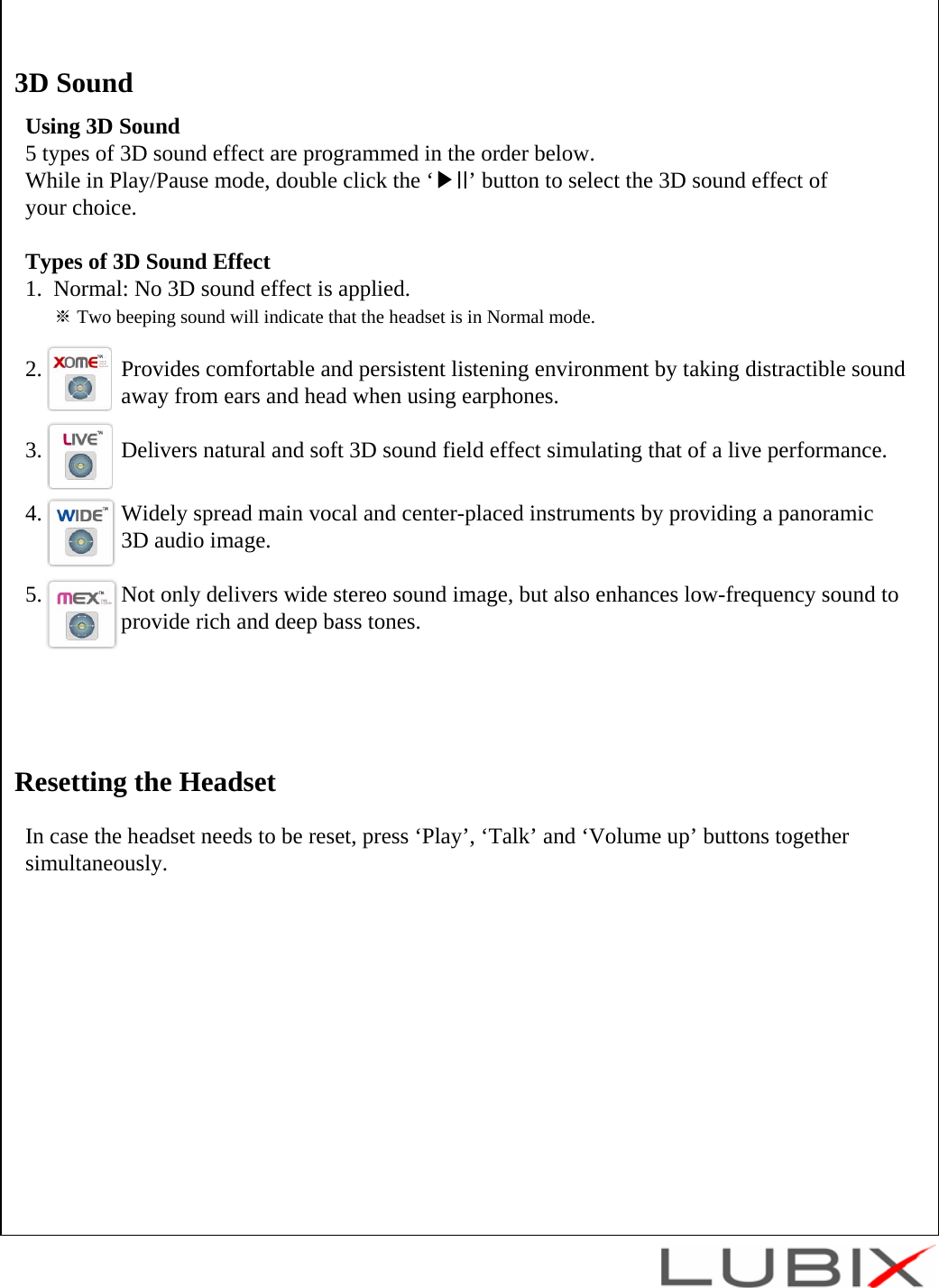
Using 3D Sound5 types of 3D sound effect are programmed in the order below. While in Play/Pause mode, double click the ‘▶II’ button to select the 3D sound effect of your choice.Types of 3D Sound Effect1.  Normal: No 3D sound effect is applied.※Two beeping sound will indicate that the headset is in Normal mode.2.              Provides comfortable and persistent listening environment by taking distractible sound away from ears and head when using earphones.3.              Delivers natural and soft 3D sound field effect simulating that of a live performance.4.              Widely spread main vocal and center-placed instruments by providing a panoramic 3D audio image.5.              Not only delivers wide stereo sound image, but also enhances low-frequency sound to  provide rich and deep bass tones.3D SoundIn case the headset needs to be reset, press ‘Play’, ‘Talk’ and ‘Volume up’ buttons together simultaneously.Resetting the Headset
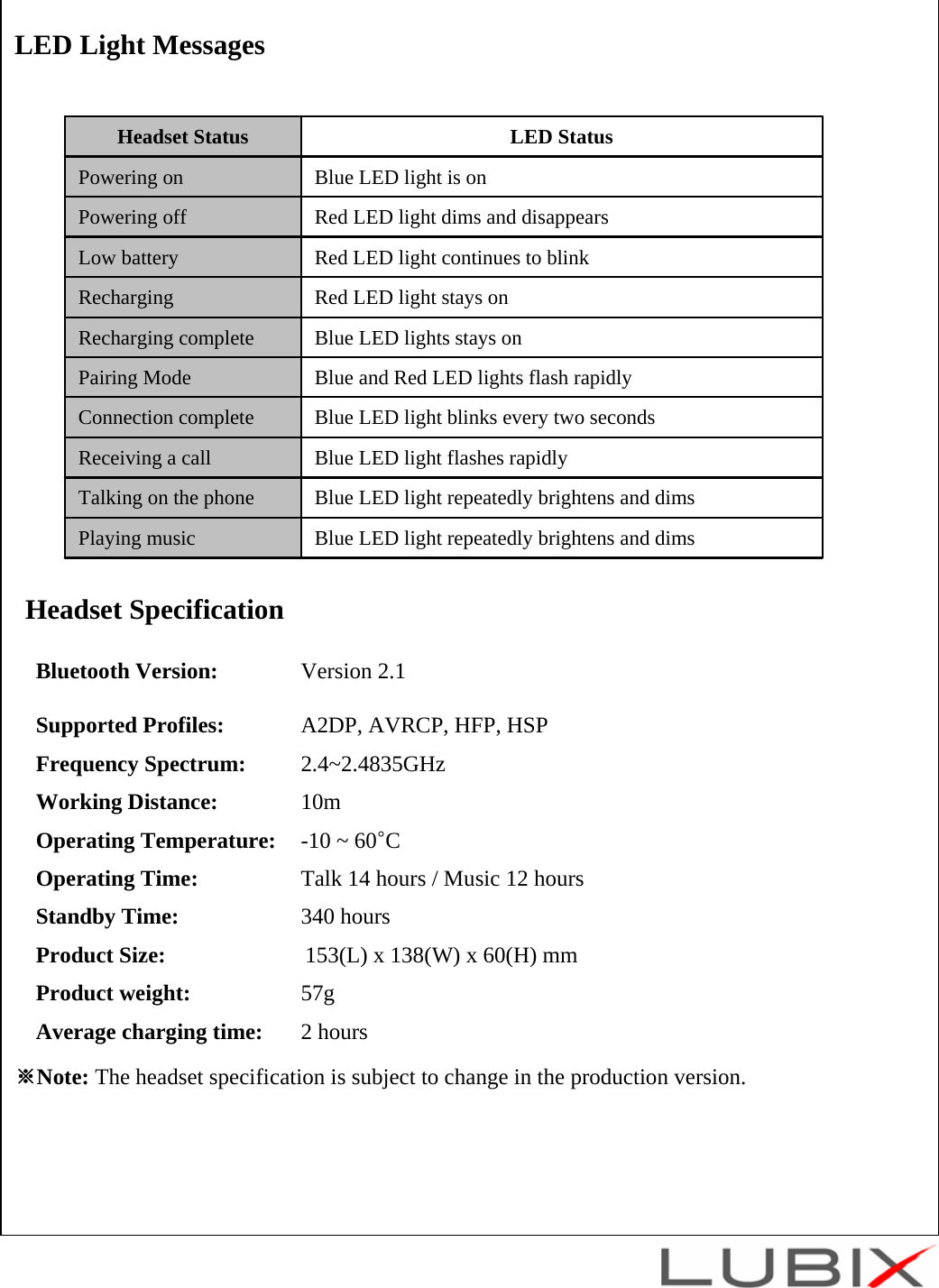
LED Light MessagesHeadset SpecificationBluetooth Version:  Version 2.1Supported Profiles:  A2DP, AVRCP, HFP, HSPFrequency Spectrum: 2.4~2.4835GHzWorking Distance: 10mOperating Temperature: -10 ~ 60°COperating Time: Talk 14 hours / Music 12 hoursStandby Time: 340 hoursProduct Size: 153(L) x 138(W) x 60(H) mmProduct weight: 57gAverage charging time: 2 hours※Note: The headset specification is subject to change in the production version.Blue LED light repeatedly brightens and dimsPlaying musicBlue LED light repeatedly brightens and dimsTalking on the phoneBlue LED light flashes rapidlyReceiving a callBlue LED light blinks every two secondsConnection completeBlue and Red LED lights flash rapidlyPairing ModeBlue LED lights stays onRecharging completeRed LED light stays onRechargingRed LED light continues to blinkLow batteryRed LED light dims and disappearsPowering offBlue LED light is onPowering onLED StatusHeadset Status
- Additional Page - GCautionModifications not expressly approved by the party responsible for compliance could void the user’s authority to operate the equipment. FCC Compliance Information This device complies with Part 15 of FCC Rules. Operation is subject to the following two conditions: (1) This device may not cause harmful interference, and (2) This device must accept any interference received.   Including interference that may cause undesired operation. Information to User This equipment has been tested and found to comply with the limits for a Class B digital device, pursuant to part 15 of the FCC Rules. These limits are designed to provide reasonable protection against harmful interference in a residential installation. This equipment generates, uses and can radiate radio frequency energy and, if not installed and used in accordance with the instructions, may cause harmful interference to radio communications. However, there is no guarantee that interference will not occur in a particular installation. If this equipment does cause harmful interference to radio or television reception, which can be determined by turning the equipment off and on, the user is encouraged to try to correct the interference by one or more of the following measures:   - Reorient or relocate the receiving antenna.- Increase the separation between the equipment and receiver. - Connect the equipment into an outlet on a circuit different from that to which the receiver is connected. - Consult the dealer or an experienced radio/ tv technician for help. G

Navigation menu