Vision Automobile Electronics Co ZS6101US-5 Wireless Smoke Detector User Manual Federal Communications Commision Statement

Vision Automobile Electronics Industrial Co Ltd Wireless Smoke Detector Federal Communications Commision Statement

User manual

                                Installation & Operation Manual   ZS 6101 IN-5        ZS 6101 EU-5 ZS 6101 RU-5      ZS 6101 US-5 ZS 6101 JP-5      ZS 6101 BR-5 ZS 6101 KR-5      ZS 6101 IL-5 ZS 6101 MY-5      ZS 6101 HK-5 Wireless Smoke Detector   (w/o FLiRs version)   ZS 6102 IN-5        ZS 6102 EU-5 ZS 6102 RU-5      ZS 6102 US-5 ZS 6102 JP-5      ZS 6102 BR-5 ZS 6102 KR-5      ZS 6102 IL-5 ZS 6102 MY-5      ZS6102 HK-5 Wireless Smoke Detector   (support FLiRs version)  ZS 6101-5/ZS6102-5 V0 1030704 6B1Z-61003
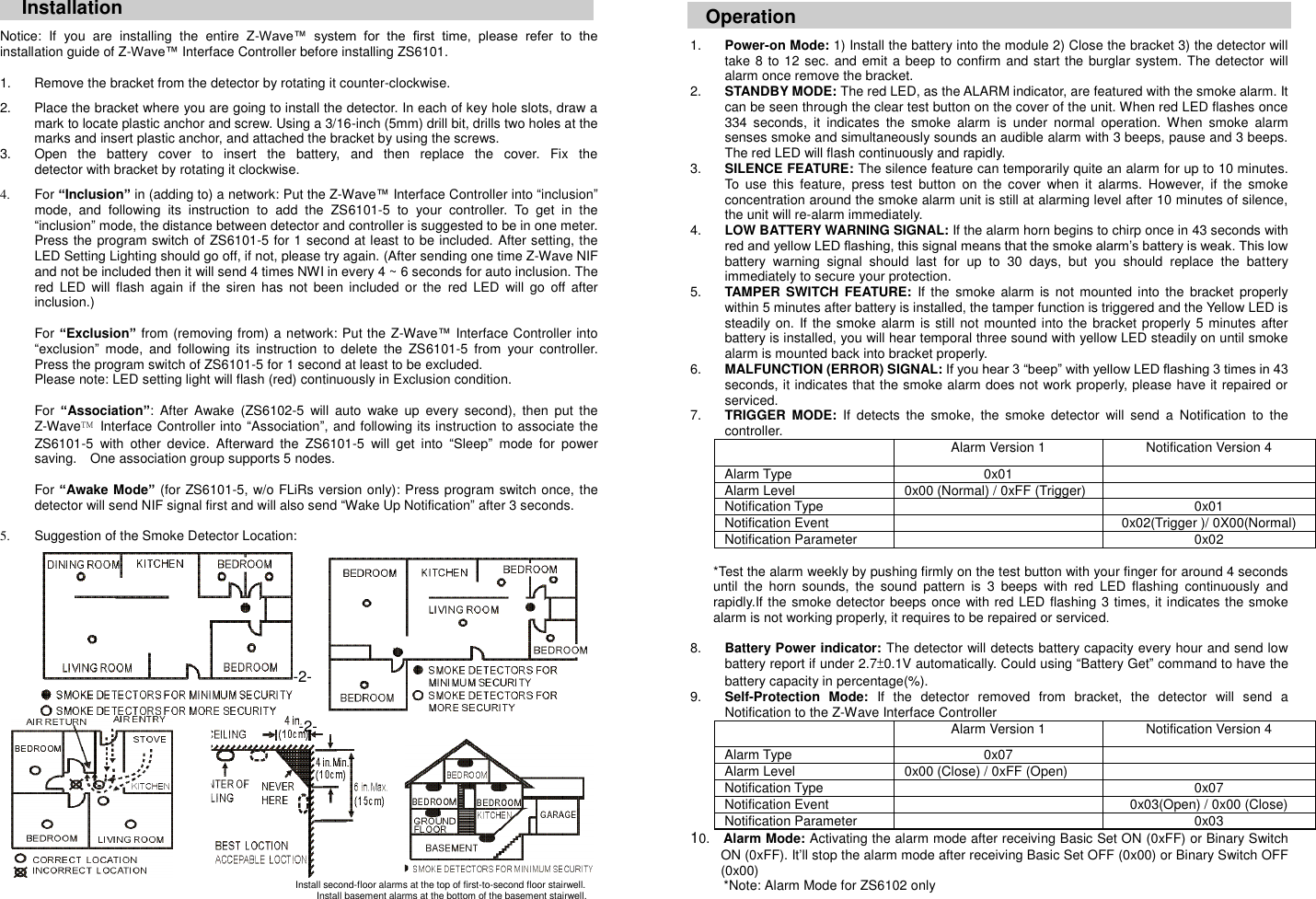
 Installation Notice:  If  you  are  installing  the  entire  Z-Wave™  system  for  the  first  time,  please  refer  to  the installation guide of Z-Wave™ Interface Controller before installing ZS6101.  1.  Remove the bracket from the detector by rotating it counter-clockwise.  2.  Place the bracket where you are going to install the detector. In each of key hole slots, draw a mark to locate plastic anchor and screw. Using a 3/16-inch (5mm) drill bit, drills two holes at the marks and insert plastic anchor, and attached the bracket by using the screws. 3.  Open  the  battery  cover  to  insert  the  battery,  and  then  replace  the  cover.  Fix  the                                                             detector with bracket by rotating it clockwise.  4.  For “Inclusion” in (adding to) a network: Put the Z-Wave™ Interface Controller into “inclusion” mode,  and  following  its  instruction  to  add  the  ZS6101-5  to  your  controller.  To  get  in  the “inclusion” mode, the distance between detector and controller is suggested to be in one meter. Press the program switch of ZS6101-5 for 1 second at least to be included. After setting, the LED Setting Lighting should go off, if not, please try again. (After sending one time Z-Wave NIF and not be included then it will send 4 times NWI in every 4 ~ 6 seconds for auto inclusion. The red  LED  will flash  again  if the  siren  has  not  been  included  or the  red  LED  will  go  off  after inclusion.)  For “Exclusion” from (removing from) a network: Put the Z-Wave™ Interface Controller into “exclusion”  mode,  and  following  its  instruction  to  delete  the  ZS6101-5  from  your  controller. Press the program switch of ZS6101-5 for 1 second at least to be excluded. Please note: LED setting light will flash (red) continuously in Exclusion condition.    For “Association”:  After  Awake  (ZS6102-5  will  auto  wake  up  every  second),  then  put  the Z-Wave™  Interface Controller into “Association”, and following its instruction to associate the ZS6101-5  with  other  device.  Afterward  the  ZS6101-5  will  get  into  “Sleep”  mode  for  power saving.    One association group supports 5 nodes.    For “Awake Mode” (for ZS6101-5, w/o FLiRs version only): Press program switch once, the detector will send NIF signal first and will also send “Wake Up Notification” after 3 seconds.    5.  Suggestion of the Smoke Detector Location:         Operation  1. Power-on Mode: 1) Install the battery into the module 2) Close the bracket 3) the detector will take 8 to 12 sec.  and emit a beep to confirm and start the burglar system. The detector will alarm once remove the bracket. 2. STANDBY MODE: The red LED, as the ALARM indicator, are featured with the smoke alarm. It can be seen through the clear test button on the cover of the unit. When red LED flashes once 334  seconds,  it  indicates  the  smoke  alarm  is  under  normal  operation.  When  smoke  alarm senses smoke and simultaneously sounds an audible alarm with 3 beeps, pause and 3 beeps. The red LED will flash continuously and rapidly. 3. SILENCE FEATURE: The silence feature can temporarily quite an alarm for up to 10 minutes. To  use  this  feature,  press  test  button  on  the  cover  when  it  alarms.  However, if  the  smoke concentration around the smoke alarm unit is still at alarming level after 10 minutes of silence, the unit will re-alarm immediately. 4. LOW BATTERY WARNING SIGNAL: If the alarm horn begins to chirp once in 43 seconds with red and yellow LED flashing, this signal means that the smoke alarm’s battery is weak. This low battery  warning  signal  should  last  for  up  to  30  days,  but  you  should  replace  the  battery immediately to secure your protection.   5. TAMPER  SWITCH  FEATURE: If the  smoke  alarm  is not  mounted  into  the bracket  properly within 5 minutes after battery is installed, the tamper function is triggered and the Yellow LED is steadily on.  If the smoke  alarm is still not mounted into the  bracket properly 5 minutes after battery is installed, you will hear temporal three sound with yellow LED steadily on until smoke alarm is mounted back into bracket properly. 6. MALFUNCTION (ERROR) SIGNAL: If you hear 3 “beep” with yellow LED flashing 3 times in 43 seconds, it indicates that the smoke alarm does not work properly, please have it repaired or serviced. 7. TRIGGER  MODE: If  detects  the  smoke,  the  smoke  detector  will  send  a  Notification  to  the controller.  Alarm Version 1 Notification Version 4 Alarm Type 0x01  Alarm Level 0x00 (Normal) / 0xFF (Trigger)  Notification Type  0x01 Notification Event  0x02(Trigger )/ 0X00(Normal) Notification Parameter  0x02  *Test the alarm weekly by pushing firmly on the test button with your finger for around 4 seconds until  the  horn  sounds,  the  sound  pattern  is  3  beeps  with  red  LED  flashing  continuously  and rapidly.If the smoke detector beeps once with red LED flashing 3 times, it indicates the smoke alarm is not working properly, it requires to be repaired or serviced.    8. Battery Power indicator: The detector will detects battery capacity every hour and send low battery report if under 2.7±0.1V automatically. Could using “Battery Get” command to have the battery capacity in percentage(%).   9. Self-Protection  Mode: If  the  detector  removed  from  bracket,  the  detector  will  send  a Notification to the Z-Wave Interface Controller  Alarm Version 1 Notification Version 4 Alarm Type 0x07  Alarm Level 0x00 (Close) / 0xFF (Open)  Notification Type  0x07 Notification Event  0x03(Open) / 0x00 (Close) Notification Parameter  0x03 10.    Alarm Mode: Activating the alarm mode after receiving Basic Set ON (0xFF) or Binary Switch ON (0xFF). It’ll stop the alarm mode after receiving Basic Set OFF (0x00) or Binary Switch OFF (0x00)       *Note: Alarm Mode for ZS6102 only Install second-floor alarms at the top of first-to-second floor stairwell. Install basement alarms at the bottom of the basement stairwell.  -2-  -2-
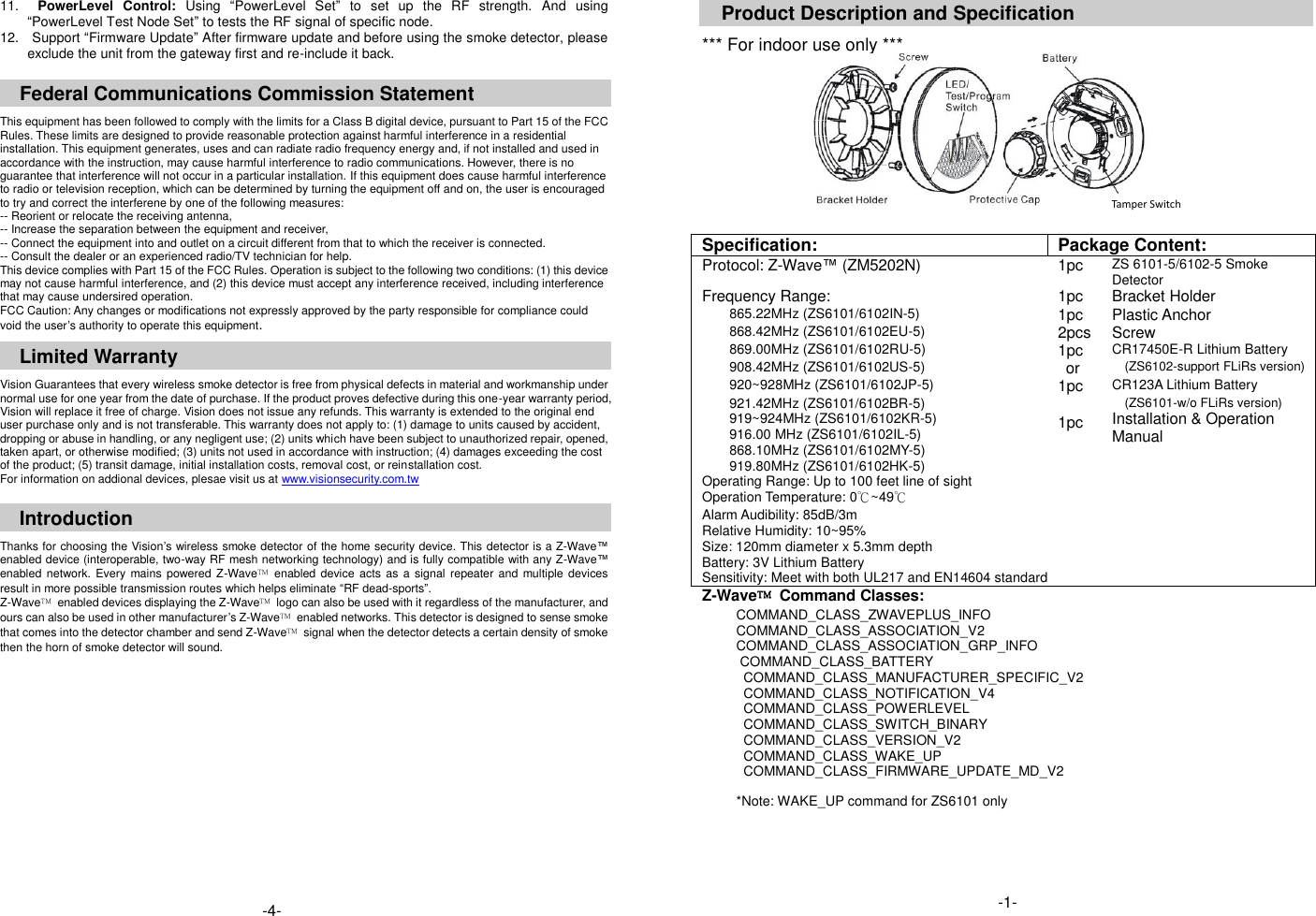
11.    PowerLevel  Control:  Using  “PowerLevel  Set”  to  set  up  the  RF  strength.  And  using “PowerLevel Test Node Set” to tests the RF signal of specific node.   12.    Support “Firmware Update” After firmware update and before using the smoke detector, please exclude the unit from the gateway first and re-include it back.    Federal Communications Commission Statement  This equipment has been followed to comply with the limits for a Class B digital device, pursuant to Part 15 of the FCC Rules. These limits are designed to provide reasonable protection against harmful interference in a residential installation. This equipment generates, uses and can radiate radio frequency energy and, if not installed and used in accordance with the instruction, may cause harmful interference to radio communications. However, there is no guarantee that interference will not occur in a particular installation. If this equipment does cause harmful interference to radio or television reception, which can be determined by turning the equipment off and on, the user is encouraged to try and correct the interferene by one of the following measures: -- Reorient or relocate the receiving antenna, -- Increase the separation between the equipment and receiver, -- Connect the equipment into and outlet on a circuit different from that to which the receiver is connected. -- Consult the dealer or an experienced radio/TV technician for help. This device complies with Part 15 of the FCC Rules. Operation is subject to the following two conditions: (1) this device may not cause harmful interference, and (2) this device must accept any interference received, including interference that may cause undersired operation. FCC Caution: Any changes or modifications not expressly approved by the party responsible for compliance could void the user’s authority to operate this equipment.  Limited Warranty  Vision Guarantees that every wireless smoke detector is free from physical defects in material and workmanship under normal use for one year from the date of purchase. If the product proves defective during this one-year warranty period, Vision will replace it free of charge. Vision does not issue any refunds. This warranty is extended to the original end user purchase only and is not transferable. This warranty does not apply to: (1) damage to units caused by accident, dropping or abuse in handling, or any negligent use; (2) units which have been subject to unauthorized repair, opened, taken apart, or otherwise modified; (3) units not used in accordance with instruction; (4) damages exceeding the cost of the product; (5) transit damage, initial installation costs, removal cost, or reinstallation cost. For information on addional devices, plesae visit us at www.visionsecurity.com.tw  Introduction  Thanks for choosing the Vision’s wireless smoke detector of the home security device. This detector is a Z-Wave™ enabled device (interoperable, two-way RF mesh networking technology) and is fully compatible with any Z-Wave™ enabled  network.  Every  mains powered Z-Wave™  enabled device  acts  as a signal repeater and multiple devices result in more possible transmission routes which helps eliminate “RF dead-sports”. Z-Wave™  enabled devices displaying the Z-Wave™  logo can also be used with it regardless of the manufacturer, and ours can also be used in other manufacturer’s Z-Wave™  enabled networks. This detector is designed to sense smoke that comes into the detector chamber and send Z-Wave™  signal when the detector detects a certain density of smoke then the horn of smoke detector will sound.                  Product Description and Specification  *** For indoor use only ***           Specification: Package Content: Protocol: Z-Wave™ (ZM5202N) 1pc ZS 6101-5/6102-5 Smoke Detector Frequency Range: 1pc Bracket Holder 865.22MHz (ZS6101/6102IN-5) 1pc Plastic Anchor 868.42MHz (ZS6101/6102EU-5) 2pcs Screw 869.00MHz (ZS6101/6102RU-5) 1pc CR17450E-R Lithium Battery 908.42MHz (ZS6101/6102US-5)  or (ZS6102-support FLiRs version) 920~928MHz (ZS6101/6102JP-5) 1pc CR123A Lithium Battery 921.42MHz (ZS6101/6102BR-5) 919~924MHz (ZS6101/6102KR-5) 916.00 MHz (ZS6101/6102IL-5) 868.10MHz (ZS6101/6102MY-5) 919.80MHz (ZS6101/6102HK-5)                       1pc (ZS6101-w/o FLiRs version) Installation & Operation Manual Operating Range: Up to 100 feet line of sight   Operation Temperature: 0℃~49℃   Alarm Audibility: 85dB/3m   Relative Humidity: 10~95%   Size: 120mm diameter x 5.3mm depth   Battery: 3V Lithium Battery Sensitivity: Meet with both UL217 and EN14604 standard Z-Wave™  Command Classes: COMMAND_CLASS_ZWAVEPLUS_INFO COMMAND_CLASS_ASSOCIATION_V2 COMMAND_CLASS_ASSOCIATION_GRP_INFO COMMAND_CLASS_BATTERY COMMAND_CLASS_MANUFACTURER_SPECIFIC_V2 COMMAND_CLASS_NOTIFICATION_V4 COMMAND_CLASS_POWERLEVEL COMMAND_CLASS_SWITCH_BINARY COMMAND_CLASS_VERSION_V2 COMMAND_CLASS_WAKE_UP                           COMMAND_CLASS_FIRMWARE_UPDATE_MD_V2  *Note: WAKE_UP command for ZS6101 only     -4-   Tamper Switch -1-

Navigation menu