Wease Electrical and Information Engineering BS01 Resit User Manual

Wease Electrical & Information Engineering Ltd. Resit Users Manual

Users Manual

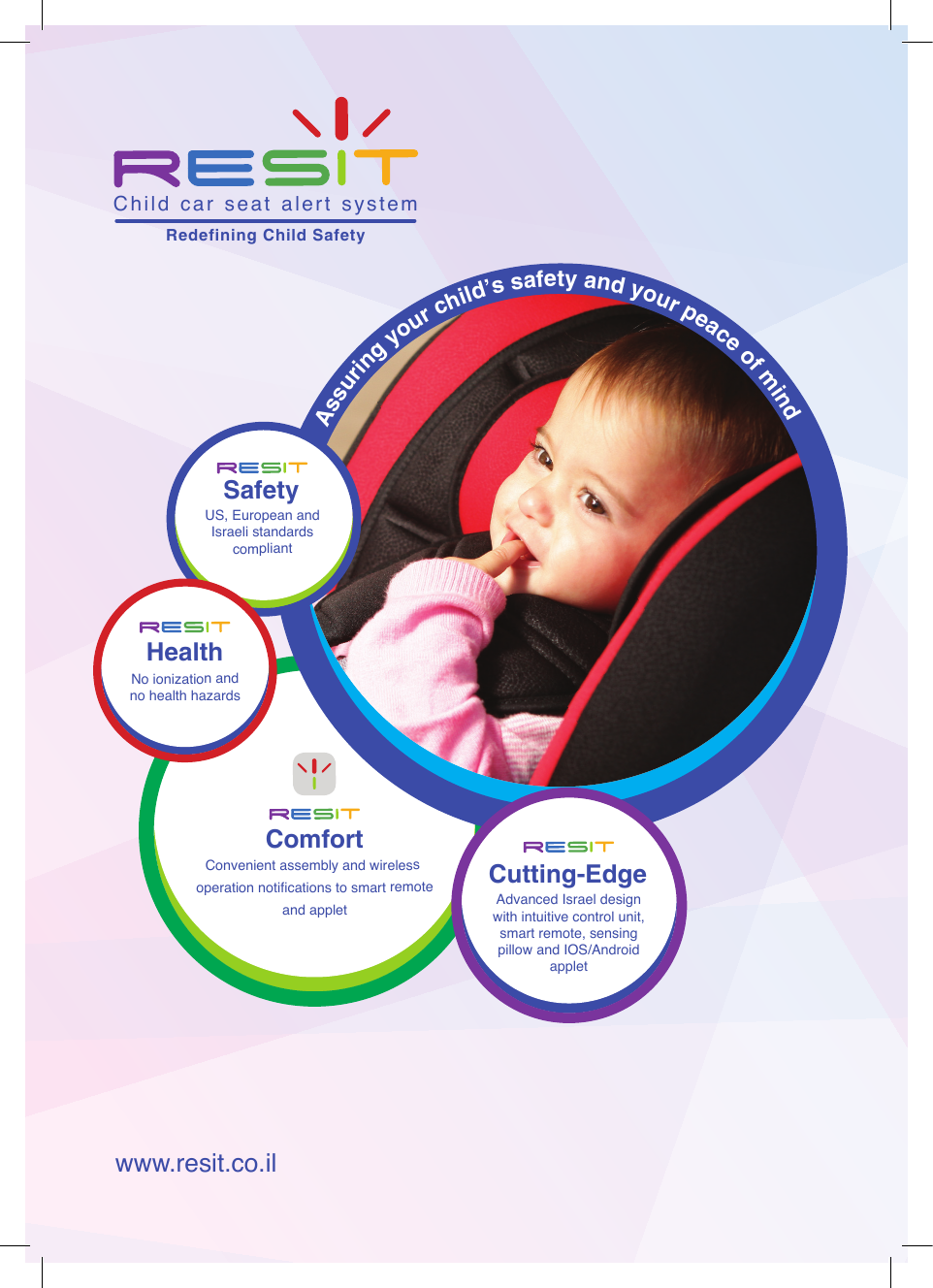
Comfort Convenient assembly and wireless  operation notications to smart remoteand applet US, European and Israeli standardscompliantSafetyChild  car  seat  alert  system       Redefining Child SafetyCutting-EdgeAssuring your child’s safety and your peace of mindHealthNo ionization andno health hazardswww.resit.co.il Advanced Israel design with intuitive control unit, smart remote, sensing pillow and IOS/Androidapplet
Assuring your child’s safety and your peace of mindSystem Handling and Safety Instructions11. IntroductionDear  parent  we  recommend  reading  the  following  information  regarding RESIT system advanced features, including a variety of tips to help make system assembly and utilization easy, comfortable and efcient.2. Before getting started, a few clarifications and important notes:1.No modication to the system is allowed without the manufacturer’s explicit approval.2.Warning! Parents, you are personally responsible for the safety of the children in your car. Installing the system does not absolve you of responsibility.3.The system is made of plastic, PVC, and fabric and has undergone heat and moisture resistance testing.4. The system is  intended for  use only after reading the manual guide  and/or after receiving proper guidance for operation and installation.5.Do not use the system after contact with water or if water has penetrated it.6.Do not use the system if it is damaged in any way.7.The company is not responsible for opening the system and/or making any adjustments to the hardware or software.8.It should  be claried that  the system  warranty is not  applicable in cases of breakage, hardware or software manipulation, rupture of the sensing pillow or power cord, or when the system has been used for any purpose other than those dened by the manufacturer’s instructions.9.The sensing pillow is intended for seating children only. Do not place objects on it. 10. When using the applet on your mobile phone, make sure that there is a web  browsing package for regular operation and  enabling  GPS  location  in  your mobile settings.11. Do not use the system in the case of damage to any of its parts.12. Do not  charge the control  unit and/or the smart  remote in the  car.  When necessary, charging  the unit  and remote should be done  at the  customer’s home and only with a V5.0 mA 2100 charger. You can use the mobile phone charger (and an appropriate charging cable).
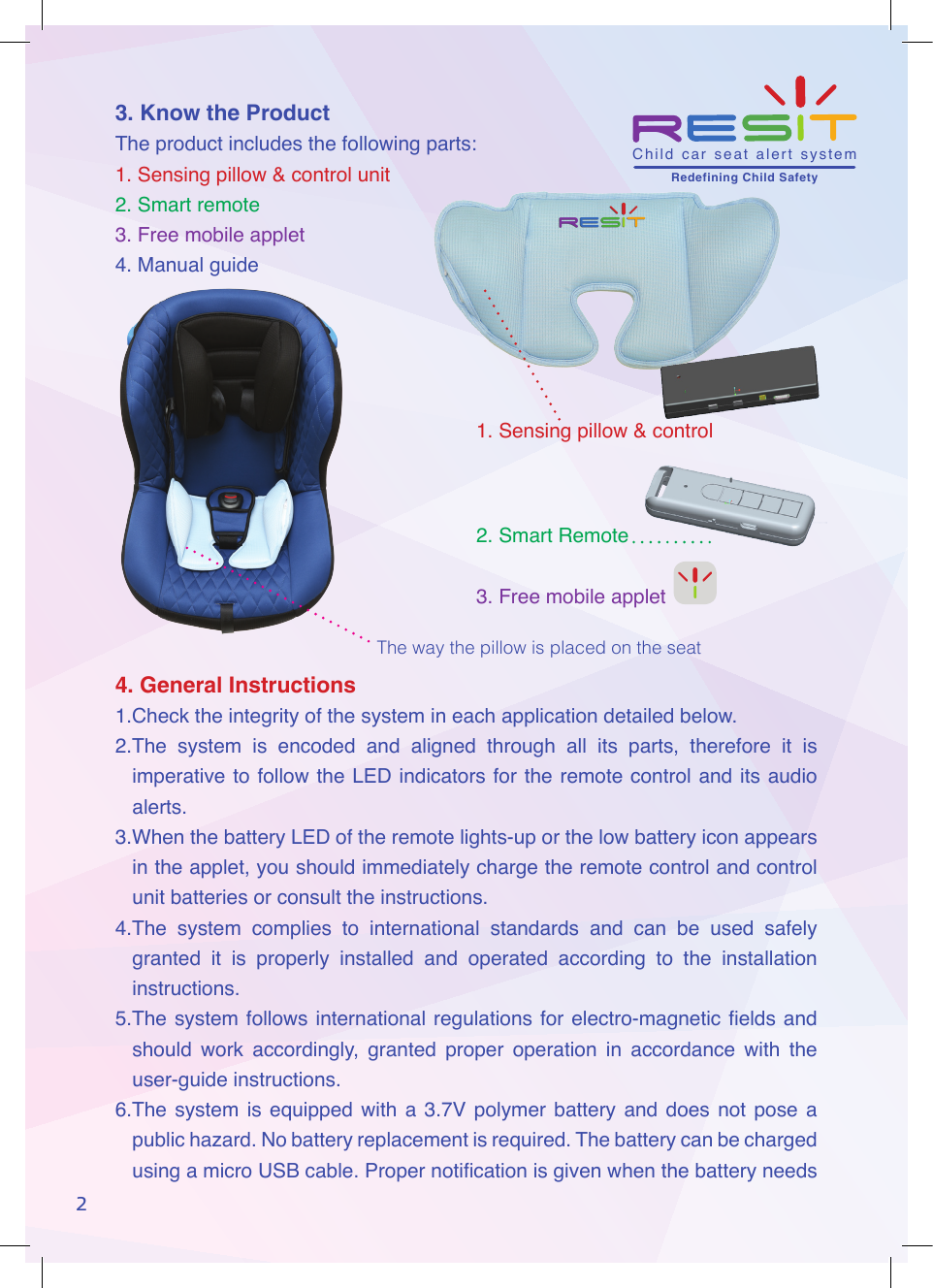
 3. Know the ProductThe product includes the following parts:1. Sensing pillow & control unit  2. Smart remote3. Free mobile applet4. Manual guide4. General Instructions1.Check the integrity of the system in each application detailed below.2.The  system  is  encoded  and  aligned  through  all  its  parts,  therefore  it  is imperative to follow the LED indicators for the remote control and its audio alerts.3.When the battery LED of the remote lights-up or the low battery icon appears in the applet, you should immediately charge the remote control and control unit batteries or consult the instructions.4.The  system  complies  to  international  standards  and  can  be  used  safely granted  it  is  properly  installed  and  operated  according  to  the  installation instructions.5.The system follows international regulations for electro-magnetic elds and should  work  accordingly,  granted  proper  operation  in  accordance  with  the user-guide instructions.6.The  system  is  equipped  with  a  3.7V polymer battery  and  does  not  pose  a public hazard. No battery replacement is required. The battery can be charged using a micro USB cable. Proper notication is given when the battery needs 21. Sensing pillow & control 2. Smart Remote3. Free mobile appletThe way the pillow is placed on the seatChild  car  seat  alert  system       Redefining Child Safety
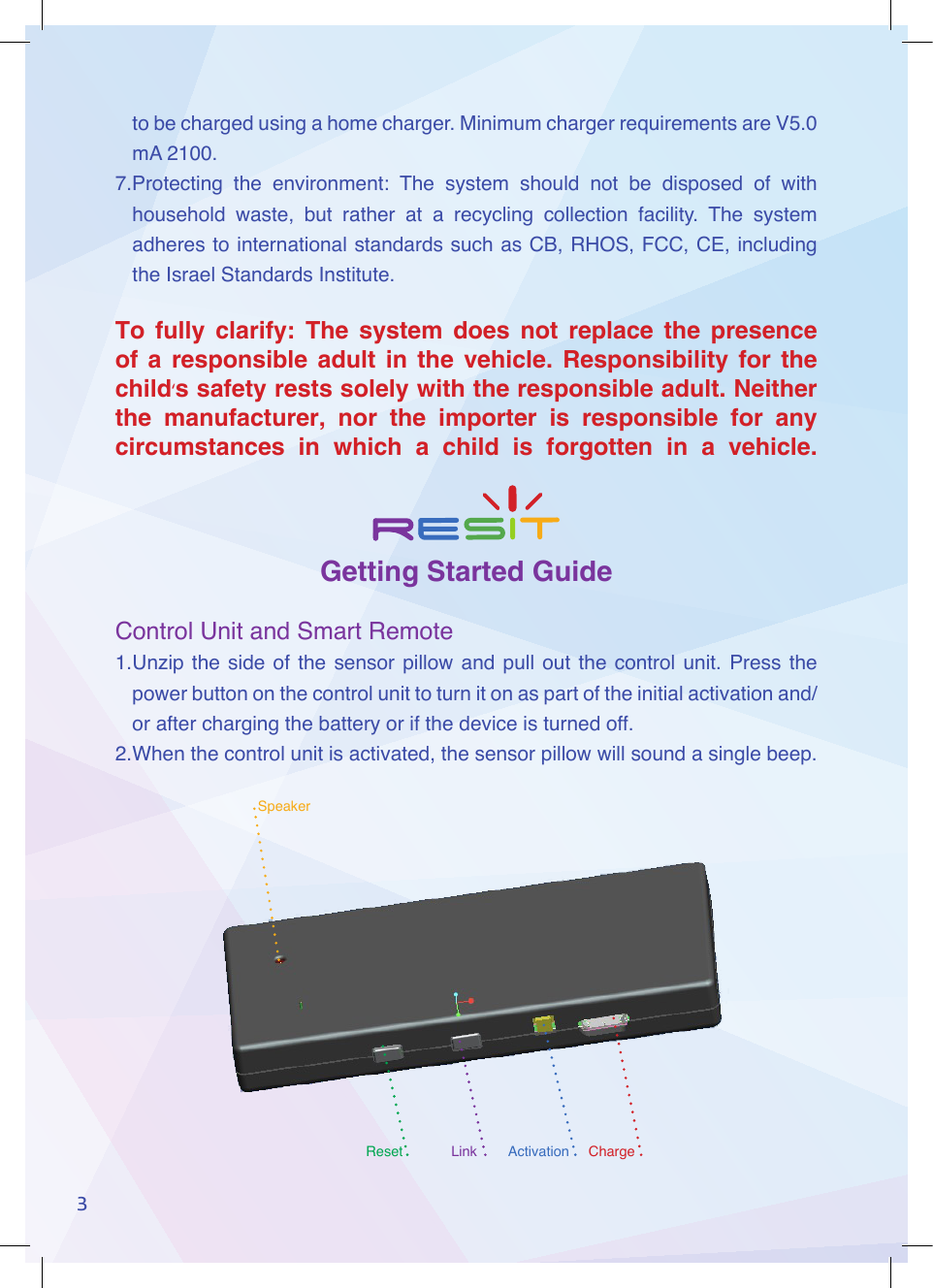
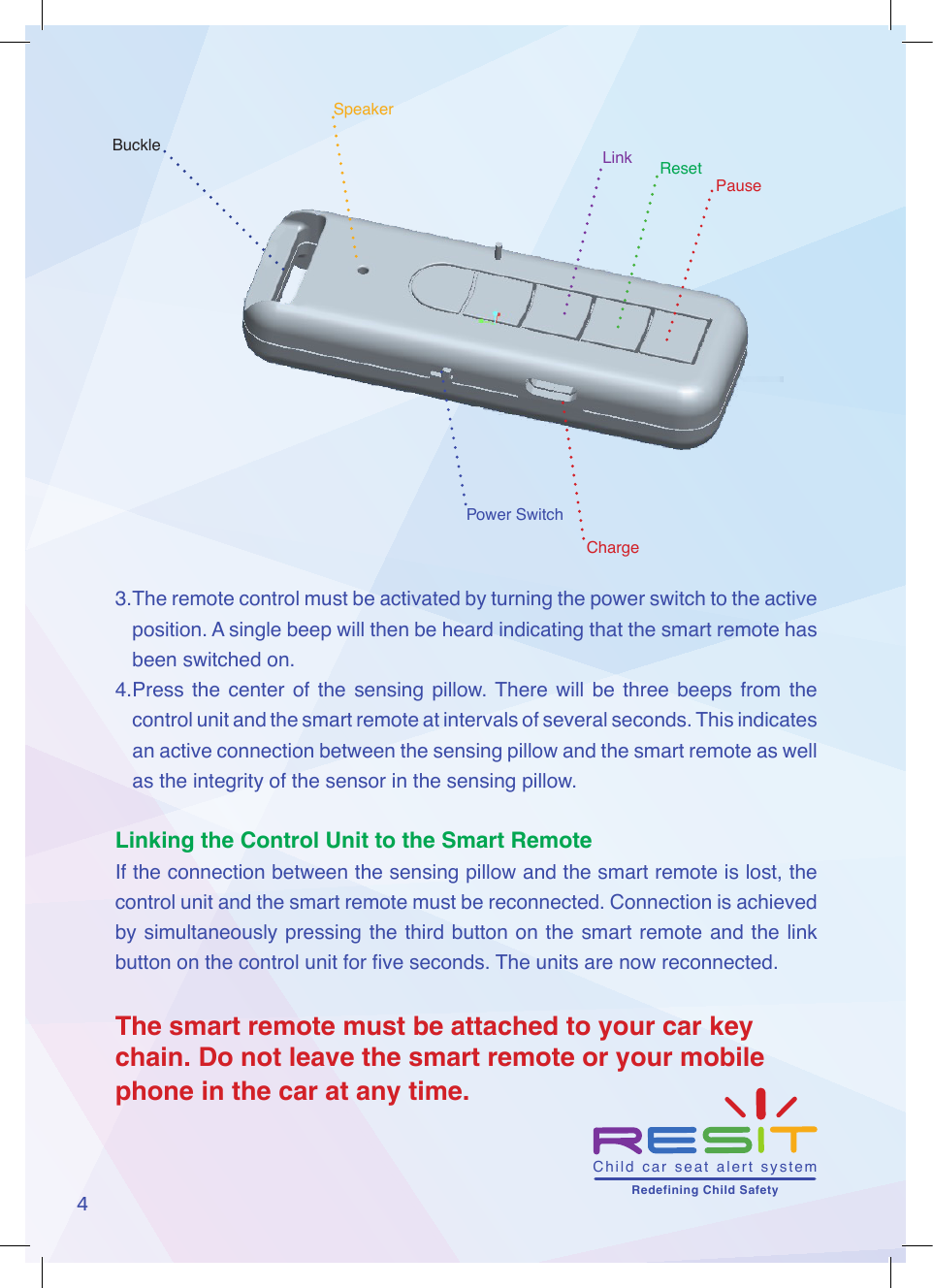
SpeakerChargeActivationLinkReset3to be charged using a home charger. Minimum charger requirements are V5.0 mA 2100.7.Protecting  the  environment:  The  system  should  not  be  disposed  of  with household  waste,  but  rather  at  a  recycling  collection  facility.  The  system adheres to international standards such as CB, RHOS, FCC, CE, including the Israel Standards Institute.To fully clarify: The system does not replace the presence of a responsible adult in the vehicle. Responsibility for the child‘s safety rests solely with the responsible adult. Neither the manufacturer, nor the importer is responsible for any circumstances in which a child is forgotten in a vehicle.Getting Started GuideControl Unit and Smart Remote1. Unzip  the  side  of  the  sensor  pillow  and  pull  out  the  control  unit.  Press  the power button on the control unit to turn it on as part of the initial activation and/or after charging the battery or if the device is turned off.2. When the control unit is activated, the sensor pillow will sound a single beep.
4SpeakerPauseResetLinkBuckleChargePower Switch3. The remote control must be activated by turning the power switch to the active position. A single beep will then be heard indicating that the smart remote has been switched on. 4. Press  the center  of  the  sensing  pillow. There  will  be  three  beeps  from  the control unit and the smart remote at intervals of several seconds. This indicates an active connection between the sensing pillow and the smart remote as well as the integrity of the sensor in the sensing pillow.Linking the Control Unit to the Smart RemoteIf the connection between the sensing pillow and the smart remote is lost, the control unit and the smart remote must be reconnected. Connection is achieved by simultaneously pressing the third button on the smart remote and the link button on the control unit for ve seconds. The units are now reconnected. The smart remote must be attached to your car key chain. Do not leave the smart remote or your mobile phone in the car at any time.Child  car  seat  alert  system       Redefining Child Safety
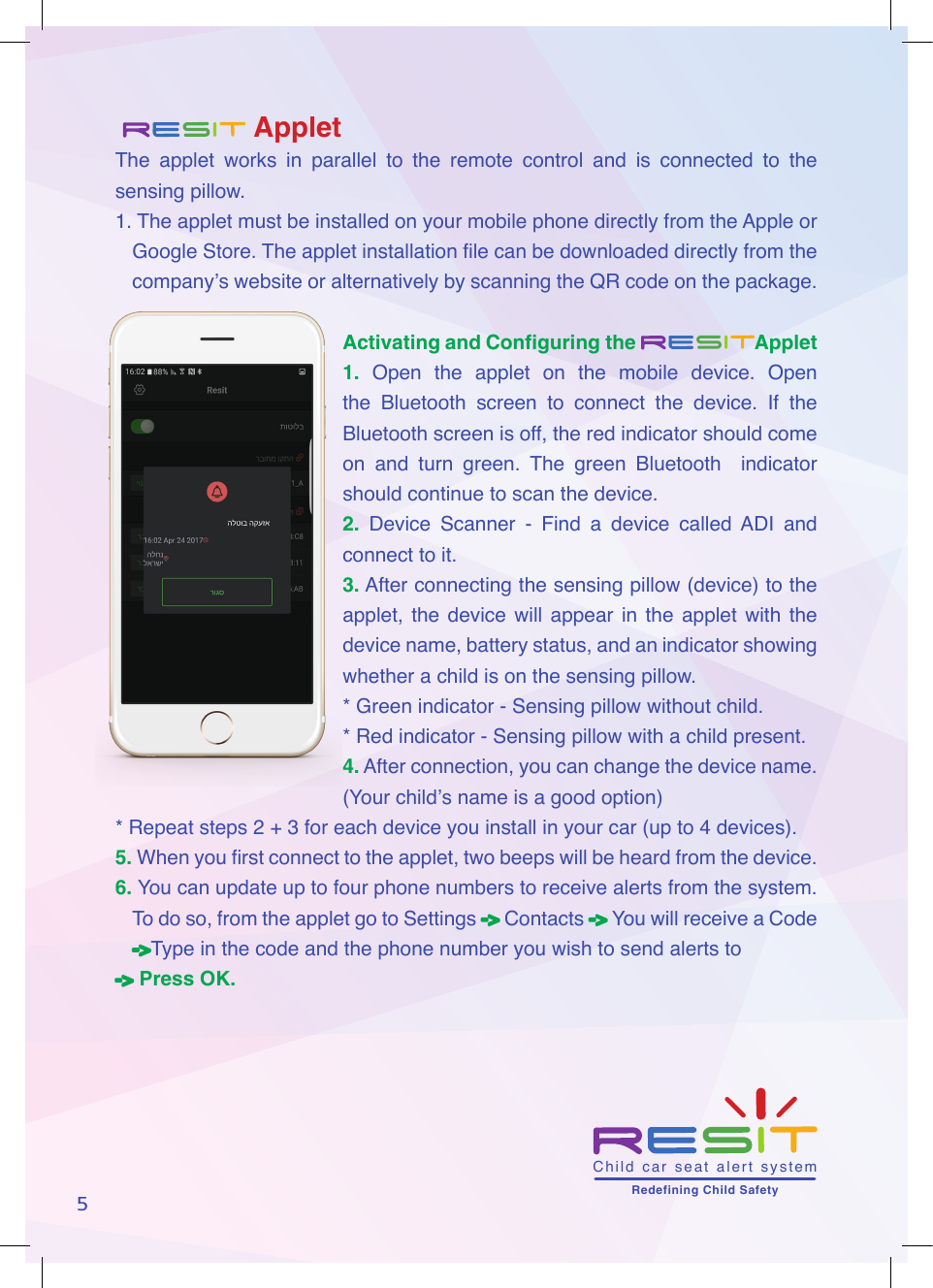
5   AppletThe  applet  works  in  parallel  to  the  remote  control  and  is  connected  to  the sensing pillow.1. The applet must be installed on your mobile phone directly from the Apple or Google Store. The applet installation le can be downloaded directly from the company’s website or alternatively by scanning the QR code on the package.Activating and Configuring the Applet1.  Open  the  applet  on  the  mobile  device.  Open the  Bluetooth  screen  to  connect  the  device.  If  the Bluetooth screen is off, the red indicator should come on  and  turn  green.  The  green  Bluetooth    indicator should continue to scan the device.2.  Device  Scanner  -  Find  a  device  called  ADI  and connect to it.3. After connecting the sensing pillow (device) to the applet,  the  device  will  appear in  the  applet  with  the device name, battery status, and an indicator showing whether a child is on the sensing pillow.* Green indicator - Sensing pillow without child.* Red indicator - Sensing pillow with a child present.4. After connection, you can change the device name. (Your child’s name is a good option)* Repeat steps 2 + 3 for each device you install in your car (up to 4 devices).5.  When you rst connect to the applet, two beeps will be heard from the device. 6.  You can update up to four phone numbers to receive alerts from the system. To do so, from the applet go to Settings -> Contacts -> You will receive a Code ->Type in the code and the phone number you wish to send alerts to -> Press OK.Child  car  seat  alert  system       Redefining Child Safety
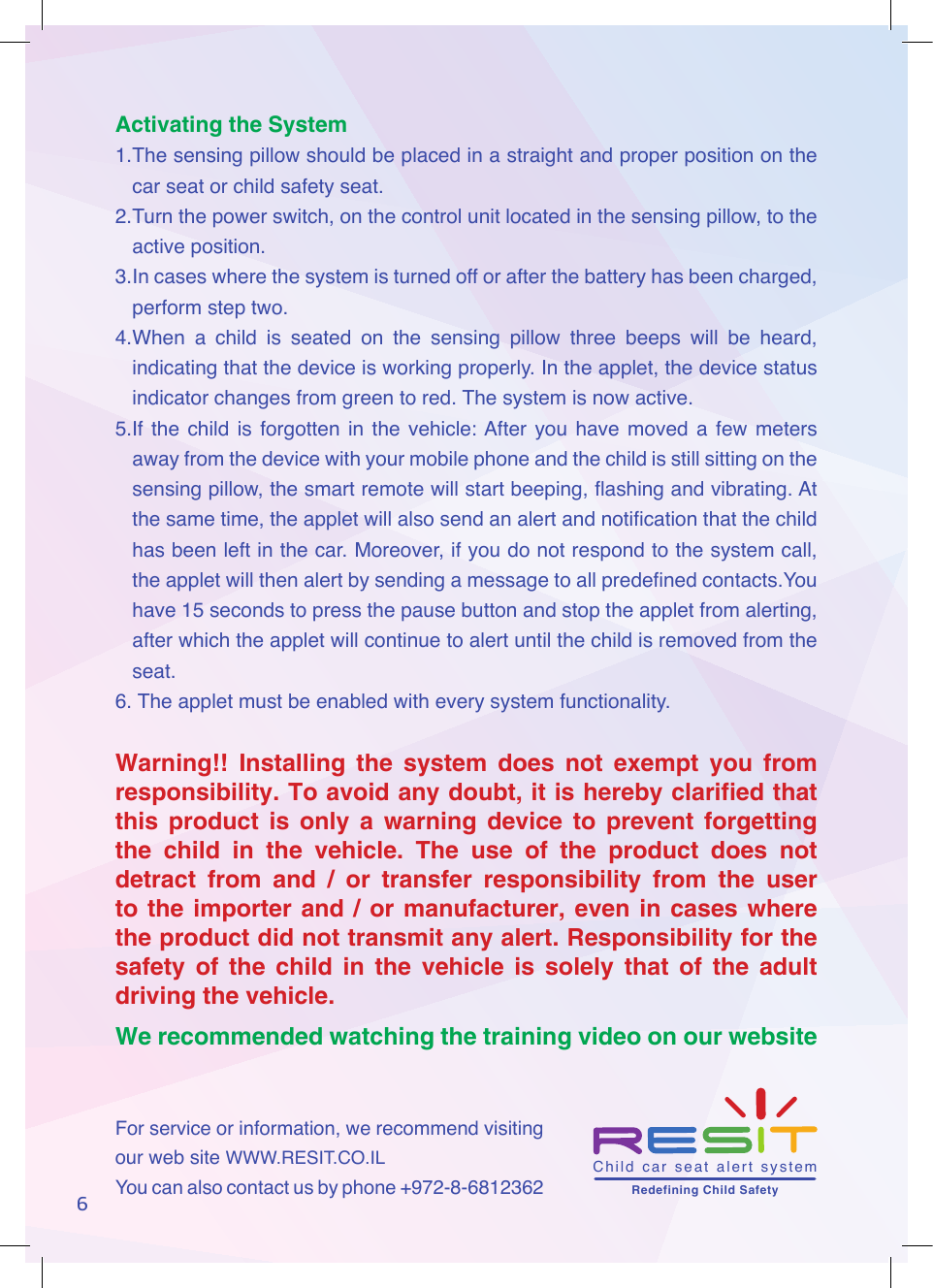
6Activating the System1. The sensing pillow should be placed in a straight and proper position on the car seat or child safety seat.2. Turn the power switch, on the control unit located in the sensing pillow, to the active position.3. In cases where the system is turned off or after the battery has been charged, perform step two.4. When  a  child  is  seated  on  the  sensing  pillow  three  beeps  will  be  heard, indicating that the device is working properly. In the applet, the device status indicator changes from green to red. The system is now active.5.If  the  child  is  forgotten in  the  vehicle: After  you  have  moved  a  few  meters away from the device with your mobile phone and the child is still sitting on the sensing pillow, the smart remote will start beeping, ashing and vibrating. At the same time, the applet will also send an alert and notication that the child has been left in the car. Moreover, if you do not respond to the system call, the applet will then alert by sending a message to all predened contacts.You have 15 seconds to press the pause button and stop the applet from alerting, after which the applet will continue to alert until the child is removed from the seat.6.  The applet must be enabled with every system functionality.Warning!! Installing the system does not exempt you from responsibility. To avoid any doubt, it is hereby clarified that this product is only a warning device to prevent forgetting the child in the vehicle. The use of the product does not detract from and / or transfer responsibility from the user to the importer and / or manufacturer, even in cases where the product did not transmit any alert. Responsibility for the safety of the child in the vehicle is solely that of the adult driving the vehicle.We recommended watching the training video on our website For service or information, we recommend visiting our web site WWW.RESIT.CO.ILYou can also contact us by phone +972-8-6812362 Child  car  seat  alert  system       Redefining Child Safety
FCCWarningStatementChangesormodificationsnotexpresslyapprovedbythepartyresponsibleforcompliancecouldvoidtheuser’sauthoritytooperatetheequipment.ThisequipmenthasbeentestedandfoundtocomplywiththelimitsforaClassBdigitaldevice,pursuanttoPart15oftheFCCRules.Theselimitsaredesignedtoprovidereasonableprotectionagainstharmfulinterferenceinaresidentialinstallation.Thisequipmentgeneratesusesandcanradiateradiofrequencyenergyand,ifnotinstalledandusedinaccordancewiththeinstructions,maycauseharmfulinterferencetoradiocommunications.However,thereisnoguaranteethatinterferencewillnotoccurinaparticularinstallation.Ifthisequipmentdoescauseharmfulinterferencetoradioortelevisionreception,whichcanbedeterminedbyturningtheequipmentoffandon,theuserisencouragedtotrytocorrecttheinterferencebyoneormoreofthefollowingmeasures:‐‐ Reorientorrelocatethereceivingantenna.‐‐ Increasetheseparationbetweentheequipmentandreceiver.‐‐Connecttheequipmentintoanoutletonacircuitdifferentfromthattowhichthereceiverisconnected.‐‐ Consultthedealeroranexperiencedradio/TVtechnicianforhelp.
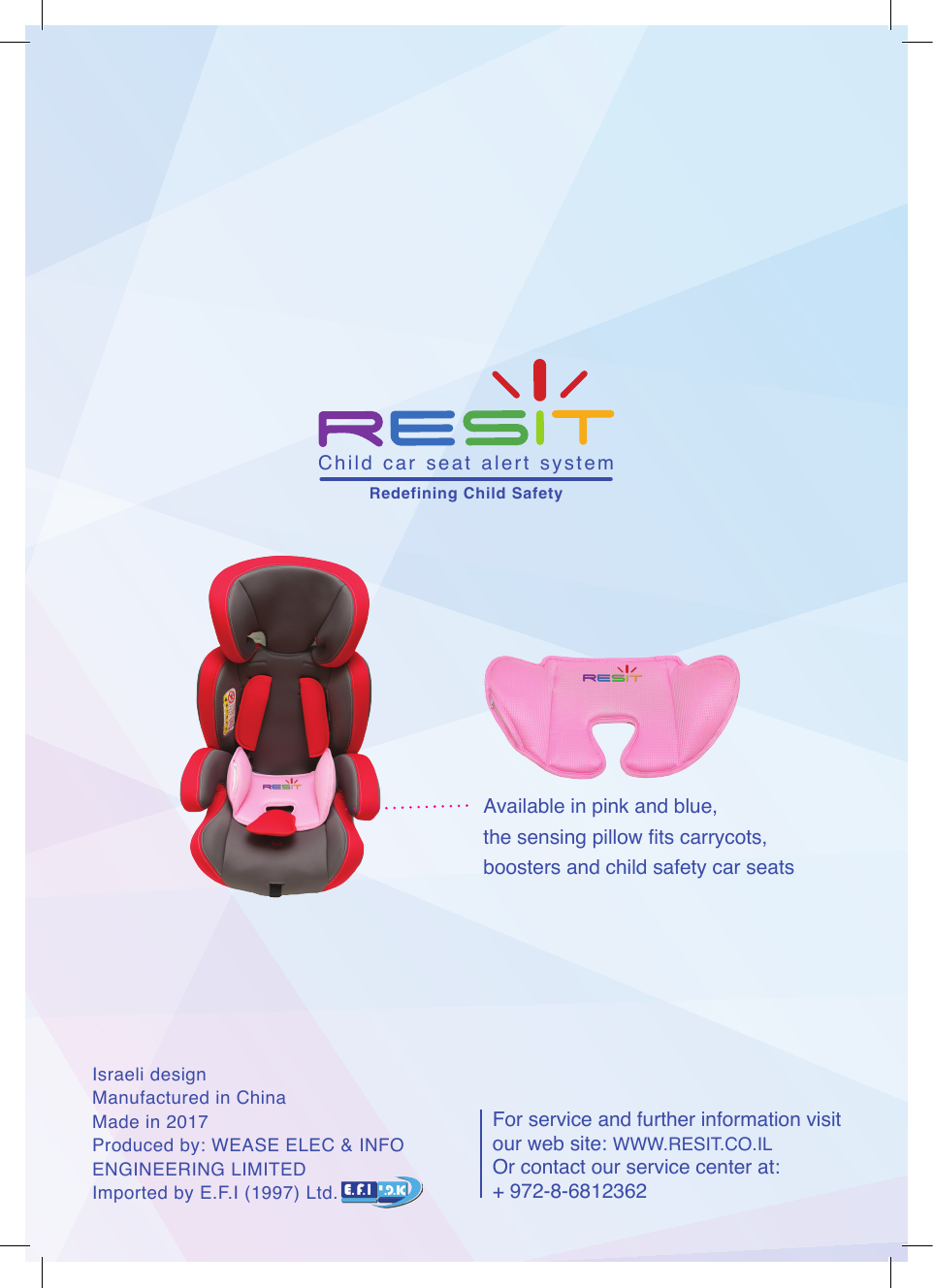
For service and further information visit our web site: WWW.RESIT.CO.IL Or contact our service center at:+ 972-8-6812362Israeli designManufactured in China Made in 2017Produced by: WEASE ELEC & INFO ENGINEERING LIMITEDImported by E.F.I (1997) Ltd.Available in pink and blue,the sensing pillow ts carrycots, boosters and child safety car seatsChild  car  seat  alert  system       Redefining Child Safety

Navigation menu