Wireless Cables AB5C1 Bluetooth Module User Manual Professional Installation Guide Rev C

Wireless Cables Inc. Bluetooth Module Professional Installation Guide Rev C

Contents

Professional installation guide

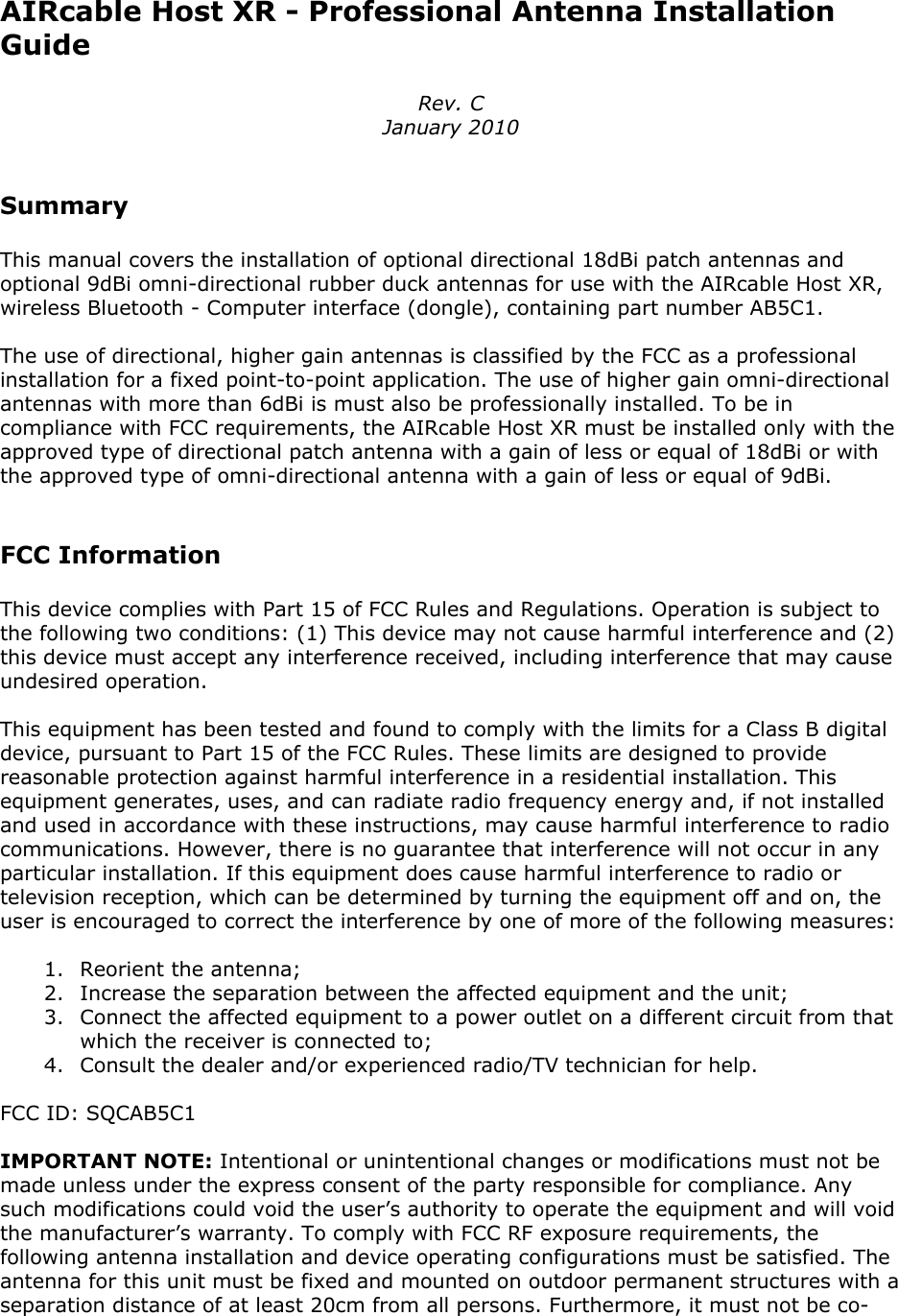
AIRcable Host XR - Professional Antenna InstallationGuideRev. CJanuary 2010SummaryThis manual covers the installation of optional directional 18dBi patch antennas andoptional 9dBi omni-directional rubber duck antennas for use with the AIRcable Host XR,wireless Bluetooth - Computer interface (dongle), containing part number AB5C1.The use of directional, higher gain antennas is classified by the FCC as a professionalinstallation for a fixed point-to-point application. The use of higher gain omni-directionalantennas with more than 6dBi is must also be professionally installed. To be incompliance with FCC requirements, the AIRcable Host XR must be installed only with theapproved type of directional patch antenna with a gain of less or equal of 18dBi or withthe approved type of omni-directional antenna with a gain of less or equal of 9dBi.FCC InformationThis device complies with Part 15 of FCC Rules and Regulations. Operation is subject tothe following two conditions: (1) This device may not cause harmful interference and (2)this device must accept any interference received, including interference that may causeundesired operation.This equipment has been tested and found to comply with the limits for a Class B digitaldevice, pursuant to Part 15 of the FCC Rules. These limits are designed to providereasonable protection against harmful interference in a residential installation. Thisequipment generates, uses, and can radiate radio frequency energy and, if not installedand used in accordance with these instructions, may cause harmful interference to radiocommunications. However, there is no guarantee that interference will not occur in anyparticular installation. If this equipment does cause harmful interference to radio ortelevision reception, which can be determined by turning the equipment off and on, theuser is encouraged to correct the interference by one of more of the following measures:1. Reorient the antenna;2. Increase the separation between the affected equipment and the unit;3. Connect the affected equipment to a power outlet on a different circuit from thatwhich the receiver is connected to;4. Consult the dealer and/or experienced radio/TV technician for help.FCC ID: SQCAB5C1IMPORTANT NOTE: Intentional or unintentional changes or modifications must not bemade unless under the express consent of the party responsible for compliance. Anysuch modifications could void the user’s authority to operate the equipment and will voidthe manufacturer’s warranty. To comply with FCC RF exposure requirements, thefollowing antenna installation and device operating configurations must be satisfied. Theantenna for this unit must be fixed and mounted on outdoor permanent structures with aseparation distance of at least 20cm from all persons. Furthermore, it must not be co-
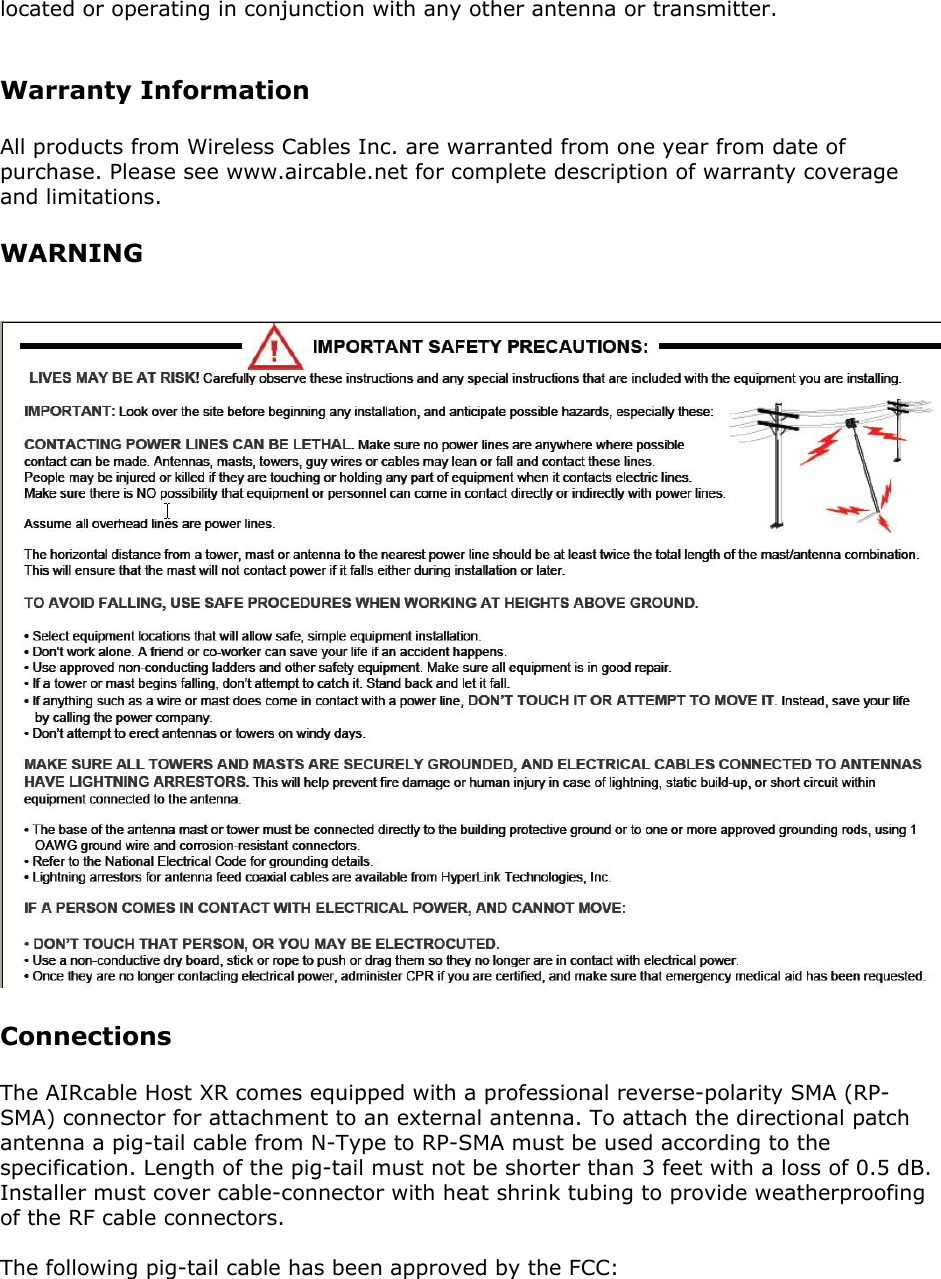
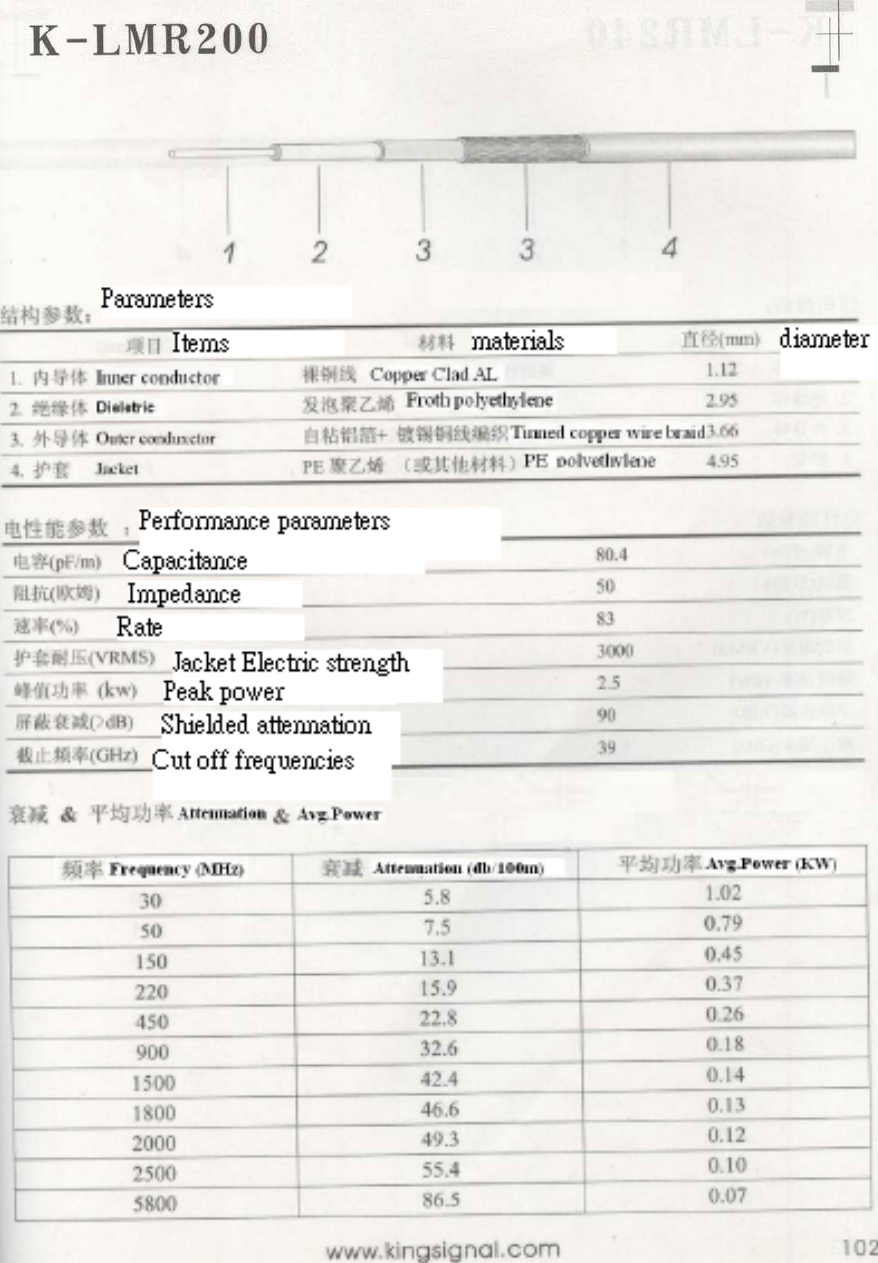
located or operating in conjunction with any other antenna or transmitter.Warranty InformationAll products from Wireless Cables Inc. are warranted from one year from date ofpurchase. Please see www.aircable.net for complete description of warranty coverageand limitations.WARNINGConnectionsThe AIRcable Host XR comes equipped with a professional reverse-polarity SMA (RP-SMA) connector for attachment to an external antenna. To attach the directional patchantenna a pig-tail cable from N-Type to RP-SMA must be used according to thespecification. Length of the pig-tail must not be shorter than 3 feet with a loss of 0.5 dB.Installer must cover cable-connector with heat shrink tubing to provide weatherproofingof the RF cable connectors.The following pig-tail cable has been approved by the FCC:
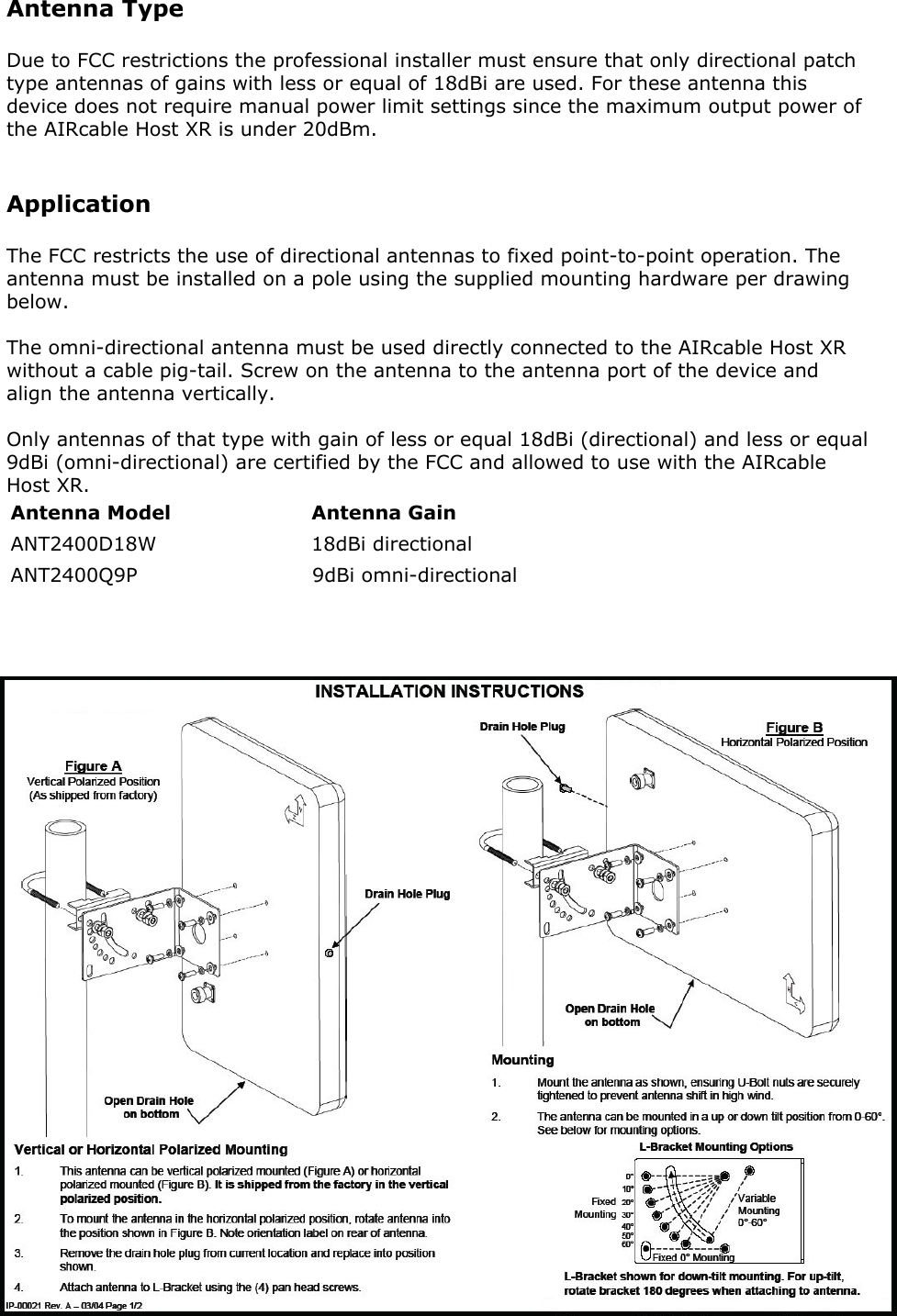
Antenna TypeDue to FCC restrictions the professional installer must ensure that only directional patchtype antennas of gains with less or equal of 18dBi are used. For these antenna thisdevice does not require manual power limit settings since the maximum output power ofthe AIRcable Host XR is under 20dBm.ApplicationThe FCC restricts the use of directional antennas to fixed point-to-point operation. Theantenna must be installed on a pole using the supplied mounting hardware per drawingbelow.The omni-directional antenna must be used directly connected to the AIRcable Host XRwithout a cable pig-tail. Screw on the antenna to the antenna port of the device andalign the antenna vertically.Only antennas of that type with gain of less or equal 18dBi (directional) and less or equal9dBi (omni-directional) are certified by the FCC and allowed to use with the AIRcableHost XR.Antenna Model Antenna GainANT2400D18W                       18dBi directionalANT2400Q9P                          9dBi omni-directional
Antenna AlignmentThe directional antenna must be aligned for optimal performance. The antenna shall beaimed at the peer and precisely aligned for a maximum signal strength. The AIRcableHost XR provides Relative Signal Strength Indicator through the standard Bluetoothinterface.Please note that the Bluetooth radio adjusts the output power to the situation. A relativezero is a good and solid connection.The omni-directional rubber-duck antenna must be aligned vertically to give an optimumhorizontal radiation pattern.

Navigation menu