YUXINXIN ELECTRONICS 2011071501A Audio Transmitter User Manual Manual
SHENZHEN YUXINXIN ELECTRONICS CO.,LTD Audio Transmitter Manual
Manual

FM‐8898‐InstructionManual
MultifunctionWirelessHeadphones
Features
■Multifunctionwirelessheadphones
■RadioFMbuilt‐in
■Microphonebuiltinreceiver
■Roommonitoringfeature
■Possibletouseaswiredheadphones(withoutbattery)
■Frequencyresponse20Hz–20KHz
■Receiverpoweredfrombatteryorpoweradaptor(notincluded)
■Transmissionfrequency:88.3MHz
■Receiverfrequencyrange:88‐108MHz
■Weight:173g(withoutbattery)
PackageIncludes
■Receiver
■Headphones
■USBpowercable
■Jack‐jackaudiocable
■Cinch‐jackaudiocable
NOTE.Batteriesarenotincluded
Preparation
1.Insert2AAAbatteriesaccordingtopolaritymarks(+/‐)tothecompartmentlocatedinleft
“L”earphone.
2.Usevolumeknob(2)toswitchheadphonesON.IfpowerLED(5)islighting–batterieshasbeen
installedcorrectlyandareingoodcondition.
3.Youcanpowerreceiverin3ways:fromUSBportincomputer(useattachedUSBpowercable),
fromexternal4,5Vpoweradaptor(notincludedintheset)from2AAAbatteries.Chooseoneof
ways
4.IfYoudecidedtouseexternalpowerinsertpowerplugintopowersocket(10).
5.IfYoudecidedtousebatteries,insert2AAAalkalinebatteriestothecompartmentlocated
onthebottomofreceiver.Rememberaboutpolaritymarks.
IMPORTANT.DonotuseexternalpowerorUSBpower,whenbatteriesareinsertedinreceiver.
1stremovethebatteries.
IMPORTANT.Useonlyalkalinebatteries.
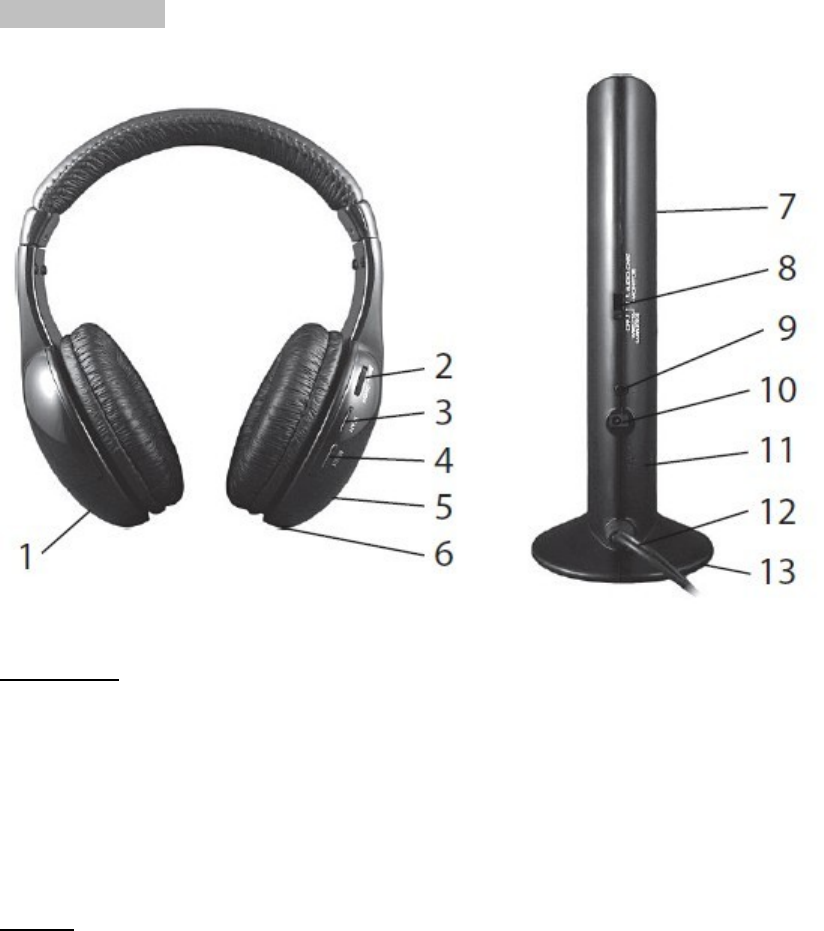
PartsIdentification
Headphones
1.Batterycompartment
2.Volumecontroland
3.Scanbutton(SCAN)
4.Resetbutton(RESET)
5.Powerindicatorpowerswitch
Receiver
6.Audiosocket
7.Powerindicator(front)
8.Powerandfunctionswitch
9.Microphonesocket(MIC)
10.Powersocket4,5VDC
11.Microphone(MIC)
12.Outputaudiocable
13.Batterycompartment(bottom)
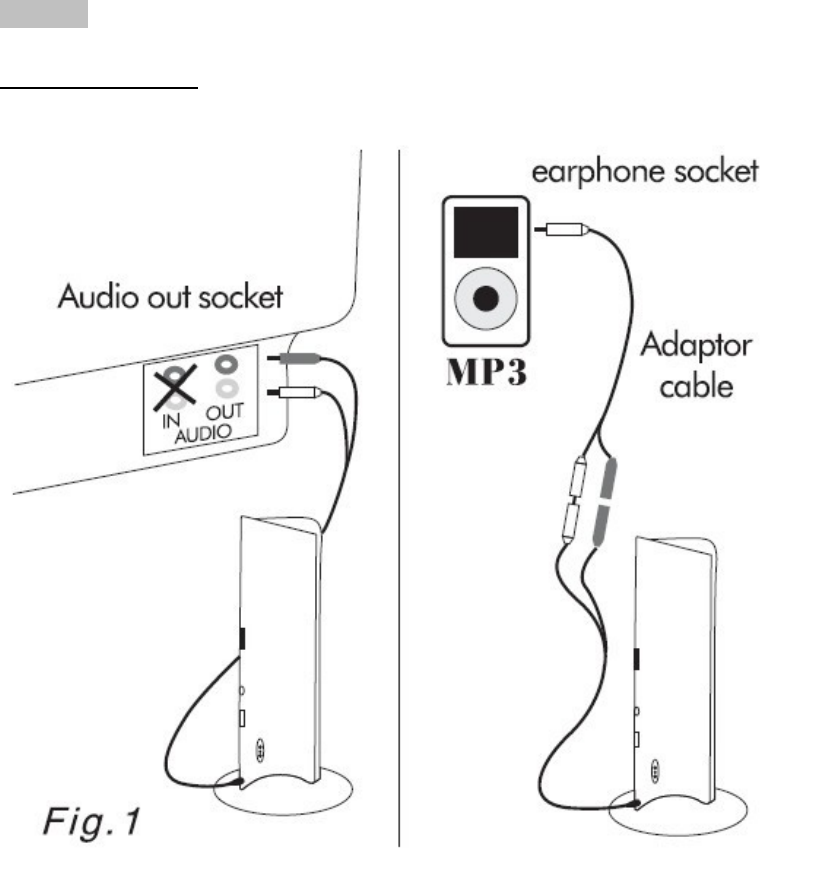
Operation
Wirelessheadphones
SetreceiverfunctionswitchtoWIRELESSHEADPHONEposition.Connectasshownonpicture
“Fig.1”.SwitchONtheheadphoneswithpow‐er/volumeswitch.PushRESETbuttonandthen
SCANbutton.
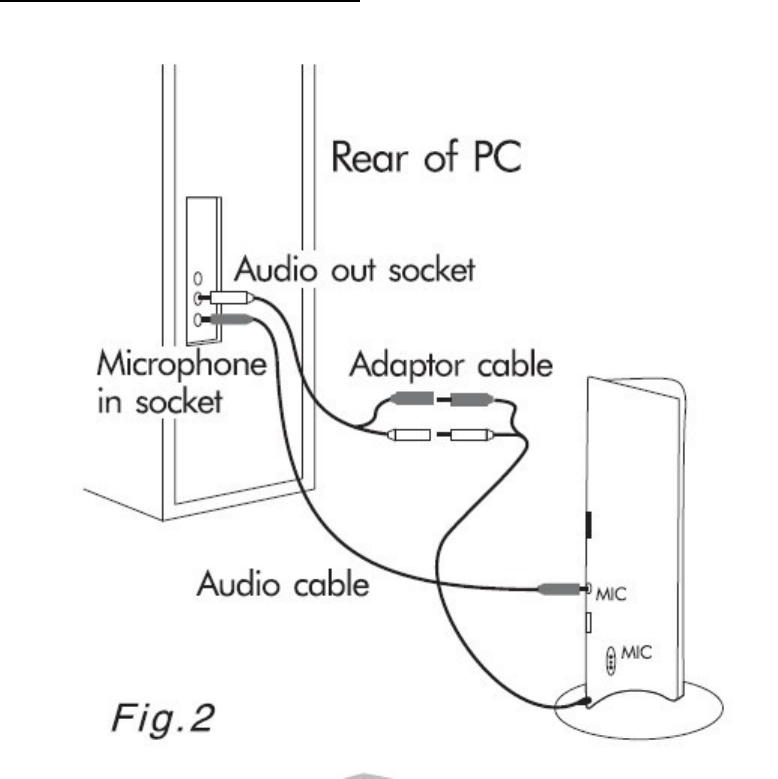
Wirelessheadset(forPCnetaudiochat)
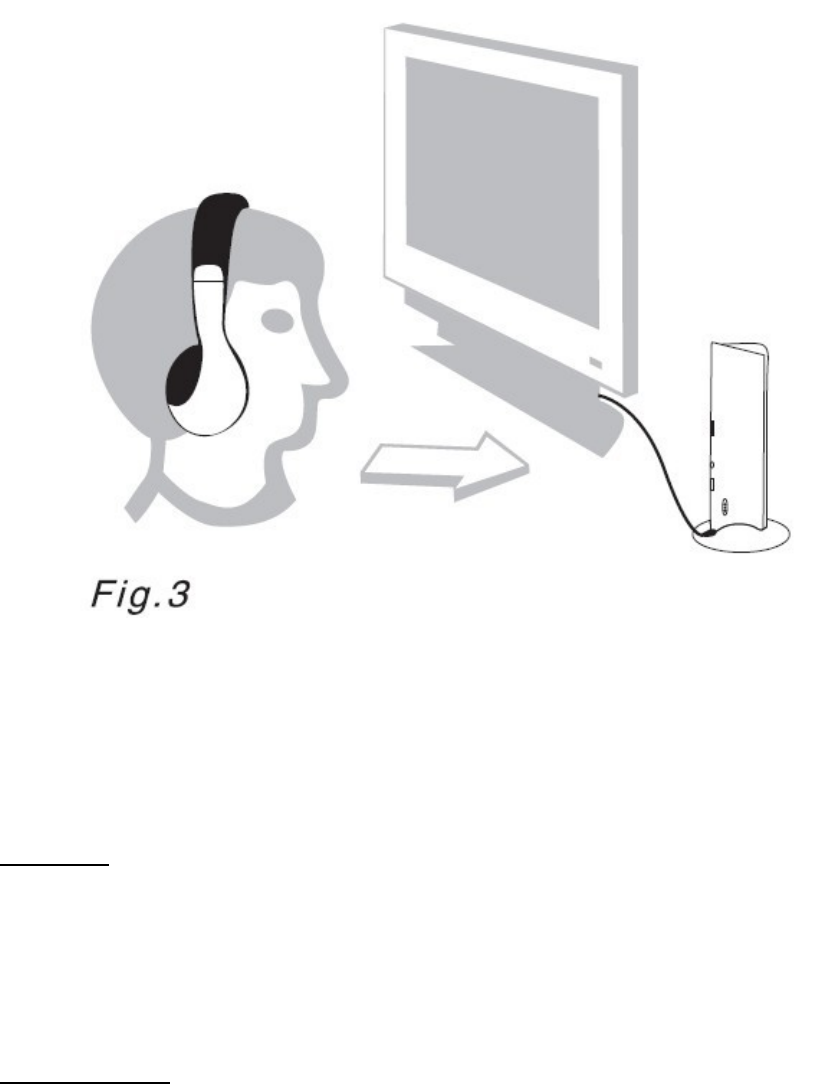
SetreceiverfunctionswitchtoAUDIOCHATposition.Connectasshownonpicture“Fig.2”
includingmicrophonecabletomicrophonesocketinthecomputer.Placethereceivercloseto
speakingperson(about1meter)andaimmicrophone“Fig.3”.SwitchONtheheadphoneswith
power/volumeswitch.PushRESETbuttonandthenSCANbutton.
Monitoring
Thismoderequirebatterypowerforthereceiver.SetreceiverfunctionswitchtoMONITORING
position.PlacereceiverclosethepersonYouwanttomonitored(np.elderlypeoples,kids).
SwitchONtheheadphoneswithpower/volumeswitch.PushRESETbuttonandthenSCAN
button.
ListeningradioFM
ForlisteningradioFMreceiverisuseless.SwitchONtheheadphoneswithpower/volumeswitch.
PushRESETbuttonandthenSCANbutton.Radiowillautomaticallyfindactiveradiochannel.
Tochangethestation(frequency)pushSCANbuttonagain.Whenthetopfrequencywillbe
reached,pleasepushRESETbuttonandSCANtobeggingfromthestartofthefrequencyscale.
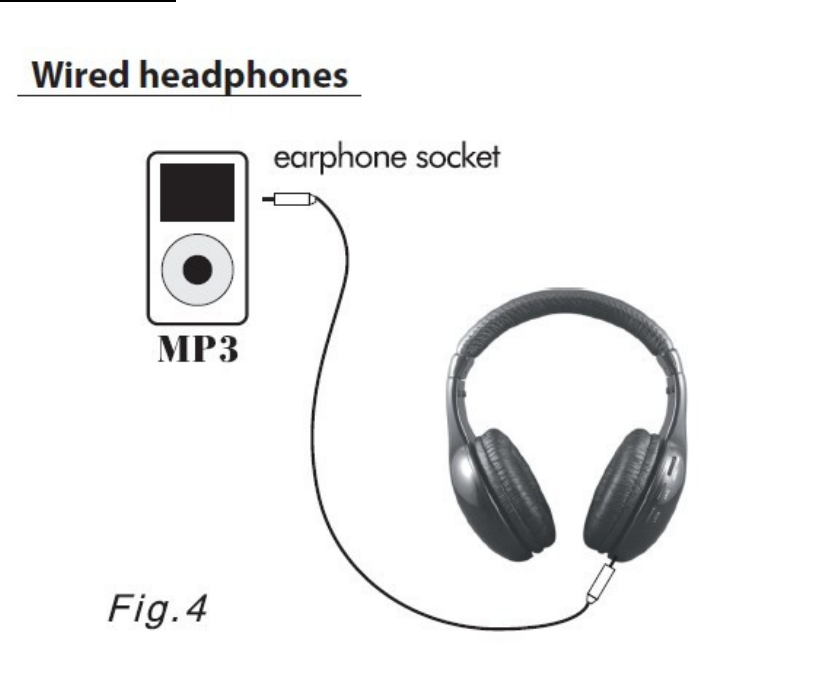
Wiredheadphones
Forusingheadphonesaswiredthereceiverisuseless.Usetheaudiocable(jacktojack)to
connectheadphonestosoundsource.Batterypowerinheadphonesisnotnecessary.
Note.Alwaysswitchoffreceiverandheadphoneswhennotusedtosavebattery.
FCCPart15
ThisdevicecomplieswithPart15oftheFCCRules.Operationofthisproductissubjecttothefollowingtwo
conditions:
(1)thisdevicemaynotcauseharmfulinterference,and
(2)thisdevicemustacceptanyinterferencereceived,includinginterferencethatmaycauseundesired
operation.
ThisequipmenthasbeentestedandfoundtocomplywithinthelimitsforaclassBdigitaldevice,pursuanttoPart
15oftheFCCRules.Theselimitsaredesignedtoprovidereasonableprotectionagainstharmfulinterferenceina
residentialinstallation.Thisequipmentgenerates,uses,andcanradiateradiofrequencyenergyand,ifnot
installedandusedinaccordancewiththeinstructions,maycauseharmfulinterferencetoradiocommunications.
However,thereisnoguaranteethatinterferencewillnotoccurinaparticularinstallation.Ifthisequipmentdoes
causeharmfulinterferencetoradioortelevisionreception,whichcanbedeterminedbyturningtheequipment
offandon,theuserisencouragedtotrytocorrecttheinterferencebyoneormoreofthefollowingmeasures:
•Reorientorrelocatethereceivingantenna.
•Increasetheseparationbetweentheequipmentandreceiver
.•Connecttheequipmentintoanoutletonacircuitdifferentfromthattowhichthereceiverisconnected.
•Consultthedealeroranexperiencedtechnicianforhelp.
FCCwarning
ChangesormodificationsnotexpresslyapprovedbythepartyresponsibleforcompliancewiththeFCCRules
couldvoidtheuser’sauthoritytooperatethisequipment.