YUXINXIN ELECTRONICS 20151216 Digital Wireless TV Headphone User Manual

SHENZHEN YUXINXIN ELECTRONICS CO.,LTD Digital Wireless TV Headphone

User Manual

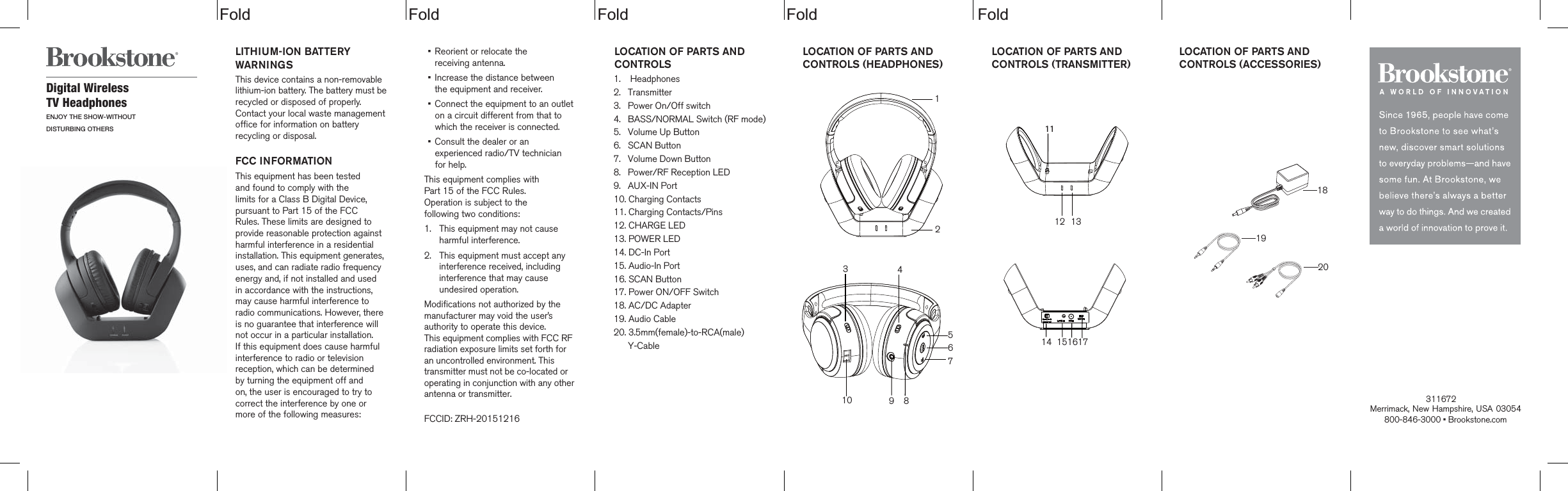
 Fold Fold Fold Fold                                    FoldLOCATION OF PARTS AND CONTROLS  1.    Headphones2.   Transmitter3.   Power On/Off switch4.   BASS/NORMAL Switch (RF mode)5.   Volume Up Button6.   SCAN Button7.   Volume Down Button8.   Power/RF Reception LED9.   AUX-IN Port10. Charging Contacts11. Charging Contacts/Pins12. CHARGE LED13. POWER LED14. DC-In Port15. Audio-In Port16. SCAN Button17. Power ON/OFF Switch18. AC/DC Adapter19. Audio Cable20. 3.5mm(female)-to-RCA(male)      Y-CableDigital Wireless TV HeadphonesENJOY THE SHOW-WITHOUTDISTURBING OTHERSLITHIUM-ION BATTERY WARNINGSThis device contains a non-removable lithium-ion battery. The battery must berecycled or disposed of properly. Contact your local waste management office for information on battery recycling or disposal.FCC INFORMATIONThis equipment has been tested and found to comply with the limits for a Class B Digital Device, pursuant to Part 15 of the FCC Rules. These limits are designed to provide reasonable protection against harmful interference in a residential installation. This equipment generates, uses, and can radiate radio frequency energy and, if not installed and used in accordance with the instructions, may cause harmful interference to radio communications. However, there is no guarantee that interference will not occur in a particular installation. If this equipment does cause harmful interference to radio or television reception, which can be determined  by turning the equipment off and on, the user is encouraged to try to correct the interference by one or more of the following measures:•    Reorient or relocate the  receiving antenna.•    Increase the distance between  the equipment and receiver.•    Connect the equipment to an outlet on a circuit different from that to which the receiver is connected.•    Consult the dealer or an experienced radio/TV technician for help.This equipment complies with  Part 15 of the FCC Rules.  Operation is subject to the  following two conditions:1.  This equipment may not cause harmful interference.2.  This equipment must accept any interference received, including interference that may cause undesired operation.Modifications not authorized by themanufacturer may void the user’sauthority to operate this device.This equipment complies with FCC RF radiation exposure limits set forth for an uncontrolled environment. This transmitter must not be co-located or operating in conjunction with any other antenna or transmitter.FCCID: ZRH-20151216Merrimack, New Hampshire, USA 03054 800-846-3000 • Brookstone.com              LOCATION OF PARTS AND CONTROLS (HEADPHONES)  LOCATION OF PARTS AND CONTROLS (TRANSMITTER)  LOCATION OF PARTS AND CONTROLS (ACCESSORIES)  1819201234567891014 15161712 1311                         311672
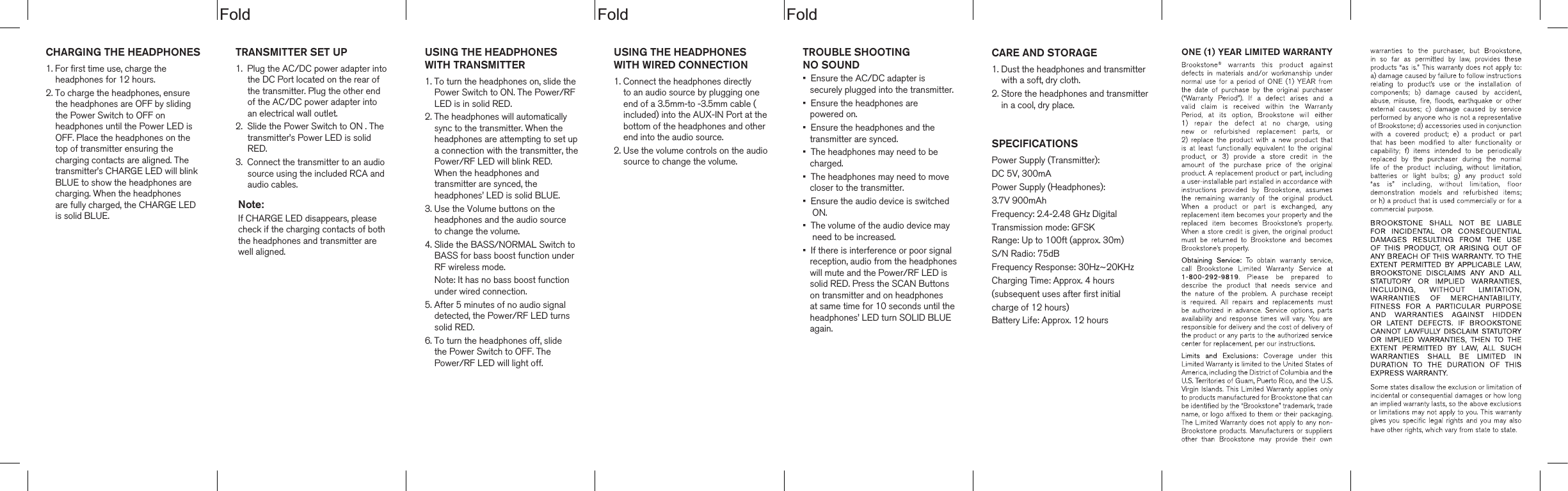
dloFdloFdloFCHARGING THE HEADPHONES1. For first time use, charge the     headphones for 12 hours.2. To charge the headphones, ensure     the headphones are OFF by sliding     the Power Switch to OFF on     headphones until the Power LED is     OFF. Place the headphones on the     top of transmitter ensuring the     charging contacts are aligned. The     transmitter’s CHARGE LED will blink    BLUE to show the headphones are     charging. When the headphones     are fully charged, the CHARGE LED     is solid BLUE.       TROUBLE SHOOTING NO SOUND•  Ensure the AC/DC adapter is    securely plugged into the transmitter.•  Ensure the headphones are    powered on.•  Ensure the headphones and the    transmitter are synced.•  The headphones may need to be    charged.•  The headphones may need to move    closer to the transmitter.•  Ensure the audio device is switched     ON.•  The volume of the audio device may    need to be increased.•  If there is interference or poor signal   reception, audio from the headphones   will mute and the Power/RF LED is    solid RED. Press the SCAN Buttons    on transmitter and on headphones    at same time for 10 seconds until the   headphones’ LED turn SOLID BLUE   again.USING THE HEADPHONESWITH WIRED CONNECTION1. Connect the headphones directly    to an audio source by plugging one     end of a 3.5mm-to -3.5mm cable (    included) into the AUX-IN Port at the    bottom of the headphones and other    end into the audio source.2. Use the volume controls on the audio    source to change the volume.TRANSMITTER SET UP1.  Plug the AC/DC power adapter into     the DC Port located on the rear of      the transmitter. Plug the other end      of the AC/DC power adapter into      an electrical wall outlet.2.  Slide the Power Switch to ON . The     transmitter’s Power LED is solid     RED.3.  Connect the transmitter to an audio     source using the included RCA and     audio cables. Note:If CHARGE LED disappears, pleasecheck if the charging contacts of boththe headphones and transmitter are well aligned. CARE AND STORAGE1. Dust the headphones and transmitter    with a soft, dry cloth.2. Store the headphones and transmitter    in a cool, dry place.SPECIFICATIONSPower Supply (Transmitter):DC 5V, 300mA Power Supply (Headphones):3.7V 900mAhFrequency: 2.4-2.48 GHz DigitalTransmission mode: GFSKRange: Up to 100ft (approx. 30m)S/N Radio: 75dBFrequency Response: 30Hz~20KHzCharging Time: Approx. 4 hours(subsequent uses after first initial charge of 12 hours)Battery Life: Approx. 12 hoursUSING THE HEADPHONESWITH TRANSMITTER1. To turn the headphones on, slide the    Power Switch to ON. The Power/RF    LED is in solid RED.2. The headphones will automatically    sync to the transmitter. When the    headphones are attempting to set up    a connection with the transmitter, the    Power/RF LED will blink RED.    When the headphones and     transmitter are synced, the     headphones’ LED is solid BLUE.3. Use the Volume buttons on the    headphones and the audio source    to change the volume.4. Slide the BASS/NORMAL Switch to    BASS for bass boost function under    RF wireless mode.    Note: It has no bass boost function    under wired connection.5. After 5 minutes of no audio signal    detected, the Power/RF LED turns    solid RED.6. To turn the headphones off, slide     the Power Switch to OFF. The    Power/RF LED will light off.

Navigation menu