Yasuda YDL100SF Smart-Ashley User Manual

Yasuda Co., Ltd. Smart-Ashley

User Manual

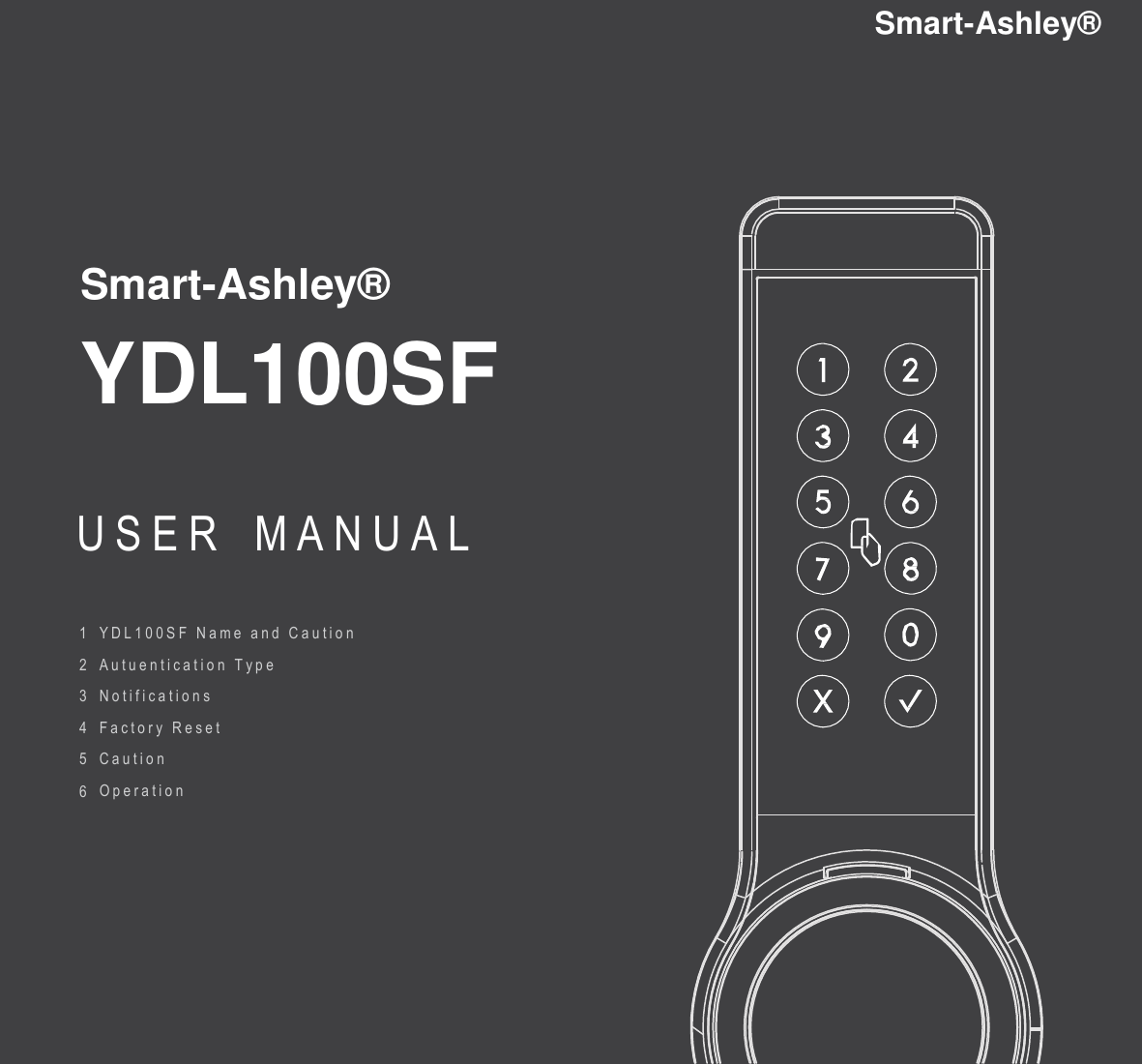
Smart-Ashley®  Smart-Ashley®   YDL100SF USER  M A N U A L  1  2  3  4  5  6 Y D L 1 0 0 S F   N a m e   and   C a u t i o n   A u t u e n t i c a t i o n   T y p e   N o t i f i c a t i o n s   F a c t o r y   R e s e t   C a u t i o n   O p e r a t i o n
S/W  B S/W  A Emergency Manual      1. YDL100SF Name and Caution  DIP S/W  Display status  Tap  Tap   Battery  Connector   Battery  Keypad ·Password Card Reader Card Authentication Lever     Bluetooth  4.0[BLE] ·Mobile  key   1  2 3 4 Authentication ·d-key  / i-Key  Mechanical 1.  Tap‘A’ 3.  DIP S/W Key Cover    (Long) YDL100SF - Mobile Phone      DIP Switch #1 (Left /  Right Door Select) Connect DIP Switch #2 1K2L On/Off (Short) Password Change  Mode DIP Switch #3 1K2L  Master /  Slave DIP Switch #4 출입통제기 연동 On/ Off 2.  Tap‘B’ - Default Settings : Left / 1K2L Off / 1k2L Master/ (Long) Card Registraion Access  Control Device Off (short) Card  Delete   2. Authentication     Card (Basic: 2)         1  Smart Phone <i-Key  / d-Key common requirement> Password  (User / Guest) Bluetooth 4.0  (BLE)  <User Password> iOS 8 / Android 4.3.1  Support  from 4  to 16 digits (Jellybean) or higher  <Guest Password> Available to register 200 <i-Key additional requirement> Support  from 4  to 16 digits  Key  tags for maximum i-key  service  available  Only use  1  time with  internet connection  ★마그넷은 기본 구성품에 포함되지 않습니다. (LTE, WCDMA,  EDGE, GSM) ★i-Key 발급  : 무제한  /  D-Key 발급  : 200 개
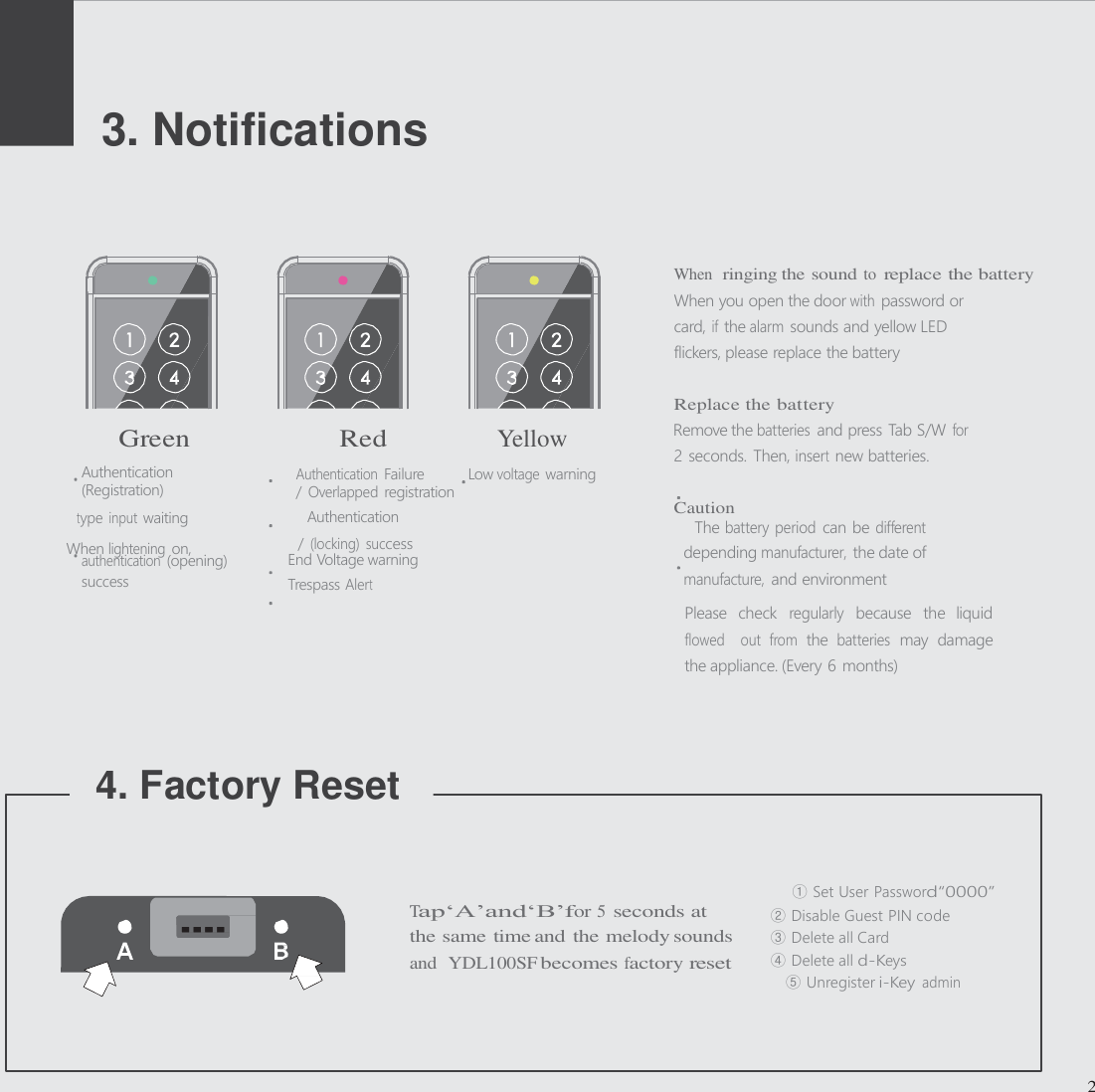
2 seconds. Then, insert new batteries. Caution / (locking)  success When lightening on,      3. Notifications      When  ringing the sound to replace the battery When you open the door with password or card, if the alarm sounds and yellow LED flickers, please replace the battery   Replace the battery Green  Red  Yellow   Remove the batteries and press Tab S/W for Authentication Authentication Failure  Low voltage warning (Registration)  / Overlapped registration type input waiting  Authentication  The battery period can be different authentication (opening)  End Voltage warning  depending manufacturer, the date of success   Trespass Alert manufacture, and environment Please  check regularly because  the  liquid flowed   out  from the batteries may  damage the appliance. (Every 6 months)     4. Factory Reset              2     ① Set User Password“0000” Tap‘A’and‘B’for 5 seconds at ②  Disable Guest PIN code the same time and the melody sounds  ③  Delete all Card and  YDL100SF becomes factory reset  ④  Delete all d-Keys ⑤ Unregister i-Key admin
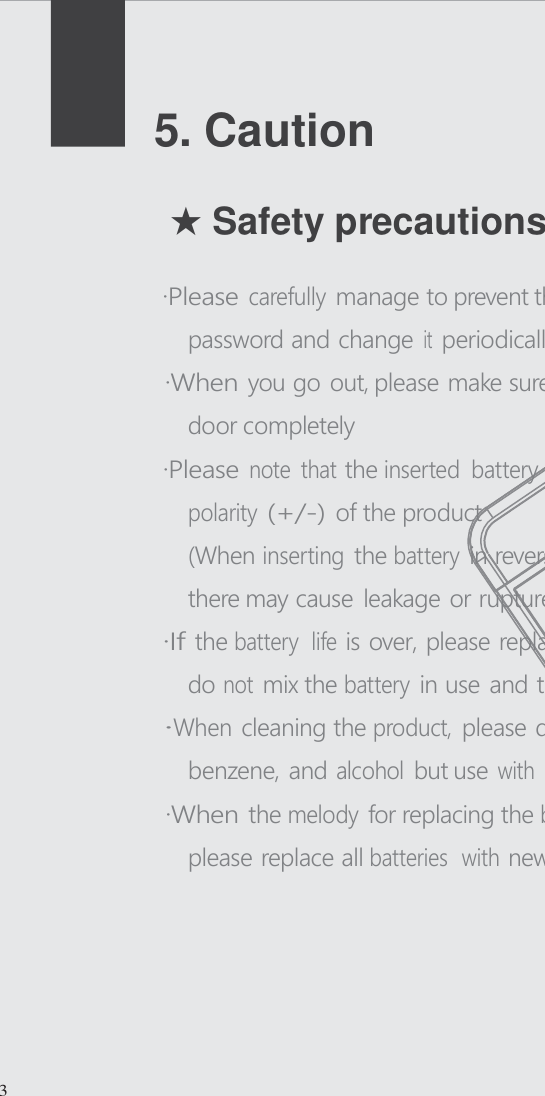
     5. Caution   ★ Safety precautions  ·Please carefully manage to prevent the others know the password and change it periodically ·When you go out, please make sure that you locked the door completely ·Please note  that the inserted  battery exactly match the polarity (+/-) of the product (When inserting the battery in reverse or differently, there may cause leakage or rupture) ·I f the battery  life is over, please replace all the batteries and do not mix the battery in use and the used battery ·When cleaning the product, please don t use water, benzene, and alcohol but use with soft and dry cloth ·When the melody for replacing the battery alarms at first, please replace all batteries  with new one in a week           3
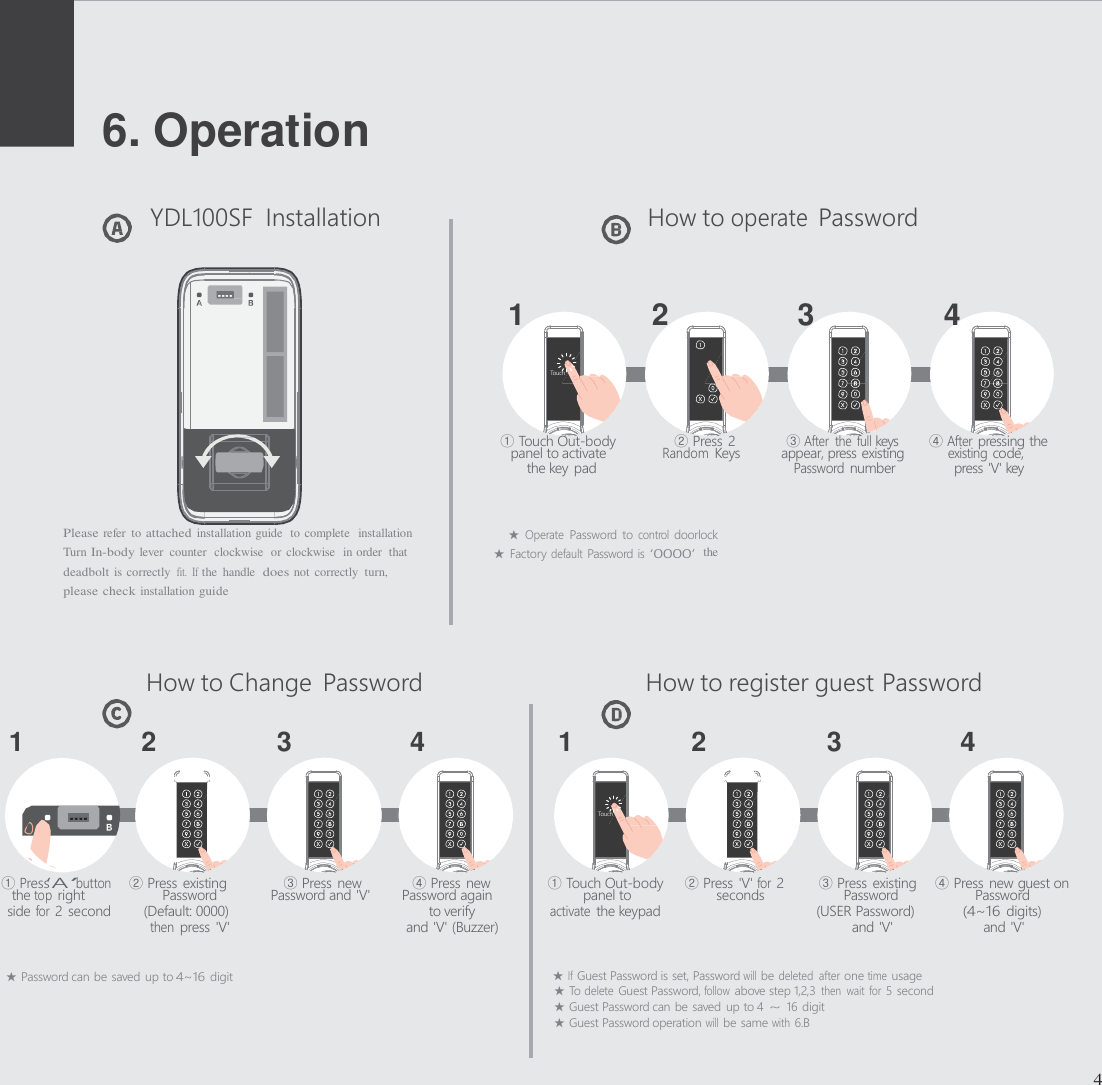
     6. Operation   YDL100SF  Installation  How to operate Password    1  2  3  4      ① Touch Out-body      ② Press 2   ③ After  the  full keys   ④ After pressing the panel to activate Random Keys   appear, press existing   existing code, the key pad Password number  press 'V' key   Please refer  to attached installation guide  to complete  installation                          ★ Operate Password  to control doorlock Turn In-body lever  counter  clockwise  or clockwise  in order  that                           ★  Factory default Password is ‘0000’ the deadbolt is correctly  fit.  If the  handle  does not correctly  turn, please check installation guide    How to Change  Password  How to register guest Password  1   2   3   4   1   2   3  4        ① Press‘A’button    ② Press existing    ③ Press new    ④ Press new  ① Touch Out-body     ② Press 'V' for 2   ③ Press existing    ④ Press new guest on the top right  Password  Password and 'V'  Password again    panel to  seconds    Password  Password side for 2 second  (Default: 0000)   to verify activate the keypad  (USER Password) (4~16 digits) then press 'V'  and 'V' (Buzzer)  and 'V'  and 'V'  ★ Password can be saved up to 4~16 digit  ★ If Guest Password is set, Password will be deleted  after one time usage ★ To delete Guest Password, follow above step 1,2,3 then  wait for 5 second ★ Guest Password can be saved  up to 4 ~ 16 digit ★ Guest Password operation will be same with 6.B   4                     Touch                      Touch
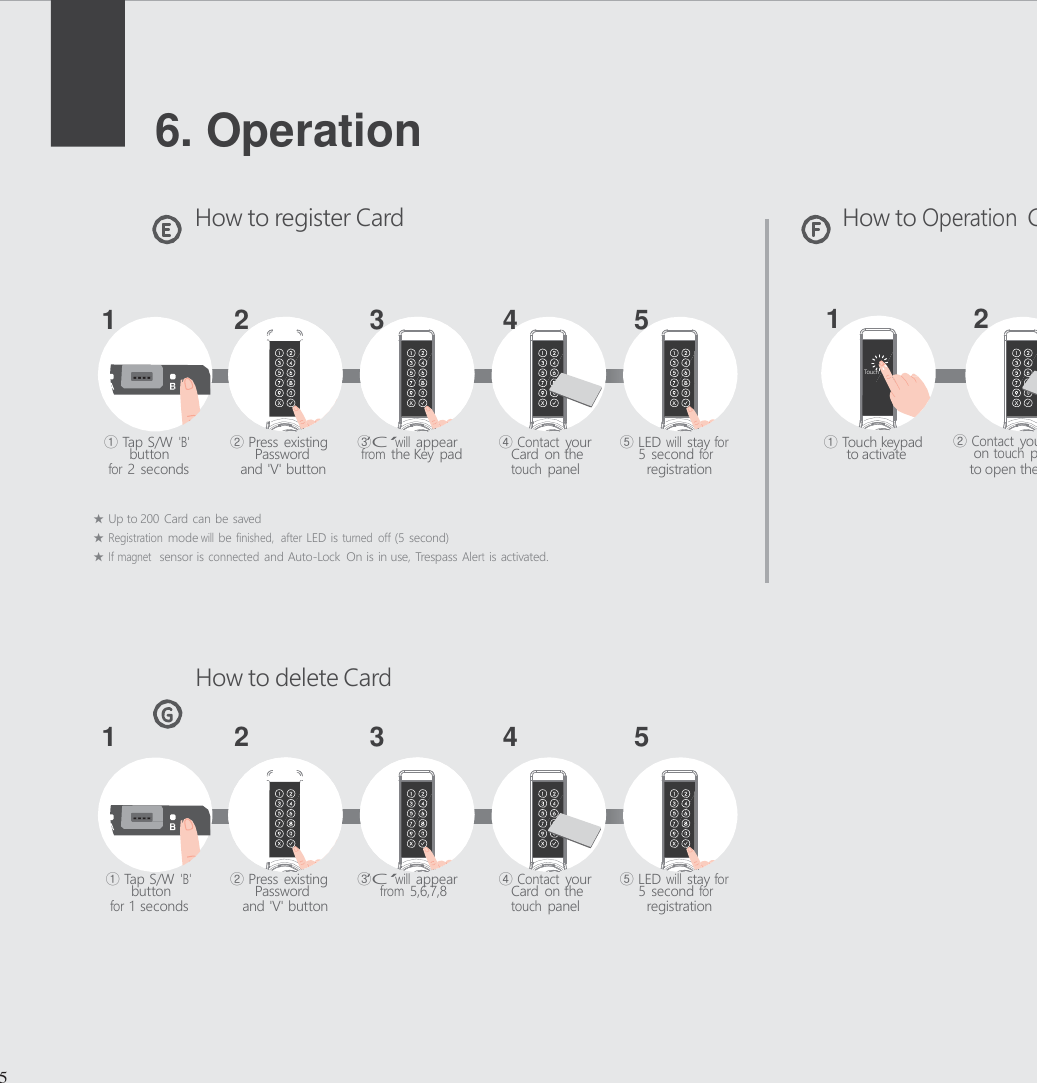
     6. Operation   How to register Card   How to Operation Card    1   2   3   4   5   1  2      ① Tap S/W 'B'  ② Press existing  ③‘C’will appear  ④ Contact your  ⑤ LED will stay for  ① Touch keypad  ② Contact your card button    Password   from the Key pad    Card on the    5 second for     to activate    on touch panel for 2 seconds  and 'V' button touch panel  registration  to open the door  ★  Up to 200 Card can be saved ★ Registration mode will be finished,  after LED is turned  off (5 second) ★ If magnet  sensor is connected and Auto-Lock  On is in use, Trespass Alert is activated.      How to delete Card  1   2   3   4  5       ① Tap S/W 'B'  ② Press existing  ③‘C’will appear  ④ Contact your  ⑤ LED will stay for button    Password   from 5,6,7,8     Card on the    5 second for for 1 seconds  and 'V' button touch panel  registration        5                  Touch
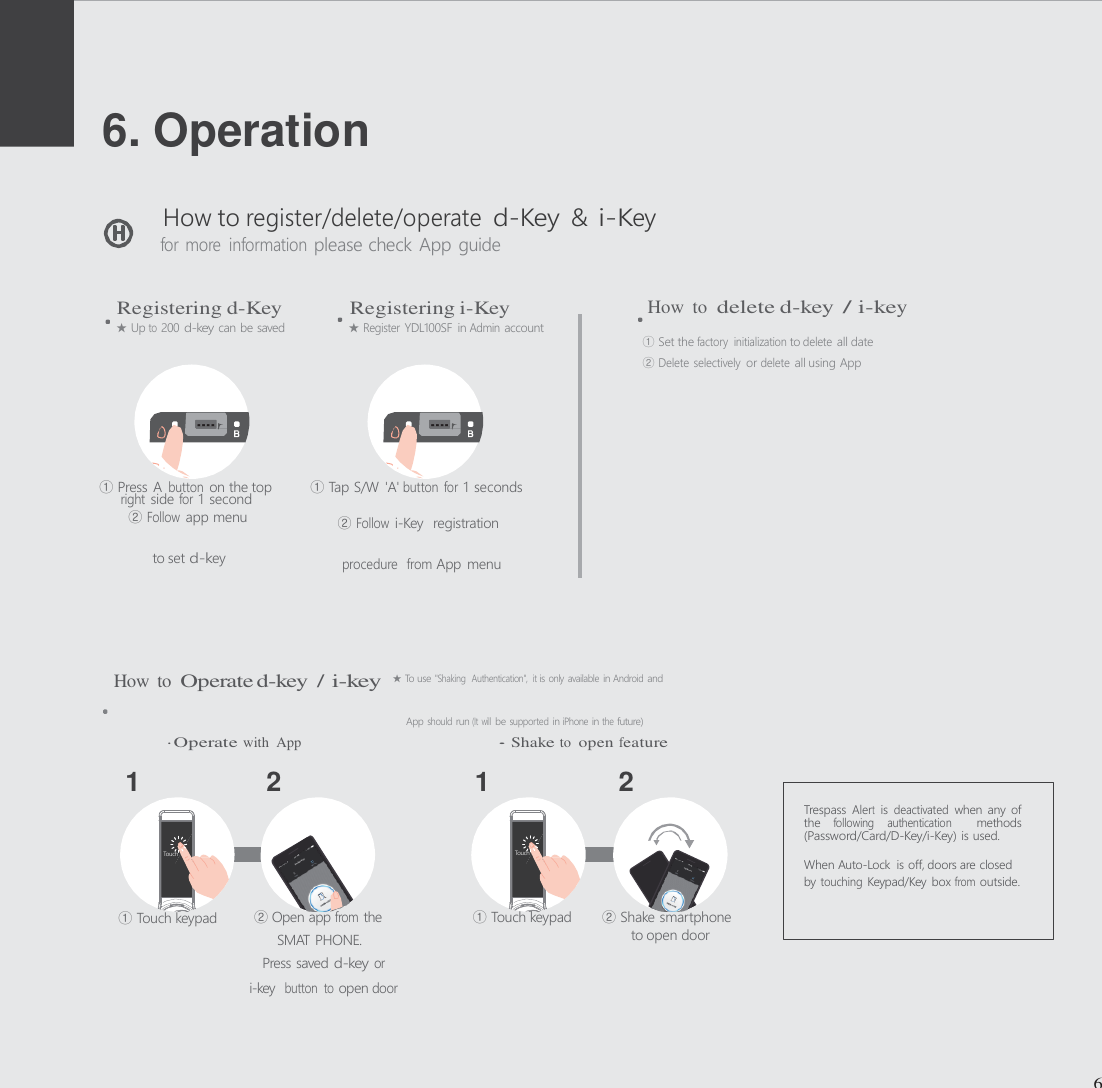
to set d-key procedure  from App menu App should run (It  will be supported in iPhone in the future)      6. Operation   How to register/delete/operate d-Key & i-Key for more  information please check App guide   Registering d-Key  Registering i-Key  How  to delete d-key / i-key ★ Up to 200 d-key can be saved   ★ Register YDL100SF in Admin account ① Set the factory  initialization to delete all date ② Delete selectively or delete all using App      ① Press A button on the top  ① Tap S/W  'A' button  for 1 seconds right side for 1 second ② Follow app menu  ② Follow i-Key  registration        How  to Operate d-key / i-key ★ To use "Shaking  Authentication",  it is only available in Android and   ·O perate with  App  ·Shake to open feature  1   2   1  2      ① Touch keypad  ② Open app from the  ①  Touch keypad  ② Shake smartphone SMAT PHONE.  to open door Press saved d-key or i-key  button  to open door     6   Touch     Touch    Trespass Alert  is deactivated when any  of the following  authentication   methods (Password/Card/D-Key/i-Key) is used.  When Auto-Lock  is off, doors are closed by touching Keypad/Key  box from outside.
Smart-Ashley®  YDL100SF U S E R  M A N U A L  12F,  Daemyung Valeon  bldg.,  127,  Beobwon-ro,  Songpa-gu, Seoul, Korea (05836) Support Tel   +82.2.6488.3062 E-mail  Sales@virditech.com
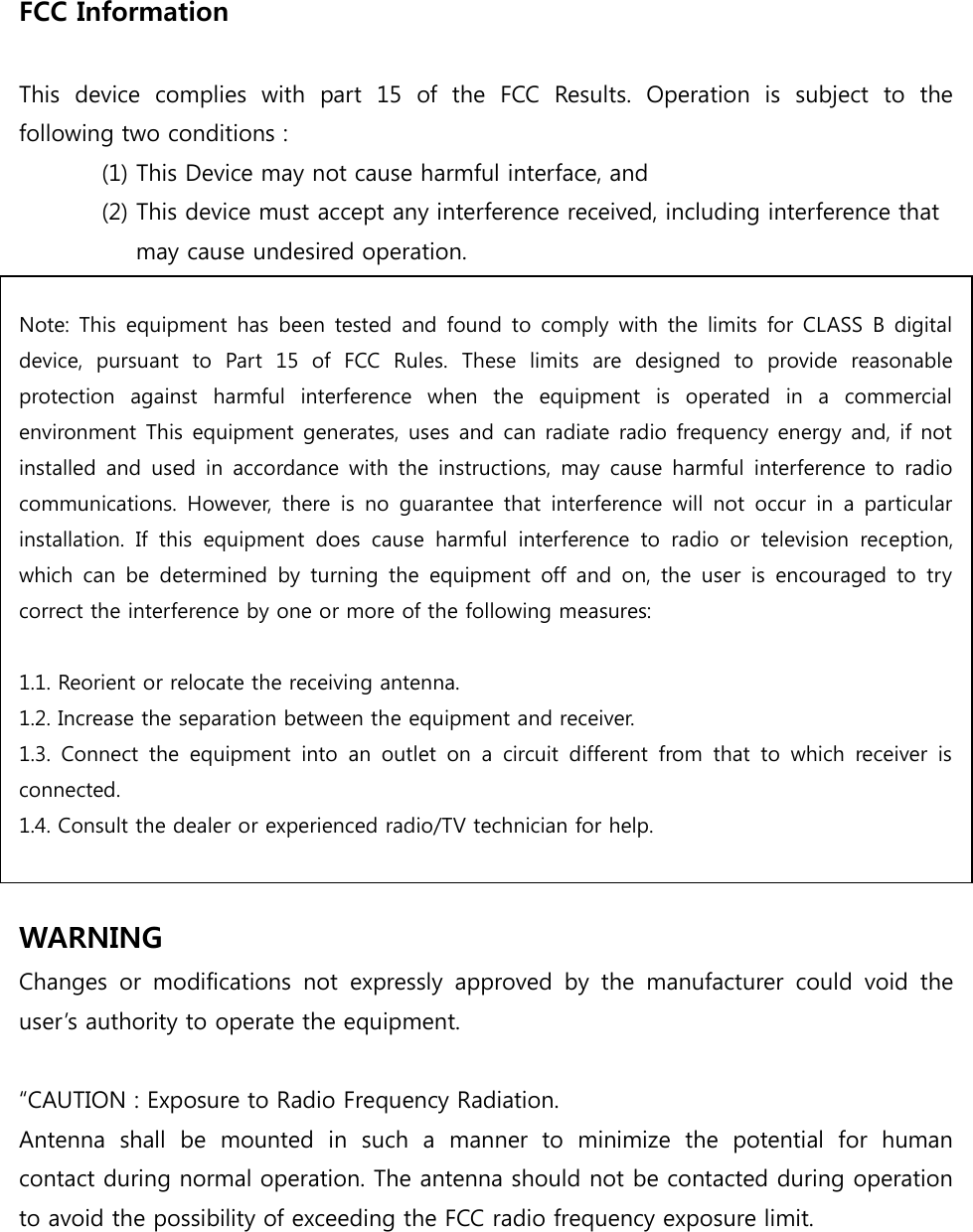
FCC Information    This  device  complies  with  part  15  of  the  FCC  Results.  Operation  is  subject  to  the following two conditions :   (1) This Device may not cause harmful interface, and     (2) This device must accept any interference received, including interference that       may cause undesired operation.    Note: This  equipment  has been  tested and  found to comply  with the limits  for  CLASS  B digital device,  pursuant  to  Part  15  of  FCC  Rules.  These  limits  are  designed  to  provide  reasonable protection  against  harmful  interference  when  the  equipment  is  operated  in  a  commercial environment This equipment generates, uses and can radiate radio frequency energy and, if not installed  and  used  in  accordance with  the  instructions,  may  cause  harmful  interference  to  radio communications.  However,  there  is  no  guarantee  that  interference  will  not  occur  in  a  particular installation.  If  this  equipment  does  cause  harmful  interference  to  radio  or  television  reception, which  can  be  determined  by  turning  the  equipment  off  and  on,  the  user  is  encouraged  to  try correct the interference by one or more of the following measures:    1.1. Reorient or relocate the receiving antenna. 1.2. Increase the separation between the equipment and receiver. 1.3.  Connect  the  equipment  into  an  outlet  on  a  circuit  different  from  that  to  which  receiver  is connected. 1.4. Consult the dealer or experienced radio/TV technician for help.   WARNING Changes  or  modifications  not  expressly  approved  by  the  manufacturer  could  void  the user’s authority to operate the equipment.  “CAUTION : Exposure to Radio Frequency Radiation. Antenna  shall  be  mounted  in  such  a  manner  to  minimize  the  potential  for  human contact during normal operation. The antenna should not be contacted during operation to avoid the possibility of exceeding the FCC radio frequency exposure limit.

Navigation menu