ZHUHAI WINGPOW EROTIC and NOVELTY OMBES01 ESCA User Manual

ZHUHAI WINGPOW EROTIC & NOVELTY MANUFACTURING CO., LTD. ESCA

User Manual

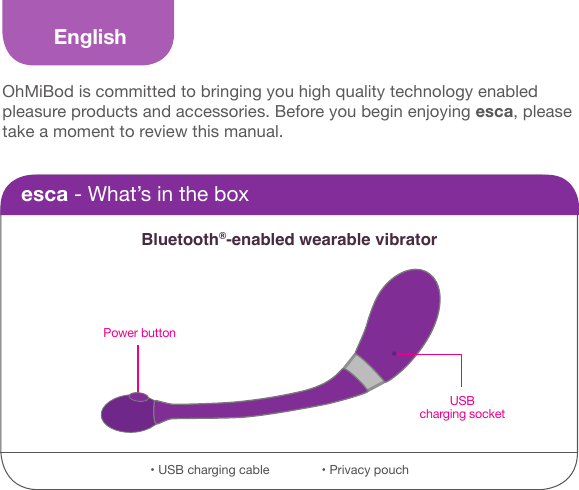
EnglishOhMiBod is committed to bringing you high quality technology enabled pleasure products and accessories. Before you begin enjoying esca, please take a moment to review this manual.esca - What’s in the boxBluetooth®-enabled wearable vibratorPower buttonUSB charging socket• USB charging cable               • Privacy pouch
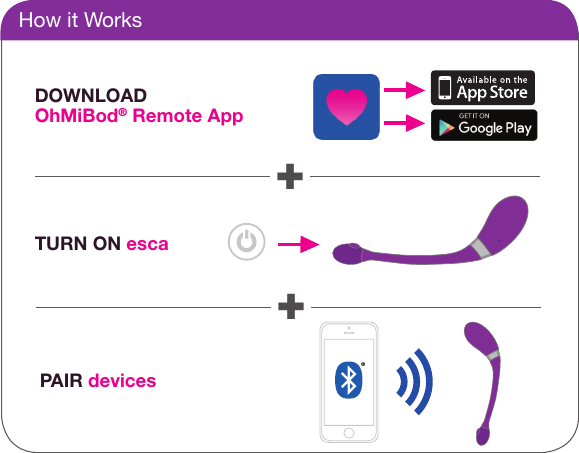
How it WorksDOWNLOAD OhMiBod® Remote AppTURN ON escaPAIR devices++
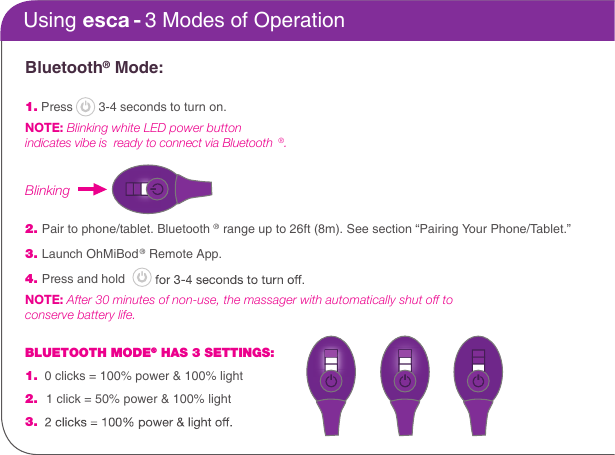
Bluetooth® Mode:1. Press   3-4 seconds to turn on.NOTE: Blinking white LED power button indicates vibe is  ready to connect via Bluetooth®.   2. Pair to phone/tablet. Bluetooth ® range up to 26ft (8m). See section “Pairing Your Phone/Tablet.”3. Launch OhMiBod® Remote App.4. Press and hold  NOTE: After 30 minutes of non-use, the massager with automatically shut off to   conserve battery life.BLUETOOTH MODE® HAS 3 SETTINGS: 1.  0 clicks = 100% power & 100% light2.  1 click = 50% power & 100% light3.Using esca - 3 Modes of OperationBlinking
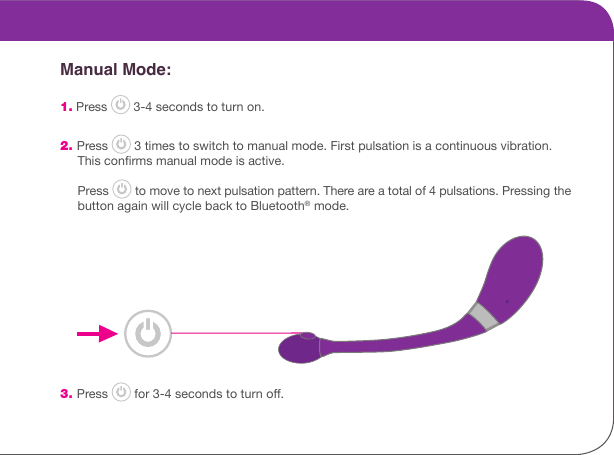
       Manual Mode: 1. Press   3-4 seconds to turn on. 2. Press   3 times to switch to manual mode. First pulsation is a continuous vibration.       This conrms manual mode is active.      Press   to move to next pulsation pattern. There are a total of 4 pulsations. Pressing the       button again will cycle back to Bluetooth® mode.  3. Press   for 3-4 seconds to turn o.
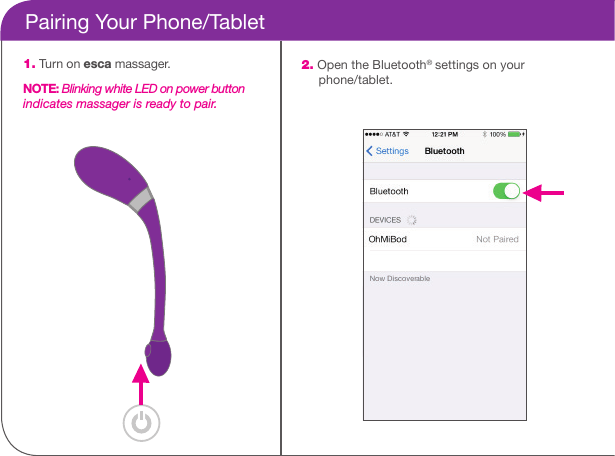
    Pairing Your Phone/Tablet1. Turn on esca massager.NOTE: Blinking white LED on power button indicates massager is ready to pair.2. Open the Bluetooth® settings on your       phone/tablet.
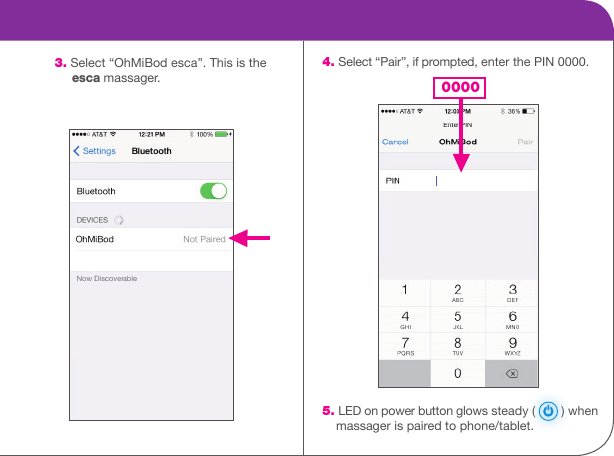
    4. Select “Pair”, if prompted, enter the PIN 0000.                                        5. LED on power button glows steady (   ) when      massager is paired to phone/tablet. 3. Select “OhMiBod esca”. This is the       esca massager. 0000
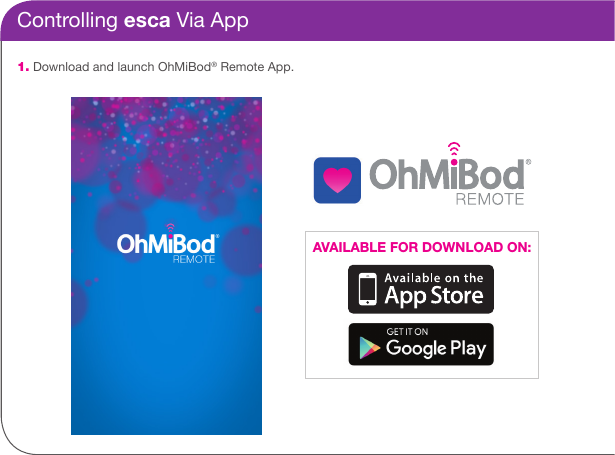
Controlling esca Via App1. Download and launch OhMiBod® Remote App.AVAILABLE FOR DOWNLOAD ON:
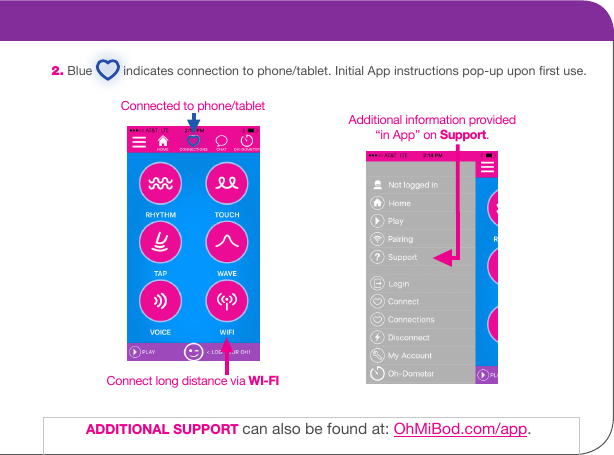
2. Blue   indicates connection to phone/tablet. Initial App instructions pop-up upon rst use. Connected to phone/tabletConnect long distance via WI-FIAdditional information provided “in App” on Support.ADDITIONAL SUPPORT can also be found at: OhMiBod.com/app.
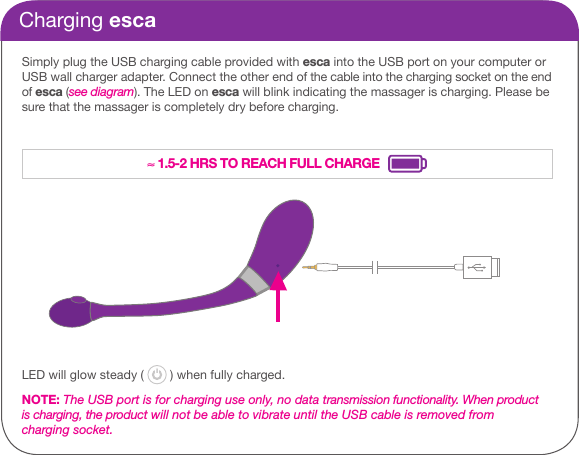
Charging escaSimply plug the USB charging cable provided with esca into the USB port on your computer or USB wall charger adapter. Connect the other end of the cable into the charging socket on the end of esca (see diagram). The LED on esca will blink indicating the massager is charging. Please be sure that the massager is completely dry before charging. LED will glow steady (   ) when fully charged.NOTE: The USB port is for charging use only, no data transmission functionality. When product is charging, the product will not be able to vibrate until the USB cable is removed from charging socket.≈ 1.5-2 HRS TO REACH FULL CHARGE
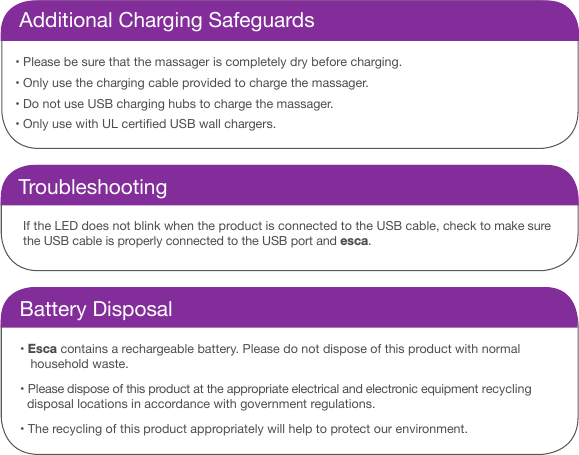
Additional Charging Safeguards•  Please be sure that the massager is completely dry before charging. •  Only use the charging cable provided to charge the massager. •  Do not use USB charging hubs to charge the massager. •  Only use with UL certied USB wall chargers.TroubleshootingIf the LED does not blink when the product is connected to the USB cable, check to make sure the USB cable is properly connected to the USB port and esca.Battery Disposal• Esca contains a rechargeable battery. Please do not dispose of this product with normal     household waste. • Please dispose of this product at the appropriate electrical and electronic equipment recycling     disposal locations in accordance with government regulations. • The recycling of this product appropriately will help to protect our environment.
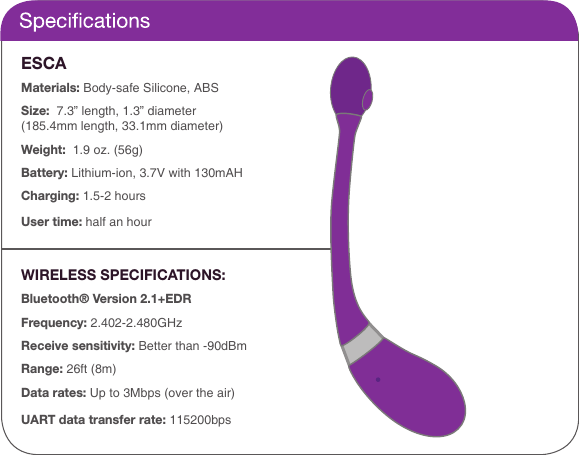
ESCA Materials: Body-safe Silicone, ABSSize:  7.3” length, 1.3” diameter(185.4mm length, 33.1mm diameter)Weight:  1.9 oz. (56g)Battery: Lithium-ion, 3.7V with 130mAHCharging: 1.5-2 hoursUser time: half an hourWIRELESS SPECIFICATIONS:Bluetooth® Version 2.1+EDRFrequency: 2.402-2.480GHzReceive sensitivity: Better than -90dBmRange: 26ft (8m) Data rates: Up to 3Mbps (over the air)UART data transfer rate: 115200bps
Care and Cleaning• esca is splash proof only. When cleaning, avoid submerging in water and getting any    water into the charging socket. • Clean after every use with mild soap and water. Dry thoroughly. • Store in privacy pouch to keep esca clean and safe until next use.Important Safeguards• Do not use on areas that are swollen, inamed or have skin lacerations. • Stop using the massager if you experience pain or discomfort. • Do not submerge in water. • Do not sure while bathing or in the shower.
No medical claims are warranted or implied by the use of this product.WarrantyOhMiBod warrants this product for a period of one (1) year from the date of original purchase, against defects due to faulty workmanship or materials. In the event that this product fails during the warranty period, simply email us at customercare@ohmibod.com and provide us with a valid proof of the date of original purchase and we will replace the faulty product at no extra charge. This warranty does not cover cosmetic deterioration caused by normal wear and tear or damage caused by accident, misuse, neglect or other use not in accordance with this instruction manual. Any attempt to open or take apart this product or its accessories will void the warranty. Contact UsIf you have any questions regarding your new product, please check out additional information at www.ohmibod.com/customercare. You can also reach us via email at customercare@ohmibod.com.
Special Note from Founder“OhMiBod’s goal is to reect the collective personality of our customers who have an open,  honest attitude toward sexuality and personal pleasure. My hope is that OhMiBod becomes a symbol of liberation, reecting new and progressive attitudes toward personal pleasure for the young and the young at heart...People who are comfortable with their bodies, know what feels good and who, not only aren’t afraid to admit it, are empowered to go after it.”
FCC ID: XG5OMBES01 This device complies with Part 15 of the FCC Rules. Operation is subject to the following two condi-tions: (1) this device may not cause harmful interference, and (2) this device must accept any interference received, including interference that may cause undesired operation.CAUTION: The user is cautioned that changes or modications not expressly approved by the party responsible for compliance could void the user’s authority to operate the equipment. NOTE: This equipment has been tested and found to comply with the limits for a Class B digital device, pursuant to Part 15 of the FCC Rules. These limits are designed to provide reasonable protection against harmful interference in a residential installation. This equipment generates, uses and can radiate radio frequency energy and, if not installed and used in accordance with the instructions, may cause harmful interference to radio communications. However, there is no guarantee that interference will not occur in a particular installation. If this equipment does cause harmful interference to radio or television reception, which can be deter-mined by turning the equipment o and on, the user is encouraged to try to correct the interference by one or more of the following measures:• Reorient or relocate the receiving antenna.• Increase the separation between the equipment and receiver.• Connect the equipment into an outlet on a circuit dierent from that to which the receiver is connected.• Consult the dealer or an experienced radio/TV technician for help.FCC Radiation Exposure Statement  This equipment complies with FCC radiation exposure limits set forth for an uncontrolled environment. This transmitter must not be co-located or operating in conjunction with any other antenna or transmitter.
Copyright© Suki, LLC 2017.  All rights reserved.Designed in the United States / Made in China

Navigation menu