eSky wireless ES320 GPS tracking User Manual ES320 en

eSky wireless Inc. GPS tracking ES320 en

Users Manual

  0 http://www.eskywireless.com  Suzhou eSkywireless Inc.   ES320 user manual    ES320 user manual                   Suzhou eSkywireless Inc.
  1 http://www.eskywireless.com  Suzhou eSkywireless Inc.   ES320 user manual  Information to User  This device complies with part 15 of the FCC Rules. Operation is subject to the following two conditions: (1) This device may not cause harmful interference, and (2) this device must accept any interference received, including interference that may cause undesired operation.   RF warning    This device was tested for compliance with the applicable FCC specific absorption rate (SAR) limits for radio frequency (RF) exposure during typical body-worn operations. To ensure that RF exposure levels remain at or below the tested levels, use a belt-clip, holster, or similar accessory that maintains a minimum separation distance of 0.5 cm between your body and the device, with either the front or back of the device facing towards your body. Such accessories should not contain any metallic components. Body-worn accessories that do not meet these specifications may not ensure compliance with applicable SAR limits and their use should be avoided.
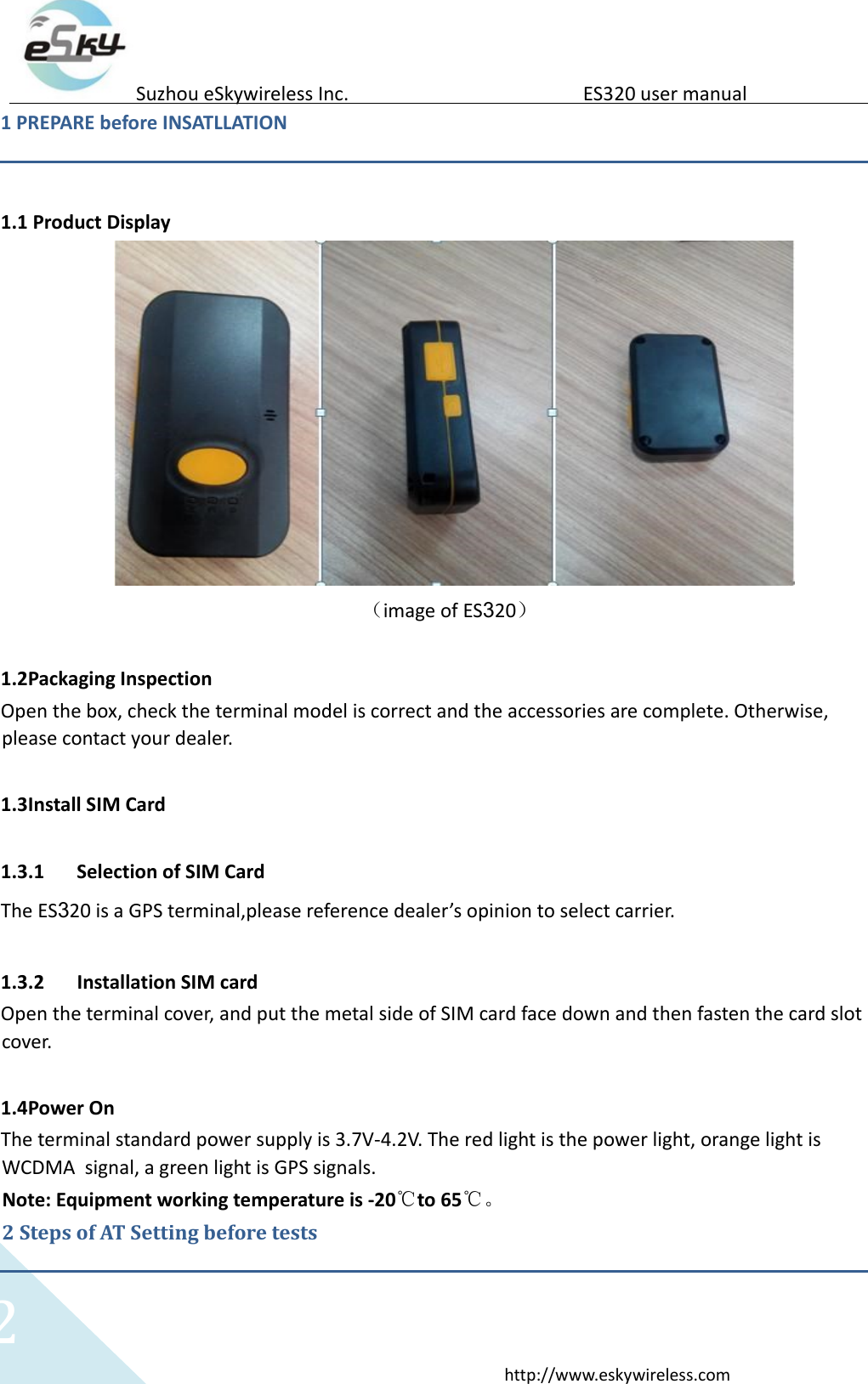
  2 http://www.eskywireless.com  Suzhou eSkywireless Inc.   ES320 user manual  1 PREPARE before INSATLLATION     1.1 Product Display  (image of ES320)  1.2Packaging Inspection  Open the box, check the terminal model is correct and the accessories are complete. Otherwise, please contact your dealer.   1.3Install SIM Card    1.3.1 Selection of SIM Card  The ES320 is a GPS terminal,please reference dealer’s opinion to select carrier.   1.3.2 Installation SIM card  Open the terminal cover, and put the metal side of SIM card face down and then fasten the card slot cover.   1.4Power On  The terminal standard power supply is 3.7V-4.2V. The red light is the power light, orange light is WCDMA  signal, a green light is GPS signals.  Note: Equipment working temperature is -20℃to 65℃。 2 Steps of AT Setting before tests
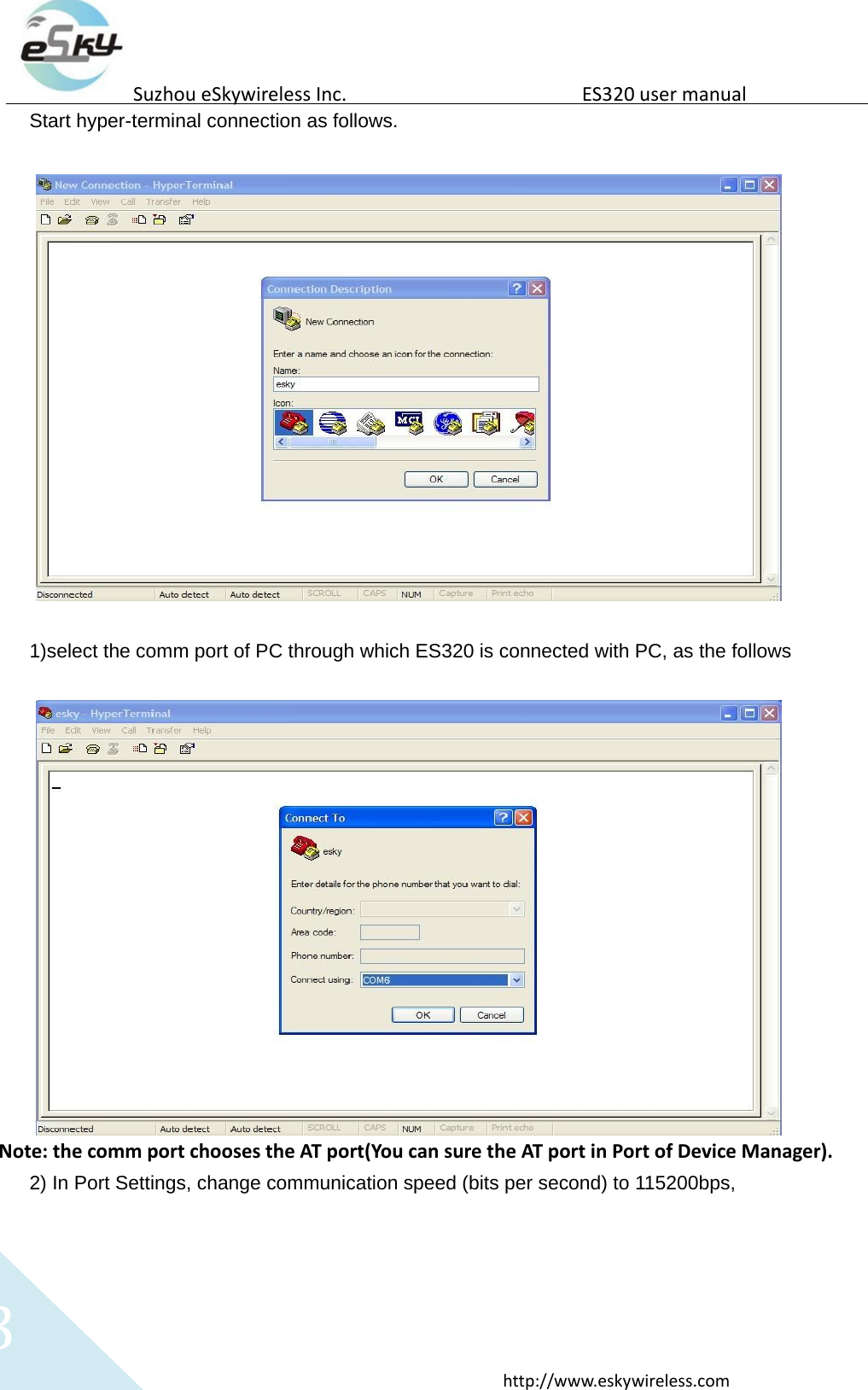
  3 http://www.eskywireless.com  Suzhou eSkywireless Inc.   ES320 user manual  Start hyper-terminal connection as follows.     1)select the comm port of PC through which ES320 is connected with PC, as the follows    Note: the comm port chooses the AT port(You can sure the AT port in Port of Device Manager). 2) In Port Settings, change communication speed (bits per second) to 115200bps,
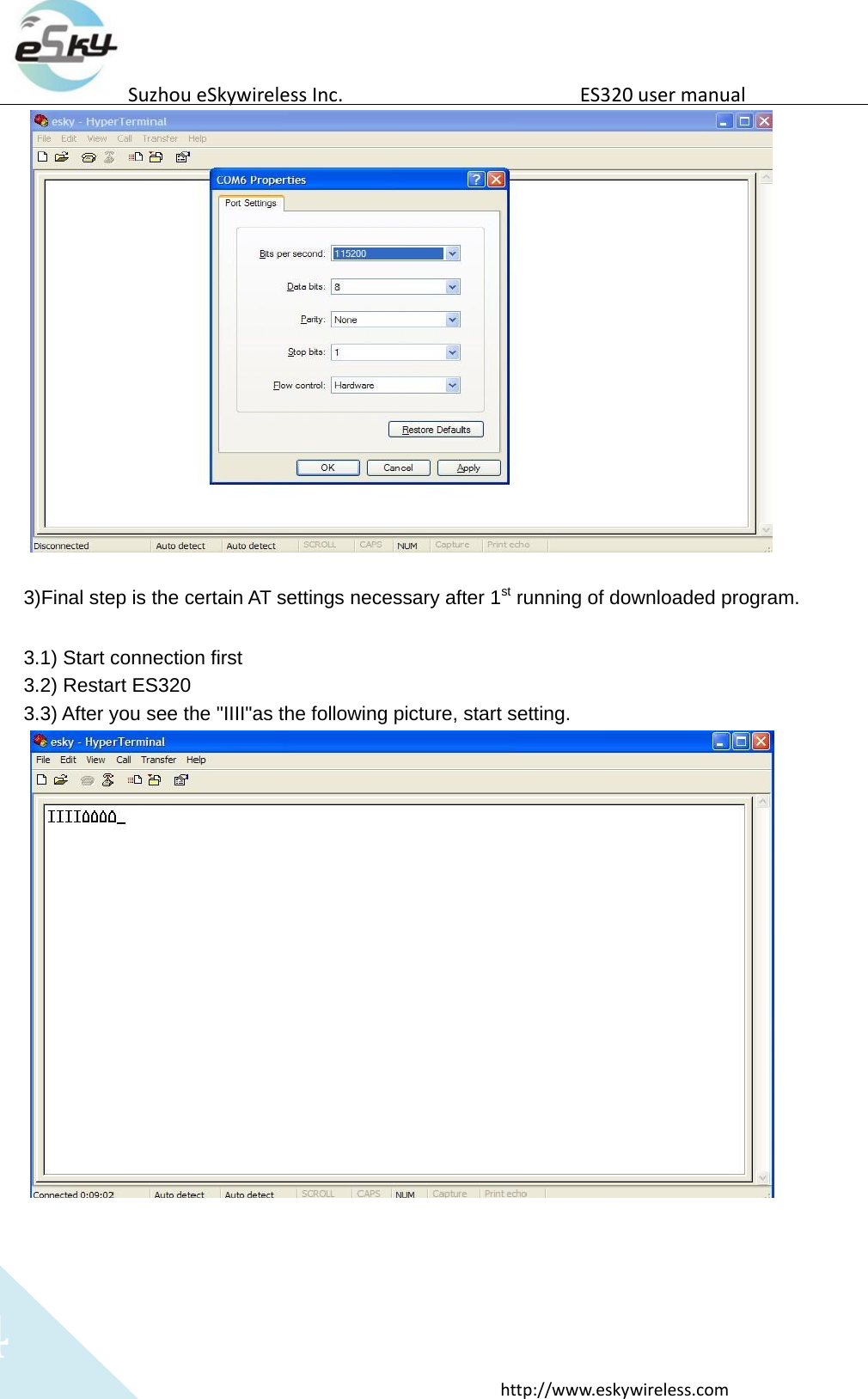
  4 http://www.eskywireless.com  Suzhou eSkywireless Inc.   ES320 user manual    3)Final step is the certain AT settings necessary after 1st running of downloaded program.   3.1) Start connection first  3.2) Restart ES320  3.3) After you see the "IIII"as the following picture, start setting.
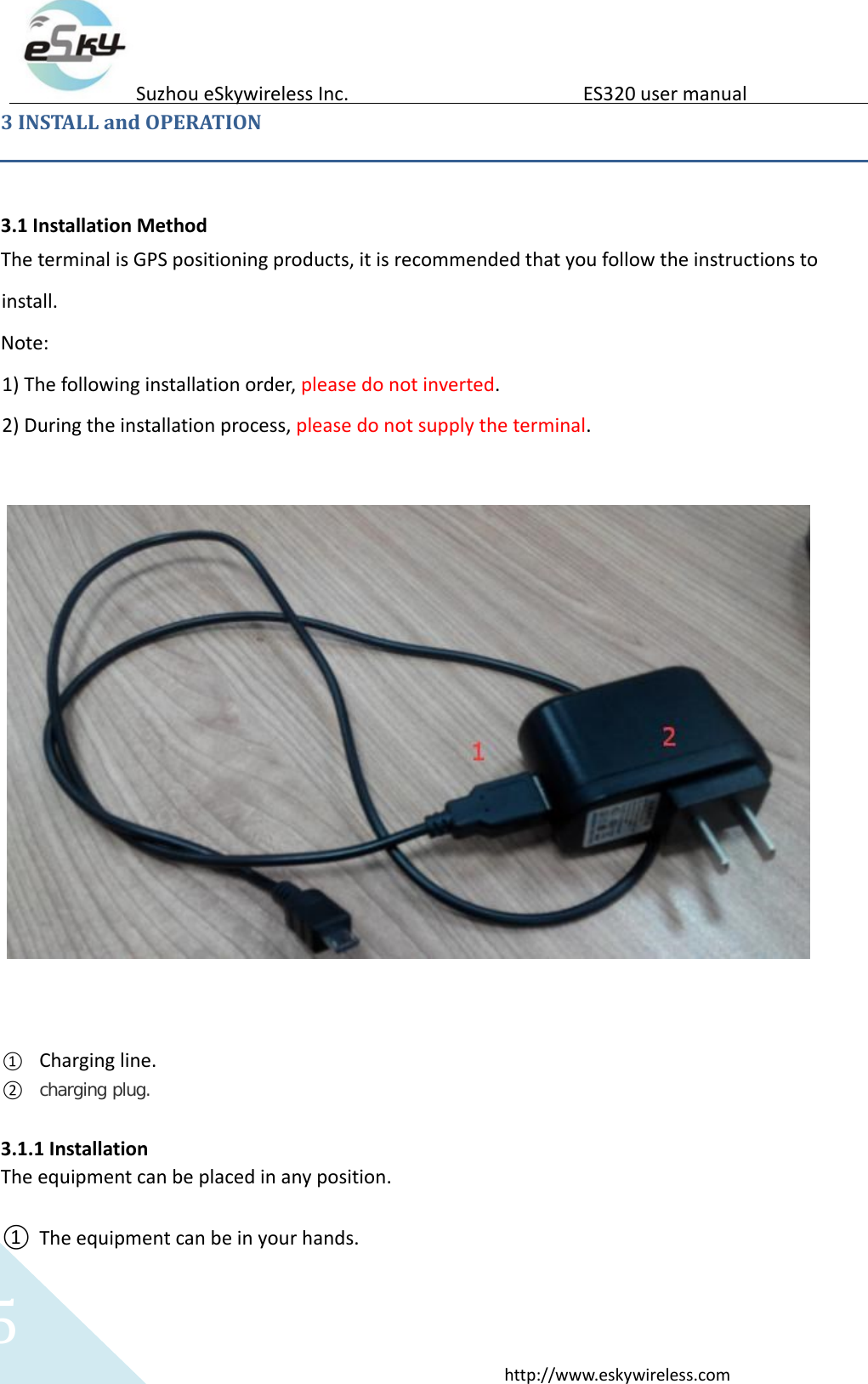
  5 http://www.eskywireless.com  Suzhou eSkywireless Inc.   ES320 user manual  3 INSTALL and OPERATION   3.1 Installation Method  The terminal is GPS positioning products, it is recommended that you follow the instructions to install.   Note:   1) The following installation order, please do not inverted.  2) During the installation process, please do not supply the terminal.        ① Charging line.  ② charging plug.  3.1.1 Installation  The equipment can be placed in any position.    ① The equipment can be in your hands.
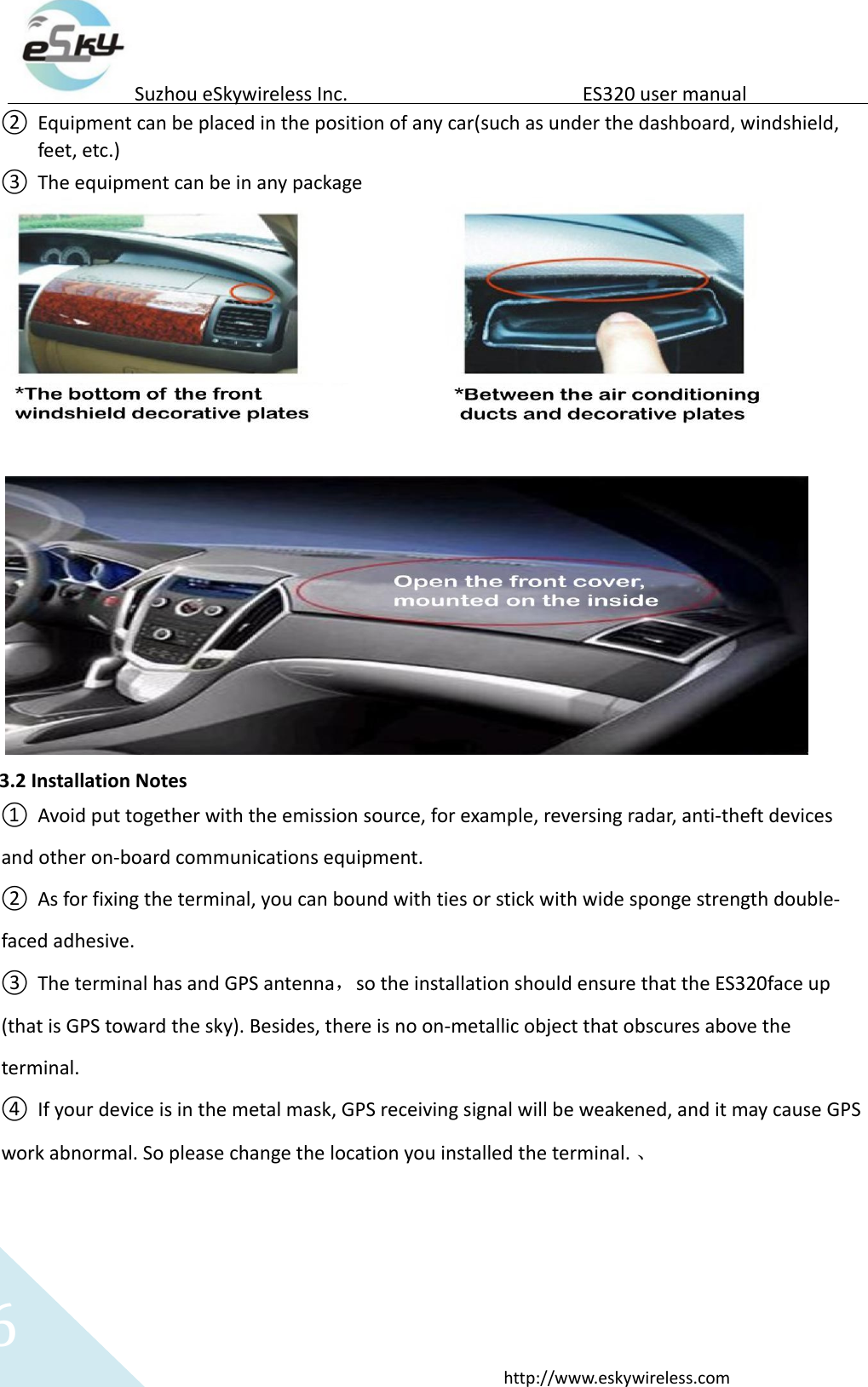
  6 http://www.eskywireless.com  Suzhou eSkywireless Inc.   ES320 user manual  ② Equipment can be placed in the position of any car(such as under the dashboard, windshield, feet, etc.)  ③ The equipment can be in any package    3.2 Installation Notes  ① Avoid put together with the emission source, for example, reversing radar, anti-theft devices and other on-board communications equipment.   ② As for fixing the terminal, you can bound with ties or stick with wide sponge strength double-faced adhesive.  ③ The terminal has and GPS antenna,so the installation should ensure that the ES320face up (that is GPS toward the sky). Besides, there is no on-metallic object that obscures above the terminal.   ④ If your device is in the metal mask, GPS receiving signal will be weakened, and it may cause GPS work abnormal. So please change the location you installed the terminal. 、
  7 http://www.eskywireless.com  Suzhou eSkywireless Inc.   ES320 user manual   4.SOS Introduction    SOS can make an SOS call or SMS message to a pre-configured phone.  1).SOS message: when press the SOS button, if the device positioning by GPS, the equipment will receive GPS information; If the equipment base station signal is detected, the equipment will receive the base station information;   2).SOS call: when press the SOS button, the device will connect the specified number, and carries on the phone.
  8 http://www.eskywireless.com  Suzhou eSkywireless Inc.   ES320 user manual  Federal Communication Commission Interference Statement  This equipment has been tested and found to comply with the limits for a Class B digital device, pursuant to Part 15 of the FCC Rules. These limits are designed to provide reasonable protection against harmful interference in a residential installation. This equipment generates, uses and can radiate radio frequency energy and, if not installed and used in accordance with the instructions, may cause harmful interference to radio communications. However, there is no guarantee that interference will not occur in a particular installation. If this equipment does cause harmful interference to radio or television reception, which can be determined by turning the equipment off and on, the user is encouraged to try to correct the interference by one of the following measures:  - Reorient or relocate the receiving antenna.  - Increase the separation between the equipment and receiver.  - Connect the equipment into an outlet on a circuit different from that to which the receiver is connected.  - Consult the dealer or an experienced radio/TV technician for help.  FCC Caution: Any changes or modifications not expressly approved by the party responsible for compliance could void the user's authority to operate this equipment.  This transmitter must not be co-located or operating in conjunction with any other antenna or transmitter.  This equipment complies with FCC radiation exposure limits set forth for an uncontrolled environment.

Navigation menu