Arima Communication 2718 Arima 2718 User Manual NEC e132 EN

Arima Communication Corporation Arima 2718 NEC e132 EN

Contents

Users Manual I

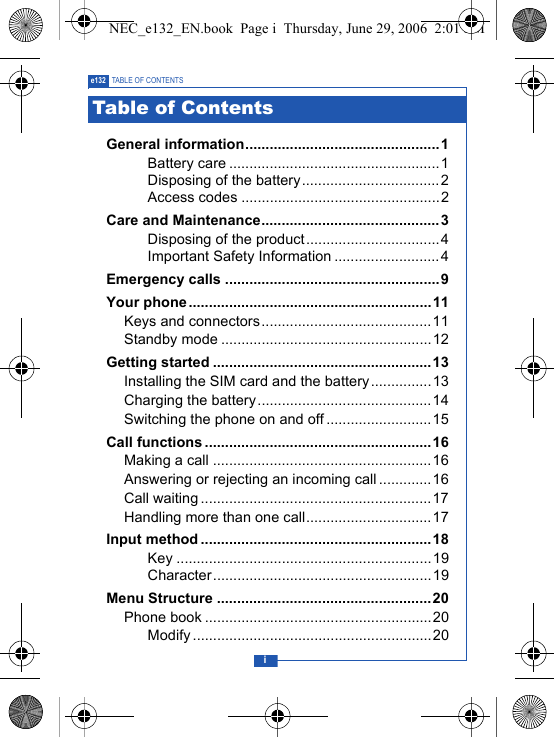
ie132 TABLE OF CONTENTSGeneral information................................................1Battery care ....................................................1Disposing of the battery..................................2Access codes .................................................2Care and Maintenance............................................ 3Disposing of the product.................................4Important Safety Information ..........................4Emergency calls .....................................................9Your phone ............................................................11Keys and connectors..........................................11Standby mode ....................................................12Getting started ......................................................13Installing the SIM card and the battery...............13Charging the battery...........................................14Switching the phone on and off ..........................15Call functions ........................................................16Making a call ......................................................16Answering or rejecting an incoming call.............16Call waiting .........................................................17Handling more than one call...............................17Input method .........................................................18Key ...............................................................19Character......................................................19Menu Structure .....................................................20Phone book ........................................................20Modify ...........................................................20Table of ContentsNEC_e132_EN.book  Page i  Thursday, June 29, 2006  2:01 PM
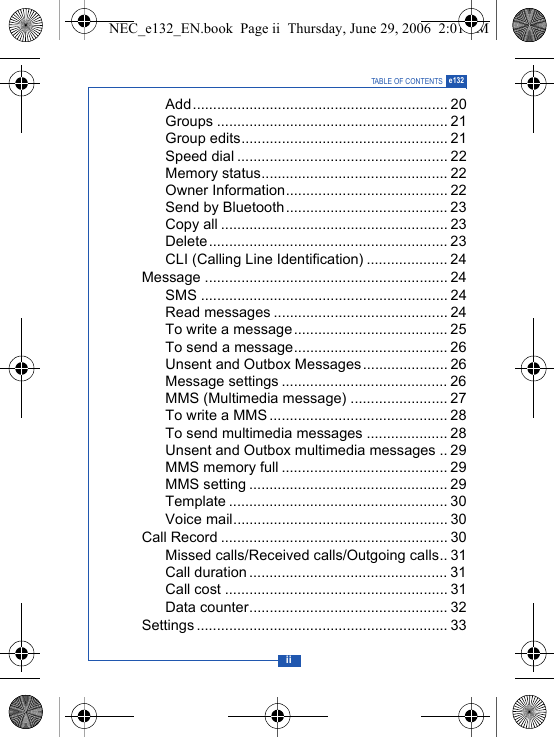
iiTABLE OF CONTENTS e132Add............................................................... 20Groups ......................................................... 21Group edits................................................... 21Speed dial .................................................... 22Memory status.............................................. 22Owner Information........................................ 22Send by Bluetooth........................................ 23Copy all ........................................................ 23Delete........................................................... 23CLI (Calling Line Identification) .................... 24Message ............................................................ 24SMS ............................................................. 24Read messages ........................................... 24To write a message...................................... 25To send a message...................................... 26Unsent and Outbox Messages..................... 26Message settings ......................................... 26MMS (Multimedia message) ........................ 27To write a MMS ............................................ 28To send multimedia messages .................... 28Unsent and Outbox multimedia messages .. 29MMS memory full ......................................... 29MMS setting ................................................. 29Template ...................................................... 30Voice mail..................................................... 30Call Record ........................................................ 30Missed calls/Received calls/Outgoing calls.. 31Call duration ................................................. 31Call cost ....................................................... 31Data counter................................................. 32Settings .............................................................. 33NEC_e132_EN.book  Page ii  Thursday, June 29, 2006  2:01 PM
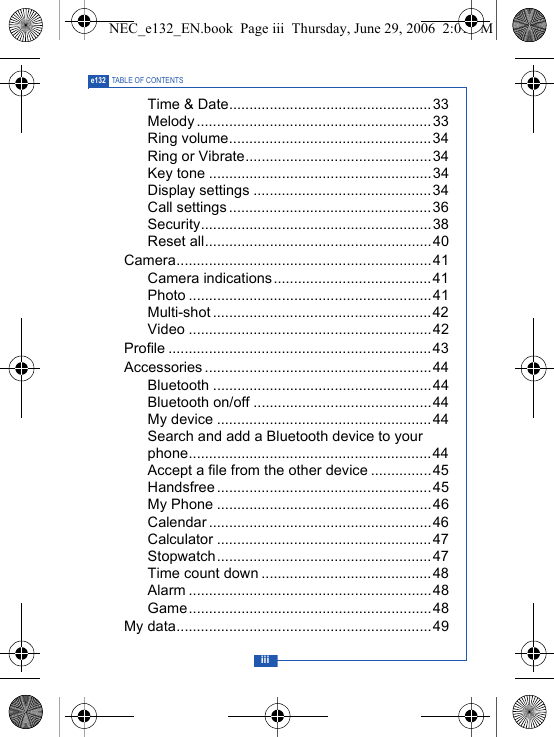
iiie132 TABLE OF CONTENTSTime & Date..................................................33Melody ..........................................................33Ring volume..................................................34Ring or Vibrate..............................................34Key tone .......................................................34Display settings ............................................34Call settings..................................................36Security.........................................................38Reset all........................................................40Camera...............................................................41Camera indications.......................................41Photo ............................................................41Multi-shot ......................................................42Video ............................................................42Profile .................................................................43Accessories ........................................................44Bluetooth ......................................................44Bluetooth on/off ............................................44My device .....................................................44Search and add a Bluetooth device to your phone............................................................44Accept a file from the other device ...............45Handsfree .....................................................45My Phone .....................................................46Calendar ....................................................... 46Calculator .....................................................47Stopwatch.....................................................47Time count down ..........................................48Alarm ............................................................48Game............................................................48My data...............................................................49NEC_e132_EN.book  Page iii  Thursday, June 29, 2006  2:01 PM
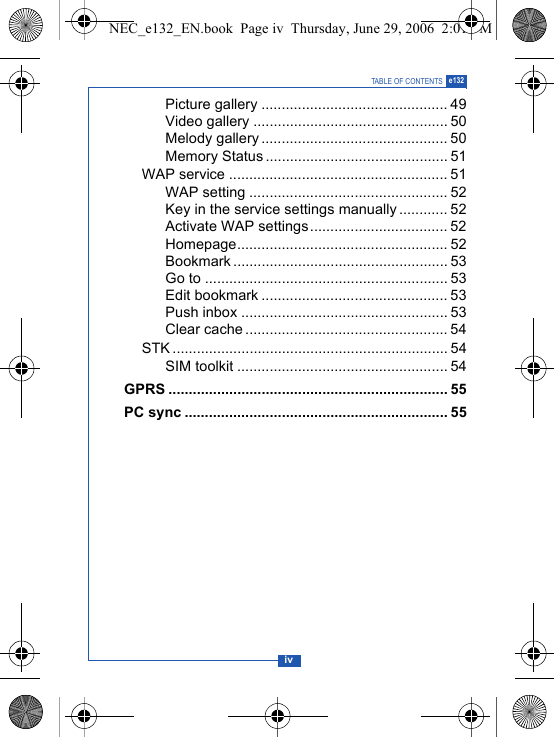
ivTABLE OF CONTENTS e132Picture gallery .............................................. 49Video gallery ................................................ 50Melody gallery .............................................. 50Memory Status ............................................. 51WAP service ...................................................... 51WAP setting ................................................. 52Key in the service settings manually............ 52Activate WAP settings.................................. 52Homepage.................................................... 52Bookmark ..................................................... 53Go to ............................................................ 53Edit bookmark .............................................. 53Push inbox ................................................... 53Clear cache .................................................. 54STK .................................................................... 54SIM toolkit .................................................... 54GPRS ..................................................................... 55PC sync ................................................................. 55NEC_e132_EN.book  Page iv  Thursday, June 29, 2006  2:01 PM
1e132 GENERAL INFORMATIONBattery careYour phone is powered by a rechargeable battery.• The battery can be charged and discharged hundreds of timesbut it will eventually wear out. When the operating time (talk-timeand standby time) is noticeably shorter than normal, you shouldbuy a new battery.• Unplug the charger when not in use. Do not leave the batteryconnected to a charger for longer than a week, sinceovercharging may shorten its lifetime.• If left unused, a fully charged battery may discharge itself overtime.• Temperature extremes can affect the ability of your battery tocharge.• Do not use a charger or battery that is damaged in any way.• Use the battery only for its intended purpose.• Do not leave the battery in hot or cold places, such as in a car insummer or winter.• Do not short-circuit the battery. Short-circuiting the terminals maydamage the battery or the connecting object.• Dispose of batteries according to local regulations. Alwaysrecycle.• In addition to the rechargable battery your phone is fitted with aninternal battery that can only be replaced by a qualified serviceengineer. There is a risk of explosion if the battery is replacedwith an incorrect type of battery. Dispose of the used battery inaccordance with the manufacturer's instructions.General informationNEC_e132_EN.book  Page 1  Thursday, June 29, 2006  2:01 PM
2GENERAL INFORMATION e132Disposing of the batteryUsed phone batteries must be disposed of in compliancewith current environment protection regulations. Youshould return your batteries to your reseller or dispose ofthem in an approved recycling centre.Access codesPIN code (4 to 8 digits):The PIN (Personal Identification Number) code protects your SIMcard against unauthorised access. Your SIM card usuallysupplies the PIN code.PIN2 code (4 to 8 digits)The PIN2 code may be supplied with the SIM card. Somefunctions will require PIN2 support, such as Set tariff.PUK and PUK2 (8 digits)The PUK (Personal Unblocking Key) code is required to changea blocked PIN code. The PUK2 code is required to change ablocked PIN2 code.Phone code (4 to 8 digits)The phone code protects the phone against unauthorised use.It is not on when you buy the phone. You can change the phonecode (0000) to any four to eight-digit personal code.NEC_e132_EN.book  Page 2  Thursday, June 29, 2006  2:01 PM
3e132 CARE AND MAINTENANCERead this information before using your mobile phone.Your mobile phone is a highly sophisticated electronic device. Whenusing your phone, battery, charger or any accessory, please readthis information first.Product care• Warning: Please check the volume level of your phone beforelistening to your phone. High volume levels will damage yourhearing.• Keep your mobile phone and all its parts out of young children'sreach.• Keep your mobile phone dry.• Avoid exposing your mobile phone to extreme hot or coldtemperatures.• Avoid placing your mobile phone close to lit cigarettes, nakedflames or any heat source.Note: Do not use your product in an area where a potentiallyexplosive atmosphere exists.• If you set the Vibrator setting to ON, be careful that the phone isnot near a source of heat (e.g. a heater) and that it does not fallfrom a desk due to the vibration.• Do not store or carry flammable or explosive materials in thesame compartment where a mobile phone is placed.• The operation of some medical electronic devices, such ashearing aids and pacemakers, may be affected if a mobile phoneis used next to them. Observe any warning signs andmanufacturer's recommendations.• If you have a weak heart, you should take extra precautionswhen setting functions such as the Vibrator and Ringer volumefunctions for incoming calls.Care and MaintenanceNEC_e132_EN.book  Page 3  Thursday, June 29, 2006  2:01 PM
4CARE AND MAINTENANCE e132• Do not attempt to disassemble the phone. Non-expert handling ofthe device may damage it.• Do not drop, knock or shake the phone. Rough handling canbreak internal circuit boards.• Do not paint your mobile phone. The paint could obstruct theearphone, microphone or any moveable parts and preventnormal use.• Treat your mobile phone with care, keep it in a clean and dustfree environment.Disposing of the productYour Mobile phone should not be placed in municipalwaste. Please check local regulations for disposal ofelectronic products.Important Safety InformationRadio frequency energy and SAR certification informationYour phone meets the government's requirements for exposureto radio waves. It is a radio transmitter and receiver. When the phone is turned on, itreceives and transmits radio frequency (RF) energy. Depending on thetype of mobile phone you possess, it operates on different frequencyranges and employs commonly used modulation techniques.The exposure standard for mobile phones employs a unit ofmeasurement known as Specific Absorption Rate (SAR). TheSAR value is determined at the highest certified power level inlaboratory conditions, but the actual SAR level of the mobilephone while operating can be well below this value. This isbecause the mobile phone is designed to use the minimumpower required to reach the network.This phone is designed and manufactured not to exceed theemission limits for exposure to radio frequency (RF) energy setby the Federal Communications Commission (FCC) of the U.S.NEC_e132_EN.book  Page 4  Thursday, June 29, 2006  2:01 PM
5e132 CARE AND MAINTENANCEGovernment and CE certification (CE marking) of EuropeanUnion (EU) requirements.The SAR limit recommended by the EU Council is 2.0W/kg. Thehighest SAR value for this model phone was 0.888 W/kg.DoCCS Česky [Czech] NEC tímto prohlašuje, že tento e132 je ve shodě se základními požadavky a dalšími příslušnými ustanoveními směrnice 1999/5/ES.DA Dansk [Danish] Undertegnede NEC erklærer herved, at følgende udstyr e132 overholder de væsentlige krav og øvrige relevante krav i direktiv 1999/5/EF.DE Deutsch [German] Hiermit erklärt NEC, dass sich das Gerät e132 in Übereinstimmung mit den grundlegenden Anforderungen und den übrigen einschlägigen Bestimmungen der Richtlinie 1999/5/EG befindet.ET Eesti [Estonian] Käesolevaga kinnitab NEC seadme e132 vastavust direktiivi 1999/5/EÜ põhinõuetele ja nimetatud direktiivist tulenevatele teistele asjakohastele sätetele.EN English Hereby, NEC, declares that this e132 is in compliance with the essential requirements and other relevant provisions of Directive 1999/5/EC.ES Español [Spanish] Por medio de la presente NEC declara que el e132 cumple con los requisitos esenciales y cualesquiera otras disposiciones aplicables o exigibles de la Directiva 1999/5/CE.EL Ελληνική [Greek] ΜΕ ΤΗΝ ΠΑΡΟΥΣΑ NEC ∆ΗΛΩΝΕΙ ΟΤΙ e132 ΣΥΜΜΟΡΦΩΝΕΤΑΙ ΠΡΟΣ ΤΙΣ ΟΥΣΙΩ∆ΕΙΣ ΑΠΑΙΤΗΣΕΙΣ ΚΑΙ ΤΙΣ ΛΟΙΠΕΣ ΣΧΕΤΙΚΕΣ ∆ΙΑΤΑΞΕΙΣ ΤΗΣ Ο∆ΗΓΙΑΣ 1999/5/ΕΚ.FR Français [French] Par la présente NEC déclare que l'appareil e132 est conforme aux exigences essentielles et aux autres dispositions pertinentes de la directive 1999/5/CE.IT Italiano [Italian] Con la presente NEC dichiara che questo e132 è conforme ai requisiti essenziali ed alle altre disposizioni pertinenti stabilite dalla direttiva 1999/5/CE.NEC_e132_EN.book  Page 5  Thursday, June 29, 2006  2:01 PM
6CARE AND MAINTENANCE e132LV Latviski [Latvian]Ar šo NEC deklarē, ka e132 atbilst Direktīvas 1999/5/EK būtiskajām prasībām un citiem ar to saistītajiem noteikumiem.LT Lietuvių [Lithuanian] Šiuo NEC deklaruoja, kad šis e132 atitinka esminius reikalavimus ir kitas 1999/5/EB Direktyvos nuostatas.NL Nederlands [Dutch]Hierbij verklaart NEC dat het toestel e132 in overeenstemming is met de essentiële eisen en de andere relevante bepalingen van richtlijn 1999/5/EG.MT Malti [Maltese]Hawnhekk, NEC, jiddikjara li dan e132 jikkonforma mal-h–tig·ijiet essenzjali u ma provvedimenti oh–rajn relevanti li hemm fid-Dirrettiva 1999/5/EC.HU Magyar [Hungarian]Alulírott, NEC nyilatkozom, hogy a e132 megfelel a vonatkozó alapvetõ követelményeknek és az 1999/5/EC irányelv egyéb elõírásainak.PL Polski [Polish]Niniejszym NEC oświadcza, że e132 jest zgodny z zasadniczymi wymogami oraz pozostałymi stosownymi postanowieniami Dyrektywy 1999/5/EC.PT Português [Portuguese]NEC declara que este e132 está conforme com os requisitos essenciais e outras disposições da Directiva 1999/5/CE.SL Slovensko [Slovenian]NEC izjavlja, da je ta e132 v skladu z bistvenimi zahtevami in ostalimi relevantnimi določili direktive 1999/5/ES.SK Slovensky [Slovak]NEC týmto vyhlasuje, že e132 spĺňa základné požiadavky a všetky príslušné ustanovenia Smernice 1999/5/ES.FI Suomi [Finnish]NEC vakuuttaa täten että e132 tyyppinen laite on direktiivin 1999/5/EY oleellisten vaatimusten ja sitä koskevien direktiivin muiden ehtojen mukainen.SV Svenska [Swedish]Härmed intygar NEC att denna e132 står I överensstämmelse med de väsentliga egenskapskrav och övriga relevanta bestämmelser som framgår av direktiv 1999/5/EG.NEC_e132_EN.book  Page 6  Thursday, June 29, 2006  2:01 PM
7e132 CARE AND MAINTENANCEElectronic devicesMost modern electronic equipment is shielded from RF energy.However, certain electronic equipment may not be shieldedagainst the RF signals from your mobile phone, therefore:• Do not use your mobile phone near medical equipment withoutrequesting permission.PacemakerMobile phones may affect the operation of some implanted cardiacpacemakers and other medically implanted equipment. Pacemakermanufacturers recommend that a minimum separation of 20 cm (6inches) be maintained between a hand-held wireless phone and apacemaker to avoid potential interference with the pacemaker. Theserecommendations are consistent with the independent research byand recommendations of Wireless Technology Research.Persons with pacemakers:• Should always keep the phone more than 20 cm (6 inches) fromtheir pacemaker when the phone is switched on;• Should not carry the phone in a breast pocket;• Should use the ear opposite the pacemaker to minimize thepotential for interference.• If you have any reason to suspect that interference is takingplace, switch off your phone immediately.Hearing aidsSome hearing aids might be disturbed by mobile phones. In the eventof such disturbance, you may want to consult your service provider, orcall the customer services line to discuss alternatives.Íslenska [Icelandic] Hér með lýsir NEC yfir því að e132 er í samræmi við grunnkröfur og aðrar kröfur, sem gerðar eru í tilskipun 1999/5/EC.NO Norsk [Norwegian] NEC erklærer herved at utstyret e132 er i samsvar med de grunnleggende krav og øvrige relevante krav i direktiv 1999/5/EF.NEC_e132_EN.book  Page 7  Thursday, June 29, 2006  2:01 PM
8CARE AND MAINTENANCE e132Aircraft• Turn off your mobile phone before boarding any aircraft.• Do not use it on the ground without crew permission.To prevent interference with communication systems, you mustnot use your mobile phone while the plane is in the air.Potentially explosive atmospheresSwitch off your phone when in any area with a potentiallyexplosive atmosphere and obey all signs and instructions. It israre, but your phone or its accessories could generate sparks.Sparks in such areas could cause an explosion or fire resulting inbodily injury or even death. Areas with a potentially explosiveatmosphere are often, but not always, clearly marked. Theyinclude fuelling areas, such as petrol stations, below deck onboats, fuel or chemical transfer or storage facilities, and areaswhere the air contains chemicals or particles, such as grain, dust,or metal powders.; and any other area where you would normallybe advised to turn off your vehicle engine.DrivingCheck the laws and regulations on the use of mobile phones inthe areas where you drive. If you are going to use your phonewhile driving, please:• Give full attention to driving.• Use handsfree. Law in many countries requires vehiclehandsfree.• Pull off the road and park before making or answering a call ifdriving conditions so require.RF energy may affect some electronic systems in motor vehiclessuch as car stereo, safety equipment etc. in addition, somevehicle manufacturers do not allow use of mobile phones, unlessthe installation is supported by a handsfree kit with an externalantenna, in their vehicles. Check with your vehiclemanufacturer's representative to be sure that your mobile phonewill not affect the electronic systems in your vehicle.NEC_e132_EN.book  Page 8  Thursday, June 29, 2006  2:01 PM
9e132 EMERGENCY CALLSImportant:This phone, like any wireless phone, operates using radiosignals, wireless and landline networks as well as userprogrammed functions. Because of this, connections in allconditions cannot be guaranteed. Therefore, you should neverrely solely upon any wireless phone for essentialcommunications (e.g. medical emergencies)Emergency calls may not be possible on all wireless phonenetworks or when certain network services and/or phone featuresare in use. Check with local service provider.FCC Statement:This device complies with Part 15 of the FCCRules. Operation is subject to the following twoconditions: (1) this device may not cause harmfulinterference, and (2) this device must accept anyinterference received, including interference thatmay cause undesired operation.For body worn operation, this phone has been tested and meetsFCC RF exposure guidelines when used with an accessory thatcontains no metal and that positions the handset a minimum of1.5 cm from the body. Use of other accessories may not ensurecompliance with FCC RF exposure guidelines.LicensesT9® Text Input and the T9® logo are registered trademarks of theTegic Communication.T9® Text Input is licensed under one or more of the following:U.S. Pat. Nos. 5,187,480, 5,818,437, 5,945,928, 5,953,541,6,011,554 6,286,064, 6,307,548, 6,307,549, and 6,636,162,6,646,573; Australian Pat. Nos. 727539, 746674, and 747901;Canadian Pat. Nos. 1,331,057, 2,302,595, and 2,227,904; JapanPat. No. 3532780, 3492981; United Kingdom Pat. No. 2238414B;Emergency callsNEC_e132_EN.book  Page 9  Thursday, June 29, 2006  2:01 PM
10EMERGENCY CALLS e132HongKong Standard Pat. No. HK1010924; Republic ofSingapore Pat. No. 51383, 66959, and 71979; European. Pat.Nos. 0 842 463 (96927260.8), 1 010 057 (98903671.0), 1 018069 (98950708.2); Repubilc of Korea Pat. Nos. KR201211B1 andKR226206B1. People's Republic of China Pat. Application Nos.98802801.8, 98809472.X and 96196739.0; Mexico Pat. No.208141; Russian Federation Pat. No. 2206118; and additionalParents are pending worldwide.NEC_e132_EN.book  Page 10  Thursday, June 29, 2006  2:01 PM
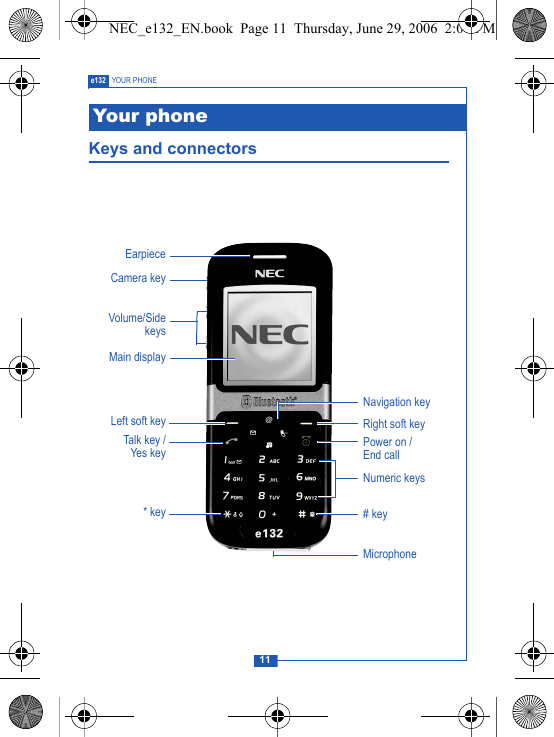
11e132 YOUR PHONEKeys and connectorsYour phoneEarpieceCamera keyMain displayVolume/SidekeysLeft soft keyTalk key /Yes key * keyMicrophone# keyPower on / End callRight soft keyNumeric keysNavigation keyNEC_e132_EN.book  Page 11  Thursday, June 29, 2006  2:01 PM
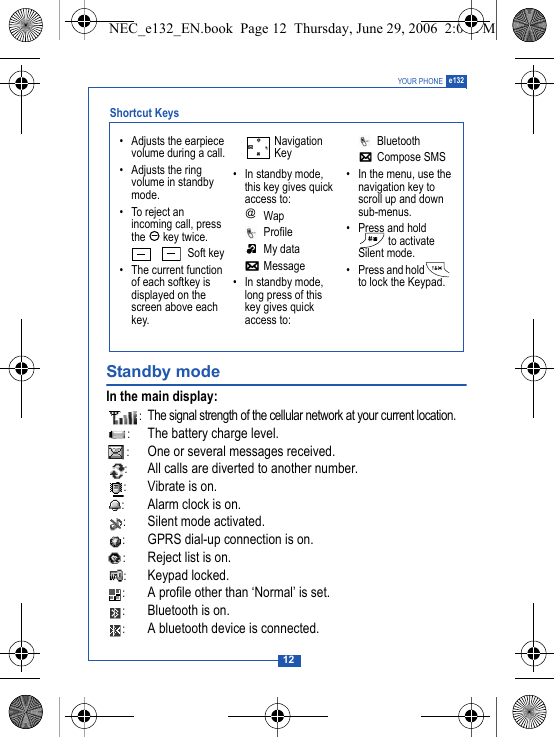
12YOUR PHONE e132Standby modeIn the main display::The signal strength of the cellular network at your current location.:The battery charge level.:One or several messages received.:All calls are diverted to another number.:Vibrate is on.:Alarm clock is on.:Silent mode activated.:GPRS dial-up connection is on.:Reject list is on.:Keypad locked.:A profile other than ‘Normal’ is set.:Bluetooth is on.:A bluetooth device is connected.• Adjusts the earpiece volume during a call.• Adjusts the ring volume in standby mode.• To reject an incoming call, press the  key twice.Soft key• The current function of each softkey is displayed on the screen above each key.Navigation Key• In standby mode, this key gives quick access to: Wap Profile My data Message• In standby mode, long press of this key gives quick access to: Bluetooth Compose SMS• In the menu, use the navigation key to scroll up and down sub-menus.• Press and hold  to activate Silent mode.• Press and hold  to lock the Keypad.@Shortcut Keys NEC_e132_EN.book  Page 12  Thursday, June 29, 2006  2:01 PM
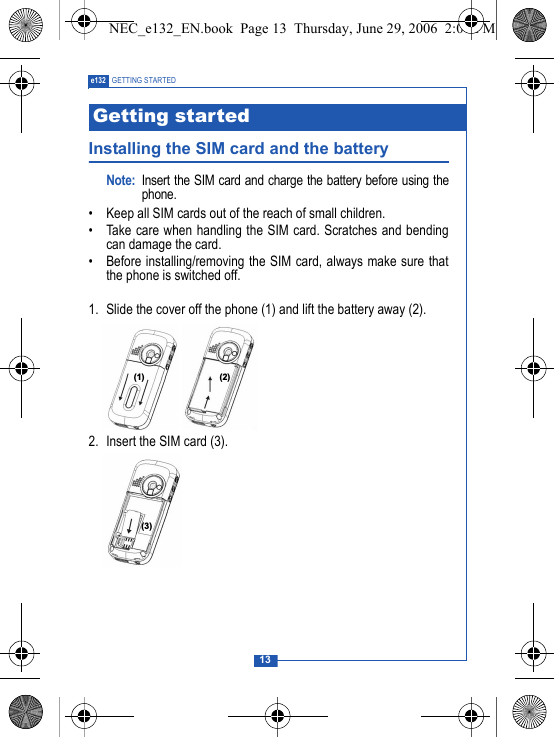
13e132 GETTING STARTEDInstalling the SIM card and the batteryNote: Insert the SIM card and charge the battery before using thephone.• Keep all SIM cards out of the reach of small children.• Take care when handling the SIM card. Scratches and bendingcan damage the card.• Before installing/removing the SIM card, always make sure thatthe phone is switched off.1. Slide the cover off the phone (1) and lift the battery away (2).2. Insert the SIM card (3). Getting started  NEC_e132_EN.book  Page 13  Thursday, June 29, 2006  2:01 PM
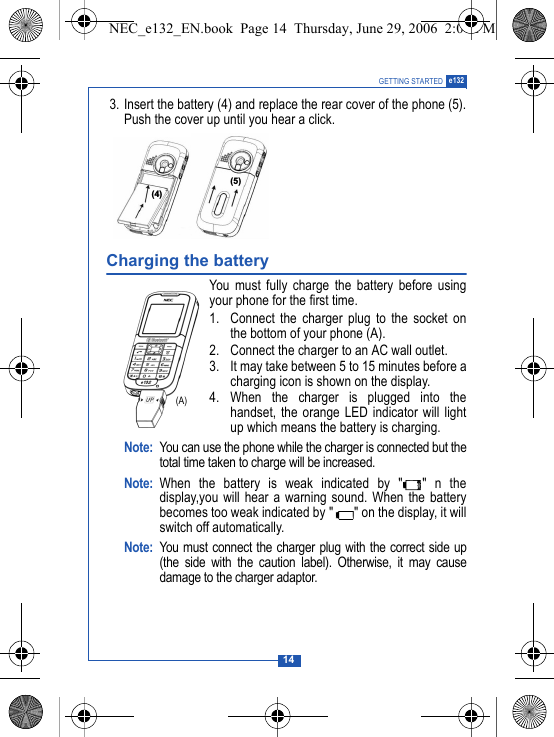
14GETTING STARTED e132 3. Insert the battery (4) and replace the rear cover of the phone (5).Push the cover up until you hear a click.Charging the batteryYou must fully charge the battery before usingyour phone for the first time.1. Connect the charger plug to the socket onthe bottom of your phone (A).2. Connect the charger to an AC wall outlet.3. It may take between 5 to 15 minutes before acharging icon is shown on the display.4. When the charger is plugged into thehandset, the orange LED indicator will lightup which means the battery is charging.Note: You can use the phone while the charger is connected but thetotal time taken to charge will be increased.Note: When the battery is weak indicated by " " n thedisplay,you will hear a warning sound. When the batterybecomes too weak indicated by " " on the display, it willswitch off automatically.Note: You must connect the charger plug with the correct side up(the side with the caution label). Otherwise, it may causedamage to the charger adaptor.#$(A)NEC_e132_EN.book  Page 14  Thursday, June 29, 2006  2:01 PM
15e132 GETTING STARTEDSwitching the phone on and offPress and hold  .Note: If the phone shows "Insert SIM" when the SIM card is properlyinserted, contact your network operator or service provider.If the phone asks for the PIN code, key in the PIN code and pressOK.Note: Do not switch the phone on when mobile phone use isprohibited or when it may cause interference or danger.NEC_e132_EN.book  Page 15  Thursday, June 29, 2006  2:01 PM
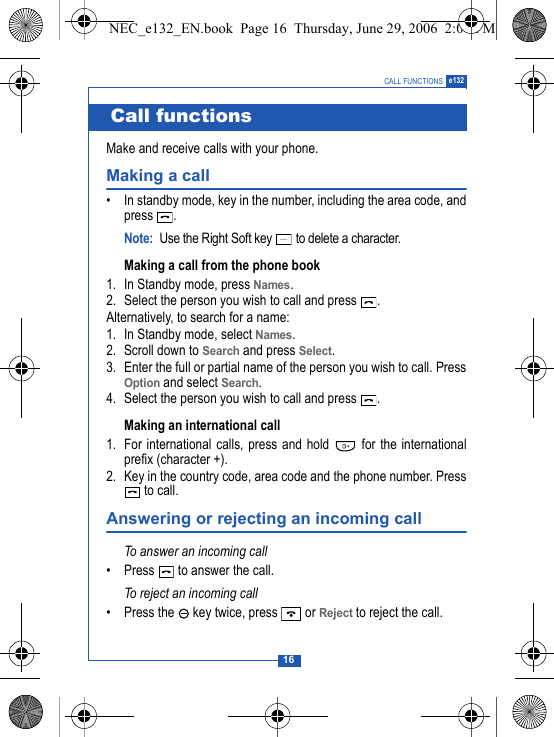
16CALL FUNCTIONS e132 Make and receive calls with your phone.Making a call• In standby mode, key in the number, including the area code, andpress .Note: Use the Right Soft key   to delete a character.Making a call from the phone book 1. In Standby mode, press Names.2. Select the person you wish to call and press  .Alternatively, to search for a name:1. In Standby mode, select Names.2. Scroll down to Search and press Select.3. Enter the full or partial name of the person you wish to call. PressOption and select Search. 4. Select the person you wish to call and press  .Making an international call 1. For international calls, press and hold   for the internationalprefix (character +).2. Key in the country code, area code and the phone number. Press to call.Answering or rejecting an incoming callTo answer an incoming call• Press   to answer the call.To reject an incoming call• Press the   key twice, press   or Reject to reject the call.Call functionsNEC_e132_EN.book  Page 16  Thursday, June 29, 2006  2:01 PM
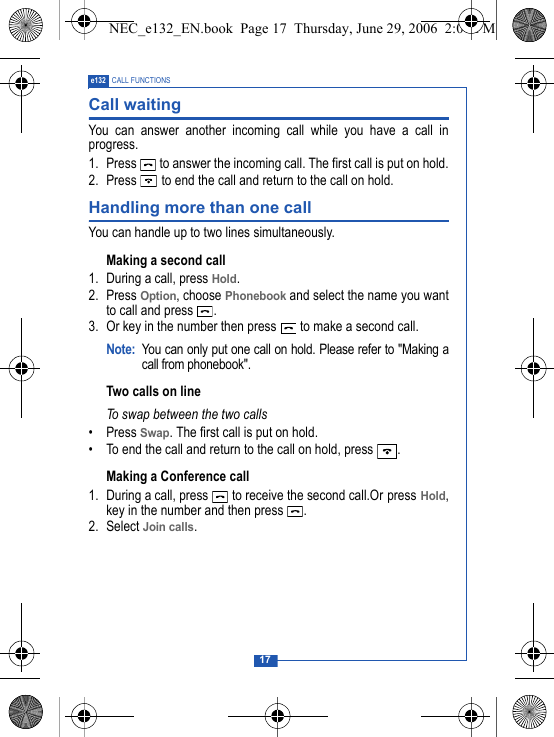
17e132 CALL FUNCTIONSCall waitingYou can answer another incoming call while you have a call inprogress.1. Press   to answer the incoming call. The first call is put on hold.2. Press   to end the call and return to the call on hold.Handling more than one callYou can handle up to two lines simultaneously.Making a second call1. During a call, press Hold.2. Press Option, choose Phonebook and select the name you wantto call and press  . 3. Or key in the number then press   to make a second call.Note: You can only put one call on hold. Please refer to "Making acall from phonebook".Two calls on lineTo swap between the two calls• Press Swap. The first call is put on hold.• To end the call and return to the call on hold, press  .Making a Conference call1. During a call, press   to receive the second call.Or press Hold,key in the number and then press  .2. Select Join calls.NEC_e132_EN.book  Page 17  Thursday, June 29, 2006  2:01 PM
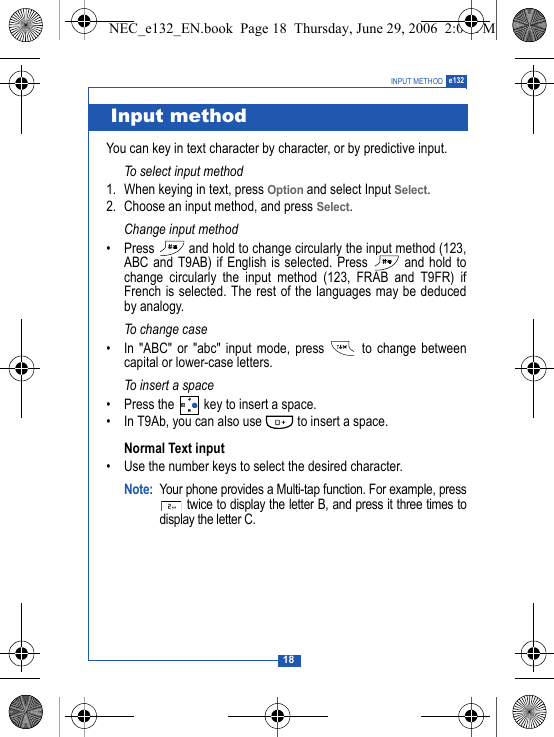
18INPUT METHOD e132You can key in text character by character, or by predictive input.To select input method1. When keying in text, press Option and select Input Select.2. Choose an input method, and press Select.Change input method• Press   and hold to change circularly the input method (123,ABC and T9AB) if English is selected. Press   and hold tochange circularly the input method (123, FRAB and T9FR) ifFrench is selected. The rest of the languages may be deducedby analogy.To change case• In "ABC" or "abc" input mode, press   to change betweencapital or lower-case letters.To insert a space• Press the   key to insert a space.• In T9Ab, you can also use   to insert a space.Normal Text input• Use the number keys to select the desired character.Note: Your phone provides a Multi-tap function. For example, press twice to display the letter B, and press it three times todisplay the letter C. Input methodNEC_e132_EN.book  Page 18  Thursday, June 29, 2006  2:01 PM
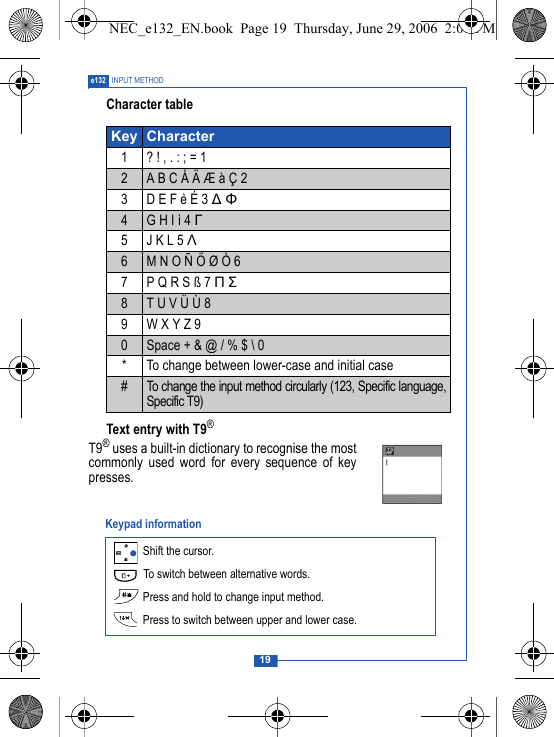
19e132 INPUT METHODCharacter tableText entry with T9®T9® uses a built-in dictionary to recognise the mostcommonly used word for every sequence of keypresses. Key Character1 ? ! , . : ; = 12A B C Å Ä Æ à Ç 23 D E F è É 3 ∆ Φ4G H I ì 4 Γ5 J K L 5 Λ6M N O Ñ Ö Ø Ò 67P Q R S ß 7 Π Σ8T U V Ü Ù 89W X Y Z 90Space + & @ / % $ \ 0* To change between lower-case and initial case#To change the input method circularly (123, Specific language,Specific T9) Shift the cursor. To switch between alternative words. Press and hold to change input method. Press to switch between upper and lower case.Keypad informationNEC_e132_EN.book  Page 19  Thursday, June 29, 2006  2:01 PM
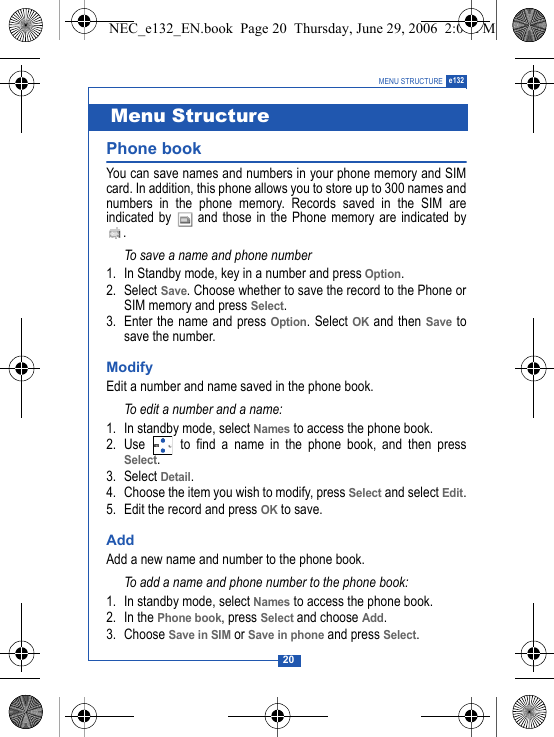
20MENU STRUCTURE e132Phone book You can save names and numbers in your phone memory and SIMcard. In addition, this phone allows you to store up to 300 names andnumbers in the phone memory. Records saved in the SIM areindicated by   and those in the Phone memory are indicated by.To save a name and phone number1. In Standby mode, key in a number and press Option.2. Select Save. Choose whether to save the record to the Phone orSIM memory and press Select.3. Enter the name and press Option. Select OK and then Save tosave the number.ModifyEdit a number and name saved in the phone book.To edit a number and a name:1. In standby mode, select Names to access the phone book. 2. Use   to find a name in the phone book, and then pressSelect.3. Select Detail. 4. Choose the item you wish to modify, press Select and select Edit.5. Edit the record and press OK to save.Add Add a new name and number to the phone book.To add a name and phone number to the phone book:1. In standby mode, select Names to access the phone book. 2. In the Phone book, press Select and choose Add. 3. Choose Save in SIM or Save in phone and press Select.Menu StructureNEC_e132_EN.book  Page 20  Thursday, June 29, 2006  2:01 PM
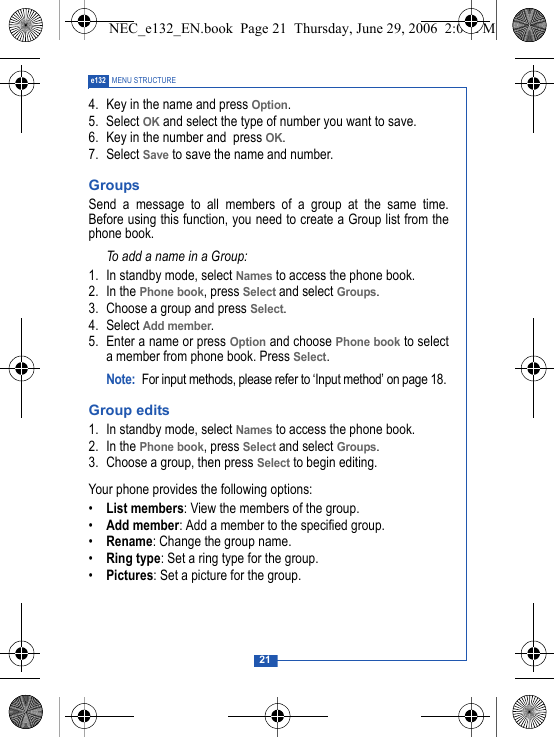
21e132 MENU STRUCTURE4. Key in the name and press Option. 5. Select OK and select the type of number you want to save.6. Key in the number and  press OK. 7. Select Save to save the name and number.Groups Send a message to all members of a group at the same time.Before using this function, you need to create a Group list from thephone book.To add a name in a Group:1. In standby mode, select Names to access the phone book.2. In the Phone book, press Select and select Groups.3. Choose a group and press Select.4. Select Add member. 5. Enter a name or press Option and choose Phone book to selecta member from phone book. Press Select.Note: For input methods, please refer to ‘Input method’ on page 18. Group edits1. In standby mode, select Names to access the phone book.2. In the Phone book, press Select and select Groups.3. Choose a group, then press Select to begin editing.Your phone provides the following options:•List members: View the members of the group.•Add member: Add a member to the specified group.•Rename: Change the group name.•Ring type: Set a ring type for the group.•Pictures: Set a picture for the group. NEC_e132_EN.book  Page 21  Thursday, June 29, 2006  2:01 PM
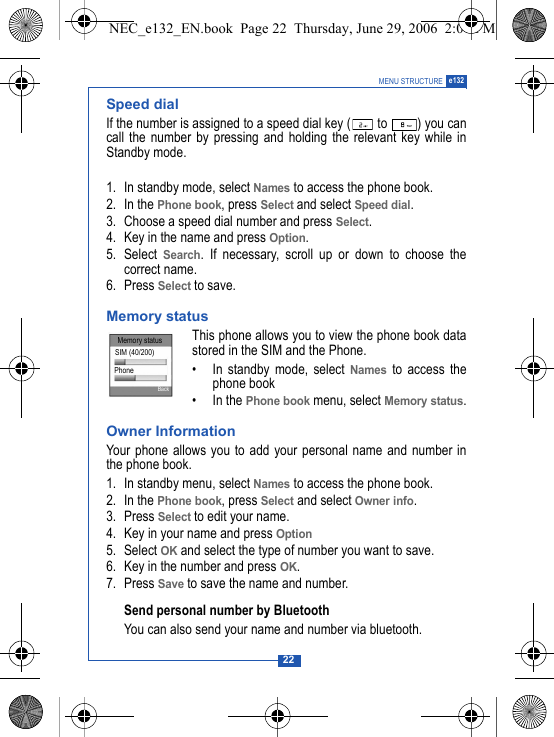
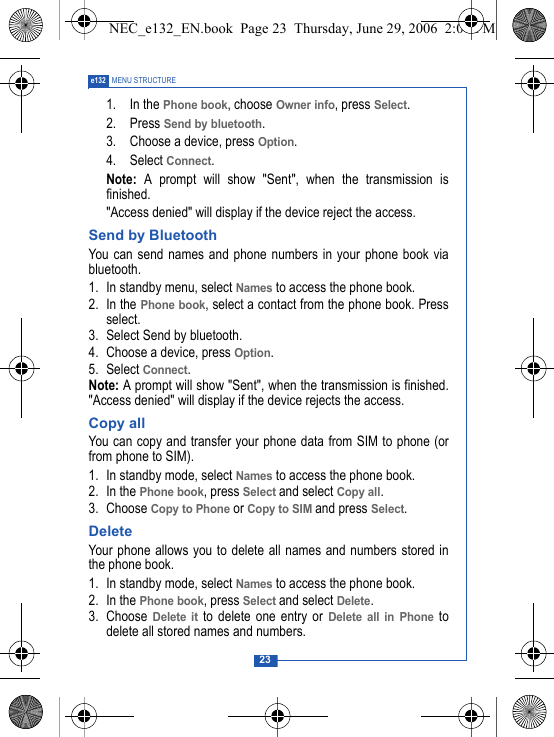
22MENU STRUCTURE e132Speed dialIf the number is assigned to a speed dial key (  to  ) you cancall the number by pressing and holding the relevant key while inStandby mode.1. In standby mode, select Names to access the phone book.2. In the Phone book, press Select and select Speed dial.3. Choose a speed dial number and press Select.4. Key in the name and press Option.5. Select Search. If necessary, scroll up or down to choose thecorrect name.6. Press Select to save.Memory status This phone allows you to view the phone book datastored in the SIM and the Phone.• In standby mode, select Names to access thephone book• In the Phone book menu, select Memory status.Owner InformationYour phone allows you to add your personal name and number inthe phone book. 1. In standby menu, select Names to access the phone book.2. In the Phone book, press Select and select Owner info.3. Press Select to edit your name.4. Key in your name and press Option5. Select OK and select the type of number you want to save.6. Key in the number and press OK.7. Press Save to save the name and number.Send personal number by BluetoothYou can also send your name and number via bluetooth.Memory statusSIM (40/200)PhoneBackNEC_e132_EN.book  Page 22  Thursday, June 29, 2006  2:01 PM
23e132 MENU STRUCTURE1. In the Phone book, choose Owner info, press Select.2. Press Send by bluetooth.3. Choose a device, press Option.4. Select Connect.Note: A prompt will show "Sent", when the transmission isfinished."Access denied" will display if the device reject the access.Send by BluetoothYou can send names and phone numbers in your phone book viabluetooth. 1. In standby menu, select Names to access the phone book.2. In the Phone book, select a contact from the phone book. Pressselect. 3. Select Send by bluetooth.4. Choose a device, press Option.5. Select Connect.Note: A prompt will show "Sent", when the transmission is finished."Access denied" will display if the device rejects the access.Copy allYou can copy and transfer your phone data from SIM to phone (orfrom phone to SIM). 1. In standby mode, select Names to access the phone book.2. In the Phone book, press Select and select Copy all.3. Choose Copy to Phone or Copy to SIM and press Select.DeleteYour phone allows you to delete all names and numbers stored inthe phone book. 1. In standby mode, select Names to access the phone book.2. In the Phone book, press Select and select Delete.3. Choose Delete it to delete one entry or Delete all in Phone todelete all stored names and numbers.NEC_e132_EN.book  Page 23  Thursday, June 29, 2006  2:01 PM
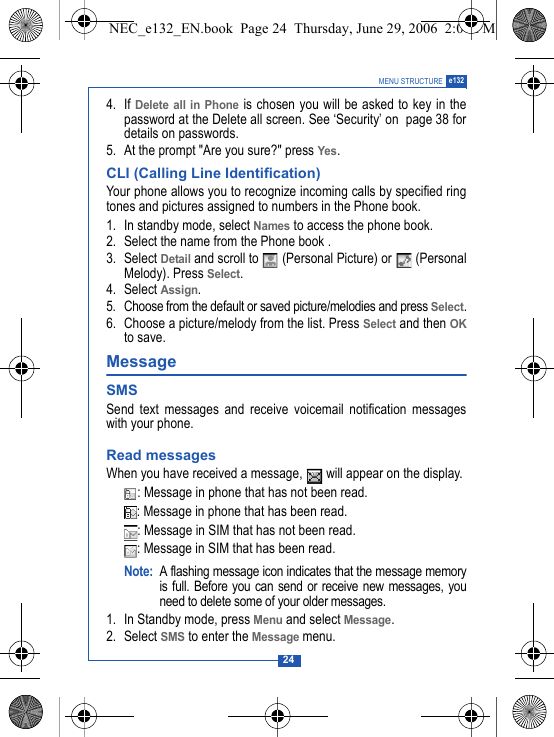
24MENU STRUCTURE e1324. If Delete all in Phone is chosen you will be asked to key in thepassword at the Delete all screen. See ‘Security’ on  page 38 fordetails on passwords.5. At the prompt "Are you sure?" press Yes. CLI (Calling Line Identification) Your phone allows you to recognize incoming calls by specified ringtones and pictures assigned to numbers in the Phone book. 1. In standby mode, select Names to access the phone book.2. Select the name from the Phone book .3. Select Detail and scroll to   (Personal Picture) or   (PersonalMelody). Press Select. 4. Select Assign.5. Choose from the default or saved picture/melodies and press Select.6. Choose a picture/melody from the list. Press Select and then OKto save.Message SMSSend text messages and receive voicemail notification messageswith your phone.Read messagesWhen you have received a message,   will appear on the display.: Message in phone that has not been read. : Message in phone that has been read.: Message in SIM that has not been read.: Message in SIM that has been read.Note: A flashing message icon indicates that the message memoryis full. Before you can send or receive new messages, youneed to delete some of your older messages.1. In Standby mode, press Menu and select Message.2. Select SMS to enter the Message menu.NEC_e132_EN.book  Page 24  Thursday, June 29, 2006  2:01 PM
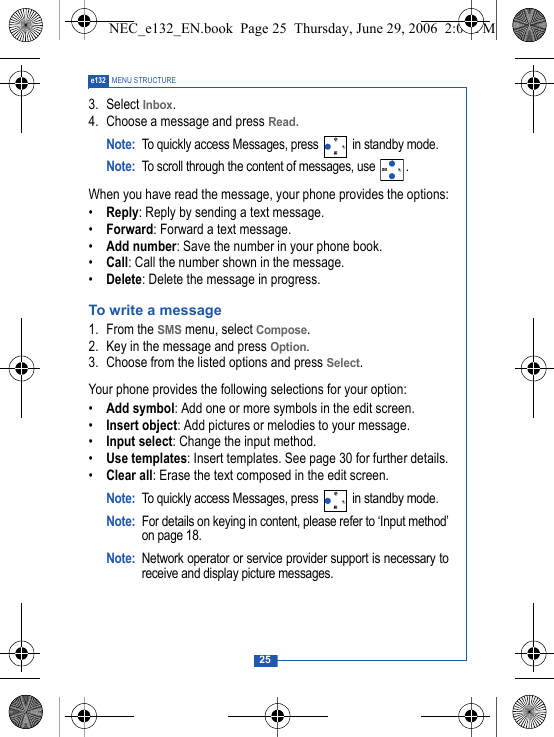
25e132 MENU STRUCTURE3. Select Inbox.4. Choose a message and press Read. Note: To quickly access Messages, press   in standby mode.Note: To scroll through the content of messages, use  .When you have read the message, your phone provides the options:•Reply: Reply by sending a text message.•Forward: Forward a text message.•Add number: Save the number in your phone book.•Call: Call the number shown in the message. •Delete: Delete the message in progress.To write a message1. From the SMS menu, select Compose.2. Key in the message and press Option.3. Choose from the listed options and press Select.Your phone provides the following selections for your option:•Add symbol: Add one or more symbols in the edit screen.•Insert object: Add pictures or melodies to your message.•Input select: Change the input method.•Use templates: Insert templates. See page 30 for further details.•Clear all: Erase the text composed in the edit screen.Note: To quickly access Messages, press   in standby mode.Note: For details on keying in content, please refer to ‘Input method’on page 18.Note: Network operator or service provider support is necessary toreceive and display picture messages. NEC_e132_EN.book  Page 25  Thursday, June 29, 2006  2:01 PM
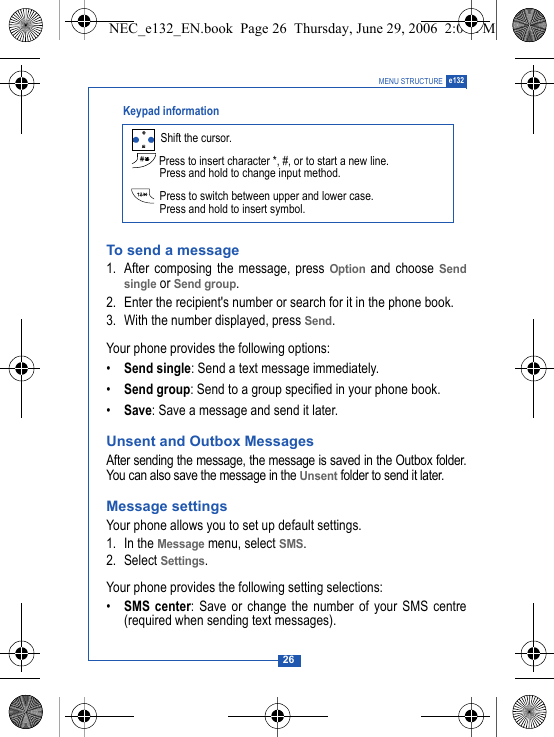
26MENU STRUCTURE e132To send a message1. After composing the message, press Option and choose Sendsingle or Send group.2. Enter the recipient's number or search for it in the phone book.3. With the number displayed, press Send.Your phone provides the following options:•Send single: Send a text message immediately.•Send group: Send to a group specified in your phone book.•Save: Save a message and send it later.Unsent and Outbox MessagesAfter sending the message, the message is saved in the Outbox folder.You can also save the message in the Unsent folder to send it later. Message settingsYour phone allows you to set up default settings.1. In the Message menu, select SMS.2. Select Settings.Your phone provides the following setting selections:•SMS center: Save or change the number of your SMS centre(required when sending text messages). Shift the cursor. Press to insert character *, #, or to start a new line.Press and hold to change input method. Press to switch between upper and lower case.Press and hold to insert symbol. Keypad informationNEC_e132_EN.book  Page 26  Thursday, June 29, 2006  2:01 PM

Navigation menu