Berlin Group IR160US Internet Radio User Manual

Berlin Brands Group Inc. Internet Radio

User Manual

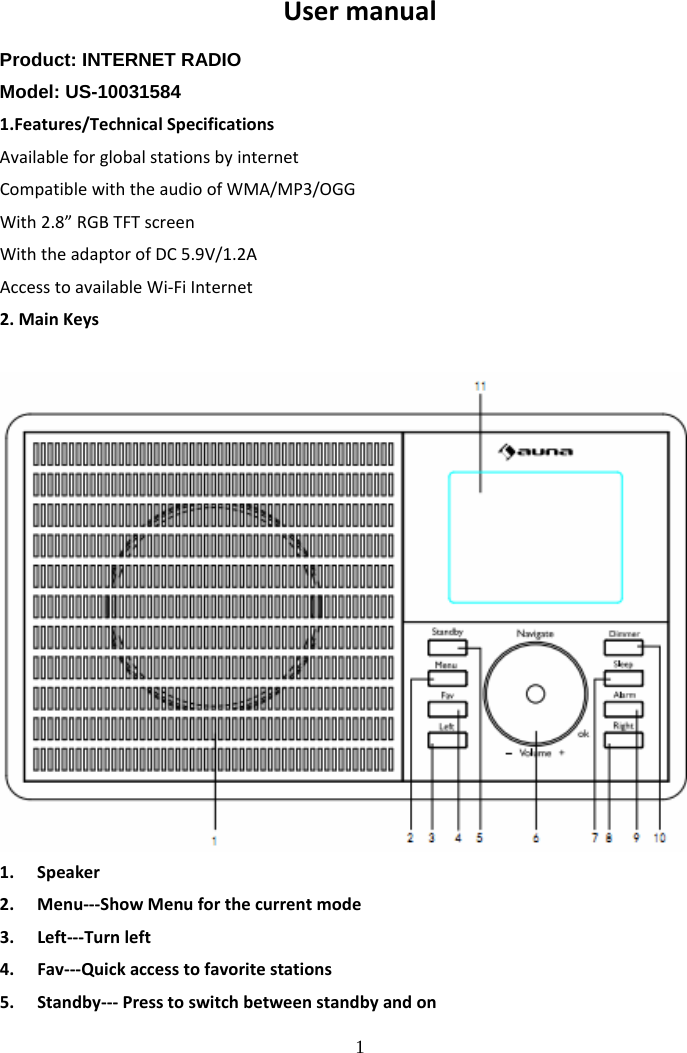
 1 UsermanualProduct: INTERNET RADIO Model: US-10031584 1.Features/TechnicalSpecificationsAvailableforglobalstationsbyinternetCompatiblewiththeaudioofWMA/MP3/OGGWith2.8”RGBTFTscreenWiththeadaptorofDC5.9V/1.2AAccesstoavailableWi‐FiInternet2.MainKeys1. Speaker2. Menu‐‐‐ShowMenuforthecurrentmode3. Left‐‐‐Turnleft4. Fav‐‐‐Quickaccesstofavoritestations5. Standby‐‐‐Presstoswitchbetweenstandbyandon
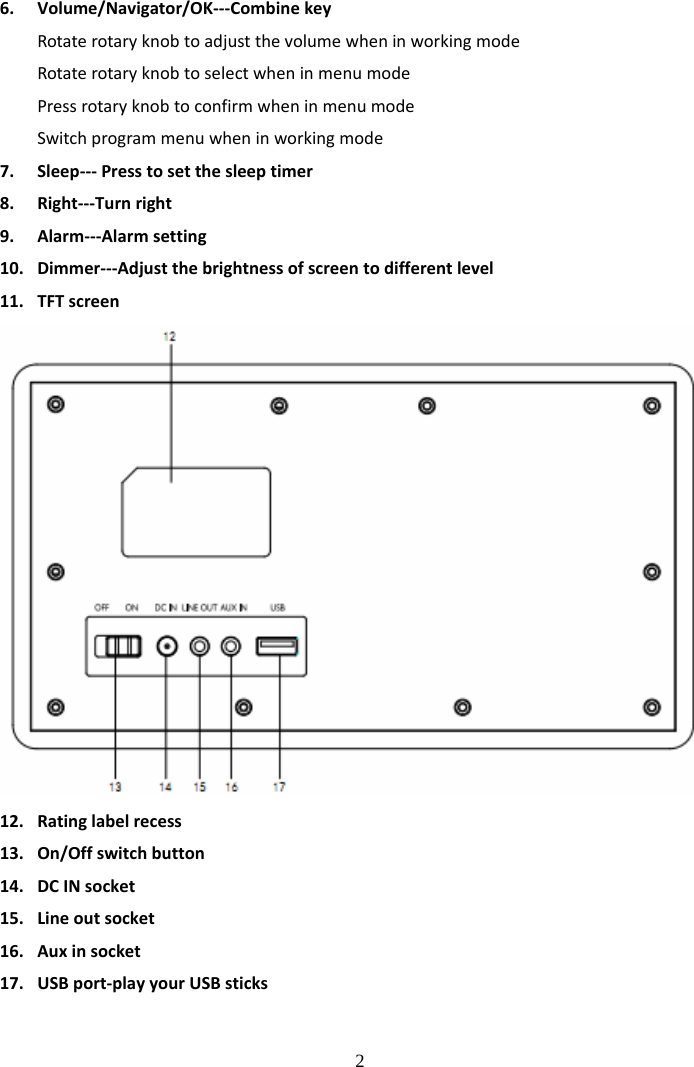
 2 6. Volume/Navigator/OK‐‐‐CombinekeyRotaterotaryknobtoadjustthevolumewheninworkingmodeRotaterotaryknobtoselectwheninmenumodePressrotaryknobtoconfirmwheninmenumodeSwitchprogrammenuwheninworkingmode7. Sleep‐‐‐Presstosetthesleeptimer8. Right‐‐‐Turnright9. Alarm‐‐‐Alarmsetting10. Dimmer‐‐‐Adjustthebrightnessofscreentodifferentlevel11. TFTscreen12. Ratinglabelrecess13. On/Offswitchbutton14. DCINsocket15. Lineoutsocket16. Auxinsocket17. USBport‐playyourUSBsticks
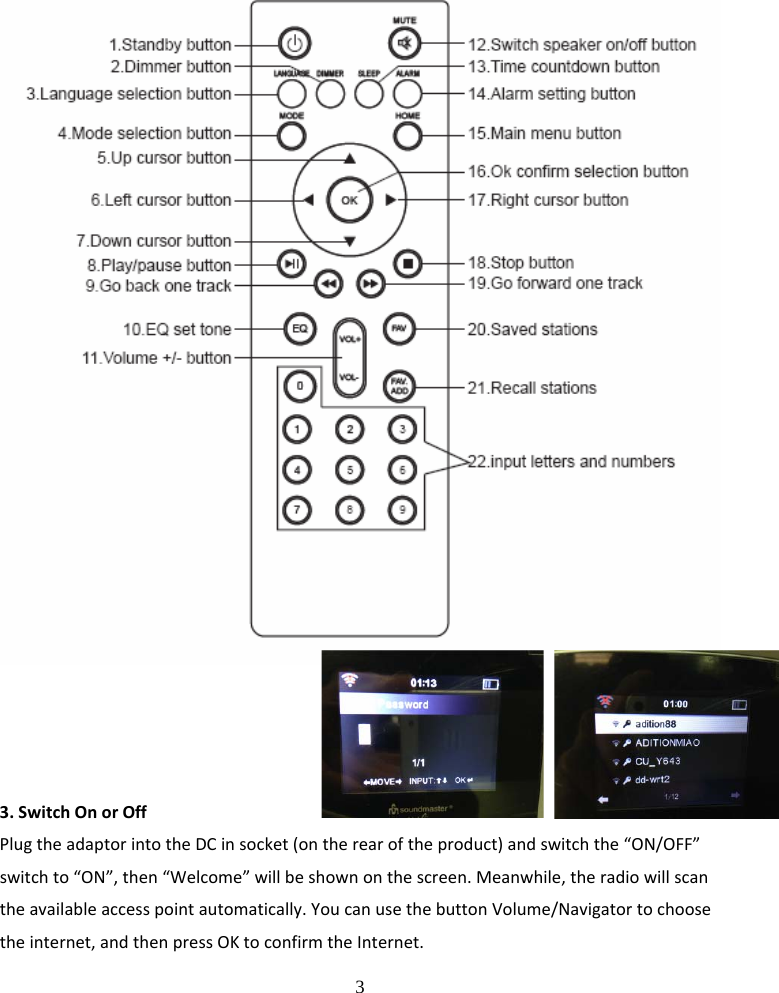
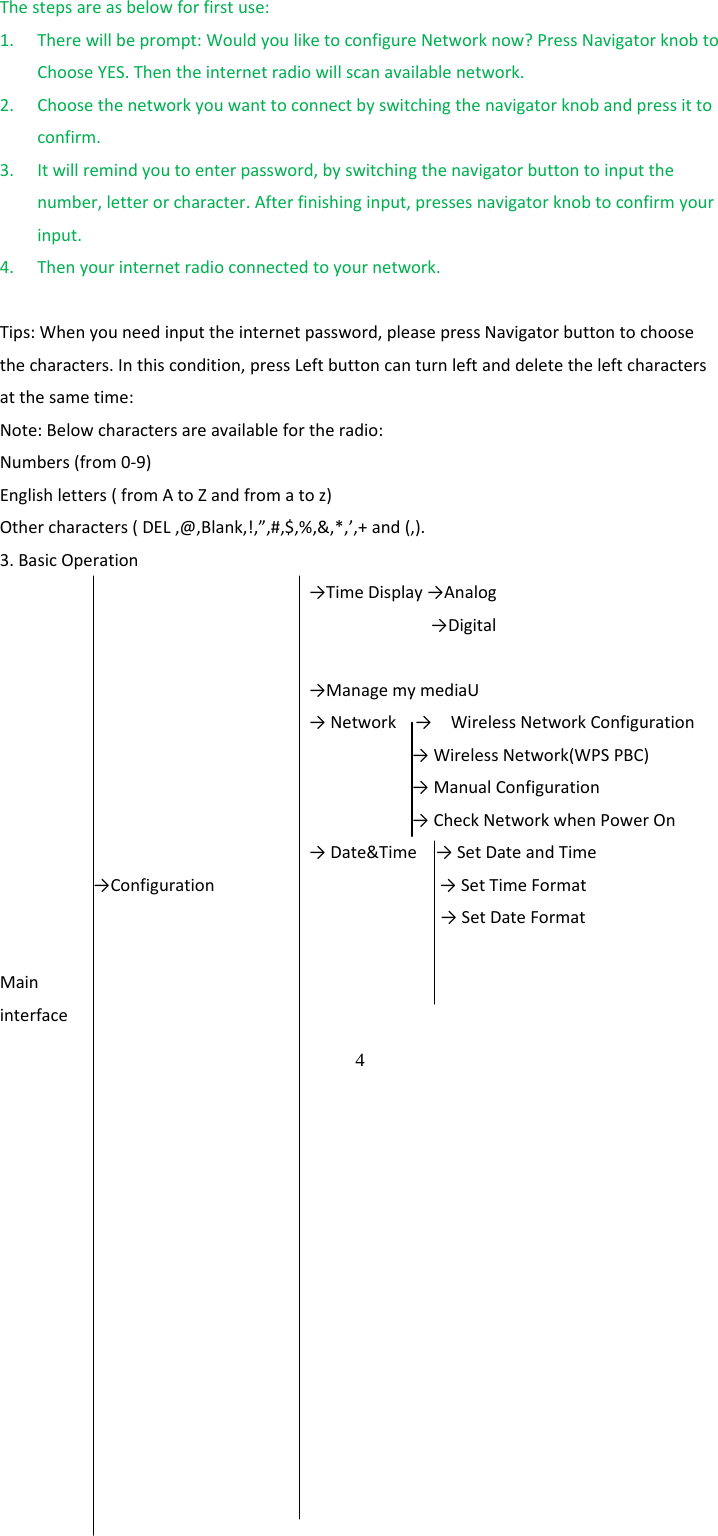
 3 3.SwitchOnorOffPlugtheadaptorintotheDCinsocket(ontherearoftheproduct)andswitchthe“ON/OFF”switchto“ON”,then“Welcome”willbeshownonthescreen.Meanwhile,theradiowillscantheavailableaccesspointautomatically.YoucanusethebuttonVolume/Navigatortochoosetheinternet,andthenpressOKtoconfirmtheInternet.
 4 Thestepsareasbelowforfirstuse:1. Therewillbeprompt:WouldyouliketoconfigureNetworknow?PressNavigatorknobtoChooseYES.Thentheinternetradiowillscanavailablenetwork.2. Choosethenetworkyouwanttoconnectbyswitchingthenavigatorknobandpressittoconfirm.3. Itwillremindyoutoenterpassword,byswitchingthenavigatorbuttontoinputthenumber,letterorcharacter.Afterfinishinginput,pressesnavigatorknobtoconfirmyourinput.4. Thenyourinternetradioconnectedtoyournetwork.Tips:Whenyouneedinputtheinternetpassword,pleasepressNavigatorbuttontochoosethecharacters.Inthiscondition,pressLeftbuttoncanturnleftanddeletetheleftcharactersatthesametime:Note:Belowcharactersareavailablefortheradio:Numbers(from0‐9)Englishletters(fromAtoZandfromatoz)Othercharacters(DEL,@,Blank,!,”,#,$,%,&,*,’,+and(,).3.BasicOperation→TimeDisplay→Analog→Digital→ManagemymediaU→Network→WirelessNetworkConfiguration→WirelessNetwork(WPSPBC)→ManualConfiguration→CheckNetworkwhenPowerOn→Date&Time→SetDateandTime→Configuration→SetTimeFormat→SetDateFormatMaininterface
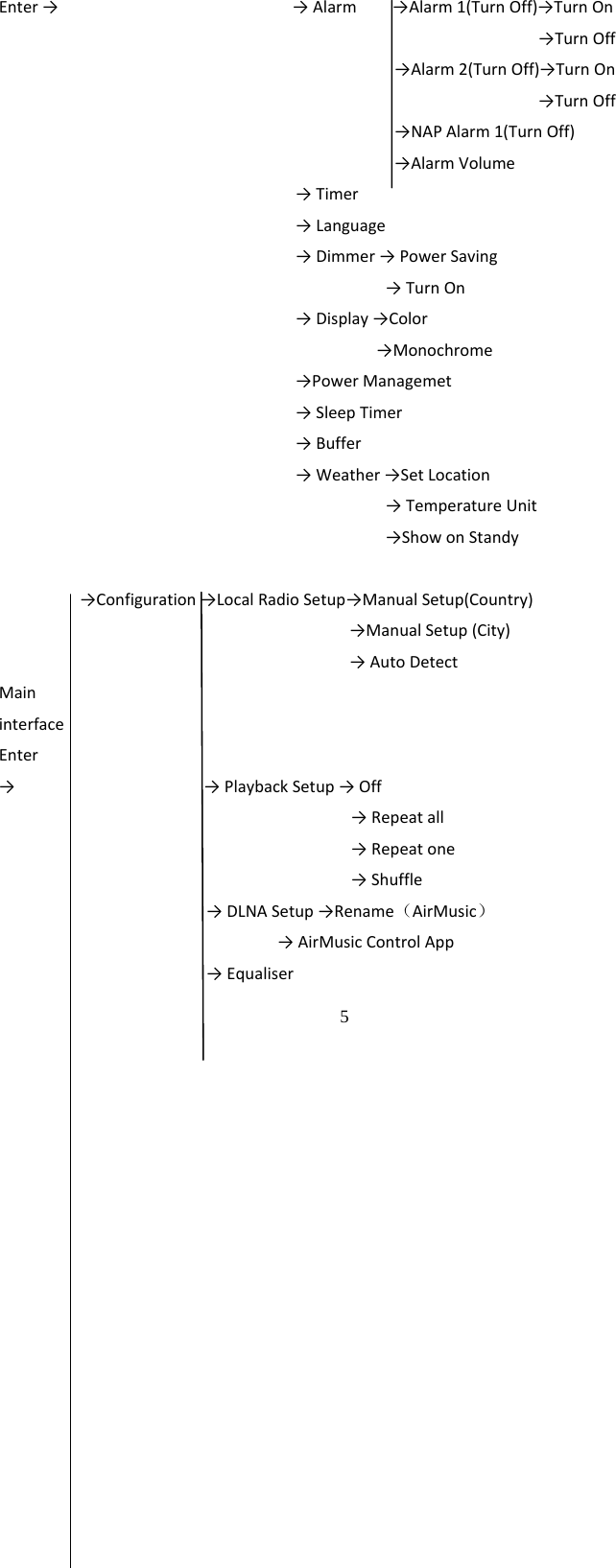
 5 Enter→→Alarm→Alarm1(TurnOff)→TurnOn→TurnOff→Alarm2(TurnOff)→TurnOn→TurnOff→NAPAlarm1(TurnOff)→AlarmVolume→Timer→Language→Dimmer→PowerSaving→TurnOn→Display→Color→Monochrome→PowerManagemet→SleepTimer→Buffer→Weather→SetLocation→TemperatureUnit→ShowonStandy→Configuration→LocalRadioSetup→ManualSetup(Country)→ManualSetup(City)→AutoDetectMaininterfaceEnter→→PlaybackSetup→Off→Repeatall→Repeatone→Shuffle→DLNASetup→Rename(AirMusic)→AirMusicControlApp→Equaliser
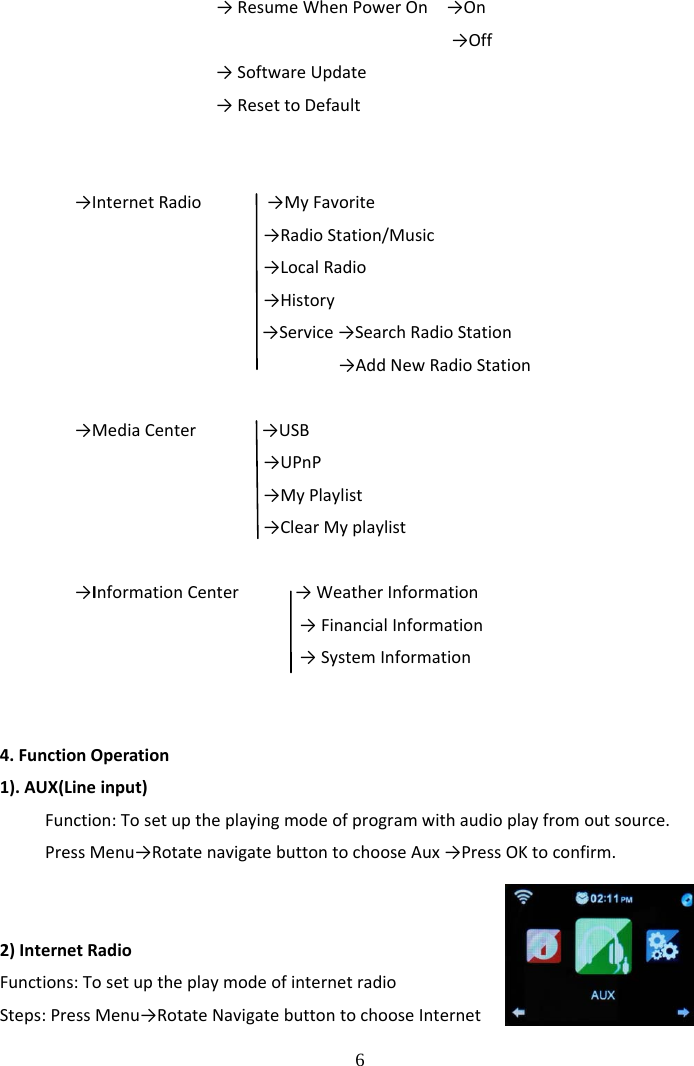
 6            →ResumeWhenPowerOn→On→Off→SoftwareUpdate→ResettoDefault→InternetRadio→MyFavorite→RadioStation/Music→LocalRadio→History→Service→SearchRadioStation→AddNewRadioStation→MediaCenter→USB→UPnP→MyPlaylist→ClearMyplaylist→InformationCenter→WeatherInformation→FinancialInformation→SystemInformation4.FunctionOperation1).AUX(Lineinput)Function:Tosetuptheplayingmodeofprogramwithaudioplayfromoutsource.PressMenu→RotatenavigatebuttontochooseAux→PressOKtoconfirm.2)InternetRadioFunctions:TosetuptheplaymodeofinternetradioSteps:PressMenu→RotateNavigatebuttontochooseInternet
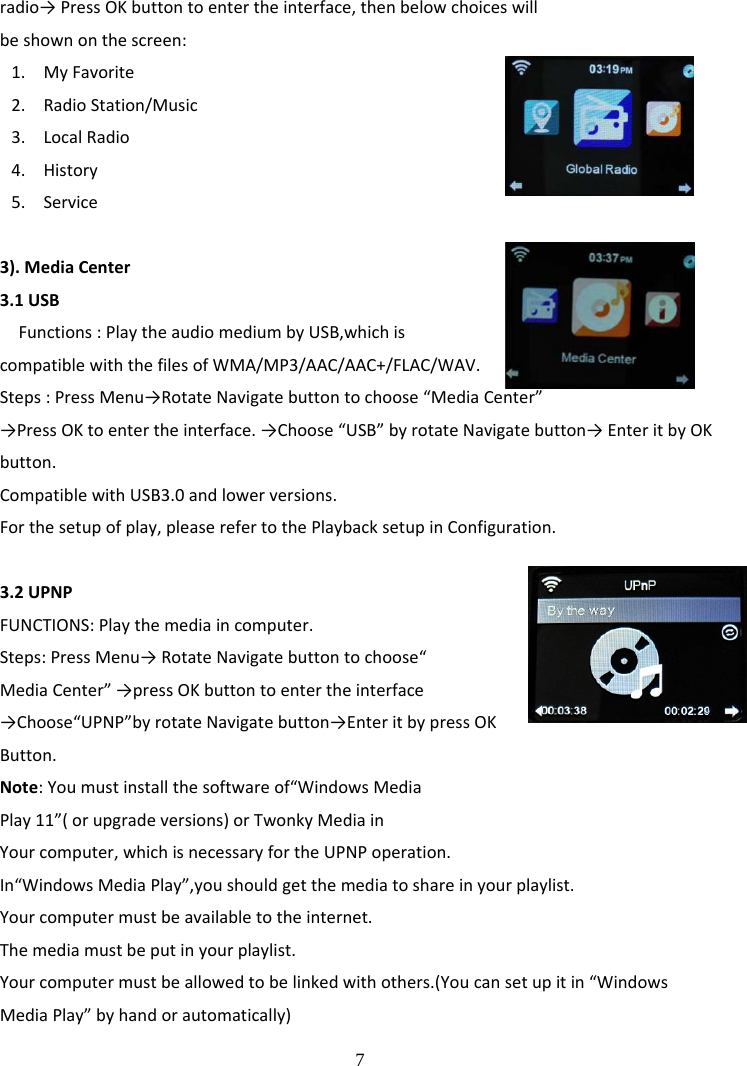
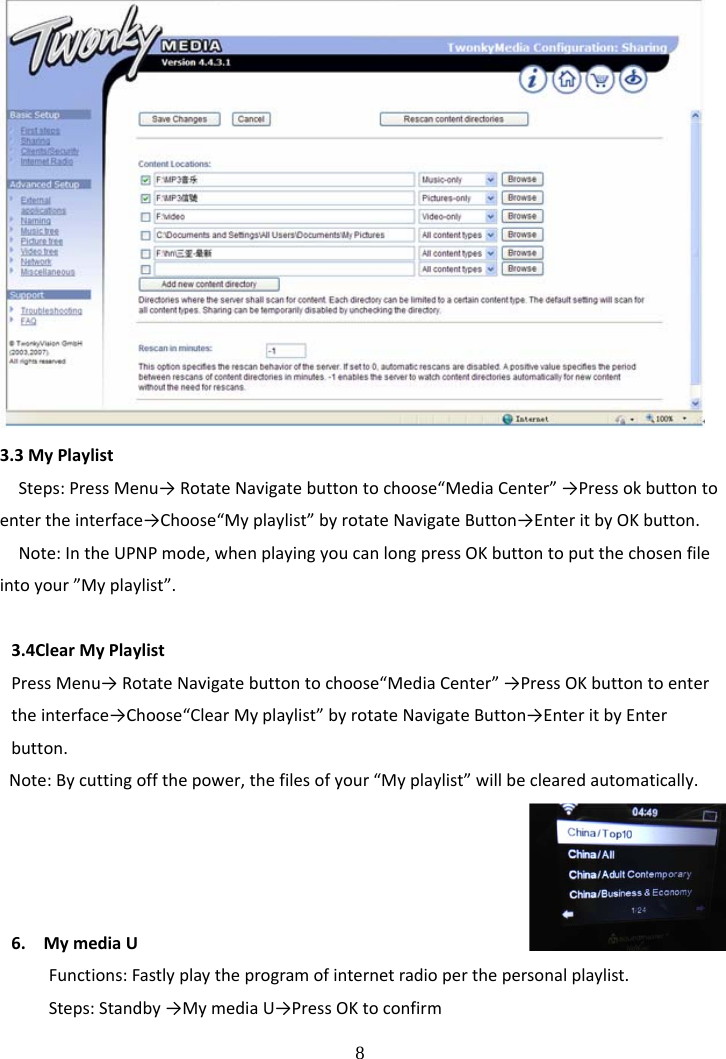
 7 radio→PressOKbuttontoentertheinterface,thenbelowchoiceswillbeshownonthescreen:1. MyFavorite2. RadioStation/Music3. LocalRadio4. History5. Service3).MediaCenter3.1USBFunctions:PlaytheaudiomediumbyUSB,whichiscompatiblewiththefilesofWMA/MP3/AAC/AAC+/FLAC/WAV.Steps:PressMenu→RotateNavigatebuttontochoose“MediaCenter”→PressOKtoentertheinterface.→Choose“USB”byrotateNavigatebutton→EnteritbyOKbutton.CompatiblewithUSB3.0andlowerversions.Forthesetupofplay,pleaserefertothePlaybacksetupinConfiguration.3.2UPNPFUNCTIONS:Playthemediaincomputer.Steps:PressMenu→RotateNavigatebuttontochoose“MediaCenter”→pressOKbuttontoentertheinterface→Choose“UPNP”byrotateNavigatebutton→EnteritbypressOKButton.Note:Youmustinstallthesoftwareof“WindowsMediaPlay11”(orupgradeversions)orTwonkyMediainYourcomputer,whichisnecessaryfortheUPNPoperation.In“WindowsMediaPlay”,youshouldgetthemediatoshareinyourplaylist.Yourcomputermustbeavailabletotheinternet.Themediamustbeputinyourplaylist.Yourcomputermustbeallowedtobelinkedwithothers.(Youcansetupitin“WindowsMediaPlay”byhandorautomatically)
 8 3.3MyPlaylistSteps:PressMenu→RotateNavigatebuttontochoose“MediaCenter”→Pressokbuttontoentertheinterface→Choose“Myplaylist”byrotateNavigateButton→EnteritbyOKbutton.Note:IntheUPNPmode,whenplayingyoucanlongpressOKbuttontoputthechosenfileintoyour”Myplaylist”.3.4ClearMyPlaylistPressMenu→RotateNavigatebuttontochoose“MediaCenter”→PressOKbuttontoentertheinterface→Choose“ClearMyplaylist”byrotateNavigateButton→EnteritbyEnterbutton.Note:Bycuttingoffthepower,thefilesofyour“Myplaylist”willbeclearedautomatically.6. MymediaUFunctions:Fastlyplaytheprogramofinternetradioperthepersonalplaylist.Steps:Standby→MymediaU→PressOKtoconfirm
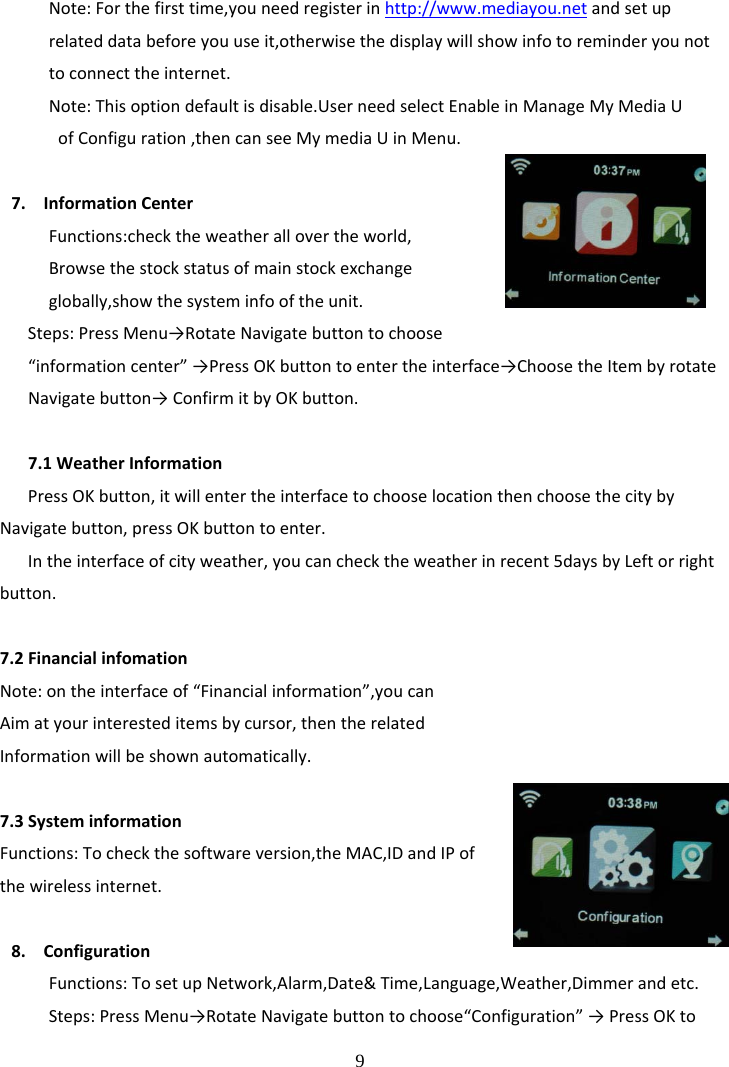
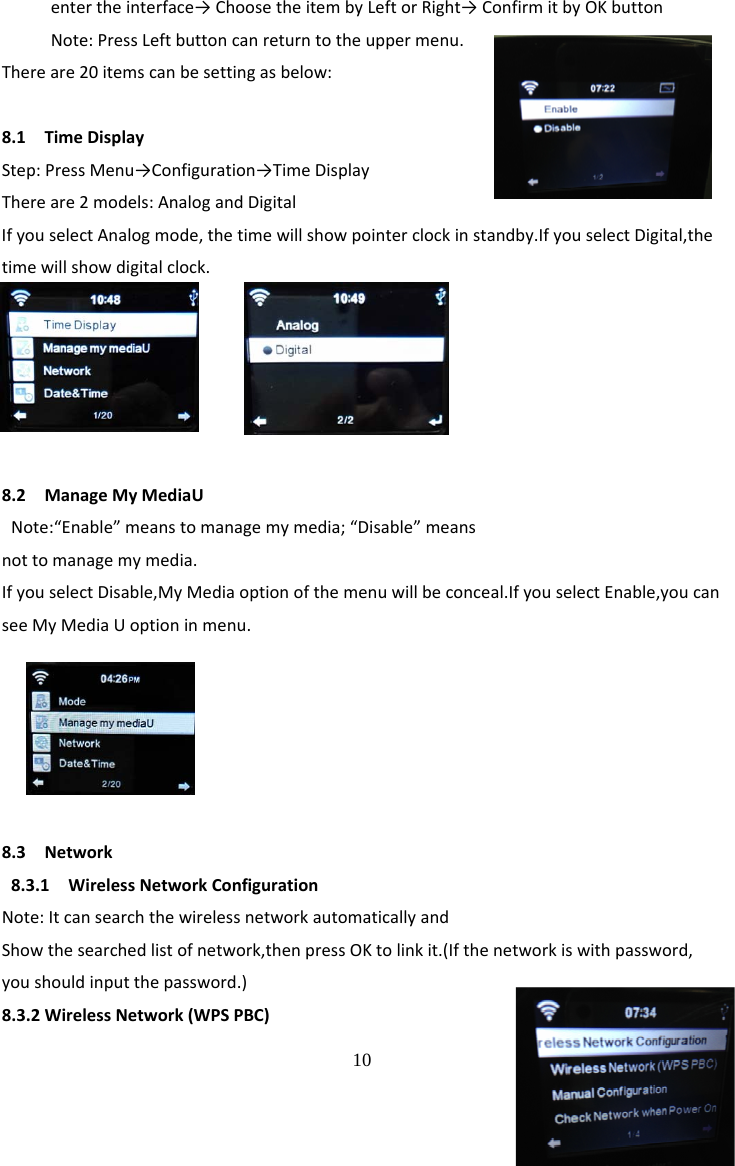
 9 Note:Forthefirsttime,youneedregisterinhttp://www.mediayou.netandsetuprelateddatabeforeyouuseit,otherwisethedisplaywillshowinfotoreminderyounottoconnecttheinternet.Note:Thisoptiondefaultisdisable.UserneedselectEnableinManageMyMediaUofConfiguration,thencanseeMymediaUinMenu.7. InformationCenterFunctions:checktheweatherallovertheworld,Browsethestockstatusofmainstockexchangeglobally,showthesysteminfooftheunit.Steps:PressMenu→RotateNavigatebuttontochoose“informationcenter”→PressOKbuttontoentertheinterface→ChoosetheItembyrotateNavigatebutton→ConfirmitbyOKbutton.7.1WeatherInformationPressOKbutton,itwillentertheinterfacetochooselocationthenchoosethecitybyNavigatebutton,pressOKbuttontoenter.Intheinterfaceofcityweather,youcanchecktheweatherinrecent5daysbyLeftorrightbutton.7.2FinancialinfomationNote:ontheinterfaceof“Financialinformation”,youcanAimatyourinteresteditemsbycursor,thentherelatedInformationwillbeshownautomatically.7.3SysteminformationFunctions:Tocheckthesoftwareversion,theMAC,IDandIPofthewirelessinternet.8. ConfigurationFunctions:TosetupNetwork,Alarm,Date&Time,Language,Weather,Dimmerandetc.Steps:PressMenu→RotateNavigatebuttontochoose“Configuration”→PressOKto
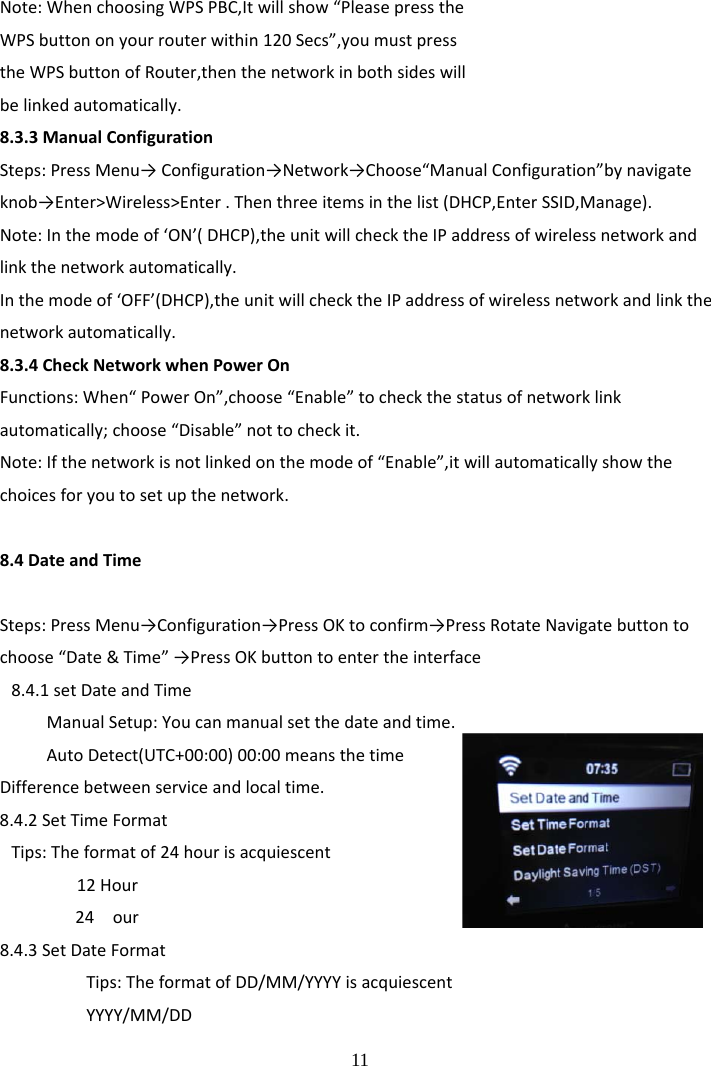
 10 entertheinterface→ChoosetheitembyLeftorRight→ConfirmitbyOKbuttonNote:PressLeftbuttoncanreturntotheuppermenu.Thereare20itemscanbesettingasbelow:8.1TimeDisplayStep:PressMenu→Configuration→TimeDisplayThereare2models:AnalogandDigitalIfyouselectAnalogmode,thetimewillshowpointerclockinstandby.IfyouselectDigital,thetimewillshowdigitalclock.8.2ManageMyMediaUNote:“Enable”meanstomanagemymedia;“Disable”meansnottomanagemymedia.IfyouselectDisable,MyMediaoptionofthemenuwillbeconceal.IfyouselectEnable,youcanseeMyMediaUoptioninmenu.8.3Network8.3.1WirelessNetworkConfigurationNote:ItcansearchthewirelessnetworkautomaticallyandShowthesearchedlistofnetwork,thenpressOKtolinkit.(Ifthenetworkiswithpassword,youshouldinputthepassword.)8.3.2WirelessNetwork(WPSPBC)
 11 Note:WhenchoosingWPSPBC,Itwillshow“PleasepresstheWPSbuttononyourrouterwithin120Secs”,youmustpresstheWPSbuttonofRouter,thenthenetworkinbothsideswillbelinkedautomatically.8.3.3ManualConfigurationSteps:PressMenu→Configuration→Network→Choose“ManualConfiguration”bynavigateknob→Enter>Wireless>Enter.Thenthreeitemsinthelist(DHCP,EnterSSID,Manage).Note:Inthemodeof‘ON’(DHCP),theunitwillchecktheIPaddressofwirelessnetworkandlinkthenetworkautomatically.Inthemodeof‘OFF’(DHCP),theunitwillchecktheIPaddressofwirelessnetworkandlinkthenetworkautomatically.8.3.4CheckNetworkwhenPowerOnFunctions:When“PowerOn”,choose“Enable”tocheckthestatusofnetworklinkautomatically;choose“Disable”nottocheckit.Note:Ifthenetworkisnotlinkedonthemodeof“Enable”,itwillautomaticallyshowthechoicesforyoutosetupthenetwork.8.4DateandTimeSteps:PressMenu→Configuration→PressOKtoconfirm→PressRotateNavigatebuttontochoose“Date&Time”→PressOKbuttontoentertheinterface8.4.1setDateandTimeManualSetup:Youcanmanualsetthedateandtime.AutoDetect(UTC+00:00)00:00meansthetimeDifferencebetweenserviceandlocaltime.8.4.2SetTimeFormatTips:Theformatof24hourisacquiescent12Hour24 our8.4.3SetDateFormatTips:TheformatofDD/MM/YYYYisacquiescentYYYY/MM/DD
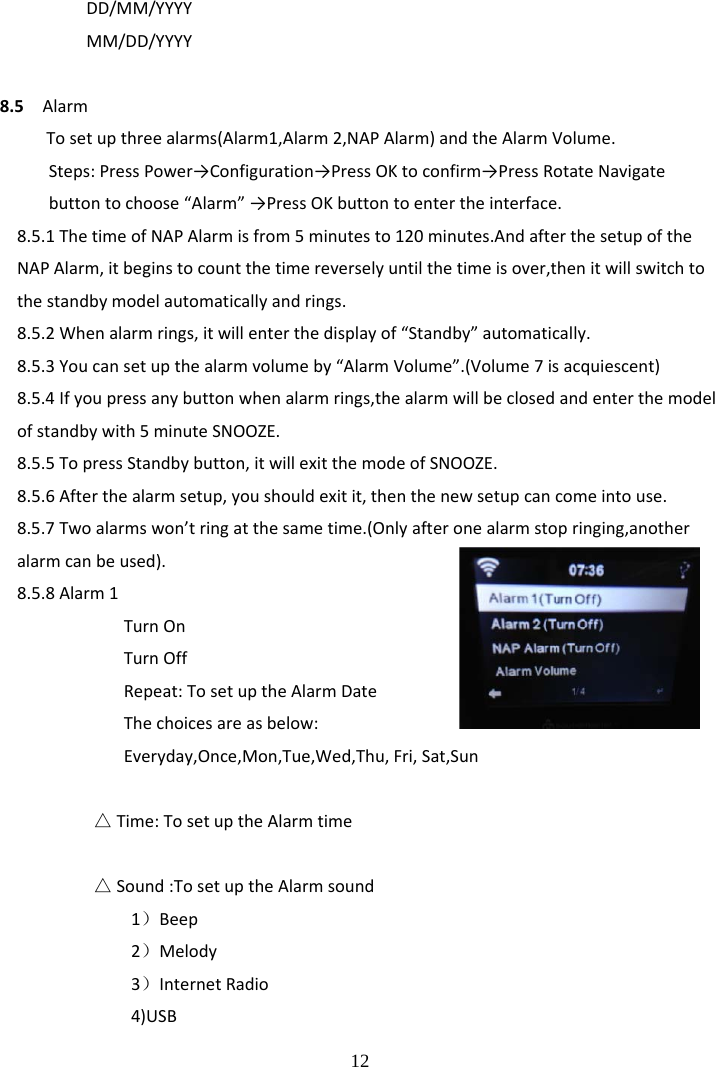
 12 DD/MM/YYYYMM/DD/YYYY8.5AlarmTosetupthreealarms(Alarm1,Alarm2,NAPAlarm)andtheAlarmVolume.Steps:PressPower→Configuration→PressOKtoconfirm→PressRotateNavigatebuttontochoose“Alarm”→PressOKbuttontoentertheinterface.8.5.1ThetimeofNAPAlarmisfrom5minutesto120minutes.AndafterthesetupoftheNAPAlarm,itbeginstocountthetimereverselyuntilthetimeisover,thenitwillswitchtothestandbymodelautomaticallyandrings.8.5.2Whenalarmrings,itwillenterthedisplayof“Standby”automatically.8.5.3Youcansetupthealarmvolumeby“AlarmVolume”.(Volume7isacquiescent)8.5.4Ifyoupressanybuttonwhenalarmrings,thealarmwillbeclosedandenterthemodelofstandbywith5minuteSNOOZE.8.5.5TopressStandbybutton,itwillexitthemodeofSNOOZE.8.5.6Afterthealarmsetup,youshouldexitit,thenthenewsetupcancomeintouse.8.5.7Twoalarmswon’tringatthesametime.(Onlyafteronealarmstopringing,anotheralarmcanbeused).8.5.8Alarm1TurnOnTurnOffRepeat:TosetuptheAlarmDateThechoicesareasbelow:Everyday,Once,Mon,Tue,Wed,Thu,Fri,Sat,Sun△Time:TosetuptheAlarmtime△Sound:TosetuptheAlarmsound1)Beep2)Melody3)InternetRadio4)USB
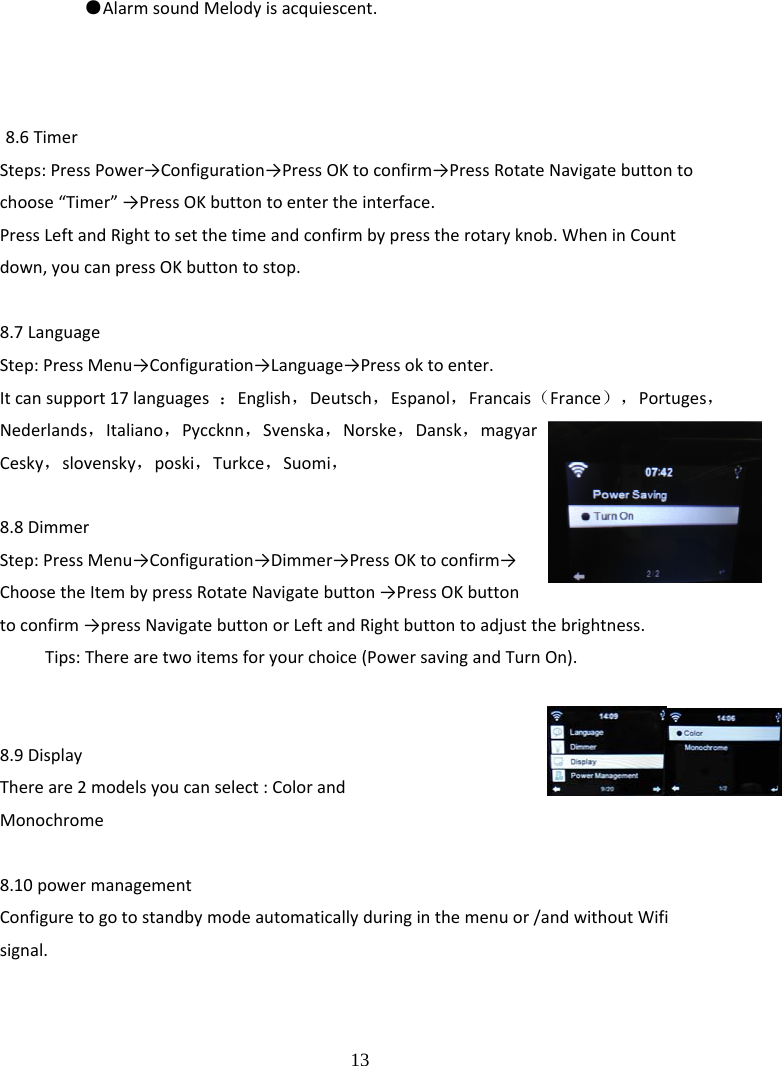
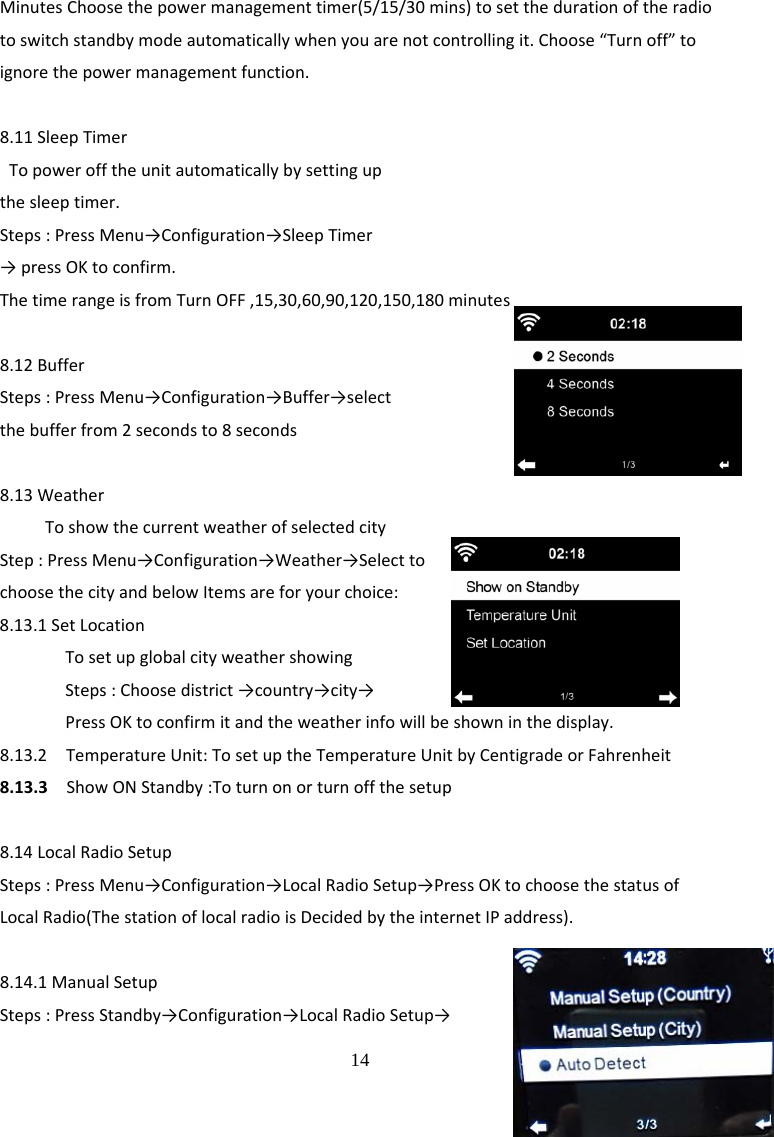
 13 ●AlarmsoundMelodyisacquiescent.8.6TimerSteps:PressPower→Configuration→PressOKtoconfirm→PressRotateNavigatebuttontochoose“Timer”→PressOKbuttontoentertheinterface.PressLeftandRighttosetthetimeandconfirmbypresstherotaryknob.WheninCountdown,youcanpressOKbuttontostop.8.7LanguageStep:PressMenu→Configuration→Language→Pressoktoenter.Itcansupport17languages:English,Deutsch,Espanol,Francais(France),Portuges,Nederlands,Italiano,Pyccknn,Svenska,Norske,Dansk,magyarCesky,slovensky,poski,Turkce,Suomi,8.8DimmerStep:PressMenu→Configuration→Dimmer→PressOKtoconfirm→ChoosetheItembypressRotateNavigatebutton→PressOKbuttontoconfirm→pressNavigatebuttonorLeftandRightbuttontoadjustthebrightness.Tips:Therearetwoitemsforyourchoice(PowersavingandTurnOn).8.9DisplayThereare2modelsyoucanselect:ColorandMonochrome8.10powermanagementConfiguretogotostandbymodeautomaticallyduringinthemenuor/andwithoutWifisignal.
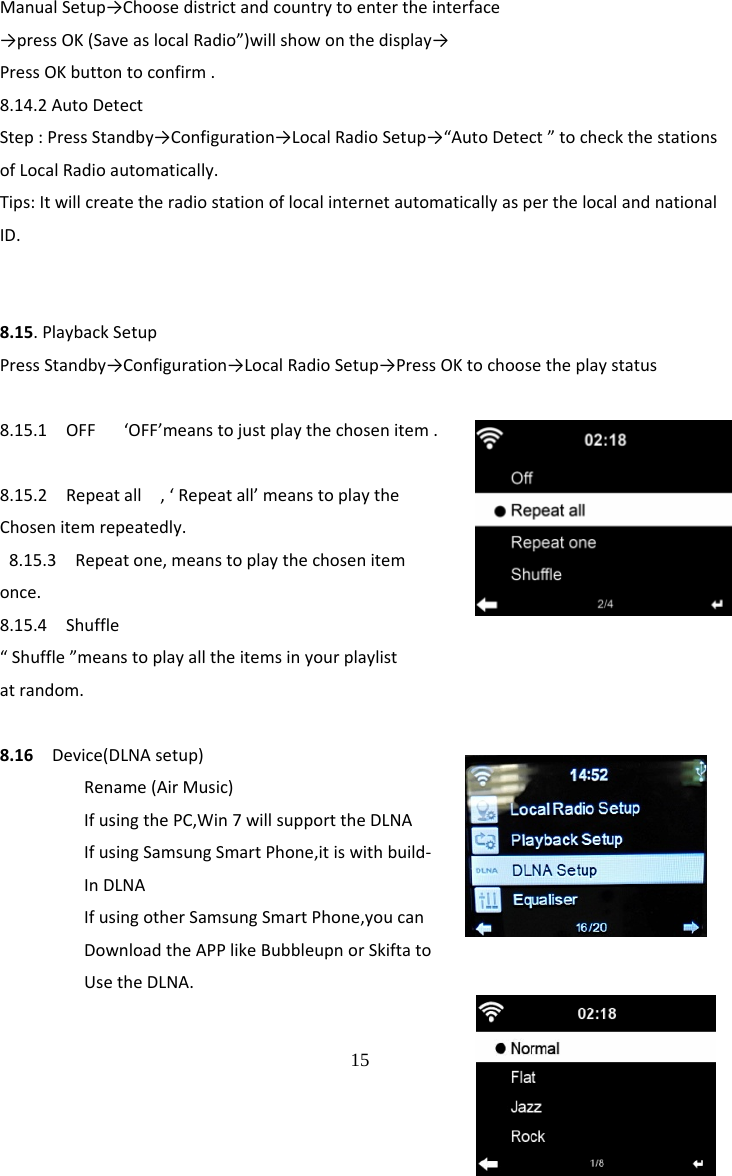
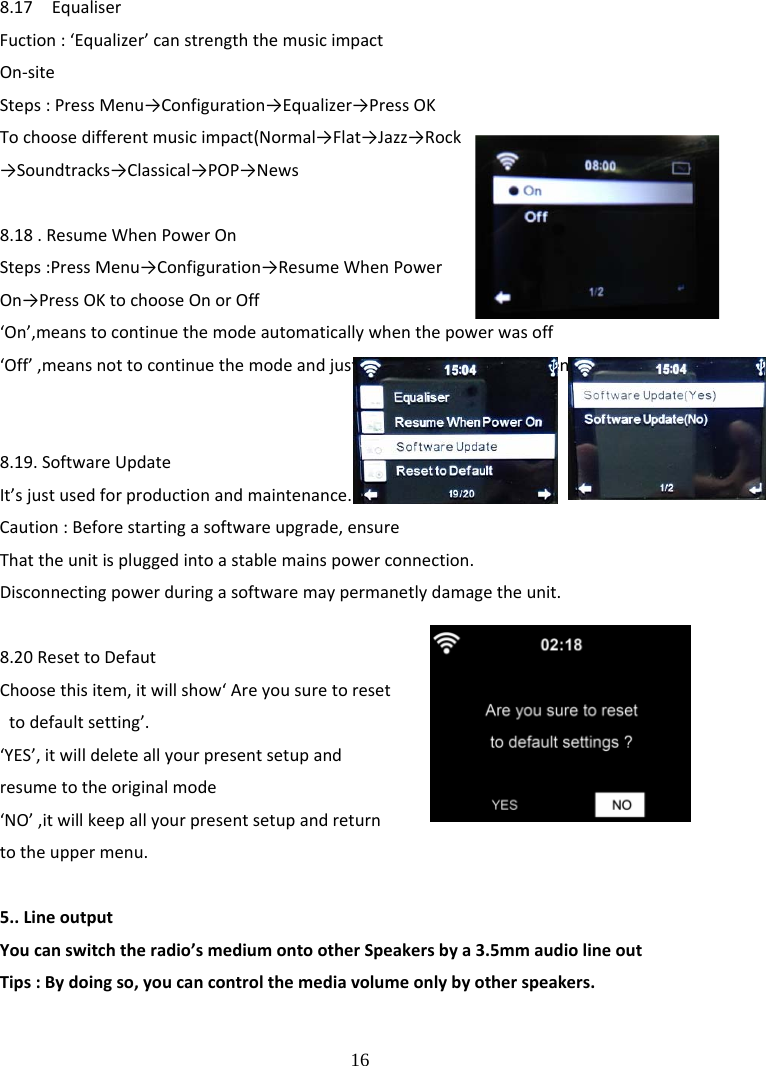
 14 MinutesChoosethepowermanagementtimer(5/15/30mins)tosetthedurationoftheradiotoswitchstandbymodeautomaticallywhenyouarenotcontrollingit.Choose“Turnoff”toignorethepowermanagementfunction.8.11SleepTimerTopowerofftheunitautomaticallybysettingupthesleeptimer.Steps:PressMenu→Configuration→SleepTimer→pressOKtoconfirm.ThetimerangeisfromTurnOFF,15,30,60,90,120,150,180minutes8.12BufferSteps:PressMenu→Configuration→Buffer→selectthebufferfrom2secondsto8seconds8.13WeatherToshowthecurrentweatherofselectedcityStep:PressMenu→Configuration→Weather→SelecttochoosethecityandbelowItemsareforyourchoice: 8.13.1SetLocationTosetupglobalcityweathershowingSteps:Choosedistrict→country→city→PressOKtoconfirmitandtheweatherinfowillbeshowninthedisplay.8.13.2TemperatureUnit:TosetuptheTemperatureUnitbyCentigradeorFahrenheit8.13.3ShowONStandby:Toturnonorturnoffthesetup8.14LocalRadioSetupSteps:PressMenu→Configuration→LocalRadioSetup→PressOKtochoosethestatusofLocalRadio(ThestationoflocalradioisDecidedbytheinternetIPaddress).8.14.1ManualSetupSteps:PressStandby→Configuration→LocalRadioSetup→
 15 ManualSetup→Choosedistrictandcountrytoentertheinterface→pressOK(SaveaslocalRadio”)willshowonthedisplay→PressOKbuttontoconfirm.8.14.2AutoDetectStep:PressStandby→Configuration→LocalRadioSetup→“AutoDetect”tocheckthestationsofLocalRadioautomatically.Tips:ItwillcreatetheradiostationoflocalinternetautomaticallyasperthelocalandnationalID.8.15.PlaybackSetupPressStandby→Configuration→LocalRadioSetup→PressOKtochoosetheplaystatus8.15.1OFF‘OFF’meanstojustplaythechosenitem.8.15.2Repeatall,‘Repeatall’meanstoplaytheChosenitemrepeatedly. 8.15.3Repeatone,meanstoplaythechosenitemonce.8.15.4Shuffle“Shuffle”meanstoplayalltheitemsinyourplaylistatrandom.8.16Device(DLNAsetup)Rename(AirMusic)IfusingthePC,Win7willsupporttheDLNAIfusingSamsungSmartPhone,itiswithbuild‐InDLNAIfusingotherSamsungSmartPhone,youcanDownloadtheAPPlikeBubbleupnorSkiftatoUsetheDLNA.
 16 8.17EqualiserFuction:‘Equalizer’canstrengththemusicimpactOn‐siteSteps:PressMenu→Configuration→Equalizer→PressOKTochoosedifferentmusicimpact(Normal→Flat→Jazz→Rock→Soundtracks→Classical→POP→News8.18.ResumeWhenPowerOnSteps:PressMenu→Configuration→ResumeWhenPowerOn→PressOKtochooseOnorOff‘On’,meanstocontinuethemodeautomaticallywhenthepowerwasoff‘Off’,meansnottocontinuethemodeandjustshowthemainmenuwhenthepowerwasoff8.19.SoftwareUpdateIt’sjustusedforproductionandmaintenance. Caution:Beforestartingasoftwareupgrade,ensureThattheunitispluggedintoastablemainspowerconnection.Disconnectingpowerduringasoftwaremaypermanetlydamagetheunit.8.20ResettoDefautChoosethisitem,itwillshow‘Areyousuretoresettodefaultsetting’.‘YES’,itwilldeleteallyourpresentsetupandresumetotheoriginalmode‘NO’,itwillkeepallyourpresentsetupandreturntotheuppermenu.5..LineoutputYoucanswitchtheradio’smediumontootherSpeakersbya3.5mmaudiolineoutTips:Bydoingso,youcancontrolthemediavolumeonlybyotherspeakers.
 17 FCCStatementChangesormodificationsnotexpresslyapprovedbythepartyresponsibleforcompliancecouldvoidtheuser'sauthoritytooperatetheequipment.ThisequipmenthasbeentestedandfoundtocomplywiththelimitsforaClassBdigitaldevice,pursuanttoPart15oftheFCCRules.Theselimitsaredesignedtoprovidereasonableprotectionagainstharmfulinterferenceinaresidentialinstallation.Thisequipmentgeneratesusesandcanradiateradiofrequencyenergyand,ifnotinstalledandusedinaccordancewiththeinstructions,maycauseharmfulinterferencetoradiocommunications.However,thereisnoguaranteethatinterferencewillnotoccurinaparticularinstallation.Ifthisequipmentdoescauseharmfulinterferencetoradioortelevisionreception,whichcanbedeterminedbyturningtheequipmentoffandon,theuserisencouragedtotrytocorrecttheinterferencebyoneormoreofthefollowingmeasures:‐‐Reorientorrelocatethereceivingantenna.‐‐Increasetheseparationbetweentheequipmentandreceiver.‐‐Connecttheequipmentintoanoutletonacircuitdifferentfromthattowhichthereceiverisconnected.‐‐Consultthedealeroranexperiencedradio/TVtechnicianforhelpThisdevicecomplieswithpart15oftheFCCrules.Operationissubjecttothefollowingtwoconditions(1)thisdevicemaynotcauseharmfulinterference,and(2)thisdevicemustacceptanyinterferencereceived,includinginterferencethatmaycauseundesiredoperation.The distance between the product and body is more than 20cm

Navigation menu