CCT Tech Advanced MA300 2.4GHz 40 Channel Analog Modulation Cordless Phone User Manual MA360Book

CCT Tech Advanced Products Limited 2.4GHz 40 Channel Analog Modulation Cordless Phone MA360Book

User Manual second half

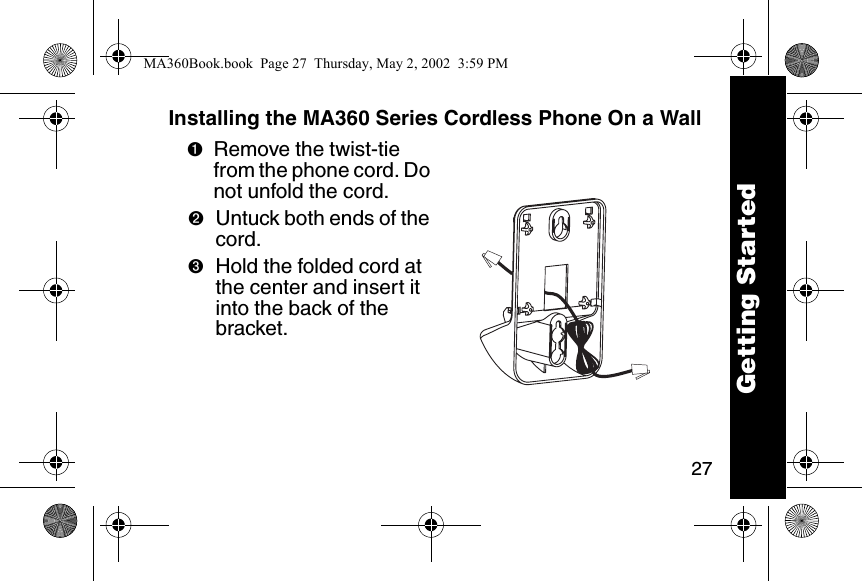
27Installing the MA360 Series Cordless Phone On a Wall➊Remove the twist-tie from the phone cord. Do not unfold the cord. ➋Untuck both ends of the cord. ➌Hold the folded cord at the center and insert it into the back of the bracket.Getting StartedMA360Book.book  Page 27  Thursday, May 2, 2002  3:59 PM
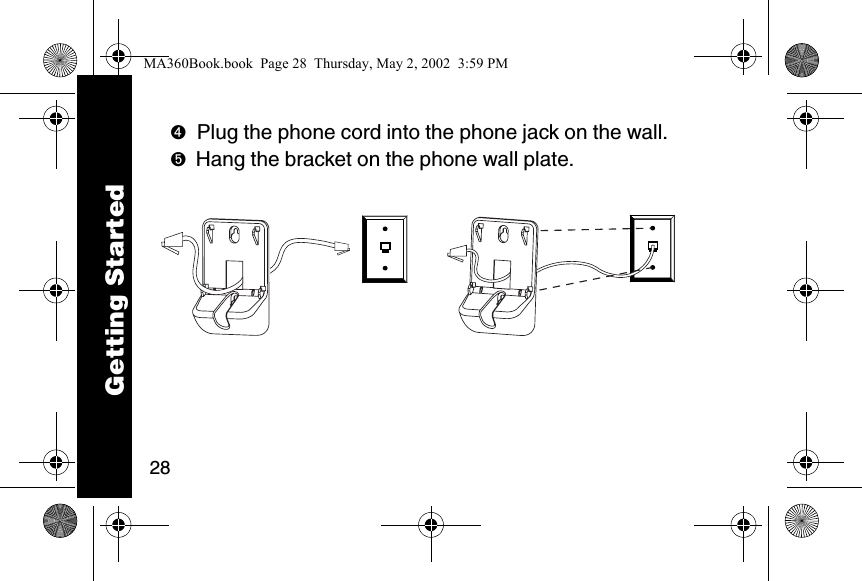
28➍Plug the phone cord into the phone jack on the wall. ➎Hang the bracket on the phone wall plate.  Getting StartedMA360Book.book  Page 28  Thursday, May 2, 2002  3:59 PM
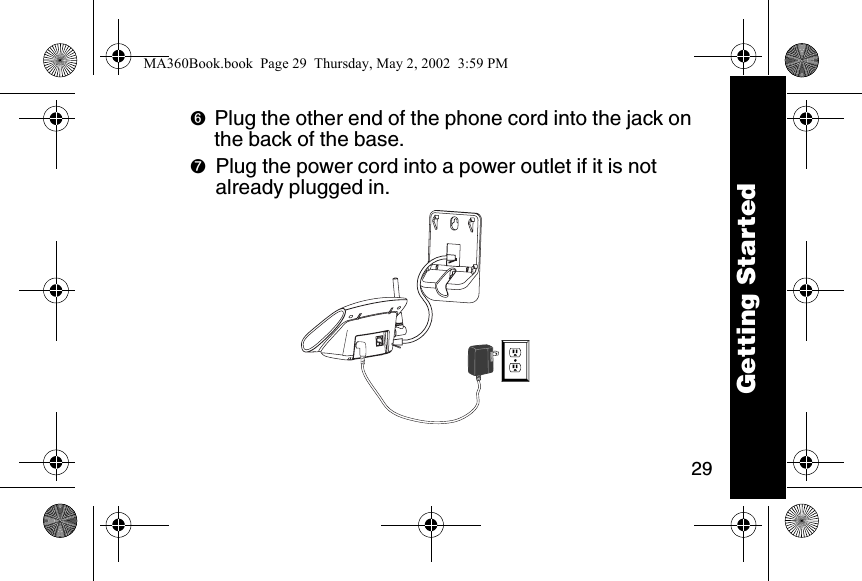
29➏Plug the other end of the phone cord into the jack on the back of the base.➐Plug the power cord into a power outlet if it is not already plugged in.  Getting StartedMA360Book.book  Page 29  Thursday, May 2, 2002  3:59 PM
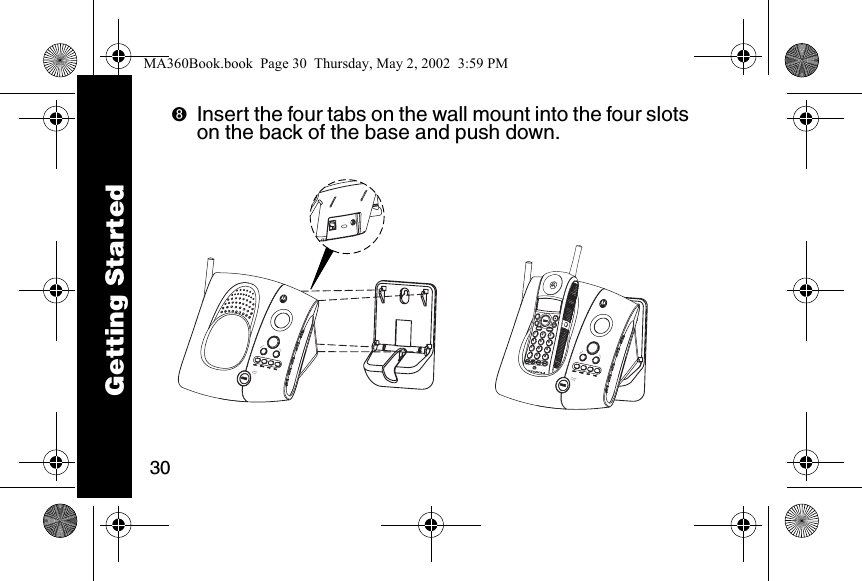
30➑Insert the four tabs on the wall mount into the four slots on the back of the base and push down.  reviewskipcharge/in usemem mute123456780*#9reviewskipcharge/in useGetting StartedMA360Book.book  Page 30  Thursday, May 2, 2002  3:59 PM
31Setting Up the Phone➊Press flash. ➋Set the language:\English]French^Spanish➌Press flash. ➍If you live in an area with 7-digit dialing:enter your 3-digit area code and press flash.If you live in an area with 10-digit dialing (area code + 7-digit telephone number):press flash to go to the next prompt (do not enter your area code).Getting StartedMA360Book.book  Page 31  Thursday, May 2, 2002  3:59 PM
32➎Set the ringer tone:\Ring tone 1]Ring tone 2^MusicalTip:  Each tone plays as you press the number key.➏Press flash. ➐Press: \ for tone operation or] for pulse operation➑Press flash. Tip:  If you select pulse, you can still use touch tone menu systems. To activate touch tone temporarily for one call, press Ö.Getting StartedMA360Book.book  Page 32  Thursday, May 2, 2002  3:59 PM
33➒At the Set to Default? prompt, press:] (no) to save the settings you just entered. Your settings will be retained after you turn the phone off\ (yes) to restore the factory default settings.➓Press flash.Now that you have set up your phone, read the next section of this guide for information on how to use your phone and answering machine.Getting StartedMA360Book.book  Page 33  Thursday, May 2, 2002  3:59 PM
34CAUTIONThe long-term characteristics or the possible physiological effects of Radio Frequency (RF) electromagnetic fields have not been evaluated by UL.If you are concerned with the risk of RF exposure, you may want to limit the duration of your calls and position the antenna as far away from your body as is practical.Getting StartedMA360Gettingstarted.fm  Page 34  Thursday, May 2, 2002  4:20 PM
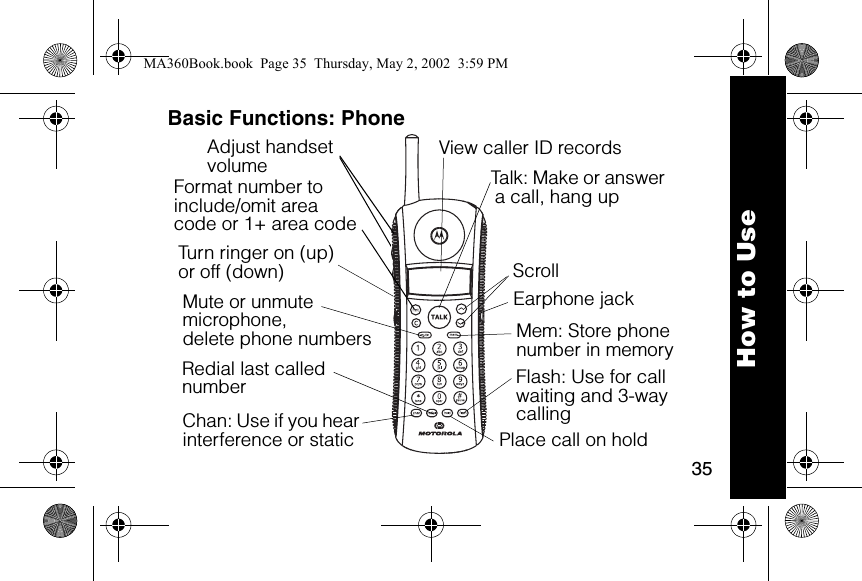
35How to UseBasic Functions: PhoneFormat number to include/omit areacode or 1+ area code6lmnTalk: Make or answer a call, hang upEarphone jack Flash: Use for call waiting and 3-way callingTurn ringer on (up)or off (down)Adjust handset volumeChan: Use if you hear interference or staticRedial last called numberMute or unmute microphone,delete phone numbers Place call on holdScrollMem: Store phone number in memoryView caller ID recordsMA360Book.book  Page 35  Thursday, May 2, 2002  3:59 PM
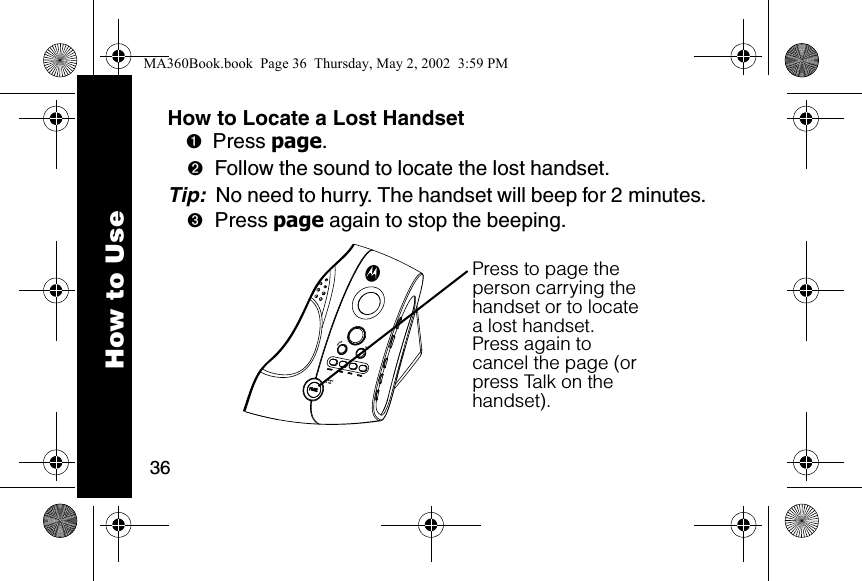
36How to UseHow to Locate a Lost Handset➊Press page. ➋Follow the sound to locate the lost handset. Tip:  No need to hurry. The handset will beep for 2 minutes. ➌Press page again to stop the beeping. Press to page the person carrying the handset or to locate a lost handset.Press again to cancel the page (or press Talk on the handset).MA360Book.book  Page 36  Thursday, May 2, 2002  3:59 PM
37How to UseStoring a Number into MemoryYou can store 10 phone numbers into memory with up to 20 digits each. ➊Turn the phone off. ➋Press mem. ➌Press any number key (Ñ through É) to select the memory location. ➍Press mem. ➎Enter the name you want to store. Use the letters on the keypad to write the name. For example, to create a letter “E”, press ^ twice. Tip:  Press \ for a space. Also, most keys have a punctuation mark as the fourth press. ➏Press mem. MA360Book.book  Page 37  Thursday, May 2, 2002  3:59 PM
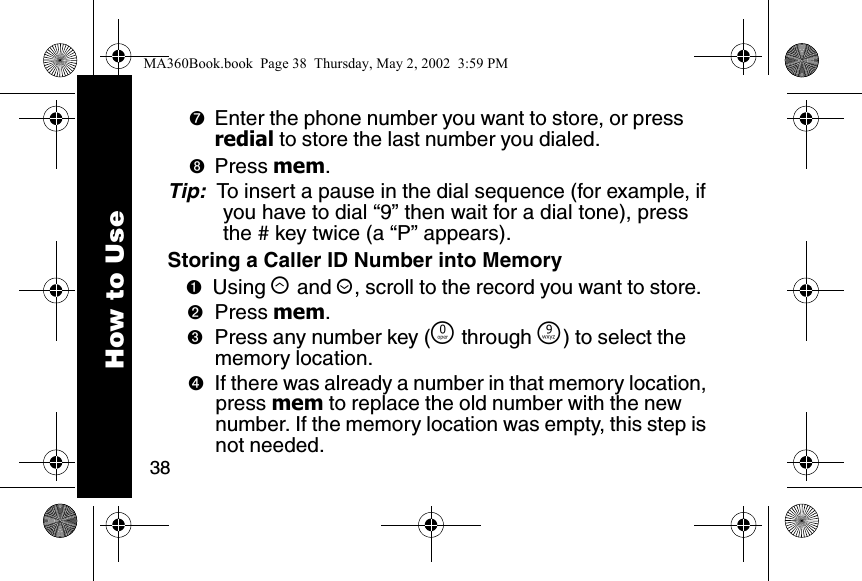
38How to Use➐Enter the phone number you want to store, or press redial to store the last number you dialed. ➑Press mem. Tip:  To insert a pause in the dial sequence (for example, if you have to dial “9” then wait for a dial tone), press the # key twice (a “P” appears). Storing a Caller ID Number into Memory➊Using ò and ú, scroll to the record you want to store. ➋Press mem. ➌Press any number key (Ñ through É) to select the memory location. ➍If there was already a number in that memory location, press mem to replace the old number with the new number. If the memory location was empty, this step is not needed.MA360Book.book  Page 38  Thursday, May 2, 2002  3:59 PM
39How to UseDialing a Number from Memory➊Press â. ➋Press mem. ➌Press the number key (Ñ through É) to select the memory location of the phone number you want to call. Tip:  You can use memory numbers to simplify calling card calls and other calls that require multiple strings of numbers. For example, if you stored your calling card number in memory location 1, your calling card password in location 2, and the phone number you want to call in location 3, you would press the following keys to call the number in location 3:  â mem \ mem ] mem ^MA360Book.book  Page 39  Thursday, May 2, 2002  3:59 PM
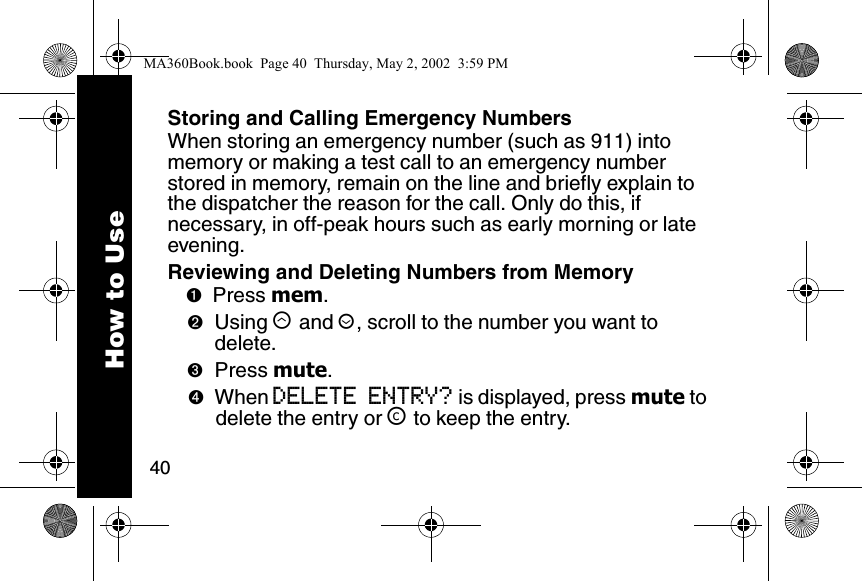
40How to UseStoring and Calling Emergency NumbersWhen storing an emergency number (such as 911) into memory or making a test call to an emergency number stored in memory, remain on the line and briefly explain to the dispatcher the reason for the call. Only do this, if necessary, in off-peak hours such as early morning or late evening.Reviewing and Deleting Numbers from Memory➊Press mem. ➋Using ò and ú, scroll to the number you want to delete. ➌Press mute. ➍When DELETE ENTRY? is displayed, press mute to delete the entry or ™ to keep the entry.MA360Book.book  Page 40  Thursday, May 2, 2002  3:59 PM
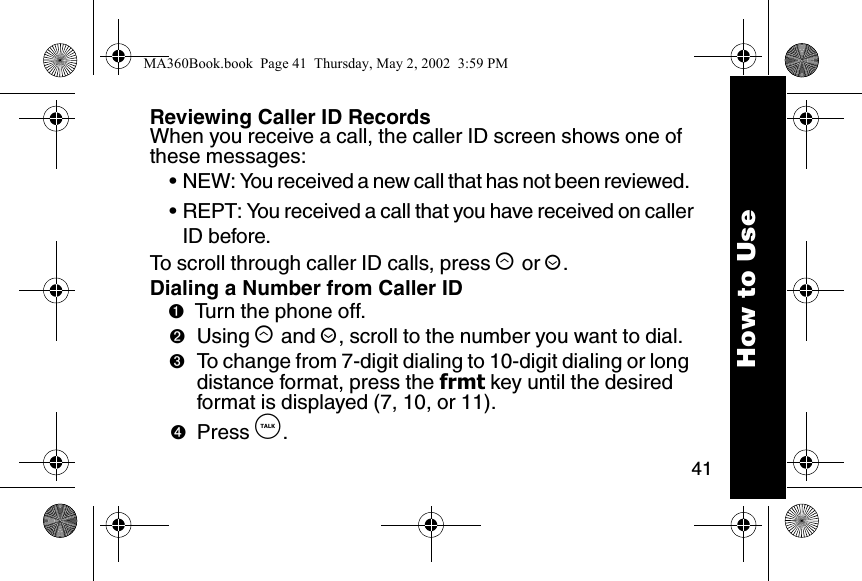
41How to UseReviewing Caller ID RecordsWhen you receive a call, the caller ID screen shows one of these messages: • NEW: You received a new call that has not been reviewed. • REPT: You received a call that you have received on callerID before. To scroll through caller ID calls, press ò or ú. Dialing a Number from Caller ID➊Turn the phone off. ➋Using ò and ú, scroll to the number you want to dial.➌To change from 7-digit dialing to 10-digit dialing or long distance format, press the frmt key until the desired format is displayed (7, 10, or 11).➍Press â. MA360Book.book  Page 41  Thursday, May 2, 2002  3:59 PM
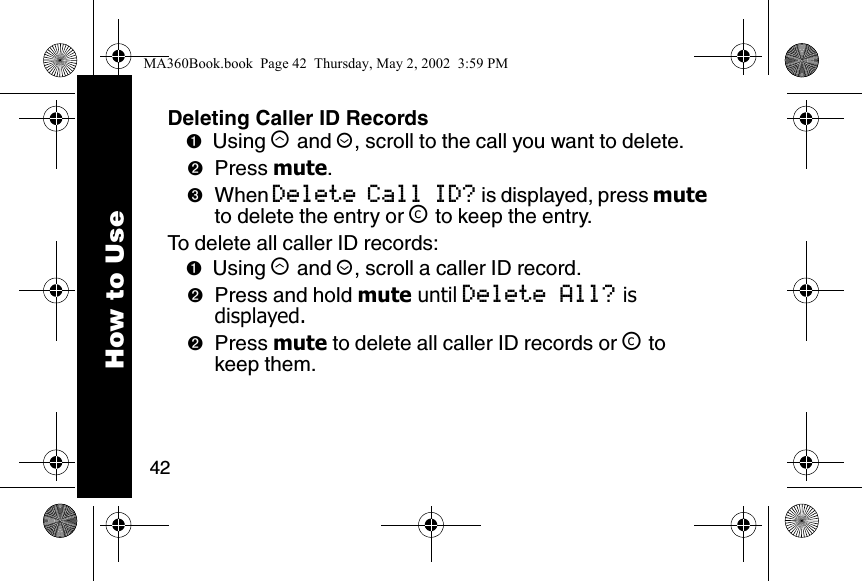
42How to UseDeleting Caller ID Records➊Using ò and ú, scroll to the call you want to delete. ➋Press mute.➌When Delete Call ID? is displayed, press mute to delete the entry or ™ to keep the entry.To delete all caller ID records:➊Using ò and ú, scroll a caller ID record.➋Press and hold mute until Delete All? is displayed.➋Press mute to delete all caller ID records or ™ to keep them.MA360Book.book  Page 42  Thursday, May 2, 2002  3:59 PM
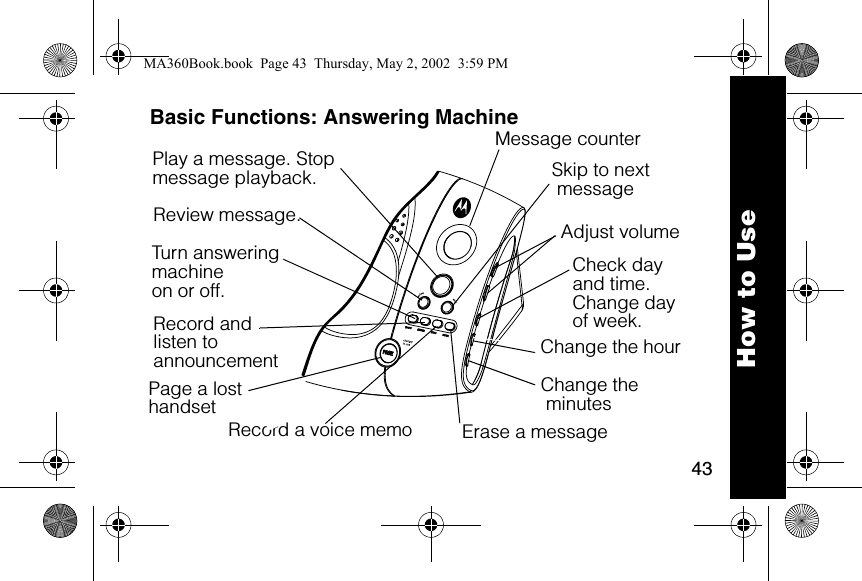
43How to UseBasic Functions: Answering MachinePlay a message. Stop message playback.  Skip to next messageReview message.  Adjust volumeCheck dayand time.Change dayof week. Change the minutesMessage counterTurn answering machine on or off.Record andlisten to announcement Record a voice memo Erase a message Page a lost handsetChange the hourMA360Book.book  Page 43  Thursday, May 2, 2002  3:59 PM
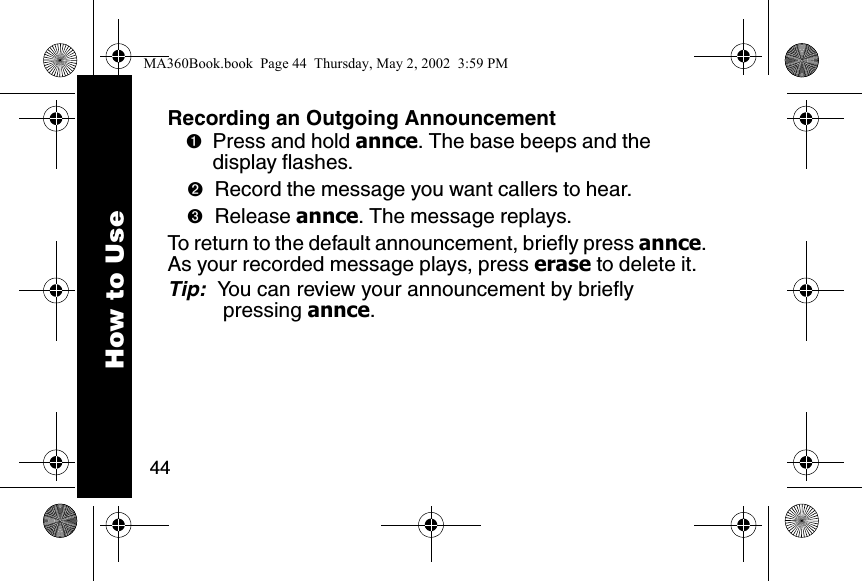
44How to UseRecording an Outgoing Announcement➊Press and hold annce. The base beeps and the display flashes. ➋Record the message you want callers to hear. ➌Release annce. The message replays. To return to the default announcement, briefly press annce. As your recorded message plays, press erase to delete it. Tip:  You can review your announcement by briefly pressing annce. MA360Book.book  Page 44  Thursday, May 2, 2002  3:59 PM
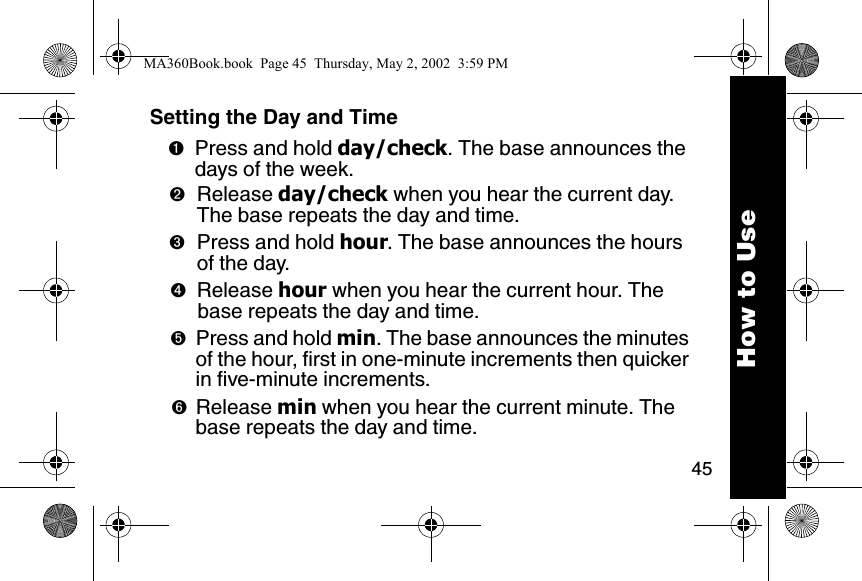
45How to UseSetting the Day and Time➊Press and hold day/check. The base announces the days of the week. ➋Release day/check when you hear the current day. The base repeats the day and time. ➌Press and hold hour. The base announces the hours of the day. ➍Release hour when you hear the current hour. The base repeats the day and time. ➎Press and hold min. The base announces the minutes of the hour, first in one-minute increments then quicker in five-minute increments. ➏Release min when you hear the current minute. The base repeats the day and time. MA360Book.book  Page 45  Thursday, May 2, 2002  3:59 PM
46How to UseChanging Your Security Code➊Make sure the phone is off. ➋Press chan on the handset. ➌Press Ö followed by the three-digit security code you want to enter. ➍Press Ö again. The base announces the new code. Note: The default security code is 123.Recording a Voice Memo➊Press and hold memo. The base beeps. ➋While still holding down the memo button, record your memo. ➌Release memo when you are finished recording. The answering machine saves the memo as a message, then beeps. MA360Book.book  Page 46  Thursday, May 2, 2002  3:59 PM
47How to UseChecking Messages from the Handset➊Make sure the handset is off. ➋Press chan. The phone plays a voice menu. ➌Press the button for the action you want to perform: ÑErase message.\Review message.]Play or stop playing message.^Skip message. _Turn the answering machine on or off. }Repeat the voice menu. MA360Book.book  Page 47  Thursday, May 2, 2002  3:59 PM
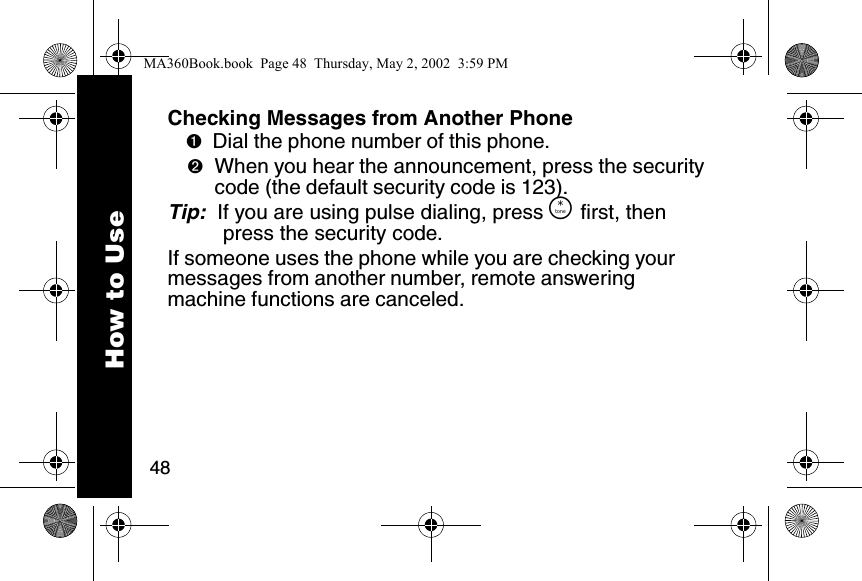
48How to UseChecking Messages from Another Phone➊Dial the phone number of this phone. ➋When you hear the announcement, press the security code (the default security code is 123).Tip:  If you are using pulse dialing, press Ö first, then press the security code. If someone uses the phone while you are checking your messages from another number, remote answering machine functions are canceled. MA360Book.book  Page 48  Thursday, May 2, 2002  3:59 PM
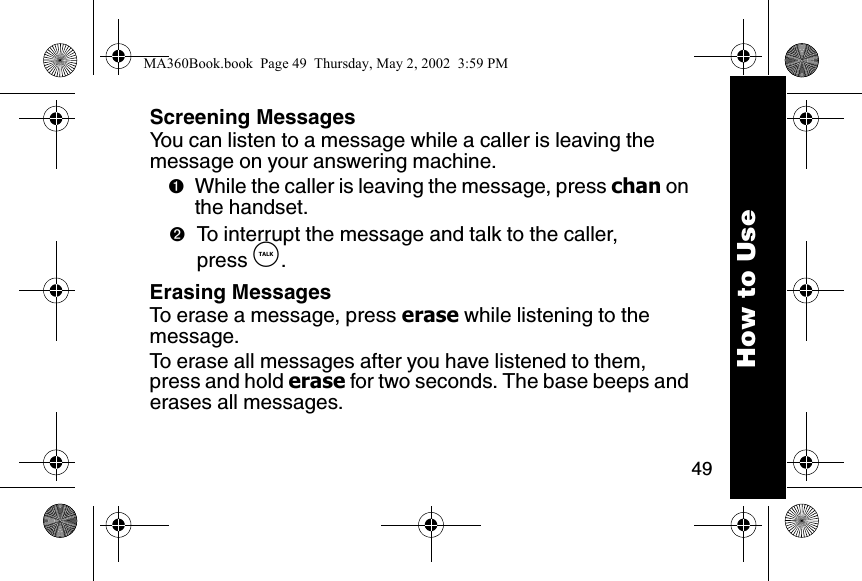
49How to UseScreening MessagesYou can listen to a message while a caller is leaving the message on your answering machine.➊While the caller is leaving the message, press chan on the handset.➋To interrupt the message and talk to the caller, press â.Erasing MessagesTo erase a message, press erase while listening to the message.To erase all messages after you have listened to them, press and hold erase for two seconds. The base beeps and erases all messages.MA360Book.book  Page 49  Thursday, May 2, 2002  3:59 PM
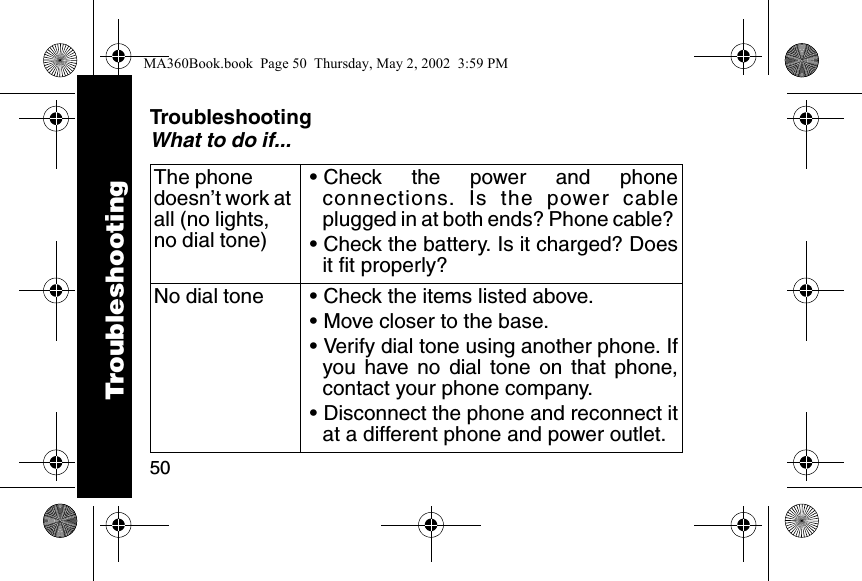
50TroubleshootingWhat to do if...The phone doesn’t work at all (no lights, no dial tone)• Check the power and phoneconnections. Is the power cableplugged in at both ends? Phone cable? • Check the battery. Is it charged? Doesit fit properly? No dial tone • Check the items listed above. • Move closer to the base. • Verify dial tone using another phone. Ifyou have no dial tone on that phone,contact your phone company. • Disconnect the phone and reconnect itat a different phone and power outlet. TroubleshootingMA360Book.book  Page 50  Thursday, May 2, 2002  3:59 PM
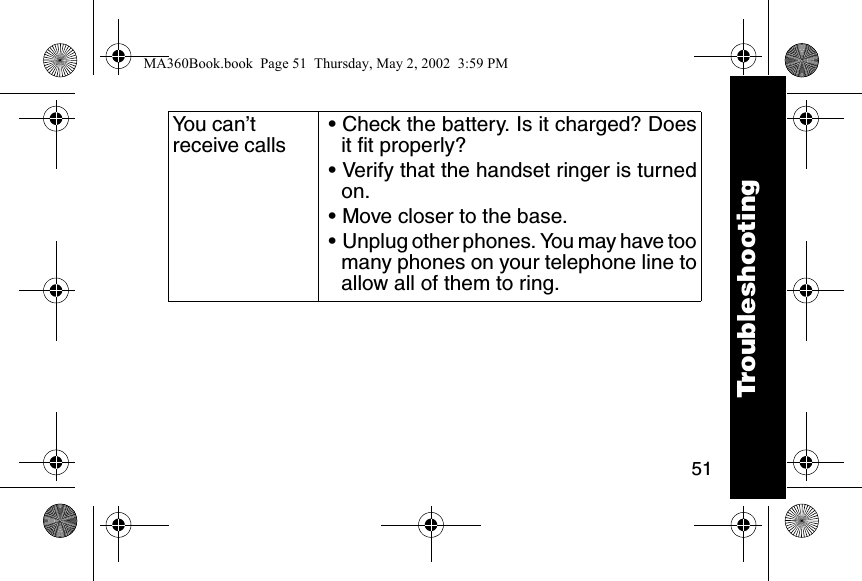
51You can’t receive calls• Check the battery. Is it charged? Doesit fit properly? • Verify that the handset ringer is turnedon. • Move closer to the base. • Unplug other phones. You may have toomany phones on your telephone line toallow all of them to ring. TroubleshootingMA360Book.book  Page 51  Thursday, May 2, 2002  3:59 PM
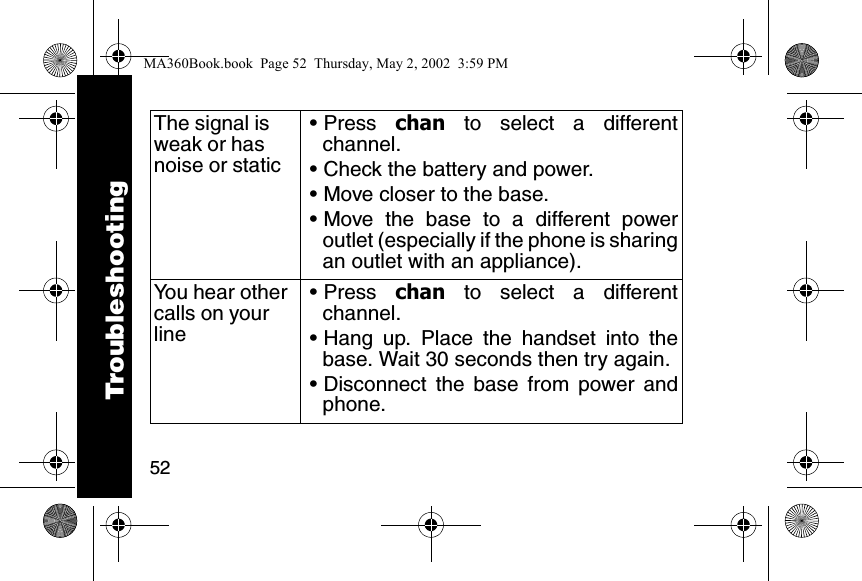
52The signal is weak or has noise or static• Press  chan to select a differentchannel. • Check the battery and power. • Move closer to the base. • Move the base to a different poweroutlet (especially if the phone is sharingan outlet with an appliance).You hear other calls on your line• Press  chan to select a differentchannel. • Hang up. Place the handset into thebase. Wait 30 seconds then try again. • Disconnect the base from power andphone.TroubleshootingMA360Book.book  Page 52  Thursday, May 2, 2002  3:59 PM
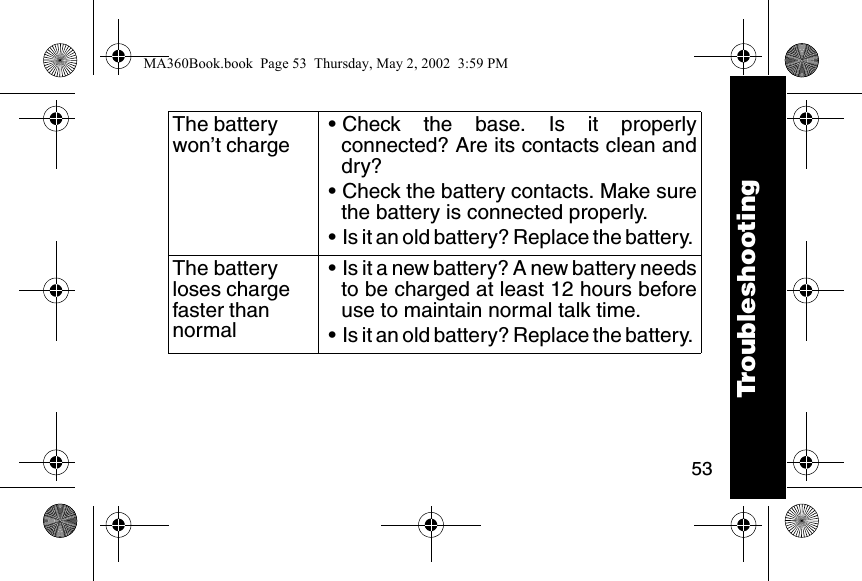
53The battery won’t charge• Check the base. Is it properlyconnected? Are its contacts clean anddry?• Check the battery contacts. Make surethe battery is connected properly.• Is it an old battery? Replace the battery. The battery loses charge faster than normal• Is it a new battery? A new battery needsto be charged at least 12 hours beforeuse to maintain normal talk time. • Is it an old battery? Replace the battery. TroubleshootingTroubleshootingMA360Book.book  Page 53  Thursday, May 2, 2002  3:59 PM
54Motorola Limited Warranty for Consumer Products, Accessories, and Software Purchased in the United States or CanadaWhat Does this Warranty Cover?Subject to the exclusions contained below, Motorola, Inc. warrants its telephones and consumer two-way radios that operate via Family Radio Service or General Mobile Radio Service (“Products”), Motorola-branded or certified accessories sold for use with these Products (“Accessories”) and Motorola software contained on CD-Roms or other tangible media and sold for use with these Products (“Software”) to be free from defects in materials and workmanship under normal consumer usage for the period(s) outlined below. This limited warranty is a consumer’s exclusive remedy, and applies as follows to new Motorola Products, Accessories and Software purchased by consumers in the United States or Canada, which are accompanied by this written warranty:WarrantyMA360Book.book  Page 54  Thursday, May 2, 2002  3:59 PM
55WarrantyProducts and Accessories as defined above, unless otherwise pro-vided for below. Length of coverage: one (1) year from the date of pur-chase by the first consumer purchaser of the product unless otherwise provided for below. •Decorative Accessories and Cases. Decorative covers, bezels, PhoneWrap™ covers and cases. Length of coverage: limited lifetime warranty for the lifetime of ownership by the first consumer purchaser of the product. •Monaural Headsets. Ear buds and boom headsets that transmit mono sound through a wired connection. Length of coverage: limited lifetime warranty for the lifetime of ownership by the first consumer purchaser of the product. •Consumer Two-Way Radio Accessories. Length of coverage: Ninety (90) days from the date of purchase by the first consumer purchaser of the product. WarrantyMA360Book.book  Page 55  Thursday, May 2, 2002  3:59 PM
56• Products and Accessories that are Repaired or Replaced. Length of coverage: The balance of the original warranty or for ninety (90) days from the date returned to the consumer, whichever is longer.Software. Applies only to physical defects in the media that embodies the copy of the software (e.g. CD-ROM, or floppy disk). Length of coverage: ninety (90) days from the date of purchase.ExclusionsNormal Wear and Tear. Periodic maintenance, repair and replacement of parts due to normal wear and tear are excluded from coverage.Batteries. Only batteries whose fully charged capacity falls below 80% of their rated capacity and batteries that leak are covered by this limited warranty.WarrantyMA360Book.book  Page 56  Thursday, May 2, 2002  3:59 PM
57WarrantyAbuse & Misuse. Defects or damage that result from: (a) improper operation, storage, misuse or abuse, accident or neglect, such as physical damage (cracks, scratches, etc.) to the surface of the product resulting from misuse; (b) contact with liquid, water, rain, extreme humidity or heavy perspiration, sand, dirt or the like, extreme heat, or food; (c) use of the Products or Accessories for commercial purposes or subjecting the Product or Accessory to abnormal usage or conditions; or (d) other acts which are not the fault of Motorola, are excluded from coverage.Use of Non-Motorola Products and Accessories. Defects or damage that result from the use of Non-Motorola branded or certified Products, Accessories, Software or other peripheral equipment are excluded from coverage. Unauthorized Service or Modification. Defects or damages resulting from service, testing, adjustment, installation, maintenance, WarrantyMA360Book.book  Page 57  Thursday, May 2, 2002  3:59 PM
58alteration, or modification in any way by someone other than Motorola, or its authorized service centers, are excluded from coverage. Altered Products. Products or Accessories with (a) serial numbers or date tags that have been removed, altered or obliterated; (b) broken seals or that show evidence of tampering; (c) mismatched board serial numbers; or (d) nonconforming or non-Motorola housings, or parts, are excluded from coverage.Communication Services. Defects, damages, or the failure of Products, Accessories or Software due to any communication service or signal you may subscribe to or use with the Products, Accessories or Software is excluded from coverage.Software Embodied in Physical Media. No warranty is made that the software will meet your requirements or will work in combination with any hardware or software applications provided by third parties, that the operation of the software products will be uninterrupted or error free, or that all defects in the software products will be corrected. WarrantyMA360Book.book  Page 58  Thursday, May 2, 2002  3:59 PM
59WarrantySoftware NOT Embodied in Physical Media. Software that is not embodied in physical media (e.g. software that is downloaded from the internet), is provided “as is” and without warranty.Who is CoveredThis warranty extends to the first end-user purchaser, only.What will Motorola Do?Motorola, at its option, will at no charge repair, replace or refund the purchase price of any Products, Accessories or Software that does not conform to this warranty. We may use functionally equivalent reconditioned/refurbished/pre-owned or new Products, Accessories or parts. No data, software or applications added to your Product, Accessory or Software, including but not limited to personal contacts, games and ringer tones, will be reinstalled. To avoid losing such data, software and applications please create a back up prior to requesting service.WarrantyMA360Book.book  Page 59  Thursday, May 2, 2002  3:59 PM
60How to Get Warranty Service or Other InformationFor accessories and software, please call the telephone number designated above for the product with which they are used. You will receive instructions on how to ship the Products, Accessories or Software, at your expense, to a Motorola Authorized Repair Center. To obtain service, you must include: (a) a copy of your receipt, bill of sale or other comparable proof of purchase; (b) a written description of the problem; (c) the name of your service provider, if applicable; (d) the name and location of the installation facility (if applicable) and, most importantly; (e) your address and telephone number. In the USA, call: In Canada, call:1-800-353-2729 1-800-461-4575TTY 1-888-390-6456 TTY 1-888-390-6456WarrantyMA360Book.book  Page 60  Thursday, May 2, 2002  3:59 PM
61WarrantyWhat Other Limitations Are There? ANY IMPLIED WARRANTIES, INCLUDING WITHOUT LIMITATION THE IMPLIED WARRANTIES OF MERCHANTABILITY AND FITNESS FOR A PARTICULAR PURPOSE, SHALL BE LIMITED TO THE DURATION OF THIS LIMITED WARRANTY, OTHERWISE THE REPAIR, REPLACEMENT, OR REFUND AS PROVIDED UNDER THIS EXPRESS LIMITED WARRANTY IS THE EXCLUSIVE REMEDY OF THE CONSUMER, AND IS PROVIDED IN LIEU OF ALL OTHER WARRANTIES, EXPRESS OF IMPLIED. IN NO EVENT SHALL MOTOROLA BE LIABLE, WHETHER IN CONTRACT OR TORT (INCLUDING NEGLIGENCE) FOR DAMAGES IN EXCESS OF THE PURCHASE PRICE OF THE PRODUCT, ACCESSORY OR SOFTWARE, OR FOR ANY INDIRECT, INCIDENTAL, SPECIAL OR CONSEQUENTIAL DAMAGES OF ANY KIND, OR LOSS OF REVENUE OR PROFITS, LOSS OF BUSINESS, LOSS OF INFORMATION OR DATA, SOFTWARE OR APPLICATIONS OR OTHER FINANCIAL LOSS ARISING OUT OF OR IN CONNECTION WITH THE ABILITY OR INABILITY TO USE THE PRODUCTS, ACCESSORIES OR SOFTWARE TO THE FULL EXTENT THESE DAMAGES MAY BE DISCLAIMED BY LAW.WarrantyMA360Book.book  Page 61  Thursday, May 2, 2002  3:59 PM
62Some states and jurisdictions do not allow the limitation or exclusion of incidental or consequential damages, or limitation on the length of an implied warranty, so the above limitations or exclusions may not apply to you. This warranty gives you specific legal rights, and you may also have other rights that vary from state to state or from one jurisdiction to another.Laws in the United States and other countries preserve for Motorola certain exclusive rights for copyrighted Motorola software such as the exclusive rights to reproduce and distribute copies of the Motorola software. Motorola software may only be copied into, used in, and redistributed with, the Products associated with such Motorola software. No other use, including without limitation disassembly of such Motorola software or exercise of the exclusive rights reserved for Motorola, is permitted. WarrantyMA360Book.book  Page 62  Thursday, May 2, 2002  3:59 PM
MA360Book.book  Page 63  Thursday, May 2, 2002  3:59 PM
6881040B55-O@6881040B55@motorola.comMA360Book.book  Page 64  Thursday, May 2, 2002  3:59 PM

Navigation menu