Cadco Systems PAP2400 Power Access Point User Manual Installation Front

Cadco Systems Inc Power Access Point Installation Front

Installation Guide

CADCO SYSTEMSDUAL RADIO HOT SPOT& SERVERSTART GUIDEQUICK
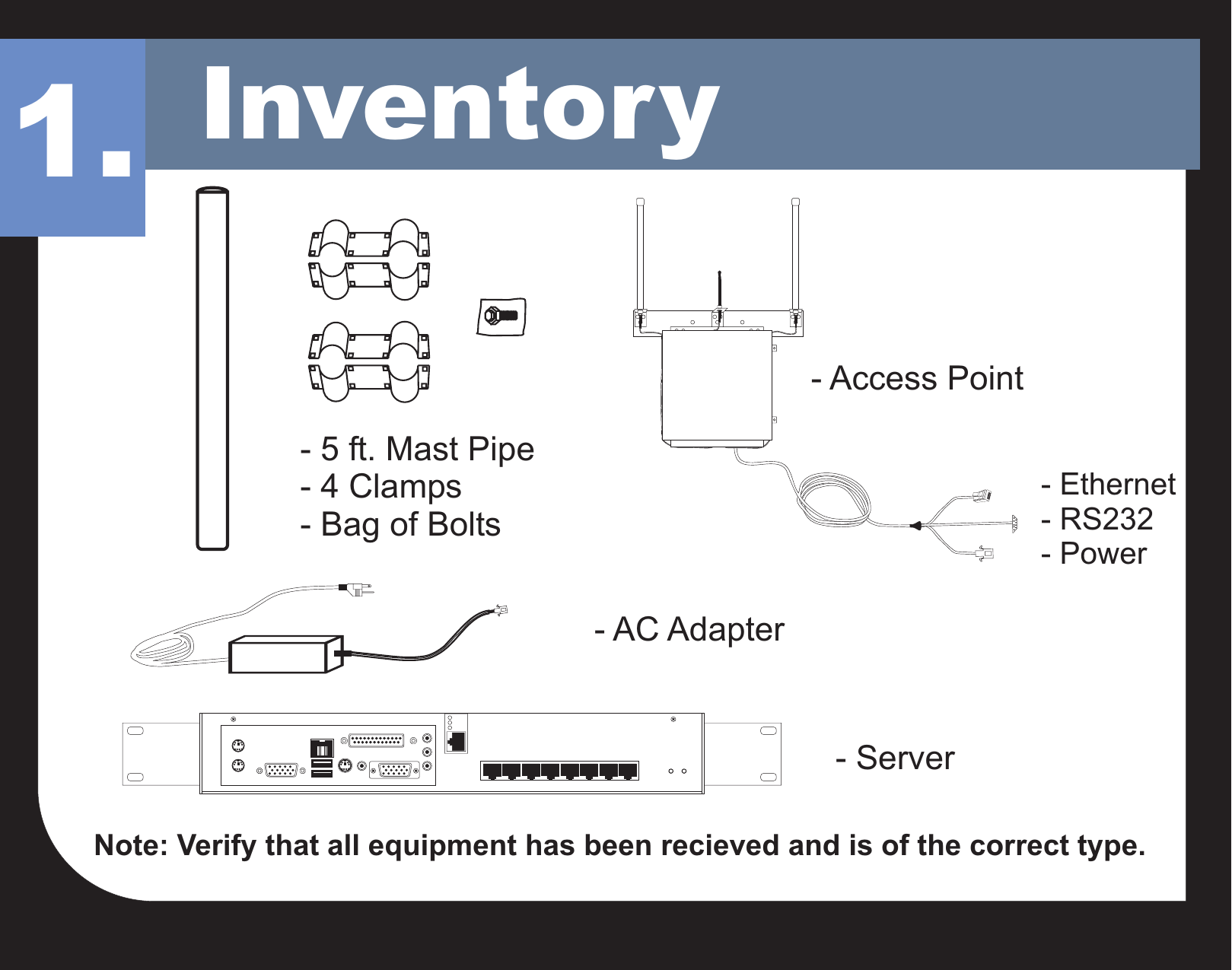
Inventory1.- 5 ft. Mast Pipe- 4 Clamps- Bag of Bolts- Access Point- Ethernet- RS232- Power- Server- AC AdapterNote: Verify that all equipment has been recieved and is of the correct type.
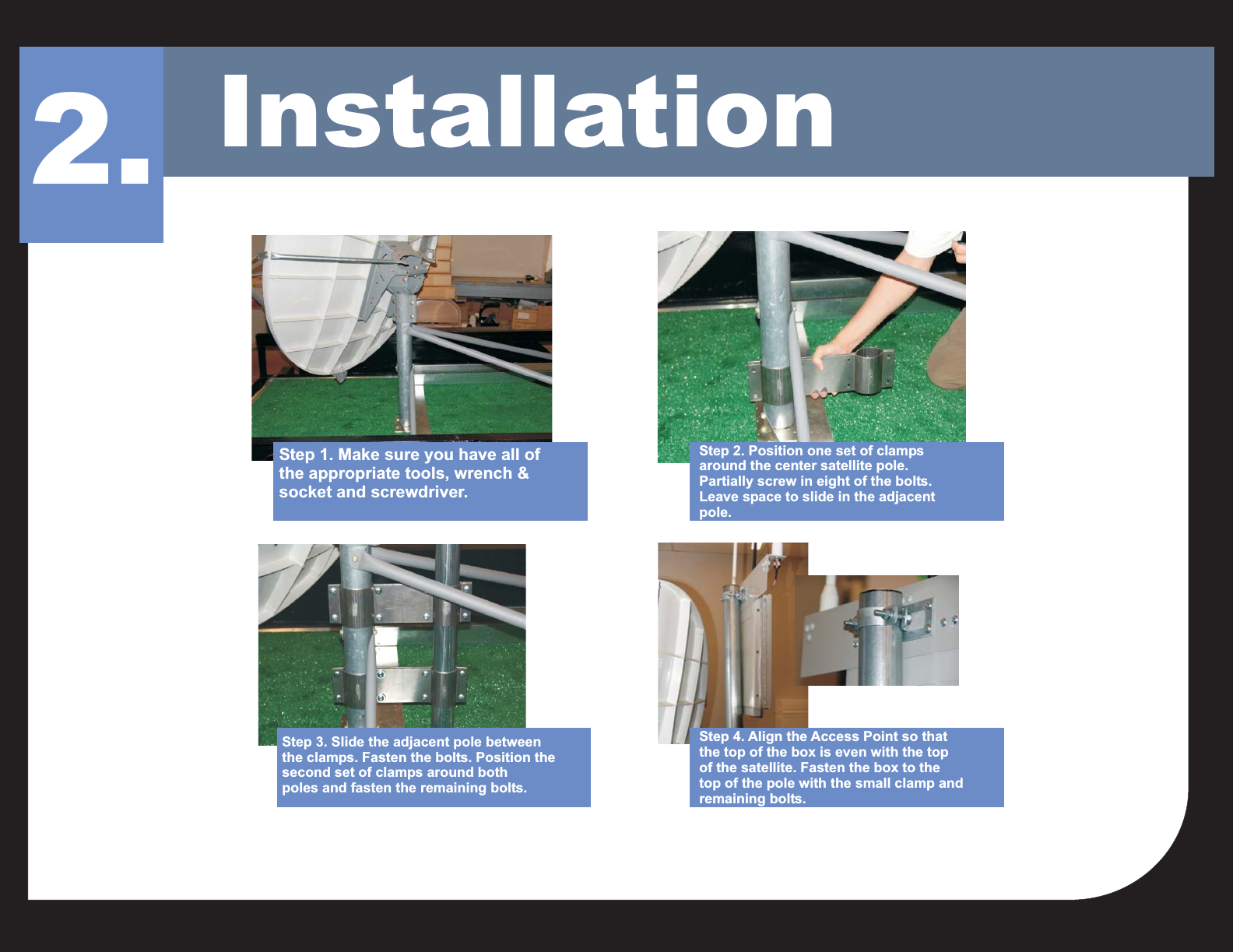
Installation2.Step 1. Make sure you have all ofthe appropriate tools, wrench &socket and screwdriver.Step 2. Position one set of clampsaround the center satellite pole.Partially screw in eight of the bolts.Leave space to slide in the adjacentpole.Step 4. Align the Access Point so thatthe top of the box is even with the topof the satellite. Fasten the box to thetop of the pole with the small clamp andremaining bolts.Step 3. Slide the adjacent pole betweenthe clamps. Fasten the bolts. Position thesecond set of clamps around bothpoles and fasten the remaining bolts.
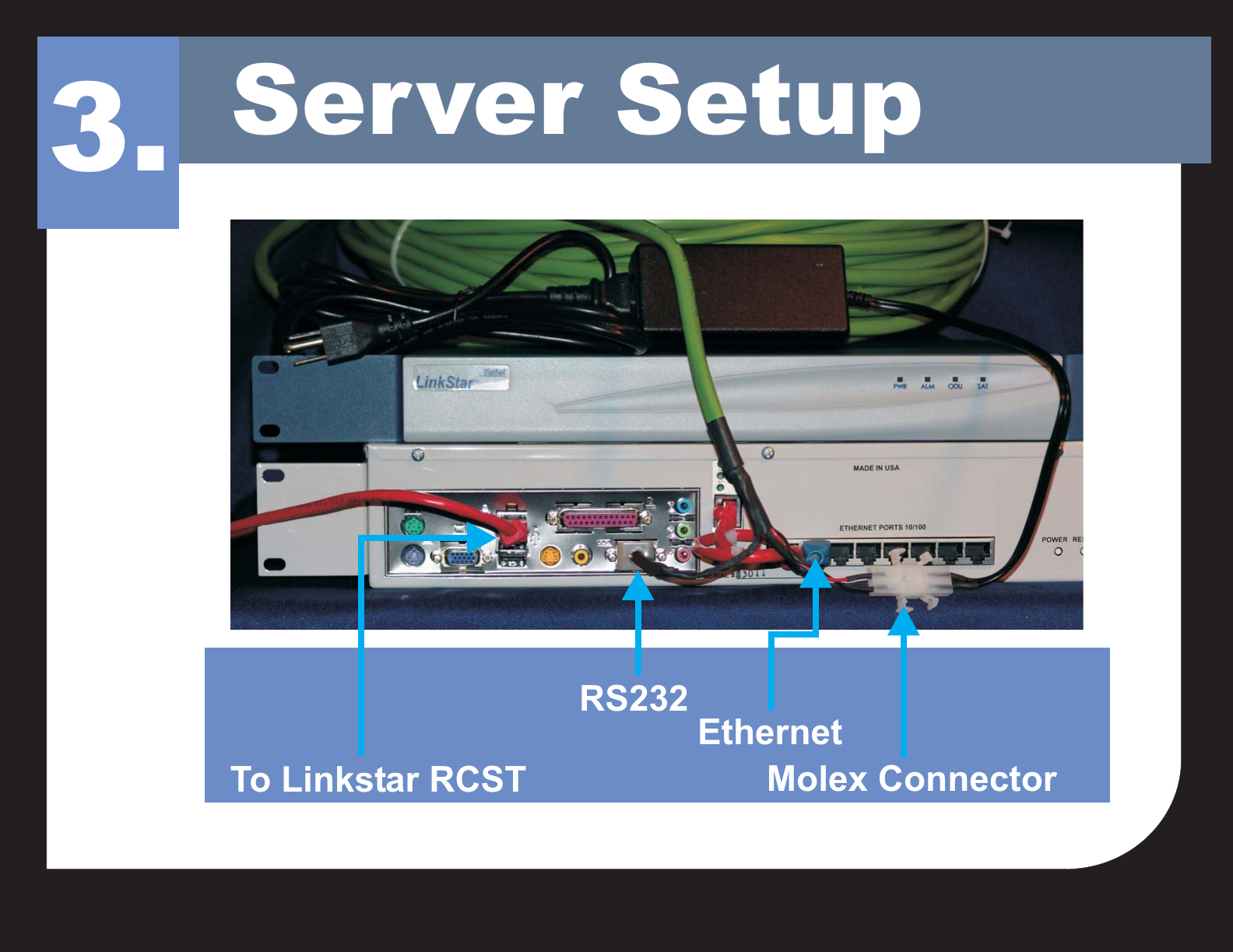
Server Setup3.Molex ConnectorTo Linkstar RCSTRS232Ethernet
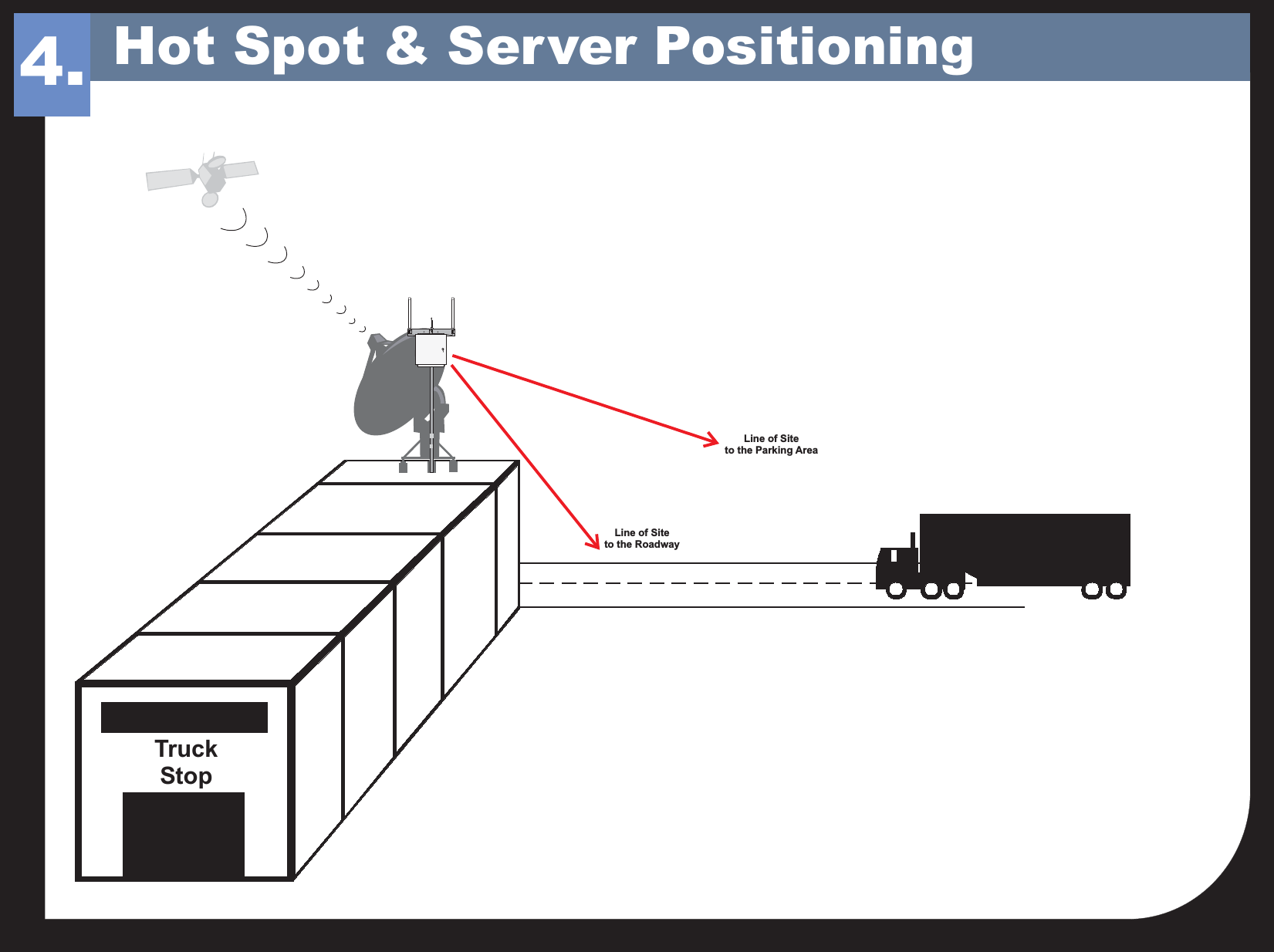
TruckStopLine of Siteto the RoadwayLine of Siteto the Parking Area4. Hot Spot & Server Positioning
This product intentionally uses RF enerergy and has been evaluated for RF exposure at a distance of 20 cm (8 inches). The antenna usedwith this product must be mounted to maintain a separation distance of 20cm to all persons. Operation at a separation distance less than20 cm (8 inches) from the radiating element to nearby persons will expose nearby persons to RF levels that exceed the FCC rules for RFexposure and will violate FCC rules and regulations.THIS EQUIPMENT COMPLIES WITH PART 15 OF THE FCC RULES.ANY CHANGES OR MODIFICATIONS NOT EXPRESSLY APPROVEDBY THE MANUFACTURER COULD VOID THE USER'S AUTHORITY TOOPERATE THE EQUIPMENT.WARNINGCADCOSYSTEMS2363 Merritt Dr.Garland, TX 75041Phone: (972) 271-3651Toll Free: (800) 877-2288Fax: (972) 271-3654

Navigation menu