HYUNDAI TELECOM HCH-H2PT loT Home Camera User Manual

HYUNDAI TELECOM Co., Ltd. loT Home Camera Users Manual

Users Manual

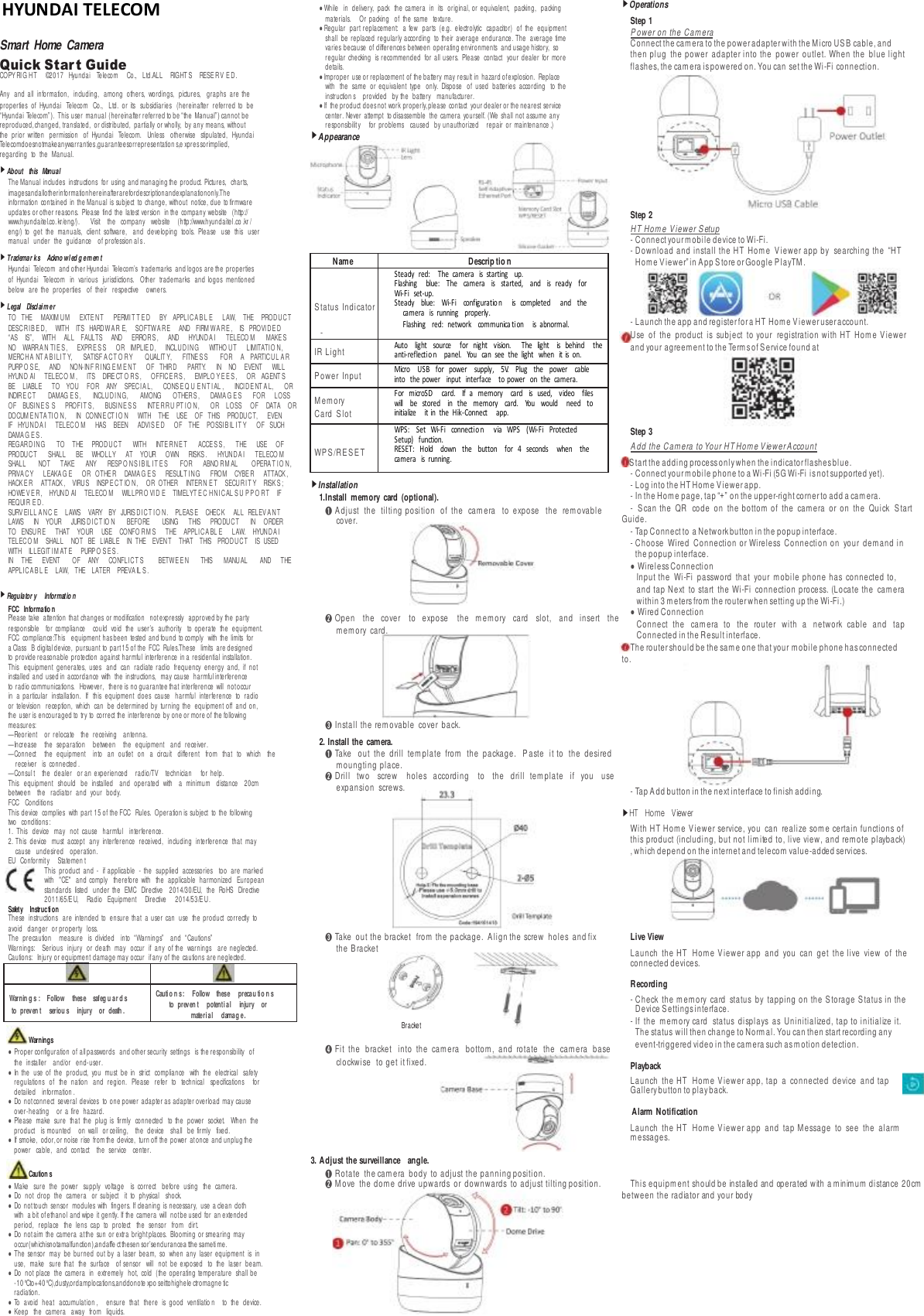
  Smart Home Camera Quick Star t Guide COPY RI G HT ©2017 Hyundai Telecom   Co., Ltd.ALL RIGHT S RESE RV E D. Any   and  all   information,   including,   among  others,   wordings,   pictures,   graphs  are  the properties   of   Hyundai   Telecom   Co.,   Ltd.   or  its   subsidiaries   (hereinafter  referred  to  be “Hyunda i Telecom”) . This user manual (hereinafter referred to be “the Man ual” ) cannot be reproduced, changed, translated, or distributed, partially or wholly, by any means, without the   prior  written   permission   of   Hyundai   Telecom.   Unless   otherwise   stipulated,   Hyundai Telecomdoesnotmakeanywarranties ,guaranteesorrepresentation s,e xpres sorimplied, regarding to the Manual. ▶About this Manual The Manual includes instructions for using and managing the product. Pictures, charts, imagesandallotherinformationhereinafterarefordescriptionandexplanationonly.The information contained in the Manual is subject to change, without notice, due to firmware updates or other reasons. Please find the latest version in the company website (http:// www.hyundaitel.co. kr/eng/).     Visit    the    company    website    (http://www.hyundaitel .co .kr / eng/)  to   get   the   manuals,   client   software,   and  developing  tools.   Please   use   this   user manual under the guidance of profession al s . ▶Trademar ks Ackno wl ed g em en t Hyundai Telecom and other Hyundai Telecom’s trademarks and logos are the properties of   Hyundai   Telecom   in   various   jurisdictions.   Other  trademarks   and  logos   mentioned below are the properties of their respective owners. ▶Legal Discl ai m er TO   THE   MAXIM U M   EXTE N T   PERMI T T E D   BY   APPLI CA B L E   LAW,   THE   PROD U CT DESCR IB E D , WITH ITS HARDWA R E, SOFTW A RE AND FIRM WA R E , IS PROVI DE D “AS    IS”,    WITH   ALL   FAULTS   AND    ERROR S ,   AND    HYUND A I    TELECO M    MAKE S NO   WARRA N TI E S ,   EXPRE S S   OR   IMPLIE D,   INCLUD ING   WITHO UT   LIMITATI O N , MERC HA NT A B I LIT Y,    SATISF ACT O R Y    QUALIT Y,     FITNE S S    FOR    A    PARTICU L A R PURP O S E,   AND    NON- IN F R ING E M E N T   OF   THIRD    PARTY.     IN     NO     EVENT   WILL HYUND AI   TELECO M ,   ITS   DIRE CT O RS ,   OFFICE RS ,   EMPLO Y E E S ,   OR   AGENT S BE    LIABLE   TO   YOU    FOR   ANY   SPECI A L,    CONS E Q U E NT IAL ,     INCID E NT A L,    OR INDIR E CT    DAMAG E S ,    INCLUD ING,    AMONG    OTHERS ,     DAMA G E S    FOR    LOSS OF    BUSI NE S S    PROFIT S ,     BUSIN E SS     INTE RR U PT IO N ,     OR     LOSS    OF    DATA   OR DOCUM E N TA TI O N,   IN   CONN E CT I O N   WITH   THE   USE   OF   THIS   PRODUCT,   EVEN IF   HYU ND A I   TELECO M   HAS   BEEN   ADVI S E D   OF   THE   POSSI B IL I T Y   OF   SUCH DAMA G E S . REGARDI NG    TO     THE    PROD U CT    WITH    INTE RN E T     ACCESS,     THE    USE     OF PRODUCT     SHALL    BE    WHOLLY    AT    YOUR     OWN    RISKS .     HYUND A I     TELECO M SHALL NOT TAKE ANY RESP O N S IB IL I T E S FOR ABNO R M AL OPERA T IO N , PRIVA CY   LEAKA G E   OR   OTHE R   DAMA G E S   RESULT I N G   FROM   CYBE R   ATTACK , HACK E R ATTACK , VIRUS INSP E C T IO N, OR OTHER INTERN E T SECURI T Y RISK S ; HOWE V E R , HYUND AI TELECO M WILLPRO VID E TIMELYT E C H NI CAL S U P P O R T IF REQUI R E D . SURV EILL A N C E LAWS VARY BY JURIS D IC T I O N . PLEAS E CHECK ALL RELEV A N T LAWS    IN     YOUR     JURIS D IC T IO N    BEFORE    USING    THIS    PRODUCT    IN    ORDER TO   ENSURE   THAT   YOUR   USE   CONFO R M S   THE   APPLI CA BL E   LAW.   HYUND A I TELECO M SHALL NOT BE LIABLE IN THE EVENT THAT THIS PROD U CT IS USED WITH ILLEGIT IM AT E PURP O S E S . IN    THE EVENT    OF    ANY    CONFLI CT S BETW E E N    THIS MANU AL    AND    THE APPLI CA B L E LAW, THE LATER PREVA IL S . ▶Regulator y Informatio n FCC Informatio n Please take attention that changes or modification not expressly approved by the party responsible for compliance could void the user’s authority to operate the equipment. FCC compliance:This equipment has been tested and found to comply with the limits for a Class B digital device, pursuant to part 15 of the FCC Rules.These limits are designed to provide reasonable protection against harmful interference in a residential installation. This   equipment   generates,   uses   and  can  radiate  radio  frequency   energy   and,   if   not installed and used in accordance with the instructions, may cause harmful interference to radio communications. However, there is no guarantee that interference will not occur in  a  particular   installation.   If   this   equipment   does   cause   harmful   interference   to   radio or  television   reception,   which   can   be  determined  by   turning  the   equipment  off   and  on, the user is encouraged to try to correct the interference by one or more of the following measures: —Reorient or relocate the receiving antenna. —Increase the separation between the equipment and receiver. —Connect   the   equipment   into   an  outlet   on   a  circuit   different   from   that   to   which   the receiver is connected . —Consul t the dealer or an experienced radio/TV technician for help. This    equipment    should    be   installed    and   operated   with    a   minimum    distance    20cm between the radiator and your body. FCC Conditions This device complies with part 15 of the FCC Rules. Operation is subject to the following two conditions: 1. This device may not cause harmful interference. 2. This   device   must   accept   any   interference   received,   including   interference   that   may cause undesired operation. EU Conformit y Statemen t This   product   and  -  if  applicable   -  the   supplied   accessories   too   are  marked with   "CE"   and  comply   therefore  with   the   applicable   harmonized   European standards   listed   under  the  EMC   Directive   2014/30/EU,   the   RoHS   Directive 2011/65/EU, Radio Equipment Directive 2014/53/EU. Safety Instruction These   instructions   are  intended  to   ensure  that   a  user  can   use  the  product   correctly   to avoid danger or property loss. The precaution measure is divided into “Warn ings” and “Cautions” Warnings: Serious injury or death may occur if any of the warnings are neglected. Cautions: Injury or equipment damage may occur if any of the cautions are neglected.    Warnings ● Proper configuration of all passwords and other security settings is the responsibility of the installer and/or end-user. ● In  the   use  of   the  product,   you  must   be  in   strict   compliance   with   the   electrical   safety regulations    of    the   nation    and   region.   Please    refer   to    technical    specifications     for detailed information . ● Do not connect several devices to one power adapter as adapter overload may cause over-heating or a fire hazard. ● Please   make   sure   that   the   plug  is   firmly   connected   to  the   power   socket.   When   the product is mounted on wall or ceiling, the device shall be firmly fixed. ● If smoke, odor, or noise rise from the device, turn off the power at once and unplug the power cable, and contact the service center. Caution s ● Make sure the power supply voltage is correct before using the camera. ● Do not drop the camera or subject it to physical shock. ● Do not touch sensor modules with fingers. If cleaning is necessary, use a clean cloth with a bit of ethanol and wipe it gently. If the camera will not be used for an extended period, replace the lens cap to protect the sensor from dirt. ● Do not aim the camera at the sun or extra bright places. Blooming or smearing may occur( wh ichisnotama lfunction) ,and affe ct thesen so r’send ura ncea tthe sameti me. ● The  sensor   may   be  burned  out  by  a  laser  beam,   so   when  any   laser  equipment   is   in use, make sure that the surface of sensor will not be exposed to the laser beam. ● Do  not  place   the  camera   in   extremely   hot,   cold  (the  operating  temperature  shall  be -10°Cto+40°C),dusty,ordamplocations,anddonote xpo seittohighele ctromagne tic radiation. ● To avoid heat accumulation , ensure that there is good ventilatio n to the device. ● Keep the camera away from liquids.  ● While   in  delivery,   pack   the  camera   in   its   original,  or  equivalent,   packing,   packing materials. Or packing of the same texture. ● Regular   part  replacement:   a  few   parts   (e.g.  electrolytic   capacitor)   of   the   equipment shall   be  replaced  regularly  according  to  their  average  endurance.  The  average  time varies because of differences between operating environments and usage history, so regular  checking   is  recommended   for  all  users.   Please   contact   your  dealer  for  more details. ● Improper use or replacement of the battery may result in hazard of explosion. Replace with   the  same   or  equivalent   type   only.   Dispose   of   used   batteries   according   to  the instruction s provided by the battery manufacturer. ● If the product does not work properly, please contact your dealer or the nearest service center. Never attempt to disassemble the camera yourself. (We shall not assume any responsibility for problems caused by unauthorized repair or maintenance .) ▶Appearance                  ▶Installation 1.Install memory card (optional). ➊ A djust  the  tilting  position    of  the  ca m era     to  expose   the  removable cover.     ➋ Open     the   cover     to   expose    the   m e m ory    card     slot,   and    insert   the m em ory card.     ➌ Install  the removable cover back. 2. Install the camera. ➊ Take    out   the   drill  te m plate    from   the  package.    P a ste   it  to    the   desired moungting place. ➋ Drill   two   screw    holes   according    to   the    drill   tem plate     if   you     use expansion screws.        ➌ Take out the bracket from  the package. Align the screw holes and fix the  B racket    Bracket ➍ Fit  the  bracket    into  the   cam era     bottom ,  and   rotate   the  ca m era    base clockwise to get it fixed.     3. Adjust the surveillance angle. ➊ Rotate the cam era body to adjust the panning position. ➋ M ove the dom e drive upwards or downwards to adjust tilting position. ▶Operations Step 1 P ower on the Cam era Connect the ca m era  to the power adapter with the M icro  U S B  cable, and then  plug  the  power  adapter  into  the  power  outlet.  When  the   blue  light flashes, the ca m era  is powered on. You can set the Wi-Fi connection.        Step 2 HT Hom e V iewer S etup - Connect your mobile device to Wi-Fi. - Download  and  install  the  HT  Hom e    Viewer  app  by  searching  the  “H T Hom e Viewer” in A pp  Store or Google P la yTM .   - Launch the app and register for a HT Hom e  Viewer user account. Use   of  the  product   is  subject   to  your  registration  with  HT  H om e   Viewer and your agreement to the Te rm s of S e rvice  found at    Step 3 A dd the  Cam era to Your HT Hom e V iewer A ccount S tart the adding process only when the indicator flashes blue. - Connect your mobile phone to a Wi-Fi (5G Wi-Fi is not supported yet). - Log into the HT Ho m e Viewer app. - In the Ho m e page, tap “+” on the upper-right corner to add a cam era. -  S can  the  QR    code  on   the  b ottom   of  the  ca m era    or   on   the  Quick  S ta rt Guide. - Tap Connect to a Network button in the popup interface. - Choose   Wired  Connection  or  Wireless  Connection  on  your   demand  in the  popup interface. ● Wireless Connection Input  the  Wi-Fi  password   that  your  mobile  phone  has  connected  to, and  tap  Next   to  start   the   Wi-Fi  connection  process.  (Locate  the   ca m era within 3 m ete rs fro m  the router when setting  up the Wi-Fi.) ● Wired Connection Connect   the     cam e ra   to   the   router   with   a   network   cable   and   tap Connected in the Result interface. The router should be the sam e  one that your mobile phone has connected to.       - Tap A dd button in the next interface to finish adding. ▶HT   Home   View er With  HT Ho m e  Viewer  service,  you   can   realize  som e  certain  functions  of this  product  (including,  but  not  limited  to,  live  view,  and  rem ote  playback) , which depend on the internet and telecom value-added services.    Live View Launch  the  HT    H om e   Viewer  app  and  you   can   get  the  live  view  of   the connected devices. Recording - Check   the  m em o ry   card  status   by   tapping  on  the  S to rage   S ta tu s  in  the Device S ettin gs interface. - If  the  m e m ory  card    status   displays  as  Uninitialized,  tap  to  initialize  it. The status will then change to Normal. You can then start recording any event-triggered video in the ca m era  such as m o ti on  detection. Playback Launch  the  HT    H om e   Viewer  app,  tap  a   connected  device   and  tap Gallery button to play back.         Alarm Notification Launch  the  HT    H om e   Viewer  app  and  tap  M essa ge    to  see   the  alarm m essages.       This equipm ent should be installed and operated with a m inim um  distance 20cm  between the rad iator and your bodyName Descrip tio n - - S tatu s Indicator   - - Steady  red:    The  camera  is  starting  up. Flashing   blue:   The   camera   is    started,   and    is   ready   for Wi-Fi  set-up. Steady   blue:   Wi-Fi    configuratio n   is   completed   and    the camera  is  running  properly. Flashing  red:  network  communica tion  is  abnormal. IR Light Auto   light    source   for   night   vision.     The   light    is   behind   the anti-reflectio n  panel.  You  can  see  the  light  when  it is  on. Power Input Micro   USB    for   power    supply,   5V.    Plug   the    power   cable into  the power  input  interface  to power  on  the  camera. M em ory Card S lot For   microSD    card.    If    a    memory   card    is   used,   video   files will   be    stored    in   the    memory   card.   You   would    need    to initialize  it in  the  Hik-Connect  app. - WPS/RESET           - WPS:   Set    Wi-Fi   connectio n    via    WPS    (Wi-Fi   Protected Setup)  function. RESET:   Hold   down   the   button    for   4    seconds   when    the camera  is  running.    Warnin g s : Follow these safeg u ar d s to preven t seriou s injury or death . Cauti o n s: Follow these precau ti o n s to preven t potential injury or materi al damag e.  HYUNDAI TELECOM
 Smart Home Camera Quick Star t Guide COPY RI G HT ©2017 Hyundai Telecom   Co., Ltd.ALL RIGHT S RESE RV E D. Any   and  all   information,   including,   among  others,   wordings,   pictures,   graphs  are  the properties   of   Hyundai   Telecom   Co.,   Ltd.   or  its   subsidiaries   (hereinafter  referred  to  be “Hyunda i Telecom”) . This user manual (hereinafter referred to be “the Man ual” ) cannot be reproduced, changed, translated, or distributed, partially or wholly, by any means, without the   prior  written   permission   of   Hyundai   Telecom.   Unless   otherwise   stipulated,   Hyundai Telecomdoesnotmakeanywarranties ,guaranteesorrepresentation s,e xpres sorimplied, regarding to the Manual. ▶About this Manual The Manual includes instructions for using and managing the product. Pictures, charts, imagesandallotherinformationhereinafterarefordescriptionandexplanationonly.The information contained in the Manual is subject to change, without notice, due to firmware updates or other reasons. Please find the latest version in the company website (http:// www.hyundaitel.co. kr/eng/).     Visit    the    company    website    (http://www.hyundaitel .co .kr / eng/)  to   get   the   manuals,   client   software,   and  developing  tools.   Please   use   this   user manual under the guidance of profession al s . ▶Trademar ks Ackno wl ed g em en t Hyundai Telecom and other Hyundai Telecom’s trademarks and logos are the properties of   Hyundai   Telecom   in   various   jurisdictions.   Other  trademarks   and  logos   mentioned below are the properties of their respective owners. ▶Legal Discl ai m er TO   THE   MAXIM U M   EXTE N T   PERMI T T E D   BY   APPLI CA B L E   LAW,   THE   PROD U CT DESCR IB E D , WITH ITS HARDWA R E, SOFTW A RE AND FIRM WA R E , IS PROVI DE D “AS    IS”,    WITH   ALL   FAULTS   AND    ERROR S ,   AND    HYUND A I    TELECO M    MAKE S NO   WARRA N TI E S ,   EXPR ESS   OR   IMPLIE D,   INCLUD ING   WITHO UT   LIMITATI O N , MERC HA NT A B I LIT Y,    SATISF ACT O R Y    QUALIT Y,     FITNE S S    FOR    A    PARTICU L A R PURP O S E,   AND    NON- IN F R ING E M E N T   OF   THIRD    PARTY.     IN     NO     EVENT   WILL HYUND AI   TELECO M ,   ITS   DIRE CT O RS ,   OFFICE RS ,   EMPLO YEES,   OR   AGENT S BE    LIABLE   TO   YOU    FOR   ANY   SPECI A L,    CONS E Q U E NT IAL ,     INCID E NT A L,    OR INDIR E CT    DAMAG E S ,    INCLUD ING,    AMONG    OTHERS ,     DAMA G E S    FOR    LOSS OF    BUSI NE S S    PROFIT S ,     BUSI NE S S     INTE RR U PT IO N ,     OR     LOSS    OF    DATA   OR DOCUM E N TA TI O N ,   IN   CONN E CT I O N   WITH   THE   USE   OF   THIS   PRODUCT,   EVEN IF   HYU ND A I   TELECO M   HAS   BEEN   ADVI S E D   OF   THE   POSSI B IL I T Y   OF   SUCH DAMA G E S . REGARDI NG    TO     THE    PROD U CT    WITH    INTE RN E T     ACCE S S ,     THE    USE     OF PRODUCT     SHALL    BE    WHOLLY    AT    YOUR     OWN    RISKS .     HYUND A I     TELECO M SHALL NOT TAKE ANY RESP O N S IB IL I T E S FOR ABNO R M AL OPERA T IO N , PRIVA CY   LEAKA G E   OR   OTHE R   DAMA G E S   RESULT I N G   FROM   CYBE R   ATTACK , HACK E R ATTACK , VIRUS INSP E C T IO N, OR OTHER INTERN E T SECURI T Y RISK S ; HOWE V E R , HYUND AI TELECO M WILLPRO VID E TIMELYT E C H NI CAL S U P P O R T IF REQUI R E D . SURV EILL A N C E LAWS VARY BY JURIS D IC T I O N . PLEAS E CHECK ALL RELEV A N T LAWS    IN     YOUR     JURIS D IC T IO N    BEFORE    USING    THIS    PRODUCT    IN    ORDER TO   ENSURE   THAT   YOUR   USE   CONFO R M S   THE   APPLI CA BLE   LAW.   HYUND A I TELECO M SHALL NOT BE LIABLE IN THE EVENT THAT THIS PROD U CT IS USED WITH ILLEGIT IM AT E PURP O S E S . IN    THE EVENT    OF    ANY    CONFLI CT S BETW E E N    THIS MANU AL    AND    THE APPLI CA B L E LAW, THE LATER PREVA IL S . ▶Regulator y Informatio n FCC Informatio n Please take attention that changes or modification not expressly approved by the party responsible for compliance could void the user’s authority to operate the equipment. FCC compliance:This equipment has been tested and found to comply with the limits for a Class B digital device, pursuant to part 15 of the FCC Rules.These limits are designed to provide reasonable protection against harmful interference in a residential installation. This   equipment   generates,   uses   and  can  radiate  radio  frequency   energy   and,   if   not installed and used in accordance with the instructions, may cause harmful interference to radio communications. However, there is no guarantee that interference will not occur in  a  particular   installation.   If   this   equipment   does   cause   harmful   interference   to   radio or  television   reception,   which   can   be  determined  by   turning  the   equipment  off   and  on, the user is encouraged to try to correct the interference by one or more of the following measures: —Reorient or relocate the receiving antenna. —Increase the separation between the equipment and receiver. —Connect   the   equipment   into   an  outlet   on   a  circuit   different   from   that   to   which   the receiver is connected . —Co nsul t the dealer or an experienced radio/TV technician for help. This    equipment    should    be   installed    and   operated   with    a   minimum    distance    20cm between the radiator and your body. FCC Conditions This device complies with part 15 of the FCC Rules. Operation is subject to the following two conditions: 1. This device may not cause harmful interference. 2. This   device   must   accept   any   interference   received,   including   interference   that   may cause undesired operation. EU Conformit y Statemen t This   product   and  -  if  applicable   -  the   supplied   accessories   too   are  marked with   "CE"   and  comply   therefore  with   the   applicable   harmonized   European standards   listed   under  the  EMC   Directive   2014/30/EU,   the   RoHS   Directive 2011/65/E U, Radio Equipment Directive 2014/53/EU. Safety Instruction These   instructions   are  intended  to   ensure  that   a  user  can   use  the  product   correctly   to avoid danger or property loss. The precaution measure is divided into “Warn ings” and “Cautions” Warnings: Serious injury or death may occur if any of the warnings are neglected. Cautions: Injury or equipment damage may occur if any of the cautions are neglected.    Warnings ● Proper configuration of all passwords and other security settings is the responsibility of the installer and/or end-user. ● In  the   use  of   the  product,   you  must   be  in   strict   compliance   with   the   electrical   safety regulations    of    the   nation    and   region.   Please    refer   to    technical    specifications     for detailed information . ● Do not connect several devices to one power adapter as adapter overload may cause over-heating or a fire hazard. ● Please   make   sure   that   the   plug  is   firmly   connected   to  the   power   socket.   When   the product is mounted on wall or ceiling, the device shall be firmly fixed. ● If smoke, odor, or noise rise from the device, turn off the power at once and unplug the power cable, and contact the service center. Caution s ● Make sure the power supply voltage is correct before using the camera. ● Do not drop the camera or subject it to physical shock. ● Do not touch sensor modules with fingers. If cleaning is necessary, use a clean cloth with a bit of ethanol and wipe it gently. If the camera will not be used for an extended period, replace the lens cap to protect the sensor from dirt. ● Do not aim the camera at the sun or extra bright places. Blooming or smearing may occur( wh ichisnotama lfunction) ,and affe ct thesen so r’send ura ncea tthe sameti me. ● The  sensor   may   be  burned  out  by  a  laser  beam,   so   when  any   laser  equipment   is   in use, make sure that the surface of sensor will not be exposed to the laser beam. ● Do  not  place   the  camera   in   extremely   hot,   cold  (the  operating  temperature  shall  be -10°Cto+40°C),dusty,ordamplocations,anddonote xpo seittohighele ctromagne tic radiation. ● To avoid heat accumulation , ensure that there is good ventilatio n to the device. ● Keep the camera away from liquids.  ● While   in  delivery,   pack   the  camera   in   its   original,  or  equivalent,   packing,   packing materials. Or packing of the same texture. ● Regular   part  replacement:   a  few   parts   (e.g.  electrolytic   capacitor)   of   the   equipment shall   be  replaced  regularly  according  to  their  average  endurance.  The  average  time varies because of differences between operating environments and usage history, so regular  checking   is  recommended   for  all  users.   Please   contact   your  dealer  for  more details. ● Improper use or replacement of the battery may result in hazard of explosion. Replace with   the  same   or  equivalent   type   only.   Dispose   of   used   batteries   according   to  the instruction s provided by the battery manufacturer. ● If the product does not work properly, please contact your dealer or the nearest service center. Never attempt to disassemble the camera yourself. (We shall not assume any responsibility for problems caused by unauthorized repair or maintenance .) ▶外観                  ▶設置 1.メモリーカードの設置(オプション) ➊  Removable Cover が取り外せるようにカメラの回転位置を調整します。      ➋ カバーを取り外してメモリカードをスロットに挿入します。     ➌ カバーを元に閉じます。 2. カメラの設置 ➊ パッケージからドリルテンプレートを取り出します。       希望の場所に貼り付けてください。 ➋ ドリルテンプレートに合わせて 2つのネジ穴をドリルで作ってください。        ➌ パッケージからブラケットを取り出します。ネジ穴に合わせ、ブラケッ トを固定します。    Bracket ➍ ブラケットをカメラの底にはめ込み、カメラベースを時計回りに回して 固定します。       3. 監視角度を調整します。 ➊ パンニングポジションを調整するには、カメラ本体を回転させます。 ➋ ドームドライブを上または下に動かして傾動位置を調整します。  ▶作動 Step 1 カメラの電源を入れる。  カメラを電源アダプタに接続します。マイクロ USB ケ ーブ ルを 接 続し 、電 源ア ダプタをプラグに差し込みます。青色のライトが点滅すると、カメラの電源 がオンになっている状態です。        これで Wi-Fi 接続の設定準備ができました。        Step 2 HT  Home  Viewer  Setup. - モバイルデバイスを Wi-Fi に接続します。        - App Store または Google Play で「HT Home Viewer」を検索し、   アプリをダウンロードしてインストールします。         -  アプリケーションを起動し、HT Home Viewer ユー ザー ア カウ ント に 登録 しま す。 製品の使用についての登録及び HT    Home   Viewer サービスをご利用するには利 用規約を必ず熟知して下さい。詳しい内容は下記の QR コー ドで ご 確認 して く ださい。     Step 3 HT  Ho m e  V iew er アカウントにカメラを追加する。 インジケーターが青色で点滅しているときに追加設定を行ってください。 -  携帯電話を Wi-Fi に接続します。       (5G Wi-Fi は接続できませんのでご注意ください)      - HT Home Viewer アプリにログインします。      -  ホーム画面で、右上の「+」をクリックプしてカメラを追加する。      -  カメラ底面又はクイックスタートガイドカバーにある QR コードをスキャン して下さい。       -  ポップアップインターフェイスの[Connect to a Network]をク リ ック して く ださい。       -  ポップアップインターフェイス画面から有・無線の接続方法を選択して下 さい。 ● ワイヤレス接続            携帯電話に Wi-Fi のパスワードを入力して下さい。そして[次へ]を クリ ック すると Wi-Fi 接続が開始します。(カメラを Wi-Fi 設定するときは無線ルー タから 3メートル以内に配置します) ● 有線接続            ネットワークケーブルでカメラをルータに接続する Result イ ンタ ーフ ェイ スで Connected をタップします。  携帯電話の Wi-Fi とルータの Wi-Fi が同じか確認してください。  (同じ Wi-Fi に設定してください)       - 次のインターフェイスで[追加]ボタンをクリックすると追加完了です。 ▶ HT   Ho m e   V iew er HT    Home    Viewer は、インターネット環境で(ライブビュー、リモート再生な ど)のサービスができます。     ライブビュー        HT   Home    Viewer アプリを起動すると、接続したデバイスのライブビューがで きます。        録画        デバイス設定インターフェイスのストレージステータスを押してメモリカー ドのステータスを確認して下さい。メモリカードのステータスが初期化され ていない場合は、初期化ボタンを押して下さい。そうするとモーションなど イベントが発生した場合、正常に録画します。 再生  HT Home Viewer ア プリを 起動し、 繋がっ ているデ バイス をクリ ックしま す。 そして「ギャラリー」ボタンをクリックすると再生できます。        アラーム通知        HT   Home    Viewer アプリを起動し、メッセージをクリックしてアラームメッセ ージ内容を確認します。 Name 説明 Statu s Indica to r *赤色に点灯:カメラの起動準備中です。 * 青色の点滅:カメラが起動し、Wi-Fi セットアップの準備                     ができました。 *青色の点灯:Wi-Fi 構成が完了し、正常に動 作してい ます。 *赤く点滅:ネットワーク通信エラー。 IR Light 夜間環境で自動的に付く光源 (赤 外線)。こ れは反 射パ ネ ルの後ろにあり,周りが暗くなるとライト オン状態 が確認 で きます。 Power Input 電源用マイクロ USB、5V プラグを差し込み、電源 コードを 電 源入力インターフェイスに接続します。 カメラの電源を入れます。 Memor y Card Slot microSD カード用でメモリカードを使用する場 合は、 ビデオ ファイルはメモリカードに保 存さ れま す。あ なた はそ れを HT Home Viewer アプリで初期化する必要 があり ます 。 WPS / RE S E T WPS:WPS(Wi-FiProtected Setup)機能を通じて Wi-Fi 接続      を設定する リセット:カメラの電源がオンの状態でボ タンを 4秒 間 押 し             続ける。    Warnin g s : Follow these safeg u ar d s to preven t seriou s injury or death . Cauti o n s: Follow these precau ti o n s to preven t potential injury or materi al damag e.  HYUNDAI TELECOM

Navigation menu