Hitachi Welding System L100 Users Manual Series Inverter Instruction
View / the Manual l100 L100 Drive Manual
L100 to the manual d9e6cc78-754e-4563-894a-5454cb670ff3
2015-01-24
: Hitachi Hitachi-Welding-System-L100-Users-Manual-314308 hitachi-welding-system-l100-users-manual-314308 hitachi pdf
Open the PDF directly: View PDF  .
.
Page Count: 192 [warning: Documents this large are best viewed by clicking the View PDF Link!]
- Cover
- Safety Messages
- Definitions and Symbols
- Hazardous High Voltage
- General Precautions - Read These First!
- Index to Warnings and Cautions in This Manual
- Installation - Cautions for Mounting Procedures
- Wiring - Warnings for Electrical Practices and Wire Specifications
- Wiring - Cautions for Electrical Practices
- Powerup Test Caution Messages
- Warnings for Configuring Drive Parameters
- Cautions for Configuring Drive Parameters
- Warnings for Operations and Monitoring
- Cautions for Operations and Monitoring
- Warnings and Cautions for Troubleshooting and Maintenance
- General Warnings and Cautions
- UL® Cautions, Warnings, and Instructions
- Table of Contents
- Getting Started
- Inverter Mounting and Installation
- Orientation to Inverter Features
- Basic System Description
- Step-by-Step Basic Installation
- Choosing a Mounting Location
- Ensure Adequate Ventilation
- Keep Debris Out of Inverter Vents
- Check Inverter Dimensions
- Prepare for Wiring
- Determining Wire and Fuse Sizes
- Terminal Dimensions and Torque Specs
- Wire the Inverter Input to a Supply
- Wire the Inverter Output to Motor
- Logic Control Wiring
- Uncover the Inverter Vents
- Powerup Test
- Using the Front Panel Keypad
- Configuring Drive Parameters
- Operations and Monitoring
- Inverter System Accessories
- Troubleshooting and Maintenance
- Glossary and Bibliography
- Drive Parameter Settings Tables
- CE-EMC Installation Guidelines
- Index
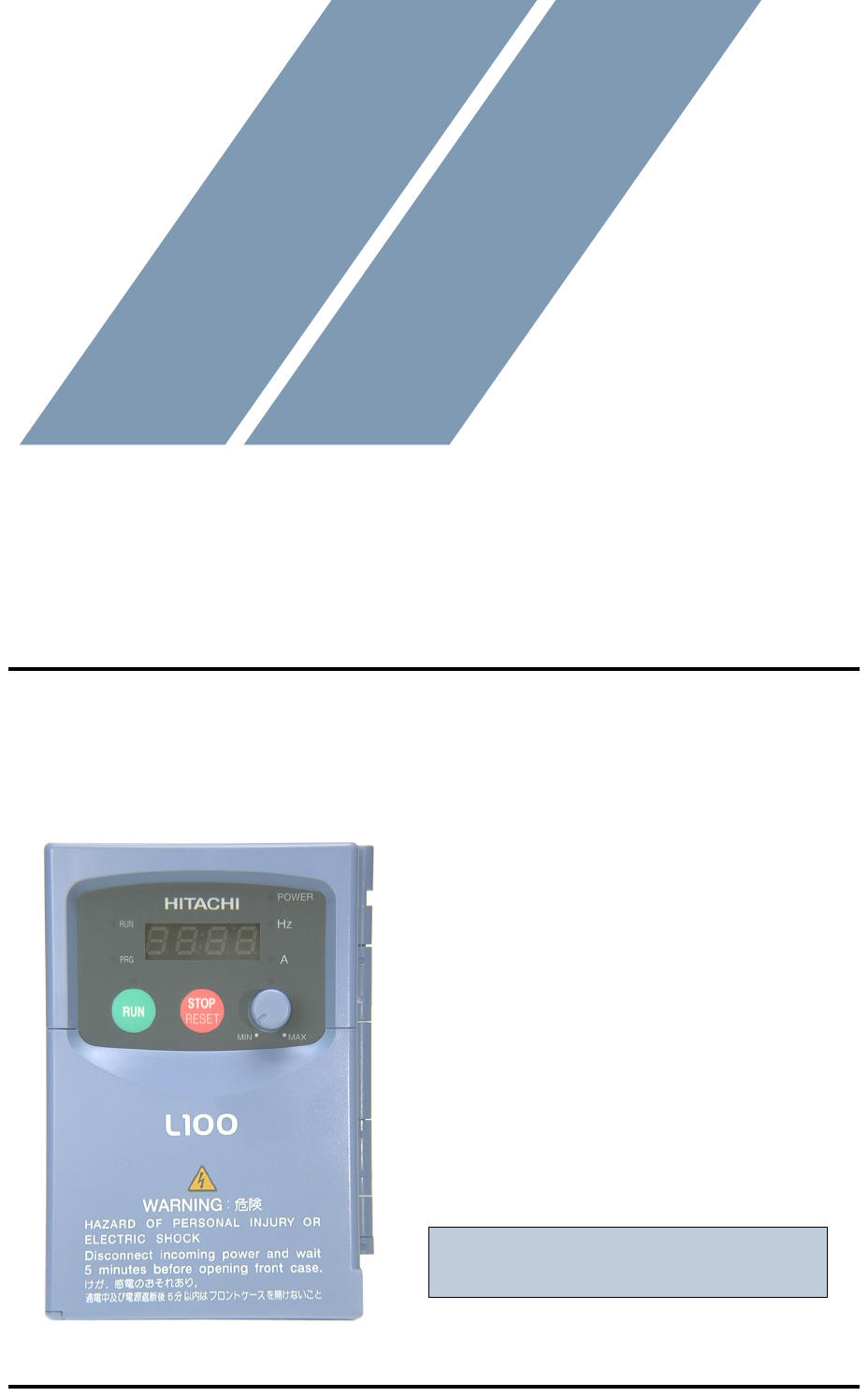
HITACHI
L100 Series Inverter
Instruction Manual
• Single-phase Input 200V Class
• Three-phase Input 200V Class
• Three-phase Input 400V Class
After reading this manual,
keep it handy for future reference.
Hitachi Industrial Equipment Systems Co., Ltd.
Manual Number: NB576XC
Cover
L100 Inverter i
Safety Messages
For the best results with the L100 Series inverter, carefully read this manual and all of
the warning labels attached to the inverter before installing and operating it, and follow
the instructions exactly. Keep this manual handy for quick reference.
Definitions and Symbols
A safety instruction (message) includes a “Safety Alert Symbol” and a signal word or
phrase such as WARNING or CAUTION. Each signal word has the following meaning:
HIGH VOLTAGE: This symbol indicates high voltage. It calls your attention to items
or operations that could be dangerous to you and other persons operation this equipment.
Read the message and follow the instructions carefully.
WARNING: Indicates a potentially hazardous situation that, if not avoided, can result in
serious injury or death.
CAUTION: Indicates a potentially hazardous situation that, if not avoided, can result in
minor to moderate injury, or serious damage to the product. The situation described in
the CAUTION may, if not avoided, lead to serious results. Important safety measures
are described in CAUTION (as well as WARNING), so be sure to observe them.
1 Step 1: Indicates a step in a series of action steps required to accomplish a goal. The
number of the step will be contained in the step symbol.
NOTE: Notes indicate an area or subject of special merit, emphasizing either the
product’s capabilities or common errors in operation or maintenance.
TIP: Tips give a special instruction that can save time or provide other benefits while
installing or using the product. The tip calls attention to an idea that may not be obvious
to first-time users of the product.
Hazardous High Voltage
HIGH VOLTAGE: Motor control equipment and electronic controllers are connected
to hazardous line voltages. When servicing drives and electronic controllers, there may
be exposed components with housings or protrusions at or above line potential. Extreme
care should be taken to protect against shock.
Stand on an insulating pad and make it a habit to use only one hand when checking com-
ponents. Always work with another person in case an emergency occurs. Disconnect
power before checking controllers or performing maintenance. Be sure equipment is
properly grounded. Wear safety glasses whenever working on electronic controllers or
rotating machinery.
ii
General Precautions - Read These First!
WARNING: This equipment should be installed, adjusted, and serviced by qualified
electrical maintenance personnel familiar with the construction and operation of the
equipment and the hazards involved. Failure to observe this precaution could result in
bodily injury.
WARNING: The user is responsible for ensuring that all driven machinery, drive train
mechanism not supplied by Hitachi Industrial Equipment Systems Co., Ltd., and process
line material are capable of safe operation at an applied frequency of 150% of the
maximum selected frequency range to the AC motor. Failure to do so can result in
destruction of equipment and injury to personnel should a single-point failure occur.
WARNING: For equipment protection, install a ground leakage type breaker with a fast
response circuit capable of handling large currents. The ground fault protection circuit is
not designed to protect against personal injury.
HIGH VOLTAGE: HAZARD OF ELECTRICAL SHOCK. DISCONNECT INCOM-
ING POWER BEFORE WORKING ON THIS CONTROL.
WARNING: Wait at least five (5) minutes after turning OFF the input power supply
before performing maintenance or an inspection. Otherwise, there is the danger of
electric shock.
CAUTION: These instructions should be read and clearly understood before working
on L100 series equipment.
CAUTION: Proper grounds, disconnecting devices and other safety devices and their
location are the responsibility of the user and are not provided by Hitachi Industrial
Equipment Systems Co., Ltd.
CAUTION: Be sure to connect a motor thermal disconnect switch or overload device to
the L100 series controller to assure that the inverter will shut down in the event of an
overload or an overheated motor.
HIGH VOLTAGE: Dangerous voltage exists until power light is OFF. Wait at least five
(5) minutes after input power is disconnected before performing maintenance.
WARNING: This equipment has high leakage current and must be permanently (fixed)
hard-wired to earth ground via two independent cables.
L100 Inverter iii
WARNING: Rotating shafts and above-ground electrical potentials can be hazardous.
Therefore, it is strongly recommended that all electrical work conform to the National
Electrical Codes and local regulations. Installation, alignment and maintenance should
be performed only by qualified personnel.
Factory-recommended test procedures included in the instruction manual should be
followed. Always disconnect electrical power before working on the unit.
CAUTION:
a) Class I motor must be connected to earth ground via low resistive path (< 0.1Ω)
b) Any motor used must be of a suitable rating.
c) Motors may have hazardous moving parts. In this event suitable protection must
be provided.
CAUTION: Alarm connection may contain hazardous live voltage even when inverter
is disconnected. When removing the front cover for maintenance or inspection, confirm
that incoming power for alarm connection is completely disconnected.
CAUTION: Hazardous (main) terminals for any interconnection (motor, contact
breaker, filter, etc.) must be inaccessible in the final installation.
CAUTION: This equipment should be installed in IP54 or equivalent (see EN60529)
enclosure. The end application must be in accordance with BS EN60204-1. Refer to the
section “Choosing a Mounting Location” on page 2–7. The diagram dimensions are to
be suitably amended for your application.
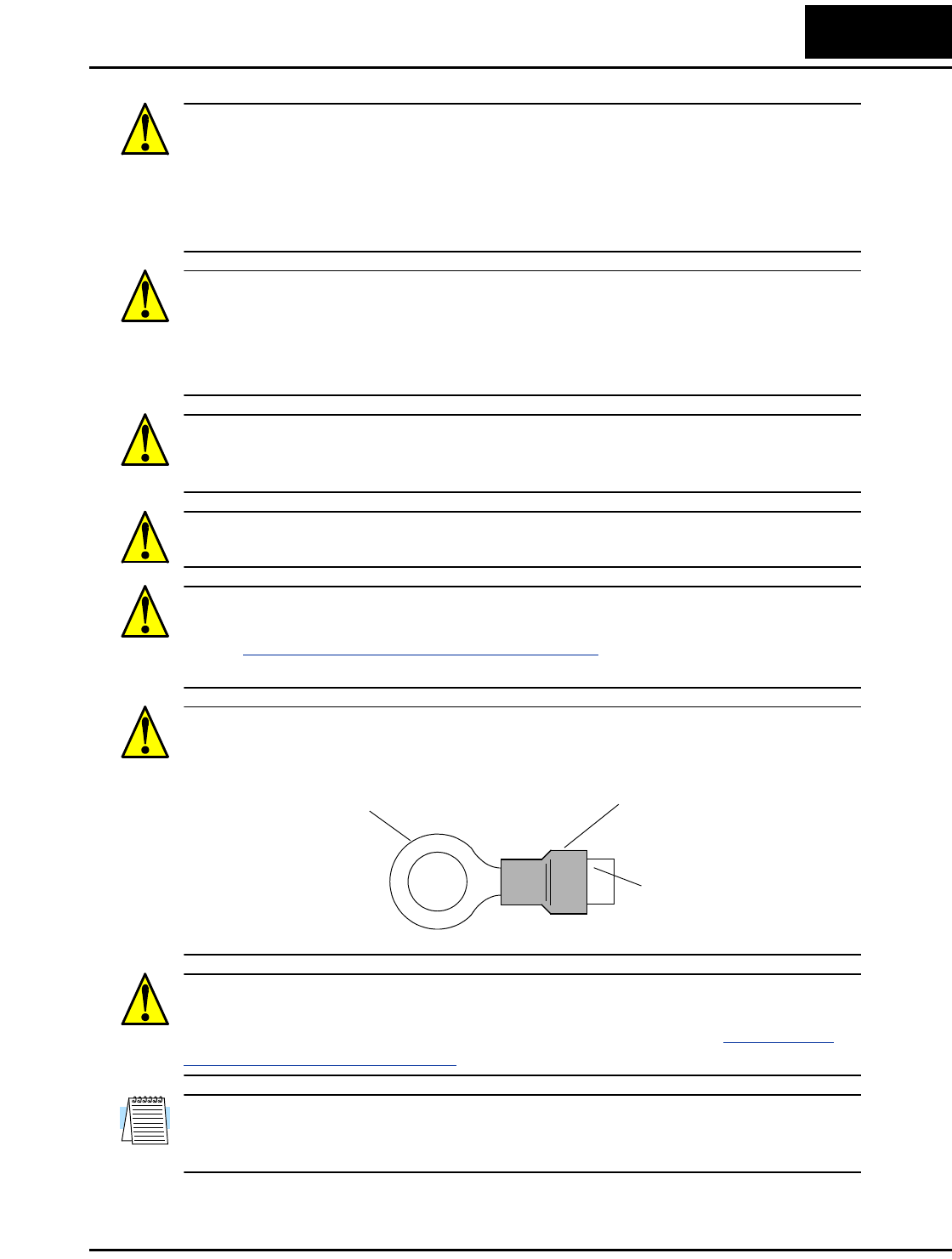
CAUTION: Connection to field wiring terminals must be reliably fixed having two
independent means of mechanical support. Use a termination with cable support (figure
below), or strain relief, cable clamp, etc.
CAUTION: A double-pole disconnection device must be fitted to the incoming main
power supply close to the inverter. Additionally, a protection device meeting IEC947-1/
IEC947-3 must be fitted at this point (protection device data shown in “Determining
Wire and Fuse Sizes” on page 2–14).
NOTE: The above instructions, together with any other requirements highlighted in this
manual, must be followed for continued LVD (European Low Voltage Directive)
compliance.
Terminal (ring lug) Cable support
Cable
iv
Index to Warnings and Cautions in This Manual
Installation - Cautions for Mounting Procedures
Wiring - Warnings for Electrical Practices and Wire Specifications
CAUTION: The inverter is shipped with a plastic cover over the top vent
grill. REMOVE this cover after the installation is complete. Operation
with this cover in place will not allow proper cooling, and damage to the
inverter may result.
....... 2–6
CAUTION: Be sure to install the unit on flame-resistant material such as
a steel plate. Otherwise, there is the danger of fire.
....... 2–7
CAUTION: Be sure not to place any flammable materials near the
inverter. Otherwise, there is the danger of fire.
....... 2–7
CAUTION: Be sure not to let the foreign matter enter vent openings in
the inverter housing, such as wire clippings, spatter from welding, metal
shavings, dust, etc. Otherwise, there is the danger of fire.
....... 2–7
CAUTION: Be sure to install the inverter in a place that can bear the
weight according to the specifications in the text (Chapter 1, Specifica-
tions Tables). Otherwise, it may fall and cause injury to personnel.
....... 2–7
CAUTION: Be sure to install the unit on a perpendicular wall that is not
subject to vibration. Otherwise, it may fall and cause injury to personnel.
....... 2–7
CAUTION: Be sure not to install or operate an inverter that is damaged
or has missing parts. Otherwise, it may cause injury to personnel.
....... 2–7
CAUTION: Be sure to install the inverter in a well-ventilated room that
does not have direct exposure to sunlight, a tendency for high tempera-
ture, high humidity or dew condensation, high levels of dust, corrosive
gas, explosive gas, inflammable gas, grinding-fluid mist, salt damage,
etc. Otherwise, there is the danger of fire.
....... 2–7
CAUTION: Be sure to maintain the specified clearance area around the
inverter and to provide adequate ventilation. Otherwise, the inverter may
overheat and cause equipment damage or fire.
....... 2–8
WARNING: “Use 60/75°C Cu wire only” or equivalent. ..... 2–13
WARNING: “Open Type Equipment.” ..... 2–13
WARNING: “Suitable for use on a circuit capable of delivering not more
than 5,000 rms symmetrical amperes, 240 V maximum.” For models with
suffix N or L.
..... 2–13
L100 Inverter v
Wiring - Cautions for Electrical Practices
WARNING: “Suitable for use on a circuit capable of delivering not more
than 5,000 rms symmetrical amperes, 480 V maximum.” For models with
suffix H.
.... 2–13
HIGH VOLTAGE: Be sure to ground the unit. Otherwise, there is a
danger of electric shock and/or fire.
.... 2–13
HIGH VOLTAGE: Wiring work shall be carried out only by qualified
personnel. Otherwise, there is a danger of electric shock and/or fire.
.... 2–13
HIGH VOLTAGE: Implement wiring after checking that the power
supply is OFF. Otherwise, you may incur electric shock and/or fire.
.... 2–13
HIGH VOLTAGE: Do not connect wiring to an inverter or operate an
inverter that is not mounted according the instructions given in this
manual. Otherwise, there is a danger of electric shock and/or injury to
personnel.
.... 2–13
WARNING: Make sure the input power to the inverter is OFF. If the drive
has been powered, leave it OFF for five minutes before continuing.
.... 2–19
CAUTION: Fasten the screws with the specified fastening torque in the
table below. Check for any loosening of screws. Otherwise, there is the
danger of fire.
.... 2–15
CAUTION: Be sure that the input voltage matches the inverter specifica-
tions: • Single/Three phase 200 to 240 V 50/60 Hz (up to 2.2kW) • Three
phase 200 to 230V 50/60Hz (above 2.2kW) • Three phase 380 to 460 V
50/60Hz
.... 2–16
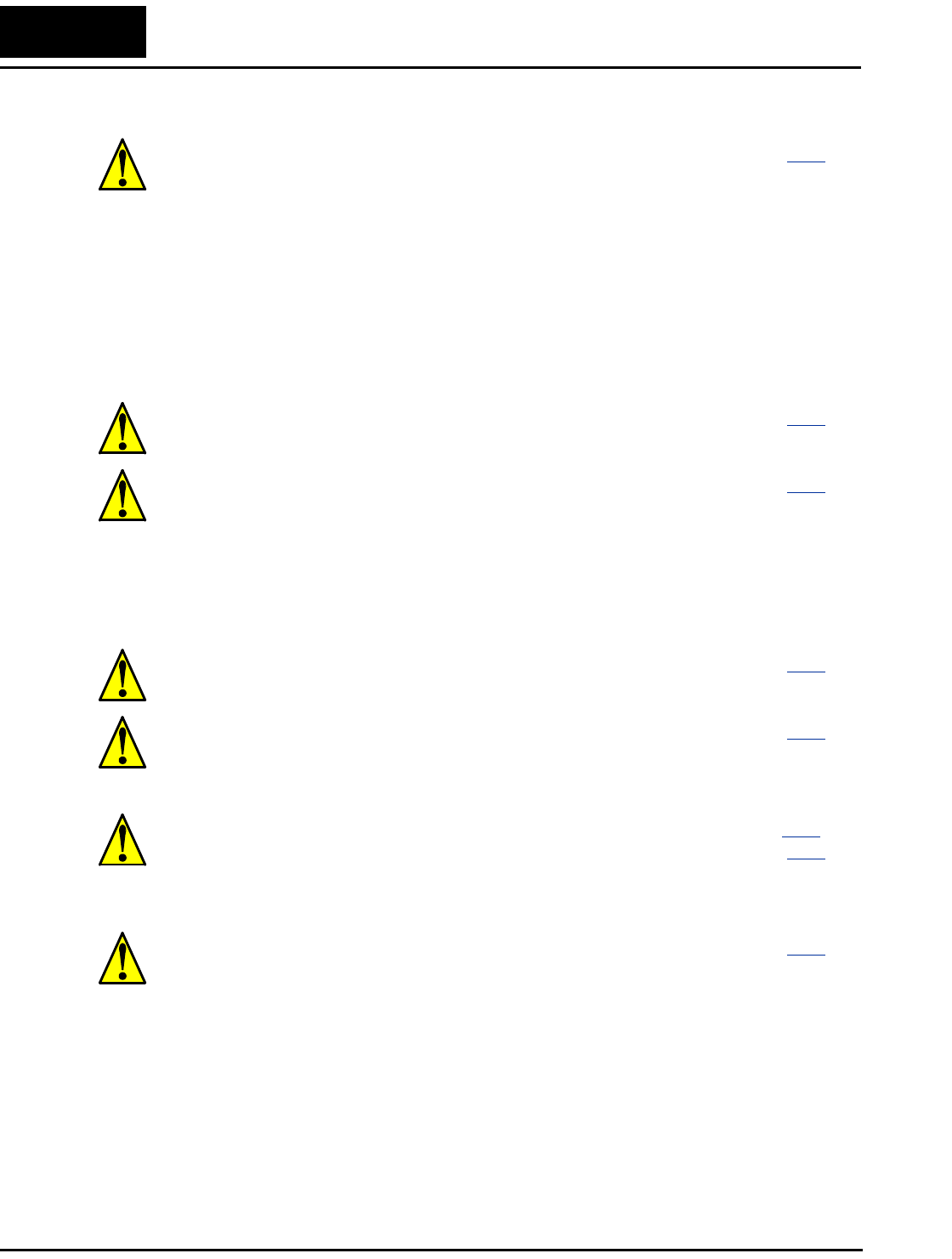
CAUTION: Be sure not to power a three-phase-only inverter with single
phase power. Otherwise, there is the possibility of damage to the inverter
and the danger of fire.
.... 2–16
CAUTION: Be sure not to connect an AC power supply to the output
terminals. Otherwise, there is the possibility of damage to the inverter
and the danger of injury and/or fire.
.... 2–17
Power Input Power Output
L1 L2 L3
T1 T2 T3
UVW
(L) (N)
NOTE:
L, N:
L1, L2, L3:
Single-phase 200 to 240V 50/60 Hz
Three-phase 200 to 240V 50/60 Hz
Three-phase 380 to 460V 50/60 Hz
vi
Powerup Test Caution Messages
CAUTION: Remarks for using ground fault interrupter breakers in the
main power supply: Adjustable frequency inverters with CE-filters (RFI-
filter) and shielded (screened) motor cables have a higher leakage current
toward Earth GND. Especially at the moment of switching ON this can
cause an inadvertent trip of ground fault interrupters. Because of the
rectifier on the input side of the inverter there is the possibility to stall the
switch-off function through small amounts of DC current. Please observe
the following: • Use only short time-invariant and pulse current-sensitive
ground fault interrupters with higher trigger current. • Other components
should be secured with separate ground fault interrupters. • Ground fault
interrupters in the power input wiring of an inverter are not an absolute
protection against electric shock.
..... 2–17
CAUTION: Be sure to install a fuse for each phase of the main power
supply to the inverter. Otherwise, there is the danger of fire.
..... 2–17
CAUTION: For motor leads, ground fault interrupter breakers and
electromagnetic contactors, be sure to size these components properly
(each must have the capacity for rated current and voltage). Otherwise,
there is the danger of fire.
..... 2–17
CAUTION: The heat sink fins will have a high temperature. Be careful
not to touch them. Otherwise, there is the danger of getting burned.
..... 2–20
CAUTION: The operation of the inverter can be easily changed from low
speed to high speed. Be sure to check the capability and limitations of the
motor and machine before operating the inverter. Otherwise, there is the
danger of injury.
..... 2–20
CAUTION: If you operate a motor at a frequency higher than the inverter
standard default setting (50Hz/60Hz), be sure to check the motor and
machine specifications with the respective manufacturer. Only operate
the motor at elevated frequencies after getting their approval. Otherwise,
there is the danger of equipment damage and/or injury.
.... 2–20,
..... 2–24
CAUTION: Check the following before and during the powerup test.
Otherwise, there is the danger of equipment damage. • Is the shorting bar
between the [+1] and [+] terminals installed? DO NOT power or operate
the inverter if the jumper is removed. • Is the direction of the motor
rotation correct? • Did the inverter trip during acceleration or decelera-
tion? • Were the rpm and frequency meter readings as expected? • Were
there any abnormal motor vibrations or noise?
..... 2–20
L100 Inverter vii
Warnings for Configuring Drive Parameters
Cautions for Configuring Drive Parameters
Warnings for Operations and Monitoring
WARNING: When parameter B_12, level of electronic thermal setting, is
set to device FLA rating (Full Load Ampere nameplate rating), the device
provides solid state motor overload protection at 115% of device FLA or
equivalent. Parameter B_12, level of electronic thermal setting, is a
variable parameter.
.... 3–24
WARNING: Use a disconnect switch or breaker to ensure that you do not
connect the motor or inverter to live wiring. Otherwise, there is the
danger of electric shock.
.... 3–28
CAUTION: Be careful to avoid specifying a braking time that is long
enough to cause motor overheating. If you use DC braking, we recom-
mend using a motor with a built-in thermistor, and wiring it to the
inverter’s thermistor input (see “Thermistor Thermal Protection” on
page 4–20). Also refer to the motor manufacturer’s specifications for
duty-cycle recommendations during DC braking.
.... 3–15
WARNING: Be sure to turn ON the input power supply only after closing
the front case. While being energized, be sure not to open the front case.
Otherwise, there is the danger of electric shock.
...... 4–3
WARNING: Be sure not to operate electrical equipment with wet hands.
Otherwise, there is the danger of electric shock.
...... 4–3
WARNING: While the inverter is energized, be sure not to touch the
inverter terminals even when the motor is stopped. Otherwise, there is the
danger of electric shock.
...... 4–3
WARNING: If the Retry Mode is selected, the motor may suddenly
restart after a trip stop. Be sure to stop the inverter before approaching the
machine (be sure to design the machine so that safety for personnel is
secure even if it restarts.) Otherwise, it may cause injury to personnel.
...... 4–3
WARNING: If the power supply is cut OFF for a short period of time, the
inverter may restart operation after the power supply recovers if the Run
command is active. If a restart may pose danger to personnel, so be sure
to use a lock-out circuit so that it will not restart after power recovery.
Otherwise, it may cause injury to personnel.
...... 4–3
WARNING: The Stop Key is effective only when the Stop function is
enabled. Be sure to enable the Stop Key separately from the emergency
stop. Otherwise, it may cause injury to personnel.
...... 4–3
viii
Cautions for Operations and Monitoring
WARNING: During a trip event, if the alarm reset is applied and the Run
command is present, the inverter will automatically restart. Be sure to
apply the alarm reset only after verifying the Run command is OFF.
Otherwise, it may cause injury to personnel.
....... 4–3
WARNING: Be sure not to touch the inside of the energized inverter or to
put any conductive object into it. Otherwise, there is a danger of electric
shock and/or fire.
....... 4–3
WARNING: If power is turned ON when the Run command is already
active, the motor will automatically start and injury may result. Before
turning ON the power, confirm that the RUN command is not present.
....... 4–3
WARNING: When the Stop key function is disabled, pressing the Stop
key does not stop the inverter, nor will it reset a trip alarm.
....... 4–3
WARNING: Be sure to provide a separate, hard-wired emergency stop
switch when the application warrants it.
....... 4–3
WARNING: If the power is turned ON and the Run command is already
active, the motor starts rotation and is dangerous! Before turning power
ON, confirm that the Run command is not active.
....... 4–9
WARNING: After the Reset command is given and the alarm reset
occurs, the motor will restart suddenly if the Run command is already
active. Be sure to set the alarm reset after verifying that the Run
command is OFF to prevent injury to personnel.
..... 4–19
CAUTION: The heat sink fins will have a high temperature. Be careful
not to touch them. Otherwise, there is the danger of getting burned.
....... 4–2
CAUTION: The operation of the inverter can be easily changed from low
speed to high speed. Be sure check the capability and limitations of the
motor and machine before operating the inverter. Otherwise, it may cause
injury to personnel.
....... 4–2
CAUTION: If you operate a motor at a frequency higher than the inverter
standard default setting (50Hz/60Hz), be sure to check the motor and
machine specifications with the respective manufacturer. Only operate
the motor at elevated frequencies after getting their approval. Otherwise,
there is the danger of equipment damage.
....... 4–2
CAUTION: It is possible to damage the inverter or other devices if your
application exceeds the maximum current or voltage characteristics of a
connection point.
....... 4–4
L100 Inverter ix
Warnings and Cautions for Troubleshooting and Maintenance
General Warnings and Cautions
WARNING: Never modify the unit. Otherwise, there is a danger of electric shock and/
or injury.
CAUTION: Withstand voltage tests and insulation resistance tests (HIPOT) are
executed before the units are shipped, so there is no need to conduct these tests before
operation.
CAUTION: Do not attach or remove wiring or connectors when power is applied. Also,
do not check signals during operation.
CAUTION: Be sure to connect the grounding terminal to earth ground.
CAUTION: When inspecting the unit, be sure to wait five minutes after tuning OFF the
power supply before opening the cover.
WARNING: Wait at least five (5) minutes after turning OFF the input
power supply before performing maintenance or an inspection. Other-
wise, there is the danger of electric shock.
...... 6–2
WARNING: Make sure that only qualified personnel will perform
maintenance, inspection, and part replacement. Before starting to work,
remove any metallic objects from your person (wristwatch, bracelet,
etc.). Be sure to use tools with insulated handles. Otherwise, there is a
danger of electric shock and/or injury to personnel.
...... 6–2
WARNING: Never remove connectors by pulling on its wire leads (wires
for cooling fan and logic P.C.board). Otherwise, there is a danger of fire
due to wire breakage and/or injury to personnel.
...... 6–2
CAUTION: Do not connect the megger to any control circuit terminals
such as intelligent I/O, analog terminals, etc. Doing so could cause
damage to the inverter.
.... 6–10
CAUTION: Never test the withstand voltage (HIPOT) on the inverter.
The inverter has a surge protector between the main circuit terminals
above and the chassis ground.
.... 6–10
HIGH VOLTAGE: Be careful not to touch wiring or connector terminals
when working with the inverters and taking measurements. Be sure to
place the measurement circuitry components above in an insulated
housing before using them.
.... 6–14
x
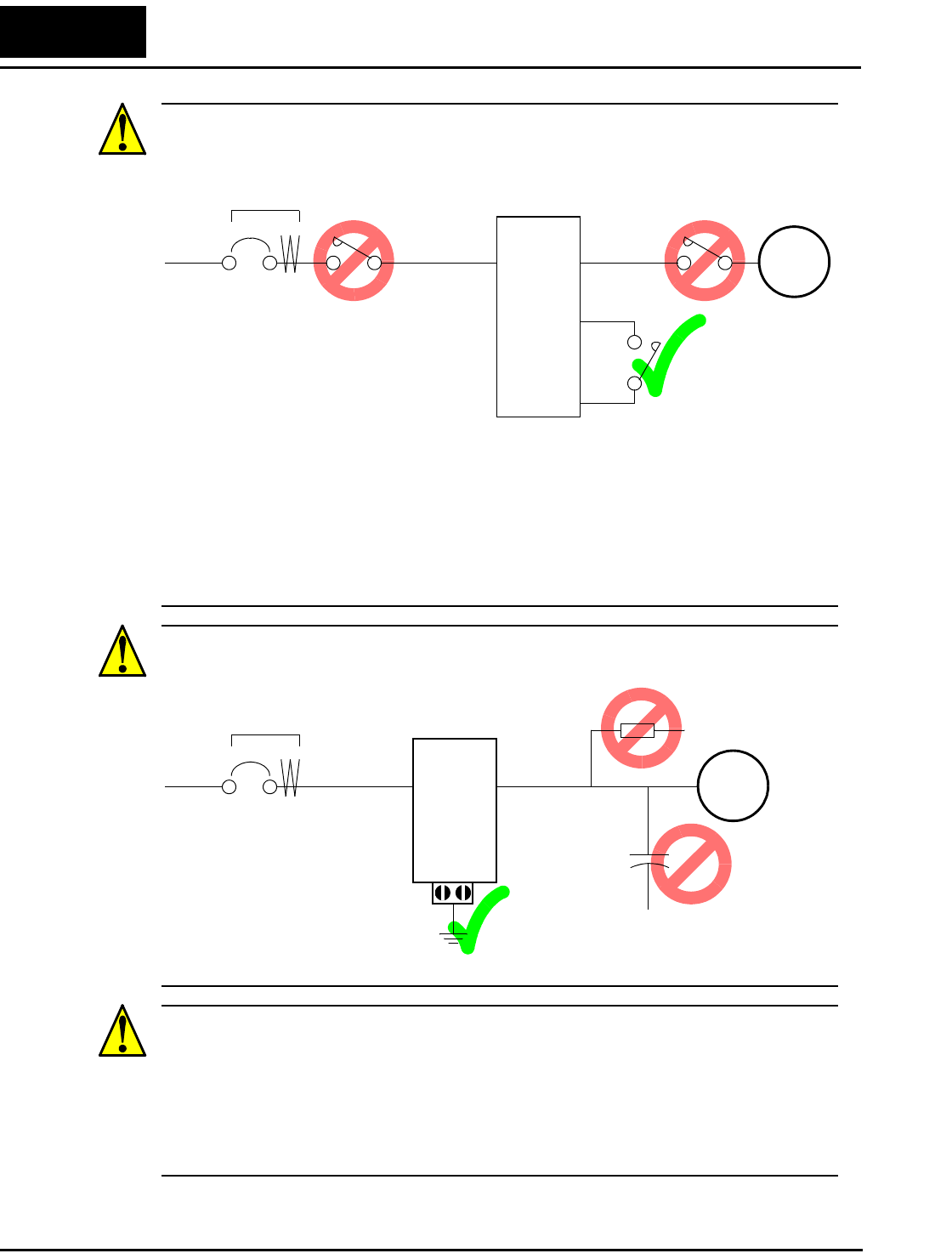
CAUTION: Do not stop operation by switching OFF electromagnetic contactors on the
primary or secondary sides of the inverter.
When there has been a sudden power failure while an operation instruction is active,
then the unit may restart operation automatically after the power failure has ended. If
there is a possibility that such an occurrence may harm humans, then install an electro-
magnetic contactor (Mgo) on the power supply side, so that the circuit does not allow
automatic restarting after the power supply recovers. If the optional remote operator is
used and the retry function has been selected, this will also cause automatic restarting
when a Run command is active. So, please be careful.
CAUTION: Do not insert leading power factor capacitors or surge absorbers between
the output terminals of the inverter and motor.
CAUTION: MOTOR TERMINAL SURGE VOLTAGE SUPPRESSION FILTER
(For the 400 V CLASS)
In a system using an inverter with the voltage control PWM system, a voltage surge
caused by the cable constants such as the cable length (especially when the distance
between the motor and inverter is 10 m or more) and cabling method may occur at the
motor terminals. A dedicated filter of the 400 V class for suppressing this voltage surge
is available. Be sure to install a filter in this situation.
Power
Input
Inverter
L1, L2, L3
Ground fault
interrupter
U, V, W Motor
P24
FW
Power
Input
Inverter
L1, L2, L3
Ground fault
interrupter
U, V, W Motor
GND lug
Surge absorber
Leading power
factor capacitor
L100 Inverter xi
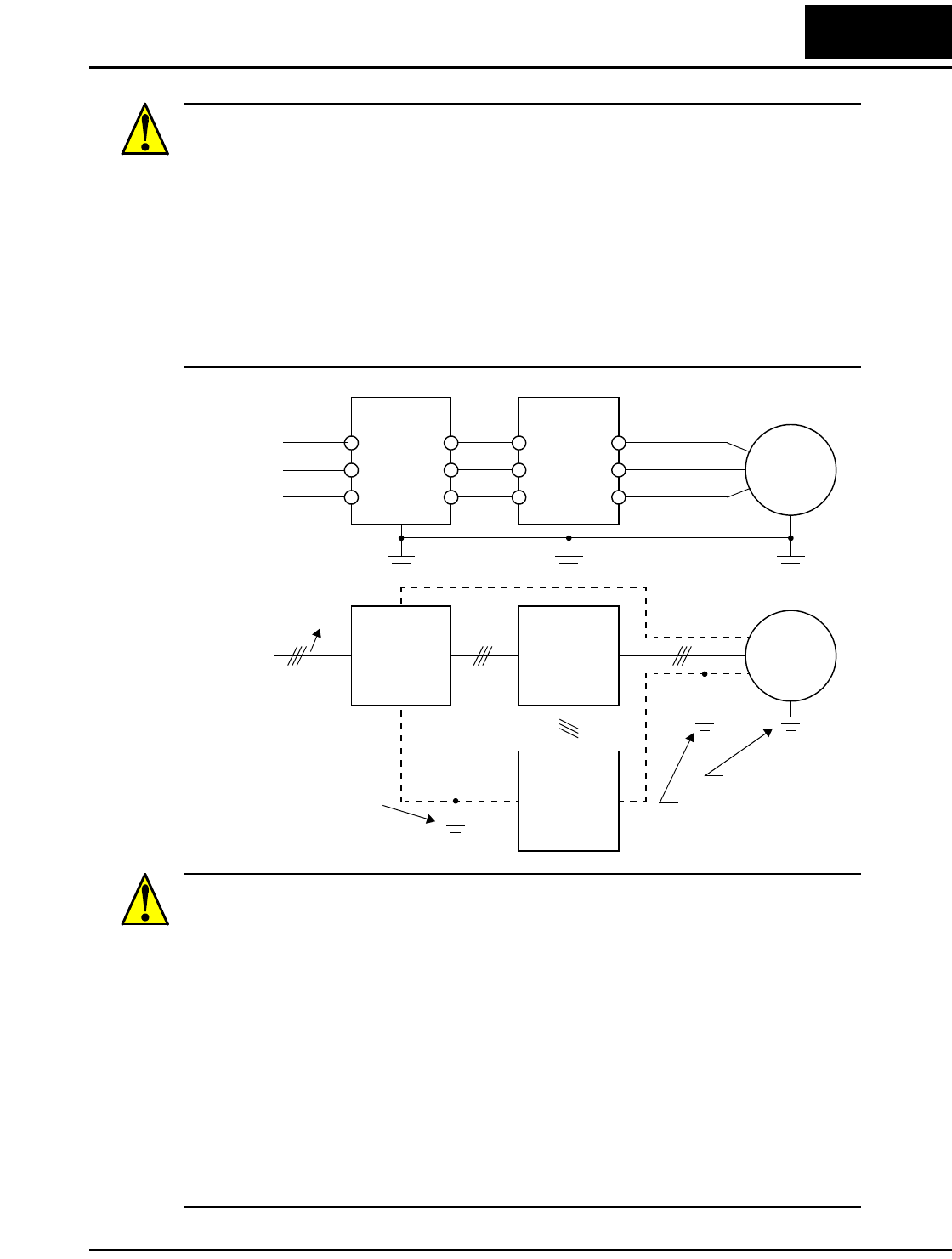
CAUTION: SUPPRESSION FOR NOISE INTERFERENCE FROM INVERTER
The inverter uses many semiconductor switching elements such as transistors and
IGBTs. Thus, a radio receiver or measuring instrument located near the inverter is
susceptible to noise interference.
To protect the instruments from erroneous operation due to noise interference, they
should be used well away from the inverter. It is also effective to shield the whole
inverter structure.
The addition of an EMI filter on the input side of the inverter also reduces the effect of
noise from the commercial power line on external devices.
Note that the external dispersion of noise from the power line can be minimized by
connecting an EMI filter on the primary side of inverter.
CAUTION: EFFECTS OF POWER DISTRIBUTION SYSTEM ON INVERTER
In the cases below involving a general-purpose inverter, a large peak current can flow on
the power supply side, sometimes destroying the converter module:
1. The unbalance factor of the power supply is 3% or higher.
2. The power supply capacity is at least 10 times greater than the inverter capacity (or
the power supply capacity is 500 kVA or more).
3. Abrupt power supply changes are expected, due to conditions such as:
a. Several inverters are interconnected with a short bus.
b. A thyristor converter and an inverter are interconnected with a short bus.
c. An installed phase advance capacitor opens and closes.
Where these conditions exist or when the connected equipment must be highly reliable,
you MUST install an input-side AC reactor of 3% (at a voltage drop at rated current)
with respect to the supply voltage on the power supply side. Also, where the effects of an
indirect lightning strike are possible, install a lightning conductor.
R1
S1
T1
R2
S2
T2
L1
L2
L3
U
V
W
EMI Filter Inverter
Motor
EMI Filter Inverter
noise
Motor
Remote
Operator
Completely ground the
enclosed panel, metal
screen, etc. with as
short a wire as possible.
Grounded frame
Conduit or shielded
cable—to be grounded
xii
CAUTION: When the EEPROM error E08 occurs, be sure to confirm the setting values
again.
CAUTION: When using normally closed active state settings (C_11 to C_15) for exter-
nally commanded Forward or Reverse terminals [FW] or [RV], the inverter may start
automatically when the external system is powered OFF or disconnected from the
inverter! So, do not use normally closed active state settings for Forward or Reverse
terminals [FW] or [RV] unless your system design protects against unintended motor
operation.
CAUTION: In all the illustrations in this manual, covers and safety devices are
occasionally removed to describe the details. While operating the product, make sure
that the covers and safety devices are placed as they were specified originally and
operate it according to the instruction manual.
UL® Cautions, Warnings, and Instructions
Wiring Warnings for Electrical Practices and Wire Sizes
The Cautions, Warnings, and instructions in this section summarize the procedures
necessary to ensure an inverter installation complies with Underwriters Laboratories®
guidelines.
WARNING: “Use 60/75°C Cu wire only” or equivalent.
WARNING: “Open Type Equipment.”
WARNING: “Suitable for use on a circuit capable of delivering not more than 5,000
rms symmetrical amperes, 240 V maximum.” For models with suffix N or L.
WARNING: “Suitable for use on a circuit capable of delivering not more than 5,000
rms symmetrical amperes, 480 V maximum.” For models with suffix H.
L100 Inverter xiii
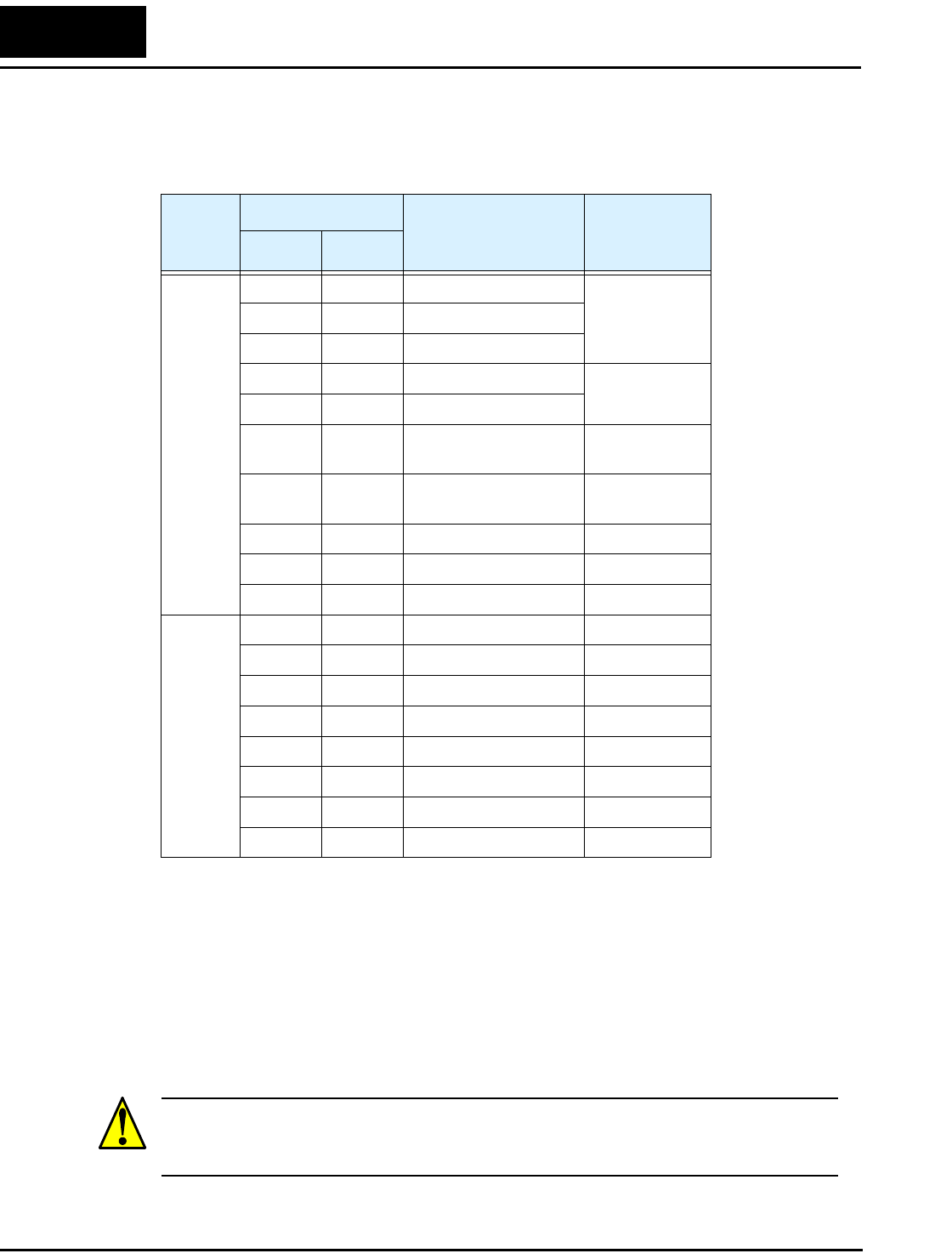
Terminal Tightening Torque and Wire Size
The wire size range and tightening torque for field wiring terminals are presented in the
table below.
Wire Connectors
WARNING: Field wiring connections must be
made by a UL Listed and CSA Certified ring lug
terminal connector sized for the wire gauge being
used. The connector must be fixed using the
crimping tool specified by the connector
manufacturer.
Input
Voltage
Motor Output
Inverter Model Wiring Size
Range (AWG)
Torque
kW HP ft-lbs (N-m)
200V
0.2 1/4 L100-002NFE/NFU
16 0.6 0.8
0.4 1/2 L100-004NFE/NFU
0.55 3/4 L100-005NFE
0.9 1.2
0.75 1 L100-007NFE/NFU 14
1.1 1 1/2 L100-011NFE
1.5 2 L100-015NFE/NFU 12
2.2 3 L100-022NFE/NFU 10
3.7 5 L100-037LFU 12
5.5 7 1/2 L100-055LFU 10 1.5 2.0
7.5 10 L100-075LFU 8
400V
0.4 1/2 L100-004HFE/HFU
16
0.9 1.2
0.75 1 L100-007HFE/HFU
1.5 2 L100-015HFE/HFU
2.2 3 L100-022HFE/HFU
3.0 4 L100-030HFE 14
4.0 5 L100-040HFE/HFU
5.5 7 1/2 L100-055HFE/HFU 12 1.5 2.0
7.5 10 L100-075HFE/HFU
Cable
Terminal (ring lug)
Cable support
xiv
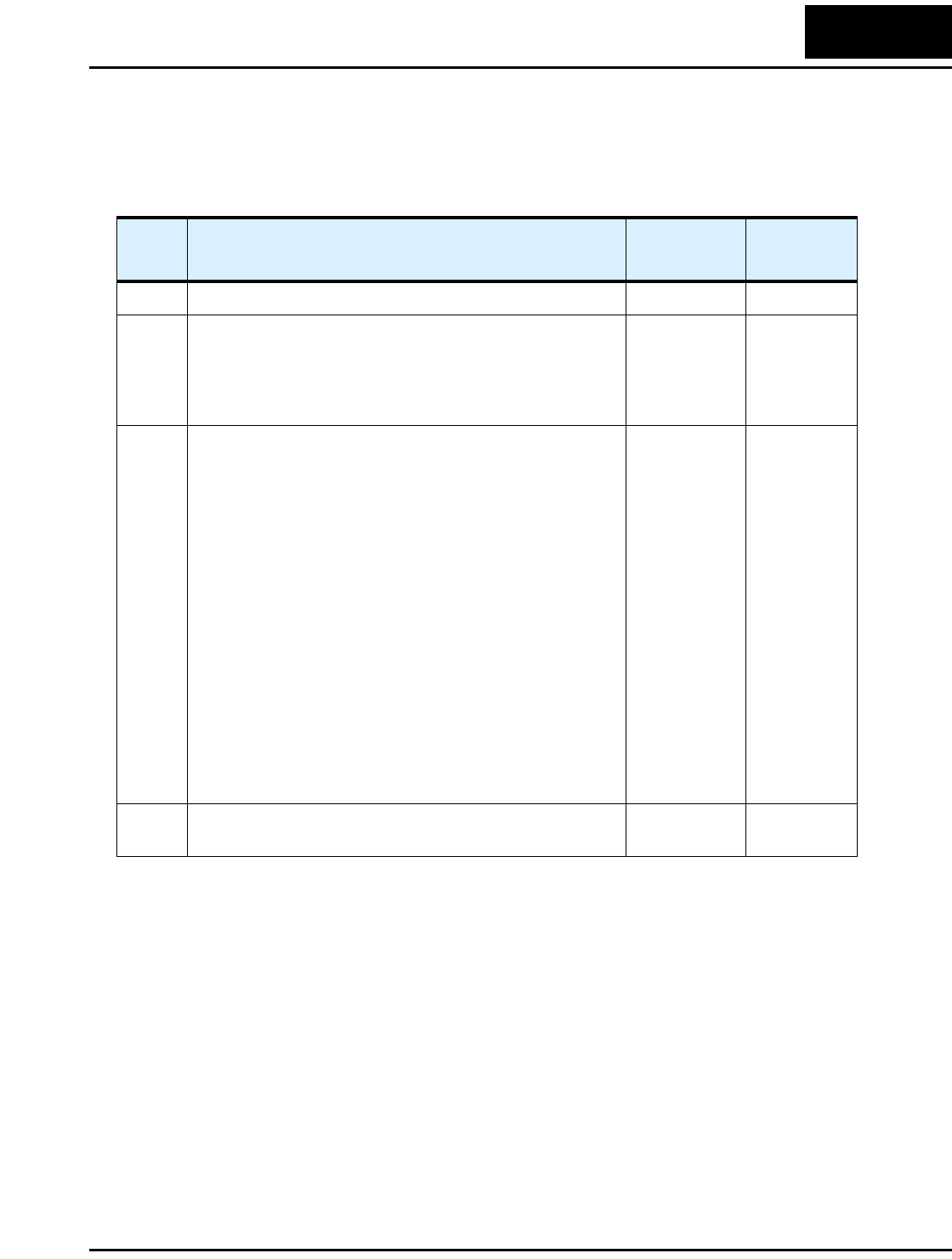
Circuit Breaker and Fuse Sizes
The inverter’s connections to input power must include UL Listed inverse time circuit
breakers with 600V rating, or UL Listed fuses as shown in the table below.
Motor Overload Protection
Hitachi L100 inverters provide solid state motor overload protection, which depends on
the proper setting of the following parameters:
• B_12 “electronic overload protection”
Set the rated current [Amperes] of the motor(s) with the above parameters. The setting
range is 0.5 * rated current to 1.2 * rated current.
WARNING: When two or more motors are connected to the inverter, they cannot be
protected by the electronic overload protection. Install an external thermal relay on each
motor.
Input
Voltage
Motor Output
Inverter Model
Fuse (A)
(UL-rated,
class J, 600V)
kW HP
200V
0.2 1/4 L100-002NFE/NFU 10 (single ph.)
7 (three ph.)
0.4 1/2 L100-004NFE/NFU
0.55 3/4 L100-005NFE
0.75 1 L100-007NFE/NFU 15 (single ph.)
10 (three ph.)
1.1 1 1/2 L100-011NFE
1.5 2 L100-015NFE/NFU 20 (single ph.)
15 (three ph.)
2.2 3 L100-022NFE/NFU 30 (single ph.)
20 (three ph.)
3.7 5 L100-037LFU 30
5.5 7 1/2 L100-055LFU 40
7.5 10 L100-075LFU 50
400V
0.4 1/2 L100-004HFE/HFU 3
0.75 1 L100-007HFE/HFU 6
1.5 2 L100-015HFE/HFU 10
2.2 3 L100-022HFE/HFU 10
3.0 4 L100-030HFE 15
4.0 5 L100-040HFE/HFU 15
5.5 7 1/2 L100-055HFE/HFU 20
7.5 10 L100-075HFE/HFU 25

L100 Inverter xv
Safety Messages
Hazardous High Voltage i
General Precautions - Read These First! ii
Index to Warnings and Cautions in This Manual iv
General Warnings and Cautions ix
UL® Cautions, Warnings, and Instructions xii
Table of Contents
Revisions xvii
Contact Information xviii
Chapter 1: Getting Started
Introduction 1–2
L100 Inverter Specifications 1–5
Introduction to Variable-Frequency Drives 1–17
Frequently Asked Questions 1–22
Chapter 2: Inverter Mounting and Installation
Orientation to Inverter Features 2–2
Basic System Description 2–5
Step-by-Step Basic Installation 2–6
Powerup Test 2–19
Using the Front Panel Keypad 2–21
Chapter 3: Configuring Drive Parameters
Choosing a Programming Device 3–2
Using Keypad Devices 3–3
“D” Group: Monitoring Functions 3–6
“F” Group: Main Profile Parameters 3–8
“A” Group: Standard Functions 3–9
“B” Group: Fine Tuning Functions 3–22
“C” Group: Intelligent Terminal Functions 3–32
Table of Contents

xvi
Chapter 4: Operations and Monitoring
Introduction 4–2
Connecting to PLCs and Other Devices 4–4
Example Wiring Diagram 4–5
Using Intelligent Input Terminals 4–8
Using Intelligent Output Terminals 4–21
Analog Input Operation 4–29
Analog and Digital Monitor Output 4–30
PID Loop Operation 4–32
Configuring the Inverter for Multiple Motors 4–33
Chapter 5: Inverter System Accessories
Introduction 5–2
Component Descriptions 5–3
Dynamic Braking 5–5
Chapter 6: Troubleshooting and Maintenance
Troubleshooting 6–2
Monitoring Trip Events, History, & Conditions 6–5
Restoring Factory Default Settings 6–8
Maintenance and Inspection 6–9
Warranty 6–16
Appendix A: Glossary and Bibliography
Glossary A–2
Bibliography A–8
Appendix B: Drive Parameter Settings Tables
Introduction B–2
Parameter Settings for Keypad Entry B–2
Appendix C: CE–EMC Installation Guidelines
CE–EMC Installation Guidelines C–2
Hitachi EMC Recommendations C–6
Index
L100 Inverter xvii
Revisions
Revision History Table
No. Revision Comments Date of Issue Operation
Manual No.
Initial Release of Manual NB576X May 1999 NB576X
1 Revision A
Pages 1-4 – Specs tables: added row for input current,
changed rated input voltage tolerance, corrected dynamic
braking %torque, corrected product weight (lbs)
Page 2-8 – Corrected H dimension for -002 models
August 1999 NB576XA
2 Revision B
Updated company name on cover, contact page, and
nameplate photo
Updated text, figures, and tables throughout manual per
technical corrections or usability improvements
Pages xii to xiv – Added UL Instructions
Page xviii – Contact page update
Pages 1-5 to 1-8 – Added watt loss, efficiency data to tables
Pages 1-10 to 1-15 – Added derating graphs
Page 2-16 – Added power terminal diagrams
Page 4-5 – Added system wiring diagram
Page 4-7 – Added terminal index listing
Page 4-8 – Added input terminal wiring diagrams
Page 4-21 – Added output terminal wiring diagrams
Pages 5-5 to 5-7 – Added braking tables and figures
Page 6-10 – Added megger test procedure and figure
Page 6-15 – Added IGBT test method, figure, and table
Pages C-1 to C-6 – Added appendix on CE-EMC
Removed DOP+ info from Ch3 and Appendix B
May 2002 NB576XB
3 Revision C
Minor corrections throughout
Nov. 2002 NB576XC
xviii
Contact Information
NOTE: To receive technical support for the Hitachi inverter you purchased, contact the
Hitachi inverter dealer from whom you purchased the unit, or the sales office or factory
contact listed above. Please be prepared to provide the following inverter nameplate
information:
1. Model
2. Date of purchase
3. Manufacturing number (MFG No.)
4. Symptoms of any inverter problem
If any inverter nameplate information is illegible, please provide your Hitachi contact
with any other legible nameplate items. To reduce unpredictable downtime, we recom-
mend that you stock a spare inverter.
Hitachi America, Ltd.
Power and Industrial Division
50 Prospect Avenue
Tarrytown, NY 10591
U.S.A.
Phone: +1-914-631-0600
Fax: +1-914-631-3672
Hitachi Australia Ltd.
Level 3, 82 Waterloo Road
North Ryde, N.S.W. 2113
Australia
Phone: +61-2-9888-4100
Fax: +61-2-9888-4188
Hitachi Europe GmbH
Am Seestern 18
D-40547 Düsseldorf
Germany
Phone: +49-211-5283-0
Fax: +49-211-5283-649
Hitachi Industrial Equipment Systems Co, Ltd.
International Sales Department
WBG MARIVE WEST 16F
6, Nakase 2-chome
Mihama-ku, Chiba-shi,
Chiba 261-7116 Japan
Phone: +81-43-390-3516
Fax: +81-43-390-3810
Hitachi Asia Ltd.
16 Collyer Quay
#20-00 Hitachi Tower, Singapore 049318
Singapore
Phone: +65-538-6511
Fax: +65-538-9011
Hitachi Industrial Equipment Systems Co, Ltd.
Narashino Division
1-1, Higashi-Narashino 7-chome
Narashino-shi, Chiba 275-8611
Japan
Phone: +81-47-474-9921
Fax: +81-47-476-9517
Hitachi Asia (Hong Kong) Ltd.
7th Floor, North Tower
World Finance Centre, Harbour City
Canton Road, Tsimshatsui, Kowloon
Hong Kong
Phone: +852-2735-9218
Fax: +852-2735-6793
Introduction
Getting Started
1–2
Introduction
Main Features
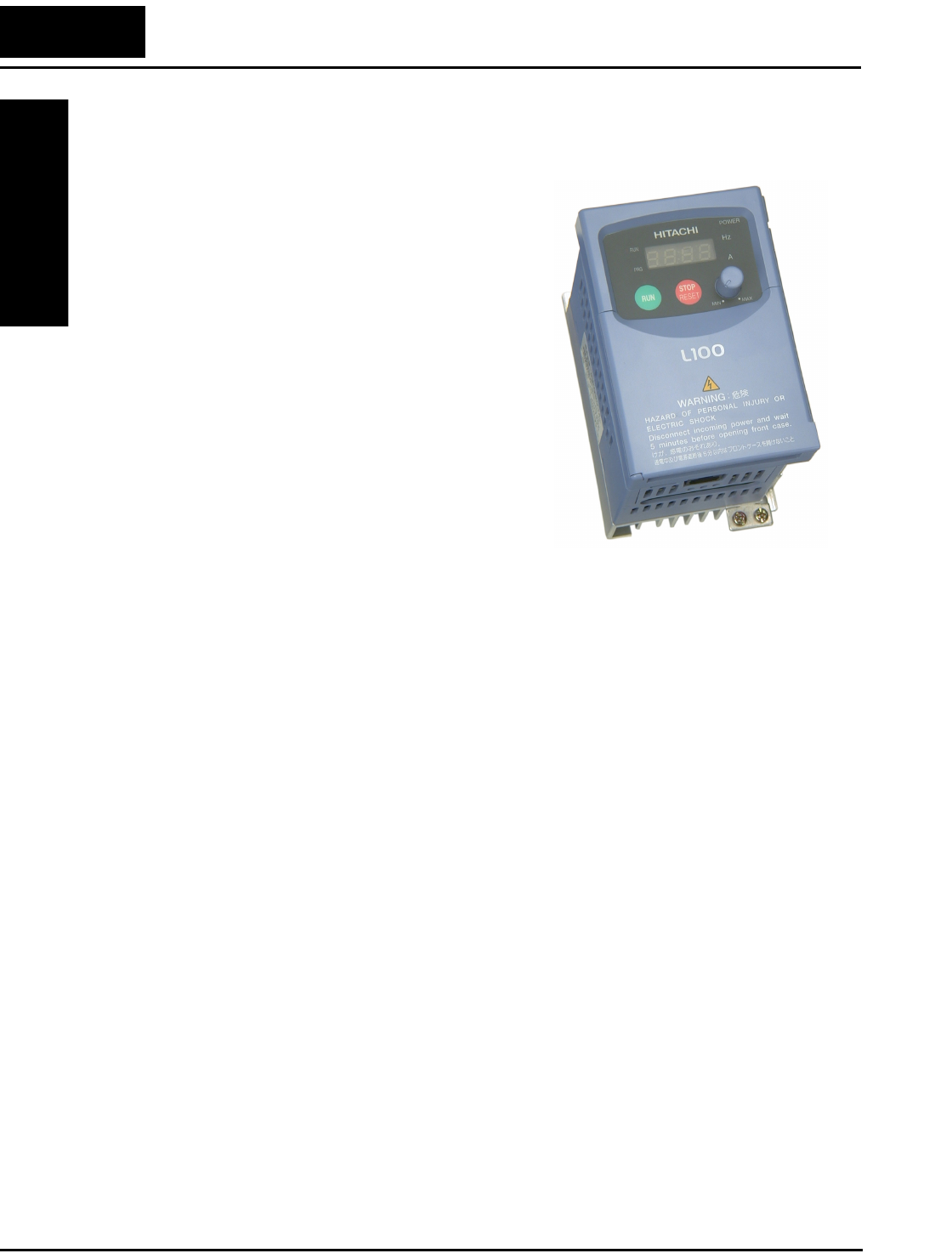
Congratulations on your purchase of an L100
Series Hitachi inverter! This inverter drive
features state-of-the-art circuitry and components
to provide high performance. The housing
footprint is exceptionally small, given the size of
the corresponding motor. The Hitachi L100
product line includes more than a dozen inverter
models to cover motor sizes from 1/4 horsepower
to 10 horsepower, in either 230 VAC or 460 VAC
power input versions. The main features are:
• 200V and 400V Class inverters
• UL or CE version available
• V/f (volts-per-hertz) control algorithm, select-
able for either constant or reduced torque loads
• Convenient keypad for parameter settings
• Built-in RS-422 communications interface to
allow configuration from a PC and for field
bus external modules.
• Sixteen programmable speed levels
• Two-step acceleration and deceleration curves
• PID control adjusts motor speed automatically to maintain a process variable value
The design in Hitachi inverters overcomes many of the traditional trade-offs between
speed, torque and efficiency. The performance characteristics are:
• Output frequency range from 0.5 to 360 Hz
• Continuous operation at 100% torque within a 1:10 speed range (6/60 Hz / 5/50 Hz)
without motor derating
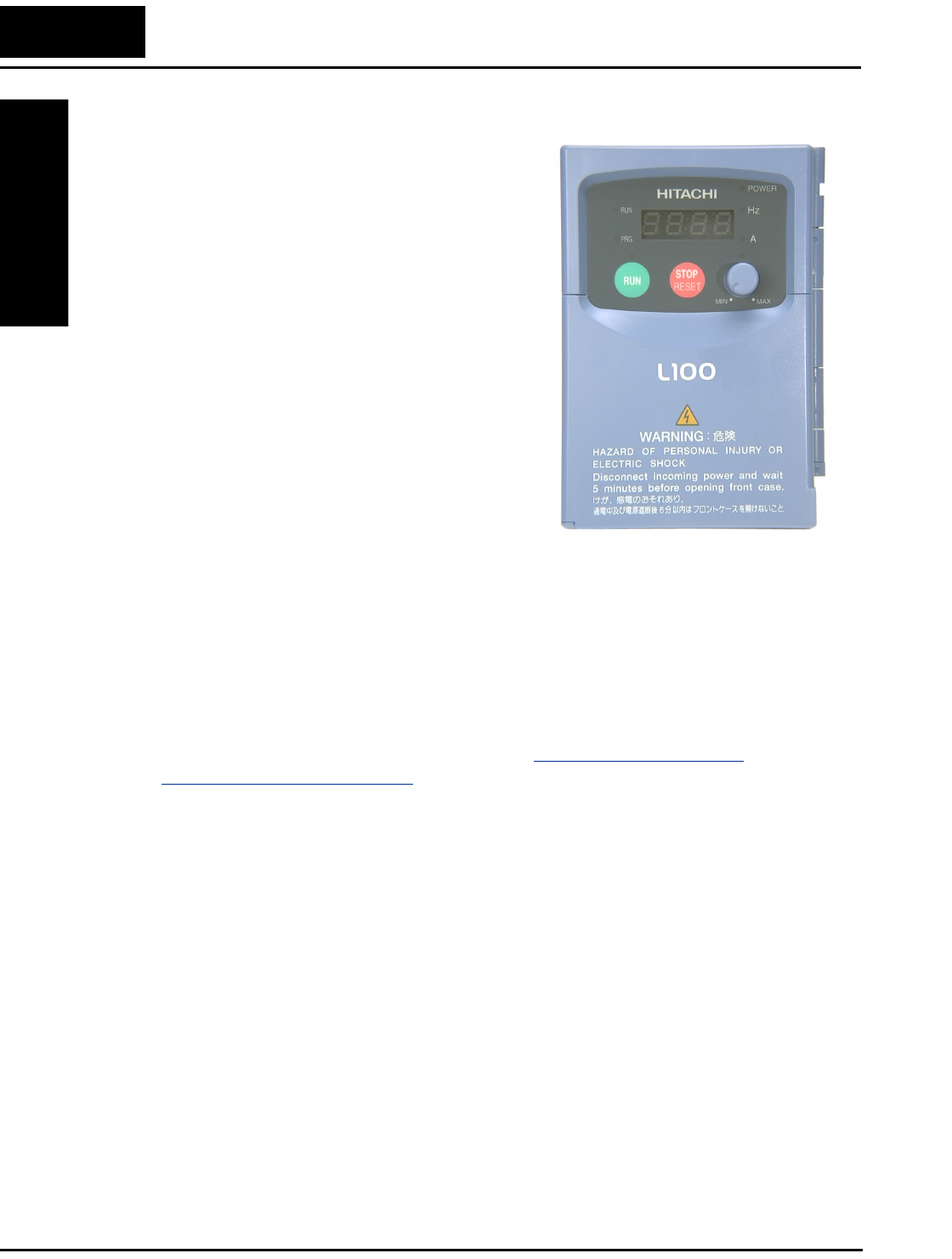
Model L100-002NFU
L100 Inverter
Getting Started
1–3
A full line of accessories from Hitachi is available to complete your application:
• Digital remote operator keypad
• Dynamic braking unit
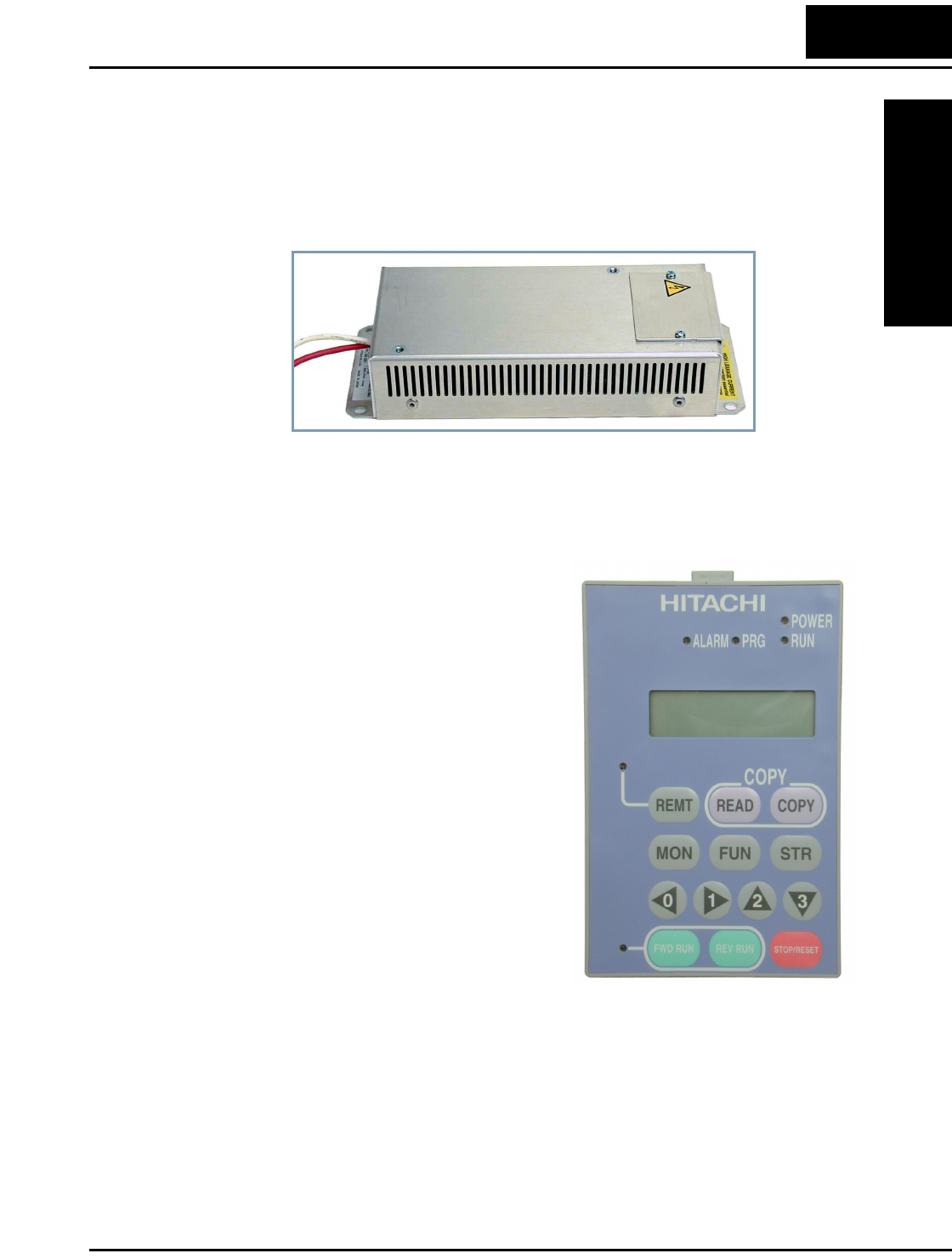
• Radio noise filters, CE compliance filters, and EMI filters (shown below)
• DIN rail mounting adapter (35mm rail size)
Operator Interface Options
The optional SRW-0EX digital operator / copy
unit is shown to the right. It has the additional
capability of reading (uploading) the parameter
settings in the inverter into its memory. Then you
can connect the copy unit on another inverter and
write (download) the parameter settings into that
inverter. OEMs will find this unit particularly
useful, as one can use a single copy unit to
transfer parameter settings from one inverter to
many.
Other digital operator interfaces may be available
from your Hitachi distributor for particular indus-
tries or international markets. Contact your
Hitachi distributor for further details.
EMI Filter
Digital Operator / Copy Unit
Introduction
Getting Started
1–4
Inverter Specifications Label
The Hitachi L100 inverters have product labels located on the right side of the housing,
as pictured below. Be sure to verify that the specifications on the labels match your
power source, motor, and application safety requirements.
Model Number Convention
The model number for a specific inverter contains useful information about its operating
characteristics. Refer to the model number legend below:
Inverter model number
Motor capacity for this model
Output Rating:
Frequency, voltage, current
Manufacturing codes:
Lot number, date, etc.
Specifications label
Regulatory agency approvals
Power Input Rating:
frequency, voltage, phase, current
L100 004 H F U 5
Version number (_, 1, 2, ...)
Restricted distribution:
E=Europe, U=USA
Input voltage:
N = single or three-phase 200V class
H = three-phase 400V class
L = three phase only, 200V class
Applicable motor capacity in kW
002 = 0.2 kW
004 = 0.4 kW
005 = 0.55 kW
007 = 0.75 kW
011 = 1.1 kW
015 = 1.5 kW
022 = 2.2 kW
030 = 3.0 kW
037 = 3.7 kW
040 = 4.0 kW
055 = 5.5 kW
075 = 7.5 kW
Configuration type
F = with digital operator (keypad)
Series name
L100 Inverter
Getting Started
1–5
L100 Inverter Specifications
Model-specific tables for 200V and 400V class inverters
The following tables are specific to L100 inverters for the 200V and 400V class model
groups. Note that “General Specifications” on page 1–9 apply to both voltage class
groups. Footnotes for all specifications tables follow the table below.
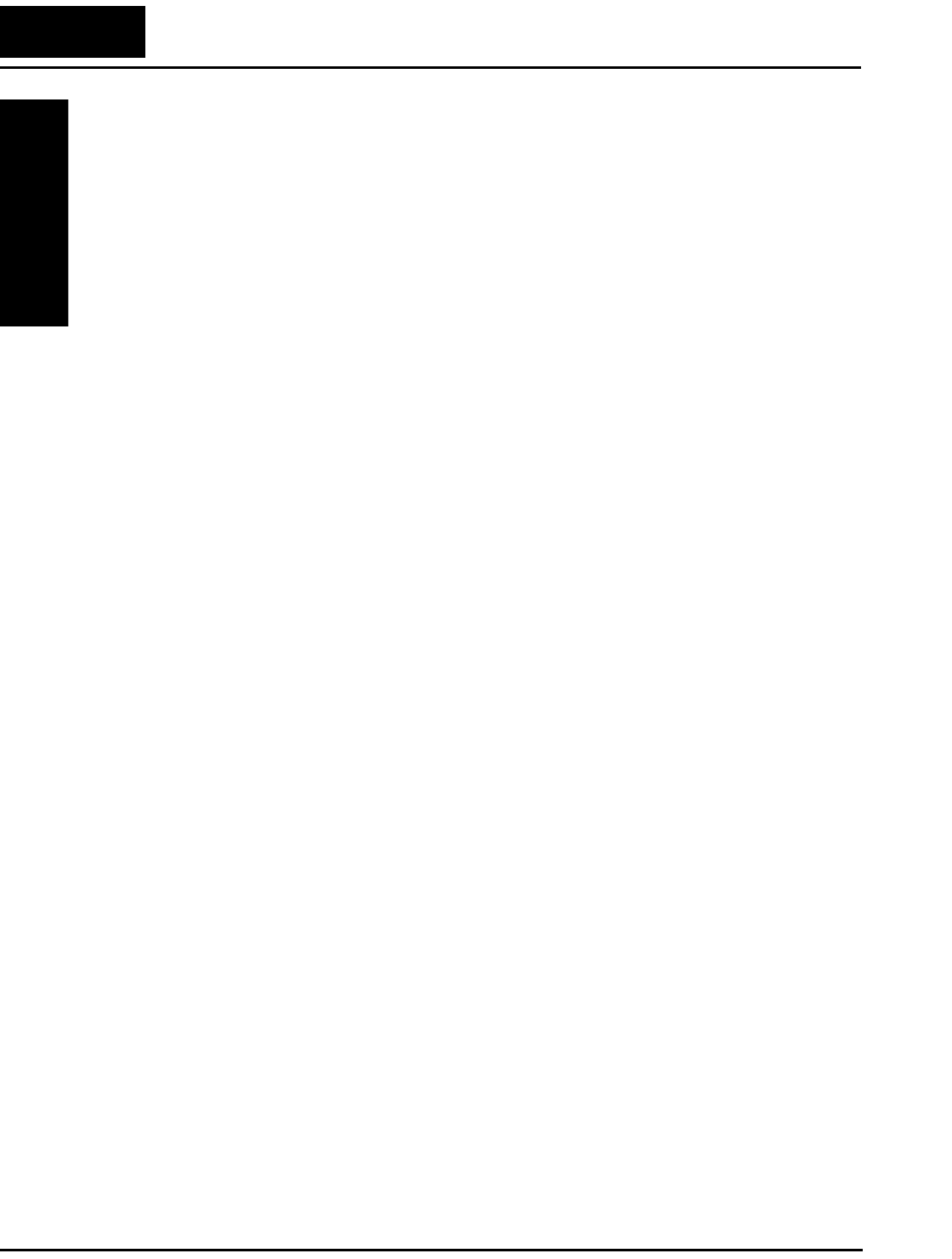
Item 200V Class Specifications
L100 inverters,
200V models
CE version 002NFE 004NFE 005NFE 007NFE 011NFE
UL version 002NFU 004NFU — 007NFU —
Applicable motor size *2 kW 0.2 0.4 0.55 0.75 1.1
HP 1/4 1/2 3/4 1 1 1/2
Rated capacity (240V) kVA *10 0.5 1.0 1.2 1.6 2.0
Rated input voltage 1-phase: 200 to 240V +5/-10%, 50/60 Hz ±5%,
3-phase: 200 to 240V +5/-10%, 50/60 Hz ±5%,
(037LFU, 055LFU & 075LFU 3-phase only)
Rated input
current (A)
1-phase 3.1 5.8 6.7 9.0 11.2
3-phase 1.8 3.4 3.9 5.2 6.5
Rated output voltage *3 3-phase: 200 to 240V (corresponding to input voltage)
Rated output current (A) 1.4 2.6 3.0 4.0 5.0
Efficiency at 100% rated output (%) 91.5 92.8 93.6 94.1 95.4
Watt loss,
approximate (W)
at 70% output 13 21 25 31 38
at 100% output 17 29 32 41 51
Braking Dynamic
braking, approx.
% torque, (short
time stop from
50 / 60 Hz) *5
100%: ≤ 50 Hz,
50%: ≤ 60 Hz
Capacitive feedback type, dynamic braking unit and braking
resistor optional, individually installed
DC braking Variable operating frequency, time, and braking force
Weight kg 0.85 0.85 1.3 1.3 2.2
lb 1.87 1.87 2.87 2.87 4.85
L100 Inverter Specifications
Getting Started
1–6
Footnotes for the preceding table and the tables that follow:
Note 1: The protection method conforms to JEM 1030.
Note 2: The applicable motor refers to Hitachi standard 3-phase motor (4-pole). When
using other motors, care must be taken to prevent the rated motor current (50/
60 Hz) from exceeding the rated output current of the inverter.
Note 3: The output voltage decreases as the main supply voltage decreases (except
when using the AVR function). In any case, the output voltage cannot exceed
the input power supply voltage.
Note 4: To operate the motor beyond 50/60 Hz, consult the motor manufacturer for
the maximum allowable rotation speed.
Note 5: The braking torque via capacitive feedback is the average deceleration torque
at the shortest deceleration (stopping from 50/60 Hz as indicated). It is not
continuous regenerative braking torque. The average deceleration torque
varies with motor loss. This value decreases when operating beyond 50 Hz.
Note that a braking unit is not included in the inverter. If a large regenerative
torque is required, the optional regenerative braking unit should be used.
Note 6: The frequency command is the maximum frequency at 9.8V for input voltage
0 to 10 VDC, or at 19.6 mA for input current 4 to 20 mA. If this characteristic
is not satisfactory for your application, contact your Hitachi sales representa-
tive.
Note 7: If operating the inverter in an ambient temperature of 40–50° C, reduce the
carrier frequency to 2.1 kHz, derate the output current by 80%, and remove
the top housing cover. Note that removing the top cover will nullify the
NEMA rating for the inverter housing.
Note 8: The storage temperature refers to the short-term temperature during transport.
Note 9: Conforms to the test method specified in JIS C0911 (1984). For the model
types excluded in the standard specifications, contact your Hitachi sales repre-
sentative.
Note 10: The input voltage of xxLFU is 230V.
L100 Inverter
Getting Started
1–7
L100 Inverter Specifications, continued...
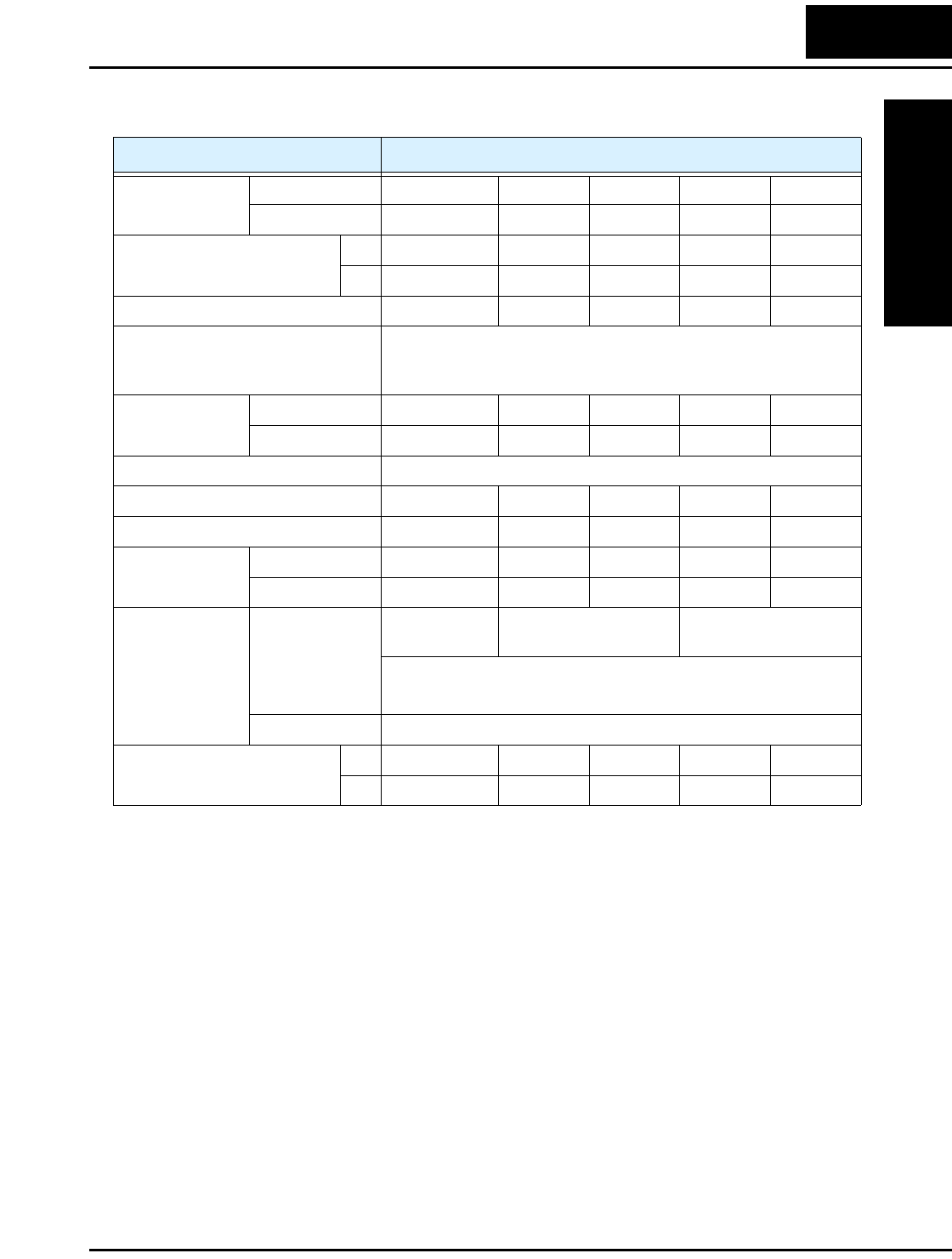
Item 200V Class Specifications, continued
L100 inverters,
200V models
CE version 015NFE 022NFE — — —
UL version 015NFU 022NFU 037LFU 055LFU 075LFU
Applicable motor size *2 kW 1.5 2.2 3.7 5.5 7.5
HP 2 3 5 7.5 10
Rated capacity (240V) kVA *10 2.9 4.1 6.3 9.6 12.7
Rated input voltage 1-phase: 200 to 240V +5%/–10%, 50/60 Hz ±5%,
3-phase: 200 to 240V +5%/–10%, 50/60 Hz ±5%,
(037LFU, 055LFU & 075LFU 3-phase only)
Rated input
current (A)
1-phase 16.0 22.5 — — —
3-phase 9.3 13.0 20.0 30.0 40.0
Rated output voltage *3 3-phase: 200 to 240V (corresponding to input voltage)
Rated output current (A) 7.1 10.0 15.9 24 32
Efficiency at 100% rated output (%) 95.3 95.6 95.5 96.1 96.2
Watt loss,
approximate (W)
at 70% output 50 71 118 152 204
at 100% output 70 97 166 216 288
Braking Dynamic
braking, approx.
% torque, (short
time stop from
50 / 60 Hz) *5
100%: ≤ 50Hz
50%: ≤ 60Hz
40%: ≤ 50Hz
20%: ≤ 60Hz
20%: ≤ 50Hz
20%: ≤ 60Hz
Capacitive feedback type, dynamic braking unit and braking
resistor optional, individually installed
DC braking Variable operating frequency, time, and braking force
Weight kg 2.2 2.8 2.8 5.5 5.7
lb 4.85 6.17 6.17 12.13 12.57
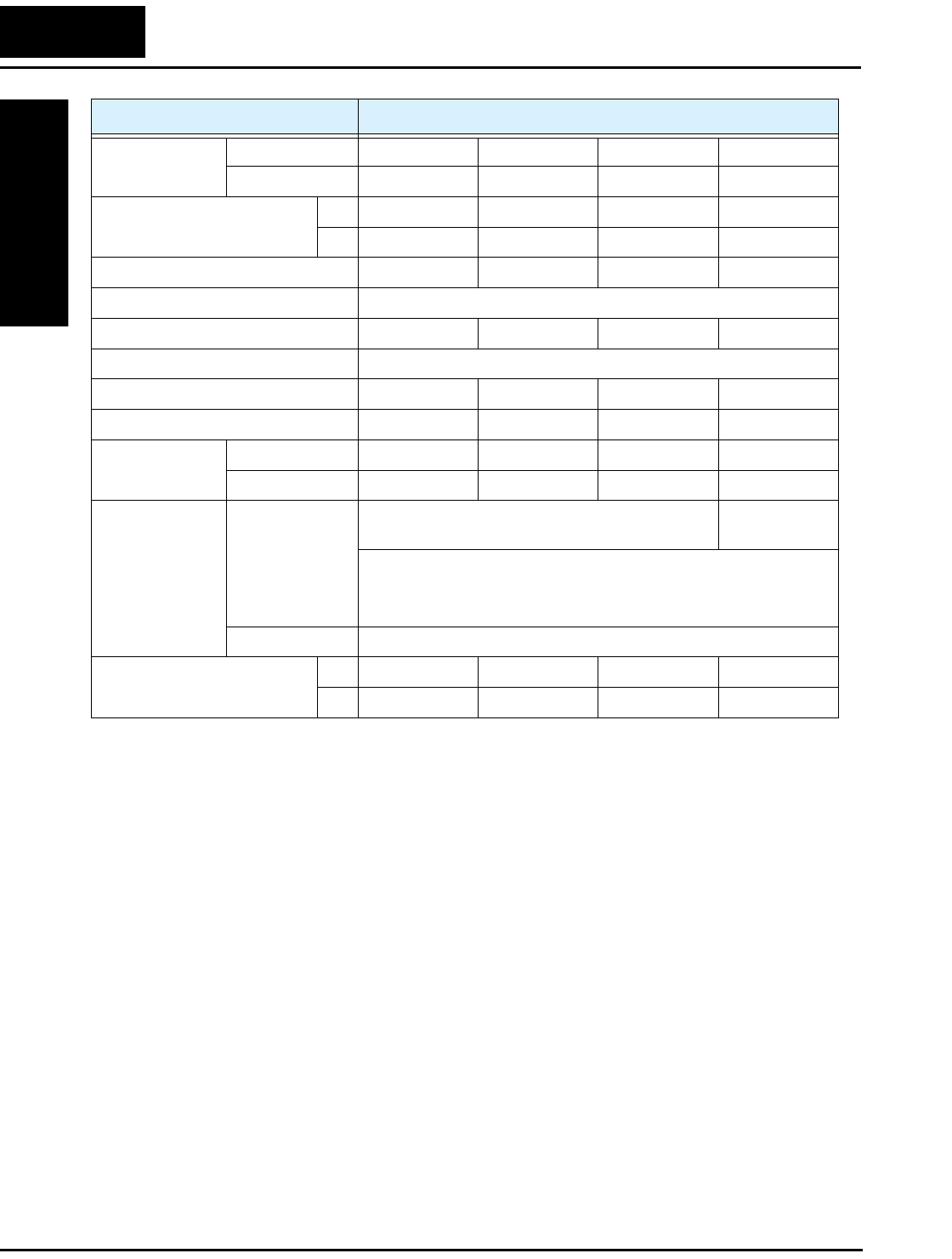
L100 Inverter Specifications
Getting Started
1–8
Item 400V Class Specifications
L100 inverters,
400V models
CE version 004HFE 007HFE 015HFE 022HFE
UL version 004HFU 007HFU 015HFU 022HFU
Applicable motor size *2 kW 0.4 0.75 1.5 2.2
HP 1/2 1 2 3
Rated capacity (460V) kVA *10 1.1 1.9 3.0 4.3
Rated input voltage 3-phase: 380 to 460V ±10%, 50/60 Hz ±5%
Rated input current (A) 2.0 3.3 5.0 7.0
Rated output voltage *3 3-phase: 380 to 460V (corresponding to input voltage)
Rated output current (A) 1.5 2.5 3.8 5.5
Efficiency at 100% rated output (%) 92.0 93.7 95.7 95.8
Watt loss,
approximate (W)
at 70% output 25 33 48 68
at 100% output 32 44 65 92
Braking Dynamic
braking, approx.
% torque, (short
time, stopping
from 50 / 60 Hz)
*5
100%: ≤ 50Hz
50%: ≤ 60Hz
40%: ≤ 50Hz,
20%: ≤ 60Hz
Capacitive feedback type, dynamic braking unit and braking
resistor optional, individually installed
DC braking Variable operating frequency, time, and braking force
Weight kg 1.3 1.7 1.7 2.8
lb 2.87 3.75 3.75 6.17
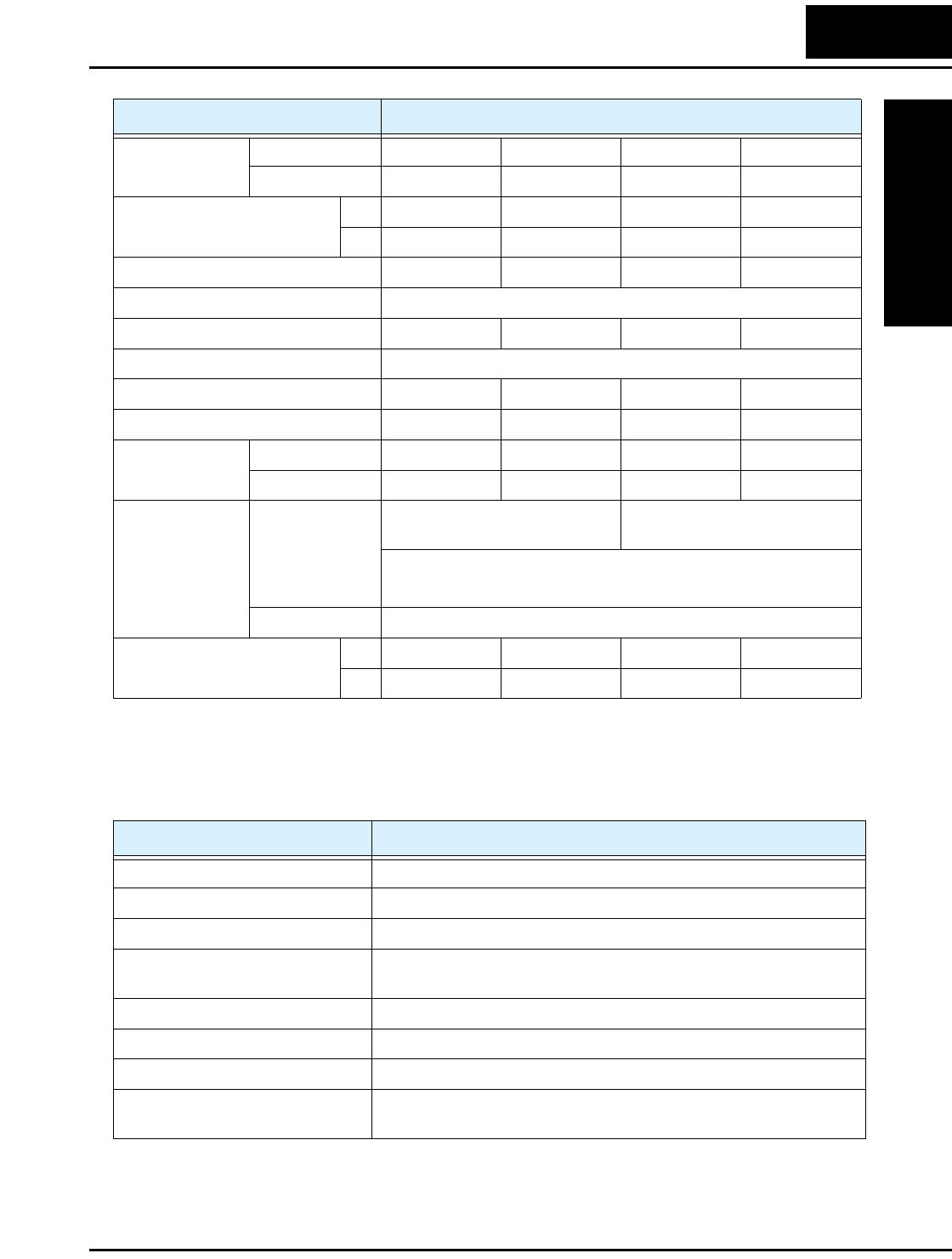
L100 Inverter
Getting Started
1–9
General Specifications
The following table applies to all L100 inverters.
Item 400V Class Specifications, continued
L100 inverters,
400V models
CE version 030HFE 040HFE 055HFE 075HFE
UL version — 040HFU 055HFU 075HFU
Applicable motor size *2 kW 3.0 4.0 5.5 7.5
HP 4 5 7.5 10
Rated capacity (460V) kVA *10 6.2 6.8 10.4 12.7
Rated input voltage 3-phase: 380 to 460V ±10%, 50/60 Hz ±5%
Rated input current (A) 10.0 11.0 16.5 20.0
Rated output voltage *3 3-phase: 380 to 460V (corresponding to input voltage)
Rated output current (A) 7.8 8.6 13 16
Efficiency at 100% rated output (%) 95.4 96.2 96.0 96.5
Watt loss,
approximate (W)
at 70% output 100 108 156 186
at 100% output 138 151 219 261
Braking Dynamic
braking, approx.
% torque, (short
time stop from
50 / 60 Hz) *5
40%: ≤ 50Hz,
20%: ≤ 60Hz
20%: ≤ 50Hz
20%: ≤ 60Hz
Capacitive feedback type, dynamic braking unit and braking
resistor optional, individually installed
DC braking Variable operating frequency, time, and braking force
Weight kg 2.8 2.8 5.5 5.7
lb 6.17 6.17 12.13 12.57
Item General Specifications
Protective housing *1 IP20
Control method Sine wave pulse-width modulation (PWM) control
Output frequency range *4 0.5 to 360 Hz
Frequency accuracy Digital command: 0.01% of the maximum frequency
Analog command: 0.1% of the maximum frequency (25°C ± 10°C)
Frequency setting resolution Digital: 0.1 Hz; Analog: max. frequency/1000
Volt./Freq. characteristic V/f optionally variable, V/f control (constant torque, reduced torque)
Overload current rating 150%, 60 seconds
Acceleration/deceleration time 0.1 to 3000 sec., (linear accel/decel), second accel/decel setting
available
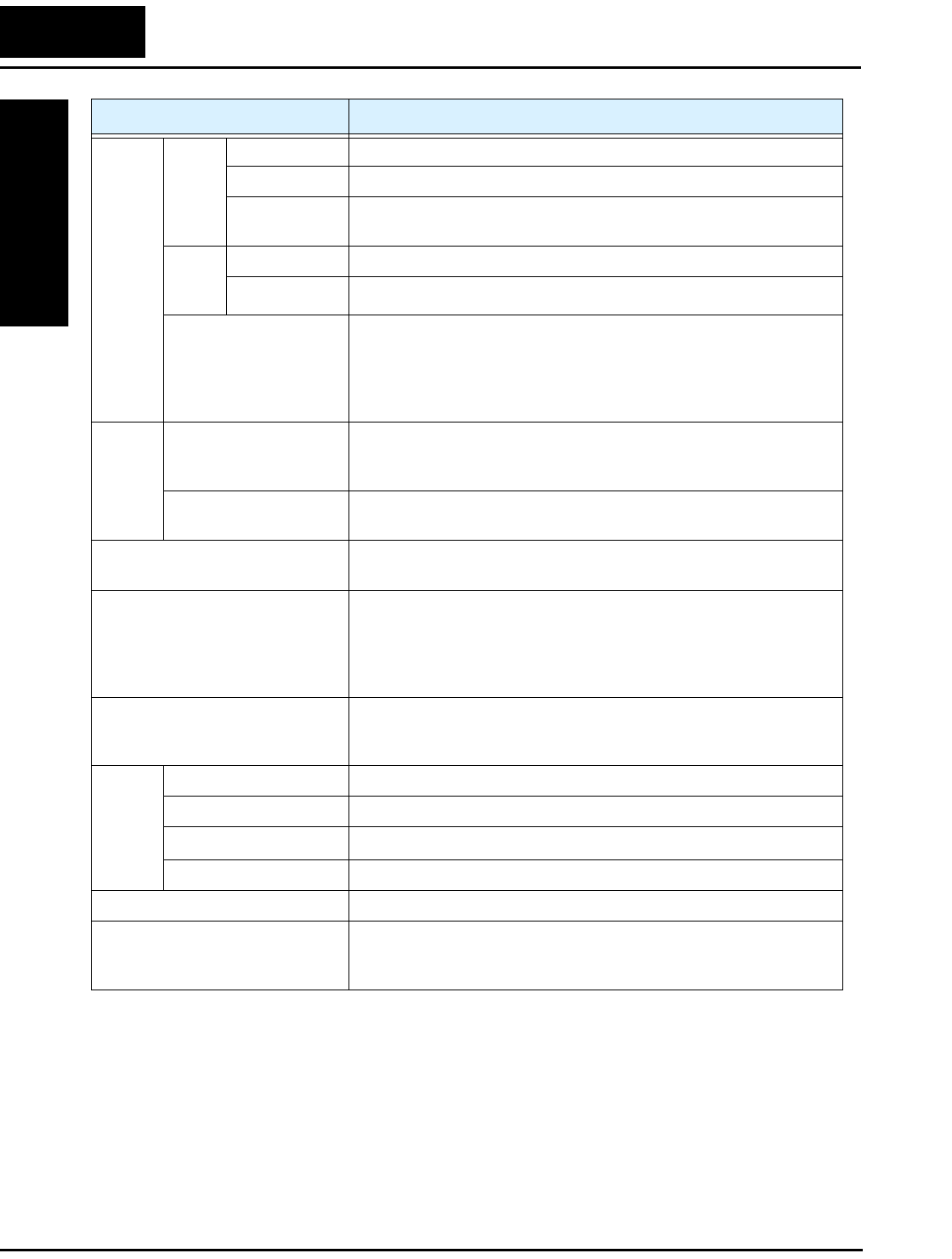
L100 Inverter Specifications
Getting Started
1–10
Input
signal
Freq.
setting
Operator panel Up and Down keys / Value settings
Potentiometer Analog setting
External signal
*6
0 to 10 VDC (input impedance 10k Ohms), 4 to 20 mA (input
impedance 250 Ohms), Potentiometer (1k to 2k Ohms, 2W)
FWD/
REV
Run
Operator panel Run/Stop (Forward/Reverse run change by command)
External signal Forward run/stop, Reverse run/stop
Intelligent input
terminal
FW (forward run command), RV (reverse run command), CF1~CF4
(multi-stage speed setting), JG (jog command), 2CH (2-stage accel./
decel. command), FRS (free run stop command), EXT (external
trip), USP (startup function), SFT (soft lock), AT (analog current
input select signal), RS (reset), PTC (thermal protection)
Output
signal
Intelligent output
terminal
RUN (run status signal), FA1,2 (frequency arrival signal), OL
(overload advance notice signal), OD (PID error deviation signal),
AL (alarm signal)
Frequency monitor PWM output; Select analog output frequency monitor, analog output
current monitor or digital output frequency monitor
Alarm output contact ON for inverter alarm (1C contacts, both normally open or closed
avail.)
Other functions AVR function, curved accel/decel profile, upper and lower limiters,
16-stage speed profile, fine adjustment of start frequency, carrier
frequency change (0.5 to 16 kHz) frequency jump, gain and bias
setting, process jogging, electronic thermal level adjustment, retry
function, trip history monitor
Protective function Over-current, over-voltage, under-voltage, overload, extreme high/
low temperature, CPU error, memory error, ground fault detection at
startup, internal communication error, electronic thermal
Operat-
ing
Environ
ment
Temperature Operating (ambient): -10 to 50°C (*7) / Storage: -25 to 70°C (*8)
Humidity 20 to 90% humidity (non-condensing)
Vibration *9 5.9 m/s2 (0.6G), 10 to 55 Hz
Location Altitude 1,000 m or less, indoors (no corrosive gasses or dust)
Coating color Light purple, cooling fins in base color of aluminum
Options Remote operator unit, copy unit, cables for the units, dynamic
braking unit, braking resistor, AC reactor, DC reactor, noise filter,
DIN rail mounting
Item General Specifications
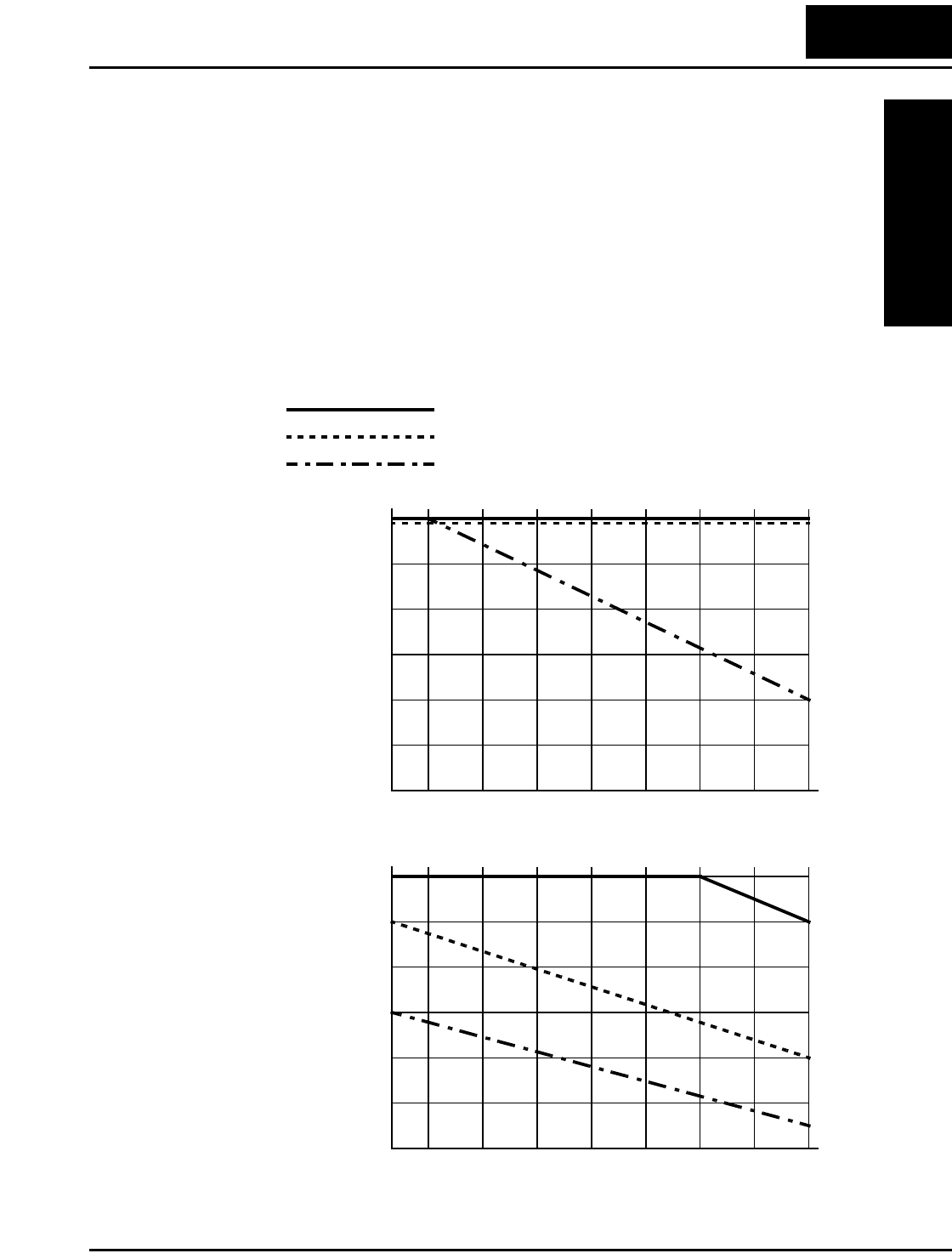
L100 Inverter
Getting Started
1–11
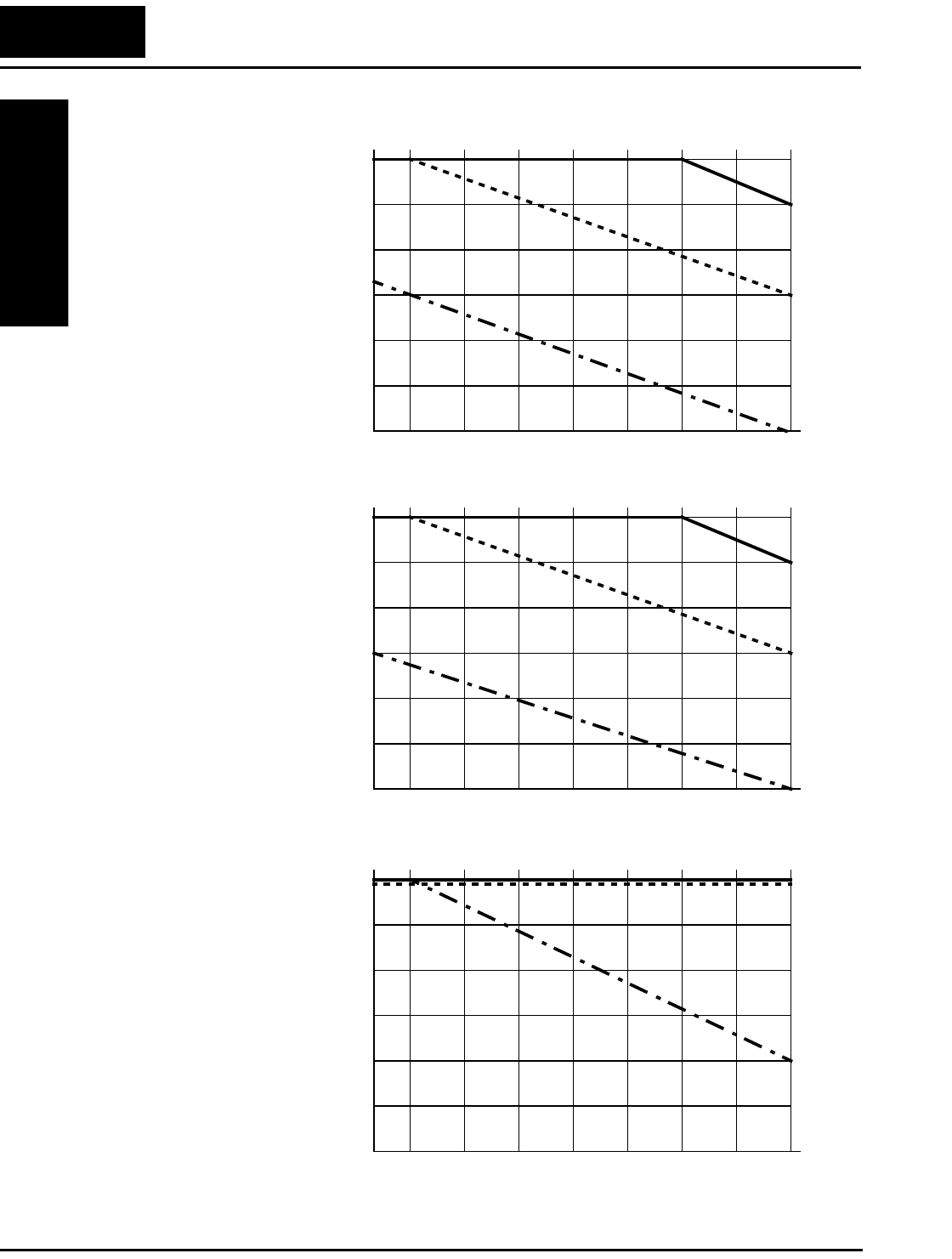
Derating Curves
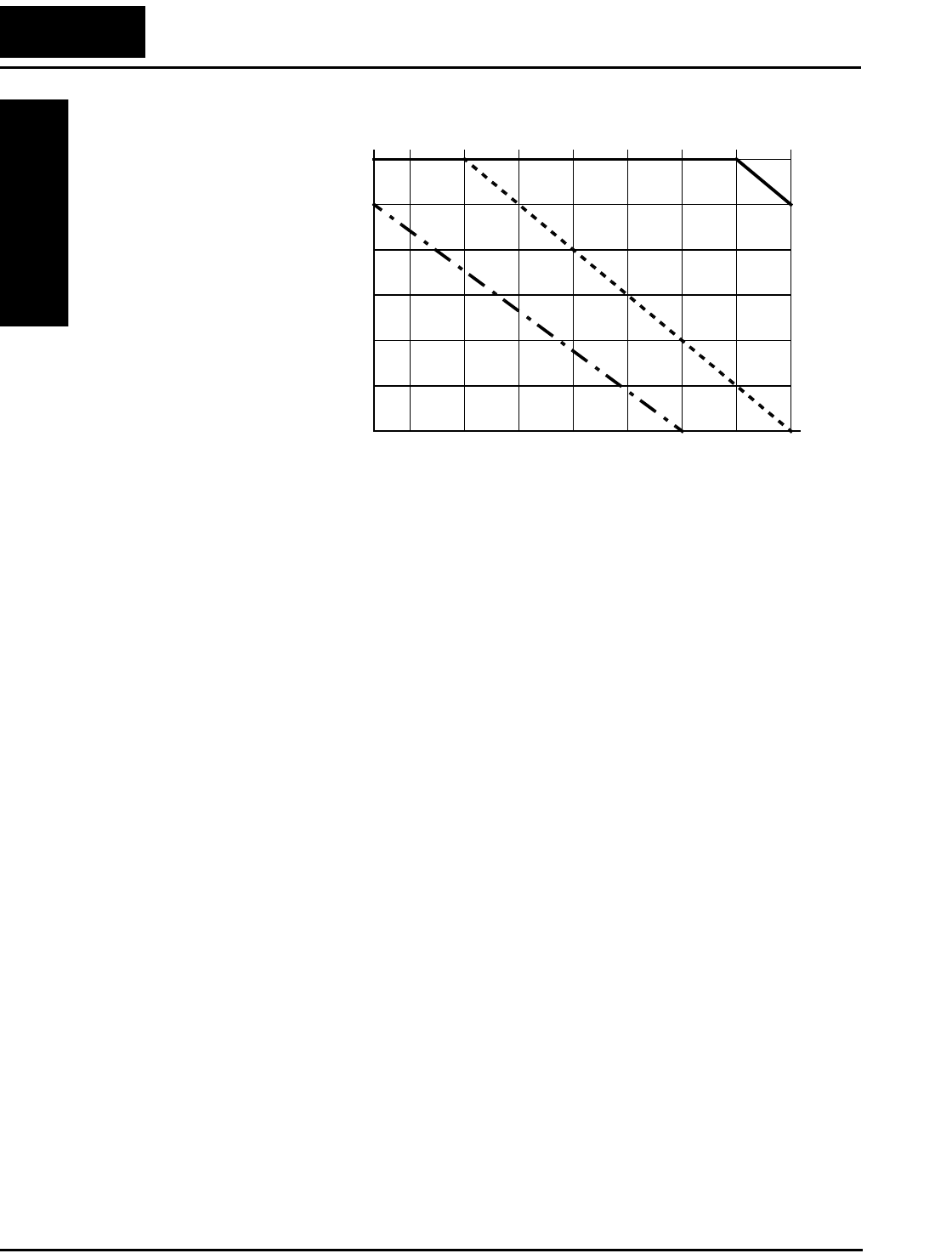
The maximum available inverter current output is limited by the carrier frequency and
ambient temperature. The carrier frequency is the inverter’s internal power switching
frequency, settable from 0.5 kHz to 16 kHz. Choosing a higher carrier frequency tends to
decrease audible noise, but it also increases the internal heating of the inverter, thus
decreasing (derating) the maximum current output capability. Ambient temperature is
the temperature just outside the inverter housing—such as inside the control cabinet
where the inverter is mounted. A higher ambient temperature decreases (derates) the
inverter’s maximum current output capacity.
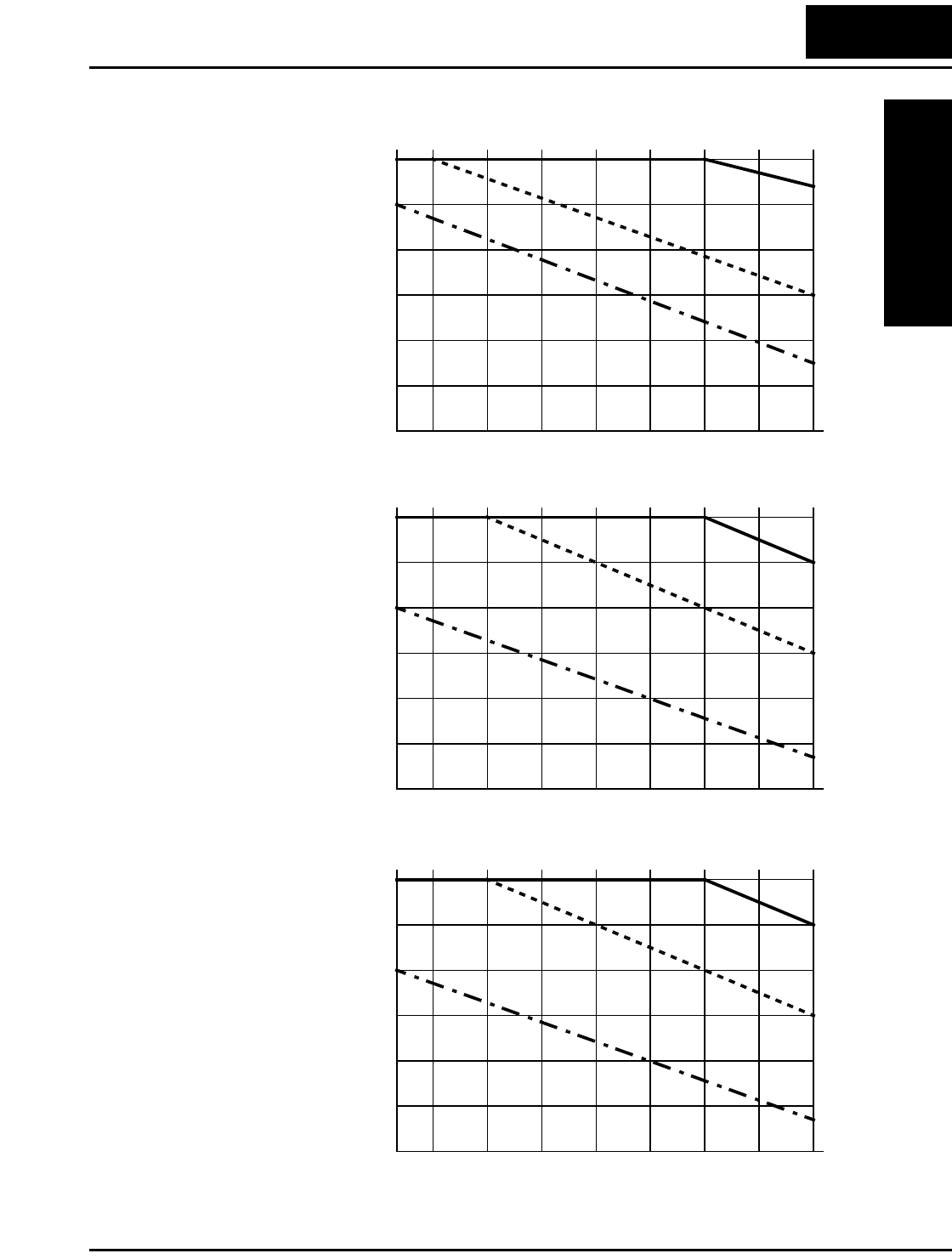
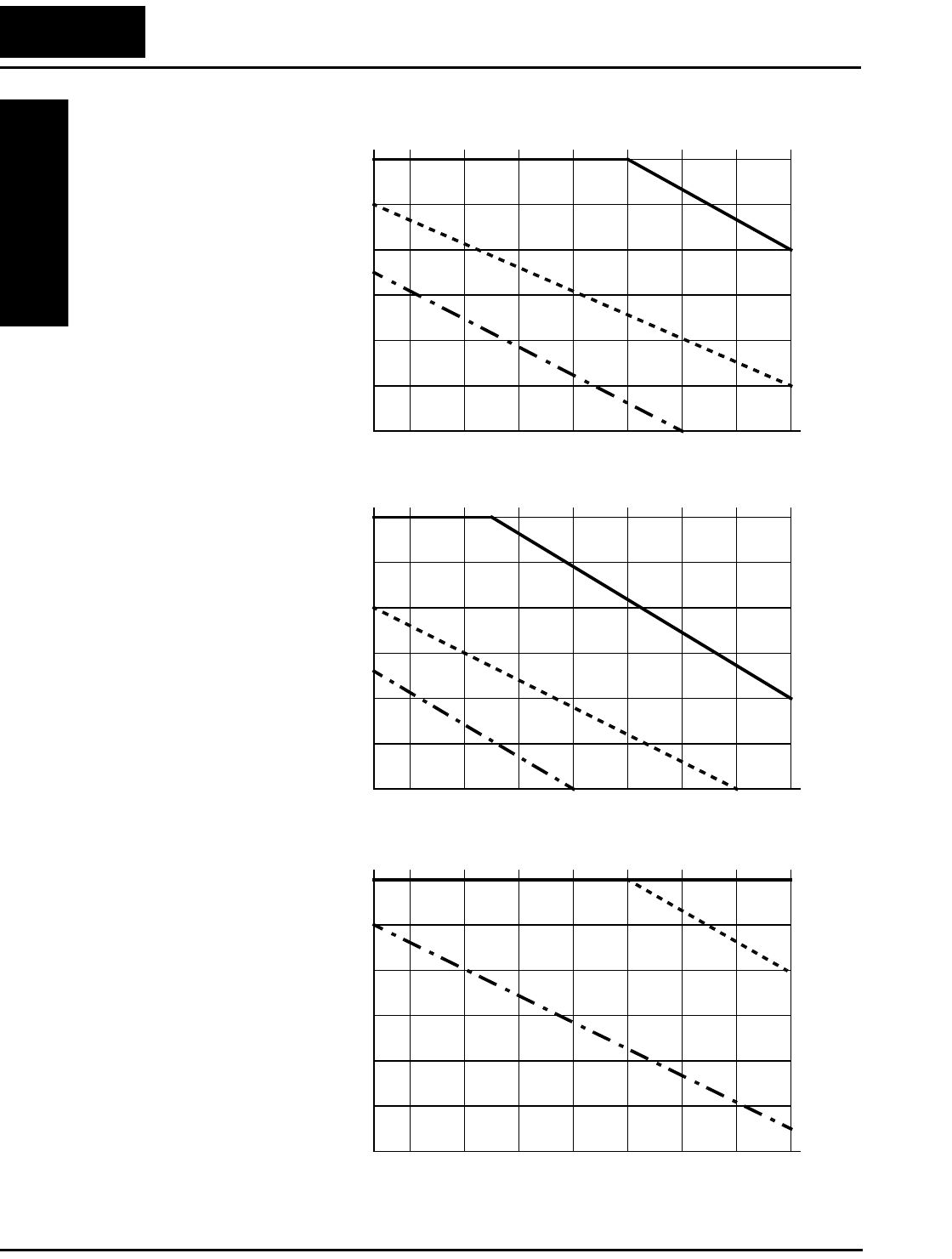
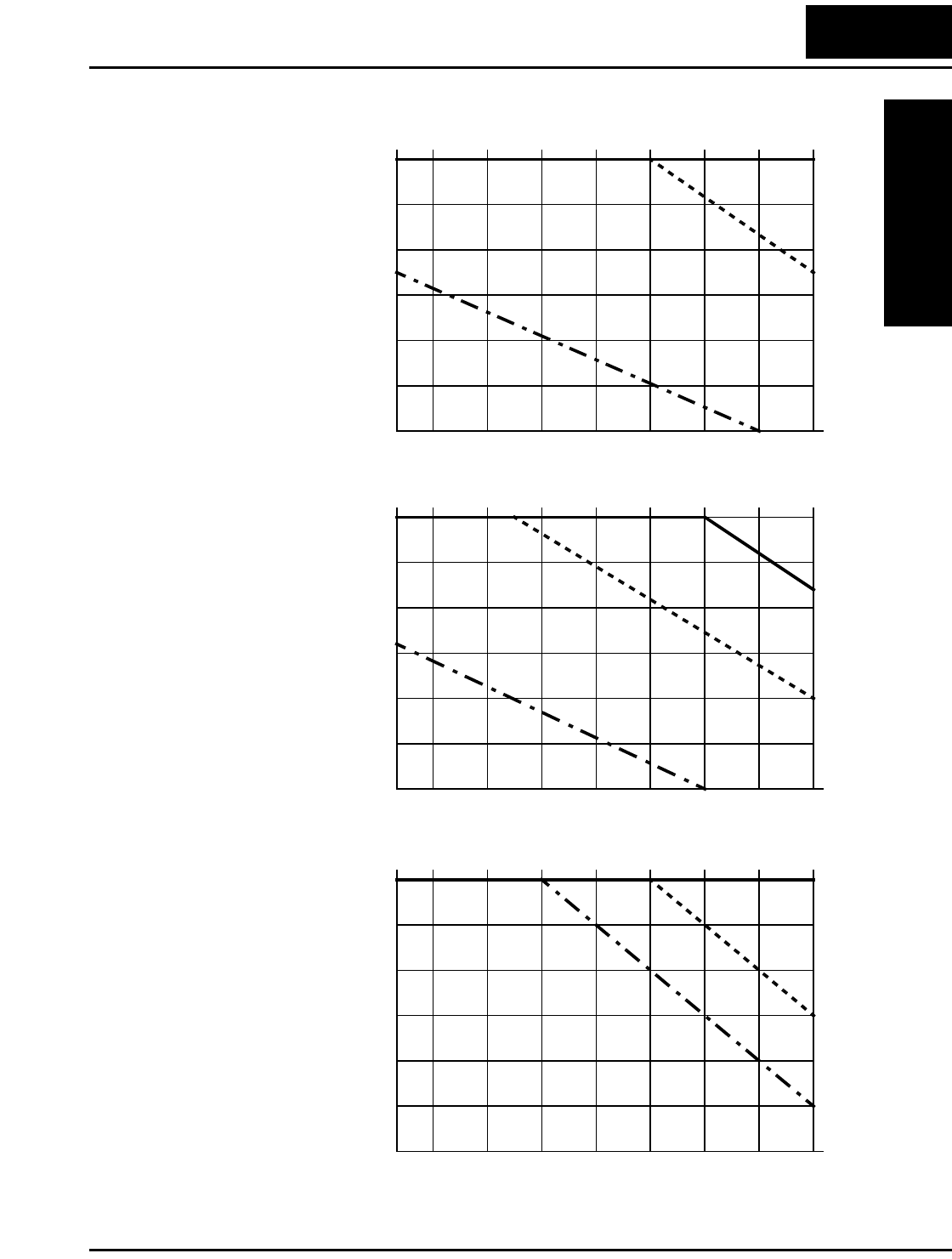
Use the following derating curves to help determine the optimal carrier frequency setting
for your inverter, and to find the output current derating. Be sure to use the proper curve
for your particular L100 inverter model number.
L100–002NFE/NFU
0.5246810121416
70%
80%
90%
100%
95%
85%
75%
% of rated
output current
Carrier frequency
kHz
L100–004NFE/NFU
0.5246810121416
70%
80%
90%
100%
95%
85%
75%
% of rated
output current
Carrier frequency
kHz
Standard ratings at 40°C
Ratings at 50°C max. with top cover removed
Ratings at 55°C max. with top cover removed
Legend:
L100 Inverter Specifications
Getting Started
1–12
Derating curves, continued...
L100–007NFE/NFU
0.5246810121416
70%
80%
90%
100%
95%
85%
75%
% of rated
output current
Carrier frequency
kHz
L100–0015NFE/NFU
0.5246810121416
70%
80%
90%
100%
95%
85%
75%
% of rated
output current
Carrier frequency
kHz
L100–022NFE/NFU
0.5246810121416
70%
80%
90%
100%
95%
85%
75%
% of rated
output current
Carrier frequency
kHz
L100 Inverter
Getting Started
1–13
Derating curves, continued...
L100–037LF/LFU
0.5246810121416
40%
60%
80%
100%
90%
70%
50%
% of rated
output current
Carrier frequency
kHz
L100–055LFU
0.5246810121416
70%
80%
90%
100%
95%
85%
75%
% of rated
output current
Carrier frequency
kHz
L100–075LFU
0.5246810121416
70%
80%
90%
100%
95%
85%
75%
% of rated
output current
Carrier frequency
kHz
L100 Inverter Specifications
Getting Started
1–14
Derating curves, continued...
L100–004HFE/HFU
0.5246810121416
40%
60%
80%
100%
90%
70%
50%
% of rated
output current
Carrier frequency
kHz
L100–007HFE/HFU
0.5246810121416
40%
60%
80%
100%
90%
70%
50%
% of rated
output current
Carrier frequency
kHz
L100–015HFE/HFU
0.5246810121416
40%
60%
80%
100%
90%
70%
50%
% of rated
output current
Carrier frequency
kHz
L100 Inverter
Getting Started
1–15
Derating curves, continued...
L100–022HFE/HFU
0.5246810121416
40%
60%
80%
100%
90%
70%
50%
% of rated
output current
Carrier frequency
kHz
L100–040HFE/HFU
0.5246810121416
40%
60%
80%
100%
90%
70%
50%
% of rated
output current
Carrier frequency
kHz
L100–055HFE/HFU
0.5246810121416
70%
80%
90%
100%
95%
85%
75%
% of rated
output current
Carrier frequency
kHz
L100 Inverter Specifications
Getting Started
1–16
Derating curves, continued...
L100–075HFE/HFU
0.5246810121416
70%
80%
90%
100%
95%
85%
75%
% of rated
output current
Carrier frequency
kHz
L100 Inverter
Getting Started
1–17
Introduction to Variable-Frequency Drives
The Purpose of Motor Speed Control for Industry
Hitachi inverters provide speed control for 3-phase AC induction motors. You connect
AC power to the inverter, and connect the inverter to the motor. Many applications
benefit from a motor with variable speed, in several ways:
• Energy savings - HVAC
• Need to coordinate speed with an adjacent process—textiles and printing presses
• Need to control acceleration and deceleration (torque)
• Sensitive loads - elevators, food processing, pharmaceuticals
What is an Inverter?
The term inverter and variable-frequency drive are related and somewhat interchange-
able. An electronic motor drive for an AC motor can control the motor’s speed by
varying the frequency of the power sent to the motor.
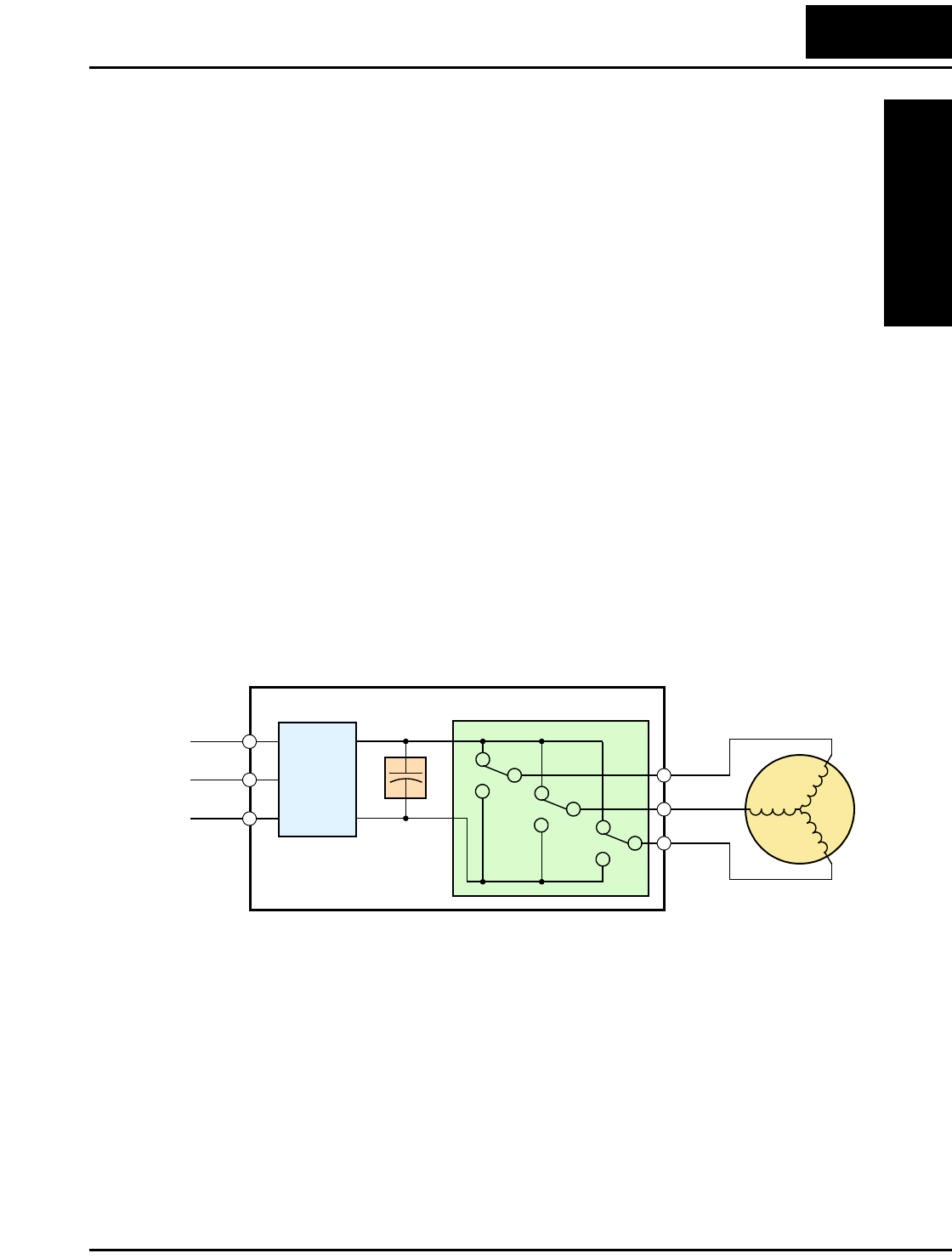
An inverter, in general, is a device that converts DC power to AC power. The figure
below shows how the variable-frequency drive employs an internal inverter. The drive
first converts incoming AC power to DC through a rectifier bridge, creating an internal
DC bus voltage. Then the inverter circuit converts the DC back to AC again to power the
motor. The special inverter can vary its output frequency and voltage according to the
desired motor speed.
The simplified drawing of the inverter shows three double-throw switches. In Hitachi
inverters, the switches are actually IGBTs (isolated gate bipolar transistors). Using a
commutation algorithm, the microprocessor in the drive switches the IGBTs on and off
at a very high speed to create the desired output waveforms. The inductance of the motor
windings helps smooth out the pulses.
Power
Input Inverter
L1 Motor
L2
L3
Rectifier
Variable-frequency Drive
Internal
DC Bus
+
+
–
U/T1
V/T2
W/T3
Con-
Introduction to Variable-Frequency Drives
Getting Started
1–18
Torque and Constant Volts/Hertz Operation
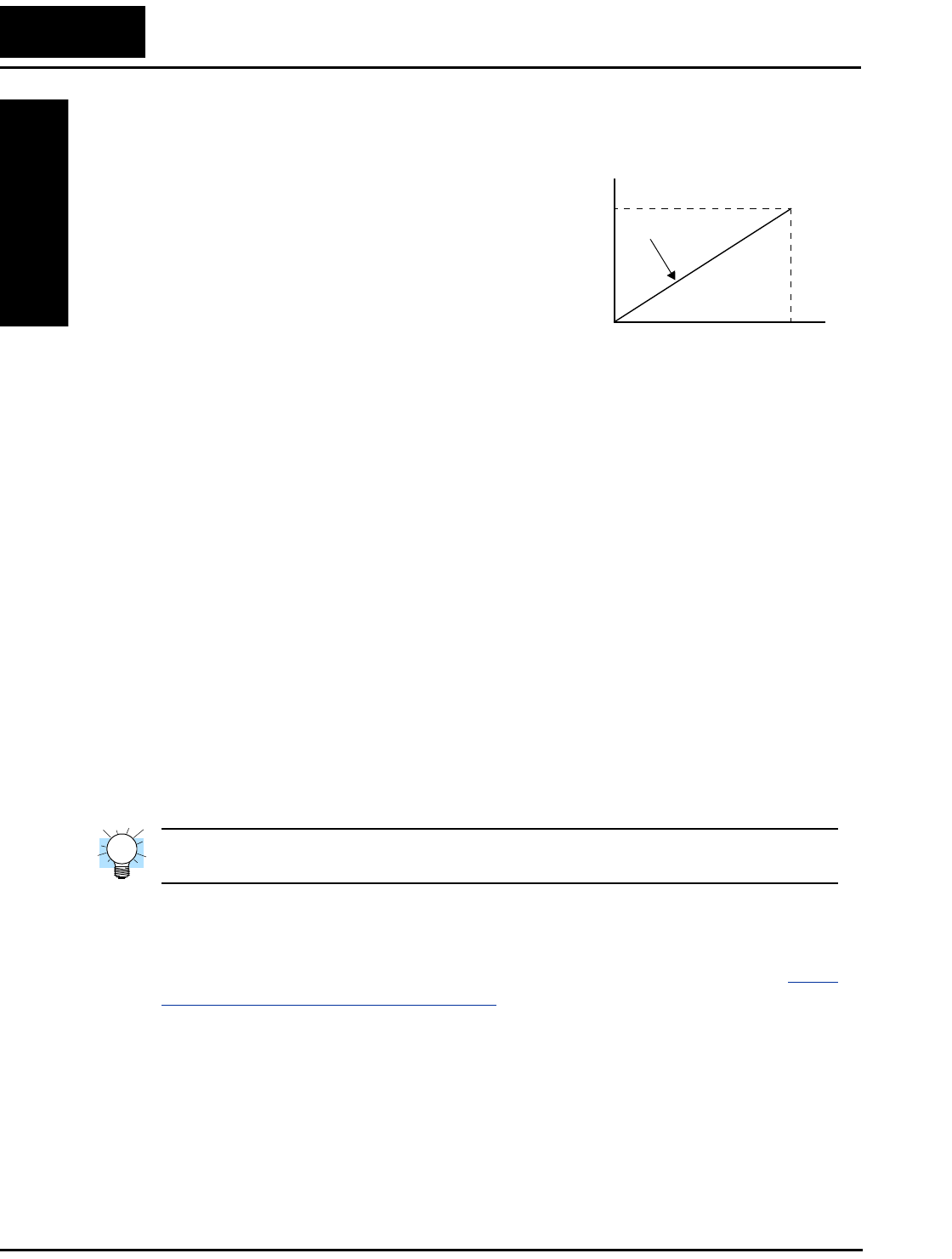
In the past, AC variable speed drives used an
open loop (scalar) technique to control speed.
The constant-volts-per-hertz operation
maintains a constant ratio between the applied
voltage and the applied frequency. With these
conditions, AC induction motors inherently
delivered constant torque across the operating
speed range. For some applications, this scalar
technique was adequate.
Today, with the advent of sophisticated micro-
processors and digital signal processors (DSPs),
it is possible to control the speed and torque of AC induction motors with unprecedented
accuracy. The L100 utilizes these devices to perform complex mathematical calculations
required to achieve superior performance. You can choose various torque curves to fit
the needs of your application. Constant torque applies the same torque level across the
frequency (speed) range. Variable torque, also called reduced torque, lowers the torque
delivered at mid-level frequencies. A torque boost setting will add additional torque in
the lower half of the frequency range for the constant and variable torque curves. With
the free-setting torque curve feature, you can specify a series of data points that will
define a custom torque curve to fit your application.
Inverter Input and Three-Phase Power
The Hitachi L100 Series of inverters includes two sub-groups: the 200V class and the
400V class inverters. The drives described in this manual may be used in either the
United States or Europe, although the exact voltage level for commercial power may be
slightly different from country to country. Accordingly, a 200V class inverter requires
(nominal) 200 to 240VAC, and a 400V class inverter requires from 380 to 460VAC.
Some 200V class inverters will accept single-phase or three-phase power, but all 400V
class inverters require a three-phase power supply.
TIP: If your application only has single phase power available, refer to L100 inverters
of 3HP or less; they can accept single phase input power.
The common terminology for single phase power is Line (L) and Neutral (N). Three-
phase power connections are usually labeled Line 1 (L1), Line 2 (L2) and Line 3 (L3). In
any case, the power source should include an earth ground connection. That ground
connection will need to connect to the inverter chassis and to the motor frame (see “Wire
the Inverter Output to Motor” on page 2–18).
Output frequency
Output
voltage
V
100%
0
Constant torque
f
L100 Inverter
Getting Started
1–19
Inverter Output to the Motor
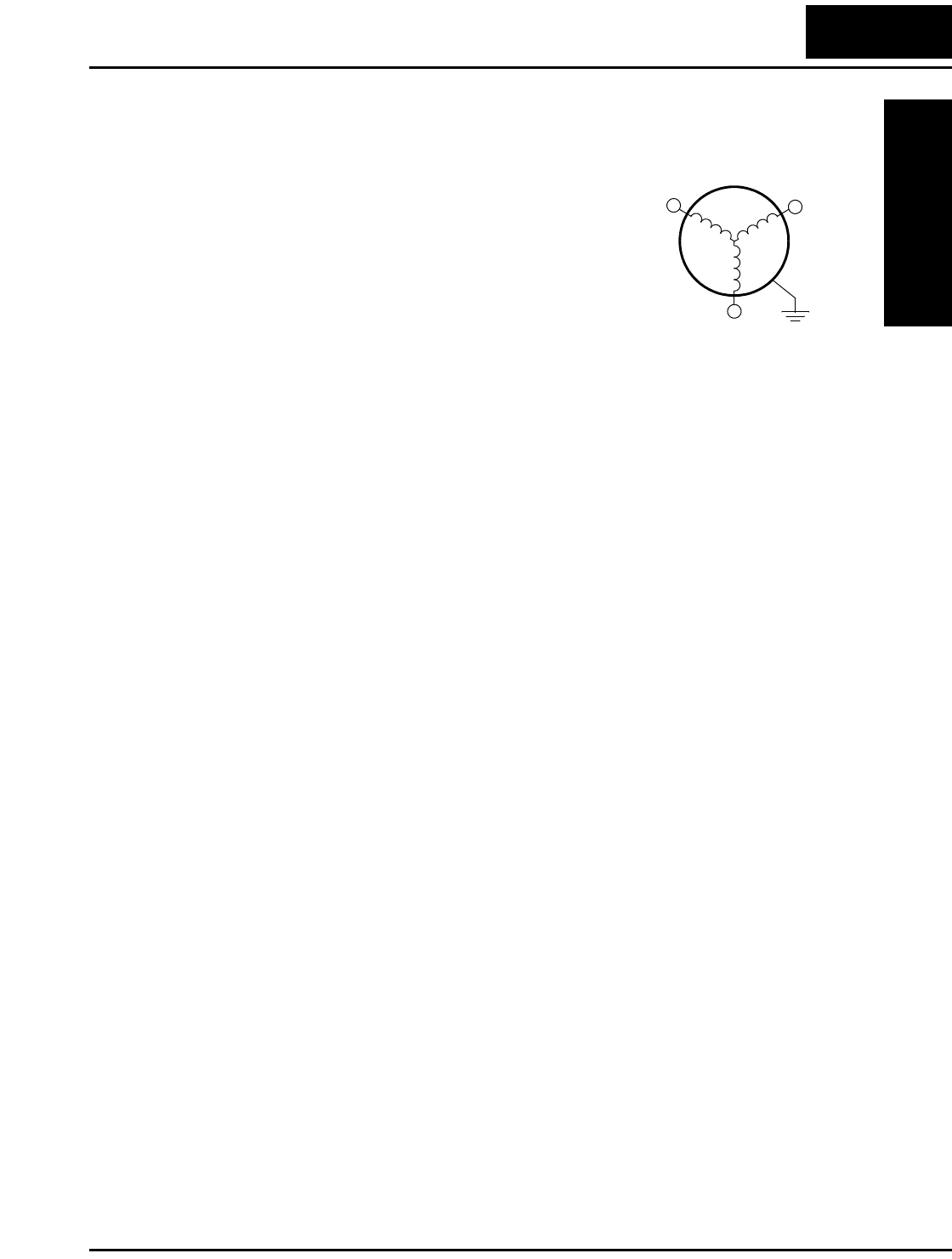
The AC motor must be connected only to the inverter’s
output terminals. The output terminals are uniquely
labeled (to differentiate them from the input terminals)
with the designations U/T1, V/T2, and W/T3. This
corresponds to typical motor lead connection designa-
tions T1, T2, and T3. It is often not necessary to connect
a particular inverter output to a particular motor lead for
a new application. The consequence of swapping any
two of the three connections is the reversal of the motor
direction. In applications where reversed rotation could
cause equipment damage or personnel injury, be sure to verify direction of rotation
before attempting full-speed operation. For safety to personnel, you must connect the
motor chassis ground to the ground connection at the bottom of the inverter housing.
Notice the three connections to the motor do not include one marked “Neutral” or
“Return.” The motor represents a balanced “Y” impedance to the inverter, so there is no
need for a separate return. In other words, each of the three “Hot” connections serves
also as a return for the other connections, because of their phase relationship.
The Hitachi inverter is a rugged and reliable device. The intention is for the inverter to
assume the role of controlling power to the motor during all normal operations. There-
fore, this manual instructs you not to switch off power to the inverter while the motor is
running (unless it is an emergency stop). Also, do not install or use disconnect switches
in the wiring from the inverter to the motor (except thermal disconnect). Of course,
safety-related devices such as fuses must be in the design to break power during a
malfunction, as required by NEC and local codes.
3-Phase AC Motor
U/T1 V/T2
W/T3
Earth
GND
Introduction to Variable-Frequency Drives
Getting Started
1–20
Intelligent Functions and Parameters
Much of this manual is devoted to describing
how to use inverter functions and how to config-
ure inverter parameters. The inverter is micropro-
cessor-controlled, and has many independent
functions. The microprocessor has an on-board
EEPROM for parameter storage. The inverter’s
front panel keypad provides access to all
functions and parameters, which you can access
through other devices as well. The general name
for all these devices is the digital operator, or
digital operator panel. Chapter 2 will show you
how to get a motor running, using a minimal set
of function commands or configuring parame-
ters.
The optional read/write programmer will let you
read and write inverter EEPROM contents from
the programmer. This feature is particularly
useful for OEMs who need to duplicate a particu-
lar inverter’s settings in many other inverters in
assembly-line fashion.
Braking
In general, braking is a force that attempts to slow or stop motor rotation. So it is associ-
ated with motor deceleration, but may also occur even when the load attempts to drive
the motor faster than the desired speed (overhauling). If you need the motor and load to
decelerate quicker than their natural deceleration during coasting, we recommend
installing an optional dynamic braking unit. See “Introduction” on page 5–2 and
“Dynamic Braking” on page 5–5 for more information on the BRD–E2 and BRD–EZ2
braking units. The L100 inverter sends excess motor energy into a resistor in the
dynamic braking unit to slow the motor and load. For loads that continuously overhaul
the motor for extended periods of time, the L100 may not be suitable (contact your
Hitachi distributor).
The inverter parameters include acceleration and deceleration, which you can set to
match the needs of the application. For a particular inverter, motor, and load, there will
be a range of practically achievable accelerations and decelerations.
L100 Inverter
Getting Started
1–21
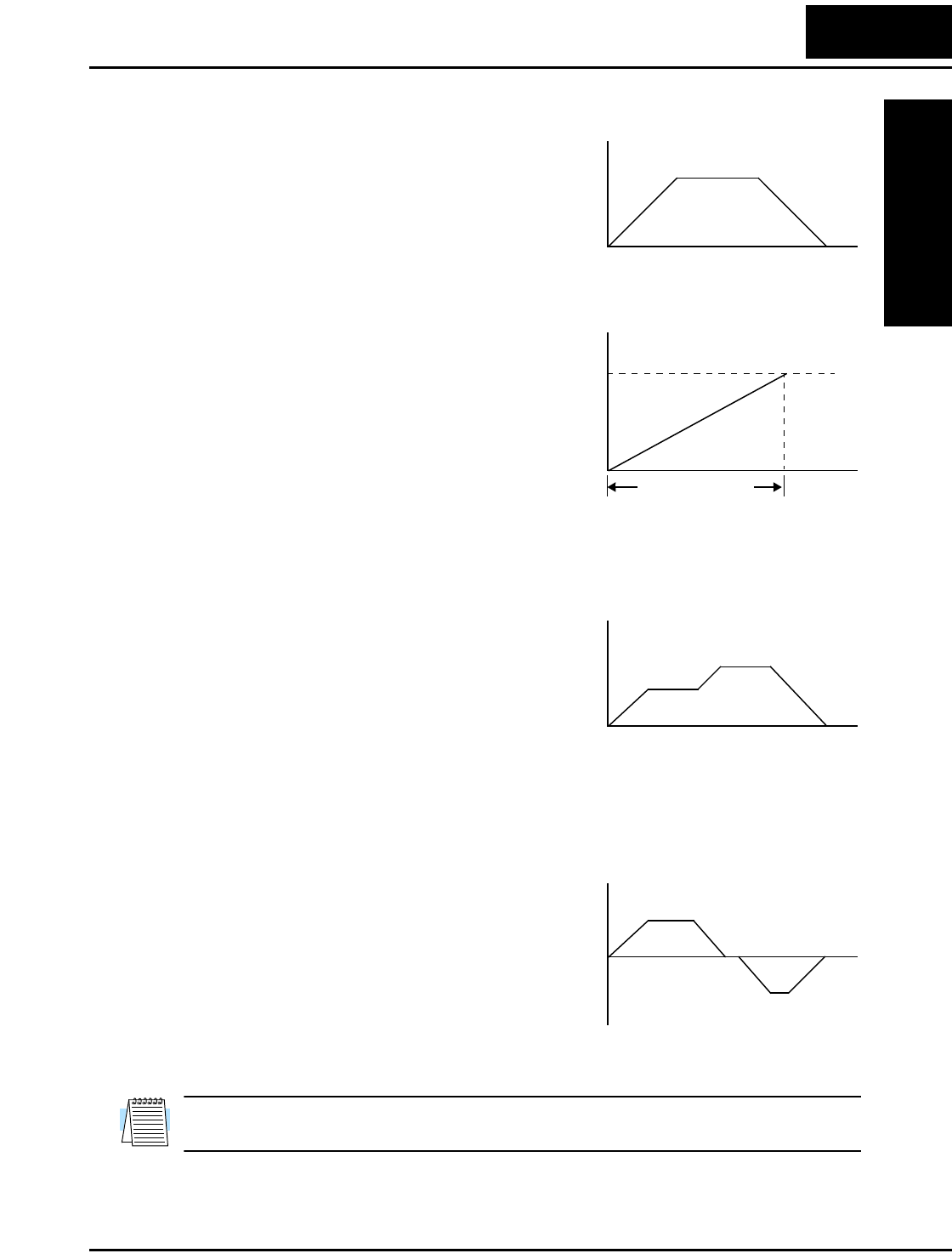
Velocity Profiles
The L100 inverter is capable of sophisticated
speed control. A graphical representation of
that capability will help you understand and
configure the associated parameters. This
manual makes use of the velocity profile
graph used in industry (shown at right). In the
example, acceleration is a ramp to a set speed,
and deceleration is a decline to a stop.
Acceleration and deceleration settings specify
the time required to go from a stop to
maximum frequency (or visa versa). The
resulting slope (speed change divided by time)
is the acceleration or deceleration. An increase
in output frequency uses the acceleration
slope, while a decrease uses the deceleration
slope. The accel or decel time a particular
speed change depends on the starting and
ending frequencies. However, the slope is constant, corresponding to the full-scale accel
or decel time setting. For example, the full-scale acceleration setting (time) may be 10
seconds—the time required to go from 0 to 60 Hz.
The L100 inverter can store up to 16 preset
speeds. And, it can apply separate acceleration
and deceleration transitions from any preset to
any other preset speed. A multi-speed profile
(shown at right) uses two or more preset
speeds, which you can select via intelligent
input terminals. This external control can
apply any preset speed at any time. Alterna-
tively, the selected speed is infinitely variable across the speed range. You can use the
potentiometer control on the keypad for manual control. The drive accepts analog 0-10V
signals and 4-20 mA control signals as well.
The inverter can drive the motor in either
direction. Separate FW and RV commands
select the direction of rotation. The motion
profile example shows a forward motion
followed by a reverse motion of shorter
duration. The speed presets and analog signals
control the magnitude of the speed, while the
FWD and REV commands determine the
direction before the motion starts.
NOTE: The L100 can move loads in both directions. However, it is not designed for use
in servo-type applications that use a bipolar velocity signal that determines direction.
Velocity Profile
Speed
t
Set speed
Accel Decel
0
t
Speed Maximum speed
Acceleration
(time setting)
0
Multi-speed Profile
Speed
t
Speed 1
Speed 2
0
Bi-directional Profile
0
Speed
t
Forward move
Reverse move
Frequently Asked Questions
Getting Started
1–22
Frequently Asked Questions
Q. What is the main advantage in using an inverter to drive a motor, compared to
alternative solutions?
A. An inverter can vary the motor speed with very little loss of efficiency,
unlike mechanical or hydraulic speed control solutions. The resulting energy
savings usually pays for the inverter in a relatively short time.
Q. The term “inverter” is a little confusing, since we also use “drive” and “amplifier”
to describe the electronic unit that controls a motor. What does “inverter” mean?
A. The terms inverter, drive, and amplifier are used somewhat interchangeably
in industry. Nowadays, the terms drive, variable-frequency drive, variable-
speed drive, and inverter are generally used to describe electronic, micropro-
cessor-based motor speed controllers. In the past, variable-speed drive also
referred to various mechanical means to vary speed. Amplifier is a term
almost exclusively used to describe drives for servo or stepper motors.
Q. Although the L100 inverter is a variable speed drive, can I use it in a fixed-speed
application?
A. Yes, sometimes an inverter can be used simply as a “soft-start” device,
providing controlled acceleration and deceleration to a fixed speed. Other
functions of the L100 may be useful in such applications, as well. However,
using a variable speed drive can benefit many types of industrial and
commercial motor applications, by providing controlled acceleration and
deceleration, high torque at low speeds, and energy savings over alternative
solutions.
Q. Can I use an inverter and AC induction motor in a positioning application?
A. That depends on the required precision, and the slowest speed the motor will
must turn and still deliver torque. If you set the torque boost, the L100 can
develop starting torque at 100% of its rating. However, DO NOT use an
inverter if you need the motor to stop and hold the load position without the
aid of a mechanical brake (use a servo or stepper motion control system).
Q. Does the optional digital operator interface or the PC software (DOP Professional)
provide features beyond what is available from the keypad on the unit?
A. Yes. However, note first that the same set of parameters and functions are
equally accessible from either the unit’s keypad or from remote devices. The
DOP Professional PC software lets you save or load inverter configurations
to or from a disk file. And, the hand-held digital operator provides hard-
wired terminals, a safety requirement for some installations.

L100 Inverter
Getting Started
1–23
Q. Why does the manual or other documentation use terminology such as “200V
class” instead of naming the actual voltage, such as “230 VAC?”
A. A specific inverter model is set at the factory to work across a voltage range
particular to the destination country for that model. The model specifications
are on the label on the side of the inverter. A European 200V class inverter
(“EU” marking) has different parameter settings than a USA 200V class
inverter (“US” marking). The initialization procedure (see “Restoring
Factory Default Settings” on page 6–8) can set up the inverter for European
or US commercial voltage ranges.
Q. Why doesn’t the motor have a neutral connection as a return to the inverter?
A. The motor theoretically represents a “balanced Y” load if all three stator
windings have the same impedance. The Y connection allows each of the
three wires to alternately serve as input or return on alternate half-cycles.
Q. Does the motor need a chassis ground connection?
A. Yes, for several reasons. Most importantly, this provides protection in the
event of a short in the motor that puts a hazardous voltage on its housing.
Secondly, motors exhibit leakage currents that increase with aging. Lastly, a
grounded chassis generally emits less electrical noise than an ungrounded
one.
Q. What type of motor is compatible with the Hitachi inverters?
A. Motor type – It must be a three-phase AC induction motor. Use an inverter-
grade motor that has 800V insulation for 200V class inverters, or 1600V
insulation for 400V class.
Motor size – In practice, it’s better to find the right size motor for your
application; then look for the inverter to match the motor.
NOTE: There may be other factors that will affect motor selection, including heat dissi-
pation, motor operating speed profile, enclosure type, and cooling method.
Q. How many poles should the motor have?
A. Hitachi inverters can be configured to operate motors with 2, 4, 6, or 8 poles.
The greater the number of poles, the slower the top motor speed will be, but
it will have higher torque at the base speed.
Q. Will I be able to add dynamic (resistive) braking to my Hitachi L100 drive after
the initial installation?
A. Yes. You can connect a dynamic braking unit to the L100 inverter. The
resistor in the braking unit must be sized to meet the braking requirements.
More information on dynamic braking is located in Chapter 5.
Frequently Asked Questions
Getting Started
1–24
Q. How will I know if my application will require resistive braking?
A. For new applications, it may be difficult to tell before you actually test a
motor/drive solution. In general, some applications can rely on system losses
such as friction to serve as the decelerating force, or otherwise can tolerate a
long deceleration time. These applications will not need dynamic braking.
However, applications with a combination of a high-inertia load and a
required short decel time will need dynamic braking. This is a physics
question that may be answered either empirically or through extensive calcu-
lations.
Q. Several options related to electrical noise suppression are available for the Hitachi
inverters. How can I know if my application will require any of these options?
A. The purpose of these noise filters is to reduce the inverter electrical noise so
the operation of nearby electrical devices is not affected. Some applications
are governed by particular regulatory agencies, and noise suppression is
mandatory. In those cases, the inverter must have the corresponding noise
filter installed. Other applications may not need noise suppression, unless
you notice electrical interference with the operation of other devices.
Q. The L100 features a PID loop feature. PID loops are usually associated with
chemical processes, heating, or process industries in general. How could the PID
loop feature be useful in my application?
A. You will need to determine the particular main variable in your application
the motor affects. That is the process variable (PV) for the motor. Over time,
a faster motor speed will cause a faster change in the PV than a slow motor
speed will. By using the PID loop feature, the inverter commands the motor
to run at the optimal speed required to maintain the PV at the desired value
for current conditions. Using the PID loop feature will require an additional
sensor and other wiring, and is considered an advanced application.
Inverter Mounting
and Installation
In This Chapter.... page
— Orientation to Inverter Features ...................... 2
— Basic System Description ............................... 5
— Step-by-Step Basic Installation........................ 6
— Powerup Test ................................................ 19
— Using the Front Panel Keypad ...................... 21
2
Orientation to Inverter Features
Inverter Mounting
and Installation
2–2
Orientation to Inverter Features
Unpacking and Inspection
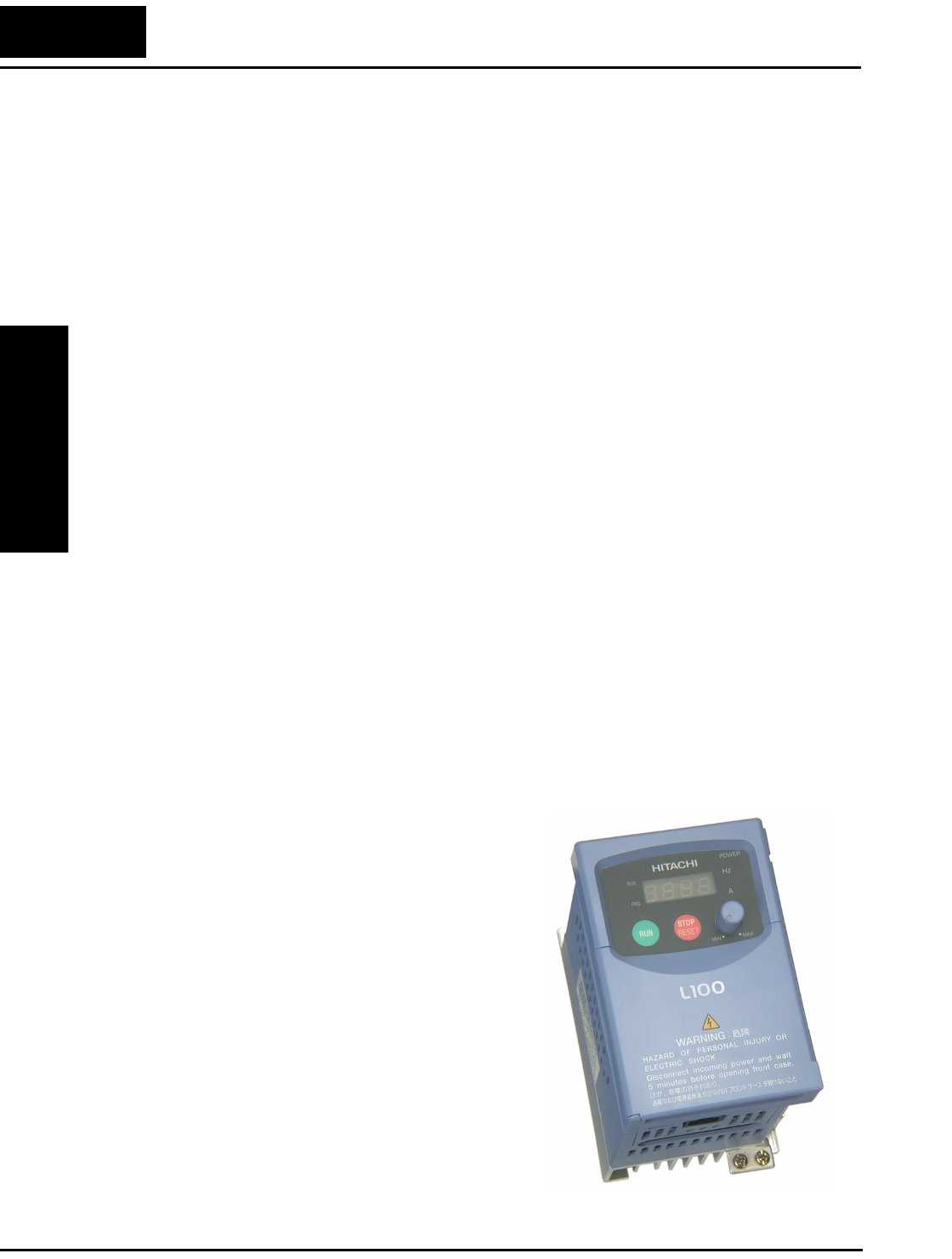
Please take a few moments to unpack your new L100 inverter and perform these steps:
1. Look for any damage that may have occurred during shipping.
2. Verify the contents of the box include:
a. One L100 inverter
b. One Instruction Manual with self-adhesive label for the inverter
c. One L100 Quick Reference Guide
d. One packet of desiccant—discard (not for human consumption)
3. Inspect the specifications label on the side of the inverter. Make sure it matches the
product part number you ordered.
Main Physical Features
The L100 Series inverters vary in size according to the current output rating and motor
size for each model number. All feature the same basic keypad and connector interface
for consistent ease of use. The inverter construction has a heat sink at the back of the
housing. The larger models include a fan(s) to enhance heat sink performance. The
mounting holes are pre-drilled in the heat sink for your convenience. Never touch the
heat sink during or just after operation; it can be very hot.
The electronics housing and front panel are built onto the front of the heat sink. The
front panel has three levels of physical access designed for convenience and safety:
•First-level access – for basic use of inverter and editing parameters (power ON)
•Second-level access – for editing parameters and wiring control signals (power ON)
•Third-level access – for wiring the inverter power supply or motor (power OFF)
1. First-level Access - View the unit just as it
came from the box as shown. The four-digit
display can show a variety of performance
parameters. LEDs indicate whether the
display units are Hertz or Amperes. Other
LEDs indicate Power (external), and Run/
Stop Mode and Program/Monitor Mode
status. Membrane keys Run and Stop/Reset,
and a Min/Max frequency control knob
control motor operation. These controls and
indicators are usually the only ones needed
after the inverter installation is complete.
You can also access the modular jack for
connecting a programming or monitoring
device such as a PC (see Chapter 3). And,
you can access the two chassis GND screws
on the metal tab at the bottom of the inverter.
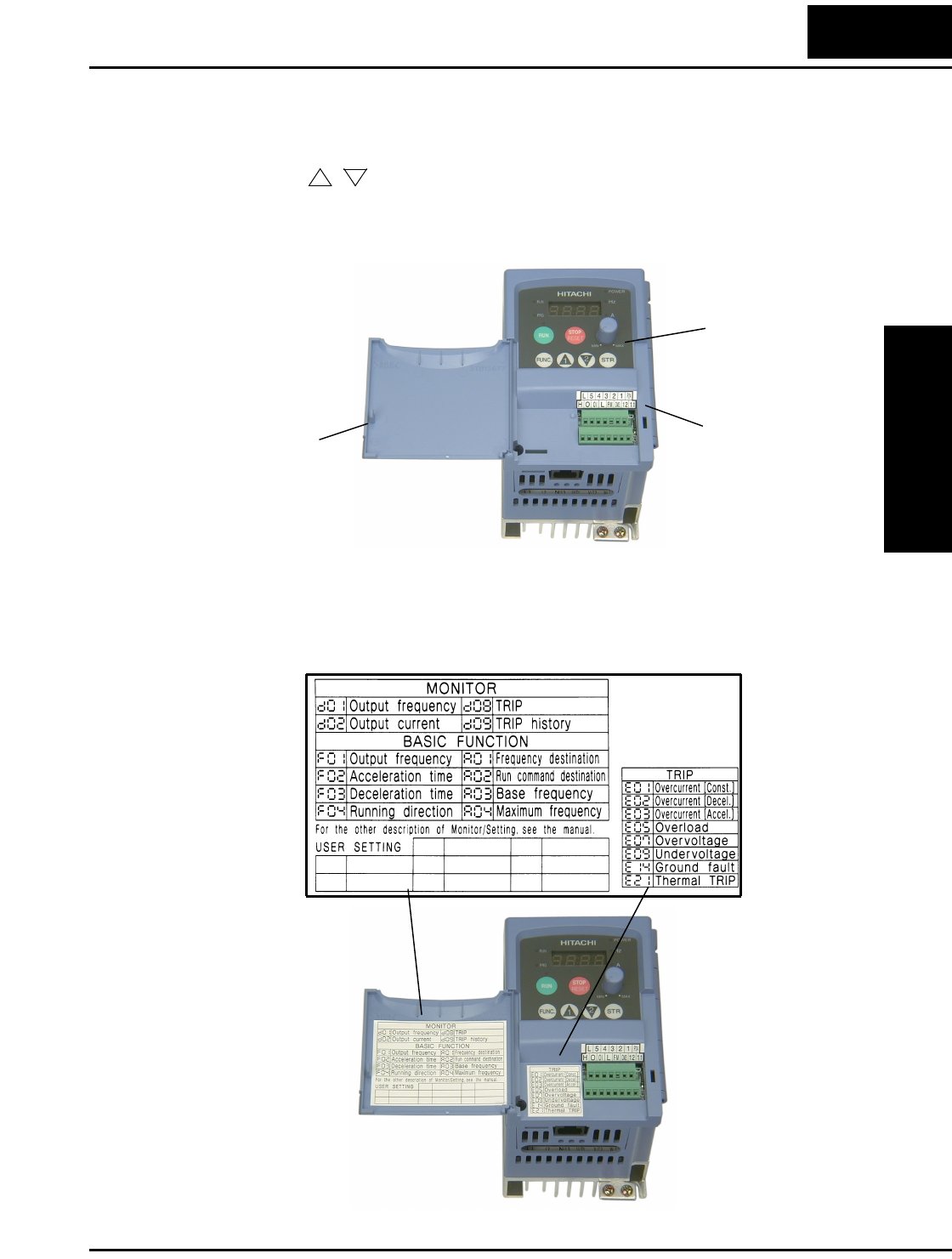
L100 Inverter
Inverter Mounting
and Installation
2–3
2. Second-level access - Locate the lift tab at the right lower corner of the front panel
near the safety warning message. Lift the corner to swing the half-door around to the
left. This exposes four more control buttons and some connectors.
The FUNC., , , and STR keys allow an operator to access and change the
inverter’s functions and parameter values. The 7 and 8-position connectors provide
the interface for logic-level control signals. These signals are generally low-voltage
in nature and are appropriate for second-level access.
Locate the label sheet that came with the manual. This is a good moment to apply the
self-sticking labels as shown below. Adhere the larger label for monitor codes and
basic functions to the rear of the half-door panel. Then adhere the remaining trip code
label to the area beside the connectors. Be careful not to cover the screw access on
models like the one shown.
12
Control signal
connectors
Lift tab for
opening door
Controls for mode
and parameter
changes
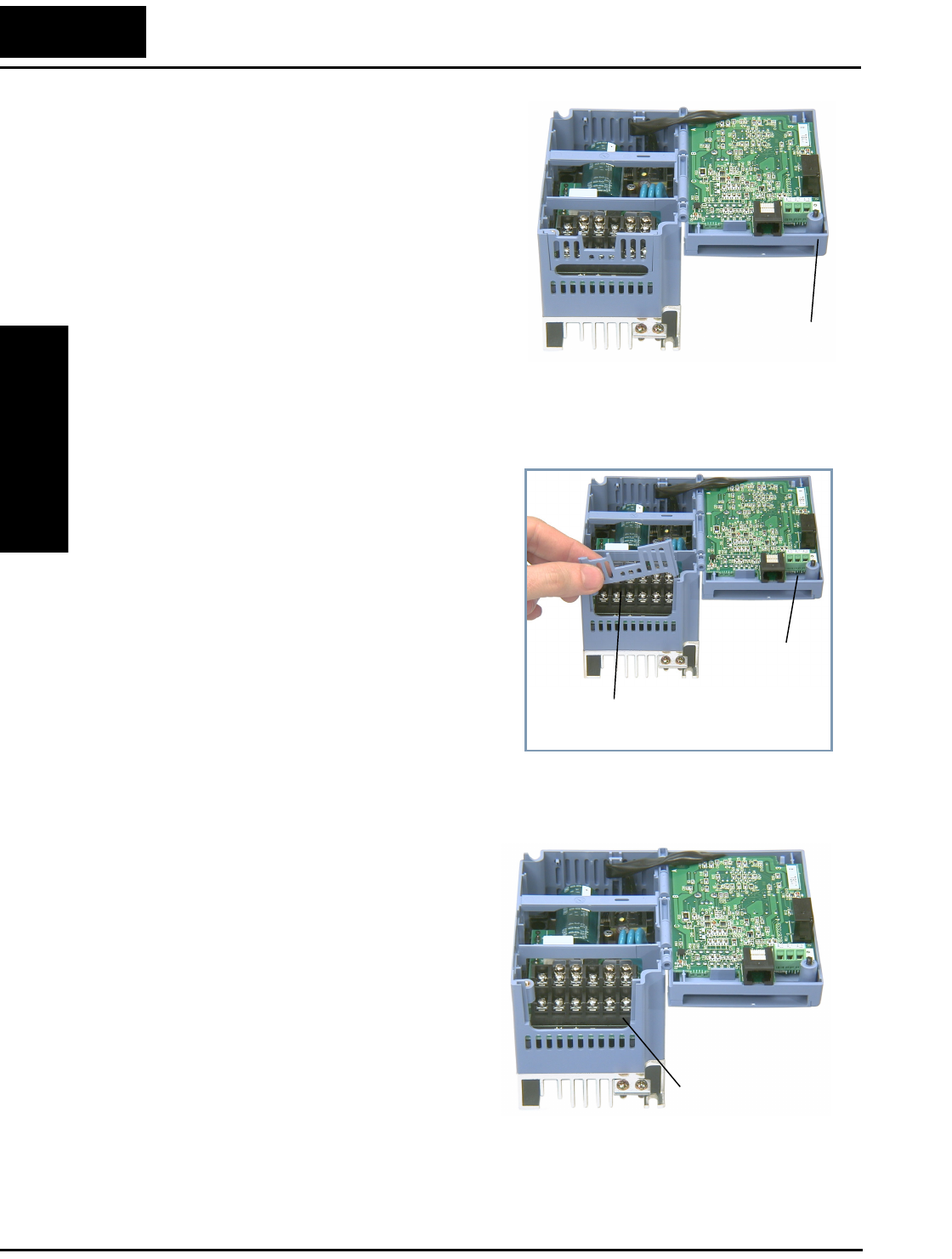
Orientation to Inverter Features
Inverter Mounting
and Installation
2–4
3. Third-level access - First, ensure no power
source of any kind is connected to the
inverter. If power has been connected, wait
five minutes after powerdown and verify
the Power LED is OFF to proceed. Then
locate the recessed retention screw on the
left side main front panel (it is along the
left hinge area on some models, or behind
the first access door on others). Use a small
screwdriver (Regular or Phillips) to loosen
the screw. Swing the door around to the
right to reveal the internal components of
the drive. The two-level tiered 12-position
terminal block accepts wires for the power
input and wires to the motor.
Notice the housing partition that lifts out to
allow full access to the terminals for wiring as
shown. Never operate the inverter drive with
the partition removed or the full access door
opened.
The alarm circuit connections are accessible
on the 3-position connector near the modular
connector on the rear of the main panel door.
The nearby relay provides both normally-
open and normally-closed logic for interface
to an external alarm. The alarm circuit may
carry hazardous live voltages even when the
main power to the inverter is OFF. So, never
directly touch any terminal or circuit compo-
nent. A notch in the removable partition
serves as the exit path for alarm circuit wiring.
The following sections will describe the
system design and guide you through a
step-by-step installation process. After the
section on wiring, this chapter will show
how to use the front panel keys to access
functions and edit parameters.
Retention screw
Housing partition
Alarm
connector
Power and motor
connector terminals
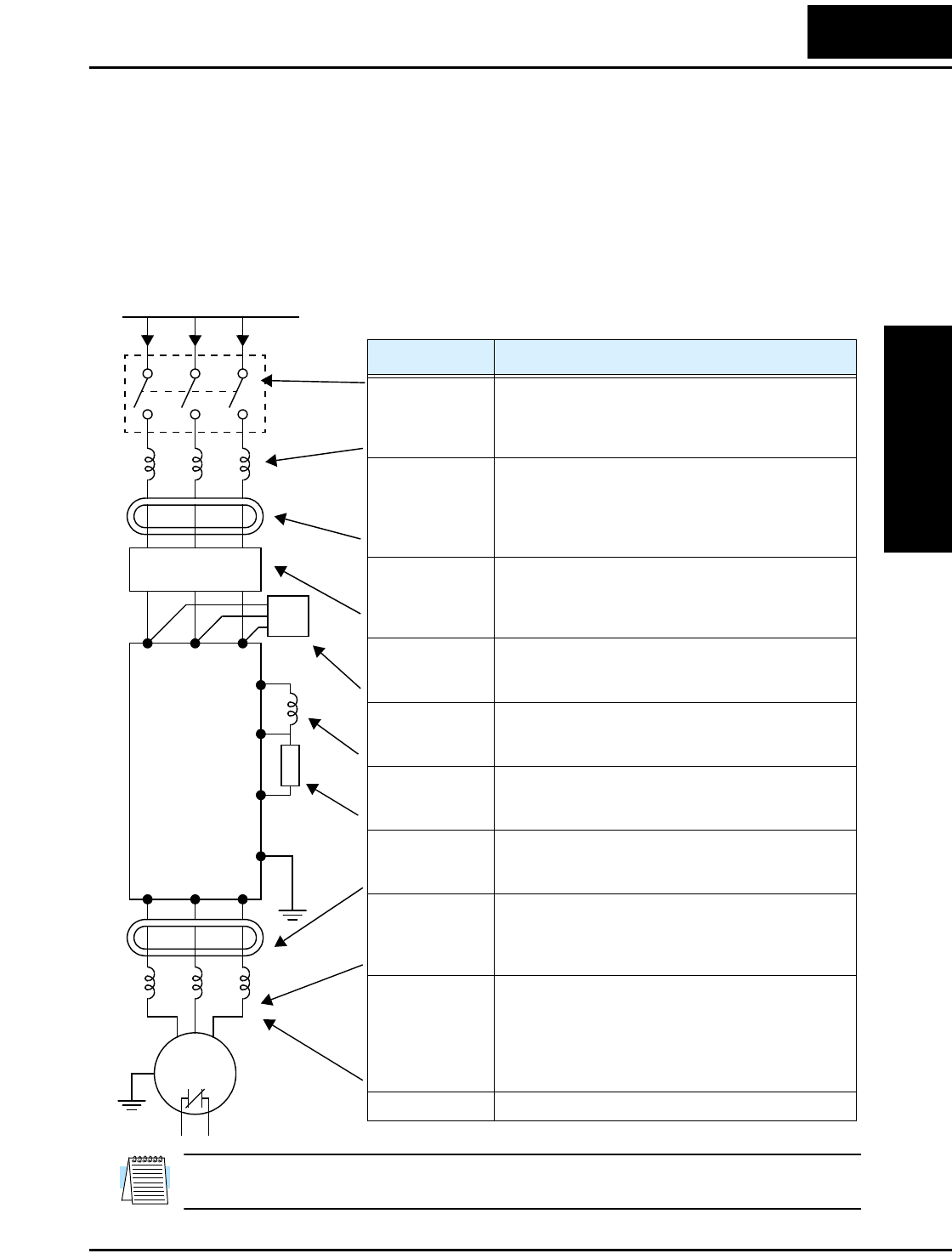
L100 Inverter
Inverter Mounting
and Installation
2–5
Basic System Description
A motor control system will obviously include a motor and inverter, as well as a breaker
or fuses for safety. If you are connecting a motor to the inverter on a test bench just to get
started, that’s all you may need for now. But a system can also have a variety of
additional components. Some can be for noise suppression, while others may enhance
the inverter’s braking performance. The figure and table below show a system with all
the optional components you may need in your finished application.
NOTE: Note that some components are required for regulatory agency compliance (see
Chapter 5 and Appendix C).
Thermal
switch
Breaker,
MCCB or
GFI
From power supply
Motor
L1 L2 L3
+1
+
Inverter
RB
GND
T1 T2 T3
Name Function
Breaker / discon-
nect
A molded-case circuit breaker (MCCB), ground fault
interrupter (GFI), or a fused disconnect device. NOTE:
The installer must refer to the NEC and local codes to
ensure safety and compliance.
Input-side
AC Reactor
This is useful in suppressing harmonics induced on the
power supply lines and for improving the power factor.
WARNING: Some applications must use an input-
side AC reactor to prevent inverter damage. See
Warning on next page.
Radio noise filter Electrical noise interference may occur on nearby
equipment such as a radio receiver. This magnetic
choke filter helps reduce radiated noise (can also be
used on output).
EMI filter (for
CE applications,
see Appendix D)
Reduces the conducted noise on the power supply
wiring between the inverter and the power distribution
system. Connect to the inverter primary (input side).
Radio noise filter
(use in non-CE
applications)
This capacitive filter reduces radiated noise from the
main power wires in the inverter input side.
DC link choke Suppresses harmonics generated by the inverter.
However, it will not protect the input diode bridge
rectifier.
Braking resistor This is useful for increasing the inverter’s control
torque for high duty-cycle (ON-OFF) applications, and
improving the decelerating capability.
Radio noise filter Electrical noise interference may occur on nearby
equipment such as a radio receiver. This magnetic
choke filter helps reduce radiated noise (can also be
used on input).
Output-side
AC reactor
This reactor reduces the vibrations in the motor caused
by the inverter’s switching waveforms, by smoothing
the waveform to approximate commercial power
quality. It is also useful to reduce harmonics when
wiring from the inverter to the motor is more than 10m
in length.
LCR filter Sine wave shaping filter for output side.
Step-by-Step Basic Installation
Inverter Mounting
and Installation
2–6
WARNING: In the cases below involving a general-purpose inverter, a large peak
current can flow on the power supply side, sometimes destroying the converter module:
1.The unbalance factor of the power supply is 3% or higher.
2.The power supply capacity is at least 10 times greater than the inverter capacity
(or the power supply capacity is 500 kVA or more).
3.Abrupt power supply changes are expected, due to conditions such as:
a. Several inverters are interconnected with a short bus.
b. A thyristor converter and an inverter are interconnected with a short bus.
c. An installed phase advance capacitor opens and closes.
Where these conditions exist or when the connected equipment must be highly reliable,
you MUST install an input-side AC reactor of 3% (at a voltage drop at rated current)
with respect to the supply voltage on the power supply side. Also, where the effects of an
indirect lightning strike are possible, install a lightning conductor.
Step-by-Step Basic Installation
This section will guide you through the following basic steps of installation:
1. Study the warnings associated with mounting the inverter.
2. Select a suitable mounting location.
NOTE: If the installation is in an EU country, study the EMC installation guidelines in
Appendix C.
3. Place covers over the inverter’s ventilation openings to prevent debris from entering.
4. Check the inverter mounting dimensions for footprint and mounting hole locations.
5. Study the caution and warning messages associated with wiring the inverter.
6. Connect wiring for the inverter power input.
7. Connect wiring to the motor.
8. Remove any covers applied in Step 3 from the inverter’s ventilation openings.
CAUTION: The inverter is shipped with a plastic cover over the top vent grill.
REMOVE this cover after the installation is complete. Operation with this cover in place
will not allow proper cooling, and damage to the inverter may result.
9. Perform a powerup test.
10. Make observations and check your installation.
L100 Inverter
Inverter Mounting
and Installation
2–7
Choosing a Mounting Location
Step 1: Study the following caution messages associated with mounting the inverter.
This is the time when mistakes are most likely to occur that will result in expensive
rework, equipment damage, or personal injury.
CAUTION: Be sure to install the unit on flame-resistant material such as a steel plate.
Otherwise, there is the danger of fire.
CAUTION: Be sure not to place any flammable materials near the inverter. Otherwise,
there is the danger of fire.
CAUTION: Be sure not to let the foreign matter enter vent openings in the inverter
housing, such as wire clippings, spatter from welding, metal shavings, dust, etc. Other-
wise, there is the danger of fire.
CAUTION: Be sure to install the inverter in a place that can bear the weight according
to the specifications in the text (Chapter 1, Specifications Tables). Otherwise, it may fall
and cause injury to personnel.
CAUTION: Be sure to install the unit on a perpendicular wall that is not subject to
vibration. Otherwise, it may fall and cause injury to personnel.
CAUTION: Be sure not to install or operate an inverter that is damaged or has missing
parts. Otherwise, it may cause injury to personnel.
CAUTION: Be sure to install the inverter in a well-ventilated room that does not have
direct exposure to sunlight, a tendency for high temperature, high humidity or dew
condensation, high levels of dust, corrosive gas, explosive gas, inflammable gas,
grinding-fluid mist, salt damage, etc. Otherwise, there is the danger of fire.
1
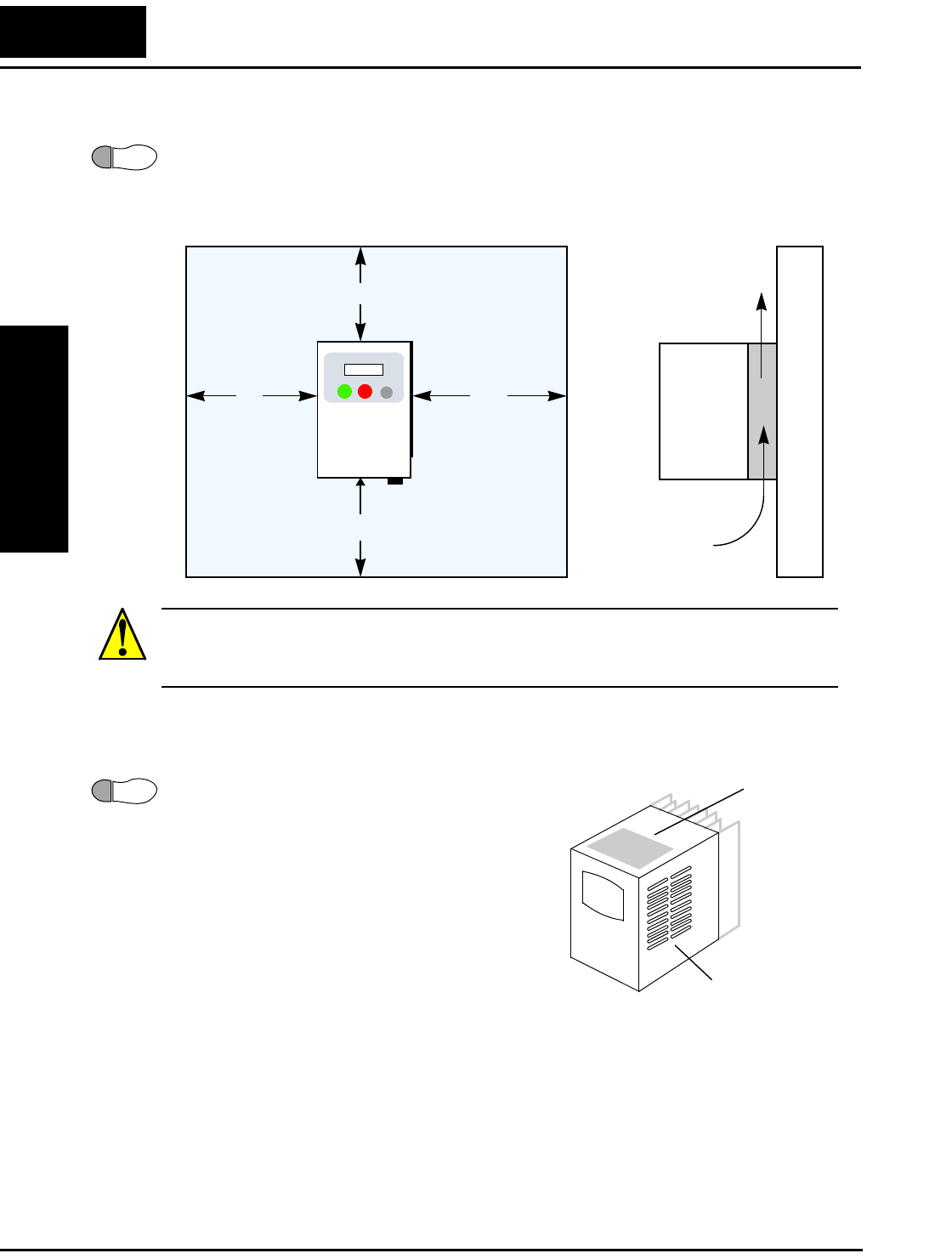
Step-by-Step Basic Installation
Inverter Mounting
and Installation
2–8
Ensure Adequate Ventilation
Step 2: To summarize the caution messages—you will need to find a solid, non-flamma-
ble, vertical surface that is in a relatively clean and dry environment. In order to ensure
enough room for air circulation around the inverter to aid in cooling, maintain the speci-
fied clearance around the inverter specified in the diagram.
CAUTION: Be sure to maintain the specified clearance area around the inverter and to
provide adequate ventilation. Otherwise, the inverter may overheat and cause equipment
damage or fire.
Keep Debris Out of Inverter Vents
Step 3: Before proceeding to the wiring section, it’s
a good time to temporarily cover the inverter’s
ventilation openings. Paper and masking tape are
all that is needed. This will prevent harmful debris
such as wire clippings and metal shavings from
entering the inverter during installation. The
inverter housing comes from the factory with a
snap-in cover on the top of its housing. Ensure it is
in place at this time (also to be removed later,
unless the installation must have a NEMA rating).
Please observe this checklist while mounting the
inverter:
1. The ambient temperature must be in the range of -10 to 40°C. If the range will be up
to 50°C, you will need to set the carrier frequency to 2.1 kHz or less and derate the
output current to 80% or less. Chapter 3 covers how to change parameters such as the
carrier frequency. Remember to remove the top cover (unless the installation is to
have a NEMA rating)!
2. Keep any other heat-producing equipment as far away from the inverter as possible.
2
8 cm (3.15”)
minimum
10 cm (3.94”)
minimum
12 cm (4.72”)
minimum
10 cm (3.94”)
minimum
L100
Clear area Air flow
3Top c over
installed
Ventilation holes
(both sides)
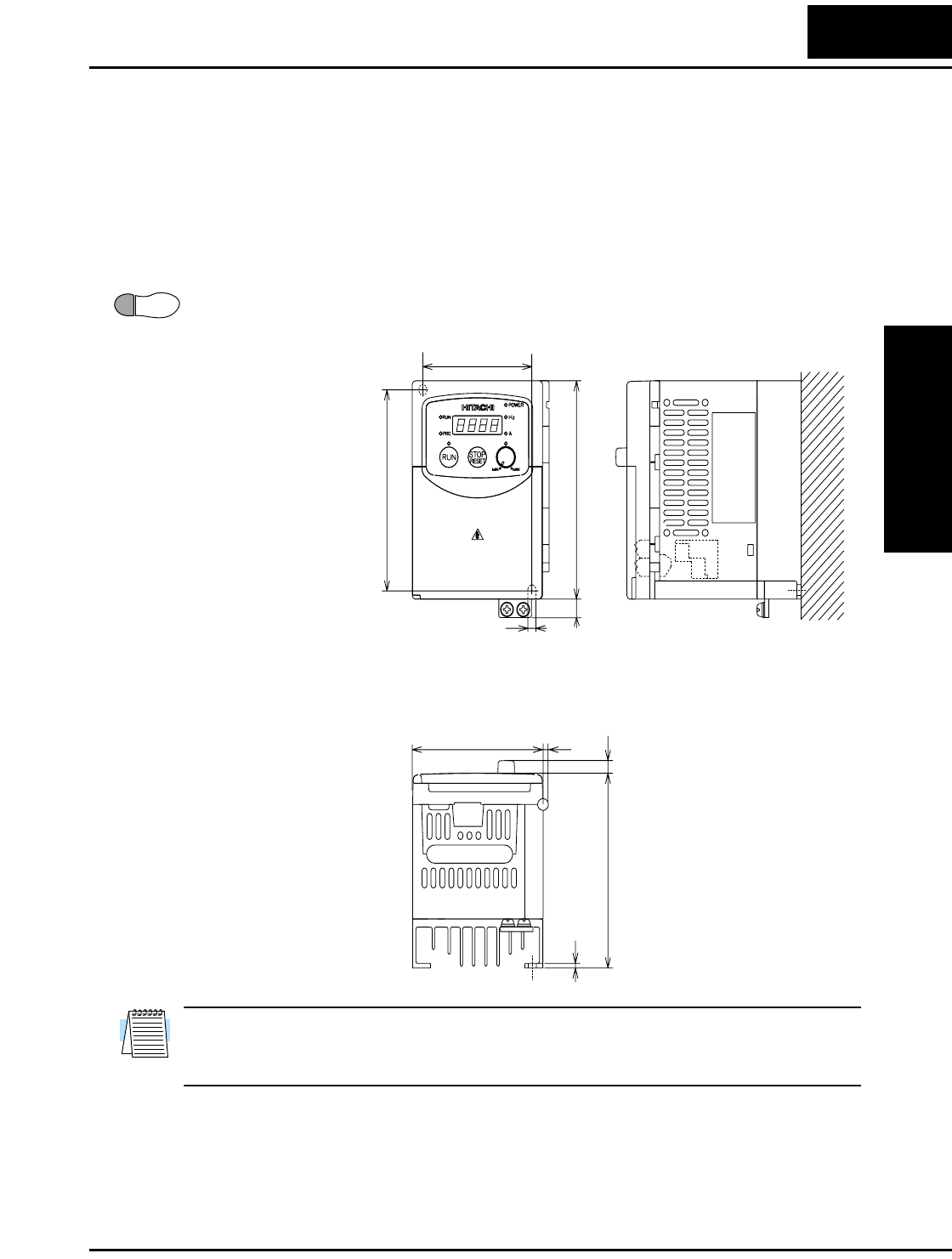
L100 Inverter
Inverter Mounting
and Installation
2–9
3. When installing the inverter in an enclosure, maintain the clearance around the
inverter and verify that its ambient temperature is within specification when the
enclosure door is closed.
4. Do not open the main front panel door at any time during operation.
Check Inverter Dimensions
Step 4: Locate the applicable drawing on the following pages for your inverter.
Dimensions are given in millimeters (inches) format.
NOTE: Some inverter housings require two mounting screws, while others require four.
Be sure to use lock washers or other means to ensure screws do not loosen due to
vibration.
4
MODEL H mm (in.)
External Dimensions
L100 -002NFE
-002NFU
-004NFE
-004NFU
107 (4.21)
107 (4.21)
107 (4.21)
107 (4.21)
67(2.64)
110(4.33)
120(4.72)
5(0.20)
10(0.39)
80(3.15) 4(0.16)
7(0.28)
H= (see H chart)
2.5(0.10)
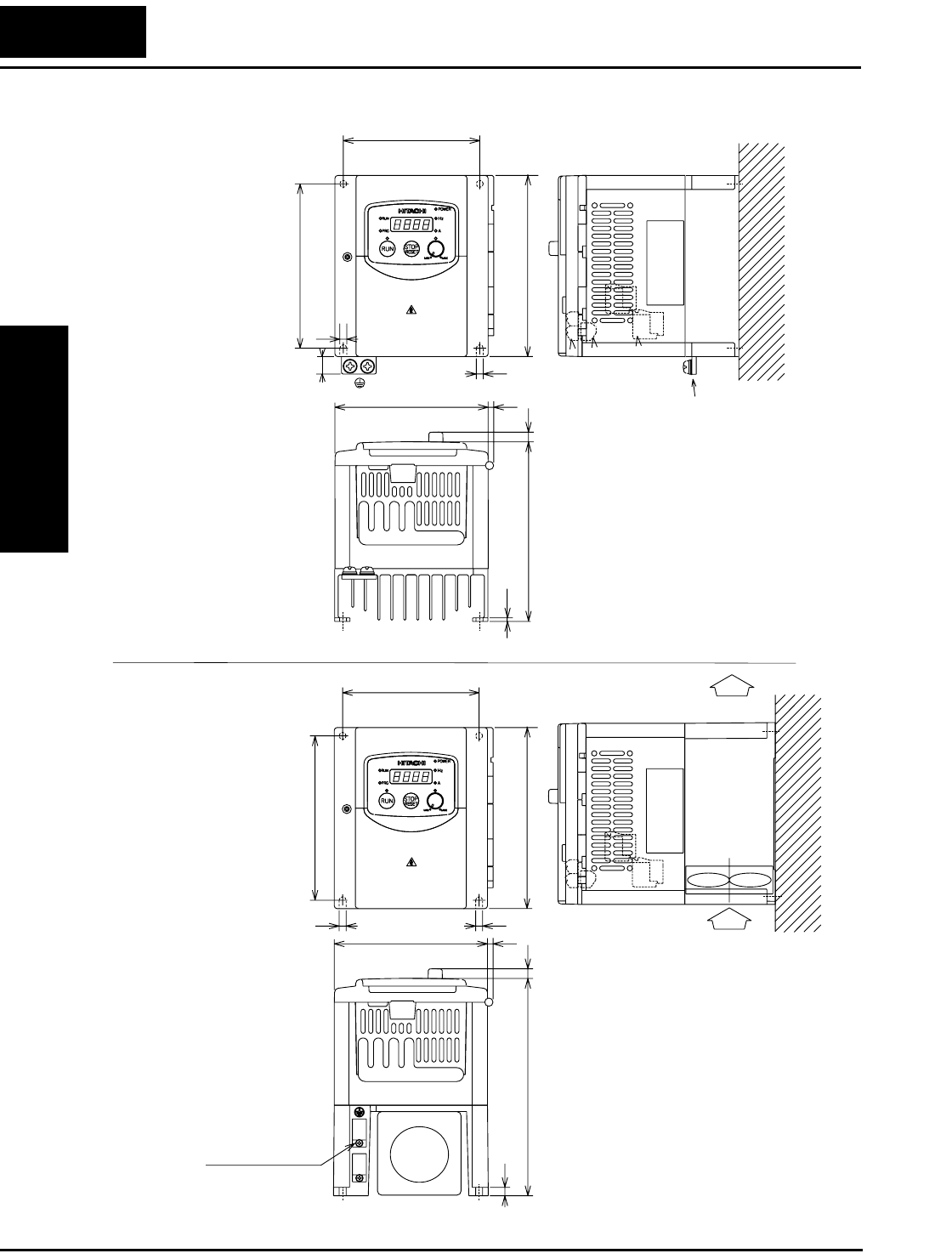
Step-by-Step Basic Installation
Inverter Mounting
and Installation
2–10
Dimensional drawings, continued...
FAN
MODEL
External Dimensions
L100 -004HFE
-004HFU
-007NFE
-007NFU
98(3.86)
118(4.65)
5(0.20)
130(5.12)
5(0.20)
Air
Air
98(3.86)
118(4.65)
L100 -007HFE(No fan)
-007HFU(No fan)
-015HFE
-015HFU
110(4.33) 4(0.16)
10(0.39)
7(0.28)
2.5(0.10)
129(5.08)
5(0.20)
110(4.33) 4(0.16)
5(0.20)
130(5.12)
6(0.24)
156(6.14)
7(0.28)
Ground Terminal
Ground Terminal
MODEL
-005NFE
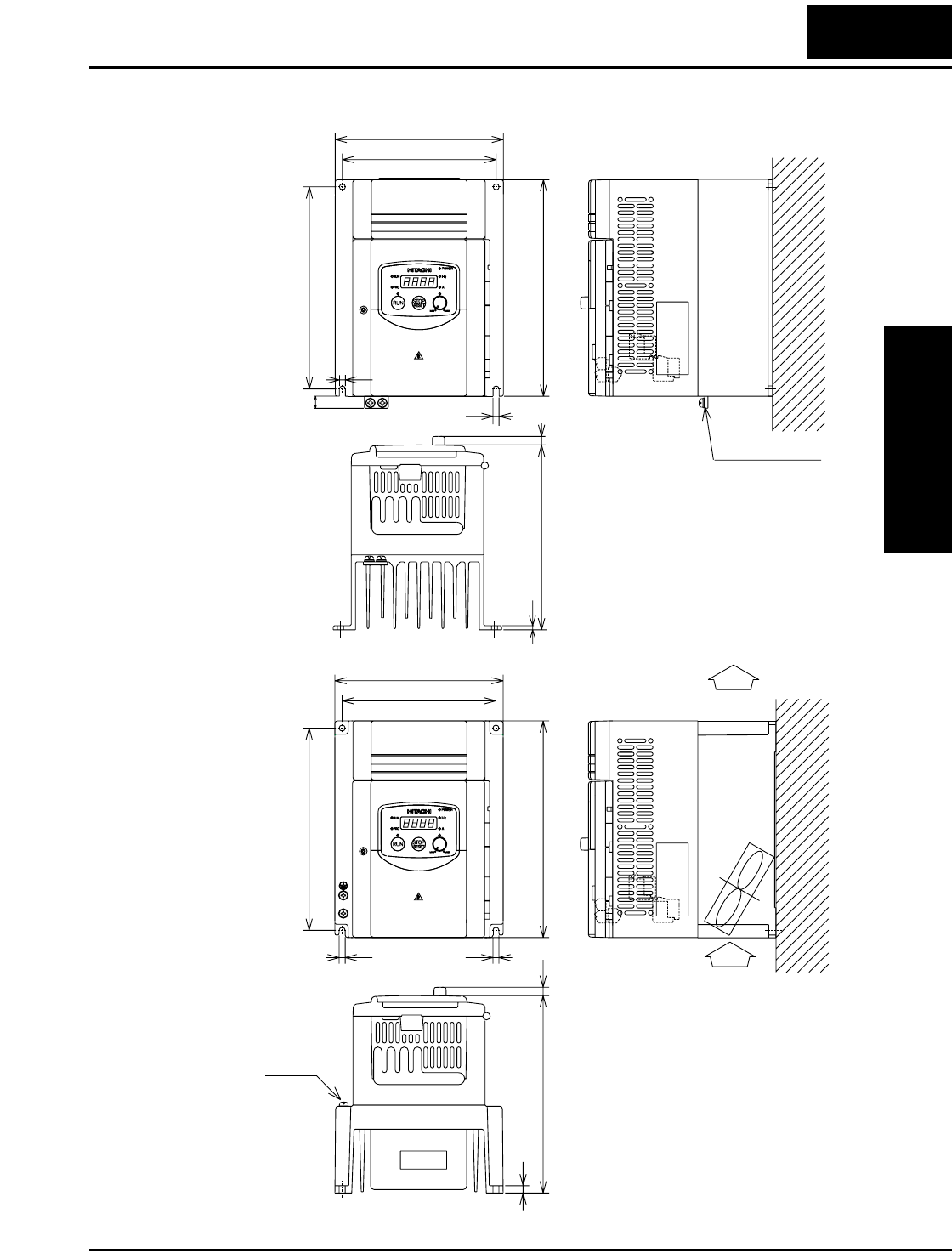
L100 Inverter
Inverter Mounting
and Installation
2–11
Dimensional drawings, continued...
FAN
L100
-015NFE
-015NFU
L100 -022NFE
-022NFU
-030HFE
-037LFU
-040HFE
-040HFU
140(5.51)
168(6.61)
180(7.08)
128(5.04)
5(0.20) 5(0.20)
7(0.28)
Ground Terminal
164(6.46)
6(0.24)
Air
Air
Ground Terminal
7(0.28)
153(6.02)
3.5(0.14)
180(7.09)
5(0.20)
140(5.51)
128(5.04)
168(6.61)
5(0.20)
10(0.39)
-011NFE
-022HFE
-022HFU
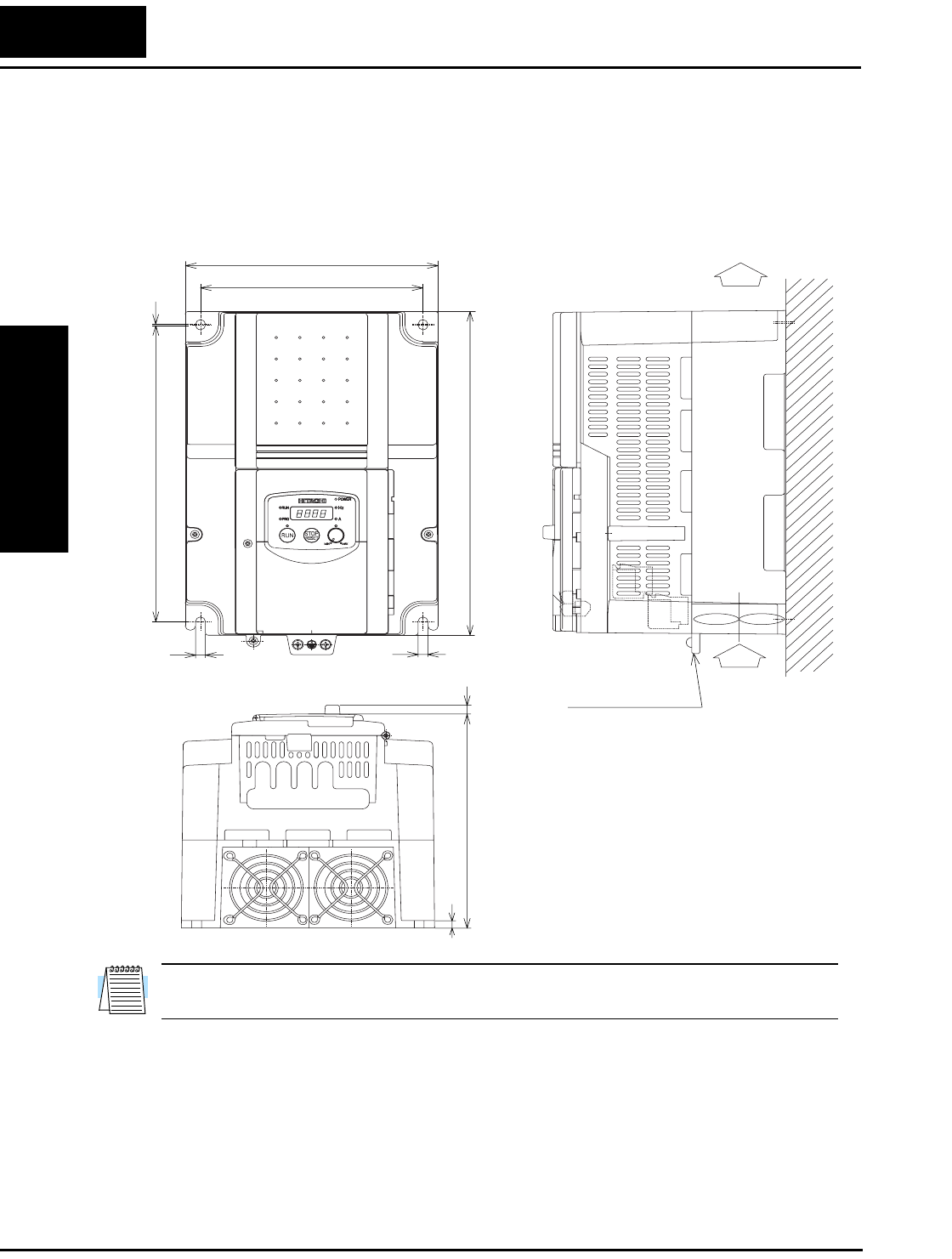
Step-by-Step Basic Installation
Inverter Mounting
and Installation
2–12
Dimensional drawings, continued...
NOTE: Model L100-075LFU has (2) fans. All other models in this housing have (1)
fan.
182(7.17)
160(6.30)
236(9.29)
170(6.69)
Air
Air
257(10.12)
1
7(0.28)7(0.28)
7(0.28)
6(0.24)
Ground Terminal
L100 -055LFU
-075LFU
-055HFU
-075HFU
-055HFE
-075HFE
L100 Inverter
Inverter Mounting
and Installation
2–13
Prepare for Wiring
Step 5: It is very important to perform the wiring steps carefully and correctly. Before
proceeding, please study the caution and warning messages below.
WARNING: “Use 60/75°C Cu wire only” or equivalent.
WARNING: “Open Type Equipment.”
WARNING: “Suitable for use on a circuit capable of delivering not more than 5,000
rms symmetrical amperes, 240 V maximum.” For models with suffix N or L.
WARNING: “Suitable for use on a circuit capable of delivering not more than 5,000
rms symmetrical amperes, 480 V maximum.” For models with suffix H.
HIGH VOLTAGE: Be sure to ground the unit. Otherwise, there is a danger of electric
shock and/or fire.
HIGH VOLTAGE: Wiring work shall be carried out only by qualified personnel. Oth-
erwise, there is a danger of electric shock and/or fire.
HIGH VOLTAGE: Implement wiring after checking that the power supply is OFF.
Otherwise, you may incur electric shock and/or fire.
HIGH VOLTAGE: Do not connect wiring to an inverter or operate an inverter that is
not mounted according the instructions given in this manual. Otherwise, there is a dan-
ger of electric shock and/or injury to personnel.
5
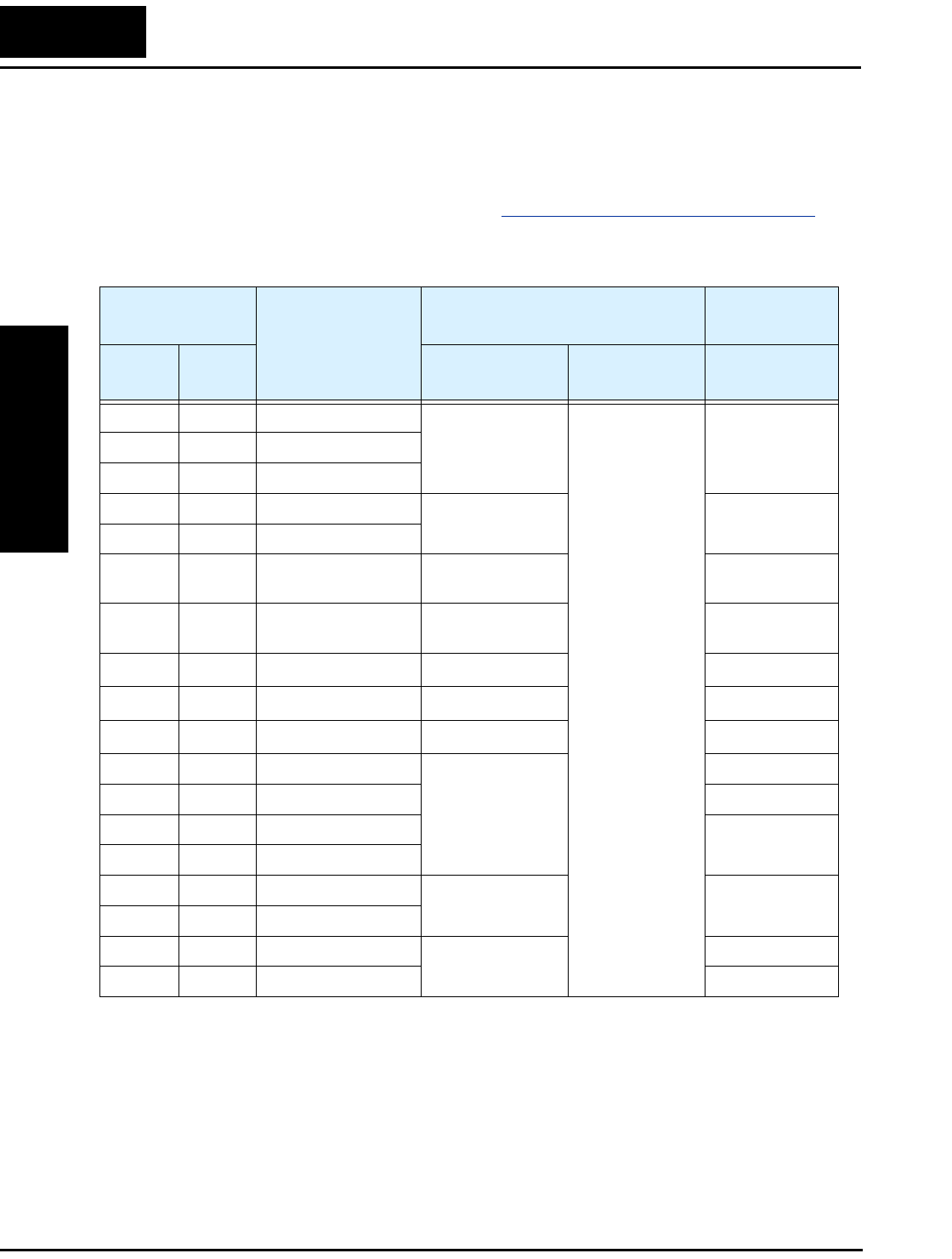
Step-by-Step Basic Installation
Inverter Mounting
and Installation
2–14
Determining Wire and Fuse Sizes
The maximum motor currents in your application determines the recommended wire
size. The following table gives the wire size in AWG. The “Power Lines” column
applies to the inverter input power, output wires to the motor, the earth ground connec-
tion, and any other component shown in the “Basic System Description” on page 2–5.
The “Signal Lines” column applies to any wire connecting to the two green 7 and 8-
position connectors just inside the front panel half-door.
Note 1: Field wiring must be made by a UL-listed and CSA-certified closed-loop
terminal connector sized for the wire gauge involved. Connector must be
fixed by using the crimping tool specified by the connector manufacturer.
Note 2: Be sure to consider the capacity of the circuit breaker to be used.
Note 3: Be sure to use a larger wire gauge if power line length exceeds 66 ft (20m).
Note 4: Use 18 AWG / 0.75 mm2 wire for the alarm signal wire ([AL0], [AL1], [AL2]
terminals).
Motor Output
(kW/HP)
Inverter Model
Wiring Applicable
equipment
kW HP Power Lines Signal Lines Fuse (UL-rated,
class J, 600V)
0.2 1/4 L100-002NFE/NFU
AWG16 / 1.3 mm2
18 to 28 AWG /
0.14 to 0.75 mm2
shielded wire
(see Note 4)
10A (single ph.)
7A (three ph.)
0.4 1/2 L100-004NFE/NFU
0.55 3/4 L100-005NFE
0.75 1 L100-007NFE/NFU
AWG14 / 2.1 mm215A (single ph.)
10A (three ph.)
1.1 1 1/2 L100-011NFE
1.5 2 L100-015NFE/NFU AWG12 / 3.3 mm220A (single ph.)
15A (three ph.)
2.2 3 L100-022NFE/NFU AWG10 / 5.3 mm230A (single ph.)
20A (three ph.)
3.7 5 L100-037LFU AWG12 / 3.3 mm230A
5.5 7 1/2 L100-055LFU AWG10 / 5.3 mm240A
7.5 10 L100-075LFU AWG8 / 8.4 mm250A
0.4 1/2 L100-004HFE/HFU
AWG16 / 1.3 mm2
3A
0.75 1 L100-007HFE/HFU 6A
1.5 2 L100-015HFE/HFU 10A
2.2 3 L100-022HFE/HFU
3.0 4 L100-030HFE
AWG14 / 2.1 mm215A
4.0 5 L100-040HFE/HFU
5.5 7 1/2 L100-055HFE/HFU
AWG12 / 3.3 mm220A
7.5 10 L100-075HFE/HFU 25A
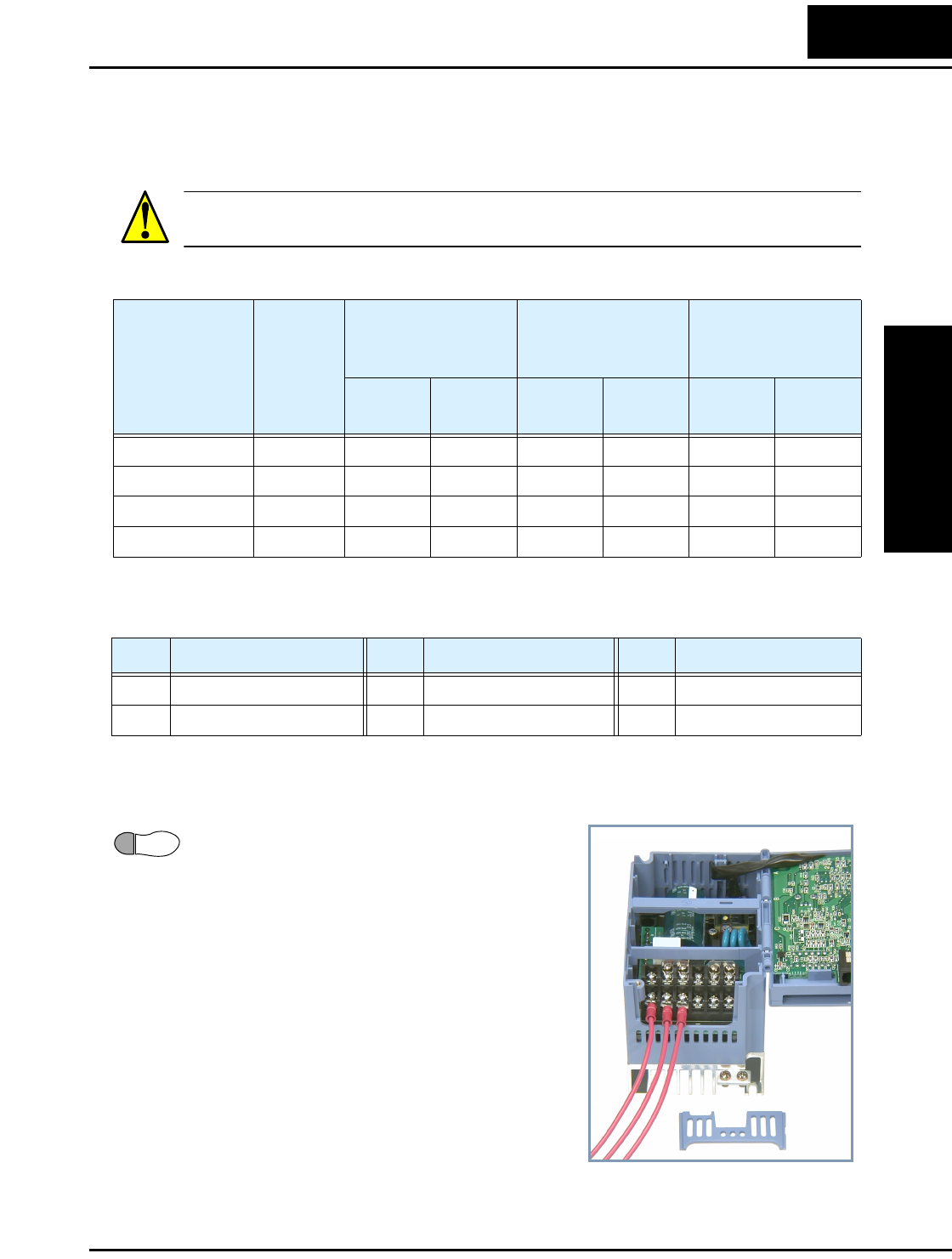
L100 Inverter
Inverter Mounting
and Installation
2–15
Terminal Dimensions and Torque Specs
The terminal screw dimensions for all L100 inverters are listed in table below. This
information is useful in sizing spade lug or ring lug connectors for wire terminations.
CAUTION: Fasten the screws with the specified fastening torque in the table below.
Check for any loosening of screws. Otherwise, there is the danger of fire.
When connecting wiring, use the tightening torque listed in the following table to safely
attach wiring to the connectors.
Wire the Inverter Input to a Supply
Step 6: In this step, you will connect wiring to
the input of the inverter. First, you must deter-
mine whether the inverter model you have
requires three-phase power only, or if it can
accept either single-phase or three-phase power.
All models have the same power connector
terminals [L1], [L2], and [N/L3]. So, you must
refer to the specifications label (on the side of
the inverter) for the acceptable power source
types! For inverters that can accept single-
phase power and are connected that way,
terminal [L2] will remain unconnected.
The wiring example to the right shows an L100
inverter wired for 3-phase input. Note the use of
ring lug connectors for a secure connection.
Connector
Number
of Screw
Terminals
Models
002NF, 004NF
Models 005NF–
022NF, 037LF,
004HF–040HF
Models
055LF–075LF,
055HF–075HF
Screw
Diameter
Width
(mm)
Screw
Diameter
Width
(mm)
Screw
Diameter
Width
(mm)
Power Terminals 12 M3.5 7.1 M4 9 M5 13
Control Signal 15 M2 — M2 — M2 —
Alarm Signal 3 M3—M3—M3—
Ground Terminals 2 M4 — M4 — M4 —
Screw Tightening Torque Screw Tightening Torque Screw Tightening Torque
M2 0.2 N•m (max. 0.25 N•m) M3.5 0.8 N•m (max. 0.9 N•m) M5 2.0 N•m (max. 2.2 N•m)
M3 0.5 N•m (max. 0.6 N•m) M4 1.2 N•m (max. 1.3 N•m) — —
6
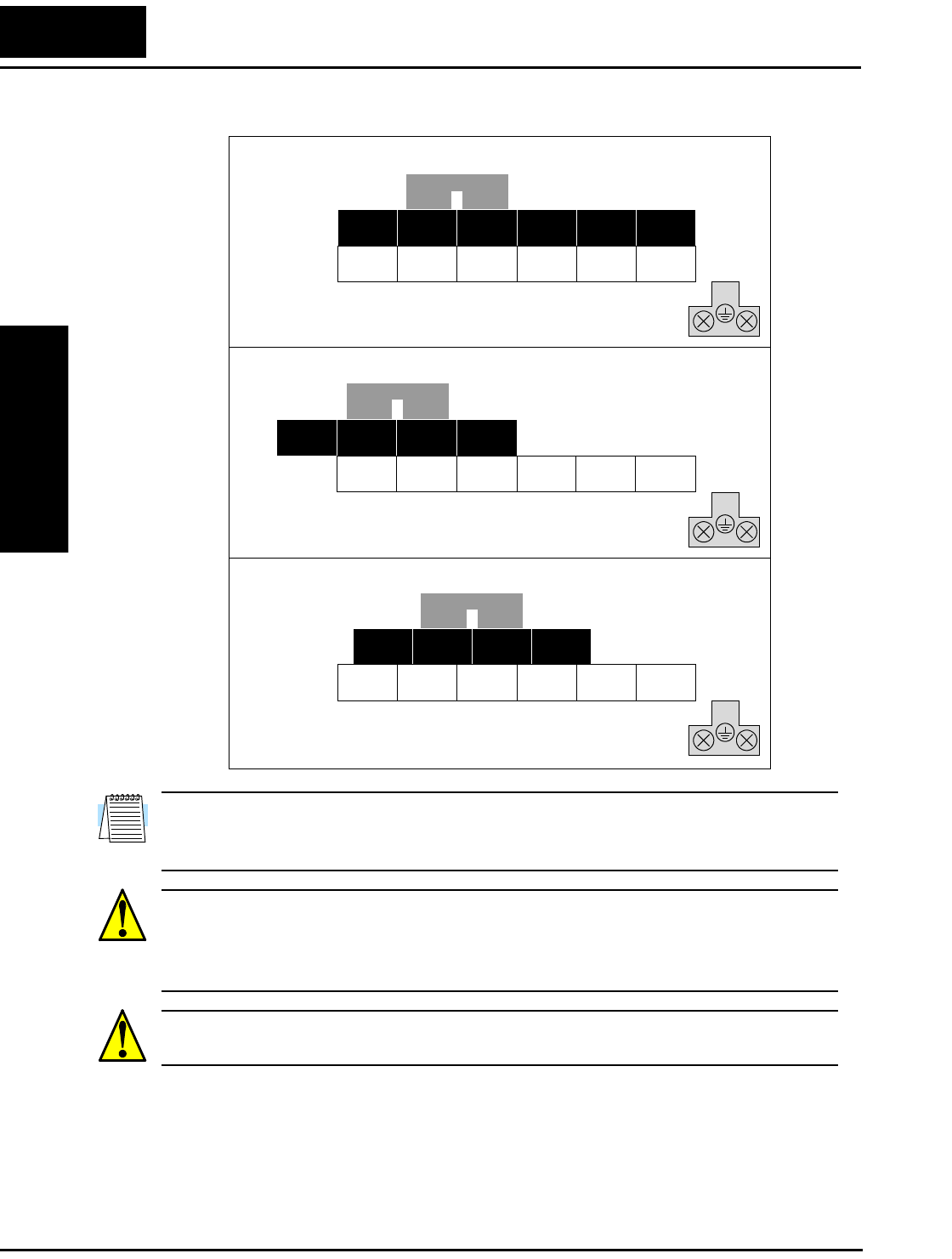
Step-by-Step Basic Installation
Inverter Mounting
and Installation
2–16
Please use the terminal arrangement below corresponding to your inverter model.
NOTE: An inverter powered by a portable power generator may receive a distorted
power waveform, overheating the generator. In general, the generator capacity should be
five times that of the inverter (kVA).
CAUTION: Be sure that the input voltage matches the inverter specifications:
• Single/Three phase 200 to 240 V 50/60 Hz (up to 2.2kW)
• Three phase 200 to 230V 50/60Hz (above 2.2kW)
• Three phase 380 to 460 V 50/60Hz
CAUTION: Be sure not to power a three-phase-only inverter with single phase power.
Otherwise, there is the possibility of damage to the inverter and the danger of fire.
+1
(/) +1 + –
L1 L2 N/L3 U/T1 V/T2 W/T3
(/) + –
L2 N/L3 U/T1 V/T2
(/) +1 + –
L1 L2 N/L3 U/T1 V/T2 W/T3
–002NFE/NFU, –004NFE/NFU, –005NFE
–007 to 022NFE/NFU, –037LFU, 004 to 040HFE/HFU
–055LFU, –075LFU, 055HFE/HFU, 075HFE/HFU
Jumper
Jumper
Jumper
Chassis
Ground
Chassis
Ground
Chassis
Ground
L1 W/T3
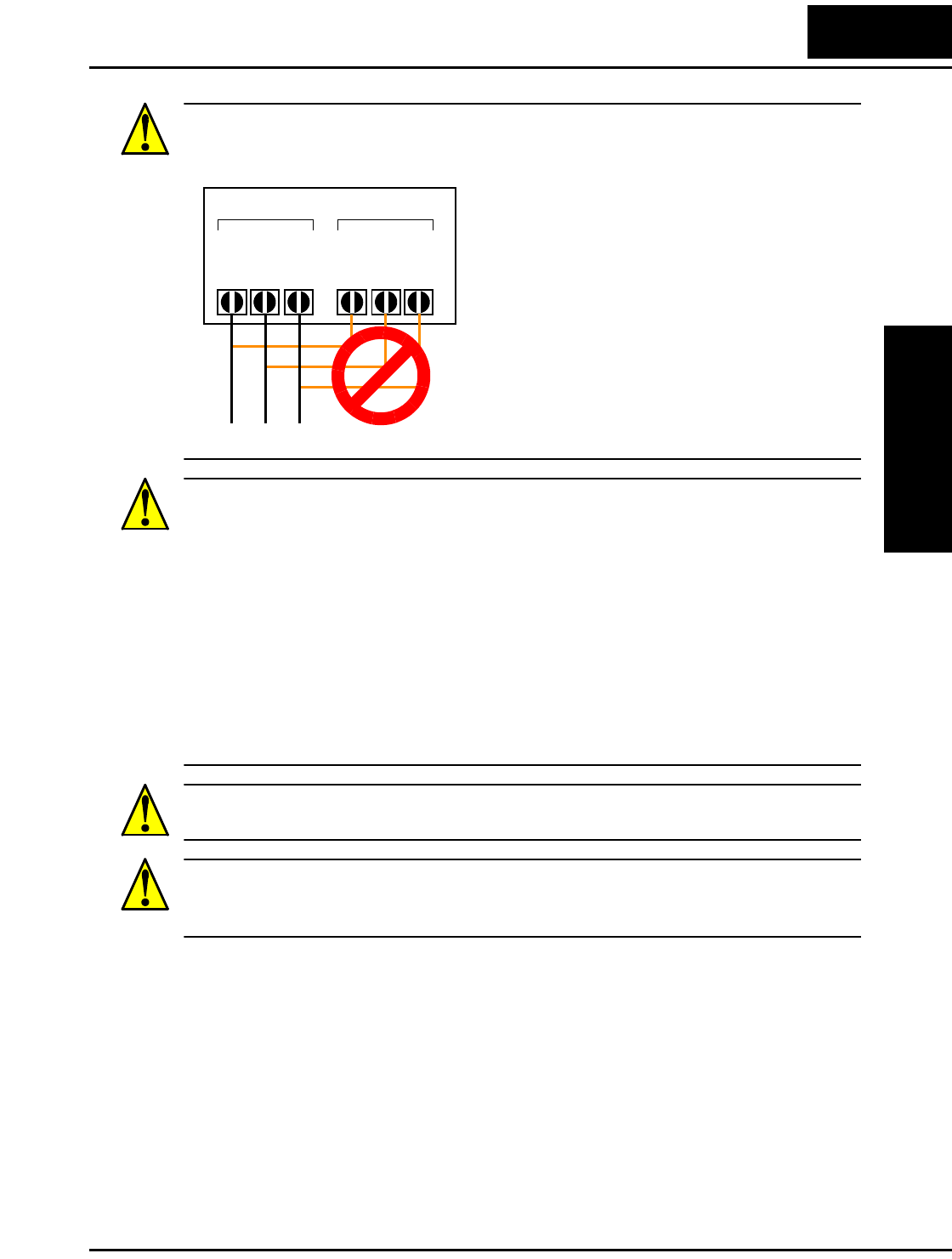
L100 Inverter
Inverter Mounting
and Installation
2–17
CAUTION: Be sure not to connect an AC power supply to the output terminals. Other-
wise, there is the possibility of damage to the inverter and the danger of injury and/or
fire.
CAUTION: Remarks for using ground fault interrupter breakers in the main power
supply:
Adjustable frequency inverters with CE-filters (RFI-filter) and shielded (screened) motor
cables have a higher leakage current toward Earth GND. Especially at the moment of
switching ON this can cause an inadvertent trip of ground fault interrupters. Because of
the rectifier on the input side of the inverter there is the possibility to stall the switch-off
function through small amounts of DC current. Please observe the following:
• Use only short time-invariant and pulse current-sensitive ground fault interrupters
with higher trigger current.
• Other components should be secured with separate ground fault interrupters.
• Ground fault interrupters in the power input wiring of an inverter are not an
absolute protection against electric shock.
CAUTION: Be sure to install a fuse for each phase of the main power supply to the
inverter. Otherwise, there is the danger of fire.
CAUTION: For motor leads, ground fault interrupter breakers and electromagnetic
contactors, be sure to size these components properly (each must have the capacity for
rated current and voltage). Otherwise, there is the danger of fire.
Power Input Power Output
L1 L2 N/L3
T1 T2 T3
UVW
(L) (N) NOTE:
L, N:
L1, L2, L3:
Single-phase 200 to 240V 50/60 Hz
Three-phase 200 to 230V 50/60 Hz
Three-phase 380 to 460V 50/60 Hz
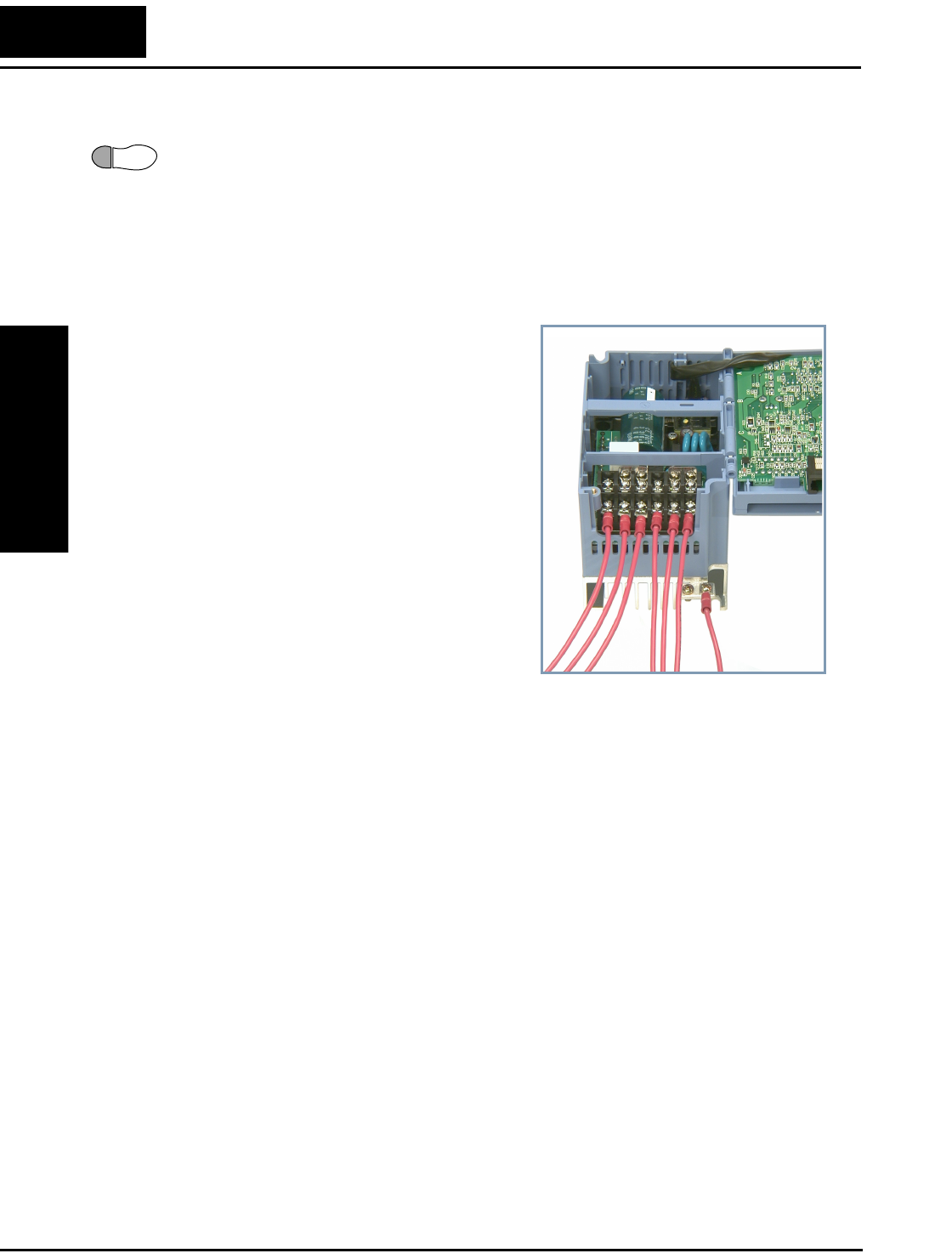
Step-by-Step Basic Installation
Inverter Mounting
and Installation
2–18
Wire the Inverter Output to Motor
Step 7: The process of motor selection is beyond the scope of this manual. However, it
must be an AC induction motor with three phases. It should also come with a chassis
ground lug. If the motor does not have three power input leads, stop the installation and
verify the motor type. Other guidelines for wiring the motor include:
• Use an inverter-grade motor for maximum motor life (1600V insulation).
• For standard motors, use the AC reactor accessory if the wiring between the inverter
and motor exceeds 10 meters in length.
Simply connect the motor to the terminals
[U/T1], [V/T2], and [W/T3] as shown to the
right. This is a good time to connect the
chassis ground lug on the drive as well. The
motor chassis ground must also connect to
the same point. Use a star ground (single-
point) arrangement, and never daisy-chain the
grounds (point-to-point).
Use the same wire gauge on the motor and
chassis ground wiring as you used on the
power input wiring in the previous step. After
completing the wiring:
• Check the mechanical integrity of each
wire crimp and terminal connection.
• Replace the housing partition that covers
access to the power connections.
• Close the main door and secure the reten-
tion screw firmly.
Logic Control Wiring
After completing the initial installation and powerup test in this chapter, you may need
to wire the logic signal connector for your application. For new inverter users/applica-
tions, we highly recommend that you first complete the powerup test in this chapter
without adding any logic control wiring. Then you will be ready to set the required
parameters for logic control as covered in Chapter 4, Operations and Monitoring.
7
To Po wer
Supply
To Motor To Chassis
Ground
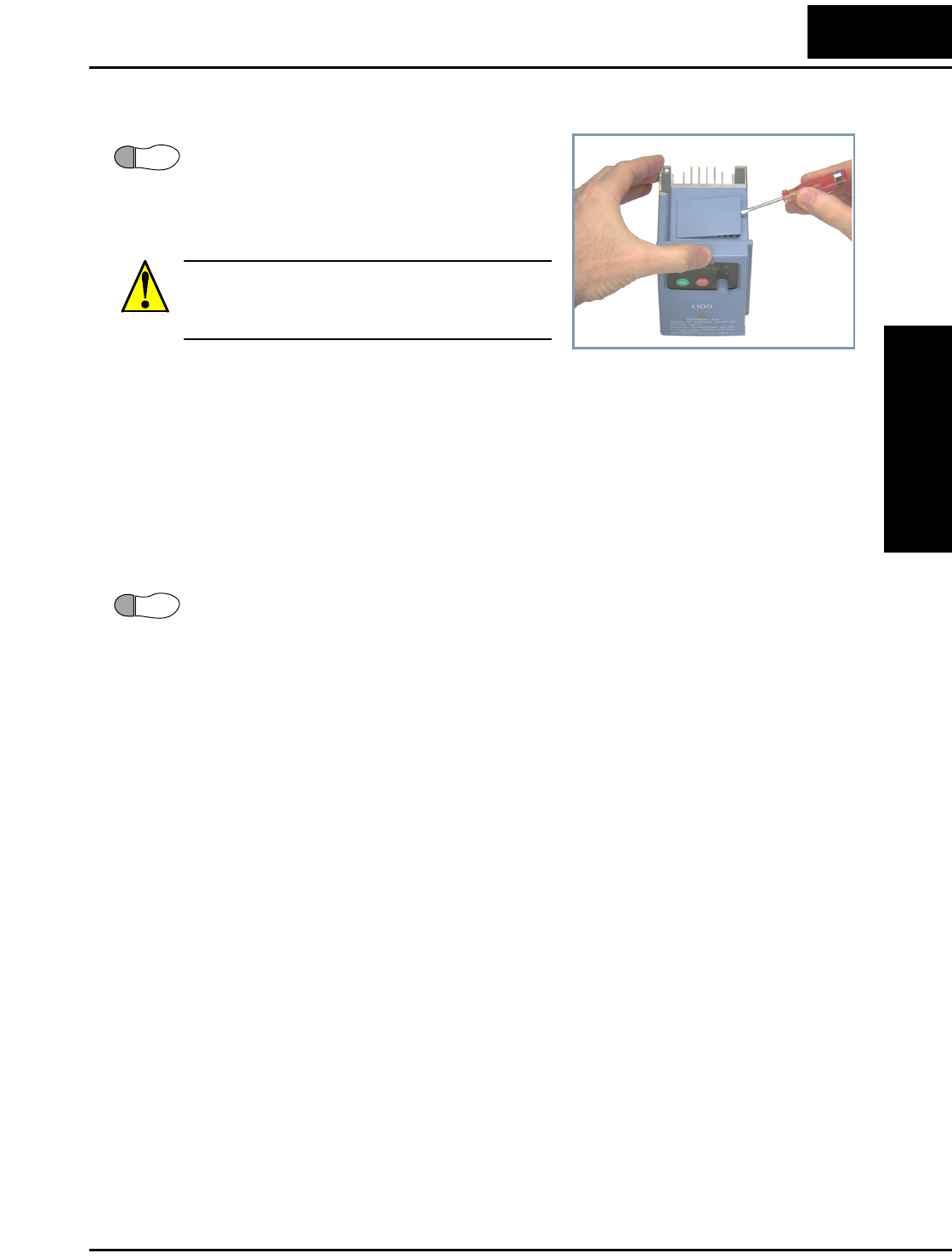
L100 Inverter
Inverter Mounting
and Installation
2–19
Uncover the Inverter Vents
Step 8: After mounting and wiring the inverter,
remove any covers from the inverter housing.
This includes material over the side ventilation
ports. Remove the square cover panel at the top
of the housing.
WARNING: Make sure the input power to the
inverter is OFF. If the drive has been powered,
leave it OFF for five minutes before continuing.
The top housing cover is held in place by four locking tabs. To remove the cover,
squeeze two corners together and push a small screwdriver under one side as shown,
while pulling upward. Hold the screwdriver at the angle shown, and DO NOT push the
screwdriver or any object through ventilation openings and into the inverter.
Powerup Test
Step 9: After wiring the inverter and motor, you’re ready to do a powerup test. The
procedure that follows is designed for the first-time use of the drive. Please verify the
following conditions before conducting the powerup test:
• You have followed all the steps in this chapter up to this step.
• The inverter is new, and is securely mounted to a non-flammable vertical surface
• The inverter is connected to a power source and motor.
• No additional wiring of inverter connectors or terminals has been done.
• The power supply is reliable, and the motor is a known working unit, and the motor
nameplate ratings match the inverter ratings.
• The motor is securely mounted, and is not connected to any load.
Goals for the Powerup Test
If there are any exceptions to the above conditions at this step, please take a moment to
take any measures necessary to reach this basic starting point. The specific goals of this
powerup test are:
1. Verify that the wiring to the power supply and motor is correct.
2. Demonstrate that the inverter and motor are generally compatible.
3. Give a brief introduction to the use of the built-in operator keypad.
The powerup test gives you an important starting point to ensure a safe and successful
application of the Hitachi inverter. We highly recommend performing this test before
proceeding to the other chapters in this manual.
8
9
Powerup Test
Inverter Mounting
and Installation
2–20
Pre-test and Operational Precautions
The following instructions apply to the powerup test, or to any time the inverter is
powered and operating. Please study the following instructions and messages before
proceeding with the powerup test.
1. The power supply must have fusing suitable for the load. Check the fuse size chart
presented in Step 5, if necessary.
2. Be sure you have access to a disconnect switch for the drive input power if necessary.
However, do not turn OFF power during inverter operation unless it is an emergency.
3. Turn the front panel potentiometer to the MIN position (fully counter-clockwise).
CAUTION: The heat sink fins will have a high temperature. Be careful not to touch
them. Otherwise, there is the danger of getting burned.
CAUTION: The operation of the inverter can be easily changed from low speed to high
speed. Be sure to check the capability and limitations of the motor and machine before
operating the inverter. Otherwise, there is the danger of injury.
CAUTION: If you operate a motor at a frequency higher than the inverter standard
default setting (50Hz/60Hz), be sure to check the motor and machine specifications with
the respective manufacturer. Only operate the motor at elevated frequencies after getting
their approval. Otherwise, there is the danger of equipment damage and/or injury.
CAUTION: Check the following before and during the powerup test. Otherwise, there
is the danger of equipment damage.
• Is the shorting bar between the [+1] and [+] terminals installed? DO NOT power or
operate the inverter if the jumper is removed.
• Is the direction of the motor rotation correct?
• Did the inverter trip during acceleration or deceleration?
• Were the rpm and frequency meter readings as expected?
• Were there any abnormal motor vibrations or noise?
Powering the Inverter
If you have followed all the steps, cautions and warnings up to this point, you’re ready to
apply power. After doing so, the following events should occur:
• The POWER LED will illuminate.
• The numeric (7-segment) LEDs will display a test pattern, then stop at 0.0.
• The Hz LED will be ON.
If the motor starts running unexpectedly or any other problem occurs, press the STOP
key. Only if necessary should you remove power to the inverter as a remedy.
NOTE: If the inverter has been previously powered and programmed, the LEDs (other
than the POWER LED) may illuminate differently than as indicated above. If necessary,
you can initialize all parameters to the factory default settings. See “Restoring Factory
Default Settings” on page 6–8.
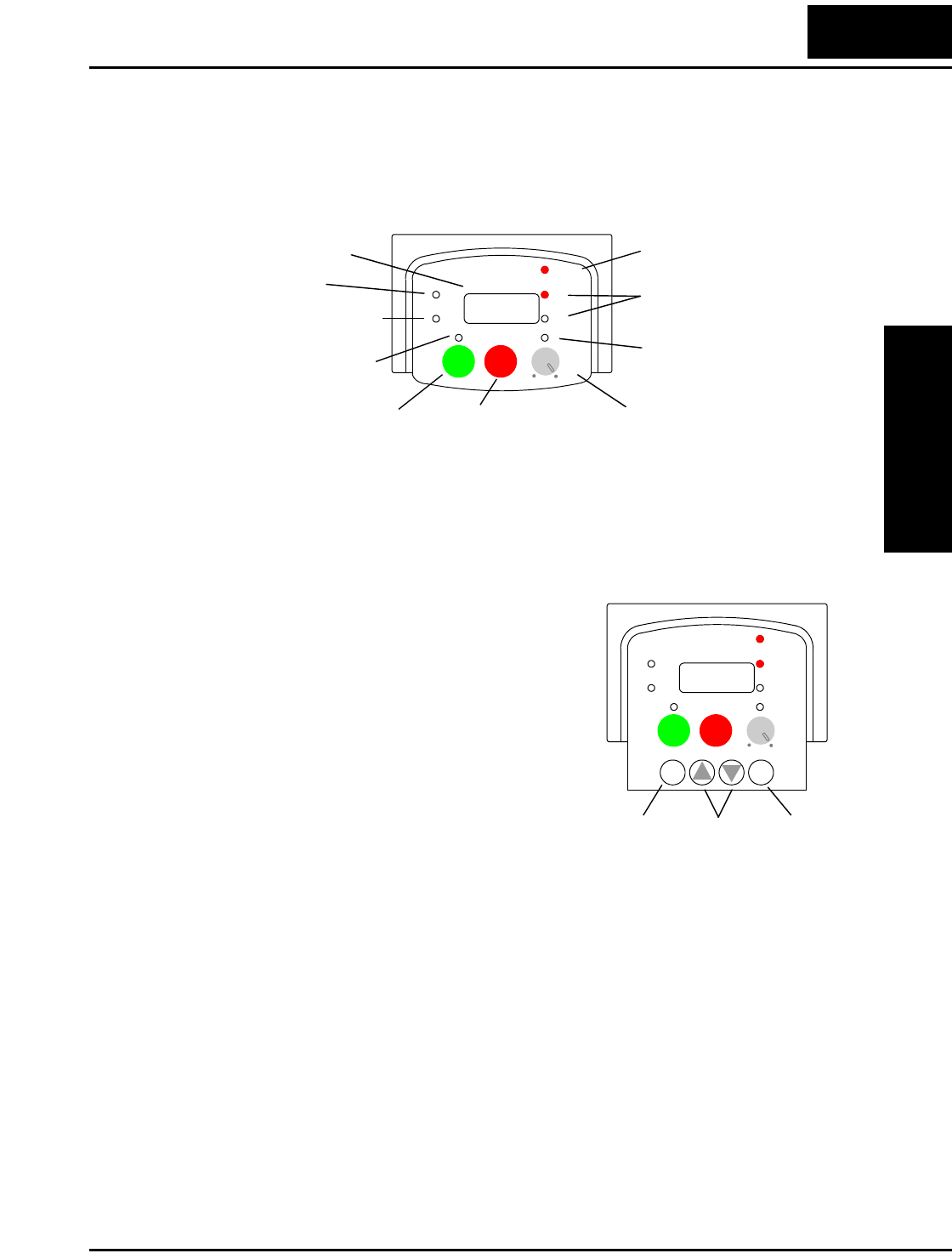
L100 Inverter
Inverter Mounting
and Installation
2–21
Using the Front Panel Keypad
Front Panel Introduction
Please take a moment to familiarize yourself with the keypad layout shown in the figure
below. These are the visible controls and indicators when the front panel door is closed.
The display is used in programming the inverter’s parameters, as well as monitoring
specific parameter values during operation. Many functions are applicable only during
the initial installation, while others are more useful for maintenance or monitoring.
Parameter Editing Controls
Now, open the front panel (half-door) for
second-level access to reveal additional operator
keys for parameter editing as shown to the right.
In normal operation after installation, parameter
editing is unnecessary, so these controls are
hidden from view. The front panel controls and
indicators are described as follows:
•Run/Stop LED - ON when the inverter output
is ON and the motor is developing torque
(Run Mode), and OFF when the inverter
output is OFF (Stop Mode).
•Program/Monitor LED - This LED is ON
when the inverter is ready for parameter editing (Program Mode). It is OFF when the
parameter display is monitoring data (Monitor Mode).
•Run Key Enable LED - is ON when the inverter is ready to respond to the Run key,
OFF when the Run key is disabled.
•Run Key - Press this key to run the motor (the Run Enable LED must be ON first).
Parameter F_04, Keypad Run Key Routing, determines whether the Run key generates
a Run FWD or Run REV command.
•Stop/Reset Key - Press this key to stop the motor when it is running (uses the
programmed deceleration rate). This key will also reset an alarm that has tripped.
•Potentiometer - Allows an operator to directly set the motor speed when the potenti-
ometer is enabled for output frequency control.
•Potentiometer Enable LED - ON when the potentiometer is enabled for value entry.
Hz
POWER
A
RUN
PRG
RUN STOP
RESET
MIN MAX
HITACHI
50.0
Parameter Display
Run/Stop LED
Program/Monitor LED
Run Key Enable LED
Run Key Stop/Reset Key
Power LED
Display Units
Hertz / Amperes LEDs
Potentiometer Enable LED
Potentiometer
Function
Key
Up/Down
Keys
Store
Key
Hz
POWER
A
RUN
PRG
RUN STOP
RESET
MIN MAX
HITACHI
FUNC.
STR
12
50.0
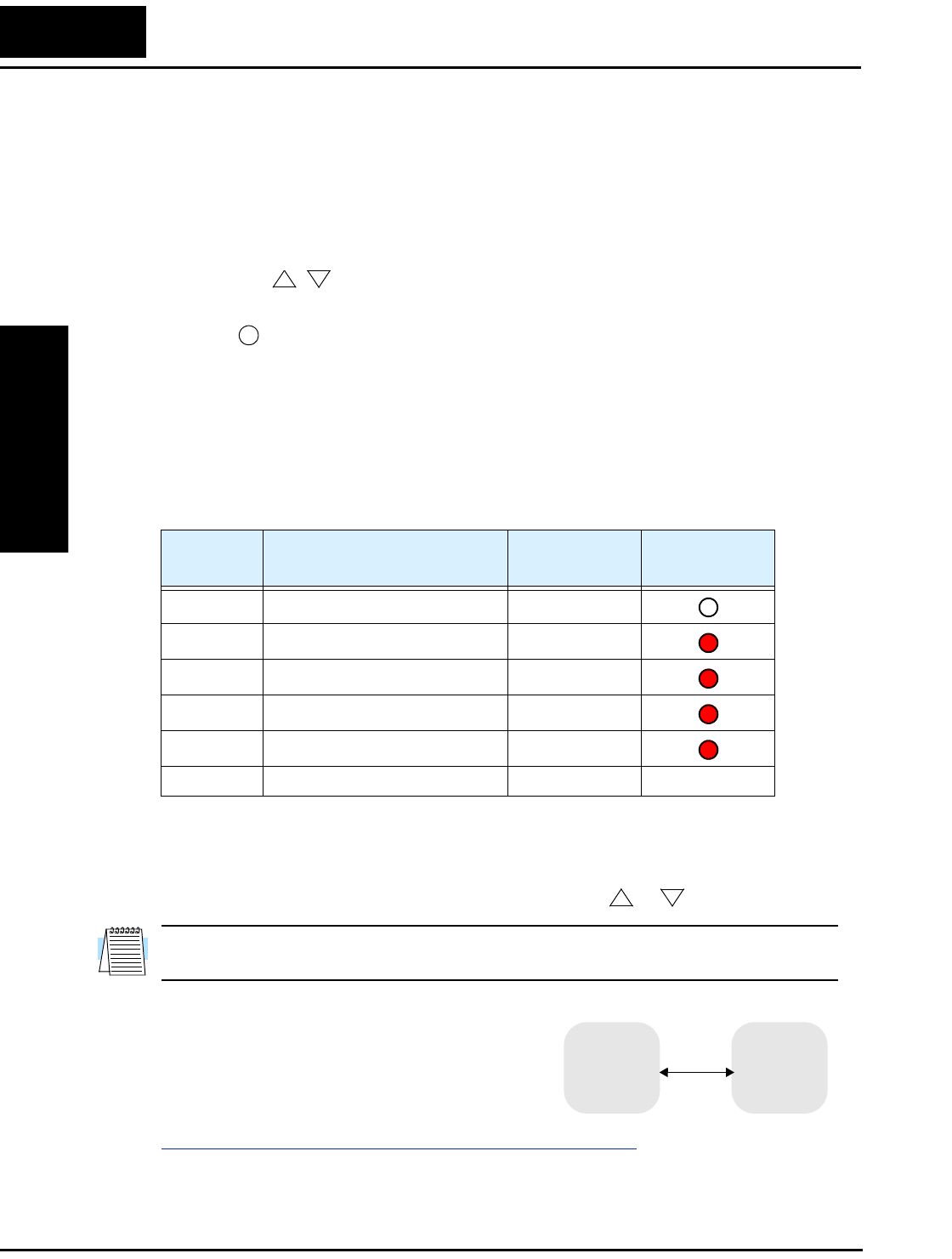
Using the Front Panel Keypad
Inverter Mounting
and Installation
2–22
•Parameter Display - A 4-digit, 7-segment display for parameters and function codes.
•Display Units, Hertz/Amperes - One of these LEDs will be ON to indicate the units
associated with the parameter display.
•Power LED - This LED is ON when the power input to the inverter is ON.
•Function Key - This key is used to navigate through the lists of parameters and
functions for setting and monitoring parameter values.
•Up/Down ( , ) Keys - Use these keys alternately to move up or down the lists of
parameter and functions shown in the display, and increment/decrement values.
•Store ( ) Key - When the unit is in Program Mode and you have edited a parameter
value, press the Store key to write the new value to the EEPROM.
Keys, Modes, and Parameters
Purpose of the keypad is to provide a way to change modes and parameters. The term
function applies to both monitoring modes and parameters. These are all accessible
through function codes that are primarily 3-character codes. The various functions are
separated into related groups identifiable by the left-most character, as the table shows.
For example, function “A_04” is the base frequency setting for the motor, typically
50 Hz or 60 Hz. To edit the parameter, the inverter must be in Program Mode (PGM
LED will be ON). You use the front panel keys to first select the function code “A_04.”
After displaying the value for “A_04,” use the Up/Down ( or ) keys to edit it.
NOTE: The inverter 7-segment display shows lower case “b” and “d,” meaning the same
as the upper case letters “B” and “D” used in this manual (for uniformity “A to F”).
The inverter automatically switches into Monitor
Mode when you access “D” Group functions. It
switches into Program Mode when you access any
other group, because they all have editable param-
eters. Error codes use the “E” Group, and appear
automatically when a fault event occurs. Refer to
“Monitoring Trip Events, History, & Conditions” on page 6–5 for error code details.
12
STR
Function
Group Type (Category) of Function Mode to Access PGM LED
Indicator
“D” Monitoring functions Monitor
“F” Main profile parameters Program
“A” Standard functions Program
“B” Fine tuning functions Program
“C” Intelligent terminal functions Program
“E” Error codes — —
12
“D” Group
“A” Group
“F” Group
MONITOR PROGRAM
“C” Group
“B” Group
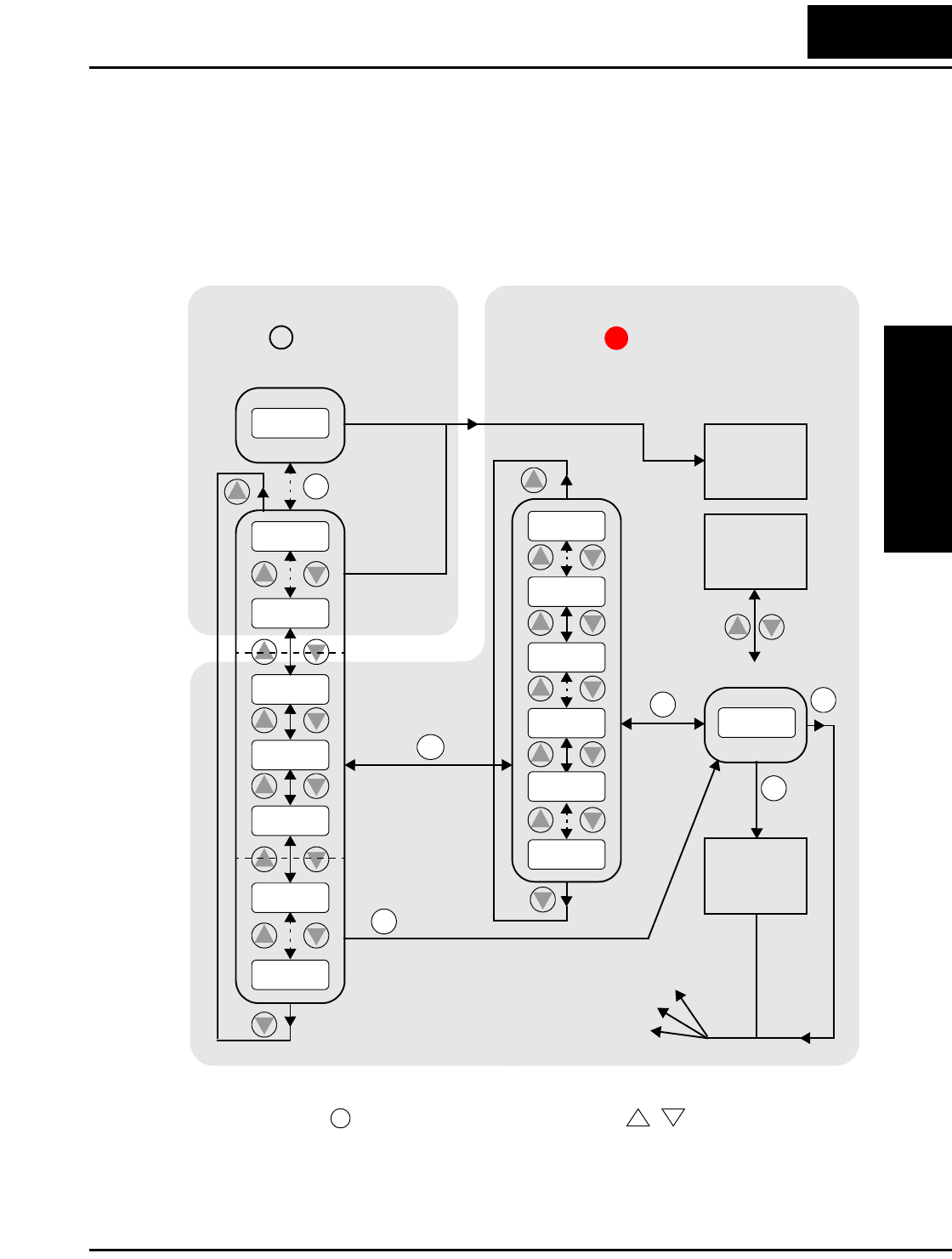
L100 Inverter
Inverter Mounting
and Installation
2–23
Keypad Navigational Map
The L100 Series inverter drives have many programmable functions and parameters.
Chapter 3 will cover these in detail, but you need to access just a few items to perform
the powerup test. The menu structure makes use of function codes and parameter codes
to allow programming and monitoring with only a 4-digit display and a few keys and
LEDs. So, it is important to become familiar with the basic navigational map of parame-
ters and functions in the diagram below. You may later use this map as a reference.
The navigational map shows the relationship of all resources of the inverter in one view.
In general, use the key to move left and right, and the (arrow) keys to move
up and down.
12
2
1
Edit
Write
data to
EEPROM
Increment/
decrement
value
2
1
2
1
2
1
2
1
2
11
Select Parameter
2
Return to
parameter
list
2
1
2
1
2
1
2
1
2
1
Edit Parameter
FUNC.
FUNC.
FUNC.
FUNC. FUNC.
STR
000.0
d09
d01
C - -
b--
A - -
F 0 4
F 0 1
A 0 1
A 9 8
b01
C 9 1
b92
C 0 1
123.4
2
1
PRG LED=ONPRG LED=OFF
Program ModeMonitor Mode
Select
Function
or Group
powerdown
Store as
powerup
default
Display Data
FUNC.
12
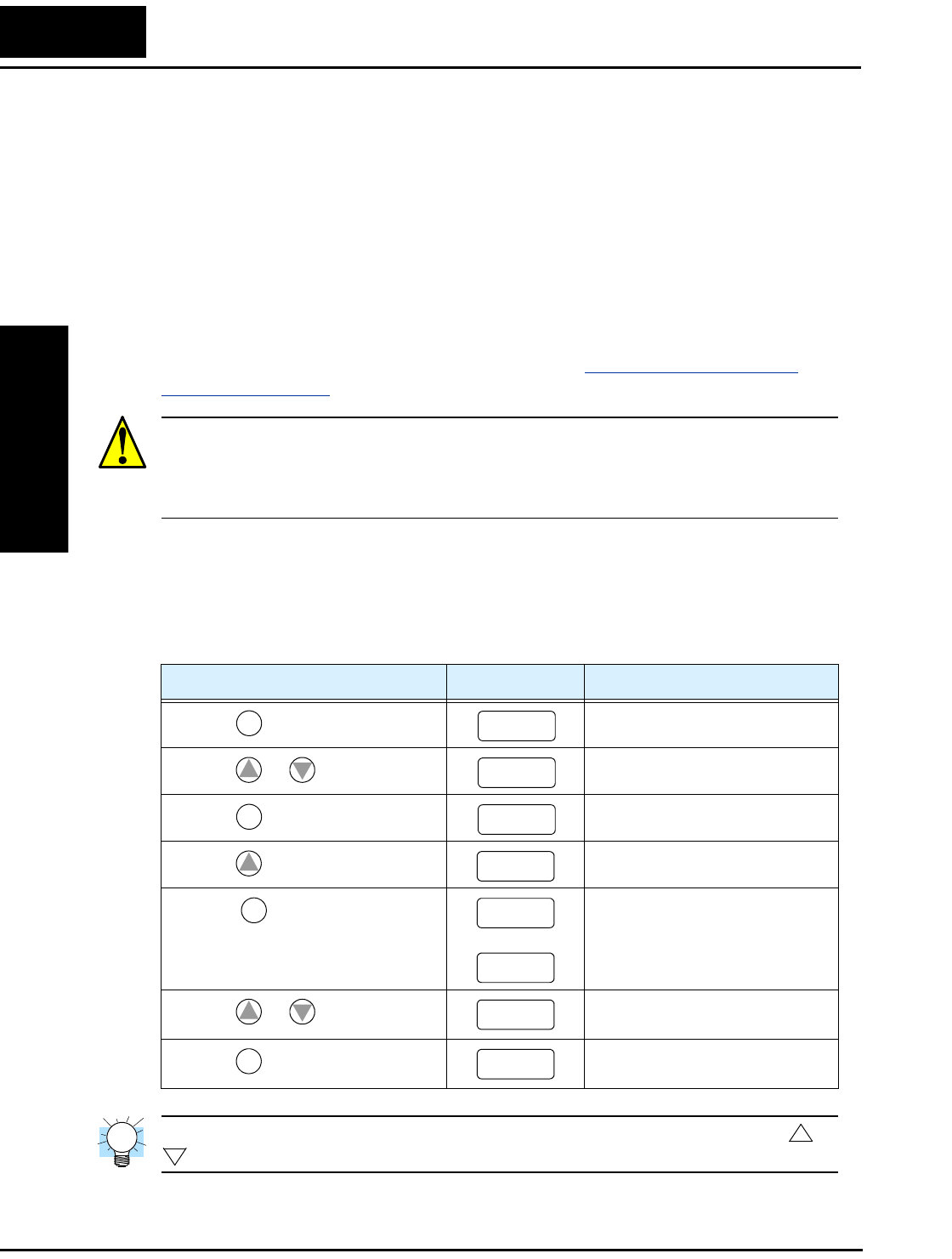
Using the Front Panel Keypad
Inverter Mounting
and Installation
2–24
Selecting Functions and Editing Parameters
In order to run the motor for the powerup test, this section will show how to:
• select the inverter’s maximum output frequency to the motor
• select the keypad potentiometer as the source of motor speed command
• select the keypad as the source of the RUN command
• enable the RUN command
The following series of programming tables are designed for successive use. Each table
uses the previous table’s final state as the starting point. Therefore, start with the first
and continue programming until the last one. If you get lost or concerned that some of
the other parameters settings may be incorrect, refer to “Restoring Factory Default
Settings” on page 6–8.
CAUTION: If you operate a motor at a frequency higher than the inverter standard
default setting (50Hz/60Hz), be sure to check the motor and machine specifications with
the respective manufacturer. Only operate the motor at elevated frequencies after getting
their approval. Otherwise, there is the danger of equipment damage.
Setting the Motor Base Frequency -The motor is designed to operate at a specific AC
frequency. Most commercial motors are designed for 50/60 Hz operation. First, check
the motor specifications. Then follow the steps in the table below to verify the setting or
correct for your motor. DO NOT set it for greater than 50/60 Hz unless the motor
manufacturer specifically approves operation at the higher frequency.
TIP: If you need to scroll through a function or parameter list, press and hold the or
key to auto-increment through the list.
Action Display Func./Parameter
Press the key. Monitor functions
Press the or keys until -> “A” Group selected
Press the key. First “A” parameter
Press the key twice. Base frequency setting
Press the key.
or
Default value for base frequency.
US = 60 Hz, Europe = 50 Hz.
Press the or key as needed. Set to your motor specs (your
display may be different)
Press the key. Stores parameter, returns to “A”
Group list
FUNC.
d01
12
d01
FUNC.
A01
1
A03
FUNC.
60
50
12
60
STR A03
1
2
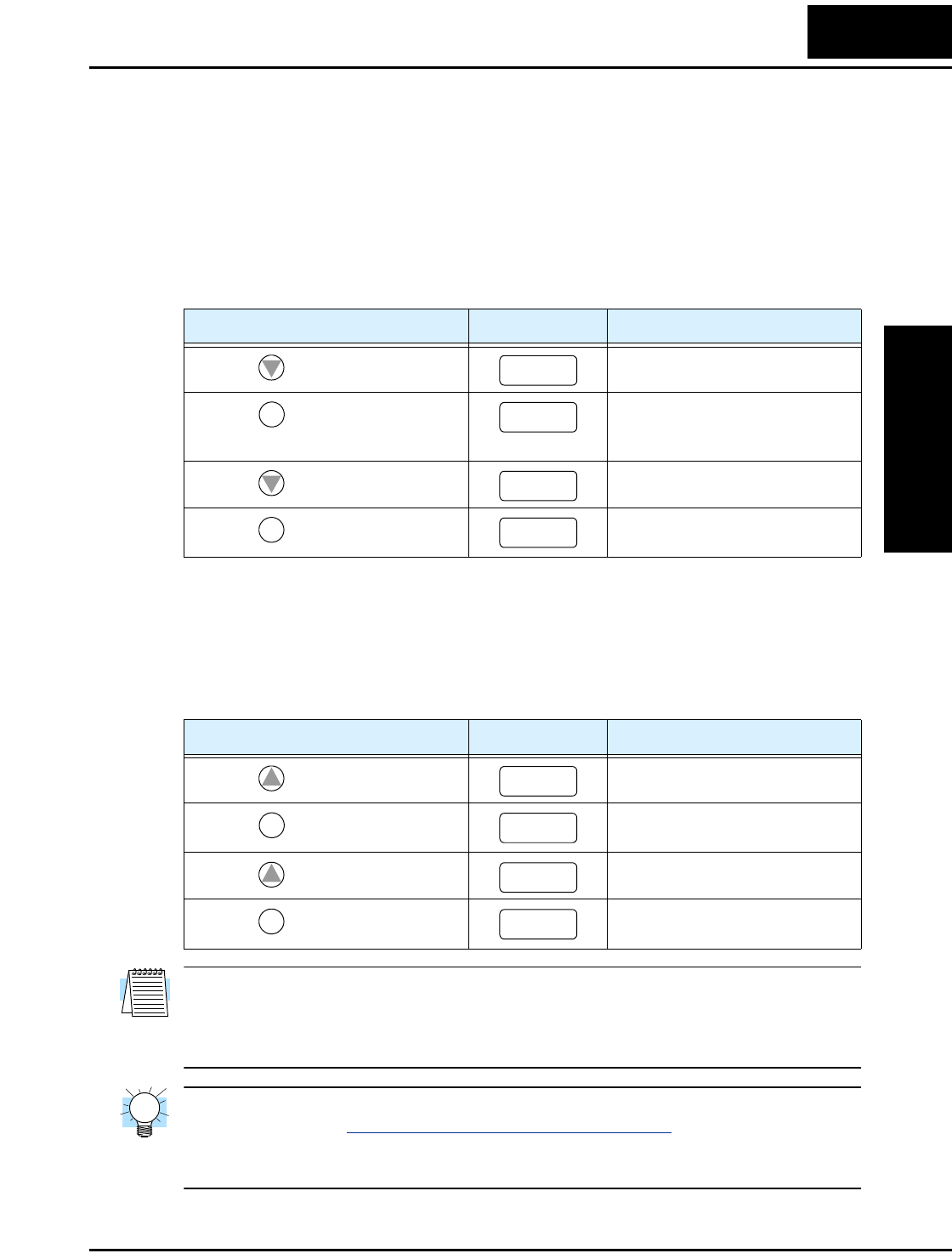
L100 Inverter
Inverter Mounting
and Installation
2–25
Select the Potentiometer for Speed Command - The motor speed may be controlled
from the following sources:
• Potentiometer on front panel keypad
• Control terminals
• Remote panel
Then follow the steps in the table below to select the potentiometer for the speed
command (the table resumes action from the end of the previous table).
Select the Keypad for the RUN Command - The RUN command causes the inverter to
accelerate the motor to the selected speed. You can program the inverter to respond to
either the control terminal signal or the keypad RUN key.
Follow the steps in the table below to select the front panel RUN key as the source for
the RUN Command (the table resumes action from the end of the previous table).
NOTE: When you press the STR key in the last step above (and the display = 02), the
Run Enable LED above the RUN switch on the keypad will turn ON. This is normal, and
does not mean the motor is trying to run. It means that the RUN key is now enabled.
DO NOT press the RUN key at this time—finish out the programming exercise first.
TIP: If you became lost during any of these steps, first observe the state of the PRG
LED. Then study the “Keypad Navigational Map” on page 2–23 to determine the current
state of the keypad controls and display. As long as you do not press the STR key, no
parameters will be changed by keypad entry errors.
Action Display Func./Parameter
Press the key twice. Speed command source setting
Press the key. 0 = potentiometer
1 = control terminals (default)
2 = keypad
Press the key. 0 = potentiometer (selected)
Press the key. Stores parameter, returns to “A”
Group list
Action Display Func./Parameter
Press the key. Run command source
Press the key. 1 = control terminals (default)
2 = keypad
Press the key. 2 = keypad (selected)
Press the key. Stores parameter, returns to “A”
Group list
2
A01
FUNC.
01
2
00
STR A01
1
A02
FUNC.
01
1
02
STR A02
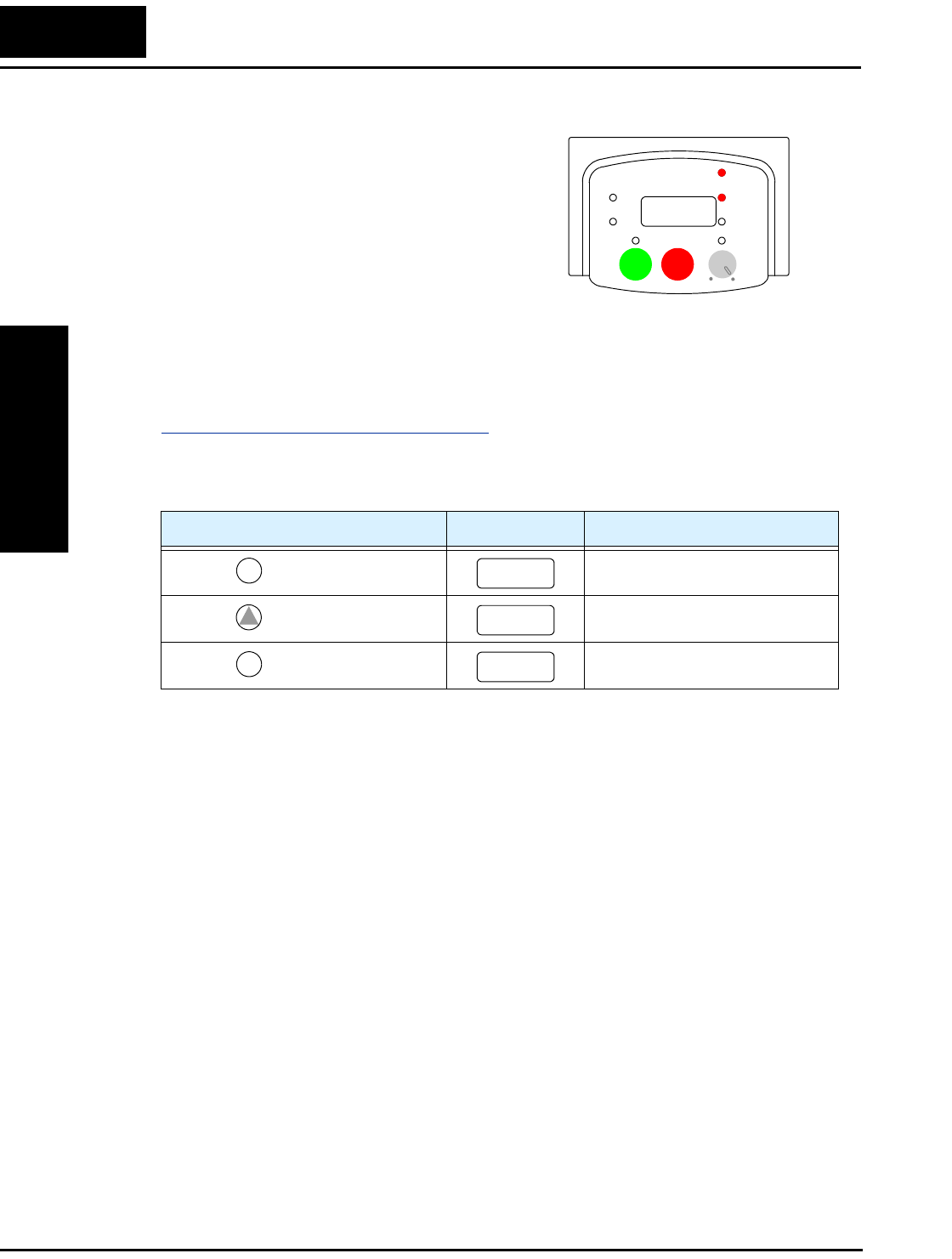
Using the Front Panel Keypad
Inverter Mounting
and Installation
2–26
Monitoring Parameters with the Display
After using the keypad for parameter editing,
it’s a good idea to switch the inverter from
Program Mode to Monitor Mode and close
the panel door (puts the keys for parameter
editing out of sight). This will also turn out
the PRG LED, and the Hertz or Ampere LED
indicates the display units.
For the powerup test, monitor the motor speed indirectly by viewing the inverter’s output
frequency. The output frequency must not be confused with base frequency (50/60 Hz)
of the motor, or the carrier frequency (switching frequency of the inverter, in the kHz
range). The monitoring functions are in the “D” list, located near the top left of the
“Keypad Navigational Map” on page 2–23.
Output frequency (speed) monitor - Resuming the keypad programming from the
previous table, follow the steps in the table below.
When the d 0 1 function code appeared, the PRG LED went OFF. This confirms the
inverter is no longer in programming mode, even while you are selecting the particular
monitoring parameter. After pressing the Function key, the display shows the current
speed (is zero at this point).
Running the Motor
If you have programmed all the parameters up to this point, you’re ready to run the
motor! First, review this checklist:
1. Verify the Power LED is ON. If not, check the power connections.
2. Verify the Run Key Enable LED is ON. If not, review the programming steps to find
the problem.
3. Verify the PRG LED is OFF. If it is ON, review the instructions above.
4. Make sure the motor is disconnected from any mechanical load.
5. Turn the potentiometer to the MIN position (completely counterclockwise).
6. Now, press the RUN key on the keypad. The RUN LED will turn ON.
7. Slowly increase the potentiometer setting in clockwise fashion. The motor should
start turning when the indicator is in the 9:00 position and beyond.
8. Press the STOP key to stop the motor rotation.
Action Display Func./Parameter
Press the key. “A” Group selected
Press the key three times. Output frequency selected
Press the key. Output frequency displayed
Hz
POWER
A
RUN
PRG
RUN STOP
RESET
MIN MAX
HITACHI
50.0
FUNC.
A--
1
d01
FUNC.
0.0
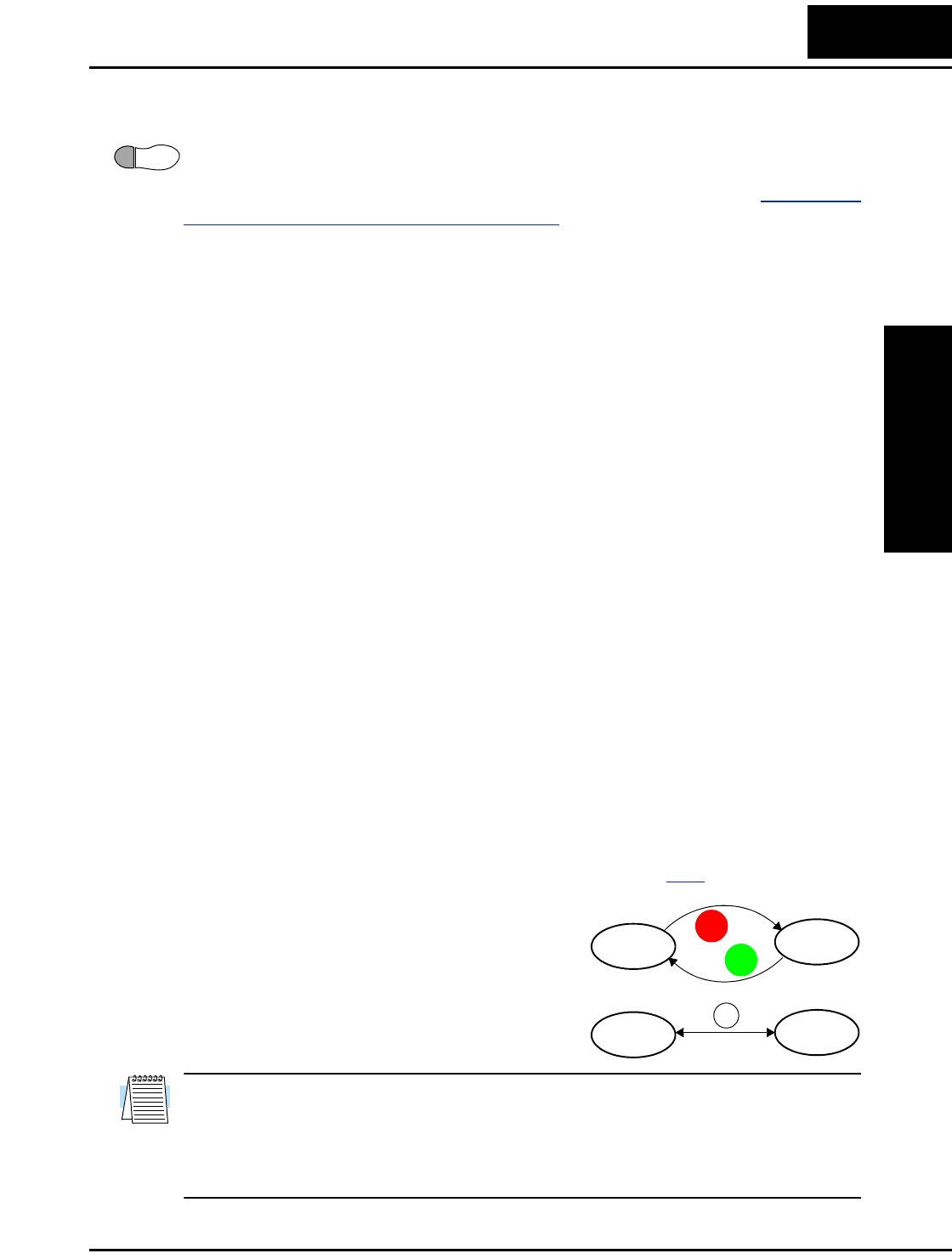
L100 Inverter
Inverter Mounting
and Installation
2–27
Powerup Test Observations and Summary
Step 10: Reading this section will help you make some useful observations when first
running the motor.
Error Codes - If the inverter displays an error code (format is “E x x”), see “Monitoring
Trip Events, History, & Conditions” on page 6–5 to interpret and clear the error.
Acceleration and Deceleration - The L100 inverter has programmable acceleration and
deceleration values. The test procedure left these at the default value, 10 seconds. You
can observe this by setting the potentiometer at about half speed before running the
motor. Then press RUN, and the motor will take 5 seconds to reach a steady speed. Press
the STOP key to see a 5 second deceleration to a stop.
State of Inverter at Stop - If you adjust the motor’s speed to zero, the motor will slow to
a near stop, and the inverter turns the outputs OFF. The high-performance L100 can
rotate at a very slow speed with high torque output, but not zero (must use servo systems
with position feedback for that feature). This characteristic means you must use a
mechanical brake for some applications.
Interpreting the Display - First, refer to the output frequency display readout. The
maximum frequency setting (parameter A_04) defaults to 50 Hz or 60 Hz (Europe and
United States, respectively) for your application.
Example: Suppose a 4-pole motor is rated for 60 Hz operation, so the inverter is config-
ured to output 60 Hz at full scale. Use the following formula to calculate the RPM.
The theoretical speed for the motor is 1800 RPM (speed of torque vector rotation).
However, the motor cannot generate torque unless its shaft turns at a slightly different
speed. This difference is called slip. So it’s common to see a rated speed of approxi-
mately 1750 RPM on a 60 Hz, 4-pole motor. Using a tachometer to measure shaft speed,
you can see the difference between the inverter output frequency and the actual motor
speed. The slip increases slightly as the motor’s load increases. This is why the inverter
output value is called “frequency,” since it is not exactly equal to motor speed. You can
program the inverter to display output frequency in units more directly related to the load
speed by entering a constant (discussed more in depth on page 3–29).
Run/Stop Versus Monitor/Program Modes – The
Run LED on the inverter is ON in Run Mode, and
OFF in Stop Mode. The Program LED is ON when
the inverter is in Program Mode, and OFF for
Monitor Mode. All four mode combinations are
possible. The diagram to the right depicts the modes
and the mode transitions via keypad.
NOTE: Some factory automation devices such as PLCs have alternate Run/Program
modes; the device is in either one mode or the other. In the Hitachi inverter, however,
Run Mode alternates with Stop Mode, and Program Mode alternates with Monitor
Mode. This arrangement lets you program some values while the inverter is operating—
providing flexibility for maintenance personnel.
10
Speed in RPM Frequency 60×
Pairs of poles
---------------------------------------- Frequency 120×
# of poles
------------------------------------------- 60 120×
4
---------------------1800RPM== ==
Run Stop
Monitor Program
RUN
STOP
RESET
FUNC.
Configuring
Drive Parameters
In This Chapter.... page
— Choosing a Programming Device ................... 2
— Using Keypad Devices .................................... 3
— “D” Group: Monitoring Functions..................... 6
— “F” Group: Main Profile Parameters ................ 8
— “A” Group: Standard Functions ....................... 9
— “B” Group: Fine Tuning Functions ................. 22
— “C” Group: Intelligent Terminal Functions...... 32
3
Choosing a Programming Device
Configuring
Drive Parameters
3–2
Choosing a Programming Device
Introduction
Hitachi variable frequency drives (inverters) use the latest electronics technology for
getting the right AC waveform to the motor at the right time. The benefits are many,
including energy savings and higher machine output or productivity. The flexibility
required to handle a broad range of applications has required ever more configurable
options and parameters—inverters are now a complex industrial automation component.
And this can make a product seem difficult to use, but the goal of this chapter is to make
this easier for you.
As the powerup test in Chapter 2 demonstrated, you do not have to program very many
parameters to run the motor. In fact, most applications would benefit only from program-
ming just a few, specific parameters. This chapter will explain the purpose of each set of
parameters, and help you choose the ones that are important to your application.
If you are developing a new application for the inverter and a motor, finding the right
parameters to change is mostly an exercise in optimization. Therefore, it is okay to begin
running the motor with a loosely tuned system. By making specific, individual changes
and observing their effects, you can achieve a finely tuned system.
Introduction to Inverter Programming
The front panel keypad is the first and best way to get to know the inverter’s capabilities.
Every function or programmable parameter is accessible from the keypad. The other
devices simply imitate the keypad’s layout and inverter access, while adding another
valuable aspect to the system. For example, the Copy Unit can transfer one inverter’s
parameter settings to another inverter, while still providing standard operator keypad
control. In this way, you can use a variety of programming devices with basically the
same keypad skills. The following table shows various programming options, the
features unique to each device, and the cables required.
Device Part
Number
Parameter
Access
Parameter
setting
storage
Cables (choose one)
Part number Length
Inverter keypad — Monitor and
program
EEPROM in
inverter
——
DOP Professional
Software (for PC)
DOP–PRO Monitor and
program
PC hard drive
or diskette
(Included with
software)
2 meters
Digital Operator/
Copy Unit
SRW–0EX Monitor and
program
EEPROM in
operator panel
ICS–1 1 meter
ICS–3 3 meters
Operator Monitor OPE–J Monitor only none on
operator
monitor
ICJ–1L 1 meter
ICJ–3L 3 meters
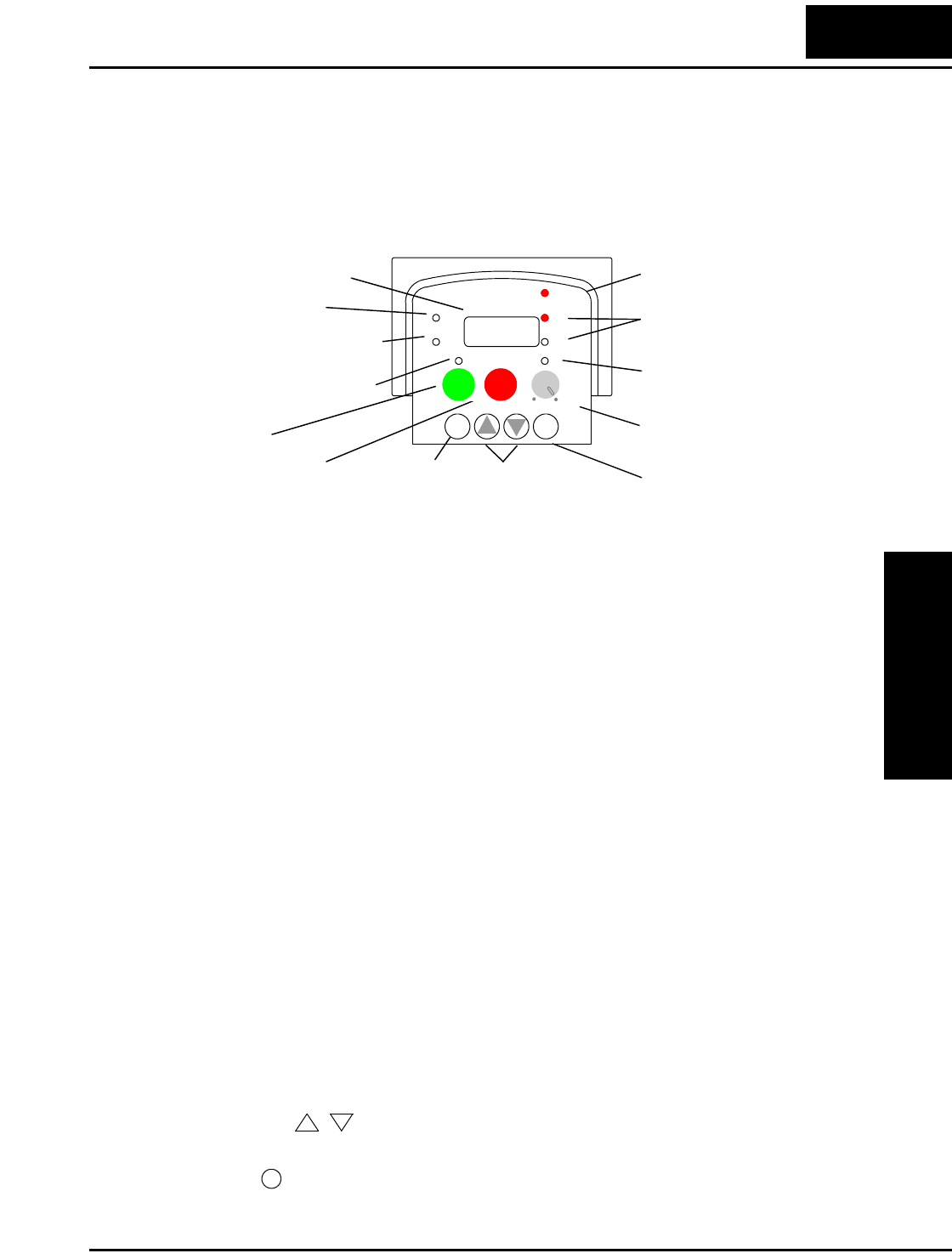
L100 Inverter
Configuring
Drive Parameters
3–3
Using Keypad Devices
Inverter Front Panel Keypad
The L100 Series inverter front keypad contains all the elements for both monitoring and
programming parameters. The keypad layout is pictured below. All other programming
devices for the inverter have a similar key arrangement and function.
Key and Indicator Legend
•Run/Stop LED - ON when the inverter output is ON and the motor is developing
torque (Run Mode), and OFF when the inverter output is OFF (Stop Mode).
•Program/Monitor LED - This LED is ON when the inverter is ready for parameter
editing (Program Mode). It is OFF when the parameter display is monitoring data
(Monitor Mode).
•Run Key Enable LED - is ON when the inverter is ready to respond to the Run key,
OFF when the Run key is disabled.
•Run Key - Press this key to run the motor (the Run Enable LED must be ON first).
Parameter F_04, Keypad Run Key Routing, determines whether the Run key gener-
ates a Run FWD or Run REV command.
•Stop/Reset Key - Press this key to stop the motor when it is running (uses the
programmed deceleration rate). This key will also reset an alarm that has tripped.
•Potentiometer - Allows an operator to directly set the motor speed when the potenti-
ometer is enabled for output frequency control.
•Potentiometer Enable LED - ON when the potentiometer is enabled for value entry.
•Parameter Display - A 4-digit, 7-segment display for parameters and function codes.
•Display Units, Hertz/Amperes - One of these LEDs will be ON to indicate the units
associated with the parameter display.
•Power LED - This LED is ON when the power input to the inverter is ON.
•Function Key - This key is used to navigate through the lists of parameters and
functions for setting and monitoring parameter values.
•Up/Down ( , ) Keys - Use these keys alternately to move up or down the lists of
parameter and functions shown in the display, and increment/decrement values.
•Store ( ) Key - When the unit is in Program Mode and you have edited a parameter
value, press the Store key to write the new value to the EEPROM.
Function key Up/Down keys Store key
Hz
POWER
A
RUN
PRG
RUN STOP
RESET
MIN MAX
HITACHI
FUNC.
STR
12
50.0
Parameter Display
Run/Stop LED
Program/Monitor LED
Run Key Enable LED
Run Key
Stop/Reset Key
Power LED
Display Units
Hertz / Amperes LEDs
Potentiometer Enable LED
Potentiometer
12
STR
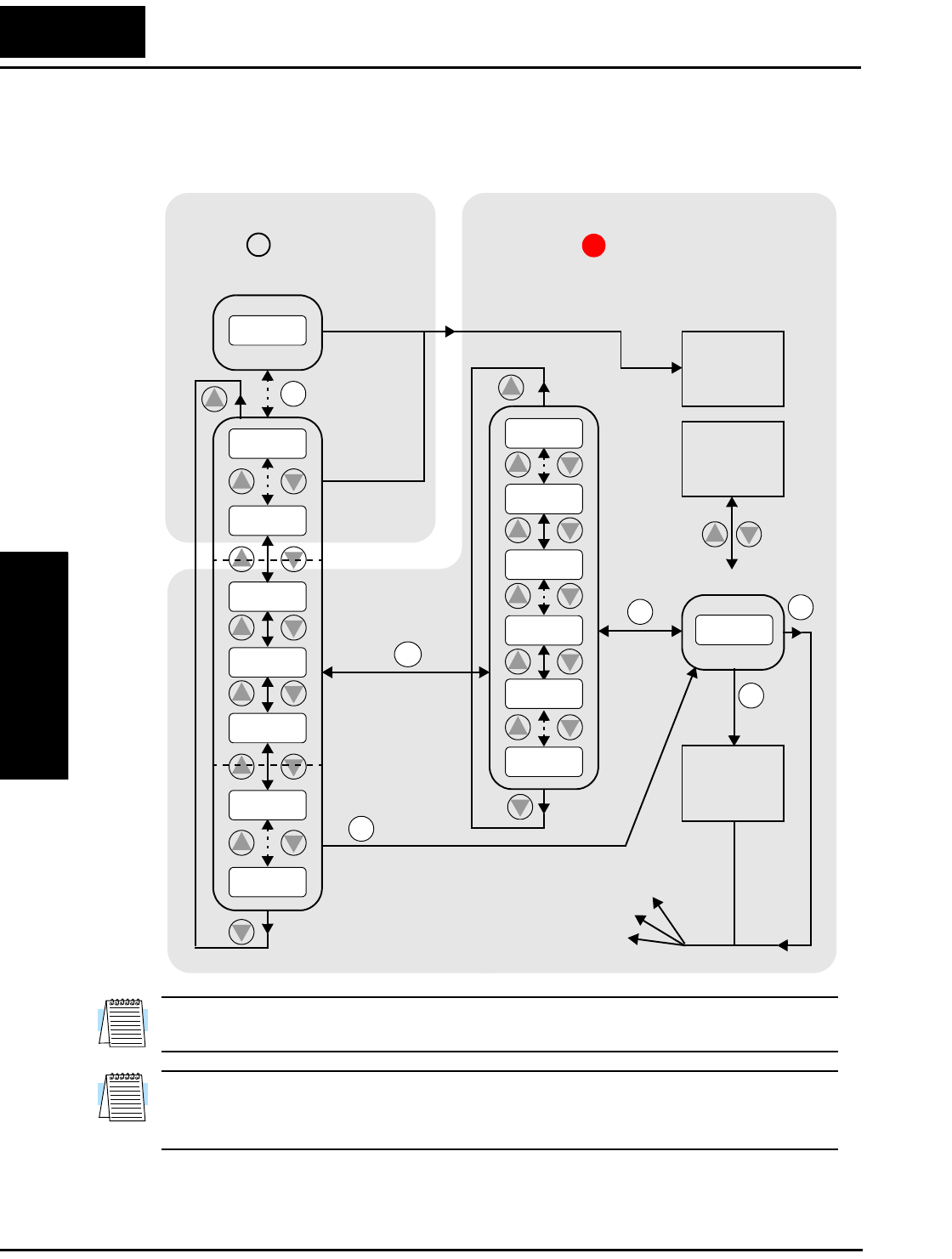
Using Keypad Devices
Configuring
Drive Parameters
3–4
Keypad Navigational Map
You can use the inverter’s front panel keypad to navigate to any parameter or function.
The diagram below shows the basic navigational map to access these items.
NOTE: The inverter 7-segment display shows lower case “b” and “d,” meaning the same
as the upper case letters “B” and “D” used in this manual (for uniformity “A to F”).
NOTE: The Store Key saves the edited parameter (shown in the display) to the inverter’s
EEPROM. Upload or download of parameters to/from external devices is accomplished
through a different command—do not confuse Store with Download or Upload.
12
2
1
Edit
Write
data to
EEPROM
Increment/
decrement
value
2
1
2
1
2
1
2
1
2
11
Select Parameter
2
Return to
parameter
list
2
1
2
1
2
1
2
1
2
1
Edit Parameter
FUNC.
FUNC.
FUNC.
FUNC. FUNC.
STR
000.0
d09
d01
C - -
b--
A - -
F 0 4
F 0 1
A 0 1
A 9 8
b01
C 9 1
b92
C 0 1
123.4
2
1
PRG LED=ONPRG LED=OFF
Program ModeMonitor Mode
Select
Function
or Group
powerdown
Store as
powerup
default
Display Data
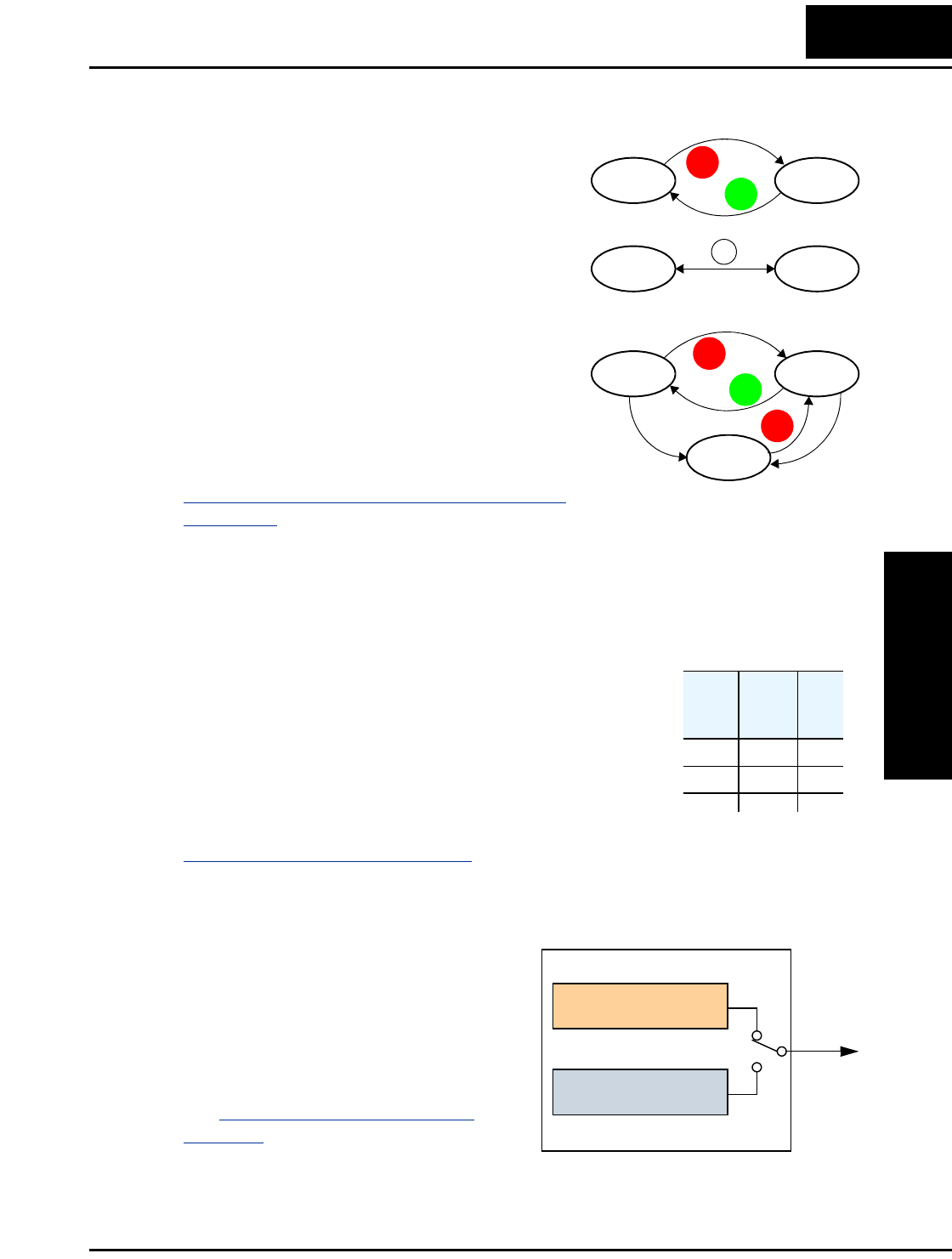
L100 Inverter
Configuring
Drive Parameters
3–5
Operational Modes
The RUN and PGM LEDs tell just part of the story;
Run Mode and Program Modes are independent
modes, not opposite modes. In the state diagram to
the right, Run alternates with Stop, and Program
Mode alternates with Monitor Mode. This is a very
important ability, for it shows that a technician can
approach a running machine and change some
parameters without shutting down the machine.
The occurrence of a fault during operation will
cause the inverter to enter the Trip Mode as shown.
An event such as an output overload will cause the
inverter to exit the Run Mode and turn OFF its
output to the motor. In the Trip Mode, any request
to run the motor is ignored. You must clear the
error by pressing the Stop/Reset switch. See page
“Monitoring Trip Events, History, & Conditions”
on page 6–5.
Run Mode Edits
The inverter can be in Run Mode (inverter output is controlling motor) and still allow
you to edit certain parameters. This is useful in applications that must run continuously,
yet need some inverter parameter adjustment.
The parameter tables in this chapter have a column titled “Run
Mode Edit.” An Ex mark ✘ means the parameter cannot be
edited; a Check mark ✔ means the parameter can be edited.
The Software Lock Setting (parameter B_31) determines when
the Run Mode access permission is in effect and access
permission in other conditions, as well. It is the responsibility
of the user to choose a useful and safe software lock setting for
the inverter operating conditions and personnel. Please refer to
“Software Lock Mode” on page 3–26 for more information.
Control Algorithms
The motor control program in the L100
inverter has two PWM sinusoidal switching
algorithms. The intent is that you select the
best algorithm for the motor characteristics
in your application. Both algorithms
generate the frequency output in a unique
way. Once configured, the algorithm is the
basis for other parameter settings as well
(see “Torque Control Algorithms” on
page 3–13). Therefore, choose the best
algorithm early in your application design
process.
RUN
STOP
RESET
FUNC.
Run Stop
Monitor Program
RUN
STOP
RESET
STOP
RESET
Run Stop
Trip
Fault
Fault
Run
Mode
Edit
✘
✔
Output
Variable freq. control,
constant torque
Variable freq. control,
reduced torque
Inverter Control Algorithms
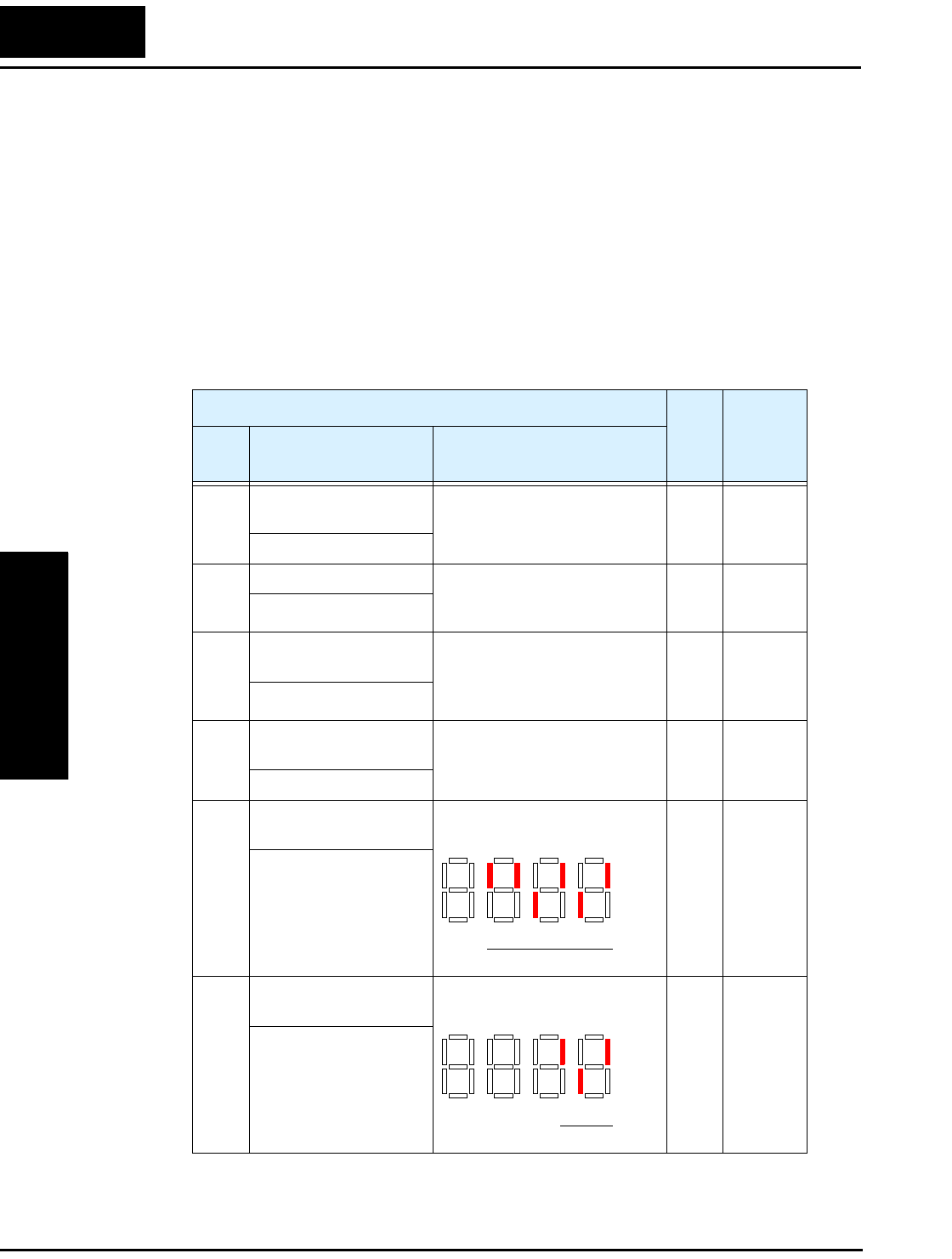
“D” Group: Monitoring Functions
Configuring
Drive Parameters
3–6
“D” Group: Monitoring Functions
Parameter Monitoring Functions
You can access important system parameter values with the “D” Group monitoring
functions, whether the inverter is in Run Mode or Stop Mode. After selecting the
function code number for the parameter you want to monitor, press the Function key
once to show the value on the display. In Functions D_05 and D_06, the intelligent
terminals use individual segments of the display to show ON/OFF status.
If the inverter display is set to monitor a parameter and powerdown occurs, the inverter
stores the present monitor function setting. For your convenience, the display automati-
cally returns to the previously monitored parameter upon the next powerup.
“D” Function Run
Mode
Edit
Range
and
Units
Func.
Code
Name /
SRW Display Description
D_01 Output frequency
monitor
Real-time display of output
frequency to motor, from 0.0 to
360.0 Hz
— 0.0 to
360.0 Hz
FM 0000.00Hz
D_02 Output current monitor Filtered display of output
current to motor (100 ms
internal filter time constant)
—A
Im 0.0A 0.0%
D_03 Rotation direction
monitor
Three different indications:
“F”..... Forward
“| |” .. Stop
“r”..... Reverse
——
Dir STOP
D_04 Process variable (PV),
PID feedback monitor
Displays the scaled PID
process variable (feedback)
value (A_75 is scale factor)
——
PID-FB 0000.00%
D_05 Intelligent input
terminal status
Displays the state of the intelli-
gent input terminals:
——
TERM LLL LLLLLL
D_06 Intelligent output
terminal status
Displays the state of the intelli-
gent output terminals:
——
TERM LLL LLLLLL
ON
OFF
123456
Terminal numbers
ON
OFF
1112
Terminal numbers
AL
L100 Inverter
Configuring
Drive Parameters
3–7
Trip Event and History Monitoring
The trip event and history monitoring feature lets you cycle through related information
using the keypad. See “Monitoring Trip Events, History, & Conditions” on page 6–5 for
more details.
D_07 Scaled output frequency
monitor
Displays the output frequency
scaled by the constant in B_86.
Decimal point indicates range:
XX.XX 0.01 to 99.99
XXX.X 100.0 to 999.9
XXXX. 1000 to 9999
XXXX 10000 to 99990
—Hz
/Hz01.0 0.00
“D” Function Run
Mode
Edit
Range
and
Units
Func.
Code
Name /
SRW Display Description
“D” Function Run
Mode
Edit
Range
and
Units
Func.
Code
Name /
SRW Display Description
D_08 Trip event monitor Displays the current trip event.
information.
——
ERR1 EEPROM
ERR1 0.0Hz
ERR1 0.0A
ERR1 324.3Vdc
ERR1 RUN 000000H
D_09 Trip history monitor Displays the previous two
events and their causes.
——
ERR2 EEPROM
ERR2 0.0Hz
ERR2 0.0A
ERR2 330.0Vdc
ERR2 RUN 000000H
ERR3 EEPROM
ERR3 0.0Hz
ERR3 0.0A
ERR3 328.7Vdc
ERR3 RUN 000000H
— Cumulative operation
RUN time monitor
Displays total time the inverter
has been in RUN mode in
hours.
— hours
RUN 000000H
— Trip count Displays cumulative number of
trip events.
—trips
ERROR COUNT 009
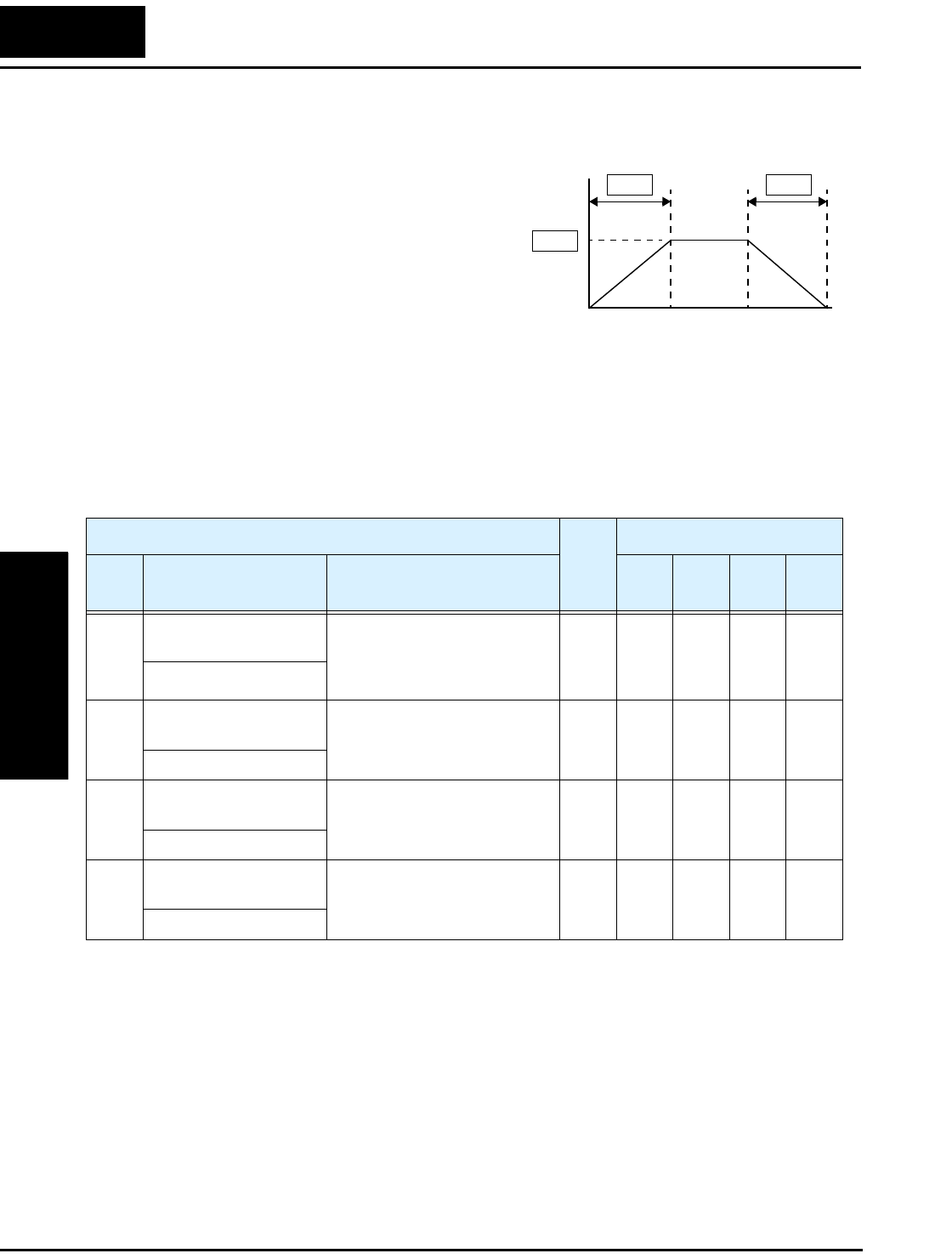
“F” Group: Main Profile Parameters
Configuring
Drive Parameters
3–8
“F” Group: Main Profile Parameters
The basic frequency (speed) profile is
defined by parameters contained in the “F”
Group as shown to the right. The set
running frequency is in Hz, but accelera-
tion and deceleration are specified in the
time duration of the ramp (from zero to
maximum frequency, or from maximum
frequency to zero). The motor direction
parameter determines whether the keypad
Run key produces a FWD or REV command. This parameter does not affect the intelli-
gent terminal [FWD] and [REV] functions, which you configure separately.
Acceleration 1 and Deceleration 1 are the standard default accel and decel values for the
main profile. Accel and decel values for an alternative profile are specified by using
parameters A_92 through A_93. The motor direction selection (F_04) determines the
direction of rotation as commanded only from the keypad.
Output
frequency
F01
F02 F03
t
0
“F” Function Run
Mode
Edit
Defaults
Func.
Code
Name /
SRW Display Description –FE
(CE)
–FU
(UL)
–FR
(Jpn) Units
F_01 Output frequency
setting
Standard default target
frequency that determines
constant motor speed,
range is 0 to 360 Hz
✔0.0 0.0 0.0 Hz
TM 000.0 0.0Hz
F_02 Acceleration 1 time
setting
Standard default acceleration,
range is 0.1 to 3000 sec.
✔10.0 10.0 10.0 sec.
ACC 1 0010.0s
F_03 Deceleration 1 time
setting
Standard default deceleration,
range is 0.1 to 3000 sec.
✔10.0 10.0 10.0 sec.
DEC 1 0010.0s
F_04 Keypad Run key
routing
Two options; select codes:
00... Forward
01... Reverse
✘00 00 00 —
INIT DOPE FWD
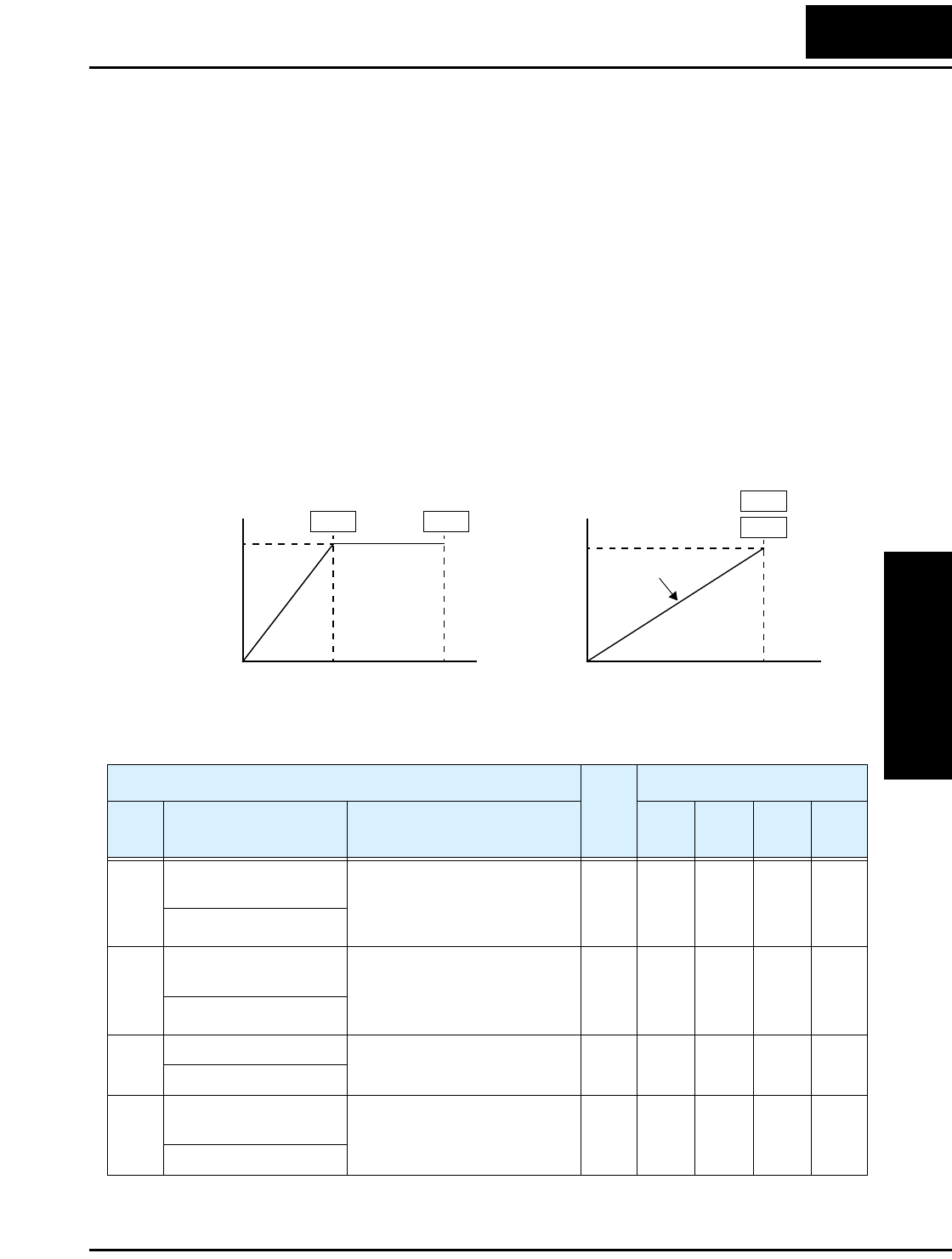
L100 Inverter
Configuring
Drive Parameters
3–9
“A” Group: Standard Functions
Basic Parameter Settings
These settings affect the most fundamental behavior of the inverter—the outputs to the
motor. The frequency of the inverter’s AC output determines the motor speed. You may
select from three different sources for the reference speed. During application develop-
ment you may prefer using the potentiometer, but you may switch to an external source
(control terminal setting) in the finished application, for example.
The base frequency and maximum frequency settings interact according to the graph
below (left). The inverter output operation follows the constant V/f curve until it reaches
the full-scale output voltage. This initial straight line is the constant-torque part of the
operating characteristic. The horizontal line over to the maximum frequency serves to let
the motor run faster, but at a reduced torque. If you want the motor to output constant
torque over its entire operating range (limited to the motor nameplate voltage and
frequency rating), then set the base frequency and maximum frequency equal as shown
(below right).
Base
Frequency
Maximum
Frequency
Base frequency =
maximum frequency
A03 A04
A03
A04
VV
100% 100%
ff
Constant torque
00
“A” Function Run
Mode
Edit
Defaults
Func.
Code
Name /
SRW Display Description –FE
(CE)
–FU
(UL)
–FR
(Jpn) Units
A_01 Frequency source
setting
Three options; select codes:
00 ...Keypad potentiometer
01 ...Control terminal
02 ...Function F01 setting
✘01 01 00 —
F-SET-SELECT TRM
A_02 Run command source
setting
Two options; select codes:
01 ...Control terminal
02 ...Run key on keypad, or
digital operator
✘01 01 02 —
F/R SELECT TRM
A_03 Base frequency setting Settable from 50 Hz to the
maximum frequency
✘50.0 60.0 60.0 Hz
F-BASE 060Hz
A_04 Maximum frequency
setting
Settable from the base
frequency up to 360 Hz
✘50.0 60.0 60.0 Hz
F-MAX 060Hz
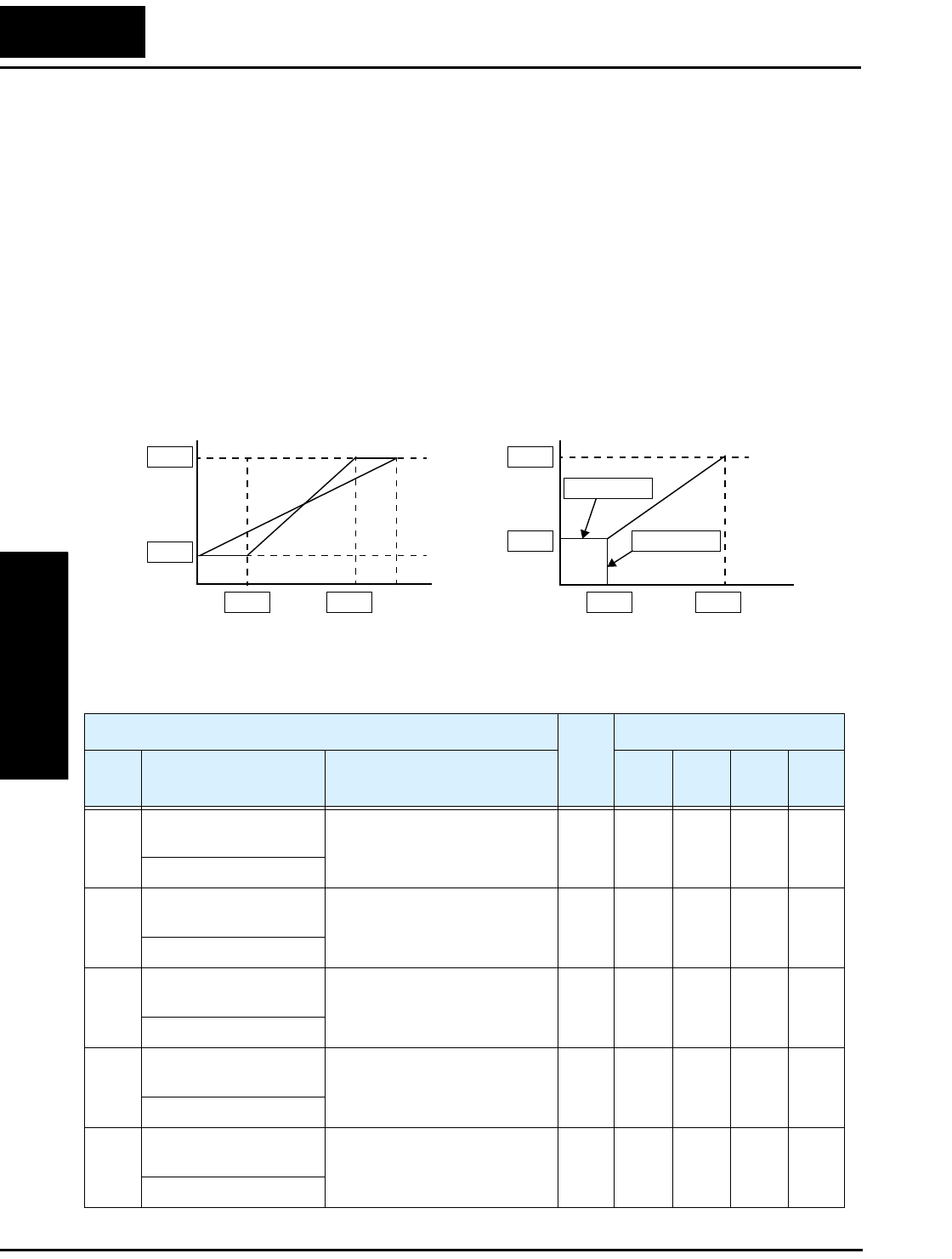
“A” Group: Standard Functions
Configuring
Drive Parameters
3–10
Analog Input Settings
The inverter has the capability to accept an external analog input that can command the
output frequency to the motor. Voltage input (0 –10V) and current input (4–20mA) are
available on separate terminals ([O] and [OI], respectively). Terminal [L] serves as
signal ground for the two analog inputs. The analog input settings adjust the curve
characteristics between the analog input and the frequency output.
In the graph below (left), A_13 and A_14 select the active portion of the input voltage or
current range. The parameters A_11 and A_12 select the start and end frequency of the
converted output frequency range, respectively. Together, these four parameters define a
line segment as shown (below, right). When the line does not begin at the origin, A_15
defines whether the inverter outputs 0Hz or the A_11 frequency when the analog input
value is less than the A_13 setting (determines the non-linear part of the translation).
A12
A11
A13 A14
A12
A11
A_15 =00
A_15 = 01
A13 A14
Frequency Frequency
0V
4mA
10V
20mA
% Input scale % Input scale
0V
4mA
10V
20mA
00
%
%
“A” Function Run
Mode
Edit
Defaults
Func.
Code
Name /
SRW Display Description –FE
(CE)
–FU
(UL)
–FR
(Jpn) Units
A_11 O–L input active range
start frequency
The output frequency corre-
sponding to the analog input
range starting point
✘0.0 0.0 0.0 Hz
IN EXS 000.0Hz
A_12 O–L input active range
end frequency
The output frequency corre-
sponding to the analog input
range ending point
✘0.0 0.0 0.0 Hz
IN EXE 000.0Hz
A_13 O–L input active range
start voltage
The starting point (offset) for
the active analog input range
✘000%
IN EX%S 000%
A_14 O–L input active range
end voltage
The ending point (offset) for
the active analog input range
✘100 100 100 %
IN EX%E 100%
A_15 O–L input start
frequency enable
Two options; select codes:
00 ...Use offset (A_11 value)
01 ...Use 0 Hz
✘01 01 01 —
IN LEVEL 0Hz
L100 Inverter
Configuring
Drive Parameters
3–11
A_16 External frequency
filter time constant
Range n = 1 to 8, where n =
number of samples for avg.
✘888Sam-
ples
IN F-SAMP 8
“A” Function Run
Mode
Edit
Defaults
Func.
Code
Name /
SRW Display Description –FE
(CE)
–FU
(UL)
–FR
(Jpn) Units
“A” Group: Standard Functions
Configuring
Drive Parameters
3–12
Multi-speed and Jog Frequency Setting
The L100 inverter has the capability to store and output up to 16 preset frequencies to
the motor (A_20 to A_35). As in traditional motion terminology, we call this multi-
speed profile capability. These preset frequencies are selected by means of digital inputs
to the inverter. The inverter applies the current acceleration or deceleration setting to
change from the current output frequency to the new one.
The jog speed setting is used whenever the Jog command is active. The jog speed setting
range is arbitrarily limited to 10 Hz, to provide safety during manual operation. The
acceleration to the jog frequency is instantaneous, but you can choose from three modes
for the best method for stopping the jog operation.
“A” Function Run
Mode
Edit
Defaults
Func.
Code
Name /
SRW Display Description –FE
(CE)
–FU
(UL)
–FR
(Jpn) Units
A_20 Multi-speed frequency
setting
Defines the first speed of a
multi-speed profile, range is
0 to 360 Hz
✔000Hz
SPD FS 000.0Hz
A_21
to
A_35
Multi-speed frequency
settings
Defines 15 more speeds,
range is 0 to 360 Hz.
A_21= Speed 2...
A_35 = Speed 16
✔see
next
row
see
next
row
see
next
row
Hz
SPD 1 000.0Hz
SPD 2 000.0Hz
SPD 3 000.0Hz
SPD 4 000.0Hz
SPD 5 000.0Hz
SPD 6 000.0Hz
SPD 7 000.0Hz
SPD 8 000.0Hz
SPD 9 000.0Hz
SPD 10 000.0Hz
SPD 11 000.0Hz
SPD 12 000.0Hz
SPD 13 000.0Hz
SPD 14 000.0Hz
SPD 15 000.0Hz
A_21
A_22
A_23
A_24
A_25
A_26
A_27
A_28
A_29
A_30
A_31
A_32
A_33
A_34
A_35
0
0
0
0
0
0
0
0
0
0
0
0
0
0
0
0
0
0
0
0
0
0
0
0
0
0
0
0
0
0
5
10
15
20
30
40
50
60
0
0
0
0
0
0
0
A_38 Jog frequency setting Defines limited speed for jog,
range is 0.5 to 9.99 Hz
✔1.0 1.0 1.0 Hz
Jogging 01.00Hz
A_39 Jog stop mode Define how end of jog stops
the motor; three options:
00 ...Free-run stop
01 ...Controlled deceleration
02 ...DC braking to stop
✘00 00 00 —
Jog Mode 0
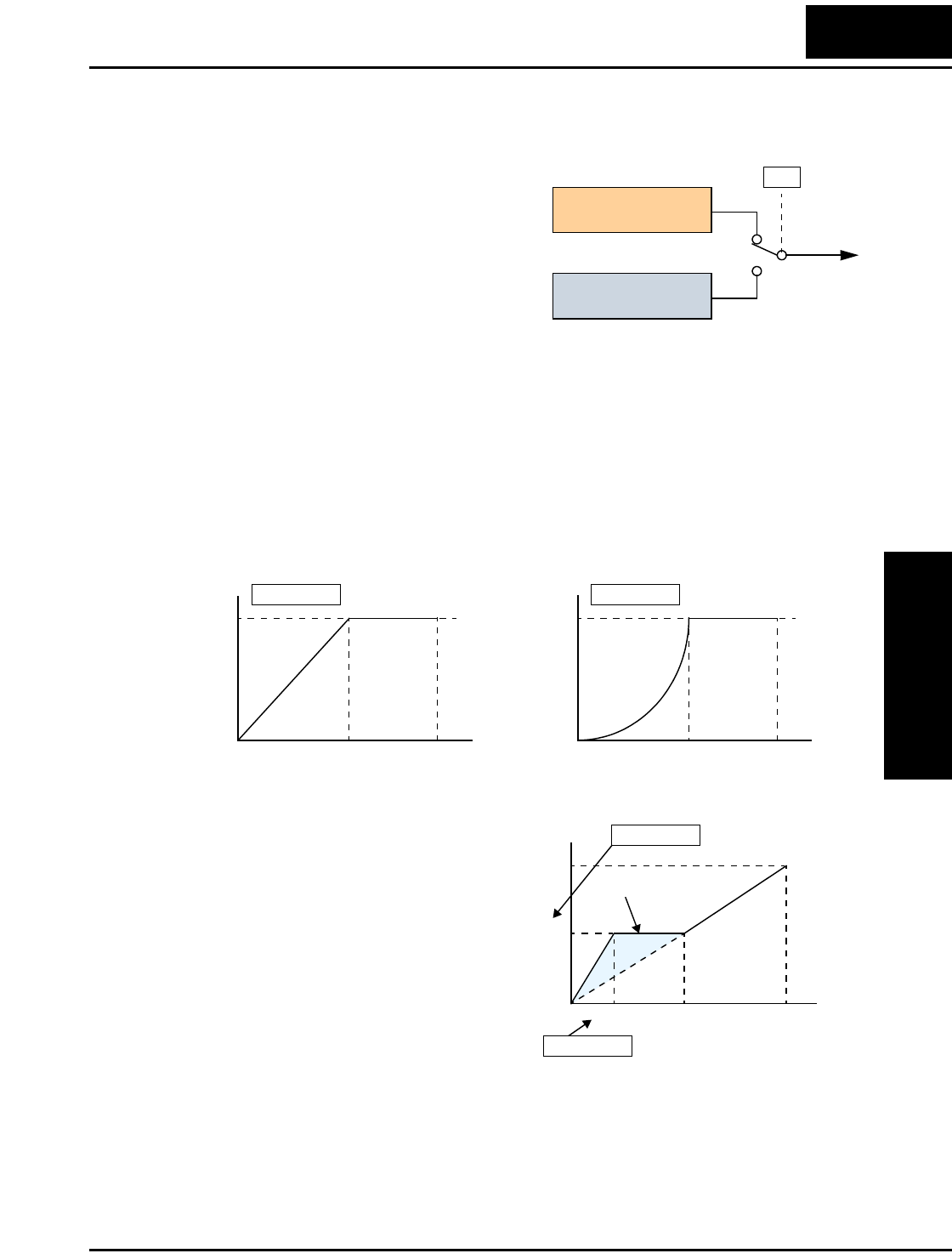
L100 Inverter
Configuring
Drive Parameters
3–13
Torque Control Algorithms
The inverter generates the motor output
according to the V/f algorithm selected.
Parameter A_44 selects the inverter algorithm
for generating the frequency output, as shown
in the diagram to the right. The factory
default is 00 (constant torque).
Review the following description to help you
choose the best torque control algorithm for
your application.
• The built-in V/f curves are oriented toward developing constant torque or variable
torque characteristics (see graphs below). You can select either constant torque or
reduced torque V/f control.
Constant and Variable (Reduced) Torque – The graph below (left) shows the constant
torque characteristic from 0Hz to the base frequency A_03. The voltage remains
constant for output frequencies higher than the base frequency. The graph below (right)
shows the general variable (reduced) torque curve. The range from 0Hz to the base
frequency is the variable characteristic.
Torque Boost – The Constant and
Variable Torque algorithms feature an
adjustable torque boost curve. When the
motor load has a lot of inertia or starting
friction, you may need to increase the low
frequency starting torque characteristics
by boosting the voltage above the normal
V/f ratio (shown at right). The boost is
applied from zero to 1/2 the base
frequency. You set the breakpoint of the
boost (point A on the graph) by using
parameters A_42 and A_43. The manual boost is calculated as an addition to the
standard straight V/f line (constant torque curve).
Be aware that running the motor at a low speed for a long time can cause motor
overheating. This is particularly true when manual torque boost is ON, or if the motor
relies on a built-in fan for cooling.
Output
A44
V/f control,
constant torque
V/f control,
variable torque
00
01
Inverter Torque Control Algorithms
Constant torque
A_44 =00
V
100%
Hz
0
Variable torque
A_44 =01
V
100%
Hz
0
Base
freq.
Max.
freq.
Base
freq.
Max.
freq.
f base =
60Hz
Torque boost
A_42 = 11
A_43 = 10 (%)
V
Hz
100%
11.8%
30.0Hz6.0Hz
A
0
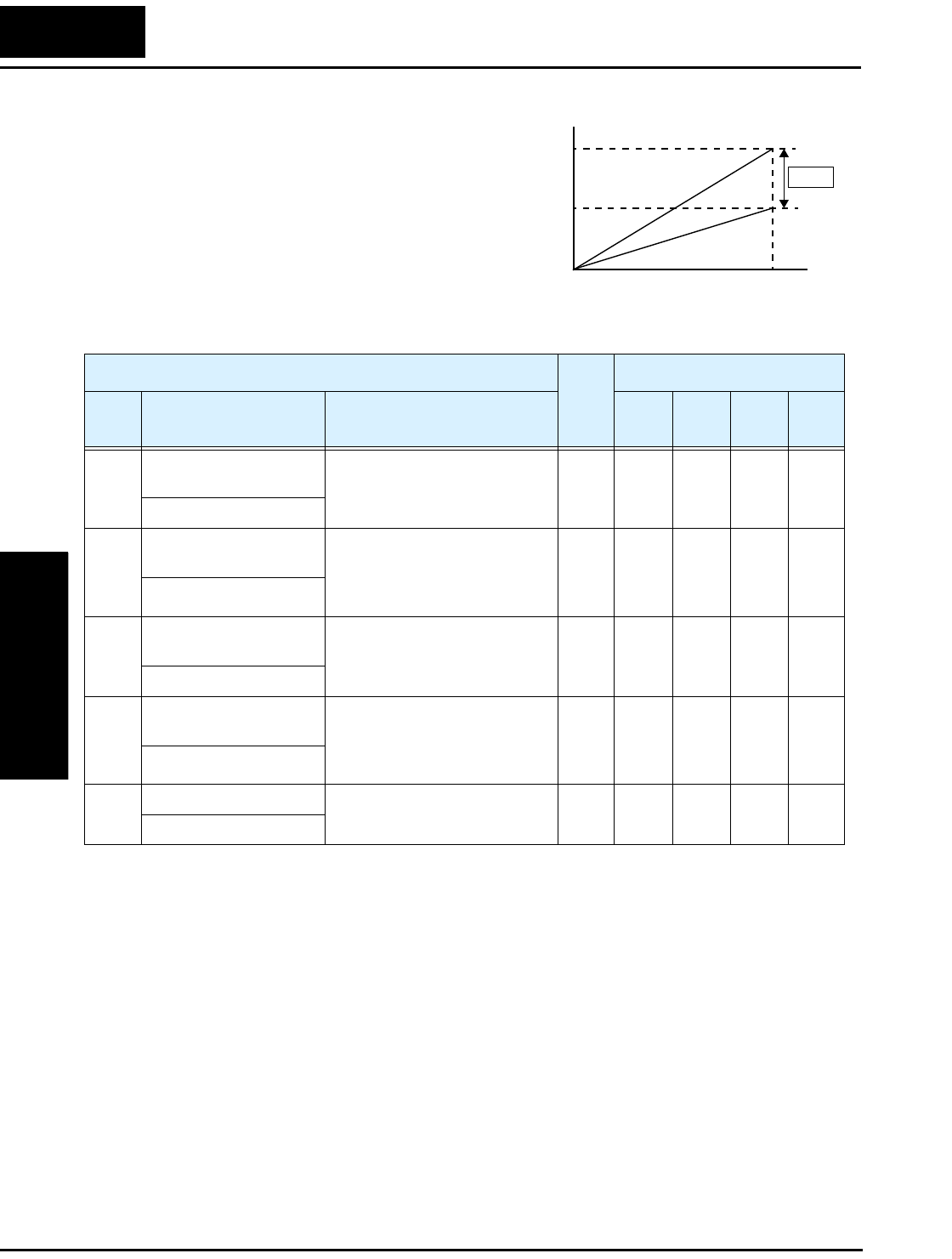
“A” Group: Standard Functions
Configuring
Drive Parameters
3–14
Voltage Gain – Using parameter A_45 you can
modify the voltage gain of the inverter (see
graph at right). This is specified as a percent-
age of the full scale setting (Automatic Voltage
Regulation) AVR level in parameter F_03. The
gain can be set from 50% to 100%. It should be
adjusted in accordance with the motor specifi-
cations.
The following table shows the methods of
torque control selection.
A45
V
1
00%
50%
Hz
Voltage Gain
0
“A” Function Run
Mode
Edit
Defaults
Func.
Code
Name /
SRW Display Description –FE
(CE)
–FU
(UL)
–FR
(Jpn) Units
A_41 Torque boost method
selection
Two options:
00 ...Manual torque boost
01 ...Automatic torque boost
✘00 00 00 —
V-Boost Mode 0
A_42 Manual torque boost
value
Can boost starting torque
between 0 and 99% above
normal V/f curve, from 0 to
1/2 base frequency
✔11 11 11 —
V-Boost code 11
A_43 Manual torque boost
frequency adjustment
Sets the frequency of the V/f
breakpoint A in graph (top of
previous page) for torque boost
✔10.0 10.0 10.0 %
V-Boost F 10.0%
A_44 V/f characteristic curve
selection
Two available V/f curves;
three select codes:
00 ...Constant torque
01 ...Reduced torque
✘00 00 00 —
CONTROL SLV
A_45 V/f gain setting Sets voltage gain of the
inverter from 50 to 100%
✔100 100 100 %
V-Gain 100%
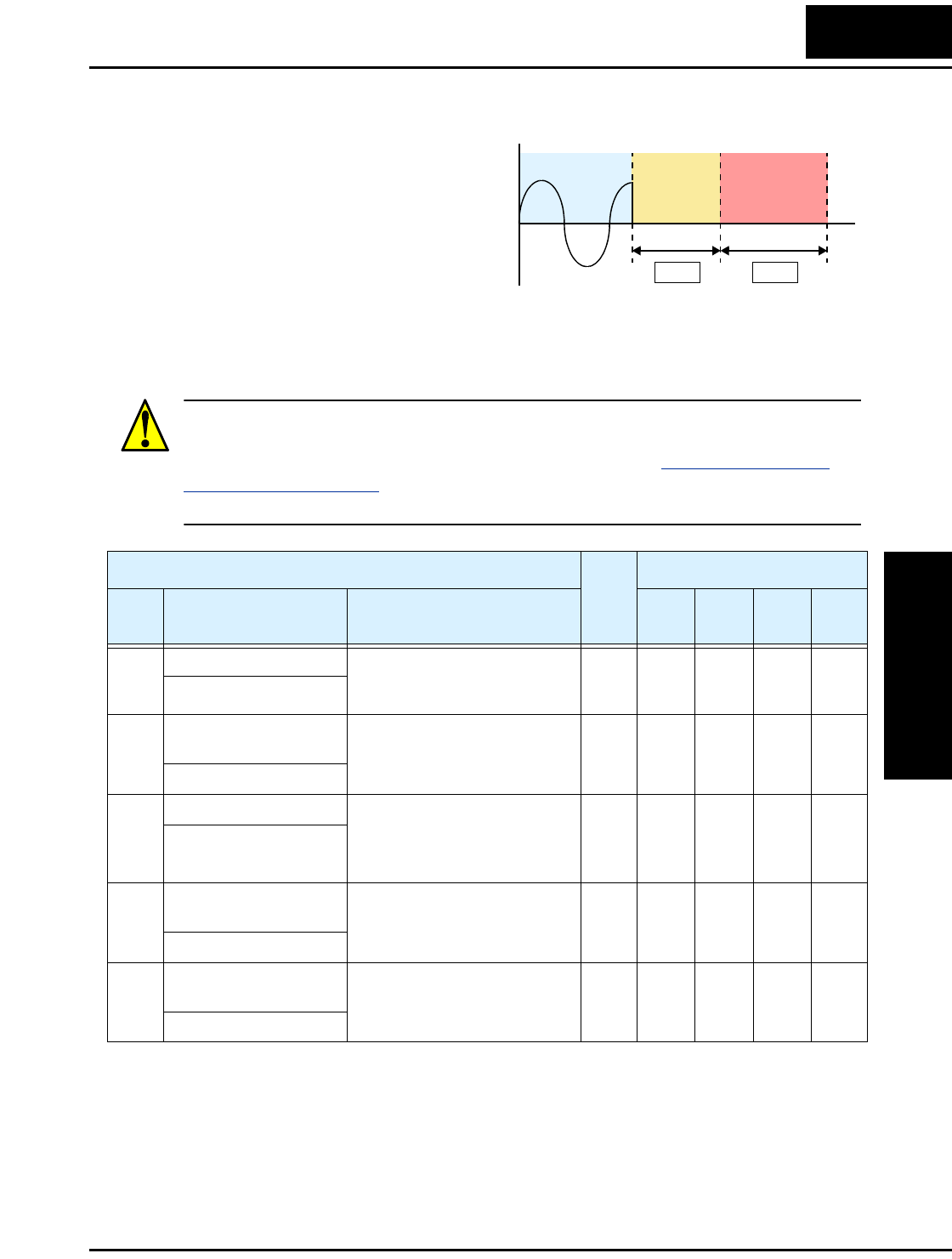
L100 Inverter
Configuring
Drive Parameters
3–15
DC Braking Settings
The DC braking feature can provide
additional stopping torque when
compared to a normal deceleration to a
stop. DC braking is particularly useful
at low speeds when normal decelera-
tion torque is minimal. When you
enable DC braking, the inverter injects
a DC voltage into the motor windings
during deceleration below a frequency you can specify (A_52). The braking power
(A_54) and duration (A_55) can both be set. You can optionally specify a wait time
before DC braking (A_53), during which the motor will free run (coast).
CAUTION: Be careful to avoid specifying a braking time that is long enough to cause
motor overheating. If you use DC braking, we recommend using a motor with a built-in
thermistor, and wiring it to the inverter’s thermistor input (see “Thermistor Thermal
Protection” on page 4–20). Also refer to the motor manufacturer’s specifications for
duty-cycle recommendations during DC braking.
DC brakingFree runRunning
A53 A55
t
0
+
–
“A” Function Run
Mode
Edit
Defaults
Func.
Code
Name /
SRW Display Description –FE
(CE)
–FU
(UL)
–FR
(Jpn) Units
A_51 DC braking enable Two options; select codes:
00 ...Disable
01 ...Enable
✘00 00 00 —
DCB SW OFF
A_52 DC braking frequency
setting
The frequency at which DC
braking occurs,
range is 0.5 to 10 Hz
✘0.5 0.5 0.5 Hz
DCB F 00.5Hz
A_53 DC braking wait time The delay from the end of Run
command to start of DC
braking (motor free runs until
DC braking begins)
✘0.0 0.0 0.0 sec.
DCB WAIT 0.0s
A_54 DC braking during
deceleration
Applied level of DC braking
force, settable from 0 to 100%
✘000%
DCB V 000
A_55 DC braking time for
deceleration
Sets the duration for DC
braking, range is 0.1 to 60.0
seconds
✘0.0 0.0 0.0 sec.
DCB T 00.0s
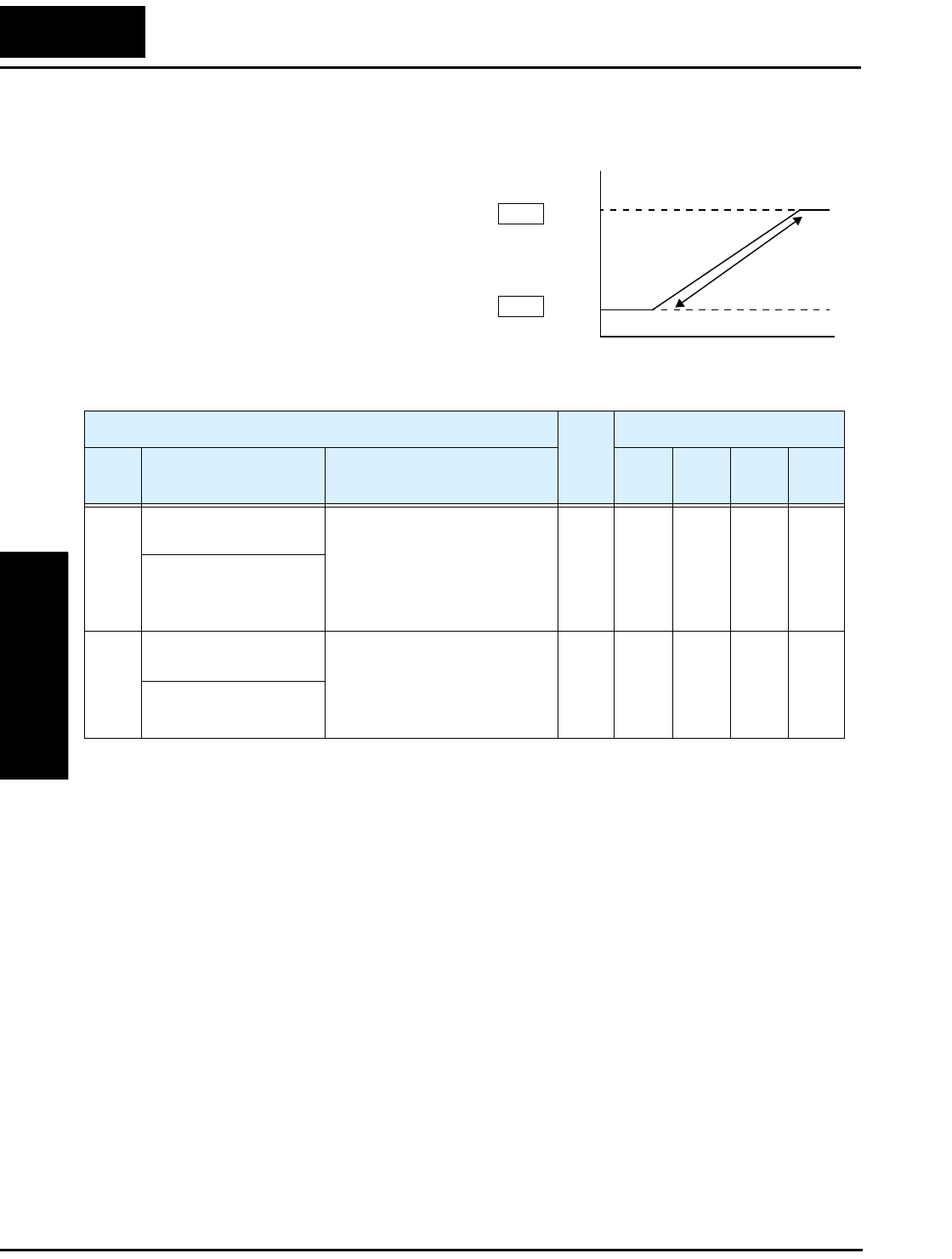
“A” Group: Standard Functions
Configuring
Drive Parameters
3–16
Frequency-related Functions
Frequency Limits – Upper and lower
limits can be imposed on the inverter
output frequency. These limits will apply
regardless of the source of the speed refer-
ence. You can configure the lower
frequency limit to be greater than zero as
shown in the graph to the right. The upper
limit must not exceed the rating of the
motor or capability of the machinery.
Upper
limit
Frequency command
Lower
limit
Settable
range
A61
A62
Output
frequency
0
“A” Function Run
Mode
Edit
Defaults
Func.
Code
Name /
SRW Display Description –FE
(CE)
–FU
(UL)
–FR
(Jpn) Units
A_61 Frequency upper limit
setting
Sets a limit on output
frequency less than the
maximum frequency (A_04)
Range is 0.5 to 360.0 Hz
0.0 ..setting is disabled
>0.1 setting is enabled
✘0.0 0.0 0.0 Hz
LIMIT H 000.0Hz
A_62 Frequency lower limit
setting
Sets a limit on output
frequency greater than zero
Range is 0.5 to 360.0 Hz
0.0 ..setting is disabled
>0.1 setting is enabled
✘0.0 0.0 0.0 Hz
LIMIT L 000.0Hz
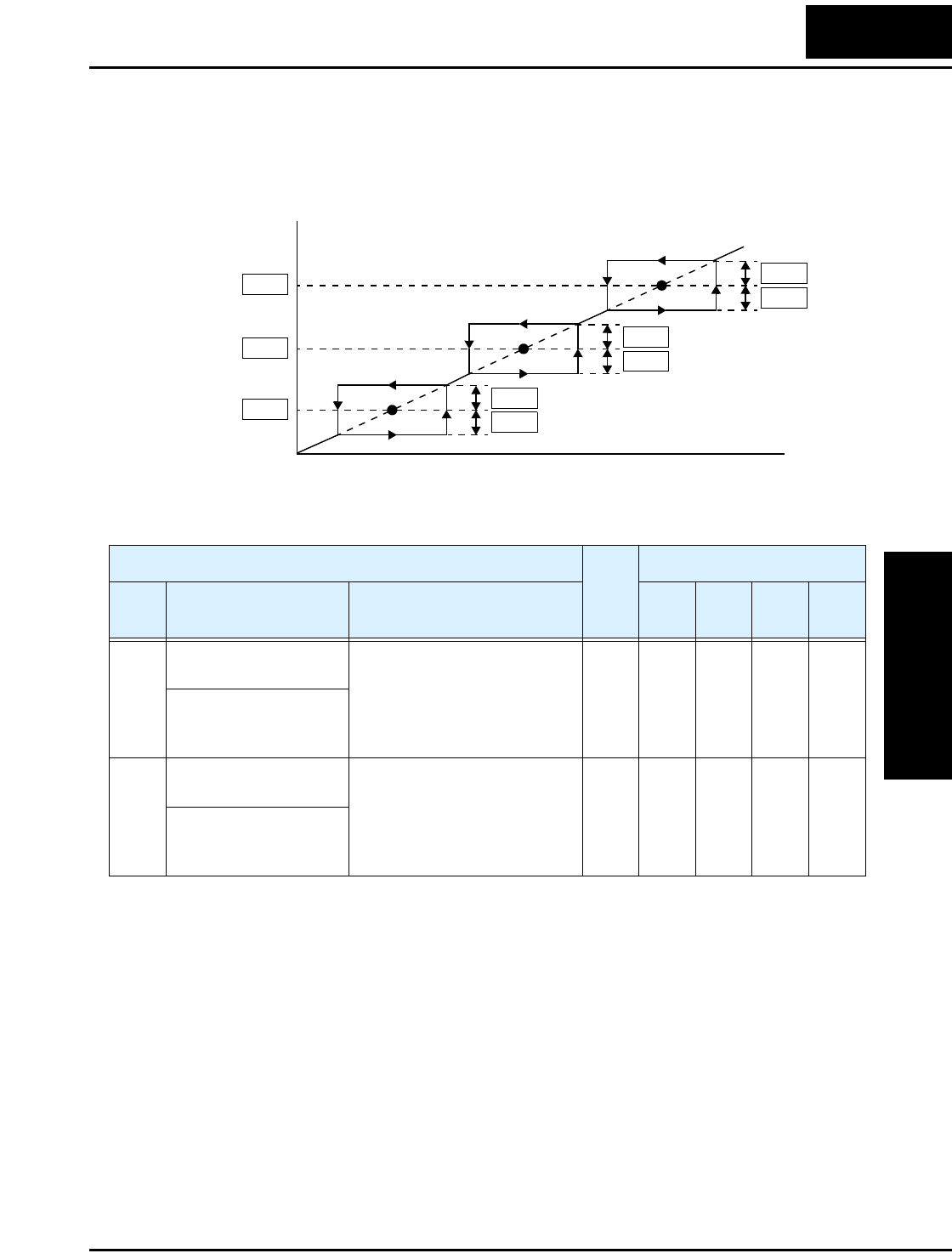
L100 Inverter
Configuring
Drive Parameters
3–17
Jump Frequencies – Some motors or machines exhibit resonances at particular
speed(s), which can be destructive for prolonged running at those speeds. The inverter
has up to three jump frequencies as shown in the graph. The hysteresis around the jump
frequencies causes the inverter output to skip around the sensitive frequency values
Jump frequencies
A63 A64
Output
frequency
Frequency command
A64
A66
A66
A68
A68
A65
A67
Hysteresis values
0
“A” Function Run
Mode
Edit
Defaults
Func.
Code
Name /
SRW Display Description –FE
(CE)
–FU
(UL)
–FR
(Jpn) Units
A_63,
A_65,
A_67
Jump (center)
frequency setting
Up to 3 output frequencies can
be defined for the output to
jump past to avoid motor
resonances (center frequency)
Range is 0.0 to 360.0 Hz
✘0.0
0.0
0.0
0.0
0.0
0.0
0.0
0.0
0.0
Hz
JUMP F1 000.0Hz
JUMP F2 000.0Hz
JUMP F3 000.0Hz
A_64,
A_66,
A_68
Jump (hysteresis)
frequency width setting
Defines the distance from the
center frequency at which the
jump around occurs
Range is 0.0 to 10.0 Hz
✘0.5
0.5
0.5
0.5
0.5
0.5
0.5
0.5
0.5
Hz
JUMP W1 00.50Hz
JUMP W2 00.50Hz
JUMP W3 00.50Hz
“A” Group: Standard Functions
Configuring
Drive Parameters
3–18
PID Control
When enabled, the built-in PID loop calculates an ideal inverter output value to cause a
loop feedback process variable (PV) to move closer in value to the setpoint (SP). The
current frequency command serves as the SP. The PID loop algorithm will read the
analog input for the process variable (you specify the current or voltage input) and calcu-
late the output.
• A scale factor in A_75 lets you multiply the PV by a factor, converting it into
engineering units for the process.
• Proportional, integral, and derivative gains are all adjustable.
•See “PID Loop Operation” on page 4–32 for more information.
NOTE: The setting A_73 for the integrator is the integrator’s time constant Ti, not the
gain. The integrator gain Ki = 1/Ti. When you set A_73 = 0, the integrator is disabled.
“A” Function Run
Mode
Edit
Defaults
Func.
Code
Name /
SRW Display Description –FE
(CE)
–FU
(UL)
–FR
(Jpn) Units
A_71 PID Enable Enables PID function,
two option codes:
00 ...PID Disable
01 ...PID Enable
✘00 00 00 —
PID SW OFF
A_72 PID proportional gain Proportional gain has a range
of 0.2 to 5.0
✘1.0 1.0 1.0 —
PID P 1.0
A_73 PID integral time
constant
Integral time constant has a
range of 0.0 to 150 seconds
✘1.0 1.0 1.0 sec.
PID I 001.0s
A_74 PID derivative time
constant
Derivative time constant has a
range of 0.0 to 100 seconds
✘0.0 0.0 0.0 sec.
PID D 00.0
A_75 PV scale conversion Process Variable (PV) scale
factor (multiplier), range of
0.01 to 99.99
✘1.00 1.00 1.00 —
PID CONV 01.00
A_76 PV source setting Selects source of Process
Variable (PV), option codes:
00 ...[OI] terminal (current in)
01 ...[O] terminal (voltage in)
✘00 00 00 —
PID INPT CUR
L100 Inverter
Configuring
Drive Parameters
3–19
Automatic Voltage Regulation (AVR) Function
The automatic voltage regulation (AVR) feature keeps the inverter output waveform at a
relatively constant amplitude during power input fluctuations. This can be useful if the
installation is subject to input voltage fluctuations. However, the inverter cannot boost
its motor output to a voltage higher than the power input voltage. If you enable this
feature, be sure to select the proper voltage class setting for your motor.
“A” Function Run
Mode
Edit
Defaults
Func.
Code
Name /
SRW Display Description –FE
(CE)
–FU
(UL)
–FR
(Jpn) Units
A_81 AVR function select Automatic (output) voltage
regulation, selects from three
type of AVR functions, three
option codes:
00 ...AVR enabled
01 ...AVR disabled
02 ...AVR enabled except
during deceleration
✘02 00 02 —
AVR MODE DOFF
A_82 AVR voltage select 200V class inverter settings:
.......200/220/230/240
400V class inverter settings:
.......380/400/415/440/460
✘230/
400
230/
460
200/
400
V
AVR AC 230V
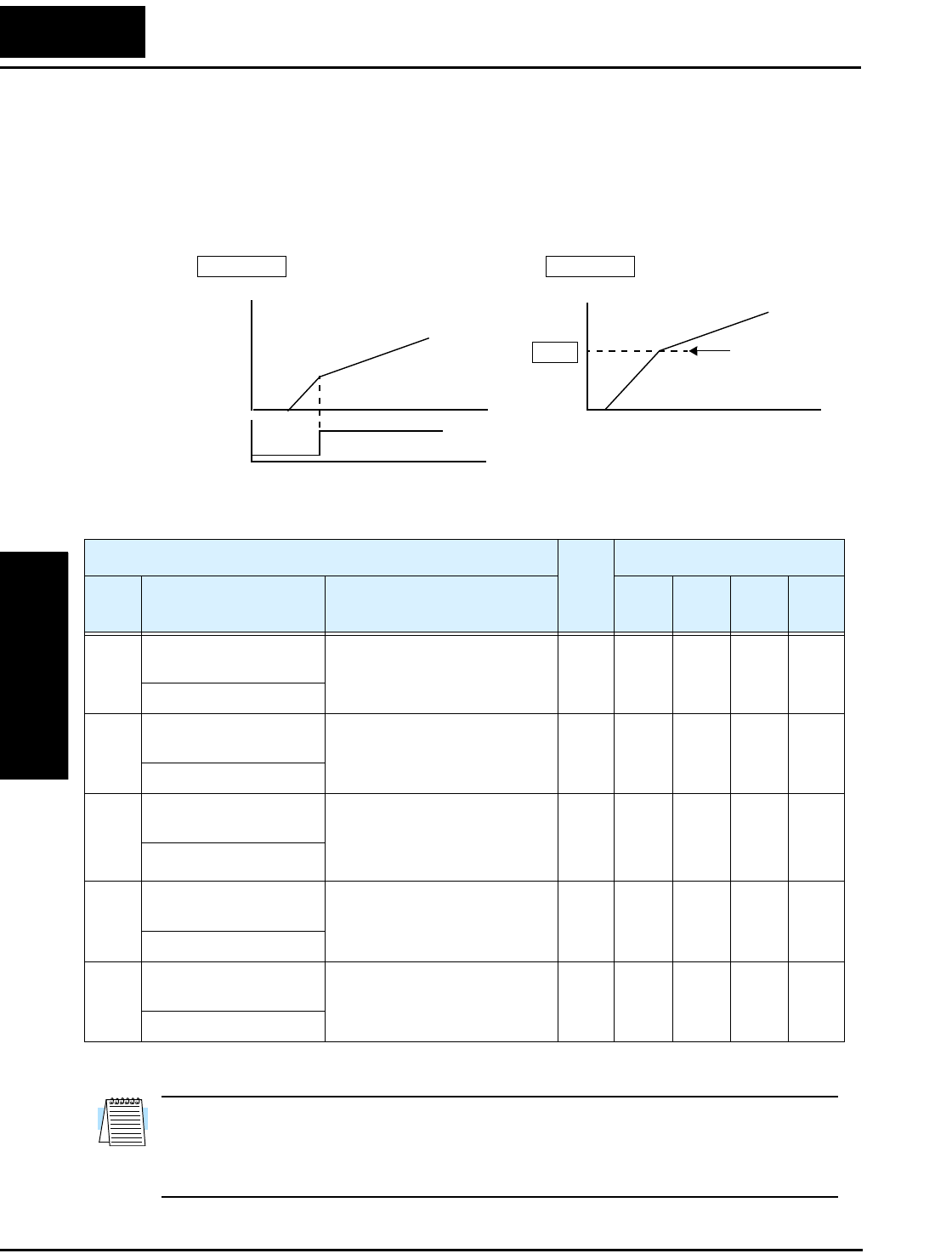
“A” Group: Standard Functions
Configuring
Drive Parameters
3–20
Second Acceleration and Deceleration Functions
The L100 inverter features two-stage acceleration and deceleration ramps. This gives
flexibility in the profile shape. You can specify the frequency transition point, the point
at which the standard acceleration (F_02) or deceleration (F_03) changes to the second
acceleration (A_92) or deceleration (A_93). Select a transition frequency method via
A_94 as depicted below.
NOTE: For A_95 and A_96, if you set a very rapid Acc1 or Dec1 time (less than 1.0
second), the inverter may not be able to change rates to Acc2 or Dec2 before reaching
the target frequency. In that case, the inverter decreases the rate of Acc1 or Dec1 in order
to achieve the second ramp to the target frequency.
Accel 1
Accel 2
2CH
input
Frequency
transition point
A95
A_94 =00 A_94 =01
Output
frequency
Output
frequency
t
t
Accel 1
Accel 2
t
Transition via 2CH input Transition via freq. level
00
1
0
“A” Function Run
Mode
Edit
Defaults
Func.
Code
Name /
SRW Display Description –FE
(CE)
–FU
(UL)
–FR
(Jpn) Units
A_92 Acceleration (2) time
setting
Duration of 2nd segment of
acceleration, range is:
0.1 to 3000 sec.
✔15.0 15.0 15.0 sec.
ACC 2 0015.0s
A_93 Deceleration (2) time
setting
Duration of 2nd segment of
deceleration, range is:
0.1 to 3000 sec.
✔15.0 15.0 15.0 sec.
DEC 2 0015.0s
A_94 Select method to switch
to Acc2/Dec2 profile
Two options for switching
from 1st to 2nd accel/decel:
00 ...2CH input from terminal
01 ...transition frequency
✘00 00 00 —
ACC CHG TM
A_95 Acc1 to Acc2 frequency
transition point
Output frequency at which
Accel1 switches to Accel2,
range is 0.0 to 360.0 Hz
✘0.0 0.0 0.0 Hz
ACC CHFr 000.0Hz
A_96 Dec1 to Dec2 frequency
transition point
Output frequency at which
Decel1 switches to Decel2,
range is 0.0 to 360.0 Hz
✘0.0 0.0 0.0 Hz
DEC CHFr 000.0Hz
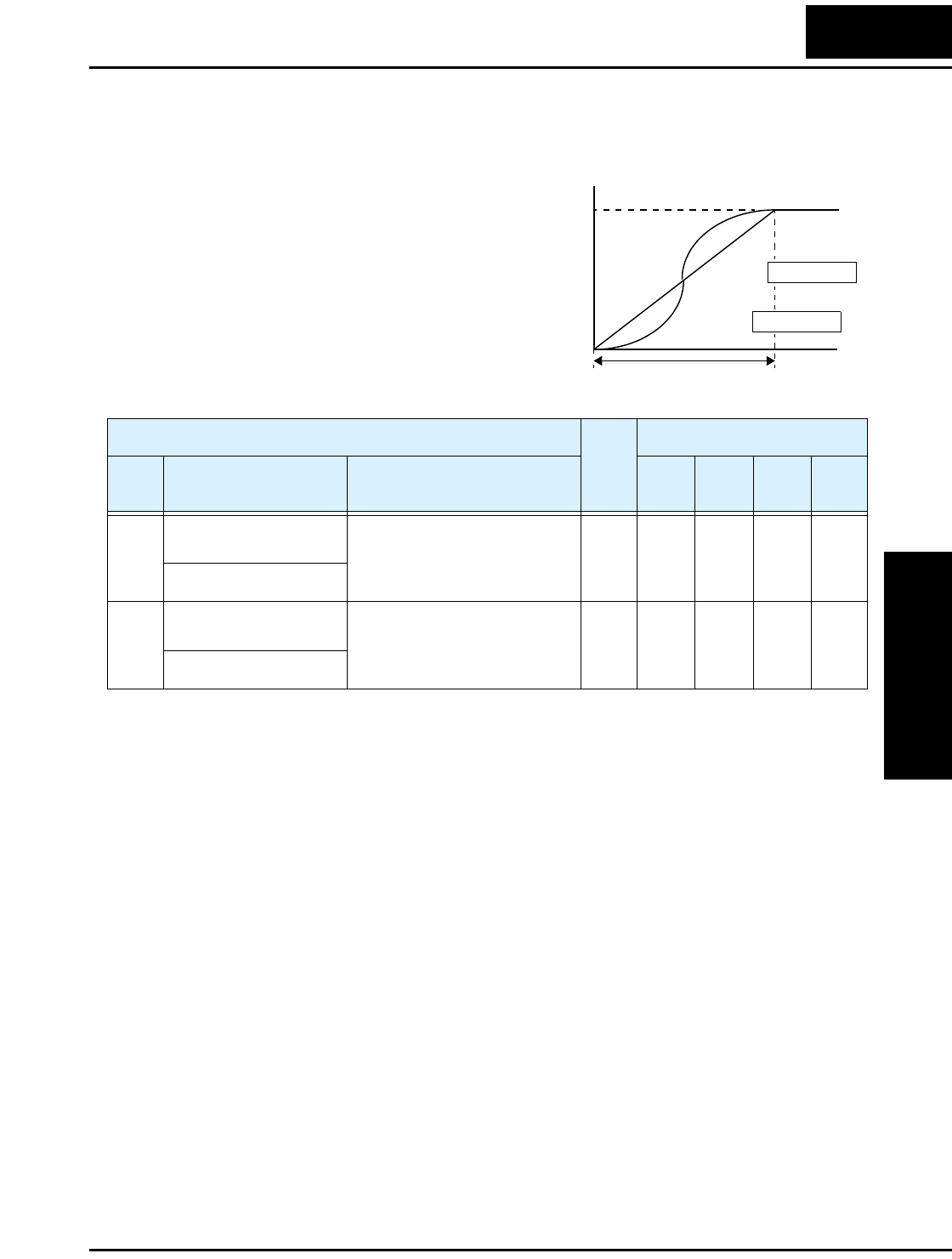
L100 Inverter
Configuring
Drive Parameters
3–21
Accel/Decel
Standard acceleration and deceleration is
linear. The inverter CPU can also calculate
an S-curve acceleration or deceleration
curve as shown. This profile is useful for
favoring the load characteristics in particu-
lar applications.
Curve settings for acceleration and decel-
eration are independently selected. To
enable the S-curve, use function A_97
(acceleration) and A_98 (deceleration).
Acceleration period
S-curve
Linear
Accel. curve selection
Target
freq.
Output
frequency
t
0
A_97 =00
A_97 =01
“A” Function Run
Mode
Edit
Defaults
Func.
Code
Name /
SRW Display Description –FE
(CE)
–FU
(UL)
–FR
(Jpn) Units
A_97 Acceleration curve
selection
Set the characteristic curve of
Acc1 and Acc2, two options:
00 ...linear
01 ...S-curve
✘00 00 00 —
ACCEL LINE L
A_98 Deceleration curve
selection
Set the characteristic curve of
Acc1 and Acc2, two options:
00 ...linear
01 ...S-curve
✘00 00 00 —
DEC LINE L
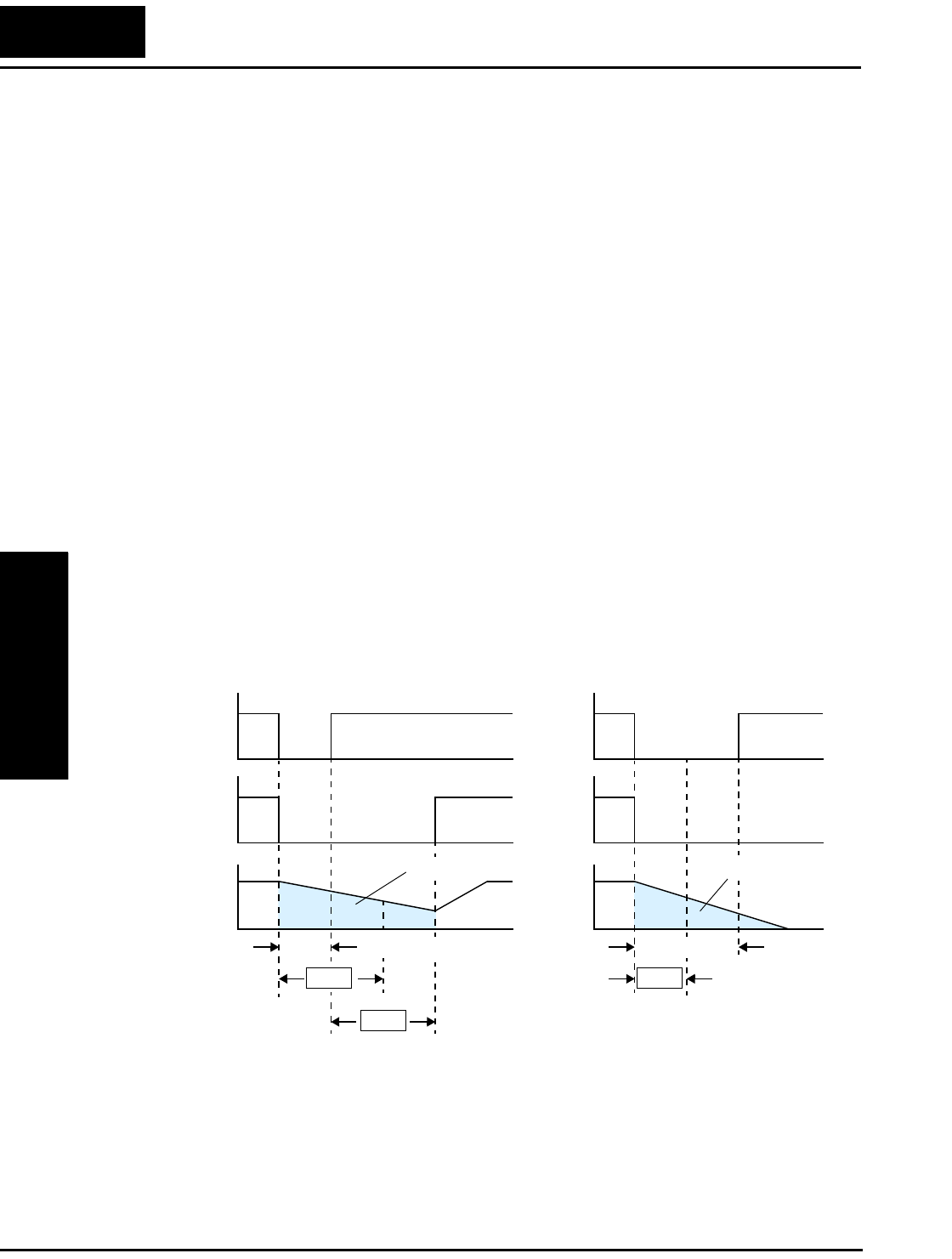
“B” Group: Fine Tuning Functions
Configuring
Drive Parameters
3–22
“B” Group: Fine Tuning Functions
The “B” Group of functions and parameters adjust some of the more subtle but useful
aspects of motor control and system configuration.
Automatic Restart Mode
The restart mode determines how the inverter will resume operation after a fault causes a
trip event. The four options provide advantages for various situations. Frequency
matching allows the inverter to read the motor speed by virtue of its residual magnetic
flux and restart the output at the corresponding frequency. The inverter can attempt a
restart a certain number of times depending on the particular trip event:
• Over-current trip, restart up to 3 times
• Over-voltage trip, restart up to 3 times
• Under-voltage trip, restart up to 16 times
When the inverter reaches the maximum number of restarts (3 or 16), you must power-
cycle the inverter to reset its operation.
Other parameters specify the allowable under-voltage level and the delay time before
restarting. The proper settings depend on the typical fault conditions for your applica-
tion, the necessity of restarting the process in unattended situations, and whether restart-
ing is always safe.
Input
power
Motor
speed
B02
B03
Power fail t
0
0
Power failure < allowable power fail
time (B_02), inverter resumes
0
Inverter
output
free-running
Input
power
Motor
speed
B02
t
0
0
Power failure > allowable power fail
time (B_02), inverter trips
0
Inverter
output
free-running
Allowable
power fail time
Retry wait time
Power fail
Allowable
power fail time
L100 Inverter
Configuring
Drive Parameters
3–23
“B” Function Run
Mode
Edit
Defaults
Func.
Code
Name /
SRW Display Description –FE
(CE)
–FU
(UL)
–FR
(Jpn) Units
B_01 Selection of restart
mode
Select inverter restart method,
four option codes:
00 ...Alarm output after trip,
no automatic restart
01 ...Restart at 0Hz
02 ...Resume operation after
frequency matching
03 ...Resume previous freq.
after freq. matching, then
decelerate to stop and display
trip info.
✘00 00 00 —
IPS POWR ALM
B_02 Allowable under-
voltage power failure
time
The amount of time a power
input under-voltage can occur
without tripping the power
failure alarm. Range is 0.3 to
25 sec. If under-voltage exists
longer than this time, the
inverter trips, even if the restart
mode is selected.
✘1.0 1.0 1.0 sec.
IPS UVTIME 01.0s
B_03 Retry wait time before
motor restart
Time delay after under-voltage
condition goes away, before
the inverter runs motor again.
Range is 0.3 to 100 seconds.
✘1.0 1.0 1.0 sec.
IPS WAIT 001.0s
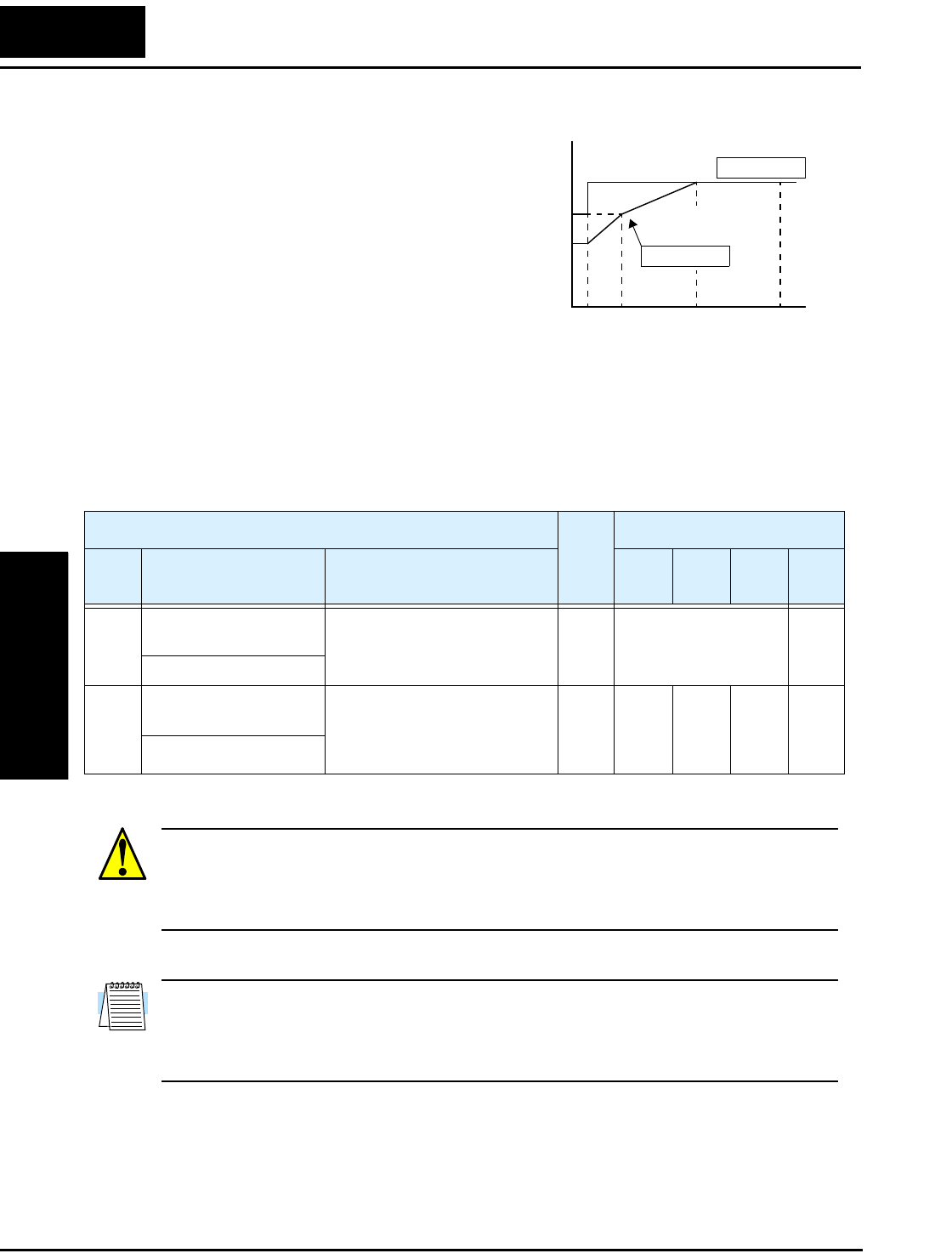
“B” Group: Fine Tuning Functions
Configuring
Drive Parameters
3–24
Electronic Thermal Overload Alarm Setting
The thermal overload detection protects the
inverter and motor from overheating due to
an excessive load. It uses a current/inverse
time curve to determine the trip point.
First, use B_13 to select the torque charac-
teristic that matches your load. This allows
the inverter to utilize the best thermal
overload characteristic for your application.
The torque developed in a motor is directly
proportional to the current in the windings,
which is also proportional to the heat generated (and temperature, over time). Therefore,
you must set the thermal overload threshold in terms of current (amperes) for parameter
B_12. The range is 50% to 120% of the rated current for each inverter model. If the
current exceeds the level you specify, the inverter will trip and log an event (error E05) in
the history table. The inverter turns the motor output OFF when tripped.
WARNING: When parameter B_12, level of electronic thermal setting, is set to device
FLA rating (Full Load Ampere nameplate rating), the device provides solid state motor
overload protection at 115% of device FLA or equivalent. Parameter B_12, level of
electronic thermal setting, is a variable parameter.
NOTE: For inverter models 005NFE, 011NFE, and 030HFE, the thermal value is less
than the rated amperes (is the same as models 004NFE, 007NFE, and 040HFE respec-
tively). Therefore, be sure to set the electronic thermal overload according to the actual
motor driven by the particular inverter.
Output frequency
Constant torque
Reduced
torque
B_13 =01
B_13 =00
To r q u e
520 60 120
Hz
100%
80%
60%
0
“B” Function Run
Mode
Edit
Defaults
Func.
Code
Name /
SRW Display Description –FE
(CE)
–FU
(UL)
–FR
(Jpn) Units
B_12 Level of electronic
thermal setting
Set a level between 50% and
120% for the rated inverter
current.
✘Rated current for each
inverter model
*See note
%
E-THM LVL 03.00A
B_13 Electronic thermal
characteristic
Select from two curves, option
codes:
00 ...Reduced torque
01 ...Constant torque
✘01 01 00 —
E-THM CHAR CRT
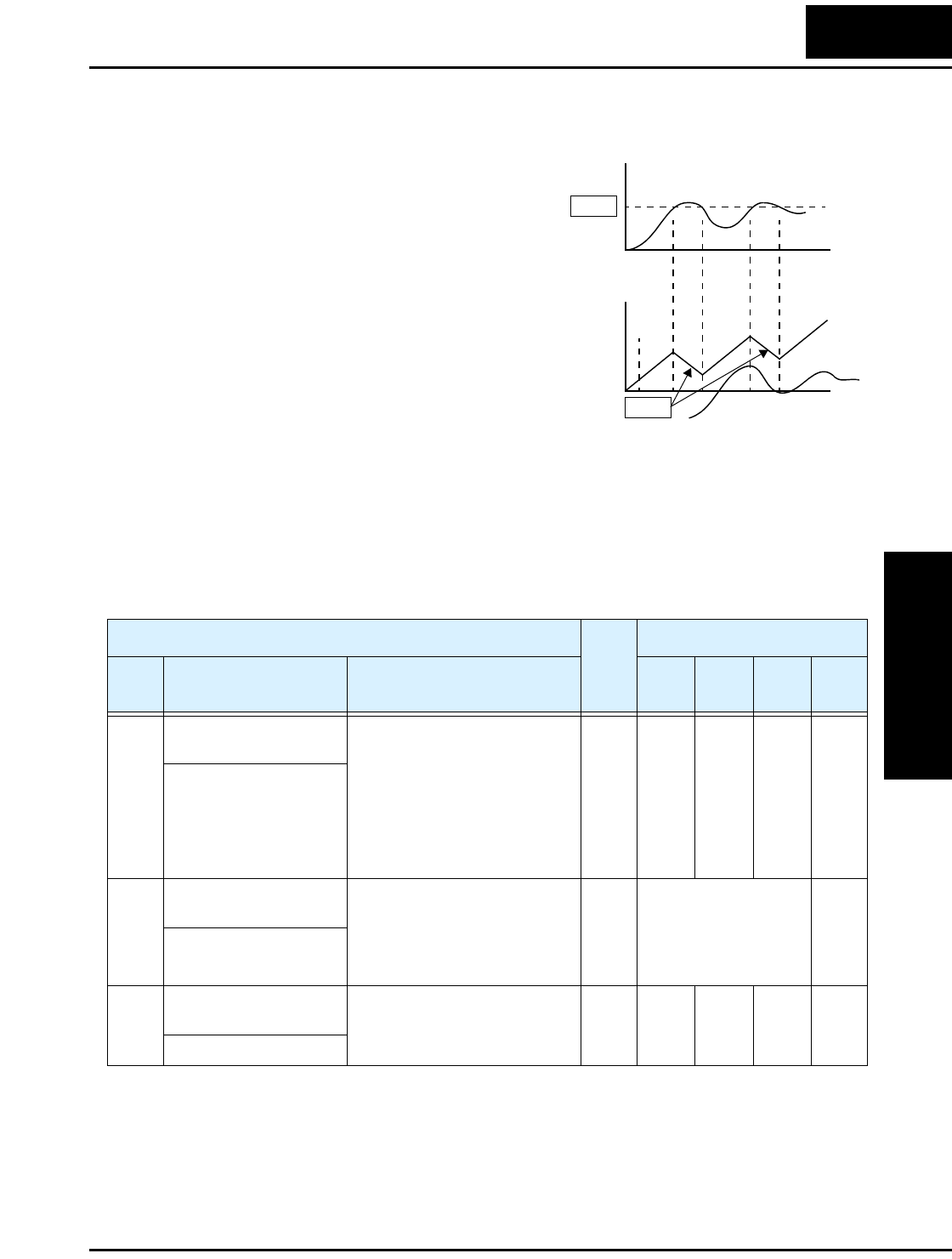
L100 Inverter
Configuring
Drive Parameters
3–25
Overload Restriction
If the inverter’s output current exceeds a
preset current level you specify during
acceleration or constant speed, the overload
restriction feature automatically reduces the
output frequency to restrict the overload.
This feature does not generate an alarm or
trip event. You can instruct the inverter to
apply overload restriction only during
constant speed, thus allowing higher
currents for acceleration. Or, you may use
the same threshold for both acceleration and
constant speed. In the case of controlled
deceleration, the inverter monitors both
output current and DC bus voltage. The
inverter will increase output frequency to
try to avoid a trip due to over-current or
over-voltage (due to regeneration).
When the inverter detects an overload, it must decelerate the motor to reduce the current
until it is less than the threshold. You can choose the rate of deceleration that the inverter
uses to lower the output current.
Motor
Current
Output
frequency
B22
B23 t
t
Restriction area
0
0
“B” Function Run
Mode
Edit
Defaults
Func.
Code
Name /
SRW Display Description –FE
(CE)
–FU
(UL)
–FR
(Jpn) Units
B_21 Overload restriction
operation mode
Select the operating mode
during overload conditions,
three options, option codes:
00 ...Disabled
01 ...Enabled for acceleration
and constant speed
02 ...Enabled for constant
speed only
✘01 01 01 —
OLOAD MODE ON
B_22 Overload restriction
setting
Sets the level for overload
restriction, between 50% and
150% of the rated current of
the inverter, setting resolution
is 1% of rated current
✘Rated current x 1.25 A
OLOAD LVL 03.75A
B_23 Deceleration rate at
overload restriction
Sets the deceleration rate when
inverter detects overload, range
is 0.1 to 30.0, resolution is 0.1.
✘1.0 1.0 1.0 —
OLOAD CONST 01.0
“B” Group: Fine Tuning Functions
Configuring
Drive Parameters
3–26
Software Lock Mode
The software lock function keeps personnel from accidentally changing parameters in
the inverter memory. Use B_31 to select from various protection levels.
The table below lists all combinations of B_31 option codes and
the ON/OFF state of the [SFT] input. Each Check ✔ or Ex ✘
indicates whether the corresponding parameter(s) can be edited.
The Standard Parameters column below shows access is permit-
ted for some lock modes. These refer to the parameter tables
throughout this chapter, each of which includes a column titled
Run Mode Edit as shown to the right. The marks (Check ✔ or
Ex ✘) under the “Run Mode Edit” column title indicate whether access applies to each
parameter as defined in the table below. In some lock modes, you can edit only F_01 and
the Multi-speed parameter group that includes A_20, A220, A_21–A_35, and A_38
(Jog). However, it does not include A_19, Multi-speed operation selection. The editing
access to B_31 itself is unique, and is specified in the right-most two columns below.
NOTE: Since the software lock function B_31 is always accessible, this feature is not
the same as password protection used in other industrial control devices.
B_31
Lock
Mode
[SFT]
Intelligent
Input
Standard Parameters F_01 and
Multi-Speed B_31
Stop Run Stop & Run Stop Run
00 OFF ✔Run mode
edit access
✔✔✘
ON ✘✘ ✘✔✘
01 OFF ✔Run mode
edit access
✔✔✘
ON ✘✘ ✔✔✘
02 (ignored) ✘✘ ✘✔✘
03 (ignored) ✘✘ ✔✔✘
Run
Mode
Edit
✘
✔
L100 Inverter
Configuring
Drive Parameters
3–27
NOTE: To disable parameter editing when using B_31 lock modes 00 and 01, assign the
[SFT] function to one of the intelligent input terminals.
See “Software Lock” on page 4–17.
“B” Function Run
Mode
Edit
Defaults
Func.
Code
Name /
SRW Display Description –FE
(CE)
–FU
(UL)
–FR
(Jpn) Units
B_31 Software lock mode
selection
Prevents parameter changes, in
four options, option codes:
00 ...all parameters except
B_31 are locked when [SFT]
terminal is ON
01 ...all parameters except
B_31 and output frequency
F01 when SFT from terminal is
ON
02 ...all parameters except
B_31 are locked
03 ...all parameters except
B_31 and output frequency
F_01 setting are locked
✘01 01 01 —
S-LOCK MD1
“B” Group: Fine Tuning Functions
Configuring
Drive Parameters
3–28
Miscellaneous Settings
The miscellaneous settings include scaling factors, initialization modes, and others. This
section covers some of the most important settings you may need to configure.
B_32: Reactive current setting – The inverter’s D_02 monitor function displays the
motor current. The display accuracy is normally ±20%, provided that the following
conditions exist:
• A single motor with standard frame size and characteristics is connected
• The inverter’s output frequency is at 50% or higher of the maximum output frequency
• The inverter’s output current is within the rated current
However, it will be necessary to calibrate the display accuracy via B_32 adjustment of
the internal no-load reactive motor current if any of these conditions exist:
• The motor is smaller than the standard maximum recommended for the inverter
• The motor is a two-pole motor type
• Two or more motors are connected in parallel to the inverter (be sure to multiply the
current by the number of motors when setting B_32)
If you do not know the reactive or no-load current for your particular motor, you can
calibrate the L100 as follows:
1. Connect the motor directly across the AC line with no load attached to the shaft.
WARNING: Use a disconnect switch or breaker to ensure that you do not connect the
motor or inverter to live wiring. Otherwise, there is the danger of electric shock.
2. Run the motor, and measure the no-load current with an AC current clamp, recording
the value.
3. Disconnect the motor from the AC line connection, and connect the motor to the
L100 inverter output (still with no load attached).
4. Run the motor at the base frequency (value of parameter A_03), and monitor the
motor current with function D_02.
5. If the D_02 display value does not match the current clamp value recorded in Step 2,
adjust parameter B_32 up or down until the best match is achieved.
NOTE: Parameter setting B_32 affects the inverter’s electronic thermal protection
(B_12 setting) and its overload restriction function (B_22 setting).
B_83: Carrier frequency adjustment – The internal switching frequency of the
inverter circuitry (also called the chopper frequency). It is called the carrier frequency
because the lower AC output frequency of the inverter “rides” the carrier. The faint,
high-pitched sound you hear when the inverter is in Run Mode is characteristic of
switching power supplies in general. The carrier frequency is adjustable from 500 Hz to
16 kHz. The audible sound decreases at the higher frequencies, but RFI noise and
leakage current may be increased. Refer to the specification derating curves in Chapter 1
to determine the maximum allowable carrier frequency setting for your particular
inverter and environmental conditions.
L100 Inverter
Configuring
Drive Parameters
3–29
NOTE: When DC braking is performed, the inverter automatically holds the carrier
frequency at 1 kHz.
NOTE: The carrier frequency setting must stay within specified limits for inverter-
motor applications that must comply with particular regulatory agencies. For example, a
European CE-approved application requires the inverter carrier to be less than 5 kHz.
B_84, B_85: Initialization codes – These functions allow you to restore the factory
default settings. Please refer to “Restoring Factory Default Settings” on page 6–8.
B_86: Frequency display scaling – You can convert the output frequency monitor on
D_01 to a scaled number (engineering units) monitored at function D_07. For example,
the motor may run a conveyor that is monitored in feet per minute. Use this formula:
Scaled output frequency (D_07) Output frequency (D_01) Factor (B_86)×=
“B” Function Run
Mode
Edit
Defaults
Func.
Code
Name /
SRW Display Description –FE
(CE)
–FU
(UL)
–FR
(Jpn) Units
B_32 Reactive current setting Calibrate detection of motor’s
no load (reactive) current to
improve D_02 display
accuracy, range is 0 to 32
Amperes
✔58% rated current A
IO 0.00A
B_81 [FM] terminal analog
meter adjustment
Adjust 8-bit gain to analog
meter connected to terminal
[FM], range is 0 to 255
✔80 80 80 —
ADJ 080
B_82 Start frequency adjust-
ment
Sets the starting frequency for
the inverter output, range is 0.5
to 9.9 Hz
✘0.5 0.5 0.5 Hz
Fmin 0.5Hz
B_83 Carrier frequency
setting
Sets the PWM carrier (internal
switching frequency), range is
0.5 to 16.0 kHz
✘5.0 5.0 12.0 kHz
CARRIER 05.0kHz
B_84 Initialization mode
(parameters or trip
history)
Select the type of initialization
to occur, two option codes:
00 ...Trip history clear
01 ...Parameter initialization
✘00 00 00 —
INIT MODE TRP
B_85 Country code for initial-
ization
Select default parameter values
for country on initialization,
four options, option codes:
00 ...Japan version
01 ...Europe version
02 ...US version
03 ...reserved (do not set)
✘01 02 00 —
INIT SEL USA
“B” Group: Fine Tuning Functions
Configuring
Drive Parameters
3–30
B_88: Restart Mode Configuration – You can configure how the inverter resumes
motor output control after a free-run stop. Setting B_88 determines whether the inverter
will ensure the motor always resumes at 0 Hz, or whether the motor resumes from its
current coasting speed (also called frequency matching). The Run command may turn
OFF briefly, allowing the motor to coast to a slower speed from which normal operation
can resume.
In most applications a controlled deceleration is desirable. However, applications such
as HVAC fan control will often use a free-run stop. This practice decreases dynamic
stress on system components, prolonging system life. In this case, you will typically set
B_88=01 in order to resume from the current speed after a free-run stop (see diagram
below, right). Note that using the default setting, B_88=00, can cause trip events when
the inverter attempts to force the load quickly to zero speed.
NOTE: Other events can cause (or be configured to cause) a free-run stop, such as
power loss (see “Automatic Restart Mode” on page 3–22), or an intelligent input
terminal [FRS] signal. If all free-run stop behavior is important to your application (such
as HVAC), be sure to configure each event accordingly.
An additional parameter further configures all instances of a free-run stop. Parameter
B_03, Retry Wait Time Before Motor Restart, sets the minimum time the inverter will
free-run. For example, if B_03 = 4 seconds and the cause of the free-run-stop lasts
10 seconds, the inverter will free-run (coast) for a total of 14 seconds before driving the
motor again.
B_86 Frequency scaling
conversion factor
Specify a constant to scale the
displayed frequency for D_07
monitor, range is 0.1 to 99.9
✘1.0 1.0 1.0 —
/Hz01.0 0.00
B_87 STOP key enable Select whether the STOP key
on the keypad is enabled, two
option codes:
00 ...enabled
01 ...disabled
✘00 00 00 —
STOP-SW ON
“B” Function Run
Mode
Edit
Defaults
Func.
Code
Name /
SRW Display Description –FE
(CE)
–FU
(UL)
–FR
(Jpn) Units
B_88 =00 B_88 =01
[FW, RV]
Motor
speed
t
Resume from 0Hz
Zero-frequency start
t
Resume from current speed
[FW, RV]
Motor
speed
B03
Wait time
[FRS] [FRS]
L100 Inverter
Configuring
Drive Parameters
3–31
“B” Function Run
Mode
Edit
Defaults
Func.
Code
Name /
SRW Display Description –FE
(CE)
–FU
(UL)
–FR
(Jpn) Units
B_88 Restart mode after FRS Selects how the inverter
resumes operation when the
free-run stop (FRS) is
cancelled, two options:
00... Restart from 0Hz
01... Restart from frequency
detected from real speed of
motor (frequency matching)
✘00 00 00 —
RUN FRS ZST
B_89 Data select for digital
operator OPE-J
Select the monitoring data to
send to the optional remote
hand-held digital operator,
seven option codes:
01... Output frequency (D_01)
02... Output current (D_02)
03... Motor direction (D_03)
04... PID PV feedback (D_04)
05... Input states for input
terminals (D_05)
06... Output states for output
terminals (D_06)
07... Scaled output frequency
(D_07)
✔01 01 01 —
PANEL d01
“C” Group: Intelligent Terminal Functions
Configuring
Drive Parameters
3–32
“C” Group: Intelligent Terminal Functions
The five input terminals [1], [2], [3], [4], and [5] can be configured for any of fifteen
different functions. The next two tables show how to configure the five terminals. The
inputs are logical, in that they are either OFF or ON. We define these states as OFF=0,
and ON=1.
The inverter comes with default options for the five terminals. These default settings are
initially unique, each one having its own setting. Note that European and US versions
have different default settings. You can use any option on any terminal, and even use the
same option twice to create a logical OR (though usually not required).
NOTE: Terminal [5] has the ability to be a logical input, and to be an analog input for a
thermistor device when the PTC function (option code 19) is assigned to that terminal.
Input Terminal Configuration
Functions and Options –The function codes in the following table let you assign one of
fifteen options to any of the five logic inputs for the L100 inverters. The functions
C_01through C_05 configure the terminals [1] through [5] respectively. The “value” of
these particular parameters is not a scalar value, but it is a discrete number that selects
one option from many available options.
For example, if you set function C_01=00, you have assigned option 00 (Forward Run)
to terminal [1]. The option codes and the specifics of how each one works are in
Chapter 4.
“C” Function Run
Mode
Edit
Defaults
Func.
Code
Name /
SRW Display Description –FE
(CE)
–FU
(UL)
–FR
(Jpn) Units
C_01 Terminal [1] function Select function for terminal [1]
15 options (see next section)
✘00
[FW]
00
[FW]
00
[FW]
—
IN-TM 1 FW
C_02 Terminal [2] function Select function for terminal [2]
15 options (see next section)
✘01
[RV]
01
[RV]
01
[RV]
—
IN-TM 2 RV
C_03 Terminal [3] function Select function for terminal [3]
15 options (see next section)
✘02
[CF1]
16
[AT]
02
[CF1]
—
IN-TM 3 AT
C_04 Terminal [4] function Select function for terminal [4]
15 options (see next section)
✘03
[CF2]
13
[USP]
03
[CF2]
—
IN-TM 4 USP
C_05 Terminal [5] function Select function for terminal [5]
16 options (see next section)
✘18
[RS]
18
[RS]
18
[RS]
—
IN-TM 5 2CH
L100 Inverter
Configuring
Drive Parameters
3–33
The input logic convention is programmable for each of the five inputs. Most inputs
default to normally open (active high), but you can select normally closed (active low) in
order to invert the sense of the logic.
NOTE: An input terminal configured for option code 18 ([RS] Reset command) cannot
be configured for normally closed operation.
Intelligent Input Terminal Overview
Each of the five intelligent terminals may be assigned any of the options in the following
table. When you program one of the option codes for terminal assignments C_01 to
C_05, the respective terminal assumes the function role of that option code. The terminal
functions have a symbol or abbreviation that we use to label a terminal using that
function. For example the “Forward Run” command is [FW]. The physical label on the
terminal block connector is simply 1, 2, 3, 4, or 5. However, schematic examples in this
manual also use the terminal symbol (such as [FW]) to show the assigned option. The
option codes for C_11 to C_15 determines the active state of the logical input (active
high or active low).
“C” Function Run
Mode
Edit
Defaults
Func.
Code
Name /
SRW Display Description –FE
(CE)
–FU
(UL)
–FR
(Jpn) Units
C_11 Terminal [1] active state Select logic convention, two
option codes:
00 ...normally open [NO]
01 ...normally closed [NC]
✘00 00 00 —
IN-TM O/C-1 NO
C_12 Terminal [2] active state Select logic convention, two
option codes:
00 ...normally open [NO]
01 ...normally closed [NC]
✘00 00 00 —
IN-TM O/C-2 NO
C_13 Terminal [3] active state Select logic convention, two
option codes:
00 ...normally open [NO]
01 ...normally closed [NC]
✘00 00 00 —
IN-TM O/C-3 NO
C_14 Terminal [4] active state Select logic convention, two
option codes:
00 ...normally open [NO]
01 ...normally closed [NC]
✘00 01 00 —
IN-TM O/C-4 NC
C_15 Terminal [5] active state Select logic convention, two
option codes:
00 ...normally open [NO]
01 ...normally closed [NC]
✘00 00 00 —
IN-TM O/C-5 NO
“C” Group: Intelligent Terminal Functions
Configuring
Drive Parameters
3–34
Input Function Summary Table – This table shows all fifteen intelligent input
functions at a glance. Detailed descriptions of these functions, related parameters and
settings, and example wiring diagrams are in “Using Intelligent Input Terminals” on
page 4–8.
Input Function Summary Table
Option
Code
Terminal
Symbol Function Name Description
00 FW Forward Run/Stop ON Inverter is in Run Mode, motor runs forward
OFF Inverter is in Stop Mode, motor stops
01 RV Reverse Run/Stop ON Inverter is in Run Mode, motor runs reverse
OFF Inverter is in Stop Mode, motor stops
02 CF1 Multi-speed Select,
Bit 0 (LSB)
ON Binary encoded speed select, Bit 0, logical 1
OFF Binary encoded speed select, Bit 0, logical 0
03 CF2 Multi-speed Select,
Bit 1
ON Binary encoded speed select, Bit 1, logical 1
OFF Binary encoded speed select, Bit 1, logical 0
04 CF3 Multi-speed Select,
Bit 2
ON Binary encoded speed select, Bit 2, logical 1
OFF Binary encoded speed select, Bit 2, logical 0
05 CF4 Multi-speed Select,
Bit 3 (MSB)
ON Binary encoded speed select, Bit 3, logical 1
OFF Binary encoded speed select, Bit 3, logical 0
06 JG Jogging ON Inverter is in Run Mode, output to motor runs at
jog parameter frequency
OFF Inverter is in Stop Mode
09 2CH 2-stage Acceleration
and Deceleration
ON Frequency output uses 2nd-stage acceleration
and deceleration values
OFF Frequency output uses standard acceleration and
deceleration values
11 FRS Free-run Stop ON Causes output to turn OFF, allowing motor to
free run (coast) to stop
OFF Output operates normally, so controlled deceler-
ation stops motor
12 EXT External Trip ON When assigned input transitions OFF to ON,
inverter latches trip event and displays E12
OFF No trip event for ON to OFF, any recorded trip
events remain in history until Reset
13 USP Unattended Start
Protection
ON On powerup, the inverter will not resume a Run
command (mostly used in the US)
OFF On powerup, the inverter will resume a Run
command that was active before power loss
L100 Inverter
Configuring
Drive Parameters
3–35
15 SFT Software Lock ON The keypad and remote programming devices
are prevented from changing parameters
OFF The parameters may be edited and stored
16 AT Analog Input
Voltage/current
Select
ON Terminal [OI] is enabled for current input (uses
terminal L for power supply return)
OFF Terminal [O] is enabled for voltage input (uses
terminal [L] for power supply return)
18 RS Reset Inverter ON The trip condition is reset, the motor output is
turned OFF, and powerup reset is asserted
OFF Normal power-ON operation
19 PTC PTC Thermistor
Thermal Protection
ANLG When a thermistor is connected to terminals [5]
and [L], the inverter checks for over-
temperature and will cause trip event and turn
OFF output to motor
OPEN A disconnect of the thermistor causes a trip
event, and the inverter turns OFF the motor
Input Function Summary Table
Option
Code
Terminal
Symbol Function Name Description
“C” Group: Intelligent Terminal Functions
Configuring
Drive Parameters
3–36
Output Terminal Configuration
The inverter provides configuration for logic (discrete) and analog outputs, shown in the
table below.
The output logic convention is programmable for terminals [11] and [12]. The open-
collector output terminals [11] and [12] default to normally open (active low), but you
can select normally closed (active high) for these terminals in order to invert the sense of
the logic. You can invert the logical sense of the alarm relay output as well.
“C” Function Run
Mode
Edit
Defaults
Func.
Code
Name /
SRW Display Description –FE
(CE)
–FU
(UL)
–FR
(Jpn) Units
C_21 Terminal [11] function Select function for terminal
[11], 6 options (see next
section)
✘01
[FA1]
01
[FA1]
01
[FA1]
—
OUT-TM 1 FA1
C_22 Terminal [12] function Select function f or terminal
[12], 6 options (see next
section)
✘00
[RUN]
00
[RUN]
00
[RUN]
—
OUT-TM 2 RUN
C_23 [FM] signal selection Select function for terminal
[FM], 3 options (see next
section)
✘00
[A–F]
00
[A–F]
00
[A–F]
—
MONITOR A-F
“C” Function Run
Mode
Edit
Defaults
Func.
Code
Name /
SRW Display Description –FE
(CE)
–FU
(UL)
–FR
(Jpn) Units
C_31 Terminal [11] active
state (–FU)
Select logic convention, two
option codes:
00 ...normally open [NO]
01 ...normally closed [NC]
✘—00——
OUT-TM O/C-1 NO
Reserved (–FE / –FR) (reserved) DO NOT EDIT ✘00 — 00 —
(not displayed)
C_32 Terminal [12] active
state (–FU)
Select logic convention, two
option codes:
00 ...normally open [NO]
01 ...normally closed [NC]
✘—00——
OUT-TM O/C-2 NO
Terminal [11] active
state (–FE / –FR)
(reserved) DO NOT EDIT ✘00 — 00 —
OUT-TM O/C-1 NO
C_33 Alarm relay active state Select logic convention, two
option codes:
00 ...normally open [NO]
01 ...normally closed [NC]
✘01 01 01 —
OUT-TM O/C-RY NO
L100 Inverter
Configuring
Drive Parameters
3–37
Output Function Summary Table – This table shows all six functions for the logical
outputs (terminals [11], [12]) at a glance. Detailed descriptions of these functions,
related parameters and settings, and example wiring diagrams are in “Using Intelligent
Output Terminals” on page 4–21.
Output Function Summary Table
Option
Code
Terminal
Symbol Function Name Description
00 RUN Run Signal ON when inverter is in Run Mode
OFF when inverter is in Stop Mode
01 FA1 Frequency Arrival
Type 1 – Constant
Speed
ON when output to motor is at the set frequency
OFF when output to motor is OFF, or in any accelera-
tion or deceleration ramp
02 FA2 Frequency Arrival
Type 2 – Over-
frequency
ON when output to motor is at or above the set
frequency, even if in accel. or decel. ramps
OFF when output to motor is OFF, or at a level below
the set frequency
03 OL Overload Advance
Notice Signal
ON when output current is more than the set thresh-
old for the overload signal
OFF when output current is less than the set threshold
for the overload signal
04 OD Output Deviation for
PID Control
ON when PID error is more than the set threshold for
the deviation signal
OFF when PID error is less than the set threshold for
the deviation signal
05 AL Alarm Signal ON when an alarm signal has occurred and has not
been cleared
OFF when no alarm has occurred since the last
clearing of alarm(s)
“C” Group: Intelligent Terminal Functions
Configuring
Drive Parameters
3–38
Analog Function Summary Table – This table shows all three functions for the analog
output [FM] (frequency meter) terminal. Detailed descriptions, related parameters and
settings, and example wiring diagrams are in “Analog and Digital Monitor Output” on
page 4–30.
Analog Function Summary Table
Option
Code Function Name Description
00 Analog Frequency
Monitor
PWM (pulse-width-modulated) voltage output that has a
duty cycle proportional to the inverter output frequency
01 Analog Current Output
Monitor
PWM (pulse-width-modulated) voltage output that has a
duty cycle proportional to the inverter output current to the
motor. It reaches 100% duty cycle when the output
reaches 200% of the rated inverter current.
02 Digital Frequency
Output Monitor
FM (frequency-modulated) voltage output with a constant
50% duty cycle. Its frequency = inverter output frequency.
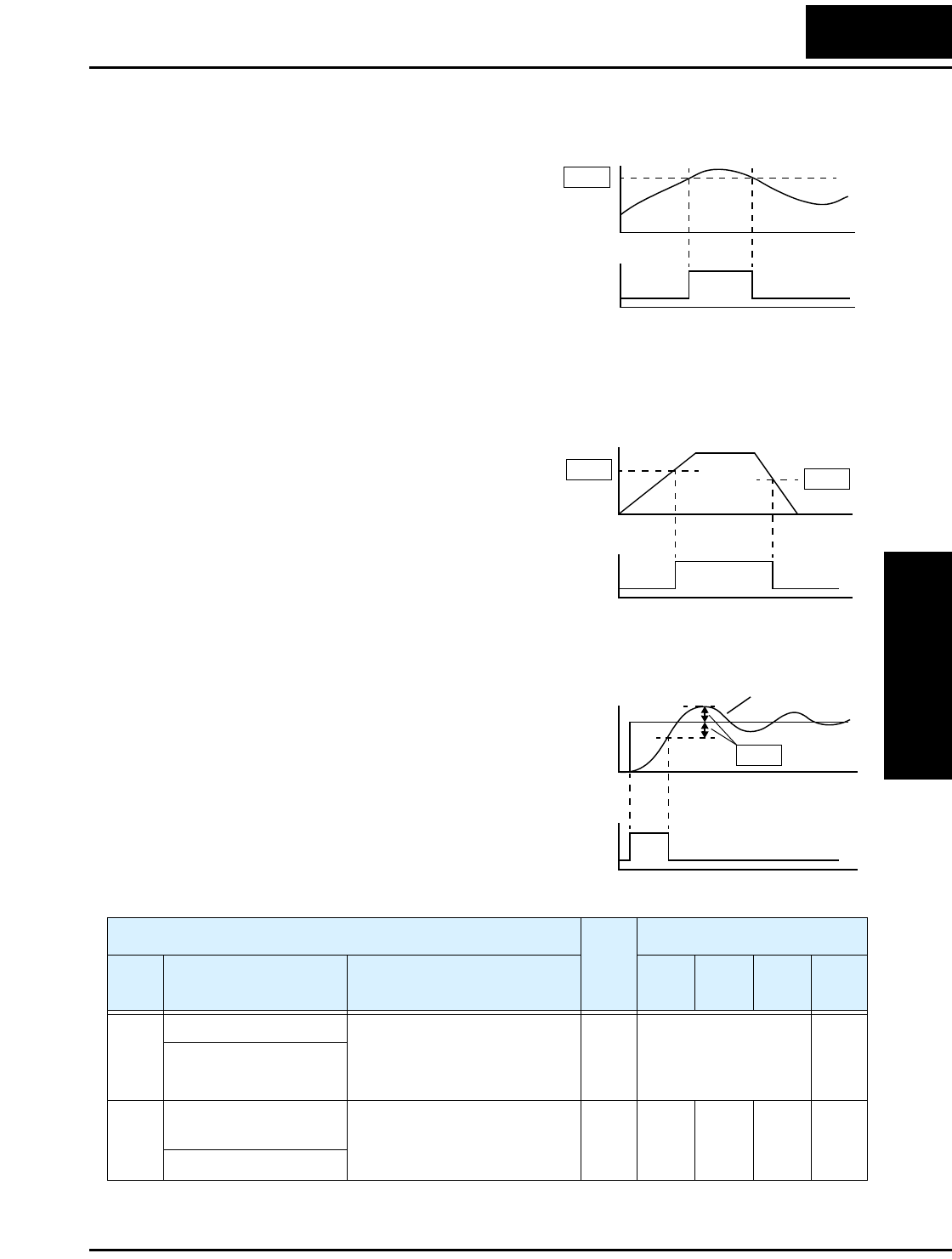
L100 Inverter
Configuring
Drive Parameters
3–39
Output Function Adjustment Parameters
The following parameters work in
conjunction with the intelligent output
function, when configured. The overload
level parameter (C_41) sets the motor
current level at which the overload signal
[OL] turns ON. The range of settings is
from 0% to 200% of the rated current for
the inverter. This function is for generating
an early warning logic output, without
causing either a trip event or a restriction
of the motor current (those effects are
available on other functions).
The frequency arrival signal, [FA1] or
[FA2], is intended to indicate when the
inverter output has reached (arrived at) the
target frequency. You can adjust the timing
of the leading and trailing edges of the
signal via two parameters specific to accel-
eration and deceleration ramps, C_42 and
C_43.
The Error for the PID loop is the magni-
tude (absolute value) of the difference
between the Setpoint (desired value) and
Process Variable (actual value). The PID
output deviation signal [OD] (output
terminal function option code 04)
indicates when the error magnitude has
exceeded a magnitude you define.
Motor current
Overload
signal
C41
t
t
0
1
0
Output
frequency
Arrival
signal
C43
C42
t
t
0
1
0
PID Error (PV–SP) deviation threshold
Devia-
tion sig-
C44
t
t
SP
Output PV
0
1
0
“C” Function Run
Mode
Edit
Defaults
Func.
Code
Name /
SRW Display Description –FE
(CE)
–FU
(UL)
–FR
(Jpn) Units
C_41 Overload level setting Sets the overload signal level
between 0% and 200% (from 0
to two times the rated current
of the inverter)
✘Rated current for each
inverter
—
OV Load 03.00A
C_42 Frequency arrival
setting for acceleration
Sets the frequency arrival
setting threshold for the output
frequency during acceleration
✘0.0 0.0 0.0 Hz
ARV ACC 000.0Hz
“C” Group: Intelligent Terminal Functions
Configuring
Drive Parameters
3–40
C_43 Arrival frequency
setting for deceleration
Sets the frequency arrival
setting threshold for the output
frequency during deceleration
✘0.0 0.0 0.0 Hz
ARV DEC 000.0Hz
C_44 PID deviation level
setting
Sets the allowable PID loop
error magnitude (absolute
value), SP - PV, range is 0.0 to
100%, resolution is 0.1%
✘3.0 3.0 3.0 %
OV PID 003.0%
C_91 Debug mode selection (Reserved) DO NOT EDIT ✘00 00 00 —
INIT DEBG OFF
“C” Function Run
Mode
Edit
Defaults
Func.
Code
Name /
SRW Display Description –FE
(CE)
–FU
(UL)
–FR
(Jpn) Units
Operations
and Monitoring
In This Chapter.... page
— Introduction ..................................................... 2
— Connecting to PLCs and Other Devices ......... 4
— Using Intelligent Input Terminals ..................... 8
— Using Intelligent Output Terminals ................ 21
— Analog Input Operation ................................. 29
— Analog and Digital Monitor Output ................ 30
— PID Loop Operation ...................................... 32
— Configuring the Inverter for Multiple Motors .. 33
4
Introduction
Operations
and Monitoring
4–2
Introduction
The previous material in Chapter 3 gave a reference listing of all the programmable
functions of the inverter. We suggest that you first scan through the listing of inverter
functions to gain a general familiarity. This chapter will build on that knowledge in the
following ways:
1. Related functions – Some parameters interact with or depend on the settings in other
functions. This chapter lists “required settings” for a programmable function to serve
as a cross-reference and an aid in showing how functions interact.
2. Intelligent terminals – Some functions rely on an input signal on a control logic
connector terminal, or generate output signals in other cases.
3. Electrical interfaces – This chapter shows how to make connections between the
inverter and other electrical devices.
4. PID Loop Operation – The L100 has a built-in PID loop that calculates the optimal
inverter output frequency to control an external process. This chapter shows the
parameters and input/output terminals associated with PID loop operation.
5. Multiple motors – A single L100 inverter may be used with two or more motors in
some types of applications. This chapter shows the electrical connections involved in
multiple-motor applications.
The topics in this chapter can help you decide the features that are important to your
application, and how to use them. The basic installation covered in Chapter 2 concluded
with the powerup test and running the motor. Now, this chapter starts from that point and
shows how to make the inverter part of a larger control or automation system.
Caution Messages for Operating Procedures
Before continuing, please read the following Caution messages.
CAUTION: The heat sink fins will have a high temperature. Be careful not to touch
them. Otherwise, there is the danger of getting burned.
CAUTION: The operation of the inverter can be easily changed from low speed to high
speed. Be sure check the capability and limitations of the motor and machine before
operating the inverter. Otherwise, it may cause injury to personnel.
CAUTION: If you operate a motor at a frequency higher than the inverter standard
default setting (50Hz/60Hz), be sure to check the motor and machine specifications with
the respective manufacturer. Only operate the motor at elevated frequencies after getting
their approval. Otherwise, there is the danger of equipment damage.
L100 Inverter
Operations
and Monitoring
4–3
Warning Messages for Operating Procedures
Before continuing, please read the following Warning messages.
WARNING: Be sure to turn ON the input power supply only after closing the front
case. While being energized, be sure not to open the front case. Otherwise, there is the
danger of electric shock.
WARNING: Be sure not to operate electrical equipment with wet hands. Otherwise,
there is the danger of electric shock.
WARNING: While the inverter is energized, be sure not to touch the inverter terminals
even when the motor is stopped. Otherwise, there is the danger of electric shock.
WARNING: If the Retry Mode is selected, the motor may suddenly restart after a trip
stop. Be sure to stop the inverter before approaching the machine (be sure to design the
machine so that safety for personnel is secure even if it restarts.) Otherwise, it may cause
injury to personnel.
WARNING: If the power supply is cut OFF for a short period of time, the inverter may
restart operation after the power supply recovers if the Run command is active. If a
restart may pose danger to personnel, so be sure to use a lock-out circuit so that it will
not restart after power recovery. Otherwise, it may cause injury to personnel.
WARNING: The Stop Key is effective only when the Stop function is enabled. Be sure
to enable the Stop Key separately from the emergency stop. Otherwise, it may cause
injury to personnel.
WARNING: During a trip event, if the alarm reset is applied and the Run command is
present, the inverter will automatically restart. Be sure to apply the alarm reset only after
verifying the Run command is OFF. Otherwise, it may cause injury to personnel.
WARNING: Be sure not to touch the inside of the energized inverter or to put any
conductive object into it. Otherwise, there is a danger of electric shock and/or fire.
WARNING: If power is turned ON when the Run command is already active, the motor
will automatically start and injury may result. Before turning ON the power, confirm that
the RUN command is not present.
WARNING: When the Stop key function is disabled, pressing the Stop key does not
stop the inverter, nor will it reset a trip alarm.
WARNING: Be sure to provide a separate, hard-wired emergency stop switch when the
application warrants it.
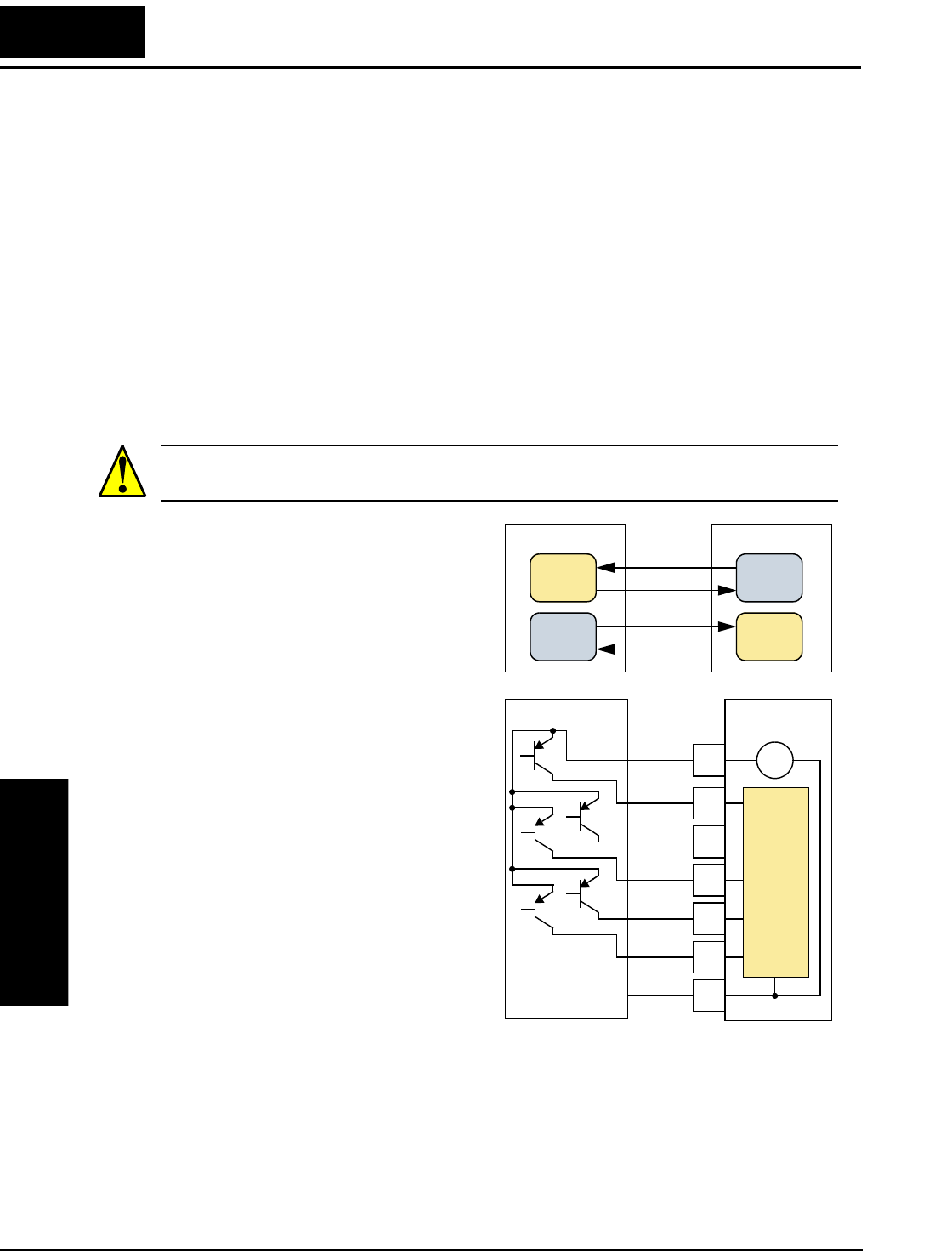
Connecting to PLCs and Other Devices
Operations
and Monitoring
4–4
Connecting to PLCs and Other Devices
Hitachi inverters (drives) are useful in many types of applications. During installation,
the inverter keypad (or other programming device) will facilitate the initial configura-
tion. After installation, the inverter will generally receive its control commands through
the control logic connector or serial interface from another controlling device. In a
simple application such as single-conveyor speed control, a Run/Stop switch and poten-
tiometer will give the operator all the required control. In a sophisticated application,
you may have a programmable logic controller (PLC) as the system controller, with
several connections to the inverter.
It is not possible to cover all the possible types of application in this manual. It will be
necessary for you to know the electrical characteristics of the devices you want to
connect to the inverter. Then, this section and the following sections on I/O terminal
functions can help you quickly and safely connect those devices to the inverter.
CAUTION: It is possible to damage the inverter or other devices if your application
exceeds the maximum current or voltage characteristics of a connection point.
The connections between the inverter and
other devices rely on the electrical input/
output characteristics at both ends of each
connection, shown in the diagram to the
right. The inverter’s inputs require a
sourcing output from an external device
(such as a PLC). This chapter shows the
inverter’s internal electrical component(s)
at each I/O terminal. In some cases, you
will need to insert a power source in the
interface wiring.
In order to avoid equipment damage and
get your application running smoothly, we
recommend drawing a schematic of each
connection between the inverter and the
other device. Include the internal compo-
nents of each device in the schematic, so
that it makes a complete circuit loop.
After making the schematic, then:
1. Verify that the current and voltage for
each connection is within the operating
limits of each device.
2. Make sure that the logic sense (active high or active low) of any ON/OFF connection
is correct.
3. Check the zero and span (curve end points) for analog connections, and be sure the
scale factor from input to output is correct.
4. Understand what will happen at the system level if any particular device suddenly
loses power, or powers up after other devices.
Other device
Input
circuit
Output
circuit
L100 Inverter
Input
circuit
Output
circuit
P24
1
2
3
4
5
L
Input
circuits
+–
signal
signal
return
return
PLC Inverter
24V
GND
+Com
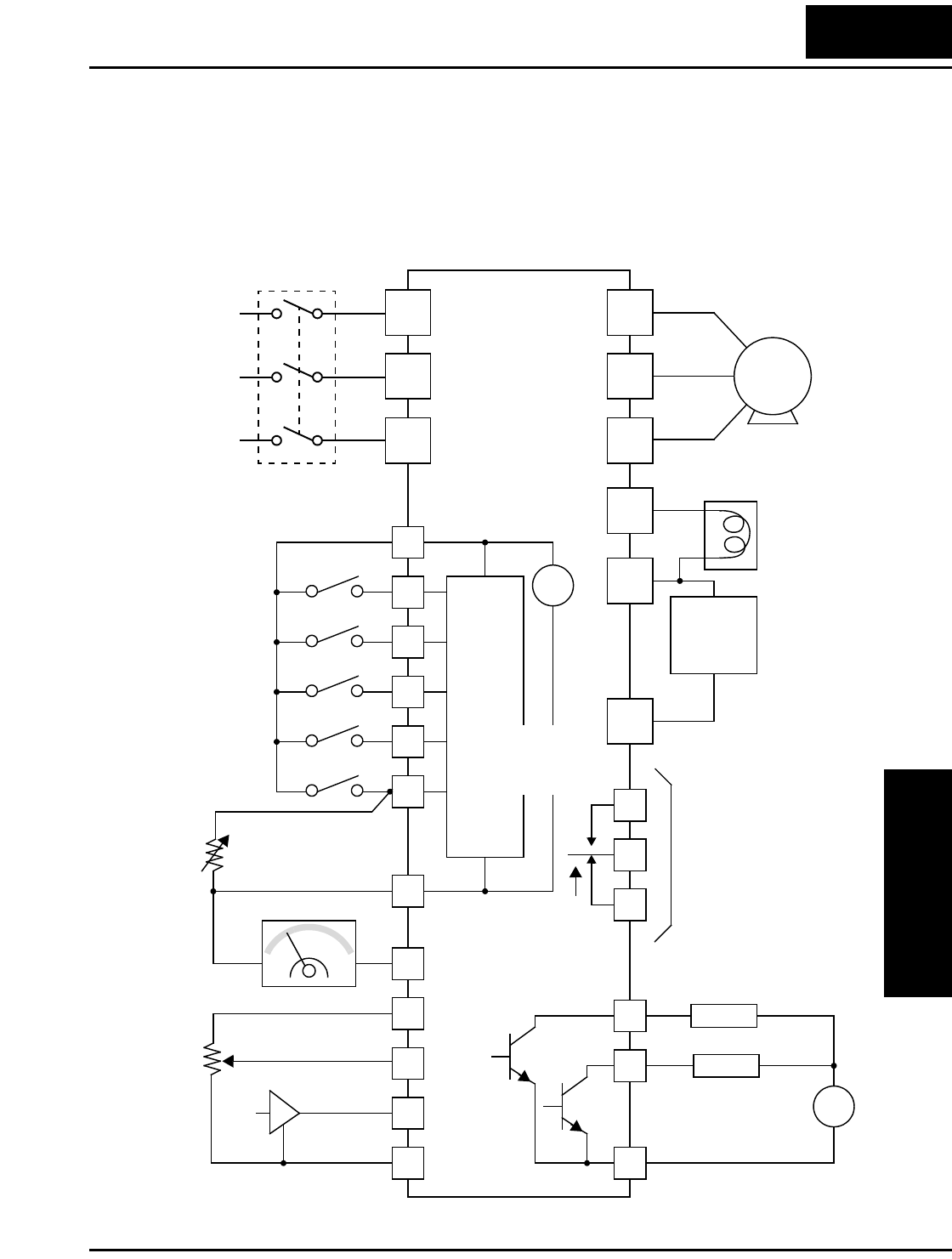
L100 Inverter
Operations
and Monitoring
4–5
Example Wiring Diagram
The schematic diagram below provides a general example of logic connector wiring, in
addition to basic power and motor wiring covered in Chapter 2. The goal of this chapter
is to help you determine the proper connections for the various terminals shown below
for your specific application needs.
12
11
1
2
3
4
5
L
L
H
O
OI
FM
CM2
L100
P24
AL1
AL0
AL2
Alarm contacts,
type 1 Form C
Open collector outputs
Analog reference
R
(L1)
S
(L2)
T
N(L3)
U
(T1)
V
(T2)
W
(T3)
Motor
Forward
Reverse
Intelligent inputs,
5 terminals
4–20mA
0–10VDC
NOTE: For the wiring
of intelligent I/O and
analog inputs, be
sure to use twisted
pair / shielded cable.
Attach the shield wire
for each signal to its
respective common
terminal at the
inverter end only.
Thermistor
Meter
Analog common
Load
Freq. arrival signal
Run signal
Load
+
–
Logic output common
Input
circuits
Logic input common
+
–
24V
+1
+
–
Braking
unit
(optional)
DC reactor
(optional)
Output
circuits
[5] configurable as
discrete input or
thermistor input
Power source,
3-phase or
1-phase, per
inverter model
Breaker,
MCCB or GFI
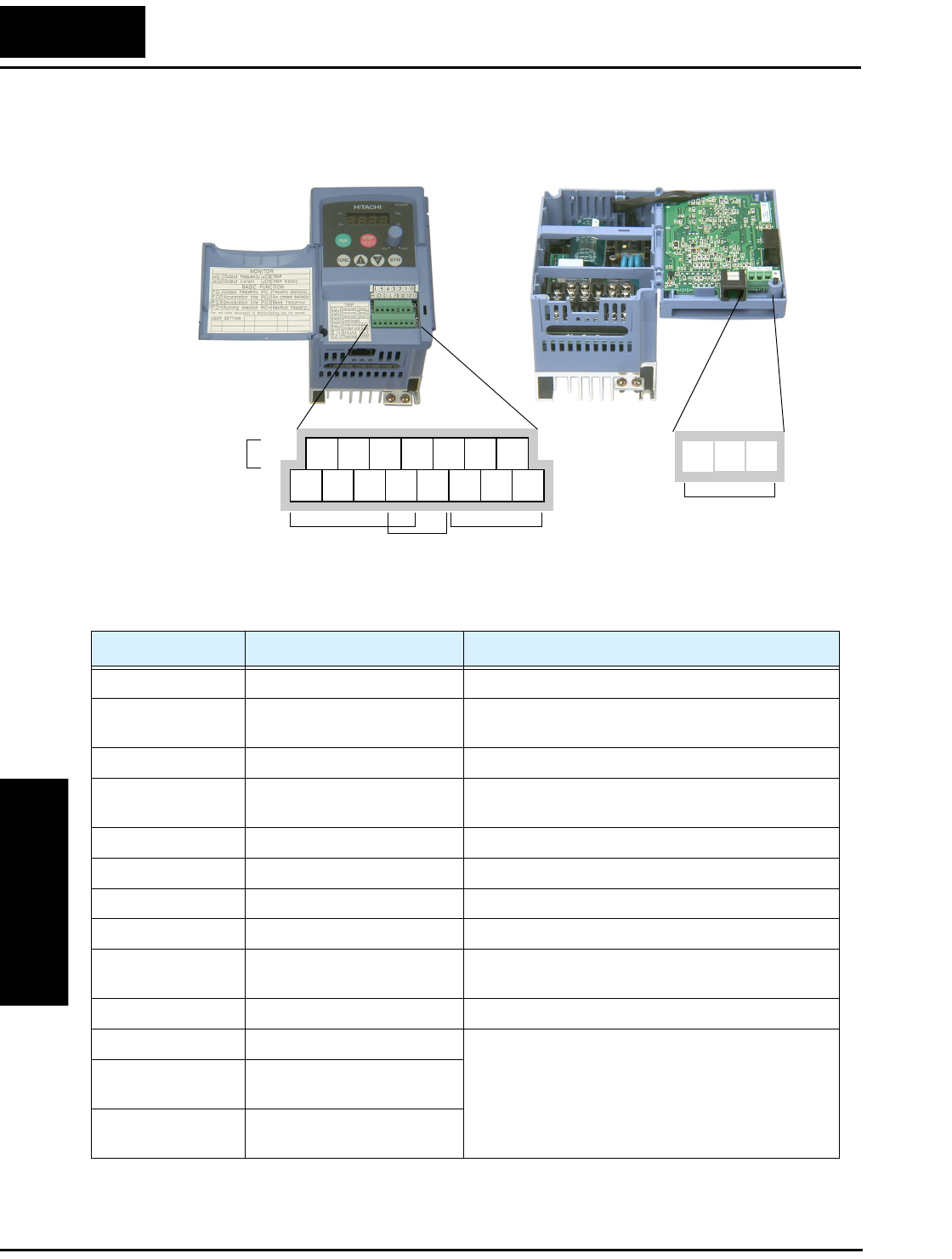
Example Wiring Diagram
Operations
and Monitoring
4–6
Specifications of Control and Logic Connections
The control logic connectors are located just behind the front panel half-door. The relay
contacts are accessible behind the main door. Connector labeling is shown below.
Specifications for the logic connection terminals are in the following table:
Note 1: The two terminals [L] are electrically connected together inside the inverter.
Relay
contacts
Logic
inputs
Analog
inputs Analog
output
Logic
outputs
12345L
P24
12 11LH O
OI FM
CM2
AL0 AL2AL1
Terminal Name Description Ratings
[P24] +24V for logic inputs 24VDC, 30 mA max (do not short to terminal L)
[1], [2], [3], [4], [5] Discrete logic inputs 27VDC max. (use P24 or an external supply refer-
enced to terminal L)
[L] (top row) *1 GND for logic inputs sum of input 1-5 currents (return)
[11], [12] Discrete logic outputs 50mA maximum ON state current,
27 VDC maximum OFF state voltage
[CM2] GND for logic outputs 100 mA: sum of 11 and 12 currents (return)
[FM] PWM (analog/digital) output 0 to 10VDC, 1 mA, PWM and 50% duty digital
[L] (bottom row) *1 GND for analog inputs sum of OI, O, and H currents (return)
[OI] Analog input, current 4 to 19.6 mA range, 20 mA nominal
[O] Analog input, voltage 0 to 9.6 VDC range, 10VDC nominal,
input impedance 10 kΩ
[H] +10V analog reference 10VDC nominal, 10 mA max
[AL0] Relay common contact 250 VAC, 2.5A (R load) max.,
250 VAC, 0.2A (I load, P.F=0.4) max.
100 VAC, 10mA min.
30 VDC, 3.0A (R load) max.
30 VDC, 0.7A (I load, P.F.=0.4) max.
5 VDC, 100mA min.
[AL1] Relay contact, normally
closed during RUN
[AL2] Relay contact, normally open
during RUN
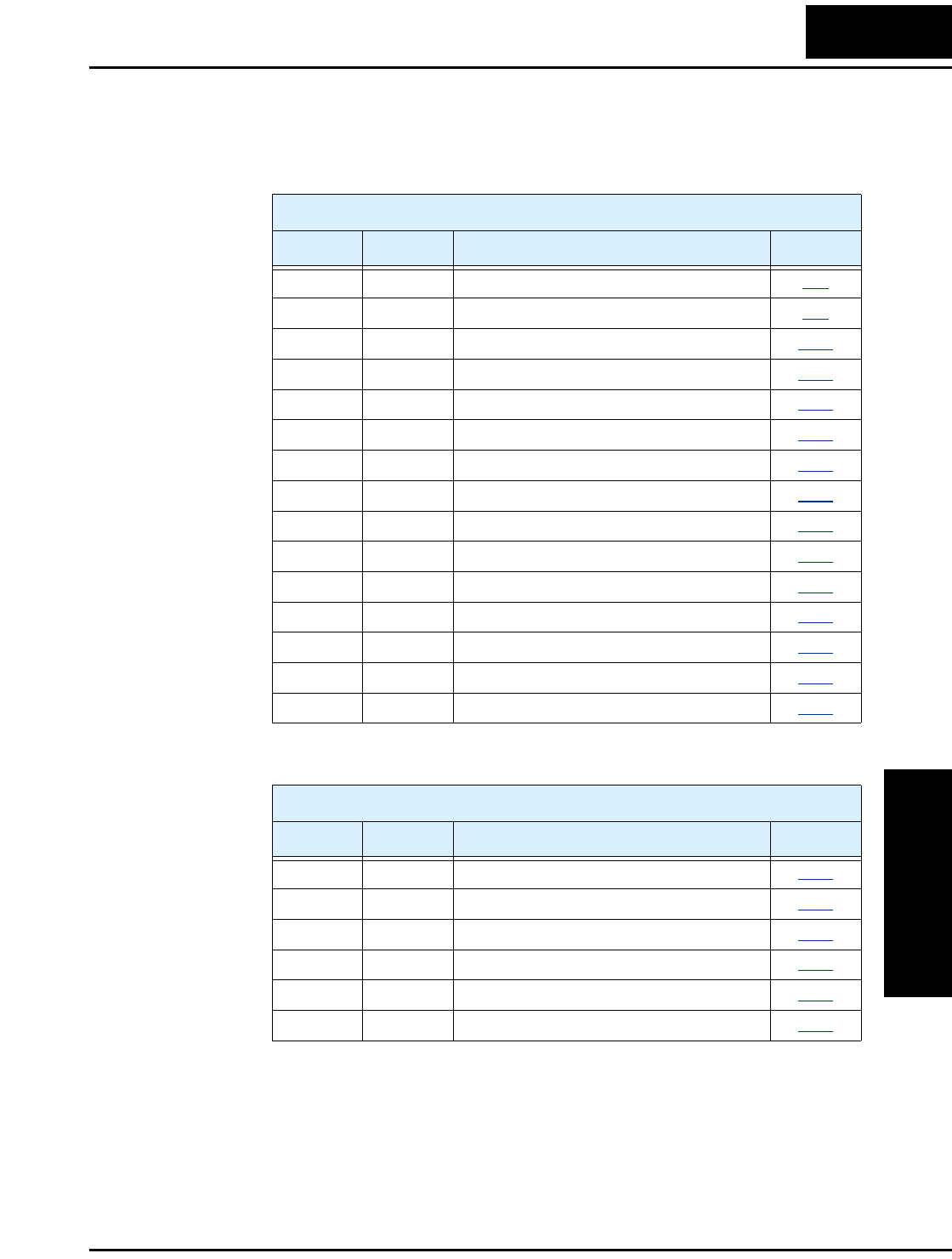
L100 Inverter
Operations
and Monitoring
4–7
Terminal Listing
Use the following tables to locate pages for intelligent input and output material in this
chapter.
Intelligent Inputs
Symbol Code Name Page
FW 00 Forward Run/Stop 4–9
RV 01 Reverse Run/Stop 4–9
CF1 02 Multi-speed Select, Bit 0 (LSB) 4–10
CF2 03 Multi-speed Select, Bit 1 4–10
CF3 04 Multi-speed Select, Bit 2 4–10
CF4 05 Multi-speed Select, Bit 3 4–10
JG 06 Jogging 4–12
2CH 09 2-stage Acceleration and Deceleration 4–13
FRS 11 Free-run Stop 4–14
EXT 12 External Trip 4–15
USP 13 Unattended Start Protection 4–16
SFT 15 Software Lock 4–17
AT 16 Analog Input Voltage/current Select 4–18
RS 18 Reset Inverter 4–19
TH 19 Thermistor Thermal Protection 4–20
Intelligent Outputs
Symbol Code Name Page
RUN 00 Run Signal 4–22
FA1 01 Frequency Arrival type 1 – Constant Speed 4–23
FA2 02 Frequency arrival type 2 – Over-frequency 4–23
OL 03 Overload Advance Notice Signal 4–25
OD 04 Output Deviation for PID Control 4–26
AL 05 Alarm Signal 4–27
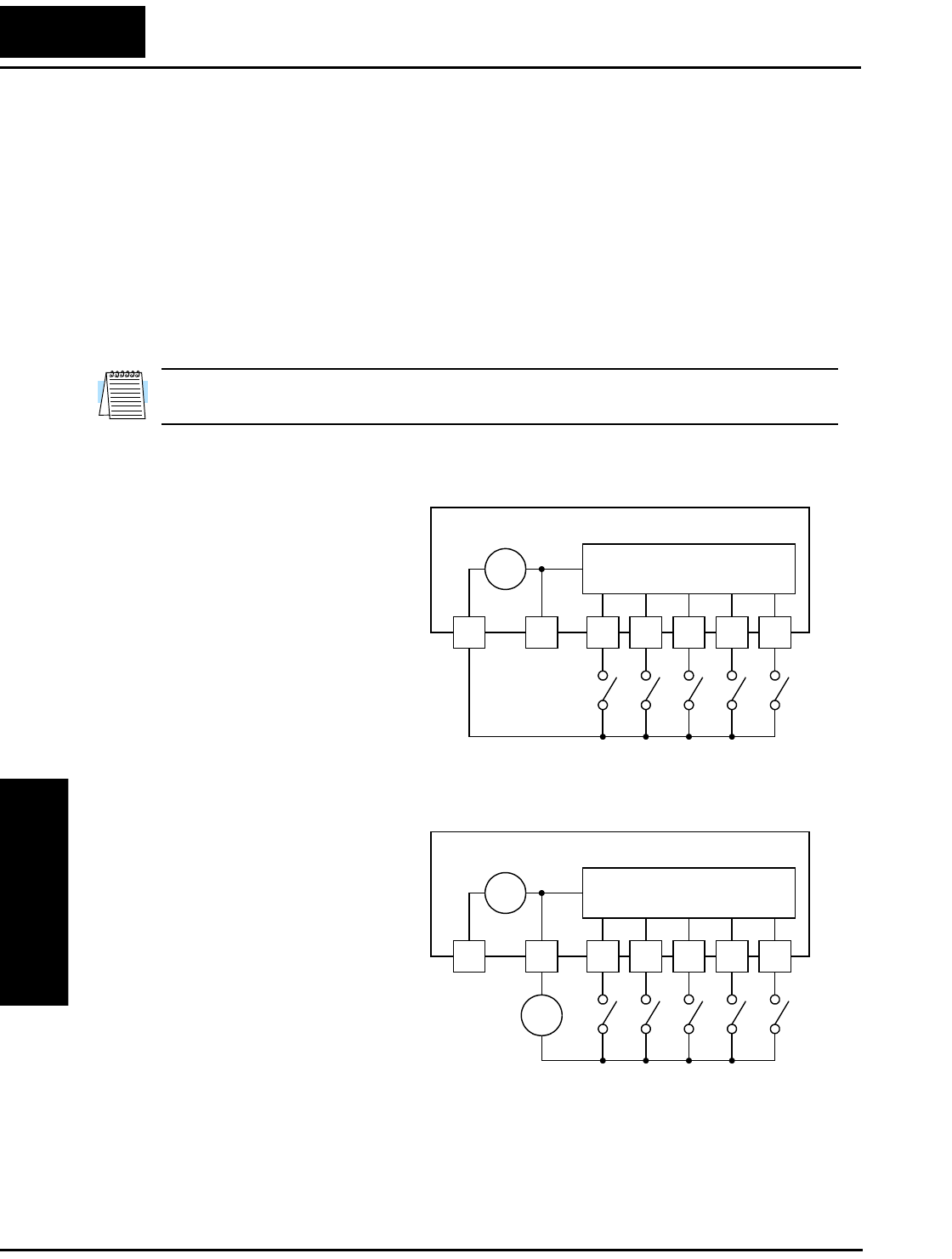
Using Intelligent Input Terminals
Operations
and Monitoring
4–8
Using Intelligent Input Terminals
Terminals [1], [2], [3], [4], and [5] are identical, programmable inputs for general use.
The input circuits can use the inverter’s internal (isolated) +24V field supply (P24) to
power the inputs. The input circuits are internally connected to the power supply ground.
As the diagram shows, you can use a switch (or jumper) to activate an input terminal that
has been configured.
If you use an external supply, its GND terminal must connect to the [L] terminal on the
inverter to complete the input circuit. Current can only flow into each input, so they are
sinking inputs, whether powered internally or externally.
NOTE: We recommend using the top row [L] logic GND for logic input circuits and the
[L] GND on the bottom row of terminals for analog I/O circuits.
L100 Inverter
Input circuits
12345L
P24
+ –
24V
Sinking inputs,
internal supply
L100 Inverter
Input circuits
12345L
P24
+ –
24V
Sinking inputs,
external supply
–
+
24V
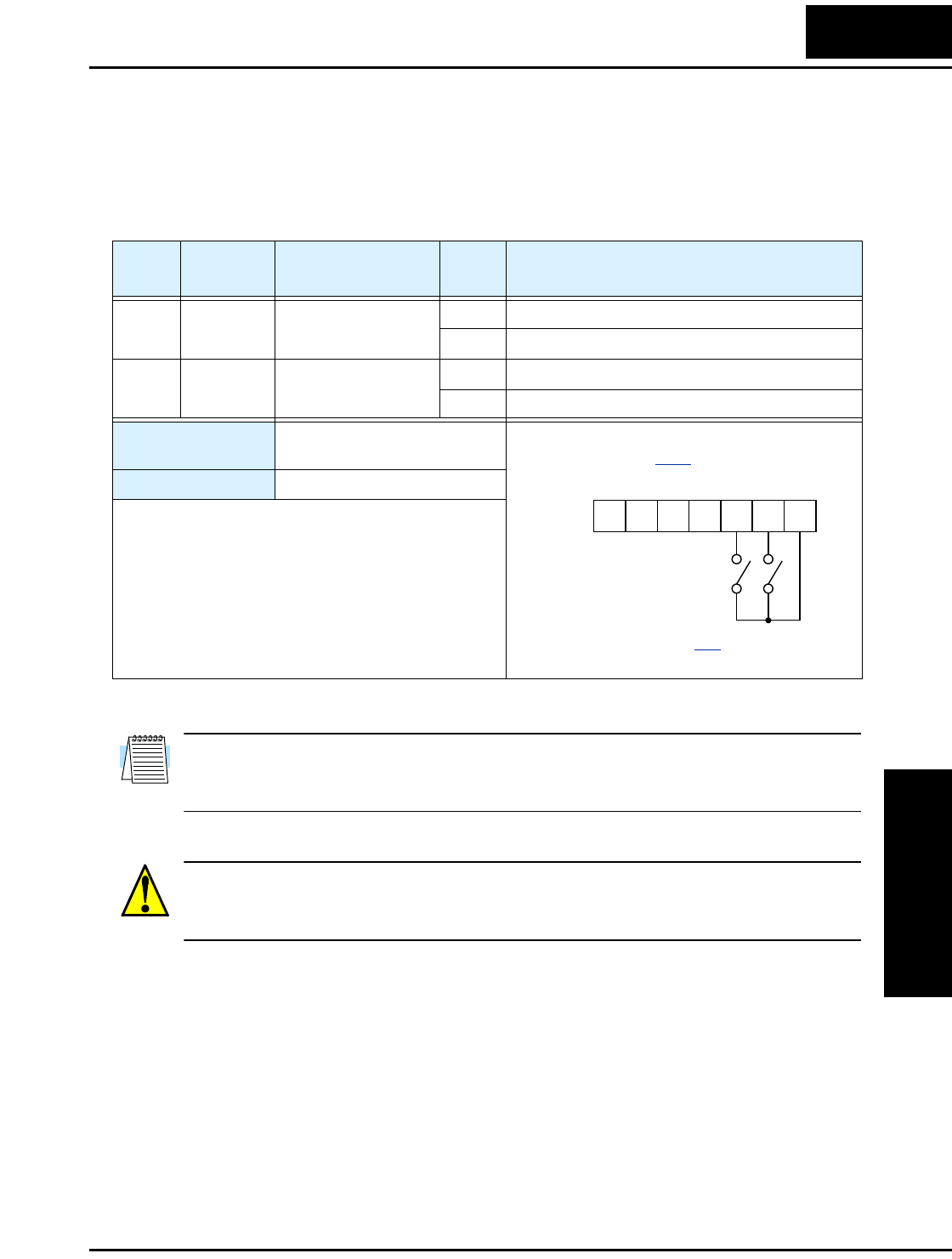
L100 Inverter
Operations
and Monitoring
4–9
Forward Run/Stop and Reverse Run/Stop Commands:
When you input the Run command via the terminal [FW], the inverter executes the
Forward Run command (high) or Stop command (low). When you input the Run
command via the terminal [RV], the inverter executes the Reverse Run command (high)
or Stop command (low).
NOTE: The parameter F_04, Keypad Run Key Routing, determines whether the single
Run key issues a Run FWD command or Run REV command. However, it has no effect
on the [FW] and [RV] input terminal operation.
WARNING: If the power is turned ON and the Run command is already active, the
motor starts rotation and is dangerous! Before turning power ON, confirm that the Run
command is not active.
Option
Code
Terminal
Symbol Function Name State Description
00 FW Forward Run/Stop ON Inverter is in Run Mode, motor runs forward
OFF Inverter is in Stop Mode, motor stops
01 RV Reverse Run/Stop ON Inverter is in Run Mode, motor runs reverse
OFF Inverter is in Stop Mode, motor stops
Valid for inputs: C_01, C_02, C_03, C_04,
C_05
Required settings: A_02 = 01
Notes:
•When the Forward Run and Reverse Run
commands are active at the same time, the inverter
enters the Stop Mode.
•When a terminal associated with either [FW] or
[RV] function is configured for normally closed,
the motor starts rotation when that terminal is
disconnected or otherwise has no input voltage.
Example (default input configuration
shown—see page 3–32):
12345L
P24
See I/O specs on page 4–6.
FWRV
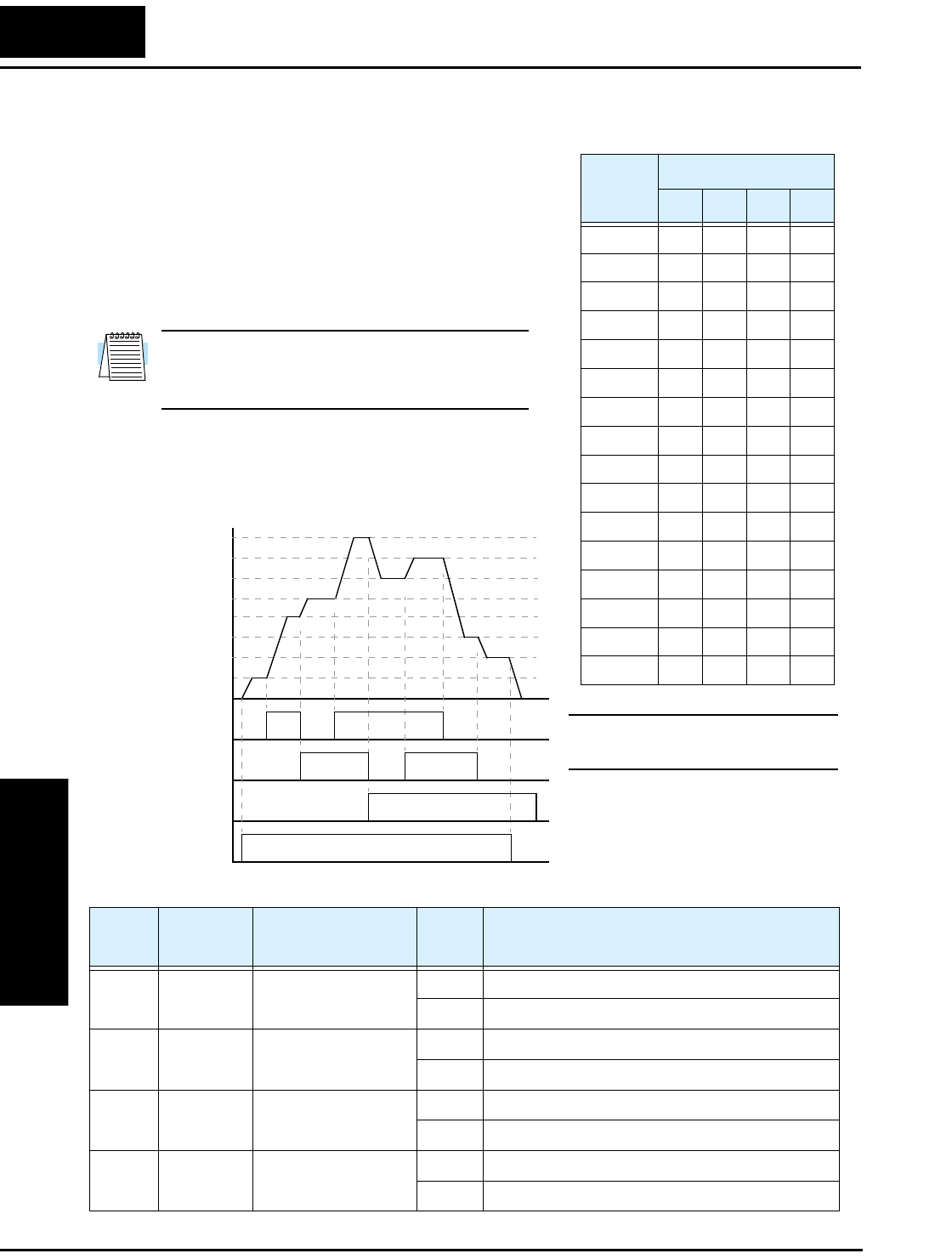
Using Intelligent Input Terminals
Operations
and Monitoring
4–10
Multi-Speed Select
The inverter can store up to 16 different target
frequencies (speeds) that the motor output uses for
steady-state run condition. These speeds are acces-
sible through programming four of the intelligent
terminals as binary-encoded inputs CF1 to CF4 per
the table to the right. These can be any of the five
inputs, and in any order. You can use fewer inputs
if you need eight or fewer speeds.
Note: When choosing a subset of speeds to use,
always start at the top of the table, and with the
least-significant bit: CF1, CF2, etc.
The example with eight speeds in the figure below
shows how input switches configured for CF1–
CF3 functions can change the motor speed in real
time.
NOTE: Speed 0 is set by the A_20
parameter value.
Multi-
speed
Input Function
CF4 CF3 CF2 CF1
Speed 0 0000
Speed 1 0001
Speed 2 0010
Speed 3 0011
Speed 4 0100
Speed 5 0101
Speed 6 0110
Speed 7 0111
Speed 8 1000
Speed 9 1001
Speed 101010
Speed 111011
Speed 121100
Speed 131101
Speed 141110
Speed 151111
[CF1]
[CF2]
[CF3]
[FWD]
t
Speed
0th
4th
6th
1st
2nd
5th
7th
3rd
1
0
1
0
1
0
1
0
Option
Code
Terminal
Symbol Function Name Input
State Description
02 CF1 Multi-speed Select,
Bit 0 (LSB)
ON Binary encoded speed select, Bit 0, logical 1
OFF Binary encoded speed select, Bit 0, logical 0
03 CF2 Multi-speed Select,
Bit 1
ON Binary encoded speed select, Bit 1, logical 1
OFF Binary encoded speed select, Bit 1, logical 0
04 CF3 Multi-speed Select,
Bit 2
ON Binary encoded speed select, Bit 2, logical 1
OFF Binary encoded speed select, Bit 2, logical 0
05 CF4 Multi-speed Select,
Bit 3 (MSB)
ON Binary encoded speed select, Bit 3, logical 1
OFF Binary encoded speed select, Bit 3, logical 0
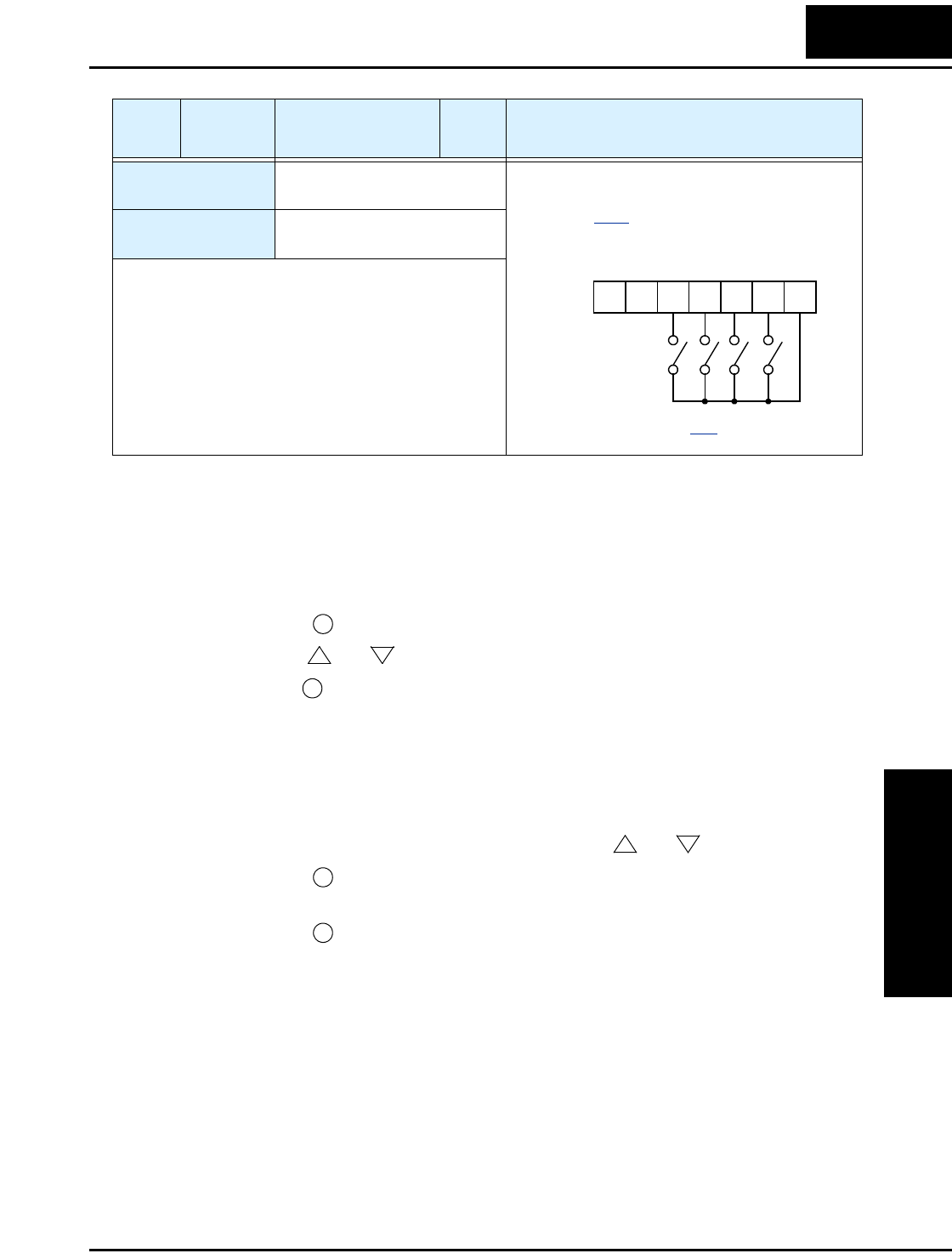
L100 Inverter
Operations
and Monitoring
4–11
While using the multi-speed capability, you can monitor the current frequency with
monitor function D_01 during each segment of a multi-speed operation.
There are two ways to program the speeds into the registers A_20 to A_35:
1. Standard keypad programming:
a. Select each parameter A_20 to A_35.
b. Press the key to view the parameter value.
c. Use the and keys to edit the value.
d. Use the key to save the data to memory.
2. Programming using the CF switches. Set the speed by following these steps:
a. Turn the Run command OFF (Stop Mode).
b. Turn each switch ON and set it to Multi-speed. Display the value of F_01 on the
digital operator.
c. Set the desired output frequency by pressing the and keys.
d. Press the key once to store the set frequency. When this occurs, F_01
indicates the output frequency of Multi-speed n.
e. Press the key once to confirm that the indication is the same as the set
frequency.
f. Repeat operations in 2. a) to 2. e) to set the frequency of other Multi-speeds. It
can be set also by parameters A_20 to A_35 in the first procedure 1. a) to 1. d).
Valid for inputs: C_01, C_02, C_03, C_04,
C_05
Required settings: F_01, A_01 = 02,
A_20 to A_35
Notes:
•When programming the multi-speed settings, be
sure to press the Store key each time and then set
the next multi-speed setting. Note that when the
key is not pressed, no data will be set.
•When a multi-speed setting more than 50Hz(60Hz)
is to be set, it is necessary to program the maximum
frequency A_04 high enough to allow that speed.
Option
Code
Terminal
Symbol Function Name Input
State Description
Example (some CF inputs require input
configuration; some are default inputs—
see page 3–32):
See I/O specs on page 4–6.
12345L
P24
CF2
CF3
CF4 CF1
(LSB)(MSB)
FUNC.
12
STR
12
STR
FUNC.
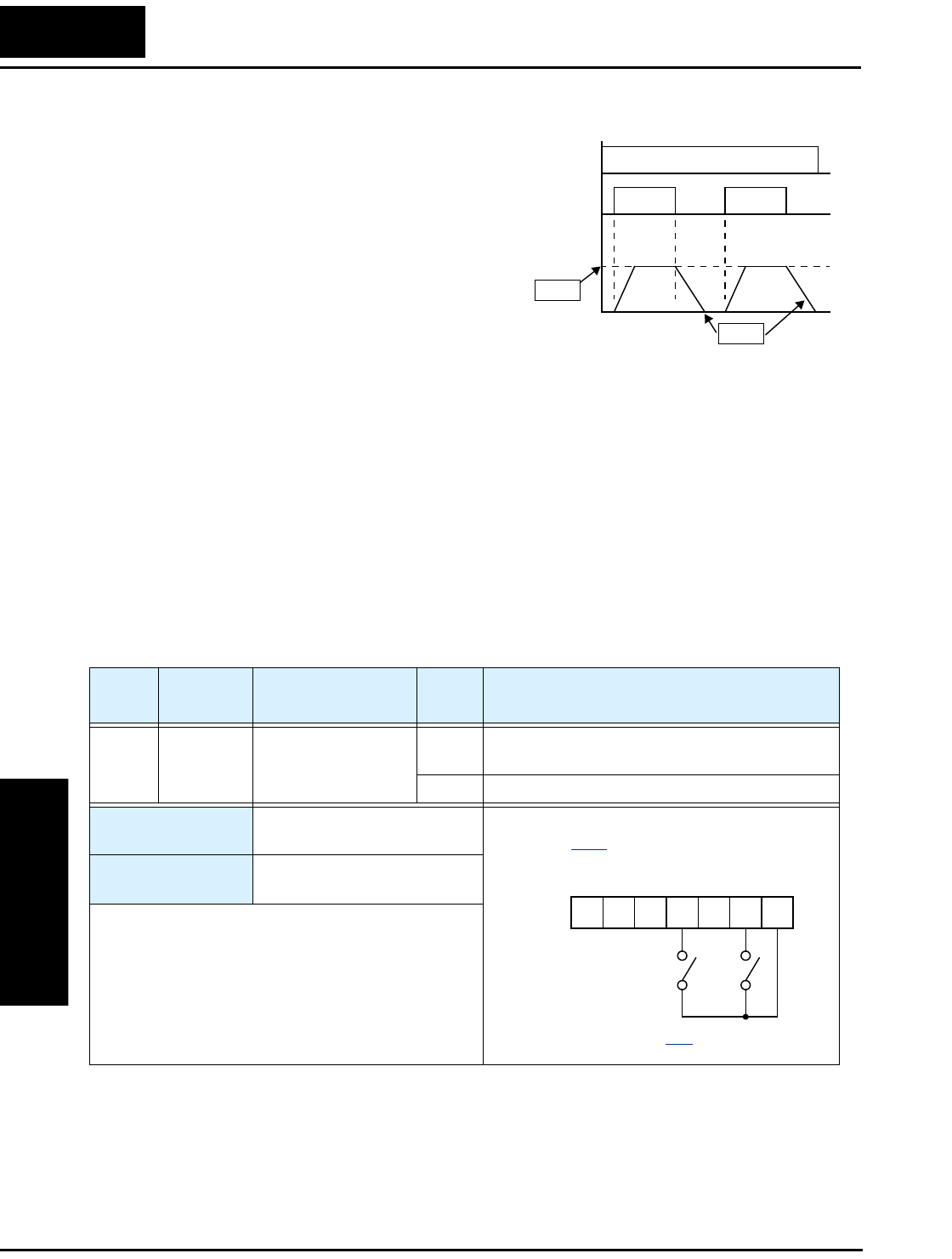
Using Intelligent Input Terminals
Operations
and Monitoring
4–12
Jogging Command
The Jog input [JG] is used to command the
motor to rotate slowly in small increments for
manual operation. The speed is limited to
10 Hz. The frequency for the jogging opera-
tion is set by parameter A_38. Jogging does
not use an acceleration ramp, so we recom-
mend setting the jogging frequency A_38 to
5 Hz or less to prevent tripping.
When the terminal [JG] is turned ON and the
Run command is issued, the inverter outputs
the programmed jog frequency to the motor.
To enable the Run key on the digital operator
for jog input, set the value 01(terminal mode)
in A_02 (Run command source).
The type of deceleration used to end a motor jog operation is selectable by programming
function A_39. The options are:
• 00 Free-run stop (coasting)
• 01 Deceleration (normal level) and stop
• 02 Use DC braking and stop
[JG]
[FW],
[RV]
Jog decel type
Jog
speed
A38
A39
1
0
1
0
t
Option
Code
Terminal
Symbol Function Name Input
State Description
06 JG Jogging ON Inverter is in Run Mode, output to motor runs at
jog parameter frequency
OFF Inverter is in Stop Mode
Valid for inputs: C_01, C_02, C_03, C_04,
C_05
Required settings: A_02= 01, A_38 > B_82,
A_38 > 0, A_39
Notes:
•No jogging operation is performed when the set
value of jogging frequency A_38 is smaller than the
start frequency B_82, or the value is 0 Hz.
•Be sure to stop the motor when switching the
function [JG] ON or OFF.
Example (requires input configuration—
see page 3–32):
See I/O specs on page 4–6.
12345L
P24
JG
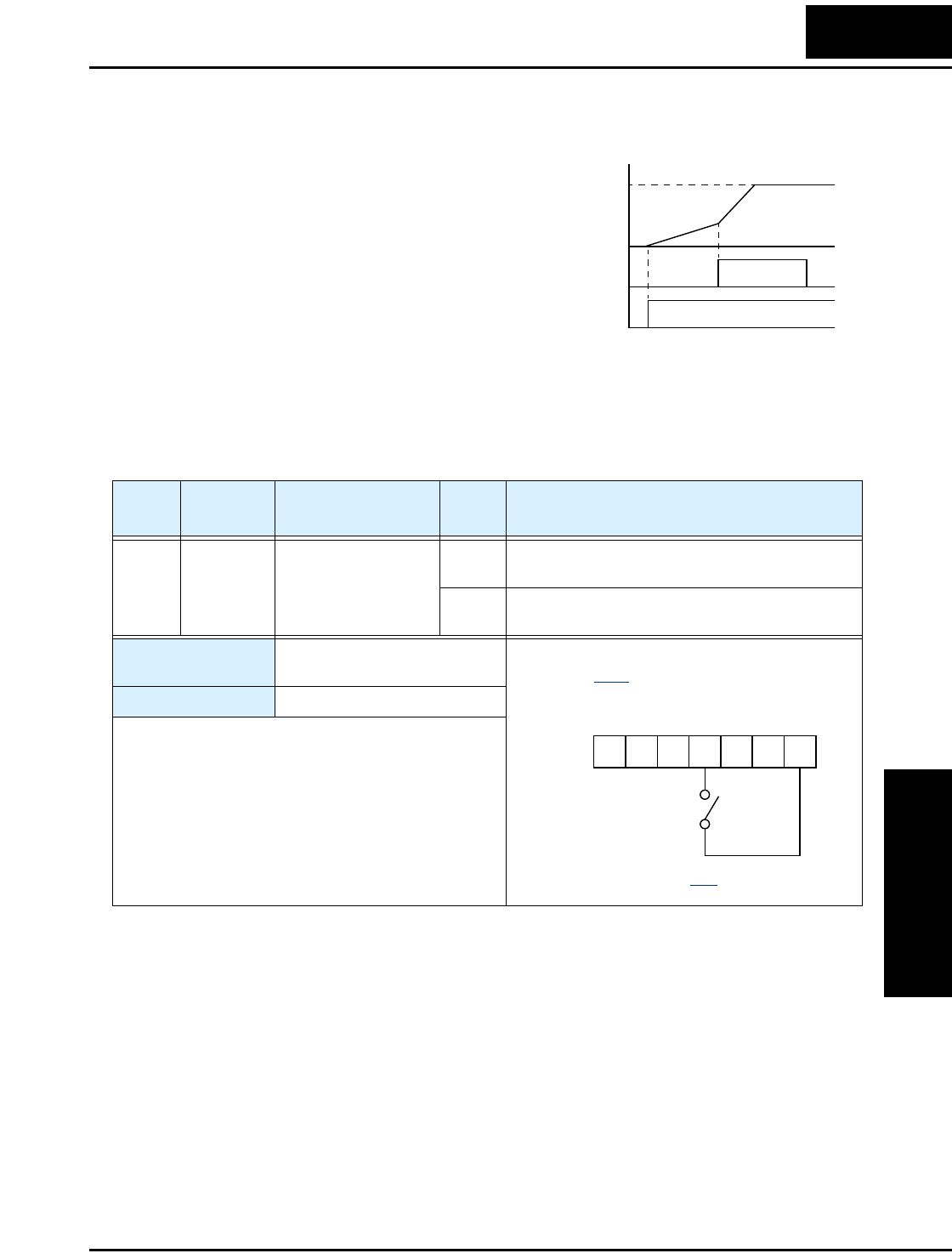
L100 Inverter
Operations
and Monitoring
4–13
Two-stage Acceleration and Deceleration
When terminal [2CH] is turned ON, the
inverter changes the rate of acceleration and
deceleration from the initial settings (F_02
and F_03) to use the second set of accelera-
tion/deceleration values. When the terminal is
turned OFF, the inverter is returned to the
original acceleration and deceleration time
(F_02 acceleration time 1, and F_03 decelera-
tion time 1). Use A_92 (acceleration time 2)
and A_93 (deceleration time 2) to set the
second stage acceleration and deceleration
times.
In the graph shown above, the [2CH] becomes active during the initial acceleration. This
causes the inverter to switch from using acceleration 1 (F_02) to acceleration 2 (A_92).
Output
frequency
[FW],
[RV]
[2CH]
t
target
frequency
second
initial
1
0
1
0
Option
Code
Terminal
Symbol Function Name Input
State Description
09 2CH 2-stage Acceleration
and Deceleration
ON Frequency output uses 2nd-stage acceleration
and deceleration values
OFF Frequency output uses the initial acceleration 1
and deceleration 1 values
Valid for inputs: C_01, C_02, C_03, C_04,
C_05
Required settings: A_92, A_93, A_94=00
Notes:
•Function A_94 selects the method for second stage
acceleration. It must be set = 00 to select the input
terminal method in order for the [2CH] terminal
assignment to operate.
Example (requires input configuration—
see page 3–32):
See I/O specs on page 4–6.
12345L
P24
2CH
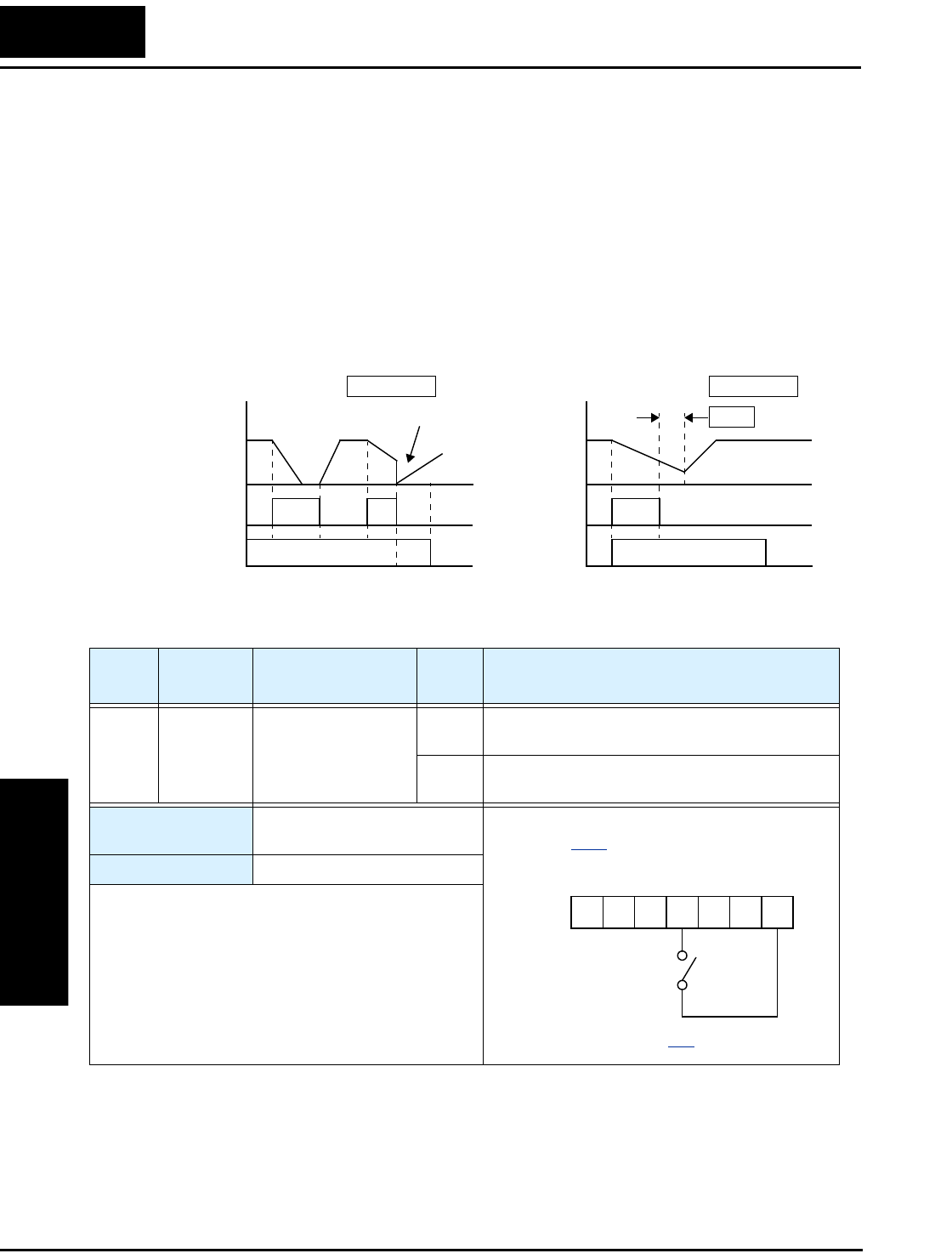
Using Intelligent Input Terminals
Operations
and Monitoring
4–14
Free-run Stop
When the terminal [FRS] is turned ON, the inverter stops the output and the motor enters
the free-run state (coasting). If terminal [FRS] is turned OFF, the output resumes sending
power to the motor if the Run command is still active. The free-run stop feature works
with other parameters to provide flexibility in stopping and starting motor rotation.
In the figure below, parameter B_88 selects whether the inverter resumes operation from
0 Hz (left graph) or the current motor rotation speed (right graph) when the [FRS]
terminal turns OFF. The application determines the best setting.
Parameter B_03 specifies a delay time before resuming operation from a free-run stop.
To disable this feature, use a zero delay time.
Motor
speed
[FW],
[RV]
Zero-frequency start
Motor
speed
Resume from motor speed
wait time
B03
B_88 =00 B_88 =01
1
0tt
FRS FRS
[FW],
[RV]
1
0
1
0
1
0
Option
Code
Terminal
Symbol Function Name Input
State Description
11 FRS Free-run Stop ON Causes output to turn OFF, allowing motor to
free run (coast) to stop
OFF Output operates normally, so controlled deceler-
ation stops motor
Valid for inputs: C_01, C_02, C_03, C_04,
C_05
Required settings: B_03, B_88, C_11 to C_15
Notes:
•When you want the [FRS] terminal to be active low
(normally closed logic), change the setting (C_11 to
C_15) that corresponds to the input (C_01 to C_05)
that is assigned the [FRS] function.
Example (requires input configuration—
see page 3–32):
See I/O specs on page 4–6.
12345L
P24
FRS
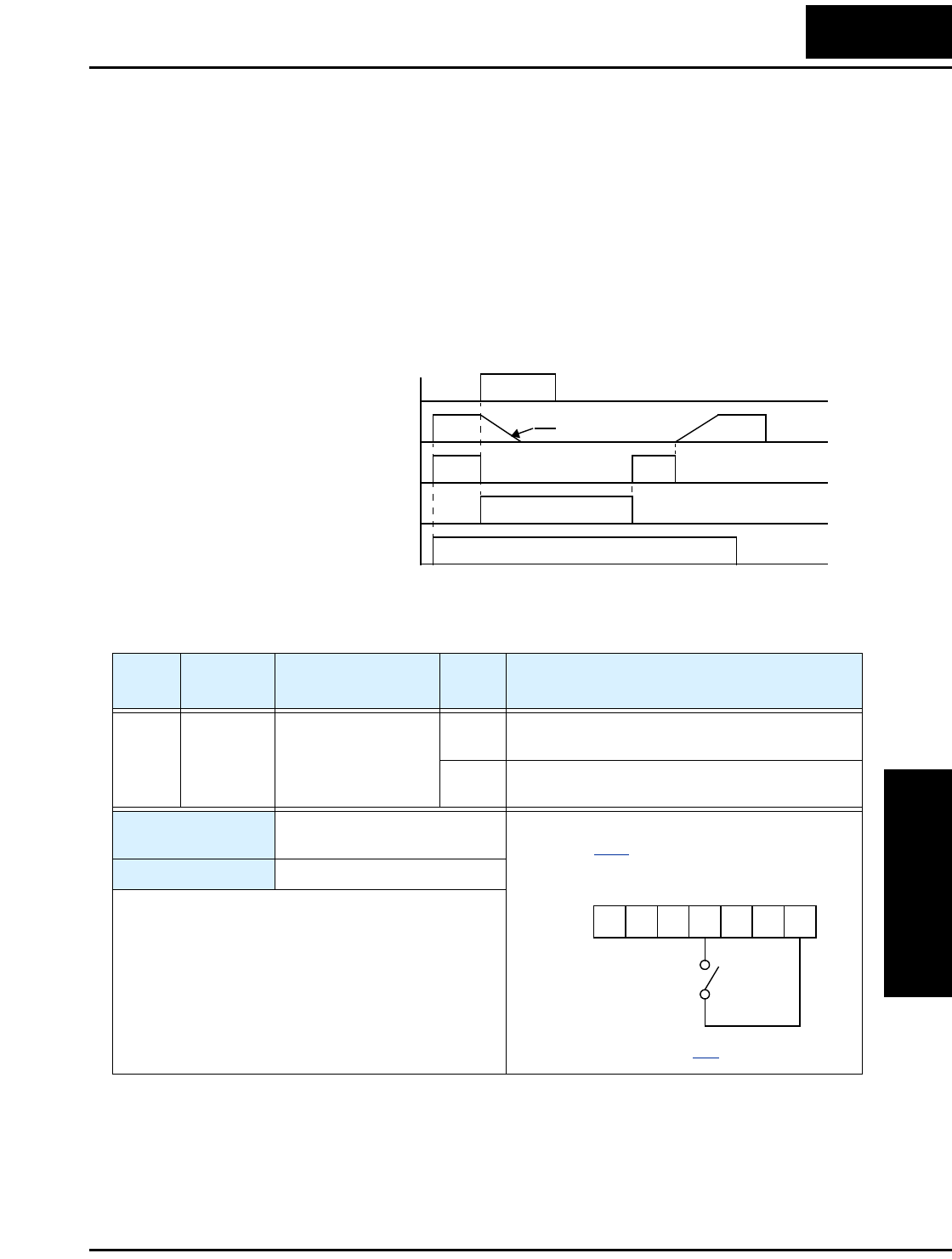
L100 Inverter
Operations
and Monitoring
4–15
External Trip
When the terminal [EXT] is turned ON, the inverter enters the trip state, indicates error
code E12, and stops the output. This is a general purpose interrupt type feature, and the
meaning of the error depends on what you connect to the [EXT] terminal. Even if the
[EXT] input is turned OFF, the inverter remains in the trip state. You must reset the
inverter or cycle power to clear the error, returning the inverter to the Stop Mode.
In the graph below, the [EXT] input turns ON during normal Run Mode operation. The
inverter lets the motor free-run to a stop, and the alarm output turns ON immediately.
When the operator initiates a Reset command, the alarm and error are cleared. When the
Reset is turned OFF, the motor begins rotation since the Run command is already active.
[EXT] terminal
RUN command [FW, RV]
[RS] terminal
Motor revolution speed
Alarm output terminal
t
free run
1
0
1
0
1
0
1
0
1
0
Option
Code
Terminal
Symbol Function Name Input
State Description
12 EXT External Trip ON When assigned input transitions OFF to ON,
inverter latches trip event and displays E12
OFF No trip event for ON to OFF, any recorded trip
events remain in history until Reset
Valid for inputs: C_01, C_02, C_03, C_04,
C_05
Required settings: (none)
Notes:
•If the USP (Unattended Start Protection) feature is
in use, the inverter will not automatically restart
after cancelling the EXT trip event. In that case, it
must receive either another Run command (OFF-
to-ON transition), a keypad Reset command, or an
[RS] intelligent terminal input signal.
Example (requires input configuration—
see page 3–32):
See I/O specs on page 4–6.
12345L
P24
EXT
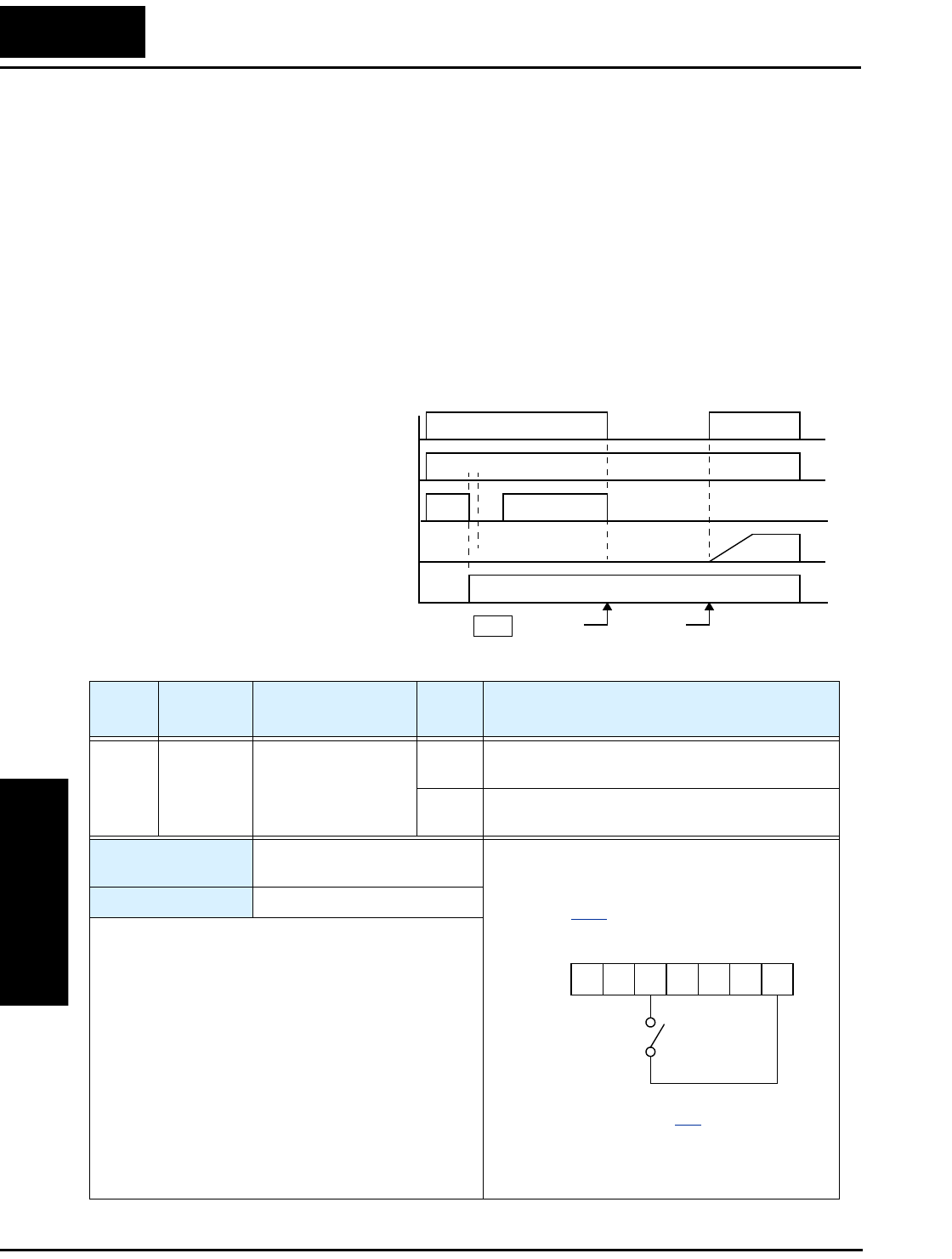
Using Intelligent Input Terminals
Operations
and Monitoring
4–16
Unattended Start Protection
If the Run command is already set when power is turned ON, the inverter starts running
immediately after powerup. The Unattended Start Protection (USP) function prevents
that automatic startup, so that the inverter will not run without outside intervention.
When USP is active and you need to reset an alarm and resume running, either turn the
Run command OFF, or perform a reset operation by the terminal [RS] input or the
keypad Stop/reset key.
In the figure below, the [UPS] feature is enabled. When the inverter power turns ON, the
motor does not start, even though the Run command is already active. Instead, it enters
the USP trip state, and displays E13 error code. This requires outside intervention to
reset the alarm by turning OFF the Run command per this example (or applying a reset).
Then the Run command can turn ON again and start the inverter output.
Inverter output frequency
Inverter power supply
[USP] terminal
Alarm output terminal
RUN command [FW, RV]
Run
command
Alarm
cleared
Alarm
display E13 t
1
0
1
0
1
0
1
0
1
0
Events:
Option
Code
Terminal
Symbol Function Name Input
State Description
13 USP Unattended Start
Protection
ON On powerup, the inverter will not resume a Run
command (mostly used in the US)
OFF On powerup, the inverter will resume a Run
command that was active before power loss
Valid for inputs: C_01, C_02, C_03, C_04,
C_05
Required settings: (none)
Notes:
•Note that when a USP error occurs and it is
canceled by a reset from a [RS] terminal input, the
inverter restarts running immediately.
•Even when the trip state is canceled by turning the
terminal [RS] ON and OFF after an under voltage
protection E09 occurs, the USP function will be
performed.
•When the running command is active immediately
after the power is turned ON, a USP error will
occur. When this function is used, wait for at least
three (3) seconds after the powerup to generate a
Run command.
Example (default input configuration shown
for –FU models; –FE and –FR models
require input configuration—
see page 3–32):
See I/O specs on page 4–6.
12345L
P24
USP
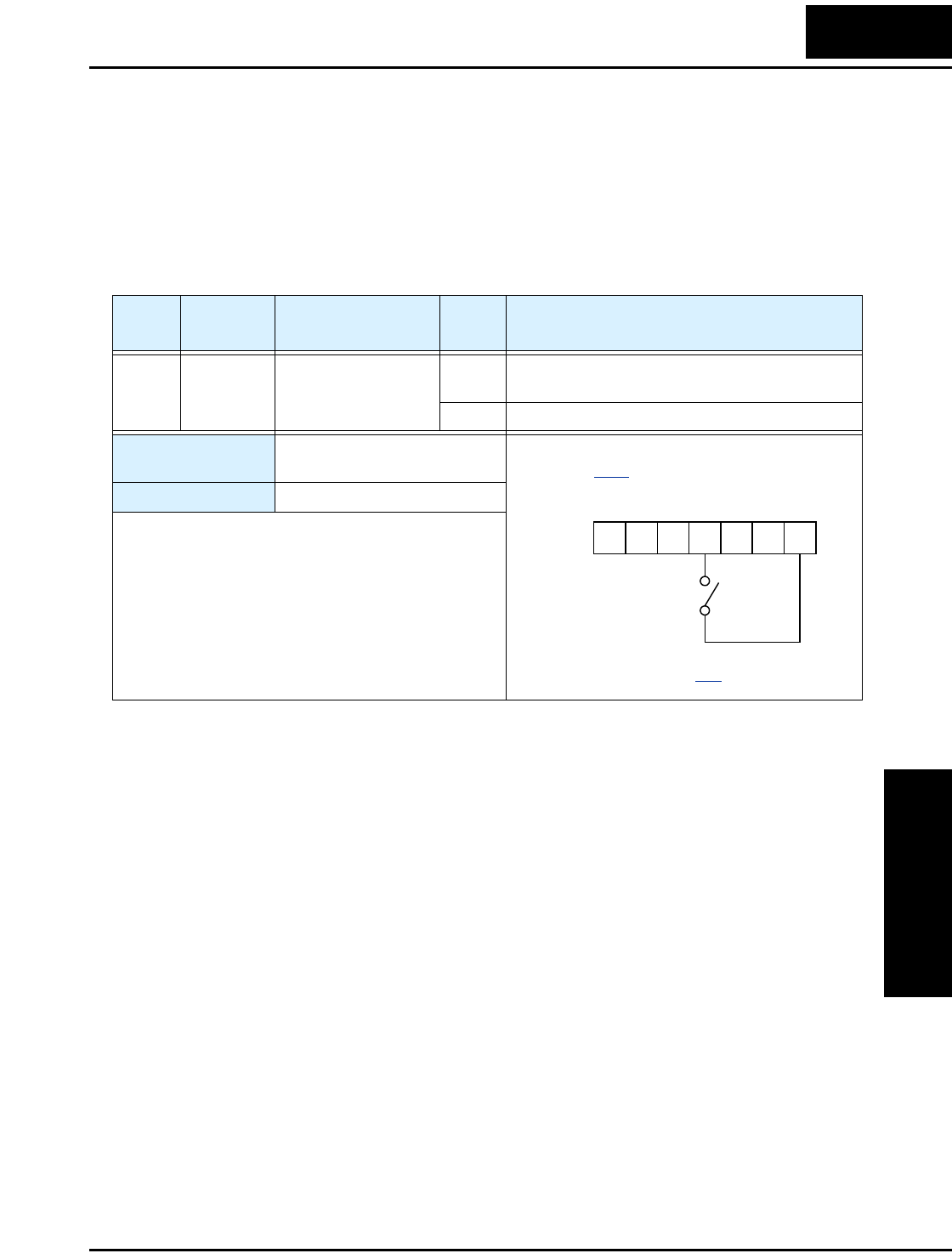
L100 Inverter
Operations
and Monitoring
4–17
Software Lock
When the terminal [SFT] is turned ON, the data of all the parameters and functions
(except the output frequency, depending on the setting of B_31) is locked (prohibited
from editing). When the data is locked, the keypad keys cannot edit inverter parameters.
To edit parameters again, turn OFF the [SFT] terminal input.
Use parameter B_31 to select whether the output frequency is excluded from the lock
state or is locked as well.
Option
Code
Terminal
Symbol Function Name Input
State Description
15 SFT Software Lock ON The keypad and remote programming devices
are prevented from changing parameters
OFF The parameters may be edited and stored
Valid for inputs: C_01, C_02, C_03, C_04,
C_05
Required settings: B_31 (excluded from lock)
Notes:
•When the [SFT] terminal is turned ON, only the
output frequency can be changed.
•Software lock can include the output frequency by
setting B_31.
•Software lock by the operator is also possible
without the [SFT] terminal being used (B_31).
Example (requires input configuration—
see page 3–32):
See I/O specs on page 4–6.
12345L
P24
SFT
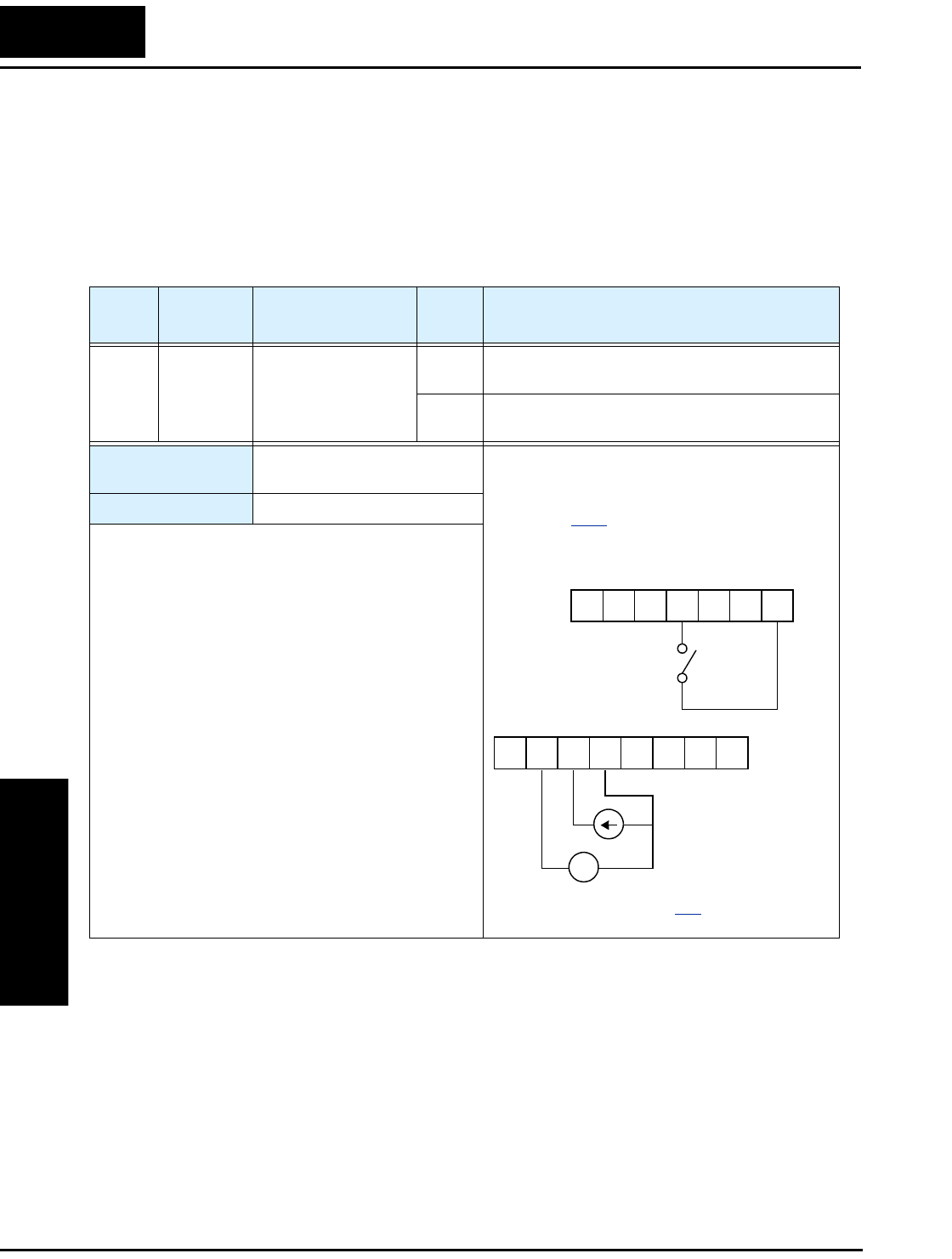
Using Intelligent Input Terminals
Operations
and Monitoring
4–18
Analog Input Current/Voltage Select
The [AT] terminal selects whether the inverter uses the voltage [O] or current [OI] input
terminals for external frequency control. When intelligent input [AT] is ON, you can set
the output frequency by applying a current input signal at [OI]-[L]. When the [AT] input
is OFF, you can apply a voltage input signal at [O]-[L] to set the output frequency. Note
that you must also set parameter A_01 = 01 to enable the analog terminal set for control-
ling the inverter frequency.
Option
Code
Terminal
Symbol Function Name Input
State Description
16 AT Analog Input
Voltage/current
Select
ON Terminal OI is enabled for current input (uses
terminal L for power supply return)
OFF Terminal O is enabled for voltage input (uses
terminal L for power supply return)
Valid for inputs: C_01, C_02, C_03, C_04,
C_05
Required settings: A_01 = 01
Notes:
•If the [AT] option is not assigned to any intelligent
input terminal, then inverter uses the algebraic sum
of both the voltage and current inputs for the
frequency command (and A_01=01).
•When using either the analog current and voltage
input terminal, make sure that the [AT] function is
allocated to an intelligent input terminal.
•Be sure to set the frequency source setting
A_01=01 to select the analog input terminals.
Example (default input configuration shown
for –FU models; –FE and –FR models
require input configuration—
see page 3–32):
+ –
4-20 mA when AT= ON
0-10 V when AT= OFF
See I/O specs on page 4–6.
12345L
P24
12 11LH O
OI FM
CM2
AT
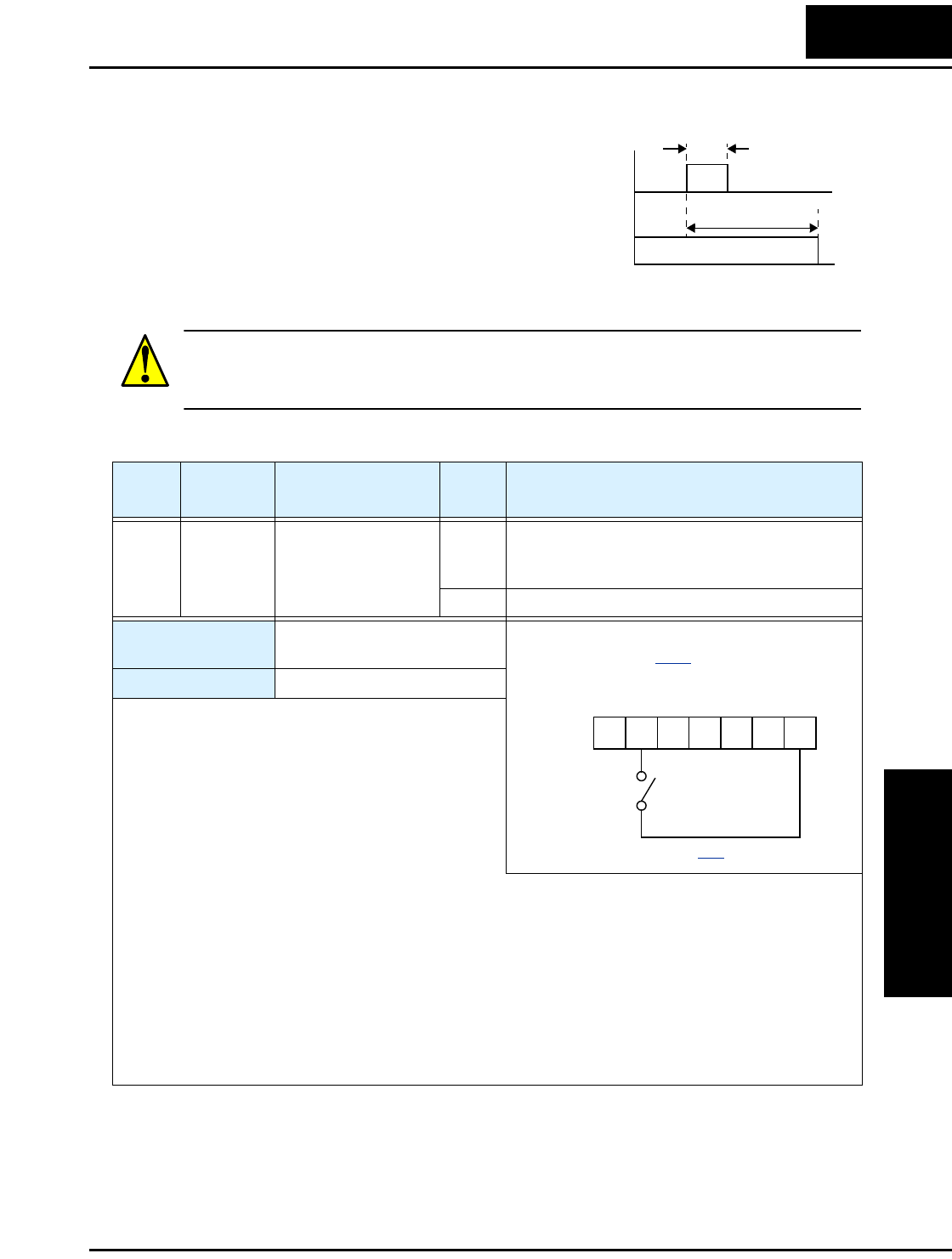
L100 Inverter
Operations
and Monitoring
4–19
Reset Inverter
The [RS] terminal causes the inverter to
execute the reset operation. If the inverter is
in Trip Mode, the reset cancels the Trip state.
When the signal [RS] is turned ON and OFF,
the inverter executes the reset operation. The
minimum pulse width for [RS] must be 12 ms
or greater. The alarm output will be cleared
within 30 ms after the onset of the Reset command.
WARNING: After the Reset command is given and the alarm reset occurs, the motor
will restart suddenly if the Run command is already active. Be sure to set the alarm reset
after verifying that the Run command is OFF to prevent injury to personnel.
[RS]
Alarm
signal
12 ms
minimum
t
1
0
approx. 30 ms
1
0
Option
Code
Terminal
Symbol Function Name Input
State Description
18 RS Reset Inverter ON The motor output is turned OFF, the Trip Mode
is cleared (if it exists), and powerup reset is
applied
OFF Normal power-ON operation
Valid for inputs: C_01, C_02, C_03, C_04,
C_05
Required settings: (none)
Notes:
•When the control terminal [RS] input is already ON
at powerup for more than 4 seconds, the remote
operator display is “R-ERROR COMM<2>” (the
display of the digital operator [OPE-J] is – – –.
However, the inverter has no error. To clear the
digital operator error, turn OFF the terminal [RS]
input and press one of the operator keys.
•Pressing the Stop/Reset key of the digital operator can generate a reset operation only when an alarm
occurs.
•A terminal configured with the [RS] function can only be configured for normally open operation. The
terminal cannot be used in the normally closed contact state.
•When input power is turned ON, the inverter performs the same reset operation as it does when a pulse
on the [RS] terminal occurs.
•The Stop/Reset key on the inverter is only operational for a few seconds after inverter powerup when a
hand-held remote operator is connected to the inverter.
•If the [RS] terminal is turned ON while the motor is running, the motor will be free running (coasting).
Example (default input configuration
shown—see page 3–32):
See I/O specs on page 4–6.
12345L
P24
RS
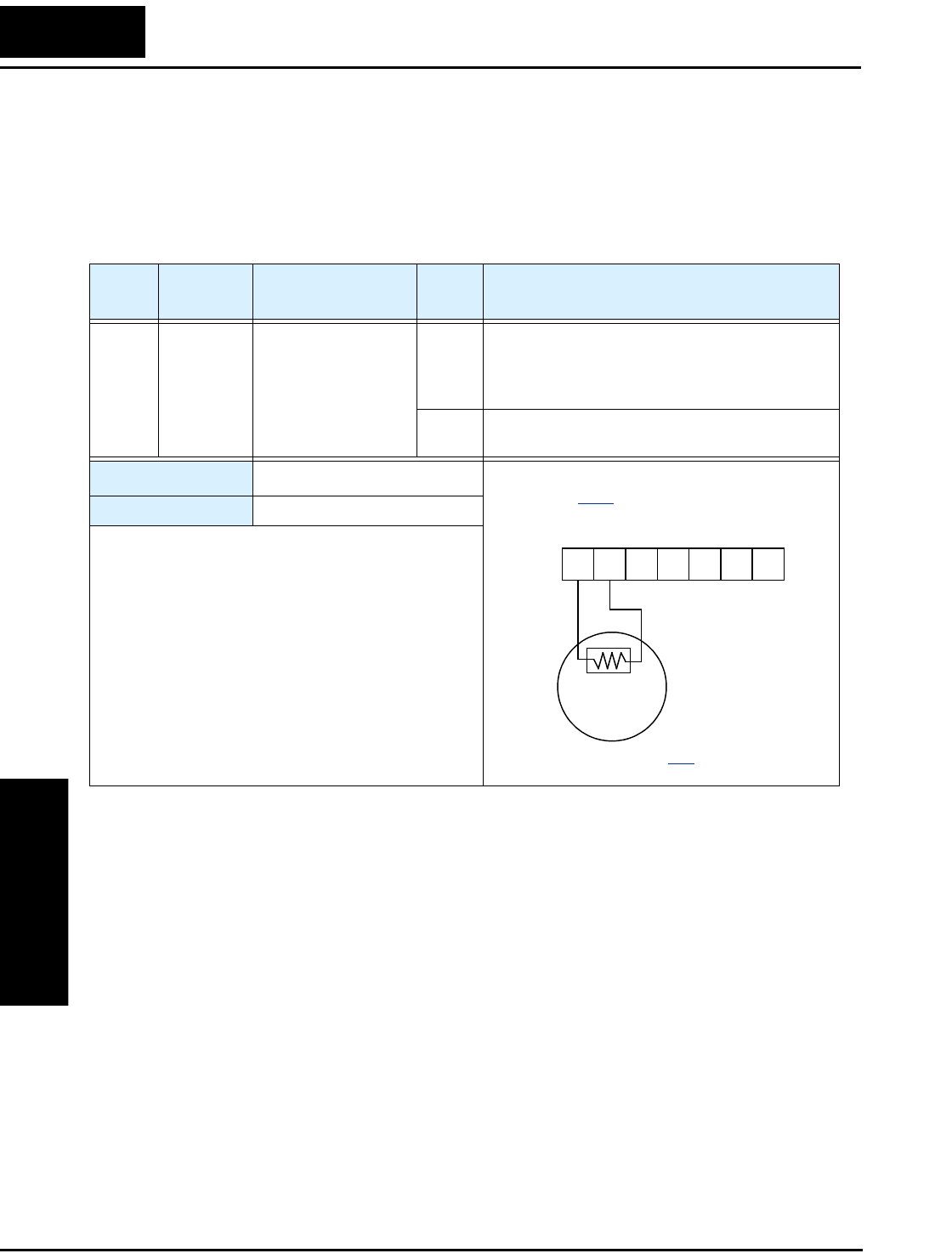
Using Intelligent Input Terminals
Operations
and Monitoring
4–20
Thermistor Thermal Protection
Motors that are equipped with a thermistor can be protected from overheating. Input
terminal [5] has the unique ability to sense a thermistor resistance. When the resistance
value of the thermistor connected to terminal [TH] (5) and [L] is more than 3 k Ohms
±10%, the inverter enters the Trip Mode, turns OFF the output to the motor, and
indicates the trip status E35. Use this function to protect the motor from overheating.
Option
Code
Terminal
Symbol Function Name Input
State Description
19 TH Thermistor Thermal
Protection
Sensor When a thermistor is connected to terminals [5]
and [L], the inverter checks for over-temperature
and will cause trip (E35) and turn OFF the
output to the motor
Open An open circuit in the thermistor causes a trip,
and the inverter turns OFF the output
Valid for inputs: C_05 only
Required settings: (none)
Notes:
•Be sure the thermistor is connected to terminals [5]
and [L]. If the resistance is above the threshold the
inverter will trip. When the motor cools down
enough, the thermistor resistance will change
enough to permit you to clear the error. Press the
STOP/Reset key to clear the error.
Example (requires input configuration—
see page 3–32):
12345L
P24
See I/O specs on page 4–6.
TH
thermistor
MOTOR
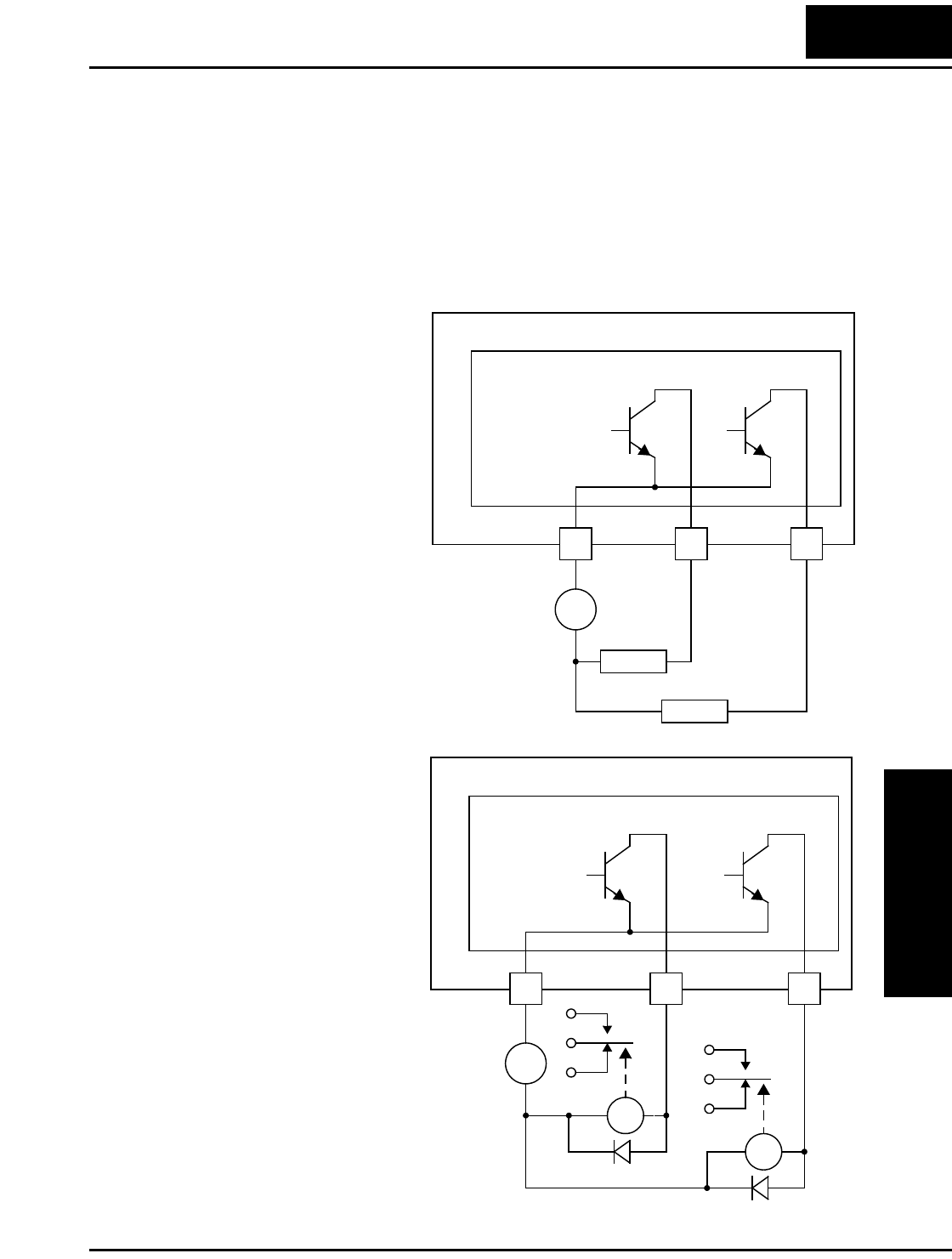
L100 Inverter
Operations
and Monitoring
4–21
Using Intelligent Output Terminals
The intelligent output terminals are programmable in a similar way to the intelligent
input terminals. The inverter has several output functions that you can assign individu-
ally to three physical logic outputs. Two of the outputs are open-collector transistors, and
the third output is the alarm relay (form C – normally open and normally closed
contacts). The relay is assigned the alarm function by default, but you can assign it to
any of the functions that the open-collector outputs use.
L100 Inverter
12 11
CM2
Open collector outputs
Load
Load
–
+
Logic output
common
L100 Inverter
12 11
CM2
Open collector outputs
–
+
Logic output
common
RY
RY
Sinking Outputs,
Open Collector
The open-collector transistor
outputs can handle up to
50mA each. We highly
recommend that you use an
external power source as
shown. It must be capable of
providing at least 100mA to
drive both outputs at full load.
To drive loads that require
more than 50mA, use external
relay circuits as shown below.
Sinking Outputs,
Open Collector with
External Relays
If you need output current
greater than 50mA, use the
inverter output to drive a
small relay. Be sure to use a
diode across the coil of the
relay as shown (reverse-
biased) in order to suppress
the turn-off spike, or use a
solid-state relay.
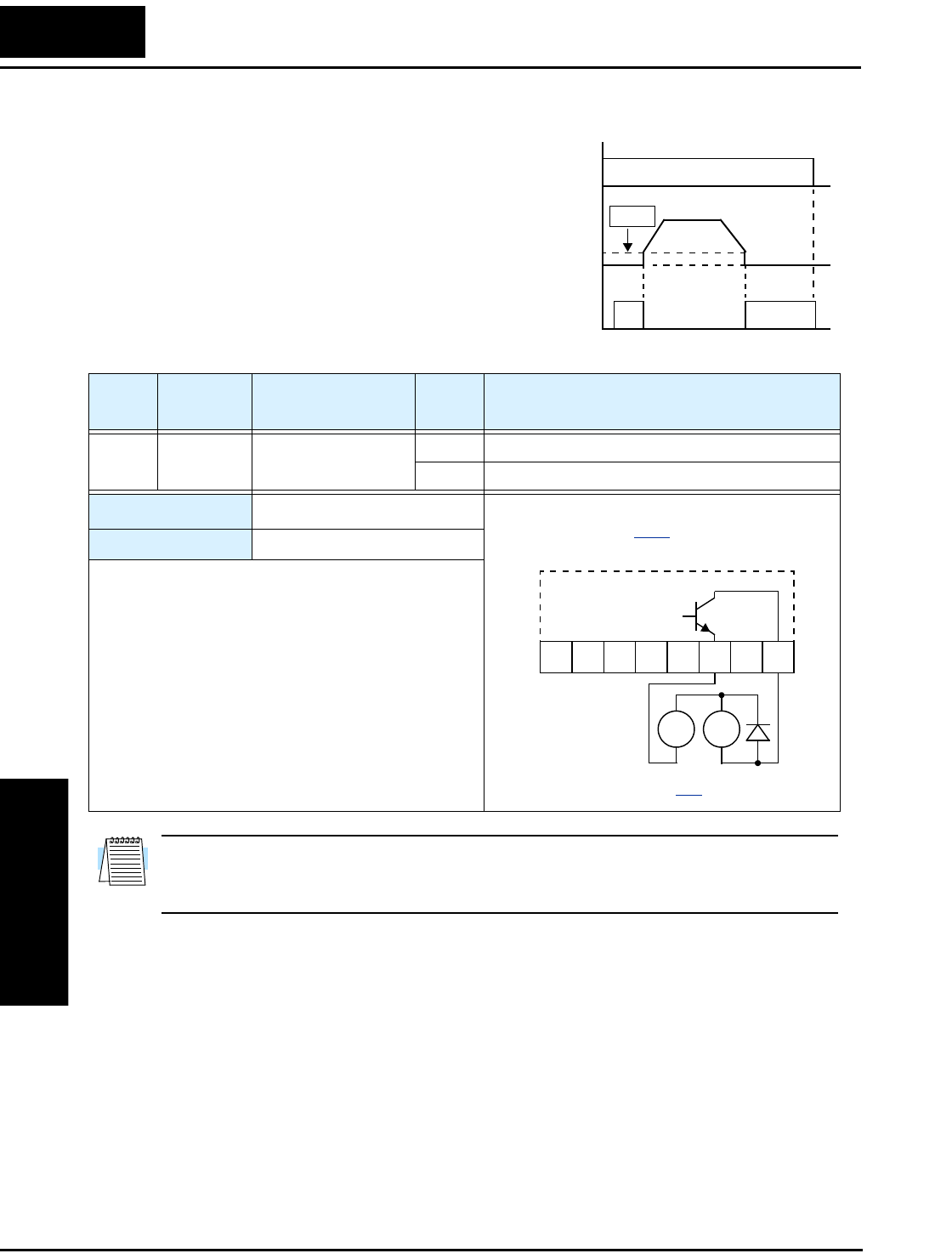
Using Intelligent Output Terminals
Operations
and Monitoring
4–22
Run Signal
When the [RUN] signal is selected as an
intelligent output terminal, the inverter
outputs a signal on that terminal when it is in
Run Mode. The output logic is active low, and
is the open collector type (switch to ground).
NOTE: The example circuit in the table above drives a relay coil. Note the use of a
diode to prevent the negative-going turn-off spike generated by the coil from damaging
the inverter’s output transistor.
[FW],
[RV]
Output
freq.
Run
Signal
start freq.
B82
t
ON
1
0
1
0
Option
Code
Terminal
Symbol Function Name Output
State Description
00 RUN Run Signal ON when inverter is in Run Mode
OFF when inverter is in Stop Mode
Valid for outputs: 11, 12
Required settings: (none)
Notes:
•The inverter outputs the [RUN] signal whenever the
inverter output exceeds the start frequency specified
by parameter B_82. The start frequency is the initial
inverter output frequency when it turns ON.
Example (default output configuration
shown—see page 3–36):
RY
+
–
See I/O specs on page 4–6.
12 11LH O
OI FM
CM2
RU
Inverter output
terminal circuit
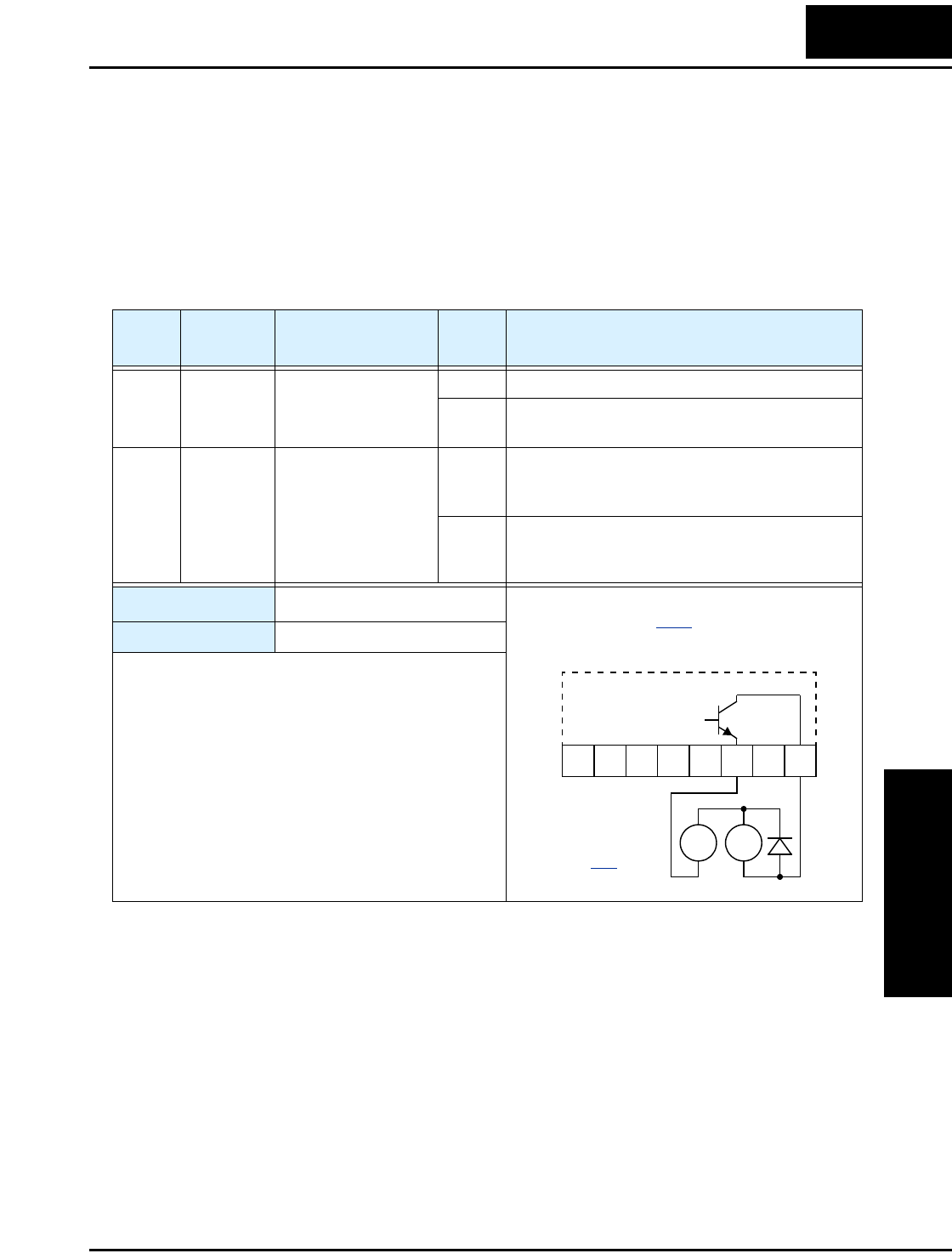
L100 Inverter
Operations
and Monitoring
4–23
Frequency Arrival Signals
The Frequency Arrival group of outputs help coordinate external systems with the
current velocity profile of the inverter. As the name implies, output [FA1] turns ON
when the output frequency arrives at the standard set frequency (parameter F_01).
Output [FA2] relies on programmable accel/ decel thresholds for increased flexibility.
For example, you can have an output turn ON at one frequency during acceleration, and
have it turn OFF at a different frequency during deceleration. All transitions have hyster-
esis to avoid output chatter if the output frequency is near one of the thresholds.
Option
Code
Terminal
Symbol Function Name Output
State Description
01 FA1 Frequency Arrival
Type 1 – Constant
Speed
ON when output to motor is at the set frequency
OFF when output to motor is OFF, or in any accelera-
tion or deceleration ramp
02 FA2 Frequency Arrival
Type 2 – Over-
frequency
ON when output to motor is at or above the set
frequency thresholds for, even if in acceleration
or deceleration ramps
OFF when output to motor is OFF, or during accelera-
tion or deceleration before the respective thresh-
olds are crossed
Valid for outputs: 11, 12
Required settings: (none)
Notes:
•For most applications you will need to use only one
type of frequency arrival outputs (see examples).
However, it is possible assign both output terminals
to output functions [FA1] and [FA2].
•For each frequency arrival threshold, the output
anticipates the threshold (turns ON early) by 1.5Hz.
•The output turns OFF as the output frequency
moves away from the threshold, delayed by 0.5Hz.
•The delay time of the output signal is 60 ms
(nominal).
Example (default output configuration
shown—see page 3–36):
See I/O specs
on page 4–6.
RY
+
–
Inverter output
terminal circuit
FA1
12 11LH O
OI FM
CM2
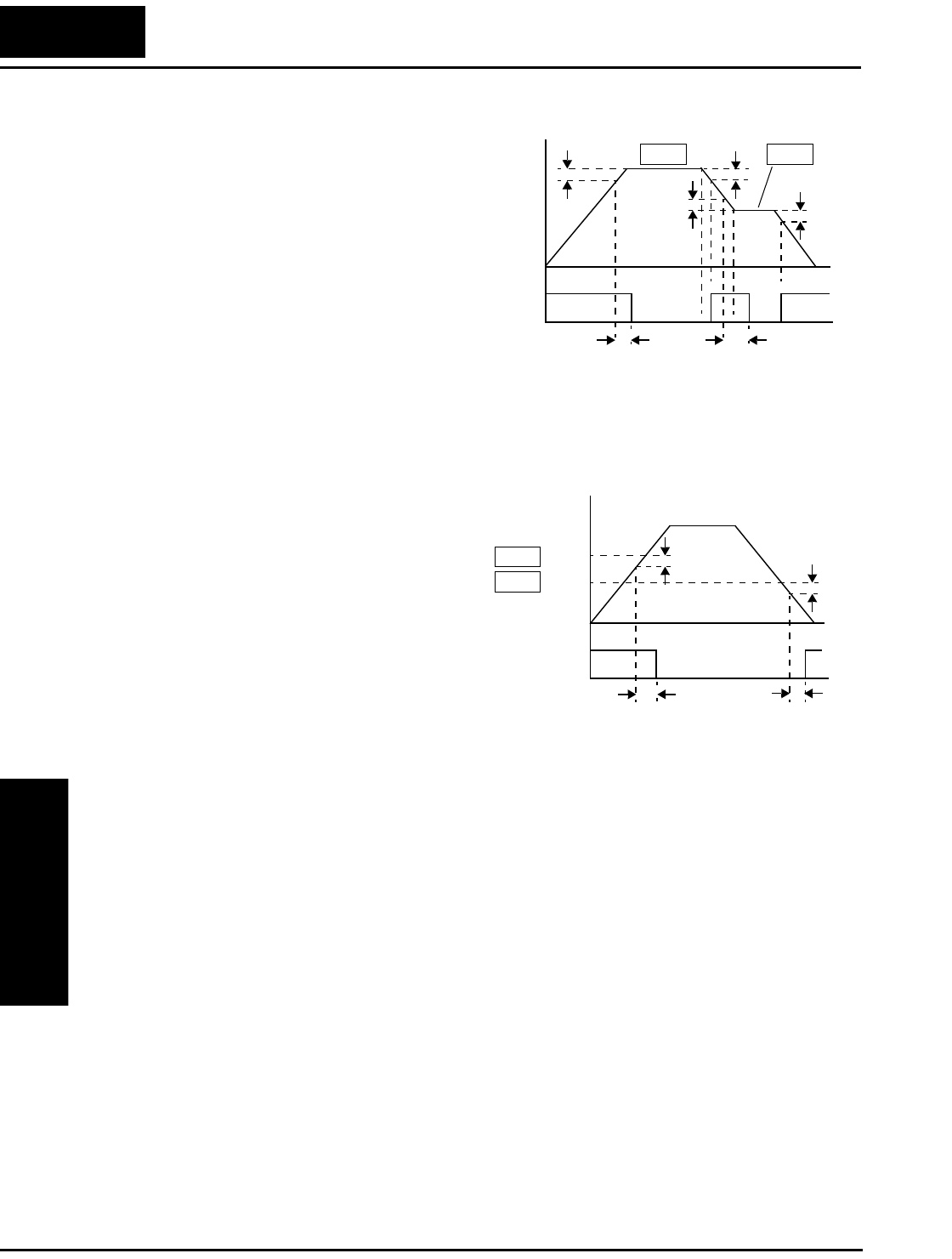
Using Intelligent Output Terminals
Operations
and Monitoring
4–24
Frequency arrival output [FA1] uses the
standard output frequency (parameter
F_01) as the threshold for switching. In
the figure to the right, Frequency Arrival
[FA1] turns ON when the output
frequency gets within 0.5 Hz below or
1.5 Hz above the target constant
frequency. This provides hysteresis that
prevents output chatter near the threshold
value.The hysteresis effect causes the
output to turn ON slightly early as the
speed approaches the threshold. Then the
turn-OFF point is slightly delayed. The
timing is further modified by a small
60 ms delay. Note the active low nature of
the signal, due to the open collector output.
Frequency arrival output [FA2] works the
same way; it just uses two separate
thresholds as shown in the figure to the
right. These provide for separate acceler-
ation and deceleration thresholds to
provide more flexibility than for [FA1].
[FA2] uses C_42 during acceleration for
the ON threshold, and C_43 during decel-
eration for the OFF threshold. This signal
also is active low and has a 60 ms delay
after the frequency thresholds are
crossed. Having different accel and decel
thresholds provides an asymmetrical
output function. However, you can use
equal ON and OFF thresholds, if desired.
FA1
signal
Output
freq. F01 F01
60 ms 60 ms
ON ON
t
0.5 Hz
0.5 Hz 1.5 Hz
1.5 Hz
0
t
FA2
signal
Output
freq.
C42
C43
t
ON
0.5 Hz 1.5 Hz
60 ms
accel.
decel.
Thresholds
60 ms
0
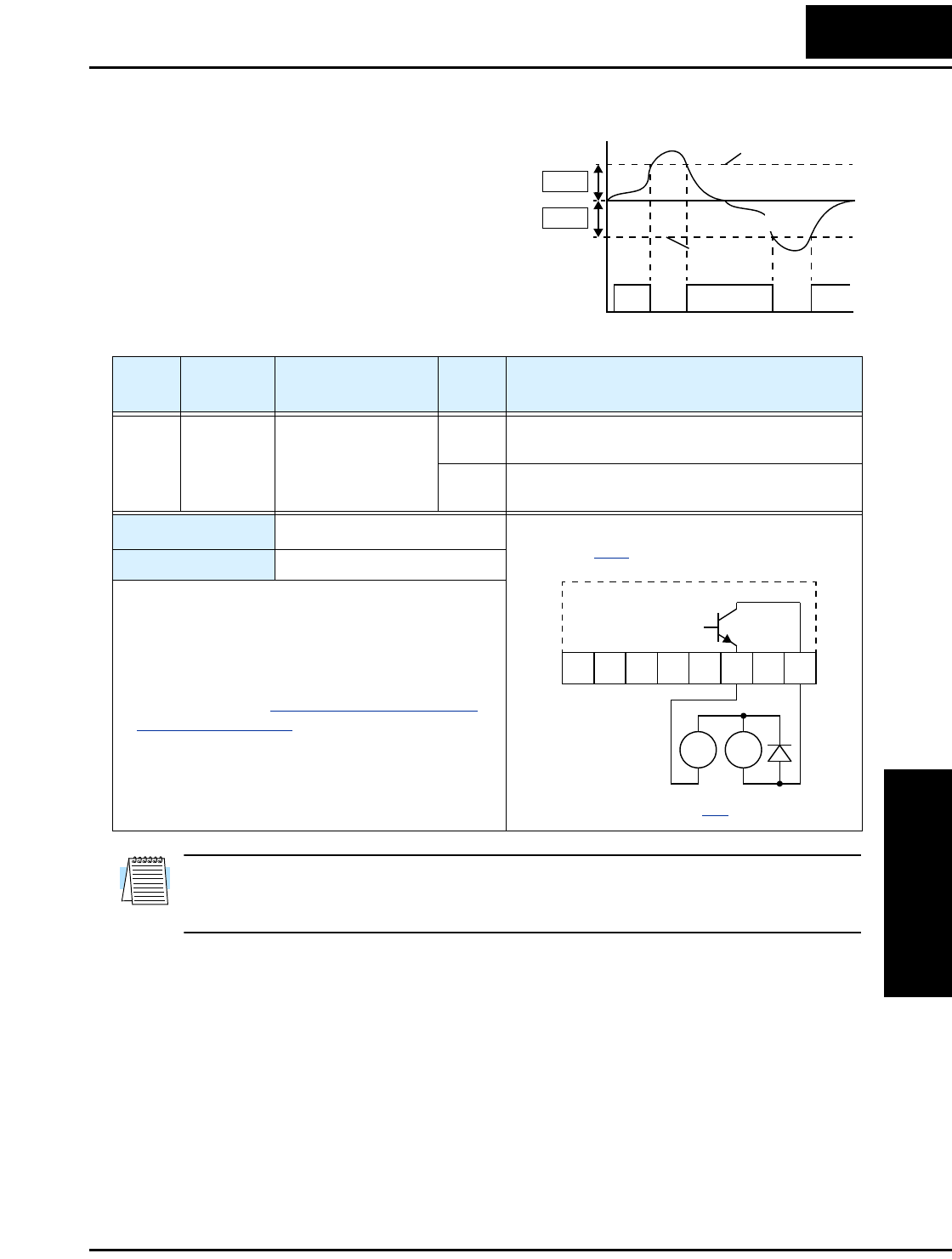
L100 Inverter
Operations
and Monitoring
4–25
Overload Advance Notice Signal
When the output current exceeds a preset
value, the [OL] terminal signal turns ON.
The parameter C_41 sets the overload
threshold. The overload detection circuit
operates during powered motor opera-
tion and during regenerative braking. The
output circuits use open-collector
transistors, and are active low.
NOTE: The example circuit in the table above drives a relay coil. Note the use of a
diode to prevent the negative-going turn-off spike generated by the coil from damaging
the inverter’s output transistor.
[OL]
Signal
C41
C41
1
0ON
t
ON
Current
threshold
regeneration
power running
threshold
Option
Code
Terminal
Symbol Function Name Output
State Description
03 OL Overload Advance
Notice Signal
ON when output current is more than the set thresh-
old for the overload signal
OFF when output current is less than the set threshold
for the overload signal
Valid for outputs: 11, 12
Required settings: C_41
Notes:
•The default value is 100%. To change the level
from the default, set C_41 (overload level).
•The accuracy of this function is the same as the
function of the output current monitor on the [FM]
terminal (see page “Analog and Digital Monitor
Output” on page 4–30).
Example (requires output configuration—
see page 3–36):
RY
+
–
See I/O specs on page 4–6.
12 11LH O
OI FM
CM2
Inverter output
terminal circuit
OL
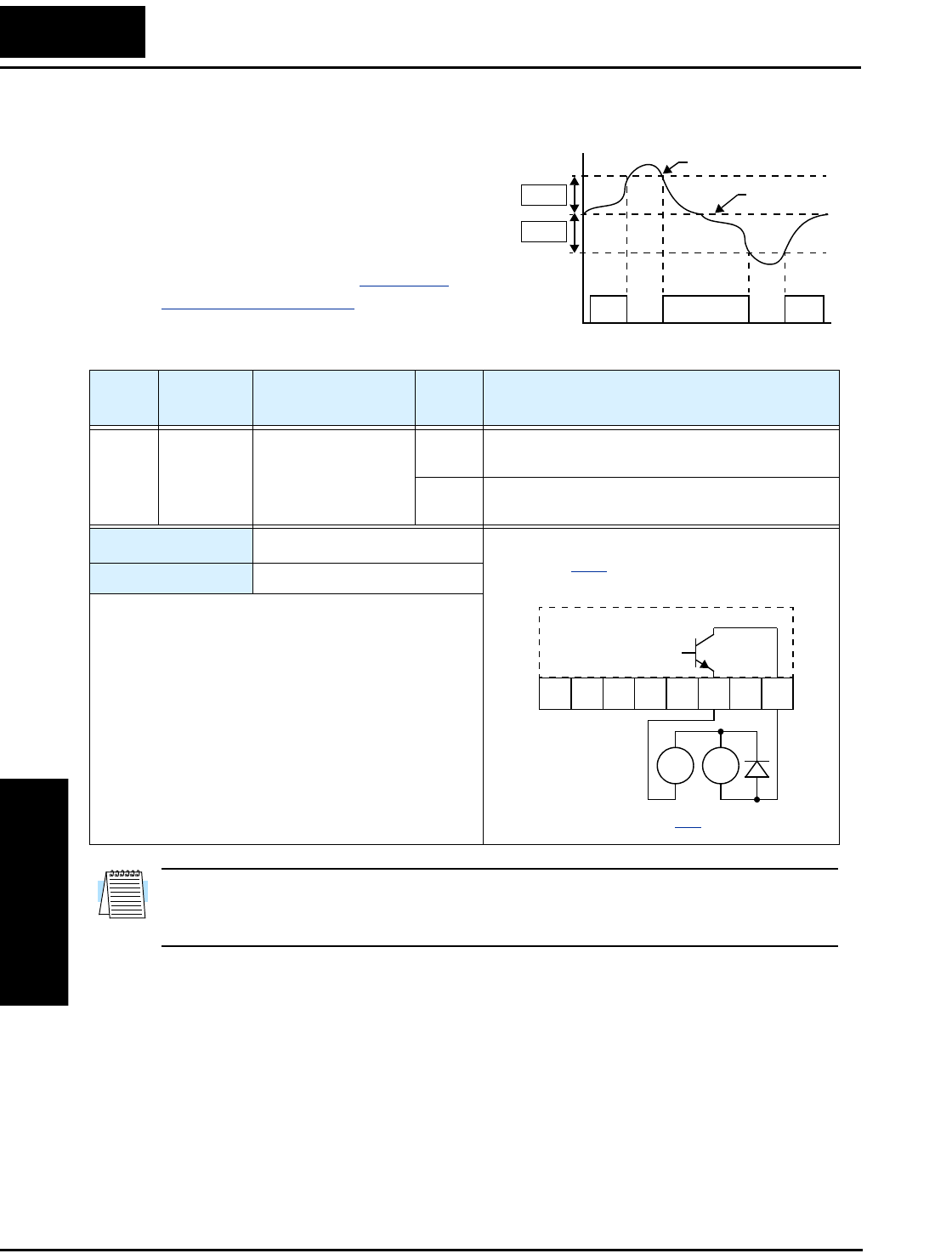
Using Intelligent Output Terminals
Operations
and Monitoring
4–26
Output Deviation for PID Control
The PID loop error is defined as the
magnitude (absolute value) of the differ-
ence between the Setpoint (target value)
and the Process Variable (actual value).
When the error magnitude exceeds the
preset value for C_44, the [OD] terminal
signal turns ON. Refer to “PID Loop
Operation” on page 4–32.
NOTE: The example circuit in the table above drives a relay coil. Note the use of a
diode to prevent the negative-going turn-off spike generated by the coil from damaging
the inverter’s output transistor.
[OD]
Signal
SP, PV
C44
C44
1
0
t
ONON
Setpoint
Process variable
Option
Code
Terminal
Symbol Function Name Output
State Description
04 OD Output Deviation for
PID Control
ON when PID error is more than the set threshold for
the deviation signal
OFF when PID error is less than the set threshold for
the deviation signal
Valid for outputs: 11, 12
Required settings: C_44
Notes:
•The default difference value is set to 3%. To change
this value, change parameter C_44 (deviation
level).
Example (requires output configuration—
see page 3–36):
RY
+
–
See I/O specs on page 4–6.
12 11LH O
OI FM
CM2
Inverter output
terminal circuit
OD
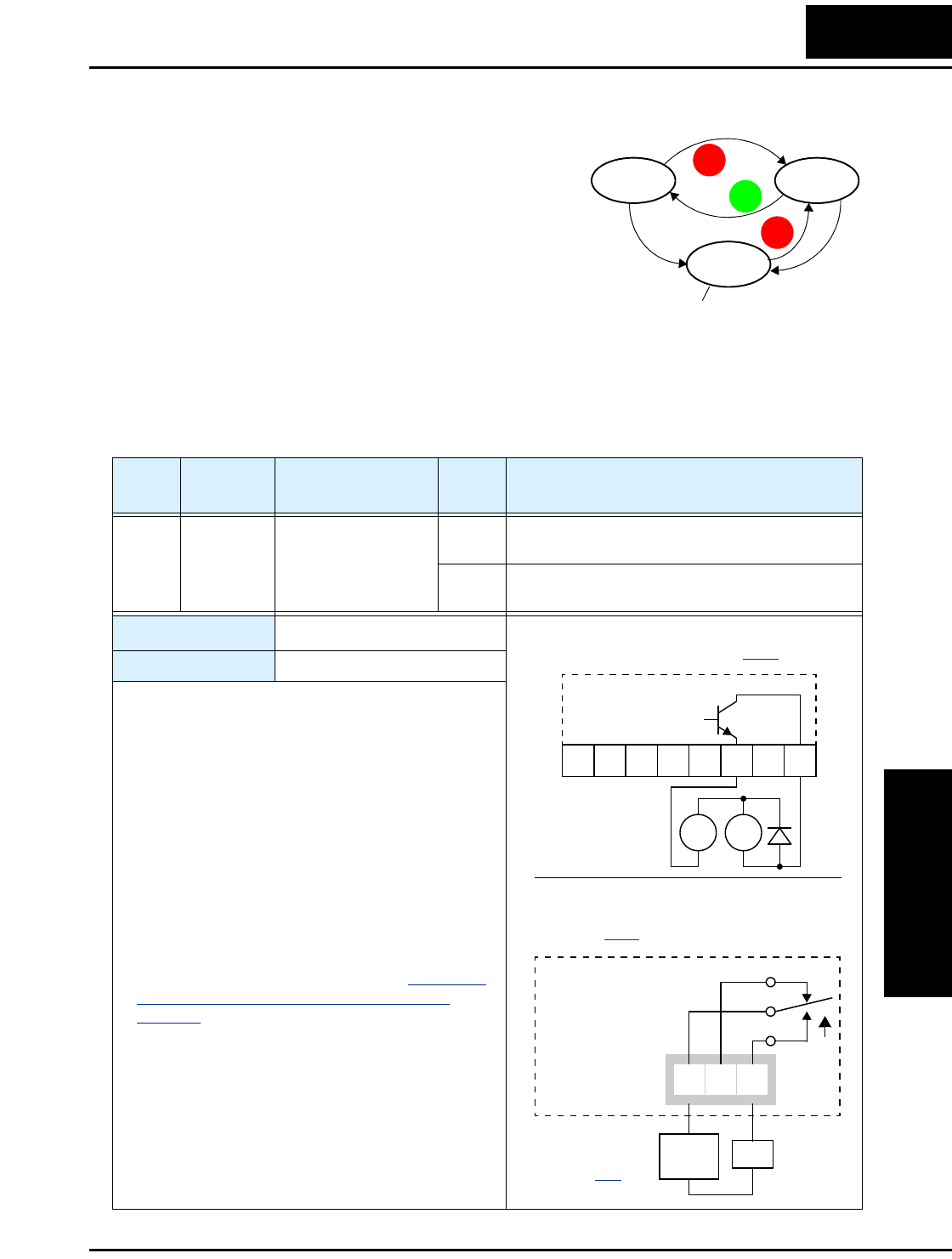
L100 Inverter
Operations
and Monitoring
4–27
Alarm Signal
The inverter alarm signal is active when a fault has
occurred and it is in the Trip Mode (refer to the
diagram at right). When the fault is cleared the
alarm signal becomes inactive.
We must make a distinction between the alarm
signal AL and the alarm relay contacts [AL0],
[AL1] and [AL2]. The signal AL is a logic
function, which you can assign to the open collec-
tor output terminals [11] or [12]. The relay is
dedicated to the function AL, thus the labeling of its terminals. Use an open collector
output (terminal [11] or [12]) for a low-current logic signal interface or to energize a
small relay (50 mA maximum). Use the relay output to interface to higher voltage and
current devices (10 mA minimum).
RUN
STOP
RESET
STOP
RESET
Run Stop
Trip
Fault
Fault
Alarm signal active
Option
Code
Terminal
Symbol Function Name Output
State Description
05 AL Alarm Signal ON when an alarm signal has occurred and has not
been cleared
OFF when no alarm has occurred since the last
clearing of alarm(s)
Valid for outputs: 11, 12
Required settings: C_33
Notes:
•When the alarm output is set to normally closed, a
time delay of less than 2 seconds occurs until the
contact is closed when the power is turned ON.
•Terminals 11 and 12 are open collector outputs, so
the electric specifications of [AL] are different
from the contact output terminals [AL0], [AL1],
[AL2].
•When the inverter power supply is turned OFF, the
alarm signal output is valid as long as the external
control circuit has power.
•This signal output has the delay time (300 ms
nominal) from the fault alarm output.
•The relay contact specifications are in “Specifica-
tions of Control and Logic Connections” on
page 4–6. The contact diagrams for different condi-
tions are on the next page.
Example for terminal [11] or [12] (requires
output configuration—see page 3–36):
RY
+
–
Example for terminals [AL0], [AL1], [AL2]
(default output configuration shown—
see page 3–36):
See I/O specs
on page 4–6.
12 11LH O
OI FM
CM2
Inverter logic
circuit board
Relay position
shown is during
normal running
(no alarm).
AL0 AL2AL1
AL
Inverter output
terminal circuit
AL
Load
Power
supply
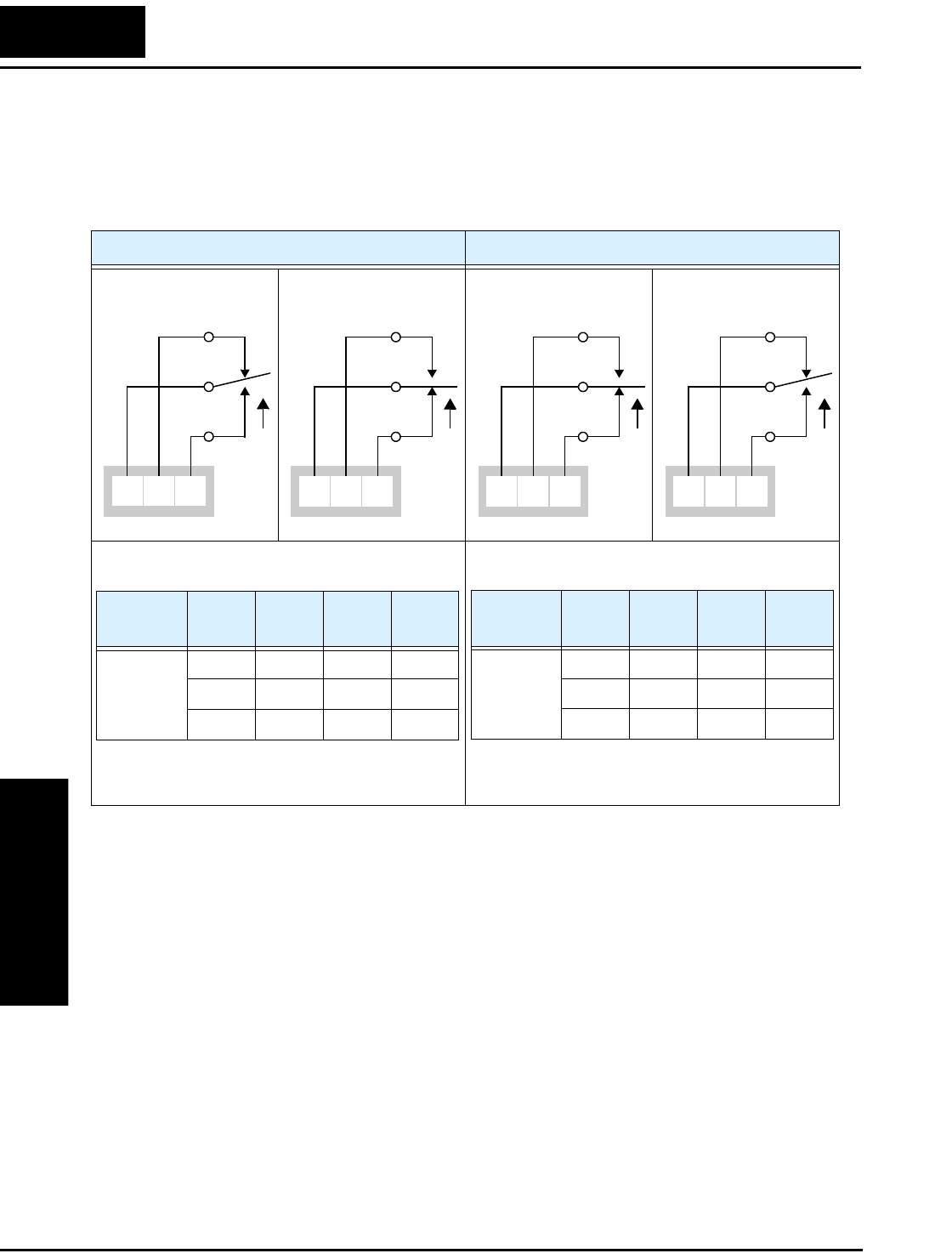
Using Intelligent Output Terminals
Operations
and Monitoring
4–28
The alarm output terminals are connected as shown below (left) by default. The contact
logic can be inverted as shown (below right) by using the parameter setting C_33. The
relay contacts normally open (N.O.) and normally closed (N.O.) convention uses
“normal” to mean the inverter has power and is in Run or Stop Mode. The relay contacts
switch to the opposite position when it is in Trip Mode or when input power is OFF.
N.C. contacts (after initialization) N.O. contact (inverted by C_33 setting)
During normal running When an alarm occurs
or power is turned OFF
During normal running
or power is turned OFF
When an alarm occurs
AL0 AL2AL1 AL0 AL2AL1 AL0 AL2AL1 AL0 AL2AL1
Contact Power Run
State
AL0-
AL1
AL0-
AL2
N.C.
(after
initialize,
C_33=01)
ON Normal Closed Open
ON Trip Open Closed
OFF — Open Closed
Contact Power Run
State
AL0-
AL1
AL0-
AL2
N.O.
(set
C_33=00)
ON Normal Open Closed
ON Trip Closed Open
OFF — Open Closed
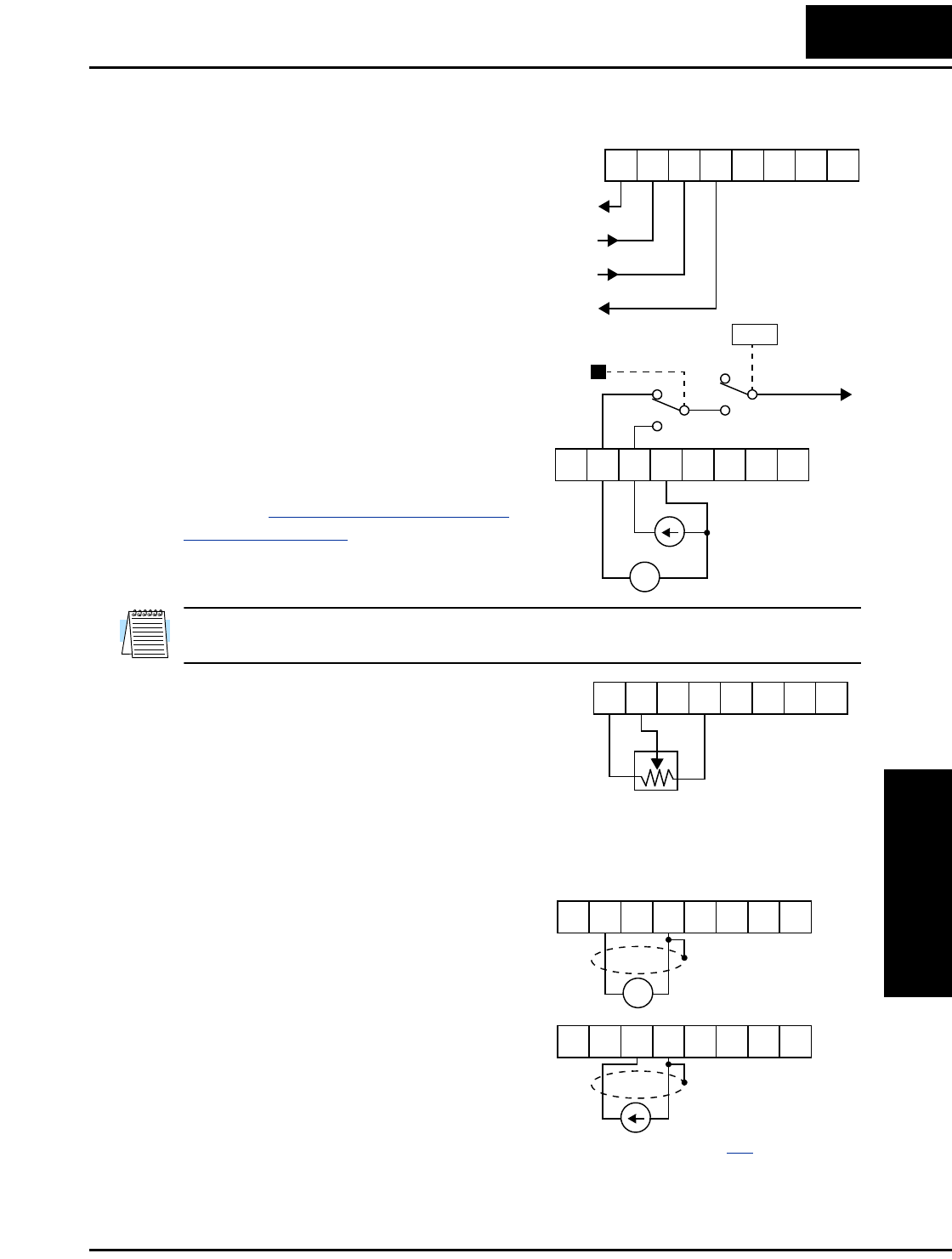
L100 Inverter
Operations
and Monitoring
4–29
Analog Input Operation
The L100 inverters provide for analog input
to command the inverter frequency output
value. The analog input terminal group
includes the [L], [OI], [O], and [H] terminals
on the control connector, which provide for
Voltage [O] or Current [OI] input. All analog
input signals must use the analog ground [L].
If you use either the voltage or current analog
input, you must select one of them using the
logic input terminal function [AT] analog
type. If terminal [AT] is OFF, the voltage
input [O] can command the inverter output
frequency. If terminal [AT] is ON, the current
input [OI] can command the inverter output
frequency. The [AT] terminal function is
covered in “Analog Input Current/Voltage
Select” on page 4–18. Remember that you
must also set A_01 = 01 to select analog input
as the frequency source.
NOTE: If no logic input terminal is configured for the [AT] function, then inverter sums
the voltage and current input to determine the desired input value.
Using an external potentiometer is a common
way to control the inverter output frequency
(and a good way to learn how to use the
analog inputs). The potentiometer uses the
built-in 10V reference [H] and the analog
ground [L] for excitation, and the voltage
input [O] for the signal. By default, the [AT]
terminal selects the voltage input when it is OFF. Take care to use the proper resistance
for the potentiometer, which is 1 to 2 k Ohms, 2 Watts.
Voltage Input – The voltage input circuit uses
terminals [L] and [O]. Attach the signal
cable’s shield wire only to terminal [L] on the
inverter. Maintain the voltage within specifi-
cations (do not apply negative voltage).
Current Input – The current input circuit
uses terminals [OI] and [L]. The current
comes from a sourcing type transmitter; a
sinking type will not work! This means the
current must flow into terminal [OI], and
terminal [L] is the return back to the transmit-
ter. The input impedance from [OI] to [L] is
250 Ohms. Attach the cable shield wire only to terminal [L] on the inverter.
+V Ref.
A GND
Voltage input
Current input
12 11LH O
OI FM
CM2
+ –
4-20 mA, AT= ON
0-10 V, AT= OFF
[AT]
V/I input
select Frequency
setting
A01
12 11LH O
OI FM
CM2
1 to 2kΩ, 2W
12 11LH O
OI FM
CM2
+ –
4 to 19.6 mA DC,
4 to 20 mA nominal
0 to 9.6 VDC,
0 to 10V nominal
12 11LH O
OI FM
CM2
12 11LH O
OI FM
CM2
See I/O specs on page 4–6.
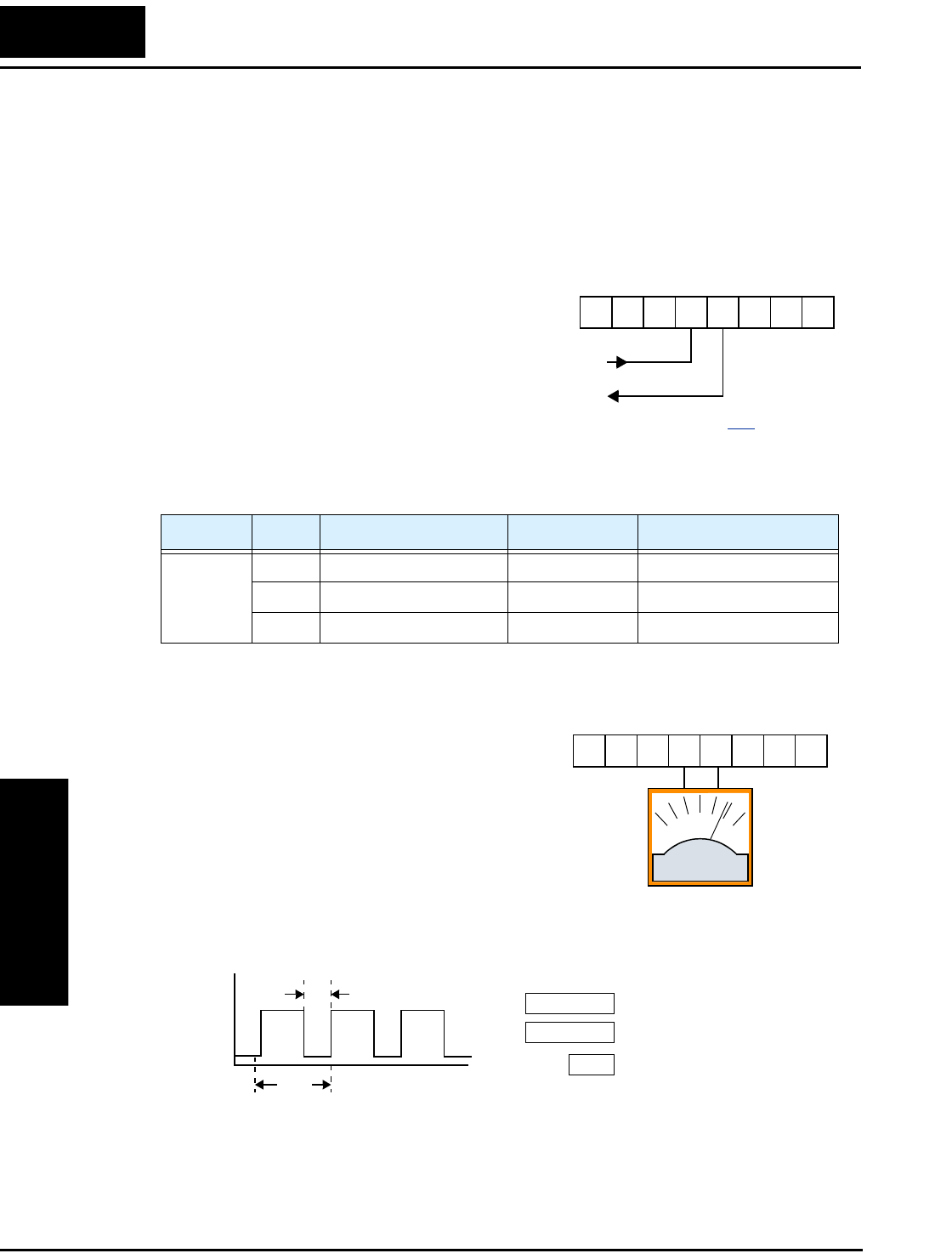
Analog and Digital Monitor Output
Operations
and Monitoring
4–30
Analog and Digital Monitor Output
In the system design for inverter applications it is useful to monitor the inverter opera-
tion from a remote location. In some cases, this requires only a panel-mounted analog
meter (moving-coil type). In other cases, a controller device such as a PLC may
command the inverter frequency and other functions. Sometimes it is useful to have the
inverter transmit the (real-time) output frequency value back to the controller to confirm
actual operation. The monitor output function [FM] serves these purposes.
The inverter provides an analog/digital output
primarily for frequency monitoring on terminal
[FM] (frequency monitor). It uses terminal [L] as
analog GND reference. You can configure
terminal [FM] to transmit the inverter current
output or frequency output in pulse-width
modulated format (PWM). You can also config-
ure terminal [FM] to output the frequency value in a frequency-modulated (FM) format.
The following table lists terminal [FM] configurations. Use function C_23 to configure.
PWM Signal Type
The pulse-width modulated signal at terminal
[FM] is primarily designed for driving a moving-
coil meter. The PWM signal is automatically
averaged by the inertia of the moving-coil mecha-
nism—converting the PWM signal to an analog
representation. Be sure to use a 10V full-scale DC
voltmeter.
The signal characteristics of terminal [FM] in PWM configuration is shown below:
To calibrate the meter reading, generate a full-scale output (always ON) at terminal
[FM]. Then use parameter B_81(gain setting from 0 to 255) to adjust the corresponding
full-scale reading of the meter. For example, when the inverter output frequency is
60 Hz, change the value of B_81 so that the meter reads 60 Hz.
Func. Code Description Waveform Full Scale value
C_23
00 Output frequency PWM 0 – Max. frequency (Hz)
01 Output current PWM 0 – 200%
02 Output frequency FM 0 – Max. frequency (Hz)
A GND
Analog/digital Output
12 11LH O
OI FM
CM2
See I/O specs on page 4–6.
0 to 10V,
1 mA
12 11LH O
OI FM
CM2
–+
Inverter output current
[FM]
Inverter output frequency
Pulse-width modulation (analog)
PWM scale factor
C_23 =00
C_23 = 01
B81
10V
0V
TT = 4 ms
t
[FM] Output t
T
---=
t
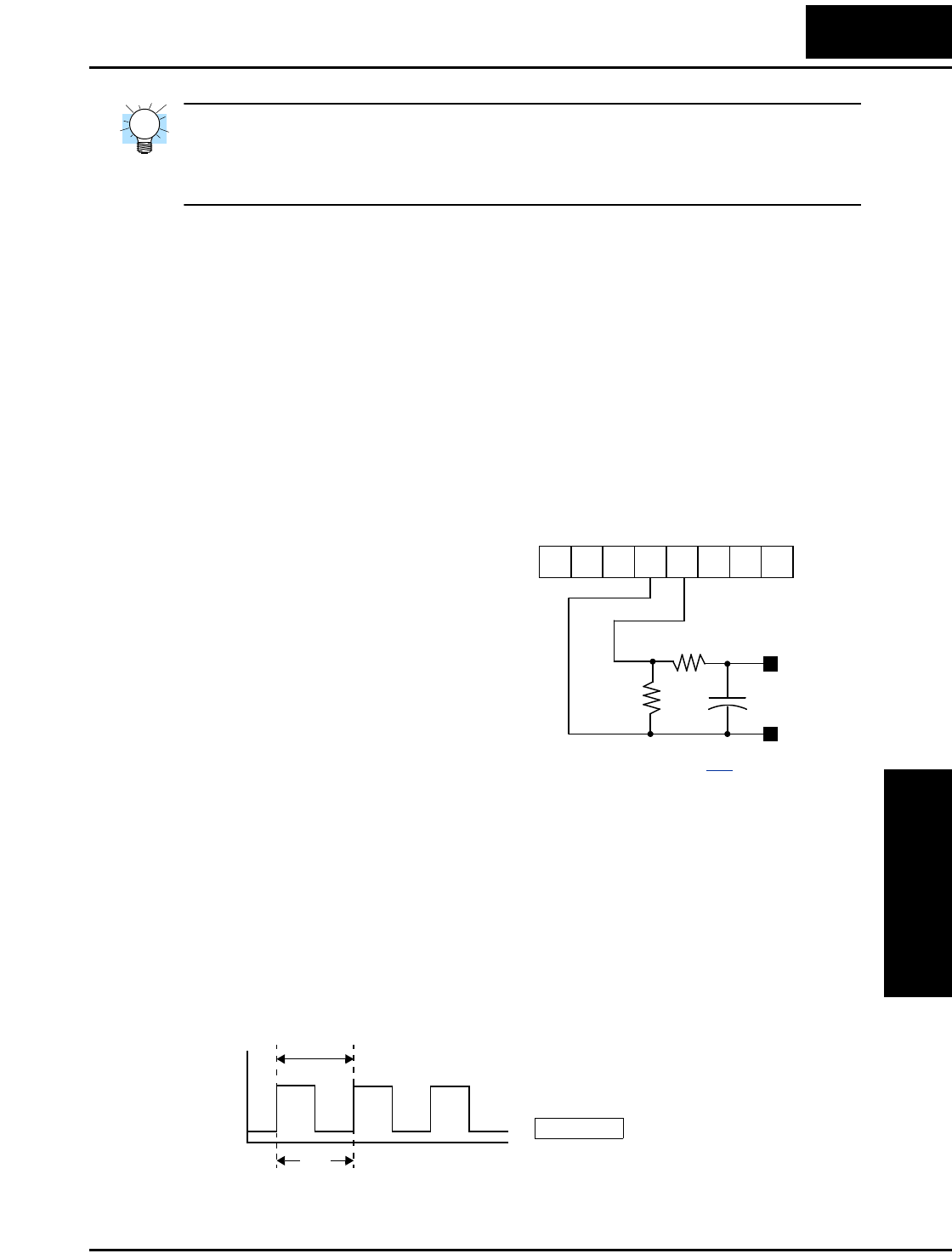
L100 Inverter
Operations
and Monitoring
4–31
TIP: When using the analog meter for monitoring, adjust the meter so it has a zero
reading when the [FM] output is zero. Then use scale factor B_81 to adjust the [FM]
output so the maximum frequency in the inverter corresponds to a full-scale reading on
the meter.
The following accuracy notes apply for PWM monitor outputs:
• The monitor accuracy for frequency monitoring after adjustment is about ±5%.
Depending on the motor, the accuracy may exceed this value.
• The monitor display accuracy for current (normally ± 20%, depending on the
connected motor’s characteristics) can be improved by adjusting parameter B_32.
• The accuracy of the current reading is given by the equation:
• If precise current measurement is necessary, use the moving-coil type ammeter
between the inverter and the motor.
PWM Smoothing Circuit – You may also
wish to smooth the PWM signal at the [FM]
terminal and convert it to an analog signal.
The [FM] terminal will then generate a
relatively stable DC analog voltage that
represents the output value. To do this, use
the circuit shown to the right. Note the
output impedance of the circuit is at least
82kΩ, so the monitoring device needs an
input impedance of 1MΩ or greater. Other-
wise, the impedance of the smoothing
circuit will cause a non-linearity in the reading.
FM Signal Type
The frequency-modulated output at terminal [FM] varies its frequency with the inverter
output frequency (C_23=03). The multiplier is 10, such that the maximum [FM] signal
frequency is 10 x 360 = 3.6 kHz, or 10 times the inverter’s maximum output frequency.
The signal at [FM] uses the parameter A_04 Maximum frequency setting. For example, if
A_04 = 60 Hz, then the maximum signal value at [FM] will be 10 x 60 = 600 Hz. This
frequency is digitally controlled for accuracy, and does not use the B_81 gain setting
when C_23=03 (frequency modulation selection).
Imc Im–
Ir
----------------------100×20%±≤
Im = Inverter output current (measured)
Imc = Monitor display current
Ir = Inverter rated current
+
12 11LH O
OI FM
CM2
33kΩ
82kΩ
1µFVolts
–
–
+
+
See I/O specs on page 4–6.
T1
[FM] Output value 10×
---------------------------------------------------------=
Selects FM type output
[FM]
C_23 =02
50% fixed duty cycle
10V
0V
t
T
[FM] Output value 1
T10×
---------------=
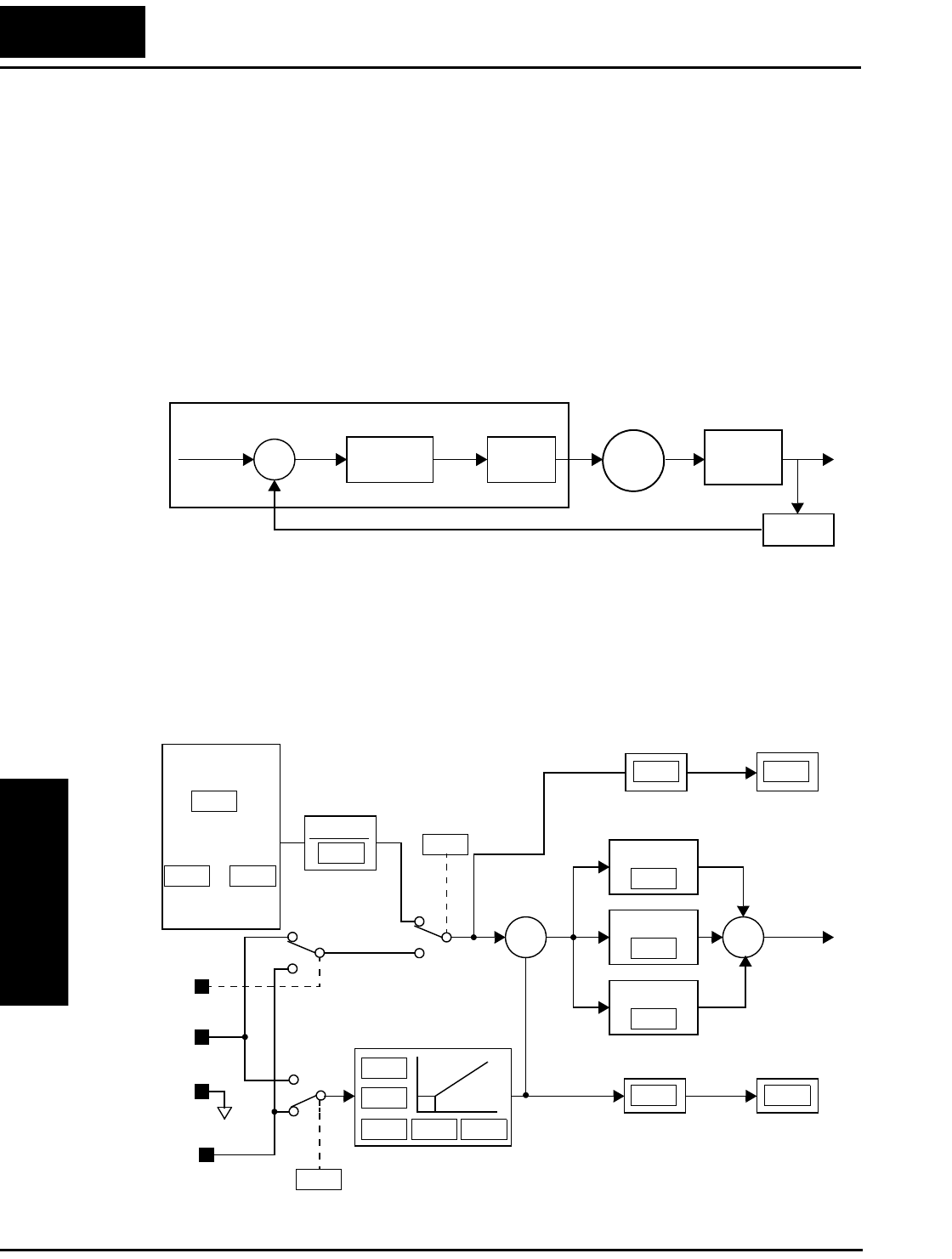
PID Loop Operation
Operations
and Monitoring
4–32
PID Loop Operation
In standard operation, the inverter uses a reference source selected by parameter A_01
for the output frequency, which may be a fixed value (F_01), a variable set by the front
panel potentiometer, or value from an analog input (voltage or current). To enable PID
operation, set A_71 = 01. This causes the inverter to calculate the target frequency, or
setpoint.
A calculated target frequency can have a lot of advantages. It lets the inverter adjust the
motor speed to optimize some other process of interest, potentially saving energy as
well. Refer to the figure below. The motor acts upon the external process. To control that
external process, the inverter must monitor the process variable. This requires wiring a
sensor to either the analog input terminal [O] (voltage) or terminal [OI] (current).
When enabled, the PID loop calculates the ideal output frequency to minimize the loop
error. This means we no longer command the inverter to run at a particular frequency,
but we specify the ideal value for the process variable. That ideal value is called the
setpoint, and is specified in the units of the external process variable. For a pump appli-
cation it may be gallons/minute, or it could be air velocity or temperature for an HVAC
unit. Parameter A_75 is a scale factor that relates the external process variable units to
motor frequency. The figure below is a more detailed diagram of the PID function.
∑
PID
Calculation
Setpoint
SP
Error Freq. Inverter Motor External
Process
Process Variable (PV) Sensor
PV
Monitor
P gain
I gain
D gain
∑
Analog input scaling
∑
Voltage
O
OI
L
Current
A GND
PID V/I input select
Process Variable
(Feedback)
Scale factor
Frequency
setting
Scale factor
Setpoint
(Target)
Scale factor
reciprocal
Multi-speed
settings
Standard
setting
Frequency
source select
Potentiometer
on keypad Error
[AT]
V/I input
select PV
SP
D04A75
A74
A76
A14A13A15
A12
A11
A01
F01
A20
A75
A72
A73
to
A75
1
A35
F01
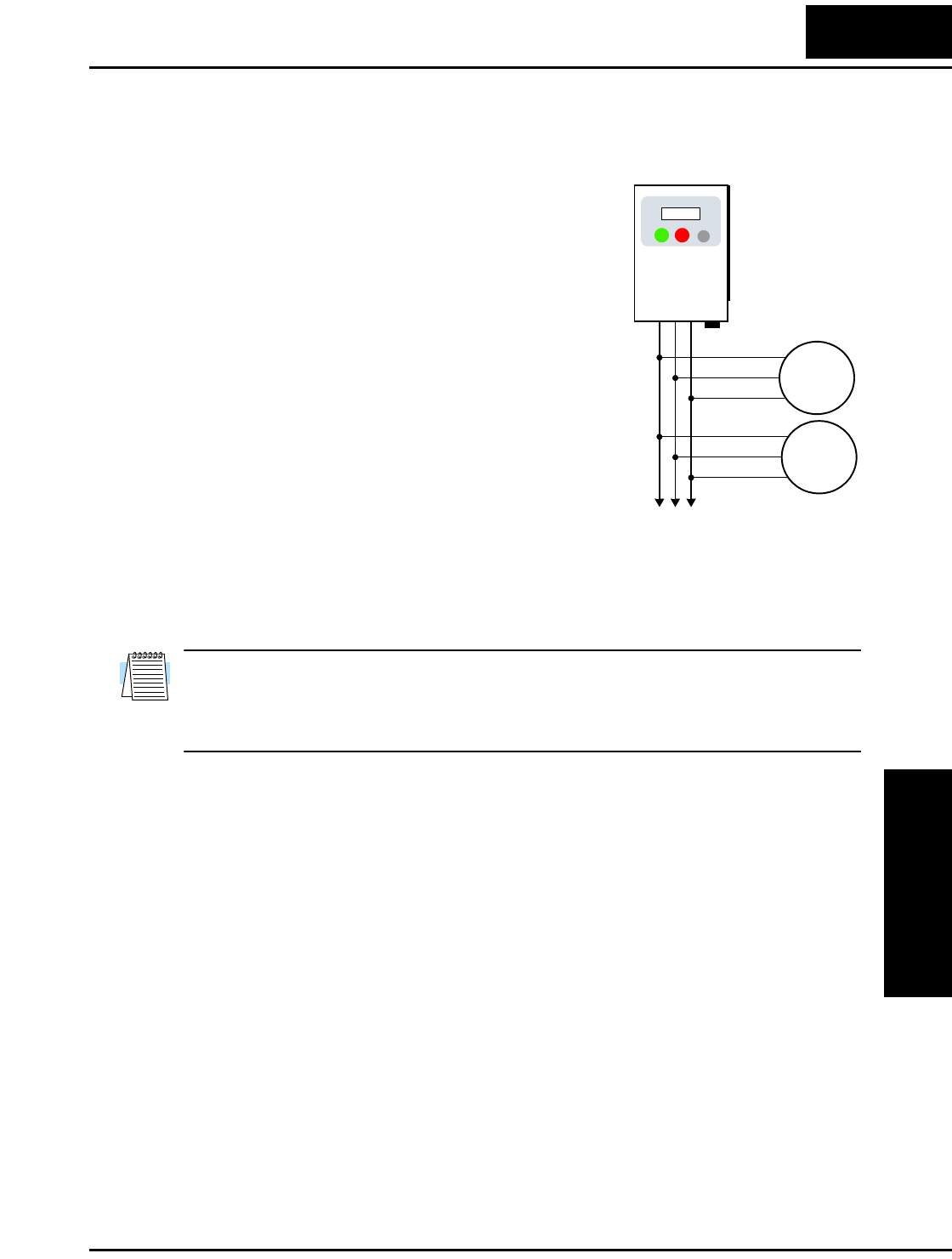
L100 Inverter
Operations
and Monitoring
4–33
Configuring the Inverter for Multiple Motors
Simultaneous Connections
For some applications, you may need to connect two
or more motors (wired in parallel) to a single
inverter’s output. For example, this is common in
conveyor applications where two separate conveyors
need to have approximately the same speed. The use
of two motors may be less expensive than making the
mechanical link for one motor to drive multiple
conveyors.
Some of the characteristics of using multiple motors
with one drive are:
• The inverter output must be rated to handle the sum
of the currents from the motors.
• You must use separate thermal protection switches
or devices to protect each motor. Locate the device
for each motor inside the motor housing or as close
to it as possible.
• The wiring for the motors must be permanently connected in parallel (do not remove
one motor from the circuit during operation).
NOTE: The motor speeds are identical only in theory. That is because slight differences
in their loads will cause one motor to slip a little more than another, even if the motors
are identical. Therefore, do not use this technique for multi-axis machinery that must
maintain a fixed position reference between its axes.
to Nth motor
U/T1
V/T2
W/T3 Motor 1
Motor 2
L100
U/T1
V/T2
W/T3
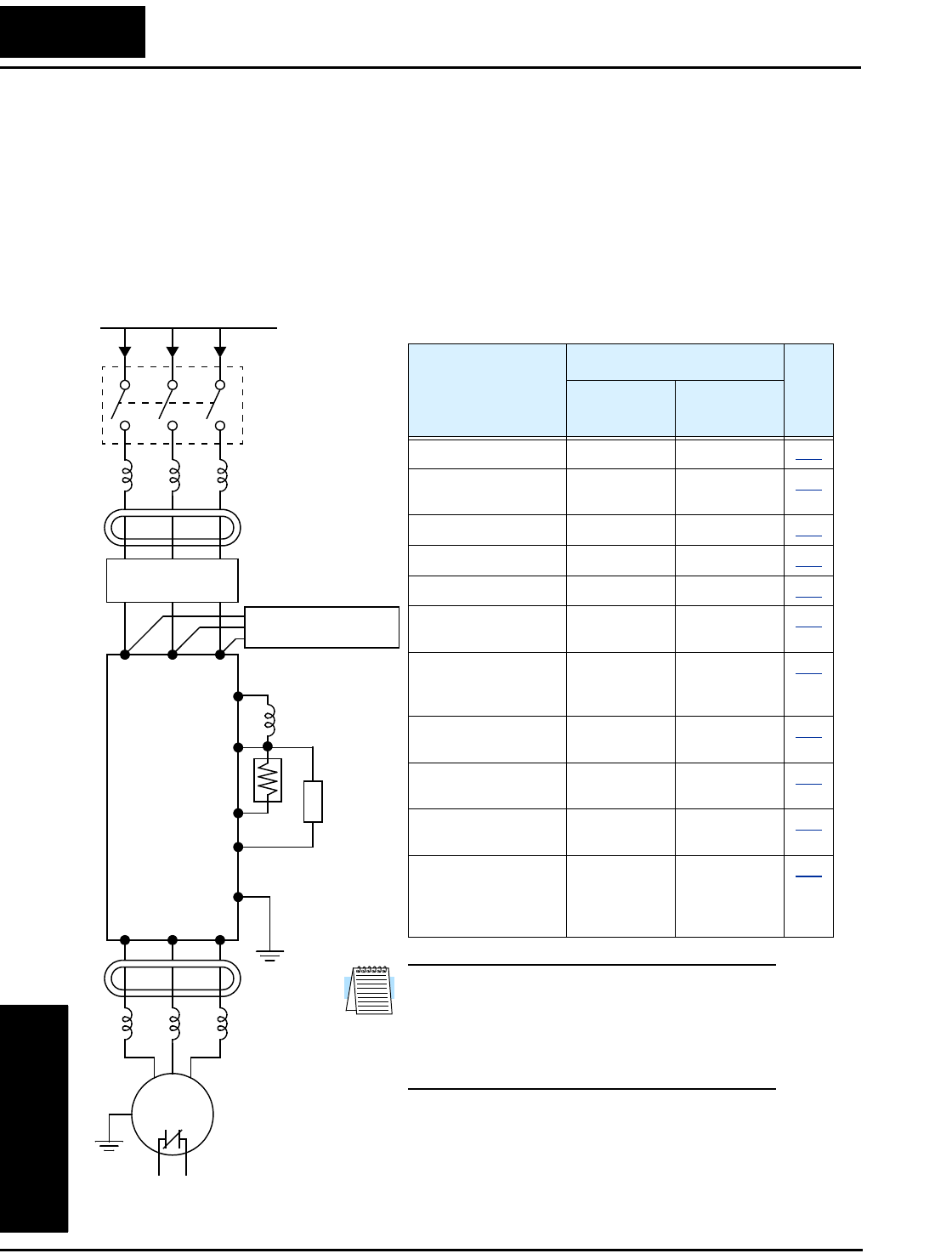
Introduction
Motor Control
Accessories
5–2
Introduction
A motor control system will obviously include a motor and inverter, as well as fuses for
safety. If you are connecting a motor to the inverter on a test bench just to get started,
that’s all you may need for now. But a fully developed system can also have a variety of
additional components. Some can be for noise suppression, while others may enhance
the inverter’s braking performance. The figure below shows a system with several
possible optional components, and the table gives part number information.
Thermal
switch
Breaker,
MCCB or
GFI
From power supply
Motor
L1 L2 L3
+1
+
Inverter
RB
GND
T1 T2 T3
Note: The Hitachi part number series for accesso-
ries includes different sizes of each part type,
specified by the –x suffix. Hitachi product litera-
ture can help match size and rating of your
inverter to the proper accessory size.
Each inverter accessory comes with its own printed
instruction manual. Please refer to those manuals for
complete installation details. This chapter gives only an
overview of these optional system devices.
Name
Part No. Series
See
page
Europe,
Japan USA
AC reactor, input side ALI–xxx2 HRL–x 5–3
RF noise filter, input
side
ZCL–xxx ZCL–xxx 5–4
EMI filter (for CE) FFL100–xxx FFL100–xxx 5–4
Capacitive filter CFI–x CFI–x 5–4
DC link choke DCL–x–xx HDC–xxx 5–4
Braking resistor JRB–xxx–x
SRB–xxx–x
JRB–xxx–x
SRB–xxx–x
5–5
Braking resistor,
NEMA-rated
—HRB-x,
NSRBx00–x
NJRB–xxx
5–5
Resistance braking
unit
BRD–xxx BRD–xxx 5–5
RF noise filter, output
side
ZCL–xxx ZCL–xxx 5–4
AC reactor, output
side
ALI–x2–xxx HRL–xxx 5–3
LCR filter Combination:
ALI–x2–xxx
LPF–xxx
R–2–xxx
HRL–xxC 5–3
AC reactor
RF noise filter
EMI filter
Capacitive filter
–
DC link choke
Braking
resistor
Braking
unit
RF noise
filter
AC reactor, or
LCR filter

L100 Inverter
Motor Control
Accessories
5–3
Component Descriptions
AC Reactors, Input Side
This is useful in suppressing harmonics induced on the power supply lines, or when the
main power voltage imbalance exceeds 3% (and power source capacity is more than
500 kVA), or to smooth out line fluctuations. It also improves the power factor.
In the following cases for a general-purpose inverter, a large peak current flows on the
main power supply side, and is able to destroy the inverter module:
• If the unbalanced factor of the power supply is 3% or higher
• If the power supply capacity is at least 10 times greater than the inverter capacity (the
power supply capacity is 500 kVA or more)
• If abrupt power supply changes are expected
Examples of these situations include:
1. Several inverters are connected in parallel, sharing the same power bus
2. A thyristor converter and an inverter are connected in parallel, sharing the same
power bus
3. An installed phase-advance (power factor correction) capacitor opens and closes
Where these conditions exist or when the connected equipment must be highly reliable,
you MUST install an input-side AC reactor of 3% (at a voltage drop at rated current)
with respect to the supply voltage on the power supply side. Also, where the effects of an
indirect lightning strike are possible, install a lightning conductor.
Example calculation:
VRS = 205V, VST = 203V, VTR = 197V,
where VRS is R-S line voltage, VST is S-T line voltage, VTR is T-R line voltage
Please refer to the documentation that comes with the AC reactor for installation instruc-
tions.
AC Reactors, Output Side
This reactor reduces the vibrations in the motor caused by the inverter’s switching
waveforms, by smoothing the waveforms to approximate commercial power quality. It is
also useful to reduce the reflected voltage wave phenomenon when wiring from the
inverter to the motor is more than 10m in length. Please refer to the documentation that
comes with the AC reactor for installation instructions.
Unbalance factor of voltage Max. line voltage (min.) Mean line voltage–
Meanline voltage
----------------------------------------------------------------------------------------------------------- 100×=
VRS VRS VST VTR
++()3⁄–
VRS VST VTR
++()3⁄
-------------------------------------------------------------------100×=205 202–
202
------------------------100×1.5%==
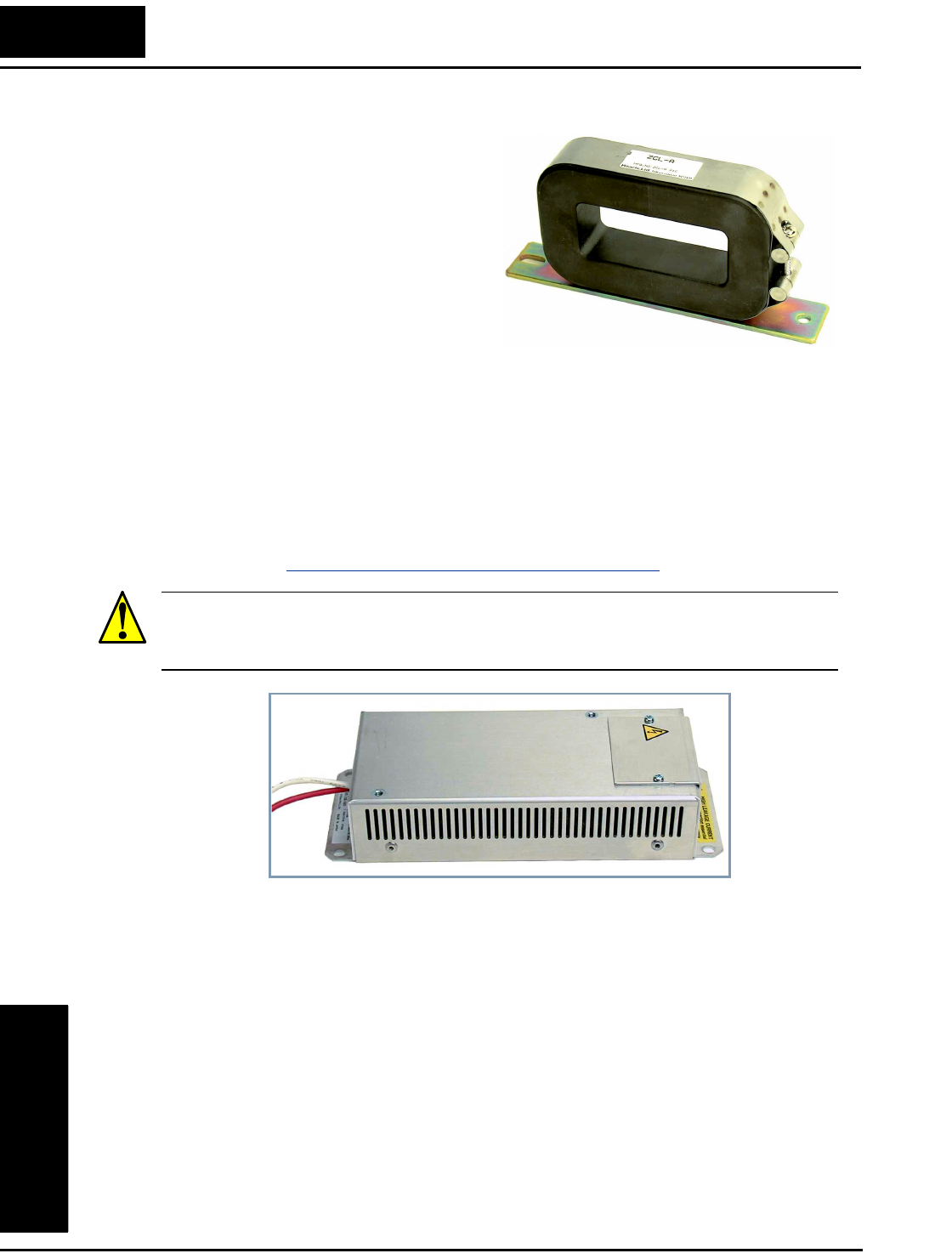
Component Descriptions
Motor Control
Accessories
5–4
Zero-phase Reactor (RF Noise Filter)
The zero-phase reactor helps reduce
radiated noise from the inverter wiring. It
can be used on the input or output side of
the inverter. The example zero-phase
reactor shown to the right comes with a
mounting bracket. The wiring must go
through the opening to reduce the RF
component of the electrical noise. Loop
the wires three times (four turns) to attain
the full RF filtering effect. For larger wire
sizes, place multiple zero-phase reactors
(up to four) side-by-side for a greater
filtering effect.
EMI Filter
The EMI filter reduces the conducted noise on the power supply wiring generated by the
inverter. Connect the EMI filter to the inverter primary (input side). The FFL100 series
filter is required for compliance to the EMC Class A directive (Europe) and C-TICK
(Australia). See “CE–EMC Installation Guidelines” on page C–2.
WARNING: The EMI filter has high internal leakage current from power wiring to the
chassis. Therefore, connect the chassis ground of the EMI filter before making the power
connections to avoid danger of shock or injury.
RF Noise Filter (Capacitive)
This capacitive filter reduces radiated noise from the main power wires in the inverter
input side. This filter is not for achieving CE compliance and is applicable to the input
side only of the inverter. It comes in two versions—for 200V class inverters or 400V
class inverters. Please refer to the documentation that comes with the radio noise filter
for installation instructions.
DC Link Choke
The DC choke (reactor) suppresses harmonics generated by the inverter. It attenuates the
high-frequency components on the inverter’s internal DC bus (link). However, note that
it does not protect the diode rectifiers in the inverter input circuit.
ZCL–xxx
FFL100–xxx
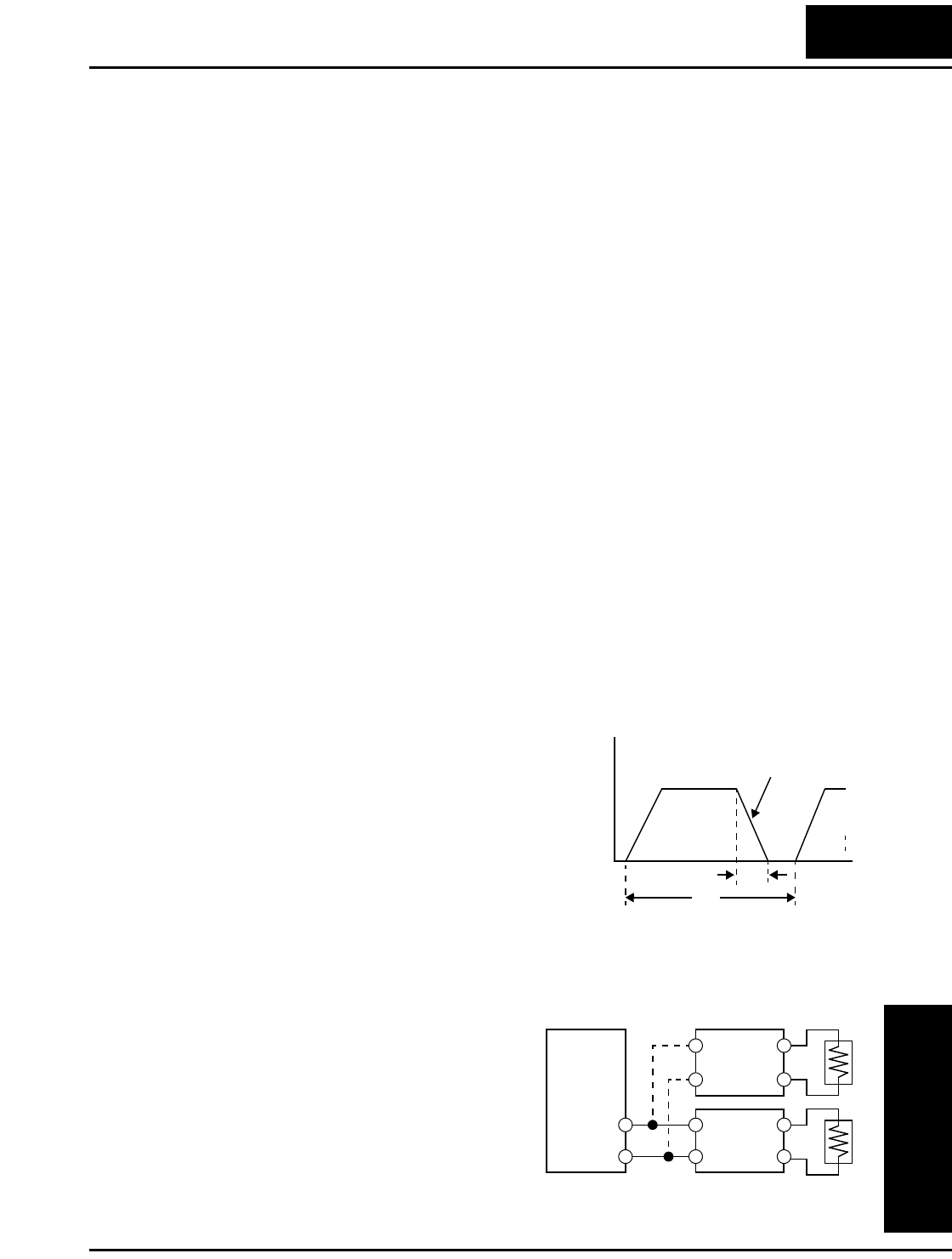
L100 Inverter
Motor Control
Accessories
5–5
Dynamic Braking
Introduction
The purpose of dynamic braking is to improve the ability of the inverter to stop (deceler-
ate) the motor and load. This becomes necessary when an application has some or all of
the following characteristics:
• High load inertia compared to the available motor torque
• The application requires frequent or sudden changes in speed
• System losses are not great enough to slow the motor as needed
When the inverter reduces its output frequency to decelerate the load, the motor can
temporarily become a generator. This occurs when the motor rotation frequency is
higher than the inverter output frequency. This condition can cause the inverter DC bus
voltage to rise, resulting in an over-voltage trip. In many applications, the over-voltage
condition serves as a warning signal that we have exceeded the deceleration capabilities
of the system. The L100 inverter can connect to an external braking unit, which sends
the regenerative energy from the motor during deceleration to the optional braking resis-
tor(s). The dynamic braking resistor serves as a load, developing heat to stop the motor
just as brakes on an automobile develop heat during braking.
A switching circuit and power resistor are the main components of the dynamic braking
unit that includes a fuse and thermally activated alarm relay for safety. However, be
careful to avoid overheating its resistor. The fuse and thermal relay are safeguards for
extreme conditions, but the inverter can maintain braking usage in a safe zone.
Dynamic Braking Usage
Dynamic braking usage must follow guide-
lines to avoid overheating. The timing diagram
to the right shows the output frequency versus
time. Dynamic braking is in effect during the
deceleration ramp, and has the following
constraints:
• Dynamic braking maximum duty cycle
= 10%, where Tb/Tc ≤ 0.1 sec.
• Dynamic braking maximum continuous ON
time Tb ≤ 10 sec.
Selecting Braking Resistors for External Braking Units
200V Class Inverters – The following tables
specify the braking options for 200V class
L100 inverters and the braking torque for each
option. You can connect a single braking unit
to the inverter, or two braking units for
additional stopping torque.
Output
freq.
Tbt
Tc
Dynamic braking
Inverter
+
–
Braking
unit
Braking
unit
Dynamic Braking
Motor Control
Accessories
5–6
Use one BRD–E2 braking unit for the braking torque listed in the following table.
Note the column meanings in the tables:
• Column “A” = Average braking torque from 60 Hz to 3 Hz.
• Column “B” = Average braking torque from 120 Hz to 3 Hz
Connect a second braking unit in parallel for additional braking torque listed in the
following table.
L100 Inverter 200V Models Braking Torque with BRD–E2 Braking Unit
Model Number HP
Braking torque
without
braking unit
Using built-in
resistor only
External resistor added
HRB1 HRB2 HRB3
A B A B A B A B
002NFE/NFU 1/4 50% 150% 120%
004NFE/NFU 1/2 50% 150% 120%
005NFE/NFU 3/4 50% 150% 120%
007NFE/NFU 1 50% 100% 80% 150% 120%
011NFE/NFU 1.5 50% 60% 60% 100% 80%
015NFE/NFU 2 50% 50% 50% 100% 80%
022NFE/NFU 3 20% 50% 50% 100% 80%
037LFU 5 20% 40% 40% 60% 60% 100% 100% 150% 120%
055LFU 7.5 20% 30% 30% 50% 50% 70% 70% 100% 80%
075LFU 10 20% 20% 20% 40% 40% 50% 50% 80% 80%
L100 Inverter 200V Models Braking Torque with TWO (2) BRD–E2 Braking Units
Model Number HP
Braking torque
without
braking unit
Using built-in
resistor only
External resistor added
HRB1 HRB2 HRB3
A B A B A B A B
002NFE/NFU 1/4 50% 150% 120%
004NFE/NFU 1/2 50% 150% 120%
005NFE/NFU 3/4 50% 150% 120%
007NFE/NFU 1 50% 150% 120%
011NFE/NFU 1.5 50% 100% 80%
015NFE/NFU 2 50% 100% 80%
022NFE/NFU 3 20~40% 70% 70% 150% 120%
037LFU 5 20~40% 50% 50% 110% 90%
055LFU 7.5 20% 30% 30% 80% 80% 100% 100% 150% 150%
075LFU 10 20% 30% 30% 60% 60% 80% 80% 100% 100%
L100 Inverter
Motor Control
Accessories
5–7
400V Class Inverters – The following tables
specify the braking options for 400V class
L100 inverters and the braking torque for each
option. You can connect a single braking unit
to the inverter, or two braking units for
additional braking torque.
Use one BRD–EZ2 braking unit for the
braking torque listed in the following table.
Connect a second braking unit in parallel for additional braking torque listed in the
following table.
Inverter
+
–
Braking
unit
Braking
unit
L100 Inverter 400V Models Braking Torque with BRD–EZ2 Braking Unit
Model Number HP
Braking torque
without
braking unit
Using built-in
resistor only
External resistor added
HRB1 x (2) HRB2 x (2) HRB3 x (2)
A B A B A B A B
004HFE/HFU 1/2 50% 150% 150%
007HFE/HFU 1 50% 150% 150%
015HFE/HFU 2 50% 100% 100%
022HFE/HFU 3 20% 60% 60%
030HFE/HFU 4 20% 50% 50% 150% 150%
040HFE/HFU 5 20% 40% 40% 130% 130% 150% 150%
055HFE/HFU 7.5 20% 30% 30% 100% 100% 130% 130%
075HFE/HFU 10 20% 20% 20% 70% 70% 100% 100%
L100 Inverter 400V Models Braking Torque with TWO (2)BRD–EZ2 Braking Units
Model Number HP
Braking torque
without
braking unit
Using built-in
resistor only
External resistor added
HRB1 x (2) HRB2 x (2) HRB3 x (2)
A B A B A B A B
004HFE/HFU 1/2 50% 150% 150%
007HFE/HFU 1 50% 150% 150%
015HFE/HFU 2 50% 150% 150%
022HFE/HFU 3 20% 130% 130%
030HFE/HFU 4 20% 100% 100%
040HFE/HFU 5 20% 70% 70%
055HFE/HFU 7.5 20% 50% 50% 150% 150%
075HFE/HFU 10 20% 40% 40% 140% 140%
Troubleshooting
and Maintenance
In This Chapter.... page
— Troubleshooting............................................... 2
— Monitoring Trip Events, History, & Conditions . 5
— Restoring Factory Default Settings ................. 8
— Maintenance and Inspection ........................... 9
— Warranty........................................................ 16
6
Troubleshooting
Troubleshooting
and Maintenance
6–2
Troubleshooting
Safety Messages
Please read the following safety messages before troubleshooting or performing mainte-
nance on the inverter and motor system.
WARNING: Wait at least five (5) minutes after turning OFF the input power supply
before performing maintenance or an inspection. Otherwise, there is the danger of
electric shock.
WARNING: Make sure that only qualified personnel will perform maintenance, inspec-
tion, and part replacement. Before starting to work, remove any metallic objects from
your person (wristwatch, bracelet, etc.). Be sure to use tools with insulated handles.
Otherwise, there is a danger of electric shock and/or injury to personnel.
WARNING: Never remove connectors by pulling on its wire leads (wires for cooling
fan and logic P.C.board). Otherwise, there is a danger of fire due to wire breakage and/or
injury to personnel.
General Precautions and Notes
• Always keep the unit clean so that dust or other foreign matter does not enter the
inverter.
• Take special care in regard to breaking wires or making connection mistakes.
• Firmly connect terminals and connectors.
• Keep electronic equipment away from moisture and oil. Dust, steel filings and other
foreign matter can damage insulation, causing unexpected accidents, so take special
care.
Inspection Items
This chapter provides instructions or checklists for these inspection items:
• Daily inspection
• Periodic inspection (approximately once a year)
• Insulation resistance test
L100 Inverter
Troubleshooting
and Maintenance
6–3
Troubleshooting Tips
The table below lists typical symptoms and the corresponding solution(s).
Symptom/condition Probable Cause Solution
The motor
will not run.
The inverter
outputs [U], [V],
[W] are not
supplying
voltage.
•Is the frequency command source
A_01 parameter setting correct?
•Is the Run command source A_02
parameter setting correct?
•Make sure the parameter
setting A_01 is correct.
•Make sure the parameter
setting A_02 is correct.
•Is power being supplied to termi-
nals [L1], [L2], and [L3/N]? If so,
the POWER lamp should be ON.
•Check terminals [L1], [L2],
and [L3/N], then [U/T1],
[V/T2], and [W/T3].
•Turn ON the power supply
or check fuses.
•Is there an error code E X X
displayed?
•Press the Func. key and
determine the error type.
Eliminate the error cause,
then clear the error (Reset).
•Are the signals to the intelligent
input terminals correct?
•Is the Run Command active?
•Is the [FW] terminal (or [RV])
connected to [P24] (via switch,
etc.)
•Verify the terminal functions
for C_01 – C_05 are correct.
•Turn ON Run Command
enable.
•Supply 24V to [FW] or [RV]
terminal, if configured.
•Has the frequency setting for F_01
been set greater than zero?
•Are the control circuit terminals
[H], [O], and [L] connected to the
potentiometer?
•Set the parameter for F_01
to a safe, non-zero value.
•If the potentiometer is the
frequency setting source,
verify voltage at [O] > 0V.
•Is the RS (reset) function or FRS
(free-run stop) function ON?
•Turn OFF the command(s).
Inverter outputs
[U], [V], [W]
are supplying
voltage.
•Is the motor load too heavy? •Reduce load, and test the
motor independently.
The optional
remote operator
is used (SRW).
•Are the operational settings
between the remote operator and
the inverter unit correct?
•Check the operator type
setting.
The direction of the motor is
reversed.
•Are the connections of output
terminals [U/T1], [V/T2], and
[W/T3] correct?
•Is the phase sequence of the motor
forward or reverse with respect to
[U/T1], [V/T2], and [W/T3]?
•Make connections according
to the phase sequence of the
motor. In general:
FWD = U-V-W, and
REV=U-W-V.
•Are the control terminals [FW] and
[RV] wired correctly?
•Is parameter F_04 properly set?
•Use terminal [FW] for
forward, and [RV] for
reverse.
•Set motor direction in F_04.
Troubleshooting
Troubleshooting
and Maintenance
6–4
The motor speed will not reach
the target frequency (desired
speed).
•If using the analog input, is the
current or voltage at [O] or [OI]?
•Check the wiring.
•Check the potentiometer or
signal generating device.
•Is the load too heavy? •Reduce the load.
•Heavy loads activate the
overload restriction feature
(reduces output as needed).
•Is the inverter internally limiting
the output frequency?
•Check max frequency
setting (A_04)
•Check frequency upper limit
setting (A_61)
The rotation is unstable.
•Is the load fluctuation too great?
•Is the supply voltage unstable?
•Is the problem occurring at a partic-
ular frequency?
•Increase the motor capacity
(both inverter and motor).
•Fix power supply problem.
•Change the output
frequency slightly, or use the
jump frequency setting to
skip the problem frequency.
The RPM of the motor does not
match the inverter output
frequency setting.
•Is the maximum frequency setting
A_04 correct?
•Does the monitor function D_01
display the expected output
frequency?
•Verify the V/f settings match
motor specifications.
•Make sure all scaling (such
as A_11 to A_14) is
properly set.
Inverter data
is not
correct.
No downloads
have occurred.
•Was power turned OFF after a
parameter edit but before pressing
the Store key?
•Edit the data and press the
Store key once.
•Edits to data are permanently
stored at power down. Was the time
from power OFF to power ON less
than six seconds?
•Wait six seconds or more
before turning power OFF
after editing data.
A download to
the inverter was
attempted.
•Was the power turned OFF within
six seconds after the display
changed from REMT to INV?
•Copy the data to the inverter
again, and keep power ON
for six seconds or more after
copying.
A parameter
will not
change after
an edit
(reverts to
old setting).
True for certain
parameters
•Is the inverter in Run Mode? Some
parameters cannot be edited during
Run Mode.
•Put inverter in Stop Mode
(press the Stop/reset key).
Then edit the parameter.
True for all
parameters
•If you’re using the [SFT] intelligent
input (software lock function)—is
the [SFT] input ON?
•Change the state of the SFT
input, and check the B_31
parameter (SFT mode).
Symptom/condition Probable Cause Solution
L100 Inverter
Troubleshooting
and Maintenance
6–5
Monitoring Trip Events, History, & Conditions
Fault Detection and Clearing
The microprocessor in the inverter detects a variety
of fault conditions and captures the event, record-
ing it in a history table. The inverter output turns
OFF, or “trips” similar to the way a circuit breaker
trips due to an over-current condition. Most faults
occur when the motor is running (refer to the
diagram to the right). However, the inverter could
have an internal fault and trip in Stop Mode. In
either case, you can clear the fault by pressing the Stop/Reset key. Additionally, you can
clear the inverter’s cumulative trip history by performing the procedure “Restoring
Factory Default Settings” on page 6–8 (setting B_84=00 will clear the trip history but
leave inverter settings intact).
Error Codes
An error code will appear on the display automatically when a fault causes the inverter
to trip. The following table lists the cause associated with the error.
RUN
STOP
RESET
STOP
RESET
Run Stop
Trip
Fault
Fault
Error
Code Name Cause(s)
E01 Over current event while
at constant speed
The inverter output was short-circuited, or the motor
shaft is locked or has a heavy load. These conditions
cause excessive current for the inverter, so the
inverter output is turned OFF.
The dual-voltage motor is wired incorrectly.
E02 Over current event during
deceleration
E03 Over current event during
acceleration
E04 Over current event during
other conditions
E05 Overload protection When a motor overload is detected by the electronic
thermal function, the inverter trips and turns OFF its
output.
E07 Over voltage protection When the DC bus voltage exceeds a threshold, due to
regenerative energy from the motor.
E08 EEPROM error When the built-in EEPROM memory has problems
due to noise or excessive temperature, the inverter
trips and turns OFF its output to the motor.
E09 Under-voltage error A decrease of internal DC bus voltage below a thresh-
old results in a control circuit fault. This condition can
also generate excessive motor heat or cause low
torque. The inverter trips and turns OFF its output.
E1 1
E22
CPU error A malfunction in the built-in CPU has occurred, so
the inverter trips and turns OFF its output to the
motor.
Monitoring Trip Events, History, & Conditions
Troubleshooting
and Maintenance
6–6
NOTE: If an EEPROM error (E08) occurs, be sure to confirm the parameter data values
are still correct. If the power is turned OFF while the [RS] (Reset) intelligent input
terminal is ON, an EEPROM error will occur when power is restored.
E1 2 External trip A signal on an intelligent input terminal configured as
EXT has occurred. The inverter trips and turns OFF
the output to the motor.
E1 3 USP When the Unattended Start Protection (USP) is
enabled, an error occurred when power is applied
while a Run signal is present. The inverter trips and
does not go into Run Mode until the error is cleared.
E1 4 Ground fault The inverter is protected by the detection of ground
faults between the inverter output and the motor
during powerup tests. This feature protects the
inverter, and does not protect humans.
E1 5 Input over-voltage When the input voltage is higher than the specified
value, it is detected 100 seconds after powerup and
the inverter trips and turns OFF its output.
E21 Inverter thermal trip When the inverter internal temperature is above the
threshold, the thermal sensor in the inverter module
detects the excessive temperature of the power
devices and trips, turning the inverter output OFF.
E35 Thermistor When a thermistor is connected to terminals [5] and
[CM1] and the inverter has sensed the temperature is
too high, the inverter trips and turns OFF the output.
---UUnder-voltage (brown-
out) with output shutoff
Due to low input voltage, the inverter turns its output
OFF and tries to restart. If it fails to restart, then the
alarm trips to record the under-voltage error event.
Error
Code Name Cause(s)
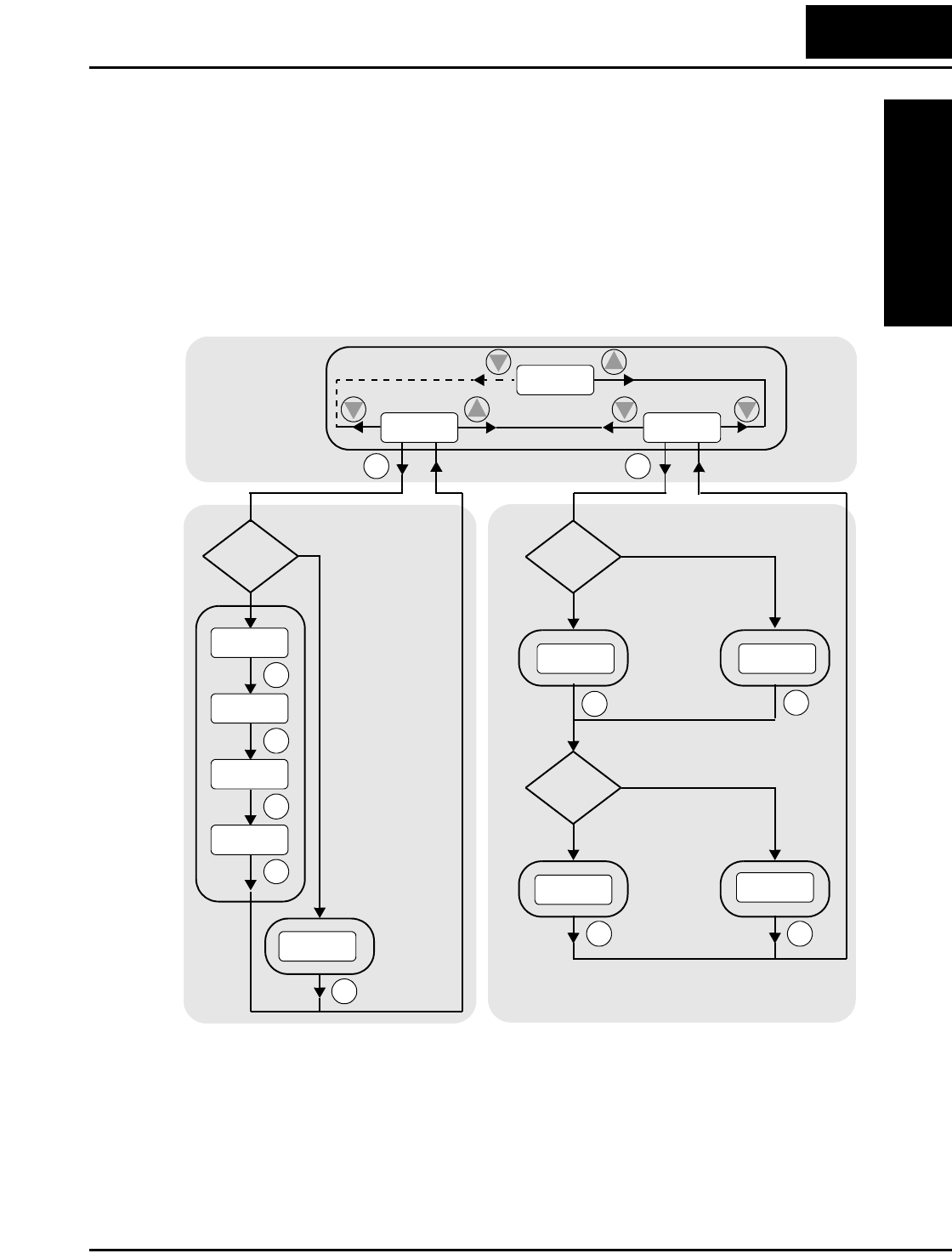
L100 Inverter
Troubleshooting
and Maintenance
6–7
Trip History and Inverter Status
We recommend that you first find the cause of the fault before clearing it. When a fault
occurs, the inverter stores important performance data at the moment of the fault. To
access the data, use the monitor functions (D_xx) and select D_08 for details about the
present fault (En), or the error code for the past two trip events (En-1 and En-2) using the
D_09 Trip History function.
The following Monitor Menu map shows how to access the error codes. When fault(s)
exist, you can review their details by first selecting the proper function: D_08 displays
current trip data, and D_09 displays trip history.
Monitor Menu
2
1
Error Code Previous
error #1
FUNC.
FUNC.
FUNC.
FUNC.
FUNC.
FUNC.
Error
exists?
Output frequency
at trip point
Motor current
at trip point
DC bus voltage
at trip point
No error
Yes
No
FUNC.
Error(n-1)
exists?
Yes
No
Error(n-2)
exists?
Yes
No
Previous
error #2
FUNC.
No
history
No
history
FUNC.
FUNC.
FUNC.
Trip History
2
1
2
2
Current Trip
Conditions
d08
E09
d01
d09
10.0
0.25
189.8
___
E03 ___
___
E05
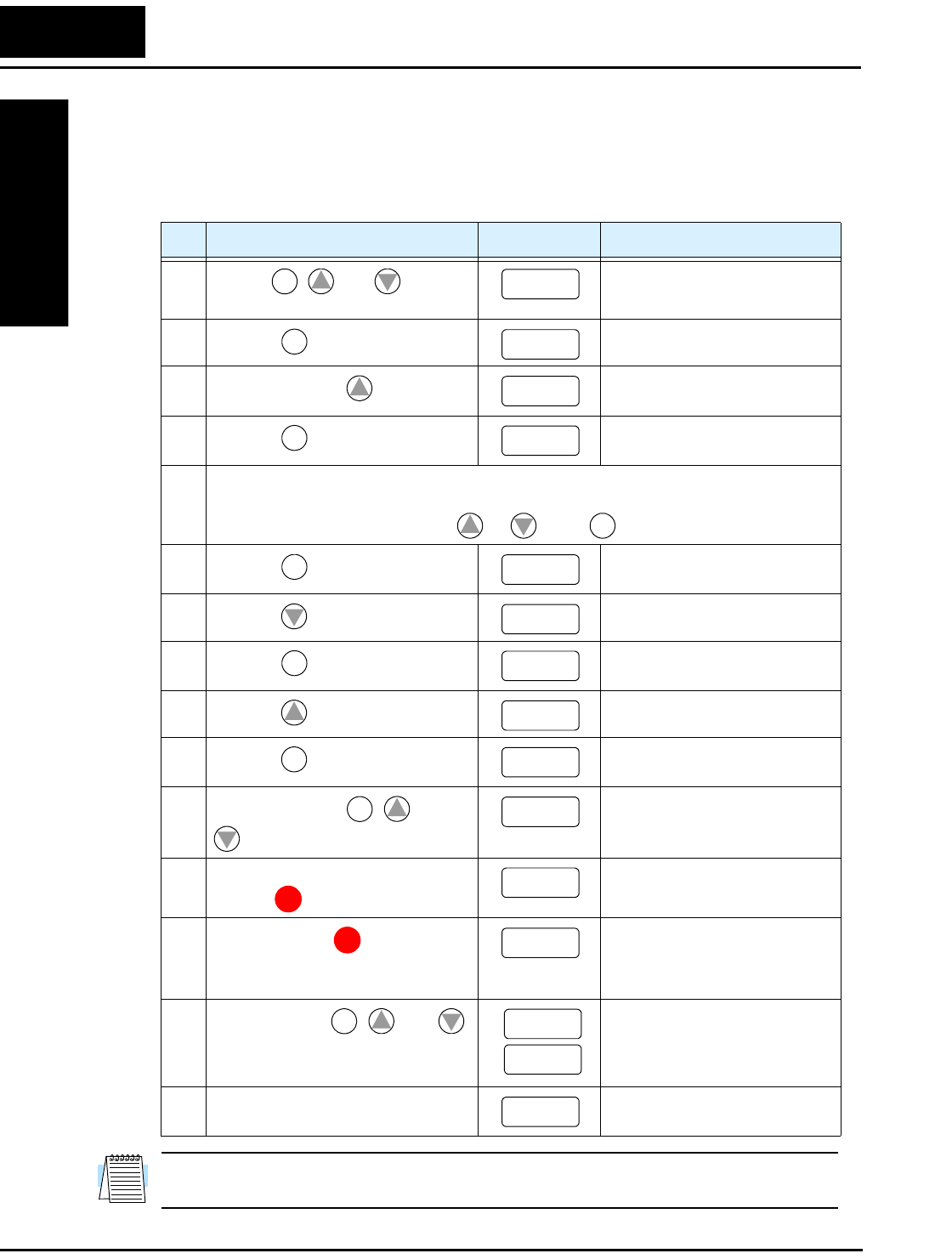
Restoring Factory Default Settings
Troubleshooting
and Maintenance
6–8
Restoring Factory Default Settings
You can restore all inverter parameters to the original factory (default) settings for the
intended country of use. After initializing the inverter, use the powerup test in Chapter 2
to get the motor running again. To initialize the inverter, follow the steps below.
NOTE: Initialization cannot be performed with a remote operator panel. Disconnect the
device and use the inverter’s front panel keypad.
No. Action Display Func./Parameter
1Use the , , and keys to
navigate to the “B” Group.
“B” Group selected
2Press the key. First “B” parameter selected
3Press and hold the key until -> Country code for initialization
selected
4Press the key. 00 = Japan, 01 = Europe,
02 = U.S.
5 Confirm the country code is correct. Do not change it unless you are absolutely sure the
power input voltage range and frequency match the country code setting.
To change the country code, press or to set, to store.
6Press the key. Country code for initialization
selected
7Press the key. Initialization function selected
8Press the key. 00 = initialization disabled,
clear fault history only
9Press the key. 01 = initialization enabled
10 Press the key. Initialization now enabled to
restore all defaults
11 Press and hold the , , and
keys. Do not release yet.
First part of special key
sequence
12 Holding the keys above, press and
hold the (STOP) key for 3 sec.
Final part of special key
sequence
13 Release only the (STOP) key,
and wait for the display d 0 1 to
appear and begin blinking.
Initialization begins when
display starts blinking
14 Now release the , , and
keys only after the d 0 1 display
function begins blinking.
Default parameter country code
shown during initialization
process (left-most char displays
alternating pattern)
15 Initialization is complete. Function code for output
frequency monitor shown
FUNC.
12
b --
FUNC.
b 01
1
b 85
FUNC.
02
12
STR
FUNC.
b 85
2
b 84
FUNC.
00
1
01
STR b 84
FUNC.
1
2
b 84
STOP
RESET
b 84
STOP
RESET d 01
FUNC.
12
EU
USA
d 01
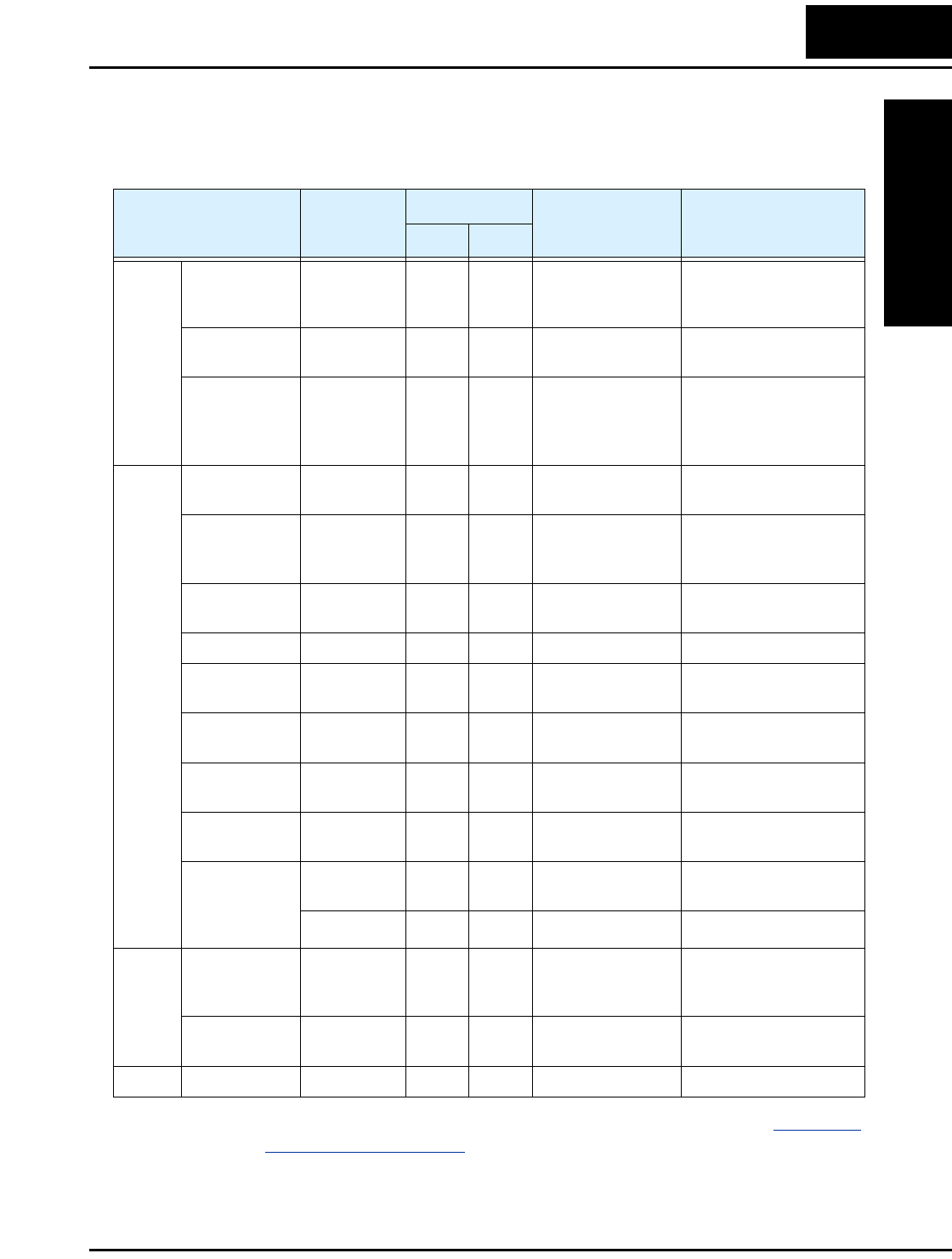
L100 Inverter
Troubleshooting
and Maintenance
6–9
Maintenance and Inspection
Monthly and Yearly Inspection Chart
Note 1: The life of a capacitor is affected by the ambient temperature. See “Capacitor
Life Curve” on page 6–11.
Note 2: The inverter must be cleaned periodically. If dust accumulates on the fan and
heat sink, it can cause overheating of the inverter.
Item Inspected Check for...
Inspection Cycle Inspection
Method Criteria
Month Ye a r
Overall
Ambient
environment
Extreme
temperatures
& humidity
✔Thermometer,
hygrometer
Ambient temperature
between -10 to 40°C,
non-condensing
Major devices Abnormal
noise & vib.
✔Visual and aural Stable environment for
electronic controls
Power supply
voltage
Voltage
tolerance
✔Digital volt meter,
measure between
inverter terminals
[L1], [L2], [L3]
200V class:
200 to 240V 50/60 Hz
400V class:
380 to 460V 50/60 Hz
Main
circuit
Ground
Insulation
Adequate
resistance
✔Digital volt meter,
GND to terminals
5 Meg. Ohms or greater
Mounting No loose
screws
✔Torque wrench M3: 0.5 – 0.6 Nm
M4: 0.98 – 1.3 Nm
M5: 1.5 – 2.0 Nm
Components Overheating ✔Thermal trip
events
No trip events
Housing Dirt, dust ✔Visual Vacuum dust and dirt
Terminal block Secure
connections
✔Visual No abnormalities
Smoothing
capacitor
Leaking,
swelling
✔Visual No abnormalities
Relay(s) Chattering ✔Aural Single click when
switching ON or OFF
Resistors Cracks or
discoloring
✔Visual Use Ohm meter to
check braking resistors
Cooling fan Noise ✔Power down,
manually rotate
Rotation must be
smooth
Dust ✔Visual Vacuum to clean
Control
circuit
Overall No odor,
discoloring,
corrosion
✔Visual No abnormalities
Capacitor No leaks or
deformation
✔Visual Undistorted appearance
Display LEDs Legibility ✔Visual All LED segments work
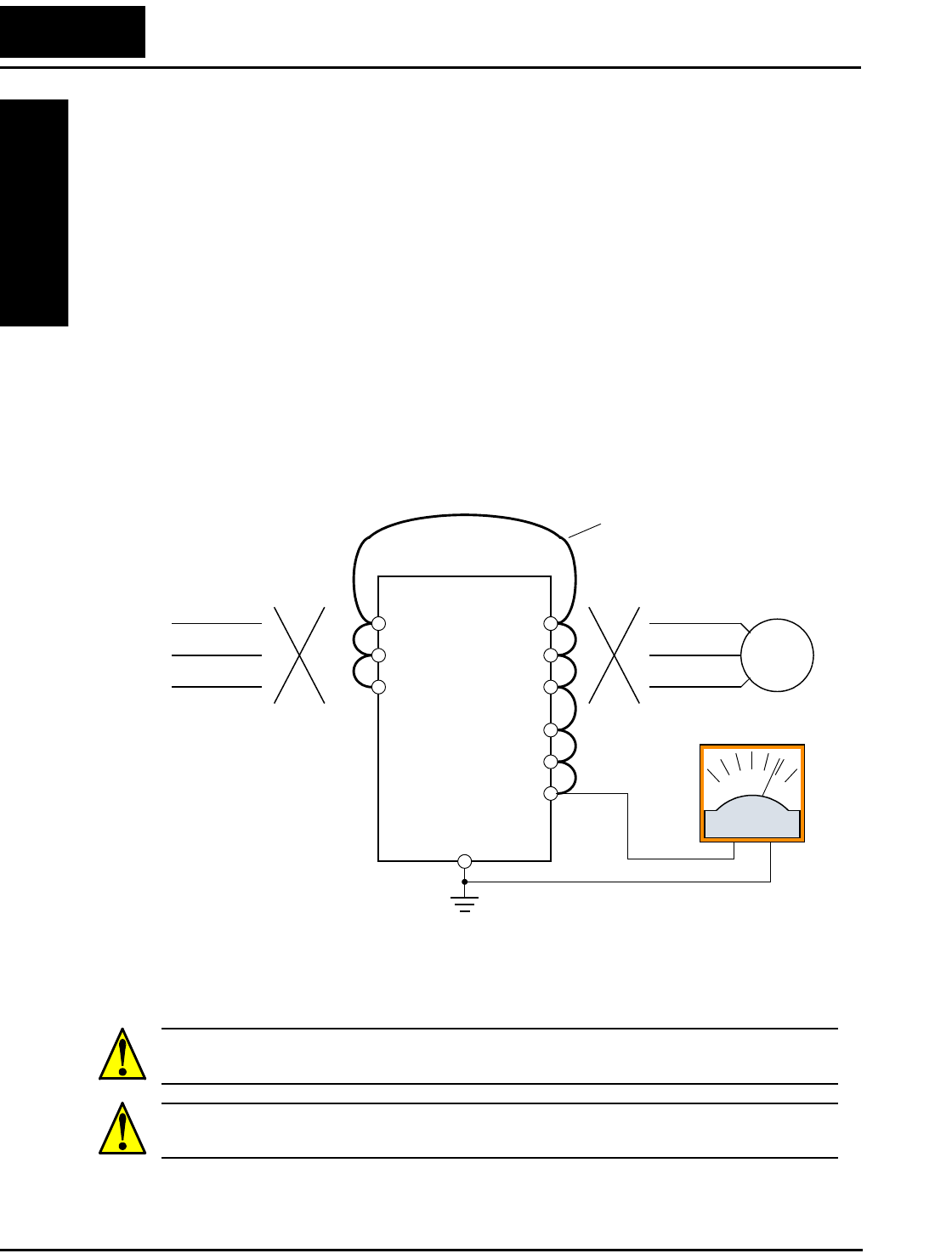
Maintenance and Inspection
Troubleshooting
and Maintenance
6–10
Megger Test
The megger is a piece of test equipment that uses a high voltage to determine if an
insulation degradation has occurred. For inverters, it is important that the power termi-
nals be isolated from the Earth GND terminal via the proper amount of insulation.
The circuit diagram below shows the inverter wiring for performing the megger test. Just
follow the steps to perform the test:
1. Remove power from the inverter and wait at least 5 minutes before proceeding.
2. Open the front housing panel to access the power wiring.
3. Remove all wires to terminals [R, S, T, +1, +, –, U, V, and W]. Most importantly, the
input power and motor wires will be disconnected from the inverter.
4. Use a bare wire and short terminals [R, S, T, +1, +, –, U, V, and W] together as shown
in the diagram.
5. Connect the megger to the inverter Earth GND and to the shorted power terminals as
shown. Then perform the megger test at 500 VDC and verify 5MΩ or greater resis-
tance.
6. After completing the test, disconnect the megger from the inverter.
7. Reconnect the original wires to terminals [R, S, T, +1, +, –, U, V, and W].
CAUTION: Do not connect the megger to any control circuit terminals such as intelli-
gent I/O, analog terminals, etc. Doing so could cause damage to the inverter.
CAUTION: Never test the withstand voltage (HIPOT) on the inverter. The inverter has
a surge protector between the main circuit terminals above and the chassis ground.
Megger, 500VDC
L100
Disconnect
power source
R
S
T
U
V
W
Disconnect
motor wires
Motor
Earth
GND
+1
+
–
Add test jumper wire
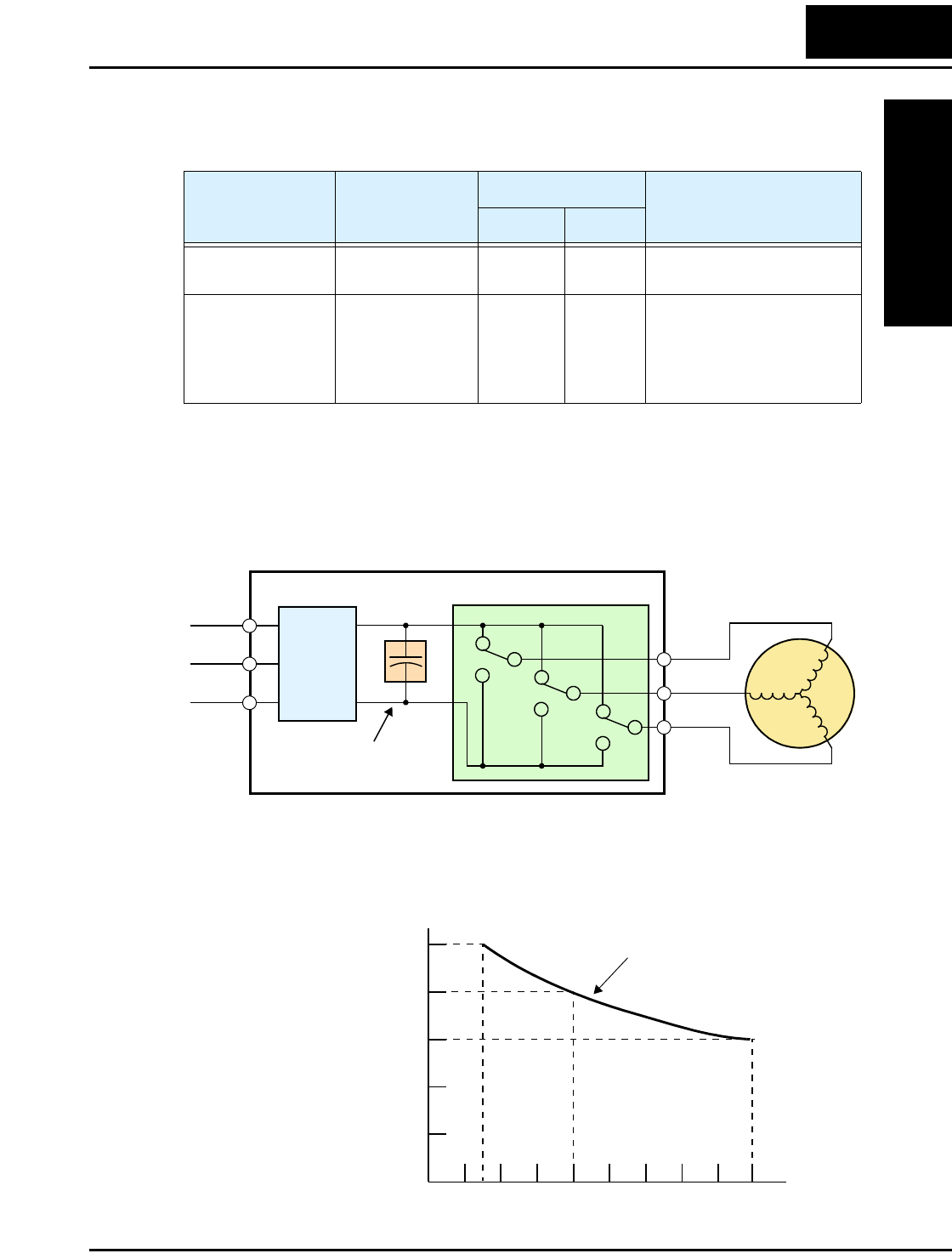
L100 Inverter
Troubleshooting
and Maintenance
6–11
Spare parts
We recommend that you stock spare parts to reduce down time, including these parts:
Capacitor Life Curve
The DC bus inside the inverter uses a large capacitor as shown in the diagram below.
The capacitor handles high voltage and current as it smooths the power for use by the
inverter. So, any degradation of the capacitor will affect the performance of the inverter.
Capacitor life is reduced in higher ambient temperatures, as the graph below demon-
strates. Be sure to keep the ambient temperature at acceptable levels, and perform
maintenance inspections on the fan, heat sink, and other components. If the inverter is
installed on a cabinet, the ambient temperature is the temperature inside the cabinet.
Part description Symbol
Quantity
Notes
Used Spare
Cooling fan FAN 1 1 022NF, 037LF, 015HF to
075HF
Case CV 1 1 •Front case
•Key cover
•Case
•Bottom cover
Power
Input Inverter
L1 Motor
L2
L3
Rectifier
Variable-frequency Drive
Internal
DC Bus
+
+
–
U/T1
V/T2
W/T3
Con-
Capacitor
12345678910
0
10
20
30
40
-10
Ambient temperature, °C
Ye a r s
Capacitor Life Curve
Operation for 12 hours/day
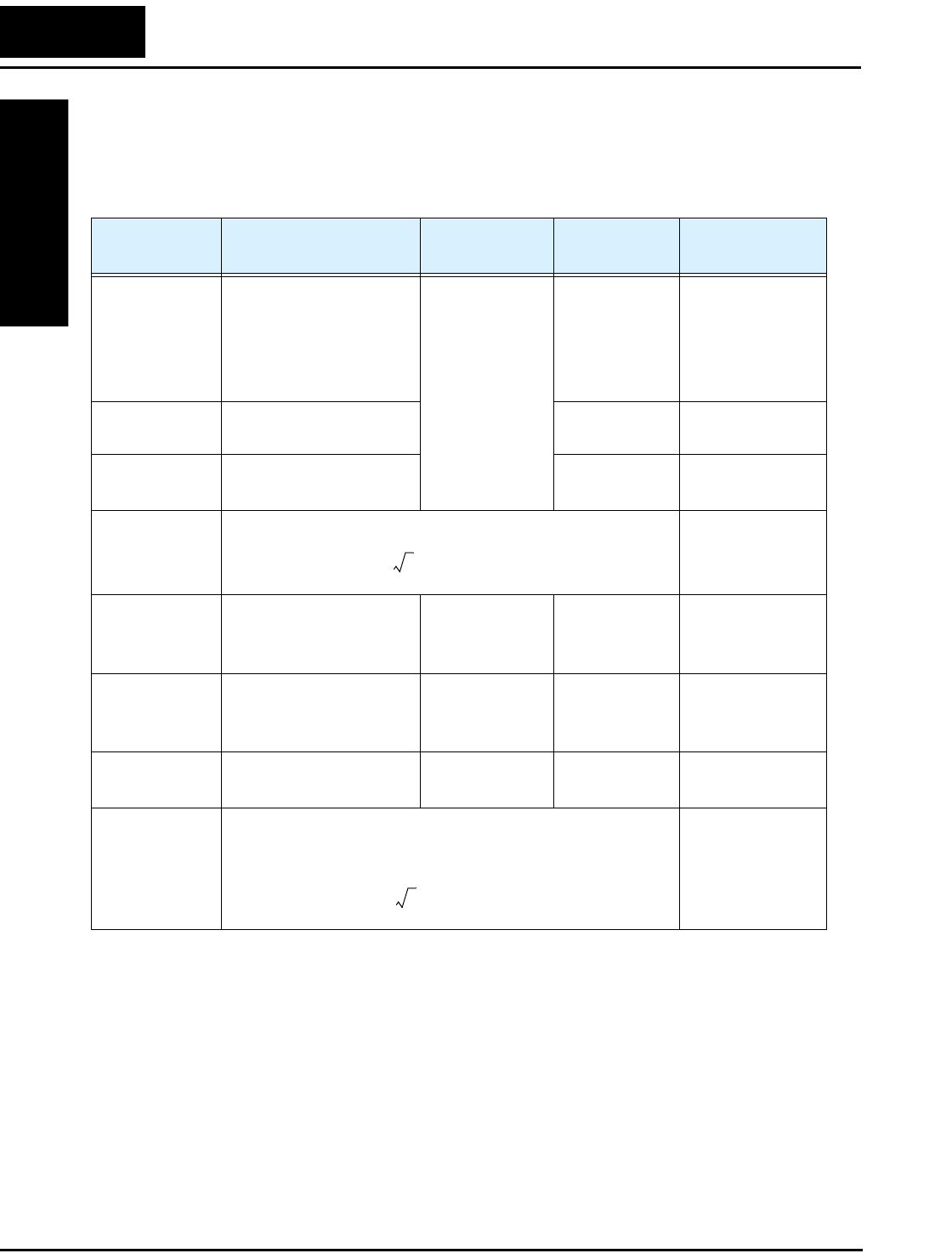
Maintenance and Inspection
Troubleshooting
and Maintenance
6–12
General Inverter Electrical Measurements
The following table specifies how to measure key system electrical parameters. The
diagrams on the next page show inverter-motor systems and the location of measure-
ment points for these parameters.
Note 1: Use a meter indicating a fundamental wave effective value for voltage, and
meters indicating total effective values for current and power.
Note 2: The inverter output has a distorted waveform, and low frequencies may cause
erroneous readings. However, the measuring instruments and methods listed
above provide comparably accurate results.
Note 3: A general-purpose digital volt meter (DVM) is not usually suitable to measure
a distorted waveform (not pure sinusoid).
Parameter Circuit location
of measurement
Measuring
instrument Notes Reference Value
Supply voltage
E1
ER – across L1 and L2
ES – across L2 and L3
ET – across L3 and L1
Moving-coil
type voltmeter or
rectifier type
voltmeter
Fundamental
wave effective
value
Commercial
supply voltage
(200V class) 200–
240V, 50/60 Hz
400V class 380–
460V, 50/60 Hz
Supply current
I1
Ir – L1, Is – L2, It – L3 Total effective
value
—
Supply power
W1
W11 – across L1 and L2
W12 – across L2 and L3
Total effective
value
—
Supply power
factor Pf1
—
Output voltage
E0
EU – across U and V
EV – across V and W
EW – across W and U
Rectifier type
voltmeter
Total effective
value
—
Output current
Io
IU – U
IV – V
IW – W
Moving-coil
ammeter
Total effective
value
—
Output power
Wo
W01 – across U and V
W02 – across V and W
Electronic type
wattmeter
Total effective
value
—
Output power
factor Pfo
Calculate the output power factor from the output voltage E,
output current I, and output power W.
—
Pf1
W1
3E
1
×I1
×
------------------------------100%×=
Pf0
W0
3E
0
×I0
×
------------------------------100%×=
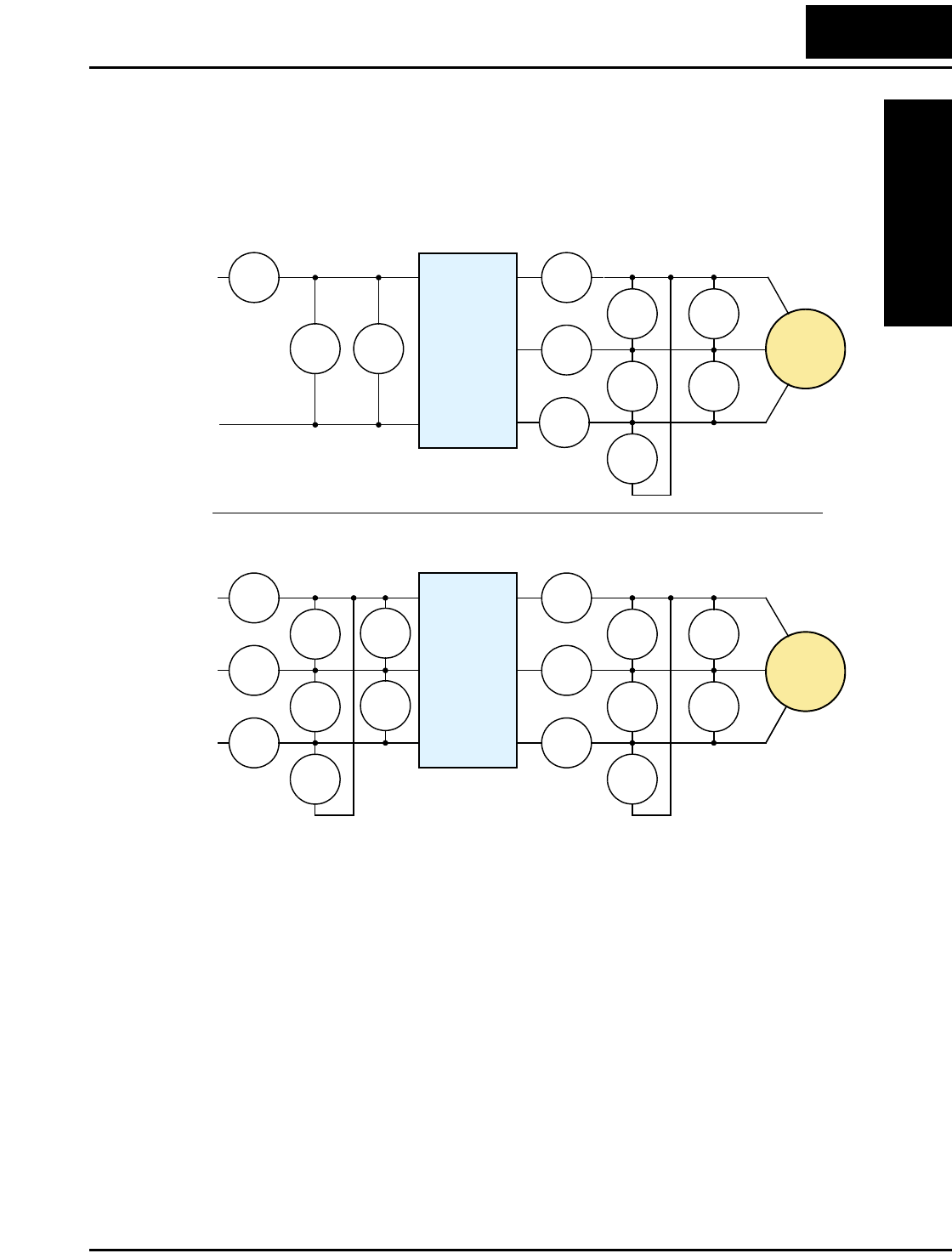
L100 Inverter
Troubleshooting
and Maintenance
6–13
The figures below show measurement locations for voltage, current, and power
measurements listed in the table on the previous page. The voltage to be measured is the
fundamental wave effective voltage. The power to be measured is the total effective
power.
E1W1
I1I1
I1
I1
EU-V
EU-V
EU-V
W01
W02
INVERTER
MOTOR
N
U
V
W
N
E1
I1I1
I1
I1
EU-V
EU-V
EU-V
W01
W02
INVERTER
MOTOR
L1 U
V
W
L1
N
W01
W02
E1
E1
I2
I3
L2
T1
T2
T3
L1
T1
T2
T3
L2
L3
L1
Single-phase Measurement Diagram
Three-phase Measurement Diagram
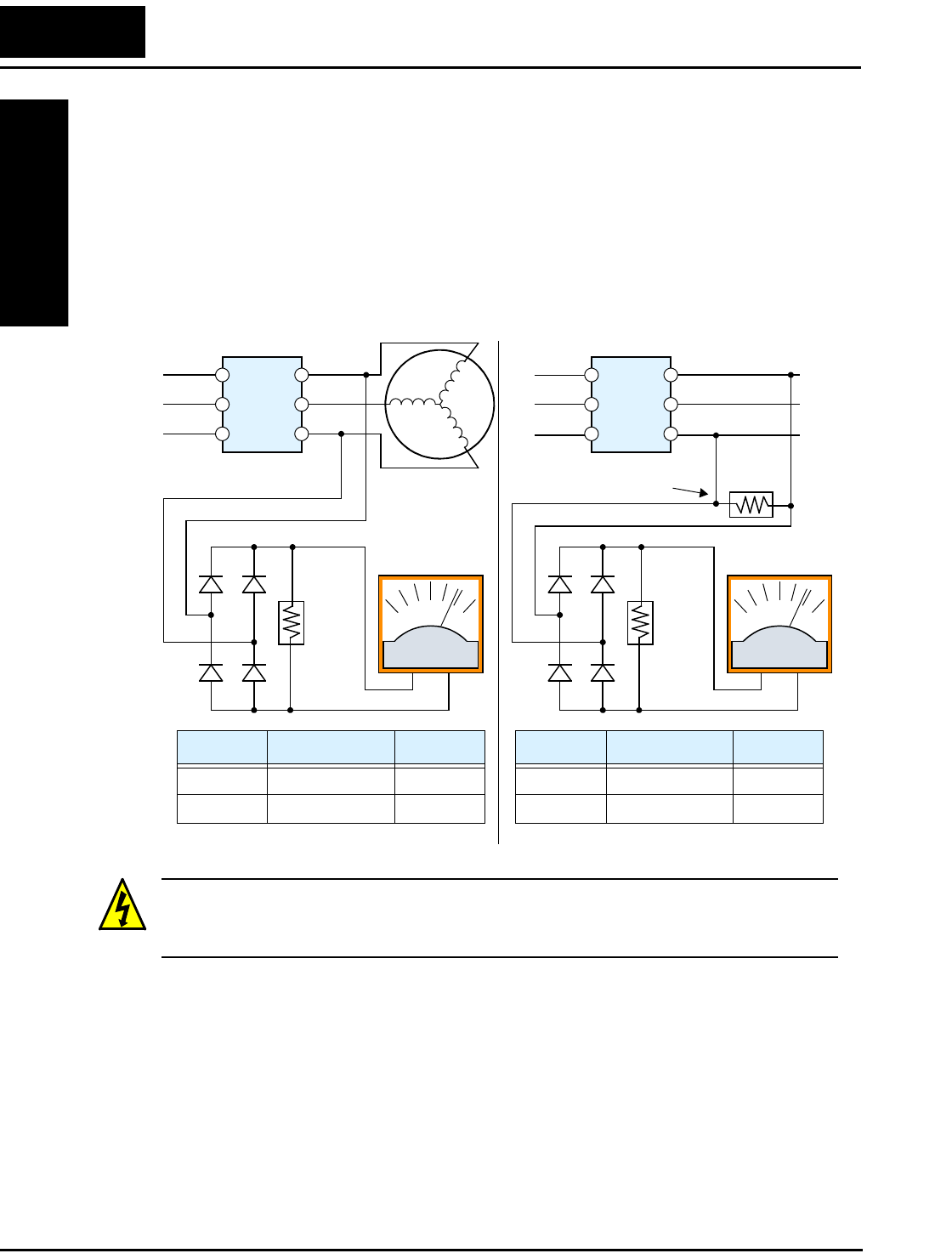
Maintenance and Inspection
Troubleshooting
and Maintenance
6–14
Inverter Output Voltage Measurement Techniques
Taking voltage measurements around drives equipment requires the right equipment and
a safe approach. You are working with high voltages and high-frequency switching
waveforms that are not pure sinusoids. Digital voltmeters will not usually produce
reliable readings for these waveforms. And, it is usually risky to connect high voltage
signals to oscilloscopes. The inverter output semiconductors have some leakage, and
no-load measurements produce misleading results. So, we highly recommend using the
following circuits to measure voltage for performing the equipment inspections.
HIGH VOLTAGE: Be careful not to touch wiring or connector terminals when work-
ing with the inverters and taking measurements. Be sure to place the measurement cir-
cuitry components above in an insulated housing before using them.
220 kΩ
2W
+–
220 kΩ
2W
+–
Voltage measurement with load
Inverter
U/T1
V/T2
W/T3
Voltage measurement without load
U/T1
V/T2
W/T3
Additional resistor
L1(L)
L2
L3(N)
L1(L)
L2
L3(N)
Inverter
5 kΩ
30W
V Class Diode Bridge Voltmeter
200V Class 600V 0.01A min. 300V range
400V Class 100V 0.1A min. 600V range
V Class Diode Bridge Voltmeter
200V Class 600V 0.01A min. 300V range
400V Class 100V 0.1A min. 600V range
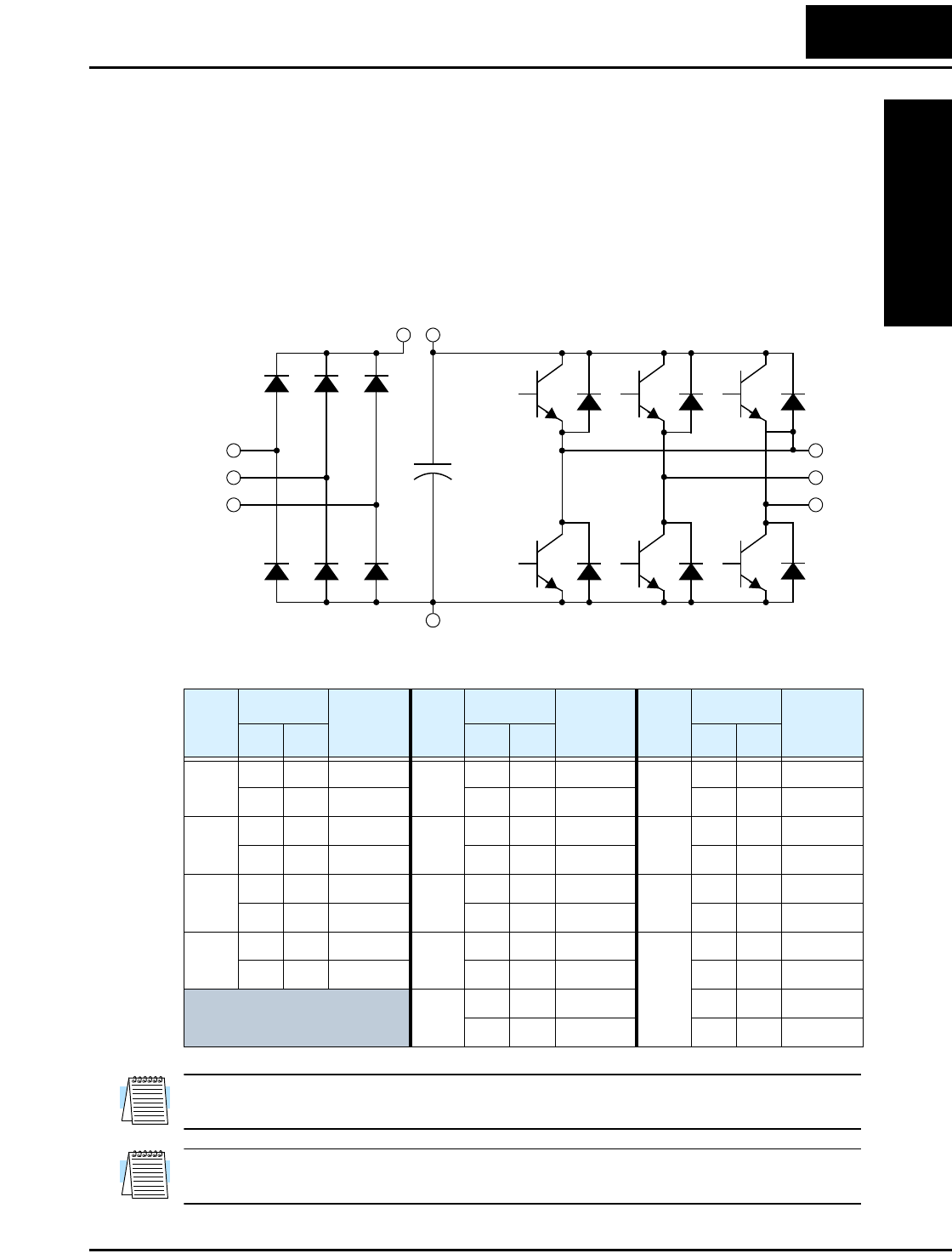
L100 Inverter
Troubleshooting
and Maintenance
6–15
IGBT Test Method
The following procedure will check the inverter transistors (IGBTs) and diodes:
1. Disconnect input power to terminals [R, S, and T] and motor terminals [U, V, and W].
2. Disconnect any wires from terminals [+] and [–] for regenerative braking.
3. Use a Digital Volt Meter (DVM) and set it for 1Ω resistance range. You can check the
status of the charging state of terminals [R, S, T, U, V, W, +, and –] of the inverter and
the probe of the DVM by measuring the charging state.
Table Legend – Almost infinite resistance: ≅ ∞ Ω Almost zero resistance: ≅ 0 Ω
NOTE: The resistance values for the diodes or the transistors will not be exactly the
same, but they will be close. If you find a significance difference, a problem may exist.
NOTE: Before measuring the voltage between [+] and [–] with the DC current range,
confirm that the smoothing capacitor is discharged fully, then execute the tests.
Part
DVM Measured
Valu e Part
DVM Measured
Val ue Part
DVM Measured
Valu e
+ – + – + –
D1 [R] +1 ≅ ∞ Ω D5 [S] [N] ≅ 0 ΩTR4 [U] [–] ≅ 0 Ω
+1 [R] ≅ 0 Ω[N] [S] ≅ ∞ Ω [–] [U] ≅ ∞ Ω
D2 [S] +1 ≅ ∞ Ω D6 [T] [N] ≅ 0 ΩTR5 [V] [–] ≅ 0 Ω
+1 [S] ≅ 0 Ω[N] [T] ≅ ∞ Ω [–] [V] ≅ ∞ Ω
D3 [T] +1 ≅ ∞ Ω TR1 [U] [+] ≅ ∞ Ω TR6 [W] [–] ≅ 0 Ω
+1 [T] ≅ 0 Ω[+] [U] ≅ 0 Ω[–] [W] ≅ ∞ Ω
D4 [R] [N] ≅ 0 ΩTR2 [V] [+] ≅ ∞ Ω TR7 [RB] [+] ≅ 0 Ω
[N] [R] ≅ ∞ Ω [+] [V] ≅ 0 Ω[+] [RB] ≅ ∞ Ω
TR3 [W] [+] ≅ ∞ Ω [RB] [–] ≅ 0 Ω
[+] [W] ≅ 0 Ω[–] [RB] ≅ 0 Ω
[R]
[S]
[T]
TR1 TR2 TR3
[U]
[V]
[W]
[–]
D1 D2 D3
D4 D5 D6
+
[+][+1]
TR4 TR5 TR6

Warranty
Troubleshooting
and Maintenance
6–16
Warranty
Warranty Terms
The warranty period under normal installation and handling conditions
shall be two (2) years from the date of manufacture (“DATE” on product
nameplate), or one (1) year from the date of installation, whichever occurs
first. The warranty shall cover the repair or replacement, at Hitachi's sole
discretion, of ONLY the inverter that was installed.
1. Service in the following cases, even within the warranty period, shall
be charged to the purchaser:
a. Malfunction or damage caused by mis-operation or modification
or improper repair
b. Malfunction or damage caused by a drop after purchase and
transportation
c. Malfunction or damage caused by fire, earthquake, flood,
lightening, abnormal input voltage, contamination, or other natural
disasters
2. When service is required for the product at your work site, all expenses
associated with field repair shall be charged to the purchaser.
3. Always keep this manual handy; please do not loose it. Please contact
your Hitachi distributor to purchase replacement or additional
manuals.
Glossary
Appendix A
A–2
Glossary
Ambient Temperature The air temperature in the chamber containing a powered electronic
unit. A unit’s heat sinks rely on a lower ambient temperature in
order to dissipate heat away from sensitive electronics.
Arrival Frequency The arrival frequency refers to the set output frequency of the
inverter for the constant speed setting. The arrival frequency feature
turns on an output when the inverter reaches the set constant speed.
The inverter has various arrival frequencies and pulsed or latched
logic options.
Auto-tuning The ability of a controller to execute a procedure that interacts with
a load to determine the proper coefficients to use in the control
algorithm. Auto-tuning is a common feature of process controllers
with PID loops. Hitachi inverters feature auto tuning to determine
motor parameters for optimal commutation. Auto-tuning is avail-
able as a special command from a digital operator panel. See also
Digital Operator Panel.
Base Frequency The power input frequency for which an AC induction motor is
designed to operate. Most motors will specify a 50 to 60 Hz value.
The Hitachi inverters have a programmable base frequency, so you
must ensure that parameter matches the attached motor. The term
base frequency helps differentiate it from the carrier frequency. See
also Carrier Frequency and Frequency Setting.
Braking Resistor An energy-absorbing resistor that dissipates energy from a deceler-
ating load. Load inertia causes the motor to act as a generator
during deceleration. See also Four-quadrant Operation and
Dynamic Braking.
Break-away Torque The torque a motor must produce to overcome the static friction of a
load, in order to start the load moving.
Carrier Frequency The frequency of the constant, periodic, switching waveform that
the inverter modulates to generate the AC output to the motor. See
also PWM.
CE A regulatory agency for governing the performance of electronic
products in Europe. Drive installations designed to have CE
approval must have particular filter(s) installed in the application.
Choke An inductor that is tuned to react at radio frequencies is called a
“choke,” since it attenuates (chokes) frequencies above a particular
threshold. Tuning is often accomplished by using a movable
magnetic core. In variable-frequency drive systems, a choke
positioned around high-current wiring can help attenuate harmful
harmonics and protect equipment. See also Harmonics.

L100 Inverter
Appendix A
A–3
DC Braking The inverter DC braking feature stops the AC commutation to the
motor, and sends a DC current through the motor windings in order
to stop the motor. Also called “DC injection braking,” it has little
effect at high speed, and is used as the motor is nearing a stop.
Deadband In a control system, the range of input change for which there is no
perceptible change in the output. In PID loops, the error term may
have a dead band associated with it. Deadband may or may not be
desirable; it depends on the needs of the application.
Digital Operator Panel For Hitachi inverters, “digital operator panel” (DOP) refers first to
the operator keypad on the front panel of the inverter. It also
includes hand-held remote keypads, which connect to the inverter
via a cable. Finally, the DOP Professional is a PC-based software
simulation of the keypad devices.
Diode A semiconductor device that has a voltage-current characteristic
that allows current to flow only in one direction, with negligible
leakage current in the reverse direction. See also Rectifier.
Duty Cycle 1. The percent of time a square wave of fixed frequency is ON
(high) versus OFF (low). 2. The ratio of operating time of a motor,
braking resistor, etc. to its resting time. This parameter usually is
specified in association with the allowable thermal rise for the
device.
Dynamic Braking The inverter dynamic braking feature shunts the motor-generated
EMF energy into a special braking resistor. The added dissipation
(braking torque) is effective at higher speeds, having a reduced
effect as the motor nears a stop.
Error In process control, the error is the difference between the desired
value or setpoint (SP) and the actual value of a the process variable
(PV). See also Process Variable and PID Loop.
EMI Electromagnetic Interference - In motor/drive systems, the switch-
ing of high currents and voltages creates the possibility of generat-
ing radiated electrical noise that may interfere with the operation of
nearby sensitive electrical instruments or devices. Certain aspects of
an installation, such as long motor lead wire lengths, tend to
increase the chance of EMI. Hitachi provides accessory filter
components you can install to decrease the level of EMI.
Four-quadrant
operation
Referring to a graph of torque versus direction, a four-quadrant
drive can turn the motor either forward or reverse, as well as decel-
erate in either direction (see also reverse torque). A load that has a
relatively high inertia and must move in both directions and change
directions rapidly requires four-quadrant capability from its drive.
Free-run Stop A method of stopping a motor, caused when the inverter simply
turns OFF its motor output connections. This may allow the motor
and load to coast to a stop, or a mechanical brake may intervene and
shorten the deceleration time.
Glossary
Appendix A
A–4
Frequency Setting While frequency has a broad meaning in electronics, it typically
refers to motor speed for variable-frequency drives (inverters). This
is because the output frequency of the inverter is variable, and is
proportional to the attained motor speed. For example, a motor with
a base frequency of 60 Hz can be speed controlled with an inverter
output varying form 0 to 60 Hz. See also Base Frequency, Carrier
Frequency, and Slip.
Harmonics A harmonic is a whole number multiple of a base of fundamental
frequency. The square waves used in inverters produce high-
frequency harmonics, even though the main goal is to produce
lower-frequency sine waves. These harmonics can be harmful to
electronics (including motor windings) and cause radiated energy
that interferes with nearby electronic devices. Chokes, line reactors,
and filters are sometimes used to suppress the transmission of
harmonics in an electrical system. See also Choke.
Horsepower A unit of physical measure to quantify the amount of work done per
unit of time. You can directly convert between horsepower and
Watts as measurements of power.
IGBT Insulated Gate Bipolar Transistor (IGBT) – A semiconductor
transistor capable of conducting very large currents when in satura-
tion and capable of withstanding very high voltages when it is OFF.
This high-power bipolar transistor is the type used in Hitachi invert-
ers.
Inertia The natural resistance a stationary object to being moved by an
external force. See also Momentum.
Intelligent Terminal A configurable input or output logic function on the Hitachi invert-
ers. Each terminal may be assigned one of several functions.
Inverter A device that electronically changes DC to AC current through an
alternating process of switching the input to the output, inverted and
non-inverted. A variable speed drive such as the Hitachi L100 is
also called an inverter, since it contains three inverter circuits to
generate 3-phase output to the motor.
Isolation Transformer A transformer with 1:1 voltage ratio that provides electrical isola-
tion between its primary and secondary windings. These are
typically used on the power input side of the device to be protected.
An isolation transformer can protect equipment from a ground fault
or other malfunction of nearby equipment, as well as attenuate
harmful harmonics and transients on the input power.
Jogging Operation Usually done manually, a jog command from an operator’s panel
requests the motor/drive system to run indefinitely in a particular
direction, until the machine operator ends the jog operation.

L100 Inverter
Appendix A
A–5
Jump Frequency A jump frequency is a point on the inverter output frequency range
that you want the inverter to skip around. This feature may be used
to avoid a resonant frequency, and you can program up to three
jump frequencies in the inverter.
Line Reactor A three-phase inductor generally installed in the AC input circuit of
an inverter to minimize harmonics and to limit short-circuit current.
Momentum The physical property of a body in motion that causes it to remain
in motion. In the case of motors, the rotor and attached load are
rotating and possesses angular momentum.
Multi-speed Operation The ability of a motor drive to store preset discrete speed levels for
the motor, and control motor speed according to the currently
selected speed preset. The Hitachi inverters have 16 preset speeds.
Motor Load In motor terminology, motor load consists of the inertia of the
physical mass that is moved by the motor and the related friction
from guiding mechanisms. See also Inertia.
NEC The National Electric Code is a regulatory document that governs
electrical power and device wiring and installation in the United
States.
NEMA The National Electric Manufacturer’s Association. NEMA Codes
are a published series of device ratings standards. Industry uses
these to evaluate or compare the performance of devices made by
various manufacturers to a known standard.
Open-collector Outputs A common logic-type discrete output that uses an NPN transistor
that acts as a switch to a power supply common, usually ground.
The transistor’s collector is open for external connection (not
connected internally). Thus, the output sinks external load current to
ground.
Power Factor A ratio that expresses a phase difference (timing offset) between
current and voltage supplied by a power source to a load. A perfect
power factor = 1.0 (no phase offset). Power factors less than one
cause some energy loss in power transmission wiring (source to
load).
PID Loop Proportional - Integral-Derivative - A mathematical model used for
process control. A process controller maintains a process variable
(PV) at a setpoint (SP) by using its PID algorithm to compensate for
dynamic conditions and vary its output to drive the PV toward the
desired value. For variable-frequency drives, the process variable is
the motor speed. See also Error.
Process Variable A physical property of a process that is of interest because it affects
the quality of the primary task accomplished by the process. For an
industrial oven, temperature is the process variable. See also PID
Loop and Error.
Glossary
Appendix A
A–6
PWM Pulse-width modulation: A type of AC adjustable frequency drive
that accomplishes frequency and voltage control at the output
section (inverter) of the drive. The drive output voltage waveform is
at a constant amplitude, and by “chopping” the waveform (pulse-
width-modulating), the average voltage is controlled. The chopping
frequency is sometimes called the Carrier Frequency.
Reactance The impedance of inductors and capacitors has two components.
The resistive part is constant, while the reactive part changes with
applied frequency. These devices have a complex impedance
(complex number), where the resistance is the real part and the
reactance is the imaginary part.
Rectifier An electronic device made of one or more diodes that converts AC
power into DC power. Rectifiers are usually used in combination
with capacitors to filter (smooth) the rectified waveform to closely
approximate a pure DC voltage source.
Regenerative Braking A particular method of generating reverse torque to a motor, an
inverter will switch internally to allow the motor to become a gener-
ator and will either store the energy internally, deliver the braking
energy back to the main power input, or dissipate it with a resistor.
Regulation The quality of control applied to maintain a parameter of interest at
a desired value. Usually expressed as a percent (±) from the
nominal, motor regulation usually refers to its shaft speed.
Reverse Torque The torque applied in the direction opposite to motor shaft rotation.
As such, reverse torque is a decelerating force on the motor and its
external load.
Rotor The windings of a motor that rotate, being physically coupled to the
motor shaft. See also Stator.
Saturation Voltage For a transistor semiconductor device, it is in saturation when an
increase in input current no longer results in an increase in the
output current. The saturation voltage is the voltage drop across the
device. The ideal saturation voltage is zero.
Sensorless Vector
Control
A technique used in variable-frequency drives to rotate the force
vector in the motor without the use of a shaft position sensor
(angular). Benefits include an increase in torque at the lowest speed
and the cost savings from the lack of a shaft position sensor.
Setpoint (SP) The setpoint is the desired value of a process variable of interest.
See also Process Variable (PV) and PID Loop.

L100 Inverter
Appendix A
A–7
Single-phase power An AC power source consisting of Hot and Neutral wires. An Earth
Ground connection usually accompanies them. In theory, the
voltage potential on Neutral stays at or near Earth Ground, while
Hot varies sinusoidally above and below Neutral. This power source
is named Single Phase to differentiate it from three-phase power
sources. Some Hitachi inverters can accept single phase input
power, but they all output three-phase power to the motor. See also
Three-phase.
Slip The difference between the theoretical speed of a motor at no load
(determined by its inverter output waveforms) and the actual speed.
Some slip is essential in order to develop torque to the load, but too
much will cause excessive heat in the motor windings and/or cause
the motor to stall.
Squirrel Cage A “nick-name” for the appearance of the rotor frame assembly for
an AC induction motor.
Stator The windings in a motor that are stationary and coupled to the
power input of the motor. See also Rotor.
Tachometer 1. A signal generator usually attached to the motor shaft for the
purpose of providing feedback to the speed controlling device of the
motor. 2. A speed-monitoring test meter that may optically sense
shaft rotation speed and display it on a readout.
Thermal Switch An electromechanical safety device that opens to stop current flow
when the temperature at the device reaches a specific temperature
threshold. Thermal switches are sometimes installed in the motor in
order to protect the windings from heat damage. The inverter can
use thermal switch signals to trip (shut down) if the motor
overheats. See also Trip.
Thermistor A type of temperature sensor that changes its resistance according
to its temperature. The sensing range of thermistors and their
ruggedness make them ideal for motor overheating detection.
Hitachi inverters have built-in thermistor input circuits, which can
detect an overheated motor and shut off (trip) the inverter output.
Three-phase power An AC power source with three Hot connections that have phase
offsets of 120 degrees is a 3-phase power source. Usually, Neutral
and Earth Ground wires accompany the three Hot connections.
Loads may be configured in a delta or Y configuration. A Y-
connected load such as an AC induction motor will be a balanced
load; the currents in all the Hot connections are the same. There-
fore, the Neutral connection is theoretically zero. This is why
inverters that generate 3-phase power for motors do not generally
have a Neutral connection to the motor. However, the Earth Ground
connection is important for safety reasons, and is provided.
Bibliography
Appendix A
A–8
Torque The rotational force exerted by a motor shaft. The units of measure-
ment consist of the distance (radius from shaft center axis) and
force (weight) applied at that distance. Units are usually given as
pound-feet, ounce-inches, or Newton-meters.
Transistor A solid state, three-terminal device that provides amplification of
signals and can be used for switching and control. While transistors
have a linear operating range, inverters use them as high-powered
switches. Recent developments in power semiconductors have
produced transistors capable of handling high voltages and currents,
all with high reliability. The saturation voltage has been decreasing,
resulting in less heat dissipation. Hitachi inverters use state-of-the-
art semiconductors to provide high performance and reliability in a
compact package. See also IGBT and Saturation Voltage.
Trip An event that causes the inverter to stop operation is called a “trip”
event (as in tripping a circuit breaker). The inverter keeps a history
log of trip events. They also require an action to clear.
Watt Loss A measure of the internal power loss of a component, the difference
between the power it consumes and what its output delivers. An
inverter’s watt loss is the input power minus the power delivered to
the motor. The watt loss is typically highest when an inverter is
delivering its maximum output. Therefore, watt loss is usually
specified for a particular output level. Inverter watt loss specifica-
tions are important when designing enclosures.
Bibliography
Title Author and Publisher
Variable Speed Drive Fundamentals, 2nd Ed. Phipps, Clarence A.
The Fairmont Press, Inc. / Prentice-Hall, Inc. 1997
ISBN 0-13-636390-3
Electronic Variable Speed Drives Brumbach, Michael E.
Delmar Publishers 1997
ISBN 0-8273-6937-9
Hitachi Inverter Technical Guide Book Published by Hitachi, Ltd. Japan 1995
Publication SIG-E002
Introduction
Appendix B
B–2
Introduction
This appendix lists the user-programmable parameters for the L100 series inverters and
the default values for European and U.S. product types. The right-most column of the
tables is blank, so you can record values you have changed from the default. This
involves just a few parameters for most applications. This appendix presents the param-
eters in a format oriented toward the keypad on the inverter.
Parameter Settings for Keypad Entry
L100 series inverters provide many functions and parameters that can be configured by
the user. We recommend that you record all parameters that have been edited, in order to
help in troubleshooting or recovery from a loss of parameter data.
Main Profile Parameters
Inverter model
MFG. No.
L100 }This information is printed
on the specification label
located on the right side of
the inverter.
“F” Group Parameters Default Setting
User
Setting
Func.
Code Name -FE
(Europe)
-FU
(USA)
–FR
(Japan)
F_01 Output frequency setting 0.0 0.0 0.0
F_02 Acceleration (1) 10.0 10.0 10.0
F_03 Deceleration (1) 10.0 10.0 10.0
F_04 Keypad Run key routing 00 00 00
L100 Inverter
Appendix B
B–3
Standard Functions
“A” Group Parameters Default Setting
User
Setting
Func.
Code Name -FE
(Europe)
-FU
(USA)
–FR
(Japan)
A_01 Frequency source setting 01 01 00
A_02 Run command source setting 01 01 02
A_03 Base frequency setting 50.0 60.0 60.0
A_04 Maximum frequency setting 50.0 60.0 60.0
A_11 O–L input active range start
frequency
000
A_12 O–L input active range end
frequency
000
A_13 O–L input active range start
voltage
000
A_14 O–L input active range end
voltage
100 100 100
A_15 O–L input start frequency enable 01 01 01
A_16 External frequency filter time
constant
888
A_20 Multi-speed 0 setting 0 0 0
A_21 Multi-speed 1 setting 0 0 5
A_22 Multi-speed 2 setting 0 0 10
A_23 Multi-speed 3 setting 0 0 15
A_24 Multi-speed 4 setting 0 0 20
A_25 Multi-speed 5 setting 0 0 30
A_26 Multi-speed 6 setting 0 0 40
A_27 Multi-speed 7 setting 0 0 50
A_28 Multi-speed 8 setting 0 0 60
A_29 Multi-speed 9 setting 0 0 0
A_30 Multi-speed 10 setting 0 0 0
A_31 Multi-speed 11 setting 0 0 0
A_32 Multi-speed 12 setting 0 0 0
A_33 Multi-speed 13 setting 0 0 0
A_34 Multi-speed 14 setting 0 0 0
A_35 Multi-speed 15 setting 0 0 0
A_38 Jog frequency setting 1.0 1.0 1.0
Parameter Settings for Keypad Entry
Appendix B
B–4
A_39 Jog stop mode 00 00 00
A_41 Torque boost method selection 00 00 00
A_42 Manual torque boost value 11 11 11
A_43 Manual torque boost frequency
adjustment
10.0 10.0 10.0
A_44 V/f characteristic curve selection 00 00 00
A_45 V/f gain setting 100 100 100
A_51 DC braking enable 00 00 00
A_52 DC braking frequency setting 0.5 0.5 0.5
A_53 DC braking wait time 0.0 0.0 0.0
A_54 DC braking force during deceler-
ation
000
A_55 DC braking time during decelera-
tion
0.0 0.0 0.0
A_61 Frequency upper limit setting 0.0 0.0 0.0
A_62 Frequency lower limit setting 0.0 0.0 0.0
A_63,
A_65,
A_67
Jump (center) frequency setting 0.0 0.0 0.0
A_64,
A_66,
A_68
Jump (hysteresis) frequency
width setting
0.5 0.5 0.5
A_71 PID Enable 00 00 00
A_72 PID proportional gain 1.0 1.0 1.0
A_73 PID integral time constant 1.0 1.0 1.0
A_74 PID derivative gain 0.0 0.0 0.0
A_75 PV scale conversion 1.00 1.00 1.00
A_76 PV source setting 00 00 00
A_81 AVR function select 02 00 02
A_82 AVR voltage select 230/400 230/460 200/400
A_92 Second acceleration time setting 15.0 15.0 15.0
A_93 Second deceleration time setting 15.0 15.0 15.0
A_94 Select method to switch to second
accel/decel profile
00 00 00
“A” Group Parameters Default Setting
User
Setting
Func.
Code Name -FE
(Europe)
-FU
(USA)
–FR
(Japan)
L100 Inverter
Appendix B
B–5
A_95 Acc1 to Acc2 frequency transi-
tion point
0.0 0.0 0.0
A_96 Dec1 to Dec2 frequency transi-
tion point
0.0 0.0 0.0
A_97 Acceleration curve selection 00 00 00
A_98 Deceleration curve selection 00 00 00
“A” Group Parameters Default Setting
User
Setting
Func.
Code Name -FE
(Europe)
-FU
(USA)
–FR
(Japan)
Parameter Settings for Keypad Entry
Appendix B
B–6
Fine Tuning Functions
“B” Group Parameters Default Setting
User
Setting
Func.
Code Name -FE
(Europe)
-FU
(USA)
–FR
(Japan)
B_01 Selection of automatic restart
mode
00 00 00
B_02 Allowable under-voltage power
failure time
1.0 1.0 1.0
B_03 Retry wait time before motor
restart
1.0 1.0 1.0
B_12 Level of electronic thermal
setting
Rated
current for
each
inverter
Rated
current for
each
inverter
Rated
current for
each
inverter
B_13 Electronic thermal characteristic 01 01 00
B_21 Overload restriction operation
mode
01 01 01
B_22 Overload restriction setting Rated
current x
1.25
Rated
current x
1.25
Rated
current x
1.25
B_23 Deceleration rate at overload
restriction
1.0 1.0 1.0
B_31 Software lock mode selection 01 01 01
B_32 Reactive current setting Rated
current x
0.58
Rated
current x
0.58
Rated
current x
0.58
B_81 [FM] terminal analog meter
adjustment
80 80 80
B_82 Start frequency adjustment 0.5 0.5 0.5
B_83 Carrier frequency setting 5.0 5.0 12.0
B_84 Initialization mode (parameters
or trip history)
00 00 00
B_85 Country code for initialization 01 02 00
B_86 Frequency scaling conversion
factor
1.0 1.0 1.0
B_87 STOP key enable 00 00 00
B_88 Restart mode after FRS 00 00 00
B_89 Data select for digital op. OPE-J 01 01 01
L100 Inverter
Appendix B
B–7
Intelligent Terminal Functions
“C” Group Parameters Default Setting
User
Setting
Func.
Code Name -FE
(Europe)
-FU
(USA)
–FR
(Japan)
C_01 Terminal [1] function 00 00 00
C_02 Terminal [2] function 01 01 01
C_03 Terminal [3] function 02 16 02
C_04 Terminal [4] function 03 13 03
C_05 Terminal [5] function 18 18 18
C_11 Terminal [1] active state 00 00 00
C_12 Terminal [2] active state 00 00 00
C_13 Terminal [3] active state 00 00 00
C_14 Terminal [4] active state 00 01 00
C_15 Terminal [5] active state 00 00 00
C_21 Terminal [11] function 01 01 01
C_22 Terminal [12] function 00 00 00
C_23 [FM] signal selection 00 00 00
C_31 Terminal [11] active state (–FU) — 00 —
Reserved (–FE / FR) 00 — 00
C_32 Terminal [12] active state (–FU) — 00 —
Terminal [11] active state (–FE /
FR)
00—00
C_33 Alarm relay terminal active state 01 01 01
C_41 Overload level setting Inverter
rated
current
Inverter
rated
current
Inverter
rated
current
C_42 Frequency arrival setting for
accel
0.0 0.0 0.0
C_43 Arrival frequency setting for
decel
0.0 0.0 0.0
C_44 PID deviation level setting 3.0 3.0 3.0
C_91 Debug mode enable 00 00 00 Do not edit

CE–EMC Installation Guidelines
Appendix C
C–2
CE–EMC Installation Guidelines
You are required to satisfy the EMC directive (89/336/EEC) when using an L100
inverter in an EU country. To satisfy the EMC directive and to comply with standard,
follow the guidelines in this section.
1. As user you must ensure that the HF (high frequency) impedance between adjustable
frequency inverter, filter, and ground is as small as possible.
• Ensure that the connections are metallic and have the largest possible contact
areas (zinc-plated mounting plates).
2. Avoid conductor loops that act like antennas, especially loops that encompass large
areas.
• Avoid unnecessary conductor loops.
• Avoid parallel arrangement of low-level signal wiring and power-carrying or
noise-prone conductors.
3. Use shielded wiring for the motor cable and all analog and digital control lines.
• Allow the effective shield area of these lines to remain as large as possible; i.e., do
not strip away the shield (screen) further away from the cable end than absolutely
necessary.
• With integrated systems (for example, when the adjustable frequency inverter is
communicating with some type of supervisory controller or host computer in the
same control cabinet and they are connected at the same ground + PE-potential),
connect the shields of the control lines to ground + PE (protective earth) at both
ends. With distributed systems (for example the communicating supervisory
controller or host computer is not in the same control cabinet and there is a
distance between the systems), we recommend connecting the shield of the
control lines only at the end connecting to the adjustable frequency inverter. If
possible, route the other end of the control lines directly to the cable entry section
of the supervisory controller or host computer. The shield conductor of the motor
cables always must connected to ground + PE at both ends.
• To achieve a large area contact between shield and ground + PE-potential, use a
PG screw with a metallic shell, or use a metallic mounting clip.
• Use only cable with braided, tinned copper mesh shield (type “CY”) with 85%
coverage.
• The shielding continuity should not be broken at any point in the cable. If the use
of reactors, contactors, terminals, or safety switches in the motor output is neces-
sary, the unshielded section should be kept as short as possible.
• Some motors have a rubber gasket between terminal box and motor housing. Very
often, the terminal boxes, and particularly the threads for the metal PG screw
connections, are painted. Make sure there is always a good metallic connection
between the shielding of the motor cable, the metal PG screw connection, the
terminal box, and the motor housing. If necessary, carefully remove paint between
conducting surfaces.

L100 Inverter
Appendix C
C–3
4. Take measures to minimize interference that is frequently coupled in through installa-
tion cables.
• Separate interfering cables with 0.25m minimum from cables susceptible to inter-
ference. A particularly critical point is laying parallel cables over longer
distances. If two cables intersect (one crosses over the other), the interference is
smallest if they intersect at an angle of 90°. Cables susceptible to interference
should therefore only intersect motor cables, intermediate circuit cables, or the
wiring of a rheostat at right angles and never be laid parallel to them over longer
distances.
5. Minimize the distance between an interference source and an interference sink (inter-
ference-threatened device), thereby decreasing the effect of the emitted interference
on the interference sink.
• You should use only interference-free devices and maintain a minimum distance
of 0.25 m from the adjustable frequency inverter.
6. Follow safety measures in the filter installation.
• Ensure that the ground terminal (PE) of the filter is properly connected to the
ground terminal of the adjustable frequency inverter. An HF ground connection
via metal contact between the housings of the filter and the adjustable frequency
inverter, or solely via cable shield, is not permitted as a protective conductor
connection. The filter must be solidly and permanently connected with the ground
potential so as to preclude the danger of electric shock upon touching the filter if a
fault occurs.
To achieve a protective ground connection for the filter:
• Ground the filter with a conductor of at least 10 mm2 cross-sectional area.
• Connect a second grounding conductor, using a separate grounding terminal
parallel to the protective conductor. (The cross section of each single protective
conductor terminal must be sized for the required nominal load.)
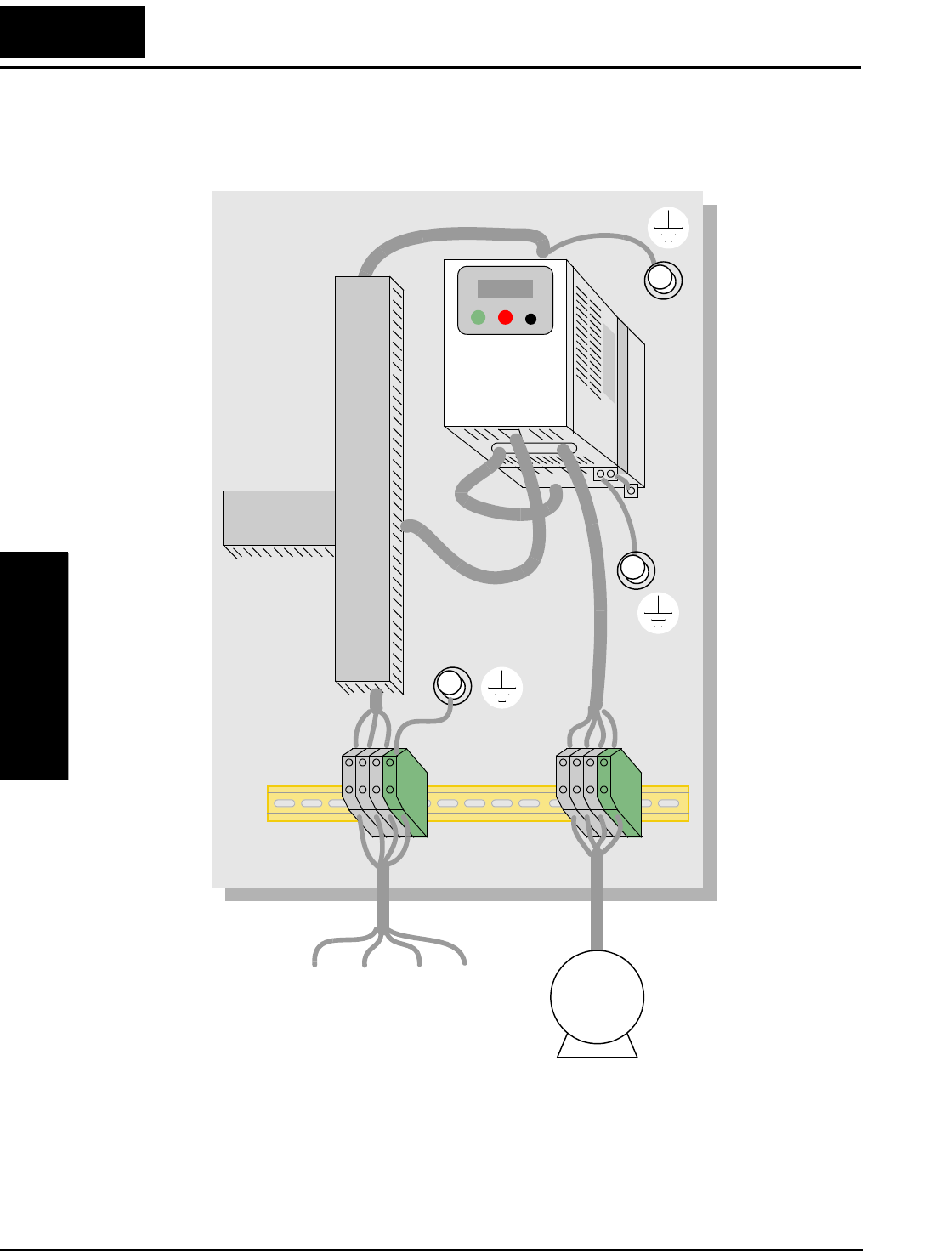
CE–EMC Installation Guidelines
Appendix C
C–4
L1 L2L3 PE M
3~
L100 inverter with footprint-type filter
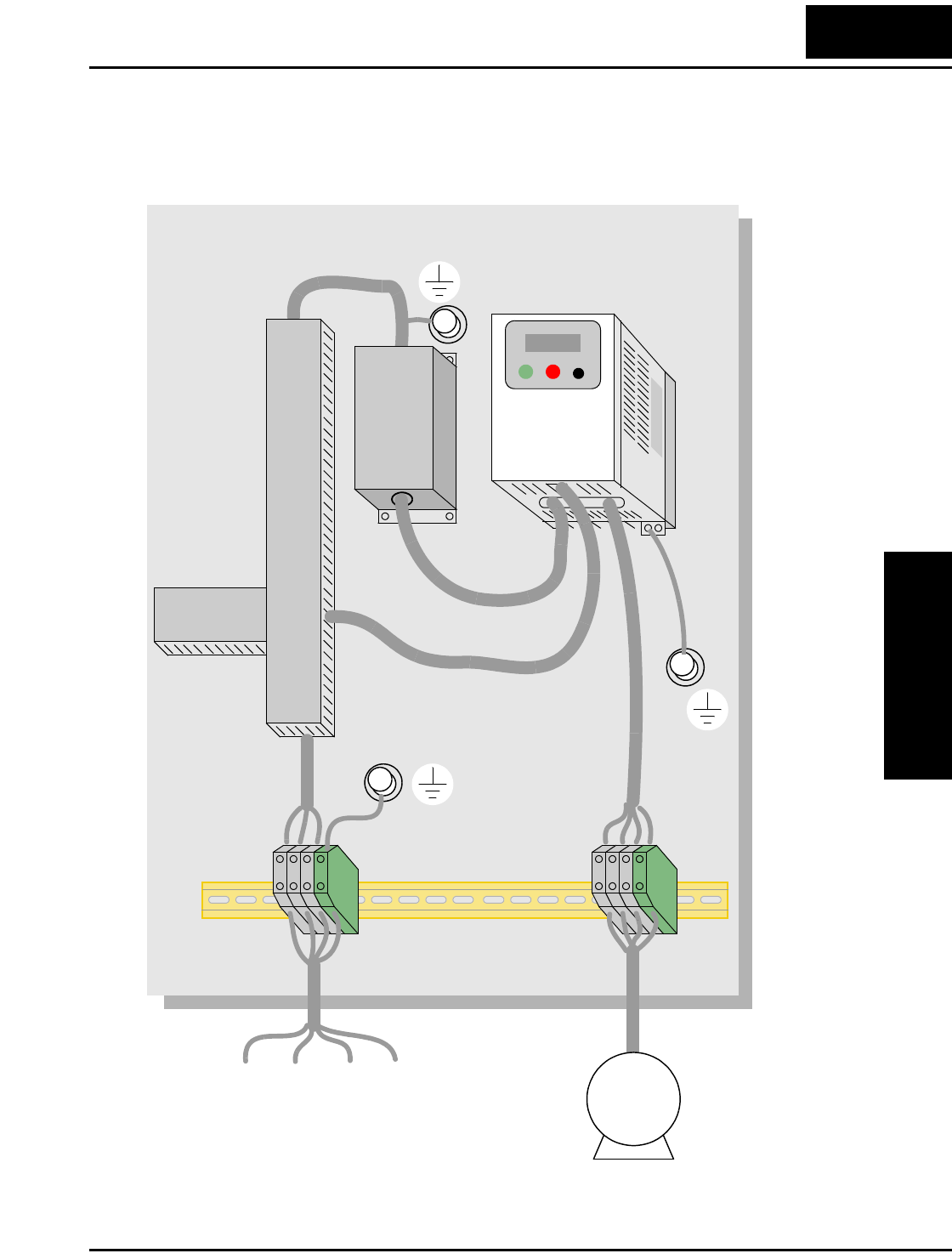
L100 Inverter
Appendix C
C–5
L1 L2L3 PE
L100 inverter with book-type filter
M
3~
Hitachi EMC Recommendations
Appendix C
C–6
Hitachi EMC Recommendations
WARNING: This equipment should be installed, adjusted, and serviced by qualified
personal familiar with construction and operation of the equipment and the hazards
involved. Failure to observe this precaution could result in bodily injury.
Use the following checklist to ensure the inverter is within proper operating ranges and
conditions.
1. The power supply to L100 inverters must meet these specifications:
• Voltage fluctuation ±10% or less
• Voltage imbalance ±3% or less
• Frequency variation ±4% or less
• Voltage distortion THD = 10% or less
2. Installation measure:
• Use a filter designed for L100 inverter.
3. Wiring:
• Shielded wire (screened cable) is required for motor wiring, and the length must
be less than 50 meters.
• The carrier frequency setting must be less than 5 kHz to satisfy EMC require-
ments.
• Separate the power input and motor wiring from the signal/process circuit wiring.
4. Environmental conditions—when using a filter, follow these guidelines:
• Ambient temperature: –10 to 40 °C
• Humidity: 20 to 90% RH (non-condensing)
• Vibration: 5.9 m/sec2 (0.6 G) 10 ~ 55Hz
• Location: 1000 meters or less altitude, indoors (no corrosive gas or dust)

Index
A
A Group functions 3–9
AC reactors 5–3
Acceleration 1–21, 3–8
characteristic curves 3–21
second function 3–20
two-stage 4–13
Access levels 3–5, 3–26, 4–17
Access to terminals 2–2
Accessories 5–2
Air flow 2–8
Alarm signal 4–27
Algorithms, torque control 3–5
Ambient temperature 2–8, A–2
Analog input settings 3–10
Analog inputs
current/voltage select 4–18
operation 4–29
wiring examples 4–29
Analog outputs
configuration 3–38
FM type 4–31
operation 4–30
PWM type 4–30
Arrival frequency A–2
Automatic restart 3–22
Automatic voltage regulation 3–19
Auto-tuning A–2
AVR 3–19
B
B Group functions 3–22
Base frequency A–2
Bibliography A–8
Braking 1–20
dynamic 5–5
resistive 1–23
settings 3–15
Braking resistor 2–5, A–2
Braking resistor selection 5–5
Braking unit 2–5
Break-away torque A–2
C
C Group functions 3–32
Capacitor life curve 6–11
Carrier frequency 3–28, A–2
Catching a spinning motor 3–30
Cautions
inverter mounting 2–7
operating procedures 4–2
CE approval A–2
CE-EMC guidelines C–2
Chassis ground connection 2–18
Choke 2–5, A–2
Choke, DC link 5–4
Chopper frequency 3–28
Clearance 2–8
Coasting 3–30
Constant torque 3–13
Constant volts/hertz operation 1–18
Contact information xviii
Control algorithms 3–13
Copy Unit 1–3
Cover removal 2–19
Current overload 3–25

Index–2
D
D Group parameters 3–6
DC braking 3–15, 4–12, A–3
DC link
choke 5–4
Deadband A–3
Deceleration 1–21, 3–8, 4–12
characteristic curves 3–21
second function 3–20
two-stage 4–13
Default parameter values B–2
Default settings
restoring 6–8
Derating curves 1–11
Derivative gain 3–18
Digital operator 2–21, 3–3
Digital operator panel A–3
Digital operators 1–3
Dimensions
inverter 2–9
terminals 2–15
Diode A–3
Duty cycle A–3
Dynamic braking 1–20, 5–5, A–3
usage 5–5
E
Editing parameters 2–21, 2–24
in Run Mode 3–5, 3–26, 4–17
Electromagnetic compatibility C–2
Electronic thermal overload 3–24
EMC installation guidelines C–2
EMC installation recommendations C–6
EMI A–3
EMI filter 5–4
Environmental specs 1–9
Error A–3
PID loop 4–26
Error codes
trip events 6–5
Event clearing 4–19
External trip 4–15
F
F Group functions 3–8
Factory default settings 3–29
Factory settings, restoring 6–8
Fan outlet 2–8, 2–19
FAQ 1–22
Features 1–2, 2–2
Filters
noise suppression 5–2
Fine-tuning functions 3–22
Forward run command 4–9
Four-quadrant operation A–3
Free-run stop 3–30, 4–12, 4–14, A–3
Frequency arrival signals 4–23
Frequency display scaling 3–29
Frequency limits 3–16
Frequency matching 3–30
Frequency setting A–4
Frequency source setting 3–9
Frequency-related functions 3–16
Frequently asked questions 1–22
Functions 1–20, 2–22
Fuse ratings 2–14
G
Glossary of terms A–2
H
Harmonics A–4
History of trip events 3–7
Horsepower A–4

L100 Inverter Index–3
I
IGBT 1–17, A–4
test method 6–15
Index of terminal functions 4–7
Inertia A–4
Initialization 6–8
Initialization codes 3–29
Input circuits 4–8
Input terminals 2–15
Inspection
electrical measurements 6–12
IGBT test method 6–15
measurement techniques 6–14
procedures 6–9
unpacking 2–2
Installation instructions 2–6
Insulation test 6–10
Integral gain 3–18
Intelligent input terminals 3–32, 4–8
Intelligent output terminals 3–36, 4–21
Intelligent terminal A–4
Intelligent terminal functions 3–32
Intelligent terminal index 4–7
Inverter 1–22, A–4
Inverter specifications 1–5
Isolation transformer A–4
J
Jog command 4–12
Jog frequency settings 3–12
Jogging operation A–4
Jump frequencies 3–17
Jump frequency A–5
K
Keypad
features 2–21, 3–3
navigation 2–23, 3–4
navigation,trip events 6–7
Keypad features 2–21
Keypads 1–3, 3–2
L
LEDs 2–21, 3–3
Line reactor A–5
Linear accel/decel 3–21
Logic terminals 3–32, 3–36, 4–6
M
Main profile parameters 3–8
Maintenance procedures 6–9
Megger test 6–10
Model number 1–4
Model number convention 1–4
Momentum A–5
Monitor mode 2–23, 2–26, 2–27, 3–4
Monitoring functions 3–6
Motor
speed calculation 2–27
Motor load A–5
Motor poles 1–23
Motor wiring 2–18
Mounting dimensions 2–9
Mounting location 2–7
Multiple motors
configuration 4–33
Multi-speed operation 4–10, A–5
Multi-speed profiles 1–21
Multi-speed settings 3–12
N
Nameplate 1–4
Navigational map 2–23, 3–4
trip events 6–7
NEC A–5
NEMA A–5
NEMA rating 2–8
Noise filters 5–2
AC reactor 2–5

Index–4
O
Open-collector outputs 4–21, A–5
Operational modes 3–5
Operator interfaces 1–3
Optional components 2–5
Options 1–2
Output adjustment parameters 3–39
Output circuits 4–21
Output deviation for PID control 4–26
Output frequency 3–8
Output overload 3–25
Output terminals 2–18
Overload advance notice signal 4–25
Overload restriction 3–25
P
Parameter editing 2–21, 2–24
Parameter settings tables B–2
Parameters 1–20, 2–22
PID loop 1–24, A–5
operation 4–32
output deviation 4–26
settings 3–18
PLC, connecting to 4–4
Potentiometer 2–25, 4–29
Power factor A–5
Powerup test 2–19
observations 2–27
Powerup, unattended start 4–16
Process variable A–5
Program mode 2–23, 2–27, 3–4
Programming device 3–2
Proportional gain 3–18
Pulse-width modulation 4–30
PV source setting 3–18
PWM A–6
R
Ratings label 1–4
Reactance A–6
Reactive current setting 3–28
Read/write copy unit 1–3, 3–2
Rectifier A–6
Reduced torque 3–13
Regenerative braking A–6
Regulation A–6
Regulatory agency approvals 1–4
Relay alarm contacts 4–27
Reset function 4–19
Restart Mode 3–30
Reverse run command 4–9
Reverse torque A–6
Revision history xvii
RF noise filter 5–4
Rotor A–6
Run command 4–9
Run command source setting 3–9
Run mode 2–27, 3–5
Run signal 4–22
Running the motor 2–26
Run-time edits 3–5, 3–26, 4–17
S
Safety messages i
Saturation voltage A–6
Scaling 3–29
S-curve accel/decel 3–21
Second accel and decel 3–20
Sensorless vector control A–6
Setpoint A–6
Single-phase power A–7
Sinking I/O 4–4
Slip A–7
Software lock 3–5, 3–26, 4–17
Sourcing I/O 4–4
Spare parts 6–11

L100 Inverter Index–5
Specifications
derating curves 1–11
general 1–9
inverter 1–5
label 1–4, 2–3
logic signals 4–6
Speed control 1–17, 1–21, 4–10
Speed pot 2–25
Squirrel cage A–7
Standard functions 3–9
Stator A–7
Stop command 4–9
Supply wiring 2–15
Switching frequency 3–28
Symbol definitions i
System description 2–5
T
Tachometer A–7
Technical support xviii
Term definitions A–2
Terminal listing 4–7
Thermal overload 3–24
Thermal protection 4–20
Thermal switch A–7
Thermistor A–7
Thermistor input 4–20
Three-phase power A–7
motor phase connections 1–18
Torque 1–18, A–8
Torque boost 3–13
Torque control algorithms 3–5, 3–13
Torque specs,terminals 2–15
Transistor A–8
Trip A–8
Trip events 3–7
clearing 6–5
error codes 6–5
external 4–15
monitoring 6–5
Trip history 6–7
Trip mode 4–19
Troubleshooting tips 6–3
Two-stage accel/decel 4–13
U
UL instructions xii
Unattended start protection 4–16
Unpacking 2–2
V
V/f control 3–13
Variable torque 3–13
Variable-frequency drives
introduction 1–17
Velocity profile 1–21
Ventilation 2–8, 2–19
Voltage gain 3–14
W
Warnings
operating procedures 4–3
troubleshooting 6–2
Warranty 6–16
Watt loss A–8
Wiring
analog inputs 4–29
gauge 2–14
logic 2–18
logic connector 4–6
output 2–18
power input 2–15
preparation 2–13
system diagram 4–5
Z
Zero-phase reactor 5–4
