InFocus PBP PBP User Manual Quick Start LiteBoard changes page 1
InFocus Corporation PBP Quick Start LiteBoard changes page 1
InFocus >
Contents
User Manual part 1 of 2
IN3902LB IN3904LB
Quick Start
English - for other languages, see booklet
Français – voir la brochure
Deutsch – siehe Broschüre
Español – ver folleto
Italiano – vedi opuscolo
Nederlands – zie boekje
Português – consulte livreto
Svenska – se häftet
Русский – см. буклет
한국어 – 소책자참조
Regulatory models W3902, W3904
LiteBoard Projector
TM
010-0731-00 *010-0731-00*
Please read the safety instructions booklet before setting up
the projector.
1
2
Unpack the box
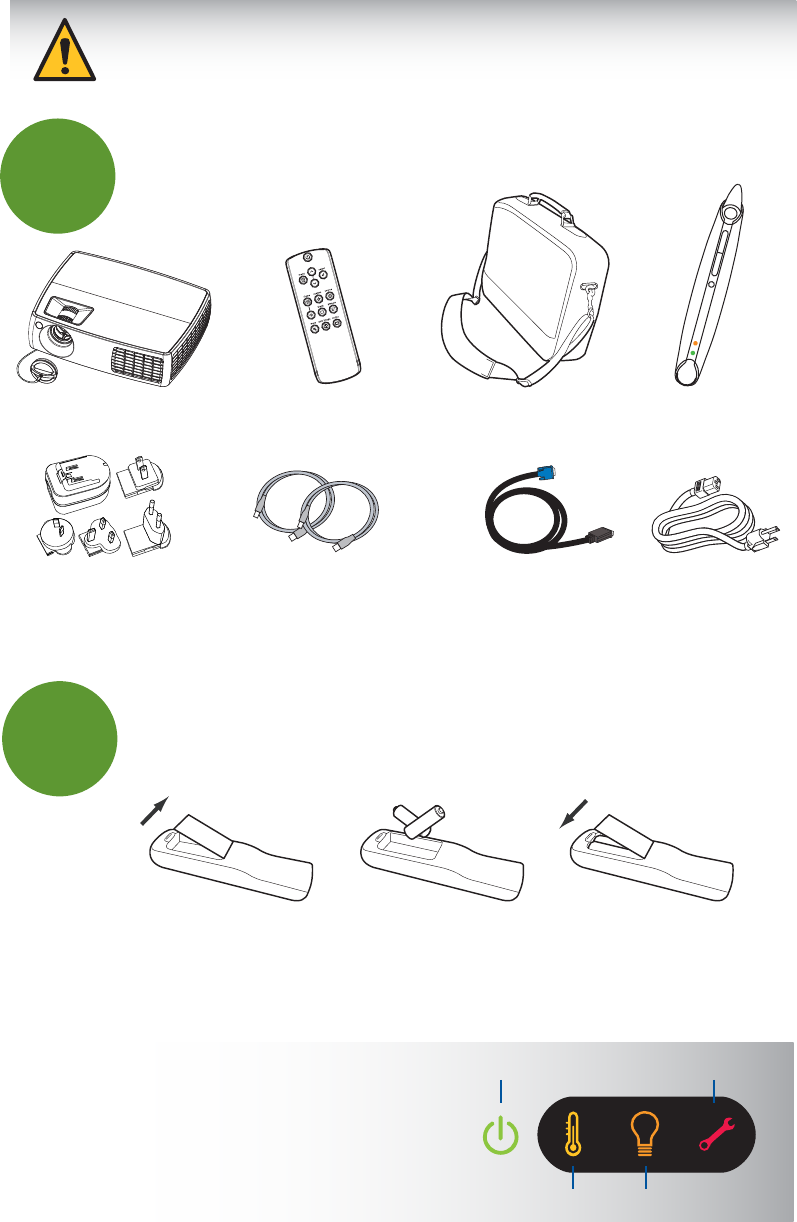
Here's what's included:
Put batteries in the remote
The remote uses 2 AA batteries.
Please dispose of batteries in an environmentally proper manner.
Buy a Full-Featured Remote and Other Custom Accessories
www.infocus.com/store
The top of your projector includes a convenient
indicator panel with symbols that light up to show
important status.
For details, see Troubleshooting.
Status Indicator Panel Power/Standby Service Required
High Temperature Replace Lamp
2 31 +
-
+
Save the box and packing materials.
Carry Case LiteBoard PenRemoteProjector with Lens Cap
PUSH
Two USB Cables Computer Cable Power CableUSB Power Adapter
VGA 1/2 VGA 1 VGA 2
composite s-video Composite S-Video
VGA 1/2 VGA 1 VGA 2
composite s-video Composite S-Video
VGA 1/2 VGA 1 VGA 2
composite s-video Composite S-Video
3Connect source
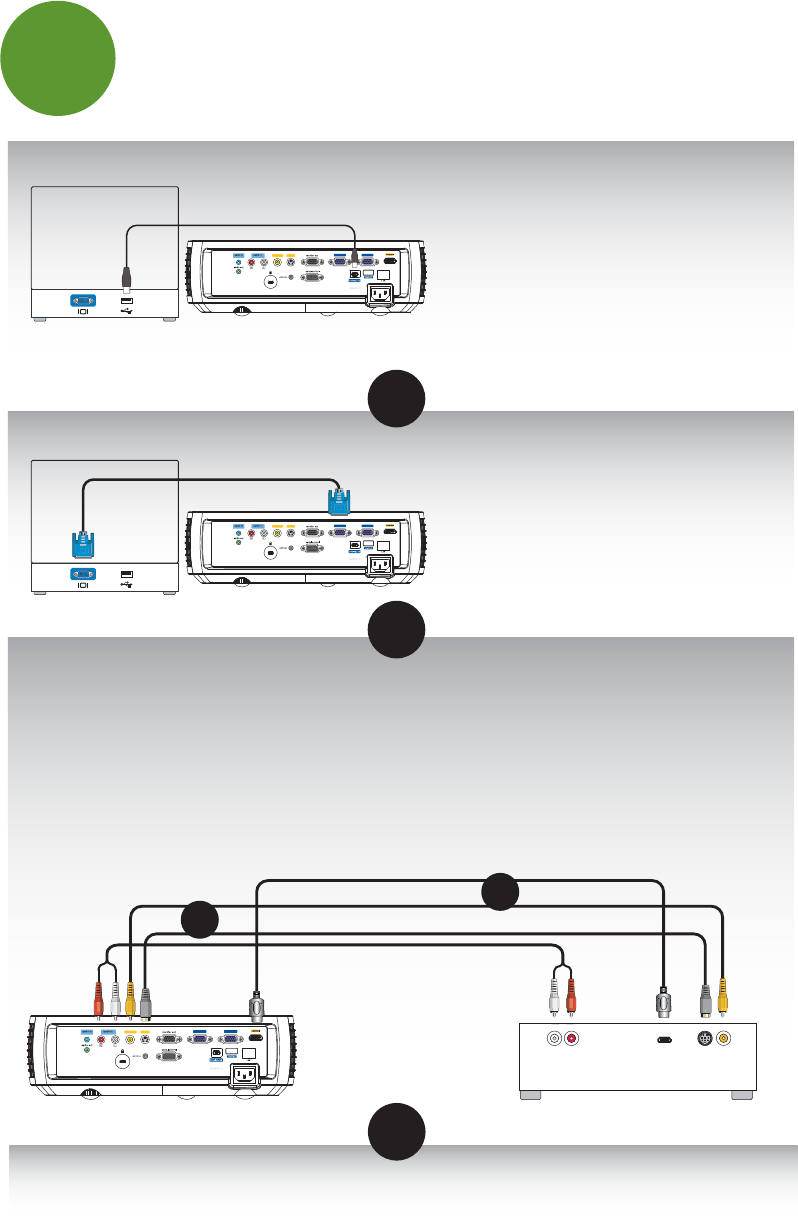
Color-coded connections make it easy.
You can connect more than one source if needed.
Got an Apple computer?
You may need an adapter. For more information,
see How-To Guides at
www.infocus.com/support/howto
Connect to: Computer (using DisplayLink)
Connect to: DVD, VCR
Connect to: Other kinds of sources
How-To Guides are available at www.infocus.com/support/howto
OR
Computer
USB Cable (included)
OR
Audio Out
L R
Video Out
HDMI Out
DVD, VCR or HDTV Receiver
Composite Video Cable Good
Better
S-Video Cable
RCA Audio Cable
HDMI Cable Best
OR
*Also for game console or cable box.
Computer
Computer Cable (included)
Connect to: Computer (using VGA)
OR
For Windows and Macintosh
Connect the USB cable between your computer
and the projector's DisplayLink connector. See
the DisplayLink Software User's Guide for details
on setup, compatibility, features, and
troubleshooting; download it at
www.infocus.com/support/displaylink
OR
1 Connect video using either an S-Video or a Composite Video cable
www.infocus.com/store part no. SP-SVIDEO-10M or SP-CPSTVID-5M
2 Connect video using an HDMI Cable
Available from A/V dealer or retailer
3 Connect audio using a RCA Audio Cable (not needed for HDMI)
Available from A/V dealer or retailer