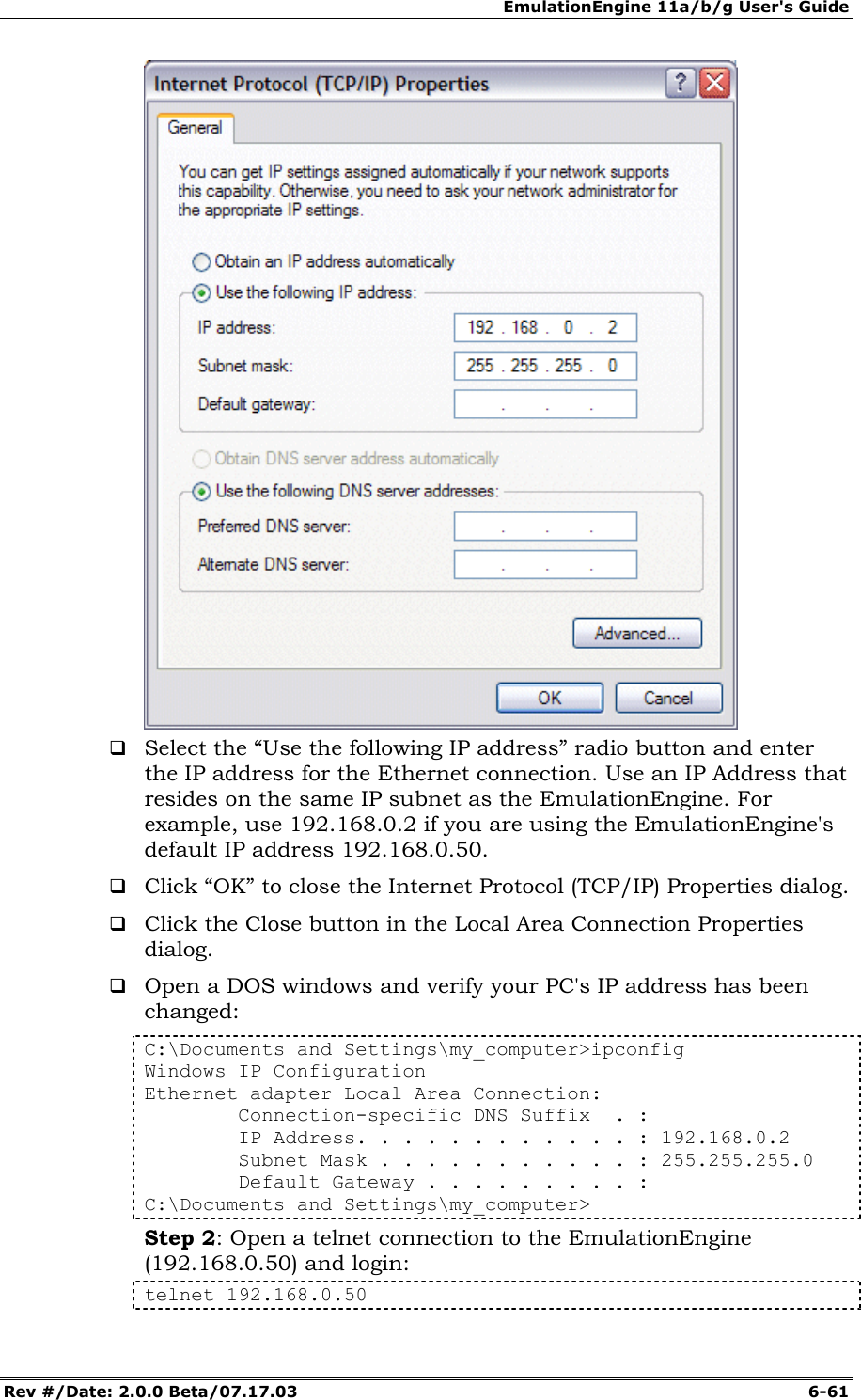
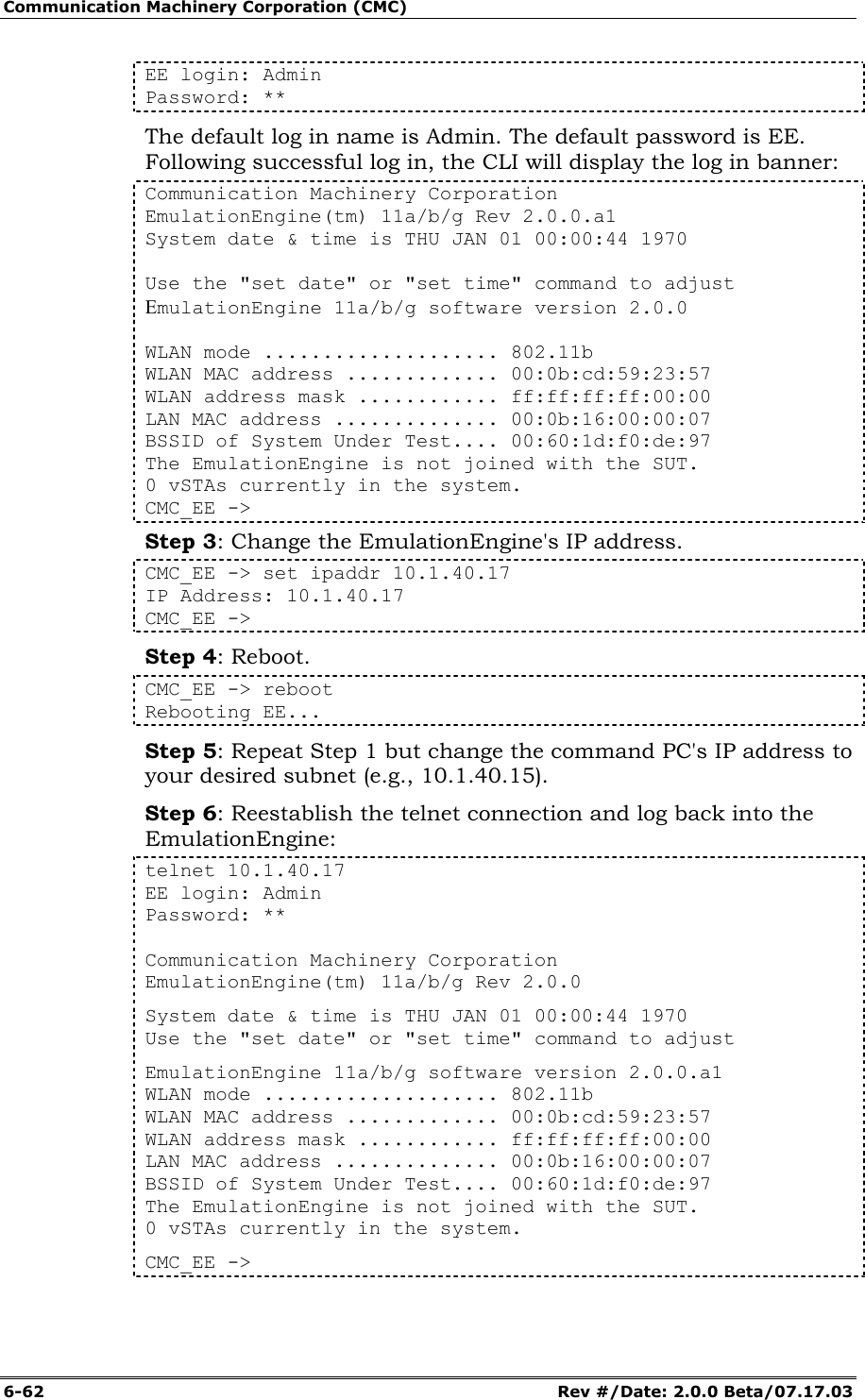
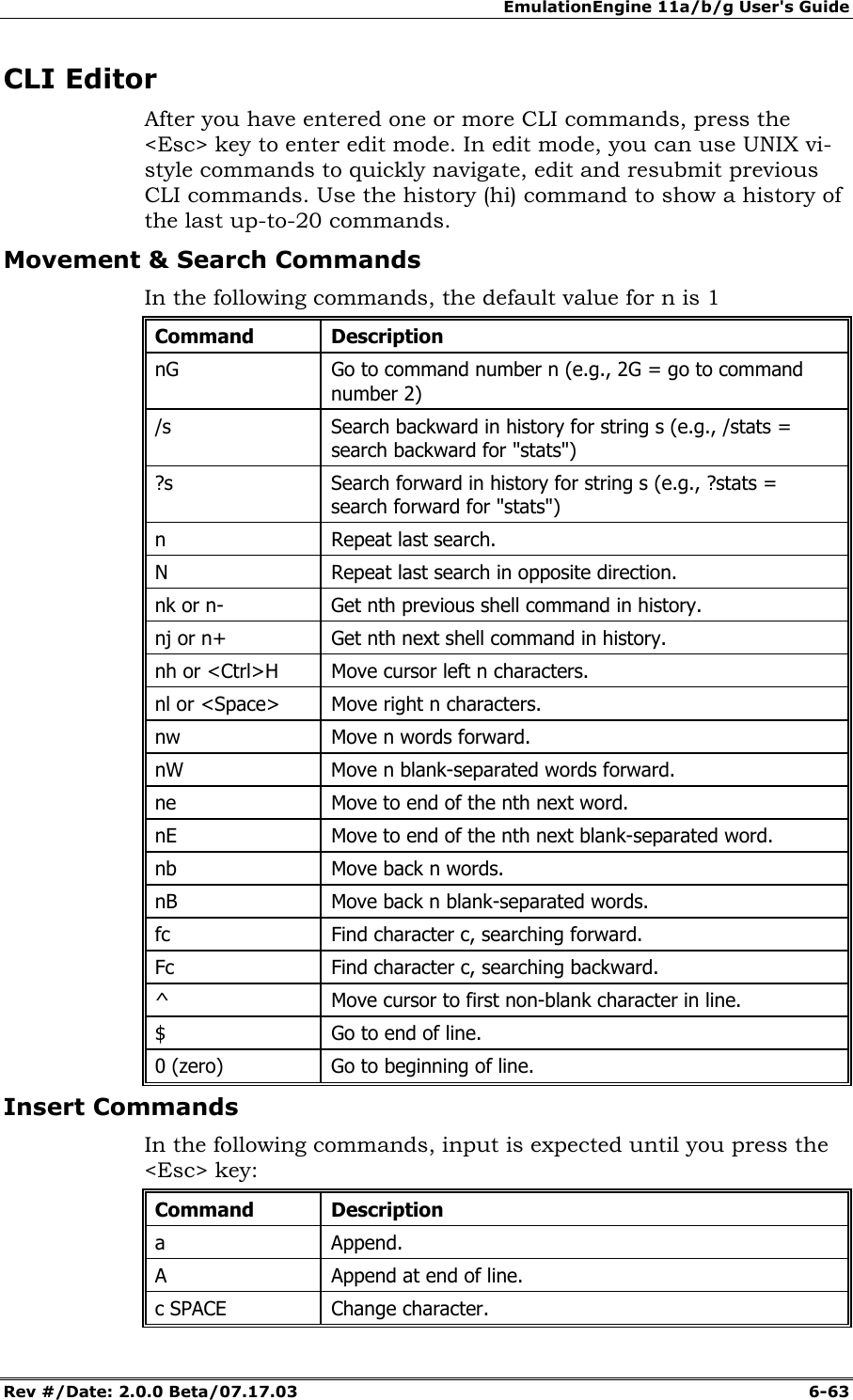
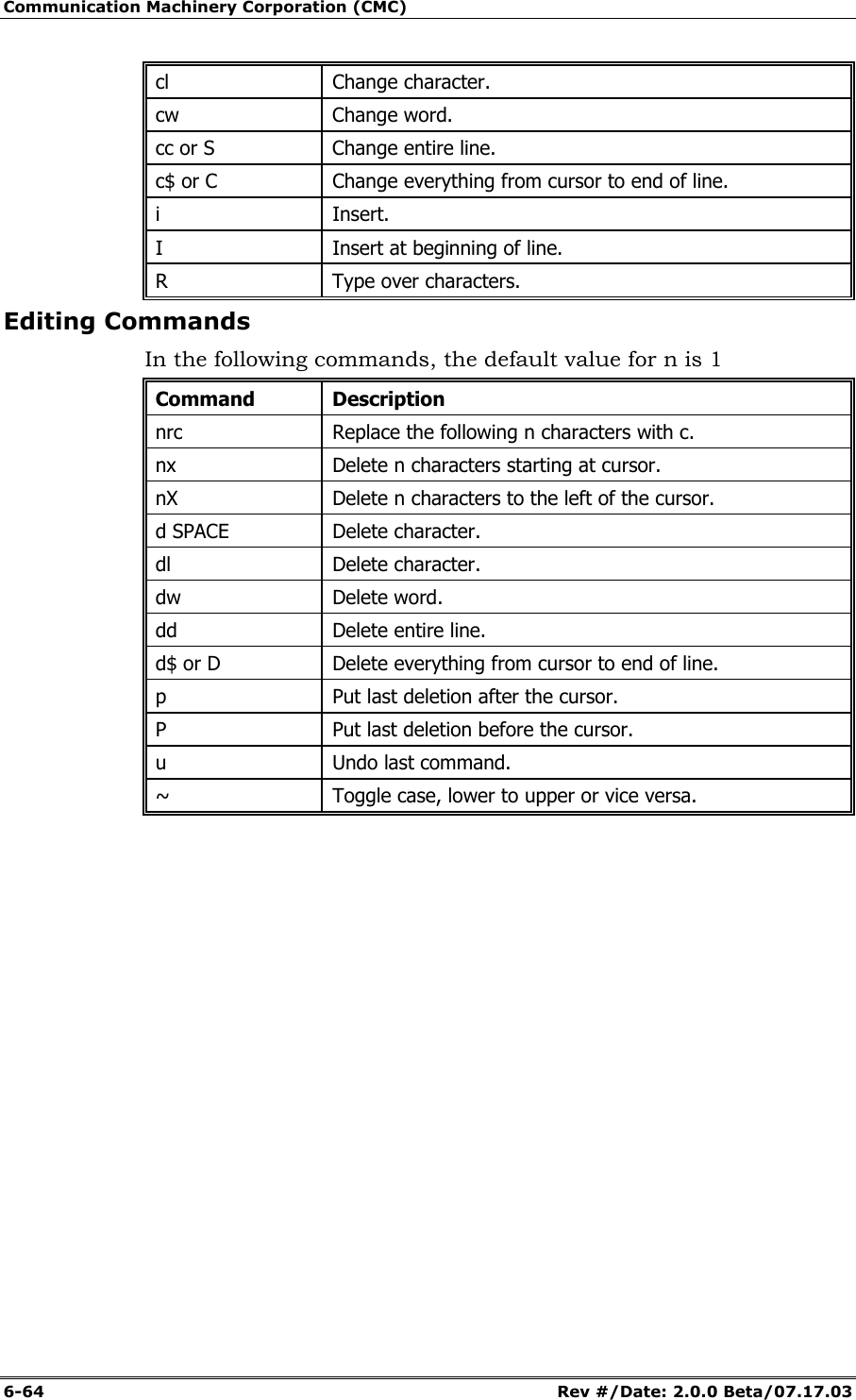
Ixia EE11ABG 802.11 a/b/g Emulation Engine User Manual EmulationEngine 11a b g User s Guide
Ixia 802.11 a/b/g Emulation Engine EmulationEngine 11a b g User s Guide
Ixia >
Contents
- 1. User Manual 1 of 3
- 2. User Manual 2 of 3
- 3. User Manual 3 of 3
User Manual 2 of 3
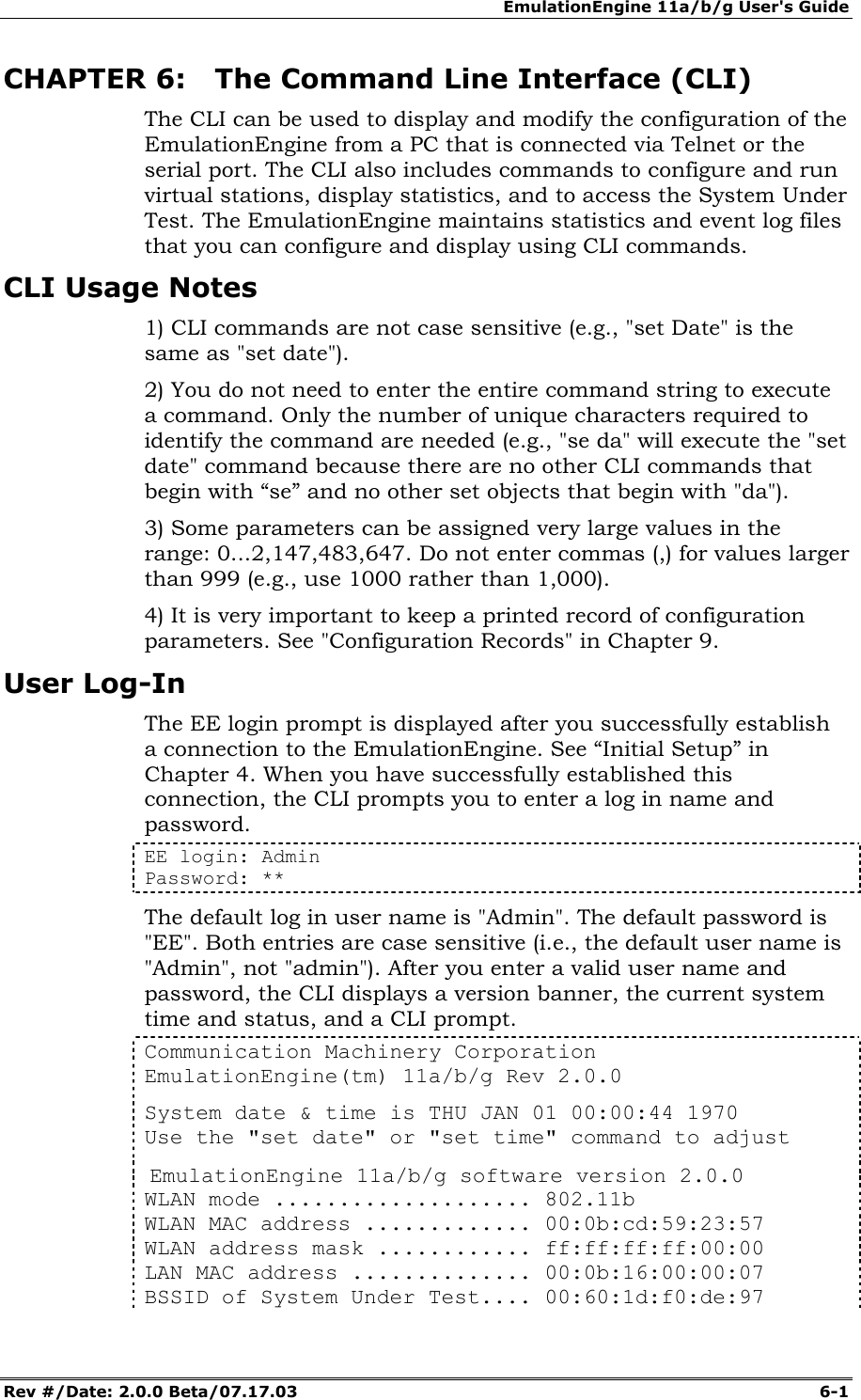
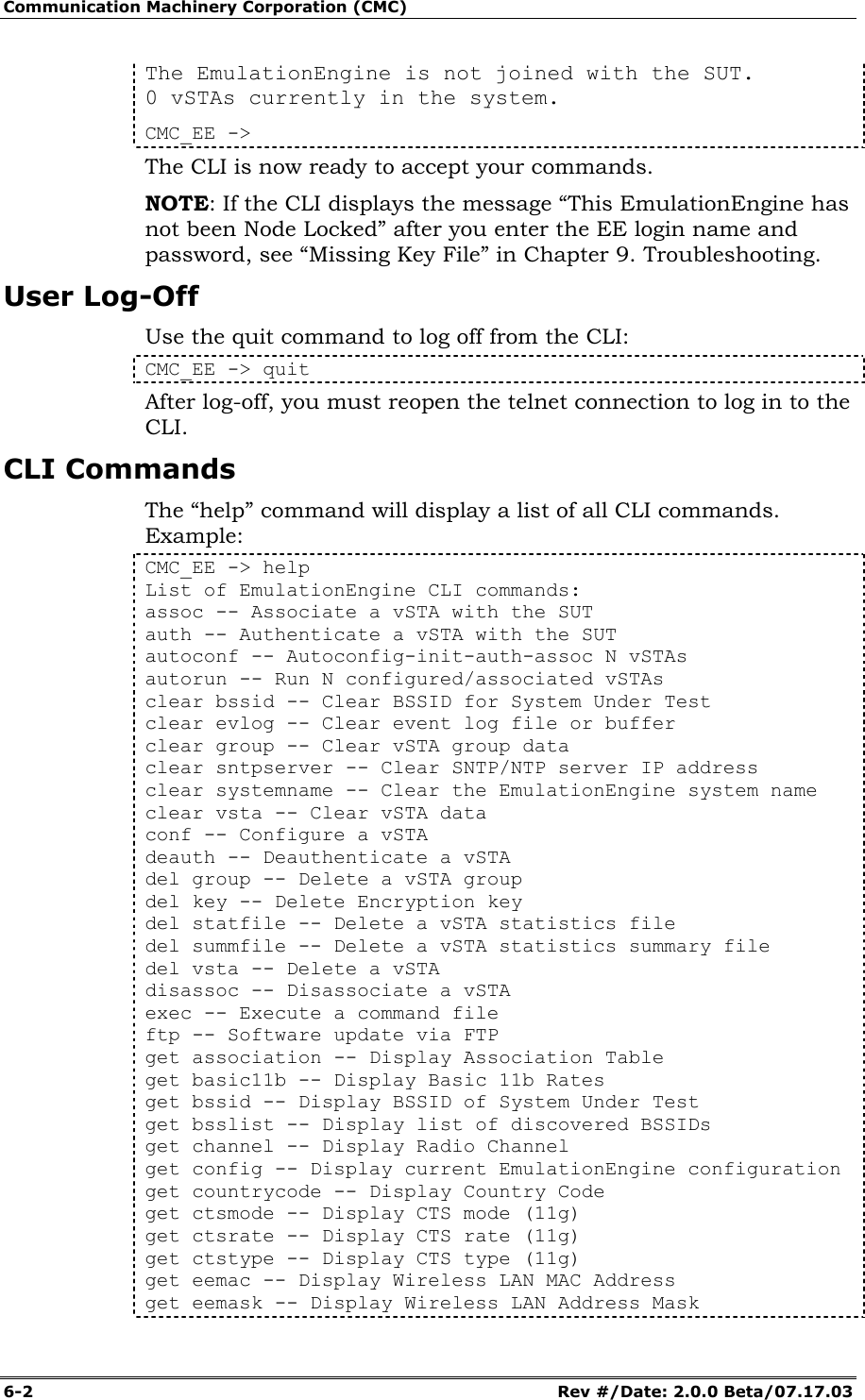
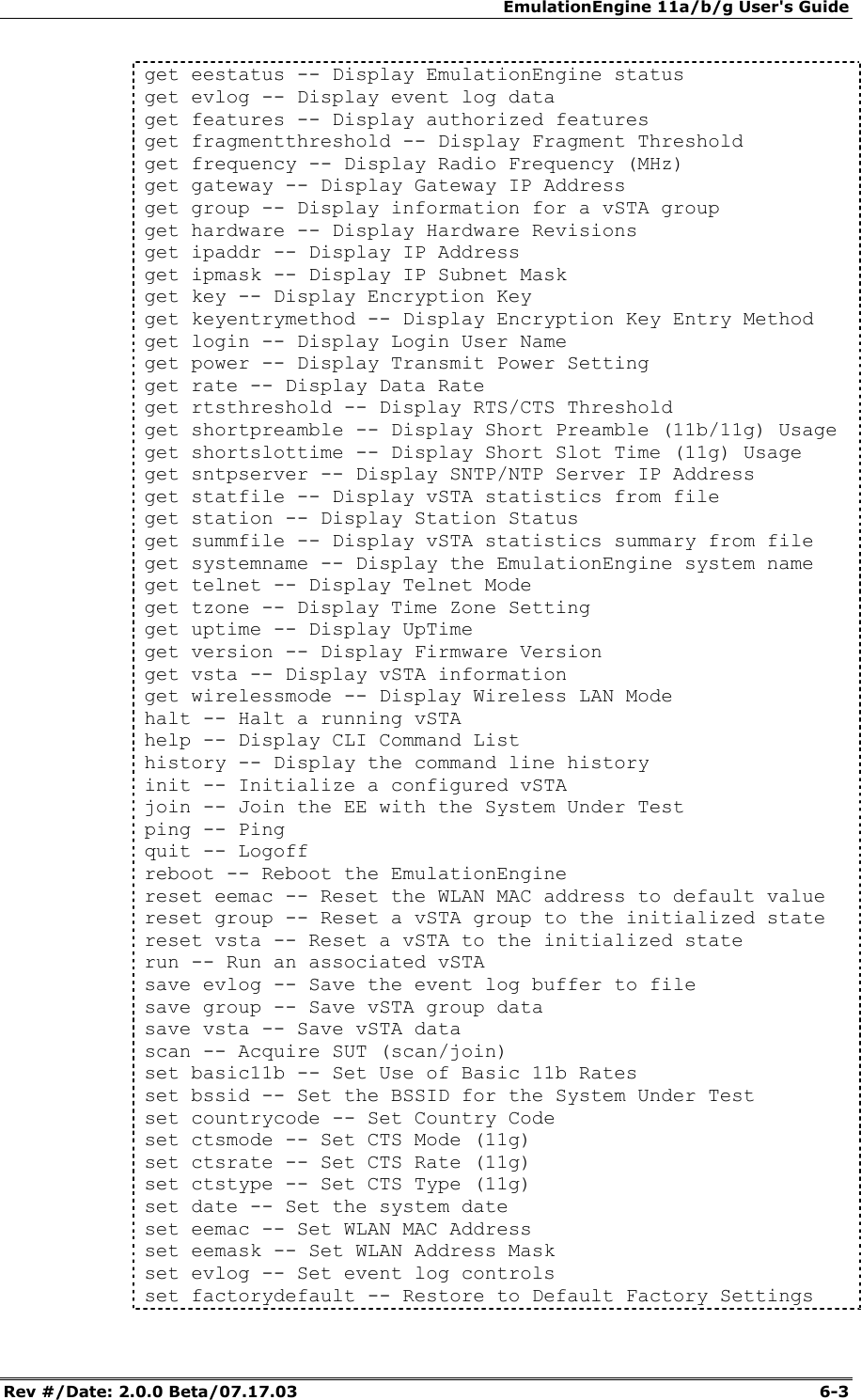
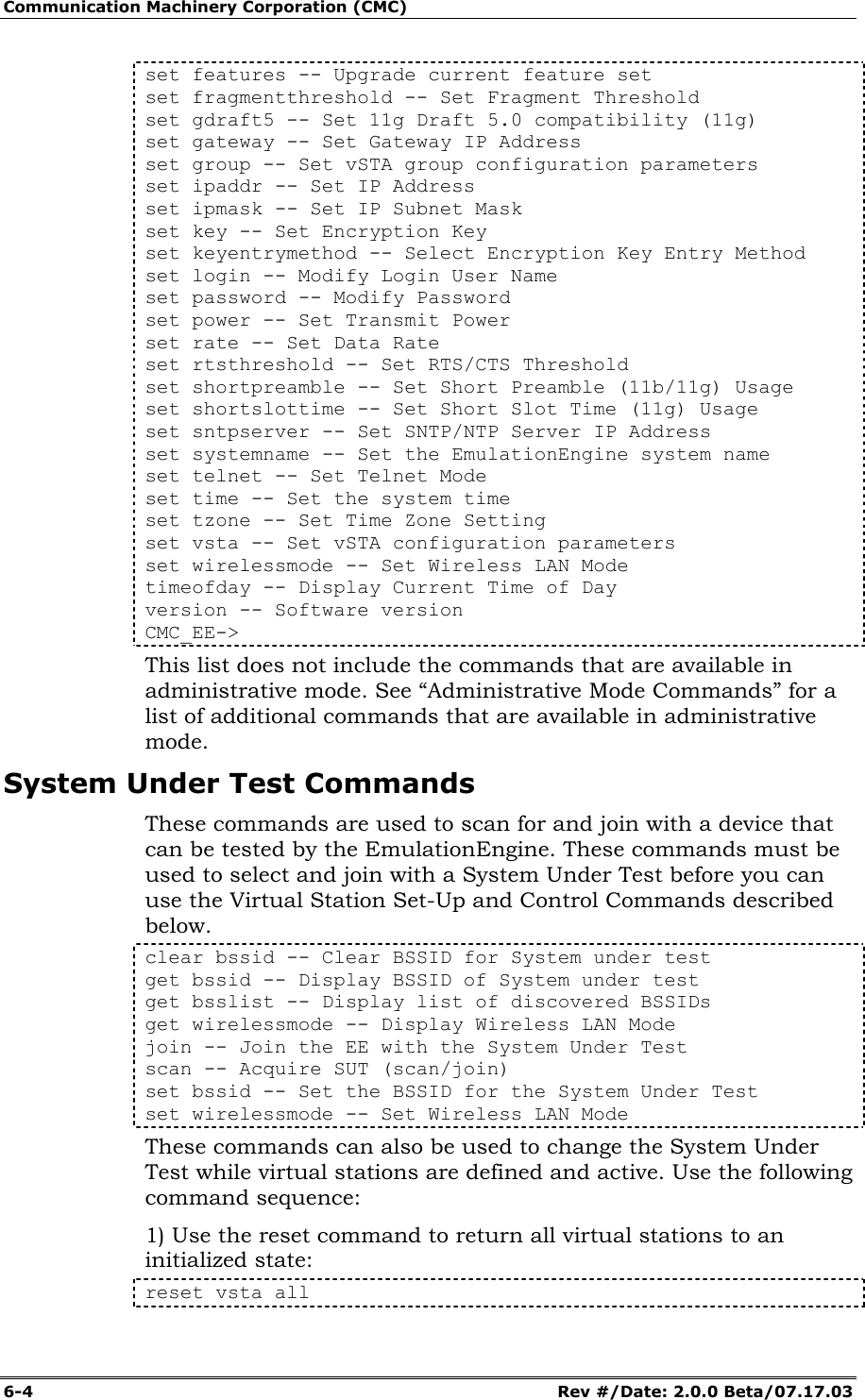
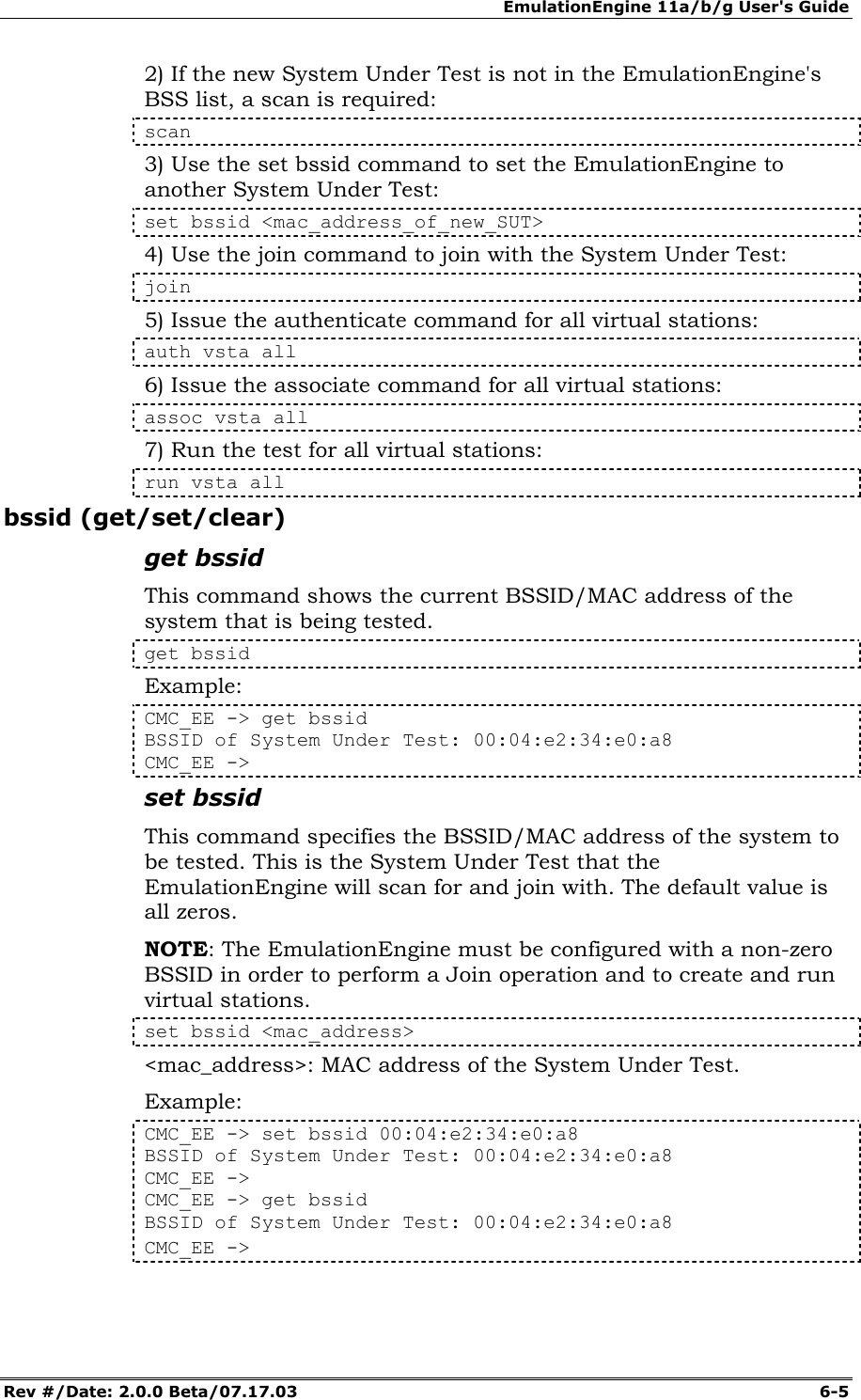
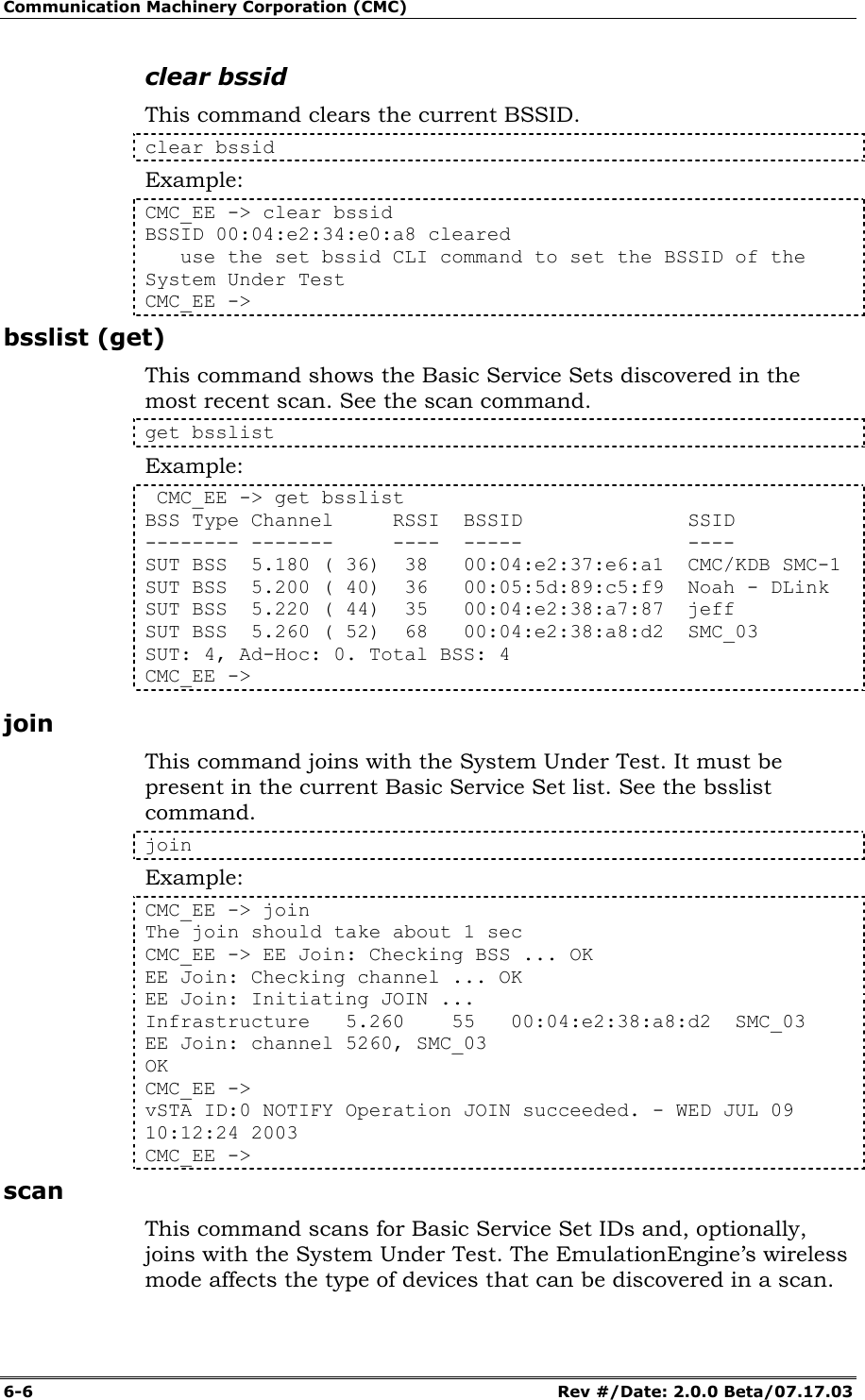
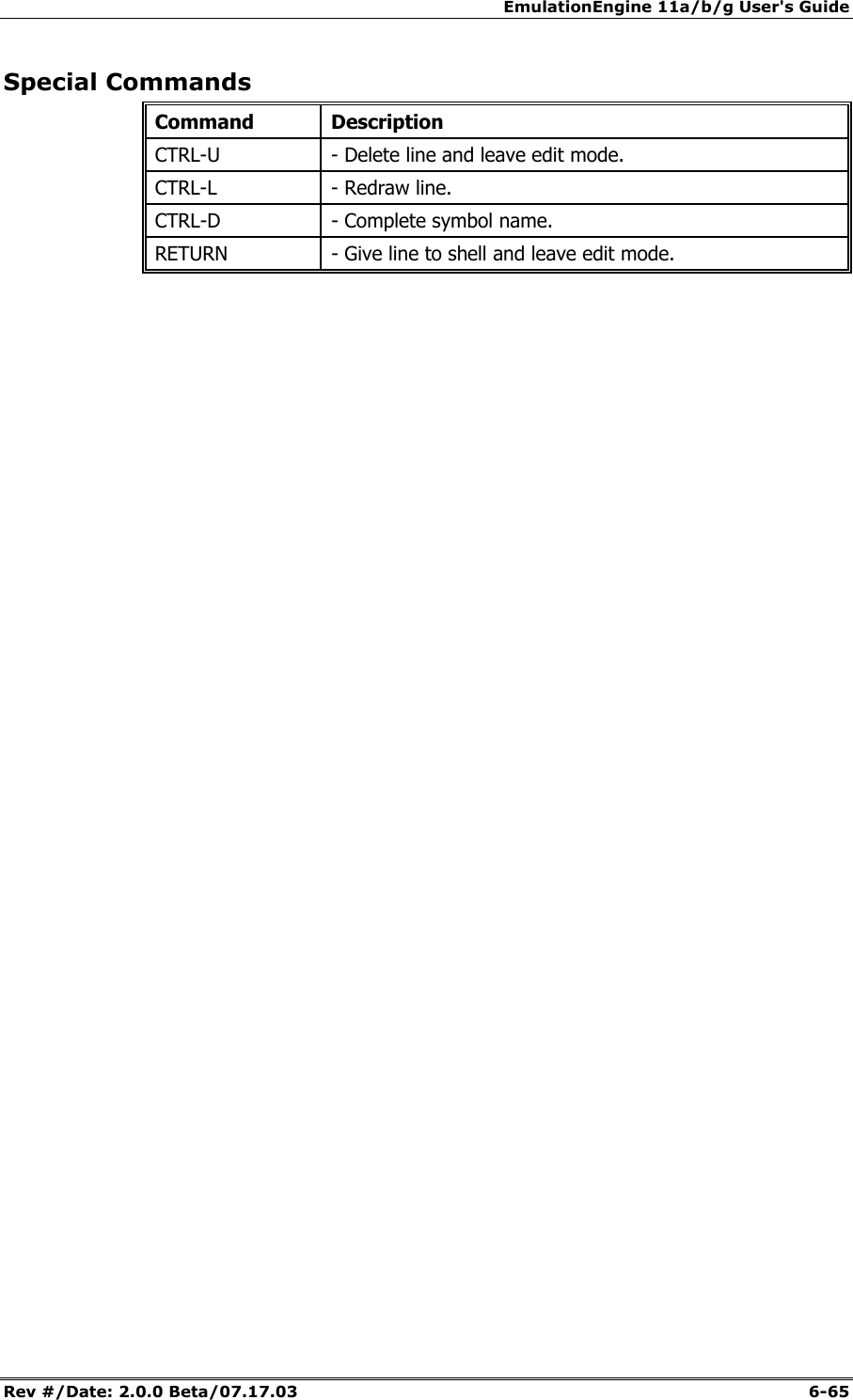
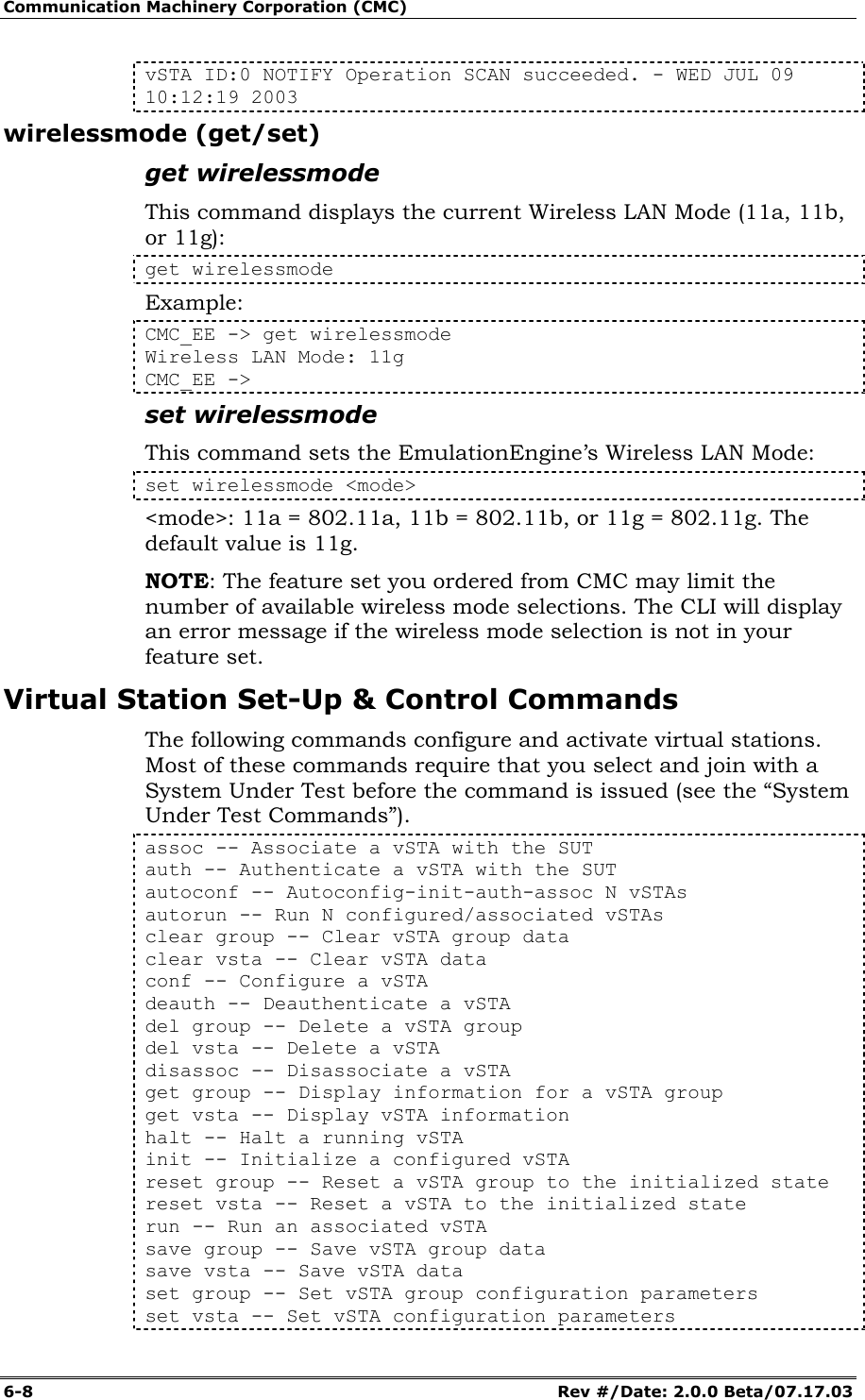
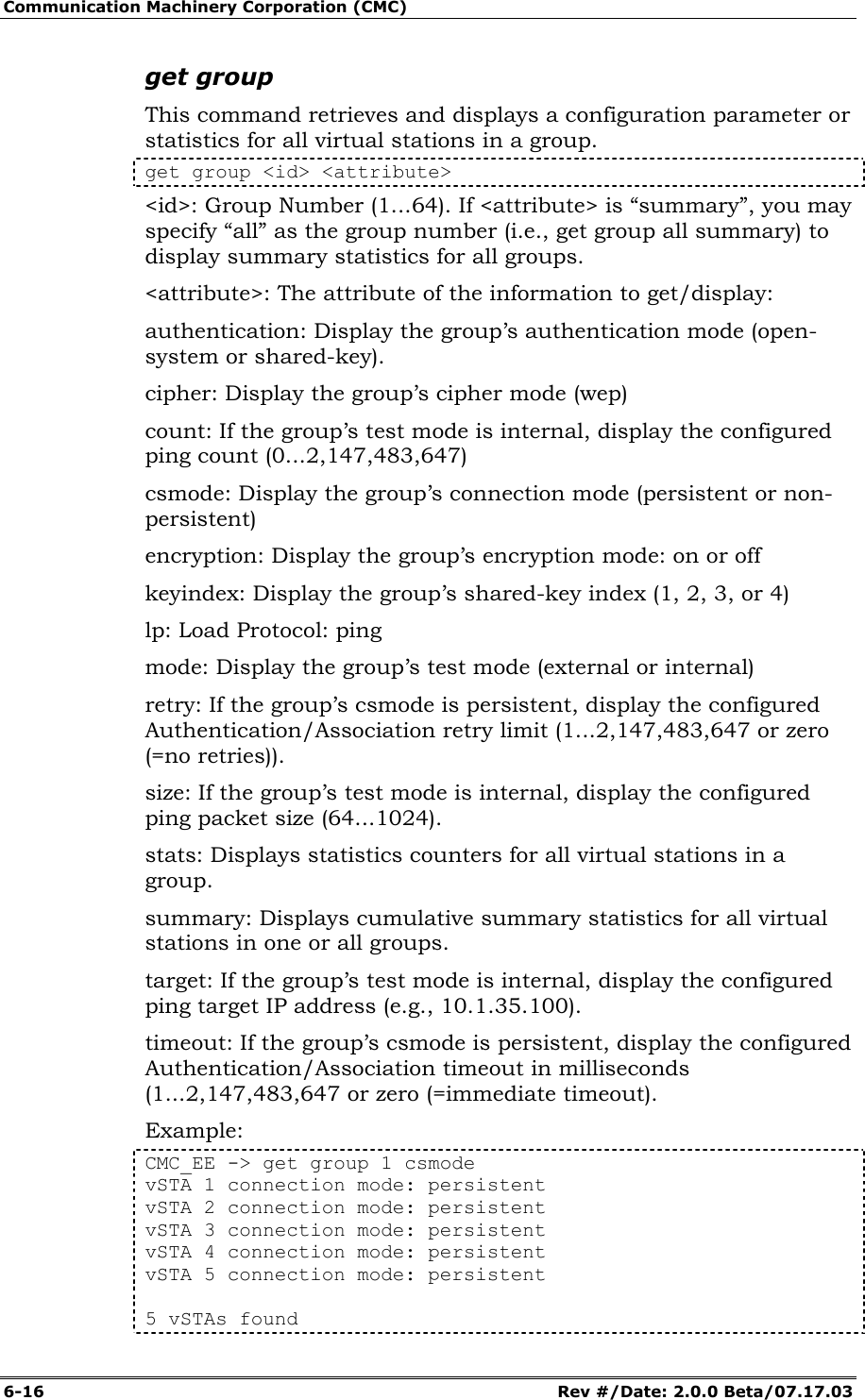
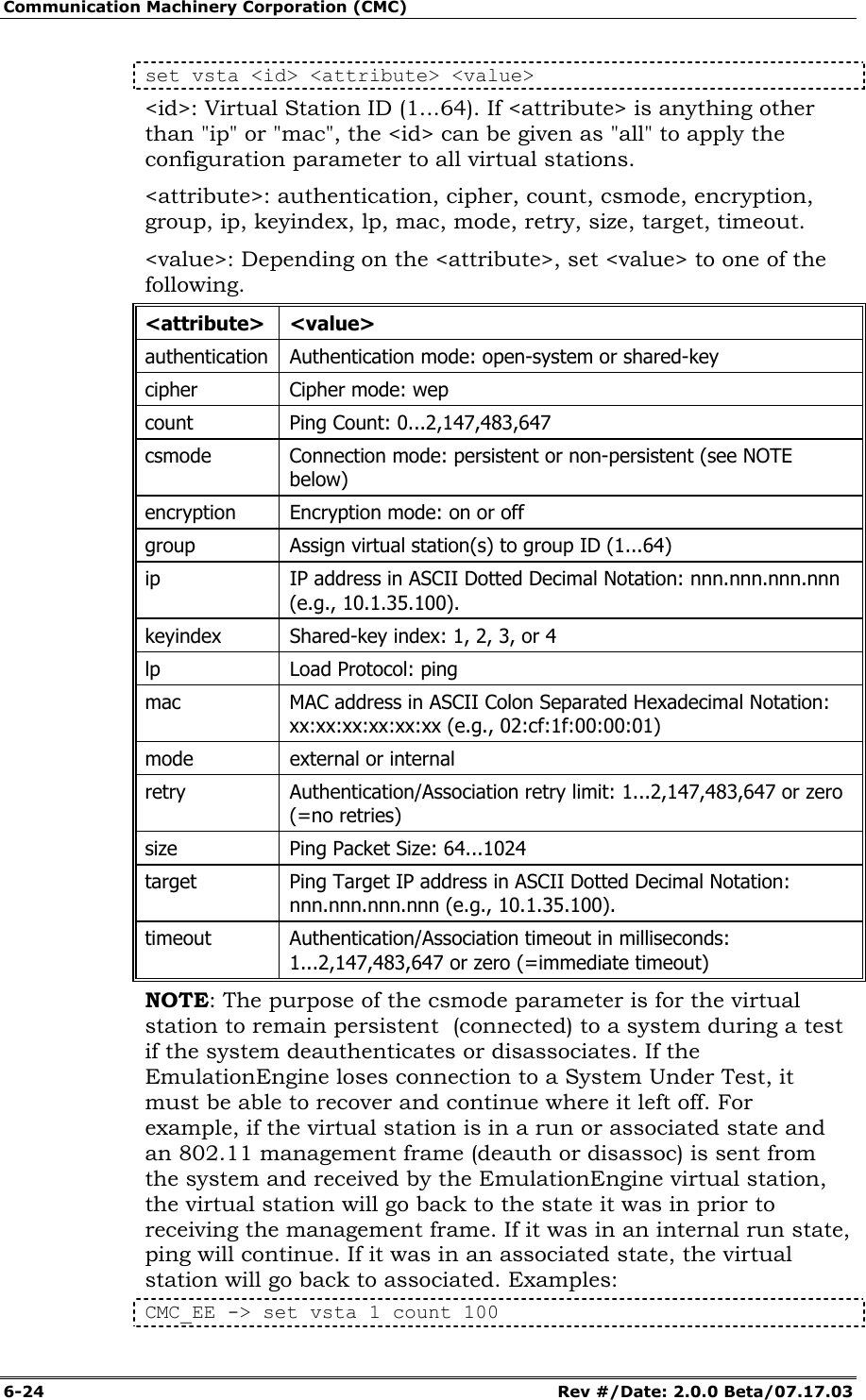
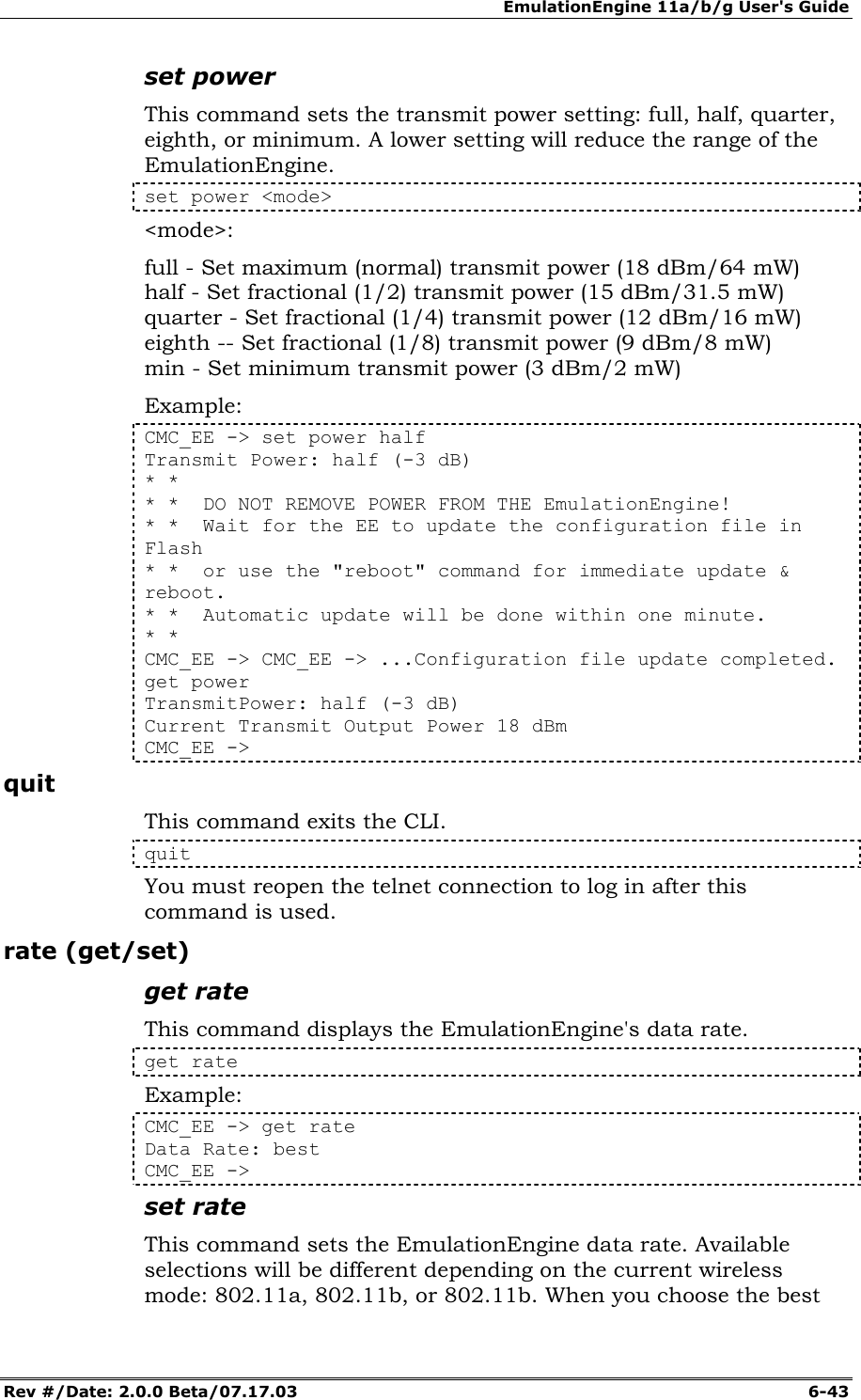
![EmulationEngine 11a/b/g User's Guide Rev #/Date: 2.0.0 Beta/07.17.03 6-7 See “set wirelessmode” to change the EmulationEngine’s wireless mode. NOTE: If a test is in process (see the run command), a scan operation will be disruptive to the normal testing operations of the EmulationEngine. CMC_EE -> scan Active (probe request) or passive (listen for beacons) [a/p: p]? Enter "a" and press the <Enter> key to select an active scan. Just press the <Enter> key to select the default passive mode. If passive mode is selected, the CLI will prompt for the following scanning options: Channel (0 = all) [0]? Channel timeout in msec [300]? Attempt a join with SUT 00:04:e2:34:e0:a8 [y/n: n]? If active mode is selected, the CLI will prompt for the following scanning options: Broadcast or directed probe request [b/d: d]? Channel (0 = all) [0]? Channel timeout in msec [300]? Attempt a join with SUT 00:04:e2:38:56:78 [y/n: n]? n Example: CMC_EE -> scan Active (probe request) or passive (listen for beacons) [a/p: p]? Channel (0 = all) [0]? Channel timeout in msec [300]? Attempt a join with SUT 00:04:e2:38:a8:d2 [y/n: n]? The scan should take about 4 sec CMC_EE -> OK CMC_EE -> CMC_EE -> Passive scanning 5 GHz 54Mbps (802.11a) channels for 4 seconds... BSS No. 0 BSSID 00:04:E2:38:A8:D2 BSS No. 1 BSSID 00:04:E2:38:56:68 BSS No. 2 BSSID 00:04:E2:37:E6:A1 BSS No. 3 BSSID 00:04:E2:38:A7:87 Select BSS: Looking for .. 00:04:E2:38:A8:D2 Select BSS: Found ........ 00:04:E2:38:A8:D2 => BSS'es from the selected wireless mode <= BSS Type Channel RSSI BSSID SSID -------- ------- ---- ----- ---- SUT BSS 5.220 ( 44) 31 00:04:e2:38:a7:87 jeff SUT BSS 5.260 ( 52) 55 00:04:e2:38:a8:d2 SMC_03 SUT BSS 5.280 ( 56) 46 00:04:e2:38:56:68 DSM APDUT SUT BSS 5.300 ( 60) 44 00:04:e2:37:e6:a1 CMC/KDB SMC-1 SUT: 4, Ad-Hoc: 0. Total BSS: 4](https://usermanual.wiki/Ixia/EE11ABG.User-Manual-2-of-3/User-Guide-352252-Page-7.png)
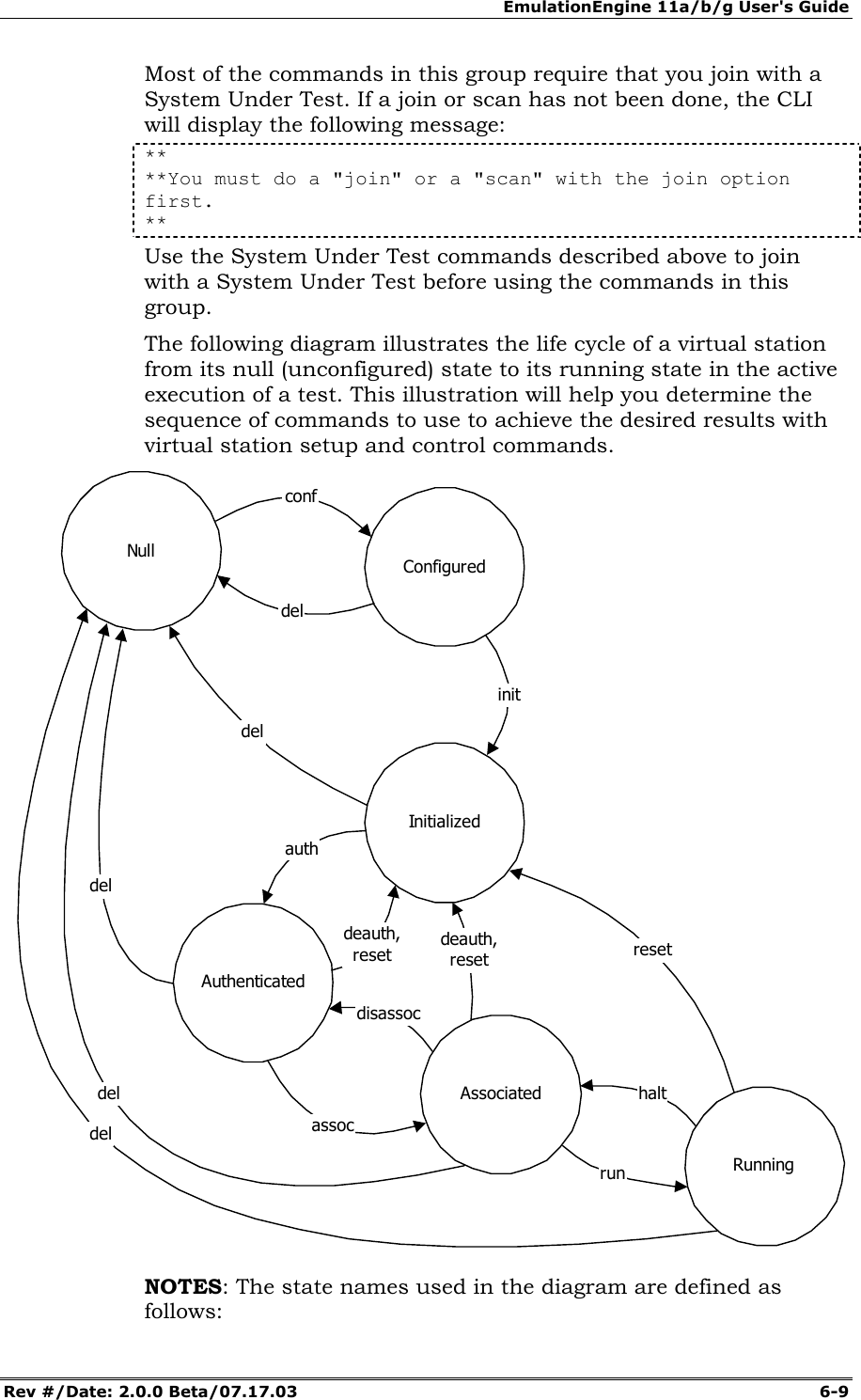
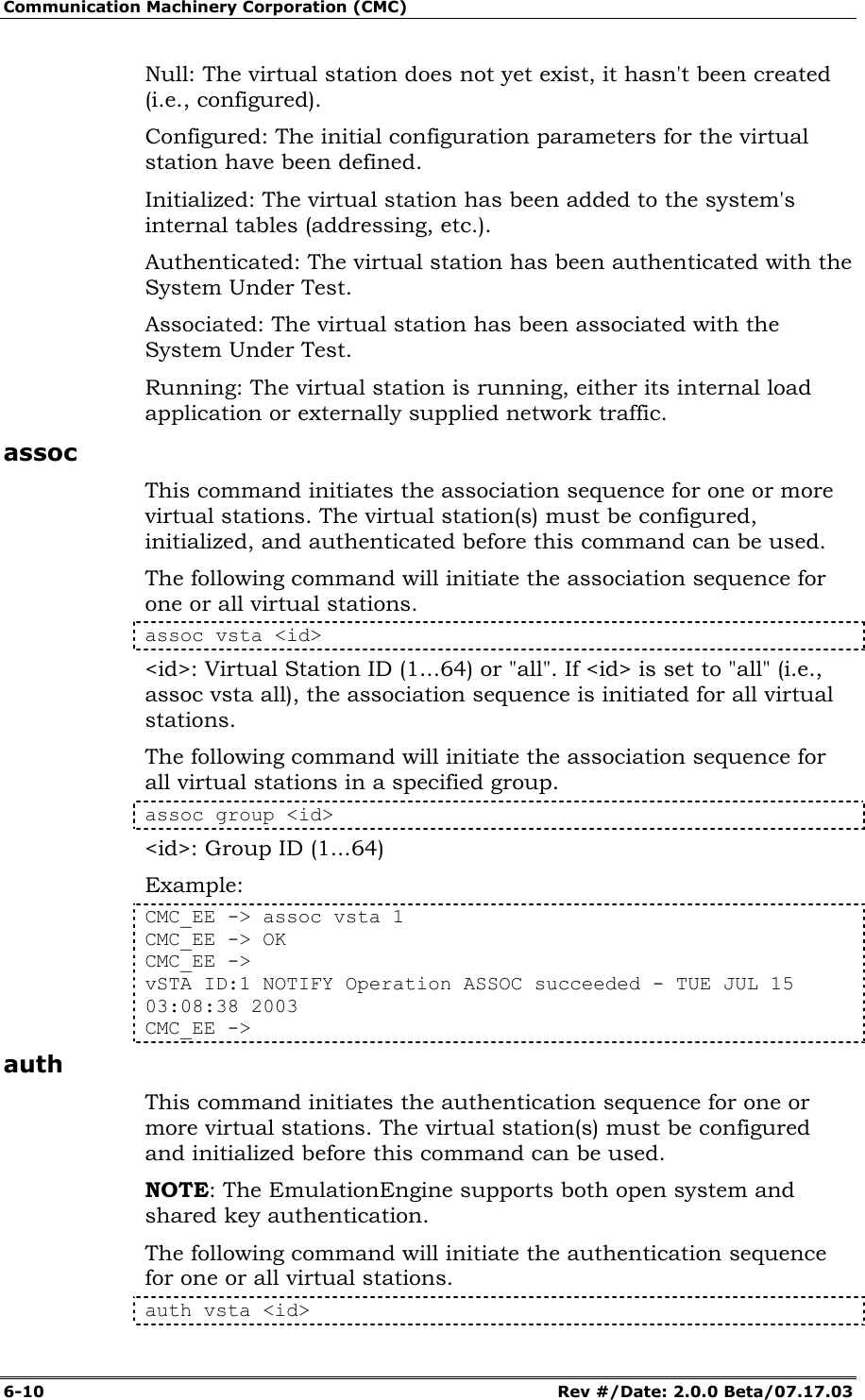
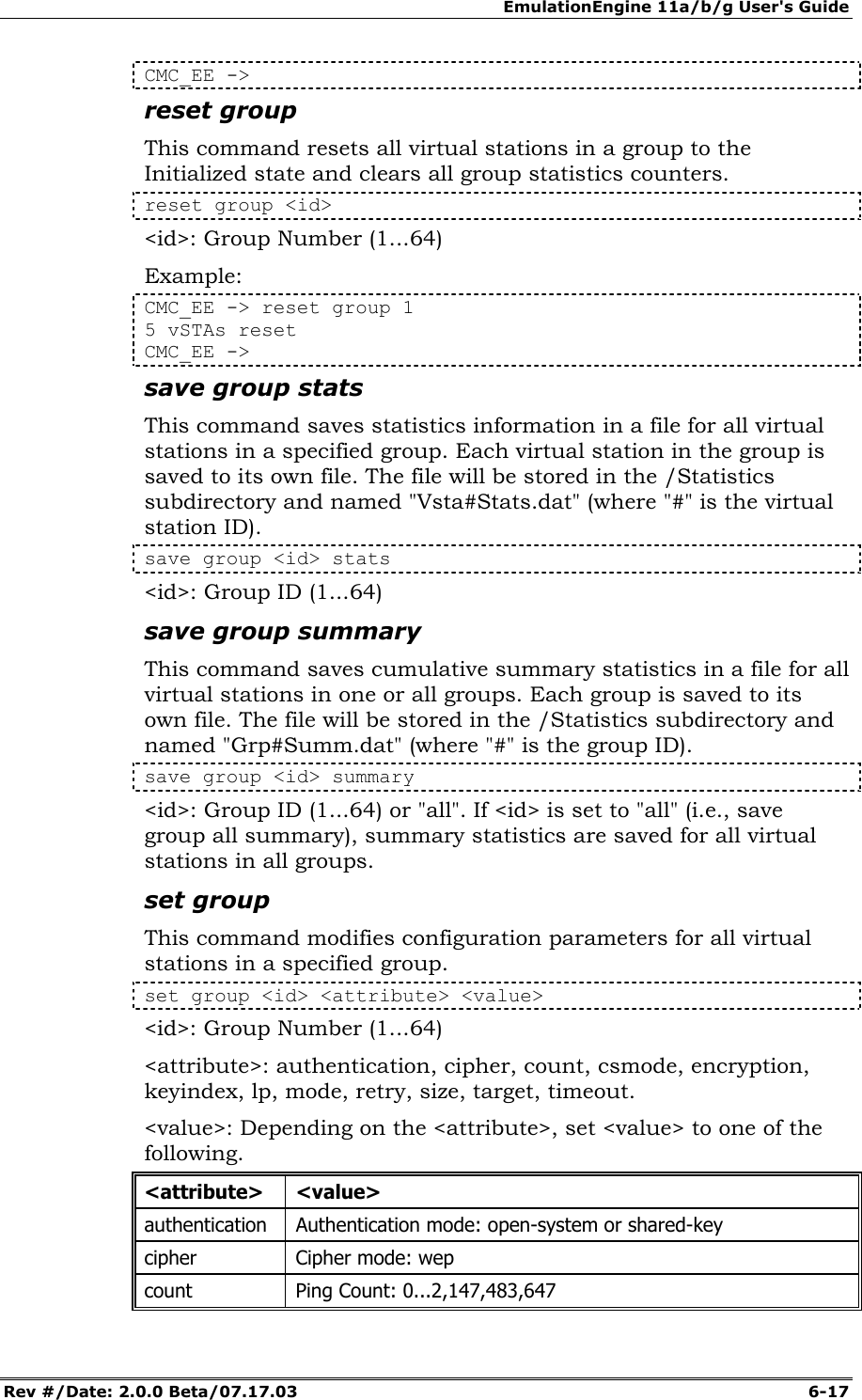
![EmulationEngine 11a/b/g User's Guide Rev #/Date: 2.0.0 Beta/07.17.03 6-11 <id>: Virtual Station ID (1...64) or "all". If <id> is set to "all" (i.e., auth vsta all), the authentication sequence is initiated for all virtual stations. The following command will initiate the authentication sequence for all virtual stations in a specified group. auth group <id> <id>: Group ID (1...64) Example: CMC_EE -> auth vsta 1 CMC_EE -> OK CMC_EE -> vSTA ID:1 NOTIFY Operation AUTH succeeded - TUE JUL 15 03:08:15 2003 CMC_EE -> autoconf This command can be used to configure, initialize, authenticate and associate a number of virtual stations using a single command. It can be issued multiple times. The first time the command is issued the base MAC and IP virtual station addresses must be specified. For subsequent commands, the IP and MAC address parameters are not required. The specified number of virtual stations will be configured using either default values or the values specified in the command line. Except for the number of virtual stations to be configured, values are specified using a "name/value" pair syntax and may be given in any order. autoconf <num> mac <mac_addr> ip <ip_addr> [group <grpId>] [csmode persistent|non-persistent] [retry <integer>] [timeout <integer>] [authentication open-system|shared-key] [encryption on|off] [keyindex <integer>] [cipher wep] [mode internal|external] [target <ip_addr>] [count <integer>] [size <integer>] <num>: The number of virtual stations to be configured (1...64). If this is not the first autoconf command, new virtual stations will be configured starting at the last virtual station and incrementing for <num>. Default: None. mac <mac_address>: Base/starting value to be used for virtual station MAC addresses. This parameter is required for the first autoconf command and should not be specified for subsequent commands. Default: Last MAC address + 1. The starting MAC address must be within the range of MAC addresses defined by the WLAN Base MAC Address and WLAN MAC Mask in EmulationEngine configuration (see “set eemac” & “set eemask”). ip <ip_address>: Base/starting value to be used for virtual station IP addresses. This parameter is required for the first autoconf command and should not be specified for subsequent commands. Default: Last IP address + 1.](https://usermanual.wiki/Ixia/EE11ABG.User-Manual-2-of-3/User-Guide-352252-Page-11.png)
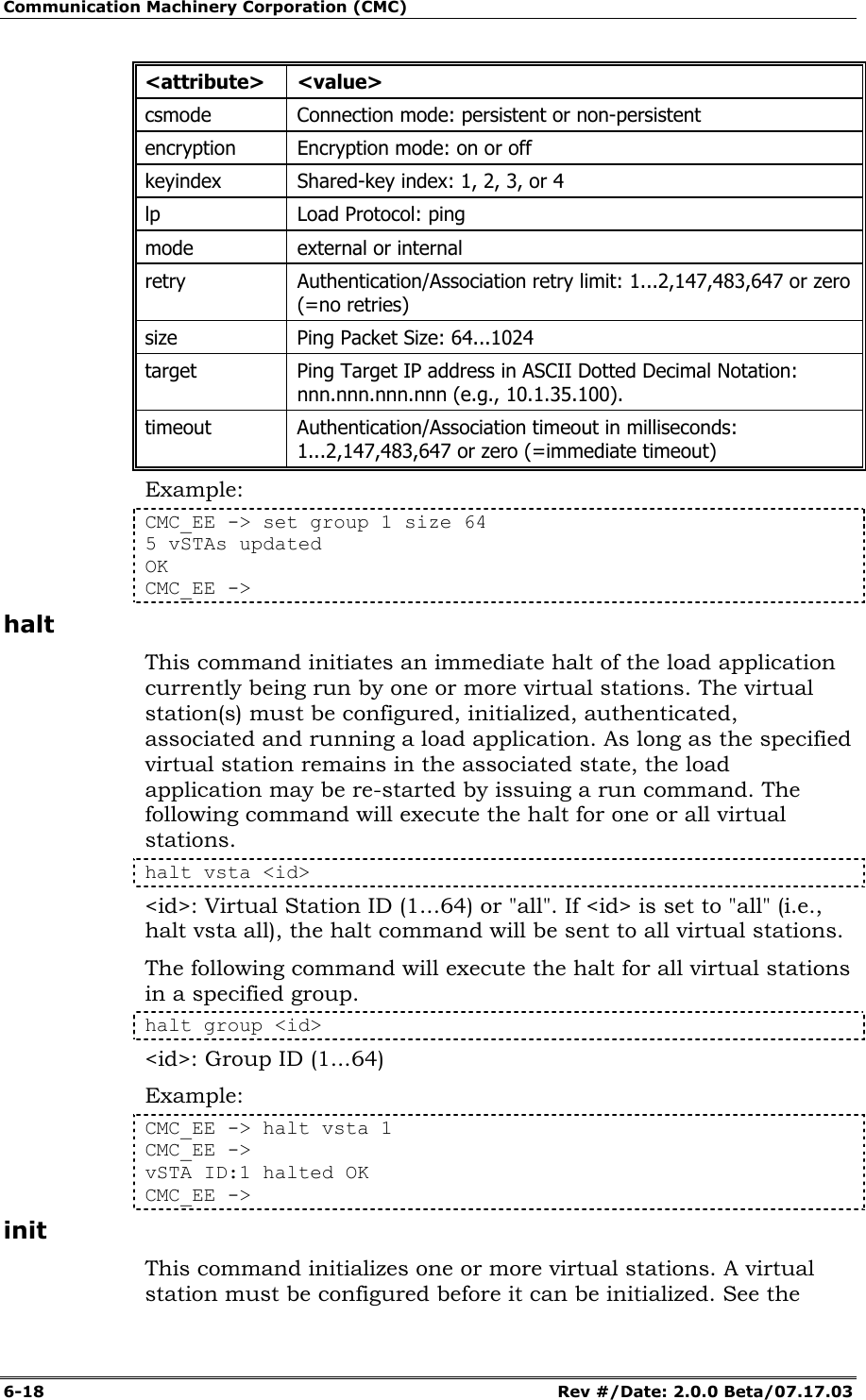
![Communication Machinery Corporation (CMC) 6-12 Rev #/Date: 2.0.0 Beta/07.17.03 [group <grpId>]: Optional group ID number (1...64). [csmode persistent|non-persistent]: Connection mode (persistent or non-persistent). [retry <integer>]: If csmode is presistent, this parameter specifies the Authentication/Association retry limit (1...2,147,483,647 or zero (=no retries)). [timeout <integer>]: If csmode is presistent, this parameter specifies the Authentication/Association timeout in milliseconds (1...2,147,483,647 or zero (=immediate timeout)). [authentication open-system|shared-key]: Authentication mode (open-system or shared-key). [encryption on|off]: Encryption mode (on or off). [keyindex <integer>]: If encryption is on, a shared key index number (1...4). [cipher wep]: Enables WEP cipher mode. [mode internal|external]: If mode is internal, virtual station(s) will generate data using Ping (ICMP Echo Request) packets. Each virtual station will run a ping transmitter process. The packets will contain virtual station IP and MAC source address. If Internal is specified the "target" parameter must also be specified. If mode is external, data for virtual station(s) will be generated by an external host connected to the same LAN as the EmulationEngine. IP and ARP packets generated from this host that contain the virtual station's IP address as a source will be translated at the MAC layer to appear as if sourced from the virtual station's MAC address. Default: Internal. [target <ip_address>]: Target host's IP address. If mode is Internal this parameter is required. Default: None. [count <integer>]: Number of ping packets to send: 0...2,147,483,647. Default: 1000. [size <integer>]: Size of ping data buffer (64...1024). Default: 1024. Examples: CMC_EE -> autoconf 2 mac 00:0b:cd:59:00:01 ip 10.1.35.150 mode external vSTA ID:1 IP:10.1.35.150 MAC:00:0b:cd:59:00:01 CONF OK vSTA ID:2 IP:10.1.35.151 MAC:00:0b:cd:59:00:02 CONF OK vSTA ID:1 INIT OK vSTA ID:2 INIT OK vSTA ID:1 AUTH CMD OK vSTA ID:1 AUTH NOTIFY OK vSTA ID:2 AUTH CMD OK vSTA ID:2 AUTH NOTIFY OK vSTA ID:1 ASSOC CMD OK vSTA ID:1 ASSOC NOTIFY OK vSTA ID:2 ASSOC CMD OK](https://usermanual.wiki/Ixia/EE11ABG.User-Manual-2-of-3/User-Guide-352252-Page-12.png)
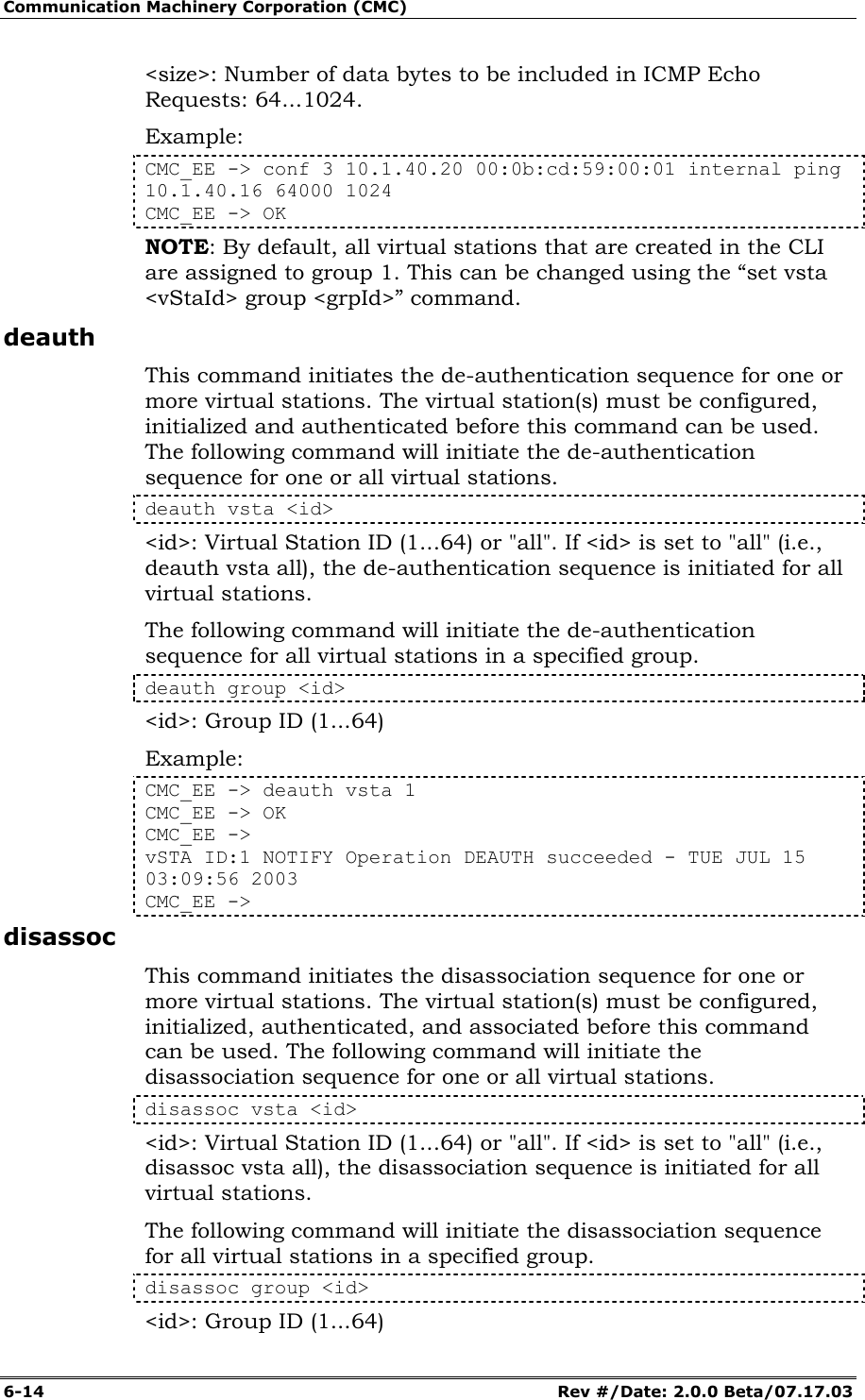
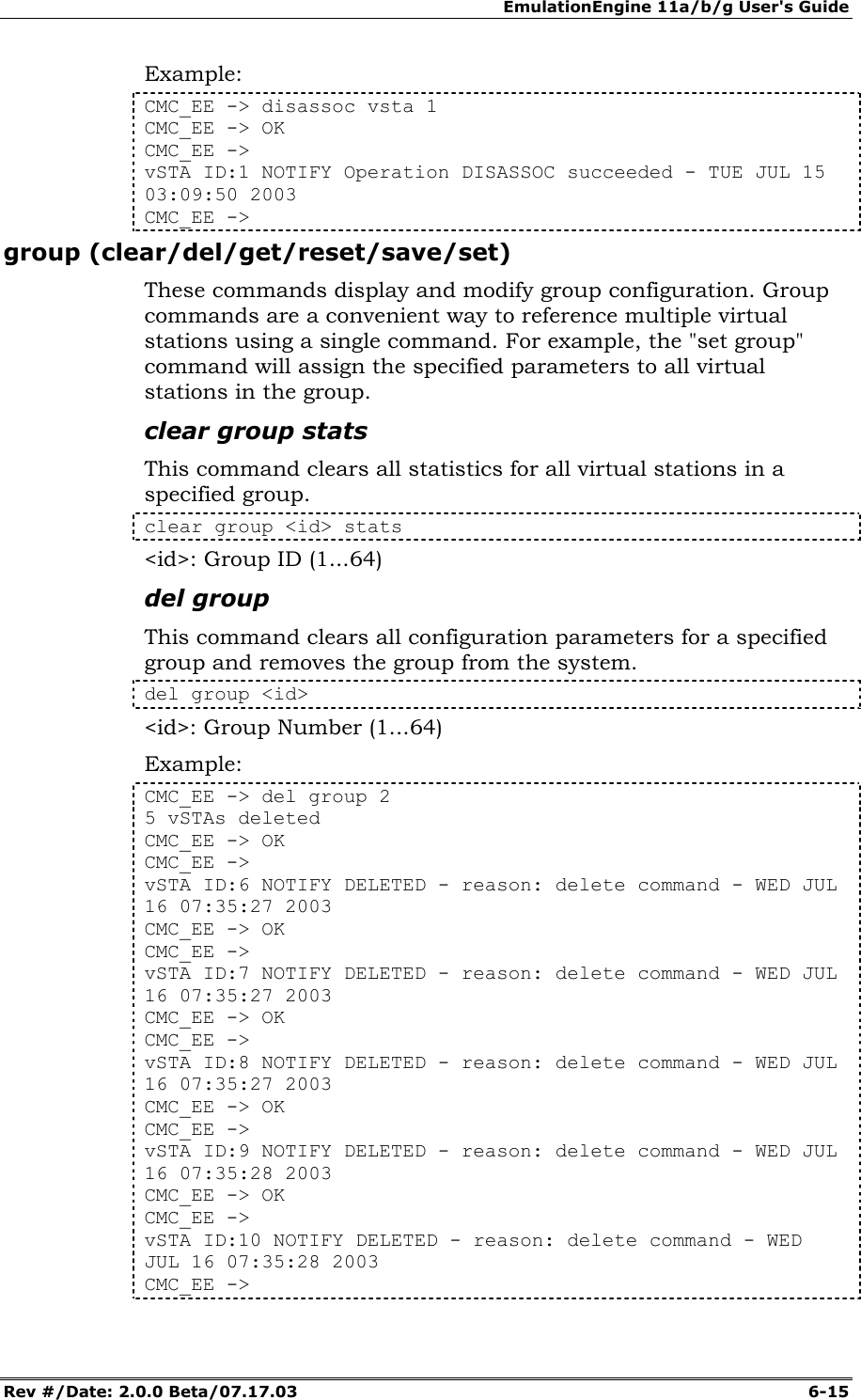
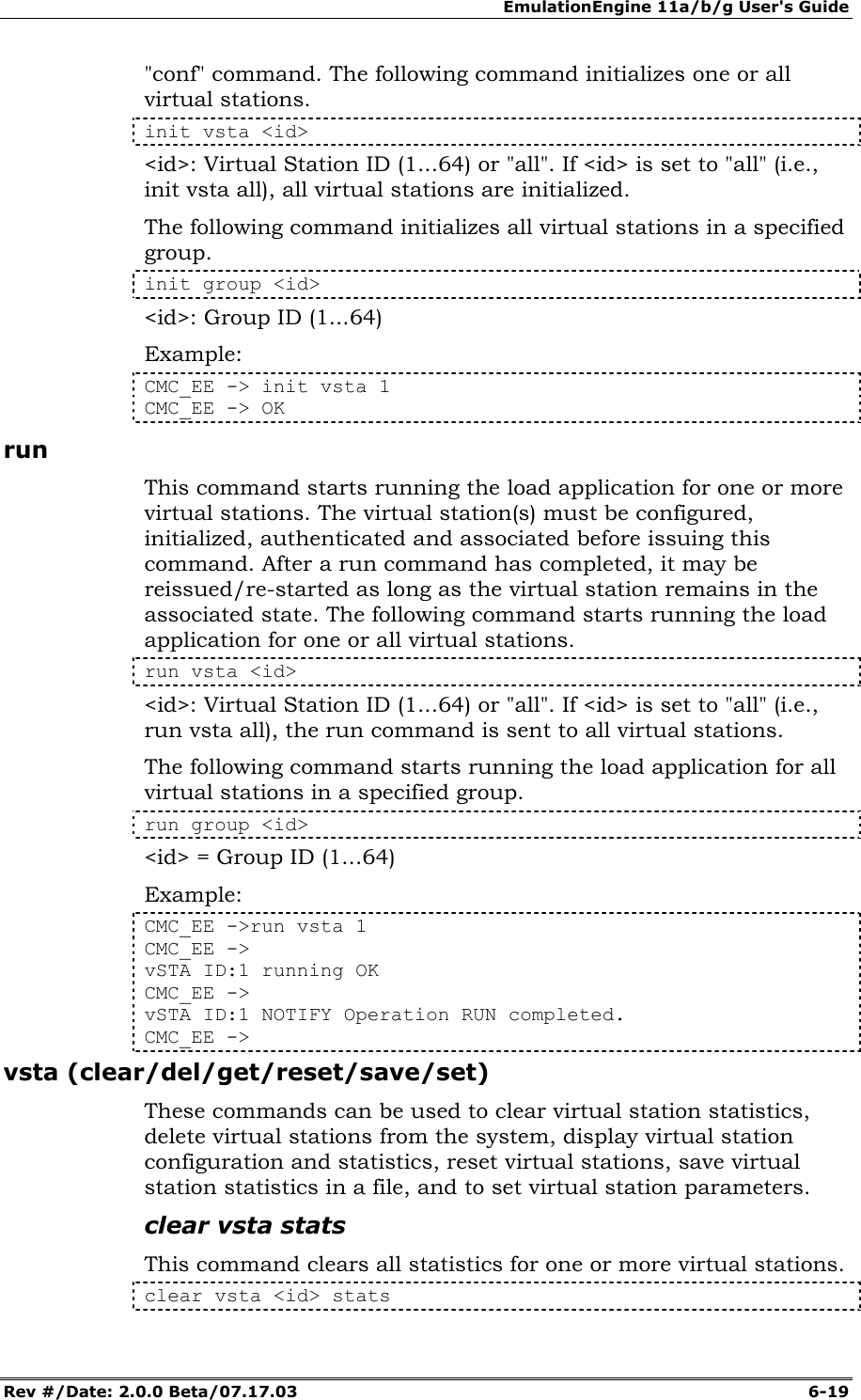
![EmulationEngine 11a/b/g User's Guide Rev #/Date: 2.0.0 Beta/07.17.03 6-13 vSTA ID:2 ASSOC NOTIFY OK CMC_EE -> CMC_EE -> autoconf ? vSTA Auto-Configuration Information Configured vSTAs ...... 2 Base IP Address ....... 10.1.35.150 Next IP Address ....... 10.1.35.152 Base MAC Address ...... 00:0b:cd:59:00:01 Next MAC Address ...... 00:0b:cd:59:00:03 CMC_EE -> NOTE: By default, all virtual stations that are created in the CLI are assigned to group 1. This can be changed using the “set vsta <vStaId> group <grpId>” command. autorun This command automatically runs one or more configured virtual stations that are in the associated state. It is intended for use in conjunction with the autoconf command. Any other use may produce unexpected results. It will issue the run command for the specified number of virtual stations. autorun [nVstas] [nVstas]: Optional number of virtual stations (1...64). If this parameter is omitted, the total number of auto-configured (autoconf) virtual stations is used. conf This command configures a virtual station. It specifies a virtual station's IP address, WLAN MAC address and load application mode. It also specifies the load application protocol, target host and application specific parameters. After a virtual station is configured, it must be initialized with the "init" command. conf <id> <ip> <mac> <mode> <lp> <target> <count> <size> <id>: Virtual Station ID (1...64) <ip>: Virtual station’s WLAN IP address (nnn.nnn.nnn.nnn) <mac>: Virtual station’s WLAN MAC address (xx:xx:xx:xx:xx:xx). The starting MAC address must be within the range of MAC addresses defined by the WLAN Base MAC Address and WLAN MAC Mask in EmulationEngine configuration (see “set eemac” & “set eemask”). <mode>: external or internal. If external mode is used, the remaining parameters (<lp> <target> <count> <size>) are optional. <lp>: Specifies the Load Application Protocol (ping). <target>: Target IP address (nnn.nnn.nnn.nnn) <count>: Number of ICMP Echo Requests to transmit: 0...2,147,483,647.](https://usermanual.wiki/Ixia/EE11ABG.User-Manual-2-of-3/User-Guide-352252-Page-13.png)
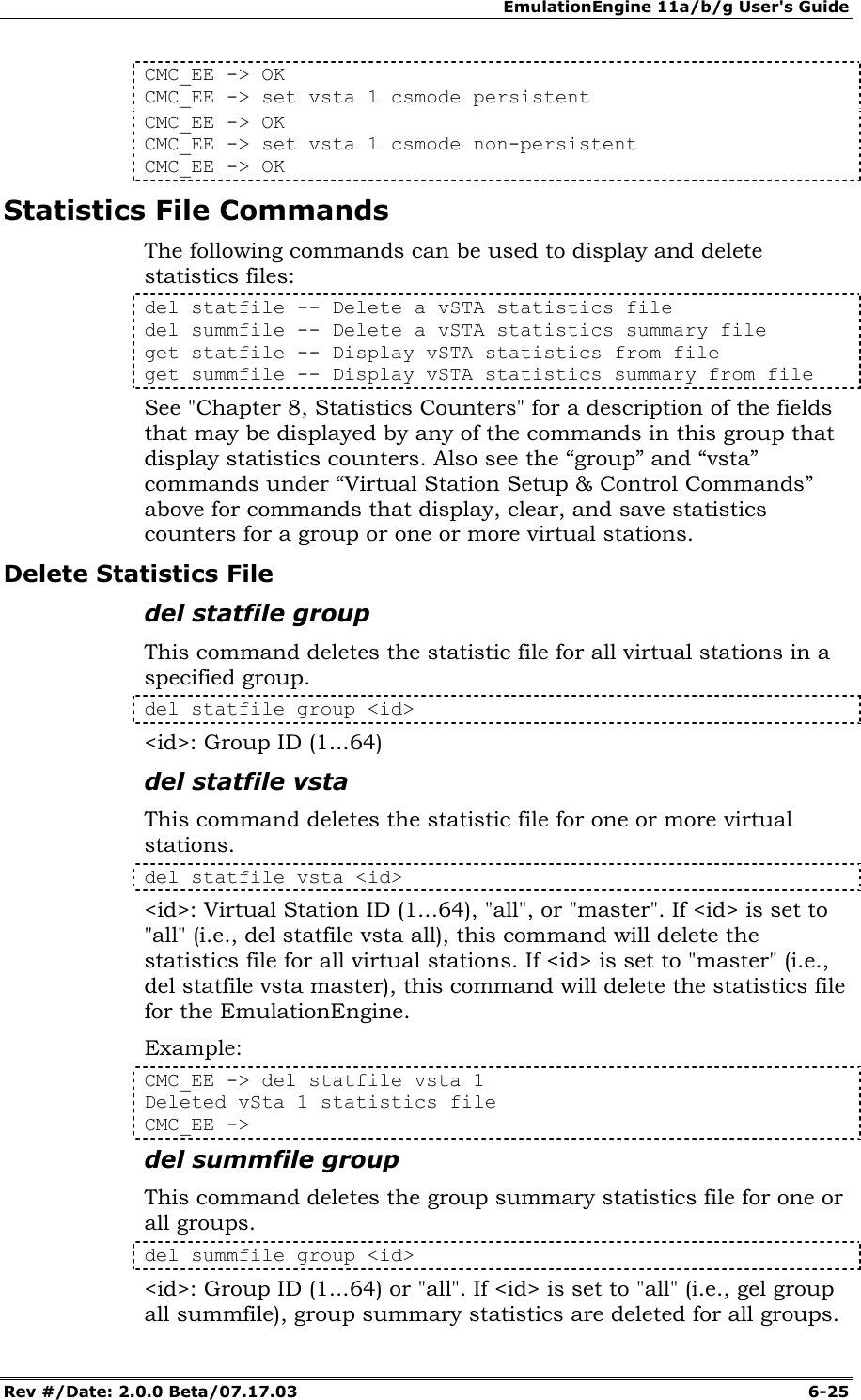
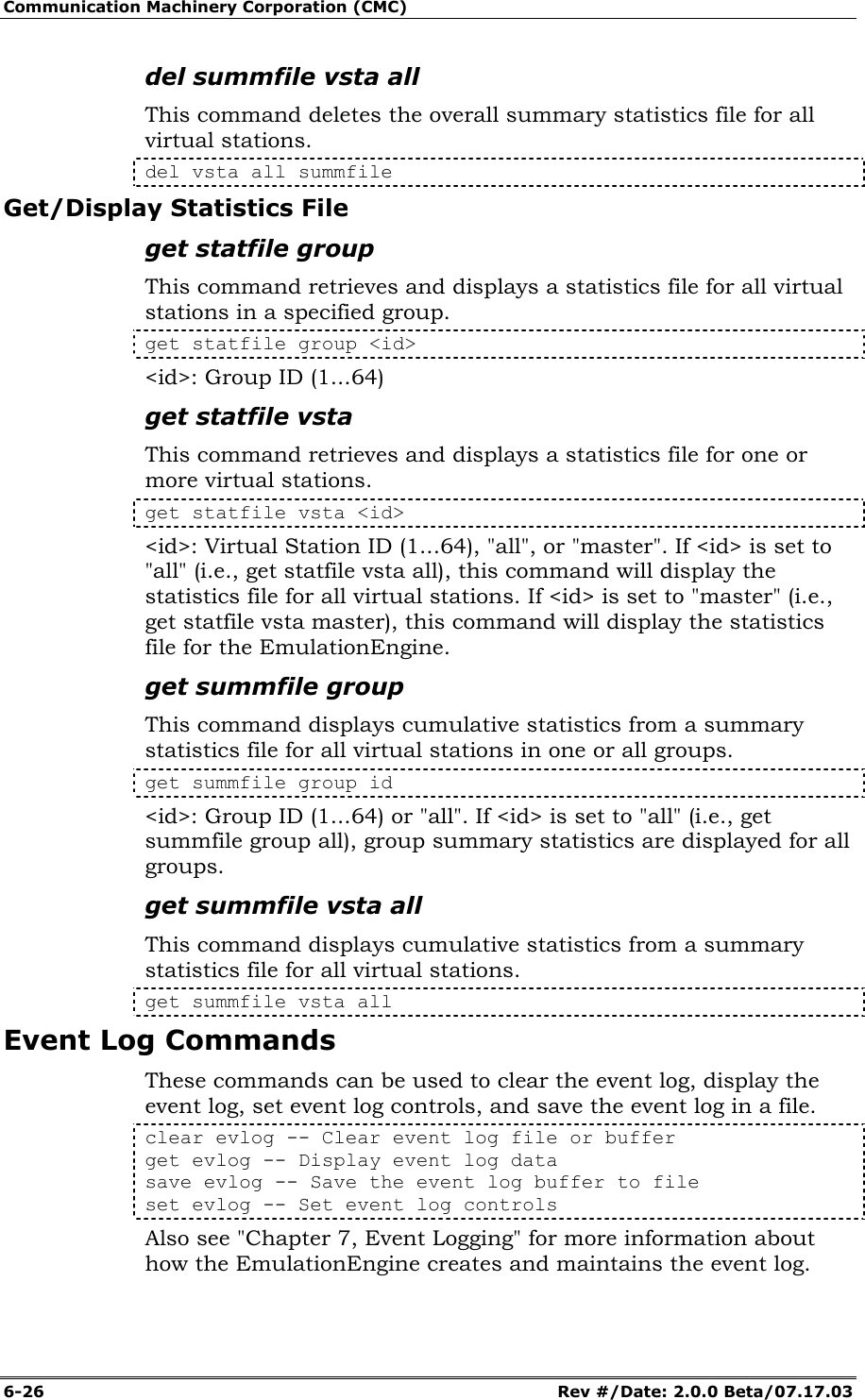
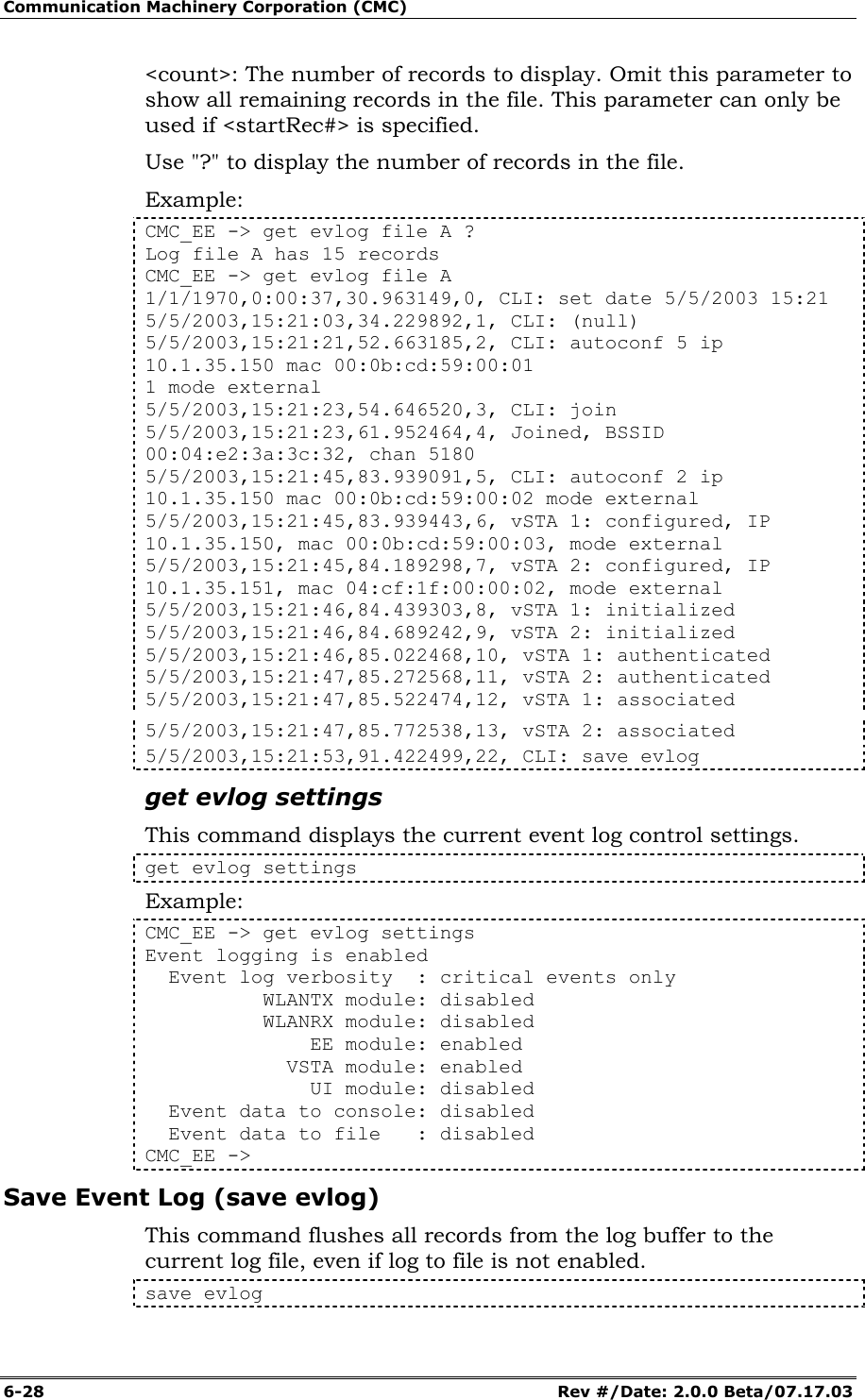
![EmulationEngine 11a/b/g User's Guide Rev #/Date: 2.0.0 Beta/07.17.03 6-27 Clear Event Log clear evlog buffer This command clears the EmulationEngine's event log buffer. clear evlog buffer Example: CMC_EE -> clear evlog buffer clear evlog file This command clears a log file. clear evlog file <fileAorB> <fileAorB>: A or B Example: CMC_EE -> clear evlog file A Get/Display Event Log get evlog buffer This command displays event log data from the event log buffer. get evlog buffer <n> <n>: the number of records to display. The CLI will display the last <n> number of records in the buffer. Omit this parameter to show all records in the buffer. Example: CMC_EE -> get evlog buffer 1/17/2003,10:25:14,5527.040462,0, Joined, BSSID 00:04:e2:38:52:18, chan 5280 1/17/2003,10:27:19,5651.922666,1, vSta conf ID 1, IP 10.1.35.231, mac 02:22:33:44:55:61, mode external 1/17/2003,10:27:19,5652.172465,2, vSta conf ID 2, IP 10.1.35.232, mac 02:22:33:44:55:62, mode external 1/17/2003,10:27:20,5652.672575,3, vSta init ID 1 1/17/2003,10:27:20,5652.922582,4, vSta init ID 2 1/17/2003,10:27:21,5653.839116,5, vSta auth ID 1 1/17/2003,10:27:22,5654.339023,6, vSta auth ID 2 1/17/2003,10:27:23,5655.339004,7, vSta assoc ID 1 1/17/2003,10:27:23,5655.839090,8, vSta assoc ID 2 get evlog file This command displays event log data from an event log file. get evlog file <fileAorB> [<startRec#> [<count>]] get evlog file <fileAorB> ? <fileAorB>: A or B <startRec#>: The first record to be displayed. Omit this parameter to start with the first record in the file.](https://usermanual.wiki/Ixia/EE11ABG.User-Manual-2-of-3/User-Guide-352252-Page-27.png)
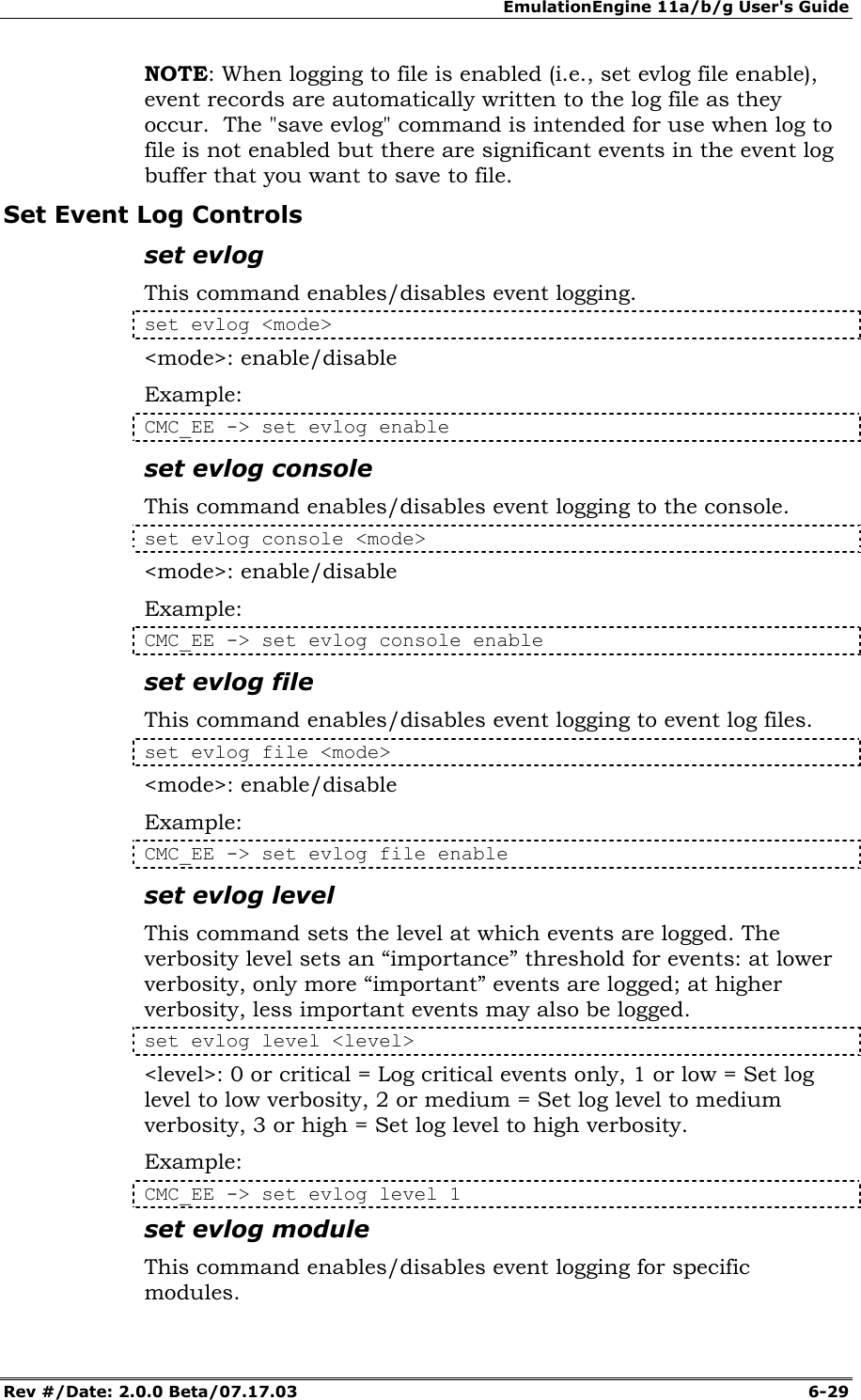
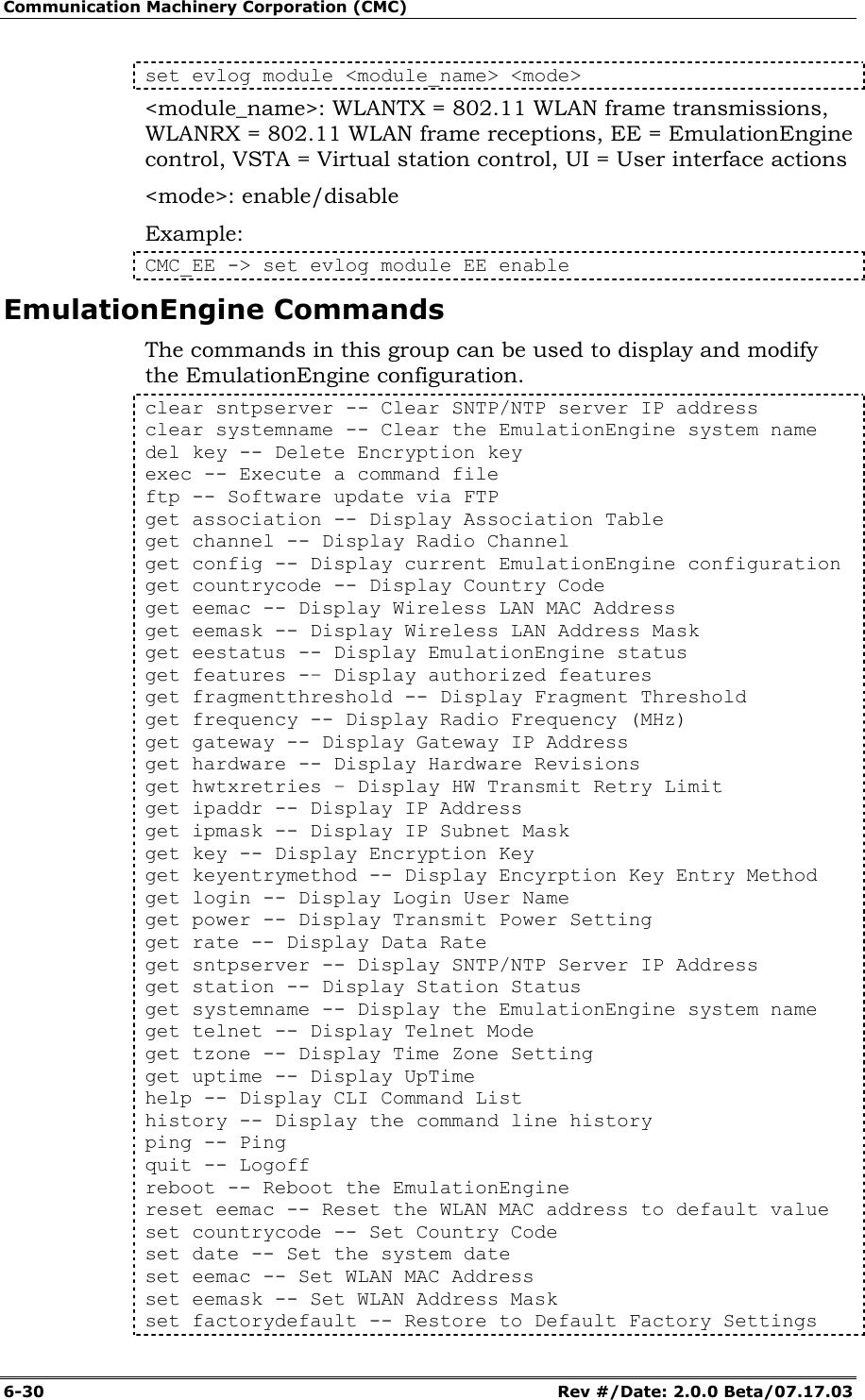
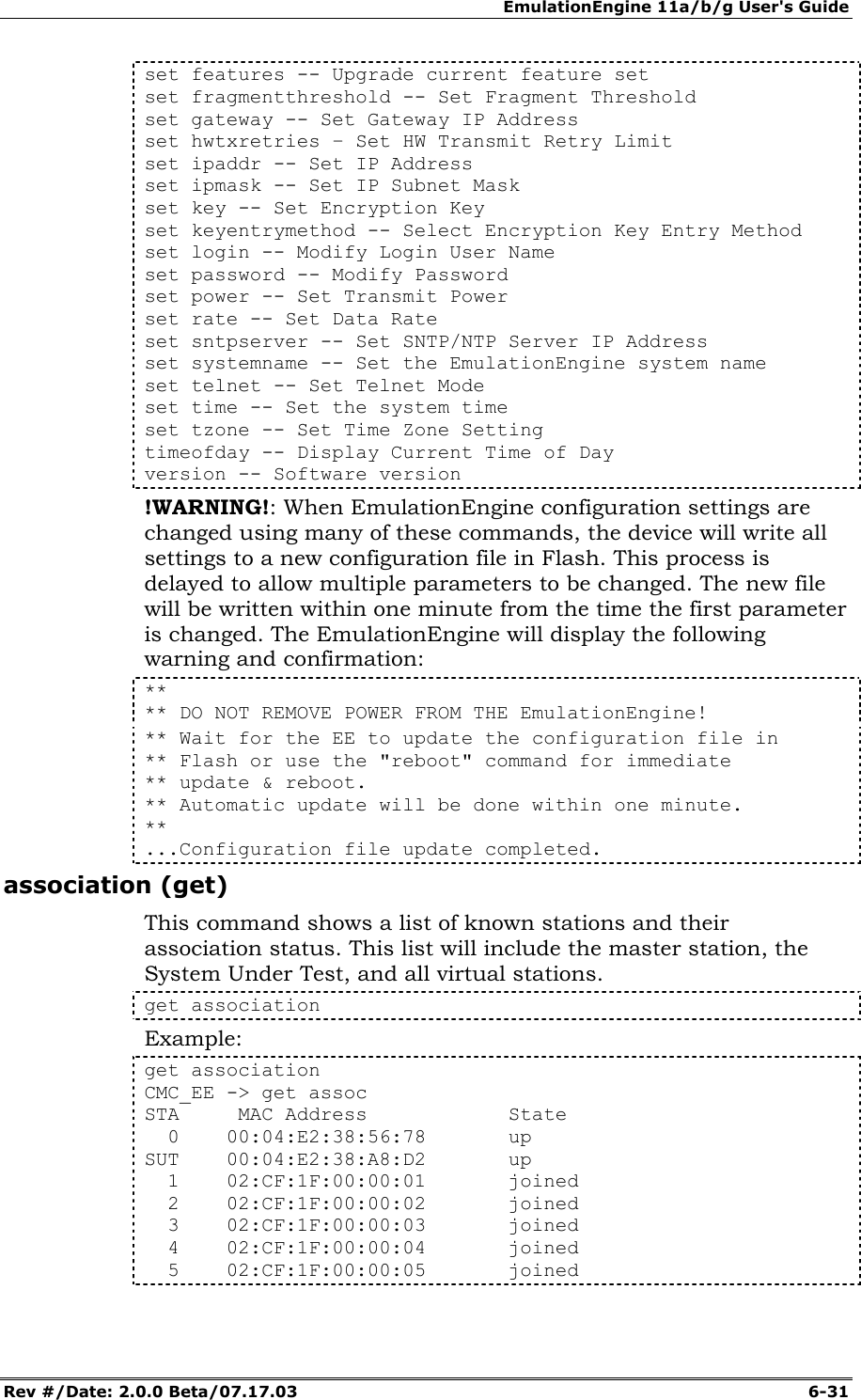
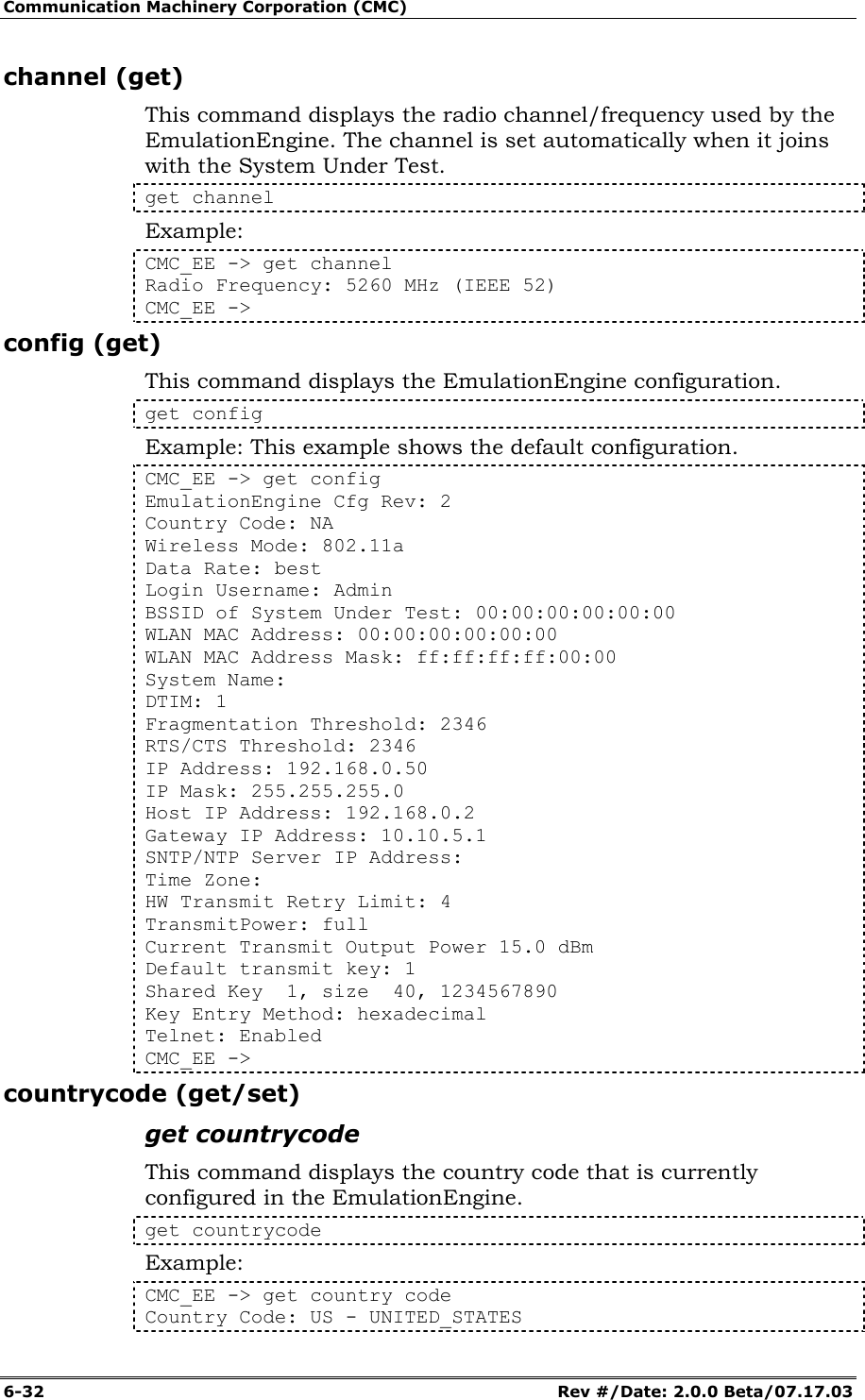
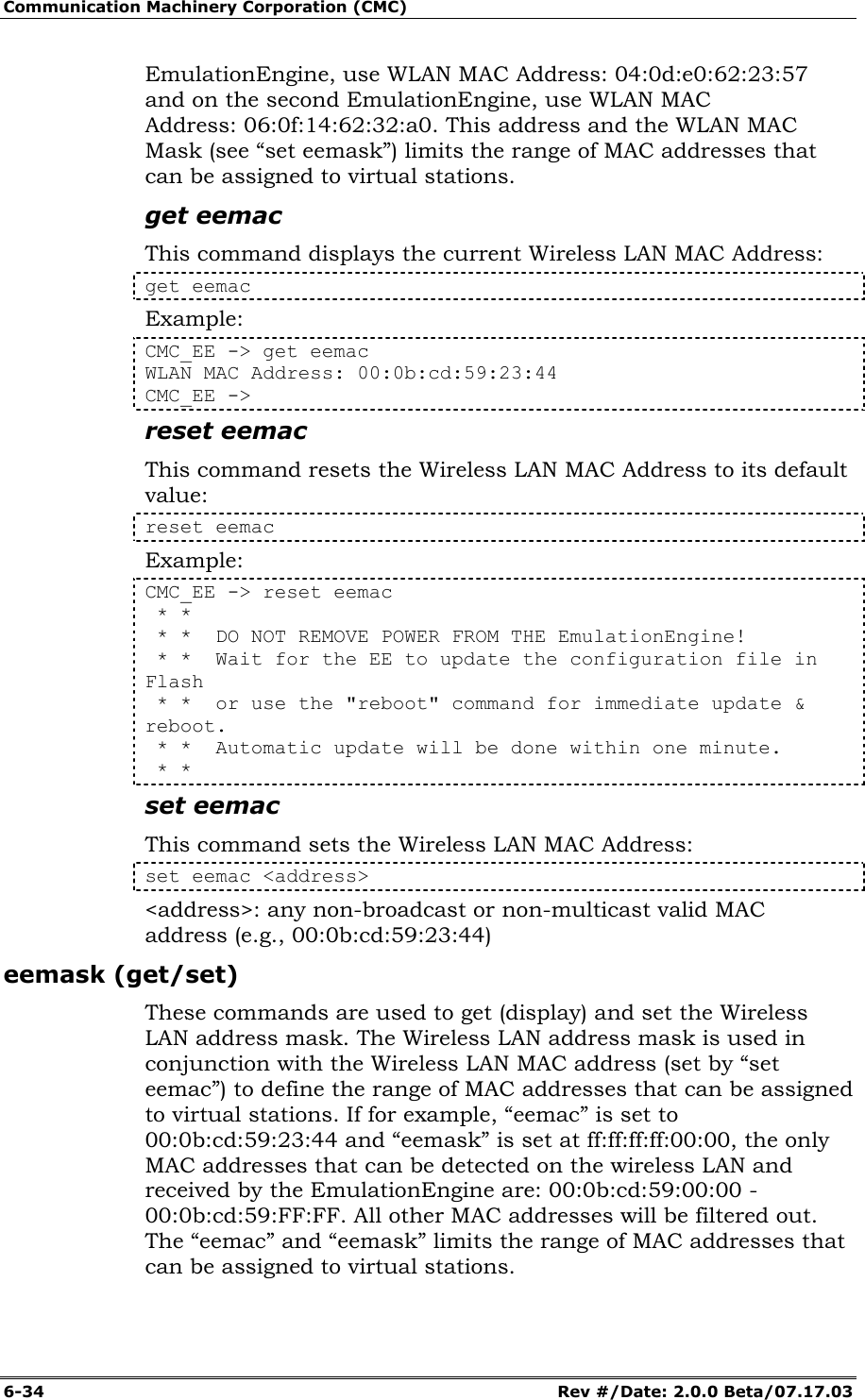
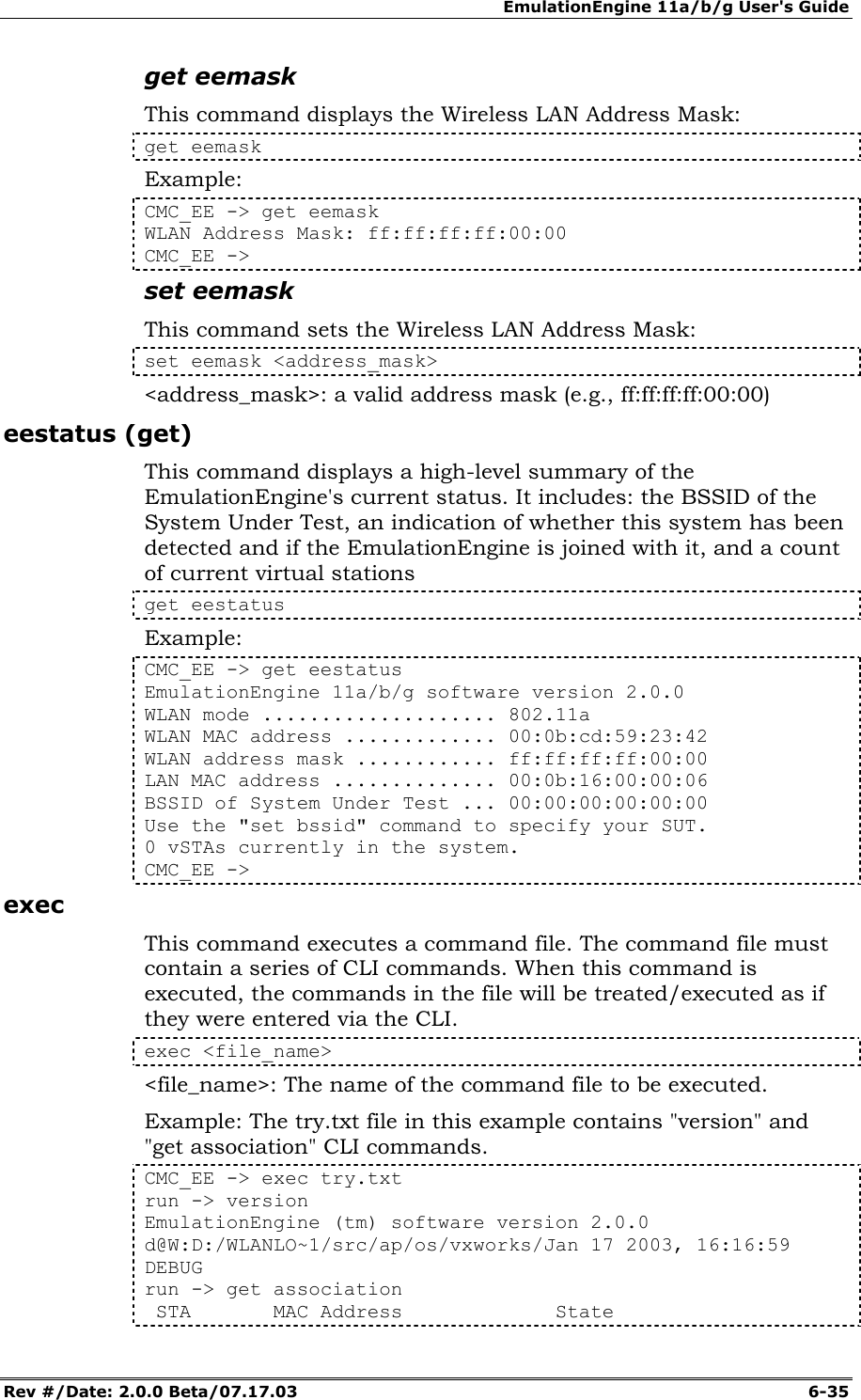
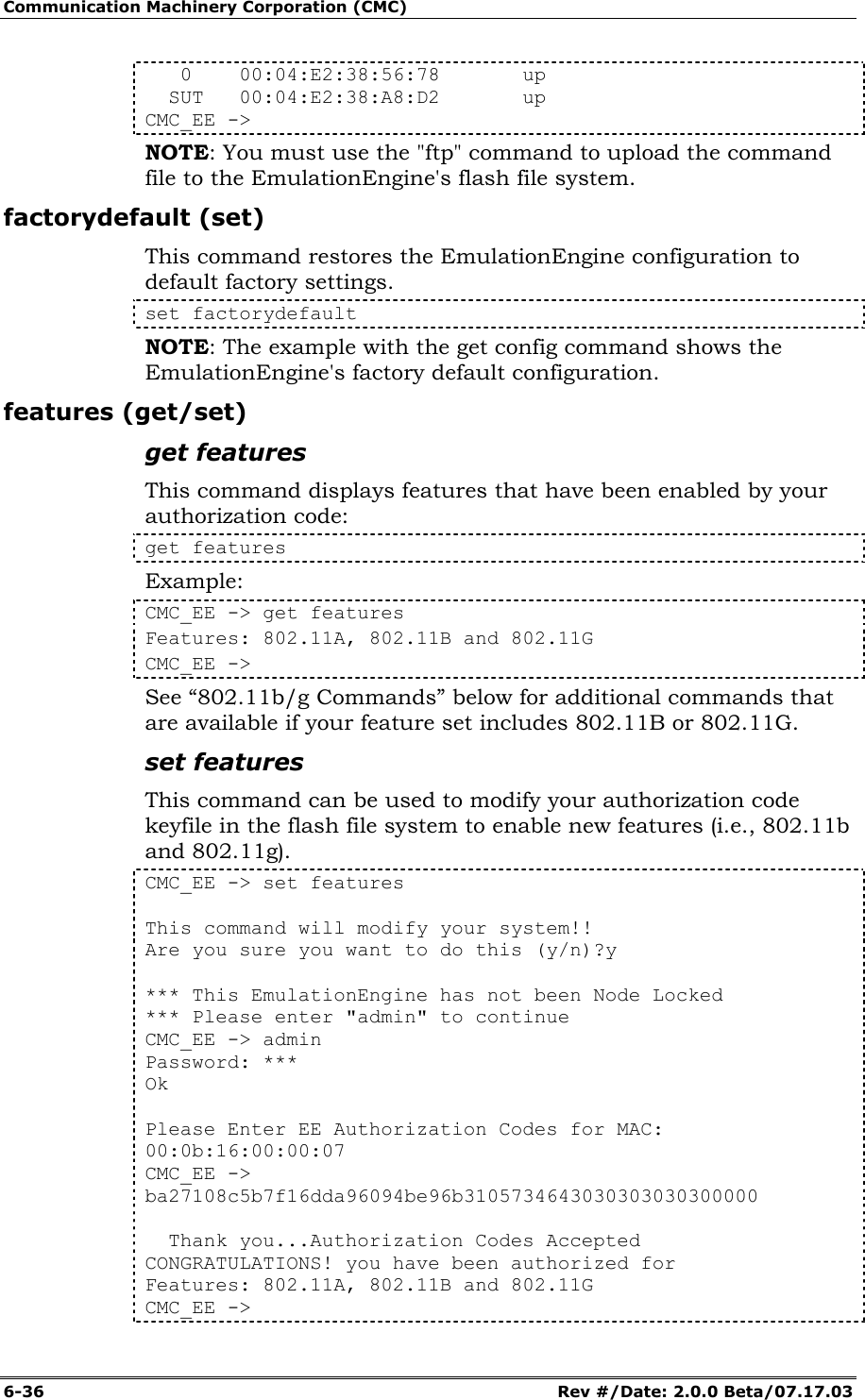
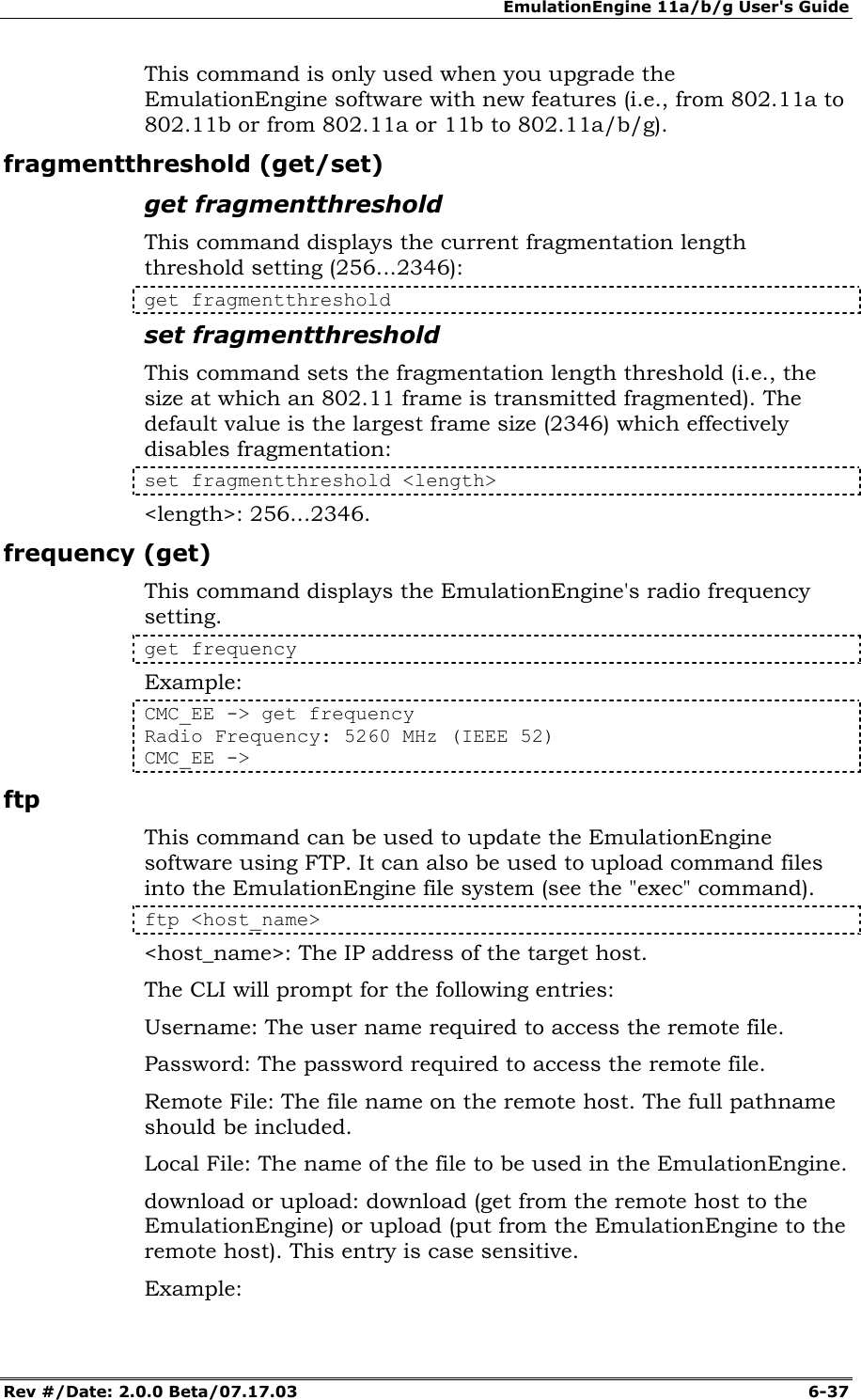
![EmulationEngine 11a/b/g User's Guide Rev #/Date: 2.0.0 Beta/07.17.03 6-33 set countrycode This command sets the country code configuration parameter for the EmulationEngine. set <country_code> <country_code>: An ISO standard country code (e.g., DB - DEBUG, NA - NO_COUNTRY_SET, PR - PUERTO_RICO, US - UNITED_STATES, etc.) Example: CMC_EE -> set countrycode us Country Code: US ** **DO NOT REMOVE POWER FROM THE EmulationEngine! **Wait for the EE to update the configuration file in Flash **or use the "reboot" command for immediate update & reboot. **Automatic update will be done within one minute. ** CMC_EE -> ...Configuration file update completed. get countrycode Country Code: US CMC_EE -> date (set) This command sets the current system date and (optionally) time in the EmulationEngine. set date <date> [<time>] <date>: current date in the format: mm/dd/yyyy <time>: current time in the format: hh:mm:ss. Use 24-hour clock numbers (i.e., 13:30:00 = 1:30PM). This parameter is optional. If not specified, the current system time is used. The system time starts at midnight when the unit is powered on or reset. If the time is given, the “seconds” component is optional. If not specified the seconds value is initialized to zero. Example: CMC_EE -> set date 06/04/03 06:14:15 System date & time is WED JUN 04 06:14:15 2003 Use the "set date" or "set time" command to adjust CMC_EE -> eemac (get/reset/set) These commands are used to get (display), reset, and set the Wireless LAN MAC Address. The Wireless LAN MAC address defaults to a unique address (typically in the 00:0b:cd:xx:xx:xx range). It is a globally unique MAC address that is programmed in to the EmulationEngine hardware. The address can be changed to any valid non-broadcast or non-multicast MAC address. If you use multiple EmulationEngine's at your facility, each should have a WLAN MAC whose prefix is unique. For example, on the first](https://usermanual.wiki/Ixia/EE11ABG.User-Manual-2-of-3/User-Guide-352252-Page-33.png)
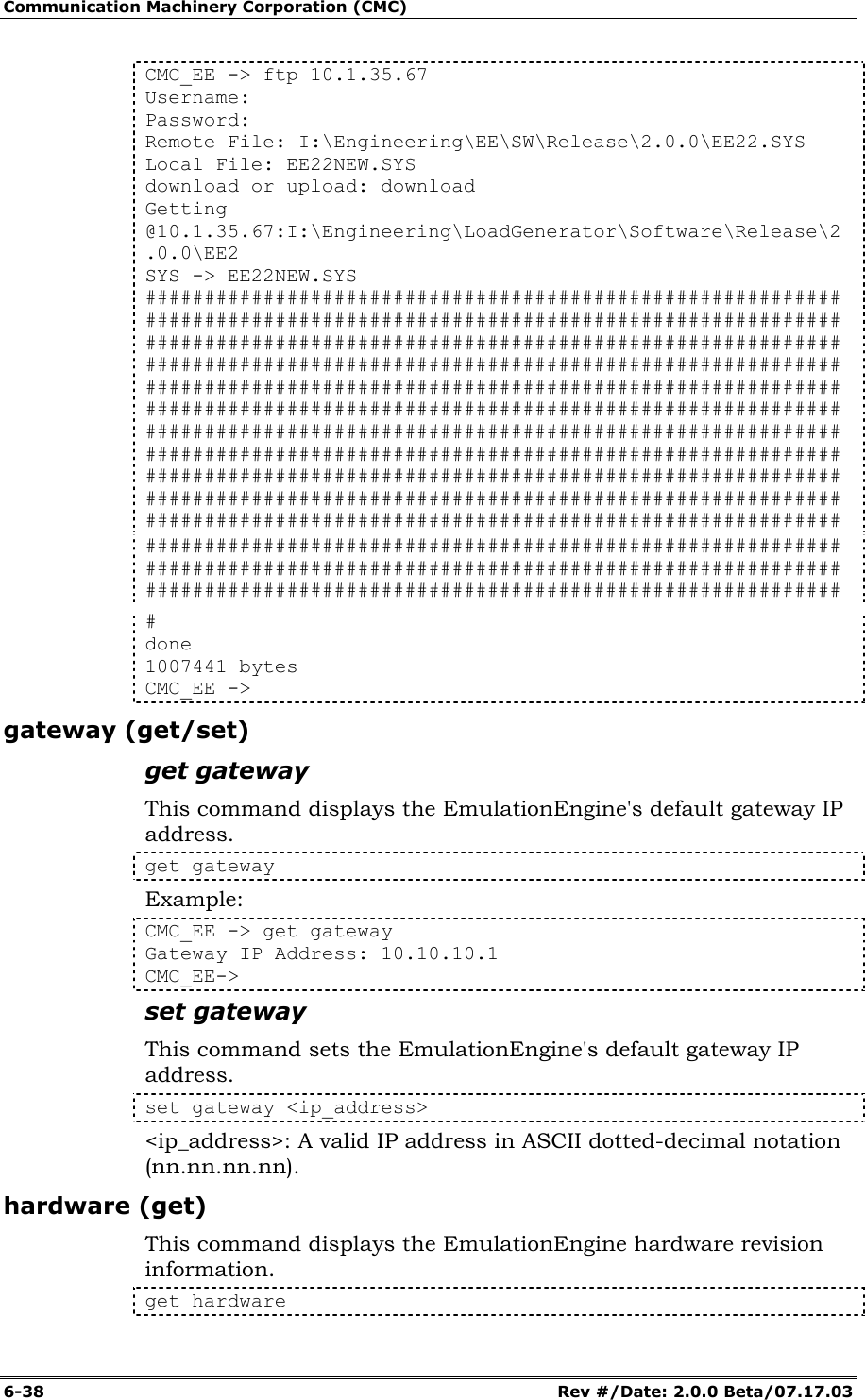
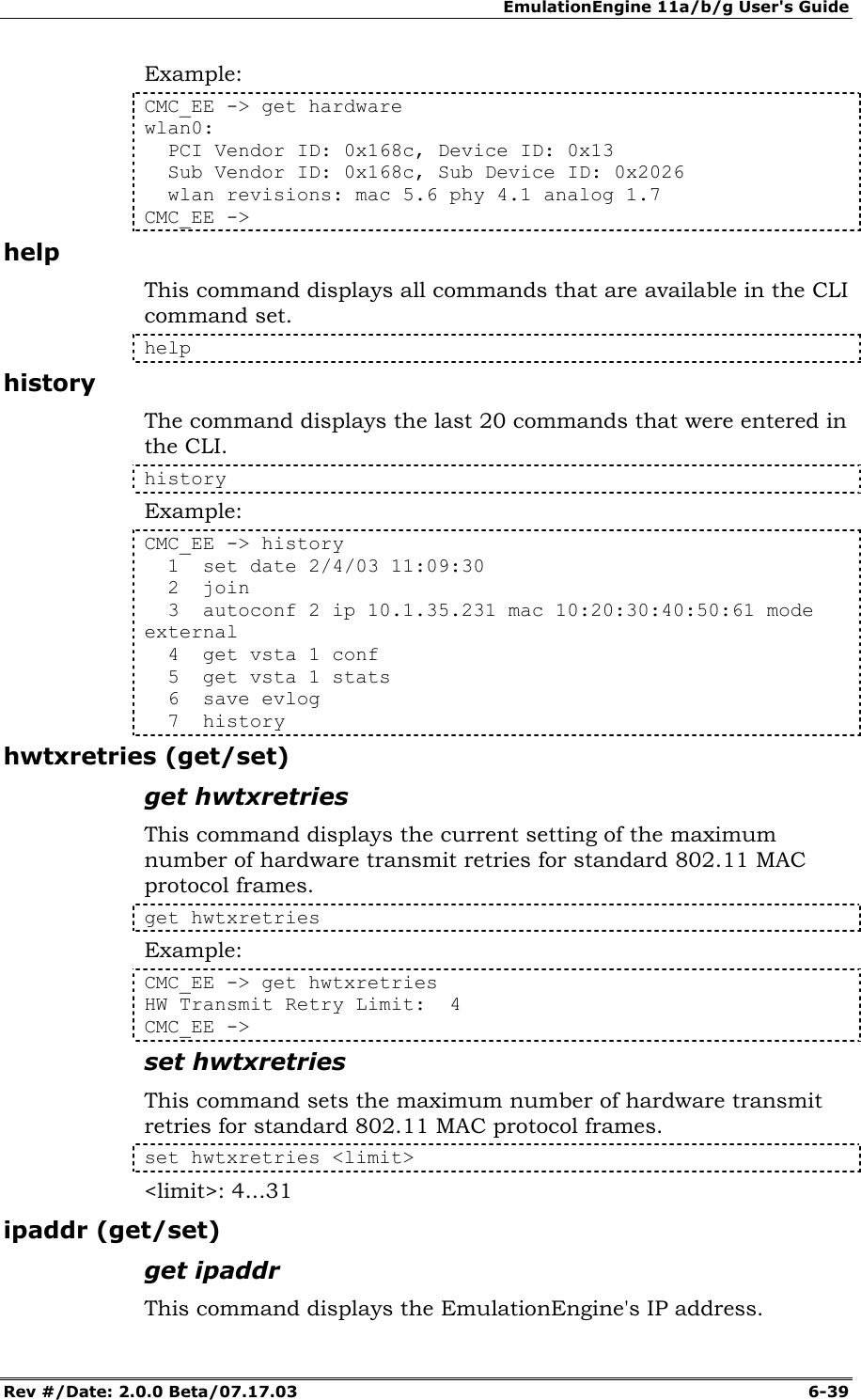
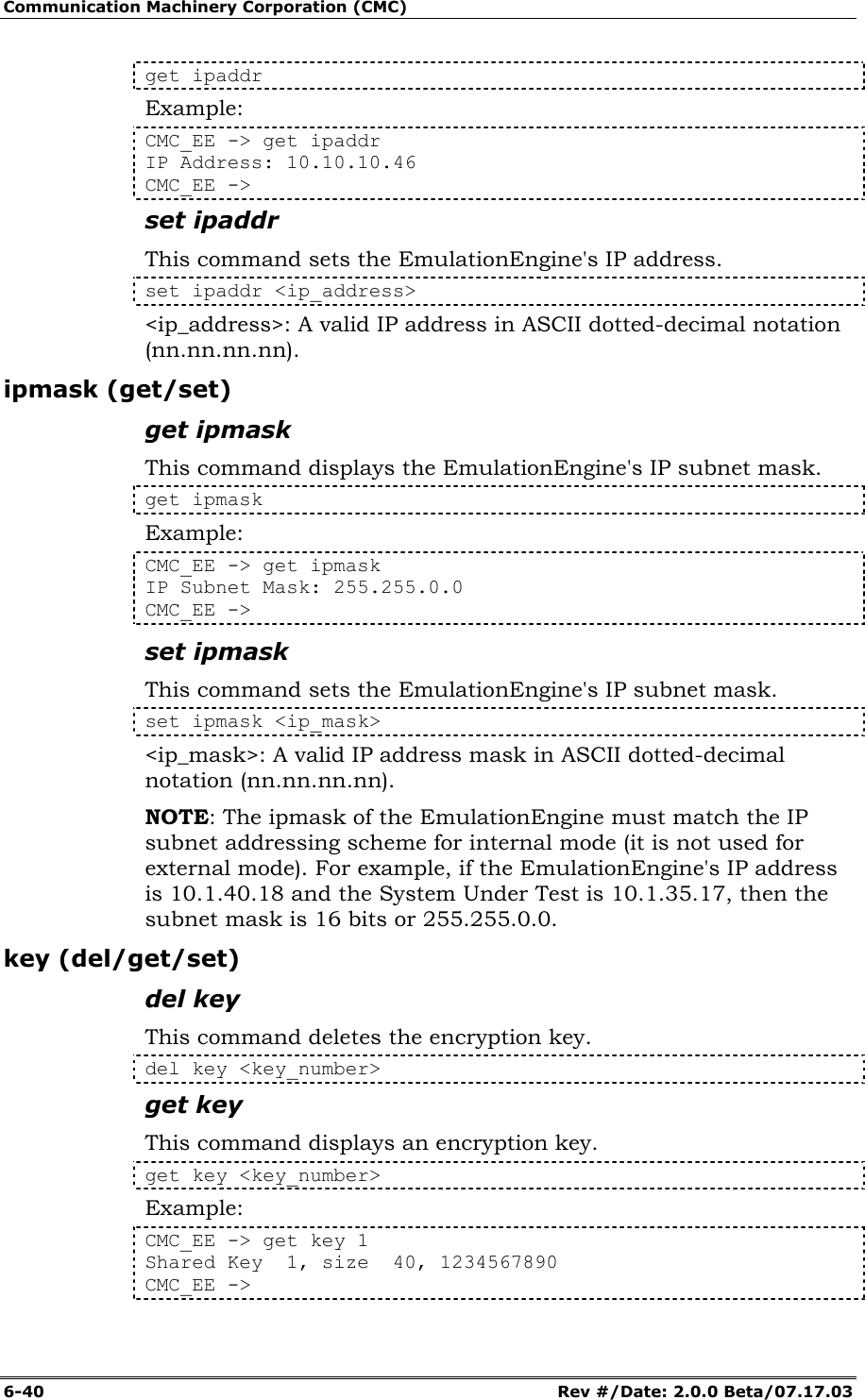
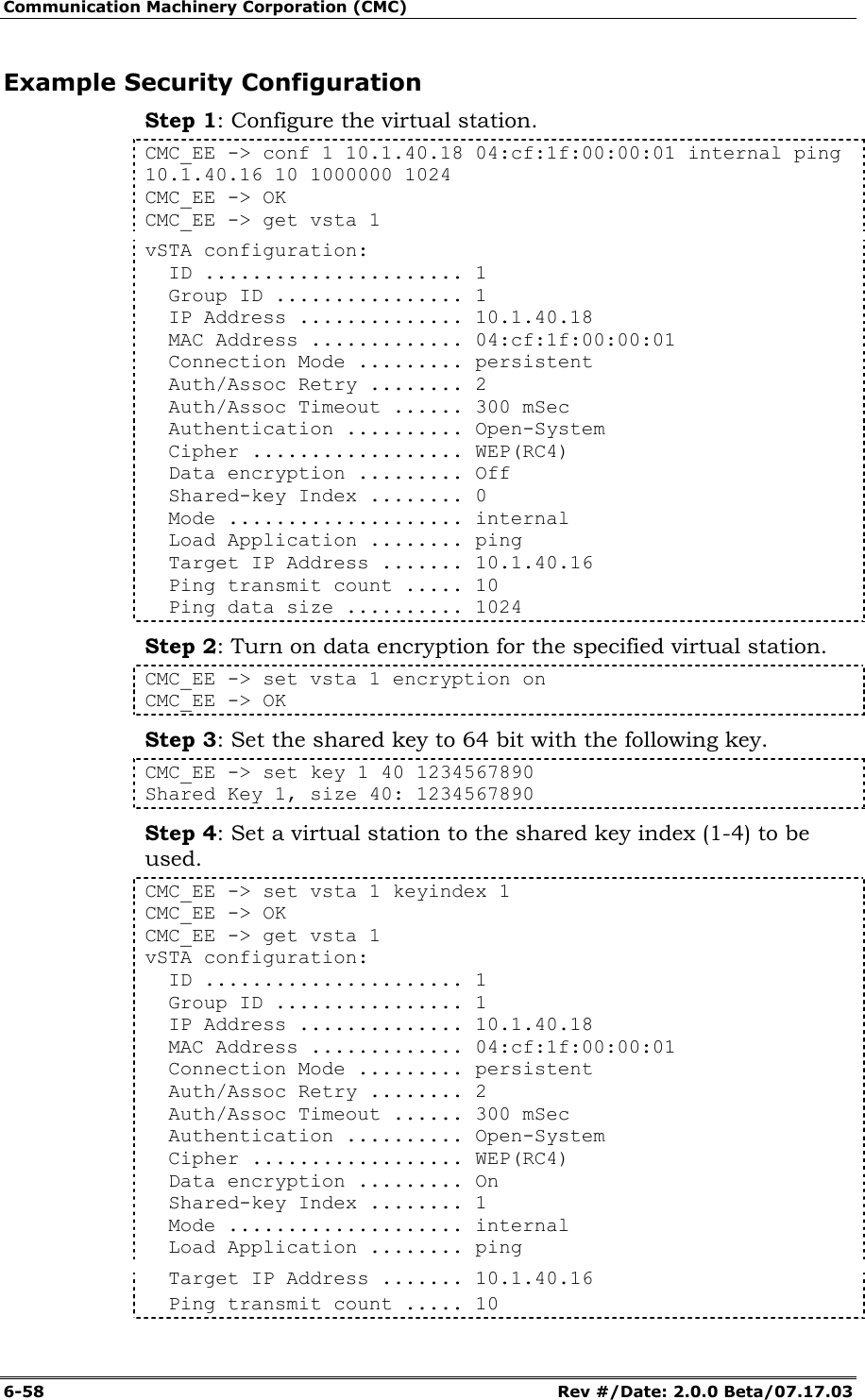
![EmulationEngine 11a/b/g User's Guide Rev #/Date: 2.0.0 Beta/07.17.03 6-41 set key This command sets an encryption key or default shared key. set key["keynum"|unique][40|104|128]keystring set key [1-4] default Example: CMC_EE -> set key set key [1-4] default set key ["keynum"|unique] [40|104|128] value CMC_EE -> CMC_EE -> set key 1 40 1234567890 Shared Key 1, size 40: 1234567890 CMC_EE -> CMC_EE -> get key 1 Shared Key 1, size 40, 1234567890 CMC_EE -> keyentrymethod (get/set) get keyentrymethod This command displays the current Encryption Key Entry Method: get keyentrymethod Example: CMC_EE -> get keyentrymethod Key Entry Method: Hexadecimal CMC_EE -> set keyentrymethod This command sets the Encryption Key Entry Method: set keyentrymethod <method> <method>: hexadecimal = Key contains (0 - 9, A - F), asciitext = Key contains keyboard characters login (get/set) get login This command displays the login user name. -> get login Login Username: Example: CMC_EE -> get login Login Username: My_User_Name CMC_EE -> set login This command sets the login user name. The login user name is a text string and can be up to 32 characters. Control characters are not permitted. set login <User_Name_String>](https://usermanual.wiki/Ixia/EE11ABG.User-Manual-2-of-3/User-Guide-352252-Page-41.png)
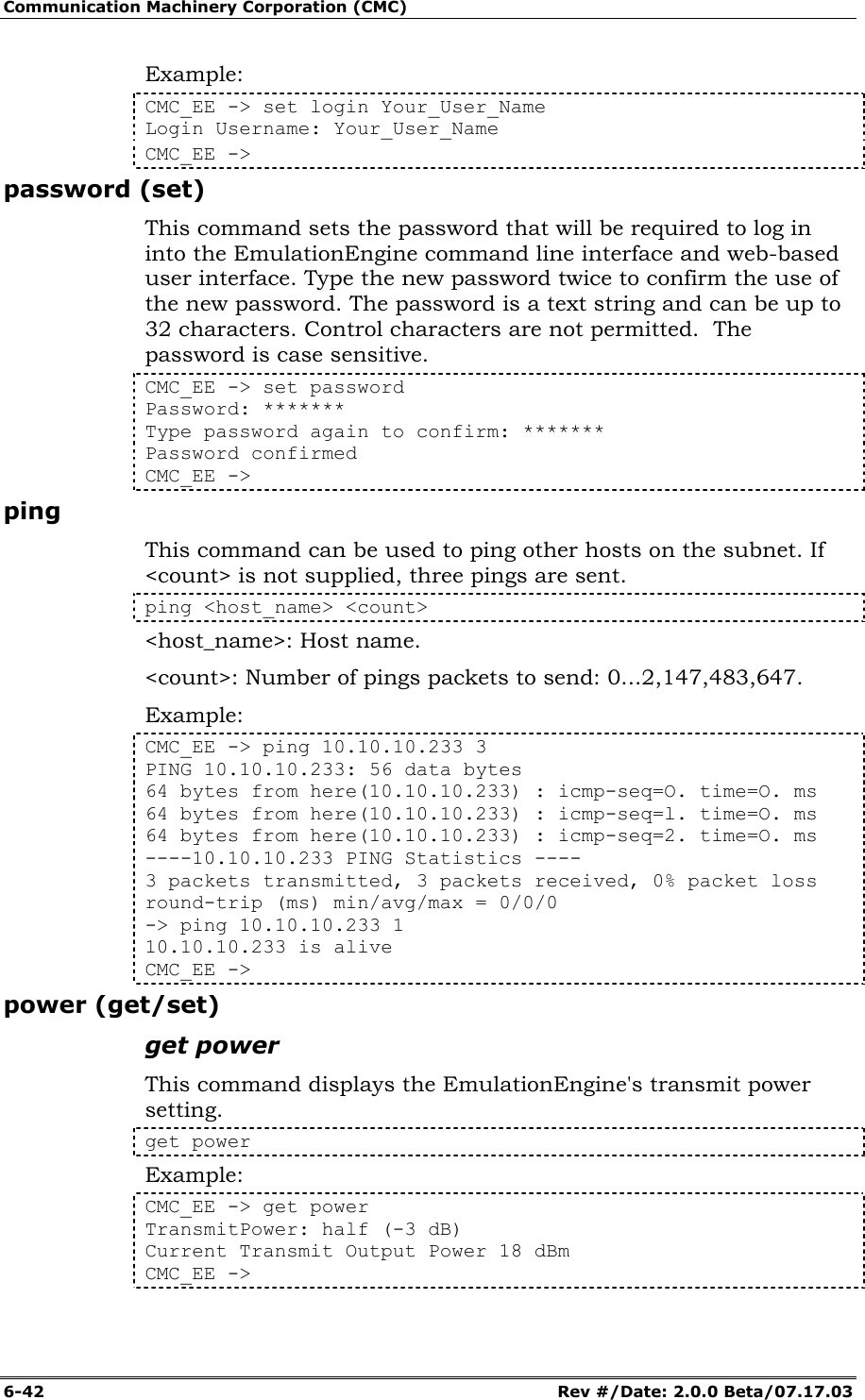
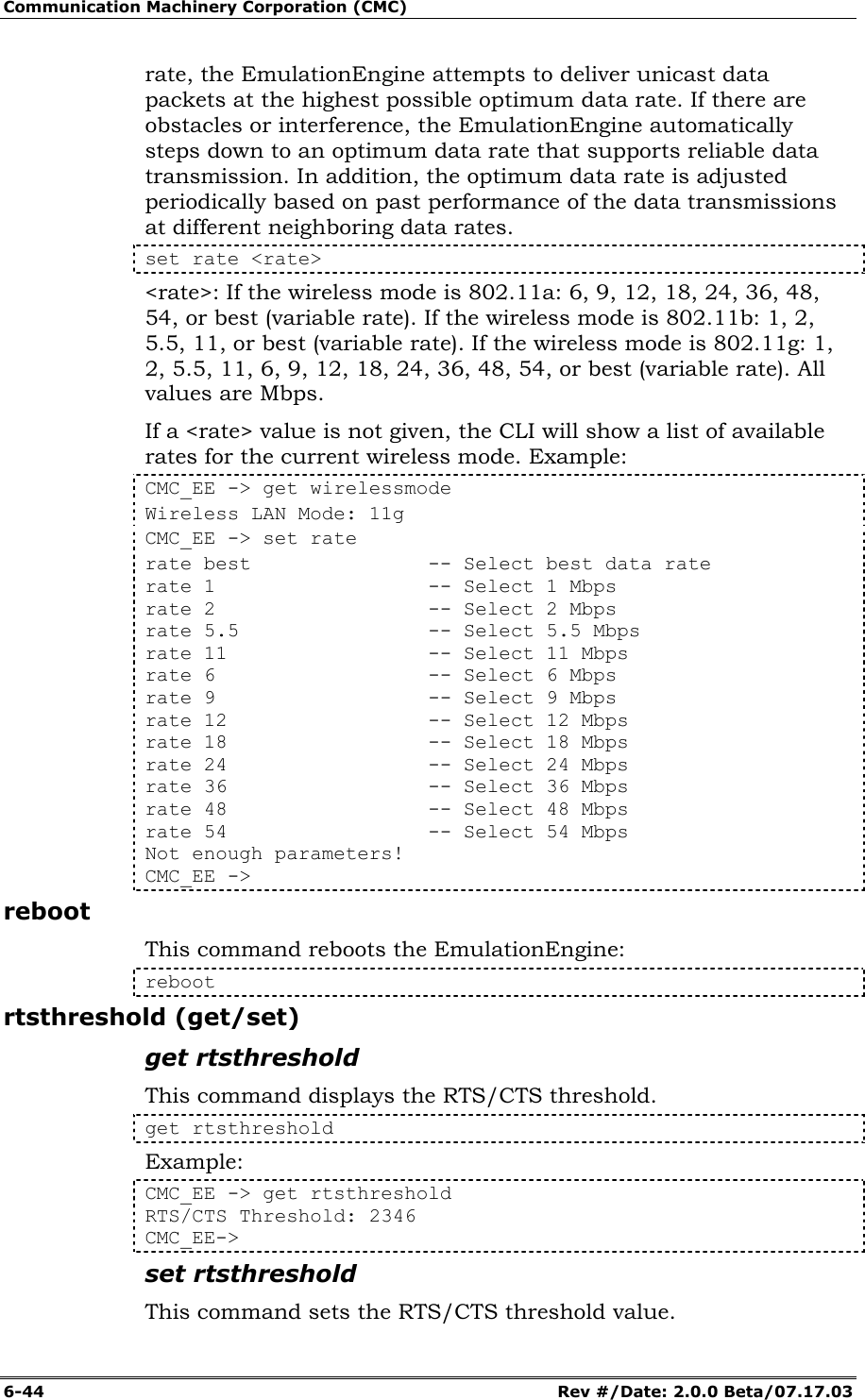
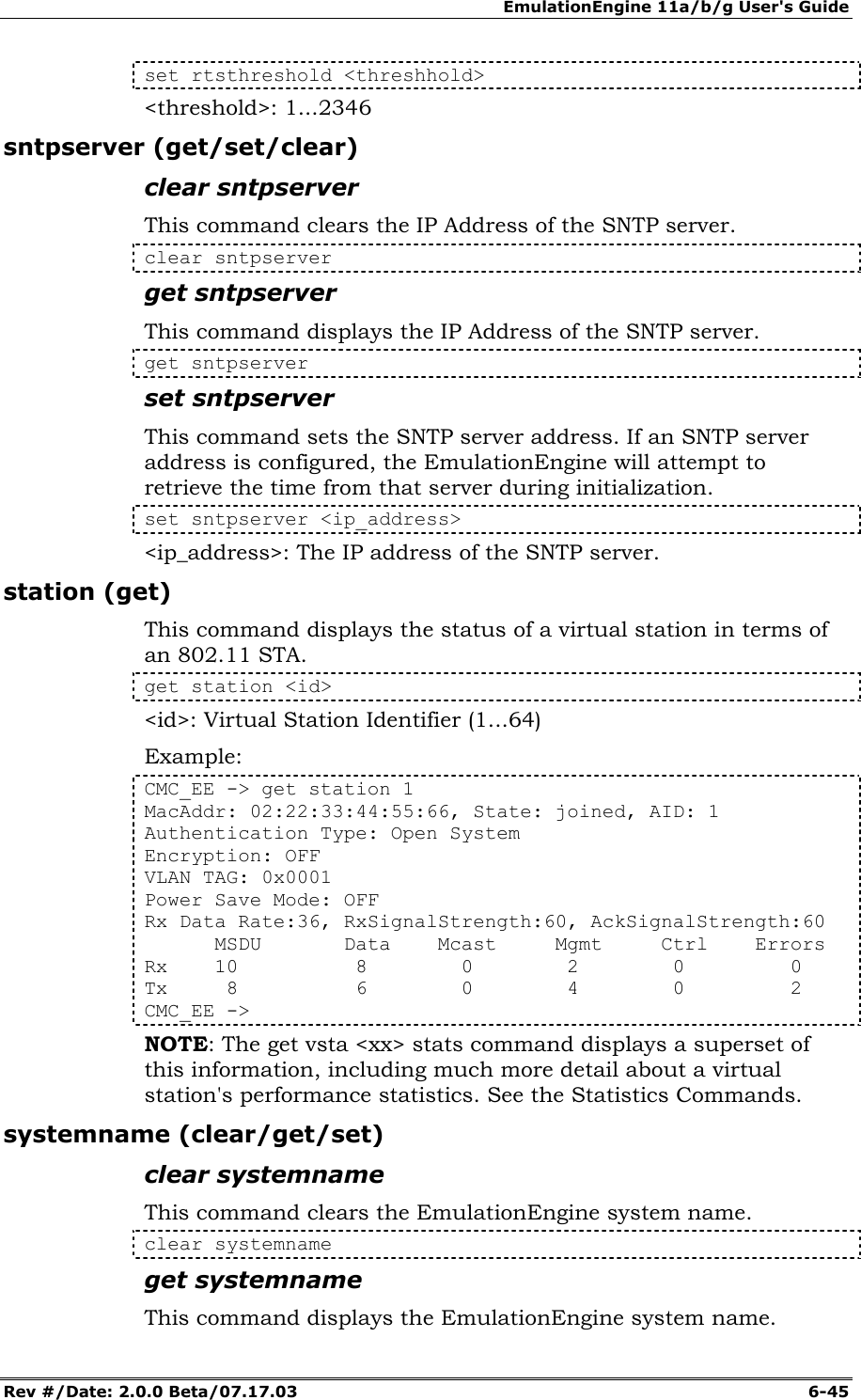
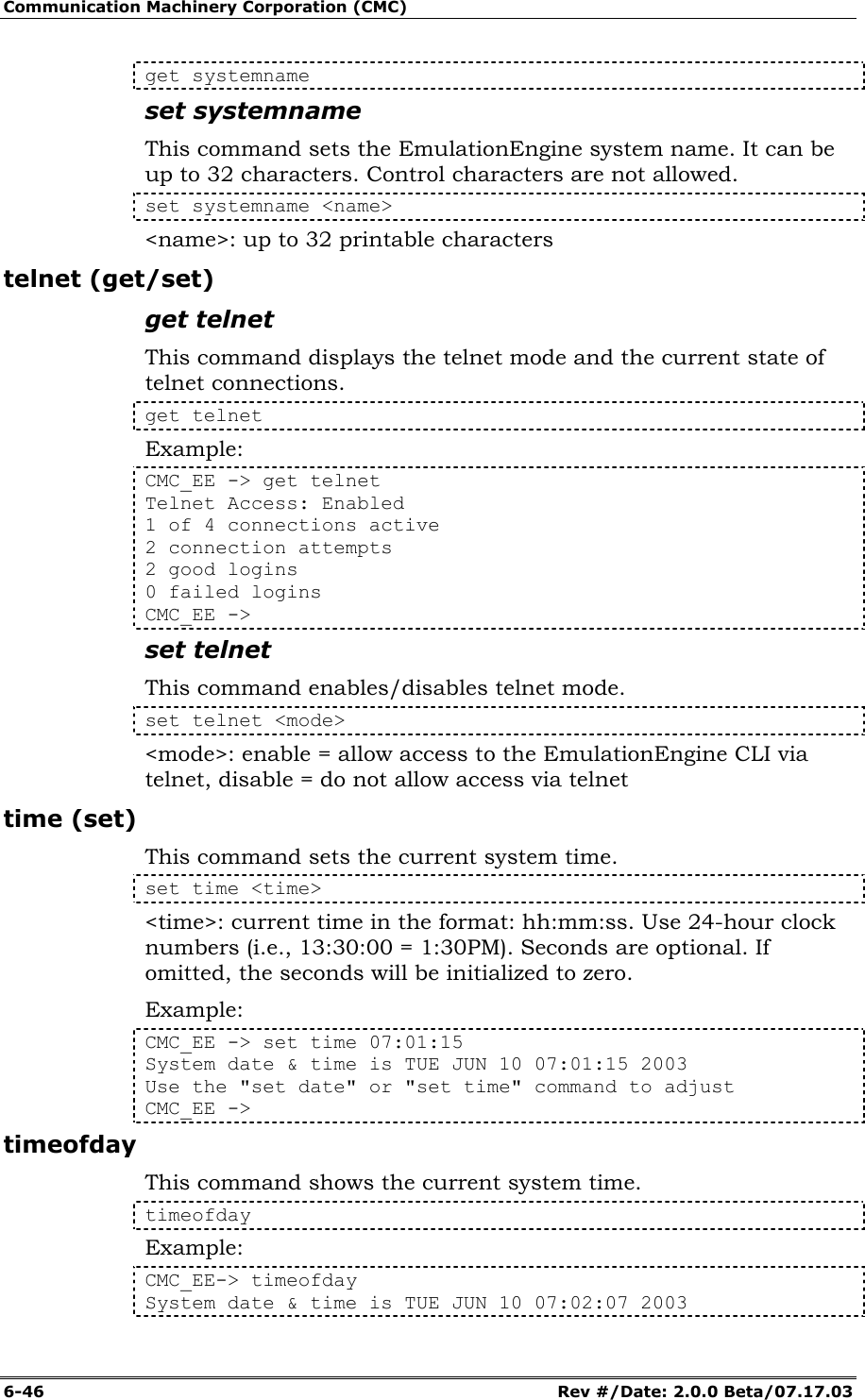
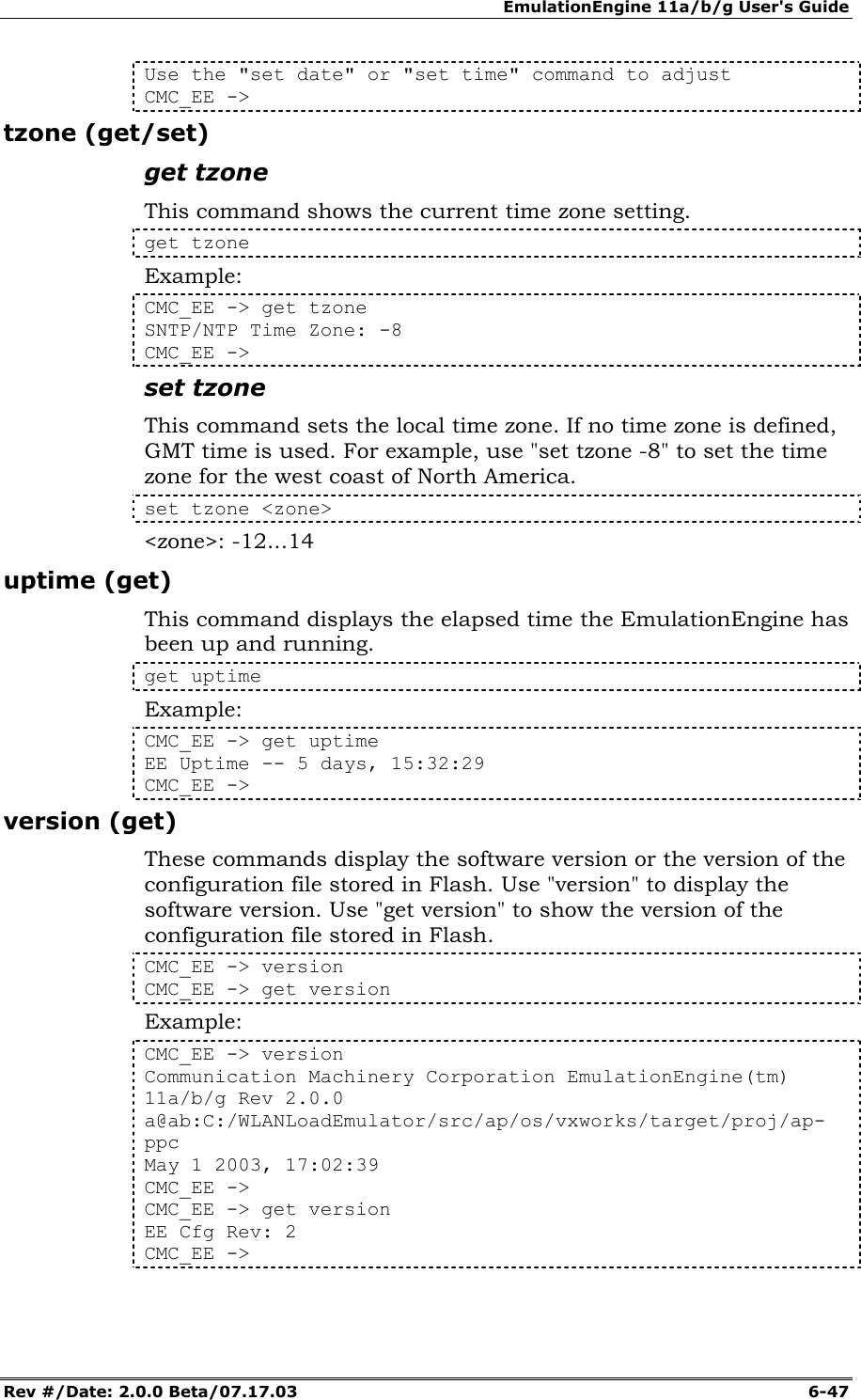
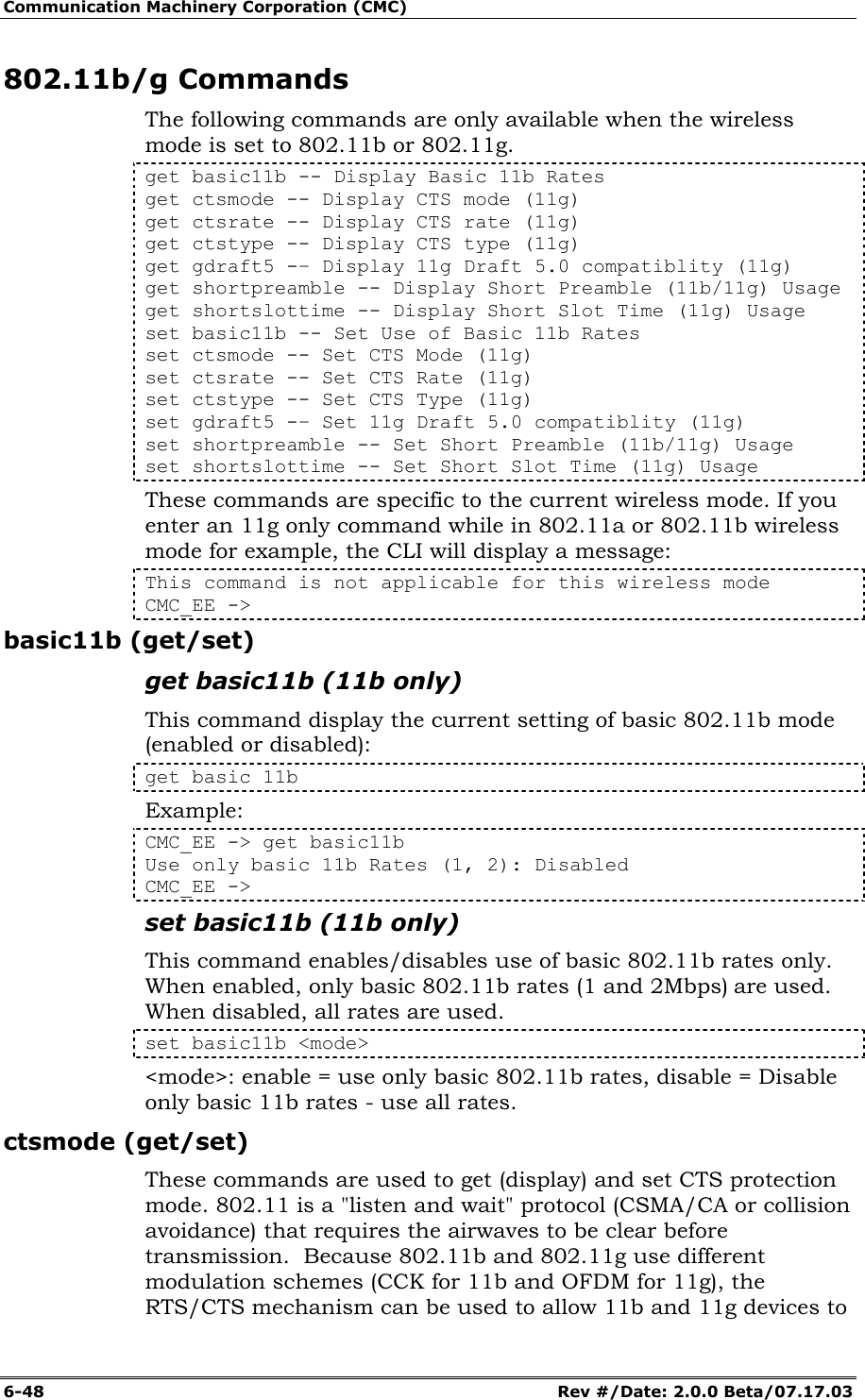
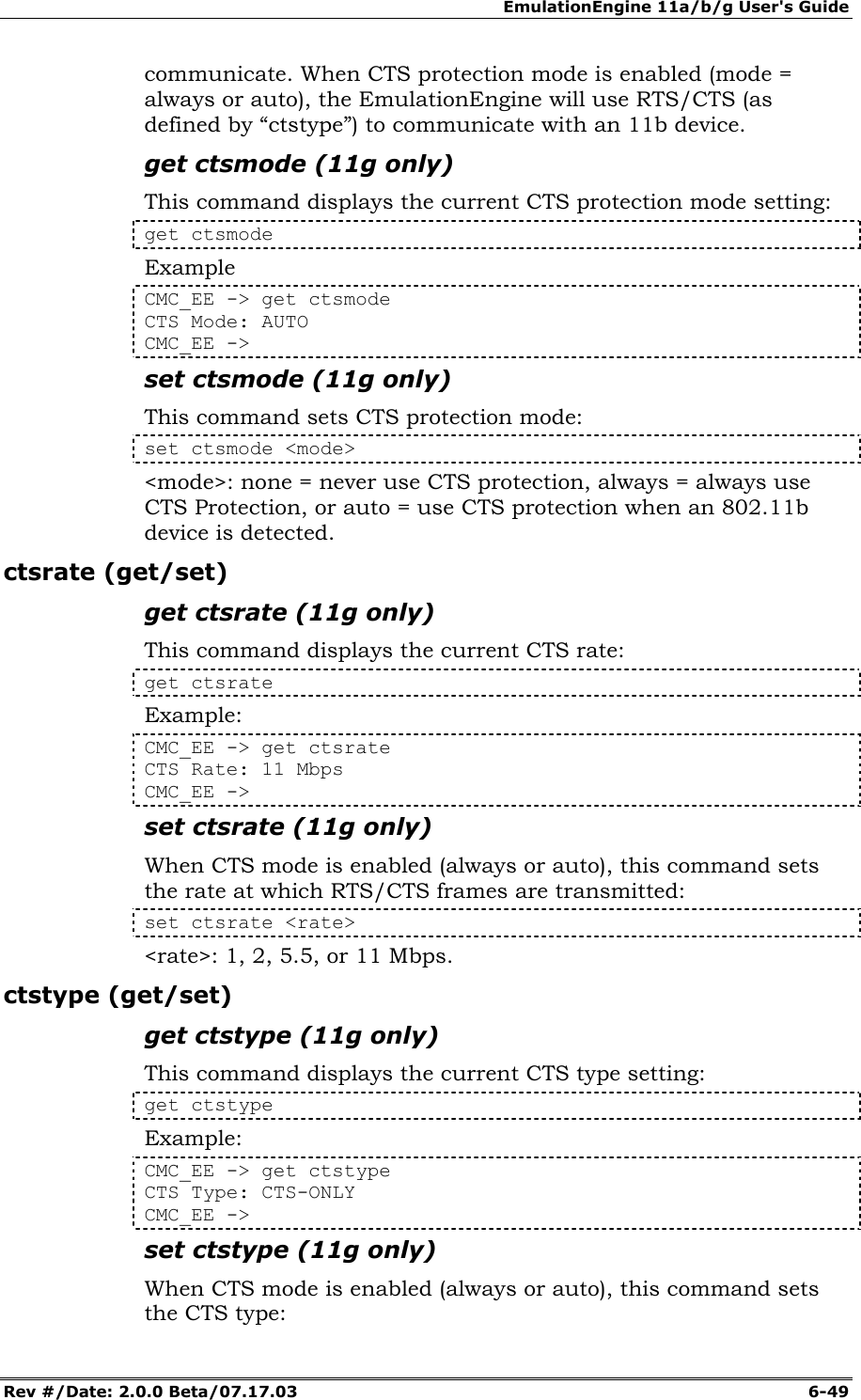
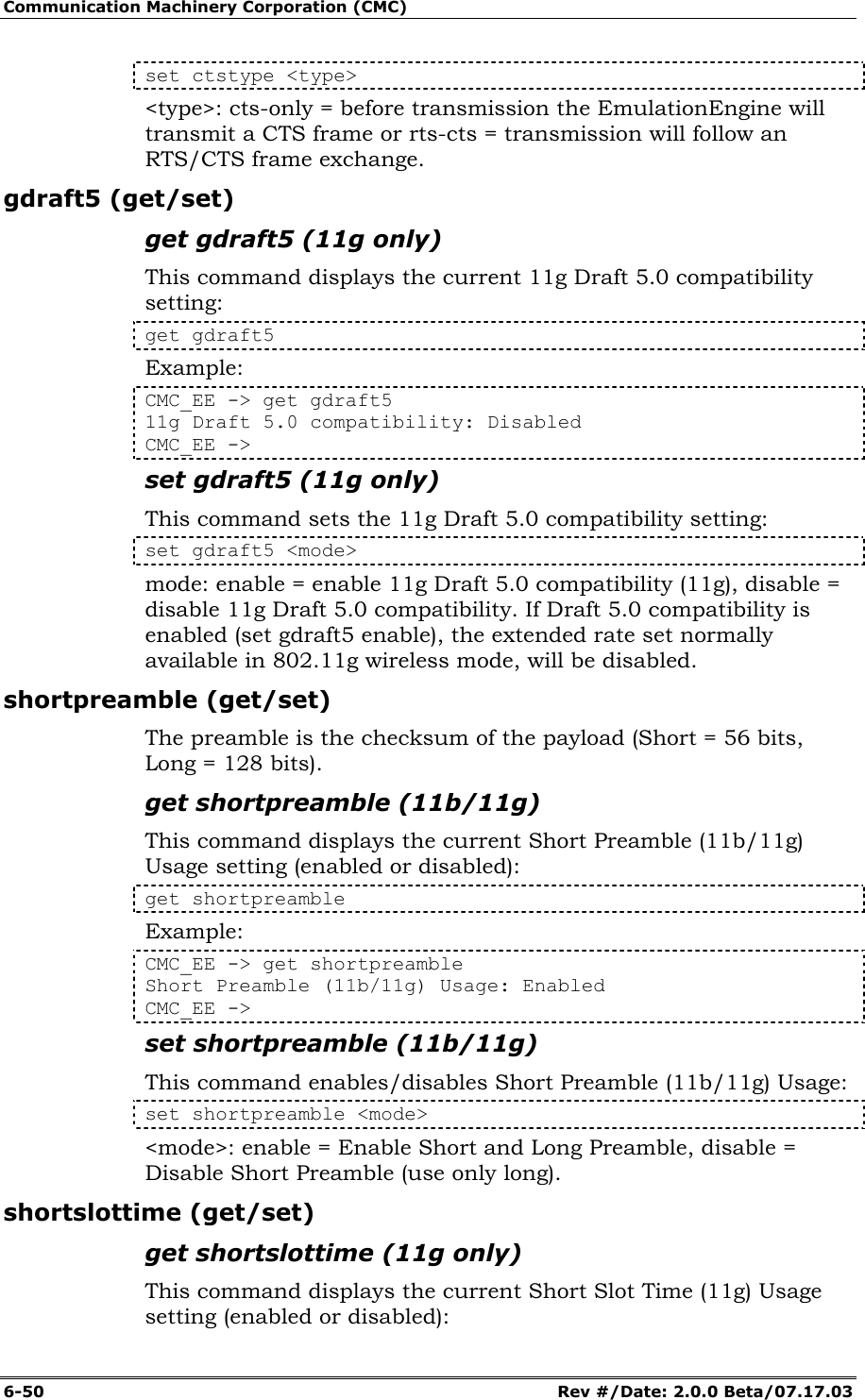
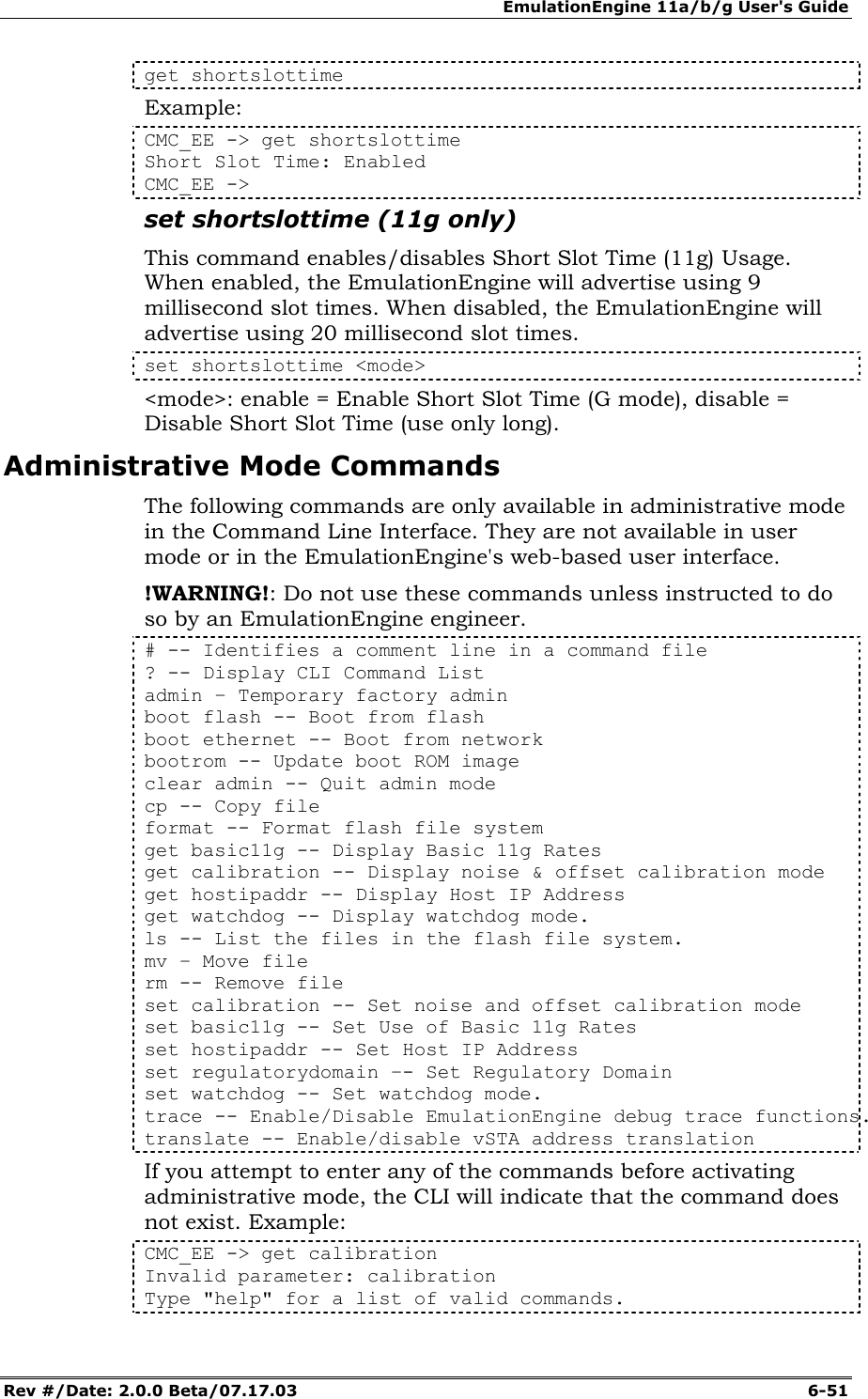
![Communication Machinery Corporation (CMC) 6-52 Rev #/Date: 2.0.0 Beta/07.17.03 CMC_EE -> You must use the admin command to activate administrative mode before using any of the commands listed in this table. admin (clear) This command is used to activate and deactivate administrative mode. Enter "admin" and the administrative mode password (cmc) to activate administrative mode. The password is case sensitive (use "cmc", not "CMC"). Enter "clear admin" and press <Enter> to deactivate administrative mode. CMC_EE -> admin Password: *** Ok CMC_EE -> clear admin Ok CMC_EE -> NOTE: This admin command is not the same as the default Admin password. The default Admin password is case sensitive. This admin command is not case sensitive. The administrative mode password that is required to successfully execute this command is also case sensitive. basic11g (get/set) get basic11g (11g only) This command displays the current setting of 802.11g wireless mode basic rates: get basic 11g Example: CMC_EE -> get basic11g Basic Rate Set (11g): (1, 2, 5.5, 11) CMC_EE -> set basic11g (11g only) This command sets the basic rates to be used in 802.11g wireless mode. set basic11g <mode> <mode>: 11 = Use Basic rates (1, 2), 11b = Use Basic rates (1, 2, 5.5, 11), 11g = Use Basic rates (1, 2, 5.5, 11, 6, 12, 24), ofdm = Use Basic rates (6, 12, 24). boot This command can be used to reboot the EmulationEngine from flash or the network. CMC_EE -> boot <source> <file> [hostname [hostIP [username [password] <source>: "flash" or ethernet](https://usermanual.wiki/Ixia/EE11ABG.User-Manual-2-of-3/User-Guide-352252-Page-52.png)

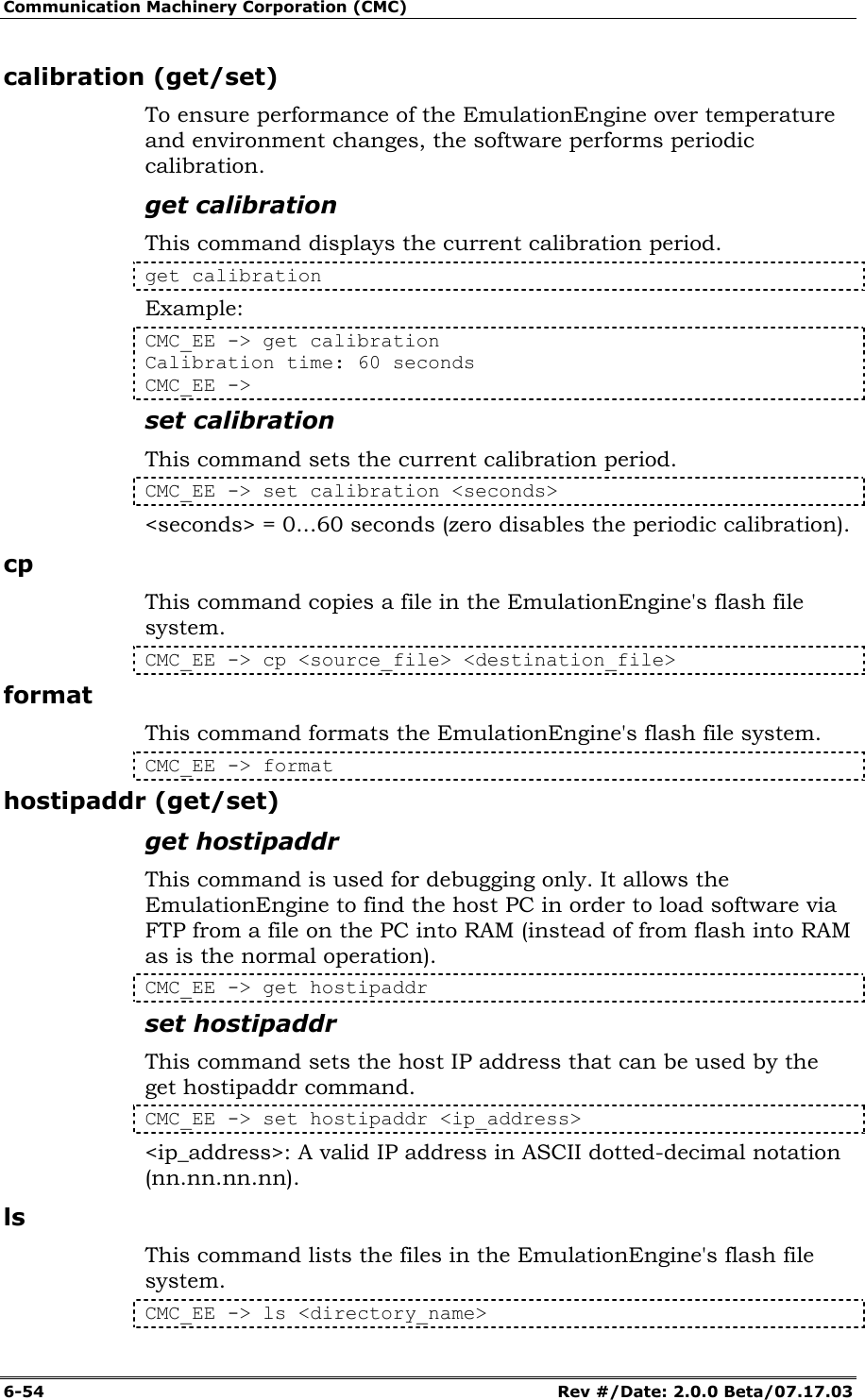
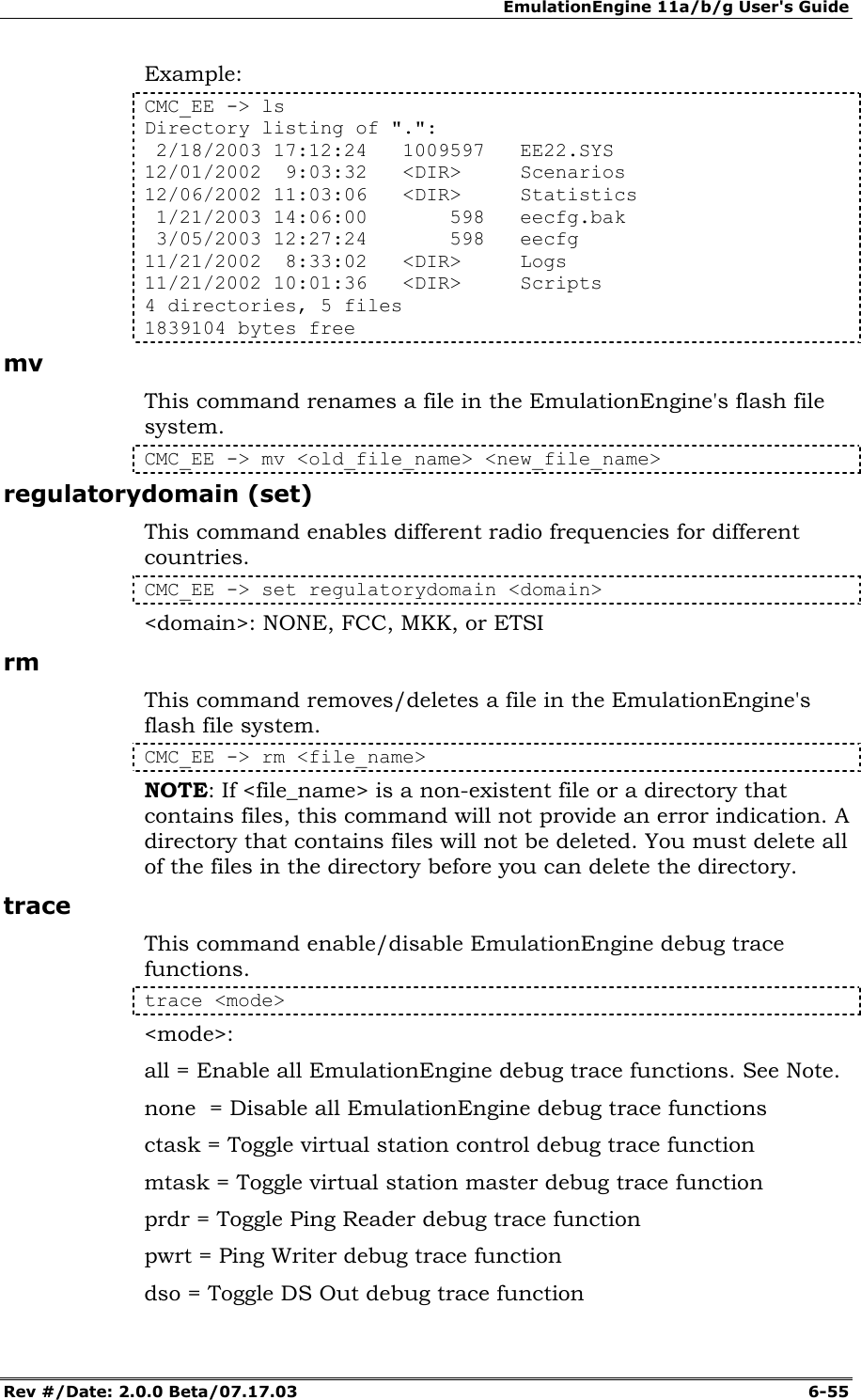
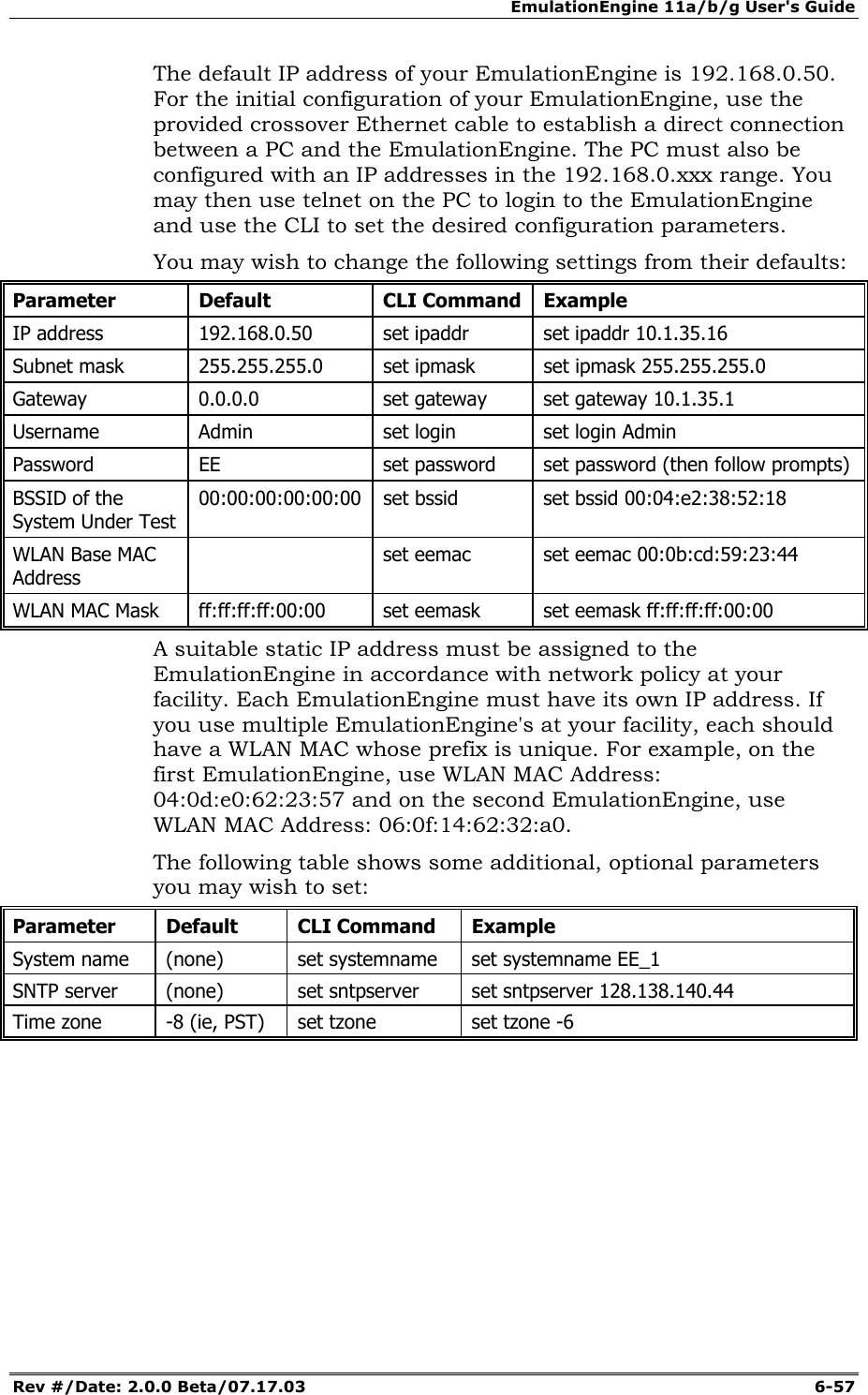
![Communication Machinery Corporation (CMC) 6-56 Rev #/Date: 2.0.0 Beta/07.17.03 dsi = Toggle DS In debug trace function arp = Toggle ARP debug trace function show = Display EE debug trace status NOTE: If you are running a log generator tool, do not enable "trace all”. This will cause numerous “printf” statements to be generated in the background and the EmulationEngine will malfunction. translate This command enables or disables virtual station ATL (Address Translation Logic). translate [<translate_value>] <translate_value> can be one of the following: on: Enable translations of virtual station IP and MAC source/destination addresses. off: Disable translations of virtual station IP and MAC source/destination addresses. null: Display current translation mode. watchdog (get/set) get watchdog This command displays the current watchdog setting. CMC_EE -> get watchdog Watchdog: Enabled set watchdog This command enables/disables the system watchdog. If enabled, the watchdog monitors the system for processes and services that are not responding. It also maintains the hardware watchdog timer. set watchdog <mode> <mode>: enable/disable Example: CMC_EE -> set watchdog disabled Watchdog: Disabled CMC_EE -> Example Configurations Example First Time Configuration The EmulationEngine is shipped with default configuration parameters. You can change configuration settings via the CLI or the web-based user interface. It is strongly recommended that you keep careful records of the current configuration of each EmulationEngine in use at your facility. You may view a detailed configuration report by entering the "get conf" command.](https://usermanual.wiki/Ixia/EE11ABG.User-Manual-2-of-3/User-Guide-352252-Page-56.png)