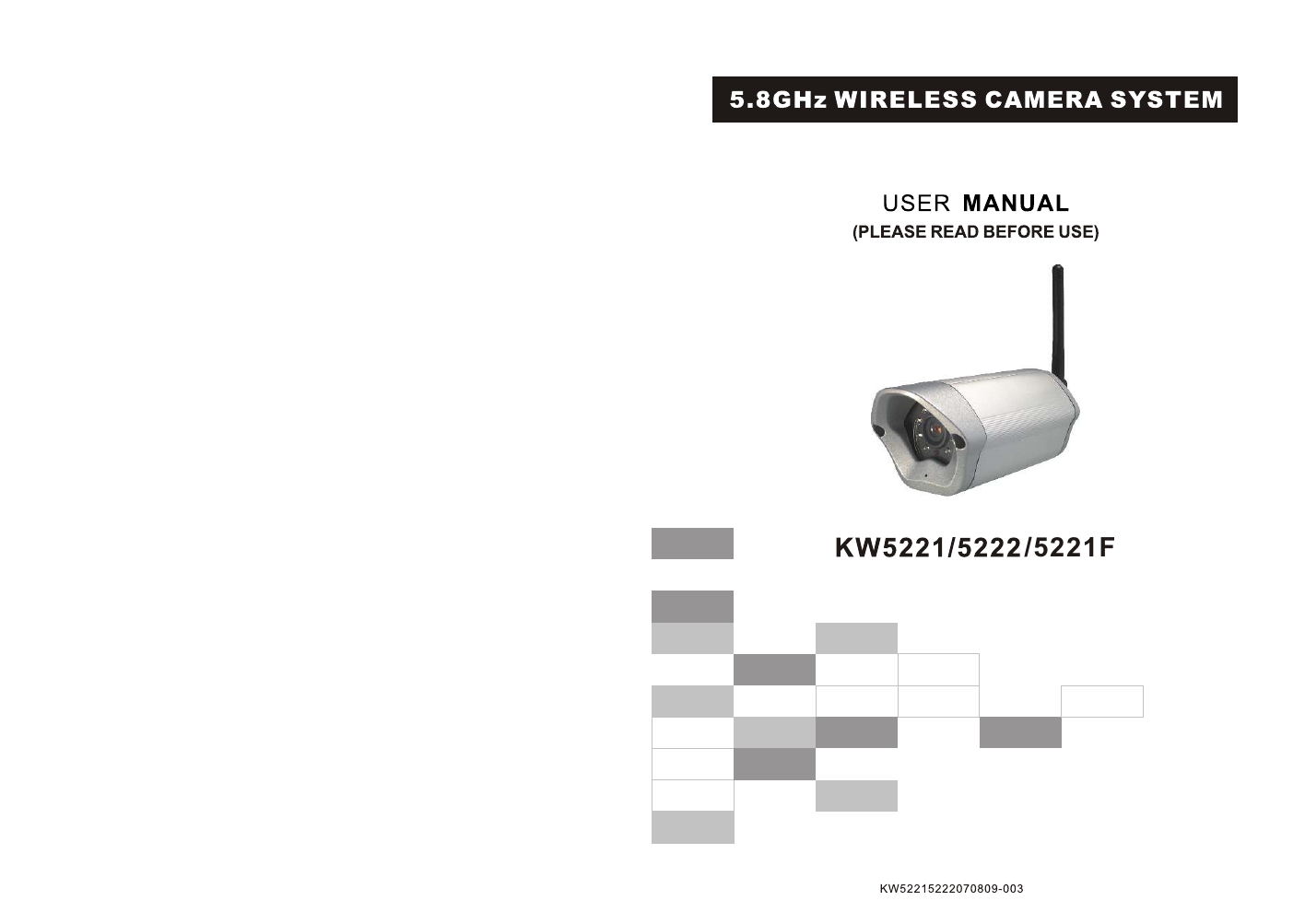
Kingwave Technology KW5405 5.8GHz Wireless CCD Color Camera User Manual KW5301070622 001

Kingwave Technology Co., Ltd. 5.8GHz Wireless CCD Color Camera KW5301070622 001

Users Manual

/5221F
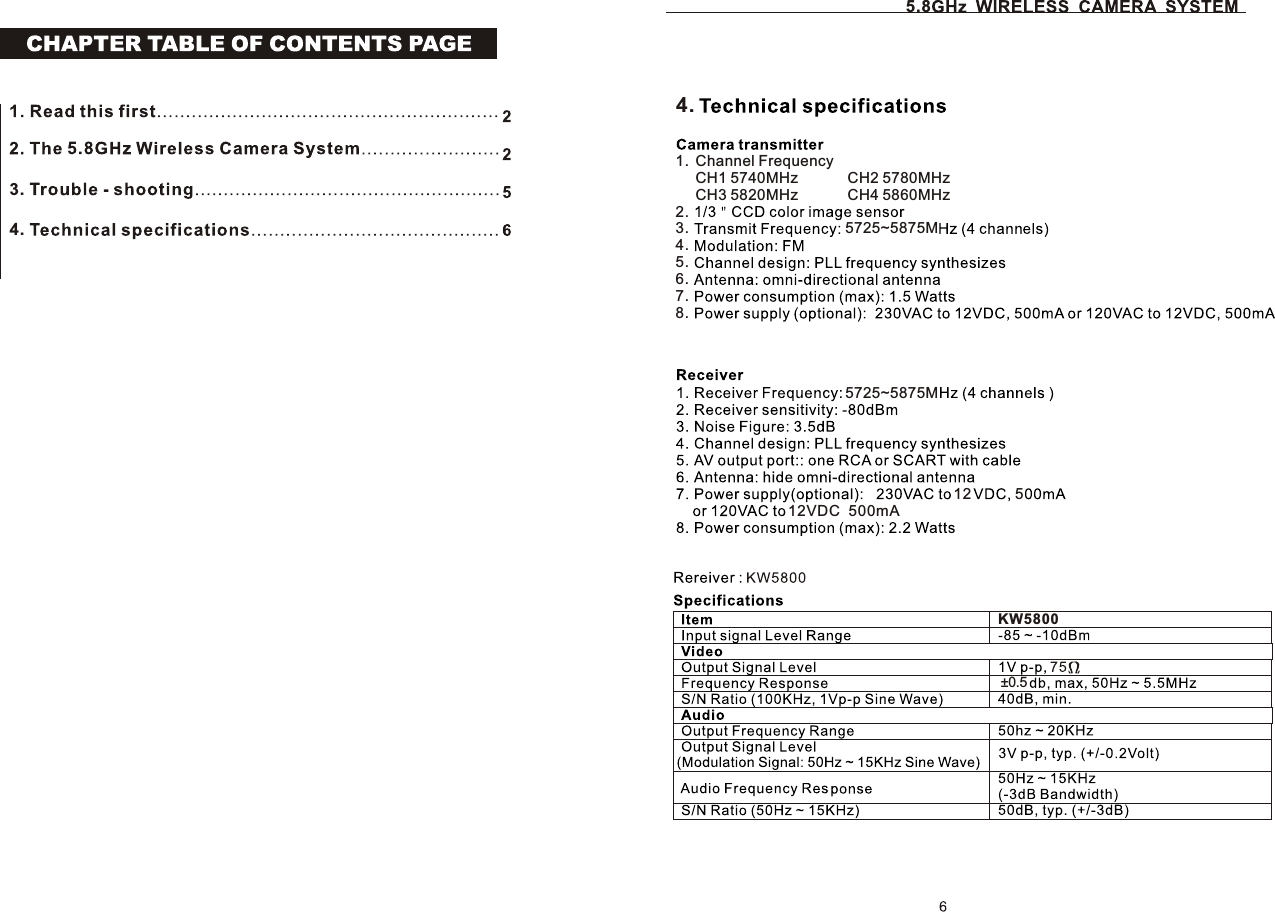
KW580012VDC  500mA12 55725~5875M5725~5875MChannel FrequencyCH1 5740MHz  CH2 5780MHzCH3 5820MHz  CH4 5860MHz1.2.3.4.5.6.7.8.5.84.3.4.±0.5
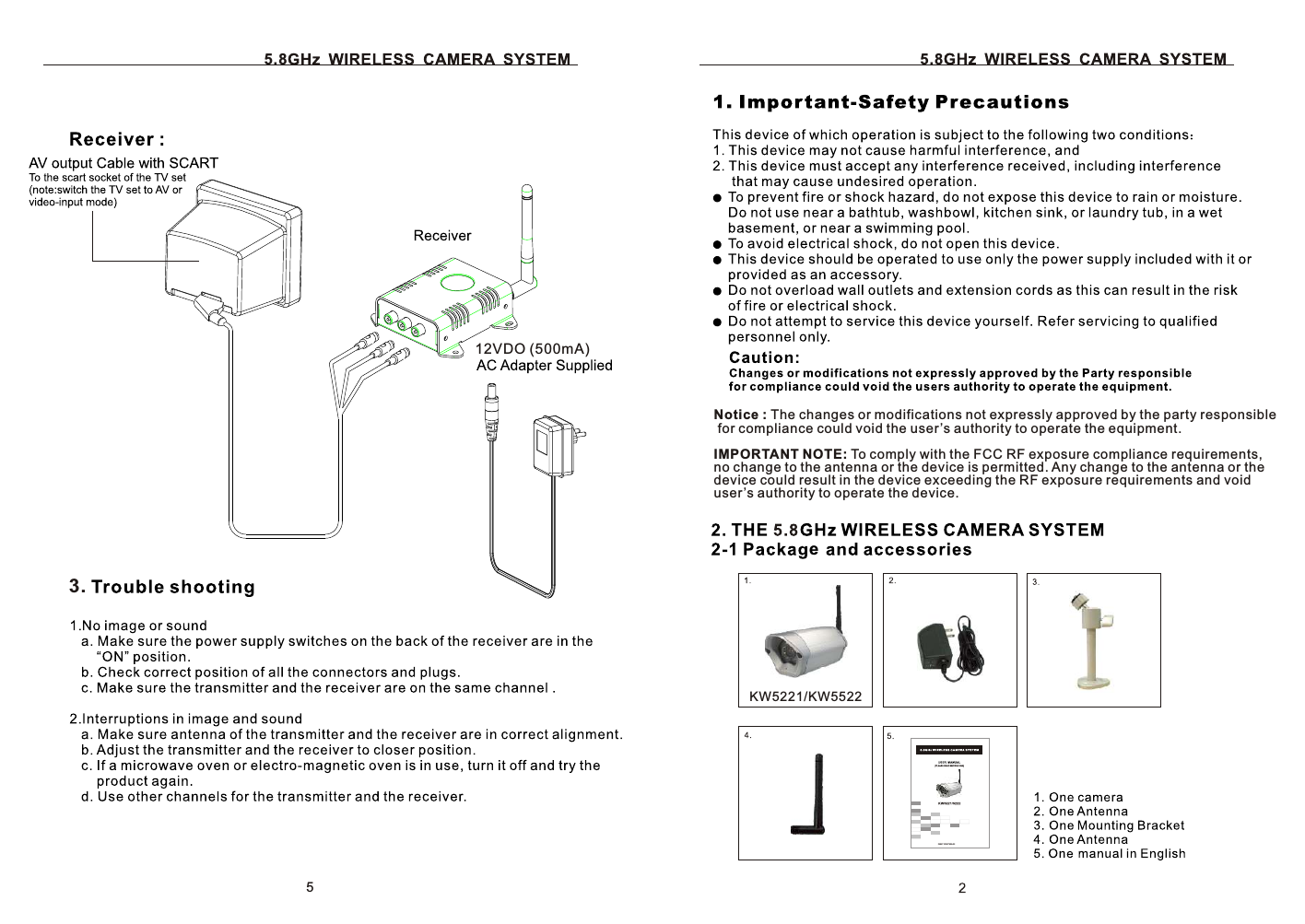
5.812VDO (500mA)5.8eKW5221/KW55223.5Notice : The changes or modifications not expressly approved by the party responsible for compliance could void the user’s authority to operate the equipment. IMPORTANT NOTE: To comply with the FCC RF exposure compliance requirements, no change to the antenna or the device is permitted. Any change to the antenna or the device could result in the device exceeding the RF exposure requirements and void user’s authority to operate the device.
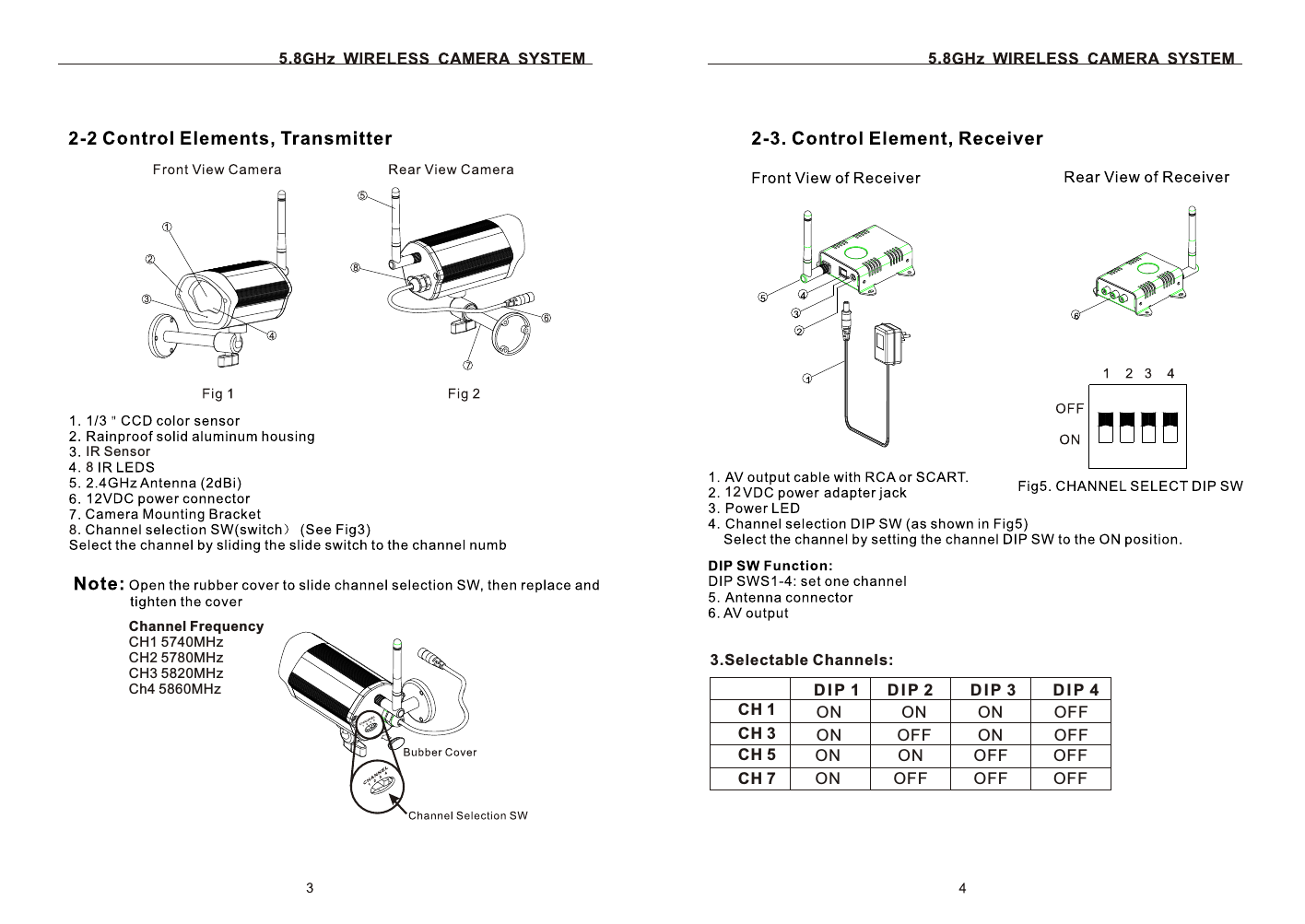
5.8Channel FrequencyCH1 5740MHz  CH2 5780MHzCH3 5820MHz  Ch4 5860MHz5.812CH 1CH 3CH 5CH 7D I P 1 D I P 2        D I P 3        D I P 4ONOFFOFFOFFONONOFFOFFONOFFONONONONOFFOFF3.Selectable Channels:88.IR Sensor
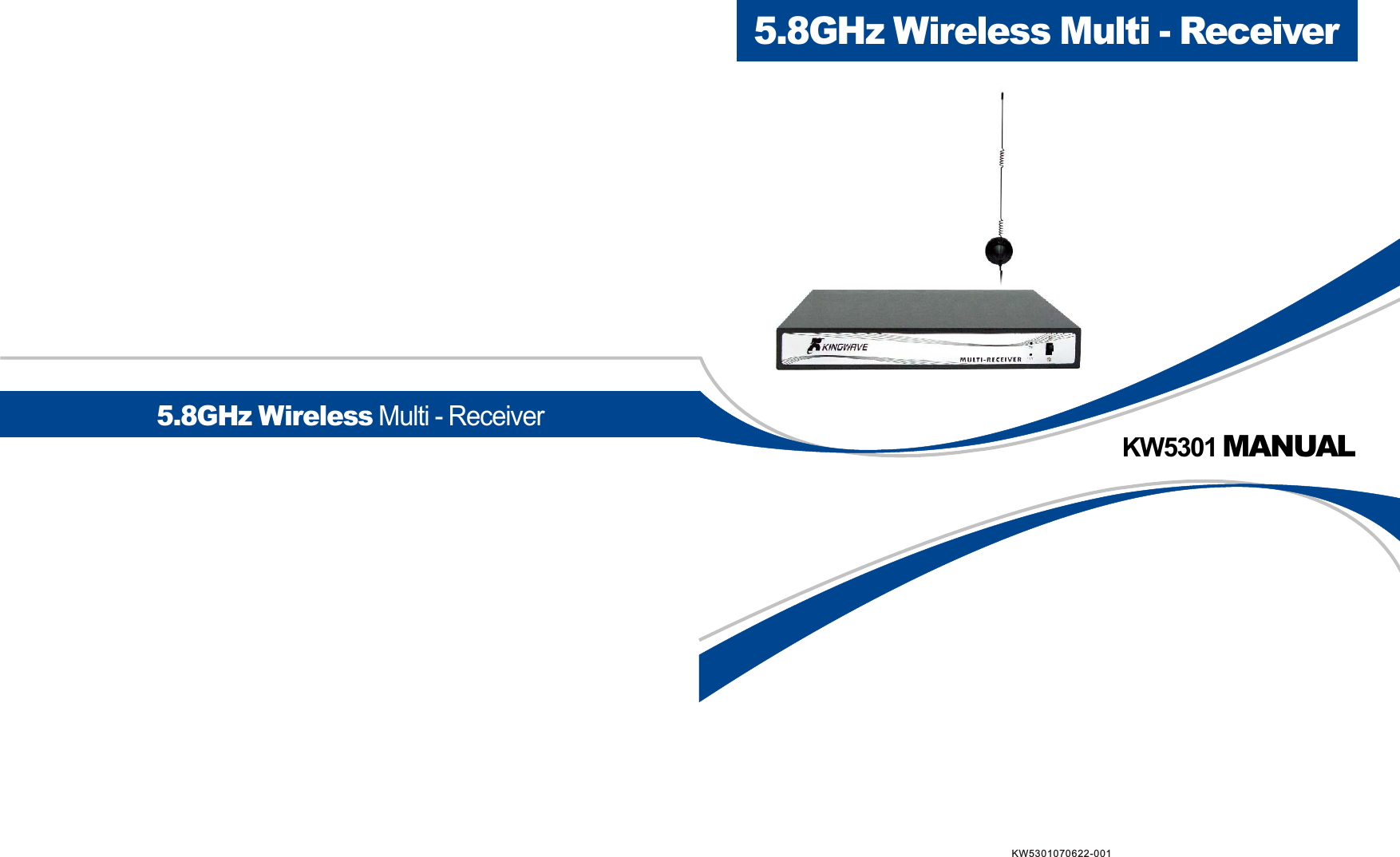
KW5301 MANUAL5.8GHz Wireless Multi - Receiver5.8GHz Wireless Multi - ReceiverKW5301070622-001
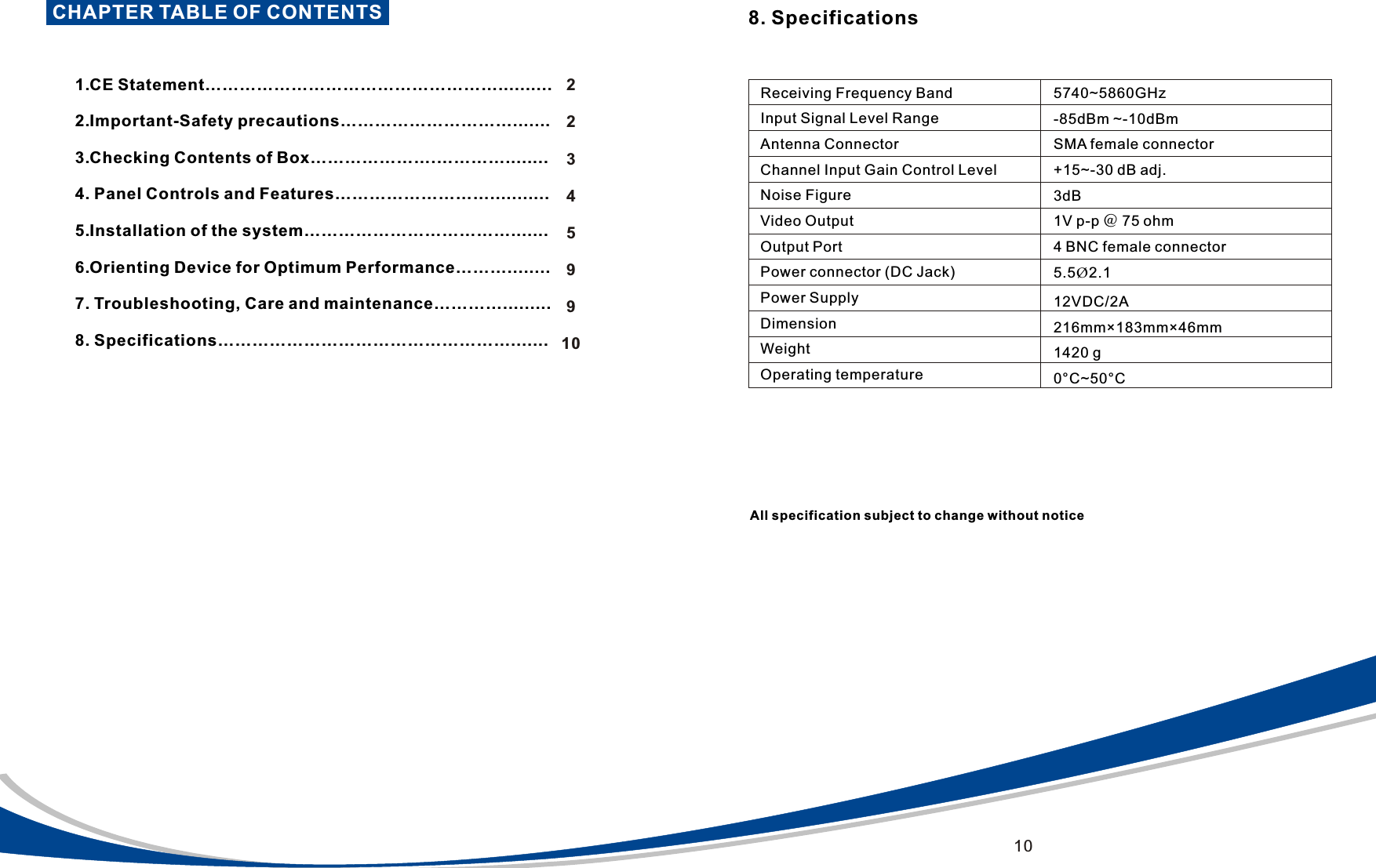
CHAPTER TABLE OF CONTENTS                             1.CE Statement……………………………………………..........  2.Important-Safety precautions………………………….......    3.Checking Contents of Box………………….…………........   4. Panel Controls and Features………………………...........  5.Installation of the system………………………………....... 6.Orienting Device for Optimum Performance………........  7. Troubleshooting, Care and maintenance………….........  8. Specifications……………………………………………....... 223459910Receiving Frequency BandInput Signal Level RangeAntenna ConnectorChannel Input Gain Control LevelNoise FigureVideo OutputOutput PortPower connector (DC Jack)Power SupplyDimensionWeightOperating temperature5740~5860GHz-85dBm ~-10dBmSMA female connector+15~-30 dB adj.3dB1V p-p @ 75 ohm4 BNC female connector5.5Ø2.1 12VDC/2A216mm×183mm×46mm1420 g0°C~50°C8. SpecificationsAll specification subject to change without notice10
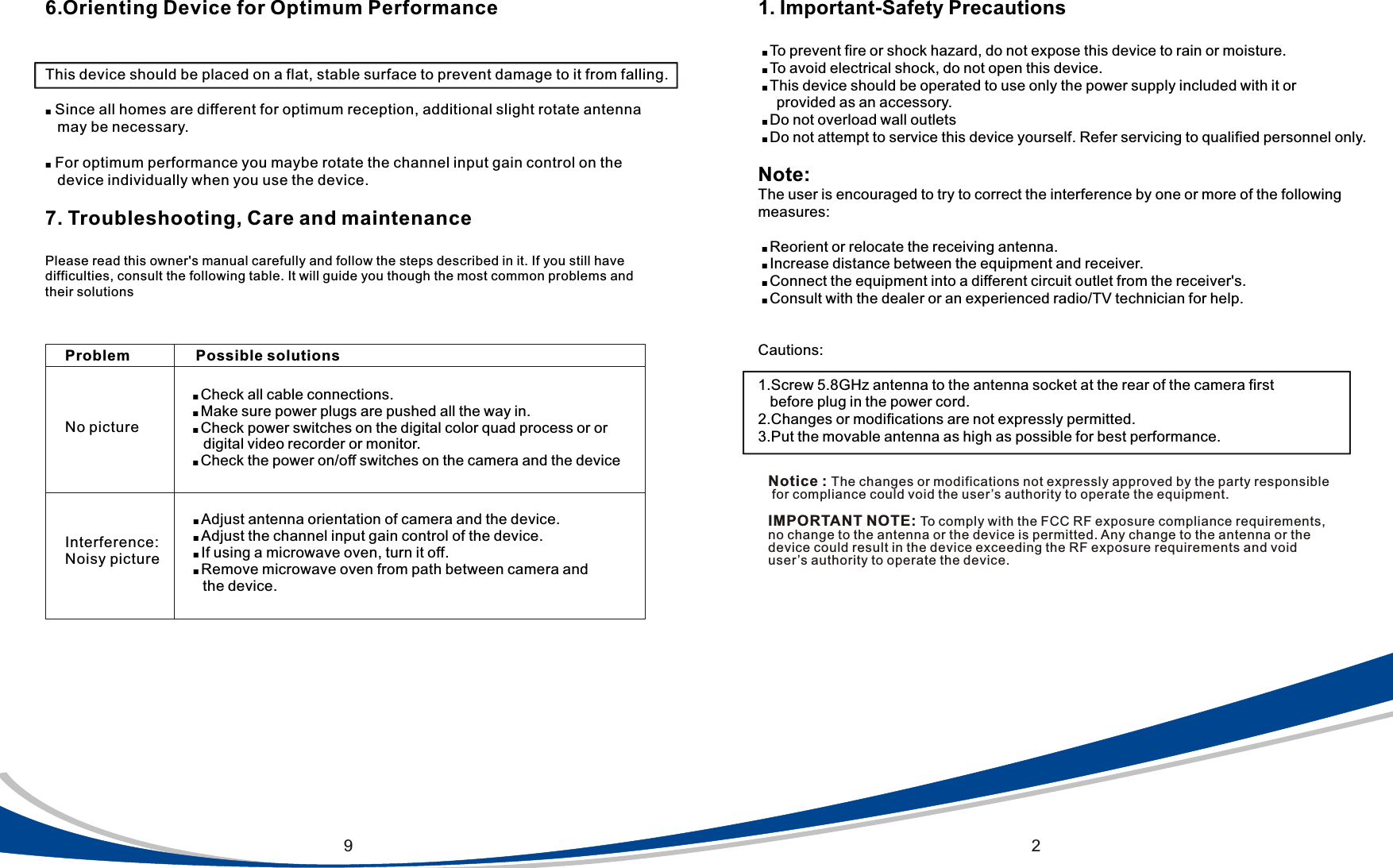
291. Important-Safety Precautions ■ To prevent fire or shock hazard, do not expose this device to rain or moisture.    ■ To avoid electrical shock, do not open this device.  ■ This device should be operated to use only the power supply included with it or     provided as an accessory. ■ Do not overload wall outlets ■ Do not attempt to service this device yourself. Refer servicing to qualified personnel only.Note:The user is encouraged to try to correct the interference by one or more of the following measures: ■ Reorient or relocate the receiving antenna. ■ Increase distance between the equipment and receiver. ■ Connect the equipment into a different circuit outlet from the receiver's. ■ Consult with the dealer or an experienced radio/TV technician for help.Cautions:1.Screw 5.8GHz antenna to the antenna socket at the rear of the camera first   before plug in the power cord.2.Changes or modifications are not expressly permitted.3.Put the movable antenna as high as possible for best performance.6.Orienting Device for Optimum PerformanceThis device should be placed on a flat, stable surface to prevent damage to it from falling.■ Since all homes are different for optimum reception, additional slight rotate antenna    may be necessary.■ For optimum performance you maybe rotate the channel input gain control on the    device individually when you use the device.7. Troubleshooting, Care and maintenancePlease read this owner's manual carefully and follow the steps described in it. If you still have difficulties, consult the following table. It will guide you though the most common problems andtheir solutionsInterference: Noisy pictureNo pictureProblem Possible solutions■ Check all cable connections.■ Make sure power plugs are pushed all the way in.■ Check power switches on the digital color quad process or or     digital video recorder or monitor.■ Check the power on/off switches on the camera and the device ■ Adjust antenna orientation of camera and the device. ■ Adjust the channel input gain control of the device. ■ If using a microwave oven, turn it off. ■ Remove microwave oven from path between camera and      the device.Notice : The changes or modifications not expressly approved by the party responsible for compliance could void the user’s authority to operate the equipment. IMPORTANT NOTE: To comply with the FCC RF exposure compliance requirements, no change to the antenna or the device is permitted. Any change to the antenna or the device could result in the device exceeding the RF exposure requirements and void user’s authority to operate the device.
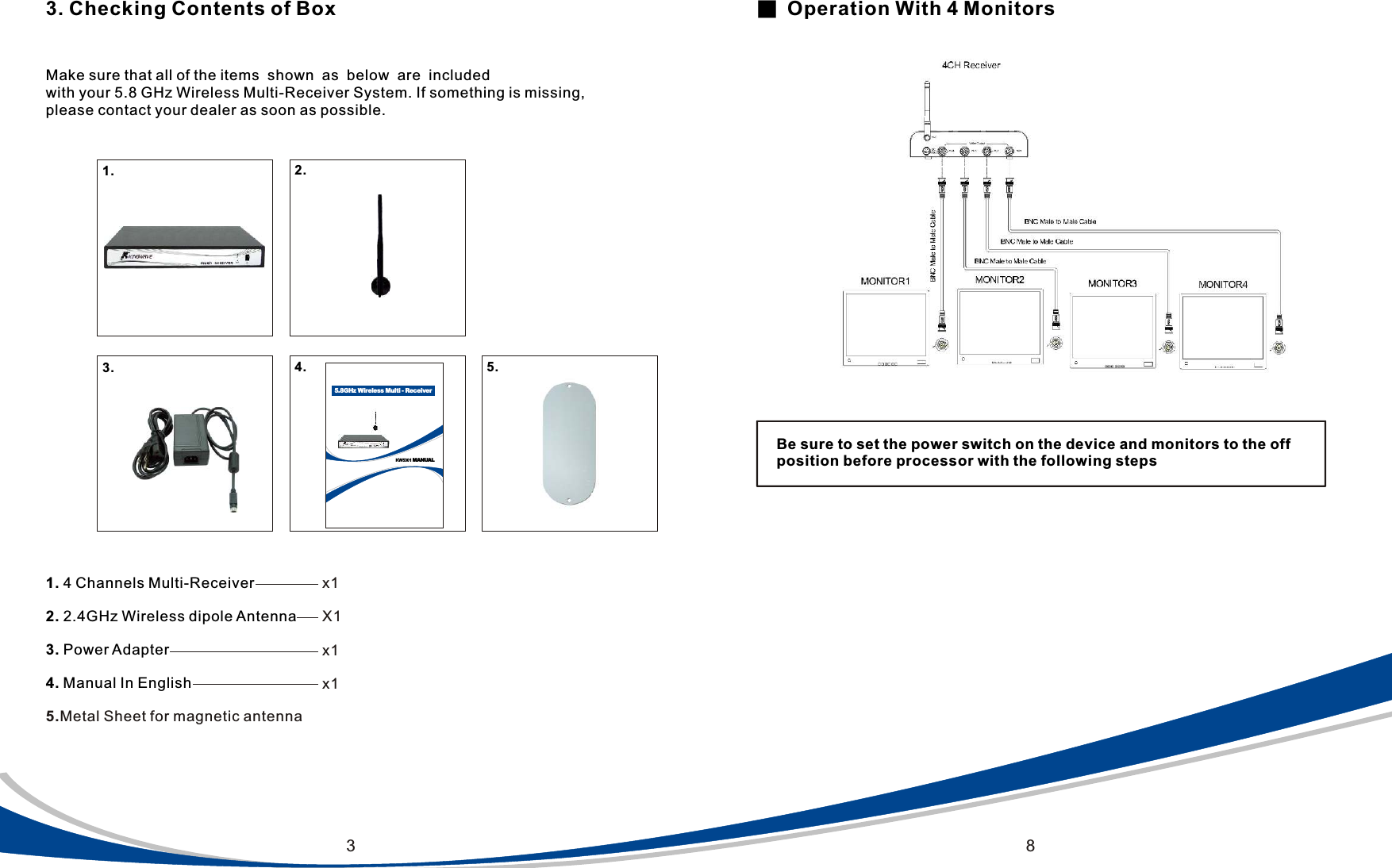
KW5301 MANUAL5.8GHz Wireless Multi - Receiver3 83. Checking Contents of BoxMake sure that all of the items  shown  as  below  are  included  with your 5.8 GHz Wireless Multi-Receiver System. If something is missing, please contact your dealer as soon as possible.1. 4 Channels Multi-Receiver         2. 2.4GHz Wireless dipole Antenna3. Power Adapter4. Manual In English5.Metal Sheet for magnetic antennax1X1x1x1■  Operation With 4 MonitorsBe sure to set the power switch on the device and monitors to the off position before processor with the following steps1. 2. 3. 4. 5.
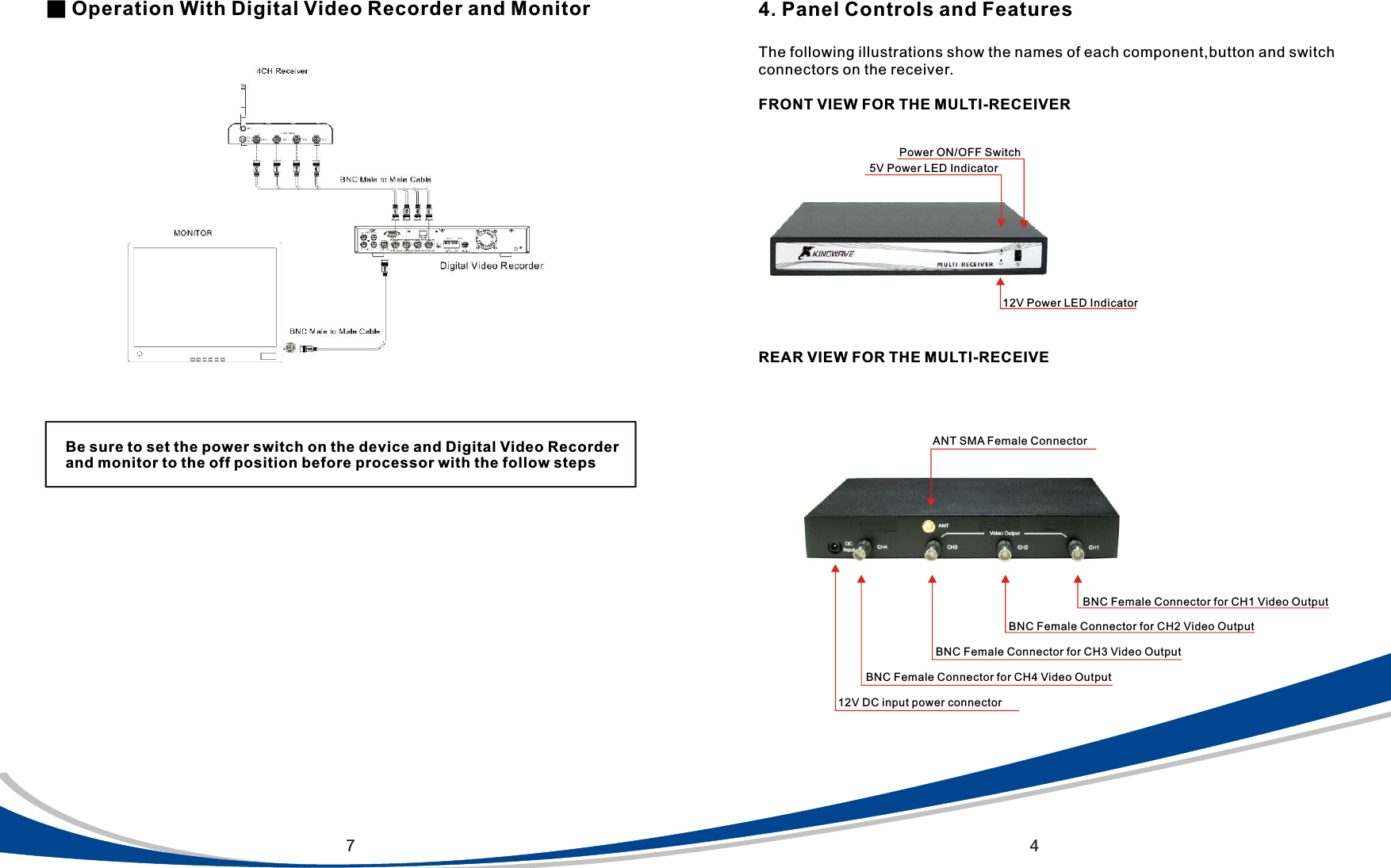
474. Panel Controls and FeaturesThe following illustrations show the names of each component,button and switch connectors on the receiver.FRONT VIEW FOR THE MULTI-RECEIVERPower ON/OFF Switch12V Power LED Indicator5V Power LED Indicator                                 REAR VIEW FOR THE MULTI-RECEIVE12V DC input power connector BNC Female Connector for CH3 Video OutputBNC Female Connector for CH2 Video Output ANT SMA Female Connector BNC Female Connector for CH4 Video Output BNC Female Connector for CH1 Video Output■ Operation With Digital Video Recorder and MonitorBe sure to set the power switch on the device and Digital Video Recorder and monitor to the off position before processor with the follow steps
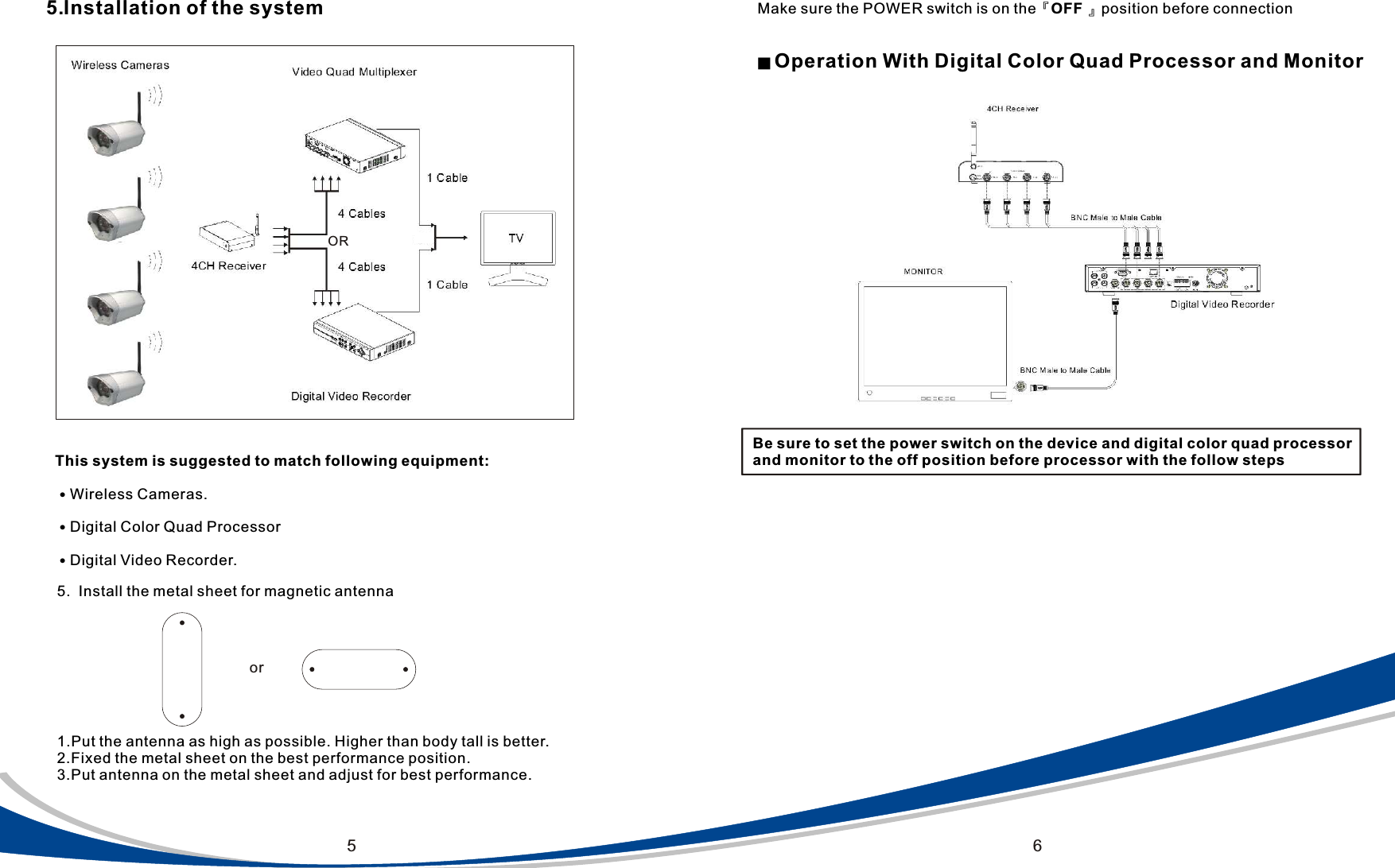
55.Installation of the systemThis system is suggested to match following equipment:˙Wireless Cameras.˙Digital Color Quad Processor˙Digital Video Recorder.6Make sure the POWER switch is on the『OFF 』position before connection■ Operation With Digital Color Quad Processor and MonitorBe sure to set the power switch on the device and digital color quad processor and monitor to the off position before processor with the follow steps5.  Install the metal sheet for magnetic antenna1.Put the antenna as high as possible. Higher than body tall is better.2.Fixed the metal sheet on the best performance position.3.Put antenna on the metal sheet and adjust for best performance.orOR

Navigation menu