Moor Technology SZMOORCN888 Wireless Inspection Camera User Manual

Moor Technology Co., Ltd Wireless Inspection Camera Users Manual

Users Manual

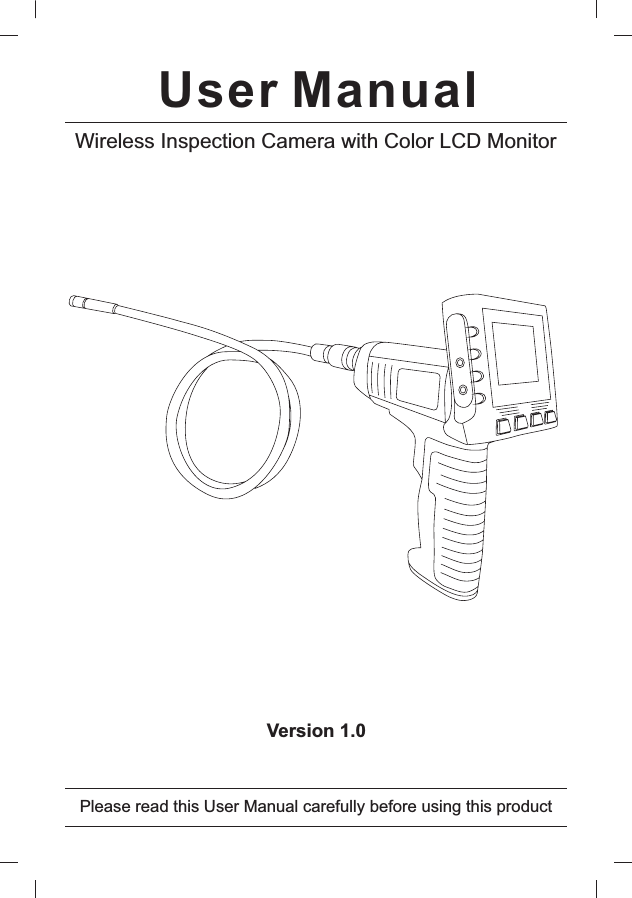
User ManualWireless Inspection Camera with Color LCD MonitorVersion 1.0Please read this User Manual carefully before using this product
ContentsWELCOME.................................................1PACKING LIST 1STRUCTURE 2INSTALLATION 3GENERAL SAFTY INFORMATION................6OPERATION...............................................6SPECIFICATIONS.......................................8CAUTIONS.................................................9FCC INFORMATION.....................Back cover.....................................................................................................................................* MG-5808(Monitor) + MG-6808(Camera)
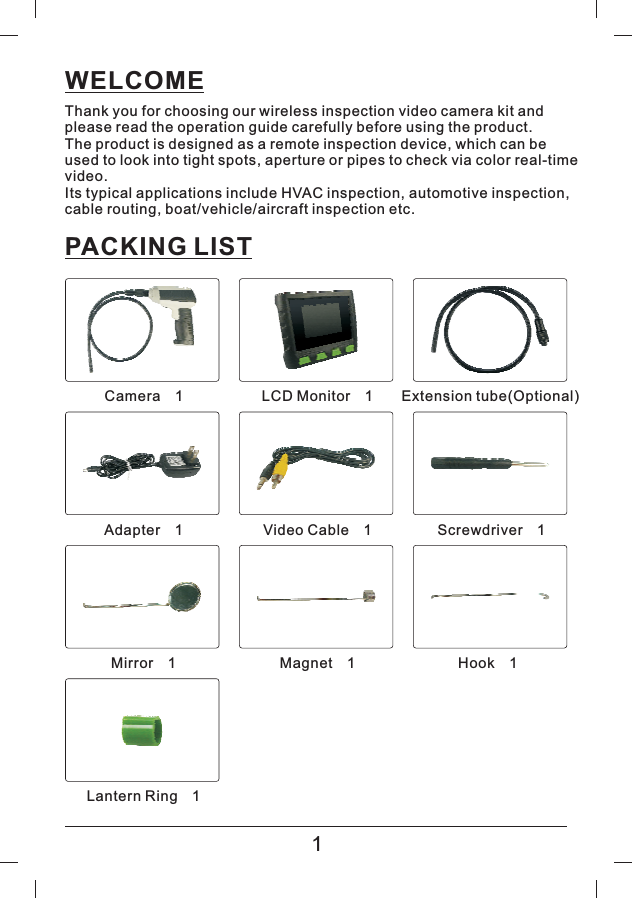
WELCOMEThank you for choosing our wireless inspection video camera kit andplease read the operation guide carefully before using the product.The product is designed as a remote inspection device, which can beused to look into tight spots, aperture or pipes to check via color real-timevideo.Its typical applications include HVAC inspection, automotive inspection,cable routing, boat/vehicle/aircraft inspection etc.PACKING LIST1Camera 1×LCD Monitor 1×Extension tube(Optional)Adapter 1×Video Cable 1×Screwdriver 1×Mirror 1×Magnet 1×Hook 1×Lantern Ring 1×
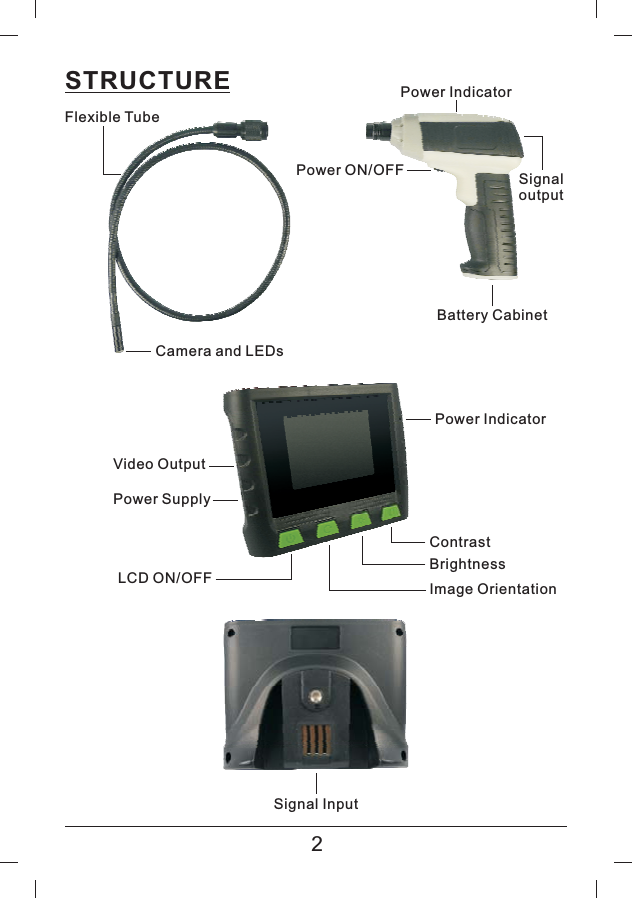
STRUCTURE2Flexible TubePower ON/OFFPower IndicatorSignaloutputCamera and LEDsBattery CabinetVideo OutputPower SupplyPower IndicatorContrastBrightnessImage OrientationLCD ON/OFFSignal Input
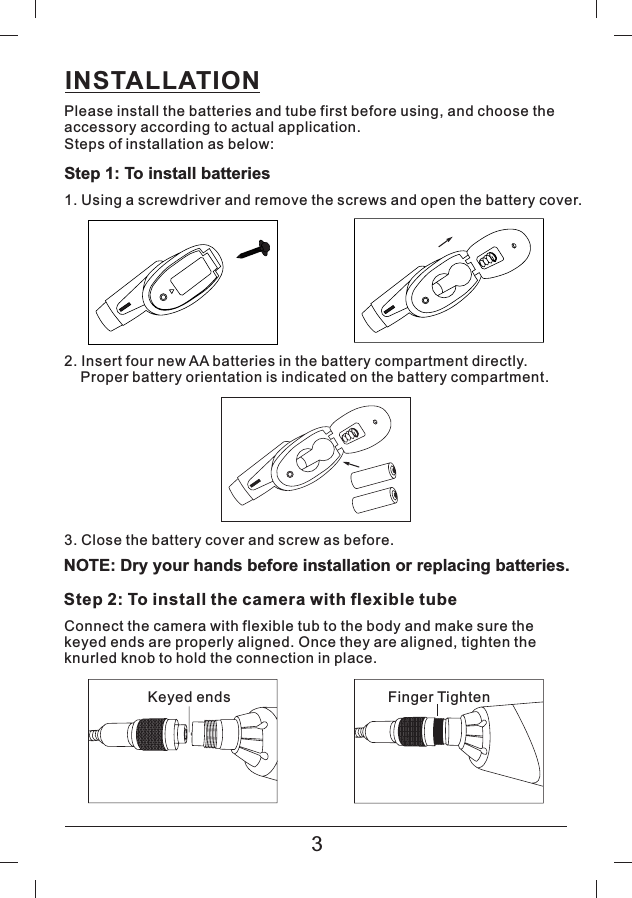
INSTALLATIONPlease install the batteries and tube first before using, and choose theaccessory according to actual application.Steps of installation as below:Step 1: To install batteries1. Using a screwdriver and remove the screws and open the battery cover.2. Insert four new AA batteries in the battery compartment directly.Proper battery orientation is indicated on the battery compartment.3. Close the battery cover and screw as before.NOTE: Dry your hands before installation or replacing batteries.Step 2: To install the camera with flexible tubeConnect the camera with flexible tub to the body and make sure thekeyed ends are properly aligned. Once they are aligned, tighten theknurled knob to hold the connection in place.Keyed ends Finger Tighten3
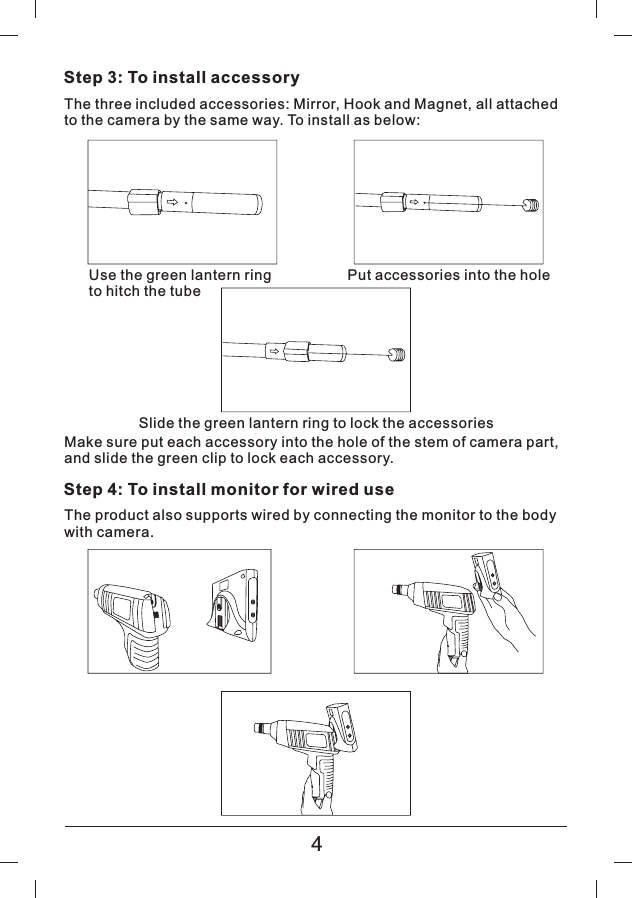
Step 3: To install accessoryThe three included accessories: Mirror, Hook and Magnet, all attachedto the camera by the same way. To install as below:Make sure put each accessory into the hole of the stem of camera part,and slide the green clip to lock each accessory.Step 4: To install monitor for wired useThe product also supports wired by connecting the monitor to the bodywith camera.Use the green lantern ringto hitch the tubePut accessories into the holeSlide the green lantern ring to lock the accessories4
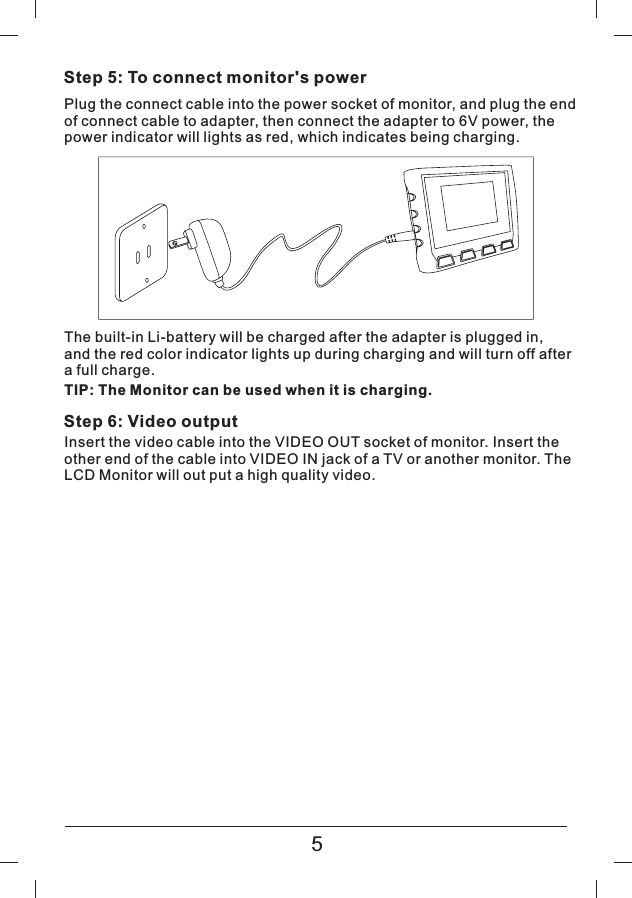
Step 5: To connect monitor's powerPlug the connect cable into the power socket of monitor, and plug the endof connect cable to adapter, then connect the adapter to 6V power, thepower indicator will lights as red, which indicates being charging.The built-in Li-battery will be charged after the adapter is plugged in,and the red color indicator lights up during charging and will turn off aftera full charge.Step 6: Video outputInsert the video cable into the VIDEO OUT socket of monitor. Insert theother end of the cable into VIDEO IN jack of a TV or another monitor. TheLCD Monitor will out put a high quality video.5TIP: The Monitor can be used when it is charging.
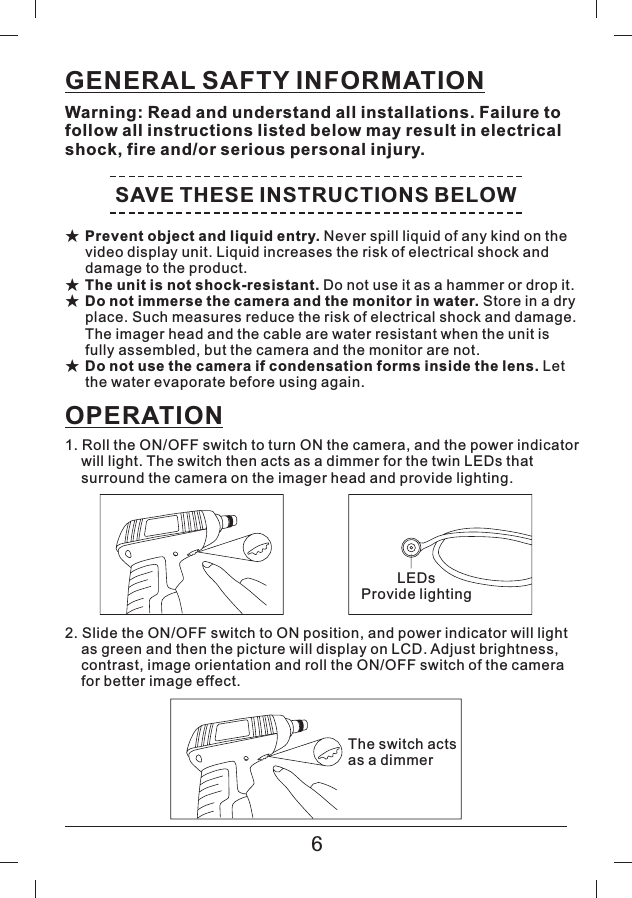
GENERAL SAFTY INFORMATIONWarning: Read and understand all installations. Failure tofollow all instructions listed below may result in electricalshock, fire and/or serious personal injury.SAVE THESE INSTRUCTIONS BELOW★★★★Prevent object and liquid entry.The unit is not shock-resistant.Do not immerse the camera and the monitor in water.Do not use the camera if condensation forms inside the lens.Never spill liquid of any kind on thevideo display unit. Liquid increases the risk of electrical shock anddamage to the product.Donotuseitasahammerordropit.Storeinadryplace. Such measures reduce the risk of electrical shock and damage.The imager head and the cable are water resistant when the unit isfully assembled, but the camera and the monitor are not.Letthe water evaporate before using again.OPERATION1. Roll the ON/OFF switch to turn ON the camera, and the power indicatorwill light. The switch then acts as a dimmer for the twin LEDs thatsurround the camera on the imager head and provide lighting.2. Slide the ON/OFF switch to ON position, and power indicator will lightas green and then the picture will display on LCD. Adjust brightness,contrast, image orientation and roll the ON/OFF switch of the camerafor better image effect.LEDsProvide lightingThe switch actsasadimmer6
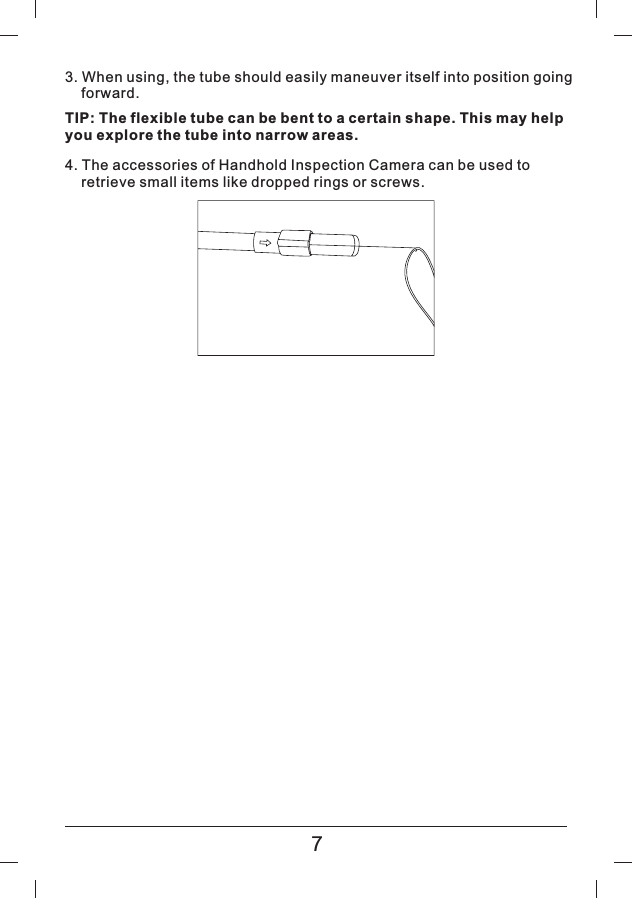
3. When using, the tube should easily maneuver itself into position goingforward.TIP: The flexible tube can be bent to a certain shape. This may helpyou explore the tube into narrow areas.4. The accessories of Handhold Inspection Camera can be used toretrieve small items like dropped rings or screws.7
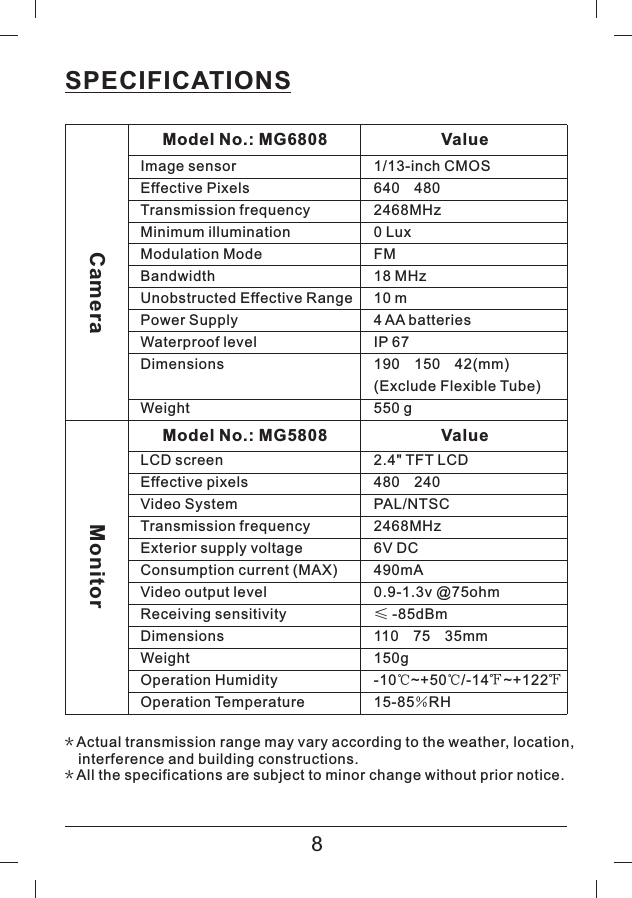
SPECIFICATIONSImage sensorEffective PixelsTransmission frequencyMinimum illuminationModulation ModeBandwidthUnobstructed Effective RangePower SupplyWaterproof levelDimensionsWeight1/13-inch CMOS640 4802468MHz0 LuxFM18 MHz10 m4 AA batteriesIP 67190 150 42(mm)(Exclude Flexible Tube)550 gCameraModel No.: MG6808 ValueModel No.: MG5808 ValueLCD screenEffective pixelsVideo SystemTransmission frequencyExterior supply voltageConsumption current (MAX)Video output levelReceiving sensitivityDimensionsWeightOperation HumidityOperation Temperature2.4" TFT LCD480 240PAL/NTSC2468MHz6V DC490mA0.9-1.3v @75ohm-85dBm1107535mm150g-10~+50/-14~+12215-85 RH≤℃℃℉ ℉%Monitor**Actual transmission range may vary according to the weather, location,interference and building constructions.All the specifications are subject to minor change without prior notice.8
CAUTIONS◆◆◆◆◆◆◆◆◆◆◆◆The apparatus shall not be exposed to dripping or splashing and thatno objects filled with liquid, such as vases, shall be placed on theapparatus.Turn off the Camera and Monitor if not use.The adapter is used as the disconnect device from the mains.The adapter shall remain readily operable.The Camera/Monitor can only be completely disconnected from themains by unplugging the adapter.Do not cut the DC power cable of the apparatus to fit with anotherpower source.Attention should be drawn to the environment aspects of batterdisposal.Remove the batteries when cleaning the unit.Remove the batteries before storing the unit for a long time.When necessary, REPLACE ALL FOUR BATTERIES in this unit withnew ones.Use only the size and type of the battery specified.Be sure to install the battery with correct polarity as indicated in thebattery compartment.Properly dispose of the battery. Exposure to high temperatures cancause the battery to explode. So do not dispose of in a fire. Pleasetape over the terminals to prevent direct contact with other objects.Some countries have regulations concerning battery disposal. Pleasefollow all applicable regulations.The graphics included are subject to minor change without prior notice.9
CAUTIONSThis device complies with part 15 of the FCC rules. Operation is subjectto the following two regulations:1) this device may not cause harmful interference;2) this device must accept any interference received, includinginterference that may cause undesired operation.Changes or modifications not expressly approved by the partyresponsible for compliance could void the user s authority to operatethe equipment.’EU ENVIRONMENTAL PROTECTIONWaste electrical products shouldnot be disposed of with household waste.Please recycle where facilities exist.Check with your local Authorityor retailer for recycling advice.

Navigation menu