103132 2 Weg Variable Frequency Drive Users Manual CFW 09_V3_7X_E11_0899_5306 User
User Manual: Pump 103132 2 Weg Variable Frequency Drive Users Manual
Open the PDF directly: View PDF  .
.
Page Count: 361 [warning: Documents this large are best viewed by clicking the View PDF Link!]
- Summary
- QUICK PARAMETER REFERENCE, FAULT AND STATUS MESSAGES
- SAFETY NOTICES
- GENERAL INFORMATION
- INSTALLATION
- KEYPAD (HMI) OPERATION
- START-UP
- DETAILED PARAMETER DESCRIPTION
- DIAGNOSTICS AND TROUBLESHOOTING
- CFW-09 OPTIONS AND ACCESSORIES
- 8.1 I/O EXPANSION BOARDS
- 8.2 INCREMENTAL ENCODER
- 8.3 KEYPAD WITH LED´s ONLY
- 8.4 REMOTE KEYPAD AND CABLES
- 8.5 BLANK COVERS
- 8.6 RS-232 PC COMMUNICATION KIT
- 8.7 LINE REACTOR / DC BUS CHOKE
- 8.8 LOAD REACTOR
- 8.9 RFI FILTER
- 8.10 DYNAMIC BRAKING
- 8.11 THROUGH SURFACE MOUNTING KIT
- 8.12 FIELDBUS
- 8.13 SERIAL COMMUNICATION
- 8.14 MODBUS-RTU
- 8.15 KIT KME (for Extractable Mounting)
- 8.16 CFW-09 SHARK NEMA 4X
- 8.17 CFW-09 SUPPLIED BY THE DC LINK–LINE HD
- 8.18 CFW-09 RB REGENERATIVE CONVERTER
- 8.19 PLC BOARD
- TECHNICAL SPECIFICATIONS

Series: CFW-09
Software Version: 3.7X
Manual Number/Revision:
0899.5306 E/11
FREQUENCY
INVERTER
MANUAL
ATTENTION!
It is very important to check if the
inverter software version is the same
as indicated above.
07/2006
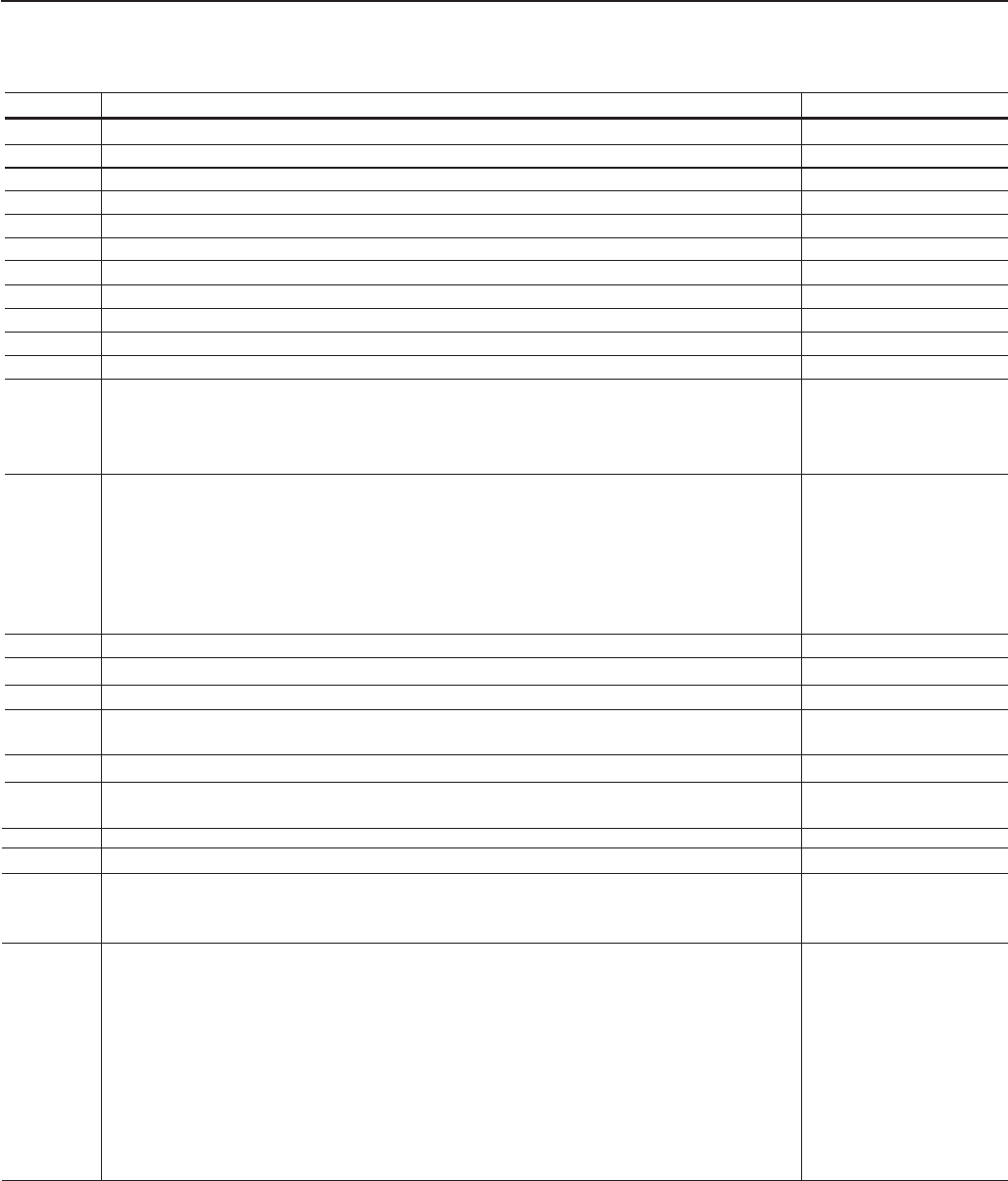
Revision Description Section
1First Edition. -
2Inclusion of the functions Fieldbus and Serial Communication. See 8.12 and 8.13
2Inclusion of the Spare Part List. See 7.5
2Dimension Changing. See 3.1.2 and 9.4
3Inclusion of the PID Regulator.See item 6
4Inclusion of the German Language - Ride-through and Flying-start functions See item 6
4Inclusion of DBW-01; KIT KME; DC Link Inductor See item 8
5Inclusion of item 3.3 - CE Installation See item 3
5Inclusion of new functions such as Ride-Through for Vector Control, Motor Phase Loss . See item 6
5New I/O Expansion Boards EBB.04 and EBB.05. See item 8
6General Revision. -
7Inclusion of the models from 2.9 to 32A / 500-600V.See 2.4; 3.1; 3.2.1; 3.3;
4.2; 6.2; 6.3; 7.1; 7.2;
7.4; 7.5; 8.7.1; 8.10.1;
9.1 and 9.1.3
8Inclusion of new functions: See item 6
Control Type of the Speed Regulator, Speed Regulator Differential Gain,
Stop Mode Selection, Access to the parameters with different content than default,
Hysteresis for Nx/Ny, kWh Counter, Load User 1 and 2 the factory Hours Hx, via DIx,
Parameter Setting Disable via DIx, Help Message for E24, “P406=2 in Vector Control”,
Automatic SensorLess Set of P525, Last 10 errors indication, Motor Torque indication
via AOx.
8New optional boards: EBC and PLC1. See item 8
8New model CFW-09 SHARK NEMA 4X/IP56. See item 8
8New models for voltages, currents and powers: Models 500-600V.See itens 1 to 9
8Inclusion of the itens 8.14 Modbus-RTU, 8.17 CFW-09 Supplied by the DC Link - See item 8
Line HD, 8.18 CFW-09 RB Regenerative Converter.
8Updating of the Spare Part List. 7
9Inclusion of new functions: -
Overcurrent Protection, Default factory reset 50Hz, Timer Relay, Ramp Holding
9New lines of the Current and supply power; -
9PID Regulator to “Academic” Changing. -
10 General revision and update of thesoftware version (2.6X to 3.1X): -
Change on the maximum value of P156 and P401 for some models; Change on the
maximum value of P331; Change on the factory default value of P404.
11 New functions;
Incorporation of the Mechanical Brake Logic for cranes, Load Detection Logic and See I, 6, 7 and 8
addition of option “Indication of Torque Current Polarity” at the DOx and RLx
outputs; VVW Control; DC Braking for VVW and Sensorless; Flying Start function for
the Sensorless Control; support for Ethernet/IP communication board; read/write
function for the PLC board parameters through Modbus; Indication of the Analog
Outputs values in read only parameters P027 to P030;Simultaneous indication
of the speed and current in parameter P070; P313 = 4 (Changes to LOCAL mode
keeping the commands);Regulation of the maximum torque current through options
AI1+AI2 and AI2+AI3; function F > Fx; function ready 2
Summary of Revisions
The table below describes all revisions made to this manual.

Summary
Quick Parameter Reference, Fault and Status Messages
I. Parameters ........................................................................................ 09
II.Fault messages ..................................................................................... 33
III. Other messages .................................................................................. 33
CHAPTER 1
Safety Notices
1.1 Safety notices in the manual .............................................................. 34
1.2 Safety notices on the product ............................................................. 34
1.3 Preliminary recommendations ............................................................ 34
CHAPTER 2
General Information
2.1 About this manual ............................................................................... 36
2.2 Software version ................................................................................. 36
2.3 About the CFW-09 .............................................................................. 36
2.4 CFW-09 identification Label and Code Number .................................. 38
2.5 Receiving and Storage ........................................................................ 40
CHAPTER 3
Installation
3.1 Mechanical installation ....................................................................... 41
3.1.1 Environment conditions ................................................................ 41
3.1.2 Dimensional of CFW-09 ................................................................ 41
3.1.3 Mounting specifications ................................................................ 42
3.1.3.1 Mounting Inside a Panel ..................................................... 43
3.1.3.2 Mounting on Surface ........................................................... 44
3.1.3.3 Mounting with the heatsink through a surface ..................... 45
3.1.4 Keypad (HMI) and cover removal .................................................. 47
3.2 Electrical installation .......................................................................... 48
3.2.1 Power/grounding terminals ........................................................... 48
3.2.2 Location of the power/grounding/control connections ................... 50
3.2.3 Rated voltage selection ................................................................ 52
3.2.4 Power/Grounding Wiring and Fuses ............................................. 53
3.2.5 Power Connections ...................................................................... 56
3.2.5.1 AC Input Connection ............................................................ 56
3.2.5.2 Output Connections ............................................................. 57
3.2.5.3 Grounding connections ........................................................ 57
3.2.5.4 IT Networks .......................................................................... 58
3.2.6 Control Wiring .............................................................................. 60
3.2.7 Typical Terminal Connections ....................................................... 63
3.3 European EMC Directive - requirements for conforming installations .. 66
3.3.1 Installation .................................................................................... 66
3.3.2 Epcos filters ................................................................................. 67
3.3.3 Schaffner filters definitions ............................................................ 70
3.3.4 EMC filter characteristics ............................................................. 73

Summary
CHAPTER 4
Keypad (HMI) Operation
4.1 Discription of the Keypad.................................................................... 87
4.2 Use of the Keypad (HMI) .................................................................... 89
4.2.1 Keypad Operation ........................................................................ 89
4.2.2 "Read-Only" Variables and Status ................................................ 90
4.2.3 Parameter Viewing and Programming .......................................... 91
CHAPTER 5
Start-up
5.1 Pre-Power Checks ............................................................................ 94
5.2 Initial Power-up .................................................................................. 94
5.3 Start-up .............................................................................................. 99
5.3.1 Type of Control: V/F 60Hz - Operation via Keypad (HMI) ............ 100
5.3.2 Type of Control: Sensorless or Vector with Encoder
(Operation Via Keypad (HMI)) .................................................... 103
5.3.3 Type of Control: VVW - Keypad Operation ................................. 110
CHAPTER 6
Detailed Parameter Description
6.1 Access and Read Only Parameters - P000 to P099 ......................... 119
6.2 Regulation Parameters - P100 to P199 ............................................ 125
6.3 Configuration Parameters - P200 to P399 ........................................ 148
6.3.1 Parameters for Crane Applications and for Torque Master/Slave
Function - P351 to P368 ........................................................... 207
6.4 Motor Parameters - P400 to P499 .................................................... 213
6.5 Special Functions Parameters - P500 to P699 ................................. 219
6.5.1 PID Regulator ............................................................................. 219
6.5.2 Description ................................................................................. 219
CHAPTER 7
Diagnostics and Troubleshooting
7.1 Faults and Possible Causes............................................................. 227
7.2 Troubleshooting ................................................................................ 232
7.3 Contacting WEG .............................................................................. 234
7.4 Preventive Maintenance .................................................................... 234
7.4.1 Cleaning Instructions .................................................................. 235
7.5 Spare Part List.................................................................................. 236
CHAPTER 8
CFW-09 Options and Accessories
8.1 I/O Expansion Boards ...................................................................... 247
8.1.1 EBA (I/O Expansion Board A) ..................................................... 247

Summary
8.1.2 EBB (I/O Expansion Board B) .................................................... 250
8.1.3 EBE ............................................................................................ 253
8.2 Incremental Encoder ......................................................................... 253
8.2.1 EBA/EBB Boards ....................................................................... 253
8.2.2 EBC Board ................................................................................. 255
8.3 Keypad with Led's Only .................................................................... 257
8.4 Remote Keypad and Cables ............................................................. 257
8.5 Blank Covers .................................................................................... 261
8.6 RS-232 PC Communication Kit ........................................................ 261
8.7 Line Reactor/DC Bus Choke ............................................................. 262
8.7.1 Application Criteria...................................................................... 263
8.7.2 DC link Inductor Built in .............................................................. 265
8.8 Load Reactor .................................................................................... 266
8.9 RFI Filter........................................................................................... 266
8.10 Dynamic Braking ............................................................................ 267
8.10.1 DB Resistor Sizing.................................................................. 267
8.10.2 Installation ............................................................................... 269
8.10.3 Dynamic Braking Module-DBW-01 and DBW-02 .................... 270
8.10.3.1 DBW-01 and DBW-02 Identification Label ................... 271
8.10.3.2 Mechanical Installation ................................................ 271
8.10.3.3 Installation/Connection ................................................ 274
8.11Through Surface Mounting Kit ......................................................... 276
8.12Fieldbus........................................................................................... 276
8.12.1 Installation of the Fielbus Kit ................................................... 277
8.12.2 Profibus-DP ............................................................................. 280
8.12.3 Device-Net ............................................................................... 282
8.12.4 Ethernet/IP .............................................................................. 285
8.12.5 Use to the Fieldbus/Related Parameters of the CFW-09. ....... 292
8.12.5.1 Variables Read from the Inverter .................................. 292
8.12.5.2 Variables Written in the Inverter................................... 294
8.12.5.3 Fault Indications .......................................................... 296
8.12.5.4 Addressing of the CFW-09 variables in the Fieldbus ... 297
8.13Serial Communiaction ..................................................................... 298
8.13.1 Introduction ............................................................................. 298
8.13.2 Interfaces Description ............................................................. 299
8.13.2.1 RS-485 ......................................................................... 299
8.13.2.2 RS-232 ......................................................................... 300
8.13.3 Protocol Definitions ................................................................. 300
8.13.3.1 Used Terms .................................................................. 300
8.13.3.2 Parameters/Variables Resolution ................................. 301
8.13.3.3 Characters Format ....................................................... 301
8.13.3.4 Protocol ........................................................................ 301
8.13.3.5 Exection and Telegram Test ......................................... 303
8.13.3.6 Telegram Sequence ...................................................... 304
8.13.3.7 Variable Code ............................................................... 304
8.13.4 Telegram Examples ................................................................ 304
8.13.5 Variables and Errors of the Serial Communication .................. 305
8.13.5.1 Basic Variables ............................................................ 305
8.13.5.2 Examples of Telegrams with Basic Variables ............... 308
8.13.5.3 Parameters Related to the Serial Communication........ 309
8.13.5.4 Errors Related to the Serial Communication ................ 310
8.13.6 Times for Read/Write of Telegrams ......................................... 310
8.13.7 Physical Connection of the RS-232 and RS-485 Interface ....... 311
8.14Modbus-RTU ................................................................................... 312
8.14.1 Introduction in the Modbus-RTU Protocol ................................ 312
8.14.1.1 Transmission Modes .................................................... 312

Summary
8.14.1.2 Message Structure in RTU Mode.................................. 312
8.14.2 Operation of the CFW-09 in the Modbus-RTU Network ........... 314
8.14.2.1 Interface RS-232 and RS-485 Description .................... 314
8.14.2.2 Inverter Configuration in the Modbus-RTU Network ...... 315
8.14.2.3 Access to the Inverter Data.......................................... 315
8.14.3 Detailed Function Description ................................................... 318
8.14.3.1 Function 01 - Read Coils .............................................. 319
8.14.3.2 Function 03 - Read Holding Register ............................ 319
8.14.3.3 Function 05 - Write Single Coil..................................... 320
8.14.3.4 Function 06 - Write Single Register ............................. 321
8.14.3.5 Function 15 - Write Multiple Coils ................................ 322
8.14.3.6 Function 16 - Write Multiple Registers ......................... 323
8.14.3.7 Function 43 - Read Device Identification ....................... 324
8.14.4 Communication Errors ............................................................ 325
8.14.4.1 Error Messages ............................................................ 325
8.15 KIT KME (for Extractable Mounting) ............................................... 327
8.16 CFW-09 SHARK NEMA 4X ............................................................. 328
8.16.1 Enclosure Specifications ......................................................... 328
8.16.2 Mechanical Installation............................................................ 328
8.16.3 Electrical Installation ............................................................... 330
8.16.4 Closing the Drive ..................................................................... 330
8.16.5 How to Specify ........................................................................ 331
8.17 CFW-09 Supplied by the DC link - line HD ..................................... 331
8.18 CFW-09 RB Regenerative Converter ............................................... 331
8.19 PLC Board ...................................................................................... 333
CHAPTER 9
Technical Specification
9.1 Power Data ...................................................................................... 334
9.1.1 Power supply specifications ....................................................... 334
9.1.2 220-230V Power Supply ............................................................. 335
9.1.3 380-480V Power Supply ............................................................. 335
9.1.4 500-600V Power Supply ............................................................. 336
9.1.5 660-690V Power Supply ............................................................. 338
9.2 Electronics/General Data.................................................................. 341
9.2.1 Applicable standards .................................................................. 342
9.3 Optional Devices ............................................................................... 343
9.3.1 I/O Expansion Board EBA .......................................................... 343
9.3.2 I/O Expansion Board EBB .......................................................... 343
9.4 Mechanical Data ............................................................................... 344
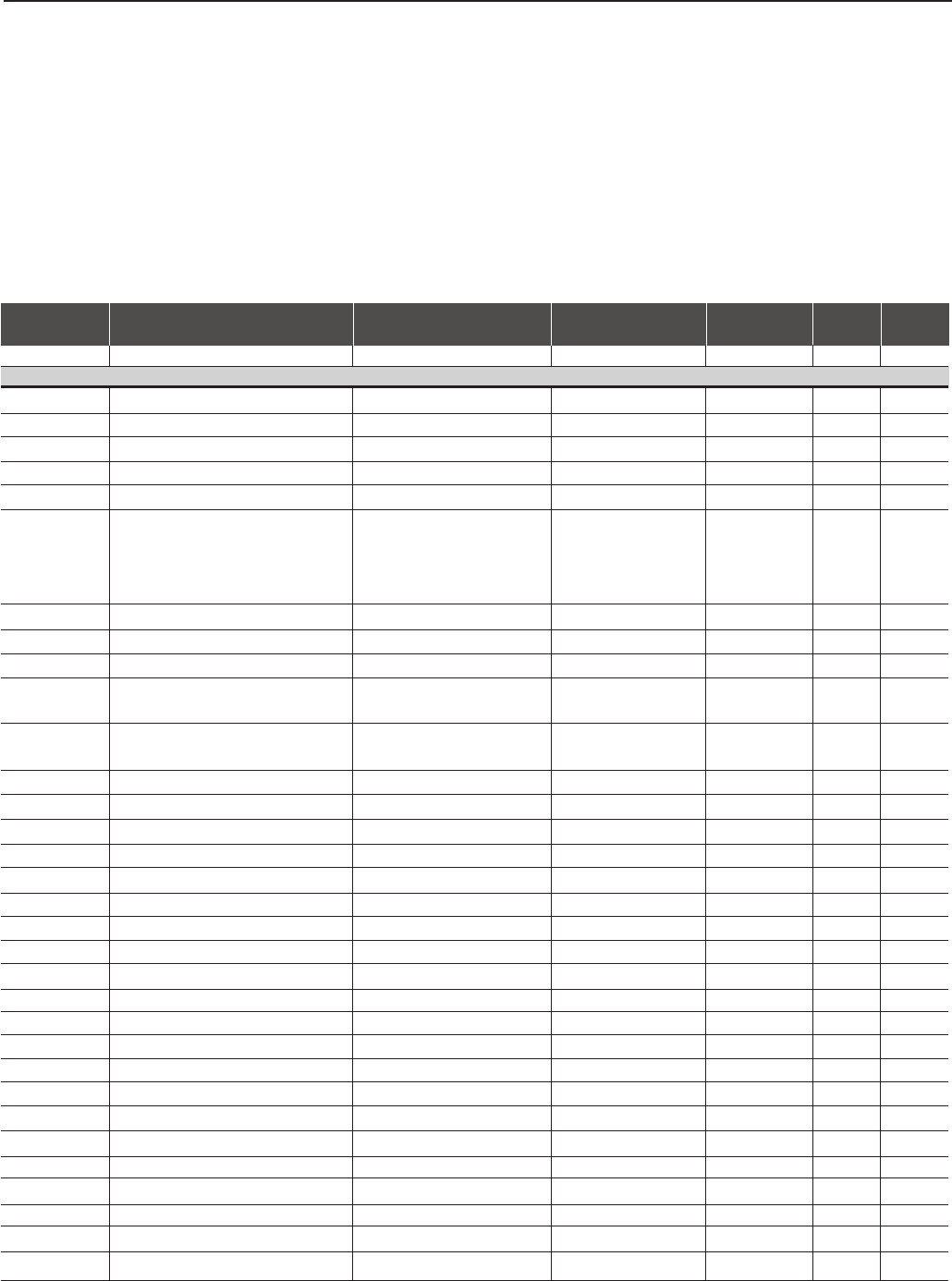
CFW-09 - QUICK PARAMETER REFERENCE
9
QUICK PARAMETER REFERENCE, FAULT AND STATUS MESSAGES
Software: V3.7X
Application:
CFW-09 Model:
Serial Number:
Responsible:
Date: //.
I. Parameters
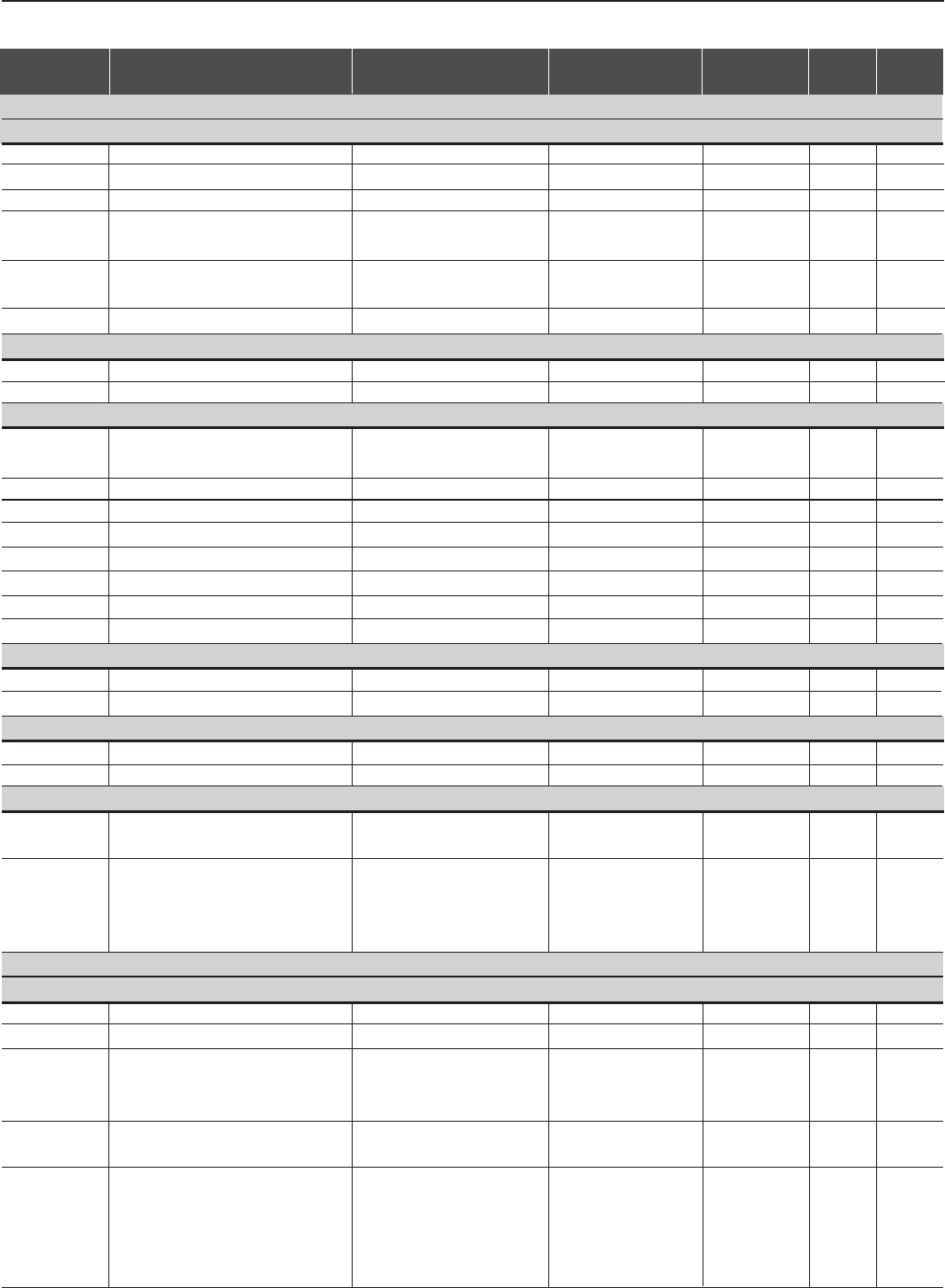
Parameters Function Adjustable Range Factory Unit User's Page
P000 Parameter Access 0 to 999 0-119
READ ONLY PARAMETERS P001 to P099
P001 Speed Reference 0 to P134 rpm 119
P002 Motor Speed 0 to P134 rpm 119
P003 Motor Current 0 to 2600 A (rms) 119
P004 DC Link Voltage 0 to 1235 V120
P005 Motor Frequency 0 to 1020 Hz 120
P006 Inverter Status rdy -120
run
Sub
EXY
P007 Motor Voltage 0 to 800 V120
P009 Motor Torque 0 to 150.0 %120
P010 Output Power 0.0 to 1200 kW 120
P012 Digital Inputs DI1 ... DI8 Status 0 = Inactive (Open) -120
1 = Active (Closed)
P013 Digital and Relay Outputs DO1, DO2, 0 = Inactive (Dropped-out) -121
RL1, RL2, and RL3 Status 1 = Active (Picked-up)
P014 Last Fault 0 to 70 -122
P015 Second Previous Fault 0 to 70 -122
P016 Third Previous Fault 0 to 70 -122
P017 Fourth Previous Fault 0 to 70 -122
P018 Analog Input AI1’ Value -100 to +100 %122
P019 Analog Input AI2’ Value -100 to +100 %122
P020 Analog Input AI3’ Value -100 to +100 %122
P021 Analog Input AI4’ Value -100 to +100 %122
P022 WEG Use 0 to 100 %122
P023 Software Version X.XX -122
P024 A/D Conversion Value of AI4 -32768 to +32767 -122
P025 A/D Conversion Value of Iv 0 to 1023 -122
P026 A/D Conversion Value of Iw 0 to 1023 -122
P027 AO1 Value 0 to 100 %123
P028 AO2 Value 0 to 100 %123
P029 AO3 Value -100 to +100 %123
P030 AO4 Value -100 to +100 %123
P040 PID Process Variable 0.0 to 100 %123
P042 Powered Time 0 to 65530 h123
P043 Enabled Time 0 to 6553 h123
P044 kWh Counter 0 to 65535 kWh 124
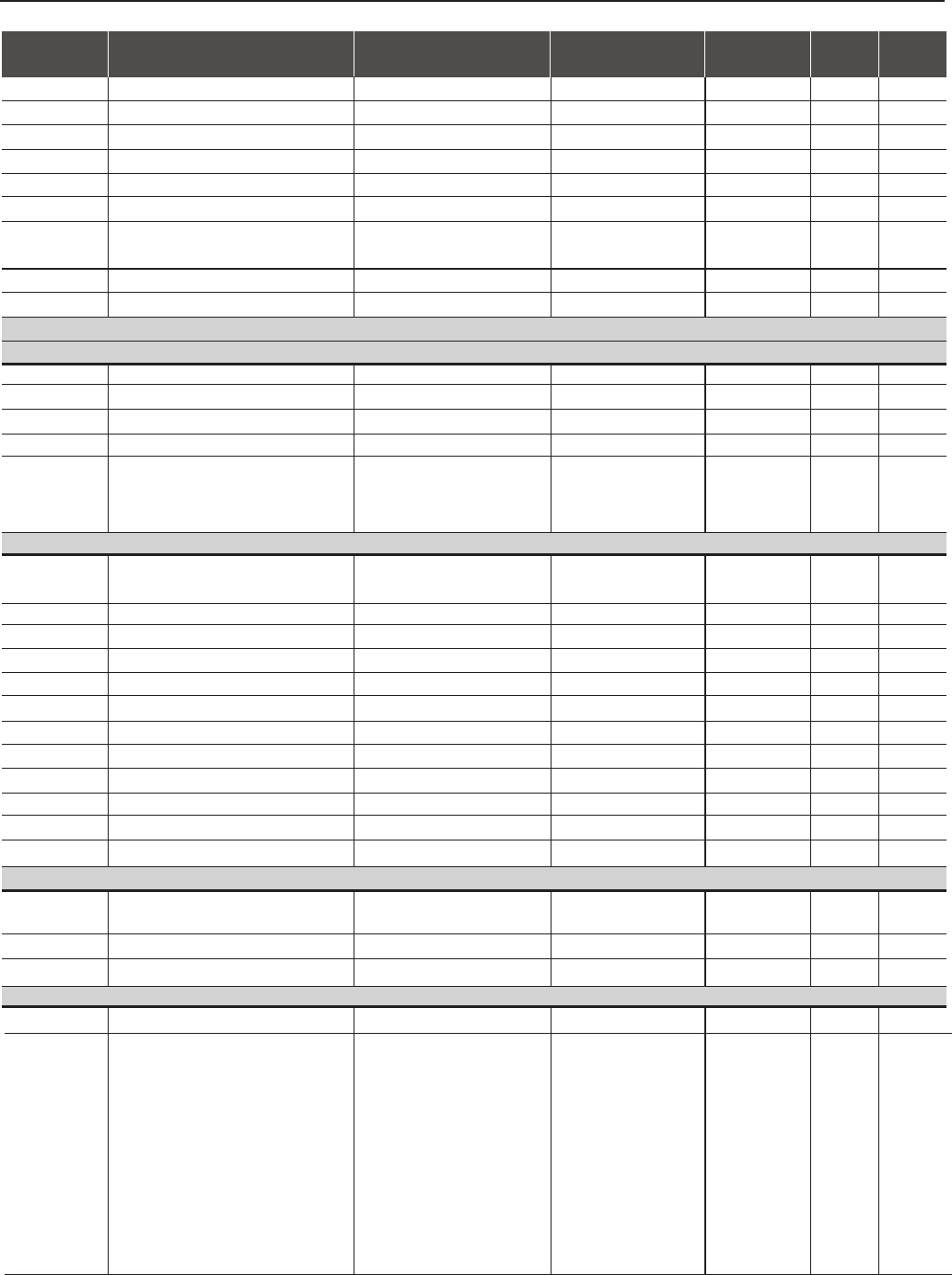
CFW-09 - QUICK PARAMETER REFERENCE
10
Parameters Function Adjustable Range Factory Unit User's Page
Setting Setting
(*)P136 Has different functions for V/F and Vector control
P060 Fifth Error 0 to 70 -124
P061 Sixth Error 0 to 70 -124
P062 Seventh Error 0 to 70 -124
P063 Eighth Error 0 to 70 -124
P064 Ninth Error 0 to 70 -124
P065 Tenth Error 0 to 70 -124
P070 Motor Speed and Motor Current 0 to P134 rpm 124
0 to 2600 A (rms)
P071 Command Word 0 a 65535 -124
P072 Fieldbus Speed Reference 0 a 65535 -124
REGULATION PARAMETERS P100 to P199
Ramps
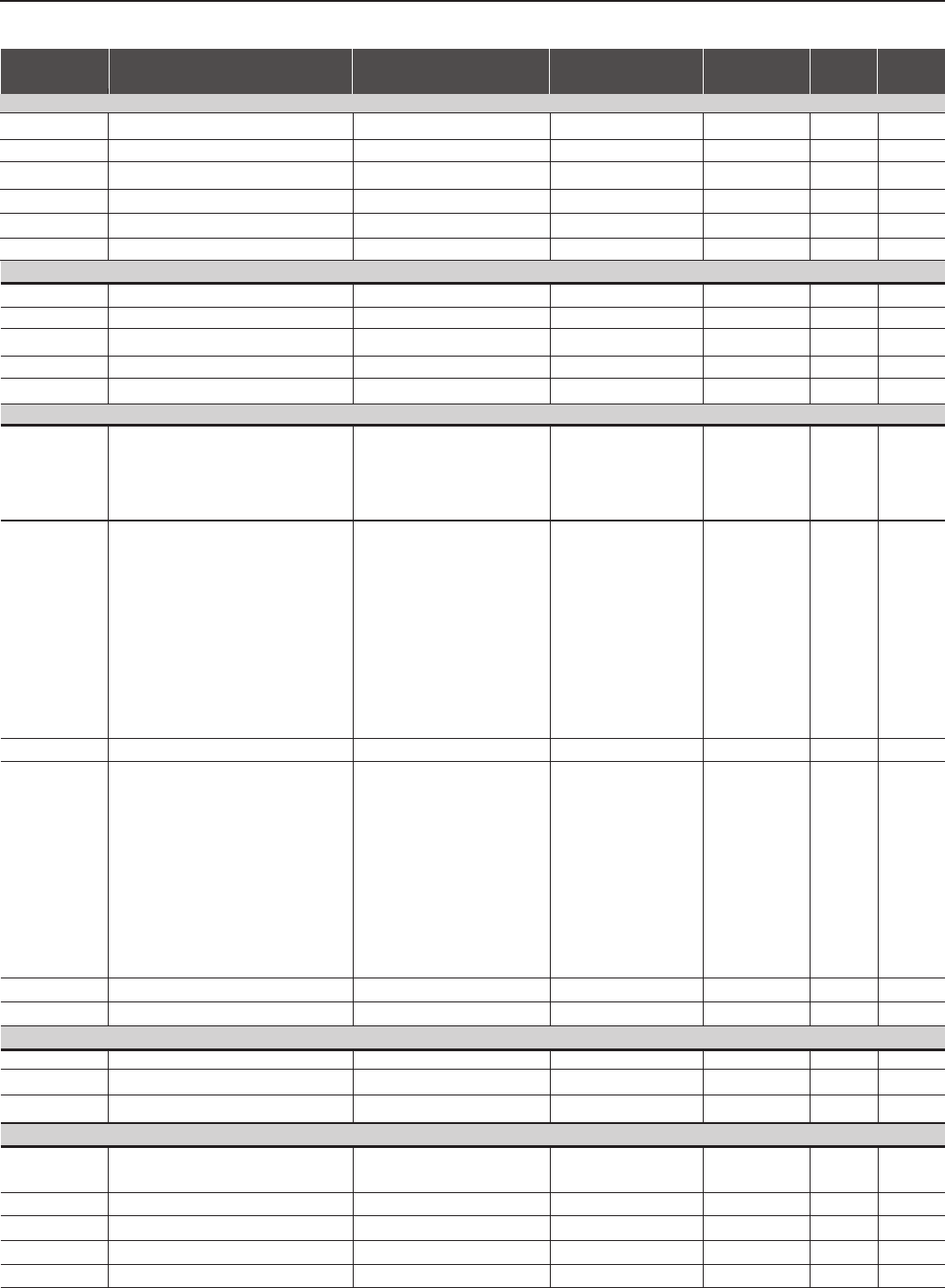
P100 Acceleration Time 0.0 to 999 20.0 s125
P101 Deceleration Time 0.0 to 999 20.0 s125
P102 Acceleration Time 2 0.0 to 999 20.0 s125
P103 Deceleration Time 2 0.0 to 999 20.0 s125
P104 S Ramp 0=Inactive (Linear) 0=Inactive %125
1=50
2=100
Speed References
P120 Speed Reference Backup 0=Inactive 1=Active -125
1=Active
P121 Keypad Speed Reference P133 to P134 90 rpm 126
P122 (2) (11) JOG or JOG+ Speed Reference 00 to P134 150 (125) (11) rpm 126
P123 (2) (11) JOG- Speed Reference 00 to P134 150 (125) (11) rpm 126
P124 (2) (11) Multispeed Reference 1 P133 to P134 90 (75) (11) rpm 127
P125 (2) (11) Multispeed Reference 2 P133 to P134 300 (250) (11) rpm 127
P126 (2) (11) Multispeed Reference 3 P133 to P134 600 (500) (11) rpm 127
P127 (2) (11) Multispeed Reference 4 P133 to P134 900 (750) (11) rpm 127
P128 (2) (11) Multispeed Reference 5 P133 to P134 1200 (1000) (11) rpm 127
P129 (2) (11) Multispeed Reference 6 P133 to P134 1500 (1250) (11) rpm 127
P130 (2) (11) Multispeed Reference 7 P133 to P134 1800 (1500) (11) rpm 127
P131 (2) (11) Multispeed Reference 8 P133 to P134 1650 (1375) (11) rpm 127
Speed Limits
P132 (1) Maximum Overspeed Level (0 to 99) x P134 10 %128
100=Disabled
P133 (2) (11) Minimum Speed Reference 0 to (P134-1) 90 (75) (11) rpm 128
P134 (2) (11) Maximum Speed Reference (P133+1) to (3.4xP402) 1800 (1500) (11) rpm 128
I/F Control
P135 (2) Speed transition to I/F Control 0 to 90 18 rpm 129
P136 (*) Current Reference (I*) 0= Imr 1=1.11x Imr -129
for I/F Control 1=1.11x Imr
2=1.22x Imr
3=1.33x Imr
4=1.44x Imr
5=1.55x Imr
6= 1.66x Imr
7=1.77x Imr
8=1.88x Imr
9=2.00x Imr
CFW-09 - QUICK PARAMETER REFERENCE
11
Parameters Function Adjustable Range Factory Unit User's Page
Setting Setting
(*) P151 has different function for V/F or Vector control.
V/F Control
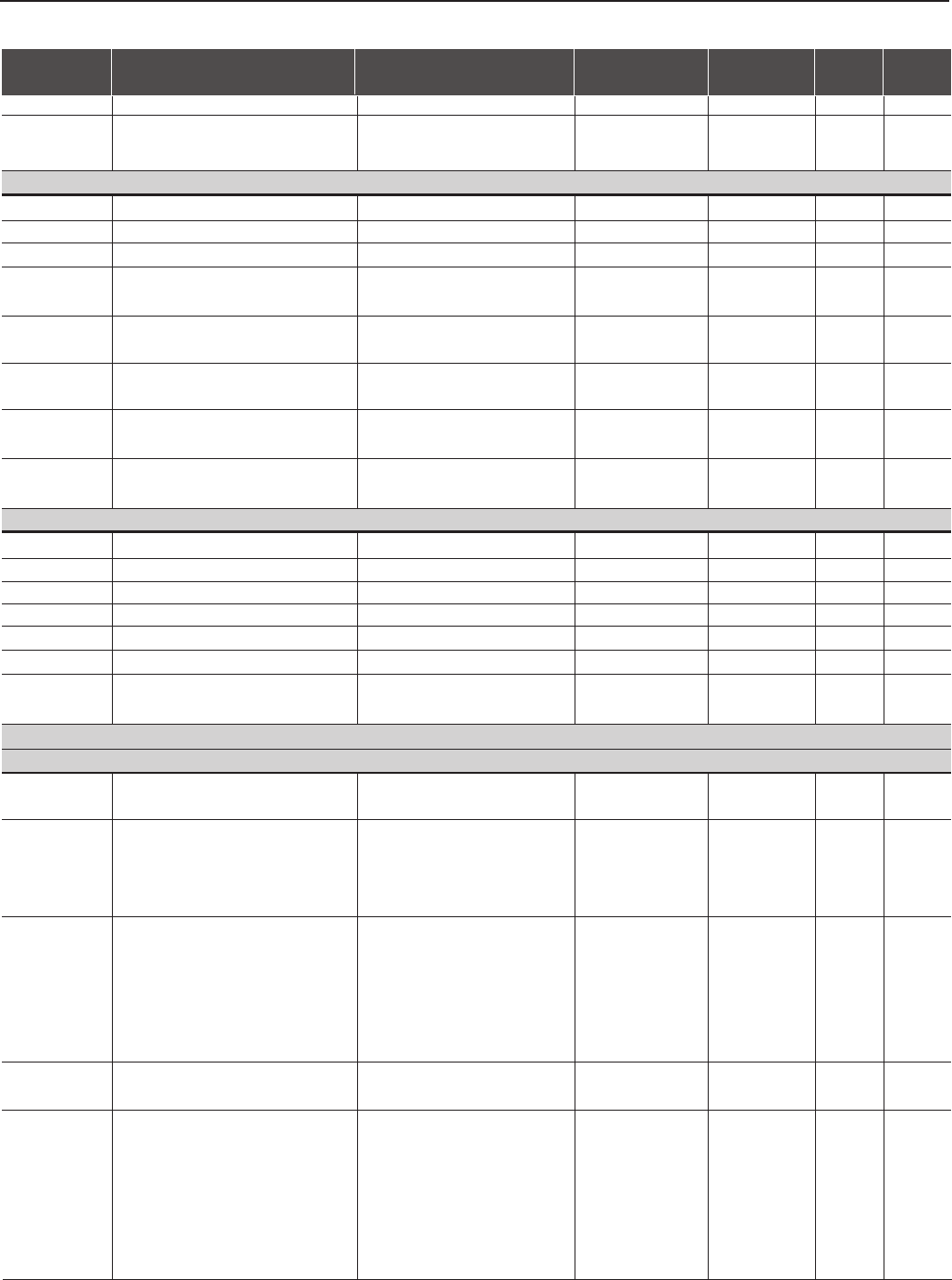
P136 (*) Manual Boost Torque 0 to 9 1-130
P137 Autommatic Torque Boost 0.00 to 1.00 0.00 -131
P138 Slip Compensation -10.0 to +10.0 0.0 %131
P139 Output Current Filter 0.00 to 16.00 1.00 s132
P140 Dwell Time at Start 0.0 to 10.0 0.0 s132
P141 Dwell Speed at Start 0 to 300 90 rpm 132
Adjustable V/F
P142 (1) Maximum Output Voltage 0.0 to 100.0 100.0 %133
P143 (1) Intermediate Output Voltage 0.0 to 100.0 50.0 %133
P144 (1) Output Voltage at 3Hz 0.0 to 100.0 8.0 %133
P145 (1) Field Weakening Speed P133 (>90) to P134 1800 rpm 133
P146 (1) Intermediate Speed 90 to P145 900 rpm 133
DC Link Voltage Regulation
P150 (1) DC Link Voltage Regulation Mode 0=With Losses 1=Without Losses -134
1=Without Losses
2=Enable/Disable
via DI3...DI8
P151 (6) (*) DC Link Voltage Regulation Level 339 to 400 (P296=0) 400 V134
(V/F control / Vector control 585 to 800 (P296=1) 800
with optimal braking) 616 to 800 (P296=2) 800
678 to 800 (P296=3) 800
739 to 800 (P296=4) 800
809 to 1000 (P296=5) 1000
885 to 1000 (P296=6) 1000
924 to 1000 (P296=7) 1000
1063 to 1200 (P296=8) 1200
P152 Proportional Gain 0.00 to 9.99 0.00 -138
P153 (6) Dynamic Braking Level 339 to 400 (P296=0) 375 V138
585 to 800 (P296=1) 618
616 to 800 (P296=2) 675
678 to 800 (P296=3) 748
739 to 800 (P296=4) 780
809 to 1000 (P296=5) 893
885 to 1000 (P296=6) 972
924 to 1000 (P296=7) 972
1063 to 1200 (P296=8) 1174
P154 Dynamic Braking Resistor 0.0 to 500 0.0 Ω139
P155 DB Resistor Power Rating 0.02 to 650 2.60 kW 139
Overload Currents
P156 (2) (7) (12) Overload Current 100% Speed P157 to 1.3xP295 (12) 1.1xP401 A140
P157 (2) (7) Overload Current 50% Speed P158 to P156 0.9xP401 A140
P158 (2) (7) Overload Current 5% Speed (0.2xP295) to P157 0.5xP401 A140
Speed Regulator
P160 (1) Optimization of the 0=Speed 0=Speed -141
Speed Regulator 1=Torque
P161 (3) Proportional Gain 0.0 to 63.9 7.4 -142
P162 (3) Integral Gain 0.000 to 9.999 0.023 -142
P163 Local Speed Reference Offset -999 to +999 0-144
P164 Remote Speed Reference Offset -999 to +999 0-144
CFW-09 - QUICK PARAMETER REFERENCE
12
Parameters Function Adjustable Range Factory Unit User's Page
Setting Setting
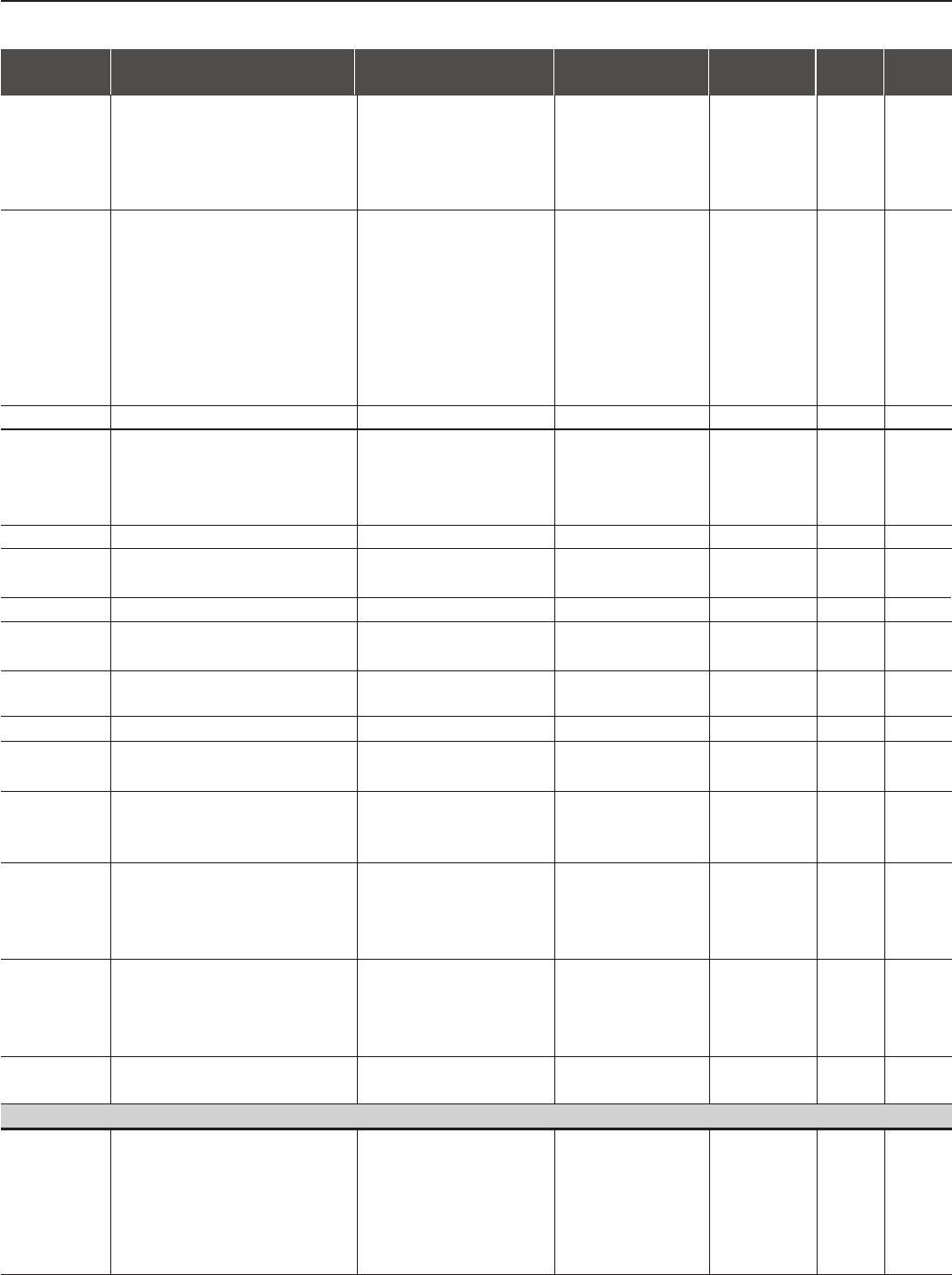
P165 Speed Filter 0.012 to 1.000 0.012 s144
P166 Speed Regulator Differential Gain 0.00 to 7.99 0.00 (without -144
differential action)
Current Regulator
P167 (4) Proportional Gain 0.00 to 1.99 0.5 -144
P168 (4) Integral Gain 0.000 to 1.999 0.010 -144
P169 (*) (7) Maximum Output Current (V/F Control) (0.2xP295) to (1.8xP295) 1.5xP295 A145
P169 (*) (7) Maximum Forward Torque Current 0 to 180 125 %145
(Vector Control)
P170 Maximum Reverse Torque Current 0 to 180 125 %145
(Vector Control)
P171 Maximum Forward Torque Current at 0 to 180 125 %146
Maximum Speed (P134)
P172 Maximum Reverse Torque Current at 0 to 180 125 %146
Maximum Speed (P134)
P173 Curve Type of the Max. Torque 0=Ramp 0=Ramp -146
1=Step
Flux Regulator
P175 (5) Proportional Gain 0.0 to 31.9 2.0 -147
P176 (5) Integral Gain 0.000 to 9.999 0.020 -147
P177 Minimum Flux 0 to 120 0%147
P178 Nominal Flux 0 to 120 100 %147
P179 Maximum Flux 0 to 120 120 %147
P180 Field Weakenig Start Point 0 to 120 95 %147
P181 (1) Magnetization Mode 0=General Enable 0=General Enable -147
1=Start/Stop
CONFIGURATION PARAMETERS P200 to P399
Generic Parameters
P200 Password 0=Off 1=On -148
1=On
P201 (11) Language Selection 0=Portuguese 0, 1, 2, 3 (11) -148
1=English
2=Spanish
3=German
P202 (1) (2) (11) Type of Control 0=V/F 60Hz 0 (1) (11) -148
1=V/F 50Hz
2=V/F Adjustable
3=Sensorless Vector
4=Vector with Encoder
5=VVW (Voltage Vector WEG)
P203 (1) Special Function Selection 0=None 0=None -148
1=PID Regulator
P204 (1) (10) Load/Save Parameters 0=Not Used 0=Not Used -149
1=Not Used
2=Not Used
3=Reset P043
4=Reset P044
5=Loads Factory Default-60Hz
6=Loads Factory Default-50Hz
(*) P169 has different function for V/F or Vector control.
CFW-09 - QUICK PARAMETER REFERENCE
13
→
Parameters Function Adjustable Range Factory Unit User's Page
Setting Setting
→
7=Loads User Default 1
8=Loads User Default 2
9=Not Used
10=Save User Default 1
11=Save User Default 2
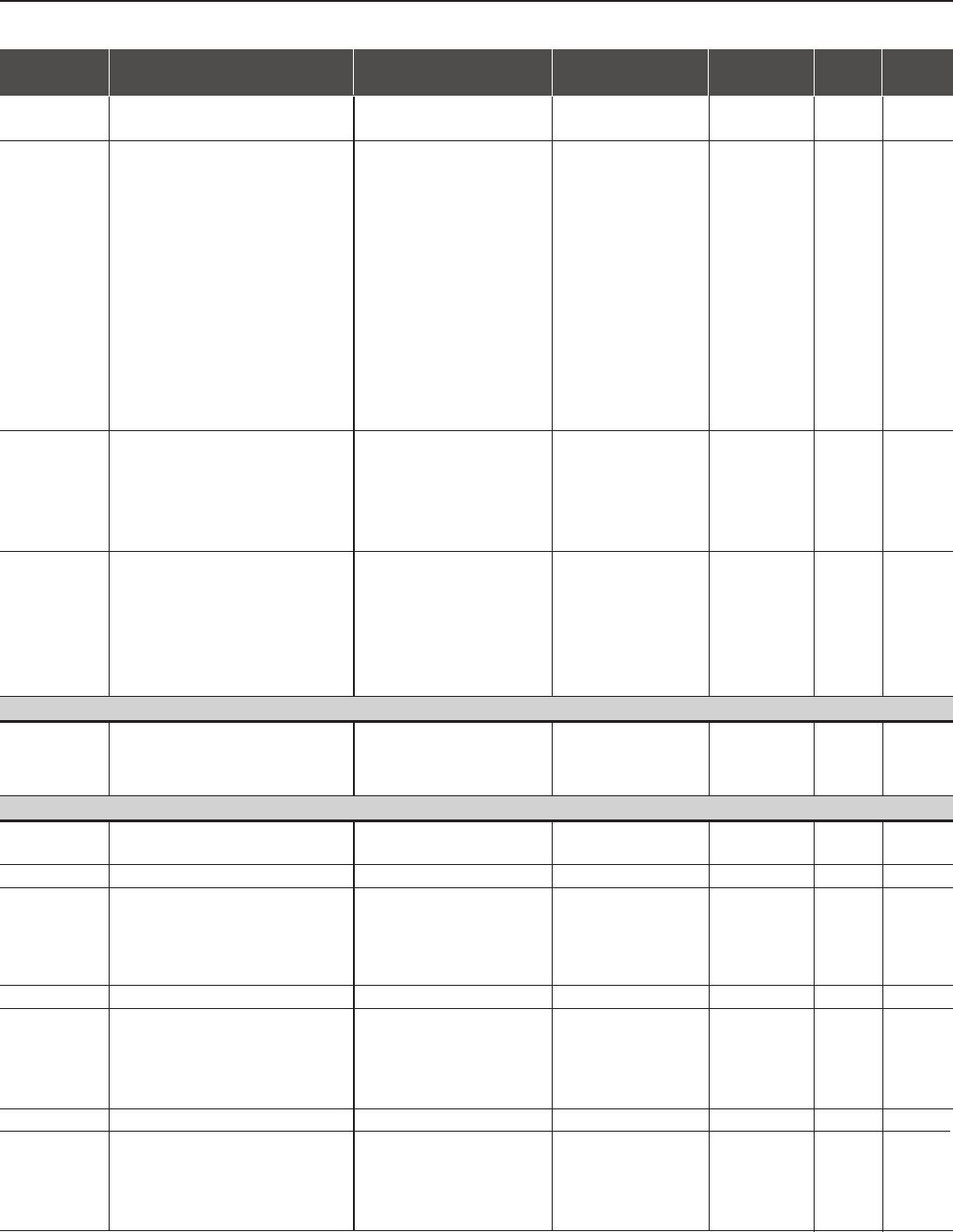
P205 Display Default Selection 0=P005 (Motor Frequency) 2=P002 -150
1=P003 (Motor Current)
2=P002 (Motor Speed)
3=P007 (Motor Voltage)
4=P006 (Inverter Status)
5=P009 (Motor Torque)
6=P070
7=P040
P206 Auto-Reset Time 0 to 255 0s151
P207 Reference Engineering Unit 1 32 to 127 (ASCII) 114=r -151
A, B, ... , Y, Z
0, 1, ... , 9
#, $, %, (, ), *, +, ...
P208 (2) (11) Reference Scale Factor 1 to 18000 1800 (1500) (11) -151
P209 (1) Motor Phase Loss Detection 0=Off 0=Off -152
1=On
P210 Decimal Point of the Speed Indication 0, 1, 2 or 3 0-152
P211(1) Zero Speed Disable 0=Off 0=Off -152
1=On
P212 Condition to Leave Zero 0=N* or N>P291 0=N* or N>P291 -153
Speed Disable 1=N*>P291
P213 Time Delay for Zero Speed Disable 0 to 999 0s153
P214 (1) (9) Line Phase Loss Detection 0=Off 1=On -153
1=On
P215 (1) Keypad Copy Function 0=Off 0=Off -153
1=Inverter Keypad
2=Keypad Inverter
P216 Reference Engineering Unit 2 32 to 127 (ASCII) 112=p -155
A, B, ... , Y, Z
0, 1, ... , 9
#, $, %, (, ), *, +, ...
P217 Reference Engineering Unit 3 32 to 127 (ACSII) 109=m -155
A, B, ... , Y, Z
0, 1, ... , 9
#, $, %, (, ), *, +, ...
P218 LCD Display Contrast 0 to 150 127 -155
Adjustment
Local/Remote Definition
P220 (1) Local/Remote Selection Source 0=Always Local 2=Keypad -155
1=Always Remote (Default Local)
2=Keypad (Default Local)
3=Keypad (Default Remote)
4=DI2 to DI8
5=Serial (L)

CFW-09 - QUICK PARAMETER REFERENCE
14
6=Serial (R)
7=Fieldbus (L)
8=Fieldbus (R)
9=PLC (L)
10=PLC (R)
P221(1) Local Speed Reference Selection 0=keypad 0=Keypad -156
1=AI1
2=AI2
3=AI3
4=AI4
5=Add AI > 0
6=Add AI
7=EP
8=Multispeed
9=Serial
10=Fieldbus
11=PLC
P222(1) Remote Speed Reference 0=keypad 1=AI1 -156
Selection 1=AI1
2=AI2
3=AI3
4=AI4
5=Add AI > 0
6=Add AI
7= EP
8=Multispeed
9=Serial
10=Fieldbus
11=PLC
P223 (1) (8) Local FWD/REV Selection 0=Always Forward 2=Keypad -157
1=Always Reverse (Default FWD)
2=Keypad (Default FWD)
3=Keypad (Default REV)
4=DI2
5=Serial (Default FWD)
6=Serial (Default REV)
7=Fieldbus (Default FWD)
8=Fieldbus (Default REV)
9=Polarity AI4
10=PLC (FWD)
11=PLC (REV)
P224 (1) Local Start/Stop Selection 0=[I] and [O] Keys 0=[I] and [O] Keys -157
1=DIx
2=Serial
3=Fieldbus
4=PLC
P225 (1) (8) Local JOG Selection 0=Disable 1=Keypad -157
1=Keypad
2=DI3 to DI8
3=Serial
Parameters Function Adjustable Range Factory Unit User's Page
Setting Setting
CFW-09 - QUICK PARAMETER REFERENCE
15
Parameters Function Adjustable Range Factory Unit User's Page
Setting Setting
4=Fieldbus
5=PLC
P226 (1) (8) Remote FWD/REV Selection 0=Always Forward 4=DI2 -158
1=Always Reverse
2=Keypad (Default FWD)
3=Keypad (Default REV)
4=DI2
5=Serial (Default FWD)
6=Serial (Default REV)
7=Fieldbus (Default FWD)
8=Fieldbus (Default REV)
9=Polarity AI4
10=PLC (FWD)
11=PLC (REV)
P227 (1) Remote Start/Stop Selection 0=[I] and [O] Keys 1=DIx -158
1=DIx
2=Serial
3=Fieldbus
4=PLC
P228 (1) (8) Remote JOG Selection 0=Disable 2=DI3 to DI8 -158
1=Keypad
2=DI3 to DI8
3=Serial
4=Fieldbus
5=PLC
Stop Model Definition
P232 (1) Stop Mode Selection 0=Ramp to Stop 0=Ramp to Stop -164
1=Coast to Stop
2=Fast Stop
Analog Inputs
P233 Analog Inputs Dead Zone 0=Off 0=Off -164
1=On
P234 Analog Input AI1 Gain 0.000 to 9.999 1.000 -165
P235 (1) Analog Input AI1 Signal 0=(0 to 10)V / (0 to 20)mA 0=(0 to 10)V / -166
1=(4 to 20)mA (0 to 20)mA
2=(10 to 0)V / (20 to 0)mA
3=(20 to 4)mA
P236 Analog Input AI1 Offset -100 to +100 0.0 %166
P237 (1) (8) Analog Input AI2 Function 0=P221/P222 0=P221/P222 -166
1=N* without ramp
2=Maximum Torque Current
3=PID Process Variable
P238 Analog Input AI2 Gain 0.000 to 9.999 1.000 -167
P239 (1) Analog Input AI2 Signal 0=(0 to 10)V / (0 to 20)mA 0=(0 to 10)V / -167
1=(4 to 20)mA (0 to 20)mA
2=(10 to 0)V / (20 to 0)mA
3=(20 to 4)mA
CFW-09 - QUICK PARAMETER REFERENCE
16
Parameters Function Adjustable Range Factory Unit User's Page
Setting Setting
P240 Analog Input AI2 Offset -100 to +100 0.0 %168
P241 (1) Analog Input AI3 Function 0=P221/P222 0=P221/P222 -168
(Requires Optional I/O Expansion 1=Without ramp
Board EBB) 2=Maximum Torque Current
3=PID Process Variable
P242 Analog Input AI3 Gain 0.000 to 9.999 1.000 -169
P243 (1) Analog Input AI3 Signal 0=(0 to 10)V / (0 to 20)mA 0=(0 to 10)V / -169
1=(4 to 20)mA (0 to 20)mA
2=(10 to 0)V / (20 to 0)mA
3=(20 to 4)mA
P244 Analog Input AI3 Offset -100 to +100 0.0 %169
P245 Analog Input AI4 Gain 0.000 to 9.999 1.000 -169
P246 (1) Analog Input AI4 Signal 0=(0 to 10)V / (0 to 20)mA 0=(0 to 10)V / -169
(Requires Optional I/O Expansion 1=(4 to 20)mA (0 to 20)mA
Board EBA) 2=(10 to 0)V / (20 to 0)mA
3=(20 to 4)mA
4=(-10 to +10)V
P247 Analog Input AI4 Offset -100 to +100 0.0 %170
P248 Input Filter AI2 00 to 16.0 0.0 s170
Analog Outputs
P251 Analog Output AO1 Function 0=Speed Reference 2=Real Speed -170
(CC9 or EBB board) 1=Total Reference
2=Real Speed
3=Torque Current
Reference (Vector)
4=Torque Current (Vector)
5=Output Current
6=PID Process Variable
7=Active Current (V/F)
8=Power (kW)
9=PID Setpoint
10=Positive Torque Current
11=Motor Torque
12=PLC
13= Dead Zone for
Speed Indication
P252 Analog Output AO1 Gain 0.000 to 9.999 1.000 -170
P253 Analog Output AO2 Function 0=Speed Reference 5=Output Current -170
(CC9 or EBB board) 1=Total Reference
2=Real Speed
3=Torque Current
Reference (Vector)
4=Torque Current (Vector)
5=Output Current
6=PID Process Variable
7=Active Current (V/F)
8=Power (kW)
9=PID Setpoint
10=Positive Torque Current
CFW-09 - QUICK PARAMETER REFERENCE
17
Parameters Function Adjustable Range Factory Unit User's Page
Setting Setting
11=Motor Torque
12=PLC
13=Dead Zone for
Speed Indication
P254 Analog Output AO2 Gain 0.000 to 9.999 1.000 -170
P255 Analog Output AO3 Function 0=Speed Reference 2=Real Speed -170
(Requires Optional I/O Expansion 1=Total Reference
Board EBA) 2=Real Speed
3=Torque Current
Reference (Vector)
4=Torque Current (Vector)
5=Output Current
6=PID Process Variable
7=Active Current(V/F)
8=Power (kW)
9=PID Setpoint
10= Positive Torque Current
11=Motor Torque
12=PLC
13=Not Used
49 signals for exclusive
use of WEG
P256 Analog Output AO3 Gain 0.000 to 9.999 1.000 -171
P257 Analog Output AO4 Function 0=Speed Reference 5=Output Current -171
(Requires optional I/O Expansion 1=Total Reference
Board EBA) 2=Real Speed
3=Torque Current
Reference (Vector)
4=Torque Current (Vector)
5=Output Current
6=PID Process Variable
7=Active Current (V/F)
8=Power (kW)
9=PID Setpoint
10= Positive Torque Current
11=Motor Torque
12=PLC
13=Not Used
49 signals for exclusive
use of WEG
P258 Analog Output AO4 Gain 0.000 to 9.999 1.000 -171
P259 AO1 Value 0 to P134 1000 rpm 172
Digital Inputs
P263 (1) Digital Input DI1 Function 0=Not Used 1=Start/Stop -173
1=Start/Stop
2=General Enable
3=Fast Stop
P264 (1) Digital Input DI2 Function 0=FWD/REV 0=FWD/REV -173
1=Local/Remote
CFW-09 - QUICK PARAMETER REFERENCE
18
2=Not Used
3=Not Used
4=Not Used
5=Not Used
6=Not Used
7=Not Used
8=Reverse Run
P265 (1) (8) Digital Input DI3 Function 0=Not Used 0=Not Used -173
1=Local/ Remote
2=General Enable
3=JOG
4=No External Fault
5=Increase E.P.
6=Ramp 2
7=Not Used
8=Forward Run
9=Speed/Torque
10=JOG+
11=JOG-
12=Reset
13=Fieldbus
14=Start (3 wire)
15=Man/Auto
16=Not used
17=Disables Flying Start
18=DC Voltage Regulator
19=Parameter Setting
Disable
20=Load user
21=Timer (RL2)
22=Timer (RL3)
P266 (1) Digital Input DI4 Function 0=Not used 0=Not Used -173
1=Local/ Remote
2=General Enable
3=JOG
4=No external Fault
5=Decrease E.P.
6=Ramp 2
7=Multispeed (MS0)
8=Reverse Run
9= Speed/Torque
10=JOG+
11=JOG-
12=Reset
13=Fieldbus
14=Stop (3 wire)
15=Man/Auto
16=Not used
17=Disables Flying Start
Parameters Function Adjustable Range Factory Unit User's Page
Setting Setting

CFW-09 - QUICK PARAMETER REFERENCE
19
18=DC voltage regulator
19=Parameter Setting
Disable
20=Load User
21=Timer (RL2)
22=Timer (RL3)
P267 (1) Digital Input DI5 Function 0=Not Used 3=JOG -173
1=Local/ Remote
2=General Enable
3=JOG
4=No External Fault
5=Increase EP
6=Ramp 2
7=Multispeed (MS1)
8=Fast Stop
9= Speed/Torque
10=JOG+
11=JOG-
12=Reset
13=Fieldbus
14=Start (3 wire)
15=Man/Auto
16=Not Used
17=Disables Flying Start
18=DC Voltage Regulator
19=Parameter Setting
Disable
20=Load User
21=Timer (RL2)
22=Timer (RL3)
P268 (1) Digital Input DI6 Function 0=Not Used 6=Ramp 2 -174
1=Local/ Remote
2=General Enable
3=JOG
4=No External Fault
5=Decrease EP
6=Ramp 2
7=Multispeed (MS2)
8=Fast Stop
9= Speed/Torque
10=JOG+
11=JOG-
12=Reset
13=Fieldbus
14=Stop (3 wire)
15=Man/Auto
16=Not Used
17=Disables flying start
18=DC voltage regulator
Parameters Function Adjustable Range Factory Unit User's Page
Setting Setting
CFW-09 - QUICK PARAMETER REFERENCE
20
Parameters Function Adjustable Range Factory Unit User's Page
Setting Setting
19=Parameter setting
disable
20=Load user
21=Timer (RL2)
22=Timer (RL3)
P269 (1) Digital Input DI7 Function 0=Not Used 0=Not used -174
(Requires optional I/O 1=Local/ Remote
expansion board EBA or EBB) 2=General Enable
3=JOG
4=No External Fault
5=Not Used
6=Ramp 2
7=Not Used
8=Fast Stop
9= Speed/Torque
10=JOG+
11=JOG-
12=Reset
13=Fieldbus
14=Start (3 wire)
15=Man/Auto
16=Not Used
17=Disables Flying Start
18=DC Voltage Regulator
19=Parameter Setting
Disable
20=Load User
21=Timer (RL2)
22=Timer (RL3)
P270 (1) Digital Input DI8 Function 0=Not used 0=Not used -174
(Requires optional I/O 1=Local/Remote
expansion board EBA or EBB) 2=General Enable
3=JOG
4=No External Fault
5=Not Used
6=Ramp 2
7=Not Used
8=Fast Stop
9= Speed/Torque
10=JOG+
11=JOG-
12=Reset
13=Fieldbus
14=Stop (3 wire)
15=Man/Auto
16=Motor Thermistor
17=Disables Flying Start
18=DC Voltage Regulator
19=Parameter Setting
CFW-09 - QUICK PARAMETER REFERENCE
21
Parameters Function Adjustable Range Factory Unit User's Page
Setting Setting
Disable
20=Not Used
21=Timer (RL2)
22=Timer (RL3)
Digital Outputs
P275 (1) Digital Ouput DO1 Function 0=Not used 0=Not Used -181
(requires optional I/O 1=N* > Nx
expansion board EBA or EBB) 2=N > Nx
3=N < Ny
4=N =N*
5=Zero Speed
6=Is > Ix
7=Is < Ix
8=Torque > Tx
9=Torque < Tx
10=Remote
11=Run
12=Ready
13=No Fault
14=No E00
15=No E01+E02+E03
16=No E04
17=No E05
18=(4 to 20)mA OK
19=Fieldbus
20=FWD
21=Proc.Var. > VPx
22=Proc. Var. < VPy
23=Ride-Through
24=Pre-charge OK
25=Fault
26=Enabled Hours > Hx
27=Not Used
28=Not Used
29=N > Nx and Nt > Nx
30=Brake (Actual Speed)
31=Brake (Total Reference)
32=Overweight
33=Slack Cable
34=Torque Polarity +/-
35=Torque Polarity -/+
36=F > Fx _ 1
37=F > Fx _ 2
38=Set Point = Process
Variable
39=No E32
40=Ready 2
CFW-09 - QUICK PARAMETER REFERENCE
22
P276 (1) Digital Output DO2 Function 0=Not Used 0=Not used -181
(Requires optional I/O 1=N* > Nx
expansion board EBA or EBB) 2=N > Nx
3=N < Ny
4=N =N*
5=Zero Speed
6=Is > Ix
7=Is < Ix
8=Torque > Tx
9=Torque < Tx
10=Remote
11=Run
12=Ready
13=No Fault
14=No E00
15=No E01+E02+E03
16=No E04
17=No E05
18=(4 to 20)mA OK
19=Fieldbus
20=FWD
21=Proc.Var. > VPx
22=Proc. Var. < VPy
23=Ride-Through
24=Pre-charge OK
25=Fault
26=Enabled Hours > Hx
27=Not Used
28=Not Used
29=N > Nx and Nt > Nx
30=Brake (Actual Speed)
31=Brake (Total Reference)
32=Overweight
33=Slack Cable
34=Torque Polarity +/-
35=Torque Polarity -/+
36=F > Fx _ 1
37=F > Fx _ 2
38=Set Point = Process
Variable
39=No E32
40=Ready 2
P277 (1) Relay Output RL1 Function 0=Not Used 13=No Fault -181
1=N* > Nx
2=N > Nx
3=N < Ny
4=N =N*
5=Zero Speed
6=Is > Ix
Parameters Function Adjustable Range Factory Unit User's Page
Setting Setting
CFW-09 - QUICK PARAMETER REFERENCE
23
Parameters Function Adjustable Range Factory Unit User's Page
Setting Setting
7=Is < Ix
8=Torque > Tx
9=Torque < Tx
10=Remote
11=Run
12=Ready
13=No Fault
14=No E00
15=No E01+E02+E03
16=No E04
17=No E05
18=(4 to 20)mA OK
19=Fieldbus
20=FWD
21=Proc.Var. > VPx
22=Proc. Var. < VPy
23=Ride-Through
24=Pre-charge OK
25=Fault
26=Enabled Hours > Hx
27=PLC
28=Not Used
29=N > Nx and Nt > Nx
30=Brake (Actual Speed)
31=Brake (Total Reference)
32=Overweight
33=Slack Cable
34=Torque Polarity +/-
35=Torque Polarity -/+
36=F > Fx _ 1
37=F > Fx _ 2
38=Set Point = Process
Variable
39=No E32
40=Ready 2
P279 (1) Relay Output RL2 Function 0=Not used 2= N > Nx -181
1=N* > Nx
2=N > Nx
3=N < Ny
4=N =N*
5=Zero Speed
6=Is > Ix
7=Is < Ix
8=Torque > Tx
9=Torque < Tx
10=Remote
11=Run
12=Ready
13=No Fault
CFW-09 - QUICK PARAMETER REFERENCE
24
Parameters Function Adjustable Range Factory Unit User's Page
Setting Setting
14=No E00
15=No E01+E02+E03
16=No E04
17=No E05
18=(4 to 20)mA OK
19=Fieldbus
20=FWD
21=Proc.Var. > VPx
22=Proc. Var. < VPy
23=Ride-Through
24=Pre-charge OK
25=Fault
26=Enabled Hours > Hx
27=PLC
28=Timer
29=N > Nx and Nt > Nx
30=Brake (Actual Speed)
31=Brake (Total Reference)
32=Overweight
33=Slack Cable
34=Torque Polarity +/-
35=Torque Polarity -/+
36=F > Fx _ 1
37=F > Fx _ 2
38=Set Point = Process
Variable
39=No E32
40=Ready 2
P280 (1) Relay Output RL3 Function 0=Not used 1= N*>Nx -181
1=N* > Nx
2=N > Nx
3=N < Ny
4=N =N*
5=Zero Speed
6=Is > Ix
7=Is < Ix
8=Torque > Tx
9=Torque < Tx
10=Remote
11=Run
12=Ready
13=No Fault
14=No E00
15=No E01+E02+E03
16=No E04
17=No E05
18=(4 to 20)mA OK
19=Fieldbus
20=FWD
21=Proc.Var. > VPx
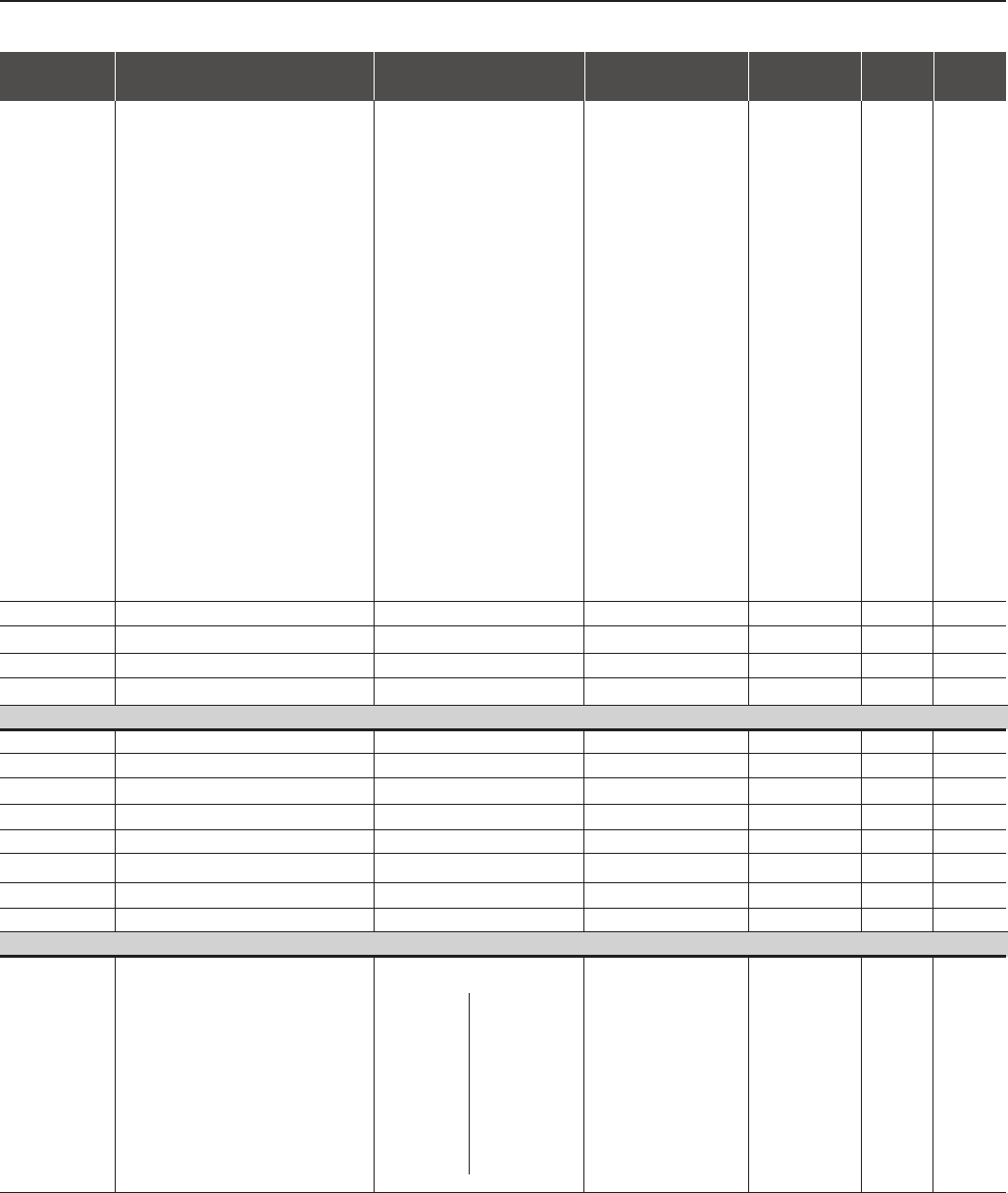
CFW-09 - QUICK PARAMETER REFERENCE
25
Parameters Function Adjustable Range Factory Unit User's Page
Setting Setting
22=Proc. Var. < VPy
23=Ride-Through
24=Pre-charge OK
25=Fault
26=Enabled Hours > Hx
27=PLC
28=Timer
29=N > Nx and Nt > Nx
30=Brake (Actual Speed)
31=Brake (Total Reference)
32=Overweight
33=Slack Cable
34=Torque Polarity +/-
35=Torque Polarity -/+
36=F > Fx _ 1
37=F > Fx _ 2
38=Set Point = Process
Variable
39=No E32
40=Ready 2
P283 Time for RL2 ON 0.0 to 300 0.0 s187
P284 Time for RL2 OFF 0.0 to 300 0.0 s187
P285 Time for RL3 ON 0.0 to 300 0.0 s187
P286 Time for RL3 OFF 0.0 to 300 0.0 s187
Nx, Ny, Ix, Zero Speed Zone, N=N* and Tx
P287 Hysterese for Nx/Ny 0.0 to 5.0 1.0 %194
P288 (2) (11) Nx Speed 0 to P134 120 (100) (11) rpm 194
P289 (2) (11) Ny Speed 0 to P134 1800 (1500) (11) rpm 194
P290 (7) Ix Current (0 to 2.0)xP295 1.0xP295 A194
P291 Zero Speed Zone 1 to 100 1%194
P292 N=N* Band 1 to 100 1%194
P293 Tx Torque 0 to 200 100 %194
P294 Hours Hx 0 to 6553 4320 h194
Inverter Data
P295 (1) Inverter Rated Current According to -195
Inverter Model
3=6A
4=7.0A
6=10.0A
7=13.0A
8=16.0A
9=24.0A
220-230V Models
10=28.0A
13=45.0A
14=54.0A
16=70.0A
17=86.0A
18=105.0A
19=130.0A
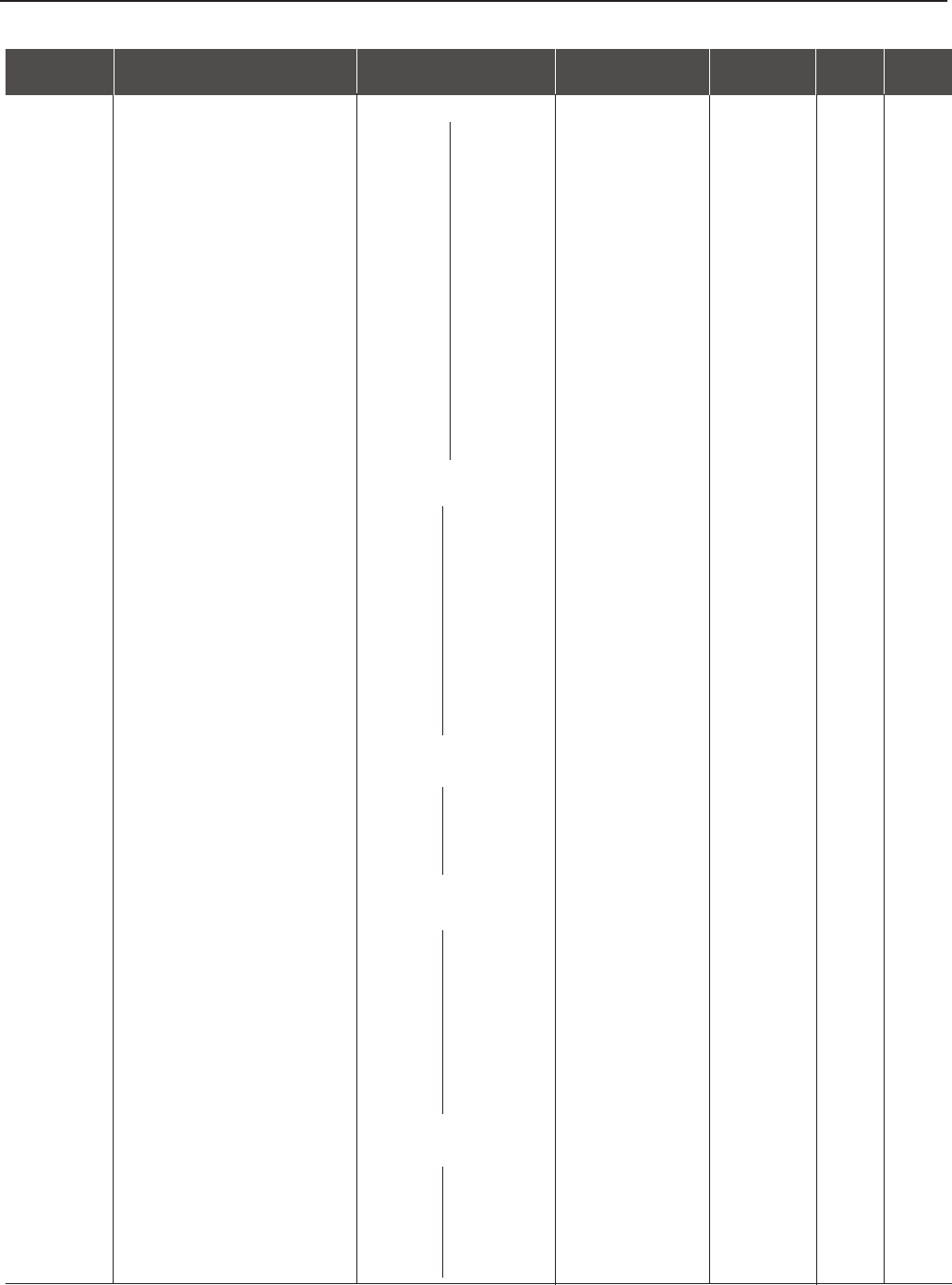
CFW-09 - QUICK PARAMETER REFERENCE
26
Parameters Function Adjustable Range Factory Unit User's Page
Setting Setting
0=3.6A
1=4.0A
2=5.5A
5=9.0A
7=13.0A
8=16.0A
9=24.0A
11=30.0A
12=38.0A
13=45.0A
15=60.0A
16=70.0A
17=86.0A
18=105.0A
20=142.0A
21=180.0A
55=211.0A
22=240.0A
67=312.0A
23=361A
24=450.0A
69=515.0A
25=600.0A
33=686A
34=855A
35=1140.0A
36=1283 A
37=1710 A
39=2.9A
40=4.2A
4=7A
6=10A
41=12A
42=14A
43=22A
44=27A
45=32.0A
46=44.0A
47=53.0A
48=63.0A
49=79.0A
25=600A
72=652A
73=794A
76=897A
78=978A
79=1191A
81=1345A
51=107A
53=147A
55=211A
57=247A
60=315A
62=343A
63=418A
65=472A
50=107A
52=147A
54=211A
56=247A
58=259A
59=305A
61=340A
64=428A
68=492A
70=580A
71=646A
74=813A
75=869A
77=969A
80=1220A
38=2A
66=33A
26=200A
27=230A
28=320A
Special Models
29=400A
30=570A
31=700A
32=900A
380-480V Models
500-600V Models
500-690V Models
Models 500-690V
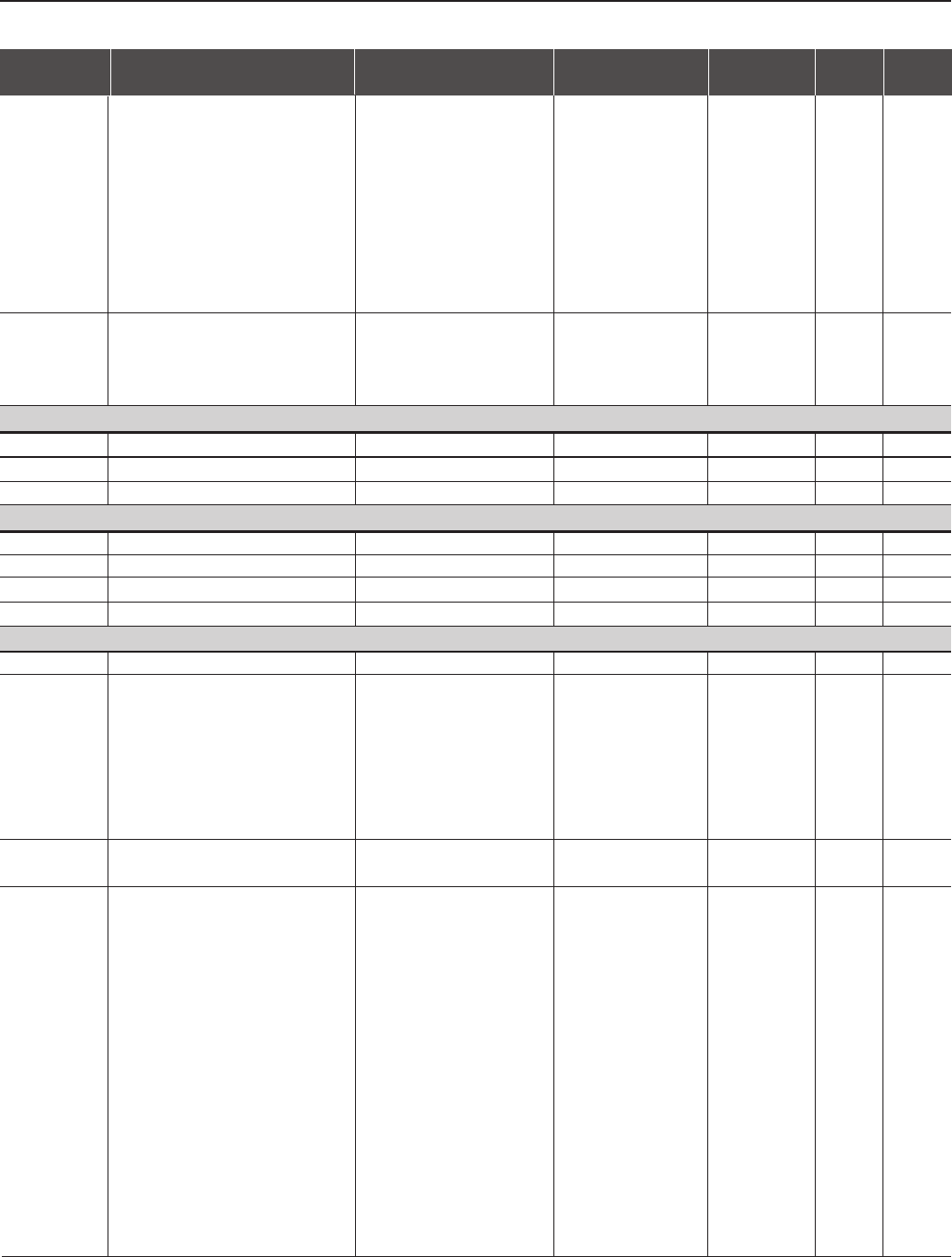
CFW-09 - QUICK PARAMETER REFERENCE
27
Parameters Function Adjustable Range Factory Unit User's Page
Setting Setting
0=for models
220-230V
3= for models
380-480V
6=for models
500-600V and
500-690V
8= for models
660-690V (11)
Attention!
See
section
3.2.3 to
do the
voltage
selection
P296 (1) (11) Inverter Rated Voltage 0=220-230V -196
(Rated Input Voltage) 1=380V
2=400-415V
3=440-460V
4=480V
5=500-525V
6=550-575V
7=600V
8=660-690V
P297 (1) (2) Switching Frequency 0=1.25 2=5.0 kHz 196
1=2.5
2=5.0
3=10.0
DC Braking
P300 DC Braking Time 0.0 to 15.0 0.0 s197
P301 DC Braking Start Speed 0 to 450 30 rpm 199
P302 DC Braking Voltage 0.0 to 10.0 2.0 %199
Skip Speed
P303 Skip Speed 1 P133 to P134 600 rpm 199
P304 Skip Speed 2 P133 to P134 900 rpm 199
P305 Skip Speed 3 P133 to P134 1200 rpm 199
P306 Skip Band 0 to 750 0rpm 199
Serial Communication
P308 (1) Inverter Address 1 to 30 1-199
P309 (1) Fieldbus 0=Disable 0=Disable -200
1=ProDP 2 I/O
2=ProDP 4 I/O
3=ProDP 6 I/O
4=DvNET 2 I/O
5=DvNET 4 I/O
6=DvNET 6 I/O
P310 STOP Detection in a Profibus 0=Off 0=Off 200
Network 1=On
P312 (1) Type of Serial Protocol 0=WBUS Protocol 0=WEG Protocol -200
1=Modbus-RTU, 9600 bps,
no parity
2=Modbus-RTU, 9600 bps,
odd parity
3= Modbus-RTU, 9600 bps,
even parity
4=Modbus-RTU, 19200 bps,
no parity
5=Modbus-RTU, 19200 bps,
odd parity
6=Modbus-RTU, 19200 bps,
even parity
7=Modbus-RTU, 38400 bps,
no parity
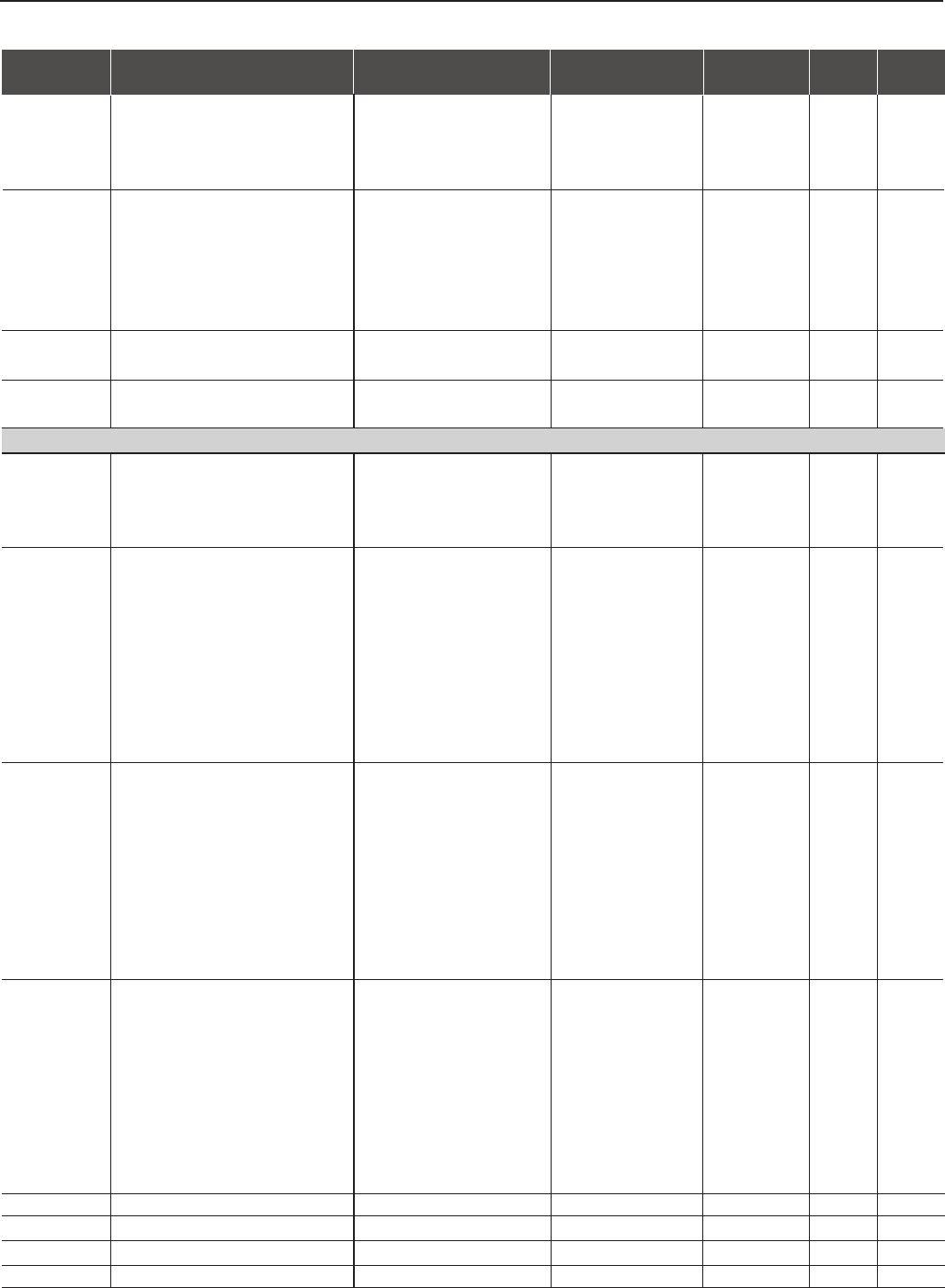
CFW-09 - QUICK PARAMETER REFERENCE
28
Parameters Function Adjustable Range Factory Unit User's Page
Setting Setting
8=Modbus-RTU, 38400 bps,
odd parity
9=Modbus-RTU, 38400 bps,
even parity
P313 (1) Type of disabling by E28/E29/E30 0=Disable by Start/Stop 0=Disable by Start/Stop -201
1=Disable by General
Enable
2=Not Used
3=Changes to LOCAL 1
4=Changes to LOCAL 2
P314 (1) Time for Serial Watchdog 0.0=Disabled 0.0=Disabled s201
Action 0.1 to 999.0
P318 Watchdog detection for the 0=Off 1=On 201
PLC board 1=On
Flying Start/Ride-Through
P320 (1) Flying Start/Ride-Through 0=Inactive 0=Inactive -202
1=Flying Start
2=Flying Start/Ride-Through
3=Ride-Through
P321 (6) Ud Line Loss Level 178 to 282 (P296=0) 252 V202
307 to 487 (P296=1) 436
324 to 513 (P296=2) 459
356 to 564 (P296=3) 505
388 to 616 (P296=4) 550
425 to 674 (P296=5) 602
466 to 737 (P296=6) 660
486 to 770 (P296=7) 689
559 to 885 (P296=8) 792
P322 (6) Ud Ride-Through 178 to 282 (P296=0) 245 V203
307 to 487 (P296=1) 423
324 to 513 (P296=2) 446
356 to 564 (P296=3) 490
388 to 616 (P296=4) 535
425 to 674 (P296=5) 588
466 to 737 (P296=6) 644
486 to 770 (P296=7) 672
559 to 885 (P296=8) 773
P323 (6) Ud Line Recover Level 178 to 282 (P296=0) 267 V203
307 to 487 (P296=1) 461
324 to 513 (P296=2) 486
356 to 564 (P296=3) 534
388 to 616 (P296=4) 583
425 to 674 (P296=5) 638
466 to 737 (P296=6) 699
486 to 770 (P296=7) 729
559 to 885 (P296=8) 838
P325 Ride-Through Proportional Gain 0.0 to 63.9 22.8 -204
P326 Ride-Through Integral Gain 0.000 to 9.999 0.128 -204
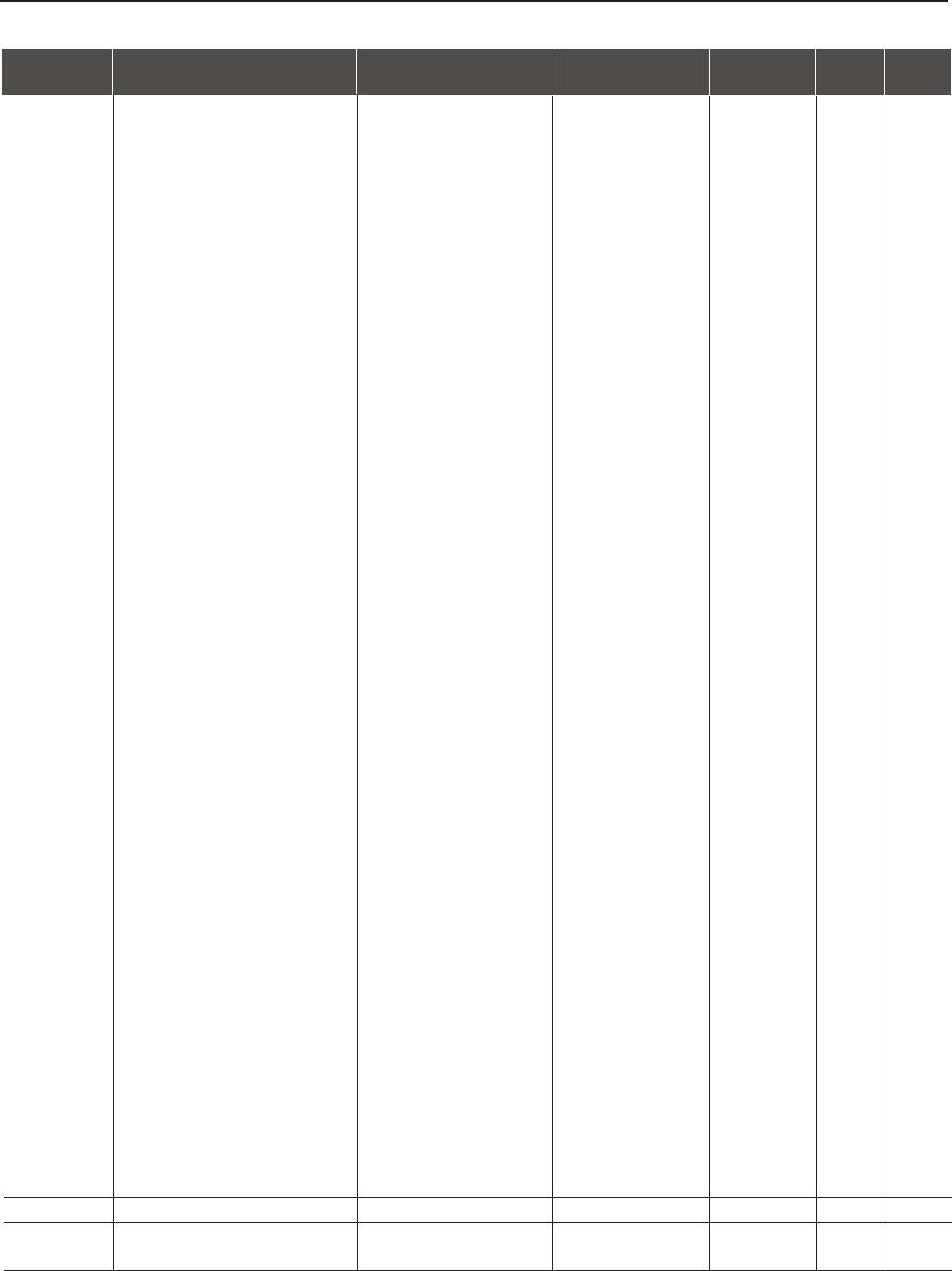
P331 Voltage Ramp 0.2 to 60.0 2.0 s205
P332 Dead Time 0.1 to 10.0 1.0 s205
CFW-09 - QUICK PARAMETER REFERENCE
29
Parameters Function Adjustable Range Factory Unit User's Page
Setting Setting
According to
the motor rated
power factor
(P404)
PARAMETERS FOR CRANE APPLICATIONS AND FOR MASTER/SLAVE FUNCTION - P351 to P368
Logic for the Mechanical Braking Operation
P351 (1) Delay for E33 0.0 to 99.9 99.9 s207
P352 (1) Delay for E34 0 to 999 999 s207
P353 (1) Delay for N<Nx - Brake activation 0.0 to 20.0 0.0 s207
P354 (1) Delay for resetting the Integrator 0.0 to 10.0 2.0 s207
of the Speed Regulator
P355 (1) Delay for accepting new 0.0 to 10.0 1.0 s207
“Start/Stop” commands
P356 (1) Delay for ramp enable 0.0 to 10.0 0.0 s208
Indication of the Torque Current Polarity
P357 (1) Torque Current (Iq) Filter 0.00 to 9.99 0.00 s208
P358 (1) Torque Current (Iq) Hysteresis 0.00 to 9.99 2.00 %208
Parameters for Load Detection
P361 (1) Load Detection 0=Off 0=Off -208
1=On
P362 (1) Stabilization Speed 0 to P134 90 rpm -208
P363 (1) Stabilization Time 0.1 to 10.0 0.1 s209
P364 (1) Slack Cable Time 0.0 to 60.0 0.0 s209
P365 (1) Slack Cable Level 0.0 to 1.3 x P295 0.1 x P295 -209
P366 (1) Lightweight Level 0.0 to 1.3 x P295 0.3 x P295 -209
P367 (1) Overweight Level 0.0 to 1.8 x P295 1.1 x P295 -209
P368 (1) Speed Reference Gain 1.000 to 2.000 1.000 -209
Fx
P369 (2) (11) Frequency Fx 0.0 to 300.0 4.0 Hz 209
P370 Hysteresis for Fx 0.0 to 15.0 2.0 Hz 212
DC Braking
P371 DC Braking Time at Start 0.0 to 15.0 0.0 s212
P372 DC Braking Current Level 0.0 to 90.0 40.0 %212
VVW Control
P398 (1) Slip Compensation during 0=Off 1=On -212
Regeneration 1=On
P399 (1) (2) Motor Rated Efficiency 50.0 to 99.9 %212
MOTOR PARAMETERS P400 to P499
Motor Nameplate Data
P400 (1) (6) Motor Rated Voltage 0 to 690 P296 V213
P401 (1) (12) Motor Rated Current (0.0 to 1.30)xP295 (12) 1.0xP295 A213
P402 (1) (2) (11) Motor Rated RPM 0 to 18000 1750 (1458) (11) rpm 213
(P202=0, 1, 2 and 5)
0 to 7200 (P202=3 and 4)
P403 (1) (11) Motor Rated Frequency 0 to 300 (P202=0,1,2 and 5) 60 (50) (11) Hz 213
30 to 120 (P202 = 3 and 4)
P404 (1) Motor Rated HP 0=0.33 HP/0.25 kW 4=1.5 HP/1.1 kW -213
1=0.50 HP/0.37 kW
2=0.75 HP/0.55 kW
3=1.0 HP/0.75 kW
4=1.5 HP/1.1 kW
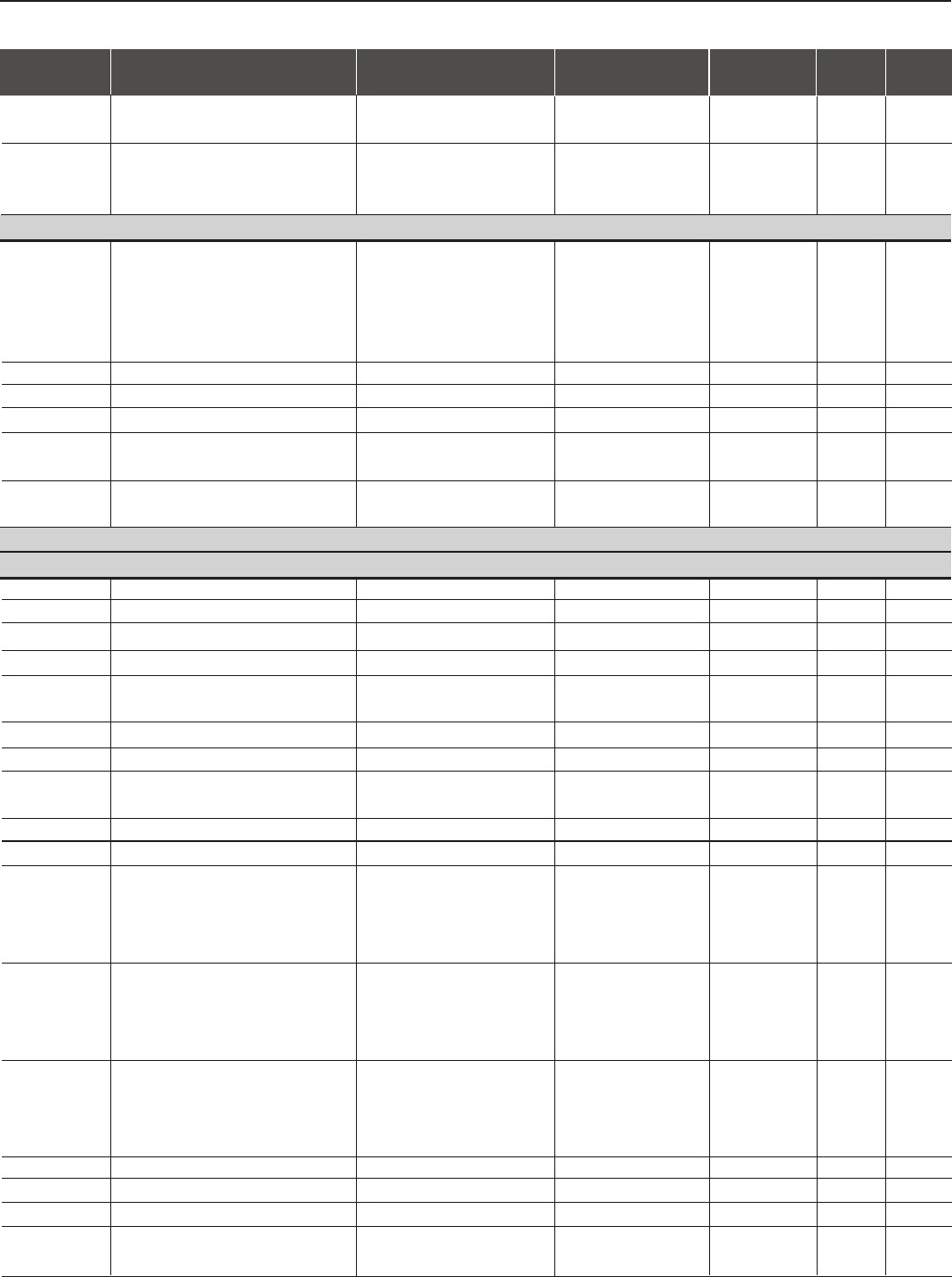
CFW-09 - QUICK PARAMETER REFERENCE
30
Parameters Function Adjustable Range Factory Unit User's Page
Setting Setting
5=2.0 HP/1.5 kW
6=3.0 HP/2.2 kW
7=4.0 HP/3.0 kW
8=5.0 HP/3.7 kW
9=5.5 HP/4.0 kW
10=6.0 HP/4.5 kW
11=7.5 HP/5.5 kW
12=10.0 HP/7.5 kW
13=12.5 HP/9.0 kW
14=15.0 HP/11.0 kW
15=20.0 HP/15.0 kW
16=25.0 HP/18.5 kW
17=30.0 HP/22.0 kW
18=40.0 HP/30.0 kW
19=50.0 HP/37.0 kW
20=60.0 HP/45.0 kW
21=75.0 HP/55.0 kW
22=100.0 HP/75.0 kW
23=125.0 HP/90.0 kW
24=150.0 HP/110.0 kW
25=175.0 HP/130.0 kW
26=180.0 HP/132.0 kW
27=200.0 HP/150.0 kW
28=220.0 HP/160.0 kW
29=250.0 HP/185.0 kW
30=270.0 HP/200.0 kW
31=300.0 HP/220.0 kW
32=350.0 HP/260.0 kW
33=380.0 HP/280.0 kW
34=400.0 HP/300.0 kW
35=430.0 HP/315.0kW
36=440.0 HP/330.0kW
37=450.0 HP/335.0 kW
38=475.0 HP/355.0 kW
39=500.0 HP/375.0 kW
40=540.0 HP/400.0kW
41=600.0 HP/450.0 kW
42=620.0 HP/460.0kW
43=670.0 HP/500.0kW
44=700.0 HP/525.0 kW
45=760.0 HP/570.0 kW
46=800.0 HP/600.0 kW
47=850.0 HP/630.0kW
48=900.0 HP/670.0 kW
49=1100.0 HP/820.0 kW
50=1600.0 HP/1190.0 kW
P405 (1) Encoder PPR 250 to 9999 1024 ppr 214
P406 (1) Motor Ventilation Type 0=Self Ventilated 0=Self Ventilated -214
1=Separate Ventilation
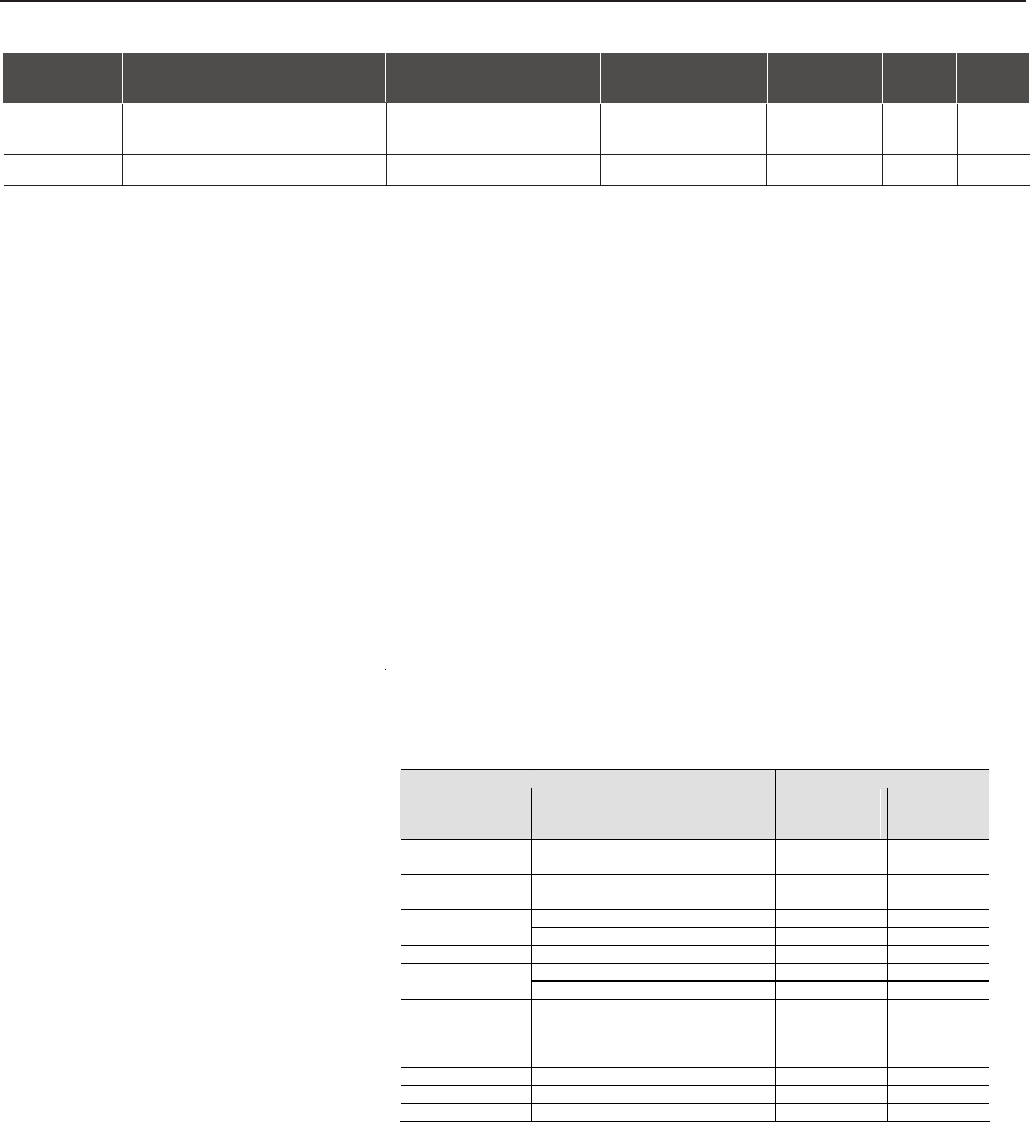
CFW-09 - QUICK PARAMETER REFERENCE
31
Parameters Function Adjustable Range Factory Unit User's Page
Setting Setting
According to the
motor rated power
(P404)
Ω
σ
2=Optimal Flux
3=Increased Protection
P407 (1) (2) Motor Rated Power Factor 0.50 to 0.99 215
Measured Parameters
P408 (1) Self-Tuning 0=No 0=No -215
1=No Rotation
2=Run for Imr
3=Run for TM
4=Estimate TM
P409 (1) Motor Stator Resistance (Rs) 0.000 to 77.95 0.000 216
P410 Motor Magnetizing Current (Imr)(0.0 to 1.25)xP295 0A217
P411 (1) Motor Flux Leakage Inductance ( LS) 0.00 to 99.99 0mH 217
P412 LR/RR Constant (Rotor Time 0.000 to 9.999 0s217
Constant (Tr))
P413 (1) TM Constant (Mechanical Time 0.00 to 99.99 0s218
Constant)
SPECIAL FUNCTION PARAMETERS P520 to P536
PID Regulator
P520 PID Proportional Gain 0.000 to 7.999 1.000 -222
P521 PID Integral Gain 0.000 to 7.999 0.043 -222
P522 PID Differential Gain 0.000 to 3.499 0.000 -222
P523 PID Ramp Time 0.0 to 999 3.0 s222
P524 (1) Selection of PID Feedback 0=AI2 (P237) 0=AI2 (P237) -222
1=AI3 (P241)
P525 PID Setpoint 0.0 to 100.0 0.0 %223
P526 Process Variable Filter 0.0 to 16.0 0.1 s223
P527 PID Action 0=Direct 0=Direct -223
1=Reverse
P528 Proc. Var. Scale Factor 1 to 9999 1000 -224
P529 Decimal Point of Proc. Var.0, 1, 2 or 3 1224
P530 Engineering Unit of Proc. Var. 1 32 to 127 (ASCII) 37=% -225
A, B, ... , Y, Z
0, 1, ... , 9
#, $, %, (, ), *, +, ...
P531 Engineering Unit of Proc. Var. 2 32 to 127 (ASCII) 32=blank -225
A, B, ... , Y, Z
0, 1, ... , 9
#, $, %, (, ), *, +, ...
P532 Engineering Unit of Proc. Var. 3 32 to 127 (ASCII) 32=blank -225
A, B, ... , Y, Z
0, 1, ... , 9
#, $, %, (, ), *, +, ...
P533 Value of Proc. Var. X 0.0 to 100 90.0 %225
P534 Value of Proc. Var. Y0.0 to 100 10.0 %225
P535 Wake Up Band 0 to 100 0%226
P536 (1) Automatic Setting of P525 0=Active 0=Active -226
1=Inactive
CFW-09 - QUICK PARAMETER REFERENCE
32
Parameters Function Adjustable Range Factory Unit User's Page
Setting Setting
P537 Hysteresis for Set point = 1 to 100 1%226
Process Variable
P538 Hysteresis for VPx/VPy 0.0 to 5.0 1.0 %226
Notes presented on Quick Parameter Description:
(1) Parameter can be changed only with the inverter disabled (motor stopped)
(2) Values may change as a function of the “Motor Parameters”.
(3) Values may change as a function of P413 (Tm Constant - obtained during
Self-tuning).
(4) Values may change as a function of P409 and P411 (obtained during Self-
tuning).
(5) Values may change as a function of P412 (Tr Constant - obtained during
Self-tuning).
(6) Values may change as a function of P296.
(7) Values may change as a function of P295.
(8) Values may change as a function of P203.
(9) Values may change as a function of P320.
(10) User’s Standard (for new inverters) = without parameter.
(11) The inverter will be delivered with settings according to the market,
considering the HMI language, V/F 50 Hz or 60 Hz and the required voltage.
The reset of the standard factory setting may change the parameters related
to the frequency (50 Hz/60 Hz). Values within parenthesis mean the factory
setting for 50 Hz.
(12) The maximum value of P156 and P401 is 1.8xP295 for model 4.2A/500-
600V and 1.6xP295 for models 7A and 54A/220-230V; 2.9A and 7A/500-
600V; 107A, 147A and 247A/500-690V; 100A, 127A and 340A/660-690V.
Table 1 - Interdependence among parameters: Parameters that change the settings of
others when modified X Parameters that are automatically modified as a function of a
parameter setting (during start-up and/or normal operation).
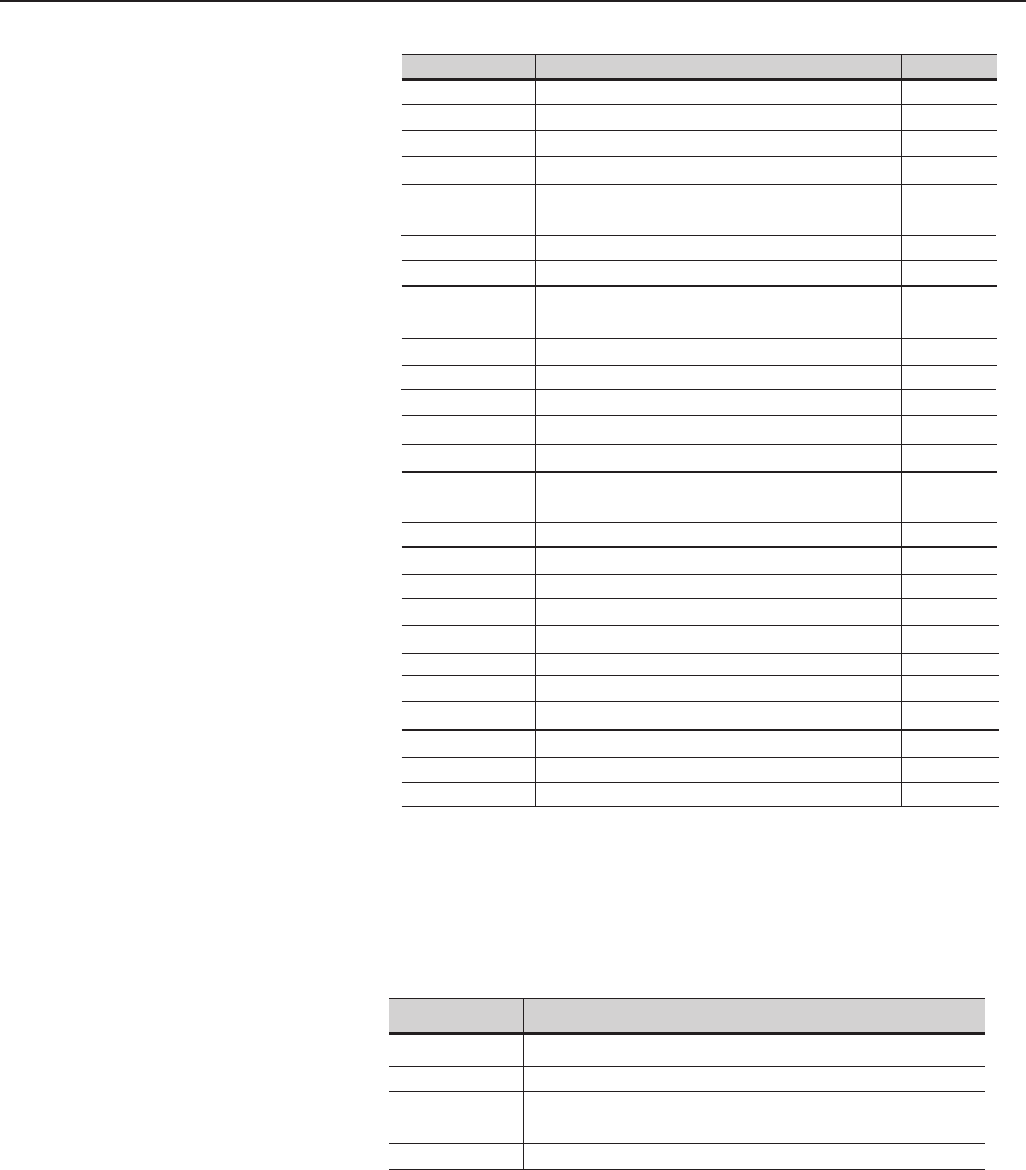
Condition where it occurs
Parameters that
affect others
when set
Parameters that are affected
and modified automatically During the
oriented
start-up
During
normal
operation
P203 P223, P225, P226, P228, P237,
P265 NO YES
P295 P156, P157, P158, P169 (V/f),
P290, P365, P366, P367 NO YES
P151, P153, P321, P322, P323 YES YES
P296 P400 YES NO
P320 P214 NO YES
P156, P157, P158 YES NO
P401 P297 YES NO
P402 P122, P123, P124, P125, P126,
P127, P128, P129, P130, P131,
P133, P134, P135, P208, P288,
P289
YES YES
P403 P369, P402 YES NO
P404 P399, P407 YES YES
P406 P156, P157, P158 YES NO
CFW-09 - QUICK PARAMETER REFERENCE
33
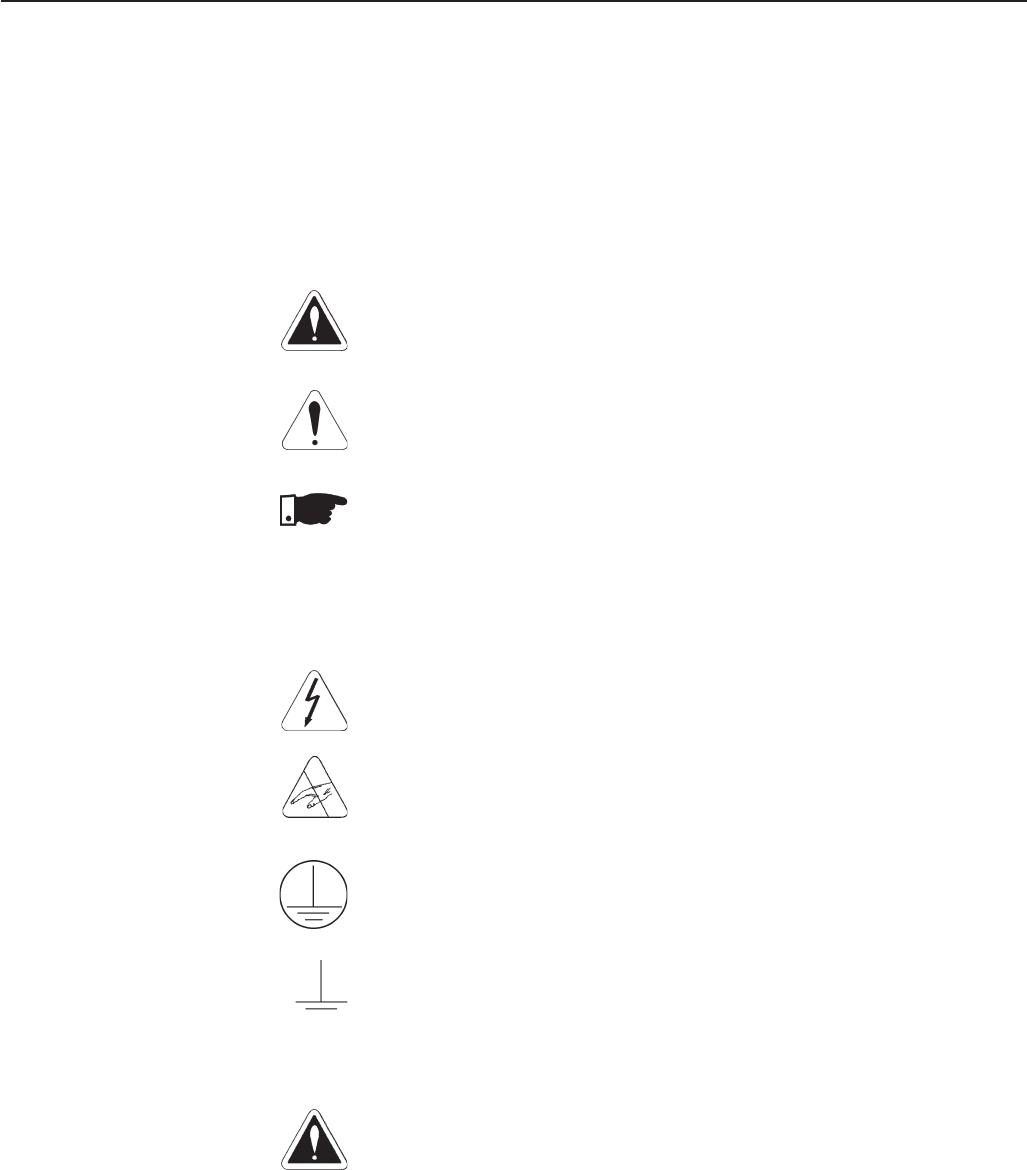
III. Other Messages Display Description
rdy Inverter is Ready to be Enabled
run Inverter is Enabled
Sub Power Supply Voltage is Too Low for the Inverter Operation
(Undervoltage)
dCbr Inverter in DC Braking Mode. (See P300)
II. Fault Messages Display Description Page
E00 Output Overcurrent/Short-Circuit 227
E01 DC Link Overvoltage 227
E02 DC Link Undervoltage 227
E03 Power Supply Undervoltage/Phase Loss 228
E04(*) Inverter Overtemperature/Pre-charge Circuit 228
Failure
E05 Output Overload (Ixt Function) 228
E06 External Fault 228
E07 Encoder Fault 228
Valid for P202=4 (Vector with Encoder)
E08 CPU Error (watchdog) 228
E09 Program Memory Error 228
E10 Error in the Copy Function 228
E11Output Ground Fault 228
E12 Dynamic Braking Resistor Overload 229
E13 Motor or Encoder with Inverted Wires 229
(Self-Tuning) (Valid for P202=4)
E15 Motor Phase Loss 229
E17 Overspeed Fault 229
E24 Programming Error 229
E28 to E30 Serial communication error 229
E31 Keypad Connection Fault 229
E32 Motor Overtemperature 229
E33 Speed without control 229
E34 Long period at torque limitation 229
E41 Self-Diagnosis Fault 229
E70 Internal DC Supply Undervoltage 230
E71 PLC Watchdog Error 230
(*) E04 can be "Pre-charge Circuit Failure" only in the following models:
≥ 86A/380-480V, ≥ 70A/220-230V, ≥ 44A/500-600V and for all 500-690V and
660-690V models. E04 can also occur when signal with inverted polarity is applied
at analog inputs AI1/AI2. The E04 fault message can also occur in the models up to
130A/ 20-230V, 142A/380-480V and 63A/500-600V when the temperature at the
heatsink is lower than -10ºC.
34
SAFETY NOTICES
This Manual contains all necessary information for the correct installation
and operation of the CFW-09 Variable Frequency Drive.
The CFW-09 Instruction Manual has been written for qualified personnel
with suitable training or technical qualifications to operate this type of
equipment.
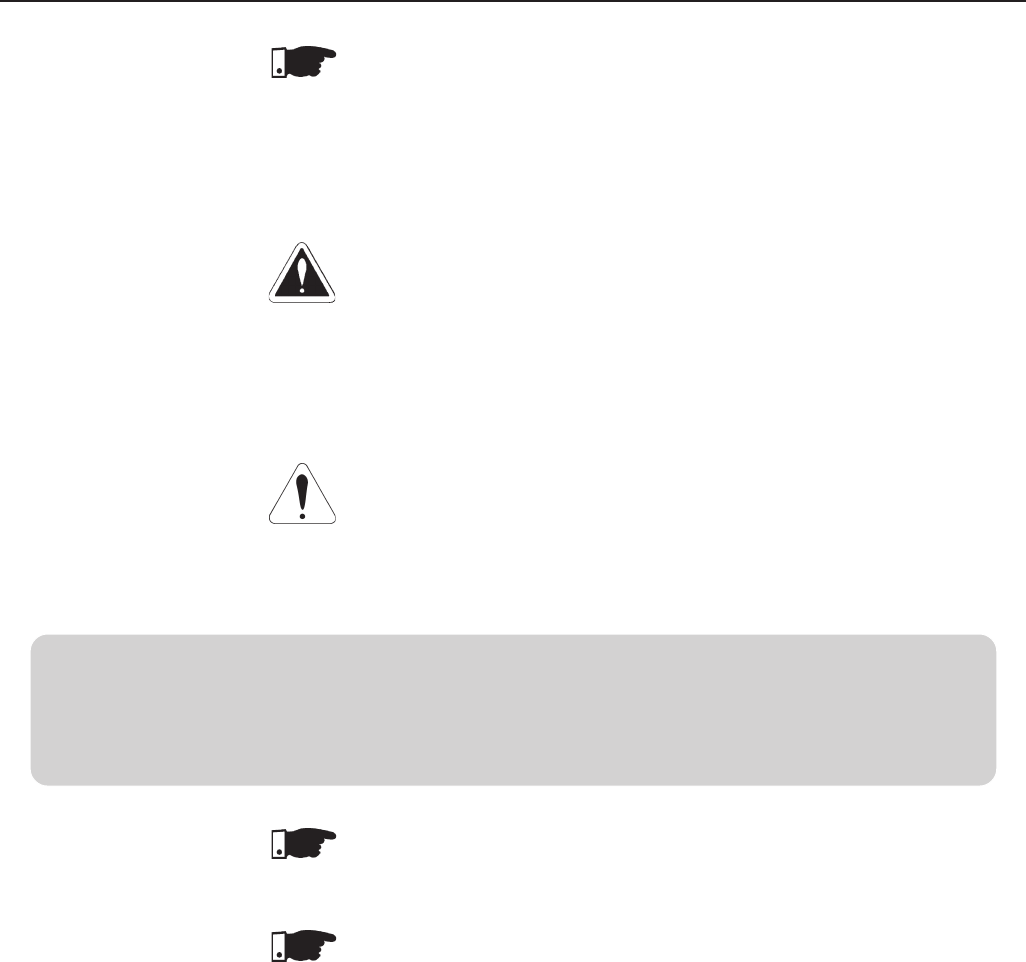
The following Safety Notices will be used in this Manual:
DANGER!
If the recommended Safety Instructions are not strictly observed, it can lead
to serious or fatal injuries of personnel and/or equipment damage.
ATTENTION!
Failure to observe the recommended Safety Procedures can lead to materi-
al damage.
NOTE!
The content of this Manual supplies important information for the correct
understanding of operation and proper performance of the equipment.
The following symbols may be attached to the product, serving as Safety
Notice:
High Voltages
Components are sensitive to electrostatic discharge. Do not touch
them without following proper grounding procedures.
Mandatory connection to ground protection (PE)
Shield connection to ground
DANGER!
Only qualified personnel should plan or implement the installation, startup,
operation and maintenance of this equipment. Personnel must review this
entire Manual before attempting to install, operate or troubleshoot the
CFW-09.
These personnel must follow all safety instructions included in this Manual
and/or defined by local regulations.
Failure to comply with these instructions may result in personnel injury and/
or equipment damage.
1.3 PRELIMINARY
RECOMMENDATIONS
1.2 SAFETY NOTICES
ON THE PRODUCT
CHAPTER 1
1.1 SAFETY NOTICES IN
THE MANUAL
35
CHAPTER 1 - SAFETY NOTICES
NOTE!
In this Manual, qualified personnel are defined as people that are trained to:
1. Install, ground, power up and operate the CFW-09 according to this
Manual and the local required safety procedures;
2. Use of safety equipment according to the local regulations;
3. Administer Cardio Pulmonary Resuscitation (CPR) and First Aid.
DANGER!
Always disconnect the supply voltage before touching any electrical component
inside the inverter.
Many components are charged with high voltages, even after the incoming AC
power supply has been disconnected or switched OFF. Wait at least 10 minutes
for the total discharge of the power capacitors.
Always connect the frame of the equipment to the ground (PE) at the suitable
connection point.
ATTENTION!
All electronic boards have components that are sensitive to electrostatic
discharges. Never touch any of the electrical components or connectors without
following proper grounding procedures. If necessary to do so, touch the properly
grounded metallic frame or use a suitable ground strap.
NOTE!
Inverters can interfere with other electronic equipment. In order to reduce this
interference, adopt the measures recommended in Section 3 “Installation”.
NOTE!
Read this entire Manual carefully and completely before installing or operating
the CFW-09.
Do not apply High Voltage (High Pot) Test on the Inverter!
If this test is necessary, contact the Manufacturer.

36
GENERAL INFORMATION
This chapter defines the contents and purpose of this manual and describes
the main characteristics of the CFW-09 frequency inverter. Identification of
the CFW-09, receiving and storage requirements are also provided.
This Manual is divided into 9 Chapters, providing information to the user on
how to receive, install, start-up and operate the CFW-09:
Chapter 1: Safety Notices;
Chapter 2: General Information and Receiving the CFW09;
Chapter 3: Information about the CFW09 physical installation, electrical
connection (power and control circuit) and installation of optional
devices;
Chapter 4: Keypad (HMI) Operation (Human-Machine Interface - keyboard-
display);
Chapter 5: Start-up (Step-by-step);
Chapter 6: Detailed Programming Parameters Description;
Chapter 7: Diagnostics, troubleshooting, cleaning instructions and preventive
maintenance;
Chapter 8: Technical description of CFW09 optional devices and
accessories;
Chapter 9: Technical specifications (electrical and mechanical)
This Manual provides information for the correct use of the CFW-09. The
CFW-09 is very flexible and allows for the operation in many different modes
as described in this manual.
As the CFW-09 can be applied in several ways, it is impossible to describe
here all of the application possibilities. WEG does not accept any
responsibility when the CFW-09 is not used according to this Manual.
No part of this Manual may be reproduced in any form, without the written
permission of WEG.
It is important to note the Software Version installed in the Version CFW-09,
since it defines the functions and the programming parameters of the inverter.
This Manual refers to the Software version indicated on the inside cover. For
example, the Version 1.0X applies to versions 1.00 to 1.09, where “X” is a
variable that will change due to minor software revisions. The operation of
the CFW-09 with these software revisions are still covered by this version of
the Manual.
The Software Version can be read in the Parameter P023.
The CFW-09 is a high performance Variable Frequency Drive that permits
the control of speed and torque of a three-phase AC induction motor. The
technological advantage of the CFW-09 is due to the “Vectrue” technology
that provides the following benefits:
Programmable scalar (volts/Hz) or vector control with the same product;
Vector Control can be programmed for “Sensorless” (that means that
standard motors can be controlled without encoder feedback), or “Closed
Loop” (with an encoder attached to the motor shaft);
2.1 ABOUT THIS MANUAL
CHAPTER 2
2.3 ABOUT THE CFW-09
2.2 SOFTWARE VERSION
37
CHAPTER 2 - GENERAL INFORMATION
The sensorless vector control permits high torques and quick response,
even at very low speeds and during the starting of the motor;
The “Optimal Braking” function allows controlled motor braking without
using a Dynamic Braking (DB) resistor.
“Self-tuning” auto-tune function with vector control, permitting automatic
setting of the control regulators and control parameters by means of the
automatic identification of the motor and the load parameters.
Technical specifications for each model of CFW09 are described in section 9.
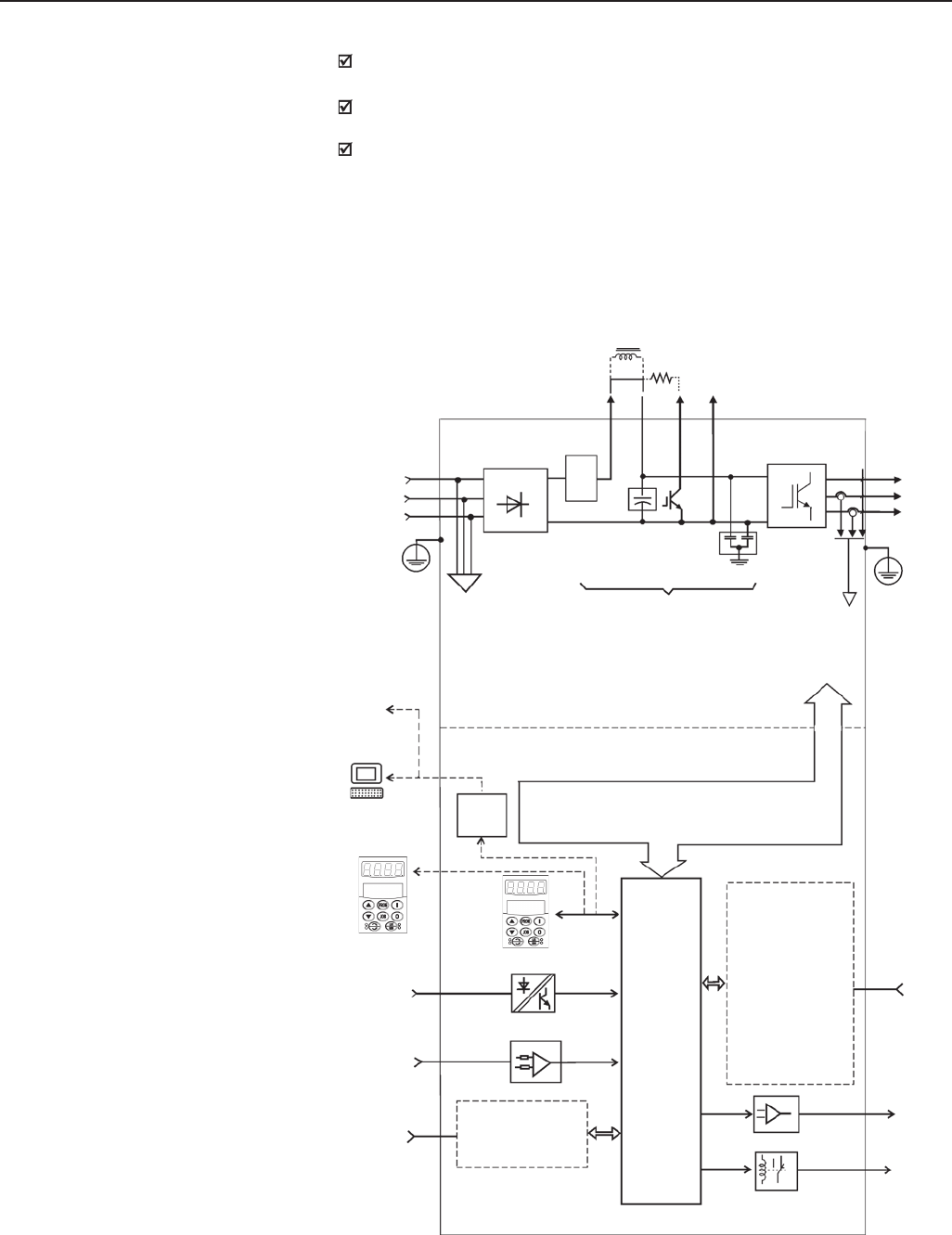
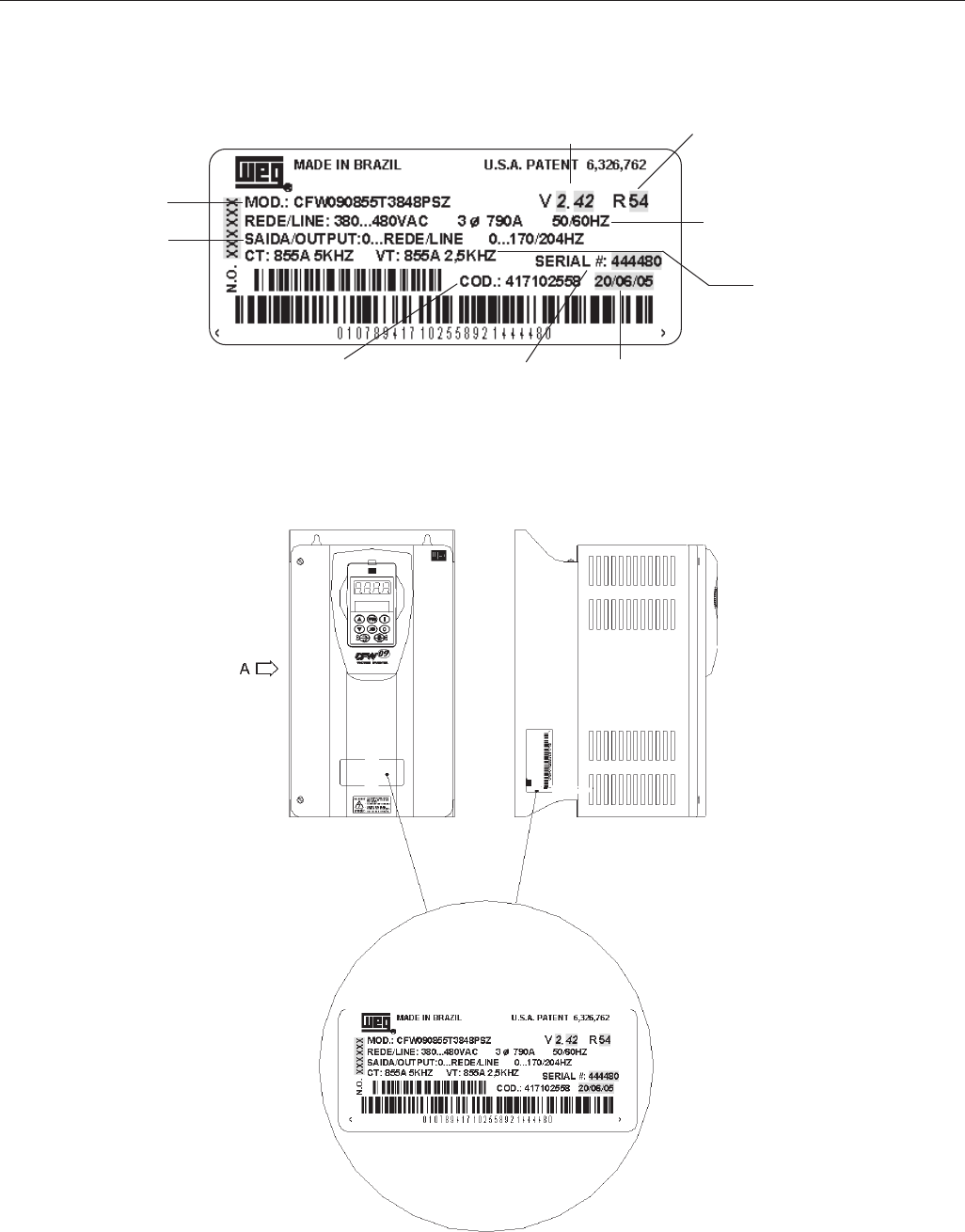
The block diagram below gives a general view of the CFW-09:
Sensors:
- Ground fault
- Phase-fault
= Phase-fault only
from size 3 and up.
Analog
Inputs
(AI1 ... AI2)
PC
PLC
DCS
Digital
Inputs
(DI1 ... DI6)
Internal electronics power supplies and
control/power interfaces
RS-232
(optional)
PC
POWER
CONTROL
Three-phase
rectifier
Motor
IGBT
Inverter
Power
Supply
= DC Link choke connection (optional)
only from size 2 and up.
= DB resistor connection. Up to size 7
only. Option for sizes 4 to 7.
= DC Link connection.
Pré-
charge
SuperDrive Software
Capacitor
Bank
RFI filter
Keypad
FIELDBUS (Optional):
- Profibus DP
- DeviceNet
- Ethernet/IP
"CC9"
Control
Board w/
32 bits
"RISC"
CPU
EBA/EBB EXPANSION:
(optional)
- isolated RS-485
- 1 digital input
A 1 x 14bit anal. input
2 x 14bit anal. outputs
B 1 isola. 4 to 20mA In.
2 isola. 4 to 20mA out.
- 2 digital outputs
- 1 encoder In/Out.
- 1 PTC input
{
{
External
Control
Analog
Outputs
(AO1 ... AO2)
Relay
Outputs
(RL1 ... RL3)
Keypad
(remote)
DC LINK Feedbacks:
- voltage
-current
PE PE
Modbus-RTU
Figure 2.1 - CFW09 Block Diagram.
Human - Machine Interface
38
CHAPTER 2 - GENERAL INFORMATION
2.4 CFW-09 IDENTIFICATION LABEL AND CODE NUMBER
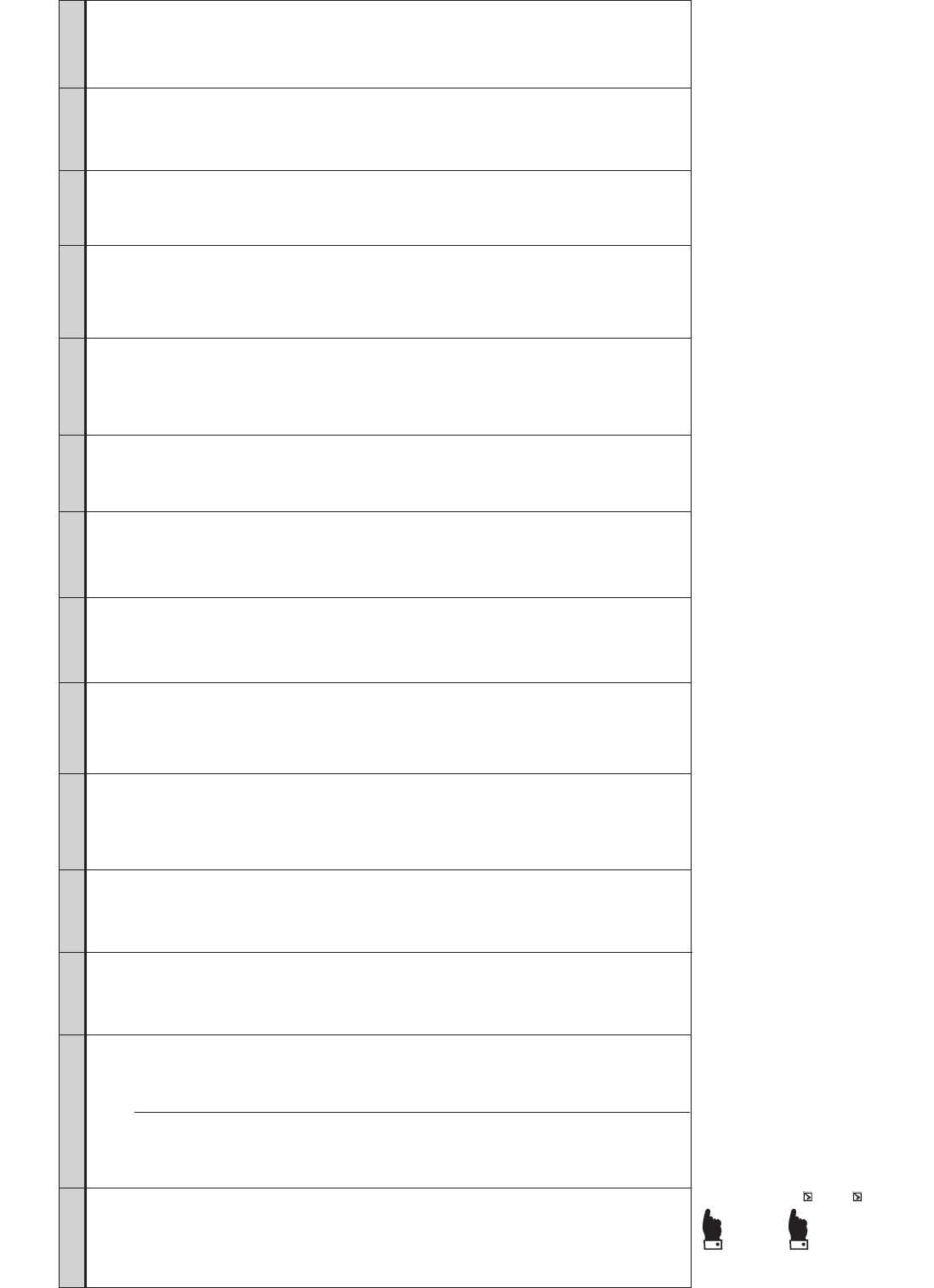
Location of the CFW-09 Nameplate:
FRONT VIEW VIEW-A
Figure 2.2 - CFW09 Identification.
Nominal Output Current and
Switching Frequency for VT and
CT Loads
Nominal Output Data
(Voltage, Frequency)
CFW-09 Model
Serial Number
WEG Part
number Manufacturing
Date
Nominal Input Data
(Phase, Current and Frequency)
Software
Revision Hardware
Revision
39
Manual
language:
P= Portuguese
E=English
S=Spanish
Options:
S= standard
O= with options
(see note)
Enclosure
degree of
protection:
Blank=
Standard
N4=NEMA 4
IP56
(See chapter
8)
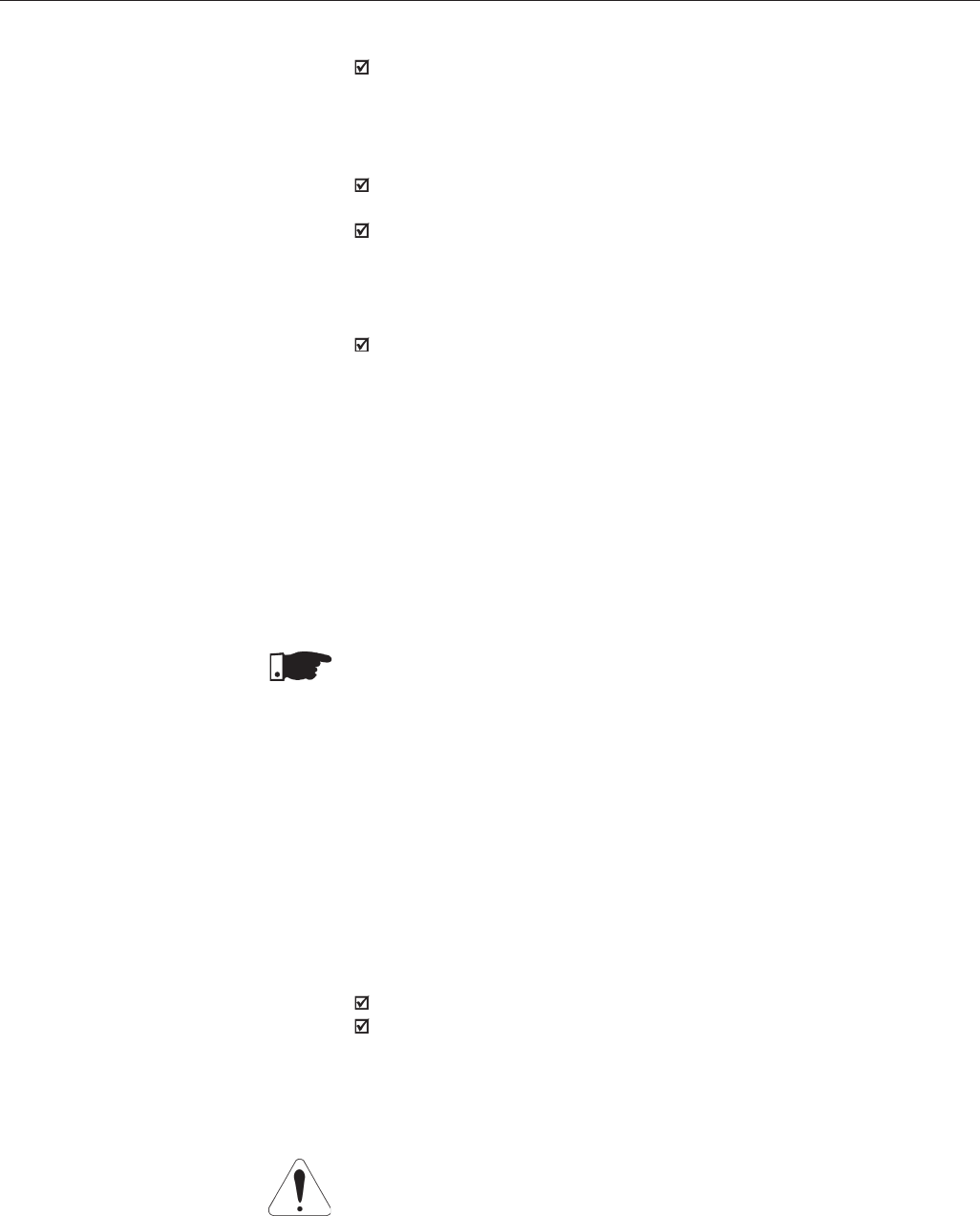
HOW TO SPECIFY THE CFW-09 MODEL:
CFW-09 0016 T3848 EO_ _ _ _ _ _ _ _ _ _ _ _ _ _ Z
Keypad (HMI):
Blank= Standard
IL= Keypad
LED display
only
SI= without
keypad
(See note)
Braking:
Blank=
Standard
RB=Regenera-
tive Con-
verter
(Active Front
end unit).
DB=
Dynamic
Braking
(See chapter
8)
Expansion
Boards:
Blank= Standard
A1= EBA Board
Complete
B1= EBB Board
Complete
C1= EBC1
Board
Complete
Refer to Chap-
ter 8 for other
Configurations
P1=PLC 1.01
Board
P2=PLC2.00
Board
(See chapter 8)
Fieldbus
Communication
Boards:
Blank= Standard
DN= DeviceNet
PD= Profibus
DP
DD=DeviceNet
Profile
EN=Ethernet/IP
Special
Software:
Blank=
Standard
S1 to Sn =
Special
Software
Version
SF= Metasys
N2 Protocol
SQ= Special
version for
DeviceNet
Drive Profile
Kit (indicate
option DD for
the Fieldbus
Communication
Board)
Special
Hardware:
Blank=
Standard
HN= Without
DC link
inductor
(only valid for
500-690V and
660-690V
models)
HD= DC link
supply (refer
to chapter 8)
HC, HV= DC
Link inductor
(See chapter
8)
(See note)
220-230V:
0006=6 A
0007=7A
0010=10 A
0013=13 A
0016=16A
0024=24A
0028=28A
0045=45A
0054=54A
0070=70A
0086=86A
0105=105A
0130=130A
380-480V:
0003=3.6A
0004=4A
0005=5.5A
0009=9A
0013=13A
0016=16A
0024=24A
0030=30A
0038=38A
0045=45A
0060=60A
0070=70A
0086=86A
0105=105A
0142=142A
0180=180A
0211=211A
0240=240A
0312=312A
0361=361A
0450=450A
0515=515A
0600=600A
Three-phase
power
supply:
Power
supply
voltage:
3848 =
380-480V
2223 =
220-230V
5060 =
500-600V
5069=
500-690V
6669=
660-690V
500-600V:
0002=2.9A
0004=4.2A
0007=7A
0010=10A
0012=12A
0014=14A
0022=22A
0027=27A
0032=32A
0044=44A
0053=53A
0063=63A
0079=79A
500-690V:
0107=107A
0147=147A
0211=211A
0247=247A
0315=315A
0343=343A
0418=418A
0472=472A
660-690V:
0100=100A
0127=127A
0179=179A
0225=225A
0259=259A
0305=305A
0340=340A
0428=428A
Note:
- For rated output current specification of variable torque (VT), see chapter 9.
- The rated output current indicated for the models 500-690V are only valid for 500V to 600V supply.
- For rated output current specification (CT and VT) of the models with supply voltage higher than 600V, see chapter 9.
Note:
The option field (S or O) defines if the CFW-09 is a standard version or if it is equipped with any optional devices. If the standard version is required, the code ends here. The model
code number always has the letter Z at the end. For example:
CFW090045T2223ESZ = Standard 45A CFW-09 inverter - three phase input at 220-230V, with the Manual in English.
If the CFW-09 is equipped with any optional devices, you must fill out the fields in accordance to the optional devices desired in the correct sequence up to the last optional device
desired, then the model code number is completed with the letter Z.
Thus, for instance, if a product of the example above is required with a EBA expansion board, indicate:
CFW090045T2223EOA1Z = 45A CFW-09 inverter – three-phase input at 220-230V, with the manual in English and with the optional EBA.01 board.
Output rated current -
constant torque CT:
End of Code
(See note)
WEG
Series 09
Frequency
Inverter
40
CHAPTER 2 - GENERAL INFORMATION
The standard product is defined as described here:
Degree of protection:
NEMA 1/ IP20: 3.6A to 240A/380-480V models and all 220-230V and 500-
600V models.
Protected chassis / IP20: 361A to 600A/380-480V models and all 500-
690V and 660-690V models.
Human Machine Interface:
HMI-CFW09-LCD (with LED and LCD displays)
Braking:
DB Transistor for DB Resistor braking incorporated in the following models:
6A to 45A/220-230V
3.6A to 30A/380-480V
2.9A to 14A/500-600V
DC Link:
The DC link choke is included in the standard product for 44A, 53A, 63A
and 79A/500-600V, all models 500-690V and 660-690V models.
DB Transistor can be incorporated as an option in the following models:
54A to 130A/220-230V
38A to 142A/380-480V
22A to 79A/500-600V
Models 180A to 600A/380-480V, 107A to 472A/500-690V and 100A to 428A/
660-690V, do not have the capability to use an internal DB Transistor. In this
case, use the external DB Transistor option (see item 8.10.3 - Dynamic
Braking Module - DBW-01 and DBW-02).
NOTE!
It is necessary to connect an external braking resistor regardless if the DB
Transistor is built in, optional built in or an external module (DBW).
The CFW-09 is supplied in cardboard boxes up to size 3 (see Item 9) and for
models above, the packing will be with wood pallet and wood box.
The outside of the packing container has a nameplate that is identical to that on
the CFW-09. Please check if the nameplate data matches the ordered ones.
The boxes up to size 7 must be placed and opened on a table (sizes above 3
with the help of two persons).
Open the box, remove the cardboard or expanded polystyrene protection.
The boxes of sizes above 7 must be opened on the floor. Open the wood box,
remove the expanded polystyrene protection. The CFW-09 must be handled
with hoist.
Check if:
CFW-09 nameplate data matches the purchase order;
The equipment has not been damaged during transport.
If any problem is detected, contact the carrier immediately.
If the CFW-09 is not to be installed immediately, store it in a clean and dry
room (Storage temperatures between -25°C and 60°C). Cover it to prevent
dust, dirt or other contamination of the drive.
ATTENTION!
If the inverter is stored for long periods, we recommend to power it up once a
year during 1 hour. For 220-230V and 380-480V models apply supply voltage
of aprox. 220Vac, three-phase or single-phase input, 50 or 60 Hz, without
connecting motor at output. After this energization, wait 24 hours before
installing it. For 500-600V, 500-690V and 660-690V models use the same
procedure applying a voltage between 300 and 330Vac to the inverter input.
2.5 RECEIVING AND
STORAGE
41
INSTALLATION
This chapter describes the procedures for the electrical and mechanical
installation of the CFW-09.
These guidelines must be followed for proper CFW-09 operation.
The location of the CFW-09 installation is an important factor to assure
good performance and high product reliability.
For proper installation of the inverter, we make the following
recommendations:
Avoid direct exposure to sunlight, rain, high moisture and sea air.
Avoid exposure to gases or explosive or corrosive liquids;
Avoid exposure to excessive vibration, dust, oil or any (conductive
particles or materials).
Allowed environmental conditions:
Temperature: 0ºC to 40ºC (32ºF to 104ºF) - nominal conditions.
From 40ºC to 55ºC (32ºF to 131ºF) - with 2% current derating for each
1ºC (1.8ºF) degree above 40ºC (104ºF).
Relative Air Humidity: 5% to 90%, non-condensing.
Maximum Altitude: 1000m (3,300 ft) – nominal conditions.
From 1000m to 4000m (3,300ft to 13,200 ft) – with 1% current reduction
for each 100m (330 ft) above 1000m (3,300 ft).
Pollution Degree: 2 (according to EN50178 and UL508C) (It is not
allowed the presence of water, condensation or conductive dust/
particles in the air).
3.1 MECHANICAL
INSTALLATION
3.1.1 Environment Conditions
CHAPTER 3
3.1.2 Dimensional of CFW-09 External dimensions and mounting holes are according to Figure 3.1 and
Table 3.1.
Sizes 3 to 10, 8E and 10E
ALP
B
D
C
H
AAALP
C
D
C
D
B
B
H
Sizes 1 and 2
Sizes 9, 10 and 10ESizes 3 to 8, 8E
Figure 3.1 - Mounting Dimensional Drawings of CFW-09

42
CHAPTER 3 - INSTALLATION
Model Height Width Depth Mounting Degree of
H L P ABC D Screw Weight Protection
mm mm mm mm mm mm mm m m Kg
(in) (in) (in) (in) (in) (in) (in) (in) (lb)
Size 1 210 143 196 121 180 11 9.5 M5 3.5
NEMA1/
(8.27) (5.63) (7.72) (4.76) (7.09) (0.43) (0.37) (3/16) (7.7)
IP20
Size 2 290 182 196 161 260 10.5 9.5 M5 6.0
(11.42) (7.16) (7.72) (6.34) (10.24) (0.41) (0.37) (3/16) (13.2)
Size 3 390 223 274 150 375 36.5 5M6 19.0
(15.35) (8.78) (10.79) (5.90) (14.76) (1.44) (0.20) (1/4) (41.9)
Size 4 475 250 274 150 450 50 10 M6 22.5
(18.70) (9.84) (10.79) (5.90) (17.72) (1.97) (0.39) (1/4) (49.6)
Size 5 550 335 274 200 525 67.5 10 M8 41
(21.65) (13.19) (10.79) (7.87) (20.67) (2.66) (0.39) (5/16) (90.4)
Size 6 675 335 300 200 650 67.5 10 M8 55
(26.57) (13.19) (11.77) (7.87) (25.59) (2.66) (0.39) (5/16) (121.3)
Size 7 835 335 300 200 810 67.5 10 M8 70
(32.87) (13.19) (12.20) (7.87) (31.89) (2.66) (0.39) (5/16) (154.3)
Size 8 975 410 370 175 950 67.5 10 M10 100
(38.38) (16.14) (14.57) (10.83) (37.40) (2.66) (0.39) (3/8) (220.5)
Size 8E 1145 410 370 275 1120 67.5 10 M10 115
(45.08) (16.14 ) (14.57) (10.83) (44.09) (2.66) (0.39) (3/8) (253)
Size 9 1020 688 492 275 985 69 15 M10 216
IP20
(39.37) (27.56) (19.33) (10.83) (37.99) (2.95) (0.59) (3/8) (476.2)
Size 10 1185 700 492 275 1150 69 15 M10 259
(46.65) (27.56) (19.33) (10.83) (45.27) (2.95) (0.59) (3/8) (571)
Size 10E 1185 700 582 275 1150 69 15 M10 310
(46.65) (27.56) (22.91) (10.83) (45.27) (2.95) (0.59) (3/8) (682)
Table 3.1 - Installation Data – Refer to Section 9.1
For installing the CFW09, leave at least the minimum free spaces around the
inverter according to Figure 3.2 . The dimensions of these free spaces are described
on Table 3.2.
Install the inverter in the vertical position according to the following
recommendations:
1) Install the inverter on a flat surface.
2) Do not install heat sensitive components immediately above the inverter.
3) For the inverters 45A to 130A/220-230V, 30A to 600A/380-480V, 22A to 32A/
500-600V, 44A to 79A/500-600V, 107A to 472A/500-690V and 100A to 428A/
660-690V:
-First partially tighten the bolts on the surface, then install the inverter
and screw-down the bolts.
4) For inverters 6A to 28A/220-230V, 3.6A to 24A/380-480V and 2.9A to 14A/
500-600V:
-Install the 2 bottom mounting bolts first, rest the inverter on the base
and then mount the 2 top bolts.
3.1.3 Mounting Specifications
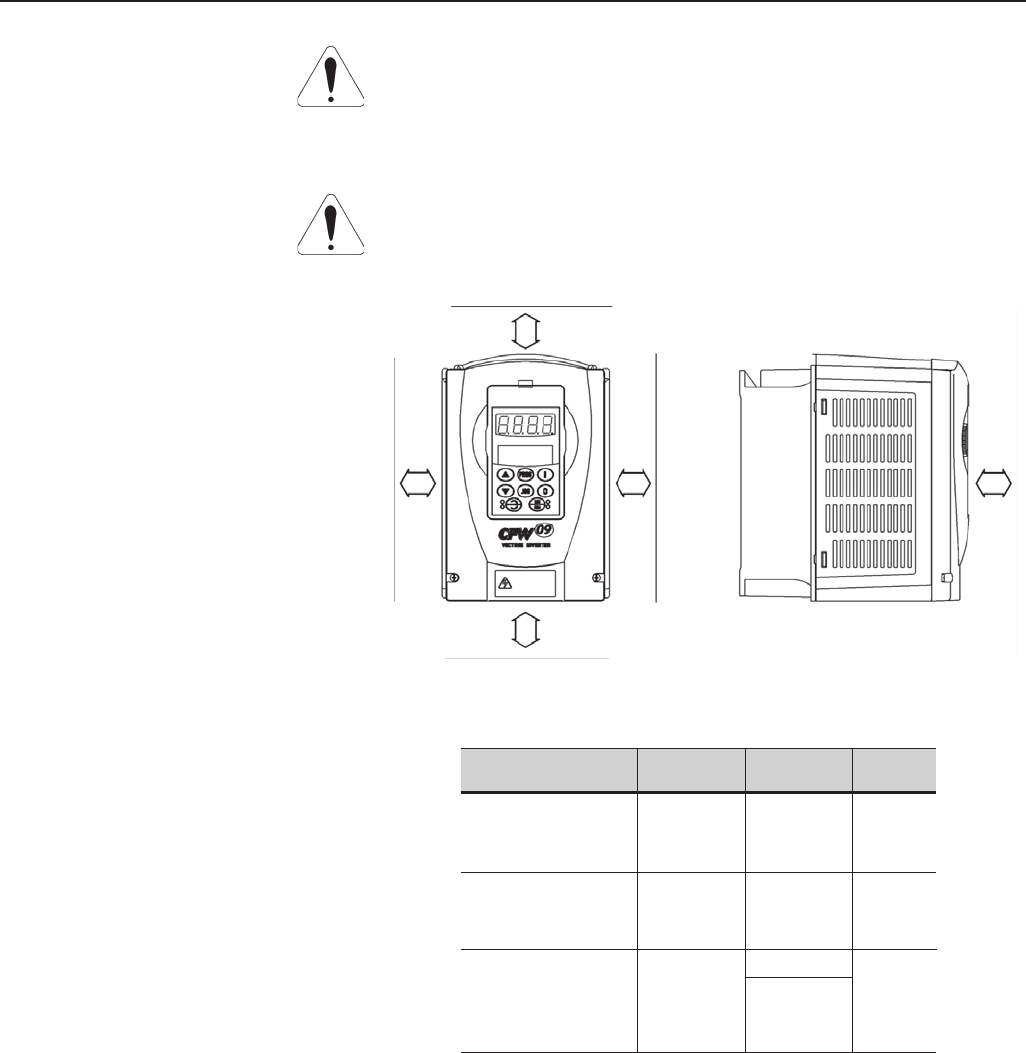
43
CHAPTER 3 - INSTALLATION
Table 3.2 - Recommended free spaces
A B C
mm (in) mm (in) mm (in)
40 30 50
(1.57) (1.18) (2)
100 40 130
(4) (1.57) (5.12)
55 (2,17)
150 250
(6) 80 (10)
(3.15)
Model
CFW-09
6A to 28A/220-230V
3.6A to 24A/380-480V
2.9A to 14A/500-600V
45A to 130A/220-230V
30A to 142A/380-480V
22A to 79A/500-600V
180A to 361A/380-480V
450A to 600A/380-480V
107A to 472A/500-690V
100A to 428A/660-690V
When inverters are installed in panels or closed metallic boxes, adequate
cooling is required to ensure that the temperature around the inverter will
not exceed the maximum allowed temperature. See Dissipated Power in
Section 9.1.
For reference, table 3.3 shows the cooling airflow for each inverter model.
3.1.3.1 Mounting Inside a Panel
ATTENTION!
When inverters are installed side by side, maintain the minimum
recommended distance B. When inverters are installed top and bottom,
maintain the minimum recommended distance A + C and deflect the hot
air coming from inverter below.
ATTENTION!
Provide independent conduits for signal, control and power conductors (Refer
to Section 3.2: Electrical Installation).
A
B
C
B
50mm
2in
Figure 3.2 - Free Space for Cooling
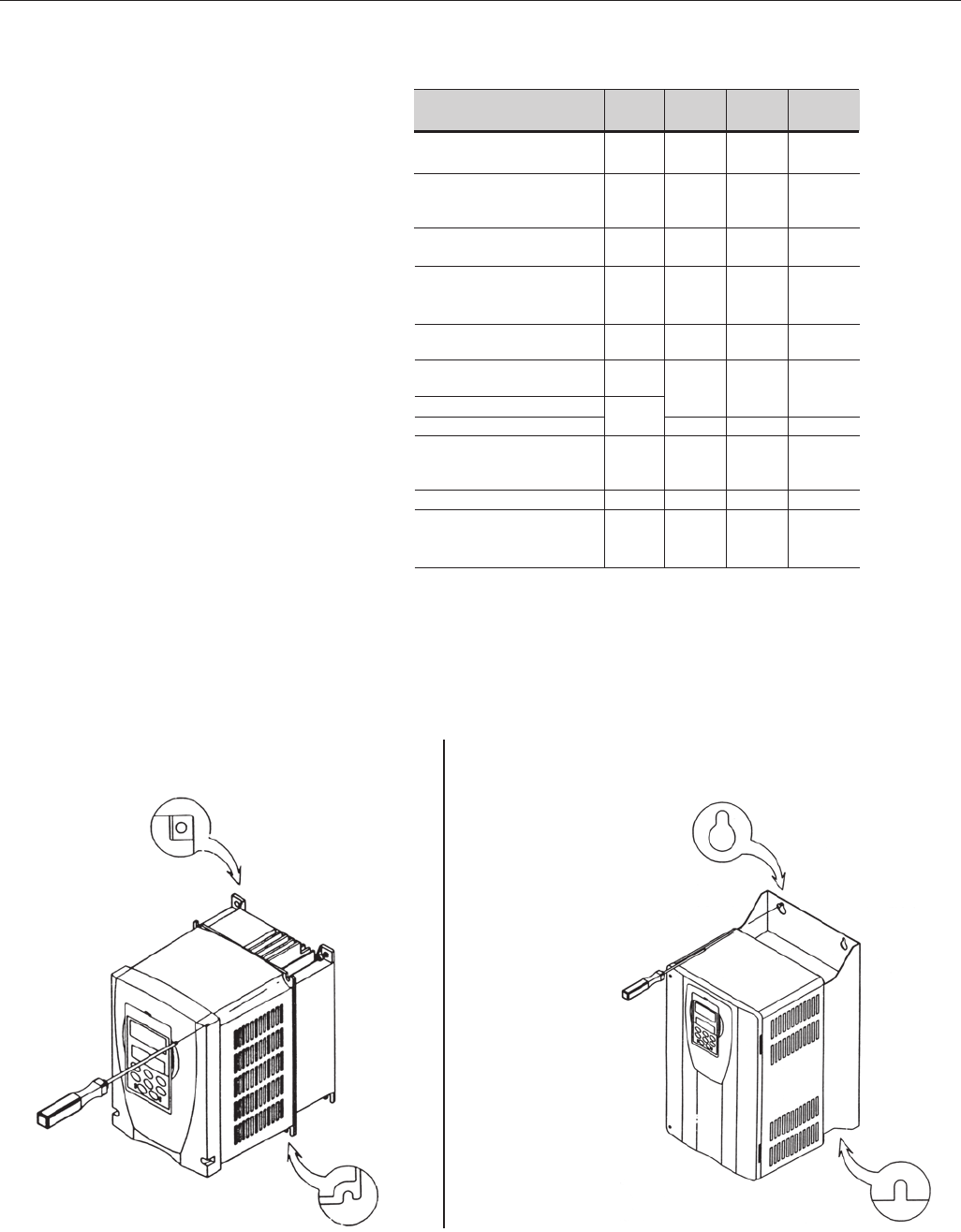
44
CHAPTER 3 - INSTALLATION
Size CFM I/s m3/min
119 90,5
232 15 0,9
370 33 2,0
489 42 2,5
5117 55 3,3
6138 65 3,9
7286 135 8,1
8265 125 7,5
8E
8E
9852 402 24,1
10
795 375 22,5
10E
10E
CFW-09 Inverter Model
6A to 13A/220-230V
3.6A to 9A/380-480V
2.9A to 14A/500-600V
16A to 28A/220-230V
13A to 24A/380-480V
45A/220-230V
30A/380-480V
54A/220-230V
38A and 45A/380-480V
22A to 32A/500-600V
70A and 86A/220-230V
60A and 70A/380-480V
105A and 130A/220-230V
86A and 105A/380-480V
44A to 79A/500-600V
142A/380-480V
180A to 240A/380-480V
107A to 211A/500-690V
100A to 179A/660-690V
312A and 361A/380-480V
450A to 600A/380-480V
247A to 472A/500-690V
225A to 428A/660-690V
Table 3.3 - Cooling Air Flow requirements
Figure 3.3 shows the installation of the CFW-09 on a mounting plate.
3.1.3.2 Mounting on Surface
a) Sizes 1 and 2 b) Sizes 3 to 8
Figure 3.3 a) b) - Mounting procedure for the CFW-09 on a surface
Inverter Cooling Method: Internal fan, flow direction from the bottom to the top.
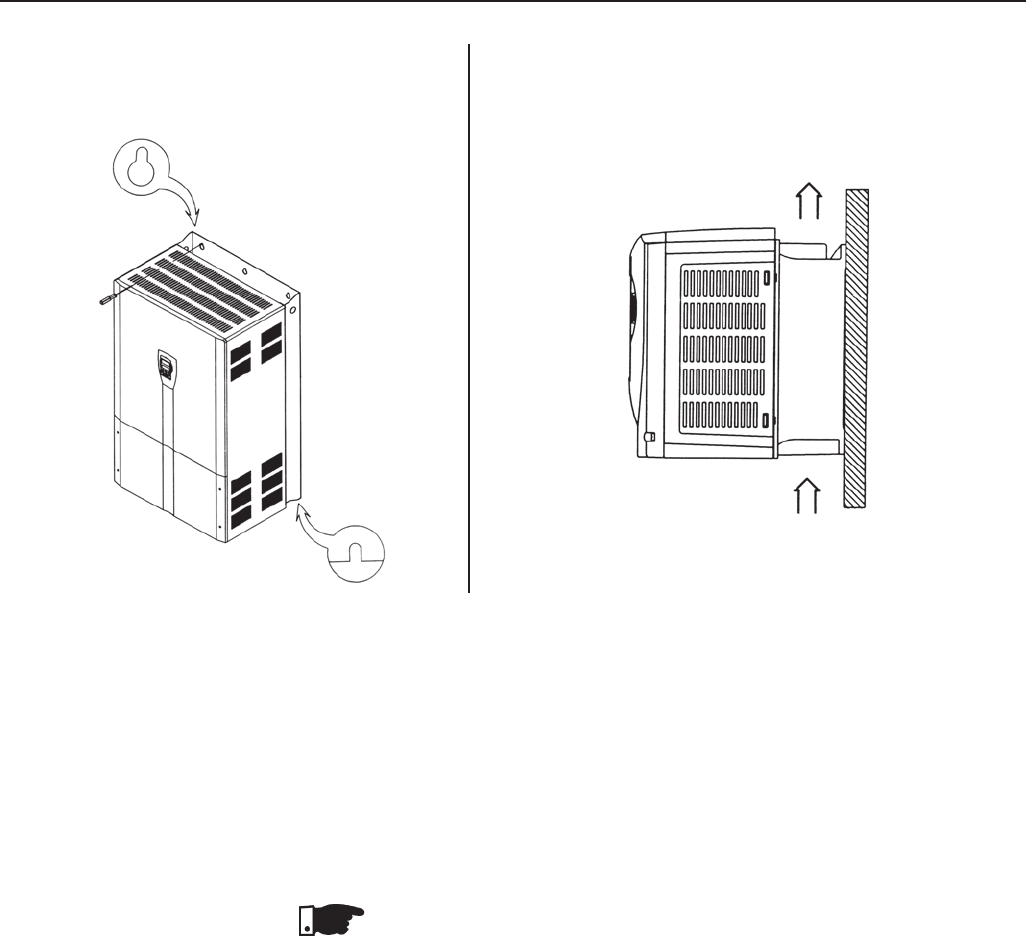
45
CHAPTER 3 - INSTALLATION
Figure 3.3 c) d) - Mounting procedure for the CFW-09 on a surface
c) Sizes 9 and 10 d) Positioning (for all Sizes)
Air Flow
The CFW-09 can also be installed with the heatsink through the mounting
plate, as shown in Figure 3.4.
In this case, see installation drawings shown in Figure 3.4 c) and maintain
the distances indicated in table 3.4.
NOTE!
When installing the heatsink through the mounting surface, according to
Figure 3.4, the degree of protection behind this surface is NEMA 1 / IP20.
NEMA1 rating does not protect against dust and water.
3.1.3.3 Mounting with the
Heatsink through a
Surface
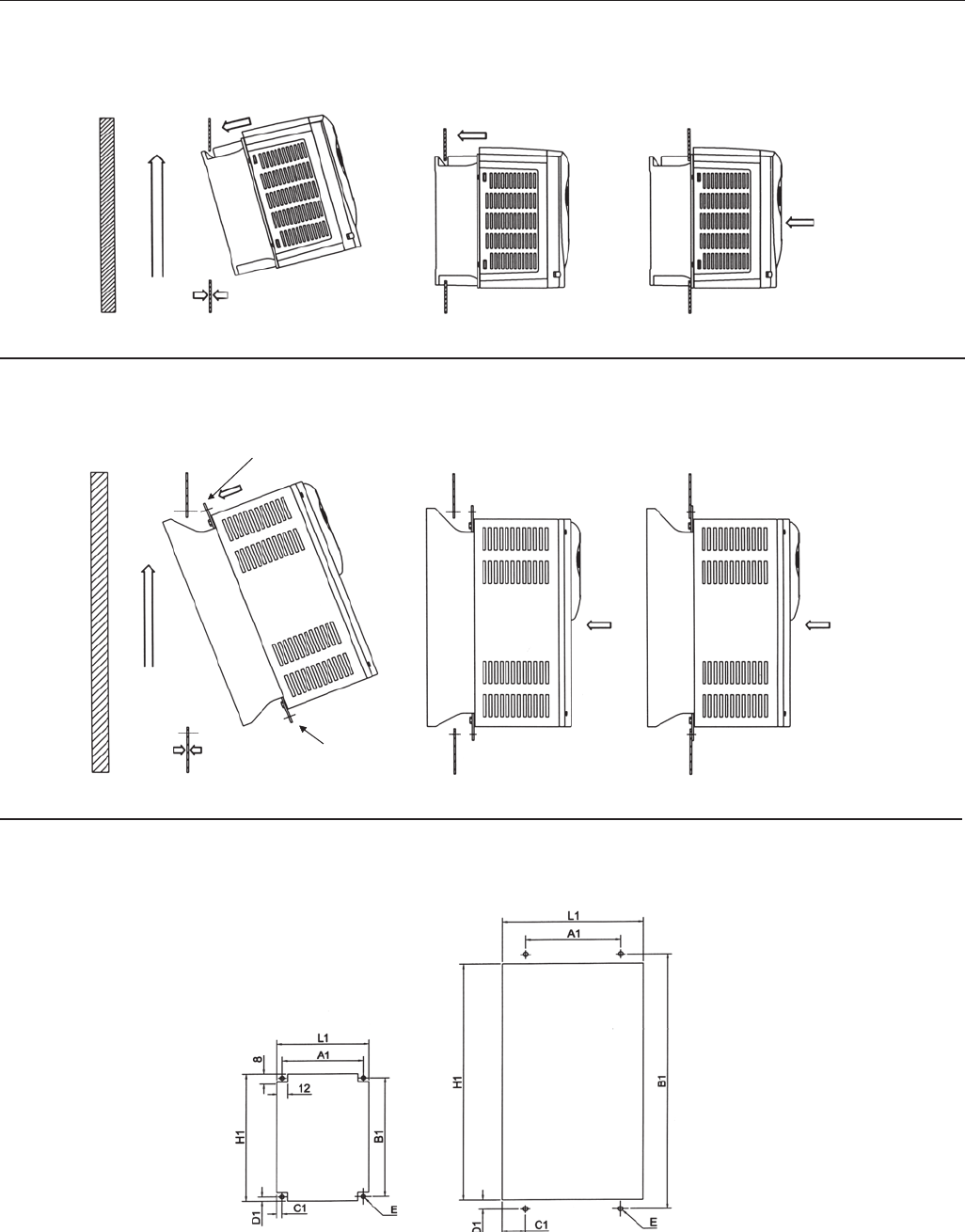
46
CHAPTER 3 - INSTALLATION
Figure 3.4 a) to c) - Mounting procedure for the CFW-09 with the heatsink through the mounting surface
a) Sizes 1 and 2
Step3
Step 1 Step 2
Air
Flow
4mm (1/6 in) max.
Step 2 Step 3
Step 1
Air
Flow 4mm (1/6 in) max.
Sizes 1 and 2
Sizes 3 to 8
b) Sizes 3 to 8E
c) Cutout Dimensions (Refer to Table 3.4)
Kit-KMF
Top Support
Kit-KMF
Botton Support
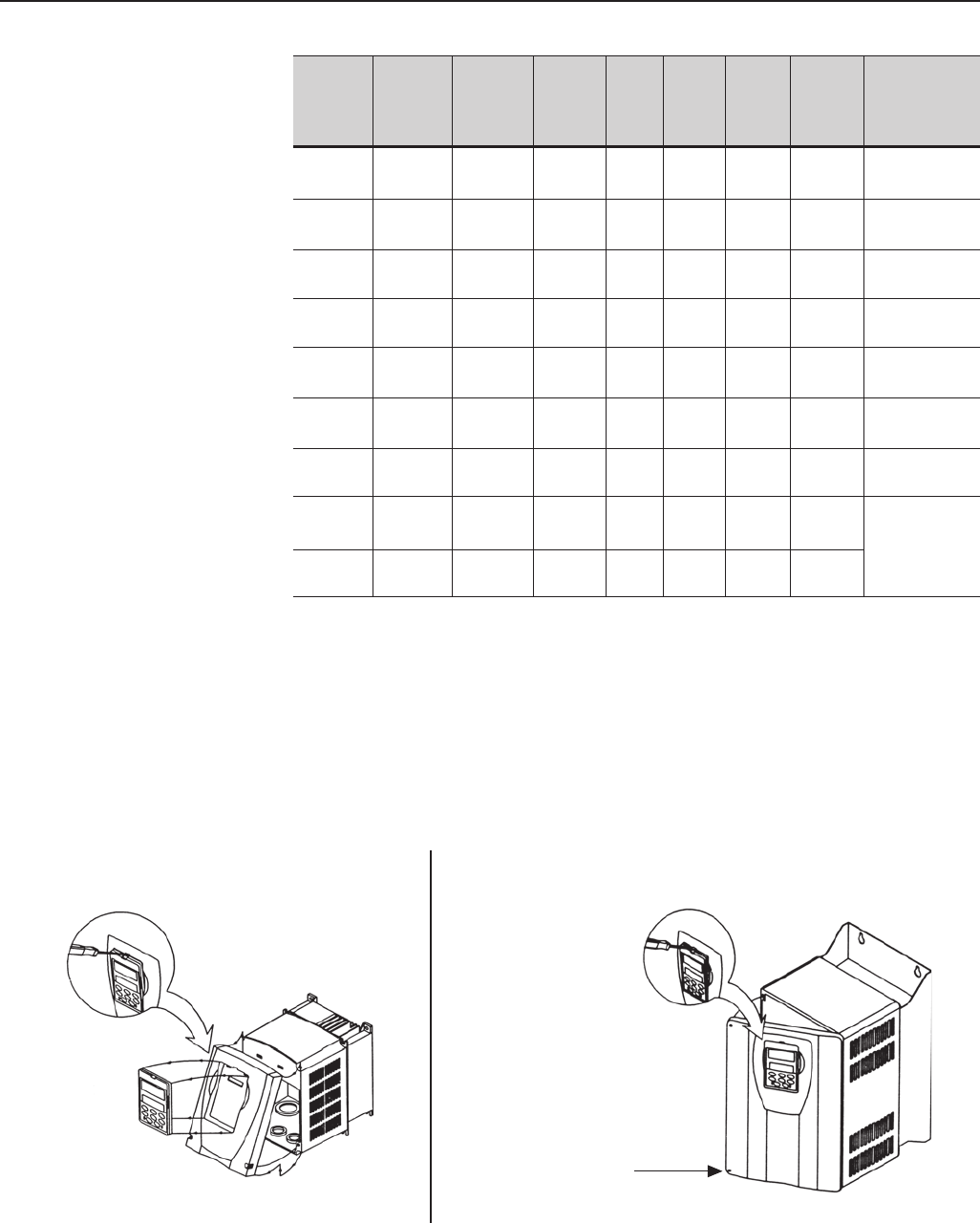
47
CHAPTER 3 - INSTALLATION
CFW-09 L1 H1 A1 B1 C1 D1 E mim. Kit KMF*
Size mm mm mm mm mm mm mm Through
(in) (in) (in) (in) (in) (in) (in) Surface Mouting
Item nº
Size 1 139 196 127 191 62.5 6------------
(5.47) (7.72) (5.00) (7.52) (0.24) (0.10) (0.24)
Size 2 178 276 167 271 62.5 6------------
(7.00) (10.87) (6.57) (10.67) (0.24) (0.10) (0.24)
Size 3 225 372 150 400 37.5 14 8417102514
(7.00) (14.64) (6.57) (15.75) (1.44) (0.59) (0.31)
Size 4 252 452 150 480 51 14 8417102515
(9.92) (17.79) (5.91) (18.90) (1.97) (0.59) (0.31)
Size 5 337 527 200 555 68.5 14 10 417102516
(13.27) (20.75) (7.87) (21.85) (2.70) (0.59) (0.35)
Size 6 13.27 652 200 680 68.5 14 10 417102517
(13.27) (25.67) (7.87) (26.77) (2.70) (0.59) (0.39)
Size 7 337 812 200 840 68.5 14 10 417102518
(13.27) (31.97) (7.87) (33.07) (2.70) (0.59) (0.39)
Size 8 412 952 275 980 68.5 14 10
417102519
(16.22) (37.48) (10.38) (38.58) (2.70) (0.59) (0.39)
Size 8E 412 1122 275 1150 68.5 14 10
(16.22) (44.17) (10.83) (45.27) (2.70) (0.59) (0.39)
*Note: The Through Surface Mounting kit (kit-KMF) is a set of supports for the CFW-09 as shown on
Figure 3.4 b).
a) Sizes 1 and 2
3.1.4 Keypad (HMI) and
Cover Removal
b) Sizes 3 to 8, 8E
Screw
Figure 3.5 a) b) – Keypad (HMI) and cover removal procedure
Table 3.4 - Cutout dimensions and kits for CFW-09 though surface mounting
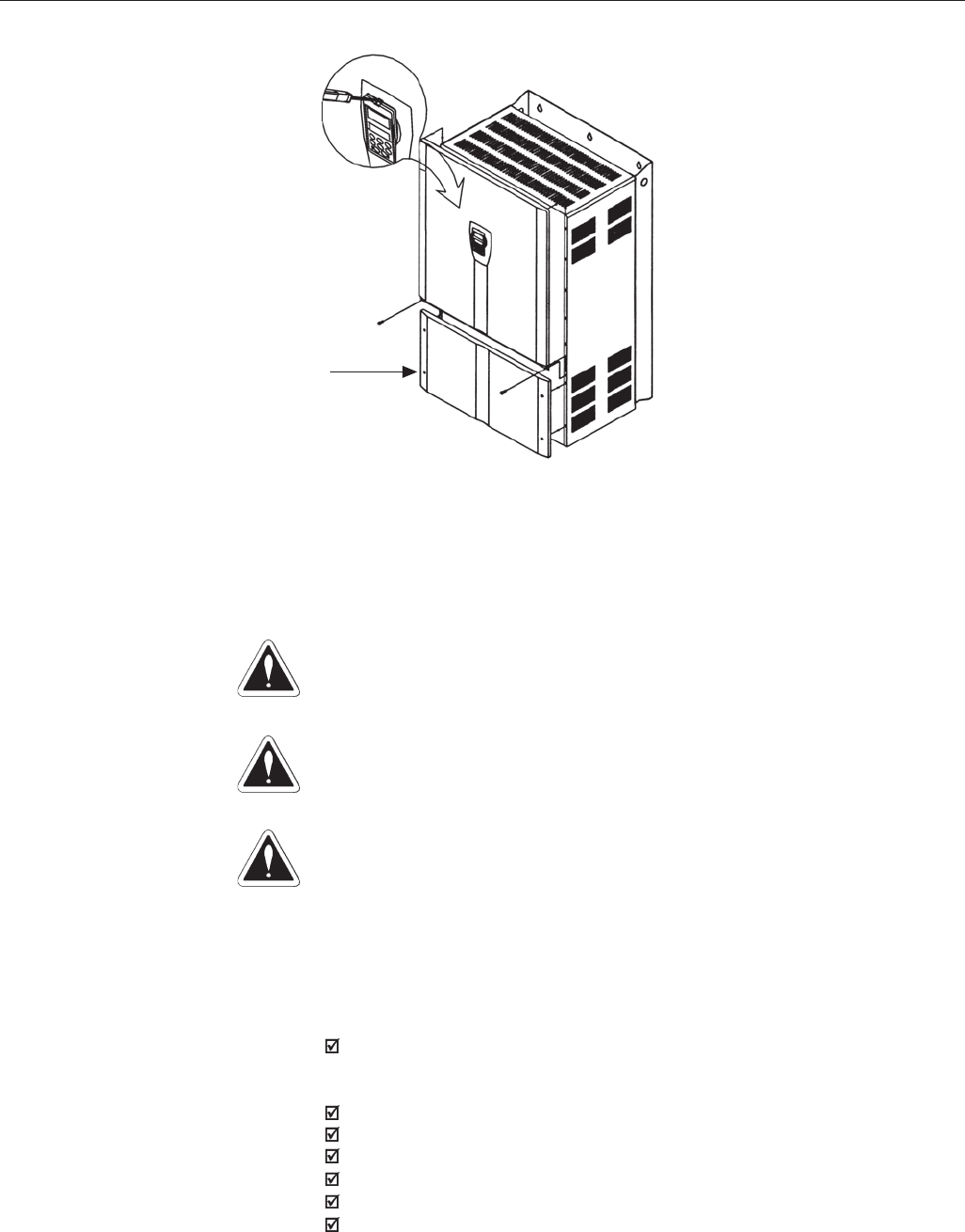
48
CHAPTER 3 - INSTALLATION
Figure 3.5 c) – Keypad (HMI) and cover removal procedure
c) Sizes 9 and 10, 10E
Screw
3.2 ELECTRICAL
INSTALLATION DANGER!
The information below will be a guide to achieve a proper installation. Follow
also all applicable local standards for electrical installations.
DANGER!
Be sure that the AC input power is disconnected before making any terminal
connection.
DANGER!
The CFW-09 frequency inverter cannot be used as an emergency stop device.
Provide another devices for this function.
The power connection terminals can be of different sizes and configurations,
depending on the inverter model as shown in Figure 3.6.
Terminals:
R, S, T : AC supply line. Models up to 10A at 220-230V can be operated
with two phases (single-phase operation) without current derating.In this
case the AC supply can be connected to any 2 of the 3 input terminals.
U, V, W: Motor connection.
-UD: Negative pole of the DC link circuit.
BR: Dynamic Braking resistor connection.
+UD: Positive pole of the DC link circuit.
DCR: Connection to the external DC link choke (optional).
PE: Ground Safety
3.2.1 Power/Grounding
Terminals
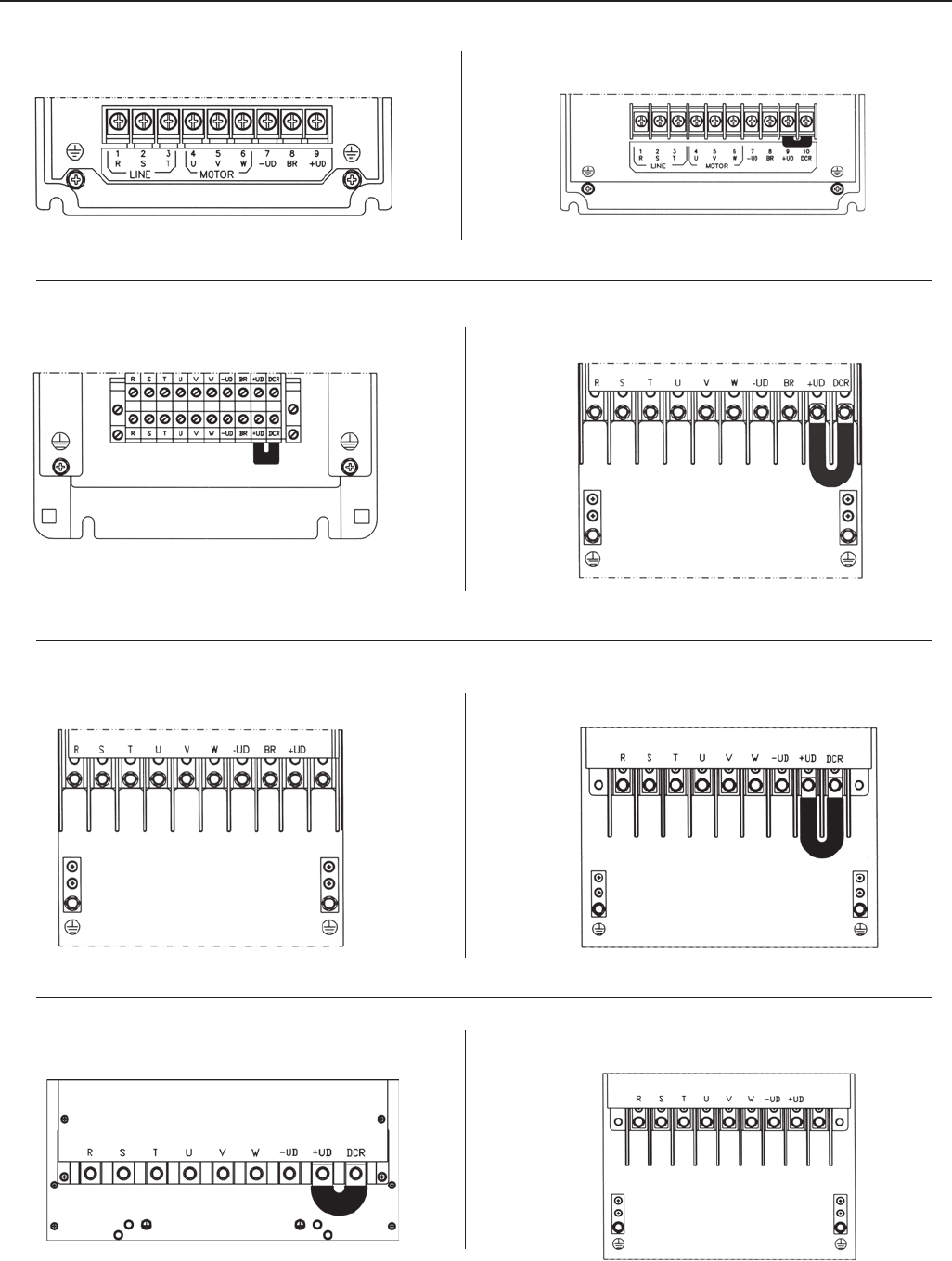
49
CHAPTER 3 - INSTALLATION
a) Size 1 models b) Size 2 models
c) Size 3, 4 and 5 models d) Size 6 and 7 (220-230V and 380-480V models)
g) Size 9 and 10 (380-480V models)
f) Size 8 (380-480V models)
e) Size 7 (500-600V models)
h) Size 8E (500-690V and 660-690V models)
Figure 3.6 a) to h) - Power Terminals.
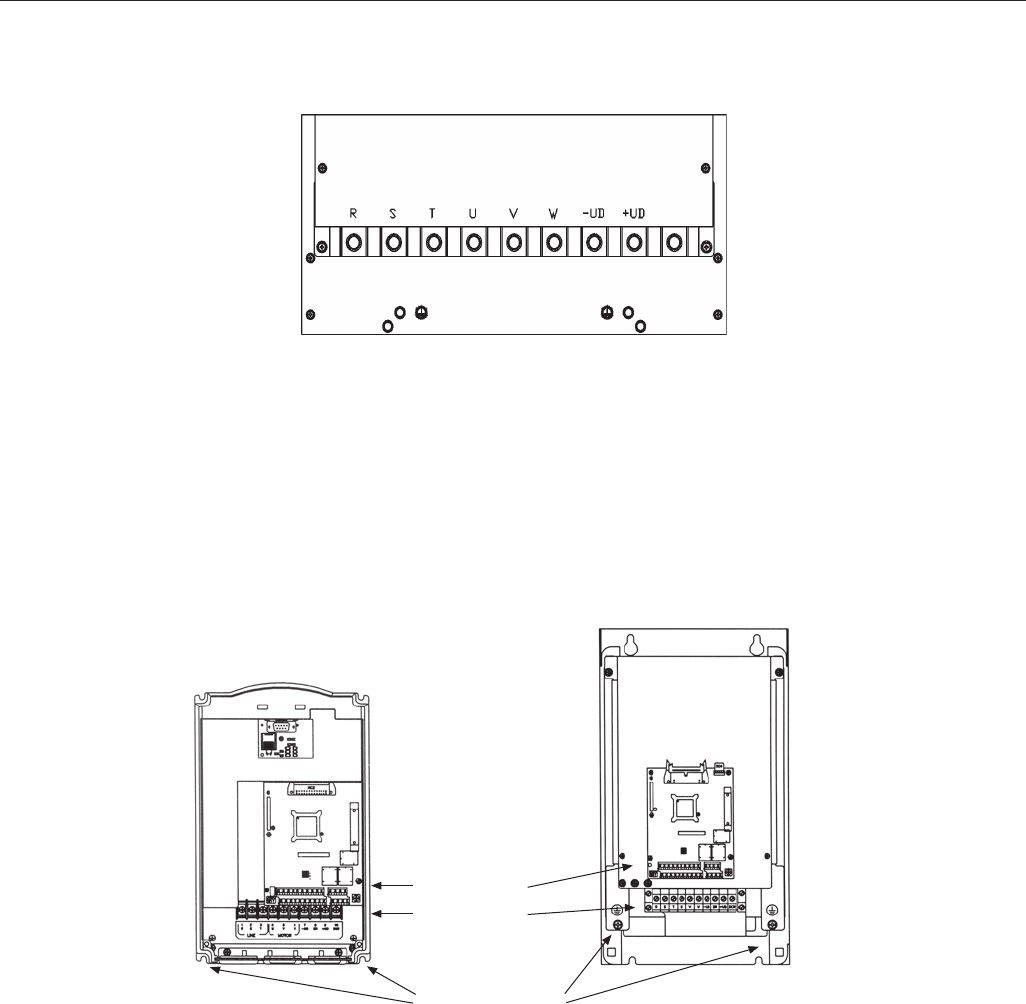
50
CHAPTER 3 - INSTALLATION
i) Size10E (500-690V and 660-690V models)
Figure 3.6 i) - Power Terminals.
3.2.2 Location of the Power/
Grounding/Control
Connections
GROUNDING
POWER
CONTROL
a) Size 1 and 2 models
b) Size 3, 4 and 5 models
Note: No voltage selection needed for these models
Figure 3.7 a) b) - Location of the Power/Grounding/Control Connections and Rated Voltage
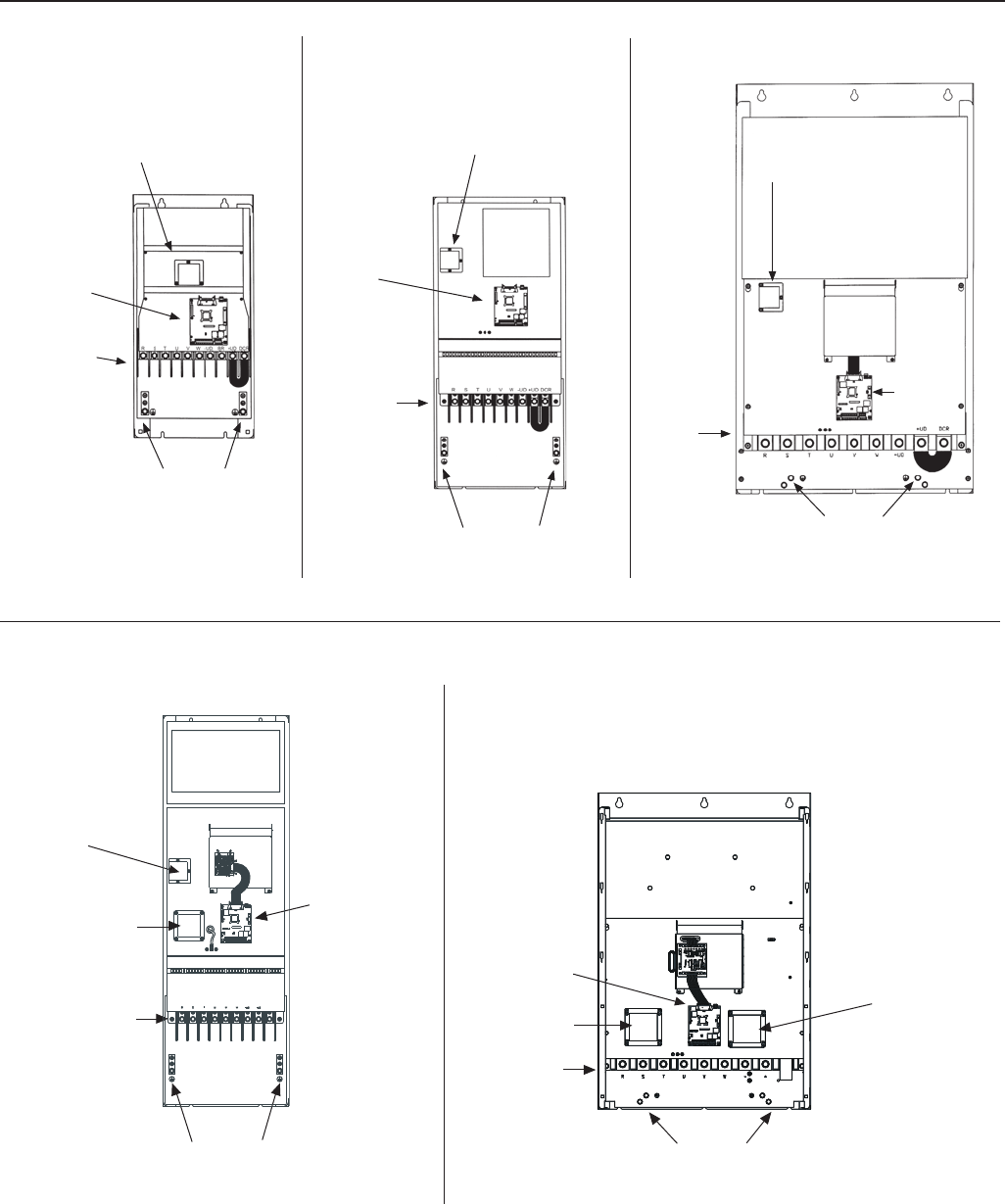
51
CHAPTER 3 - INSTALLATION
Figure 3.7 c) to g) - Location of the Power/Grounding/Control Connections and Rated Voltage
c) Size 6 and 7 models
RATED VOLTAGE
SELECTION
CONTROL
GROUNDING
GROUNDING
RATED VOLTAGE
SELECTION
GROUNDING
e) Size 9 and 10 models d) Size 8 models
CONTROL
CONTROL
POWER
POWER
POWER
RATED VOLTAGE
SELECTION
g) Size 10E
GROUNDING
POWER
CONTROL RATED VOLTAGE
SELECTION
f) Size 8E
GROUNDING
CONTROL
RATED VOLTAGE
SELECTION
POWER
AUXILIARY
CIRCUIT FUSES
AUXILIARY
CIRCUIT FUSES
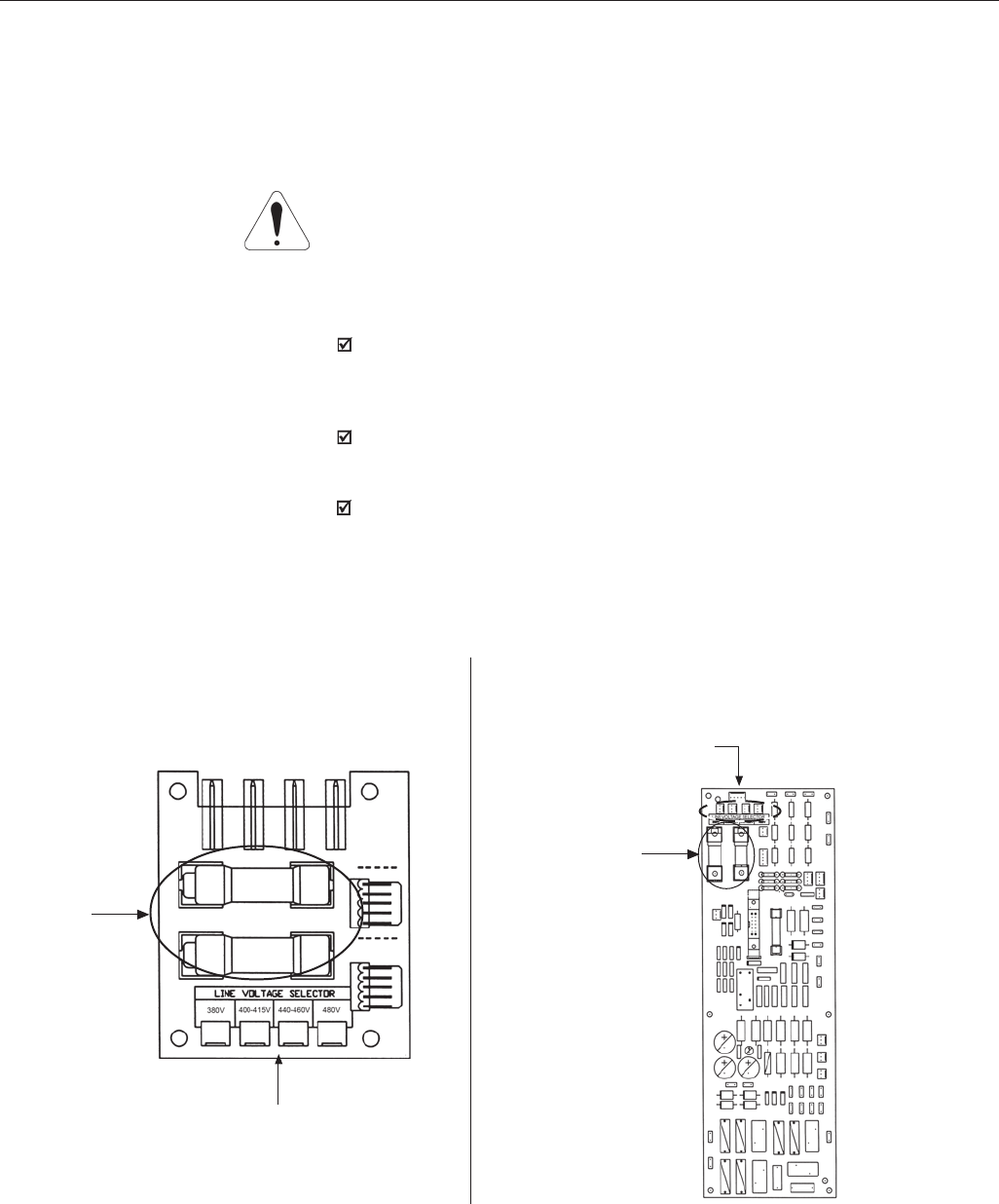
52
CHAPTER 3 - INSTALLATION
The following models of CFW09 inverter series have a jumper for rated voltage
selection:
- ≥ 86A/380-480V.
- ≥ 44A/500-600V.
- 500-690V models.
ATTENTION!
It is necessary to adjust the jumper in models 380-480V when the power
supply voltage is different from 440V and 460V. Also in models 500-600V and
500-690V when the power supply voltage is different from 550V, 575V and 600V.
PROCEDURE:
380-480V models :
Remove jumper on the LVS1 board (or from the CIP2 for models ≥ 180A)
from position XC60 (440-460V) and insert it on the proper position according
to the application line voltage.
500-600V models :
Remove jumper on the LVS2 board from position XC62 (550V, 575V,600V)
and insert it on the proper position according to the line voltage.
500-690V models :
Remove jumper on the CIP3 board from position XC62 (550V, 575V,600V)
and insert it on the proper position according to the line voltage.
3.2.3 Rated voltage selection
RATED VOLTAGE SELECTION
RATED VOLTAGE
SELECTION
a) LVS1(size 6 and 7, 380-480V) b) CIP2 (size 8, 9 and 10, 380-480V)
Figure 3.8 a) b) - Rated Voltage Selection on boards LVS1, CIP2, LVS2 and CIP3
AUXILIARY
CIRCUIT FUSES
AUXILIARY
CIRCUIT FUSES
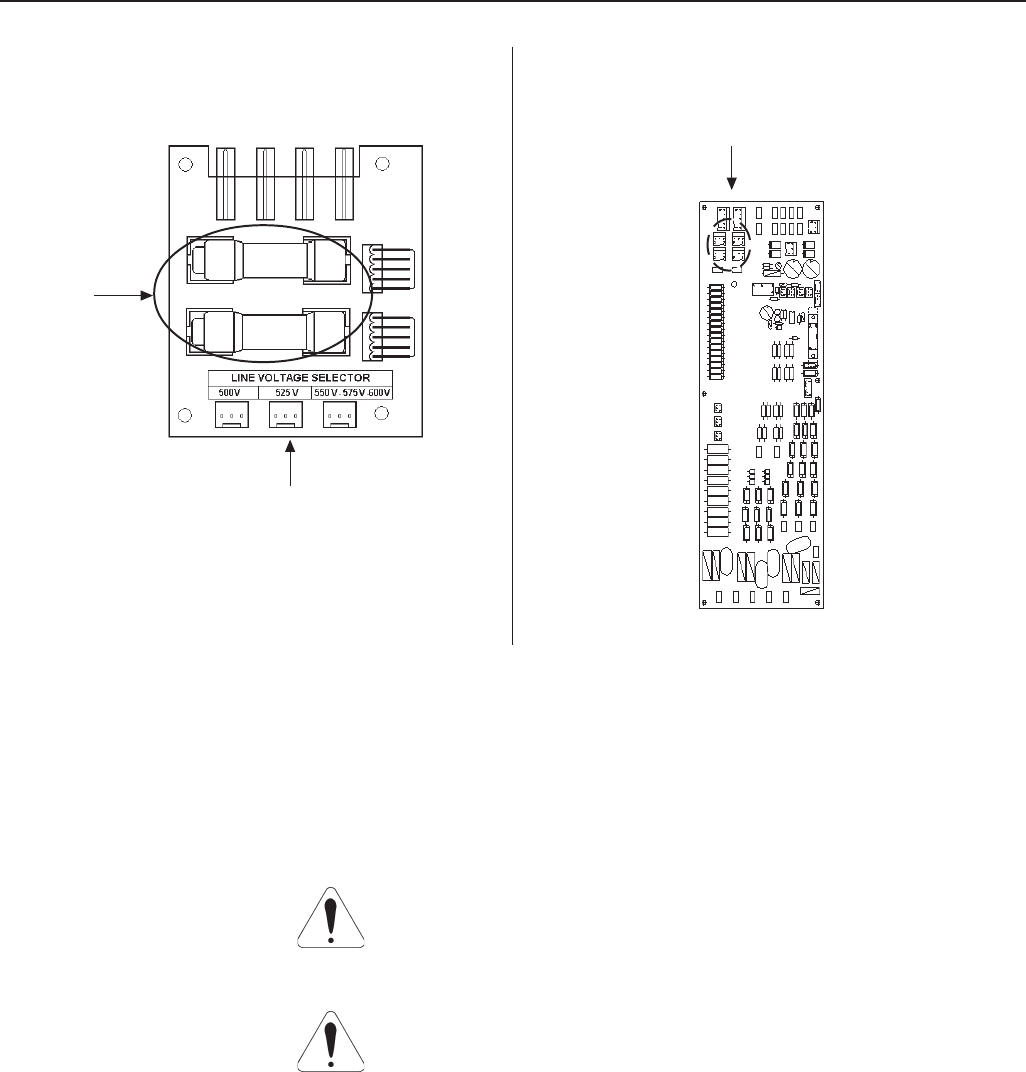
53
CHAPTER 3 - INSTALLATION
Figure 3.8 c) d) – Rated Voltage Selection on boards LVS1, CIP2, LVS2 and CIP3
RATED VOLTAGE SELECTION
RATED VOLTAGE SELECTION
c) LVS2 (size 7, 500-600V) d) CIP3 (size 8E and 10E, 500-690V)
ATTENTION!
Sensitive equipment (PLC’s, temperature controllers, thermocouples, etc.)
and its wiring must stay at a minimum distance of 10 in (0.25m) from the
frequency inverters, the reactors and from the input and motor power cables.
ATTENTION!
When flexible wires are used for power and grounding connections it is
necessary to provide appropriate crimp terminals.
Use wire sizing and fuses as recommended in Table 3.5.
3.2.4 Power/Grounding Wiring
and Fuses
AUXILIARY
CIRCUIT FUSES

54
CHAPTER 3 - INSTALLATION
CFW-09 Rating
A/volts
CT VT
2.9/500-600 4.2/500-600
3.6/380-480 -
4.0/380-480 -
4.2/500-600 7.0/500-600
5.5/380-480 -
6.0/220-230 -
7.0/220-230 -
7.0/500-600 10/500-600
9.0/380-480 -
10/220-230 -
10/500-600 12/500-600
12/500-600 14/500-600
13/220-230 -
13/380-480
14/500-600 -
16/220-230 -
16/380-480
22/500-600 27/500-600
24/220-230 -
24/380-480 -
27/500-600 32/500-600
28/220-230 -
30/380-480 36/380-480
32/500-600 -
38/380-480 45/380-480
44/500-600 53/500-600
45/220-230 -
45/380-480 54/380-480
53/500-600 63/500-600
54/220-230 68/220-230
60/380-480 70/380-480
63/500-600 79/500-600
70/220-230 86/220-230
70/380-480 86/380-480
79/500-600 99/500-600
86/220-230 105/220-230
86/380-480 105/380-480
100/660-690 127/660-690
105/220-230 130/220-230
105/380-480 130/380-480
107/500-690 147/500-690
127/660-690 179/660-690
130/220-230 150/220-230
142/380-480 174/380-480
147/500-690 196/500-690
179/660-690 179/660-690
180/380-480 -
211/380-480 -
211/500-690 -
225/660-690 259/660-690
240/380-480 -
247/500-690 315/500-690
259/660-690 305/660-690
305/660-690 340/660-690
312/380-480 -
315/500-690 343/500-690
340/660-690 428/660-690
343/500-690 418/500-690
361/380-480 -
418/500-690 472/500-690
428/660-690 428/660-690
472/500-690 555/500-690
450/380-480 -
515/380-480 -
600/380-480 -
Power Cables
mm2 (AWG/MCM)
CT VT
1.5 (14) 1.5 (14)
1.5 (14) -
1.5 (14) -
1.5 (14) 2.5 (12)
1.5 (14) -
2.5 (12) -
2.5 (12) -
2.5 (12) 2.5 (12)
2.5 (12) -
2.5 (12)*1 -
4.0 (12)*2
2.5 (12) 2.5 (12)
2.5 (12) 2.5 (12)
2.5 (12) -
2.5 (12) -
2.5 (12) -
4.0 (10) 6.0 (8)
4.0 (10) -
4.0 (10) -
6.0 (8) 16 (6)
6.0 (8) -
6.0 (8) 16 (6)
16 (6) -
16 (6) 16 (6)
16 (6) 16 (6)
16 (6) 16 (6)
16 (6) 16 (6)
25 (4) 25 (4)
16 (6) 25 (4)
25 (4) 25 (4)
25 (4) 25 (3)
25 (4) 35 (2)
25 (3) 50 (1)
35 (2) 50 (1)
35 (2) 50 (1)
50 (1) 70 (1/0)
50 (1) 70 (1/0)
50 (1) 70 (1/0)
70 (1/0) 95 (3/0)
70 (1/0) 95 (3/0)
70 (2/0) 95 (3/0)
95 (3/0) 95 (3/0)
95 (3/0) -
150 (300) -
150 (300) 185 (300)
150 (300) 185 (300)
150 (300) -
150 (300) 2x70 (2x2/0)
150 (300) 2x70 (2x2/0)
2x70 (2x2/0) 2x120 (2x4/0)
2x70 (2x2/0) -
2x70 (2x2/0) 2x150 (2x250)
2x120 (2x4/0) 2x150 (2x250)
2x120 (2x4/0) 2x150 (2x250)
2x120 (2x4/0) -
2x120 (2x4/0) 2x150 (2x250)
2x150 (2x250)2x150 (2x250)
2x150 (2x250) 3x120 (3x4/0)
2x150 (2x250) -
3x120 (3x4/0) -
3x150 (3x250) -
Grounding Cables
mm2 (AWG/MCM)
CT VT
2.5 (12) 2.5 (12)
2.5 (12) -
2.5 (12) -
2.5 (12) 2.5 (12)
2.5 (12) -
2.5 (12) -
2.5 (12) -
2.5 (12) 2.5 (12)
2.5 (12) -
2.5 (12) -
2.5 (12) 2.5 (12)
2.5 (12) 4.0 (10)
2.5 (12) -
4.0 (10) -
4.0 (10) -
4.0 (10) 6.0 (8)
4.0 (10) -
4.0 (10) -
6.0 (8) 16 (6)
6.0 (8) -
6.0 (8) 16 (6)
16 (6) -
16 (6) 16 (6)
16 (6) 16 (6)
16 (6) 16 (6)
16 (6) 16 (6)
16 (6) 16 (6)
16 (6) 16 (6)
16 (6) 16 (6)
16 (6) 16 (6)
16 (6) 16 (6)
16 (6) 25 (4)
16 (6) 25 (4)
16 (6) 25 (4)
25 (4) 35 (2)
25 (4) 35 (2)
25 (4) 35 (2)
35 (2) 50 (1)
35 (2) 50 (1)
35 (2) 50 (1)
50 (1) 50 (1)
70 (1/0) -
70 (1/0) 70 (1/0)
70 (1/0) 70 (1/0)
70 (1/0) -
70 (1/0) 70 (2/0)
2x70 (2x2/0) 70 (2/0)
70 (2/0) 120 (4/0)
70 (2/0) -
70 (2/0) 120 (4/0)
120 (4/0) 1x150 (1x250)
120 (4/0) 1x150 (1x250)
120 (4/0) -
120 (4/0) 1x150 (1x250)
1x150 (1x250) 1x150 (1x250)
1x150 (1x250) 2x95 (2x3/0)
150 (250) -
2x70 (2x2/0) -
2x95 (2x3/0) -
High Speed
Semiconductor
Fuse - A
15
15
15
15
25
25
25
25
25
25*1
35*2
25
35
35
35
35
50
35
35
50
50
50
50
50
63
63
63
80
80
80
80
100
125
125
125
250
250
250
250
250
250
250
250
315
250
315
315
500
500
500
500
500
700
700
500
700
700
900
700
900
900
Fuse
I2t @25°C
A2s
500
500
500
500
500
500
500
500
500
500
500
500
500
500
500
7200
500
1300
7200
1300
2100
7200
2100
10000
2450
2100
10000
2100
4000
10000
4000
15000
4000
6000
320000
6000
320000
320000
6000
320000
320000
320000
320000
320000
320000
320000
320000
320000
320000
320000
320000
1051000
320000
320000
1051000
1445000
1445000
1051000
1445000
1445000
Table 3.5 – Recommended Wiring/Fuses - Use 75ºC copper wires only
CT - Constant Torque / VT - Variable Torque
*1 - Single phase connection / *2 - Three phase connection
Max. Power
Terminal Cable Size
mm2 (AWG/MCM)
4.0 (10)
4.0 (10)
4.0 (10)
4.0 (10)
4.0 (10)
4.0 (10)
4.0 (10)
4.0 (10)
4.0 (10)
4.0 (10)
4.0 (10)
4.0 (10)
4.0 (10)
4.0 (10)
2.5 (12)
4.0 (10)
25 (4)
4.0 (10)
4.0 (10)
25 (4)
6.0 (8)
16 (6)
25 (4)
25 (4)
120 (250)
25 (4)
25 (4)
120 (250)
50 (1)
50 (1)
120 (250)
50 (1)
120 (250)
50 (1)
120 (250)
150 (300)
120 (250)
150 (300)
150 (300)
120 (250)
150 (300)
150 (300)
150 (300)
150 (300)
2x240 (2x500)
150 (300)
2x240 (2x500)
2x240 (2x500)
2x240 (2x500)
240 (500)
2x240 (2x500)
2x240 (2x500)
2x240 (2x500)
240 (500)
2x240 (2x500)
2x240 (2x500)
2x240 (2x500)
2x240 (2x500)
2x240 (2x500)
2x240 (2x500)
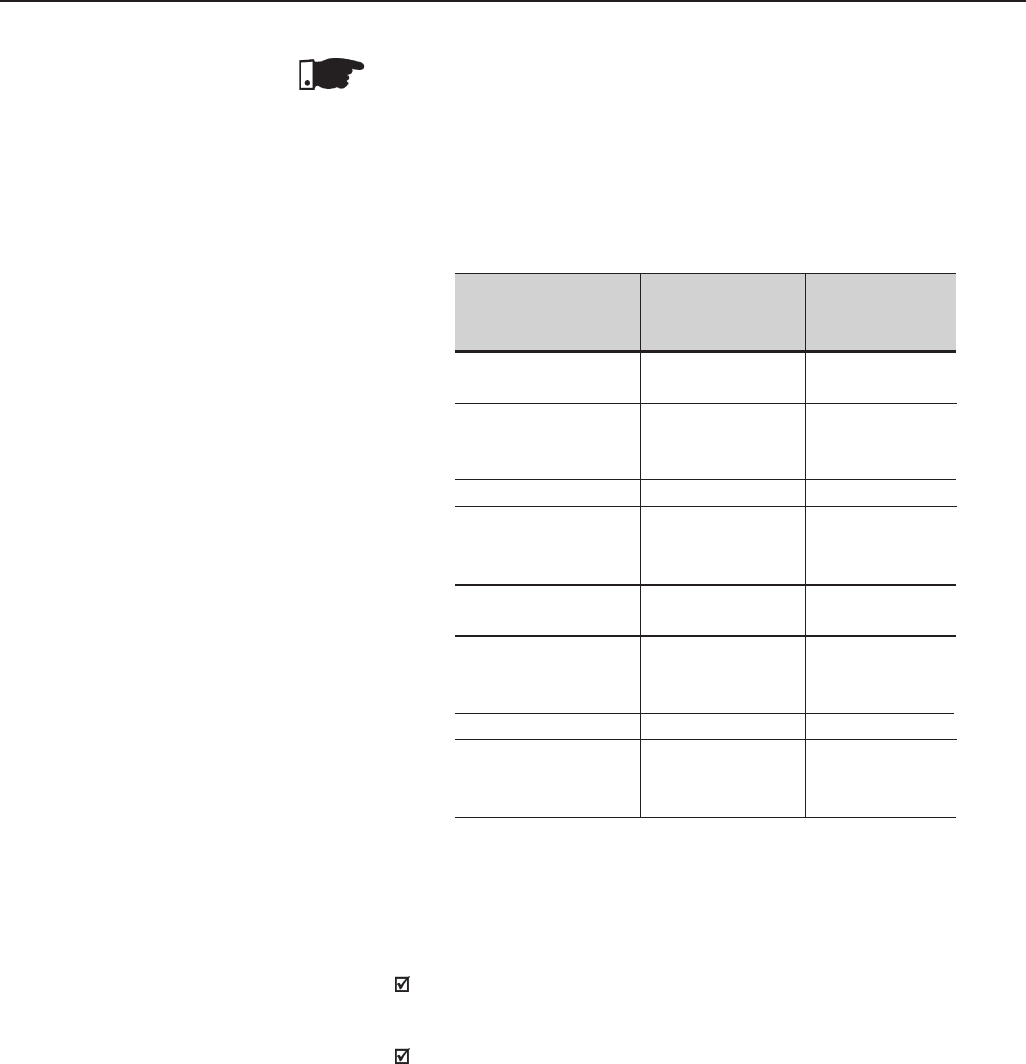
55
CHAPTER 3 - INSTALLATION
NOTE!
The wire sizing indicated in Table 3.5 are reference values only. The exact
wire sizing depends on the installation conditions and the maximum
acceptable line voltage drop.
The tightening torque is as indicated in Table 3.6. Use 75ºC copper wire
only.
Table 3.6 - Recommended tightening torque for power and grounding
connections
Grounding
Wiring
N.m (Ibf.in)
1.00 (8.85)
2.00 (17.70)
4.50 (39.83)
4.50 (39.83)
4.50 (39.83)
15.50 (132.75)
15.50 (132.75)
30.00 (265.50)
CFW-09 Rating
A/Volts
6A to 13A/220-230
3.6A to 13A/380-480
16A to 28A/220-230
16A to 24A/380-480
2.9A to 14A/500-600
30A/380-480
45A/220-230
38A to 45A/380-480
22A to 32A/500-600
54A to 86A/220-230
60A to 86A/380-480
105A to 130A/220-230
105A to 142A/380-480
44A to 79A/500-600
180A to 240A/380-480
312A to 600A/380-480
107A to 472A/500-690
100A to 428A/660-690
Power Cables
N.m (Ibf.in)
1.76 (15.58)
2.00 (17.70)
1.40 (12.30)
1.40 (12.30)
3.00 (26.10)
15.50 (132.75)
30.00 (265.50)
60.00 (531.00)
Line Fuses
For protecting the input rectifier diodes and the wiring, use UR Type
(Ultra-Rapid) fuses with i2t equal or lower than indicated in table 3.5.
Standard fuses may be used optionally at the input with currents as
indicated in Table 3.5, or circuit breakers dimensioned for 1.2 x rated
inverter input current for the CT or the VT operation (see items 9.1.2
to 9.1.5).
However in this case, only the installation will be protected against short-
circuit, but not the diodes of the rectifier bridge at the inverter input. This
option may damage the inverter in case of shortcircuit of some internal
component.
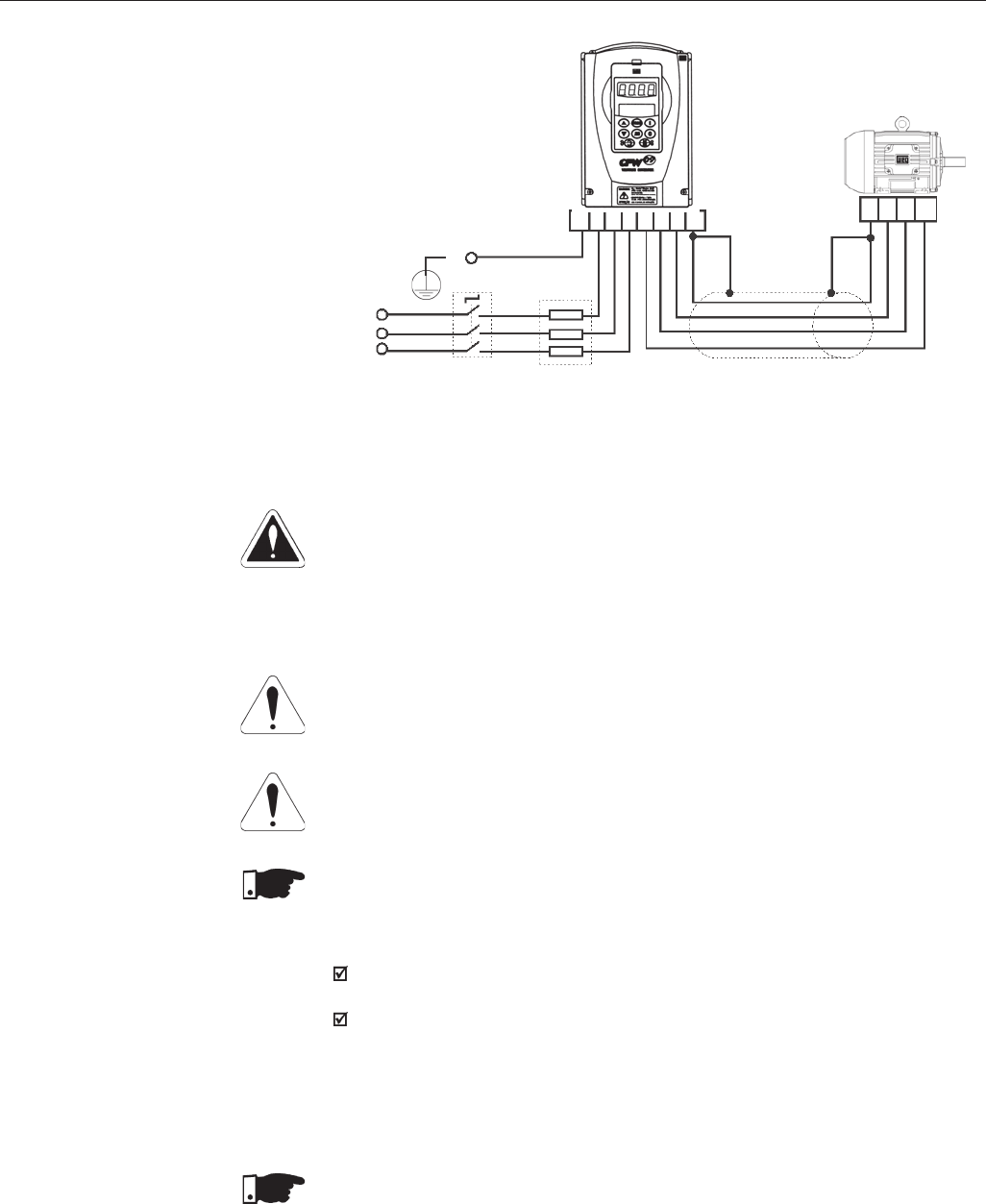
56
CHAPTER 3 - INSTALLATION
Figure 3.9 – Power/Grounding Connections
Fuses
Power
Supply
Shielding
PE
Disconnect
R
S
T
PE
R S T U V W
PE PE W V U
3.2.5 Power Connections
DANGER!
Provide an AC input disconnecting switch to switch OFF input power to the
inverter.
This device shall disconnect the inverter from the AC input supply when required
(e.g. during maintenance services). However it cannot be used as an emergency
stop device.
ATTENTION!
The neutral conductor of the AC input for the inverter must be physically grounded,
but do not use it for grounding purpose of the inverter(s).
ATTENTION!
Set jumper to select the rated line voltage 380-480V. For inverters 86A or higher,
Refer to Section 3.2.3.
NOTE!
The AC input voltage must be compatible with the inverter rated voltage.
Supply line capacity:
The CFW-09 is suitable for use in circuits capable of supplying not more than
30.000A (rms) symmetrical (230V/480V/600V/690V).
The CFW-09 can be installed on power supplies with a higher fault level provided
that adequate protection is provided by the fuses or circuit breaker.
DC Link Inductor/Line Reactor
See Item 8.7 relating to the requirement for using the Line Reactor / DC Link
Inductor.
NOTE!
Capacitors for power factor correction are not required at the input (R, S,T) and
they MUST not be connected at the output (U, V, W).
3.2.5.1 AC Input
Connection
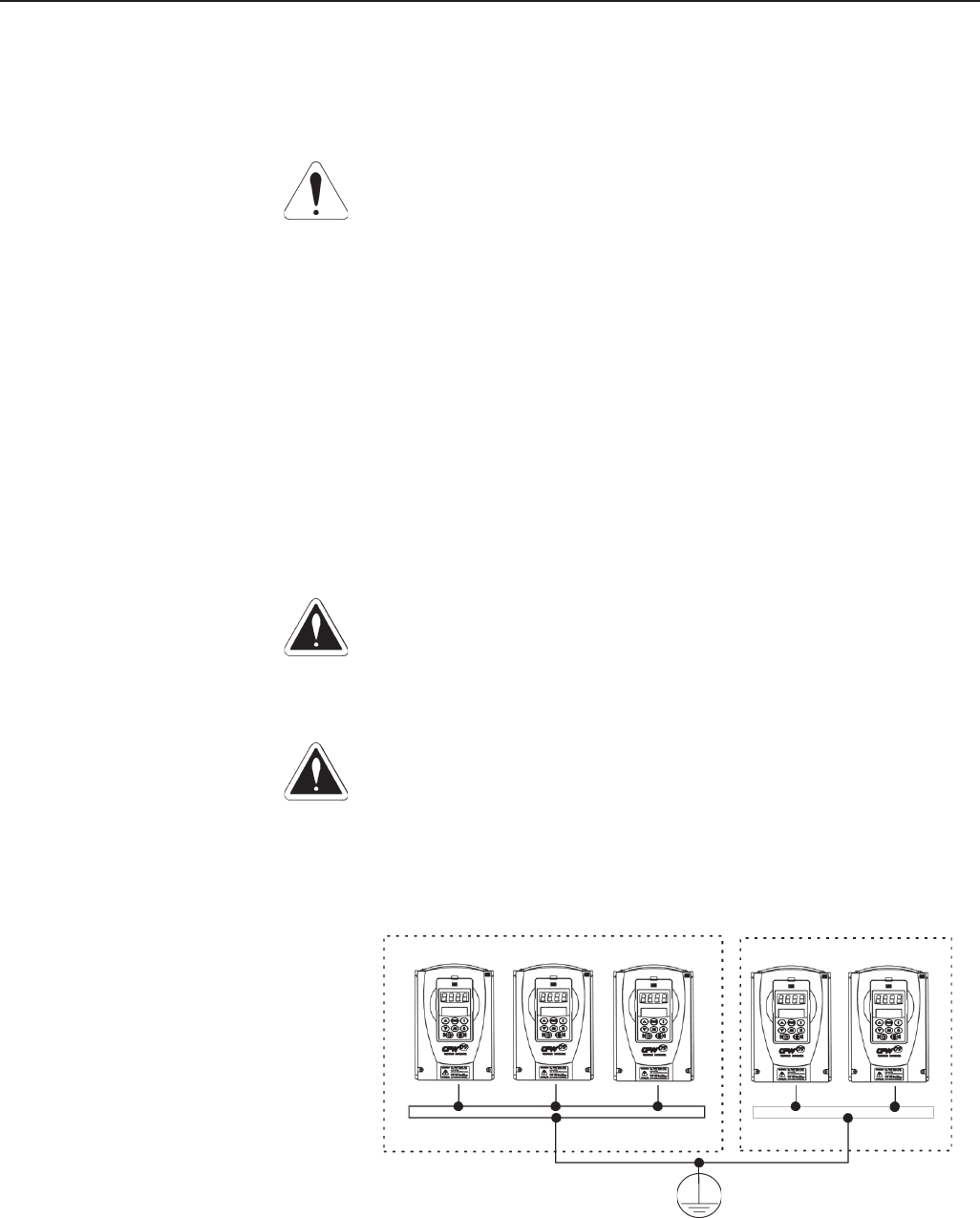
57
CHAPTER 3 - INSTALLATION
The inverter is provided with electronic protection against motor overload.
This protection must be set according the specific motor. When the same
inverter drives several motors, use individual overload relays for each
motor. Maintain the electrical continuity of the motor cable shield.
ATTENTION!
If a disconnect switch or a contactor is inserted in the motor supply line,
DO NOT operate the disconnect with the motor running or when inverter
is enabled. Maintain the electrical continuity of the motor cable shield.
Dynamic Braking (DB)
With the Dynamic Braking (DB) option, the DB resistor shall be mounted
externally. Figure 8.22 shows how to connect the DB resistor. Size it
according to the application, not exceeding the maximum current of the
braking circuit.
Use twisted cable for the connection between inverter and DB resistor.
Provide physical separation between this cable and the signal and control
cables. When the DB resistor is mounted inside the panel, consider the
watt loss generated when the enclosure size and ventilation required are
calculated.
DANGER!
Inverters must be grounded for safety purposes (PE). The earth or ground
connection must comply with the local regulations. For grounding use cables
with cross section as indicated in Table 3.5. Make the ground connection
to a grounding bar or to the general grounding point (resistance ≤ 10 ohms).
DANGER!
Do not share the ground wiring with other equipment that operate with high
current (for instance, high voltage motors, welding machines, etc). If several
inverters are used together, Refer to Figure 3.10.
3.2.5.3 Grounding Connections
Figure 3.10 – Grounding connections for more than one inverter
Grounding bar
Internal to the panel
CFW-09 1 CFW-09 2 CFW-09 N CFW-09 2
CFW-09 1
3.2.5.2 Output Connections
58
CHAPTER 3 - INSTALLATION
ATTENTION!
Do not use the neutral from the main power supply to ground the drive.
EMI
When electromagnetic interference (EMI), generated by the inverter, causes
problems with other equipment, use shielded wires, or install the motor wires in
metallic conduits. Connect one end of the shielding to the inverter grounding
point and the other end to the motor frame.
Motor frame
Always ground the motor frame. Ground the motor in the panel where the inverter
is installed or ground it to the inverter. The inverter output wiring must be laid
separately from the input wiring, as well as from the control and signal cables.
ATTENTION!
For IT networks (also known as ungrounded or high earthing impedance
networks) it is necessary to consider the following:
Models 180A to 600A/380-480V, 2.9A to 79A/500-600V, 107A to 472A/ 500-
690V and 100A to 428A/660-690V have a varistor and capacitor connected
between input phase and ground that must be disconnected if an IT network
is used for that, remove the jumper as shown in figure 3.11.
In 500-600V/500-690V/660-690V models, the jumper is accessible taking
out (models 2.9A to 14A/500-600V) or opening (models 22A to 79A/500-
600V, 107A to 211A/500-690V and 100A to 179A/660-690V) the front cover or
taking out the connections cover (247A to 472A/500-600V and 225A to 428A/
660-690V).
In models 180A to 600A/380-480V, besides opening or taking out the front
cover(s), it is required to remove the control board mounting plate (shield).
The external RFI filters that are necessary in order to fulfill the requirements
of European EMC Directive as stated in item 3.3, cannot be used with IT
networks.
The user must check and assume the responsibility of personnel electrical
shock risk when using inverters in IT networks.
About the use of a differencial relay at the inverter input:
- The indication of phase-to-ground short-circuit must be processed by the user,
in order to indicate only a fault message or to turn off the inverter.
- Check with the relay manufacturer its proper operation with frequency inverters,
because of the existing high-frequency leakage currents flowing through the
inverter, cable and motor parasitic capacitances to the earth.
3.2.5.4 IT Networks
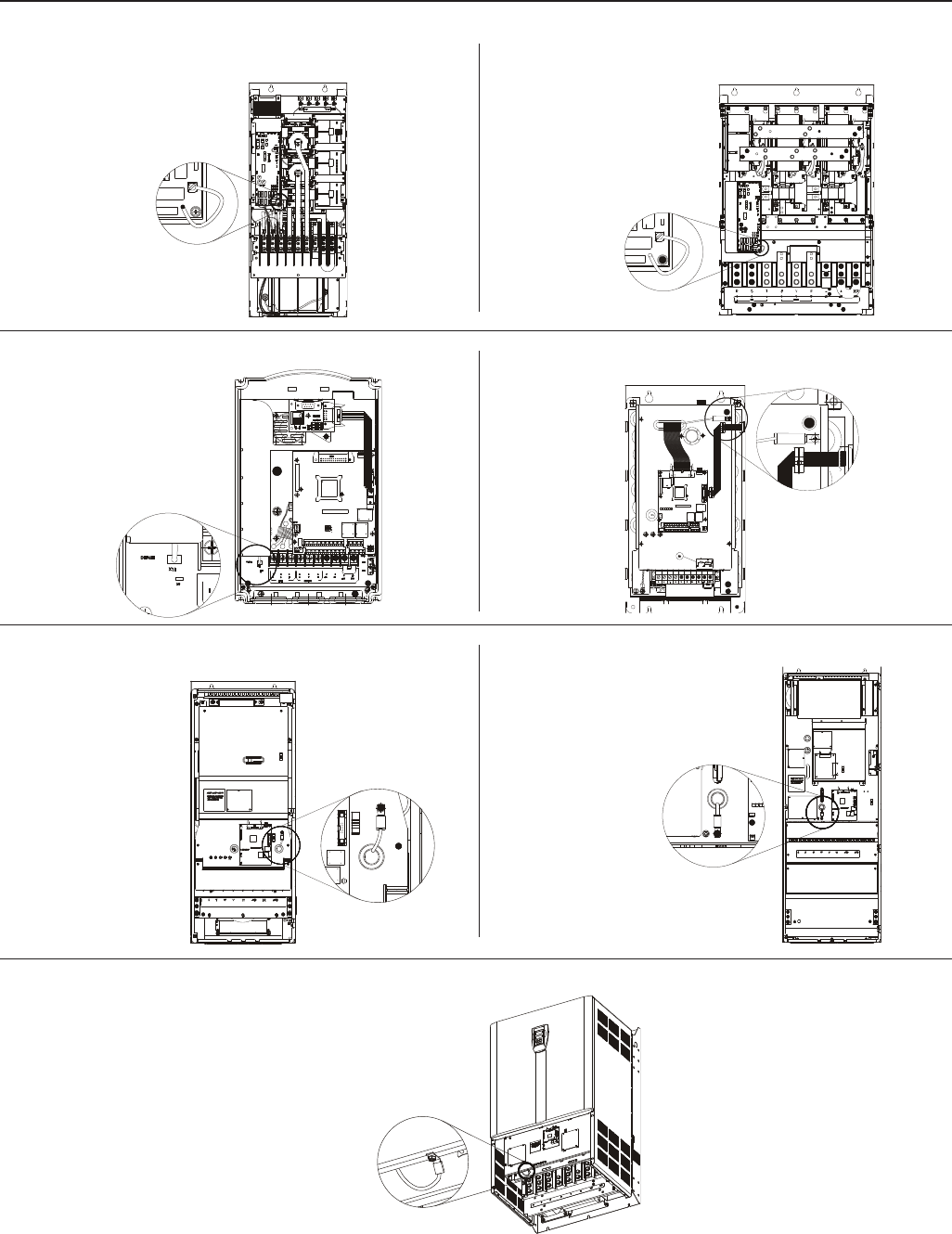
59
CHAPTER 3 - INSTALLATION
g) Models 247A to 472A/500-600V and 225A to 428A/660-690V
Figure 3.11 a) to g) - Location of jumper to disconnect the varistor and capacitor between input phase and ground -
necessary only in models when IT network is used
For IT networks
remove the jumper
a) Models 180A to 240A/380-480V b) Models 312A to 600A/380-480V
J8 jumper position:
X11 - Grounded network
X9 - IT network
c) Models 2.9A to 14A/500-600V d) Models 22A to 32A/500-600V
e) Models 44A to 79A/500-600V f) Models 107A to 211A/500-600V and 100A to 179A/660-690V
For IT networks
remove the jumper
For IT networks
remove the jumper
For IT networks
remove the jumper
For IT networks
remove the jumper
For IT networks
remove the jumper
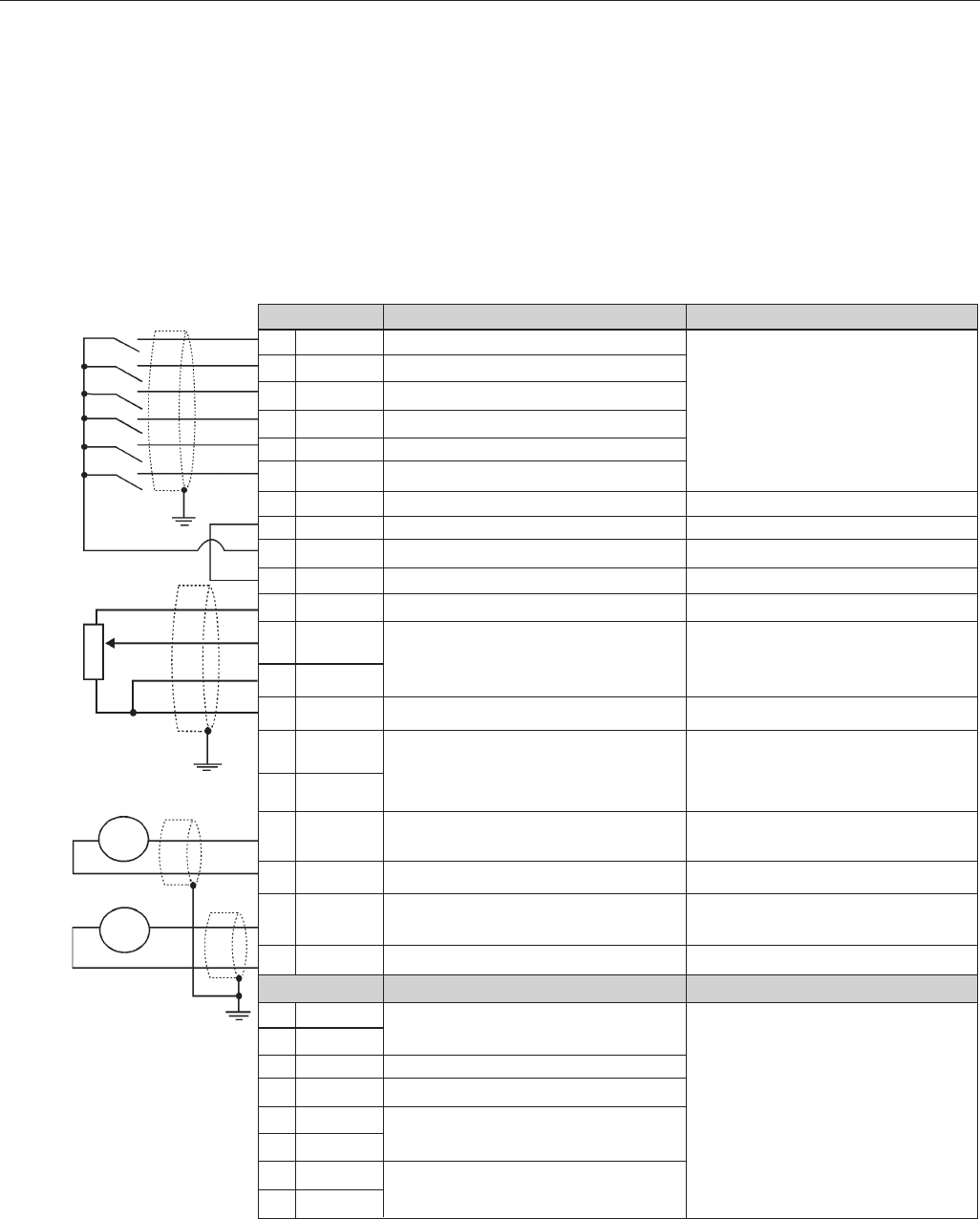
60
CHAPTER 3 - INSTALLATION
The control wiring (analog inputs/outputs, digital inputs/outputs and relay outputs)
is made on the following terminal blocks of the Electronic Control Board CC9
(see location in Figures 3.7, Section 3.2.2).
XC1: Digital and Analog Signals
XC1A: Relay Outputs
3.2.6 Control Wiring
Figure 3.12 a) - XC1/XC1A Control Terminals Description (CC9 board) -
Active High Digital Inputs
Note: NC = normally closed contact, NO = normally open contact, C = common
Factory Default Function
Start / Stop
FWD / REV Section (Remote Mode)
No function
No function
JOG (Remote Mode)
Ramp 2 Selection
Digital Inputs Common
Digital Inputs Common
Digital inputs 24Vdc source
0V Reference of the 24Vdc Source
Positive Reference for Potentiometer
Analog Input 1:
Speed Reference (Remote Mode)
Negative Reference for Potentiometer
Analog Input 2:
No Function
Analog Output 1: Speed
0V Reference for Analog Outputs
Analog Output: Motor Current
0V Reference for Analog Outputs
Factory Default Function
Relay Output - No Fault
Relay Output - Speed > P288 (N>Nx)
Relay Output - No Fault
Relay Output - Speed > P288 (N>Nx)
Relay Output - Speed Reference >
P288 (N*>Nx)
Terminal XC1
1 DI1
2 DI2
3 DI3
4 DI4
5 DI5
6 DI6
7 COM
8 COM
9 24Vdc
10 DGND*
11+ REF
12 AI1+
13 AI1-
14 - REF
15 AI2+
16 AI2-
17 AO1
18 DGND
19 AO2
20 DGND
Terminal XC1A
21 RL1 NC
22 RL1 NO
23 RL2 NO
24 RL1 C
25 RL2 C
26 RL2 NC
27 RL3 NO
28 RL3 C
Specifications
6 Isolated Digital Inputs
Minimum High Level: 18Vdc
Maximum Low Level: 3Vdc
Maximum Voltage: 30Vdc
Input Current:
11mA @ 24Vdc
Isolated 24Vdc 8%,Capac: 90mA
Grounded by a 249 resistor
+ 5.4Vdc 5%, Capacity: 2mA
Valid for AI1 and AI2 differential,
resolution: 10 bits, (0 to 10)Vdc or
(0 to 20)mA / (4 to 20)mA
-4.7V dc 5 %, Capacity: 2mA
Valid for AI1 and AI2
Impedance: 400 kΩ [(0 to 10)Vdc]
500Ω [(0 to 20)mA / (4 to 20)mA]
(0 a 10)Vdc, RL 10kΩ (Max load.)
resolution: 11bits
Grounded by a 5.1 resistor
(0 a 10)Vdc, RL 10kΩ (Max load.)
resolution: 11bits
Grounded by a 5.1 Ω resistor
Specification
Contact capacity:
1A
240Vac
Ω
±
±
Ω
rpm
A
CCW
5 k Ω≥
CW
±
≥
≥
The following diagram shows the control wiring with the digital inputs as active
high as set on factory (jumper between XC1:8 and XC1:10).
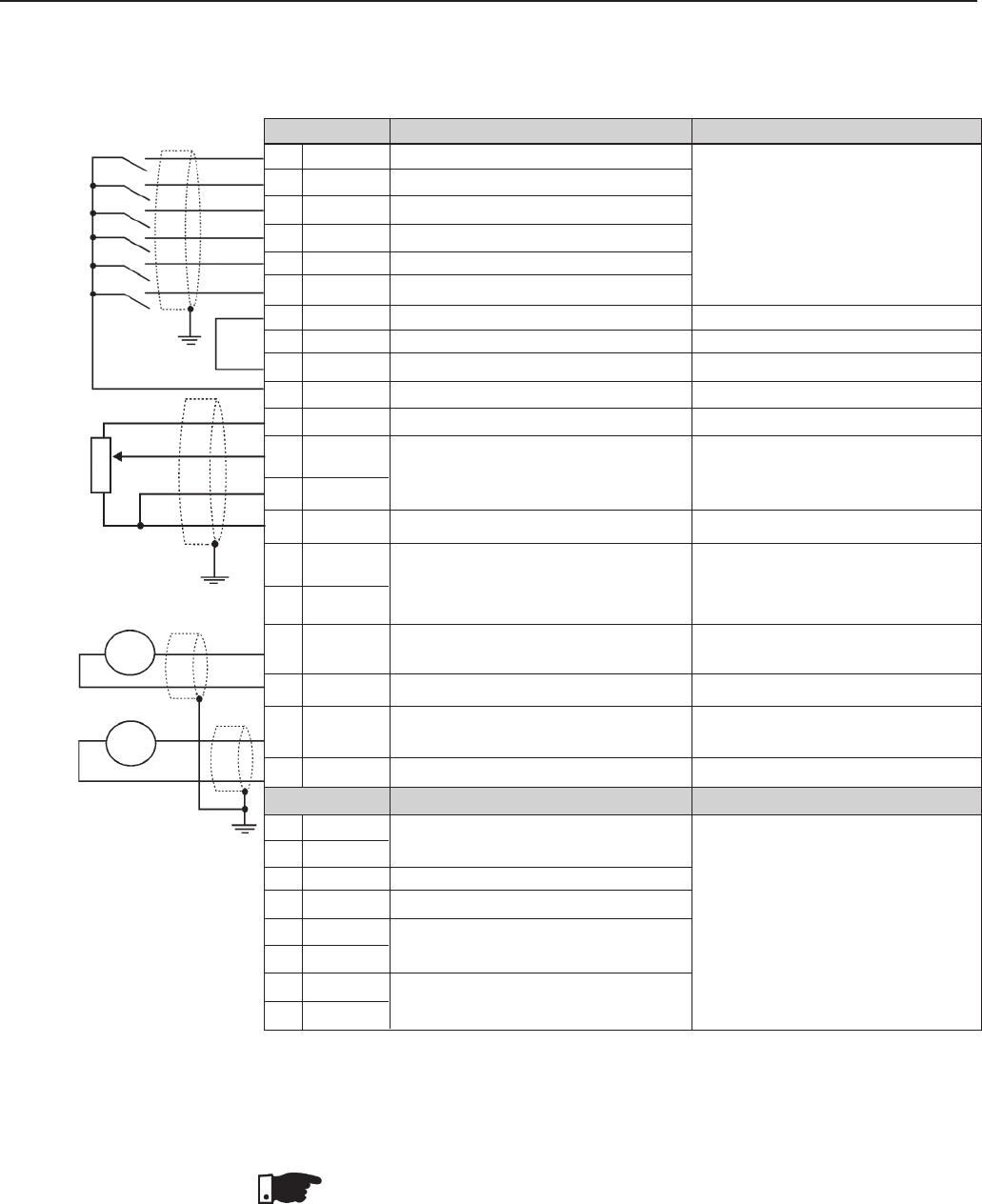
61
CHAPTER 3 - INSTALLATION
Figure 3.12 b) - XC1/XC1A Control Terminals Description (CC9 board) -
Active Low Digital Inputs
Note: NC = normally closed contact, NO = normally open contact, C = common
Factory Default Function
Start / Stop
FWD / REV Section (Remote Mode)
No function
No function
JOG (Remote Mode)
Ramp 2 Selection
Digital Inputs Common
Digital Inputs Common
Digital inputs 24Vdc source
0V Reference of the 24Vdc Source
Positive Reference for Potentiometer
Analog Input 1:
Speed Reference (Remote Mode)
Negative Reference for Potentiometer
Analog Input 2:
No Function
Analog Output 1: Speed
0V Reference for Analog Outputs
Analog Output: Motor Current
0V Reference for Analog Outputs
Factory Default Function
Relay Output - No Fault
Relay Output - Speed > P288 (N>Nx)
Relay Output - No Fault
Relay Output - Speed > P288 (N>Nx)
Relay Output - Speed Reference > P288
(N*>Nx)
Terminal XC1
1 DI1
2 DI2
3 DI3
4 DI4
5 DI5
6 DI6
7 COM
8 COM
9 24Vdc
10 DGND*
11+ REF
12 AI1+
13 AI1-
14 - REF
15 AI2+
16 AI2-
17 AO1
18 DGND
19 AO2
20 DGND
Terminal XC1A
21 RL1 NC
22 RL1 NO
23 RL2 NO
24 RL1 C
25 RL2 C
26 RL2 NC
27 RL3 NO
28 RL3 C
Specifications
6 Isolated Digital Inputs
Minimum High Level: 18Vdc
Maximum Low Level: 3Vdc
Maximum Voltage: 30Vdc
Input Current:
11 mA @ 24Vdc
Isolated 24Vdc 8 %,Capac: 90mA
Grounded by a 249 resistor
+ 5.4Vdc 5 %, Capacity: 2mA
Valid for AI1 and AI2
differential, resolution: (0 to 10)Vdc or
(0 to 20)mA / (4 to 20)mA
-4.7Vdc 5 %, Capacity: 2mA
Valid for AI1 and AI2
Impedance: 400 k [(0 to 10)Vdc]
500 [(0 to 20)mA / (4 to 20)mA]
(0 a 10)Vdc, RL 10 k (Max load.)
resolution: 11 bits
Grounded by a 5.1 Ω resistor
(0 to 10)Vdc, RL 10 kΩ (Max. Load)
Resolution: 11 bits
Grounded by a 5.1 Ω resistor
Specification
Contact capacity:
1A
240Vac
Ω
±
±
Ω
Ω
Ω
rpm
A
CCW
5 k Ω≥
CW
±
≥
≥
The following diagram shows the control wiring with the digital inputs as active
low (without a jumper between XC1:8 and XC1:10).
NOTE!
For using the digital inputs as active low it is necessary to remove the jumper
between XC1:8 and XC1:10 and place it between XC1:7 and XC1:9.
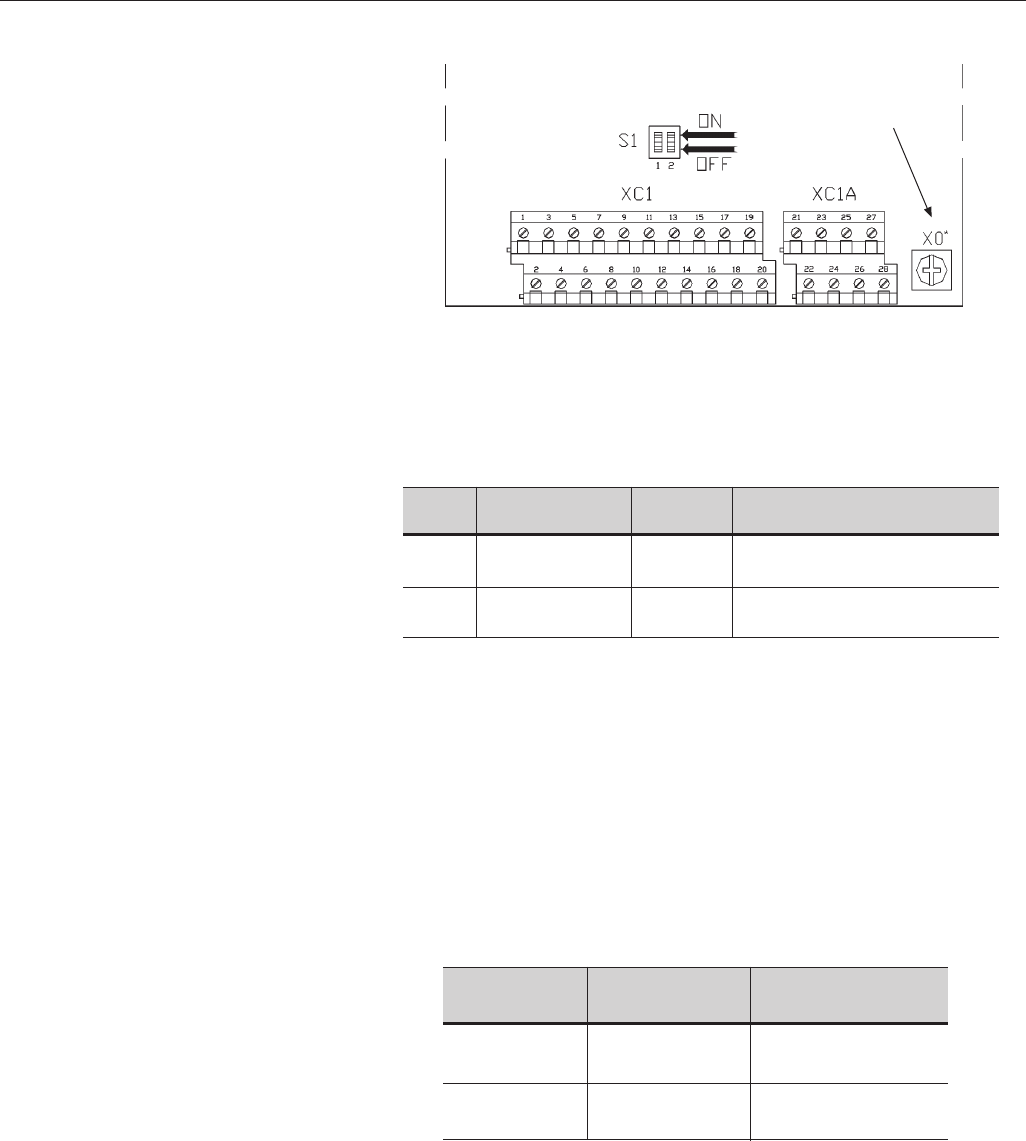
62
CHAPTER 3 - INSTALLATION
Related Parameters: P221, P222, P234 to P240.
During the signal and control wire installation you must follow these
guidelines:
1) Cable Cross Section: 0.5 mm² (20 AWG) to 1.5 mm² (14 AWG );
2) Max. Torque: 0.50 N.m (4.50 lbf.in);
3) XC1 wiring must be connected with shielded cables and installed
separately from other wiring (power, control at 110V/220Vac, etc.),
according to Table 3.8.
Table 3.8 – Wiring separation distances
Figure 3.13 - Dip switch position for
(0 to 10)V or (0 to 20)mA/(4 to 20)mA selection
Table 3.7 - Dip switch configuration
If the crossing of these cables is unavoidable, install them perpendicular,
maintaining a minimum separation distance of 5 cm (2 in) at the crossing
point.
* Can be used for grounding
of the signal
and control cable shields
CC9 Board
Wiring
Length
≤ 100m (330ft)
> 100m (330ft)
≤ 30m (100ft)
> 30m (100ft)
Min. Separation
Distance
≥ 10cm (4in)
≥ 25cm (10in)
≥ 10cm (4in)
≥ 25cm (10in)
Inverter Model
Output current
≤ 24A
Output current
≥ 28A
Analog
Input
AI1
AI2
Factory Default
Function
Speed Reference
No Function
Dip
Switch
S1.2
S1.1
Selection
OFF (0 to 10)V (Factory Default)
ON (4 to 20)mA / (0 to 20)mA
OFF (0 to 10)V (Factory Default)
ON (4 to 20)mA / (0 to 20)mA
As a default the analogue inputs are selected as (0 to 10)V. This can be
changed using the dip switch S1 on the control board.
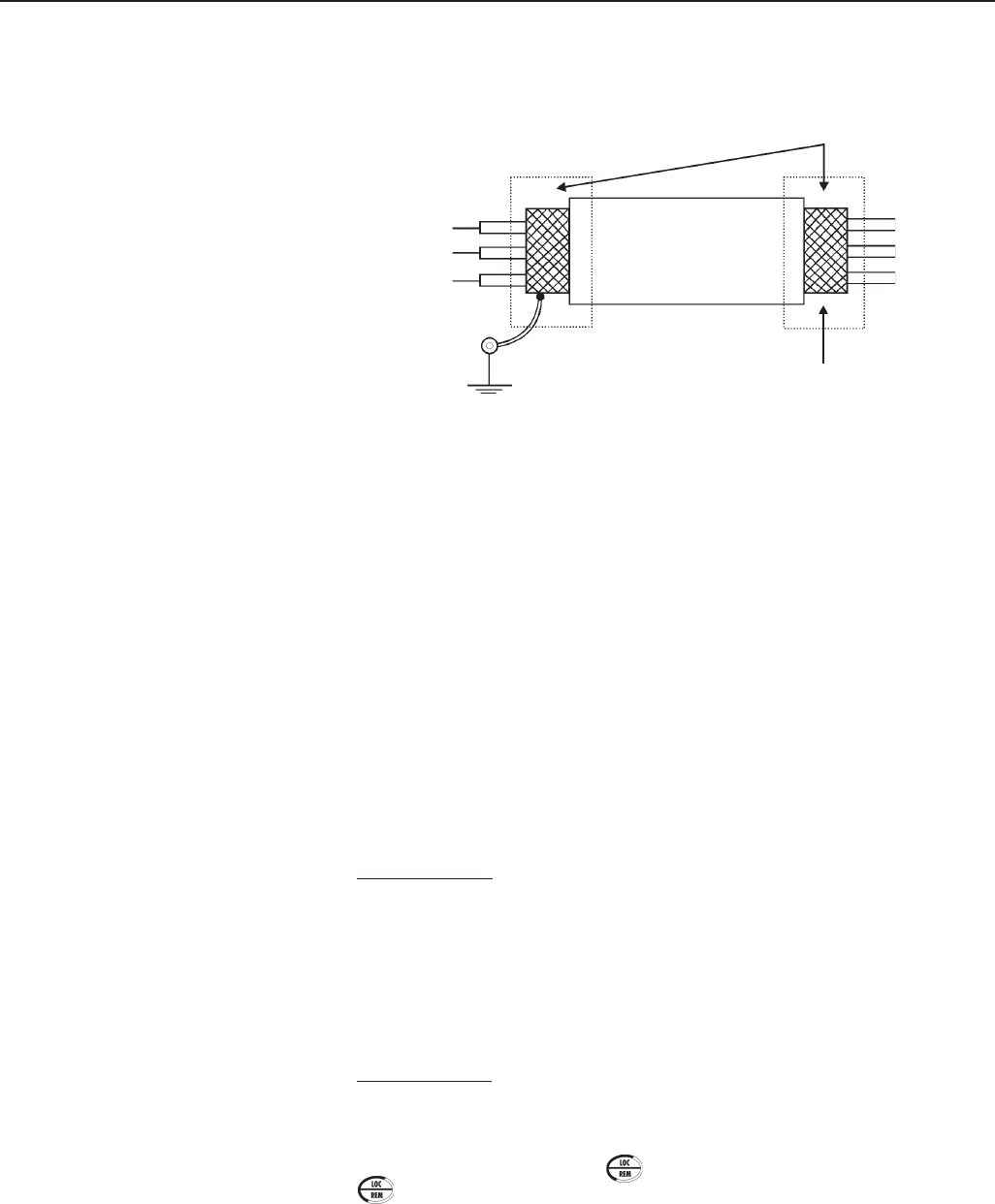
63
CHAPTER 3 - INSTALLATION
4) For wiring distances longer than 50m (150ft), it is necessary to use galvanic
isolators for the XC1:11 to 20 analog signals.
5) Relays, contactors, solenoids or electromagnetic braking coils installed
near inverters can generate interference in the control circuit. In order to
eliminate this interference, connect RC suppressors in parallel with the
coils of AC relays. Connect a free - wheeling diode in case of DC relays/
coils.
6) When an external keypad (HMI) is used (Refer to Chapter 8), separate the
cable that connects the keypad to the inverter from other cables, maintaining
a minimum distance of 10cm (4in) between them.
Connection 1 – Keypad Start/Stop (Local Mode)
With the factory default setting, you can operate the inverter in the local
mode. This operation mode is recommended for users who are operating the
inverter for the first time; without additional control connections. For start-up
according to this operation mode, follow Chapter 5.
3.2.7 Typical Terminal
Connections
Connect the shield as shown below:
Screw located on the CC9 Board and on support plate of the CC9 Board
Figure 3.14 – Shield Connection
Connect to Ground:
Do Not Ground
Inverter
Side
Insulate with Tape
Connection 2 - 2-Wire Control Start/Stop (Remote Mode)
Valid for factory default setting and inverter operating in remote mode. For
the factory default programming, the selection of the operation mode (Local/
Remote) is made via the key (default is Local). Pass default of the key
to remote P220=3.
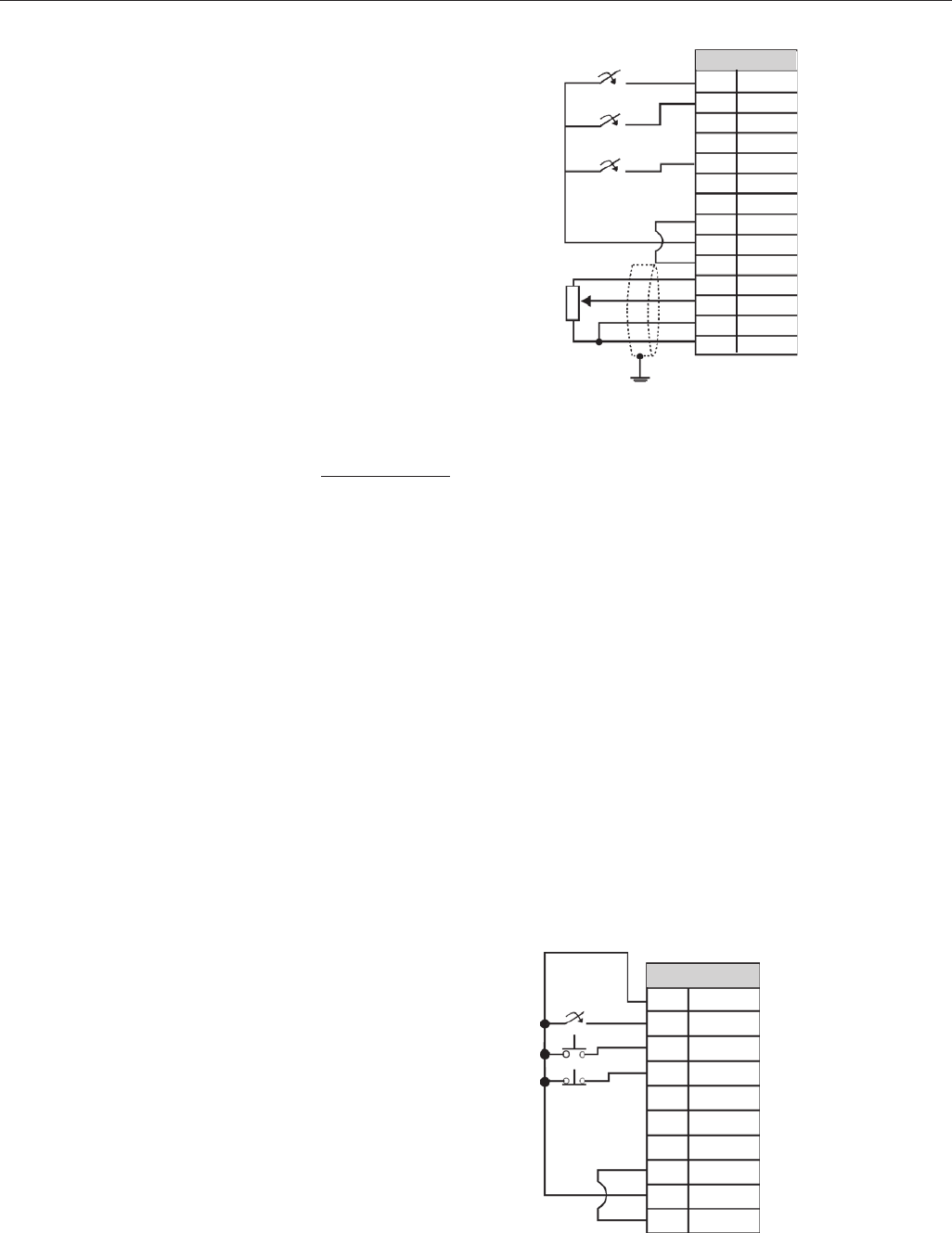
64
CHAPTER 3 - INSTALLATION
Figure 3.15 - XC1 (CC9) Wiring for Connection 2
Connection 3 - 3-Wire Control Start/Stop
Selection of function Start/Stop with 3 wire control.
Parameters to be programmed:
Set DI3 to START
P265=14
Set DI4 to STOP
P266=14
Program P224=1 (DIx) if you want the 3 wire control in local mode.
Program P227=1 (DIx) if you want the 3 wire control in remote mode.
To program the rotation selection via DI2
Set P223=4 if in Local Mode or
Set P226=4 if in Remote Mode.
S1 and S2 are momentary push buttons, NO contact for Start and NC contact
for Stop.
The speed reference can be via Analog Input AI (as in Connection 2), via keypad
(HMI) (as in Connection 1), or via any other source. The function Start/Stop is
described in Section 6 in this manual.
Connector XC1
1DI1
2DI2
3DI3
4DI4
5DI5
6DI6
7COM
8COM
9 24Vdc
10 DGND*
11 + REF
12 AI1 +
13 AI1 -
14 - REF
Start/Stop
FWD/REV
JOG
CCW
Ω
CW
≥
5 k
Figure 3.16 -XC1 (CC9) Wiring for Connection 3
Connector XC1
1DI1
2DI2
3DI3
4DI4
5DI5
6DI6
7COM
8COM
924Vdc
10 DGND*
Start
FWD/REV
Stop
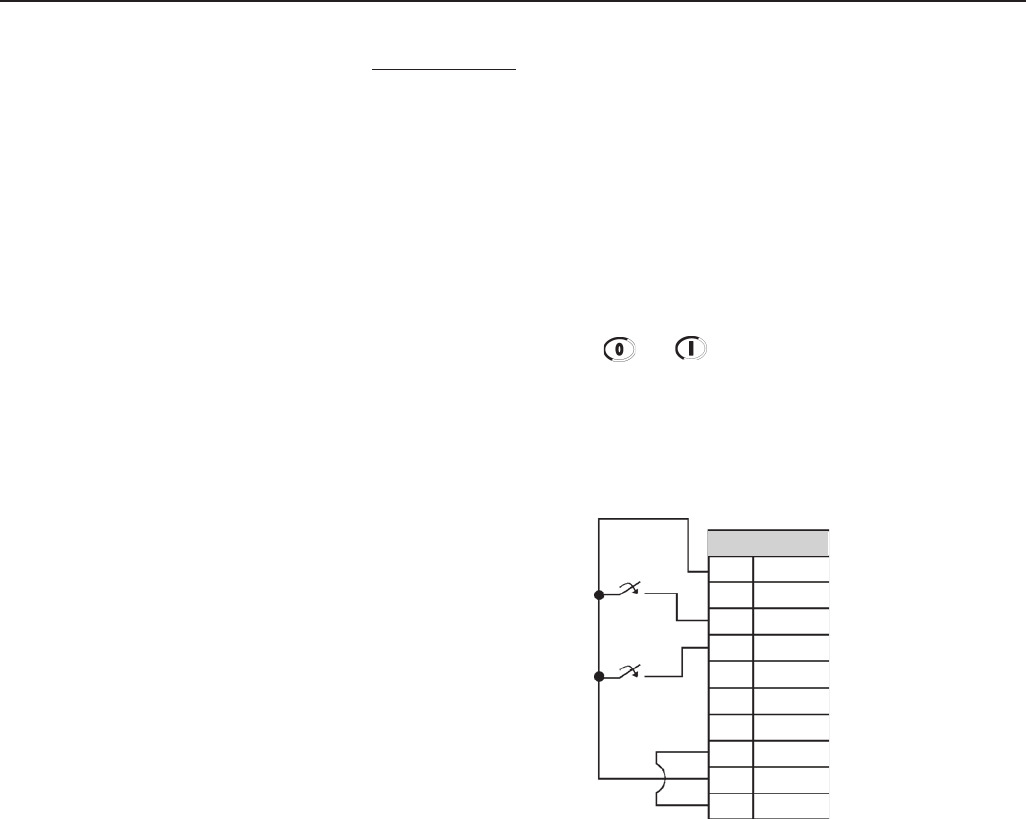
65
CHAPTER 3 - INSTALLATION
Connection 4 - FWD Run / REV Run
Selection function FWD/REV.
Parameters to be programmed:
Set DI3 to FORWARD Run
P265=8
Set DI4 to REVERSE Run
P266=8
When the FWD Run / REV Run Function is programmed, the function is
always active, in both local and remote operation modes.
At the same time, the keys and remain inactive (even when P224=0
or P227=0)
The direction of rotation is defined automatically by the FWD Run / REV Run
commands.
Clockwise rotation for Forward and Counter Clockwise rotation for Reverse.
The speed reference can be from any source (as in Connection 3).
Figure 3.17 - XC1 (CC9) Wiring for Connection 4
Connector XC1
1DI1
2DI2
3DI3
4DI4
5DI5
6DI6
7COM
8COM
924Vdc
10 DGND*
REV Run S2
FWD Run S1
66
CHAPTER 3 - INSTALLATION
3.3 European EMC Directive -
Requirements for
Conforming Installations
The CFW-09 inverter series was designed taking in consideration safety and
EMC aspects. The CFW-09 units do not have an intrinsic function until
connected with other components (e.g. a motor). Therefore, the basic product
is not CE marked for compliance with the EMC Directive. The end user takes
personal responsibility for the EMC compliance of the whole installation.
However, when installed according to the recommendations described in the
product manual and including the recommended filters/EMC measures the
CFW-09 fulfill all requirements of the EMC Directive (89/336/EEC) as defined
by the Product Standard EN61800-3 “Adjustable speed electrical power drives
systems”, specific for variable speed drives systems.
Compliance of the whole series of the CFW-09 is based on testing some
representative models. A Technical Construction File was checked and
approved by a Competent Body.
The CFW-09 inverter series are intended for professional applications only.
Therefore, the harmonic current emissions defined by the standards EN 61000-
3-2 and EN 61000-3-2/A 14 do not apply.
NOTE!
The 500-600V models are intended to be connected to an industrial low
voltage power supply network, or public network which does not supply
buildings used for domestic purpose - second environment according to
the EN61800-3 standard.
The filters specified in itens 3.3.2 and 3.3.3 do not apply to the 500-600V
models.
For installing the frequency inverters in accordance to the Product Standard
EN61800-3 the following items are required:
1. Output cables (motor wiring) must be flexible armored or to be installed
inside a metallic conduit or in a tray with equivalent attenuation.
2. The control (inputs and outputs) and signal wiring must be shielded or
installed inside a metallic conduit or a tray with equivalent attenuation.
3. It is essential to follow the grounding recommendations presented in this
manual.
4. For first environment (low-voltage public network): install an RFI filter
(radio-frequency interference filter) at inverter input.
5. For second environment (industrial areas) and unrestricted
distribution (EN61800-3): install an RFI filter at inverter input.
NOTE!
The use of a filter requires:
The cable’s shielding must be solidly connected to the common backplane,
using brackets.
The inverter and the filter must be mounted in close proximity, electrically
connected, to one another, on the same metallic backplane. The wiring
between them should be kept as short as possible.
Two filters are suggested: Epcos and Schaffner, detailed on the following items
3.3.2 and 3.3.3. Figures 3.18 and 3.19 present a connection diagram for EMC
filters, Epcos and Schaffner respectively.
3.3.1 Installation
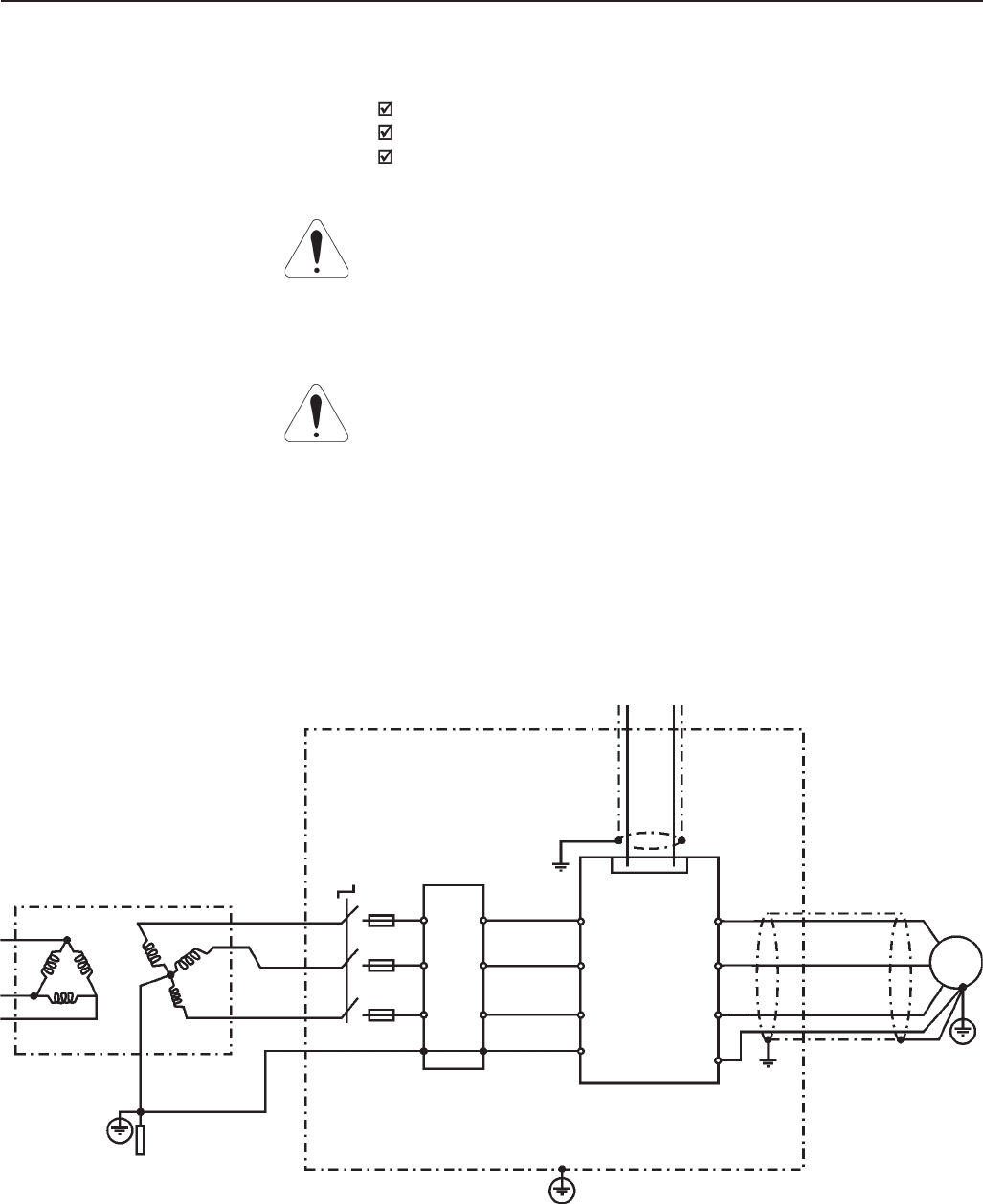
67
CHAPTER 3 - INSTALLATION
ATTENTION!
For installation with inverters that complies class A1 (first environment
restricted distribution), note that this is a product of the restricted sales
distribution class according to IEC/EN61800-3 (1996) + A11 (2000). In a
domestic environment this product may cause radio interference in which
case the user may be required to take adequated measures.
ATTENTION!
For installation with inverters that complies class A2 (second environment
unrestricted distribution), note that this product is not intended to be used
on a low-voltage public network which supplies domestic premises. Radio
frequency interference is expected if used on such a network.
Description of conducted emission classes according to the standard
EN61800-3:
Class B: first environment, unrestricted distribution
Class A1: first environment, restricted distribution
Class A2: second environment, unrestricted distribution
3.3.2 Epcos filters The following tables 3.9, 3.10 and 3.11 show the Epcos filters for CFW09
frequency inverters with 380-480V, 500-600V and 660-690V power supply
respectively, the maximum motor cable length for conduted emission clas-
ses A1, A2 and B (according to EN61800-3) and the electromagnetic
radiation disturbance level.
Figure 3.18 – Epcos EMC filters connection in CFW09 frequency inverters
Controling and Signal Wiring
Transforme
Ground Rod/Grid or
Building Steel
Structure Panel or Metallic Enclosure
Protective Grounding - PE
Motor
PE
CFW - 09
U
W
V
L2
L1
L3
E
F1
F2
F3
PE
Filter
Q1 XC1 1 to 28
E
L3
L2
L1
PE
XR
T
S
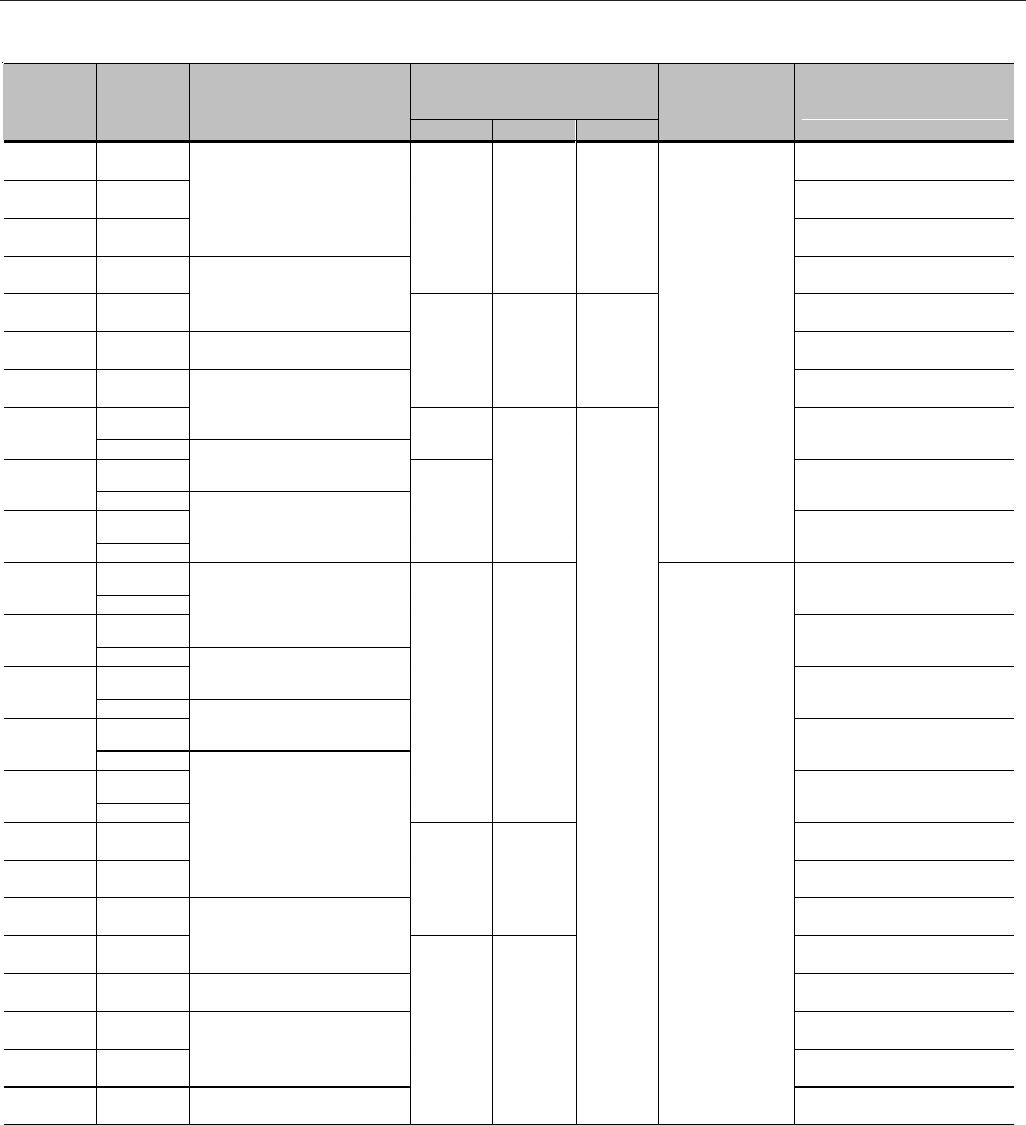
68
CHAPTER 3 - INSTALLATION
Maximum motor cable length
according to conducted emission
class (EN61800-3)
Inverter
Model Load Type
Epcos Input Filter
Class A2 Class A1 Class B
Inside metallic
panel
Electromagnetic radiation
disturbance level (Product
Standard EN61800-3
(1996)+A11 (2000))
3,6A (2) CT/VT First environment, restricted
distribution
4A (2) CT/VT Second environment,
unrestricted distribution
5,5A (2) CT/VT
B84143A8R105
Second environment,
unrestricted distribution
9A (2) CT/VT
100m 50m 20m
Second environment,
unrestricted distribution
13A CT/VT B84143A16R105 First environment, restricted
distribution
16A CT/VT B84143A25R105 First environment, restricted
distribution
24A CT/VT
N/A 100m 35m
First environment, restricted
distribution
CT B84143A36R105
30A VT 85m First environment, restricted
distribution
CT B84143A50R105
38A (3) VT
First environment, restricted
distribution
CT
45A (3) VT
B84143A66R105 100m
50m
NO
First environment, restricted
distribution
CT
60A VT
Second environment,
unrestricted distribution
CT
B84143A90R105
70A VT
Second environment,
unrestricted distribution
CT B84143A120R105
86A VT
First environment, restricted
distribution
CT B84143G150R110
105A VT
First environment, restricted
distribution
CT
142A (3) VT
100m 25m
First environment, restricted
distribution
180A CT/VT First environment, restricted
distribution
211A CT/VT
B84143G220R110
First environment, restricted
distribution
240A CT/VT
N/A 100m
First environment, restricted
distribution
312A (3) CT/VT B84143B320S20 First environment, restricted
distribution
361A (3) CT/VT B84143B400S20 First environment, restricted
distribution
450A CT/VT First environment, restricted
distribution
515A CT/VT B84143B600S20 First environment, restricted
distribution
600A CT/VT B84143B1000S20 (1)
100m 25m
N/A
YES
First environment, restricted
distribution
380-480V power supply:
N/A = Not Applicable – The inverters were not tested with these limits.
Notes:
(1) The RFI filter suggested above for model 600A/380-480V onsiders a power supply with 2% voltage drop. For a power supply with 4%
voltage drop it’s possible to use B84143B600S20 RFI filter. In this case, consider the same motor cable lengths and radiated emission data
as shown in table above.
(2) Minimum output frequency = 2,9Hz.
(3) Minimum output frequency = 2,4Hz.
Table 3.9 - Epcos filters list for CFW09 inverter series with 380-480V power supply
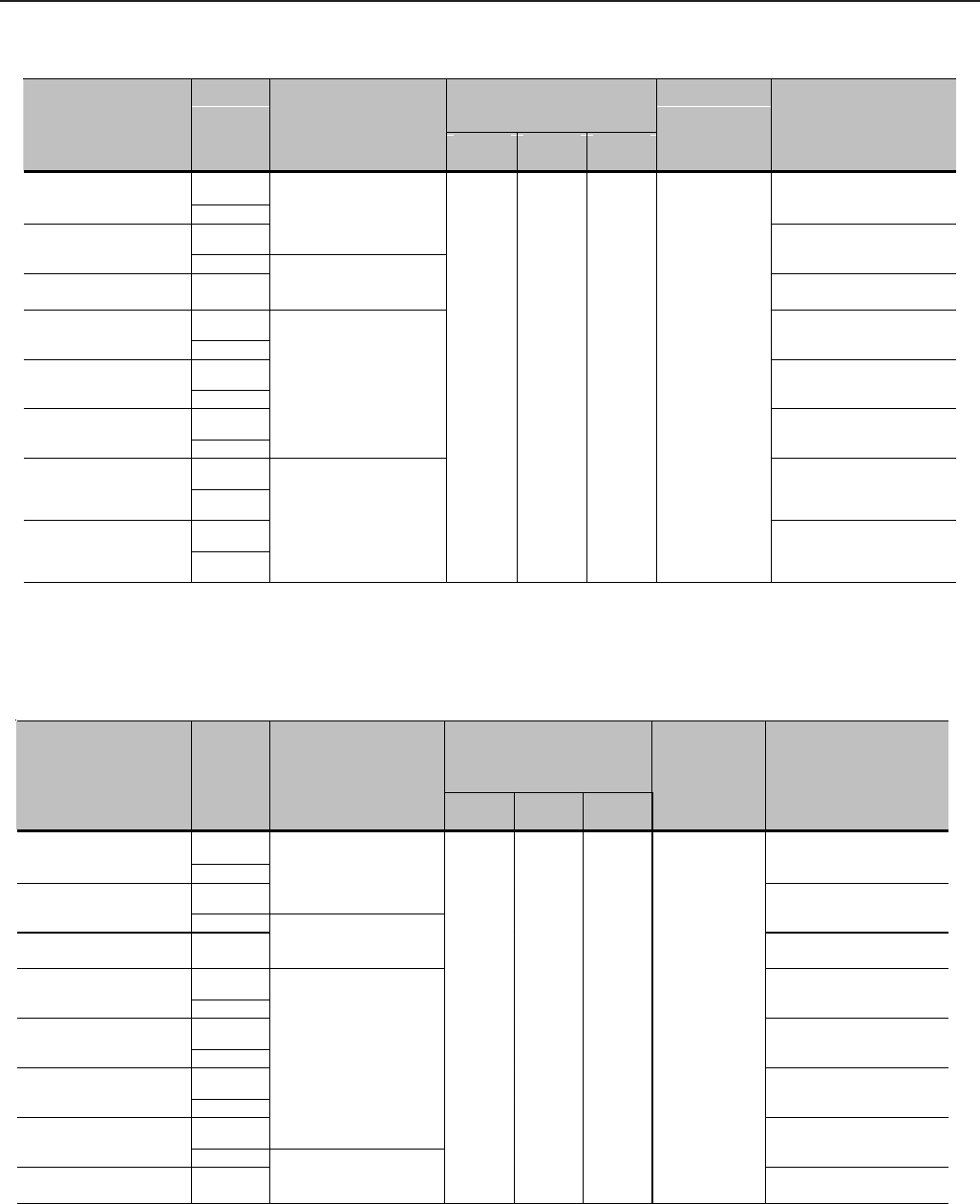
69
CHAPTER 3 - INSTALLATION
Maximum motor cable length
according to conducted
emission class (EN61800-3)
Inverter Model Load
Type Epcos Input Filter
Class
A2 Class
A1 Class
B
Inside metallic
panel
Electromagnetic radiation
disturbance level
(Product Standard
EN61800-3 (1996)+A11
(2000))
CT
107A/500-690V VT
First environment,
restricted distribution
CT
B84143B150S21
147A/500-690V VT
First environment,
restricted distribution
211A/500-690V CT/VT B84143B250S21 First environment,
restricted distribution
CT
247A/500-690V VT
Second environment,
unrestricted distribution
CT
315A/500-690V VT
Second environment,
unrestricted distribution
CT
343A/500-690V VT
B84143B400S125
Second environment,
unrestricted distribution
CT
418A/500-690V VT
Second environment,
unrestricted distribution
CT
472A/500-690V VT
B84143B600S125
100m 25m N/A YES
Second environment,
unrestricted distribution
500-600V power supply:
Table 3.10 - Epcos filters list for CFW09 inverter series with 500-600V power supply
N/A = Not Applicable – The inverters were not tested with these limits.
Note: Minimum output frequency = 2.4Hz.
Maximum motor cable
length according to
conducted emission class
(EN61800-3)
Inverter Model Load
Type Epcos Input Filter
Class
A2 Class
A1 Class
B
Inside metallic
panel
Electromagnetic
radiation disturbance
level (Product Standard
EN61800-3 (1996)+A11
(2000))
CT
100A/660-690V and
107A/500-690V VT
First environment,
restricted distribution
CT
B84143B150S21
127A/660-690V and
147A/500-690V VT
First environment,
restricted distribution
179A/660-690V and
211A/500-690V CT/VT B84143B180S21 First environment,
restricted distribution
CT
225A/660-690V and
247A/500-690V VT
Second environment,
unrestricted distribution
CT
259A/660-690V and
315A/500-690V VT
Second environment,
unrestricted distribution
CT
305A/660-690V and
343A/500-690V VT
Second environment,
unrestricted distribution
CT
B84143B400S125
340A/660-690V and
418A/500-690V VT
Second environment,
unrestricted distribution
428A/660-690V and
472A/500-690V CT/VT B84143B600S125
100m 25m N/A YES
Second environment,
unrestricted distribution
660-690V power supply:
Table 3.11 - Epcos filters list for CFW09 inverter series with 660-690V power supply
N/A = Not Applicable – The inverters were not tested with these limits.
Note: Minimum output frequency = 2.4Hz.
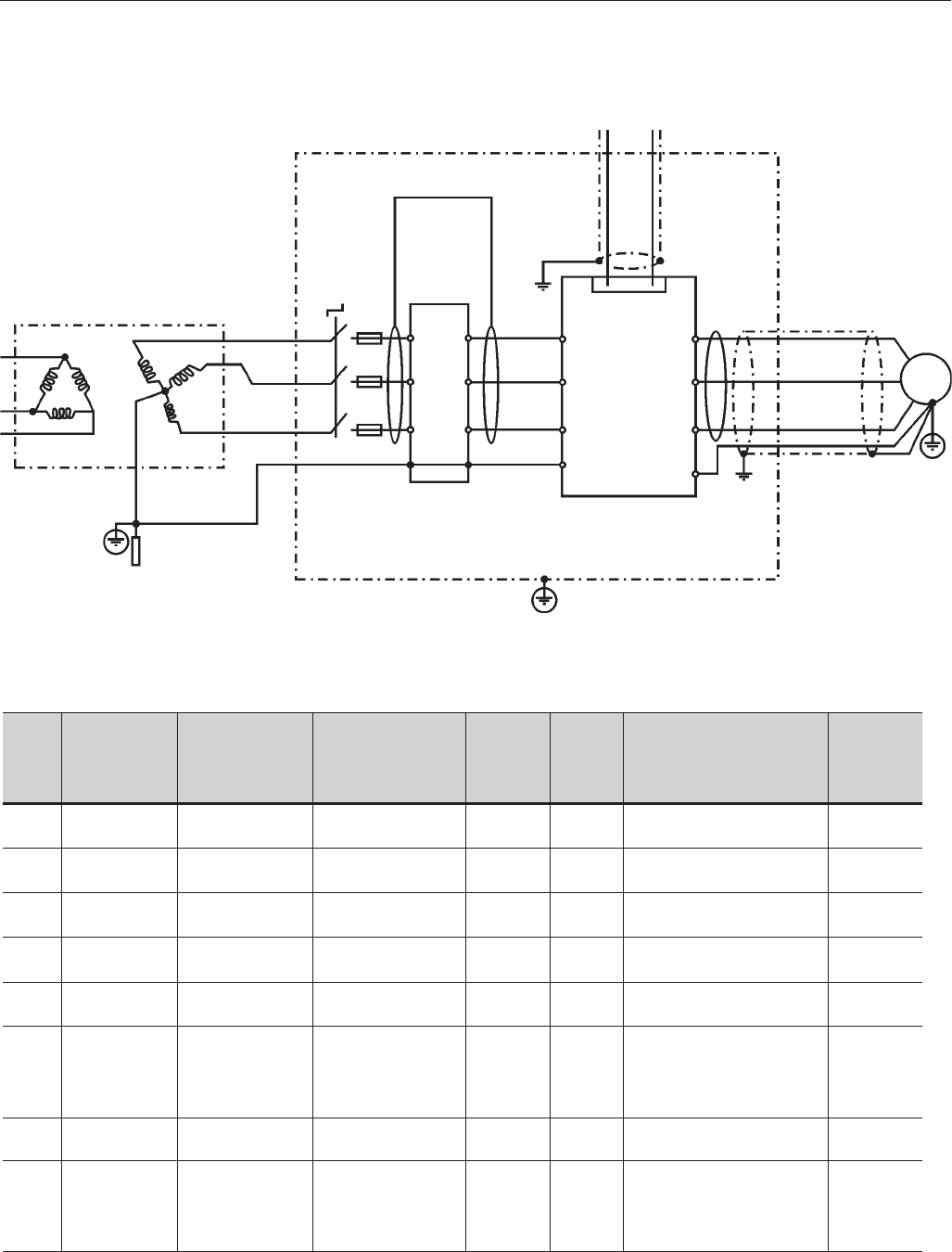
70
CHAPTER 3 - INSTALLATION
The following tables 3.12 and 3.13 show the Schaffner filters list for CFW09
inverter series with 380-480V and 220-230V power supply, respectively.
3.3.3 Schaffner filters
Figure 3.19 - Schaffner EMC filters connection in CFW09 frequency inverters
Controling and Signal Wiring
Output CM
Choke
Transformer
Ground Rod/Grid or
Building Steel
Structure Panel or Metallic Enclosure
Protective Grounding - PE
Motor
PE
CFW - 09
U
W
V
L2
L1
L3
E
F1
F2
F3
PE
Filter
Q1 XC1 1 to 28
Filter Input
Filter
Output
E
L3
L2
L1
PE
XR
T
S
Input CM Choke
FN-3258-7-45
FN-3258-7-45
FN-3258-16-45
FN-3258-16-45
FN-3258-30-47
FN-3258-55-52
FN-3258-55-52
FN-3258-100-35
3,6 A
4 A, 5 A
9 A
13 A
16 A
24 A
30 A
30 A
38 A
45 A
RS-232
EBA RS-485
Serial Interface
EBA RS-485
Serial Interface
No
No
EBB
RS-485 Serial
Interface
No
No
Model Optional Device Input
filter
Input
CM
Choke
Output
CM
Choke
No
No
No
No
No
No
No
No
No
No
No
No
No
Yes
No
No
Inside
Metallic
Panel
Electromagnetic radiation
disturbance level
(Product Standard
EN61800-3 (1996)
+ A11 (2000) *1
Conducted
Emission
Class *2
B
B
B
B
B
A1
A1
A1
380-480V power supply:
First environment, restricted
distribution
Second environment,
unrestricted distribution
Second environment,
unrestricted distribution
First environment, restricted
distribution
First environment, restricted
distribution
First environment, restricted
distribution
First environment, restricted
distribution
First environment, restricted
distribution
No
No
No
No
No
Schaffner 203 (1151-
042) -
2 turns (filter input
side)
No
2 x Schaffner 203
(1151-042) - (filter
input/output
sides)
Table 3.12 - Schaffner filters list for CFW09 inverter series with 380-480 V power supply.

71
CHAPTER 3 - INSTALLATION
FN-3258-100-35
FN-3258-100-35
FN-3258-100-35
FN-3258-100-35
FN-3359-150-28
FN-3359-250-28
FN-3359-250-28
FN-3359-400-99
FN-3359-600-99
FN-3359-1000-99
45 A
45 A
45 A
60 A
70 A
86 A
105 A
142 A
180 A
211 A
240 A
312 A
361 A
450 A
515A
600 A
EBA
RS-485
Serial Interface
EBB
RS-485
Serial Interface
Profibus-DP
12 MBaud
No
No
No
No
No
No
No
No
No
No
No
2 X
Schaffner
203
(1151-042)
(UVW)
2 X
Schaffner
167
(1151-043)
(UVW)
Schaffner
159
(1151-044)
(UVW)
Schaffner
159
(1151-044)
(UVW)
Schaffner
159
(1151-044)
(UVW)
Schaffner
159
(1151-044)
(UVW)
No
No
No
Yes
Yes
Yes
Yes
Yes
Yes
Yes
A1
A1
A1
A1
A1
A1
A1
A1
A1
A1
380-480V power supply:
First environment, restricted
distribution
First environment, restricted
distribution
First environment, restricted
distribution
Second environment,
unrestricted distribution
First environment, restricted
distribution
First environment, restricted
distribution
First environment, restricted
distribution
First environment, restricted
distribution
First environment, restricted
distribution
First environment, restricted
distribution
2 x Schaffner 203
(1151-042) - (filter
input/ output
sides)
2 x Schaffner 203
(1151-042) - (filter
input/output
sides)
Schaffner 203 (1151-
042) 2 turns in the
control
cable
2 x Schaffner 203
(1151-042) - (filter
input/output
sides)
No
2 X Schaffner 203
(1151-042)
Output filter side
2 X Schaffner 167
(1151-043)
output filter side
Schaffner 159
(1151-044)
output filter side
Schaffner 159
(1151-044)
Output filter side
Schaffner 159
(1151-044)
Output filter side
Schaffner 159
(1151-044)
Output filter side
Table 3.12 (cont.) - Schaffner filters list for CFW09 inverter series with 380-480 V power supply.
Model Optional Device Input
filter
Input
CM
Choke
Output
CM
Choke
Inside
Metallic
Panel
Electromagnetic radiation
disturbance level
(Product Standard
EN61800-3 (1996)
+ A11 (2000) *1
Conducted
Emission
Class *2

72
CHAPTER 3 - INSTALLATION
220V-230V power supply:
Electromagnetic radiation
disturbance level
(Product Standard EN61800-
3 (1996)
+ A11 (2000)) *1
FS6007-16-06
FS6007-25-08
FS6007-36-08
FS6007-36-08
FS6007-36-08
FN-3258-7-45
FN-3258-16-45
FN-3258-30-47
FN-3258-55-52
FN-3258-100-35
FN-3258-100-35
FN-3258-100-35
FN-3258-100-35
FN-3258-100-35
FN-3258-130-35
FN-3359-150-28
No
No
No
No
2 x Schaffner 203
(1151-042) -
(filter input/output
sides (2 turns))
No
No
No
No
2 x Schaffner 203
(1151-042) - (filter
input/output sides)
2 x Schaffner 203
(1151-042) - (filter
input/output sides)
2 x Schaffner 203
(1151-042) - (filter
input/output sides)
Schaffner 203 (1151-
042)choke-
2 turns in the control
cable
2 x Schaffner 203
(1151-042) -
(filter input/output
sides)
No
2 X Schaffner 203
(1151-042)
Filter output side
2 X Schaffner 203
(1151-042)
Filter output side
6 A
1 phase
7 A
1 phase
10 A
1 phase
10 A
1 phase
10 A
1 phase
6 A
7 A
10 A
13 A
16 A
24 A
28 A
45 A
45 A
45 A
45 A
54 A
70 A
86 A
105 A
No
No
No
EBA
RS-485
Serial Interface
EBB
RS-485
Serial
Interface
No
No
No
No
No
EBA
RS-485
Serial Interface
EBB
RS-485
Serial Interface
Profibus-DP
12 MBaud
No
No
No
Model Optional
Device
Input
filter
Common mode Ferrite
(Input)
Schaffner
203
(1151-042)
2 turns
No
No
No
No
No
No
No
No
No
No
No
No
No
2 X
Schaffner
203
(1151-042)
(UVW)
2 X
Schaffner
203
(1151-042)
(UVW)
No
No
No
No
No
No
No
No
Yes
No
No
No
No
Yes
Yes
Yes
Inside
Metallic
Panel
Conducted
Emission
Class *2
B
B
B
B
B
B
B
B
A1
A1
A1
A1
A1
A1
A1
A1
First environment, restricted
distribution
First environment, restricted
distribution
First environment, restricted
distribution
First environment, restricted
distribution
First environment, restricted
distribution
First environment, restricted
distribution
First environment, restricted
distribution
First environment, restricted
distribution
First environment, restricted
distribution
First environment, restricted
distribution
First environment, restricted
distribution
First environment, restricted
distribution
First environment, restricted
distribution
Second environment,
unrestricted distribution
First environment, restricted
distribution
First environment, restricted
distribution
Common
mode Ferrite
(Output)
Table 3.13 - Schaffner filters list for CFW09 inverter series with 220-230V power supply.
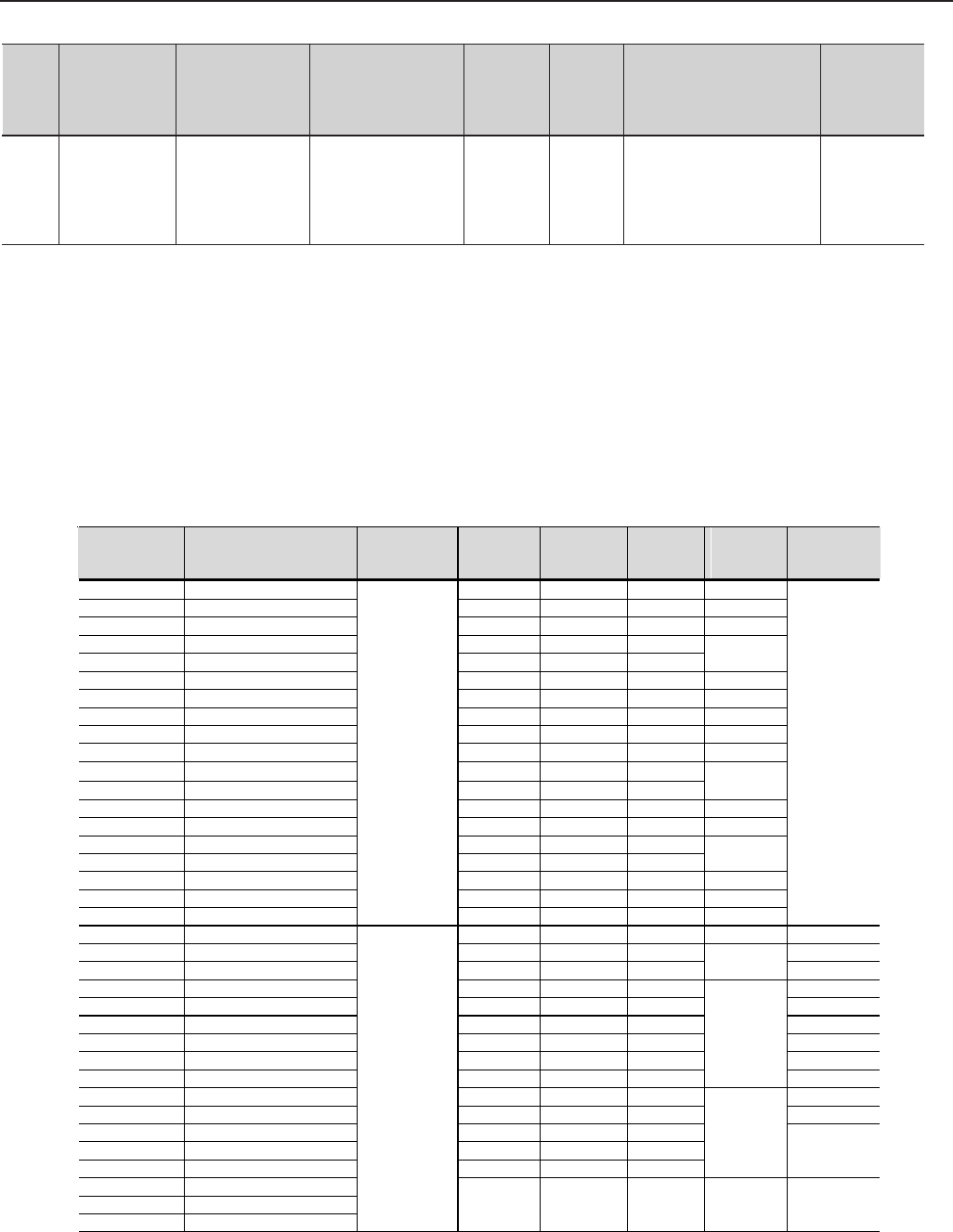
73
CHAPTER 3 - INSTALLATION
The following table 3.14 shows the main technical characteristics of Epcos
and Shaffner filters used in CFW09 inverter series. Figure 3.20 presents
drawings of these filters.
3.3.4 EMC filter characteristics
WEG
P/N Filter Manufacturer
Nominal
current [A]
Power
losses [W] Weight
[kg]
Drawing
(figure
3.20)
Connector
type
0208.2126 B84143A8R105 8 6 0.58 a
0208.2127 B84143A16R105 16 9 0.90 b
0208.2128 B84143A25R105 25 12 1.10 c
0208.2129 B84143A36R105 36 18 1.75
0208.2130 B84143A50R105 50 15 1.75 d
0208.2131 B84143A66R105 66 20 2.7 e
0208.2132 B84143A90R105 90 27 4.2 f
0208.2133 B84143A120R105 120 39 4.9 g
0208.2134 B84143G150R110 150 48 8.0 h
0208.2135 B84143G220R110 220 60 11.5 i
0208.2136 B84143B320S20 320 (*) 21 21
0208.2137 B84143B400S20 400 33 21 j
0208.2138 B84143B600S20 600 57 22 k
0208.2139 B84143B1000S20 1000 99 28 l
0208.2140 B84143B150S21 150 12 13
0208.2141 B84143B180S21 180 14 13 m
0208.2142 B84143B250S21 250 14 15 n
0208.2143 B84143B400S125 400 33 21 o
0208.2144 B84143B600S125
Epcos
600 57 22 p
-
0208.2072 FS6007-16-06 16 4 0.9 q /05
0208.2073 FS6007-25-08 25 4 1.0 /08
0208.2074 FS6007-36-08 36 5 1.0 r /08
0208.2075 FN3258-7-45 7 3.8 0.5 /45
0208.2076 FN3258-16-45 16 6 0.8 /45
0208.2077 FN3258-30-47 30 12 1.2 /47
0208.2078 FN3258-55-52 55 26 1.8 /52
0208.2079 FN3258-100-35 100 35 4.3 /35
0208.2080 FN3258-130-35 130 43 4.5
s
/35
0208.2081 FN3359-150-28 150 28 6.5 /28
0208.2082 FN3359-250-28 250 57 7.0 /28
0208.2083 FN3359-400-99 400 50 10.5
0208.2084 FN3359-600-99 600 65 11
0208.2085 FN3359-1000-99 1000 91 18
t Bus /99
0208.2086 1151-042
0208.2087 1151-043
0208.2088 1151-044
Schaffner
- - - - -
FN-3359-250-28 2 X Schaffner 167
(1151-043)
Filter output side
130 ANo 2 X
Schaffner
167
(1151-043)
(UVW)
Yes A1First environment, restricted
distribution
Table 3.13 (cont.) - Schaffner filters list for CFW09 inverter series with 220-230V power supply.
Model Optional
Device
Input
filter
Common mode Ferrite
(Input)
Inside
Metallic
Panel
Electromagnetic radiation
disturbance level
(Product Standard EN61800-
3 (1996)
+ A11 (2000)) *1
Conducted
Emission
Class *2
Common
mode Ferrite
(Output)
Notes:
*1 - First environment/restricted distribution (Basic Standard CISPR 11):
30 to 230MHz: 30dB (uV/m) in 30m
230 to 1000MHz: 37dB (uV/m) in 30m
Second environment/unrestricted distribution (Basic Standard CISPR 11: Group 2, class A):
30 to 230MHz: 40dB (uV/m) in 30m
230 to 1000MHz: 50dB (uV/m) in 30m
*2 - Motor shielded cable length: 20m.
Table 3.14 – Technical specifications of EMC filters for the CFW09 inverter series.
Note: (*) According to the manufacturer, this filter can be used up to 331A.
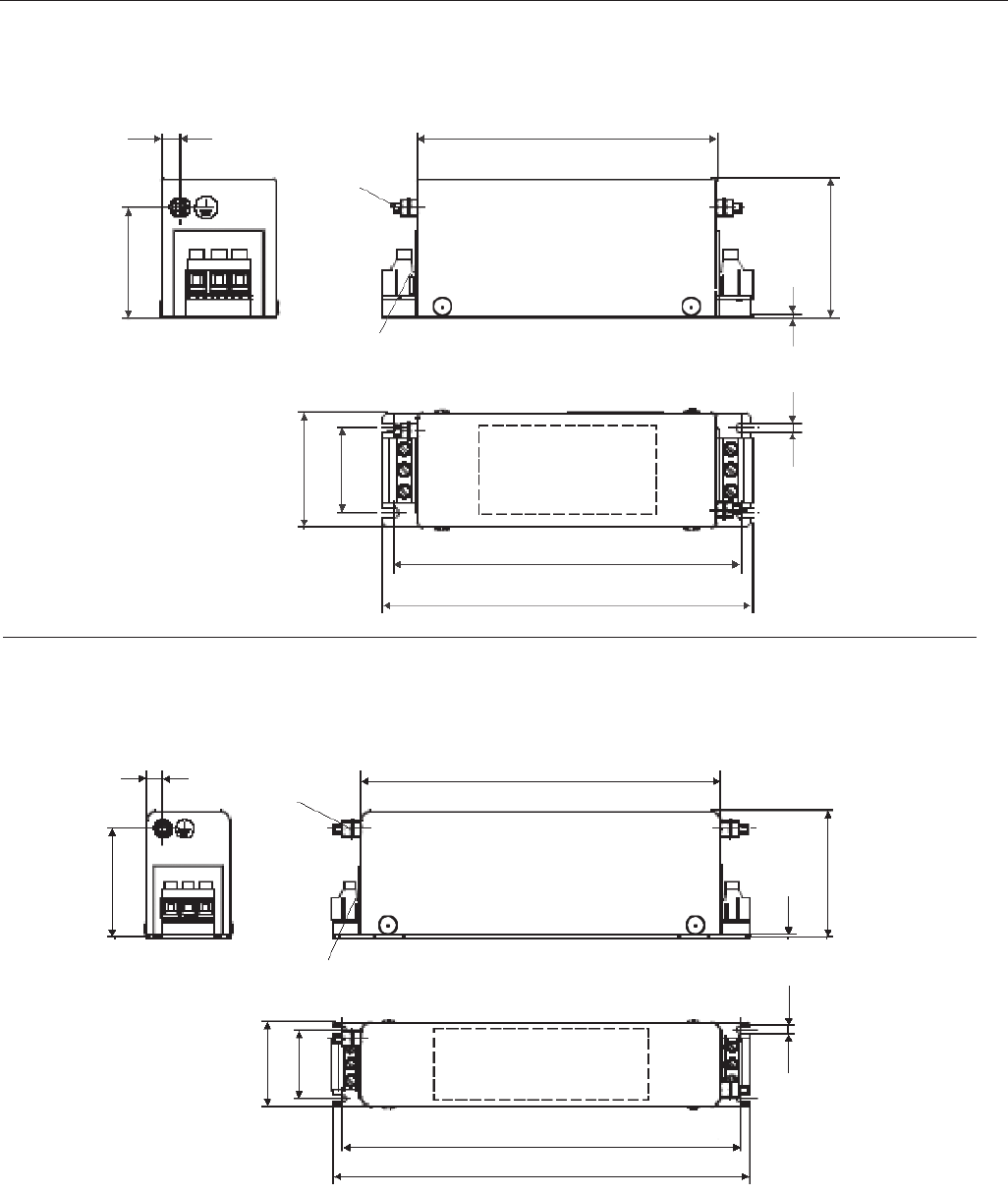
74
CHAPTER 3 - INSTALLATION
a) EPCOS B84143A8R105 Filter
Figure 3.20 a) b) - EMC filters for CFW-09 inverter series [dimensions in mm]
b) EPCOS B84143A16R105 Filter
PE M4 x 11
133.7
8
Terminals 4 mm²
L1
L2
L3
Marking
LINE LOAD
155
165
L1'
L2'
L3'
50
38
51.4
4.5
6.3
1.5
PE M5 x 15
L1
L2
L3
L1'
L2'
L3'
LINE LOAD
Marking
38
4.5 1.5
70
199.5
Terminals 4 mm²
221
231
9
60
46.4
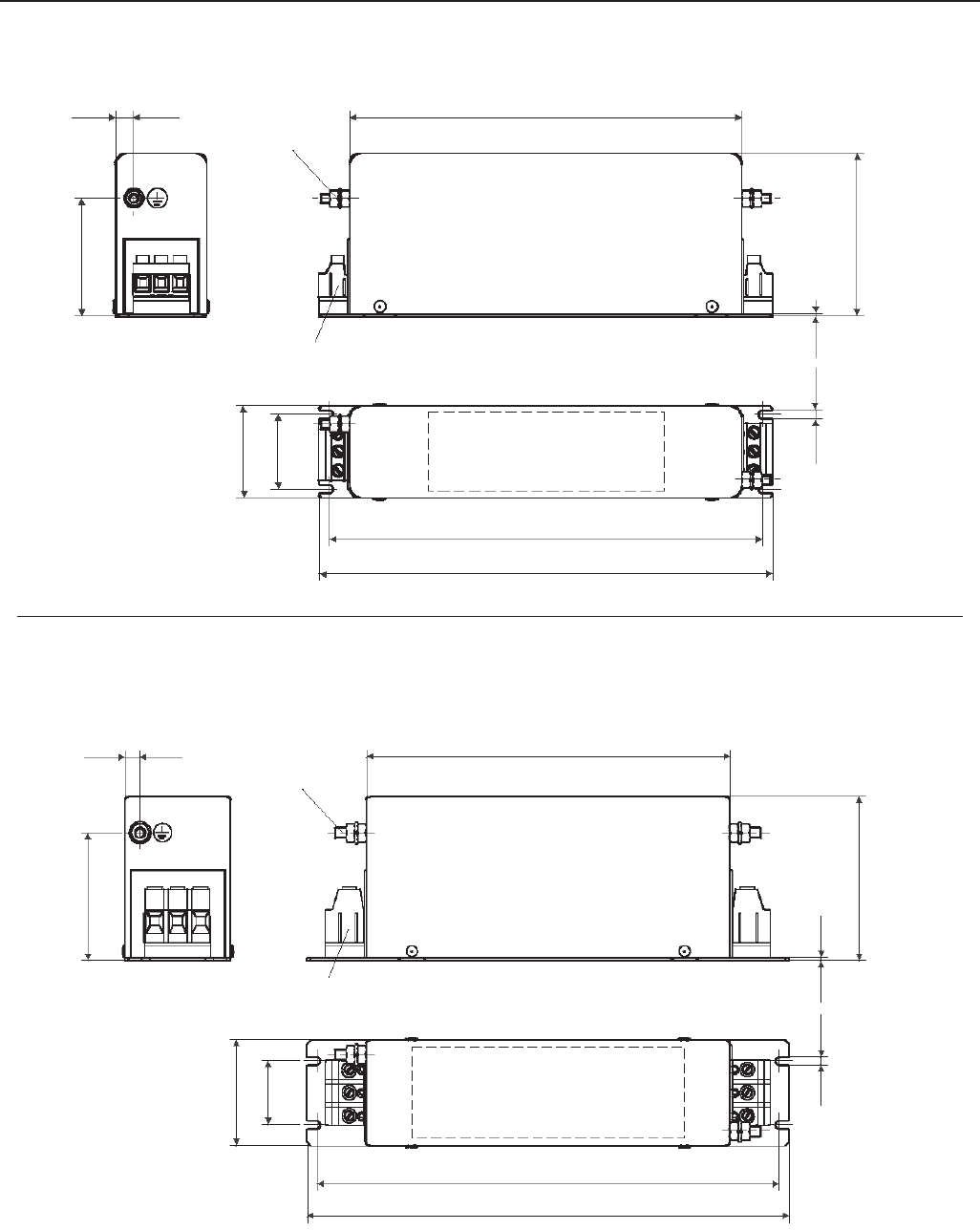
75
CHAPTER 3 - INSTALLATION
c) EPCOS B84143A25R105 Filter
Figure 3.20 c) d) - EMC filters for CFW-09 inverter series [dimensions in mm]
d) EPCOS B84143A36R105 and B84143A50R105 Filter
PE M5 x 15
L1
L2
L3
L1'
L2'
L3'
LINE LOAD
Marking
38
4.5 1.5
83
199.5
PE M6 x 14
221
231
9
60
46.4
PE M6 x 14
L1
L2
L3
L1'
L2'
L3'
LINE LOAD
Marking
35
4.5 1.5
90
200
Terminals 10 mm²
255
265
8
70
58
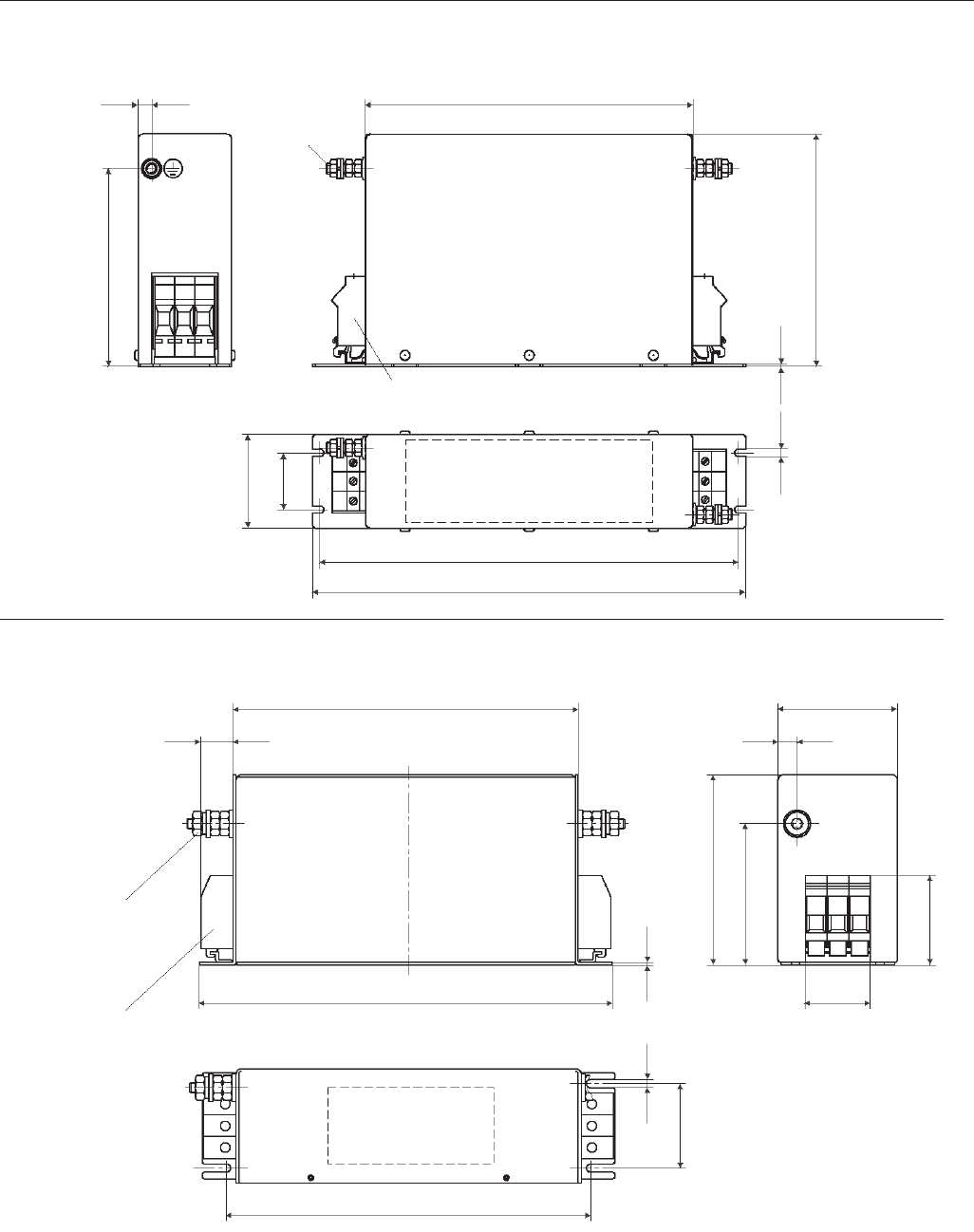
76
CHAPTER 3 - INSTALLATION
e) EPCOS B84143A66R105 Filter
f) EPCOS B84143A90R105 Filter
Figure 3.20 e) f) - EMC filters for CFW-09 inverter series [dimensions in mm]
Terminals 35 mm²
Terminals 16 mm²
PE M6 x 14
L1
L2
L3
L1'
L2'
L3'
LINE LOAD
Marking
35
4.5 1.5
141.5
200
255
265
8
58
120
PE M10 x 34
L1
L2
L3
L1'
L2'
L3'
LINE LOAD
Marking
1.5
4.6
240
290
255
25
135
100
6.5
60
63
80
13
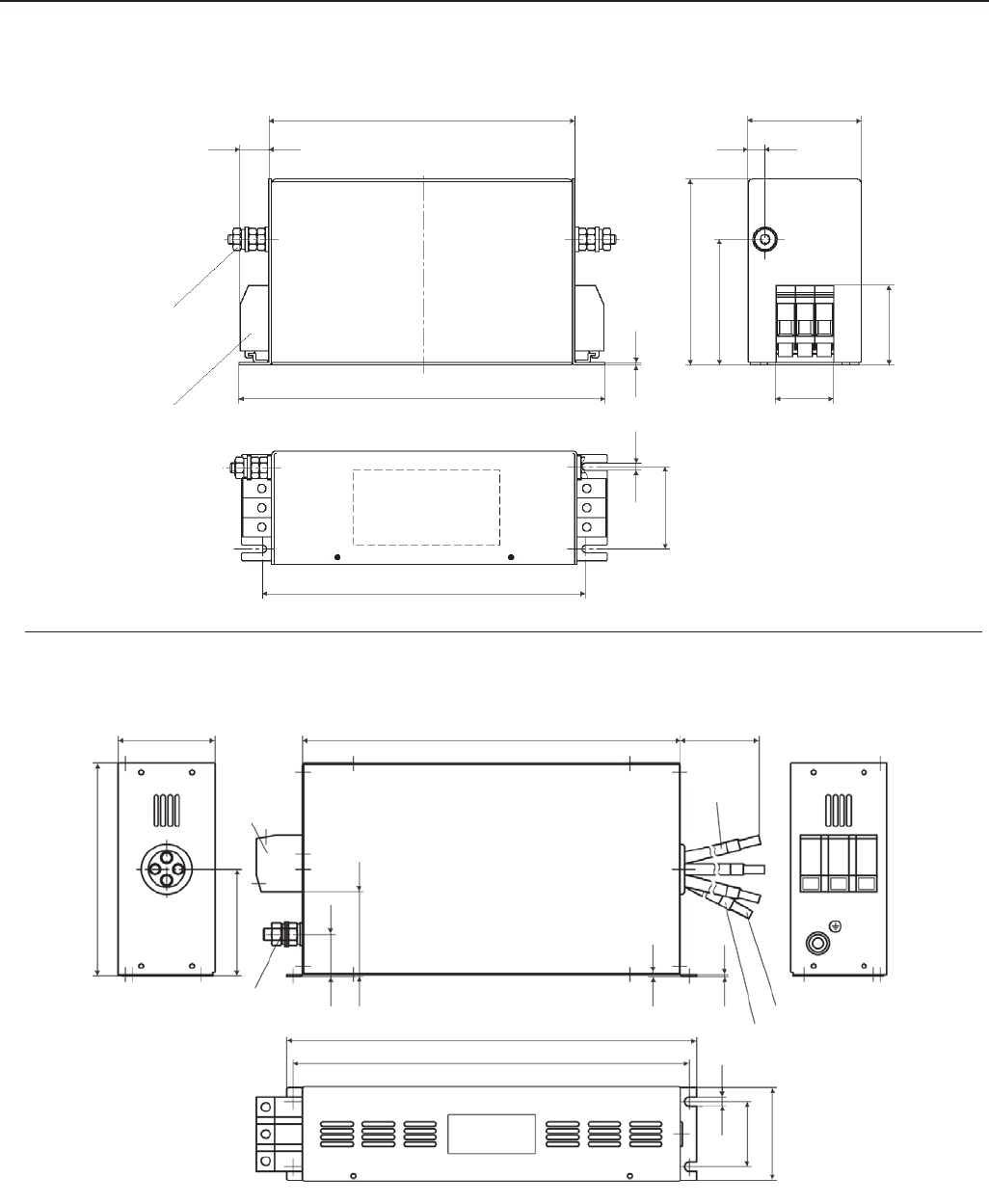
77
CHAPTER 3 - INSTALLATION
g) EPCOS B84143A120R105 Filter
h) EPCOS B84143G150R110 Filter
Figure 3.20 g) h) - EMC filters for CFW-09 inverter series [dimensions in mm]
Terminals 35mm²
PE M10 x 34
L1
L2
L3
L1'
L2'
L3'
LINE LOAD
Marking
1.5
240
290
255
25
150
6.5
65
63
90
13
46
100
PE M10 x 35
L1
L2
L3 LINE LOAD
Marking
6.5
0.5
350
L3'
200
100
40
78
Terminal
blocks
50mm2
380
365±0.5
86
65±0.3
Litz wire markings
Wire end ferrule
500±10
Litz wire
L2'
L1'
PE
90
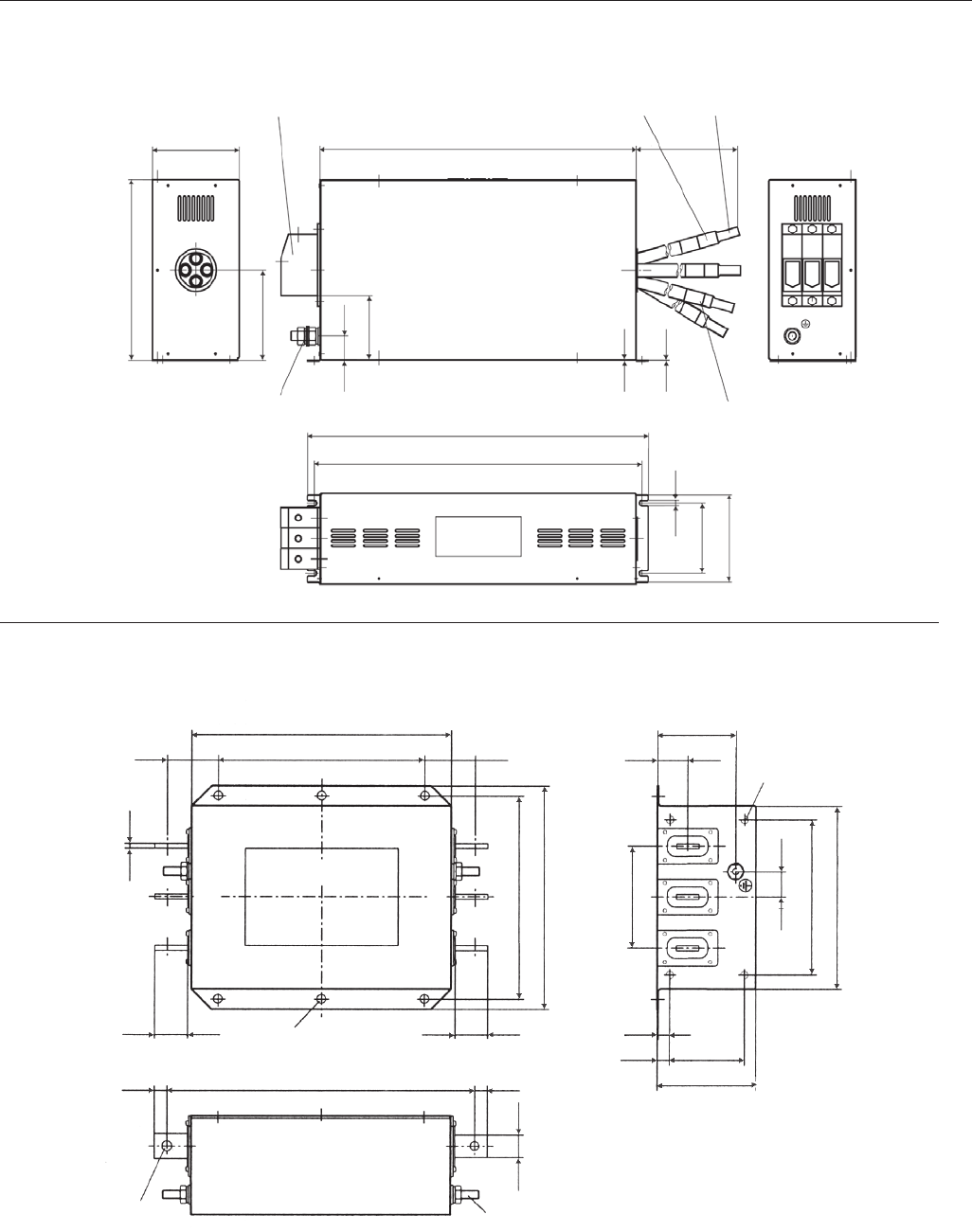
78
CHAPTER 3 - INSTALLATION
i) EPCOS B84143G220R110 Filter
j) EPCOS B84143B320S20 and B84143B400S20 Filters
Figure 3.20 i) j) - EMC filters for CFW-09 inverter series [dimensions in mm]
PE M10 x 35
L1
L2
L3 LINE LOAD
Marking
6.5
0.5
400
L3'
220
110
30
79
430
415±0.5
106
85±0,3
Litz wire markings
500±10
Litz wire
L2'
L1'
PE
110
Terminal blocks 95mm2Wire end ferrule
PE M10 x 30
L3
LINE
Marking
25
120
60
220
260
360±2
16 85±0.5
4 x M6 mm deep
36
300
60 240±1
235±1
L2 L1
LOAD
L2 L1
∅12
15 15
42±2
∅11
42±2
2
116
30
180±0.5
210
91
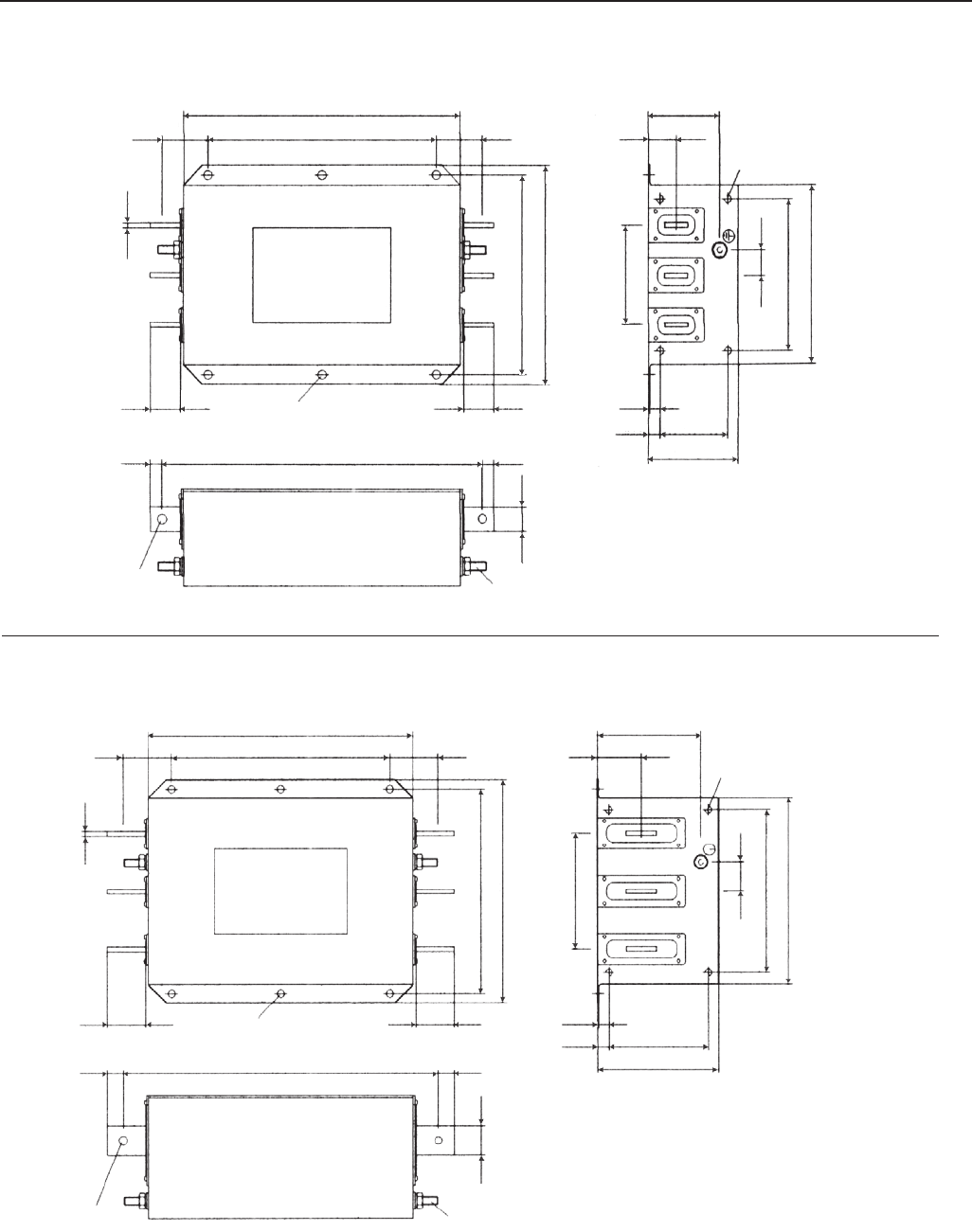
79
CHAPTER 3 - INSTALLATION
k) EPCOS B84143B600S20 Filter
l) EPCOS B84143B1000S20 Filter
Figure 3.20 k) l) - EMC filters for CFW-09 inverter series [dimensions in mm]
LINE
Marking
30
30
350
5
L3
15
∅12
410±2.5
260
235±1
91
4 x M6 / mm deep
290±1
60
42±3
L2 L1
42±3
L3 L2 L1
LOAD
PE M10 x 30
15
60
120
85±0.5
116
16
2
180±0.5
210
36
∅11
LINE
Marking
40
40
350
8
L3
20
∅12
420±2.5
300
275±1
141
290±1
65
52±3
L2 L1
52±3
L3 L2 L1
LOAD
PE M12 x 30
20
65
135±0.8
166
16
2.5
220±0.8
250
61
∅14
160
4 x M6 / 6 mm deep
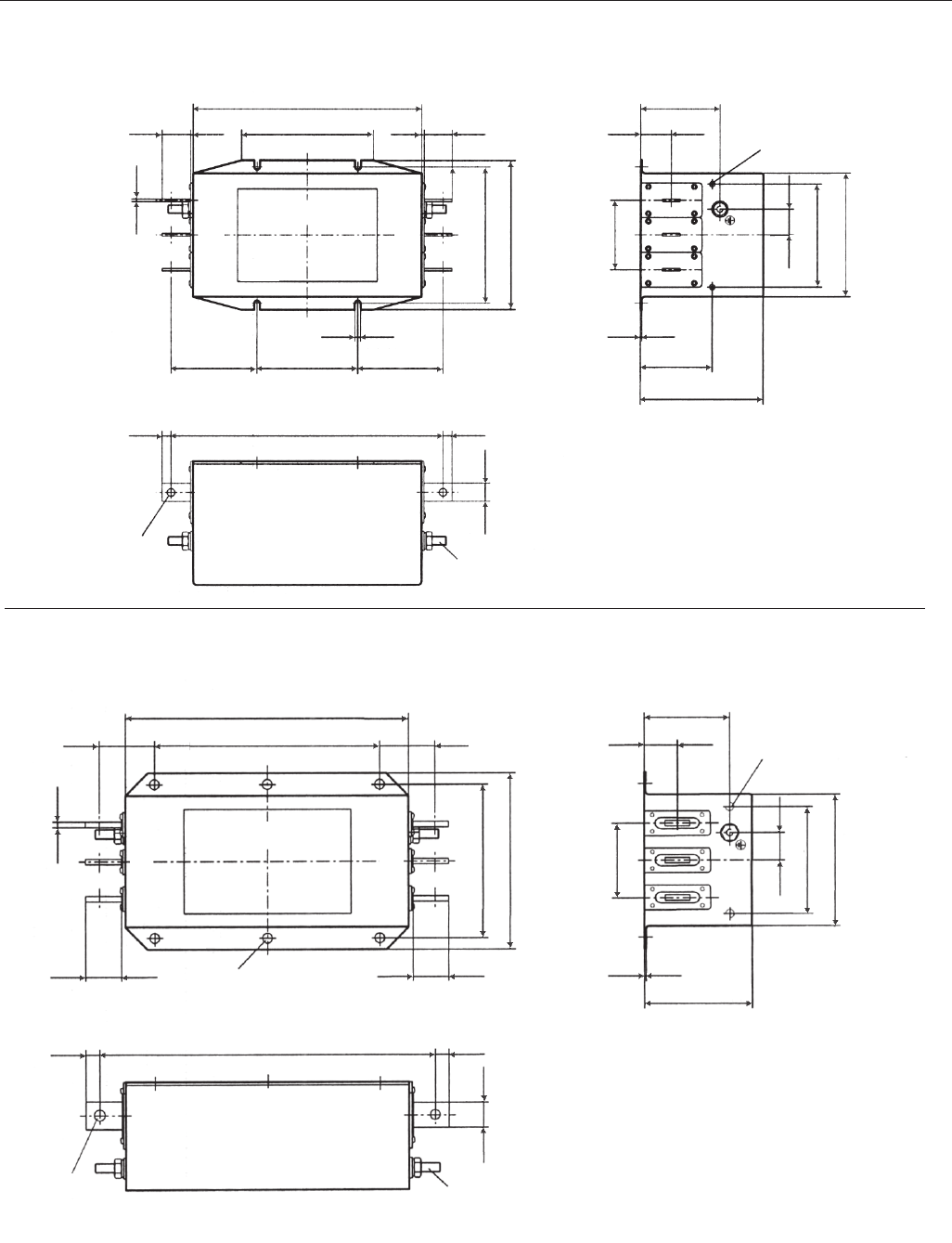
80
CHAPTER 3 - INSTALLATION
n) Filtro EPCOS B84143B250S21
Figure 3.20 m) n) - EMC filters for CFW-09 inverter series [dimensions in mm]
m) EPCOS B84143B150S21 and B84143B180S21 Filters
LINE
Marking
30
20
260
3
L3
10
∅9
170
155±2
91
150
32±1
97.5
L2 L1
97.2
L3 L2 L1
LOAD
10
141
81
2
120
140
36
80
32±1
115±0.2
310±2
6.6
PE M10 x 30
2 x M5 / mm deep
LINE
Marking
30
25
300
5
L3
15
∅11
190
165
91
60
L2 L1
L3 L2 L1
LOAD
116
2
110
140
36
80
60
42±1
360±2
PE M10 x 30
240±0.6
∅12
42±1
15
2 x M6 / 6 mm deep
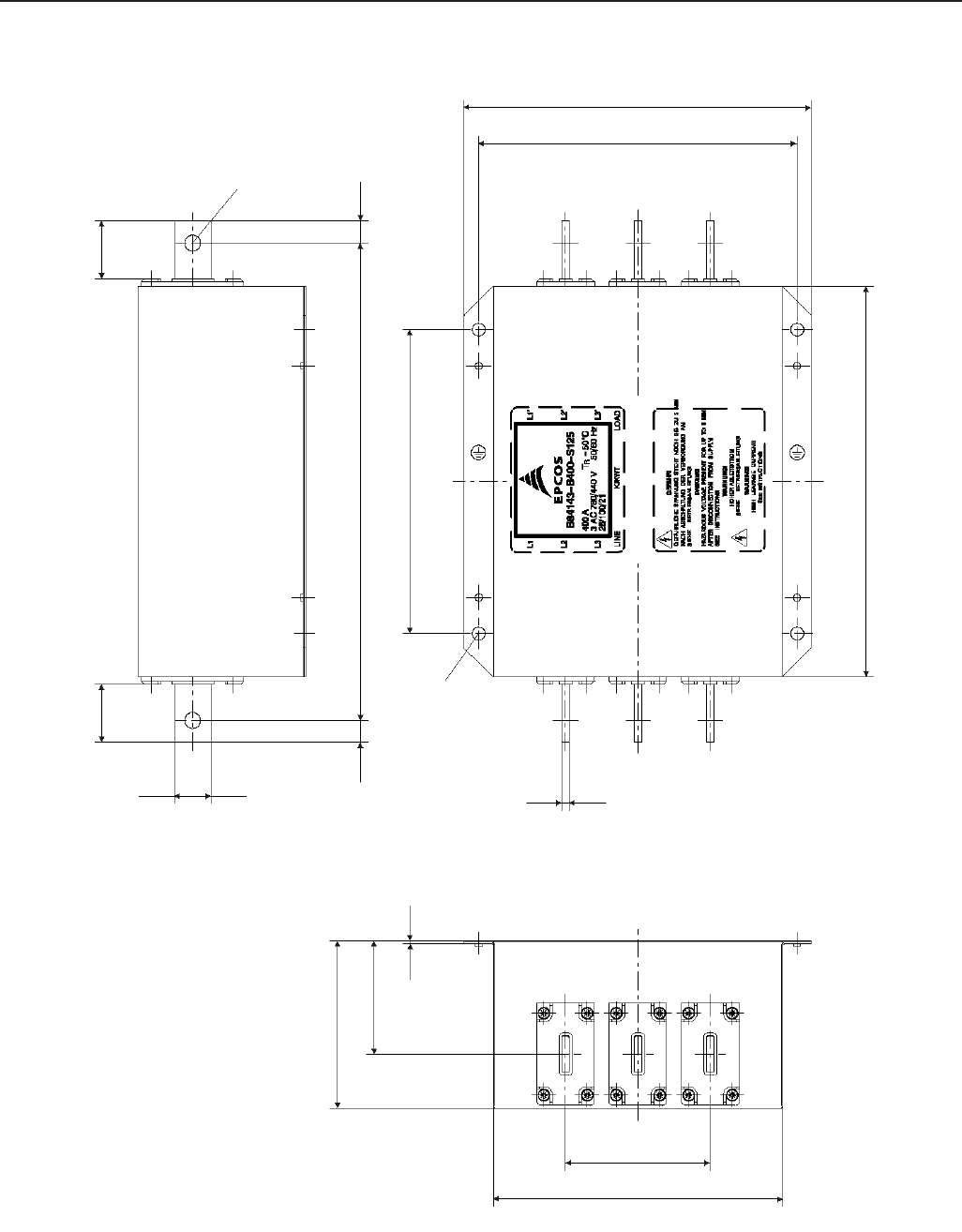
81
CHAPTER 3 - INSTALLATION
o) EPCOS B84143B400S125 Filter
Figure 3.20 o) - EMC filters for CFW-09 inverter series [dimensions in mm]
40±3
15
∅11
L1
25
330±2
210±0.5
15
∅9
40±3
L2
L3
5
270±3
L3'
L2'
L1'
220±1
240
116
100
200
78.2
2
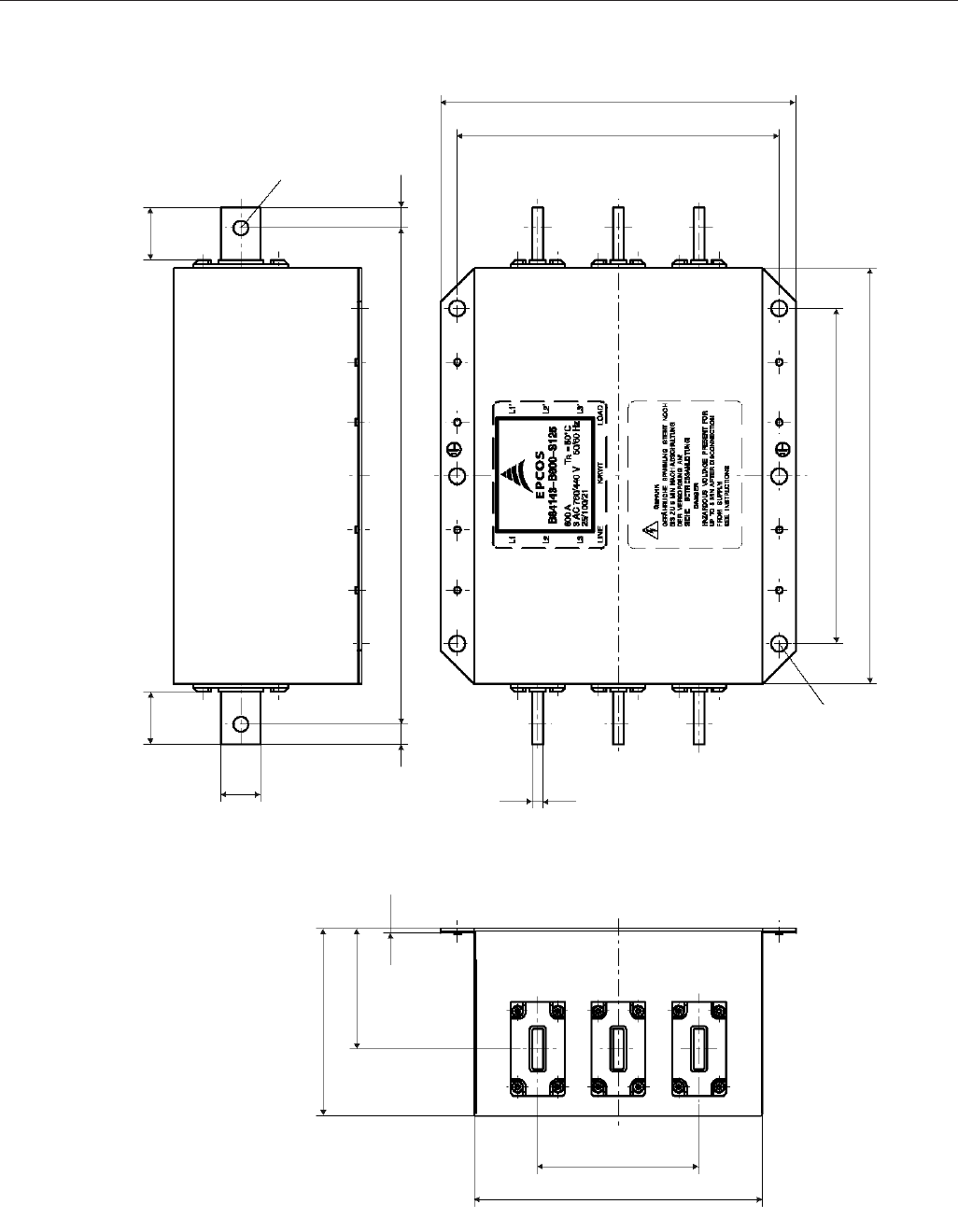
82
CHAPTER 3 - INSTALLATION
p) EPCOS B84143B600S125 Filter
Figure 3.20 p) - EMC filters for CFW-09 inverter series [dimensions in mm]
39±3
15
∅11
L1
30
370±2
240±1
15
39±3
L2
L3
8
310±3
L3'
L2'
L1'
265
3
90
140
120
250±0.5
215
∅12
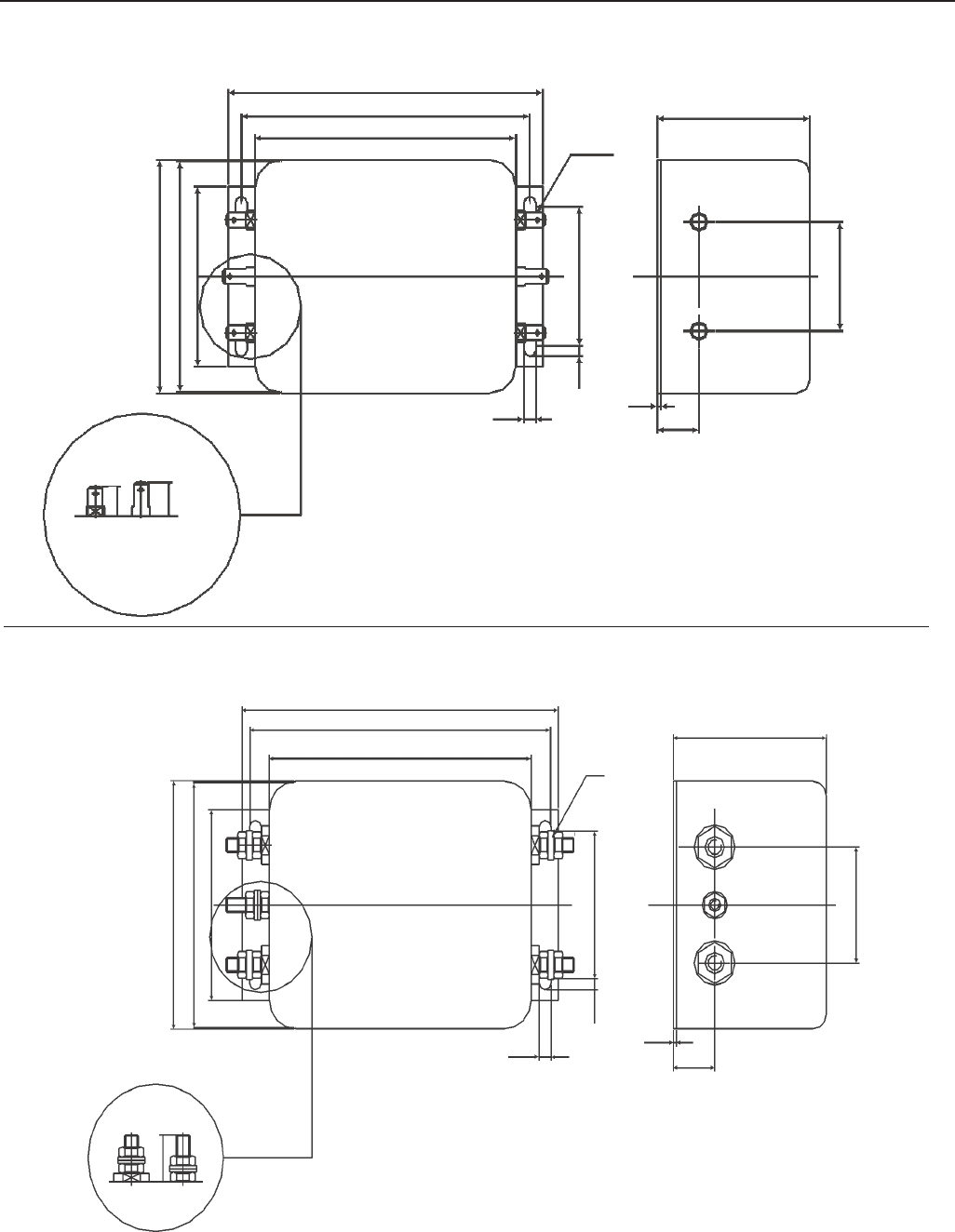
83
CHAPTER 3 - INSTALLATION
q) Schaffner FS6007-16-06 Filter
r) Schaffner FS6007-25-08 and FS6007-36-08 Filter
Figure 3.20 q) r) - EMC filters for CFW-09 inverter series [dimensions in mm (in)]
Type /05
Fast-on terminal 6.3 x 0.8mm
Bolt type 08=M4
30
119 (4.68)
51
85.5 (3.36)
(0.147)
(0.614)
4.4
(2.0)
109 (4.29)
98 (3.88)
84.5 (3.33)
66 (2.6)
6.3x0.8
3.7
(0.173)
SCHAFFNER
15.6
(0.047)
1.2
(1.57)
40
57.6
(2.267)
P/N E
119 (4.68)
51
85.5 (3.36)
(0.145)
(0.614)
4.4
(2.0)
113 (4.25)
98.5 (3.88)
84.5 (3.33)
66 (2.6)
M4
3.7
(0.173)
SCHAFFNER
15.6
(0.047)
1.2
(1.57)
40
57.6 (2.267)
P/N E
10.8
12.3
16.2
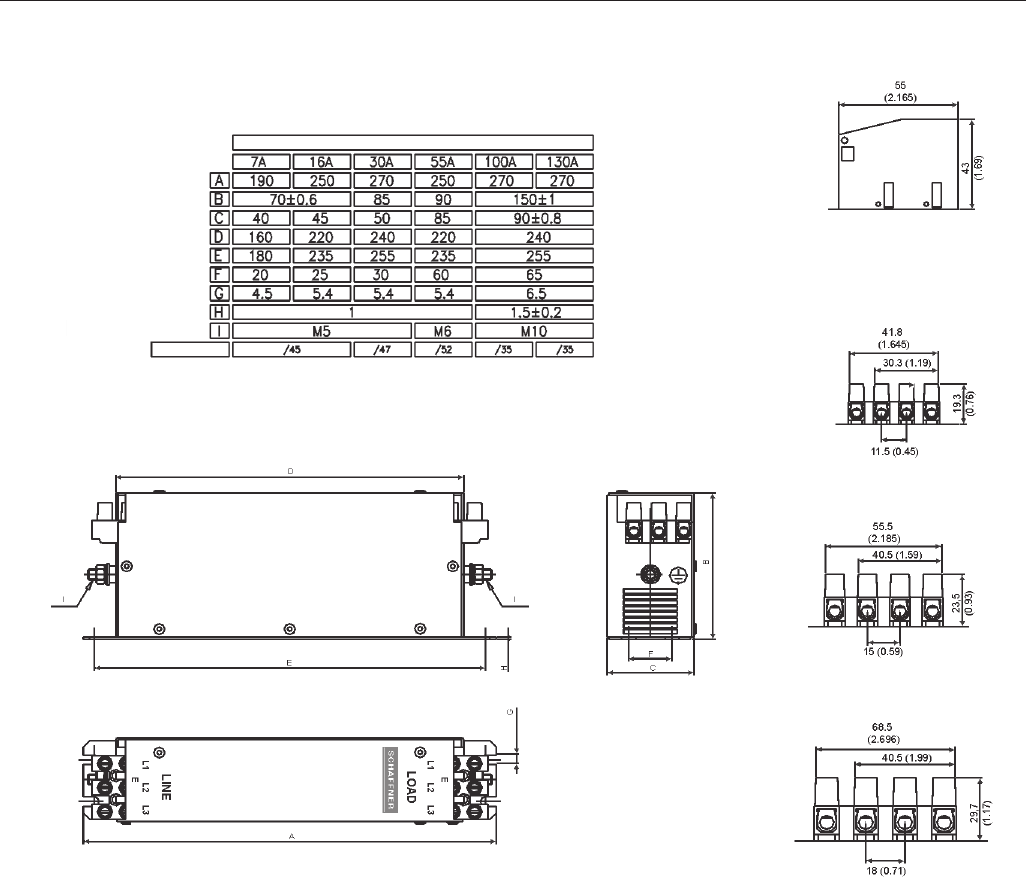
84
CHAPTER 3 - INSTALLATION
s) Schaffner FN3258-7-45, FN3258-16-45, FN3258-30-47, FN3258-55-52, FN3258-100-35 and FN3258-130-35 filters
Type/35 - Terminal block for flexible and
rigid cable of 50mm2 or AWG 1/0.
Max.Torque : 8Nm
Type/45 - Terminal block for 6mm2 solid
cable, 4mm2 flexible cable AWG 12.
Type/47 - Terminal block for 16mm2
solid wires,10mm2 flexible wires
AWG 8.
Type/52 - Dimesions in mm (inch)
Terminal block for 25mm2 solid
wires,16mm2 flexible wires AWG 6.
FRONT VIEW
MECHANICAL DATA SIDE VIEW
Connector
Rated Current
Top
Figure 3.20 s) - EMC filters for CFW-09 inverter series [dimensions in mm (in)]
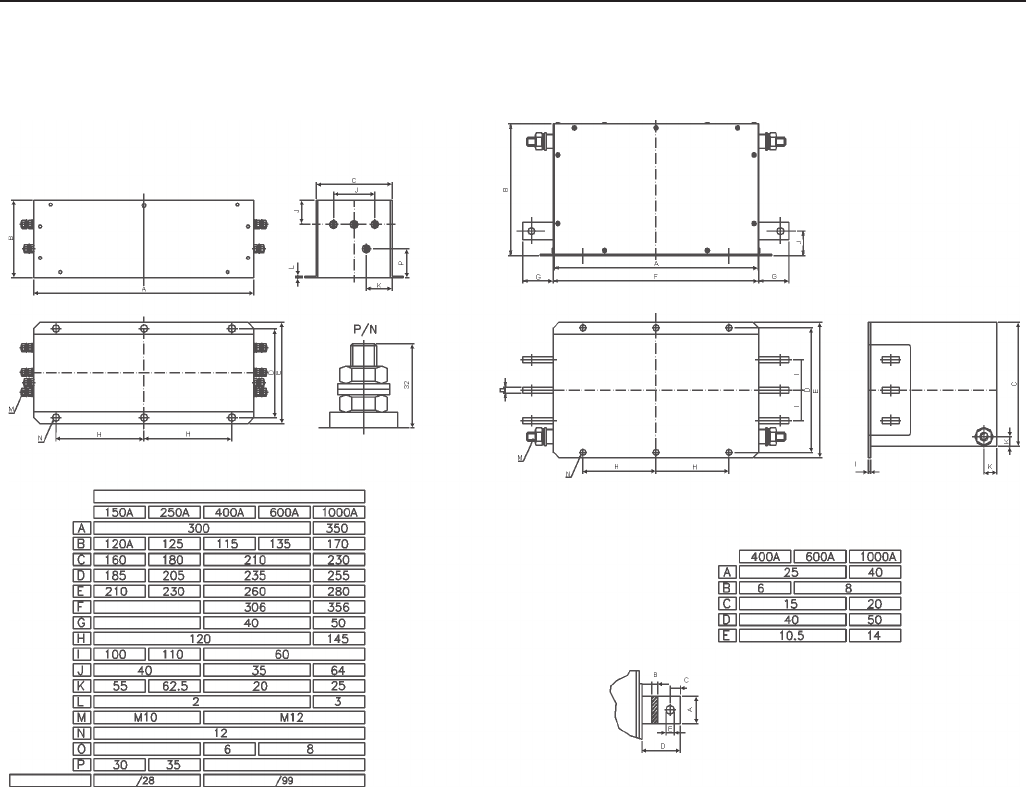
85
CHAPTER 3 - INSTALLATION
t) Schaffner FN3359-150-28, FN3359-250-28, FN3359-400-99, FN3359-600-99 and FN3359-1000-99 filters
Types 150A to 250A
Types 400A to 1000A
Type/28
M10 bolt
Top
Bus bar connection(Type/99)
Series FN 2259
These filters are supplied with M12
bolts for the grounding connection.
Top
Connector
RATED CURRENT
Figure 3.20 t) – EMC filters for CFW-09 inverter series [dimensions in mm]
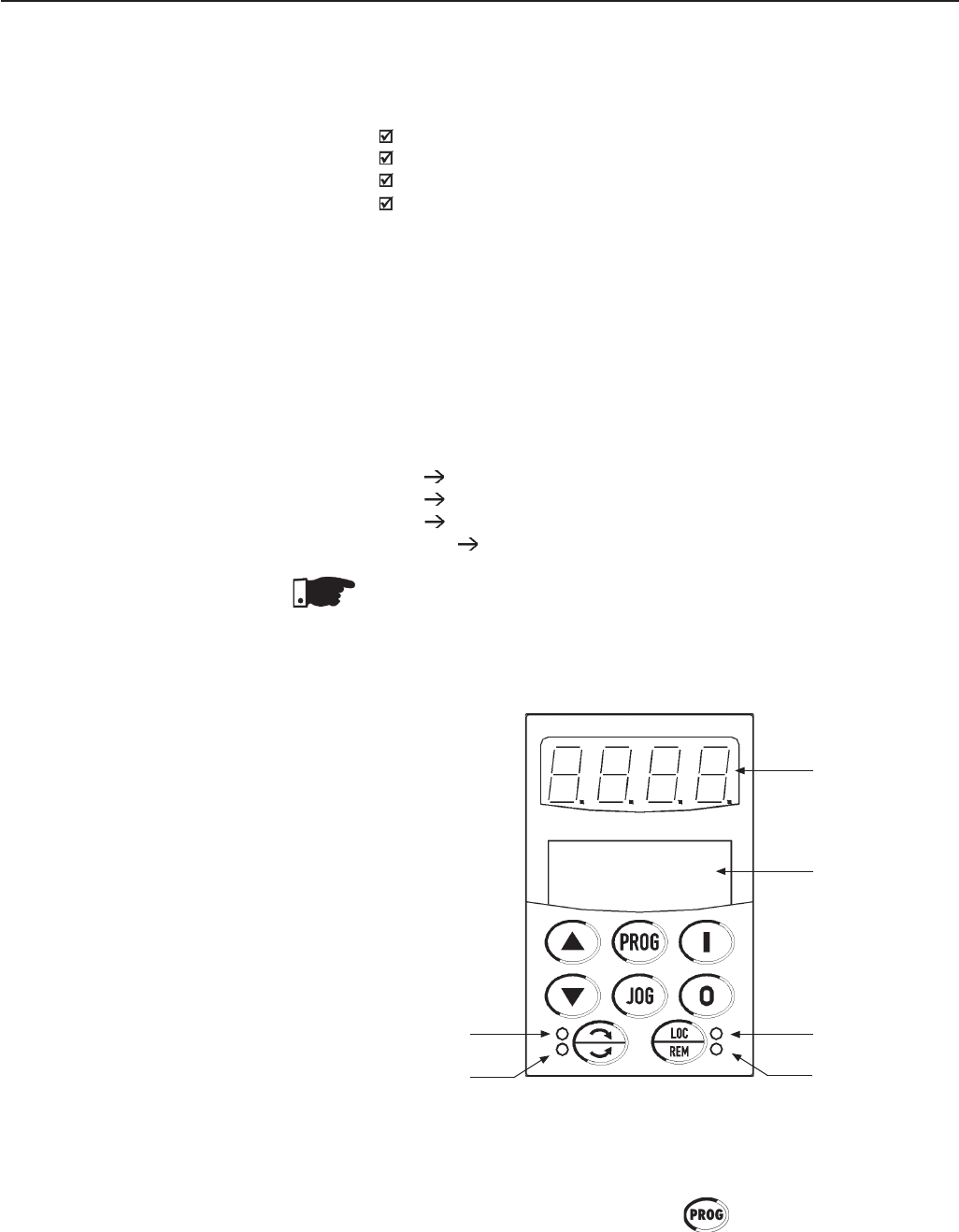
87
KEYPAD (HMI) OPERATION
4.1 DESCRIPTION
OF THE KEYPAD
This Chapter describes the CFW-09 operation via the standard Keypad
or Human-Machine Interface (HMI), providing the following information:
General Keypad Description;
Use of the Keypad;
Parameter Programming;
Description of the Status Indicators.
The standard CFW-09 Keypad has two readout displays: a LED readout
with a 4 digit, seven-segment display and a LCD display with two lines of
16 alphanumeric characters. There are also 4 indicator LED’s and 8 keys.
Figure 4.1 shows the front view of the Keypad and indicates the position
of the readouts, keys and status LED’s.
Functions of the LED Display:
The LED Display shows the fault codes, drive status, the parameter number
and its value. For units of current, voltage or frequency, the LED display
shows the unit in the right side digit (L.S.D.) as shown here.
·A current (A)
.U voltage (volts)
·H frequency (Hertz)
·Blank speed and other parameters
NOTE!
When the indication is higher than 9999 (for instance in rpm) the number
corresponding to the ten of thousand will not be displayed (ex.: 12345
rpm will be read as 2345 rpm). The correct indication will be displayed
only on the LCD display.
CHAPTER 4
Figure 4.1 - CFW-09 Standard Keypad
Red LED "Remote"
Green LED "Local"
LCD-Display
LED's Display
Green LED "Forward"
Red LED "Reverse"
Functions of the LCD Display:
The LCD Display shows the parameter number and its value
simultaneously,
without requiring the toggling of the key.It also provides a brief
description of each parameter function, fault code and inverter status.
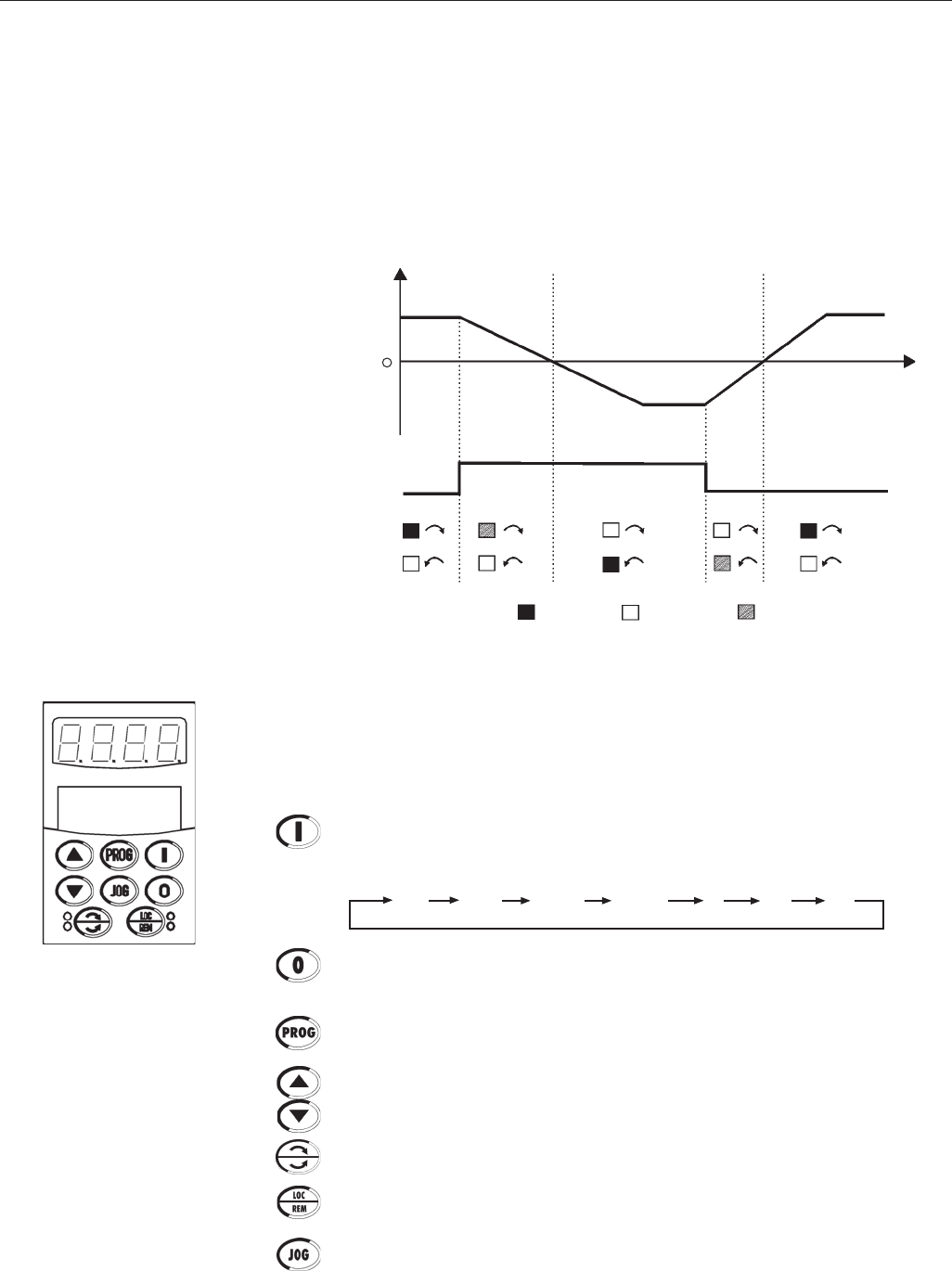
88
CHAPTER 4 - KEYPAD (HMI) OPERATION
Figure 4.2 - Direction of Rotation (FWD / REV) LED’s
LOCAL and REMOTE LED’s:
Inverter in Local Mode:
Green LED ON and Red LED OFF.
Inverter in Remote Mode:
Green LED OFF and Red LED ON.
Direction of Rotation (FWD/REV) LED’s:
Refer to Figure 4.2 below.
Basic Functions of the Keys:
The functions described below are valid for factory default programming and
Local Mode operation. The actual function of the keys may vary if parameters
P220 through P228 are re-programmed.
Starts the inverter via the acceleration ramp. After starting, the display
sequences through these units at each touch of the Start key in the order
shown here (see item 4.2.2 a):
Stops (disables) the inverter via the deceleration ramp. Also resets the inver-
ter after a fault has occurred.
Toggles the LED display between the parameter number and its value (Number/
Value).
Increases the speed, the parameter number or the parameter value.
Decreases the speed, the parameter number or the parameter value.
Reverses the direction of motor rotation between Forward/Reverse.
Toggles between the LOCAL and REMOTE modes of operation.
Performs the JOG function when pressed.
Any DIx programmed for General Enable must be closed (and the CFW-09
must be stopped) to enable JOG function.
rpm VoltsStatus Torque Hz A
%
Speed
ON OFF FLASHING
Forward
Forward Reverse
FWD / REV Command (Key or DI2)
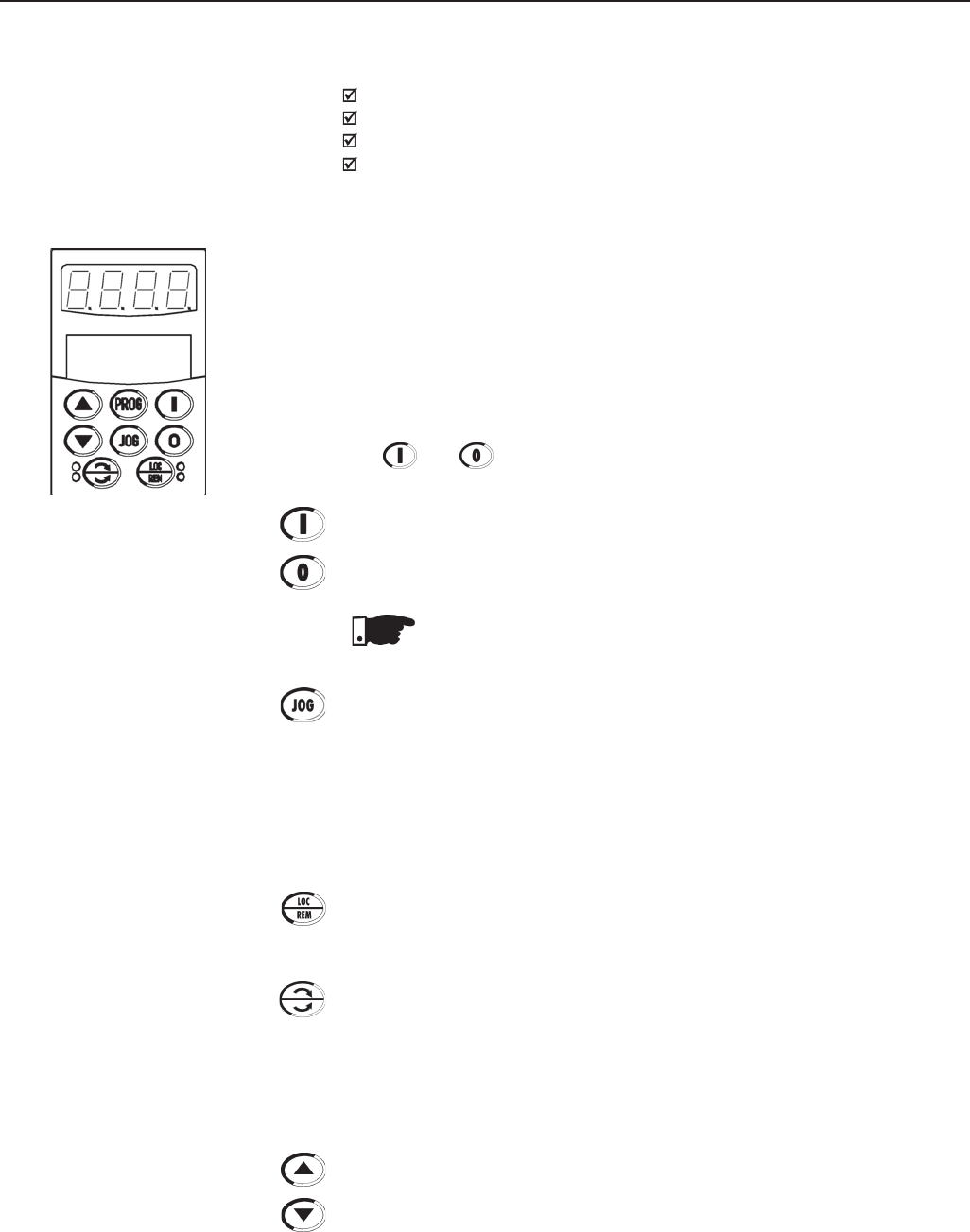
89
CHAPTER 4 - KEYPAD (HMI) OPERATION
4.2.1 Keypad Operation
4.2 USE OF THE KEYPAD
(HMI)
The keypad is used for programming and operating the CFW-09 allowing the
following functions:
Indication of the inverter status and operation variables;
Fault Indication and Diagnostics;
Viewing and programming parameters;
Operation.
All functions relating to the CFW-09 operation (Start, Stop, Motor Direction of
Rotation, JOG, Increment/Decrement of the Speed Reference and Selection of
Local Mode/Remote Mode) can be performed through the Keypad. This is valid
with the factory default programming of the inverter. All keypad keys are enabled
when the Local Mode has been selected. These same functions can be
performed in Remote Mode by means of digital and analog inputs.
Flexibility is provided through the ability to program the parameters that define
the input and output functions.
Keypad keys operation description:
Both and keys are enabled when P224 = 0 (I, O Key) for Local Mode
and/or P227 = 0 (I,O Key) for Remote Mode.
Starts the inverter via the Acceleration Ramp.
Stops the inverter via Deceleration Ramp.
NOTE!
It resets the inverter after a Fault Trip (always active).
When the Jog key is pressed, it accelerates the motor according to the
Acceleration Ramp up to the JOG speed programmed in P122 (default is 150
rpm). When released, the motor decelerates according to the Deceleration
Ramp and stops.
Enabled when P225 = 1 (Keypad) for Local Mode and/or P228 = 1 (Keypad) for
Remote Mode.
If a Digital Input is set to General Enable (P263 to P270 = 2) it has to be closed
to allow the JOG function.
Selects the control input and speed reference source, toggling between LO-
CAL Mode and REMOTE Mode.
Enabled when P220 = 2 (Keypad LOC) or 3 (Keypad REM).
Reverses the motor direction of rotation.
Enabled when P223 = 2 (Keypad FWD) or 3 (Keypad REV) for Local Mode
and/or P226 = 2 (Keypad FWD) or 3 (Keypad REV) for Remote Mode.
The keys described below are enabled when P221 = 0 (Keypad) for Local
Mode and/or P222 = 0 (Keypad) for Remote Mode. The parameter P121 contains
the speed reference set by the keypad.
When pressed it increases the speed reference.
When pressed it decreases the speed reference.
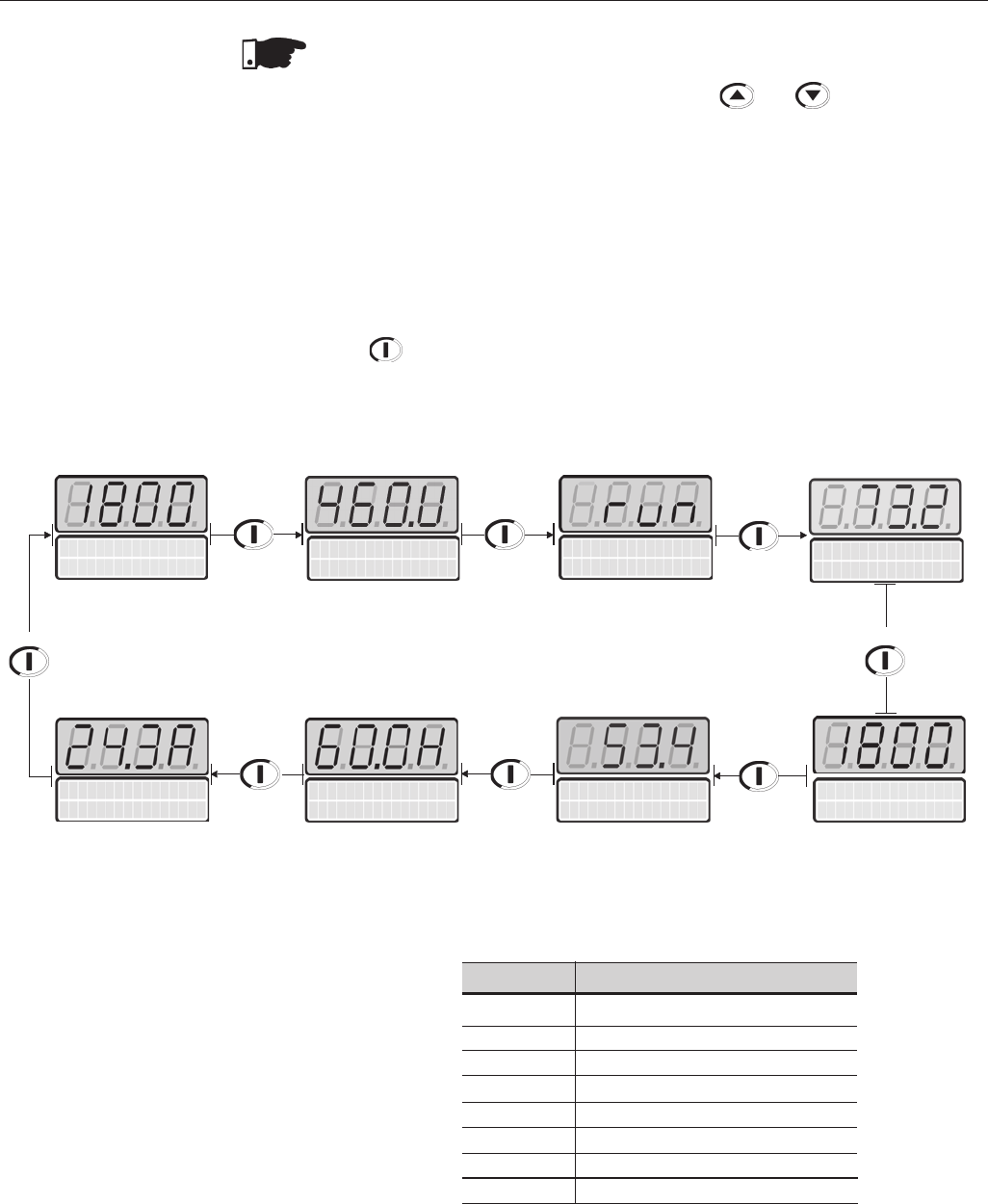
90
CHAPTER 4 - KEYPAD (HMI) OPERATION
4.2.2 “Read-Only” Variables
and Status
Parameters P002 to P099 are reserved for the display of “read-only” values. The
factory default display when power is applied to the inverter is P002. Motor speed
in rpm. The user can scroll through the various read-only parameters or use the
factory configured display of the key values. This is done by pressing the start
key .
a) Some selected “read-only” variables can be viewed following the
procedure below:
The “read-only” variable to be shown after AC power is applied to the inverter is
defined in Parameter P205:
P205 Initial Monitoring Parameter
0P005 (Motor Frequency)
1P003 (Motor Current)
2P002 (Motor Speed)
3P007 (Output Voltage)
4P006 (Inverter Status)
5P009 (Motor Torque)
6P070 (motor speed and motor current)
7P040 (PID process variable)
Table 4.1 - Choosing the initial monitoring parameter
NOTE!
Reference Backup
The last frequency Reference set by the keys and is stored when the
inverter is stopped or the AC power is removed, provided P120 = 1 (Reference
Backup active is the factory default). To change the frequency reference before
starting the inverter, the value of parameter P121 must be changed.
Output Voltage
P007=460V
VFD Status
P006=run
Motor Frequency
P005=60.0Hz
Motor Current
P003=24.3A
Process Valiable
P040=53.4%
(Only if P203=1)
Press Press Press
Motor Torque
P009=73.2%
Press
Press
Press
Press
Motor Speed
P002=1800r pm
Press
Current = 24.3A
P002=1800r pm
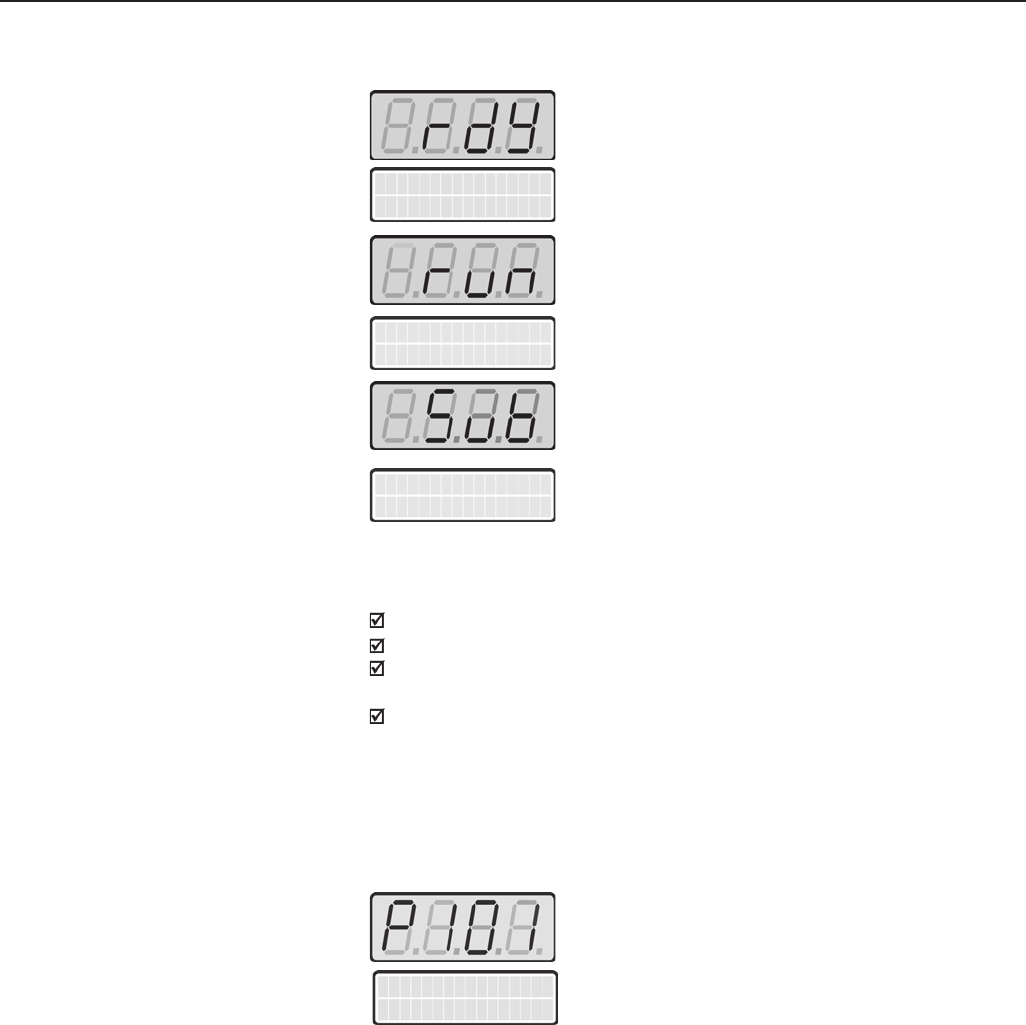
91
CHAPTER 4 - KEYPAD (HMI) OPERATION
VFD Status
P006=run
DC Link Under
Voltage
4.2.3 Parameter Viewing and
Programming
b) Inverter Status:
Inverter is READY to be started
(No Fault condition)
Inverter has been started
(Run condition)
Line voltage in too low for inverter operation
(Undervoltage condition)
c) LED display flashing:
The display flashes in the following conditions:
During the DC Injection braking;
Trying to change a parameter value when it is not allowed;
Inverter in a current overload condition (Refer to Chapter 7 - Diagnostics
and Troubleshooting);
Inverter in Fault condition (Refer to Chapter 7 - Diagnostics and
Troubleshooting).
All CFW-09 settings are made through the parameters. The parameters are
shown on the display with the letter P followed by a number.
Example (P101):
101 = Parameter Number
Decel. Time
P101=10.0s
VFD
ready
Each parameter is associated to a numerical value (parameter content), that
corresponds to an option selected among those options that are available for
this parameters.
The values of the parameters define the inverter programming or the value of
a variable (e.g. current, frequency, voltage). For inverter programming you
should change the parameter content(s).
To allow the reprogramming of any parameter value it is required to change
parameter P000 to the password value. The factory default password value is
5. Otherwise you can only read the parameter values and not reprogram them.
For more detail see P000 description in Chapter 6.
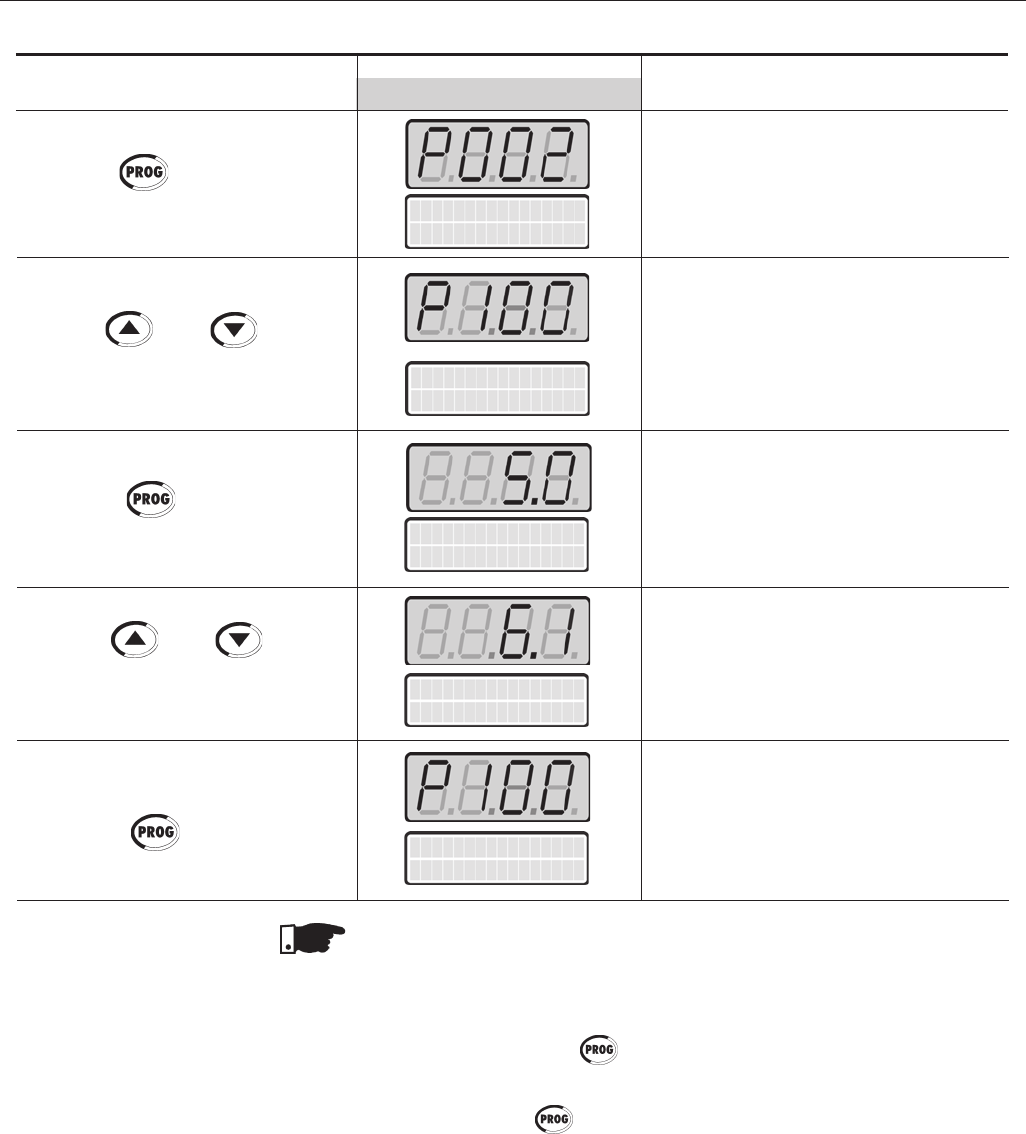
92
CHAPTER 4 - KEYPAD (HMI) OPERATION
ACTION LED DISPLAY Comments
LCD DISPLAY
Accel. Time
P100=5.0s
Motor Speed
P002=0 r pm
Press the key
Use the and keys to
reach P100
Press the key
Use the and keys to
set the new value
Press the key
Select the desired parameter
Numeric value associated to the
parameter (4)
Sets the new desired value.
(1) (4)
(1) (2) (3)
Accel. Time
P100=5.0s
Accel. Time
P100=6.1s
NOTES:
(1) For parameters that can be changed with the motor running, the inverter
will use the new value immediately after it has been set. For the parameters
that can be changed only with motor stopped, the inverter will use this new
set value only after the key is pressed.
(2) By pressing the key after the reprogramming, the new programmed
value will be stored automatically and will remain stored until a new value is
programmed.
(3) If the last value programmed in the parameter is not functionally compatible
with other parameter values already programmed, an E24 - Programming Error
- will be displayed.
Example of programming error:
Programming two digital inputs (DIx) with the same function. Refer to Table
4.2 for the list of programming errors that will generate an E24 Programming
Error.
Accel. Time
P100=6.1s

93
CHAPTER 4 - KEYPAD (HMI) OPERATION
Table 4.2 - Incompatibility between Parameters - E24
(4) To allow the reprogramming of any parameter value it is required to change
parameter P000 to the password value. The factory default password value is
5. Otherwise you can only read the parameter values and not reprogram them.
For more detail see P000 description in Chapter 6.
1) Two or more parameters between P264 or P265 or P266 or P267 or P268 or P269 and P270 equal to 1 (LOC/REM).
2) Two or more parameters between P265 or P266 or P267 or P268 or P269 and P270 equal to 6 (Ramp 2).
3) Two or more parameters between P265 or P266 or P267 or P268 or P269 and P270 equal to 9 (Speed/Torque).
4) P265 equal to 8 and P266 different than 8 or vice versa (FWD Run / REV Run).
5) P221 or P222 equal to 8 (Multispeed) and P266 ≠ 7 and P267 ≠ 7 and P268 ≠ 7.
6) [P221=7 or P222=7] and [(P265 ≠ 5 and P267 ≠ 5) or (P266 ≠ 5 and P268 ≠ 5)].
(with reference=EP and without DIx=increase EP or without DIx=decrease EP).
7) P264 and P266 equal to 8 (Reverse Run).
8) [P221 ≠ 7 and P222 ≠ 7] and [(P265=5 or P267=5 or P266=5 or P268=5)].
(without reference=EP and with DIx=increase EP or with DIx=decrease EP).
9) P265 or P267 or P269 equal to 14 and P266 and P268 and P270 different than 14 (with DIx=Start and DIx ≠ Stop).
10) P266 or P268 or P270 equal to 14 and P265 and P267 and P269 different than 14 (with DIx ≠ Start and DIx=Stop).
11) P220 > 1 and P224 = P227 = 1 without any DIx set for Start/Stop or DIx = Fast Stop or General Enable.
12) P220 = 0 and P224 = 1 and without DIx = Start/Stop or Fast Stop and without DIx = General Enable.
13) P220 = 1 and P227 = 1 and without DIx = Start/Stop or Fast Stop and without DIx = General Enable.
14) DIx = START and DIx = STOP, but P224 ≠ 1 and P227 ≠ 1.
15) Two or more parameters between P265 or P266 or P267 or P268 or P269 and P270 equal to 15 (MAN/AUT).
16) Two or more parameters between P265 or P266 or P267 or P268 or P269 and P270 equal to 17 (Disables
Flying-Start).
17) Two or more parameters between P265 or P266 or P267 or P268 or P269 and P270 equal to 18 (DC Voltage Regulator).
18) Two or more parameters between P265 or P266 or P267 or P268 or P269 and P270 equal to 19 (Parameter Setting Disable).
19) Two or more parameters between P265, P266, P267, P268 and P269 equal to 20 (Load user via DIx).
20) P296=8 and P295=4, 6, 39, 40, 41, 42, 43, 44, 45, 46, 47, 48, or 49 (P295 incompatible with inverter model – To avoid damages of
the internal inverter components).
21) P296=5, 6, 7 or 8 and P297=3 (P297 incompatible with inverter model).
22) Two or more parameters between P265 or P266 or P267 or P268 or P269 and P270 equal to 21 (Timer RL2).
23) Two or more parameters between P265 or P266 or P267 or P268 or P269 and P270 equal to 22 (Timer RL3).
24) P265 or P266 or P267 or P268 or P269 or P270=21 and P279 ≠ 28.
25) P265 or P266 or P267 or P268 or P269 or P270=22 and P280 ≠ 28.
26) P279=28 and P265 or P266 or P267 or P268 or P269 or P270 ≠ 21.
27) P280=28 and P265 or P266 or P267 or P268 or P269 or P270 ≠ 22.
28) P202 ≤ 2 and P237=1 or P241=1 or P265 to P270=JOG+ or P265 to P270=JOG-.
29) P203=1 and P211=1 and [P224=0 or P227=0]
30) P220=0 and P224=1 and P227=0 or P227=1 and P263=0
31) P220=1 and P224=0 or P224=1 and P227=1 and P263=0
32) P220=2 and P224=0 or P224=1and P227=0 or P227=1 and P263=0
E24 - Incompatibility between parameters
94
This Chapter provides the following information:
How to check and prepare the inverter before power-up;
How to power-up and check for proper operation;
How to operate the inverter.
The inverter shall be installed according to chapter 3: Installation.
DANGER!
Disconnect the AC input power before making any connections. Even when the
drive project is different from the suggested connections, the following
recommendations are applicable.
1) Check all connections
Check if the power, grounding and control connections are correct and
well tightened.
2) Clean the inside of the inverter
Remove all shipping material from the inside of the inverter or cabinet.
3) Check if the selected inverter AC power is correct (refer to section 3.2.3)
4) Check the motor
Check all motor connections and verify if its voltage, current and frequency
match the inverter specifications.
NOTES!
Operation in VT mode
When the motor data is set properly during the first power-up routine,
the drive automatically sets the additional parameters used for the
correct operation under this control mode.
5) Uncouple the load from the motor
If the motor cannot be uncoupled, make sure that the direction of rotation
(FWD/REV) cannot cause damage to the machine.
6) Close the inverter cover or cabinet doors
After the inverter has been checked, AC power can be applied:
1) Check the supply voltage
Measure the line voltage and check if it is within the specified range
(refer to section 9.1).
2) Power-up the AC input
Close the input circuit breaker or disconnect switch.
3) Check if the power-up has been successful
When the inverter is powered up for the first time or when the factory
default parameter values are loaded (P204 = 5), a start-up sub-routine
is run. This sub-routine requests the user to program some basic
parameters to ensure proper operation and motor protection.
A start-up programming example is shown below:
CHAPTER 5
START-UP
5.1 PRE-POWER
CHECKS
5.2 INITIAL
POWER-UP
Inverter
Line: CFW-09
Rated Current: 9 A
Rated Voltage: 380V to 480 V
Model: CFW090009T3848ESZ
Cooling: Self-ventilated
Motor
WEG IP55
Power: 5 HP
rpm: 1730, 4 POLE
Rated Current: 7.9 A
Rated Voltage: 460 V
Frequency: 60 Hz
Cooling: Self-ventilated
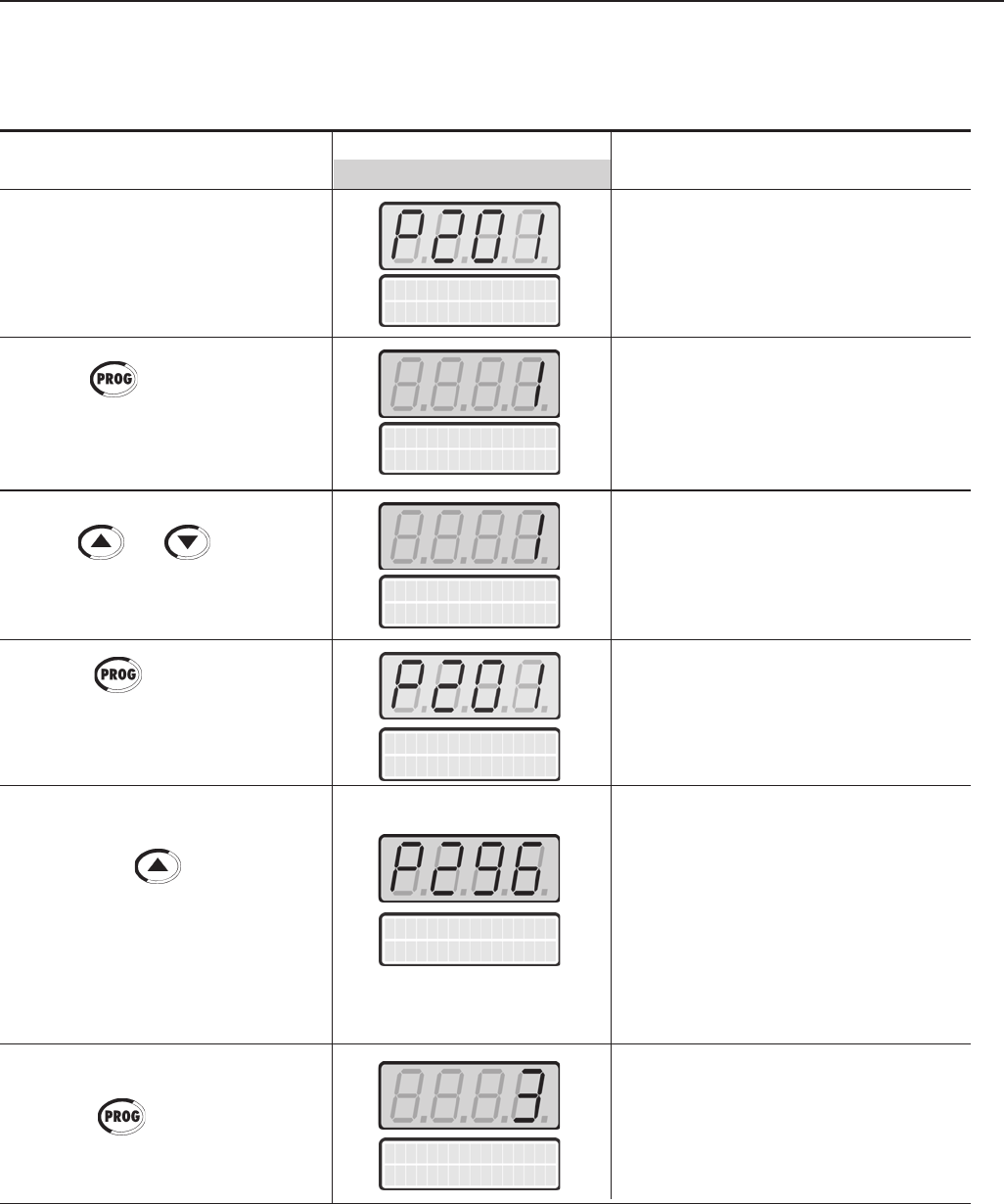
95
CHAPTER 5 - START-UP
ORIENTED START-UP
Initial Power-up - Programming via Keypad (HMI) (Based on the example above):
language
P20 1 = English
ACTION LED DISPLAY DESCRIPTION
LCD DISPLAY
Language Selection:
After power-up, the display shows 0=Português
the following message 1=English
2=Español
3=German
Press the key to enter the
programming mode Enter the programming mode
User the and keys to Selected Language:
select the language 1 = English
Press the key to save the
selected option and exit the Exit the programming mode.
programming mode
Inverter Rated Voltage Selection:
0=220V/230V
1=380V
Press the key to go to the 2=400V/415V
next parameter 3=440V/460V
4=480V
5=500V/525V
6=550/575V
7=600V
8=660V/690V
Press the key to enter the Enter the programming mode
programming mode
language
P20 1 = English
language
P20 1 = English
language
P20 1 = English
VFD Rated Volt.
P296 = 440 / 460V
VFD Rated Volt.
P296 = 440 / 460V
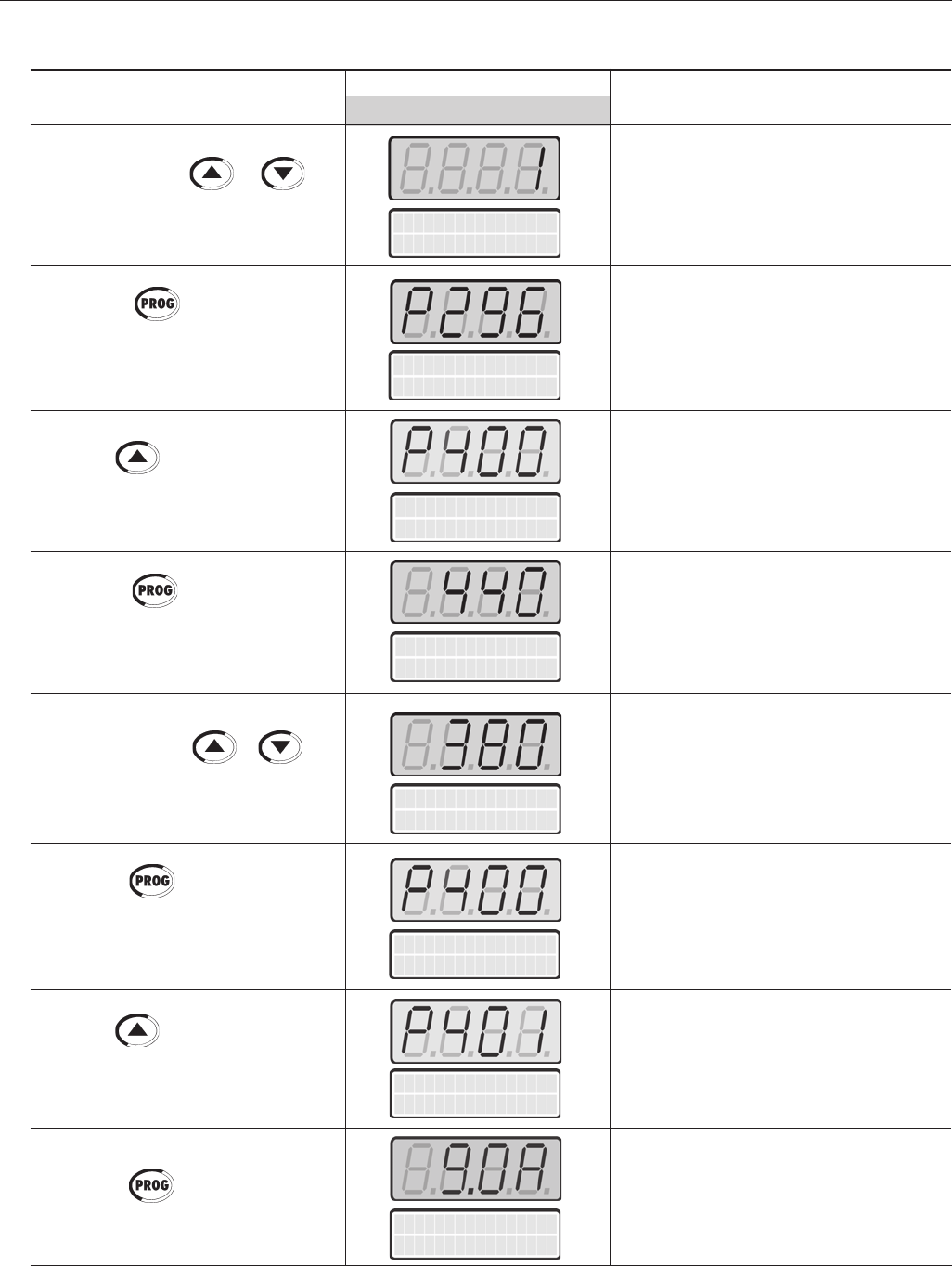
96
CHAPTER 5 - START-UP
Selected Inverter Rated Voltage:
1 = 380V
Exit the programming mode.
Motor Rated Voltage:
0 to 690V
Enter the programming mode
Programmed Motor Rated Voltage:
380V
Exit the programming mode.
Motor Rated Current Range:
(0.0 to 1.30) x P295(1)
Enter the programming mode
Press the key to save the
selected option and exit the
programming mode
Press the key to go to the next
parameter.
Press the key to enter the
programming mode
Use the and keys to set
the correct motor rated voltage value
Press the key to save the
programmed value and exit the
programming mode
Press the key to go to the next
parameter
Press the key to enter the
programming mode.
Motor Rated Volt
P400=440V
Motor Rated Cur.
P401=9.0A
Use the and keys to
select the inverter power supply voltage.
VFD Rated Volt.
P296 = 380V
VFD Rated Volt.
P296 = 380V
Motor Rated Volt
P400=440V
Motor Rated Volt
P400=380V
Motor Rated Volt
P400=380V
Motor Rated Cur.
P401=9.0A
ACTION LED DISPLAY DESCRIPTION
LCD DISPLAY
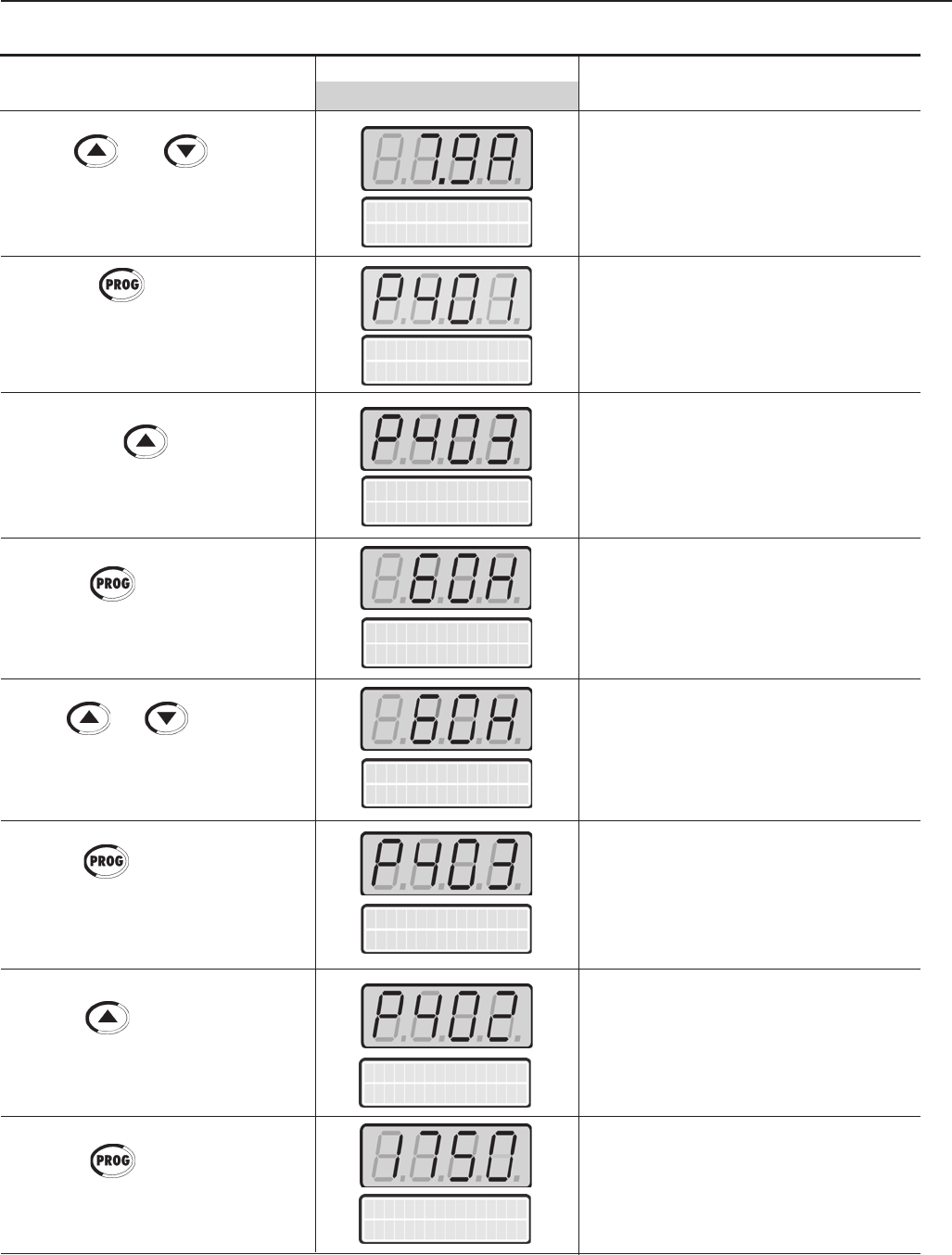
97
CHAPTER 5 - START-UP
ACTION LED DISPLAY DESCRIPTION
LCD DISPLAY
Motor Rated rpm
P402=1750rpm
Use the and keys to set
the correct motor rated current value
Press the key to save the
programmed value and exit the
programming mode
Press the key to go to the next
parameter
Press the key to enter the
programming mode
Use the and keys to set the
correct motor rated frequency value
Press the key to save the
programmed value and exit the
programming mode
Press the key to go to the next
parameter
Press the key to enter the
programming mode
Programmed Motor Rated Current:
7.9 A
Exit the programming mode.
Motor Rated Frequency Range:
0 to 300Hz
Enter the programming mode
Programmed Motor Rated Frequency:
60 Hz
Exit the programming mode.
Motor Rated rpm Range:
0 to 18000 rpm
Enter the programming mode
Motor Rated Freq
P403=060Hz
Motor Rated Cur.
P401=7.9A
Motor Rated Cur.
P401=7.9A
Motor Rated Freq
P403=060Hz
Motor Rated Freq
P403=060Hz
Motor Rated Freq
P403=060Hz
Motor Rated rpm
P402=1750rpm
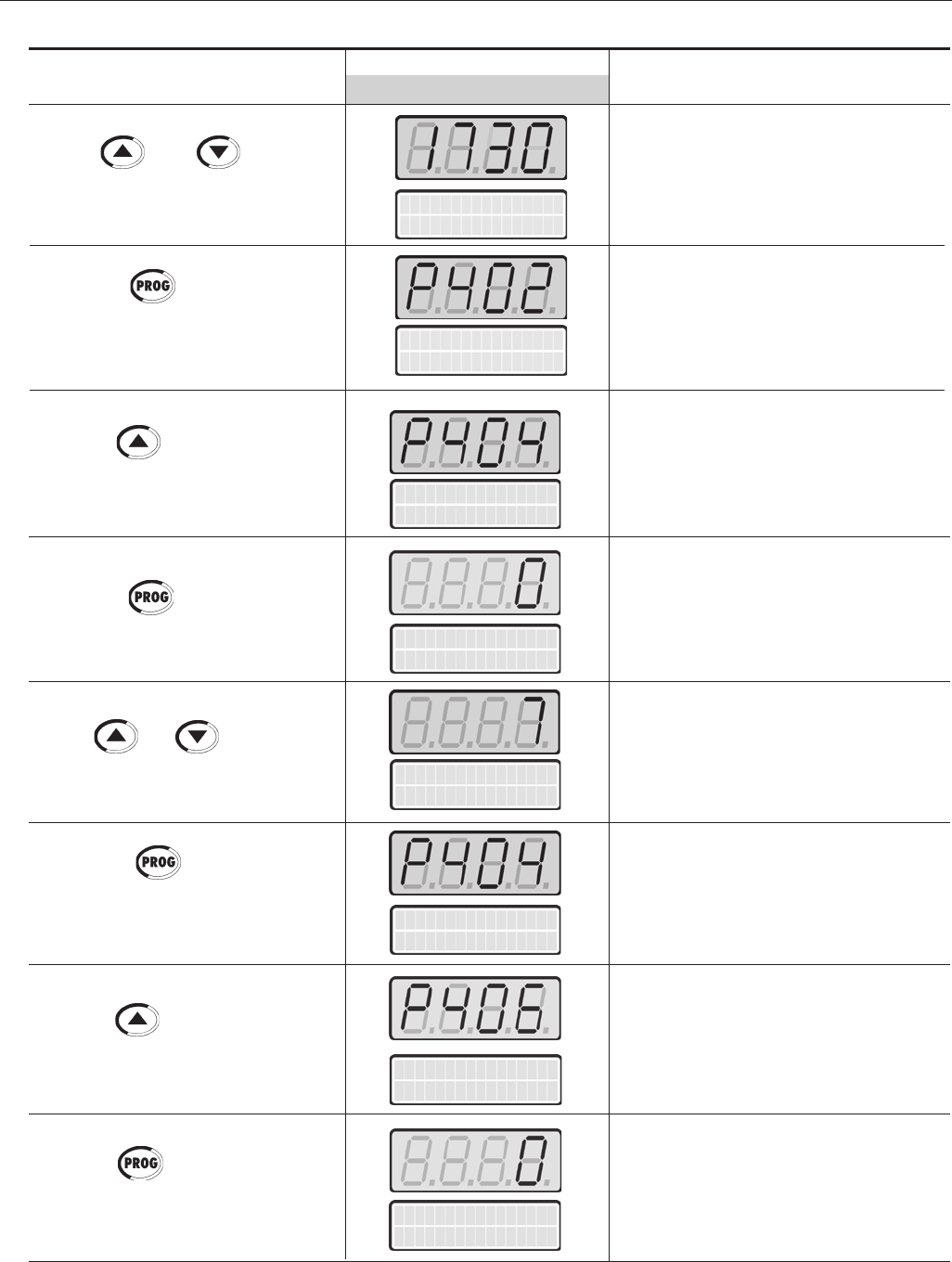
98
CHAPTER 5 - START-UP
ACTION LED DISPLAY DESCRIPTION
LCD DISPLAY
Motor Rated HP
P404=0.33HP
Use the and keys to set
the correct motor rated rpm value
Press the key to save the
programmed value and exit the
programming mode
Press the key to go to the next
parameter
Press the key to enter the
programming mode
Use the and keys to select
the motor rated power
Press the key to save the
selected option and exit the
programming mode.
Press the key to go to the next
parameter
Press the key to enter the
programming mode
Programmed Motor Rated rpm:
1730 rpm
Exit the programming mode.
Motor Rated HP Range:
1 to 1600.0 HP
1 to 1190.0 kW
Enter the programming mode
Selected Motor Rated Power:
5.0 HP/3.7 kW
Exit the programming mode.
Motor Ventilation Type Selection:
0=Self Ventilated
1=Separate Ventilation
3=Increased Protection
Enter the programming mode
Motor Rated rpm
P402=1730rpm
Motor Rated HP
P404=0.33HP
Motor Rated HP
P404=5.0HP
Motor Rated HP
P404=5.0HP
Motor Rated rpm
P402=1730rpm
Ventilation Type
P406=Self Vent.
Ventilation Type
P406=Self Vent.
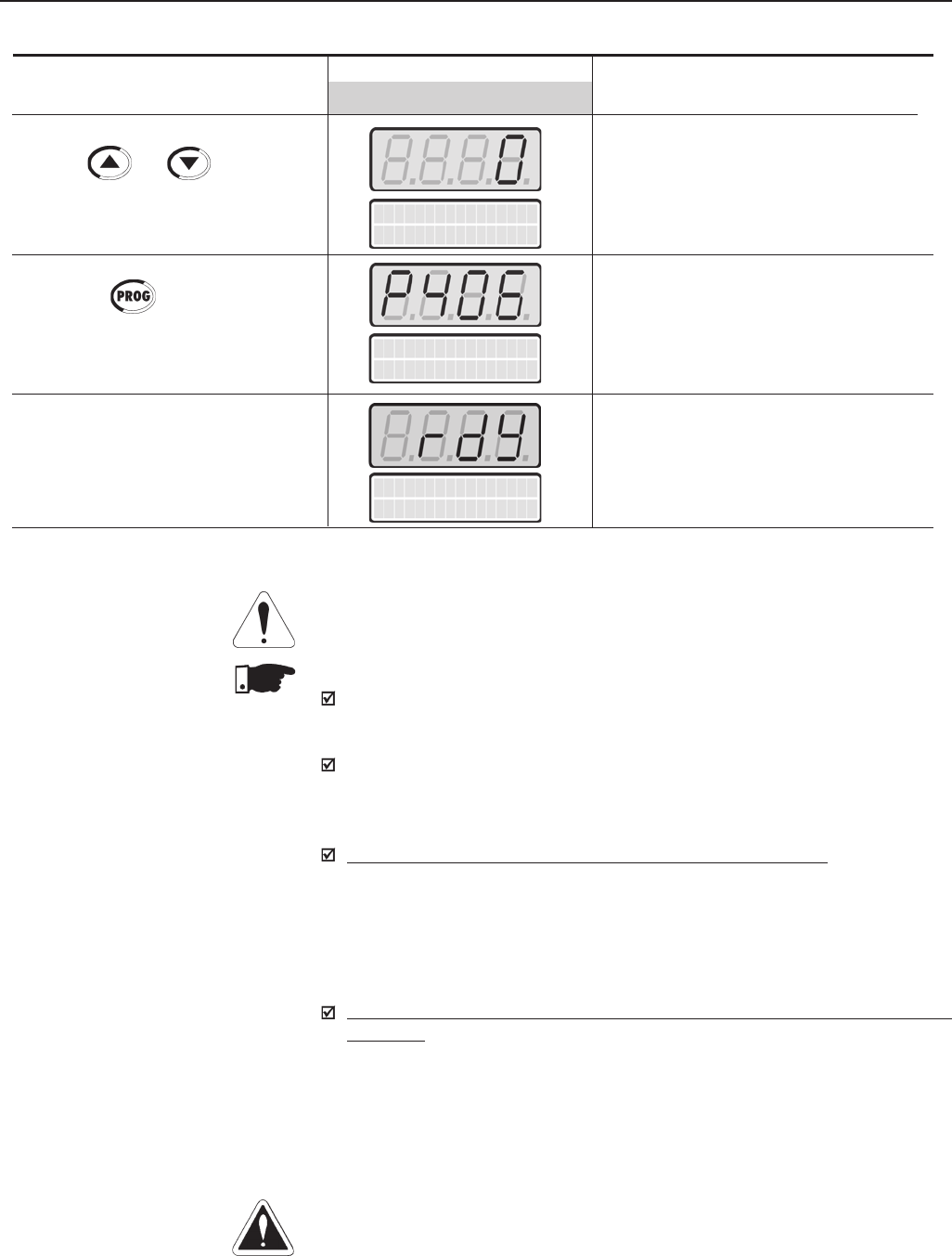
99
CHAPTER 5 - START-UP
ATTENTION!
Open the input circuit breaker or disconnect switch to shut down the CFW-09.
NOTES!
To repeat the initial power-up procedure:
Set the parameter P204 = 5 or 6 (this loads the factory default parameters)
and follow the initial power-up sub-routine again;
The initial power-up sub-routine described above automatically sets some
parameters according to the entered data. For more details, refer to Chapter
6.
Modification of motor characteristics after the first power up:
a) Insert the motor data at parameters P400 to P407;
b) For operation in the vector mode run the self-tuning routine (P408 > 0);
c) Set P156, P157, P158, P169, P170, P171, and P172;
d) Power the drive down and up for the new settings to take place and for
the proper motor operation.
Modification of motor characteristics after the first power up, for operation in
VT mode:
Follow the previous procedures and also set parameter P297 to 2.5 kHz.
5.3 START-UP This Section describes the start-up procedure when operating via the Keypad (HMI).
Four types of control will be considered:V/F 60Hz, Sensorless Vector, Vector
with Encoder Feedback and VVW (Voltage Vector Weg).
DANGER!
Even after the AC input is disconnected, high voltages may still be present.
Wait at least 10 minutes after powering down to allow a full discharge of the
capacitors.
VFD
ready
Selected Motor Ventilation Type:
0 = Self Ventilated
Exit the programming mode.
The first power-up routine is finished.
Inverter is ready to operate.
Use the and keys to select
the motor ventilation type
Press the key to save the
selected option and exit the
programming mode
Refer to Section 5.3
ACTION LED DISPLAY DESCRIPTION
LCD DISPLAY
Ventilation Type
P406=Self Vent.
Ventilation Type
P406=Self Vent.
Note: (1) P401 maximum value is 1.8xP295 for model 4.2A/500-600V and 1.6xP295 for models 7A and 54A/220-230V; 2.9A and
7A/500-600V; 107A, 147A and 247A/500-690V; 100A, 127A and 340A/660-690V.
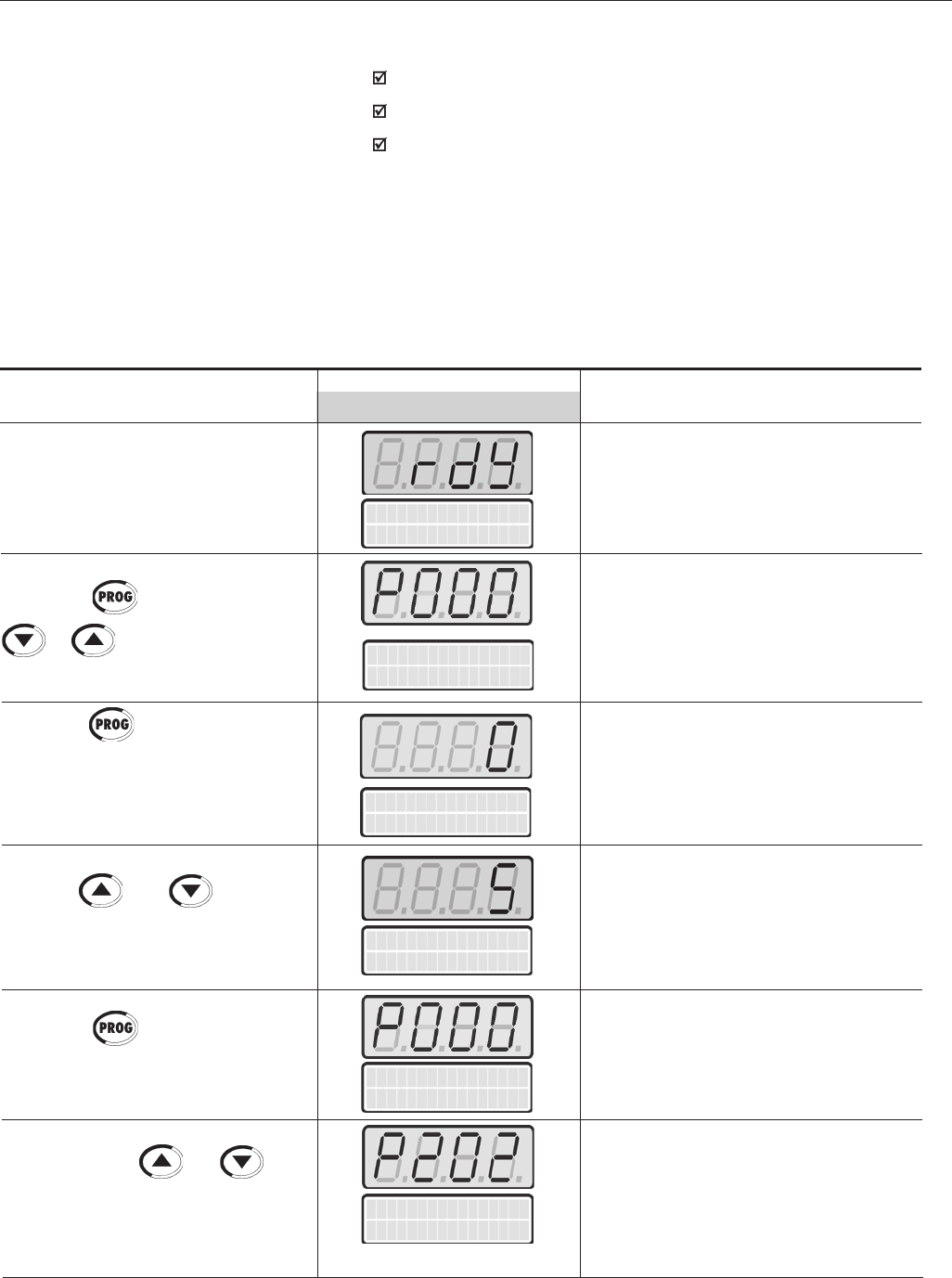
100
CHAPTER 5 - START-UP
ACTION LED DISPLAY DESCRIPTION
LCD DISPLAY
Power-up the inverter
Press the key. Press the keys
or until P000 is reached
Press the key to enter the
programming mode
Use the and keys to set
the password value
Press the key to save the
programmed value and exit the
programming mode
Press the keys or until
P202 is reached
Inverter is ready to be operated.
Enables the access to change parameters
content.
With the factory default programming
[P200 = 1 (Password Active)], P000 must
be set to 5 to allow parameters changes
Enter the programming mode
Password value (factory default = 5)
Exit the programming mode.
Type of Control Selection:
0=V/F 60Hz
1=V/F 50Hz
2=V/F Adjustable
3=Sensorless Vector
4=Vector with Encoder
5=VVW
VFD
ready
Parameter Access
P000 = 0 -
Parameter Access
P000 = 0 -
Type of control
P202 = V/F 60 Hz
Parameter Access
P000 = 5 -
Parameter Access
P000 = 5 -
The V/F or Scalar control is recommended in the following cases:
Several motors driven by the same inverter;
Motor rated current lower than 1/3 of the inverter rated current;
For test purposes, without a motor connected to the inverter.
The V/F control can also be used in applications that do not require fast
dynamic responses, accurate speed regulation or high starting torque
(speed error will be a function of the motor slip).
When parameter P138 (Rated Slip) is programmed, speed accuracy of
1% can be obtained.
The sequence below is valid for the Connection 1 (refer to section 3.2.7).
The inverter must be already installed and powered up according to chapter 3
and section 5.2.
5.3.1 Type of Control: V/F 60Hz -
Operation Via Keypad (HMI)
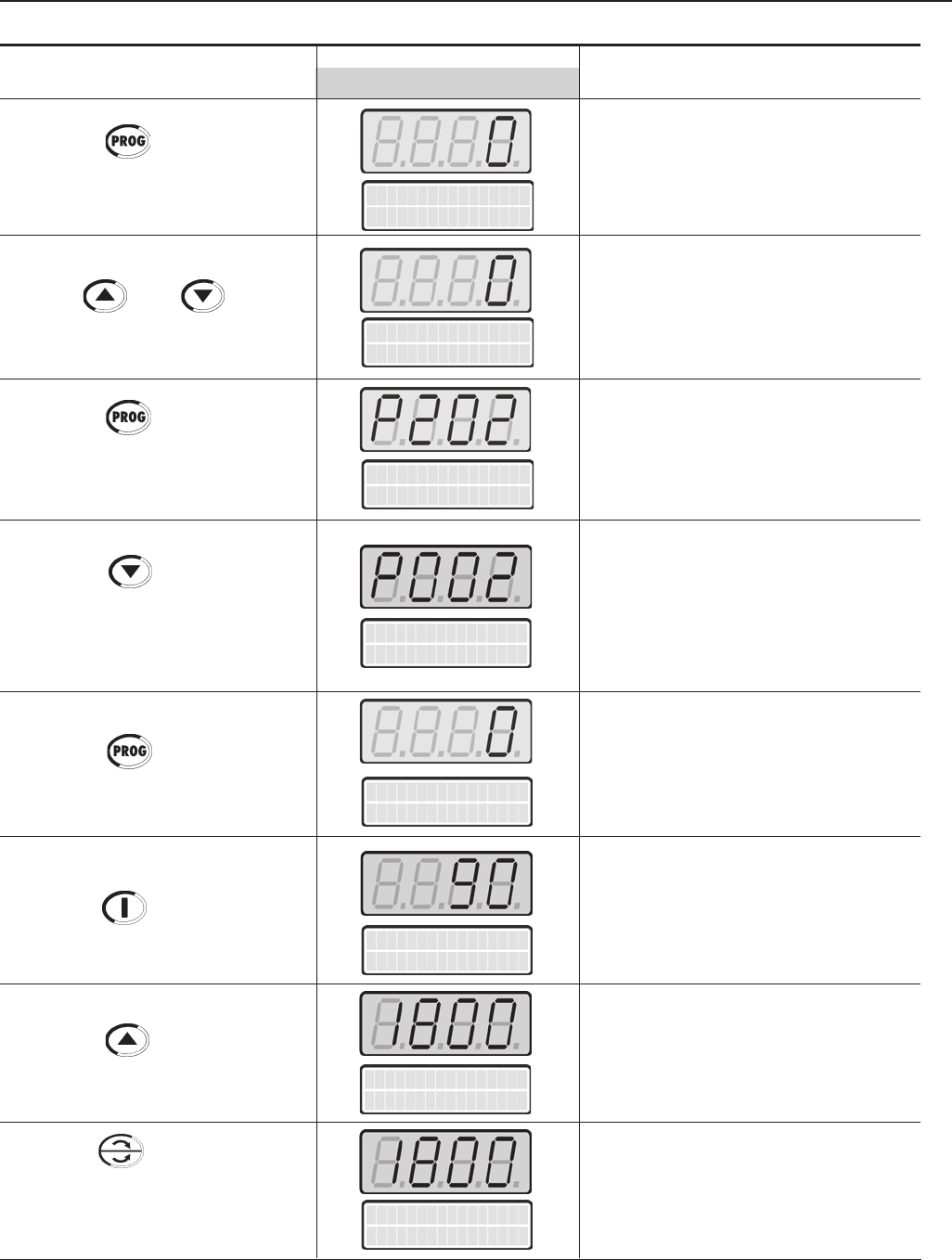
101
CHAPTER 5 - START-UP
Motor Speed
P002 = 0 r pm
Press the key to enter the
programming mode
Use the and keys to
select the type of control
Press the key to save the
selected option and exit the
programming mode
Press the keys or until
P002 is reached
Enter the programming mode
If the option V/F 60Hz (value=0) is
already programmed, ignore this
action
Exit the programming mode.
Motor Speed (rpm)
Type of control
P202 = V/F 60 Hz
Type of control
P202 = V/F 60 Hz
Type of control
P202 = V/F 60 Hz
ACTION LED DISPLAY DESCRIPTION
LCD DISPLAY
This is a read-only parameter
Motor accelerates from 0 to 90rpm*
(Minimum Speed), in the Forward (CW)
direction of rotation (1)
* for 4 pole motors
Motor accelerates up to 1800rpm* (2)
* for 4 pole motors
Motor decelerates (3) down to 0 rpm
and then reverses the direction of
rotation accelerating back up to
1800rpm
Press the key
Press the Start key
Press the key and hold until
1800 rpm is reached
Press the FWD / REV key.
Obs: The LED’s on the keypad show
whether the motor is running FWD
or REV.
Motor Speed
P002 = 0 r pm
Motor Speed
P002 = 90 r pm
Motor Speed
P002 = 1800 r pm
Motor Speed
P002 = 1800 r pm
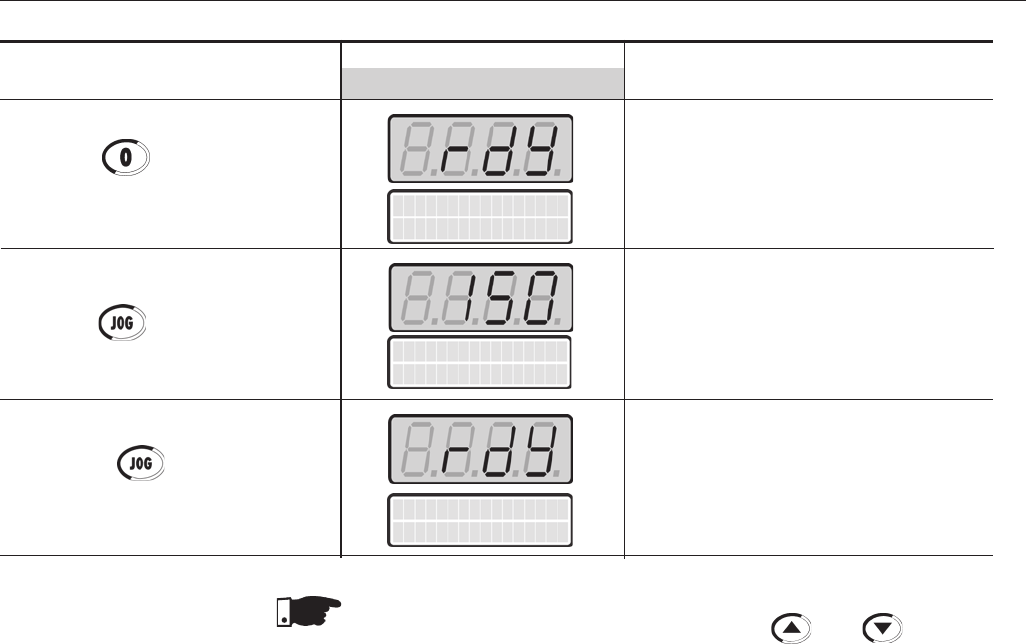
102
CHAPTER 5 - START-UP
ACTION LED DISPLAY DESCRIPTION
LCD DISPLAY
Press the Stop key
Press the key and hold it
Release the key
Motor decelerates down to 0 rpm
Motor accelerates from 0 rpm up to
the JOG speed set at P122.
Ex.: P122 = 150 rpm
CCW direction of rotation
Motor decelerates down to 0 rpm
VFD
ready
Motor Speed
P002 = 150 r pm
VFD
ready
NOTE!
The last frequency reference value set via the and keys is saved
If you wish to change this value before enabling the inverter, change parameter
P121 (Keypad Reference).
OBSERVATIONS:
(1) If the rotation direction of the motor is not correct, switch off the inverter.
Wait 10 minutes to allow a complete discharge of the capacitors and then
swap any two wires at the motor output.
(2) If the acceleration current becomes too high, specially at low frequencies
(<15Hz), adjust the Torque Boost at P136.
Increase/decrease the content of P136 gradually until you obtain an
operation with constant current over the entire frequency range.
Refer to P136 in Chapter 6.
(3) If E01 fault occurs during deceleration, increase the deceleration time at
P101 / P103.
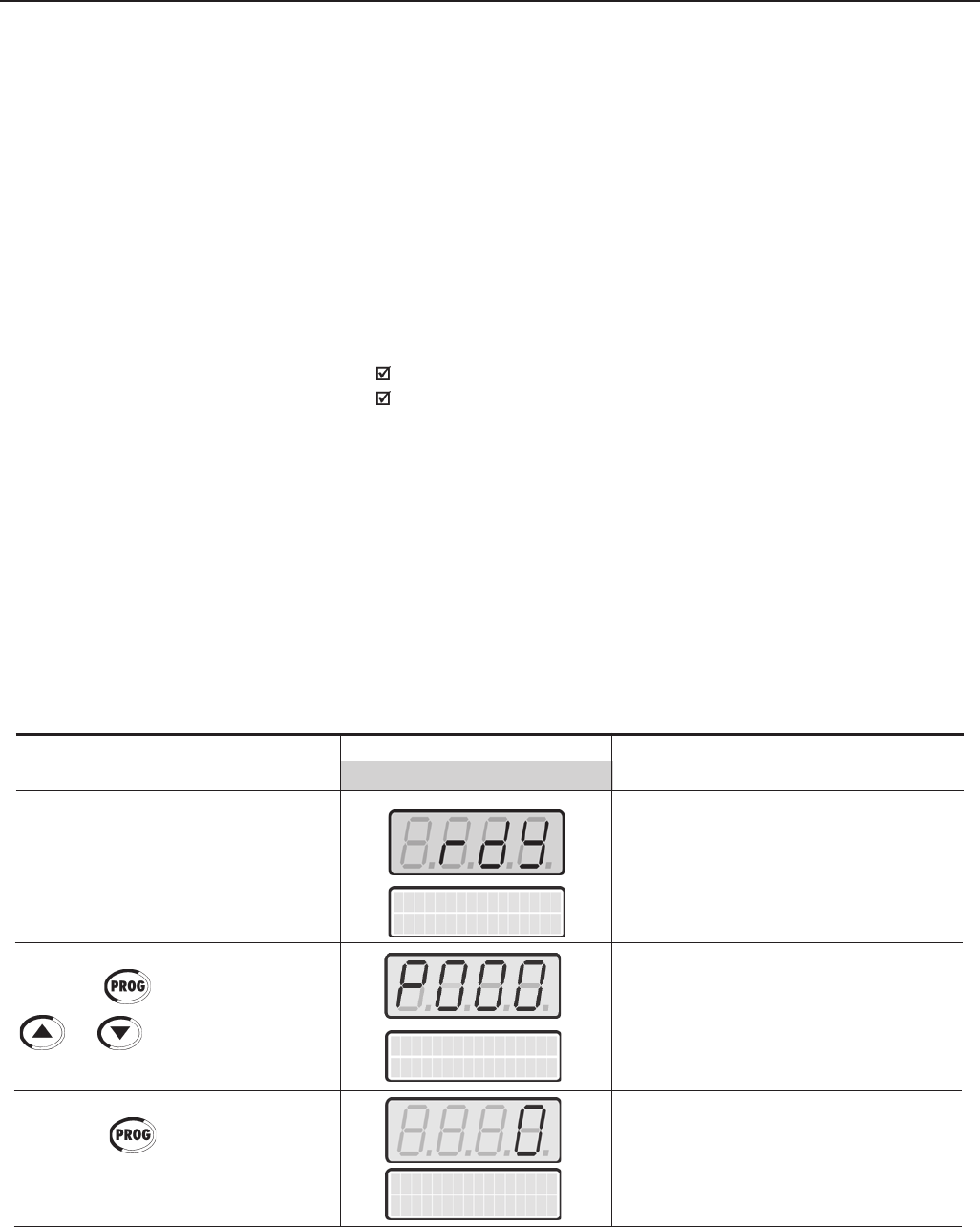
103
CHAPTER 5 - START-UP
5.3.2 Type of Control: Sensorless
or Vector with Encoder
(Operation Via Keypad
(HMI))
ACTION LED DISPLAY DESCRIPTION
LCD DISPLAY
Power-up the inverter Inverter is ready to be enabled
VFD
ready
Enables the access to change
parameters content.
With the factory default programming
[P200 = 1 (Password Active)], P000
must be set to 5 to allow parameters
changes
Enter the programming mode
Press the key. Press the keys
or until P000 is
reached
Press the key to enter the
programming mode
Parameter Acess
P000 = 0 -
Parameter Acess
P000 = 0 -
For the majority of the applications, the Sensorless Vector control is
recommended. This mode permits an operation over a 100:1 speed range,
a speed control accuracy of 0.5 % (Refer to P412 - Chapter 6), high torque
and fast dynamic response.
Another advantage of this type of control is a higher immunity to sudden
AC input voltage variation and load changes, thus avoiding nuisance tripping
due to overcurrent.
The adjustments necessary for a good sensorless control operation are
made automatically.
The Vector Control with Encoder Feedback offers the same advantages
as the Sensorless Control described above, with the following additional
benefits:
Torque and speed control down to zero speed (rpm);
Accuracy of 0.01 % in the speed control
The closed loop vector control with encoder requires the use of the optional
board EBA or EBB for encoder connection - Refer to Chapter 8.
OPTIMAL BRAKING:
This setting allows controlled motor braking within shortest possible
times without using other means, such as DC Link chopper with braking
resistor (for more details about this function refer to P151 – Chapter 6).
The inverter is supplied with this function set at maximum. This means
that the braking is disabled. To enable the braking, set P151 according
to Table 6.7.
The sequence below is based on the example in Section 5.2.
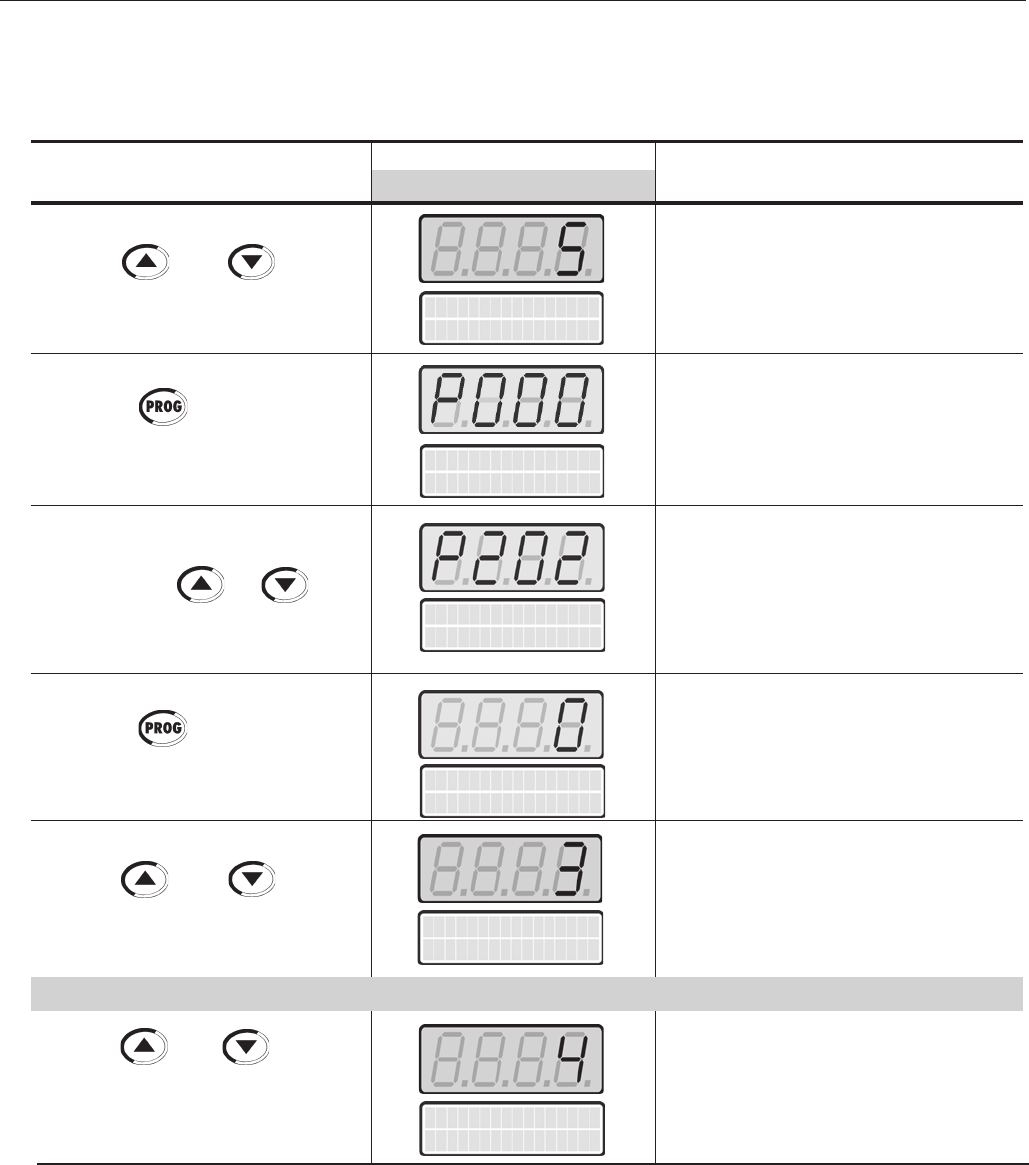
104
CHAPTER 5 - START-UP
Type of control
P202=Sensorless
OR
Type of control
P202 = Encoder
ACTION LED DISPLAY DESCRIPTION
LCD DISPLAY
Use the and keys to
select the type of control
(Sensorless)
Use the and keys to
select the type of control (with
Encoder)
Selected Type of Control:
3 = Sensorless Vector
Selected Type of Control:
4 = Vector with Encoder
Password value (factory default = 5)
Exit the programming mode.
Type of Control Selection:
0=V/F 60Hz
1=V/F 50Hz
2=V/F Adjustable
3=Sensorless Vector
4=Vector with Encoder
5=VVW
Enter the programming mode
Use the and keys to
set the password value
Press the key to save the
programmed value and exit the
programming mode
Press the keys or until
P202 is reached
Press the key to enter the
programming mode
Parameter Acess
P000 = 5 -
Parameter Acess
P000 = 5 -
Type of control
P202 = V/F 60 Hz
Type of control
P202 = V/F 60 Hz
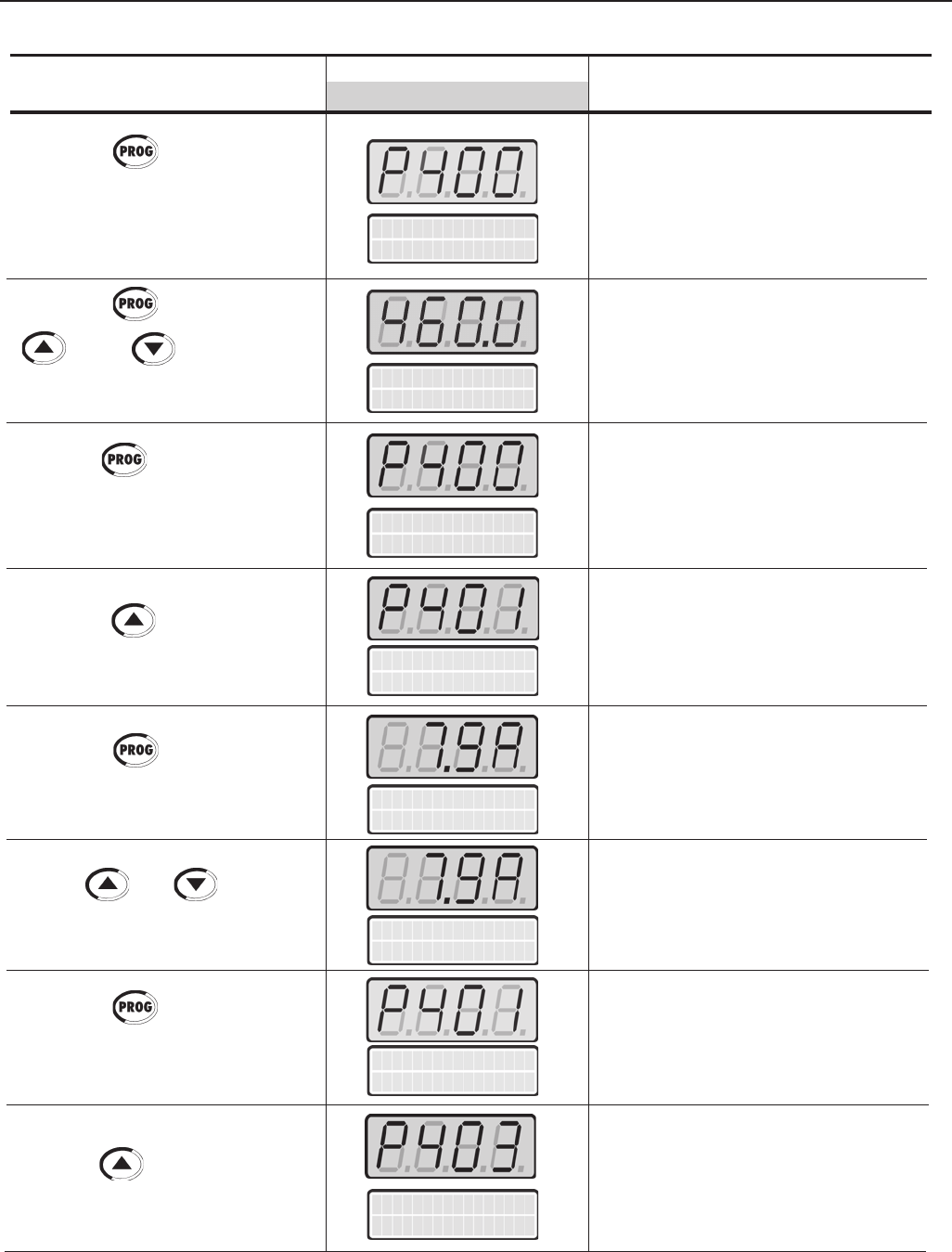
105
CHAPTER 5 - START-UP
ACTION LED DISPLAY DESCRIPTION
LCD DISPLAY
Motor Rated Volt
P400 = 380V
Motor Rated Voltage Range:
0 to 690V
Programmed Motor Rated Voltage:
460V
Exit the programming mode.
Motor Rated Current Range:
(0.0 to 1.30) x P295(1)
Enter the programming mode
Programmed Motor Rated Current:
7.9 A
Exit the programming mode.
Motor Rated Frequency Range:
0 to 300Hz
Press the key to save the
selected option and start the tuning
routine after changing to Vector
Control mode
Press the key and use the
and keys to set the
correct motor rated voltage value
Press the key to save the
programmed value and exit the
programming mode
Press the key to go to the
next parameter
Press the key to enter the
programming mode
Use the and keys to set
the correct motor rated current value
Press the key to save the
programmed value and exit the
programming mode
Press the key to go to the
next parameter
Motor Rated Volt
P400 = 460V
Motor Rated Volt
P400 = 460V
Motor Rated Cur.
P401=7.9A
Motor Rated Cur.
P401=7.9A
Motor Rated Cur.
P401=7.9A
Motor Rated Cur.
P401=7.9A
Motor Rated Freq
P403=060Hz
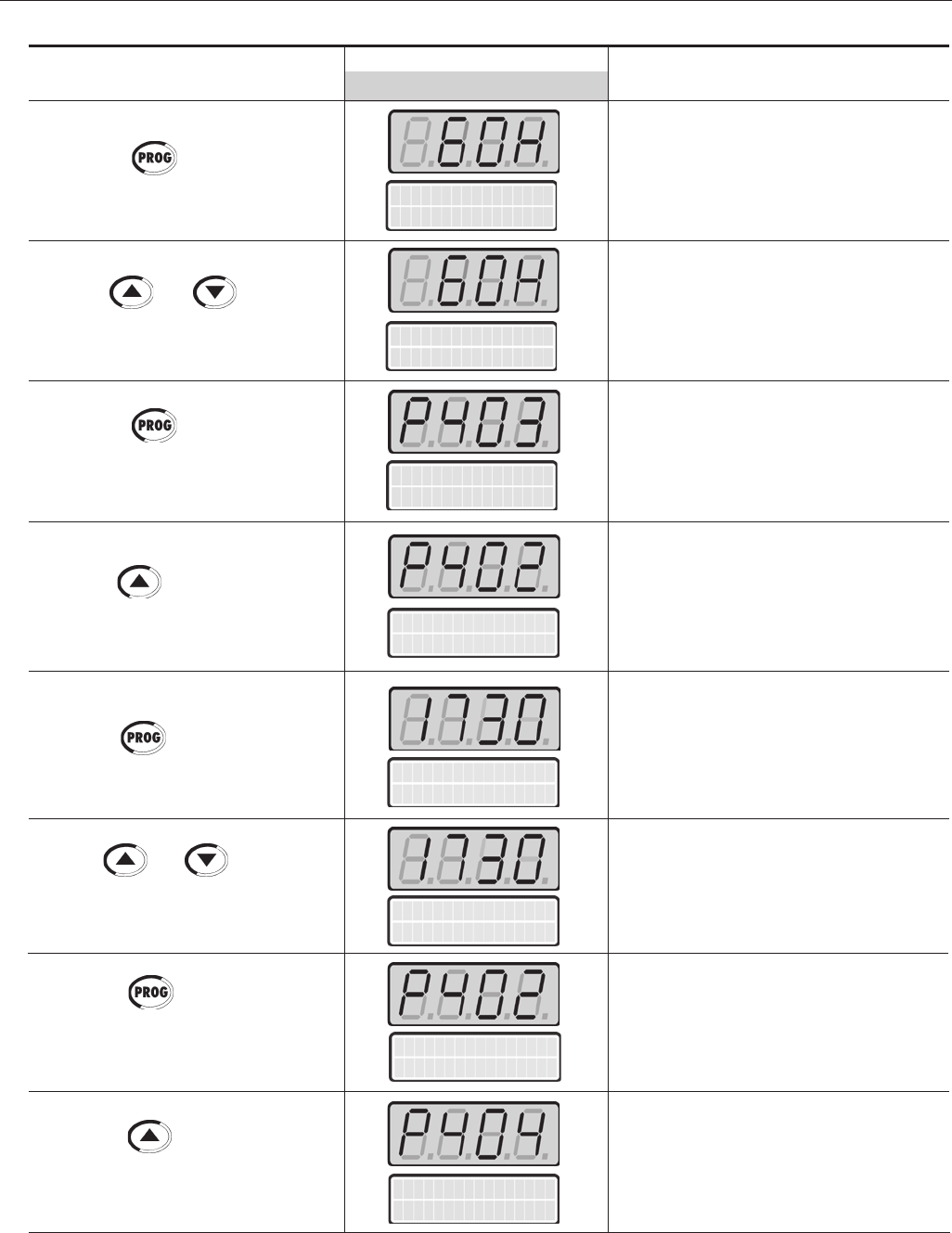
106
CHAPTER 5 - START-UP
ACTION LED DISPLAY DESCRIPTION
LCD DISPLAY
Press the key to enter the
programming mode
Use the and keys to set
the correct motor rated frequency
value
Press the key to save the
programmed value and exit the
programming mode
Press the key to go to the next
parameter
Press the key to enter the
programming mode
Use the and keys to set
the correct motor rated rpm value
Press the key to save the
programmed value and exit the
programming mode
Press the key to go to the
next parameter
Enter the programming mode
Programmed Motor Rated
Frequency: 60 Hz
Exit the programming mode.
Motor Rated rpm Range:
0 to 18000 rpm
Enter the programming mode
Programmed Motor Rated rpm:
1730 rpm
Exit the programming mode.
Motor Rated HP Range:
1 to 1600.0 HP
1 to 1190.0 kW
Motor Rated Freq
P403=060Hz
Motor Rated Freq
P403=060Hz
Motor Rated Freq
P403=060Hz
Motor Rated rpm
P402=1730rpm
Motor Rated rpm
P402=1730rpm
Motor Rated rpm
P402=1730rpm
Motor Rated rpm
P402=1730rpm
Motor Rated HP
P404=5.0HP
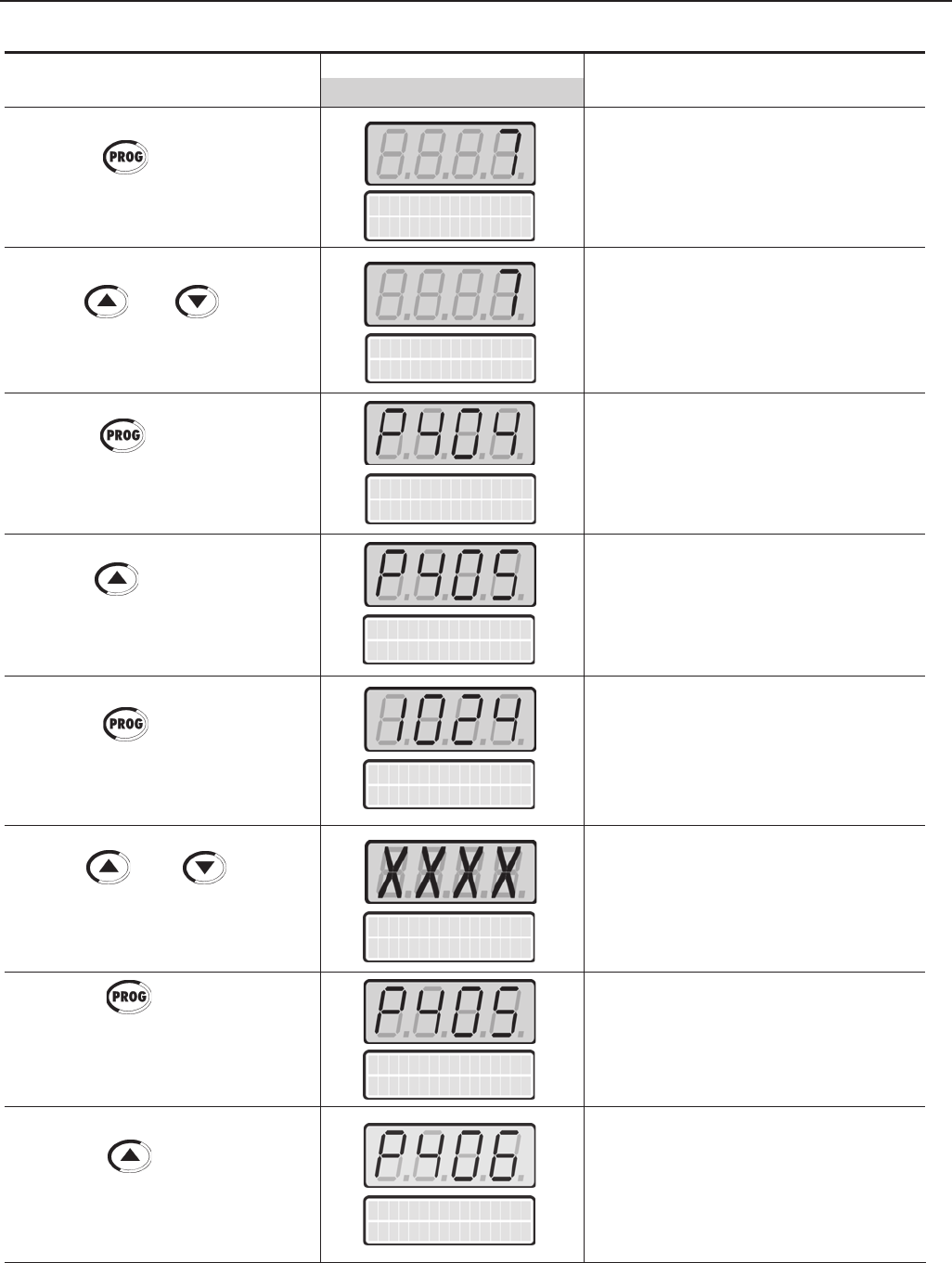
107
CHAPTER 5 - START-UP
ACTION LED DISPLAY DESCRIPTION
LCD DISPLAY
Encoder PPR
P405 = 1024 PPR
Press the key to enter the
programming mode
Use the and keys to
select the motor rated power
Press the key to save the
selected option and exit the
programming mode
Press the key to go to the
next parameter
Press the key to enter the
programming mode.
(Vector with Encoder only)
Use the and keys to
set the correct encoder PPR value.
(Vector with Encoder only)
Press the key to save the
programmed value and exit the
programming mode.
(Vector with Encoder only)
Press the key to go to the
next parameter
Enter the programming mode
Selected Motor Rated Power:
7=5.0 HP/3.7 kW
Exit the programming mode.
Encoder Pulses per Rotation (PPR)
Range:
0 to 9999
Enter the programming mode
Programmed Encoder PPR:
XXXX
Exit the programming mode.
Motor Ventilation Type Selection:
0=Self Ventilated
1=Separate Ventilation
2=Optional Flux
(only for P202=3)
3=Increased Protection
Motor Rated HP
P404=5.0HP
Motor Rated HP
P404=5.0HP
Motor Rated HP
P404=5.0HP
Encoder PPR
P405 = 1024 PPR
Encoder PPR
P405 = XXXX PPR
Encoder PPR
P405 = XXXX PPR
Ventilation Type
P406=Self Vent.
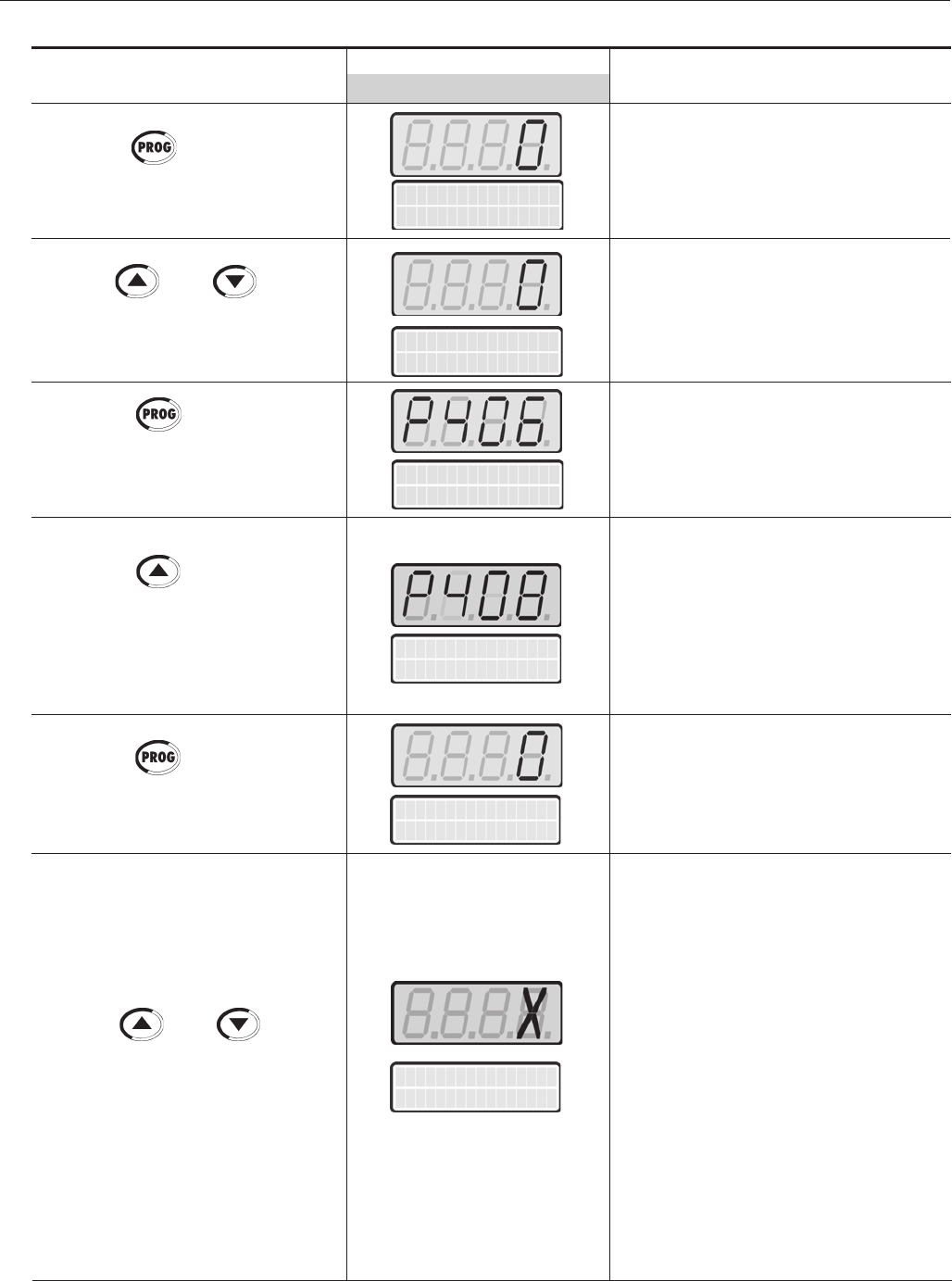
108
CHAPTER 5 - START-UP
ACTION LED DISPLAY DESCRIPTION
LCD DISPLAY
Selected Motor Ventilation Type:
0 = Self Ventilated
Exit the programming mode.
Self-tuning Mode Selection:
0=No
1=No Rotation
2=Run for Im
3=Run for TM (only with Encoder)
4=Estimate TM (only with Encoder)
Enter the programming mode
Sensorless:
Only select option 2 (Run for Im ) if no
load is coupled to the motor shaft.
Otherwise , select option 1 (No Rotation).
With Encoder:
In addition to the options above, it is also
possible to estimate the TM
(Mechanical Time Constant) value.
With the load coupled to the motor shaft,
select 3 (Run for TM ). The motor will
only run when TM is estimated. All other
parameters are estimated with the mo-
tor at standstill. If only TM estimation is
desired, select option 4 (Estimate TM)
(Refer to P408 in Chapter 6)
Run Self Tuning
P408 = No
Use the and keys to
select the motor ventilation type
Press the key to save the
selected option and exit the
programming mode
Press the key to go to the
next parameter
Note: Display shows during 3s:
P409 to P413=0
Run Self-tuning
Press the key to enter the
programming mode
Use the and keys to
select the desired Self-tuning mode
Enter the programming mode
Press the key to enter the
programming mode
Run Self Tuning
P408 = No
Run Self Tuning
P408 = No
Ventilation Type
P406=Self Vent.
Ventilation Type
P406=Self Vent.
Ventilation Type
P406=Self Vent.
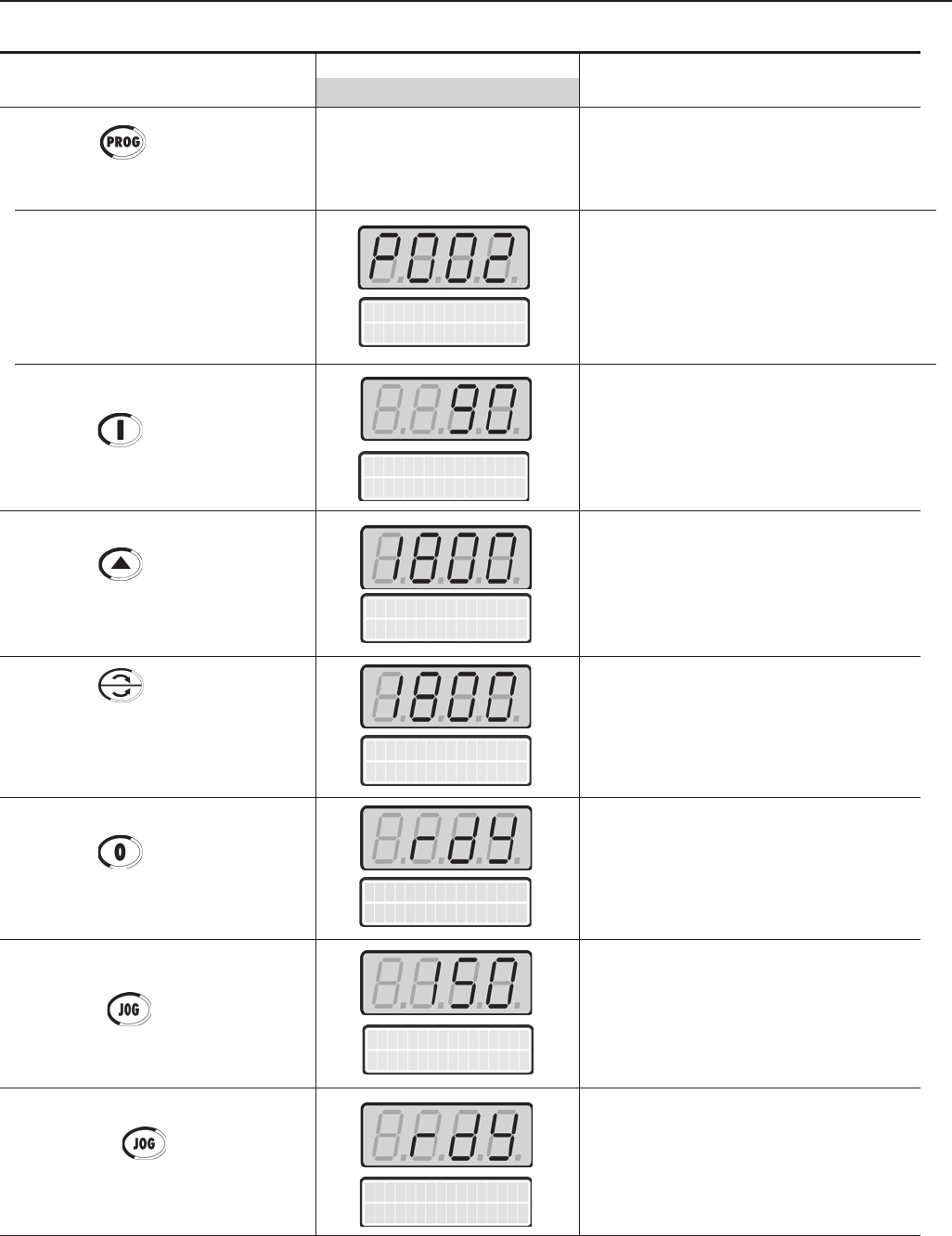
109
CHAPTER 5 - START-UP
ACTION LED DISPLAY DESCRIPTION
LCD DISPLAY
Motor accelerates from 0 to 90 rpm*
(Minimum Speed), in the Forward (CW)
direction of rotation (2)
* for 4 pole motors
Motor accelerates up to 1800 rpm* (3)
* for 4 pole motors
Motor decelerates (4) down to 0 rpm
and then reverses the direction of
rotation accelerating back up to
1800rpm
Motor decelerates down to 0 rpm
Motor accelerates from 0 rpm up to
the speed set at P122
Ex.: P122 = 150 rpm
CCW direction of rotation
Motor decelerates down to 0 rpm
Press the Start key
Press the key and hold until
1800 rpm is reached
Press the FWD / REV key
Obs: The LED’s on the keypad
show whether the motor is running
FWD or REV
Press the Stop key
Press the key and hold it
Release the key
Motor Speed
P002 = XXXX r pm
Self-tuning routine in progress
Motor Speed (rpm)
Messages and values of the
estimated parameters are
shown
Press the key to start the
self-tuning routine
End of the Self-tuning routine.
Inverter is back to normal operation
Motor Speed
P002= 90r pm
Motor Speed
P002= 1800r pm
Motor Speed
P002= 1800r pm
Motor Speed
P002= 150r pm
VFD
ready
VFD
ready
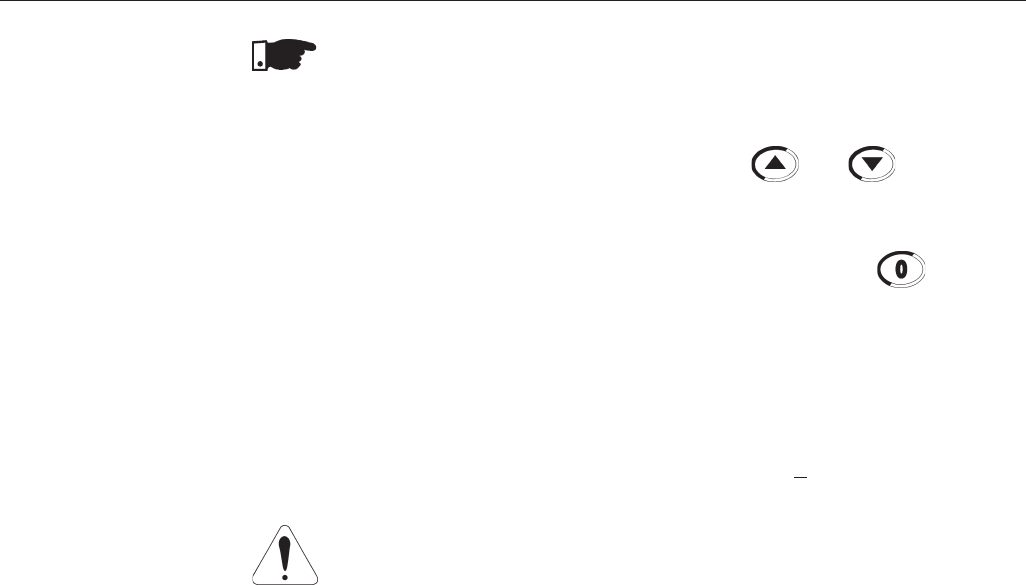
110
CHAPTER 5 - START-UP
NOTES!
(1) P401 maximum value is 1.8xP295 for model 4.2A/500-600V and 1.6xP295
for models 7A and 54A/220-230V; 2.9A and 7A/500-600V; 107A, 147A and
247A/500-690V; 100A, 127A and 340A/660-690V.
(2) The last speed reference value set via the and keys is saved.
If you wish to change this value before enabling the inverter, change parameter
P121 (Keypad Reference).
(3) The self-tuning routine can be cancelled by pressing the key.
(4) If E01 fault occurs during deceleration, you must increase deceleration time
at P101 / P103.
OBSERVATION:
If the rotation direction of the motor is not correct, switch off the inverter. Wait 10
minutes to allow a complete discharge of the capacitors and swap any two wires
at the motor output. If motor is equipped with an encoder, change the phase of
the encoder connections ( exchange channel A and A).
ATTENTION!
In Vector mode (P202=3 or 4), when the command STOP (START/STOP) is
enabled - see Figure 6.37, the motor will decelerate up to zero speed, but it
maintains the magnetization current (no-load current). This maintains the motor
with rated flux and when the next START command is given, it will achieve a
quick response.
For self-ventilated motors with no-load current higher than 1/3 of the rated current
(generally small motors lower than 10 HP), it is recommended that the motor
does not stay in this condition (magnetization current) for a long time, since it
may overheat. In these cases, we recommend to deactivate the command “Ge-
neral Enable” (when the motor has stopped), thus decreasing the motor current
to zero when stopped.
Another way to disable magnetization current with the motor stopped is to program
P211 to 1 (zero speed disable is ON) for both vector modes and, for vector with
encoder, still another option is to program P181 to 1 (Magnetization mode). If
magnetization current is disabled with the motor stopped, there will be a delay at
start while the flux builds up.
The VVW (Voltage Vector WEG) control mode follows the same philosophy of
the V/F control. The VVW control allows a reasonable improvement of the steady-
state drive performance: it results in a better speed regulation and in a higher
torque capability at low speeds (frequencies lower than 5Hz).
As a result, the frequency (speed) range of the system is increased with respect
to the V/F control. Other advantages of this control are the simplicity and ease of
setting.
The VVW control uses the stator current measurement, the stator resistance
(that can be obtained from the self-tuning routine) and the motor nameplate data
to automatically estimate the torque value, the output compensation voltage value
and, consequently, the slip compensation value, which substitute the function of
parameters P137 and P138.
In order to get a good steady-state speed regulation, the slip frequency is
calculated from the estimated load torque value (which uses the motor nameplate
data).
The following sequence is valid for Connection #1 (refer to item 3.2.7). The drive
should have been already installed and powered up according to instructions in
Chapter 3 and item 5.2.
5.3.3 Type of Control:
VVW - Keypad
Operation
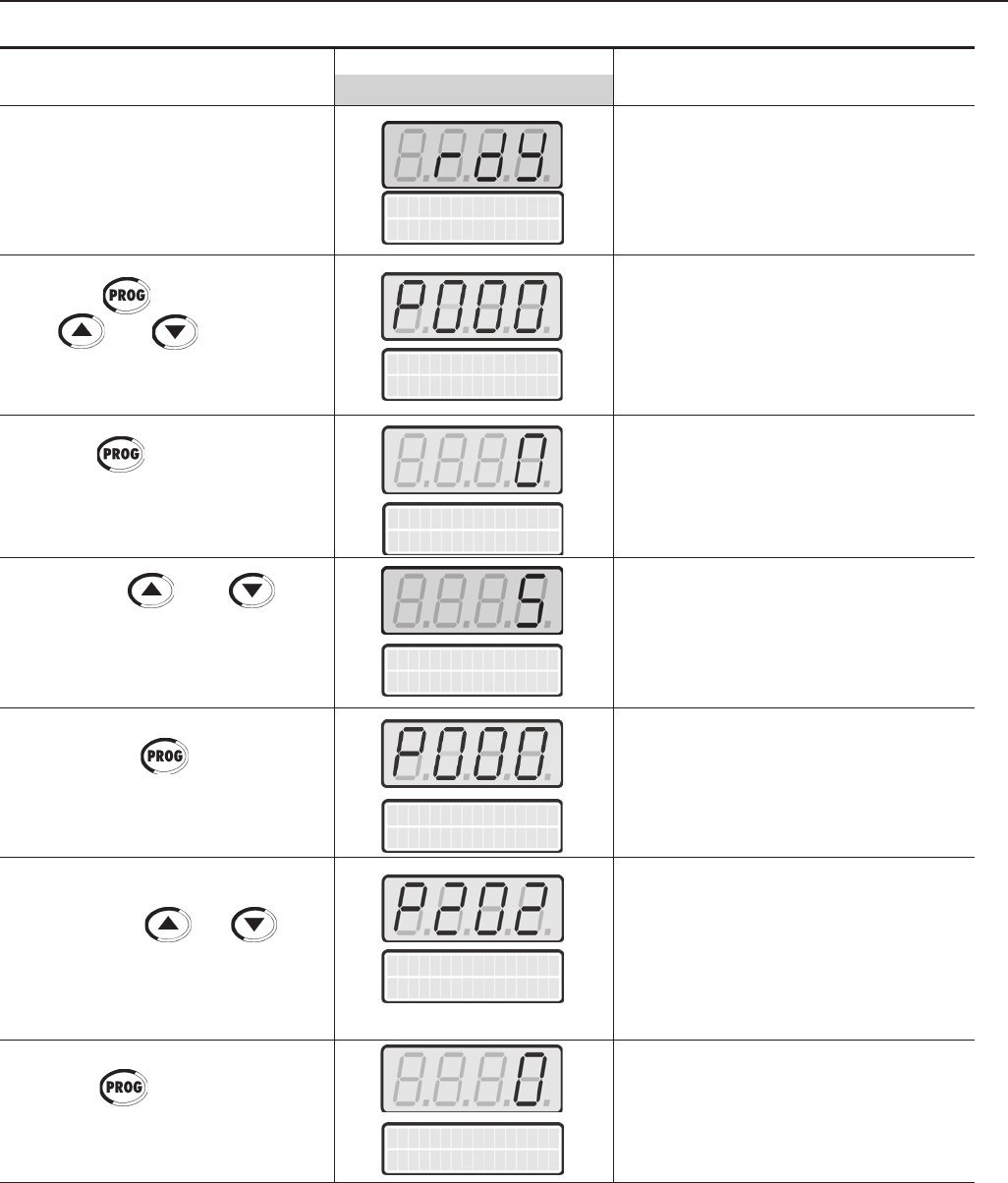
111
CHAPTER 5 - START-UP
ACTION LED DISPLAYDESCRIPTION
LCD DISPLAY
Inverter is ready to be operated.
Enables the access to change
parameters content. With the factory
default programming [P200=1
(Password Active)], P000 must be set
to 5 to allow parameters changes.
Enter the programming mode
Password value (factory default = 5)
Exit the programming mode.
Type of Control Selection:
0=V/F 60Hz
1=V/F 50Hz
2=V/F Adjustable
3=Sensorless Vector
4=Vector with Encoder
5=VVW
Enter the programming mode
VFD
ready
Parameter Access
P000 = 5 -
Type of control
P202 = V/F 60 Hz
Parameter Access
P000 = 5 -
Type of control
P202 = V/F 60 Hz
Parameter Access
P000 = 0 -
Parameter Access
P000 = 0 -
Power-up the inverter
Press the key. Press the
keys or until P000 is
reached.
Press the key to enter the
programming mode
Use the keys and
to set the password value
Press the key to save the
programmed value and exit the
programming mode
Press the keys or until
P202 is reached.
Press the key to enter the
programming mode
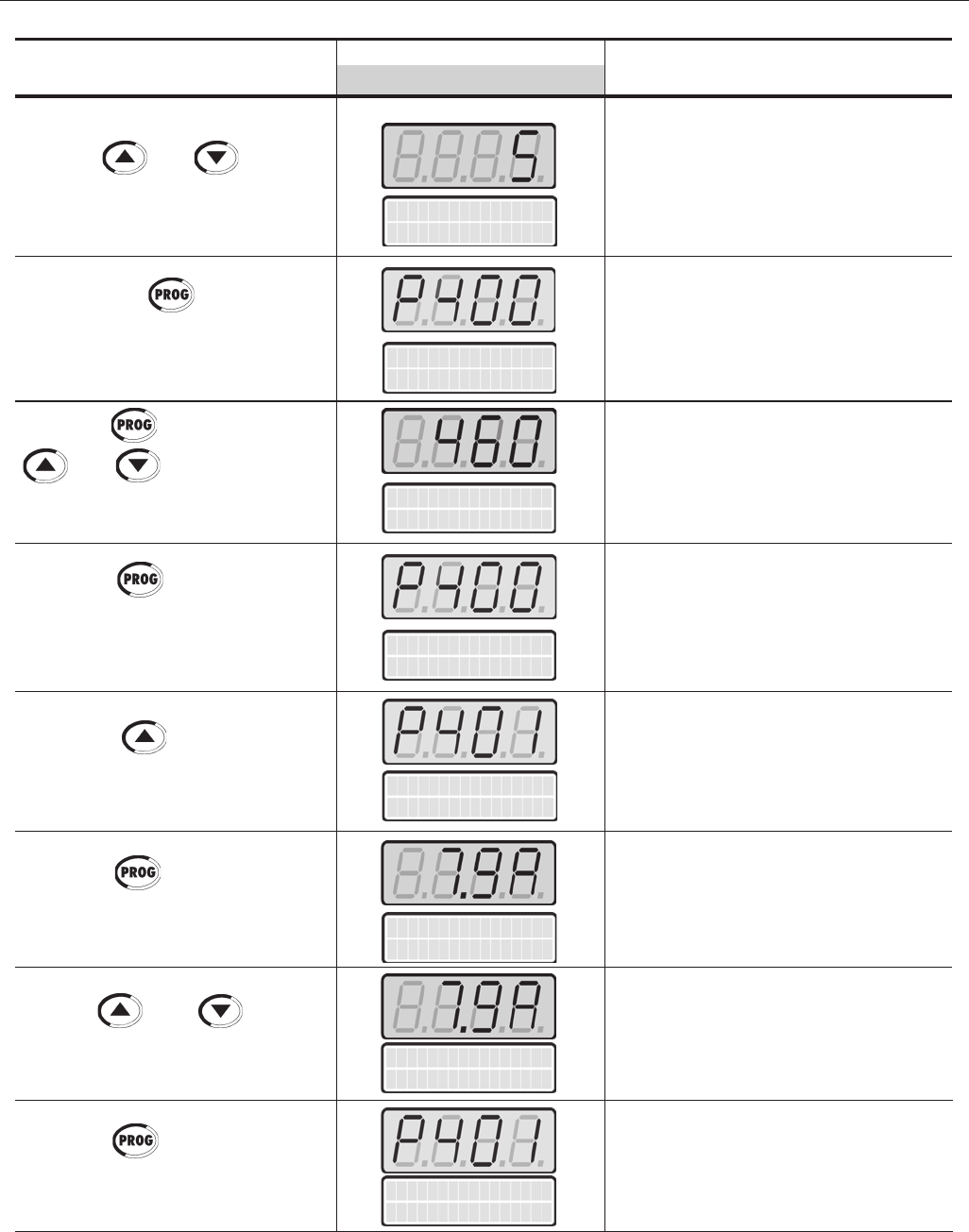
112
CHAPTER 5 - START-UP
Type of control
P202 = VVW
Motor Rated Volt
P400 = 460V
Motor Rated Volt
P400 = 460V
Motor Rated Cur.
P401=7.9A
Motor Rated Cur.
P401=7.9A
Motor Rated Cur.
P401=7.9A
Motor Rated Cur.
P401=7.9A
ACTION LED DISPLAYDESCRIPTION
LCD DISPLAY
Use the and keys to
select the type of control (VVW).
Press the key to save the
selected option and start the tuning
routine after changing to VVW
Control mode
Press the key and use the
and keys to set the
correct motor rated voltage value
Press the key to save the
programmed value and exit the
programming mode
Press the key to go to the
next parameter
Press the key to enter the
programming mode
Use the and keys to
set the correct motor rated current
value
Press the key to save the
programmed value and exit the
programming mode
Selected Type of Control:
5=VVW
Motor Rated Voltage Range:
0 to 690V
Programmed Motor Rated Voltage:
460 V
Exit the programming mode.
Motor Rated Current Range:
(0.0 to 1.30) x P295(1)
Enter the programming mode
Programmed Motor Rated Current:
7.9 A
Exit the programming mode.
Motor Rated Volt
P400 = 380V
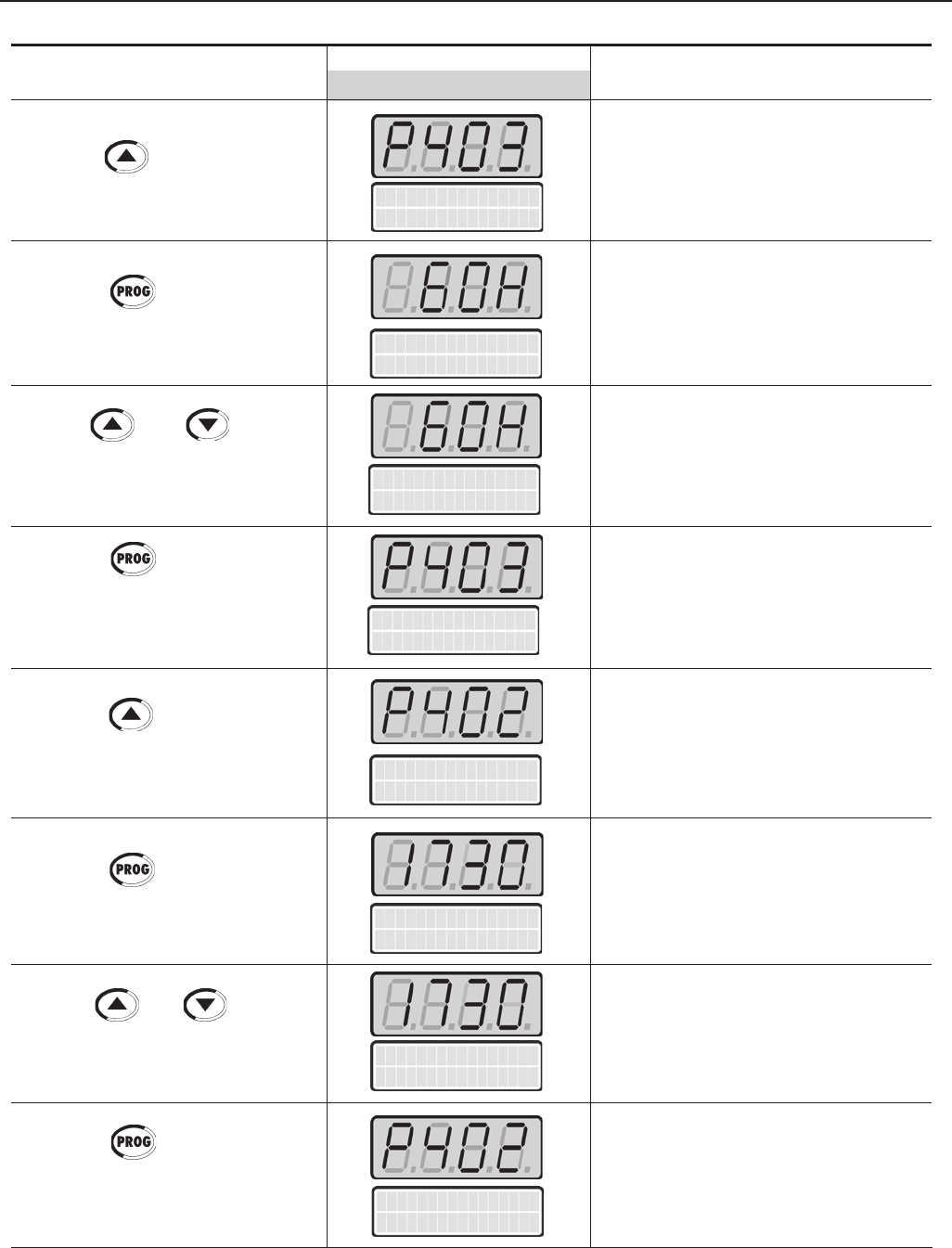
113
CHAPTER 5 - START-UP
ACTION LED DISPLAYDESCRIPTION
LCD DISPLAY
Motor Rated Freq
P403= 60Hz
Motor Rated Freq
P403= 60Hz
Motor Rated Freq
P403= 60Hz
Motor Rated Freq
P403= 60Hz
Motor Rated rpm
P402=1730rpm
Motor Rated rpm
P402=1730rpm
Motor Rated rpm
P402=1730rpm
Motor Rated rpm
P402=1730rpm
Press the key to go to the
next parameter
Press the key to enter the
programming mode
Use the and keys to
set the correct motor rated frequency
value
Press the key to save the
programmed value and exit the
programming mode
Press the key to go to the
next parameter
Press the key to enter the
programming mode
Use the and keys to
set the correct motor rated rpm
value
Press the key to save the
programmed value and exit the
programming mode
Motor Rated Frequency Range:
0 to 300Hz
Enter the programming mode
Programmed Motor Rated
Frequency: 60 Hz
Exit the programming mode.
Motor Rated rpm Range:
0 to 18000 rpm
Enter the programming mode
Programmed Motor Rated rpm:
1730 rpm
Exit the programming mode.
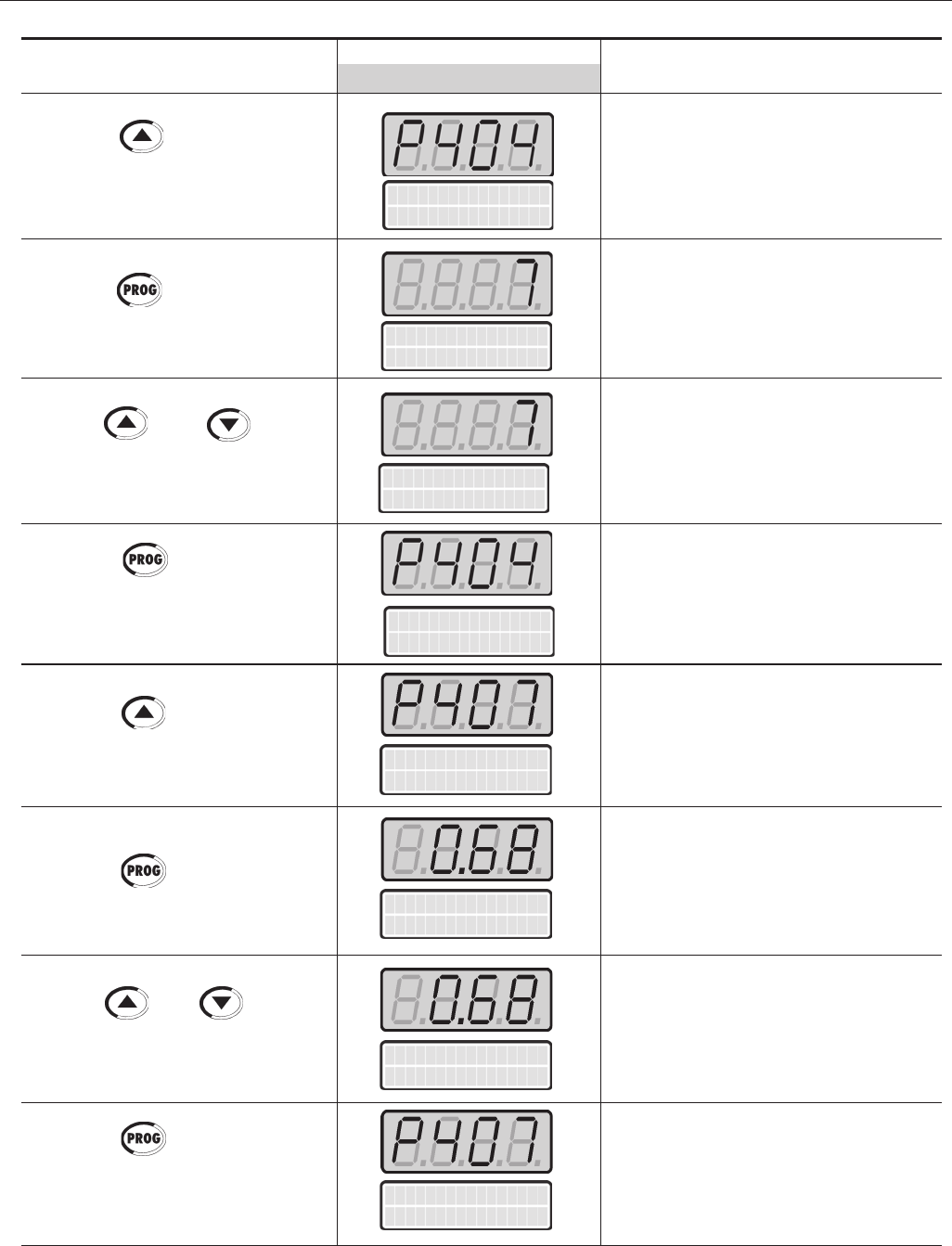
114
CHAPTER 5 - START-UP
ACTION LED DISPLAYDESCRIPTION
LCD DISPLAY
Motor Rated HP
P404=5.0 CV
Motor Rated HP
P404=5.0 CV
FP Nom. Motor
P407 = 0.68
FP Nom. Motor
P407 = 0.68
FP Nom. Motor
P407 = 0.68
FP Nom. Motor
P407 = 0.68
Press the key to go to the
next parameter
Press the key to enter the
programming mode
Use the and keys
to select the motor rated power
Press the key to save the
programmed value and exit the
programming mode
Press the key to go to the
next parameter
Press the key to enter the
programming mode
Use the and keys to
select the Motor Rated Power Factor
Press the key to save the
programmed value and exit the
programming mode
Motor Rated HP Range:
1 to 1600.0 CV
1 to 1190.0 kW
Enter the programming mode
Selected Motor Rated Power:
5.0 CV/3.7 kW
Exit the programming mode.
Motor Rated Power Factor
0.50 to 0.99
Enter the programming mode
Motor Power Factor:
0.68
Exit the programming mode.
Motor Rated HP
P404=5.0 CV
Motor Rated HP
P404=5.0 CV
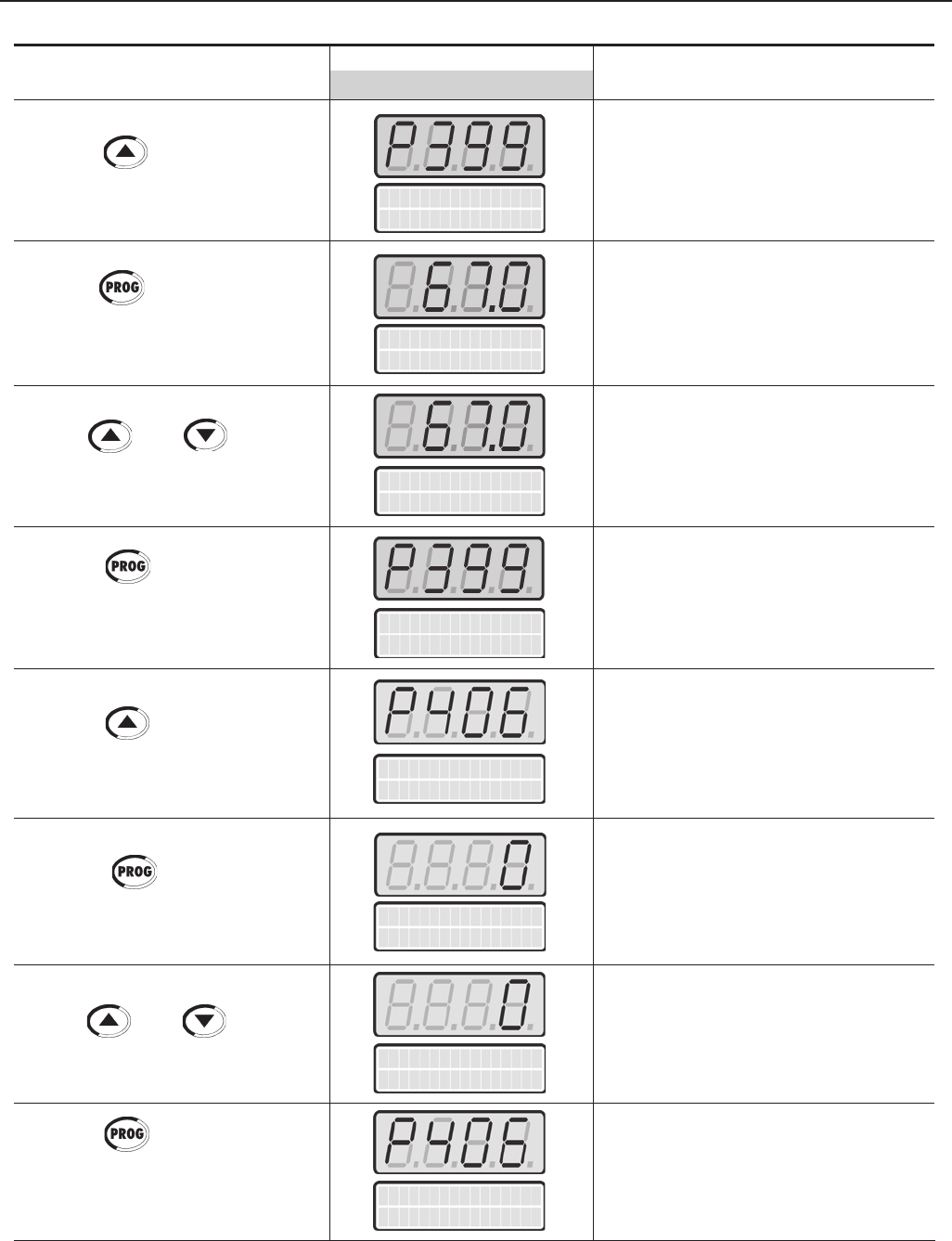
115
CHAPTER 5 - START-UP
ACTION LED DISPLAYDESCRIPTION
LCD DISPLAY
Rendim.Nom.Motor
P399=67.0%
Ventilation Type
P406=Self Vent.
Rendim.Nom.Motor
P399=67.0%
Rendim.Nom.Motor
P399=67.0%
Rendim.Nom.Motor
P399=67.0%
Ventilation Type
P406=Self Vent.
Ventilation Type
P406=Self Vent.
Ventilation Type
P406=Self Vent.
Press the key to go to the
next parameter
Press the key to enter the
programming mode
Use the and keys to
select the Motor Rated Efficiency
Press the key to save the
programmed value and exit the
programming mode
Press the key to go to the
next parameter
Pressionar para entrar no
modo de programação
Use the and keys to
select the motor ventilation type
Press the key to save the
programmed value and exit the
programming mode
Motor Rated Efficiency
50.0 to 99%
Enter the programming mode
Motor Rated Efficiency
67.0%
Exit the programming mode.
Motor Ventilation Type Selection:
0=Self Ventilated
1=Separate Ventilation
2=Optimal Flux
3=Increased Protection
Enter the programming mode
Selected Motor Ventilation Type:
0 = Self Ventilated
Exit the programming mode.
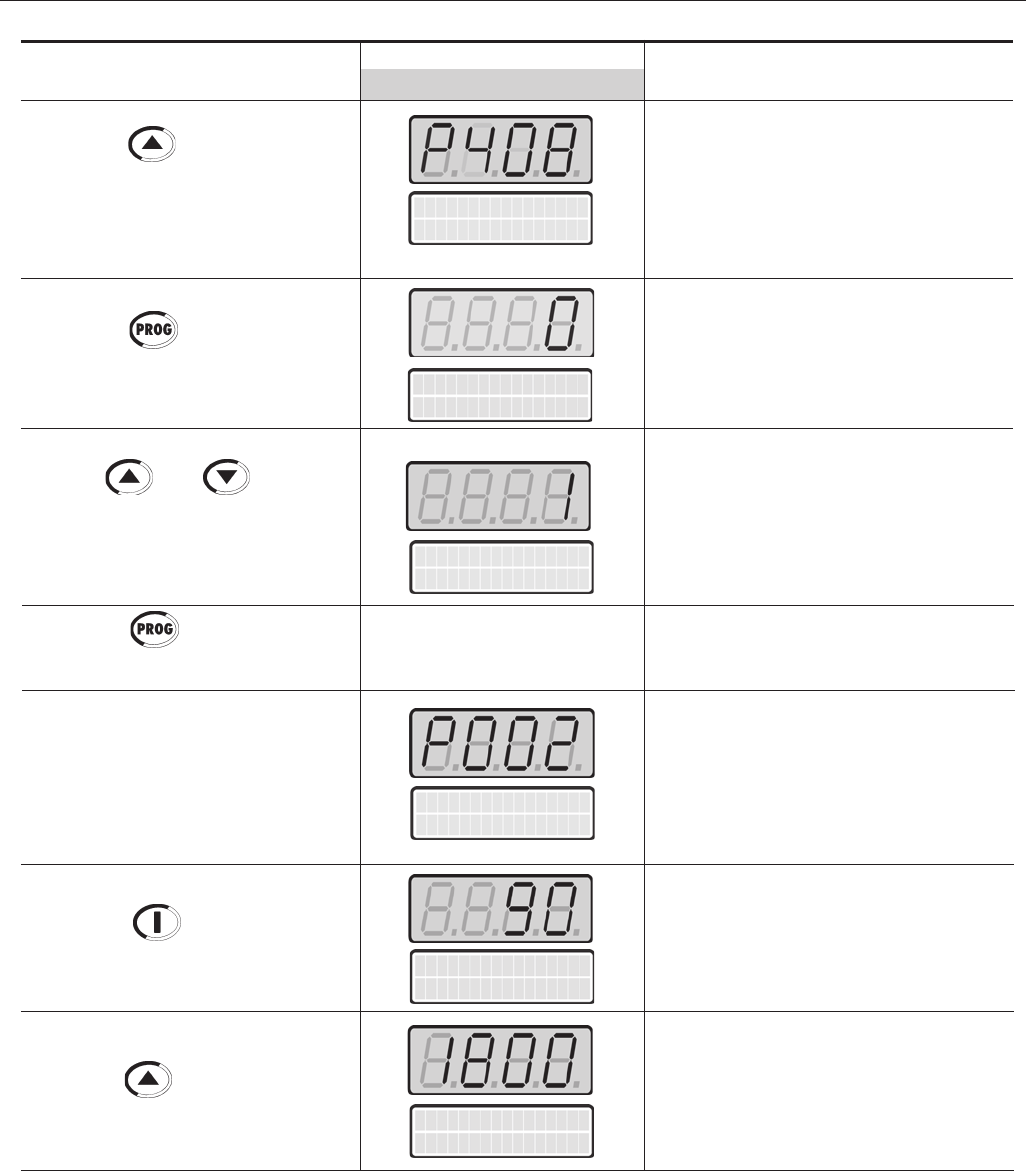
116
CHAPTER 5 - START-UP
ACTION LED DISPLAYDESCRIPTION
LCD DISPLAY
Self-tuning Mode Selection:
0=No
1=No Rotation
Enter the programming mode
Only select option 2 (No Rotation)
Self-tuning routine in progress
Motor Speed (rpm)
Motor accelerates from 0 to 90 rpm*
(Minimum Speed), in the Forward (CW)
direction of rotation (2)
* for 4 pole motors
Motor accelerates up to 1800 rpm* (3)
* for 4 pole motors
Run Self Tuning
P408 = No
Press the key to go to the
next parameter
Note: Display shows during 3s:
P409 to P413=0
Run Self-tuning
Press the key to enter the
programming mode
Use the and keys to
select the desired Self-tuning mode
nota: O dispaly mostrará durante o
Auto-ajuste o P409
Press the key to start the
self-tuning routine
End of the Self-tuning routine.
Inverter is back to normal operation
Press the Start key
Press the key and hold until
1800 rpm is reached
Motor Speed
P002 = XXXX r pm
Messages and values of
the estimated parameters
are shown
Run Self Tuning
P408 = No
Run Self Tuning
P408 = No Rotation
Motor Speed
P002 = 90 r pm
Motor Speed
P002 = 1800 r pm
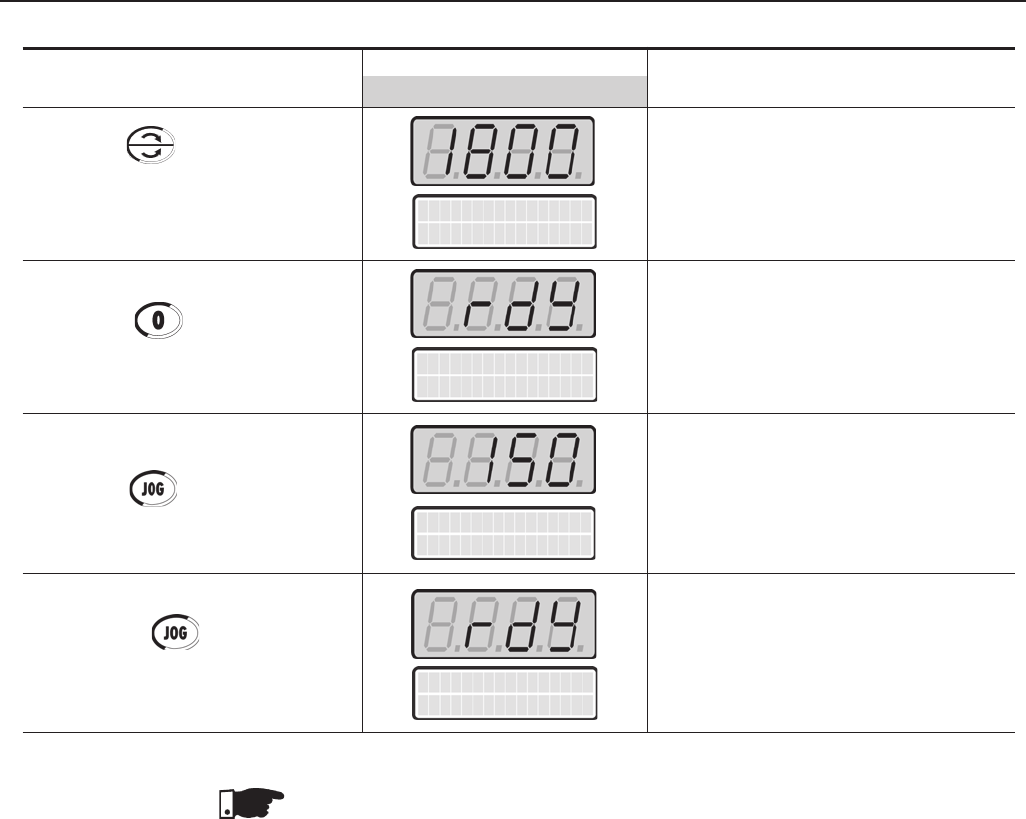
117
CHAPTER 5 - START-UP
NOTE!
The drive always stores the last speed reference value set through the keypad.
Therefore, if you want to change this value before enabling the drive use the parameter
P121 - Keypad Speed Reference.
NOTES!
(1) If the direction of rotation of the motor is inverted, power the drive down, waits 10
minutes for the complete discharge of capacitors and interchange any two motor
output cables.
(2) In case of having E01 during deceleration, increase the deceleration time through
P101 / P103.
ACTION LED DISPLAYDESCRIPTION
LCD DISPLAY
VFD
ready
VFD
ready
Motor decelerates (4) down to 0 rpm
and then reverses the direction of
rotation accelerating back up to
1800rpm
Motor decelerates down to 0 rpm
Motor accelerates from 0 rpm up to the
speed set at P122
Ex.: P122 = 150 rpm
CCW direction of rotation
Motor decelerates down to 0 rpm
Press the FWD / REV key
Obs: The LED’s on the keypad
show whether the motor is running
FWD or REV
Press the Stop key
Press the key and hold it
Release the key
Motor Speed
P002 = 1800 r pm
Motor Speed
P002 = 150 r pm
⇒
118
CHAPTER 6
DETAILED PARAMETER DESCRIPTION
This Chapter describes in detail all CFW-09 parameters. In order to simplify the
explanation, the parameters have been grouped by characteristics and functions:
Symbols and definitions used in this chapter:
(1) Indicates that the parameter can be changed only with the inverter disabled
(motor stopped).
(2) Indicates that the values can change as a function of the motor parameters.
(3) Indicates that the values can change as a function of P413 (Tm Constant -
obtained during Self-tuning).
(4) Indicates that the values can change as a function of P409, P411
(obtained during Self-tuning).
(5) Indicates that the values can change as a function of P412 (Tr Constant -
obtained during Self-tuning).
(6) Indicates that the values can change as a function of P296.
(7) Indicates that the values can change as a function of P295.
(8) Indicates that the values can change as a function of P203.
(9) Indicates that the values can change as a function of P320.
(10) (For new drives) User Default = no parameters.
(11) The inverter will be delivered with settings according to the market,
considering the HMI language, V/F 50 Hz or 60 Hz and the required voltage.
The reset of the standard factory setting may change the parameters related
to the frequency (50Hz/60 Hz). Values within parenthesis mean the factory
setting for 50 Hz.
(12) The maximum value of P156 and P401 is 1.8xP295 for model 4.2A/500-
600V and 1.6xP295 for models 7A and 54A/220-230V; 2.9A and 7A/500-
600V; 107A, 147A and 247A/500-690V; 100A, 127A and 340A/660-690V.
Torque Current = it is the component of the motor total current responsible for
torque generation (used in Vector Control).
Active Current = it is the component of the motor total current proportional
to active electric power absorbed by the motor (used in V/F control).
Read Only Parameters Variables that can only be viewed on the
display but not changed. Examples
would be motor speed or motor current.
Regulation Parameters Programmable values used by the
CFW-09 functions. Examples would be
Acceleration and Deceleration times.
Configuration Parameters Set-up parameters that are programmed
during inverter start-up and define its basic
operation. Examples would be Control
Type, Scale Factors and the Input/Output
functions.
Motor Parameters Motor data that is indicated on the motor
nameplate. Other motor parameters are
automatically measured or calculated
during the Self-tuning routine.
Special Function Parameters It includes parameters related to special
functions.
119
CHAPTER 6 - DETAILED PARAMETER DESCRIPTION
6.1 ACCESS AND READ ONLY PARAMETERS - P000 to P099
This parameter opens the access to change other parameter values. When
P200 = 1 (Password Active)] it is necessary to set P000 = 5 to change
parameter values.
By programming P000 with the password that releases access to
changing of parameter content plus 1 (Password + 1), you will obtain
access only to the parameters with different content that the factory
default setting.
To change the password to any other value (password 1), proceed as
follows:
1) Set P000=5 (current password) and P200= 0 (password inactive).
2) Press the Key .
3) Change P200 to 1 (password active).
4) Press again: display shows: P000.
5) Press again: display shows 5 (last password).
6) Use the and keys to change to the desired password
value (password 1).
7) Press : display shows P000. From this moment on, the new
password becomes active. Thus, to change parameters content P000
has to be set to the new password. (Password 1).
P000 0 to 999
Parameter Access/ [0]
Password Value -
Setting
P001 0 to P134
Speed [ - ]
Reference 1rpm
P002 0 to P134
Motor Speed [ - ]
1rpm
Range
[Factory Setting]
Parameter Unit Description / Notes
Speed Reference value in rpm (Factory Default). With filter of 0.5s.
The displayed units can be changed from rpm to other units at parameters
P207, P216 and P217. The scale factor can be changed at P208 and
P210.
It does not depend on the speed reference source.
Through this parameter is possible to change the speed reference (P121)
when P221 or P222=0.
Indicates the actual motor speed in rpm, (factory default). With filter of
0.5s.
The displayed units can be changed from rpm to other units at parameters
P207, P216 and P217. The scale factor can be changed at P208 and
P210.
Through this parameter is possible to change the speed reference (P121)
when P221 or P222=0.
P003 0 to 2600
Motor Current [ - ]
0.1A(<100)-1A(>99.9)
Indicates inverter output current in ampère (A).
120
CHAPTER 6 - DETAILED PARAMETER DESCRIPTION
P004 0 to 1235
DC Link Voltage [ - ]
1V
P005 0 to 1020
Motor Frequency [ - ]
0.1Hz
Range
[Factory Setting]
Parameter Unit Description / Notes
Indicates the inverter DC Link voltage in volt (V).
Indicates the inverter output frequency in hertz (Hz).
Indicates the inverter status:
rdy- inverter is ready to be started or enabled;
run- inverter is enabled;
Sub- inverter is disabled and line voltage is too low for operation
(undervoltage);
Exy- inverter is in a fault condition, ‘xy’ is the number of the Fault code,
example: E06.
P006 Rdy, run, sub, Exy
Inverter Status [ - ]
-
P007 0 to 800
Output Voltage [ - ]
1Vac
Indicates the inverter output voltage in volt (V).
Indicates the torque developed by the motor. It is determined as follows:
P009 = Tm.100 x Y
ITM
Where:
Tm = Measured motor torque current
ITM = Nominal motor torque current given by:
N = Speed
ITM = P4012 - X2
X= P410 x P178
100
P009 0 to 150.0
Motor Torque [ - ]
0.1%
Y = 1 for N
≤
Nrated
Y = Nrated for N> Nrated
N
P010 0.0 to 1200
Output Power [ - ]
0.1kW
Indicates the instantaneous output power in quilowatt (kW).
P012 LCD=1 to 0
Digital Inputs LED=0 to 255
DI1 to DI8 Status [ - ]
-
Indicates on the Keypad LCD display the status of the 6 digital inputs of
the control board (DI1...DI6), and the 2 digital inputs of the I/O Expansion
Board (DI7 and DI8). Number 1 stands for Active (DIx closed) and number
0 stands for Inactive (DIx open), in the following order:
DI1, DI2, ... ,DI7, DI8.
The LED display shows a decimal value related to the 8 Digital Inputs,
where the status of each input is considered one bit of a binary number
where:
121
CHAPTER 6 - DETAILED PARAMETER DESCRIPTION
DI1 to DI8 Status
P012=10010000
Inactive = 0, Active = 1, and the DI1 status is the most significant bit (MSB).
Example:
DI1=Active (+24V); DI2=Inactive (0V)
DI3=Inactive (0V); DI4=Active (+24V)
DI5=Inactive (0V); DI6=Inactive (0V)
DI7=Inactive (0V); DI8=Inactive (0V)
This is equivalent to the binary sequence:
10010000
Which corresponds to the decimal number 144.
The Keypad displays will be as follows:
Range
[Factory Setting]
Parameter Unit Description / Notes
P013 LCD = 1, 0
Digital and Relay LED = 0 to 255
Outputs DO1, DO2 [ - ]
RL1, RL2 and RL3 -
Status
Indicates on the Keypad LCD Display the status of the 2 Digital Outputs
of the I/O Expansion Board (DO1, DO2) and the 3 Relay Outputs of the
control board. Number 1 stands for Active and number 0 stands for Inactive,
in the following order: DO1, DO2, RL1, RL2, RL3.
The LED display shows a decimal value related to the status of the 5
Digital and Relay Outputs, where the status of each output is considered
one bit of a binary number where:
Inactive = 0, Active = 1, and the status of DO1 is the most significant bit
(MSB). The 3 least significant bits are always ‘0’.
Example:
DO1=Inactive; DO2=Inactive
RL1=Active: RL2=Inactive; RL3=Active
This is equivalent to the binary sequence:
00101000
Which corresponds to the decimal number 40.
The Keypad displays will be:
DO1 to RL3 Status
P013= 00101
122
CHAPTER 6 - DETAILED PARAMETER DESCRIPTION
Range
[Factory Setting]
Parameter Unit Description / Notes
Indicates the numbers of the last, second, third and fourth previous Faults.
Fault Sequence:
Exy → P014 → P015 → P016 → P017 → P060 → P061 → P062 →
P063 → P064 → P065.
Ex: When the display shows 0 (zero), this means E00, 1 (one) means
E01 and so on.
P014 0 to 70
Last Fault [ - ]
-
P015 0 to 70
Second Previous Fault [ - ]
-
P016 0 to 70
Third Previous Fault [ - ]
-
P017 0 to 70
Fourth Previous Fault [ - ]
-
P018 -100 to +100
Analog Input AI1' Value [ - ]
0.1%
P019 -100 to +100
Analog Input AI2' Value [ - ]
0.1%
P020 -100 to +100
Analog Input AI3' Value [ - ]
0.1%
P021 -100 to +100
Analog Input AI4' Value [ - ]
0.1%
Indicate the percentage value of the analog inputs AI1 to AI4. The
indicated values are obtained after offset action and multiplication by the
gain. Refer to parameters P234 to P247.
P022 -
WEG Use [ - ]
-
P023 X.XX
Software Version [ - ]
-
Indicates the CFW-09 Software Version.
P024 LCD: -32768 to 32767
A/D Conversion LED: 0 to FFFFH
Value of Analog [ - ]
Input AI4 -
Indicates the A/D conversion result of the analog input A14 located on
the I/O Expansion Board.
The LCD display indicates the conversion value as a decimal number
and the LED display as a hexadecimal number with negative values in
supplement of 2.
P025 0 to 1023
A/D Conversion [ - ]
Value of Iv Current -
P026 0 to 1023
A/D Conversion [ - ]
Value of Iw Current -
P025 and P026 indicate the A/D conversion result, in module, of the V
and W phase currents, respectively.
123
CHAPTER 6 - DETAILED PARAMETER DESCRIPTION
Range
[Factory Setting]
Parameter Unit Description / Notes
Indicate the percentage value of the analog outputs AO1 to AO4 with
respect to the full-scale value. The indicated values are obtained after
the multiplication by the gain. Refer to the description of parameters
P251 to P258.
P027 0 to 100
Analog Output AO1 [ - ]
0.1%
P028 0 to 100
Analog Output AO2 [ - ]
0.1%
P029 -100 to +100
Analog Output AO3 [ - ]
0.1%
P030 -100 to +100
Analog Output AO4 [ - ]
0.1%
P040 0 to P528
PID Process variable [ - ]
1
It indicates the process variable in % (factory setting), used as the PID
Feedback.
The indication unit can be changed through P530, P531 and P532. The
scale can be changed through P528 and P529.
See detailed description in Item 6.5 - Special Function Parameters.
This parameter also allows to modify the PID set point (P252) when
P221=0 or P222=0.
P042 LCD: 0 to 65530h
Powered Time LED: 0 to 6553h (x10)
[ - ]
1
Indicates the total number of hours that the inverter was powered.
The LED Display shows the total number of hours that the inverter was
energized divided by 10.
This value remains stored even when the inverter is turned OFF.
Example: Indication of 22 hours powered.
Hours Energized
P042 = 22 h
P043 0 to 6553h
Enabled Time [ - ]
0.1 (<999.9)
1 > 1000
Indicates the total number of hours that the inverter has run.
Indicates up to 6553 hours, rolls over to 0000.
If P204 is set to 3, the P043 is reset to zero.
This value remains stored even when inverter is turned OFF.
124
CHAPTER 6 - DETAILED PARAMETER DESCRIPTION
Range
[Factory Setting]
Parameter Unit Description / Notes
P044 0 to 65535kWh
kWh Counter [ - ]
1
Indicates the energy consumed by the motor.
Indicates up to 65535 kWh, then it return to zero.
If P204 is set to 4, the P044 is reset to zero.
This value remains stored even when inverter is turned OFF.
P060 0 to 70
Fifth Error [ - ]
-
P061 0 to 70
Sixth Error [ - ]
-
P062 0 to 70
Seventh Error [ - ]
-
P063 0 to 70
Eighth Error [ - ]
-
P064 0 to 70
Ninth Error [ - ]
-
P065 0 to 70
Tenth Error [ - ]
-
Indicates the numbers of the fifth, sixth, seventh, eighth ninth and tenth
occurred error, respectively
Record Systematic:
Exy → P014 → P015 → P016 → P017 → P060 → P061 → P062 →
P063 → P064 → P065
Ex: When the display show 0 (zero), this means E00, 1 (one) means
E01 and so on.
P070 0 to P134
Motor Speed and [ - ]
Motor Current 1 rpm
0 to 2600
[ - ]
0.1A(<100)
1A(>99.9)
Indicates simultaneously the motor speed value (rpm) and the motor
current value (A).
It is possible to use this parameter to change the speed reference (P121)
when P221 or P222=0.
NOTE!
The LED display shows the speed.
P071 LCD: 0 a 65535
Command Word LED: 0 a FFFFh Shows the command word value set through the network
The LCD display of the keypad shows the value in a decimal
representation, while the LED display shows the value in a hexadecimal
representation.
P072 LCD: 0 a 65535
Fieldbus Speed LED: 0 a FFFFh
Reference
Shows the speed reference value set through the Fieldbus network
The LCD display of the keypad shows the value in a decimal
representation, while the LED display shows the value in a hexadecimal
representation.
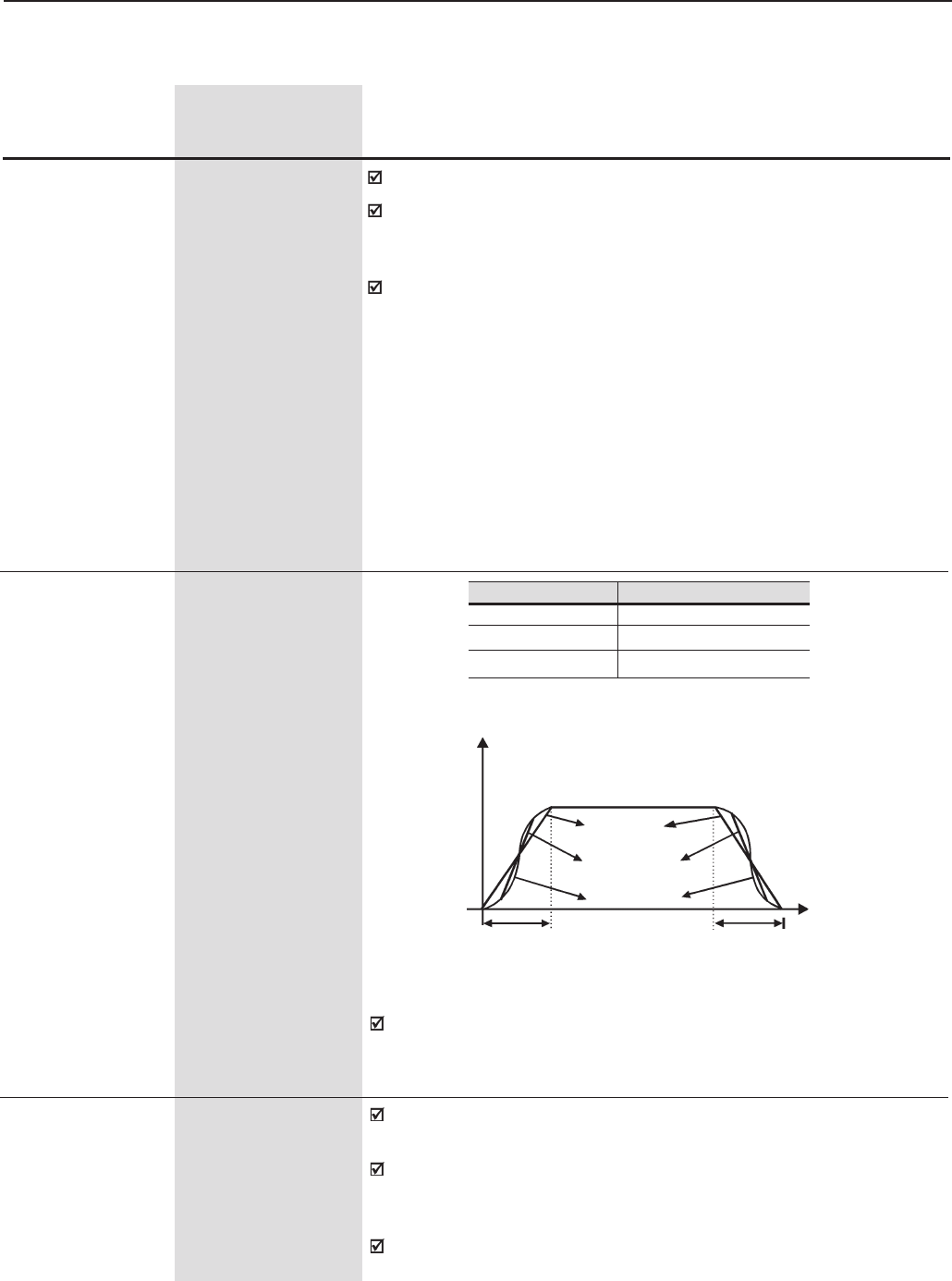
125
CHAPTER 6 - DETAILED PARAMETER DESCRIPTION
P102 0.0 to 999
Acceleration Time 2 [ 20 ]
0.1s (< 99.9) - 1s (>99.9)
P103 0.0 to 999
Deceleration Time 2 [ 20 ]
0.1s (< 99.9) - 1s (>99.9)
Range
[Factory Setting]
Parameter Unit Description / Notes
P104 0 to 2
S Ramp [ 0 ]
-
Figure 6.1 - S or Linear Ramp
Speed
Linear
Time
Accel. Time
(P100/102) Decel. Time
(P101/103)
P104 S Ramp
0Inactive
150%
2100%
50% S ramp
100% S ramp
Table 6.0 - Choosing S or Linear Ramp
The ramp S reduces the mechanical stress during the acceleration and
deceleration of the load.
P120 0 to 1
Speed Reference [ 1 ]
Backup -
Defines if the Frequency Reference Backup function is disabled (0) or
enabled (1).
If P120 = Off, the inverter does not save the current reference value,
when the inverter is enabled again, it will restart from the minimum
frequency setting (P133).
This back-up function is applicable to the keypad (HMI), P.E, Serial,
Fieldbus and PID Setpoint (P525) references.
6.2 REGULATION PARAMETERS - P100 to P199
P100 0.0 to 999
Acceleration Time [ 20 ]
0.1s (< 99.9) -1s (>99.9)
P101 0.0 to 999
Deceleration Time [ 20 ]
0.1s (< 99.9) -1s (>99.9)
Setting the vallue to 0.0s results in no Acceleration ramp.
Defines the time to accelerate (P100) linearly from zero up to the
maximum speed (P134) or to decelerate (P101) linearly from the
maximum speed down to 0 rpm.
The selection of the Acceleration / Deceleration Time Ramp 2 (P102 or
P103) can be made by reprogramming one of the digital inputs DI3 to
DI8. Refer to P265 to P270 in Ramp 2.
126
CHAPTER 6 - DETAILED PARAMETER DESCRIPTION
Range
[Factory Setting]
Parameter Unit Description / Notes
P121 P133 to P134
Keypad Speed [ 90 ]
Reference 1rpm
To activate the and active: P221=0 or P222=0.
With P120 = 1 (On) the content of P121 is maintained (backup) even
when the inverter is disabled or turned off.
P122 (2)(11) 0 to P134
JOG or JOG+ [ 150 (125) ] (11)
Speed Reference 1rpm
P123 (2)(11) 0 to P134
JOG - [ 150 (125) ] (11)
Speed Reference 1rpm
The JOG command source is defined at P225 (Local Mode) or P228
(Remote Mode).
If the JOG command is selected for DI3 to DI8, one of the Digital Inputs
must be programmed as follows:
Digital Input Parameters
DI3 P265 = 3 (JOG)
DI4 P266 = 3 (JOG)
DI5 P267 = 3 (JOG)
DI6 P268 = 3 (JOG)
DI7 P269 = 3 (JOG)
DI8 P270 = 3 (JOG)
Digital Inputs Parameters
JOG+ JOG-
DI3 P265 = 10 P265 = 11
DI4 P266 = 10 P266 = 11
DI5 P267 = 10 P267 = 11
DI6 P268 = 10 P268 = 11
DI7 P269 = 10 P269 = 11
DI8 P270 = 10 P270 = 11
Table 6.2 - JOG Command selected by digital input
Table 6.3 - JOG+ and JOG- command selection
During the JOG command, the motor accelerates to the value defined
at P122, following the acceleration ramp setting.
The direction of rotation is defined by the Forward/Reverse function (P223
or P226).
JOG is effective only with the motor at standstill.
The JOG+ and JOG- commands are always via Digital Inputs.
One DIx must be programmed for JOG+ and another for JOG- as follows:
P120 Backup
0Off
1On
Table 6.1 - Speed Reference Backup
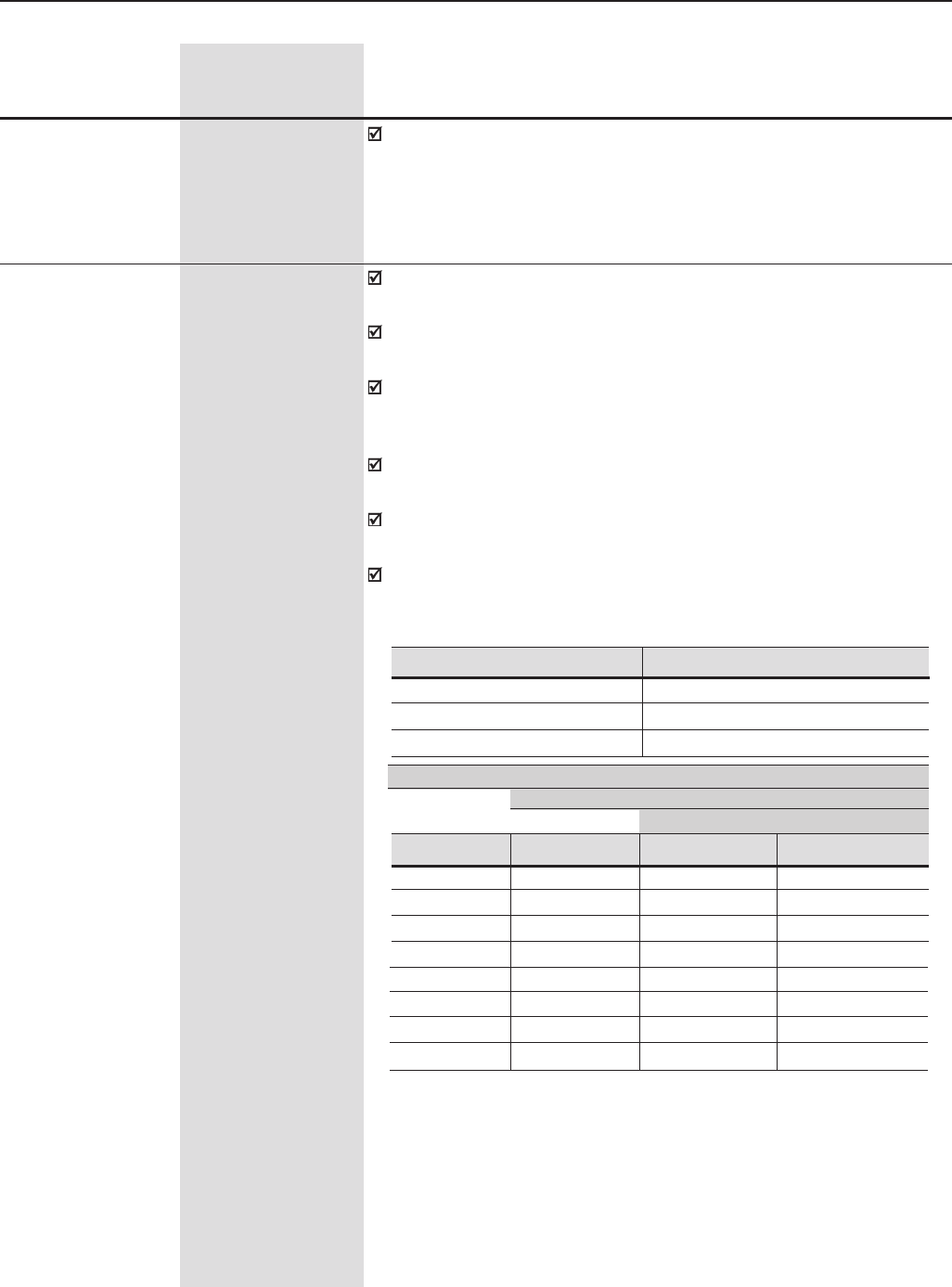
127
CHAPTER 6 - DETAILED PARAMETER DESCRIPTION
P124 (2)(11) P133 to P134
Multispeed Ref. 1 [ 90 (75) ] (11)
1rpm
P125 (2)(11) P133 to P134
Multispeed Ref. 2 [ 300 (250) ] (11)
1rpm
P126 (2)(11) P133 to P134
Multispeed Ref. 3 [ 600 (500) ] (11)
1rpm
P127 (2)(11) P133 to P134
Multispeed Ref. 4 [ 900 (750) ] (11)
1rpm
P128 (2)(11) P133 to P134
Multispeed Ref. 5 [ 1200 (1000) ] (11)
1rpm
P129 (2)(11) P133 to P134
Multispeed Ref. 6 [ 1500 (1250) ] (11)
1rpm
P130 (2)(11) P133 to P134
Multispeed Ref. 7 [ 1800 (1500) ] (11)
1rpm
P131 (2)(11) P133 to P134
Multispeed Ref. 8 [ 1650 (1375) ] (11)
1rpm
Range
[Factory Setting]
Parameter Unit Description / Notes
During the JOG + or JOG- commands the values of P122 or P123 are
respectively added to, or subtracted from the speed reference to generate
the total reference. Refer to Figure 6.26.
These parameters (P124 to P131) are shown only when P221 = 8 and/
or P222 = 8 (Multispeed).
Multispeed is used when the selection of a number (up to 8) of pre-
programmed speeds is desired:
If you want to use only 2 or 4 speeds, any input combination of DI4, DI5
and DI6 can be used. The input(s) programmed for other function(s)
must be considered as 0V in the table 6.4.
It allows control of the speed by relating the values programmed in
parameters P124 to P131 to a logical combination of the Digital Inputs.
The advantages of this function are stability of the fixed references and
electrical noise immunity (isolated digital inputs DIx).
Multispeed function is active when P221 (Local Mode) or P222 (Remote
Mode) is set to 8 (Multispeed).
Table 6.4 - Multispeed References
DI6 DI5 DI4 Speed Ref.
0V 0V 0V P124
0V 0V 24V P125
0V 24V 0V P126
0V 24V 24V P127
24V 0V 0V P128
24V 0V 24V P129
24V 24V 0V P130
24V 24V 24V P131
8 speeds
4 speeds
2 speeds
Digital Input Programming
DI4 P266 = 7
DI5 P267 = 7
DI6 P268 = 7
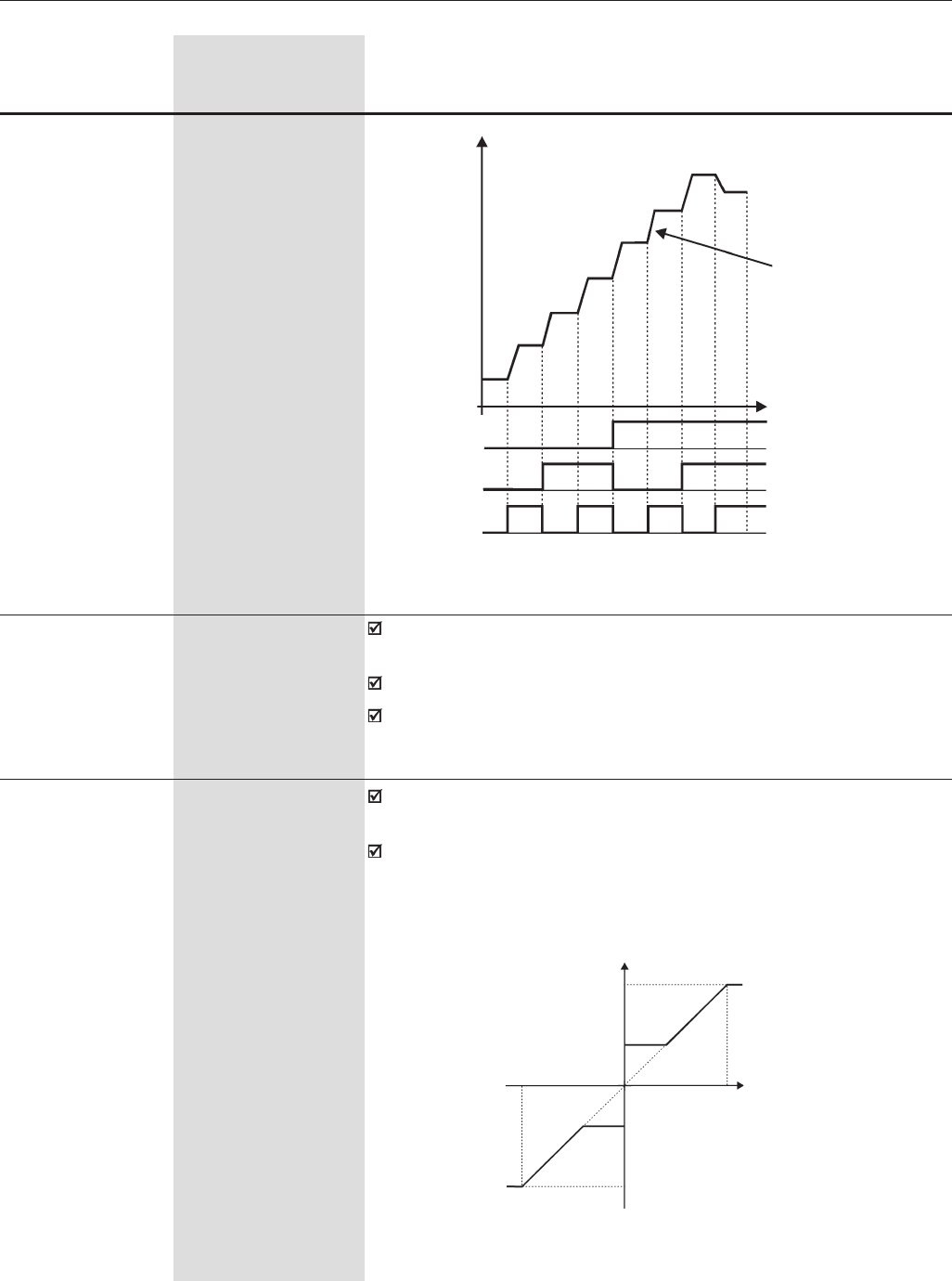
128
CHAPTER 6 - DETAILED PARAMETER DESCRIPTION
Range
[Factory Setting]
Parameter Unit Description / Notes
When the effective overspeed exceeds the value of P134+P132 longer
than 20ms, the CFW-09 will disable the PWM pulses by E17.
The P132 setting is a value in percent of P134.
When programmed P132 = 100%, this function remains disabled.
P132 (1) 0 to 100
Maximum [ 10 ]
Overspeed Level 1%
Defines the maximum and minimum motor operation speed reference.
Are valid for any type of speed reference signal.
For more details about the actuation of P133 refer to P233 (Analog
Inputs Dead Zone).
P133 (2) 0.0 to (P134-1)
Minimum Speed Ref. [ 90 (75) ] (11)
1rpm
P134 (2) (P133+1) to (3.4xP402)
Maximum Speed Ref. [ 1800 (1500) ] (11)
1rpm
Figure 6.2 - Multispeed
Accel. Ramp
Time
24V
DI6
DI5
DI4
0V (Open)
24V
0V (Open)
24V
0V (Open)
P124
P125
P126
P127
P128
P129
P130 P131
Speed
P134
P133
+10V
-P133
-P134
-10V Speed
Reference
Speed
a)
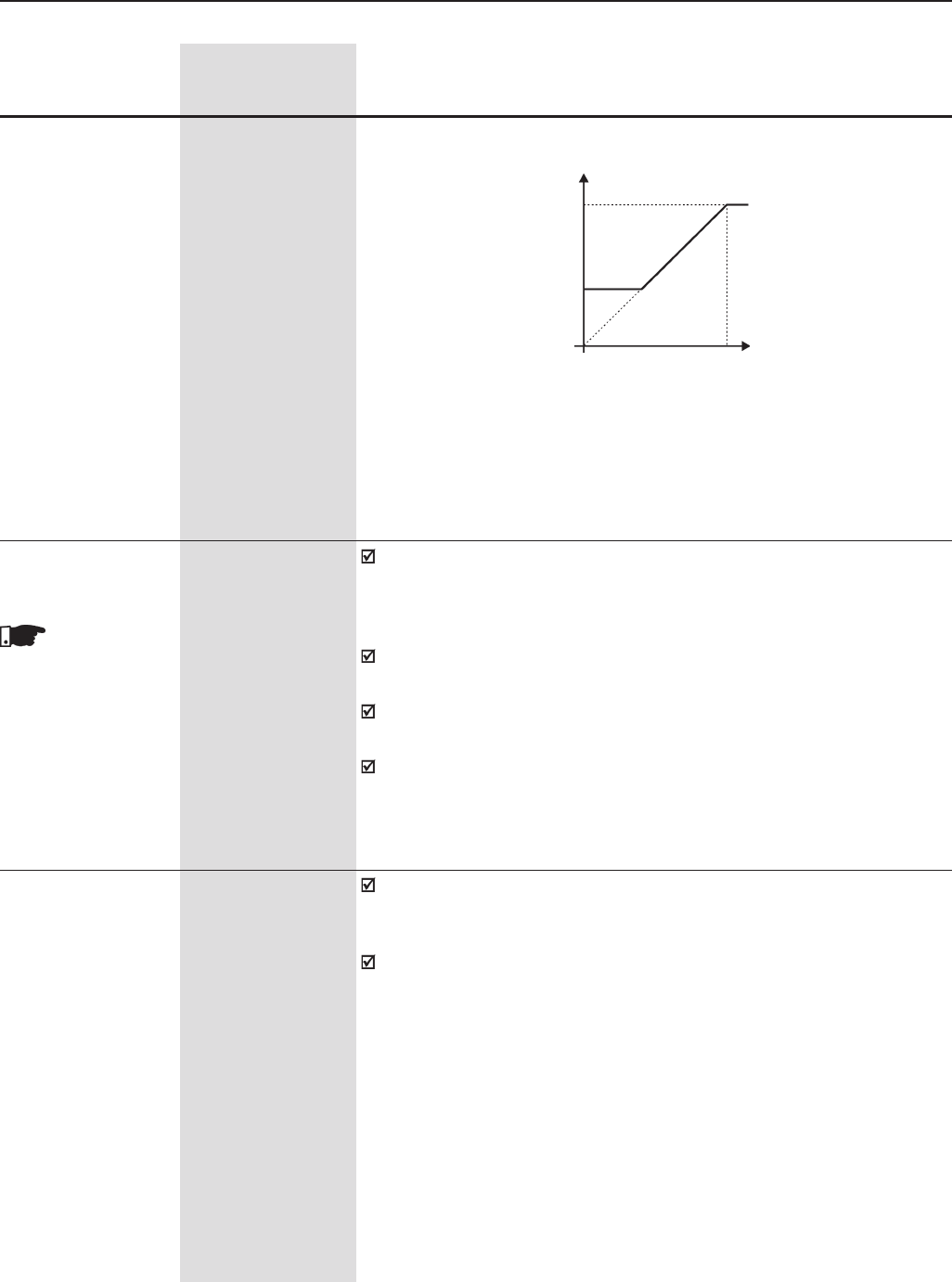
129
CHAPTER 6 - DETAILED PARAMETER DESCRIPTION
P135 (2) 0 to 90
Speed transition to I/F [ 18 ]
Control 1rpm
The speed at which the transition from Sensorless Vector Control to I/F
(Scalar Control with Imposed Current) occurs. The minimum speed
recommended for Sensorless Vector control is 18 rpm for 60 Hz motors
and 15 rpm for 50 Hz motors, with 4 poles.
For P135 ≤ 3 the CFW-09 will always operate in Sensorless Vector mode
when P202 = 3, (There is no transition to the I/F mode).
The current level to be applied on the motor in the I/F mode is set at
P136.
Scalar control with imposed current means only current control working
with current reference level adjusted by P136. There is no speed control,
just open loop frequency control.
This parame-
ter is shown on the
display(s) only when
P202 = 3 (Sensorless
Vector Control)
P134
P133
Speed
Reference
00........................ 100%
0........................... 10V
0........................ 20mA
4mA..................... 20mA
10V ............................. 0
20mA .......................... 0
20mA .................... 4mA
Figure 6.3 a) b) - Speed limits considering the “Dead Zone” active (P233=1)
Speed
Range
[Factory Setting]
Parameter Unit Description / Notes
P136 0 to 9
Manual Torque [ 1 ]
Boost 1
For V/F Control
(P202 = 0, 1 or 2)
b)
Compensates for the voltage drop on the motor stator resistance at low
frequencies and increases the inverter output voltage in order to maintain
a constant torque in V/F operation.
Always set P136 to the lowest value that permits the motor to start
satisfactorily. If the value is higher than required, an inverter overcurrent
(E00 or E05) may occur due to high motor currents at low frequencies.
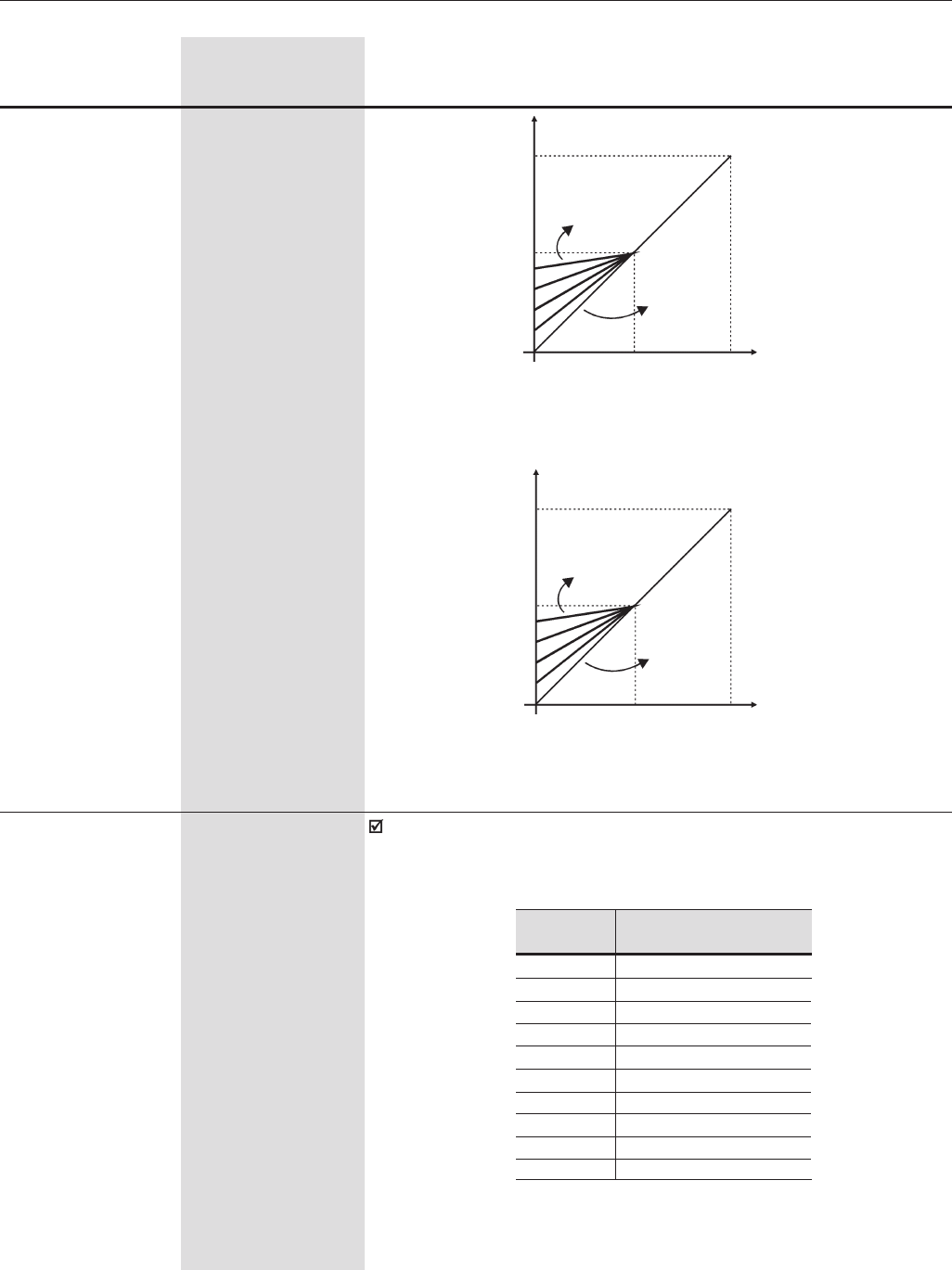
130
CHAPTER 6 - DETAILED PARAMETER DESCRIPTION
Sets the current to be applied to the motor when in I/F mode. I/F mode
occurs when the motor speed is lower than the value defined by
parameter P135.
P136 0 to 9
Current Reference [ 1 ]
for I/F Mode 1
For Sensorless
Vector Control
(P202=3) P136 Current in I/F mode
% of P410 (Imr)
0100%
1111%
2122%
3133%
4144%
5155%
6166%
7177%
8188%
9200%
Frequency
50Hz
25Hz
P136=0
0
1/2 Nominal
Nominal
Output Voltage
P136=9
Figure 6.4 - P202=0- V/F 60Hz Curve
Figure 6.5 - P202 = 1 - V/F 50Hz Curve
Range
[Factory Setting]
Parameter Unit Description / Notes
30Hz 60Hz Frequency
P136=9
Nominal
1/2 Nominal
0
P136=0
Output Voltage
Table 6.5 - Current Reference for I/F Mode
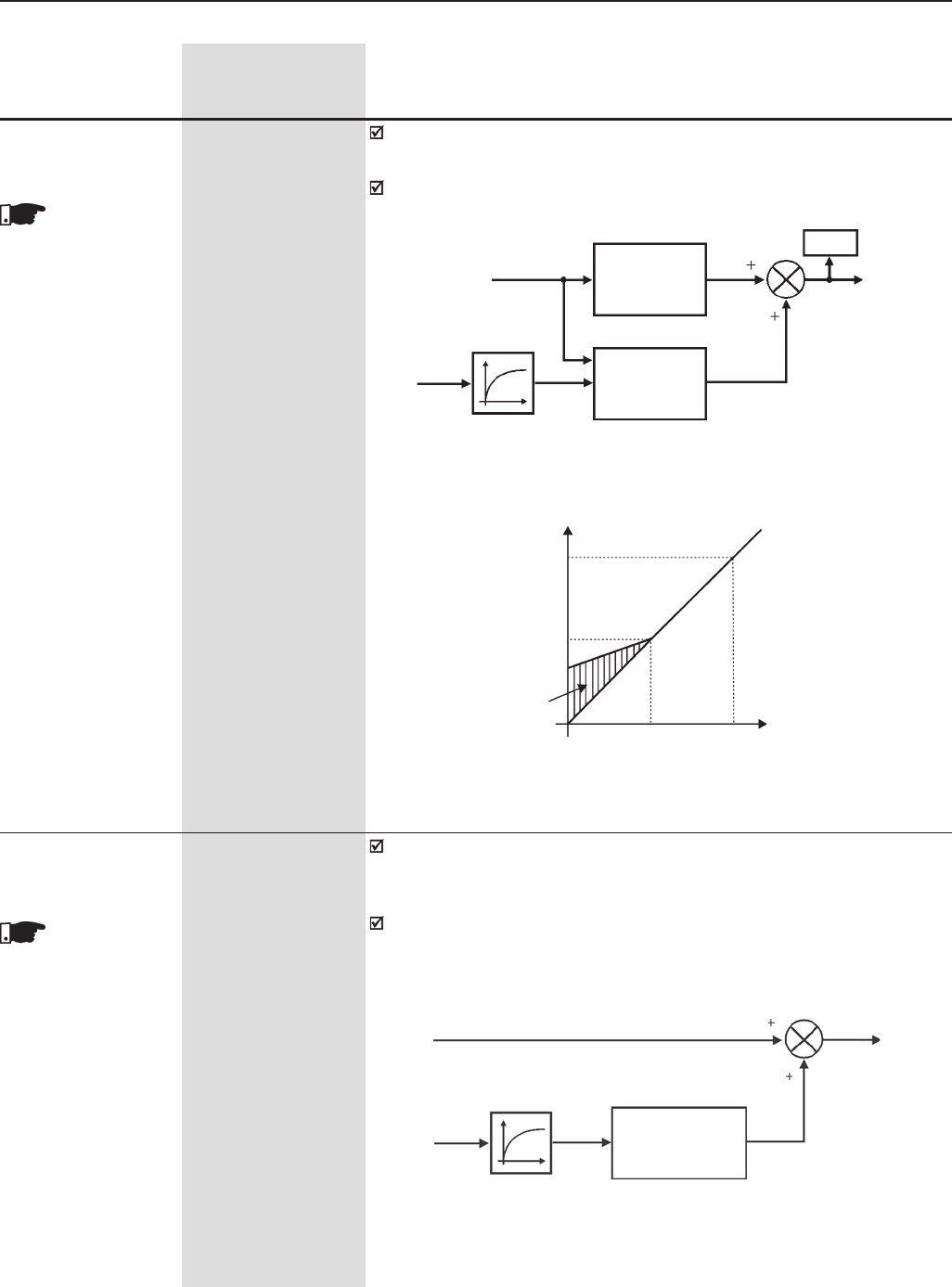
131
CHAPTER 6 - DETAILED PARAMETER DESCRIPTION
P138 -10.0 to +10.0%
Slip Compensation [ 0.0 ]
0.1%
P138 (for values between 0.0% and +10.0%) is used in the Motor Slip
Compensation output frequency function, which compensates for the
speed drop as the load increases.
P138 allows the user to set the VSD for more accurate slip compensation.
Once set up P138 will compensate for speed variations due to load by
automatically adjusting both voltage and frequency.
Figure 6.6 - Block Diagram P137
P139
P007
Speed
Reference Motor
Voltage
Torque Boost
P136
Speed
Nominal
1/2 Nominal
Boost
Zone
1/2 Nom Nominal
Figure 6.7 - V/F curve with automatic torque boost
Output Voltage
Automatic
Torque Boost
P137
Output
Active
Current
Range
[Factory Setting]
Parameter Unit Description / Notes
Figure 6.8 - Block Diagram P138
This parameter
is shown on the
display(s) only when
P202 = 0, 1 or 2
(V/F Control)
P137 0.00 to 1.00
Automatic Torque [ 0.00 ]
Boost 0.01
The automatic Torque Boost compensates for the voltage drop in the
stator resistance as a function of the motor active current.
The criteria for setting P137 are the same as for the parameter P136.
This parame-
ter is shown on the
display(s) only when
P202 = 0, 1 or 2
(V/F Control)
Total Reference
(See figures 6.26 and 6.27 b) Speed
Active
Output
Current P139 P138
Slip
Compensation
∆F
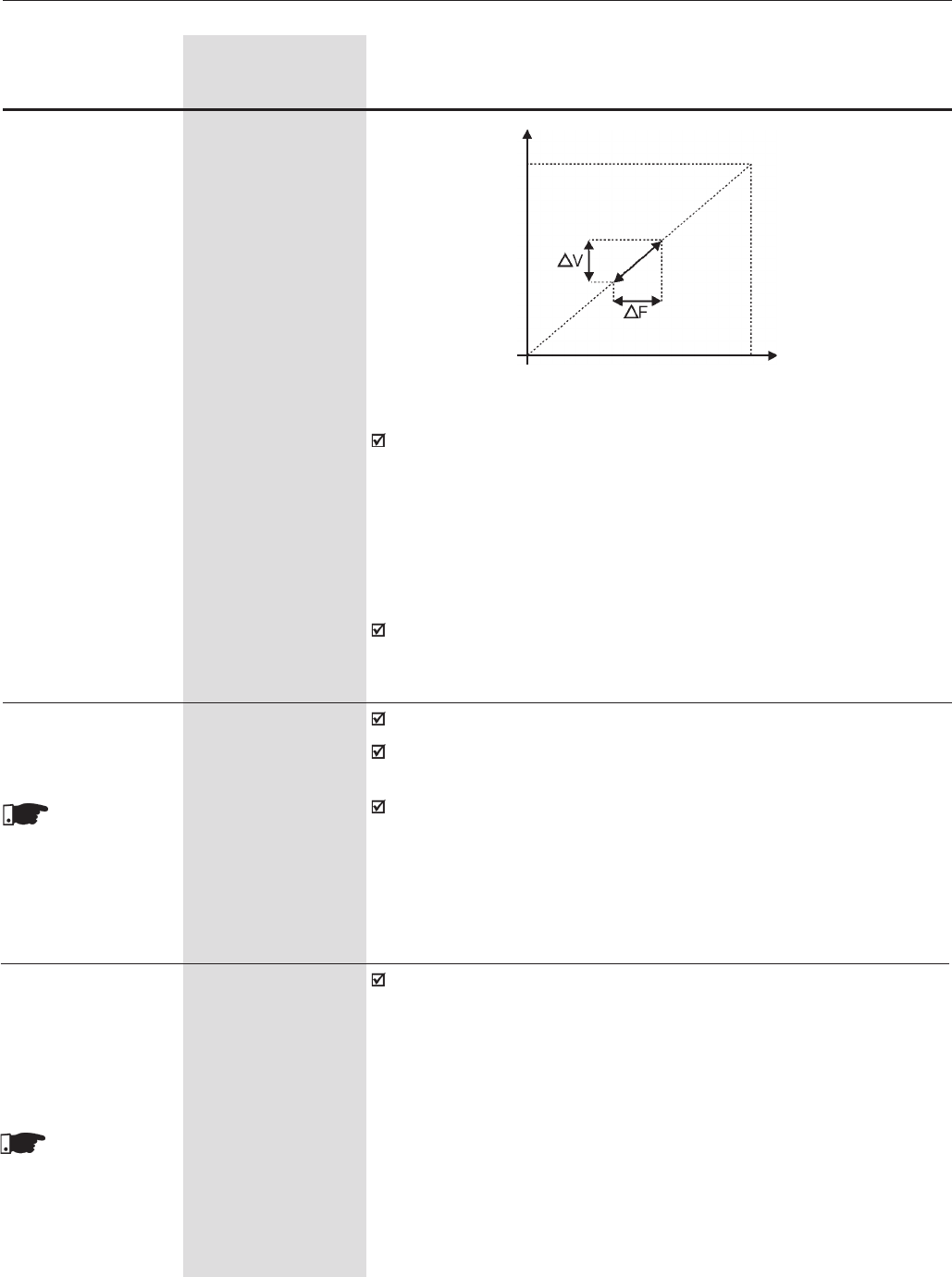
132
CHAPTER 6 - DETAILED PARAMETER DESCRIPTION
To set Parameter 138:
⇒Run the motor without load up to approximately half of the
application top speed;
⇒Measure the actual motor or equipment speed;
⇒Apply load;
⇒Increase P138 until the speed reaches its no-load value.
P139 0.00 to 16.00
Output Current Filter [ 1.00 ]
[only for P202 = 0, 1 0,01s
or 2 (for V/F control)]
Adjusts the time constant of the active current filter.
It is used in the Automatic Torque Boost and Slip Compensation
functions. See figures 6.7 and 6.8.
Adjusts the response time of the slip compensation and automatic torque
boost. Refer to Figures 6.6 and 6.8.
Range
[Factory Setting]
Parameter Unit Description / Notes
Figure 6.9 - V/F Curve with Slip Compensation
This parame-
ter is shown on the
display(s) only when
P202 = 0, 1, 2
(V/F Control) or 5
(VVW)
Output Voltage
Vnom
Frequency
(Function
to motor
load)
Values of P138 < 0.0 are used in special applications, where the
reduction of the output speed is desired as function of the motor current
increase. Ex.: load sharing between two motor/drive sets.
Nnom
P140 0 to 10
Dwell Time at Start [ 0 ]
0.1s
P141 0 to 300
Dwell Speed at Start [ 90 ]
1rpm
Assist during high torque starts by allowing the motor to establish the
flux before starting to accelerate the load.
This parame-
ter is shown on the
display(s) only when
P202 = 0, 1, 2
(V/F Control) or 5
(VVW)
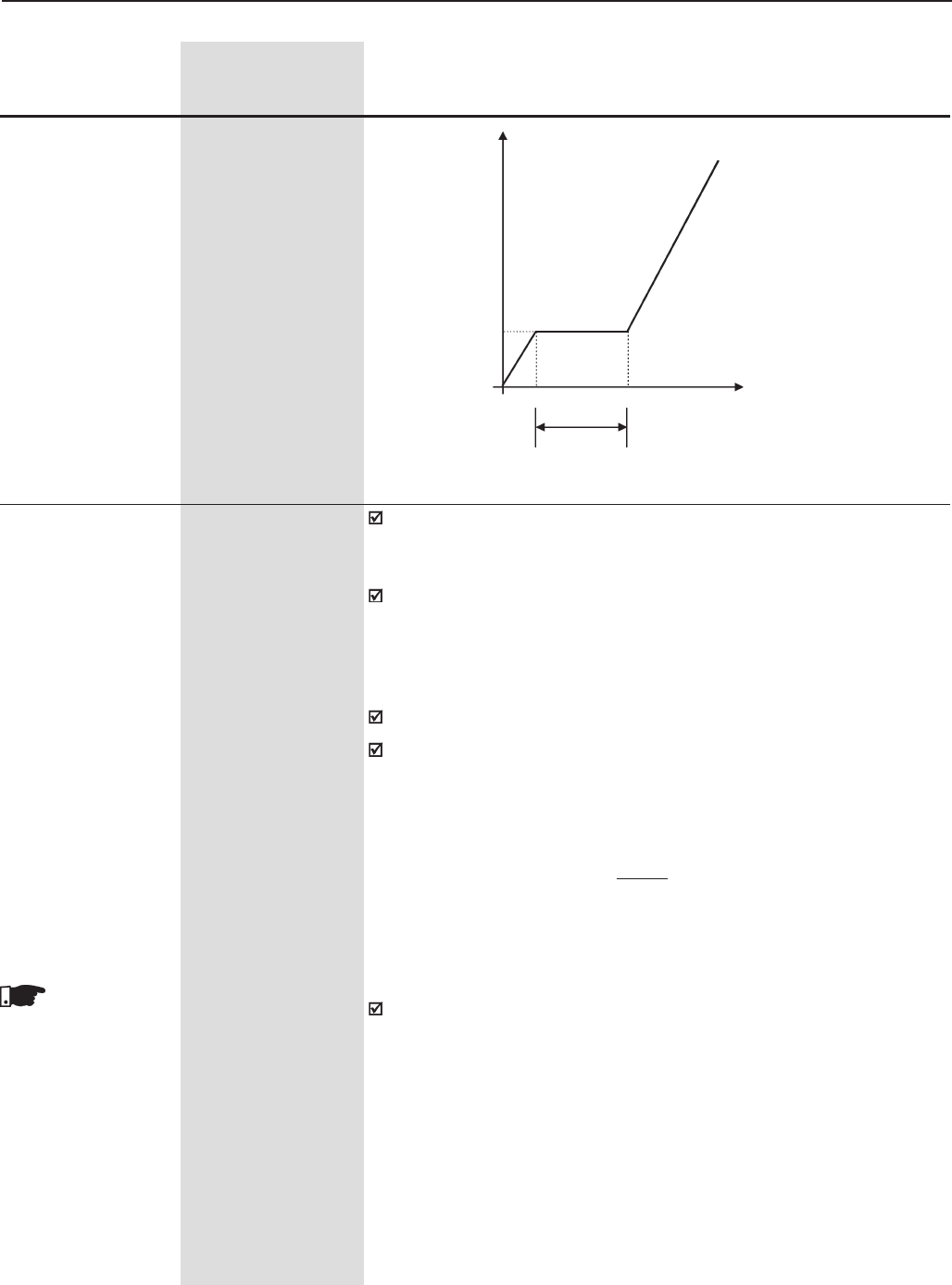
133
CHAPTER 6 - DETAILED PARAMETER DESCRIPTION
Range
[Factory Setting]
Parameter Unit Description / Notes
Speed
P141
Time
P140
Figure 6.10 - Curve for high torque starts
P142 (1) 0 to 100
Maximum Output [ 100 ]
Voltage 0.1%
P143 (1) 0 to 100
Intermediate Output [ 50 ]
Voltage 0.1%
P144 (1) 0 to 100
Output Voltage [ 8 ]
at 3 Hz 0.1%
P145 (1) P133(>90) to P134
Field Weakening [ 1800 ]
Speed 1rpm
P146 (1) 90 to P145
Intermediate Speed [ 900 ]
1rpm
These parameters allow changing the standard V/F curves defined at
P202. Special V/F profiles may be necessary when motors with non-
standard voltages/frequencies are used.
This function allows changing the predefined standard curves, which
represents the relationship between the output voltage and the output
frequency of the drive, and consequently, the motor magnetization flux.
This feature may be useful with special applications that require rated
voltage values or rated frequency values different from the standard ones.
Function activated by setting P202 = 2 (V/F Adjustable).
The factory default value of P144 (8.0%) is defined for standard 60 Hz
motors. If the rated motor frequency (set at P403) is different from 60
Hz, the factory default value of P144 can become unsuitable and may
cause troubles during motor start. A good approach for the setting of
P144 is given by
P144= 3 x P142
P403
These para-
meter are shown
on the display(s)
only when P202 = 0,
1 or 2 (V/F Control)
If an increase of the starting torque is required, increase the value of
P144 gradually.
Procedures for the parameter setting of the function “Adjustable V/F”:
1.Disable Inverter;
2.Check inverter data (P295 to P297);
3.Set motor data (P400 to P406);
4.Set display data in P001 and P002 (P208, P210, P207, P216 andP217);
5.Set speed limits (P133 and P134);
6.Set parameters of the function “Adjustable V/F” (P142 to P146);
7.Enable function “Adjustable V/F” (P202=2).
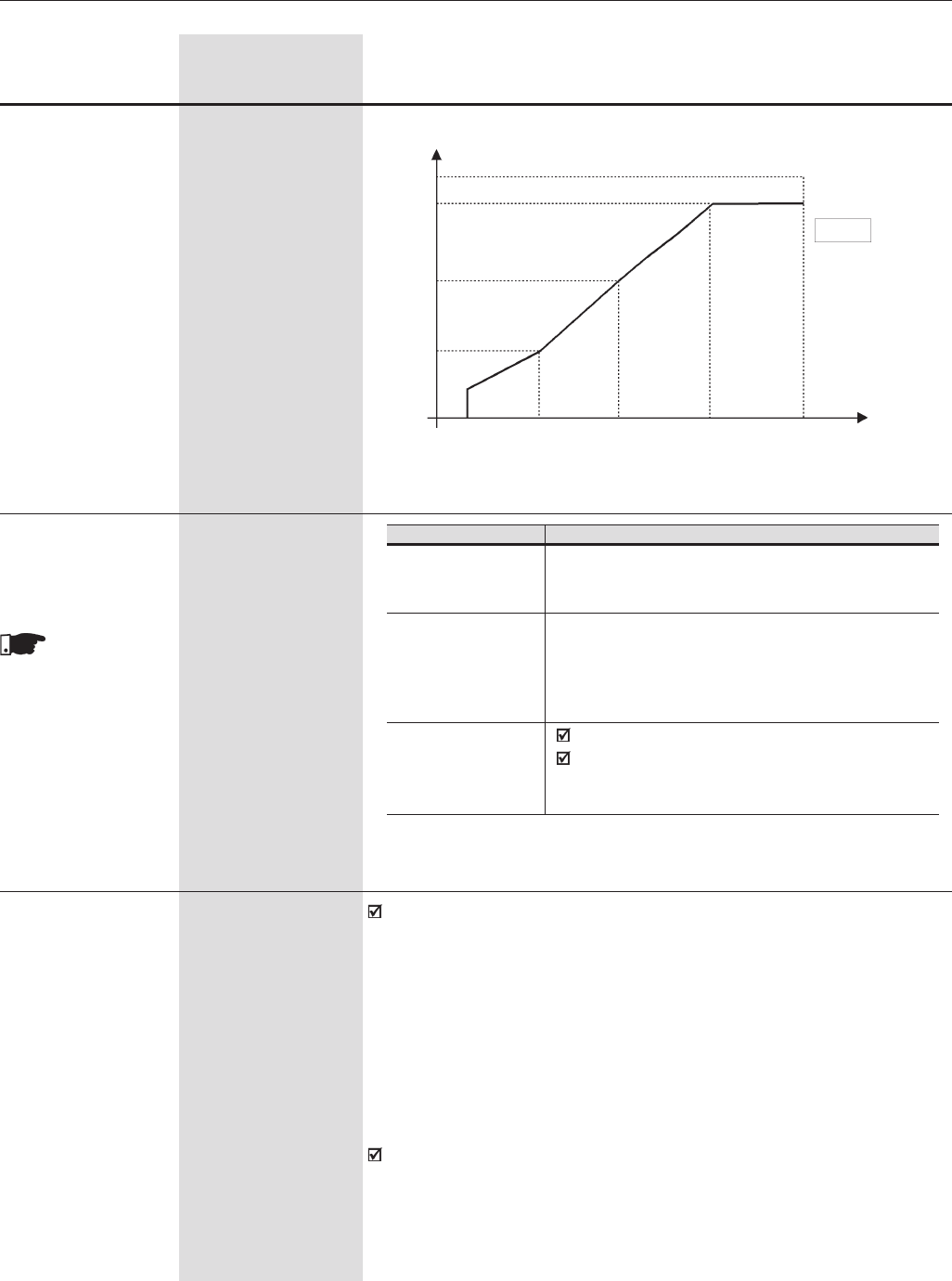
134
CHAPTER 6 - DETAILED PARAMETER DESCRIPTION
Range
[Factory Setting]
Parameter Unit Description / Notes
100%
P142
P143
P144
0.1Hz 3Hz P146 P145
Figure 6.11 - Adjustable V/F Curve V/F
P202=2
Output Voltage
Power Supply Voltage
Speed/
Frequency
P134
P150 (1) 0 to 2
DC Link Voltage [ 1 ]
Regulation Mode -
P150
0=With losses
(Optimal Braking)
1=Without losses
2=Enable/Disable
via DIx
Action
Optimal braking is active as described in P151 for vector
control. This gives the shortest possible deceleration time
without using dynamic braking or regeneration.
Automatic deceleration ramp control. Optimal braking is
not active. The deceleration ramp is automatically
adjusted to keep the DC link voltage below the level set in
P151. This avoids E01 DC link overvoltage tripping. Can
also be used with eccentric loads.
DIx=24V: The Braking acts as described for P150=1;
DIx=0V: The Optmal Braking becomes inactive. The
DC link voltage will be controlled by parameter P153
(Dynamic Braking).
This parameter
is shown on the
display(s) only when
P202 = 3 or 4
(Vector Control)
Table 6.6 - DC Link Voltage Regulation Mode
P151 (6) 339 to 400 (P296=0)
DC Link Voltage [ 400 ]
Regulation Level 1V
For V/F Control
(P202=0,1, 2 or 5) 585 to 800 (P296=1)
[ 800 ]
1V
616 to 800 (P296=2)
[ 800 ]
1V
678 to 800 (P296=3)
[ 800 ]
1V
P151 sets the DC Link Voltage Regulation Level to prevent E01-
overvoltage. This Parameter jointly with the Parameter P152 allows two
operation modes for the DC Link Voltage Regulation. Please find below
a description of the two operation modes.
DC Link Voltage Regulation type when P152=0.00 and P151 is
different from the maximum value: ramp Holding – When the DC
Link Voltage reaches the Regulation Level during the deceleration, the
deceleration ramp time is increased and the speed is maintained at a
constant value till the DC Link Voltage leaves the actuation. See Figure
6.12.
This DC Link Voltage Regulation (ramp holding) tries to avoid the inverter
disabling through fault relating to DC Link Overvoltage(E01), when the
deceleration of loads with high inertia is carried out, or deceleration with
short times are performed.
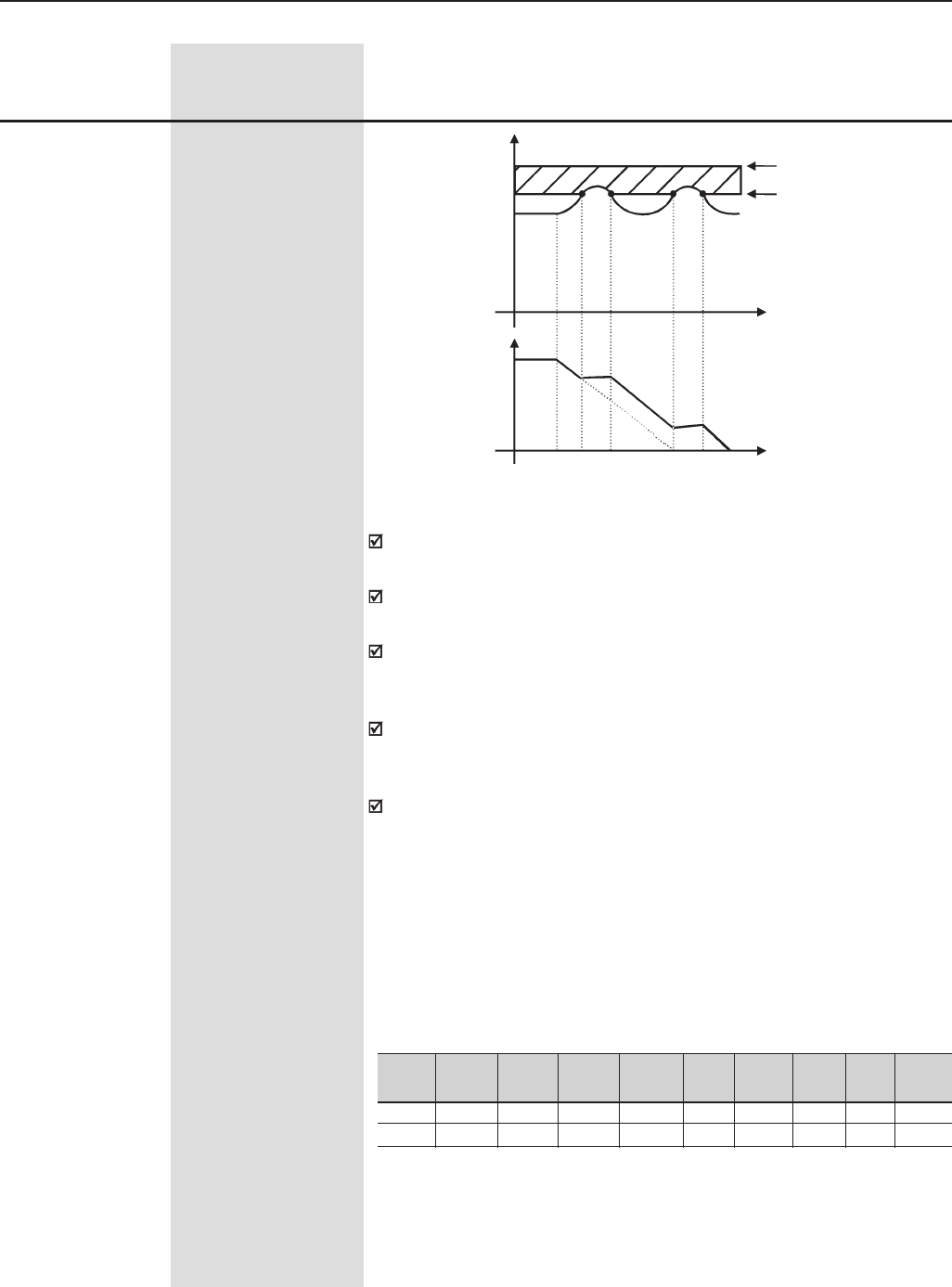
135
CHAPTER 6 - DETAILED PARAMETER DESCRIPTION
Range
[Factory Setting]
Parameter Unit Description / Notes
739 to 800 (P296=4)
[ 800 ]
1V
809 to 1000 (P296=5)
[ 1000 ]
1V
885 to 1000 (P296=6)
[ 1000 ]
1V
924 to 1000 (P296=7)
[ 1000 ]
1V
1063 to 1200 (P296=8)
[ 1200 ]
1V
E01 - Overvoltage Level
Regulation Level
Time
Time
Speed
Figure 6.12 - Deceleration with Ramp Holding
P151
Nominal
DC Link Voltage (Ud) (P004)
With this function you can achieve a optimized deceleration time
(minimum) for the driven load.
This function is useful in application where loads with medium moment
of inertia are driven, that require short deceleration ramps.
If even so the inverter is disabled during the acceleration due to overvoltage
(E01), reduce the value of P151 gradually, or increase the deceleration
ramp time (P101 and/or P103).
In case the supply line is permanently under overvoltage (Ud>P151), the
inverter cannot decelerate. In this case reduce the line voltage or
increment P151.
If even after these settings the motor cannot decelerate within the required
deceleration time, use the dynamic braking. (For more details about the
dynamic braking, see 8.10).
Type of DC Link Voltage Regulation when P152>0.00 and P151
are set different that than the maximum value: When the DC Link
Voltage reaches the regulation level during the deceleration, the
deceleration ramp time is increased and the motor is also accelerated
until the DC link voltage leaves the defined over-voltage level. There after
deceleration is continued. See Figure 6.13.
Inverter
Vrated
P296
P151
220/
230V
0
375V
380V
1
618V
400/
415V
2
675V
440/
460V
3
748V
480V
4
780V
500/
525V
5
893V
575V
6
972V
600V
7
972V
660/
690V
8
1174V
Table 6.7 - Recommended values for DC link voltage regulation level
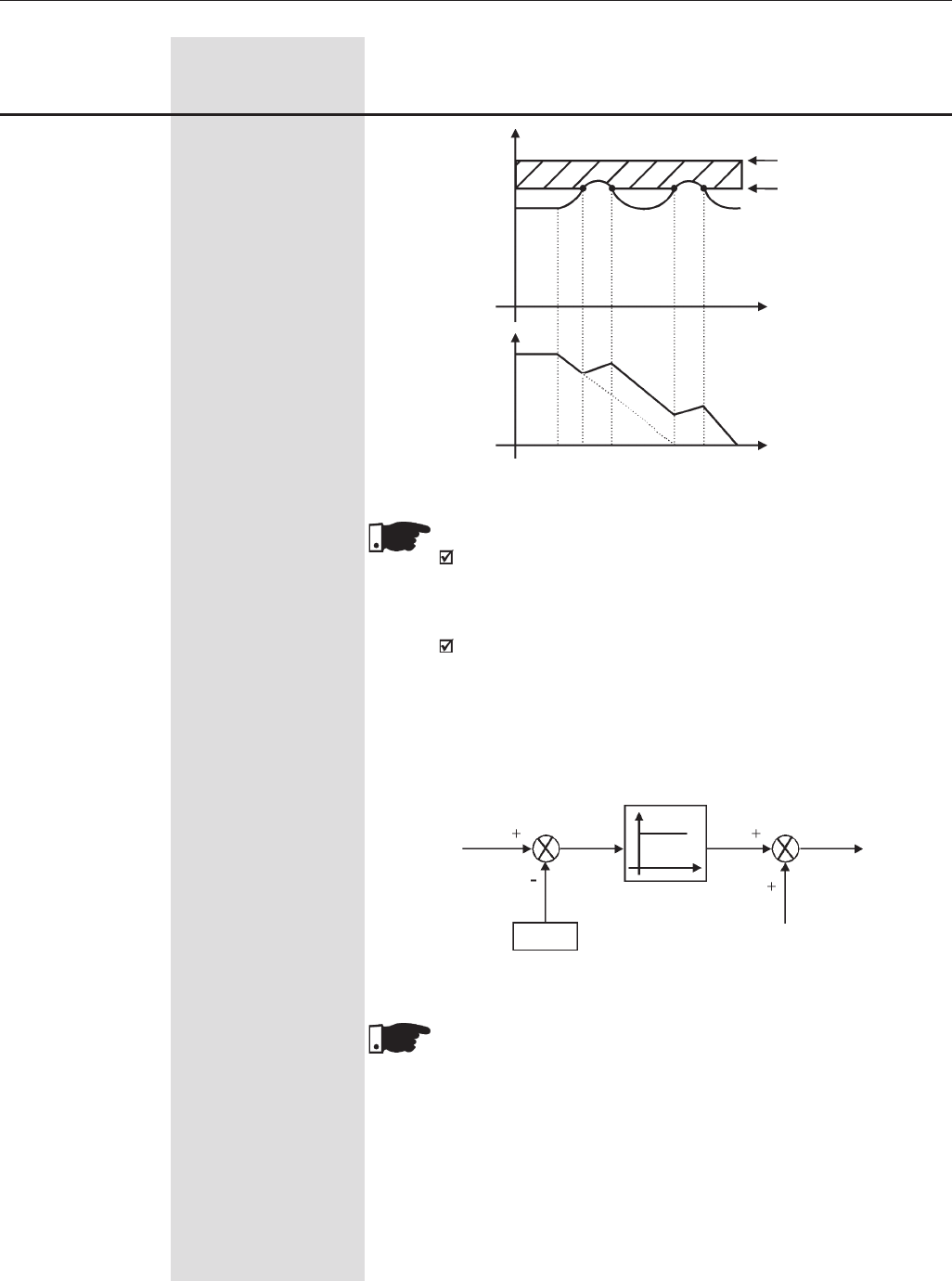
136
CHAPTER 6 - DETAILED PARAMETER DESCRIPTION
E01 - Overvoltage Level
Regulation Level
P151
Nominal
DC Link Voltage (Ud) (P004)
Range
[Factory Setting]
Parameter Unit Description / Notes
Time
Time
Speed
Figure 6.13 - Deceleration curve with DC Link voltage limitation (regulation)
NOTES!
The factory setting is at maximum (link regulation is deactivated).
To activate this regulation, we recommend to set P151 according
Table 6.7.
If even after this setting the inverter is still disabled due to
overvoltage (E01) during the load acceleration, increase the value
of the Parameter P152 gradually, or increase the deceleration
ramp time (P101 and/or P103). The inverter will not decelerate,
if the supply line is permanently under overvoltage Ud > P151).
In this case reduce the line voltage or increment P151.
DC Link
Voltage (Ud)
P152
Speed
Figure 6.14 - Voltage Regulation Block Diagram of the DC-Link
Speed Ramp
Output
P151
NOTE!
For large motors it’s recommended the use of the ramp holding
function.
137
CHAPTER 6 - DETAILED PARAMETER DESCRIPTION
Range
[Factory Setting]
Parameter Unit Description / Notes
P151 (6)
DC Link Voltage 339 to 400 (P296=0)
Regulation Level [ 400 ]
with and without 1V
Optimal Braking
For Vector Control 585 to 800 (P296=1)
(P202=3 or 4) [ 800 ]
1V
616 to 800 (P296=2)
[ 800 ]
1V
678 to 800 (P296=3)
[ 800 ]
1V
739 to 800 (P296=4)
[ 800 ]
1V
809 to 1000 (P296=5)
[ 1000 ]
1V
885 to 1000 (P296=6)
[ 1000 ]
1V
924 to 1000 (P296=7)
[ 1000 ]
1V
1063 to 1200 (P296=8)
[ 1200 ]
1V
P151 defines the level for the DC link voltage regulation during braking.
The time of the deceleration ramp is automatically extended, thus avoiding
overvoltage error (E01).
The DC link voltage regulation has two modes of operation:
1. With losses (Optimal braking) – set P150 to 0. In this mode the flux
current is modulated so as to increase the losses in the motor, there
by increasing the braking torque. It works better with lower efficiency
motors (smaller motors). It is not recommended for motors bigger
than 75HP/55kW. See explanation below.
2. Without losses – set P150 to 1. Only the DC link voltage regulation is
active.
NOTE!
P151 factory setting is set at maximum this disables the DC link
voltage regulation. To enable it, adjust according to table 6.7.
Optimal Braking:
The Optimal Braking is a unique method of stopping the motor that
provides more braking torque than DC Injection Braking without requiring
Dynamic Braking components. In the case of DC Braking, except for the
friction losses, only the rotor losses are used to dissipate the stored
energy due to the driven mechanical load.
With Optimal Braking, both the total motor losses and the inverter losses
are used. In this way, it is possible to achieve a braking torque of
approximately 5 times higher than with the DC braking (Refer to Figure
6.15).
This feature allows high dynamic performance without the use of a
Dynamic Braking resistor.
Figure 6.15 shows a Torque x Speed curve of a typical 7.5 kW/10 HP, IV
pole motor. The braking torque developed at full speed, with torque (P169
and P170) limited by the CFW-09 at a value equal to the motor rated
torque, is given by TB1 point (figure 6.15).
TB1 value depends on the motor efficiency and disregarding the friction
losses it is given by the following equation:
Where:
η = motor efficiency
For the case in Figure 6.15, the motor efficiency at full load condition is
84% η = 0.84, that results in TB1 = 0.19 or 19% of the motor rated
torque. Starting at TB1 point, the braking torque varies in the reverse
proportion of the speed (1/N). At low speeds, the braking torque reaches
the torque limit level set by the inverter. For the case of Figure 6.15, the
torque limit (100%) is reached when the speed is 20% of the rated speed.
TB1 = 1 -
η
η
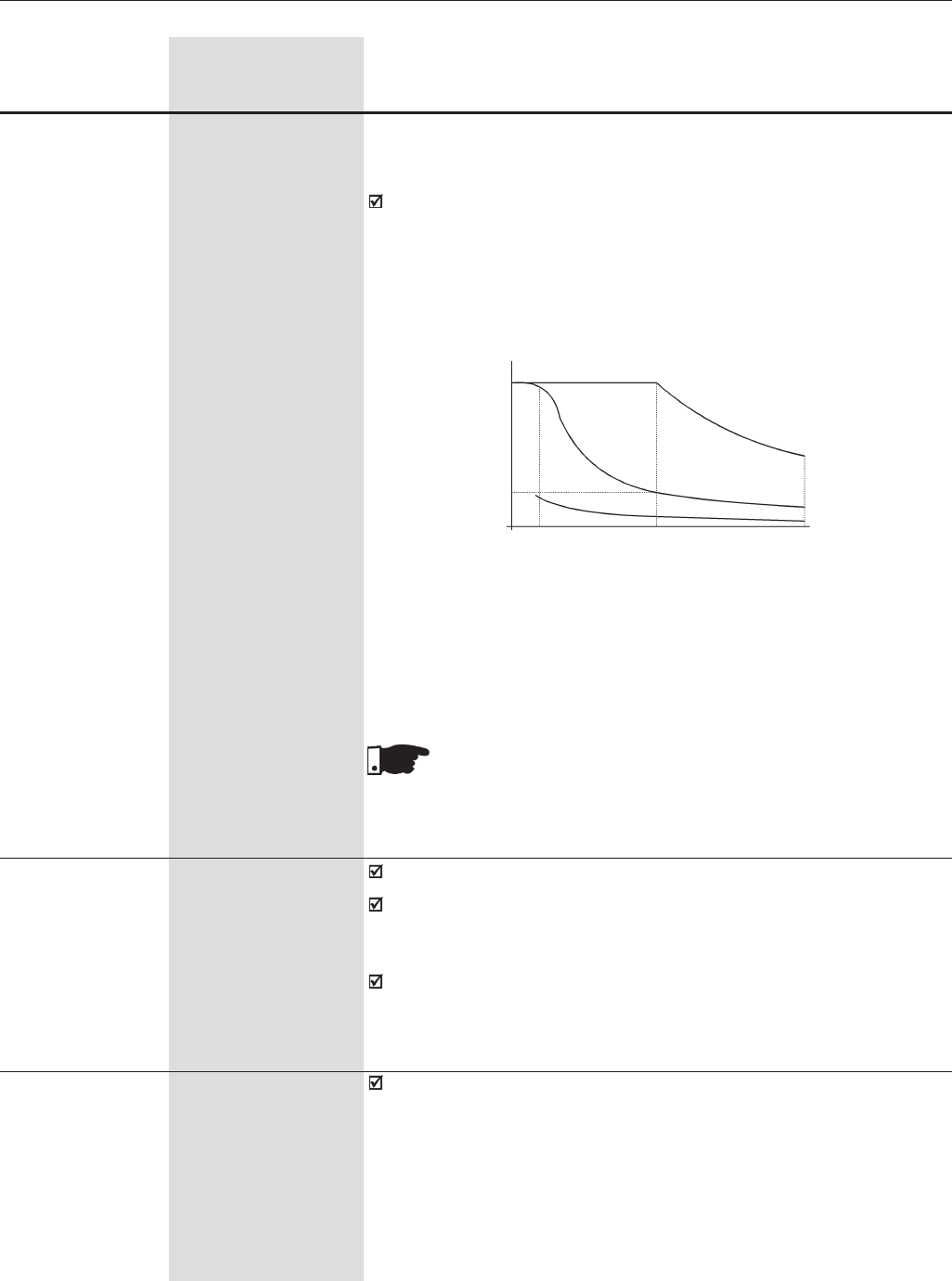
138
CHAPTER 6 - DETAILED PARAMETER DESCRIPTION
Range
[Factory Setting]
Parameter Unit Description / Notes
(a) Torque generated by the motor in normal operation, driven by an
inverter in “motor mode”.
(b) Braking torque generated by Optimal Braking
(c) Braking torque generated with DC Injection Braking
NOTE!
The enabling of the optimal braking can increase the motor noise
level and the vibration level. If this not desired, disable the optimal
braking.
Torque (PU)
Figure 6.15 - T x rpm curve for optimal braking and typical 10HP/7.5kW
motor driven by an inverter with torque limitation set for a value equal to the
rated motor torque
1.0
TB1
0
(a)
(b)
(c)
Speed (PU)
00.2 1.0 2.0
P152 0.00 to 9.99
Proportional Gain of [ 0.00 ]
the DC Link Voltage 0.01
Regulator
[Only for P202= 0,
1, 2 (V/F control)
or 5 (VVW)]
Refer to P151 for V/F Control (Figure 6.14).
If P152 = 0.00 and P151 is different from the maximum value, the
Ramp Holding function is active. (See P151 for the Scalar Control
Mode)
P152 multiplies the DC link voltage error, i.e. DC link actual - DC link
setting (P151). P152 is typically used to prevent overvoltage in
applications with eccentric loads.
P153 (6) 339 to 400 (P296=0)
Dynamic Braking [ 375 ]
Voltage Level 1V
585 to 800 (P296=1)
[ 618 ]
1V
616 to 800 (P296=2)
[ 675 ]
1V
Dynamic braking can only be used if the inverter is fitted with a dynamic
braking resistor. The voltage level for actuation of the brake chopper
must be set according to the supply voltage. If P153 is set too close to
the overvoltage trip level (E01) an overvoltage trip may occur before the
brake chopper and resistor can dissipate the braking energy. The following
are the recommended settings:
The braking torque indicated in Figure 6.15 can be increased by increasing
the inverter torque limit: P169 (maximum forward torque current) or P170
(maximum reverse torque current).
In general, smaller motors have lower efficiency (higher losses)
consequently Optimal Braking can achieve higher braking torques with
smaller motors.
Examples: 0.75 kW/1 HP, IV poles: η = 0.76 that results in TB1= 0.32
15 kW/20 HP, IV poles: η = 0.86 that results in TB1= 0.16
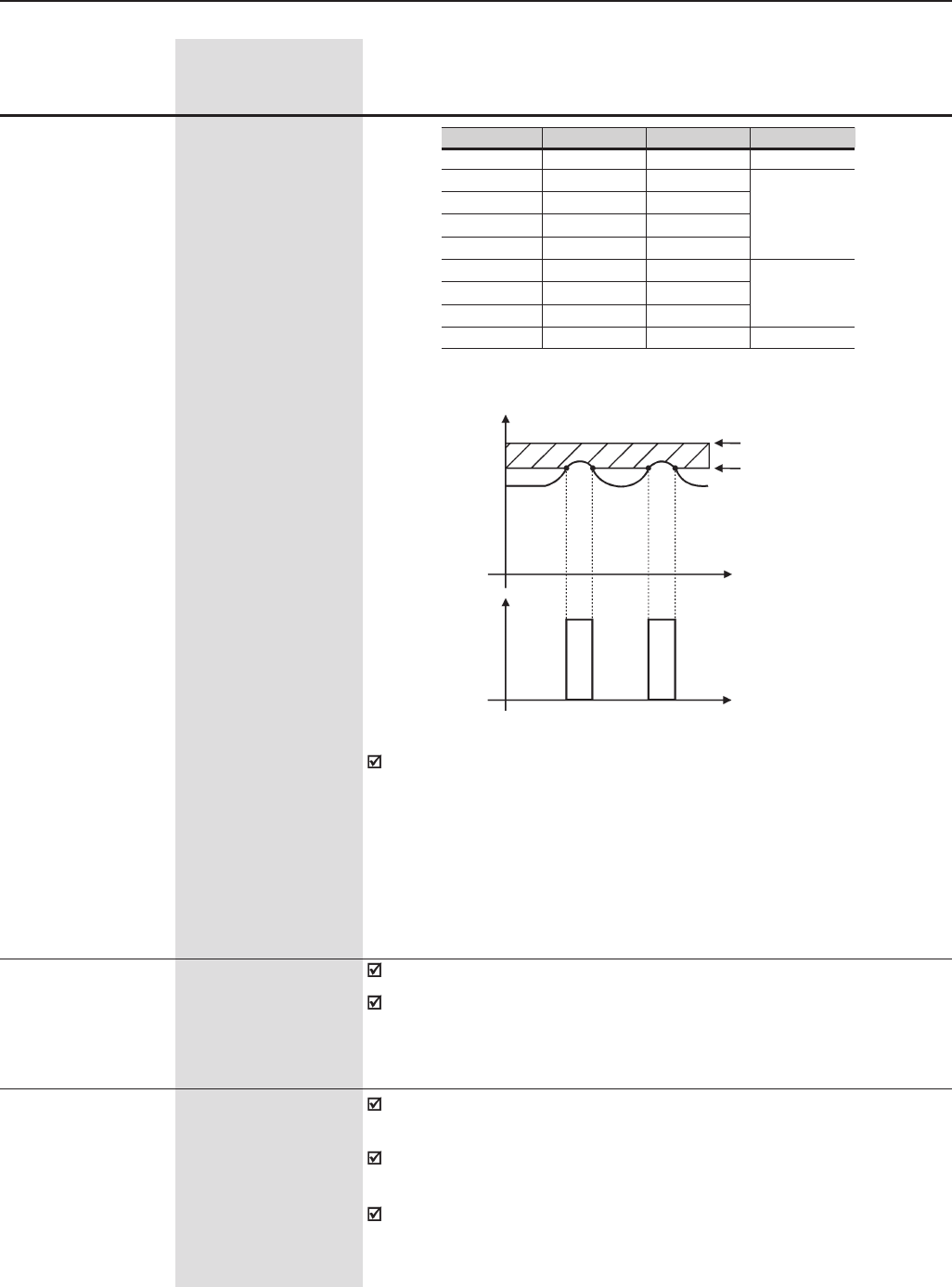
139
CHAPTER 6 - DETAILED PARAMETER DESCRIPTION
P155 0.02 to 650
DB Resistor Power [ 2.60 ]
Rating 0.01kW (<9.99)
0.1kW (>9.99)
1kW(>99.9)
Adjusts the overload protection for Dynamic Braking resistor. Set it
according to the power rating of the DB resistor (in kW).
If the average power in the braking resistor during 2 minutes is higher
than the value set at P155, the inverter trips on an E12 fault.
See item 8.10.
Range
[Factory Setting]
Parameter Unit Description / Notes
P154 0 to 500
Dynamic Braking [ 0 ]
Resistor 0.1Ω ( ≤ 99.9)-
1Ω ( ≥ 100)
Resistance value of the Dynamic Braking resistor (in ohms).
P154 = 0 disables the braking resistor overload protection. Must be
programmed to 0 when braking resistor is not used.
To actuate the Dynamic Braking:
⇒Connect the DB resistor. Refer to Section 8
⇒Set P154 and P155 according to the size of the Dynamic braking
resistor.
⇒Set P151 to its maximum value: 400V (P296=0), 800V (P296=1,2,3
or 4), 1000V (P296=5, 6 or 7) or 1200V (P296=8), to avoid actuation of
the DC link Voltage Regulation before Dynamic Braking.
Inverter Vnom
220/230V
380V
400/415V
440/460V
480V
500/525V
550/575V
600V
660/690V
P296
0
1
2
3
4
5
6
7
8
P153
375V
618V
675V
748V
780V
893V
972V
972V
1174V
E01
> 400V
> 800V
> 1000V
> 1200V
E01 -Overvoltage Level
Dynamic Braking Level
Time
Time
DB Resistor
Voltage UdUd
P153
Nominal
DC link Voltage (Ud) (P004)
Table 6.8 - Recommended settings of the Dynamic Braking Actuation
Figure 6.16 - Curve of the Dynamic Braking Actuation
678 to 800 (P296=3)
[ 748 ]
1V
739 to 800 (P296=4)
[ 780 ]
1V
809 to 1000 (P296=5)
[ 893 ]
1V
885 to 1000 (P296=6)
[ 972 ]
1V
924 to 1000 (P296=7)
[ 972 ]
1V
1063 to 1200 (P296=8)
[ 1174 ]
1V
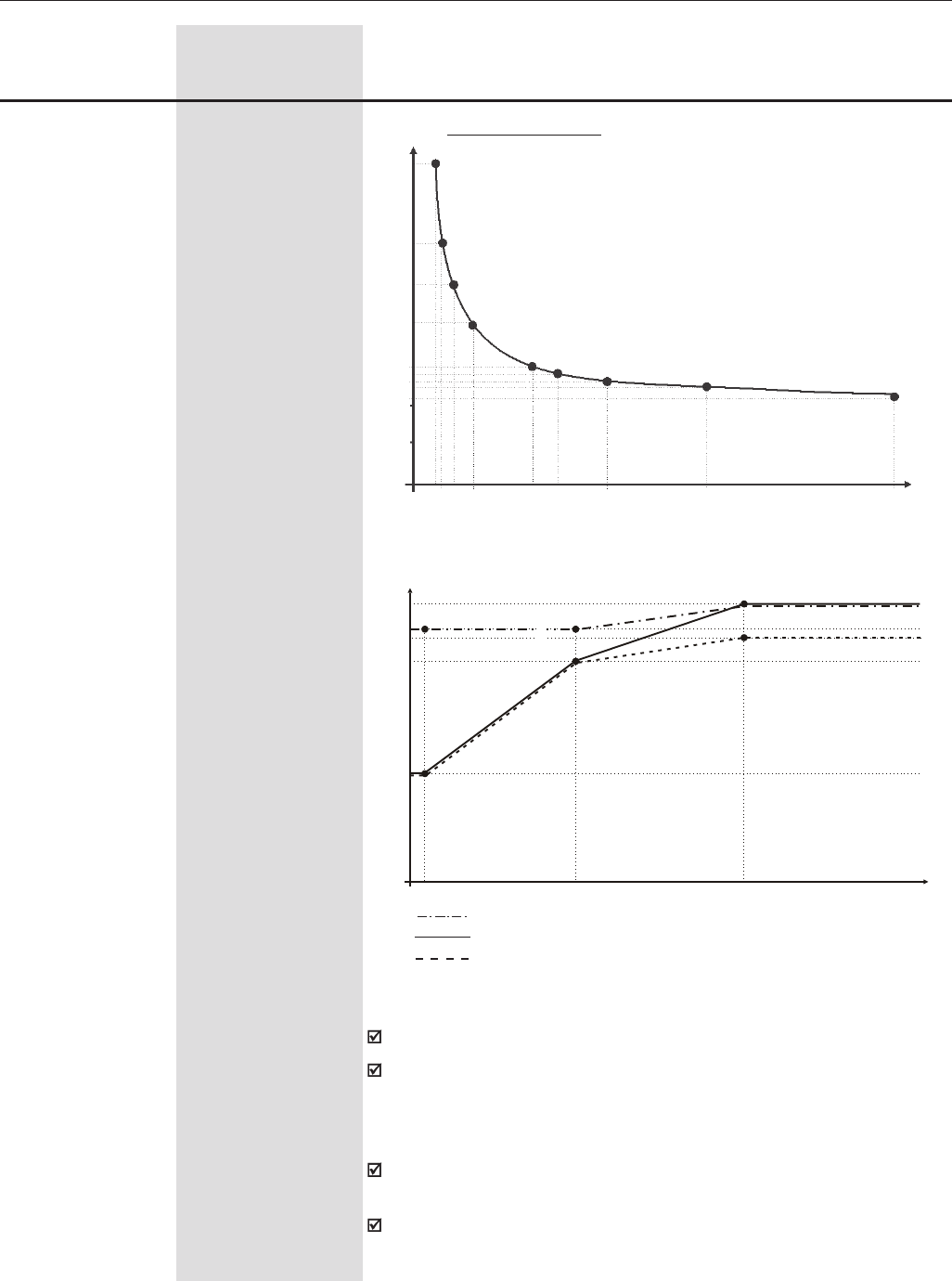
140
CHAPTER 6 - DETAILED PARAMETER DESCRIPTION
Range
[Factory Setting]
Parameter Unit Description / Notes
P156 (2) (7) (12) P157 to 1.3xP295 (12)
Motor Overload [ 1.1xP401 ]
Current at 100% 0.1A(<100)-1A(>99.9)
Speed
P157 (2) (7) P156 to P158
Motor Overload [ 0.9xP401 ]
Current at 50% 0.1A(<100)-1A(>99.9)
Speed
P158 (2) (7) 0.2xP295 to P157
Motor Overload [ 0.55xP401 ]
Current at 5% 0.1A(<100)-1A(>99.9)
Speed
Used to protect motor and inverter against timed overload (I x t - E05).
The Motor Overload Current (P156, P157 and P158) is the current level
above which the CFW-09 will consider the motor operating under
overload. The higher the overload, the sooner the Overload Fault E05 will
occur.
Parameter P156 (motor overload current at base speed) must be set
10% higher than the used rated motor current (P401).
The overload current is given as a function of the motor speed. The
parameters P156, P157 and P158 are the three points used to form the
overload curve, as shown in Figure 6.18 with the factory default levels.
Motor Current (P003)
Overload Current
% P401
0 5 50 100
110
100
98
90
55
0
I (A) =
4
3
2,5
2
1,5
1,3
1,1
0,5
0 0 15 30 60 75 100 150 300
% Speed
P156
P157
Curve for motor with separate ventilation
Curve for self-ventilated motor
Increased Protection Curve
t (s)
Figure 6.17 - Ixt Function - Overload detection
Figure 6.18 - Overload protection levels
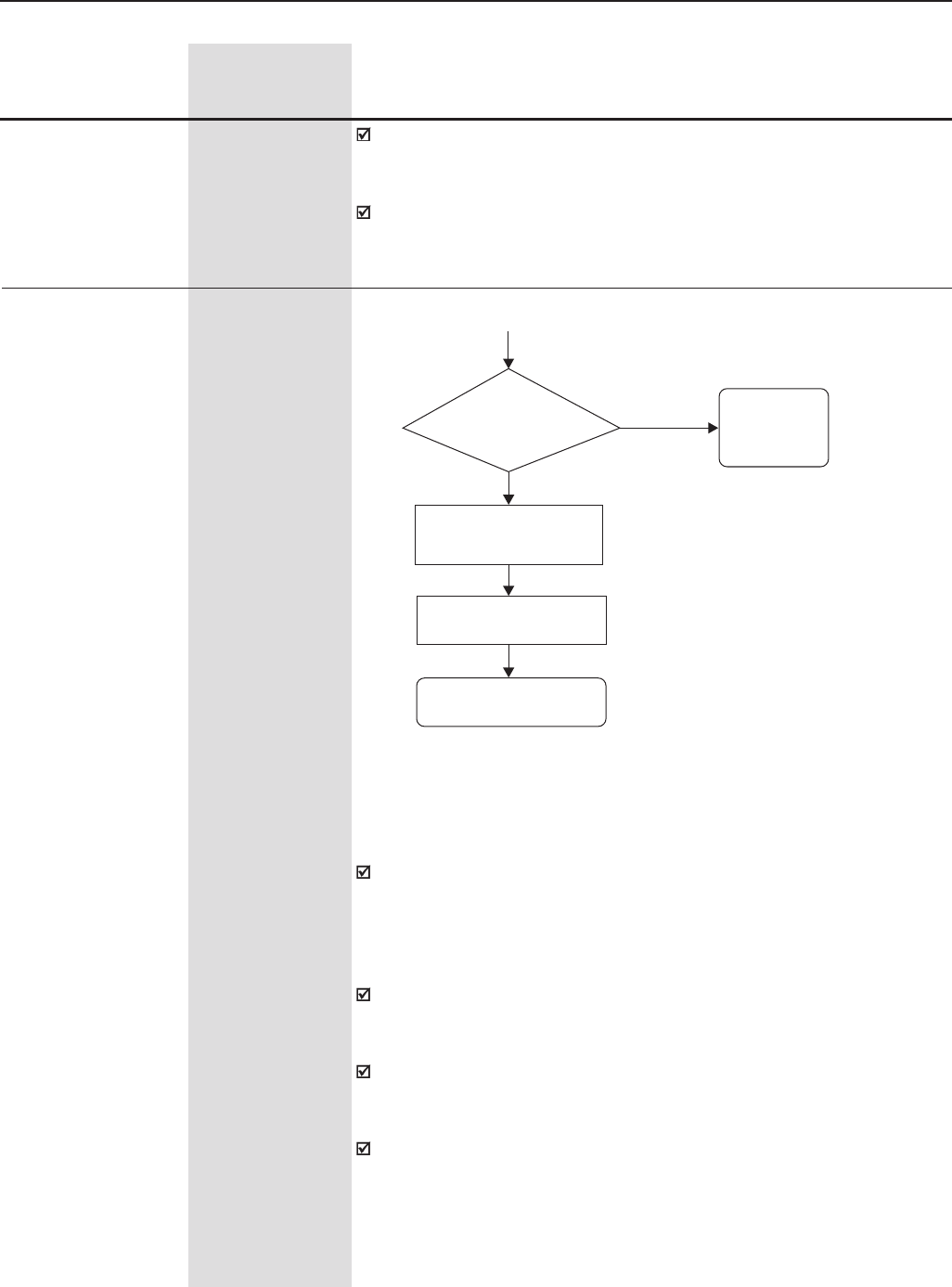
141
CHAPTER 6 - DETAILED PARAMETER DESCRIPTION
Range
[Factory Setting]
Parameter Unit Description / Notes
P160 0 to 1
Optimization of the [ 0 ]
Speed Regulator -
(for torque control)
When use P160 = 1?
Set P160 = 1 (P202 = 4)
Set P160 = 0 (P202 = 3)
Speed reference setting.
See NOTE 1 !
Setting of the desired
Torque. See NOTE 2 !
Saturated
Normal Maintain
P160=0
Standard
Operation
Speed Regulator
Normal or
Saturated ?
Speed Regulator operating with Current Limitation (Saturated) for
torque limitation purposes
The speed reference shall be set to value at least 10% higher than the
working speed. It ensures that the output of the speed regulator will be
equal to the maximum allowed value set for the maximum torque current
(P169, or P170, or external limitation through AI2 or AI3). In such way, the
regulator will operate with current limitation, i.e., saturated.
When the speed regulator is positively saturated, i.e., in the forward
direction (set in P223/P226), the value for the torque current limitation is
set at parameter P169.
When the speed regulator is negatively saturated, i.e., in the reverse
direction (set in P223/P226), the value for the torque current limitation is
set at parameter P170.
The torque limitation with the saturated speed regulator has also a
protection function (limitation). For instance: in a winder, if the winding
material is disrupted, then the regulator leaves the saturated condition
and starts controlling the motor speed, which will be limited by the speed
reference value.
Figure 6.19 - Torque Control
This overload curve adjustment improves the protection of self-ventilated
motors, or it can be programmed with a constant overload level at any
speed for blower cooled motors.
This curve is changed when P406 (Ventilation Type) is changed during
the start-up subroutine. (See 5.2).
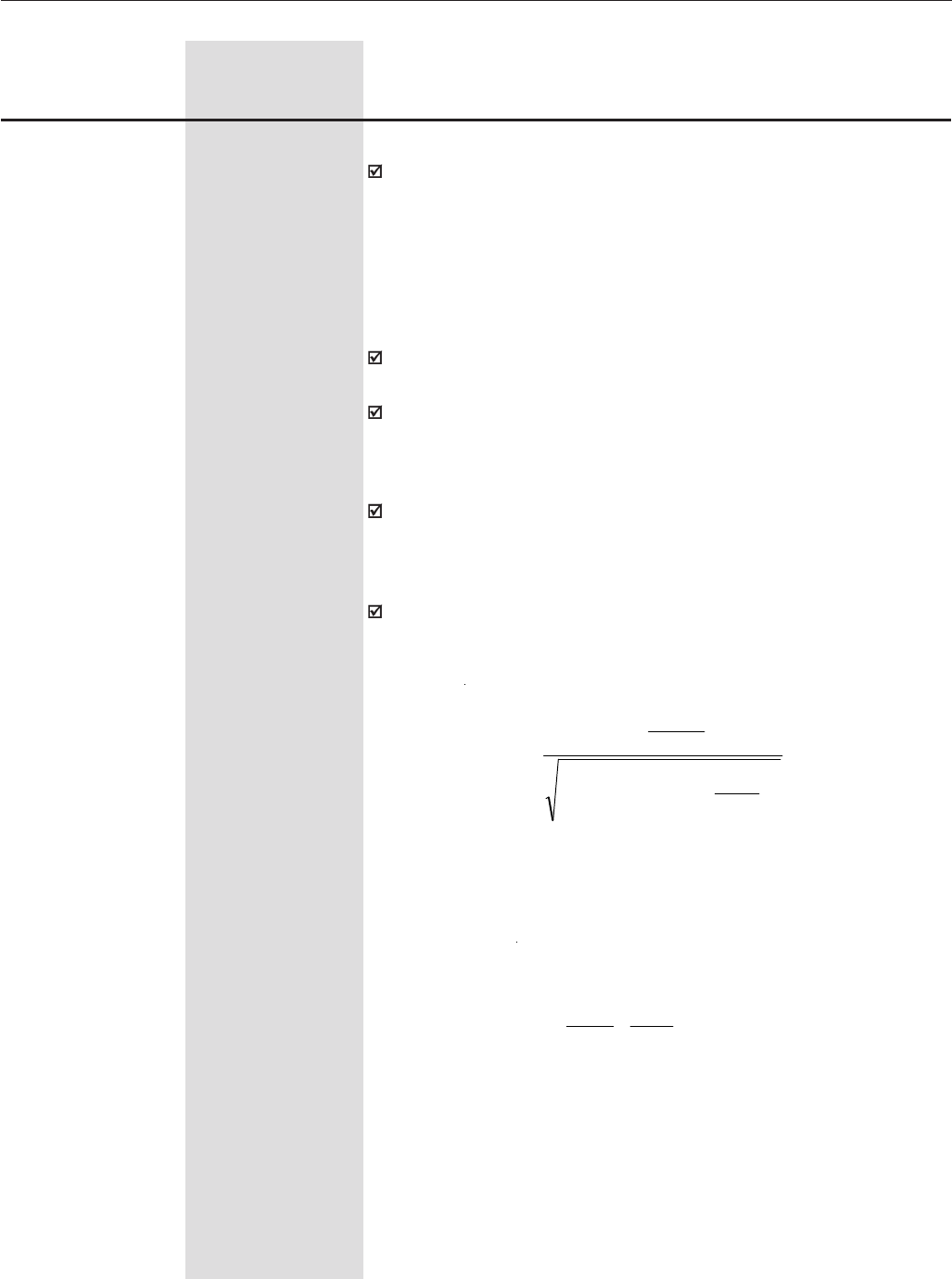
142
CHAPTER 6 - DETAILED PARAMETER DESCRIPTION
Range
[Factory Setting]
Parameter Unit Description / Notes
Torque limitation settings
The torque can be limited as follows:
1. Through parameters P169/P170 (by using the keypad, the Serial
Wegbus protocol or the Fieldbus protocols)
2. Through AI2 (P237 = 2 - Maximum torque current)
3. Through AI3 (P241 = 2 - Maximum torque current)
Notes:
The motor current shall be equivalent to the CFW-09 drive current so
that the torque control can achieve its best precision.
The sensorless control (P202=3) does not work with torque limitation at
frequencies lower than 3Hz. Use the vector with encoder control
(P202=4) for applications that require torque limitation at frequencies
lower than 3Hz.
The torque limitation (P169/P170) shall be greater than 30% in order to
guarantee the motor start in the sensorless mode (P202=3). After the
motor has started and it is running above 3Hz, the torque limitation
value (P169/P170) may be reduced below 30%, if required.
The motor torque (Tmotor) can be calculated from the value at P169/
P170 by using the following equation:
where:
Tmotor - Percentage value of the rated motor torque.
Nnom = Motor synchronous speed
N = Motor actual speed
* NOTE: The above equation is valid for forward torque. To reverse torque,
replace P169 by P170.
( )
100
100
178P
410P401P
100
*169P
295P
T2
2
×
×−
××
=K
motor
>×
≤
=
rated
rated
rated
NNfor
N
N
NNfor
K
100
180P
1
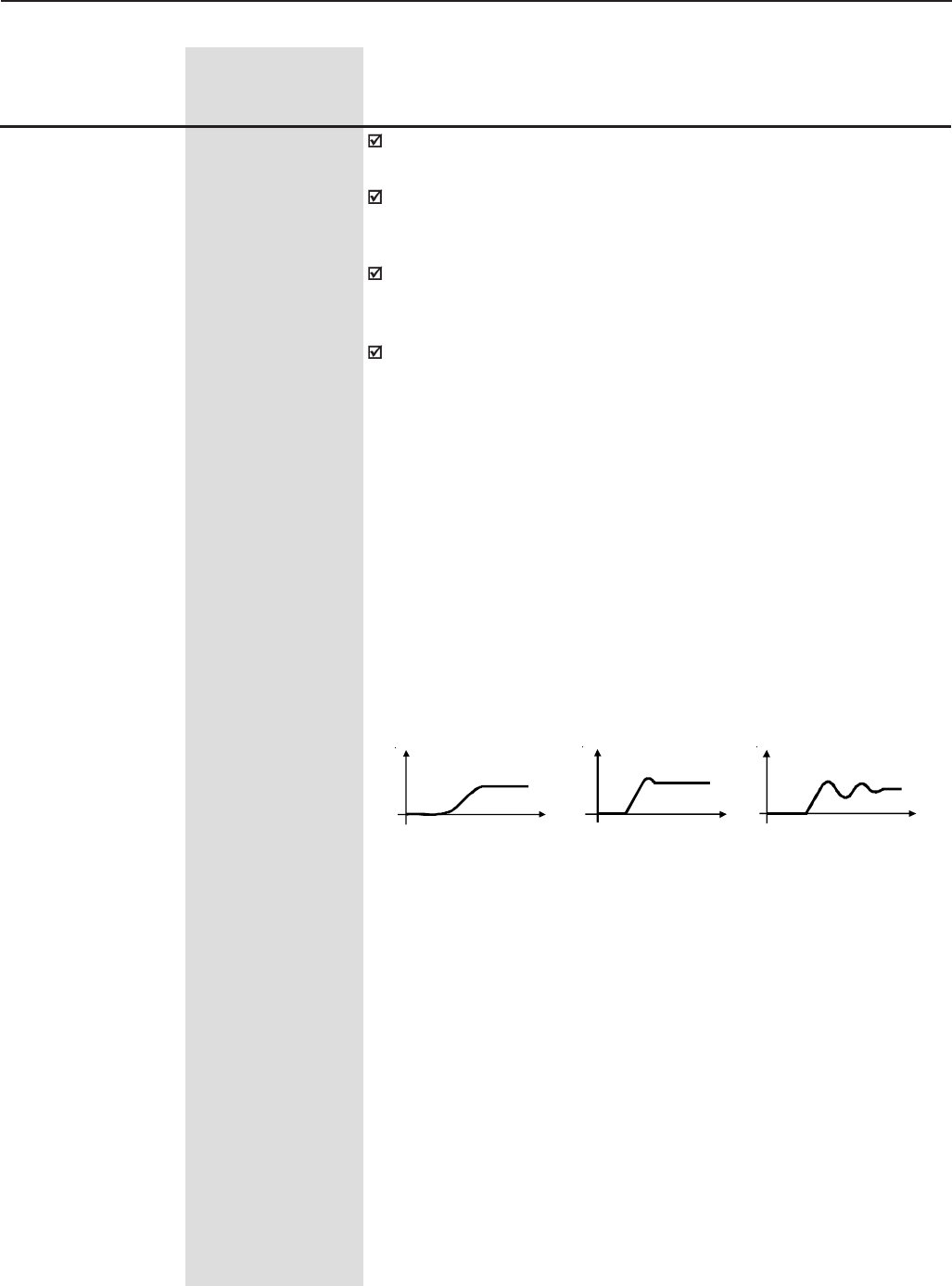
143
CHAPTER 6 - DETAILED PARAMETER DESCRIPTION
Range
[Factory Setting]
Parameter Unit Description / Notes
P161 (3) 0.0 to 63.9
Proportional Gain of [ 7.4 ]
the Speed Regulator 0.1
P162 (3) 0.000 to 9.999
Integral Gain of the [ 0.023 ]
Speed Regulator 0.001
The gains for the speed regulator are automatically set based on the
value of parameter P413 (Tm Constant).
However, these gains can be manually adjusted in order to optimize the
dynamic response of the speed. Increase this value to have a faster
response. Although, reduce this value in case of speed oscillations.
In general, P161 smoothes abrupt changes of speed or reference, while
P162 reduces the error between the set point and the real speed value,
as well as improves the torque response at low speeds.
Optimization of the Speed Regulator – Procedure for manual setting:
1 - Select the acceleration (P100) and/or deceleration (P101) time
according to the application;
2 - Set the speed reference to 75% of the maximum value;
3 - Configure the analog output AO3 or AO4 to Real Speed by setting
P255 or P257 to 2.
4 - Block the speed ramp – Start/Stop = Stop and wait until the motor
stops;
5 - Release the speed ramp – Start/Stop = Start; observe the motor speed
signal at the analog output AO3 or AO4 with an oscilloscope;
6 - Check among the options in figure 6.20 which waveform best represents
the signal measured with the oscilloscope.
a) Low Gain(s)
N (V)
t (s)
N (V)
t (s)
N (V)
t (s)
b) Optimized Speed
Regulator
c) High Gain(s)
Figure 6.20 - Types of response for the Speed Regulator.
Settings of P161 and P162 as a function of the type of response presented
in figure 6.20:
a) Increase the proportional gain (P161), and/or increase the integral
gain (P162).
b) Speed regulator is optimized.
c) Decrease the proportional gain (P161), and/or decrease the integral
gain (P162).
144
CHAPTER 6 - DETAILED PARAMETER DESCRIPTION
P167 (4) 0.00 to 1.99
Proportional Gain of [ 0.5 ]
the Current Regulator 0.01
P168 (4) 0.000 to 1.999
Integral Gain of the [0.010 ]
Current Regulator 0.001
NOTE!
These parameters must not be changed.
Range
[Factory Setting]
Parameter Unit Description / Notes
Parameters
(P166 and P167 and
P168) are shown
on the display(s)
only when P202 = 3
or 4 (Vector
Control)
P166 0.00 to 7.99
Speed Regulator [ 0.00 ]
Differential Gain -
The differential action may reduce the effects on the motor speed caused
by the load variation. Refer to figure 6.27 a).
This para-
meter is shown on
the display(s) only
when P202 = 3 or 4
(Vector Control)
P163 -999 to 999
Offset value for the [ 0 ]
Local Reference #1 1
P164 -999 to 999
Offset value for the [ 0 ]
Remote Reference #1 1
Parameters P163 or P164 may be used to compensate a bias offset at
the analog input signals, when the speed reference is given by the analog
inputs (AI1 to AI4).
Refer to figure 6.26.
These para-
meters (P160 to P164)
are shown on the
display(s) only when
P202 = 3 or 4 (Vector
Control)
P165 0.012 to 1.000s
Speed Filter [ 0.012s ]
0.001s
This para-
meter is shown on
the display(s) only
when P202 = 3 or 4
(Vector Control)
Adjusts the time constant for the Speed Filter. Refer to figure 6.27 a).
NOTE!
In general, this parameter shall not be changed. Increasing the
speed filter value renders the system response slower.
P166 Differential Gain Action
0.0 Off
0.01 to 7.99 On
The parameters P167 and P168 are set by the self-tuning routine as a
function of parameters P411 and P409, respectively.
Table 6.9 - Speed Regulator Differential Gain Action
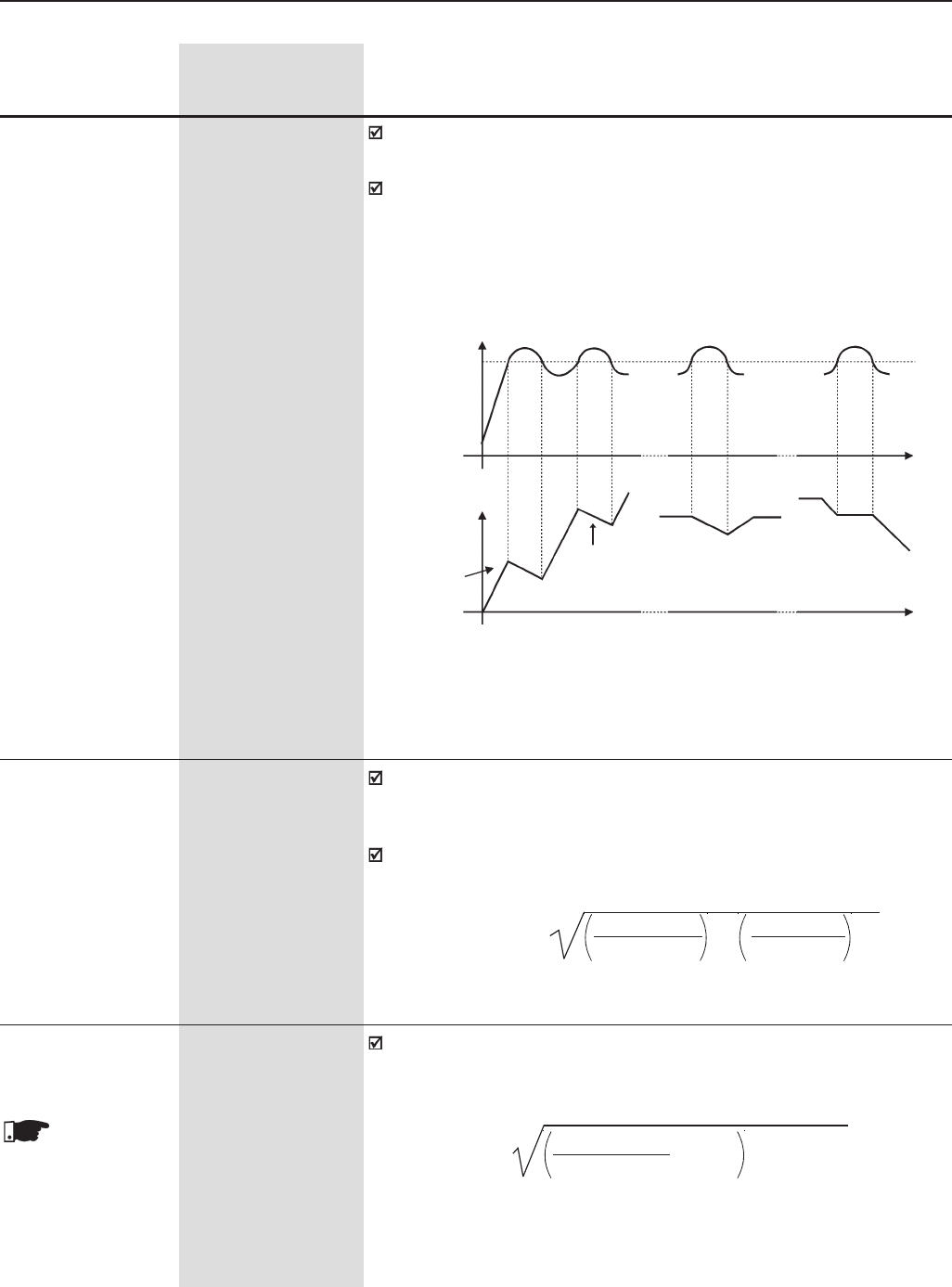
145
CHAPTER 6 - DETAILED PARAMETER DESCRIPTION
P169 (7) 0.2xP295 to 1.8xP295
Maximum Output [ 1.5xP295 ]
Current 0.1A(<100) -1A(>99.9)
For V/F Control
(P202=0, 1, 2 or 5)
This parameter limits the motor output current by reducing the speed,
which avoids motor stalling under overload conditions.
As the motor load increases, the motor current also increases. When
this current exceeds the value set at parameter P169, the motor speed
is reduced (by using the deceleration ramp) until the current value falls
below the value set at P169. The motor speed is resumed when the
overload condition stops.
Range
[Factory Setting]
Parameter Unit Description / Notes
Time
During
Cont. Duty
Time
Motor current
Decel. Ramp
(P101/P103)
Decel.
Ramp
Accel.
Ramp
During
Deceleration
During
Acceleration
Accel. Ramp
(P100/P102)
Speed
P169
Figure 6.21 - Curves showing the actuation of the current limitation
P169 (7) 0 to 180
Maximum Forward [ 125 ]
Torque Current 1%
For Vector Control
(P202 = 3 or 4)
This parameter limits the value of the component of the motor current
that produces forward torque. The setting is expressed as a percentage
value of the drive rated current (P295=100%).
The values of P169/P170 can be calculated from the maximum desired
value for the motor current (Imotor) by using the following equation:
P170 0 to 180
Maximum Reverse [ 125 ]
Torque Current 1%
This parameter limits the value of the component of the motor current
that produces reverse torque. While operating in torque limitation, the
motor current can be calculated by:
This para-
meters (P169 and
P170) are shown on
the display(s) only
when P202 = 3 or 4
(Vector Control)
P169/P170(%) = 100 x Imotor 2 - 100 x P410 2
P295 P295
Imotor = P169 or P170 x P295 2 + (P410) 2
100
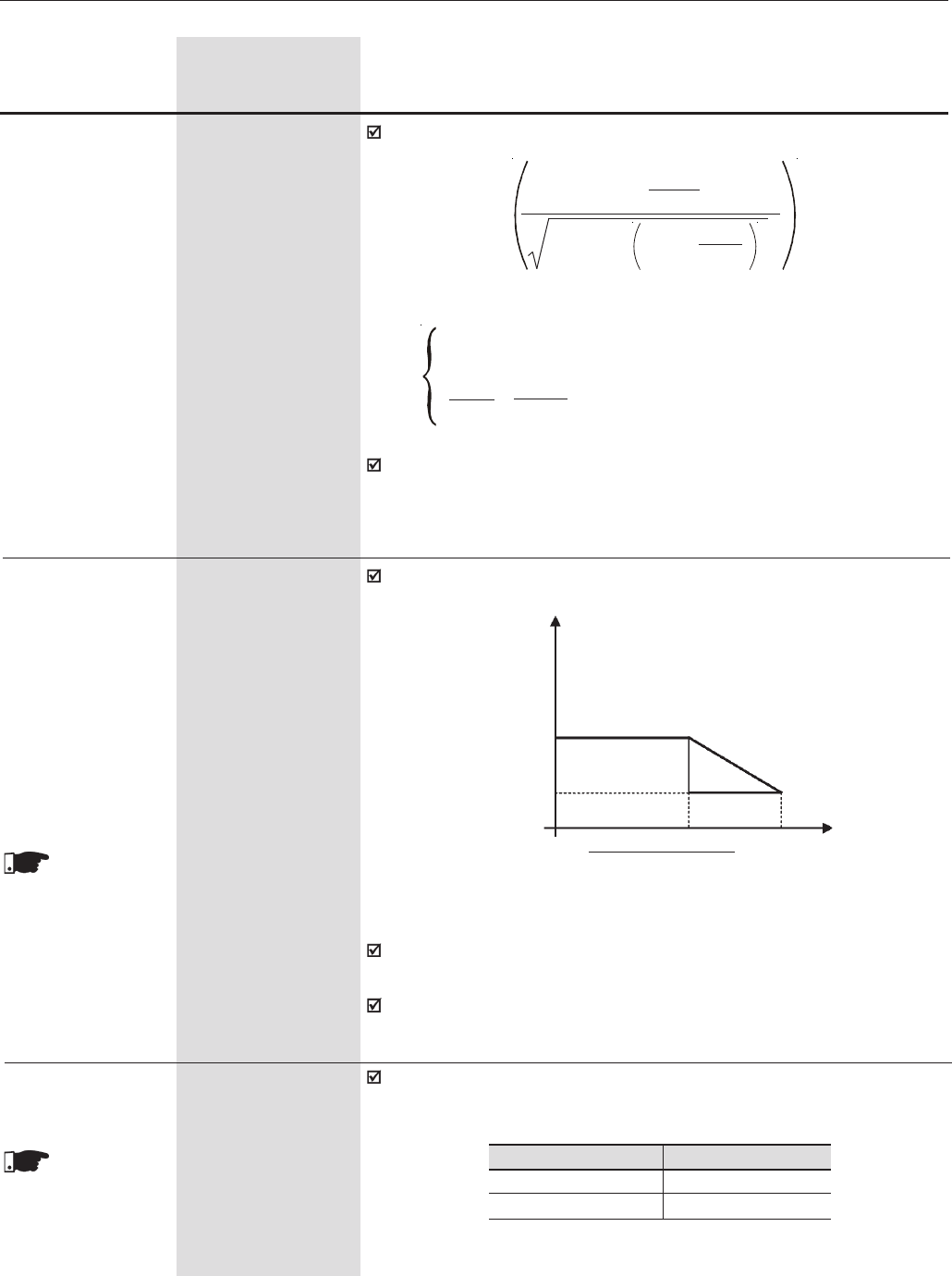
146
CHAPTER 6 - DETAILED PARAMETER DESCRIPTION
While the Optimal Braking is operating, P169 limits the maximum output
current in order to produce the braking forward torque (refer to P151).
See the above description for P169.
Range
[Factory Setting]
Parameter Unit Description / Notes
where:
K =
1 for N ≤ Nrated
Nrated x P180 for N > Nrated
N 100
The maximum torque produced by the motor is given by:
Speed
Torque current limitation as a function of the speed:
P170/P169
Torque Current
This function is disabled while the value of P171/P172 is equal to or
greater than the value of P169/170.
P171 and P172 operate also during the optimal braking by limiting the
maximum output current.
P134
Synch. Speed x P180
100
Figure 6.22 – Operation curve of the torque limitation at maximum speed
P172 0 to 180
Maximum Reverse [ 125 ]
Torque Current at 1%
the Maximum Speed
(N = P134)
P171 0 to 180
Maximum Forward [ 125 ]
Torque Current at 1%
the Maximum Speed
(N = P134)
P172/P171
P173=0
P173=1
These para-
meters (P171 and
P172) are shown on
the display(s) only
when P202 = 3 or 4
(Vector Control)
P173 0 to 1
Type of Curve for the [ 0 ]
Maximum Torque -
It defines the operation curve of the torque limitation at the field-weakening
region. Refer to figure 6.22.
This para-
meter is show on
the display(s) only
when P202 = 3 or 4
(Vector Control)
P173 Curve Type
0Ramp
1Step
Table 6.10 - Curve Type of the Maximum Torque
Tmotor (%) =
P295 x P169 x K
x 100
100
(P401) 2 - P410 x P178 2
100
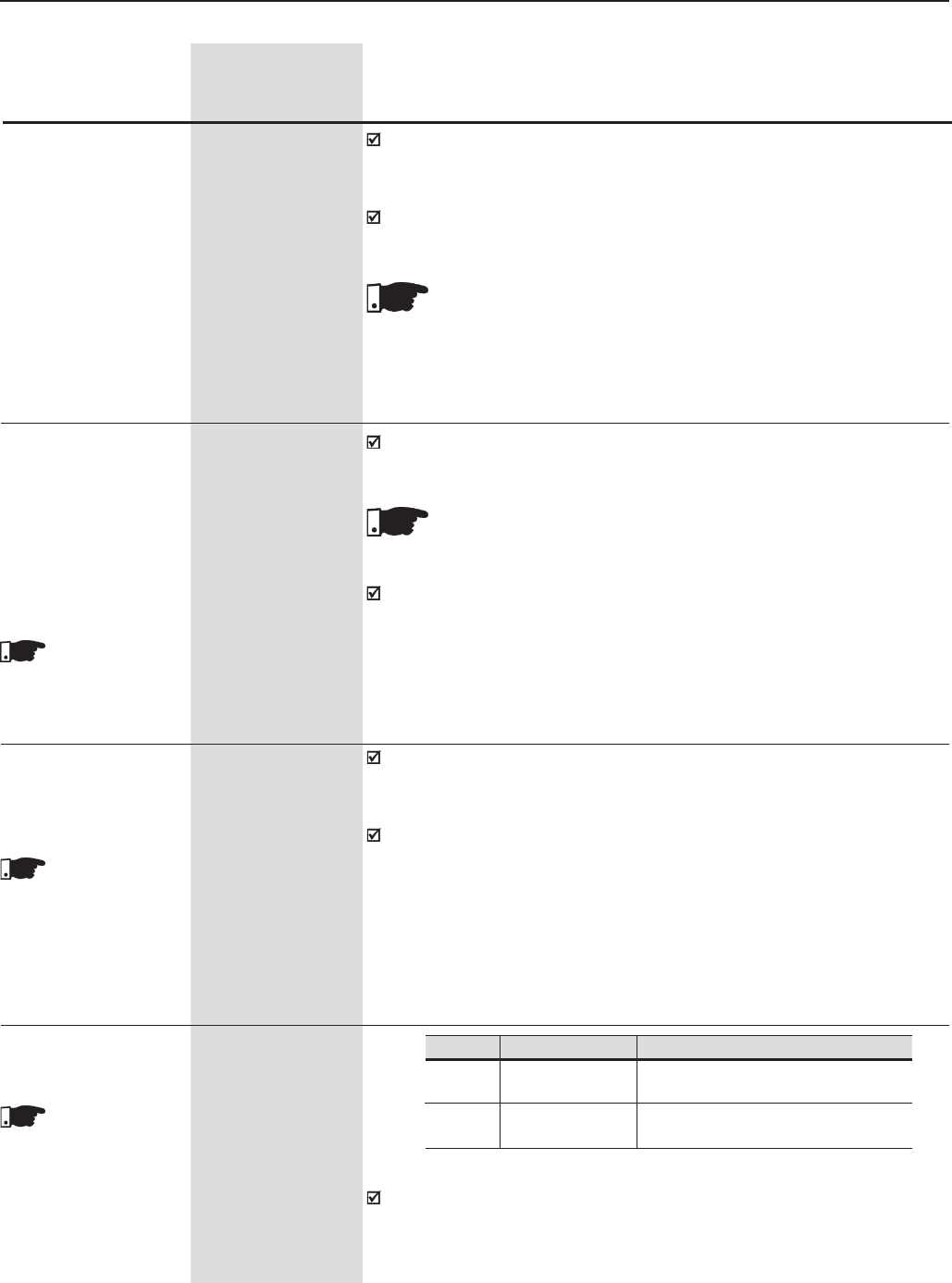
147
CHAPTER 6 - DETAILED PARAMETER DESCRIPTION
P175 (5) 0.0 to 31.9
Proportional Gain of [ 2.0 ]
the Flux Regulator 0.1
P176 (5) 0.000 to 9.999
Integral Gain of [ 0.020 ]
the Flux Regulator 0.001
Range
[Factory Setting]
Parameter Unit Description / Notes
P175 and P176 are automatically set as a function of parameter P412.
In general the automatic setting is adequate and there is no need for a
reconfiguration.
These gains shall only be manually reconfigured when the excitation
current signal (id*) is oscillating and compromising system operation.
P177 to P179
are active only when
P202=3 (Sensorless
Vector)
P177 0 to 120
Minimum Flux [ 0 ]
1%
P178 0 to 120
Rated Flux [ 100 ]
1%
P179 0 to 120
Maximum Flux [ 120 ]
1%
Parameters P177 and P179 define the output limits of the flux regulator
in the Sensorless Vector control.
NOTE!
The excitation current (id*) may be unstable in case of P175 > 12.
Note: (id*) can be observed at analog outputs AO3 and /or AO4 by
setting P255=14 and / or P257=14, or at P29 and / or P30.
NOTE!
These parameters shall not be changed.
P178 is the flux reference to both Vector controls (sensorless and with
encoder).
P180 0 to 120
Starting Point of the [ 95 ]
Field Weakening 1%
Region
These para-
meters (P175, P176,
P178 and P180) are
shown on the
display(s) only when
P202 = 3 or 4 (Vector
Control)
This parameter is represented as a percentage of the motor rated speed
(P402) and defines the speed where the field weakening region of the
motor starts.
If the drive is operating in Vector control and the motor is not reaching its
rated speed, it is possible to gradually reduce the value of parameters
P180 and/or P178 until it works appropriately.
P181 0,1
Magnetization Mode [ 0 ]
-
This parameter
is shown on the
display only when
P202 = 4 (Vector
Control with Encoder) In sensorless vector, magnetization current is permanently ON. To disable
magnetization current when the motor is stopped, program P211 to 1
(ON). This can be given a time delay by programming P213 greater than
zero.
Table 6.11 - Magnetization Mode
P181
0
1
Action
It applies magnetization current after
General Enable ON
It applies magnetization current after
Start/Stop ON
Function
General Enable
Start/Stop
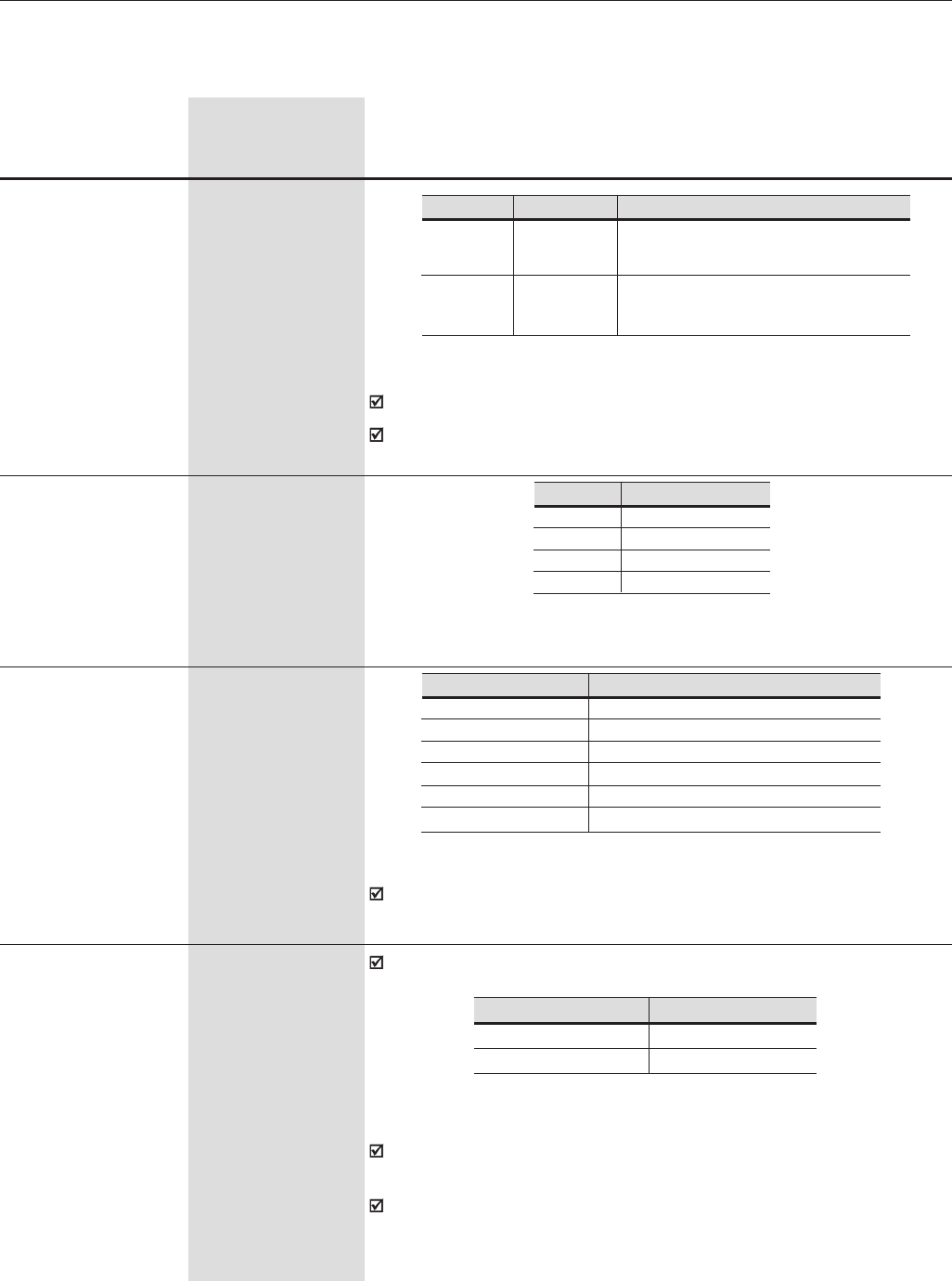
148
CHAPTER 6 - DETAILED PARAMETER DESCRIPTION
6.3 CONFIGURATION PARAMETERS - P200 to P399
P200 0,1
Password [ 1 ]
-
Range
[Factory Setting]
Parameter Unit Description / Notes
The factory default for the password is P000 = 5.
To change the password refer to P000.
P201 (11) 0 to 3
Language Selection [ - ]
-
Table 6.12 - Password
Table 6.13 - Language selection
P201
0
1
2
3
Language
Português
English
Español
Deutsch
P202 (1) (2) (11) 0 to 5
Type of control [ 0 ]
-
P202
0
1
2
3
4
5
Type of Control
V/F 60Hz
V/F 50Hz
V/F Adjustable (Refer to P142 to P146)
Sensorless Vector
Vector with Encoder
VVW (Voltage Vector WEG)
For details on the Type of Control selection Refer to Section 5.3.
Table 6.14 - Type of control selection
It defines the selection type of special functions:
P203 (1) 0,1
Special Function [ 0 ]
Selection -P203 Functions
0Not Used
1PID Regulator
Table 6.15 - Special Function selection
For the special function of PID regulator, see detailed description of
related parameters (P520 to P535).
When P203 is changed to 1, P265 is changed automatically to 15 -
Manual/Auto.
P200
0
1
Result
Disables the Password and allows
changing parameters content
independently of P000.
Enables the Password and allows
changing parameters content only when
P000 is set to the password value.
Function
Off
On
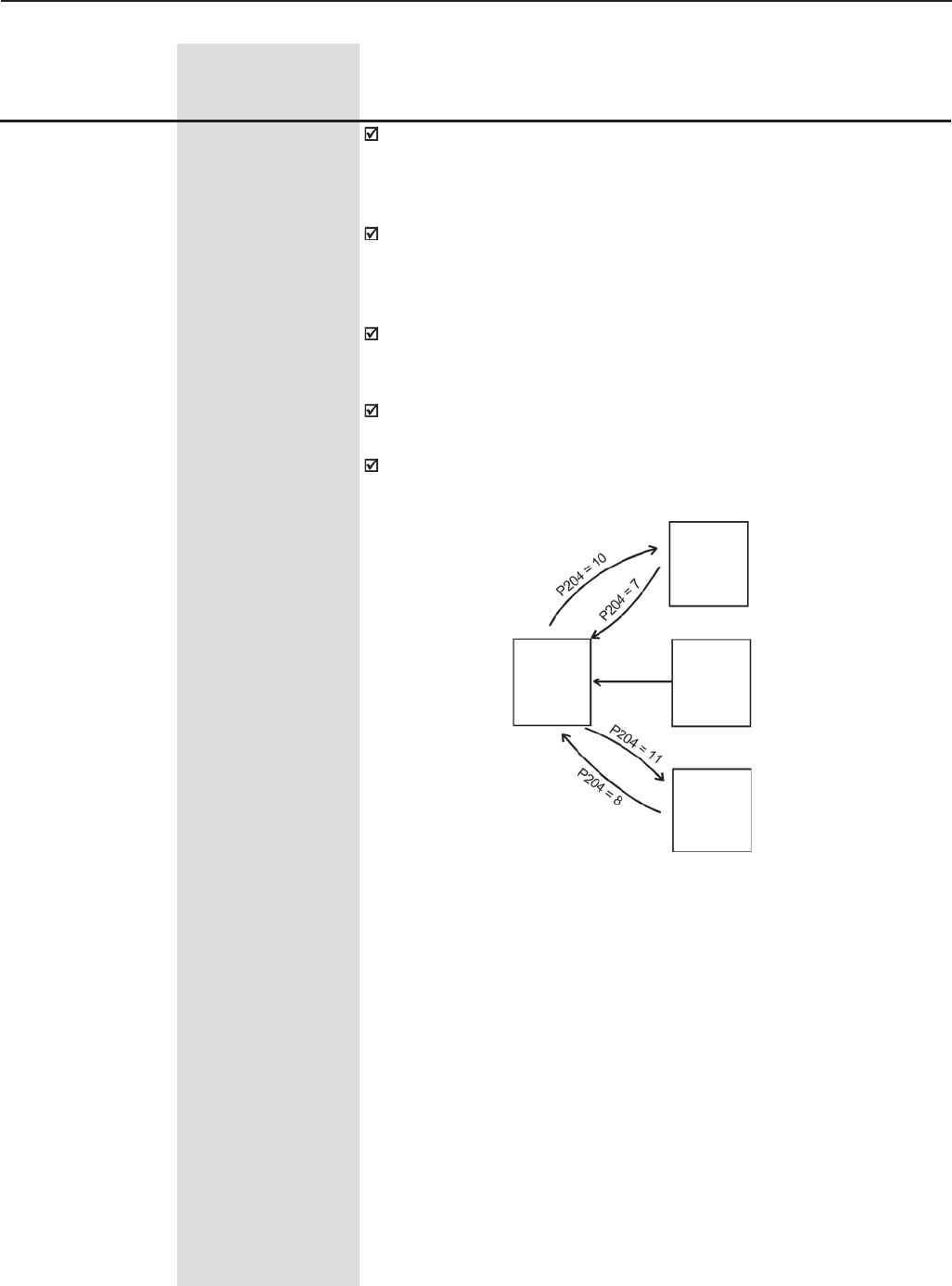
149
CHAPTER 6 - DETAILED PARAMETER DESCRIPTION
The parameters P295 (Inverter Rated Current), P296 (Inverter Rated
Voltage), P297 (Switching Frequency), P308 (Serial Address) and P201
(Language) are not changed when the factory default parameters are
loaded through P204 = 5 and 6.
In order to load the User Parameters #1 (P204=7) and/or the User
Parameters #2 (P204=8) into the operation area of the CFW-09, it is
necessary that the User Memory #1 and/or the User Memory #2 have
been previously saved (P204=10 and/or P204=11).
Once entered the user parameters are automatically saved to the VSD
EEPROM. In addition it is possible to save two further sets of
parameters, or to use these as a “backup”.
The operation of Load User 1 and/or 2 can also be done by DIx (See
parameters P265 to P269).
The options P204=5, 6, 7, 8, 10 and 11 are disables when P309 ≠ 0
(Active Fieldbus).
P204 (1) (10) 0 to 11
Load/Save [ 0 ]
Parameters -
Range
[Factory Setting]
Parameter Unit Description / Notes
Current
Inverter
Parameters
Factory
Default
User
Default
1
User
Default
2
P204=5
or 6
Figure 6.23 - Parameter Transference
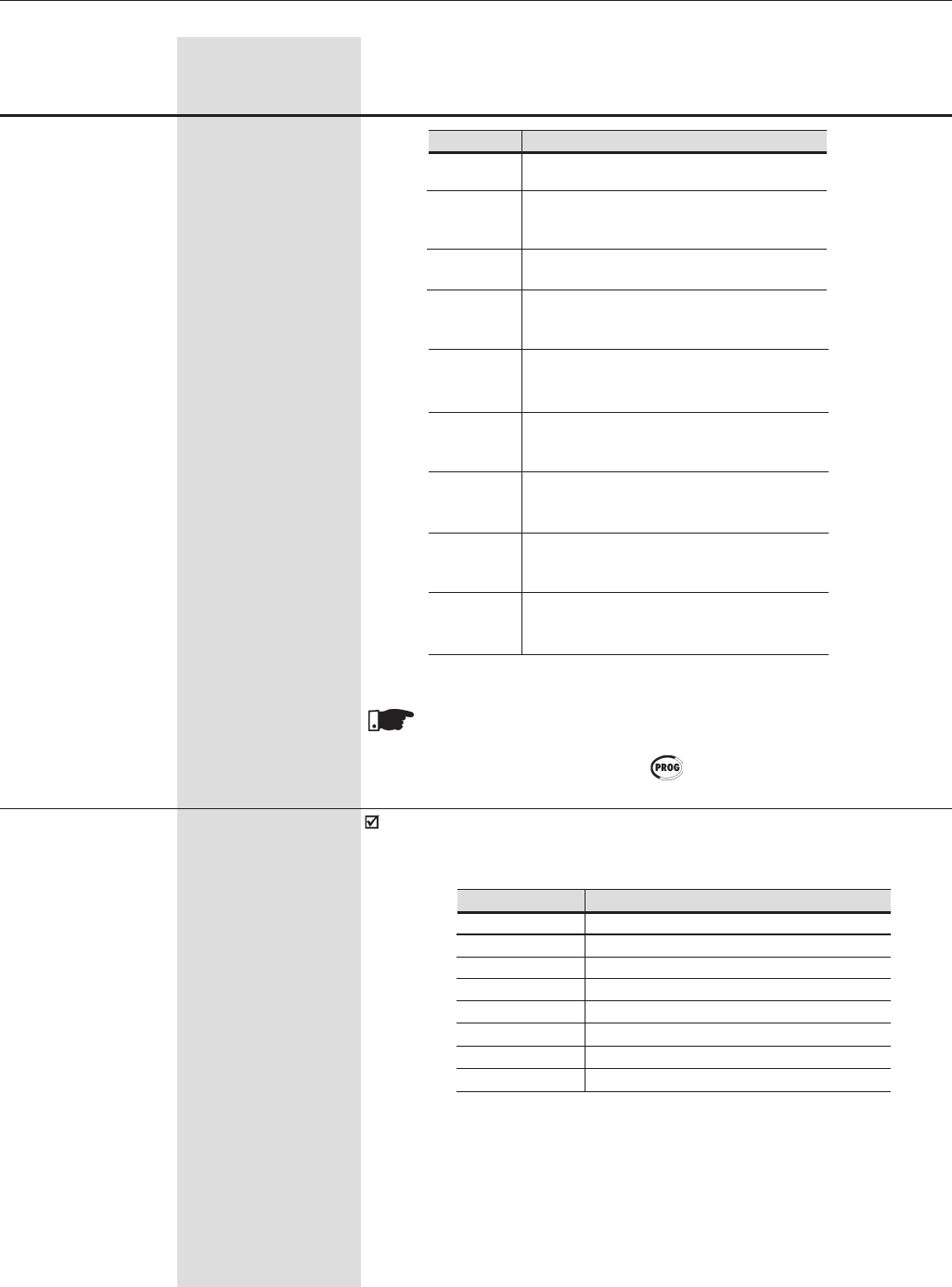
150
CHAPTER 6 - DETAILED PARAMETER DESCRIPTION
NOTE!
The action of loading/saving parameters will take effect only after
P204 has been set and the key is pressed.
P205 0 to 7
Display Default [ 2 ]
-
Selects which of the parameters listed below will be shown on the display
as a default after the inverter has been powered up:
Range
[Factory Setting]
Parameter Unit Description / Notes
6Load WEG-50Hz:
Resets all parameters to the 50Hz
factory default values.
7Load User 1:
Resets all parameters to the values stored
in Parameter Memory 1.
8Load user 2:
Resets all parameters to the value
stored in Parameter Memory 2.
10 Save User 1:
Stores all current inverter parameter
values to Parameter Memory 1.
11 Save User 2:
Stores all current inverter parameter values
to Parameter Memory 2.
P204 Action
0, 1, 2, 9 Not Used:
No action
3Reset P043:
Resets the Time Enabled hour
meter to zero
4Reset P044:
Resets the kWh counter to zero
5Load WEG-60Hz:
Resets all parameters to the 60Hz
factory default values.
Table 6.16 - Action of loading/saving parameters
Table 6.17 - Options displays default
P205
0
1
2
3
4
5
6
7
Display Default
P005 (Motor Frequency)
P003 (Motor Current)
P002 (Motor Speed)
P007 (Motor Voltage)
P006 (Inverter Status)
P009 (Motor Torque)
P070 (motor speed and motor current)
P040 (PID Process Variable)
151
CHAPTER 6 - DETAILED PARAMETER DESCRIPTION
Range
[Factory Setting]
Parameter Unit Description / Notes
P206 0 to 255
Auto-Reset [ 0 ]
Time 1s
In the event of a fault trip, except for E09, E24, E31 and E41,the CFW-09
can initiate an automatic reset after the time given by P206 is elapsed.
If P206 ≤ 2 Auto-Reset does not occur.
If after Auto-Reset the same fault is repeated three times consecutively,
the Auto-Reset function will be disabled. A fault is considered consecutive
if it happens again within 30 seconds after Auto-Reset.
Hence, if an error occurs four consecutive times, it will be permanently
indicated (and the drive will be disabled).
P207 32 to 127
Reference [ 114 (r) ]
Engineering Unit 1 -
This parameter is useful only for inverters provided with a keypad with
LCD display.
P207 is used to apply a customised display to P001 (Speed reference)
and P002 (motor speed). The letters rpm can be changed to user selected
characters, E.g. CFM, L/s, etc.
The Reference Engineering Unit is formed by three characters, which
will be applied to the Speed Reference (P001) and the Motor Speed
(P002) LCD display indications. P207 defines the left character. P216
defines the center character and P217 the right character.
All characters correspondent to the ASCII code from 32 to 127 can be
chosen.
Examples: A, B, ... , Y, Z, a, b, ... , y, z, 0, 1, ... , 9, #, $, %, (, ), *, +,...
Frequency Motor Pole Syncronous
Number Speed - rpm
50Hz
23000
41500
61000
8750
60Hz
23600
41800
61200
8900
P208 (2) (11) 1 to 18000
Reference Scale [ 1800 (1500) (11) ]
Factor 1
Defines how the Speed Reference (P001) and the Motor Speed (P002)
will be displayed.
For indicating the values in rpm:
Set the synchronous speed according to the following table.
For indicating other values:
The displayed value when the motor is running at synchronous speed
can be calculated through the following equations:
P002 = Speed x P208 / Sync speed x (10)P210
Table 6.18 - Synchronous speed reference in rpm
152
CHAPTER 6 - DETAILED PARAMETER DESCRIPTION
Range
[Factory Setting]
Parameter Unit Description / Notes
P209 (1) 0,1
Motor Phase Loss [ 0 ]
Detection -
P209 Motor Phase Loss (E15)
0Off
1On
Table 6.19 - Actuation Motor Phase Loss Detection
P001 = Reference x P208 / Sync speed x (10)P210
Where:
Reference = Speed Reference in rpm.
Speed = Motor speed in rpm;
Sync Speed = Motor synchronous speed (120 x P403 / Poles);
Poles = Motor number of poles (120 x P403 / P402);
Example:
Desired indication: 90.0 l/s at 1800 rpm
Motor synchronous speed: 1800 rpm
Programming: P208 = 900, P210 = 1, P207 = l, P216 = /, P217 = s
With the Motor Phase Loss Detector enabled (P209=1), E15 happens
when the following conditions occur simultaneously during a minimum
time of 2 seconds:
i. P209 = On;
ii. Inverter enabled;
iii. Speed reference higher than 3%;
iv.| Iu - Iv| > 0.125xP401 or | Iu – Iw| > 0.125xP401
or | Iv – Iw| > 0.125xP401.
P210 0 to 3
Decimal point of [ 0 ]
the Speed Indication 1
Defines the number of digits after the decimal point of the Speed
Reference (P001) and the Motor Speed indications (P002).
P211Zero Speed Disable
0Off
1On
When active, it disables (general disabling, motor runs freely) the inverter
when the speed reference and the actual motor speed are lower than
the value set at P291 (Zero Speed Zone).
The CFW-09 will be enabled again, when one of the conditions defined
by the Parameter P212 is satisfied.
Table 6.20 - Zero Speed Disable
P211 (1) 0,1
Zero Speed [ 0 ]
Disable -
153
CHAPTER 6 - DETAILED PARAMETER DESCRIPTION
Range
[Factory Setting]
Parameter Unit Description / Notes
P214 (1) (9) 0 or1
Line Phase Loss [ 1 ]
Detection -
P214 Line Undervoltage/
Phase Fault (E03)
0Off
1On
P213 0 to 999
Time Delay for Zero [ 0 ]
Speed Disable 1s
P213=0: Zero speed disable without timing.
P213>0: Zero speed disable will only become active after the time delay
set in P213. Timing starts when the zero speed zone conditions are
met. If these conditions are no longer met during the delay time, the
timer will reset.
P212 0 or 1
Condition to Leave [ 0 ]
Zero Speed Disable -
P212 Inverter leaves zero
(P211=1) speed disable if
0P001 (Speed ref. N*) >
P291 or P002 (Motor
speed N) > P291
1P001 (Speed ref. N*) > P291
When the PID Regulator is active (P203=1) and in Automatic mode, the
inverter leaves the Zero Speed, besides the programmed condition in
P212, only when the PID input error (the difference between setpoint and
process variable) is higher than the value programmed in P535.
Table 6.21 - Condition to Leave Zero Speed Disable
Table 6.22 - Actuation Line Phase Loss Detection
The phase loss detector is active when:
P214 = On and the CFW-09 is enabled.
The display indication and the updating of the fault memory happens 3
seconds after the fault has occurred.
NOTE!
The phase loss detection is not available in types up to 28A for 220-
230V and 380-480V supply voltage and in types up to 14A for 500-
600V supply voltage, independently of the value set in P214.
P215 (1) 0 to 2
Copy Function [ 0 ]
-
P215 Action
0=Off None
1= INV →Transfers the current parameter
Keypad values and the content of the
User 1/2 Memories to the non volatile
EEPROM memory of the Keypad
(HMI). The current inverter
parameters are not changed.
2= Keypad Transfers the content of the Keypad
→ INV (HMI) memory to the current inverter
parameters and to the User 1/2
Memories.
Table 6.23 - Action copy function
154
CHAPTER 6 - DETAILED PARAMETER DESCRIPTION
The copy function is used to transfer the content of the parameters from
one inverter to another. The inverters must be of the same type (voltage/
current and the same software version must be installed.
Range
[Factory Setting]
Parameter Unit Description / Notes
Example: version V1.60 → (x=1, y=6 and z=0) stored in the HMI previously
i. Inverter version: V1.75 → (x´=1, y´=7 and z´=5)
P215=2 → E10 [(y=6) ≠ (y´=7)]
ii. Inverter version: V1.62 → (x´=1, y´=6 and z´=2)
P215=2 → normal copy [(y=6) = (y´=6)]
The procedure is as follows:
1. Connect the Keypad to the inverter from which the parameters will be
copied (Inverter A);
2. Set P215=1 (INV ® HMI) to transfer the parameter values from the
Inverter A to the Keypad.
3. Press the key. P204 resets automatically to 0 (Off) after the
transfer is completed.
4. Disconnect the Keypad from the inverter.
5. Connect the same Keypad to the inverter to which the parameters
will be transferred (Inverter B).
6. Set P215=2 (HMI ® INV) to transfer the content of the Keypad memory
(containing the Inverter A parameters) to Inverter B.
7. Press the key. When P204 returns to 0, the parameter transfer
has been concluded. Now Inverters A and B have the same parameter
values.
Note:
In case Inverters A and B are not of the same model, check the values of
P295 (Rated Current) and P296 (Rated Voltage) of Inverter B.
If the inverters are driving different motors, check the motor related
parameters of Inverter B.
8. To copy the parameters content of the Inverter A to other inverters,
repeat items 5 to 7 of this procedure.
NOTE!
If the HMI has parameters saved of a “different version” than installed
in the inverter to which it is trying to copy the parameters, the
operation will not be executed and the inverter will display the error
E10 (Error: not permitted Copy Function). “Different Version” are
those that are different in “x” or “y”, supposing that the numbering
of Software Versions is described as Vx.yz.
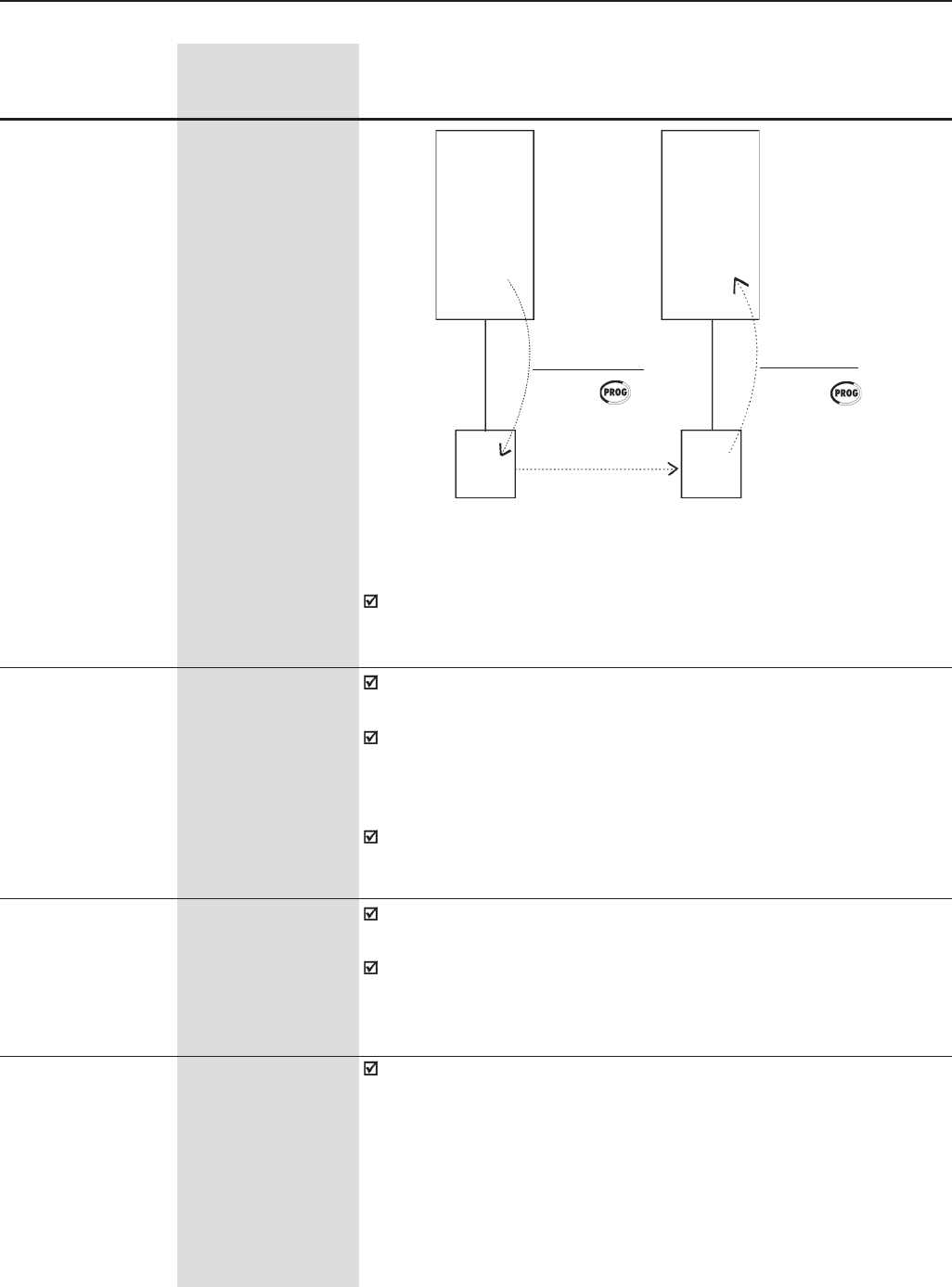
155
CHAPTER 6 - DETAILED PARAMETER DESCRIPTION
Figure 6.24 -Copying the Parameters from the “Inverter A” to the “Inverter B”
Range
[Factory Setting]
Parameter Unit Description / Notes
Parameters Parameters
EEPROM
EEPROM
INVERTER
B
INVERTER
A
INV→keypad
P215 = 1
Press
Keypadkeypad
keypad→INV
P215 = 2
Press
P216 32 to 127
Reference Engineering [ 112 (p) ]
Unit 2 -
P217 32 to 127
Reference Engineering [ 109 (m) ]
Unit 3 -
These parameters are useful only for inverters provided with a keypad
with LCD display.
The engineering unit of the speed reference is composed of three
characters, which will be displayed on the indication of the Speed
Reference (P001) and Motor Speed (P002). P207 defines the left
character, P216 the center character and P217 the right character.
For more details, refer to Parameter P207.
While the Keypad runs the reading or writing procedures, it cannot be
operated.
This parameter is useful only for inverters provided with a keypad with
LCD display.
It allows the adjustment of the LCD Display contrast. Increase/decrease
the parameter content to obtain the best contrast.
P218 0 to 150
LCD Display [ 127 ]
Contrast Adjustment -
P220 (1) 0 to 10
LOCAL/REMOTE [ 2 ]
Selection Source -
Defines the source of the LOCAL / REMOTE selection command.
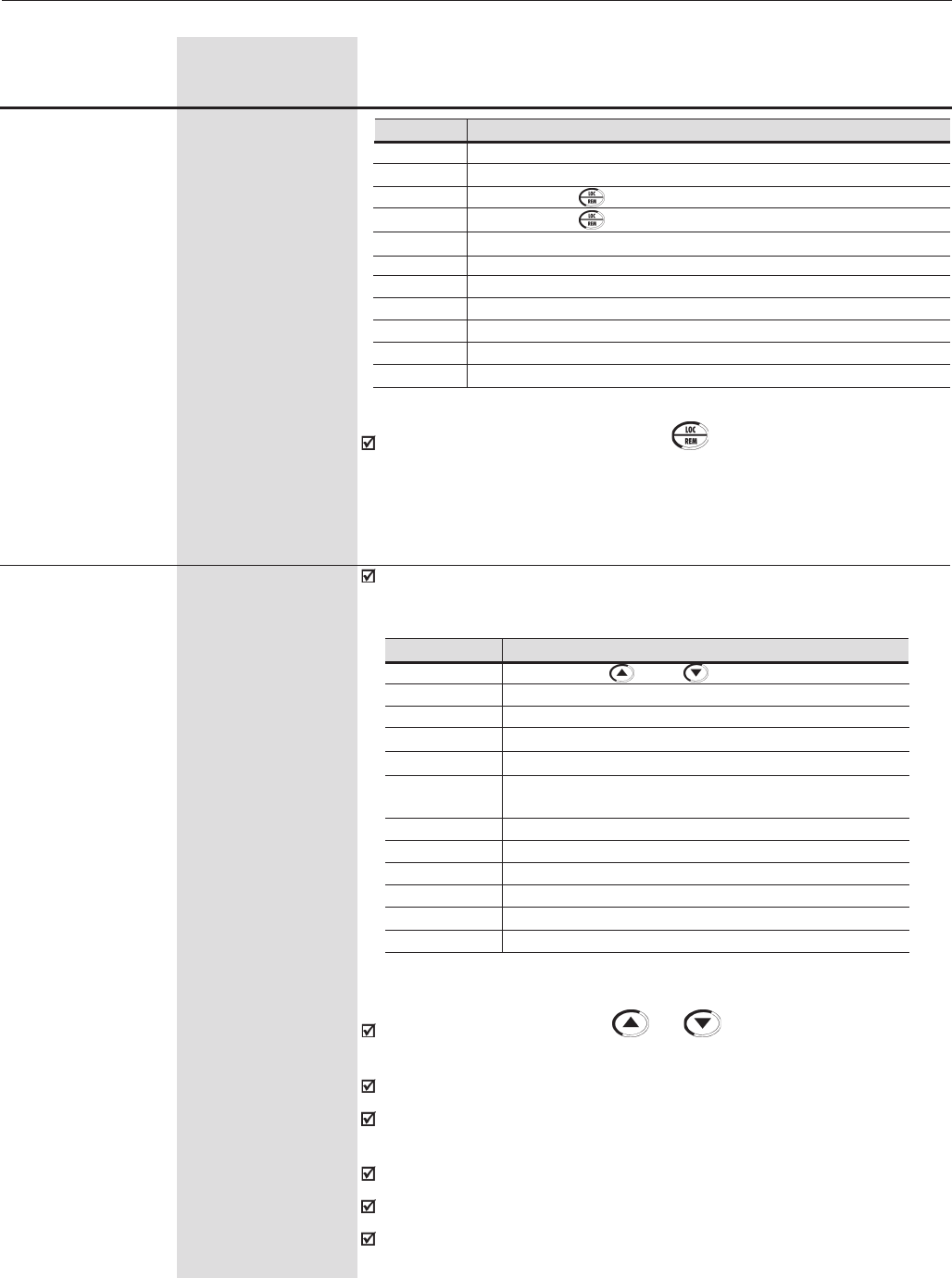
156
CHAPTER 6 - DETAILED PARAMETER DESCRIPTION
P221 (1) 0 to 11
LOCAL Speed [ 0 ]
Reference Selection -
P222 (1) 0 to 11
REMOTE Speed [ 1 ]
Reference Selection -
The description AI1’ as apposed to AI1 refers to the analogue signal after
scaling and/or gain calculations have been applied to it (See figure 6.29).
Range
[Factory Setting]
Parameter Unit Description / Notes
In the factory default setting, the key of the Keypad (HMI) will select
Local or Remote Mode. When powered up, the inverter starts in Local
mode.
LOCAL/REMOTE Selection
Always LOCAL Mode
Always REMOTE mode
Key of the Keypad (HMI) (LOCAL Default)
Key of the Keypad (HMI) (REMOTE Default)
Digital inputs DI2 to DI8 (P264 to P270)
Serial (Local Default) - SuperDrive or incorporated Modbus
Serial (Remote Default) - SuperDrive or incorporated Modbus
Fieldbus (Local Default) - Optimal Fieldbus board
Fieldbus (Remote Default) - Optimal Fieldbus board
PLC (L) - Optimal PLC board
PLC (R) - Optimal PLC board
P220
0
1
2
3
4
5
6
7
8
9
10
LOCAL/REMOTE Speed Reference Selection
and of the keypad
Analog Input AI1' (P234/P235/P236)
Analog Input AI2' (P237/P238/P239/P240)
Analog Input AI3' (P241/P242/P243/P244)
Analog Input AI4' (P245/P246/P247)
Sum of the Analog Inputs AI1' + AI2' > 0 (Negative values are
zeroed)
Sum of the Analog Inputs AI1' + AI2'
Electronic Potentiometer (EP)
Multispeed (P124 to P131)
Serial
Fieldbus
PLC
P221/P222
0
1
2
3
4
5
6
7
8
9
10
11
The reference value set by the and keys is contained in parameter
P121.
Details of the Electronic Potentiometer (EP) operation in Figure 6.37.
When option 7 (EP) is selected, program P265 or P267=5 and P266 or
P268=5.
When option 8 is selected, program P266 and/or P267 and/or P268 to 7.
When P203=1 (PID), do not use the reference via EP (P221/P222=7).
When P203=1 (PID), the value programmed in P221/P222 becomes the
PID setpoint.
Table 6.24 - LOCAL/REMOTE Selection
Table 6.25 - LOCAL/REMOTE Speed Reference Selection
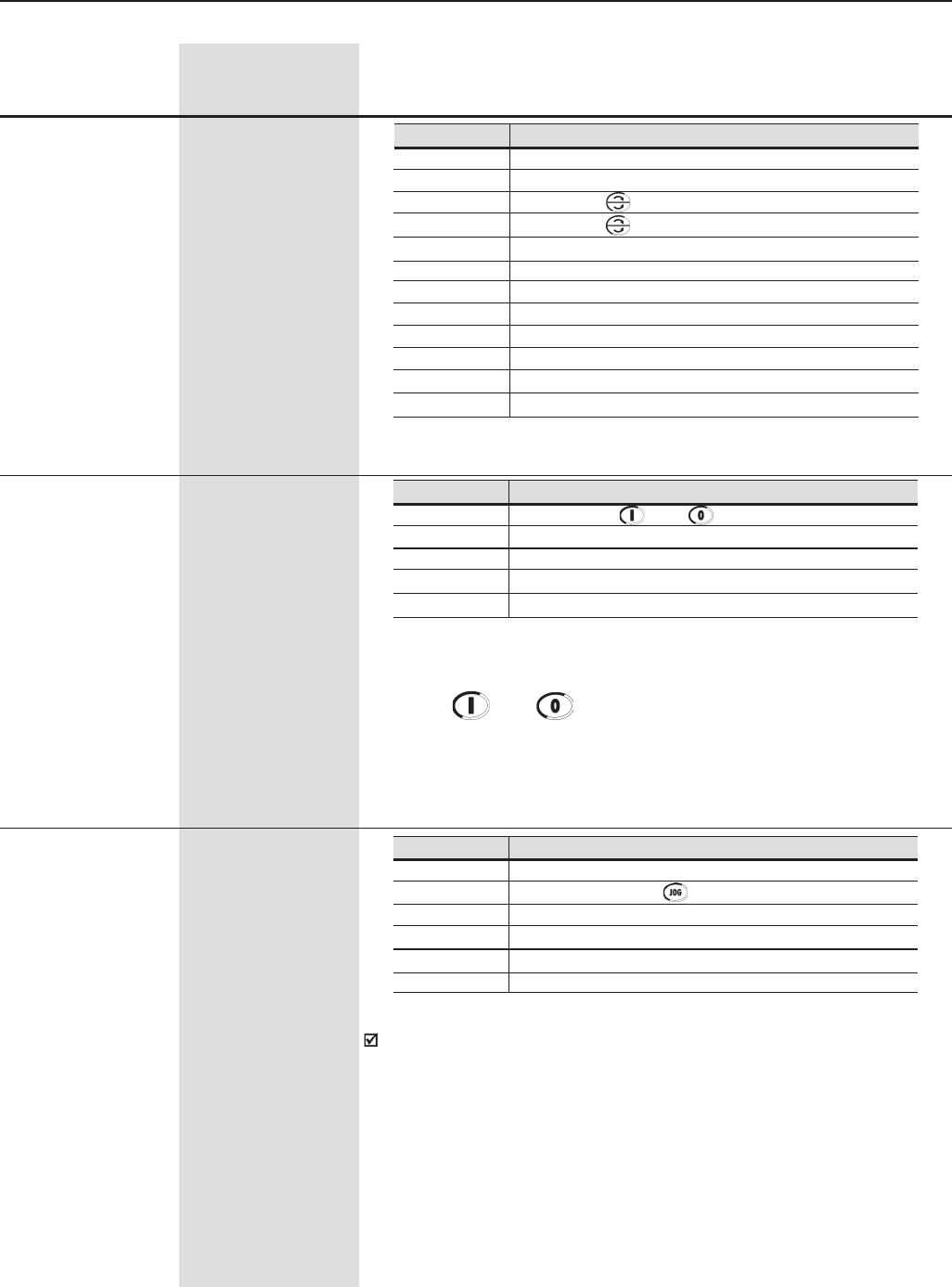
157
CHAPTER 6 - DETAILED PARAMETER DESCRIPTION
P224 (1) 0 to 4
LOCAL START/STOP [ 0 ]
Selection -
Note: If the Digital Inputs are programmed for Forward Run/Reverse
Run, the and keys will remain disabled independently of the
value programmed at P224.
P225 (1) (8) 0 to 5
LOCAL JOG [ 1 ]
Selection -
The JOG speed reference is given by parameter P122.
Range
[Factory Setting]
Parameter Unit Description / Notes
P223 (1) (8) 0 to 11
LOCAL FWD/REV [ 2 ]
Selection -
LOCAL FWD/REV Selection
Always Forward
Always Reverse
Key of the Keypad (Default Forward)
Key of the Keypad (Reverse Default)
Digital Input DI2 (P264 = 0)
Serial (FWD Default)
Reserved Serial (REV Default)
Fieldbus (FWD Default)
Fieldbus (REV Default)
Polarity AI4
PLC (FWD)
PLC (REV)
P223
0
1
2
3
4
5
6
7
8
9
10
11
LOCAL START/STOP Selection
and of the Keypad.
Digital Input (DIx)
Serial
Fieldbus
PLC
P224
0
1
2
3
4
LOCAL JOG Selection
Disable
Key of the Keypad
Digital inputs DI3 to DI8 (P265 to P270)
Serial
Fieldbus
PLC
P225
0
1
2
3
4
5
Table 6.26 - LOCAL FWD/REV Selection
Table 6.27 - LOCAL START/STOP Selection
Table 6.28 - LOCAL JOG Selection
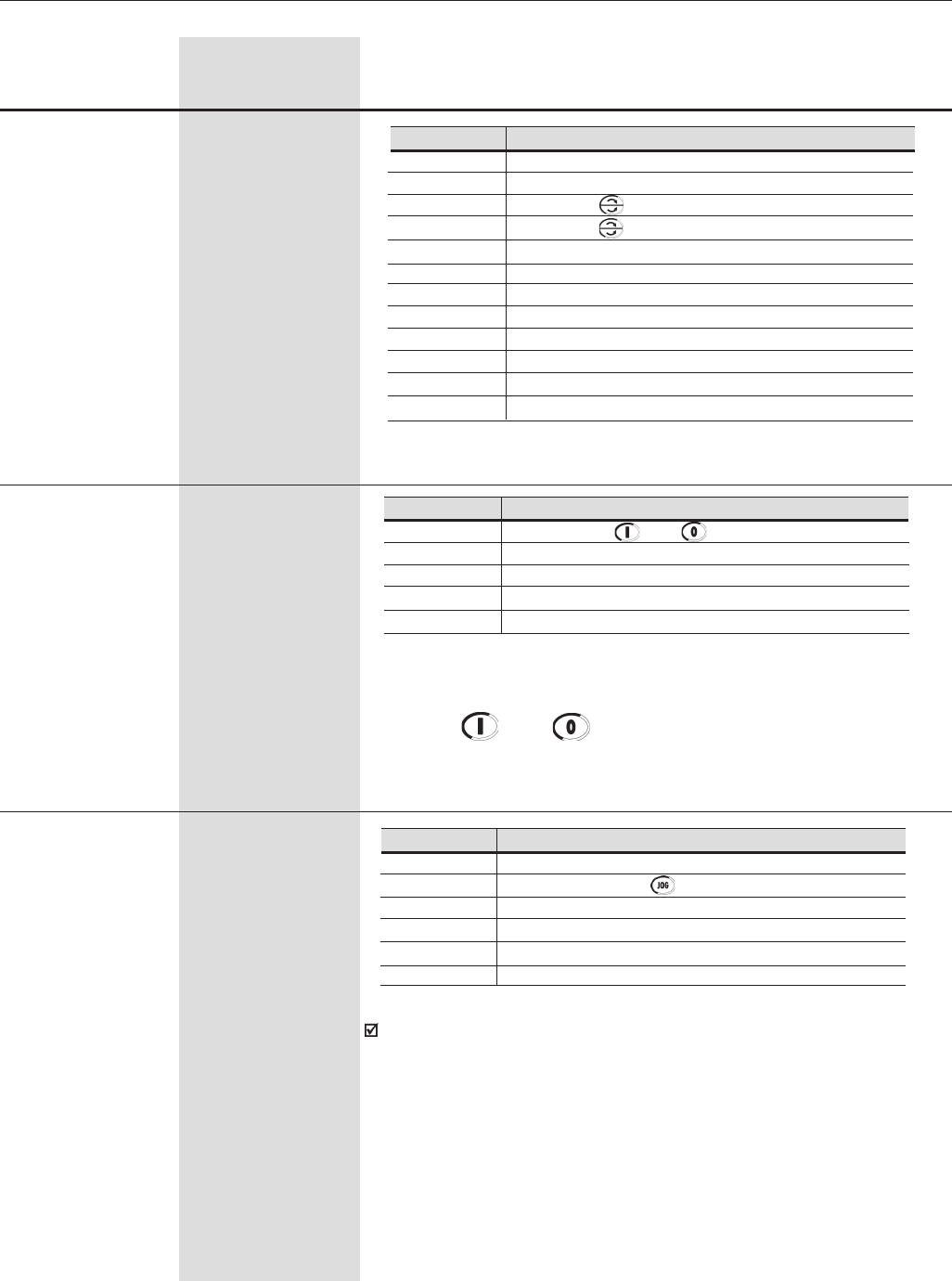
158
CHAPTER 6 - DETAILED PARAMETER DESCRIPTION
P226 (1) (8) 0 to 11
REMOTE FWD/REV [ 4 ]
Selection -
Range
[Factory Setting]
Parameter Unit Description / Notes
REMOTE FWD/REV Selection
Always Forward
Always Reverse
Key of the Keypad (Default Forward )
Key of the Keypad (Default Reverse )
Digital Input DI2 (P264 = 0)
Serial (FWD Default)
Serial (REV Default)
Fieldbus (FWD Default)
Fieldbus (REV Default)
Polarity AI4
PLC (FWD)
PLC (REV)
P226
0
1
2
3
4
5
6
7
8
9
10
11
Table 6.29 - REMOTE FWD/REV Selection
P227 (1) 0 to 4
REMOTE START/ [ 1 ]
STOP Selection -
Note: If the Digital Inputs are programmed for Forward Run/Reverse
Run, the and keys will remain disabled independently of
the value programmed at P227.
REMOTE START/STOP Selection
and of the Keypad.
Digital Input (DIx)
Serial
Fieldbus
PLC
P227
0
1
2
3
4
Table 6.30 - REMOTE START/STOP Selection
P228 (1) (8) 0 to 5
REMOTE JOG [ 2 ]
Selection -
The JOG speed reference is given by parameter P122.
REMOTE JOG Selection
Disable
Key of the Keypad
Digital inputs DI3 to DI8 (P265 to P270)
Serial
Fieldbus
PLC
P228
0
1
2
3
4
5
Table 6.31 - REMOTE JOG Selection
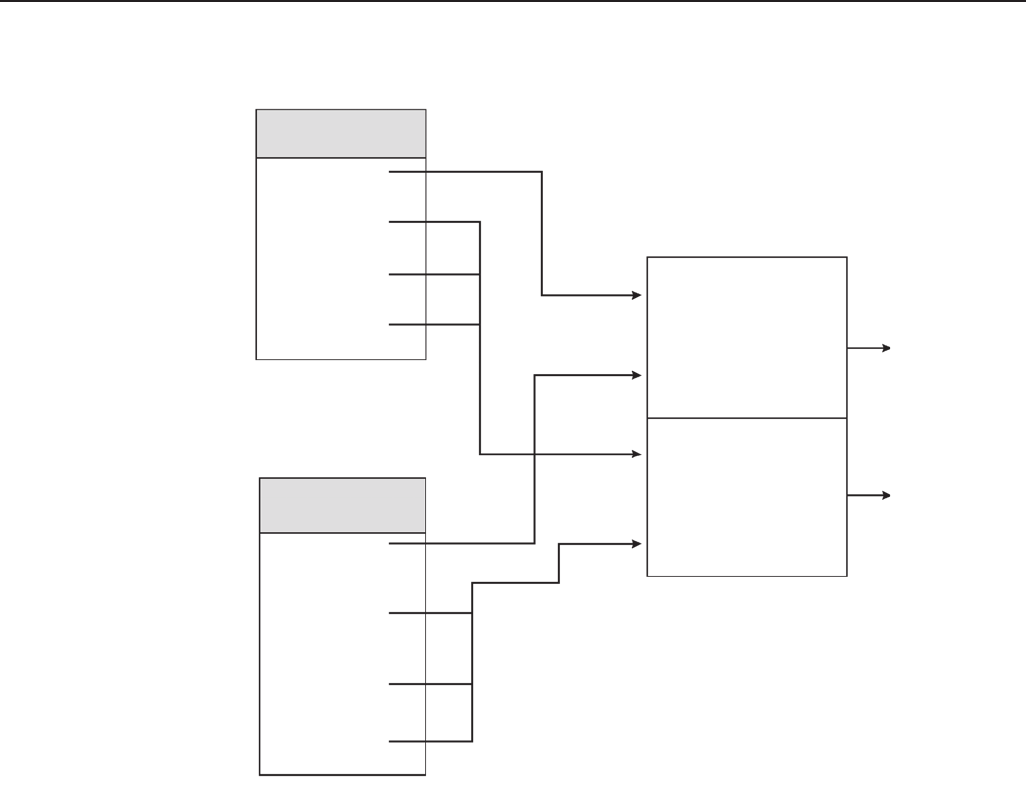
159
CHAPTER 6 - DETAILED PARAMETER DESCRIPTION
REFERENCE
(P221)
LOCAL
REFERENCE
REMOTE
REFERENCE
LOCAL
COMMANDS
REMOTE
COMMANDS
LOCAL/REMOTE
Selection (P220)
REFERENCE
COMMANDS
COMMANDS
REFERENCE
FWD/REV
(P223)
JOG
(P225)
START/STOP
(P224)
LOCAL
REMOTE
Figure 6.25 - Block diagram of the Local / Remote mode
REFERENCE
(P222)
FWD/REV
(P226)
JOG
(P228)
START/STOP
(P227)
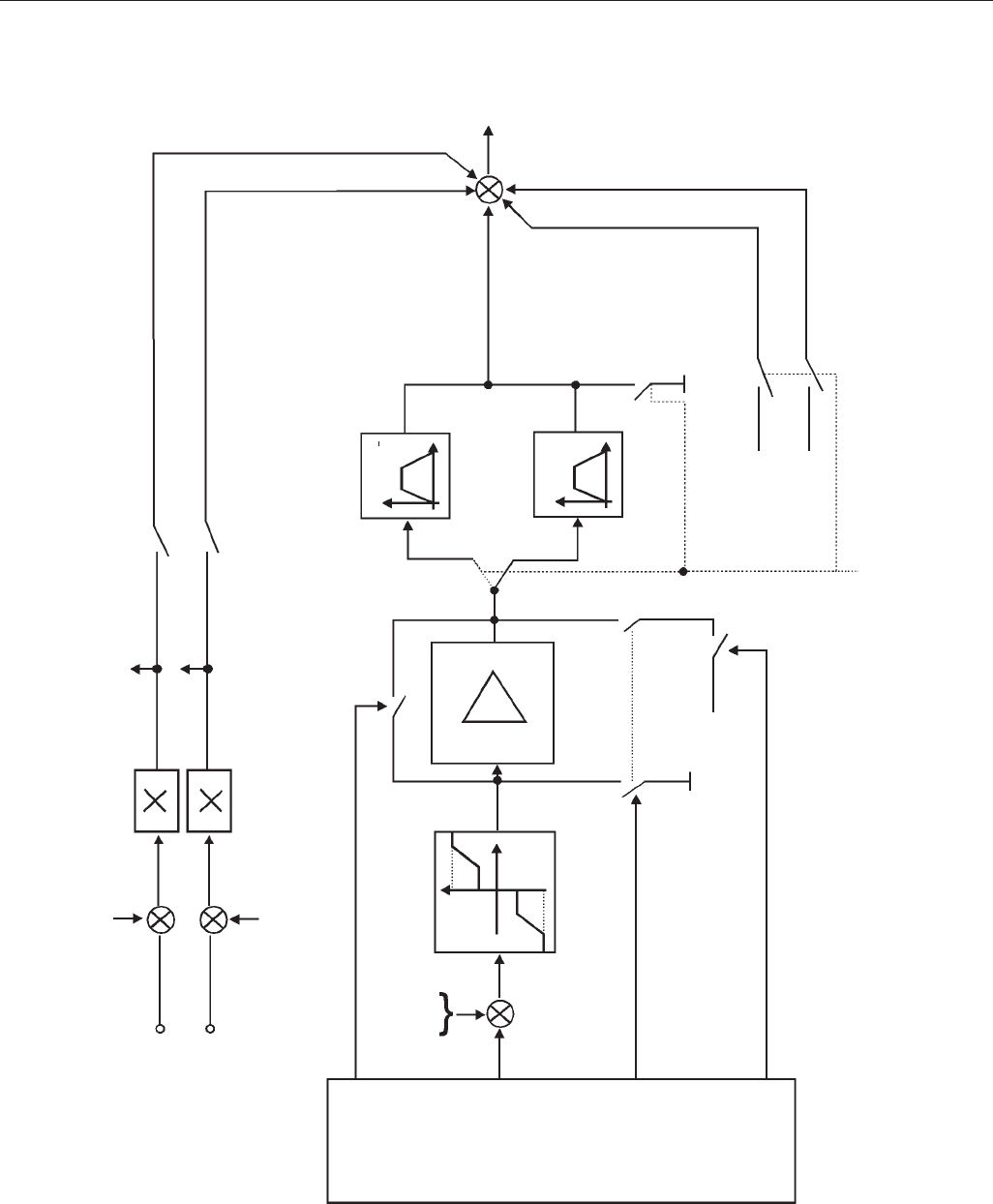
160
CHAPTER 6 - DETAILED PARAMETER DESCRIPTION
Figure 6.26 - Block diagram of the Speed Reference
AI2
AI3
P240
P244
P238
P242
P019
P020
P237 = 1- After Ramp Ref. (P237 = N* w/o ramp) (*)
P241 = 1- After Ramp Ref. (P241 = N* w/o ramp) (*)
JOG+ (*)
Digital Input (DIx)
Commands
JOG- (*)
2a
JOG
-1
FWD/REV
Start/Stop
JOG
Reference
Limits
P134
P133
P133
P134
Total
Reference
+
+
+-
Commands
and
Reference
Refer to
Figure 6.25.
P122
OFFSET:
P163 - LOC
P164 - REM
Reference
P134 = Max.Ref.
P133 = Min. Ref.
P123
P122
P103-DECEL
P102-ACCEL
Accel/Decel. Ramp 2
P101-DECEL
P100-ACCEL
Fast
Stop
Accel/Decel. Ramp
(*) Valid only for P202 = 3 and 4.
P001
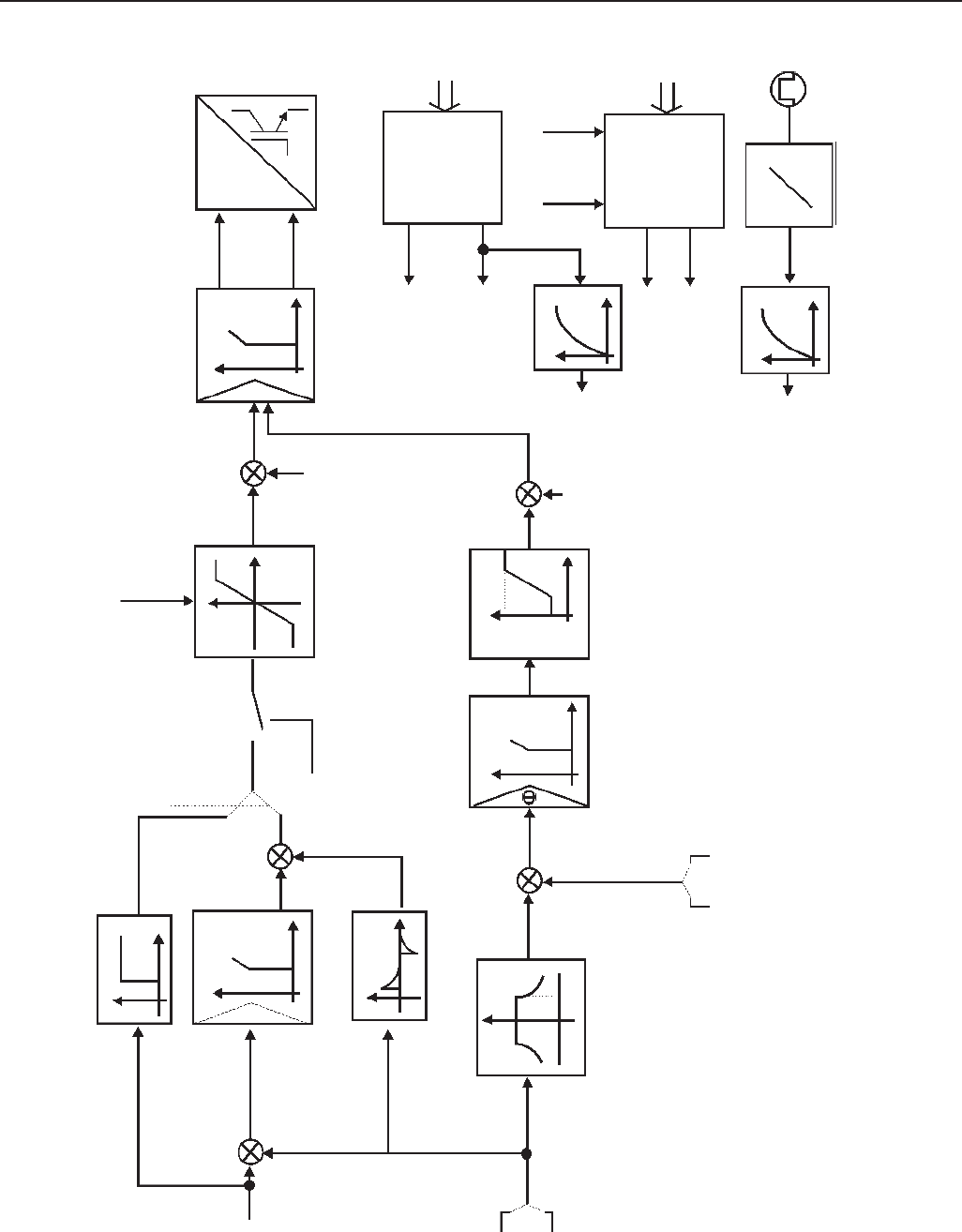
161
CHAPTER 6 - DETAILED PARAMETER DESCRIPTION
Figure 6.27 a) - Block Diagram of the Vector Control
Gp = P161
GI = P162
n1
-
n2
nEC
IMR Ys
IMR*/Ys*
-
P179
P177
P202 Id*
-
Id
n2
Estimated speed
Ys
Stator Flux
Tr
12ms
n1
Iq
Id
-
Iq*
Iq
PPR
Iq
Id
F
n
TRANSF.
Encoder
TRANSF.Is
PWM
PWM
USd*
USq*
n
Total
Reference
Encoder Sensorless
Flux Regulator
Gp = P175
GI = P176
Current Regulator
Gp = P167
GI = P168 P297 = Switch Fq.
Speed Regulator
Gp = 1.00
GI = 0.00
Command via DIx
P178=Nominal Flux
P180 = nFW
P202
AI2, AI3/P237,P241 = 2 -Max. Torque Current
P169=Max. FWDT
P170=Max. REVT
Torque Current
Iq
Excitation Cur.
Id
IMR
Magnetizing
Current
P405 = PPR
Us
(Speed/Torque Control
see table 6.40)
Sensorless
w/ encoder
Ride-Through=OFF
Ride-
Through=ON
See fig. 6.44
P165
Gd = P166
-
+
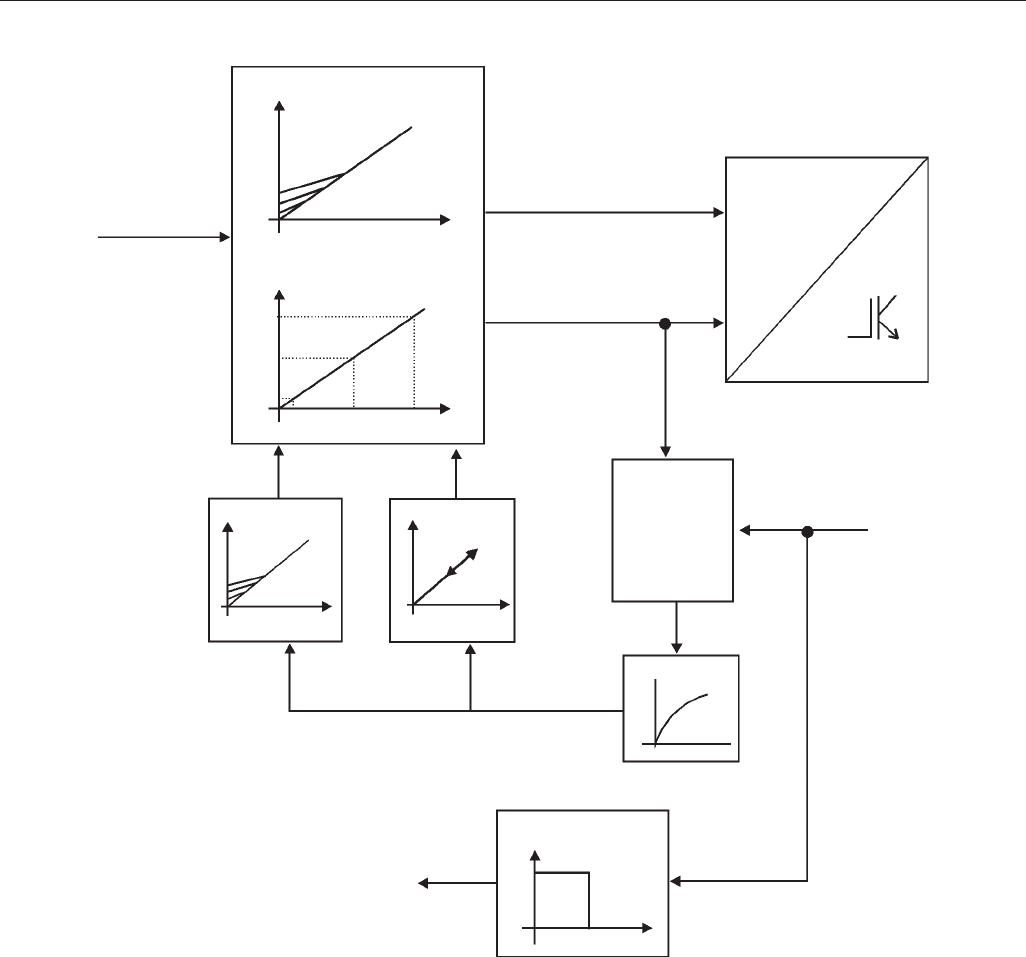
162
CHAPTER 6 - DETAILED PARAMETER DESCRIPTION
V
F
P139
ON
OFF
V
V
Speed
P137 P138
VReference
Speed
P202 = 0 ou 1= V/F
P136
Total
Reference
V
V
P143
P202 = 2 = Adjustable V/F
P142
P144
P145P146
P202 =Type of Control
Figure 6.27 b) - Block Diagram of the V/F control (Scalar)
P169 = Max. Output Current
Active
Current
Is = Output Current
Speed
Automatic
Torque BOOST
Speed
Start/Stop
PWM
PWM
P169 Is
TRANSF.
Slip
Compensation
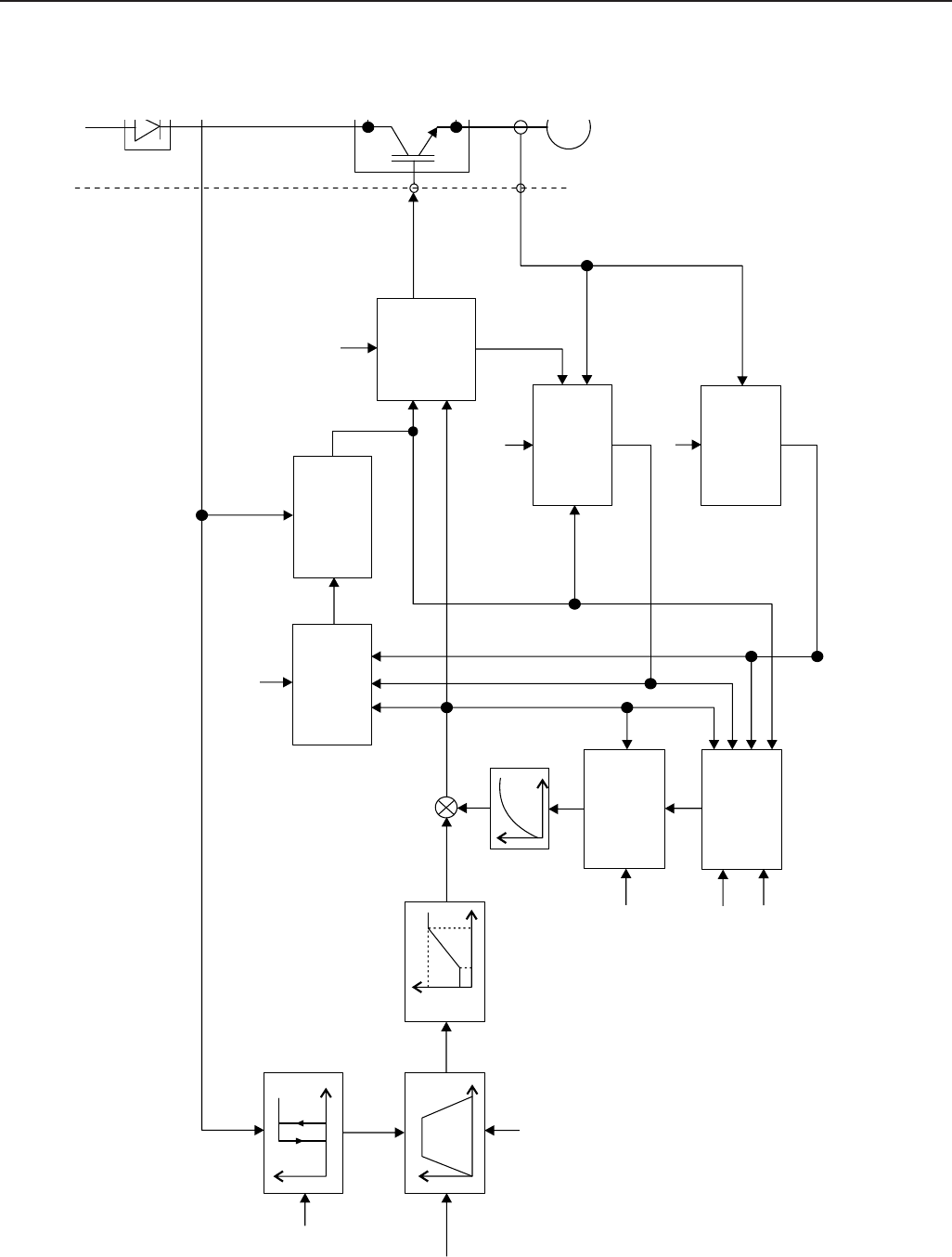
163
CHAPTER 6 - DETAILED PARAMETER DESCRIPTION
Figure 6.27 c) - Block diagram of the VVW Control
P202=5 (VVW Control)
Ud
P151 Ud
DC Voltage
Regulator
Hold
P100-104
t
Filter
+
+
Reference
(See Figure
6.25)
P134
P133
P403
fslip
Calculate fslip
fo
TL/TR, SRfo
la
lo
m
Estimated
Torque
P404, P399,
P401, P409,
P402, P403
Ud
lo
Calculate lo
iv , iw
P295
la
iv , iw
Calculate la
m
P295 Sextant
angle
fo
mPWM
iv , iw
Space Vector
Modulation
PWM
FWD/
REV
folalo
Flux Control m*
Ud
Rede
Output
compensation
voltage
Ud
P400, P403,
P401, P407,
P409, P178
lo
M I
3∅
P151
t
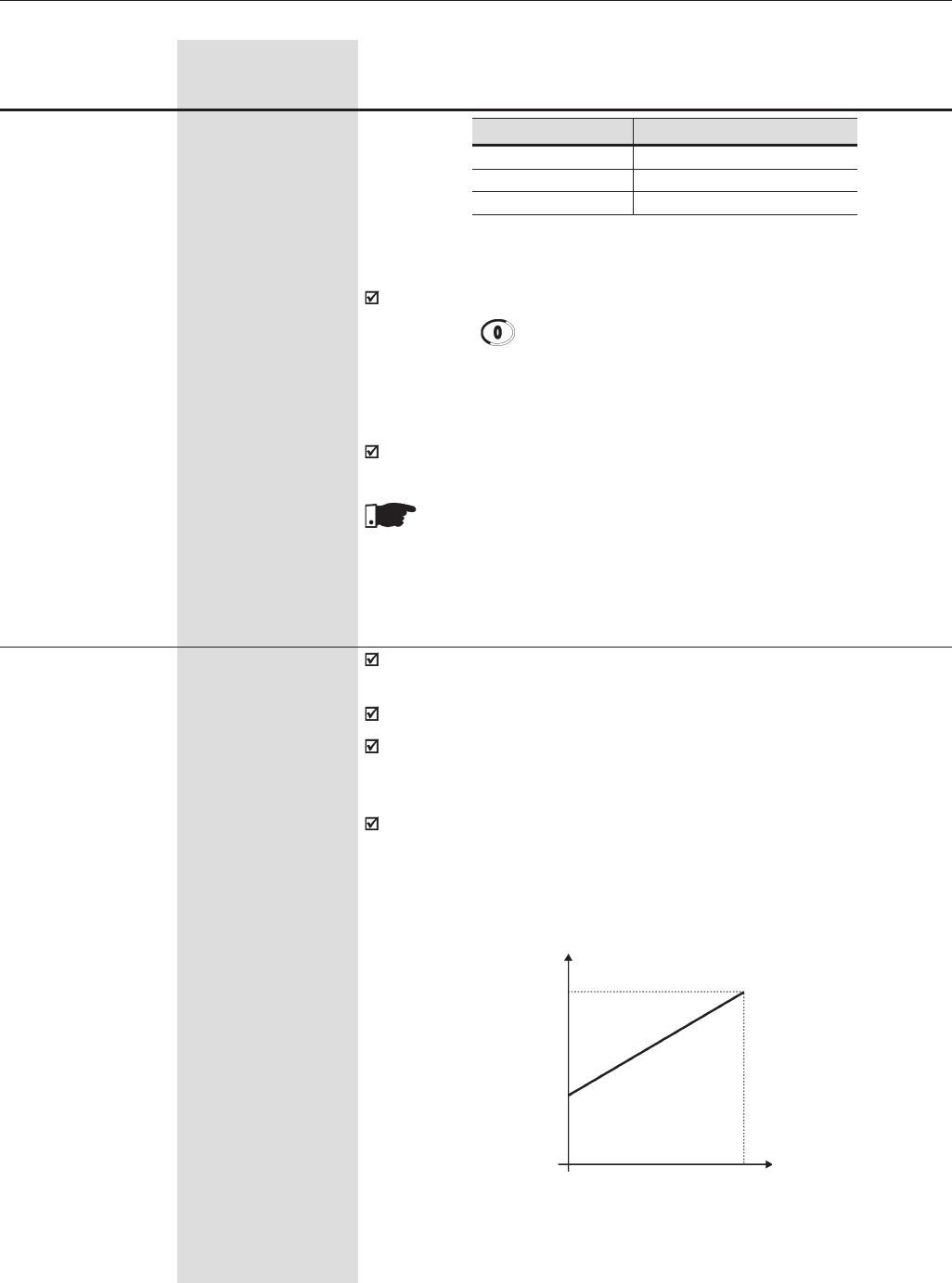
164
CHAPTER 6 - DETAILED PARAMETER DESCRIPTION
Range
[Factory Setting]
Parameter Unit Description / Notes
P233 0,1
Analog Inputs [ 0 ]
Dead Zone -
This parameter is active only for the analog inputs (AIx) programmed as
speed reference.
When set to 1 enables the Dead Zone for the Analog Inputs.
If P233 = 0 (Off) the “zero” signal at the Analog Inputs (0V/0mA/ 4mA or
10V/20mA) is directly related to the minimum speed programmed at
P133. Refer to Figure 6.28 a).
If P233 = 1 (On) the Analog Inputs have a “dead zone”, and the speed
reference remains at its minimum value (defined by P133) until the input
signal reaches a level proportional to the minimum speed. Refer to Figure
6.28 b).
P232 (1) 0 to 2
Stop Mode [ 0 ]
Selection -
P232 Stop Mode
0Ramp to Stop
1Coast to Stop
2Fast Stop
P134
Reference
a) Inactive Dead Zone P233=0
0Alx Signal
P133
Parameter P232 is valid only for the following commands:
1) The key of the keypad;
2) Start/Stop function with 2-wire control (through DI1=1)
3) Start/Stop function with 3-wire control (refer to parameters from P265
to P270 for a complete description about the function 14).
In the V/F mode the option 2 (Fast Stop) is not available.
Table 6.32 - Stop Mode Selection
NOTE!
When the “Coast to Stop” option is selected, only start the motor if
it is completely stopped.
0...................................... 10V
0.................................... 20mA
4mA................................. 20mA
10V ..................................... 0
20mA .................................. 0
20mA ............................... 4mA
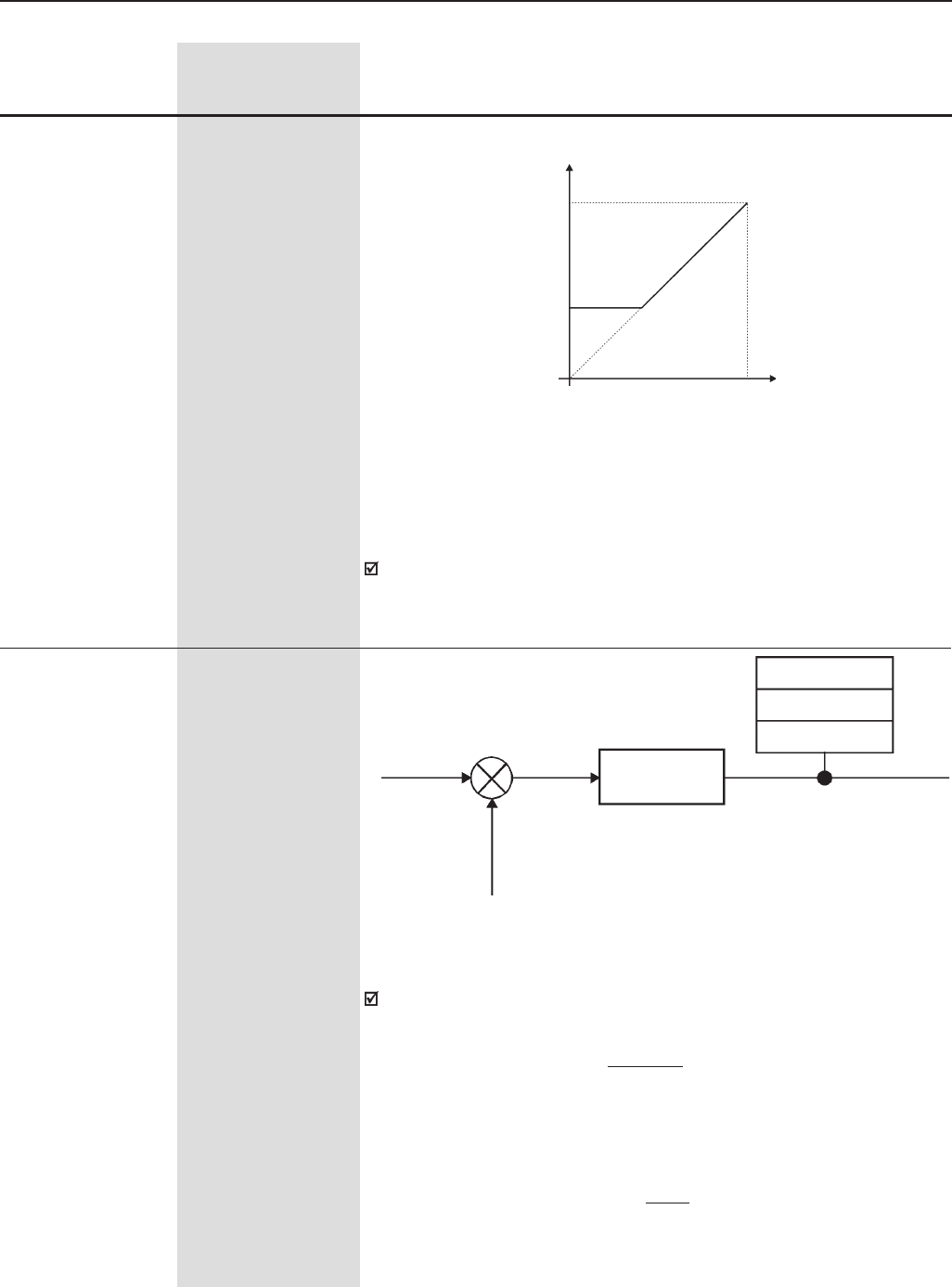
165
CHAPTER 6 - DETAILED PARAMETER DESCRIPTION
Range
[Factory Setting]
Parameter Unit Description / Notes
P134
Reference
Figure 6.28 a) b) - Actuation of the Analog Inputs
P133
Alx Signal
00...................................... 10V
0.................................... 20mA
4mA................................. 20mA
10V ..................................... 0
20mA .................................. 0
20mA ............................... 4mA
b) Active Dead Zone P233=1
When the Analog Input AI4 is programmed for -10V to +10V (P246 = 4),
the curves shown in Figure 6.27 are still valid, with the difference that
with AI4 negative the direction of rotation is reversed.
P234 0.000 to 9.999
Analog Input AI1 Gain [ 1.000 ]
0.001
The internal values AI1', AI3', and AI4' are the result of the following
equation:
AIx' = (AIx + OFFSET x 10 V) x Gain
100
For example : AI1 = 5V, Offset = -70% and Gain = 1.00:
AI1' = (5 + (-70) x 10 V) x 1 = -2 V
100
AI1' = -2V, means that the motor will run in reverse with a reference
equal to 2V.
GAIN
P235
P243
P246
AIx
Figure 6.29 - Block diagram of the Analog Input AI1, AI3, AI4
AI1' - P018
AI3' - P020
AI4' - P021
P234, P242, P245
+
+
OFFSET (P236, 244, P247)
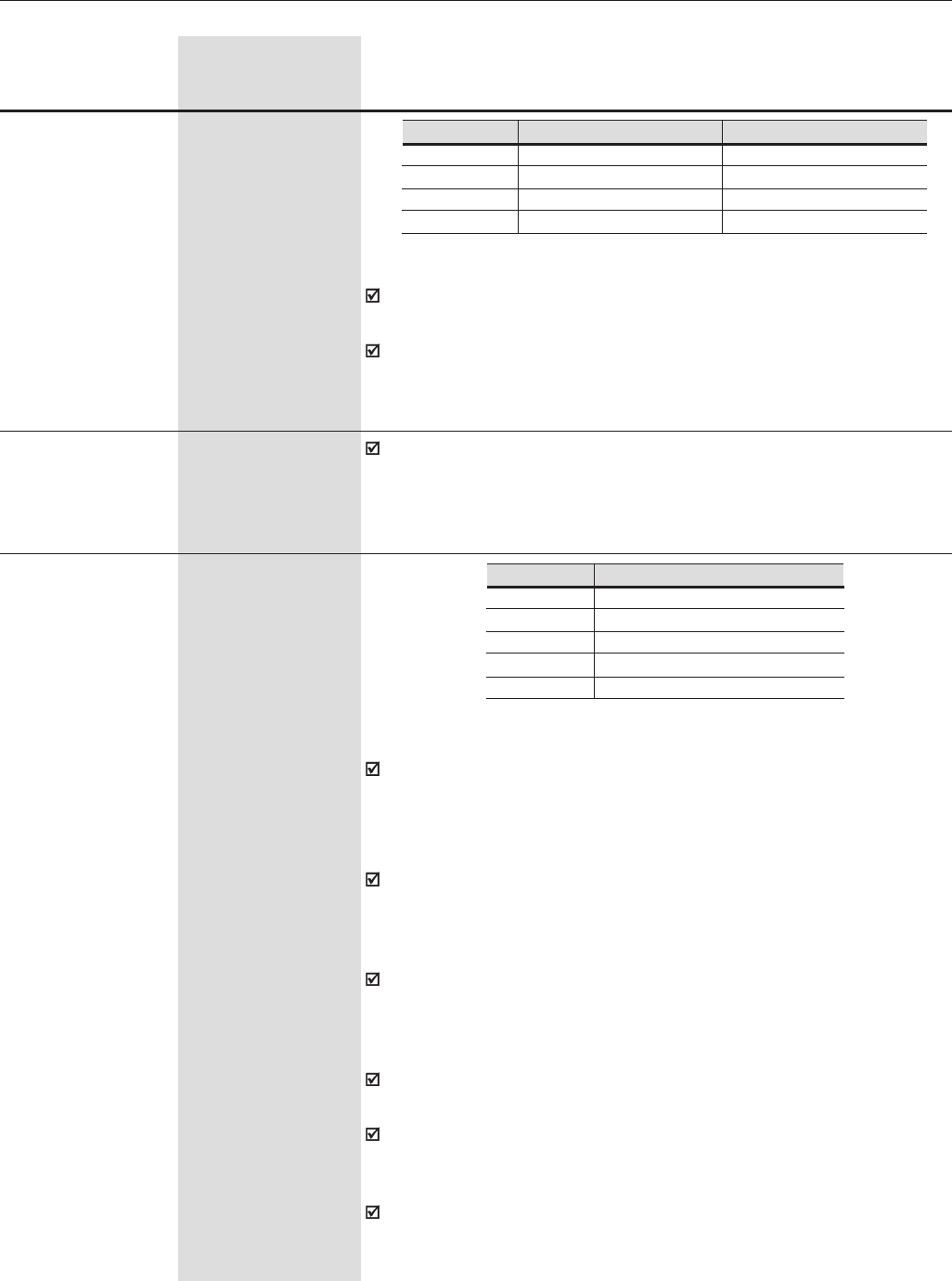
166
CHAPTER 6 - DETAILED PARAMETER DESCRIPTION
P235 (1) 0 to 3
Analog Input AI1 [ 0 ]
Signal -
When a current signal is used at the Analog Input AI1, set the S1.2
switch on the control board to “ON”.
Options 2 and 3 provide an inverse reference with which is possible to
have maximum speed with minimum reference.
P236 -100 to +100
Analog Input AI1 [ 0.0 ]
Offset 0.1%
Refer to P234.
Range
[Factory Setting]
Parameter Unit Description / Notes
Input AI1 Signal
(0 to 10)V / (0 to 20) mA
(4 to 20) mA
(10 to 0)V / (20 to 0) mA
(20 to 4) mA
P235
0
1
2
3
Switch S1.2
OFF/ON
ON
OFF/ON
ON
Table 6.33 - AI1 signal selection
P237 (1)(8) 0 to 3
Analog Input AI2 [ 0 ]
Function -
When the option 0 (P221/P222) is selected, AI2 may supply the speed
reference (if set to do so at P221/P222), which is subject to the speed
limits (P133, P134) and the acceleration/deceleration ramps (P100 to
P103). Refer to Figure 6.25.
The option 1 (After Ramp Reference, valid only for P202=3 and 4) is
generally used as an additional reference signal, for instance, in
applications with a dancer. Refer to Figure 6.25. It bypasses the accel/
decel ramp.
The option 2 (Maximum Torque Current) permits controlling the torque
current limit P169, P170 through the analog input AI2. In this case P169,
P170 will be Read only parameters. See figure 6.26a). For this type of
control, check if P160 should be equal to one or zero.
When AI2 is set to maximum (P019 = 100%), the torque limit will be
also maximum - P169/P170 = 180%.
The option 3 (PID Process Variable) defines the input AI2 as feedback
signal of the PID regulator (for instance: presure, temperature sensor,
etc.), if P524=0.
When AI2 is set to its maximum value (P019=100%), the PID process
variable will be on its maximum value (100%).
Input AI2 Function
P221/P222
After Ramp Reference
Maximum Torque Current
PID Process Variable
Maximum Torque Current (AI2+AI1)
P237
0
1
2
3
4
Table 6.34 - AI2 function
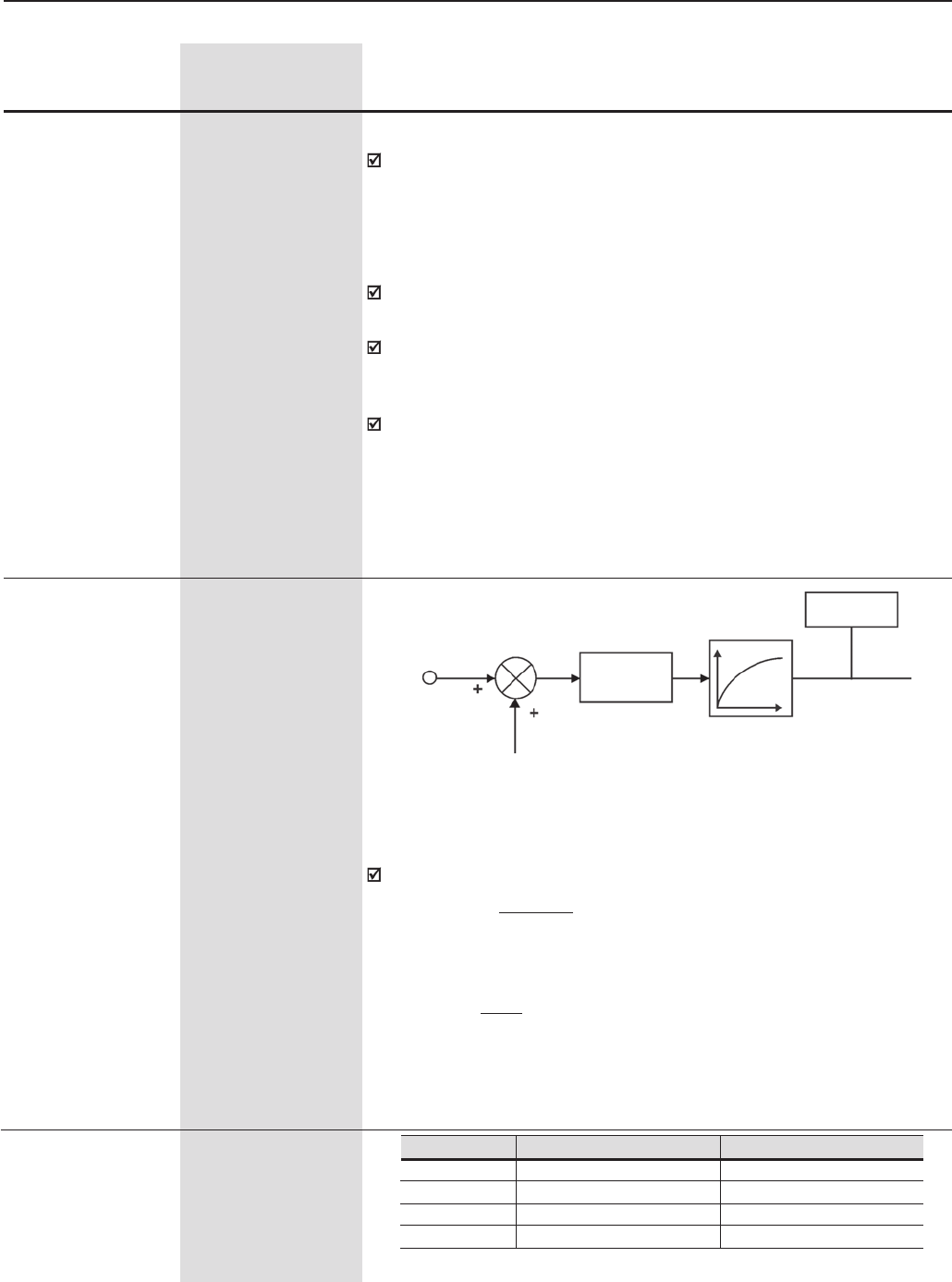
167
CHAPTER 6 - DETAILED PARAMETER DESCRIPTION
Range
[Factory Setting]
Parameter Unit Description / Notes
P238 0.000 to 9.999
Analog Input AI2 [ 1.000 ]
Gain 0.001
Filter (P248)
Gain
OFFSET
(P240)
P239
AI2
AI2' - P019
Figure 6.29 - Block diagram of the Analog Input AI2
The internal value of AI2' is the result of the following equation:
AI2' = (AI2 + OFFSET x 10V) x Gain
100
For example: AI2 = 5V, OFFSET = -70% and Gain = 1.00:
Option 4 – Maximum Torque Current (AI2+AI1):
When parameters P237=2 and P241=0, the torque current limit (P169
and P170) is given by the signal at the Analog Input AI2.
When parameters P237=4 and P241=0, the torque current limit (P169
and P170) is given by the sum of the signals at Analog Inputs AI1 and
AI2.
When parameters P237=2 and P241=2, the torque current limit (P169
and P170) is given by the signal at the Analog Input AI2.
When parameters P237=4 and P241=2, the torque current limit (P169
and P170) is given by the sum of the signals at Analog Inputs AI1 and
AI2.
When parameters P237=4 and P241=4, the torque current limit (P169
and P170) is given by the sum of the signals at Analog Inputs AI1 and
AI2.
Note: The range of the sum between AI1 and AI2 may vary from 0 to
180%. If the sum result is negative, then the value will be set to zero.
AI2' = (5 + (-70) x 10V) x 1 = -2V
100
AI2' = -2V, means that the motor runs in reverse direction reference
equal to 2V
P238
P239 (1) 0 to 3
Analog Input AI2 [ 0 ]
Signal -
Input AI2 Signal
(0 to 10)V / (0 to 20) mA
(4 to 20) mA
(10 to 0)V / (20 to 0) mA
(20 to 4) mA
P239
0
1
2
3
Switch S1.1
OFF/ON
ON
OFF/ON
ON
Table 6.35 - AI2 signal selection
168
CHAPTER 6 - DETAILED PARAMETER DESCRIPTION
Range
[Factory Setting]
Parameter Unit Description / Notes
P241 (1) 0 to 3
Analog Input AI3 [ 0 ]
Function -
(Isolated analog
input on the optional
board EBB.
Refer to Chapter 8)
When the option 0 (P221/P222) is selected, AI3 may supply the speed
reference (if set to do so at P221/P222), which is subject to the speed
limits (P133, P134) and the acceleration/deceleration ramps (P100 to
P103). Refer to Figure 6.25.
The option 1 (After Ramp Reference, valid only for P202=3 and 4) is
generally used as an additional reference signal, for instance, in
applications with a dancer. Refer to Figure 6.25. It bypasses the accel/
decel ramp.
The option 2 (Maximum Torque Current) permits controlling the torque
current limit P169, P170 through the analog input AI3. In this case P169,
P170 will be Read only parameters. See figure 6.26 a). For this type of
control, check if P160 should be equal to one or zero.
When AI3 is set to maximum (P020 = 100%), the torque limit will be
also maximum - P169/P170 = 180%.
The option 3 (Process Variable) defines the input AI3 as feedback signal
of the PID Regulator (for instance: pressure, temperature sensor, etc.), if
P524=1.
When AI3 is set to its maximum value (P020=100%), the PID process
variable will be on its maximum value (100%).
Option 4 - Maximum Torque Current (AI3+AI2):
When parameters P237=0 and P241=2, the torque current limit (P169
and P170) is given by the signal at the Analog Input AI3.
When parameters P237=0 and P241=4, the torque current limit (P169
and P170) is given by the sum of the signals at Analog Inputs AI2 and
AI3.
P240 -100 to +100
Analog Input AI2 [ 0.0 ]
Offset 0.1%
Refer to P234.
Input AI3 Function
P221/P222
After Ramp Reference
Maximum Torque Current
PID Process Variable
Maximum Torque Current (AI3+AI2)
P241
0
1
2
3
4
When a current signal is used at the Analog Input AI2, set the switch
S1.1 on the control board to “ON”.
Options 2 and 3 provide an inverse reference with which is possible to
have maximum speed with minimum reference.
Table 6.36 - AI3 function
169
CHAPTER 6 - DETAILED PARAMETER DESCRIPTION
Range
[Factory Setting]
Parameter Unit Description / Notes
When parameters P237=2 and P241=2, the torque current limit (P169
and P170) is given by the signal at the Analog Input AI2.
When parameters P237=2 and P241=4, the torque current limit (P169
and P170) is given by the sum of the signals at Analog Inputs AI2 and
AI3.
When parameters P237=4 and P241=4, the torque current limit (P169
and P170) is given by the sum of the signals at Analog Inputs AI1 and
AI2.
Note: The range of the sum between AI2 and AI3 may vary from 0 to
180%. If the sum result is negative, then the value will be set to zero.
P242 0.000 to 9.999
Analog Input AI3 [ 1.000 ]
Gain 0.001
Refer to P234.
P243 (1) 0 to 3
Analog Input AI3 [ 0 ]
Signal -
Input AI3 Signal
(0 to 10)V / (0 to 20) mA
(4 to 20) mA
(10 to 0)V / (20 to 0) mA
(20 to 4) mA
P243
0
1
2
3
Switch S 4.1 (EBB)
Off/On
On
Off/On
On
Table 6.37 - AI3 signal selection
When a current signal is used at the Analog Input AI3, set the S4.1
switch on the EBB board to “ON”.
Options 2 and 3 provide an inverse reference with which is possible to
have maximum speed with minimum reference.
P244 -100 to +100
Analog Input AI3 [ 0.0 ]
Offset 0.1%
Refer to P234.
P245 0.000 to 9.999
Analog Input AI4 [ 1.000 ]
Gain (14 bit Analog 0.001
Input of the optional
board EBA. Refer to
Chapter 8)
Refer to P234.
P246 (1) 0 to 4
Analog Input AI4 [ 0 ]
Signal -
Input AI4 Signal
(0 to 10)V / (0 to 20)mA
(4 to 20) mA
(10 to 0)V / (20 to 0)mA
(20 to 4)mA
(-10 to +10)V
P243
0
1
2
3
4
Switch S 2.1 (EBA)
OFF/ON
ON
OFF/ON
ON
OFF
Table 6.38 - AI4 signal selection
170
CHAPTER 6 - DETAILED PARAMETER DESCRIPTION
Range
[Factory Setting]
Parameter Unit Description / Notes
When a current signal is used at the Analog Input AI4, set the switch
S2.1 on the EBA board to “ON”.
Options 2 and 3 provide an inverse reference with which is possible to
have maximum speed with minimum reference.
P247 -100 to +100
Analog Input AI4 [ 0.0 ]
Offset 0.1%
Refer to P234.
P248 0.0 to 16.0
Filter Input AI2 [ 0.0 ]
0.1s
It sets the time constant of the RC Filter of the Input AI2 (see Figure
6.29)
Check possible options on Table 6.39.
With factory default values (P251 = 2 and P252 = 1.000) AO1 = 10V
when the motor speed is equal to the maximum speed defined at P134.
The AO1 output can be physically located on the control board CC9 (as
a 0V to 10V output) or on the option board EBB (AO1', as a (0 to 20)mA/
(4 to 20)mA output). Refer to Chapter 8.
P251 0 to 13
Analog Output AO1 [ 2 ]
Function -
P252 0.000 to 9.999
Analog Output AO1 [ 1.000 ]
Gain 0.001
Adjusts the gain of the AO1 analog output. For P252=1.000 the AO1
output value is set according to the description after figure 6.31.
Check possible options on Table 6.39.
With factory default values (P253 = 5 and P254 = 1.000) AO2 = 10V
when the output current is equal to 1.5 x P295.
The AO2 output can be physically located on the control board CC9 (as
a 0V to 10V output) or on the option board EBB [(AO2' , as a (0 to
20)mA/ (4 to 20)mA output)]. Refer to Chapter 8.
P253 0 to 13
Analog Output AO2 [ 5 ]
Function -
P254 0.000 to 9.999
Analog Output AO2 [ 1.000 ]
Gain 0.001
Adjusts the gain of the AO2 analog output. For P254=1.000 the AO2
output value is set according to the description after figure 6.31.
P255 0 to 62
Analog Output AO3 [ 2 ]
Function (Located on -
the Optional I/O
Expansion Board
EBA)
Check possible options on Table 6.39.
With factory default values (P255 = 2 and P256 = 1.000) AO3 = 10V
when the motor speed is equal to maximum speed defined at P134.
For more information about the Analog Output AO3, refer to Chapter 8.
171
CHAPTER 6 - DETAILED PARAMETER DESCRIPTION
Range
[Factory Setting]
Parameter Unit Description / Notes
P258 0.000 to 9.999
Analog Output AO4 [ 1.000 ]
Gain 0.001
P256 0.000 to 9.999
Analog Output AO3 [ 1.000 ]
Gain 0.001
Check possible options on Table 6.39.
For factory default values (P257 = 5 and P258 = 1.000) AO4 = 10V when
the output current is equal to 1.5 x P295.
For more information about the AO4 output, refer to Chapter 8.
P257 0 to 62
Analog Output AO4 [ 5 ]
Function (Located on -
the Optional I/O
Expansion Board
EBA)
Adjusts the gain of the AO4 analog output for P258=1.000 the AO4
output value is set according to the description after figure 6.31.
Adjusts the gain of the AO3 analog output for P256=1.000 the AO3
output value is set according to the description after figure 6.31.
Table 6.39 - Functions of the Analog Outputs
Functions P251
(AO1) P253
(AO2) P255
(AO3) P257
(AO4)
Speed Reference 0 0 0 0
Total Reference 1 1 1 1
Real Speed 2 2 2 2
Torque Reference
[P202 = 3 or 4 (Vector)] 3 3 3 3
Torque Current
[P202 = 3 or 4 (Vector)] 4 4 4 4
Output Current
(with filter 0.3s) 5 5 5 5
PID Process Variable 6 6 6 6
Active Current
[P202 = 0,1, 2 or 5]
(with filter 0.1s) 7 7 7 7
Power (kW)
(with filter 0.5s) 8 8 8 8
PID Setpoint 9 9 9 9
Torque Positive [P202=3
or 4 (vector)] 10 10 10 10
Motor Torque 11 11 11 11
PLC 12 12 12 12
Dead zone for speed
indication 13 13 - -
WEG Use - - 14 to 62 14 to 62
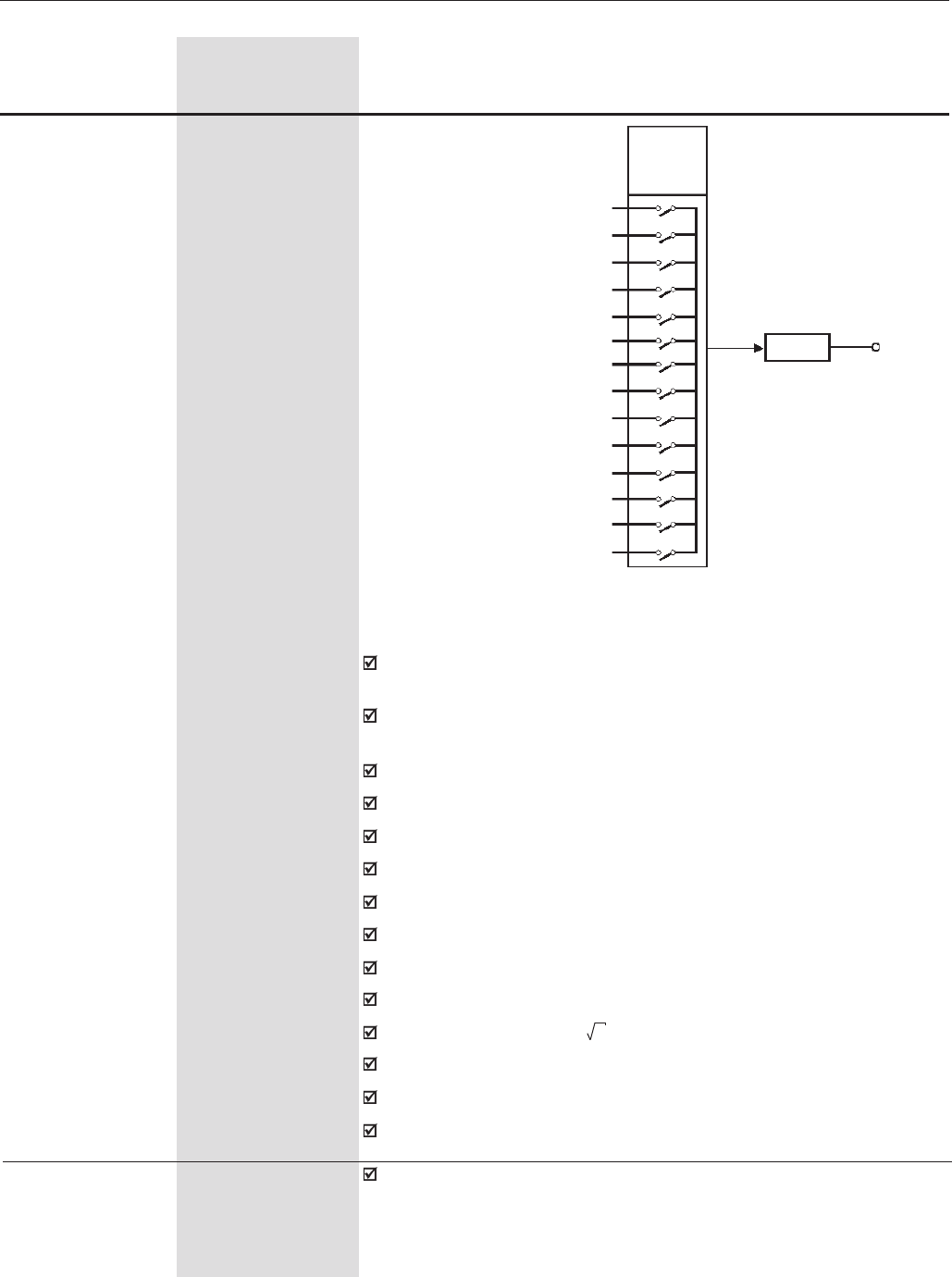
172
CHAPTER 6 - DETAILED PARAMETER DESCRIPTION
Range
[Factory Setting]
Parameter Unit Description / Notes
Scale of the Analog Outputs indications:
Full scale = 10V: for outputs AO1 and AO2 located on the control board
CC9 and AO3 and AO4 located on the optional board EBA;
Full scale = 20mA for the outputs AO1I and AO2I located on the optional
board EBB.
Speed Reference (P001): Full scale = P134
Total Reference: Full scale = P134
Motor Speed (P002): Full scale = P134
Torque Reference: Full scale = 2.0 x P295
Torque Current: Full scale = 2.0 x P295
Output Current: Full scale = 1.5 x P295
PID Process Variable: full scale = 1.0 x P528
Active Current: Full scale = 1.5 x P295
Power: Full scale = 1.5 x 3.P295 x P296
PID Setpoint: full scale = 1.0 x P528
Motor Torque: full scale = 2.0 x P295
Dead Zone for Speed Indication: Full scale = P134
Figure 6.31 - Block diagram of the Analog Outputs
P251
P253
P255
P257
Gain AOX
P252, P254, P256, P258
Power
Active Current
Output Current
Torque Current
Torque Reference
Real Speed
Total Reference
Speed Reference
PID Process Variable
PID Setpoint
Positive Torque Current
Motor Torque
PLC
Dead zone for speed
indication
P259 0 a P134
Dead zone for [ 1000 ]
speed indication 1 rpm
While the speed indication in P002 is below of the value set at P259
(P002<P259), the value of the analog output (P251 and/or P253=13) will
remain at 0V or 0mA/4mA. When the speed value is above the value set
at P259, then the analog output will vary between its minimum and
maximum value.
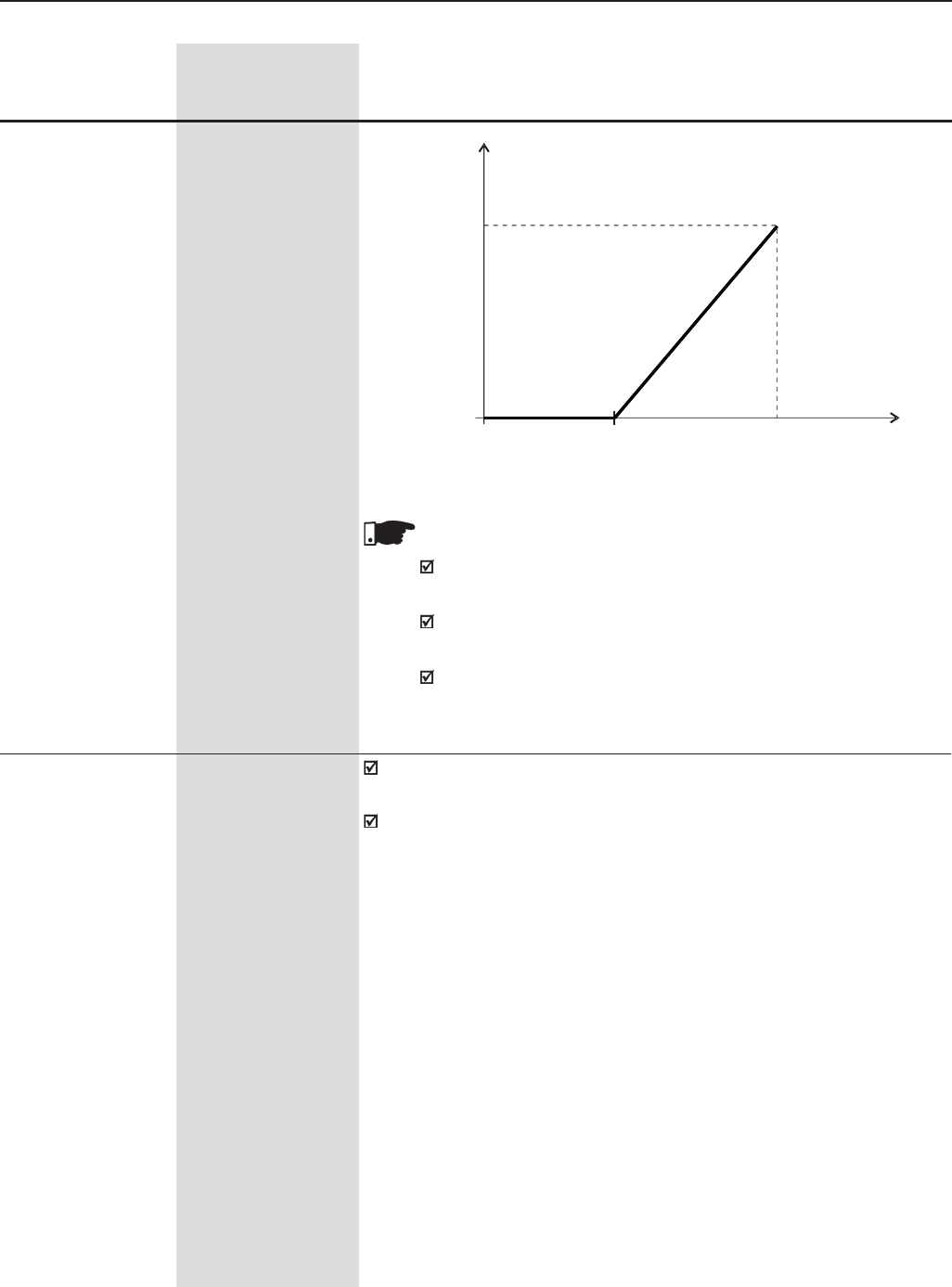
173
CHAPTER 6 - DETAILED PARAMETER DESCRIPTION
Figure 6.32 - Dead zone for speed indication
NOTES!
For current analog output (0 to 20mA or 4 to 20mA) it is necessary
to use the EBB expansion board.
A voltage analog output (0 to 10V) is available at the CC9 control
board.
The analog outputs AO3 and AO4 do not have this function, i.e.,
set P255 and/or P257 = 13 will program no function.
Range
[Factory Setting]
Parameter Unit Description / Notes
P263 (1) 0 to 3
Digital Input DI1 [ 1 (Start/Stop) ]
Function -
P264 (1) 0 to 8
Digital Input DI2 [ 0 (FWD/REV) ]
Function -
P265 (1) (8) 0 to 22
Digital Input DI3 [ 0 (Not Used) ]
Function -
P266 (1) 0 to 22
Digital Input DI4 [ 0 (Not Used) ]
Function -
P267 (1) 0 to 22
Digital Input DI5 [ 3 (JOG) ]
Function
Check possible options on Table 6.40 and details about each function’s
operation on Figure 6.37.
The status of the digital inputs can be monitored at Parameter P012.
A01
A02
20mA
10V
4mA
0V P259 P134 n
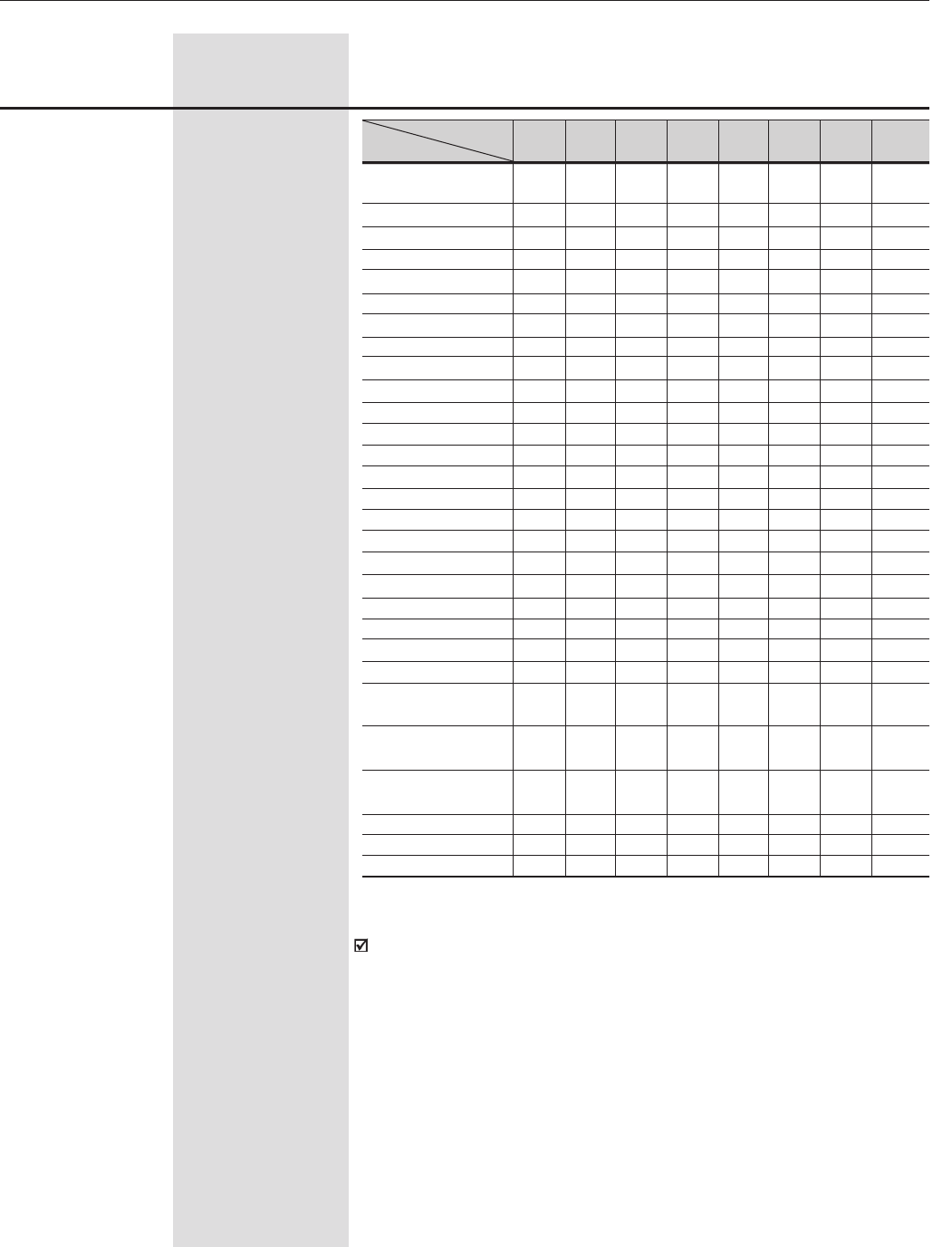
174
CHAPTER 6 - DETAILED PARAMETER DESCRIPTION
P268 (1) 0 to 22
Digital Input DI6 [ 6 (Ramp 2) ]
Function -
P269 (1) 0 to 22
Digital Input DI7 [ 0 (Not Used) ]
Function -
(Located on the
optional board EBA
or EBB)
P270 (1) 0 to 22
Digital Input DI8 [ 0 (Not Used) ]
Function -
(Located on the
optional board EBA
or EBB)
Range
[Factory Setting]
Parameter Unit Description / Notes
Parameter P263 P264 P265 P266 P267 P268 P269 P270
Function (Input) (DI1) (DI2) (DI3) (DI4) (DI5) (DI6) (DI7) (DI8)
Not Used 0-0, 7 0 and 0 and 0 and 0, 5, 7 0, 5
and 16 16 16 16 and 16 and 7
Start/Stop 1-------
General Enable 2-222222
Fast Stop 3---8888
FWD/REV -0------
Local/Remote -1111111
JOG - - 333333
No external Fault - - 444444
Increase EP - - 5-5---
Decrease EP ---5-5- -
Ramp 2 - - 666666
FWD Run - - 8-----
REV Run -8-8----
Speed/Torque - - 999999
JOG+ - - 10 10 10 10 10 10
JOG- - - 11 11 11 11 11 11
Reset - - 12 12 12 12 12 12
Fieldbus - - 13 13 13 13 13 13
Start (3 wire) - - 14 -14 -14 -
Stop (3 wire) ---14 -14 -14
Multispeed (MSx) ---777- -
Manual/Automatic - - 15 15 15 15 15 15
Motor Thermistor -------16
Disables Flying - - 17 17 17 17 17 17
Start
DC Link Voltage - - 18 18 18 18 18 18
Regulator
Parameter Setting - - 19 19 19 19 19 19
Disable
Load User - - 20 20 20 20 20 -
Timer RL2 - - 21 21 21 21 21 21
Timer RL3 - - 22 22 22 22 22 22
Table 6.40 - Functions of the Digital Inputs
Notes about the Digital Inputs Functions:
-Start/Stop - To ensure the right actuation, this function needs
programming P224 and/or P227 = 1.
-Increase EP (Electronic Potentiometer) is active when DI3 or DI5 =
+24V. Beyond parameters P265 and P267 = 5, it is also necessary
setting P221 and/or P222 to 7.
-Decrease EP (Electronic Potentiometer) is active when DI4 or DI6 =
0V. Beyond parameters P266 and P268 = 5, it is also necessary
setting P221 and/or P222 to 7.
-Local/Remote = 0V/24V at the digital input, respectively.
-Speed /Torque is valid for P202 = 3 and 4 (Vector Control Sensorless
and Vector Control with encoder).
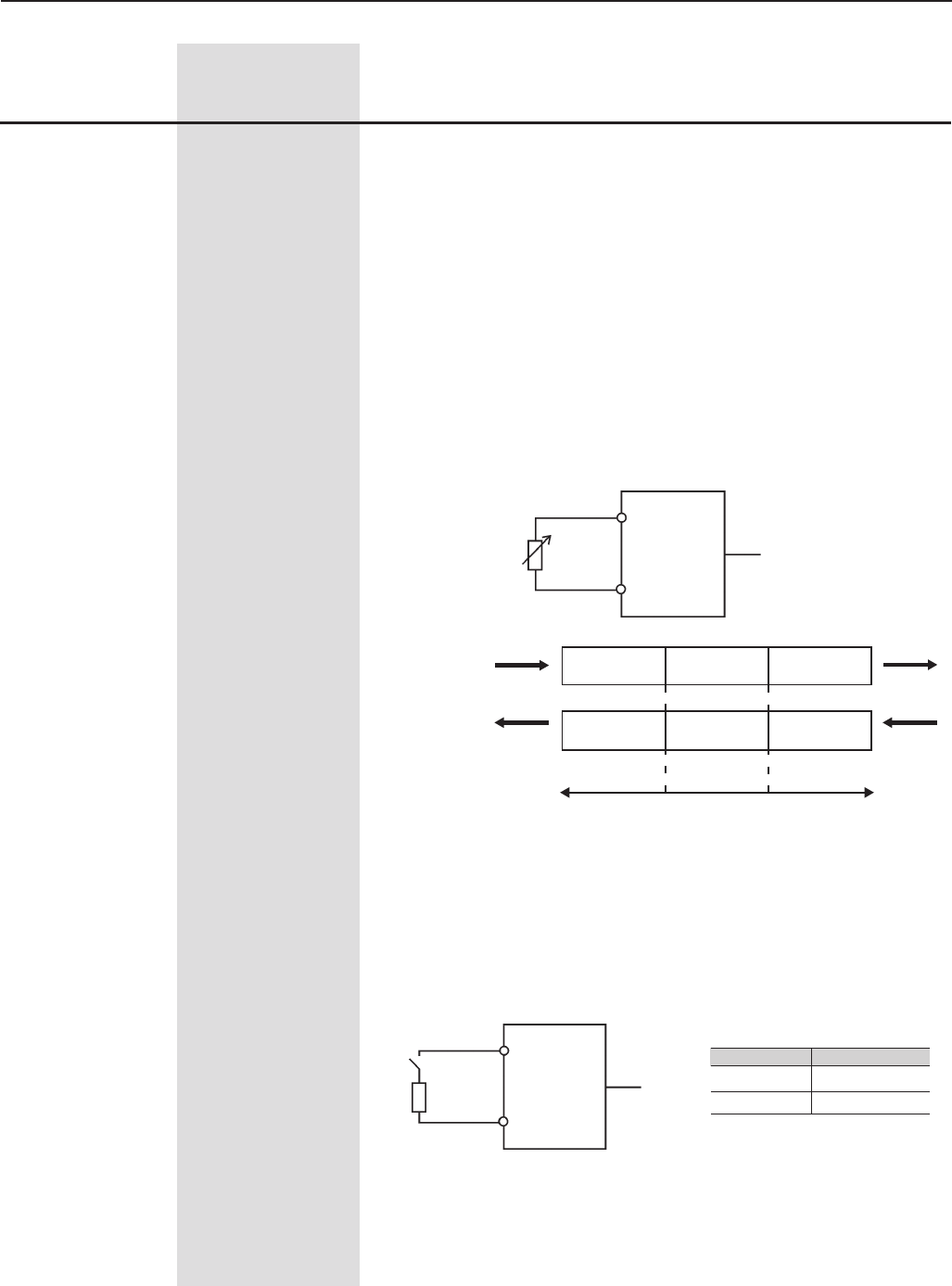
175
CHAPTER 6 - DETAILED PARAMETER DESCRIPTION
Range
[Factory Setting]
Parameter Unit Description / Notes
PTC resistance
oscillation
in ohms (Ω)
PTC
XC4/XC5:
EBA/EBB
DI8
(P270=16)
2
3
Inactive /
Without error Inactive /
Without error Active / E32
Inactive /
Without error Active / E32Active / E32
Temperature
decrease
1k6 3k9
Temperature
increase
Figure 6.33 - DI8 used as PTC input
-Speed = DIx Open (0V), Torque = DIx Closed (+24V).
When Torque is selected the speed regulators gains P161 and P162
are not used and changed to: Gp (Proportional Gain) = 1.00 and Gi
(Integral Gain) = 0.00. Thus the Total Reference becomes the input of
the Torque Regulator. Refer to Figure 6.26.
When Speed is selected , the speed regulator gains are defined
again by P161 and P162. In applications with torque control, proceed
as described at P160.
-The Option DC Link Voltage Regulator must be used, when P150=2.
See description of parameter P150.
-DI8 is designed to be used as Motor Termistor (PTC) input in the
option boards EBA/EBB:
XC4/XC5:
DI8
(P270)
EBA/EBB
2
3
R=270 to 1600 Ω
CONTACT
-If DI8 should be used as normal digital input - Program the
parameter P270 to the required function and connect a resistor between
270W and 1600W in series with the input 4, as indicated below:
CONTACT
OPEN
CLOSED
DI8
DEACTIVATED
ACTIVATED
Figure 6.34 - DI8 used as normal DI
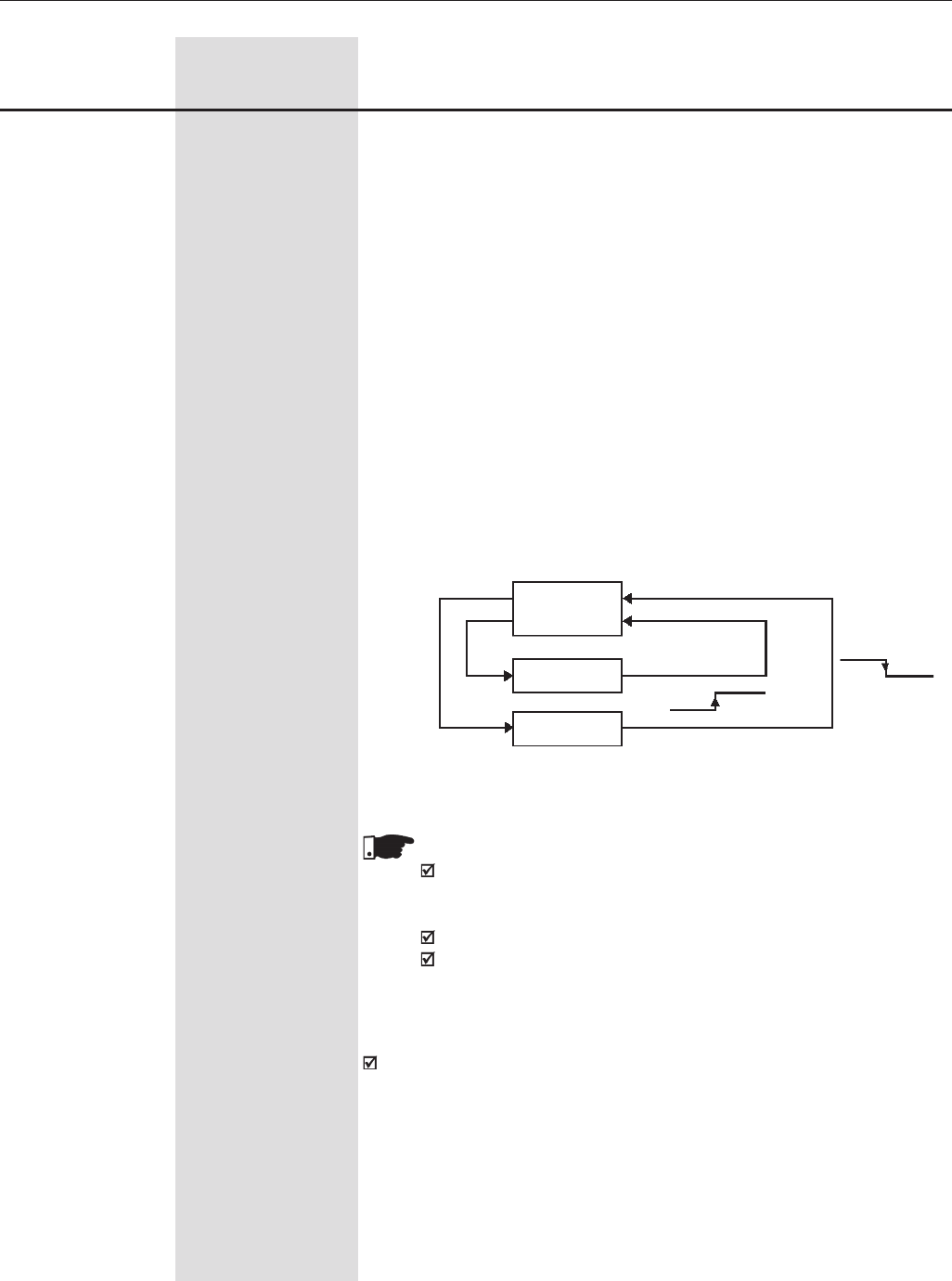
176
CHAPTER 6 - DETAILED PARAMETER DESCRIPTION
Range
[Factory Setting]
Parameter Unit Description / Notes
Inverter
Parameters
User 1
P204=10
P265 to P269 (DIx)=20
DIx=24V DIx=0V
DIx=24V
-The functions ´JOG+ and JOG` – are valid only for P202 ≥ 3.
-The option Fieldbus sets the DI as a remote input for the fieldbus system
and in order to become effective it must be read as any other
DI of the inverter.
Disable Flying Starts: Put +24V at the digital imput to disable Flying
Start.
-The function Loads user via DIx, permits the memory selection of the
user 1 or 2, process similar to P204=7 and P204=8, but the user is
loaded from the transition of a DIx programmed for this function.
The memory of user 1 is loaded, when the DIx status changes from low
level to high level (transition from 0V to 24V) and P265 to P269=20,
provided the current parameter contents of the inverter have been
transferred previously to the parameter memory 1 (P204=10).
The memory of user 2 is loaded, when the DIx status changes from high
level to low level (transition from 24V to 0V) and P265 to P269=20, provided
the current parameter contents of the inverter have been transferred
previously to the parameter memory 2 (P204=11).
User 2
P204=11DIx=0V
P265 to P269 (DIx)=20
Figure 6.35 - Details about the operation of the function load user via DIx
NOTE!
Ensure that when using this function, the parameter sets (User
Memory 1 and 2) are totally compatible with the used installations
(motors, ON/OFF commands, etc.).
User memory cannot be loaded when motor is enabled.
When two different motor parameter sets are saved into the User
Memory 1 and 2, respectively, set for each user the correct values
at the Parameters P156, P157 and P158.
When the function 'Parameter Setting Disable' is programmed and
the DIx input is +24V, the parameters cannot be changed, independent
of the values that have been set at P000 and P200. When the Dix input
is set to 0V, the parameter changing will be conditioned to the values
set at P000 and P200.
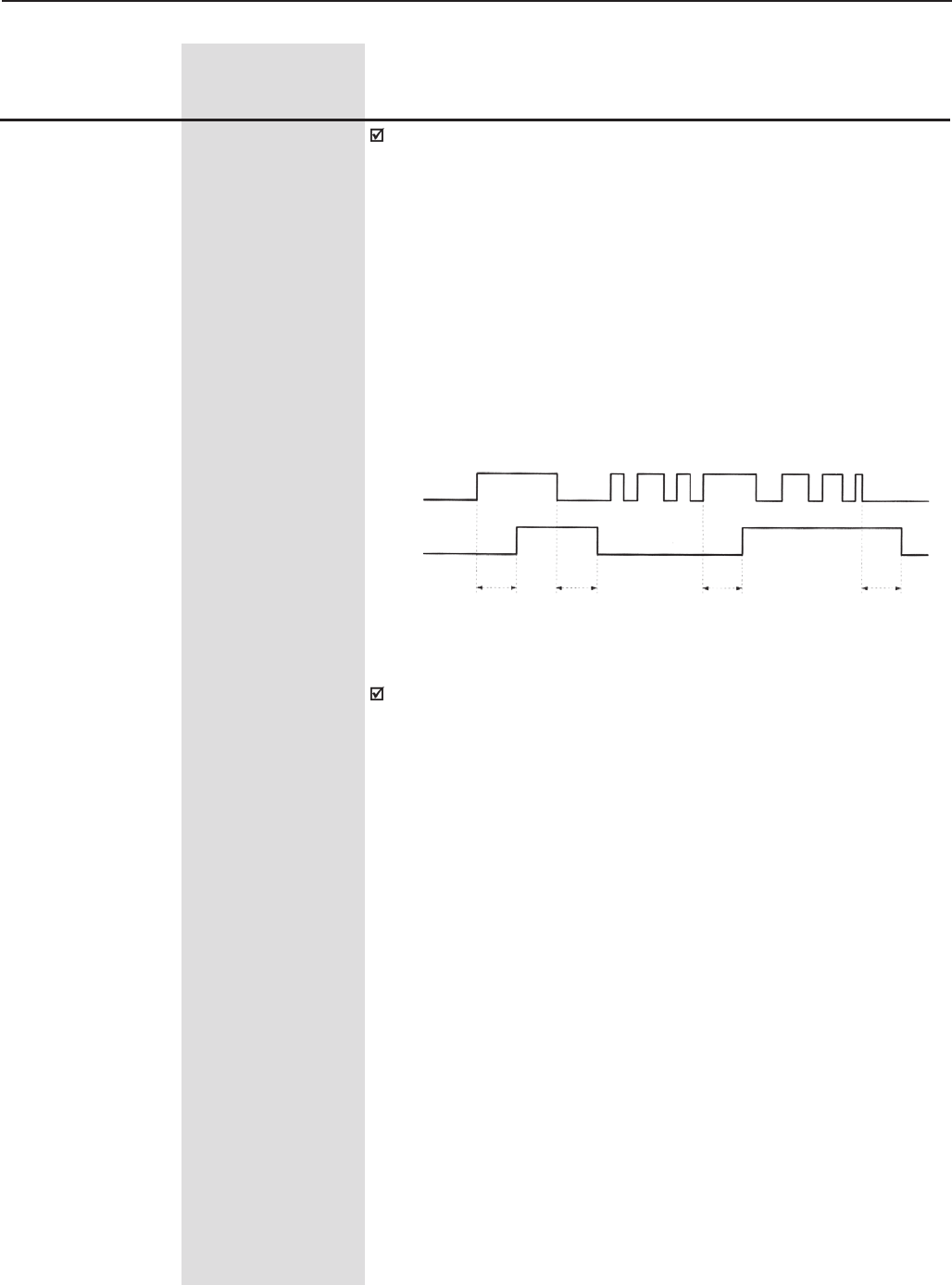
177
CHAPTER 6 - DETAILED PARAMETER DESCRIPTION
Range
[Factory Setting]
Parameter Unit Description / Notes
+24V
0V
DIx
RL2/
RL3
ON
OFF
P283/P285 P284/P286 P283/P285 P284/P286
Figure 6.36 - Operation of the function of the Timers RL2 and RL3
Multispeed: The selection of P266 and/or P267 and/or P268 = 7 requires
that P221 and/or P222=8. See parameters P124 to P131.
‘Timer RL2 and RL3’ function enables and disables the Relays 2 and
3 (RL2 and RL3).
When the timing function of the relays 2 and 3 is programmed at any
DIx, and when the transition is effected from 0V to 24V, the relay will be
enabled according to the time set at P283 (RL2) or P285 (RL3). When
the transition from 24V to 0V occurs, the programmed relay will be
disabled according to the time set at P284(RL2) or P286(RL3).
After the DIx transition, to enable or disable the programmed relay, it is
required that the DIx remains in on/off status during the time set at
parameters P283/P285 and P284/P286. Otherwise the relay will be reset.
See figure 6.36.
Note: For this function, program P279 and/or P280 = 28 (Timer).
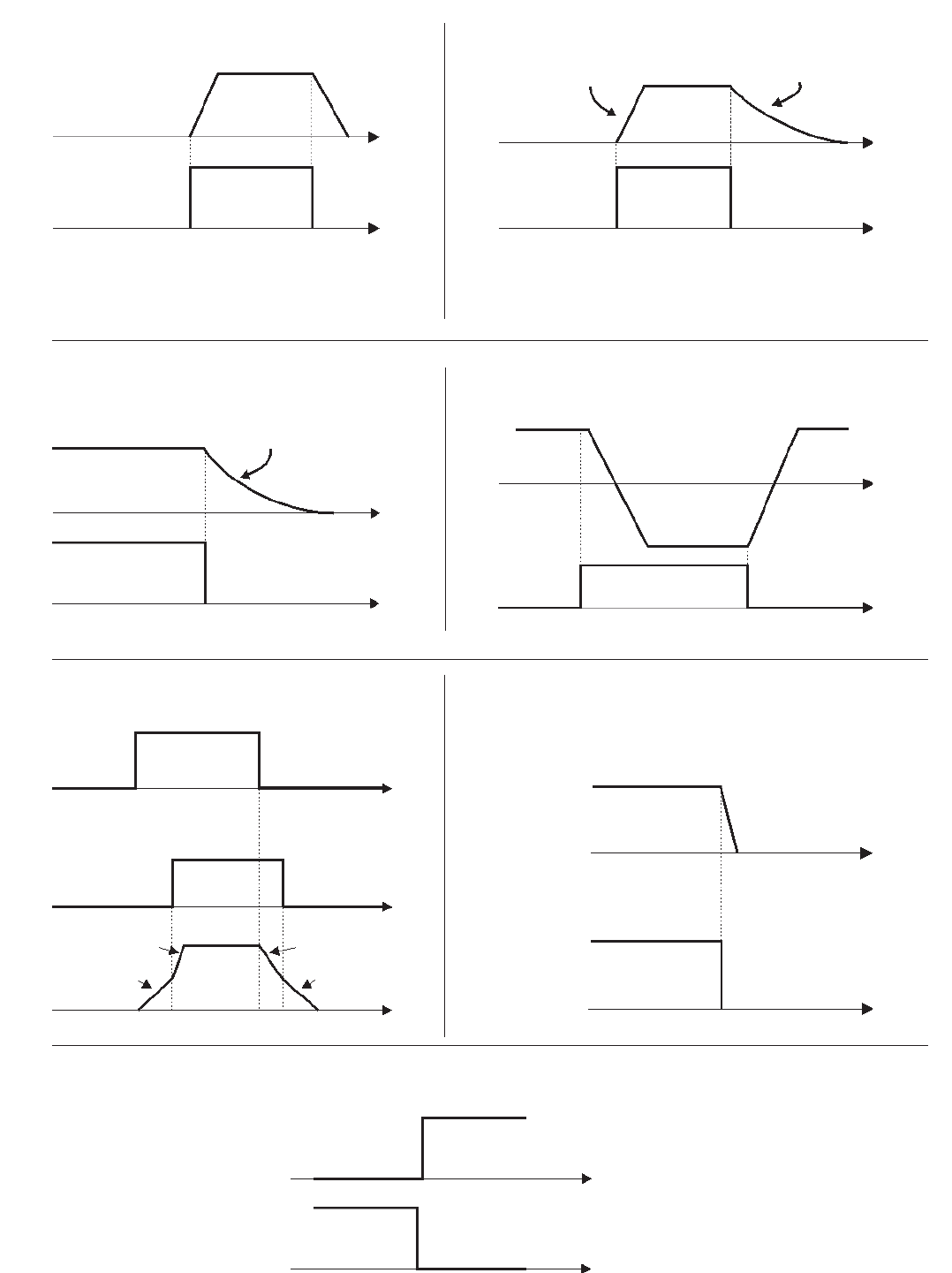
178
CHAPTER 6 - DETAILED PARAMETER DESCRIPTION
Figure 6.37 a) to g) - Details about the function of the Digital Inputs
DI1
24 V
Motor Speed
Decel. Ramp
DIx Open
Time
Motor Speed
Motor Coasts to Stop
Time
Time
Time 24 V
Open
24 V
Time
Time
Motor Speed
DIx Open
24 V
Time
Time
Motor Speed
DIx
FWD
Open
Open
24 V
Time
Time
24 V
Time
P102
P100
Start/Stop
DIx
Ramp 2 DIx
e) RAMP 2
Open
Time
Time
Motor Speed
24 V
Fast Stop DIx
Motor Decelerates
with zero Ramp
Accel. Ramp Accel. Ramp
Motor Speed
Open
REV
f) FAST STOP
d) FWD/REV
c) NO EXTERNAL FAULT
a) START/STOP b) GENERAL ENABLE
Motor Coasts to Stop
P103
P101
Note: All digital inputs set to general enable must be on in
order that the inverter operate as shown above.
g) LOAD USER VIA DIx
Time
Time
Load User 1
Load User 2
DIx
24 V
24 V
DIx
0 V
0 V
Note: All digital inputs set to start/stop must be on in order
that the inverter operate as shown above.
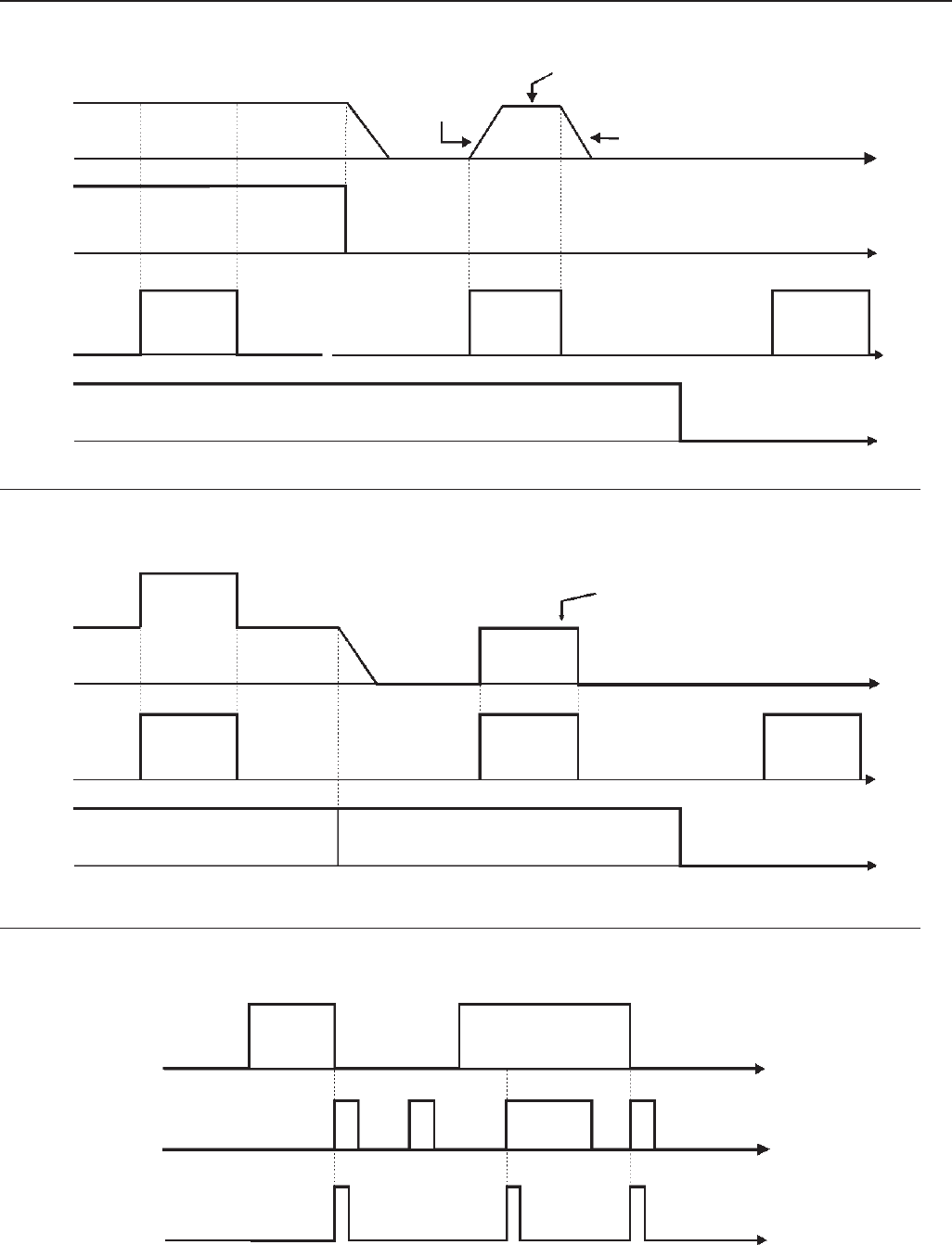
179
CHAPTER 6 - DETAILED PARAMETER DESCRIPTION
Time
Motor
Speed
24 V
24 V
Start/Stop DIx
JOG Speed
(P122)
Decel. Ramp
24 V
JOG -
DIx
General/ Enable DIx
Open
Open
Open
Accel. Ramp
Fault (EXY)
24 V
General Enable/
Start/Stop Open
Time
24 V
Time
Time
24 V
Ready
Reset
Reset - DIx Open
Motor
Speed
Inverter
Status (*)
JOG+ Speed (P122)
JOG- Speed (P123)
Time
Time
Time
Time
Time
Time
Figure 6.37 h) to j) - Details about the function of the Digital Inputs (cont.)
(*) Fault Condition Persists
24 V
Open
DIx - JOG ±
Start/Stop Open
General Enable
h) JOG
j) RESET
i) JOG + and JOG -
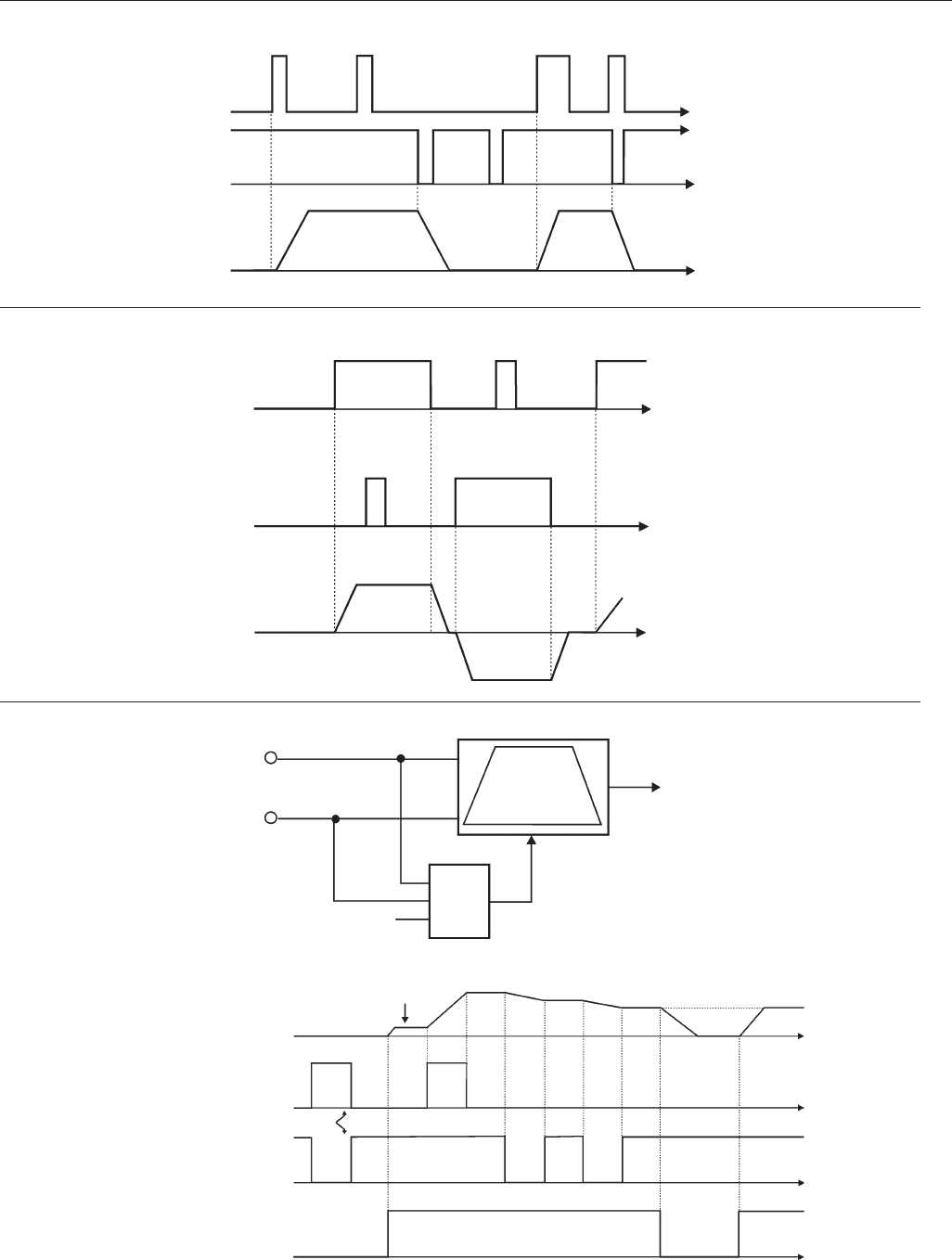
180
CHAPTER 6 - DETAILED PARAMETER DESCRIPTION
Time
Time
24 V
Motor
Speed
Open
Time
24 V
Time
Time
24 V
Open
Reverse Run -
DIx
Forward Run - DIx
Motor
Speed
FWD
Figure 6.37 k) to m) - Details about the function of the Digital Inputs (cont.)
Time
Motor Speed
24 V
Open
24 V
Start/Stop - DIx
Accel.
Decel.
Speed
Reference
Reset to
zero
Decrease EP
&
24 V
Open
Open
Rev.
Start/Stop
Minimum
Speed
Reset
Increase EP
DI4, DI6 Decrease EP
DI3, DI5 Increase EP
Stop -
DIx
Start - DIx
Time
Time
24 V
Open
Time
Time
Time
l) FORWARD RUN / REVERSE RUN
m) ELECTRONIC POTENTIOMETER (EP)
k) 3 WIRE START / STOP
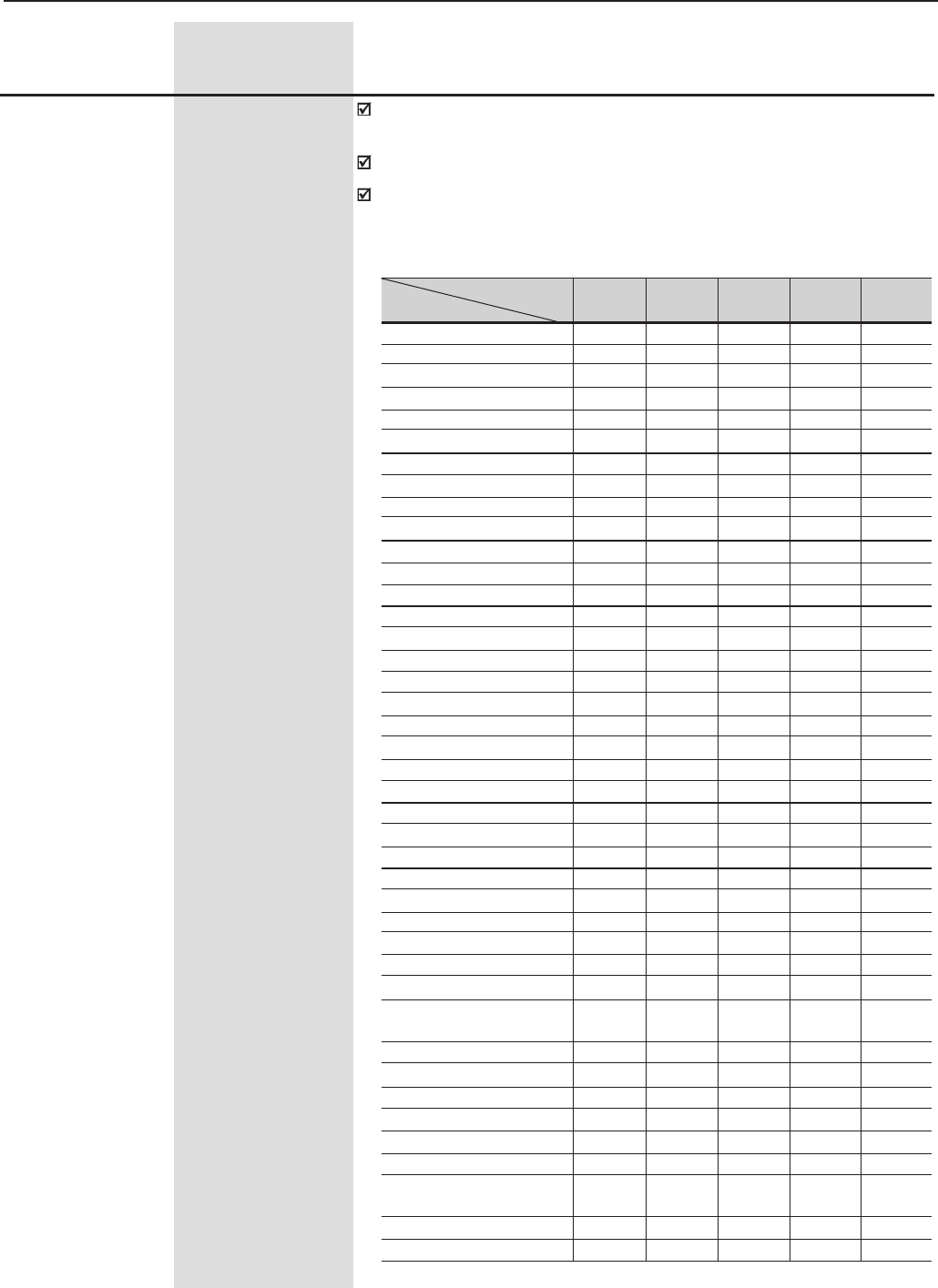
181
CHAPTER 6 - DETAILED PARAMETER DESCRIPTION
P275 (1) 0 to 40
Digital Output DO1 [ 0 (Not Used) ]
Function (located on -
the Optional I/O
Expansion Board
EBA or EBB)
P276 (1) 0 to 40
Digital Output DO2 [ 0 (Not Used) ]
Function (located on -
the Optional I/O
Expansion Board
EBA or EBB)
P277 (1) 0 to 40
Relay Output RL1 [ 13 (No Fault) ]
Function -
P279 (1) 0 to 40
Relay Output RL2 [ 2 (N>Nx) ]
Function -
P280 (1) 0 to 40
Relay Output RL3 [ 1 (N*>Nx) ]
Function -
Check possible options on Table 6.40 and details about each function’s
operation on the charts in the figure 6.36.
The status of the Digital Outputs can be monitored at Parameter P013.
The Digital Output will be activated when the condition stated by it's
function becomes true. In case of a Transistor Output, 24Vdc will be
applied to the load connected to it. For a Relay Output, the relay will
pick up when the output is activated.
Range
[Factory Setting]
Parameter Unit Description / Notes
P275 P276 P277 P279 P280
Function (DO1) (DO2) (RL1) (RL2) (RL3)
Not Used 0, 27 and 28 0, 27 and 28 0 and 28 0 0
N* > Nx 1 1 1 1 1
N > Nx 2 2 2 2 2
N < Ny 3 3 3 3 3
N = N* 4 4 4 4 4
Zero Speed 5 5 5 5 5
Is > Ix 6 6 6 6 6
Is < Ix 7 7 7 7 7
Torque > Tx 8 8 8 8 8
Torque < Tx 9 9 9 9 9
Remote 10 10 10 10 10
run 11 11 11 11 11
ready 12 12 12 12 12
No Fault 13 13 13 13 13
No E00 14 14 14 14 14
No E01+E02+E03 15 15 15 15 15
No E04 16 16 16 16 16
No E05 17 17 17 17 17
4 to 20 mA OK 18 18 18 18 18
Fieldbus 19 19 19 19 19
FWD 20 20 20 20 20
Proc. Var. >VPx 21 21 21 21 21
Proc. Var. >VPy 22 22 22 22 22
Ride-Through 23 23 23 23 23
Pre-charge OK 24 24 24 24 24
With error 25 25 25 25 25
Enabled Hours > Hx 26 26 26 26 26
PLC - - 27 27 27
Timer - - - 28 28
N > Nx and Nt > Nx 29 29 29 29 29
Brake (Vel) - Real Speed 30 30 30 30 30
Brake (Ref) - 31 31 31 31 31
Total Reference
Overweight 32 32 32 32 32
Slack Cable 33 33 33 33 33
Torque Polarity +/- 34 34 34 34 34
Torque Polarity -/+ 35 35 35 35 35
F > Fx _ 1 36 36 36 36 36
F > Fx _ 2 37 37 37 37 37
Set point = 38 38 38 38 38
Process Variable
No E32 39 39 39 39 39
Ready 2 40 40 40 40 40
Parameter
(Output)
Table 6.40 - Functions of the Digital Outputs and Relay Outputs

182
CHAPTER 6 - DETAILED PARAMETER DESCRIPTION
Range
[Factory Setting]
Parameter Unit Description / Notes
Additional Notes about the Digital Output Functions:
- Remote: Inverter is operating in Remote mode.
- Run: Inverter is enabled (the IGBTs are switching, the motor may be at
any speed, including zero).
- Ready: Inverter neither is in fault non in undervoltage condition.
- No Fault: Inverter is not in any fault condition.
-With Error means that the inverter is disabled due to some error.
- No E00: Inverter is not in an E00 fault condition.
- No E01+E02+E03: Inverter is not in an E01 or E02 or E03 fault condition.
- No E04: Inverter is not in an E04 fault condition.
- No E05: Inverter is not in an E05 fault condition.
- 4 to 20mA OK: If applicable, the 4 to 20 mA current reference is present.
- Zero Speed: Motor speed is lower than the value set at P291 (Zero
Speed Zone)
- Not Used: Digital Output remains inactive.
- Forward: Motor is running forward.
- Torque > Tx and Torque < Tx: Valid only for P202 = 3 or 4 (Vector
Control).
Torque corresponds to motor Torque as indicated in Parameter P009.
- Ride-Through: means that the inverter is executing the Ride-Through
function.
- Pre-charge OK: means that the DC-Link voltage is higher than the pre-
charge voltage level.
- Fieldbus: allows changing the state of the digital outputs (P275 to
P280) from the Fieldbus network. Refer to item 8.12.5.2.
-N > Nx and Nt > Nx: (this option works only for P202=4 - Vector with
Encoder Control) means that both conditions must be satisfied in order
that DOx = Saturated Transistor and/or RLx= relay picked up. The Digital
Outputs will come back to its OFF state, that is, DOx = Cut-off Transistor
and/or RLx = released relay, when only N>Nx condition is not satisfied
(that is, independent of Nt>Nx condition).
- Timer: This times enable and disable the relays 2 and 3 (refer P283 to
P286).
- Brake (Vel) – Real Speed
It uses the Real Speed in the comparison of N > Nx to activate the brake.
Note: Nx is programmable at P288.
- Brake (Ref) – Total Reference
If P202 = 3 (Sensorless Control) – It uses the Total Reference in the
comparison of N* > Nx to activate the brake.
183
CHAPTER 6 - DETAILED PARAMETER DESCRIPTION
Range
[Factory Setting]
Parameter Unit Description / Notes
If P202 ≠ 3 (V/F, VVW or Vector with Encoder control), the comparison
of N > Nx to activate the brake will always use the Real Speed, regardless
of the selection (“31=Brake (Ref)” or “30=Brake (Vel))”.
NOTE!
Refer to figures 6.39 q), r) and s)
Preliminary settings:
Nx (P288) = 7% to 10% of the motor speed (sensorless control), 2% to
5% of the speed (vector with encoder control)
Ix (P290) = 20% to 130% of P401
P355 = 0 seconds
P354 = 1.5 x time to activate the brake
P356 = 0.85 x time to release the brake
P353 = 0.2 seconds
NOTE!
These preliminary settings are suggestive and may be changed
according to the application.
- Overweight - Situation where the lifted load weight is greater than the
maximum allowed.
When the CFW09 is powered up, the output set to the option “32 =
Overweight” is activated. In order to deactivate the output, i.e., detect
the overweight condition, the following conditions shall be satisfied:
- P361 = 1 (Load Detection = On);
- Parameters P362, P363 and P367 properly set;
- P367 (Overweight Level) lower than the output current (P367 < Is)
during the stabilization time.
If P361 = 0 (Load Detection = Off) – the output always remains
activated.
- Slack Cable - Situation where the lifted load weight is lower than the
minimum weight detected by the crane.
When the CFW09 is powered up, the output set to the option “33 =
Slack Cable” is activated. In order to deactivate the output, i.e., detect
the slack cable condition, the following conditions shall be satisfied:
- P361 = 1 (Load Detection = On);
- Parameters P362, P363, P364 and P365 properly set;
- Slack cable condition detected.
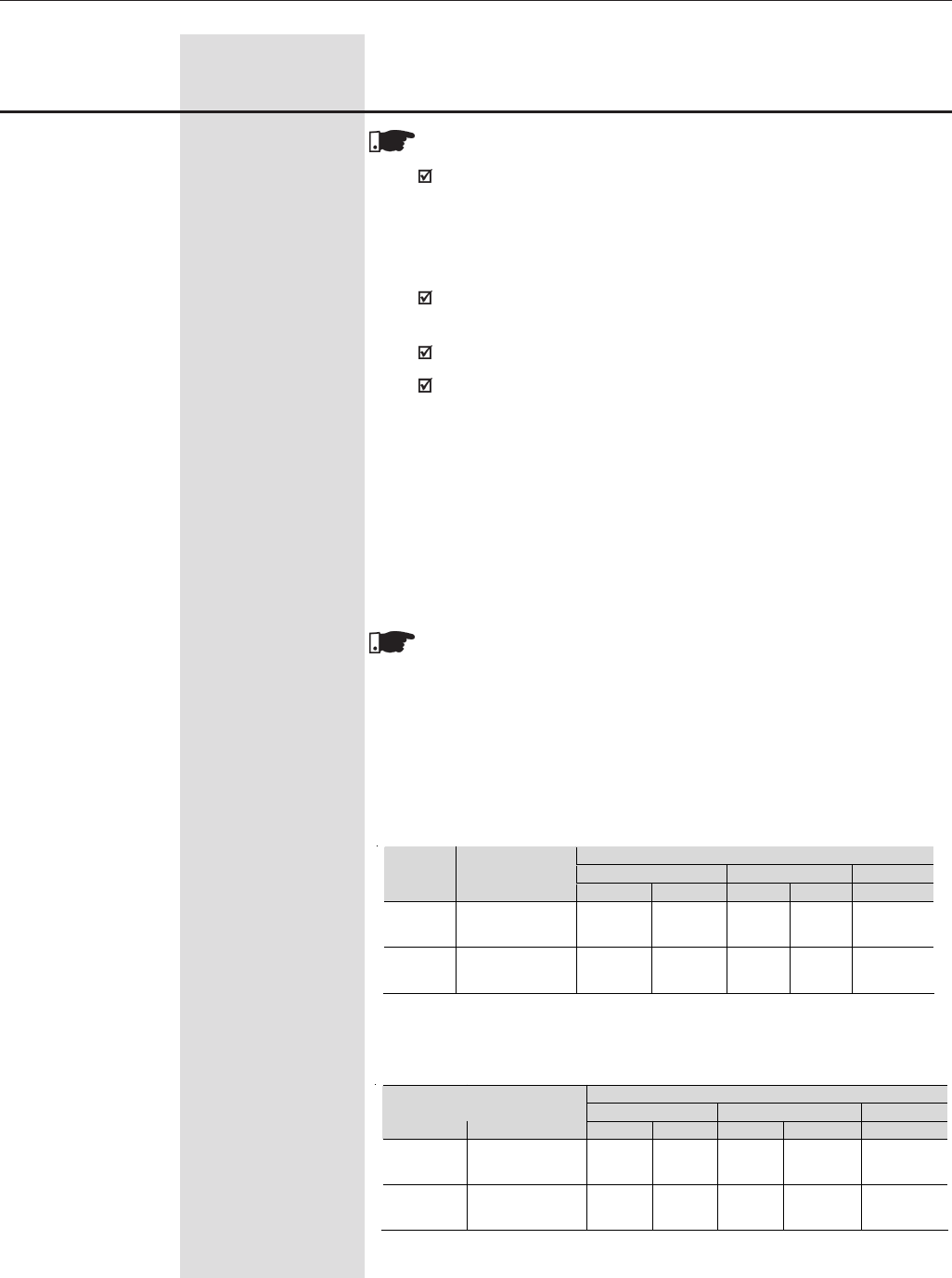
184
CHAPTER 6 - DETAILED PARAMETER DESCRIPTION
NOTES!
If the slack cable condition is detected during the stabilization
time, the motor remains at the stabilization speed until receiving
a “Stop” command. However, if this condition is detected outside
of the stabilization time, the output set to this option will be
deactivated and the motor will maintain the same speed.
The only way of disabling the Slack Cable function is stopping the
motor.
To a better understanding refer to figures 6.47 a) and b).
If P361 = 0 (Load Detection = Off) – the output always remains
activated.
- Torque Polarity +/-
The output programmed to this function will be activated when the torque
is positive.
- Torque Polarity -/+
The output programmed to this function will be activated when the torque
is negative.
NOTE!
The outputs that are set to the function “Torque Polarity” have a
hysteresis in its operation that can be configured at parameter P358
(Hysteresis for the Torque Current – Iq). This resource works in the
transition of these outputs at the moment they are activated or
deactivated.
DOx or Rlx = 34 – Torque Polarity +/-
Range
[Factory Setting]
Parameter Unit Description / Notes
Status of the contacts at XC1
(NC) RL1 (NO) (NO) RL2 (NC) RL3 (NO)
Torque
Polarity
XC4 Voltage
DO1 (5, 6)
DO2 (7, 6) 21-24 22-24 23-25 25-26 27-28
Positive
(+) 0V Open Closed Closed
Open Closed
Negative
(-) +24V Closed Open Open Closed
Open
Status of the contacts at XC1
(NC) RL1 (NO) (NO) RL2 (NC) RL3 (NO)
Torque
Polarity
XC4 Voltage
DO1 (5, 6)
DO2 (7, 6) 21-24 22-24 23-25 25-26 27-28
Positive
(+) +24V Closed Open Open Closed Open
Negative
(-) 0V Open Closed Closed Open Closed
DOx or Rlx = 35 – Torque Polarity -/+
Table 6.42 a) - Status of the DOx and RLx contacts with the torque
polarity +/- function
Table 6.42 b) - Status of the DOx and RLx contacts with the torque
polarity +/- function
185
CHAPTER 6 - DETAILED PARAMETER DESCRIPTION
Range
[Factory Setting]
Parameter Unit Description / Notes
NOTE!
It is used only with the Master/Slave function to indicate the torque
polarity at the digital or relay outputs.
Description of the Torque Polarity +/- function for the Torque
Master/Slave function
The implementation of this function requires the digital or relay outputs
of the “master” CFW-09 to be set to the options P275=34 (Torque
Polarity +/-) or P275=35 (Torque Polarity -/+).
Therefore, a load resistor (Rc) shall be connected at the digital output
DO1 (XC4:5) or DO2 (XC4:7), as presented in figure 8.1. This output
shall be connected to the digital input DI2 of the “Slave” CFW-09, which
shall be set to the option P264=0 (Direction of Rotation).
In the master CFW-09
(Vector with encoder): In the slave CFW-09
(Vector with encoder):
P275 or P276=34 or 35;
P357= 0.1s
P358= 2.00%
P253=4
P100=P101=0;
P160=1;
P223=P226=DI2=4;
P264=0
P237=2
P234=1.2
For P275 or P276 = 34 or 35
When the torque current of the “master” CFW-09 is positive, the digital
output DO1 or DO2 will be set to zero, which will force the speed
regulator of the “slave” to saturate positively, producing a positive
torque current.
When the torque current of the “master” CFW-09 is negative, the
digital output DO1 or DO2 will be set to 24V, which will force the
speed regulator of the “slave” to saturate negatively, producing a
negative torque current.
Table 6.43 - Minimum required settings for the torque Master/Slave function
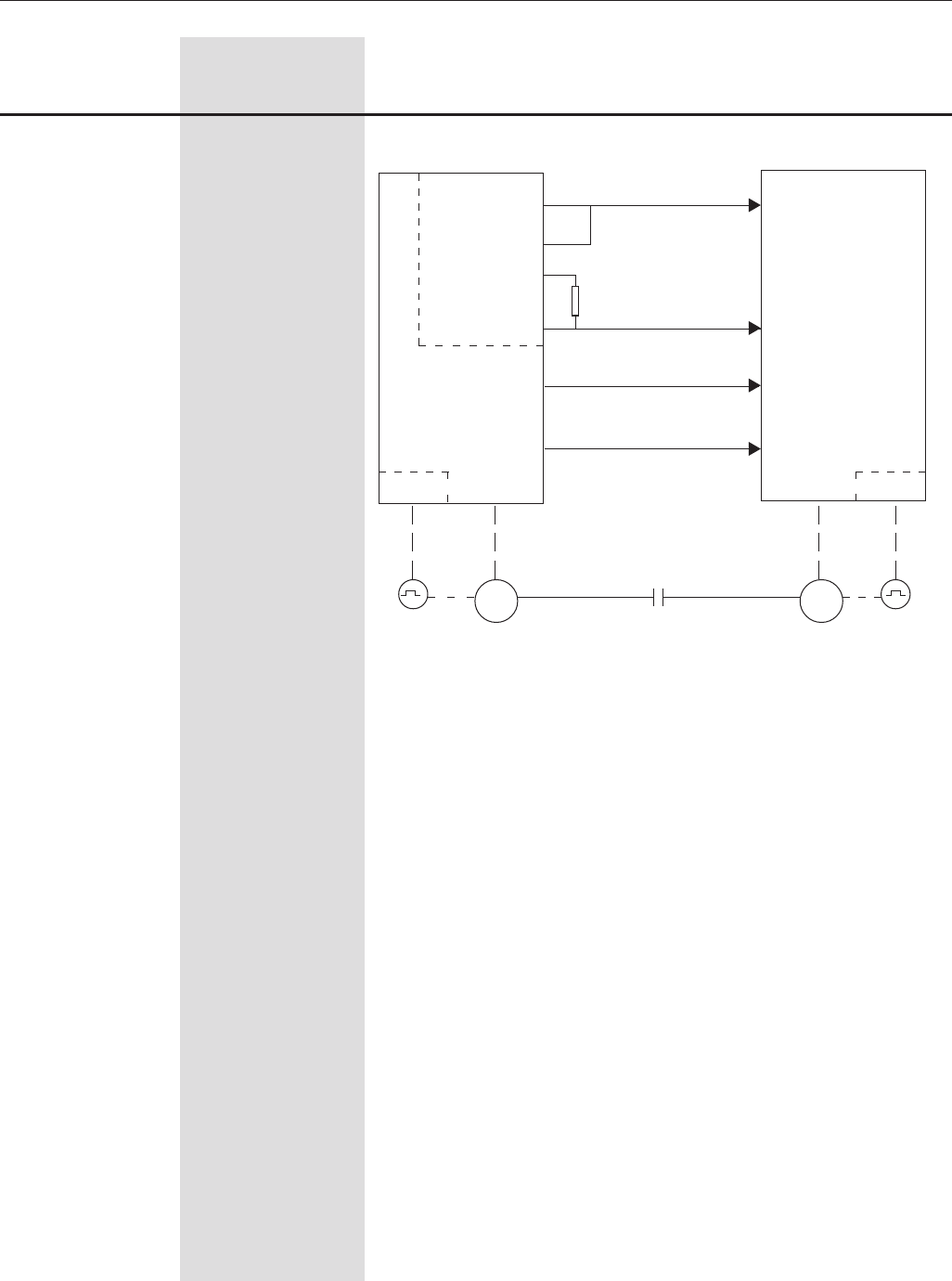
186
CHAPTER 6 - DETAILED PARAMETER DESCRIPTION
Range
[Factory Setting]
Parameter Unit Description / Notes
Figure 6.38 - Diagram for the Torque Master/Slave function
Master Slave
EBA.01
COM 6
DGND 4
24Vdc 8
XC4:
DO1
R 500
3W
XC1:
17, 18
AO1
XC1:
19,20
AO2
CFW-09
EBA.01 EBA.01
XC1
10
XC1
DI2
XC1
12, 13
AI1
XC1
15, 16
AI2
CFW-09
M
M
(Torque +/-) FWD/REV
Speed
Reference
Max. Torque
Current
- F > Fx _ 1: This function activates the relay and/or transistorized outputs
set to this option when the output frequency value (F) is greater than the
value set at P369 (Fx) plus the hysteresis value set at P370. When F <
Fx - P370, the outputs set to this option are deactivated (refer to figure
6.39 t).
- F > Fx _ 2: With this option the hysteresis for the acceleration is
disabled, therefore, this function activates the relay and/or transistorized
outputs set to this option when the output frequency value (F) is greater
than the value set at P369 (Fx). When F < Fx - P370, the outputs set to
this option are deactivated (refer to figure 6.39 v).
- Set point = Process Variable. This function activates the digital or
relay output when the Set point value equals the Process Variable value
(refer to figure 6.39 v).
- No E32 - It indicates that the drive is disabled due to an E32 error.
- Ready 2 - Indicates that the motor is disabled (motor stopped) without
error and without undervoltage.
Symbols used in the Digital Output functions:
N = P002 (Motor speed)
N* = P001 (Frequency Reference)
Nx = P288 (Speed Nx) - User selected speed reference point.
Ny = P289 (Speed Ny) - User selected speed reference point.
187
CHAPTER 6 - DETAILED PARAMETER DESCRIPTION
Range
[Factory Setting]
Parameter Unit Description / Notes
P285 0.0 to 300
Time for RL3 ON [ 0.0 ]
0.1s
P283 0.0 to 300
Time for RL2 ON [ 0.0 ]
0.1s
Used in the function as Relay Output: Timer of the relay 2 or 3.
When the timing function of the relays 2 and 3 is programmed at any
DIx, and when the transition is effected from 0V to 24V, the relay will be
enabled according to the time set at P283 (RL2) or P285 (RL3). When
the transition from 24V to 0V occurs, the programmed relay will be
disabled according to the time set at P284(RL2) or P286(RL3).
After the DIx transition, to enable or disable the programmed relay, it is
required that the DIx remains in on/off status during the time set at
parameters P283/P285 and P284/P286. Otherwise the relay will be reset.
See figure 6.34.
Note: For this function, program P279 and/or P280 = 28 (Timer).
P284 0.0 to 300
Time for RL2 OFF [ 0.0 ]
0.1s
P286 0.0 to 300
Time for RL3 OFF [ 0.0 ]
0.1s
Ix = P290 (Current Ix) - User selected current reference point.
Is = P003 (Motor Current)
Torque = P009 (Motor Torque)
Tx = P293 (Torque Tx) - User selected torque reference point.
Vpx = P533 (Process Variable x) - User selected reference point.
Vpy = P534 (Process Variable y) - User selected reference point.
Nt = Total Reference (See Figure 6.26) after all scalings, offsets,
additions, etc.
Hx = P294 (Hours Hx)
PLC = See PLC board manual
Fx = P370 (Frequency Fx) – Frequency reference defined by the user.
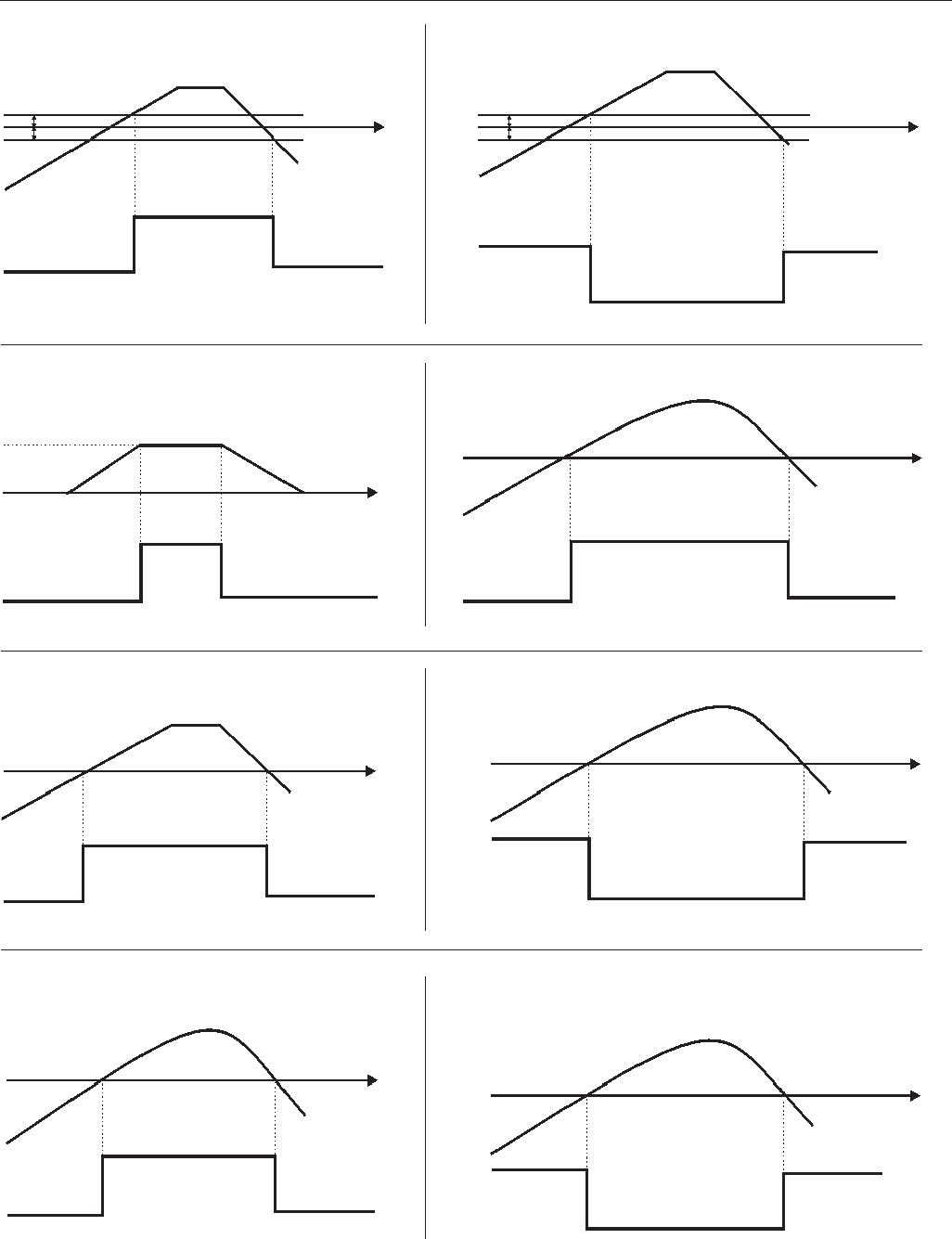
188
CHAPTER 6 - DETAILED PARAMETER DESCRIPTION
N
Relay/Transistor
Output
ON
a) N > Nx
OFF
N
Time
N*
Nx (P288) N
Time
ON
OFF
ON
OFF
ON
OFF
Relay/Transistor
Output
Relay/Transistor
Output OFF
Is
OFF
Time
N*
Relay/
Transistor
Output
OFF
ON
OFF
Is
Relay/
Transistor
Output
ON
OFF
ON
b) N < Ny
Ny (P289)
Relay/ Transistor
Output ON
Time
Nx (P288)
c) N = N* d) Is > Ix
ON
OFF
OFF
Motor Torque
(P009)
Relay/
Transistor
Output
ON
ON
OFF
Relay/
Transistor
Output
f) Is < Ix
e) N* > Nx
Motor Torque
(P009)
Tx (P293)
Ix (P290)
Ix (P290)
Tx (P293)
Time
Time
Time Time
h) Torque <Txg) Torque > Tx
P287
Figure 6.39 a) to h) - Details about the operation of the Digital and Relay Output Functions
Motor Speed
P287 P287
P287
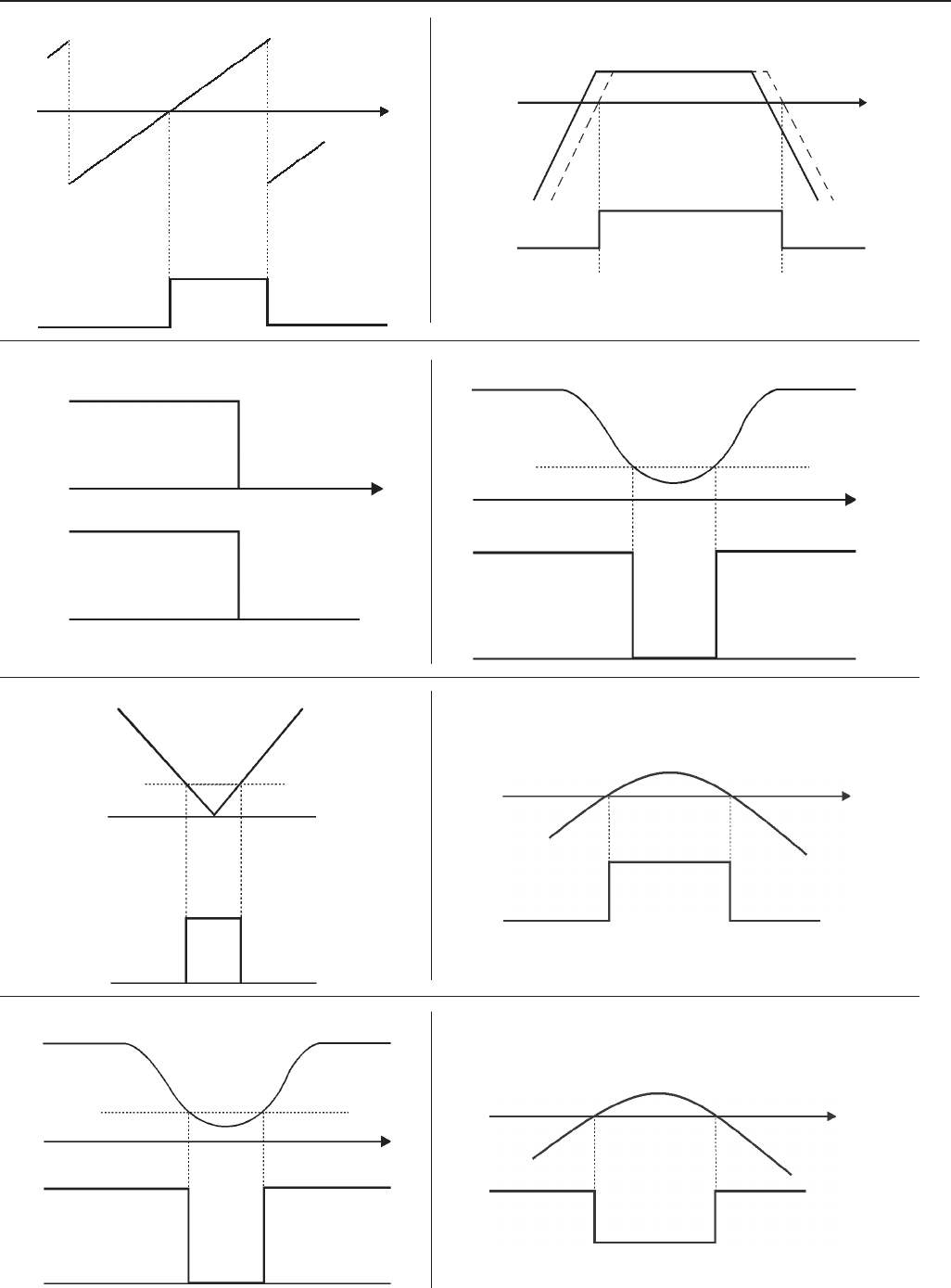
189
CHAPTER 6 - DETAILED PARAMETER DESCRIPTION
Relay/
Transistor
Output ON
Ready/
Run
State
OFF
P291
Relay/Transistor
Output
OFF OFF
ON
Relay/Transistor
Output
ON ON
OFF
Time Time
2mA
Zero Speed Zone
c/ EOX
m) N = 0
l) 4 to 20mA OK
Ref
p) Process Var. < VPy
Time
OFF
ONON
VPy (P534)
Relay/
Transistor
Process Var.
n) Process Var. > VPx
ON
OFF
Time
VPx (P533)
Process Var.
Relay/
Transistor
OFF
Relay/Transistor
Output
ON ONOFF
Time
Pre-Charge
Level
Link CC
o) Pre charge Ok
Figure 6.39 i) to p) - Details about the operation of the Digital and Relay Output Functions (cont.)
Hours
Enable
(P043)
6553 h
0
N
Relay/
Transistor
ON
OFFOFF
Hx (P294)
Time
j) N > Nx and Nt > Nx
Nt N
Relay/Transistor
OFF
ON
OFF
Time
Nx (P288)
i) Enabled Hours > Nx
Fault (Exy)
State
k) No External Fault
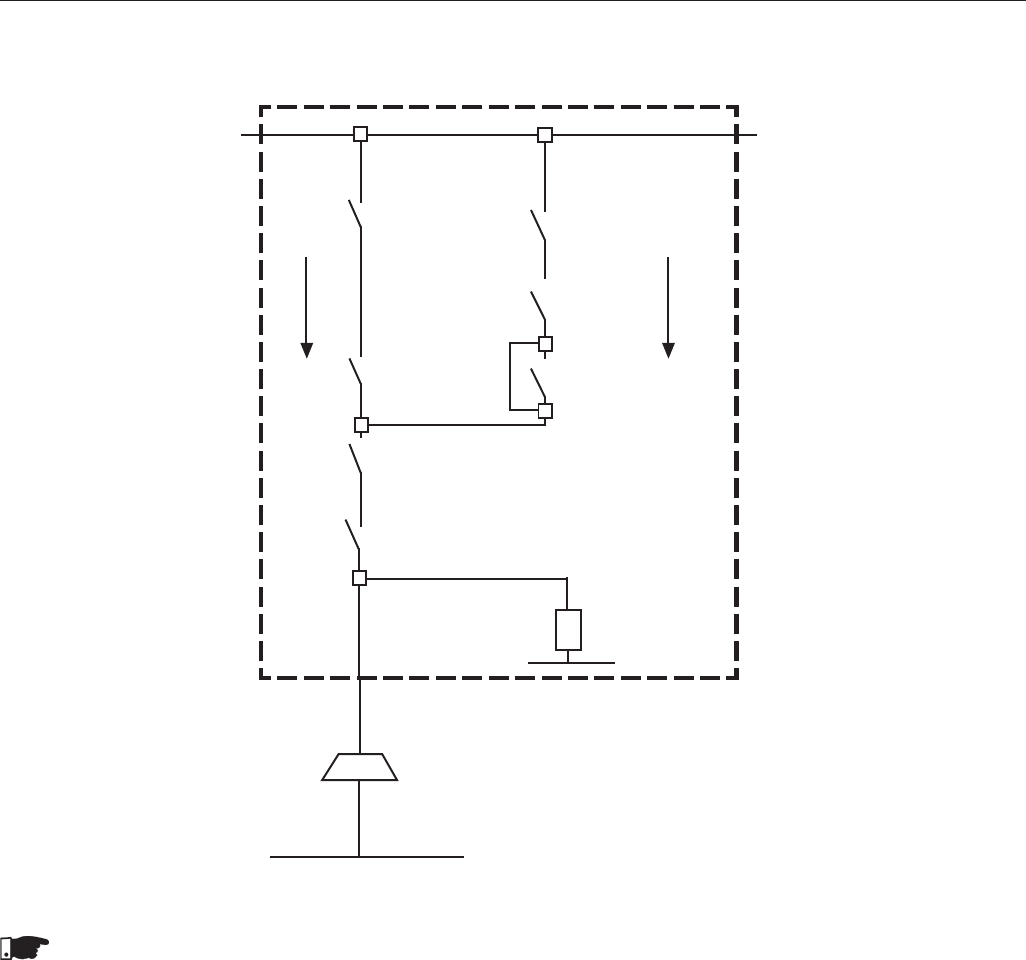
190
CHAPTER 6 - DETAILED PARAMETER DESCRIPTION
q) Logic for the Brake Activation when DOx or Relay = 30 or 31
NOTES!
1) To release the brake (transition from NC to NO) both comparisons are performed Is > Ix, Is > Imr. At the same
time, the drive shall receive a Start/Stop command in the “Run” state and with no error.
2) To activate the brake (transition from NO to NC) the comparison N > Nx is performed.
3) If P202=4 (Vector with Encoder), the brake is not activated when the speed crosses zero at the reversing of the
direction of rotation.
Figure 6.39 q) - Details about the operation of the Digital and Relay Output Functions (cont.)
Activate
the brake
N > Nx
Auxiliary
No Error
Run
Auxiliary
Is > Imr
Is > Ix
Start/Stop
Release
the brake
CFW-09
V/F Control
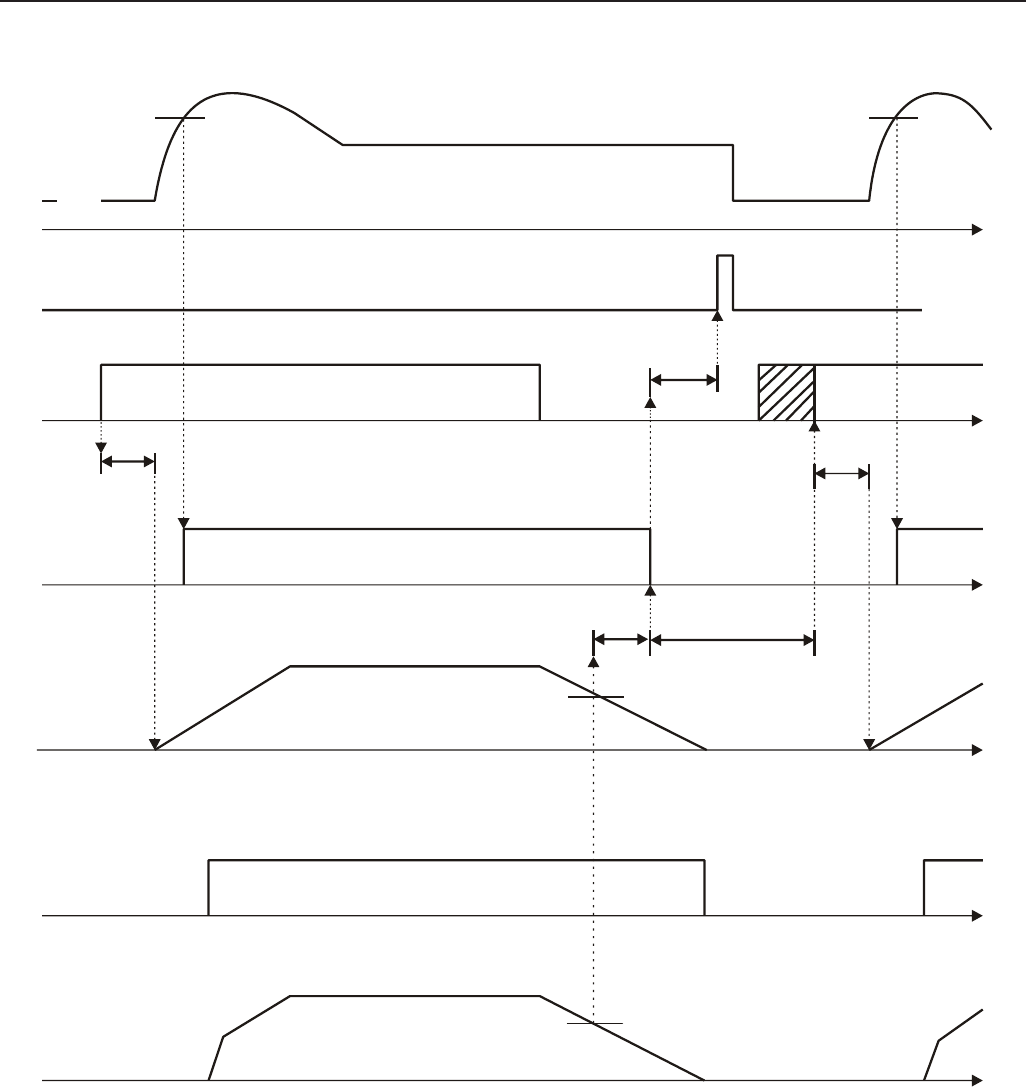
191
CHAPTER 6 - DETAILED PARAMETER DESCRIPTION
r) Operation of parameters P353 to P356 with Ix > Imr.
Note: The Start/Stop function in the figure above is valid only for commands from the DI1 (Digital Input #1) set to the option
“1=Start/Stop”.
Figure 6.39 r) - Details about the operation of the Digital and Relay Output Functions (cont.)
Current
Imag
Ix
Start/Stop
P356
RLx or DOx Output
(brake activation)
Speed
Reference
Real Brake
Real Speed
Nx
Nx
P353 P355
P356
P354
Reset Pulse for the
integrator of the
speed regulator
Accepted only
after P355
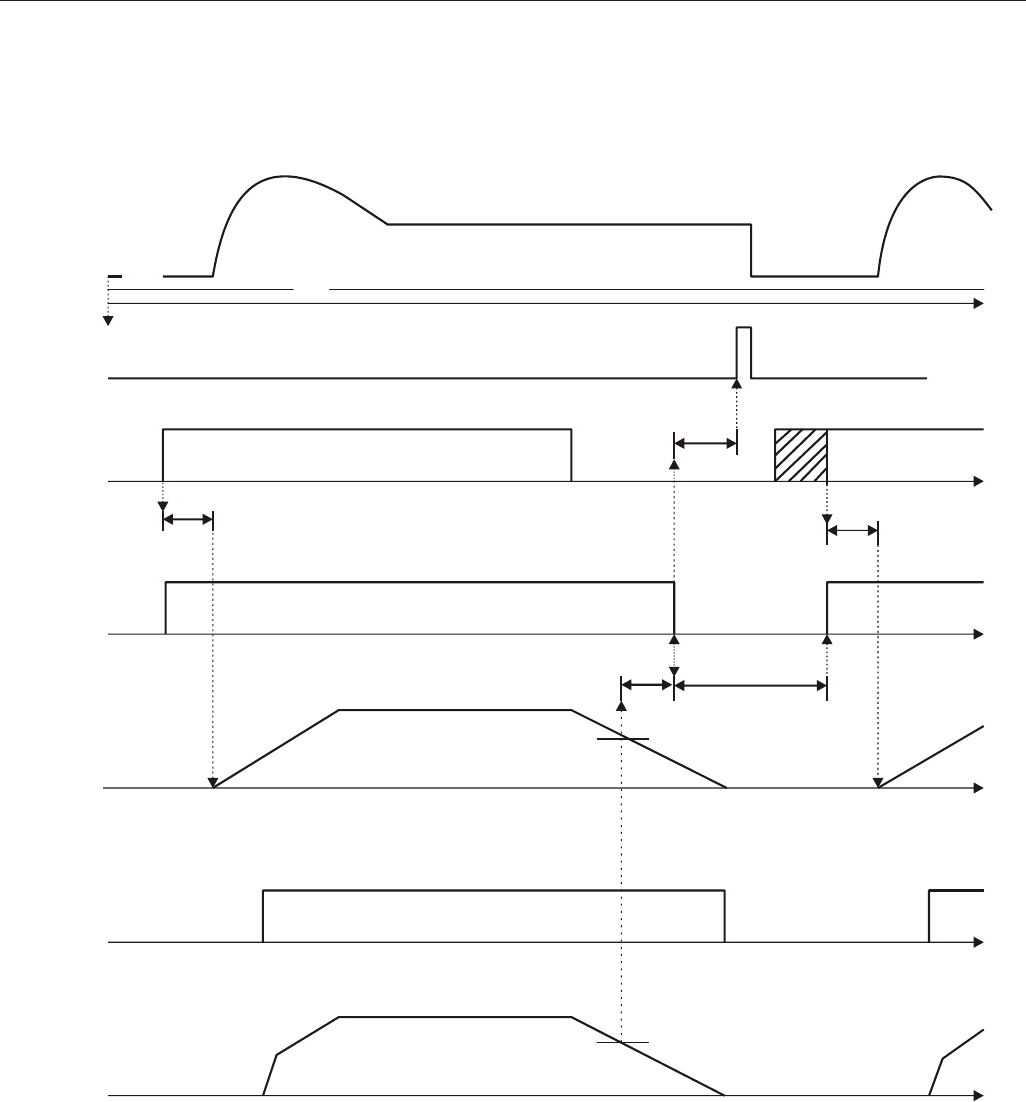
192
CHAPTER 6 - DETAILED PARAMETER DESCRIPTION
s) Operation of parameters P353 to P356 with Ix < Imr.
Figure 6.39 s) - Details about the operation of the Digital and Relay Output Functions (cont.)
Current
Imag Ix
Start/Stop
Magnetized
Motor
P356
RLx or DOx Output
(brake activation)
Speed Reference
Real Brake
Real Speed
Nx
Nx
P353 P355
P356
P354
Reset Pulse for the
integrator of the
speed regulator
Accepted only
after P355
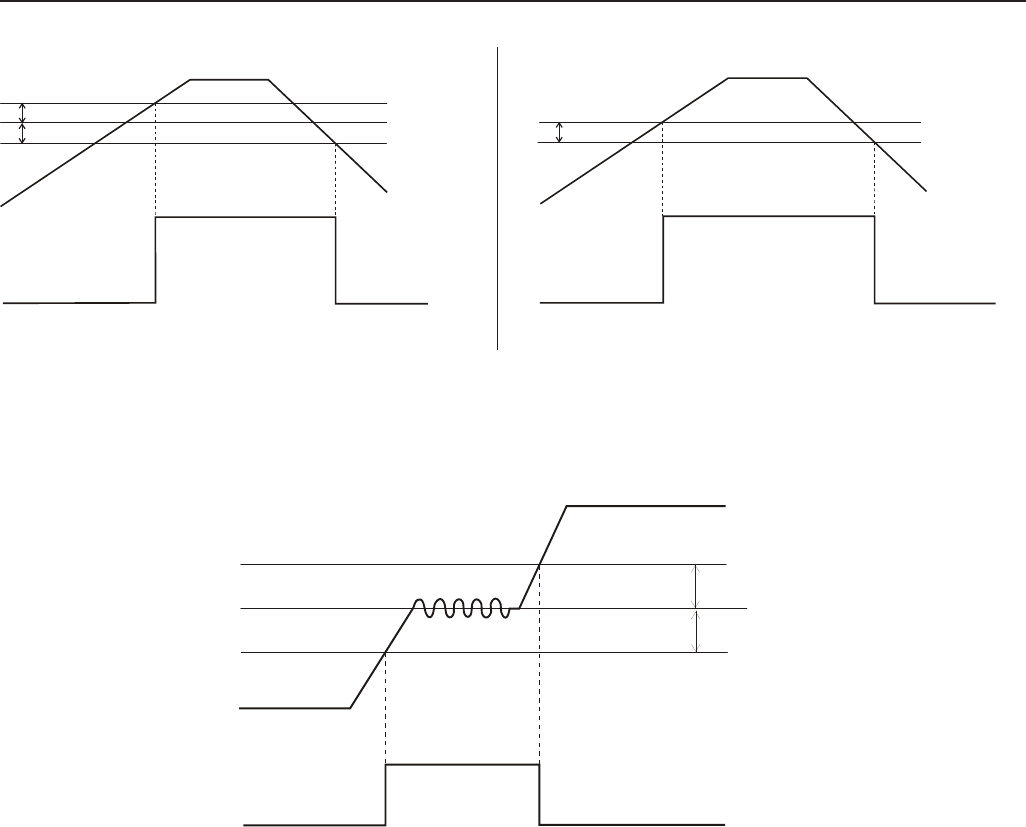
193
CHAPTER 6 - DETAILED PARAMETER DESCRIPTION
Figure 6.39 t) to v) - Details about the operation of the Digital and Relay Output Functions (cont.)
t) F > Fx _ 1 u) F > Fx _ 2
v) Set point = Process Variable
P369 + P370
P369 - P370
Fx (P369)
N
OFF
ON
Relay
Transistor OFF
P369 - P370
Fx (P369)
N
OFF
ON
Relay
Transistor OFF
P040
P525
OFF
ON
Relay/
Transistor OFF
P537
P537
194
CHAPTER 6 - DETAILED PARAMETER DESCRIPTION
Range
[Factory Setting]
Parameter Unit Description / Notes
P290 (7) 0.0 to 2.0 x P295
Ix Current [ 1.0 x P295 ]
0.1A(<100)-1A(>99.9)
Used by the Digital and Relay Outputs functions:
Is > Ix and Is < Ix.
P292 1 to 100
N=N* Band [ 1 ]
(At Speed Band) 1%
Used by the Digital and Relay Outputs function N = N* (At Speed).
P293 0 to 200
Tx Torque [ 100 ]
1%
Used by the Digital and Relay Outputs functions Torque > Tx and
Torque < Tx. In this output mode, the motor torque indicated in
parameter P009 is compared with the value programmed in P293.
The setting is expressed in % of the motor rated current (P401=100%)
P291 1 to 100
Zero Speed Zone [ 1 ]
1%
Used by the Digital and Relay Outputs function Zero Speed and the
Zero Speed Disable (Refer to P211 and P212).
P288 (2) (11) 0 to P134
Nx Speed [ 120 (100) ] (11)
1rpm
P289 (2) (11) 0 to P134
Ny Speed [ 1800 (1500) ] (11)
1rpm
Used by the Digital and Relay Outputs functions:
N* > Nx, N > Nx and N < Ny.
P287 0 to 5%
Hysteresis for Nx/Ny [ 1.0 ]
0.1
Used by the Digital and Relay Outputs functions:
N > Nx and N < Ny.
Used in the functions of the digital outputs Hours Enabled higher than
Hx.
P294 0 to 6553h
Hours Hx [ 4320 ]
1.0
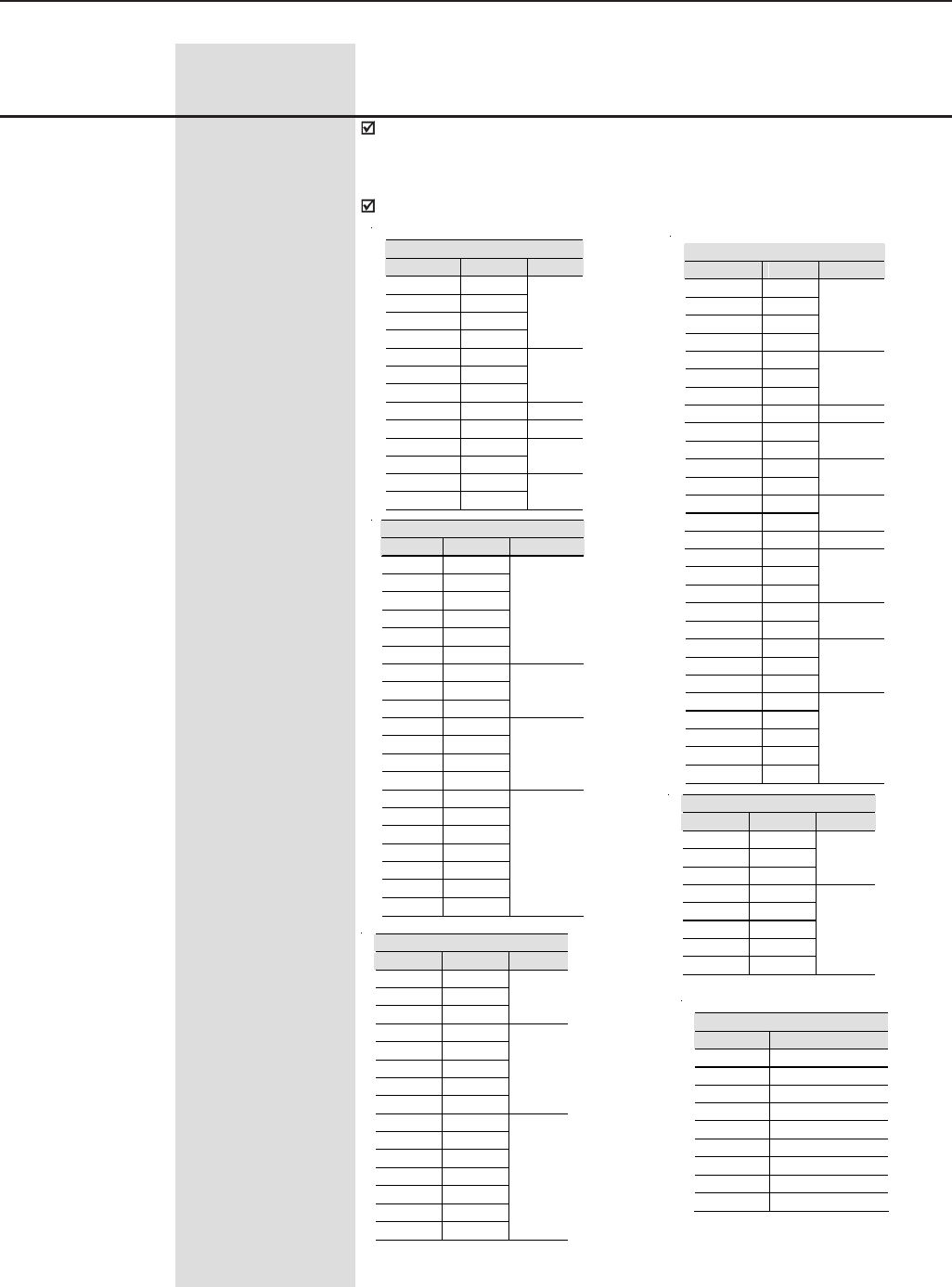
195
CHAPTER 6 - DETAILED PARAMETER DESCRIPTION
Range
[Factory Setting]
Parameter Unit Description / Notes
P295 (1) 0 to 81
Inverter Rated [ According to the
Current CFW-09 rated
current for CT
application]
-
220-230V Models
IN P295 Size
6A 3
7A 4
10A 6
13A 7
1
16A 8
24A 9
28A 10
2
45A 13 3
54A 14 4
70A 16
86A 17 5
105A 18
130A 19 6
Table 6.44 - Inverter Rated current selection
380-480V Models
IN P295 Size
3,6A 0
4A 1
5,5A 2
9A 5
1
13A 7
16A 8
24A 9
2
30A 11 3
38A 12
45A 13 4
60A 15
70A 16 5
86A 17
105A 18 6
142A 20 7
180A 21
211A 55
240A 22
8
312A 67
361A 23 9
450A 24
515A 69
600A 25
10
686A 33
855A 34
1140A 35
1283A 36
1710A 37
above
500HP
500-600V Models
IN P295 Size
2,9A 39
4,2A 40
7A 4
10A 6
12A 41
14A 42
2
22A 43
27A 44
32A 45
4
44A 46
53A 47
63A 48
79A 49
7
600A 25
652A 72
794A 73
897A 76
978A 78
1191A 79
1345A 81
above
500HP
500-690V Models
IN P295 Size
107A 51
147A 53
211A 55
8E
247A 57
315A 60
343A 62
418A 63
472A 65
10E
660-690V Models
IN P295 Size
100A 50
127A 52
179A 54
8E
225A 56
259A 58
305A 59
340A 61
428A 64
10E
492 A 68
580 A 70
646 A 71
813 A 74
869 A 75
969 A 77
1220A 80
above
500HP
Special Models
IN P295
2 A 38
33 A 66
200 A 26
230 A 27
320 A 28
400 A 29
570 A 30
700 A 31
900 A 32
Even if some models withstand a higher current for VT applications, the
setting of P295 shall be kept in accordance with the drive rated current
(CT).
Do not modify the value of P295 for VT applications.
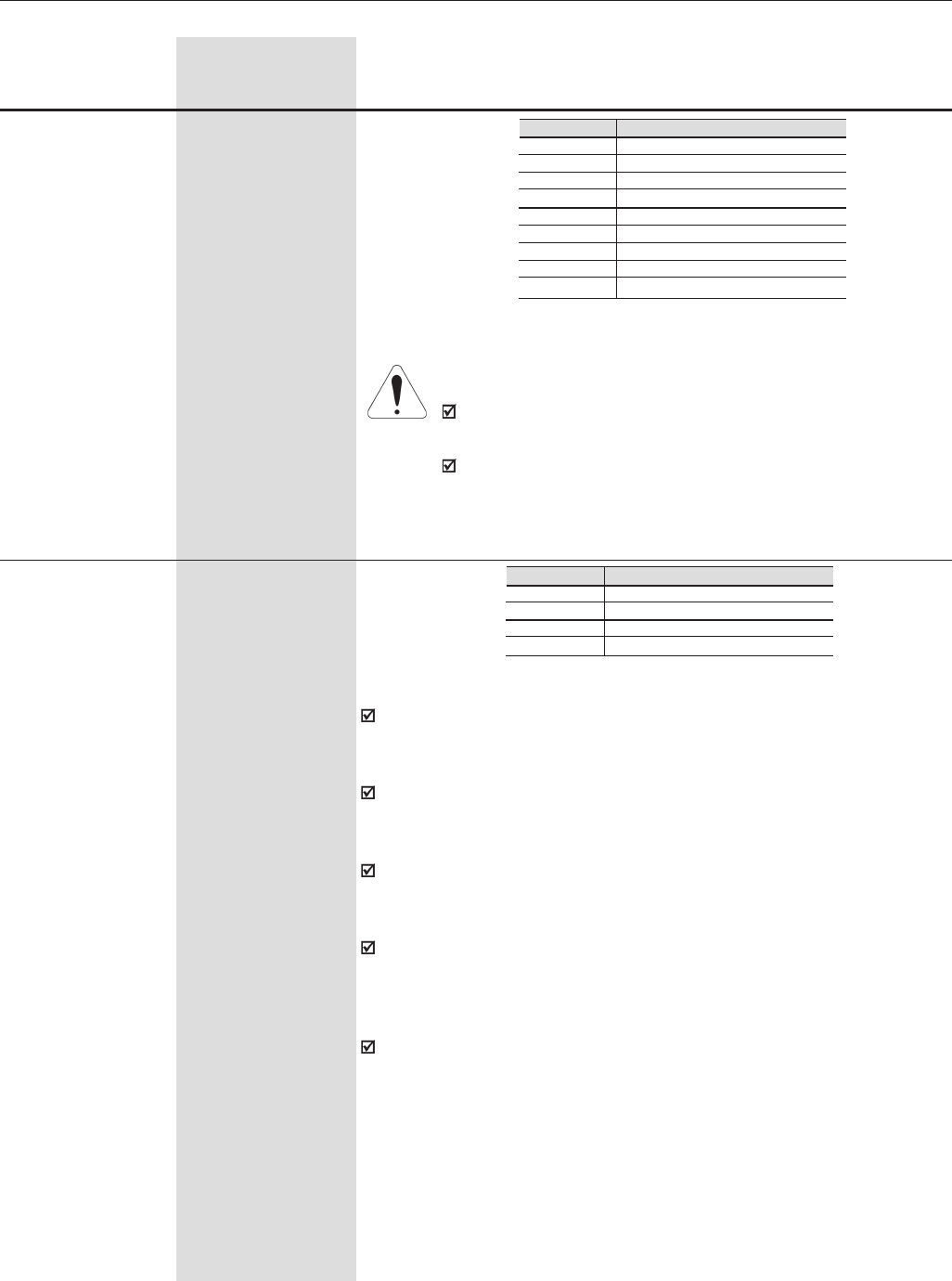
196
CHAPTER 6 - DETAILED PARAMETER DESCRIPTION
Range
[Factory Setting]
Parameter Unit Description / Notes
P296 (1) (11) 0 to 8
Inverter Rated [ 0 for models 220-230V
Voltage 3 for models 380-480V
(Rated Input Voltage) 6 for models 500-600V
and 500-690V
8 for models 600-690V ]
-
Table 6.45 - Inverter Rated voltage selection
Inverter Rated Voltage
220V/230V
380V
400V/415V
440V/460V
480V
500V/525V
550V/575V
600V
660V/690V
P296
0
1
2
3
4
5
6
7
8
ATTENTION!
Set P296 according to the rated AC line voltage! Do not set
according to short term peak values.
For CFW-09 models ≥ 86A/380-480V, ≥ 44A/500-600V and 500-
690V models, also adjust the voltage selection jumper (Refer
to Section 3.2.3).
The rated switching frequency for each model is shown in item 9.1. When
a higher switching frequency is used, it is necessary to derate the output
current as specified in item 9.1 note 3.
Note that the switching frequency must be reduced from 5kHz to 2.5kHz
when the VT rated current is used in the following models: from 54A to
130A/220-230V, from 30A to 142A/380-480V and 63A/500-600V.
Note that the following models have a rated switching frequency of 2.5kHz:
from 180A to 600A/380-480V, 44A and 79A/500-600V, from 107A to 472A/
500-690V and all 660-690V models.
The switching frequency is a compromise between the motor acoustic
noise level and the inverter IGBTs losses. Higher switching frequencies
cause lower motor acoustic noise level, but increase the IGBTs losses,
increasing drive components temperature, thus reducing their useful life.
The predominant frequency on the motor is twice the switching frequency
programmed at P297.
P297 = 5.0 kHz results in an audible motor noise corresponding to
10.0kHz. This is due to the PWM technique used.
A reduction of the switching frequency also:
- Helps reducing instability and resonance problems that may occur in
certain application conditions.- Reduces the leakage currents to ground,
which may avoid nuisance E11 (Output Ground Fault).
P297 (1) (2) 0 to 3
Switching Frequency [ 2 (5.0 kHz) ]
-
Table 6.46 - Switching frequency selection
Switching Frequency
1.25 kHz
2.5 kHz
5.0 kHz
10.0 kHz
P297
0
1
2
3
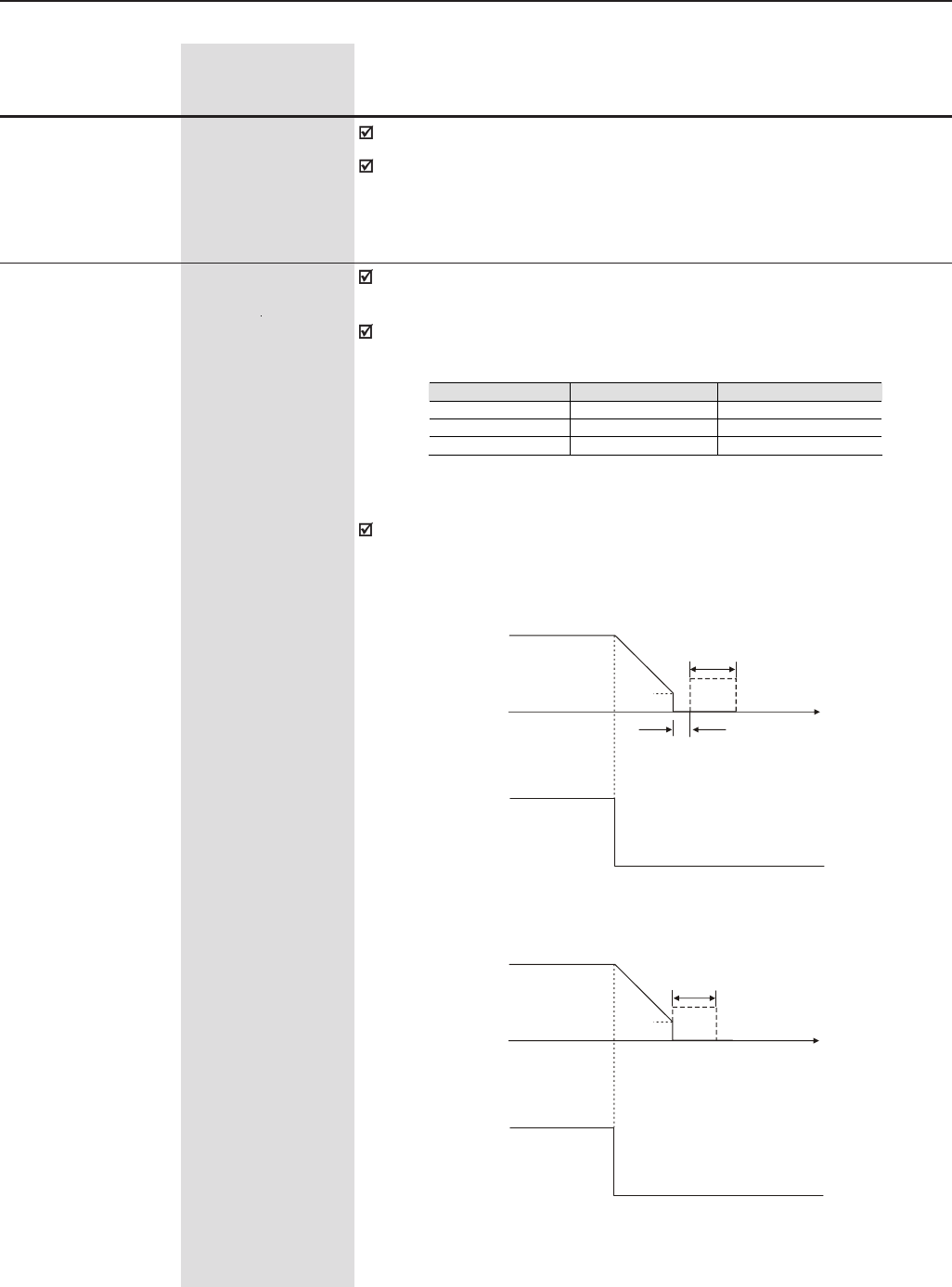
197
CHAPTER 6 - DETAILED PARAMETER DESCRIPTION
P300 0.0 to 15.0
DC Braking Time [ 0.0 ]
0.1s
This parameter is
shown on the
display(s) only when
P202 = 0,1, 2, 3 or 5
The DC braking feature provides a motor fast stop through the injection of
DC current.
This parameter sets the DC Braking Time when the drive is operating in
the V/F, VVW or Sensorless Vector control modes.
Range
[Factory Setting]
Parameter Unit Description / Notes
The option 1.25kHz is not valid for the Vector Control (P202=3 or 4).
The option 10kHz is not valid for the Sensorless Vector Control (P202=3)
and for the models with supply voltage between 500V and 690V (2.9A to
79A/500-600V, 107A to 472A/500-690V and 100A to 428A/660-690V).
P300
Motor
Speed
P301
Open
Time
+24V
a) V/F Control
b) VVW and Sensorless Control
P300
Motor
Speed
P301
Dead
Time
Open
Time
Start/ Stop - DIx
+24V
Figure 6.40 a) b) - DC Braking operation with a Ramp to Stop
Start/ Stop - DIx
Figure 6.40 shows the operation of the DC Braking with a ramp to stop
(stop command). Refer to P301:
Control Mode DC Braking at Start DC Braking at Stop
V/Hz - P300, P301 and P302
VVW P302 and P371 P300, P301 and P302
Vector Sensorless P371 and P372 P300, P301 and P372
Table 6.47 - Parameters related to the DC Braking
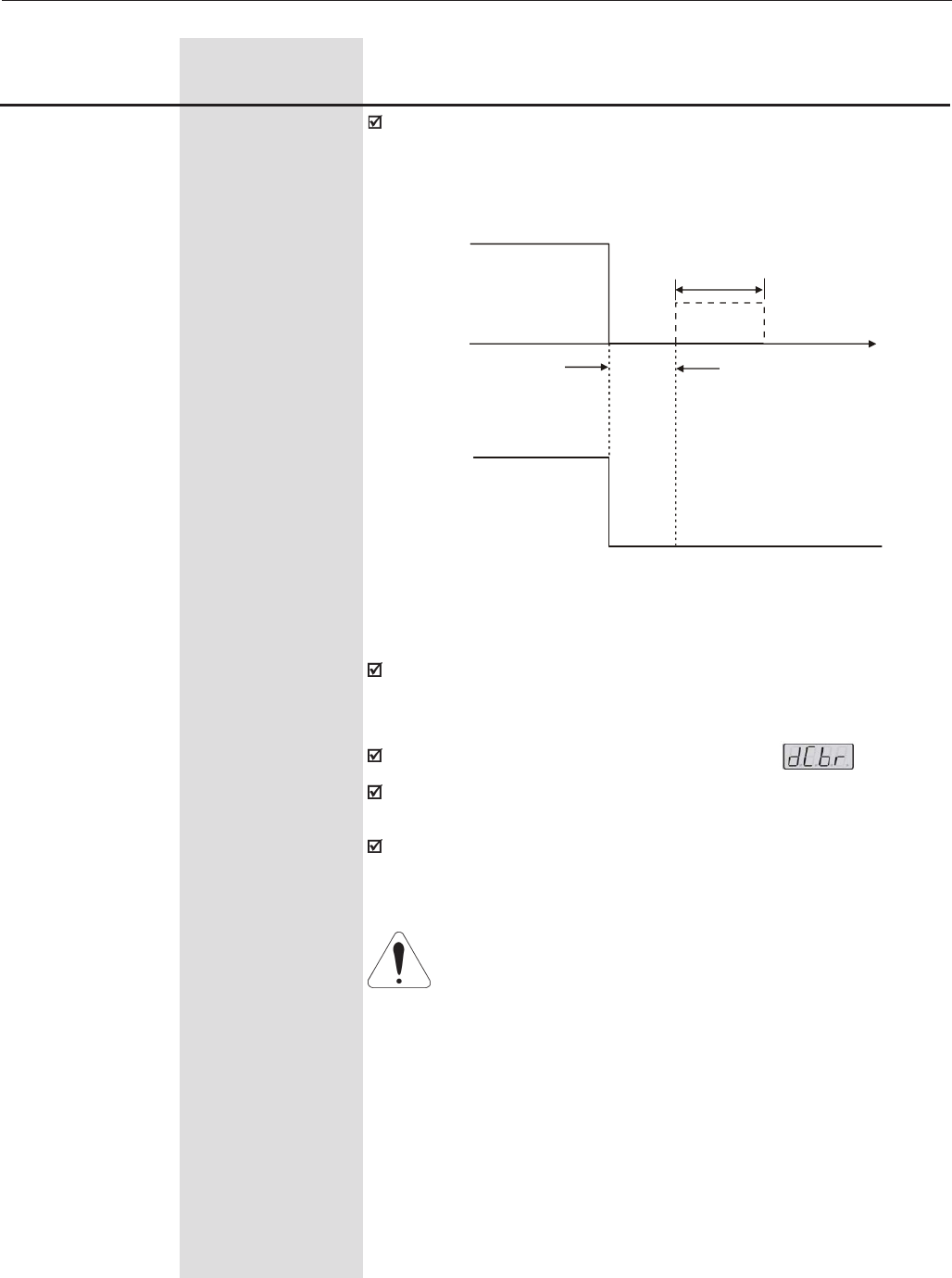
198
CHAPTER 6 - DETAILED PARAMETER DESCRIPTION
Range
[Factory Setting]
Parameter Unit Description / Notes
Figure 6.41 - DC braking operation with a general disable
command in the V/F control
Figure 6.41 shows the operation of the DC Braking with a coast to stop
(general disable command).
This condition is valid only for the V/F control.
For the V/F control, there is a “Dead Time” (motor runs freely) before the
DC braking starts. This time is required in order to demagnetize the
motor and it is a function of the motor speed.
During the DC Braking the LED displays flashes .
The DC braking does not work with P202 = 4 (Vector with encoder
control).
If the drive is enabled during the DC braking operation, the braking process
is interrupted and the drive will return to its normal operation.
ATTENTION!
The DC braking may continue working even after the motor has
already stopped. Pay special attention to the motor thermal sizing
for cyclic braking of short time.
P300
Time
+24V
Motor
Speed
Dead
Time
Open
General/Enable - DIx
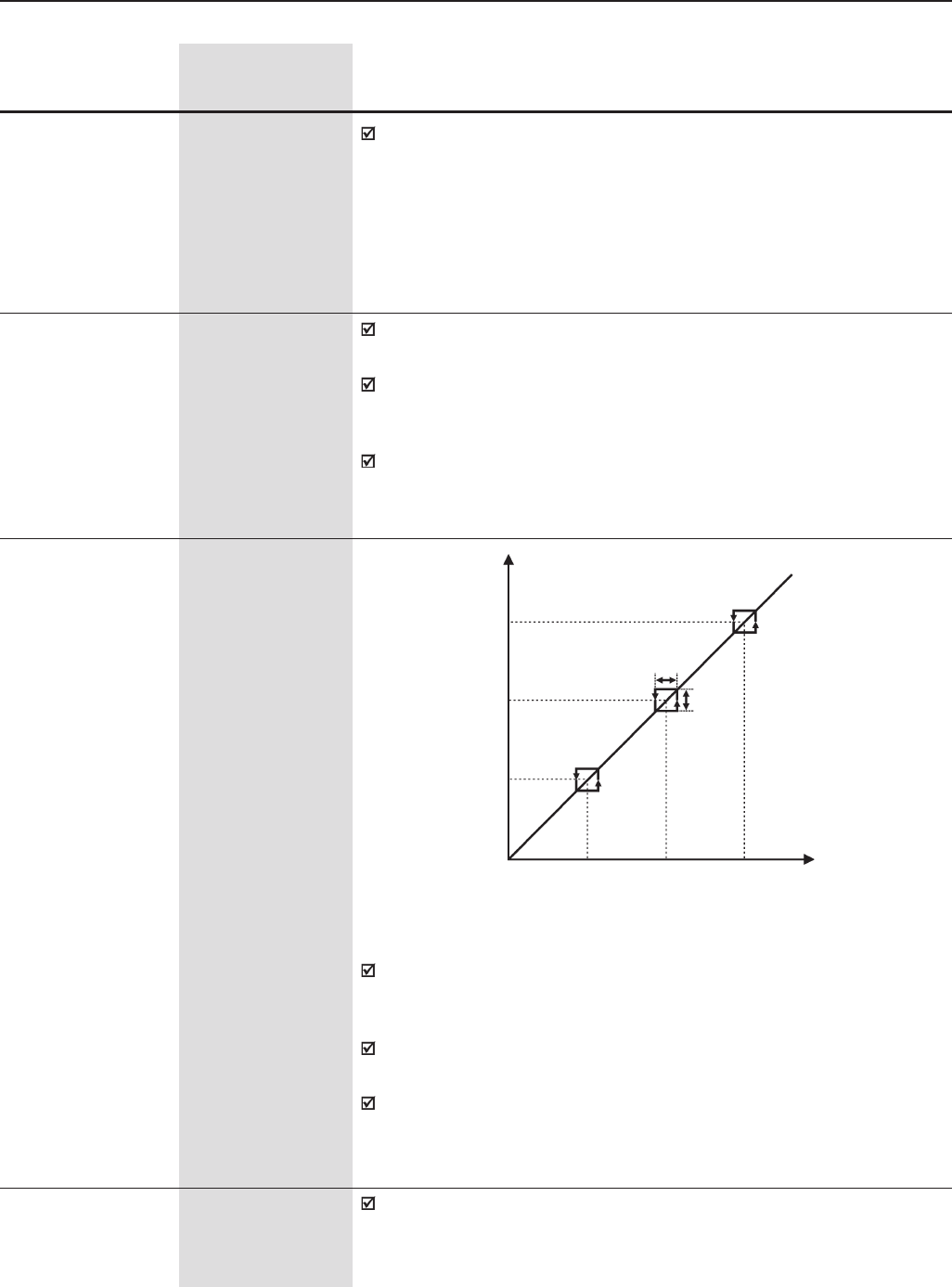
199
CHAPTER 6 - DETAILED PARAMETER DESCRIPTION
P303 P133 to P134
Skip Speed 1 [ 600 ]
1rpm
P304 P133 to P134
Skip Speed 2 [ 900 ]
1rpm
P305 P133 to P134
Skip Speed 3 [ 1200 ]
1rpm
P306 0 to 750
Skip Band Range [ 0 ]
1rpm
This feature prevents the motor from operating permanently at speeds
where the mechanical system enters into resonance, causing high
vibration or noise levels.
The passage through the skip speed band (2xP306) is made at the
programmed acceleration/deceleration rates.
This Function does not operate properly when two skip speeds are
overlapped.
Range
[Factory Setting]
Parameter Unit Description / Notes
P308 (1) 1 to 30
Serial Address [ 1 ]
-
Sets the address of the inverter for the serial communication. See item
8.13.
2 x P306
P303
P304
P305
P303
P304
P305
2 x
P306
Speed
Reference
Motor
Speed
P302 0.0 to 10.0
DC Braking [ 2.0 ]
Voltage 0.1 %
This parameter is
shown on the
display(s) only when
P202 = 0,1, 2, 3 or 5
This parameter adjusts the DC voltage (DC braking torque) applied to the
motor during the braking process.
The setting shall be done by gradually increasing the value of P302,
which varies from 0 to 10% of the rated supply voltage, until the desired
braking torque is reached.
This parameter works only for the V/F and VVW control modes. For the
sensorless mode, refer to parameter P372.
P301 0 to 450
DC Braking Starting [ 30 ]
Speed 1 rpm
This parameter establishes the starting point from where the DC Braking
takes place. See figure 6.40.
This parameter is
shown on the
display(s) only when
P202 = 0,1, 2, 3 or 5
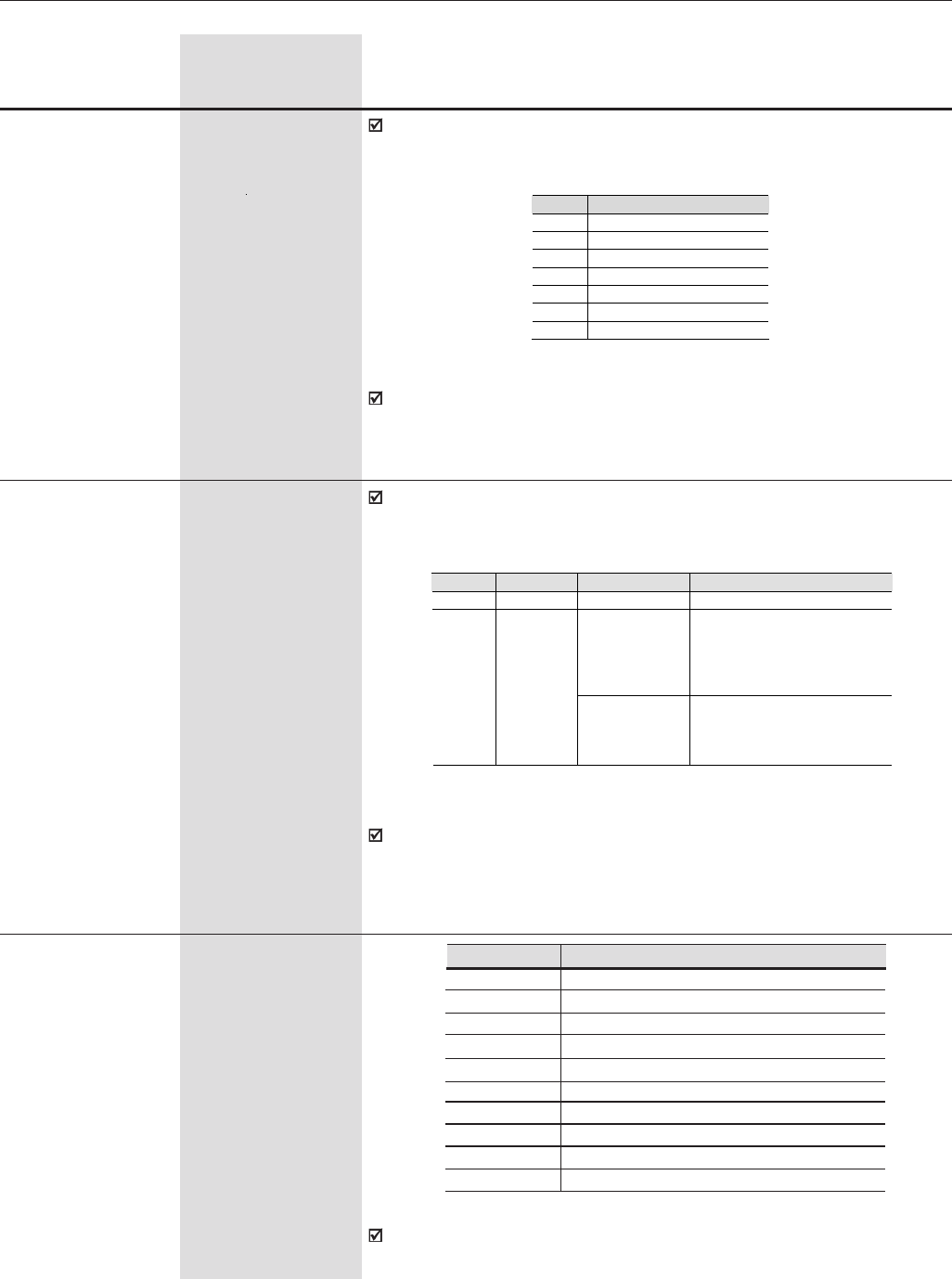
200
CHAPTER 6 - DETAILED PARAMETER DESCRIPTION
Range
[Factory Setting]
Parameter Unit Description / Notes
It defines the protocol type used for the serial communication.
P312 0 to 9
Type of Serial [ 0 ]
Protocol -
P312
0
1
2
3
4
5
6
7
8
9
Type of Serial Protocol
WBUS Protocol
Modbus-RTU, 9600 bps, no parity
Modbus-RTU, 9600 bps, odd parity
Modbus-RTU, 9600 bps, even parity
Modbus-RTU, 19200 bps, no parity
Modbus-RTU, 19200 bps, odd parity
Modbus-RTU, 19200 bps, even parity
Modbus-RTU, 38400 bps, no parity
Modbus-RTU, 38400 bps, odd parity
Modbus-RTU, 38400 bps, even parity
Defines the Fieldbus standard to be used (Profibus DP or Device NET)
or the number of variables to be exchanged with the master. See item
8.12.5.
P309 (1) 0 to 6
Fieldbus [ 0 ]
-
Table 6.50 - Type of Serial Protocol
It is applicable only for the Profibus-DP kit (optional) or DeviceNet kit
(optional).
Table 6.48 - Fieldbus Options
P309 Fieldbus Options
0 Inactive
1 Profibus DP 2 I/O
2 Profibus DP 4 I/O
3 Profibus DP 6 I/O
4 DeviceNet 2 I/O
5 DeviceNet 4 I/O
6 DeviceNet 6 I/O
P310 (1) 0,1
STOP detection in a [ 0 ]
Profibus network -
This parameter allows programming the bit #6 of the Fieldbus control
word (refer to item 8.12.5.2 - Variable Written in the Inverter).
Table 6.49 - STOP detection in a Profibus network.
P310 Function Bit #6 CFW09 Action
0 Off No function -
If bit6 = 0
Executes a General
Disable command,
regardless of the value of
the remaining bits of the
control word.
1 On
If bit6 = 1
Executes the commands
that were programmed at
the remaining bits of the
control word.
If this parameter is set to ON, the bit #6 of the control word shall be kept
in 1 to the drive operation. It will allow the drive to be disabled in case of
STOP in the master of the Fieldbus network, where the control word is
reset (all bits are set to zero).
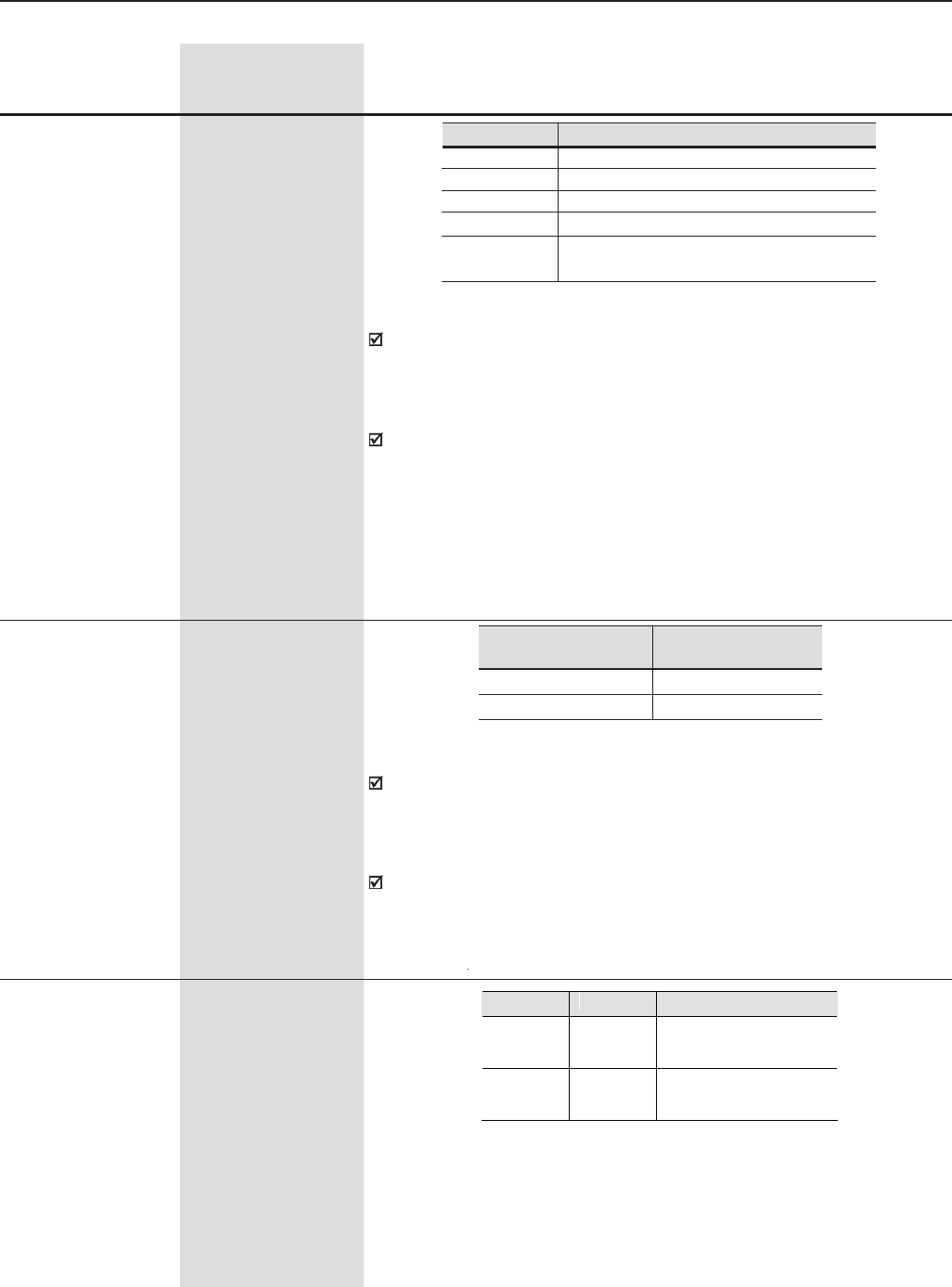
201
CHAPTER 6 - DETAILED PARAMETER DESCRIPTION
Defines the inverter behavior when the serial communication is inactive
(causing error E28), when physical connection with the master of the
Fieldbus is interrupted (causing error E29) or when the Fieldbus board
is inactive (causing error E30). See item 8.12.5.
For P313 = 4, when the drive detects a failure on the Fieldbus network
and changes from Remote mode to Local mode, the ramp enable
command and the speed reference received through the Fieldbus network
will be maintained in the Local mode if the ramp enable command is
being controlled in the Local mode through the 3-wire Start/Stop control
or through the keypad.
Range
[Factory Setting]
Parameter Unit Description / Notes
P314 (1) 0.0 to 999.0s
Time for Serial [ 0.0 ]
Watchdog Action -
P314 Time for serial
watchdog action
0.0 Disable
0.1 to 999.0 Enable
Disabling with E28/E29/E30
Disable via Start/Stop
Disable via General Enable
No Action
Changes to LOCAL 1
Changes to LOCAL 2 - Keeping the
commands and the reference
P313
0
1
2
3
4
P313 0 to 4
Disabling with [ 0 ]
E28/E29/E30 -
Table 6.51 - Disabling with E28/E29/E30
If the inverter does not receive any valid serial telegram after the time
programmed at P314 has elapsed, the Fault Message E28 on the HMI
and the inverter will return to the action programmed at P313 - Type of
Disabling by E28/E29/E30.
To enable the inverter to execute this action, the inverter commands
must be programmed to the “Serial” option at the parameters P220 to
P228.
Table 6.52 - Serial Watchdog Action
P318 0,1
Watchdog detection [ 1 ]
for the PLC board -
P318 Function Description
0 Off Disables the activation
of the Watchdog Error
for the PLC board - E71.
1 On Enables the activation
of the Watchdog Error
for the PLC board - E71.
Table 6.53 - Watchdog detection for the PLC board
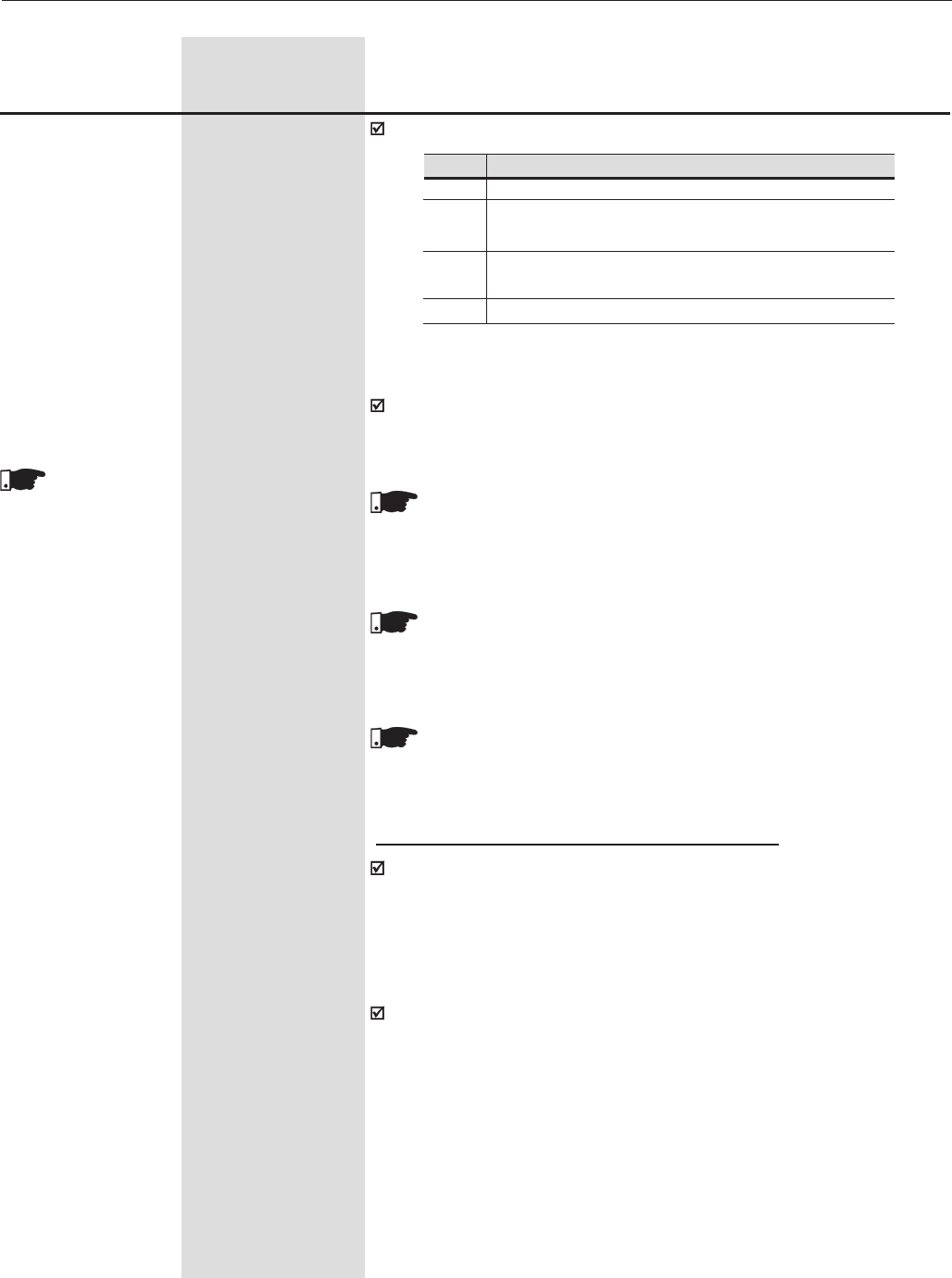
202
CHAPTER 6 - DETAILED PARAMETER DESCRIPTION
Range
[Factory Setting]
Parameter Unit Description / Notes
P320 (1) 0 to 3
Flying Start/Ride- [ 0 (Inactive) ]
Through -
The activation of the Ride-Through function can be visualized at the
outputs DO1, DO2, RL1, RL2 and/or RL3 (P275, P276, P277, P279
and/or P280) provided they are also programmed to “23=Ride-Through”;
NOTE!
When one of the functions, Ride-Through or Flying Start is activated,
the parameter P214 (Line Phase Loss Detection) is automatically
set to 0=Off.
NOTE!
This parameter works together with P321, P322, P323, P325, P326
for Ride-Through in Vector Control, and with P331, P332 for V/F
Control Ride-Through and Flying-Start.
NOTE!
Ud=Vac x 1.35
P321 (6) 178 V to 282 V
Ud Line Loss Level (P296=0)
[252 V]
1V
307 V to 487 V
(P296=1)
[436 V]
1V
324 V to 513 V
(P296=2)
[459 V]
1V
356 V to 564 V
(P296=3)
[505V]
1V
388 V to 615 V
(P296=4)
[550V]
1V
425 V to 674 V
(P296=5)
[602V]
1V
466 V to 737 V
(P296=6)
[660V]
1V
486 V to 770 V
(P296=7)
[689V]
1V
559 V to 885 V
(P296=8)
[792V]
1V
This parameter
is shown on the
display(s) only when
P202 = 3 or 4
(Vector Control)
Table 6.54 - Flying Start/Ride-Through
The Parameter P320 selects the use of the following functions:
P320
0
1
2
3
Function
Inactive
Only Flying Start is active
[valid for P202=0,1, 2 (V/F Control), 3 (sensorless) or 5 (VVW)]
Flying Start and Ride-Through are active
[valid for P202=0,1, 2 (V/F Control), 3 (sensorless) or 5 (VVW)]
Only Ride-Through is active
Ride-Through for Vector Control (P202=3 or 4)
The purpose of the Ride-Through function, in Vector mode (P202 = 3 or
4), is to ensure that the inverter maintains the motor running during the
line loss, not allowing interruption or fault storing. The energy required
for motor running is obtained from the kinetic energy of the motor (inertia)
during its deceleration. As soon as the line is reestablished, the motor
accelerates again to the speed defined by the reference.
After line loss (t0), the DC link voltage (Ud) starts to decrease in a rate
that depends on the motor load condition and may reach the undervoltage
level (t2), if the Ride-Through function is not operating. The time required
for this condition, typical for rated load, situates in a range from 5 to 15 ms;
With Ride-Through function active, the line loss is detected when Ud
voltage becomes lower than the “Ud line loss” value (t1). The inverter
immediately starts a controlled motor deceleration, regenerating the
energy into the DC link and thus maintaining the motor running, where
the Ud voltage is regulated to the “Ud Ride-Through” value.
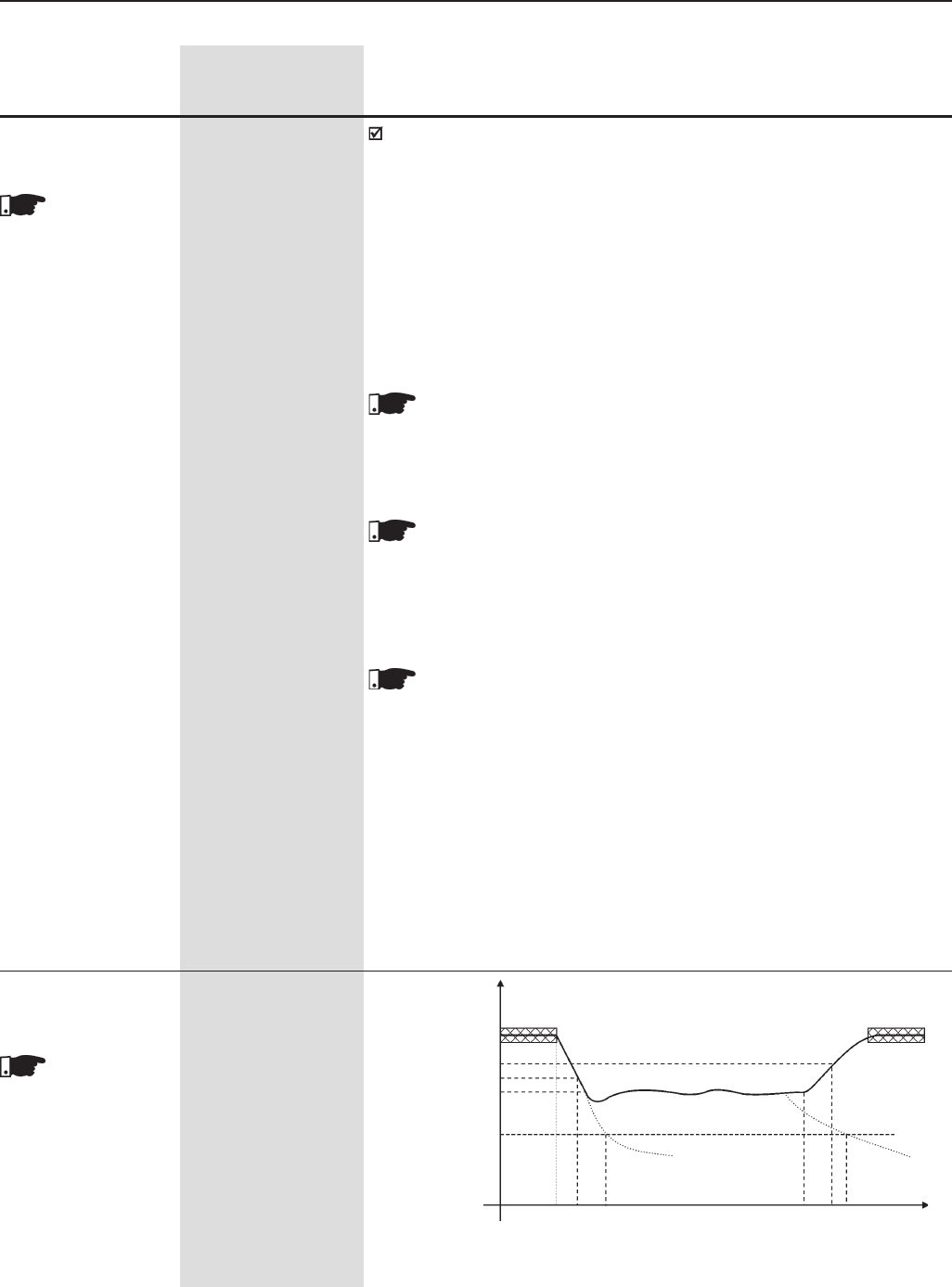
203
CHAPTER 6 - DETAILED PARAMETER DESCRIPTION
If the line loss is not recovered, the motor remains in this condition as
long as possible (depending on the energy equilibrium), until the
undervoltage condition (E02 at t5) occurs. If the line loss is recovered
(t3) before the undervoltage condition, the inverter detects its
reestablishment when the Ud voltage reaches the “Ud Loss Recover”
level (t4). Then the motor is accelerated according to the set ramp,
from the current speed value up to the value defined by the active speed
reference. See figure 6.43.
If the input voltage drops to a value between parameters P322 and P323,
the values of P321, P322 and 323 shall be readjusted.
NOTE!
Cares with Application:
The use of the line reactance or DC choke is mandatory to limit
the inrush current when the network is reestablished.
NOTE!
The function Ride-Trough in Vector Mode for models 107A to 472A/
500-690V and 100A to 428A/660-690V works only up to a maximum
time of 2s. In these models the control power supply is not fed from
the DC link, it is a separate power supply with 2s autonomy.
NOTE!
To activate the ride-though, the line supply must fall to a value lower
than (P321 ÷ 1.35).
Range
[Factory Setting]
Parameter Unit Description / Notes
This parameter
is shown on the
display(s) only when
P202 = 3 or 4
(Vector Control)
P322 (6) 178 V to 282 V
Ud Ride-Through (P296=0)
[245 V]
1V
307 V to 487 V
(P296=1)
[423V]
1V
324 V to 513 V
(P296=2)
[446 V]
1V
356 V to 564 V
(P296=3)
[490 V]
1V
388 V to 615 V
(P296=4)
[535 V]
1V
425 V to 674 V
(P296=5)
[588V]
1V
466 V to 737 V
(P296=6)
[644V]
1V
486 V to 770 V
(P296=7)
[672V]
1V
559 V to 885 V
(P296=8)
[773V]
1V
P323 (6) 178 V to 282 V
Ud Loss Recover (P296=0)
Level [267 V]
1V
307 V to 487 V
(P296=1)
[461 V]
1V
324 V to 513 V
(P296=2)
[486 V]
1V
This parameter
is shown on the
display(s) only when
P202 = 3 or 4
(Vector Control)
Figure 6.43 - Actuation of the Ride-Through function in Vector Control mode
Nominal
Loss Recover (P323)
Line Loss (P321)
Ride-Through (P322)
Undervoltage (75%) E02
t0 t1 t2 t3 t4 t5 t
(t)
Ud
204
CHAPTER 6 - DETAILED PARAMETER DESCRIPTION
Range
[Factory Setting]
Parameter Unit Description / Notes
356 V to 564 V
(P296=3)
[534 V]
1V
388 V to 615 V
(P296=4)
[583 V]
1V
425 V to 674 V
(P296=5)
[638V]
1V
466 V to 737 V
(P296=6)
[699V]
1V
486 V to 770 V
(P296=7)
[729V]
1V
559 V to 885 V
(P296=8)
[838V]
1V
t0 - Line loss;
t1 - Line loss detection;
t2 - Trip by Undervoltage (E02 without Ride-Through);
t3 - Line Recover;
t4 - Line Recover detection;
t5 - Trip by Undervoltage (E02 with Ride-Through);
P325 0.0 to 63.9
Ride-Through [22.8]
Proportional Gain 0.1
Regulator RT
This parameter
is shown on the
display(s) only when
P202 = 3 or 4
(Vector Control)
Ud Ride-Through
Kp, Ki
Blockdiagram
Figure 6.27 a)
Input
Figure 6.44 - Ride-Through PI Controller
Ud
P326 0.000 to 9.999
Ride-Through [0.128]
Integral Gain 0.001
Normally the factory setting for P325/P326 is adequate for most
applications.
This parameter
is shown on the
display(s) only when
P202 = 3 or 4
(Vector Control)
205
CHAPTER 6 - DETAILED PARAMETER DESCRIPTION
Range
[Factory Setting]
Parameter Unit Description / Notes
The Flying-start function allows the drive to start a motor that is running
freely. This function takes the motor from its actual speed to the speed
reference set at the drive.
In order to enable the Flying Start function set P320 = 1 or 2.
If the Flying-Start function is not needed at some moments, a digital
input may be set to disable the Flying-start (set only one of the parameters
between P265 and P270 to 17).
Flying Start for V/F control mode:
To do that it has a voltage ramp (adjusted in P331) and the motor
frequency is fixed and defined by the speed setpoint. The Flying Start
will always work when a start or run command is given, after the time
adjusted in P332 (to allow for the motor demagnetization).
Parameter P331 sets the time required for the output voltage reaching
the rated voltage;
Flying Start (FS) function for the sensorless vector control (P202=3)
The Flying-Start function takes place after the START command. At this
moment, the drive senses the motor speed, and once the motor speed
is found, which may be in the forward or reverse direction, the motor is
accelerated to the speed reference indicated in P001.
Parameters P135, P331 and P332 are not used by the Flying Start
function when P202=3.
Settings:
It is recommended to adjust P151 to the value in table 6.7 and P150 to
1.
Ride-Through for V/F control mode or VVW:
The Ride-Through function for the V/F and VVW control modes works in
a different manner than in the vector control mode. As soon as the line
supply falls to a value lower than the undervoltage (E02) Trip level (see
item 7.1), the IGBT inverter is disabled (no voltage pulses at the motor).
There is no tripping due to undervoltage, and the DC link voltage will
slowly fall until the line supply comes back.
If the line supply takes too long to come back (more than 2s) the inverter
may trip by E02 or E70. If it comes back before, the inverter will start
the motor with a voltage ramp like in the Flying Start function, The voltage
ramp time is defined also in P331. See figures 6.45 a) and b).
The parameter P332, used for the Ride-Through function, sets the
minimum time which the inverter will wait to restart the motor after voltage
re-establishment. This time is computed from the line loss and is required
for the motor demagnetization. Set this time at two times the motor
rotor constant, see table in P412.
The ride-through function allows recovering the drive without E02 trip
(under voltage) during a momentary power supply interruption.
P331 0.2 to 60.0
Voltage Ramp [ 2.0 ]
0.1s
P332 0.0 to 10.0
Dead Time [ 1.0 ]
0.1s
These
parameters ( P331
and P332) are only
displayed when
P202 = 0, 1, 2 or 5
(V/F / VVW Control)
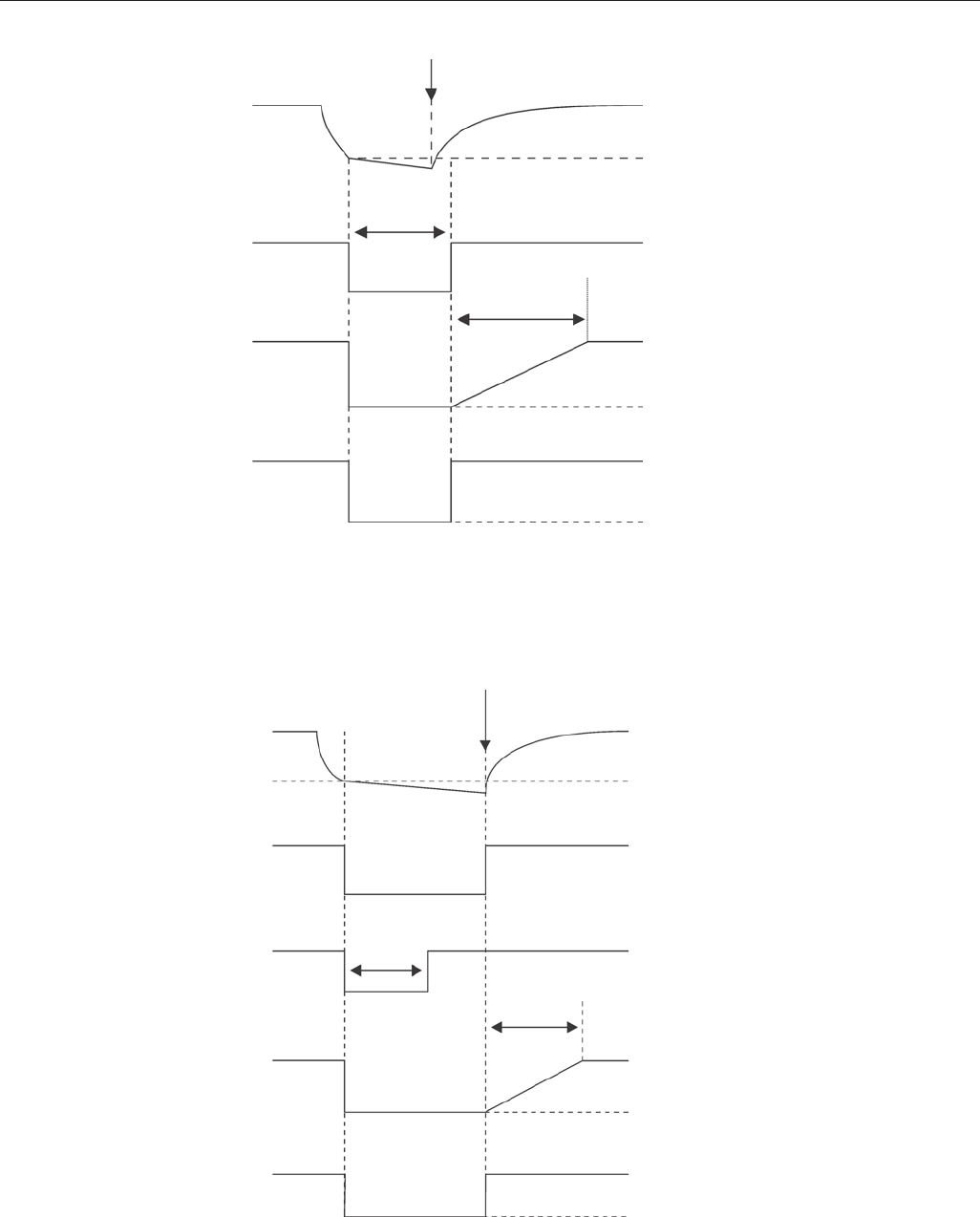
206
CHAPTER 6 - DETAILED PARAMETER DESCRIPTION
Line Supply Returns
DC Link Voltage
E02 level
Enabled
Disabled
Output Pulses
Time Ajusted
P332
P332
P331
Output Voltage
0V
Output Speed (P002)
0 rpm
Figure 6.45 b) - Ride-Through actuation (Line returns after time set in P332, but before 2sec for
P332 ≤ 1sec or before 2 x P332 for P332 > 1sec) in V/F mode
Figure 6.45 a) - Ride-Through actuation (Line returns before time set at P332 elapses) in V/F mode
Line Supply Returns
DC Link Voltage
E02 level
Enabled
Disabled
Output Pulses
P332
P331
Output Voltage
0V
Output Speed (P002)
0 rpm
207
CHAPTER 6 - DETAILED PARAMETER DESCRIPTION
Range
[Factory Setting]
Parameter Unit Description / Notes
If the difference between N (Real Speed) and N* (Speed Reference)
remains greater than the value set at parameter P292 for a period longer
than that set at parameter P351 the drive will trip with an error code E33.
99.9 = E33 is disabled
P351 (1) 0.0 to 99.9
Delay for E33 [ 99.9 ]
Speed without control 9
This parameter
is shown on the
display(s) only when
P202 = 3 or 4.
If the CFW-09 remains at torque limitation for a period longer than the
value set at P352 the drive will trip with an error code E34.
999 = E34 is disabled.
NOTE!
When the CFW-09 is used in “master/slave” applications, disable
this function on the slave drive.
P352 (1) 0 to 999
Delay for E34 [ 999 ]
Long Period at s
Torque Limitation
This parameter
is shown on the
display(s) only when
P202 = 3 or 4.
Defines the time to activate the brake, i.e., the time that elapses between
the condition N<Nx and the brake activation.
P353 (1) 0.0 a 20.0
Delay for N<Nx [0.0]
Brake Activation s
This adjustment is needed to ensure that the motor current will be reduced
after the brake activation.
ATTENTION!
If this value is lower than time needed to activate the mechanical
braking, jerking, swinging or even falling may happen. If this value is
greater than that set at P351 or P352, the drive may trip with an
error code E33 or E34, respectively.
P354 (1) 0.0 a 10.0
Delay for Resetting [2.0]
the Integrator of the s
Speed Regulator
This parameter
is shown on the
display(s) only when
P202 = 4 (vector
with encoder)
This is the dead time that ensures the braking activation. Any other
“Start/Stop” command is not accepted during this period.
Defines the time that the CFW-09 waits before accepting a new “Start”
command after the motor is stopped. During the period set at P355 the
commands are ignored.
P355 (1) 0.0 to 10.0
Delay for Accepting [1.0]
new “Start/Stop” s
commands
6.3.1 Parameters for Crane Applications and for Torque Master/Slave Function - P351 to P368
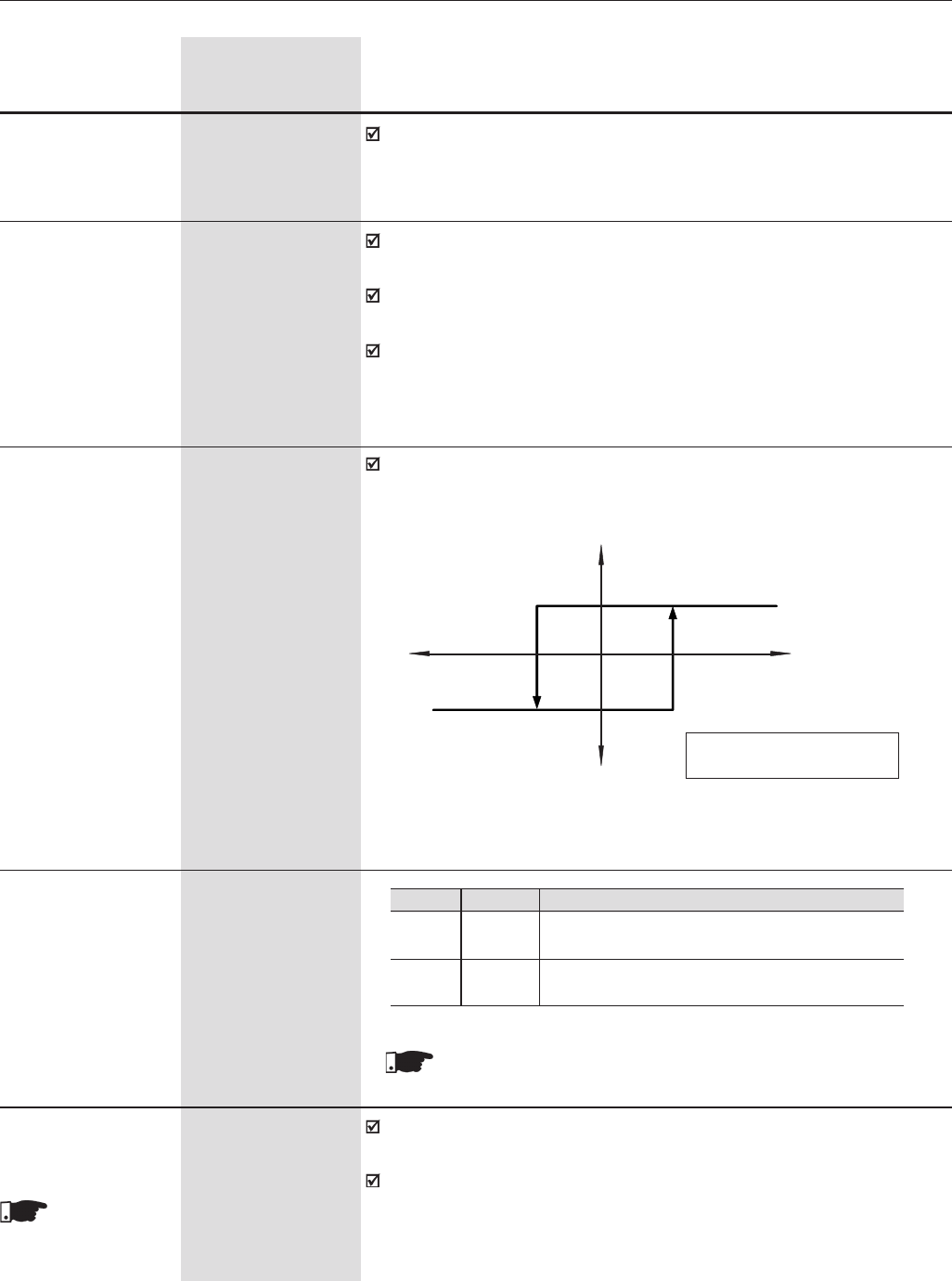
208
CHAPTER 6 - DETAILED PARAMETER DESCRIPTION
Range
[Factory Setting]
Parameter Unit Description / Notes
This is the time that the CFW-09 waits before enabling the ramp after
receiving the “Start” command.
P356 (1) 0.0 to 10.0
Delay for [ 0.0 ]
ramp enable s
Time constant of the filter applied to the torque current. The sampling
time is 5ms.
It works along with P358 and activates a digital or relay output that was
set to the option Torque Polarity +/-.
The filtered torque current may be available at analog outputs AO3 and
AO4 when they are set to the option “Iq with P357” (P255 and/or P257 =
38).
P357 (1) 0.00 to 9.99
Filter for the [0.00]
Torque Current -Iq s
Establishes the percentage of hysteresis that is applied to the
commutation of a digital (DOx) or relay output when they are set to the
options 34 or 35.
P358 (1) 0.00 a 9.99
Hysteresis for the [2.00]
Torque Current - Iq %
P361 (1) 0,1
Load Detector [0]
-
The motor accelerates up to the stabilization speed and remains at this
speed during the time set at parameter P363.
During this period, the CFW-09 detects the load condition by using the
average current.
P362 (1) 0 to P134
Stabilization Speed [90]
rpm
Available only
if P361 = 1 (On)
H1 = P358 x rated torque
H2 = P358 x rated torque
H 2 H1
Positive Torque (+)
Torque Polarity
Negative Torque (-)
Iq with P357
Figure 6.46 - Hysteresis for the Torque Current - Iq
Description
Functions that are set at parameters from P362 to P368
are disabled.
The following functions are enabled: Slack Cable De-
tection, Lightweight Level and Overweight Detection.
P361
0
1
Function
Off
On
Table 6.55 - Detector de Carga
NOTE!
Refer to figures 6.47 a) and b).
209
CHAPTER 6 - DETAILED PARAMETER DESCRIPTION
Range
[Factory Setting]
Parameter Unit Description / Notes
Time that the CFW-09 waits before starting the load detection after the
stabilization speed has been reached.
P363 (1) 0.1 to 10.0
Stabilization Time [ 0.1 ]
s
Available only
if P361 = 1 (On)
Time that the CFW-09 waits to commutate the digital (DOx) and relay
outputs set to the option “Slack Cable Detection”. If the Slack Cable
condition is no longer valid, the CFW-09 resets the digital or relay outputs.
NOTE!
When P364=0, the detection logic of slack cable is disabled.
P364 (1) 0.0 to 60.0
Slack Cable Time [0.0]
s
Available only
if P361 = 1 (On)
Output current value used to detect the slack cable condition.
P365 (1) 0.0 to 1.3 x
Slack Cable Level [0.1 x P295]
A
Available only
if P361 = 1 (On)
Output current value used to detect the light load condition. At the end of
this process the speed reference is increased according to P368. The
new speed value is N=N* x P368. This condition is reset when the motor
remains stopped for 1 second.
NOTE!
This condition is verified only during the stabilization time.
P366 (1) 0.0 to 1.3 x P295
Light Load Level [0.3 x P401]
A
Available only
if P361 = 1 (On)
Output current value used to detect the overweight condition. This function
is only enabled during the stabilization time. This condition is reset when
the motor remains stopped (N=0) for 1 second.
NOTE!
This condition is verified only during the stabilization time.
P367 (1) 0.0 to 1.8 x P295
Overweight Level [1.1 x P401]
-
Available only
if P361 = 1 (On)
This parameter increases the speed reference under the light load
condition.
P368 (1) 1.000 to 2.000
Reference Gain [1.000]
-
Available only
if P361 = 1 (On)
It is used in functions of the digital and relay outputs: F > Fx
P369 (2) (11) 0.0 to 300
Frequency Fx [4.0]
0.1 Hz
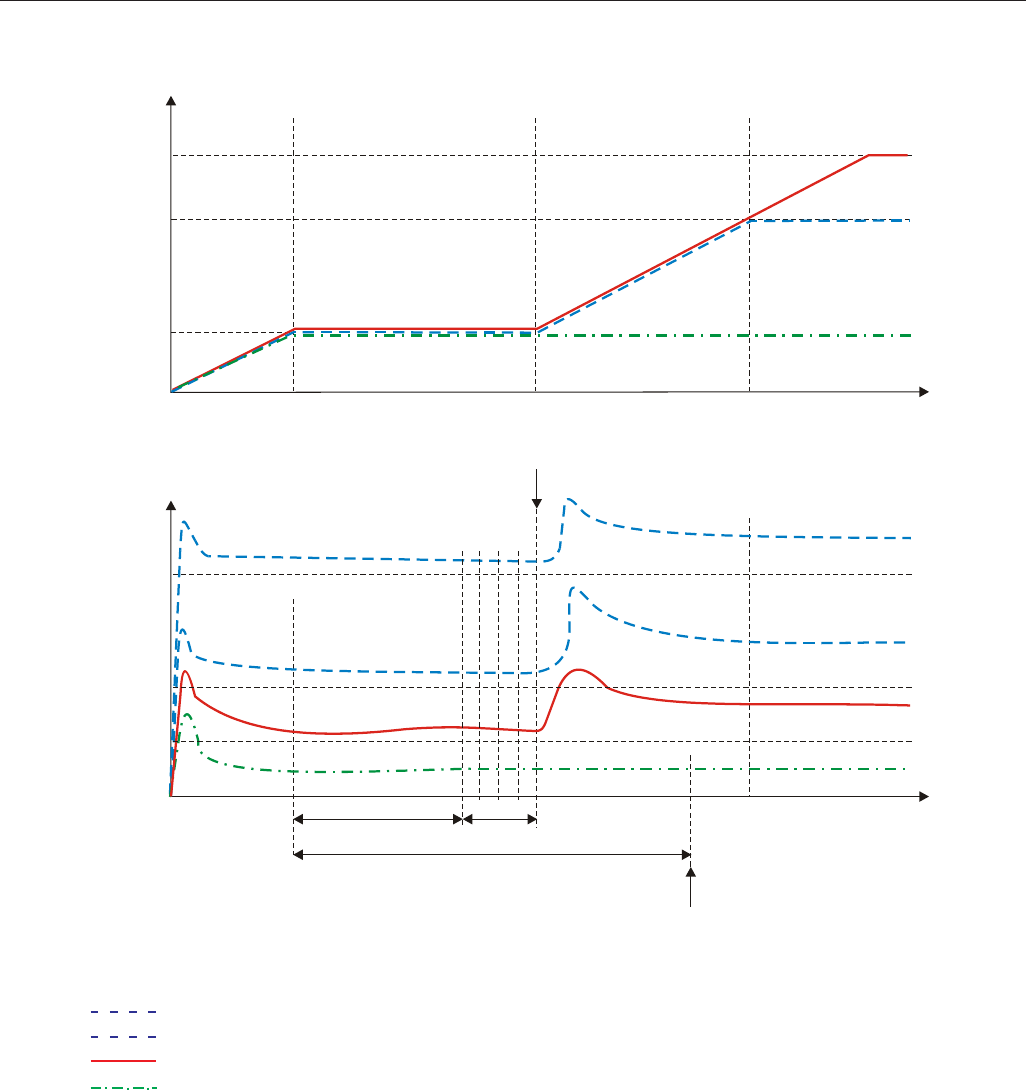
210
CHAPTER 6 - DETAILED PARAMETER DESCRIPTION
a) Activation of the load detection parameters during the stabilization time and with P361 = On
Speed
N* x P368
N*
P362
P367
P366
P365
P364
Show Slack
Cable
t
t
Output
Current
P363 Calculate Im
Show Overweight
Figure 6.47 a) - Details of the operation of digital functions
(1) Overweight Condition
(2) Normal Condition
Light load condition
Slack cable condition
Im - Average Current
(1)
(2)
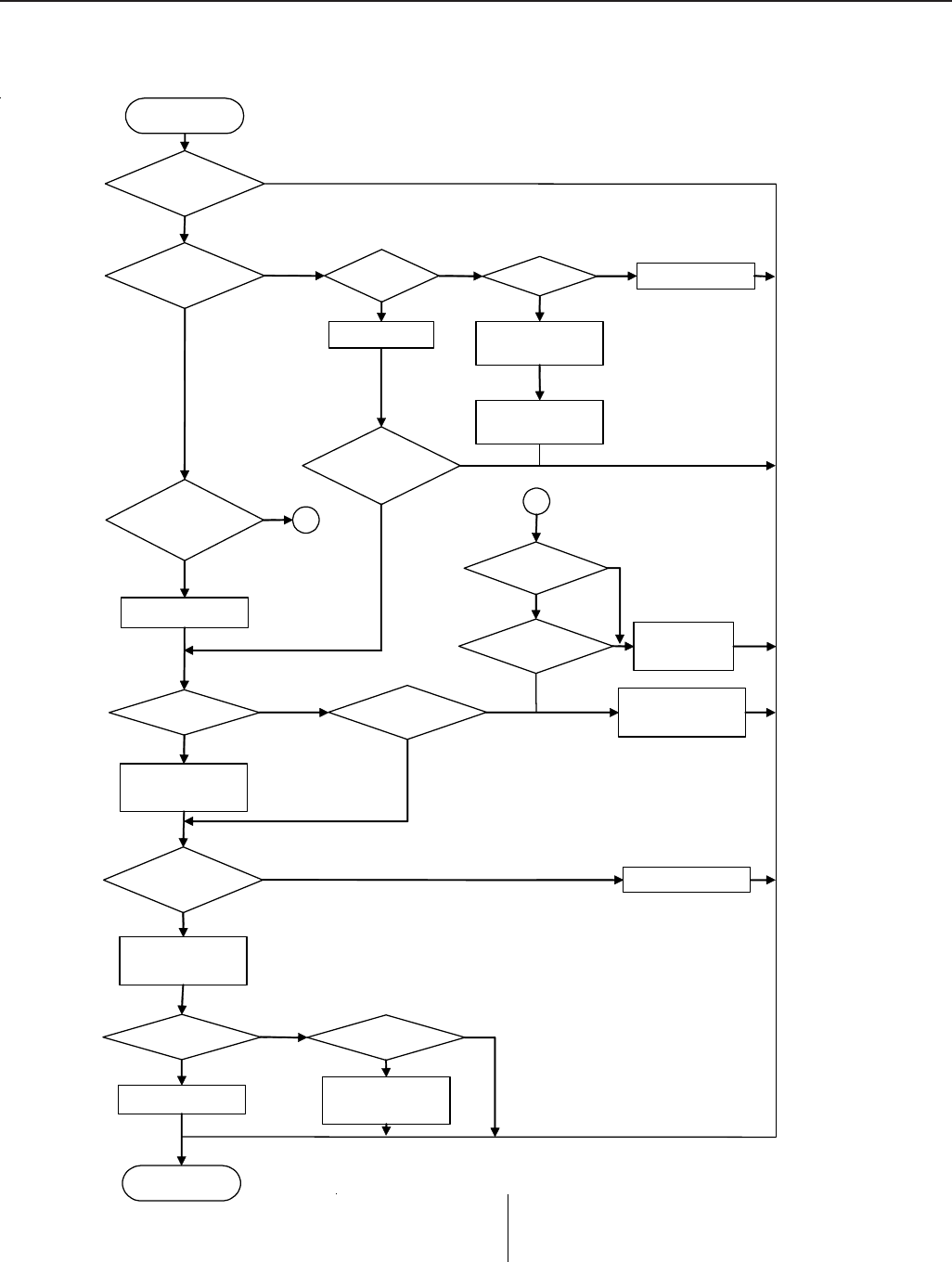
211
CHAPTER 6 - DETAILED PARAMETER DESCRIPTION
b) Diagram of the Load Detection Logic
Figure 6.47 b) - Details of the operation of digital functions
To = Time in N=0 rpm Is = Output Current (P003)
Th = Ramp Hold Time Im = Average Current
N* = Speed Reference Iq = Torque Current
N = Real Speed
Start
Repeat
Detection
End
Im < P366
P364 >0
N* = N* x P368
S
Calculate Im
Th = 0
Cable OK
Ramp Hold
N > P362
P361=1?
N=0
To=0
Repeat
Detection
Is > P365
Show
Overweight
Th=Th
-
1
Show Slack
Cable
Cable OK
Increase To
To>1s
Repeat
Detection
Slack Cable
Counter = 0
P364 > 0
Is > P365
1
Th > P363
1
Im > P367
S
S
S
S
S
S
S
S
S
S
S
S
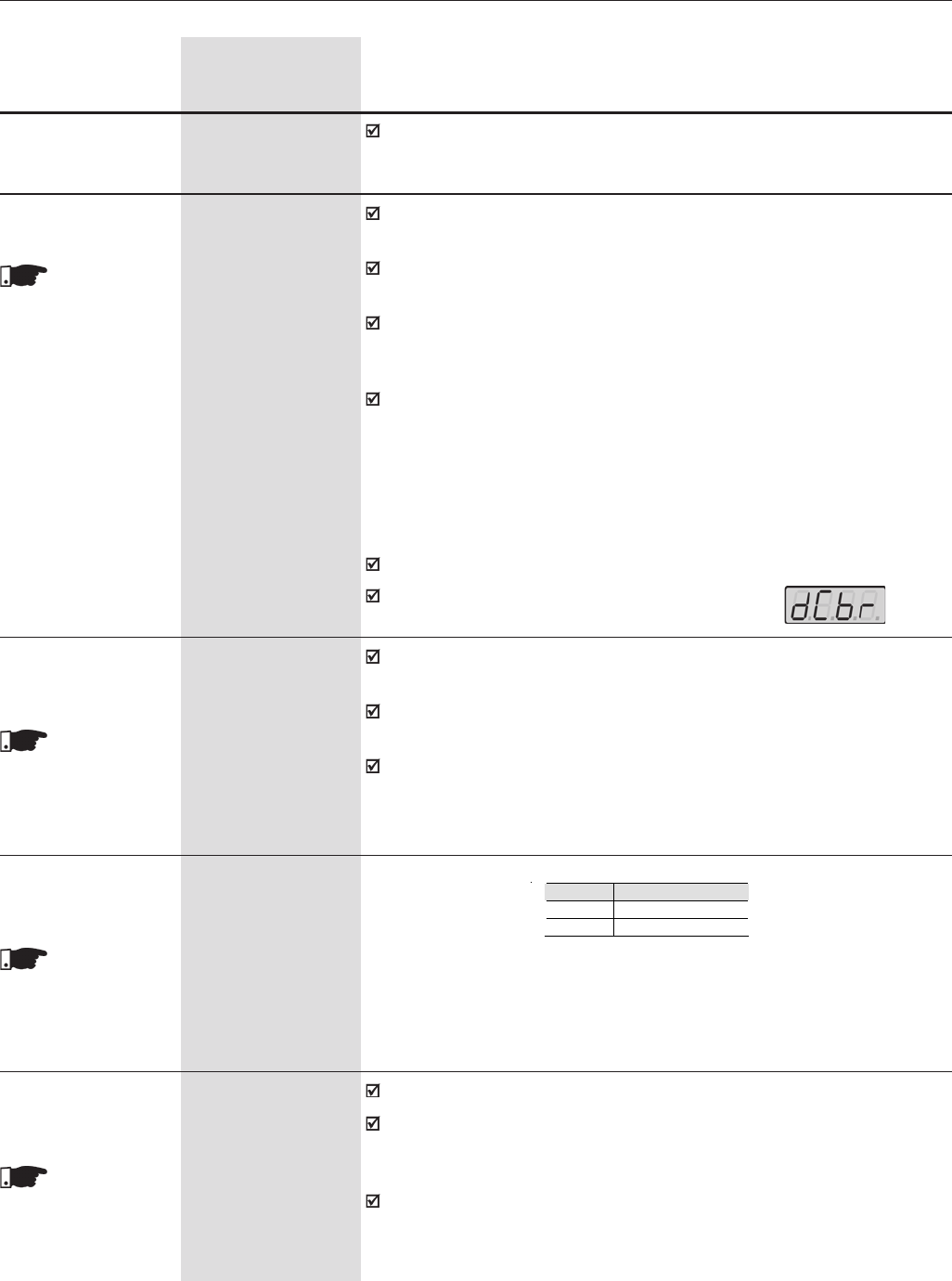
212
CHAPTER 6 - DETAILED PARAMETER DESCRIPTION
Range
[Factory Setting]
Parameter Unit Description / Notes
This parameter adjusts the DC voltage (DC braking torque) applied to
the motor during the braking process.
The current level set at this parameter represents a percentage of the
drive rated current.
This parameter works only for the sensorless vector control.
P372 0.0 to 90.0
DC Braking [40.0]
Current Level 0.1 %
This para-
meter is shown on
the display(s)
only when P202 = 3
(Sensorless)
It is used in functions of the digital and relay outputs: F > Fx
P370 0.0 to 15.0
Hysteresis for Fx [2.0]
0.1 Hz
The DC braking at start consists of applying a DC current to the motor
between the “Start” command and the motor acceleration.
This parameter adjusts the DC braking time at start for the VVW and
Sensorless Vector control modes
If the drive is disabled during the DC braking operation, the braking
process will continue until the braking time set at P371 finishes. After
that the drive returns to the “RDY” state.
The DC braking at start is not available for:
-The V/Hz and Vector with Encoder control modes;
-Start commands through the serial and Fieldbus interfaces with P202=3;
-When P211=1;
-When the Flying Start function is set (P320>=1)
The DC current level is set at P302 (VVW) and P372 (sensorless).
During the DC Braking the LED displays flashes .
P371 0.0 to 15.0
DC Braking Time [0.0]
at Start 0.1 s
This parameter
is shown on the
display(s) only when
P202=3 (Sensorless)
or 5 (VVW)
P398 (1) 0,1
Slip Compensation [1]
during Regeneration -
This para-
meter is shown on
the display(s) only
when P202 = 5
(VVW)
Table 6.56 - Slip Compensation during Regeneration
P398 Function
0 Off
1 On
This parameter sets the motor rated efficiency;
This parameter is important to the correct operation of the VVW control.
The incorrect setting of this parameter results in the incorrect calculation
of the slip compensation;
The default value of this parameter is automatically set when parameter
P404 is modified. The suggested value is valid only for IV pole standard
three-phase WEG motors. The user shall set this parameter manually
for other motor types.
P399 (1)(2) 50.0 to 99.
Rated Motor [-]
Efficiency %
This para-
meter is shown on
the display(s) only
when P202 = 5
(VVW)
213
CHAPTER 6 - DETAILED PARAMETER DESCRIPTION
Range
[Factory Setting]
Parameter Unit Description / Notes
6.4 MOTOR PARAMETERS - P400 to P499
P400 (1) (6) 0 to 690
Motor Rated Voltage [ P296 ]
1V
Set this parameter value according to the motor nameplate and the
connection diagram in the terminal box.
This value cannot be greater than the rated voltage value set at P296.
In order to make a new setting of P400 effective while not in the guided
start-up routine, it is necessary to power the drive down/up.
P402 (1) (2) (11) 0 to 18000
Motor Rated Speed [ 1750 (1458) ] (11)
1rpm
0 to 7200
[ 1750 (1458) ] (11)
1rpm
Set this parameter according to the motor nameplate.
0 to 18000 rpm for V/F Control.
0 to 7200 rpm for Vector Control.
P403 (1) (11) 0 to 300
Motor Rated [ 60 (50) ] (11)
Frequency 1Hz
30 to 120
[ 60 (50) ] (11)
1Hz
Set this parameter according to the motor nameplate.
0 to 300Hz for V/F Control.
30 to 120Hz for Vector Control.
P404 (1) 0 to 50
Motor Rated Power [ 4 ]
-
Set this parameter according to the motor nameplate.
P401 (1) (12) 0.0 to 1.30xP295 (12)
Motor Rated Current [ 1.0 x P295 ]
0.1A(<100)-1A(>99.9)
Set this parameter according to the motor nameplate, considering the
motor operating voltage.
Table 6.57 - Motor rated power selection
P404 Motor Rated
Power (HP/kW) P404 Motor Rated
Power (HP/kW)
0 0.33/0.25 26 180.0/132.0
1 0.50/0.37 27 200.0/150.0
2 0.75/0.55 28 220.0/160.0
3 1.0/0.75 29 250.0/185.0
4 1.5 /1.1 30 270.0/200.0
5 2.0 /1.5 31 300.0/220.0
6 3.0 /2.2 32 350.0/260.0
7 4.0 /3.0 33 380.0/280.0
8 5.0 /3.7 34 400.0/300.0
9 5.5 /4.0 35 430.0/315.0
10 6.0/4.5 36 440.0/330.0
11 7.5/5.5 37 450.0/335.0
12 10.0/7.5 38 475.0/355.0
13 12.5/9.0 39 500.0/375.0
14 15.0/11.0 40 540.0/400.0
15 20.0/15.0 41 600.0/450.0
16 25.0/18.5 42 620.0/460.0
17 30.0/22.0 43 670.0/500.0
18 40.0/30.0 44 700.0/525.0
19 50.0/37.0 45 760.0/570.0
20 60.0/45.0 46 800.0/600.0
21 75.0/55.0 47 850.0/630.0
22 100.0/75.0 48 900.0/670.0
23 125.0/90.0 49 1100.0/ 820.0
24 150.0/110.0 50 1600.0/1190.0
25 175.0/130.0
214
CHAPTER 6 - DETAILED PARAMETER DESCRIPTION
P405 (1) 250 to 9999
Encoder PPR [ 1024 ]
1
Sets the number of pulses per revolution (PPR) of the incremental
encoder, when P202 = 4 (Vector with Encoder).
P406 (1) 0 to 3
Motor Ventilation [ 0 ]
Type -
At the first drive power up (refer to items 5.2, 5.3 and 5.3.1) or when
P202 is modified from 0, 1 or 2 (V/Hz) to 5 (VVW), 3 or 4 (Vector - see
item 5.3.2), from 5 to 3 or 4 and vice versa, the value set at P406
automatically changes the overload protection as follows:
This parameter
is shown on the
display(s) only when
P202 = 4 (Vector
Control with Encoder)
ATTENTION!
The option P406=2 may be used (see use conditions below) when
motor should be operated at low frequencies with rated torque,
without requiring forced ventilation, for the operation range 12:1,
i.e., 5 at 60Hz/4.2 at 50Hz according the rated motor frequency.
CONDITIONS FOR USING OPTION P406=2:
i. Sensorless Vector Mode (P202=3);
ii. WEG motors series: Nema Premiun Efficiency, Nema High Efficiency,
IEC Premiun Efficiency, IEC TOP Premium Efficiency and Alto
rendimento Plus.
When P406=3, the switching frequency is limited to 5kHz.
Table 6.58 - Type of motor ventilation
Table 6.59 - Motor overload protection action
P406 Function
0Self-ventilated
1Forced Ventilation
2Optimal Flux
3Increased Protection
P406 P156 P157 P158
01.1xP401 0.9xP401 0.55xP401
11.1xP401 1.0xP401 1.0xP401
21.1xP401 1.0xP401 1.0xP401
30.98xP401 0.9xP401 0.55xP401
Range
[Factory Setting]
Parameter Unit Description / Notes
215
CHAPTER 6 - DETAILED PARAMETER DESCRIPTION
Range
[Factory Setting]
Parameter Unit Description / Notes
This parame-
ter is shown on the
display(s) only when
P202 = 3 or 4
(Vector Control)
This parameter controls the self-tuning routine, which estimates the value
of parameters related to the motor under use. When P408 is set to
options 1, 2, or 3, the self-tuning routine estimates the value of parameters
P409 to P413. When this parameter is set to option 4, the self-tuning
routine only estimates the value of parameter P413.
Note: Best results for the self-tuning routine are obtained with a hot
motor.
P408 (1) 0 to 2
Run Self-Tuning [ P202=3 ]
[ 0 ]
1
0 to 4
[ P202=4 ]
[ 0 ]
1
0,1
[ P202=5]
[ 0 ]
1
This parame-
ter is shown on the
display(s) only when
P202 = 5 (VVW)
This parameter sets the motor power factor;
This parameter is important to the correct operation of the VVW control.
The incorrect setting of this parameter results in the incorrect calculation
of the slip compensation;
The default value of this parameter is automatically set when parameter
P404 is modified. The suggested value is valid only for IV pole standard
three-phase WEG motors. The user shall set this parameter manually
for other motor types.
P407 (1) (2) 0.50 to 0.99
Rated Motor Power [ - ]
Factor -
The Self-tuning
Routine can be
cancelled by
pressing the
key, only
when P409 to P413
are different from
zero.
Self-tuning can
be realized only with
P309=Inactive (0)
P408 Self-tuning Type of Control P202
0 No - -
1 No rotation Sensorless Vector, Vector with
Encoder or VVW 3,4 or 5
2 Run for Imr Sensorless Vector or Vector
with Encoder 3 or 4
3 Run for TM Vector with Encoder 4
4 Measure TM Vector with Encoder 4
Table 6.60 - Self-tuning options
- No rotation - The motor remains stationary during the self-tuning routine.
The value of P410 is obtained from a table, which is valid for WEG motors
up to 12 poles.
Thus, P410 shall be set to zero before starting the self-tuning routine. If
P410 ≠ 0, the self-tuning routine will keep the existing value.
Note: When using a non-WEG motor, set P410 to the proper value (no
load current) before running the self-tuning routine.
- Run for Imr - The value of P410 is estimated with the motor rotating.
This option shall be executed with no load coupled to the motor.
ATTENTION!
If the self-tuning routine is executed with a load coupled to the
motor and with P408 set to option 2 (Run for Imr), a wrong value of
P410 (Imr) may be obtained. This will result in a wrong estimation
of P412 (Lr/Tr Constant) and P413 (Mechanical Time Constant -
TM). An overcurrent fault (E00) may also occur during the drive
operation.
Note: The word “load” represents anything coupled to the motor
shaft such as a gearbox, an inertia wheel, etc.
216
CHAPTER 6 - DETAILED PARAMETER DESCRIPTION
Range
[Factory Setting]
Parameter Unit Description / Notes
P409 (1) 0.000 to 77.95
Motor Stator Resistance [ 0.000 ]
(Rs) 0.001Ω
Value estimated by the Self-tuning routine.
- Run for TM - The value of parameter P413 (Mechanical Time Constant
- TM) is estimated with the motor rotating. It shall be run, preferentially,
with the load coupled to the motor.
- Measure TM – Estimates the value of P413 (Mechanical Time Constant
– TM) with the motor rotating. It shall be run, preferentially, with the load
coupled to the motor.
NOTES!
When P408 = 1 or 2:
The parameter P413 (Mechanical Time Constant – TM) is set to
an approximated value of the motor mechanical time constant.
The value of this parameter is set based on the motor rotor inertia
(table data is valid for WEG motors), on the Drive Rated Current,
and on the Drive Rated Voltage.
Vector with Encoder control (P202 = 4):
When P408 is set to option 2 (Run for Imr) and the self-tuning
routine is finished, it is mandatory to couple the load to the motor
and set parameter P408 to 4 (Measure TM) in order to estimate
P413 (Mechanical Time Constant – TM). In this case, parameter
P413 will also consider the driven load.
VVW Control - Voltage Vector WEG (P202=5):
In the self-tuning routine for the VVW control, only the mot stator
resistance (P409) is obtained. Therefore, the self-tuning routine
is always run with the motor stationary.
This parame-
ter is shown on the
display(s) only when
P202 = 3, 4 (Vector
Control) a 5 (VVW)
217
CHAPTER 6 - DETAILED PARAMETER DESCRIPTION
P411 (1) 0.00 to 99.99
Motor Flux Leakage [ 0.00 ]
Inductance 0.01mH
Value estimated by the Self-tuning routine.
P412 0.000 to 9.999
Lr/Rr Constant (Rotor [ 0.000 ]
Time Constant - Tr) 0.001s
Range
[Factory Setting]
Parameter Unit Description / Notes
This parame-
ter is shown on the
display(s) only when
P202 = 3 or 4
(Vector Control)
This parame-
ter is shown on the
display(s) only when
P202 = 3 or 4
(Vector Control)
P410 0 to 1.25xP295
Motor Magnetizing [ 0.0 ]
Current (Imr)0.1A
When the motor can operate decoupled from the load (P408 = 2) this
value is estimated by the Self-tuning routine (P408=1 or 3) otherwise it
is obtained from a pre-stored value array valid for WEG motors.
If a non WEG motor is being used set this parameter to the correct
value before starting Self-tuning.
For P202=4 (vector with encoder), the value set at P410 determines the
motor flux. Thus ensure correct setting. If this setting is too low, the
motor will lose flux and torque, if too high, the motor running starts to
oscillate at rated speed or even this speed may not be reached. In this
case, decrement P410 or P178 till speed oscillation stops or the rated
speed is reached.
This parame-
ter is shown on the
display(s) only when
P202 = 3 or 4
(Vector Control)
The setting of P412 determines the gains of the flux regulator (P175
and P176).
The value of P412 is estimated by the self-tuning routine for motors up
to 75hp/55kW. For higher ratings, this parameter is set according to
the values for the WEG standard motors (table 6.61 shows typical values
for some motors).
The value of this parameter affects the speed accuracy for the sensorless
vector mode control.
Usually, the self-tuning routine is run when the motor is cold. Depending
on the motor, the value of P412 may vary more or less according to the
motor temperature. Therefore, when running a hot motor, adjust P412
so that the loaded motor speed (measured at the motor shaft with a
tachometer) is the same as that indicated on the drive keypad (P001).
This setting shall be performed at the half of the rated speed.
For P202=4 (vector with encoder control), if the setting of P412 is incorrect
the motor will lose torque. In this case, set P412 so that the motor
current (P003) reaches the lowest value at the half of the rated speed
and with a steady load.
In the sensorless vector control the value of the parameter P175 will be
limited in the range: 3,0 ≤ P175 ≤ 8.0.
218
CHAPTER 6 - DETAILED PARAMETER DESCRIPTION
P413 (1) 0.00 to 99.99
TM Constant [ 0.00 ]
(Mechanical Time 0.01s
Constant)
The setting of P413 determines the gains of the speed regulator (P161
and P162).
When P408 = 1 or 2, observe the following:
-If P413 = 0, then the TM constant will be obtained as a function of the
motor inertia (memory stored value).
-If P413 > 0, then the value of P413 will not be changed during the self-
tuning routine.
Sensorless vector control (P202=3):
When the value of P413 (obtained from the self-tuning routine) provides
unsuitable gains for the speed regulator, modify this parameter to better
adjust the speed regulator gains;
The value of P161, provided by the self-tuning routine or through the
changing of P413, will be limited in the range: 6,0 ≤ P161 ≤ 9,0.
The value of P162 varies according to the value of P161.
In case it is needed to increase more these gains, set them directly at
P161 and P162.
Note: Values of P161 > 12,0 may cause oscillations in the torque current
(iq) and in the speed.
Vector with encoder control (P202=4):
The value of P413 is estimated by the self-tuning routine when P408 = 3
or 4. In case it is not possible to estimate it, the setting shall be performed
manually. (Refer to P161/P162).
This parame-
ter is shown on the
display(s) only when
P202 = 3 or 4
(Vector Control)
Range
[Factory Setting]
Parameter Unit Description / Notes
Motor Power
cv-hp / kW
2 / 1.5
5 / 3.7
10 / 7.5
15 / 11
20 / 15
30 / 22
50 / 37
100 / 75
150 / 110
200 / 150
300 / 220
350 / 250
500 / 375
TR (s):
Number of poles
2
(50Hz/60Hz)
0.19 / 0.14
0.29 / 0.29
- / 0.38
0.52 / 0.36
0.49 / 0.51
0.70 / 0.55
- / 0.84
1.64 / 1.08
1.33 / 1.74
- / 1.92
- / 2.97
- / -
- / -
4
(50Hz/60Hz)
0.13 / 0.14
0.18 / 0.12
0.32 / 0.25
0.30 / 0.25
0.27 / 0.29
0.37 / 0.34
0.55 / 0.54
1.32 / 0.69
1.05 / 1.01
- / 0.95
1.96 / 2.97
1.86 / 1.85
- / 1.87
6
(50Hz/60Hz)
0.1 / 0.1
- / 0.14
0.21 / 0.15
0.20 / 0.22
0.38 / 0.2
0.35 / 0.37
0.62 / 0.57
0.84 / 0.64
0.71 / 0.67
- / 0.65
1.33 / 1.30
- / 1.53
- / -
8
(50Hz/60Hz)
0.07 / 0.07
0.14 / 0.11
0.13 / 0.14
0.28 / 0.22
0.21 / 0.24
- / 0.38
0.31 / 0.32
0.70 / 0.56
- / 0.67
- / 1.03
- / -
- / -
- / -
Table 6.61 - Typical TR values for some WEG standard motors.
Typical TR values for WEG standard motors:
219
CHAPTER 6 - DETAILED PARAMETER DESCRIPTION
6.5 SPECIAL FUNCTIONS
PARAMETERS -
P500 to P699
6.5.1 PID Regulator
The function of the PID regulator is activated by setting P203 to 1.
Figure 6.50 shows the block diagram of the Academic PID regulator.
The transference function in the frequency domain of the Academic PID
regulator is:
6.5.2 Description
Substituting the integrator by a sum and the derivative by the incremental quotient,
we will obtain an approximate value for the discrete (recursive) transfer equation
shown below:
where:
Kp (Proportional Gain): Kp = P520 x 4096;
Ki (Integral Gain) : Ki = P521 x 4096 = [Ta/Ti x 4096 ];
Kd (Differential Gain) : Kd = P522 x 4096 = [Td/Ta x 4096].
Ta = 0,02sec(sampling period of the PID Regulator).
SP* : reference, has 13 bits max. (0 to 8191).
X : process variable (or controlled), read at AI2 or AI3, has 13 bits maximum;
y(kTa): current PID output, has 13 bits maximum;
y(k-1)Ta: previous OPID output;
e(kTa): current error [SP*(k) – X(k)];
e(k-1)Ta: previous error [SP*(k-1) – X(k-1)];
e(k-2)Ta: error of the two previous samplings [SP*(k-2) – X(k-2)];
The feedback signal must be sent to the analog inputs AI2' and AI3' (See
figure 6.29 and 6.30).
NOTE!
When using the PID function P233 must be set to 1, otherwise the minimum
speed (P133) will be added to the PID feedback via AI2.
The CFW-09 is fitted with the PID regulator that can be used for closed loop
process control. This function acts as a proportional, integral and derivative
regulator, superimposed on the normal inverter speed control.
The speed will be changed in order to maintain the process variable (the
variable that should be controlled - for instance: water level of a container) at
the desired value, set in the setpoint.
This regulator can control, for example, the flow in a piping system through
the flow feedback to the analog input AI2 or AI3 (selected via P524), and the
flow reference set at P221 or P222 - AI1, when the inverter drives the motor of
a pump that circulates the fluid through this piping system.
Other application examples: level control, temperature control,
dosing control, etc.
]
1
1)[()( sTd
sTi
seKpsy ++=
)])2()1(2)(()1(
))1()([()1()(
TakeTakekTaeKdTakKie
TakekTaeKpTakykTay
−+−−+−+
+
−
−
+
−
=
220
CHAPTER 6 - DETAILED PARAMETER DESCRIPTION
The setpoint can be defined:
Keypad: parameter P525.
Analog inputs AI1’, AI2’, AI3’, AI4’, (AI1’+ AI2’)>0, (AI1’+ AI2’), Multispeed,
Serial, Fieldbus and PLC.
NOTE!
When P203=1, do not use the reference via EP (P221/P222=7).
When the PID function (P203=1) is set:
The following parameters are automatically changed: P223=0 (always forward),
P225=0 (JOG disabled), P226=0 (always forward), P228=0 (JOG disabled),
P237=3 (PID process variable) e P265=15 (Manual/Automatic).
The JOG Function and the direction of rotation function remain disabled. The
Enabling and Start/Stop controls are defined in P220, P224 and P227.
The digital input DI3 is programmed automatically for the function Manual/
Automatic (P265=15), according to table 6.61:
The change between Manual/Automatic can be realized by one of the digital
inputs DI3 to DI8 (P265 to P270).
Parameter P040 indicates the value of the Process Variable feedback) in the
chosen scale/unit. This parameter can be selected as monitoring variable
(see Item 4.2.2), provided P205=6. To prevent the saturation of the analog
feedback input during the regulation “overshoot”, the signal must vary between
0V to 9.0V [(0 to 18) mA / (4 to 18) mA]. The adaptation between the setpoint
and the feed back can be realized by changing the gain of the selected analog
input as feedback (P238 for AI2 or P242 for AI3). The Process Variable can
also be displayed at the outputs AO1 to AO4 provided they were programmed
at P251, P253, P255 or P257. The same is valid for the PID setpoint.
The outputs DO1, DO2 and RL1 to RL3 can be programmed (P275 to P277,
P279 or P280) to the functions of the Process Variable > VPx (P533) and
Process Variable < VPy (P534).
When the setpoint is defined by P525 (P221 or P222=0), and if it is changed
from manual to automatic, following setting P525=P040 is performed
automatically, provided the parameter P536 is active. In this case, the
commutation from manual to automatic is smooth (there is no abrupt speed
oscillation).
In case of function “Stop Logic” is active (P211=1) and P224=0, P224 is
automatically changed to the option “Digital Input (DIx)” (P224=1).
In case of function “Stop Logic” is active (P211=1) and P227=0, P227 is
automatically changed to the option “Digital Input (DIx)” (P227=1).
Table 6.62 - DIx Operating Mode
DIx Operating Mode
0 (0V) Manual
1 (24V) Automatic
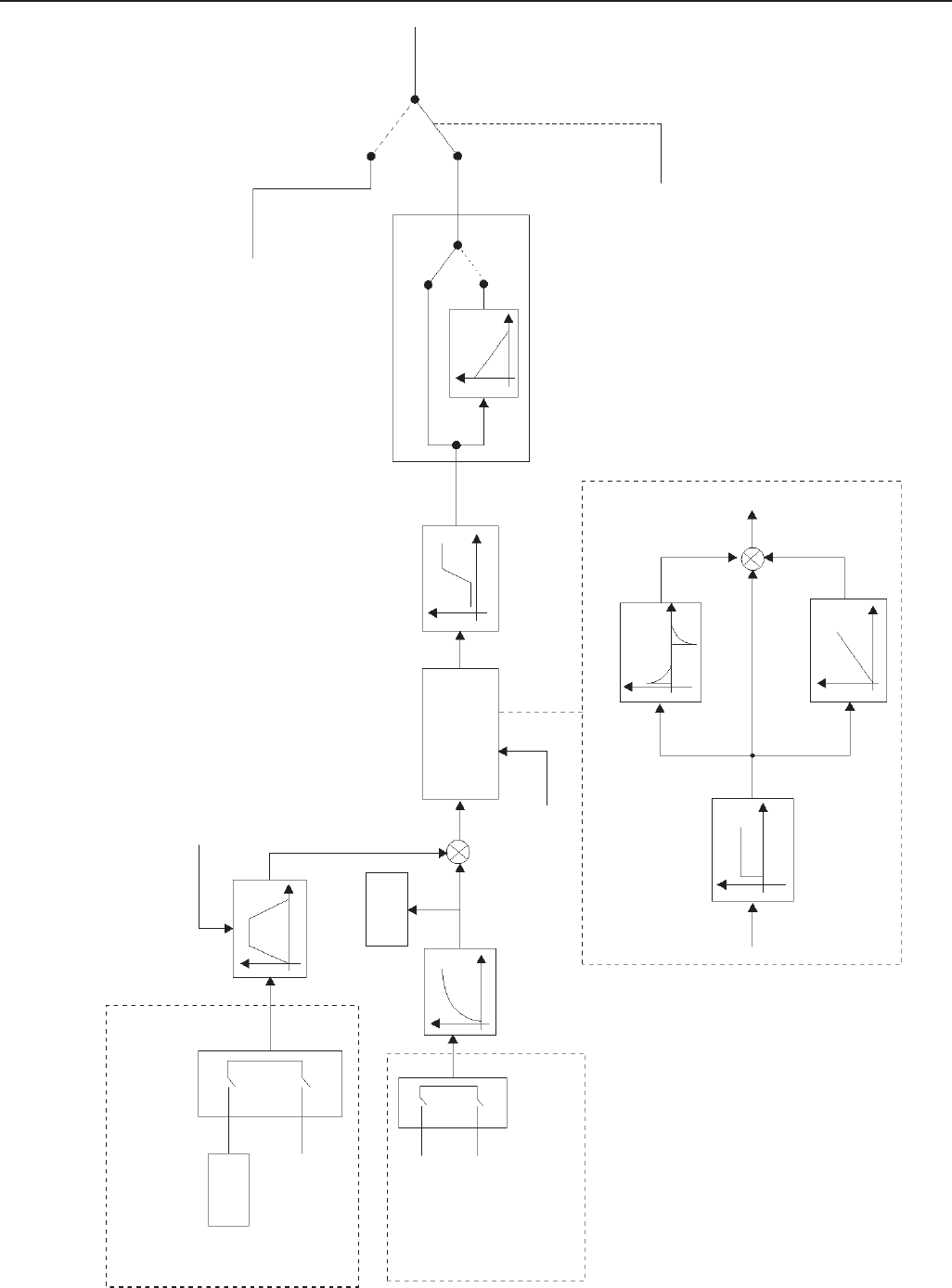
221
CHAPTER 6 - DETAILED PARAMETER DESCRIPTION
Setpoint Definition
(reference of the process variable)
P525
Setpoint (SP)
See Figure 6.25
Obs 1
Obs 2
Obs1: P221/P222=0
(Keypad PID Setpoint)
Obs2: P221/P222=1 to 11
(Analog Inputs, Multispeed, Serial, Fieldbus,
PLC, PID Setpoint)
Enable
AI2'
AI3'
Feedback P524
See Figures 6.29 and 6.30
P526
P040
+
-Academic PID
P133, P134
P527
0=Direct
1=Reverse
PID Action Type
Manual
(DIx Open)
Automatic
(DIx Closed)
DI3
(P265=15)
Academic PID P522
P521
+
+
+
Speed
Reference
(See Figure
6.25)
P520
Figure 6.48 - Block diagram of the PID Regulator Function
Enable
Reference
(See Figure 6.25)
P523
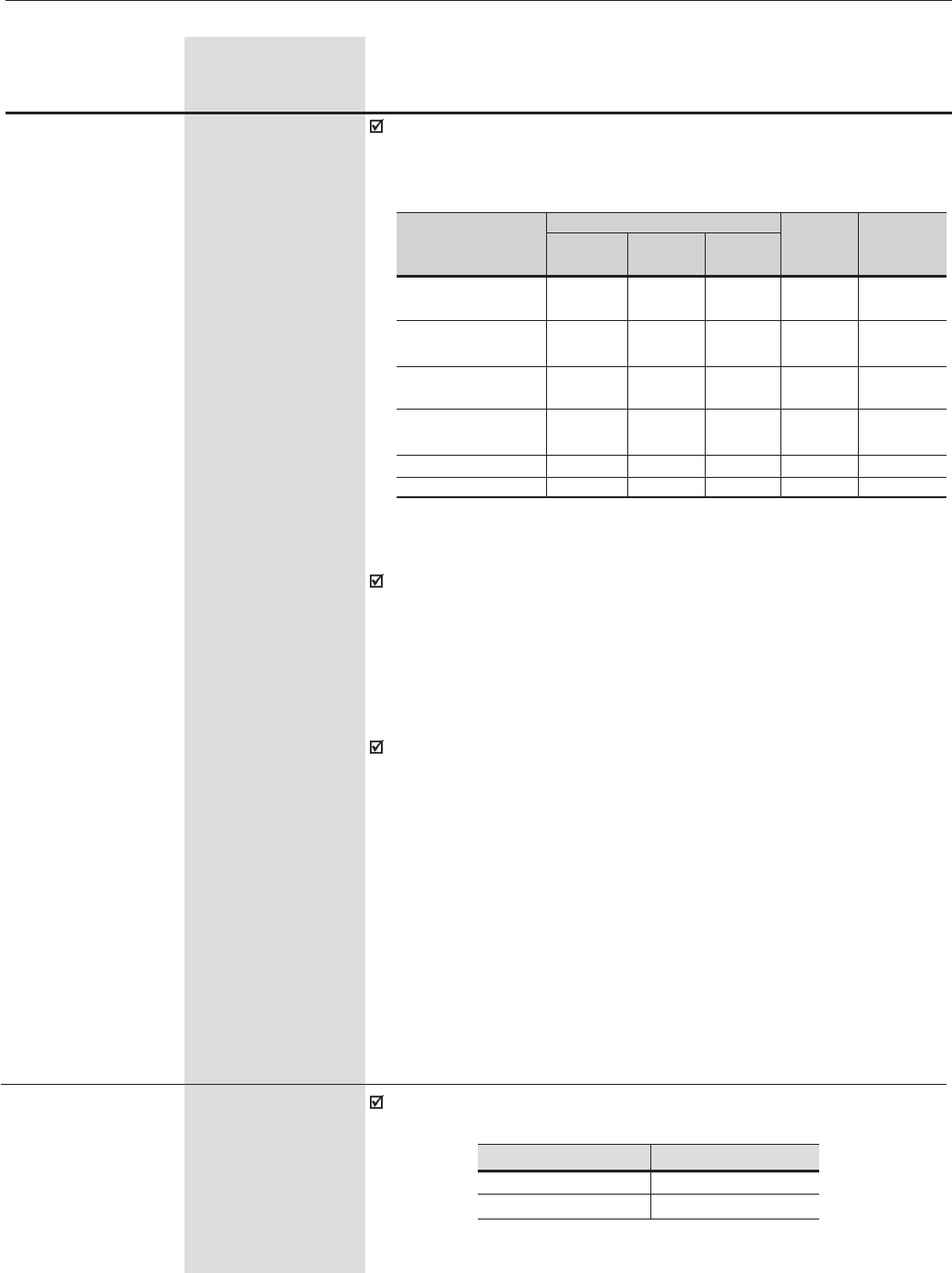
222
CHAPTER 6 - DETAILED PARAMETER DESCRIPTION
Range
[Factory Setting]
Parameter Unit Description / Notes
Some examples of initial settings of the PID Regulator Gains and PID
Ramp Times for some applications mentioned in Item 6.5.1, are shown
in table 6.63.
P520 0.000 to 7.999
PID Proportional [ 1.000 ]
Gain 0.001
P521 0.000 to 7.999
PID Integral Gain [ 0.043 ]
0.001
P522 0.000 to 3.499
PID Differential [ 0.000 ]
Gain 0.001
P523 0.0 to 999
PID Ramp Time [ 3.0 ]
0.1s (<99.9s)
1s (>99.9s)
Magnitude
Pressure pneumatic
system
Flow pneumatic
system
Pressure hydraulic
system
Flow hydraulic
system
Temperature
Level
Proportional
P520
1
1
1
1
2
1
Integral
P521
0.043
0.037
0.043
0.037
0.004
See Note
Derivative
P522
0.000
0.000
0.000
0.000
0.000
0.000
PID Ramp
Time
P523
3.0
3.0
3.0
3.0
3.0
3.0
Action Time
P527
0 = Direct
0 = Direct
0 = Direct
0 = Direct
See Note
See Note
Gains
Table 6.63 - Suggestions for gain settings of the PID regulator
Obs:
For temperature and level control, the action type will depend on the
process. For instance, in the level control, when the inverter drives the
motor that removes fluid from a tank, the action will be contrary as
when the inverter drives the motor that fills a tank and thus the fluid level
increases and the inverter should increase the motor speed to lower
the fluid level, otherwise the inverter action that drives the pump motor
to pump fluid into the tank will be direct.
In case of level control, the setting of the integral gain will depend on the
time required to fill the tank from the minimum acceptable level up the
desired level, in the following conditions:
i. For the direct action, the time should be measured by considering
the maximum input flow and the minimum output flow.
ii. In the inverse action, the time should be measured by considering
the minimum input flow and the maximum output flow.
The equation to calculate an initial value for P521 (PID Integral Gain) as
a function of the system response time, is presented below:
P521 = 0.02 / t
t=time (seconds)
P524 0,1
Selection of the [ 0 ]
PID Feedback -
It selects the feedback input (Process Variable) of the PID regulator:
P524 AIx
0AI2 (P237 to P240)
1AI3 (P241 to P244)
Table 6.64 - Feedback selection
223
CHAPTER 6 - DETAILED PARAMETER DESCRIPTION
Range
[Factory Setting]
Parameter Unit Description / Notes
After the feedback input has been chosen, you must set the input function
selected at P237 (to AI2) or P241 (to AI3).
Feedback Type:
The PID action Type described above considers that the variable feedback
signal increases when the process variable also increases (direct
feedback). This is the most common used feedback type.
When the process variable feedback decreases when the process variable
increases (inverse feedback), It is required to program the selected
analog input for the PID (AI2 or AI3) as inverse reference: P239=2 [(10
to 0)V/(20 to 0)mA] or P239=3 [(20 to 4)mA]. When the feedback is
through AI2 and P243=2 [(10 to 0)V/(20 to 0)mA] or P243=3 [(20 to
4)mA] when the feedback is through AI3. When this setting is not present,
PID does not operate correctly.
P525 0.0 to 100
Keypad PID Setpoint [ 0.0 ]
0.1%
It provides the setpoint via the and keys for the PID Regulator
(P203=1) provided that P221=0 (LOC) or P222=0 (REM) and the inverter
is in the Automatic mode. If it has been set to Manual Mode, the speed
reference is given by P121.
The value of P525 is maintained at the last set value (backup), even
when inverter is disabled or enabled with [P120 = 1 (Active)].
Once PID is in Automatic mode, the Setpoint value for PID regulator is
entered into the CFW09 via any reference set by P221 (LOCAL mode)
or P222 (REMOTE mode). Particularly, most of general PID applications
uses the setpoint via the AI1 [P221=1 (LOC) or P222=1(REM)] or via
the and keys [P221=0 (LOC) or P222=0(REM)]. Refer to
Figure 6.48 Block Diagram of the PID Regulator.”
It sets the time constant of the Process Variable Filter.
Generally a 0.1 will be a suitable value, excepting the process variable
signal has a too high noise level. In this case, increase this value
gradually by checking the result.
P526 0.0 to 16.0
Process Variable [ 0.1 ]
Filter 0.1s
P527 0,1
PID Action Type [ 0 ]
-
It defines the control action type:
P527 Action Type
0DIRECT
1REVERSE
Table 6.65 - PID action type
224
CHAPTER 6 - DETAILED PARAMETER DESCRIPTION
Range
[Factory Setting]
Parameter Unit Description / Notes
Select according to the process
Motor Speed
INCREASE
Process Variable
INCREASE
DECREASE
Select
DIRECT
REVERSE
Process requirement:
PID action type: the PID action should be selected as direct, when it is
required to increase the motor speed in order to increase the process
variable. Otherwise, select the inverse.
Example 1 - Direct: pump driven by frequency inverter and filling a tank,
where PID regulates the level. To increase the level (process variable) it
is required to increase the flow and consequently, the motor speed.
Example 2 - Inverse: Fan driven by frequency inverter and cooling a cooling
tower, with PID controlling its temperature. When the temperature (process
variable) should be increased, the cooling effect should de reduced by
reducing the motor speed.
Table 6.66 - PID action selection
P528 1 to 9999
Process Variable [ 1000 ]
Scale Factor 1
P529 0 to 3
Decimal Point of [ 1 ]
Process Variable -
P528 and P529 define the way the Process variable (P040) will be shown.
P529 defines how many digits are indicated after the decimal point.
P528 must be set according to the equation below:
P528 = F. S. V. Indication Process x (10)P529
Gain (AI2 or AI3)
where:
F. S. V. Indication Process is the full scale value of the Process Variable,
corresponding to 10V (20mA) at the Analog Input (AI2 or AI3) used as
feedback.
Example 1: (Pressure Transducer 0 to 25 bar - Output 4 to 20 mA)
-Desired indication: 0 to 25 bar (F. S.)
-Feedback Input: AI3
-Gain AI3=P242=1.000
-Signal AI3=P243=1 (4 to 20mA)
-P529=0 (no digit after decimal point)
P528 = 25 x (10)0 = 25
1.000
225
CHAPTER 6 - DETAILED PARAMETER DESCRIPTION
Range
[Factory Setting]
Parameter Unit Description / Notes
P530 32 to 127
Eng. Unit [ 37 (%) ]
Proc. Var. 1 -
P531 32 to 127
Eng. Unit [ 32 ( ) ]
Proc. Var. 2 -
These parameters are only useful, if the inverter is fitted with HMI with
LCD display.
The Engineering Unit of the Process Variable is formed by three
characters, that are used for the indication of P040. P530 defines the
left character, P531 defines the central character and P532 defines the
right character.
Possible characters to be chosen:
Characters corresponding to the ASCII code from 32 to 127.
Examples:
A, B, ... , Y, Z, a, b, ... , y, z, 0, 1, ... , 9, #, $, %, (, ), *, +, ...
Example 2 (values are factory standards):
-Desired indication: 0.0% to 100.0% (F. S.)
-Feedback Input: AI2
-Gain AI2=P238=1.000
-P529=1 (one number after decimal point)
P528 = 100.0 x (10)1 = 1000
1.000
-To indicate “%”:
P530=”%” (37)
P531=” “ (32)
P532=” “ (32)
P532 32 to 127
Eng. Unit [ 32 ( ) ]
Proc. Var. 3 -
Examples:
-To indicate “bar”:
P530=”b” (98)
P531=”a” (97)
P532=”r” (114)
P533 0.0 to 100
Value of Proc. Var. X [ 90.0 ]
0.1%
Used in the functions of the Digital/Relay Outputs:
V. Pr. > VPx and V. Pr. < VPy aiming signaling/alarm.
P534 0.0 to 100
Value of Proc. Var. Y[ 10.0 ]
0.1%
Full scale percentual values of the Process Variable:
(P040 = (10)P529 x100%)
P528
226
CHAPTER 6 - DETAILED PARAMETER DESCRIPTION
Range
[Factory Setting]
Parameter Unit Description / Notes
P535 0 to 100
Wake Up Band [ 0 ]
1%
P536 (1) 0,1
Automatic Set of [ 0 ]
P525 -
The value of this parameter is used along with P212 (Condition to Leave
Zero Speed Disable), providing additional condition to leave zero speed
disable, that is, error of PID > P535. See P211 to P213.
When the setpoint of the PID regulator is by HMI (P221/P222 = 0) and
P536 is zero (active) by commutating from manual to automatic, the
process variable value will be loaded at P525. In this way do you prevent
PID oscillations during the commutation from “Manual” to “Automatic”.
P536 Action Type
0Active
1Inactive
Table 6.67 - Automatic Set of P525
P537 0 to 100
Hysteresis for the [ 1 ]
Set Point = 1%
Process Variable
When the Set Point value is equal to the Process Variable and it is
within the range defined by the hysteresis value (set at parameter P537),
the digital or relay output set to the option Set Point = Process Variable
(SP=PV) is activated and remains in this condition until the process
variable reaches a value outside of the hysteresis range (refer to figure
6.39 v).
NOTE!
This function is enabled only in the automatic mode and when
P203=1.
P538 0.0 to 5.0
Hysteresis VPx/VPy [ 1.0 ]
0.1%
It is used in functions of the digital and relay outputs:
Process Variable > VPx and Process Variable < VPy
227
CHAPTER 7
DIAGNOSTICS AND TROUBLESHOOTING
This Chapter assists the user to identify and correct possible faults that
can occur during the CFW-09 operation. Guidance on Preventive
Maintenance is also provided.
When a fault is detected, the inverter is disabled and the Fault Code is
displayed on the readout in the EXX form, where XX is the actual Fault
Code. (ie. E01).
To restart the inverter after a fault has occurred, the inverter must be reset.
The reset can be made as follows:
Disconnecting and reapplying AC power (power-on reset);
By pressing the key (manual reset);
Automatic reset through P206 (auto-reset);
By digital input: DIx=12 (P265 to P270).
The table below defines each Fault Code, explains how to reset the fault
and shows the possible causes for each Fault Code.
7.1 FAULTS AND POSSIBLE
CAUSES
FAULTRESET POSSIBLE CAUSES
E00 Power-on Short-circuit between two motor phases;
Output Manual reset (Key )Short-circuit between breaking resistor cables;
Overcurrent Auto-reset Inertia of the load too high, or acceleration ramp too short;
DIx (Digital Input) Transistor module shorted;
Improper setting of regulation and/or configuration
parameter(s);
P169 to P172 set too high.
E01 Power Supply voltage too high, check Ud in P004:
Overvoltage (Ud) 220-230V Models - Ud > 400V
380-480V Models - Ud > 800V
500-600V and 500-690V Models with power supply between
500V and 600V - Ud > 1000V
500-690 V models with power supply between 660V and 690V
and 660-690V models - Ud > 1200V
Load inertia too high or deceleration ramp too short.
P151 or P153 set too high.
E02 Power Supply voltage too low, DC Link check Ud in P004:
Undervoltage (Ud) 220-230V power supply - Ud < 223V
380V power supply - Ud < 385V
400-415V power supply - Ud < 405V
440-460V power supply - Ud < 446V
480V power supply - Ud < 487V
500-525V power supply - Ud < 532V
550-575V power supply - Ud < 582V
600V power supply - Ud < 608V
660-690V power supply - Ud < 699V
Phase loss at the input;
Auxiliary circuit fuse blown (only valid for 105A and 130A/220-230V,
86A to 600A/380-480V and 44A to 79A/500-600Vsee Section 3.2.3);
Pre-charge contactor defective;
P296 set to a voltage higher than the power supply voltage.
Table 7.1 - Faults and possibles causes
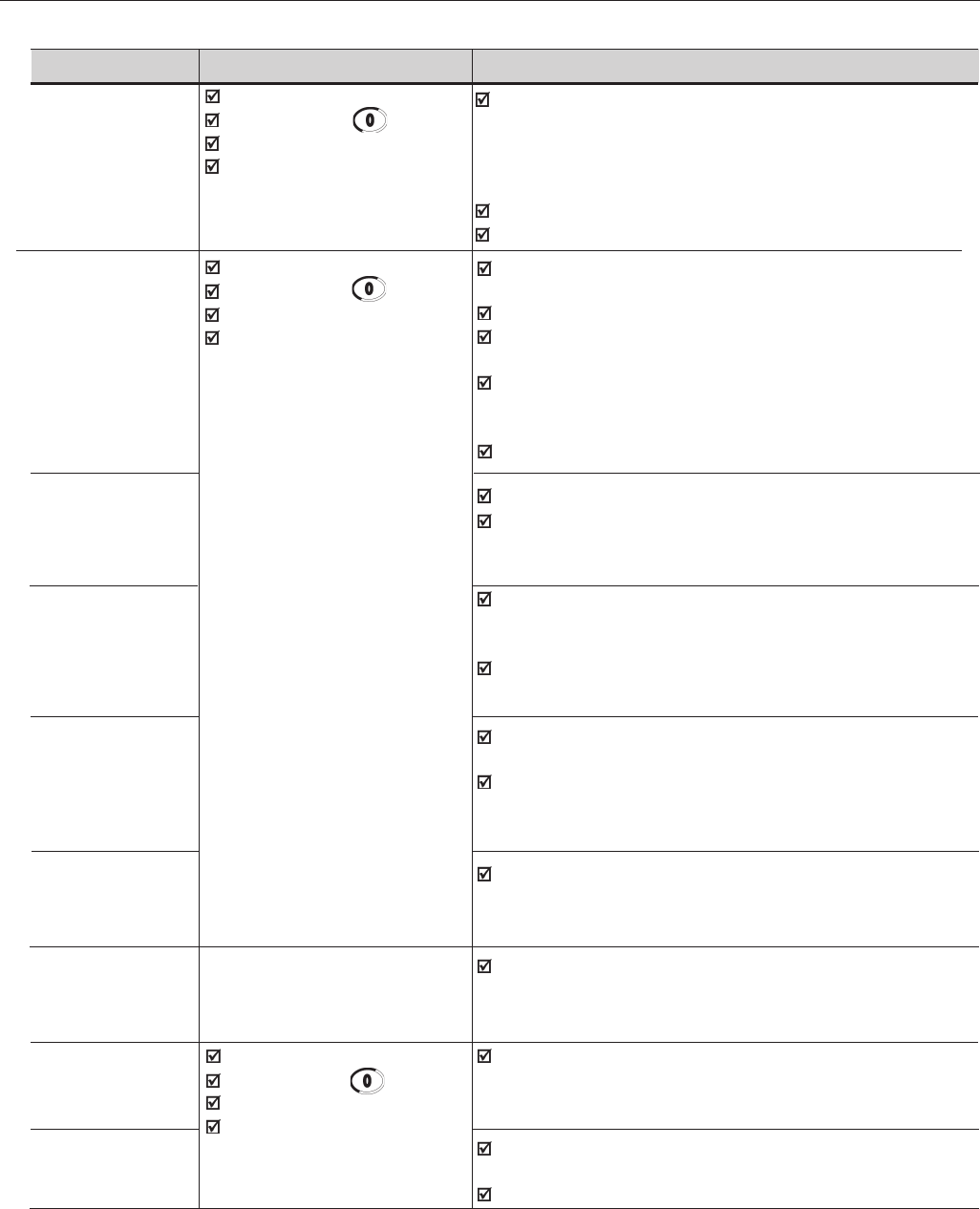
228
CHAPTER 7 - DIAGNOSTICS AND TROUBLESHOOTING
FAULT RESET POSSIBLE CAUSES
E03 Power-on Power Supply voltage is too low, check Power Supply voltage:
Input Undervoltage/ Manual reset (Key )220-230V Models - Power Supply < 154V
Phase loss (1) Auto-reset 380-480V Models - Power Supply < 266V
DIx (Digital Input) 500-600V and 500-690V Models - Power Supply < 361V
660-690V Models - Power Supply < 462V
Phase loss at the inverter input.
Activation Time: 2.0s
E04 Power-on Ambient temperature too high (>40°C) and/or output
Inverter Manual reset (Key )current too high; or ambient temperature < -10ºC;
Overtemperature Auto-reset Blowers locked or defective (3)
or Pre-charge DIx (Digital Input) Auxiliary circuit fuse blown (only valid for 105A and 130A/220-230V,
Circuit 86A to 600A/380-480V and 44A to 79A/500-600Vsee Section 3.2.3);
Defective (2) (3) Problem with the supply voltage - voltage sag or interruption
(phase loss) - last for more than 2 seconds and with the
phase loss detection disabled (P214=0);
Signal with inverted Polarity at Analog inputs AI1/AI2.
E05 P156, P157 and P158 set too low for the motor being used;
Inverter / Motor Motor is under an actual overload condition.
Overload
Ixt Function
E06 Any DIx (DI3 to DI7) programmed for external fault detection
External Fault (P265 to P270 set to 4 – No Ext Flt) is open (not connected
to + 24V);
Terminal block XC12 on the control board CC9 is not
properly connected.
E07 Miswiring between encoder and terminal block XC9
Encoder Fault (optional board EBA/EBB). Refer to Section 8.2;
(Valid only if Encoder is defective.
P202 = 4 - Vector
with Encoder)
E08 Electrical noise.
CPU Error
(watchdog)
E09 Contact WEG Memory with corrupted values.
Program Memory (Refer to Section 7.3)
Error (Checksum)
E10 Power-on A bid to copy the HMI parameters to the inverter with
Error in the Manual Reset (Key ) different Software version.
Copy Function Auto-reset
DIx
E11 (7) Short-circuit between one or more output phases and
Ground Fault ground;
Motor cable capacitance to ground is too high.
Table 7.1 - Faults and possibles causes (cont.)
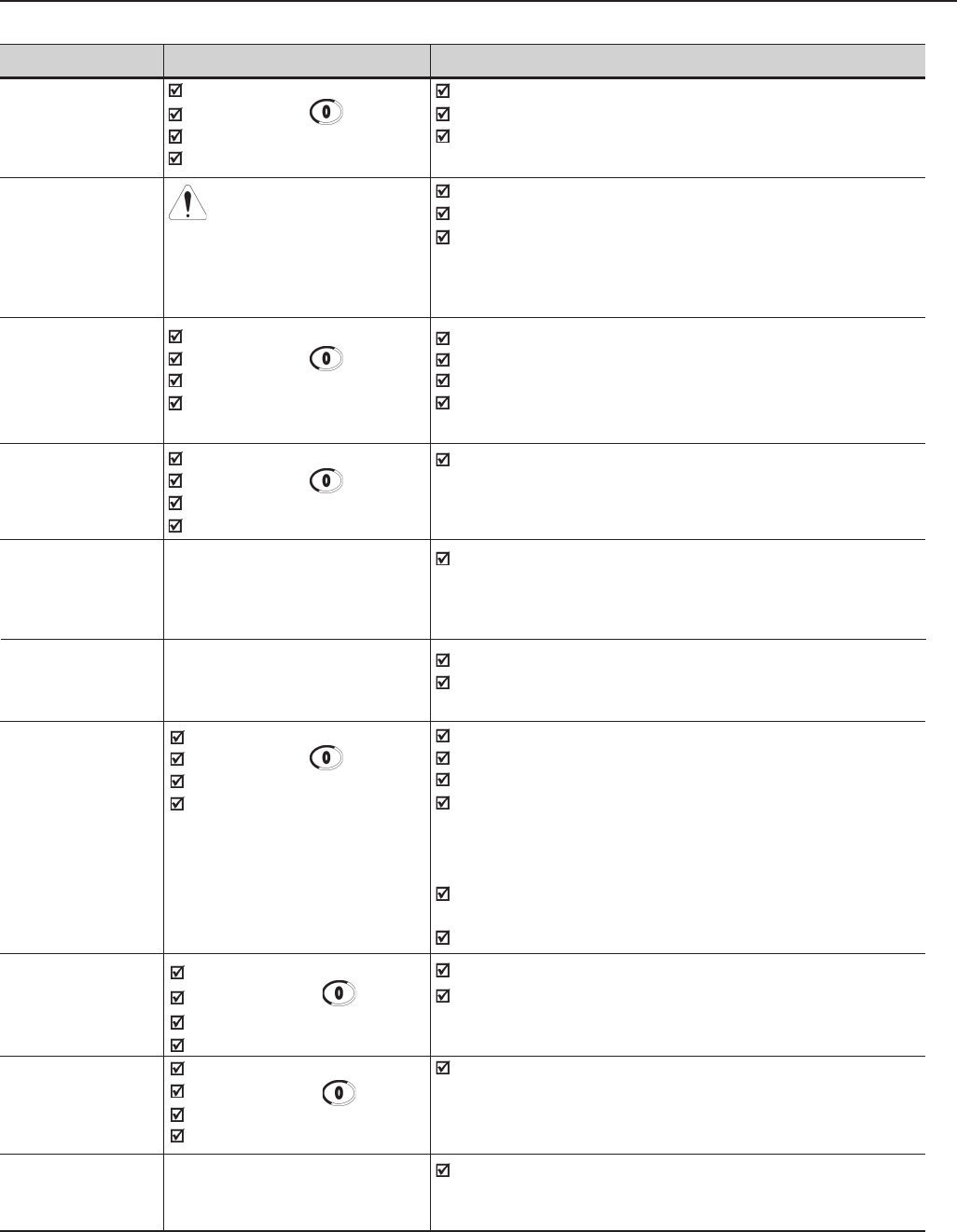
229
CHAPTER 7 - DIAGNOSTICS AND TROUBLESHOOTING
FAULTRESET POSSIBLE CAUSES
E12 Power-on Load inertia too high or deceleration ramp too short;
Braking Resistor Manual Reset (Key ) Load on the motor shaft too high;
Overload Auto-reset P154 and P155 programmed incorrectly.
DIx
E13 Do not reset this fault and Cables U, V, W to motor are inverted;
Incorrect encoder restart without first correcting Encoder channels A and B are inverted;
sense of rotation the direction of either Encoder mounted in wrong position.
(for P202 = 4 - the encoder or of the motor.
Encoder), with Note: This fault can only occur during Self-tuning.
P408=runs to Imr
E15 Power-on Bad contact or broken wiring between motor and inverter;
Motor Phase Manual Reset (Key ) Incorrect value programmed in P401;
Loss Auto-reset Vector control without orientation;
DIx Vector control with encoder, encoder wiring or connection to
motor is inverted.
E17 Power-on When the effective overspeed exceeds the value of
Overspeed Manual Reset (Key ) P134+P132 longer than 20ms.
Fault Auto-reset
DIx
E24 It is automatically reset Incompatible parameters were programmed. Refer to
Programming when the incompatible Table 4.2.
Error (5) parameters are correctly
programmed.
E31 It is automatically reset when Keypad cable misconnected;
Keypad (HMI) HMI communication with Electrical noise in the installation (electromagnetic
Connection Fault inverter is restablished. interference).
E32 Power-on Motor is under an actual overload condition;
Motor Manual Reset (Key ) Duty cycle is too high (too many starts/stops per minute);
Overtemperature (4) Auto-reset Ambient temperature is too high;
DIx Motor thermistor.miswiring or short-circuit (resistance <
100Ω) at the terminals XC4:2 and 3 of the optional board
XC4:2 and 3 of the optional board EBA or at the
terminals XC5:2 and 3 of the optional board EBB.
P270 programmed to 16 unintentionally, with EBA/EBB
board not installed and/or motor thermistor not connected;
Motor in locked rotor condition.
E33 Power-on Overweight;
Speed without Manual Reset (Key ) Brake Failure.
Control (8) Auto Reset
DIx (Digital Input)
E34 Power-on The load was too heavy and the CFW-09 operated at torque
Long Period at Manual Reset (Key ) limitation for a period longer than allowed.
Torque Limitation (9) Auto Reset Failure on the brake opening caused the CFW-09 to operate at
DIx (Digital Input) torque limitation for a period longer than allowed.
E41 Contact WEG Memory error or any internal inverter circuit defective.
Self Diagnosis (Refer to Section 7.3)
Fault
Table 7.1 - Faults and possibles causes (cont.)
230
CHAPTER 7 - DIAGNOSTICS AND TROUBLESHOOTING
Notes:
(1) E03 Fault can occur only with:
- 220-230V Models with rated current equal or higher than 45 A;
- 380-480V Models with rated current equal or higher than 30 A;
- 500-600V Models with rated current equal or higher than 22 A;
- 500-690V Models;
- 660-690V Models;
- P214 set to1.
(2) In case of E04 Fault due to inverter overtemperature, allow the inverter
to cool before trying to reset it. The E04 fault code can also indicate a
failure in the pre-charge circuit. But this is valid only for:
- 220-230V Models with rated current equal or higher than 70 A;
- 380-480V Models with rated current equal or higher than 86A.
- 500-690V Models with rated current equal or higher than 107A;
- 660-690V Models with rated current equal or highter than 1000A.
The failure in the pre-charge circuit means that the pre-charge contactor
sizes up to 130A/220-230V, 142A/380-480V and 79A/500-600V) or pre-
charge thyristor (sizes above 130A/220-230V, 142A/380-480V, 500-690V
and 660-690V) is not closed, thus overheating the pre-charge resistors.
(3) For:
- 220-230V Models with rated current equal or higher than 16 A;
- 380-480V Models with rated current equal or higher than 13A, and
equal or lower than 142A;
- 500-600V Models with rated current equal or higher than 12A, and
equal or smaller than 79A;
E04 Fault can also be caused by internal airflow overtemperature.
In this case, check the electronics blower.
(4) When E32 is displayed due to motor overtemperature, please allow the
motor to cool down before restarting the inverter.
(5) When an incompatible parameter is programmed, a Fault Message –
E24 - will be displayed and the LCD display will show a Help Message
by indicating the Cause and how to correct the fault status.
(6) Only for models 107A to 472A/500-690V and 100A to 428A/660-690V.
(7) Long motor cables (longer than 100m (330ft)) can cause excessive
capacitance to ground. This can cause nuisance E11 ground fault trips
immediately after the inverter has been enabled.
Table 7.1 - Faults and possibles causes (cont.)
FAULTRESET POSSIBLE CAUSES
E70 Power-on Phase loss at the R or S input.
Internal DC Manual Reset (key )Auxiliary circuit fuse blown (only valid for 500-690V and 660-690V
Supply Under Auto-reset models - see figure 3.7 f) g)).
Voltage (6) DIx
E71 Power-on When the PLC board stops communicating with the CFW-09
Watchdog error Manual Reset (key )for more than 200ms.
for the PLC board Auto-reset
DIx
231
CHAPTER 7 - DIAGNOSTICS AND TROUBLESHOOTING
SOLUTION:
Reduce the switching frequency (P297).
Connect a load reactor in series with the motor supply line. Refer to
Section 8.8.
(8) This error occurs when the comparison [N = N*] is greater than the
maximum admissible error (set at P292) for a period longer than that set at
P351. When P351=99.9 the detection logic for the error E33 is disabled.
This error is only active in vector modes (P202=3 or 4).
(9) If the CFW-09 remains at torque limitation for a period longer than the value
set at P352 the drive will trip with an error code E34. When P352=999 the
detection logic for the error E34 is disabled. This error is only active in
vector modes (P202=3 or 4).
NOTE!
When a fault occurs the following steps take place:
E00 to E08, E10, E11, E12, E13, E15, E17, E32, E33, E34 and E71:
- “No Fault” relay drops “out”;
- PWM pulses are stopped;
- The LED display indicates the fault code;
- The LCD display indicates the fault code and description;
- The “ERROR” LED flashes;
- The following data is stored in the EEPROM:
- Speed reference via Keypad or EP (Electronic Potentiometer), if the
function “Reference Backup” is active (P120 set to 1 – On);
- Fault code;
- The status of the I x t function (motor overload);
- The status of the powered time (P042) and Enabled Time (P043).
E09:
- Does not allow inverter operation.
E24:
- Indicates the code on the LED display plus and description on the LCD display;
- It blocks the PWM pulses;
- It doe nor permit motor driving;
- It switches OFF the relay that has been programmed to “Without Error”;
- It switches ON the relay that has been programmed to “With Error”.
E31:
- The inverter continues to operate normally;
- It does not accept the Keypad commands;
- The fault code is indicated on the LED display;
- The LCD display indicates the fault code and description;
- E31 is not stored in the fault memories (P014 to P017 and P060 to P065)
E41:
- Does not allow inverter operation;
- The fault code is indicated on the LED display;
- The LCD display indicates the fault code and description;
- The “ERROR” LED flashes.
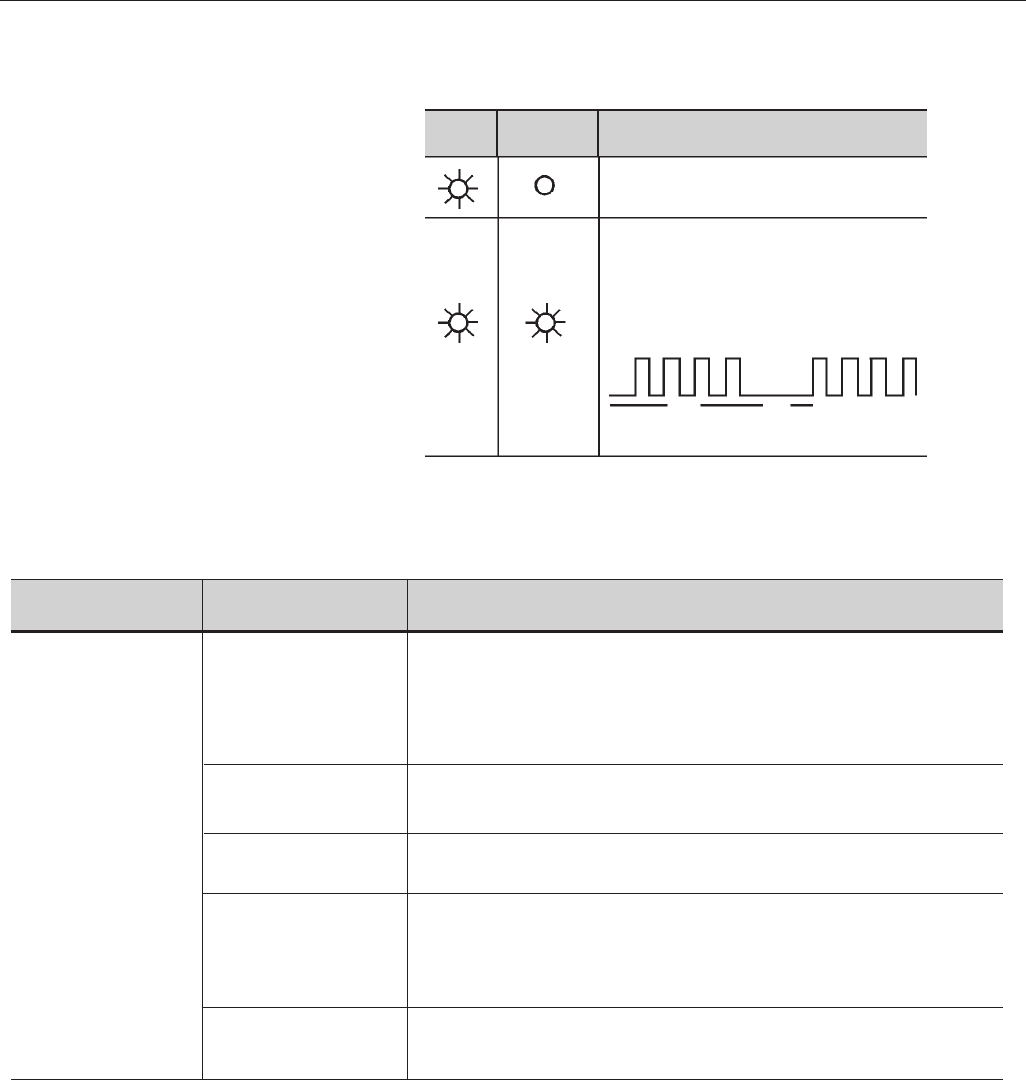
232
CHAPTER 7 - DIAGNOSTICS AND TROUBLESHOOTING
Description
Inverter is powered up and is ready
(Flashing) E04
2.7s 1s
A fault has been detected.
The FAULT LED flashes, indicating the number
of the Fault Code
Exemple:
Note: If the fault E00 occurs, the ERROR LED
is ON continuously.
Led
Error
Led
Power
7.2 TROUBLESHOOTING
PROBLEM POINT TO BE CORRECTIVE ACTION
CHECKED
Motor does not run Incorrect Wiring 1. Check the power and control connections. For example the digital inputs DIX
programmed for Start/Stop, General Enable and No External Fault must be
connected to +24V. For factory default programming, XC1:1 (DI1) must be
connected to +24V(XC1:9) and XC1:10 connected to XC1:8.
Analog Reference 1. Check if the external signal is properly connected.
(if used) 2. Check the status of the speed potentiometer (if used).
Incorrect Programming 1. Check if the parameters are properly programmed for the
application;
Fault 1. Check if the inverter is not disabled due to a Fault condition
(Refer to table above).
2. Check if there is a short-circuit between terminals XC1:9 and
10 (short-circuit at 24Vdc power supply).
Motor Stall 1. Reduce the motor load.
2. Increase P169/P170 or P136/P137.
Indication of the inverter status LEDs:
Table 7.2 - Troubleshooting
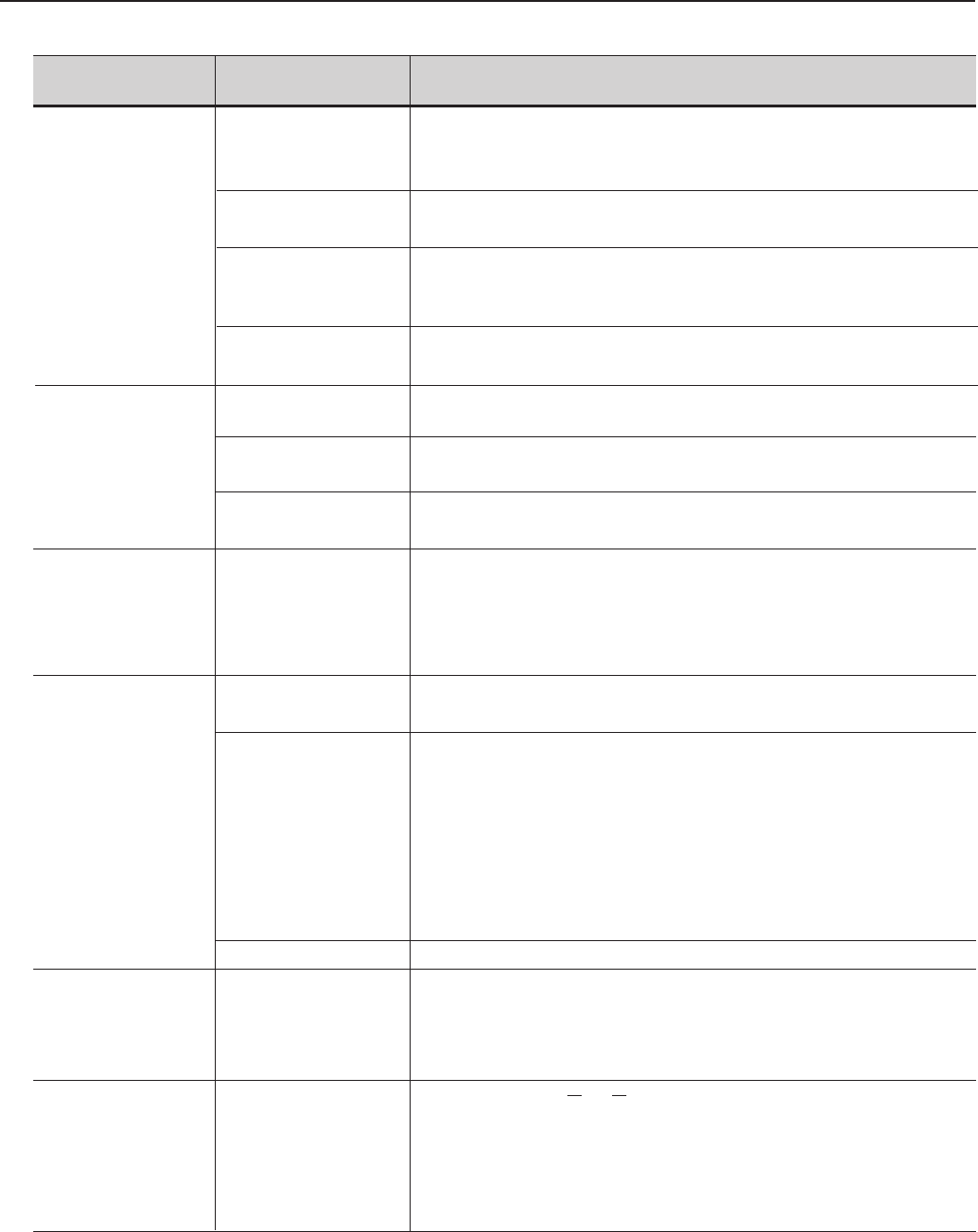
233
CHAPTER 7 - DIAGNOSTICS AND TROUBLESHOOTING
PROBLEM POINT TO BE CORRECTIVE ACTION
CHECKED
Motor speed Loose Connections 1. Disable the inverter, switch OFF the supply voltage and tighten
varies (oscillates) all connections.
2. Check if all internal connection are titghtened.
Speed 1. Replace the speed potentiometer.
Potentiometer
Variation of the 1. Identify the cause of the variation.
external analog
reference
Parameters not set 1. See Section 6, parameters P410, P412, P161, P162,
correctly (for P202=3 or 4) P175 and P176.
Motor speed too Programming error 1. Check if the contents of P133 (Min. Speed) and P134 (Max.
high or too low (reference limits) Speed) are according to the motor and the application.
Signal of the 1. Check the control signal level of the reference.
reference control 2. Check the programming (gains and offset) in P234 to P247.
Motor Nameplate 1. Check if the used motor meets the application requirements.
Data
Motor does not 1. Reduce P180 (set to 90 to 99%).
reach rated speed or
it starts to oscillate
at rated speed for
P202= 3 or 4 - Vector
Display OFF Connection of the 1. Check the Keypad connections to the inverter.
Keypad
Power Supply voltage 1. The power supply voltage must be within the following ranges:
220-230V power supply: - Min: 187V
- Max: 253V
380-480V power supply: - Min: 323V
- Max: 528V
500-600V power supply: - Min: 425V
- Max: 660V
660-690V power supply: - Min: 561V
- Max: 759V
Blown Fuse(s) 1. Replace the fuse(s)
Motor does not enter 1. Set P180, between 90% and 99%
the field weakening
range
(for P202= 3 or 4)
Motor speed too Encoder signals or Check the signals A - A, B - B according to figure 8.7. If this
low and P009 = P169 power connections connections are correct invert two output phases, for instance
or P170 (motor with U and V. Refer to Figure 3.9.
torque limitation),
for P202 = 4 -
vector with encoder
Table 7.2 - Troubleshooting (cont.)
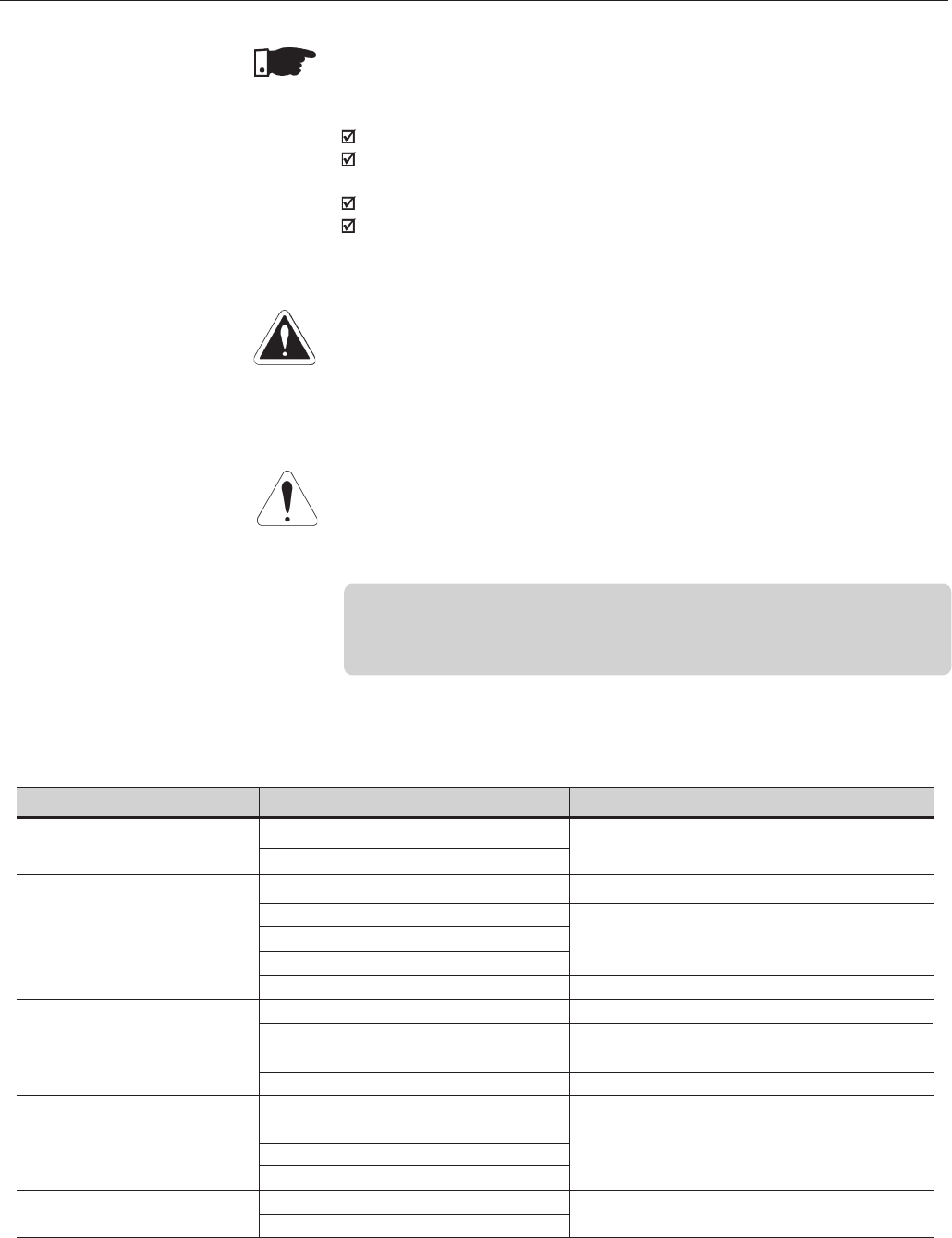
234
CHAPTER 7 - DIAGNOSTICS AND TROUBLESHOOTING
Never apply a high voltage test on the inverter!
If this is necessary, contact WEG.
To avoid operation problems caused by harsh ambient conditions, such as
high temperature, moisture, dirt, vibration or premature aging of the components,
periodic inspections of the inverter and installations are recommended.
DANGER!
Always disconnect the power supply voltage before touching any component
of the inverter.
Even after switching OFF the inverter, high voltages may be present. Wait 10
minutes to allow complete discharge of the power capacitors.
Always connect the equipment frame to a suitable ground (PE) point.
ATTENTION!
Electronic boards have components sensitive to electrostatic discharges.
Never touch the components or connectors directly. If this is unavoidable, first
touch the metallic frame or use a suitable ground strap.
7.4 PREVENTIVE
MAINTENANCE
NOTE!
When contacting WEG for service or technical assistance, please have the
following data on hand:
Inverter Model;
Serial number, manufacturing date and hardware revision, as indicated
on the inverter nameplate (Refer to Section 2.4);
Software Version (Refer to Section 2.2);
Information about the application and inverter programming.
7.3 CONTACTING
WEG
COMPONENT PROBLEMS CORRECTIVE ACTIONS
Terminal blocks, connectors Loose screws Tighten them
Loose connectors
Blowers (1)/ Cooling Blowers are dirty Clean them
System Abnormal acoustic noise Replace the blower
Blower is not running
Abnormal vibration
Dust in the air filters Clean or replace them
Printed circuit boards Dust, oil or moisture accumulation Clean them
Smell Replace them
Power module (3)/Dust, oil or moisture accumulation, etc. Clean them
power connections Connection screws are loose Tighten them
DC Bus Capacitors (2) Discoloration / smell / electrolyte Replace them
leakage
Safety valve is expanded or broken
Deformation
Power resistor Discoloration Replace it
Smell
Table 7.3 - Periodic Inspections after Start-up
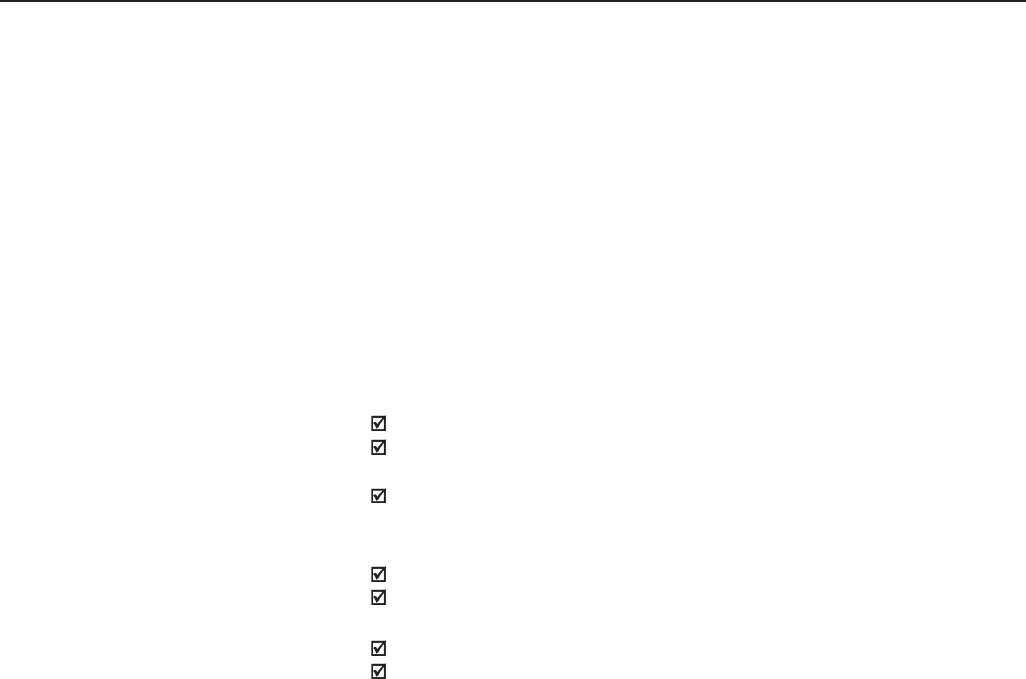
235
CHAPTER 7 - DIAGNOSTICS AND TROUBLESHOOTING
When necessary clean the CFW-09 following the instructions below:
Cooling system:
Remove AC power from the inverter and wait 10 minutes;
Remove all dust from the ventilation openings by using a plastic
bush or a soft cloth;
Remove dust accumulated on the heat sink fins and from the blower
blades with compressed air;
Electronic Boards:
Remove AC power form the inverter and wait 10 minutes;
Remove all dust from the printed circuit boards by using an anti-static
soft brush or remove it with an ionized compressed air gun;
If necessary, remove the PCBs from the inverter;
Always use a ground strap.
7.4.1 Cleaning Instructions
Notes:
(1) It is recommended to replace the blowers after each 40,000 hours of
operation;
(2) Check the capacitors every six months. It is recommended to replace
them after five years of operation.
(3) If the inverter is stored for long periods, we recommend to power it up once
a year during 1 hour. For 220-230V and 380-480V models apply supply
voltage of aprox. 220Vac, three-phase or single-phase input, 50 or 60 Hz,
without connecting motor at output. After this energization, wait 24 hours
before installing it. For 500-600V, 500-690V and 660-690V models use the
same procedure applying a voltage between 300V and 330Vac to the inver-
ter input.
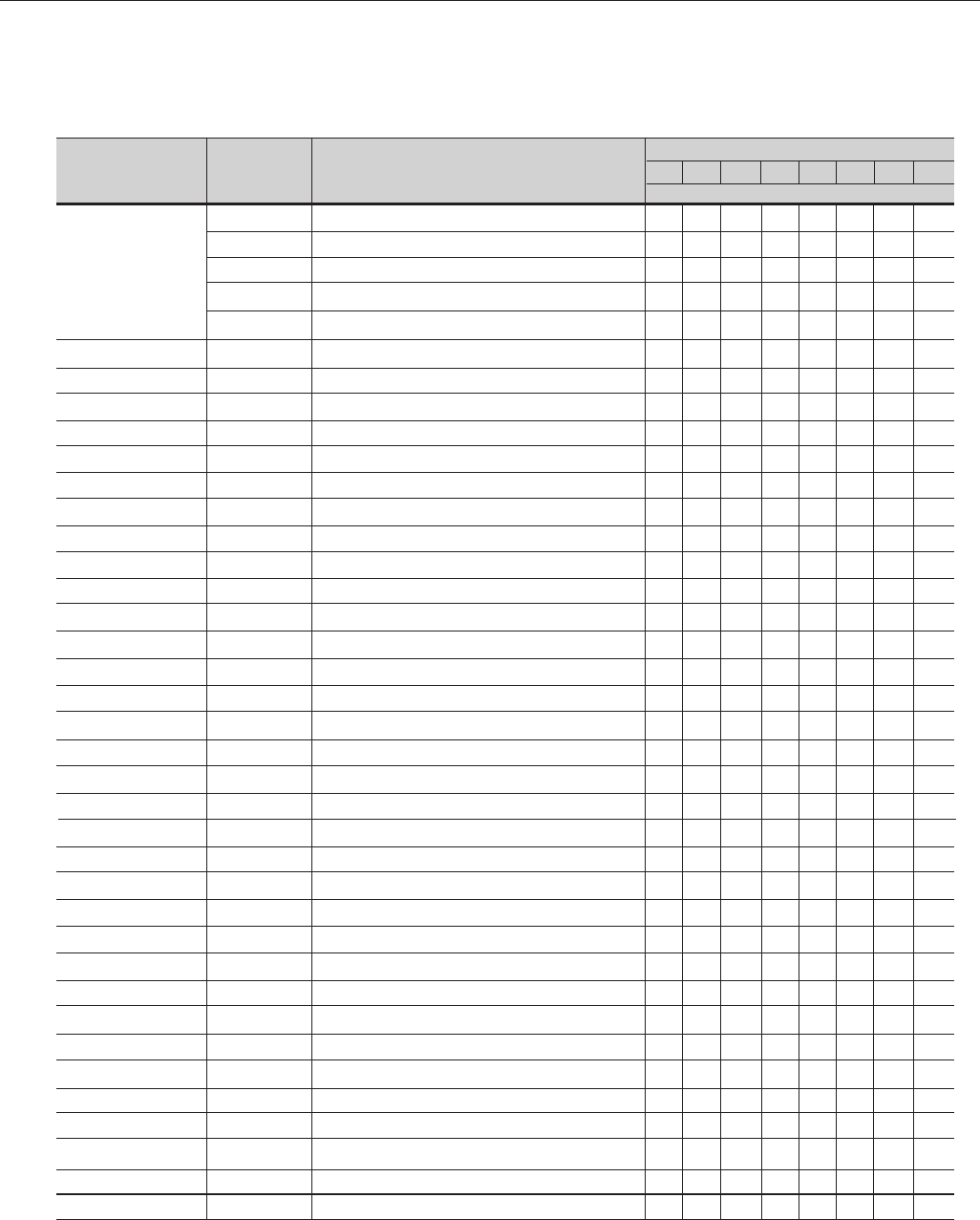
236
CHAPTER 7 - DIAGNOSTICS AND TROUBLESHOOTING
7.5 SPARE PART LIST
Models 220-230V
Name
Fans
Fuse
HMI-CFW09-LCD
CC9 - 00
CFI1.00
DPS1.00
CRP1.00
KML-CFW09
P06 - 2.00
P07 - 2.00
P10 - 2.00
P13 - 2.00
P16 - 2.00
P24 - 2.00
P28 - 2.00
P45 - 2.00
HMI-CFW09-LED
KMR-CFW09
CFI1.01
EBA1.01
EBA1.02
EBA1.03
EBB.01
EBB.02
EBB.03
EBB.04
EBB.05
EBC1.01
EBC1.02
EBC1.03
SCI1.00
Modbus RTU
Profibus DP
DeviceNet
Item No
5000.5275
5000.5292
5000.5267
5000.5364
5000.5305
0305.6716
S417102024
S41509651
S41509929
S41512431
S41510960
S417102035
S41512296
S41512300
S41512318
S41512326
S41512334
S41512342
S41512350
S41510587
S417102023
S417102036
S41510226
S41510110
S41511761
S41511770
S41510200
S41511788
S41511796
S41512671
S41512741
S41513174
S41513175
S41513176
S41510846
S03051277
S03051269
S03051250
Especification
Fan 0400.3681 Length 255 mm (60x60)
Fan 0400.3679 Length 165 mm (40x40)
Fan 0400.3682 Length 200 mm (80x80)
Fan 0400.3679 Length 230 mm (40x40)
Fan 2x04003680 (60x60)
Fuse 6.3X32 3.15A 500V
HMI-LCD
Control Board CC9.00
Interface Board with the HMI
Driver and Power Supply Board
Pulse Feedback Board
Kit KML
Power Board P06-2.00
Power Board P07-2.00
Power Board P10-2.00
Power Board P13-2.00
Power Board P16-2.00
Power Board P24-2.00
Power Board P28-2.00
Power Board P45-2.00
HMI-LED (Optional)
Kit KMR (Optional)
Interface Board with HMI (Optional)
Function Expansion Board (Optional)
Function Expansion Board (Optional)
Function Expansion Board (Optional)
Function Expansion Board (Optional)
Function Expansion Board (Optional)
Function Expansion Board (Optional)
Function Expansion Board (Optional)
Function Expansion Board (Optional)
Funcion Expancion Board (Optional)
Function Expansion Board (Optional)
Function Expansion Board (Optional)
RS-232 Module for PC (Optional)
Anybus-DT Modbus RTU Board (Optional)
Anybus-S Profibus DP Board (Optional)
Anybus-S DeviceNET Board (Optional)
Types (Ampéres)
6 7 10 13 16 24 28 45
Units per Inverter
1 1 1 1
1 1 1
2
1
1 1 1
1
1 1 1 1 1 1 1 1
1 1 1 1 1 1 1 1
1 1 1 1 1 1 1 1
1
1 1 1 1 1 1 1
1 1 1
1
1
1
1
1
1
1
1
1 1 1 1 1 1 1 1
1 1 1 1 1 1 1 1
1 1 1 1 1 1 1 1
1 1 1 1 1 1 1 1
1 1 1 1 1 1 1 1
1 1 1 1 1 1 1 1
1 1 1 1 1 1 1 1
1 1 1 1 1 1 1 1
1 1 1 1 1 1 1 1
1 1 1 1 1 1 1 1
1 1 1 1 1 1 1 1
1 1 1 1 1 1 1 1
1 1 1 1 1 1 1 1
1 1 1 1 1 1 1 1
1 1 1 1 1 1 1 1
1 1 1 1 1 1 1 1
1 1 1 1 1 1 1 1
1 1 1 1 1 1 1 1
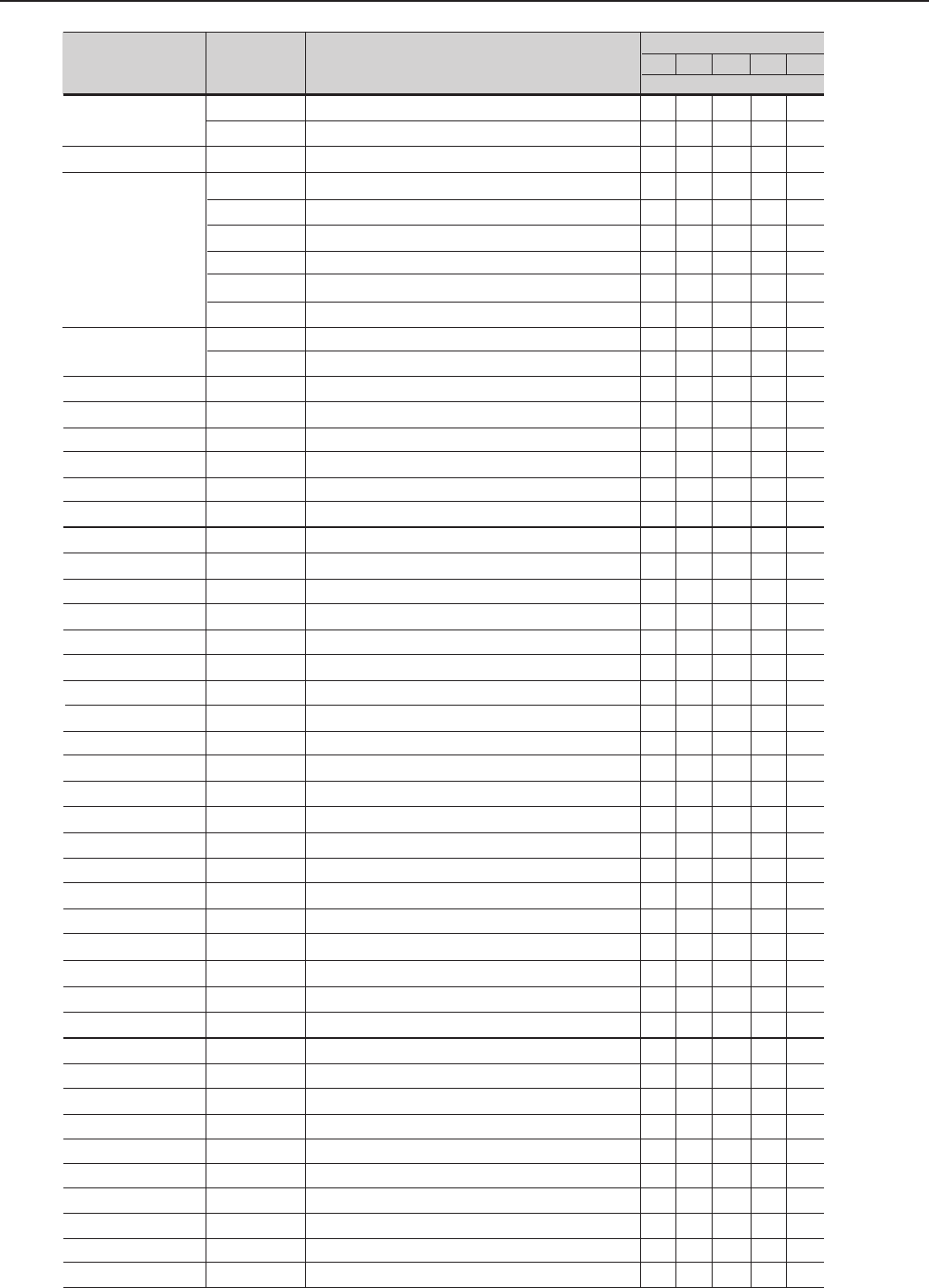
237
CHAPTER 7 - DIAGNOSTICS AND TROUBLESHOOTING
Name
Precharge
Contactors
Precharge Resistor
Fan
Fuse
HMI-CFW09-LCD
CC9.00
LVS1.01
CFI1.00
DPS1.00
KML-CFW09
DPS1.01
*P54 - 2.00
P54 - 2.01
*P70 - 2.00
P70 - 2.01
*P86 - 2.00
P86 - 2.01
*P105 - 2.00
P105 - 2.01
*P130 - 2.00
P130 - 2.01
HMI-CFW09-LED
KMR-CFW09
CFI1.01
EBA1.01
EBA1.02
EBA1.03
EBB.01
EBB.02
EBB.03
EBB.04
EBB.05
EBC1.01
EBC1.02
EBC1.03
SCI1.00
Modbus RTU
Profibus DP
DeviceNet
Current Transformer
Item No
035502345
035502394
0301.1852
5000.5267
5000.5127
5000.5208
5000.5364
5000.5216
0400.2547
0305.6716
0305.5604
S417102024
S41509651
S41510927
S41509929
S41512431
S417102035
S41512440
S41510552
S41511443
S41511354
S41511451
S41510501
S41511460
S41511362
S41511478
S41510439
S41511486
S417102023
S417102036
S41510226
S41510110
S41511761
S41511770
S41510200
S41511788
S41511796
S41512671
S41512741
S41513174
S41513175
S41513176
S41510846
S03051277
S03051269
S03051250
0307.2495
Especification
Cont.CWM32.10 220V 50/60 Hz
Cont.CWM50.00 220V 50/60 Hz
Vitrified wire Resistor 20R 75 W
Fan 0400.3682 Length.200 mm
Fan 0400.3682 Length 285 mm
Fan 0400.3683 Lenght 230mm (120x120)
Fan 0400.3679 Length. 230mm (40x40)
Fan 0400.3683 Length 330mm
Fan 220V 50/60Hz
Fuse 6.3x32 3.15A 500V
Ret Fuse 0.5A 600V FNQ-R1
HMI LCD
Control Board CC9.00
Board LVS1.01
Interface Board with the HMI
Power Supplies and Firing Board
Kit KML
Driver and Power Supply Board
Power Board P54-2.00
Power Board P54-2.01
Power Board P70-2.00
Power Board P70-2.01
Power Board P86-2.00
Power Board P86-2.01
Power Board P105-2.00
Power Board P105-2.01
Power Board P130-2.00
Power Board P130-2.01
HMI LED (Optional)
Kit KMR (Optional)
Interface Board with HMI (Optional)
Function Expansion Board (Optional)
Function Expansion Board (Optional)
Function Expansion Board (Optional)
Function Expansion Board (Optional)
Function Expansion Board (Optional)
Function Expansion Board (Optional)
Function Expansion Board (Optional)
Function Expansion Board (Optional)
Funcion Expancion Board (Optional)
Function Expansion Board (Optional)
Function Expansion Board (Optional)
RS-232 module for PC (Optional)
Anybus-DT Modbus RTU Board (Optional)
Anybus-S Profibus DP Board (Optional)
Anybus-S DeviceNET Board (Optional)
Current transformer 200A/100mA
Types (Ampéres)
54 70 86 105 130
Units per Inverter
1 1
1 1
1 1 1 1
2
1
1 1
1 1 1 1 1
1 1
1 1
1 1 1 1 1
2 2 2 2
1 1 1 1 1
1 1 1 1 1
1 1 1 1
1 1 1 1 1
1
1 1 1 1 1
1 1 1 1
1
1
1
1
1
1
1
1
1
1
1 1 1 1 1
1 1 1 1 1
1 1 1 1 1
1 1 1 1 1
1 1 1 1 1
1 1 1 1 1
1 1 1 1 1
1 1 1 1 1
1 1 1 1 1
1 1 1 1 1
1 1 1 1 1
1 1 1 1 1
1 1 1 1 1
1 1 1 1 1
1 1 1 1 1
1 1 1 1 1
1 1 1 1 1
1 1 1 1 1
2 2
Models 220-230V
* Only the types specified with braking (DB)
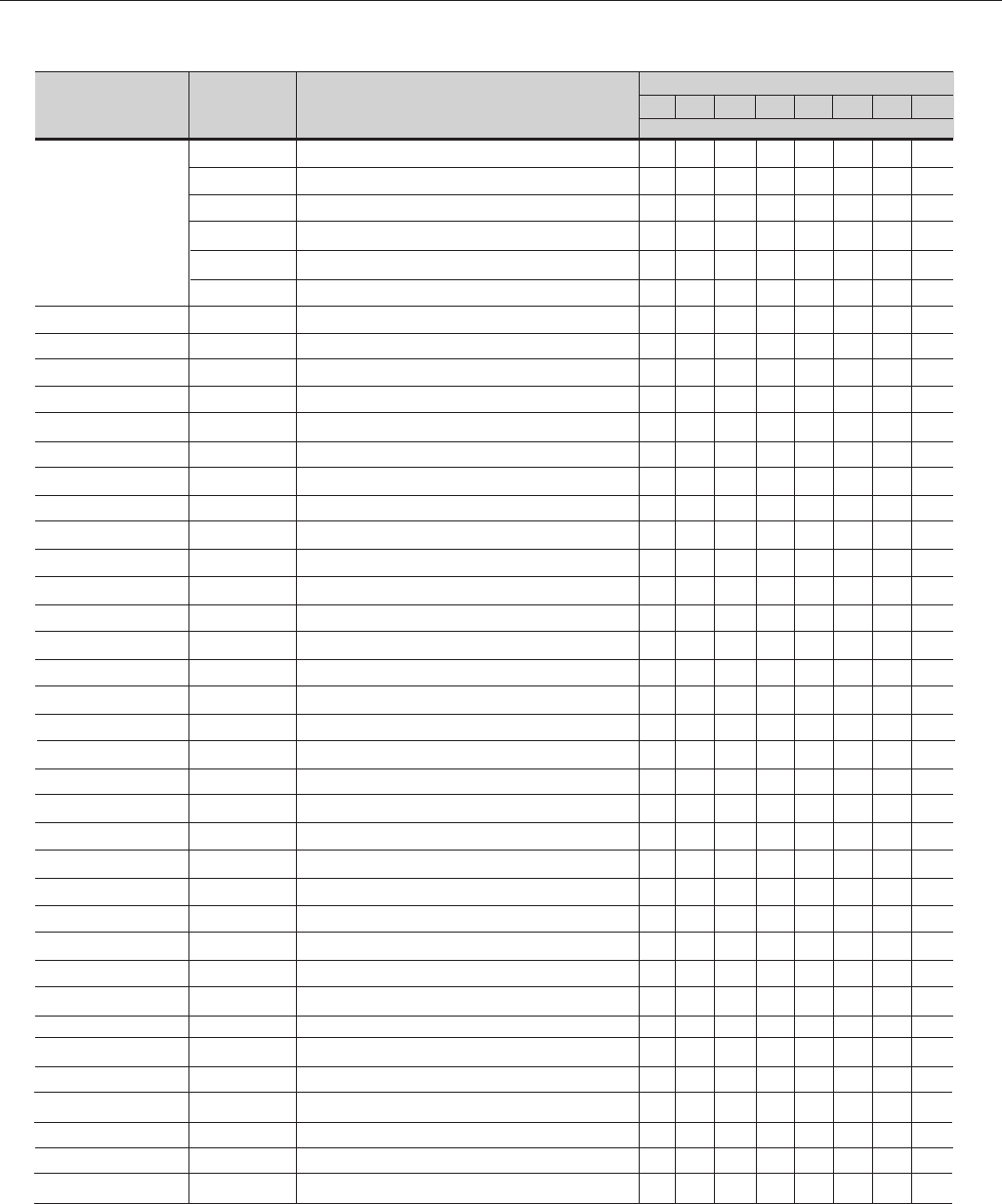
238
CHAPTER 7 - DIAGNOSTICS AND TROUBLESHOOTING
Name
Fans
Fuse
CC9.00
HMI-CFW09-LCD
CFI1.00
DPS1.00
CRP1.01
KML-CFW09
P03 - 4.00
P04 - 4.00
P05 - 4.00
P09 - 4.00
P13 - 4.00
P16 - 4.00
P24 - 4.00
P30 - 4.00
HMI-CFW09-LED
KMR-CFW09
CFI1.01
EBA1.01
EBA1.02
EBA1.03
EBB.01
EBB.02
EBB.03
EBB.04
EBB.05
EBC1.01
EBC1.02
EBC1.03
SCI1.00
Modbus RTU
Profibus DP
DeviceNet
Especification
Fan 0400.3284 Length 190 mm (60x60)
Fan 2x0400.2423 150/110 mm (60x60)
Fan 0400.3679 Length 165 mm (40x40)
Fan 2x0400.3681 (135/175) mm (60x60)
Fan 0400.3682 Length 140 mm (80x80)
Fan 0400.3679 Length 230 mm (40x40)
Fuse 6.3x32 3.15A 500V
Control Board CC9.00
HMI LCD
Interface Board with HMI
Driver and Power Supply Board
Pulse Feedback Board
Kit KML
Power Board P03-4.00
Power Board P04-4.00
Power Board P05-4.00
Power Board P09-4.00
Power Board P13-4.00
Power Board P16-4.00
Power Board P24-4.00
Power Board P30-4.00
HMI LED (Opcional)
Kit KMR (Optional)
Interface Board with HMI (Optional)
Function Expansion Board (Optional)
Function Expansion Board (Optional)
Function Expansion Board (Optional)
Function Expansion Board (Optional)
Function Expansion Board (Optional)
Function Expansion Board (Optional)
Function Expansion Board (Optional)
Function Expansion Board (Optional)
Funcion Expancion Board (Optional)
Function Expansion Board (Optional)
Function Expansion Board (Optional)
RS-232 Module for PC (Optional)
Anybus-DT Modbus RTU Board (Optional)
Anybus-S Profibus DP Board (Optional)
Anybus-S DeviceNET Board (Optional)
Type (Ampéres)
3.6 45.5 913 16 24 30
Units per Inverter
1 1 1 1
1 1
1 1 1
1
2
1
1
1 1 1 1 1 1 1 1
1 1 1 1 1 1 1 1
1 1 1 1 1 1 1 1
1
1 1 1 1 1 1 1
1
1
1
1
1
1
1
1
1
1 1 1 1 1 1 1 1
1 1 1 1 1 1 1 1
1 1 1 1 1 1 1 1
1 1 1 1 1 1 1 1
1 1 1 1 1 1 1 1
1 1 1 1 1 1 1 1
1 1 1 1 1 1 1 1
1 1 1 1 1 1 1 1
1 1 1 1 1 1 1 1
1 1 1 1 1 1 1 1
1 1 1 1 1 1 1 1
1 1 1 1 1 1 1 1
1 1 1 1 1 1 1 1
1 1 1 1 1 1 1 1
1 1 1 1 1 1 1 1
1 1 1 1 1 1 1 1
1 1 1 1 1 1 1 1
1 1 1 1 1 1 1 1
Models 380-480V
Item No
5000.5275
5000.5305
5000.5292
5000.5283
5000.5259
5000.5364
0305.6716
S41509651
S417102024
S41509929
S41512431
S41510820
S417102035
S41512369
S41512377
S41512385
S41512393
S41512407
S41512415
S41512423
S41509759
S417102023
S417102036
S41510226
S41510110
S41511761
S41511770
S41510200
S41511788
S41511796
S41512671
S41512741
S41513174
S41513175
S41513176
S41510846
S03051277
S03051269
S03051250
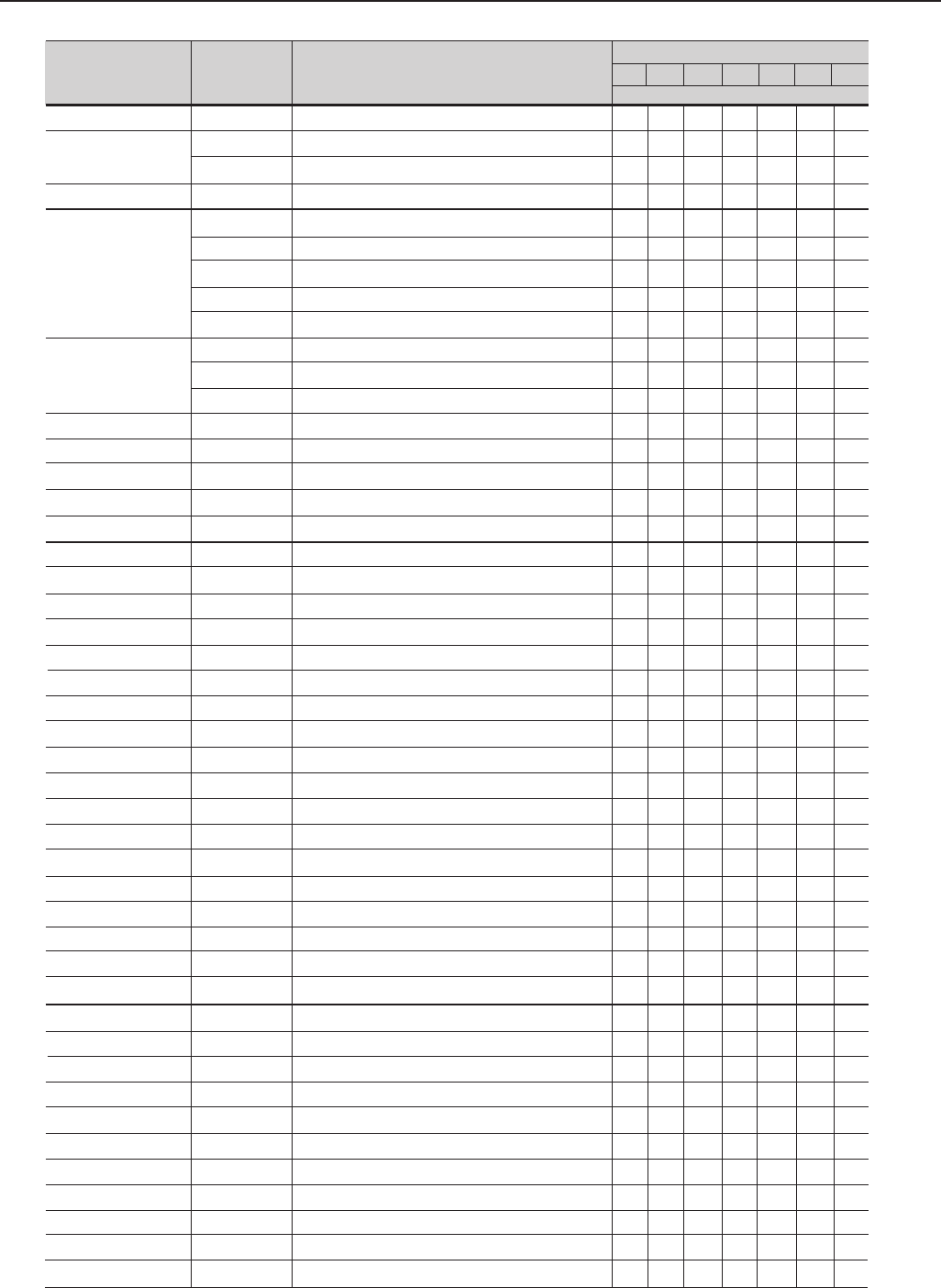
239
CHAPTER 7 - DIAGNOSTICS AND TROUBLESHOOTING
Models 380-480V
Name
Precharge Contactor
Precharge Transfor
Precharge Resistor
Fans
Fuse
HMI-CFW09-LCD
CC9.00
CFI1.00
DPS1.00
DPS1.01
LVS1.00
CB1.00
CB3.00
KML-CFW09
*P38-4.00
P38-4.01
*P45-4.00
P45-4.01
*P60-4.00
P60-4.01
*P70-4.00
P70-4.01
*P86-4.00
P86-4.01
*P105-4.00
P105-4.01
*P142-4.00
P142-4.01
HMI-CFW09-LED
KMR-CFW09
CFI1.01
EBA1.01
EBA1.02
EBA1.03
EBB.01
EBB.02
EBB.03
EBB.04
EBB.05
Item No
035502394
0307.0034
0307.0042
0301.1852
5000.5267
5000.5208
5000.5216
5000.5364
0400.2547
0305.5604
0305.5663
0305.6716
S417102024
S41509651
S41509929
S41512431
S41512440
S41510269
S41509996
S41510285
S417102035
S41511753
S41511370
S41509805
S41511389
S41511338
S41511397
S41509970
S41511400
S41511346
S41511419
S41509953
S41511427
S41510056
S41511435
S417102023
S417102036
S41510226
S41510110
S41511761
S41511770
S41510200
S41511788
S41511796
S41512671
S41512741
Especification
Contactor CWM50.10 220V 50/60 Hz
Transformer 100 VA
Transformer 300 VA
Vitrified wire Resistor 20R 75 W
Fan 0400.3682 Length.200 mm (80x80)
Fan 0400.3683 Length 230 mm (120x120)
Fan 0400.3683 Length 330mm (40x40)
Fan 0400.3679 Length230 mm (40x40)
Fan 220V 50/60Hz
Ret. Fuse 0.5A 600V FNQ-R1
Ret. Fuse 1.6A 600V
Fuse 6.3x32 3.15A 500V
HMI LCD
Controle Board CC9.00
HMI Interface Board
Driver and Power Supply Board
Driver and Power Supply Board
Voltage Selection Board
Board CB1.00
Board CB3.00
Kit KML
Power Board P38-4.00
Power Board P38-4.01
Power Board P45-4.00
Power Board P45-4.01
Power Board P60-4.00
Power Board P60-4.01
Power Board P70-4.00
Power Board P70-4.01
Power Board P86-4.00
Power Board P86-4.01
Power Board P105-4.00
Power Board P105-4.01
Power Board P142-4.00
Power Board P142-4.01
HMI LED (Optional)
Kit KMR (Optional)
Interface Board with HMI (Optional)
Function Expansion Board (Optional)
Function Expansion Board (Optional)
Function Expansion Board (Optional)
Function Expansion Board (Optional)
Function Expansion Board (Optional)
Function Expansion Board (Optional)
Function Expansion Board (Optional)
Function Expansion Board (Optional)
Type (Ampéres)
38 45 60 70 86 105 142
Units per inverter
1 1 1
1 1
1
1 1 1
3 3
1 1
1 1
1 1 1 1 1 1 1
1 1
2 2
2
1 1 1 1 1 1 1
1 1 1 1 1 1 1
1 1 1 1 1 1 1
1 1 1 1 1 1 1
1 1
1 1 1 1 1
1 1 1
2 2
2 2 2
1 1 1 1 1 1 1
1
1
1
1
1
1
1
1
1
1
1
1
1
1
1 1 1 1 1 1 1
1 1 1 1 1 1 1
1 1 1 1 1 1 1
1 1 1 1 1 1 1
1 1 1 1 1 1 1
1 1 1 1 1 1 1
1 1 1 1 1 1 1
1 1 1 1 1 1 1
1 1 1 1 1 1 1
1 1 1 1 1 1 1
1 1 1 1 1 1 1
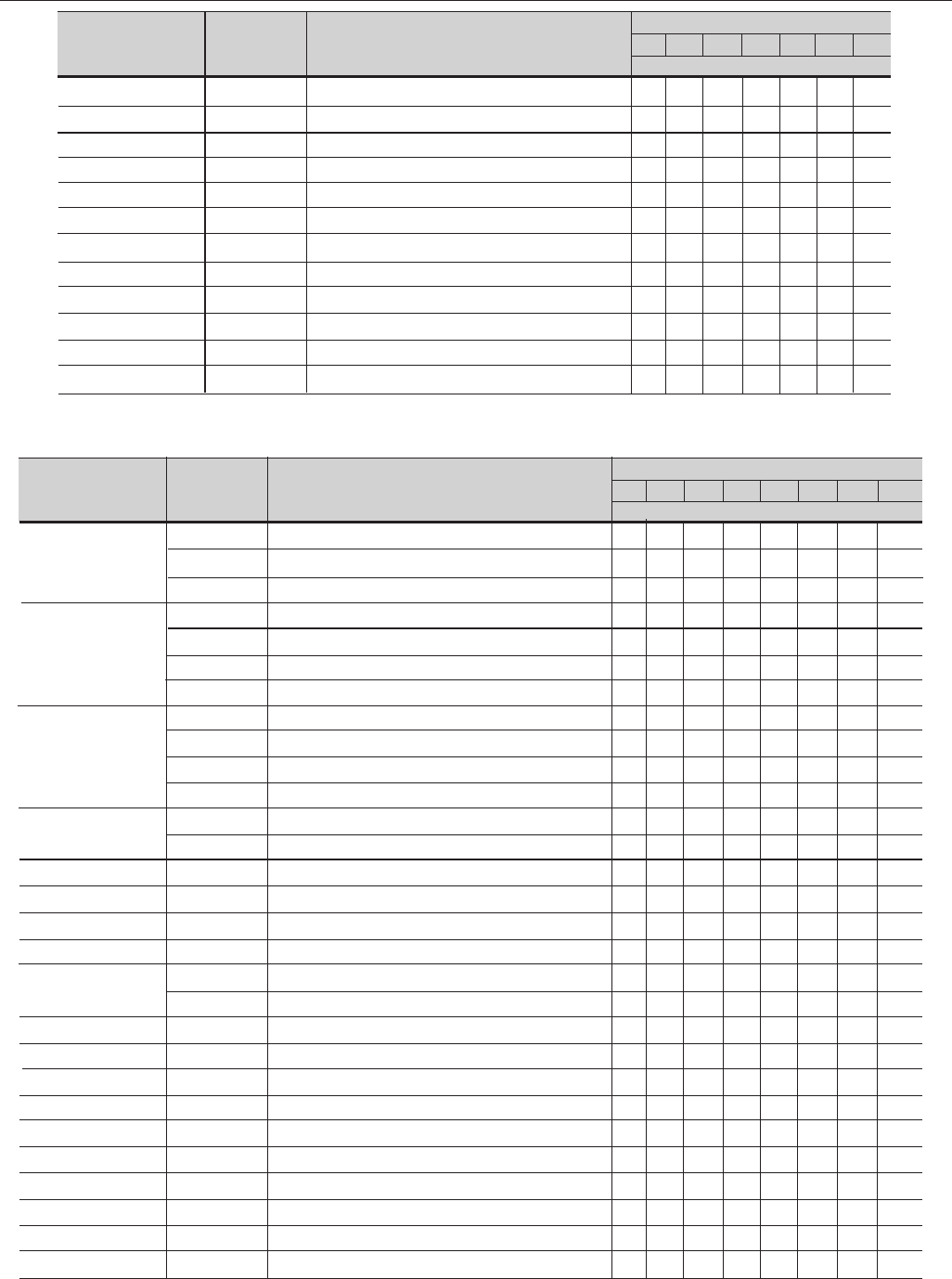
240
CHAPTER 7 - DIAGNOSTICS AND TROUBLESHOOTING
*Only for the types specified with braking (DB)
EBC1.01
EBC1.02
EBC1.03
CB7D.00
CB7E.00
CB4D.00
CB4E.00
SCI1.00
Modbus RTU
Profibus DP
DeviceNet
Current Trasformer
Funcion Expancion Board (Optional)
Function Expansion Board (Optional)
Function Expansion Board (Optional)
Board CB7D.00
Board CB7E.00
Board CB4D.00
Board CB4E.00
RS-232 Module for PC (Optional)
Anybus-DT Modbus RTU Board (Optional)
Anybus-S Profibus DP Board (Optional)
Anybus-S DeviceNET Board (Optional)
Current transformer 200A/100mA
1 1 1 1 1 1 1
1 1 1 1 1 1 1
1 1 1 1 1 1 1
1 1
1 1
1 1 1
1 1 1
1 1 1 1 1 1 1
1 1 1 1 1 1 1
1 1 1 1 1 1 1
1 1 1 1 1 1 1
2 2 2
Name Item NoEspecification Type (Ampéres)
38 45 60 70 86 105 142
Units per inverter
Models 380-480V
Name
IGBT Module
Inverter Arm
Thyristor-Diode Module
Precharge
Transformer
Precharge Resistor
Rectifier Bridge
Electrolytic Capacitor
Fan
Fuses
HMI-CFW09-LCD
KML-CFW09
CC9.00
DPS2.00
DPS2.01
CRG2.00
CRG3X.01
CRG3X.00
CIP2.00
CIP2.01
Item Nº
0303.7118
0298.0001
0303.9315
417102497
417102498
417102499
417102496
0298.0016
0303.9986
0303.9994
0298.0003
0307.0204
0307.0212
0301.9250
0303.9544
0302.4873
6431.3207
0305.5663
0305.6112
S417102024
S417102035
S41509651
S41510897
S41511575
S41512615
S41512618
S41512617
S41513217
S41513218
Especification
IGBT Module 200A 1200V
IGBT Module 300A 1200V - (EUPEC)
IGBT Module 300A 1200V
Inverter Arm 361A - EP
Inverter Arm 450A - EP
Inverter Arm 600A - EP
InverterArm 600A
Thyristor-Diode Module TD330N16
Thyristor-Diode Module TD425N16
Thyristor-Diode Module TD500N16
Thyristor-Diode Module SKKH 250/16
Transformer of Fan and SCR Firing Pulse 250VA
Transformer of Fan and SCR Firing Pulse 650VA
Vitrified Wire Resistor 35 R 75 W
Three-Phase Rectifier Bridge 35A 1400V
Electrolytic Capacitor 4700uF/400V
Centrifugal Fan 230V 50/60Hz
Ret. Fuse 1.6A 600V
Ret. Fuse 2.5A 600V
HMI LCD
Kit KML
Control Board CC9.00
Driver and Power Supply Board DPS2.00
Driver and Power Supply Board DPS2.01
Gate Resistor Board CRG2X.00
Gate Resistor Board CRG3X.01
Gate Resistor Board CRG3X.00
CIP2A.00 Board
CIP2A.01 Board
Type (Ampéres)
180 211240 312 361 450 515 600
Units per inverter
6
6 6
6 6 9 12 12
3 3
3
3 3
6 6 9 12 12
3 3
3
3 3
3 3 3
1 1 1
1 1 1 1 1
6 6 6 8 8 10 10 10
1 1 1 1 1 1 1 1
812 12 18 18 24 30 30
1 1 1 3 3 3 3 3
2 2 2
2 2 2 2 2
1 1 1 1 1 1 1 1
1 1 1 1 1 1 1 1
1 1 1 1 1 1 1 1
1 1 1 1 1
1 1 1
3 3 3 3 3
3
3 3
1
1
S41513174
S41513175
S41513176
S41513136
S41513134
S41513058
S41513107
S41510846
S03051277
S03051269
S03051250
0307.2495
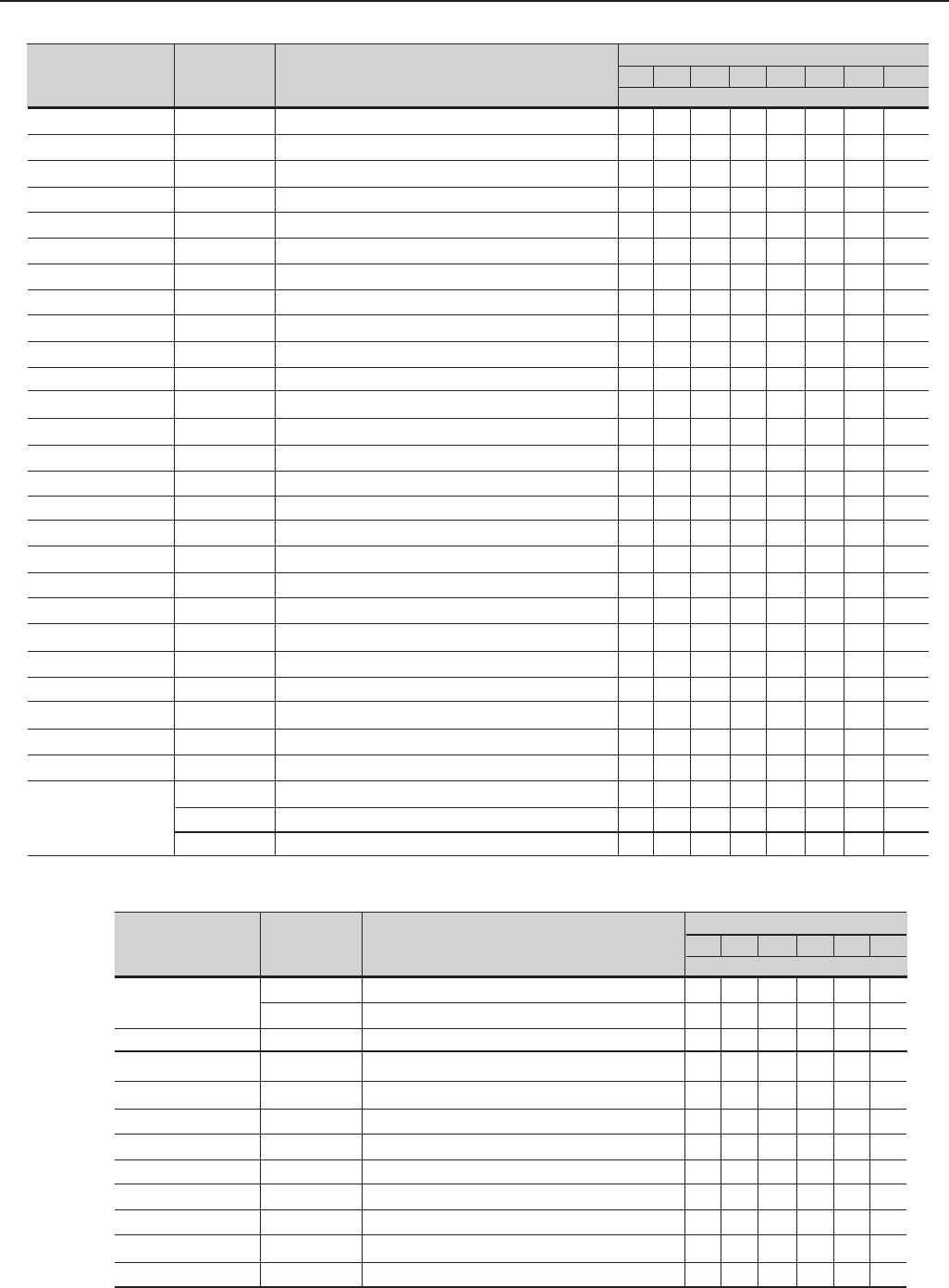
241
CHAPTER 7 - DIAGNOSTICS AND TROUBLESHOOTING
Name
CIP2.02
CIP2.03
CIP2.04
CIP2.52
CIP2.53
CIP2.54
SKHI23MEC8
SKHI23MEC10
HMI-CFW09-LED
KMR-CFW09
CFI1.01
EBA1.01
EBA1.02
EBA1.03
EBB.01
EBB.02
EBB.03
EBB.04
EBB.05
EBC1.01
EBC1.02
EBC1.03
SCI1.00
Modbus RTU
Profibus DP
DeviceNet
Current Transducers
Item Nº
S41513219
S41513220
S41513221
S41513228
S41513229
S41513230
S41511532
S41511540
S417102023
S417102036
S41510226
S41510110
S41511761
S41511770
S41510200
S41511788
S41511796
S41512671
S41512741
S41513174
S41513175
S41513176
S41510846
S03051277
S03051269
S03051250
0307.2509
0307.2550
0307.2070
Especification
CIP2A.02 Board
CIP2A.03 Board
CIP2A.04 Board
CIP2A.52 Board
CIP2A.53 Board
CIP2A.54 Board
Board SKHI23/12 for MEC8
Board SKHI23/12 for MEC10
HMI LED (Optional)
Kit KMR (Optional)
Interface Board with HMI (Optional)
Function Expansion Board (Optional)
Function Expansion Board (Optional)
Function Expansion Board (Optional)
Function Expansion Board (Optional)
Function Expansion Board (Optional)
Function Expansion Board (Optional)
Function Expansion Board (Optional)
Function Expansion Board (Optional)
Funcion Expancion Board (Optional)
Function Expansion Board (Optional)
Function Expansion Board (Optional)
RS-232 Module for PC (Optional)
Anybus-DT Modbus RTU Board (Optional)
Anybus-S Profibus DP Board (Optional)
Anybus-S DeviceNETBoard (Optional)
Current Transformer 500A/250mA
Current Transformer 5000A/1A LT SI
Current Transformer 1000A/200mA LT 100SI
Type (Ampéres)
180 211240 312 361 450 515 600
Units per inverter
1
1
1
1
1
1
3 3 3
3 3 3
1 1 1 1 1 1 1 1
1 1 1 1 1 1 1 1
1 1 1 1 1 1 1 1
1 1 1 1 1 1 1 1
1 1 1 1 1 1 1 1
1 1 1 1 1 1 1 1
1 1 1 1 1 1 1 1
1 1 1 1 1 1 1 1
1 1 1 1 1 1 1 1
1 1 1 1 1 1 1 1
1 1 1 1 1 1 1 1
1 1 1 1 1 1 1 1
1 1 1 1 1 1 1 1
1 1 1 1 1 1 1 1
1 1 1 1 1 1 1 1
1 1 1 1 1 1 1 1
1 1 1 1 1 1 1 1
1 1 1 1 1 1 1 1
2 2 2
2 2
2 2 2
Models 500-600V
Name
Fans
CC9.00
HMI-CFW09-LCD
CIF1.00
CRP2.00
P02-6.00
P04-6.00
P07-6.00
P10-6.00
P12-6.00
P14-6.00
Item No
5000.5291
5000.5435
S41509651
S417102024
S41509929
S41512862
S41512855
S41512856
S41512857
S41512858
S41512859
S41512860
Especification
Fan 0400.3217 Comp. 145mm (40x40)
Fan 2x400.3284 290/200mm (60x60)
Control Board CC9.00
HMI LCD
Interface Board with HMI
Pulse Feedback Board
Power Board P02-6.00
Power Board P04-6.00
Power Board P04-6.00
Power Board P10-6.00
Power Board P12-6.00
Power Board P14-6.00
Types (Ampéres)
2.9 4.2 710 12 14
Units per Inverter
1 1 1 1 1 1
1 1 1 1
1 1 1 1 1 1
1 1 1 1 1 1
1 1 1 1 1 1
1 1 1 1 1 1
1
1
1
1
1
1
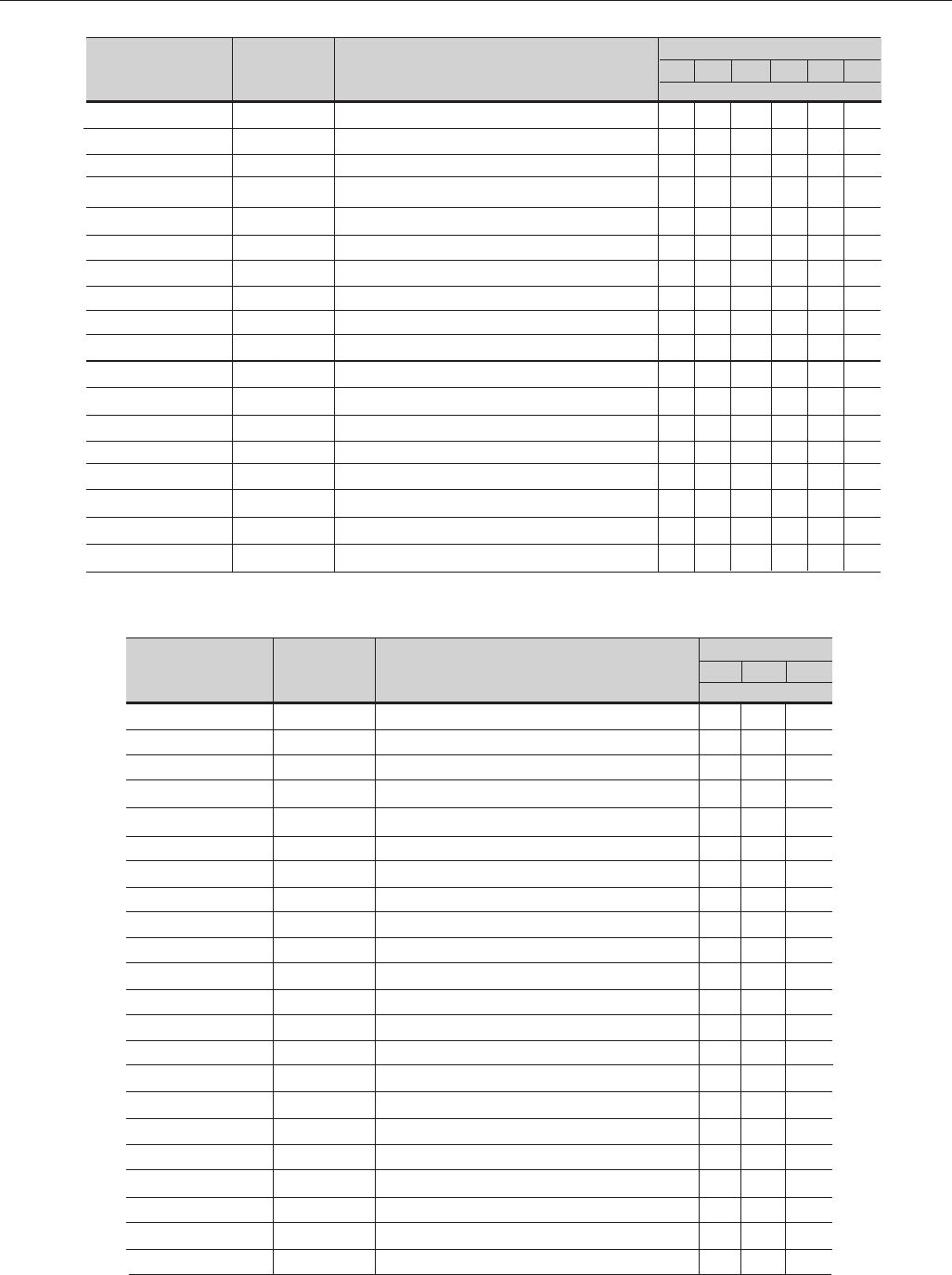
242
CHAPTER 7 - DIAGNOSTICS AND TROUBLESHOOTING
Name
HMI-CFW09-LED
KMR-CFW09
CIF1.01
EBA1.01
EBA1.02
EBA1.03
EBB.01
EBB.02
EBB.03
EBB.04
EBB.05
EBC1.01
EBC1.02
EBC1.03
SCI1.00
Modbus RTU
Profibus DP
DeviceNet
Item No
S417102023
S417102036
S41510226
S41510110
S41511761
S41511770
S41510200
S41511788
S41511796
S41512671
S41512741
S41513174
S41513175
S41513176
S41510846
S03051277
S03051269
S03051250
Especification
HMI LED (Optional)
Kit KMR (Optional)
Interface Board with HMI (Optional)
Function Expansion Board (Optional)
Function Expansion Board (Optional)
Function Expansion Board (Optional)
Function Expansion Board (Optional)
Function Expansion Board (Optional)
Function Expansion Board (Optional)
Function Expansion Board (Optional)
Function Expansion Board (Optional)
Funcion Expancion Board (Optional)
Function Expansion Board (Optional)
Function Expansion Board (Optional)
RS-232 Module for PC (Optional)
Anybus-DT Modbus RTU Board (Optional)
Anybus-S Profibus DP Board (Optional)
Anybus-S DeviceNet Board (Optional)
Types (Ampéres)
2.9 4.2 710 12 14
Units per Inverter
1 1 1 1 1 1
1 1 1 1 1 1
1 1 1 1 1 1
1 1 1 1 1 1
1 1 1 1 1 1
1 1 1 1 1 1
1 1 1 1 1 1
1 1 1 1 1 1
1 1 1 1 1 1
1 1 1 1 1 1
1 1 1 1 1 1
1 1 1 1 1 1
1 1 1 1 1 1
1 1 1 1 1 1
1 1 1 1 1 1
1 1 1 1 1 1
1 1 1 1 1 1
1 1 1 1 1 1
Models 500-600V
Name
Fans
Fuse
CC9.00
HMI-CFW09-LCD
CIF1.00
KML-CFW09
DPS4.00
P22-6.01
P22-6.00
P27-6.01
*P27-6.00
P32-6.01
*P32-6.00
HMI-CFW09-LED
KMR-CFW09
CIF1.01
EBA1.01
EBA1.02
EBA1.03
EBB.01
EBB.02
EBB.03
Item No
5000.5267
0305.6716
S41509651
S417102024
S41509929
S417102035
S41512864
S41512867
S41512866
S41512869
S41512868
S41512872
S41512871
S417102023
S417102036
S41510226
S41510110
S41511761
S41511770
S41510200
S41511788
S41511796
Especification
Fan 0400.2482 Comp. 150mm (80x80)
Fuse 6.3x32 3.15A 500V
Control Board CC9.00
HMI LCD
Interface Board with HMI
Kit KML
Driver and Power Supply Board
Power Board P22-6.01
Power Board P22-6.00
Power Board P27-6.01
Power Board P27-6.00
Power Board P32-6.01
Power Board P32-6.00
HMI LED (Optional)
Kit KMR (Optional)
Interface Board with HMI (Optional)
Function Expansion Board (Optional)
Function Expansion Board (Optional)
Function Expansion Board (Optional)
Function Expansion Board (Optional)
Function Expansion Board (Optional)
Function Expansion Board (Optional)
Types (Ampéres)
22 27 32
Units per Inverter
3 3 3
1 1 1
1 1 1
1 1 1
1 1 1
1 1 1
1 1 1
1
1
1
1
1
1
1 1 1
1 1 1
1 1 1
1 1 1
1 1 1
1 1 1
1 1 1
1 1 1
1 1 1
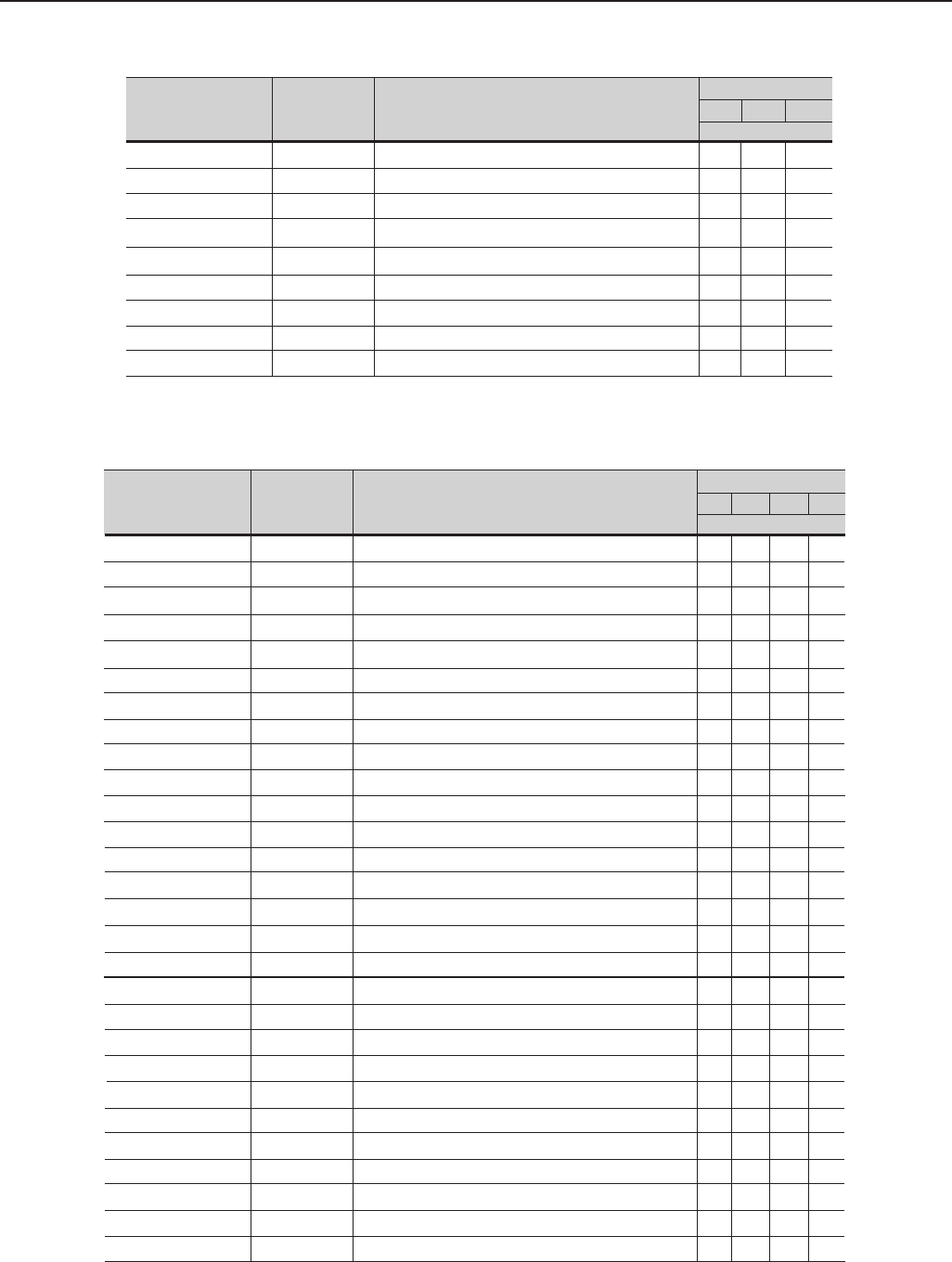
243
CHAPTER 7 - DIAGNOSTICS AND TROUBLESHOOTING
Models 500-600V
Name
EBB.04
EBB.05
EBC1.01
EBC1.02
EBC1.03
SCI1.00
Modbus RTU
Profibus DP
DeviceNet
Item No
S41512671
S41512741
S41513174
S41513175
S41513176
S41510846
S03051277
S03051269
S03051250
Especification
Function Expansion Board (Optional)
Function Expansion Board (Optional)
Funcion Expancion Board (Optional)
Function Expansion Board (Optional)
Function Expansion Board (Optional)
RS-232 Module for PC (Optional)
Anybus-DT Modbus RTU Board (Optional)
Anybus-S Profibus DP Board (Optional)
Anybus-S DeviceNet Board (Optional)
Types (Ampéres)
22 27 32
Units per Inverter
1 1 1
1 1 1
1 1 1
1 1 1
1 1 1
1 1 1
1 1 1
1 1 1
1 1 1
* Only for types specified with braking (DB).
Models 500-600V
Name
Precharge Contactor
PrechargeTransform.
Precharge Resistor
Fan
Fuse
HMI-CFW09-LCD
CC9
CFI1.00
DPS5.00
LVS2.00
CB5D.00
CB5E.00
CB5E.01
KML-CFW09
*P44-6.00
P44-6.01
*P53-6.00
P53-6.01
*P63-6.00
P63-6.01
*P79-6.00
P79-6.01
HMI-CFW09-LED
KMR-CFW09
CFI1.01
EBA1.01
EBA1.02
EBA1.03
Item No
035506138
0299.0160
0301.1852
0400.2547
0305.6166
S417102024
S41509651
S41509929
S41512966
S41512990
S41512986
S41413063
S41413081
S417102035
S41512968
S41512969
S41512973
S41512974
S41512975
S41512976
S41512977
S41512978
S417102023
S417102036
S41510226
S41510110
S41511761
S41511770
Especification
Contactor CWM50.00 220V 50/60Hz
Preload Transformer
Vetrified Wire Resistor 20R 75W
Fan 220V 50/60Hz
Fuse 14x51mm 2A 690V
HMI LCD
Control Board CC9
HMI Interface Board
Driver and Power Supply Board DPS5.00
Voltage Selection Board LVS2.00
Board CB5D.00
CB5E.00 Board
CB5E.01 Board
Kit KML
Power Board P44-6.00
Power Board P44-6.01
Power Board P53-6.00
Power Board P53-6.01
Power Board P63-6.00
Power Board P63-6.01
Power Board P79-6.00
Power Board P79-6.01
HMI LED (Optional)
Kit KMR (Optional)
HMI Interface Board (Optional)
Function Expansion Board (Optional)
Function Expansion Board (Optional)
Function Expansion Board (Optional)
Types (Ampéres)
44 53 63 79
Units per Inverter
1 1 1 1
1 1 1 1
1 1 1 1
1 1 1 1
2 2 2 2
1 1 1 1
1 1 1 1
1 1 1 1
1 1 1 1
1 1 1 1
1
1 1
1
1 1 1 1
1
1
1
1
1
1
1
1
1 1 1 1
1 1 1 1
1 1 1 1
1 1 1 1
1 1 1 1
1 1 1 1
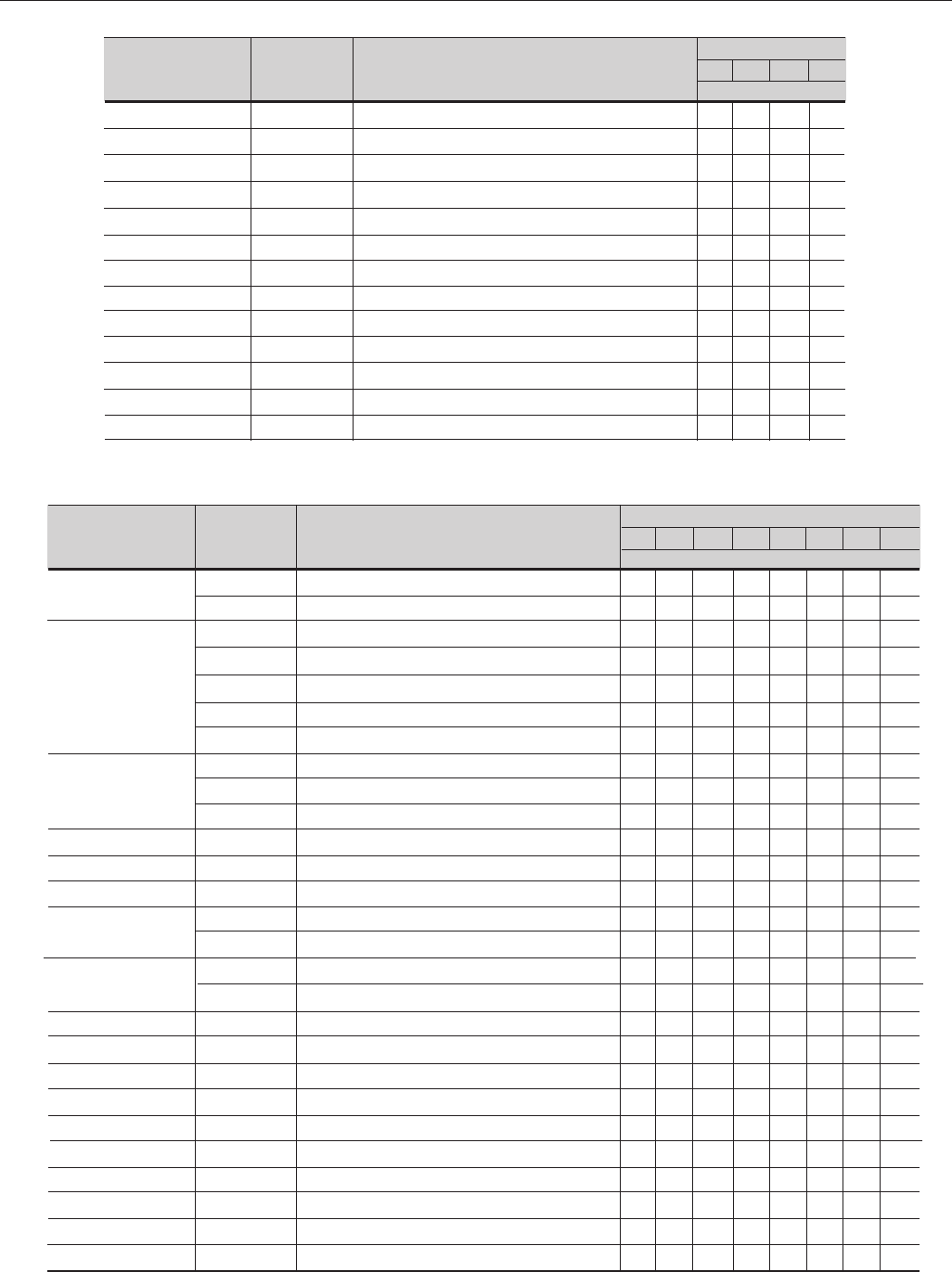
244
CHAPTER 7 - DIAGNOSTICS AND TROUBLESHOOTING
Name
EBB.04
EBB.05
EBC1.01
EBC1.02
EBC1.03
SCI1.00
Modbus RTU
Profibus DP
DeviceNet
DC Link Inductor
DC Link Inductor
DC Link Inductor
DC Link Inductor
Item No
S41512671
S41512741
S41513174
S41513175
S41513176
S41510846
S03051277
S03051269
S03051250
0299.0156
0299.0157
0299.0158
0299.0159
Especification
Function Expansion Board (Optional)
Function Expansion Board (Optional)
Funcion Expancion Board (Optional)
Function Expansion Board (Optional)
Function Expansion Board (Optional)
RS-232 Module for PC (Optional)
Anybus-DT Modbus RTU Board (Optional)
Anybus-S Profibus DP Board (Optional)
Anybus-S DeviceNet Board (Optional)
DC Link Inductor 749 µH
DC Link Inductor 562 µH
DC Link Inductor 481µH
DC Link Inductor 321µH
Types (Ampéres)
44 53 63 79
Units per Inverter
1 1 1 1
1 1 1 1
1 1 1 1
1 1 1 1
1 1 1 1
1 1 1 1
1 1 1 1
1 1 1 1
1 1 1 1
1
1
1
1
* Only for types specified with braking (DB).
Name
IGBT Module
Inverter Arm
Thyristor-Diode
Module
Rectifier Bridge
Precharge Resistor
Fan
Electrolytic Capacitor
Fuse
HMI-CFW09-LCD
KML-CFW09
CC9
DPS3
CRG7
CRG6
FCB1.00
FCB1.01
FCB2
CIP3
Item No
0298.0008
0298.0009
S417104460
S417104461
S417104462
S417104463
S417104464
0303.9978
0303.9986
0303.9994
0298.0026
0301.9250
64313207
0302.4873
0302.4801
0305.6166
0305.6171
S417102024
S417102035
S41509651
S41512834
S41512951
S41512798
S41512821
S41512999
S41513011
S41512803
Especification
IGBT Module 200A 1700V
IGBT Module 300A 1700V
Inverter Arm 247A – EP
Inverter Arm 315A – EP
Inverter Arm 343A – EP
Inverter Arm 418A – EP
Inverter Arm 472A – EP
Thyristor-Diode Module TD250N16
Thyristor-Diode Module TD425N16
Thyristor-Diode Module TD500N16
Rectifier Bridge 36MT160
Vitrified Wire Resistor 35R 75W
Centrifugal Fan 230V 50/60Hz
Electrolytic Capacitor 4700uF/400V
Electrolytic Capacitor 4700uF/400V
Fuse2A 690V
Fuse 4 690V
HMI LCD
Kit KML
Control Board CC9
Driver and Power Supply Board DPS3.00
Gate Resistor Board CRG7.00
Gate Resistor Board CRG6.00
Board FCB1.00
Board FCB1.01
Board FCB2.00
Board CIP3.00
Types (Ampéres)
107 147 211247 315 343 418 472
Units per inverter
6
3 6 6 9 9 12 12
3
3
3
3
3
3 3 3 3 3 3
3
3
1 1 1 1 1 1 1 1
6 6 6 8 8 8 8 10
1 1 1 3 3 3 3 3
912 12 18 18 18
18 27
2 2 2
2 2 2 2 2
1 1 1 1 1 1 1 1
1 1 1 1 1 1 1 1
1 1 1 1 1 1 1 1
1 1 1 1 1 1 1 1
3 3 3 3
3 3 3 3
3 3 3 3 3
3 3 3 3 3
1 1 1
1 1 1 1 1 1 1 1
Models 500-690V
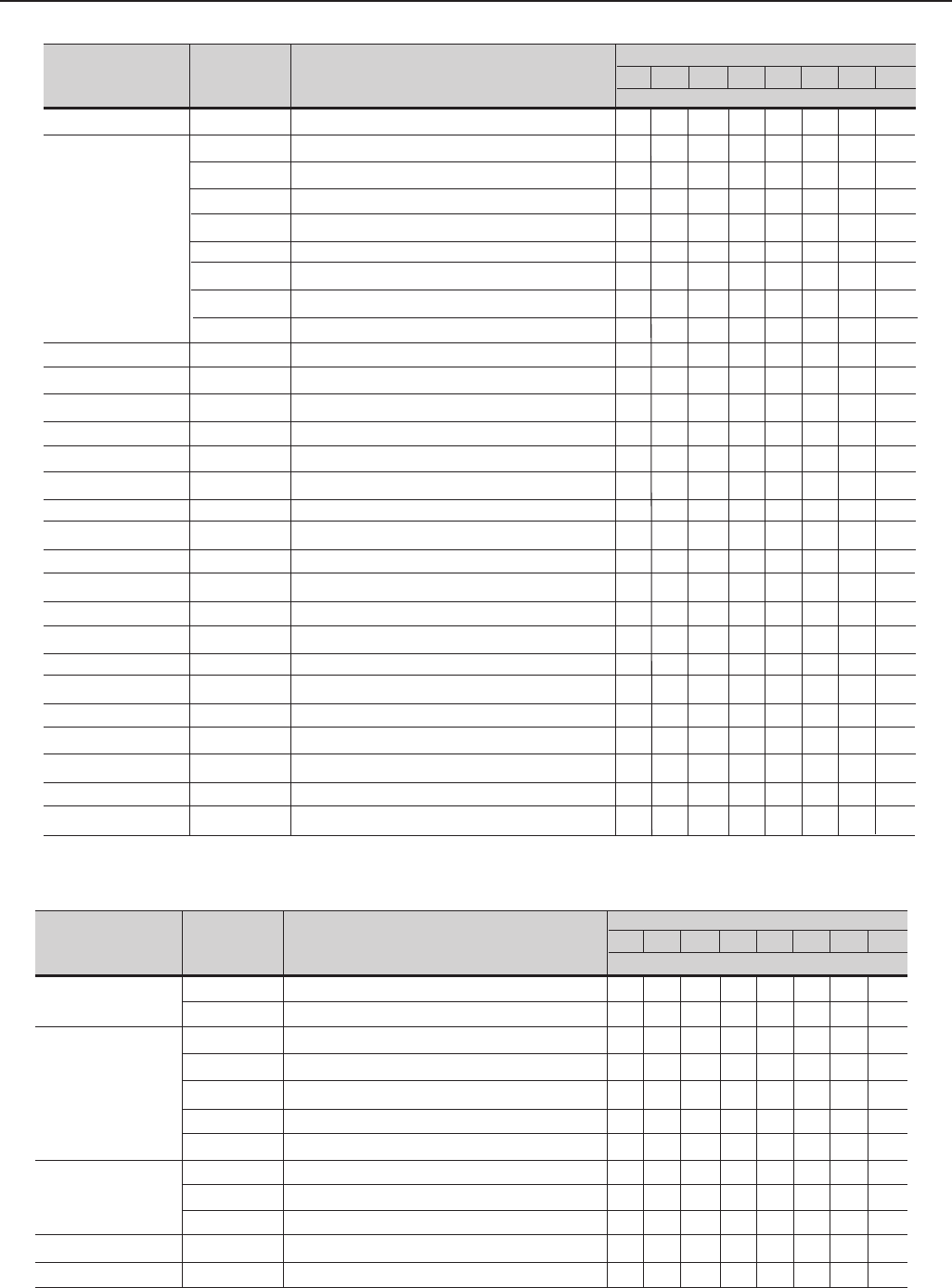
245
CHAPTER 7 - DIAGNOSTICS AND TROUBLESHOOTING
Name
RCS3
CIS1
GDB1.00
HMI-CFW09-LED
KMR-CFW09
CFI1.01
EBA1.01
EBA1.02
EBA1.03
EBB.01
EBB.02
EBB.03
EBB.04
EBB.05
EBC1.01
EBC1.02
EBC1.03
SCI1.00
Modbus RTU
Profibus DP
DeviceNet
Item No
S41512846
S41512836
S41512883
S41512884
S41512885
S41512886
S41512887
S41512888
S41512889
S41512963
S417102023
S417102036
S41510226
S41510110
S41511761
S41511770
S41510200
S41511788
S41511796
S41512671
S41512741
S41513174
S41513175
S41513176
S41510846
S03051277
S03051269
S03051250
Especification
Rectifier Snubber Board RCS3.00
Signal Interface Board CIS1.00
Signal Interface Board CIS1.01
Signal Interface Board CIS1.02
Signal Interface Board CIS1.03
Signal Interface Board CIS1.04
Signal Interface Board CIS1.05
Signal Interface Board CIS1.06
Signal Interface Board CIS1.07
Gate Driver Board GDB1.00
HMI LED (Optional)
Kit KMR (Optional)
Interface board with HMI (Optional)
Function Expansion Board (Optional)
Function Expansion Board (Optional)
Function Expansion Board (Optional)
Function Expansion Board (Optional)
Function Expansion Board (Optional)
Funcion Expancion Board (Optional)
Function Expansion Board (Optional)
Function Expansion Board (Optional)
Funcion Expancion Board (Optional)
Function Expansion Board (Optional)
Function Expansion Board (Optional)
RS-232 Module for PC (Optional)
Anybus-DT Modbus RTU Board (Optional)
Anybus-S Profibus DP Board (Optional)
Anybus-S DeviceNet Board (Optional)
Types (Ampéres)
107 147 211247 315 343 418 472
Units per inverter
3 3
1
1
1
1
1
1
1
1
3 3 3 3 3 3 3 3
1 1 1 1 1 1 1 1
1 1 1 1 1 1 1 1
1 1 1 1 1 1 1 1
1 1 1 1 1 1 1 1
1 1 1 1 1 1 1 1
1 1 1 1 1 1 1 1
1 1 1 1 1 1 1 1
1 1 1 1 1 1 1 1
1 1 1 1 1 1 1 1
1 1 1 1 1 1 1 1
1 1 1 1 1 1 1 1
1 1 1 1 1 1 1 1
1 1 1 1 1 1 1 1
1 1 1 1 1 1 1 1
1 1 1 1 1 1 1 1
1 1 1 1 1 1 1 1
1 1 1 1 1 1 1 1
1 1 1 1 1 1 1 1
Name
IGBT Module
Inverter Arm
Thyristor-Diode
Module
Rectifier Bridge
Precharge Resistor
Item No
0298.0008
0298.0009
S417104460
S417104461
S417104462
S417104463
S417104464
0303.9978
0303.9986
0303.9994
0298.0026
0301.9250
Especification
IGBT Module 200A 1700V
IGBT Module 300A 1700V
Inverter Arm 225A – EP
Inverter Arm 259A – EP
Inverter Arm 305A – EP
Inverter Arm 340A – EP
Inverter Arm 428A – EP
Thyristor-Diode Module TD250N16
Thyristor-Diode Module TD425N16
Thyristor-Diode Module TD500N16
Rectifier Bridge 36MT160
Vitrified Wire Resistor 35R 75W
Types (Ampéres)
100 127 179 225 259 305 340 428
Units per Inverter
6
3 6 6 9 9 12 12
3
3
3
3
3
3 3 3 3 3 3
3
3
1 1 1 1 1 1 1 1
6 6 6 8 8 8 8 10
Models 660-690V
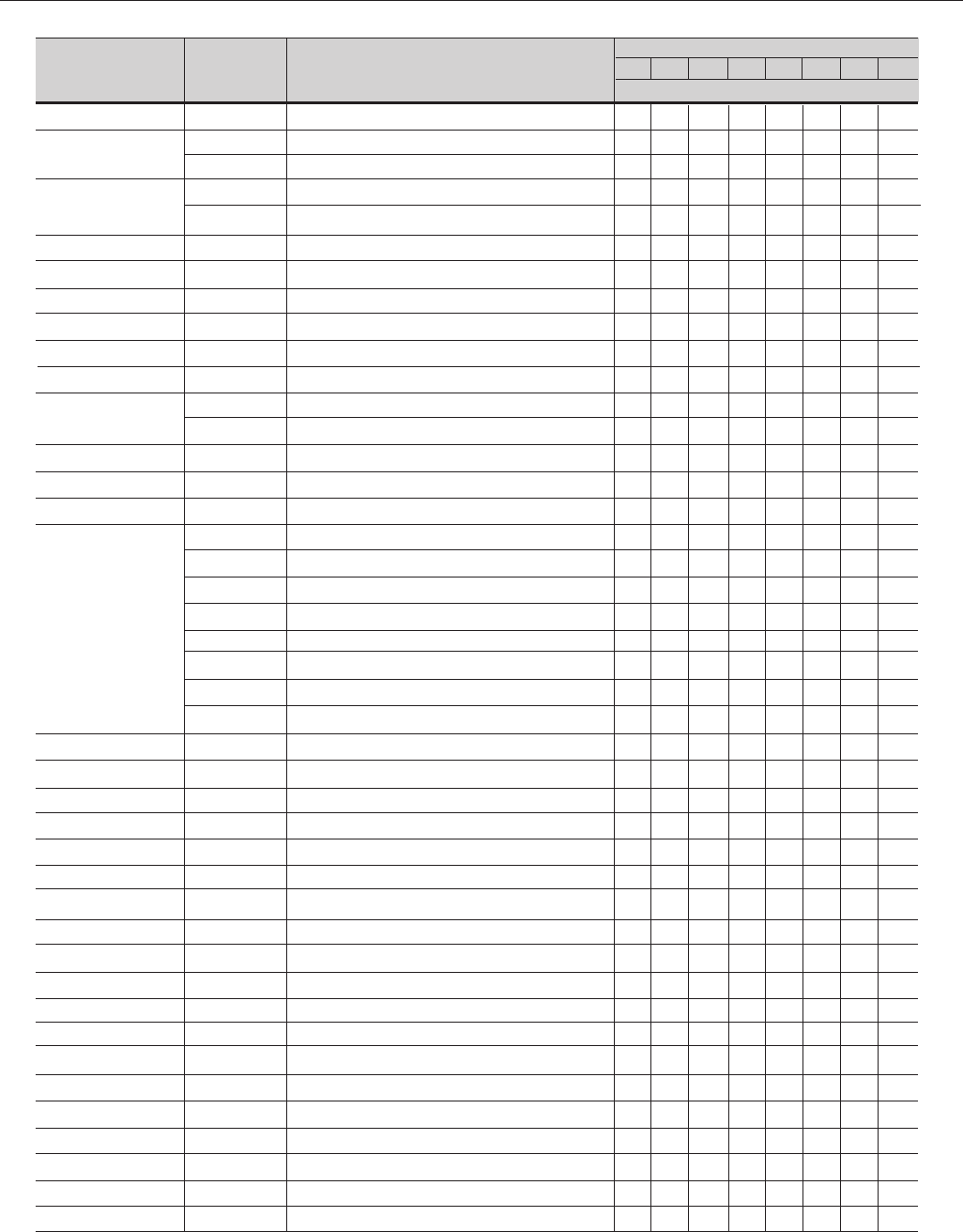
246
CHAPTER 7 - DIAGNOSTICS AND TROUBLESHOOTING
Name
Fan
Electrolytic Capacitor
Fuse
HMI-CFW09-LCD
KML-CFW09
CC9
DPS3
CRG7
CRG6
FCB1
FCB2
CIP3
RCS3
CIS1
GDB1.00
HMI-CFW09-LED
KMR-CFW09
CFI1.01
EBA1.01
EBA1.02
EBA1.03
EBB.01
EBB.02
EBB.03
EBB.04
EBB.05
EBC1.01
EBC1.02
EBC1.03
SCI1.00
Modbus RTU
Profibus DP
DeviceNet
Item No
6431.3207
0302.4873
0302.4801
0305.6166
0302.6171
S417102024
S417102035
S41509651
S41512834
S41512951
S41512798
S41512821
S41512999
S41513011
S41512803
S41512846
S41512890
S41512891
S41512892
S41512893
S41512894
S41512895
S41512896
S41512897
S41512963
S417102023
S417102036
S41510226
S41510110
S41511761
S41511770
S41510200
S41511788
S41511796
S41512671
S41512741
S41513174
S41513175
S41513176
S41510846
S03051277
S03051269
S03051250
Especification
Centrifugal Fan 230V 50/60Hz
Electrolytic Capacitor 4700uF/400V
Electrolytic Capacitor 4700uF/400V
Fuse 2A 690V
Fuse 4 690V
HMI LCD
Kit KML
Control Board CC9
Driver and Power Supply Board DPS3.00
Gate Resistor Board CRG7.00
Gate Resistor Board CRG6.00
Board FCB1.00
Board FCB1.01
Board FCB2.00
Board CIP3.00
Rectifier Snubber Board RCS3.00
Signal Interface Board CIS1.08
Signal Interface Board CIS1.09
Signal Interface Board CIS1.10
Signal Interface Board CIS1.11
Signal Interface Board CIS1.12
Signal Interface Board CIS1.13
Signal Interface Board CIS1.14
Signal Interface Board CIS1.15
Gate Driver Board GDB1.00
HMI LED (Optional)
Kit KMR (Optional)
Interface board with HMI (Optional)
Function Expansion Board (Optional)
Function Expansion Board (Optional)
Function Expansion Board (Optional)
Function Expansion Board (Optional)
Function Expansion Board (Optional)
Function Expansion Board (Optional)
Function Expansion Board (Optional)
Function Expansion Board (Optional)
Function Expansion Board (Optional)
Function Expansion Board (Optional)
Function Expansion Board (Optional)
RS-232 Module for PC (Optional)
Anybus-DT Modbus RTU Board (Optional)
Anybus-S Profibus DP Board (Optional)
Anybus-S DeviceNet Board (Optional)
Types (Ampéres)
100 127 179 225 259 305 340 428
Units per Inverter
1 1 1 3 3 3 3 3
912 12 18 18 18
18 27
2 2 2
2 2 2 2 2
1 1 1 1 1 1 1 1
1 1 1 1 1 1 1 1
1 1 1 1 1 1 1 1
1 1 1 1 1 1 1 1
3 3 3 3
3 3 3 3
3 3 3 3 3
3 3 3 3 3
1 1 1
1 1 1 1 1 1 1 1
3 3
1
1
1
1
1
1
1
1
3 3 3 3 3 3 3 3
1 1 1 1 1 1 1 1
1 1 1 1 1 1 1 1
1 1 1 1 1 1 1 1
1 1 1 1 1 1 1 1
1 1 1 1 1 1 1 1
1 1 1 1 1 1 1 1
1 1 1 1 1 1 1 1
1 1 1 1 1 1 1 1
1 1 1 1 1 1 1 1
1 1 1 1 1 1 1 1
1 1 1 1 1 1 1 1
1 1 1 1 1 1 1 1
1 1 1 1 1 1 1 1
1 1 1 1 1 1 1 1
1 1 1 1 1 1 1 1
1 1 1 1 1 1 1 1
1 1 1 1 1 1 1 1
1 1 1 1 1 1 1 1
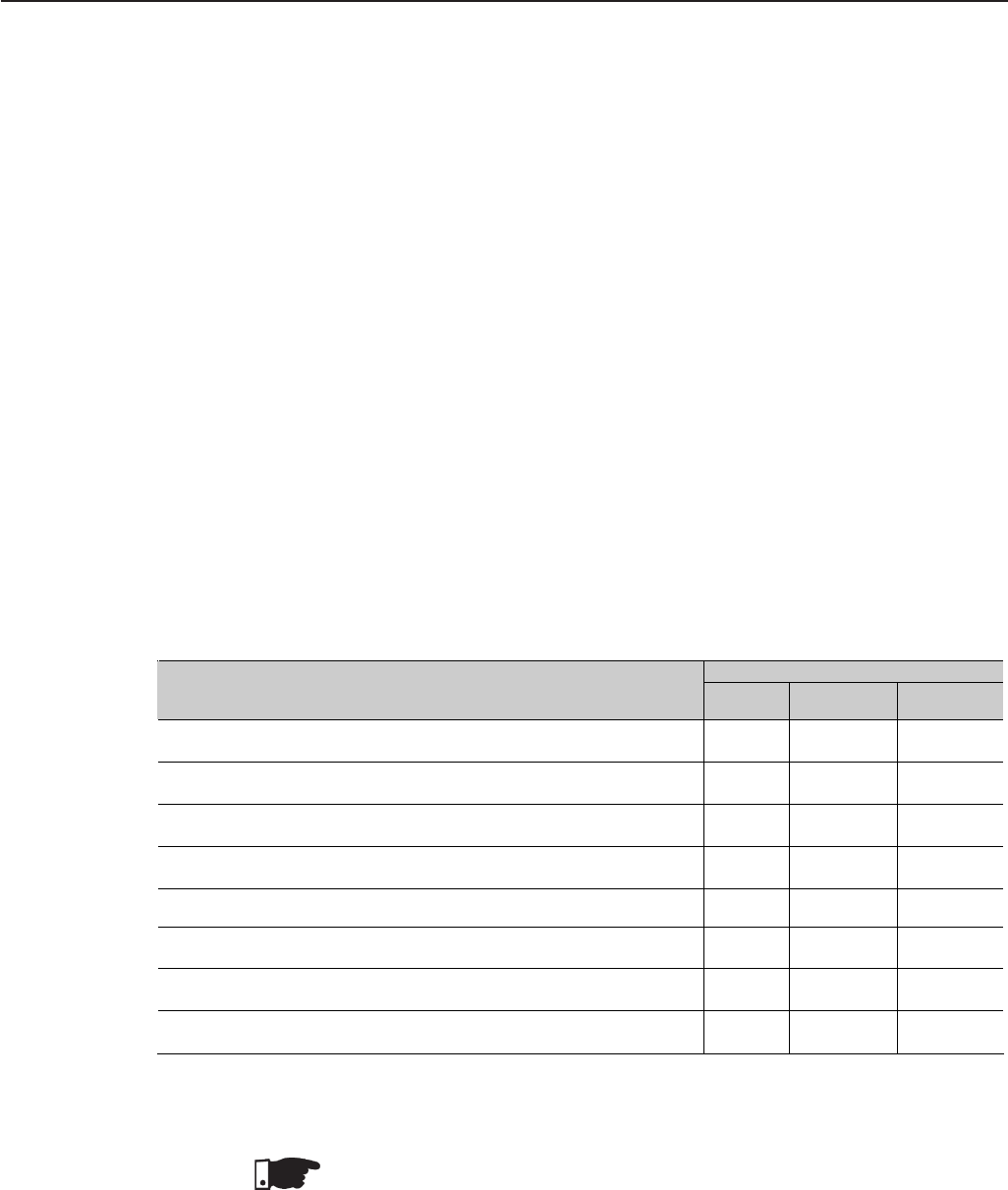
247
CHAPTER 8
8.1 I/O EXPANSION
BOARDS
8.1.1 EBA
(I/O Expansion Board A)
CFW-09 OPTIONS AND ACCESSORIES
This Chapter describes the optional devices that are available for the CFW-09
and the accessories that may be necessary in specific applications. Options
include the Expanded I/O Boards (EBA/EBB), LED-only Keypad, Remote
Keypad and Cables, Blank Cover, RS-232 PC Communication kit, The
accessories comprise: Encoder, Line Reactor, DC Bus Choke, Load Reactor
and RFI filter, boards for Fieldbus communication, kit for extractable assembling,
NEMA 4X/IP56 line, HD and RB and PLC board line.
The I/O expansion boards expand the function of the CC9 control board. There
are four different I/O expansion boards available and their selection depends
on the application and extended functions that are required. The four boards
cannot be used simultaneously. The difference between EBA and EBB option
boards is in the analog inputs/outputs. The EBC1 board is used for the encoder
connection. The EBE board is for RS-485 and motor PTC. A detailed description
of each board is provided below.
The EBA board can be supplied in different configurations, combining some
specific features. The available configurations are show on table 8.1.
NOTE!
The use of the RS-485 serial interface does not allow the use of the standard
RS-232 input - they can not be used simultaneously.
Table 8.1 - EBA board versions and included features
EBA Board models - Code
Included Features EBA.01
A1 EBA.02
A2 EBA.03
A3
Power supply for incremental encoder:
isolated internal 12V source, differential input; Available Not available
Not available
Buffered encoder output signals: isolated input signal repeater, differential
output, available to external 5V to 15V power supply; Available Not available
Not available
Analog differential input (AI4): 14 bits (0.006% of the full scale range),
bipolar: -10V to +10V, (0 to 20) mA/(4 to 20)mA programmable; Available Not available
Available
2 Analog outputs (AO3/AO4): 14 bits (0.006% of the range [±10V])), bipolar:
-10V to + 10 V, programmable; Available Not available
Available
Isolated RS-485 serial port. Available Available Not available
Digital Input (DI7): isolated, programmable, 24V; Available Available Available
Digital Input (DI8) for special motor thermistor (PTC) function: actuation
3.9kΩ,release 1.6kΩ Available Available Available
2 isolated Open Collector transistor outputs (DO1/DO2): 24V, 50mA,
programmable; Available Available Available
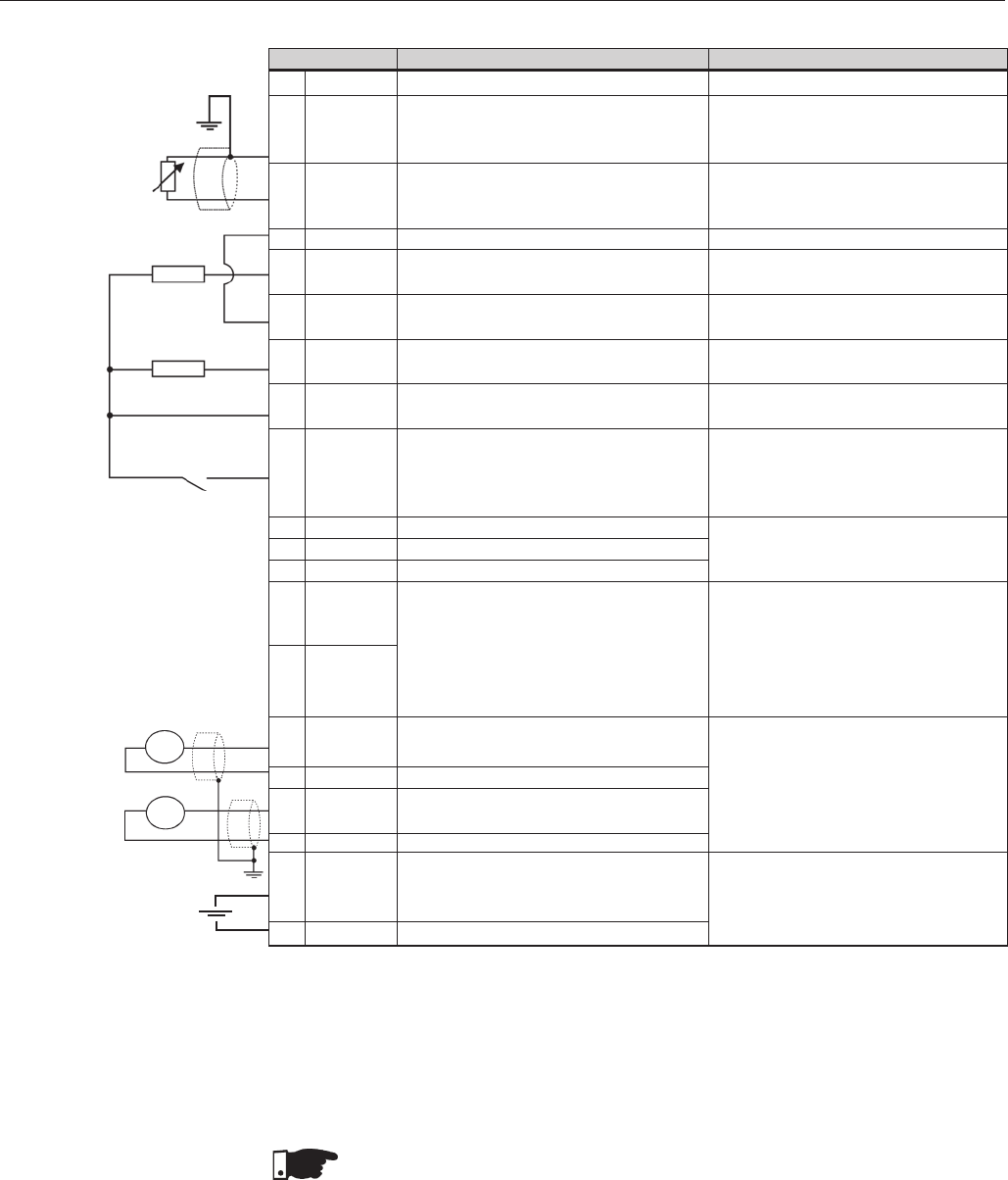
248
CHAPTER 8 - CFW-09 OPTIONS AND ACCESSORIES
ENCODER CONNECTION: Refer to Section 8.2.
INSTALLATION
The EBA board is installed on the CC9 control board, secured with spacers
and connected via terminal blocks XC11 (24V*) and XC3.
NOTE!
For the CFW-09 Size 1 Models (6A, 7A, 10A and 13 A/220-230V and 3.6A,
4A, 5.5A and 9 A/380-480V) the plastic cover must be removed to install the
EBA board.
Mounting Instructions:
1. Set the board configuration via S2 and S3 dip switches (Refer to Table 8.2);
2. Carefully insert terminal block XC3 (EBA) into the female connector XC3
of the CC9 control board.
Check that all pins fit in the XC3 connector;
Figure 8.1 – XC4 Terminal Block description (EBA Board complete)
Factory Default Function
Not connected
Motor Thermistor Input 1 - PTC1 (P270=16
see figure 6.33). As DI normal see P270 -
figure 6.34.
Motor Thermistor Input 2 - PTC2 (P270=16
see figure 6.33). As DI normal P270 -
figure 6.34.
0V reference of the 24Vdc source
Transistor output 1: Not Used
Common point for Digital Input DI7
and Digital Outputs DO1 and DO2
Transistor Output 2: Not Used
Power Supply for the digital inputs/
outputs
Isolated Digital Input: Not used
Reference for RS-485
RS-485 A-LINE (-)
RS-485 B-LINE (+)
Analog input 4: Frequency Reference
Program P221=4 or P222=4
0V Reference for Analog Output
(internally grounded)
Analog output 3: Speed
0V Reference for Analog Output
(internally grounded)
Analog Output 4: Motor Current
Avaliable to be connected to an external
power supply to energise the encoder
repeater output (XC8)
0V reference of the external power supply
Terminal XC4
1NC
2DI8
3DGND (DI8)
4DGND
5DO1
6 COMMOM
7DO2
824 Vdc
9DI7
10 SREF
11 A-LINE
12 B-LINE
13 AI4 +
14 AI4 -
15 AGND
16 AO3
17 AGND
18 AO4
19 + V
20 COM 1
Specifications
Actuation 3k9Ω Release:1k6Ω
Min. resistance: 100Ω
Reference to DGND (DI8) though a
249Ω resistor.
Grounded via a 249Ω resistor
Isolated, open collector, 24Vdc, 50mA
Max., required board (RL) 500Ω
Isolated, open collector, 24Vdc, 50mA
Max. required board (RL) 500Ω
24Vdc 8%. Isolated,
Capacity: 90mA
Min. high level: 18Vdc
Max. low level: 3Vdc
Max. Voltage: 30Vdc
Input Current.: 11mA @ 24Vdc
Isolated RS-485 serial Port
Differential analog input programmable
on P246: -10V to +10V
or (0 to 20)mA / (4 to 20)mA
lin.: 14bits (0.006% of full scale range)
Impedance: 40kΩ [-10V to +10V]
500Ω [(0 to 20)mA / (4 to 20)mA]
Analog outputs signals:
-10 V to +10 V
Scales: see P255 and P257.
lin.: 14bits (0.006% of 10V range)
Required board (RL) 2kΩ
External power supply: 5V to 15V
Consumption: 100 mA @ 5V
Outputs not included.
±
≥
±
500 Ω
≥
RL
500 Ω
≥
RL
PTC
≥
≥
rpm
A
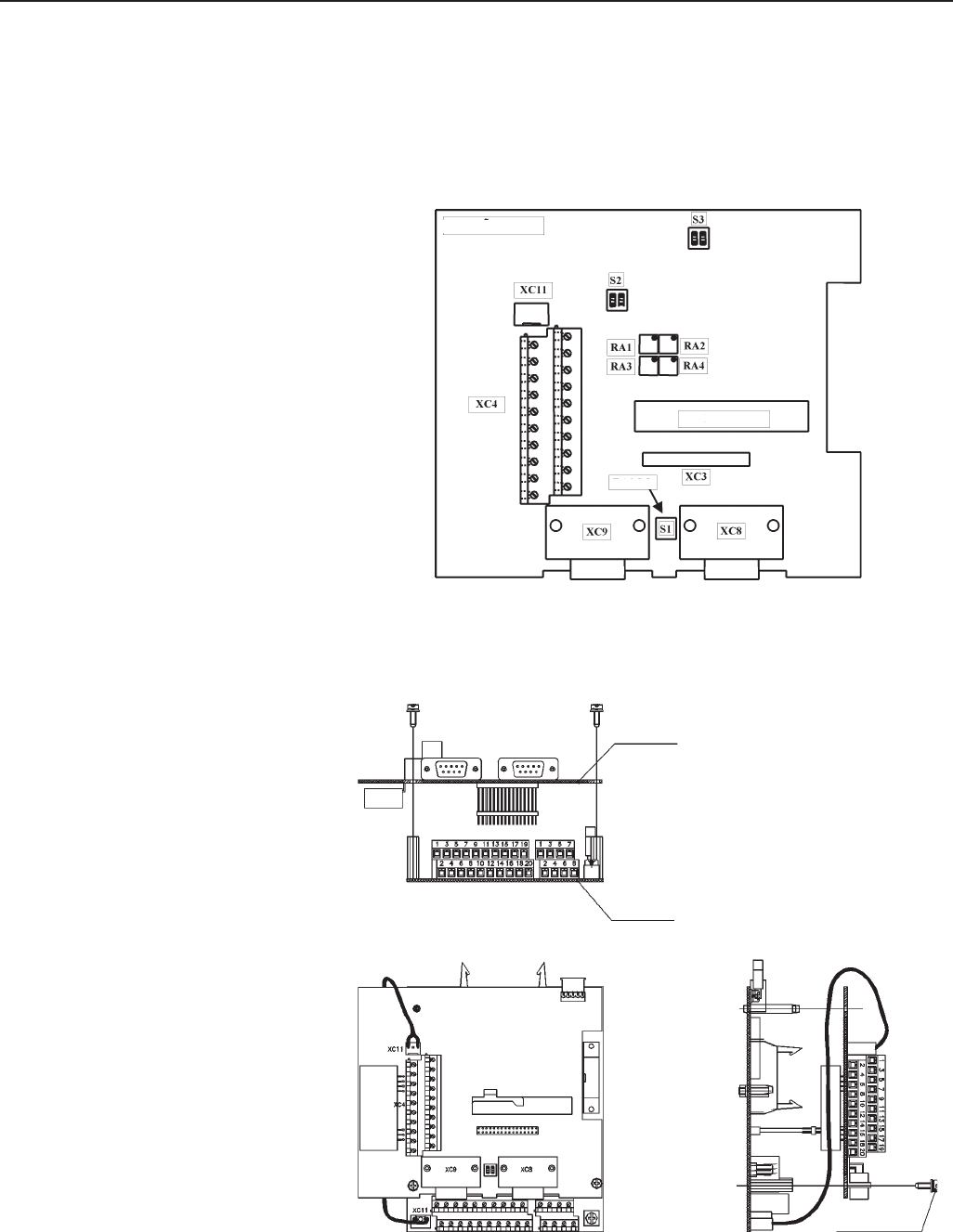
249
CHAPTER 8 - CFW-09 OPTIONS AND ACCESSORIES
3. Press on the EBA board (near XC3) and on the left top edge until com-
plete insertion of the connector and plastic spacer;
4. Secure the board to the metallic spacers with the screws provided;
5. Plug XC11 connector of the EBA board to the XC11 connector of the
(CC9) control board.
Figure 8.3 - EBA Board installation procedure
EBA BOARD
CC9 Board
M3 x 8 Screw
1Nm Torque
Figure 8.2 - EBA Board layout
EBA BOARD
CUTOUT
CUTOUT
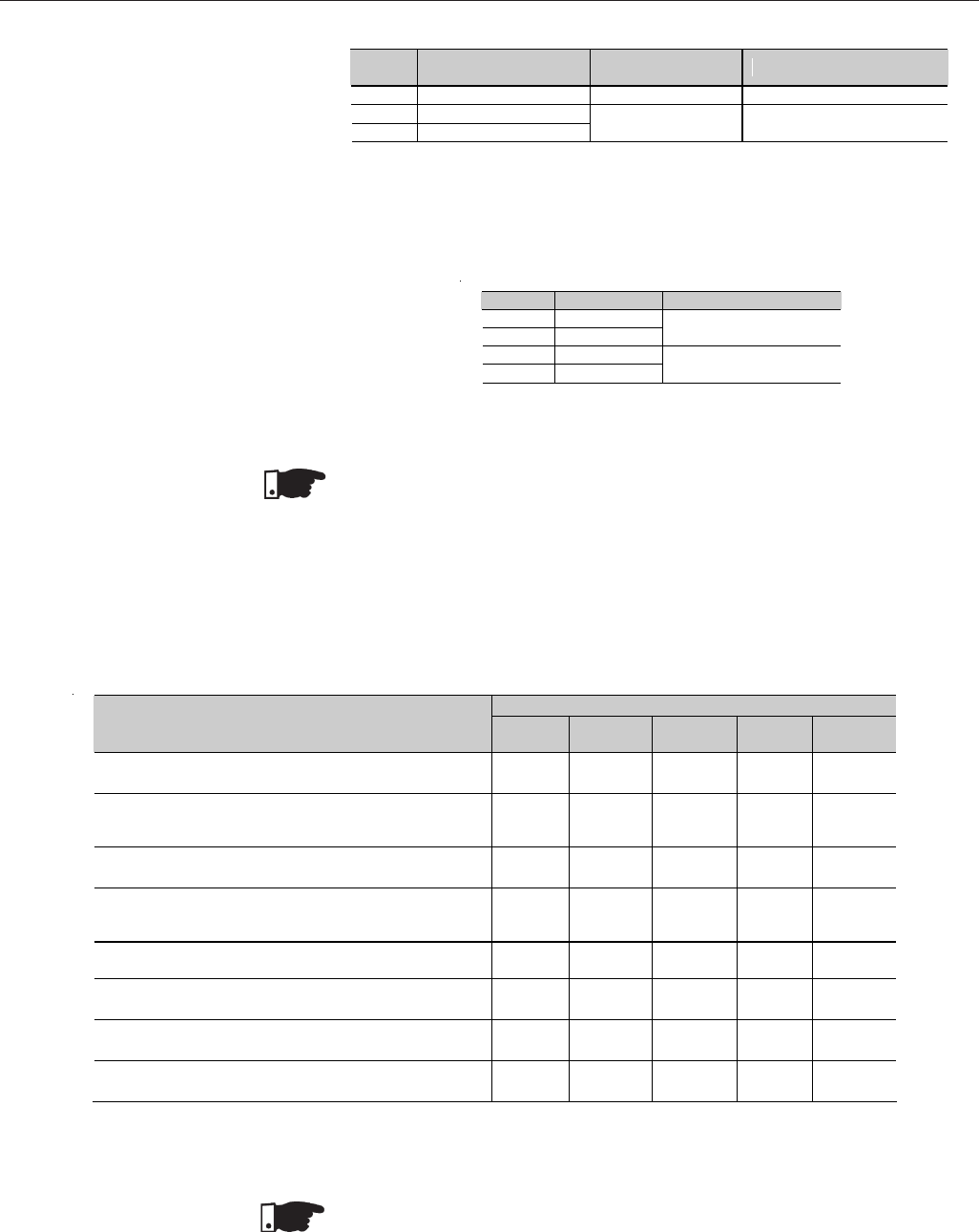
250
CHAPTER 8 - CFW-09 OPTIONS AND ACCESSORIES
The EBB board can be supplied in different configurations, combining the
features included. The available configurations are show table 8.3.
8.1.2 EBB
(Expansion I/O Board B)
NOTE!
The external signal and control wiring must be connected to XC4 (EBA ),
following the same recommendations as for the wiring of the control board
CC9 (Refer to Section 3.2.6).
Table 8.2 b) - Trimpots configurations EBA board
Obs.: Both S3.1 and S3.2 switches must be set for the same option (ON or OFF).
Note: For Size 1 models the CFI1 board (interface between the CC9 control board and the
HMI) must be removed to clear access to these switches.
Table 8.2 a) - EBA board selector switches configurations
Switch Function OFF
(Standard) ON
S2.1 AI4 – Speed reference (0 to 10) V (0 to 20) mA or (4 to 20)mA
S3.1 RS-485 B-LINE (+)
S3.2 RS-485 A-LINE (-) Without termination With termination (120Ω)
EBA Board models - code
Included Features EBB.01
B1 EBB.02
B2 EBB.03
B3 EBB.04
B4* EBB.05
B5
Power supply for incremental encoder:
isolated internal 12V source, differential input; Available
Available Not
available Available
Not
available
Buffered encoder output signals: isolated input signal
repeater, differential output, must use to external 5V to
15V power supply; Available
Not
available Not
available Available
Not
available
Analog input (AI3): 10 bits, isolated, unipolar, (0 to 10)V,
(0 to 20)mA/(4 to 20)mA, programmable; Available
Not
available Available Available
Not
available
2 Analog outputs (AO1’/AO2’): 11 bits (0.05% of full
scale), unipolar, isolated (0 to 20) mA/(4 to 20) mA,
programmable; Available
Not
available Available Available
Available
Isolated RS-485 serial port. Available
Not
available Not
available Available
Not
available
Digital Input (DI7): isolated, programmable, 24V; Available
Available Available Available
Not
available
Digital Input (DI8) for special motor thermistor function
(PTC): actuation 3.9kΩ,release 1.6kΩ Available
Available Available Available
Not
available
2 isolated Open Collector transistor outputs (DO1/DO2):
24V, 50mA, programmable; Available
Available Available Available
Not
available
* Board with 5 V souce for the encoder.
Table 8.3 – EBB board versions and included features
NOTE!
The use of the RS-485 serial interface does not allow the use of the standard
RS-232 input - they can not be used simultaneously.
The functions analogic outputs AO1’ and AO2’ are identical to the AO1/AO2
outputs of the control board CC9.
Trimpot Function Factory default function
RA1 AO3 – Offset
RA2 AO3 – Gain Motor Speed
RA3 AO4 – Offset
RA4 AO4 – Gain Motor Current
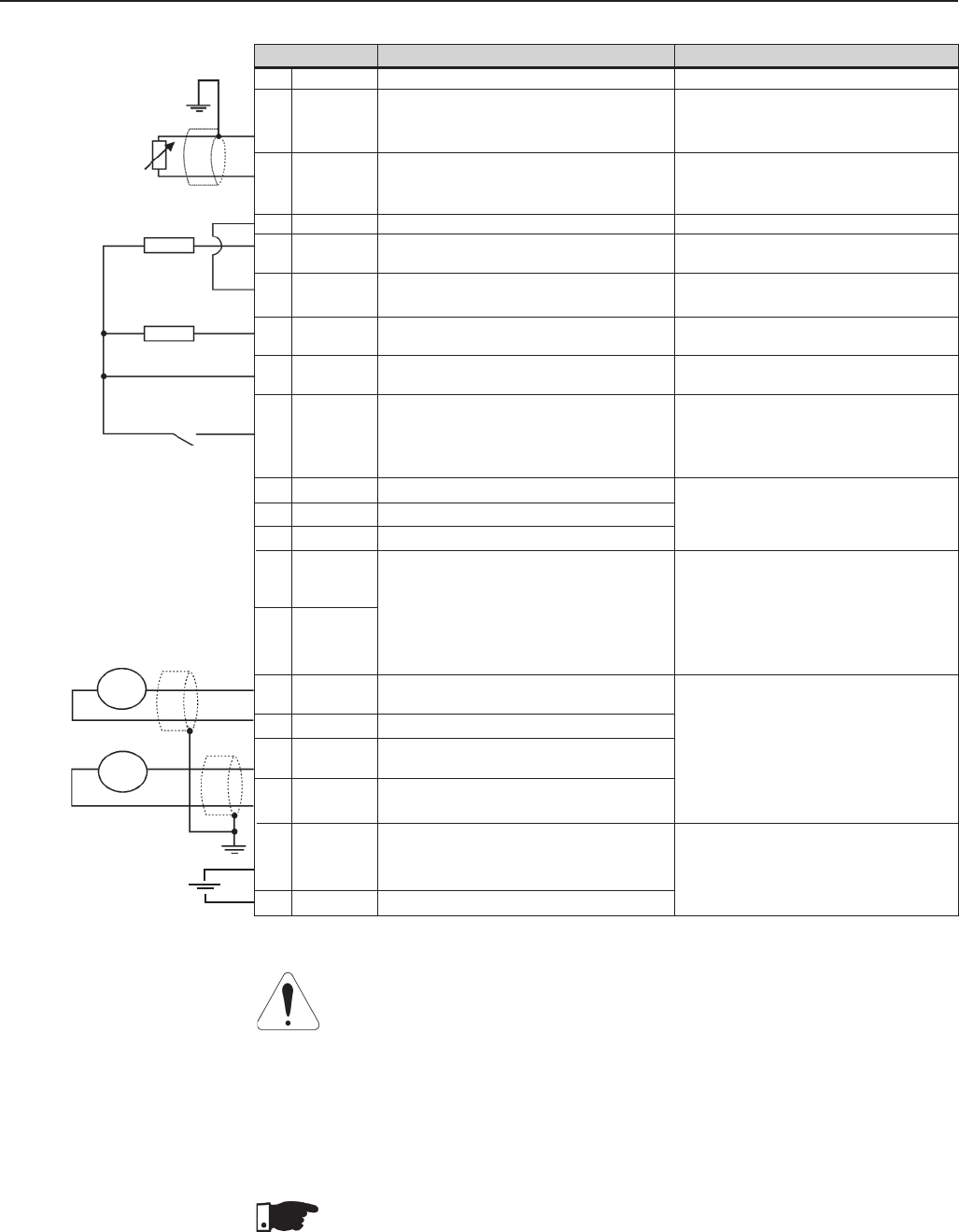
251
CHAPTER 8 - CFW-09 OPTIONS AND ACCESSORIES
ATTENTION!
The isolation of the analog input AI3 and the analog outputs AO1I and AO2I is
designed only to interrupt the ground loops. Do not connect these inputs to
high potentials.
ENCODER CONNECTION: Refer to Section 8.2.
INSTALLATION
The EBB board is installed on the CC9 control board, secured with spacers
and connected via Terminal blocks XC11 (24V) and XC3.
NOTE!
For the CFW-09 Size 1 Models (6A, 7A, 10A and 13A / 220-230V and 3.6A,
4A, 5.5A and 9A / 380-480V) the plastic cover must be removed to install the
EBB board.
Factory Default Function
Not Connected
Motor Thermistor Input 1 - PTC1 (P270=16
see figure 6.33). As DI normal see P270
figure 6.34.
Motor Thermistor Input 2 - PTC2 (P270=16
see figure 6.33). As DI normal see P270
figure 6.34.
0V reference of the 24 Vdc source
Transistor Output 1: Not used
Commom point for Digital Input DI7
and Digital Outputs DO1 and DO2
Transistor Output 2: Not Used
Power Supply for the digital inputs/
outputs
Isolated digital input: Not Used
Reference for RS-485
RS-485 A-LINE (-)
RS-485 B-LINE (+)
Analog Input 3: Frequecy Reference
Program P221=3 or P222=3
0V Reference for Analog Speed
Analog Output 1: Speed
0V Reference for analog Output
Analog Output 2 : Motor Current
Avaliable to be connected to an external
power supply to energise the encoder
repeater output (XC8)
0V reference of the external power supply
Terminal XC5
1NC
2DI8
3DGND (DI8)
4DGND
5DO1
6 COMMOM
7DO2
824 Vdc
9DI7
10 SREF
11 A-LINE
12 B-LINE
13 AI3 +
14 AI3 -
15 AGNDI
16 AO1I
17 AGNDI
18 AO2I
19 + V
20 COM 1
Specifications
Actuation: 3.9kΩ Release:1.6kΩ
Min: resistance: 100Ω
Referenced to DGND* trough a
249Ω resistor
Grounded via a 249Ω resistor
Isolated, open collector, 24Vdc, 50mA
Max. required board (RL) 500Ω
Isolated, open collector, 24Vdc, 50mA
Max. required board (RL) 500Ω
24Vdc 8%. Isolated,
Capacity: 90mA
Min. high level: 18Vdc
Max. low level: 3Vdc
Max. Voltage: 30Vdc
Input Current.: 11mA @ 24Vdc
Isolated RS-485 serial port
Isolated analog input programmable on
P243: (0 to 10)V or (0 to 20)mA/(4 to
20)mA lin.: 10 bits (0.1% of full scale
range) Impedance: 400kΩ (0 to 10)V
500Ω [(0 to 20)mA/(4 to 20)mA]
Isolated analog Outputs signals:
(0 to 20)mA / (4 to 20)mA
Scales: see P251 and P253
lin.: 11bits (0.5% of full scale range)
Required board (RL) 600Ω
External power supply: 5V to 15V,
consumption: 100 mA @ 5V
Outputs not included.
±
PTC
500Ω≥
RL
500Ω≥
RL
≥
≥
≤
Figure 8.4 - XC5 Terminal Block description (complete EBB board)
rpm
A
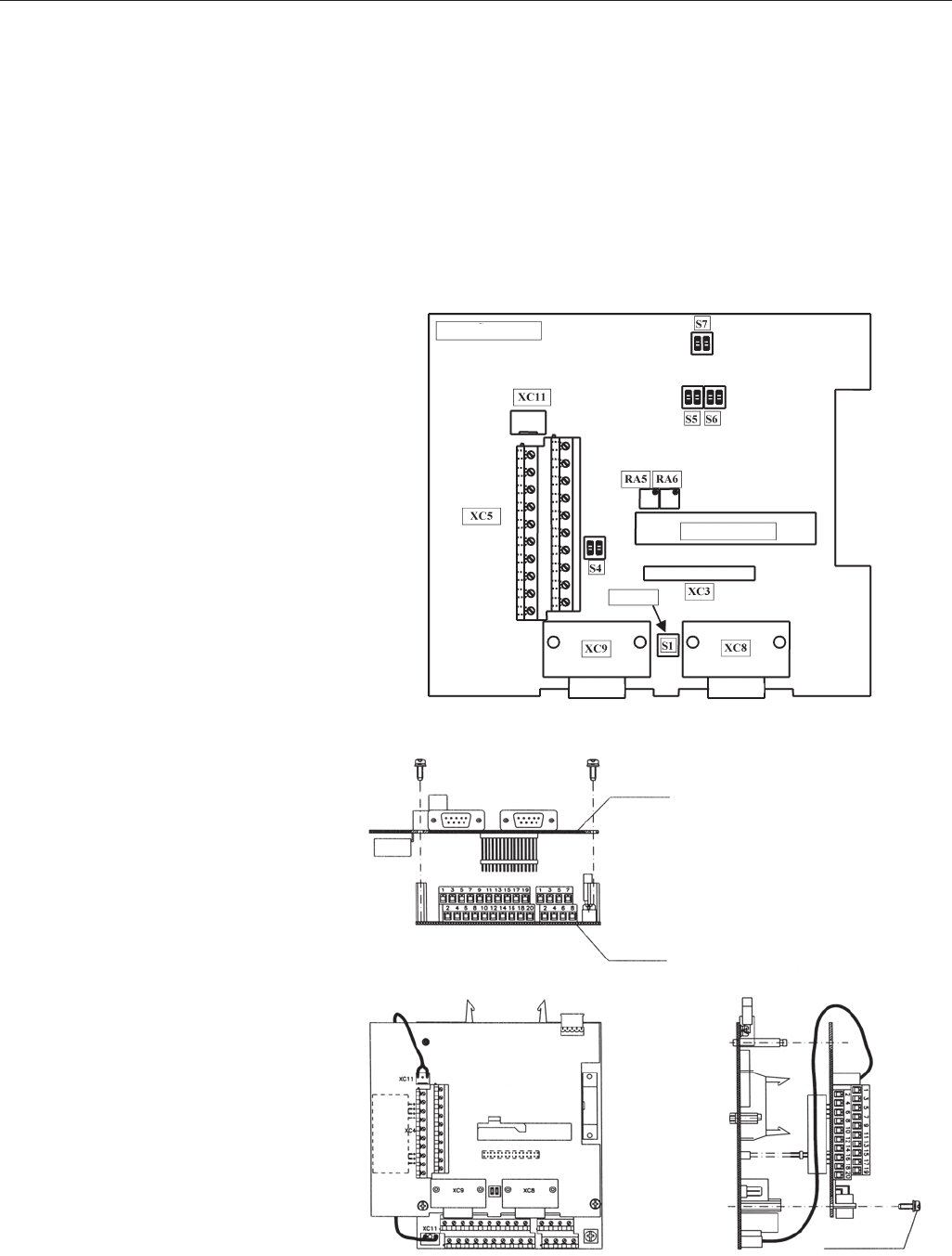
252
CHAPTER 8 - CFW-09 OPTIONS AND ACCESSORIES
Mounting Instructions:
1. Set the board configuration via S4, S5, S6 and S7 dip switches (Refer to
Table 8.4 a) );
2. Carefully insert terminal block XC3 (EBB) into the female connector
XC3 of the CC9 control board. Check that all pins fit in the XC3 connector;
3. Press on the EBB board (near XC3) and on the left top edge until com-
plete insertion of the connector and plastic spacer;
4. Secure the board to the metallic spacers with the screws provided;
5. Plug XC11 connector of the EBB board to the XC11 connector of the
(CC9) control board.
Figure 8.6 - EBB Board Installation Procedure
M3 x 8 Screw
1Nm Torque
CC9 BOARD
EBB BOARD
Figure 8.5 - EBB Board Layout
EBB BOARD
CUTOUT
CUTOUT
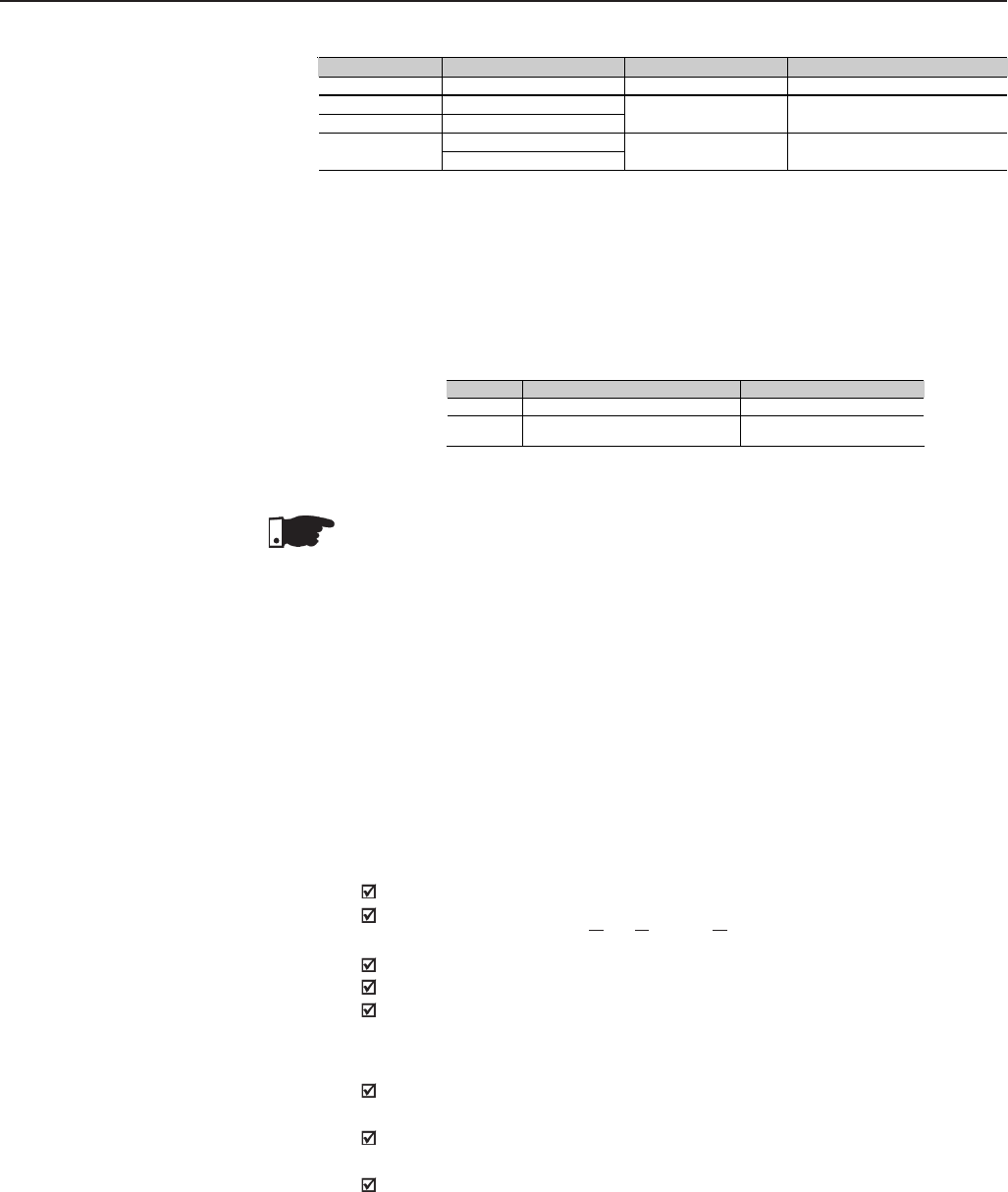
253
CHAPTER 8 - CFW-09 OPTIONS AND ACCESSORIES
8.2 INCREMENTAL
ENCODER
For applications that require high-speed accuracy, the actual motor speed
must be fed back via motor-mounted incremental encoder. The encoder is
connected electrically to the inverter through the XC9 (DB9) connector of the
Function Expansion Board - EBA or EBB and XC9 or XC10 to EBC.
When the board EBA or EBB is used, the selected encoder should have the
following characteristics:
Power supply voltage: 12 Vdc, less than 200 mA current draw;
2 quadrature channels (90º) + zero pulse with complementary outputs
(differential): signals A, A, B, B, Z and Z;
“Linedriver” or “Push-Pull” output circuit type (level 12V);
Electronic circuit isolated from encoder frame;
Recommended number of pulses per revolution: 1024 ppr;
For mounting the encoder on the motor, follow the recommendations bellow:
Couple the encoder directly to the motor shaft (use a flexible coupling
without torsional flexibility);
Both the shaft and the metallic frame of the encoder must be electrically
isolated from the motor (min. Spacing: 3 mm (0.119 in));
Use high quality flexible couplings to prevent mechanical oscillation or
backlash;
The electrical connections must be made with shielded cable, maintaining a
minimum distance of about 25 cm (10 in) from other wires (power, control
cables, etc.). If possible, install the encoder cable in a metallic conduit.
8.2.1 EBA/EBB Boards
Table 8.4 b) - Trimpots configurations EBB board
*Factory default
Obs.: Each group of switches must be set for the same option (ON or OFF for both).
Ex.: S6.1 and 6.2 = ON.
**Factory default
When the outputs are set to (0 to 20) mA, it may be necessary to readjust the full scale.
Note: For Size 1 models the CFI1 board (interface between the CC9 control board and the HMI) must
be removed to clear access to these switches.
Table 8.4 a) - EBB board selector switches configurations
Switch Function OFF ON
S4.1 AI3 – Speed reference (0 to 10) V* (0 to 20) mA or (4 to 20) mA
S5.1 and S5.2 AO1 - Speed
S6.1 and S6.2 AO2 – Motor Current (0 to 20) mA** (4 to 20) mA*
RS-485 B-Line (+)
S7.1 and S7.2 RS-485 A-Line (-) Without termination* With termination (120Ω)
Trimpot Function Factory default function
RA5 AO1 – Full scale adjustment Motor Speed
RA6 AO2 – Full scale adjustment Motor Current
8.1.3 EBE Please download from www.weg.net the EBE Board Quick Guide.
NOTE!
The external signal and control wiring must be connected to XC (EBB), following
the same recommendations as for the wiring of the control board CC9 (Refer
to Section 3.2.6).
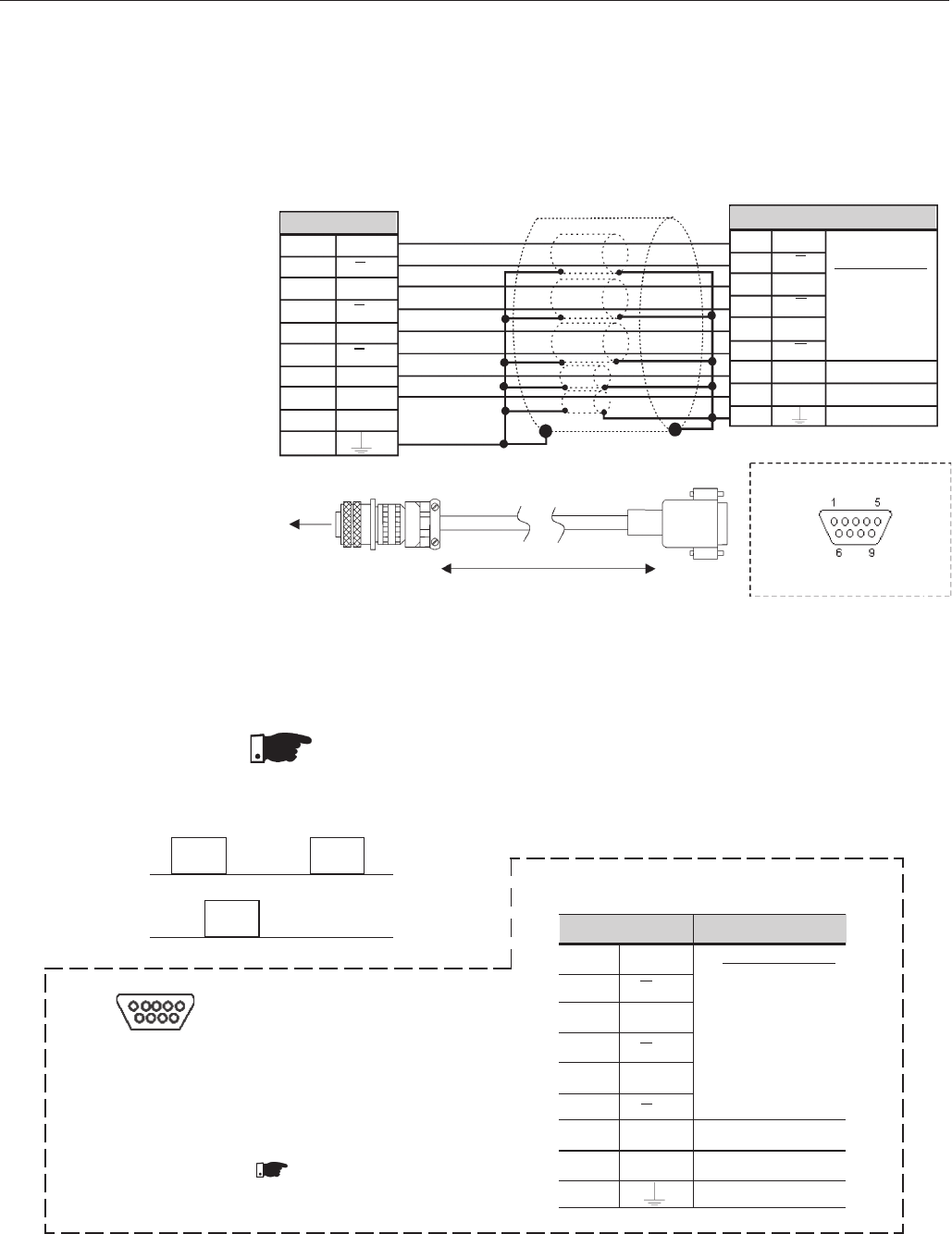
254
CHAPTER 8 - CFW-09 OPTIONS AND ACCESSORIES
At start-up, program Parameter P202 – Type of Control = 4 (Vector with
Encoder) to operate the motor with incremental encoder speed feedback.
For more details about Vector Control operation refer to Chapter 5.
The Expanded I/O Boards EBA and EBB are provided with externally powered,
isolated encoder output signals.
Figure 8.7 – Encoder Cable
Encoder Connector***
A A
HA
B B
IB
CZ
J Z
D+VE
FCOM
ENC
G
red
blue
yellow
green
pink
white
brown
grey
cable shield
Connector XC9 Descripition
3 A
2 A Encoder Signals
1 B
9 B
8Z
7Z
4+VE Power Supply*
6COM 0V Reference**
5 Ground
12V
differential
(88C20)
Encoder
Max. Recommended lenght: 100m (300ft)
CFW-09 EBA or EBB Board
Connector XC9 (DB9 - Male)
*Power supply voltage 12Vdc / 220mA for encoder
** Referenced to ground via 1µF in parallel with 1kΩ
*** Valid pin position with encoder HS35B models from Dynapar. For other encoder modules,
check the correct connection to meet the required sequence.
Connector XC8 Descrition
3A Encoder Signals
2A
1BLine Driver
differential
9B(88C30)
Average high level
8Zcurrent: 50 mA
7Z
4+V* Power Supply*
0 V Reference
6 COM 1*
5 Ground
Connector XC8 (DB9 Female)
*For on external power supply: 5V to 15V
Consumption: 100 mA @ 5V, outputs not included.
Note.: Optionally, the external power supply can also be connected via:
XC4:19 and XC4:20 (EBA) or
XC5:19 and XC5:20 (EBB)
CFW-09 EBA or EBB Board
Figure 8.8 – Encoder signals repeater output
NOTE!
The max. permitted encoder frequency is 100 kHz.
9 6
5 1
Sequence of the encoder signals:
Motor running clockwise.
Bt
At
NOTE!
There is no internal power
supply for XC8 at EBA or EBB board.
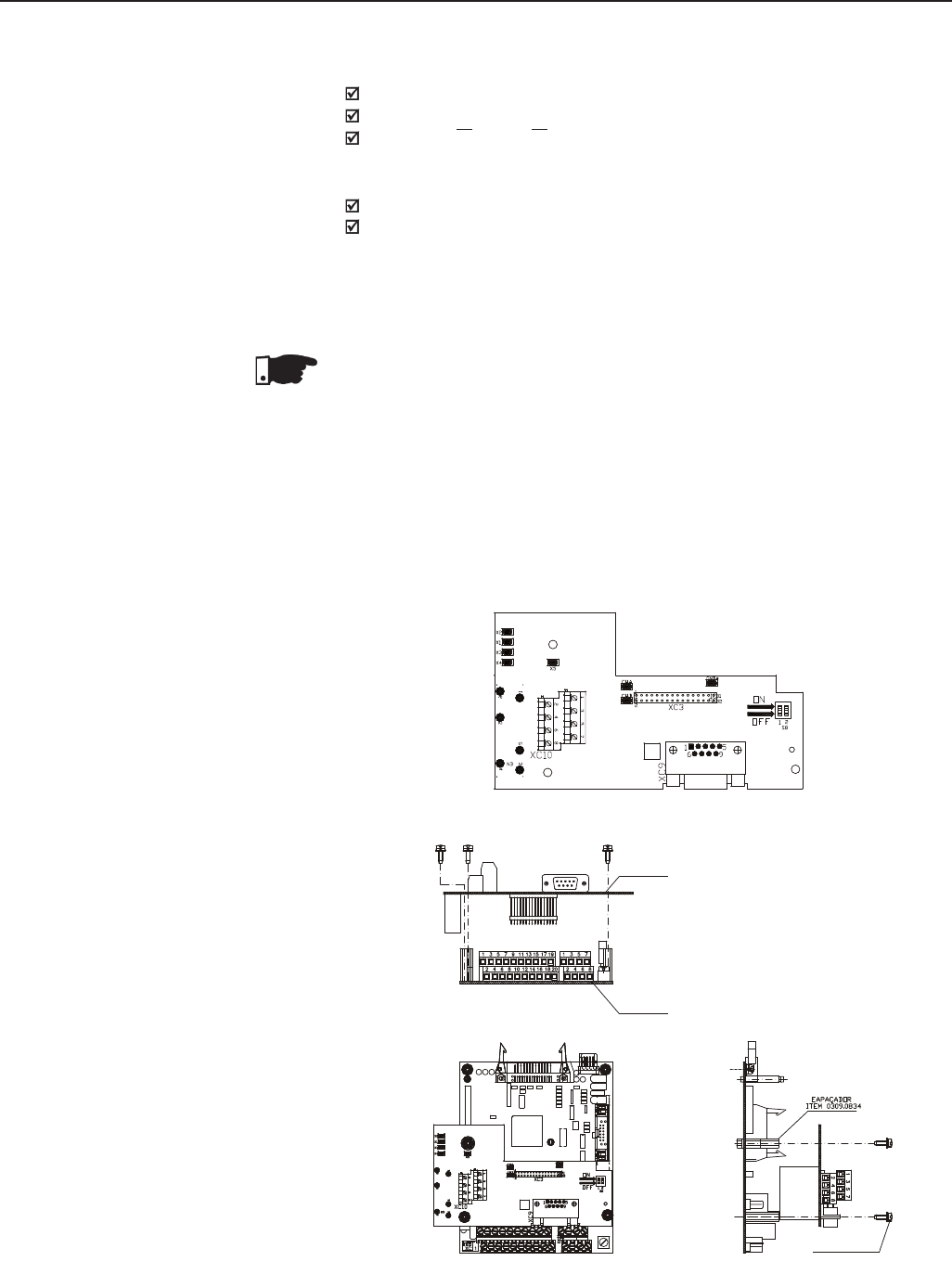
255
CHAPTER 8 - CFW-09 OPTIONS AND ACCESSORIES
8.2.2 EBC1 Board When the board EBC1 is used, the selected encoder should have the following
characteristics:
Power Supply Voltage: 5 V to 15 V;
2 quadrature channels (90º) with complementary outputs (differential):
Signals A, A, B and B;
”Linedriver” or “Push-Pull” output circuit type (with identical level as the
power supply voltage);
Electronic circuit isolated from the encoder frame;
Recommended number of pulse per revolution: 1024 ppr;
INSTALLATION OF THE EBC BOARD
The EBC board is installed directly on the control board CC9, fixed by means
of spacers and connected through the XC3 connector.
NOTE!
For installation in the models of size 1, remove the lateral plastic cover of the
product.
Mounting instructions:
1. Insert carefully the pins of the connector XC3 (EBC1) into the female
connector XC3 of the control board CC9. Check if all pins of the connector
XC3 fit exactly;
2. Press on the board center (near to XC3) until the connector is inserted
completely.
3. Fix the board to the 2 metallic spacers by means of the 2 bolts;
Figure 8.9 - EBC Board Layout
EBC1 BOARD
Figure 8.10 - EBC1 Board Installation Procedures
M3 x 8 Screw
1Nm Torque
CC9 BOARD
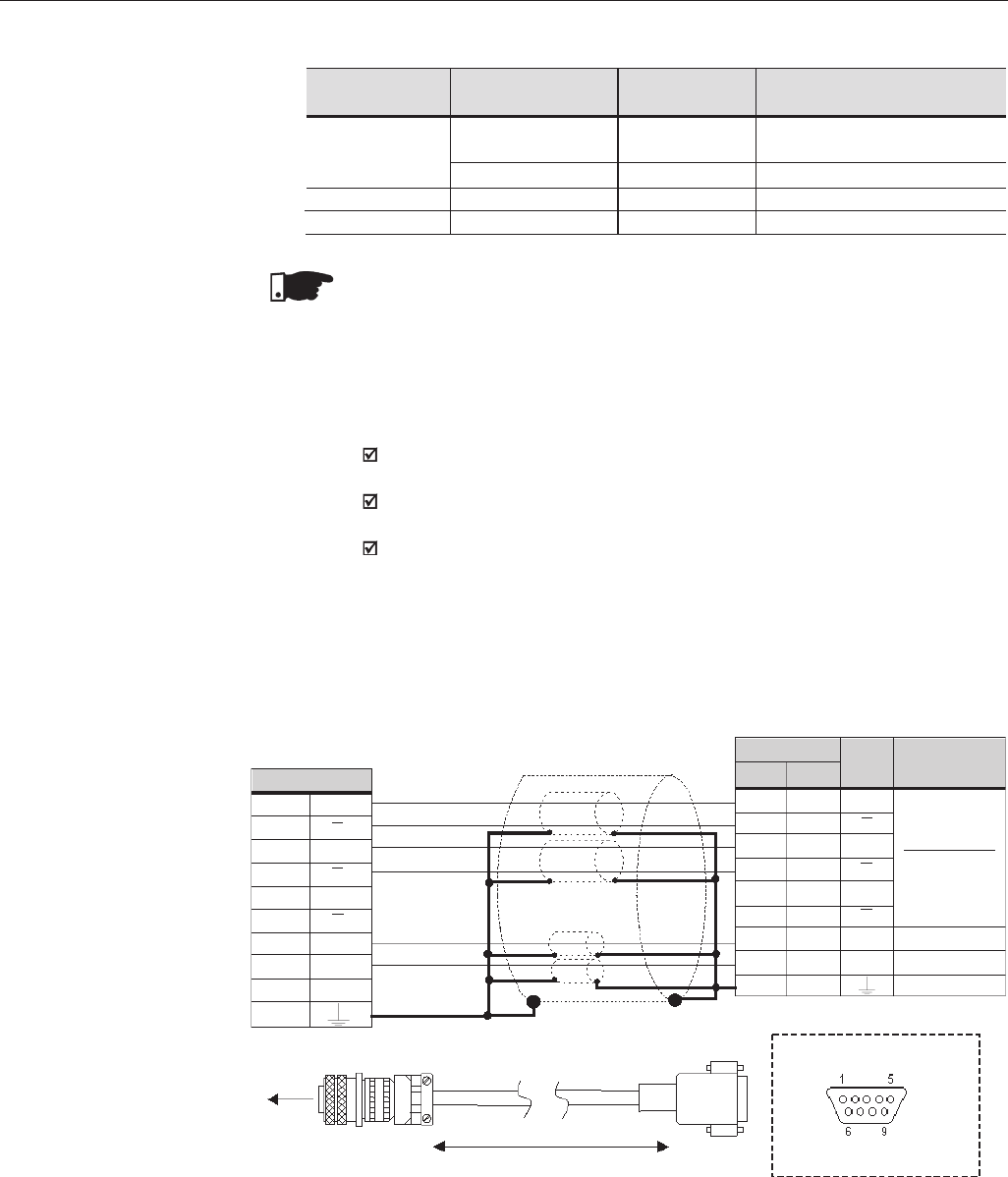
256
CHAPTER 8 - CFW-09 OPTIONS AND ACCESSORIES
MOUNTING OF THE ENCODER
For mounting the encoder on the motor, follow the recommendations below:
Couple the encoder directly to the motor shaft (use a flexible coupling
without torsional flexibility);
Both the shaft and the metallic frame of the encoder must be electrically
isolated from the motor. (min. spacing: 3mm (0.119 in));
Use high quality flexible couplings to prevent mechanical oscillation or
backlash;
The electrical connection must be made with shielded cable, maintaining a
minimum distance of about 254 mm (10 in) from other wiring (power, control
cables, etc.). If possible, install the encoder cable in a metallic conduit.
At start-up, program Parameter P202 - type of control - = 4 (vector with
encoder) to operate the motor with speed feedback throug incremental encoder.
For more details about Vector Control operation, refer to Chapter 5.
Connector XC9 (DB9 - Male)
*External Power Supply Voltage for encoder: 5 to 15 Vdc, consumption = 40 mA plus consumption of the
encoder
** 0V reference of the Power Supply Voltage
*** Valid pin position with encoder HS35B models from Dynapar. For other encoder models, check the
correct connection to meet the required sequence.
Figure 8.11 – EBC1 Encoder Input
red
blue
yellow
green
white
brown
cable shield
Encoder
Max. Recommended lenght: 100m (300 ft)
CFW-09 EBC1 Board
Encoder Connector***
A A
HA
B B
IB
CZ
J Z
D+VE
FCOM
ENC
G
XC9 XC10
326
225
128
927
8-
7-
421, 22
623, 24
5-
Description
Encoder Signal
(5 to 15V)
Power Supply*
0V Reference**
Ground
Signal
A
A
B
B
Z
Z
+VE
COM
Connector
NOTE!
The terminals XC10:22 and XC10:23 (see figure 8.9), should be used only for
encoder supply, when encoder power supply is not coming from DB9
connection.
Table 8.5 - EBC1 board configuration
CONFIGURATIONS
Expansion
Board
EBC1.01
EBC1.02
EBC1.03
Power
Supply
External 5V
External 8 to 15V
Internal 5V
Internal 12V
Encoder
Voltage
5V
8 to 15V
5V
12V
Customer
Action
Commutate switch S8 to ON, see
figure 8.9
None
None
None
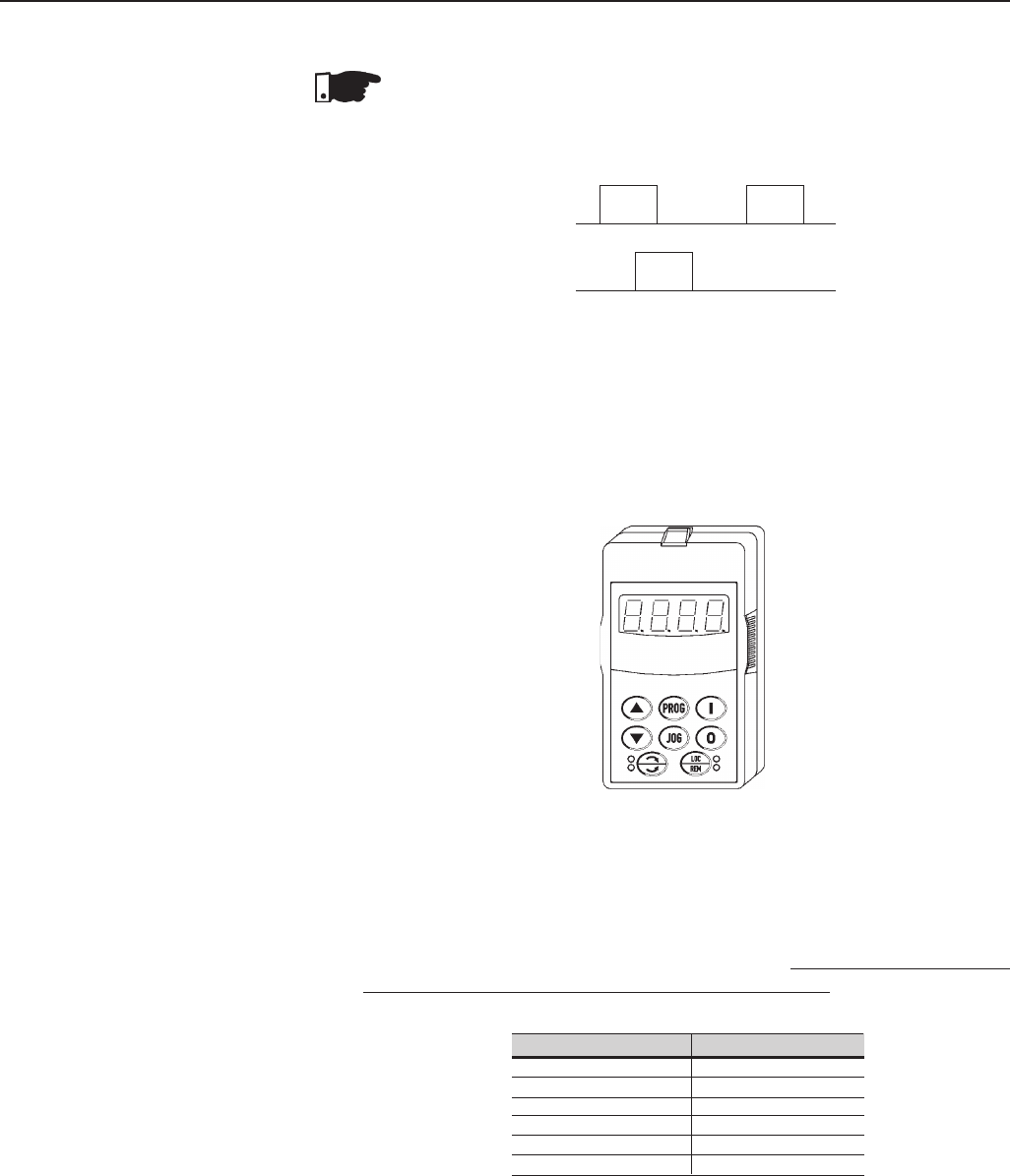
257
CHAPTER 8 - CFW-09 OPTIONS AND ACCESSORIES
Cable Length
1 m (3 ft)
2 m (6 ft )
3 m (10 ft)
5 m (15 ft)
7.5m *(22 ft)
10 m * (30 ft )
WEG Part No
0307.6890
0307.6881
0307.6873
0307.6865
0307.6857
0307.6849
* These cabes require the use of the remote
HMI-09 frame
The CFW-09 keypad (both the standard or the LED display only) can be installed
directly on the inverter cover or remotely. If the keypad is installed remotely,
the HMI-09 Frame can be used. The use of this frame improves the visual
aspect of the remote keypad, as well as provides a local power supply to
eliminate voltage drop problems with long cables. It is necessary to use the
frame when the keypad cable is longer than 5 m (15 ft).
The table below shows the standard cable lengths and their part numbers:
Table 8.6 - CFW-09 keypad cables
Figure 8.12 - Keypad with LED display only
8.4 REMOTE KEYPAD
AND CABLES
The keypad cable must be installed separately from the power cables, following
the same recommendations as for the CC9 control board (refer to section
3.2.6).
For assembling see details in figure 8.13 and 8.14.
The CFW-09 standard Keypad (HMI) is provided with LED´s and LCD display.
It can also be supplied with an LED Display only.
In this case the keypad model number is: HMI-CFW-09-LED. It operates in
the same way as the standard keypad, but it does not show the text messages
of the LCD and does not provide the copy function.
The dimensions and the electrical connections are the same as for the standard
keypad. Refer to Section 8.4.
8.3 KEYPAD WITH
LED´s ONLY
NOTE!
The Max. permitted encoder frequency is 100kHz.
Sequence of the encoder signals:
Motor running clockwise.
Bt
At
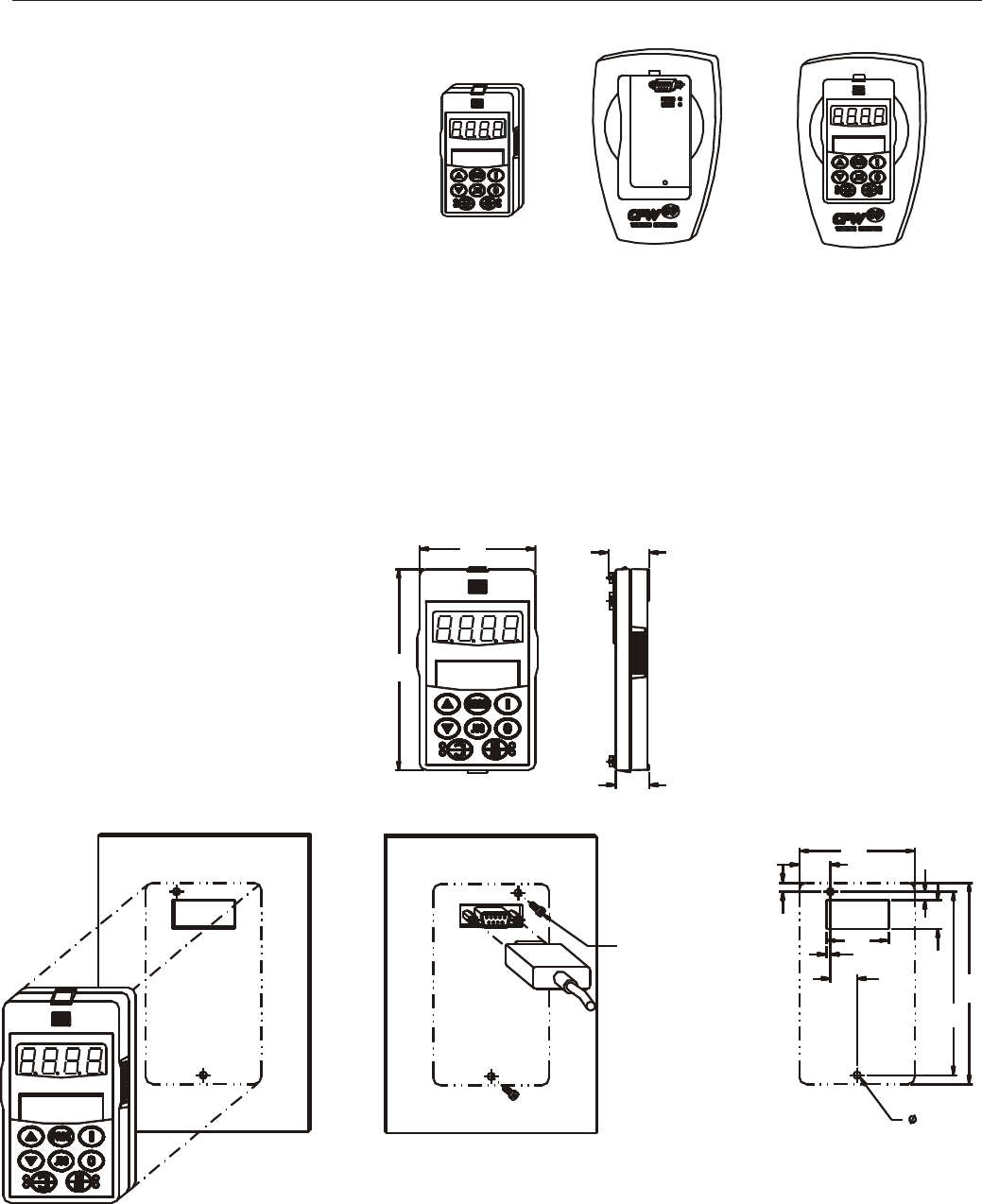
258
CHAPTER 8 - CFW-09 OPTIONS AND ACCESSORIES
To meet NEMA 250 and IEC 60529 the HMI can be supplied with two
specific degrees of protection:
a) Dimensions of the HMI – CFW09 – LED/LCD with NEMA 5-IP51 degree of protection.
Figure 8.13 - Standard HMI, remote HMI frame kit and HMI CFW09 – LCD N4 for panel
installation
Keypad Dimensions
65
(2.56) 23
(0.9)
19
(0.75)
65
(2.56)
113
(4.45)
113
(4.45)
18
(0.71)
35
(1.43)
2 (0.08)
15
(0.59)
103
(4.05)
16
(0.63)
5
(0.2)
5
(0.2)
Front View Back View Cutout Dimensions for Panel
Door Installation
4.0 (2x)
Screw M3x8 (2x)
Torque 0.5Nm
Figure 8.14 a) - Keypad dimensions in mm (inch) and mounting procedures
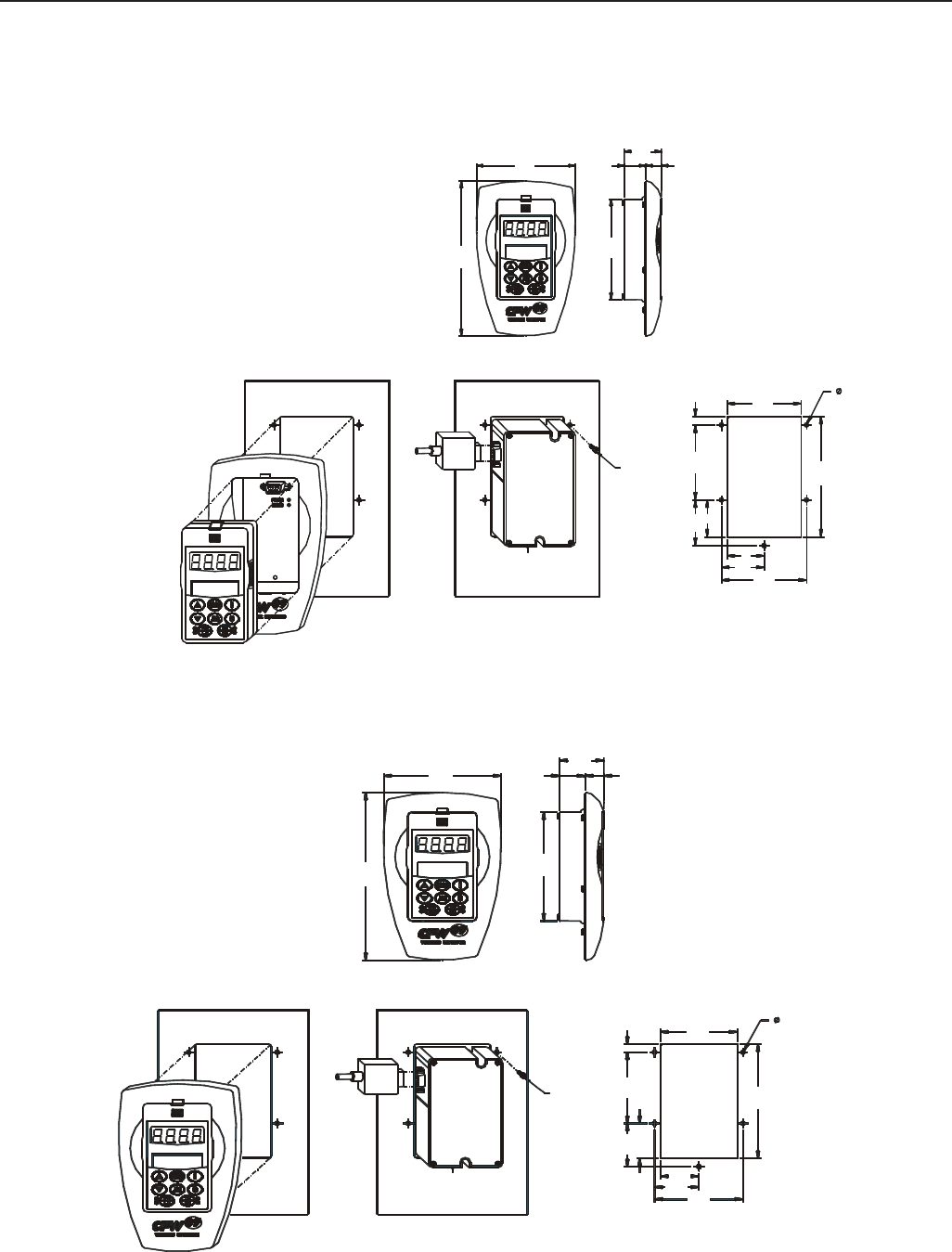
259
CHAPTER 8 - CFW-09 OPTIONS AND ACCESSORIES
Keypad Dimensions
Front View
Cutout Dimensions for Panel
Door Installation
Back View
112
(4.41) 25
(0.984)
43
(1.69) 18
(0.708)
175
(6.89)
113
(4.45)
c) Dimensions of the HMI – CFW09 – LED/LCD-N4 with NEMA 4-IP56 degree of protection.
Figure 8.14 b) c) - Keypad dimensions in mm (inch) and mounting procedures
b) Dimensions of the HMI – CFW09 – LED/LCD + remote HMI frame kit with NEMA5-IP51 degree
of protection.
73
(2.874)
119
(4.685)
84
(3.3)
Screw
M3x8 (2x)
Torque 0.5Nm
42
37 (1.456)
(1.653)
37
(1.456)
45
(1.77) 74
(2.913) 8
(0.354)
4 (5x)
Keypad Dimensions
Front View
Cutout Dimensions for Panel
Door Installation
Back View
112
(4.41) 25
(0.984)
43
(1.69) 18
(0.708)
175
(6.89)
113
(4.45)
73
(2.874)
119
(4.685)
84
(3.3)
Screw
M3x8 (2x)
Torque 0.5Nm
42
37 (1.456)
(1.653)
37
(1.456)
45
(1.77) 74
(2.913) 8
(0.354)
4 (5x)
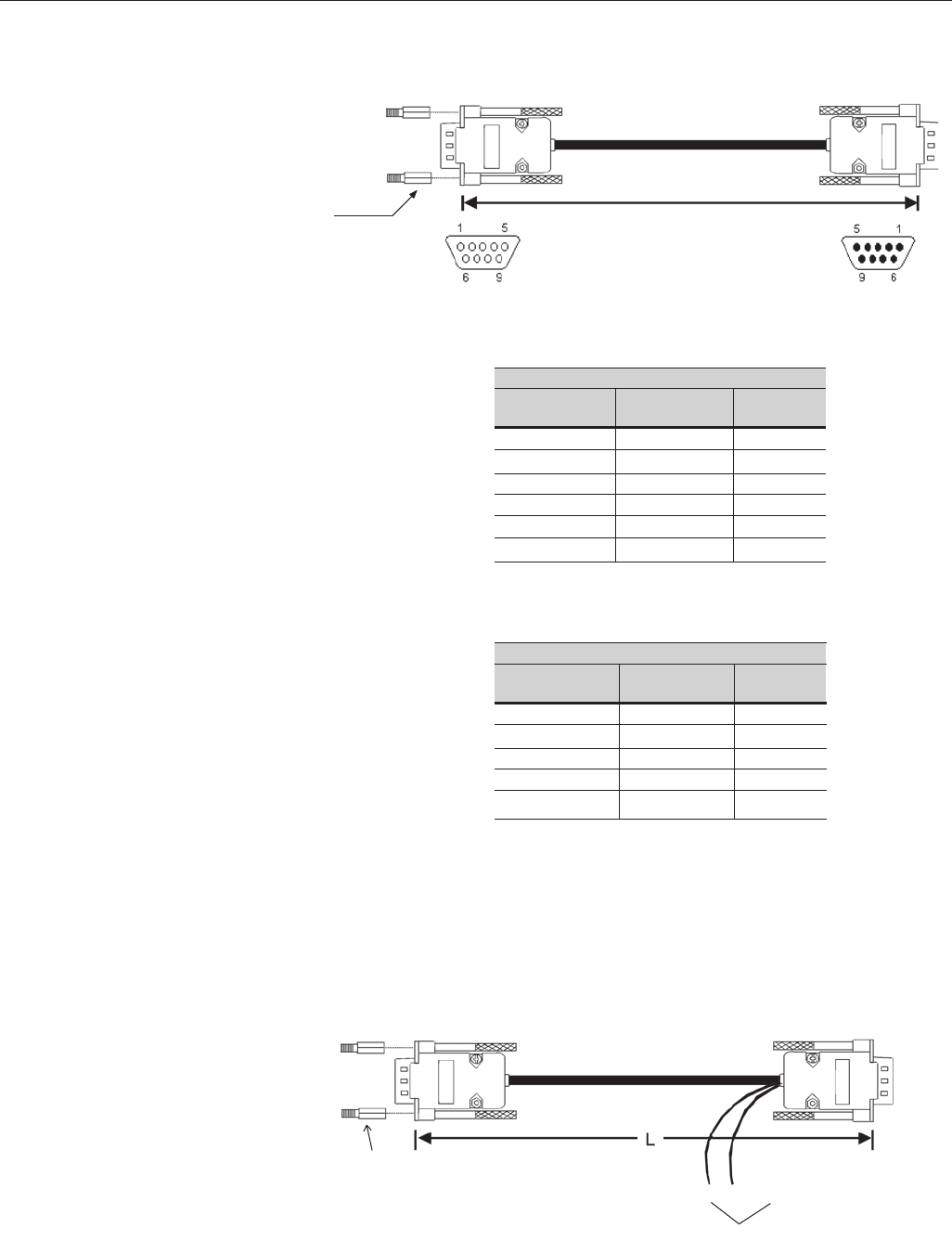
260
CHAPTER 8 - CFW-09 OPTIONS AND ACCESSORIES
Table 8.8 - Connections for remote keypad
cable from 7.5 m (22 ft) to 10 m (30 ft).
Table 8.7 - Connections for remote keypad
cable up to 5 m (15 ft).
Signal
+5V
Rx
Tx
GND
+15V
SHIELD
CABLE CONNECTION 5m ≤≤
≤≤
≤ (15 ft)
Connector Pin/
Inverter Side
1
2
3
4
8
9
Note: The frame can be used or not.
HMI
Inverter
Figure 8.15 - Cable for remote keypad connection
≤
10m
Inverter key pad (HMI)
Max. recommended cable length: 10m (30ft)
Connector DB9 - Male Connector DB9 - Female
Insert spacer to connect
the cable to the inverter.
Remote HMI connection for distances farther than 10m (30 ft):
The HMI can be connected to the inverter using a cable length up to 200 m
(600 ft). It is necessary to use an external power supply of 15Vdc, according
to figure 8.16.
IHM
Inversor
+15V @ 300mA
- Screw
- Do not use nut and washer.GND
Connector Pin/
HMI Side
2
3
4
8
9
CABLE CONNECTION >5m (>15 ft)
Connector Pin/
Inverter Side
2
3
4
8
9
Note: The frame must be used.
Figure 8.16 - Cable for remote keypad connection > 10m
External power supply
Remote HMI connection for distances higher than 10m (30 ft):
Connector Pin/
HMI Side
1
2
3
4
8
9
Signal
Rx
Tx
GND
+15V
SHIELD
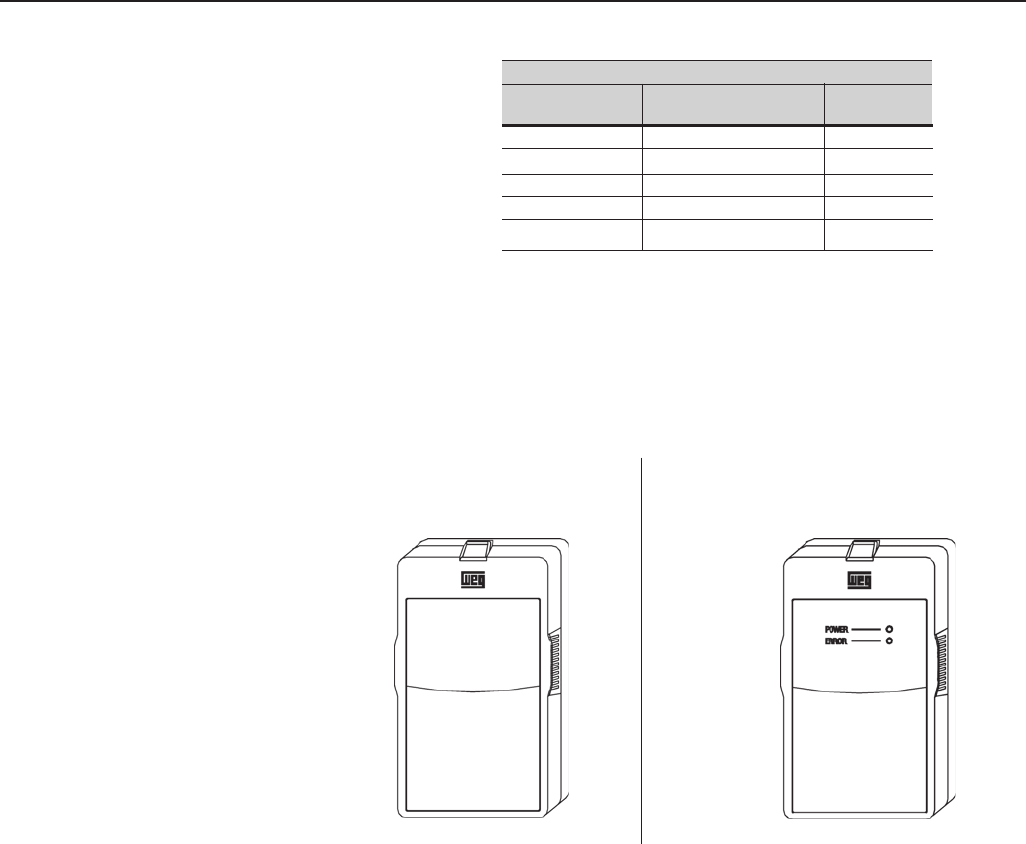
261
CHAPTER 8 - CFW-09 OPTIONS AND ACCESSORIES
b) CFW-09 Blank Cover with Power
and Error LED’s
(to be mounted in the inverter)
The CFW-09 can be controlled, programmed and monitored via an RS-232
Serial Interface. The communication protocol is based on question/response
telegrams according to ISO 1745 and ISO 646 standards, with ASCII characters
exchanged between the inverter and a master (network controller, which can
be a PLC, PC, etc.).The maximum transfer rate is 9600 bps. The RS-232
serial interface is not galvanically isolated from the 0V reference of the inver-
ter electronics, therefore the maximum recommended serial cable length is
10m (30ft).
To implement the serial communication, an RS-232 SERIAL INTERFACE
module has to be added to the CFW-09. This module is installed in place of
the Keypad, making the RS-232 connection (RJ11 connector) available. If the
use of the HMI is also required, the RS-232 module also provides its connection.
8.6 RS-232 PC
COMMUNICATION KIT
CABLE CONNECTION
Connector Pin/
Inverter Side
2
3
-
-
9
Connector Pin/
HMI Side
2
3
4
8 (Ext. power supply)
9 (Ext. power supply)
Table 8.9 - Pin connection (DB9) for
cable > 10m (32,80 ft ) and
≤
200 m (656 ft).
a) CFW-09 Blank Cover
(to be mounted in the frame)
8.5 BLANK COVERS As shown in Figure 8.17, two types of blank covers are available to be used, in
the inverter or in the frame, when the keypad is not in place.
Signal
Rx
Tx
GND
+15V
Shield
Figure 8.17 a) b) – CFW-09 Blank Covers
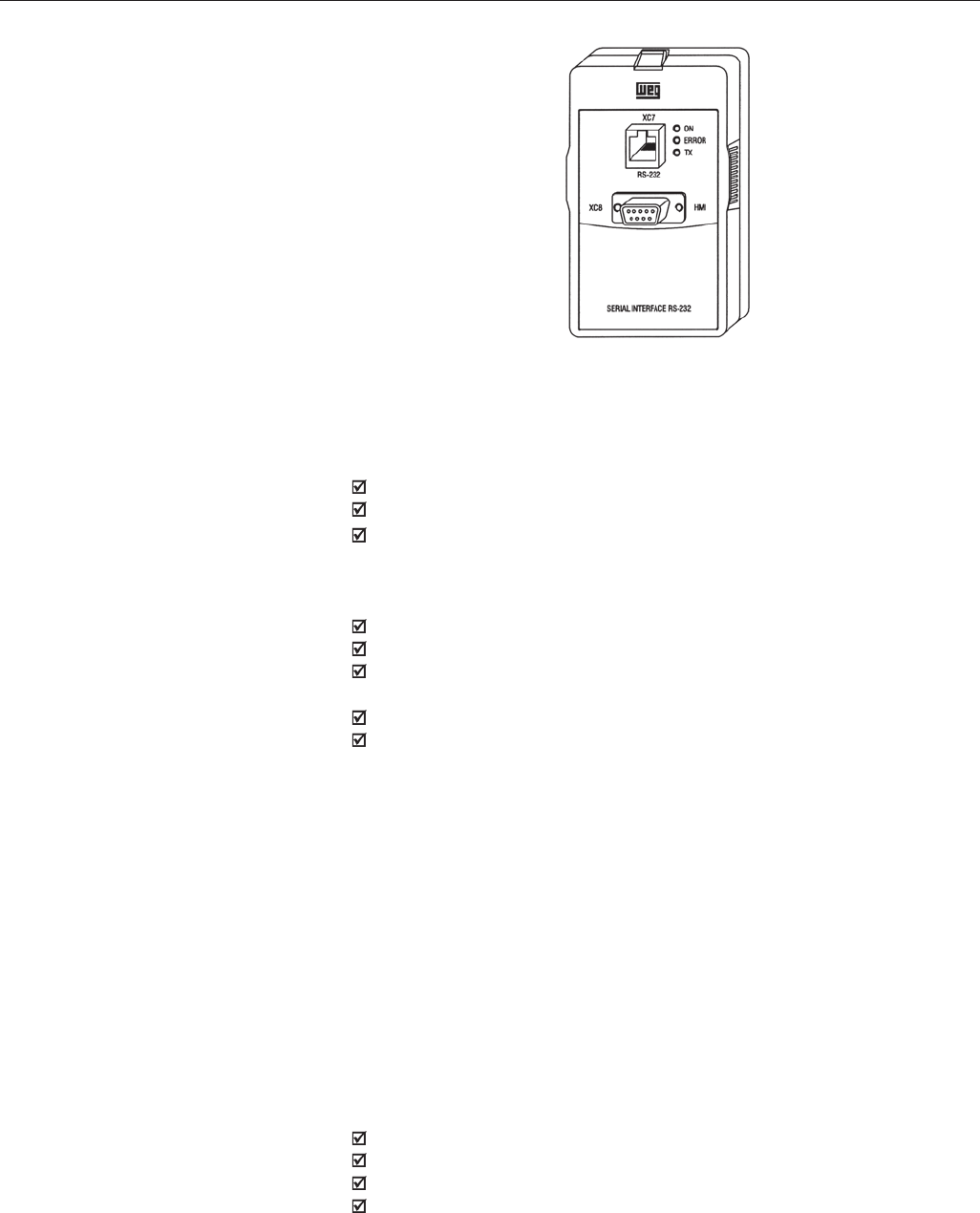
262
CHAPTER 8 - CFW-09 OPTIONS AND ACCESSORIES
Due to the input circuit characteristic, common to all passive front end inverters
available in the market, which consists of a six diode rectifier and capacitor
bank, the input current (drained from the power supply line) of inverters is non
sinusoidal and contains harmonics of the fundamental frequency.
These harmonic currents circulate through the power supply line, causing
harmonic voltage drops which distort the power supply voltage of the inverter
and other loads connected to this line. These harmonic current and voltage
distortions may increase the electrical losses in the installation, overheating
components (cables, transformers, capacitor banks, motors, etc.), as well as
a lowering power factor.
The harmonic input currents depend on the impedance values that are present
in the rectifier input/output circuit. The addition of a line reactor and/or DC bus
choke reduces the current harmonic content, providing the following advantages:
Increased input power factor;
Reduced RMS input current;
Reduced power supply voltage distortion;
Increased life of the DC link capacitors.
8.7 LINE REACTOR /
DC BUS CHOKE
The RS-232 PC Communication Kit which allows the connection of the CFW-
09 to a PC via the RS-232 interface is composed of:
RS-232 Serial Interface Module;
3 m (10 ft) Cable for RJ-11 to DB9 connection;
SuperDrive Software for Windows for CFW-09 programming, operation and
monitoring. See hardware and system needs for SuperDrive.
To install the RS-232 PC communication kit, proceed as follows:
Remove the keypad (HMI) from the inverter;
Install RS-232 Serial Interface Module in place of the keypad;
Install the SuperDrive software in the PC. Consult the on-line help or
installation guide;
Use the cable to connect the inverter to the PC;
Follow the SuperDrive software instructions. Consult the on-line help or
installation guide.
Figure 8.18 - RS-232 module
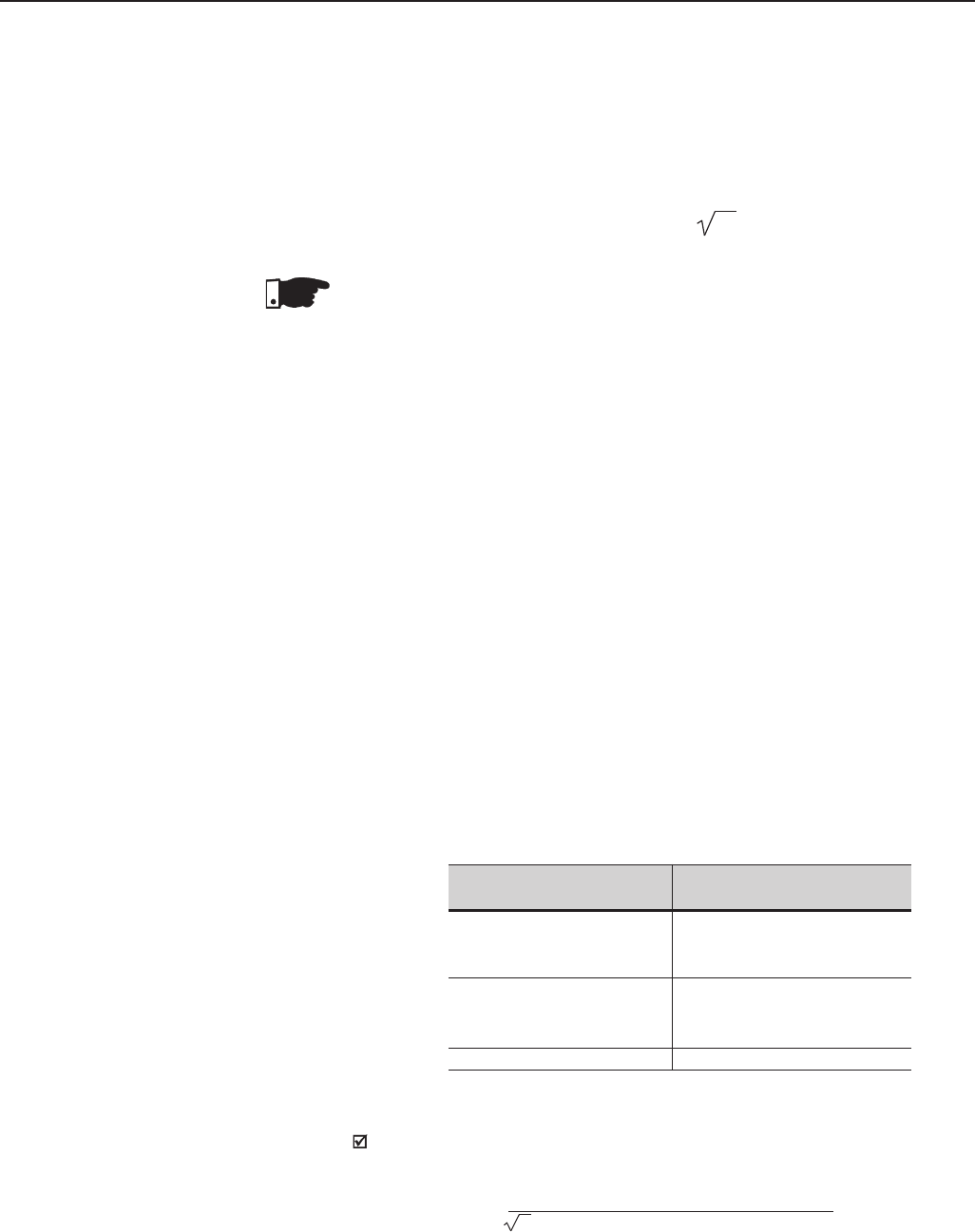
263
CHAPTER 7 - DIAGNOSTICS AND TROUBLESHOOTING
The line reactor or the DC Link Inductor shall be applied when required
impedance is insufficient for limiting the input current peaks, thus preventing
damages to the CFW-09. The minimum required impedances, expressed as
impedance drop in percent are following:
a) For the model with rated current ≤ 130A/220-230V, ≤ 142A/380-480V or ≤
32A/500-600V: drop of 1% for the line voltage;
b) For the model with rated current ≥180A/380-480V: drop of 2% for the line
voltage;
c) For models with rated current ≥ 44A/500-600V or ≥ 107A/500-690V or ≥
100A/660-690V: there is no requirement for the minimum required line
impedance for the CFW-09 protection. These impedances are ensured by
the internal existing DC choke. The same is applicable when DC link
inductor is incorporated into the product (Special Hardware - Code HC or
HV), in the models with currents ≥ 16A/220-230V or ≥ 13A/380-480V and
≤ 240A/380-480V.
As an alternative criteria, a line reactor should be added when the inverter
supply transformer has a rated power higher than indicated below:
8.7.1 Application Criteria
L = Voltage Drop [%] x Line Voltage [V]
3 x 2 Line Freq [Hz] x Rated Cur.[A]
π
[H]
To determine the line reactor needed to obtain the desired voltage drop,
use equation below:
Transformer
Power [kVA]
125
5 X Inverter Rated Power
2 X Inverter Rated Power
CFW-09 Rated Current/
volts
6A to 28A/220-230V
3.6A to 24A/380-480V
2.9A to 14A/500-600V
45A to 130A/220-230V
30A to 142A/380-480V
22A to 32A/500-600V
180A to 600A/380-480V
Table 8.10 - Line reactor usage criteria
NOTE!
The 44A to 79A/500-600V, 107A to 472A/500-690V and 100A to 428A/660-
690V models have a DC link inductor built in the standard version. It is not
necessary to have minimun supply impedance or add external line inductors
for protecting these models.
LDC- EQUIVALENT = LAC X 3
The Line Reactor and the DC Bus Choke, when properly sized, have practically
the same efficiency in reducing the harmonic currents. The DC Bus Choke
has the advantage of not introducing a motor voltage drop, while the Line
Reactor is more efficient to attenuate power supply voltage transients.
DC Link Inductor equivalent to the line reactor is:
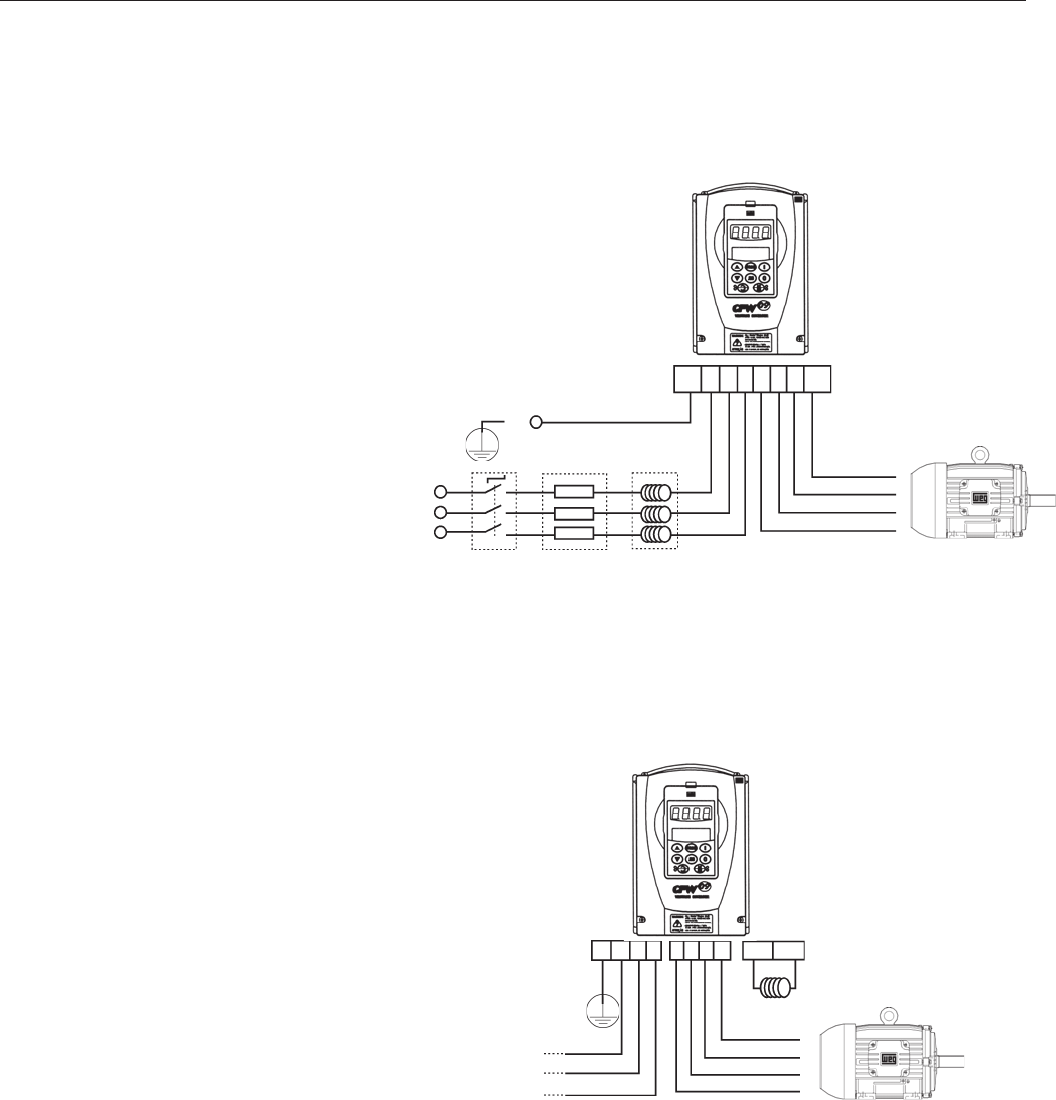
264
CHAPTER 8 - CFW-09 OPTIONS AND ACCESSORIES
Figure 8.19 b) – DC Bus Choke connection
U V W PE
DC Bus
Choke
AC Input
R
S
T
AC Input Fuses Reactor
PE
Disconnect
Switch
Figure 8.19 a) – Line reactor connection
PE R S T U V W PE
PER S T +UD DCR
The electrical installation of an input line reactor is shown on Figure 8.19 a).
For CFW-09 sizes above 16 A/220-230V or 13 A/380-480V, the connection of
a DC Bus Choke is possible. The DC bus choke connection is also possible
in all 2.9A to 32A/500-600V models. Figure 8.19 b) shows this connection.
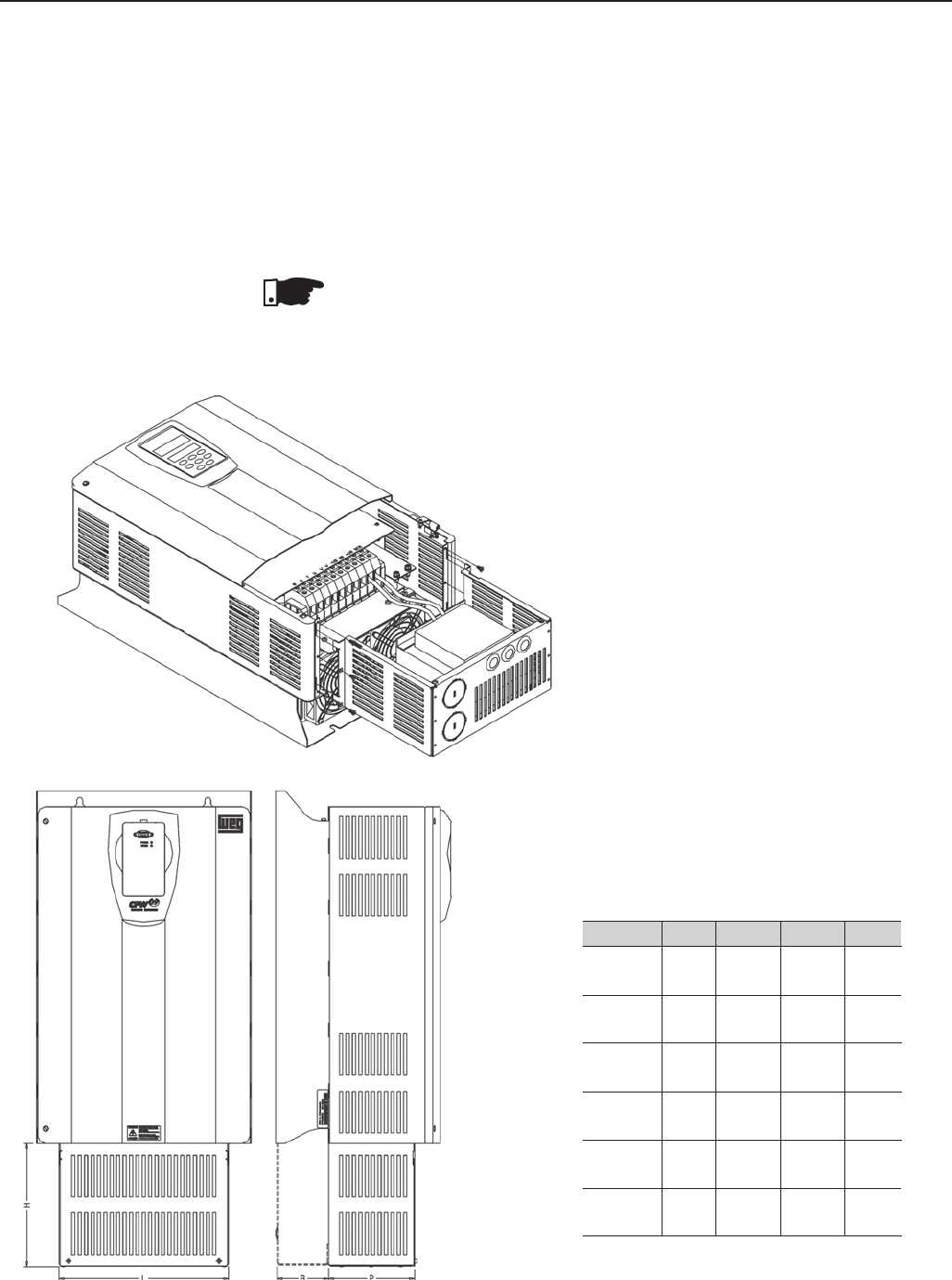
265
CHAPTER 8 - CFW-09 OPTIONS AND ACCESSORIES
Sizes 2 to 8
Dimensions mm (inch)
Model LHPB
Size 2 160 120 105.5 -
(6.30) (4.72) (4.15)
Size 3 153 137 134 -
(6.02) (5.39) (5.27)
Size 4 180 172 134 -
(7.08) (6.77) (5.27)
Size 5 265 193.5 134 -
(10.43) (7.57) (5.27)
Size 6-7 265 212.5 159 -
(10.43) (8.36) (6.25)
Size 8 325 240 221.5 80.5
(12.79) (9.44) (8.72) (3.16)
CFW-09 with DC link inductor
The following CFW-09 inverter models, can be fitted with an inductor at the DC
Link already incorporated into the product:
Models ≥ 16A/220-230V, Models ≥ 13A/380-480V and Models ≤ 240A/380-
480V.
To request the inverter with an inductor already assembled, please add the
code “HC” (for inverter operating at constant torque) or “HV” (for inverter operating
with variable torque) in the model CFW-09, in the option field “Special Hardware”
(see Item 2.4).
NOTE!
Remember that the operation at higher currents than the rated current in variable
Torque mode is not possible with all inverter types (see Item 9.1.2 and Item
9.1.3). Thus the HV option is only possible with the types that can be operated
in that situation.
8.7.2 DC Link Inductor Built in
Table 8.11 - CFW-09 with DC link inductor
dimensions.
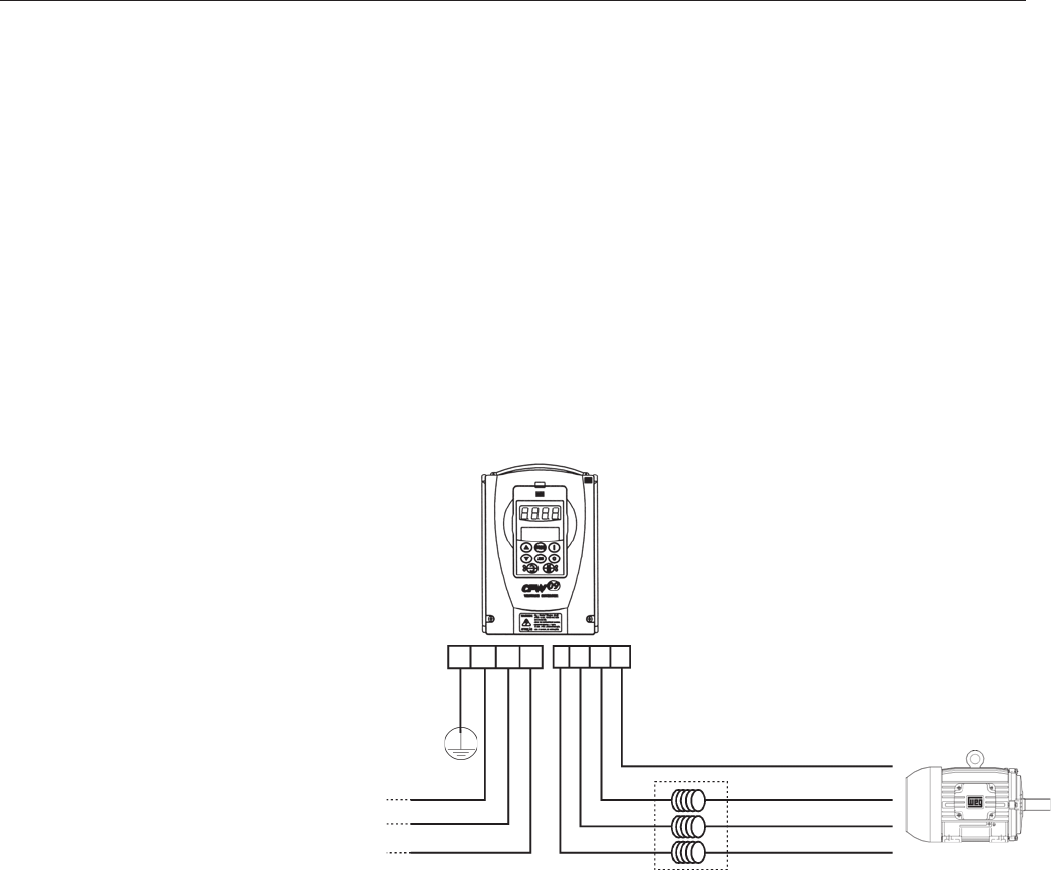
266
CHAPTER 8 - CFW-09 OPTIONS AND ACCESSORIES
The installation of frequency inverters requires certain care in order to prevent
electromagnetic interference (EMI). This interference may disturb the operation
of the inverter itself or other devices, such as, electronic sensors, PLCs,
transducers, radio equipment, etc.
To avoid these problems, follow the installation instructions contained in this
Manual. Never install electromagnetic noise generating circuits such as input
power and motor cables near analog signal or control cables.
Care should also be taken with the radiated interference, by shielding the
cables and circuits that tend to emit electromagnetic waves and cause
interference.
The electromagnetic interference can also be transmitted through the power
supply line. This type of interference is minimized in the most cases by
capacitive Radio Frequency Filters (common and differential mode) which are
already installed inside the CFW-09. However, when inverters are installed in
residential areas, the installation of an external additional filter may be required.
In this case contact WEG to select the most suitable filter type.
8.9RFI FILTER
The use of a three-phase load reactor, with an approximate 2% voltage drop
decreases the dv/dt (voltage rising rate) of the PWM pulses commonly generated
at the inverter output of any AC frequecy converter.
This practice reduces the voltage spikes on the motor windings and leakage
currents that may be generated when long distance cables between inverter
and motor are used.
There are many factors that influence the peak level (Vp) and rise time (tr) of
voltage spikes. Cable type, cable length, motor size, switching frequency and
other variables all affect Vp and dv/dt.
WEG recommends using a load reactor when V supply > 500V, though this is
not always required. WEG, as specialists in both VSD’s and motors are able
to provide an integrated solution. The load reactor value is calculated in the
same way as the line reactor (See item 8.7.1).
If the cables between inverter and motor are longer than 100 m (300 ft), the
cable capacitance to ground may cause nuisance overcurrent (E00) or ground
fault (E11) trips. In this case it is also recommended to use a load reactor.
8.8 LOAD REACTOR
U V W PE
Figure 8.20 – Load reactor connection
AC
Input
PE R S T
Load reactor near
the inverter
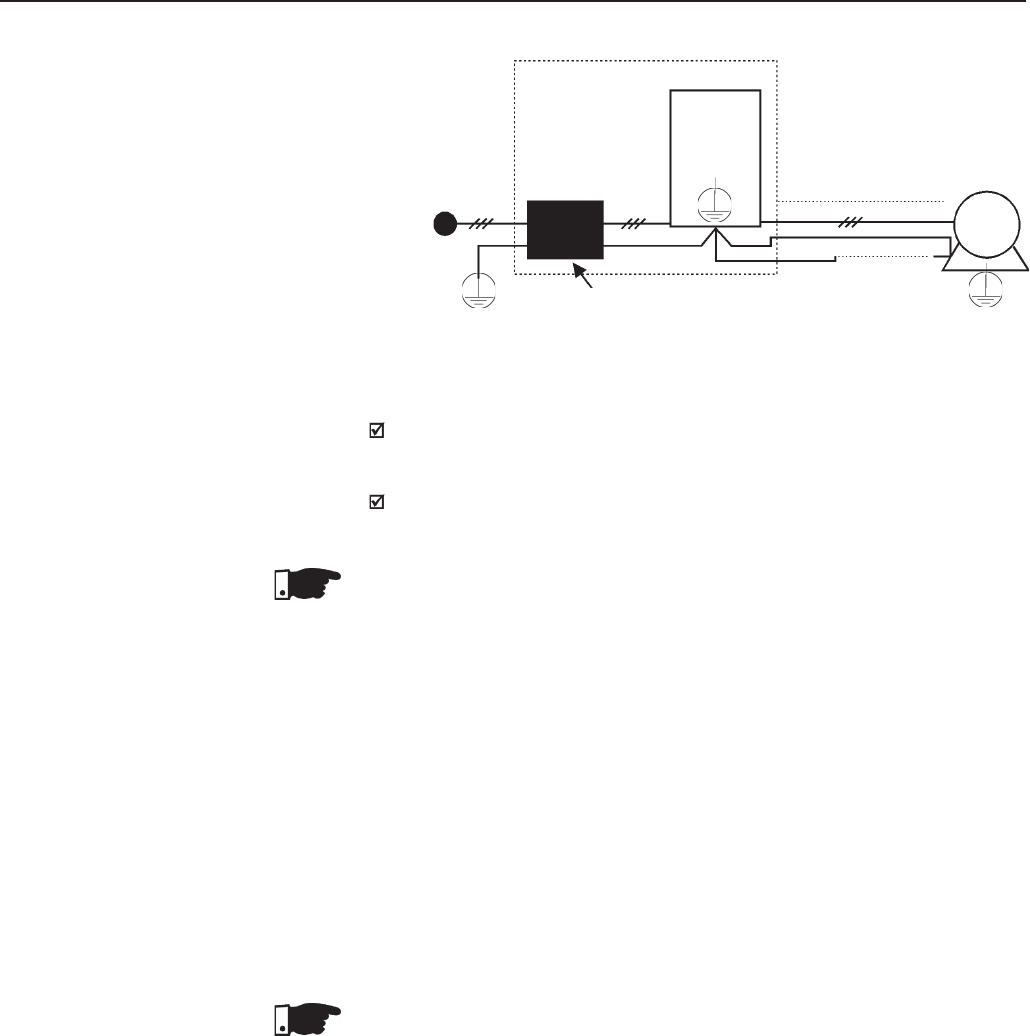
267
CHAPTER 8 - CFW-09 OPTIONS AND ACCESSORIES
Instructions for the RFI filter installation:
Install the inverter and the filter on a metallic grounded plate as near
to each other as possible and ensure a good electrical contact between
the grounded plate and the inverter and filter frames;
If the cable between inverter and filter is longer than 30 cm (12 in), use a
shielded cable and ground each shield end on the grounded mounting plate.
NOTE!
Installations that must meet the European standards, see item 3.3.
The amount of braking torque that can be generated when a motor is controlled
by an inverter, without dynamic braking or any other braking schemes, varies
from 10% to 35% of the motor rated torque.
During the deceleration process, the kinetic energy of the load is regenerated
into the inverter’s DC Link. This energy loads up the capacitors increasing the
DC Link voltage. When this energy is not fully dissipated, it may generate a
DC Link overvoltage trip (E01).
To obtain higher braking torque, the use of Dynamic Braking, where the excess
regenerated energy is dissipated in an external resistor, is recommended .
The Dynamic Braking is used in cases where short braking times are required
or where high inertia loads are driven.
For Vector Control modes the “Optimal Braking” feature can be used and in
many cases eliminate the need for Dynamic Braking. Refer to Chapter 6,
Parameter P151.
NOTE!
If dynamic braking will be used, set P151 to its maximum value.
For a precise sizing of the dynamic braking resistor, application data, such
as: deceleration time, load inertia and braking duty cycle must be considered.
The RMS current capacity of the inverter’s dynamic braking transistor must
also be taken into account, as well as its maximum peak current, which
defines the minimum resistance value (ohms) of the braking resistor. Refer to
Table 8.12.
The DC Link voltage level at which dynamic braking is activated is defined by
the Parameter P153 – Dynamic Brake Level.
8.10 DYNAMIC BRAKING
8.10.1 DB Resistor Sizing
Earth
Driving Panel
Filter
CFW-09
Supply
Line
install it as near as
possible the
inverter
Motor
Earth
(Frame)
MOTOR
Conduit or
shielded cable
PE
Figure 8.21 – RFI Filter connection
PE
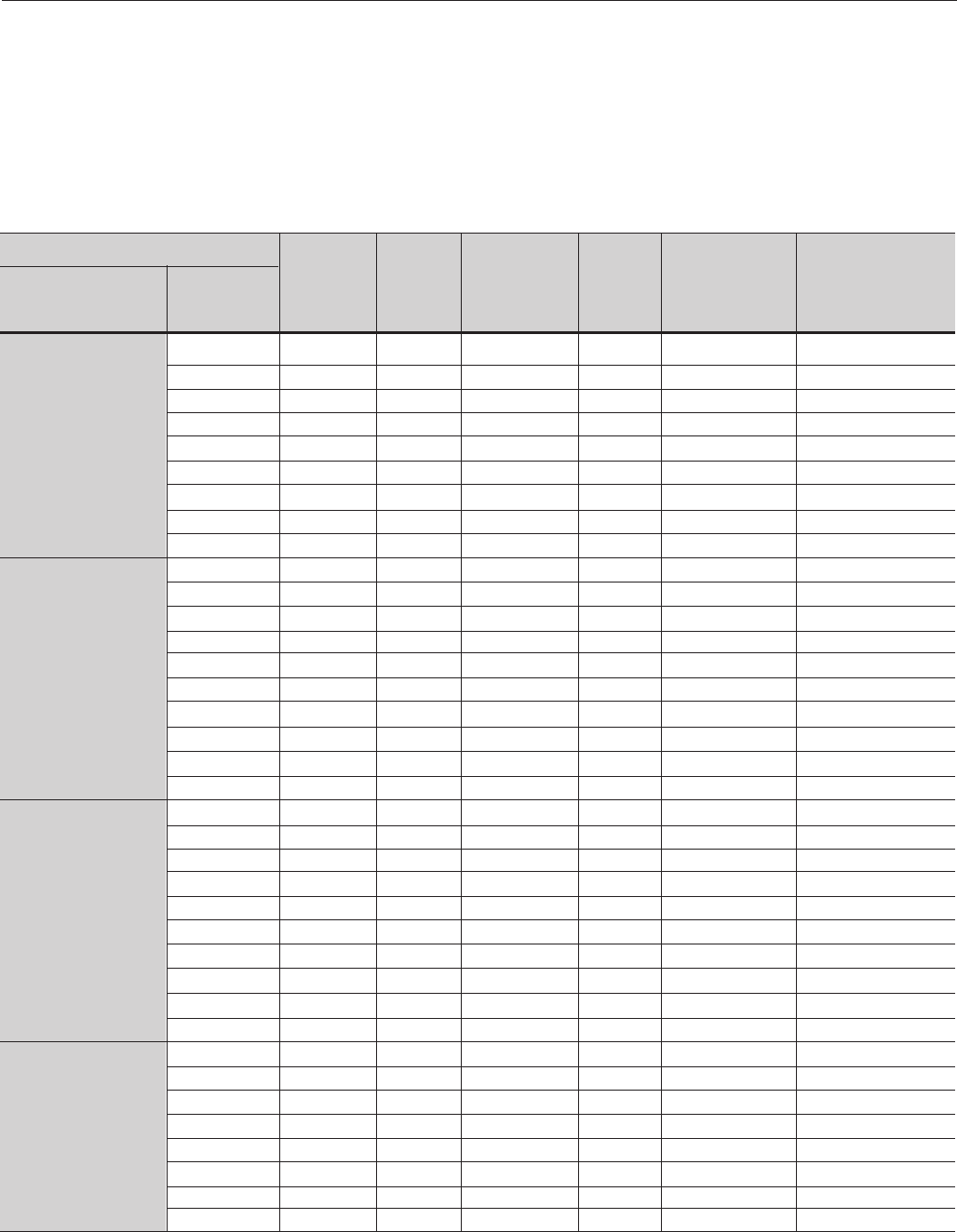
268
CHAPTER 8 - CFW-09 OPTIONS AND ACCESSORIES
Table 8.12 - Recommended Braking Resistor
Maximum
Braking
Current [A] (1)
10
15
20
26
38
45
95
120
180
6
8
16
24
34
48
78
120
180
250
6
8
16
24
34
48
78
120
180
250
8.33
10
12.2
14,71
14.71
66.67
100
121.95
Rated
Current [A]
6
7 and 10
13 and 16
24
28
45
54
70 and 86
105 and 130
3.6 and 4
5.5
9 and 13
16
24
30
38 and 45
60 and 70
86 and 105
142
3.6 and 4
5.5
9 and 13
16
24
30
38 and 45
60 and 70
86 and 105
142
2.9 and 4.2
7
10
12
14
22, 27 and 32
44 and 53
63 and 79
CFW-09 Model RMS Braking
Current [A] (2)
5
7
10
13
18
22
48
60
90
3.5
4
10
14
21
27
39
60
90
125
3.5
4
10
14
21
27
39
60
90
125
4.2
5
6.1
7.4
7.4
33.33
50
61
Power Wiring
(BR, -UD, +UD)
mm² - AWG
2.5 - 14
2.5 - 14
4.0 - 12
6.0 - 10
10 - 8
10 - 8
35 - 3
50 - 1
95 - 3/0
2.5 - 14
2.5 - 14
4.0 - 12
6.0 - 10
10 - 8
10 - 8
25 - 4
50 - 1
95 - 3/0
120 - 4/0
2.5 - 14
2.5 - 14
4.0 - 12
6.0 - 10
10 - 8
10 - 8
25 - 4
50 - 1
95 - 3/0
120 - 4/0
2.5 - 14
2.5 - 14
2.5 - 14
4.0 - 12
2.5 - 14
95 - 3/0
95 - 3/0
95 - 3/0
Power Supply
Voltage [V]
220-230
380
and
400-415
440-460
and
480
500-525
and
575-600
Minimum
recommended
resistor
[ohms]
39
27
22
15
10
8.6
4.7
3.3
2.2
100
86
39
27
18
15
8.6
5.6
3.9
2,7
120
100
47
33
22
18
10
6.8
4.7
3.3
120
100
82
68
68
15
10
8.2
Pmax
[kW] (3)
3.9
6.1
8.8
10.1
14.4
17.4
42.4
47.5
71.3
3.6
5.5
10.0
15.6
20.8
34.6
52.3
80.6
126.4
168.8
4.3
6.4
12.0
19.0
25.4
41.5
60.8
97.9
152.3
206.3
12
10
12.81
20.83
15.3
337.5
225
184.5
Prated
[kW] (3)
0.97
1.3
2.2
2.5
3.2
4.2
10.8
11.9
17.8
1.2
1.4
3.9
5.3
7.9
10.9
13.1
20.1
31.6
42.2
1.5
1.6
4.7
6.5
9.7
13.1
15.2
24.5
38.1
51.6
2.08
2.5
3.05
3.68
3.68
16.67
25
30.49
(1) The maximum current can be determined by:
Imax = Value set at P153[V] / Resistor Ohms
The braking resistor is defined according to the deceleration time, load inertia
and resistive torque. In most cases a resistor with an ohmic value indicated on
Table 8.12 and a power rating of 20% of the driven motor can be used.
Use Wire type resistors with suitable insulation to withstand the instantaneous
current peaks.
For critical applications with very short braking times, high inertia loads (Ex:
centrifuges) or with very short and frequent duty cycles, contact WEG, to define
the most suitable resistor.
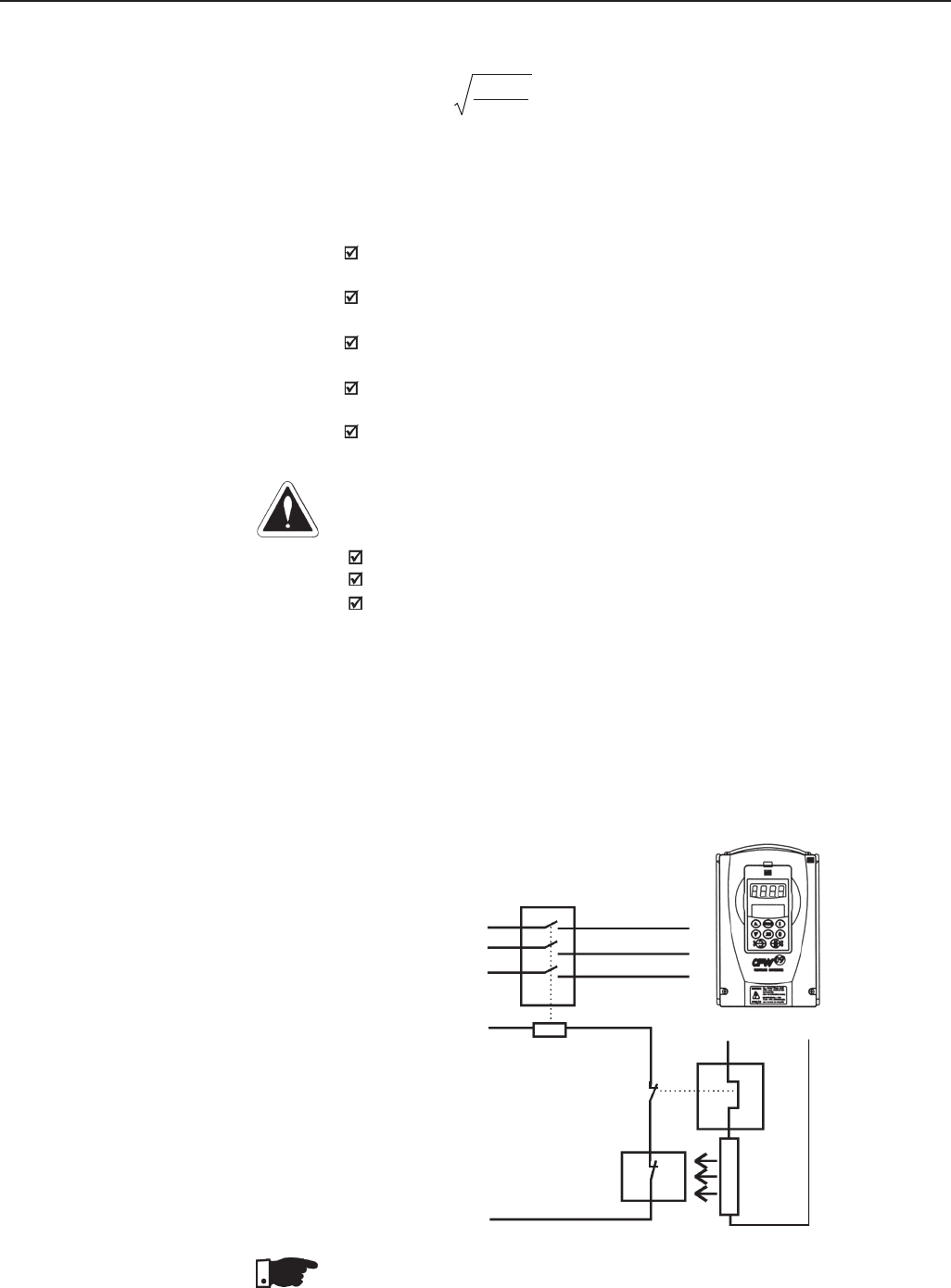
269
CHAPTER 8 - CFW-09 OPTIONS AND ACCESSORIES
DANGER!
The CFW-09 provides an electronic thermal protection for the braking resistor
to avoid overheating. The braking resistor and the transistor can be damaged if:
They are not properly sized;
Parameters P153, P154 and P155 are not properly set;
The line voltage exceeds the maximum allowed value.
The electronic thermal protection provided by the inverter, if properly
programmed, protects the DB resistor in case of overloads not expected during
normal operation, but it does not ensure protection in case of a dynamic
braking circuit failure.
In this case the only guaranteed method to avoid burning the resistor and
eliminate risk of fire is the installation of a thermal overload relay in series with
the resistor and/or the installation of a thermostat on the resistor body, wiring
it in a way to disconnect the inverter power supply is case of overheating, as
shown below:
Connect the braking resistor between the +UD and BR power terminals
(refer to section 3.2.1);
Make this connection with a twisted pair. Run this cable separately from
any signal or control wire;
Size the cable cross section according to the application, considering
the maximum and RMS current;
If the braking resistor is installed inside the inverter panel, consider the
heat dissipated by the resistor when defining the panel ventilation;
Set Parameter P154 to the Ohms value of the DB resistor and Parameter
P155 to the resistor power rating in kW.
Power
Supply
Thermostat Braking
Resistor
Overload
Relay
Control Power
Supply
Contactor
or
Circuit Breaker
BR +UD
Figure 8.22 – Braking resistor connection
CFW-09
8.10.2 Installation
(2) The RMS braking current can be calculated by
Irms = Imax . tbr[min] Where tbr corresponds to the sum of the braking
5
times during the most severe 5 minute cycle.
(3) Pmax and Prated are the maximum peak and rated powers that the braking
chopper can deliver. The resistor power must be sized according to the
application braking duty cycle.
NOTE!
Through the power contacts of the bimetallic overload relay circulates Direct
Current during the DC-Braking process.
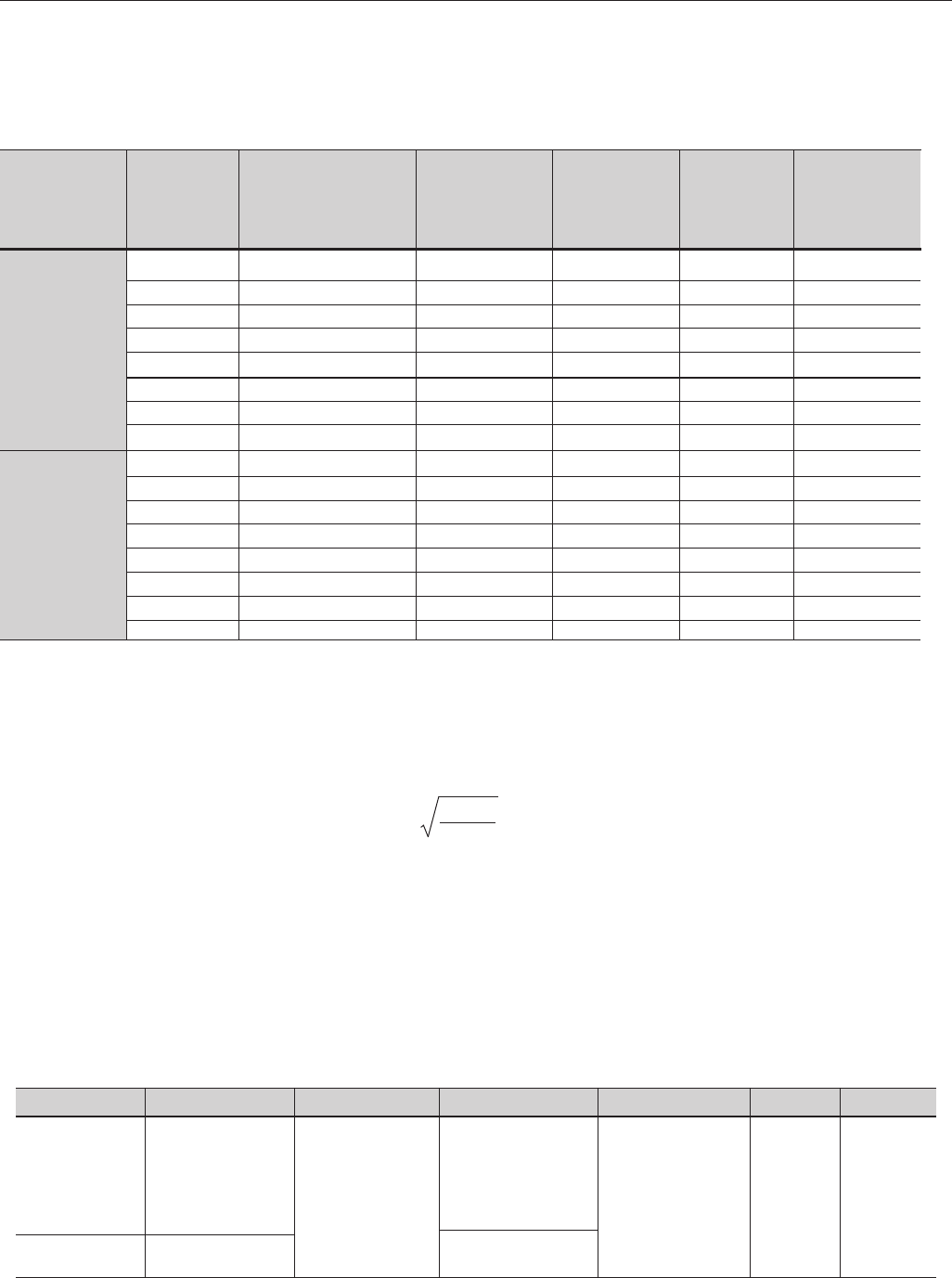
270
CHAPTER 8 - CFW-09 OPTIONS AND ACCESSORIES
Table 8.13 - Inverter and corresponding DBW
(1)The max. current can be calculated by:
Imax= set value at P153[V]/value of the resistor [ohms].
(2)The rms braking current can be calculated by:
Irms = Imax . tbr[min] where tbr corresponds to the sum of the braking
5
actuation times during the most severe 5-minute cycle.
(3)The minimum resistor value of each shown model has been calculated
so the braking current does not exceed the maximum current specified
in table 8.13.
For this, following parameters have been considered
- DBW-01: rated line voltage = 480V.
- DBW-02: rated line voltage = 690V.
- Factory Standard Value of P153.
8.10.3 Dynamic Braking module -
DBW-01 and DBW-02
In the CFW-09 220-230V or 380-480V types with currents higher or equal to
180A, dynamic braking uses the DBW-01 external braking module. For 500-
690V and 660-690V with currents higher or equal 100A, dynamic braking
uses the DBW-02 external braking module.
Braking
Module
DBW010165D21802SZ
DBW010240D21802SZ
DBW010240D21802SZ
DBW010300D21802SZ
DBW010300D21802SZ
DBW010300D21802SZ
DBW010300D21802SZ
DBW010300D21802SZ
DBW020210D5069SZ
DBW020210D5069SZ
DBW020210D5069SZ
DBW020210D5069SZ
DBW020300D5069SZ
DBW020300D5069SZ
DBW020380D5069SZ
DBW020380D5069SZ
Inverter
Types
180A
211A
240A
312A
361A
450A
515A
600A
100A/107A
127A/147A
179A/211A
225A/247A
259A/315A
305A/343A
340A/418A
428A/472A
Max. Braking
Current
A (1)
200
320
320
400
400
400
400
400
250
250
250
250
400
400
500
500
Minimum
Resistor
Ω
(3)
4
2.5
2.5
2
2
2
2
2
4.8
4.8
4.8
4.8
3
3
2.5
2.5
Supply Voltage
[V]
380-480V
500-690V /
660-690V
RMS Braking
Current
A (2)
165
240
240
300
300
300
300
300
210
210
210
210
300
300
380
380
Power Wiring
(BR, -UD,+UD)
mm2 (AWG)
70 (2/0)
120 (250 MCM)
120 (250 MCM)
2x50 (2x1/0)
2x50 (2x1/0)
2x50 (2x1/0)
2x50 (2x1/0)
2x50 (2x1/0)
120( 250MCM)
120 (250MCM)
120 (250MCM)
120 (250MCM)
2x50 (2x1/0)
2x50 (2x1/0)
2x120 (2x250MCM)
2x120 (2x250MCM)
HOW TO SPECIFY THE DBW TYPE:
DBW-01
WEG Braking
Module:
DBW-01
0165
Rated Output Current:
220 to 480V:
0165=165A
0240=240A
0300=300A
0210=210A
0380=380A
D
DC Supply
at Input
1
Fan Supply Voltage:
1=110V rms
2=220V rms
2180
Input Supply Voltage:
2180=210 to
800 Vdc
5069=500 to
1200 Vdc
S
Standard
Z
Code End
DBW-02
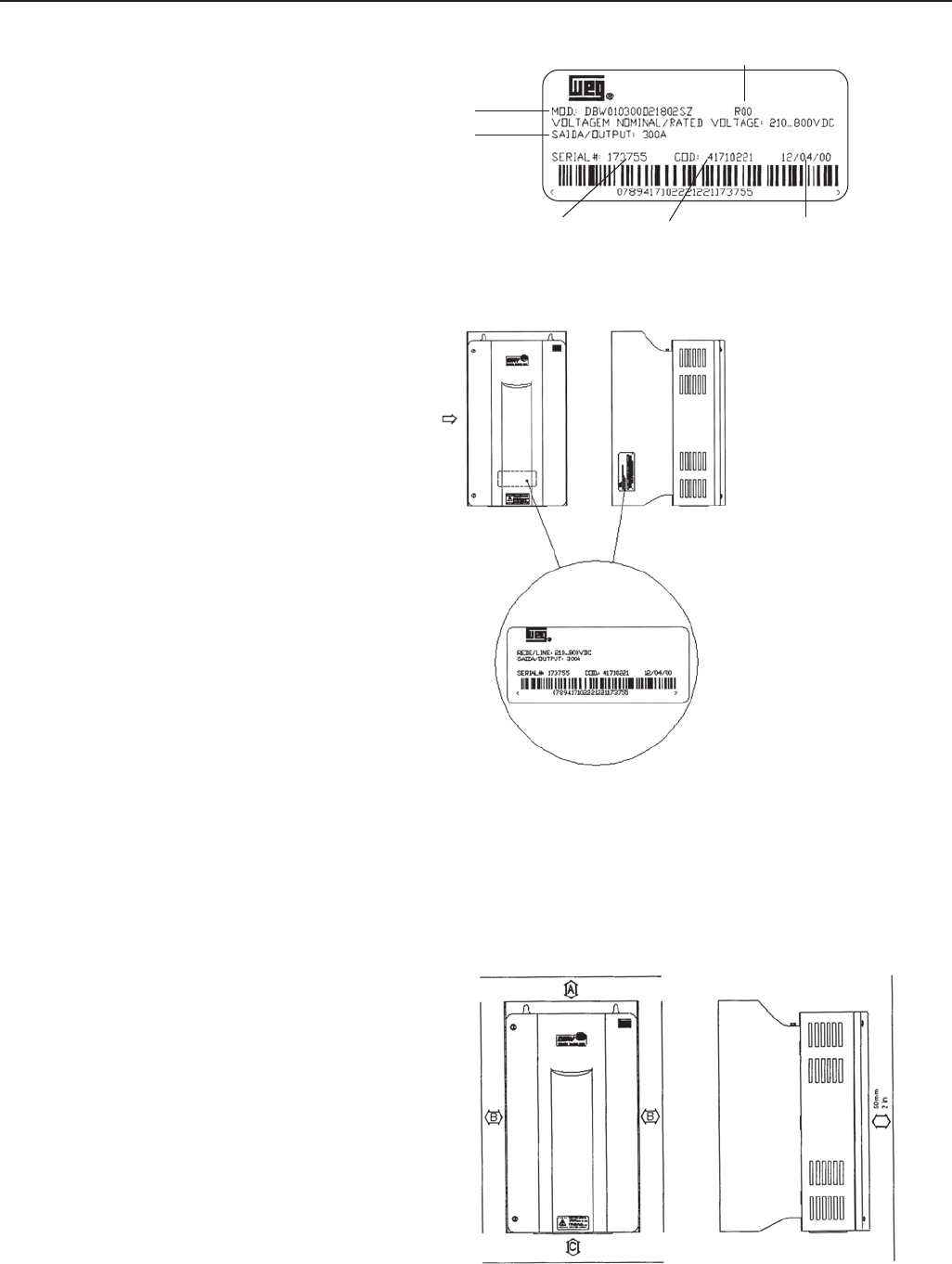
271
CHAPTER 8 - CFW-09 OPTIONS AND ACCESSORIES
Figure 8.23 - Identification Label
8.10.3.2 Mechanical Installation The environmental operating conditions of the DBW are the same as of the
CFW-09 inverter (see item 3.1.1).
For panel installation, provide an additional airflow of 120 CFM (57 L/s) for
cooling of the braking module.
When installing module, provide free spaces around the module, as shown in
Figure 8.24, where A=100mm (4 in), B=40mm (1.57 in) and C=130mm (5.12 in).
8.10.3.1 DBW-01 and DBW-02
Identification Label
Rated Output
DBW Type
Serial Number WEG Item NoManufacturing Date
Hardware Revision
Front View A - View
A
Figure 8.24 - Free Spaces for Cooling
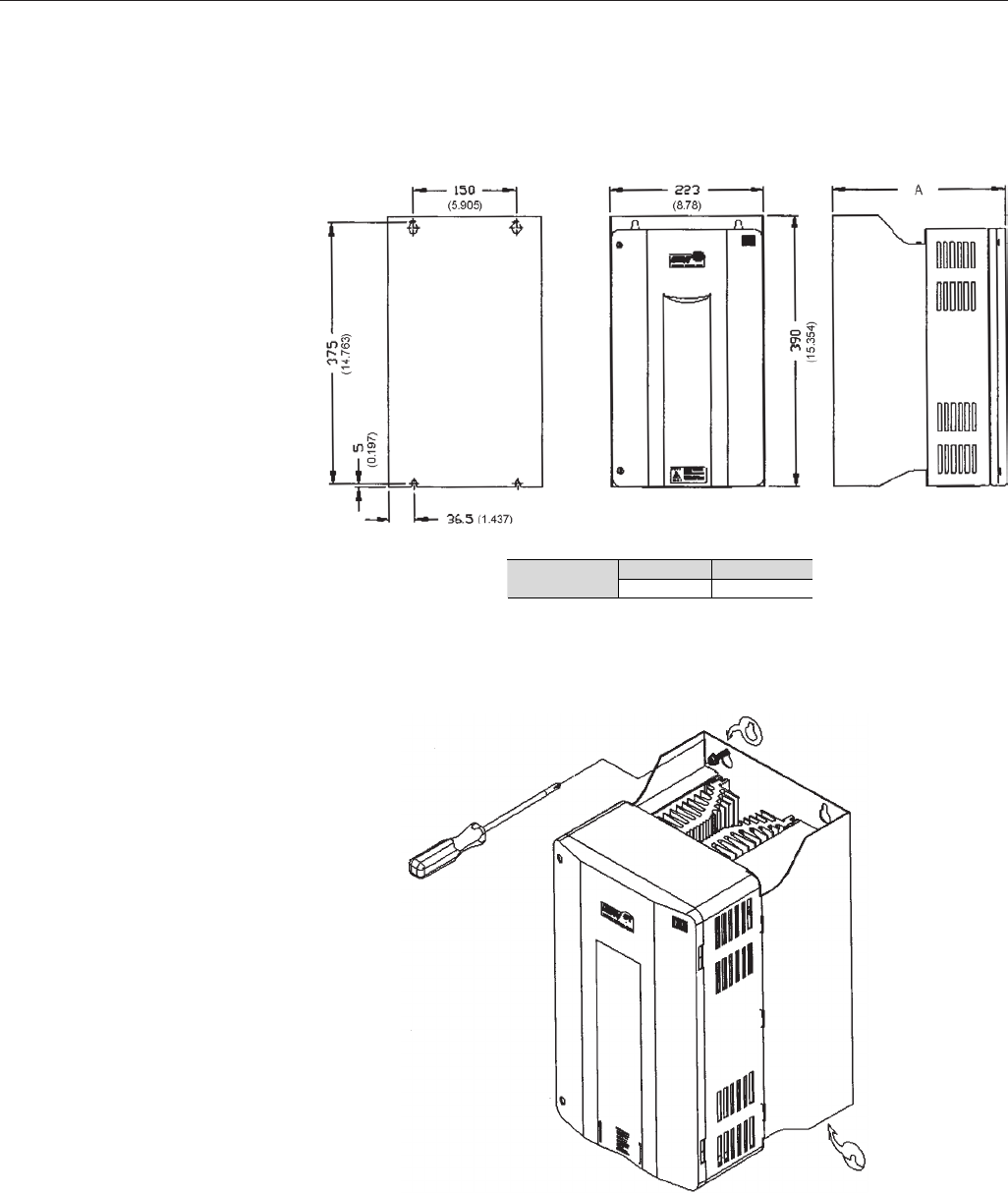
272
CHAPTER 8 - CFW-09 OPTIONS AND ACCESSORIES
Check the other recommendations for the CFW-09 inverter installation, since
from the mechanical viewpoint, the module is compatible with CFW-09 frame
size 3.
External dimensions and mounting holes are according to Figure 8.25.
Figure 8.25 - Dimensional Drawing of DBW-01 and DBW-02 - mm (inch)
Figure 8.26 - Installation procedures for the DBW-01 and DBW-02 on surface
DBW-01 DBW-02 Dimension A
mm (in) 252 (9.92) 277 (10.91)
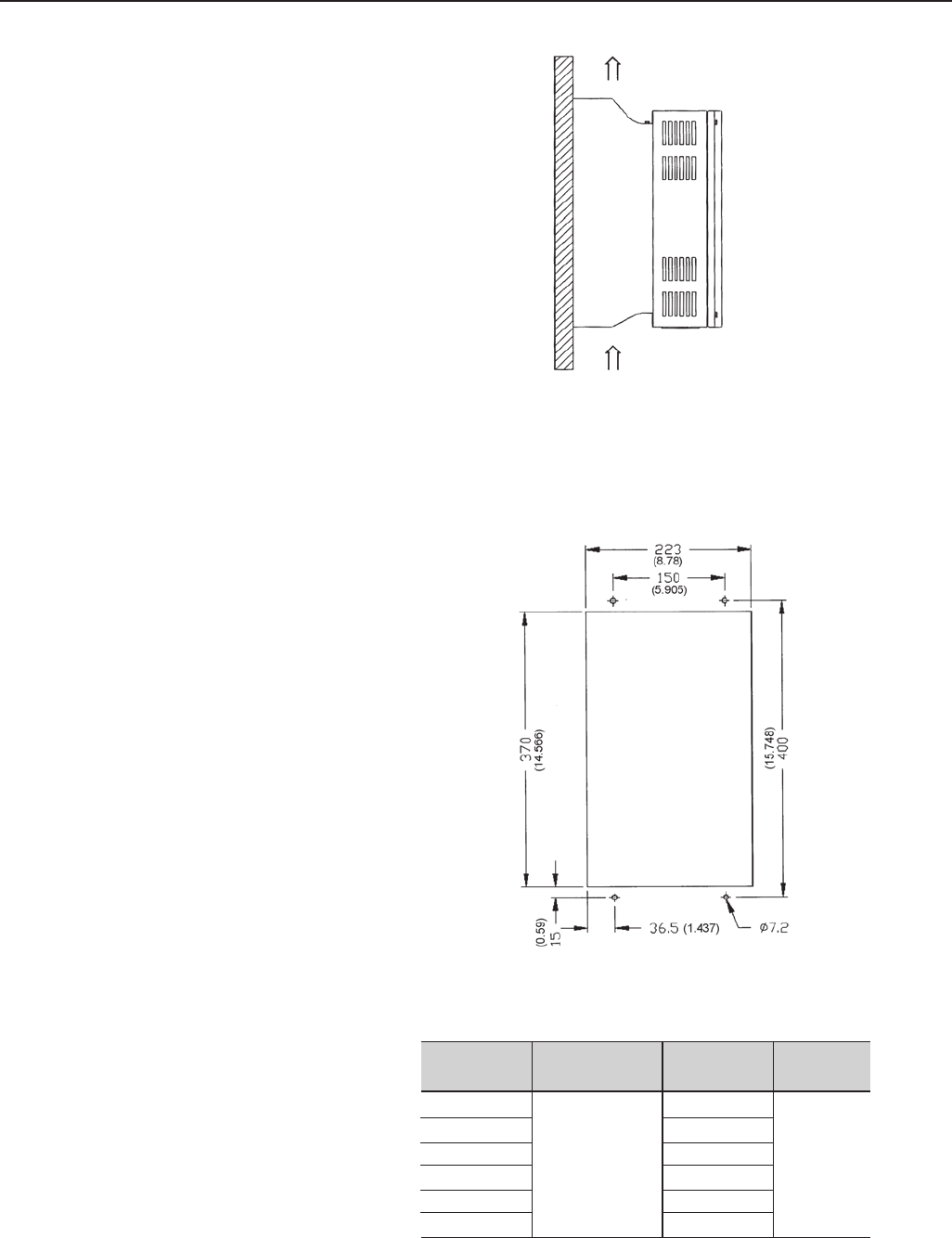
273
CHAPTER 8 - CFW-09 OPTIONS AND ACCESSORIES
The DBW-01 and DBW-02 can also be installed with a through surface mounting
kit as described in item 8.11. In this case, use the available installation kit,
which contains the respective installation supports. Figure 8.28 shows the
mounting cutouts.
Figure 8.27 - DBW-01 and DBW-02 Positioning
Figure 8.28 - Cutout dimensions in air duct - Dimensiones mm (inch)
Air Flow
Type
DBW-01 165
DBW-01 240
DBW-01 300
DBW-02 210
DBW-02 300
DBW-02 380
Fastening Screw
M6
Weigth Kg
14.2
13.8
13.4
14.2
13.8
13.4
Degree of
Protection
IP20
Table 8.14 shows the weights of the different DBW-01 types.
Table 8.14 - Mechanical Data of the DBW-01 and DBW-02
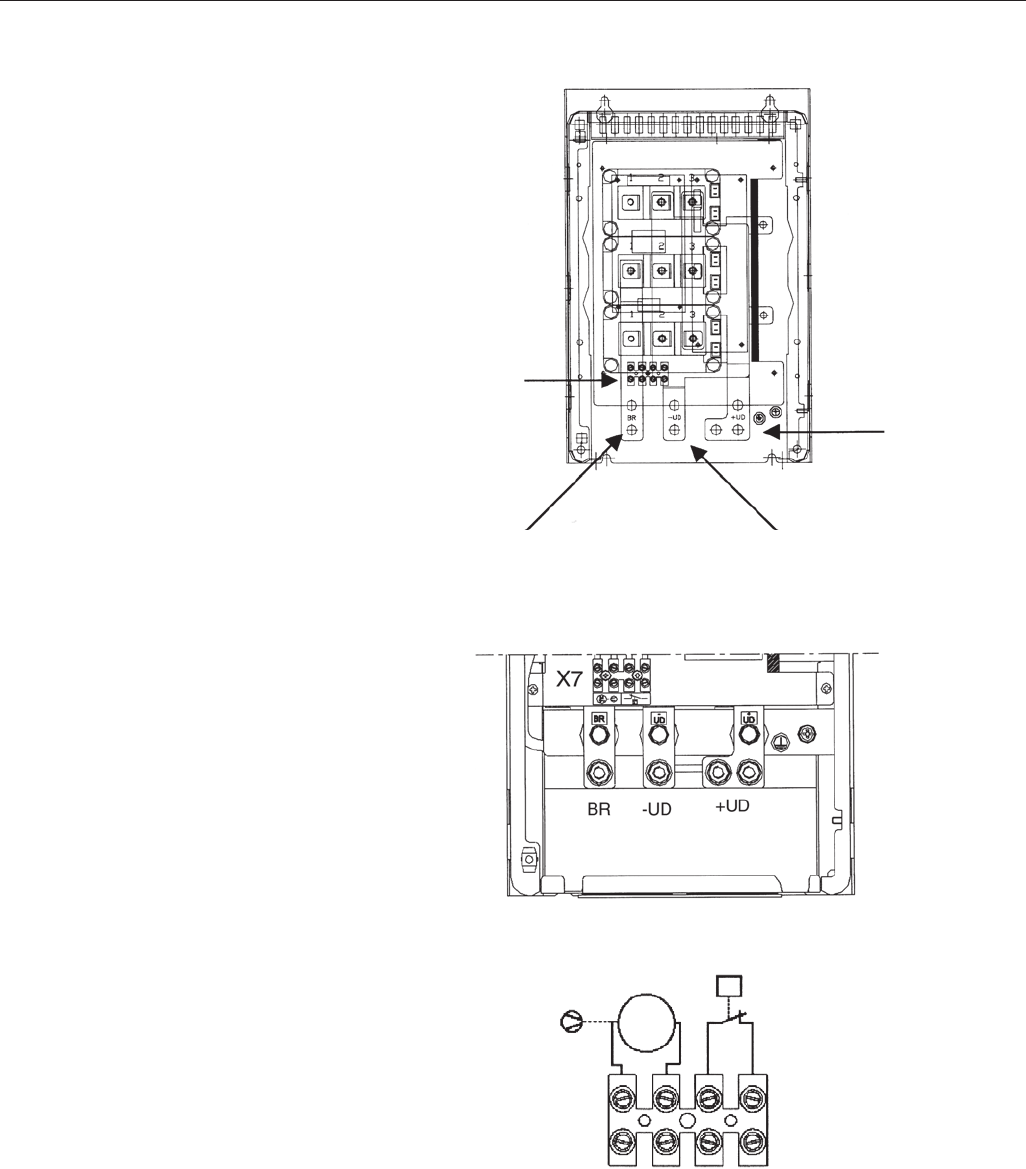
274
CHAPTER 8 - CFW-09 OPTIONS AND ACCESSORIES
8.10.3.3 Installation/Connection Location of the power connections is shown in Figures 8.29, 8.30 and 8.31.
X7
BR -UD
+UD
Figure 8.29 - Connection location
Figure 8.30 - Power terminals
Figure 8.31 - X7 Terminal block
X7
M
1~
ot
1 2 3 4
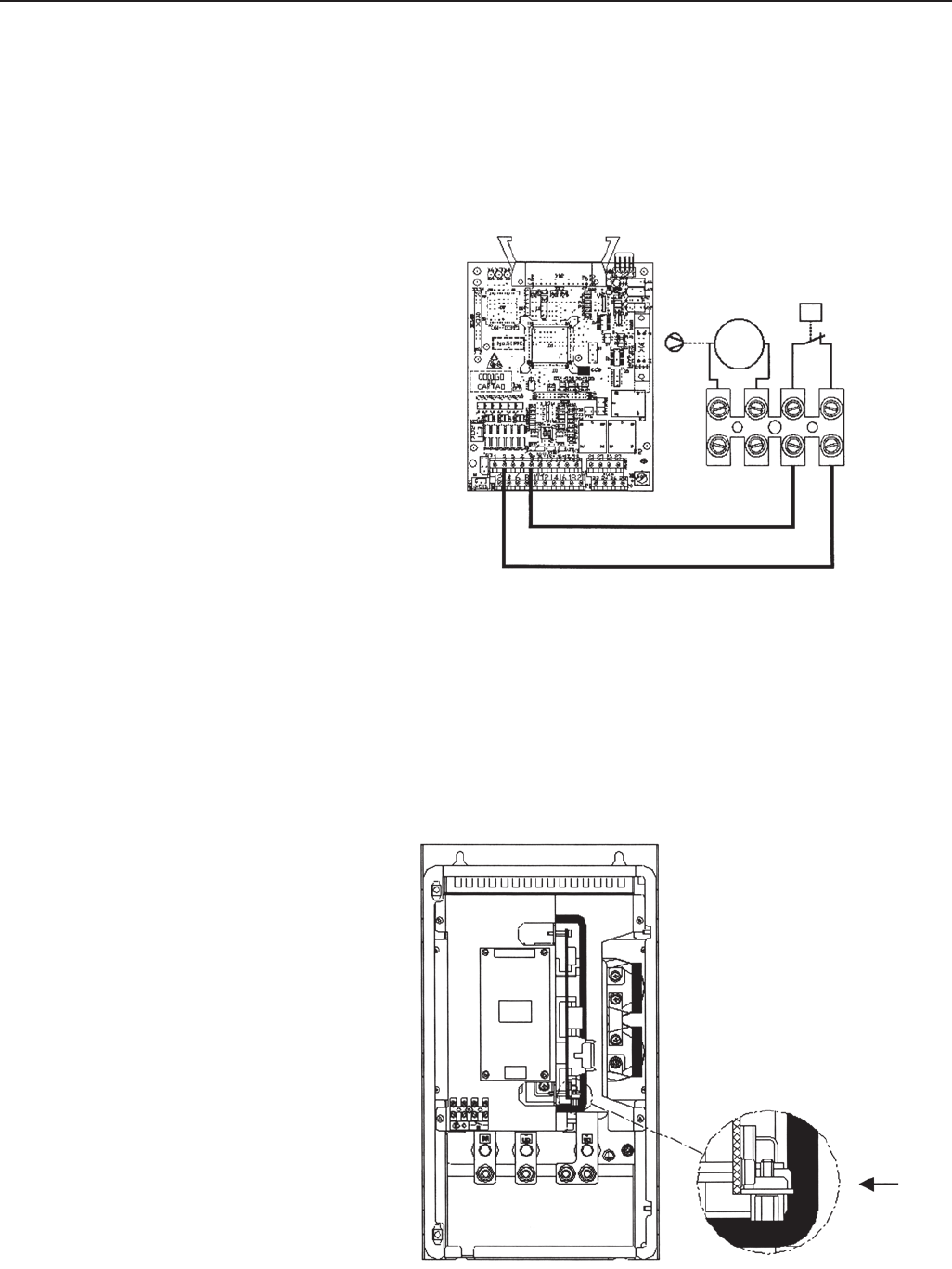
275
CHAPTER 8 - CFW-09 OPTIONS AND ACCESSORIES
Supply the fan of the braking module with the suitable supply voltage (110 V
or 120 V rms) at X7:1,2 connector (see Figure 8.32). The fan has a requires a
current of about 0.14A. The terminals 3 and 4 of the terminal bock X7 are the
NC-contact of a thermostat that must be installed for the thermal protection of
the braking module. This protection must be installed external to the braking
module (see Figure 8.32); in this example, the relay is connected to DI3 (XC1:3,9
of the board CC9) and the parameter P265 is programmed as Without External
Error (P265=4).
X7
M
1~
ot
123 4
Figure 8.32 - Example of Thermal Protection
Connect the +UD grounding of the braking module to the +UD terminal of the
inverter;
Connect the -UD grounding of the braking module to the -UD terminal of the
inverter;
The control connection between the CFW-09 and the braking module is made
through a cable (0307.7560). One end of this cable is connected to the XC3
connector that can be found at the CRG4 board (see figure 8.33 ) in the braking
module. The other end of this cable is connected to a DB9 connector that is
fastened to a metallic support at the side of the control board in the CFW-09.
Figure 8.33 -Location of the XC3 connector
XC3
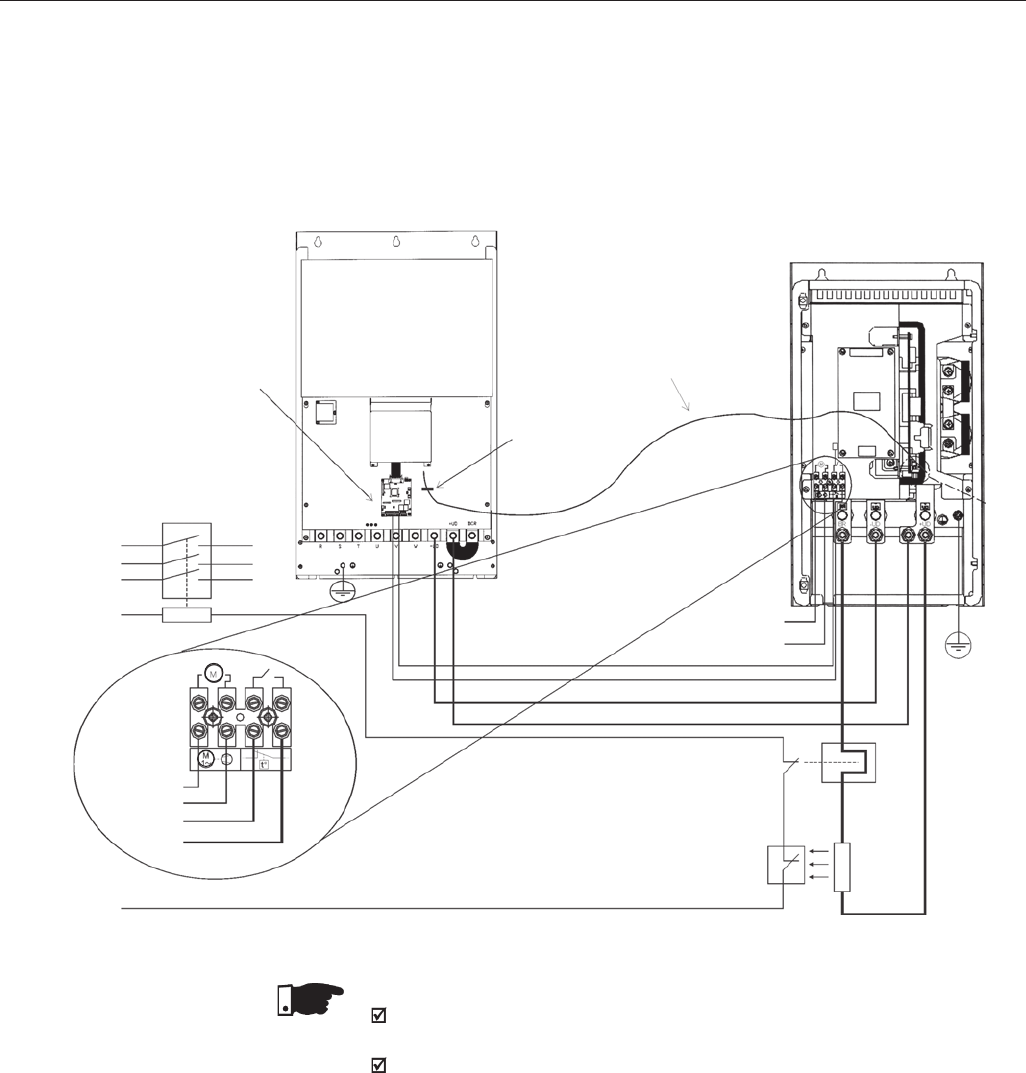
276
CHAPTER 8 - CFW-09 OPTIONS AND ACCESSORIES
8.11 THROUGH SURFACE
MOUNTING KIT
The kit for through surface mounting is composed of metallic supports that
must be mounted on the rear of the CFW-09 frames 3 to 8 to allow through
surface mounting. For further information refer to Section 3.1.3, Figure 3.4 and
Table 3.4. Degree of protection is NEMA 1/IP20.
Figure 8.34 shows the connection of the braking module to the inverter, as
well as the connections of the resistor to the braking module. It shows also
the inclusion of a thermal relay and a thermostat in contact with the resistor
body, thus ensuring its thermal protection. The connection cables between
the inverter and the module and between the module the braking resistor
must be dimensioned according to the thermal braking cycle.
Figure 8.34 - Connections between the DBW, the CFW-09 and the Braking Resistor
Contactor
XC3
Control
Supply
Thermostat
Thermal
Relay
Braking
Resistor
CFW-09
8.12 FIELDBUS CFW-09 can be connected to fieldbus networks allowing it's control and
parameter setting. For this purpose you need to include an optional electronic
board according to the desired Fieldbus standard: Profibus-DP, DeviceNet or
Ethernet/IP.
Supply
Network
R
S
T
Fan
110 or 220V
XC3
DBW-01/02
Cable 2.3m
0307.7560
Thermal
Protection
XC1: 9.3
P265 = 4
DIx (CC9)
No External
Fault
Fan
110 or 220V
NOTE!
Through the power contacts of the bimetallic overload relay circulates Direct
Current during the DC-Braking process.
The DBW-02 has a duplicated XC3 connector (A and B). The XC3B is for
connecting other DBW-02 module for parallel operation. It is possible to
connect up to 3 DBW-02 modules in parallel. The interconnecting cable
should be limited to 2 meters maximum cable lenght.
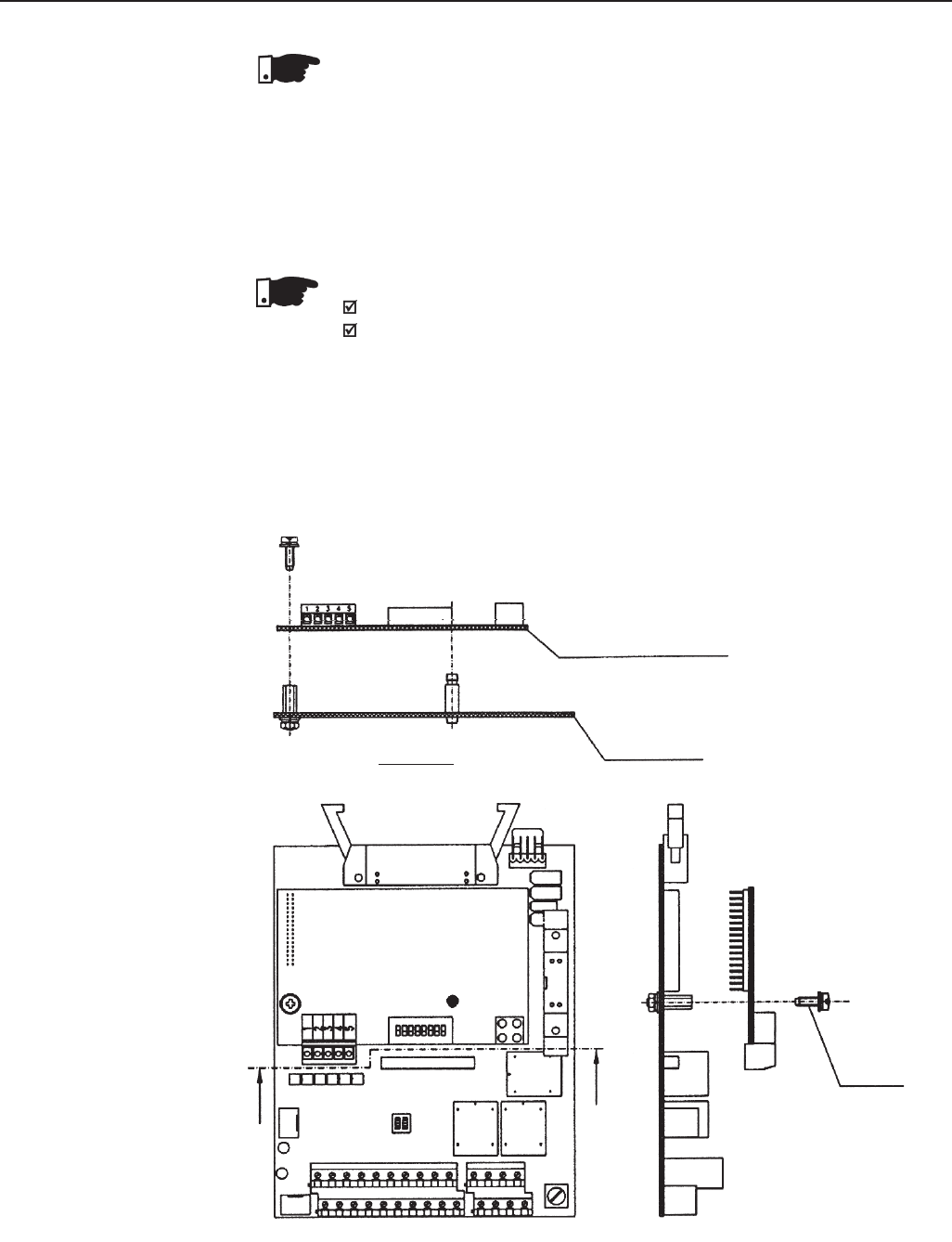
277
CHAPTER 8 - CFW-09 OPTIONS AND ACCESSORIES
Board Devicenet
Board Profibus-DP
Board CC9
Section AA
A
AM3x8 Bolt
Torque 1Nm
Figure 8.35 - Installation of the Electronic Board of the Fieldbus
The communication board that forms the Fieldbus Kit is installed directly onto
the CC control board, connected to the XC140 connector and fixed by spacers.
NOTE!
Follow the Safety Notices in Chapter 1
If a Function Expansion Board (EBA/EBB) is already installed, it must
be removed provisionally. For the frame size 1 you must remove the
lateral plastic cover of the product.
1. Remove the bolt from the metallic spacer near to the XC140 (CC9)
connector.
2. Connect carefully the pin connector of the Fieldbus board to the female
connector XC140 of the CC9 control board. Check the exact
coincidence of all pins of the XC140 connector (Figure 8.35).
8.12.1 Installation of the
Fieldbus kit
NOTE!
The chosen Fieldbus option can be specified in the suitable field of the CFW-
09 coding.
In this case the CFW-09 will be supplied with all needed components already
installed in the product. For later installation you must order and install the
desired Fieldbus kit (KFB).
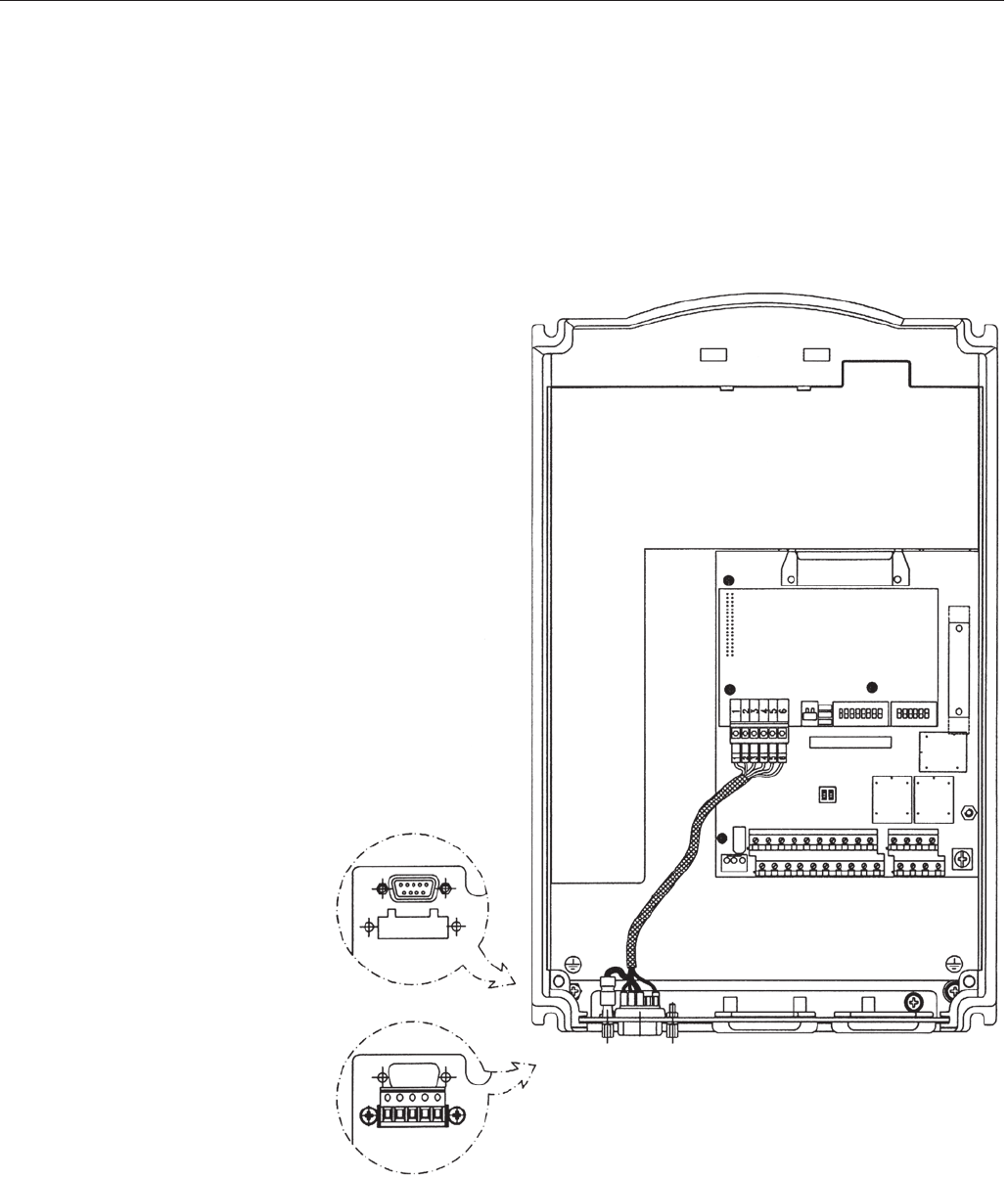
278
CHAPTER 8 - CFW-09 OPTIONS AND ACCESSORIES
3. Press the board near to XC140 and on the lower right edge until the
connector and the plastic spacer is inserted completely;
4. Fix the board to the metallic spacer through the bolt (except ModBus RTU);
5. Fieldbus Connector:
Sizes 1 and 2 (Models up to 28A):
-Fix the Fieldbus connector to the inverter frame by using the 150 mm (5.9 in)
cable (see figure 8.36).
Figure 8.36 - Fastening of the Fieldbus connector
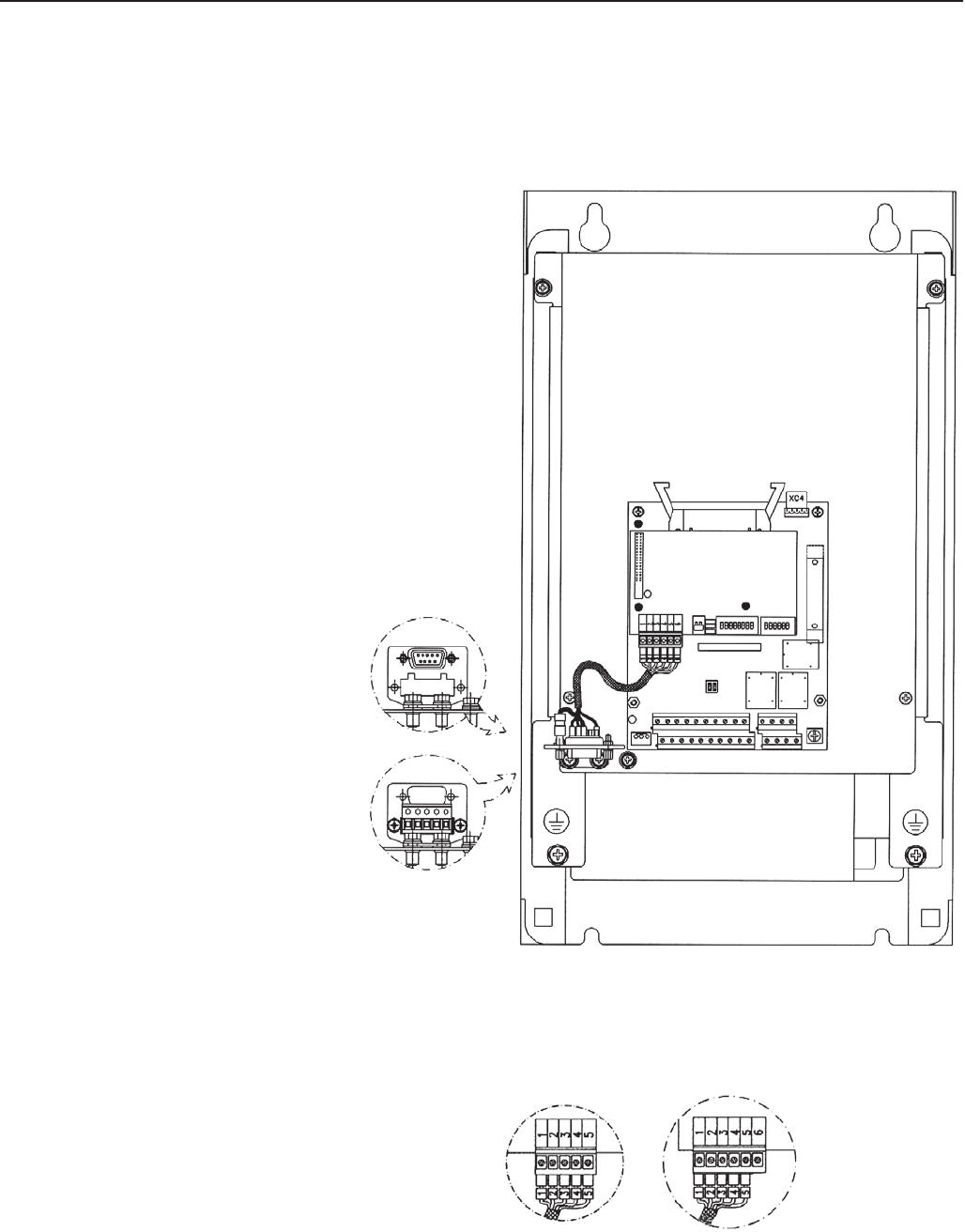
279
CHAPTER 8 - CFW-09 OPTIONS AND ACCESSORIES
Figure 8.37 - Fastening of the Fieldbus connector
Figure 8.38 - Connection to the Fieldbus board
6. Connect the other cable end of the Fieldbus connector to the electronic
Fieldbus board, as shown in Figure 8.38.
DEVICENET PROFIBUS - DP
Sizes 3 to 10 - (models up to 30A):
- Connect the Fieldbus connector to the metallic “L” by using the 150mm
(5.9 in).
- Fasten the set to the metallic support palte of the control board (see
8.37).
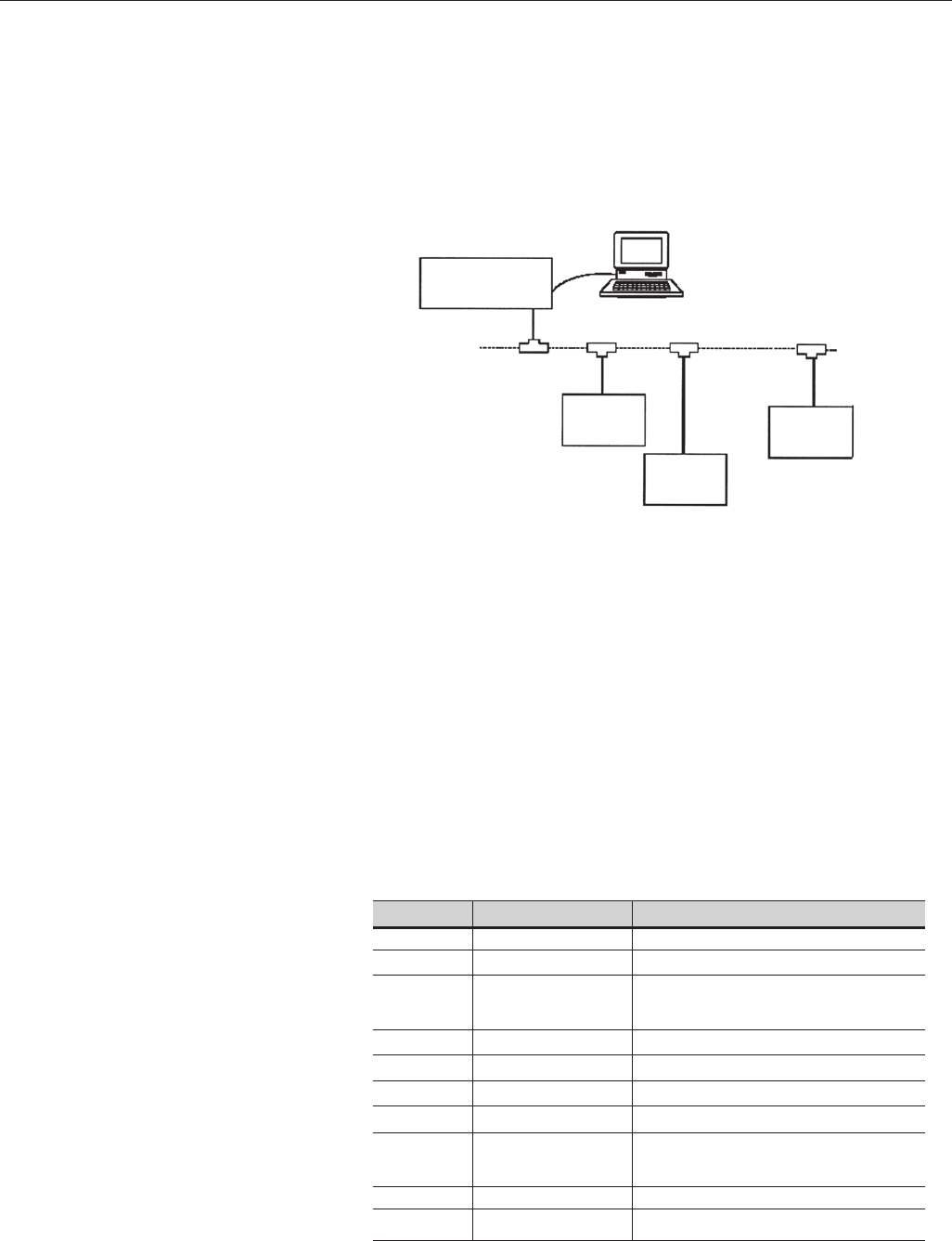
280
CHAPTER 8 - CFW-09 OPTIONS AND ACCESSORIES
8.12.2 Profibus-DP Introduction
The inverter that is fitted with the Profibus-DP Kit operates in slave mode,
allowing the reading/writing of their parameters through a master. The inverter
does not start the communication with other nodes, it only answers to the
master controls. A twisted pair of copper cable realizes the connection of the
Fieldbus (RS-485) allowing the data transmission at rates between 9.6kbits/s
and 12Mbits/s. Figure 8.39 show a general view of a Profibus-DP network.
- Fieldbus Type: PROFIBUS-DP EN 50170 (DIN 19245)
Physical Interface
-Transmission means: Profibus bus bar line, type A or B as specified in
EN50170
-Topology: Master-Salve communication
-Insulation: the bus is supplied by DC/DC inverter and isolated galvanically
from remaining electronics and the signals A and B are isolated by means
of optocouplers.
-It allows the connection/disconnection of only one node without affecting
the network.
Fieldbus connector of the inverter user
- Connector D-sub 9 pins - female
- Pins:
Pin
1
2
3
4
5
6
7
8
9
Frame
Name
Not connected
Not connected
B-Line
Not connected
GND
+ 5V
Not connected
A-Line
Not connected
Shield
Function
-
-
RxD/TxD positive, according to
specificacition RS-485
-
0V isolated against RS-485 circuit
5V isolated against RS-485 circuit
-
RxD/TxD negative, according to
specificacition RS-485
-
Connected to the ground protection (PE)
Table 8.15 - Pin connection (DB9) to the Profibus-DP
Figure 8.39 - Profibus-DP network
PROFIBUS DP
Master
PROFIBUS DP
slave node #1
PROFIBUS DP
slave node #2
PROFIBUS DP
slave node #n
DP
RS-232
Personal
Computer with
Configuration
Software
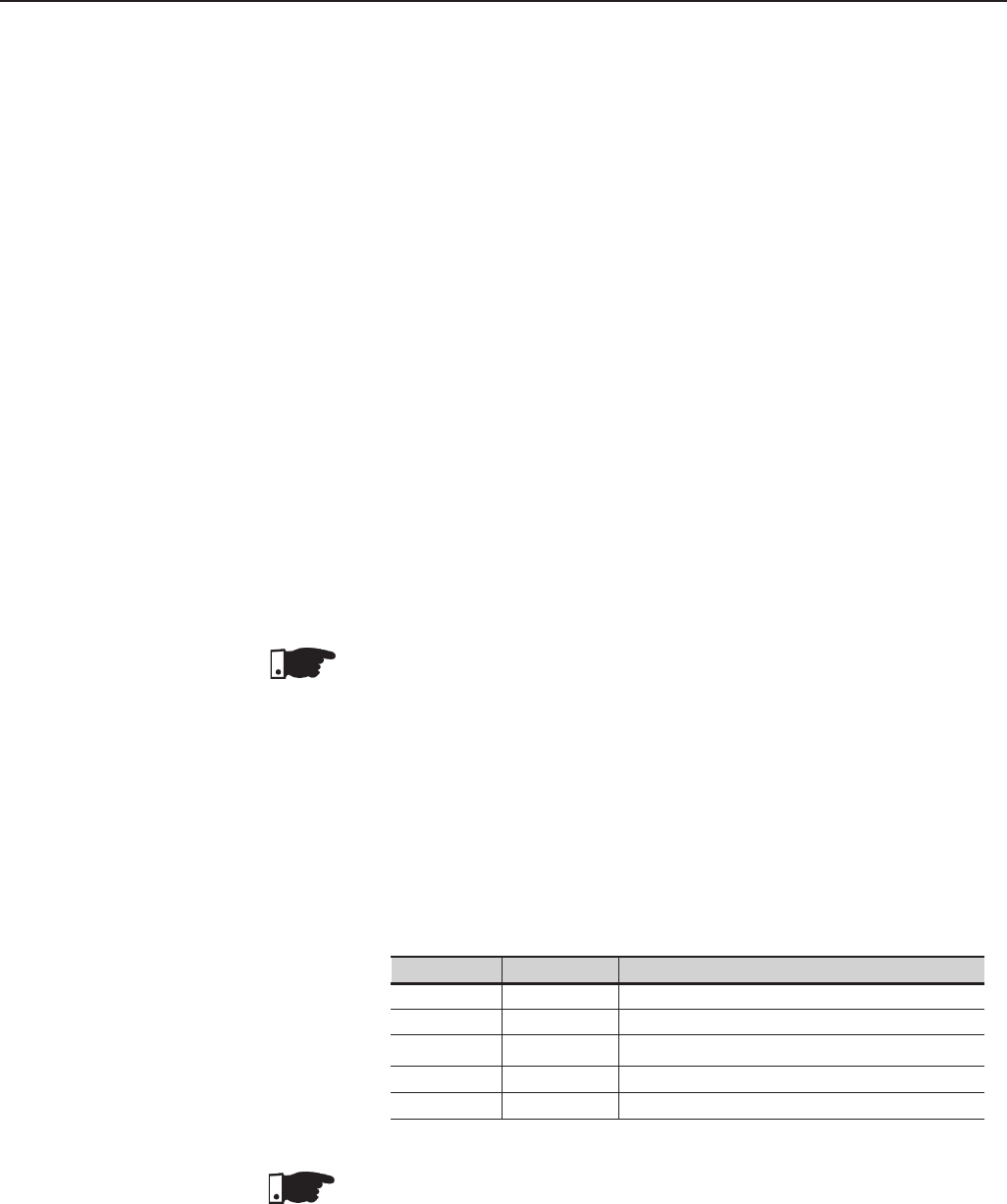
281
CHAPTER 8 - CFW-09 OPTIONS AND ACCESSORIES
Line Termination
The initial and the en points of the network must be terminated with the
characteristic impedance in order to prevent reflections. The DB 9 cable male
connector has the suitable termination. When the inverter is the first or the
last of the network, the termination switch must be set to Pos. “ON”. Otherwise
set the switch to Pos. “OFF”. The terminating switch of the PROFIBUS DP
board must be set to 1 (OFF).
Transfer Rate (baud rate)
The transfer rate of a Profibus-DP network is defined during the master
configuration and only one rate is permitted in the same network. The Profibus-
DP board has an automatic baud rate detection and the user does not need to
configure it on the board. The supported baudrates are: 9.6 kbits/s, 19.2 kbits/s,
45.45 kbits/s, 93.75 kbits/s, 187.5 kbits/s, 500 kbits/s, 1.5 Mbits/s, 3 Mbits/s, 6
Mbits/s and 12 Mbits/s.
Node Address
The node address is established by means of two rotating switches on the
electronic Profibus-DP board, permitting the addressing from 1 to 99 addresses.
Looking onto the front view of the board with the inverter in normal position,
the switch at left sets the ten of the address, while the left switch sets the unit
of the address:
Address = (set left rotary switch x 10) + (set right rotary switch x 1)
NOTE!
The node address can not be changed during operation.
Configuration File (GSD File)
Each element of a Profibus-DP network is associated to a GSD file that has
all information about the element. This file is used by program of the network
configuration. Use the file with the extension .gsd stored on the floppy disk
contained in the Fieldbus kit.
Table 8.16 - Signaling LED of the Fieldbus board status
Color LED
Red
Green
Green
Red
Red
Frequency
2Hz
2Hz
1Hz
1Hz
4Hz
Status
Fault during the test of the ASIC and Flash ROM
Board has not been initialized
Board has been initialized and is operating
Fault during the RAM test
Fault during the DPRAM test
NOTE!
The red fault indications mean hardware problems of the electronic board. The
reset is realized by switching OFF / ON the inverter. If the problem persists,
replace the electronic board.
The electronic board is also fitted with four other bicolor LED´s placed at the
right bottom side, indicating the Fieldbus status according to the Figure below:
Signaling
The electronic board has a bicolor LED at right topside indicating the status of
the Fieldbus according to the table 8.16 and figure 8.40 below:
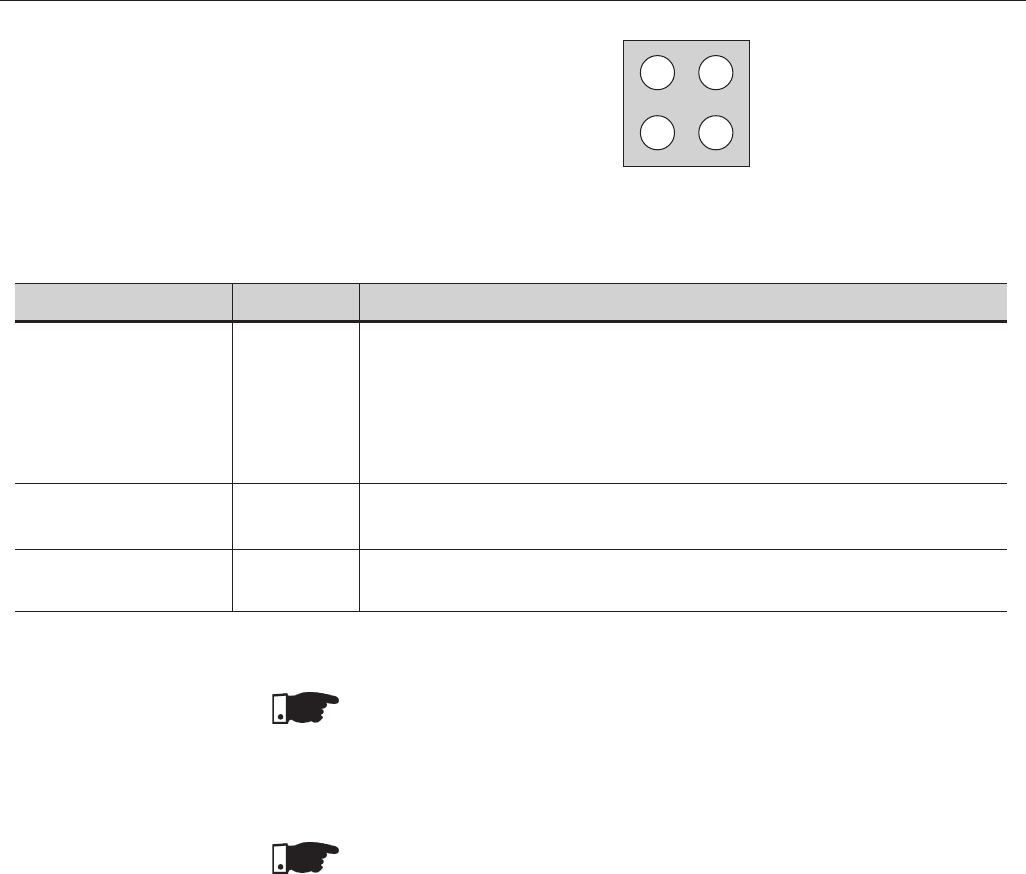
282
CHAPTER 8 - CFW-09 OPTIONS AND ACCESSORIES
Table 8.17 - Signaling LED’s indicating the status of the Profibus-DP network
NOTE!
When power is applied to the drive and both on-line and off-line LED’s on the
Profibus DP board keep flashing, then a network address configuration or
installation problem may be present.
Check the installation and the network node address.
NOTE!
Use of the Profibus-DP/related CFW-09 Parameters. See item 8.12.5.
8.12.3 DeviceNet Introduction
The DeviceNet communication is used for industrial automation, mainly for
the control of valves, sensors, input/output units and automation equipment.
The DeviceNet communication link is based on a communication protocol
“broadcast oriented”, the Controller Area Network (CAN). The connection to
the DeviceNet network is realized by means of a shielded cable comprising a
twisted pair and two wires for the external power supply. The baud rate can be
set to 125kbits/s, 250kbits/s or 500kbits/s. Figure 8.41 gives a general view of
a DeviceNet network.
LED
Fieldbus Diagnostics
On-Line
Off-Line
Color
Red
Green
Red
Function
Indicates certain faults at the Fieldbus:
Flashing 1Hz - Configuration error: the IN/OUT area size set at board enabling is
different from the size set during the network configuration.
Flashing 2Hz - Error in the User´s Parameter Data: the size/content of the User Parameter
data set at board enabling is different from the size/content set during the network
configuration.
Flashing 4Hz - Enabling error of the Profibus Communication ASIC.
OFF - no problems.
Indicates that the board is On-line at the Fieldbus
ON - the board is off-line and the data exchange is not possible.
OFF - the board is not On-line.
Indicates that the board is Off-line at the Fieldbus
ON - the board is off-line and the data exchange is not possible.
OFF - the board is not Off-line.
Figure 8.40 - LED’s indicating the status of the Profibus-DP network
Reserved
Fieldbus
Diagnostics
On-Line
Off-Line
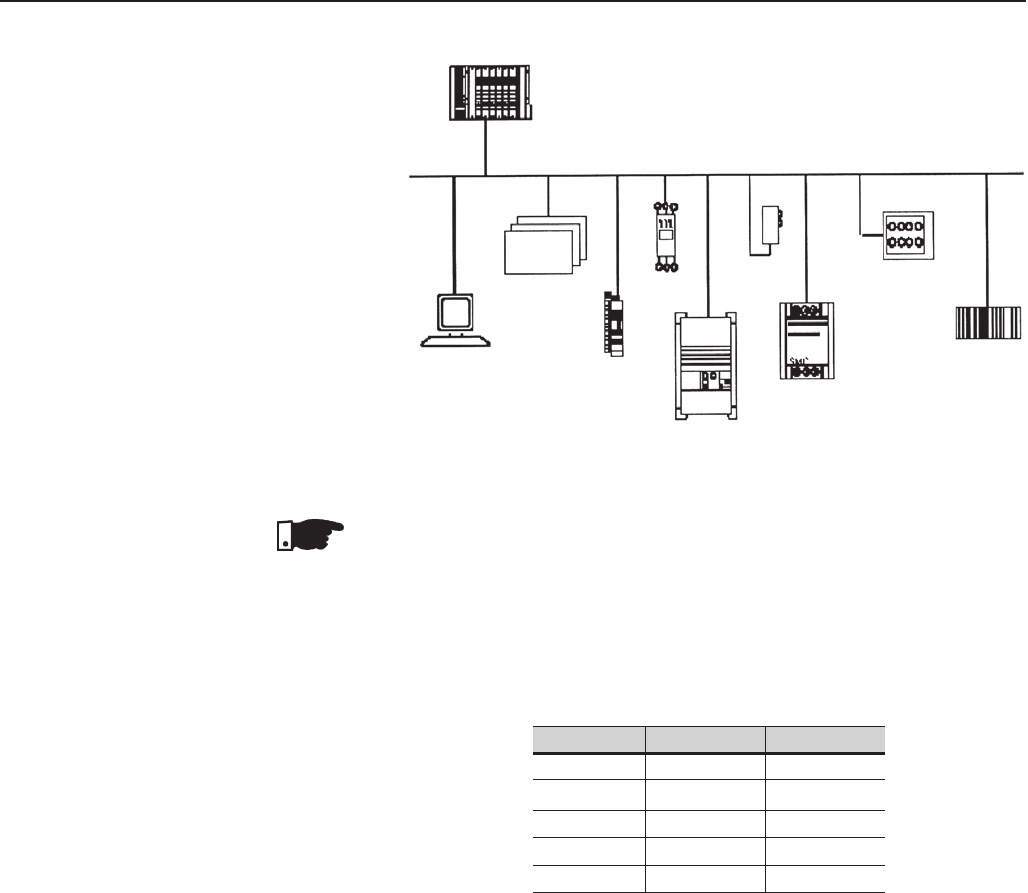
283
CHAPTER 8 - CFW-09 OPTIONS AND ACCESSORIES
Controller
Other
Devices
Device
Configuration Input/Output
Devices
Motor
Starter
Device Net
Sensor
Motor
Controller
Push button
Clusler
Bar Code
Scanner
Drive
Figure 8.41 - DeviceNet Network
NOTE!
The PLC (master) must be programmed to Polled I/O connection.
Fieldbus connector of user of the inverter
- Connector: 5 ways-connector of type plug-in with screwed terminal
(screw terminal)
- Pin:
Table 8.18 - Connection of the pins to the DeviceNet
Line Termination
To avoid reflection, the initial and the end points of the network must be
terminated with the characteristic impedance. Thus a 120-ohms/0.5W resistor
must be connected between the pins 2 and 4 of the Fieldbus connector.
baud rate/ Node Address
There are three different baudrates for the DeviceNet: 125kbits/s, 250kbits/s
or 500kbits/s. Choose one of these baudrates by setting the DIP switches on
the electronic board.
The node address is selected through the six DIPswitches on the electronic
board, permitting an addressing from 0 to 63 addresses.
Pin
1
2
3
4
5
Description
V-
CAN_L
Shield
CAN_H
V+
Color
Black
Blue
-
White
Red
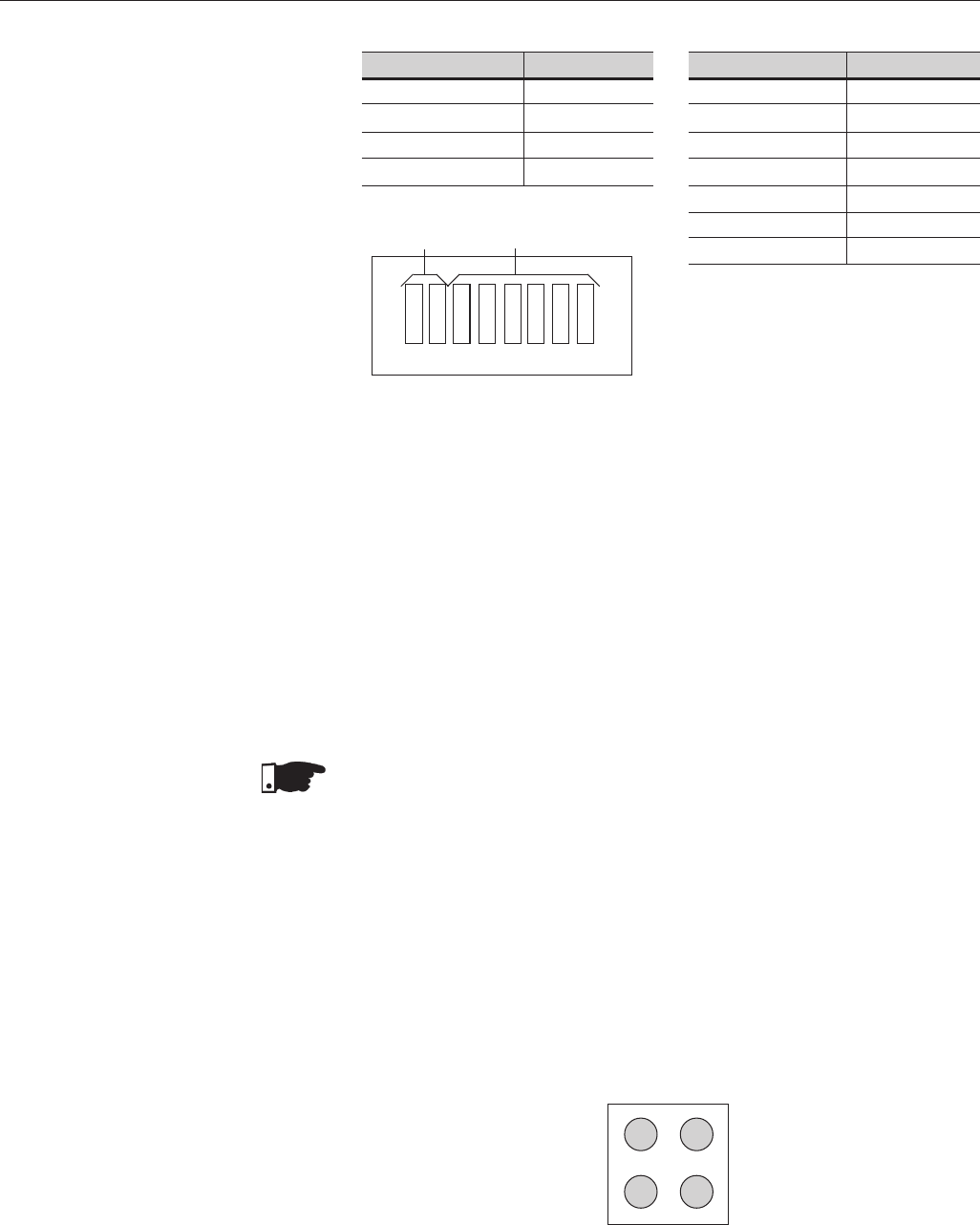
284
CHAPTER 8 - CFW-09 OPTIONS AND ACCESSORIES
baud rate [bits/s]
125 k
250k
500k
Reserved
DIP's 1 and 2
00
01
10
11
Address
0
1
2
61
62
63
DIP 3 to DIP 8
000000
000001
000010
111101
111110
111111
Address
ON 1
0
1 2 3 4 5 6 7 8
Figure 8.42 - baud rate configuration and addressing to the DeviceNet
Configuration File (EDS File)
Each element of a DeviceNet network is associated to a EDS file, that has all
information about the element. This file is used by program of the network
configuration during its configuration. Use the file with the extension .eds stored
on the floppy disk contained in the Fieldbus kit.
Setting parameter P309 to 4, 5 or 6 selects 2, 4 or 6 input/output words (see
item 8.12.5).
With the assistance of the network configuration software define the number
of words for the device according to the value set on parameter P309. The type
of connection used for data exchange shall be set for “Polled I/O”.
NOTE!
The PLC (master) must be programmed for Polled I/O connection.
Signaling
The electronic board has a bicolor LED at right topside indicating the status of
the Fieldbus according to the table 8.16.
Note:
The red fault indications mean hardware problems of the electronic board. The
reset is realized by switching OFF / ON the inverter. If the problem persists,
replace the electronic board.
The electronic board is also fitted with other four bicolor LED´s placed at the
right bottom side, indicating the DeviceNet status according to Figure 8.43
and Table 8.19:
baud rate
Figure 8.43 - LED’s for status indication of the DeviceNet network
Reserved Network Status
Module
Network Status
Reserved
...
...
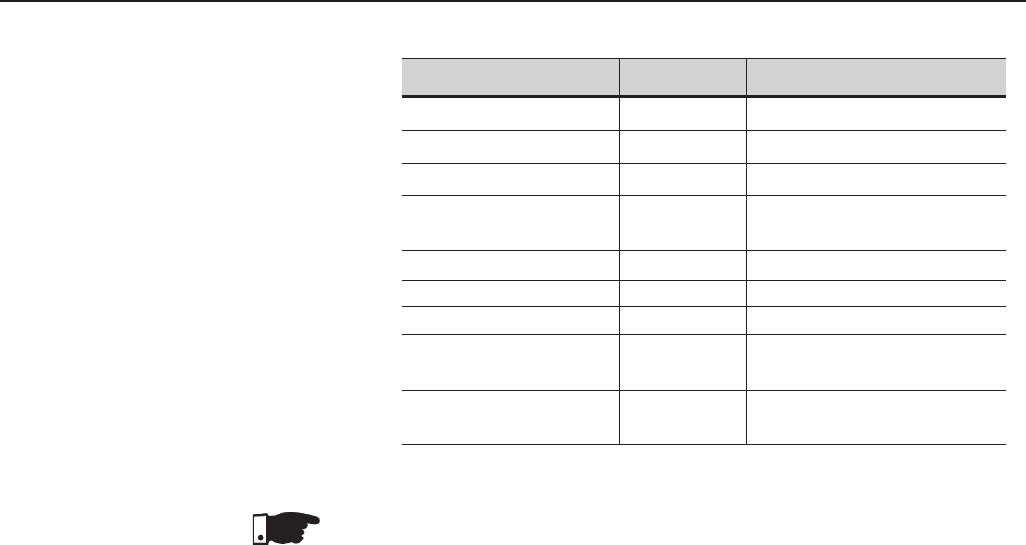
285
CHAPTER 8 - CFW-09 OPTIONS AND ACCESSORIES
LED
Module Network Status
Module Network Status
Module Network Status
Module Network Status
Network Status
Network Status
Network Status
Network Status
Network Status
Color
ON
Red
Green
Red
Flashing
Off
Green
Red
Green Flashing
Red Flashing
Description
Without supply
Fault not recoverable
Board operating
Smaller fault
Without supply/off line
Link operanting, connected
Critical fault at link
On line not connected
Time out of the connection
Table 8.19 - Signaling LED’s indicating the DeviceNet status
NOTE!
Use of the DeviceNet /related CFW-09 Parameters. See item 8.12.5.
EtherNet/IP (Industrial Ethernet Protocol) is a communication system proper for
the industrial environment. This system allows application data exchange, time-
restricted or critical, between industrial systems. The EtherNet/IP is available for
simple devices such as sensors/actuators as well as for complex devices such
as robots, PLCs, keypads and drives.
The Ethernet/IP application layer protocol is based on the Control and Information
Protocol (CIP) layer that is used in both DeviceNet™ and ControlNet™. The CIP
organizes the devices as collection of objects and defines the methods and
procedures for data access. Furthermore, the Ethernet/IP uses the standard
IEEE 802.3 for the low level layers and the TCP/IP and UDP/IP protocols for the
intermediary layers to transport the CIP packets.
Therefore, the infrastructure used by the EtherNet/IP is the same used by the
corporate computer networks (Ethernet). This fact extends considerably the
means of controlling and monitoring the devices connected to the network:
%Availability of application protocols (HTTP, FTP, etc.).
%Integration between the factory floor network and the corporate network.
%It is based on a widely used and accepted standard.
Greater data flow than the standard protocols used for the industrial automation.
8.12.4 EtherNet/IP
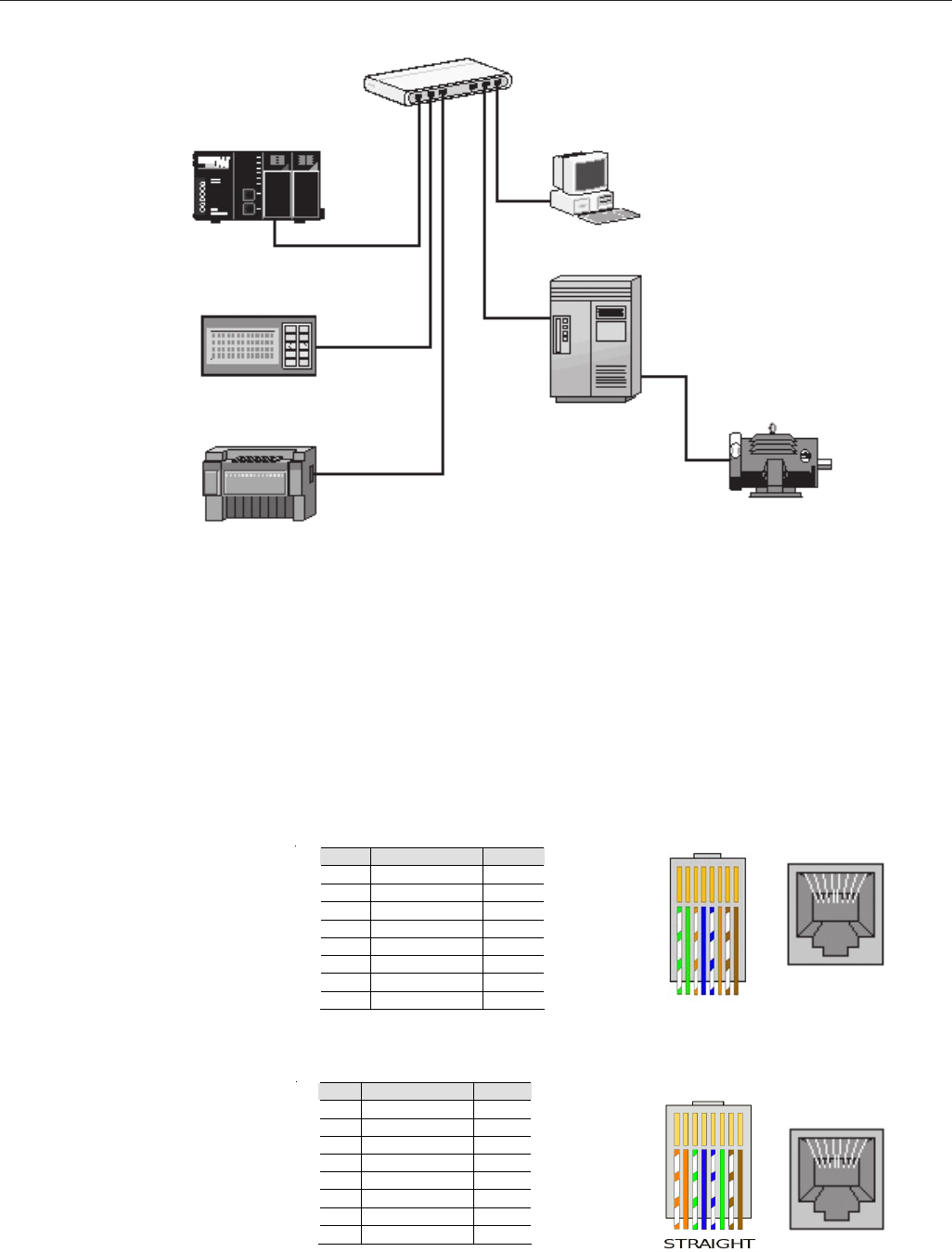
286
CHAPTER 8 - CFW-09 OPTIONS AND ACCESSORIES
Fieldbus Connector
-Connector: RJ-45 connector with 8-pin.
-Pinout: two standards for straight-through cables are available: Ethernet:
T-568A and T-568B. The function of each pin is shown in table 1. The
cable to be used with the CFW-09 shall follow one of these two standards.
Furthermore, only one standard shall be used for the cables, i.e., the
connectors of both cable ends shall be crimped according to standard
T-568A or T-568B.
Pino Cable Color Signal
1 White/Green TX+
2 Green TX-
3 White/Orange RX+
4 Blue -
5 White/Blue -
6 Orange RX-
7 White/Brown -
8 Brown -
a) RJ-45 Plug - T-568A Standard
12345678
Figure 8.44 - Example of an EtherNet/IP Network
Pin Cable Color Signa
1 White/Orange TX+
2 Orange TX-
3 White/Green RX+
4 Blue -
5 White/Blue -
6 Green RX-
7 White/Brown -
8 Brown -
b) RJ-45 Plug - T-568B Standard
12345678
Figura 8.45 a) b) - Straight-Through Ethernet Cables
PLC With EtherNet/IP
(192.168.0.1)
Hub or Switch
PC
(192.168.0.2)
Inverter
(192.168.0.3)
EtherNet/IP
RemoteI I/O
(192.168.0.4)
HMI
(192.168.0.5)
12345678
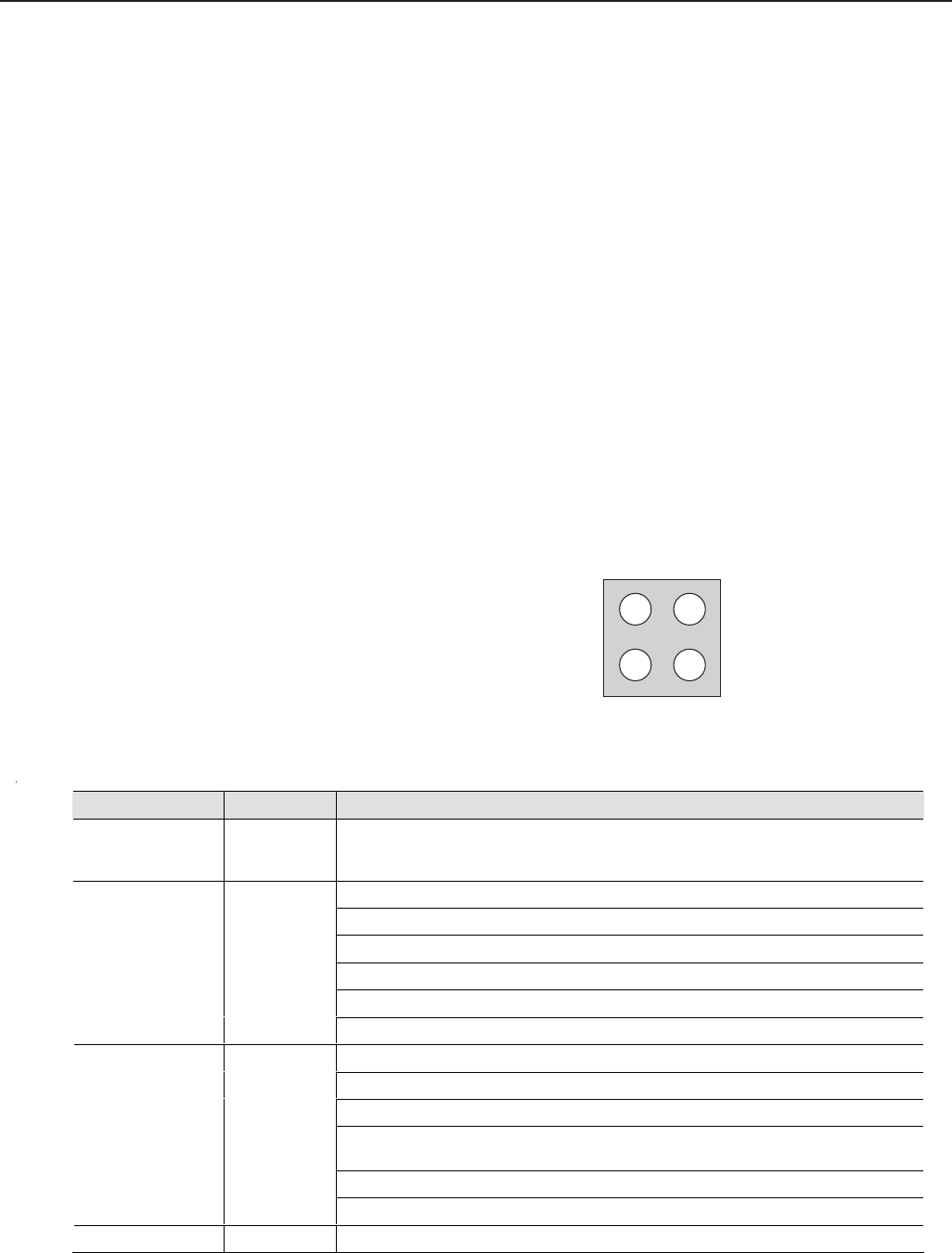
287
CHAPTER 8 - CFW-09 OPTIONS AND ACCESSORIES
Line Termination
With the Ethernet 10BASE-T (10Mbps) or 100BASE-TX (100Mbps) the line
termination is already on the communication board and also on any other device
that uses a point-to-point twisted pair cable. Therefore, no additional setting is
needed for the CFW-09.
Communication Bit-rate
The CFW-09 can operate in an Ethernet network at 10Mbps or 100Mbps and
also in half-duplex or full-duplex modes. When operating at 100Mbps in full-
duplex mode, the effective rate doubles to 200Mbps. These configurations are
performed through the network configuration and programming software. No board
setting is needed. It is recommended to use the auto-sensing resource.
Configuration File (EDS file)
Each device on an EtherNet/IP network is associated to an EDS file that contains
information about the device operation. The EDS file provided along with the
product is used by the network configuration software.
Indication
The communication board has four two-color LEDs located on the right bottom
corner to indicate the module and the network status.
Link
Activity
Module
Status
Network
Status
Figure 8.46 - Indication LEDs for the status of the EtherNet/IP network
LED Color Function
Link Green On: the module is connected to another device on the network (typically a hub or
switch).
Off: the module is not connected to another device.
Steady Off: No power applied o the module.
Steady Green: The module is operating correctly.
Flashing Green: the module has not been configured.
Flashing Red: A minor recoverable error has been detected.
Steady Red: A major internal error has been detected.
Module Status Green or Red
Flashing Green/Red: The module is performing a power on self-test.
Steady Off: The module has no power or no IP address has been assigned.
Steady On: the module has at least one established Ethernet/IP connection.
Flashing Green: There are no Ethernet/IP connections established to the module.
Flashing Red:
One or more of the connections in which this module is the target has
timed out.
Steady Red: The module has detected that its IP address is already in use.
Network Status Green or Red
Flashing Green/Red: The module is performing a power on self-test.
Activity Green Flashing: indicates that a packet has been received and/or transmitted.
1 2
4 3
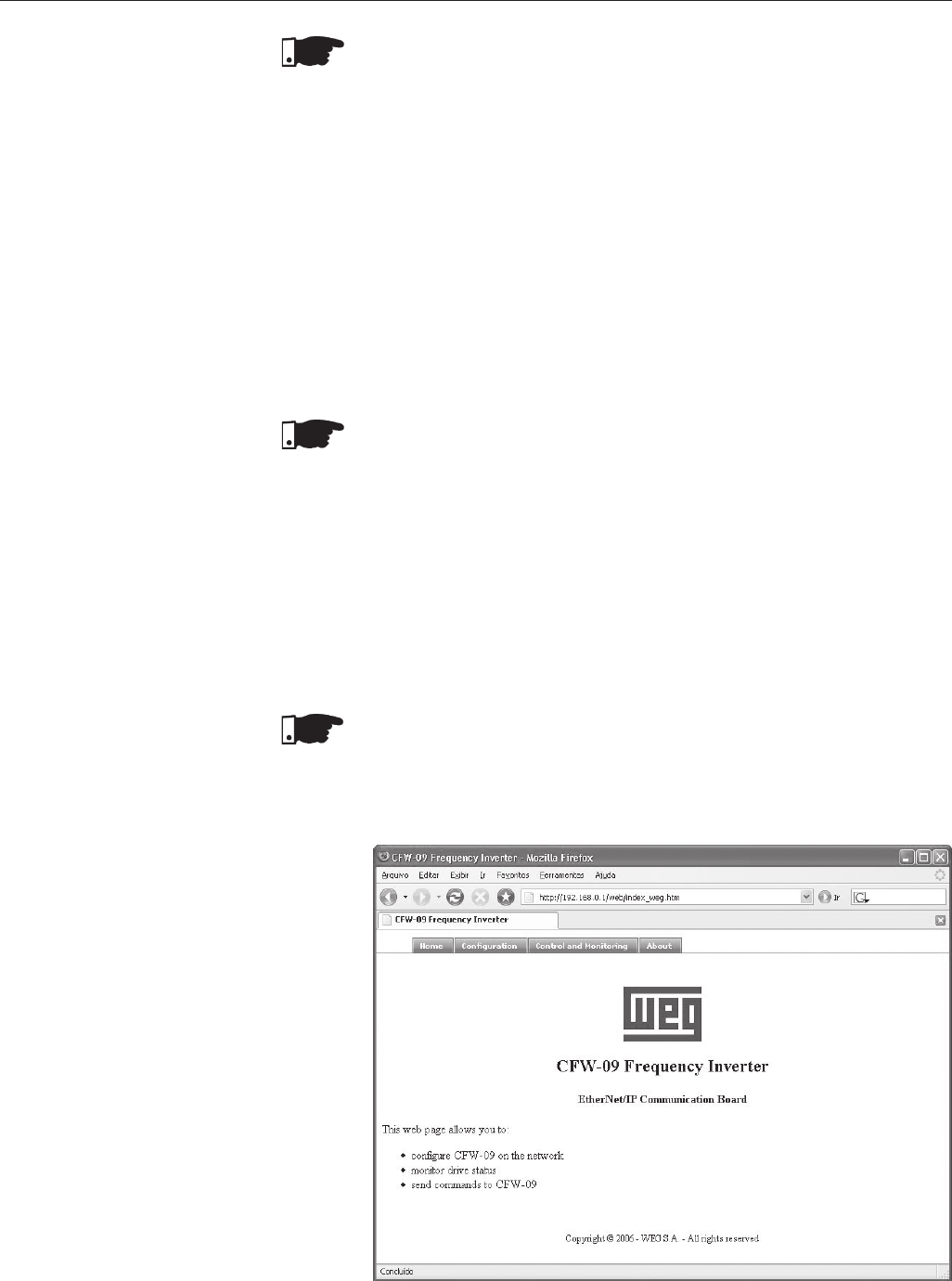
288
CHAPTER 8 - CFW-09 OPTIONS AND ACCESSORIES
NOTE!
The communication board that comes with the product has been developed
by the HMS Industrial Networks AB company. Therefore, the network
configuration software will not recognize the product as the CFW-09 variable
frequency drive, but as the “Anybus-S EtherNet/IP” at the “Communication
Adapter”. The differentiation among several CFW-09 drives will be based
on the device address on the network.
Related errors
The EtherNet/IP uses the same error codes as the other Fieldbus protocols,
i.e., E29 and E30.
E29: Fieldbus communication is off.
E30: Communication board is off.
For detailed information refer to the item 8.12.5.3.
NOTE!
The drive will indicate E29 only when the connection with the master is
lost. The drive will not indicate this error while no connection has been
established.
Control and Monitoring through the WEB
The EtherNet/IP communication board has an HTTP server internally. This
means that the communication board can serve HTML pages. In such a
way, it is possible to configure network parameters, control, and monitor
the CFW-09 drive through a WEB browser installed in a computer connected
to the same network of drive. Use the same read/write variables of the drive
to perform these operations (refer to items 8.12.5.1 and 8.12.5.2).
NOTE!
For the first WEB access use the factory default username and password.
Username: web
Password: web
Figure 8.47 - Open window when accessing the CFW-09 through the WEB
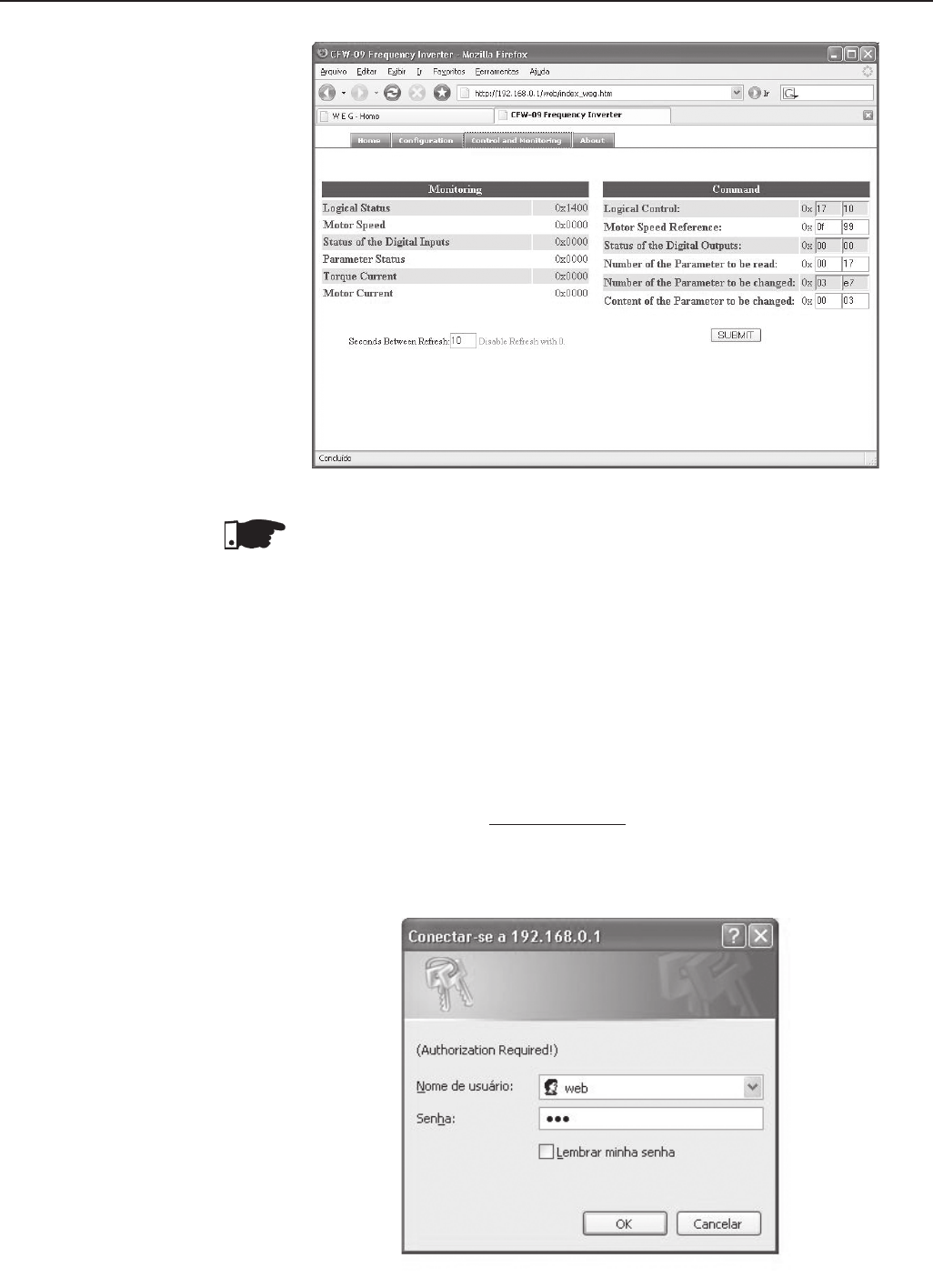
289
CHAPTER 8 - CFW-09 OPTIONS AND ACCESSORIES
Figure 8.48 - Control and Monitoring window when accessing the CFW-09 through the WEB
NOTE!
It is necessary to have a PC with an Ethernet card connected to the same network
of the CFW-09 and a WEB browser (MS Internet Explorer or Mozilla/Firefox.
Configurations
Follow the steps below to operate the CFW-09 in an EtherNet/IP network.
1) Install the KFB-EN kit into the CFW-09 variable frequency drive.
2) At parameter P309 select the EtherNet/IP protocol and the number of input/
output words, P309 = 7, 8 or 9.
3) Connect the RJ-45 plug of the Ethernet cable to the drive and make sure that
the Link LED is ON (LED 1).
4) Open your WEB browser and type the drive address on the network. The
factory default value is ‘http://192.168.0.1’. Make sure that JavaScript and cookies
are enabled in the WEB browser.
The data access is protected by username and password. The CFW-09 has the
following factory default values: Username: web Password: web
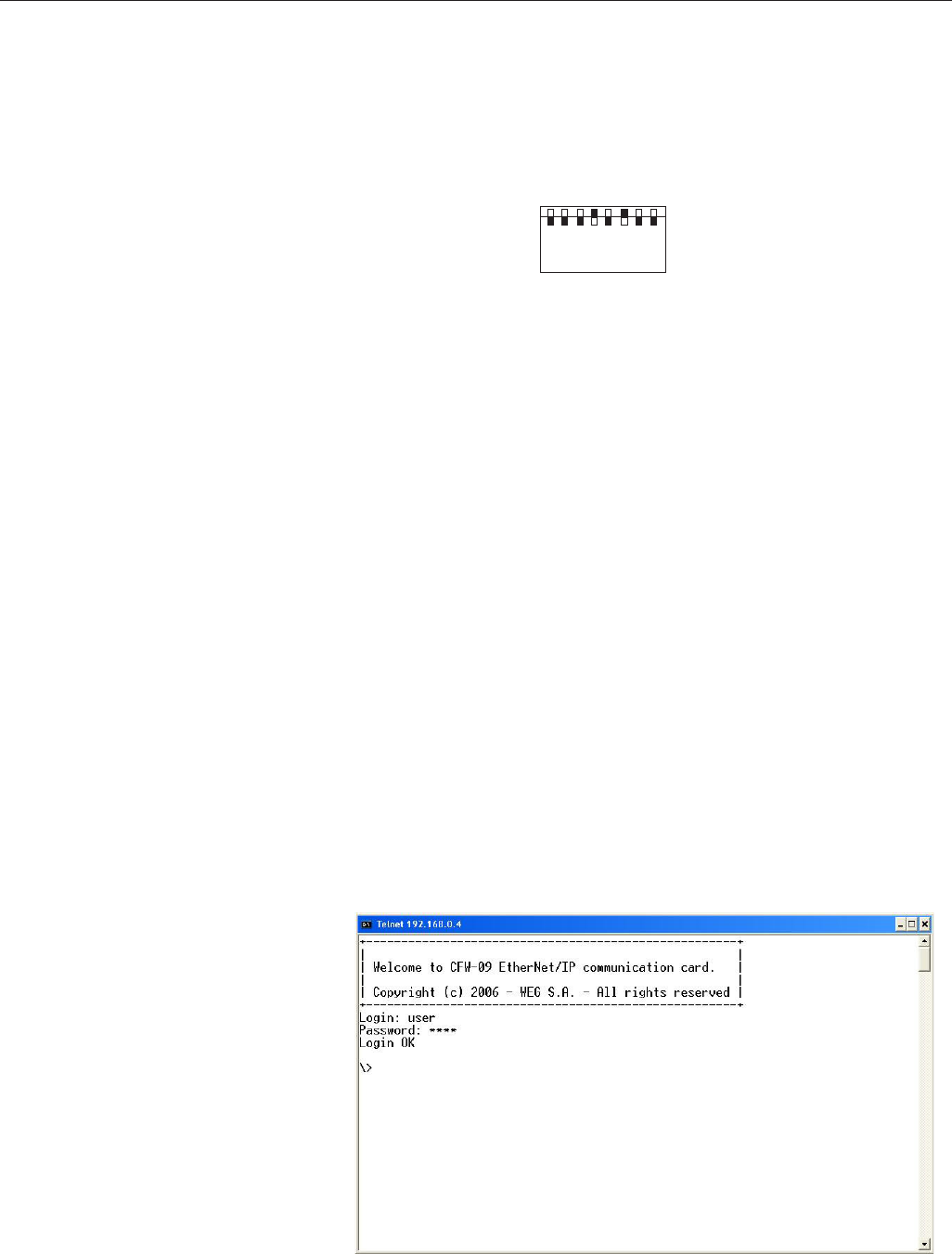
290
CHAPTER 8 - CFW-09 OPTIONS AND ACCESSORIES
5) At the ‘Configuration’ tab of the WEB page shown in figure X set, if needed,
the ‘Network Parameters’. Set also the value of parameter P309.
6.1) If the drive address on the network belongs to the reserved range
‘192.168.0.X’, it is possible to use the DIP-switches of the communication
board for addressing purposes. In this case, the DIP-switch represents the
binary value of the last byte in the IP address.
Example:
Examples:
Telnet session for the CFW-09 with IP address 192.168.0.4.
1 2 3 4 5 6 7 8
ON
(MSB) (LSB)
The DIP-switch is set to 00010100 (20 in decimal format).
Thus, the drive address on the network is 192.168.0.20.
6.2) If the drive has an IP address out of the default range (192.168.0.X),
deactivate the hardware addressing by setting the DIP-switches to zero
(00000000).
6.3) If the network addressing is performed through a DHCP server, select the
box ‘DHCP enabled’ and set the DIP-switches to zero (00000000).
7) Click on the button ‘STORE CONFIGURATION’ to save the new settings.
Restart the CFW-09
Access to the communication board
The communication board supports FTP and Telnet services. In such a way, it is
possible to upload/download files to/from the board and also access the file
system in an interactive way.
In order to use these services follow the steps below:
- Open a MS-DOS command window.
- Type the desired service (FTP or Telnet) followed by the IP address or hostname
of the CFW-09 on the network.
- Entre com: Nome do usuário: user Senha: user
FTP session for the CFW-09 whit IP address 192.168.0.4.
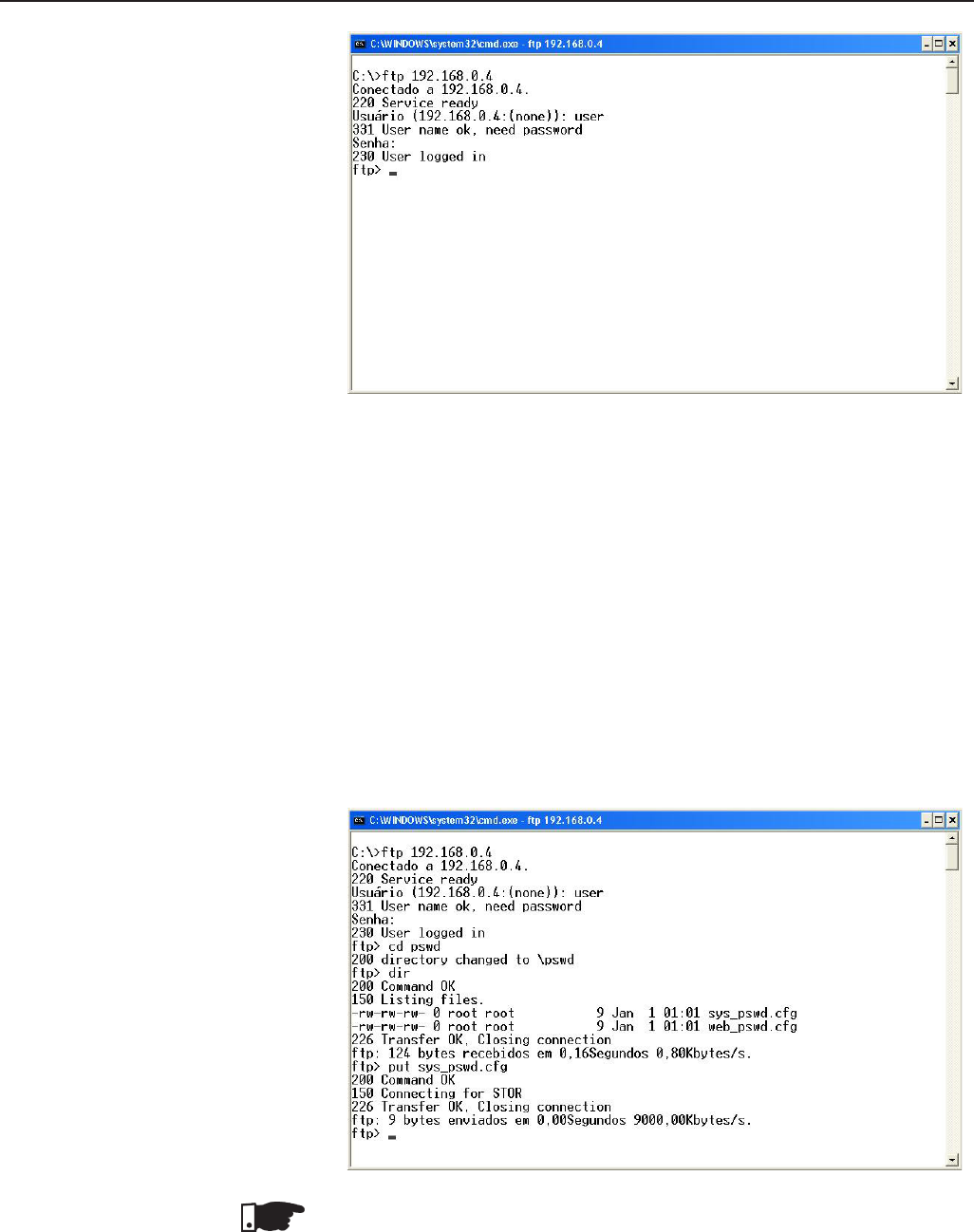
291
CHAPTER 8 - CFW-09 OPTIONS AND ACCESSORIES
Security and access passwords
The file system of the communication board has two security levels for the user:
admin and normal.
It is only permitted to connect in the normal mode. In this case, the users are
restricted to the directory ‘user\’, where it is possible to create or delete files
and/or folders. The accounts for normal users are defined in the file ‘sys_pswd.cfg’
that is located under directory ‘user\pswd\’. Each line of the file has a pair
‘login:password’ that corresponds to a user account.
In order to change the file containing the user accounts, create, with the
assistance of a simple text editor, a file that contains in each line a pair
‘login:password’. A colon shall separate the two words. Notice that no password
cryptography is available, i.e., the login and the password are completely visible.
After creating/modifying the user accounts, transfer via FTP the file ‘sys_pswd.cfg’
to the directory ‘user\pswd\’.
Example of file transfer through FTP:
NOTE!
The CFW-09 that comes from the factory has a normal user account:
Username: user
Password: user
Users of the normal security level are restricted to the directory ‘\user’.
292
CHAPTER 8 - CFW-09 OPTIONS AND ACCESSORIES
In addition to the access control for the file system, there is also an access
control for the HTML pages of the communication board. The file containing
the access passwords is located under the directory ‘user\pswd’, and it is
named ‘web_accs.cfg’. As in the previous case, each line of the
‘web_accs.cfg’ file represents an access account. In order to change the
user accounts for the HTML pages, create a text file with the same name
(‘web_accs.cfg’) and insert in each line of this file a pair ‘login:password’ for
the users with access permission. After that, transfer this new file through
FTP to the communication board, exactly as in the previous case.
NOTE!
It is strongly recommended to change all passwords of the EtherNet/IP
communication board after the start-up of the device. The new passwords
will be effective only after powering down and up the CFW-09.
NOTE!
When the drive returns from the offline state the output values are reset.
8.12.5 Use to the Fieldbus/
Related Parameters
of the CFW-09
There are two main parameters: P309 and P313.
P309 - defines the used standard Fieldbus (Profibus-DP, DeviceNet)
and the number of variables (I/O) exchanged with the master (2, 4 or 6).
The parameter P309 has the following options:
0 = Inactive,
1 = Profibus DP 2 I/O, 4 = DeviceNet 2 I/O,
2 = Profibus DP 4 I/O, 5 = DeviceNet 4 I/O,
3 = Profibus DP 6 I/O, 6 = DeviceNet 6 I/O,
(for Profibus-DP), (for Device Net).
P313 - defines the inverter behavior when the physical connection with
the master is interrupted and/or the Fieldbus board is inactive (E29/E30).
- The parameter P313 has the following options:
0 = Disables the inverter by using the Start/Stop controls via deceleration
ramp.
1 = Disables the inverter by using the General Enabling, stop by inertia.
2 = The inverter status is not changed.
3 = The inverter goes to Local mode.
4 = The drive changes to Local mode keeping the commands and the
reference.
1 - Logical Status of the inverter,
2 - Motor speed,
For the option P309 = 1or 4 (2I/O) - read 1 and 2,
3 - Status of the Digital Inputs(P012)
4 - Parameter Status,
For the option P309 = 2 or 5 (4I/O) - it reads 1, 2, 3 and 4,
5 - Torque current (P009),
6 - Motor current (P003),
For the option P309 = 3 or 6 (6I/O) - it reads 1, 2, 3, 4, 5 and 6.
1. Logical Status (E.L.):
The word that defines the E.L. is formed by 16 bits, being 8 bits of high
order and 8 bits of low order. It has the following construction:
8.12.5.1 Variables Read
from the Inverter

293
CHAPTER 8 - CFW-09 OPTIONS AND ACCESSORIES
High-Order Bits - they indicate the status of the associated function
EL.15 - Active error: 0 = No, 1 = Yes;
EL.14 - PID Regulator 0 = Manual, 1 = Automatic;
EL.13 - Undervoltage : 0 = Without, 1 = with;
EL.12 - Local/Remote Control: 0 = Local, 1 = Remote;
EL.11 - JOG Control: 0 = Inactive, 1 = Active;
EL.10 - Direction of rotation: 0 = Counter-Clockwise, 1 = Clockwise;
EL.09 - General Enabling: 0 = Disabled, 1 = Enabled;
EL.08 - Start/Stop: 0 = Stop, 1 = Start.
Low-Order Bits - they indicate the error code number, (i.e. 00, 01, ... ,09, 11(0Bh),
12(0Ch), 13(0Dh), 24(18h), 32(20h) and 41(29h) ). See Item 7.1- Faults and
Possible Causes.
2. Motor Speed:
This variable is shown by using the 13-bit resolution plus signal. Thus the rated
value will be equal to 8191(1FFFh)(clockwise rotation) or -8191(E001h) (counter-
clock wise rotation) when the motor is running at synchronous speed (or base
speed, for instance 1800rpm for IV-pole motor, 60Hz).
3. Status of the Digital Inputs:
Indicates the content of the Parameter P012, where the level 1 indicates active
input (with +24V) , and the level 0 indicates the inactive input (with 0V). See Item
6.1-Access and Read Parameter. The digital inputs are so distributed in this
byte:
Bit.7 - DI1 status Bit.3 - DI5 status
Bit.6 - DI2 status Bit.2 - DI6 status
Bit.5 - DI3 status Bit.1 - DI7 status
Bit.4 - DI4 status Bit.0 - DI8. status
4. Parameter Content:
This position permits to read the inverter parameter contents that are selected at
Position 4. Number of parameter to be read from the “Variables Written in the
Inverter”. The read values will have the same order as described in the product
Manual or shown on the HMI .
The values are read without decimal point, when it is the case. Examples:
a) HMI displays 12.3, the read via Fieldbus will be 123,
b) HMI displays 0.246, the read via Fieldbus will be 246.
There are some parameters which representation on the 5 segment display can
suppress the decimal point when the values are higher than 99,9. These
parameters are: P100, P101, P102 , P103, P155, P156, P157, P158, P169 (for
P202=0,1,2 and 5), P290 and P401.
Example: Indication on the 7 segment display: 130.,
Indication on the LCD display LCD : 130.0, the read value via
Fieldbus is: 1300.
The read of the Parameter P006 via Fieldbus has the following meaning:
0 = ready;
1 = run;
2 = Undervoltage;
3 = with fault, except E24 to E27.
5. Torque Current:
This position indicates de P009 Parameter content, disregarding the decimal
point. A lowpass filter with a time constant of 0.5 s filters this variable.

294
CHAPTER 8 - CFW-09 OPTIONS AND ACCESSORIES
6. Motor Current:
This position indicates de P003 Parameter content, disregarding the decimal
point. A lowpass filter with a time constant of 0.3 s filters this variable.
The variables are written in the following order:
1 - Logical Control,
2 - Motor speed reference,
for option P309 = 1 or 4 (2I/O) - it writes in 1 and 2;
3 - Status of the Digital Outputs;
4 - Number of the Parameter to be read,
for option P309 = 2 or 5 (4I/O) - it writes in 1, 2, 3 and 4;
5 - Number of the Parameter to be changed;
6 - Content of the Parameter to be changed, selected in the previous position,
for option P309 = 3 or 6 (6I/O) - it writes in 1, 2, 3, 4, 5 and 6.
1. Logical Control (C.L.):
The word that defines the C.L. is formed by 16 bits, being 8 bits of high orders
and 8 bits of low orders and having the following construction:
High-Order Bits - they select the function that shall be driven when the bit is set
to 1.
CL.15 - Inverter fault reset;
CL.14 - Without function;
CL.13 - To save the changes of the parameter P169/P170 in the EEPROM;
CL.12 - Local/Remote control;
CL.11 - Jog control;
CL.10 - Direction of rotation;
CL.09 - General enabling;
CL.08 -Start/Stop.
Low-Order Bits - they determine the status that is wanted for the function selected
in the high-order bits.
CL.7 - Inverter fault reset: always it varies from 0 → 1, an inverter reset is caused,
with the presence of faults (except E24, E25, E26 e E27).
CL.6 -no function / STOP detection. It is not necessary to activate the
correspondent upper bit (refer to the description of parameter P310);
CL.5 - To save P169/P170 in the EEPROM: 0 = to save, 1 = to not save;
CL.4 -Local/Remote control: 0 = Local, 1 = Remote;
CL.3 -Jog control: 0 = Inactive, 1 = Active;
CL.2 -Direction of rotation: 0 = counter-clockwise, 1 = clockwise;
CL.1 -General enabling: 0 = Disabled, 1 = Enabled;
CL.0 - Start/Stop: 0 = Stop, 1 = Start.
NOTE!
The inverter will execute only the command indicated in the low-order bit, when
the corresponding high-order bit has the value 1 (one). When the high-order bit
has the value 0 (zero), the inverter will disregard the value of the corresponding
low-order bit.
8.12.5.2 Variables Written
in the Inverter
295
CHAPTER 8 - CFW-09 OPTIONS AND ACCESSORIES
NOTE!
CL.13:
The function to save the changes of the parameters content in EEPROM occurs
usually when the HMI is used. The EEPROM admits a limit number of writings
(100 000). In the applications where the speed regulator is saturated, but the
torque control is desired, you must change the current limitation value at P169/
P170 (valid for P202=3 and 4). In this torque control condition, check if P160
(control type) = 1 (Regulator for torque control). When the network Master is
writing in P169/P170 continuously, avoid to save the changes in the EEPROM,
by setting:
CL.13 = 1 and CL.5 = 1
To control the functions of the Logical Control, you must set the respective
inverter parameters with the Fieldbus option.
a) Local/Remote selection - P220;
b) Speed reference - P221 and/or P222;
c) Direction of rotation - P223 and/or P226;
d) General Enabling, Start/Stop - P224 and/or P227;
e) Jog Selection - P225 and/or P228.
2. Motor Speed Reference
This variable is shown by using 13-bit resolution. Hence, the reference value for
the motor synchronous speed will be equal to 8191 (1FFFh).
This value shall be used just as a base speed to calculate the desired speed
(reference speed).
For example:
1) 4-poles motor , 60Hz, synchronous speed = 1800rpm and reference
speed = 650 rpm
1800 rpm - 8191
650 rpm - X X = 2958 = 0B8Eh
This value 0B8Eh shall be written in the second word which represents motor
speed reference (according to item 8.12.5.2).
2) 6-poles motor, 60Hz, synchronous speed = 1200rpm and reference
speed=1000rpm.
1200 rpm - 8191
1000 rpm - X X = 4096 = 1AAAh
This value 1AAAh shall be written in the second word which represents motor
speed reference (according to item 8.12.5.2).
NOTE!
It is possible to use values higher than 8191 (1FFFh) when it is desired to have
values higher than the motor synchronous speed, since the maximum speed
reference set for the drive is respected.
3. Status of the Digital Outputs:
It allows changing the status of the Digital Outputs that are programmed for the
Fieldbus in the Parameters P275 to P280.
The word that defines the status of the digital outputs is formed by 16 bits, having
the following construction:
High-order bits: define the output that shall be controlled when set to 1,
bit.08 - 1= control of the output DO1;
bit.09 - 1= control of the output DO2;

296
CHAPTER 8 - CFW-09 OPTIONS AND ACCESSORIES
bit.10 - 1= control of the output RL1;
bit.11 - 1= control of the output RL2;
bit.12 - 1= control of the output RL3;
Low-order bits: define the status desired for each output,
bit.0 - output status DO1: 0 = output inactive, 1 = output active;
bit.1 - output status DO2: ditto;
bit.2 - output status RL1: ditto;
bit.3 - output status RL2: ditto;
bit.4 - output status RL3: ditto.
4. Parameter Number to be Read:
Through this position you can read any inverter parameter.
You must enter the number corresponding to the desired parameter and its
content will be displayed in Position 4 of the “Read Inverter Variables”.
5. Number of the Parameter to be changed:
(Parameter Content Changing)
This position works jointly with Pos. 6 below.
If no Parameter change is desired, you have to enter in this position the code
999.
During the changing process you must:
1) Maintain in Position 5. The code 999;
2) Change the code 999 by the parameter number you want to change;
3) If no fault code (24 to 27) is displayed in the E.L., replace the code number by
the code 999, to end the change.
The change can be checked through the HMI or by reading the parameter content.
NOTES!
1) The control change from scalar control to vector control will not be accepted
if any of the parameters P409 to P413 is set to zero. This must be effected
through the HMI.
2) Do not set P204=5, since P309=Inactive in the factory setting.
3) The desired content must be maintained by the master during 15.0 ms.
Only after this time you can send a new value or write another parameter.
6. Content of the Parameter to be changed, selected at Position 5.
(Number of the Parameter to be changed)
The format of the values set at this position must be as described in the Manual, but the
value must be written without the decimal point, when the case.
When Parameters P409 to P413 are changed, small content differences can
occur, when the value sent via Fieldbus is compared with the value read at Position
4 (“Parameter Content”), or with the value read via HMI. This is due the truncation
(rounding off) during the reading process.
During the read/write process via Fieldbus the following variable indications in
the Logical Status can occur:
Indications in the Logical Status variable:
E24 - Parameter changing only permitted with disabled inverter.
- Parameter setting fault (see Item 4.2.3).
E25 - Caused by:
- Read Parameter inexistent, or
- Write Parameter inexistent, or
- Write in P408 and P204
8.12.5.3 Fault Indications
297
CHAPTER 8 - CFW-09 OPTIONS AND ACCESSORIES
E26 - The desired content value is out of permitted range.
E27 - Caused by:
a) The function selected in the Logical Control is not enabled for the
Fieldbus, or
b) The control of the Digital Output is not enabled for the Fieldbus, or
c) The parameter write is read-only.
The fault indication described above will be removed from the Logical
Status when the desired action is sent correctly. Except for E27 (case (b)),
which reset is via write in the Logical Control.
Example: supposing that no digital output is programmed for Fieldbus, thus
when in position 3. the word 11h is written, the inverter answer indicating
E27 in E.L.. To remove this indication from E.L., you must:
1) write zero in Pos. 3.(since no DO is programmed for Fieldbus);
2) change the variable of the logical control, to remove from E.L. the E27
indication.
The removal of the fault indication from E.L. described above, can also be
realized by writing the code 999 in Pos. 5. of the “Variables written in the
Inverter”. Except for the fault E27(in the cases (a) and (b)),
which reset is realized only through the writing in the Logical Control, as
above exemplified.
NOTE!
The faults E24, E25, E26 and E27 do not cause any change in the inverter
operation status.
HMI displays:
E29 -Fieldbus is inactive
-This display appears when the physical connection of the inverter to the
Master is interrupted.
-You can program in Parameter P313 the action that the inverter shall
execute when the fault E29 is detected.
-When the PROG key of the HMI is pressed, the E29 Fault indication is
removed from the display.
E30 -Fieldbus Board is inactive
This fault is displayed when:
1) P309 is programmed different than Inactive, without Fieldbus board in
the XC140 connector of the CC9 control board; or
2) The Fieldbus board is inserted, but is defective; or
3) The Fieldbus board is inserted, but the standard programmed at P309 is
not equal to the standard of the used board.
You can program in Parameter P313 which action the inverter will
perform when E30 is detected.
When the PROG key of the HMI is pressed, the E30 Fault indication is
removed from the display.
The variables are arranged in the memory of the Fieldbus device, starting at
the address 00h, both for writing and reading. The address differences are
corrected by the protocol and by communication board.
The way the variables are arranged at each address in the memory of the
Fieldbus depends on the equipment that is used as Master. For instance: in
the PLC A the variables are arranged as High and Low, and in the PLC B the
variables are arranged as Low and High.
8.12.5.4 Addressing of the
CFW-09 Variables
in the Fieldbus
Devices
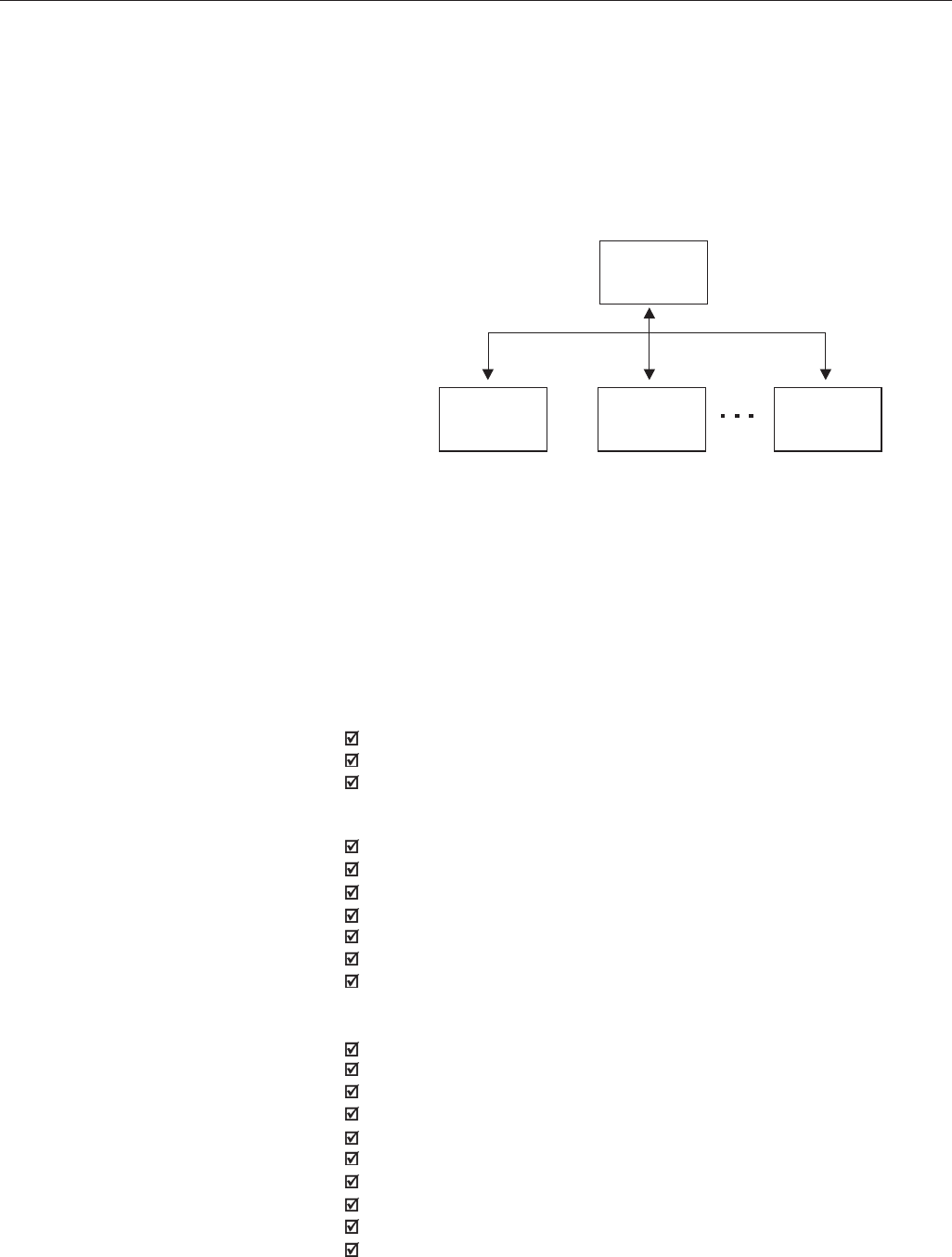
298
CHAPTER 8 - CFW-09 OPTIONS AND ACCESSORIES
8.13 SERIAL COMMUNICATION
8.13.1 Introduction The basic objective of the serial communication is the physical connection of
inverters in a configured equipment network, as shown below:
The inverters possess a control software for the transmission/reception of
data through the serial interface, to facilitate the data reception sent by the
master and the sending of data requested by the same.
The transfer rate is 9600 bits/s, following a exchange protocol, question/answer
type by using ASCII characters.
The master is able to realize the following operations related to each inverter:
- IDENTIFICATION
network number;
inverter type;
software version.
- CONTROL
general enabling/disabling;
enabling/disabling by ramp;
direction of rotation;
speed reference;
local/remote
JOG
error RESET.
- STATUS RECOGNITION
ready;
Sub;
run;
local/remote;
fault;
JOG;
direction of rotation;
setting mode after Reset to Factory Setting
setting mode after changing the scalar control mode to vector mode.
self-tuning
Master PC, PLC, etc.
Slave 1
(Inverter) Slave 2
(Inverter) Slave n
(Inverter)
n ≤ 30
299
CHAPTER 8 - CFW-09 OPTIONS AND ACCESSORIES
8.13.2 Interfaces Description The physical connection between the inverters and the network master is
performed according to one of the standards below:
a. RS-232 (point-to-point, up to 10m);
b. RS-485 (multipoint, galvanic isolation, up to 1000m);
8.13.2.1 RS-485 This interface allows the connection of up to 30 inverters to a master (PC,
PLC, etc), attributing to each inverter an address (1 to 30) that must be set.
In addition to these 30 addresses, there are two other addresses to perform
special tasks:
Address 0: any network inverter is inquired, independently of its address.
Only one inverter can be connected to the network (point-to-point) in
order to prevent short- circuits in the line interface.
Address 31: a control can be transmitted to all inverters in the network
simultaneously, without acceptance recognition.
List of addresses and corresponding ASCII characters
- PARAMETERS READING
- CHANGE OF PARAMETERS
Typical examples of network use:
PC (master) for parameterization of one or several inverters at the same
time;
SDCD monitoring inverter variables;
PLC controlling the operation of an inverter in an industrial process.
ADDRESS
(P308)
0
1
2
3
4
5
6
7
8
9
10
11
12
13
14
15
16
17
18
19
20
21
22
23
24
25
26
27
28
29
30
31
ASCII
CHAR DEC HEX
@64 40
A65 41
B66 42
C67 43
D68 44
E69 45
F70 46
G71 47
H72 48
I73 49
J74 4A
K75 4B
L76 4C
M77 4D
N78 4E
O79 4F
P80 50
Q81 51
R82 52
S83 53
T84 54
U85 55
V86 56
W87 54
X88 58
Y89 59
Z90 5A
]91 5B
\92 5C
[93 5D
^94 5E
_95 5F
Table 8.20 - ASCII characters
300
CHAPTER 8 - CFW-09 OPTIONS AND ACCESSORIES
ASCII
CODE DEC HEX
048 30
149 31
250 32
351 33
452 34
553 35
654 36
755 37
856 38
957 39
=61 3D
STX 02 02
ETX 03 03
EOT 04 04
ENQ 05 05
ACK 06 06
NAK 21 15
Other ASCII characters used in protocol.
The connection between the network participants is performed through a pair
of wires. The signal levels are according to STANDARD EIA RS-485 with
differential receivers and transmitters. Expansion boards of the types EBA.01,
EBA.02 or EBB.01 (see Items 8.1.1 and 8.1.2).
When the master is fitted with only a serial interface - standard RS-232, you
must apply a level conversion module from RS-232 to RS-485.
In this case we have the connection of a master to an inverter (point-to-point).
Data can be changed in a bi-directional way, but not simultaneous (HALF
DUPLEX).
The logical levels meet STANDARD EIA RS-232C that determines the use of
balanced signals.
In this case, one wire is used for transmission (TX), one for reception (RX) and
one for return (0V) .This configuration is a three-wire economy model. (Refer
to section 8.6)
8.13.2.2 RS-232
8.13.3 Protocol Definitions This itens describe the protocol used for serial communication.
8.13.3.1 Used Terms Parameters: are those existing in the inverters whose visualization or
alteration is possible through the HMI interface.
Variables: are values that have specific inverter functions and that can
be read and, in some cases, modified by the master.
Basic variables: are those that can be accessed only through the serial
interface.
Table 8.21 - ASCII characters used in protocol.
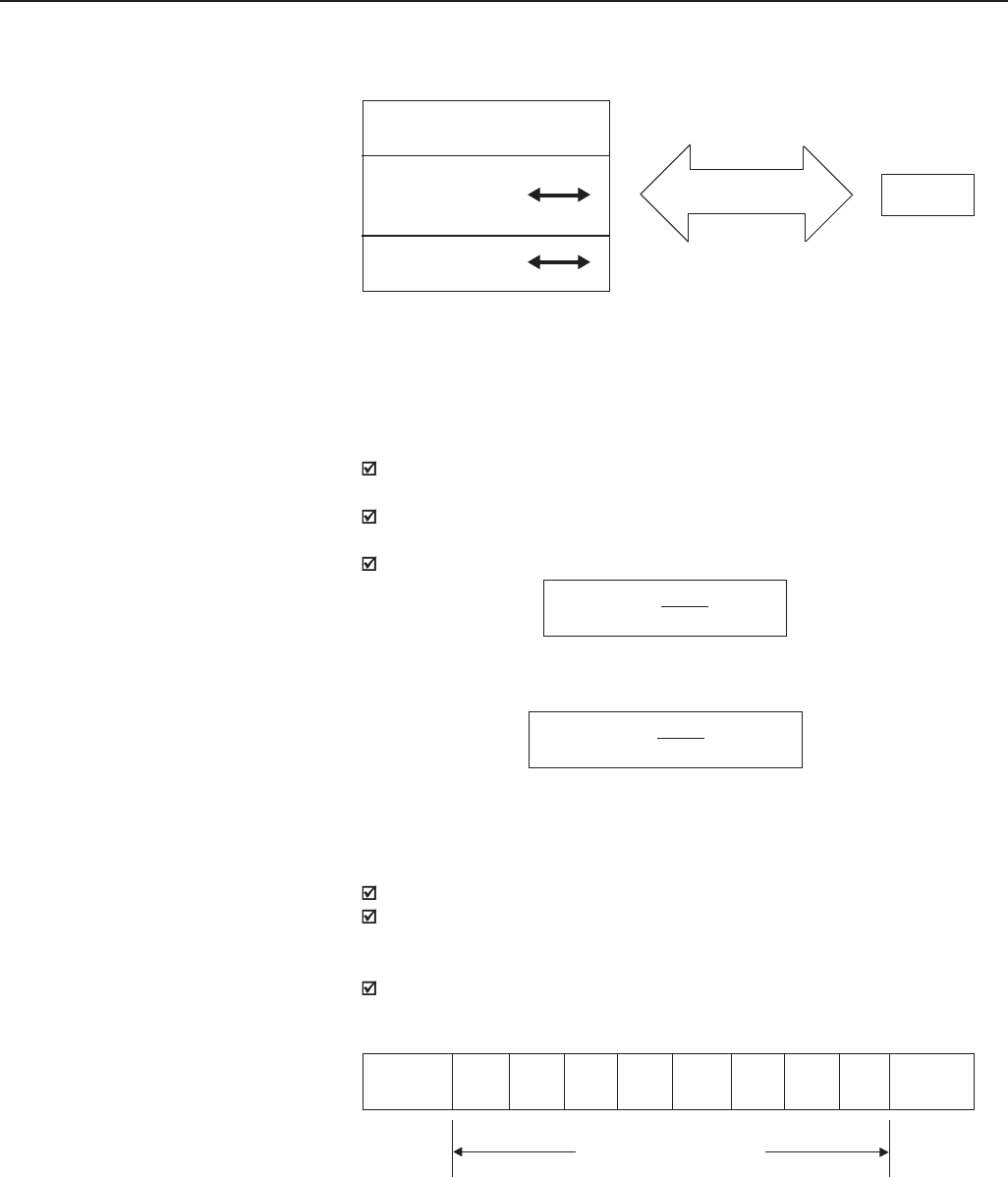
301
CHAPTER 8 - CFW-09 OPTIONS AND ACCESSORIES
SCHEMATIC DIAGRAM:
INVERTER
BASIC
VARIABLES
PARAMETERS
MASTER
SERIAL CONECTION
VARIABLES
8.13.3.2 Parameters/Variables
Resolution
During the parameter reading/changing the decimal point is disregarded in the
values received with the telegram, excepting the Basic Variables V04 (Reference
via Serial) and V08 Motor Speed) that are standardized in 13 bits (0 to 8191).
For instance:
Writing: if the purpose is to change the content of P100 to 10.0s, you
must send 100 (disregarding the decimal point);
Reading: If we read 1387 in P409, the value is 1.387( (the decimal point
is disregarded);
Writing: to change the content of V04 to 900 rpm, we must send:
Supposing P208=1800 rpm
Reading: If we read 1242 inV08, this value is given by:
Supposing P208=1800 rpm
1 start bit;
8 information bits [they codify text characters and transmission characters,
removed from the 7 bits code, according to ISO 646 and complemented
for even parity (eighth bit)];
1 stop bit;
After the start bit, follows the less significant bit:
V04 = 900 x 8191 = 4096
P208
8.13.3.3 Characters
Format
STARTB1 B2 B3 B4 B5 B6 B7 B8 STOP
Start
bit Stop
bit
8 bits of information
V08 = 1242 x P208 = 273 rpm
8191
8.13.3.4 Protocol The transmission protocol meets Standard ISO 1745 for data transmission in
code. Only text characters sequences without header are used .
The errors monitoring is made through transmission related to the parity of the
individual 7 bit characters, according to ISO 646. The parity monitoring is
made according to DIN 66219 (even parity).
The master uses two types of messages:
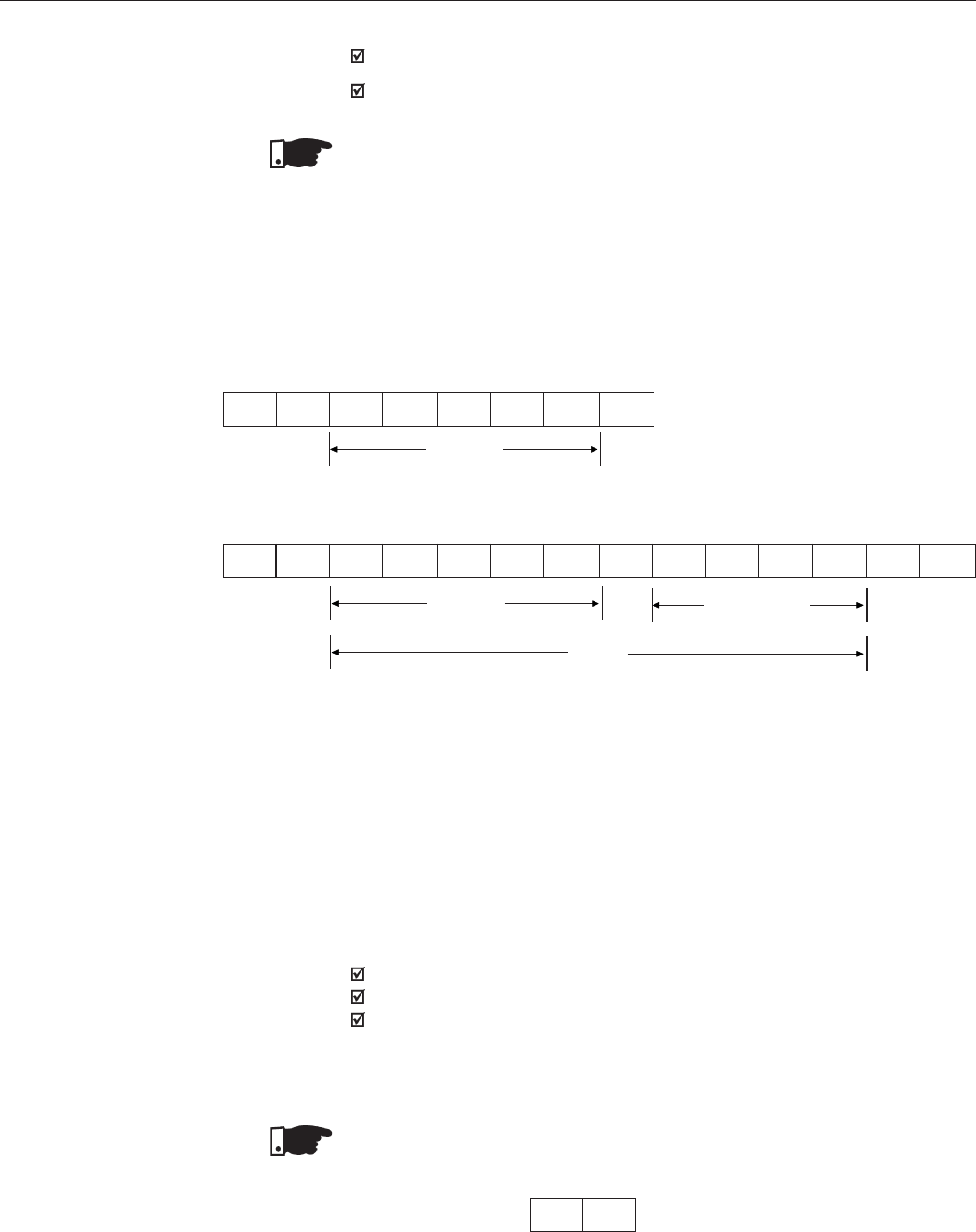
302
CHAPTER 8 - CFW-09 OPTIONS AND ACCESSORIES
READING TELEGRAM: for inquiring of the inverter variable content;
WRITING TELEGRAM: to change inverter variable content or to send
controls to the inverters.
NOTE!
No transmission between two inverters is possible. The master has the bus
access control.
Format of the reading telegram:
EOT: control character of End of Transmission;
ADR: inverter address (ASCII@, A, B, C, to ) (ADdRess);
CODE: address of the 5-digit variable coded in ASCII;
ENQ: control character ENQuiry (enquiry);
Format of the inverter answer telegram:
ADR: 1 character - inverter address;
STX: control character - Start of TeXt;
TEXT: consists in:
CODE: address of the variable;
“ =”: separation of character;
VAL: 4 digits value (HEXADECIMAL);
ETX: control character - End of TeXt;
BCC: CheCksum Byte- EXCLUSIVE OR of all the bytes between STX
(excluded) and ETX (included).
NOTE!
In some cases there can be an inverter answer with:
ADR NAK see item 8.13.3.5
Reading Telegram
This telegram allows the master receive from the inverter the content
corresponding to the inquiry code. In the answer telegram the inverter transmits
the data requested by the master.
2) Inverter:
ADR STX = xH xH xH xH ETX BCC
CODE VAL
(Hexadecimal)
TEXT
EOT ADR ENQ
CODE
1) Master:
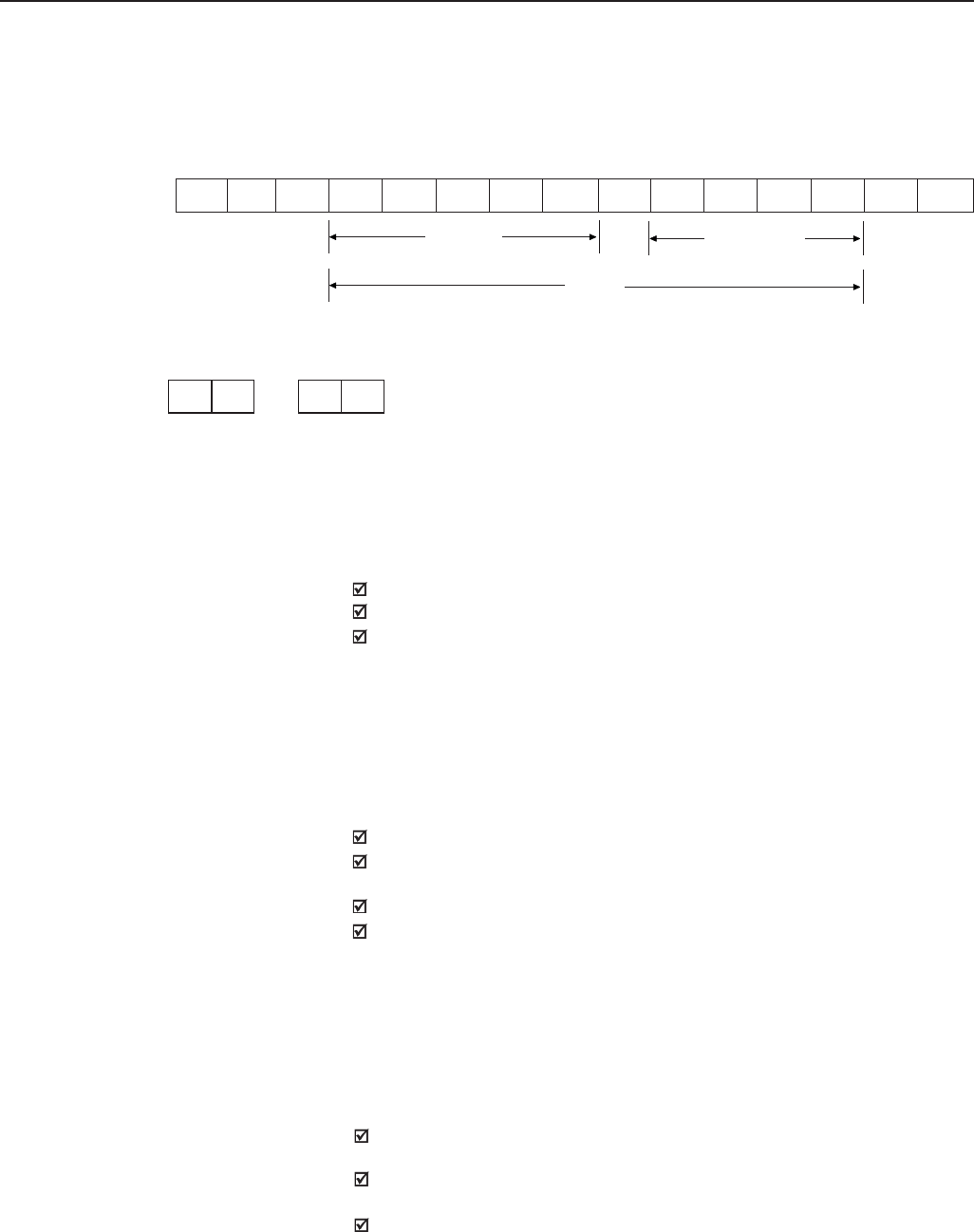
303
CHAPTER 8 - CFW-09 OPTIONS AND ACCESSORIES
Writing Telegram
This telegram sends data to the inverters variables. The inverter answers by
indicating if the data have been accepted or not.
Format of the writing telegram:
EOT: control character of End Of Transmission;
ADR: inverter address;
STX: control character of Start of TeXt;
TEXT: consists in:
CODE: variable address;
“ =”: separation character;
VAL: 4 HEXADECIMAL digit value ;
ETX: control character of End of TeXt;
BCC: Byte of CheCksum - EXCLUSIVE OR of all the bytes between STX
(excluded) and ETX (included).
Format of the inverter answer telegram:
Acceptance:
ADR: inverter address;
ACK: ACKnowledge control character;
No acceptance:
ADR: inverter address;
ACK: ACKnowledge control character;
That means that the data were not accepted and the addressed variable
continues with its old value.
The inverters and the master test the telegram syntax.
The answers for the respective verified conditions are defined as follows:
Reading telegram:
no answer: with wrong telegram structure, control characters received
incorrectly or wrong inverter address;
NAK: CODE corresponding to the variable does not exist or there is only
writing variable;
TEXT: with valid telegrams;
8.13.3.5 Execution and
Telegram Test
1) Master:
2) Inverter:
ADR NAK ADR ACK
or
CODE VAL
(Hexadecimal)
TEXT
EOT ADR STX =xH xH xH xH ETX BCC
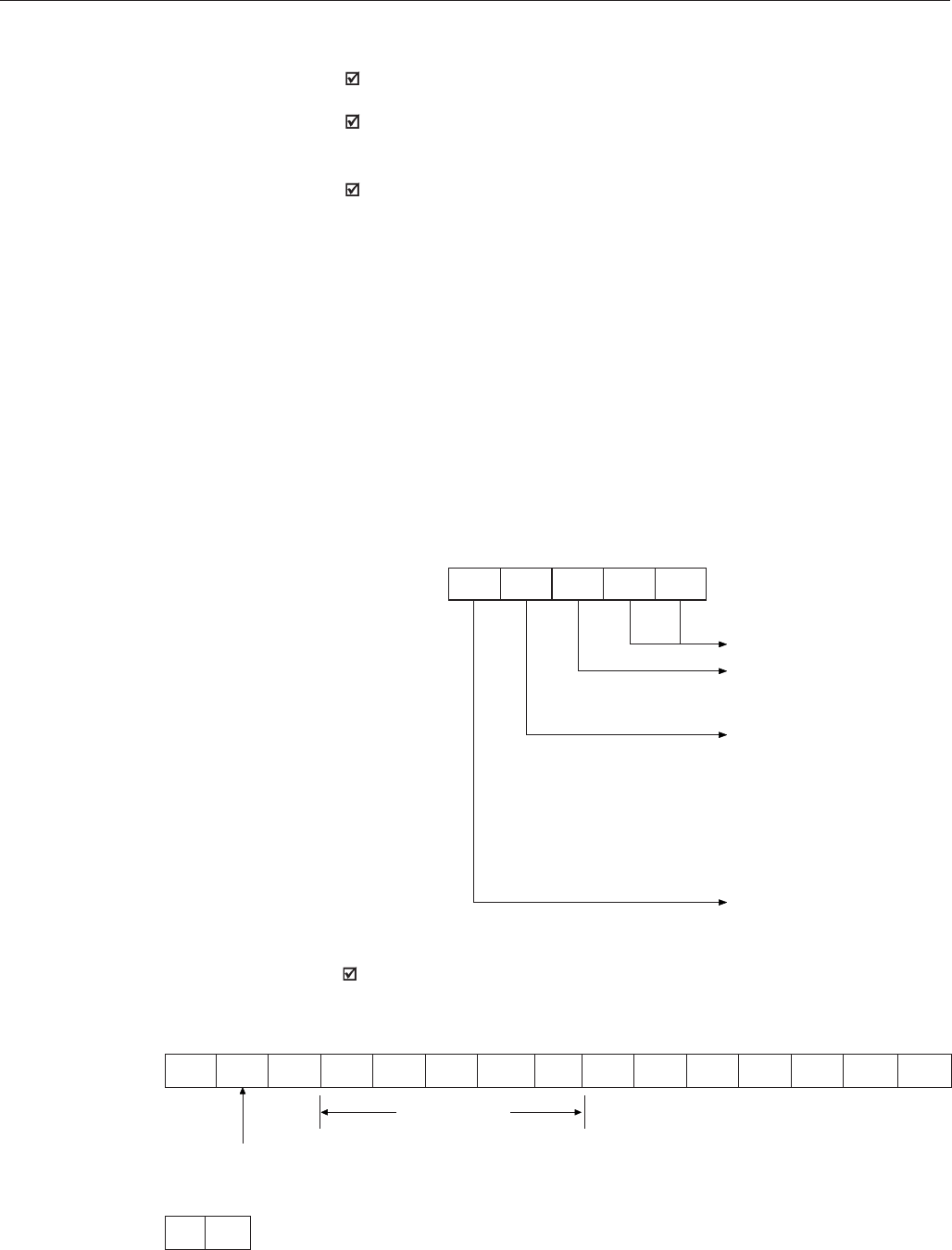
304
CHAPTER 8 - CFW-09 OPTIONS AND ACCESSORIES
Writing telegram:
No answer: with wrong telegram structure, control characters received
incorrectly or wrong inverter address;
NAK: code corresponding to the variable does not exist, wrong BCC
(checksum byte), only reading variable, VAL out of the allowed range for
the respective variable, operation parameter out of the alteration mode;
ACK: with valid telegrams;
The master should maintain, between two variable transmissions to the
same inverter, a waiting time that is compatible with the used inverter.
In the inverters, the telegrams are processed in determined time intervals.
Therefore, a pause larger than the sum of the times Tproc + Tdi + Ttxi cit should
be guaranteed, between two telegrams addressed to the same inverter (see
item 8.13.6).
8.13.3.6 Telegram Sequence
8.13.3.7 Variable Code The field designated with CODE contains the parameter address and the
basic variables formed by 5 digits (ASCII characters) as follows:
8.13.4 Telegram Examples Change of the min. speed (P133) to 600 rpm in the inverter 7.
1) Master:
EOT G STX 0 2 8 3 3 = 0H 2H 5H 8H ETX BCC
NMIN Code NMIN=600=258H
Address 7
CODE X X X X X
Number of the basic variable
Equipment number:
"8" = CFW-09
"9" = any inverter
Especificator:
0 = basic variables
1 = P000 a P099
2 = P100 a P199
3 = P200 a P299
4 = P300 a P399
5 = P400 a P499
6 = P500 a P599
7 = P600 a P699
Equal to zero (0)
2) Inverter:
G ACK
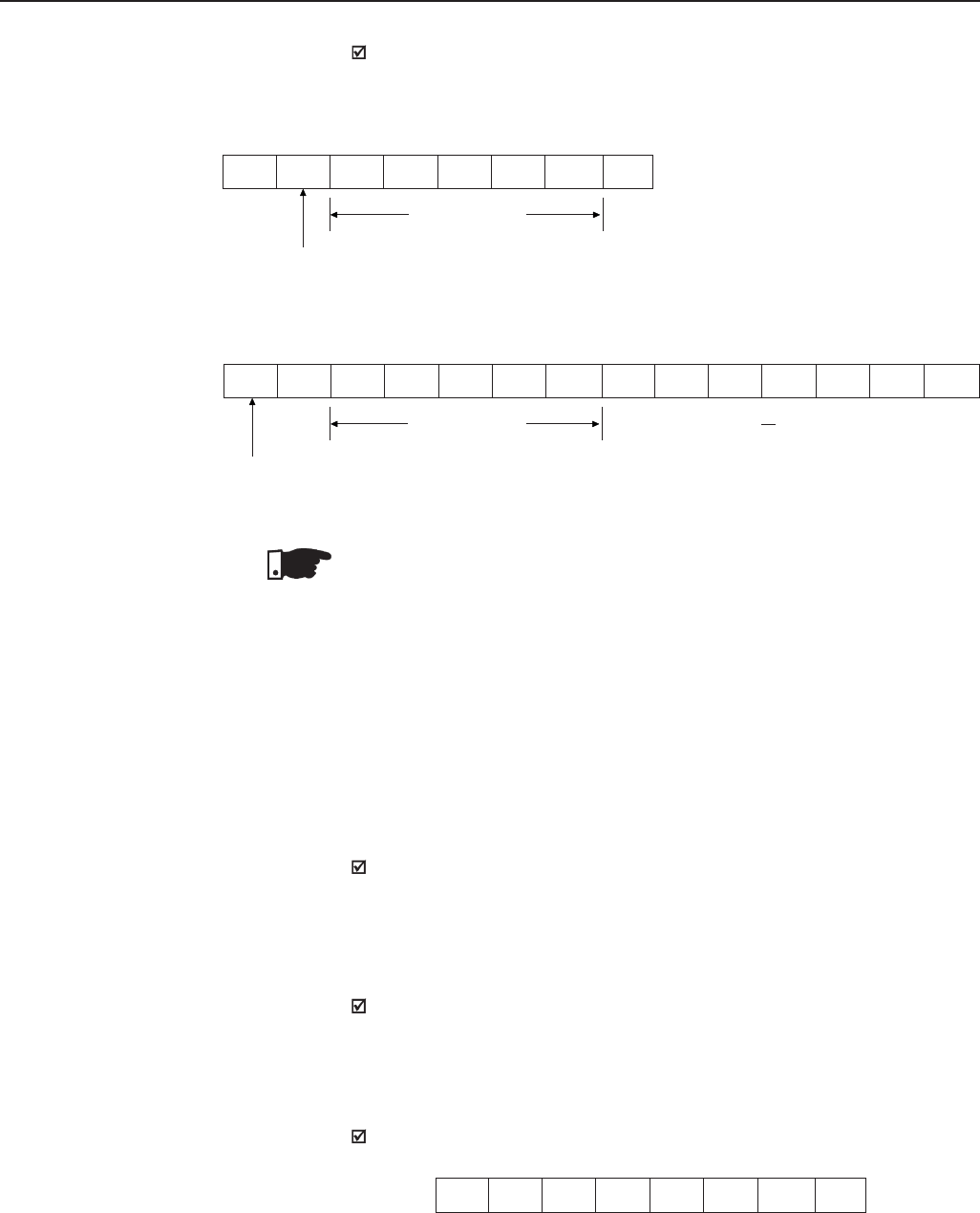
305
CHAPTER 8 - CFW-09 OPTIONS AND ACCESSORIES
Reading of output current from the inverter at address 10
(supposing that the same was at 7,8A at the moment of the enquiry).
1) Master:
EOT J 0 1 8 0 3 ENQ
Code P003
addr. 10
2) Inverter:
J STX 0 1 8 0 3 = 0H 0H 4H EH ETX BCC
Code P003 P003=4EH=78=7.8A
10
addr.
10
8.13.5 Variables and Errors
of the Serial
Communication
8.13.5.1 Basic Variables V00 (code 00800):
Indication of the inverter type (reading variable)
The reading of this variable allows the inverter type identification. For
the CFW-09 this value is 8, as defined in 8.13.3.7.
V02 (code 00802):
Indication of the inverter state (reading variable)
- Logical status (byte-high)
- Error code (byte-low)
Where:
Logical status:
EL15 EL14 EL13 EL12 EL11 EL10 EL9 EL8
NOTE!
Values sent and received via serial interface are always integer values. It
is necessary to know the parameter resolution in order to read the correct
value. (Ex. Real Current Value =7.8A ⇔ Received Value = 78)
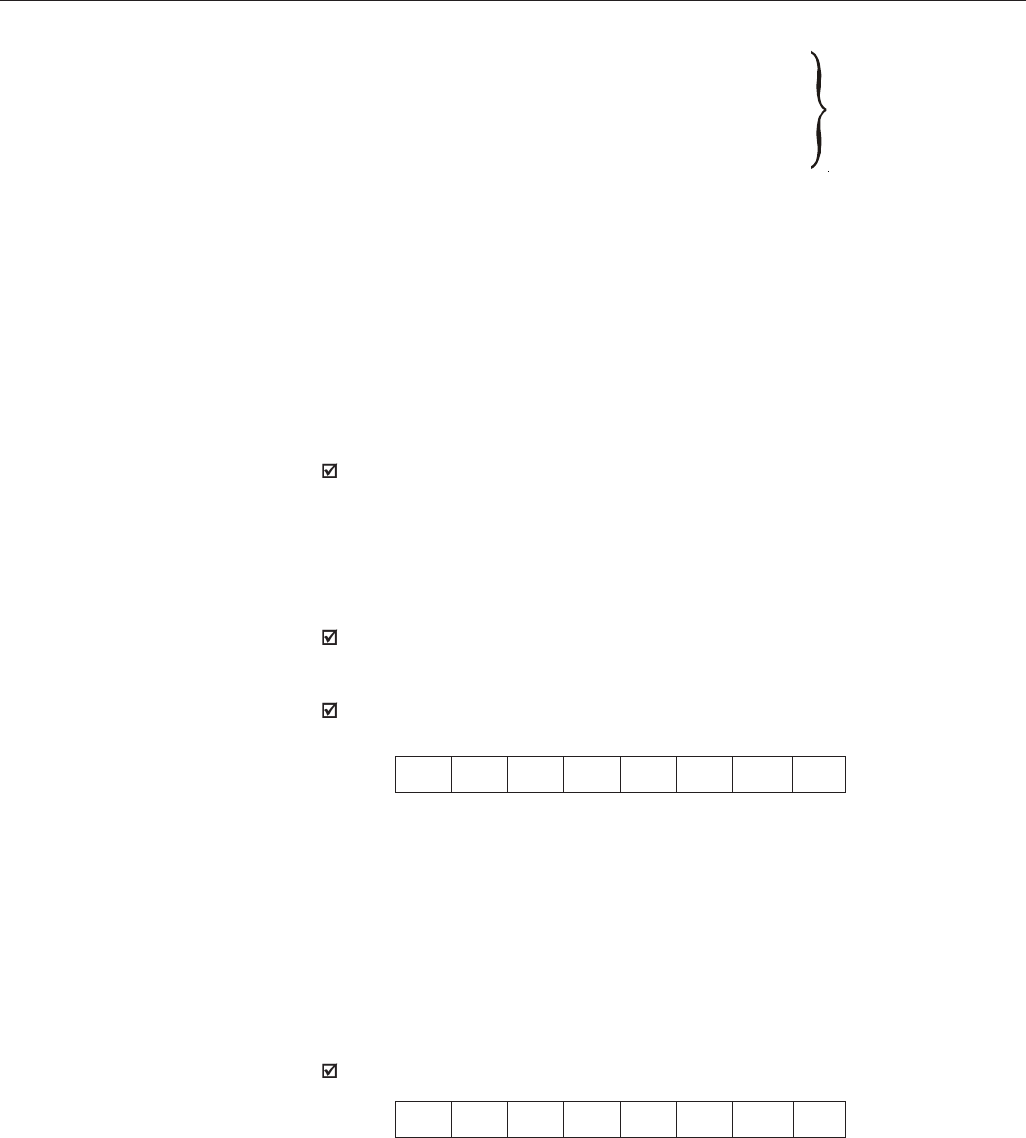
306
CHAPTER 8 - CFW-09 OPTIONS AND ACCESSORIES
EL8: 0 = ramp enabling (run/stop) inactive
1 = ramp enabling
EL9: 0 = general enabling inactive
1 = general enabling active
EL10: 0 = reverse
1 = forward
EL11: 0 = JOG inactive
1 = JOG active
EL12: 0 = local
1 = remote
EL13: 0 = without undervoltage
1 = with undervoltage
EL14 : not used
EL15: 0 = without error
1 = with error
Inverter
enabled
EL8=EL9=1
Error Code: hexadecimal error number
Ex.: E00 → 00H
E01 → 01H
E10 → 0AH
Selection of the Logical Control
Writing variable, whose bits have the following meaning:
BYTE HIGH: desired action mask. The corresponding bit should be set to 1, so
the action happens.
BYTE LOW: logical level of the desired action.
- CL0: 1 = enabling (Start)
0 = disabling by ramp (Stop)
- CL1: 1 = enabling
0 = general disabling (stops by inertia)
- CL2: 1 = forward
0 = reverse
- CL3: 1 = JOG active
0 = JOG inactive
- CL4: 1 = remote
0 = local
- CL8: 1 = enabling ramp (Start/Stop)
- CL9: 1 = general enabling
- CL10: 1 = Forward/Reverse rotation
- CL11: 1 = JOG
- CL12: 1 = Local/Remote
- CL13: not used
- CL14: not used
- CL15: 1 = inverter “RESET”
V03 (code 00803):
CL15 CL14 CL13 CL12 CL11 CL10 CL9 CL8
MSB LSB
CL7 CL6 CL5 CL4 CL3 CL2 CL1 CL0
MSB LSB
307
CHAPTER 8 - CFW-09 OPTIONS AND ACCESSORIES
CL5: not used
CL6: not used
CL7: the transition in this bit from 0 to 1 causes the inverter “RESET”,
when any error condition is present.
NOTE!
Disabling via Dix has priority over these disabling;
To enable the inverter by the serial it is necessary that CL0=CL1=1 and
that the external disabling is inactive;
If CL0=CL1=0 simultaneously, a general disabling occurs.
V04 (code 00804):
Reference of Frequency given by Serial (reading/writing variable).
It permits sending reference to the inverter provided P221=9 for LOC or
P222=9 for REM. This variable has a 13-bit resolution (see Item 8.13.3.2).
V06 (code 00806):
Status of the Operation Mode (read variable)
- EL2.0:1 = in setting mode after Reset for Factory Setting/First Start-up.
The inverter enter in this status as it is energized by the first time or when
the factory setting for the parameters is loaded (P204=5 or 6). In this
mode only the parameters P023, P295, P201, P296, P400, P401, P403,
P402, P404 and P406 can be accessed. If any other parameter is accessed,
the inverter displays E25. For more details, see Item 5.2 - Initial Start-up
- EL2.1:1 = in setting mode after changing the scalar control to vector control
The inverter enters in this operation mode, when the control mode is
changed from scalar control (P202=0, 1) or VVW (P202=5) to vector control
(P202=3 or 4). In this mode only the parameters P023, P202, P295, P296,
P400, P401, P403, P402, P404, P405, P406, P408, P409, P410, P411,
P412 and P413 can be accessed. If any other parameter is accessed, the
inverter displays E25. For more details, see Item 5.3.2 - Start-up Operation
- Type of Control: Vector Sensorless or with Encoder.
- EL2.2:1 = Self-Tuning execution
The inverter enters in this operation mode when P202=3 or 4 and P408 ≠ 0.
For more details about Self-tuning, see Chapter 6 - Detailed Parameter
Description, Parameter 408.
- EL2.3: 1 = in the setting mode after changing the control mode from V/Hz
or Vector controls to VVW.
The drive will enter in this operation mode when the control is changed
from V/Hz (P202=0, 1 or 2) or Vector (P202=3 or 4) to VVW (P202=5).
In this mode only parameters P023, P202, P295, P296, P400, P401, P403,
P402, P404, P406, P407, P399, P408, P409 are accessible. In case of
accessing any other parameter, the drive will trip with an error code E25.
For additional information refer to item 5.3.3 - Start-up - Type of Control:
VVW.
- EL2.4: not used
- EL2.5: not used
- EL2.6: not used
- EL2.7: not used
EL2 EL2 EL2 EL2 EL2 EL2 EL2 EL2
7 6 5 4 3 2 1 0
MSB LSB
308
CHAPTER 8 - CFW-09 OPTIONS AND ACCESSORIES
CL2 CL2 CL2 CL2 CL2 CL2 CL2 CL2
7 6 5 4 3 2 1 0
MSB LSB
V07 (code 00807):
Status of the Operation Mode (read/write variable)
- CL2.0: 1 - It exit after reset from the setting mode to factory setting
- CL2.1: 1 - After changing it exit from scalar or VVW control to vector control
- CL2.2: 1 - aborts self-tuning
- CL2.3: 1 - exits the setting mode after changing the control mode from V/Hz
or Vector to VVW
- CL2.4: 1 - not used
- CL2.5: 1 - not used
- CL2.6: 1 - not used
- CL2.7: 1 - not used
V08 (code 00808):
Motor speed in 13 bits (read variable). It permits the reading of the motor
speed with a 13-bit resolution (see Item 8.13.3.2).
Inverter enabling (provided P224=2 to LOC or P227=2 to REM)
8.13.5.2 Examples of Telegrams
with basic variables
1) Master:
EOT G STX 0 0 8 0 3 = 0H 3H 0H 3H ETX BCC
C. L. Code general enabling=1
ramp enabling=1
add. 7
2) inverter:
G ACK
Change of the direction of rotation to reverse (provided P223=5 or 6 to
LOC or P226=5 or 6 to REM)
1) Master:
EOT G STX 0 0 8 0 3 = 0H 4H 0H 4H ETX BCC
C. L. Code reverse
add. 7
309
CHAPTER 8 - CFW-09 OPTIONS AND ACCESSORIES
8.13.5.3 Parameters Related
to the Serial
Communication
Parameter number
P220
P221
P222
P223
P224
P225
P226
P227
P228
P308
Parameter description
Local/Remote selection
Local reference selection
Remote reference selection
Local forward/reverse selection
Local Start/Stop selection
Local JOG selection
Remote forward/reverse selection
Remote Start/Stop selection
Remote JOG selection
Inverter address on the Serial communication network
(range values from 1 to 30)
2) Inverter:
JOG enabling (provided P225=3 to LOC or P228=3 to REM)
1) Master:
EOT G STX 0 0 8 0 3 = 0H 8H 0H 8H ETX BCC
C. L. Code JOG active=1
add. 7
2) Inverter:
G ACK
Fault Reset
1) Master:
EOT G STX 0 0 8 0 3 = 8H 0H 8H 0H ETX BCC
C. L. Code RESET=1
add. 7
2) Inverter:
Table 8.22 - Parameters Related to the Serial Communication
G ACK
G ACK
For further information about the parameters above, see Chapter 6 - Detailed
Parameter Description.
310
CHAPTER 8 - CFW-09 OPTIONS AND ACCESSORIES
They act as follows:
they do not disable the inverter;
they do not disable defective relays;
they are informed in the word the logical status.
Fault Types
-E22:longitudinal parity fault;
-E24:parameterization fault (when some situation occurs as indicated
in Table 4.2. (parameter incompatibility), - Chapter 4 - Keypad (HMI)
Operation, or when there is a parameter change attempt that cannot
be changed with running motor;
-E25: variable or parameter not existing;
-E26: expected value out of the allowed limits;
-E27: writing attempt in a read only variable or logical control disabled;
-E28: Serial communication is inactive. If the time programmed at P314
has elapsed without the inverter receiving a valid Modbus telegram,
this is displayed by the HMI and the inverter adopts the action
programmed at P313.
NOTE!
If a parity fault is detected during inverter data reception, the telegram will be
ignored.
The same happens when syntax errors occur.
Ex.:
- Code values different from the numbers 0 to 9;
- Separation character different from “ =”, etc.
8.13.5.4 Errors Related to the
Serial Communication
8.13.6 Times for Read/Write
of Telegrams
MASTER Tx: (data)
RSND (request to send)
INVERTER
TxD: (data)
tproc tdi ttxi
Time (ms)
Tproc
Tdi
Ttxi
reading
writing
Típical
10
5
15
3
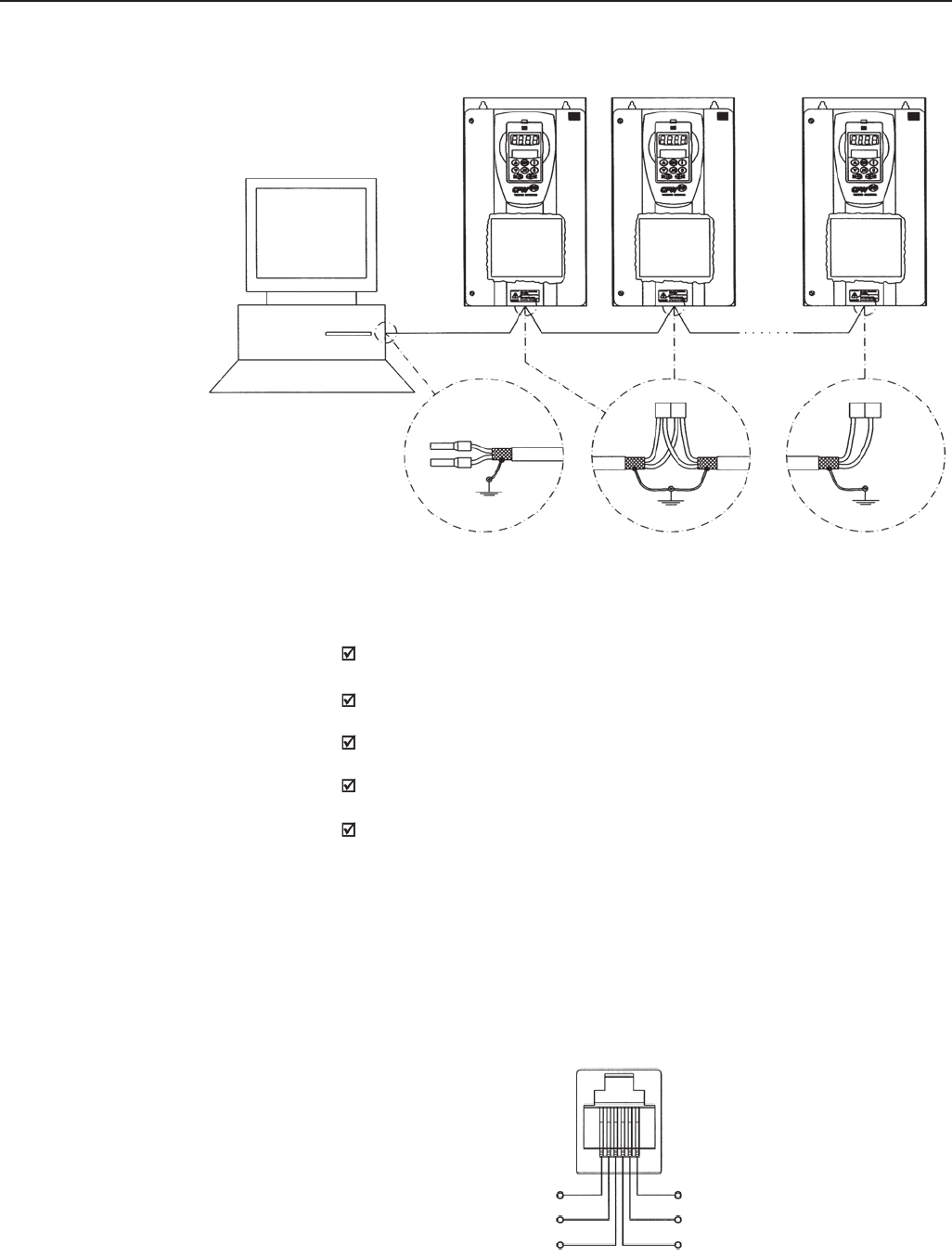
311
CHAPTER 8 - CFW-09 OPTIONS AND ACCESSORIES
Notes:
LINE TERMINATION: include line termination (120Ω) at the ends. So set
S3.1/S3.2 (EBA) and S7.1/S7.2 (EBB) to “ON” (see items 8.1.1 and 8.1.2);
GROUNDING OF THE CABLE SHIELD: connect the shielding to the
equipment frame (suitable grounding)
RECOMMENDED CABLE: for balanced shielding.
Ex: AFS series from KMP;
The RS-485 wiring must be laid separately from the power and control
cables in 110/220V.
The reference signal for the RS-485 interface (SREF) shall be used when
the network master is not connected to the system/installation ground.
For instance, if the master is powered from an isolated power supply it is
necessary to ground the power supply reference or carry this reference
signal to the whole system.
In general, it is possible to connect only signals A (-) and B (+), without
connecting the signal SREF.
RS-232 Serial Interface Module
The RS-232 interface is available for the CFW09 through the module presented
in item 8.6.
Figure 8.44 - CFW-09 network connection through RS-485 Serial Interface
XC7 RS-232
6
5
4
1
2
3
TX
0V
RX
5V
0V
Figure 8.45 - Description of the XC7 (RJ12) connector
Network
Master
(PC,CLP)
CFW-09 CFW-09 CFW-09
Board
EBA or
EBB
Board
EBA or
EBB
Board
EBA or
EBB
Shield
cable
RS-485
A B
1 1
A
B
XC4
(EBA)
A
XC5
(EBB)
B
A
Shield cable
A B
1 1
12
XC4
(EBA)
A
XC5
(EBB)
B
12
B
8.13.7 Physical Connection
of the RS-232 and RS-485
Interface
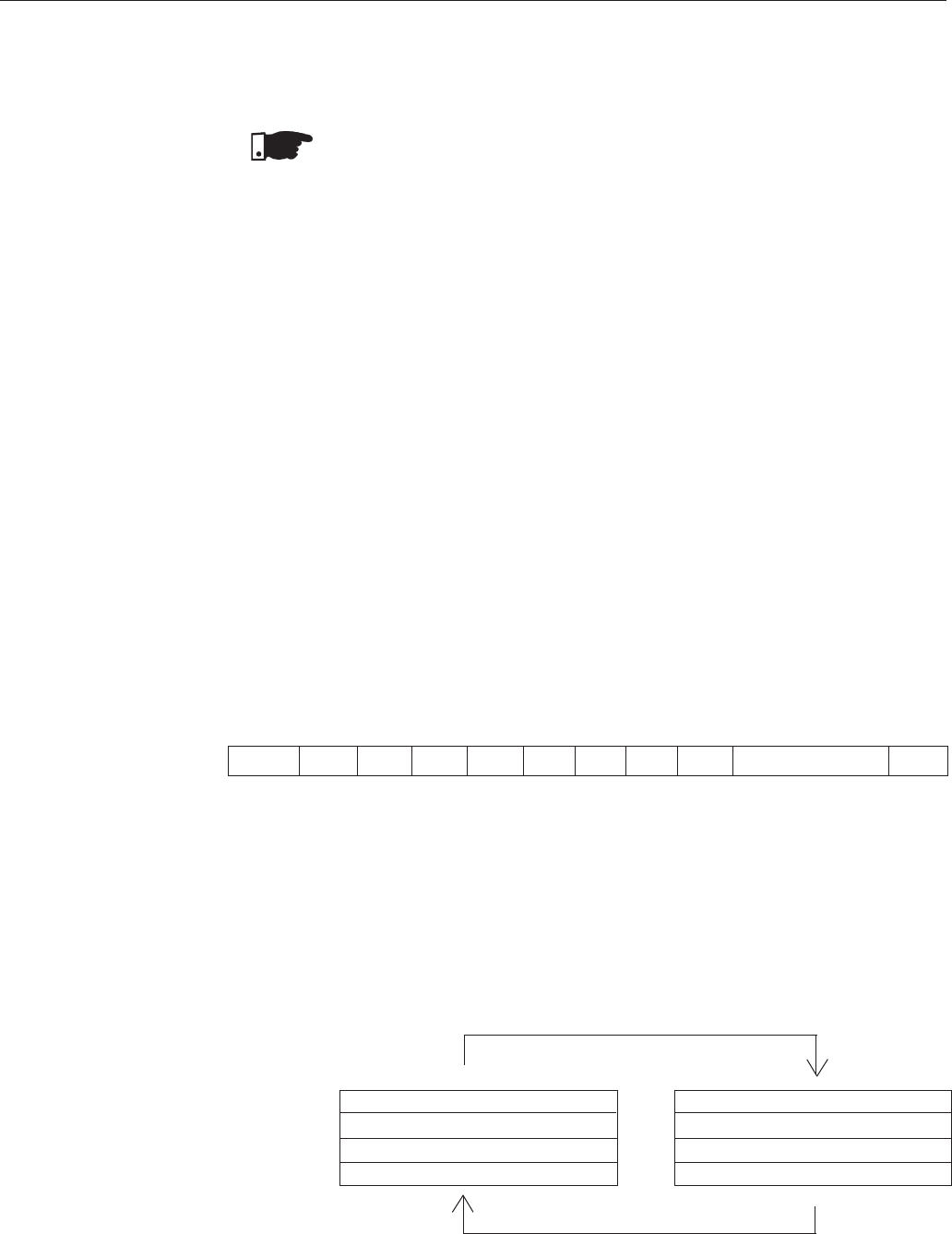
312
CHAPTER 8 - CFW-09 OPTIONS AND ACCESSORIES
8.14 MODBUS-RTU
8.14.1 Introduction in the
Modbus-RTU Protocol
The Modbus protocol has been already developed 1979 firstly. Currently it is a
wide diffused open protocol, used by several manufacturers in different
equipment. The Modbus-RTU communication of the do CFW-09 has been
developed by considering two documents:
1. MODBUS Protocol Reference Guide Rev. J, MODICON, June 1996.
2. MODBUS Application Protocol Specification, MODBUS.ORG, may 8th 2002.
In these documents are defined the format of the messages used by these
elements that are part of the Modbus network, the services (or functions) that
can be made available via network, and also how these elements exchange
the data on the network.
8.14.1.1 Transmission Modes
In the RTU mode each transmitted word has 1 start bit, eight data bits, 1
parity bit (optional) and 1 stop bit (2 stop bits, if parity bit is not used). Thus
the bit sequence for the transmission is as follows:
Two transmission modes are defined in the protocol definition: ASCII and RTU.
The transmission modes define the form how the message bytes are
transmitted. It is not permitted to use the two transmission modes on the
same network.
In the RTU mode each transmitted word has one start bit, eight data bits, 1
parity bit (optional) and 1 stop bit (2 stop bits, if no parity bit is used). Thus the
bit sequence for the transmission of 1 byte is as follows:
Start B0 B1 B2 B3 B4 B5 B6 B7 Parity or Stop Stop
Note:
The RS-232 wiring must be laid separately from the power and control cables
in 110/220V.
NOTE!
You cannot use simultaneously the RS-232 and the RS-485 interface.
The Modbus RTU network operates in Master-Slave system and it can consist
of up to 247 slaves but only one Master. The master always initiates the
communication with a question to a slave and the slave answers the question.
Both messages (question and answer) have the same structure: Address,
Function Code, and CRC. Depending on what is being requested, only the
data field has variable length.
8.14.1.2 Message Structure
in RTU Mode
Master Query Message
Address (1 byte)
Function Code (1 byte)
Data (n bytes)
CRC (2 bytes)
Address (1 byte)
Function Code (1 byte)
Data (n bytes)
CRC (2 bytes)
Slave Answer Message
Figure 8.46 - Message Structure

313
CHAPTER 8 - CFW-09 OPTIONS AND ACCESSORIES
Address:
The master initiates the communication by sending one byte with the address
of the slave to which the message is addressed. The slave with the right slave
address initiates the message with its own address. The master can also
send a message destined to address 0 (zero), which means that the message
is destined to all network slaves (broadcast). In this case no slave will answer
to the master.
Function Code:
This field contains an only byte, where the master specifies the type of service
or the function requested to the slave (read, write, etc.). According to the
protocol, each function is used to access a specific data type. In the CFW-09
all data are available as holding type registers (referenced from the address
40000 or’ 4x’). Besides these registers, the inverter status (enabled/disabled,
with error/no error and the command for the inverter (Start/Stop, Run CW/
CCW, etc.) can be also accessed through the coils read/write functions or the
internal bits (referenced from the address 00000 or ‘0x’ on).
Data Field:
This field has variable length. The format and the content of this field depend
on the used function and transmitted values. This field and the respective
functions are described in item 8.14.3.
CRC:
The last part of the message is the field for checking the transmission errors.
The used method is the CRC-16 (Cycling Redundancy Check). This field is
formed by two bytes, where the least significant byte (CRC-) is transmitted
first and only then the most significant byte is transmitted (CRC+).
CRC calculation is started by loading a 16-bit variable (mentioned from now
on as CRC variable) with FFFFh value. Then following steps are executed with
the following routine:
1. The first message byte (only the data bits - the start bit, parity bit and stop
bit are not used) is submitted to the XOR logic (OR exclusive) with the 8
least significant bits of the CRC variable, returning the result to the CRC
variable,
2. Then the CRC variable is displaced one position to the right, in the direction
of the least significant bit and the position of the most significant bit is
filled out with zero 0 (zero).
3. After this displacement, the flag bit (bit that has been displaced out the
CRC variable) is analyzed, by considering the following:
If the bit value is 0 (zero), no change is made.
If the bit value is 1, the CRC variable content is submitted to XOR
logic with a constant A001h value and the value is returned to the
CRC variable.
4. Repeat steps 2 and 3 until the eight displacements have been realized.
5. Repeat the steps 1 to 4, by using the next byte message until the whole
message have been processed. The end content of the CRC variable is
the value of the CRC field that is transmitted at the end of the message.
The least significant part is transmitted first (CRC), only then the most
significant part (CRC+) is transmitted.
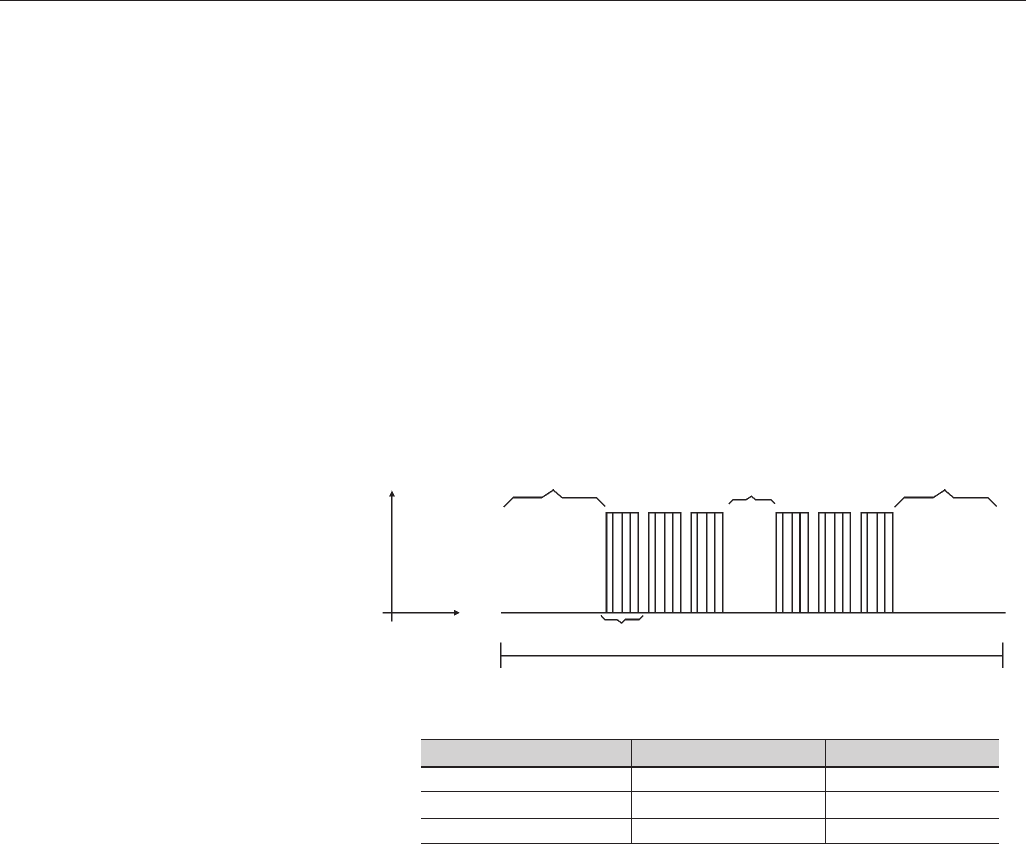
314
CHAPTER 8 - CFW-09 OPTIONS AND ACCESSORIES
Times between Messages:
In the RTU mode there is no specific character that indicates the beginning or
the end of a message. Thus the only indication for the beginning or the end of
a new message is the data transmission absence in the network by 3.5 times
the time required for transmission of one data word (11 bits). Thus if a message
is initiated after elapsing of the minimum time required without transmission,
the network elements assume that the received character represents the
beginning of a new message. In similar mode, after this time has elapsed, the
network elements will assume that the message has been ended.
If during the transmission of a message, the time between the bytes is longer
than this minimum required time, the message will be considered invalid,
since the inverter will discard the already received bytes and will mount a new
message with the bytes that are being transmitted.
The table below shows the time for three different communication rates.
8.14.2 Operation of the
CFW-09 in the
Modbus-RTU
Network
The CFW-09 frequency inverters operate as slaves of the Modbus-RTU network.
The communication initiates with the master of the Modbus-RTU network
requesting a service for a network address. When the inverter is configured to
the corresponding address, it processes the question and answers to the
master as requested.
8.14.2.1 Interface RS-232 and
RS-485 description
The CFW-09 frequency inverters use a serial interface for the communication
with the Modbus-RTU network. There are two ways to perform the connection
between the network master and the CFW-09:
Figure 8.47 - Times required during the communication of a message
T11 bits=Time to transmit one word of the message.
Tentre bytes =Time between bytes (can not be longer than T3.5x).
T3.5x =Minimum interval to indicate the begin and the end of the
message (3.5 x T11bits).
Signal
Time
T11 bits
T3.5 x Tbetween bytes T3.5 x
Message
Communication Rate T11 bits T3,5x
9600 kbits/sec 1.146 ms 4.010 ms
19200 kbits/sec 573 µs2.005 ms
38400 kbits/sec 285 µs1.003 ms
315
CHAPTER 8 - CFW-09 OPTIONS AND ACCESSORIES
RS-232:
The interface is used for the point-to-point connection (between a single
slave and the master).
Max. distance: 10 meters.
Signal levels according to EIA STANDARD RS-232C.
Three wires: transmission (TX), reception (RX) and return (0V).
The serial interface RS-232 must be used.
RS-485:
This interface is used for multipoint connection (several slaves and the
master).
Max. distance: 1000 meters (use of shielded cables).
Signal levels according to EIA STANDARD RS-485.
You must use the EBA or EBB expansion board that has interface for the
RS-485 communication.
Note: for connection, see 8.13.7.
8.14.2.2 Inverter
Configuration in the
Modbus-RTU
Network
To ensure a correct communication in the network, you must configure the
inverter address in the network as well as the transfer rate and the existing
parity type, besides the correct physical connection.
Inverter Address in the Network:
The inverter address is defined through the parameter P308.
If the serial communication type (P312) has been configured to Modbus-
RTU, you may select the addresses from 1 to 247.
Each slave shall have a different address.
The master does not have address.
The slave address must be known, even when connection is made point-
to-point.
Transmission Rate and Parity:
Both configurations are defined by parameter P312.
Baud rates: 9600, 19200 or 38400 kbits/sec.
Parity: None, odd parity, even parity.
All slaves and even the network master must use the same baud rate and
parity.
8.14.2.3 Access to the
Inverter Data
All parameters and available basic variables for the CFW-09 can be accessed
through the network:
Parameters: are those set in the inverter and that can be displayed and
changed through the HMI (Human-Machine Interface) (see item 1
Parameters).
Basic Variables: are the internal inverter variables that can be accessed
only through serial interface. For instance, trough these basic variables
you can change the speed reference, read the inverter status, enable or
disable the inverter, etc. (see item 8.13.5.1 - Basic Variables).
Register: nomenclature used to represent both parameters and basic
variables during data transfer.
Internal Bits: bits that are accessed only through the serial interface and
that are used for inverter status controlling and monitoring.
Item 8.13.3.2 defines the resolution of the parameters and variables
transmitted via serial interface.

316
CHAPTER 8 - CFW-09 OPTIONS AND ACCESSORIES
Available Functions and Response Times:
In the Modbus RTU protocol specification is defined the functions used for
accessing different types of registers described in the specification. In the
CFW-09 both parameters and basic variables are defined as being holding
type registers (referenced as 4x). In addition to these registers, it is also
possible to access the internal controlling and monitoring bits directly
(referenced as 0x).
Following services (or functions) are available in the CFW-09 frequency inver-
ter for accessing these registers:
Read Coils
Description: reading of internal register blocks or coils.
Function code: 01.
Broadcast: not supported
Response time: 5 to 10 ms.
Read Holding Registers
Description: reading of register blocks of holding type.
Function code: 03.
Broadcast: not supported
Response time: 5 to 10 ms.
Write Single Coil
Description: writing in a single internal bit or coil.
Function code: 05.
Broadcast: supported.
Response time: 5 to 10 ms.
Write Single Register
Description: writing in a single register of holding type.
Function code: 06.
Broadcast: supported
Response time: 5 to 10 ms.
Write Multiple Coils
Description: writing in internal bit blocks or coils.
Function code: 15.
Broadcast: supported
Response time: 5 to 10 ms.
Write Multiple Registers
Description: writing in register blocks of holding type.
Function code: 16.
Broadcast: supported
Response time: 10 to 20 ms for each written register.
Read Device Identification
Description: Identification of the inverter model.
Function code: 43.
Broadcast: not supported.
Response time: 5 a 10 ms.
Note: The Modbus RTU network slaves are addressed from 1 to 247. Master
uses address 0 to send messages that are common to all slaves (broadcast).
Data Addressing and Offset:
The CFW-09 data addressing is realized with an offset equal to zero that
means that the address number is equal to the register number. The parameters
are available from address 0 (zero) on, whilst the basic variables are available
from address 5000 on. In same way, the status bits are made available from
317
CHAPTER 8 - CFW-09 OPTIONS AND ACCESSORIES
......
...
...
Basic Variables
Modbus Address
Decimal Hexadecimal
V00 5000 1388h
V01 5001 1389h
V08 5008 1390h
Number of the
Basic Variable
Note: All registers (parameters and basic variables) are considered as
holding type registers, referenced from 40000 or 4x, whilst the bits are
referenced from 0000 or 0x.
The status bits have the same functions of the bits 8 to 15 of the logic
status (basic variable 2). These bits are available only for read, thus any
attempt to write command returns error status to the master.
Parameters
Parameter Number Endereço Modbus
Decimal Hexadecimal
P000 0 00h
P001 1 01h
P100 100 64h
Status Bits
Modbus Address
Decimal Hexadecimal
Bit 0 00 00h
Bit 1 01 01h
Bit 7 07 07h
Bit Number
Commands Bits
Modbus Address
Decimal Hexadecimal
Bit 100 100 64h
Bit 101 101 65h
Bit 107 107 6Bh
Bit Number
address 0 (zero) on and the control bits are made available from address
100 on.
Table below shows the addressing of bits, parameters and basic variables:
...
...
...
...
...
...
...
...
...
...
...
318
CHAPTER 8 - CFW-09 OPTIONS AND ACCESSORIES
The command bits are available to read and write and they have the same
function of the logic command bits 0 to 7 (basic variable 3), however no requiring
the use of the mask. The basic variable 3 write influences the status of these
bits.
Bit Number
Bit 100
Bit 101
Bit 102
Bit 103
Bit 104
Bit 105
Bit 106
Bit 107
Command Bits
Function
0 = Ramp disable (Stop)
1 = Ramp enable (Start)
0 = General disable
1 = General enable.
0 = Counter-clockwise direction of rotation
1 = Clockwise direction of rotation
0 = JOG disable
1 = JOG enable
0 = Goes to local mode
1 = Goes to remote mode
Not used
Not used
0 = It does not reset inverter
1 = It resets inverter
8.14.3 Detailed Function
Description
This section describes in details the functions that are available in the CFW-
09 for the Modbus RTU communication. Please note the following during the
message preparation:
Values are always transmitted as hexadecimal values.
The address of one data, the data number and the value of the registers
are always represented through 16 bits. Thus these fields are transmitted
by using two bytes (high and low). To access the bits, and the form to
represent one bit depend on the used function.
The messages, both for enquiry and response, cannot be longer than 128 bytes.
The resolution of each parameter or basic variable is as described in item 8.13.3.2.
Bit Number
Bit 0
Bit 1
Bit 2
Bit 3
Bit 4
Bit 5
Bit 6
Bit 7
Status Bits
Function
0 = Ramp enabling inactive
1 = Ramp enabling active
0 = General enabling inactive
1 = General enabling active
0 = Counter-clockwise direction of rotation
1 = Clockwise direction of rotation
0 = JOG inactive
1 = JOG active
0 = Local Mode
1 = Remote Mode
0 = No undervoltage
1 = With undervoltage
Not used
0 = No fault
1 = With fault
319
CHAPTER 8 - CFW-09 OPTIONS AND ACCESSORIES
8.14.3.1 Function 01 -
Read Coils
It reads the content of an internal group of bits that must compulsorily in
a numerical sequence. This function has the following structure for the
read and response messages (the values are always hexadecimal, and
each filed represents one byte):
Query (Master)
Slave address
Function
Initial bit address (byte high)
Initial bit address (byte low)
Number of bits (byte high)
Number of bits (byte low)
CRC-
CRC+
Response (Slave)
Slave address
Function
Byte Count Field (number of data bytes)
Byte 1
Byte 2
Byte 3
etc to
CRC-
CRC+
Each response bit is placed at a position of the data bytes sent by the
slave. The first byte, from the bits 0 to 7, receives the first 8 bits from the
initial address indicated by the master. The other bytes (if the number of
the read bits is higher than 8) remain in the same sequence. If the number
of the read bits is not a multiple of 8, the remaining bits of the last byte
should be filled out with 0 (zero).
Example: reading of the status bits for general enable (bit 1) and
direction of rotation (bit 2) of then CFW-09 at the address 1:
Query (Master)
Field Value
Slave address 01h
Function 01h
Initial bit address (byte high) 00h
Initial bit address (byte low) 01h
Number of bits (byte high) 00h
Number of bits (byte low) 02h
CRC- ECh
CRC+ 0Bh
Response (Slave)
Field Value
Slave address 01h
Function 01h
Byte Count 01h
Status of the bits 1 and 2 02h
CRC- D0h
CRC+ 49h
8.14.3.2 Function 03 - Read
Holding Register
It reads the content of a group of registers that must be compulsorily in a
numerical sequence. This function has following structure for the read
and response messages (the values are always hexadecimal values, and
each field represents one byte):
As the number of read bits in the example is smaller than 8, the slave
required only 1 byte for the response. The value of the byte was 02h,
That as binary value will have the form 0000 0010. As the number of read
bits is equal to 2, only the two less significant bits, that have the value 0
= general disable and 1 = direction of rotation are of interest, are of interest.
The other bits, as they did not be requested, are filled out with 0 (zero).
320
CHAPTER 8 - CFW-09 OPTIONS AND ACCESSORIES
8.14.3.3 Function 05 - Write
Single Coil
This function is used to write a value to a single bit. The bit value is
represented by using two bytes, where FF00h represents the bit that is
equal to 1, and 0000h represents the bit that is equal to 0 (zero). It has
the following structure (the values are always hexadecimal, and each
field represents one byte):
Example: Read of the value proportional to the frequency value (P002)
and motor current (P003) of the CFW-09 at address 1:
Query (Master)
Slave address
Function
Initial register address (byte high)
Initial register address (byte low)
Number of registers (byte high)
Number of registers (byte low)
CRC-
CRC+
Response (Slave)
Slave address
Function
Byte Count Field
Data 1 (high)
Data 1 (low)
Data 2 (high)
Data 2 (low)
etc to
CRC-
CRC+
Query (Master)
Field Value
Slave address 01h
Function 03h
Initial register (byte high) 00h
Initial register (byte low) 02h
Number of registers (byte high) 00h
Number of registers (byte low) 02h
CRC- 65h
CRC+ CBh
Response (Slave)
Field Value
Slave address 01h
Function 03h
Byte Count 04h
P002 (high) 03h
P002 (low) 84h
P003 (high) 00h
P003 (low) 35h
CRC- 7Ah
CRC+ 49h
Each register is always formed by two bytes (high e low). For the example,
we have P002 = 0384h, that in decimal number is equal to 900.
As these parameters do not have a decimal place indication, the real
read value is 900 rpm. In the same way we will have a current value P003
= 0035h, that is equal to a 53 decimal. As the current has a decimal
resolution, the read value is 5.3 A.
Query (Master)
Slave address
Function
Bit address (byte high)
Bit address (byte low)
Bit value (byte high)
Bit value (byte low)
CRC-
CRC+
Response (Slave)
Slave address
Function
Bit address (byte high)
Bit address (byte low)
Bit value (byte high)
Bit value (byte low)
CRC-
CRC+
321
CHAPTER 8 - CFW-09 OPTIONS AND ACCESSORIES
Example: to drive a ramp enable command (bit 100 = 1) of a CFW-09
at the address 1:
Query (Master)
Field Value
Slave address 01h
Function 05h
Bit number (high) 00h
Bit number (low) 64h
Bit value (high) FFh
Bit value (low) 00h
CRC- CDh
CRC+ E5h
Response (Slave)
Field Value
Slave address 01h
Function 05h
Bit number (high) 00h
Bit number (low) 64h
Bit value (high) FFh
Bit value (low) 00h
CRC- CDh
CRC+ E5h
8.14.3.4 Function 06 - Write
Single Register
This function is used to write a value to a single register. This function has
following structure (values are always hexadecimal values, and each field
represents one byte):
For this function, the slave response is an identical copy of the query sent by
the master.
Query (Master)
Slave address
Function
Register address (byte high)
Register address (byte low)
Value for the register (byte high)
Value for the register (byte low)
CRC-
CRC+
Response (Slave)
Slave address
Function
Register address (byte high)
Register address (byte low)
Value for the register (byte high)
Value for the register (byte low)
CRC-
CRC+
Example: write of the speed reference (basic variable 4) equal to 900 rpm, of a
CFW-09 at address 1. Please remember, that the value for the basic variable 4
depends on the used motor type and that the value 8191 is equal to the rated
motor speed. In this case, we suppose that the used motor has a rated speed
of 1800 rpm, thus the value to be written into the basic variable 4 for a speed of
900 rpm is the halve of 8191, i.e., 4096 (1000h).
Query (Master)
Field Value
Slave address 01h
Function 06h
Register (high) 13h
Register (low) 8Ch
Value (high) 10h
Value (low) 00h
CRC- 41h
CRC+ 65h
Response (Slave)
Field Value
Slave address 01h
Function 06h
Register (high) 13h
Register (low) 8Ch
Value (high) 10h
Value (low) 00h
CRC- 41h
CRC+ 65h
For this function, the slave response will be again a copy identical to the request
made by the master. As already informed above, the basic variables are addressed
from 5000, thus the basic variable 4 will be addressed at 5004 (138Ch).
322
CHAPTER 8 - CFW-09 OPTIONS AND ACCESSORIES
Query (Master)
Slave address
Function
Initial bit address (byte high)
Initial bit address (byte low)
Number of bits (byte high)
Number of bits (byte low)
Byte Count Field (number of data bytes)
Byte 1
Byte 2
Byte 3
etc to
CRC-
CRC+
Response (Slave)
Slave address
Function
Initial bit address (byte high)
Initial bit address (byte low)
Number of bits (byte high)
Number of bits (byte low)
CRC-
CRC+
-
-
-
-
-
The value of each bit that is being sent is placed at a position of the data
bytes sent by the master. The first byte, in the bits 0 to 7, receives the 8
first bits by starting from the initial address indicated by the master. The
other bytes (if the number of inscribed bits is higher than 8) remain in
sequence. If the number of inscribed bits is not a multiple of 8, the remaining
bits of the last byte should be filled in with 0 (zero).
Example: command writing for general enabling (bit 100 = 1), general
enabling (bit 101 = 1) and CWW-direction of rotation (bit 102 = 0), for
a CFW-09 at address 1:
Query (Master)
Field Value
Slave address 01h
Function 0Fh
Initial bit (byte high) 00h
Initial bit (byte low) 64h
Number of bits (byte high) 00h
Number of bits (byte low) 03h
Byte Count 01h
Bits Value 03h
CRC- BEh
CRC+ 9Eh
Response (Slave)
Field Value
Slave address 01h
Function 0Fh
Initial bit (byte high) 00h
Initial bit (byte low) 64h
Number of bits (byte high) 00h
Number of bits (byte low) 03h
CRC- 54h
CRC+ 15h
- -
- -
As only three bits are written, the master needed only one byte to transmit
the data. The transmitted values are in the three less significant bits of the
byte that contains the value for the bits. The other bits of this byte remained
with the value 0 (zero).
8.14.3.5 Function 15 - Write
Multiple Coils
This function allows writing values for a bit group that must be in numerical
sequence. This function can be also used to write a single bit (the values
are always hexadecimal, and each field represents one byte).
323
CHAPTER 8 - CFW-09 OPTIONS AND ACCESSORIES
Query (Master)
Slave address
Function
Initial register address (byte high)
Initial register address (byte low)
Number of registers (byte high)
Number of registers (byte low)
Byte Count Field (number of data bytes)
Data 1 (high)
Data 1 (low)
Data 2 (high)
Data 2 (low)
etc to
CRC-
CRC+
Response (Slave)
Slave address
Function
Initial register address (byte high)
Initial register address (byte low)
Number of registers (byte high)
Number of registers (byte low)
CRC-
CRC+
-
-
-
-
-
-
Example: writing of the acceleration time P100 = 1.0s and deceleration
time P101 = 2.0s, of a CFW-09 at the address 20:
Query (Master)
Field Value
Slave address 14h
Function 10h
Initial register (byte high) 00h
Initial register (byte low) 64h
Number of registers (byte high) 00h
Number of registers (byte low) 02h
Byte Count 04h
P100 (high) 00h
P100 (low) 0Ah
P101 (high) 00h
P101 (low) 14h
CRC- 91h
CRC+ 75h
Response (Slave)
Field Value
Slave address 14h
Function 10h
Initial register (byte high) 00h
Initial register (byte low) 64h
Number of registers (byte high) 00h
Number of registers (byte low) 02h
CRC- 02h
CRC+ D2h
- -
- -
- -
- -
-
As the two parameters have a resolution of a decimal place for writing of 1.0
and 2.0 seconds, thus the values 10 (000Ah) and 20 (0014h) should be
transmitted.
8.14.3.6 Function 16 - Write
Multiple Registers
This function allows writing values to a register group that must be in
numerical sequence. This function can also be used to write a single
register (the values are always hexadecimal values and each field represents
one byte).
324
CHAPTER 8 - CFW-09 OPTIONS AND ACCESSORIES
Query (Master)
Slave address
Function
MEI Type
Read Code
Object Number
CRC-
CRC+
-
-
-
-
-
Response (Slave)
Slave address
Function
MEI Type
Conformity Level
More Follows
Next Object
Number of Objects
Object Code*
Object length*
Object Value*
CRC-
CRC+
This function permits reading of three information categories:
Basic, Regular and Extended and each category are formed by a group of
objects. Each object is formed by a sequence of ASCII characters For the
CFW-09 are only available basic information formed by three objects:
Object 00 - VendorName: always ‘WEG’.
Object 01 - ProductCode: formed by the product code (CFW-09), plus the
rated inverter current.
Object 02 - MajorMinorRevision: it indicates the inverter firmware version,
in ‘VX.XX’ format.
The read code indicates which information categories are being read and if
the objects are accessed individually of by sequence.
In the example, the inverter supports 01 (basic information in sequence), and
04 (individual access to the objects).
The other fields for the CFW-09 have fixed values.
Example: read o basic information in sequence, starting from object 00, of a
CFW-09 at address 1:
8.14.3.7 Function 43 - Read
Device Identification
Auxiliary function that permits reading of the manufacturer, model and version
of the product firmware. It has following structure.
Query (Master)
Field Value
Slave address 01h
Function 2Bh
MEI Type 0Eh
Read Code 01h
Object Number 00h
CRC- 70h
CRC+ 77h
- -
- -
- -
- -
- -
- -
- -
- -
- -
- -
- -
- -
Response (Slave)
Field Value
Slave address 01h
Function 2Bh
MEI Type 0Eh
Read Code 01h
Conformity Level 51h
More Follows 00h
Next Object 00h
Number of Objects 03h
Object Code 00h
Object Length 03h
Object Value ‘WEG’
Object Code 01h
Object Length 0Eh
Object Value ‘CFW-09 7.0A’
Object Code 02h
Object Length 05h
Object Value ‘V2.09’
CRC- B8h
CRC+ 39h
*The fields are repeated according to the number of objects.
325
CHAPTER 8 - CFW-09 OPTIONS AND ACCESSORIES
In the example the Object Value has not been represented as hexadecimal
value, but with corresponding ASCII characters.
For instance, for the object 00, the ´WEG‘ value has been transmitted as
being three ASCII characters, that as hexadecimal have the values 57h (W),
45h (E) and 47h (G).
8.14.4 Communication Errors Errors can occur during the message transmission on network, or in the
content of the received messages. Depending on the error type, inverter may
answer or not to the master:
When the master sends a message to an inverter configured at determined
network address, the inverter will not response if:
Error in the parity bit.
Error the CRC.
Time out between transmitted bytes (3.5 times the time required for
the transmission of a 11-bit word).
In the case of a successful reception of the message, the inverter can detect
problems and send a error message to the master indicating the problem that
has been verified:
Invalid function (error code = 1): the requested function has not been
implemented for the inverter.
Invalid data address (error code = 2): the data address (register or bit)
does not exist.
Data value invalid (error code = 3): this error occurs in the following
conditions:
- Value is out of permitted range.
- Writing in data that cannot be changed (only read register, or register
that does not allow changing with enabled inverter or bits of logic status).
- Writing in function of the logic command that has not been enabled
via serial interface.
8.14.4.1 Error Messages When any error occurs in the message content (not during the data transfer),
the slave must return a message indicating the error type that occurred. The
errors that may occur in the CFW-08 during the message processing are
errors relating to invalid function (code 01), invalid data address (code 02) and
invalid data value (code 03).
The messages sent by the slave have following structure:
Response (Slave)
Slave address
Function Code
(with most significant bit to 1)
Error code
CRC-
CRC+
Master requests from the slave at address 1 to write parameter 89
(inexistent parameter):
326
CHAPTER 8 - CFW-09 OPTIONS AND ACCESSORIES
Query (Master)
Field Value
Slave address 01h
Function 06h
Register (high) 00h
Register (low) 59h
Value (high) 00h
Value (low) 00h
CRC- 59h
CRC+ D9h
Response (Slave)
Field Value
Slave address 01h
Function 86h
Error Code 02h
CRC- C3h
CRC+ A1h
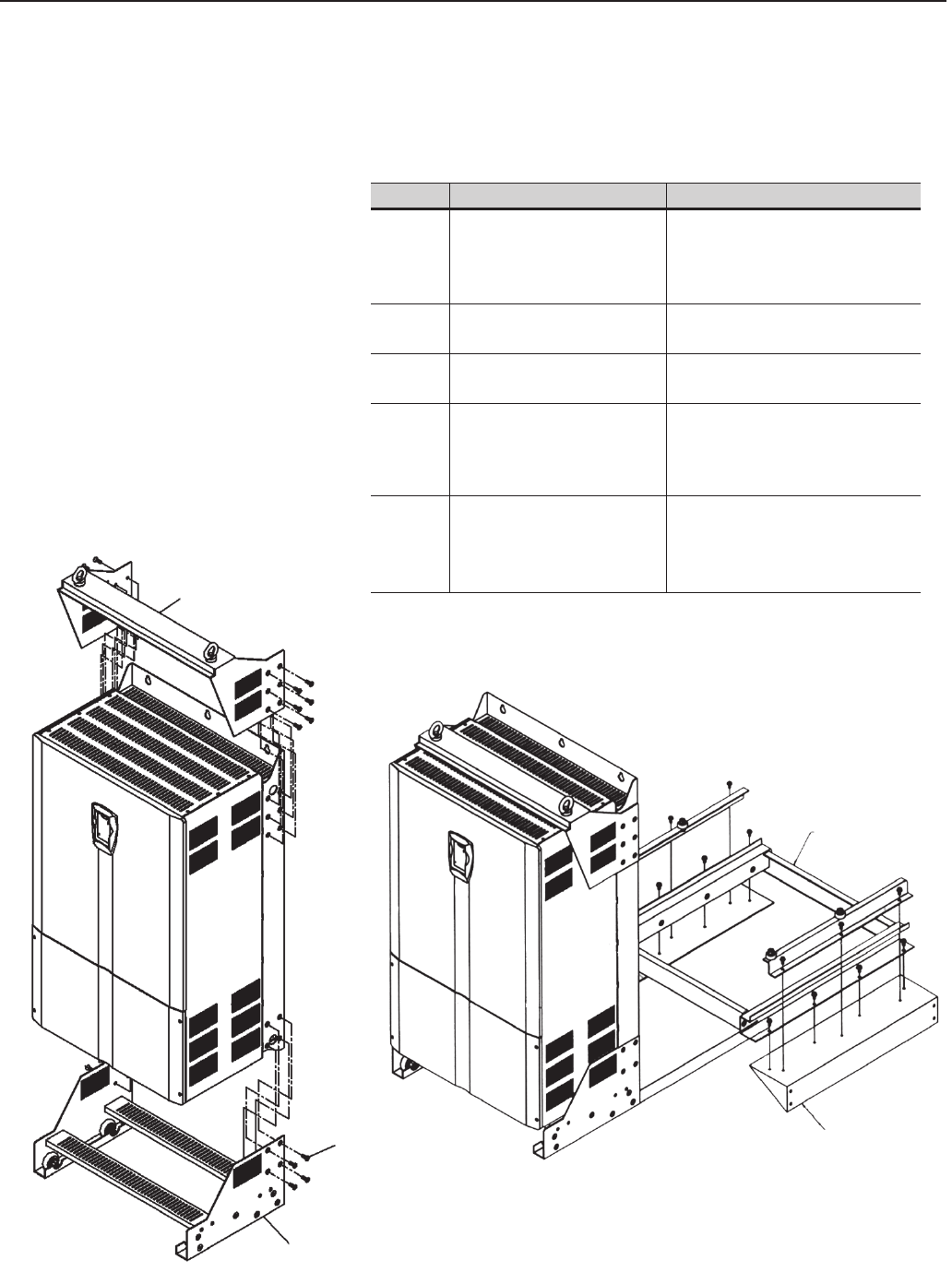
327
CHAPTER 8 - CFW-09 OPTIONS AND ACCESSORIES
8.15 KIT KME (for Extractable
Mounting)
The kit KME enables the mounting of CFW-09 inverter in the sizes 8, 8E, 9,10
and 10E (models 361A to 600A/380-480V, 107A to 472A/500-690V and 100A
to 428A/660-690V) in the panel in an extractable form. The inverter is mounted
in the panel like a sliding drawer, thus making easier the assembling and
maintenance works. When requesting this kit, please specify the following:
Lifting support set
Guide base of the KIT-KME for
panel mounting
Lateral guides for the car
M8x20 hexagon
socket-head screw
Figure 8.48 - Mounting of the KIT-KME on the inverter
Note: Please see drawings in item 9.4.
Panel support
Item
417102521
417102520
417102522
417102540
417102541
Description
KIT KME - CFW-09 M10/L=1000
KIT KME - CFW-09 M9/L=1000
KIT KME - CFW-09 M9/L=800
KIT KME - CFW-09 M8/L=600
KIT KME - CFW-09 M8/L=800
Notes
Size 10 - 450A to 600A/380-480V and
Size 10E - 247A to 472A/500-690V and
255A to 428A/660-690V
Panel width= 1000mm (39.37in)
Size 9 - 312A to 361A/380-480V
Panel width= 1000mm (39.37in)
Size 9 - 312A to 361A/380-480V
Panel width= 800mm (31.50in)
Size 8 - 211A to 240A/380-480V and
Size 8E - 107A to 211A/500-690V and
100A to 179A/660-690V
Panel width= 600mm (23.62in)
Size 8 - 211A to 240A/380-480V
Size 8E - 107A to 211A/500-690V and
100A to 179A/660-690V
Panel width= 800mm (31.50in)
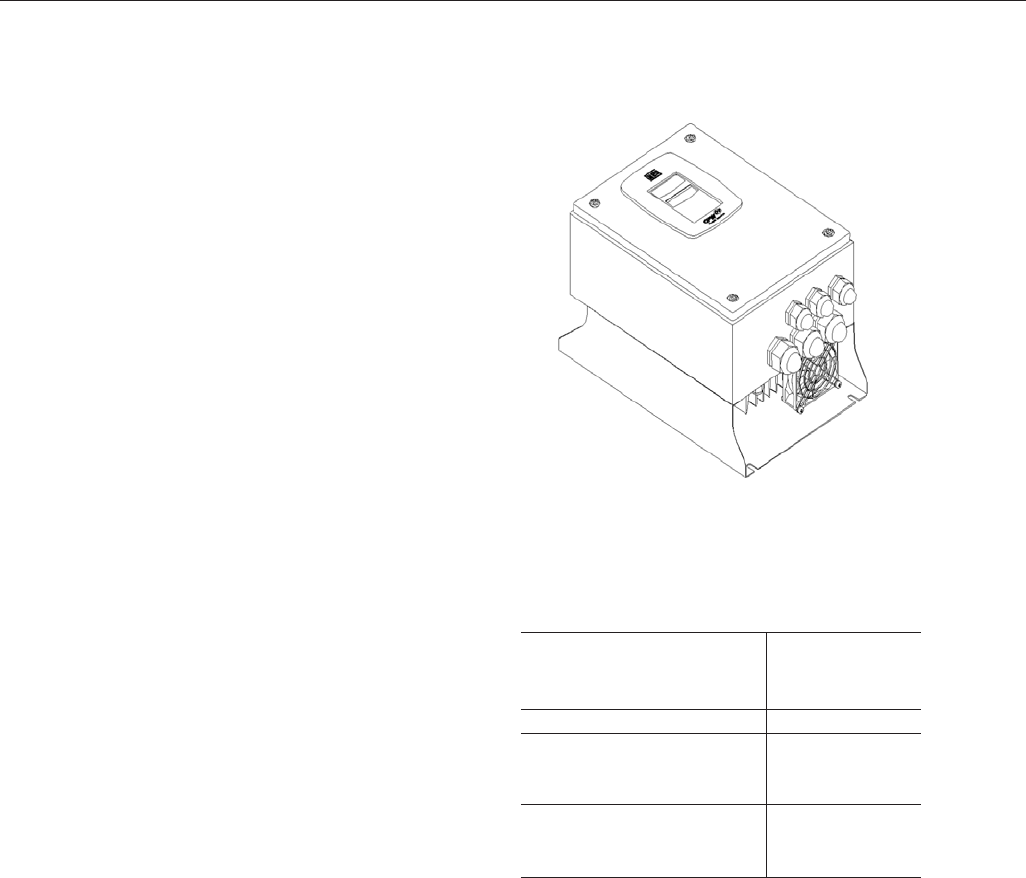
328
CHAPTER 8 - CFW-09 OPTIONS AND ACCESSORIES
8.16 CFW-09 SHARK
NEMA 4X
In applications that need a Drive with a higher protection enclosure, the
CFW-09 SHARK NEMA 4X is indicated. The NEMA 4X provides protection
against dust, dirt and splashing or hose-directed water.
The SHARK NEMA 4X is the CFW-09 standard with a stainless steel
enclosure. The models are:
CFW 09 0006 T 2223
CFW 09 0007 T 2223
CFW 09 0010 T 2223
CFW 09 0016 T 2223
CFW 09 0003 T 3848
CFW 09 0004 T 3848
CFW 09 0005 T 3848
CFW 09 0009 T 3848
CFW 09 0013 T 3848
CFW 09 0016 T 3848
Size 1 *
Size 2 *
Size 1 *
Size 2 *
* The Shark Drive dimensions are distinct from the standard CFW-09 Drive,
so, the Sizes 1 and 2 from the Shark Drive are different from the Sizes 1 and
2 of the standard CFW-09.
8.16.1 Enclosure
Specifications
8.16.2 Mechanical
Installation
NEMA Type 4X indoors;
NEMA Type 12 indoors;
IP 56;
Other specifications are same to the standard CFW-09 and are explained
along this manual.
The Drive comes covered by a plastic film. Remove this sheet before starting
the installation.
Install the drive in an environment that does not exceed Type 4 / 4X / 12
limitations.
Install the Drive on a flat surface, in the vertical position;
External dimensions and mounting holes are according to figures 8.50 and
8.51.
Figure 8.49 - CFW-09 Shark Nema 4X
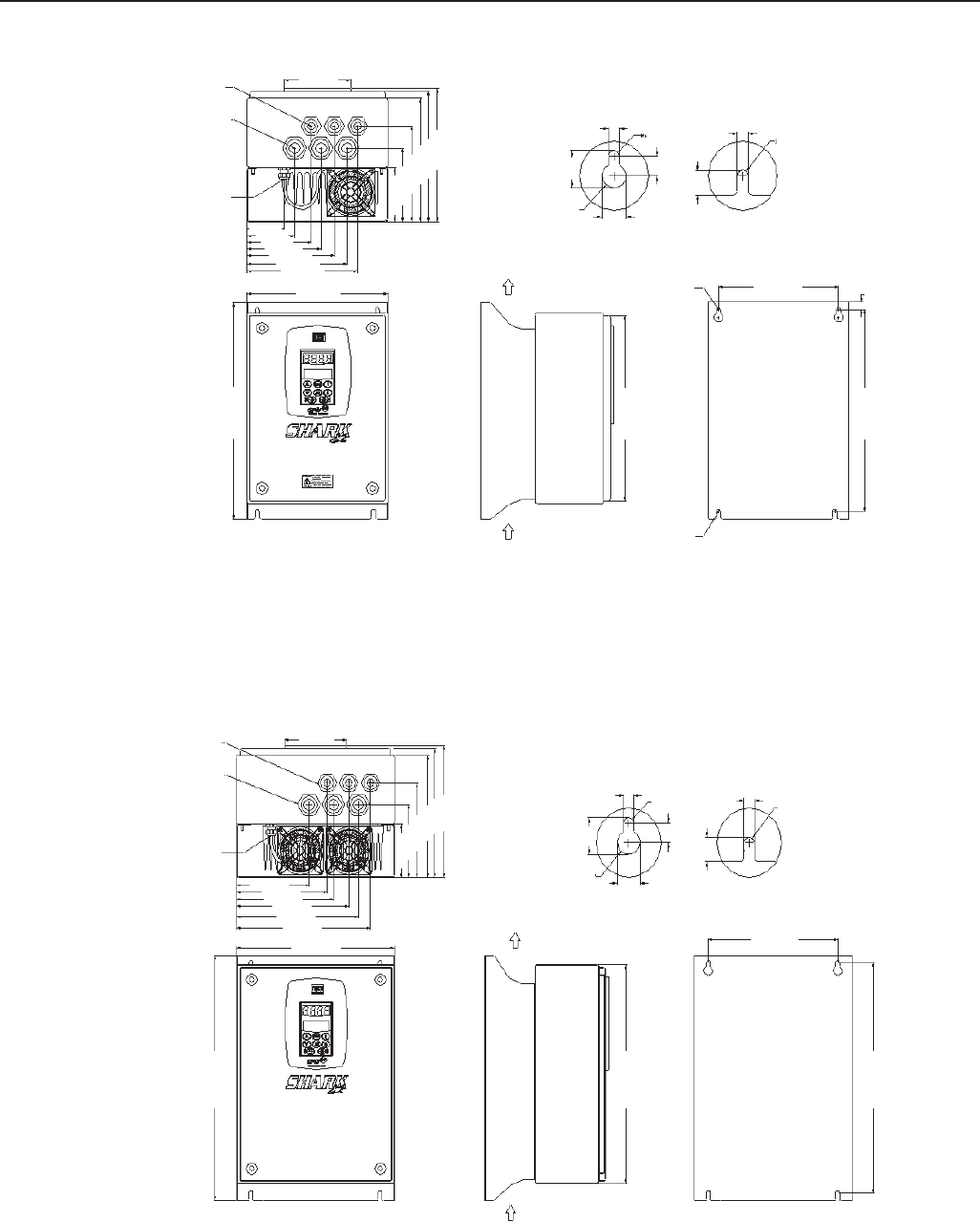
329
CHAPTER 8 - CFW-09 OPTIONS AND ACCESSORIES
Figure 8.50 - Mechanical data – Size 1, Dimensions mm (in)
Figure 8.51 - Mechanical data – Size 2, Dimensions mm (in)
62 (2.44)
80 (3.14)
107 (4.21)
123 (4.84)
146 (5.74)
167 (6.57)
184 (7.24)
234 (9.21)
Air Flow
Outlet
Air Flow
Inlet B
A200 (7.87) 12.5 (0.49)
7.20 (0.28)
M6
BA
7.20 (0.28)
16.00
(0.63)
R12
24.60
(0.97)
13.00
(0.51)
14.30
(0.56)
308 (12.12)
110 (4.33)
360 (14.17)
335 (13.19)
129 (5.08)
161 (6.34)
172 (6.77)
199 (7.83)
216 (8.50)
238 (9.37)
280 (11.02)
Air Flow
Outlet
Air Flow
Inlet
230 (9.05)
366 (14.40)
410 (16.14)
385 (15.15)
M6
7.20 (0.28)
M6
B
A
7.20 (0.28)
16.00
(0.63)
R12
24.60
(0.97)
13.00
(0.51)
14.30
(0.56)
M6
90 (3.54)
122 (4.80)
159 (6.25)
205 (8.07)
216 (8.50)
221 (8.70)
90 (3.54)
122 (4.80)
159 (6.25)
205 (8.07)
216 (8.50)
221 (8.70)
110 (4.33)
Cable glands for
control cable
(3x) ∅ Min=10.0
∅ Max=14.0
Cable glands for
power cable
(3x) ∅ Min=13.0
∅ Max=18.0
Cable glands
for fan wiring
Cable glands for
control cable
(3x) ∅ Min=10.0
∅ Max=14.0
Cable glands for
power cable
(3x) ∅ Min=13.0
∅ Max=18.0
Cable glands
for fan wiring
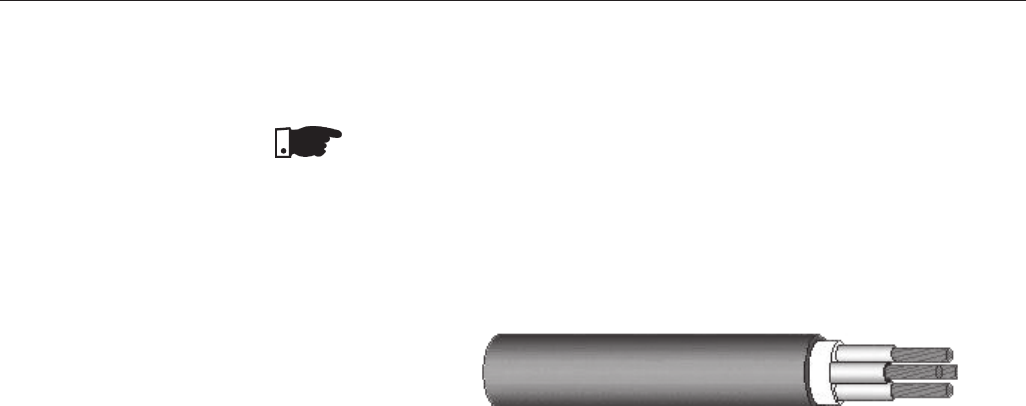
330
CHAPTER 8 - CFW-09 OPTIONS AND ACCESSORIES
8.16.3 Electrical
Installation
The electrical installation is the same as CFW-09 standard. Refer to Chapter
3, item 3.2 to make a correct electrical installation.
NOTE!
To assure the NEMA 4X total protection, it is necessary to use correct cables.
It is recommended to use armored multi-core cables. For example, one tetra-
polar armored cable for Power supply (R,S,T) plus grounding, and another
tetra-polar armored cable for output (motor) connection.
The wire sizing and fuses are presented in table 3.5, Chapter 3.
The control and power wiring access to the Drive is through the cable glands.
All the cable glands come with a gasket inside. To make the electrical
installation it is necessary to remove the gasket from the cable gland and
then pass the armored multi-core cable in the cable gland.
After doing the electrical connection and arrange the cables properly, tight
the cable glands to assure that the cable is very strongly fastened. The
recommended torque is 2N.m (0.2kgf.m).
The control wiring has to be made by armored multi-core cables too. It is
necessary to use this type of cables to guarantee total closing after cable
glands tightening. Check the maximum and minimum diameter of the cables
supported by the Cable Glands in figures 8.50 and 8.51.
To guarantee NEMA 4X degree of protection, it is very important to close
correctly the Drive after doing the electrical installation. Please follow these
instructions:
After the electrical installation is completed and the cable glands tightened,
close the frontal cover (certify that the flat cable that interconnects the HMI to
the control card is correctly connected) by tightening each screw a little at a
time, until total tightening.
The gaskets provide the protection of the electronic parts of the SHARK drive.
Any problem with them can cause problems with the protection degree.
Opening and closing the drive many times reduces the gaskets lifetime. It is
recommended to do this no more than 20 times. If problems are detected on
the gaskets, we recommend changing the failed gasket immediately.
Certify that the door gasket is on its correct position at the moment you will
close the Drive.
Certify that the door screw gaskets are perfect on the moment you are ready
to close the drive.
All these recommendations are very important to become a successful
installation.
8.16.4 Closing the Drive
Figure 8.52 - Tetra-polar armored cable
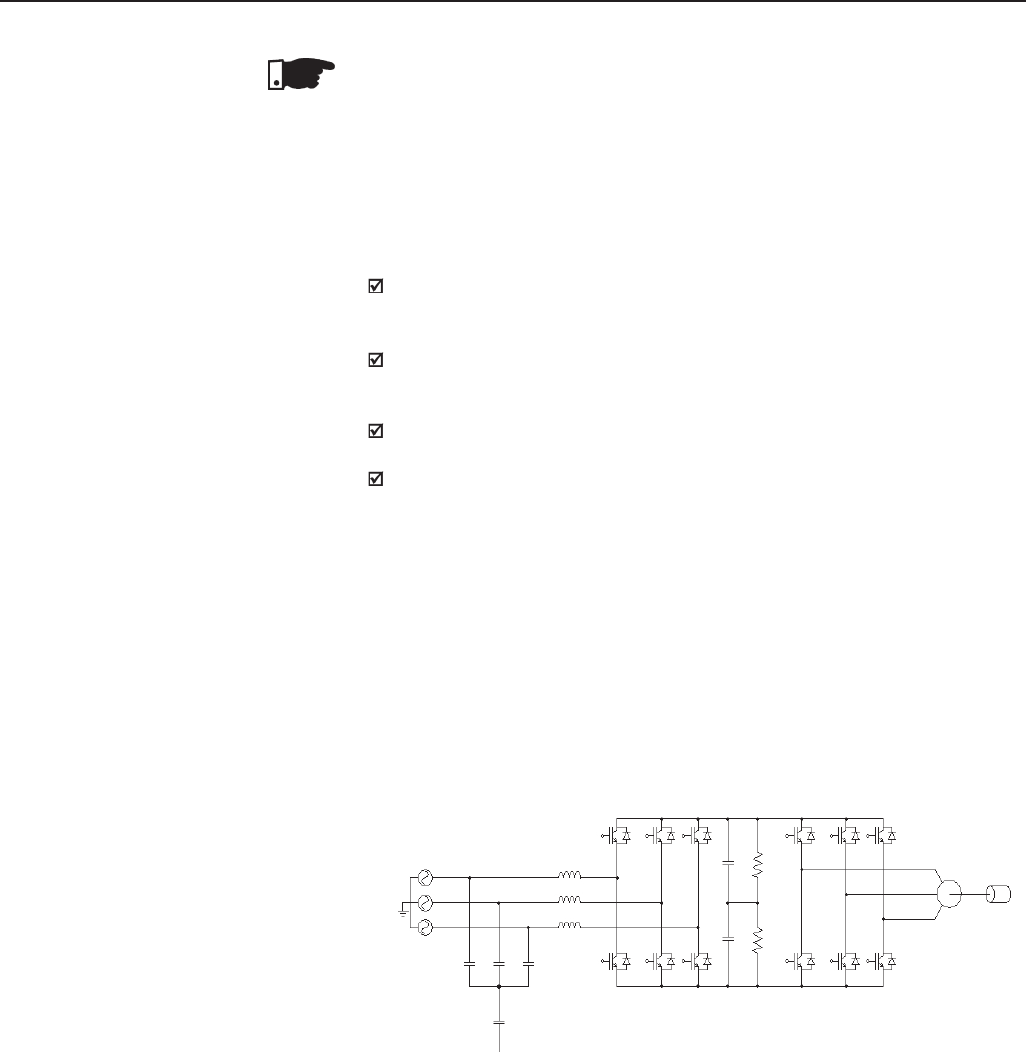
331
CHAPTER 8 - CFW-09 OPTIONS AND ACCESSORIES
NOTE!
Do not remove the gaskets inside the cable glands, which were not used.
They are necessary to guarantee NEMA 4X protection.
To specify a NEMA 4X Drive, it is necessary to include the term “N4” in the
field “Enclosure Degree of Protection” according to the CFW-09 specification
in Chapter 2, item 2.4 (CFW-09 Identification). Remember that the NEMA 4X
line is only up to 10HP.
The CFW-09HD inverter line, supplied by DC link, has the same installation,
mechanical, programming and performance characteristics as the Standard
CFW-09 line;
Up to size 5, an HD inverter is required to make the supply through the DC
link. In this case is sufficient to supply a standard inverter through the DC
link with an external pre-charge circuit.
The models of size 6 and larger are fitted with an internal pre-charge
circuit and have internal changes;
For more detail, refer please to the Addendum of the CFW-09 Frequency
Inverter Manual of the CFW-09HD line – supplied by DC Link. (See
www.weg.com.br).
There are two problems associated to a conventional drive with diode bridge at
the input: harmonics injection to the network and braking of loads with high
inertia, or that un at high speeds and require short braking times. The harmonic
injection to the network happens with any type of load. The braking problems
appear with loads such as sugar centrifuges, dynamometers, cranes and
winders. The CFW-09 converter with RB option (Regenerative Braking) is
WEG solution for these problems. Figure 8.53.
Shows the main components of a drive with CFW-09 RB.
8.16.5 How to Specify
8.17 CFW-09 SUPPLIED
BY THE DC LINK –
LINE HD
8.18 CFW-09 RB
REGENERATIVE
CONVERTER
Supply
Motor
Input Reat.
Filter
Figure 8.53 - Simplified diagram of a driving with CFW-09 RB
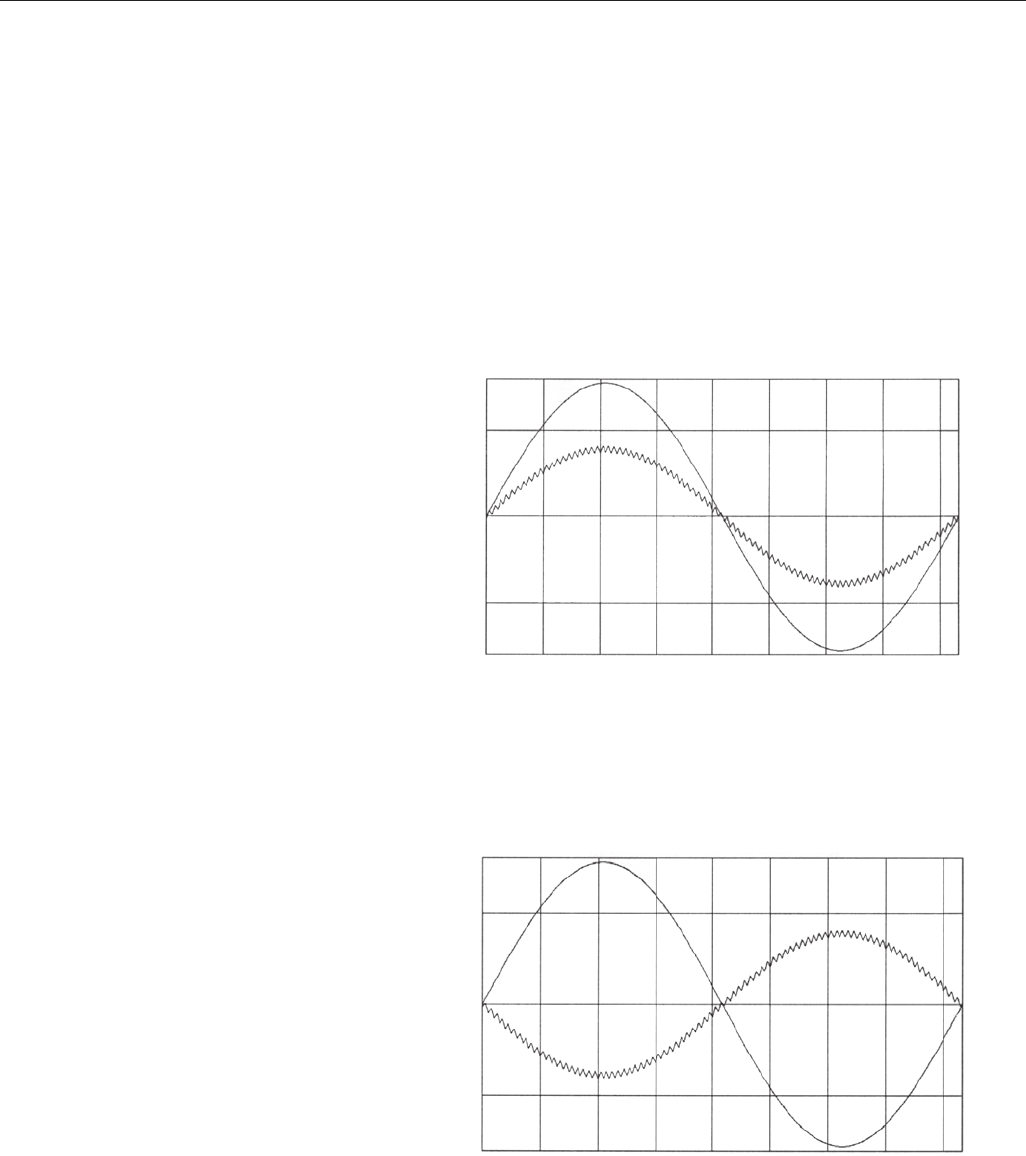
332
CHAPTER 8 - CFW-09 OPTIONS AND ACCESSORIES
As shown in the Figure 8.53, CFW-09RB unit is fitted with a capacitor bank
and a IGBT’s bridge.
Externally is mounted a network reactance and a capacitive filter.
By switching the IGBT’s bridge, the energy can be transferred in a controlled
way from the network to the capacitor bank. One van say that by means of
the switching process, the CFW-09RB emulates a resistive load. There is
also a capacitive filter to prevent the bridge switching interferes in other network
loads. To complete this drive, the use of a CFW-09HD is required that drives
the motor and its load. This drive is shown in Figure 8.53 by the second de
IGBT’s bridge. Figure 8.54 a) shows wave shapes of the CFW-09 RB input
voltage and current, when the motor at the drive output is operating normally.
Figure 8.54 b) shows the wave shapes of the CFW-09 RB input voltage and
current, when the motor at the drive output is submitted to a braking process.
For more details, refer to the CFW-09 RB Regenerative Converter Manual.
(See www.weg.com.br).
Voltage
Time
Current
Figure 8.54 a) - Functioning during operation as motor
Voltage
Time
Current
Figure 8.54 b) - Functioning during the braking process
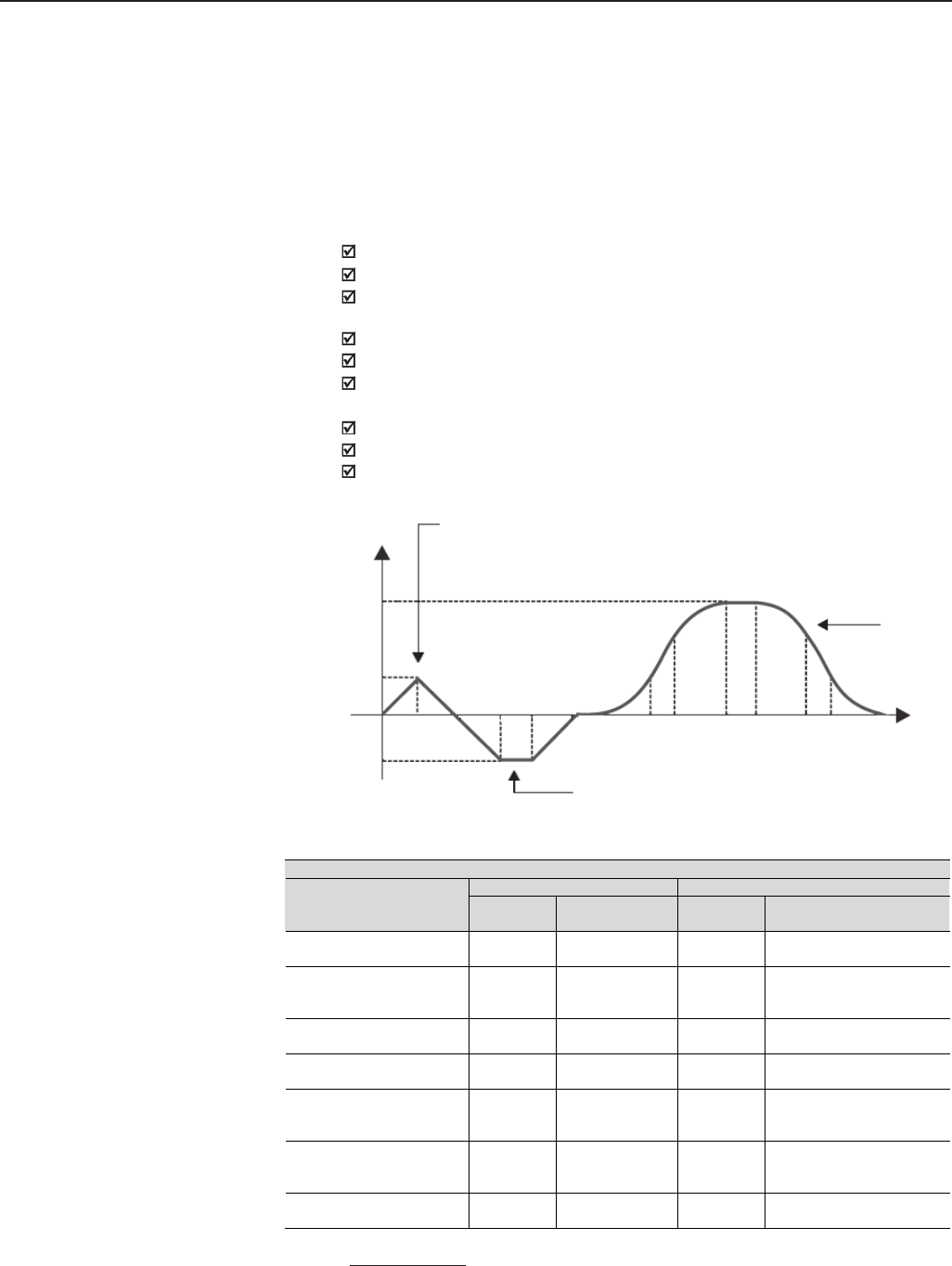
333
CHAPTER 8 - CFW-09 OPTIONS AND ACCESSORIES
Note: For more details, see please the PLC Board Manual. The manual download may be effected from
the site: www.weg.com.br.
8.19 PLC BOARD The PLC1 and PLC2 boards allow the CFW-09 drive to have PLC function,
speed reference and positioning modules. This board is optional and is
incorporated internally into the CFW-09.
Both boards cannot be used simultaneously with the EBA, EBB or EBC
boards.
The PLC1 cannot be used with fieldbus boards.
The PLC2 can have fieldbus board mounted.
Technical Characteristics
Positioning with trapezoidal and “S” profile (absolute and relative);
Homing (machine zero search);
Programming in Ladder language through the WLP Software, Timers,
Contactors, Coils and Contacts;
RS-232 with Modbus RTU protocol;
Real-time clock;
Availability of 100 parameters that may be set by the user through the
Software or via HMI;
CAN interface with CANopen and DeviceNet protocols;
Master/Slave function (ElectronicGear Box);
It has own 32 bits CPU with flash memory.
Speed
V1
V3
V2
t1
t2t3t4t5
t6t7t8t9t10 t11 t12
Time
Position 1
(t0 to t2)
Position 3
(t5 - t12)
Position 2
(t2 to t5)
Figure 8.55 - Trajectory example by using the PLC board
Technical Specification
PLC 1 PLC 2
Input/Output
Quantities
Description
Quantities
Description
Digital inputs 9 24Vdc bipolar
9 24 Vdc bipolar
Relay outputs 3 250 Vac/3 A ou
250 Vdc/3 A
3 250Vac/3 A or
250Vdc/3 A
Transistorized outputs 3 24 Vdc/500 mA
3 24 Vdc/500 mA
Encoder power supply 1 15 V
2 5 to 24 V
Analog output - - 2 12 bits (-10 V to +10 V or
(0 to 20) mA)
Analog input - - 1 14 bits (-10 V to +10 V or
(-20 to 20) mA)
Motor PTC isolated input
- - 1 Motor PTC isolated input
334
CHAPTER 9
TECHNICAL SPECIFICATIONS
This Chapter describes the technical specifications (electrical and mechanical)
of the CFW-09 inverter series.
Operating voltage range:
220-230V, 380-480V and 660-690V models: -15% to +10%.
500-600V models up to 32 A: -15% of rated input voltage up to 690V.
500-600V models higher or equal to 44A:
-for power supplies = 500V, 525V or 575V: ±15%;
-for power supply = 550V: -15% to +20%;
-for power supply = 600V: -15% to +10%.
500-690V models:
-for power supplies = 500V, 525V or 575V: ±15%;
-for power supply = 550V: -15% to +20%;
-for power supply = 600V: -15% to +10%;
-for power supplies = 660V or 690V: -15% to +10% (*1).
*1 - When a line voltage higher than 600V (rated value) supplies the 500-690V
models, it is necessary to derate the output current as stated in item 9.1.5.
NOTE!
For models that have rated voltage selection jumper (as described in item
3.2.3) the rated input voltage is defined by its position.
In all models, P296 parameter shall be set to the rated input voltage.
When input voltage is lower than motor rated voltage the motor power will be
reduced.
Other AC input specifications:
Frequency: 50/60Hz (± 2 Hz).
Phase Unbalance ≤ 3% of rated phase to phase input voltage.
Overvoltage Category III (EN 61010/UL 508C).
Transient voltages according to Category III.
Minimum line impedance:
1% voltage drop for models with rated current up to 130A/220-230V, up to
142A/380-480V and up to 32A/500-600V.
2% voltage drop for 380-480V models with rated current 180A and above.
500-600V models with current higher or equal to 44A/500-600V and all 500-
690V and 660-690V models do not require minimum line impedance, because
they have an internal DC link inductance.
See item 8.7.1 guidelines.
Power-up:
10 ON/OFF cycles per hour maximum.
9.1 POWER DATA
9.1.1 Power Supply
Specifications
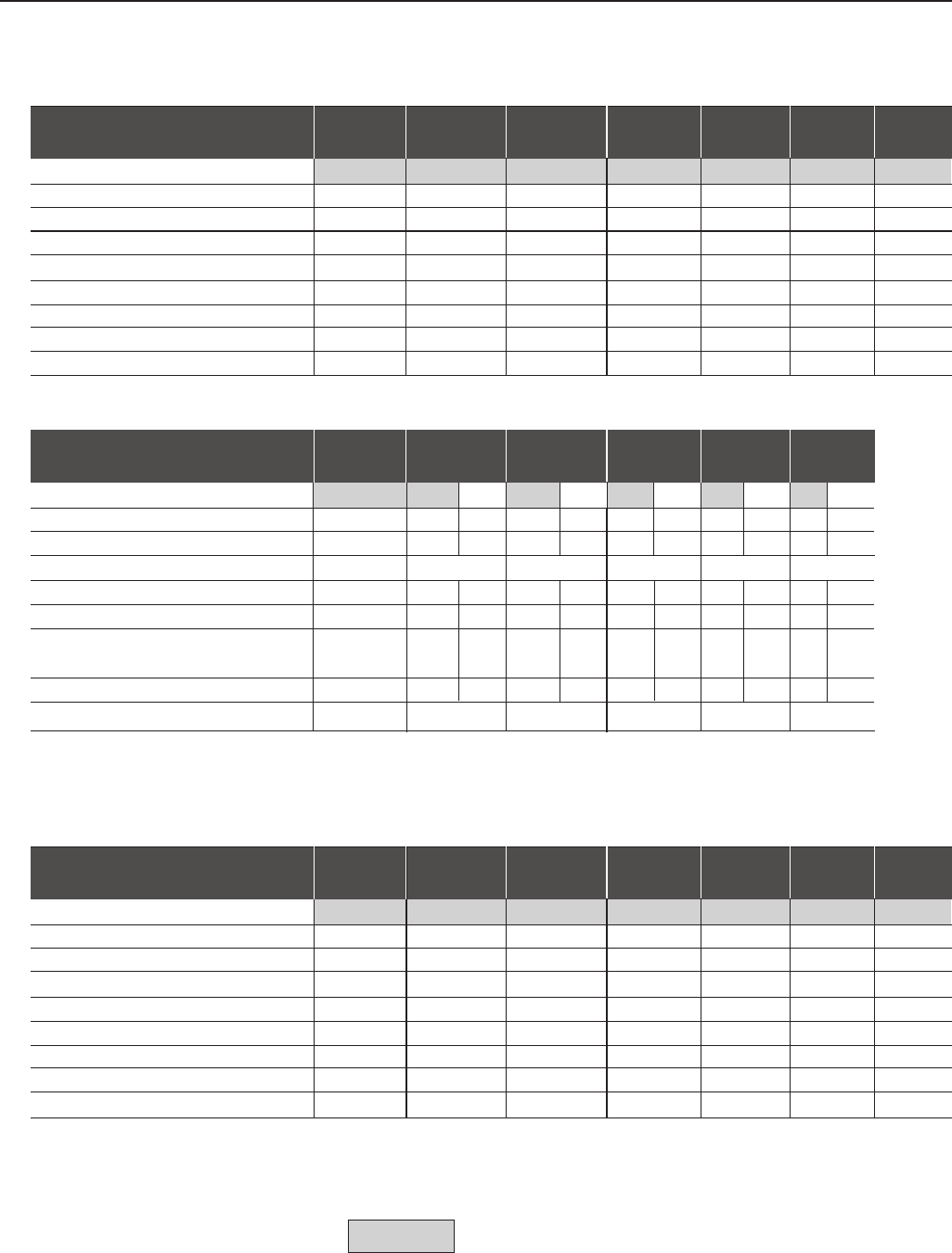
335
CHAPTER 9 - TECHNICAL SPECIFICATIONS
Model: Current / Voltage 6/ 7/ 10/ 13/ 16/ 24/ 28/
220-230 220-230 220-230 220-230 220-230 220-230 220-230
Load (1) CT/VT CT/VT CT/VT CT/VT CT/VT CT/VT CT/VT
Power (kVA) (2) 2.3 2.7 3.8 56.1 9.1 10.7
Rated Output Current (A) (3) 6 7 10 13 16 24 28
Maximum Output Current (A) (4) 910,5 15 19.5 24 36 42
Rated Input Current (A) (7) 7.2/15 (6) 8.4/18 (6) 12/25 (6) 15.6 19.2 28.8 33.6
Rated Switching Frequency (kHz) 5 5 5 5 5 5 5
Maximum Motor (HP)/(W) (5) 1.5/1.1 2/1.5 3/2.2 4/3.0 5/3.7 7.5/5.5 10/7.5
Watts Loss (W) (8) 69 80 114 149 183 274 320
Frame Size 1 1 1 1 2 2 2
9.1.2 220-230V Power Supply
Model: Current / Voltage 45/ 54/ 70/ 86/ 105/ 130/
220-230 220-230 220-230 220-230 220-230 220-230
Load (1) CT/VT CT VT CT VT CT VT CT VT CT VT
Power (kVA) (2) 18 21 27 28 34 34 42 42 52 52 60
Rated Output Current (A) (3) 45 54 68 70 86 86 105 105 130 130 150
Maximum Output Current (A) (4) 68 81 105 129 158 195
Rated Input Current (A) (7) 54 65 82 84 103 103 126 126 156 156 180
Rated Switching Frequency (kHz) 5 5 2.5 5 2.5 5 2.5 52.5 5 2.5
Maximum Motor (HP)/(kW) (5) 15/1120/ 25/ 25/ 30/ 30/ 40/ 40/ 50/ 50/ 60/
15 18.5 18.5 22 22 30 30 37 37 45
Watts Loss (kW) (8) 0.5 0.6 0.8 0.8 1.0 1.0 1.2 1.2 1.5 1.5 1.7
Frame Size 3 4 5 5 6 6
9.1.3 380-480V Power Supply
Model: Current / Voltage 3,6/ 4/ 5,5/ 9/ 13/ 16/ 24/
380-480 380-480 380-480 380-480 380-480 380-480 380-480
Load (1) CT/VT CT/VT CT/VT CT/VT CT/VT CT/VT CT/VT
Power (kVA) (2) 2.7 3.0 4.2 6.9 9.9 12.2 18.3
Rated Output Current (A) (3) 3.6 45.5 913 16 24
Maximum Output Current (A) (4) 5.4 68.3 13.5 19.5 24 36
Rated Input Current (A) (7) 4.3 4.8 6.6 10.8 15.6 19.2 28.8
Rated Switching Frequency (kHz) 5 5 5 5 5 5 5
Maximum Motor (HP)/(kW) (5) 1.5/1.1 2/1.5 3/2.2 5/3.7 7.5/5.5 10/7.5 15/11
Watts Loss (W) (8) 60 66 92 152 218 268 403
Frame Size 1 1 1 1 2 2 2
Note: CT = Constant Torque
VT = Variable Torque
Factory Default
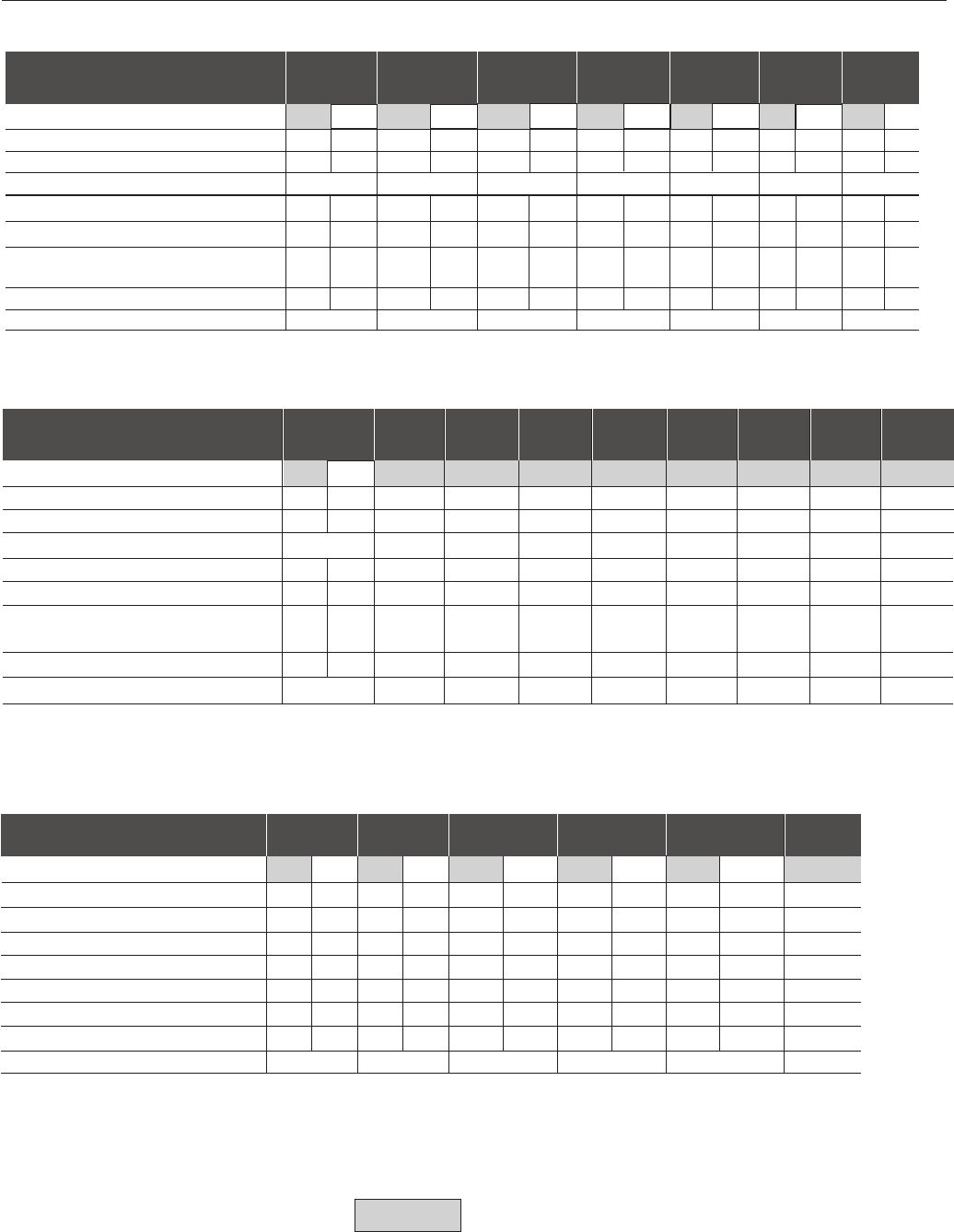
336
CHAPTER 9 - TECHNICAL SPECIFICATIONS
Model: Current / Voltage 30/ 38/ 45/ 60/ 70/ 86/ 105/
380-480 380-480 380-480 380-480 380-480 380-480 380-480
Load (1) CT VT CT VT CT VT CT VT CT VT CT VT CT VT
Power (kVA) (2) 24 29 30 36 36 43 48 56 56 68 68 84 84 100
Rated Output Current (A) (3) 30 36 38 45 45 54 60 70 70 86 86 105 105 130
Maximum Output Current (A) (4) 45 57 68 90 105 129 158
Rated Input Current (A) (7) 36 43.2 45.6 54 54 64.8 72 84 84 103 103 126 126 156
Rated Switching Frequency (kHz) 5 2.5 5 2.5 5 2.5 5 2.5 5 2.5 5 2.5 5 2.5
Maximum Motor (HP)/(kW) (5) 20/ 25/ 25/ 30/ 30/ 40/ 40/ 50/ 50/ 60/ 60/ 75/ 75/ 100/
15 18.5 18.5 22 22 30 30 37 37 45 45 55 55 75
Watts Loss (kW) (8) 0.50 0.60 0.70 0.80 0.80 0.90 1.00 1.20 1.20 1.50 1.50 1.80 1.80 2.20
Frame Size 3 4 4 5 5 6 6
Model: Current / Voltage 142/ 180/ 211/ 240/ 312 361/ 450/ 515 600/
380-480 380-480 380-480 380-480 380-480 380-480 380-480 380-480 380-480
Load (1) CT VT CT/ VT CT/ VT CT/ VT CT/VT CT/VT CT/VT CT/VT CT/VT
Power (kVA) (2) 113 138 143 161 191 238 287 358 392.5 478
Rated Output Current (A) (3) 142 174 180 211240 312 361 450 515 600
Maximum Output Current (A) (4) 213 270 317 360 468 542 675 773 900
Rated Input Current (A) (7) 170 209 191 223 254 331 383 477 546 636
Rated Switching Frequency (kHz) 5 2.5 2.5 2.5 2.5 2.5 2.5 2.5 2.5 2.5
Maximum Motor (HP)/(kW) (5) 100/ 125/ 150/ 175/ 200/ 250/ 300/ 350/ 450/ 500/
75 90 110 130.5 150 186.5 220 250 335.7 375
Watts Loss (kW) (8) 2.4 2.9 3 3.5 45.2 6 7.6 8.5 10
Frame Size 7 8 8 8 9 9 10 10 10
9.1.4 500-600V Power Supply
2.9/
500-600
CT VT
2.9 4.2
2.9 4.2
4.4 4.6
3.6 5.2
5 5
2/1.5 3/2.2
70 100
2
4.2/
500-600
CT VT
4.2 7
4.2 7
6.3 7.7
5.2 8.8
5 5
3/2.2 5/3.7
100 160
2
14/
500-600
CT/VT
13.9
14
21
17.5
5
12.5/9.2
330
2
7/
500-600
CT VT
710
710
10.5 11
8.8 12.5
5 5
5/3.7 7.5/5.5
160 230
2
10/
500-600
CT VT
10 12
10 12
15 15
12.5 15
5 5
7.5/5.5 10/7.5
230 280
2
12/
500-600
CT VT
12 13.9
12 14
18 18
15 17.5
5 5
10/7.5 12.5/9.2
280 330
2
Model: Current / Voltage
Load (1)
Power (kVA) (2)
Rated Output Current (A) (3)
Maximum Output Current (A) (4)
Rated Input Current (A) (7)
Rated Switching Frequency (kHz)
Maximum Motor (HP)/(kW) (5)
Watts Loss (W) (8)
Frame Size
Note: CT = Constant Torque
VT = Variable Torque
Factory Default
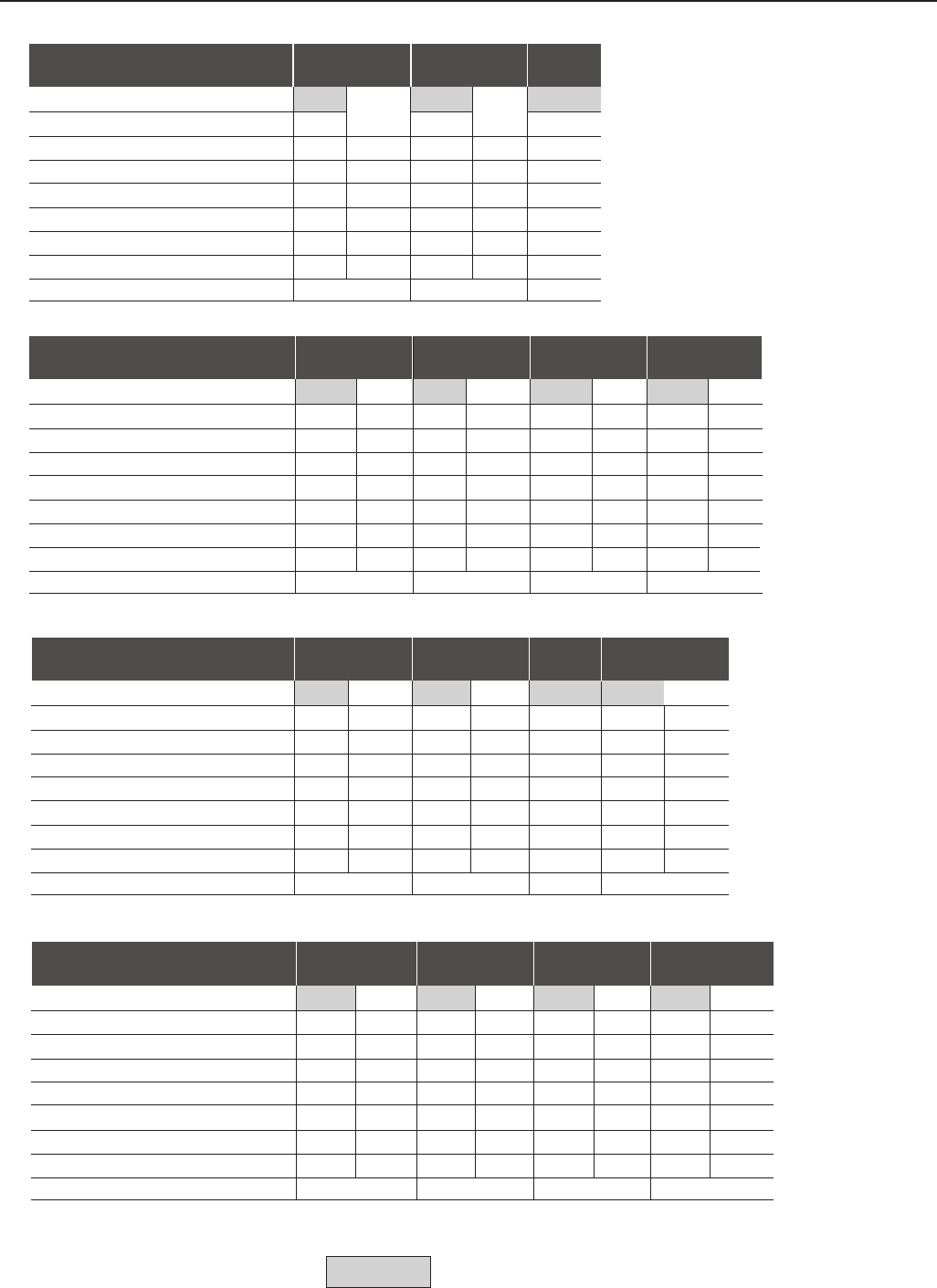
337
CHAPTER 9 - TECHNICAL SPECIFICATIONS
53/
500-600
CT VT
52.8 62.7
53 63
79.5 79.5
56 66
5 5
50/37 60/45
1.2 1.5
7
63/
500-600
CT VT
62.7 78.7
63 79
94.5 94.5
66 83
52.5
60/45 75/55
1.5 1.8
7
Model: Current / Voltage
Load (1)
Power (kVA) (2)
Rated Output Current (A) (3)
Maximum Output Current (A) (4)
Rated Input Current (A) (7)
Rated Switching Frequency (kHz)
Maximum Motor (HP)/(kW) (5)
Watts Loss (kW) (8)
Frame Size
22/
500-600
CT VT
21.9 26.9
22 27
33 33
27.5 33.8
5 5
20/15 25/18.5
500 620
4
27/
500-600
CT VT
26.9 31.9
27 32
40.5 40.5
33.8 40
5 5
25/18.5 30/22
620 750
4
32/
500-600
CT/VT
31.9
32
48
40
5
30/22
750
4
Model: Current / Voltage
Load (1)
Power (kVA) (2)
Rated Output Current (A) (3)
Maximum Output Current (A) (4)
Rated Input Current (A) (7)
Rated Switching Frequency (kHz)
Maximum Motor (HP)/(kW) (5)
Watts Loss (W) (8)
Frame Size
44/
500-600
CT VT
43.8 52.8
44 53
66 66
46 56
2.5 2.5
40/30 50/37
11.2
7
79/
500-600
CT VT
78.7 98.6
79 99
118.5 118.5
83 104
2.5 2.5
75/55 100/75
1.8 2.5
7
107/
500-690
CT VT
107 147
107 147
160 160
107 147
2.5 2.5
100/75 150/110
2.5 3
8E
147/
500-690
CT VT
147 195
147 196
220.5 220.5
147 196
2.5 2.5
150/110 200/150
34.1
8E
211/
500-690
CT/VT
210
211
316.5
211
2.5
200/150
4.1
8E
Model: Current / Voltage
Load (1)
Power (kVA) (2)
Rated Output Current (A) (3)
Maximum Output Current (A) (4)
Rated Input Current (A) (7)
Rated Switching Frequency (kHz)
Maximum Motor (HP)/(kW) (5)
Watts Loss (kW) (8)
Frame Size
343/
500-690
CT VT
342 416
343 418
514.5 514.5
343 418
2.5 2.5
350/250 400/300
6.8 8.2
10E
Model: Current / Voltage
Load (1)
Power (kVA) (2)
Rated Output Current (A) (3)
Maximum Output Current (A) (4)
Rated Input Current (A) (7)
Rated Switching Frequency (kHz)
Maximum Motor (HP)/(kW) (5)
Watts Loss (kW) (8)
Frame Size
418/
500-690
CT VT
416 470
418 472
627 627
418 472
2.5 2.5
400/300 500/370
8.2 11
10E
472/
500-690
CT VT
470 553
472 555
708 708
472 555
2.5 2.5
500/370 600/450
11 12.3
10E
315/
500-690
CT VT
314 342
315 343
472.5 472.5
315 343
2.5 2.5
300/220 350/250
66.8
10E
247/
500-690
CT VT
210 314
247 315
370.5 370.5
247 315
2.5 2.5
250/185 300/220
5.1 6
10E
Note: CT = Constant Torque
VT = Variable Torque
Factory Default
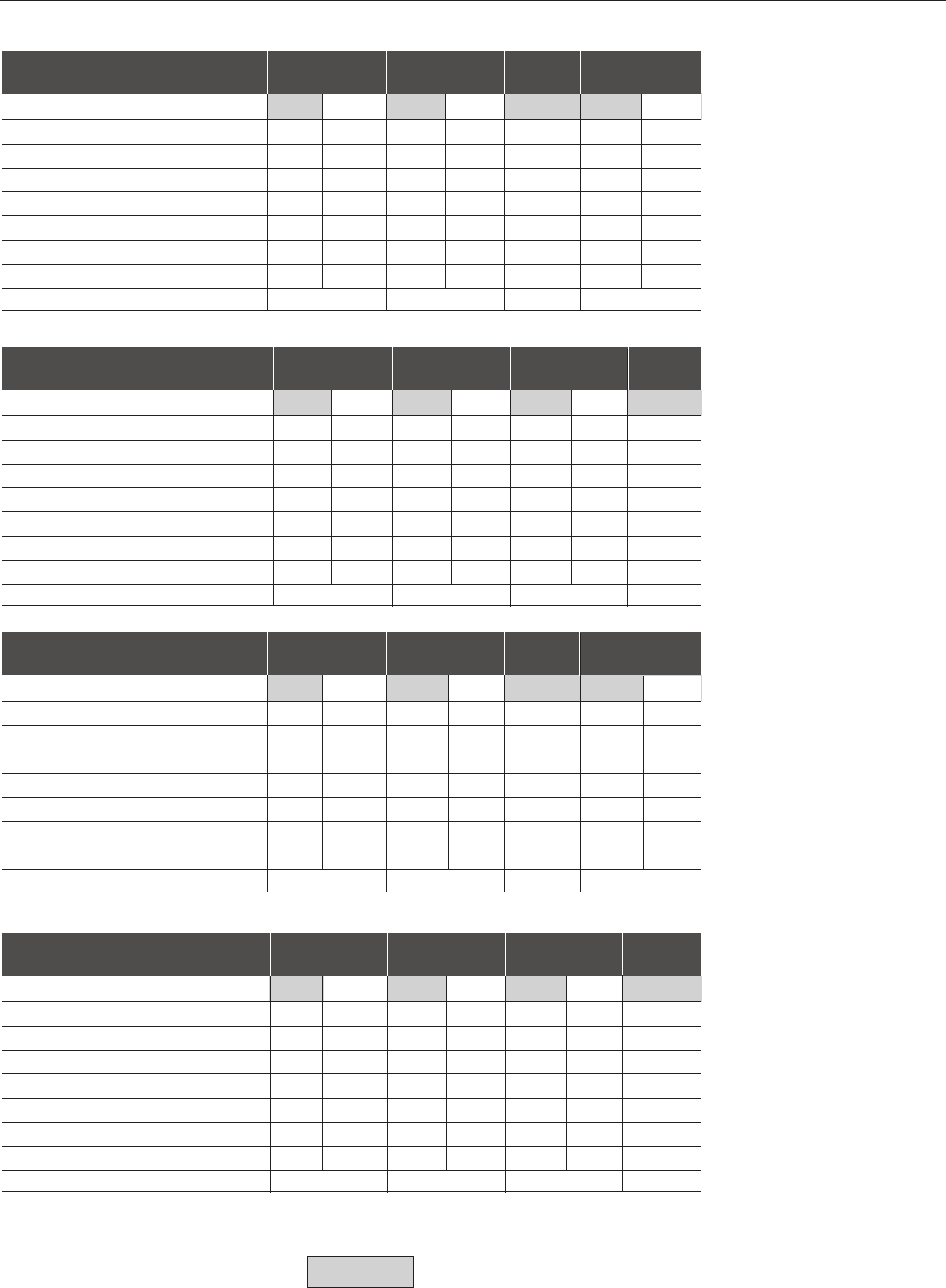
338
CHAPTER 9 - TECHNICAL SPECIFICATIONS
9.1.5 660-690V Power Supply
100/
660-690
CT VT
120 152
100 127
150 150
100 127
2.5 2.5
100/75 150/110
2.5 3
8E
127/
660-690
CT VT
152 214
127 179
190.5 197
127 179
2.5 2.5
150/110 200/150
34.1
8E
179/
660-690
CT/VT
214
179
268.5
179
2.5
200/150
4.1
8E
Model: Current / Voltage
Load (1)
Power (kVA) (2)
Rated Output Current (A) (3)
Maximum Output Current (A) (4)
Rated Input Current (A) (7)
Rated Switching Frequency (kHz)
Maximum Motor (HP)/(kW) (5)
Watts Loss (kW) (8)
Frame Size
259/
660-690
CT VT
310 365
259 305
388.5 388.5
259 305
2.5 2.5
300/220 350/250
66.8
10E
305/
660-690
CT VT
365 406
305 340
457.5 457.5
305 340
2.5 2.5
350/250 400/300
6.8 8.2
10E
Model: Current / Voltage
Load (1)
Power (kVA) (2)
Rated Output Current (A) (3)
Maximum Output Current (A) (4)
Rated Input Current (A) (7)
Rated Switching Frequency (kHz)
Maximum Motor (HP)/(kW) (5)
Watts Loss (kW) (8)
Frame Size
340/
660-690
CT VT
406 512
340 428
510 510
340 428
2.5 2.5
400/300 500/370
8.2 11
10E
428/
660-690
CT/VT
512
428
642
428
2.5
500/370
11
10E
107/
500-690
CT VT
120 152
100 127
150 150
100 127
2.5 2.5
100/75 150/110
2.5 3
8E
147/
500-690
CT VT
152 214
127 179
190.5 197
127 179
2.5 2.5
150/110 200/150
34.1
8E
211/
500-690
CT/VT
214
179
268.5
179
2.5
200/150
4.1
8E
Model: Current / Voltage
Load (1)
Power (kVA) (2)
Rated Output Current (A) (3)
Maximum Output Current (A) (4)
Rated Input Current (A) (7)
Rated Switching Frequency (kHz)
Maximum Motor (HP)/(kW) (5)
Watts Loss (kW) (8)
Frame Size
315/
500-690
CT VT
310 365
259 305
388.5 388.5
259 305
2.5 2.5
300/220 350/250
66.8
10E
343/
500-690
CT VT
365 406
305 340
457.5 457.5
305 340
2.5 2.5
350/250 400/300
6.8 8.2
10E
Model: Current / Voltage
Load (1)
Power (kVA) (2)
Rated Output Current (A) (3)
Maximum Output Current (A) (4)
Rated Input Current (A) (7)
Rated Switching Frequency (kHz)
Maximum Motor (HP)/(kW) (5)
Watts Loss (kW) (8)
Frame Size
418/
500-690
CT VT
406 512
340 428
510 510
340 428
2.5 2.5
400/300 500/370
8.2 11
10E
472/
500-690
CT/VT
512
428
642
428
2.5
500/370
11
10E
225/
660-690
CT VT
269 310
225 259
337.5 337.5
225 259
2.5 2.5
250/185 300/220
5.1 6
10E
247/
500-690
CT VT
269 310
225 259
337.5 337.5
225 259
2.5 2.5
250/185 300/220
5.1 6
10E
Note: CT = Constant Torque
VT = Variable Torque
Factory Default
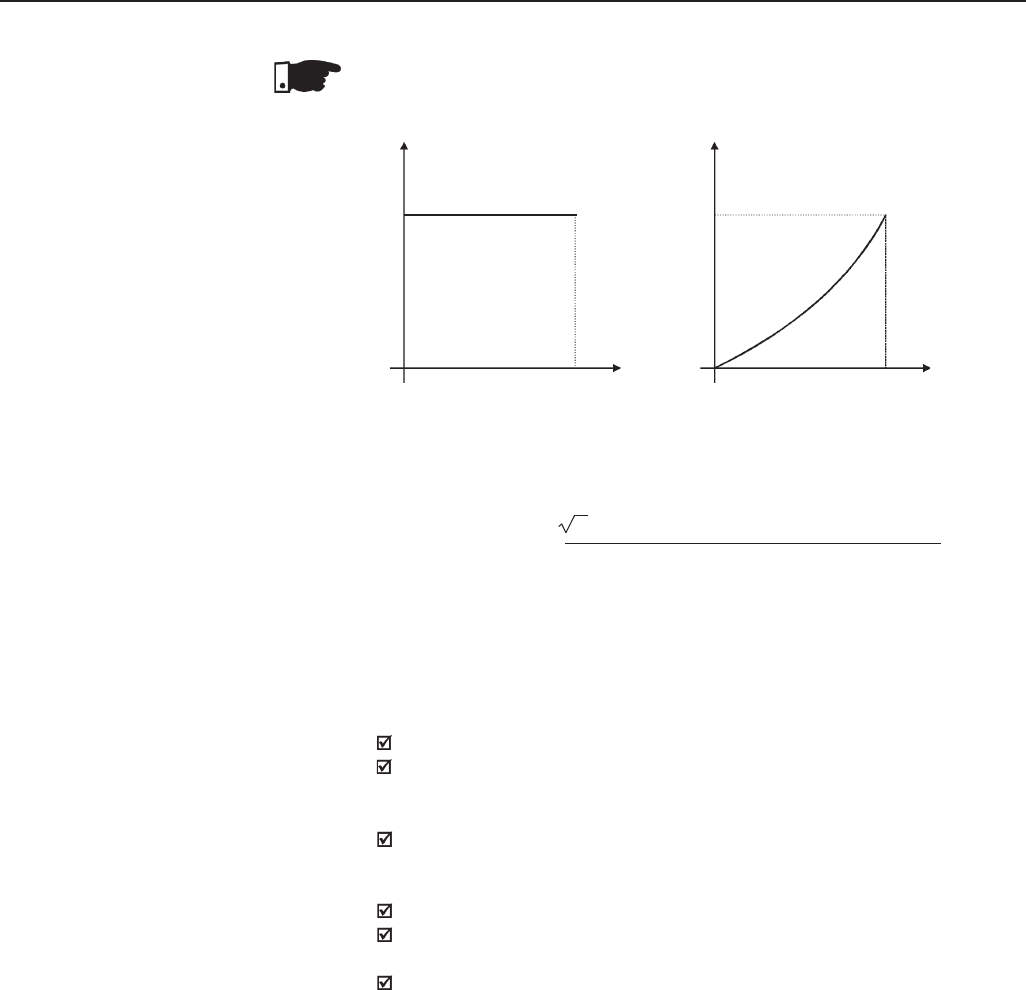
339
CHAPTER 9 - TECHNICAL SPECIFICATIONS
NOTES:
(1)
(2)
The power rating in kVA is determined by the following equation:
P(kVA) = 3. Input Voltage (V) x Current Rating (A)
1000
The values shown on the Tables 9.1.2 to 9.1.5 were calculated considering
the inverter rated current rating and an input voltage of 230V for 220-230V
models, 460V for 380-480V models, 575V for 500-600V models and 690V for
660-690V models.
(3)
Rated Output Current is valid for the following conditions:
Relative Air Humidity: 5% to 90%, non condensing;
Altitude : 1000m (3,300 ft) – nominal conditions.
From 1000m to 4000m (3,300ft to 13,200 ft) – with 1% current reduction
for each 100m (330 ft) above 1000m (3,300 ft).
Ambient Temperature: 0 ºC to 40 ºC (32 ºF to 104 ºF) - nominal conditions.
From 0 ºC to 55 ºC (32 ºF to 131 ºF) - with 2% current derating for each
1ºC (1.8 ºF) degree above 40 ºC (104 ºF).
The rated current values are valid for the indicated switching frequencies.
The 10kHz switching frequency is not possible for the 2.9A to 79A/500-
600V, 107A to 472A/500-690V and 100A to 428A/660-690V models.
The operation at 10kHz is possible for V/F control mode and vector control
with encoder mode. In this case it´s necessary to derate the output current
according to table 9.1.
CT - Constant Torque VT - Variable Torque
Tn Tn
Torque
Speed
Nominal
Figure 9.1 - Load Characteristics
Speed
Nominal
Torque
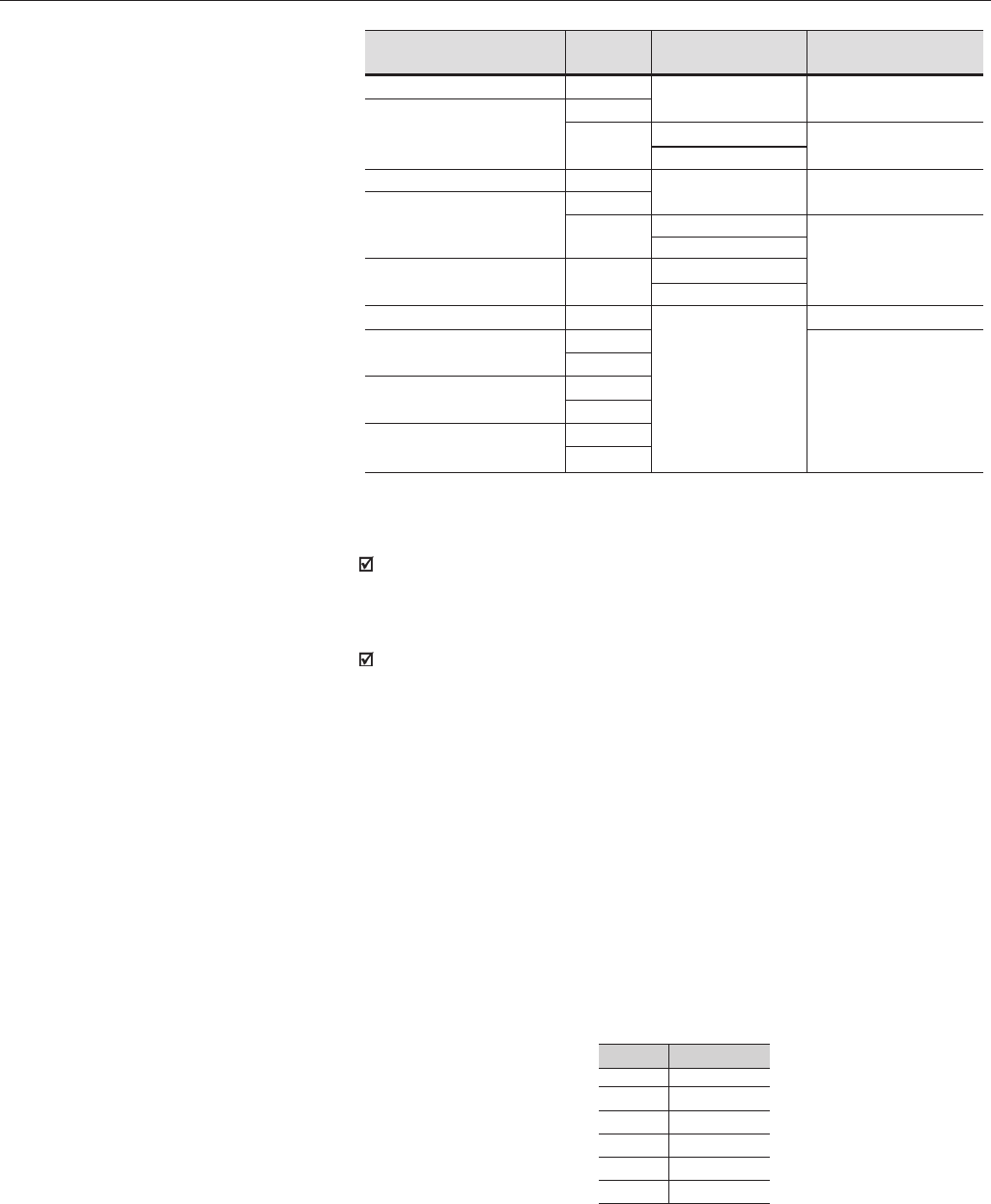
340
CHAPTER 9 - TECHNICAL SPECIFICATIONS
(4) Maximum Current: 1.5 x I Nominal (for 60 seconds every 10 minutes).
I Nominal = Rated Current for CT applications considering the applicable
derating (depending on altitude or ambient temperature as specified in
note (3)).
The maximum output current is the same for CT and VT. This way the
inverter has a lower overload capacity when VT current is used.
(5)
The indicated maximum motor HP/kW ratings are based on WEG 230V/460V/
575V 4 pole motors and normal duty loads. A precise inverter sizing must
consider the actual motor nameplate and application data.
(6)
Rated input current for single-phase operation.
Note: The 6A , 7A and 10A / 220-230 V models can be operated with 2 input
phases only (single-phase operation) without output current derating.
(7)
Rated input current for three-phase operation:
This is a conservative value. In practice the value of this current depends on
the line impedance. Please see table 9.2:
X (%)
0.5
1.0
2.0
3.0
4.0
5.0
I input (rms) (%)
131
121
106
99
96
96
Table 9.2 - X = Line impedance drop @ rated inverter output current;
I input (rms) = % of the rated output current
Models
6A to 45A / 220-230V
54A to 130A/220-230V
3.6A to 24A / 380-480V
30A to 142A / 380-480V
180A to 600A / 380-480V
63A / 500-600V
79A / 500-600V
107A to 472A / 500-690V
100A to 428A / 660-690V
Switching
Frequency
10kHz
5kHz
10kHz
10kHz
5kHz
10kHz
5kHz
10kHz
5kHz
Output Current
Derating - %
0.8
Contact WEG
0.7
Contact WEG
0.8
Contact WEG
Load
Type
CT/VT
CT
VT
CT/VT
CT
VT
CT/VT
VT
CT
VT
CT
VT
CT
VT
(8)
Loss considering rated work conditions (rated output current and rated
switching frequency).
Table 9.1 - Output current derating for switching frequency
≥
rated switching frequency
341
CHAPTER 9 - TECHNICAL SPECIFICATIONS
9.2 ELECTRONICS/GENERAL DATA
Voltage Source V/F (Scalar), or
Vector Control with Encoder Feedback, or
Sensorless Vector Control (without Encoder)
PWM SVM (Space Vector Modulation)
Current, Flux and Speed Digital Regulators
Scan Time:
Current Regulators: 0.2 ms (5 kHz)
Flux Regulator: 0.4 ms (2.5 kHz)
Speed Regulator / Speed Measurement: 1.2 ms
0 to 3,4 x motor rated frequency (P403). This rated frequency can be set from
0Hz to 300Hz in scalar mode and from 30Hz to 120Hz in vector mode.
VVW:
Regulation: 1% of Base Speed
Speed Range: 1:30
Sensorless:
Regulation: 0.5% of Base Speed
Speed Range: 1:100
With Encoder: (with EBA or EBB Board)
Regulation:
+/- 0.01% of Base Speed with 14 bit Analog Input (EBA Board);
+/- 0.01% of Base Speed with Digital Reference (Keypad,
Serial Port, Fieldbus, Electronic Potentiometer, Multispeed);
+/- 0.1% of Base Speed with 10 bit Analog Input (CC9 Board).
Range: 10 to 180%, Regulation: +/-10% of Rated Torque (with encoder)
Range: 20 to 180%, Regulation: +/-10% of Rated Torque (sensorless above 3Hz)
2 Non Isolated Differential Inputs: (0 to 10) V, (0 to 20) mA or
(4 to 20) mA; Impedance: 400k Ω [(0 to 10) V], 500 Ω [(0 to 20) mA or
(4 to 20) mA]; Resolution: 10 bit, Programmable Functions;
6 Isolated Inputs: 24 Vdc; Programmable Functions
2 Non Isolated Outputs: (0 to 10) V; RL ≥ 10 kΩ (1 mA Maximum);
Resolution: 11 bits; Programmable Functions.
2 Relays: NO/NC contacts available; 240 Vac, 1 A;
Programmable Functions.
1 Relay: NO contact available; 240 Vac, 1 A;
Programmable Functions.
Overcurrent/Output Short-circuit
(Trip Point: >2 x Rated Current for CT application)
DC Link Under/Overvoltage
Power Supply Undervoltage/Phase Fault (1)
Inverter Overtemperature
Dynamic Braking Resistor Overload
Motor/Inverter Overload (Ixt)
External Fault
CPU/EPROM Error
Output Ground Fault
Programming Error
METHOD
CONTROL
OUTPUT
FREQUENCY
SPEED
CONTROL
PERFORMANCE
(Vector Mode)
TORQUE
CONTROL
INPUTS ANALOG
(CC9 Board)
DIGITAL
ANALOG
OUTPUTS
(CC9 Board)
RELAY
SAFETY PROTECTION
342
CHAPTER 9 - TECHNICAL SPECIFICATIONS
KEYPAD STANDARD
(HMI) (HMI-CFW09-LCD)
DEGREE OF NEMA1/IP20
PROTECTION PROTECTED
CHASSIS / IP20
8 Keys: Start, Sop, Increase, Decrease, FWD/REV, JOG,
Local/Remote and Program
LCD display: 2 lines x 16 characters
LED display: 4 Digits with 7 segments
LED’s for FWD/REV and LOC/REM Indication
Display Accuracy:
- Current: 5% of Rated Current
- Speed Resolution: 1 rpm
Remote mounting possibility,
Cables available up to 10m (30ft)
NEMA 1/ IP20: 3.6A to 240A/380-480V models and all 220-230V and 500-600V
models and 107A to 211A/500-690V and 100A to 179A/660-690V.
Protected chassis/IP20: 361A to 600A/380-480V models, 247A to 472A/500-
690V and 225A to 428A/660-690V.
(1) Available in models ≥ 30A / 220-230V or ≥ 30A / 380-480V or ≥ 22A / 500 -600V or for all 500-690V and 660-690V models.
9.2.1 Applicable Standards
UL508C - Power conversion equipment
UL840 - Insulation coordination including clearances and creepage distances for electrical
equipment
EN50178 - Electronic equipment for use in power installations
EN60204-1 - Safety of machinery. Electrical equipment of machines. Part 1: General requirements.
Provisions for compliance: the final assembler of the machine is responsible for installing:
- an emergency-stop device
- a supply disconnecting device.
EN60146 (IEC 146) - Semiconductor convertors
EN61800-2 - Adjustable speed electrical power drive systems - Part 2: General requirements - Rating
specifications for low voltage adjustable frequency AC power drive systems.
EN 61800-3 - Adjustable speed electrical power drive systems - Part 3: EMC product standard
including specific test methods
EN55011 - Limits and methods of measurement of radio disturbance characteristics of industrial,
scientific and medical (ISM) radio-frequency equipment
CISPR11 - Industrial, scientific and medical (ISM) radio-frequency equipment - Electromagnetic
disturbance characteristics - Limits and methods of measurement
EN61000-4-2 - Electromagnetic compatibility (EMC) - Part 4: Testing and measurement techniques -
Section 2: Electrostatic discharge immunity test
EN61000-4-3 - Electromagnetic compatibility (EMC) - Part 4: Testing and measurement techniques -
Section 3: Radiated, radio-frequency, electromagnetic field immunity test
EN61000-4-4 - Electromagnetic compatibility (EMC) - Part 4: Testing and measurement techniques -
Section 4: Electrical fast transient/burst immunity test
EN61000-4-5 - Electromagnetic compatibility (EMC) - Part 4: Testing and measurement techniques -
Section 5: Surge immunity test
EN61000-4-6 - Electromagnetic compatibility (EMC)- Part 4: Testing and measurement techniques -
Section 6: Immunity to conducted disturbances, induced by radio-frequency fields
EN60529 - Degrees of protection provided by enclosures (IP code)
UL50 - Enclosures for electrical equipment
GENERAL
EMC
MECHANICAL
343
CHAPTER 9 - TECHNICAL SPECIFICATIONS
9.3.2 I/O Expansion
Board EBB
COMMUNI- SERIAL INTERFACE
CATION
ANALOG
INPUTS INCREMENTAL
ENCODER
DIGITAL
ANALOG
OUTPUTS ENCODER
DIGITAL
COMMUNICATION SERIAL INTERFACE
ANALOG
INPUTS INCREMENTAL
ENCODER
DIGITAL
ANALOG
OUTPUTS ENCODER
DIGITAL
Isolated RS-485 Serial Interface (the RS-485 and RS-232 serial
interfaces cannot be used simultaneously)
1 Bipolar Analog Input (AI4): -10V to +10V; (0 to 20) mA or
(4 to 20) mA; Linearity: 14 bits (0.006% of 10V range)
Programmable Functions
Incremental Encoder Feedback Input:Internal 12 V dc, 200 mA max
isolated power supply Differential inputs A, A, B, B, Z and Z signals
(100 kHz max) 14 bits resolution. Used as speed feedback for the
speed regulator and digital speed measurement
1 Programmable Isolated 24Vdc Digital Input (DI7)
Programmable Digital Input (DI8). For motor PTC-thermistor
Actuation: 3.9 kΩ
Release: 1.6 kΩ
2 Bipolar Analog Outputs (AO3/AO4): -10V to +10V
Linearity: 14 bits (0.006% of +/- 10V range)
Programmable Functions
Buffered Encoder Output:Input signal repeater; Isolated
differential outputs
2 Isolated Transistor Outputs (DO1/DO2): Open collector, 24 Vdc, 50 mA
Programmable Functions
9.3 OPTIONAL
DEVICES
9.3.1 I/O Expansion
Board EBA
Isolated RS-485 Serial Interface (the RS-485 and RS-232 serial
interfaces cannot be used simultaneously)
1 Isolated Analog Input (AI3): 0V to 10V or (0 to 20)mA or (4 to 20)mA
Resolution: 10 bits; Programmable Functions
Incremental Encoder Feedback Input: Internal 12 Vdc, 200mA max
isolated power supply Differential inputs signals A, A, B, B, Z and Z
(100 kHz max) 14 bit resolution. Used as speed feedback for the
speed regulator and digital speed measurement
1 Programmable Isolated 24Vdc Digital Input (DI7)
1 Programmable Digital Input (DI8):For motor PTC-thermistor,
Actuation: 3.9 kΩ
Release: 1.6 kΩ
2 Isolated Analog Outputs (AO1'/AO2'): (0 to 20)mA or (4 to 20)mA; Linearity:
11 bits (0.05% of full scale); Programmable Functions (Same as AO1 and AO2 of
CC9 control board).
Buffered Encoder Output: Input signal repeater Isolated differential
outputs
2 Isolated Transistor Outputs (DO1/DO2): Open collector
24Vdc, 50mA; Programmable Functions
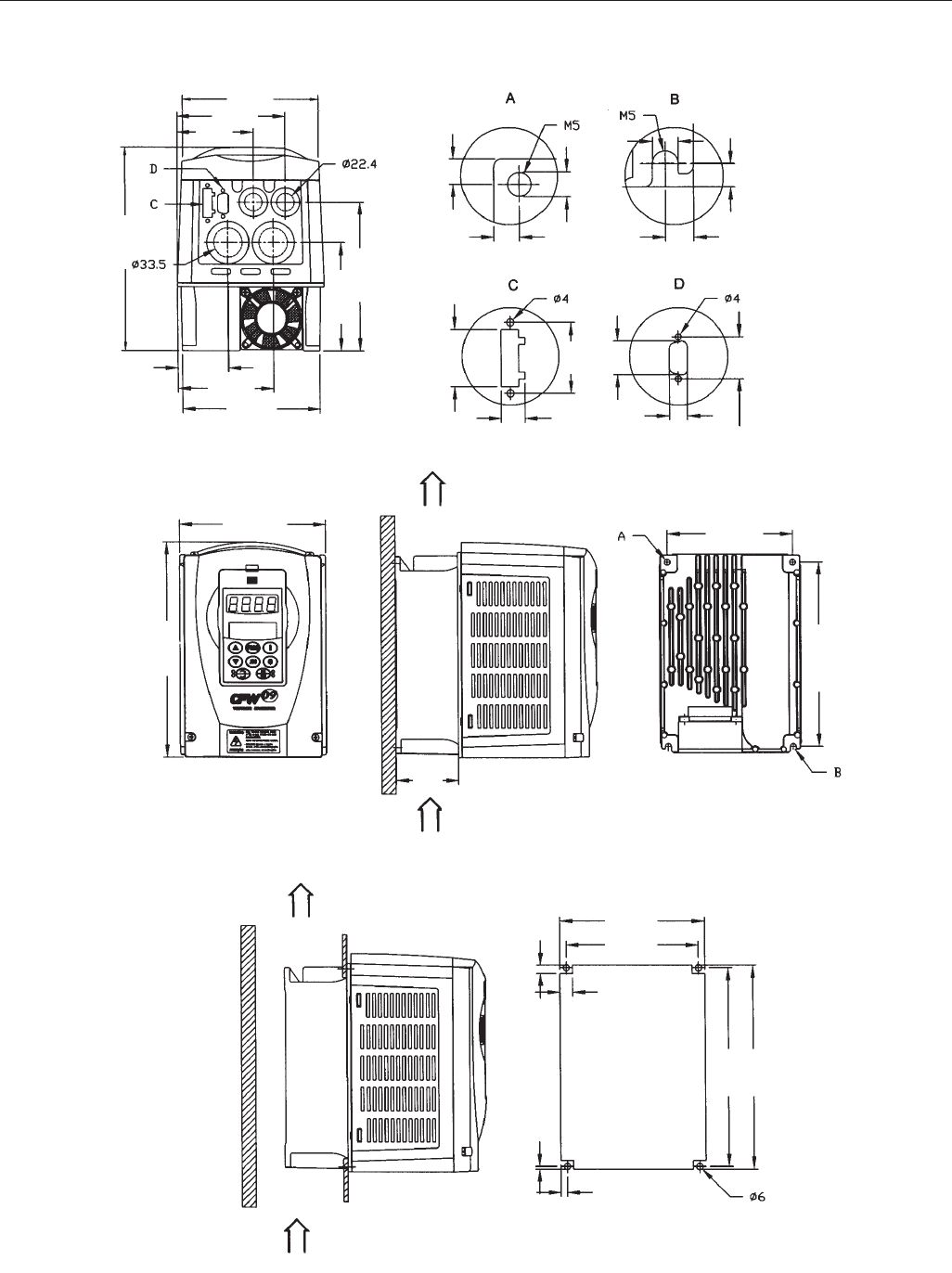
344
CHAPTER 9 - TECHNICAL SPECIFICATIONS
132 (5.19)
106 (4.17)
75 (2.95)
143 (5.68)
104 (4.09)
196 (7.71)
94 (3.7)
134 (5.27)
50 (1.97)
6
(0.24)
6
(0.24)
7
(0.28)
4.5 (0.18)
6
(0.24)
6
(0.24)
28
(1.10)
34
(1.33)
25
(0.98)
20
(0.78)
12
(0.47) 11
(0.43)
143 (5.63)
210 (8.26)
61
(2.40)
121 (4.76)
180 (7.08)
139 (5.47)
127 (5.00)
12 (0.47)
6 (0.23)
8 (0.31)
2.5 (0.098)
191 (7.52)
196 (7.71)
Figure 9.2 - Size 1 - Dimensions in mm (inch)
Air Flow outlet
Air Flow inlet
Air Flow outlet
Air Flow inlet
9.4 MECHANICAL DATA SIZE 1
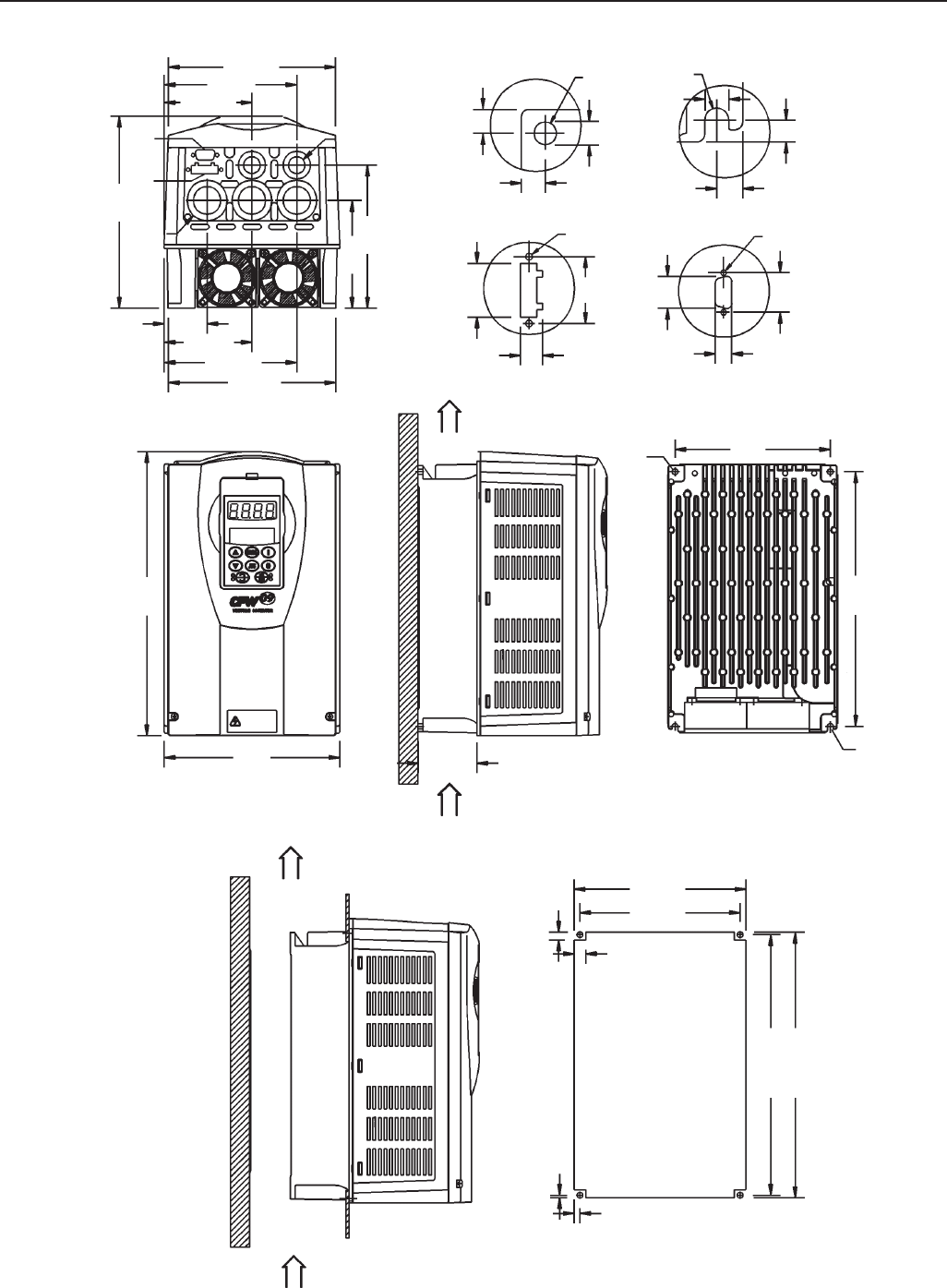
345
CHAPTER 9 - TECHNICAL SPECIFICATIONS
SIZE 2
Air Flow inlet
Air Flow
outlet
Air Flow
inlet
Air Flow
outlet
6 (0.23)
2.5 (0.098)
271 (10.67)
276 (10.86)
178 (7.0)
167 (6.57)
8 (0.31)
12 (0.47)
182
(7.16)
290
(11.41)
B
260
(10.23)
161
(6.34)
A
∅ 4
M5
M5
∅ 4
B
A
CD
173 (6.81)
138 (5.43)
45 (1.77)
196
(7.71)
∅ 33,5
C
D∅ 22,4
173 (6.31)
138 (5.43)
91 (3.58)
6
(0.24)
7
(0.28)
4.5 (0.18)
6
(0.24)
28
(1.10)
25
(0.98)
12
(0.47)
11
(0.43)
6
(0.24)
6
(0.24)
34
(1.33)
Figure 9.3 - Size 2 - Dimensions in mm (inch)
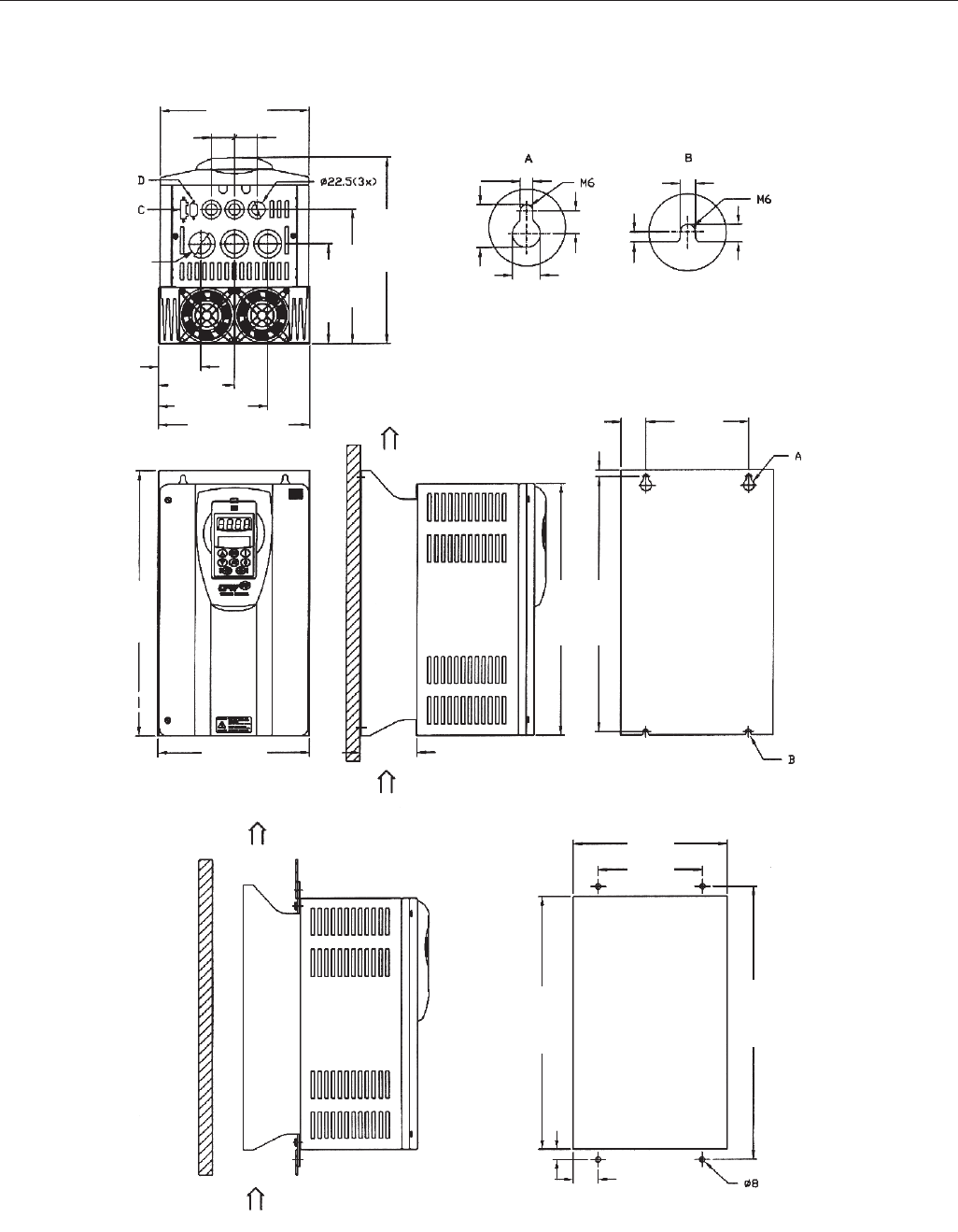
346
CHAPTER 9 - TECHNICAL SPECIFICATIONS
Conduit for
power
cable
(3x) 35
φ
Air Flow
outlet
Air Flow
inlet
Air Flow
outlet
Air Flow inlet
219 (8.62)
34
(1.34)
34
(1.34)
62.5 (2.46)
111.5 (4.39)
160.5 (6.32)
223 (8.78)
147 (5.79)
197.5 (7.78)
274 (10.78)
390 (15.35)
370 (14.57)
375 (14.76)
223 (8.78) 84.5 (3.33)
150 (5.91)
36.5 (1.44)
10 (0.39)
372 (14.65)
150 (5.91)
225 (8.86)
400 (15.75)
37.5 (1.48)
14 (0.55)
7.2 (0.28)
24.6 (0.97)
16
(0.63)
13 (0.51)
5 (0.20)
7.2 (0.28)
8.6 (0.34)
SIZE 3
Figure 9.4 - Size 3 - Dimensions in mm (inch)
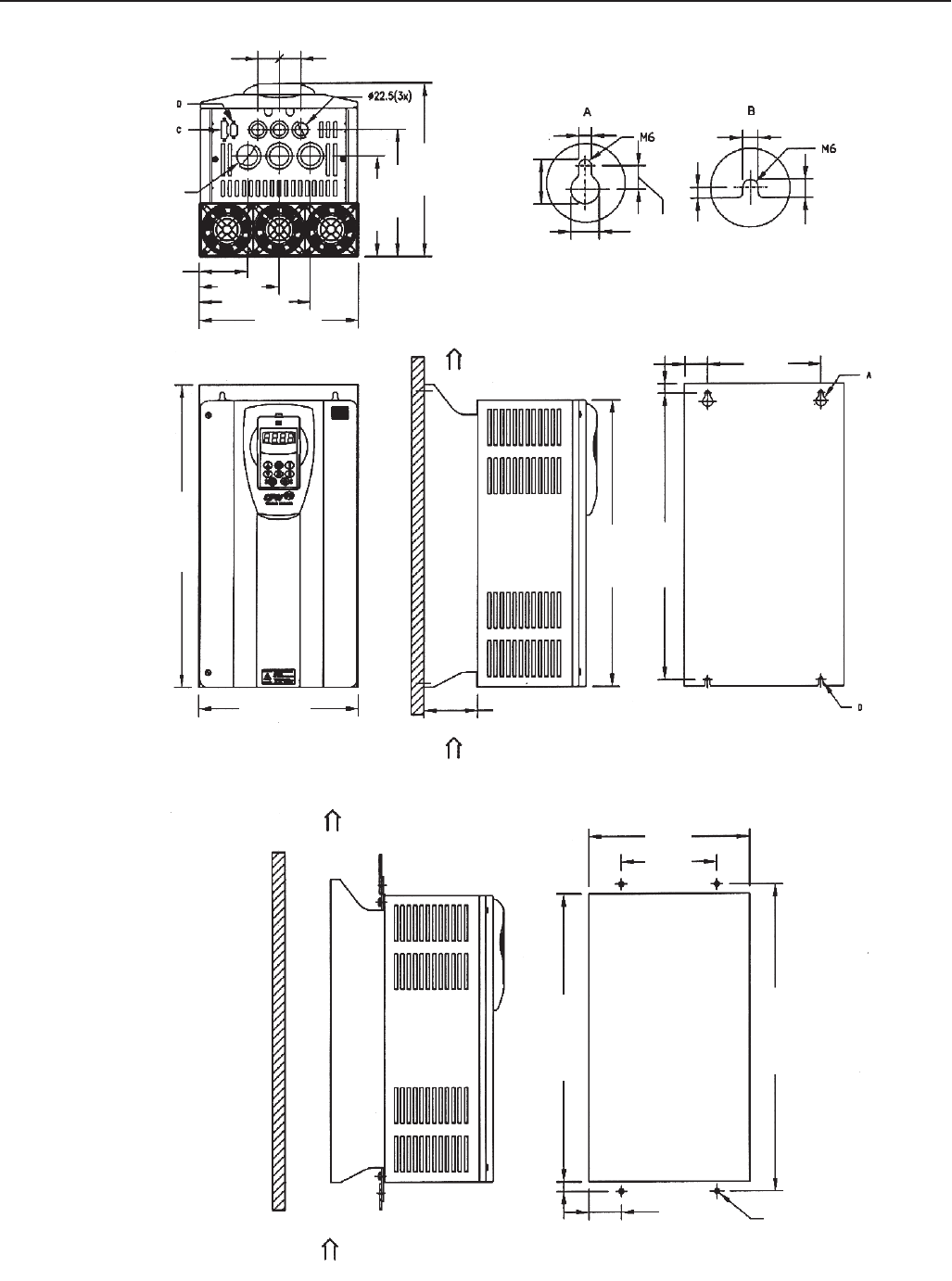
347
CHAPTER 9 - TECHNICAL SPECIFICATIONS
SIZE 4
Air Flow
outlet
Air Flow
inlet
Air Flow
outlet
Air Flow inlet
34
(1.34) 34
(1.34)
76 (2.99)
125 (4.92)
174 (6.85)
250 (9.84)
150 (5.91)
475 (18.70)
450 (17.72)
450 (17.72)
50 (1.97)
15 (0.59)
84.5 (3.33)
250 (9.84)
150 (5.91)
252 (9.92)
51 (2.01)
480 (18.90)
452 (17.80)
14 (0.55)
158 (6.22)
200 (7.87)
274 (10.79)
7.2 (0.28) 7.2 (0.28)
24.6 (0.97)
13 (0.51)
10 (0.39)
13.6 (0.54)
16 (0.63)
Conduit for
power
cable
(3x) 35
φ
Figure 9.5 - Size 4 - Dimensions in mm (inch)
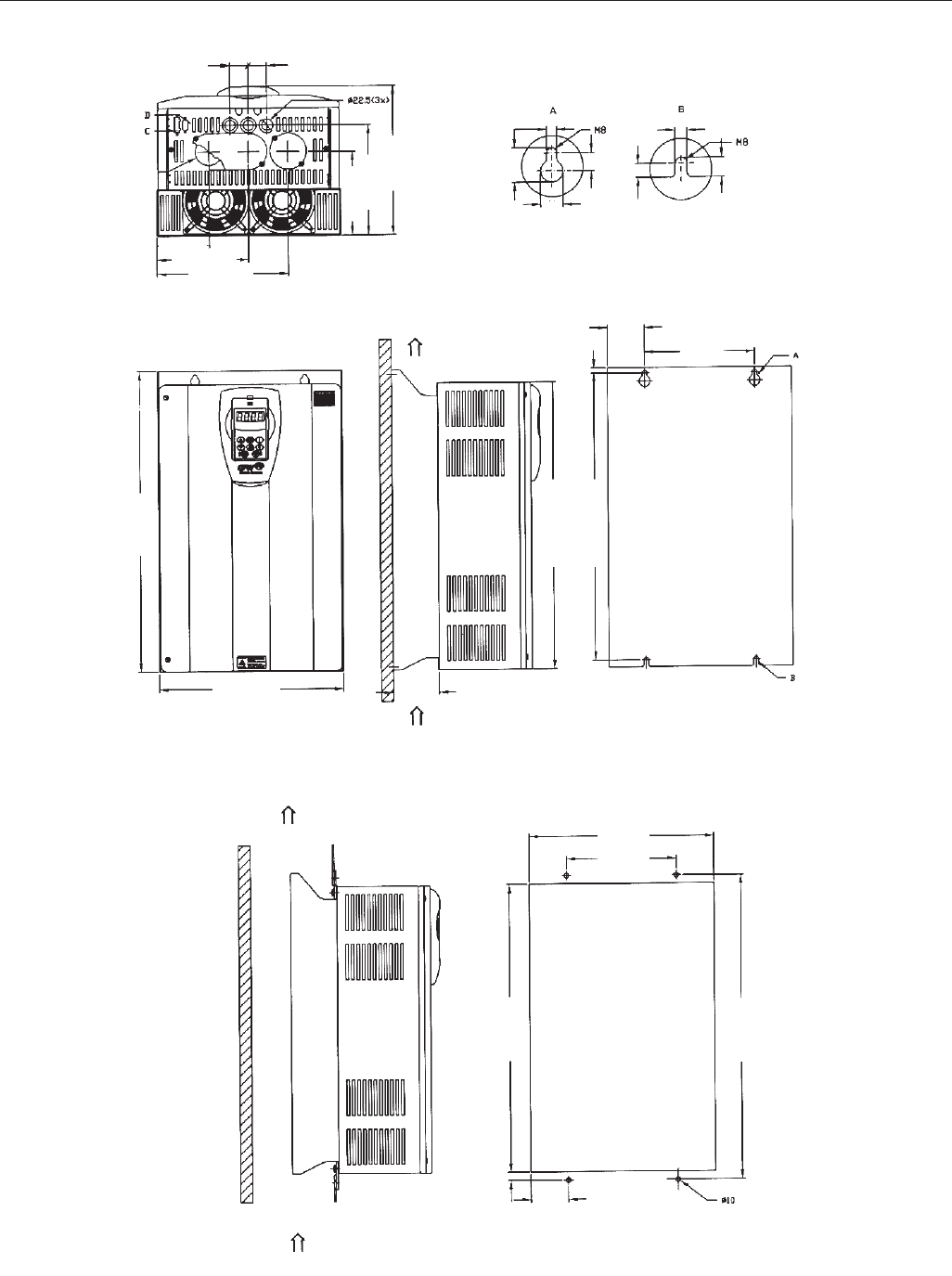
348
CHAPTER 9 - TECHNICAL SPECIFICATIONS
SIZE 5
Conduit for
power
cable
(3x) 50.0
φ
Air Flow
outlet
Air Flow
inlet
Air Flow
outlet
Air Flow inlet
34
(1.34)
34
(1.34)
95.5 (3.76)
167.5 (6.59)
154.5 (6.08)
239.5 (9.43)
203.5 (8.30)
274 (11.18)
9.2 (0.36)
20
(0.79)
29.6 (1.17)
15 (0.59)
10 (0.39)
14.6 (0.57)
9.2 (0.36)
67.5 (2.66)
200 (7.87)
525 (20.67)
525 (20.67)
15 (0.59)
550 (21.65)
335 (13.19) 84.5 (3.33)
337 (13.27)
200 (7.87)
68.5 (2.70)
555 (21.85)
527 (20.75)
14 (0.55)
Figure 9.6 - Size 5 - Dimensions in mm (inch)
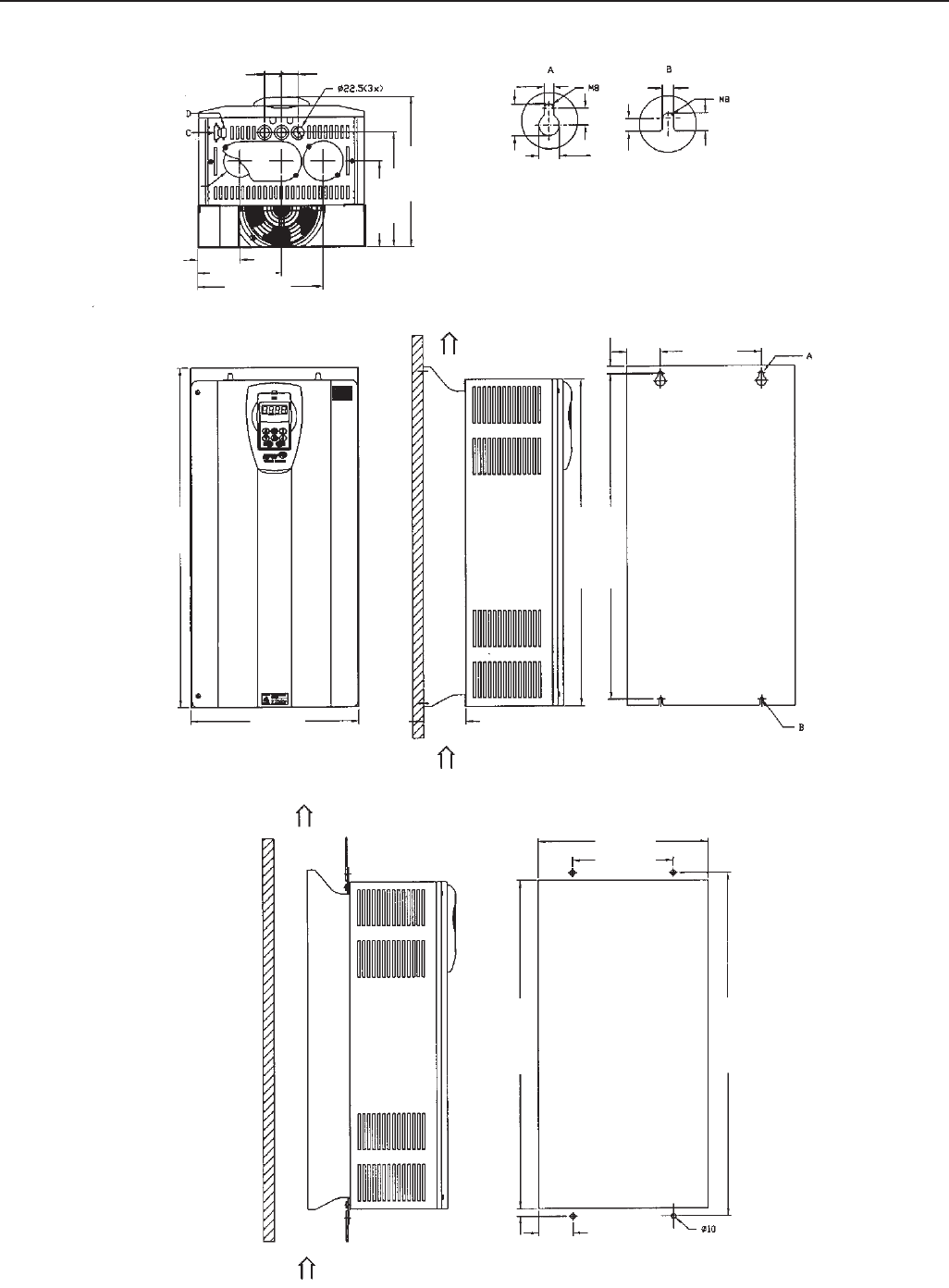
349
CHAPTER 9 - TECHNICAL SPECIFICATIONS
Air Flow
outlet
Air Flow
inlet
Air Flow
outlet
34
(1.34)
34
(1.34)
84.5 (3.33) 167.5 (6.59)
250.5 (9.86)
9.2 (0.36) 9.2 (0.36)
10 (0.39)
14.6 (0.57)
20
(0.79)
29.6 (1.17)
15 (0.59)
67.5 (2.66) 200 (7.87)
15 (0.59)
675 (26.57)
335 (13.19)
650 (25.59)
650 (25.59)
84.5 (3.33)
337 (13.27)
200 (7.87)
68.5 (2.70)
14 (0.55)
652 (25.67)
680 (26.77)
300 (11.81)
229.5 (9.04)
171.5 (6.75)
Conduit for
power
cable
(3x) 63.0
φ
SIZE 6
Figure 9.7 - Size 6 - Dimensions in mm (inch)
Air Flow inlet
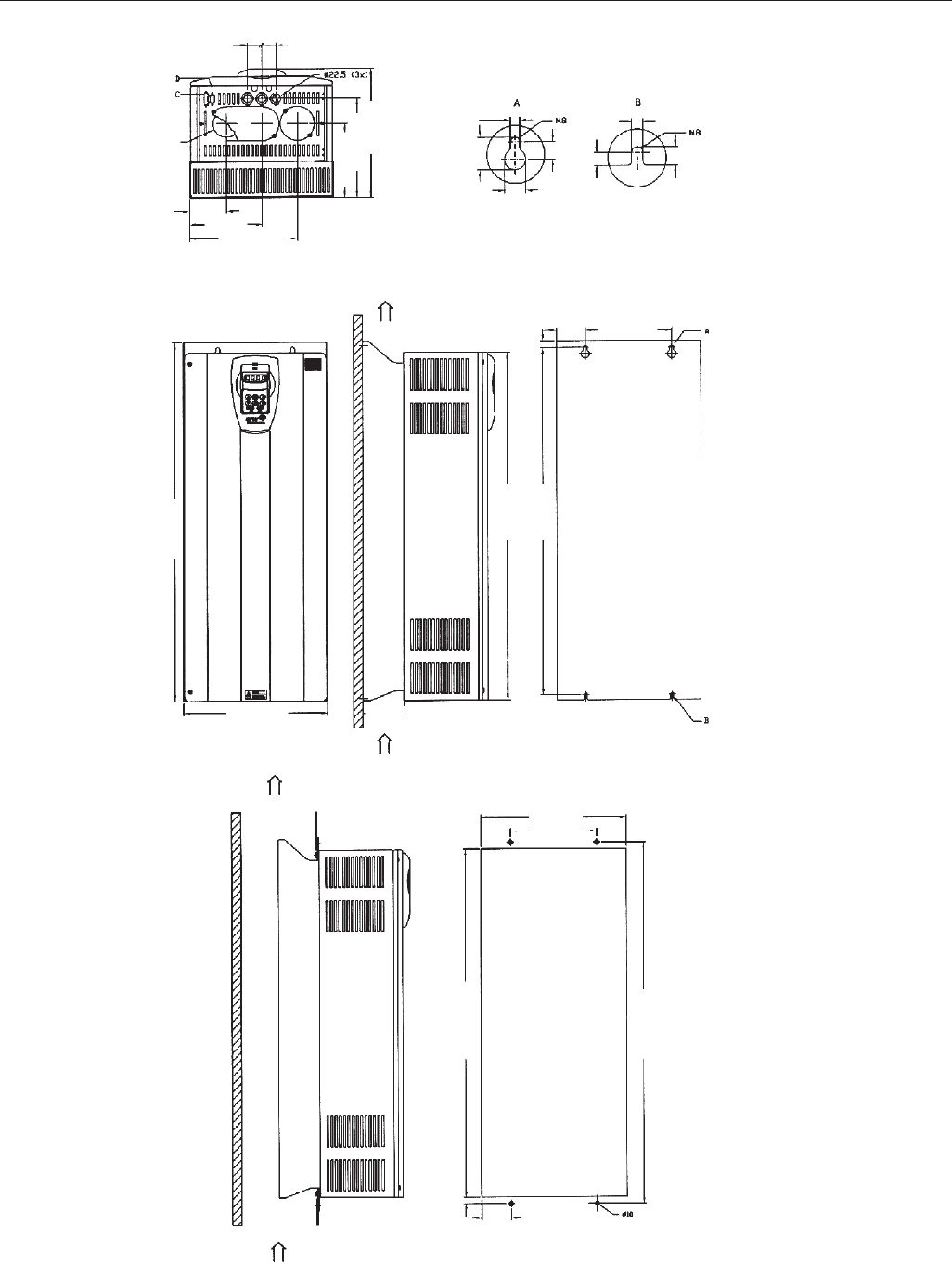
350
CHAPTER 9 - TECHNICAL SPECIFICATIONS
Air Flow
outlet
Air Flow
inlet
Air Flow
outlet
Air Flow inlet
34
(1.34)
34
(1.34)
300 (11.81)
229.5 (9.04)
171.5 (6.75)
85 (3.35)
168 (6.61)
251 (9.88)
9.2 (0.36) 9.2 (0.36)
10 (0.39)
14.6 (0.57)
20
(0.79)
29.6 (1.17)
15 (0.59)
67.5 (2.66) 200 (7.87)
15 (0.59)
835 (32.87)
335 (13.19) 84.5 (3.33)
810 (31.89)
810 (31.89)
337 (13.27)
200 (7.87)
68.5 (2.70)
14 (0.55)
840 (37.07)
812 (31.97)
Conduit for
power
cable
(3x) 63.0
φ
SIZE 7
Figure 9.8 - Size 7 - Dimensions in mm (inch)
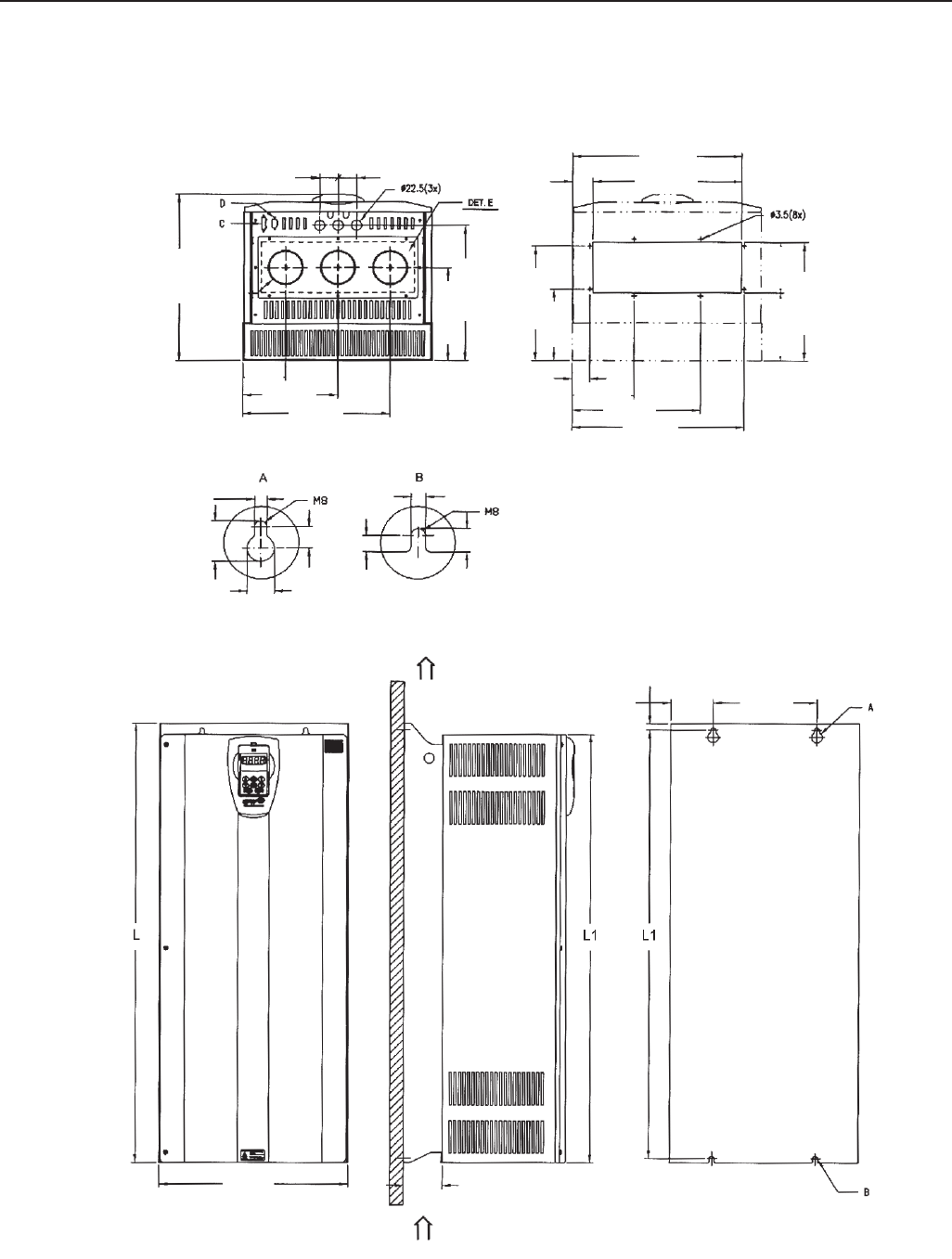
351
CHAPTER 9 - TECHNICAL SPECIFICATIONS
SIZE 8 AND 8E
Air Flow
outlet
Air Flow inlet
DETAIL OF CUTOUT
WITHOUT FLANGE
40 (1.57) 40 (1.57)
92 (3.62)
205 (8.07)
318 (12.52)
370 (14.57)
207 (8.15)
300.5 (11.83)
255 (10.04)
159 (6.26)
151 (5.94)
263 (10.35)
112 (4.41)
366 (14.41)
322 (12.68)
44 (1.73)
38 (1.50)
133 (5.24)
277 (10.91)
372 (14.65)
9.2 (0.36) 9.2 (0.36)
10 (0.39)
14.6 (0.57)
20
(0.79)
29.6 (1.17)
15 (0.59)
275 (10.83)
67.5 (2.66)
15 (0.59)
84.5 (3.33)
410 (16.14)
Conduit for
power
cable
(3x) 76
φ
Figure 9.9 - Size 8 and 8E - Dimensions in mm (inch)
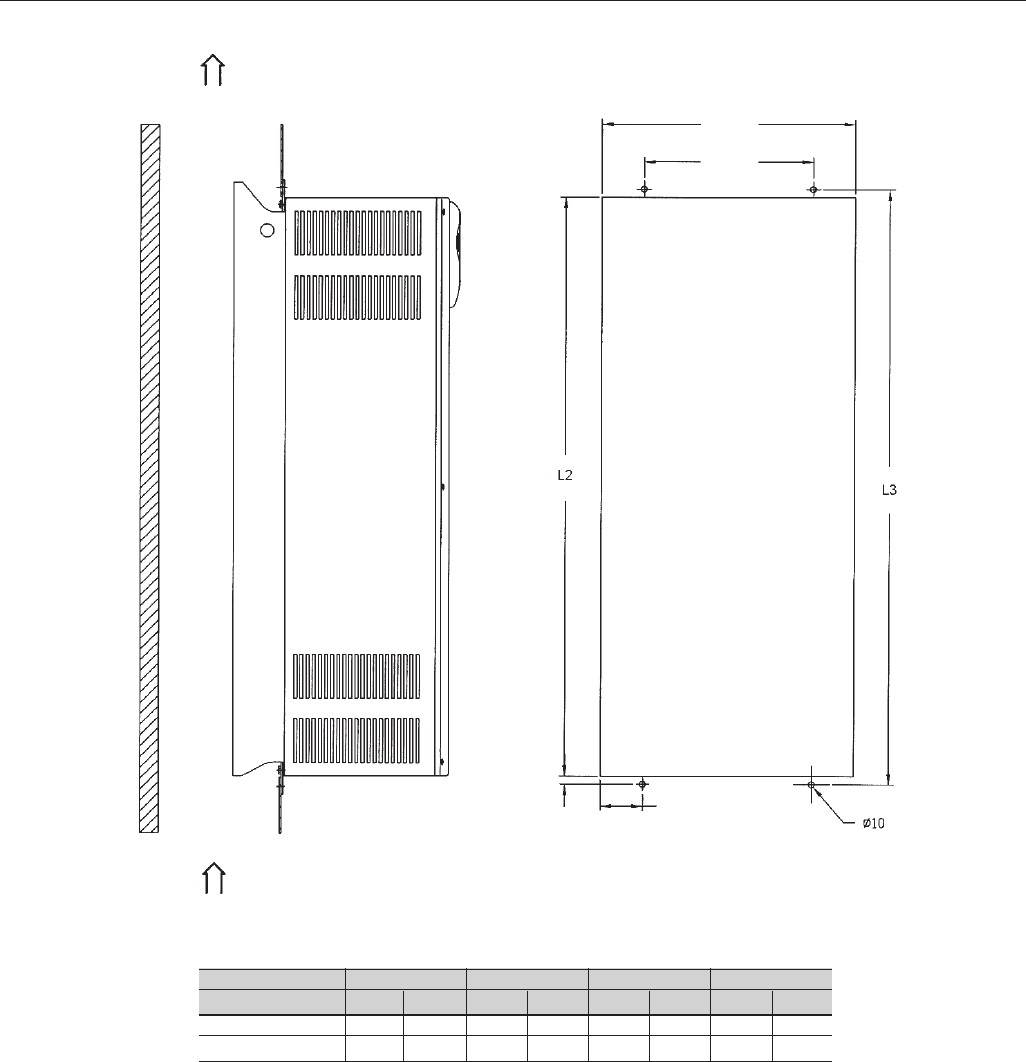
352
CHAPTER 9 - TECHNICAL SPECIFICATIONS
Air Flow
inlet
Air Flow
inlet
412 (16.22)
275 (2.83)
68.5 (2.70)
14 (0.55)
Length
Dimensions
Size 8
Size 8E
L
mm in
975 38.38
1145
45.08
L1
mm in
950 37.4
1122.5 44.19
L2
mm in
952 37.48
1124.5 44.27
L3
mm in
980 38.58
1152.5 45.37
Figure 9.9 (cont.) - Size 8 and 8E - Dimensions in mm (inch)
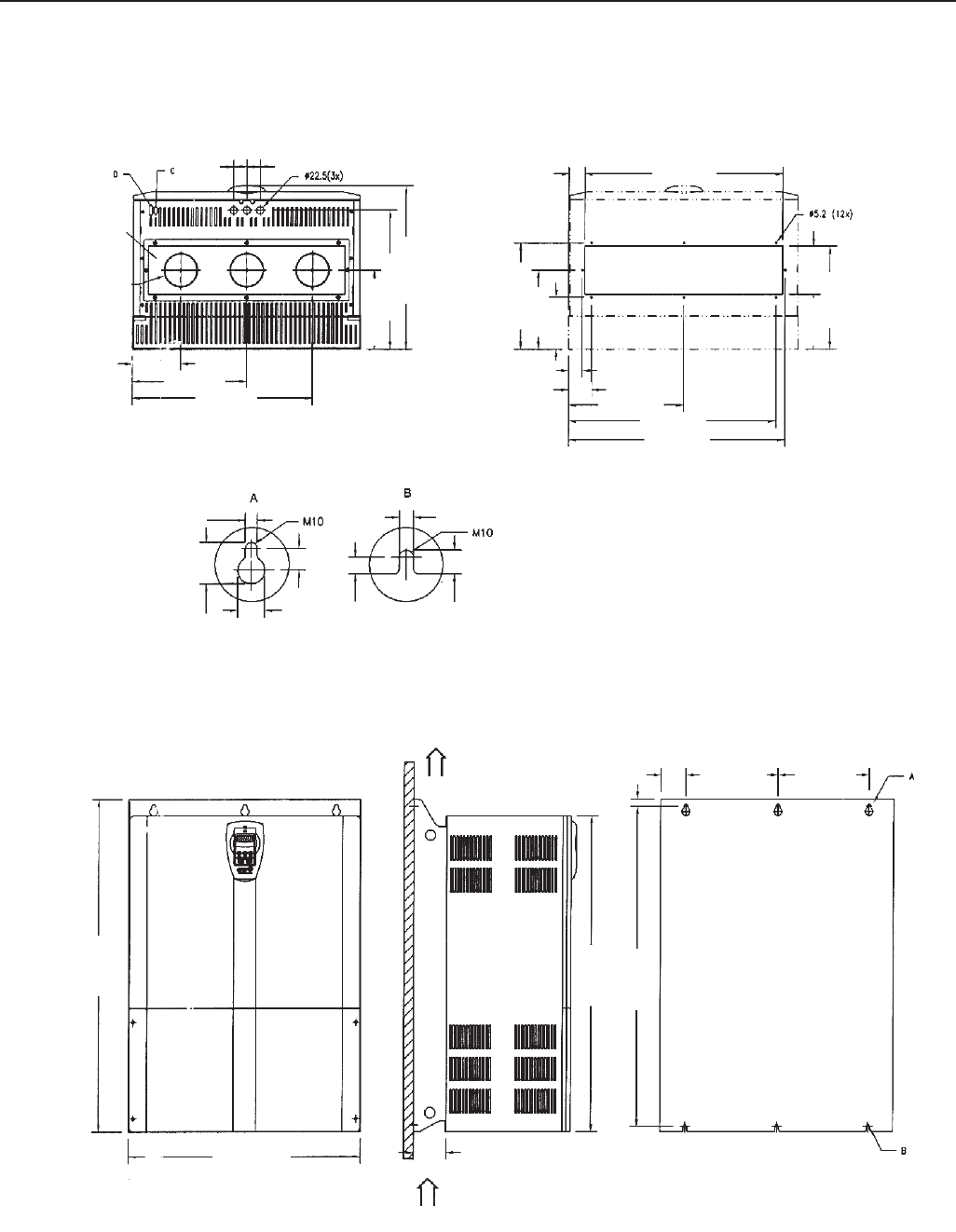
353
CHAPTER 9 - TECHNICAL SPECIFICATIONS
SIZE 9
Conduit for
power
cable
(3x) 102
φ
Det. E
Air Flow
outlet
Air Flow
inlet
40 (1.57) 40 (1.57)
344 (13.54)
542 (21.34)
418 (16.46)
492 (19.37)
238 (9.37)
320 (12.60)
238 (9.37)
166 (6.54)
310 (12.20)
144 (5.67)
592 (23.31)
48 (1.83)
68 (2.68)
344 (13.54)
620 (24.41)
647 (25.47)
41 (1.61)
156 (6.14)
11.2 (0.44)
15 (0.59)
20.6 (0.81)
24
(0.94)
33.6 (1.32)
16 (0.63)
11.2 (0.44)
275 (10.83) 275 (10.83)
20 (0.79)
69 (2.72)
985 (38.78)
950 (37.40)
1020 (40.16)
99 (3.90)
688 (27.09)
DETAIL OF CUTOUT
WITHOUT FLANGE
Figure 9.10 - Size 9 - Dimensions in mm (inch)
146 (5.75)
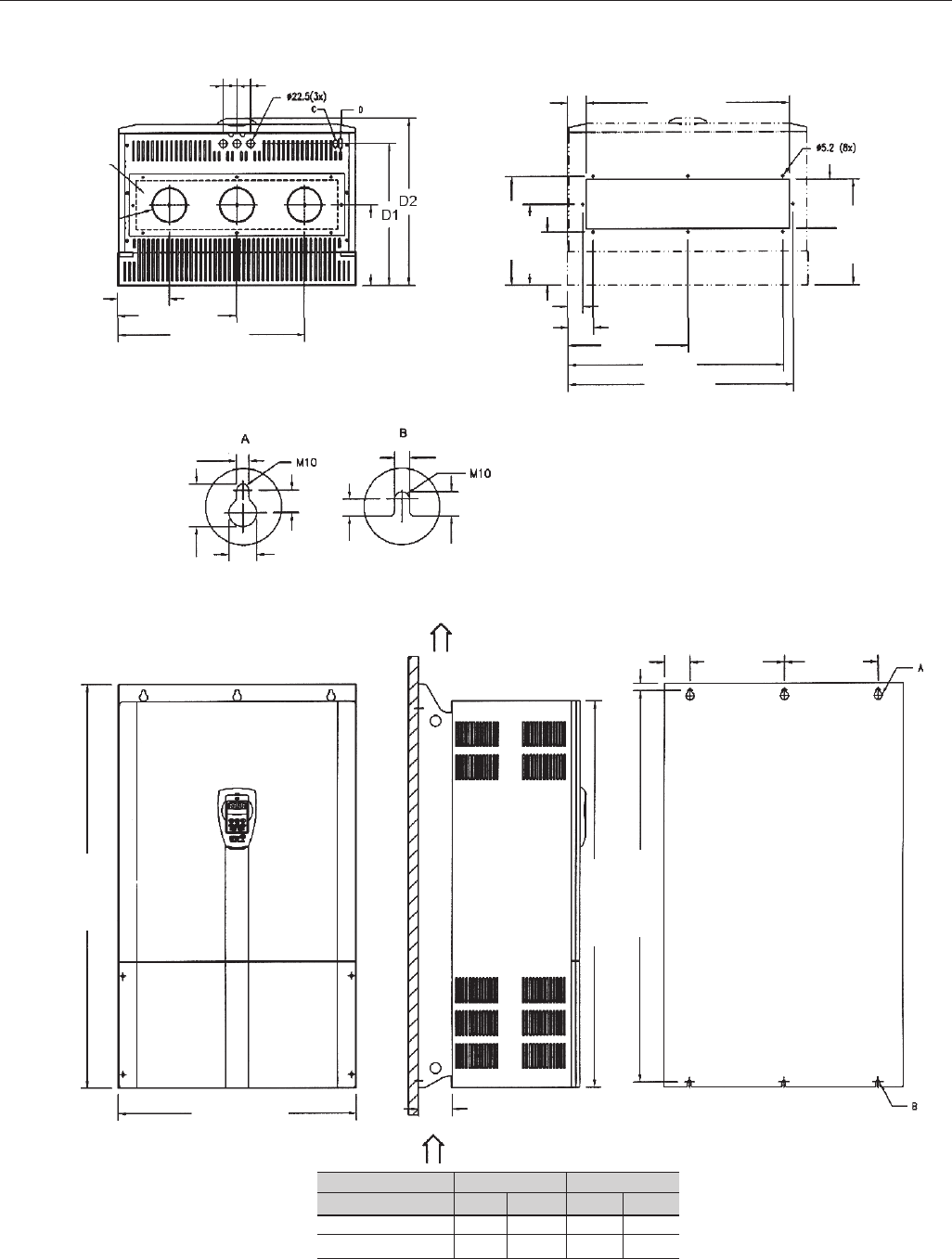
354
CHAPTER 9 - TECHNICAL SPECIFICATIONS
SIZE 10 AND 10E DETAIL OF CUTOUT
WITHOUT FLANGE
Conduit for
power
cable
(3x) 102
φ
Det. E
Air Flow
outlet
Air Flow
inlet
40 (1.57) 40 (1.57)
548 (21.57)
350 (13.78)
152 (5.98)
11.2 (0.44)
15 (0.59)
20.6 (0.81)
24
(0.94)
33.6 (1.32)
16 (0.63)
11.2 (0.44)
275 (10.83) 275 (10.83)
20 (0.79)
75 (2.95)
1150 (45.28)
1135 (44.69)
1185 (46.65)
99 (3.90)
700 (27.09)
320 (12.60)
238 (9.37)
166 (6.54)
310 (12.20)
144 (5.67)
592 (23.31)
54 (2.13)
74 (2.91)
350 (13.78)
626 (24.65)
656 (25.83)
44 (1.73)
156 (6.14)
238 (9.37)
Length
Dimensions
Size 10
Size 10E
D1
mm in
418 16.45
508 20
D2
mm in
492 19.37
582 22.91
Figure 9.11 - Size 10 and 10E - Dimensions in mm (inch)
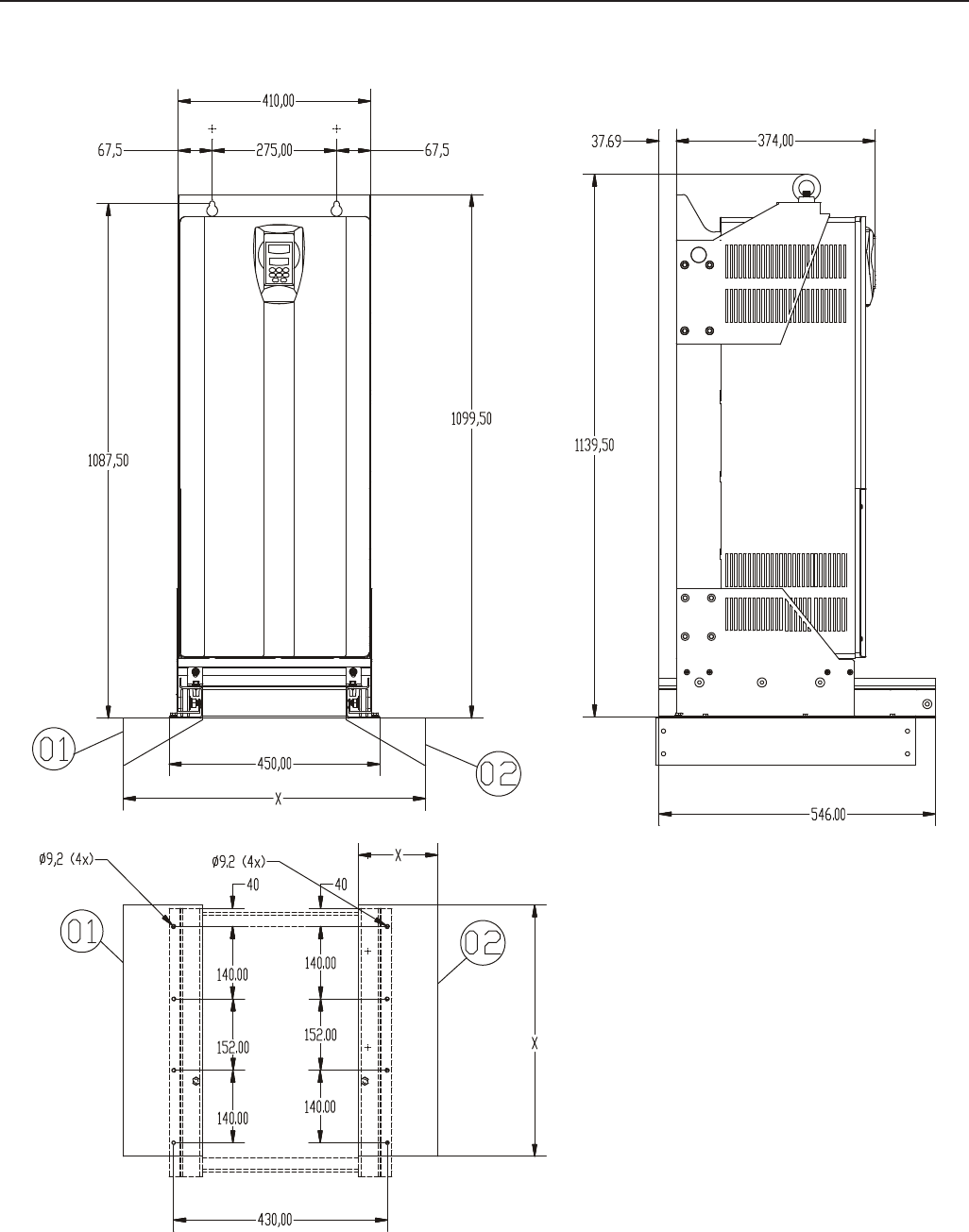
355
CHAPTER 9 - TECHNICAL SPECIFICATIONS
Figure 9.12 a) - KIT-KME for Size 8 - Panel Width = 600mm (23.62 in)
NOTES:
a) The X dimensions will depend on panel dimensions.
b) The fixing panel supports identified by 1 and 2 are
not supplied with KME Kit. These should be
constructed according to panel dimensions and with
fixing holes as specified.
180A-240A/380-480V Models (size 8)
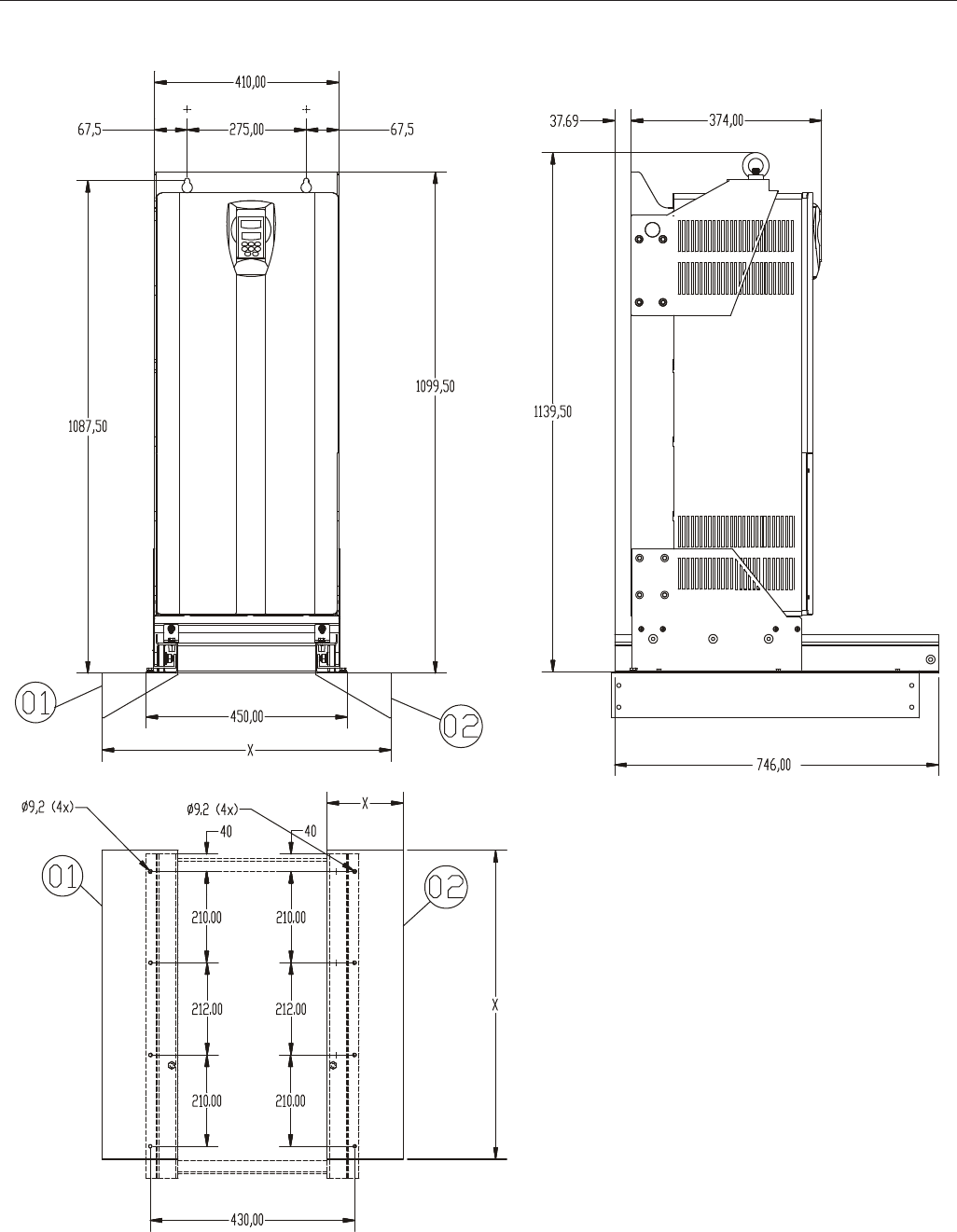
356
CHAPTER 9 - TECHNICAL SPECIFICATIONS
Figure 9.12 b) - KIT-KME for Size 8 - Panel Width = 800mm (31.50 in)
NOTES:
a) The X dimensions will depend on panel dimensions.
b) The fixing panel supports identified by 1 and 2
are not supplied with KME Kit. These should be
constructed according to panel dimensions and
with fixing holes as specified.
180A-240A/380-480V Models (size 8)
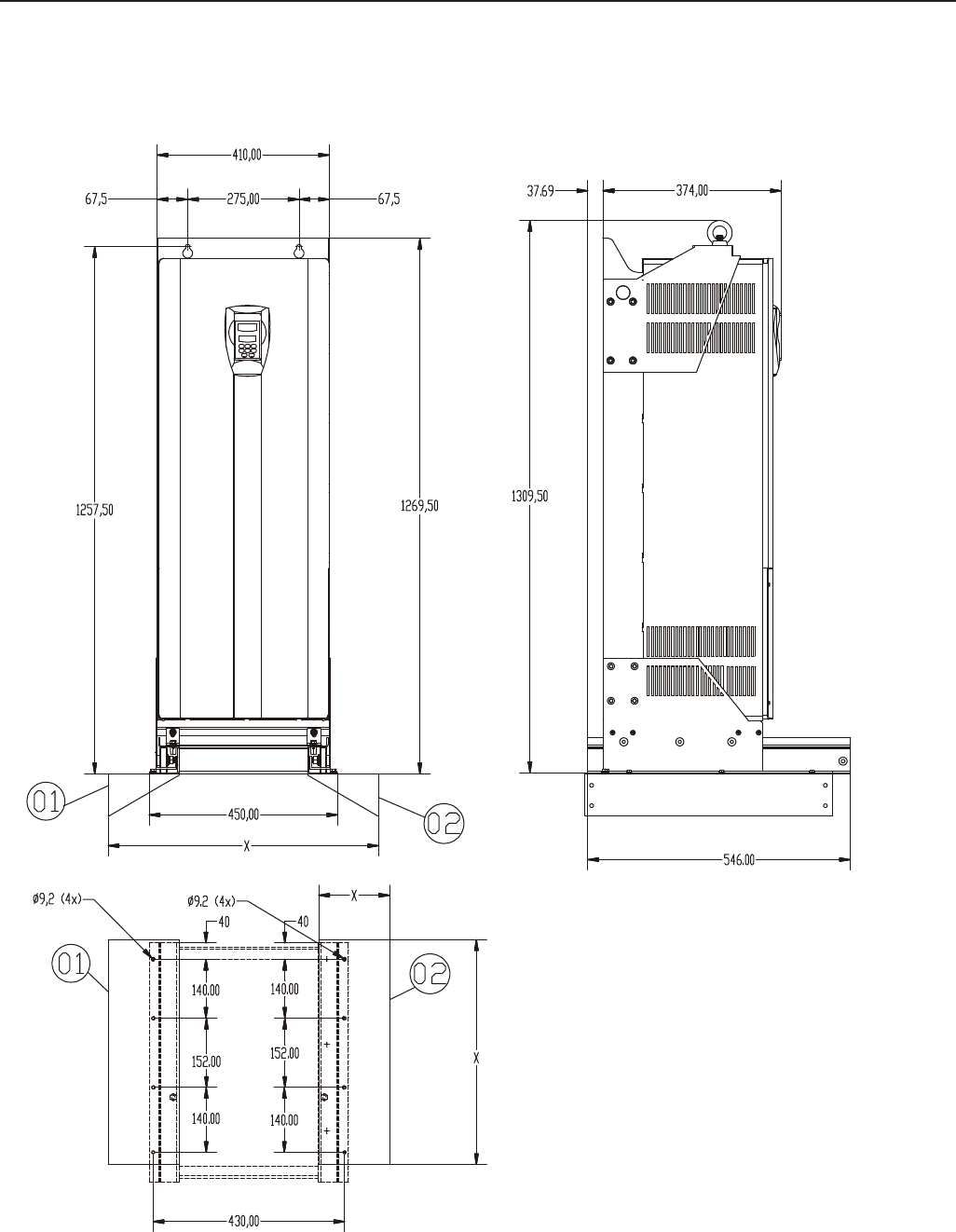
357
CHAPTER 9 - TECHNICAL SPECIFICATIONS
Figure 9.12 c) - KIT-KME for Size 8E - Panel Width = 600mm (23.62 in)
NOTES:
a) The X dimensions will depend on panel
dimensions.
b) The fixing panel supports identified by 1 and 2
are not supplied with KME Kit. These should be
constructed according to panel dimensions and
with fixing holes as specified.
107A to 211A/500-600V Models (size 8E)
and 100A to 179A/660-690 V Models (size 8E)
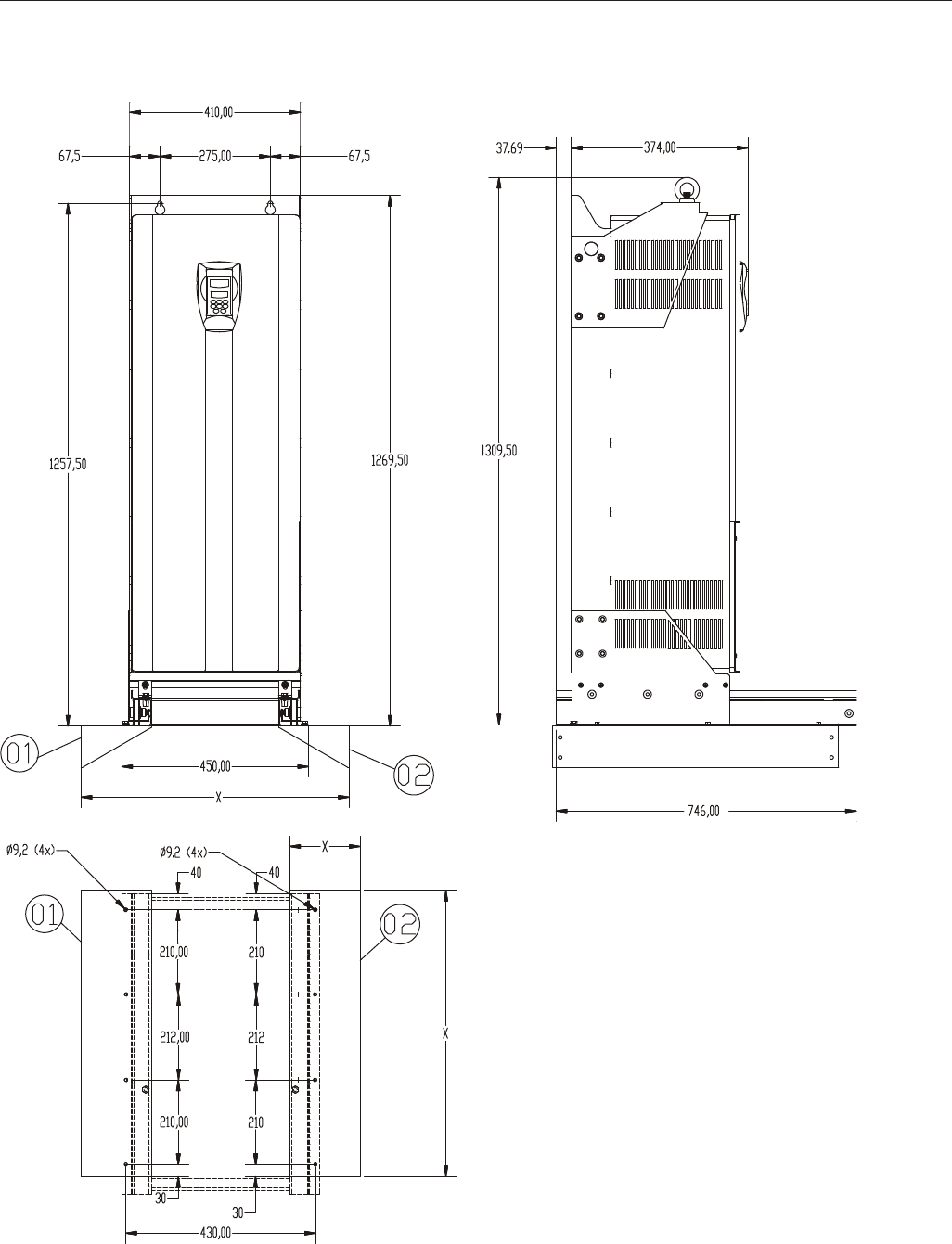
358
CHAPTER 9 - TECHNICAL SPECIFICATIONS
Figure 9.12 d) - KIT-KME for Size 8E - Panel Width = 800mm (31.50 in)
NOTES:
a) The X dimensions will depend on panel dimensions.
b) The fixing panel supports identified by 1 and 2
are not supplied with KME Kit. These should be
constructed according to panel dimensions and
with fixing holes as specified.
107A to 211A/500-600V Models (size 8E)
and 100A to 179A/660-690 V Models (size 8E)
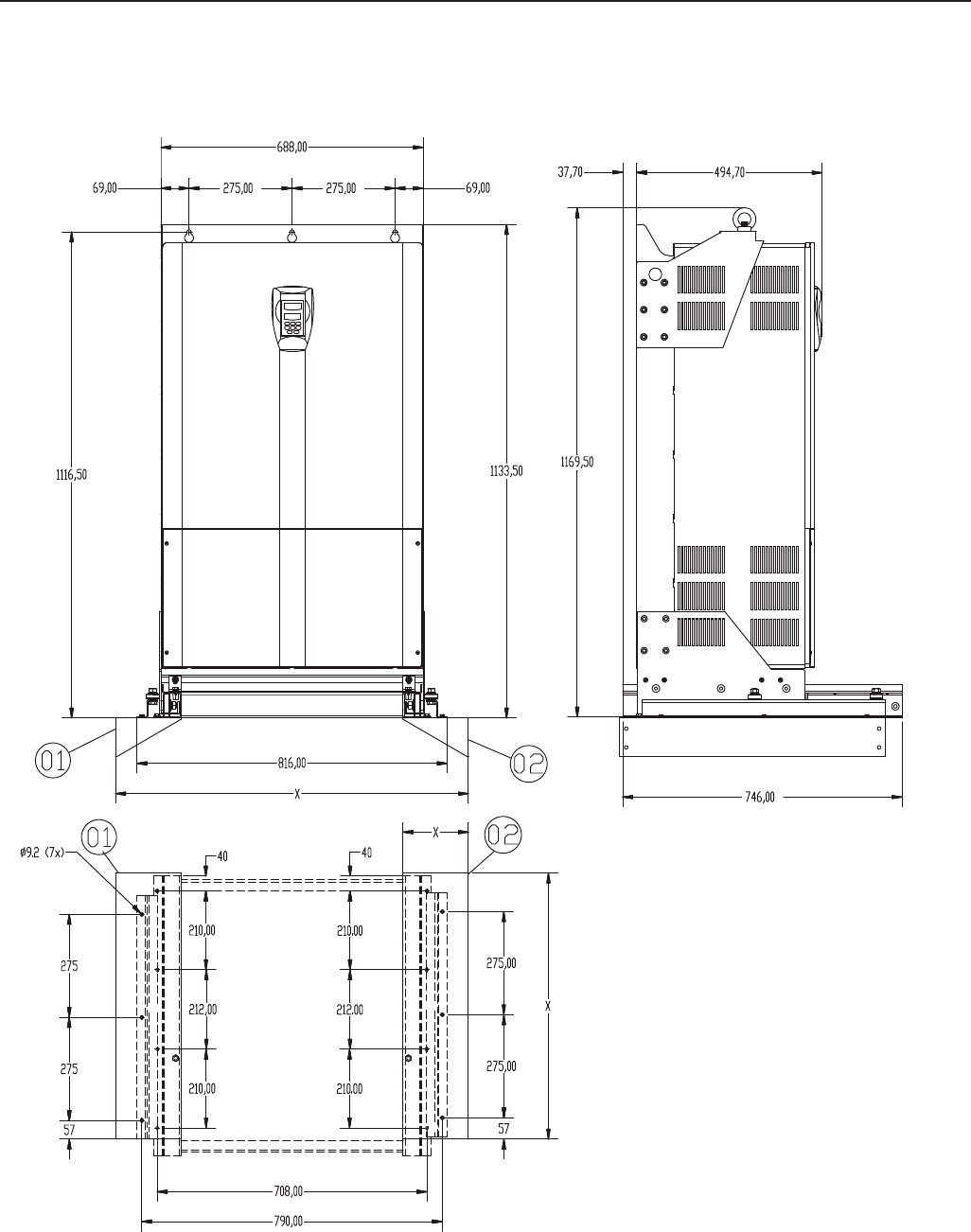
359
CHAPTER 9 - TECHNICAL SPECIFICATIONS
Figure 9.13 a) - KIT-KME for Size 9 - Panel Width = 800mm (31.50 in) and 1000mm (39.37 in)
NOTES:
a) The X dimensions will depend on panel
dimensions.
b) The fixing panel supports identified by 1
and 2 are not supplied with KME Kit. These
should be constructed according to panel
dimensions and with fixing holes as
specified.
312A to 361A/380-480V (size 9) Models
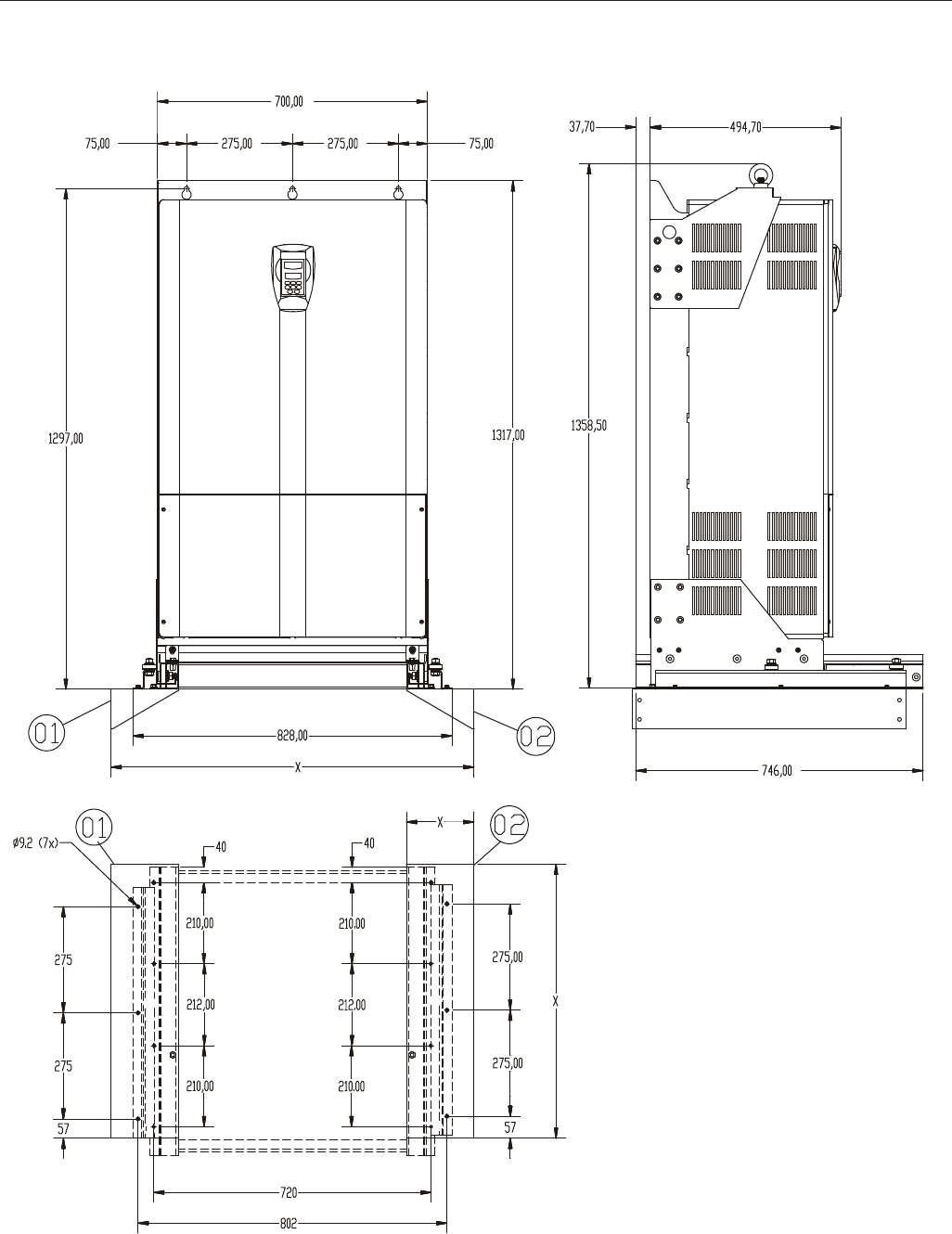
360
CHAPTER 9 - TECHNICAL SPECIFICATIONS
Figure 9.13 b) - KIT-KME for Size 10 - Panel Width = 800mm (31.50 in) and 1000mm (39.37 in)
NOTES:
a) The X dimensions will depend on panel
dimensions.
b) The fixing panel supports identified by 1
and 2 are not supplied with KME Kit.
These should be constructed according
to panel dimensions and with fixing holes
as specified.
450A to 600A/380-480V Models (size 10)
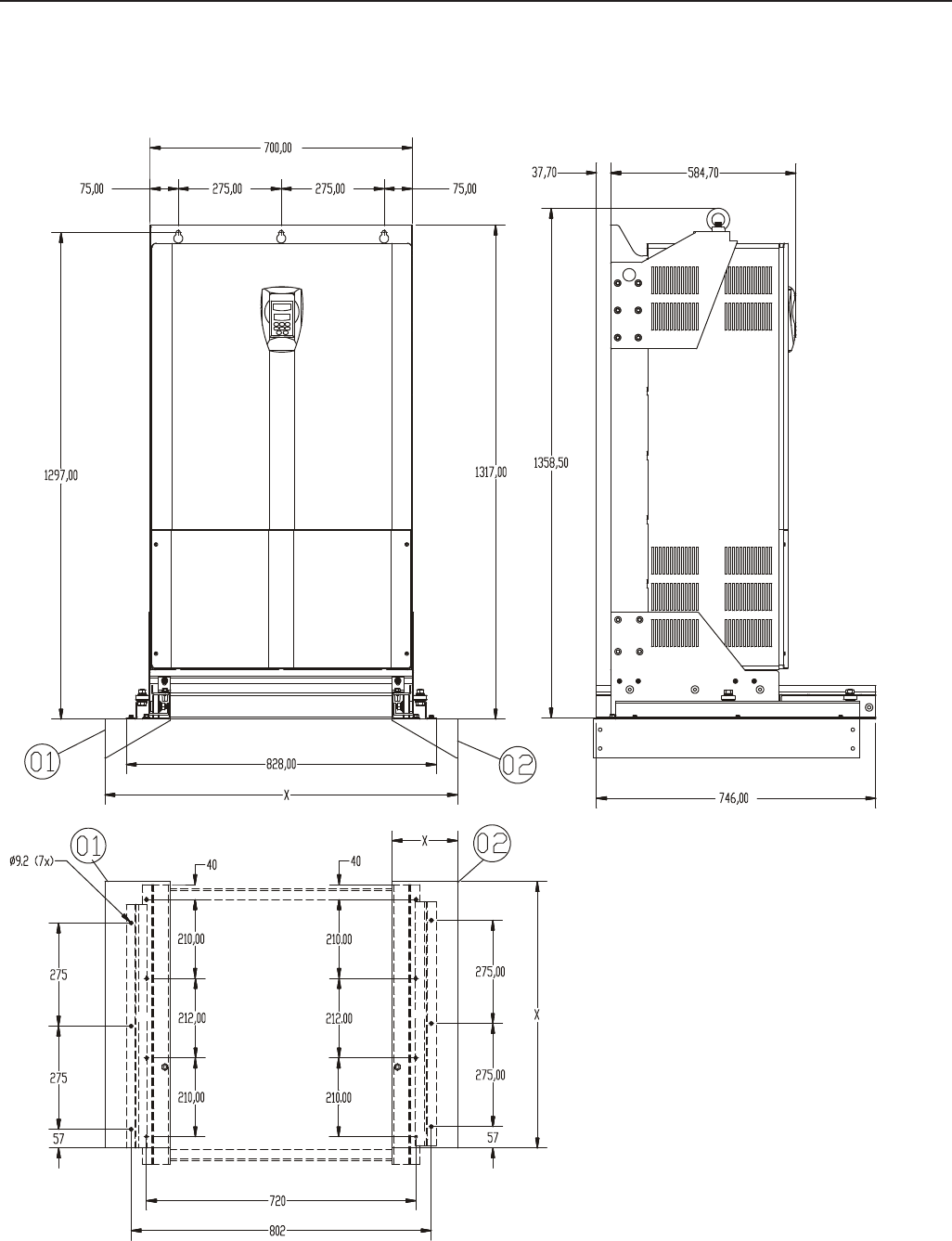
361
CHAPTER 9 - TECHNICAL SPECIFICATIONS
NOTES:
a) The X dimensions will depend on panel
dimensions.
b) The fixing panel supports identified by 1
and 2 are not supplied with KME Kit.
These should be constructed according
to panel dimensions and with fixing holes
as specified.
247A to 472A/500-690V Models (size 10E) and
225A to 428A/660-690V Models (size 10E)
Figure 9.13 c) - KIT-KME for Size 10E - Panel Width = 800mm (31.50 in) and 1000mm (39.37 in)
